/


Автор: McMullen K. Matthews E. Parsons J.J.
Теги: programming languages programming computer technology
ISBN: 978-0-357-63775-3
Год: 2022



Текст
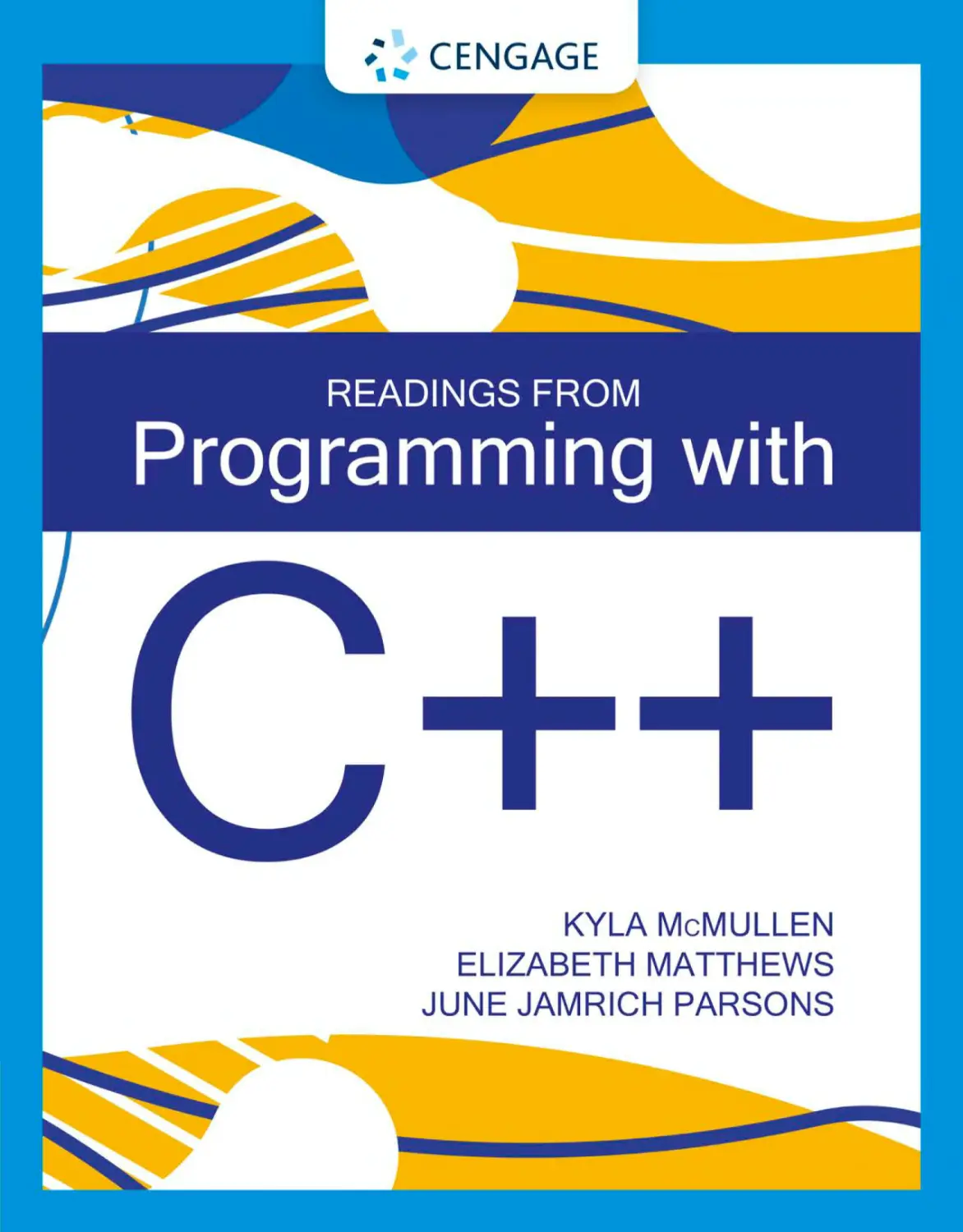
Programming with
C++
KYLA McMULLEN
Elizabeth matthews
June Jamrich Parsons
Australia • Brazil • Canada • Mexico • Singapore • United Kingdom • United States
Copyright 2022 Cengage Learning. All Rights Reserved. May not be copied, scanned, or duplicated, in whole or in part. Due to electronic rights, some third party content may be suppressed from the eBook and/or eChapter(s).
Editorial review has deemed that any suppressed content does not materially affect the overall learning experience. Cengage Learning reserves the right to remove additional content at any time if subsequent rights restrictions require it.
This is an electronic version of the print textbook. Due to electronic rights restrictions,
some third party content may be suppressed. Editorial review has deemed that any suppressed
content does not materially affect the overall learning experience. The publisher reserves the right
to remove content from this title at any time if subsequent rights restrictions require it. For
valuable information on pricing, previous editions, changes to current editions, and alternate
formats, please visit www.cengage.com/highered to search by ISBN#, author, title, or keyword for
materials in your areas of interest.
Important Notice: Media content referenced within the product description or the product
text may not be available in the eBook version.
Copyright 2022 Cengage Learning. All Rights Reserved. May not be copied, scanned, or duplicated, in whole or in part. Due to electronic rights, some third party content may be suppressed from the eBook and/or eChapter(s).
Editorial review has deemed that any suppressed content does not materially affect the overall learning experience. Cengage Learning reserves the right to remove additional content at any time if subsequent rights restrictions require it.
Readings from Programming with C++
© 2022 Cengage Learning, Inc.
Kyla McMullen, Elizabeth Matthews,
June Jamrich Parsons
WCN: 02-300
SVP, Higher Education Product Management:
Erin Joyner
Unless otherwise noted, all content is © Cengage.
ALL RIGHTS RESERVED. No part of this work covered by the copyright herein
may be reproduced or distributed in any form or by any means, except as
VP, Product Management: Thais Alencar
Product Team Manager: Kristin McNary
permitted by U.S. copyright law, without the prior written permission of the
copyright owner.
Associate Product Manager: Tran Pham
For product information and technology assistance, contact us at
Cengage Customer & Sales Support, 1-800-354-9706
Product Assistant: Tom Benedetto
or support.cengage.com.
Learning Designer: Mary Convertino
Senior Content Manager: Maria Garguilo
For permission to use material from this text or product, submit all requests
online at www.cengage.com/permissions.
Digital Delivery Lead: David O’Connor
Technical Editor: John Freitas
Library of Congress Control Number: 2020922802
Developmental Editor: Lisa Ruffolo
ISBN: 978-0-357-63775-3
Vice President, Marketing – Science, Technology,
& Math: Jason Sakos
Cengage
Senior Director, Marketing: Michele McTighe
Boston, MA 02210
200 Pier 4 Boulevard
Marketing Manager: Cassie L. Cloutier
USA
Marketing Development Manager:
Cengage is a leading provider of customized learning solutions with
Samantha Best
employees residing in nearly 40 different countries and sales in more than
Product Specialist: Mackenzie Paine
IP Analyst: Ashley Maynard
IP Project Manager: Cassidie Parker
Production Service: SPi Global
Designer: Erin Griffin
125 countries around the world. Find your local representative at
www.cengage.com.
To learn more about Cengage platforms and services, register or access
your online learning solution, or purchase materials for your course, visit
www.cengage.com.
Notice to the Reader
Publisher does not warrant or guarantee any of the products described
Cover Image Source: echo3005/ShutterStock.com
herein or perform any independent analysis in connection with any of the
product information contained herein. Publisher does not assume, and
expressly disclaims, any obligation to obtain and include information other
than that provided to it by the manufacturer. The reader is expressly warned
to consider and adopt all safety precautions that might be indicated by the
activities described herein and to avoid all potential hazards. By following
the instructions contained herein, the reader willingly assumes all risks in
connection with such instructions. The publisher makes no representations or
warranties of any kind, including but not limited to, the warranties of fitness
for particular purpose or merchantability, nor are any such representations
implied with respect to the material set forth herein, and the publisher takes
no responsibility with respect to such material. The publisher shall not be
liable for any special, consequential, or exemplary damages resulting, in
whole or part, from the readers’ use of, or reliance upon, this material.
Printed in Mexico
Print Number: 01
Print Year: 2020
Copyright 2022 Cengage Learning. All Rights Reserved. May not be copied, scanned, or duplicated, in whole or in part. Due to electronic rights, some third party content may be suppressed from the eBook and/or eChapter(s).
Editorial review has deemed that any suppressed content does not materially affect the overall learning experience. Cengage Learning reserves the right to remove additional content at any time if subsequent rights restrictions require it.
Brief Contents
prefacexiii
Module 1
Computational Thinking
Module 2
Programming Tools
Module 3
Literals, Variables, and Constants
Module 4
Numeric Data Types and Expressions
Module 5
Character and String Data Types
Module 6
Decision Control Structures
Module 7
Repetition Control Structures
Module 8
Arrays
Module 9
Functions
Module 10
Recursion
Module 11
Exceptions
Module 12
File Operations
Module 13
Classes and Objects
Module 14
Methods
Module 15
Encapsulation
Module 16
Inheritance
Module 17
Polymorphism
1
Module 18
Templates
15
Module 19
Linked List Data Structures
35
Module 20
Stacks and Queues
49
Module 21
Trees and Graphs
63
Module 22
Algorithm Complexity and Big-O Notation
83
Module 23
Search Algorithms
103
Module 24
Sorting Algorithms
125
Module 25
Processor Architecture
145
Module 26
Data Representation
165
Module 27
Programming Paradigms
185
Module 28
User Interfaces
205
Module 29
Software Development Methodologies
231
Module 30
Pseudocode, Flowcharts, and Decision Tables
245
271
Module 31
309
319
333
353
371
395
411
427
455
469
491
507
525
541
Unified Modeling Language
557
GLOSSARY
Index
569
583
291
Copyright 2022 Cengage Learning. All Rights Reserved. May not be copied, scanned, or duplicated, in whole or in part. Due to electronic rights, some third party content may be suppressed from the eBook and/or eChapter(s).
Editorial review has deemed that any suppressed content does not materially affect the overall learning experience. Cengage Learning reserves the right to remove additional content at any time if subsequent rights restrictions require it.
Table of Contents
prefacexiii
Module 1
COMPUTATIONAL THINKING
1
Algorithms2
Algorithm Basics
Programming Algorithms
“Good” Algorithms
Selecting and Creating Algorithms
2
2
3
4
Decomposition4
Decomposition Basics
Structural Decomposition
Functional Decomposition
Object-Oriented Decomposition
Dependencies and Cohesion
Pattern Identification
Pattern Identification Basics
Repetitive Patterns
Classification Patterns
4
5
6
7
7
8
8
8
9
Abstraction9
Abstraction Basics
Classes and Objects
Black Boxes
Levels of Abstraction
9
10
11
12
Summary12
Key Terms
Module 2
13
PROGRAMMING TOOLS
15
Programming Languages
16
Hello World!
Programming Language Basics
Syntax and Semantics
Core Elements
Your Toolbox
Coding Tools
Program Editors
Basic Structure
16
16
17
19
19
20
20
21
Build Tools
The Toolset
Compilers
Preprocessors and Linkers
Virtual Machines
Interpreters
Debugging Tools
Programming Errors
Syntax Errors
Runtime Errors
Semantic Errors
Debugging Utilities
IDEs and SDKs
Integrated Development Environments
Software Development Kits
22
22
23
24
25
26
27
27
28
29
29
30
32
32
32
Summary
33
Key Terms
34
Module 3
LITERALS, VARIABLES, AND
CONSTANTS35
Literals36
Numeric Literals
Character and String Literals
Tricky Literals
36
37
38
Variables and Constants
38
Variables
Constants
The Memory Connection
38
40
41
Assignment Statements
Declaring Variables
Initializing Variables
Assigning Variables
Input and Output
Input to a Variable
Output from a Variable
41
41
42
43
44
44
46
Summary
46
Key Terms
47
Copyright 2022 Cengage Learning. All Rights Reserved. May not be copied, scanned, or duplicated, in whole or in part. Due to electronic rights, some third party content may be suppressed from the eBook and/or eChapter(s).
Editorial review has deemed that any suppressed content does not materially affect the overall learning experience. Cengage Learning reserves the right to remove additional content at any time if subsequent rights restrictions require it.
Table of Contents
Module 4
Numeric Data Types and
Expressions 49
Primitive Data Types
50
Data Types
Primitive Data Types
Composite Data Types
50
50
51
Numeric Data Types
52
Integer Data Types
Floating-Point Data Types
52
53
Mathematical Expressions
54
Arithmetic Operators
Order of Operations
Compound Operators
Numeric Data Type Conversion
Convert Integers and Floating-Point Numbers
Rounding Quirks
Formatting Output
Formatted Output
Formatting Parameters
54
56
56
58
58
59
60
60
60
Summary
62
Key Terms
62
v
Module 6
Decision Control
Structures 83
If-Then Control Structures
84
Control Structures
Decision Logic
If-Then Structures
84
85
85
Relational Operators
87
The Equal Operator
Using Relational Operators
Boolean Expressions and Data Types
Multiple Conditions
If-Then-Else Structures
Nested-If Structures
Else If Structures
Fall Through
Conditional Logical Operators
The AND Operator
The OR Operator
87
88
89
91
91
93
96
97
100
100
101
Summary
102
Key Terms
102
Module 7
CHARACTER AND STRING DATA TYPES 63
Repetition Control
Structures 103
Character Data Types
Count-Controlled Loops
104
Loop Basics
Control Statements
For-Loops
User-Controlled Loops
104
105
105
108
Module 5
Working with Character Data
Character Memory Allocation
Digits
Character Output Format
Character Manipulation
String Data Types
Working with String Data
Escape Characters
String Indexes
String Functions
64
64
65
66
67
68
69
69
70
71
72
String Manipulation
String Length
Change Case
Find the Location of a Character
Retrieve a Substring
72
72
73
74
75
Concatenation and Typecasting
76
Concatenated Output
Concatenated Variables
Coercion and Typecasting
76
77
78
Counters and Accumulators
Loops That Count
Loops That Accumulate
Nested Loops
Loops Within Loops
Inner and Outer Loops
Pre-Test Loops
While-Loops
Infinite Loops
Breaking Out of Loops
Post-Test Loops
Do-Loops
Test Conditions and Terminating
Conditions
109
109
111
112
112
113
116
116
117
118
120
120
123
Summary
80
Summary
124
Key Terms
81
Key Terms
124
Copyright 2022 Cengage Learning. All Rights Reserved. May not be copied, scanned, or duplicated, in whole or in part. Due to electronic rights, some third party content may be suppressed from the eBook and/or eChapter(s).
Editorial review has deemed that any suppressed content does not materially affect the overall learning experience. Cengage Learning reserves the right to remove additional content at any time if subsequent rights restrictions require it.
vi
Programming with C++
Module 8
Arrays 125
Array Basics
Magic Rectangles
Array Characteristics
Array Use Cases
126
126
127
128
Pass by Reference
Namespaces
161
162
Summary
163
Key Terms
163
Module 10
One-Dimensional Arrays
128
Recursion 165
Initialize Numeric Arrays
Initialize String Arrays
128
130
Key Components of Recursion
Array Input and Output
130
Output an Array Element
Index Errors
Traverse an Array
Input Array Elements
130
131
132
133
Array Operations
Change an Array Element
Find an Array Element
Sum Array Elements
Two-Dimensional Arrays
Two-Dimensional Array Basics
Initialize a Two-Dimensional Array
Output a Two-Dimensional Array
Sum Array Columns and Rows
135
135
135
137
137
137
138
139
141
Summary
143
Key Terms
144
Functions 145
Function Classifications
Programmer-Defined Functions
Flow of Execution
Function Advantages
Void Functions
Void Function Basics
Function Pseudocode
Functions with Parameters
Function Parameters
Function Arguments
The Handoff
Return Values
Return Values
Return Type
Function Signature
Scope
146
146
146
147
147
148
148
149
150
Designing Recursive Structures
Linear Recursion
Branching Recursion
Managing Memory during Recursion
Memory Management
Stable Recursion
165
167
171
171
171
174
175
179
179
182
Summary
183
Key Terms
183
Module 11
Exceptions 185
Errors in Code
Exception Types
Dealing with Exceptions
Handling Others’ Exceptions
Try and Catch Blocks
Using Exceptions
Throwing Exceptions
When to Bail
185
185
187
189
189
189
198
198
202
Summary
203
Key Terms
203
150
150
152
Module 12
File Operations
205
153
File Input and Output
206
153
156
157
The Purpose of Files
Anatomy of a File
File Usage
206
210
212
157
Scope Basics
Pass by Value
Using Recursion to Solve Complex
Problems
Defining Exceptions
Module 9
Function Basics
The Recursive Mindset
Recursion Basics
When to Use Recursion
165
157
160
Processing a File
Accessing Files
Streaming and Buffering
214
214
214
Copyright 2022 Cengage Learning. All Rights Reserved. May not be copied, scanned, or duplicated, in whole or in part. Due to electronic rights, some third party content may be suppressed from the eBook and/or eChapter(s).
Editorial review has deemed that any suppressed content does not materially affect the overall learning experience. Cengage Learning reserves the right to remove additional content at any time if subsequent rights restrictions require it.
Table of Contents
Reading from a File
Opening a File for Reading
Reading from a File
Closing a File
Closing Files after Use
Trying to Close a File
216
Method Cascading and Method Chaining 263
216
218
Using Constructors
222
222
222
Calling Multiple Methods on the Same Object
Specifying How to Construct an Object
Constructing an Object from Another Object
Key Terms
269
Creating a File
Opening a File for Writing
Writing to and Appending a File
Anticipating Exceptions
222
223
224
228
Module 15
Summary
229
Components of Class Structure
Key Terms
230
231
Classes in Object-Oriented Programming 232
Representing the Real World with Code
Using Classes
Class Components
Using Objects
Creating Objects
Objects as Variables
Object-Oriented Features and Principles
Using Static Elements in a Class
Static Member Variables
Static Methods
Static Classes
Characteristics of Objects
in Object-Oriented Programs
Object Identity
Object State
Object Behavior
232
232
233
236
236
238
238
239
266
268
269
222
Classes and Objects
263
266
Summary
Creating and Writing New Files
Module 13
vii
Encapsulation 271
Data Hiding
Designing Objects
Self-Reference Scope
Accessor and Mutator Context
Viewing Data from an Object
Changing Data in an Object
Using Constructors
Parameters and Arguments
Default Parameters and Constructor
Overloading
271
271
273
276
277
277
278
280
280
281
Encapsulation Enforcement
with Access Modifiers
283
Access Modifiers
Public Variables and Methods
Private Variables and Methods
283
283
284
239
240
241
Interfaces and Headers
242
Summary
290
242
242
243
Key Terms
290
Interfaces
Programming an Interface
286
286
287
Module 16
Summary
244
Inheritance 291
Key Terms
244
Using Inheritance
Module 14
Methods 245
Using Methods
Why Use Methods?
Anatomy of a Method
Using Methods
Changing the Default Behavior
of an Object
Using Objects as Regular Variables
Overloading Methods
Setting One Object to Equal Another
245
245
251
251
255
255
258
262
Creating Classes from Other Classes
Family Trees in OOP
Levels of Access
Necessary Components for Inheritance
Defining a Parent Class
Defining a Child Class
Creating a Child Class That Inherits
from a Parent Class
Inheritance Syntax
Customizing Behavior
291
291
292
295
296
296
297
298
298
301
Summary
307
Key Terms
307
Copyright 2022 Cengage Learning. All Rights Reserved. May not be copied, scanned, or duplicated, in whole or in part. Due to electronic rights, some third party content may be suppressed from the eBook and/or eChapter(s).
Editorial review has deemed that any suppressed content does not materially affect the overall learning experience. Cengage Learning reserves the right to remove additional content at any time if subsequent rights restrictions require it.
viii
Programming with C++
Module 17
Polymorphism 309
The Purpose of Polymorphism
309
Flexibility While Coding
Dynamic Binding Under the Hood
309
314
Polymorphism Basics
Classes Within Classes
Objects as Other Objects
Virtual Functions
Anticipating Customization
Abstract Classes
314
314
315
316
316
317
Summary
318
Key Terms
318
Module 18
Templates 319
Template Basics
Data Abstraction
Template Structure and Use
Tricky Templating
Advanced Templating
Templated Objects as Arguments
Templates as a Problem-Solving
Approach
Designing a Template
When to Use Templates
319
319
322
328
328
330
331
331
331
Summary
331
Key Terms
332
Module 19
Linked List Data
Structures 333
Linked List Structures
Data Structure Selection
Data Structure Implementation
Linked List Basics
Types of Linked Lists
Singly Linked Lists
Doubly Linked Lists
Circular Linked Lists
Linked List Characteristics
Code a Linked List
The Node Class
The LinkedList Class
The Append Method
Linked List Traversal
334
334
335
336
337
337
338
339
339
342
342
343
343
345
The Find Method
The Insert Method
346
347
Summary
350
Key Terms
351
Module 20
Stacks and Queues
353
Stacks
353
Stack Basics
Stack Use Cases
Built-in Stacks
Code a Stack
Queues
Queue Basics
Queue Use Cases
Code a Queue
353
355
356
357
362
362
363
364
Summary
369
Key Terms
369
Module 21
Trees and Graphs
371
Nonlinear Data Structures
371
Linear versus Nonlinear Structures
Nonlinear Building Blocks
Tree Structures
371
373
373
Tree Basics
Tree Properties
Trees as Recursive Structures
373
376
376
Solving Problems Using Trees
379
Tree Applications
Data Storage in Trees
Graph Structures
Graph Basics
Directed and Undirected Graphs
Solving Problems with Graphs
Graph Applications
Computing Paths
379
380
387
387
388
388
388
389
Summary
394
Key Terms
394
Module 22
Algorithm Complexity
and Big-O Notation
395
Big-O Notation
396
Algorithm Complexity
396
Copyright 2022 Cengage Learning. All Rights Reserved. May not be copied, scanned, or duplicated, in whole or in part. Due to electronic rights, some third party content may be suppressed from the eBook and/or eChapter(s).
Editorial review has deemed that any suppressed content does not materially affect the overall learning experience. Cengage Learning reserves the right to remove additional content at any time if subsequent rights restrictions require it.
Table of Contents
Asymptotic Analysis
Asymptotic Notation
397
398
Time Complexity
398
Big-O Metrics
Constant Time
Linear Time
Quadratic Time
Logarithmic Time
398
399
399
400
401
Space Complexity
Memory Space
Constant Space Complexity
Linear Space Complexity
Complexity Calculations
Line-by-Line Time Complexity
Combine and Simplify
A Mystery Algorithm
403
403
404
404
405
405
406
407
Summary
409
Key Terms
409
Module 23
Search Algorithms
411
Using Search Algorithms
412
Search Basics
Performing a Linear Search
Looking for a Needle in a Haystack
Evaluating Search Time
412
413
413
416
Performing a Binary Search
416
Shrinking the Search Space
Implementing Binary Search
416
418
Using Regular Expressions
in Search Algorithms
423
Specifying a Search Pattern
Regular Expression Search Operators
423
423
Summary
426
Key Terms
426
Module 24
Sorting Algorithms
427
Qualities of Sorting Algorithms
428
Ordering Items
Time Complexity in Sorting Algorithms
Sorting Properties
Bubble Sort
Defining the Bubble Sort Algorithm
Bubble Sort Properties
428
428
430
431
431
437
Quicksort
Defining the Quicksort Algorithm
Quicksort Properties
Merge Sort
Defining the Merge Sort Algorithm
Merge Sort Properties
ix
438
438
446
447
447
453
Summary
454
Key Terms
454
Module 25
Processor Architecture
455
Processor Organization
456
Integrated Circuits
Moore’s Law
CPUs
Low-Level Instruction Sets
Microprocessor Instruction Sets
RISC and CISC
Machine Language
Assembly Language
Microprocessor Operations
Processing an Instruction
The Instruction Cycle
High-Level Programming Languages
Evolution
Teaching Languages
The C Family
Web Programming Languages
Characteristics
Advantages and Disadvantages
456
458
458
459
459
460
460
461
462
462
462
464
464
465
465
466
466
467
Summary
467
Key Terms
468
Module 26
Data Representation
469
Bits and Bytes
470
Digital Data
Bits
Bytes
470
471
472
Binary
Binary Numbers
Binary to Decimal
Decimal to Binary
Binary Addition
Negative Numbers
Hexadecimal
Colors
Hexadecimal Numbers
Copyright 2022 Cengage Learning. All Rights Reserved. May not be copied, scanned, or duplicated, in whole or in part. Due to electronic rights, some third party content may be suppressed from the eBook and/or eChapter(s).
Editorial review has deemed that any suppressed content does not materially affect the overall learning experience. Cengage Learning reserves the right to remove additional content at any time if subsequent rights restrictions require it.
474
474
475
476
477
478
480
480
481
x
Programming with C++
Binary-Hex-Binary Conversions
Hex-Decimal Conversion
Information Density
ASCII and Unicode
ASCII
Extended ASCII
Unicode
Memory Allocation
Memory and Storage
Storage Devices
Memory
481
482
483
483
483
484
485
486
486
487
487
Summary
489
Key Terms
489
Module 27
Programming Paradigms
491
Imperative and Declarative Paradigms
492
Think Outside the Box
The Procedural Paradigm
Procedural Basics
Characteristics of Procedural Programs
Procedural Paradigm Applications
The Object-Oriented Paradigm
Objects, Classes, and Methods
Characteristics of Object-Oriented Programs
Object-Oriented Applications
Declarative Paradigms
Declarative Basics
Characteristics of the Declarative
Paradigm
Applications for Declarative Paradigms
492
493
493
494
496
497
497
499
501
501
501
504
504
Summary
505
Key Terms
505
Module 28
User Interfaces
507
User Interface Basics
508
UI and UX
UI Components
Selecting a UI
508
508
510
Command-Line User Interfaces
510
Command-Line Basics
Command-Line Program Design
510
510
Graphical User Interfaces
512
GUI Basics
GUI Program Design
512
514
Voice User Interfaces
515
Voice Interface Basics
Speech Recognition
515
515
Speech Synthesis
Designing Programs for Voice User Interfaces
Virtual Environment Interfaces
Virtual Environments
Virtual Environment Interface Components
Programming the Virtual Interface
Accessibility and Inclusion
Accessibility Guidelines
Inclusive Design
516
517
517
517
518
519
520
520
521
Summary
524
Key Terms
524
Module 29
Software Development
Methodologies 525
Software Development
The Software Development Life Cycle
Efficiency, Quality, and Security
The Waterfall Model
Structured Analysis and Design
Waterfall Advantages and Disadvantages
The Agile Model
Incremental Development
Agile Methodologies
Agile Advantages and Disadvantages
526
526
527
528
528
529
530
530
530
531
Coding Principles
532
Efficient Coding
Modularized Code
Clean Coding
Secure Coding
Success Factors
532
533
534
534
536
Testing
Levels of Testing
Unit Testing
Integration Testing
System Testing
Acceptance Testing
Regression Testing
536
536
537
538
539
539
539
Summary
540
Key Terms
540
Module 30
Pseudocode, Flowcharts,
and Decision Tables
541
Pseudocode
542
From Algorithms to Pseudocode
Pseudocode Basics
Pseudocode Guidelines
Writing Pseudocode
542
544
545
547
Copyright 2022 Cengage Learning. All Rights Reserved. May not be copied, scanned, or duplicated, in whole or in part. Due to electronic rights, some third party content may be suppressed from the eBook and/or eChapter(s).
Editorial review has deemed that any suppressed content does not materially affect the overall learning experience. Cengage Learning reserves the right to remove additional content at any time if subsequent rights restrictions require it.
Table of Contents
Flowcharts
Flowchart Basics
Drawing Flowcharts
Flowchart Tools
Decision Tables
Decision Table Basics
List the Conditions
List All Possible Alternatives
Specify Results and Rules
Interpret Rules
Optimize the Rules
Check for Completeness and Accuracy
548
548
548
549
551
551
551
552
552
553
554
555
Summary
555
Key Terms
556
Module 31
Unified Modeling Language
557
Purpose of Unified Modeling
Language (UML)
557
Communicating Ideas to Other Programmers
UML Diagram Parts
Class Diagram Basics
Use Case Diagram Basics
Sequence Diagrams
Using UML to Structure Programs
UML Associations
Translating UML to Code
xi
558
558
559
561
562
562
564
Summary
568
Key Terms
568
GLOSSARY
569
index
583
557
Copyright 2022 Cengage Learning. All Rights Reserved. May not be copied, scanned, or duplicated, in whole or in part. Due to electronic rights, some third party content may be suppressed from the eBook and/or eChapter(s).
Editorial review has deemed that any suppressed content does not materially affect the overall learning experience. Cengage Learning reserves the right to remove additional content at any time if subsequent rights restrictions require it.
Copyright 2022 Cengage Learning. All Rights Reserved. May not be copied, scanned, or duplicated, in whole or in part. Due to electronic rights, some third party content may be suppressed from the eBook and/or eChapter(s).
Editorial review has deemed that any suppressed content does not materially affect the overall learning experience. Cengage Learning reserves the right to remove additional content at any time if subsequent rights restrictions require it.
Preface
Welcome to Readings from Programming with C11.
This text includes the stand-alone lessons and readings from MindTap for Programming with C11 and is
intended to be used in conjunction with the MindTap
Reader for a complete learning experience.
C11 Version
MindTap Overview
MindTap Features
Programming with C 11 presents conceptual, language-agnostic narrative with language-specific assets,
ungraded C11 coding Snippets, language-agnostic test
banks, and additional instructor resources. The goal of
this digital product is to develop content around the
concepts that are essential for understanding Computer Science from a language-agnostic perspective.
Learners will gain a foundational understanding of
procedural programming, computer science concepts,
and object-oriented programming. Instructors have
identified the need for language-agnostic, conceptual
content that can be paired with hands-on practice in
a specific language. This 31-module text is designed to
provide that conceptual content paired with languagespecific examples and hands-on learning activities in
C11.
In addition to the readings included within this text,
the MindTap includes the following:
Course Objectives:
• Develop a foundational knowledge of
coding principles, vocabulary, and core
concepts.
• Use new foundational knowledge to
learn C11 programming skills.
• Practice emerging coding skills in a lowrisk environment.
• Apply learned concepts and skills to
assignments/activities that mimic realworld experiences and environments.
We recommend downloading the latest version of
C11 before beginning this text. C1114 was used to
test all C11 code presented in the module figures.
Course Orientation: Custom videos and readings prepare students for the material and coding experiences
they will encounter in their course.
Videos: Animated videos demonstrate new programming terms and concepts in an easy-to-understand format, increasing student confidence and learning.
Coding Snippets: These short, ungraded coding activities
are embedded within the MindTap Reader and provide
students an opportunity to practice new programming
concepts “in-the-moment.” Additional language-specific
“bridge content” helps transition the student from conceptual understanding to application of C11 code.
Language-specific Examples: Figures within the narrative illustrate the application of general concepts in
C11 code.
Instructor & Student Resources
Additional instructor and student resources for
this product are available online. Instructor assets
include an Instructor’s Manual, Teaching Online
Guide, PowerPoint® slides, and a test bank powered
by Cognero®. Student assets include source code
files and coding Snippets ReadMe. Sign up or sign in
at www.cengage.com to search for and access this
product and its online resources.
Copyright 2022 Cengage Learning. All Rights Reserved. May not be copied, scanned, or duplicated, in whole or in part. Due to electronic rights, some third party content may be suppressed from the eBook and/or eChapter(s).
Editorial review has deemed that any suppressed content does not materially affect the overall learning experience. Cengage Learning reserves the right to remove additional content at any time if subsequent rights restrictions require it.
Copyright 2022 Cengage Learning. All Rights Reserved. May not be copied, scanned, or duplicated, in whole or in part. Due to electronic rights, some third party content may be suppressed from the eBook and/or eChapter(s).
Editorial review has deemed that any suppressed content does not materially affect the overall learning experience. Cengage Learning reserves the right to remove additional content at any time if subsequent rights restrictions require it.
About the Authors
Dr. Kyla McMullen is a tenure-track faculty member
in the University of Florida’s Computer & Information
Sciences & Engineering Department, specializing in
Human-Centered Computing. Her research interests
are in the perception, applications, and development
of 3D audio technologies. Dr. McMullen has authored
over 30 manuscripts in this line of research and is the
primary investigator for over 2 million dollars’ worth
of sponsored research projects.
Dr. Elizabeth A. Matthews is an Assistant Professor of
Computer Science at Washington and Lee University.
She has taught computer science since 2013 and has
been an active researcher in human–computer interaction and human-centered computing. Matthews has
published research in the areas of procedural generation, video game enjoyment factors, and freshwater
algae identification with HCI.
June Jamrich Parsons is an educator, digital book
pioneer, and co-author of Texty and McGuffey Awardwinning textbooks. She co-developed the first commercially successful multimedia, interactive digital
textbook; one that set the bar for platforms now
being developed by educational publishers. Her
career includes extensive classroom teaching, product design for eCourseware, textbook authoring for
Course Technology and Cengage, Creative Strategist
for MediaTechnics Corporation, and Director of Content for Veative Virtual Reality Labs.
Copyright 2022 Cengage Learning. All Rights Reserved. May not be copied, scanned, or duplicated, in whole or in part. Due to electronic rights, some third party content may be suppressed from the eBook and/or eChapter(s).
Editorial review has deemed that any suppressed content does not materially affect the overall learning experience. Cengage Learning reserves the right to remove additional content at any time if subsequent rights restrictions require it.
Copyright 2022 Cengage Learning. All Rights Reserved. May not be copied, scanned, or duplicated, in whole or in part. Due to electronic rights, some third party content may be suppressed from the eBook and/or eChapter(s).
Editorial review has deemed that any suppressed content does not materially affect the overall learning experience. Cengage Learning reserves the right to remove additional content at any time if subsequent rights restrictions require it.
Acknowledgments
The unique approach for this book required a seasoned
team. Our thanks to Maria Garguilo who ushered the
manuscripts through every iteration and kept tight
rein on the schedule; to Mary E. Convertino who supplied her expertise in learning design; to Lisa R
uffolo
for her excellent developmental edit; to Courtney
Cozzy who coordinated the project; to Kristin McNary
for her leadership in Cengage’s computing materials;
to Rajiv Malkan (Lone Star College) for his instructional input; to Wade Schofield (Liberty University)
for his reviewing expertise; and to John Freitas for his
meticulous code review. It was a pleasure to be part
of this professional and talented team. We hope that
instructors and students will appreciate our efforts
to provide this unique approach to computer science
and programming.
Kyla McMullen: Above all things, I would like to thank
God for giving me the gifts and talents that were utilized to write this book. I would like to thank my amazing husband Ade Kumuyi for always being my rock,
sounding board, and biggest cheerleader. I thank my
parents, Rita and James McMullen for all of their sacrifices to raise me. Last but not least, I thank my spirited
friends who help me to remain sane, remind me of who
I am, and never let me forget whose I am.
Elizabeth Matthews: I want to thank my parents,
Drs. Geoff and Robin Matthews, for their support and
understanding in my journey. I would also like to thank
my advisor, Dr. Juan Gilbert, for seeing my dream to
the end. Finally, I would like to thank my cats, Oreo
and Laptop, who made sure that writing this book was
interrupted as often as possible.
June Jamrich Parsons: Computer programming can
be a truly satisfying experience. The reward when a
program runs flawlessly has to bring a smile even
to the most seasoned programmers. Working with
three programming languages for this project at the
same time was certainly challenging but provided
insights that can help students understand computational thinking. I’ve thoroughly enjoyed working with the team to create these versatile learning
resources and would like to dedicate my efforts to
my mom, who has been a steadfast cheerleader for
me throughout my career. To the instructors and students who use this book, my hope is that you enjoy
programming as much as I do.
Copyright 2022 Cengage Learning. All Rights Reserved. May not be copied, scanned, or duplicated, in whole or in part. Due to electronic rights, some third party content may be suppressed from the eBook and/or eChapter(s).
Editorial review has deemed that any suppressed content does not materially affect the overall learning experience. Cengage Learning reserves the right to remove additional content at any time if subsequent rights restrictions require it.
Copyright 2022 Cengage Learning. All Rights Reserved. May not be copied, scanned, or duplicated, in whole or in part. Due to electronic rights, some third party content may be suppressed from the eBook and/or eChapter(s).
Editorial review has deemed that any suppressed content does not materially affect the overall learning experience. Cengage Learning reserves the right to remove additional content at any time if subsequent rights restrictions require it.
MODULE
1
COMPUTATIONAL
THINKING
LEARNING OBJECTIVES:
1.1
ALGORITHMS
1.2.3
1.1.1
Define the term “algorithm” as a series of steps for
solving a problem or carrying out a task.
Differentiate the concepts of algorithms and
decomposition.
1.2.4
Identify examples of structural decomposition.
1.1.2
State that algorithms are the underlying logic for
computer programs.
1.2.5
Identify examples of functional decomposition.
1.2.6
Identify examples of object-oriented decomposition.
1.1.3
Define the term “computer program.”
1.2.7
1.1.4
Provide examples of algorithms used in everyday
technology applications.
Provide examples of decomposition in technology
applications.
1.2.8
1.1.5
Confirm that there can be more than one algorithm
for a task or problem and that some algorithms
may be more efficient than others.
Explain how dependencies and cohesion relate to
decomposition.
1.3
PATTERN IDENTIFICATION
1.3.1
Define the term “pattern identification” as a technique
for recognizing similarities or characteristics among
the elements of a task or problem.
1.1.6
Explain why computer scientists are interested in
algorithm efficiency.
1.1.7
List the characteristics of an effective algorithm.
1.3.2
Identify examples of fill-in-the-blank patterns.
1.1.8
Write an algorithm for accomplishing a simple,
everyday technology application.
1.3.3
Identify examples of repetitive patterns.
1.1.9
Write an alternate algorithm for an everyday
technology task.
1.3.4
Identify examples of classification patterns.
1.3.5
1.1.10 Select the more efficient of the two algorithms you
have written.
Provide examples of pattern identification in the real
world and in technology applications.
1.4
ABSTRACTION
1.2
DECOMPOSITION
1.4.1
1.2.1
Define the term “decomposition” as a technique for
dividing a complex problem or solution into smaller
parts.
Define the term “abstraction” as a technique for
generalization and for simplifying levels of complexity.
1.4.2
Explain why abstraction is an important computer
science concept.
1.2.2
Explain why decomposition is an important tool for
computer scientists.
1.4.3
Provide an example illustrating how abstraction can
help identify variables.
Copyright 2022 Cengage Learning. All Rights Reserved. May not be copied, scanned, or duplicated, in whole or in part. Due to electronic rights, some third party content may be suppressed from the eBook and/or eChapter(s).
Editorial review has deemed that any suppressed content does not materially affect the overall learning experience. Cengage Learning reserves the right to remove additional content at any time if subsequent rights restrictions require it.
2
PROGRAMMING WITH C++
1.4.4
Provide examples of technology applications that
have abstracted or hidden details.
1.4.6
Explain how the black box concept is an
implementation of abstraction.
1.4.5
Provide an example illustrating the use of a class as
an abstraction of a set of objects.
1.4.7
Identify appropriate levels of abstraction.
1.1 ALGORITHMS
Algorithm Basics (1.1.1, 1.1.4)
A password might not be enough to protect your online accounts. Two-factor authentication adds an extra layer
of protection. A common form of two-factor authentication sends a personal identification number (PIN) to your
cell phone. To log in, you perform the series of steps shown in Figure 1-1.
Connect to the site’s login page.
Enter your user ID.
Enter your password.
Wait for a text message containing a PIN
to arrive on your smartphone.
On the site’s the login page, enter the PIN.
Figure 1-1 Steps for two-factor authentication
The procedure for two-factor authentication is an example of an algorithm. In a general sense, an algorithm
is a series of steps for solving a problem or carrying out a task.
Algorithms exist for everyday tasks and tasks that involve technology. Here are some examples:
•
•
•
•
•
A recipe for baking brownies
The steps for changing a tire
The instructions for pairing a smart watch with your phone
The payment process at an online store
The procedure for posting a tweet
Programming Algorithms (1.1.2, 1.1.3, 1.1.5)
Algorithms are also an important tool for programmers. A programming algorithm is a set of steps that specifies the underlying logic and structure for the statements in a computer program. You can think of programming
algorithms as the blueprints for computer programs.
A computer program is a set of instructions, written in a programming language such as C++, Python, or
Java, that performs a specific task when executed by a digital device. A computer program is an implementation
of an algorithm.
Copyright 2022 Cengage Learning. All Rights Reserved. May not be copied, scanned, or duplicated, in whole or in part. Due to electronic rights, some third party content may be suppressed from the eBook and/or eChapter(s).
Editorial review has deemed that any suppressed content does not materially affect the overall learning experience. Cengage Learning reserves the right to remove additional content at any time if subsequent rights restrictions require it.
Module 1
Computational Thinking
3
Q Programming algorithms tell the computer what to do. Can you tell which of these algorithms
is a programming algorithm?
Algorithm 1:
Algorithm 2:
Connect to the website’s login page.
Prompt the user to enter a user ID.
Enter your user ID.
Prompt the user to enter a password.
Enter your password.
Make sure that the user ID and password match.
Wait for a text message containing a PIN to
arrive on your smartphone.
If the user ID and password match:
On the website’s login page, enter the PIN.
Send the PIN to user’s phone.
Generate a random PIN.
Prompt the user to enter the PIN.
If the PIN is correct:
Allow access.
A
Algorithm 1 is not a programming algorithm because it outlines instructions for the user.
Algorithm 2 is a programming algorithm because it specifies what the computer is supposed
to do. When you formulate a programming algorithm, the instructions should be for the
computer, not the user.
There can be more than one programming algorithm for solving a problem or performing a task, but some
algorithms are more efficient than others.
Q Here are two algorithms for summing the numbers from 1 to 10. Which algorithm is more
efficient?
A
Algorithm 1:
Algorithm 2:
Add 1 1 2 to get a total.
Get the last number in the series (10).
Repeat these steps nine times:
Divide 10 by 2 to get a result.
Get the next number.
Add 10 1 1 to get a sum.
Add this number to the total.
Multiply the result by the sum.
Both algorithms contain four instructions, but Algorithm 2 is more efficient. You can use it to
amaze your friends by quickly calculating the total in only four steps. Algorithm 1 is also four
lines long, but two of the instructions are repeated nine times. Counting the first step, that’s
19 steps to complete this task!
“Good” Algorithms (1.1.6, 1.1.7)
Computer scientists are interested in designing what they call “good” algorithms. A good algorithm tends
to produce a computer program that operates efficiently, quickly, and reliably. Good algorithms have these
characteristics:
Input: The algorithm applies to a set of specified inputs.
Output: The algorithm produces one or more outputs.
Finite: The algorithm terminates after a finite number of steps.
Precise: Each step of the algorithm is clear and unambiguous.
Effective: The algorithm successfully produces the correct output.
Copyright 2022 Cengage Learning. All Rights Reserved. May not be copied, scanned, or duplicated, in whole or in part. Due to electronic rights, some third party content may be suppressed from the eBook and/or eChapter(s).
Editorial review has deemed that any suppressed content does not materially affect the overall learning experience. Cengage Learning reserves the right to remove additional content at any time if subsequent rights restrictions require it.
4
PROGRAMMING WITH C++
When formulating an algorithm, you can easily check to make sure it satisfies all the criteria for a good algorithm. You can see how these criteria apply to an algorithm in Figure 1-2.
Is there input? Yes.
Get the last number in the series (10).
Divide 10 by 2 to get a RESULT.
Add 10 + 1 to get a SUM.
Multiply the RESULT by the SUM to
Does the algorithm terminate?
produce a total.
Yes, after the fourth step.
Are the steps precise and
unambiguous? Yes.
Does the algorithm produce
the correct output?
Yes, it is 55.
Is there output? Yes.
Figure 1-2 Is this a good algorithm?
Selecting and Creating Algorithms (1.1.8, 1.1.9, 1.1.10)
Before coding, programmers consider various algorithms that might apply to a problem. You can come up with
an algorithm in three ways:
Use a standard algorithm. Programmers have created effective algorithms for many computing
tasks, such as sorting, searching, manipulating text, encrypting data, and finding the shortest path.
When you are familiar with these standard algorithms, you can easily incorporate them in programs.
Perform the task manually. When you can’t find a standard algorithm, you can formulate an
algorithm by stepping through a process manually, recording those steps, and then analyzing their
effectiveness.
Apply computational thinking techniques. Computational thinking is a set of techniques designed
to formulate problems and their solutions. You can use computational thinking techniques such as
decomposition, pattern identification, and abstraction to devise efficient algorithms. Let’s take a look
at these techniques in more detail.
1.2 DECOMPOSITION
Decomposition Basics (1.2.1)
A mobile banking app contains many components. It has to provide a secure login procedure, allow users to
manage preferences, display account balances, push out alerts, read checks for deposit, and perform other tasks
shown in Figure 1-3.
The algorithm for such an extensive app would be difficult to formulate without dividing it into smaller parts,
a process called decomposition. When devising an algorithm for a complex problem or task, decomposition can
help you deal with smaller, more manageable pieces of the puzzle.
Copyright 2022 Cengage Learning. All Rights Reserved. May not be copied, scanned, or duplicated, in whole or in part. Due to electronic rights, some third party content may be suppressed from the eBook and/or eChapter(s).
Editorial review has deemed that any suppressed content does not materially affect the overall learning experience. Cengage Learning reserves the right to remove additional content at any time if subsequent rights restrictions require it.
Module 1
Computational Thinking
5
Fraud alerts
Change user
preferences
Secure login
Account balance
Pay bills
Withdrawals
Transfer money
iStock.com/vector.S
Deposits
Figure 1-3 A mobile banking app handles many
interacting tasks
Structural Decomposition (1.2.2, 1.2.3, 1.2.4, 1.2.7)
The first step in decomposition is to identify structural units that perform distinct tasks. Figure 1-4 illustrates
how you might divide a mobile banking app into structural units, called modules.
Mobile banking
Secure login
Passcode/challenge
question changes
Account
management
Payments and
transfers
Two-factor
authentication
Balances
Bill pay
Fingerprint
sign-in
Alerts
Mobile check
deposits
Direct
deposits
Money
transfers
Figure 1-4 Structural decomposition diagram
Structural decomposition is a process that identifies a hierarchy of structural units. At the lowest levels
of the hierarchy are modules, indicated in yellow in Figure 1-4, that have a manageable scope for creating
algorithms.
Copyright 2022 Cengage Learning. All Rights Reserved. May not be copied, scanned, or duplicated, in whole or in part. Due to electronic rights, some third party content may be suppressed from the eBook and/or eChapter(s).
Editorial review has deemed that any suppressed content does not materially affect the overall learning experience. Cengage Learning reserves the right to remove additional content at any time if subsequent rights restrictions require it.
6
PROGRAMMING WITH C++
Q Which module of the hierarchy chart is not fully decomposed?
A
The module for modifying passwords and challenge questions could be further decomposed
into two modules: one module that allows users to change their passwords and one for
changing their challenge questions.
Here are some tips for creating a structural decomposition diagram:
• Use a top-down approach. The nodes at the top break down into component parts in the nodes below them.
• Label nodes with nouns and adjectives, rather than verbs. For example, “Account management” is the
correct noun phrase, rather than a verb phrase, such as “Manage accounts.”
• Don’t worry about sequencing. Except for the actual login process, the components in a mobile banking system could be accessed in any order. This is a key difference between an algorithm and decomposition. An algorithm specifies an order of activities, whereas decomposition specifies the parts of
a task.
Functional Decomposition (1.2.5)
Functional decomposition breaks down modules into smaller actions, processes, or steps. Figure 1-5 illustrates
a functional decomposition of the two-factor authentication module.
Verify login attempts
Verify password
Prompt for
user ID
Prompt for
password
Validate
user ID and
password
match
Look up
stored
user ID and
password
Compare
entered
date with
stored data
Verify PIN
Generate
one-time
PIN
Handle
mismatches
Send PIN
to
mobile
Look up
user
mobile
number
Prompt user
for PIN
Generate
text
message
with PIN
Compare
user-entered
PIN to
generated PIN
Handle
mismatches
Nodes in green are
specific enough to
become steps in an
algorithm.
Nodes in yellow
require further
decomposition.
Figure 1-5 Functional decomposition diagram
Notice how the levels of the functional decomposition diagram get more specific until the nodes in the lowest
levels begin to reveal instructions that should be incorporated in an algorithm.
Here are some tips for constructing functional decomposition diagrams and deriving algorithms from them:
• Label nodes with verb phrases. In contrast to the nodes of a structural decomposition diagram, the
nodes of a functional decomposition are labeled with verb phrases that indicate “what” is to be done.
• Sequence from left to right. Reading left to right on the diagram should correspond to the sequence in
which steps in the algorithm are performed.
Copyright 2022 Cengage Learning. All Rights Reserved. May not be copied, scanned, or duplicated, in whole or in part. Due to electronic rights, some third party content may be suppressed from the eBook and/or eChapter(s).
Editorial review has deemed that any suppressed content does not materially affect the overall learning experience. Cengage Learning reserves the right to remove additional content at any time if subsequent rights restrictions require it.
Module 1
Computational Thinking
7
Object-Oriented Decomposition (1.2.6)
Another way to apply decomposition to a module is to look for logical and physical objects that a computer
program will manipulate. Figure 1-6 illustrates an object-oriented decomposition of the two-factor authentication module.
Each node
represents an
object.
PIN generator
Attribute: One-time PIN
Login screen
Attribute: Entered user ID
Attribute: Entered password
Methods
describe what an
object can do.
Method: Generate random PIN
Method: Send PIN to mobile
number
Method: Display login boxes
Method: Verify entered user ID
and password
Method: Verify PIN
Method: Handle mismatches
Valid user
Attribute: Valid user ID
Attribute: Valid password
Attribute: Mobile number
Attributes
describe an
object.
Figure 1-6 Object-oriented decomposition diagram
An object-oriented decomposition does not produce a hierarchy. Instead it produces a collection of objects
that can represent people, places, or things.
Tips for object-oriented decomposition:
• Node titles are nouns. Each node in the object-oriented decomposition diagram is labeled with a noun.
• Attributes are nouns. A node can contain a list of attributes, which relate to the characteristics of an object.
• Methods are verb phrases. An object can also contain methods, which are actions that an object can
perform. You may need to devise an algorithm for each method.
• Sketch in connection arrows. Connection arrows help you visualize how objects share data.
Dependencies and Cohesion (1.2.8)
You might wonder if there is a correct way to decompose a problem or task. In practice, there may be several
viable ways to apply decomposition, but an effective breakdown minimizes dependencies and maximizes cohesion among the various parts.
The principles of decomposition are:
• Minimize dependencies. Although input and output may flow between nodes, changing the instructions
in one module or object should not require changes to others.
• Maximize cohesion. Each object or module contains attributes, methods, or instructions that perform a
single logical task or represent a single entity.
Copyright 2022 Cengage Learning. All Rights Reserved. May not be copied, scanned, or duplicated, in whole or in part. Due to electronic rights, some third party content may be suppressed from the eBook and/or eChapter(s).
Editorial review has deemed that any suppressed content does not materially affect the overall learning experience. Cengage Learning reserves the right to remove additional content at any time if subsequent rights restrictions require it.
8
PROGRAMMING WITH C++
1.3 PATTERN IDENTIFICATION
Pattern Identification Basics (1.3.1, 1.3.2)
The Amaze-Your-Friends math trick for quickly adding numbers from 1 to 10 is very simple:
Get the last number in the series (10).
Divide 10 by 2 to get a result.
Add 10 1 1 to get a sum.
Multiply the result by the sum.
Q Try the algorithm yourself. What is your answer?
A
If your math is correct, your answer should be 55.
Now, what if the challenge is to add the numbers from 1 to 200? That algorithm looks like this:
Get the last number in the series (200).
Divide 200 by 2 to get a result.
Add 200 1 1 to get a sum.
Multiply the result by the sum.
Notice a pattern? This fill-in-the-blank algorithm works for any number:
Get the last number in the series (____________________).
Divide ____________________ by 2 to get a result.
Add ____________________ 1 1 to get a sum.
Multiply the result by the sum.
The process of finding similarities in procedures and tasks is called pattern identification. It is a useful computational thinking technique for creating algorithms that can be used and reused on different data sets. By recognizing the pattern in the Amaze-Your-Friends math trick, you can use the algorithm to find the total of any series
of numbers.
Repetitive Patterns (1.3.3)
In addition to fill-in-the-blank patterns, you might also find repetitive patterns as you analyze tasks and problems.
Think about this algorithm, which handles logins to a social media site:
Get a user ID.
Get a password.
If the password is correct, allow access.
If the password is not correct, get the password again.
If the password is correct, allow access.
If the password is not correct, get the password again.
If the password is correct, allow access.
If the password is not correct, get the password again.
If the password is correct, allow access.
If the password is not correct, lock the account.
Copyright 2022 Cengage Learning. All Rights Reserved. May not be copied, scanned, or duplicated, in whole or in part. Due to electronic rights, some third party content may be suppressed from the eBook and/or eChapter(s).
Editorial review has deemed that any suppressed content does not materially affect the overall learning experience. Cengage Learning reserves the right to remove additional content at any time if subsequent rights restrictions require it.
Module 1
Computational Thinking
9
Q How many repetition patterns do you recognize?
A
Two lines are repeated three times:
If the password is not correct, get the password again.
If the password is correct, allow access.
Recognizing this repetition, you can streamline the algorithm like this:
Get a password.
Repeat three times:
If the password is correct, allow access.
If the password is not correct, get the password again.
If the password is correct, allow access.
If the password is not correct, lock the account.
Classification Patterns (1.3.4, 1.3.5)
Everyone who subscribes to a social media site has a set of login credentials. Here are Lee’s and Priya’s:
Lee’s login credentials:
Priya’s login credentials:
Lee’s user ID: LeezyBranson@gmail.com
Priya’s user ID: PriyaMontell@gmail.com
Lee’s password: MyCat411
Priya’s password: ouY52311v
Lee’s mobile number: 415-999-1234
Priya’s mobile number: 906-222-0987
The series of attributes that define each user’s login credentials have a pattern of similarities. Each user
has three attributes: a user ID, a password, and a mobile number. By recognizing this pattern, you can create a
template for any user’s login credentials like this:
User ID: ____________________
Password: ____________________
Mobile number: ____________________
You can often discover classification patterns in the attributes that describe any person or object. Identifying classification patterns can help you design programs that involve databases because the template identifies
fields, such as User ID, that contain data.
Classification patterns also come in handy if you want to design programs based on the interactions among
a variety of objects, rather than a step-by-step algorithm. In some programming circles, templates are called
classes because they specify the attributes for a classification of objects. For example, people classified as social
media subscribers have attributes for login credentials. Vehicles classified as cars have attributes such as color,
make, model, and VIN number. Businesses classified as restaurants have a name, hours of operation, and a menu.
1.4 ABSTRACTION
Abstraction Basics (1.4.1, 1.4.2, 1.4.3)
Think back to the Amaze-Your-Friends math trick. By identifying a pattern, you formulated a general algorithm
that works for a sequence of any length, whether it is a sequence of 1 to 10 or 1 to 200.
Get the last number in the series (____________________).
Divide ____________________ by 2 to get a result.
Copyright 2022 Cengage Learning. All Rights Reserved. May not be copied, scanned, or duplicated, in whole or in part. Due to electronic rights, some third party content may be suppressed from the eBook and/or eChapter(s).
Editorial review has deemed that any suppressed content does not materially affect the overall learning experience. Cengage Learning reserves the right to remove additional content at any time if subsequent rights restrictions require it.
10
PROGRAMMING WITH C++
Add ____________________ 1 1 to get a sum.
Multiply the result by the sum.
In this algorithm, the blank line is an abstraction that represents the last number in the sequence. An abstraction
hides details, simplifies complexity, substitutes a generalization for something specific, and allows an algorithm to
work for multiple inputs.
Abstraction is a key element of computational thinking and helps programmers in a multitude of ways.
If you’ve programmed before, you’ll recognize that in the Amaze-Your-Friends algorithm, the blanks could
become a variable with a name such as last_number. Result and sum are also variables because they represent
values that change depending on the numbers in the sequence
Get the last_number
Divide last_number by 2 to get a result.
Add last_number 1 1 to get a sum.
Multiply the result by the sum.
A variable is an abstraction because rather than representing a specific number, it can be used to represent
many different numbers.
Classes and Objects (1.4.4, 1.4.5)
Abstraction has uses other than identifying variables. It is important for understanding how to represent realworld and conceptual objects. Remember the pattern you discovered for social media login credentials? With a
little modification, it becomes a template that can be applied to any subscriber:
Class: LoginCredentials
Attribute: user_ID
Attribute: user_password
Attribute: mobile_number
The LoginCredentials class is an abstraction that contains a set of attributes. The class was formed by
abstracting away, or removing, details for any specific subscriber.
Abstractions are handy for any programs that deal with real-world objects in addition to technology objects,
such as login credentials.
12 oz water glass
5 oz martini glass
8 oz wine glass
10 oz water goblet
Budnyi/Shutterstock.com
Q Can you envision a class that’s an abstraction of the collection of objects shown in Figure 1-7?
Figure 1-7 Abstract the details from this collection of glassware
Copyright 2022 Cengage Learning. All Rights Reserved. May not be copied, scanned, or duplicated, in whole or in part. Due to electronic rights, some third party content may be suppressed from the eBook and/or eChapter(s).
Editorial review has deemed that any suppressed content does not materially affect the overall learning experience. Cengage Learning reserves the right to remove additional content at any time if subsequent rights restrictions require it.
Module 1
A
Computational Thinking
11
The glassware class could have these attributes:
Class: Glassware
Attribute: Color
Attribute: Capacity
Attribute: Style
Black Boxes (1.4.6)
To drive a car, you don’t have to know exactly what goes on under the hood. The engine is essentially a “black
box” that you control using a few simple inputs such as the gas pedal, brake, and steering wheel. The details of the
engine are hidden. In computer science terminology, these details have been “abstracted away.” See Figure 1-8.
You can drive a car without
knowing the details of what’s
under the hood.
Figure 1-8 The controls for a car are an abstraction of
its detailed mechanics
In concept, a black box is anything that accepts some type of input and performs a specific process to
produce output without requiring an understanding of its internal workings. See Figure 1-9.
Something goes on inside.
Something goes in.
Something comes out.
Black box
Figure 1-9 Black box abstraction
The black-box concept of abstraction is a fundamental aspect of computer science. Think about it. C
omputer
programs are abstractions. For example, you can use a social media app without knowing anything about the
programming that makes it work. The icons that you touch on the screen abstract away the details of the underlying programming.
Programmers make extensive use of abstraction within programs by creating a set of instructions that functions like a black box. For example, you could bundle the instructions that handle login attempts into a black
box like the one in Figure 1-10.
Programming languages also have built-in abstractions that perform standard tasks. For example, the built-in
random function generates a random number when given a range, such as 1–100. You can incorporate the random
function in a program without knowing how it works internally.
Copyright 2022 Cengage Learning. All Rights Reserved. May not be copied, scanned, or duplicated, in whole or in part. Due to electronic rights, some third party content may be suppressed from the eBook and/or eChapter(s).
Editorial review has deemed that any suppressed content does not materially affect the overall learning experience. Cengage Learning reserves the right to remove additional content at any time if subsequent rights restrictions require it.
12
PROGRAMMING WITH C++
User ID
password
Look up stored user ID and
password.
Compare stored user ID and
password to entered user ID
and password.
If they match, allow access.
Allow or deny access
Black box
Figure 1-10 A login abstraction
Levels of Abstraction (1.4.7)
After you get the hang of abstraction, you’ll see examples of this computational thinking concept everywhere.
Applying the correct level of abstraction to your programs may take a little practice.
A level of abstraction relates to the amount of detail that is hidden. Abstracting out too much detail can
make a program too generalized. Neglecting abstraction can produce programs that are too specific to work with
a wide variety of data. See Figure 1-11.
Too specific
Just right
Too abstract
Figure 1-11 Levels of abstraction
With experience, you’ll be able to identify useful abstractions and gauge the correct level of abstraction
to use.
SUMMARY
• Computational thinking techniques help programmers define problems, find solutions, delineate tasks,
and devise algorithms.
• An algorithm is a series of steps for solving a problem or carrying out a task. Programming algorithms
are the blueprints for computer programs.
• Standard algorithms exist for many computing tasks. When an algorithm does not exist, you can step
through a process manually and record the steps, or apply computational thinking techniques, such as
decomposition, pattern identification, and abstraction.
• Decomposition divides a complex problem or task into manageable units.
• Pattern identification reveals sequences and repetitive tasks that can lead to algorithm efficiencies.
• Abstraction is a key computer science concept that suppresses details, substitutes a generalization for
something specific, and allows an algorithm to work for multiple inputs.
Copyright 2022 Cengage Learning. All Rights Reserved. May not be copied, scanned, or duplicated, in whole or in part. Due to electronic rights, some third party content may be suppressed from the eBook and/or eChapter(s).
Editorial review has deemed that any suppressed content does not materially affect the overall learning experience. Cengage Learning reserves the right to remove additional content at any time if subsequent rights restrictions require it.
Module 1
Computational Thinking
Key Terms
abstraction
algorithm
attributes
classes
classification patterns
Computational thinking
computer program
decomposition
Functional decomposition
level of abstraction
methods
modules
objects
object-oriented decomposition
pattern identification
programming algorithm
Structural decomposition
Copyright 2022 Cengage Learning. All Rights Reserved. May not be copied, scanned, or duplicated, in whole or in part. Due to electronic rights, some third party content may be suppressed from the eBook and/or eChapter(s).
Editorial review has deemed that any suppressed content does not materially affect the overall learning experience. Cengage Learning reserves the right to remove additional content at any time if subsequent rights restrictions require it.
13
Copyright 2022 Cengage Learning. All Rights Reserved. May not be copied, scanned, or duplicated, in whole or in part. Due to electronic rights, some third party content may be suppressed from the eBook and/or eChapter(s).
Editorial review has deemed that any suppressed content does not materially affect the overall learning experience. Cengage Learning reserves the right to remove additional content at any time if subsequent rights restrictions require it.
MODULE
2
PROGRAMMING TOOLS
LEARNING OBJECTIVES:
2.1
PROGRAMMING LANGUAGES
2.3.5
Explain the purpose of a linker.
2.1.1
Explain the significance of the Hello World! program.
2.3.6
2.1.2
Reiterate that programming languages are used to
create software.
Associate virtual machines with Java and
bytecode.
2.3.7
Explain how an interpreter works.
2.1.3
Name some popular programming languages.
2.3.8
2.1.4
Distinguish between syntax and semantics in the
context of programming languages.
Differentiate between source code, bytecode,
object code, and executable code.
2.1.5
Identify the key characteristics common to
programming languages.
2.4
DEBUGGING TOOLS
2.4.1
Explain the purpose of debugging.
2.1.6
Explain options for accessing programming
language implementations.
2.4.2
List common syntax errors.
2.4.3
List common runtime errors.
2.1.7
Identify programming tools.
2.4.4
List common logic errors.
2.2
CODING TOOLS
2.4.5
2.2.1
Define a program editor as the tool used to enter
program code.
Classify program errors as syntax errors, logic
errors, or runtime errors.
2.4.6
2.2.2
List the types of editors that can be used for
coding.
Classify a debugger as utility software that allows
programmers to walk through the code of a target
program to find errors.
2.2.3
List some handy features of code editors and
explain how they help programmers create
clean code.
2.4.7
List handy features provided by a debugger.
2.5
IDEs AND SDKs
2.5.1
List the purpose and typical features of an
integrated development environment (IDE).
2.5.2
Explain how IDEs support visual programming.
2.5.3
Confirm that some IDEs are installed locally, while
other IDEs are accessed online.
2.2.4
Identify the basic structure and syntactical
elements for a program written in the
programming language you use.
2.3
BUILD TOOLS
2.3.1
Explain the purpose of build tools.
2.5.4
Identify popular IDEs.
2.3.2
Explain the difference between source code and
object code.
2.5.5
List the purpose and typical features of a software
development kit (SDK).
2.3.3
Describe how a compiler works.
2.5.6
Provide examples of SDK functionality.
2.3.4
Explain the purpose of a preprocessor.
2.5.7
Identify popular SDKs.
Copyright 2022 Cengage Learning. All Rights Reserved. May not be copied, scanned, or duplicated, in whole or in part. Due to electronic rights, some third party content may be suppressed from the eBook and/or eChapter(s).
Editorial review has deemed that any suppressed content does not materially affect the overall learning experience. Cengage Learning reserves the right to remove additional content at any time if subsequent rights restrictions require it.
16
PROGRAMMING WITH C++
2.1 PROGRAMMING LANGUAGES
Hello World! (2.1.1)
Hola! Bonjour! Hi! Ciao! Namaste! Salaam! Nihau! Greetings like these are the first thing you learn when studying
a spoken language. Programmers have a similar starting point. It is the Hello World! program.
Hello World! is without doubt the most famous computer program of all time. It has been written in every one
of the 7001 programming languages. It is typically the first program written by aspiring programmers.
Q Take a look at the Hello World! programs in Figure 2-1. They are written in three popular
programming languages, C11, Java, and Python. What differences can you identify?
Hello World! in C++
Hello World! in Java
Hello World! in Python
class HelloWorld {
print("Hello World!")
#include <iostream>
public static void main(String[] args) {
using namespace std;
System.out.println("Hello World!");
int main()
}
{
cout <<"Hello World!"; }
return 0;
}
Figure 2-1 Hello World in C11, Java, and Python
A
You probably noticed the following differences:
Length: Some Hello World! programs required more instructions than others.
Punctuation: Some programs used lots of curly brackets and semicolons.
Wording: One program used the word cout where the other programs used System.out.
println and print.
Complexity: Some programs seemed easier to interpret than others.
A lot of backstory is bundled into the Hello World! program that can be applied to learning a programming
language. Let’s unbundle this famous program to discover the basics about your programming language.
Programming Language Basics (2.1.2, 2.1.3)
A programming language is a notation for specifying the steps in an algorithm that are supposed to be performed by a digital device. Programming languages such as C11, Java, and Python are classified as high-level
programming languages because they provide a way for you as a programmer to compose human-readable
instructions that direct the operations performed by a computing device.
How does your programming language stack up to other popular languages and where does it shine? Check
out the list in Figure 2-2.
Using a high-level programming language, you can specify a set of instructions that correspond to the steps
in an algorithm. Each instruction is referred to as a statement. The set of statements you generate using a programming language is called program code, or simply code. Your code can become a computer program, which
can be distributed as computer software, desktop applications, web apps, and mobile apps.
Copyright 2022 Cengage Learning. All Rights Reserved. May not be copied, scanned, or duplicated, in whole or in part. Due to electronic rights, some third party content may be suppressed from the eBook and/or eChapter(s).
Editorial review has deemed that any suppressed content does not materially affect the overall learning experience. Cengage Learning reserves the right to remove additional content at any time if subsequent rights restrictions require it.
Module 2
Logo
Programming
Language
Programming Tools
17
Where It Shines
JavaScript
Consumer-facing web development, server-side web
development
Python
Server-side web development, scripting, machine learning,
data science, desktop applications, robotics
Java
Server-side web development, desktop applications, mobile
development, Internet of Things
C
Systems programming, embedded applications, Internet of
Things
C++
Systems programming, game development, desktop
applications embedded applications, robotics
PHP
Server-side web development
Swift
Desktop and mobile applications for Apple devices
C#
Desktop applications, game development, virtual reality,
mobile development
Ruby
Server-side web development
Go
Server-side web development, systems programming,
Internet of Things
Figure 2-2 Popular programming languages
Syntax and Semantics (2.1.4)
When learning a programming language, where do you start? Programming languages have two key elements:
semantics and syntax.
Semantics refers to the meaning and validity of program statements. In a natural language, such as English,
it is perfectly fine to say, “Let’s start the game” or “Let’s start the car,” but “Let’s start the pen” doesn’t make any
sense. It is not semantically valid.
Programming languages include keywords, such as print and cout. These words are a subset of a programming language’s reserved words, which are reserved for special purposes. You cannot use reserved words when
you create names for variables, functions, or classes in your programs.
One aspect of learning a programming language is to become familiar with its keywords and their use. When
learning C11, for example, you’ll need to remember that cout sends output to a display device. But if you’re
learning Java, the keyword is System.out.println. In Python the keyword is print. Figure 2-3 lists keywords
that are common to many programming languages.
Copyright 2022 Cengage Learning. All Rights Reserved. May not be copied, scanned, or duplicated, in whole or in part. Due to electronic rights, some third party content may be suppressed from the eBook and/or eChapter(s).
Editorial review has deemed that any suppressed content does not materially affect the overall learning experience. Cengage Learning reserves the right to remove additional content at any time if subsequent rights restrictions require it.
18
PROGRAMMING WITH C++
Keyword
Purpose
int
Define a value as an integer.
float
Define a value as a floating-point number.
char
Define something as a letter, numeral, punctuation mark, or symbol.
class
Define the characteristics of a person, place, or thing.
new
Create an object based on the characteristics of a class.
if
Execute program statements when a condition is true.
then
else
case
Specify several alternative conditions or decisions.
switch
for
Begin a section of code that repeats one or more times.
while
do
return
Bring a value back from a function.
import
Incorporate a prewritten code module in a program.
try
Catch errors and handle them gracefully.
Figure 2-3 Keywords common to programming languages
Q Suppose you want to code a program to output “Hello World!” 10 times. What keyword could
you use?
A
Figure 2-3 lists the for, while, and do keywords for specifying code that repeats one or
more times.
You’ll acquire a vocabulary of keywords for your programming language gradually. Language references
provide a list of keywords and examples of their use. You can find language references online. In fact, it is often
helpful to create or find a “cheat sheet” of keywords to keep beside your computer as you learn a new language.
The syntax of a programming language is equivalent to the grammar rules of a written language, such as
English or Cyrillic. Syntax defines the order of words and the punctuation you are required to use when composing statements.
Various programming languages use different punctuation syntax. One of the early steps in learning a
programming language is to get a handle on its syntax.
Remember the different use of punctuation in the C11, Java, and Python Hello World! programs? Take a closer
look in Figure 2-4 and notice how punctuation helps to separate and structure the statements in a C11 program.
C++ Program
Curly braces
separate blocks of
statements. These
braces set off the
statements in the
main() function.
#include <iostream>
using namespace std;
int main()
{
for (int i = 1; i <= 10, i++)
{
cout << "Hello World!" << endl;
cout << "Hola Mundo!" << endl;
}
return 0;
}
Statements end with a
semicolon.
Statements between
braces are indented.
Figure 2-4 C++ syntax style
Copyright 2022 Cengage Learning. All Rights Reserved. May not be copied, scanned, or duplicated, in whole or in part. Due to electronic rights, some third party content may be suppressed from the eBook and/or eChapter(s).
Editorial review has deemed that any suppressed content does not materially affect the overall learning experience. Cengage Learning reserves the right to remove additional content at any time if subsequent rights restrictions require it.
Module 2
Programming Tools
19
Like C11, Java also uses lots of punctuation. Figure 2-5 points out how the commonly used style for placing
curly braces in Java is slightly different from C11. However, either style works equally well as long as the braces
are paired. The key is consistency in the project you are working on.
Java Program
class HelloWorld {
public static void main(String[ ] args) {
System.out.println("Hello World!");
System.out.println("Hola Mundo!");
}
}
Statements in a block
are indented.
Curly braces separate
blocks of statements.
Notice how the opening
brace is at the end of
the line. This is an
alternative style for the
placement of braces.
Statements end with a
semicolon.
Figure 2-5 Java syntax style
Python uses quite a different approach to punctuation. See if you can spot the differences in Figure 2-6.
Python Program
Statements
in a block
are indented.
for count in range(0, 10):
print("Hello World!")
print("Hola Mundo!")
The colon indicates
the beginning of a
block of statements.
Python does not use
braces.
Pressing Enter or
Return marks the end
of a statement.
Figure 2-6 Python syntax style
In C11 and Java, statements are enclosed in a structure of curly braces and each statement ends with a semicolon. In contrast, Python uses indents to structure statements, and the linefeed that is generated when you press
the Enter key marks the end of a statement. Remember the punctuation style for the language that you are using.
Core Elements (2.1.5)
Although programming languages have differing syntax and semantics, they have common elements. If you look
for the ways that your programming language implements the elements in the following list, you will be well on
your way through the initial learning curve.
Variables that can be assigned values and structures
Arithmetic operators that can be used to perform calculations
Keywords that perform operations such as print or append
Data types that define values and text
Branching controls that change the sequence in which statements are executed
Repetition controls that repeat a series of statements
Syntax rules for constructing valid statements
Terminology for describing the components of a language and their functions
Your Toolbox (2.1.6, 2.1.7)
Before you can write your Hello World! program, you need access to tools for coding instructions and executing
them on a digital device. These tools are sometimes referred to as software development platforms, programming
platforms, or development environments.
Copyright 2022 Cengage Learning. All Rights Reserved. May not be copied, scanned, or duplicated, in whole or in part. Due to electronic rights, some third party content may be suppressed from the eBook and/or eChapter(s).
Editorial review has deemed that any suppressed content does not materially affect the overall learning experience. Cengage Learning reserves the right to remove additional content at any time if subsequent rights restrictions require it.
20
PROGRAMMING WITH C++
Programming tools are available as system utility software that can be installed on your computer. Another
option is to use an online programming app.
Your programming toolbox includes the following essentials:
Coding tools provide a way for you to codify an algorithm.
Build tools transform your code into a binary format that a computer can execute.
Debugging tools help you test programs and track down errors.
You can acquire these programming tools as individual components, or you can look for a comprehensive
development environment. Let’s explore these tools in more detail to find out how they can help you develop
brilliant programs.
2.2 CODING TOOLS
Program Editors (2.2.1, 2.2.2, 2.2.3)
Coding tools provide you with a way to express an algorithm using the vocabulary of a programming language.
Just how much of the code you have to manually type depends on your development platform. Here are the
options:
Visual platform: You might have the option of arranging visual elements that represent various
statements, as shown in Figure 2-7.
You can drag
components from the left
column into your
program. After dragging,
you can customize the
component, like changing
“Hello!” to “Hello World!”
Here is the statement
that displays “Hello
World!”
Source: scratch.mit.edu
This column contains
your program. It consists
of visual components,
each representing a
statement.
Figure 2-7 Visual programming
Word processor: Despite the attraction of visual programming tools, you will likely end up typing
some if not all of the statements for your programs. For that task, you could use a word processor, but
it embeds all kinds of codes for formatting and font effects which can’t be included in your high-level
code.
Copyright 2022 Cengage Learning. All Rights Reserved. May not be copied, scanned, or duplicated, in whole or in part. Due to electronic rights, some third party content may be suppressed from the eBook and/or eChapter(s).
Editorial review has deemed that any suppressed content does not materially affect the overall learning experience. Cengage Learning reserves the right to remove additional content at any time if subsequent rights restrictions require it.
Module 2
Programming Tools
21
Text editor: A text editor such as Windows Notepad can produce plain ASCII text, but offers no
features designed to help programmers. Using a generic text editor is a bare-bones approach. There
are much better coding tools.
Code editor: A code editor is a type of text editor specially designed for entering high-level
programming code. It can help you correctly use punctuation and indents, as well as remember
variable names and ensure that you use valid keywords. Some handy features of code editors are
highlighted in Figure 2-8.
Punctuation monitoring
ensures that the braces
are paired.
Autocomplete displays a
list of keywords as you
begin to type.
Source: Visual Studio
Color coding helps you
recognize keywords,
directives, and
punctuation.
Figure 2-8 Visual Studio code editor
When using a code editor, you can simply type your commands. As you type, pay attention to color coding,
autocomplete, and other helpful cues that the editor offers.
Basic Structure (2.2.4)
A programming language has structural and syntax conventions for writing code. When you become familiar with
these conventions, they will be the underlying foundation for most of the programs you create. Browse through
the following list before you try to identify the conventions in the next figure.
Comments: A comment provides an explanation of your code. At the beginning of a program, you can routinely include a comment with the program title and your name. Comments can be included anywhere in your
code to annotate aspects of the program that might not be clear to other programmers who test or modify your
code. Computers ignore comments as they are intended for documentation only.
Directives: A directive tells the computer how to handle the program rather than how to perform an algorithm. For example, a directive might specify the name of an external file that is supposed to be incorporated
with the rest of your program code. Directives may begin with keywords such as #include, import, or using.
main() function: Many programming languages use main() to denote the entry point for program execution.
The line of code following main() corresponds to the first step in the algorithm you designed for a problem or
task.
Copyright 2022 Cengage Learning. All Rights Reserved. May not be copied, scanned, or duplicated, in whole or in part. Due to electronic rights, some third party content may be suppressed from the eBook and/or eChapter(s).
Editorial review has deemed that any suppressed content does not materially affect the overall learning experience. Cengage Learning reserves the right to remove additional content at any time if subsequent rights restrictions require it.
22
PROGRAMMING WITH C++
Statements: Just as human-readable text is divided into sentences and paragraphs, your code should be
divided into statements and blocks. A program statement is similar to a sentence; it contains one instruction. In
languages such as C11 and Java, statements end with a semicolon. In Python, you end a statement by pressing
the Enter or Return key.
Code blocks: A code block is similar to a paragraph; it contains multiple statements that have a specific
purpose. In C++ and Java, you use braces (also known as curly brackets) to enclose code blocks. In Python, code
blocks are indented.
Q Take a look at Figure 2-9 and see if you can identify comments, directives, the main()
function, statements, and code blocks.
//Hello World! in English and Spanish
#include <iostream>
using namespace std;
int main()
{
for (int i = 1; i <= 10, i++)
{
cout << "Hello World!" << endl;
cout << "Hola Mundo!" << endl;
}
return 0;
}
Figure 2-9 Find the structural and syntax
conventions in this code
A
The comment is //Hello World! in English and Spanish.
There are two directives: #include <iostream> and using namespace std.
The main() function is labeled int main().
Every line of the program is a statement.
The for..return statement is one block. The two cout statements form a block within the
for..return block.
2.3 BUILD TOOLS
The Toolset (2.3.1)
The high-level code that you produce using an editor cannot be directly executed by a computer’s microprocessor. Microprocessors have a machine language instruction set based on binary codes. There is no print
instruction in the microprocessor’s instruction set, for example.
Copyright 2022 Cengage Learning. All Rights Reserved. May not be copied, scanned, or duplicated, in whole or in part. Due to electronic rights, some third party content may be suppressed from the eBook and/or eChapter(s).
Editorial review has deemed that any suppressed content does not materially affect the overall learning experience. Cengage Learning reserves the right to remove additional content at any time if subsequent rights restrictions require it.
Module 2
Programming Tools
23
Before a program can run, your code has to be converted into machine code consisting of machine language
instructions. This executable code is stored in an executable file that can be run, processed, and executed by
the microprocessor. Build tools convert your code into a program that a computer can execute.
Hola Mundo!
program
Source: Microsoft Corporation
As a programmer, you’ll eventually want to package your programs and distribute them so that they can be
installed on a digital device and run with a click, just like the Hola Mundo! program in Figure 2-10.
Figure 2-10 Hola Mundo! installed on a Windows computer
A little background about build tools can help you understand some of the weird statements, such as
#include<iostream>, that you have to include in programs. Also, a passing knowledge of build tools such as
compilers, preprocessors, linkers, virtual machines, and interpreters will help you hold your own at late-night
parties in Silicon Valley.
Compilers (2.3.2, 2.3.3)
A compiler translates code written in one programming language into another language. The original code is
called source code, and the code a compiler produces is called object code. Object code is stored in a standalone
file that is separate from the file that holds your source code. See Figure 2-11.
Copyright 2022 Cengage Learning. All Rights Reserved. May not be copied, scanned, or duplicated, in whole or in part. Due to electronic rights, some third party content may be suppressed from the eBook and/or eChapter(s).
Editorial review has deemed that any suppressed content does not materially affect the overall learning experience. Cengage Learning reserves the right to remove additional content at any time if subsequent rights restrictions require it.
24
PROGRAMMING WITH C++
Your source code
Object code
Hello.o
Hello.cpp
#include <iostream>
using namespace std;
int main()
{
cout << "Hello World!";
return 0;
}
Compiler conversion
00010010
10100101
01010100
00101010
10101010
10101010
00010101
00000001
10001010
10100010
11110000
10101010
11010101
10001010
10101011
10101011
10101010
10101010
Figure 2-11 When the compiler creates machine code, the resulting file is
executable
Q If a compiler is converting C11 code into machine code, what is the source code and what is
the object code?
A
The C11 code is the source code. The machine code is the object code.
Preprocessors and Linkers (2.3.4, 2.3.5)
The journey from source code to an executable program doesn’t usually happen in one magical step. Your source
code may be analyzed by a preprocessor and combined with other code by a linker.
A preprocessor is a software utility that performs housekeeping tasks before the compiler gets to work.
Experienced programmers can creatively use preprocessors to make source programs easy to compile for various software platforms.
For languages such as C11, even basic programs require preprocessing and preprocessor directives such
as #include<iostream> to be routinely included in the program code. After these directives are carried out
by the preprocessor, they can be ignored by the compiler.
A linker is a software utility that converts one or more object files into a binary executable file. Linking takes
place after compiling. Your source code is the main object file for linking, but you can specify additional object
files that you’ve created or that are available from third parties. When you see the keyword import, it is a clue
that an external file needs to be linked in.
Figure 2-12 can help you visualize the build process when a preprocessor and linker are involved.
Preprocessing and linking are not consistent for all programming languages. Your takeaways are:
• Several steps are required to convert your code into a file containing an executable program.
• You may have to include preprocessor directives in your code.
Copyright 2022 Cengage Learning. All Rights Reserved. May not be copied, scanned, or duplicated, in whole or in part. Due to electronic rights, some third party content may be suppressed from the eBook and/or eChapter(s).
Editorial review has deemed that any suppressed content does not materially affect the overall learning experience. Cengage Learning reserves the right to remove additional content at any time if subsequent rights restrictions require it.
Module 2
Programming Tools
25
The preprocessor executes
directives, such as
#include<iostream>
Hola.cpp
The compiler
converts the source
code to object code
Your source
code
Hola.cpp
The linker combines
modules and generates
machine code
Source code
plus iostream
Hola.o
Hola.exe
Figure 2-12 Preprocessing, compiling, and linking the Hola Mundo! program
Virtual Machines (2.3.6)
The product of a compiler is not necessarily machine code. Some compilers convert source code into semicompiled code called bytecode. Software called a virtual machine converts the bytecode into machine code
as the program executes.
What’s the point of a virtual machine? The Java Virtual Machine (JVM) offers some insight. The backstory is
that an executable file designed to run on a computer with the Microsoft Windows operating system won’t work
on a computer running macOS. You could develop one version of a program for Microsoft Windows and one for
macOS. Or, you can use the Java programming language to create one version of the program and compile it to
bytecode.
You can distribute the same bytecode to Windows and Mac users. Windows users have the Windows version
of the JVM. Mac users have another version. The virtual machine software converts the bytecode into code that
works on the host platform. Figure 2-13 can help you understand how the JVM works and the value of bytecode.
Copyright 2022 Cengage Learning. All Rights Reserved. May not be copied, scanned, or duplicated, in whole or in part. Due to electronic rights, some third party content may be suppressed from the eBook and/or eChapter(s).
Editorial review has deemed that any suppressed content does not materially affect the overall learning experience. Cengage Learning reserves the right to remove additional content at any time if subsequent rights restrictions require it.
26
PROGRAMMING WITH C++
Hello.java
Your source
code
1. The Java
compiler creates
bytecode
Hello.class
01001101010010
Source: Apple Inc.
Java Virtual
Machine for
macOS
macOS
Java Virtual
Machine for
Windows
2. The bytecode is
distributed to
multiple platforms
3. The JVM for
each platform
converts the
bytecode into
executable code
Java Virtual
Machine for
Linux
10010101101010
Source: Linux
Java
bytecode
0100111001010
iStock.com/
ymgerman
Linux
Windows
Figure 2-13 The Java Virtual Machine
Interpreters (2.3.7, 2.3.8)
There is one other tool for executing software. An interpreter is a software utility that begins with the first statement in your program, preprocesses it into a binary instruction, and then executes it. One by one, each statement
in your program is interpreted and run, as illustrated in Figure 2-14.
The way an interpreter works is a huge contrast to the activity of a compiler, which preprocesses and converts all of the statements in a program into a binary file before handing it over for execution.
Using an interpreter is convenient for coding and testing your programs because the code executes one
line at a time. Execution stops if there is an error, and you can easily see where that error occurred. Modern
programming development environments may come bundled with tools for interpreting code, compiling it, or
doing both.
Copyright 2022 Cengage Learning. All Rights Reserved. May not be copied, scanned, or duplicated, in whole or in part. Due to electronic rights, some third party content may be suppressed from the eBook and/or eChapter(s).
Editorial review has deemed that any suppressed content does not materially affect the overall learning experience. Cengage Learning reserves the right to remove additional content at any time if subsequent rights restrictions require it.
Module 2
27
Programming Tools
Convert and execute statement 1
print("Hello!")
print("Hola!")
print("Hello!")
Translator
01101010101
One line of object code
Hello!
artjazz/Shutterstock.com
Hello.py
Your source code
Convert and execute statement 2
print("Hello!")
print("Hola!")
print("Hola!!")
Translator
01010101010
One line of object code
Hello!
Hola!
artjazz/Shutterstock.com
Hello.py
Your source code
Figure 2-14 An interpreter converts source code into object code one statement at a time
Q For programs that you plan to distribute to other users, why would you want to compile them?
A
For distributing software, you should compile your code to produce bytecode or an
executable file. Distributing source code that has to be interpreted is awkward for users and
exposes your code to unauthorized copying and hacking.
2.4 DEBUGGING TOOLS
Programming Errors (2.4.1)
Yikes! You’ve written a Spanish version of the Hello World! program, but when you try to run it, all you see is an
error message like the one in Figure 2-15.
Every programmer makes programming errors, but don’t worry. You can quickly track down and fix errors
using a variety of programming and debugging tools.
Debugging is programming jargon for finding and correcting errors—or “bugs”—that prevent software from
performing correctly. A popular meme dates the origin of the term “debug” to an event in 1947 when a programmer named Grace Hopper fixed a malfunctioning computer by removing a moth. That fact may come in handy
when you play Trivia.
Programming errors can be classified into three categories: syntax errors, runtime errors, and logic errors.
Knowing the common errors in each of these categories can help you quickly spot bugs in your programs and
fix them.
Copyright 2022 Cengage Learning. All Rights Reserved. May not be copied, scanned, or duplicated, in whole or in part. Due to electronic rights, some third party content may be suppressed from the eBook and/or eChapter(s).
Editorial review has deemed that any suppressed content does not materially affect the overall learning experience. Cengage Learning reserves the right to remove additional content at any time if subsequent rights restrictions require it.
28
PROGRAMMING WITH C++
clang version 7.0.0-3~ubuntu0.18.04.1
RELEASE_700/final)
(tags/
> clang++-7 -pthread -o main main.cpp
main.cpp:4:8 warning: result of comparison against a
string
literal is unspecified (use strcmp instead)
[-Wstring-compare]
cout < "Hola Mundo!\n";
^~~~~~~~~~~~~~~~
Figure 2-15 Error messages reveal glitches in program code
Syntax Errors (2.4.2)
A syntax error occurs when a source code statement does not conform to the punctuation and structural rules
of the programming language. To track down the cause of a syntax error in your code, look for the following:
•
•
•
•
•
•
•
•
•
•
•
A missing keyword
A misspelled keyword
A keyword in the wrong place
A capitalized keyword
Incorrect type of punctuation
Unpaired quotes or brackets
Incorrect indentation
An empty block
Embedded characters
Incorrect method parameters
Missing return type
Q Syntax errors are typically caught by the compiler, which generates an error message. In
Figure 2-16, can you use the error message to figure out what is wrong with the program?
Program
Output
Figure 2-16 Where is the error?
A
A quotation mark is missing at the end of “Hola Mundo!” After the word “warning,” the error
message says, “missing terminating ' " ' character.” The green ^ symbol indicates the general
location of the error.
Copyright 2022 Cengage Learning. All Rights Reserved. May not be copied, scanned, or duplicated, in whole or in part. Due to electronic rights, some third party content may be suppressed from the eBook and/or eChapter(s).
Editorial review has deemed that any suppressed content does not materially affect the overall learning experience. Cengage Learning reserves the right to remove additional content at any time if subsequent rights restrictions require it.
Module 2
Programming Tools
29
Runtime Errors (2.4.3)
Whoa! Your program just crashed. It cleared the compiler without any syntax errors, so what caused your program to come to an unexpected halt? A runtime error occurs when something in your program code goes wrong
during runtime while it is executed by the microprocessor.
If you encounter a runtime error, look for these common problems:
•
•
•
•
•
Division by zero
Expressions that use incompatible data types
Forgetting to declare a variable before using it
Accessing a file that does not exist
Running out of memory
In Figure 2-17, notice that the computer executed the first two lines of the program, but then it crashed when
attempting to execute the last line containing a statement to divide by zero, which is not possible.
The first two statements of the
program executed correctly, but
division by zero caused a
runtime error.
Program
Output
Figure 2-17 Runtime errors might not be discovered until your program is running
When a program partially executes, then unexpectedly halts, you can be fairly certain of a runtime error.
Some compilers can spot common runtime errors and will not allow your program to run until you’ve corrected
them. Even though these common errors might be caught by the compiler, be aware that they are still classified
as runtime errors not syntax errors.
Semantic Errors (2.4.4, 2.4.5)
Recall that the semantics of a program statement relate to its meaning. A semantic error occurs when your
program runs without crashing but produces an incorrect result. Semantic errors are also called logic errors
because the algorithm might be based on flawed logic.
More commonly, semantic errors are caused by careless mistakes such as these:
• Using the wrong expression for a decision
• Using the wrong name for a variable
Copyright 2022 Cengage Learning. All Rights Reserved. May not be copied, scanned, or duplicated, in whole or in part. Due to electronic rights, some third party content may be suppressed from the eBook and/or eChapter(s).
Editorial review has deemed that any suppressed content does not materially affect the overall learning experience. Cengage Learning reserves the right to remove additional content at any time if subsequent rights restrictions require it.
30
PROGRAMMING WITH C++
• Forgetting the order of operations
• Setting the wrong loop counter
• Indenting a block to the wrong level or incorrect placement of braces
Q In Figure 2-18, can you spot the logical error?
Program
Output
Figure 2-18 What is wrong with this program?
A
The if statement is incorrect. The , symbol should be . 5 so that the program says you can
vote when your age is greater than or equal to 18.
Debugging Utilities (2.4.6, 2.4.7)
Compilers, linkers, and interpreters can catch some programming errors. Special purpose debugging utilities
are also available for your use. These tools offer two nifty features: breakpoints and program animation.
A breakpoint specifies a line of code where execution should pause to let you look at the contents of variables, registers, and other execution elements. If you find unexpected data, a breakpoint can often help you
identify the source of an error.
Suppose you write a program that is supposed to output “There’s no place like home” three times. In
Figure 2-19, you can see the program and its output, which is not what you expected. There are only two
lines of output, not three.
Program
Output
Figure 2-19 Logic errors produce the wrong result
Copyright 2022 Cengage Learning. All Rights Reserved. May not be copied, scanned, or duplicated, in whole or in part. Due to electronic rights, some third party content may be suppressed from the eBook and/or eChapter(s).
Editorial review has deemed that any suppressed content does not materially affect the overall learning experience. Cengage Learning reserves the right to remove additional content at any time if subsequent rights restrictions require it.
Module 2
Programming Tools
31
By setting a breakpoint after the line containing “There’s no place like home,” you could examine the content
of the variable called repeat. The variable repeat controls the number of times “There’s no place like home”
is output. In Figure 2-20, notice how the breakpoint pauses execution so that you can see the value of repeat
as the program progresses.
This program
contains a breakpoint
for debugging.
The debugger
paused program
execution after
the breakpoint.
After it has paused,
you can ask to see
the value stored in
a variable.
Program
Debugger
Figure 2-20 A debugger can be used to set breakpoints
By looking at the value of repeat when the program is complete, you’d find that it contains 2, which means
“There’s no place like home” was only output twice, not three times. That discrepancy would direct your attention to the range(1,3) statement that controls the number of times the print statement is repeated. It should
be range(0,3) or range(1,4) because the first number in the range is where it starts, but the repetition stops
before getting to the other number.
Debugging utilities also have a program animation feature that lets you watch the status of variables and
other program elements as each line of your program is executed. This feature is useful when you run into an
error that has you confounded. The program in Figure 2-21 produced an error. The debugger helps you discover
the source of that error.
The value of
b is 0 when the
line a = a / b is
executed.
Division by zero
produces an error.
Program
Debugger
Figure 2-21 A step-by-step search for errors using a debugger’s program animation
Copyright 2022 Cengage Learning. All Rights Reserved. May not be copied, scanned, or duplicated, in whole or in part. Due to electronic rights, some third party content may be suppressed from the eBook and/or eChapter(s).
Editorial review has deemed that any suppressed content does not materially affect the overall learning experience. Cengage Learning reserves the right to remove additional content at any time if subsequent rights restrictions require it.
32
PROGRAMMING WITH C++
2.5 IDEs AND SDKs
Integrated Development Environments (2.5.1, 2.5.2, 2.5.3, 2.5.4)
Some experienced programmers like to create a customized development environment containing their favorite
editing, compiling, and debugging tools. For your initial foray into programming, it is easier to use an integrated
development environment (IDE) that includes all of the tools you need to code, compile, link, and debug your work.
Source: NetBeans IDE
Many IDEs support some level of visual programming so that you can define program elements using menus
while dragging and dropping variables into program statements. Figure 2-22 highlights some of the key features
of an IDE.
Figure 2-22 IDEs provide an integrated set of editing, debugging, and
build tools
Popular IDEs include Visual Studio, Xcode, Eclipse, Netbeans, and PyCharm. To use these IDEs, you have to
download and install them on a computer. If you prefer to work with an online IDE (or web IDE) that requires no
installation, check out services such as repl.it, codeanywhere, Ideone, and AWS Cloud9.
Software Development Kits (2.5.5, 2.5.6, 2.5.7)
Here’s an idea: What about creating a program for iPhones that displays “Hola!” anytime the phone is picked
up? Your program will have to access the phone’s accelerometer to sense when the phone is lifted. To get this
project off the ground, you need the iOS SDK.
A software development kit (SDK) is a set of tools for developing platform-specific software. SDKs include
preprogrammed code libraries, code samples, documentation, and other utilities. Often these tools are wrapped
in an integrated development environment that provides coding, compiling, and debugging tools.
The iOS SDK even provides an iPhone simulator so that you can test your app on the computer you are using
as a development platform. See Figure 2-23.
SDKs are a required tool for programmers developing software for Windows, macOS, iOS, Android, and
other platforms. Popular SDKs include the Java Development Kit for Android apps, iOS SDK, Windows SDK, and
Facebook SDK.
Copyright 2022 Cengage Learning. All Rights Reserved. May not be copied, scanned, or duplicated, in whole or in part. Due to electronic rights, some third party content may be suppressed from the eBook and/or eChapter(s).
Editorial review has deemed that any suppressed content does not materially affect the overall learning experience. Cengage Learning reserves the right to remove additional content at any time if subsequent rights restrictions require it.
Programming Tools
33
Source: Apple Inc.
Module 2
Figure 2-23 iOS SDK with iPhone simulator
SUMMARY
• Programming languages such as C11, Java, and Python are classified as high-level programming languages because they provide a way for you as a programmer to compose human-readable instructions
that direct the operations performed by a computing device.
• Semantics refers to the meaning and validity of program statements. Keywords have specific semantic
purposes and programmers have to learn how to use them correctly.
• Syntax defines the order of words and the punctuation you are required to use when composing statements. Each programming language has a unique syntax.
• Programming requires code editors, compilers, and debugging utilities.
• Code editors help you enter statements correctly, using standard conventions for comments, directives,
functions, statements, and code blocks.
• Before a program can run, your code has to be converted into machine code, which is stored in an
executable file. Compilers, preprocessors, linkers, and interpreters convert your code into a program
that a computer can execute.
• A compiler translates source code written in one programming language into a file containing object
code in another language.
• A preprocessor is a software utility that performs housekeeping tasks before the compiler gets to work.
A linker is a software utility that converts one or more object files into a binary executable file. Linking
takes place after compiling.
• Some compilers convert source code into semi-compiled code called bytecode. Software called a virtual
machine translates bytecode into machine code just prior to its execution.
• An interpreter is a software utility that begins with the first statement in your program, preprocesses it
into a binary instruction, and then executes it.
• Debugging is programming jargon for finding and correcting errors—or “bugs”—that prevent software
from performing correctly. Debugging can reveal syntax, runtime, and semantic errors in a program.
• An IDE is an integrated development environment that typically includes a code editor, debugger, compiler, and linker. It might offer a visual environment to simplify coding.
• In addition to an IDE, a software development kit (SDK) provides platform-specific development tools.
Copyright 2022 Cengage Learning. All Rights Reserved. May not be copied, scanned, or duplicated, in whole or in part. Due to electronic rights, some third party content may be suppressed from the eBook and/or eChapter(s).
Editorial review has deemed that any suppressed content does not materially affect the overall learning experience. Cengage Learning reserves the right to remove additional content at any time if subsequent rights restrictions require it.
34
PROGRAMMING WITH C++
Key Terms
breakpoint
build tools
bytecode
code block
code editor
comment
compiler
computer program
debugging
debugging utilities
directive
executable file
high-level programming languages
integrated development
environment (IDE)
interpreter
Java Virtual Machine (JVM)
keywords
linker
machine code
object code
online IDE
preprocessor
preprocessor directives
program animation
program code
programming language
reserved words
runtime error
semantic error
semantics
software development
kit (SDK)
source code
statement
syntax
syntax error
text editor
virtual machine
Copyright 2022 Cengage Learning. All Rights Reserved. May not be copied, scanned, or duplicated, in whole or in part. Due to electronic rights, some third party content may be suppressed from the eBook and/or eChapter(s).
Editorial review has deemed that any suppressed content does not materially affect the overall learning experience. Cengage Learning reserves the right to remove additional content at any time if subsequent rights restrictions require it.
MODULE
3
LITERALS, VARIABLES,
AND CONSTANTS
LEARNING OBJECTIVES:
3.1
LITERALS
3.3
ASSIGNMENT STATEMENTS
3.1.1
Define the term “literal” in the context of
programming.
3.3.1
Differentiate between undefined and defined
variables.
3.1.2
Identify numeric literals.
3.3.2
Identify statements that declare variables.
3.1.3
Provide examples of integer literals and floatingpoint literals.
3.3.3
Identify statements that initialize variables.
3.3.4
3.1.4
Identify character and string literals.
Explain how dynamic typing and static typing can
affect the way variables are initialized.
3.1.5
Provide use cases for string literals that look like
numbers.
3.3.5
Explain the meaning of type inference.
3.3.6
Explain the concept of a null variable.
3.1.6
Identify Boolean literals.
3.3.7
3.2
VARIABLES AND CONSTANTS
Identify assignment statements that change the
value of a variable.
3.2.1
List the characteristics of a program variable.
3.3.8
3.2.2
Create descriptive variable names using
appropriate style conventions.
Differentiate declaring, initializing, and assigning
variables.
3.4
INPUT AND OUTPUT
3.2.3
Describe the purpose of a constant.
3.4.1
3.2.4
Use standard naming conventions for constants.
State the algorithm for collecting input from a user
and placing it in a variable.
3.2.5
Explain the difference between a variable, a
constant, and a literal.
3.4.2
Transform the user input algorithm into
pseudocode.
3.2.6
Explain the relationship between variables and
memory.
3.4.3
Trace the pseudocode that outputs the value of a
variable that is input by a user.
Copyright 2022 Cengage Learning. All Rights Reserved. May not be copied, scanned, or duplicated, in whole or in part. Due to electronic rights, some third party content may be suppressed from the eBook and/or eChapter(s).
Editorial review has deemed that any suppressed content does not materially affect the overall learning experience. Cengage Learning reserves the right to remove additional content at any time if subsequent rights restrictions require it.
36
PROGRAMMING WITH C++
3.1 LITERALS
Numeric Literals (3.1.1, 3.1.2, 3.1.3)
Three rings for the elven-kings under that sky,
Seven for the dwarf-lords in their halls of stone,
Nine for mortal men doomed to die. . .
Milos Stojiljkovic/
Shutterstock.com
Shmer/Shutterstock.com
Elnur/Shutterstock.com
In J.R.R. Tolkien’s classic fantasy book, The Hobbit, nineteen rings are endowed with magic powers and distributed to elves, dwarves, and humans in Middle Earth. The rings, which might look like those in Figure 3-1, can
help explain the concept of literals, which are a basic element in programming.
Figure 3-1 Three rings for the elven kings under the sky. . .
When you get down to basics, programming is a simple activity. You put data into the memory of a computer,
then you tell the computer how to manipulate the data according to an algorithm.
Any element of data that you specify for a program is referred to as a literal. In Middle Earth, the elven kings
had three rings. You can express this idea as:
elven_rings = 3
In this statement, 3 is a literal. It is a value that you specify as representing a quantity. The literal 3 always
means three things, never four things. In that sense, 3 is a fixed value. But this is important: elven_rings is not
fixed. If one ring is lost, then elven_rings can become 2.
Literals 3 and 2 are classified as numeric literals. A numeric literal is composed of one or more digits that
can represent integers or floating-point numbers containing a decimal point.
Q What are the numeric literals in the following list?
dwarf_rings = 7
One
1
ring_thickness = 2.7
dark_lord = "Sauron"
A
The numeric literals are 7, 1, and 2.7. Literals 7 and 1 are integers, while 2.7 is a floating-point
number.
Okay, so numeric literals can be divided into integers and floating points. Figure 3-2 illustrates the variety
of numeric literals you can use in your programs.
Copyright 2022 Cengage Learning. All Rights Reserved. May not be copied, scanned, or duplicated, in whole or in part. Due to electronic rights, some third party content may be suppressed from the eBook and/or eChapter(s).
Editorial review has deemed that any suppressed content does not materially affect the overall learning experience. Cengage Learning reserves the right to remove additional content at any time if subsequent rights restrictions require it.
Module 3
Literals, Variables, and Constants
37
Decimal literals
75
196
Floating-point literals
3046
75.3
.196
Hex literals
3046.00
0x4b
0xC4
0xBE6
Binary literals
1001011
Exponent literals
7.53e+1
1.96e-1
3.05e+3
11000100
101111100110
Figure 3-2 Common numeric literals
Q What is the literal in the following statement?
elven_rings = 0b00000011
A
The literal is 0b00000011, which is the binary integer 3.
Character and String Literals (3.1.4)
In addition to numeric data, you’ll want your programs to work with data such as letters, symbols, words, and
sentences. These non-numeric literals come in two categories: character and string.
A character literal is a single letter or symbol. Programmers usually enclose character literals in single
quotes, like these examples:
'a'
'@'
A string literal contains one or more characters and is typically denoted with double quotes, like these
examples:
"Mordor"
"Three rings for the elven kings..."
"bilbo@theshire.com"
Q How would you classify "J.R.R.
A
Tolkien"?
It is a string literal because it contains more than one character.
Copyright 2022 Cengage Learning. All Rights Reserved. May not be copied, scanned, or duplicated, in whole or in part. Due to electronic rights, some third party content may be suppressed from the eBook and/or eChapter(s).
Editorial review has deemed that any suppressed content does not materially affect the overall learning experience. Cengage Learning reserves the right to remove additional content at any time if subsequent rights restrictions require it.
38
PROGRAMMING WITH C++
Tricky Literals (3.1.5, 3.1.6)
Literals that look like numbers could be strings. Surprisingly, 202 can be a numeric literal for the value two hundred and two or it can be a string literal for, say, the area code of Washington, D.C. When working with numerals
in a context where they are not manipulated mathematically, you can designate them as string literals by enclosing them in double quotes.
Q Where is the string literal in the following statements?
distance_to_mordor = 156
unlock_code = "156"
A
Yes, the unlock code "156" is a string literal. PINs, house numbers, Social Security numbers,
area codes, and zip codes are examples of string literals that look like numbers.
Boolean literals are another surprise. The value of a Boolean literal is either True or False. Whether those
words are capitalized depends on the programming language you are using. The point, however, is that the words
True and False look like string literals, but because they are Boolean literals, they are not enclosed in single or
double quotes.
Booleans have lots of uses in programming, such as setting a fact as true:
bilbo_has_ring = True
This statement means that Bilbo has a ring. In contrast, the statement bilbo_has_ring = "True" might
mean that the ring in Bilbo’s possession is named “True” rather than “The One Ring.”
3.2 VARIABLES AND CONSTANTS
Variables (3.2.1, 3.2.2)
One for the Dark Lord on his dark throne
In the land of Mordor where the shadows lie.
The evil sorcerer, Sauron, forges a powerful ring in the fires of Mount Doom. He wears the ring until he is defeated
in battle. The ring then passes to a warrior named Isildur, who loses it while swimming across the Anduin River.
For a very long time, the location of the ring is unknown.
Unlike Sauron’s ring, you don’t want your data to end up in some unknown location in the computer’s
memory. To use literals, you have to put them in a known location so that they can be accessed by the statements
in your programs. Variables and constants provide these locations.
In the context of programming, a variable is a named memory location that temporarily holds text or a
numeric value. See Figure 3-3.
Copyright 2022 Cengage Learning. All Rights Reserved. May not be copied, scanned, or duplicated, in whole or in part. Due to electronic rights, some third party content may be suppressed from the eBook and/or eChapter(s).
Editorial review has deemed that any suppressed content does not materially affect the overall learning experience. Cengage Learning reserves the right to remove additional content at any time if subsequent rights restrictions require it.
Module 3
rings_made_in_mordor
Literals, Variables, and Constants
39
Variable name
1
Memory
location
Data
Figure 3-3 A variable is a named memory
location that temporarily holds data
Variables have three important characteristics:
• A variable has a name.
• A variable corresponds to a memory location where data can be stored.
• The data in a variable can be changed.
You have lots of flexibility when naming variables, with the exception that you cannot use any of your programming language’s reserved words. A reserved word, such as print, is used by a programming language for
a specific purpose. You can find a list of reserved words in the reference for your programming language.
The names you use for variables should be descriptive. Can you guess what the programmer had in mind by
calling a variable er and putting 3 into it?
er = 3
The variable name er might refer to an emergency room, explicit rate, or the small country of Eritrea. If 3 is
the number of elven rings, however, a variable name such as elven_rings is much more descriptive.
elven_rings = 3
The style for variable names differs based on programming language syntax and project team standards.
Some programming languages require variable names to begin with a lowercase letter, while other languages
require an uppercase letter.
Variable names cannot contain any spaces, but a single word may not provide a very descriptive variable
name. The two most prevalent conventions for combining words for variable names are camel case and snake case.
Camel case begins with a lowercase letter, but each subsequent word is capitalized. Snake case uses all
NadzeyaShanchuk/
Shutterstock.com
Margarita L/Shutterstock.com
lowercase and separates words with an underscore. Figure 3-4 provides examples.
Snake case
Camel case
elven_rings
elvenRings
made_in_mordor
madeInMordor
hobbit
hobbit
multiples_of_2
multiplesOf2
Figure 3-4 Snake case and camel case for formatting variable names
Copyright 2022 Cengage Learning. All Rights Reserved. May not be copied, scanned, or duplicated, in whole or in part. Due to electronic rights, some third party content may be suppressed from the eBook and/or eChapter(s).
Editorial review has deemed that any suppressed content does not materially affect the overall learning experience. Cengage Learning reserves the right to remove additional content at any time if subsequent rights restrictions require it.
40
PROGRAMMING WITH C++
Constants (3.2.3, 3.2.4, 3.2.5)
A constant is a named memory location that holds data, which is used but not changed by the statements in a
program. See Figure 3-5.
MINUTES_IN_HOUR
Constant
name
60
Memory
location
Data
Figure 3-5 A constant is a named
memory location that holds data that
does not change
The three important characteristics of constants are:
• A constant has a name.
• A constant corresponds to a memory location where data can be stored.
• The data in a constant is not meant to be changed.
Constants are sometimes confused with literals because both may be described as “fixed.” Your takeaway
is that a literal is a data element, but a constant is a place in memory that holds a value that does not change.
As with variables, the name you use for a constant should be descriptive. To differentiate constants from
variables, the convention in C11, Java, and Python is to name constants in all uppercase with an underscore
separating words. Here are some examples:
MINUTES_IN_HOUR = 60
MAXIMUM_USERS = 1024
OHIO_ABBREVIATION = "OH"
You might wonder why programmers use named constants instead of simply using the actual value in calculations or processes. Well, suppose a NASA programmer uses 238,900 miles as the distance from the Earth to
the Moon in a series of 20 or more formulas, beginning with these:
round_trip = 238900 * 2
travel_time = 238900/speed
Later the programmer discovers that the distance should be expressed in kilometers, not miles, or the lunar
probe will miss its landing site. A smart programmer would have set up the formulas with a constant such as
DISTANCE_EARTH_MOON like this:
DISTANCE_EARTH_MOON = 238900
round_trip = DISTANCE_EARTH_MOON * 2
travel_time = DISTANCE_EARTH_MOON /speed
Changing the distance to kilometers then requires a change in only one line, instead of all of the formulas.
DISTANCE_EARTH_MOON = 384400
round_trip = DISTANCE_EARTH_MOON * 2
travel_time = DISTANCE_EARTH_MOON /speed
Copyright 2022 Cengage Learning. All Rights Reserved. May not be copied, scanned, or duplicated, in whole or in part. Due to electronic rights, some third party content may be suppressed from the eBook and/or eChapter(s).
Editorial review has deemed that any suppressed content does not materially affect the overall learning experience. Cengage Learning reserves the right to remove additional content at any time if subsequent rights restrictions require it.
Module 3
Literals, Variables, and Constants
41
The Memory Connection (3.2.6)
Variables and constants correspond to memory locations where data can be stored. Each memory location has
a unique address that is expressed as a long binary number or an intimidating hex number such as 0xE2452440.
Thankfully, you can put data into a memory location without dealing with those addresses.
Figure 3-6 shows that when you specify the name for a variable or constant, your programming language
ties it to a memory location where you can put data.
Name of
variable
rings_made_in_mordor
MINUTES_IN_HOUR
1
60
0×E2452440
0×E2452444
Name of
constant
Memory
location
Memory
address
Figure 3-6 Variable names correspond to memory locations
3.3 ASSIGNMENT STATEMENTS
Declaring Variables (3.3.1, 3.3.2)
The One Ring forged by Sauron bears an inscription that is only visible when the ring is placed in a fire:
One ring to rule them all,
One ring to find them,
One ring to bring them all,
And in the darkness bind them.
Just as the One Ring was designed to create a binding that controlled the other nineteen rings, programmers
can define a variable by binding its name to a memory location. Using an undefined variable produces a runtime
error, so it is essential to define the variables that you use in programs.
Variables can be declared, initialized, and assigned. Depending on your programming language and your
algorithm, each of these operations might require a separate step or they can be combined.
To declare a variable means specifying a name that is assigned, or bound, to a memory location. Most
programming languages require you to specify whether the variable will hold an integer, floating-point number,
Boolean, character, or string.
Figure 3-7 shows how to declare a variable in pseudocode and in a programming language.
Copyright 2022 Cengage Learning. All Rights Reserved. May not be copied, scanned, or duplicated, in whole or in part. Due to electronic rights, some third party content may be suppressed from the eBook and/or eChapter(s).
Editorial review has deemed that any suppressed content does not materially affect the overall learning experience. Cengage Learning reserves the right to remove additional content at any time if subsequent rights restrictions require it.
42
PROGRAMMING WITH C++
Declaration statements
Pseudocode
declare total_rings as integer
declare first_letter as character
Programming
language
int total_rings;
char first_letter;
Figure 3-7 Declaring a variable
Q Why would you declare a variable if you don’t have any data to put in it?
A
There are several reasons.
• You might not know the value of a variable until a user enters one.
• You might need a variable that will hold the value of a calculation after it is performed.
• You could be specifying the instance variables that describe an object’s attributes, such as
ring_size, that have an unknown value until you create a specific ring.
Initializing Variables (3.3.3, 3.3.4, 3.3.5, 3.3.6)
To initialize a variable means specifying a name and a value. In pseudocode, you can specify an initialization
statement like this:
initialize total_rings = 20
This initialization statement creates a variable called total_rings and sets its value to 20. In pseudocode,
it is handy to use the word initialize, but that word is not required when you code an initialization statement
in a programming language such as C11, Java, or Python.
As with declaring variables, some languages require initialization statements to specify the type of data that
will be placed in the variable. Figure 3-8 shows the simple syntax for initializing a variable in pseudocode and
three popular programming languages.
Initialization statements
Pseudocode
initialize total_rings = 20 as integer
initialize first_letter = 'A' as character
C++
int total_rings = 20;
char first_letter = 'A';
Java
int total_rings = 20;
char first_letter = 'A';
Python
total_rings = 20
first_letter = 'A'
Figure 3-8 Initializing a variable
Q What do you notice is different about the Python syntax for initializing a variable?
A
Python does not specify the type of data. The initialization statements don’t include int or
char.
Copyright 2022 Cengage Learning. All Rights Reserved. May not be copied, scanned, or duplicated, in whole or in part. Due to electronic rights, some third party content may be suppressed from the eBook and/or eChapter(s).
Editorial review has deemed that any suppressed content does not materially affect the overall learning experience. Cengage Learning reserves the right to remove additional content at any time if subsequent rights restrictions require it.
Module 3
Literals, Variables, and Constants
43
Python is a dynamically typed programming language that allows a variable to take on any type of data during program execution. The language deduces the data type based on the presence or absence of a decimal point
and quote marks. This process is referred to as type inference. For example, in a dynamically typed language,
the following code is perfectly acceptable.
total_rings = 19
total_rings = 20
total_rings = "unknown"
With dynamic typing you can initialize total_rings as 19, which is a number. You can then change the
value to 20, and then change it to a text string.
Languages such as C11 and Java are statically typed. After you specify a variable’s data type, it cannot hold
any other type of data. In the following code, it is acceptable to initialize total_rings as an integer with a value
of 19. You can then change that value to another integer, such as 20. But you cannot place the word “unknown”
into total_rings because that variable was initialized to hold an integer.
int total_rings = 19
total_rings = 20
total_rings = "unknown"
As you begin learning a programming language, be sure to find out if it uses dynamic typing or static typing,
so you know how to properly declare, initialize, and change the values in variables.
What role does initialization play in your programming? Let’s look at some examples.
Starting values. You can initialize a variable with a literal if you know its starting value when the
program begins. Using pseudocode, you can specify that there are three elven rings as:
initialize elven_rings = 3
Initial value of counter. The integer variables that you plan to use to count repetitions can be
initialized with 0 or 1, depending on the control structure that operates the loop. Here is an example:
initialize counter = 0
Null variables. A null variable is one that has no value. A null variable is not the same as a variable
that has been initialized with 0. Zero is a value; null means no value. Programming languages handle
null values in different ways. Initialization with null such as the following is best avoided when
possible.
initialize ring_location = null
Q Instead of using null, how would you initialize the ring location if you don’t know where the
ring can be found at the beginning of the program?
A
You could use this initialization statement:
initialize ring_location = "Unknown"
Assigning Variables (3.3.7, 3.3.8)
Assigning variables refers to any process that sets or changes the value of a variable. An assignment statement
sets or changes the value that is stored in a variable. Figure 3-9 explains the syntax of an assignment statement.
Copyright 2022 Cengage Learning. All Rights Reserved. May not be copied, scanned, or duplicated, in whole or in part. Due to electronic rights, some third party content may be suppressed from the eBook and/or eChapter(s).
Editorial review has deemed that any suppressed content does not materially affect the overall learning experience. Cengage Learning reserves the right to remove additional content at any time if subsequent rights restrictions require it.
44
PROGRAMMING WITH C++
variable_name = expression
dwarf_rings
=
7 - 1
dwarf_rings
=
dwarf_rings – 1
total_rings
=
3 + 7 + 9 + 1
ring_location
=
"Anduin River"
ring_location
=
"Bilbo's pocket"
Figure 3-9 General syntax for assignment
statements
Assignment statements and initializations look the same. An initialization is a type of assignment. Initialization is the term used for the first time you set the value of a variable. Later in your program, you can use an
assignment statement to change the value of a variable.
In the following pseudocode, the variable total_rings is initialized as 0, then an assignment statement
changes that value to the total number of rings. In pseudocode, compute is the keyword used for assignment
statements that deal with numeric values.
initialize total_rings = 0
compute total_rings = 3 + 7 + 9 + 1
As you can see, assignment statements are a handy way to perform calculations and place the result into a
variable. You can then use that variable for further calculation or as the source of output you display to users.
You can also use assignment statements to change the value of a string literal that is stored in a variable.
Here is an example:
initialize who_has_the_ring = "Sauron"
assign who_has_the_ring = "Isildur"
Variables play several essential roles in your programs:
• Variables provide the perfect place to put the literals that your programs use as input, manipulations,
and output.
• Variables can hold intermediate data while multistep calculations are performed.
• Variables can act as counters to control the number of repetitions a program performs.
• The value in a variable can be used as the basis for sections of an algorithm that hinge on decisions.
3.4 INPUT AND OUTPUT
Input to a Variable (3.4.1, 3.4.2)
A creature named Gollum lives in the dreary caves and tunnels below the Misty Mountains. His prize possession
is a magical gold Ring. One day, the Ring somehow ends up on the ground in a lonely tunnel. Before Gollum knows
the ring is gone, a hobbit called Bilbo Baggins, who is crawling through the dark tunnel, stretches out his hand,
finds the Ring, and promptly tucks it in his pocket.
Copyright 2022 Cengage Learning. All Rights Reserved. May not be copied, scanned, or duplicated, in whole or in part. Due to electronic rights, some third party content may be suppressed from the eBook and/or eChapter(s).
Editorial review has deemed that any suppressed content does not materially affect the overall learning experience. Cengage Learning reserves the right to remove additional content at any time if subsequent rights restrictions require it.
Module 3
Literals, Variables, and Constants
45
Think of the Ring as a data object from the outside world. As a programmer, you can collect data from an
outside source and tuck it into a variable. It is a handy way to obtain some or all of the data your program is
designed to process. The algorithm for collecting data from a user goes like this:
Initialize a variable to hold the user’s input.
Prompt the user to enter data.
Collect the data in the initialized variable.
To get data from a user, you typically supply a prompt that explains what you want the user to enter. For
example, if your program is collecting answers for a trivia game, one prompt might be, “In Middle Earth, how
many rings were given to the dwarf lords?”
Using this prompt, here is the pseudocode to initialize a variable, display a prompt, and then collect an
answer from the user:
initialize dwarf_rings = 0
display "In Middle Earth, how many rings were given to the dwarf lords? "
input dwarf_rings
In Middle Earth, how many rings were
given to the dwarf lords? 7
Various-Everythings/Shutterstock.com
When you code and run this program, the trivia player would see something like Figure 3-10.
initialize dwarf_rings = 0
display " In Middle Earth, how many rings
were given to the dwarf lords? "
input dwarf_rings
Figure 3-10 Loading a variable with data entered
by a user
Q In Figure 3-10, which line of code initializes the variable dwarf_rings and which line places
the user’s input in that variable?
A
The line initialize dwarf_rings = 0 initializes the variable. The line input dwarf_rings
places the user’s input into the variable.
Copyright 2022 Cengage Learning. All Rights Reserved. May not be copied, scanned, or duplicated, in whole or in part. Due to electronic rights, some third party content may be suppressed from the eBook and/or eChapter(s).
Editorial review has deemed that any suppressed content does not materially affect the overall learning experience. Cengage Learning reserves the right to remove additional content at any time if subsequent rights restrictions require it.
46
PROGRAMMING WITH C++
Output from a Variable (3.4.3)
Suppose the trivia player responds to the question about dwarf rings by entering 5. That is not the correct
answer. You can then ask if 5 is the final answer. Here’s the pseudocode.
initialize dwarf_rings = 0
display "In Middle Earth, how many rings were given to the dwarf lords? "
input dwarf_rings
display "Is " dwarf_rings " your final answer?"
In Middle Earth, how many rings were
given to the dwarf lords? 5
Is 5 your final answer?
Various-Everythings/Shutterstock.com
Q Look at the program in Figure 3-11. Where does the 5 come from in the last line?
initialize dwarf_rings = 0
display " In Middle Earth, how many rings
were given to the dwarf lords? "
input dwarf_rings
display " Is " dwarf_rings " your final answer? "
Figure 3-11 Displaying the value of a variable
A
The variable dwarf_rings contains the value 5, so the value of the variable appeared in the
displayed line.
When variables are output to a display or printer, the output is the value of the variable, not the variable
name.
SUMMARY
• Any element of data that you specify for a program is referred to as a literal. There are several types of
literals, such as integer, floating point, character, string, and Boolean.
• Literals that look like numbers are sometimes treated as strings when they are not intended to be used
in calculations. Telephone numbers, PINs, house numbers, Social Security numbers, area codes, and zip
codes are examples of string literals that look like numbers.
• A variable is a named memory location that temporarily holds text or a numeric value.
• Variable names should be descriptive but cannot be reserved words used for special purposes by the
programming language. Variable names are usually formatted in camel case or snake case.
Copyright 2022 Cengage Learning. All Rights Reserved. May not be copied, scanned, or duplicated, in whole or in part. Due to electronic rights, some third party content may be suppressed from the eBook and/or eChapter(s).
Editorial review has deemed that any suppressed content does not materially affect the overall learning experience. Cengage Learning reserves the right to remove additional content at any time if subsequent rights restrictions require it.
Module 3
Literals, Variables, and Constants
47
• A constant is a named memory location that holds data that is not changed by the statements in a
program.
• Variables and constants correspond to memory locations where data can be stored. When you specify
the name for a variable or constant, your programming language ties it to a memory location where you
can place data.
• Using undefined variables can produce runtime or compile-time errors. To define a variable, you can
declare it or initialize it. When a language is statically typed, the first appearance of a variable in code
must include a specification for the type of data it will hold. Dynamically typed languages do not require
you to specify a data type. Type is inferred by the assignment and may be changed with a new assignment.
• Assignment statements can be used to initialize a variable or change its value. In statically typed languages, variables can only be assigned values that are the same type of data specified when the variable
was declared or initialized.
• Programmers can assign values to variables or they can collect values from external sources, such as
user input. The values of variables can be output to a printer, display, or other device.
Key Terms
assignment statement
Boolean literal
Camel case
character literal
constant
declare a variable
dynamically typed
initialize a variable
literal
null variable
numeric literal
prompt
reserved word
Snake case
statically typed
string literal
type inference
undefined variable
variable
Copyright 2022 Cengage Learning. All Rights Reserved. May not be copied, scanned, or duplicated, in whole or in part. Due to electronic rights, some third party content may be suppressed from the eBook and/or eChapter(s).
Editorial review has deemed that any suppressed content does not materially affect the overall learning experience. Cengage Learning reserves the right to remove additional content at any time if subsequent rights restrictions require it.
Copyright 2022 Cengage Learning. All Rights Reserved. May not be copied, scanned, or duplicated, in whole or in part. Due to electronic rights, some third party content may be suppressed from the eBook and/or eChapter(s).
Editorial review has deemed that any suppressed content does not materially affect the overall learning experience. Cengage Learning reserves the right to remove additional content at any time if subsequent rights restrictions require it.
Module
4
Numeric Data Types
and Expressions
Learning Objectives:
4.1
Primitive Data Types
4.1.1
Define the term “data type.”
4.1.2
List four common primitive data types.
4.1.3
Explain the purpose of primitive data types.
4.1.4
Distinguish between primitive data types and
composite data types.
4.2
Numeric Data Types
4.2.1
4.3.2
Provide examples of program statements in which
the result of a mathematical operation is stored in a
variable.
4.3.3
Describe the mathematical order of operations.
4.3.4
Provide examples illustrating the use of
parentheses to change the order of operations.
4.3.5
Explain the use of compound operators such as
15 21 *5 /5 and %5.
List the characteristics of integer data.
4.4
Numeric Data Type Conversion
4.2.2
Provide examples of integer data that might be
incorporated in a computer program.
4.4.1
4.2.3
Explain the difference between a signed and an
unsigned integer.
Provide examples of when a programmer might
convert integer or floating-point data to a different
data type.
4.4.2
State the memory requirements for signed and
unsigned integers.
Explain the disadvantage of converting floatingpoint data to integer data.
4.4.3
Explain the significance of rounding for floatingpoint calculations.
4.2.4
4.2.5
List the characteristics of floating-point data.
4.2.6
Provide examples of floating-point data that might
be incorporated in a computer program.
4.5
Formatting Output
4.5.1
Explain the advantage of formatting output.
4.2.7
Recall that floating-point data is not stored in
conventional binary format.
4.5.2
List the elements that can be specified when
formatting numeric output.
4.2.8
Compare and contrast the use of integer data with
floating-point data.
4.5.3
Use formatting parameters to specify the output
format of numeric data.
4.3 Mathematical Expressions
4.3.1
List the symbols used for the following mathematical
operations: addition, subtraction, multiplication,
division, exponentiation, and modulo division.
Copyright 2022 Cengage Learning. All Rights Reserved. May not be copied, scanned, or duplicated, in whole or in part. Due to electronic rights, some third party content may be suppressed from the eBook and/or eChapter(s).
Editorial review has deemed that any suppressed content does not materially affect the overall learning experience. Cengage Learning reserves the right to remove additional content at any time if subsequent rights restrictions require it.
50
Programming with C++
4.1 Primitive Data Types
Data Types (4.1.1)
Source: apple.com/itunes
iTunes provides detailed information about each of the albums in its collection. In Figure 4-1, you can easily
identify the album price, release date, the number of reviewers, song list, song times, popularity, and song
prices.
Figure 4-1 The data displayed for a music album is stored in variables
This data can be stored in variables. But wait. If you are writing a program and want to assign the value of
3:56 to a variable called song_time, your programming language is likely to generate an error. The problem with
values such as 3:56 is related to data types, so let’s dive into the topic.
The term data type refers to a way of categorizing data. For example, the number 21 could be categorized
as an integer data type because it is a whole number without decimal places. As a programmer, you need a good
understanding of data types because they are a key element of the variables that are the foundation for your
programs.
Programmers work with two main classifications of data types: primitive data types and composite data
types.
Primitive Data Types (4.1.2, 4.1.3)
Primitive data types are built into your programming language. Figure 4-2 provides a list of them.
Primitive data types are important time savers because your programming language knows how to
allocate memory for storing these data types. For example, suppose you want to store the number of
songs—23—for the first act of the Hamilton soundtrack in a variable called act1_song_count. Because
Copyright 2022 Cengage Learning. All Rights Reserved. May not be copied, scanned, or duplicated, in whole or in part. Due to electronic rights, some third party content may be suppressed from the eBook and/or eChapter(s).
Editorial review has deemed that any suppressed content does not materially affect the overall learning experience. Cengage Learning reserves the right to remove additional content at any time if subsequent rights restrictions require it.
Module 4
Numeric Data Types and Expressions
Primitive Data
Type
Keyword
Description
Examples
Character
char
A single letter, symbol,
or numeral
'a' '@'
Integer
int
A whole number without
any decimal places
1 128 3056 –2
Floating point
float
A number that includes
decimal places
12.99 0.26 –3.56
Double floating
point
double
A very large number that
includes decimal places
3.84147098480789672
Boolean
bool
A logical value of True
or False
True False
Valueless
void
No value
Wide character
wchar_t
A Unicode character that
requires more than 8 bits
51
€ ® ¥
Figure 4-2 Primitive data types
the integer 23 is classified as a primitive data type, your programming language knows how much memory
space to allocate for it.
Your programming language also knows how to manipulate primitive data types. For numbers such as 23,
your language can perform addition, subtraction, and other mathematical operations.
Programming languages provide functions to manipulate data. A function is a named procedure that performs a specific task. The abs() function, for example, returns the absolute, unsigned value of an integer.
Q What are the two key characteristics of primitive data types?
A
The key characteristics are as follows:
1. The programming language knows how much memory to allocate.
2. The programming language knows how to manipulate that type of data.
The takeaway for primitive data types is that you can tell the programming language what to do with them,
but you don’t have to explain how to do it. You don’t have to specify the mechanics of storing or adding two
numbers; you just have to specify the variables or values that you want to add.
Composite Data Types (4.1.4)
Composite data types are not built into your programming language but can be constructed from primitive data
types. Composite data types are programmer defined or available in add-on libraries of program code. In most
programming languages, data that represents time would be handled as a composite data type.
The first song on the Hamilton soundtrack is 3:56 minutes long. This value is not an integer, floating-point
number, or other primitive data type. To use this value in a program, you would need to create a composite data
type and code routines for manipulating it.
You will discover more about composite data types as you continue to learn about functions and data structures. For now, let’s focus on primitive data types that involve integers and floating-point numbers.
Copyright 2022 Cengage Learning. All Rights Reserved. May not be copied, scanned, or duplicated, in whole or in part. Due to electronic rights, some third party content may be suppressed from the eBook and/or eChapter(s).
Editorial review has deemed that any suppressed content does not materially affect the overall learning experience. Cengage Learning reserves the right to remove additional content at any time if subsequent rights restrictions require it.
52
Programming with C++
4.2 Numeric Data Types
Integer Data Types (4.2.1, 4.2.2, 4.2.3, 4.2.4)
Whole numbers are classified as integer data types. Integer data types have the following characteristics:
• Must be whole numbers without decimal places or fractions.
• Can be positive or negative. An integer without a plus or minus symbol is called an unsigned integer and
assumed to be a positive number. An integer that begins with a plus or minus symbol is a signed integer.
• Can be a decimal, binary, or hexadecimal number.
Figure 4-3 contains examples of signed and unsigned integer data that you might incorporate into computer
programs.
Integer Data
Signedness
Description
23
Unsigned
Number of songs
+363
Signed
Number of reviewers
1460000
Unsigned
Number of Hamilton albums sold
7722333444
Unsigned
World population
–40
Signed
Coldest temperature recorded in Kansas
0b00000101
Unsigned
Binary 5
0x6C
Unsigned
Hexadecimal 108
Figure 4-3 Integer data types
In statically typed languages, such as C11 or Java, integers are designated with the keyword int when a
variable is declared or initialized, like this:
int number_of_songs = 23
In dynamically typed languages, such as Python, the data type for a variable is inferred, so programmers do
not need to declare a data type.
Integers, such as 23, are stored as binary numbers in memory locations. Each memory location holds 1 byte
of data composed of eight digits. The binary number 11111111, which is 255, is the largest number that fits in
1 byte. One byte can hold unsigned integers ranging from 0 to 255.
A signed integer requires one digit as the sign, so only seven digits remain for the number. One byte provides
enough storage space for signed integers ranging from 2127 to 1127. Figure 4-4 further explains this important
idea.
Because integers are a primitive data type, your programming language sets aside an appropriate amount of
memory to store them. Your programs generally deal with integers that are larger than 255, so languages such
as C11 and Java set aside 4 bytes of memory for each integer. Python sets aside even more.
Four bytes can hold integers ranging from 22,147,483,648 to 12,147,483,647. As long as you are working with
numbers in these ranges, the basic integer data type is all you’ll need.
Copyright 2022 Cengage Learning. All Rights Reserved. May not be copied, scanned, or duplicated, in whole or in part. Due to electronic rights, some third party content may be suppressed from the eBook and/or eChapter(s).
Editorial review has deemed that any suppressed content does not materially affect the overall learning experience. Cengage Learning reserves the right to remove additional content at any time if subsequent rights restrictions require it.
Module 4
00000000
(0)
Numeric Data Types and Expressions
53
11111111
(255)
One byte of memory holds eight binary digits. Unsigned
integers range from 00000000 to 11111111, which is 0 to 255.
01111111
(–127)
11111111
(+127)
Signed integers use the leftmost bit to indicate a + or –
sign. The range for signed integers is –1111111 to +1111111,
which is –127 to +127.
Figure 4-4 Integer storage allocation
Floating-Point Data Types (4.2.5, 4.2.6, 4.2.7, 4.2.8)
Numbers with decimal places are classified as floating-point data types. These numbers include a decimal point
and values to the right of the decimal point. Figure 4-5 contains examples of signed and unsigned floating-point
data that you might incorporate into computer programs.
Floating-Point
Number
Signedness
Description
19.99
Unsigned
Price of the Hamilton album
4.8
Unsigned
Customer rating
.08
Unsigned
Tax rate
2.998E8
Unsigned
Speed of light (meters/second)
–4.5967E2
Signed
Absolute zero
Figure 4-5 Floating-point data types
Floating-point numbers can be positive or negative and they can be expressed in decimal notation or E notation. E notation is similar to scientific notation, which formats numbers as powers of 10. For example, 459.67
in E notation is 4.5967E2. Notice the 2 to the right of E. It means the decimal point was moved two places to the
left, with each place representing a power of 10.
Q What is the E notation for .4996?
A
It is 4.996E21. E notation always displays one number to the left of the decimal, so the
decimal point moved to the right. When the decimal point moves to the right, the exponent is
negative.
Copyright 2022 Cengage Learning. All Rights Reserved. May not be copied, scanned, or duplicated, in whole or in part. Due to electronic rights, some third party content may be suppressed from the eBook and/or eChapter(s).
Editorial review has deemed that any suppressed content does not materially affect the overall learning experience. Cengage Learning reserves the right to remove additional content at any time if subsequent rights restrictions require it.
54
Programming with C++
Whether you initialize a variable as .4996 or 4.996E21, your floating-point numbers are stored in E notation.
In Figure 4-6, you can see the space used for each component when a floating-point number is stored in 4 bytes.
Byte 1
Byte 2
Byte 3
Byte 4
11111111
11111111
11111111
11111111
1 Sign bit
8 Exponent bits
23 Data bits
Figure 4-6 Floating-point storage allocation
Because of the space used to store the sign and exponent, 4 bytes can store floating-point numbers in the
range of 63.4E238 to 6.4E38. These 4-byte numbers are referred to as single precision numbers.
In statically typed languages, such as C11 and Java, single precision floating-point numbers are designated
with the keyword float when a variable is declared or initialized, like this:
float albums_sold = 42335500000
When floating-point data is stored in 8 bytes, it is referred to as double precision. Double precision numbers
can range from 61.7E2308 to 61.7E308. Double precision numbers are typically declared with the keyword
double.
4.3 Mathematical Expressions
Arithmetic Operators (4.3.1, 4.3.2)
Integers and floating-point numbers are used for calculations. The result of a calculation is generally stored in a
variable. Here is an example:
discount_price = album_price – 2.99
Discount_price is the variable that will hold the result of the calculation. On the right side of the 5
symbol, album_price – 2.99 is an expression. An expression is a programming statement that has a value
and usually includes one or more arithmetic operators, such as 1 or 2, and one or more operands, such as
album_price or 2.99.
To construct expressions, you can use the arithmetic operators listed in Figure 4-7.
Operator
Operation
Example
+
Addition
song_count = 23 + 22
−
Subtraction
discount_price = album_price – 2.99
*
Multiplication
tax = discount_price * tax_rate
/
Division
average_rating = total / number_of_reviewers
%
Modulo division
remainder = 23 % 6
Figure 4-7 Arithmetic operators
Copyright 2022 Cengage Learning. All Rights Reserved. May not be copied, scanned, or duplicated, in whole or in part. Due to electronic rights, some third party content may be suppressed from the eBook and/or eChapter(s).
Editorial review has deemed that any suppressed content does not materially affect the overall learning experience. Cengage Learning reserves the right to remove additional content at any time if subsequent rights restrictions require it.
Module 4
Numeric Data Types and Expressions
55
Q From the examples in Figure 4-7, can you conclude that arithmetic operators work only for literals?
A
No. You can see that arithmetic operations can manipulate variables, such as tax_rate, as
well as literals, such as 2.99.
Arithmetic operators generally work as you’d expect, but note these important takeaways:
Integer division. When integer division produces a fractional part, it may not be included in the result. For
example, 7 / 2 = 3.5, but the result might be 3 depending on the programming language you are using.
Modulo division. The % operator produces the remainder of a division operation. The result of
dividing 11 by 3 is 3 with 2 as the remainder. So, 11 % 3 produces 2 as the result.
Q What is the result of 6
A
% 2?
The result is 0 because 6 divided by 2 is 3 with no remainder. The remainder is 0. So, 6 % 2 = 0.
You can use the modulo operator in an algorithm to determine if a number is odd or even. Here is the
pseudocode.
initialize my_number = 6
if my_number % 2 is 0 then
output "The number is even."
else output "The number is odd."
This algorithm works because even numbers can be divided by 2 with no remainder. When my_number %
2 = 0, my_number is even. In Figure 4-8 you can see how this algorithm works in actual code.
#include <iostream>
using namespace std;
int main()
{
int my_number = 6;
if (my_number % 2 == 0)
cout << "The number is even.";
else
cout << "The number is odd.";
}
OUTPUT:
The number is even.
Figure 4-8 Checking if a number is even
or odd
Copyright 2022 Cengage Learning. All Rights Reserved. May not be copied, scanned, or duplicated, in whole or in part. Due to electronic rights, some third party content may be suppressed from the eBook and/or eChapter(s).
Editorial review has deemed that any suppressed content does not materially affect the overall learning experience. Cengage Learning reserves the right to remove additional content at any time if subsequent rights restrictions require it.
56
Programming with C++
Order of Operations (4.3.3, 4.3.4)
What is the solution to the expression 2 + 3 * (5 + 1)? If you answered 20, you’re on point with the order
of operations, which specifies the sequence in which to perform arithmetic operations. Here’s the sequence:
1. Do the math in parentheses first.
2. Carry out exponentiation and roots.
3. Perform multiplication, division, and modulo division as they appear from left to right.
4. Execute addition and subtraction as they appear from left to right.
To solve 2 + 3 * (5 + 1), first add 5 + 1 because it is in parentheses. Now you have 2 + 3 * 6. Next
do the multiplication, so the expression becomes 2 + 18. Finally, add those numbers and the result is 20.
Q Got it? Let’s see. What is the result of 2
A
+ 3 % 2 * (4 + 1)?
The result is 7. First add 4 + 1 because it is in parentheses. The modulo division 3 % 2 is
next to yield a remainder of 1. Then multiply 1 * 5 and add the result to 2.
Parentheses are the key for changing the order of operations. Here is a simple example. 3 + 2 * 5 = 13
because the order of operations specifies that the multiplication comes before the addition.
But suppose you want to add 3 + 2 before multiplying it by 5. Simply add parentheses around the operation you want to go first: (3 + 2) * 5. Now the result is 25! Figure 4-9 shows both expressions in code and
the results.
#include <iostream>
using namespace std;
int main()
{
int without_parenths = 3 + 2 * 5;
int with_parenths = (3 + 2) * 5;
cout << "Without parentheses: " << without_parenths << endl;
cout << "With parentheses: " << with_parenths << endl;
}
OUTPUT:
Without parentheses: 13
With parentheses: 25
Figure 4-9 Changing the order of operations
Compound Operators (4.3.5)
Most programming languages offer a set of compound operators that provide handy shortcuts for some common arithmetic operations. Programmers frequently want to keep track of repetitions by incrementing a counter
by 1. The usual code for incrementing a counter is shown in Figure 4-10.
Copyright 2022 Cengage Learning. All Rights Reserved. May not be copied, scanned, or duplicated, in whole or in part. Due to electronic rights, some third party content may be suppressed from the eBook and/or eChapter(s).
Editorial review has deemed that any suppressed content does not materially affect the overall learning experience. Cengage Learning reserves the right to remove additional content at any time if subsequent rights restrictions require it.
Module 4
Numeric Data Types and Expressions
57
#include <iostream>
using namespace std;
int main()
{
int counter = 1;
counter = counter + 1;
cout << counter;
}
OUTPUT:
2
Figure 4-10 Incrementing a
counter
The variable counter begins with the value 1. The computation adds 1 to the counter so its value becomes 2.
The compound 15 operator does the same thing with the code shown in Figure 4-11.
#include <iostream>
using namespace std;
int main()
{
int counter = 1;
counter += 1;
cout << counter;
}
OUTPUT:
2
Figure 4-11 Using a
compound operator
Figure 4-12 provides examples of the most commonly used compound operators.
Compound
Operator
Example
Result
+=
initialize counter = 1
compute counter += 1
2
2=
initialize counter = 1
compute counter 2= 1
0
*=
initialize counter = 10
compute counter *= 2
20
/=
initialize counter = 12
compute counter /= 2
6
%=
initialize counter = 7
compute counter %= 2
1
Figure 4-12 Compound operators
Copyright 2022 Cengage Learning. All Rights Reserved. May not be copied, scanned, or duplicated, in whole or in part. Due to electronic rights, some third party content may be suppressed from the eBook and/or eChapter(s).
Editorial review has deemed that any suppressed content does not materially affect the overall learning experience. Cengage Learning reserves the right to remove additional content at any time if subsequent rights restrictions require it.
58
Programming with C++
4.4 Numeric Data Type Conversion
Convert Integers and Floating-Point Numbers (4.4.1, 4.4.2)
Sometimes mathematical expressions contain different data types, such as an integer and a floating-point number.
Here is a simple example designed to calculate the price of purchasing two albums:
initialize number_of_albums = 2
compute total_price = 19.99
The 19.99 price of one album is a floating-point number. The number of albums—2—is an integer. Some programming languages handle this expression gracefully using a process called coercion. Coercion automatically
decides which data type to use for a calculation. For the expression 19.99 * 2, your programming language might
use coercion to handle the integer 2 as a floating-point 2.0 when carrying out the calculation.
Coercion doesn’t change the data type of the variable. The variable number_of_albums continues to hold
the integer 2. Its value is coerced into a floating-point number only for the calculation. You can think of the calculation as happening on a scratch pad. This is the only place that the integer 2 becomes 2.0.
Depending on coercion is not necessarily a best practice, especially if you don’t carefully track its effects
through a series of calculations. You can manually convert a value to a different data type through a process that
is sometimes called type casting, or simply “casting.”
Suppose that you have collected ratings for the Hamilton soundtrack from thousands of music fans. The
combined rating for 2,360 customers is 10,456. To find the average rating, you can use a statement like this:
compute average_rating = 10456.2 / 2361
The result stored in average_rating is 4.42872, but if you want to convert that number to an integer, you
can use the int() function. Look for the int() function in Figure 4-13 to see how it converts the floating point
average_rating into an integer stored in rounded_average.
#include <iostream>
using namespace std;
int main()
{
int customers = 2361;
float sum_of_ratings = 10456.2;
float average_rating = sum_of_ratings / customers;
int rounded_average = int(average_rating);
cout << "Average: " << average_rating << endl;
cout << "Rounded average: " << rounded_average << endl;
}
OUTPUT:
Average: 4.42872
Rounded average: 4
Figure 4-13 Converting a floating-point number to an integer
Copyright 2022 Cengage Learning. All Rights Reserved. May not be copied, scanned, or duplicated, in whole or in part. Due to electronic rights, some third party content may be suppressed from the eBook and/or eChapter(s).
Editorial review has deemed that any suppressed content does not materially affect the overall learning experience. Cengage Learning reserves the right to remove additional content at any time if subsequent rights restrictions require it.
Module 4
Numeric Data Types and Expressions
59
The use of the int() function converts the value in average_rating to an integer and stores 4 in rounded_
average. Be aware, however, that the conversion has lost information. The fractional part to the right of the
decimal is not stored in rounded_average.
Rounding Quirks (4.4.3)
Programming languages have some quirks when it comes to numeric data. Here’s a puzzler:
What is the correct result for the expression 1 / 2? You would be astonished if the computer produced 0 as
the result. Figure 4-14 explains how your programming language handles this situation.
C11 produces 0 as the result of 1 / 2, even if the result is assigned to a float data type.
The reason is that 1 and 2 appear to be integers; they contain no decimal point.
#include <iostream>
using namespace std;
int main()
{
float solution = 1 / 2;
cout << solution;
}
OUTPUT:
0
To get the expected result, you can enter one or more of the numbers with a decimal
place, which forces C11 to produce a floating-point result.
#include <iostream>
using namespace std;
int main()
{
float solution = 1.0 / 2.0;
cout << solution;
}
OUTPUT:
0.5
Figure 4-14 Floating-point quirks
Here is another oddity. What do you expect as the result of the expression .1 + .2? Would it surprise you
if the computer produced 0.3000000119 or 0.30000000000000004? Figure 4-15 reveals this strange result.
The result of .1 1 .2 should be .3, so where do the other fractional numbers come from?
These odd results stem from a rounding quirk related to the computer’s reliance on binary numbers. The
binary representation of a floating-point number is an approximation because binary numbers don’t yield the
same fractions as decimal numbers.
Copyright 2022 Cengage Learning. All Rights Reserved. May not be copied, scanned, or duplicated, in whole or in part. Due to electronic rights, some third party content may be suppressed from the eBook and/or eChapter(s).
Editorial review has deemed that any suppressed content does not materially affect the overall learning experience. Cengage Learning reserves the right to remove additional content at any time if subsequent rights restrictions require it.
60
Programming with C++
The use of #include <iomanip> and the setprecision() function shows the contents of the variable
with 10 decimal places.
#include <iostream>
#include <iomanip>
using namespace std;
int main()
{
float solution = .1 + .2;
cout << "What's displayed: " << solution << endl;
cout << "What's in the variable: " << setprecision(10) << solution << endl;
}
OUTPUT:
What's displayed: 0.3
What's in the variable: 0.3000000119
Figure 4-15 Floating-point decimal quirks
When working with numbers that have many significant decimal places, you may have to use math functions
to truncate or round the numbers. Modern high-level languages such as C11, Java, and Python have math libraries with a wealth of functionality, including rounding of numbers.
4.5 Formatting Output
Formatted Output (4.5.1)
The danger of converting floating-point data to integers is that significant data can be lost. When you want to
eliminate trailing zeros or decimal places from displayed data, you can specify an output format without changing the actual data in a variable.
When you format output, variables retain their values, but you specify how much or how little of that information is displayed. The variable average contains 4.43050. You can use formatting to output any of the following:
4.43050
4
4.4
4.43050E0
004.43100
Formatting Parameters (4.5.2, 4.5.3)
Each programming language has a unique syntax for formatting output. Regardless of the syntax, you can control
the following elements, called formatting parameters:
Width. The number of spaces allocated to the output. This element is especially useful when
outputting columns of numbers.
Fill. Pad with spaces or zeros.
Copyright 2022 Cengage Learning. All Rights Reserved. May not be copied, scanned, or duplicated, in whole or in part. Due to electronic rights, some third party content may be suppressed from the eBook and/or eChapter(s).
Editorial review has deemed that any suppressed content does not materially affect the overall learning experience. Cengage Learning reserves the right to remove additional content at any time if subsequent rights restrictions require it.
Module 4
Numeric Data Types and Expressions
61
Alignment. Align left or right within the specified width.
Decimal point display. The presence or absence of a decimal point.
Precision. The number of places displayed after the decimal point.
Type. Integer, floating point, decimal, binary, hexadecimal, character, or E notation.
Sign. The inclusion of a 1 or 2 sign.
Figure 4-16 illustrates the use of these formatting parameters to change the appearance of 4.43050 when it
is output.
Original value
Formatting parameters
4.43050
4.431
Precision = 3. Displays three
decimal places.
_ _ _ _4.431
Width = 9. Fixes the width at 9
leaving four blank spaces in front
of the number.
>>>> 4.431
Fill = >. Fill spaces with the specified
character.
Figure 4-16 Using formatting parameters
The program in Figure 4-17 illustrates how you can use formatting parameters to change the appearance
of numeric output.
Handy math functions for formatting output are available in the iomanip and cmath libraries.
Including these libraries as headers allows you to use their functions in a program.
#include <iostream>
#include <iomanip>
#include <cmath>
using namespace std;
int main()
{
float average = 4.43050;
cout << "Original: " << average << endl;
cout << "Three decimal places: " << setprecision(4) << average << endl;
cout << "Width of 9: " << setw(9) << average << endl;
cout << "Pad with a character: " << setw(9) << setfill('>') << average << endl;
}
OUTPUT:
Original: 4.4305
Three decimal places: 4.431
Width of 9: 4.431
Pad with a character: >>>>4.431
Figure 4-17 Formatting numeric output
Copyright 2022 Cengage Learning. All Rights Reserved. May not be copied, scanned, or duplicated, in whole or in part. Due to electronic rights, some third party content may be suppressed from the eBook and/or eChapter(s).
Editorial review has deemed that any suppressed content does not materially affect the overall learning experience. Cengage Learning reserves the right to remove additional content at any time if subsequent rights restrictions require it.
62
Programming with C++
One note of practical caution here: If your program outputs a formatted value but continues to use the more
precise value in subsequent calculations, the user may see apparent discrepancies in the data.
Summary
• The term data type refers to a way of categorizing data. Primitive data types are built into your programming language. Composite data types are programmer defined, available in functions, or provided by
methods.
• Whole numbers are classified as integer data types. They can be signed or unsigned, decimal, binary,
or hexadecimal.
• Integers are typically stored in 4 bytes of data, but long integers are stored in 8 bytes and can take on
larger values.
• Numbers with decimal places are classified as floating-point data types. Floating-point numbers can
be positive or negative and expressed in decimal notation or E notation, which is similar to scientific
notation.
• Single precision floating-point numbers can be stored in 4 bytes of memory. Double precision numbers
are typically stored in 8 bytes of memory.
• Integer and floating-point numbers can be used in expressions, along with arithmetic operators, such as
1 2 * / and %. These operators are processed in a sequence called the order of operations.
• Programmers need to be aware of data types because mixing them in a single expression sometimes
produces unexpected results. Also, rounding errors may produce quirks that can affect the results of
calculations.
• Programming languages may use coercion to automatically change the data type of a value as a calculation proceeds. Programmers can manually change the data type of a value by type casting. The int( ) and
float( ) functions allow programmers to specify or change a numeric data type.
• Programming languages provide extensive formatting parameters that can be used to change the appearance a number without changing the data stored in the corresponding variable.
Key Terms
arithmetic operators
coercion
composite data types
compound operators
data type
double precision
E notation
expression
floating-point data types
formatting parameters
function
integer data types
order of operations
primitive data types
signed integer
single precision
type casting
unsigned integer
Copyright 2022 Cengage Learning. All Rights Reserved. May not be copied, scanned, or duplicated, in whole or in part. Due to electronic rights, some third party content may be suppressed from the eBook and/or eChapter(s).
Editorial review has deemed that any suppressed content does not materially affect the overall learning experience. Cengage Learning reserves the right to remove additional content at any time if subsequent rights restrictions require it.
MODULE
5
CHARACTER AND
STRING DATA TYPES
LEARNING OBJECTIVES:
5.1
CHARACTER DATA TYPES
5.3
STRING FUNCTIONS
5.1.1
List the variety of data that is characterized by the
character data type.
5.3.1
5.1.2
Initialize data as a character data type.
List commonly used functions and methods that
programming languages provide to manipulate
strings.
5.1.3
Describe the punctuation conventions used for
character data.
5.3.2
Identify code that produces the length of a string.
5.3.3
Identify code that changes the case of a string.
5.1.4
State the storage required for ASCII character data.
5.3.4
Explain the significance of case sensitivity.
5.1.5
Explain the difference between numbers and digits.
5.3.5
5.1.6
Format character output separated by spaces or
on separate lines.
Provide use cases for finding a character in a
string.
5.3.6
5.1.7
List some common functions or methods available
for manipulating character data.
Explain the general approach to retrieving
substrings.
5.4
CONCATENATION AND TYPECASTING
5.2
STRING DATA TYPES
5.4.1
5.2.1
Explain that characters combine to form strings.
Explain the meaning of concatenation and identify
the concatenation operator.
5.2.2
State that strings are classified as a composite
data type in some languages.
5.4.2
Provide an example of when a programmer would
concatenate a string.
5.2.3
Describe the punctuation conventions used for
string literals.
5.4.3
Concatenate a string during output.
5.4.4
Concatenate the contents of multiple variables.
5.2.4
Specify when an escape sequence is necessary.
5.4.5
5.2.5
Describe the memory allocation for strings.
State which data types can be successfully
concatenated.
5.4.6
5.2.6
Identify the index values for characters in a string.
Explain the meanings of coercion and typecasting
in the context of data types.
Copyright 2022 Cengage Learning. All Rights Reserved. May not be copied, scanned, or duplicated, in whole or in part. Due to electronic rights, some third party content may be suppressed from the eBook and/or eChapter(s).
Editorial review has deemed that any suppressed content does not materially affect the overall learning experience. Cengage Learning reserves the right to remove additional content at any time if subsequent rights restrictions require it.
64
PROGRAMMING WITH C++
5.1 CHARACTER DATA TYPES
Working with Character Data (5.1.1, 5.1.2, 5.1.3)
CorinnaL/Shutterstock.com
“Alphabet soup.” The term can refer to letter-shaped pasta floating in a salty broth (Figure 5-1) or to the slew
of acronyms, such as the WPA, CCC, CWA, SEC, FHA, and PWA, that stand for government agencies created by
President Franklin Roosevelt in the 1930s. Let’s see how programmers work with an alphabet soup of data: letters, words, sentences, and documents.
Figure 5-1 Character data is like the letters in alphabet soup
The character data type is the classification that programmers use for variables that hold a single letter of
the alphabet, a symbol, or a numeral from 0 to 9. It is a primitive data type that you can assign to any variable
that should hold a single character. You might use the character data type in a program that asks for a person’s
middle initial or when designing an alphabet program for a preschooler.
When you initialize or assign a character literal to a variable, the convention is to surround the literal with
single quotes.
initialize first_letter = 'a'
The quotes are stripped off when the literal is stored and are not included when the character is output. In
Figure 5-2, the program outputs the contents of first_letter without quotes.
first_letter
a
a
The initialization
statement stores the
character without
surrounding single
quotes in a memory
location.
When the character is
output, it does not
include the single
quotes.
Various-Everythings/Shutterstock.com
initialize first_letter = 'a'
display first_letter
Figure 5-2 Character data initialization and storage
Copyright 2022 Cengage Learning. All Rights Reserved. May not be copied, scanned, or duplicated, in whole or in part. Due to electronic rights, some third party content may be suppressed from the eBook and/or eChapter(s).
Editorial review has deemed that any suppressed content does not materially affect the overall learning experience. Cengage Learning reserves the right to remove additional content at any time if subsequent rights restrictions require it.
Module 5
Character and String Data Types
65
A standard initialization statement creates a variable containing character data, as shown in Figure 5-3.
Syntax:
char variable_name = 'x' where x is a single character.
Example:
char first_letter = 'a';
Character data can be output using cout. Including endl in the output stream completes the
output and moves the cursor to the next line. Because the variable does not store the single
quotes, they are not displayed in the output stream.
#include <iostream>
using namespace std;
int main()
{
char first_letter = 'a';
cout << first_letter << endl;
}
OUTPUT:
a
Figure 5-3 Character initialization and sample code
Character Memory Allocation (5.1.4)
Character data is stored in ASCII format. ASCII (American Standard Code for Information Interchange)
is an encoding method that assigns a unique sequence of 8 bits to each character. For example, the letter
‘a’ is represented by the 8-bit ASCII code 01100001, which happens to be decimal 97. Remember this for
later!
All of the uppercase letters, lowercase letters, numerals, and symbols on your computer keyboard
have a unique ASCII value. These commonly used characters can be stored in 1 byte of memory. See
Figure 5-4.
Copyright 2022 Cengage Learning. All Rights Reserved. May not be copied, scanned, or duplicated, in whole or in part. Due to electronic rights, some third party content may be suppressed from the eBook and/or eChapter(s).
Editorial review has deemed that any suppressed content does not materially affect the overall learning experience. Cengage Learning reserves the right to remove additional content at any time if subsequent rights restrictions require it.
66
PROGRAMMING WITH C++
An uppercase A is
stored as the 8-bit ASCII
code 01000001.
anuwattn/Shutterstock.com
Every uppercase letter, lowercase letter, digit, and symbol on the
keyboard has an 8-bit ASCII representation.
01000001
Each memory location
holds 8 bits, which is
one byte.
Figure 5-4 Basic character data requires one byte of storage
Digits (5.1.5)
The single quotes surrounding character literals are important, especially when you are working with digits 0 to 9.
Without surrounding punctuation, 2 is an integer that you can use in calculations. With surrounding punctuation,
however, '2' is simply a squiggly digit that does not have the value of “two.”
Q What would you expect as output from the code for the following Digits program?
initialize first_digit = '2'
initialize second digit = '5'
display first_digit + second_digit
A
Did you answer 25? Figure 5-5 illustrates the difference between digits used as characters and
numbers used as integers.
initialize a_digit = '5'
initialize an_integer = 5
00110101
00000101
The digit 5 is stored as its
ASCII value.
The integer 5 is stored as a
binary number
Figure 5-5 Digits are stored as ASCII codes, but integer
numbers are stored as binary numbers
Copyright 2022 Cengage Learning. All Rights Reserved. May not be copied, scanned, or duplicated, in whole or in part. Due to electronic rights, some third party content may be suppressed from the eBook and/or eChapter(s).
Editorial review has deemed that any suppressed content does not materially affect the overall learning experience. Cengage Learning reserves the right to remove additional content at any time if subsequent rights restrictions require it.
Module 5
Character and String Data Types
67
Attempting to add digits that are character data types can produce surprising results, depending on your
programming language. Just remember that the data for calculations should be assigned numeric data types,
not character data types.
Character Output Format (5.1.6)
In the Digits program, the output looked like the value 25, but the output was actually the digit 2 and the digit 5.
To make that clear, you can insert a space between the digits by including a blank character in the output statement, as shown in the last line of the program in Figure 5-6.
#include <iostream>
using namespace std;
int main()
{
char first_digit = '2';
char second_digit = '5';
cout << first_digit << ' ' << second_digit << endl;
}
OUTPUT:
2 5
Figure 5-6 Insert a space in the output stream
Another option would be to output each digit on a separate line as shown in Figure 5-7.
Including endl in the output stream between the variables places the second digit on a new line.
#include <iostream>
using namespace std;
int main()
{
char first_digit = '2';
char second_digit = '5';
cout << first_digit << endl << second_digit << endl;
}
OUTPUT:
2
5
Figure 5-7 Output to separate lines
Copyright 2022 Cengage Learning. All Rights Reserved. May not be copied, scanned, or duplicated, in whole or in part. Due to electronic rights, some third party content may be suppressed from the eBook and/or eChapter(s).
Editorial review has deemed that any suppressed content does not materially affect the overall learning experience. Cengage Learning reserves the right to remove additional content at any time if subsequent rights restrictions require it.
68
PROGRAMMING WITH C++
Character Manipulation (5.1.7)
Programming languages provide built-in tools for manipulating character data. These tools are called functions
or methods, depending on your programming language.
One commonly used function changes a character from uppercase to lowercase. A similar function changes
lowercase to uppercase. You might use the uppercase function to make sure that a person’s middle initial is
stored as an uppercase letter. See Figure 5-8.
The toupper() function produces the uppercase version of a character. If there is no
uppercase version, such as for the # sign, then the character remains unchanged. The syntax
for this function is:
variable_name = toupper(variable_name);
In the following program, cin >> is used to collect input from the keyboard and place it in the
variable called initial. Notice that the uppercase character replaces the lowercase character
in the variable called initial.
#include <iostream>
using namespace std;
int main()
{
char initial;
cout << "Enter initial: ";
cin >> initial;
initial = toupper(initial);
cout << initial;
}
OUTPUT:
Enter initial: b [Enter]
B
Figure 5-8 Change the case of a character
Do you remember that the ASCII value for 'a' is 97? There is a function that displays the ASCII value of any
character. You’ll find the syntax for that and other handy functions in Figure 5-9.
Copyright 2022 Cengage Learning. All Rights Reserved. May not be copied, scanned, or duplicated, in whole or in part. Due to electronic rights, some third party content may be suppressed from the eBook and/or eChapter(s).
Editorial review has deemed that any suppressed content does not materially affect the overall learning experience. Cengage Learning reserves the right to remove additional content at any time if subsequent rights restrictions require it.
Module 5
Character and String Data Types
Character
Function/Method
Example
Data
Result
Check if the character is
a letter of the alphabet
isalpha(initial)
isalpha(choice)
initial = 'a'
char choice = '2'
True
False
Check if the character
is a digit
isdigit(initial)
isdigit(choice)
char initial = 'a'
char choice = '2'
False
True
Change to uppercase
toupper(initial)
char initial = 'a'
A
Change to lowercase
tolower(initial)
char initial = 'A'
a
Display the character for
the specified ASCII value
char(num)
int num = 97
a
Display the ASCII value
for the character
int(initial)
char initial = 'a'
97
69
Figure 5-9 Character functions
5.2 STRING DATA TYPES
Working with String Data (5.2.1, 5.2.2, 5.2.3)
A sequence of alphanumeric characters is classified as a string. You can use the string data type for working
with variables that contain words, phrases, sentences, and other text.
In some programming languages, strings are a primitive data type, but in other languages, they are a composite data type. In either case, your programming language provides a variety of tools for working with strings.
String literals are typically enclosed in quotation marks for initialization statements, assignment statements,
and prompts. The Alphabet Soup pseudocode in Figure 5-10 uses strings in several ways.
initialize string your_name = " "
Initializes your_name as an empty string.
initialize string message = " likes
alphabet soup."
Initializes a variable containing a string. Quotes are
required in the program statement.
display "What is your name? "
Displays a prompt containing a string.
input your_name
Collects a user-input string such as Skylar Jones.
No quotes needed when the user enters the string.
display your_name + message
Outputs the string contents of your_name
followed by the string stored in the variable called
message.
OUTPUT:
What is your name? Skylar Jones [Enter]
Skylar Jones likes alphabet soup.
Figure 5-10 Strings can be initialized, input, and displayed
When initializing string variables, be sure to enclose the string in quotation marks. The quotation marks
are not stored in the variable and will not appear in the output. Let’s turn the Alphabet Soup pseudocode into
program code. See Figure 5-11.
Copyright 2022 Cengage Learning. All Rights Reserved. May not be copied, scanned, or duplicated, in whole or in part. Due to electronic rights, some third party content may be suppressed from the eBook and/or eChapter(s).
Editorial review has deemed that any suppressed content does not materially affect the overall learning experience. Cengage Learning reserves the right to remove additional content at any time if subsequent rights restrictions require it.
70
PROGRAMMING WITH C++
To work with strings, use the #include <string> header at the beginning of your program.
You can also use the getline() function to collect input until the Enter key is pressed. The
function getline (cin, your_name); collects input from the keyboard, designated cin,
and stores it in the variable your_name.
#include <iostream>
#include <string>
using namespace std;
int main()
{
string your_name;
string message = " likes alphabet soup.";
cout << "What's your name? ";
getline (cin, your_name);
cout << your_name << message << endl;
}
OUTPUT:
What is your name? Skylar Jones [Enter]
Skylar Jones likes alphabet soup.
Figure 5-11 Code for the Alphabet Soup program
Escape Characters (5.2.4)
The trouble with enclosing strings in quotation marks is that they are also used as punctuation in real world data,
such as poem titles, quotes, and words used in unusual ways. Here are some examples:
• Philip Parker wrote the song “Alphabet Soup.”
• The song begins, “Oh we’re all right here, making alphabet soup.”
• This song’s kind of “soupy.”
Storing quoted text results in more than one set of quotation marks:
fun_fact = "Philip Parker wrote the song "Alphabet Soup.""
Your programming language will look for the first set of quotes and process "Philip Parker wrote the
song " as the complete string. The remaining text, "Alphabet Soup."" produces an error.
You can use an escape sequence to remedy this problem. An escape sequence embeds a command within
a string. It begins with a backslash \. The \" escape sequence embeds a quotation mark that is not regarded as
the start or end quotation mark for the string.
fun_fact = "Philip Parker wrote the song \"Alphabet Soup.\""
When using escape sequences, do not include a space after the backslash. Figure 5-12 lists common escape
sequences.
Copyright 2022 Cengage Learning. All Rights Reserved. May not be copied, scanned, or duplicated, in whole or in part. Due to electronic rights, some third party content may be suppressed from the eBook and/or eChapter(s).
Editorial review has deemed that any suppressed content does not materially affect the overall learning experience. Cengage Learning reserves the right to remove additional content at any time if subsequent rights restrictions require it.
Module 5
Character and String Data Types
Escape Sequence
Name
Use
\"
Quotation mark
For strings that include quotation marks
\'
Apostrophe
For strings that include apostrophes
\\
Backslash
For strings that include a backslash
\n
Newline
To insert a line break in a string
\t
Tab
To insert a tab in a string
71
Figure 5-12 Escape sequences
Q Based on the escape sequences in Figure 5-12, what do you expect as the output from this
code?
review = "This song\'s kind of \n \"SOUPY!\""
output review
A
Did you catch that SOUPY! is output on a separate line?
This song’s kind of
"SOUPY!"
String Indexes (5.2.5, 5.2.6)
Strings are stored in a succession of memory locations. Each character in the string has an index, which is a
number that indicates its position in the string. The first character in the string is referenced by index 0, the next
character is index 1. Index numbers are enclosed in square brackets, as in Figure 5-13.
Memory
Location
0×0075
0×0076
0×0077
0×0078
0×0079
0×007A
0×007B
0×007C
0×007D
0×007E
Data
C
a
m
p
b
e
l
l
'
s
Index
[0]
[1]
[2]
[3]
[4]
[5]
[6]
[7]
[8]
[9]
Figure 5-13 Each character in a string is stored in a memory location referenced by an index
You can find the character at any position in a string based on its index number. For example, suppose you
want to make sure that the first letter of a person’s name is an uppercase letter. Trace through the following
pseudocode to see how indexing works to produce the first letter of a word.
initialize string company_name = "Campbell's"
initialize letter as character
letter = company_name[0]
output letter
OUTPUT:
C
Copyright 2022 Cengage Learning. All Rights Reserved. May not be copied, scanned, or duplicated, in whole or in part. Due to electronic rights, some third party content may be suppressed from the eBook and/or eChapter(s).
Editorial review has deemed that any suppressed content does not materially affect the overall learning experience. Cengage Learning reserves the right to remove additional content at any time if subsequent rights restrictions require it.
72
PROGRAMMING WITH C++
Q What would you change in the following line of code to find the third letter of the company
name?
letter = company_name[0]
A
You would change the index for company_name to [2]. Remember that the index begins
with 0, so the third letter’s index is 2. Figure 5-14 shows the code and output.
#include <iostream>
#include <string>
using namespace std;
int main()
{
string company_name = "Campbell's";
char letter = company_name[2];
cout << letter << endl;
}
OUTPUT:
m
Figure 5-14 Using the index to retrieve a
specific element in a string
5.3 STRING FUNCTIONS
String Manipulation (5.3.1)
In addition to using indexes, you may want to manipulate strings in other ways. Here are some examples:
•
•
•
•
Find the length of a string
Change the case of a string
Check if a string contains a specific character
Retrieve a substring from a longer string
Let’s take a look at some examples to assess their usefulness.
String Length (5.3.2)
Knowing the length of a string can come in handy to ensure that the string is complete. It might also be a step
in an algorithm for reversing a string or checking that a string is not too long for a data entry box. Figure 5-15
details the syntax for the length() function and illustrates its use to determine if a string containing the alphabet contains all 26 letters.
Copyright 2022 Cengage Learning. All Rights Reserved. May not be copied, scanned, or duplicated, in whole or in part. Due to electronic rights, some third party content may be suppressed from the eBook and/or eChapter(s).
Editorial review has deemed that any suppressed content does not materially affect the overall learning experience. Cengage Learning reserves the right to remove additional content at any time if subsequent rights restrictions require it.
Module 5
Character and String Data Types
73
The output of the length() function is stored in an integer variable. The syntax for the
length() function is:
int the_length = variable_name.length();
Here’s the code that checks the length of a string containing the alphabet.
#include <iostream>
using namespace std;
int main()
{
string alphabet = "ABCDEFGHIJKLMOPQRSTUVWXYZ";
int the_length = alphabet.length();
cout << the_length << endl;
}
OUTPUT:
25
Figure 5-15 Finding the length of a string
Q The alphabet has 26 letters, but the length of the string in the alphabet variable is only 25.
Assuming no duplicates, that means one letter must be missing from the string in the
initialization statement. Can you see which letter is missing?
A
The missing letter is N.
Change Case (5.3.3, 5.3.4)
As with character data, you can change a string to uppercase or lowercase, and some programming languages
provide a function to uppercase the first character in a string.
Case can be significant when searching and sorting data. The string "Soup" is not the same as "SOUP" or
"soup". Why? Because uppercase characters have different ASCII codes than lowercase characters. An uppercase S has an ASCII code of 01010011, whereas a lowercase s has an ASCII code of 01110011.
The ASCII codes for S and s are not the same, so Soup does not match soup. The concept that uppercase letters are different from lowercase letters is called case sensitivity. Passwords and variable names are common
examples of case-sensitive data.
String comparisons used for searching and sorting are case sensitive. When creating a program to search
through an inventory of groceries, be aware that a search for "alphabet soup" will not match "Alphabet Soup"
unless you include code to handle variations of upper and lowercase.
One solution to case variations is to use the lowercase function. Here is a program that checks if two strings
are the same regardless of case.
Copyright 2022 Cengage Learning. All Rights Reserved. May not be copied, scanned, or duplicated, in whole or in part. Due to electronic rights, some third party content may be suppressed from the eBook and/or eChapter(s).
Editorial review has deemed that any suppressed content does not materially affect the overall learning experience. Cengage Learning reserves the right to remove additional content at any time if subsequent rights restrictions require it.
74
PROGRAMMING WITH C++
initialize first_item = "Soup"
initialize second_item = "soup"
if lowercase(first_item) = lowercase(second_item) then
display "The words are the same."
To code this algorithm, you need a function to turn the entire string to lowercase. Figure 5-16 explains how
to do that.
C++ does not have a built-in function that elegantly converts an entire string to uppercase
or lowercase. The transform() function does the job but requires headers #include
<cctype> and #include <algorithm>.
Also, because strings are fundamentally an array of characters, the transform() function
requires begin and end parameters. This code changes Campbell’s to all lowercase:
#include <algorithm>
#include <cctype>
#include <iostream>
#include <string>
using namespace std;
int main()
{
string company_name="Campbell's";
transform(company_name.begin(), company_name.end(),
company_name.begin(), ::tolower);;
cout << company_name ;
}
OUTPUT:
campbell’s
Figure 5-16 Converting a string to lowercase
Find the Location of a Character (5.3.5)
You can determine if a string contains a specific character. When a string contains a space, you can assume that
the string holds more than one word. A comma might indicate that a string holds a list of words. You might then
write code to break the string into separate words.
The function for finding the position of a character produces the index position of the specified character.
Remember that the first character in the string is index position [0].
Copyright 2022 Cengage Learning. All Rights Reserved. May not be copied, scanned, or duplicated, in whole or in part. Due to electronic rights, some third party content may be suppressed from the eBook and/or eChapter(s).
Editorial review has deemed that any suppressed content does not materially affect the overall learning experience. Cengage Learning reserves the right to remove additional content at any time if subsequent rights restrictions require it.
Module 5
Character and String Data Types
75
Q In the following pseudocode, what does the find() function produce?
initialize string product_name = "Campbell's Alphabet Soup"
where = find(" ") in product_name
A
It produces 10. Make sure you understand why.
To find the location of a character, you can use a built-in function. Figure 5-17 provides the syntax and an
example.
The find() function looks for a string specified in the parentheses. The code find(" ") looks
for a blank character. The code find("Soup") would find the position of the string "Soup". To
specify which variable you want to search, place it in front of the find() function separated by
a dot.
int integer_variable = variable_name.find("string");
If the string is found, C++ returns its starting index location. If the string is not found, C++
returns -1. The following code looks for a blank space in the product_name string.
#include <iostream>
#include <string>
using namespace std;
int main()
{
string product_name = "Campbell's Alphabet Soup";
int where = product_name.find(" ");
cout << where << endl;
}
OUTPUT:
10
Figure 5-17 Finding a character’s location in a string
Retrieve a Substring (5.3.6)
Sometimes you might want to deal with a substring rather than the entire string. Working with substrings is a
component of search engines and several text-processing algorithms. Figure 5-18 explains how to find a substring and store it in a variable.
Copyright 2022 Cengage Learning. All Rights Reserved. May not be copied, scanned, or duplicated, in whole or in part. Due to electronic rights, some third party content may be suppressed from the eBook and/or eChapter(s).
Editorial review has deemed that any suppressed content does not materially affect the overall learning experience. Cengage Learning reserves the right to remove additional content at any time if subsequent rights restrictions require it.
76
PROGRAMMING WITH C++
You can retrieve a substring by indicating where it should begin and how many characters you
want to collect. Remember that the elements of a string are indexed beginning with [0].
The syntax for retrieving a substring is:
string new_string = variable_name.substr(start,length);
Trace through the code and see if you can determine what the variable sub_string will
contain.
#include <iostream>
#include <string>
using namespace std;
int main()
{
string alphabet = "ABCDEFGHIJKLMNOPQRSTUVWXYZ";
string sub_string = alphabet.substr(3,5);
cout << sub_string << endl;
}
OUTPUT:
DEFGH
The variable sub_string contains DEFGH as specified by the parameter (3, 5). The substring
begins at D because A is index 0, B is index 1, C is index 2, so D is index 3. Starting with D,
sub_string contains 5 letters.
Figure 5-18 Collecting a substring
5.4 CONCATENATION AND TYPECASTING
Concatenated Output (5.4.1, 5.4.2, 5.4.3)
Asking for a person’s first and last name in one statement might not be the best practice. Sometimes, you might
want to output Philip Parker as Parker, Philip. It would be best to store the first name in one variable and the
last name in another variable.
To output the strings in two or more variables, you can use a process called concatenation. Concatenation
means chaining two or more elements in sequence. The 1 sign is the concatenation operator. Trace through the
following pseudocode to see how the first_name and last_name variables can be concatenated in output
statements.
initialize string first_name = " "
initialize string last_name = " "
display "What is your first name? "
input first_name
Copyright 2022 Cengage Learning. All Rights Reserved. May not be copied, scanned, or duplicated, in whole or in part. Due to electronic rights, some third party content may be suppressed from the eBook and/or eChapter(s).
Editorial review has deemed that any suppressed content does not materially affect the overall learning experience. Cengage Learning reserves the right to remove additional content at any time if subsequent rights restrictions require it.
Module 5
Character and String Data Types
77
display "What is your last name? "
input last_name
output "Hello, " + first_name
output "You are filed under " + last_name + ", " + first_name
OUTPUT:
What is your first name? Philip [Enter]
What is your last name? Parker [Enter]
Hello, Philip
You are filed as Parker, Philip
Let’s see how this algorithm works. Check out the last line of code in Figure 5-19 to see how to concatenate
output.
C++ does not require a concatenation operator in the cout statement. The << operator allows
you to combine strings and variables in the output stream.
#include <iostream>
#include <string>
using namespace std;
int main()
{
string first_name = "Philip";
string last_name = "Parker";
cout << "Hello, " << first_name << endl ;
cout << "You are filed as " << last_name << ", " << first_name;
}
OUTPUT:
Hello, Philip
You are filed as Parker, Philip
Figure 5-19 Concatenated output
Concatenated Variables (5.4.4)
Concatenation is not just for output. You can also concatenate one or more variables and store the combined
string in a new variable.
initialize string company_name = "Campbell's"
initialize string soup_name = "Alphabet Soup"
initialize string product_name = " "
assign product_name = company_name + " " + soup_name
output product_name
Copyright 2022 Cengage Learning. All Rights Reserved. May not be copied, scanned, or duplicated, in whole or in part. Due to electronic rights, some third party content may be suppressed from the eBook and/or eChapter(s).
Editorial review has deemed that any suppressed content does not materially affect the overall learning experience. Cengage Learning reserves the right to remove additional content at any time if subsequent rights restrictions require it.
78
PROGRAMMING WITH C++
Q What ends up in the variable product_name?
A
The variable product_name contains the string Campbell's Alphabet Soup.
Coding a concatenation is easy. Just make sure to declare the variables as strings. In Figure 5-20, look carefully at the variable declarations.
#include <iostream>
#include <string>
using namespace std;
int main()
{
string company_name = "Campbell's";
string soup_name = "Alphabet Soup";
string product_name = company_name + " " + soup_name;
cout << product_name << endl;
}
OUTPUT:
Campbell's Alphabet Soup
Figure 5-20 Concatenating variables
The key takeaway here is that the variable product_name contains Campbell's Alphabet Soup, which
is a result of concatenating the contents of the company_name and soup_name variables with the addition of
a space in between.
The best practice for concatenating variables is to use a new variable for the concatenated string. It would
be possible, but confusing, to put company_name + soup_name into the company_name variable. So, using a
third variable called product_name is a better option.
Coercion and Typecasting (5.4.5, 5.4.6)
With most programming languages, strings can be concatenated with other strings and character data, but not
with integer or floating-point data. Concatenating or appending mixed data types often leads to trouble. Here’s an
example of an attempt to concatenate a house number stored as an integer with a street name stored as a string.
initialize int house_number = 101
initialize string space = " "
initialize string street_name = "Main Street"
initialize string full_address = " "
Copyright 2022 Cengage Learning. All Rights Reserved. May not be copied, scanned, or duplicated, in whole or in part. Due to electronic rights, some third party content may be suppressed from the eBook and/or eChapter(s).
Editorial review has deemed that any suppressed content does not materially affect the overall learning experience. Cengage Learning reserves the right to remove additional content at any time if subsequent rights restrictions require it.
Module 5
Character and String Data Types
79
output house_number
output street_name
full_address = house_number + space + street_name
output full_address
OUTPUT
Type mismatch error!!!
An attempt to concatenate an integer with a string can produce an error. Some programming languages try
to adjust the data types through coercion. For example, your language’s compiler or interpreter might attempt
to coerce an integer into a string so that the concatenation can take place.
To manually fix an integer-string type mismatch, you can use typecasting to convert the integer to a string.
Figure 5-21 explains how to do it.
The to_string() function converts an integer or floating-point number into a string. The
syntax is:
string converted_string = to_string(variable_name);
This code converts the integer 101 to a string so it can be concatenated with the string "Main
Street".
#include <iostream>
#include <string>
using namespace std;
int main()
{
int house_number = 101;
string street_name = "Main Street";
string space = " ";
string full_address = to_string(house_number) + space + street_name;
cout << full_address;
}
OUTPUT:
101 Main Street
Figure 5-21 Typecasting: Integer to string
How about converting a string to an integer? Of course! You might want to do that when you’ve got a string
that contains digits you’d like to use for a calculation. The program in Figure 5-22 gets the first two elements of
a string, converts them to an integer, and then adds 1.
Copyright 2022 Cengage Learning. All Rights Reserved. May not be copied, scanned, or duplicated, in whole or in part. Due to electronic rights, some third party content may be suppressed from the eBook and/or eChapter(s).
Editorial review has deemed that any suppressed content does not materially affect the overall learning experience. Cengage Learning reserves the right to remove additional content at any time if subsequent rights restrictions require it.
80
PROGRAMMING WITH C++
The stoi() function converts a string to an integer. Make sure the variable in parentheses has
an integer value. Here is the syntax:
int integer_variable = stoi(string_variable);
In this program, the first two characters of the date are collected using the substr() function,
then converted into an integer. Adding 1 to the day number produces the next day’s date.
#include <iostream>
#include <string>
using namespace std;
int main()
{
string today = "15 February";
string today_substring = today.substr(0, 2);
int day_number = stoi(today_substring);
int tomorrow = day_number + 1;
cout << tomorrow << endl;
}
OUTPUT:
16
Figure 5-22 Typecasting: String to integer
SUMMARY
• The character data type is a classification that programmers use for variables that hold a single letter of
the alphabet, a symbol, or a numeral from 0 to 9.
• When you initialize or assign a character literal to a variable, the convention is to surround the literal
with single quotes.
• Commonly used character data is stored in ASCII format, encoded as 8 binary digits.
• Programming languages supply built-in functions for manipulating character data.
• Variables that hold a sequence of characters are assigned the string data type.
• In some programming languages, strings are a primitive data type, but in other languages they are a
composite data type.
• Strings are stored in a succession of memory locations, each referenced by an index value. The first
character in a string has an index value of [0].
• When you initialize or assign a string to a variable, the convention is to surround the string with quotation marks.
• An escape sequence beginning with a backslash \ embeds a command within a string. Use the \" escape
sequence for strings that already include quotation marks.
• Programming languages provide built-in string functions, such as finding the location of a character in
a string or collecting a substring.
• Strings can be combined in a process called concatenation. It is also possible to change the data type
using typecasting functions provided by your programming language.
Copyright 2022 Cengage Learning. All Rights Reserved. May not be copied, scanned, or duplicated, in whole or in part. Due to electronic rights, some third party content may be suppressed from the eBook and/or eChapter(s).
Editorial review has deemed that any suppressed content does not materially affect the overall learning experience. Cengage Learning reserves the right to remove additional content at any time if subsequent rights restrictions require it.
Module 5
Character and String Data Types
Key Terms
ASCII (American Standard Code for
Information Interchange)
case sensitivity
character data type
concatenation
escape sequence
index
string
string data type
Copyright 2022 Cengage Learning. All Rights Reserved. May not be copied, scanned, or duplicated, in whole or in part. Due to electronic rights, some third party content may be suppressed from the eBook and/or eChapter(s).
Editorial review has deemed that any suppressed content does not materially affect the overall learning experience. Cengage Learning reserves the right to remove additional content at any time if subsequent rights restrictions require it.
81
Copyright 2022 Cengage Learning. All Rights Reserved. May not be copied, scanned, or duplicated, in whole or in part. Due to electronic rights, some third party content may be suppressed from the eBook and/or eChapter(s).
Editorial review has deemed that any suppressed content does not materially affect the overall learning experience. Cengage Learning reserves the right to remove additional content at any time if subsequent rights restrictions require it.
Module
6
Decision Control
Structures
Learning Objectives:
6.1
If-Then Control Structures
6.1.1
Describe the purpose of control structures.
6.1.2
Identify parts of algorithms that require decision
control structures.
6.2.6
Differentiate a Boolean expression from a Boolean
data type.
6.3
Multiple Conditions
6.3.1
Write an if-then-else structure in pseudocode.
6.1.3
Provide examples of algorithms that incorporate
conditions or decisions.
6.3.2
Illustrate an if-then-else structure using a flowchart.
6.3.3
Code an if-then-else structure.
6.1.4
Illustrate an if-then structure using a flowchart.
6.3.4
6.1.5
Write an if-then structure in pseudocode.
Trace the flow of an algorithm that contains a
nested-if structure.
6.1.6
Identify the conditional statement in an if-then
structure.
6.3.5
Trace the flow of an algorithm that contains an
else-if structure.
6.1.7
Use programming language syntax to code an
if-then structure.
6.3.6
Explain the concept of fall through in the context of
decision control structures.
6.3.7
Explain the use of break statements in the context
of fall through.
6.2 Relational Operators
6.2.1
Differentiate between the = operator and the ==
operator.
6.4
Conditional Logical Operators
6.2.2
List and define relational operators.
6.4.1
Identify logical operators in expressions.
6.2.3
Identify the relational operators in example
expressions.
6.4.2
Identify the outcomes for AND operations as
illustrated in a truth table.
6.2.4
Provide examples of Boolean expressions.
6.4.3
6.2.5
Initialize a Boolean variable using an assignment
statement.
Identify the outcomes for OR operations as
illustrated in a truth table.
6.4.4
Create expressions using logical operators.
Copyright 2022 Cengage Learning. All Rights Reserved. May not be copied, scanned, or duplicated, in whole or in part. Due to electronic rights, some third party content may be suppressed from the eBook and/or eChapter(s).
Editorial review has deemed that any suppressed content does not materially affect the overall learning experience. Cengage Learning reserves the right to remove additional content at any time if subsequent rights restrictions require it.
84
Programming with C++
6.1 If-Then Control Structures
Control Structures (6.1.1, 6.1.2)
metamorworks/Shutterstock.com
Got a problem with your cable or Internet service? Customers who call their service providers typically interact
with an automated voice response system. You know how it goes: “Press 1 if you need account information; press 2
if you need to troubleshoot your cable service…” See Figure 6-1.
Figure 6-1 Voice response systems require programming logic
Computer programs for these automated systems contain control structures that branch off to different paths
based on options selected by the user. A control structure alters the sequential execution of statements in a
computer program. A decision control structure alters the sequential flow by branching to specific statements
based on a condition or decision.
Here is an algorithm for a sequential program that begins with a menu of choices. The program proceeds in
sequence by asking for the customer’s details, connecting to an agent, connecting to the cable troubleshooter,
then to the Internet troubleshooter, and finally ending the call.
Output “Say or press 1 to connect to an account agent.”
Output “Say or press 2 to troubleshoot your cable service.”
Output “Say or press 3 to troubleshoot your Internet service.”
Output “Say or press 0 to quit.”
Ask for customer’s name.
Ask for customer’s account number.
Provide current account status.
Connect to next available agent.
Connect user to automated cable troubleshooter.
Connect user to automated Internet troubleshooter.
Make sure the user really wants to quit.
Output goodbye message.
Copyright 2022 Cengage Learning. All Rights Reserved. May not be copied, scanned, or duplicated, in whole or in part. Due to electronic rights, some third party content may be suppressed from the eBook and/or eChapter(s).
Editorial review has deemed that any suppressed content does not materially affect the overall learning experience. Cengage Learning reserves the right to remove additional content at any time if subsequent rights restrictions require it.
Module 6
Decision Control Structures
85
Clearly, this algorithm should not be sequential. It needs to branch to a specific action depending on the
customer’s menu selection. If the customer has an intermittent Internet connection, for example, selecting 3
should branch directly to the Internet troubleshooter.
Q How many distinct branches should this algorithm have?
A
The algorithm should have four branches, one for each of the menu options to select 1, 2, 3, or 0.
Decision Logic (6.1.3)
Decision control structures play a key role in just about every computer program. These structures help programs
seem intelligent because they can make responses that correspond to user input.
Decision control structures also allow programs to handle data based on differing values. Here are just a
few examples.
•
•
•
•
•
•
•
Deciding who is eligible to vote based on age and citizenship
Determining if a polynomial has zero, one, or two real roots
Assigning a letter grade based on a quiz score
Figuring out whether to apply a bank service charge based on the account balance
Operating a furnace or air conditioner based on room temperature
Checking if a number is odd or even based on modulo division
Offering free shipping based on the amount purchased or VIP status
Let’s break down decision control structures to see how they work and how to incorporate them in your programs.
If-Then Structures (6.1.4, 6.1.5, 6.1.6, 6.1.7)
A basic voice response system might simply tell customers to find their account number, then press 1 when
they are ready to connect to an agent. You can diagram this logic as a flowchart using a diamond shape for the
decision. See Figure 6-2.
Is
choice
1?
True
Connect to
agent
Figure 6-2 A flowchart for
an if-then structure
Copyright 2022 Cengage Learning. All Rights Reserved. May not be copied, scanned, or duplicated, in whole or in part. Due to electronic rights, some third party content may be suppressed from the eBook and/or eChapter(s).
Editorial review has deemed that any suppressed content does not materially affect the overall learning experience. Cengage Learning reserves the right to remove additional content at any time if subsequent rights restrictions require it.
86
Programming with C++
The diamond symbol in a flowchart indicates a decision point and contains a question that specifies a
condition. When the answer to the question is True, an arrow directs the flow to one or more statements in the
conditional block. When the answer is not True, the flow bypasses the conditional block. This logic is referred
to as an if-then structure and can be presented in pseudocode using keywords if and then.
In pseudocode, any statements that are executed on the True branch should be indented.
if choice == 1 then
connect user to an agent
output "Bye"
The if-then structure is based on a conditional statement that directs the program flow to the correct
set of statements when the condition is True. So, when the input is 1, the program directs the c
ustomer to
an agent. When the conditional statement is not True—if the customer presses 9, for example—the program
continues on a sequential path to the next statement, which in this case terminates the program with a
message that says “Bye.”
Figure 6-3 illustrates the general syntax and usage rules for an if-then structure.
Syntax:
Rules and best practices:
if (condition)
•
•
•
•
•
single statement;
if (condition)
{
statement;
Place the condition in parenthesis.
No punctuation is necessary after the closing parenthesis.
Indent any statements included in the if-then structure.
End indented statements with a semicolon as usual.
Use curly braces when the conditional statement is followed
by more than one additional statement.
statement;
}
Figure 6-3 Syntax for an if-then structure
You can code if-then structures in your programming language, as shown in Figure 6-4.
#include <iostream>
using namespace std;
int main()
{
int choice;
cout << "Press or say 1 when you are ready to" << endl;
cout << "connect to an account agent: ";
Figure 6-4 A program with a simple if-then structure (Continued)
Copyright 2022 Cengage Learning. All Rights Reserved. May not be copied, scanned, or duplicated, in whole or in part. Due to electronic rights, some third party content may be suppressed from the eBook and/or eChapter(s).
Editorial review has deemed that any suppressed content does not materially affect the overall learning experience. Cengage Learning reserves the right to remove additional content at any time if subsequent rights restrictions require it.
Module 6
Decision Control Structures
87
cin >> choice;
if (choice == 1)
{
cout << "You chose option " << choice << endl;
cout << "Connecting you now" << endl;
}
cout << "Bye";
}
OUTPUT:
Press or say 1 when you are ready to
connect to an account agent: 1[Enter]
You chose option 1
Connecting you now
Bye
Figure 6-4 A program with a simple if-then structure
Q Trace through the program code in the previous figure. What happens if the user presses a
number other than 1?
A
The program outputs Bye and the program ends.
6.2 Relational Operators
The Equal Operator (6.2.1)
The conditional statement in the simple voice response system is peculiar. It contains double equal symbols:
if choice == 1 then
The == is the equal operator, which checks to see if two operands, such as choice and 1, are equal to each
other. The == equal operator is quite different from the = assignment operator that you use to initialize variables.
Using the assignment operator in a conditional statement is likely to produce an error. Figure 6-5 points out the
difference between the assignment operator and the equal operator.
Copyright 2022 Cengage Learning. All Rights Reserved. May not be copied, scanned, or duplicated, in whole or in part. Due to electronic rights, some third party content may be suppressed from the eBook and/or eChapter(s).
Editorial review has deemed that any suppressed content does not materially affect the overall learning experience. Cengage Learning reserves the right to remove additional content at any time if subsequent rights restrictions require it.
88
Programming with C++
1
1
choice
choice
initialize choice = 1
if choice == 1
The assignment operator places
the value 1 in a variable.
equal?
True
1
The equal operator compares
the 1 in choice with the literal
1. When they are equal, the
expression is True.
?
if choice = 1
The assignment operator cannot
place 1 in a variable and at the
same time compare it to the
literal value 1.
Figure 6-5 Using the assignment operator in a conditional
statement is likely to produce an error
Using Relational Operators (6.2.2, 6.2.3)
The equal operator is one of several relational operators that you can use when constructing conditional expressions. A relational operator specifies a comparison between two operands. The operands could be:
• Two literals, such as 7 and 9
• Two variables, such as airtime and limit
• One variable and one literal such as airtime and 1000
Figure 6-6 provides a list of relational operators and examples of their use.
Examples Where
airtime = 1056
Result
Equal to
(airtime == 1056)
(airtime == 566)
True
False
!=
Not equal to
(airtime != 1056)
(airtime != 566)
False
True
<
Less than
(airtime < 2000)
(2000 < airtime)
True
False
>
Greater than
(airtime > 56)
(56 > airtime)
True
False
<=
Less than or equal to
(airtime <= 1056)
(airtime <= 29)
True
False
>=
Greater than or equal to
(airtime >= airtime)
(airtime >= 2000)
True
False
Operator
Description
==
Figure 6-6 Relational operators
Copyright 2022 Cengage Learning. All Rights Reserved. May not be copied, scanned, or duplicated, in whole or in part. Due to electronic rights, some third party content may be suppressed from the eBook and/or eChapter(s).
Editorial review has deemed that any suppressed content does not materially affect the overall learning experience. Cengage Learning reserves the right to remove additional content at any time if subsequent rights restrictions require it.
Module 6
Decision Control Structures
89
Relational operators provide lots of flexibility for crafting conditional expressions. For example, you can use
the != operator to validate input for the voice response system in the following pseudocode:
output "Press or say 1 when you are ready to"
output "connect to an account agent: "
input choice
if choice != 1 then
output "You chose option " + choice
output "Invalid input"
Figure 6-7 illustrates this algorithm in code.
#include <iostream>
using namespace std;
int main()
{
int choice;
cout << "Press or say 1 when you are ready to" << endl;
cout << "connect to an account agent: ";
cin >> choice;
if (choice != 1)
{
cout << "You chose option " << choice << endl;
cout << "Invalid input" << endl;
}
}
OUTPUT:
Press or say 1 when you are ready to
connect to an account agent: 9 [Enter]
You chose option 9
Invalid input
Figure 6-7 Using a decision structure to validate input
Boolean Expressions and Data Types (6.2.4, 6.2.5, 6.2.6)
Relational operators and operands form Boolean expressions that evaluate to True or False. For example,
choice != 1 is a Boolean expression that is True when the customer does not select 1. The Boolean expression
is False when the customer selects 1.
Copyright 2022 Cengage Learning. All Rights Reserved. May not be copied, scanned, or duplicated, in whole or in part. Due to electronic rights, some third party content may be suppressed from the eBook and/or eChapter(s).
Editorial review has deemed that any suppressed content does not materially affect the overall learning experience. Cengage Learning reserves the right to remove additional content at any time if subsequent rights restrictions require it.
90
Programming with C++
Boolean expressions have similarities to Boolean data types. Both carry a value of True or False. In practice,
however, you use a Boolean expression as part of a conditional statement, whereas you use a Boolean data type
when making declaration or assignment statements.
For example, you might want a variable called vip to hold True or False, depending on whether the customer
has VIP status. In pseudocode you can initialize a Boolean variable like this:
initialize bool vip = True
In memory, Boolean variables hold 0 representing False, or 1 representing True. Theoretically, a Boolean
requires only 1 bit of storage, but the actual storage requirements vary by language.
Some programming languages, such as Python, require that True and False are capitalized. In other languages,
such as C++ and Java, true and false have to be lowercase. In pseudocode, True and False are capitalized. Now
take a look at the following pseudocode:
declare bool vip
assign vip = True
if vip then
output "Transferring you to the VIP agent."
Q What is the Boolean variable in the pseudocode above? What is the conditional statement?
What is the Boolean expression?
A
The Boolean variable is vip, which appears in the declaration and assignment statements.
The conditional statement is if vip then. The Boolean expression is simply vip in the
conditional statement.
When a Boolean variable is used in a conditional statement, it does not need a relational operator. The
Boolean is already either True or False, so it does not need a redundant expression, such as if vip == True.
Figure 6-8 illustrates how this works in code.
#include <iostream>
using namespace std;
int main()
{
bool vip = true;
if (vip)
Boolean variable initialization
with “true” in lowercase for C++
syntax.
Boolean variable used in a
conditional statement.
cout << "You get the VIP discount!" << endl;
}
OUTPUT:
You get the VIP discount!
Figure 6-8 Using a Boolean variable in a conditional statement
Copyright 2022 Cengage Learning. All Rights Reserved. May not be copied, scanned, or duplicated, in whole or in part. Due to electronic rights, some third party content may be suppressed from the eBook and/or eChapter(s).
Editorial review has deemed that any suppressed content does not materially affect the overall learning experience. Cengage Learning reserves the right to remove additional content at any time if subsequent rights restrictions require it.
Module 6
Decision Control Structures
91
6.3 Multiple Conditions
If-Then-Else Structures (6.3.1, 6.3.2, 6.3.3)
Suppose a voice response system gives customers two options:
Press or say 1 when you are ready to connect to an account agent.
Press or say 0 to quit.
Figure 6-9 illustrates a flowchart for this algorithm. Notice that both the True and False branches contain
statements. The program follows one of these branches based on the outcome of the Boolean expression.
False
Is
choice
1?
True
Output "You chose
option 0."
Output "You chose
option 1."
Output "Bye."
Output "Connecting
you now."
Figure 6-9 The if-then-else structure
A decision coded as two possible paths is called an if-then-else structure. The pseudocode for the voice
response algorithm uses the keyword else to designate the alternative execution path.
output "Press or say 1 when you are ready to"
output "connect to an account agent."
output "Press or say 0 to quit."
input choice
if choice = 1 then
output "You chose option 1."
output "Connecting you now."
else
output "You chose option 0."
output "Bye."
Copyright 2022 Cengage Learning. All Rights Reserved. May not be copied, scanned, or duplicated, in whole or in part. Due to electronic rights, some third party content may be suppressed from the eBook and/or eChapter(s).
Editorial review has deemed that any suppressed content does not materially affect the overall learning experience. Cengage Learning reserves the right to remove additional content at any time if subsequent rights restrictions require it.
92
Programming with C++
Figure 6-10 illustrates the syntax, rules, and best practices for if-then-else structures.
Syntax:
Rules and best practices:
if (condition)
• Place the else keyword on a separate line and at the same
indent level as the if statement.
• Use curly braces when the else-block contains more than one
statement.
• No semicolon is necessary after the keyword else.
{
statement;
statement;
}
else
{
statement;
statement;
}
Figure 6-10 The if-then-else syntax
The code in Figure 6-11 includes an if-block containing two statements. It also contains an else-block with
two statements.
#include <iostream>
using namespace std;
int main()
{
int choice;
cout << "Press or say 1 when you are ready to" << endl;
cout << "connect to an account agent." << endl;
cout << "Press or say 0 to quit." << endl;
cin >> choice;
if (choice == 1)
{
cout << "You chose option 1." << endl;
cout << "Connecting you now." << endl;
}
else
{
cout << "You chose option 0." << endl;
Figure 6-11 Sample code for the if-then-else structure (Continued)
Copyright 2022 Cengage Learning. All Rights Reserved. May not be copied, scanned, or duplicated, in whole or in part. Due to electronic rights, some third party content may be suppressed from the eBook and/or eChapter(s).
Editorial review has deemed that any suppressed content does not materially affect the overall learning experience. Cengage Learning reserves the right to remove additional content at any time if subsequent rights restrictions require it.
Module 6
Decision Control Structures
93
cout << "Bye." << endl;
}
}
OUTPUT:
Press or say 1 when you are ready to
connect to an account agent.
Press or say 0 to quit.
0 [Enter]
You chose option 0.
Bye.
Figure 6-11 Sample code for the if-then-else structure
Nested-If Structures (6.3.4)
Sometimes programs need to make decisions within decisions. As an example, suppose that after a customer
selects the Quit option, you want to check if the customer really wants to quit. The Quit option involves one
decision, but within that decision is the second decision to quit or send the customer to the help desk.
Decisions within decisions are often referred to as nested-if structures. Figure 6-12 illustrates the nested-if
flowchart for customers who want to quit.
False
Is
choice
0?
True
Output "You
chose option 1."
False
Output
"Connecting you
now."
Output
"Connecting you
to the help
desk."
Are you
sure?
True
Output "Okay,
you’re sure.
Disconnecting."
Figure 6-12 The nested-if structure
Copyright 2022 Cengage Learning. All Rights Reserved. May not be copied, scanned, or duplicated, in whole or in part. Due to electronic rights, some third party content may be suppressed from the eBook and/or eChapter(s).
Editorial review has deemed that any suppressed content does not materially affect the overall learning experience. Cengage Learning reserves the right to remove additional content at any time if subsequent rights restrictions require it.
94
Programming with C++
The following pseudocode contains a nested-if structure that confirms if the customer wants to quit. Based
on the input, the customer is either disconnected or connected to the help desk.
output "Press or say 1 when you are ready to"
output "connect to an account agent."
output "Press or say 0 to quit."
input choice
if choice == 0 then
output "Are you sure you want to quit? "
input sure_thing
if sure_thing == 'y' then
output "Okay, you’re sure. Disconnecting."
else
output "Connecting you to the help desk."
else
output "You chose option 1."
output "Connecting you now."
Q Which lines of the pseudocode above are the inner level of the nested-if structure?
A
if sure_thing == 'y' then
output "Okay, you’re sure. Disconnecting."
else
output "Connecting you to the help desk."
When you implement a nested-if structure in code, be sure to use a second indent level for the inner decision
structure. Trace through the code in Figure 6-13 to find the nested-if structure.
Copyright 2022 Cengage Learning. All Rights Reserved. May not be copied, scanned, or duplicated, in whole or in part. Due to electronic rights, some third party content may be suppressed from the eBook and/or eChapter(s).
Editorial review has deemed that any suppressed content does not materially affect the overall learning experience. Cengage Learning reserves the right to remove additional content at any time if subsequent rights restrictions require it.
Module 6
Decision Control Structures
#include <iostream>
using namespace std;
int main()
{
int choice;
char sure_thing;
cout << "Press or say 1 when you are ready to" << endl;
cout << "connect to an account agent." << endl;
cout << "Press or say 0 to quit." << endl;
cin >> choice;
if (choice == 0)
{
cout << "Are you sure you want to quit?" << endl;
cin >> sure_thing;
if (sure_thing == 'y')
cout << "Okay, you're sure. Disconnecting." << endl;
else
cout << "Connecting you to the help desk." << endl;
}
else
{
cout << "You chose option 1." << endl;
cout << "Connecting you now." << endl;
}
}
OUTPUT:
Press or say 1 when you are ready to
connect to an account agent.
Press or say 0 to quit.
0 [Enter]
Are you sure you want to quit?
y [Enter]
Okay, you're sure. Disconnecting.
Figure 6-13 Sample code for the nested-if structure
Copyright 2022 Cengage Learning. All Rights Reserved. May not be copied, scanned, or duplicated, in whole or in part. Due to electronic rights, some third party content may be suppressed from the eBook and/or eChapter(s).
Editorial review has deemed that any suppressed content does not materially affect the overall learning experience. Cengage Learning reserves the right to remove additional content at any time if subsequent rights restrictions require it.
95
96
Programming with C++
Else If Structures (6.3.5)
Programming languages provide syntax for structures that involve multiple conditions. Suppose you want to
offer customers a menu of the following options:
Press or say 1 to connect to an account agent.
Press or say 2 to troubleshoot your cable service.
Press or say 3 to troubleshoot your Internet connection.
Press or say 0 to quit.
To handle algorithms that require multiple conditions, you can use an else-if structure. Figure 6-14 provides
the syntax, rules, and best practices.
Syntax:
Rules and best practices:
if (condition)
• Begin with an if statement.
• Use the keyword else if for subsequent conditional
statements.
• When else-if blocks contain more than one statement, use
curly braces.
• Use the keyword else for the final condition.
• No semicolon is necessary after the parentheses or else
keyword.
statement;
else if (condition)
statement;
else if (condition)
{
statement;
statement;
}
else
statement;
Figure 6-14 Syntax for an else-if structure
Figure 6-15 contains code for a program that uses an else-if structure to handle menu selections.
Copyright 2022 Cengage Learning. All Rights Reserved. May not be copied, scanned, or duplicated, in whole or in part. Due to electronic rights, some third party content may be suppressed from the eBook and/or eChapter(s).
Editorial review has deemed that any suppressed content does not materially affect the overall learning experience. Cengage Learning reserves the right to remove additional content at any time if subsequent rights restrictions require it.
Module 6
Decision Control Structures
97
#include <iostream>
using namespace std;
int main()
{
int choice;
cout << "Press or say 1 to connect to an account agent." << endl;
cout << "Press or say 2 to troubleshoot your cable service." << endl;
cout << "Press or say 3 to troubleshoot your Internet service." << endl;
cout << "Press or say 0 to quit." << endl;
cin >> choice;
if (choice == 0)
cout << "Bye.";
else if (choice == 1)
cout << "Transferring you to an account agent." << endl;
else if (choice == 2)
cout << "Connecting you to a cable technician." << endl;
else if (choice == 3)
cout << "Connecting you to an Internet specialist." << endl;
else
cout << "Invalid input." << endl;
}
Figure 6-15 Code for an else-if structure
Q When you trace through the program, what is the output if a customer enters 2? What is the
output if the customer enters 7?
A
When the customer enters 2, the output is Connecting you to a cable technician.
When the customer enters 7 the output is Invalid input.
Fall Through (6.3.6, 6.3.7)
You might ask, why use an else-if structure instead of a series of if statements? What is the advantage of an
else-if structure? The answer is that in a series of plain if statements, every one of the statements is evaluated
and executed if true. In an else-if structure, however, the computer evaluates statements only until one of the
conditions is true. The remaining else-if statements are not evaluated or executed.
To illustrate this concept, suppose you have the following pseudocode:
if choice == 1
output "One"
Copyright 2022 Cengage Learning. All Rights Reserved. May not be copied, scanned, or duplicated, in whole or in part. Due to electronic rights, some third party content may be suppressed from the eBook and/or eChapter(s).
Editorial review has deemed that any suppressed content does not materially affect the overall learning experience. Cengage Learning reserves the right to remove additional content at any time if subsequent rights restrictions require it.
98
Programming with C++
else if choice == 2
output "Two"
else if choice == 2
output "Daisy"
else
output "Stop"
Q What is the output when a user enters 2?
A
The output will be Two. The output will not include Daisy even though the condition
choice == 2 is true because execution of the else-if structure terminated after the first true
condition.
In programmer lingo, the else-if structure has no fall through. Fall through refers to program execution that
continues to the next conditional statement within a structure. If the above pseudocode used a fall-through
structure, the output would be Two Daisy.
Fall through can be implemented in a switch-case structure that contains a series of case statements. The
pseudocode for a switch-case structure looks like this:
switch (choice)
case 1: output "Monday"
case 2: output "Tuesday"
case 3: output "Wednesday"
case 4: output "Thursday"
case 5: output "Friday"
case 6: output "Saturday"
case 7: output "Sunday"
default: output "Invalid input"
A fall-through structure can be useful when you’d like a decision to produce a sequence of outputs. Suppose
the variable choice contains the value 5 when the switch-case structure begins. Because the switch-case structure falls through, the output will be:
Friday
Saturday
Sunday
Invalid input
To prevent fall through, you can add a break keyword to each case:
case 1: output "Monday"; break;
case 2: output "Tuesday"; break;
Figure 6-16 offers implementation notes for the switch-case structure.
Copyright 2022 Cengage Learning. All Rights Reserved. May not be copied, scanned, or duplicated, in whole or in part. Due to electronic rights, some third party content may be suppressed from the eBook and/or eChapter(s).
Editorial review has deemed that any suppressed content does not materially affect the overall learning experience. Cengage Learning reserves the right to remove additional content at any time if subsequent rights restrictions require it.
Module 6
Decision Control Structures
Fall-through Syntax:
No Fall-through Syntax:
switch (variable)
switch (variable)
{
{
case literal: statement;
case literal: statement;
break;
case literal: statement;
default: statement;
}
case literal: statement;
break;
default: statement;
}
#include <iostream>
using namespace std;
int main()
{
int choice;
cout << "Enter a number from 1 to 7: ";
cin >> choice;
switch (choice)
{
case 1: cout << "Monday" << endl;
case 2: cout << "Tuesday" << endl;
case 3: cout << "Wednesday" << endl;
case 4: cout << "Thursday" << endl;
case 5: cout << "Friday" << endl;
case 6: cout << "Saturday" << endl;
case 7: cout << "Sunday" << endl;
default: cout << "End" << endl;
}
}
OUTPUT:
Enter a number from 1 to 7: 5 [Enter]
Friday
Saturday
Sunday
End
Figure 6-16 Switch-case structures
Copyright 2022 Cengage Learning. All Rights Reserved. May not be copied, scanned, or duplicated, in whole or in part. Due to electronic rights, some third party content may be suppressed from the eBook and/or eChapter(s).
Editorial review has deemed that any suppressed content does not materially affect the overall learning experience. Cengage Learning reserves the right to remove additional content at any time if subsequent rights restrictions require it.
99
100
Programming with C++
6.4 Conditional Logical Operators
The AND Operator (6.4.1, 6.4.2)
A simple conditional statement such as choice == 1 contains a Boolean expression with one relational operator. You can specify more complex logic by adding conditional logical operators for AND and OR conditions. A
conditional logical operator combines the outcomes of two or more Boolean expressions.
Suppose that you have a menu such as the following:
Press or say 1 to connect to an account agent.
Press or say 2 to troubleshoot your cable service.
Press or say 3 to troubleshoot your Internet service.
Press or say 9 to get help.
Press or say 0 to quit.
Valid input is 0, 1, 2, 3, and 9. You can filter out invalid input such as 4, 5, 6, 7, and 8 with the following:
input choice
if choice > 3 AND choice != 9 then
output "Invalid input."
In the conditional expression, when choice is greater than 3 and choice is not 9, then the input is not valid.
To determine if the program takes the True or the False path out of the if statement, each of the relational
expressions is evaluated and then the results are combined. Suppose the variable choice contains 7. Here’s
what the program does:
1. Evaluates choice > 3, which is True because 7 > 3.
2. Evaluates choice != 9, which is True because 7 != 9.
3. Evaluates True AND True from steps 1 and 2, which is True.
4. The result is True and the output is "Invalid input".
Q What happens if choice contains 9?
A
The if statement evaluates to True AND False, which is False. The invalid output message is
not produced.
The AND operator requires that both conditions are true. A table summarizing the possible outcomes for
logical operations is called a truth table. The truth table in Figure 6-17 summarizes all the possible combinations for the AND operator and provides a code snippet to show it in action.
Copyright 2022 Cengage Learning. All Rights Reserved. May not be copied, scanned, or duplicated, in whole or in part. Due to electronic rights, some third party content may be suppressed from the eBook and/or eChapter(s).
Editorial review has deemed that any suppressed content does not materially affect the overall learning experience. Cengage Learning reserves the right to remove additional content at any time if subsequent rights restrictions require it.
Module 6
Decision Control Structures
101
The && (AND) Operator
choice > 3
choice != 9
choice > 3 && choice != 9
true
true
true
true
false
false
false
true
false
false
false
false
if (choice > 3 && choice != 9)
{
cout << "Invalid input." << endl;
}
Figure 6-17 Truth table for the AND operator
The OR Operator (6.4.3, 6.4.4)
The OR operator requires that only one of the conditions is true. Suppose an online store offers free shipping to
customers who purchase more than $100.00 of merchandise or are VIP club members. As you can see from the
table and the code snippet in Figure 6-18, only one of the conditions has to be true for free shipping.
The || (OR) Operator
purchase > 100.00
vip
purchase > 100.00 || vip
true
true
true
true
false
true
false
true
true
false
false
false
#include <iostream>
using namespace std;
int main()
{
float purchase = 80.00;
bool vip = true;
if (purchase > 100.00 || vip)
cout <<"Free shipping!";
}
OUTPUT:
Free shipping!
Figure 6-18 Truth table for the OR operator
You might find it necessary to use more than one logical operator in a conditional statement. When converting a pseudocode statement, such as if ((vip == False AND purchase < 100) || free_shipping_
coupon == True)), to code, use parentheses to ensure that the logic is carried out in the correct sequence.
Copyright 2022 Cengage Learning. All Rights Reserved. May not be copied, scanned, or duplicated, in whole or in part. Due to electronic rights, some third party content may be suppressed from the eBook and/or eChapter(s).
Editorial review has deemed that any suppressed content does not materially affect the overall learning experience. Cengage Learning reserves the right to remove additional content at any time if subsequent rights restrictions require it.
102
Programming with C++
Summary
• A control structure alters the sequential execution of statements in a computer program. A decision
control structure alters the sequential flow by branching to specific statements based on a condition or
decision. Decision control structures help programs seem intelligent because they can make responses
that correspond to user input.
• Decision control structures can be classified as if-then, if-then-else, nested-if, else-if, and switch-case.
• Decision control structures begin with a conditional statement such as if choice == 1.
• Conditional statements include relational operators, such as == != > < >= and <=.
• The == equal operator, not the = assignment operator, is used in conditional statements.
• Relational operators and operands form Boolean expressions, such as choice == 1, that evaluate to
True or False.
• Boolean expressions have similarities to Boolean data types. Both carry a value of True or False. In
practice, however, you use a Boolean expression as part of a conditional statement, whereas you use a
Boolean data type when making declaration or assignment statements.
• Fall through refers to program execution that continues to the next conditional statement within a structure. Switch-case structures typically have fall through unless break keywords are added.
• The conditional logical operators AND and OR can be used to specify more complex logic for conditional
statements. The results of AND and OR operations are summarized in truth tables.
Key Terms
Boolean expressions
conditional logical
operator
conditional statement
control structure
decision control structure
else-if structure
equal operator
fall through
if-then structure
if-then-else structure
nested-if structures
relational operator
switch-case structure
truth table
Copyright 2022 Cengage Learning. All Rights Reserved. May not be copied, scanned, or duplicated, in whole or in part. Due to electronic rights, some third party content may be suppressed from the eBook and/or eChapter(s).
Editorial review has deemed that any suppressed content does not materially affect the overall learning experience. Cengage Learning reserves the right to remove additional content at any time if subsequent rights restrictions require it.
Module
7
Repetition Control
Structures
Learning Objectives:
7.1
Count-Controlled Loops
7.3.3
7.1.1
Identify parts of algorithms that require repetition
controls.
Describe common naming conventions for the
variables used as counters in nested loops.
7.3.4
7.1.2
Specify the counting sequence produced by loop
control statements.
Use language-specific syntax to code a nested
loop.
7.3.5
7.1.3
Specify the use case for count-controlled loops.
Analyze a nested loop to understand the results it
produces.
7.1.4
Select the correct format for writing countcontrolled loops in pseudocode.
7.4 Pre-Test Loops
7.4.1
Draw a flowchart that illustrates a pre-test loop.
7.1.5
Identify loop control statements, loop counters,
and test conditions.
7.4.2
Identify algorithms that require a pre-test loop.
7.4.3
Identify pre-test loops in pseudocode.
7.1.6
Use language-specific syntax to code a countcontrolled loop.
7.4.4
Use language-specific syntax to code a
pre-test loop.
7.1.7
Provide an example of an algorithm that requires a
user-controlled loop.
7.4.5
Identify infinite loops.
7.1.8
Collect user input to control a loop.
7.4.6
State how to terminate an infinite loop.
7.2
Counters and Accumulators
7.4.7
Explain the advantages and disadvantages of using
the break statement to exit a loop.
7.2.1
Provide an example of a loop that requires a
counter.
7.5 Post-Test Loops
7.2.2
Explain the advantages and disadvantages of using
the loop counter variable as an output source.
7.5.1
Draw a flowchart that illustrates a post-test loop.
7.5.2
Identify algorithms that require a post-test loop.
7.2.3
Provide examples of loops that require an
accumulator.
7.5.3
Identify post-test loops in pseudocode.
7.5.4
7.2.4
Describe the general syntax for expressions that
serve as accumulators.
Use language-specific syntax to code a
post-test loop.
7.5.5
Differentiate between a test condition and a
terminating condition in the context of loops.
7.5.6
Select appropriate test conditions and terminating
conditions for loops.
7.3 Nested Loops
7.3.1
Draw a flowchart that illustrates a nested loop.
7.3.2
Identify nested loops in pseudocode.
Copyright 2022 Cengage Learning. All Rights Reserved. May not be copied, scanned, or duplicated, in whole or in part. Due to electronic rights, some third party content may be suppressed from the eBook and/or eChapter(s).
Editorial review has deemed that any suppressed content does not materially affect the overall learning experience. Cengage Learning reserves the right to remove additional content at any time if subsequent rights restrictions require it.
104
Programming with C++
7.1 Count-Controlled Loops
Loop Basics (7.1.1)
Jan Kvita/Shutterstock.com
Pumping iron. Every lift requires repetitions using barbells, kettlebells, or free weights similar to those in
Figure 7-1.
Figure 7-1 Barbells, kettlebells, and free weights
Like weight-lifting exercises, computer programs can perform reps using repetition control structures, or
“loops” as they are called in programming jargon. You can visualize a loop as a block of code with an entry point,
a number of statements that repeat, and an exit point. See Figure 7-2.
Statement
Statement
Statement
Figure 7-2 Repetition
control structures repeat
blocks of code
Loops are handy for many tasks within an algorithm, such as the following:
•
•
•
•
Processing a series of records in a database or the items in a list
Keeping a running count
Accumulating totals
Solving recursive math problems
Copyright 2022 Cengage Learning. All Rights Reserved. May not be copied, scanned, or duplicated, in whole or in part. Due to electronic rights, some third party content may be suppressed from the eBook and/or eChapter(s).
Editorial review has deemed that any suppressed content does not materially affect the overall learning experience. Cengage Learning reserves the right to remove additional content at any time if subsequent rights restrictions require it.
Module 7
Repetition Control Structures
105
There are three basic types of repetition control structures:
• Count-controlled loops
• Pre-test loops
• Post-test loops
In this module, you’ll learn how to apply each of these control structures. Are you ready to strengthen your
programming skills by discovering loops? Let’s get started.
Control Statements (7.1.2)
The simplest repetition control structure is the count-controlled loop, which repeats a specified number of
times. This type of loop begins with a control statement that contains one or more of the following parameters
for controlling the loop.
•
•
•
•
•
A variable for the loop counter that tracks the number of times a loop has repeated
A starting value for the loop counter
A test condition containing logic that continues or ends the loop
An incrementation value that increases or decreases the loop counter
The number of repetitions to perform
Figure 7-3 provides some examples of loop parameters. Pay attention to the counting sequence that each
example produces.
Control Statement Parameters
Counting Sequence
(start = 1, test = 10, increment = 1)
123456789
(start = 1, test <= 10, increment = 1)
1 2 3 4 5 6 7 8 9 10
(start = 0, test = 20, increment = 2)
0 2 4 6 8 10 12 14 16 18
(repetitions = 5)
12345
Figure 7-3 Loop counters
Q When the loop counter’s test condition is set as =
A
10, what is the last number in the count?
The last number is 9. When the test condition specifies a value with an 5 sign, it means “up to,
but not including” the ending value.
When working with count-controlled loops, just remember that when your program runs, the test condition
is evaluated before each iteration of the loop. If the test condition is false, program execution bypasses the loop
and jumps to the statement after the end of the loop.
For-Loops (7.1.3, 7.1.4, 7.1.5, 7.1.6)
The for-loop is a count-controlled loop that works well when you know how many times you want a loop to
repeat. For-loops are also called for-next loops. A for-loop can be depicted by the flowchart in Figure 7-4.
Copyright 2022 Cengage Learning. All Rights Reserved. May not be copied, scanned, or duplicated, in whole or in part. Due to electronic rights, some third party content may be suppressed from the eBook and/or eChapter(s).
Editorial review has deemed that any suppressed content does not materially affect the overall learning experience. Cengage Learning reserves the right to remove additional content at any time if subsequent rights restrictions require it.
106
Programming with C++
Set the loop counter
starting value, test
condition, and
increment
Increment
counter
Is the test
condition
true or false?
True
Statement
Statement
Statement
Statement
False
Figure 7-4 For-loop flowchart
You can write language-agnostic pseudocode for a for-loop using the for keyword at the beginning of the
loop and the next keyword at the end. Here is the pseudocode for a program that outputs verbal guidance for
two repetitions of the bench press lift.
for i (start: i = 1, test: i <= 2, increment = 1)
output "Lift"
output "Pause"
output "Lower"
next
OUTPUT:
Lift
Pause
Lower
Lift
Pause
Lower
Q Can you identify the loop control statement, the loop counter, and the test condition in the
preceding pseudocode?
A
The loop control statement is for i (start: i = 1, test: i <= 2, increment = 1). The
loop counter is i. The test condition is i <= 2. The loop counter increments by 1 after each repetition.
Copyright 2022 Cengage Learning. All Rights Reserved. May not be copied, scanned, or duplicated, in whole or in part. Due to electronic rights, some third party content may be suppressed from the eBook and/or eChapter(s).
Editorial review has deemed that any suppressed content does not materially affect the overall learning experience. Cengage Learning reserves the right to remove additional content at any time if subsequent rights restrictions require it.
Module 7
Repetition Control Structures
107
When writing pseudocode for for-loops, you must specify the start and test conditions. Specifying the increment is optional. If you don’t specify the incrementation value, it is assumed to be 1.
Programmers typically use the letter i for the loop counter’s variable name. The i probably stands for
iteration, which is a synonym for repetition. Figure 7-5 provides the general syntax for a basic for-loop.
Syntax:
for (int i = initial value; i <= terminating value; i++)
{
statement 1;
statement 2;
}
Rules and best practices:
• The loop counter variable should always be defined as an integer.
• The test expression can be set as , or as , 5. If you use , 5, the terminating value will be included
in the count.
• i11 specifies that the count increments by 1 for each iteration.
• i152 specifies that the count increments by 2 for each iteration.
• i22 specifies that the count decrements by 1 for each iteration.
• Avoid modifying the loop counter variable within the loop. For example, do not use i in an arithmetic
operation inside the loop.
Figure 7-5 For-loop syntax, rules, and best practices
By applying the for-loop syntax, you can code the following program that guides a bench press exercise by
outputting “Lift pause lower” for three repetitions. Take a close look at the syntax for the test condition, punctuation, and indentation in Figure 7-6.
#include <iostream>
using namespace std;
int main()
{
for (int i = 1; i <= 3; i++)
{
cout << "Lift"<< endl;
cout << "Pause"<< endl;
cout << "Lower"<< endl << endl;
}
}
Figure 7-6 Code for three repetitions of bench press guidance (Continued)
Copyright 2022 Cengage Learning. All Rights Reserved. May not be copied, scanned, or duplicated, in whole or in part. Due to electronic rights, some third party content may be suppressed from the eBook and/or eChapter(s).
Editorial review has deemed that any suppressed content does not materially affect the overall learning experience. Cengage Learning reserves the right to remove additional content at any time if subsequent rights restrictions require it.
108
Programming with C++
OUTPUT:
Lift
Pause
Lower
Lift
Pause
Lower
Lift
Pause
Lower
Figure 7-6 Code for three repetitions of bench press guidance
User-Controlled Loops (7.1.7, 7.1.8)
You can allow users to determine the number of times a loop repeats. A user-controlled loop specifies the value
for the loop counter during runtime by obtaining user input for its value. Users can control for-loops as well as
pre-test and post-test loops.
Suppose that a weightlifter wants to do five reps of the bench press exercise. The following pseudocode collects the input for reps and uses it to control the loop.
initialize reps = 0
output "How many reps? "
input reps
for i (start: i = 1, test: i <= reps)
output "Lift, pause, lower"
next
OUTPUT:
How many reps? 5 [Enter]
Lift, pause, lower
Lift, pause, lower
Lift, pause, lower
Lift, pause, lower
Lift, pause, lower
Copyright 2022 Cengage Learning. All Rights Reserved. May not be copied, scanned, or duplicated, in whole or in part. Due to electronic rights, some third party content may be suppressed from the eBook and/or eChapter(s).
Editorial review has deemed that any suppressed content does not materially affect the overall learning experience. Cengage Learning reserves the right to remove additional content at any time if subsequent rights restrictions require it.
Module 7
Repetition Control Structures
109
Coding this algorithm produces the program in Figure 7-7. Look for the use of the variable reps in the input
statement and in the for-loop test condition.
#include <iostream>
using namespace std;
int main()
{
int reps;
cout << "How many reps? ";
cin >> reps;
for (int i = 1; i <= reps; i++)
cout << "Lift, pause, lower" << endl;
}
OUTPUT:
How many reps? 5 [Enter]
Lift, pause, lower
Lift, pause, lower
Lift, pause, lower
Lift, pause, lower
Lift, pause, lower
Figure 7-7 User-controlled for-loop
7.2 Counters and Accumulators
Loops That Count (7.2.1, 7.2.2)
Count-controlled loops have a built-in counter that you can use for algorithms that need to count or accumulate
totals. The values in the loop counter follow a sequence of numbers similar to counting 1 2 3, or 2 4 6.
You can set the loop’s increment to count by ones, by twos, by tens, or by other whole numbers using incrementation expressions such as i++, i+=2, and i+=10. This feature is useful when you create programs that
include some counting component, such as a math program to count by twos or to output multiplication tables.
After setting the loop counter parameters for a counting sequence, you can simply output the value for i
during each iteration. Figure 7-8 contains the code for a program that outputs even numbers from 2 to 10. Be
sure to study the parameters for the variable i.
Copyright 2022 Cengage Learning. All Rights Reserved. May not be copied, scanned, or duplicated, in whole or in part. Due to electronic rights, some third party content may be suppressed from the eBook and/or eChapter(s).
Editorial review has deemed that any suppressed content does not materially affect the overall learning experience. Cengage Learning reserves the right to remove additional content at any time if subsequent rights restrictions require it.
110
Programming with C++
#include <iostream>
using namespace std;
int main()
{
for (int i = 2; i <= 10; i+=2)
cout << i << endl;
}
OUTPUT:
2
4
6
8
10
Figure 7-8 A loop that counts by twos
It is good programming practice to avoid using the loop counter variable in other statements within the loop.
The previous program used i in the output statement. To avoid reuse, and the possibility that the counter variable might be inadvertently changed, you can set up a separate variable for the output and increment it within
the loop, as shown in Figure 7-9.
#include <iostream>
using namespace std;
int main()
{
int count_out = 0;
for (int i = 2; i <= 10; i+=2)
{
count_out +=2;
cout << count_out << endl;
}
}
Figure 7-9 A loop that uses a variable called count_out as a separate counter (Continued)
Copyright 2022 Cengage Learning. All Rights Reserved. May not be copied, scanned, or duplicated, in whole or in part. Due to electronic rights, some third party content may be suppressed from the eBook and/or eChapter(s).
Editorial review has deemed that any suppressed content does not materially affect the overall learning experience. Cengage Learning reserves the right to remove additional content at any time if subsequent rights restrictions require it.
Module 7
Repetition Control Structures
111
OUTPUT:
2
4
6
8
10
Figure 7-9 A loop that uses a variable called count_out as a separate counter
Q Instead of outputting i in the preceding program, which variable is used as a counter and for
output?
A
The variable count_out is used as a counter and for output.
Loops That Accumulate (7.2.3, 7.2.4)
Another application of loops is to accumulate a total by repeatedly adding values. Suppose you are bench
pressing 15-pound weights in each hand and want to know the total weight that you’ve lifted after three
repetitions.
You can set up a variable called total_weight that accumulates the sum of weight lifted during the
bench press session. As a bonus, the cumulative totals can be output for each repetition. The pseudocode
looks like this:
output "How many reps?"
input reps
output "What size weights are you using?"
input weight
for i (start: i = 1, test: i <= reps)
total_weight = total_weight + (weight * 2)
output "Rep " + i + " " + total_weight + "lbs."
next
Notice the statement that creates the accumulator: total_weight = total_weight + (weight * 2).
In general, the syntax for an accumulator looks like this:
accumulator_variable = accumulator_variable + some_other_variable
The code and output for the total-weight algorithm are in Figure 7-10.
Copyright 2022 Cengage Learning. All Rights Reserved. May not be copied, scanned, or duplicated, in whole or in part. Due to electronic rights, some third party content may be suppressed from the eBook and/or eChapter(s).
Editorial review has deemed that any suppressed content does not materially affect the overall learning experience. Cengage Learning reserves the right to remove additional content at any time if subsequent rights restrictions require it.
112
Programming with C++
#include <iostream>
using namespace std;
int main()
{
int reps;
int weight;
int total_weight = 0;
cout << "How many reps? ";
cin >> reps;
cout << "What size weights are you using? ";
cin >> weight;
for (int i = 1; i <= reps; i ++)
{
total_weight = total_weight + (weight * 2);
cout << "Rep " << i << " " << total_weight << " lbs so far." << endl;
}
cout << "Your total lift is: " << total_weight << " lbs." << endl;
}
OUTPUT:
How many reps? 3 [Enter]
What size weights are you using? 15 [Enter]
Rep 1 30 lbs so far.
Rep 2 60 lbs so far.
Rep 3 90 lbs so far.
Your total lift is: 90 lbs.
Figure 7-10 A loop that includes an accumulator for total_weight
Q Why is the weight multiplied by 2 before adding it to the accumulator?
A
Because each hand is holding a weight. If each hand holds a 15 lb. weight, then each lift is 30 lbs.
7.3 Nested Loops
Loops Within Loops (7.3.1, 7.3.2)
A nested-loop is a loop within a loop. These loops contain multiple control statements and loop counters. Weight
lifting provides an insight into how these nested loops work.
Copyright 2022 Cengage Learning. All Rights Reserved. May not be copied, scanned, or duplicated, in whole or in part. Due to electronic rights, some third party content may be suppressed from the eBook and/or eChapter(s).
Editorial review has deemed that any suppressed content does not materially affect the overall learning experience. Cengage Learning reserves the right to remove additional content at any time if subsequent rights restrictions require it.
Module 7
Repetition Control Structures
113
Weight training exercises usually involve sets of repetitions. For example, set 1 for a bench press might involve
four repetitions. Set 2 might involve another four repetitions and a third set might involve four more repetitions.
The sets repeat three times, and each set has four reps. The sets are the outer loop. The reps are the inner loop.
A flowchart for a nested loop is illustrated in Figure 7-11. Trace the True paths through the loop to reinforce
the idea that the computer does one outer loop, then repeats the inner loops before doing the next outer loop.
Set the loop counter
starting value, ending
value, and increment
for the outer loop
Continue?
True
Setup for
inner loop
Continue?
False
True
Statement
Statement
False
Figure 7-11 Nested-loop flowchart
Inner and Outer Loops (7.3.3, 7.3.4, 7.3.5)
When writing nested loops in pseudocode, the inner loop is indented from the outer loop and ends with its own
next keyword. Each loop control variable must be unique. Programmers typically use j for the inner loop variable.
output "What size weights are you using?"
input weight
output "How many sets?"
input sets
display "How many reps per set?"
input reps
for i (start: i = 1, test: i <= sets)
output "Set: " + i
for j (start: j = 1, test: j <= reps)
total_weight = total_weight + (weight * 2)
output " Rep: " + j + " Progress: " + total_weight + " lbs. "
next
next
Copyright 2022 Cengage Learning. All Rights Reserved. May not be copied, scanned, or duplicated, in whole or in part. Due to electronic rights, some third party content may be suppressed from the eBook and/or eChapter(s).
Editorial review has deemed that any suppressed content does not materially affect the overall learning experience. Cengage Learning reserves the right to remove additional content at any time if subsequent rights restrictions require it.
114
Programming with C++
OUTPUT:
What size weights are you using? 15 [Enter]
How many sets? 3 [Enter]
How many reps per set? 2 [Enter]
Set: 1
Rep: 1 Progress: 30 lbs.
Rep: 2 Progress: 60 lbs.
Set: 2
Rep: 1 Progress: 90 lbs.
Rep: 2 Progress: 120 lbs.
Set: 3
Rep: 1 Progress: 150 lbs.
Rep: 2 Progress: 180 lbs.
Q When the user enters 3 for the number of sets, how many times does the outer loop iterate?
A
The outer loop executes 3 times, one for each set.
The code for the training-sets algorithm is shown in Figure 7-12.
#include <iostream>
using namespace std;
int main()
{
int weight, sets, reps;
int total_weight = 0;
cout << "What size weights are you using? ";
cin >> weight;
cout << "How many sets? ";
cin >> sets;
cout << "How many reps per set? ";
cin >> reps;
for (int i = 1; i <= sets; i++)
Figure 7-12 Code for a nested for-loop (Continued)
Copyright 2022 Cengage Learning. All Rights Reserved. May not be copied, scanned, or duplicated, in whole or in part. Due to electronic rights, some third party content may be suppressed from the eBook and/or eChapter(s).
Editorial review has deemed that any suppressed content does not materially affect the overall learning experience. Cengage Learning reserves the right to remove additional content at any time if subsequent rights restrictions require it.
Module 7
Repetition Control Structures
115
{
cout << "Set: " << i << endl;
for(int j = 1; j <= reps; j++)
{
total_weight = total_weight + (weight * 2);
cout << " Rep: " << j << " Progress: ";
cout << total_weight << " lbs." << endl;
}
}
cout << "Your total lift is: " << total_weight << " lbs." << endl;
}
OUTPUT:
What size weights are you using? 15 [Enter]
How many sets? 3 [Enter]
How many reps per set? 2 [Enter]
Set: 1
Rep: 1 Progress: 30 lbs.
Rep: 2 Progress: 60 lbs.
Set: 2
Rep: 1 Progress: 90 lbs.
Rep: 2 Progress: 120 lbs.
Set: 3
Rep: 1 Progress: 150 lbs.
Rep: 2 Progress: 180 lbs.
Your total lift is: 180 lbs.
Figure 7-12 Code for a nested for-loop
Q In the preceding program, why isn’t “Set: 1” printed on the line for each repetition in the set as
follows?
Set: 1 Rep: 1 Progress: 30 lbs.
Set: 1 Rep: 2 Progress: 60 lbs.
A
The statement that outputs the set number is before the beginning of the inner loop. If you
want tasks performed only by the outer loop, do not place them within the code for the
inner loop.
Copyright 2022 Cengage Learning. All Rights Reserved. May not be copied, scanned, or duplicated, in whole or in part. Due to electronic rights, some third party content may be suppressed from the eBook and/or eChapter(s).
Editorial review has deemed that any suppressed content does not materially affect the overall learning experience. Cengage Learning reserves the right to remove additional content at any time if subsequent rights restrictions require it.
116
Programming with C++
7.4 Pre-Test Loops
While-Loops (7.4.1, 7.4.2, 7.4.3, 7.4.4)
Loops are not always controlled by a counter. A condition-controlled loop is regulated by conditional statements
containing Boolean expressions similar to those that control decision structures, such as if-then and else-if.
A pre-test loop begins with a condition. A condition-controlled pre-test loop executes only if the test condition is true and continues executing until the condition is no longer true or until the loop encounters a break
statement.
A flowchart for a pre-test loop is illustrated in Figure 7-13.
Is the
loop
control
condition
valid?
True
Statement
Statement
Statement
Statement
False
Figure 7-13 Pre-test loop flowchart
Pre-test loops are handy for validating input. You can set up a loop that implements the following algorithm:
Ask user for input.
If the input is not valid, output a message that asks for a valid entry.
Check the entry again and repeat until the entry is valid.
The pseudocode for a pre-test loop typically uses the keywords while and do. Here is the pseudocode that
validates input in the range 1 to 25. This pre-test loop repeats as many times as necessary until the user enters
a value in the range 1 to 25.
output "Enter the number of reps for this lifting exercise: "
input reps
while (reps < 1 OR reps > 25) do
output "Try again. Reps have to be in the range 1 to 25."
input reps
output "Okay, you want to do " + reps + " reps."
A while-loop provides the syntax for implementing a pre-test loop. In Figure 7-14, pay attention to the syntax
and then see how it is applied in the example code.
Copyright 2022 Cengage Learning. All Rights Reserved. May not be copied, scanned, or duplicated, in whole or in part. Due to electronic rights, some third party content may be suppressed from the eBook and/or eChapter(s).
Editorial review has deemed that any suppressed content does not materially affect the overall learning experience. Cengage Learning reserves the right to remove additional content at any time if subsequent rights restrictions require it.
Module 7
Repetition Control Structures
117
Syntax:
while (condition)
{
statement;
statement;
}
#include <iostream>
using namespace std;
int main()
{
int reps;
cout << ("Enter the number of reps for this lifting exercise: ");
cin >> reps;
while (reps <1 || reps > 25)
{
cout << "Try again. Reps have to be in the range 1 to 25:" << endl;
cin >> reps;
}
cout << "Okay, you want to do " << reps << " reps.";
}
OUTPUT:
Enter the number of reps for this lifting exercise: 38 [Enter]
Try again. Reps have to be in the range 1 to 25: 20 [Enter]
Okay, you want to do 20 reps.
Figure 7-14 While-loop syntax and example
Infinite Loops (7.4.5)
When validating input, what happens if the weightlifter continues to enter 0? The validation loop could continue
forever, a condition known as an infinite loop. Infinite loops can be caused by several factors, including the
following:
•
•
•
•
•
Invalid input that does not end an input loop.
Input that changes the value of the loop counter.
A programmer error in specifying the loop conditional statement.
Using the loop counter variable in a mathematical operation inside the loop.
Using the same loop counter variable for the inner and outer loops of a nested loop.
Copyright 2022 Cengage Learning. All Rights Reserved. May not be copied, scanned, or duplicated, in whole or in part. Due to electronic rights, some third party content may be suppressed from the eBook and/or eChapter(s).
Editorial review has deemed that any suppressed content does not materially affect the overall learning experience. Cengage Learning reserves the right to remove additional content at any time if subsequent rights restrictions require it.
118
Programming with C++
Trace through the following pseudocode and see if you can discover the error that creates an infinite loop.
output "Enter the number of reps: "
input reps
while reps < 1 OR reps > 25 do
output "Try again. Enter a number in the range 1 to 25: "
output "Okay, you want to do " + reps + " reps."
OUTPUT:
Enter the number of reps: 0 [Enter]
Try again. Enter a number in the range 1 to 25:
Try again. Enter a number in the range 1 to 25:
Try again. Enter a number in the range 1 to 25:
Try again. Enter a number in the range 1 to 25:
. . .
Q Did you find the error?
A
The error is that there is no input statement within the loop. The user never has a chance to
enter a value other than the 0 entered at the first prompt.
If your program inadvertently goes into an infinite loop, you may be able to terminate it by pressing Ctrl+C
a few times. Online compilers usually have a Stop button for use in such a situation.
Breaking Out of Loops (7.4.6, 7.4.7)
Using Ctrl1C to terminate a loop is not something you can expect users to do. Your program always should
provide a clean exit path from a loop, preferably from within the logic of the loop control statement.
To prevent an endless loop when validating input, you can provide an exit strategy in the body of the loop.
Look for the exit strategy in the following pseudocode.
output "Enter the number of reps: "
input reps
while (reps < 1 OR reps > 25) AND (reps != 999) do
output "Try again. Enter a number in the range 1 to 25,
output "or enter 999 to exit: "
input reps
if reps == 999 then
output "Bye."
else
output "Okay, you want to do " + reps + " reps."
Copyright 2022 Cengage Learning. All Rights Reserved. May not be copied, scanned, or duplicated, in whole or in part. Due to electronic rights, some third party content may be suppressed from the eBook and/or eChapter(s).
Editorial review has deemed that any suppressed content does not materially affect the overall learning experience. Cengage Learning reserves the right to remove additional content at any time if subsequent rights restrictions require it.
Module 7
Repetition Control Structures
119
OUTPUT:
Enter the number of reps: 0 [Enter]
Try again. Enter a number in the range 1 to 25,
or enter 999 to exit: 999 [Enter]
Bye.
The user is given the option of entering 999 to exit the loop. This logic is handled by the parameters for the
while statement (reps < 1 OR reps > 25 AND (reps != 999). The if-else statements later in the loop
provide additional logic necessary to either quit or output the number of reps.
It is also possible to use a break statement to exit a loop as in the following pseudocode, but the result might
have unintended consequences.
output "Enter the number of reps: "
input reps
while (reps < 1 OR reps > 25) do
output "Try again. Enter a number in the range 1 to 25,
output "or enter 999 to exit: "
input reps
if reps == 999 then
output "Bye."
break
output "Okay, you want to do " + reps + " reps."
OUTPUT:
Enter the number of reps: 0 [Enter]
Try again. Enter a number in the range 1 to 25,
or enter 999 to exit: 999 [Enter]
Bye. Okay, you want to do 999 reps.
Q What is wrong with the logic in the preceding pseudocode?
A
The loop exits with 999 in the variable reps and the last statement outputs the “Okay . . .”
message, even though the loop terminated.
Because break statements can have unexpected effects, it is best to avoid their use within the body of a loop.
The better practice is to design the control parameters to provide a graceful way to exit loops. Loops containing
break statements are widely used by professional developers, however, so as a programmer you should have
the flexibility to use them or avoid them as required by the specifications for each project.
Copyright 2022 Cengage Learning. All Rights Reserved. May not be copied, scanned, or duplicated, in whole or in part. Due to electronic rights, some third party content may be suppressed from the eBook and/or eChapter(s).
Editorial review has deemed that any suppressed content does not materially affect the overall learning experience. Cengage Learning reserves the right to remove additional content at any time if subsequent rights restrictions require it.
120
Programming with C++
7.5 Post-Test Loops
Do-Loops (7.5.1, 7.5.2, 7.5.3, 7.5.4)
A post-test loop is structured with the conditional statement at the end of the loop. The first pass through the
loop is executed unconditionally. Subsequent passes are controlled by the conditional statement. A flowchart
for a post-test loop is illustrated in Figure 7-15.
Statement
Statement
Statement
Statement
Is the
loop
control
condition
valid?
True
False
Figure 7-15 Post-test loop flowchart
Post-test loops are useful for any part of an algorithm that should be performed at least once but may need to
be repeated in a loop. These loops are especially handy when you want to display a menu, collect input, perform
the selected task, and display the menu again when the task is complete.
For post-test loop pseudocode, use the keywords do..while. Pseudocode such as the following could
handle a menu of weight training choices.
do
display "1. Bench press"
display "2. Shoulder press"
display "3. Hammer curl"
display "4. Step ups"
display "0. Quit"
input "Your choice: "
if choice != 0 then:
display "Let's get started with lift #" + choice
display "Press any key when you are done: "
input any_key
while choice != 0
Copyright 2022 Cengage Learning. All Rights Reserved. May not be copied, scanned, or duplicated, in whole or in part. Due to electronic rights, some third party content may be suppressed from the eBook and/or eChapter(s).
Editorial review has deemed that any suppressed content does not materially affect the overall learning experience. Cengage Learning reserves the right to remove additional content at any time if subsequent rights restrictions require it.
Module 7
Repetition Control Structures
121
OUTPUT:
1. Bench press
2. Shoulder press
3. Hammer curl
4. Step ups
0. Quit
Your choice: 2 [Enter]
Let’s get started with lift #2
Press any key when you are done: z [Enter]
1. Bench press
2. Shoulder press
3. Hammer curl
4. Step ups
0. Quit
Your choice:
Q Can you explain why there is an if-then structure within the do-while loop shown above?
A
The if-then structure prevents the program from displaying Let's get started with
lift #0 if the user selects the Quit item from the menu.
Most programming languages have a post-test loop structure. Figure 7-16 provides details for post-test loops
in your programming language.
The do-while structure provides a post-test loop that begins with a do statement.
The body of the loop is contained in curly braces. The loop terminates with a while statement that specifies the
condition for the loop to repeat. The while statement is outside of the curly braces that define the body of the loop.
Syntax:
do
{
statement;
statement;
statement;
}
while (conditional expression);
Figure 7-16 Code for a post-test loop that displays a menu (Continued)
Copyright 2022 Cengage Learning. All Rights Reserved. May not be copied, scanned, or duplicated, in whole or in part. Due to electronic rights, some third party content may be suppressed from the eBook and/or eChapter(s).
Editorial review has deemed that any suppressed content does not materially affect the overall learning experience. Cengage Learning reserves the right to remove additional content at any time if subsequent rights restrictions require it.
122
Programming with C++
Trace through the following code to locate the statements that begin and end the loop.
#include <iostream>
using namespace std;
int main()
{
int choice;
char any_key;
do
{
cout << "1. Bench press"<< endl;
cout << "2. Shoulder press" << endl;
cout << "3. Hammer curl" << endl;
cout << "4. Step ups" << endl;
cout << "0. Quit" << endl;
cout << "Your choice: ";
cin >> choice;
if (choice != 0)
{
cout << "Let's get started with lift #" << choice << endl;
cout << "Press any key when you are done: ";
cin >> any_key;
}
}
while (choice != 0);
}
Figure 7-16 Code for a post-test loop that displays a menu
Copyright 2022 Cengage Learning. All Rights Reserved. May not be copied, scanned, or duplicated, in whole or in part. Due to electronic rights, some third party content may be suppressed from the eBook and/or eChapter(s).
Editorial review has deemed that any suppressed content does not materially affect the overall learning experience. Cengage Learning reserves the right to remove additional content at any time if subsequent rights restrictions require it.
Module 7
Repetition Control Structures
123
Test Conditions and Terminating Conditions (7.5.5, 7.5.6)
The ability of a loop to iterate depends on a test condition and its corresponding terminating condition. A loop’s
test condition is the expression that allows the loop to execute. A loop’s terminating condition is the expression that stops the loop. Take another look at the following pseudocode.
do
display "1. Bench press"
display "2. Shoulder press"
display "3. Hammer curl"
display "4. Step ups"
display "0. Quit"
input "Your choice: "
if choice != 0 then:
display "Let’s get started with lift #" + choice
display "Press any key when you are done: "
input any_key
while choice != 0
The test condition is choice != 0. That means the loop continues when the value of choice is not 0. The
implied terminating condition is choice == 0. The terminating condition is not explicitly stated in code, but
whenever you set a test condition, it is a good idea to make sure the terminating condition will stop the loop in
all necessary cases.
The following algorithm is supposed to count by twos up to 10.
count = 1
do
display count
count = count + 2
while count != 10
The output of this program is an infinite loop beginning 1 3 5 7 9 11 13. What’s wrong? The
terminating condition is count == 10, but that number is never a value of count because count contains only
odd numbers.
Q How would you change the test condition so that the terminating condition does not allow the
loop to go past 10?
A
You can change the test condition to while count <= 10. That logic makes the terminating
condition broader and stops the loop when the value in count is any number greater than 10.
Copyright 2022 Cengage Learning. All Rights Reserved. May not be copied, scanned, or duplicated, in whole or in part. Due to electronic rights, some third party content may be suppressed from the eBook and/or eChapter(s).
Editorial review has deemed that any suppressed content does not materially affect the overall learning experience. Cengage Learning reserves the right to remove additional content at any time if subsequent rights restrictions require it.
124
Programming with C++
Summary
• A repetition control structure creates a loop that has an entry point, a number of statements that repeat,
and an exit point.
• A count-controlled loop repeats a specified number of times. This type of loop begins with a control
statement that establishes a loop counter. A loop counter sets up a variable that tracks the number of
times the loop repeats.
• The for-loop is a count-controlled loop that works well when you know how many times you want a loop
to repeat.
• Users can specify the value for a loop counter during runtime by providing input for the value of the loop
counter. Users can control for-loops as well as pre-test and post-test loops.
• Loops can be used to output counting sequences and to sum values in an accumulator.
• Nested loops are loops within loops. The outer loop and inner loop are controlled by different variables.
• A pre-test loop begins with a condition. The loop executes only if that condition is true and continues
executing until the condition is no longer true or until it encounters a break statement. Pre-test loops
are handy for validating input.
• An infinite loop has no means of termination other than user intervention and is generally considered an
error condition. To manually terminate an infinite loop, press Ctrl1C or the Run/Stop button provided by
a development environment. Although it is possible to include break statements to exit a loop, a better
practice is to provide a clean exit path from within the logic of the loop’s control statement.
• A post-test loop is structured with the conditional statement at the end of the loop. The first pass through
the loop is executed unconditionally. Subsequent passes are controlled by the conditional statement.
These loops are especially useful for displaying a menu, collecting input, performing a selected task, and
displaying the menu again when the task is complete.
• A loop’s test condition is the expression that allows the loop to execute. A loop’s terminating condition
is the expression that stops the loop. The terminating condition is not explicitly stated in code, but
whenever you set a test condition, it is a good idea to make sure the terminating condition will stop the
loop in all necessary cases.
Key Terms
condition-controlled loop
control statement
count-controlled loop
for-loop
infinite loop
iteration
loop
loop counter
nested-loop
post-test loop
pre-test loop
repetition control structures
terminating condition
test condition
user-controlled loop
while-loop
Copyright 2022 Cengage Learning. All Rights Reserved. May not be copied, scanned, or duplicated, in whole or in part. Due to electronic rights, some third party content may be suppressed from the eBook and/or eChapter(s).
Editorial review has deemed that any suppressed content does not materially affect the overall learning experience. Cengage Learning reserves the right to remove additional content at any time if subsequent rights restrictions require it.
Module
8
Arrays
Learning Objectives:
8.1
Array Basics
8.3.3
Use a loop to traverse an array.
8.1.1
Categorize an array as a data structure and a
composite data type.
8.3.4
Input array elements at runtime.
8.4
Array Operations
8.1.2
Distinguish one-dimensional arrays from
two-dimensional arrays.
8.4.1
Change the value of an array element.
8.1.3
List the three characteristics of an array.
8.4.2
Find an element in an array.
8.1.4
List the types of data that an array can hold.
8.4.3
Find the sum of elements in a one-dimensional
array.
8.1.5
Explain the use of array indexes.
8.1.6
Illustrate the layout of a one-dimensional array in
memory.
8.1.7
Identify use cases for one-dimensional and
two-dimensional arrays.
8.2
One-Dimensional Arrays
8.2.1
Identify variables that represent a one-dimensional
array.
8.2.2
Declare and initialize one-dimensional numeric
and string arrays.
8.3
Array Input and Output
8.3.1
Output a single array element.
8.3.2
Explain the cause of an index error in the context
of arrays.
8.5 Two-Dimensional Arrays
8.5.1
Identify variables that represent two-dimensional
arrays.
8.5.2
Associate two-dimensional arrays with tables,
grids, and matrices.
8.5.3
Illustrate the way a two-dimensional array is stored
in memory.
8.5.4
Initialize a two-dimensional array.
8.5.5
Explain the need for nested loops to traverse a
two-dimensional array.
8.5.6
Output the elements of a two-dimensional
array.
8.5.7
Sum the rows and columns in a two-dimensional
array.
Copyright 2022 Cengage Learning. All Rights Reserved. May not be copied, scanned, or duplicated, in whole or in part. Due to electronic rights, some third party content may be suppressed from the eBook and/or eChapter(s).
Editorial review has deemed that any suppressed content does not materially affect the overall learning experience. Cengage Learning reserves the right to remove additional content at any time if subsequent rights restrictions require it.
126
Programming with C++
8.1 Array Basics
Magic Rectangles (8.1.1, 8.1.2)
A magic rectangle is a matrix filled with numbers. Look at the magic rectangle in Figure 8-1. Two numbers are
missing. Can you figure out how to correctly fill in the missing square?
6
7
8
9
10
13
3
1
11
12
14
15
4
Figure 8-1 An incomplete magic rectangle
To complete the puzzle, you have to understand the following properties of a magic rectangle:
•
•
•
•
Each cell contains a unique number.
With 15 cells, the numbers are 1 through 15.
The numbers in each row produce equal sums. In this rectangle, the sum for each row should be 40.
The numbers in each column produce equal sums, but that sum does not need to be the same as the row
sum. In this magic rectangle, each column should sum to 24.
Q What numbers would complete the magic rectangle?
A
The lower-left cell should contain 5. The lower-right cell has to contain 2.
A magic rectangle is an example of an array. In the context of programming, an array is a data structure that
stores a collection of elements that all have the same data type. The magic rectangle is an array that contains a
collection of integers.
Arrays are also classified as composite data types because they are constructed from primitive data types,
such as integers or characters.
Programmers typically work with one-dimensional and two-dimensional arrays.
• A one-dimensional array is linear. The first row of the magic rectangle with its five elements is a
one-dimensional array.
• A two-dimensional array has rows and columns that form a matrix. The entire magic rectangle is a
two-dimensional array.
Copyright 2022 Cengage Learning. All Rights Reserved. May not be copied, scanned, or duplicated, in whole or in part. Due to electronic rights, some third party content may be suppressed from the eBook and/or eChapter(s).
Editorial review has deemed that any suppressed content does not materially affect the overall learning experience. Cengage Learning reserves the right to remove additional content at any time if subsequent rights restrictions require it.
Module 8
Arrays
127
Array Characteristics (8.1.3, 8.1.4, 8.1.5, 8.1.6)
Arrays are homogeneous, ordered, and finite.
Homogeneous. Arrays can be filled with character, Boolean, integer, floating-point, or string data. Remember, however, that all the elements of an array have to be the same data type, a characteristic referred to as
homogeneous. An array can be filled with integer data, but you cannot have an array containing some integers
and some strings.
Ordered. Arrays are stored in consecutive memory addresses and each element is identified by a sequential
array index enclosed in square brackets. Array indexes are sometimes referred to as subscripts.
The first element in an array has an index of [0]. The remaining array elements in a one-dimensional array
are indexed in sequence as shown in Figure 8-2.
Memory
address
0×E2452440
0×E2452444
0×E2452448
0×E245244C
0×E2452450
6
7
8
9
10
element [0]
element [1]
element [2]
element [3]
element [4]
Index
Figure 8-2 Memory allocation for a one-dimensional array
Finite. Because an array is stored in a set of consecutive memory locations, an array cannot have an infinite
number of elements. In most programming languages, you have to define the number of elements in an array
when you create it.
Technically, an array is fixed to the size you specify. You can change the elements in the array, but you cannot
add more elements. To expand an array, you must create a new, larger array, move the original elements to the
new array, and then add the new elements. Some programming languages provide work-arounds to this limitation.
For example, C11 provides ATL vectors and Python provides lists that allow for dynamic sizing.
Here’s a little gotcha. The first row of the magic rectangle is an array of five elements, but the index for the
final element is [4], not [5] as shown in Figure 8-3. Keep this in mind as you work with arrays!
The array size is 5.
6
7
8
9
10
element [0]
element [1]
element [2]
element [3]
element [4]
The index for the last
element is 4.
Figure 8-3 The index value for the last element in an array is one
less than the number of elements in the array
Copyright 2022 Cengage Learning. All Rights Reserved. May not be copied, scanned, or duplicated, in whole or in part. Due to electronic rights, some third party content may be suppressed from the eBook and/or eChapter(s).
Editorial review has deemed that any suppressed content does not materially affect the overall learning experience. Cengage Learning reserves the right to remove additional content at any time if subsequent rights restrictions require it.
128
Programming with C++
Array Use Cases (8.1.7)
Arrays are an indispensable part of your programming toolbox. Suppose you want to a find the average of 100
rainfall measurements. Initializing 100 variables would be tedious. Instead, you can create a single named array,
such as rainfall[100], to hold all of the data.
Arrays are a great way to:
•
•
•
•
•
•
•
•
•
•
Store lists of data.
Represent a collection of integer or floating-point data that you want to process using the same algorithm.
Sort a collection of numeric or string data.
Manipulate the characters in a word or phrase by reversing them or encrypting them.
Process images that are stored as a matrix of pixels.
Store menus for program control.
Implement data structures such as lists, stacks, queues, and hash tables.
Store and manipulate mathematical matrices.
Search through lists and collections of data.
Process lists or tables of statistical data.
To discover more about this handy programming tool, let’s begin by exploring one-dimensional arrays.
8.2 One-Dimensional Arrays
Initialize Numeric Arrays (8.2.1)
A one-dimensional array has a name and uses a single index to identify array elements. When naming an
array, use the same conventions as naming a variable. The first row of the magic rectangle can be coded
as an array called magic_array[]. The array contains five integers indexed [0] through [4] as shown in
Figure 8-4.
6
7
8
9
10
magic_array [0] magic_array [1] magic_array [2] magic_array [3] magic_array [4]
Figure 8-4 An array called magic_array[] contains five elements
Q What is the value stored in element [2] of magic_array[] in Figure 8-4?
A
It is 8.
Copyright 2022 Cengage Learning. All Rights Reserved. May not be copied, scanned, or duplicated, in whole or in part. Due to electronic rights, some third party content may be suppressed from the eBook and/or eChapter(s).
Editorial review has deemed that any suppressed content does not materially affect the overall learning experience. Cengage Learning reserves the right to remove additional content at any time if subsequent rights restrictions require it.
Module 8
Arrays
129
To create an array, you can use a declaration statement to give the array a name and specify its length. This
process is sometimes called dimensioning an array.
In pseudocode, an array declaration should include three parameters:
• The name of the array
• The type of data in the array
• The number of elements you intend to place in the array
To declare an array of five integers called magic_array, use the following pseudocode:
declare int magic_array[5]
You can also declare and initialize an array with its data elements in a single statement. The elements of the
array are either enclosed in curly braces or square brackets, depending on your programming language. For
pseudocode, curly braces are a common notation.
initialize int magic_array[5] = {6, 7, 8, 9, 10}
Figure 8-5 provides details on how to set up one-dimensional arrays in your programming language.
Syntax to declare an array:
data_type array_name[number_of_array_elements];
Example:
int magic_array[5];
Syntax to declare and initialize an array:
data_type array_name[number_of_array_elements] = {element, element, element};
Example:
int magic_array[5] = {6, 7, 8, 9, 10};
Figure 8-5 Declare and initialize one-dimensional arrays
Copyright 2022 Cengage Learning. All Rights Reserved. May not be copied, scanned, or duplicated, in whole or in part. Due to electronic rights, some third party content may be suppressed from the eBook and/or eChapter(s).
Editorial review has deemed that any suppressed content does not materially affect the overall learning experience. Cengage Learning reserves the right to remove additional content at any time if subsequent rights restrictions require it.
130
Programming with C++
Initialize String Arrays (8.2.2)
Building an array containing text is similar to creating an array of numbers. Use the string data type and enclose
each string in quotes. In pseudocode, you can specify a string array like this:
initialize string sizes[3] = {"small", "medium", "large"}
Figure 8-6 provides code for initializing a string array called sizes[].
#include <iostream>
#include <string>
using namespace std;
int main()
{
string sizes[3] = {"small", "medium", "large"};
}
Rules and best practices:
• Designate the data type as string.
• When working with strings, don't forget to include the <string> library.
• Enclose string elements in quotes.
Figure 8-6 Initialize a string array
8.3 Array Input and Output
Output an Array Element (8.3.1)
You’ll find it easy to output a single element of an array using its index value. In pseudocode, the following statement outputs the value for the array element referenced by index [3].
initialize int magic_array[5] = {6, 7, 8, 9, 10}
output magic_array[3]
OUTPUT:
9
Copyright 2022 Cengage Learning. All Rights Reserved. May not be copied, scanned, or duplicated, in whole or in part. Due to electronic rights, some third party content may be suppressed from the eBook and/or eChapter(s).
Editorial review has deemed that any suppressed content does not materially affect the overall learning experience. Cengage Learning reserves the right to remove additional content at any time if subsequent rights restrictions require it.
Module 8
Arrays
131
The code for this operation is in Figure 8-7.
#include <iostream>
using namespace std;
int main()
{
int magic_array[5]= {6, 7, 8, 9, 10};
cout << magic_array[3]<< endl;
}
OUTPUT:
9
Figure 8-7 Output an array element
Index Errors (8.3.2)
Using an index for an element that is not within the array produces an index error or a compiler warning. For
example, if you have magic_array[] dimensioned to hold five elements, and you attempt to access or output
magic_array[6], your programming environment might produce a message similar to the one in Figure 8-8.
#include <iostream>
using namespace std;
int main()
{
int magic_array[5] = {6, 7, 8, 9, 10};
cout << magic_array[6];
}
OUTPUT:
main.cpp:7:11: warning: array index 6 is
past the end of the array (which
contains 5 elements) [-Warray-bounds]
cout << magic_array[6];
Figure 8-8 An index error message
Copyright 2022 Cengage Learning. All Rights Reserved. May not be copied, scanned, or duplicated, in whole or in part. Due to electronic rights, some third party content may be suppressed from the eBook and/or eChapter(s).
Editorial review has deemed that any suppressed content does not materially affect the overall learning experience. Cengage Learning reserves the right to remove additional content at any time if subsequent rights restrictions require it.
132
Programming with C++
Index errors are sometimes referred to as boundary errors, out-of-bounds exceptions, or subscript errors.
These errors are easy to make, but they are also easy to correct by paying attention to the index values in loops,
calculations, and output statements.
Traverse an Array (8.3.3)
Arrays have multiple elements. To output all the elements in magic_array, you could use a brute-force algorithm like this:
output magic_array[0]
output magic_array[1]
output magic_array[2]
output magic_array[3]
output magic_array[4]
Obviously that algorithm is not very efficient. Attempting to simply execute a statement such as output
magic_array, however, can lead to unexpected consequences. Depending on your programming language, such
an output statement might produce a hexadecimal number such as 0x7ffc01070b60. That number is the memory
address of the first element in the array, rather than a list of elements in the array.
You can use a loop to output the elements in an array. Accessing each array element in sequence is called
traversing an array. You can traverse an array to output every element, count the total number of elements,
search for an element, or sum the elements.
The pseudocode for traversing magic_array[] to output each element goes like this:
initialize int magic_array[5] = {6, 7, 8, 9, 10}
for i (start: i = 0, test: i < 5)
output magic_array[i]
Look back at the pseudocode and notice the following:
• The loop counter begins at 0.
• The test condition ends the loop when the counter is < 5 because the counter begins at 0.
• In the output statement, the index for magic_array[] contains the variable i that counts the loops.
Figure 8-9 contains the code for traversing an array to output its elements.
#include <iostream>
#include <iomanip>
using namespace std;
int main()
{
int i;
int magic_array[5] = {6, 7, 8, 9, 10};
for (i = 0; i < 5; i++)
Figure 8-9 Traverse an array with a count-controlled loop (Continued)
Copyright 2022 Cengage Learning. All Rights Reserved. May not be copied, scanned, or duplicated, in whole or in part. Due to electronic rights, some third party content may be suppressed from the eBook and/or eChapter(s).
Editorial review has deemed that any suppressed content does not materially affect the overall learning experience. Cengage Learning reserves the right to remove additional content at any time if subsequent rights restrictions require it.
Module 8
Arrays
133
{
cout << setw(3) << magic_array[i];
}
cout << endl;
}
OUTPUT:
6
7
8
9 10
Rules and best practices:
• Use a count-controlled loop with the test value set at < the array size.
• To format the output with even spacing, use the setw() function to set the field width and right-justify
the numbers.
• Include the <iomanip> library to access the setw() function.
Figure 8-9 Traverse an array with a count-controlled loop
Input Array Elements (8.3.4)
Your programs can collect elements for an array at runtime. The trick is remembering that in most programming
languages, you need to declare the array and its size before you can add elements. If you know the size of the
array, the algorithm goes like this:
declare int magic_array[5]
output "Enter five numbers for the array: "
for i (start: i = 0, test: i < 5)
input magic_array[i]
You can see that with a known number of array elements, such as five, the loop counter can be set so that
the loop makes five repetitions and collects five values for the array.
But what if you don’t know how many elements will be entered at runtime? You can handle this situation by
asking for the number of elements and storing that number in a variable, such as max. That variable will control
the test condition in the loop.
output "How many numbers in the array? "
input max
declare int magic_array[max]
output "Enter " + max + " numbers for the array: "
for i (start: i = 0, test: i < max)
input magic_array[i]
for i (start: i = 0, test: i < max)
output magic_array[i]
Copyright 2022 Cengage Learning. All Rights Reserved. May not be copied, scanned, or duplicated, in whole or in part. Due to electronic rights, some third party content may be suppressed from the eBook and/or eChapter(s).
Editorial review has deemed that any suppressed content does not materially affect the overall learning experience. Cengage Learning reserves the right to remove additional content at any time if subsequent rights restrictions require it.
134
Programming with C++
The code in Figure 8-10 contains the code for this algorithm, traces the input, and shows the output.
#include <iostream>
#include <iomanip>
using namespace std;
int main()
{
int i;
int max = 0;
cout << ("How many numbers in the array? ");
cin >> max;
int magic_array[max];
cout << "Enter " << max << " numbers for the array:" << endl;
for (i = 0; i < max; i++)
cin >> magic_array[i];
cout << endl << "Here are your numbers: ";
for (i = 0; i < max; i++)
cout << setw(3) << magic_array[i];
cout << endl;
}
OUTPUT:
How many numbers in the array? 3 [Enter]
Enter 3 numbers for the array:
55 [Enter]
22 [Enter]
9
[Enter]
Here are your numbers: 55 22
9
Figure 8-10 Runtime input to an array
Copyright 2022 Cengage Learning. All Rights Reserved. May not be copied, scanned, or duplicated, in whole or in part. Due to electronic rights, some third party content may be suppressed from the eBook and/or eChapter(s).
Editorial review has deemed that any suppressed content does not materially affect the overall learning experience. Cengage Learning reserves the right to remove additional content at any time if subsequent rights restrictions require it.
Module 8
Arrays
135
Q In Figure 8-10, the variable max is the test condition for both the input and the output loops.
Where does the value for max originate?
A
The value for max is obtained by the cin >> max statement when the user responds to the
prompt "How many numbers in the array?"
8.4 Array Operations
Change an Array Element (8.4.1)
You can change the value of any array element using an assignment statement. Just remember to include the index
value for the element you want to change. Take a look at the code in Figure 8-11. Which element is changed?
#include <iostream>
#include <iomanip>
using namespace std;
int main()
{
int i;
int magic_array[5] = {6, 7, 8, 9, 10};
magic_array[3] = 22;
for (i = 0; i < 5; i++)
cout << setw(3) << magic_array[i];
}
OUTPUT:
6
7
8 22 10
Figure 8-11 Change an array element
A statement such as magic_array[3] = 22 changes the value of the fourth element in the array because
the first element’s index is [0]. The program changed the array value 9 to 22.
Find an Array Element (8.4.2)
Suppose you have a big array and want to know if it contains the value 22. You can loop through the array and
compare each array item to the target value. You can also include an accumulator that records the number of
times the target element appears in the array.
Copyright 2022 Cengage Learning. All Rights Reserved. May not be copied, scanned, or duplicated, in whole or in part. Due to electronic rights, some third party content may be suppressed from the eBook and/or eChapter(s).
Editorial review has deemed that any suppressed content does not materially affect the overall learning experience. Cengage Learning reserves the right to remove additional content at any time if subsequent rights restrictions require it.
136
Programming with C++
Trace through the following pseudocode to make sure you can identify the loop, the comparison operation,
and the accumulator.
initialize int count = 0
initialize int magic_array[10] = {6, 22, 8, 22, 12, 6, 99, 20, 2, 4};
for i (start: i = 0, test i < 10)
if magic_array[i] == 22 then
count = count + 1
output "The array contains " + count + " instances of 22."
Q In the above pseudocode, which statement is the accumulator?
A
The accumulator is count = count + 1.
The code for the search algorithm is in Figure 8-12.
#include <iostream>
using namespace std;
int main()
{
int i;
int count = 0;
int magic_array[10] = {6, 22, 8, 22, 12, 6, 99, 20, 2, 4};
for (i = 0; i < 10; i++)
{
if (magic_array[i] == 22)
count = count + 1;
}
cout << "The array contains " << count << " instances of 22." << endl;
}
OUTPUT:
The array contains 2 instances of 22.
Figure 8-12 Find elements in an array
Copyright 2022 Cengage Learning. All Rights Reserved. May not be copied, scanned, or duplicated, in whole or in part. Due to electronic rights, some third party content may be suppressed from the eBook and/or eChapter(s).
Editorial review has deemed that any suppressed content does not materially affect the overall learning experience. Cengage Learning reserves the right to remove additional content at any time if subsequent rights restrictions require it.
Module 8
Arrays
137
Sum Array Elements (8.4.3)
In the magic rectangle, the sum of each row is supposed to be the same. Let’s use an accumulator named total
to find the sum of the elements in the first row of the magic rectangle.
#include <iostream>
using namespace std;
int main()
{
int i;
int total = 0;
int magic_array[5] = {6, 7, 8, 9, 10};
for (i = 0; i < 5; i++)
{
total =
;
}
cout << "The sum of the array: " << total << endl;
}
OUTPUT:
The sum of the array: 40
Figure 8-13 Sum array elements
Q The shaded box in Figure 8-13 indicates that a part of the statement for the accumulator is
missing. What is the missing expression?
A
The missing expression is total + magic_array[i].
8.5 Two-Dimensional Arrays
Two-Dimensional Array Basics (8.5.1, 8.5.2, 8.5.3)
A magic rectangle is a two-dimensional array that has multiple rows and columns. Conceptually, two-dimensional
arrays appear to be tables, grids, or matrices. Each cell in a two-dimensional array is referenced by two index
values: one to indicate the row and one to indicate the column as shown in Figure 8-14.
Copyright 2022 Cengage Learning. All Rights Reserved. May not be copied, scanned, or duplicated, in whole or in part. Due to electronic rights, some third party content may be suppressed from the eBook and/or eChapter(s).
Editorial review has deemed that any suppressed content does not materially affect the overall learning experience. Cengage Learning reserves the right to remove additional content at any time if subsequent rights restrictions require it.
138
Programming with C++
Column [0] Column [1]
6
Row [0]
[0][0]
13
Row [1]
[1][0]
5
Row [2]
[2][0]
Column [2]
7
8
[0][1]
[0][2]
3
1
[1][1]
[1][2]
14
15
[2][1]
[2][2]
Column [3]
9
[0][3]
11
[1][3]
4
[2][3]
Column [4]
10
[0][4]
12
[1][4]
2
[2][4]
Figure 8-14 Two-dimensional array indexes
Q If the magic rectangle in Figure 8-14 is represented by an array called magic_array[][], how
would you refer to the cell that contains 11?
A
The value 11 is in row 1, column 3. Using two indexes, the cell that holds 11 is
magic_array[1][3].
Although a two-dimensional array appears to be a grid of rows and columns, in memory these arrays are
stored in a single row of memory locations. Figure 8-15 can help you visualize the layout.
Address
Elements
0×40 0×44 0×48 0×4C 0×50 0×54 0×58 0×5C 0×60 0×64 0×68 0×6C 0×70 0×74 0×78
6
7
8
9
Row 0 of the array
10
13
3
1
11
Row 1 of the array
12
5
14
15
4
2
Row 2 of the array
Figure 8-15 Two-dimensional array memory allocation
Initialize a Two-Dimensional Array (8.5.4)
In pseudocode, you can declare a two-dimensional array using two indexes. The following pseudocode declares
the magic rectangle with three rows and five columns.
declare int magic_array[3][5]
The pseudocode for initializing the magic rectangle requires each row of values to be enclosed in curly
braces. Programmers like to align the data so it resembles a matrix.
initialize int magic_array[3][5] = {{6, 7, 8, 9, 10},
{13, 3, 1, 11, 12},
{5, 14, 15, 4, 2}}
Copyright 2022 Cengage Learning. All Rights Reserved. May not be copied, scanned, or duplicated, in whole or in part. Due to electronic rights, some third party content may be suppressed from the eBook and/or eChapter(s).
Editorial review has deemed that any suppressed content does not materially affect the overall learning experience. Cengage Learning reserves the right to remove additional content at any time if subsequent rights restrictions require it.
Module 8
Arrays
139
Figure 8-16 provides details for coding two-dimensional arrays in your programming language.
Syntax to declare a two-dimensional array:
data_type array_name[rows][columns];
Example:
int magic_array[3][5];
Syntax to declare and initialize a two-dimensional array:
data_type array_name[rows][columns] = {{element, element, element}, {element,
element, element}};
Example:
int magic_array[3][5] = {{6, 7, 8, 9, 10},
{13, 3, 1, 11, 12},
{5, 14, 15, 4, 2}};
Figure 8-16 Declare and initialize a two-dimensional array
Output a Two-Dimensional Array (8.5.5, 8.5.6)
Traversing a two-dimensional array typically requires a nested loop. The outer loop controls the iteration through
each row, while the inner loop controls the iterations through the columns. For magic_array[][], the loop
begins in row 0 to output the values in cells with these indexes:
[0][0] [0][1] [0][2] [0][3] [0][4]
Next, the loop outputs the values in row 1. The cells have these indexes:
[1][0] [1][1] [1][2] [1][3] [1][4]
And finally, in the last row:
[2][0] [2][1] [2][2] [2][3] [2][4]
Q In the following pseudocode, what is the test value for the outer loop i? For the inner loop j?
initialize int magic_array[3][5] = {{6, 7, 8, 9, 10},
{13, 3, 1, 11, 12},
{5, 14, 15, 4, 2}};
Copyright 2022 Cengage Learning. All Rights Reserved. May not be copied, scanned, or duplicated, in whole or in part. Due to electronic rights, some third party content may be suppressed from the eBook and/or eChapter(s).
Editorial review has deemed that any suppressed content does not materially affect the overall learning experience. Cengage Learning reserves the right to remove additional content at any time if subsequent rights restrictions require it.
140
Programming with C++
for i (start: i = 0, test: i < 3)
for j (start: j = 0, test: j < 5)
output magic_array[i][j]
A
The outer loop’s test value is i < 3. The test value for the inner loop is j < 5.
When coding array output, you might want to add some formatting parameters to align the output values.
Figure 8-17 provides some tips.
The setw() function from <iomanip> helps to arrange numbers in columns. The parameter setw(4)
provides spacing for two-digit numbers.
#include <iostream>
#include <iomanip>
using namespace std;
int main()
{
int i = 0;
int j = 0;
int magic_array[3][5] = {{6, 7, 8, 9, 10},
{13, 3, 1, 11, 12},
{5, 14, 15, 4, 2}};
for (i = 0; i < 3; i++)
{
for (j = 0; j < 5; j++)
{
cout << setw(4) << (magic_array[i][j]);
}
cout << endl;
}
}
OUTPUT:
6
7
8
9
10
13
3
1
11
12
5
14
15
4
2
Figure 8-17 Traverse a two-dimensional array
Copyright 2022 Cengage Learning. All Rights Reserved. May not be copied, scanned, or duplicated, in whole or in part. Due to electronic rights, some third party content may be suppressed from the eBook and/or eChapter(s).
Editorial review has deemed that any suppressed content does not materially affect the overall learning experience. Cengage Learning reserves the right to remove additional content at any time if subsequent rights restrictions require it.
Module 8
Arrays
141
Sum Array Columns and Rows (8.5.7)
Each row in the magic rectangle is supposed to produce 40 as the sum of its elements. To confirm that is the
case, you can write a program to sum each row. The algorithm requires a nested loop and an accumulator that
is reset to zero for each row.
Q In the following pseudocode, can you identify the accumulator and the statement that resets it
to zero for each row?
initialize int magic_array[3][5] = {{6, 7, 8, 9, 10},
{13, 3, 1, 11, 12},
{5, 14, 15, 4, 2}};
for i (start: i = 0, test: i < 3)
row_sum = 0
for j (start: j = 0, test: j < 5)
row_sum = row_sum + magic_array[i][j]
output magic_array[i][j]
output "
A
" + row_sum
The accumulator is row_sum. It is reset to 0 after the outer loop begins, but before the inner
loop begins.
Now, what about printing the sum for each column? You can add a loop for that operation. The trick to getting the column sums is to reverse the indexes to [j][i] instead of [i][j]. Pay attention to the second nested loop
in the following pseudocode:
initialize int magic_array[3][5] = {{6, 7, 8, 9, 10},
{13, 3, 1, 11, 12},
{5, 14, 15, 4, 2}};
for i (start: i = 0, test: i < 5)
column_sum = 0
for j (start: j = 0, test: j < 3)
column_sum = column_sum + magic_array[j][i]
output column_sum
After you understand the looping operations, the code for this algorithm is easy to grasp. In Figure 8-18,
can you locate the loop that sums the row and the loop that sums the column?
Copyright 2022 Cengage Learning. All Rights Reserved. May not be copied, scanned, or duplicated, in whole or in part. Due to electronic rights, some third party content may be suppressed from the eBook and/or eChapter(s).
Editorial review has deemed that any suppressed content does not materially affect the overall learning experience. Cengage Learning reserves the right to remove additional content at any time if subsequent rights restrictions require it.
142
Programming with C++
#include <iostream>
#include <iomanip>
using namespace std;
int main()
{
int i = 0;
int j = 0;
int row_sum, column_sum;
int magic_array[3][5] = {{6, 7, 8, 9, 10},
{13, 3, 1, 11, 12},
{5, 14, 15, 4, 2}};
for (i = 0; i <3; i++)
{
row_sum = 0;
for (j = 0; j < 5; j++)
{
row_sum = row_sum + magic_array[i][j];
cout << setw(4) << (magic_array[i][j]);
}
cout<< "
" << row_sum;
cout << endl;
}
cout << endl;
for (i = 0; i < 5; i++)
{
column_sum = 0;
for(j = 0; j < 3; j++)
Figure 8-18 Sum the rows and columns in a two-dimensional array (Continued)
Copyright 2022 Cengage Learning. All Rights Reserved. May not be copied, scanned, or duplicated, in whole or in part. Due to electronic rights, some third party content may be suppressed from the eBook and/or eChapter(s).
Editorial review has deemed that any suppressed content does not materially affect the overall learning experience. Cengage Learning reserves the right to remove additional content at any time if subsequent rights restrictions require it.
Module 8
Arrays
143
{
column_sum = column_sum + magic_array[j][i];
}
cout << setw(4) << column_sum;
}
cout << endl;
}
OUTPUT:
6
7
8
9
10
40
13
3
1
11
12
40
5
14
15
4
2
40
24
24
24
24
24
Figure 8-18 Sum the rows and columns in a two-dimensional array
In addition to summing rows and columns, you can traverse two-dimensional arrays to find elements, change
elements, and perform other operations. When you design programs that handle two-dimensional arrays, use
decomposition techniques to break down the algorithm into manageable chunks. For example, you can work out
the algorithm for a one-dimensional array first, and then adapt it for a two-dimensional array.
Summary
• An array is a data structure that stores a collection of elements that all have the same data type. Arrays
are also classified as composite data types because they are constructed from primitive data types, such
as integers or characters.
ollections
• Arrays are homogeneous, ordered, and finite. They have a variety of use cases for working with c
of data.
• Programmers typically work with one-dimensional and two-dimensional arrays. A one-dimensional array
is linear. A two-dimensional array has rows and columns that form a matrix.
• Both one-dimensional and two-dimensional arrays are stored in consecutive memory addresses.
In program code, each element of an array is identified by an index value enclosed in brackets.
• One-dimensional array elements have one index. Two-dimensional array elements have a row index and
a column index. Index errors in program code are common but are easy to identify and correct.
Copyright 2022 Cengage Learning. All Rights Reserved. May not be copied, scanned, or duplicated, in whole or in part. Due to electronic rights, some third party content may be suppressed from the eBook and/or eChapter(s).
Editorial review has deemed that any suppressed content does not materially affect the overall learning experience. Cengage Learning reserves the right to remove additional content at any time if subsequent rights restrictions require it.
144
Programming with C++
• Accessing each array element in sequence is called traversing an array. Loops are typically used to traverse arrays. A single loop can traverse a one-dimensional array. A nested loop is required to traverse
a two-dimensional array.
• Common array operations include outputting elements, changing elements, searching for elements,
inputting elements at runtime, and summing elements.
Key Terms
array
array index
homogeneous
index error
one-dimensional array
traversing an array
two-dimensional array
Copyright 2022 Cengage Learning. All Rights Reserved. May not be copied, scanned, or duplicated, in whole or in part. Due to electronic rights, some third party content may be suppressed from the eBook and/or eChapter(s).
Editorial review has deemed that any suppressed content does not materially affect the overall learning experience. Cengage Learning reserves the right to remove additional content at any time if subsequent rights restrictions require it.
Module
9
Functions
Learning Objectives:
9.1
Function Basics
9.1.1
Differentiate between built-in functions, imported
functions, and programmer-defined functions.
9.1.2
Associate functions with modular programming.
9.1.3
State the purpose of a function call.
9.1.4
Trace the flow of a program that includes
programmer-defined functions.
9.1.5
State the advantages of programmer-defined
functions.
9.1.6
Provide an example of a programmer-defined
function.
9.2
Void Functions
9.2.1
9.3.5
Identify the correspondence between the
arguments in a function call and the parameters
declared in a function declaration.
9.3.6
Trace data as it is handed off from a function call to
a function.
9.4 Return Values
9.4.1
State the purpose of a function’s return value.
9.4.2
Compose an assignment statement that collects a
return value in a variable.
9.4.3
Trace the logic of a program that passes values to
a function and returns a value to the main program.
9.4.4
Describe the key characteristics of a void
function.
Explain the purpose of declaring a function’s return
type.
9.4.5
9.2.2
Compare the naming conventions for functions
with those of variables.
Define the term “function signature” and identify
examples.
9.5 Scope
9.2.3
Identify components in the declaration and body of
a void function.
9.2.4
Identify functions and function calls in source code.
9.2.5
Identify functions and function calls in
pseudocode.
9.3
Functions with Parameters
9.3.1
9.5.1
Explain the concept of scope as it relates to
variables in functions.
9.5.2
Explain the difference between global and local
variables.
9.5.3
Declare global and local variables.
9.5.4
Identify global and local variables in code and state
best practices for their use.
Explain the purpose of function parameters in a
function declaration.
9.5.5
Explain the meaning of “pass by value” in the
context of functions.
9.3.2
Explain the use of typed parameters.
9.5.6
9.3.3
Identify the arguments in a function call.
Explain the meaning of “pass by reference” in the
context of functions.
9.3.4
Differentiate arguments from parameters.
9.5.7
Explain the purpose of namespaces.
Copyright 2022 Cengage Learning. All Rights Reserved. May not be copied, scanned, or duplicated, in whole or in part. Due to electronic rights, some third party content may be suppressed from the eBook and/or eChapter(s).
Editorial review has deemed that any suppressed content does not materially affect the overall learning experience. Cengage Learning reserves the right to remove additional content at any time if subsequent rights restrictions require it.
146
Programming with C++
9.1 Function Basics
Function Classifications (9.1.1)
Jag_cz/Shutterstock.com
Trivia night is a popular event at pizzerias (Figure 9-1), and players can brush up ahead of time with online games.
Trivia’s question-and-answer format provides a great use case for incorporating functions into your programs.
Figure 9-1 Pizza-night trivia
A function is a named block of program code that performs a specific task. Functions can be classified into three
categories:
• Built-in functions are provided by a programming language, without the need to import modules, libraries, packages, or other components. Most programming languages include basic math functions, such
as abs() for finding the absolute value of a number.
• Imported functions are packaged in libraries and modules. They are distributed with a programming
environment but need to be explicitly added to a program using a statement, such as include or
import. A random number generator is an example of an imported function that you can include in
your programs.
• Programmer-defined functions are created by you, the programmer, to perform customized operations
within a program. You can create these functions to modularize your programs and perform repetitive tasks.
Programmer-Defined Functions (9.1.2)
In this module, the focus is on programmer-defined functions that you can create to perform a specific task,
routine, operation, or process accessed by your main program. Suppose you’re creating a Trivia program. For
each question, there is the user’s answer and the correct answer. You could use a linear algorithm and check the
answer after each question, like this:
output "Lake Chapala is the largest freshwater lake in which country? "
input answer
if answer == "Mexico" then
output "Correct!"
output "You earn 1 point."
score = score + 1
Copyright 2022 Cengage Learning. All Rights Reserved. May not be copied, scanned, or duplicated, in whole or in part. Due to electronic rights, some third party content may be suppressed from the eBook and/or eChapter(s).
Editorial review has deemed that any suppressed content does not materially affect the overall learning experience. Cengage Learning reserves the right to remove additional content at any time if subsequent rights restrictions require it.
Module 9
Functions
147
else
output "That is not correct."
output "Mac Gargan is the alter ego of what Spider-Man villain? "
input answer
if answer == "Scorpion" then
output "Correct!"
output "You earn 1 point."
score = score + 1
else
output "That is not correct."
Notice that with the exception of the actual answers, “Mexico” and “Scorpion,” the if-else logic to check the
answers is similar for each question. Eliminating that repetition is exactly where programmer-defined functions shine.
Flow of Execution (9.1.3, 9.1.4)
You can create a single function that is activated for every question to check the answer. The function can be
triggered by a function call from multiple locations in a program. The flow of execution jumps to the function,
performs the statements it contains, and then returns to the previous execution path. Figure 9-2 helps you
visualize how functions affect the flow of program execution.
Main Program
Statement
Statement
Statement
Function call
Statement
Statement
Function
Statement
Statement
Statement
Function call
Statement
Statement
Figure 9-2 Function calls transfer execution to
the specified function; flow returns to the previous
execution path when the function is completed
Function Advantages (9.1.5, 9.1.6)
The Trivia program is one use case for programmer-defined functions. Functions help you do the following:
• Modularize your code by grouping statements that perform each task.
• Simplify modifications because they are more likely to affect only the code in a function rather than
statements scattered throughout the program.
Copyright 2022 Cengage Learning. All Rights Reserved. May not be copied, scanned, or duplicated, in whole or in part. Due to electronic rights, some third party content may be suppressed from the eBook and/or eChapter(s).
Editorial review has deemed that any suppressed content does not materially affect the overall learning experience. Cengage Learning reserves the right to remove additional content at any time if subsequent rights restrictions require it.
148
Programming with C++
• Reduce the amount of coding by creating blocks of code that can be reused multiple times in a program.
• Encapsulate code to simplify debugging.
Let’s take a closer look at functions, starting with a simple example before working up to a more robust
version that checks answers and scores Trivia questions.
9.2 Void Functions
Void Function Basics (9.2.1, 9.2.2, 9.2.3, 9.2.4)
A void function is probably the simplest type of function because it performs a task, such as displaying a message or sum, without returning any values to the main program. For example, you could create a void function
for a Trivia program that outputs a Welcome! message and rules at the start of the game.
function void welcome()
display "Welcome to Trivia!"
display "No fair looking online."
This function, like all functions, begins with a one-line function declaration (or function header) that specifies
its name and other essential descriptors. The function name ends with ( ) parentheses and uses the same naming conventions as a variable. The function body is a block of statements that defines what the function does.
The two statements in the body of the welcome() function directly output messages. The messages are not
returned to the main program. Because the function returns nothing to the main program, the function is void.
Figure 9-3 illustrates the components of a function in source code.
In C++, the function definition is placed before the main program so that the
compiler knows what to do when it reaches the function call.
Function
declaration
Return
type
Function
body
#include <iostream>
using namespace std;
Function name
void welcome()
{
cout << "Welcome to Trivia!" << endl;
cout << "No fair looking online." << endl;
}
int main()
{
welcome();
cout << endl;
Function
call
}
OUTPUT:
Welcome to Trivia!
No fair looking online.
Figure 9-3 Components of a function
Copyright 2022 Cengage Learning. All Rights Reserved. May not be copied, scanned, or duplicated, in whole or in part. Due to electronic rights, some third party content may be suppressed from the eBook and/or eChapter(s).
Editorial review has deemed that any suppressed content does not materially affect the overall learning experience. Cengage Learning reserves the right to remove additional content at any time if subsequent rights restrictions require it.
Module 9
Functions
149
Function Pseudocode (9.2.5)
When reading pseudocode for functions, you may see the following conventions:
•
•
•
•
The keyword function begins the function declaration.
The body of the function is indented.
The keyword call indicates a function call.
The function definition is placed before the main program, regardless of its position required by the
programming language compiler or interpreter.
Here’s the pseudocode that calls the correct() function for each correct answer in a Trivia game. Make
sure that you can identify the three lines of function code and the two function calls.
function correct()
display "Correct!"
display "You earn 1 point."
output "Lake Chapala is the largest freshwater lake in which country? "
input answer
if answer == "Mexico" then
call correct()
score = score + 1
else
output "That is not correct."
output "Mac Gargan is the alter ego of what Spider-Man villain? "
input answer
if answer == "Scorpion" then
call correct()
score = score + 1
else
output "That is not correct."
Q By using the correct() function, how much coding is eliminated from the original Trivia
program?
A
For each question, the following two lines are reduced to simply call correct().
output "Correct!"
output "You earn 1 point."
Copyright 2022 Cengage Learning. All Rights Reserved. May not be copied, scanned, or duplicated, in whole or in part. Due to electronic rights, some third party content may be suppressed from the eBook and/or eChapter(s).
Editorial review has deemed that any suppressed content does not materially affect the overall learning experience. Cengage Learning reserves the right to remove additional content at any time if subsequent rights restrictions require it.
150
Programming with C++
9.3 Functions with Parameters
Function Parameters (9.3.1, 9.3.2)
What if you want to create a function that outputs “Correct!” when the answer is correct, but “Not correct” when
the answer is wrong? To output the appropriate message, the function needs to know if the answer was right or
wrong. You can send data to a function. For example, you can send True to the function if the answer is correct
but send False if the answer is wrong.
A function can use the data it receives to perform calculations, manipulate strings, control loops, output
messages, and make decisions. A function with parameters uses data sent to the function as arguments. Let’s
explore the relationship between parameters and arguments.
Function parameters specify a template for data that a function can accept. Those parameters are listed as
variables inside the parentheses at the end of the function name. When you specify the data type of a parameter,
it is said to be a typed parameter. Figure 9-4 shows how to create a function with one parameter that is used
to determine whether to output “Correct!” or “Not correct.”
The parameter for the correct()function is a Boolean variable named
answer_is_correct. Be sure to include the data type for each parameter. For
example, if you have multiple Boolean parameters, such as x and y, use a format
such as my_function(bool x, bool y).
Because answer_is_correctis a Boolean variable, it can have the value true or
false. Trace the program so you understand how the if-then block uses the value
of answer_is_correct to output the correct message.
void correct(bool answer_is_correct)
{
if (answer_is_correct)
Function parameter
{
cout << "Correct!" << endl;
cout << "You earn 1 point." << endl;
}
else
cout << "Not correct." << endl;
}
Figure 9-4 Function parameters
Function Arguments (9.3.3, 9.3.4)
How does a function get the value for a parameter? It receives the value from a function argument in the function
call. A function argument is data that is passed to a function. For example, you could pass a Boolean value to
the correct() function. Look for the function call and its argument in Figure 9-5.
Copyright 2022 Cengage Learning. All Rights Reserved. May not be copied, scanned, or duplicated, in whole or in part. Due to electronic rights, some third party content may be suppressed from the eBook and/or eChapter(s).
Editorial review has deemed that any suppressed content does not materially affect the overall learning experience. Cengage Learning reserves the right to remove additional content at any time if subsequent rights restrictions require it.
Module 9
Functions
151
The function declaration contains
a Boolean parameter called
answer_is_correct that will receive
false from the function call.
void correct(bool answer_is_correct)
{
if (answer_is_correct)
{
cout << "Correct!" << endl;
cout << "Each correct answer is worth 1 point." << endl;
}
else
cout << "Not correct." << endl;
}
int main()
{
correct(false);
}
The function call contains
an argument in parentheses.
In C++ Boolean arguments
must be lowercase.
Figure 9-5 Function arguments
Q What is the output of the program in Figure 9-5?
A
The output is "Not correct."
The argument in the function call to correct() contains a Boolean value, which is passed to the variable
answer_is_correct. Figure 9-6 can help you visualize this handoff.
call correct(false)
1. The function call sends
the value false to the
function.
function correct(bool answer_is_correct)
false
answer_is_correct
2. The value is received by
the function and bound to
the variable specified by the
function parameter.
Figure 9-6 The handoff copies the argument from the function call to the
variable specified in the function declaration
Copyright 2022 Cengage Learning. All Rights Reserved. May not be copied, scanned, or duplicated, in whole or in part. Due to electronic rights, some third party content may be suppressed from the eBook and/or eChapter(s).
Editorial review has deemed that any suppressed content does not materially affect the overall learning experience. Cengage Learning reserves the right to remove additional content at any time if subsequent rights restrictions require it.
152
Programming with C++
The Handoff (9.3.5, 9.3.6)
The handoff between arguments and parameters is a powerful programming tool. Check out the function in
Figure 9-7 with its collection of parameters. Note that the function call can pass a variable, such as topping,
as well as literals, such as 12 and 12.99.
When specifying the parameters for a function, make sure to include the data type for each one.
#include <iostream>
using namespace std;
void receipt(int x, string y, float z)
{
cout << "Your order:" << endl;
cout << x << "-inch " << y << " pizza." << endl;
cout << "Total $" << z << endl;
cout << "Enjoy Trivia night!" << endl;
}
int main()
{
string topping = "Veggie";
receipt(12, topping, 12.99);
}
OUTPUT:
Your order:
12-inch Veggie pizza.
Total $12.99
Enjoy Trivia night!
Figure 9-7 A function can have multiple parameters
Q In the program shown in Figure 9-7, which function argument is passed to the y function
parameter?
A
The argument topping is passed. Because the variable topping contains the string “Veggie,”
that string is passed to the y function parameter and is printed on the receipt.
Copyright 2022 Cengage Learning. All Rights Reserved. May not be copied, scanned, or duplicated, in whole or in part. Due to electronic rights, some third party content may be suppressed from the eBook and/or eChapter(s).
Editorial review has deemed that any suppressed content does not materially affect the overall learning experience. Cengage Learning reserves the right to remove additional content at any time if subsequent rights restrictions require it.
Module 9
Functions
153
9.4 Return Values
Return Values (9.4.1, 9.4.2, 9.4.3)
In addition to passing data to a function, you can also return data from a function using a return statement at
the end of a function. This data, called a return value, can be used for calculations or other operations in the
main program.
Let’s enhance the Trivia program so that the function assesses the user’s answer to determine if it is correct.
The function outputs “Correct!” and sends a 1 value back to the main program if the answer is correct. If the
answer is not correct, the program outputs “That is not correct.” and sends a 0 value back to the main program.
The main program uses the return value to track the player’s total score.
Trace through the following pseudocode to make sure you understand the algorithm.
function check_answer(guess, correct)
if guess is correct then
output "Correct!"
return 1
else
output "That is not correct."
return 0
output "Lake Chapala is the largest"
output "freshwater lake in which country? "
input answer
points = call check_answer(answer, "Mexico")
score = score + points
A lot is going on with this algorithm. Let’s take it step by step.
1. Suppose that the user incorrectly answers “Brazil” to the first Trivia question. “Brazil” is stored in the
variable answer.
2. The statement points = call check_answer(answer, "Mexico") calls the check_answer()
function.
3. The function call passes two arguments to the function: the contents of answer—“Brazil”—and the
literal, “Mexico.”
4. The function has two parameters: guess and correct. “Brazil” is passed to guess. “Mexico” is
passed to correct.
5. “Brazil” does not equal “Mexico” so the function returns 0 to the main program.
6. The 0 is stored in points. Why? The statement points = call check_answer(answer,
"Mexico") puts the return value from the function into the variable called points.
7. In the main program, 0 is added to the score.
Copyright 2022 Cengage Learning. All Rights Reserved. May not be copied, scanned, or duplicated, in whole or in part. Due to electronic rights, some third party content may be suppressed from the eBook and/or eChapter(s).
Editorial review has deemed that any suppressed content does not materially affect the overall learning experience. Cengage Learning reserves the right to remove additional content at any time if subsequent rights restrictions require it.
154
Programming with C++
The concept embodied in the statement points = call check_answer(answer, "Mexico") gets to
the core advantage of functions. You can create a variable and use it to store the result of the operations encapsulated in a function. Figure 9-8 details the code for two Trivia questions.
#include <iostream>
#include <string>
using namespace std;
int check_answer(string guess, string correct)
{
if (guess == correct)
{
cout << "Correct!" << endl;
return 1;
}
else
{
cout << "That is not correct." << endl << endl;
return 0;
}
}
int main() {
string answer;
int points = 0;
int score = 0;
cout << "Lake Chapala is the largest" << endl;
cout << "freshwater lake in which country? ";
cin >> answer;
points = check_answer(answer, "Mexico");
score = score + points;
cout << endl;
Figure 9-8 Trivia code (Continued)
Copyright 2022 Cengage Learning. All Rights Reserved. May not be copied, scanned, or duplicated, in whole or in part. Due to electronic rights, some third party content may be suppressed from the eBook and/or eChapter(s).
Editorial review has deemed that any suppressed content does not materially affect the overall learning experience. Cengage Learning reserves the right to remove additional content at any time if subsequent rights restrictions require it.
Module 9
Functions
cout << "Mac Gargan is the alter ego of" << endl;
cout << "what Spider-Man villain? ";
cin >> answer;
points = check_answer (answer, "Scorpion");
score = score + points;
cout << "Your score: " << score << endl;
}
OUTPUT:
Lake Chapala is the largest
freshwater lake in which country? Mexico [Enter]
Correct!
Mac Gargan is the alter ego of
what Spider-Man villain? Joker [Enter]
That is not correct.
Your score: 1
Figure 9-8 Trivia code
Q To add another question to the Trivia program, you can copy and paste the four lines
of code for one of the current questions. What would you have to change in the
pasted text?
A
You would just have to change the text of the question and the correct answer.
Copyright 2022 Cengage Learning. All Rights Reserved. May not be copied, scanned, or duplicated, in whole or in part. Due to electronic rights, some third party content may be suppressed from the eBook and/or eChapter(s).
Editorial review has deemed that any suppressed content does not materially affect the overall learning experience. Cengage Learning reserves the right to remove additional content at any time if subsequent rights restrictions require it.
155
156
Programming with C++
Return Type (9.4.4)
The Trivia program returns integer data to the main program. You might also create functions that return character, string, floating-point, or Boolean data. The return type corresponds to the data type that a function returns
to the main program. Figure 9-9 provides information about return types.
Syntax:
return_type function_name(parameter_type parameter)
Examples:
int check_answer(int guess, int correct)
float receipt(int pizza_size, bool trivia_winner)
bool check_id(int age)
string message(int score)
Rules and best practices:
•
•
•
•
The return type does not have to match the parameter data types.
The return type must match the data type for the data you plan to send back to the main program.
Every non-void function should end with a return statement.
The return statement for the main() function is optional. If you do not include one, the C11 compiler assumes return 0.
Figure 9-9 Specifying the function return type
The return statement at the end of a function passes data back to the main program. The data can be a
literal, such as “Mushrooms” or 12.99, or it can be represented by a variable, such as topping. Figure 9-10
illustrates how a function can pass a string using a variable.
Copyright 2022 Cengage Learning. All Rights Reserved. May not be copied, scanned, or duplicated, in whole or in part. Due to electronic rights, some third party content may be suppressed from the eBook and/or eChapter(s).
Editorial review has deemed that any suppressed content does not materially affect the overall learning experience. Cengage Learning reserves the right to remove additional content at any time if subsequent rights restrictions require it.
Module 9
#include <iostream>
#include<string>
using namespace std;
string pizza()
{
string x = "Mushrooms";
return x;
}
int main()
{
string topping = pizza();
cout << topping << endl;
}
Functions
157
The pizza()function
has a string return type.
The string “Mushrooms”
is assigned to a variable
called x.
The string in x is returned
to the main program.
The return value is
assigned to a variable
called topping.
OUTPUT:
Mushrooms
Rules and best practices:
You can return only one item from a function.
Make sure the return type in the function declaration
matches the type for the returned data.
You can return literals such as “Cheese” or 1.
You can also return the values stored in variables, such as x.
Figure 9-10 Return statements
Function Signature (9.4.5)
The return type is part of the function signature that uniquely defines a function for the compiler or interpreter.
The components of a function signature may include the following:
• The function name
• The function parameters
• The function return type
In some programming languages, it is possible to have two functions with the same name, as long as they have
different parameters. For example, you could have one function with a signature such as check_answer(guess,
correct) and another function with a signature check_answer(validate).
Although it is possible to have two functions with the same name, in practice you’ll find it less confusing to
use unique names for your functions.
9.5 Scope
Scope Basics (9.5.1, 9.5.2, 9.5.3, 9.5.4)
Here’s a puzzler. Suppose you have a variable called my_number used as the argument in a call such as
experiment(my_number). The function declaration experiment(my_number) also uses my_number as a
parameter. If the function is designed to add 1 to my_number, does the value in the original variable change?
Copyright 2022 Cengage Learning. All Rights Reserved. May not be copied, scanned, or duplicated, in whole or in part. Due to electronic rights, some third party content may be suppressed from the eBook and/or eChapter(s).
Editorial review has deemed that any suppressed content does not materially affect the overall learning experience. Cengage Learning reserves the right to remove additional content at any time if subsequent rights restrictions require it.
158
Programming with C++
Q Trace through the following pseudocode. What do you think is the output?
function experiment(my_number)
output "Value passed to function : " + my_number
my_number = my_number + 1
output "Value after adding 1: " + my_number
return my_number
my_number = 5
call experiment(my_number)
output "Value after returning to main program: " + my_number
A
The output is:
Value passed to function: 5
Value after adding 1: 6
Value after returning to main program: 5
Are you surprised that the variable my_number in the main program was not changed to 6? This fascinating
outcome is related to scope.
In the context of programming, scope refers to the visibility of program components, such as variables, to
other parts of the program. In the experiment() function, the scope of the variable my_number was visible
only within the function and was not accessible to other parts of the program.
In general, variables and other components that are limited to a specific part of a program are referred to as
having a local scope. The variable called my_number in the experiment() function is a local variable.
In contrast, a global variable is accessible to an entire program. How do you know which variables are local
and which are global? Figure 9-11 answers this question.
The following program contains a global variable g_earth, a local variable called village in the function,
and a local variable called town in the main() program. Both g_earth and town can be accessed by the
main() program. The local variable village that is defined in the function cannot be accessed by the
main() program and produces an error.
#include <iostream>
using namespace std;
int g_earth = 100;
void location()
Figure 9-11 Global and local variables (Continued)
Copyright 2022 Cengage Learning. All Rights Reserved. May not be copied, scanned, or duplicated, in whole or in part. Due to electronic rights, some third party content may be suppressed from the eBook and/or eChapter(s).
Editorial review has deemed that any suppressed content does not materially affect the overall learning experience. Cengage Learning reserves the right to remove additional content at any time if subsequent rights restrictions require it.
Module 9
Functions
159
{
int village = 2;
cout << village << endl;
cout << g_earth << endl;
}
int main()
{
int town = 50;
cout << g_earth << endl;
cout << village << endl;
cout << town << endl;
}
OUTPUT:
main.cpp:16:11: error: use of undeclared identifier
'village'
cout << village << endl;
^
1 error generated.
compiler exit status 1
Rules and best practices:
• Global variables are defined at the beginning of a program, before functions and before the main()
program code.
• Be sure to specify the data type for the global variable.
• Some programmers prefix global variables with g or g_ to annotate that they are global.
• Variables declared within a function are automatically classified as local. No additional coding is
necessary.
• C11 best practices avoid the use of global variables because they disrupt modularization, making
programs more difficult to modify and debug.
Figure 9-11 Global and local variables
It is possible to have two variables with the same name as long as they have different scopes. One variable
could be global, but the other one is local. Or the two variables could be declared in different functions. With
two variables of the same name, how do you sort out which variable has precedence? Let’s find out.
Copyright 2022 Cengage Learning. All Rights Reserved. May not be copied, scanned, or duplicated, in whole or in part. Due to electronic rights, some third party content may be suppressed from the eBook and/or eChapter(s).
Editorial review has deemed that any suppressed content does not materially affect the overall learning experience. Cengage Learning reserves the right to remove additional content at any time if subsequent rights restrictions require it.
160
Programming with C++
Pass by Value (9.5.5)
Okay, so you use my_number in the main program and in a function. Because these variables have a different
scope, they are stored in different memory locations. That is why in the following pseudocode, adding 1 to
my_number in the experiment() function has no effect on the variable my_number in the main program.
function experiment(my_number)
output "Value passed to function : " + my_number
my_number = my_number + 1
output "Value after adding 1: " + my_number
return my_number
my_number = 5
call experiment(my_number)
output "Value after returning to main program: " + my_number
OUTPUT:
Value passed to function: 5
Value after adding 1: 6
Value after returning to main program: 5
The arguments passed to a function are copies of the data. The term pass by value refers to a function call
that passes a copy of an argument to a function. The original variable retains its data. The variable in a function
gets a copy of the data. Even if the main program variable and the function variable have the same name, any
changes to the copy of the data only affect the variable in the function.
Figure 9-12 reinforces the idea that changing the contents of a local variable in a function does not change
the contents of a variable of the same name, but with a different scope.
5
5
my_number
my_number
in main()
1. The variable my_number
is declared in the main()
in experiment()
2. The value 5 is passed to my_number
in the experiment() function. This
instance of my_number is different than
my_number in the main() program.
program.
6
4. The change does not
affect the original variable.
my_number
in experiment()
3. The variable in the
function is changed.
Figure 9-12 Pass by value sends a copy of data to a function
Copyright 2022 Cengage Learning. All Rights Reserved. May not be copied, scanned, or duplicated, in whole or in part. Due to electronic rights, some third party content may be suppressed from the eBook and/or eChapter(s).
Editorial review has deemed that any suppressed content does not materially affect the overall learning experience. Cengage Learning reserves the right to remove additional content at any time if subsequent rights restrictions require it.
Module 9
Functions
161
If you want to change the value of my_number in the main program, change the calling statement to include
an assignment:
my_number = experiment(my_number)
The assignment statement explicitly changes the value of the variable my_number in the main program. To
avoid confusion about the variables in the main program and the variables in a function, it is best to avoid using
the same identifiers for arguments and parameters.
Pass by Reference (9.5.6)
In some programming languages, it is possible to create functions that directly modify a variable that is not local.
These languages use a reference variable as an alias for the actual variable and its location in memory. The term
pass by reference refers to a function call that uses a reference variable as a function parameter. Figure 9-13
provides notes on passing by reference.
Reference variables begin with an ampersand symbol (&). In the following source code, look for the &my_number
parameter in the function signature. Then notice that the last output value is 6, which means that changing
my_number in the function changed the value in the memory location used for my_number in the main program.
#include <iostream>
using namespace std;
int experiment(int &my_number)
{
cout << "Value passed to function: " << my_number << endl;
my_number = my_number + 1;
cout << "Value after adding 1: " << my_number << endl;
return my_number;
}
int main()
{
int my_number = 5;
experiment(my_number);
cout << "Value after returning to main: " << my_number << endl;
}
OUTPUT:
Value passed to function: 5
Value after adding 1: 6
Value after returning to main: 6
Figure 9-13 Pass by reference
Copyright 2022 Cengage Learning. All Rights Reserved. May not be copied, scanned, or duplicated, in whole or in part. Due to electronic rights, some third party content may be suppressed from the eBook and/or eChapter(s).
Editorial review has deemed that any suppressed content does not materially affect the overall learning experience. Cengage Learning reserves the right to remove additional content at any time if subsequent rights restrictions require it.
162
Programming with C++
Pass by reference saves memory space because a copy of the variable is not needed. Some computational
time is also saved. In modern computers loaded with memory and equipped with fast processors, those savings
are small compared to the potential for accidentally changing the value of a variable by calling a function. Pass
by reference should be reserved for special situations in programs with clearly constrained algorithms.
Namespaces (9.5.7)
Namespaces provide a way to manage the scope of variables. A namespace is essentially a named container that
holds identifiers, such as variables, to avoid collisions with other identifiers that have the same name.
A simple way to explain namespaces is with shoe sizes. A size 9 is not the same for men’s shoes as for women’s shoes. To distinguish between the two, shoe manufacturers specify “Men’s 9” or “Women’s 9.” In a similar
way, namespaces serve to distinguish variables that might otherwise appear to be the same.
Namespaces can be implicit or explicit.
• Implicit namespaces. An implicit namespace is handled by your programming language. For example, a
function defines a namespace for the variables it contains. The namespace for the main program might
contain a variable called my_number, and the namespace for the experiment() function might contain
a different variable also called my_number.
• Explicit namespaces. Programmers create explicit namespaces by declaring them. Once a namespace
is declared, variables can be assigned to it. The combination of the namespace and the variable name
provide the variable with a unique identifier, as shown in Figure 9-14.
using namespace std;
namespace module_1;
module_1::player
vip
i
question_1
my_number
module_1::score_board
module_1::my_number
namespace module_2;
module_2::player
module_2::question_1
module 2::my_number
Rules and best practices:
To declare a namespace, begin with the keyword namespace.
End the namespace statement with a semicolon.
Preface a namespace variable with the namespace and two colons as in
module_1::player.
To use the standard namespace, include using namespace std;at the beginning of the
program.
When using the standard namespace, variables do not need a namespace prefix.
Figure 9-14 Namespaces
Namespaces become especially important for large programs and for code that is produced by programming teams. On these large projects, namespaces help to ensure that variables and other identifiers operate
within their intended scope and are not muddled with identifiers of the same name used in other parts of a
program.
Copyright 2022 Cengage Learning. All Rights Reserved. May not be copied, scanned, or duplicated, in whole or in part. Due to electronic rights, some third party content may be suppressed from the eBook and/or eChapter(s).
Editorial review has deemed that any suppressed content does not materially affect the overall learning experience. Cengage Learning reserves the right to remove additional content at any time if subsequent rights restrictions require it.
Module 9
Functions
163
Summary
• A function is a named block of program code that performs a specific task.
• Built-in functions are always available, without the need to import modules, libraries, packages, or other
components.
• Imported functions are packaged in libraries and modules. They are typically distributed with a programming environment but need to be explicitly added to a program using a statement, such as include or
import.
• Programmer-defined functions are created by you, the programmer, to perform customized operations
within a program.
• Functions help programmers modularize code by grouping statements that perform a specific task.
• Functions reduce coding overhead by creating blocks of code that can be reused multiple times in a
program.
• Functions help programmers debug efficiently because code is encapsulated in discrete groups.
• A function declaration can include the function name, return type, parameters, and parameter types.
• The body of a function contains the statements that define what the function does and may also include
a return statement.
• Functions can be triggered by a function call from multiple locations in a program. A function call may
include function arguments that are passed to the parameters of a function.
• Functions can send data back to the calling module by means of a return statement.
• Variables in a function have a different scope from the variables in the main program module or other
functions. The scope of variables declared in a function have a local scope, making them visible only
within the function. Variables with a global scope are visible throughout the entire program.
• In the context of functions, pass by value refers to a function call that passes a copy of an argument to
a function.
• Pass by reference refers to a function call that passes a pointer to the variable that holds the argument.
• A namespace is a named container that holds the names of identifiers to prevent collisions with identifiers with the same name.
Key Terms
function argument
function body
function call
function declaration
function name
Function parameters
function signature
global variable
local variable
namespace
pass by reference
pass by value
reference variable
return type
return value
scope
typed parameter
void function
Copyright 2022 Cengage Learning. All Rights Reserved. May not be copied, scanned, or duplicated, in whole or in part. Due to electronic rights, some third party content may be suppressed from the eBook and/or eChapter(s).
Editorial review has deemed that any suppressed content does not materially affect the overall learning experience. Cengage Learning reserves the right to remove additional content at any time if subsequent rights restrictions require it.
Copyright 2022 Cengage Learning. All Rights Reserved. May not be copied, scanned, or duplicated, in whole or in part. Due to electronic rights, some third party content may be suppressed from the eBook and/or eChapter(s).
Editorial review has deemed that any suppressed content does not materially affect the overall learning experience. Cengage Learning reserves the right to remove additional content at any time if subsequent rights restrictions require it.
Module
10
Recursion
Learning Objectives:
10.1
Key Components of Recursion
10.1.1 Define recursion as a problem-solving approach.
10.1.2 Describe the purpose of recursion.
10.1.3 Explain the components of a recursive function.
10.1.4 List advantages and disadvantages of recursion.
10.2 Using Recursion to Solve Complex
Problems
10.2.1 Explain the application of recursion.
10.2.2 Differentiate recursive algorithms from algorithms
that use repetition control structures.
10.2.4 Analyze how to use a base case and a recursive
case to implement recursion into an iterative
programming solution.
10.2.5 Construct a procedural program using recursion
(pseudocode).
10.3 Managing Memory during
Recursion
10.3.1 Explain memory management and its importance
with recursion.
10.3.2 Explain the use of a stack during recursion.
10.3.3 Explain tail-recursive functions.
10.2.3 Define the “divide and conquer” approach to
problem solving.
10.1 Key Components of Recursion
The Recursive Mindset (10.1.1, 10.1.2)
Computer science, in general, is telling computers to solve problems. Similar to when you solve a problem, the
computer can guess an answer randomly or it can try to be smarter about it. Suppose you are playing a guessing
game where your friend is thinking of a number between 1 and 100, as in Figure 10-1. You say “27” as your first
guess, and your friend responds, “No, my number is higher than that.” You now know that the number must be
between 27 and 100. How does your approach change? You use the response from your friend as a way to eliminate possibilities and arrive at the correct answer more quickly than randomly guessing.
The most efficient way to play this game is to start at 50. Guessing a number halfway between the smallest and largest numbers means that if you do not guess the correct answer, you still eliminate half of the
options. If your friend responds “higher” to 50, you know the smallest possible value is 50. Your next guess
Copyright 2022 Cengage Learning. All Rights Reserved. May not be copied, scanned, or duplicated, in whole or in part. Due to electronic rights, some third party content may be suppressed from the eBook and/or eChapter(s).
Editorial review has deemed that any suppressed content does not materially affect the overall learning experience. Cengage Learning reserves the right to remove additional content at any time if subsequent rights restrictions require it.
Programming with C++
Dean Drobot/Shutterstock.com; majcot/Shutterstock.com
166
Figure 10-1 Numbers guessing game
is halfway between 50 and 100: 75. If your friend responds “lower,” you have a new upper bound to the range
of possible answers. You now know the number is between 50 and 75. Each time you guess, you update the
range of possible numbers and perform the same task as when 1 and 100 were the boundaries. Your strategy
is as follows:
1. Guess a number halfway between the smallest and largest number.
2. If told “higher,” update the smallest number to this guess.
3. If told “lower,” update the largest number to this guess.
4. Repeat steps 1–3 until you are correct.
When you use this strategy in the number guessing game, you are breaking down a large problem into smaller
similar problems. Each piece can then be broken down until the problem is so small it is easily solved. Eventually, the number guessing game eliminates all except one number to guess. Figure 10-2 shows an example of the
game, starting with 1 and 10 as the smallest and largest numbers.
Recursion is the problem-solving approach that divides large problems into smaller, identical problems.
The same steps are applied to each smaller version of the problem, although with different restrictions, such
as the upper and lower boundaries for the number game.
Copyright 2022 Cengage Learning. All Rights Reserved. May not be copied, scanned, or duplicated, in whole or in part. Due to electronic rights, some third party content may be suppressed from the eBook and/or eChapter(s).
Editorial review has deemed that any suppressed content does not materially affect the overall learning experience. Cengage Learning reserves the right to remove additional content at any time if subsequent rights restrictions require it.
Module 10
Recursion
167
Possible Correct Answers
1
2
3
4
5
6
7
8
9
10
You: “Is the number 5?”
Friend: “No, it’s higher than 5.”
Possible Correct Answers
1
2
3
4
5
6
7
8
9
10
8
9
10
8
9
10
You: “Is the number 8?”
Friend: “No, it’s lower than 8.”
Possible Correct Answers
1
2
3
4
5
6
7
You: “Is the number 6?”
Friend: “Yes!”
Correct Answer!
1
2
3
4
5
6
7
Figure 10-2 Guessing a number between
1 and 10
Recursion Basics (10.1.3)
The recursive mindset uses functions to solve problems. Following are brief reminders about function facts:
• Functions are named blocks of code that perform a specific task.
• Functions can have information passed to them as parameters.
• Functions can return information as return values, which can be used for calculations and other
operations.
• Functions can be “called” to execute the lines of code inside the function.
• Functions can call other functions.
Take a moment to review that last point. Functions are like any other block of code. Anything you can do in
one block of code, you can do in another. Therefore, functions can call other functions. This is one of the keys
to elegant code design. A function can call any function in the scope of the code, including itself.
A recursive function calls itself at least once. At each function call, recursive functions use modified parameters to shrink the size of the problem. For the guessing game, the modified parameters are the lower and upper
boundaries of the number range. If you don’t modify the parameters for the recursive function, the recursive
function does not stop; this is called infinite recursion.
Copyright 2022 Cengage Learning. All Rights Reserved. May not be copied, scanned, or duplicated, in whole or in part. Due to electronic rights, some third party content may be suppressed from the eBook and/or eChapter(s).
Editorial review has deemed that any suppressed content does not materially affect the overall learning experience. Cengage Learning reserves the right to remove additional content at any time if subsequent rights restrictions require it.
168
Programming with C++
Q What is the difference between an infinite loop and infinite recursion?
A
With an infinite loop, the variable tested for stopping the loop isn’t modified so that the
conditional statement will be False. With infinite recursion, the problem size is never reduced.
You need to make the problem smaller for recursion to find a solution.
Possible Correct Answers
1
2
3
4
5
6
7
Function Equivalent
8
9
10
guess_number (1, 10)
You: “Is the number 5?”
Friend: “No, it’s higher than 5.”
Possible Correct Answers
1
2
3
4
5
6
7
8
9
10
You: “Is the number 8?”
Friend: “No, it’s lower than 8.”
guess_number (6, 10)
Possible Correct Answers
1
2
3
4
5
6
7
8
9
10
guess_number (6, 7)
You: “Is the number 6?”
Friend: “Yes!”
Correct Answer!
1
2
3
4
5
6
7
8
9
10
Figure 10-3 Guessing game using function calls
Figure 10-3 shows how Figure 10-2 looks using function calls.
In the number game, you stop guessing when you correctly guess the number. This is an example of a base
case, a condition where you should stop trying to solve the problem. One type of base case signals an early exit
from the function. If you guess the right number in the guessing game, you can stop without updating the number
range.
A base case can also represent a problem small enough to solve quickly. For example, if you run out of
numbers to guess, you know that your friend made a mistake in her answers, and that you need to tell her so.
Recursive functions can have more than one base case, such as one to exit the function early and another to
solve the program when it is small enough.
Copyright 2022 Cengage Learning. All Rights Reserved. May not be copied, scanned, or duplicated, in whole or in part. Due to electronic rights, some third party content may be suppressed from the eBook and/or eChapter(s).
Editorial review has deemed that any suppressed content does not materially affect the overall learning experience. Cengage Learning reserves the right to remove additional content at any time if subsequent rights restrictions require it.
Module 10
Recursion
169
As with normal functions, a recursive function can return a value. If the recursive function does not need to
return information, then recursion is easy. A simple program to print the numbers from 1 to 10 using recursion
could be designed as follows:
function display_numbers(n)
if n > 10
return
else
display n
call function display_numbers(n + 1)
Look over this program line by line to see how it works. The function statement in the first line indicates
you are creating a function with the name display_numbers. Including the n in parentheses shows this function accepts one parameter. The if-else block sets the condition that if the parameter n is greater than 10, the
function returns without doing anything. Otherwise, the function displays the value stored in n and calls itself,
this time with the value increased by 1.
If the recursive function needs to return a value, it passes information in a chain. Think of a game of telephone, where people stand in a line and can only talk to two people: the person to their right and the person to
their left. If the last person on the right has information to return to the first person, they have to tell the person
to their left, who has to tell the person to their left, and so on until the information reaches the first person at the
start of the line. (The good news is that computers don’t mix up the information along the way, as usually happens
when playing telephone.) For example, calculating the sum of numbers from 10 to 1 could be designed as follows:
function add_numbers(n)
if n < 1
return 0
else
initialize sum = n + call function add_numbers(n - 1)
return sum
This function still has only one parameter, but now expects a returned value.
Q What is the returned value if n is 0?
A
If n is 0, the base case of n < 1 is met, so 0 is returned.
Q What is the returned value if n is 1?
A
If n is 1, the function makes one recursive call, then adds 1 to the result. This recursive call
passes 0 to add_numbers, which returns 0. The returned value is 1.
The returned value is all values between 1 and n added together. Here, each function asks a
recursive call for its result, and then adds the current value of n to the returned value and stores
it in sum.
Copyright 2022 Cengage Learning. All Rights Reserved. May not be copied, scanned, or duplicated, in whole or in part. Due to electronic rights, some third party content may be suppressed from the eBook and/or eChapter(s).
Editorial review has deemed that any suppressed content does not materially affect the overall learning experience. Cengage Learning reserves the right to remove additional content at any time if subsequent rights restrictions require it.
170
Programming with C++
Recursion can represent a single line of problem solving, as in the example of the number guessing game.
This type of recursive function calls itself once and is called linear recursion. Linear recursion is the easiest
to program; most of the examples in this module are of linear recursion. Other versions of recursion known as
branching recursion do not limit themselves to one recursive call. Figures 10-4 and 10-5 show how these two
flows of recursion work.
call recursive function
call recursive function
call recursive function
call recursive function
base case reached, stop
Figure 10-4 Linear recursive
function calls
With the linear recursion shown in Figure 10-4, each time the code visits a function, the function calls itself
at most once or stops when it reaches a base case.
call recursive
function
call recursive
function
call recursive
function
call recursive
function
call recursive
function
call recursive
function
base case
reached, stop
call recursive
function
call recursive
function
call recursive
function
base case
reached, stop
base case
reached, stop
call recursive
function
base case
reached, stop
base case
reached, stop
Figure 10-5 Branching recursive function calls
Copyright 2022 Cengage Learning. All Rights Reserved. May not be copied, scanned, or duplicated, in whole or in part. Due to electronic rights, some third party content may be suppressed from the eBook and/or eChapter(s).
Editorial review has deemed that any suppressed content does not materially affect the overall learning experience. Cengage Learning reserves the right to remove additional content at any time if subsequent rights restrictions require it.
Module 10
Recursion
171
With the branching recursion shown in Figure 10-5, each time the code visits a function, the function calls
itself one or more times, or stops when it reaches a base case.
When to Use Recursion (10.1.4)
Ask yourself the following key questions when deciding whether to use recursion to solve a problem:
• Can this problem be broken down into smaller problems?
• Are the smaller problems identical to the larger problems?
• Is there a way to divide the problem into smaller subproblems that are easy to solve?
While linear recursion and loops can be similar, keep a mental note of when it is easier to design a program
with one or the other. The two are like a hammer and a saw. Technically, you could use a hammer to cut a piece
of wood in half, but it would be easier if you used the appropriate tool.
Q When should you use loops? When should you use recursion?
A
Use loops when you need to do the same thing without changing the situation. Use recursion
when you need to reduce the problem to solve it.
Think of recursion as similar to delegating tasks. How can you delegate smaller problems to other people?
How can you put the pieces back together after receiving the results? What should the smallest task be, at which
point you cannot delegate anymore?
10.2 Using Recursion to Solve Complex
Problems
Designing Recursive Structures (10.2.1, 10.2.2, 10.2.3)
Use the following checklist when writing a recursive function:
1. Check for the base case.
2. Modify the parameters.
3. Invoke the function recursively.
4. Return the result to the calling function if appropriate.
Checking for a base case is the same as asking yourself “when should I stop?” To modify the parameters, ask
“how is the problem changing through the recursive calls?” Finally, if a value is returned, you can do something
with it. This could be as simple as returning the information unchanged to the calling function or calculating a
new value to return.
Copyright 2022 Cengage Learning. All Rights Reserved. May not be copied, scanned, or duplicated, in whole or in part. Due to electronic rights, some third party content may be suppressed from the eBook and/or eChapter(s).
Editorial review has deemed that any suppressed content does not materially affect the overall learning experience. Cengage Learning reserves the right to remove additional content at any time if subsequent rights restrictions require it.
172
Programming with C++
The number guessing game uses linear recursion. Figure 10-6 shows a working program for the game.
#include <iostream>
using namespace std;
int guess_number(int low, int high)
{
// Double slashes mean the line is a comment and not code!
// Base case to detect cheating
if (low > high)
return -1;
int middle = (low + high) / 2;
char hint;
cout << "Is your number " << middle << "?" << endl;
cin >> hint;
// Base case for correctly guessing the number
if (hint == 'c')
return middle;
// Recursively try higher
else if (hint == 'h')
return guess_number(middle + 1, high);
// Recursively try lower
else
return guess_number(low, middle - 1);
}
int main()
{
cout << "Enter 'h' for higher, 'l' for lower, and 'c' for correct." << endl;
Figure 10-6 Program to play the guessing game (Continued)
Copyright 2022 Cengage Learning. All Rights Reserved. May not be copied, scanned, or duplicated, in whole or in part. Due to electronic rights, some third party content may be suppressed from the eBook and/or eChapter(s).
Editorial review has deemed that any suppressed content does not materially affect the overall learning experience. Cengage Learning reserves the right to remove additional content at any time if subsequent rights restrictions require it.
Module 10
Recursion
173
cout << "Think of a number between 1 and 10!" << endl;
int number = guess_number(1, 10);
if (number != -1)
cout << "Your number is " << number << "!" << endl;
else
cout << "You cheated :(" << endl;
return 0;
}
Figure 10-6 Program to play the guessing game
Q Is the base case checked in Figure 10-6? If so, how?
A
The code in Figure 10-6 has two base cases: cheating and correct answers. Cheating is when
the lower boundary is higher than the upper boundary. Correct is when your friend tells you
you’re right.
Q Are the parameters modified in Figure 10-6? If so, how?
A
If your friend replies “higher,” then the lower boundary is increased to the guessed number. If
your friend replies “lower,” then the upper boundary is decreased to the guessed number.
Q Is the function invoked recursively in Figure 10-6? If so, how?
A
Based on your friend’s answers, “higher” invokes the function with a new lower boundary, and
“lower” invokes the function with a new upper boundary.
Q Is anything returned in Figure 10-6? If so, what?
A
The correctly guessed number is returned. Otherwise, 21 is returned if cheating was involved.
Anything done in a loop (an algorithm that uses a repetition control) can be done with recursion.
Figure 10-7 compares the earlier display_numbers pseudocode using an iterative structure and its recursive
equivalent. (Because a loop uses iteration, its structure is called iterative.) The goal of both approaches is to
display all numbers from 1 to 10. With a loop executing based on the variable current_number, it starts with
current_number set to 1 and ends when current_number is greater than 10. The base case is when the
variable current_number goes beyond 10.
Copyright 2022 Cengage Learning. All Rights Reserved. May not be copied, scanned, or duplicated, in whole or in part. Due to electronic rights, some third party content may be suppressed from the eBook and/or eChapter(s).
Editorial review has deemed that any suppressed content does not materially affect the overall learning experience. Cengage Learning reserves the right to remove additional content at any time if subsequent rights restrictions require it.
174
Programming with C++
first parameter
modification
Iterative
for current_number (start: 1; test: <= 10; increment: 1)
display current_number
base case
Recursive
function display_numbers(current_number)
if current_number > 10
base case
return
else
display current_number
call function display_numbers(current_number + 1)
call function display_numbers(1)
first parameter
modification
Figure 10-7 Loop and recursion to perform the same task
Some recursion modifies its parameters incrementally, like adding 1 in display_numbers. Another way to
design recursive code is called “divide and conquer.” As the name suggests, you divide the problem in order to
conquer it. You took this approach in the number guessing game. Each time you guess, you divide the range of
possible correct answers in half. Eventually, you conquer the problem by guessing the right number.
Linear Recursion (10.2.4, 10.2.5)
Identifying linear recursion problems is similar to knowing when you should use a loop. Can you solve a set of
smaller problems in sequence? If so, use a loop or linear recursion. One example of an iterative problem is to
add the numbers 1 to 10. The following for-loop takes an iterative approach:
initialize count = 0
for number (start: 1; test: <= 10; increment: 1)
compute count = count + number
display count
Q How would you translate this pseudocode to recursion?
A
Use the checklist. Start with the base case, which is the test case in the for-loop. In the recursive
code, you reverse the test case to check if the current number is greater than 10 (instead of
less than or equal to 10), because that is when you stop the sequence. The increment is how
you modify the parameters, and the start is how you invoke the first recursive call.
Copyright 2022 Cengage Learning. All Rights Reserved. May not be copied, scanned, or duplicated, in whole or in part. Due to electronic rights, some third party content may be suppressed from the eBook and/or eChapter(s).
Editorial review has deemed that any suppressed content does not materially affect the overall learning experience. Cengage Learning reserves the right to remove additional content at any time if subsequent rights restrictions require it.
Module 10
Recursion
175
The following pseudocode uses linear recursion to add the numbers 1 to 10:
function add_numbers(count, current_number)
if current_number > 10
return count
else
initialize next_count = count + current_number
initialize next_number = current_number + 1
return call function add_numbers(next_count, next_number)
Q Can you apply the recursive checklist to the linear recursion pseudocode?
A
The base case is the line with if current_number > 10. The two initialize statements
modify the parameters. The recursive call and returning value are in the last line.
To display the result, display the value returned by add_numbers, starting with 0 and 1 for the count and
current_number parameters:
display call function add_numbers(0, 1)
The output is 55, or the result of adding the numbers from 1 to 10.
Branching Recursion (10.2.5)
Some problems are more complicated than an iterative design can handle. Think of a computer folder containing
files and other folders. Suppose you want to count the .txt files in the main folder. Assume the following functions
are already programmed:
• get_files: Given a folder name, this function returns an array of all files in the folder. The variable that
stores the result needs two square brackets [ ] next to its name to show that it is an array.
• total_files: Given a folder name, this function returns the total number of files in the folder.
• ends_with: Given a file name and an extension, this function returns True or False if the file name ends
with the extension.
Can you solve this problem iteratively? You can use a for-loop to test each file and increase the count by 1
for each file with the extension .txt:
input folder
get files[] = call function get_files(folder)
get size = call function total_files(folder)
initialize count = 0
for index (start: 0; test: < size; increment: 1)
if call function ends_with(files[index], ".txt")
compute count = count + 1
The input is the name of the folder. The code collects the names of the files within that folder and then determines how many files it contains. A for-loop sets up the variable count to keep track of how many .txt files it
identifies. Each file in the folder is examined for the .txt extension, and 1 is added to count if the file is a .txt file.
Copyright 2022 Cengage Learning. All Rights Reserved. May not be copied, scanned, or duplicated, in whole or in part. Due to electronic rights, some third party content may be suppressed from the eBook and/or eChapter(s).
Editorial review has deemed that any suppressed content does not materially affect the overall learning experience. Cengage Learning reserves the right to remove additional content at any time if subsequent rights restrictions require it.
176
Programming with C++
What happens if folder contains another folder, which also contains .txt files? In that case, you need to
count the files in the nested folder. You could try to fix this by adding another for-loop:
.
input folder
get files[] = call function get_files("folderName")
get size = call function total_files("folderName")
initialize count = 0
for index (start: 0; test: < size; increment: 1)
if call function ends_with(files[index], ".txt")
compute count = count + 1
else if files[index] is folder
initialize folder2 = files[index]
get files2 = call function get_files(folder2)
get size2 = call function total_files(folder2)
for index2 (start: 0; test: < size2; increment: 1)
if call function ends_with(files2[index2], ".txt")
compute count = count + 1
Now the pseudocode has an else-if condition to detect a nested folder. In the else-if block, the code is nearly
identical to the code in the main program. It counts each file in folder2 that has a .txt extension. However, that
still doesn’t solve the problem. What if folder2 also contains a folder? What if that new folder also contains
a folder? You need an infinite number of nested ifs and loops to solve this problem with an iterative algorithm.
You can’t solve this problem iteratively. Each new folder you find means you have to go into the folder to
count its files. This is a perfect time to use a recursive algorithm. For each new folder, you perform the same
action on a smaller problem.
The following pseudocode shows how to solve the file-counting problem using recursion. Your base case
is whether an item in a folder is a .txt file. If it is, increase the count of files by 1. If the item is a folder, then you
count the .txt files it contains. You need to increase the total of .txt files by the result of counting the files in that
folder. Each folder has its own count of .txt files, which must be summed to find the total count.
function count_txt_files(folder)
get files[] = call function get_files(folder)
get size = call function total_files(folder)
initialize count = 0
for index (start: 0; test: < size; increment: 1)
if call function ends_with(files[index], ".txt")
compute count = count + 1
else if files[index] is folder
initialize subcount = call function count_txt_files(files[index])
compute count = count + subcount
return count
Copyright 2022 Cengage Learning. All Rights Reserved. May not be copied, scanned, or duplicated, in whole or in part. Due to electronic rights, some third party content may be suppressed from the eBook and/or eChapter(s).
Editorial review has deemed that any suppressed content does not materially affect the overall learning experience. Cengage Learning reserves the right to remove additional content at any time if subsequent rights restrictions require it.
Module 10
Recursion
177
This is an example of branching recursion, which includes more than one call to the recursive function,
count_txt_files. It begins with a for-loop as in a standard iterative structure. Each time the code finds a
folder instead of a file, it branches to the count_txt_files function to count the files in the folder. Although
the code starts with a for-loop, it takes a recursive approach to perform a repetitive task and avoid impossible
infinite code.
Another example of branching recursion is the computed list known as the Fibonacci sequence. The Fibonacci
sequence is a weird series of numbers defined recursively, as follows:
•
•
•
•
•
The first number is 1.
The second number is 1.
The third number is the second plus the first number.
The fourth number is the third plus the second number.
The nth number is the sum of (n21) 1 (n22).
The sequence starts with the following 10 numbers:
1, 1, 2, 3, 5, 8, 13, 21, 34, 55
To find the next number in the Fibonacci sequence, you use recursion. The following code defines a function
named fibonacci with a parameter called number, which refers to the position in the sequence. You have two
base cases: if the value passed in number to fibonacci is 1 or 2, they both return 1, as shown in the if block.
If number is something other than 1 or 2, you can call the function recursively by subtracting 1 and then 2 from
number. The result of number - 1 is stored in the variable n1, and the result from number - 2 is stored in n2.
The program then returns the sum of the two recursive calls.
function fibonacci(number)
if number = 1 or number = 2
return 1
else
initialize n1 = call function fibonacci(number - 1)
initialize n2 = call function fibonacci(number - 2)
return n1 + n2
Q If a program writes fibonacci(2), how many times is the fibonacci function called
recursively?
A
None, because fibonacci(2) is one of the base cases.
Q If a program writes fibonacci(4), how many times is the fibonacci function called
recursively?
A
The number 4 is not 1 or 2, so fibonacci(3) and fibonacci(2) are called recursively.
Calling fibonacci(3) calls fibonacci(2) and fibonacci(1). Both 1 and 2 are base cases,
so there are no more recursive calls. The total number of recursive calls is 4.
Copyright 2022 Cengage Learning. All Rights Reserved. May not be copied, scanned, or duplicated, in whole or in part. Due to electronic rights, some third party content may be suppressed from the eBook and/or eChapter(s).
Editorial review has deemed that any suppressed content does not materially affect the overall learning experience. Cengage Learning reserves the right to remove additional content at any time if subsequent rights restrictions require it.
178
Programming with C++
Recall that the Fibonacci sequence starts with 10 numbers: 1, 1, 2, 3, 5, 8, 13, 21, 34, 55. How does the code
calculate the eleventh Fibonacci number? The fibonacci function takes 11 as its argument. That number is not
1 or 2, so the fibonacci function is called recursively with arguments of 10 (11 - 1) and 9 (11 - 2). The first
fibonacci function returns 55, and the second returns 34. Add the returned values to find the next number in
the Fibonacci sequence, which is 89.
To program the Fibonacci sequence, see Figure 10-8.
#include <iostream>
using namespace std;
int fibonacci(int n)
{
// Base case
if (n == 1 || n == 2)
return 1;
// Find the fibonacci number for n - 1
int n1 = fibonacci(n - 1);
// Find the fibonacci number for n - 2
int n2 = fibonacci(n - 2);
// Add together and return the result
return n1 + n2;
}
int main()
{
int n;
cout << "Enter a number: ";
Figure 10-8 C11 code to program the Fibonacci sequence (Continued)
Copyright 2022 Cengage Learning. All Rights Reserved. May not be copied, scanned, or duplicated, in whole or in part. Due to electronic rights, some third party content may be suppressed from the eBook and/or eChapter(s).
Editorial review has deemed that any suppressed content does not materially affect the overall learning experience. Cengage Learning reserves the right to remove additional content at any time if subsequent rights restrictions require it.
Module 10
Recursion
179
cin >> n;
int fibonacci_n = fibonacci(n);
cout << "The Fibonacci number is " << fibonacci_n << endl;
return 0;
}
OUTPUT:
Enter a number: 6
The Fibonacci number is 8
Figure 10-8 C11 code to program the Fibonacci sequence
10.3 Managing Memory during Recursion
Memory Management (10.3.1, 10.3.2)
A function that calls itself many times can require a lot of memory when the program runs. A computer reserves
a block of memory to keep track of the current state of the program. This block contains the names of all the
variables in your program along with the values stored in each variable.
The following code sums the numbers from 1 to 10.
function sum(current_number)
if current_number = 0
return 0
else
initialize sum_total = call function sum(current_number - 1)
return current_number + sum_total
call function sum(10)
Q How many variables does the above code need to remember?
A
The line return current_number + sum_total follows the recursive call to the sum
function. That means the program must remember current_number after the recursive
call comes back. Each time a function is called, another memory block is set aside for that
function’s lifetime, and then marked as no longer needed once the function returns. Calling
sum(10) means the code needs to remember 11 variables.
Copyright 2022 Cengage Learning. All Rights Reserved. May not be copied, scanned, or duplicated, in whole or in part. Due to electronic rights, some third party content may be suppressed from the eBook and/or eChapter(s).
Editorial review has deemed that any suppressed content does not materially affect the overall learning experience. Cengage Learning reserves the right to remove additional content at any time if subsequent rights restrictions require it.
180
Programming with C++
Figure 10-9 outlines the memory the code needs to hold variables when it calls sum(10).
function sum(current_number)
if current_number = 0
return 0
else
initialize sum_total = call function sum(current_number - 1)
return current_number + sum_total
call function sum(10)
Recursive Call
Memory Blocks
call function sum(10)
current_number = 10
call function sum(current_number – 1)
current_number = 9
call function sum(current_number – 1)
current_number = 8
call function sum(current_number – 1)
current_number = 7
call function sum(current_number – 1)
current_number = 6
call function sum(current_number – 1)
current_number = 5
call function sum(current_number – 1)
current_number = 4
call function sum(current_number – 1)
current_number = 3
call function sum(current_number – 1)
current_number = 2
call function sum(current_number – 1)
current_number = 1
return 0
current_number = 0
Figure 10-9 Calling sum(10) needs 11 memory blocks
Each time a recursive function finishes, it needs to return to the memory state directly before it. Computers use data structures called stacks to store the memory blocks for recursive function calls. As with a stack
of pancakes, you can only place new pancakes on top and can only remove pancakes from the top. Each time a
recursive function is called, a new memory block is placed on top of the stack as in Figure 10-10.
Copyright 2022 Cengage Learning. All Rights Reserved. May not be copied, scanned, or duplicated, in whole or in part. Due to electronic rights, some third party content may be suppressed from the eBook and/or eChapter(s).
Editorial review has deemed that any suppressed content does not materially affect the overall learning experience. Cengage Learning reserves the right to remove additional content at any time if subsequent rights restrictions require it.
Module 10
call function sum(3)
call function
sum(current_number – 1)
call function
sum(current_number – 1)
Recursion
181
call function
sum current_number – 1)
current_number = 0
current_number = 1
current_number = 1
current_number = 2
current_number = 2
current_number = 2
current_number = 3
current_number = 3
current_number = 3
current_number = 3
Stack
Stack
Stack
Stack
Each time the function calls
itself, a new block of memory
is placed on top of the stack.
Figure 10-10 Memory stack for recursive function calls
Each time a function finishes, the top of the stack is removed, as in Figure 10-11.
return 0
return current_number +
sum_total
return current_number +
sum_total
return current_number +
sum_total
current_number = 0
current_number = 1
current_number = 1
current_number = 2
current_number = 2
current_number = 2
current_number = 3
current_number = 3
current_number = 3
current_number = 3
Stack
Stack
Stack
Stack
Each time the function call is
finished, a block of memory is
removed from the top of the stack.
Figure 10-11 Memory stack when recursive function calls are finished
The longer a recursive chain of calls, the more memory is needed to keep track of what happened in the
previous calls. In fact, the computer can run out of memory if the recursion goes on for too long. This is only
a problem if you are working with exceptionally large datasets, such a list of everyone who has ever lived on
Earth. For a recursive algorithm to deal with loads of data, it needs to get smart about its memory management.
Copyright 2022 Cengage Learning. All Rights Reserved. May not be copied, scanned, or duplicated, in whole or in part. Due to electronic rights, some third party content may be suppressed from the eBook and/or eChapter(s).
Editorial review has deemed that any suppressed content does not materially affect the overall learning experience. Cengage Learning reserves the right to remove additional content at any time if subsequent rights restrictions require it.
182
Programming with C++
Stable Recursion (10.3.3)
You can also run out of memory using recursion if the program deals with lots of data. Recursion can use up
memory because the computer needs to remember all the previous states of recursion. If you remove the need
to remember, then the program needs zero additional memory on each function call. This approach is called tail
recursion. To use tail recursion, you follow these three rules:
1. The recursive call is the last line of code in the function.
2. The recursive call is in the return statement.
3. The return statement returns a single value, which is the value from the recursive call.
Tail recursion does not need additional memory. Figure 10-12 shows the same problem solved with two
recursive functions, one of them using tail recursion. The difference is in the return statement.
Recursion
function sum(current_number)
if current_number = 0
return 0
Recursive call before
the return statement
requires the computer
to create a memory
block.
else
initialize sum_total = call function sum(current_number - 1)
return current_number + sum_total
call function sum(10)
Tail Recursion
function sum(sum_total, current_number)
if current_number = 0
return sum_total
else
calculate sum_total = sum_total + current_number
return call function sum(sum_total, current_number - 1)
Recursive call in the
return statement
requires no
additional memory.
call function sum(0, 10)
Figure 10-12 Using tail recursion
Both sets of code sum the numbers from 10 to 1. The tail recursive code passes the sum_total variable to
the recursive function call instead of using a local variable. With this approach, the computer does not need to
remember anything, so it does not use additional memory.
Copyright 2022 Cengage Learning. All Rights Reserved. May not be copied, scanned, or duplicated, in whole or in part. Due to electronic rights, some third party content may be suppressed from the eBook and/or eChapter(s).
Editorial review has deemed that any suppressed content does not materially affect the overall learning experience. Cengage Learning reserves the right to remove additional content at any time if subsequent rights restrictions require it.
Module 10
Recursion
183
Summary
• Recursion is a strategy for approaching large problems in computer science by breaking the problem
down into smaller identical problems. The same steps are applied to each smaller version of the problem,
although with different restrictions.
• A recursive function calls itself at least once. With each function call, a recursive function uses modified
parameters to reduce the size of the problem.
• If the parameters of a recursive function are not modified, the recursive function does not stop, creating
an infinite recursion.
• A base case is a condition that stops the recursion, such as guessing the correct number in a number
guessing game. A base case can also represent a problem small enough that it can be solved quickly.
• A recursive function should check for the base case as its first step. Make sure the code also modifies the
parameters, invokes the function recursively one or more times, and does something with any returned
value.
• Linear recursion is a recursive function that calls itself once at most or stops when it reaches a base case.
• Branching recursion is a recursive function that calls itself more than once.
• Loops are similar to linear recursion, although you use each approach in different situations. Use loops
when you need to do the same task without changing the conditions. Use recursion when you need to
reduce the problem to solve it.
• Each recursive function call requires another block of memory from the computer unless the function
is designed to use tail recursion.
Key Terms
base case
branching recursion
infinite recursion
linear recursion
Recursion
recursive function
stacks
tail recursion
Copyright 2022 Cengage Learning. All Rights Reserved. May not be copied, scanned, or duplicated, in whole or in part. Due to electronic rights, some third party content may be suppressed from the eBook and/or eChapter(s).
Editorial review has deemed that any suppressed content does not materially affect the overall learning experience. Cengage Learning reserves the right to remove additional content at any time if subsequent rights restrictions require it.
Copyright 2022 Cengage Learning. All Rights Reserved. May not be copied, scanned, or duplicated, in whole or in part. Due to electronic rights, some third party content may be suppressed from the eBook and/or eChapter(s).
Editorial review has deemed that any suppressed content does not materially affect the overall learning experience. Cengage Learning reserves the right to remove additional content at any time if subsequent rights restrictions require it.
Module
11
Exceptions
Learning Objectives:
11.1
Defining Exceptions
11.2.2 Explain how code can try to achieve something.
11.1.1 Explain the use of exceptions being thrown in
situations where the computer cannot continue.
11.2.3 Explain what happens when the code within a try
block fails.
11.1.2 Define an exception as a triggered event.
11.2.4 Explain how to use catching for error handling.
11.1.3 Describe the difference between a logic error (can
be found by reading the code) and a runtime error.
11.2.5 Describe the difference between a catch-all and
catch exception specific.
11.1.4 Define exception objects as packages of
information about what happened.
11.2.6 Explain good design for including statements in the
try block.
11.1.5 Contrast default exceptions with specific exception
types.
11.3
11.1.6 Explain that different types of exceptions represent
different general errors.
11.1.7 Explain that certain languages have defined
exception types.
11.2
Dealing with Exceptions
11.2.1 Explain trying and error handling as logical flow
controls.
Using Exceptions
11.3.1 Discuss the advantages and disadvantages of
exception handling versus robust code.
11.3.2 Explain statements that cause exceptions
(raise/throw).
11.3.3 Describe the best practices for adding exceptions
to a program.
11.3.4 Trace the flow of execution through variations of
try-block statements.
11.1 Defining Exceptions
Errors in Code (11.1.1, 11.1.2, 11.1.3)
A fact of life for you as a programmer is that you must debug code to find and fix errors. In fact, you have to
debug a lot of code. When you do, look for logic errors and runtime errors. Logic errors are probably the most
familiar to you: Part of the code is incorrect, but it still runs and produces output. For example, you might be
checking for numbers greater than zero when you mean to check for numbers less than zero. You typically find
logic errors by carefully reading the code.
Copyright 2022 Cengage Learning. All Rights Reserved. May not be copied, scanned, or duplicated, in whole or in part. Due to electronic rights, some third party content may be suppressed from the eBook and/or eChapter(s).
Editorial review has deemed that any suppressed content does not materially affect the overall learning experience. Cengage Learning reserves the right to remove additional content at any time if subsequent rights restrictions require it.
186
Programming with C++
Logic errors are different from semantic errors, which are errors caught by the compiler. As you know, a
runtime error is a flaw in a program that causes it to fail during execution.
home_sweet_home/Shutterstock.com
Volhah/Shutterstock.com
Another type of problem can interrupt a program as it is running. Suppose you are coding part of a video
game that includes a character named Iceabella. She can make ice cream for you and other users, as long as you
bring her enough ice and cream (Figure 11-1). If you ask the character for ice cream before giving her any cream,
what should she do? Should she create ice cream anyway? Should she close down her ice cream machine? Or,
should she tell you what’s wrong so you can fix it?
Figure 11-1 Ice cream making video game
Ideally, when a program can’t perform a task as instructed, it should gracefully inform the user. If Iceabella
can create ice cream only if she is given cream first, then the program must make sure those conditions are met
before Iceabella attempts to make ice cream. For example, the program can display a message reminding you
that Iceabella needs cream and will then wait for you to supply it.
Code also has preconditions, or assumptions that need to be true for the code to work. If the preconditions
aren’t met, the code should fail gracefully instead of crashing, even in unusual situations.
In programming, an unusual situation is called an exception, an unexpected event that occurs as the program
runs and prevents the program from completing execution. The unusual situation is said to trigger the exception
and interrupt normal program flow.
Whereas an error is a design flaw that debugging should fix, an exception prevents part of a program from
solving a problem on its own. The exception provides a way for one part of a program to ask for help from another
part of the program. Figure 11-2 shows the workflow communication between two program parts.
Copyright 2022 Cengage Learning. All Rights Reserved. May not be copied, scanned, or duplicated, in whole or in part. Due to electronic rights, some third party content may be suppressed from the eBook and/or eChapter(s).
Editorial review has deemed that any suppressed content does not materially affect the overall learning experience. Cengage Learning reserves the right to remove additional content at any time if subsequent rights restrictions require it.
Module 11
main program
part of main
program that
handles
exceptions
more of the
main program
Exceptions
187
Main program runs or
calls code that can
cause exceptions
An exception
happened, ask
for help
code that
may cause
exceptions
No exceptions
happened, continue
on as normal
Figure 11-2 Communication between normal code and
code with exceptions
When the main program encounters code that may cause an exception, the program flow can continue in
two ways. If no exceptions occur, the flow can return a result to the main program, if one was requested. If an
exception occurs, the code calls for help and is diverted to the part of the main program that handles exceptions.
That part of the program resolves the exception and the program continues running.
A robust, well-written program checks for exceptions in situations where it might not otherwise continue,
and then responds to the exceptions appropriately. That means you as a programmer must check for possible
exceptions and write code to handle them. The program can then detect unexpected errors and manage them
without letting an unwanted situation bring the program to a halt.
Exception Types (11.1.4, 11.1.5, 11.1.6, 11.1.7)
Programmers talk about exceptions as events, but an exception can also be a package of information indicating what went wrong. This information can be as simple as a numerical code or string description, or more
complicated bundles of information including the state of the program when the exception occurred and the
exception type.
Programming languages provide general exceptions, which can be used for all problems, but don’t provide
context that would help solve the problems. These non-specific exceptions are called default exceptions. Using
default exceptions makes it easier to catch a problem but harder to know how to fix it. “Something bad happened”
doesn’t help you as much as “I have no cream for the ice cream.” However, default exceptions can be useful to
catch situations you may not realize will happen, such as operating system errors. When you receive an error
message such as “Unknown error occurred,” the program is using a default exception. The program detected
the exception but did not correct it other than letting the user know it happened.
Specific exception types represent specific kinds of errors. They tell programmers the type of problem that
happened, allowing them to find solutions faster. For example, if you receive an error message such as “Invalid
parameter type,” the problem obviously has something to do with a parameter being the wrong type. To fix this
problem, you need to examine parameters.
Copyright 2022 Cengage Learning. All Rights Reserved. May not be copied, scanned, or duplicated, in whole or in part. Due to electronic rights, some third party content may be suppressed from the eBook and/or eChapter(s).
Editorial review has deemed that any suppressed content does not materially affect the overall learning experience. Cengage Learning reserves the right to remove additional content at any time if subsequent rights restrictions require it.
188
Programming with C++
For example, in the ice cream video game, Iceabella stating that she can’t make ice cream doesn’t help
you understand how to fix the problem. If she tells you she needs cream first, you know you need to give her
cream. Specific exception types narrow the possible ways to solve the problem and let the program return to
its normal flow.
Many specific exceptions, which differ by programming language, are available to programmers. Figure 11-3
shows some of the most common exception types you might need.
Type
Situation
Example
bad_alloc
Allocating new memory fails
Trying to allocate new memory
when the computer has no
memory to spare
bad_function_call
Invoking a function fails
Calling a function without
defining it
invalid_argument
An argument is passed to a function
or method that requires specific
formats
Passing “0123” to a binary
analysis calculator
domain_error
A mathematical function is given a
number outside of the defined range
Passing –5 to a square root
function
out_of_range
A location is accessed in a linear data
structure that is larger than the
maximum index
Accessing index 10 when
the data structure has five
items
system_error
The error originates from the system
or outside the program
Operating system errors
bad_array_new_length
Creation of a new array cannot be
completed due to the size provided
Creating an array with a
size less than zero
bad_exception
Dynamic exception specifiers cause
an error
A function that is supposed to cause
a bad_alloc exception instead
causes an overflow error
Figure 11-3 Common exceptions
Programming languages provide references, usually online, that define their exception types. It is the responsibility of a programmer to know, or know how to look up, the types of exceptions available in the language they
use. Most programming languages also allow you to create your own exception types for special situations. For
example, with Iceabella, you might make a specific no_cream_error exception.
Q Should you use a default exception to handle everything?
A
No. Handling everything the same way would be similar to displaying only very generic
computer messages. “Something went wrong” isn’t as helpful as “You couldn’t print your
document because the printer needs ink.”
Copyright 2022 Cengage Learning. All Rights Reserved. May not be copied, scanned, or duplicated, in whole or in part. Due to electronic rights, some third party content may be suppressed from the eBook and/or eChapter(s).
Editorial review has deemed that any suppressed content does not materially affect the overall learning experience. Cengage Learning reserves the right to remove additional content at any time if subsequent rights restrictions require it.
Module 11
Exceptions
189
11.2 Dealing with Exceptions
Handling Others’ Exceptions (11.2.1, 11.2.2)
When code causes an exception, programmers say the code “throws” an exception. Programmers make their
code throw exceptions when certain conditions are true. Handling the exception is more important than investigating why it was thrown in the first place. If Iceabella has no cream, it doesn’t matter if someone took the cream,
or that Iceabella used all the cream earlier. The problem is that Iceabella needs more cream before she can make
ice cream. To handle thrown exceptions, all you need to know is what is wrong so you can fix the problem.
Suppose you are trying to program an image editor, which needs to be able to open image files. You find a
library of functions that will load and display images for you. The normal flow of a program assumes everything
works correctly: The program loads an image to the screen, and then lets users modify the image and save it on
a storage device.
What should your program do if it can’t load the image for some reason? For example, the program might
not be able to find the image file or the file might not be in the correct format. You could take a few approaches
to deal with the problem, depending on the tools available in the library of functions you are using, such as displaying an error message or a default image. Instead of dictating your approach, the programmer of the image
library lets you control your program by throwing an exception. You can write code to detect the exception and
handle it as you decide is best.
The code to detect an exception uses a similar logical control structure to an if-else block. The logical flow of
the program changes depending on whether an exception occurs. Generally, to work with exceptions, programs
try to do something and catch any exceptions that were thrown in the code.
Try and Catch Blocks (11.2.3, 11.2.4, 11.2.5, 11.2.6)
You can use a program flow control for trying and catching exceptions. The program flow control is called a
try-catch block. (Some languages, including Python, refer to this program flow control as a try-except block). A
try-catch block has two parts: the try block and the catch block. The try code attempts to proceed as if conditions are normal and nothing disrupts the program flow. If an exception is thrown in the try block, the program
flow moves to the catch block. Figure 11-4 shows a diagram of the flow for a try-catch block.
main program
Exception is thrown
at any point
try block
catch block
program continues
Figure 11-4 Try-catch block logic flow
Copyright 2022 Cengage Learning. All Rights Reserved. May not be copied, scanned, or duplicated, in whole or in part. Due to electronic rights, some third party content may be suppressed from the eBook and/or eChapter(s).
Editorial review has deemed that any suppressed content does not materially affect the overall learning experience. Cengage Learning reserves the right to remove additional content at any time if subsequent rights restrictions require it.
190
Programming with C++
If no exception is thrown, then the program executes normally through the try block. If an exception is
thrown in the try block, however, the program stops executing code in the try block and jumps to the start of
the catch block.
Unlike an if-else statement, a try block stops executing code when it detects an exception. The catch block
can fix the problem or stop the program entirely. Fixing the problem can take many forms, including using default
values to fill in the missing information, displaying an error message, or logging the error in a file.
Figure 11-5 shows the pseudocode for a simple example of calling two functions. Each function might throw
an exception. The arrows show what direction the program takes at each point.
try
call library function1()
Did an
exception
occur?
Yes
display "Function1 called."
No
call library function2()
display "Function2 called."
catch function1_specific_exception
Did an
exception
occur?
Yes
No
display "An exception from function1 was caught."
catch exception
display "A default exception was caught."
display "Continuing program."
Figure 11-5 Pseudocode flow example
In the Figure 11-5, function1 and function2 can each throw an exception. The first function can throw a
specific exception, while function2 is handled by a default exception catch. If either function call triggers an
exception event, then the logic jumps to the proper catch block based on the caught exception. When the code
reaches the end of the try block or the catch block, it jumps to the line after the try-catch block (display
"Continuing program.") to continue the program.
The following code attempts to load and display a cat image. The code uses a built-in function named load_
image to display an image file named cat.png, which normally works correctly to display the image. However,
the code is structured incorrectly to handle a situation where the image can’t be displayed.
try
initialize image = call library load_image("cat.png")
catch exception
display "Could not display the cat picture."
display image
Copyright 2022 Cengage Learning. All Rights Reserved. May not be copied, scanned, or duplicated, in whole or in part. Due to electronic rights, some third party content may be suppressed from the eBook and/or eChapter(s).
Editorial review has deemed that any suppressed content does not materially affect the overall learning experience. Cengage Learning reserves the right to remove additional content at any time if subsequent rights restrictions require it.
Module 11
Exceptions
191
Q Consider the above example. What’s wrong with the order of the statements?
A
The last line (display image) is placed outside of the try-catch block. Displaying an image
only works if the image loads successfully. The program could still crash at the last line if it
tries to display an image that did not load correctly.
In the previous code, the load_image function can throw an exception if it can’t display the cat.png file.
However, because display image works correctly only if load_image can find and retrieve the image file, the
display image statement belongs in the try block. You should include in the try block all the code that relies
on the function that might throw an exception. The following pseudocode corrects this problem by including
display image in the try block.
try
initialize image = call library load_image("cat.png")
display image
catch exception
display "Could not display the cat picture."
When a statement in a try block fails and throws an exception, it signals the program to stop progressing
through the block. If initializing the image fails (the program cannot find the file), or displaying the image fails
(no display screen is connected), the code skips the display image statement and jumps to the catch block.
If the try block completes without an exception being thrown, it skips over the catch block. If nothing was
thrown, there’s nothing to catch.
Catching a general exception with a statement such as catch exception makes any exception in the try
block jump to the catch block. The generic message “Could not display the cat picture.” fits a general exception,
but a more specific message would be more helpful to users trying to solve the problem. Alternatively, you can
program your code to only detect specific exceptions, as in the following code:
try
initialize image = call library load_image("cat.png")
display image
catch file_not_found_exception
display "Could not find the cat picture."
Using a specific built-in exception such as file_not_found_exception, you can display a more helpful
message suited to the exception, such as “Could not find the cat picture.” The user can solve that problem by
storing the file where the program can find it.
Additionally, you can include multiple catch statements, one for each exception you expect the program
to throw.
try
initialize image = call library load_image("cat.png")
display image
catch file_not_found_exception
Copyright 2022 Cengage Learning. All Rights Reserved. May not be copied, scanned, or duplicated, in whole or in part. Due to electronic rights, some third party content may be suppressed from the eBook and/or eChapter(s).
Editorial review has deemed that any suppressed content does not materially affect the overall learning experience. Cengage Learning reserves the right to remove additional content at any time if subsequent rights restrictions require it.
192
Programming with C++
display "Could not find the cat picture."
catch file_format_not_supported_exception
display "The cat picture is in the wrong format."
The second catch statement addresses a second exception—the program finds the specified file, but it is
in the wrong format.
Now think about how you might program your interactions with Iceabella. Assume that the interactions are
a series of functions you can call: make_ice_cream, add_cream, and add_ice. A first start to the program
would look like Figure 11-6.
#include <iostream>
using namespace std;
int main()
{
int choice = -1;
int amount;
cout << "Welcome to the Fantasy Ice Cream Shop!";
cout << " What do you want to do?" << endl;
while (choice != 0)
{
cout << "
1: Make ice cream" << endl;
cout << "
2: Add cream" << endl;
cout << "
3: Add ice" << endl;
cout << "
0: Quit" << endl;
cout << "> ";
cin >> choice;
if (choice == 1)
{
make_ice_cream();
}
else if (choice == 2)
{
Figure 11-6 Program to interact with Iceabella (continued)
Copyright 2022 Cengage Learning. All Rights Reserved. May not be copied, scanned, or duplicated, in whole or in part. Due to electronic rights, some third party content may be suppressed from the eBook and/or eChapter(s).
Editorial review has deemed that any suppressed content does not materially affect the overall learning experience. Cengage Learning reserves the right to remove additional content at any time if subsequent rights restrictions require it.
Module 11
Exceptions
193
cout << "How much?> ";
cin >> amount;
add_cream(amount);
}
else if (choice == 3)
{
cout << "How much?> ";
cin >> amount;
add_ice(amount);
}
cout << endl;
}
return 0;
}
Figure 11-6 Program to interact with Iceabella
The code in Figure 11-6 contains a loop that runs until the user inputs 0, indicating they are done interacting
with Iceabella. The variable choice is set to -1 to indicate no choice has been made initially, and then is used
as the flag for a while loop. The choice variable is set to the number the user enters via the command line.
One of the three functions for interacting with Iceabella are called based on the number the user enters. Where
could program this go wrong?
For simplicity’s sake, assume that the only exceptions that could happen are:
1. Adding a negative amount of cream
2. Adding a negative amount of ice
3. Trying to make ice cream when there’s no cream
4. Trying to make ice cream when there’s no ice
Figure 11-7 shows one approach to handling these exceptions, though the approach is not ideal. All the
code that relies on the function calls to Iceabella is within a try block, so that avoids the problem shown earlier
in the pseudocode. However, the entire functionality, including parts that don’t rely on Iceabella, are now within
the try block.
Copyright 2022 Cengage Learning. All Rights Reserved. May not be copied, scanned, or duplicated, in whole or in part. Due to electronic rights, some third party content may be suppressed from the eBook and/or eChapter(s).
Editorial review has deemed that any suppressed content does not materially affect the overall learning experience. Cengage Learning reserves the right to remove additional content at any time if subsequent rights restrictions require it.
194
Programming with C++
#include <iostream>
#include <exception>
#include <stdexcept>
using namespace std;
int main()
{
try {
int choice = -1;
int amount = 0;
cout << "Welcome to the Fantasy Ice Cream Shop!";
cout << " What do you want to do?" << endl;
while (choice != 0)
{
cout << "
1: Make ice cream" << endl;
cout << "
2: Add cream" << endl;
cout << "
3: Add ice" << endl;
cout << "
0: Quit" << endl;
cout << "> ";
cin >> choice;
if (choice == 1)
{
make_ice_cream();
}
else if (choice == 2)
{
cout << "How much?> ";
cin >> amount;
add_cream(amount);
}
Figure 11-7 Program with try-catch block encompassing all code (continued)
Copyright 2022 Cengage Learning. All Rights Reserved. May not be copied, scanned, or duplicated, in whole or in part. Due to electronic rights, some third party content may be suppressed from the eBook and/or eChapter(s).
Editorial review has deemed that any suppressed content does not materially affect the overall learning experience. Cengage Learning reserves the right to remove additional content at any time if subsequent rights restrictions require it.
Module 11
Exceptions
195
else if (choice == 3)
{
cout << "How much?> ";
cin >> amount;
add_ice(amount);
}
cout << endl;
}
}
catch (runtime_error e)
{
cout << "Error happened " << e.what() << endl;
}
return 0;
}
Figure 11-7 Program with try-catch block encompassing all code
Q What would happen in the code shown in Figure 11-7 if there was no cream and you ask for
ice cream to be made?
A
The entire interaction with Iceabella will stop working if anything goes wrong. An exception
would stop all code in the try block and exit to the catch block. In this case, that means the
program stops entirely. You still want Iceabella to keep interacting with you, even if you make
an impossible request.
Consider the alternative approach in Figure 11-8. This time, only the function call section of the code is
surrounded by the try block, and the catch block displays what went wrong.
#include <iostream>
#include <exception>
#include <stdexcept>
#include <string.h>
using namespace std;
int main()
{
Figure
11-8 Program with the try-catch block encompassing the exception-throwing
code (continued)
int choice = -1;
int amount = 0;
Copyright 2022 Cengage Learning. All Rights Reserved. May not be copied, scanned, or duplicated, in whole or in part. Due to electronic rights, some third party content may be suppressed from the eBook and/or eChapter(s).
Editorial review has deemed that any suppressed content does not materially affect the overall learning experience. Cengage Learning reserves the right to remove additional content at any time if subsequent rights restrictions require it.
#include <string.h>
196
using namespace std;
Programming with C++
int main()
{
int choice = -1;
int amount = 0;
cout << "Welcome to the Fantasy Ice Cream Shop!";
cout << " What do you want to do?" << endl;
while (choice != 0)
{
cout << "
1: Make ice cream" << endl;
cout << "
2: Add cream" << endl;
cout << "
3: Add ice" << endl;
cout << "
0: Quit" << endl;
cout << "> ";
cin >> choice;
try
try
{
if (choice == 1)
block includes only
the function-calling code
{
make_ice_cream();
}
else if (choice == 2)
{
cout << "How much?> ";
cin >> amount;
add_cream(amount);
}
else if (choice == 3)
{
cout << "How much?> ";
cin >> amount;
add_ice(amount);
Figure 11-8 } Program with the try-catch block encompassing the exception-throwing
code (continued)
}
catch (runtime_error e)
{
catch
block explains
what went wrong
Copyright 2022 Cengage Learning. All Rights Reserved. May not be copied, scanned, or duplicated, in whole or in part. Due to electronic rights, some third party content may be suppressed from the eBook and/or eChapter(s).
Editorial review has deemed that any suppressed content does not materially affect the overall learning experience. Cengage Learning reserves the right to remove additional content at any time if subsequent rights restrictions require it.
cout << "How much?> ";
cin >> amount;
add_ice(amount);
Module 11
Exceptions
197
}
}
catch (runtime_error e)
{
const char*
catch
block explains
what went wrong
type = e.what();
if (strcmp(type, "cream") == 0)
{
cout << "I don't have enough cream." << endl;
}
else if (strcmp(type, "ice") == 0)
{
cout << "I don't have enough ice." << endl;
}
else if (strcmp(type, "amount") == 0)
{
cout << "You can't add a negative amount." << endl;
}
}
cout << endl;
}
return 0;
}
Figure 11-8 Program with the try-catch block encompassing the exception-throwing
code
Q How does the change in the code shown in Figure 11-8 change what happens if there’s no
cream?
A
Iceabella will tell you something went wrong but will still wait for you to interact with her.
Professional program design tries to keep only the lines of code that rely on exception-throwing functions
in the try block.
Figure 11-9 shows a general syntax for try-catch blocks. As in if-else blocks, the order of the catch
statements matter. The first statement that matches the error condition will be selected, even if later catch
statements also match.
Copyright 2022 Cengage Learning. All Rights Reserved. May not be copied, scanned, or duplicated, in whole or in part. Due to electronic rights, some third party content may be suppressed from the eBook and/or eChapter(s).
Editorial review has deemed that any suppressed content does not materially affect the overall learning experience. Cengage Learning reserves the right to remove additional content at any time if subsequent rights restrictions require it.
198
Programming with C++
Syntax:
try {
// ... code that might have
//
exceptions thrown
...
}
catch (int param) {
cout << "int exception";
}
catch (char param) {
cout << "char exception";
C++ lets you throw or
catch anything, including
primitive types
}
catch (invalid_argument_e) {
cout << "invalid argument exception";
}
catch (...) {
cout << "default exception";
The ellipsis catch
statement catches any
exceptions that haven’t
already been caught
}
Figure 11-9 General syntax for try-catch blocks
Q What would happen if you placed the general catch statement before specific catch
statements?
A
Because the general catch statement works for all exceptions, then none of the other catch
statements would be triggered.
11.3 Using Exceptions
Throwing Exceptions (11.3.2, 11.3.4)
Like other programmers, you can throw your own exceptions. These throw statements act like a bail
out: The program immediately stops your code and returns to where it was invoked with the exception
information.
Recall that Iceabella has three functions you could call to interact with her. Figure 11-10 shows what make_
ice_cream, add_cream, and add_ice look like without exceptions.
Copyright 2022 Cengage Learning. All Rights Reserved. May not be copied, scanned, or duplicated, in whole or in part. Due to electronic rights, some third party content may be suppressed from the eBook and/or eChapter(s).
Editorial review has deemed that any suppressed content does not materially affect the overall learning experience. Cengage Learning reserves the right to remove additional content at any time if subsequent rights restrictions require it.
Module 11
Exceptions
199
#include <iostream>
using namespace std;
int cream_amount = 0;
int ice_amount = 0;
void make_ice_cream()
{
cream_amount -= 1;
ice_amount -= 1;
cout << "Ice cream was made!" << endl;
}
void add_cream(int amount)
{
cream_amount += amount;
cout << "Thanks for the " << amount << " cups of cream!" <<
endl;
}
void add_ice(int amount)
{
ice_amount += amount;
cout << "Thanks for the " << amount << " cups of ice!" <<
endl;
}
Figure 11-10 Program to simulate Iceabella’s interactions
Two global variables, cream_amount and ice_amount, are initialized to zero, indicating that Iceabella
starts out with no supplies. If either the add_cream or add_ice functions are called, the cream_amount or
ice_amount variables are each increased by the amount parameter. Calling make_ice_cream decreases the
ice_amount and cream_amount variables and signals that ice cream was made.
One of the exceptions you might expect Iceabella to throw is if you try to add a negative amount to either the
cream_amount or ice_amount variables. Figure 11-11 shows one way to modify the code from Figure 11-10
to handle these situations.
Copyright 2022 Cengage Learning. All Rights Reserved. May not be copied, scanned, or duplicated, in whole or in part. Due to electronic rights, some third party content may be suppressed from the eBook and/or eChapter(s).
Editorial review has deemed that any suppressed content does not materially affect the overall learning experience. Cengage Learning reserves the right to remove additional content at any time if subsequent rights restrictions require it.
200
Programming with C++
#include <iostream>
#include <exception>
#include <stdexcept>
#include <string.h>
int cream_amount = 0;
int ice_amount = 0;
void make_ice_cream()
{
cream_amount -= 1;
ice_amount -= 1;
cout << "Ice cream was made!" << endl;
}
void add_cream(int amount)
{
if (amount < 0)
Check for positive
values for cream
{
throw runtime_error("amount");
}
cream_amount += amount;
cout << "Thanks for the " << amount << " cups of cream!" <<
endl;
}
void add_ice(int amount)
{
if (amount < 0)
Check for positive
values for ice
{
throw runtime_error("amount");
}
ice_amount += amount;
cout << "Thanks for the " << amount << " cups of ice!" <<
endl;
}
Figure 11-11 Program that checks for positive amounts
Copyright 2022 Cengage Learning. All Rights Reserved. May not be copied, scanned, or duplicated, in whole or in part. Due to electronic rights, some third party content may be suppressed from the eBook and/or eChapter(s).
Editorial review has deemed that any suppressed content does not materially affect the overall learning experience. Cengage Learning reserves the right to remove additional content at any time if subsequent rights restrictions require it.
Module 11
Exceptions
201
Note the two if statements in the add functions. These statements test for the condition that the parameter
amount is a value less than zero, and if true, throw an exception. You can have your code throw as many or as
few exceptions as you see fit. Suppose the only requirements for starting to create ice cream is that both ice and
cream are available to Iceabella in some amount greater than zero. Figure 11-12 shows how you might program
this exception to be thrown in make_ice_cream.
#include <iostream>
#include <exception>
#include <stdexcept>
#include <string.h>
using namespace std;
int cream_amount = 0;
int ice_amount = 0;
void make_ice_cream()
{
if (cream_amount <= 0)
{
throw runtime_error("cream");
}
else if (ice_amount <= 0)
{
throw runtime_error("ice");
}
cream_amount -= 1;
ice_amount -= 1;
cout << "Ice cream was made!" << endl;
}
void add_cream(int amount)
{
if (amount < 0)
{
throw runtime_error("amount");
}
cream_amount += amount;
Figure 11-12 Program with exception thrown in a function (continued)
Copyright 2022 Cengage Learning. All Rights Reserved. May not be copied, scanned, or duplicated, in whole or in part. Due to electronic rights, some third party content may be suppressed from the eBook and/or eChapter(s).
Editorial review has deemed that any suppressed content does not materially affect the overall learning experience. Cengage Learning reserves the right to remove additional content at any time if subsequent rights restrictions require it.
202
Programming with C++
cout << "Thanks for the " << amount << " cups of cream!" <<
endl;
}
void add_ice(int amount)
{
if (amount < 0)
{
throw runtime_error("amount");
}
ice_amount += amount;
cout << "Thanks for the " << amount << " cups of ice!" <<
endl;
}
Figure 11-12 Program with exception thrown in a function
The make_ice_cream function now has an if and an else if statement at the start. These conditions
test for the ice and cream amounts before allowing Iceabella to state she has made ice cream. You do not need
to wrap the remaining lines of the function code in an else block, because once an exception is thrown, the rest
of the function will stop. In fact, in other situations, the thrown exception may be anywhere in a function call
chain. Any thrown exception will be caught by the nearest try-catch block.
When to Bail (11.3.1, 11.3.3)
Being able to hand off problems to someone else adds another decision layer to designing your program. Exceptions allow you to “bail out” of a piece of code that reaches a situation it can’t complete. Bailing out is like an
emergency break to stop and find someone else who knows more to fix the problem. When should you try to
handle the problem yourself, and when should you bail out? This decision is a balancing act between strong code
that handles all possible situations and exceptions to your code where it can’t continue. If your program would
have to make up a solution, let someone else handle it instead. If Iceabella were to try to handle the lack of cream
herself, she would need to somehow find the cream on her own, defeating the purpose of the interactions with
her within the context of the game. Instead, she allows you to obtain the cream for her.
A general guideline is to think about what a function is requesting, such as “make ice cream.” If the input provided
makes that request impossible, throw an exception. Making ice cream assumes the ingredients are available to do so.
A function should throw an exception instead of completing when those assumptions are broken. However, if your
functions are often throwing exceptions, you may need to rethink your program design and change the assumptions.
Exceptions allow future users of your code libraries the control over how their program behaves. By throwing exceptions only in cases where your code cannot continue, you keep your code focused on its own goals
(making ice cream) while leaving other goals to other parts of the program (getting the cream). However, if you
throw exceptions at any inconvenience, your library becomes tedious to use. It puts more responsibility on other
programmers, which might reduce the usefulness of your library.
Copyright 2022 Cengage Learning. All Rights Reserved. May not be copied, scanned, or duplicated, in whole or in part. Due to electronic rights, some third party content may be suppressed from the eBook and/or eChapter(s).
Editorial review has deemed that any suppressed content does not materially affect the overall learning experience. Cengage Learning reserves the right to remove additional content at any time if subsequent rights restrictions require it.
Module 11
Exceptions
203
When to use an exception is generally up to the programmer. Is the problem something you can fix on your
own? How much trouble does it cause if someone asks you to make ice cream but doesn’t give you cream? The
answers to those questions help you decide whether an exception is useful.
Q If you ask Iceabella to clean her shop when her shop is already clean, should she throw an
exception?
A
No, this is not a state in which Iceabella cannot continue. She should just reclean the shop, or
realize the shop is clean and do nothing.
Q If someone fills Iceabella’s ice bucket with an angry ice-dragon instead of ice, should she throw
an exception?
A
Yes, Iceabella needs outside help to remove the angry ice-dragon from the ice bucket.
Summary
• In programming, an unusual situation is called an exception, an unexpected event that occurs as the program runs and prevents the program from completing execution. The unusual situation is said to trigger
the exception and interrupt normal program flow because the program could not otherwise continue.
• A robust, well-written program checks for exceptions in situations where it might not otherwise continue,
and then responds to the exceptions appropriately.
• Programming languages provide general exceptions, which can be used for all problems, but don’t provide
context that would help solve the problems. These non-specific exceptions are called default exceptions.
• Specific exception types represent specific kinds of errors. They tell programmers the type of problem
that happened, allowing them to find solutions faster. Many specific exceptions, which differ by programming language, are available to programmers.
• When code causes an exception, programmers say the code “throws” an exception. The code to detect
an exception uses a similar logical control structure to an if-else block. The logical flow of the program
changes depending on whether an exception occurs. Generally, to work with exceptions, programs try
to do something and catch any exceptions that were thrown in the code.
• You can use a program flow control called a try-catch (or try-except) block for trying and catching exceptions. The try code attempts to proceed as if conditions are normal and nothing disrupts the program
flow. If an exception is thrown in the try block, the program flow moves to the catch block.
• A try block stops executing code when it detects an exception. The catch block can fix the problem or
stop the program entirely. Fixing the problem can take many forms, including using default values to fill
in the missing information, displaying an error message, or logging the error in a file.
• Limit the amount of code inside a try-catch block to only the code which relies on the part that might fail.
Key Terms
catch
default exceptions
exception
logic errors
throw
try
try-catch block
Copyright 2022 Cengage Learning. All Rights Reserved. May not be copied, scanned, or duplicated, in whole or in part. Due to electronic rights, some third party content may be suppressed from the eBook and/or eChapter(s).
Editorial review has deemed that any suppressed content does not materially affect the overall learning experience. Cengage Learning reserves the right to remove additional content at any time if subsequent rights restrictions require it.
Copyright 2022 Cengage Learning. All Rights Reserved. May not be copied, scanned, or duplicated, in whole or in part. Due to electronic rights, some third party content may be suppressed from the eBook and/or eChapter(s).
Editorial review has deemed that any suppressed content does not materially affect the overall learning experience. Cengage Learning reserves the right to remove additional content at any time if subsequent rights restrictions require it.
Module
12
File Operations
Learning Objectives:
12.1
File Input and Output
12.3.4
Identify an algorithm for reading an entire text file.
12.1.1
Describe directory structures.
12.3.5
12.1.2
Explain how to use the escape character in
file paths.
Explain how to derive numerical values from
a text file.
12.3.6
Explain how to read records from a table in OOP.
12.1.3
Define absolute file path.
12.3.7
12.1.4
Define relative file path.
Identify common exceptions that occur when
reading files.
12.1.5
Identify the components of a file.
12.4 Closing a File
12.1.6
Recognize how a text file is represented in memory.
12.4.1
12.1.7
Define the term: file I/O.
Explain why it is good practice to close a file after
using it.
12.1.8
List the operations available for file handling.
12.4.2
Identify the generic syntax for a close file
statement that includes a try block.
12.1.9
Describe the difference between handling a text
file and a binary file.
12.1.10 List the file information that a programmer might
request upon opening a file.
12.2 Processing a File
12.2.1
Define linear access as it applies to files.
12.2.2
Define random access as it applies to files.
12.2.3
Define buffered streams.
12.2.4
Explain how stream readers and writers work.
12.3 Reading from a File
12.5 Creating and Writing New Files
12.5.1
Identify the generic syntax for a statement to
create a file.
12.5.2
Identify the generic syntax and permissions to
open a file for writing.
12.5.3
Identify the default mode for opening a file
for writing.
12.5.4
Explain the difference between append and write
operations.
12.5.5
Describe the significance of including a newline
argument in a write statement.
12.3.1
Identify the generic syntax and permissions to
open a file for reading.
12.5.6
Identify an algorithm that writes multiple lines to
a text file.
12.3.2
Identify the default mode for opening a file
for reading.
12.5.7
Identify common exceptions that occur while
writing to a file.
12.3.3
Explain how to verify that a file has been opened.
Copyright 2022 Cengage Learning. All Rights Reserved. May not be copied, scanned, or duplicated, in whole or in part. Due to electronic rights, some third party content may be suppressed from the eBook and/or eChapter(s).
Editorial review has deemed that any suppressed content does not materially affect the overall learning experience. Cengage Learning reserves the right to remove additional content at any time if subsequent rights restrictions require it.
206
Programming with C++
12.1 File Input and Output
The Purpose of Files (12.1.1, 12.1.2, 12.1.3, 12.1.4)
Programs can request input from users and display output on the screen. Using input and output this way makes
the most sense when manipulating small amounts of data, such as a single character, word, or sentence. To work
with larger amounts of data, your programs can use files.
GreenLandStudio/Shutterstock.com;
Macrovector/Shutterstock.com
A file is a digital container that stores data such as text, settings, or program commands. A file can
be a document, picture, video, or other type of information. You can also use files to supply data to your
programs. For example, you can use a file to store a list of your favorite songs and their ratings, as shown
in Figure 12-1.
Figure 12-1 Personal song list
Copyright 2022 Cengage Learning. All Rights Reserved. May not be copied, scanned, or duplicated, in whole or in part. Due to electronic rights, some third party content may be suppressed from the eBook and/or eChapter(s).
Editorial review has deemed that any suppressed content does not materially affect the overall learning experience. Cengage Learning reserves the right to remove additional content at any time if subsequent rights restrictions require it.
Module 12
File Operations
207
If you need to enter thousands of values and are not using files, you must type the values by hand and try to
avoid making errors. Using a file to enter data is more efficient and less error prone.
Typically, when a program ends, its output data is lost. You can use files to permanently store data your code
produces, no matter how much.
File handling is a way to read large amounts of data into your programs (more data than you’d reasonably
expect a user to type) and to store data that your programs create.
corund/Shutterstock.com
You use a folder, also called a directory, as a storage space for organizing files into groups, similar to how
you organize papers into physical folders as shown in Figure 12-2. A folder can hold zero or more files. In fact,
a folder can hold other folders.
Figure 12-2 Physical folders organizing files
Every operating system (OS) uses files to store and access data and programs. The OS stores the files in a
hierarchy of folders called a folder structure or directory structure, an arrangement that reflects how the OS
organizes files and folders. A typical directory structure resembles a tree. All files have a specific location on
your computer. For example, in Figure 12-3, the file songs.txt is in the Playlists folder, two levels below the hard
drive, along with other Music files.
Copyright 2022 Cengage Learning. All Rights Reserved. May not be copied, scanned, or duplicated, in whole or in part. Due to electronic rights, some third party content may be suppressed from the eBook and/or eChapter(s).
Editorial review has deemed that any suppressed content does not materially affect the overall learning experience. Cengage Learning reserves the right to remove additional content at any time if subsequent rights restrictions require it.
208
Programming with C++
C:
(Hard drive)
Music
SoundEffects
Podcasts
Documents
Playlists
songs.txt
Laurentiu Timplaru/Shutterstock.com
Applications
Figure 12-3 Folders on a hard drive
When you want to use a file in a program, you have to refer to it by its name and location. You can describe
a file’s location in two ways: the absolute file path and the relative file path. The absolute path tells the exact
location of a file on the computer starting from the hard drive, or your computer’s main storage. The drive is
usually represented as a letter (such as C in Windows) or a slash (/ in macOS and Unix systems) to indicate the
topmost level of the directory structure. Depending on the OS, you use a forward slash (/) or a backslash (\) to
separate the folder and file names at each level. The relative path provides the location of a file starting from
another location in the file system. The differences are shown in Figure 12-4.
Copyright 2022 Cengage Learning. All Rights Reserved. May not be copied, scanned, or duplicated, in whole or in part. Due to electronic rights, some third party content may be suppressed from the eBook and/or eChapter(s).
Editorial review has deemed that any suppressed content does not materially affect the overall learning experience. Cengage Learning reserves the right to remove additional content at any time if subsequent rights restrictions require it.
Module 12
C:
(Hard drive)
Applications
File Operations
209
Current folder
Music
Documents
homework.txt
Podcasts
Playlists
songs.txt
splash.mp3
Absolute Paths
Relative Paths
..\
C:\
..\Applications
C:\Applications
.
C:\Music
.\SoundEffects
C:\Music\SoundEffects
.\SoundEffects\splash.mp3
C:\Music\SoundEffects\splash.mp3
.\Podcasts
C:\Music\Podcasts
.\Playlists
C:\Music\Playlists
.\Playlists\songs.txt
C:\Music\Playlists\songs.txt
..\Documents
C:\Documents
..\Documents\homework.txt
C:\Documents\homework.txt
Laurentiu Timplaru/Shutterstock.com
SoundEffects
Figure 12-4 Relative and absolute paths to files and folders on a hard
drive
Suppose that you exported your playlist to a text file and stored it locally in the Music folder. You also created
a playlist analysis program that needs to access data in the songs.txt file, which is stored in the Playlists folder.
The absolute path to the songs.txt file looks like this:
C:\Music\Playlists\songs.txt
Copyright 2022 Cengage Learning. All Rights Reserved. May not be copied, scanned, or duplicated, in whole or in part. Due to electronic rights, some third party content may be suppressed from the eBook and/or eChapter(s).
Editorial review has deemed that any suppressed content does not materially affect the overall learning experience. Cengage Learning reserves the right to remove additional content at any time if subsequent rights restrictions require it.
210
Programming with C++
Because the current folder is the Music folder, the program can also access the songs.txt file by following a
relative path. To do so, use the notation in Figure 12-4 to describe the file’s position in relation to the current folder:
.\Playlists\songs.txt
In a relative path notation, a single dot (.) represents the current folder, two dots and a slash (..\) represent
the folder one level above the current one, and a single dot and a slash (.\) represent a folder below the current folder. The notation .\Playlists\songs.txt means, “starting from the current folder, move down in the folder
structure to the Playlists folder to find the songs.txt file.”
You can think of an absolute path as the exact address of your home (123 Main Street; Sunny, Florida, 32323)
and the relative path as directions to your home from the grocery story (make a right on Orange Street, a left on
Main Street, and stop at house #123).
Using the absolute file path in code assumes that the file will always be in the same location, even on different computers. Relative paths are more flexible because they remain relative to the current folder and are not
affected if folders above the current one change name or location.
Q Suppose a user changes the name of the Music folder to Tunes. If the code contains an
absolute file path to songs.txt, what happens when the program needs to access that file?
What happens if the code contains a relative file path to songs.txt?
A
When using an absolute path, the program would look for songs.txt starting at C:, look for a
folder named Music, and then stop, because no folder directly below C: is named Music. With
a relative path, the program would look for the Playlists folder one level below the current
folder and then find the songs.txt file.
When specifying the name of a file, it may be necessary to use escape characters, which act as alternate
interpretations of characters that have another meaning. Because these characters have special meanings to the
system, you may need to escape single quotations, double quotations, backslashes, and question marks when
working with the file system, as shown in Figure 12-5.
Character Name
Escape Character
'
Single Quotation Mark
\'
"
Double Quotation Mark
\"
\
Backslash
\\
?
Question Mark
\?
Figure 12-5 Escape characters
Anatomy of a File (12.1.5, 12.1.6)
In a computer, a file is treated as a named collection of uninterrupted data stored in memory, as shown in
Figure 12-6. Each piece of information in the file is stored as a sequence of bytes in memory.
Copyright 2022 Cengage Learning. All Rights Reserved. May not be copied, scanned, or duplicated, in whole or in part. Due to electronic rights, some third party content may be suppressed from the eBook and/or eChapter(s).
Editorial review has deemed that any suppressed content does not materially affect the overall learning experience. Cengage Learning reserves the right to remove additional content at any time if subsequent rights restrictions require it.
Module 12
211
File Operations
King,Cherish,3
Magenta 7,Saturday Afternoon,5
Chartreuse,Drive You to Work,4
Feyonce’ Goals,Configuration,5
Michelle Johnson,Woman in the Reflecting Glass,1
Greg the Scallion,Cabbage,3
Roarer and the Pufferfish,Only Wanna Be with Them,1
Walrus,Hug from a Tulip,3
Opprobrious PhD,Get Funding,4
Stare 183,A Few of the Big Things,5
King,Rhinestones and Quartz,5
King,Violet Precipitation,3
Dirt Breeze and Flames,October,5
Kelton James,Spaceship Dude,1
songs.txt (text file)
K
…
n
i
n
g
,
C
h
e
r
i
s
h
,
3
\n
M
a
J
a
m
e
s
,
S
p
a
c
e
s
h
i
p
g
e
n
t
a
D
u
d
e
,
7
,
1
-1
…
songs.txt (in memory)
Figure 12-6 songs.txt represented in a text file and memory
A plain text file is the most basic type of data file used for input and output in programming. It arranges data
in rows of text, which includes numbers and symbols. On a storage device, each character in a plain text file
needs 1 byte of memory. For example, song.txt has 449 characters and takes up 449 bytes of memory. As you
know, a computer stores characters in memory using binary code, so A is stored as 01000001. The main advantage of text files is that they are simple to create and read and they don’t require much storage space, even when
they contain a lot of data.
When you create a file, the OS reserves a named location on a storage device for the file contents. Next, you
add data to the file, which a program does by writing to the file. The file is stored on disk until it is explicitly
erased by the operating system.
In general, a file can have the following components:
File name. The file name is the complete name of the file, including the extension, such as songs.txt.
The file name extension identifies the type of file. For example, .txt indicates a plain text file, and .mp3
is an extension for music files in a compressed format.
Contents. The contents include the text or other data in the file.
Delimiter. A delimiter is a tab character or punctuation mark such as a comma used to separate
information, such as an artist’s name from a song title.
End of file. The end of file (EOF) is a special character or code that represents the last element in a
file. The EOF follows the last character of a file and is often represented as the number 21.
Newline. A newline is a special character (\n) indicating the end of a line.
Access point. An access point keeps track of your current position in a file, similar to a cursor or
insertion point.
Copyright 2022 Cengage Learning. All Rights Reserved. May not be copied, scanned, or duplicated, in whole or in part. Due to electronic rights, some third party content may be suppressed from the eBook and/or eChapter(s).
Editorial review has deemed that any suppressed content does not materially affect the overall learning experience. Cengage Learning reserves the right to remove additional content at any time if subsequent rights restrictions require it.
212
Programming with C++
Figure 12-7 shows the components of the songs.txt file.
Similar to escape characters used in file names, file contents can have escape characters. The newline
character is represented as \n and shows that the following text will begin on the next line in the file. The tab
escape code is represented as \t. When displayed on screen, \t begins the text that follows it after the next
tab stop.
songs.txt
File name
King,Cherish,3
Magenta 7,Saturday Afternoon,5
Chartreuse,Drive You to Work,4
Feyonce’ Goals,Configuration,5
Michelle Johnson,Woman in the Reflecting Glass,1
Greg the Scallion,Cabbage,3
Roarer and the Pufferfish,Only Wanna Be with Them,1
Walrus,Hug from a Tulip,3
Opprobrious PhD,Get Funding,4
Stare 183,A Few of the Big Things,5
King,Rhinestones and Quartz,5
King,Violet Precipitation,3
Dirt Breeze and Flames,October,5
Kelton James,Spaceship Dude,1
Access point
K
…
n
i
File contents
Newline character
n
g
,
C
h
e
r
i
s
h
,
3
\n
M
a
J
a
m
e
s
,
S
p
a
c
e
s
h
i
p
Delimiter
g
e
n
t
a
D
u
d
e
,
7
,
1
-1
…
EOF
Figure 12-7 Elements of a file
File Usage (12.1.7, 12.1.8, 12.1.9, 12.1.10)
When code reads information from a file, it is called file input. When your code writes information to a file, it is
called file output. Together they are called file input and output, or file I/O. Some common file handling operations include opening a file, reading the contents, writing information into the file, and closing it.
Two types of data files include text files and binary files. A text file stores its contents as individual 8-bit
(1 byte) ASCII characters, such as text and numbers that people can easily read. If you open the songs.txt text
Copyright 2022 Cengage Learning. All Rights Reserved. May not be copied, scanned, or duplicated, in whole or in part. Due to electronic rights, some third party content may be suppressed from the eBook and/or eChapter(s).
Editorial review has deemed that any suppressed content does not materially affect the overall learning experience. Cengage Learning reserves the right to remove additional content at any time if subsequent rights restrictions require it.
Module 12
File Operations
213
file in a text editor, for example, you can read the list of artist names, song titles, and ratings. Text files usually
have a .txt extension and are created using a plain text editor. Text files that store programs or markup code have
the extensions .cpp, .java, .py, .csv, and .html.
Storing a text file using ASCII characters ensures that any type of operating system can handle the
file. However, storing text as a series of 8-bit characters is a less efficient method that tends to consume
memory.
In contrast, a binary file stores its contents in binary format, which you cannot easily read. The contents of
binary files are not limited to ASCII text, but may contain byte patterns that do not print. For example, executable
programs, music files, and images are binary files. If you open a binary file in a text editor, you will see symbols
and other characters that do not form words except accidentally. Binary files can have a wide range of extensions
such as .bin, .exe, .mp3, .pdf, and .doc.
The main advantage of binary files is that their encoding takes up less space than storing individual 8-bit
ASCII characters, and computers can read them quickly. For example, a binary file can use a numeric format
(such as IEEE 754) rather than text characters to store a value using less memory than ASCII.
Figure 12-8 compares text and binary files.
Numeric Value: 911.519
Binary Storage Using IEEE 754
0 1 0 0 0 1 0 0 0 1 1 0 0 0 1 1 1 1 1 0 0 0 0 1 0 0 1 1 0 1 1 1
32 bits
Text File Storage Using ASCII
9
00111001
1
1
00110001
00110001
.
5
56 bits
1
9
00110101
00101110
00111001
00110001
Figure 12-8 Binary vs text storage of the number 911.519
As you will see, your program needs to know whether it is using a text file or binary file to process it correctly.
Binary files are encoded in a way that is specific to the type of file being read, so your program must read the
code according to the encoding. Because text files simply store each character as its 8-bit ASCII representation,
a program must only convert each character to its 8-bit set of binary codes.
Most programming languages have a file handler, a special built-in feature that allows you to interact with
a file. You can use the file handler to request information about a file such as its size, type, location within the
directory structure, the time it was created, and time it was last modified. The file handler also provides features
to enable file I/O, opening files, and closing files.
Copyright 2022 Cengage Learning. All Rights Reserved. May not be copied, scanned, or duplicated, in whole or in part. Due to electronic rights, some third party content may be suppressed from the eBook and/or eChapter(s).
Editorial review has deemed that any suppressed content does not materially affect the overall learning experience. Cengage Learning reserves the right to remove additional content at any time if subsequent rights restrictions require it.
214
Programming with C++
12.2 Processing a File
Accessing Files (12.2.1, 12.2.2)
Because files are stored in memory, consecutively, byte by byte, access is usually linear. A file access point is
like a cursor—it indicates the current position in a file. You start at the first byte of the file and continue moving
the file access point until the end of the file. Just as you are intended to read from a book, the computer reads
each character or code in sequence, one by one, for the contents to have meaning. Reading a file this way is
called linear access or sequential access.
In contrast, a program can also read a file using random access, which reads each character directly without
first reading the character before it. Random file access is facilitated by changing the position of the file access
point, a special variable that acts like a cursor indicating your position in a file. As a programmer, you can specify
how many bytes to move the file access point from the current position. Positive values move the point towards
the end of the file and negative values move the point towards the beginning of the file. As you work with files,
you must keep track of the file access point position to avoid attempting to move outside of the memory limits
of the file. Figure 12-9 compares linear and random file access.
Linear file access
K
i
n
g
,
C
h
e
r
i
s
h
,
3
\n
M
a
g
e
n
t
a
7
,
t
a
7
,
Random file access
File access point –11
File access point +9
K
i
n
g
,
C
h
File access point +13
e
r
i
s
h
,
3
\n
M
a
g
e
n
Figure 12-9 Linear and random file access
Q After the program has read some of the file, how do I go back to the beginning of a file?
A
Each time you open a file, it places the file access point at the beginning of the file, allowing
you to close and reopen the file. Alternatively, programming languages provide statements
that reset the file access point to the beginning.
Streaming and Buffering (12.2.3, 12.2.4)
When your program uses file I/O, you are streaming information. The same way that you stream your favorite
shows to binge watch on your computer, you stream to read information at a fixed rate into your program. Essentially, a stream is a channel that allows you to interact with files stored on your computer or another drive. See
Figure 12-10.
Copyright 2022 Cengage Learning. All Rights Reserved. May not be copied, scanned, or duplicated, in whole or in part. Due to electronic rights, some third party content may be suppressed from the eBook and/or eChapter(s).
Editorial review has deemed that any suppressed content does not materially affect the overall learning experience. Cengage Learning reserves the right to remove additional content at any time if subsequent rights restrictions require it.
Module 12
Streamwriter
File Operations
215
Write data
to disk file
Output file stream
Disk
files
Program
Input file stream
Input data
for processing
Streamreader
Read data
from disk file
Figure 12-10 Streaming input and output streams using files
Some programming languages use a streamwriter to create a stream for writing text data to a file. The data from
the text file is transferred to the stream and then written to the file. Similarly, a streamreader creates a stream for
reading text from a file. The streamreader transfers the data from the file, into the stream, and then into your program.
Imagine that you are streaming a three-hour movie on your laptop. Previously, the laptop would need time
to transfer the entire movie to your computer, and your computer would need a lot of space to hold the entire
movie. Instead, your computer uses buffering to move data, bit by bit, into and out of a reserved part of memory
(called a buffer) that your code can access.
Using a buffered stream can also improve performance when your program needs to read and write large
amounts of data. Operating systems are constantly juggling many tasks. When reading a file, the OS does not read one
byte at a time but reads a block of data and then switches to another task. While switching from one task to another,
the OS needs to store the data somewhere, which is in a buffer. The advantages of buffering are shown in Figure 12-11.
Program
No buffering
Input file
0110100110000101001101100101101000110010010100
0110100
Buffering
Buffer
Input file
011010011000010
0110100
1100001
0100110
Program
011010011000010
0110100
1100001
0100110
Figure 12-11 Buffering data from a file and into a program
The top part of Figure 12-11 shows reading from an input file without using buffering. The program has to
wait for the entire input file to be read before it can use the data. For large input files, this can involve significant
delays. With buffering, shown in the bottom part of Figure 12-11, the buffer stores some data from the input file
and sends it to the program, which can use the data immediately without waiting for the entire file to be read.
Copyright 2022 Cengage Learning. All Rights Reserved. May not be copied, scanned, or duplicated, in whole or in part. Due to electronic rights, some third party content may be suppressed from the eBook and/or eChapter(s).
Editorial review has deemed that any suppressed content does not materially affect the overall learning experience. Cengage Learning reserves the right to remove additional content at any time if subsequent rights restrictions require it.
216
Programming with C++
12.3 Reading from a File
Opening a File for Reading (12.3.1, 12.3.2, 12.3.3)
The songs.txt file lists the artist’s last name, the song title, and a rating of each song on a 1–5 scale. You can write
code to perform tasks such as calculating the average song rating or counting the songs by the artist named King.
Before your program can do that, it must open the file by accessing it on a storage device, such as a hard drive.
Opening a file for reading has the following generic syntax:
declare file_variable as file_handler
file_variable.open("songs.txt", access_mode)
In most programming languages, escape characters are not needed because the file name is enclosed in
double quotes.
The following breaks down the pseudocode piece by piece:
• The pseudocode includes the variable file_variable, which is assigned the type file_handler, a
special type that enables you to interact with files. As a file_handler, the file_variable can open,
close, and perform other tasks with files.
• To indicate that file_variable should open a file, use the dot operator followed by the word open, as
in file_variable.open. You use the dot operator to specify which action to perform with a variable.
• Next, similar to passing arguments to a function, you specify the name of the file to open within parentheses. Enclose the file name in quotation marks, as in "songs.txt".
• You can also include an access_mode argument that specifies how to access the file. The access_mode
argument is optional and defines the purpose of opening the specified file. Common access modes are
read, write, and append. If you do not specify an access_mode, the program uses the default mode,
r, to open a file stream for reading from a text file.
The pseudocode assumes that songs.txt is in the same folder as the program code. If the file is stored in a
different folder, you must specify the relative or absolute path to the file so the program can find it.
You typically use the following access_mode arguments with text files.
Read. The read mode opens the specified file so that you can retrieve its contents. If the file does
not exist, a file I/O error will be generated. Otherwise, the file is opened and the file access point is
positioned at the beginning of the file so you can begin retrieving the contents.
Write. The write mode opens the specified file so that you can add data to it. If the file does not exist,
it is created. If the file does exist, the file access point is positioned at the beginning of the file and any
new information is overwritten.
Append. The append mode opens the specified file so that you can add data to it. If the file does
not exist, it is created. If the file does exist, the file access point is placed at the end and the new
information is written after that point.
Q How would you change the arguments of the line file_variable.open("songs.txt",
access_mode) to open songs.txt for reading?
A
You would write file_variable.open("songs.txt", "read").
Copyright 2022 Cengage Learning. All Rights Reserved. May not be copied, scanned, or duplicated, in whole or in part. Due to electronic rights, some third party content may be suppressed from the eBook and/or eChapter(s).
Editorial review has deemed that any suppressed content does not materially affect the overall learning experience. Cengage Learning reserves the right to remove additional content at any time if subsequent rights restrictions require it.
Module 12
File Operations
217
Most of the time, the code shown earlier opens songs.txt so your program can perform other tasks with it.
What if another program accesses songs.txt at the same time (perhaps to add new songs) or the name of the file
is changed to my_songs.txt? An error will occur, so you want to include code to check that the file has actually
been opened. You can use a try block to catch exceptions that occur, as shown in Figure 12-12.
#include <iostream>
#include <fstream>
#include <stdexcept>
#include <string>
using namespace std;
int main ()
{
ifstream input_file;
try
{
input_file.open("songs.txt", ios::in);
if(!input_file.is_open())
{
throw runtime_error("Could not open the file.");
}
}
catch (runtime_error error)
{
cout << error.what() << endl;
return 0;
}
return 0;
}
Figure 12-12 Using exception handling to open a file for reading
The code in Figure 12-12 opens the songs.txt file and handles an exception, should one occur. As in the
pseudocode, first a file variable is declared. Next, the code that opens the file is enclosed within a try block. If
an exception occurs, it is caught in the catch block. The message “Could not open the file” is displayed and the
program exits because it cannot read from a file that does not exist.
Copyright 2022 Cengage Learning. All Rights Reserved. May not be copied, scanned, or duplicated, in whole or in part. Due to electronic rights, some third party content may be suppressed from the eBook and/or eChapter(s).
Editorial review has deemed that any suppressed content does not materially affect the overall learning experience. Cengage Learning reserves the right to remove additional content at any time if subsequent rights restrictions require it.
218
Programming with C++
Reading from a File (12.3.4, 12.3.5, 12.3.6, 12.3.7)
Now that your program opened songs.txt, it can read from it. Reading a file means that the OS starts at the beginning of the file (or wherever your file access point is currently placed) and delivers a copy of that information to
your program. You use variables such as integers, characters, and strings to store the information given to your
file. As the program reads each piece of data, the file access point updates and moves to the next item in the file.
Typically, programs read files character by character, in order, using a loop. The amount of data in a file is
often unknown, so the loop stops when it reaches the EOF character.
A file is allocated a certain amount of space in memory. The EOF character keeps programs from accessing
memory locations beyond the location of the file. A program cannot read past the EOF character because it
violates file integrity and will crash the program.
When the file variable no longer has more information to read, the value of EOF becomes true, indicating that
the program has reached the end of the file. Following is an example of checking for EOF:
declare c as character
while file_variable.eof != true
c = file_variable.nextCharacter
The songs.txt file is formatted so that the data for each song is on its own line, with the artist, song title, and
rating each separated by a comma, as shown in Figure 12-13.
Song field
Rating field
Artist field
King,Cherish,3
Magenta 7,Saturday Afternoon,5 Record
Chartreuse,Drive You to Work,4
Feyonce’ Goals,Configuration,5
Michelle Johnson,Woman in the Reflecting Glass,1
Greg the Scallion,Cabbage,3
Roarer and the Pufferfish,Only Wanna Be with Them,1
Walrus,Hug from a Tulip,3
Opprobrious PhD,Get Funding,4
Stare 183,A Few of the Big Things,5
King,Rhinestones and Quartz,5
King,Violet Precipitation,3
Dirt Breeze and Flames,October,5
Kelton James,Spaceship Dude,1
Table
songs.txt
Figure 12-13 Fields and records in a comma-delimited file
Copyright 2022 Cengage Learning. All Rights Reserved. May not be copied, scanned, or duplicated, in whole or in part. Due to electronic rights, some third party content may be suppressed from the eBook and/or eChapter(s).
Editorial review has deemed that any suppressed content does not materially affect the overall learning experience. Cengage Learning reserves the right to remove additional content at any time if subsequent rights restrictions require it.
Module 12
File Operations
219
Q How could you use the information about songs.txt to read the file more efficiently than
character-by-character?
A
Because you know that each line of the file has the same artist-song-rating format, you can
read each line of the file, saving the information from the file in that order.
As Figure 12-13 shows, songs.txt is a comma-delimited text file, resembling records in a table in which each
chunk of data is separated by a comma. Programs can read the comma-delimited text files more efficiently than
character by character. Each chunk of data up to a comma is a field. One line containing an artist, song, and rating is a record. Because the data is arranged in fields and records, it is structured as a table.
In the program reading songs.txt, you can format file_variable to read up to each comma, assign that
text to a variable, and then continue reading the rest of the line, as in Figure 12-14.
#include <iostream>
#include <fstream>
#include <stdexcept>
#include <string>
#include <sstream>
using namespace std;
int main ()
{
ifstream input_file;
input_file.open("songs.txt", ios::in);
string line_of_text;
string artist;
string song;
string rating;
Figure 12-14 Reading a comma-delimited text file
(continued)
Copyright 2022 Cengage Learning. All Rights Reserved. May not be copied, scanned, or duplicated, in whole or in part. Due to electronic rights, some third party content may be suppressed from the eBook and/or eChapter(s).
Editorial review has deemed that any suppressed content does not materially affect the overall learning experience. Cengage Learning reserves the right to remove additional content at any time if subsequent rights restrictions require it.
220
Programming with C++
while(!input_file.eof())
{
getline(input_file, line_of_text);
stringstream s(line_of_text);
getline(s, artist, ',');
getline(s, song, ',');
getline(s, rating, ',');
}
return 0;
}
Figure 12-14 Reading a comma-delimited text file
The program works as follows:
• Start the program by declaring variables to hold each field: artist, song, and rating.
• Also set the file variable to recognize that a comma is the delimiter used to separate each field in the
record.
• Use a while loop to read through the file until it reaches the end.
• Each line reads the artist, song, and rating.
• Continue reading each line of the file until there is no more information to read.
Although rating is a number, it is declared as a string, so your code reads it as a string. If you plan to
do math with the rating data, such as compute the average song rating, you need to convert the string to an
integer. You could declare a new integer variable named rating_num and then add a statement to the end of
the while loop:
rating_num = stringToInt(rating)
You can derive the numerical value by using a built-in string-to-integer converter. The command differs in
each programming language, though the logic remains the same. As a string, the rating is the ASCII character
representation of the number. You need to convert it to an integer before using it for mathematical operations.
After this line of code runs, the numeric value is stored in rating_num.
The code in Figure 12-15 reads the entire songs.txt file line by line (or song by song) and counts the number
of songs in the file.
#include <iostream>
#include <fstream>
#include <string>
using namespace std;
Figure 12-15 Reading the songs.txt file (continued)
Copyright 2022 Cengage Learning. All Rights Reserved. May not be copied, scanned, or duplicated, in whole or in part. Due to electronic rights, some third party content may be suppressed from the eBook and/or eChapter(s).
Editorial review has deemed that any suppressed content does not materially affect the overall learning experience. Cengage Learning reserves the right to remove additional content at any time if subsequent rights restrictions require it.
Module 12
File Operations
221
int main ()
{
ifstream input_file;
input_file.open("songs.txt", ios::in);
string line_of_text;
int song_count = 0;
while(input_file.eof() == false)
{
getline(input_file, line_of_text);
song_count++;
}
cout << "There are " << song_count << " songs in the file." << endl;
return 0;
}
OUTPUT:
There are 14 songs in the file.
Figure 12-15 Reading the songs.txt file
Following are common exceptions that can occur when reading files:
The input stream is not open. There was an error creating the file handler, so the stream never
gets created.
The file is empty. In this case, the file opens, but its only content is the EOF character.
Reading the wrong data type. You try to read a string variable as a numeric variable.
The file does not exist. The file you specified to open is not in the current location.
The file is actually a folder. The file that you requested to open is not a readable file, but actually
a folder.
The file is already open by another program. Multiple file handlers can open the same file for
reading with no problem, but once a program begins writing to the program, a lock is placed on the file
and no one can open it until the writing has finished and the lock has been released.
In each case, it’s a good programming practice to try and catch any generated exceptions and use the file
handler to check for unintended states, such as an empty file or a locked file.
Copyright 2022 Cengage Learning. All Rights Reserved. May not be copied, scanned, or duplicated, in whole or in part. Due to electronic rights, some third party content may be suppressed from the eBook and/or eChapter(s).
Editorial review has deemed that any suppressed content does not materially affect the overall learning experience. Cengage Learning reserves the right to remove additional content at any time if subsequent rights restrictions require it.
222
Programming with C++
12.4 Closing a File
Closing Files after Use (12.4.1)
After you have read a file and are finished using it, the program should close it. For example, suppose that when
you finish reading the songs.txt file to calculate your average song rating, your program unexpectedly stops due
to some unforeseen error. This can lead to file corruption and loss of data. In larger programs, having too many
files open at once can detract from performance. Closing a file restores resources (such as buffers) to the system.
For these reasons, it is a good practice to close files as soon as you no longer need them.
After a file is closed, the input stream can be used to open another file, and the previous file becomes available to be opened by other code. To close the songs.txt file, include the following statement at the end of the
program or as soon as the file is no longer needed by your program:
file_variable.close()
Be sure to close a file only when you are sure that your code no longer needs to access it. Trying to read
from an already closed file may cause an error while your code is running.
Trying to Close a File (12.4.2)
Suppose your code tries to close a file that has already been closed somewhere else in your code. This leads to
an exception that you need to address. Use try and catch blocks to handle the error. For example, the following
code attempts to close a file that has already been closed. The try block attempts to close the already closed
file. The catch block throws an I/O exception, and then displays an error message.
file_variable.close()
try
file_variable.close()
catch IOexception
display "File has already been closed elsewhere."
12.5 Creating and Writing New Files
Creating a File (12.5.1)
The same way that you use code to read information from a file, you can also create a new file. Suppose that you
want to make another text file containing all of your favorite songs, ones you rated 4 or higher. In some programming languages, opening a file for writing with a unique name creates the file in the same folder as your program
code. The new file is empty and contains only the EOF character, so you need to write data into the file before a
program can use it. Figure 12-16 shows a part of a program for creating and opening a file.
Copyright 2022 Cengage Learning. All Rights Reserved. May not be copied, scanned, or duplicated, in whole or in part. Due to electronic rights, some third party content may be suppressed from the eBook and/or eChapter(s).
Editorial review has deemed that any suppressed content does not materially affect the overall learning experience. Cengage Learning reserves the right to remove additional content at any time if subsequent rights restrictions require it.
Module 12
File Operations
223
#include <iostream>
#include <fstream>
using namespace std;
int main()
{
ofstream output_file;
output_file.open("favorite_songs.txt", ios::out);
return 0;
}
Figure 12-16 Creating a new file
To create a new file, you declare a variable as a file handler. By using the file handler to open a file for
writing that does not exist, your program will create a new empty file named favorite_songs.txt in the same
directory as your code.
Some programming languages, such as Java, provide a specific way to make blank files. In this case, you create a new file using the following code:
declare file_variable as file_handler
file_variable.create_new_file("favorite_songs.txt")
After declaring a file handler variable named file_variable, you can use the dot notation to execute the
file_variable.create_new_file statement. The statement creates and opens a file named favorite_songs.
txt.
Opening a File for Writing (12.5.2, 12.5.3, 12.5.4)
You open a file for writing after creating a new file or when you want to add data to an existing file. For example,
you created favorite_songs.txt to hold your top songs, those rated 4 or 5, and now want to add the top-rated
songs from songs.txt to favorite_songs.txt. Also, suppose that you bought some music and you want to add more
songs to your list in songs.txt. In either case, you can use file I/O to write text into a file. The following pseudocode
shows the generic syntax for opening a file for writing, in this case, the new favorite_songs.txt:
declare file_variable as file_handler
file_variable.open("favorite_songs.txt", access_mode)
You declare a variable with the type file_handler and use the dot operator to open the file and specify
the access mode, as you did before. You’d use the same generic syntax to write to a new file or add to an existing
file. The access_mode argument controls how the file will be written.
As with reading a file, access_mode is an optional argument for writing to a file. The values are usually write
or append. The write mode begins writing text at the beginning of the file. If the file already exists, by default,
using write mode writes over the entire file and erases any previous contents. The append mode starts writing
at the end of the file, so it does not overwrite information. If you are uncertain whether a file already contains
information, use append mode to avoid writing over information unintentionally.
Copyright 2022 Cengage Learning. All Rights Reserved. May not be copied, scanned, or duplicated, in whole or in part. Due to electronic rights, some third party content may be suppressed from the eBook and/or eChapter(s).
Editorial review has deemed that any suppressed content does not materially affect the overall learning experience. Cengage Learning reserves the right to remove additional content at any time if subsequent rights restrictions require it.
224
Programming with C++
Q Would you use the write or append access mode to add new songs to songs.txt?
A
Append is the most appropriate in this case because you want to preserve the previous songs
and add to the list.
Writing to and Appending a File (12.5.5, 12.5.6)
Suppose that your friends ask you to write code to help manage their music playlists as well. You can’t give them
your songs.txt file because they have different songs on their computer. You can, however, use a program to write
files. The program asks your friends to enter their songs. It then creates a new text file named their_songs.txt.
The program is shown in Figure 12-17.
#include <iostream>
#include <fstream>
#include <string>
using namespace std;
int main ()
{
ofstream output_file;
output_file.open("their_songs.txt", ios::out);
int num_songs;
string artist;
string song;
int rating;
cout << "Hello friend. How many songs would you like to enter? ";
cin >> num_songs;
cin.ignore();
for(int i=0; i < num_songs;
i++)
{
cout << "Please enter the artist name. ";
getline(cin, artist);
cout << "Please enter the song name. ";
Figure 12-17 Writing a new file for a new song list (continued)
Copyright 2022 Cengage Learning. All Rights Reserved. May not be copied, scanned, or duplicated, in whole or in part. Due to electronic rights, some third party content may be suppressed from the eBook and/or eChapter(s).
Editorial review has deemed that any suppressed content does not materially affect the overall learning experience. Cengage Learning reserves the right to remove additional content at any time if subsequent rights restrictions require it.
Module 12
File Operations
225
getline(cin, song);
cout << "Please enter the rating (1-5).";
cin >> rating;
cin.ignore();
output_file << artist << "," << song << "," << rating << endl;
}
cout << "Thanks! Your file has been written." << endl;
output_file.close();
return 0;
}
OUTPUT:
Hello friend. How many songs would you like to enter? 1 [Enter]
Please enter the artist name. Rizzo [Enter]
Please enter the song name. Lies Hurt [Enter]
Please enter the rating (1-5). 4 [Enter]
Thanks! Your file has been written.
Figure 12-17 Writing a new file for a new song list
The program works as follows:
• Declare a file handler variable called output_file.
• Create the file called their_songs.txt by opening the output file for writing.
• Declare variables to hold the number of songs that your friend wants to enter, the artist name, song
name, and rating.
• Prompt your friend to enter the number of songs to enter in the file and store the response in the variable num_songs.
• In a for-loop, iterate from 0 to the number of songs that your friend entered. Also prompt your friend to
provide the artist name, song title, and rating for a song.
• Write the responses to the specified file. Because the file has to be formatted in a specific way, after the
artist name is written, you write a comma, then the song name, a comma, and then the rating.
• After the rating, you write the newline character to the file, indicating that the next piece of information
(that is, the next song) should start on the next line.
• Finally, you display a message stating that the file has been written and you close the output file.
If you want to go through your songs in songs.txt and write all of the favorites to a new file named favorite_songs.txt, you need to read and write at the same time. While you read each song from songs.txt, you check
the rating score. If the rating is 4 or higher, then write the song data to favorite_songs.txt.
Copyright 2022 Cengage Learning. All Rights Reserved. May not be copied, scanned, or duplicated, in whole or in part. Due to electronic rights, some third party content may be suppressed from the eBook and/or eChapter(s).
Editorial review has deemed that any suppressed content does not materially affect the overall learning experience. Cengage Learning reserves the right to remove additional content at any time if subsequent rights restrictions require it.
226
Programming with C++
To write one song per line, you also need to include a newline character, which works like pressing the Enter
key so that the following text appears on the next line. You specify a newline character using \n as the newline
argument in a write statement, as in Figure 12-18.
#include <iostream>
#include <fstream>
#include <string>
#include <sstream>
using namespace std;
int main ()
{
ifstream input_file;
ofstream output_file;
input_file.open("songs.txt", ios::in);
output_file.open("favorite_songs.txt", ios::out);
string artist;
string song;
string rating;
int rating_num;
string line_of_text;
while(!input_file.eof())
{
getline(input_file, line_of_text);
stringstream s(line_of_text);
getline(s, artist, ',');
getline(s, song, ',');
getline(s, rating, ',');
rating_num = stoi(rating);
Figure 12-18 Saving the favorite songs to a new file (continued)
Copyright 2022 Cengage Learning. All Rights Reserved. May not be copied, scanned, or duplicated, in whole or in part. Due to electronic rights, some third party content may be suppressed from the eBook and/or eChapter(s).
Editorial review has deemed that any suppressed content does not materially affect the overall learning experience. Cengage Learning reserves the right to remove additional content at any time if subsequent rights restrictions require it.
Module 12
File Operations
227
if(rating_num >= 4)
{
output_file << artist;
output_file << ",";
output_file << song;
output_file << ",";
output_file<< rating << endl;
}
}
return 0;
}
Figure 12-18 Saving the favorite songs to a new file
Figure 12-19 shows the songs.txt and favorite_songs.txt files after running the program shown
in Figure 12-18.
songs.txt
King,Cherish,3
Magenta 7,Saturday Afternoon,5
Chartreuse,Drive You to Work,4
Feyonce’ Goals,Configuration,5
Michelle Johnson,Woman in the Reflecting Glass,1
Greg the Scallion,Cabbage,3
Roarer and the Pufferfish,Only Wanna Be with Them,1
Walrus,Hug from a Tulip,3
Opprobrious PhD,Get Funding,4
Stare 183,A Few of the Big Things,5
King,Rhinestones and Quartz,5
King,Violet Precipitation,3
Dirt Breeze and Flames,October,5
Kelton James,Spaceship Dude,1
favorite_songs.txt
Magenta 7,Saturday Afternoon,5
Chartreuse,Drive You to Work,4
Feyonce’ Goals,Configuration,5
Opprobrious PhD,Get Funding,4
Stare 183,A Few of the Big Things,5
King,Rhinestones and Quartz,5
Dirt Breeze and Flames,October,5
Figure 12-19 Contents of songs.txt and favorite_songs.txt
Copyright 2022 Cengage Learning. All Rights Reserved. May not be copied, scanned, or duplicated, in whole or in part. Due to electronic rights, some third party content may be suppressed from the eBook and/or eChapter(s).
Editorial review has deemed that any suppressed content does not materially affect the overall learning experience. Cengage Learning reserves the right to remove additional content at any time if subsequent rights restrictions require it.
228
Programming with C++
Nice! Now you have a list of your favorite songs. When it’s time to add more favorite songs, you can update
the favorite_songs.txt file. However, if you open favorite_songs.txt for writing, the file access will start at the
beginning of the file, and you’ll write over the current contents of the file. Instead, use the append access_mode
argument, which keeps the current songs in the file and writes the new records at the end of the file. The code for
appending resembles Figure 12-18, except you would change the line to open the output file from access mode
write to append, as in the following pseudocode:
output_file.open("favorite_songs.txt", "append")
Q Can I code a program to read and write to the same file at the same time?
A
It depends. Some operating systems let you write to a file while other programs (including
your own) are reading from it. Others place a lock on the file, restricting access until someone
closes the file. In general, reading and writing to the same file at the same time is a bad
practice and should be avoided. If a file is being read while another program is writing to it,
the read information may be out of date.
Anticipating Exceptions (12.5.7)
Suppose that a file was improperly formatted on one line, such as missing an artist title and rating for the last
song. The code attempts to read the integer for the rating and reads past the end of the file instead. This causes
your program to crash. For this reason, place any code that reads from a file in a try block.
A file operation could fail in other ways, such as not locating the file, having trouble transferring data from the
buffer, or trying to read data into variables from a blank file. It makes sense to wrap the entire block of code dealing with files into one try block, instead of many separate try and catch blocks, as in the following pseudocode.
declare input_file as file_handler
declare output_file as file_handler
try
input_file.open("new_songs.txt", "read")
output_file.open("favorite_songs.txt", "append")
declare artist as string
declare song as string
declare rating as string
declare rating_num as integer
input_file.setDelimiter(",")
Copyright 2022 Cengage Learning. All Rights Reserved. May not be copied, scanned, or duplicated, in whole or in part. Due to electronic rights, some third party content may be suppressed from the eBook and/or eChapter(s).
Editorial review has deemed that any suppressed content does not materially affect the overall learning experience. Cengage Learning reserves the right to remove additional content at any time if subsequent rights restrictions require it.
Module 12
File Operations
229
while input_file.peek() != EOF
artist = input_file.nextString()
song = input_file.nextString()
rating = input_file.nextString()
rating_num = stringToNum(rating)
if rating_num >= 4
output_file.write(artist)
output_file.write(",")
output_file.write(song)
output_file.write("\n")
input_file.close()
output_file.close()
catch FileNotFoundException
display "The specified file was not found."
catch EndOfFileException
display "End of File reached. Exiting."
return
catch CloseFileException
display "Closing an already closed file. Exiting."
return
Summary
• A file is a named container of data stored in memory, such as a document, picture, or song. Use files as a
way to read large amounts of data into your program or write large amounts of data from your program,
also called file input/output (I/O).
• Folders contain and organize files into groups. An operating system stores files in an arrangement of
folders called a folder structure or directory structure.
• The location of a file on your computer can be described by a relative path or an absolute path. The
absolute path indicates the exact location of a file on the computer starting from the main storage device
or drive. The relative path provides the location of a file starting from another location in the folder
structure. Relative paths are more flexible than absolute paths because they are not affected if folders
above the current one change name or location.
• Programs typically read two types of files: text files and binary files. Files can be read sequentially until
the end-of-file character is reached, which is called linear access or sequential access.
Copyright 2022 Cengage Learning. All Rights Reserved. May not be copied, scanned, or duplicated, in whole or in part. Due to electronic rights, some third party content may be suppressed from the eBook and/or eChapter(s).
Editorial review has deemed that any suppressed content does not materially affect the overall learning experience. Cengage Learning reserves the right to remove additional content at any time if subsequent rights restrictions require it.
230
Programming with C++
• Buffering helps to stream large amounts of data into your program by moving data, bit by bit, into and
out of a reserved part of memory called a buffer. Buffering can improve performance when your program
needs to read or write a lot of data.
• Before a program can use a file, it must open the file by locating it on a storage device and then associating it with a file variable. To access the data in a file, a program reads from the file. The program can
read unstructured data in a file character by character. In a structured file, such as a comma-delimited
text file, the program can read the data field by field.
• In a delimited text file, you can use a loop to read a file efficiently. After reading a file, the program can
process the file data to do operations such as performing calculations. You might need to convert string
data to an integer or other numeric data type to use it for processing.
• A program writes to a file when it creates a file and then adds data to it, or when it appends new data to
the end of an existing file. The file I/O mode depends on the data type and the desired operation, whether
reading, writing, or appending a file.
• Programs should close files as soon as the files are no longer needed to avoid system performance
problems.
• File operations can throw exceptions, so it’s best to wrap file operations in a try block to catch the
exceptions. Common exceptions include not finding the specified file, trying to close a file that has
already been closed, and encountering improper formatting in a comma-delimited text file.
Key Terms
absolute file path
access point
append
binary file
buffer
buffered stream
buffering
comma-delimited text file
contents
delimiter
directory structure
dot operator
end of file (EOF)
escape characters
field
file
file access point
file handler
File handling
file I/O
file input
file name
file output
folder
linear access
newline
random access
read
record
relative file path
stream
streamreader
streamwriter
table
text file
write
Copyright 2022 Cengage Learning. All Rights Reserved. May not be copied, scanned, or duplicated, in whole or in part. Due to electronic rights, some third party content may be suppressed from the eBook and/or eChapter(s).
Editorial review has deemed that any suppressed content does not materially affect the overall learning experience. Cengage Learning reserves the right to remove additional content at any time if subsequent rights restrictions require it.
Module
13
Classes and Objects
Learning Objectives:
13.1
Classes in Object-Oriented
Programming
13.1.1 Explain the difference between object-oriented
programming (OOP) and procedural programming.
13.1.2 Define a class in OOP.
13.1.3 Explain how a class is similar to an architectural
blueprint.
13.1.4 List the components that comprise a class.
13.2.6 Explain how encapsulation can enhance coding
structures.
13.2.7 Explain the concept of information hiding.
13.3
Using Static Elements in a Class
13.3.1 Explain how static variables are shared among
instances of a class.
13.3.2 Explain the purpose of having static members of
a class.
13.1.5 Explain the function of the “class” keyword in
creating a class.
13.3.3 Define static methods.
13.2
13.4
Using Objects
13.2.1 Describe objects and OOP.
13.3.4 Define static classes.
Characteristics of Objects in
Object-Oriented Programs
13.2.2 Explain instances and objects.
13.4.1 Define identity as it applies to OOP objects.
13.2.3 Compare an object as an instance of the blueprint.
13.4.2 Define state as it applies to OOP objects.
13.2.4 Define complex data types.
13.4.3 Define behavior as it applies to OOP objects.
13.2.5 Identify the similarities of implementing primitive
data types to implementing objects from classes.
Copyright 2022 Cengage Learning. All Rights Reserved. May not be copied, scanned, or duplicated, in whole or in part. Due to electronic rights, some third party content may be suppressed from the eBook and/or eChapter(s).
Editorial review has deemed that any suppressed content does not materially affect the overall learning experience. Cengage Learning reserves the right to remove additional content at any time if subsequent rights restrictions require it.
232
Programming with C++
13.1 Classes in Object-Oriented Programming
Representing the Real World with Code (13.1.1)
Your code can represent ideas and concepts from everyday life. This can be done using objects, which are
s pecial kinds of variables that correspond to concrete objects in the real world. Programming that uses objects
is aptly called object-oriented programming (OOP). In OOP, you think in terms of key components, their data,
the actions they can perform, and their interactions. When you collaborate with other coders, objects make your
program more understandable.
In procedural programming, code is written step by step to create a set of instructions similar to a recipe
for the computer to follow. When your program runs, it performs the exact steps in the same order as you wrote
them. Procedural programming is useful for simple programs in which the algorithm has a finite number of steps,
such as calculating the square root of a number. Object-oriented programming is more appropriate when your
program needs to model a complex, real-world system with many components, actions, and relationships, such
as a banking application.
Procedural programming is usually the first programming paradigm that new coders learn, but it has limitations. For example, imagine that you are writing a procedural program to manage hundreds of cars at a dealership. The information you need to store in variables about each car includes the make, model, color, year,
mileage, and many other details, as shown in Figure 13-1.
Model
Mileage
Make
VIN
Price
MPG
Year
MicroOne/Shutterstock.com
Color
Figure 13-1 A car and its features
The amount of information for you and the program to keep track of would soon become overwhelming. If
you need to change information, such as to add the vehicle identification number (VIN) to each car, you have
to tediously modify every line of code corresponding to that change. As the number of changes increased, so
would the difficulty of changing your code. OOP offers an alternative that allows you to easily modify the code
in this scenario.
Using Classes (13.1.2, 13.1.3)
Classes make object-oriented programming possible. A class is a blueprint for creating an object. The same way
that an architectural blueprint describes a building, a class describes an object. You use a class to create objects
that share common characteristics, or properties, and build programs that use the objects. An architectural
blueprint can be used to create many houses at different addresses, and a class can create many objects that
share the same structure. The Car class is like a general model that can create objects such as a 2020 blue Honda
Accord and a classic yellow Volkswagen Beetle.
Copyright 2022 Cengage Learning. All Rights Reserved. May not be copied, scanned, or duplicated, in whole or in part. Due to electronic rights, some third party content may be suppressed from the eBook and/or eChapter(s).
Editorial review has deemed that any suppressed content does not materially affect the overall learning experience. Cengage Learning reserves the right to remove additional content at any time if subsequent rights restrictions require it.
Module 13
Classes and Objects
233
A benefit of using classes is that it promotes code reuse. A programmer can reuse class code when making
objects that have the same features. For example, if you want to store information about 500 cars in your dealership app, you could use one class file to describe all 500 cars.
Q How is the concept of a recipe (such as a cookie recipe) similar to a class?
A
A recipe defines the characteristics of a cookie and you use it to create many cookies, which
all have the same attributes, such as shape and crispiness, though the values of those
attributes can vary.
Class Components (13.1.4, 13.1.5)
In many programming languages, the keyword class is a reserved word that you use only to define a class.
A class is generally made up of the following components:
• Class name. A class name identifies the class by a specific name. The class name is usually a noun,
such as Car.
• Member variables. The member variables, also called attributes or properties, make up the data stored
in a class.
• Methods. The methods describe the actions an object can perform. Methods are like functions that
belong to the class. A method is usually a verb phrase, such as test_drive().
• Accessors and mutators. The accessors and mutators, commonly called getters and setters, are methods used only to control access to the member variables.
• Access modifiers. The access modifiers are keywords that describe what can access and change
the member variables. Access modifiers can be set as public, private, or protected. This module covers public and private access. The protected keyword is discussed with inheritance and
polymorphism.
A Car class (shown in Figure 13-2) has member variables to store a car’s make, model, color, VIN, current
price, miles per gallon (MPG), model year, and current mileage. The class also includes methods to describe the
actions that can be performed on a Car object. For example, the give_discount() method sets a discount of
a specific percentage on a car, increase_mileage() allows a dealer to increase the car’s stated mileage after a
test drive to accurately reflect the car’s current mileage, and sell_car() sets the sold variable as True, stores
the final price, and sets on_lot to False. The test_drive() method stores the driver’s license_number
of the person who took the car for a test drive and sets the value of on_lot to False.
Copyright 2022 Cengage Learning. All Rights Reserved. May not be copied, scanned, or duplicated, in whole or in part. Due to electronic rights, some third party content may be suppressed from the eBook and/or eChapter(s).
Editorial review has deemed that any suppressed content does not materially affect the overall learning experience. Cengage Learning reserves the right to remove additional content at any time if subsequent rights restrictions require it.
234
Programming with C++
VIN
Color
Model
make:
model:
color:
vin:
price:
mpg:
year:
mileage:
sold:
on_lot:
Price
MPG
Mileage
Year
Make
string
string
string
string
integer
integer
integer
integer
boolean
boolean
give_discount(percentage)
increase_mileage(amount)
sell_car(final_price)
test_drive(license_number)
MicroOne/Shutterstock.com
Car
Figure 13-2 Features of a car represented as a class
Figure 13-3 shows the code to create the Car class:
class Car
{
public:
void give_discount(percentage);
void increase_mileage(amount);
void sell_car(final_price);
void test_drive(license_number);
string get_make();
void set_make(make);
string get_model();
void set_model(model);
string get_color();
void set_color(color);
string get_vin();
void set_vin(vin);
int get_price();
void set_price(price);
int get_mpg();
Figure 13-3 Representation of the Car class (continued)
Copyright 2022 Cengage Learning. All Rights Reserved. May not be copied, scanned, or duplicated, in whole or in part. Due to electronic rights, some third party content may be suppressed from the eBook and/or eChapter(s).
Editorial review has deemed that any suppressed content does not materially affect the overall learning experience. Cengage Learning reserves the right to remove additional content at any time if subsequent rights restrictions require it.
Module 13
Classes and Objects
235
void set_mpg(mpg);
int get_year();
void set_year(year);
int get_mileage();
void set_mileage(mileage);
bool get_sold();
void set_sold(sold);
bool get_on_lot();
void set_on_lot(on_lot);
private:
string make;
string model;
string color;
string vin;
int price;
int mpg;
int year;
int mileage;
bool sold;
bool on_lot;
};
Figure 13-3 Representation of the Car class
• The code begins by using the class keyword to create a class named Car. Class names are capitalized
by convention and are usually a noun (person, place, or thing). A class can have any name, except a
reserved keyword. A class name follows similar rules as a variable name. It cannot begin with a number,
but can consist of letters, numbers, and the underscore character.
• The access modifier public means that any methods or member variables listed in this section can
be viewed or modified from anywhere outside of the class by anyone or any other part of the program.
It is a common practice to make accessors and mutators public. The public parts of a class can be
directly accessed by using the dot operator (.) to specify the name of the object, followed by the method
or member variable.
• A method such as give_discount(percentage) consists of the method name, which is a single word
beginning with a verb and containing no spaces. Method names are always followed by parentheses.
The parentheses contain data to send to the method, such as a percentage value, that is required for
the method to complete its action. Use empty parentheses for methods that do not require any data (as
with accessors).
Copyright 2022 Cengage Learning. All Rights Reserved. May not be copied, scanned, or duplicated, in whole or in part. Due to electronic rights, some third party content may be suppressed from the eBook and/or eChapter(s).
Editorial review has deemed that any suppressed content does not materially affect the overall learning experience. Cengage Learning reserves the right to remove additional content at any time if subsequent rights restrictions require it.
236
Programming with C++
• The methods section of the code includes an accessor and mutator for each member variable. A method
such as get_make() is an accessor (or getter), and a method such as set_make(make) is the corresponding mutator (or setter). When an object’s getter is called (for example get_make()), the code
making the method call must set the result of the call to a string variable. By convention, getters return
the value of a specific member variable. Setters allow you to control how member variables are stored
in an object and limit their accessibility. It is a good programming practice to include code in the setter
to ensure the validity of the operation being performed. For example, the set_price() method checks
if the price is a positive number.
• The access modifier private means that the methods and member variables in this section can be viewed
or modified only by the class itself. In contrast to the public section, anything listed after private
cannot be accessed by using the dot operator (.). It is customary to make all member variables private
so that no outside code can directly change the features of the object in the class. Data and methods
should be private if sharing them would cause problems. For example, suppose the price attribute
were public. Code outside the Car class could change the price of a car, causing havoc at the dealership. By making the attributes private, only the methods of the Car class are allowed to change the
car’s attributes.
• An attribute such as make is a characteristic of a Car. As a member variable, its data type needs to be
specified. Car makes are the brands, such as Honda, Ford, and Volvo, so make is declared as a string.
The attributes can consist of any variable, including other objects.
Q Should every piece of data in an attribute have a getter and setter?
A
Not necessarily. Although it’s common practice to control access to data using getters and
setters, you are not required to make getters and setters for every attribute.
13.2 Using Objects
Creating Objects (13.2.1, 13.2.2, 13.2.3)
An object-oriented program manipulates objects, and you make objects from classes. Each object is an instance
of its class, a realized physical entity, while a class is a logical entity. If a class is the blueprint, each house c reated
from the blueprint is an object.
In a program, a class is defined once, but an object can be created from that class many times. In the
same way a blueprint is not an actual building, a class is not the actual object. As shown in Figure 13-4,
the Car class reflects the general concept of a car, while an object in the class refers to an actual car in the
dealership.
Assume you have a 2020 Toyota Celica. In many programming languages, you use the keyword new to
create an object of a specific class. The following pseudocode creates an object named my_celica in the
Car class:
instantiate my_celica = new Car
Copyright 2022 Cengage Learning. All Rights Reserved. May not be copied, scanned, or duplicated, in whole or in part. Due to electronic rights, some third party content may be suppressed from the eBook and/or eChapter(s).
Editorial review has deemed that any suppressed content does not materially affect the overall learning experience. Cengage Learning reserves the right to remove additional content at any time if subsequent rights restrictions require it.
Module 13
237
Objects
metamorworks/Shutterstock.com
MicroOne/Shutterstock.com
Class
Classes and Objects
Figure 13-4 Class and objects
The code instantiates, or creates, a new object that is made from the class Car. The object is named
y_celica. Code that refers to this specific car will reference the object by its name. The new keyword indicates
m
that the computer should set aside memory to store the newly created Car object named my_celica.
Q Fill in the blanks with the correct words: A class includes ____________________ to describe the
actions an object can perform, and it includes ____________________, also called attributes, that
define the data the class can store. An instance of a class is an ____________________.
A
methods; member variables; object
Copyright 2022 Cengage Learning. All Rights Reserved. May not be copied, scanned, or duplicated, in whole or in part. Due to electronic rights, some third party content may be suppressed from the eBook and/or eChapter(s).
Editorial review has deemed that any suppressed content does not materially affect the overall learning experience. Cengage Learning reserves the right to remove additional content at any time if subsequent rights restrictions require it.
238
Programming with C++
Objects as Variables (13.2.4, 13.2.5)
When you begin programming, you use simple variables, referred to as primitive data types or built-in data
types, that hold a single value such as an integer, decimal, character, or Boolean value. In object-oriented programming, objects are treated as variables. They are considered complex data types because they can store
more than one type of primitive data types. For example, my_celica has attributes that are of string, integer,
and Boolean data types.
In code, both primitive data types and objects are referred to by their variable names. For example, the variable name my_celica refers to a specific car, the one you created from the Car class.
You can use the public mutators in the Car class to set the member variables of the Car objects. Create
as many instances of the Car variable as you need. Figure 13-5 shows code that creates three new Car objects
named my_corolla, my_beetle, and my_lamborghini.
int main()
{
Car my_corolla;
Car my_beetle;
Car my_lamborghini;
return 0;
}
Figure 13-5 Declaring three Car objects
Object-Oriented Features and Principles (13.2.6, 13.2.7)
One of the goals of object-oriented programming is to make code easier to use. Bundling data with the actions
they can perform makes objects easier to use, and this is called encapsulation. A class encapsulates, or
encloses, its attributes and methods into an object. That lets you treat an object’s data and methods as a
single entity.
Encapsulation enhances coding structures by emphasizing your code’s member variables and their available
actions. In other words, a Car object contains all of its attributes and abilities, just as a real-life car does. It also
gives you more control over how each object should function. For example, the Car class is a self-contained
entity that bundles all of the data and actions that a Car object needs.
Encapsulation also aids with information hiding, which is concealing an object’s data and methods from
outside sources. An object can access its own data and methods, but other entities cannot. Also, users and other
program components remain unaware of how an object’s methods are carried out.
For example, the Car class includes the increase_mileage() method to change the mileage each time
the car comes back from a test drive. Initially, your program allows a sales associate to update the mileage when
Copyright 2022 Cengage Learning. All Rights Reserved. May not be copied, scanned, or duplicated, in whole or in part. Due to electronic rights, some third party content may be suppressed from the eBook and/or eChapter(s).
Editorial review has deemed that any suppressed content does not materially affect the overall learning experience. Cengage Learning reserves the right to remove additional content at any time if subsequent rights restrictions require it.
Module 13
Classes and Objects
239
the car is returned from a test drive. The dealership eventually installs a GPS tracker on each car to update the
mileage as it is driven. The Car class includes a public accessor called get_mileage() that retrieves mileage
information no matter the source, so your code does not need to change. The dealer can switch from updating
mileage manually to an automatic GPS system without knowing about the inner workings of how the mileage is
calculated. The same is true for other parts of the program that might report mileage. Information hiding gives
the maker of the Car class the freedom to change how the class works “under the hood” without users or other
program components needing to know the details.
13.3 Using Static Elements in a Class
Static Member Variables (13.3.1, 13.3.2)
Suppose the owner of the dealership asks you to add a feature to your program. The dealer wants to keep a
count of the cars in the dealership at any given time. To fulfill the request, you can add another attribute called
car_count to the Car class. Each time the dealer receives a new car, car_count is incremented by one. Each
time the dealer sells a car, car_count is decremented by one.
How should you modify the code to add the car-counting feature? Storing the same value in each Car
object such as my_celica, my_beetle, and my_lamborghini takes up unnecessary space, especially as the
number of Car objects increases. When a car is delivered to the dealership or sold, you’d also need to change
the value of every Car object so that it has the correct value. It requires too many resources to store copies
of the same thing when it needs constant updating. Instead, you can use a static variable to save resources and
simplify the code.
A static variable is a member variable of a class and contains the same value in all instances of the class.
Essentially, all objects of the same class share the same static member variable, as shown in Figure 13-6. In the
Car class, my_celica, my_beetle, and my_lamborghini can share the value of the car_count static variable.
Only one copy of the variable is stored in memory.
Static Variables
static car_count
3
my_celica
my_beetle
my_lamborghini
Figure 13-6 Each Car object shares the same static
member variables
Copyright 2022 Cengage Learning. All Rights Reserved. May not be copied, scanned, or duplicated, in whole or in part. Due to electronic rights, some third party content may be suppressed from the eBook and/or eChapter(s).
Editorial review has deemed that any suppressed content does not materially affect the overall learning experience. Cengage Learning reserves the right to remove additional content at any time if subsequent rights restrictions require it.
240
Programming with C++
To create a static member of a class, include the keyword static as the member is declared. In the Car
class, add get and set methods for car_count, such as get_car_count() and set_car_count() so you
can use the methods to access and store the car_count values, which are private. Then add the following
declaration in the private section of the class definition:
attribute: car_count as static integer
Figure 13-7 modifies the private member variables in the Car class to include a static member.
private:
string make;
string model;
string color;
string vin;
int price;
int mpg;
int year;
int mileage;
bool sold;
bool on_lot;
New static
member variable
static int car_count;
Figure 13-7 Updated private member variables
In the Car class, the value of car_count needs to be updated only once. It then applies to every object in
the Car class. Clearly, using a static member variable saves memory in your code. In general, consider using a
static member variable in the following cases:
• The value of the variable is independent of the objects
• A value needs to be shared across all objects
Static Methods (13.3.3)
Suppose you now want to find out how many cars are in the dealership. Because car_count does not refer to
a specific car, you can save memory by using a static variable to hold the current number of cars. In this case,
you do not need to create an object. You create get_car_count() as a static method within the Car class.
The static method is also independent of any particular object of the class and can be called without creating
an instance of the object. A static method is called on the class itself and not on an instance of the class. The
code would look like the following:
declare current_count as integer
current_count = Car.get_car_count()
The code first declares a new variable called current_count to hold the result of the following code. On the
second line, the Car class is used with the dot operator (Car.get_car_count()) to access the static method
get_car_count() and to return the value of the static member variable car_count. At the end of this code,
current_count holds a copy of the value in Car.car_count.
Copyright 2022 Cengage Learning. All Rights Reserved. May not be copied, scanned, or duplicated, in whole or in part. Due to electronic rights, some third party content may be suppressed from the eBook and/or eChapter(s).
Editorial review has deemed that any suppressed content does not materially affect the overall learning experience. Cengage Learning reserves the right to remove additional content at any time if subsequent rights restrictions require it.
Module 13
Classes and Objects
241
Q When do I use static methods?
A
Because static methods are not called on a specific object, you use them only to access static
variables within a class and other static methods.
Static Classes (13.3.4)
Some languages include static classes. Similar to static methods, static classes can apply only to static member
variables and static methods. They cannot be used to create instances of objects. A static class often organizes
methods that operate only on input values and do not need to store information.
Suppose you want to create code so that the sales associates can do car-related computations for customers
such as calculating the monthly payment for a car, the total sales tax, and estimates of the monthly gas expenses
and the property tax. You could create a static class called CarCalculations to accomplish this. Provide the
information to the static methods that return the desired result. The class would be defined as follows:
create class CarCalculations
public
static method: compute_monthly_payment(car_price, interest_rate, loan_length)
static method: compute_sales_tax(car_price, tax_rate)
static method: estimate_monthly_gas(mileage_per_month, car_mpg, current_gas_price)
static method: estimate_property_tax(car_price, tax_rate)
This code creates the CarCalculations class. Each method of the car calculations class is declared as a
static method:
• compute_monthly_payment() takes in the price of a car, the interest rate, and the length of the loan
and then computes how much the person would pay each month.
• compute_sales_tax() takes in the car price and the tax rate for that state and returns the sales tax
for the car.
• estimate_monthly_gas() takes in a driver’s estimated driving mileage each month, the car’s MPG,
and the current price of gas to determine how much they would spend on gas each month.
• estimate_property_tax() takes in the price of the car and the current tax rate for that state to
compute the property tax.
Each calculation is independent of any particular car, which is why the calculations can be static. To compute
the sales tax for my_celica in a state with 5 percent sales tax, you’d write the following statement:
CarCalculations.compute_sales_tax(my_celica.get_price(), 0.05)
Copyright 2022 Cengage Learning. All Rights Reserved. May not be copied, scanned, or duplicated, in whole or in part. Due to electronic rights, some third party content may be suppressed from the eBook and/or eChapter(s).
Editorial review has deemed that any suppressed content does not materially affect the overall learning experience. Cengage Learning reserves the right to remove additional content at any time if subsequent rights restrictions require it.
242
Programming with C++
13.4 Characteristics of Objects
in Object-Oriented Programs
Object Identity (13.4.1)
In OOP, although you can create many objects that use the same underlying class, they all have a unique identity,
which is how you distinguish objects created using the same class. You provide unique identities by giving the
object instances different variable names. For example, the identity of any Car object is the object’s variable
name, as shown in Figure 13-8.
Car my_celica;
my_celica
Car
make:
model:
color:
vin:
price:
mpg:
year:
mileage:
sold:
on_lot:
Toyota
Celica
black
XYJV83722020L
2000
25
2000
197883
false
true
Identity
give_discount(percentage)
increase_mileage(amount)
sell_car(final_price)
test_drive(license_number)
Figure 13-8 Identity of the my_celica object
In the instantiate my_celica = new Car statement, my_celica is the identity of the object. Any code
that needs to reference this object will do so by using its variable name.
Q If two objects have the same values in all of their member variables, are they identical?
A
Two objects can contain the same data, but it does not affect the object identity. They
are separate instantiations of the same class, with different variable names, representing
different objects stored in separate areas of memory within the program.
Object State (13.4.2)
An object’s state represents the data held in an object’s member variables at any time. During the execution of
your code, the state of an object can change frequently. In general, when the value of an attribute changes, so
does the state of the object.
Copyright 2022 Cengage Learning. All Rights Reserved. May not be copied, scanned, or duplicated, in whole or in part. Due to electronic rights, some third party content may be suppressed from the eBook and/or eChapter(s).
Editorial review has deemed that any suppressed content does not materially affect the overall learning experience. Cengage Learning reserves the right to remove additional content at any time if subsequent rights restrictions require it.
Module 13
Classes and Objects
243
Methods are typically used to change the state of an object. For example, when a car is sold, the price is
updated, the status of on_lot is changed to False, and car_count is decremented. An example of an object’s
state is shown in Figure 13-9.
my_celica
Car
make:
model:
color:
vin:
price:
mpg:
year:
mileage:
sold:
on_lot:
Toyota
Celica
black
XYJV83722020L
2000
25
2000
197883
true
false
State
give_discount(percentage)
increase_mileage(amount)
sell_car(final_price)
test_drive(license_number)
Figure 13-9 State of the my_celica object
Object Behavior (13.4.3)
Similar to people, an object’s behavior describes what an object can do. Typically, behavior is thought of in
terms of the methods or actions that an object can perform. The Car class can discount the price, increase the
listed mileage after the car is taken out for test drives, set the car status to sold, and check it out for a test drive.
These behaviors are shown in Figure 13-10.
my_celica
Car
make:
model:
color:
vin:
price:
mpg:
year:
mileage:
sold:
on_lot:
Toyota
Celica
black
XYJV83722020L
2000
25
2000
197883
true
false
give_discount(percentage)
increase_mileage(amount)
sell_car(final_price)
test_drive(license_number)
Behavior
Figure 13-10 The behavior of the my_celica object
Copyright 2022 Cengage Learning. All Rights Reserved. May not be copied, scanned, or duplicated, in whole or in part. Due to electronic rights, some third party content may be suppressed from the eBook and/or eChapter(s).
Editorial review has deemed that any suppressed content does not materially affect the overall learning experience. Cengage Learning reserves the right to remove additional content at any time if subsequent rights restrictions require it.
244
Programming with C++
Summary
• Object-oriented programming (OOP) allows you to represent ideas and concepts from everyday life in
your code using objects that correspond to real-life entities.
• OOP promotes code reuse and represents real-world concepts while avoiding unnecessary, complicated
variable declarations.
• Objects are created from classes, which describe the structure of an object in terms of its features and
capabilities, like blueprints.
• A class consists of a class name, member variables, methods, accessors, mutators, and access modifiers.
• To create a class, you begin with the class keyword and specify a class name, which is capitalized by
convention. Include the access modifier public if you want to include methods that any other class
can use. A method carries out an action. It consists of the method name followed by parentheses. The
parentheses can contain data to send to the method. If the parentheses are empty, the method does not
require any data.
• It is a common practice to create public accessor (getter) and mutator (setter) methods for private
member variables to limit access to them. The access modifier private defines methods and member
variables as those that only the class can view or modify.
• A member variable, or attribute, is a characteristic of the class. Like other types of variables, its data
type needs to be declared.
• An object is an instance of a class. One class can have many object instances. To create an instance of an
object, you instantiate it by providing a name for the object and assigning it as a new object in a class.
• In OOP, objects are treated as variables and are considered complex data types because they can store
more than one type of primitive data. For example, an object can have string, integer, and Boolean
attributes.
• OOP makes code easier to use and understand through encapsulation and information hiding. A class
encapsulates, or encloses, its attributes and methods into an object, which lets you treat the object’s
data and methods as a single entity. Information hiding refers to how OOP conceals an object’s data and
methods from outside sources.
• Static variables within a class allow you to share a variable among all members of the same class, without
the need for multiple copies.
• Static methods allow you to access static variables in a class and do not require the use of an object.
• Static classes are used to organize a set of related methods that only need to operate on input values.
• Objects are described in terms of their identity (such as the object’s name), state (the data held in an
object’s member variables at any time), and behavior (what an object can do).
Key Terms
access modifiers
accessors
behavior
class
class name
complex data types
encapsulation
identity
information hiding
instance
member variables
methods
mutators
object-oriented programming
(OOP)
objects
primitive data types
private
procedural programming
public
state
static classes
static method
static variable
Copyright 2022 Cengage Learning. All Rights Reserved. May not be copied, scanned, or duplicated, in whole or in part. Due to electronic rights, some third party content may be suppressed from the eBook and/or eChapter(s).
Editorial review has deemed that any suppressed content does not materially affect the overall learning experience. Cengage Learning reserves the right to remove additional content at any time if subsequent rights restrictions require it.
Module
14
Methods
Learning Objectives:
14.1
Using Methods
14.1.1 Explain the purpose of modifying the behavior
of an object.
14.1.2 Identify the components of a method.
14.2.4 Identify when it is necessary to overload a method.
14.2.5 Demonstrate overloading an assignment operator.
14.3
Method Cascading and Method
Chaining
14.1.3 Explain how to create and invoke a method.
14.3.1 Explain the purpose of method cascading.
14.2
14.3.2 Explain the utility of fluent interfaces.
Changing the Default Behavior
of an Object
14.2.1 Explain operator overloading.
14.2.2 Identify when it is necessary to overload an
operator.
14.2.3 Demonstrate overloading an equality
operator.
14.4
Using Constructors
14.4.1 Explain how constructors are used in OOP.
14.4.2 Define memberwise initialization.
14.4.3 Explain how copy constructors are used in OOP.
14.4.4 Outline the syntax for using a copy constructor.
14.1 Using Methods
Why Use Methods? (14.1.1)
In object-oriented programming (OOP), classes have special programmer-defined functions called methods. A
method consists of a block of code that performs some action related to its object. A method is like a function
that belongs to an object and performs a specific task, routine, operation, or process. Methods help us organize
repetitive tasks related to an object.
You use methods to modify the behavior of objects because they make objects work. Without methods,
objects would just be a collection of related data.
Copyright 2022 Cengage Learning. All Rights Reserved. May not be copied, scanned, or duplicated, in whole or in part. Due to electronic rights, some third party content may be suppressed from the eBook and/or eChapter(s).
Editorial review has deemed that any suppressed content does not materially affect the overall learning experience. Cengage Learning reserves the right to remove additional content at any time if subsequent rights restrictions require it.
246
Programming with C++
MicroOne/Shutterstock.com
Suppose you are writing code to manage the cars in a car dealership called Zoe’s Cars (Figure 14-1).
Figure 14-1 A dealership contains many kinds of cars
As you may remember with functions, after the code in a function is run, it may or may not return a value
to the line of code that called it. The same is true for methods. If the method returns a value, you will set
the value to be equal to the method call. Otherwise, you only need to call the method. An object can have an
infinite number of defined methods that determine how it behaves. The more methods that an object has, the
more things it can do.
In a dealership, a Car object, for example, might have methods for discounting the price, increasing the
mileage after a test drive, being sold, and registering a test drive. See Figure 14-2.
You can use a Dealership class to hold the member variables and methods that are relevant to running a
dealership. The methods in the Dealership class (see Figure 14-3) include actions a car dealer performs, such
as selling cars, adding new cars into inventory, initiating a test drive, and checking in a car for service.
In code, the Dealership class would resemble Figure 14-4. The member variables in the Dealership
object include the following along with other dealership details:
•
•
•
•
•
owner for the name of the owner
inventory for the cars in the dealership’s inventory
address for the street address
capacity for the number of cars the dealership can hold
num_cars for the number of cars currently in the dealership
The inventory variable is an array of objects, each an instance of the Car class.
Copyright 2022 Cengage Learning. All Rights Reserved. May not be copied, scanned, or duplicated, in whole or in part. Due to electronic rights, some third party content may be suppressed from the eBook and/or eChapter(s).
Editorial review has deemed that any suppressed content does not materially affect the overall learning experience. Cengage Learning reserves the right to remove additional content at any time if subsequent rights restrictions require it.
Module 14
Methods
#include <string>
using std::string;
class Car
{
public:
void give_discount(double percentage);
void increase_mileage(int miles);
void sell_car(double final_price);
void test_drive(string license_number);
string get_make();
string get_model();
string set_color();
string get_vin();
int get_price();
int get_mpg();
Accessors
(Getters)
int get_year();
int get_mileage();
Methods
bool get_sold();
bool get_on_lot();
void set_make(string m);
void set_model(string m);
void set_color(string c);
void set_vin(string v);
void set_price(int p);
void set_mpg(int m);
Mutators
(Setters)
void set_year(int y);
void set_mileage(int m);
void set_sold(bool s);
void set_on_lot(bool o);
private:
string make;
string model;
string color;
string vin;
int price;
int mpg;
int year;
int mileage;
bool sold;
bool on_lot;
};
Figure 14-2 Car class definition in C++
Copyright 2022 Cengage Learning. All Rights Reserved. May not be copied, scanned, or duplicated, in whole or in part. Due to electronic rights, some third party content may be suppressed from the eBook and/or eChapter(s).
Editorial review has deemed that any suppressed content does not materially affect the overall learning experience. Cengage Learning reserves the right to remove additional content at any time if subsequent rights restrictions require it.
247
248
Programming with C++
The dealership is expecting some new cars this week. Zoe asks you to write some code to add cars into
the inventory. You write a method called add_car() to help enter the new cars. The method has many of the
components shown in Figure 14-5.
In the first line of the pseudocode in Figure 14-5, the add car method has public visibility. The keyword
void specifies that the method does not return a value. The name of the class that the method belongs to is
Dealership and the name of the method is add_car(). The method accepts one parameter, a Car object that it
will add to the inventory, which is an array of Cars. First, the method checks to make sure that by adding this
car, the dealership won’t exceed its capacity. If it has space for the car, then the car is added to the inventory. If
not, the method throws an exception and returns. Last, it updates the number of cars in the lot. The equivalent
code is shown in Figure 14-6.
Member
variables
Methods, actions
the Dealership
object can
perform with cars
<<zoes_cars>>
Dealership
owner: string
inventory: Car[]
address: string
capacity: integer
num_cars: integer
add_car(car)
sell_car(car, final_price)
test_drive(car, license_number)
check_in_car(car, services)
[0]
[1]
[2]
[3]
Array of car objects
MicroOne/Shutterstock.com
Dealership
object
Figure 14-3 Dealership object containing Cars in inventory
Copyright 2022 Cengage Learning. All Rights Reserved. May not be copied, scanned, or duplicated, in whole or in part. Due to electronic rights, some third party content may be suppressed from the eBook and/or eChapter(s).
Editorial review has deemed that any suppressed content does not materially affect the overall learning experience. Cengage Learning reserves the right to remove additional content at any time if subsequent rights restrictions require it.
Module 14
Methods
#include <string>
class Dealership
{
public:
Dealership();
void add_car(Car c);
string get_owner();
Car& get_inventory();
string get_address();
int get_capacity();
int get_num_cars();
void set_owner(string _owner);
void set_inventory(Car *inventory);
void set_address(string _address);
void set_capacity(int capacity);
void set_num_cars(int _num_cars);
private:
string owner;
Car *inventory;
string address;
int capacity;
int num_cars;
};
Figure 14-4 Dealership class definition in C++
Copyright 2022 Cengage Learning. All Rights Reserved. May not be copied, scanned, or duplicated, in whole or in part. Due to electronic rights, some third party content may be suppressed from the eBook and/or eChapter(s).
Editorial review has deemed that any suppressed content does not materially affect the overall learning experience. Cengage Learning reserves the right to remove additional content at any time if subsequent rights restrictions require it.
249
250
Programming with C++
Access
modifier
Return
type
Class
name
Method
name
Parameter
list
Exception
list
public void Dealership:add_car(Car c) throws Out_of_Range_Exception
if (num_cars + 1 <= capacity) then
inventory[num_cars] = c
num_cars = num_cars + 1
Method
body
else
output "The lot is full. Cannot add car."
throw Out_of_Range_Exception
return
return
Figure 14-5 Method conventions
#include <iostream>
#include "Dealership.h"
#include "Car.h"
using namespace std;
The header files for the class
and any other objects that the
class uses (Car in this case) are
also included at the top of the
implementation file.
Scope resolution
Class name operator Method name
Return type
Parameter list
void Dealership::add_car(Car c)
{
if(num_cars + 1 <= capacity)
{
inventory[num_cars] = c;
num_cars++;
}
Method body
else
{
throw runtime_error("lot_full");
}
return;
}
Rules and best practices:
• The name of the file is always the class name, followed by .cpp
• In C++, the access modifiers are not required in the method definition
• In C++ the scope resolution operator (::) is used to define a method
outside of a class
Figure 14-6 Method to add a Car to the inventory in C++
Copyright 2022 Cengage Learning. All Rights Reserved. May not be copied, scanned, or duplicated, in whole or in part. Due to electronic rights, some third party content may be suppressed from the eBook and/or eChapter(s).
Editorial review has deemed that any suppressed content does not materially affect the overall learning experience. Cengage Learning reserves the right to remove additional content at any time if subsequent rights restrictions require it.
Module 14
Methods
251
Anatomy of a Method (14.1.2)
A method includes the following components:
• Access modifier. As with a class, the access modifier specifies whether a method is public, private,
or protected.
C++ methods may also have a const modifier to keep the method from modifying the state of the object.
While not required, using const is considered by many a good practice to help avoid accidental code
errors.
• Method name. The method name is the identifier to use when referring to the method in the code. The
name is usually a verb followed by a noun, such as add_car().
• Class name. Some programming languages include the name of the class to which the method belongs.
In the add_car() method, the class name is Dealership because the add_car() method is a behavior
that only the Dealership can perform.
• Parameter list. The parameter list specifies the input given to the method so it can perform its task.
A parameter list can be empty. For example, the parameter list for the add_car() method has only one
parameter, the Car being added to the inventory.
• Method body. The method body is the list of statements or other code that the method executes to
perform its actions.
• Return type. The return type specifies the type of information, called the return value, that the method
returns when it finishes executing. For example, the add_car() method has a void return type, indicating that it does not return a result. The return type can be any variable type, including complex data
types.
• Exception list. In some programming languages, methods include an exception list, which names
the exceptions that the method can possibly throw. The add_car() method can potentially throw an
Out_of_Range_Exception if you attempt to add a car to an already full dealership.
A method must be defined before it can be used. Programmers define methods and can change them as
necessary. For example, you may find a simpler way to perform the method’s task. You can modify the behavior
as appropriate for your context.
Using Methods (14.1.3)
When you want a method to perform an action, it can be triggered by a method call. Similar to functions, the
flow of execution jumps to the method, performs the statements it contains, and then returns to the previous
execution path. To make a method call, use the following syntax if the method returns a value:
return_value = call object.method(argument_1, argument_2, ...)
If the method does not return a value, use the following syntax:
call object.method(argument_1, argument_2, ...)
Let’s break down the syntax examples piece by piece:
• object.method(): Identify an object’s member variable followed by the name of the method you want
to call. Separate the variable and method names with a period. For example, add_car() is a method in
the Dealership class. Using inventory.add_car() indicates that you are trying to call the method
to add a car to the inventory.
• argument_1, argument_2: You can pass zero, one, or more arguments to the object, which becomes
the method’s parameter list. For example, add_car() has one argument, an object of type Car.
• return_value: If the method has a result, it is returned to the variable specified in return_value.
Similar to functions, if the method does not return a value, you can omit return_value from the method
call. For example, add_car() does not return a value, so you do not have to set a return value.
Copyright 2022 Cengage Learning. All Rights Reserved. May not be copied, scanned, or duplicated, in whole or in part. Due to electronic rights, some third party content may be suppressed from the eBook and/or eChapter(s).
Editorial review has deemed that any suppressed content does not materially affect the overall learning experience. Cengage Learning reserves the right to remove additional content at any time if subsequent rights restrictions require it.
252
Programming with C++
Similar to a function, when a method is called, it starts executing the first statement in the method body
and continues in order until the end of the method body. If a statement in the method causes an exception, then
the exception is thrown back to the part of code that called the method. Figure 14-7 shows the actual code for
adding a Car into a Dealership.
#include <iostream>
#include <string>
#include "Car.h"
#include "Dealership.h"
using namespace std;
Declare a new
Dealership object
int main()
{
Dealership zoesZippyCars;
string owner;
Initialize variables to hold
information about the
dealership
string address;
int capacity;
int num_new_cars;
cout << "What is your name?: ";
getline(cin, owner);
cout << "What is your address?: ";
Get dealership
information from the
user
getline(cin, address);
cout << "What is your lot's capacity?: ";
cin >> capacity;
cin.ignore();
cout << "How many cars would you like to enter?: ";
cin >> num_new_cars;
cin.ignore();
zoesZippyCars.set_owner(owner);
zoesZippyCars.set_address(address);
zoesZippyCars.set_capacity(capacity);
Use mutators to set
Dealership
member variables
Car new_car;
string make;
string model;
string color;
string vin;
int price;
Initialize variables to hold
information about the
new car to add
int mpg;
int year;
int mileage;
for(int i=0; i < num_new_cars; i++)
{
Use a for loop to prompt
the user for the correct
number of cars
Figure 14-7 Using the add_car() method to add a Car to a Dealership (Continued)
Copyright 2022 Cengage Learning. All Rights Reserved. May not be copied, scanned, or duplicated, in whole or in part. Due to electronic rights, some third party content may be suppressed from the eBook and/or eChapter(s).
Editorial review has deemed that any suppressed content does not materially affect the overall learning experience. Cengage Learning reserves the right to remove additional content at any time if subsequent rights restrictions require it.
Module 14
cout << "Please enter
getline(cin, make);
getline(cin, make);
cout << "Please enter
getline(cin, model);
cout << "Please enter
getline(cin, color);
cout << "Please enter
getline(cin, vin);
cout << "Please enter
cin >> price;
cin.ignore();
cout << "Please enter
cin >> mpg;
cin.ignore();
cout << "Please enter
cin >> year;
cin.ignore();
cout << "Please enter
cin >> mileage;
cin.ignore();
Methods
the car's make: ";
the car's model: ";
the car's color: ";
the car's vin: ";
the car's price: ";
Get car information
from the user
the car's mpg: ";
the car's year: ";
the car's mileage: ";
new_car.set_make(make);
new_car.set_model(model);
new_car.set_color(color);
new_car.set_vin(vin);
Use mutators to set
new_car.set_price(price);
Car
member variables
new_car.set_mpg(mpg);
new_car.set_year(year);
new_car.set_mpg(mileage);
try
{
zoesZippyCars.add_car(new_car);
Call the add_car()
method to add the
car to the
}
inventory
catch (runtime_error e)
{
const char*
type = e.what();
if(strcmp(type, "lot_full") == 0)
{
cout << "There is no more space in the lot." << endl;
Catch an exception
if there isn’t
enough space
in the lot
cout << "Sell more cars. Quitting Program." << endl;
return 0;
}
}
}
return 0;
}
Figure 14-7 Using the add_car() method to add a Car to a Dealership (Continued)
Copyright 2022 Cengage Learning. All Rights Reserved. May not be copied, scanned, or duplicated, in whole or in part. Due to electronic rights, some third party content may be suppressed from the eBook and/or eChapter(s).
Editorial review has deemed that any suppressed content does not materially affect the overall learning experience. Cengage Learning reserves the right to remove additional content at any time if subsequent rights restrictions require it.
253
254
Programming with C++
Dealership.cpp
#include <iostream>
using namespace std;
void Dealership::add_car(Car c)
{
if(num_cars + 1 <= capacity)
{
inventory[num_cars] = c;
num_cars++;
cout << "Added a car to the inventory." << endl;
cout << "There are now " << num_cars << " cars on the lot ";
cout << "with a capacity of " << capacity <<
"." << endl;
}
else
{
throw runtime_error("lot_full");
}
return;
}
OUTPUT:
What is your name?: Zoe Zinger
What is your address?: 123 Main Street
What is your lot's capacity?: 50
How many cars would you like to enter?: 1
Please enter the car's make: Toyota
Please enter the car's model: Camry
Please enter the car's color: Silver
Please enter the car's vin: XYT7373932
Please enter the car's price: 16000
Please enter the car's mpg: 33
Please enter the car's year: 2004
Please enter the car's mileage: 23456
Added a car to the inventory.
There are now 1 cars on the lot with a capacity of 50.
Figure 14-7 Using the add_car() method to add a Car to a Dealership
Q How do I decide if I should use a function or a method?
A
It depends on the organization of your code. If you need to perform an action that is
performed on an object, then you should make it a method that belongs to the class.
Otherwise, if the action does not need to be performed on the object, it should be a function.
Copyright 2022 Cengage Learning. All Rights Reserved. May not be copied, scanned, or duplicated, in whole or in part. Due to electronic rights, some third party content may be suppressed from the eBook and/or eChapter(s).
Editorial review has deemed that any suppressed content does not materially affect the overall learning experience. Cengage Learning reserves the right to remove additional content at any time if subsequent rights restrictions require it.
Module 14
Methods
255
14.2 Changing the Default Behavior
of an Object
Using Objects as Regular Variables (14.2.1, 14.2.2, 14.2.3)
Programming languages provide many default or predefined operators that allow you to operate on primitive
data types. These include add, subtract, divide, and multiply.
Suppose that in your car dealership program, you need a way to compare two cars to determine if they are
the same car. For example, suppose that the dealership has a specific blue Celica listed on its website. A potential customer wants to test drive that car, but the dealership has five blue Celicas. How can you compare the
Celica listed on the website to the Celicas on the lot so that the customer can drive the exact car they want? If
Car objects were primitive data types, you would use the equality operator (==) to make this comparison. This
would look like the following:
car_comparison = car_1 == car_2
The variable car_comparison holds a Boolean (true or false) value, depending on whether car_1 is
equal to car_2. However, with anything but primitive types, the statement creates a problem. With objects (not
primitives), this statement actually compares the memory locations storing the car_1 and car_2 variables, not
the contents of the car_1 and car_2 objects, which is what you want to do. This subtle difference is shown in
Figure 14-8.
Memory locations
0xE2454516
0xE2454517
0xE2454518
0xE2454519
car_on_website
0xE245451A
car_on_the_lot
MicroOne/Shutterstock.com
Memory locations
0xE2454516
0xE2454517
0xE2454518
Memory locations
0xE2454519
0xE245451A
0xE2454516
0xE2454517
0xE2454518
0xE2454519
0xE245451A
car_1 == car_2
IKYL83749485K == IKYL83749485K
true
car_1 == car_2
0xE2454516 == 0xE2454516
false
car_on_website
car_on_the_lot
car_on_website
car_on_the_lot
vin: IKYL83749485K
vin: IKYL83749485K
vin: IKYL83749485K
vin: IKYL83749485K
Default behavior
Overloaded operator==
Figure 14-8 Using the default assignment operator on two Car objects
The statement car_1 == car_2 compares the memory locations 0xE2454516 and 0xE2454519, finds they
are different, and returns false. You need another approach to determine whether the Car objects, including
their attributes and methods, are the same. Because Car objects are uniquely identified by a vehicle identification
number (VIN), and vin is an attribute of the Car class, you can use the vin to test for equality. The statement
car_1.vin == car_2.vin treats car_1 and car_2 as regular variables and compares the vin attributes for
car_1 and car_2, finds they are different, and returns false.
Copyright 2022 Cengage Learning. All Rights Reserved. May not be copied, scanned, or duplicated, in whole or in part. Due to electronic rights, some third party content may be suppressed from the eBook and/or eChapter(s).
Editorial review has deemed that any suppressed content does not materially affect the overall learning experience. Cengage Learning reserves the right to remove additional content at any time if subsequent rights restrictions require it.
256
Programming with C++
This is where you can use operator overloading, a programming technique that allows you to customize a
built-in operator for objects of a particular class. Programmers overload operators to provide a concise, simple,
and natural way to perform common operations on objects. Operators are overloaded the same way that methods are defined. Instead of specifying a method name, you specify the name of the operator that you are overloading. The overloaded operator should have the same return type and parameter list as the actual operator
so that they can be used in a familiar way. You define the method in the method body, as you would a normal
method. The completed overloaded operator definition goes in the same file as the other method definitions.
While the syntax varies among languages that support operator overloading, in pseudocode an overloaded
operator definition resembles the following (using the equality comparison operator as an example):
public boolean Car::operator == (Car c)
if (vin == c.get_vin()) then
return true
else
return false
In the pseudocode, the first line public boolean Car::operator == (Car c) states that you are about
to define a new public method in the Car class (that happens to be an overloaded operator). The keyword
boolean states that the method is going to return a Boolean (true or false) value. Car c is the parameter
that is passed to the method. This parameter is the Car object to compare to the Car whose method was called.
Consider the following the statement:
car_comparison = car_1 == car_2
Here, car_2 is the parameter that is being passed to the overloaded operator==() method of the car_1
object. The boolean result of the comparison is stored in the car_comparison variable.
The if-else block includes the code vin == c.get_vin(), which compares the vin of the car being passed
in (using the accessor) to the vin of the object whose operator==() method was called. If the condition is
true, then operator==() returns true; otherwise, it returns false.
By creating this method, you change the default behavior of the == operator. Now, if the == operator is called
on two Car variables, the code will check the vin values instead of the memory location. If the vin values are the
same, you can assume that they are the same car and return the value true. Otherwise, they are not the same car,
so the code returns false. The actual code for overloading an operator is shown in Figure 14-9. Assuming that you
are using the same Dealership and Car class definitions from earlier, the code in Figure 14-9 compares two cars.
In Car.cpp
#include <iostream>
#include "Car.h"
using namespace std;
// other methods
bool Car::operator==(Car c)
{
The overloaded
operator==() method takes
in a Car variable as a
parameter and returns
true if the VIN is the same
as the VIN of the current
object and false otherwise
if (vin == c.get_vin())
return true;
else
return false;
}
Figure 14-9 Overloading the equality operator to compare two Car variables (Continued)
Copyright 2022 Cengage Learning. All Rights Reserved. May not be copied, scanned, or duplicated, in whole or in part. Due to electronic rights, some third party content may be suppressed from the eBook and/or eChapter(s).
Editorial review has deemed that any suppressed content does not materially affect the overall learning experience. Cengage Learning reserves the right to remove additional content at any time if subsequent rights restrictions require it.
Module 14
Methods
#include <iostream>
#include <string>
using namespace std;
int main()
{
Car car_1;
Car car_2;
Declare two Car variables
car_1.set_make("Toyota");
car_1.set_model("Camry");
car_1.set_color("gray");
car_1.set_vin("XYZ2022690752");
car_1.set_price(15639);
car_1.set_mpg(30);
car_1.set_year(2014);
car_1.set_mileage(18123);
car_2.set_make("Volkswagen");
Set the values
of the attributes
of two Car variables
(car_1 and car_2)
car_2.set_model("Beetle");
car_2.set_color("red");
car_2.set_vin("SMLGTR3483920");
car_2.set_price(15000);
car_2.set_mpg(25);
car_2.set_year(2015);
car_2.set_mileage(18123);
Figure 14-9 Overloading the equality operator to compare two Car variables (Continued)
Copyright 2022 Cengage Learning. All Rights Reserved. May not be copied, scanned, or duplicated, in whole or in part. Due to electronic rights, some third party content may be suppressed from the eBook and/or eChapter(s).
Editorial review has deemed that any suppressed content does not materially affect the overall learning experience. Cengage Learning reserves the right to remove additional content at any time if subsequent rights restrictions require it.
257
258
Programming with C++
bool car_comparison = car_1 == car_2;
if (car_comparison == true)
{
cout << "The two cars are the same." <<endl;
}
else
{
cout << "The two cars are different." <<endl;
Call the operator==() method to
determine if they are the same.
If they are, the message “The two
cars are the same.” will print to the
screen. Otherwise, the message
“The two cars are different.”
will print to the screen.
}
return 0;
}
OUTPUT:
The two cars are the same.
Figure 14-9 Overloading the equality operator to compare two Car variables
Because vin uniquely identifies the Car object, you do not need to check any other attributes to determine
whether the objects are the same. In general, you do not have to test every member variable when one or a set
of member variables uniquely identifies an object.
You can overload many types of operators besides the equality operator, including arithmetic, assignment,
relational, and logical operators. It is not necessary to overload all available operators. Overloading operators
is left to your discretion as a programmer in order to simplify commonly used operations for your specific
program. As a rule of thumb, overloading an operator should help make your code easier to write and easier to
understand to others.
Overloading Methods (14.2.4)
Car dealers often reduce prices during sale season. The dealership program should be flexible enough to discount car prices in different ways. For example, as a persuasive sales strategy, sales associates can take two
cars made in the same year and discount the one with the higher price to match the price of a car with a lower
price. Each car manufacturer can discount its cars as a percentage (between 0.01 and 0.99) of the sticker price.
The dealership manager can also reduce a car’s price by a specific dollar amount. One way to handle the three
types of discounts is to create a different method for each one:
public void Car::discount_by_car_price(Car c)
public void Car::discount_by_percentage(float discount)
public void Car::discount_by_dollar_amount(integer discount)
The first method lets the sales associate obtain the price of the Car variable passed in, which is named c.
If the price of Car c is lower than the price of the current Car variable on which the discount_by_car_
price(Car c) method is being called, the price of the current object is now the price of c. Otherwise, the price
stays the same.
The second method lets the car manufacturer specify a percentage (represented by a decimal value between
0 and 1) by which to discount the current Car variable on which the discount_by_percentage(float
discount) method is being called.
Copyright 2022 Cengage Learning. All Rights Reserved. May not be copied, scanned, or duplicated, in whole or in part. Due to electronic rights, some third party content may be suppressed from the eBook and/or eChapter(s).
Editorial review has deemed that any suppressed content does not materially affect the overall learning experience. Cengage Learning reserves the right to remove additional content at any time if subsequent rights restrictions require it.
Module 14
Methods
259
The third method lets the dealership manager specify a dollar amount (represented by an integer) by which
to discount the current Car variable on which the discount_by_dollar_amount(integer discount)
method is being called.
However, defining a new name for each method is cumbersome and remembering which one to use is
tedious. Anyone who codes a discount would need to remember the exact name of each method. Instead, you
can apply method overloading, which means that you can write more than one method with the same name
but different parameter lists. In general, you should overload a method when you have multiple methods that
perform the same action but use different parameters. Java and C++ support method overloading, while Python
does not.
The code determines the method to execute according to the arguments specified in the method call. So,
you could change the pseudocode above to the following:
void discount_price(Car c)
void discount_price(float discount)
void discount_price(integer discount)
All of the methods listed in the pseudocode perform the same action. The only difference is that they have
the same method name. Method overloading has two benefits. A single method such as discount_price() is
short and easy to interpret and remember. The method is also reusable. You can use it for any type of discount,
even if the discount calculations change. You create the method once but reuse it many times. The code for
method overloading is shown in Figure 14-10.
#include <iostream>
#include "Car.h"
using namespace std;
// other methods
void Car::discount_price(Car c)
{
int other_car_price = c.get_price();
if (other_car_price < price)
{
set_price(other_car_price);
}
}
void Car::discount_price(float discount)
{
float new_price = price - (discount * price);
Implementation of three
overloaded methods for
discounting the price
of a car
set_price(new_price);
}
void Car::discount_price(int discount)
{
int new_price = price - discount;
set_price(new_price);
}
Figure 14-10 Overloading a method to apply a discount to a car (Continued)
Copyright 2022 Cengage Learning. All Rights Reserved. May not be copied, scanned, or duplicated, in whole or in part. Due to electronic rights, some third party content may be suppressed from the eBook and/or eChapter(s).
Editorial review has deemed that any suppressed content does not materially affect the overall learning experience. Cengage Learning reserves the right to remove additional content at any time if subsequent rights restrictions require it.
260
Programming with C++
int main()
{
Car car_1;
Car car_2;
Declare three Car variables
Car car_3;
car_1.set_make("Toyota");
car_1.set_model("Camry");
car_1.set_color("gray");
car_1.set_vin("XYZ2022690752");
car_1.set_price(15639);
car_1.set_mpg(30);
car_1.set_year(2014);
car_1.set_mileage(18123);
car_2.set_make("Volkswagen");
car_2.set_model("Beetle");
car_2.set_color("red");
car_2.set_vin("SMLGTR3483920");
Full variables with data
car_2.set_price(15000);
car_2.set_mpg(25);
car_2.set_year(2015);
car_2.set_mileage(18123);
car_3.set_make("Nissan");
car_3.set_model("Versa");
car_3.set_color("blue");
car_3.set_vin("ADKMY39203947");
car_3.set_price(17000);
car_3.set_mpg(22);
car_3.set_year(2014);
car_3.set_mileage(28447);
Figure 14-10 Overloading a method to apply a discount to a car (Continued)
Copyright 2022 Cengage Learning. All Rights Reserved. May not be copied, scanned, or duplicated, in whole or in part. Due to electronic rights, some third party content may be suppressed from the eBook and/or eChapter(s).
Editorial review has deemed that any suppressed content does not materially affect the overall learning experience. Cengage Learning reserves the right to remove additional content at any time if subsequent rights restrictions require it.
Module 14
Methods
261
cout << "The price of car_1 is: " << car_1.get_price() << endl;
cout << "The price of car_2 is: " << car_2.get_price() << endl;
cout << "The price of car_3 is: " << car_3.get_price() << endl;
float discount_1 = .1;
car_1.discount_price(car_2);
car_2.discount_price(discount_1);
car_3.discount_price(1500);
Call discount_price()
using a Car
variable, float, and integer
cout << "After discounts, the price of car_1 is: " << car_1.get_price() << endl;
cout << "After discounts, the price of car_2 is: " << car_2.get_price() << endl;
cout << "After discounts, the price of car_3 is: " << car_3.get_price() << endl;
}
OUTPUT:
The price of car_1 is: 15639
The price of car_2 is: 15000
The price of car_3 is: 17000
After discounts, the price of car_1 is: 15000
After discounts, the price of car_2 is: 13500
After discounts, the price of car_3 is: 15500
Figure 14-10 Overloading a method to apply a discount to a car
Other members of your programming team benefit as well. Any programmer who uses your code can call
the discount_price() method and pass in any type of discounts to apply the correct discount to the price of
a car. The programmer does not have the additional overhead of remembering which method is correct to use
for each type of discount.
Q Can I overload a method by creating a new method with the same parameter list, but different
return types?
A
No. The compiler tells methods apart by method name and parameter list. If you create two
methods with the same parameter list but different return types, such as int and void, the
compiler interprets this as declaring the same method twice and displays an error. Using the
return type in a method invocation is optional. Consequently, if the return type is omitted in
the call, nothing distinguishes the methods with otherwise identical signatures.
Copyright 2022 Cengage Learning. All Rights Reserved. May not be copied, scanned, or duplicated, in whole or in part. Due to electronic rights, some third party content may be suppressed from the eBook and/or eChapter(s).
Editorial review has deemed that any suppressed content does not materially affect the overall learning experience. Cengage Learning reserves the right to remove additional content at any time if subsequent rights restrictions require it.
262
Programming with C++
Setting One Object to Equal Another (14.2.5)
Suppose a car manufacturer is sending Zoe’s Car dealership some cars to sell from another dealership named
Cars Plus. The Cars Plus dealership will transfer cars to Zoe’s Car dealership, where they will be added to the
inventory.
To handle this situation in the dealership program, you might think you can pass the Car (c) to add_car()
and then add it to the inventory as follows:
public void Dealership:add_car(Car c) throws Out_of_Range_Exception
if (num_cars + 1 <= capacity) then
inventory[num_cars] = c
num_cars = num_cars + 1
else
throw Out_of_Range_Exception
return
For the add_car() method, the assignment operator (=) is used to set the inventory Car variable at the next
location equal to the new car passed in. Focus for a moment on the assignment operator and how it is working.
In memory, what actually happens is shown in Figure 14-11.
Memory locations
0xE2458701
0xE2458702
0xE2458703
0xE2458704
car_1
car_2
MicroOne/Shutterstock.com
Memory locations
0xE2458701
0xE2458702
0xE2458703
Memory locations
0xE2458704
0xE2458705
0xE2458701
0xE2458702
0xE2458703
0xE2458704
0xE2458705
car_1 = car_2
car_1 = car_2
car_1
0xE2458705
car_2
car_1
Default behavior–
Shallow copy
car_2
Overloaded assignment operator–
Deep copy
Figure 14-11 Shallow vs deep copy of an object using operator =
Usually, you use the assignment operator (=) to set one variable equal to the value of another. Assume you
have car_1 and car_2 in memory as in the top of Figure 14-11. You want to make car_1 equal to car_2. If you
write car_1 = car_2, the default behavior happens. (See the left side of Figure 14-11.) Because car_1 and
car_2 are complex data types, the variable name is regarded as the object’s address in memory. The statement
car_1 = car_2 stores the memory location of car_2 in car_1, so now car_1 is also referring to the same
object as car_2. To make things worse, the object that car_1 was previously pointing to is now lost in memory
because nothing is referring to it.
The car_1 object is a shallow copy of car_2, meaning that the copy is superficial and does not refer to
a unique object that no other variable refers to. This should be avoided. On the surface, the program appears
Copyright 2022 Cengage Learning. All Rights Reserved. May not be copied, scanned, or duplicated, in whole or in part. Due to electronic rights, some third party content may be suppressed from the eBook and/or eChapter(s).
Editorial review has deemed that any suppressed content does not materially affect the overall learning experience. Cengage Learning reserves the right to remove additional content at any time if subsequent rights restrictions require it.
Module 14
Methods
263
to work as expected to add a transferred car to inventory. However if car_2 is deleted or modified in memory
(perhaps by the code that created it), then car_1 is also deleted or modified.
To avoid this problem, you can overload the assignment operator as in the following pseudocode:
Car operator=(Car car_2)
make = other_car.make
model = other_car.model
color = other_car.color
vin = other_car.vin
price = other_car.price
mpg = other_car.mpg
year = other_car.year
mileage = other_car.mileage
sold = false
on_lot = true
This code overloads the assignment operator. Assume that the operator=() method has been called again
as car_1 = car_2. The operator=() method of the car_1 object is called, and car_2 is passed in as a
parameter. Every member variable of car_2 is copied into car_1’s member variables. Now car_1 and car_2
have the exact same state and are the same car. When you call the operator=() method to set a Car in the
inventory array equal to the transferred car, the code will make two duplicate objects, creating a deep copy,
as shown on the right side of Figure 14-11.
14.3 Method Cascading and Method Chaining
Calling Multiple Methods on the Same Object (14.3.1, 14.3.2)
The dealership managers at Zoe’s Cars are so impressed with your work that they give you a month off. During
that month, you decide to optimize your code to make it more efficient. In some parts of the code, you are calling multiple methods on the same object. For example, when entering a car into inventory, your code resembles
the following:
instantiate new_car = new Car()
new_car.set_make(make)
new_car.set_model(model)
new_car.set_color(color)
new_car.set_vin(vin)
new_car.set_price(price)
new_car.set_mileage(mileage)
new_car.set_mpg(mpg)
new_car.set_year(year)
inventory.add_car(new_car)
Copyright 2022 Cengage Learning. All Rights Reserved. May not be copied, scanned, or duplicated, in whole or in part. Due to electronic rights, some third party content may be suppressed from the eBook and/or eChapter(s).
Editorial review has deemed that any suppressed content does not materially affect the overall learning experience. Cengage Learning reserves the right to remove additional content at any time if subsequent rights restrictions require it.
264
Programming with C++
In the code, you create a new Car variable and individually set the values of each of the member variables
using the mutators. So, for each new_car object, the code calls eight different methods: set_make(), set_
model(), set_color(), set_vin(), set_price(), set_mileage(), set_mpg(), and set_year().
How can you revise this code to be more efficient?
You can use method cascading (sometimes called method chaining), which calls many methods on a single
object. Method cascading is a programming syntax preference that eliminates the need to list an object repeatedly. Your code can be rewritten as:
instantiate new_car = new Car()
new_car.set_make(make).set_model(model).set_color(color).set_vin(vin).set_
price(price).set_mileage(mileage).set_mpg(mpg).set_year(year)
inventory.add_car(new_car)
In this pseudocode, instead of calling eight methods on eight lines, you can join all of the methods together
and execute them in the order in which they are written, going from left to right. Fluent interfaces are an objectoriented design methodology in which a programming language’s syntax relies on method cascading to make
code easier to read.
Q How would you change the pseudocode above to set the on_lot attribute to sold?
A
Add
new_car.set_make(make).set_model(model).set_color(color).set_vin(vin).set_
price(price).set_mileage(mileage).add(newCar).set_on_lot(true)
Figure 14-12 shows how the method definition would be changed to allow for method cascading in code.
Copyright 2022 Cengage Learning. All Rights Reserved. May not be copied, scanned, or duplicated, in whole or in part. Due to electronic rights, some third party content may be suppressed from the eBook and/or eChapter(s).
Editorial review has deemed that any suppressed content does not materially affect the overall learning experience. Cengage Learning reserves the right to remove additional content at any time if subsequent rights restrictions require it.
Module 14
void Car::set_make(string m)
Car& Car::set_make(string m)
{
{
make = m;
make = m;
}
return *this;
void Car::set_model(string m)
}
{
Car& Car::set_model(string m)
model = m;
{
}
model = m;
void Car::set_color(string c)
return *this;
{
}
color = c;
}
Car& Car::set_color(string c)
Methods
In C++, method cascading
requires the object to return
access to itself in order to be
used by the method call in
the next cascading method.
This is represented by return
*this in every method definition.
Since we are returning access
to an object, the mutators’
return type changes from void
to Car& which is the variable
type for a reference to a Car.
{
void Car::set_vin(string v)
color = c;
{
return *this;
vin = v;
}
}
Car&
void Car::set_price(int p)
{
{
Car::set_vin(string v)
vin = v;
price = p;
return *this;
}
}
void Car::set_mpg(int m)
Car& Car::set_price(int p)
{
{
mpg = m;
price = p;
}
void Car::set_year(int y)
}
{
Car& Car::set_mpg(int m)
year = y;
return *this;
{
}
mpg = m;
void Car::set_mileage(int m)
return *this;
{
}
mileage = m;
Car& Car::set_year(int y)
{
}
void Car::set_sold(bool s)
year = y;
{
return *this;
sold = s;
}
265
}
...
void Car::set_on_lot(bool o)
{
on_lot = o;
}
Figure 14-12 Method definition to enable method cascading
Copyright 2022 Cengage Learning. All Rights Reserved. May not be copied, scanned, or duplicated, in whole or in part. Due to electronic rights, some third party content may be suppressed from the eBook and/or eChapter(s).
Editorial review has deemed that any suppressed content does not materially affect the overall learning experience. Cengage Learning reserves the right to remove additional content at any time if subsequent rights restrictions require it.
266
Programming with C++
14.4 Using Constructors
Specifying How to Construct an Object (14.4.1, 14.4.2)
So far, you’ve created a new Car object by typing code in the following format:
instantiate new_car = new Car()
Behind the scenes, your program calls a constructor, which is a special method that creates an object called
new_car and allocates enough memory to hold all of the information associated with a Car. A constructor has no
definable return type and uses the same method name as the class. Generally, programs call constructors when a
new object is created to initialize objects of their class type. You may write and customize your own constructor,
or the compiler will write one for you. The pseudocode for a simple constructor is as follows:
Car()
mileage = 0
on_lot = true
sold = false
The constructor’s method name is always the same name as the class. You use a constructor to initialize
values for an object’s member variables. For example, suppose that when adding new cars to the inventory, the
mileage is always 0, on_lot is always true, and sold is always false. It would make sense to create cars
that have those initial values already set as the default. This type of constructor is called the default constructor because it does not take in any parameters to use to set the values of the member variables. You would still
create a new Car object in the same way as before; however, the default constructor sets the initial values for
the three attributes as shown in the pseudocode.
The default constructor is called whenever your code creates a new Car object. When you write the equivalent of instantiate new_car = new Car(), in your code, the program creates a Car object named new_car,
and the constructor sets the specified initial values for mileage, on_lot, and sold. The program can keep or
change the default values as necessary for each new Car object.
If you do not define a constructor, the compiler creates an implicit default constructor for you. This constructor creates an object without any predefined values for the member variables. It defaults to whatever the
language or operating system initializes new variables (if anything at all). Relying on the implicit default constructor can be risky. For example, the member variables may not get set with a value during the course of the
program’s execution and may contain garbage values, which are leftover, unwanted, and unusable values held
in memory prior to a variable being initialized. If you try to access member variables and perform tasks with
garbage data, an error will occur and may crash your program.
Q Is having no return type the same as a void return type?
A
No. Technically, void is a return type. Constructors are defined without any type specified for
return. A constructor actually returns the memory location of the object that was created.
Copyright 2022 Cengage Learning. All Rights Reserved. May not be copied, scanned, or duplicated, in whole or in part. Due to electronic rights, some third party content may be suppressed from the eBook and/or eChapter(s).
Editorial review has deemed that any suppressed content does not materially affect the overall learning experience. Cengage Learning reserves the right to remove additional content at any time if subsequent rights restrictions require it.
Module 14
Methods
267
Q Where are constructors defined?
A
All constructors are defined in the same file as all of the other method definitions for the
same class. Constructors are declared in the class definition alongside all of the other
methods, with public access.
It is a good programming practice to use the default constructor to explicitly set the member variables, called
memberwise initialization, even if the values are unknown. The default constructor can be rewritten as follows:
Car()
make = ""
model = ""
color = ""
vin = ""
price = 0
mileage = 0
mpg = 0
on_lot = true
sold = false
The preceding pseudocode creates a full constructor, which initializes all member variables of the object
when the object is created. When you write a full constructor, you no longer have to worry about accidentally
crashing your program by performing operations using garbage values. You do not need to be concerned about
the user trying to work with uninitialized data.
Like other methods, a constructor can also have a parameter list. This is called a parameterized constructor.
The parameter list specifies the exact values to use to initialize the object’s member variables when the object
is created. A parameterized constructor is called as follows:
instantiate new_car = new Car(make, model, color, vin, price, mileage)
It is defined as follows:
Car(string _make, string _model, string _color, string _vin, integer _price, integer
_mileage)
make = _make
model = _model
color = _color
vin = _vin
price = _price
mileage = _mileage
You call the parameterized constructor the same way as calling the default constructor, with the addition of
parameters passed in that will be used to set the values of the member variables. In the constructor’s definition,
each of the parameters passed in is used to set the value of the corresponding member variable.
Copyright 2022 Cengage Learning. All Rights Reserved. May not be copied, scanned, or duplicated, in whole or in part. Due to electronic rights, some third party content may be suppressed from the eBook and/or eChapter(s).
Editorial review has deemed that any suppressed content does not materially affect the overall learning experience. Cengage Learning reserves the right to remove additional content at any time if subsequent rights restrictions require it.
268
Programming with C++
Constructing an Object from Another Object (14.4.3, 14.4.4)
From time to time, the cars in the dealership need to get serviced at the dealership to rotate the tires, change
the oil, and ensure things are running smoothly. The service department wants to write code soon to handle
checking cars in and out. Rather than copying every data member from all of your Car objects into theirs, you
can create a copy constructor. It allows another object to be created that is an exact copy (or a deep copy) of
the first object. Programmers may choose to create a copy constructor instead of overloading the assignment
operator, depending on their context.
Previously, you overloaded the assignment operator to set one object equal to another. You will write similar
code to make a copy constructor. It has the same format as the default constructor but takes in one argument,
the object to copy. When the object to be copied is passed in, all of its member variables are copied to the new
object. These two objects have the same member variables but exist in different locations in memory. It is not
always necessary to have a copy constructor. For example, in a Dealership object, you’d never have two of
the exact same Dealership at the same address.
A copy constructor for a Car object would look as follows:
Car(Car c)
make = c.make
model = c.model
color = c.color
vin = c.vin
price = c.price
mileage = c.mileage
on_lot = c.on_lot
sold = c.sold
Q What is the difference between a copy constructor and a deep copy?
A
In memory they achieve the same outcome, but one is considered a method that can be
called anytime and the other is a constructor that is called when an object is first created.
Q Can you define more than one constructor in an object?
A
Yes. You can specify one default constructor, one copy constructor, and as many
parameterized constructors as you need for the program design. This is called constructor
overloading and it follows the same rules as operator overloading. The constructors may have
the same name but must have different parameter lists.
Copyright 2022 Cengage Learning. All Rights Reserved. May not be copied, scanned, or duplicated, in whole or in part. Due to electronic rights, some third party content may be suppressed from the eBook and/or eChapter(s).
Editorial review has deemed that any suppressed content does not materially affect the overall learning experience. Cengage Learning reserves the right to remove additional content at any time if subsequent rights restrictions require it.
Module 14
Methods
269
Summary
• In object-oriented programming, methods are special programmer-defined functions that belong to a
class and perform some action related to objects made from the class.
• Methods are similar to functions and consist of an access modifier, method name, parameter list, method
body, return type, and exception list.
• Methods must be invoked (or called) in order to perform an action. When a method is called, it starts
executing the first statement in the method body and continues in order until the end of the method body.
• You can use methods to customize the default behavior of an object. Operator overloading allows you
to specify how built-in operators should behave when operating on your objects. The default behavior
often uses garbage data that can lead to errors in your program.
• You can make your code more usable with method overloading, which allows you to call the same method
with different parameter lists. Overloading methods makes your code easier to interpret and reuse.
• When using the assignment operator (=) to make an object equal to another object, the default functionality creates a shallow copy, a new object that refers to the same memory location as another object. It is
a good practice to overload the assignment operator to ensure that you create a deep copy of an object.
• Method cascading is a programming paradigm that allows you to call multiple methods on the same
object in sequence, reducing the amount of code and improving efficiency. Programming languages that
use method cascading are called fluent interfaces.
• Programs call constructors whenever a new object is instantiated. You can specify how a constructor
sets the values of the member variables as an object is created. It is a good programming practice to use
constructors to avoid performing operations with garbage values.
• Programs call the default constructor whenever an object is made. If you do not define the behavior of
a default constructor, the compiler will do so for you.
• You can create a parameterized constructor to pass in any number of parameters to set the values of the
member variables when creating an object.
• A copy constructor allows you to create a new object that is the exact copy of another object.
Key Terms
access modifier
constructor
copy constructor
deep copy
default constructor
exception list
Fluent interfaces
full constructor
garbage values
implicit default constructor
memberwise initialization
method body
method call
method cascading
method name
method overloading
methods
operator overloading
parameter list
parameterized constructor
predefined operators
return type
shallow copy
Copyright 2022 Cengage Learning. All Rights Reserved. May not be copied, scanned, or duplicated, in whole or in part. Due to electronic rights, some third party content may be suppressed from the eBook and/or eChapter(s).
Editorial review has deemed that any suppressed content does not materially affect the overall learning experience. Cengage Learning reserves the right to remove additional content at any time if subsequent rights restrictions require it.
Copyright 2022 Cengage Learning. All Rights Reserved. May not be copied, scanned, or duplicated, in whole or in part. Due to electronic rights, some third party content may be suppressed from the eBook and/or eChapter(s).
Editorial review has deemed that any suppressed content does not materially affect the overall learning experience. Cengage Learning reserves the right to remove additional content at any time if subsequent rights restrictions require it.
Module
15
Encapsulation
Learning Objectives:
15.1
Components of Class Structure
15.3.2 Explain the function of arguments in OOP.
15.1.1 Explain how encapsulation can enhance coding
structures.
15.3.3 Define constructor overloading as it applies
to OOP.
15.1.2 Explain the concept of information hiding.
15.3.4 Define a default parameter as it applies to OOP.
15.1.3 Explain the purpose of instance fields in classes.
15.1.4 Explain the purpose of methods in classes.
15.4 Encapsulation Enforcement with
Access Modifiers
15.1.5 Explain the purpose of properties in classes.
15.4.1 Explain the purpose of access modifiers.
15.1.6 Explain how to use a keyword to reference the
current instance in OOP (“this”).
15.4.2 Explain public variables.
15.1.7 Contrast implicit versus explicit self-reference.
15.4.4 Explain how to test private data of an object.
15.2 Accessor and Mutator Context
15.5 Interfaces and Headers
15.2.1 Explain the purpose of an accessor.
15.5.1 Explain the purpose of interfaces.
15.2.2 Explain the purpose of a mutator.
15.5.2 Explain header files as they relate to interfaces.
15.3 Using Constructors
15.5.3 Explain the function of method signatures in OOP.
15.3.1 Explain the function of parameters in OOP.
15.5.4 Explain the purpose of header guards.
15.4.3 Explain private variables.
15.1 Components of Class Structure
Data Hiding (15.1.1, 15.1.2)
When driving a car, as in Figure 15-1, you understand that operating the car changes its behavior. Pressing the
accelerator makes the car speed up, and pressing the brake slows it down. If you don’t know anything else about
how cars work, you could still use a car comfortably. It doesn’t matter if pressing the accelerator adds gasoline
to the combustion engine or increases the electrical signal to your electric car’s engine; pressing the accelerator
makes the car go forward.
Copyright 2022 Cengage Learning. All Rights Reserved. May not be copied, scanned, or duplicated, in whole or in part. Due to electronic rights, some third party content may be suppressed from the eBook and/or eChapter(s).
Editorial review has deemed that any suppressed content does not materially affect the overall learning experience. Cengage Learning reserves the right to remove additional content at any time if subsequent rights restrictions require it.
Programming with C++
guteksk7/Shutterstock.com
272
Figure 15-1 Driving a car does not require understanding of how the car works
You use a computer in the same way. You don’t need to know how a computer was programmed in order to
use it. You only need to know what it expects from you to provide output. When you move the mouse on your
desk, you expect the output will be the computer updating the mouse pointer on the screen. In fact, hiding how
the computer or car works makes it easy to use.
Digital Genetics/Shutterstock.com
The details of how a car or a computer works depends on many properties and abilities bundled into one
package. When you hear the word “car,” you probably imagine an entire car. However, a car is made up of many
independent parts, such as an engine, windows, wheels, doors, and seats, as shown in Figure 15-2. Each part
has expectations and output. If you were to simulate a car for a simulation game, you should design each of these
interworking parts according to its properties and abilities.
Figure 15-2 A car has many parts
Copyright 2022 Cengage Learning. All Rights Reserved. May not be copied, scanned, or duplicated, in whole or in part. Due to electronic rights, some third party content may be suppressed from the eBook and/or eChapter(s).
Editorial review has deemed that any suppressed content does not materially affect the overall learning experience. Cengage Learning reserves the right to remove additional content at any time if subsequent rights restrictions require it.
Module 15
Encapsulation
273
The bundling and hiding of information in computer science is called encapsulation. You use encapsulation
to prevent trouble when designing and implementing classes and objects to organize their components. Writing
programs is similar to making a meal. Encapsulation is being tidy in your workspace. Being tidy does not achieve
the goal of making dinner, but it is still a good habit to build because tidiness makes it easier for someone else
to use your workspace, less likely to use salt instead of sugar, or easier to move to other projects. In a similar
way, using encapsulation properly creates code that is sturdier and easier to use.
Although the term “encapsulation” may be new to you, you’ve already used encapsulated features in your
programs. For example, output to the screen is built into any programming language. You do not need to understand how a program produces output to display text. Figure 15-3 shows code that prints text to the command
line. If the compiler changes how it processes the statement to print text, your program would continue to work
as you wrote it.
int main() {
cout << "Printing to the command line!" << endl;
}
Figure 15-3 Printing a string to the command line
Designing Objects (15.1.3, 15.1.4, 15.1.5)
Classes are a fundamental part of object-oriented programming (OOP), which treats programs as objects, similar
to real-world objects. A rubber ball is an object with specific attributes you can use to describe it. For example,
the ball has a radius, color, and bounciness factor. These attributes are called the properties of an object. The
possible properties of an object are stored in the class definition as member variables (also known as instance
variables). Using the term “member variable” is a way to describe variables that are part of an object, rather
than independent variables.
When designing an object in OOP, you start by identifying its properties. What are the defining features of
this object that you, or another programmer, need to know about? Suppose you are a programmer at a company,
and your boss asks you to program a basic Car class. Your boss also tells you that someone else will be using
this class in their project without your help. The Car class needs to have a paint color, a year of manufacture,
mileage, oil level, and current speed. (A real-life car would have many more properties.)
You use these properties to start to program a Car as a class, as shown in Figure 15-4. The code starts by
defining the name of the class to be Car. It then sets up the property variables of paint_color, year, mileage,
oil_level, and current_speed.
Name of the class
class Car
{
string paint_color;
int year;
double mileage;
double oil_level;
double current_speed;
}
Property variables
Figure 15-4 Properties of a car
Copyright 2022 Cengage Learning. All Rights Reserved. May not be copied, scanned, or duplicated, in whole or in part. Due to electronic rights, some third party content may be suppressed from the eBook and/or eChapter(s).
Editorial review has deemed that any suppressed content does not materially affect the overall learning experience. Cengage Learning reserves the right to remove additional content at any time if subsequent rights restrictions require it.
274
Programming with C++
Q Figure 15-5 shows multisided gaming dice. These dice can have any number of sides, with the
Mine Eyes Design/Shutterstock.com
smallest number of sides being four. On each side is a number. When a die is rolled, one of
the sides is considered “up.” What do you think the properties of this object should be?
Figure 15-5 Multisided gaming dice
A
The number of sides should be a property (such as num_sides) so that you need only one
class to represent all die types. The side facing up should also be a property (face_up) as it
represents the state of the die.
Some properties of an object are important to the object itself, but do not need to be known by others. These
properties are called instance fields. An instance field of an object is an internal variable not meant to be seen
from the outside. The object itself may modify it, or leave it alone, but any outside code cannot access it. An
example of an instance field for a Car object would be the oil level. A dashboard does not typically display the
amount of oil in the car; it displays a “change oil” indicator light when the oil level is low. Figure 15-6 shows the
code for using an oil_level member variable.
class Car
{
// ... other implemented parts of the car are omitted ... //
bool should_change_oil()
{
return this->oil_level < 0.5;
}
oil_level instance
field—other code
cannot access it
}
Figure 15-6 Oil level is an instance field of a car
Copyright 2022 Cengage Learning. All Rights Reserved. May not be copied, scanned, or duplicated, in whole or in part. Due to electronic rights, some third party content may be suppressed from the eBook and/or eChapter(s).
Editorial review has deemed that any suppressed content does not materially affect the overall learning experience. Cengage Learning reserves the right to remove additional content at any time if subsequent rights restrictions require it.
Module 15
Encapsulation
275
The code in Figure 15-6 shows a method that interacts with an instance field. Other implemented parts of the
car are omitted for brevity. A method named should_change_oil() will return a boolean true or false value
indicating whether the oil needs changing. It returns true if the oil_level of the car is less than 0.5, or false
otherwise.
Q Consider the dice in Figure 15-5 again. What would be an instance field for a Die object?
A
Recall that instance fields are properties of objects that cannot be seen from the outside
but are used internally. One possible instance field for a Die object could be whether it is
a weighted die that allows the user to cheat. If you are cheating, you do not want others to
know you are being sneaky. So, if your dice need a cheating property to always land as “6” on
a six-sided die, this property should be completely hidden from the outside.
Properties and instance fields describe the object’s state. For example, the current_speed and oil_level
properties describe a Car object’s state. Actions are behaviors objects can use to change their state. A car can
increase its speed or turn on its headlights. These actions are represented in code as methods. For example, a
Car object can have an accelerate() method.
Another way to think about methods is as functions that are so useful to an object, they should always be
included with an instance of that object. For example, all running cars can change speed, so all Car objects
should have an accelerate() method. Each time you add a parameter to a function, you increase the requirements placed on others to use the function. If a function must always pass a Car object as an argument, then
another programmer must always pass a car. Making the behavior a method instead removes the possibility of
the other programmer forgetting to include the Car argument.
Q Return to Figure 15-5 again. What action should a Die object have?
A
When interacting with dice, you can roll them to change which value faces up. The die in the
upper-left corner of Figure 15-5 has four sides. A method such as roll() should randomly
change the face_up value to any number from 1 to 4 for this instance of the Die object.
While Figure 15-7 shows how to code a function to accelerate a car, Figure 15-8 shows how to code a
method to accelerate a car. Note that the accelerate() method requires less information to pass because it
has fewer parameters.
Car object must be
passed to the
void accelerate(Car car, double amount)
{
double current_speed = car.get_current_speed();
car.set_current_speed(amount + current_speed);
}
accelerate() function.
Function gets the
current speed with the
getter method, then
increases it with the
setter method.
Figure 15-7 Code for an accelerate() function
Copyright 2022 Cengage Learning. All Rights Reserved. May not be copied, scanned, or duplicated, in whole or in part. Due to electronic rights, some third party content may be suppressed from the eBook and/or eChapter(s).
Editorial review has deemed that any suppressed content does not materially affect the overall learning experience. Cengage Learning reserves the right to remove additional content at any time if subsequent rights restrictions require it.
276
Programming with C++
class Car
{
// ... other car code here ... //
void accelerate(double amount)
{
this->current_speed += amount;
}
Method is attached to a Car object,
so it does not need to be passed a
Car object as a parameter.
Method can directly access any
property of the current object, so
it can directly increase the speed.
}
Figure 15-8 Code for an accelerate() method
Self-Reference Scope (15.1.6, 15.1.7)
When talking about objects, context matters. “A car is red” doesn’t mean much if you have five cars. However,
“this car is red” tells you something about a specific car. To refer to the current object’s properties and fields,
use the self-reference keyword.
calculate this.year = 2002
In pseudocode, the keyword is this, but programming languages may use different words to indicate selfreference. Figure 15-9 shows the keywords in several common programming languages, as well as the syntax
for use.
Language
Self-Reference Keyword
Syntax for Use
C++
this
this->identifier
Java
this
this.identifier
Python
self
self.identifier
Figure 15-9 Common self-reference keywords
Some languages allow you to omit the self-reference keyword when using variable identifiers; this is called
implicit self-referencing. An implicit self-reference requires the computer to figure out what variable you mean
to use. Due to scope, the computer looks for a variable in a certain order. It references the first variable identifier
that matches the one you’ve written, even if another variable has the same identifier in a different scope. The
computer looks for a variable in the following order:
1. Local
2. Class
3. Global
Local scope includes the identifiers in the parameter list of the method signature. However, using explicit
self-referencing forces the computer to look only at the class-level scope. Figure 15-10 shows a code snippet
that first references a local variable and then references a class variable with the same identifier. In this sample
code, an object has the property current_speed, and a local variable is also declared with the identifier
current_speed. When a local variable “overlaps” a class or global variable with the same identifier, it is often
referred to as “shadowing.”
Copyright 2022 Cengage Learning. All Rights Reserved. May not be copied, scanned, or duplicated, in whole or in part. Due to electronic rights, some third party content may be suppressed from the eBook and/or eChapter(s).
Editorial review has deemed that any suppressed content does not materially affect the overall learning experience. Cengage Learning reserves the right to remove additional content at any time if subsequent rights restrictions require it.
Module 15
Encapsulation
277
class Car
Local variable current_speed
{
// ... omitted car code ... //
void example()
{
int current_speed = 0;
this->current_speed = 5;
}
Class variable current_speed
}
Self-reference keyword
makes this declaration an
explicit self-reference.
Figure 15-10 Local and instance variables with the same identifier
The code in Figure 15-10 has two variables with the same identifier: current_speed. The program can use
a local and class variable with the same name because the class variable current_speed is defined with a selfreference keyword, making it an explicit self-reference.
Note that some languages, such as Python, cannot use implicit self-reference. For simplicity, the remaining
examples in this module use explicit self-reference. Always using explicit referencing can make your code easier
to read, as well as easier to match parameter identifiers, as shown in Figure 15-11. The code in Figure 15-11
sets a member variable to the value passed in as a parameter. To make it clear what the parameter matches, the
parameter and the class property have the same identifier: year.
class Car
{
// ... other implemented features omitted ... //
void set_year(int year)
{
this->year = year;
}
The parameter and member
variable have the same name
to indicate they match.
}
Figure 15-11 Matching parameters to the instance identifier
Q In Figure 15-11, what would happen if you left off the self-reference keyword and used
year = year?
A
The left side of the assignment statement would recognize the identifier year as the
parameter name, instead of the member variable with the same identifier.
15.2 Accessor and Mutator Context
Viewing Data from an Object (15.2.1)
Limiting how someone interacts with an object reduces the chance for an error. Imagine a calculator with the
standard set of numbers plus buttons labeled A, B, and so on. What if pressing a lettered button caused an error?
You would wonder why the calculator had letter buttons in the first place. By allowing only access or changes to
Copyright 2022 Cengage Learning. All Rights Reserved. May not be copied, scanned, or duplicated, in whole or in part. Due to electronic rights, some third party content may be suppressed from the eBook and/or eChapter(s).
Editorial review has deemed that any suppressed content does not materially affect the overall learning experience. Cengage Learning reserves the right to remove additional content at any time if subsequent rights restrictions require it.
278
Programming with C++
an object in certain situations, you make the code less prone to error. Instead of relying on direct manipulation
of the state of the object, you use accessors and mutators to guide the interactions.
Recall that an accessor is a method used to access the state of an object. An accessor does not allow changes,
or mutations, to an object. You should create an accessor for any property that should be visible from outside.
For the Car class, this is year, paint_color, or mileage. Being “visible” means that other code can view or
modify the property. Accessors are also known as getters because they get values from member variables outside of the class. Figure 15-12 shows a possible accessor for the Car object.
class Car
{
// ... omitted code ... //
string get_paint_color()
{
return this->paint_color;
}
Single line of code to
access the properties
of an object.
}
int main()
{
Car my_car = Car(2002, "red");
cout << "Car color: " << my_car.get_paint_color() << endl;
return 0;
}
OUTPUT:
Car color: red
Figure 15-12 An accessor (getter) for a Car object
Accessors usually do not require more than a single line of code in the method. At the bottom of Figure 15-12,
the print statement uses the getter method instead of accessing the paint_color property directly. Because
direct variable access allows many mistakes, such as setting the paint_color to “lizard,” you don’t want someone else to access paint_color, even to print its value.
Changing Data in an Object (15.2.2)
A mutator is a method used to change data. With encapsulation, you use mutators to control changes to your
object by other users. By having other programmers use a mutator method instead of directly changing the
property, you can limit how the property is changed. Mutators are also known as setters because they set the
value for member variables. Imagine you are creating a method that sets the year a car was made. The earliest
Copyright 2022 Cengage Learning. All Rights Reserved. May not be copied, scanned, or duplicated, in whole or in part. Due to electronic rights, some third party content may be suppressed from the eBook and/or eChapter(s).
Editorial review has deemed that any suppressed content does not materially affect the overall learning experience. Cengage Learning reserves the right to remove additional content at any time if subsequent rights restrictions require it.
Module 15
Encapsulation
279
mass-manufactured car was the Ford Model T in 1908. The mutator shouldn’t let anyone set the year to a value
earlier than 1908. The paint color should also be limited, to prevent colors such as “lizard.” Figure 15-13 shows
mutators for the Car object.
void set_paint_color(string paint_color)
{
// Check against all valid paint colors.
for (int i = 0; i < total_colors; i++)
{
if (available_colors[i] == paint_color)
{
this->paint_color = paint_color;
return;
Setter for the paint color
restricts the value to an
approved list of colors.
}
}
If the parameter does
// Set to a default color if the parameter does not not contain a valid
color, set the paint
// contain a valid color.
color to the default,
this->paint_color = available_colors[0];
the first color in the
approved list.
}
void set_year(int year)
{
// If the year is a valid year then set it.
if (year >= 1908)
{
this->year = year;
}
// Otherwise, set the year to a default year.
else
{
this->year = 1908;
}
}
Setter enforces a
minimum value for
the year.
If the year is incorrect,
set it to a default
value, the earliest
possible year.
Figure 15-13 Setters for a car
The two mutators shown in Figure 15-13 check for invalid values in their parameters. First, set_paint_color()
uses a loop to iterate over all possible colors, which are listed in the available_colors variable. If the parameter contains a color in available_colors, then it sets the member variable and returns. If the method reaches
the end of the loop and has not quit, that means the value provided is not a valid color, so the method sets the
value to the first valid color. Next, set_year() checks if the value given for a year is later than 1908. If the year
is valid, the member variable is set; otherwise, it uses the default year of 1908.
Using getter and setter methods instead of directly modifying the object properties ensures that your code
can make assumptions about the object’s state. For example, you can be sure the Car object can’t have a year
earlier than 1908, and the paint is a valid color.
Copyright 2022 Cengage Learning. All Rights Reserved. May not be copied, scanned, or duplicated, in whole or in part. Due to electronic rights, some third party content may be suppressed from the eBook and/or eChapter(s).
Editorial review has deemed that any suppressed content does not materially affect the overall learning experience. Cengage Learning reserves the right to remove additional content at any time if subsequent rights restrictions require it.
280
Programming with C++
15.3 Using Constructors
Parameters and Arguments (15.3.1, 15.3.2)
Recall that a constructor is a special method that creates an object and allocates enough memory to hold the
information associated with the object. Programs usually call constructors when a new object is created to
initialize objects of their class type. You can use constructors for data hiding with encapsulation. When you
create an object, you are the expert on the object and know the best way to set it up. The constructor is like a
setup wizard for a new program. The constructor handles the complicated parts of an object and asks you only
for the parts that might change. A car may have different paint colors, but the paint is still applied in the same
way regardless of the color. Figure 15-14 shows a possible Car constructor.
Car(int year, string paint_color) {
// Using setters to enforce behavior
this->set_paint_color(paint_color);
this->set_year(year);
this->mileage = 0.0;
this->oil_level = 1.0;
this->current_speed = 0.0;
Setters
Constructor lets only
the color and year to
be set with two
parameters.
Properties that do not need
setters because they have
simple default values.
}
Figure 15-14 A constructor for a Car object
The constructor has two parameters, year and paint_color, which are passed to the two setter methods
set_paint_color() and set_year(). Using setters ensures that the limitations created within the setters
still are enforced in the constructor. The remaining lines of code set all properties of the Car object to starting
values, such as the mileage starting at 0.
Designing your object requires you to decide which parameters are important. What aspects of the object
would someone want to change when setting up an instance of the object? What parts can be left alone? Address
the aspects to change as parameters to the constructor. Each aspect is one parameter in the constructor, which
in turn can be passed an argument to set that aspect to a value.
Q If someone is making a new Car object, what parts should they be allowed to set? Which parts
should be off limits?
A
They should be able to set the paint color and year because those properties are aspects of
the car that you can change when building the car. The mileage shouldn’t be changed because
the car determines the mileage. A newly created car can be red, blue, or green, but it always
has zero miles.
The parameters are the variables provided in the method signature. The arguments are the values provided
to those parameters. The number of parameters you define for an object corresponds to the number of arguments to supply.
In Figure 15-14, the Car class has a constructor with two parameters of year and paint_color. A Car object
can be created later with two unique arguments such as 2020 and blue.
Copyright 2022 Cengage Learning. All Rights Reserved. May not be copied, scanned, or duplicated, in whole or in part. Due to electronic rights, some third party content may be suppressed from the eBook and/or eChapter(s).
Editorial review has deemed that any suppressed content does not materially affect the overall learning experience. Cengage Learning reserves the right to remove additional content at any time if subsequent rights restrictions require it.
Module 15
Encapsulation
281
Default Parameters and Constructor Overloading (15.3.3, 15.3.4)
As objects become more complicated, you might not want or need to supply all arguments to an object’s
constructor. You can specify default parameters to use if the constructor omits parameters for the object.
For example, because every new Car object needs to have a paint color, paint_color could be a default
parameter with a color of black. List the default parameters after the parameter identifier in the parameter list.
Figure 15-15 shows how you could design the Car constructor so the user does not need to provide the
color argument. Using black as the default color is arbitrary. You can assume that the other programmer will
select the colors for each car. However, if the color does not matter to the final program, being able to write less
code when creating cars is helpful.
Default parameter for
color is black.
Car(int year, string paint_color="black") {
// Using setters to enforce behavior
this->set_paint_color(paint_color);
this->set_year(year);
this->mileage = 0.0;
this->oil_level = 1.0;
this->current_speed = 0.0;
Setters
}
Figure 15-15 A constructor with a default parameter
The code in Figure 15-15 shows a constructor with two parameters, year and paint_color. The use of
the assignment syntax in the parameter list shows how to specify a default value. Assigning paint_color to
"black" means that if only one parameter is provided to the constructor, then the computer fills in the missing
argument for paint_color with "black".
You can also use constructor overloading to handle this situation. Constructor overloading is similar to
method overloading; you code multiple constructors with different parameter lists, and the computer selects
the constructor that best matches the construction call. For example, the Car class could contain a constructor
with no parameters, setting year and paint_color to default values, and a constructor with two parameters,
one each for year and paint_color.
As with methods and functions, the constructor signatures must be distinct enough for the computer to
know which one to select. (Recall that a signature is the name and parameters that uniquely define the function,
method, or constructor.) Consider the following pseudocode for a constructor of a Die class, which includes
two constructors.
Die (int sides, int face_up)
this.sides = sides
this.face_up = face_up
Die (int face_up, int_sides)
this.sides = sides
this.face_up = face_up
Copyright 2022 Cengage Learning. All Rights Reserved. May not be copied, scanned, or duplicated, in whole or in part. Due to electronic rights, some third party content may be suppressed from the eBook and/or eChapter(s).
Editorial review has deemed that any suppressed content does not materially affect the overall learning experience. Cengage Learning reserves the right to remove additional content at any time if subsequent rights restrictions require it.
282
Programming with C++
Q If you were to create a new Die object by calling Die(18,
which constructor has the matching signature?
A
4) with two integer arguments,
Both defined constructors for Die have two integer parameters, so it is impossible for the
computer to know which one was intended.
By providing multiple ways to call a constructor, your code can be used in many ways, as shown in
Figure 15-16. The code constructs three cars, one without any arguments, one using a constructor that
expects only the paint color as an argument, and one with a constructor expecting both the paint color and
year.
int main()
{
// Use the default constructor
Car default_car = Car();
Constructor call without
arguments matches the default
constructor through constructor
overloading.
// Use the default parameter for color
Car classic_black_car = Car(1980);
Constructor provides one
argument for year and uses
the default paint color.
// Define all parameters with arguments
Car red_2019_car = Car(2019, "red");
cout << "Default car color:";
cout << default_car.get_paint_color() << endl;
Constructor provides
explicit arguments for
both values.
cout << "Classic Black color:";
cout << classic_black_car.get_paint_color() << endl;
cout << "Red 2019 color:";
cout << red_2019_car.get_paint_color() << endl;
}
OUTPUT:
Default car color: black
Classic Black color: black
Red 2019 color: red
Figure 15-16 Multiple constructors used to create different cars
Some languages, such as Python, do not allow constructor overloading, though Python does allow default
parameters. In contrast, Java does not allow default parameters, but does allow constructor overloading.
Copyright 2022 Cengage Learning. All Rights Reserved. May not be copied, scanned, or duplicated, in whole or in part. Due to electronic rights, some third party content may be suppressed from the eBook and/or eChapter(s).
Editorial review has deemed that any suppressed content does not materially affect the overall learning experience. Cengage Learning reserves the right to remove additional content at any time if subsequent rights restrictions require it.
Module 15
Encapsulation
283
15.4 Encapsulation Enforcement
with Access Modifiers
Access Modifiers (15.4.1)
Limiting access to the properties of an object is part of encapsulation and data hiding. The visibility of an object is
how accessible it is to other locations in the code. Without visibility enforcement, someone could directly access
the properties of an object and use them in an unintended way, even if the code contains getters and setters. For
example, the mileage on a car should not be decreased, but someone could try to invoke car.mileage -= 1
unless you can restrict access to the mileage member variable.
Remember that an access modifier is a keyword such as public or private that modifies the access level
(or visibility) of the code. These keywords typically come before a variable, function, class, or method identifier,
and usually are the first keyword on the line, as in the following pseudocode.
public int Car::get_speed()
return current_speed
private void Car::increase_mileage(float amount)
calculate mileage = mileage + amount
If you do not include an access modifier, the compiler uses the default visibility, which differs by language.
Figure 15-17 shows the default visibilities of common programming languages. Note that some programming
languages, such as Python, do not have access modifiers. Typically, modifier-free languages have a naming convention to suggest visibility.
Language
Default Visibility
C++
Private
Java
Package
Python
Public (No visibility Modifiers)
Figure 15-17 Default visibility of common programming languages
Public Variables and Methods (15.4.2)
It is easiest to use public variables. Any other code or programmer can access a public variable from anywhere.
Use public visibility when an aspect of an object does not need oversight. While public variables are the easiest to use when designing an object, you should resist making everything public. If you allow direct access to
all the properties in an object, then a property such as mileage can be set incorrectly.
Copyright 2022 Cengage Learning. All Rights Reserved. May not be copied, scanned, or duplicated, in whole or in part. Due to electronic rights, some third party content may be suppressed from the eBook and/or eChapter(s).
Editorial review has deemed that any suppressed content does not materially affect the overall learning experience. Cengage Learning reserves the right to remove additional content at any time if subsequent rights restrictions require it.
284
Programming with C++
Recall that methods can also be public. In fact, most methods are public. Figure 15-18 shows how to
change the visibility of the get_paint_color() method for a Car object to public.
class Car
{
// ... omitted code ... //
// Anything following the colon after a visibility modifier
// has that visibility.
Keyword public
followed by a colon.
public:
string get_paint_color()
{
return this->paint_color;
}
get_paint_color()
method and its data type.
// Any following definitions are also public.
}
Figure 15-18 Making a public variable or method of an object
A good rule to follow is to assign public access to all accessors, mutators, and other behaviors the object
can express.
Private Variables and Methods (15.4.3, 15.4.4)
Use the private access modifier to restrict how others interact with the object and to control how they can
change the object. For example, you can make the mileage property private and allow only mileage increases.
Defining a variable as private means that other code must use accessors and mutators to access the variable.
Recall that methods can also be private. A private method is useful when you have similar code used
throughout the object, but outside code does not need to reference it. Some languages, such as Python, make
all variables public and suggest the level of privacy with naming conventions. For example, a variable name
starting with an underscore indicates that you should treat the variable as private.
For good object-oriented programming design, you should make most, if not all, your variables private so
that your data can be changed only by the methods you allow and only in ways that you can control.
Q Recall that instance fields are internal variables not intended to be seen from the outside.
The earlier instance field example for the Car class was the oil_level variable. Should the
oil_level of the Car be public or private?
A
All instance fields, because they should not be used outside of the object at all, should be
made private.
Copyright 2022 Cengage Learning. All Rights Reserved. May not be copied, scanned, or duplicated, in whole or in part. Due to electronic rights, some third party content may be suppressed from the eBook and/or eChapter(s).
Editorial review has deemed that any suppressed content does not materially affect the overall learning experience. Cengage Learning reserves the right to remove additional content at any time if subsequent rights restrictions require it.
Module 15
Encapsulation
285
Instance fields should not have any getters or setters, but rather be used by other methods in the object.
The oil_level for a Car is private, and the only interaction with the property is through the check_oil()
method.
Figure 15-19 shows how to change the visibility of a Car object’s variables to private.
class Car
{
private:
// Private variables to enforce encapsulation
string paint_color;
int year;
double mileage;
double oil_level;
double current_speed;
public:
// Anything following is now public
// ... Methods, constructors go here ... //
string get_paint_color()
{
return this->paint_color;
}
// ... etc ... //
}
Figure 15-19 Making a private variable or method of an object
As with any code you design, you must test it thoroughly to be confident that it is ready for someone else to
use. Making parts of an object private makes it more complicated to test, but you don’t want to have to change
the visibility in order to run tests. Figure 15-20 shows how you could design a test for private aspects of an
object.
Copyright 2022 Cengage Learning. All Rights Reserved. May not be copied, scanned, or duplicated, in whole or in part. Due to electronic rights, some third party content may be suppressed from the eBook and/or eChapter(s).
Editorial review has deemed that any suppressed content does not materially affect the overall learning experience. Cengage Learning reserves the right to remove additional content at any time if subsequent rights restrictions require it.
286
Programming with C++
class Car {
// ... all other car code ... //
public:
friend void print_speed(Car car);
};
Keyword friend allows a
function access to
private properties of a
class.
void print_speed(Car car) {
cout << "Car speed: " << car.current_speed << endl;
}
int main() {
Car test_car = Car();
test_car.accelerate(60);
print_speed(test_car);
Main runs the test
by creating a car,
increasing the speed
to 60, then calling
print_speed().
Because print_speed() is a
friend of Car, it can access
everything regardless of
visibility.
}
OUTPUT:
Car speed: 60
Figure 15-20 Testing private property of an object
15.5 Interfaces and Headers
Interfaces (15.5.1)
When using code created by someone else, programmers only need to know the expected input and result. You
can provide a shorthand guide to the expected input and output with interfaces, which are the minimum amount
of information needed to interact with code. If an interface stays the same, but the implementation changes, the
outside programmer can still use the code.
Consider the following function, which calculates the minimum of three numbers.
function min(x, y, z)
if x <= y and x <= z
return x
else if y <= x and y <= z
return y
else
return z
This function starts by comparing x to y and z, and if x is less than both, it returns x. Then it compares y to
x and z, returning y if y is less than both. Finally, it returns z if it reaches the else part of the conditional block,
because by this point z has to be the minimum. If you ran the min() function with the values 5, 10, and 2, the
function would return 2. The function interface expects three numbers as parameters, called by the identifier
Copyright 2022 Cengage Learning. All Rights Reserved. May not be copied, scanned, or duplicated, in whole or in part. Due to electronic rights, some third party content may be suppressed from the eBook and/or eChapter(s).
Editorial review has deemed that any suppressed content does not materially affect the overall learning experience. Cengage Learning reserves the right to remove additional content at any time if subsequent rights restrictions require it.
Module 15
Encapsulation
287
min(), and returns the minimum of the three values passed to it. Pseudocode to use this function could look
like the following:
input x
input y
input z
display "The smallest number is:"
display call function min(x, y, z)
Now consider the following alternative implementation for min():
function min(x, y, z)
initialize min_guess = x
if y < min_guess
compute min_guess = y
if z < min_guess
compute min_guess = z
return min_guess
This version of min() starts by creating a variable called min_guess, which it initializes to the value in x.
Next, it checks to see if y is less than the current value in min_guess. If y is less than min_guess, it updates
min_guess to contain the value from y. It repeats this check with z. If you ran the min() function with the values
5, 10, and 2 in this implementation, the function would return 2 as before.
Q Does the code to use the min() function have to change when the implementation changes?
A
Although the implementation changed, the input, expected behavior, and output did not.
Externally, it’s as if the function hadn’t changed at all. If all you knew about min() was that
it expects three numbers and will return the minimum of those three, you do not need to
know how it is implemented in order to use it. Both implementations, given 5, 10 and 2 as
arguments, return 2.
Programming an Interface (15.5.2, 15.5.3, 15.5.4)
You use interfaces to quickly show how to interact with a piece of code. As you saw earlier, you only need to know
certain things to use code. Knowing how it is implemented is optional. If you are creating code for someone else,
as your boss requested, creating an interface is a way to provide your coworker with all they need to succeed.
To be useful, interfaces need to identify the following elements:
• How to invoke the function or method
• What the function or method will do
• What the function or method will return
Some interfaces are meant for humans only. This means that it conveys knowledge to people but doesn’t
provide any enforceable code. For example, a ReadMe text file is a human-only interface. It counts on a person
to remember everything about the interface. In contrast, some programming languages provide a way to enforce
the interface in the code.
Copyright 2022 Cengage Learning. All Rights Reserved. May not be copied, scanned, or duplicated, in whole or in part. Due to electronic rights, some third party content may be suppressed from the eBook and/or eChapter(s).
Editorial review has deemed that any suppressed content does not materially affect the overall learning experience. Cengage Learning reserves the right to remove additional content at any time if subsequent rights restrictions require it.
288
Programming with C++
Enforcing an interface using code lets you create a program that does not compile if the interface is used
incorrectly. It can also remove human error when the code is used and reduces how much the programmer must
memorize. Similar to how a compiler does not allow you to use the incorrect syntax in a for-loop, neither does a programming language let you use an interface incorrectly. Both will point to the exact place where the error occurred.
How to create code-enforced interfaces differs by programming language. C++ has header files (which end
in .h instead of .cpp), while Java has an interface keyword. Python can simulate interfaces but not enforce
interfaces, similar to how it simulates private variables.
Figure 15-21 shows how you could program the interface for the Car class. Only the method signatures
are required in the interface in Java. The header file in C++ has method signatures and class variables, if necessary. Method signatures contain the three items listed earlier for indicating a useful interface: how to invoke the
method, what it will do, and what it will return.
class Car
{
private:
// Private variables to enforce encapsulation
string paint_color;
int year;
double mileage;
double oil_level;
double current_speed;
Interfaces in C++
have all the member
variables and static
variables.
// Static and constant variables
const static string available_colors[];
const static int total_colors;
public:
// Constructors
Car();
Car(string paint_color, int year=1908);
// Getters
string get_paint_color();
int get_year();
double get_mileage();
double get_speed();
Interfaces
only list
the
methods
available.
// Setters
void set_paint_color(string paint_color);
void set_year(int year);
How to call is the
identifier name.
What information it
needs is the parameter
list.
// Other Methods
void increase_miles(double amount);
void change_oil();
void accelerate(double amount);
void travel(double time_in_seconds);
void display();
bool should_change_oil();
};
What to expect back is
the return type.
Figure 15-21 Interface for the Car class
Copyright 2022 Cengage Learning. All Rights Reserved. May not be copied, scanned, or duplicated, in whole or in part. Due to electronic rights, some third party content may be suppressed from the eBook and/or eChapter(s).
Editorial review has deemed that any suppressed content does not materially affect the overall learning experience. Cengage Learning reserves the right to remove additional content at any time if subsequent rights restrictions require it.
Module 15
Encapsulation
289
Note the difference between the interface and the implementation. The interface is only the method signature, while the implementation is the code within the method. An interface does not provide code you can run or
show you how to achieve the end result. Interfaces are limited to method signatures that tell you how to interact
with the code and what to expect back. An interface is usually stored in a separate file and defines the behavior
only. C++ requires the interface definitions in a header file with a .h extension.
The implementation is the part of the code that actually does something. Implementations include forloops, if-statements, and input commands, for example, that tell the computer what to do. You’ve primarily
been working with implementations when you think of code. Implementations are stored in a file separate from
the interface.
When the implementation is stored in another file, Java and C++ need to signal to which class these behaviors
belong. In Java, the class signals its implementation with the keyword implements. In C++, the syntax changes
to use ClassName:: before each method name.
Figure 15-22 shows how the Car class implementation changes by including the interface from
Figure 15-21.
#include "car.h"
Car:: indicates that
this is part of a Car
class.
Car::Car()
{
this->paint_color = "black";
this->year = 1908;
this->mileage = 0.0;
this->oil_level = 1.0;
this->current_speed = 0.0;
}
Nothing else changes
in how you program
the features of a
class.
Car::Car(string paint_color, int year) {
// Using setters to enforce behavior
this->set_paint_color(paint_color);
this->set_year(year);
this->mileage = 0.0;
this->oil_level = 1.0;
this->current_speed = 0.0;
}
// Getters
string Car::get_paint_color()
{
return this->paint_color;
}
// ... etc ... //
Figure 15-22 Implementation of the Car interface
While most interfaces have no implementations, C++ allows you to place short implementations in the header
file, such as a single line of code, similar to the getter method in Figure 15-12. Anything longer should not be in
the header file.
Copyright 2022 Cengage Learning. All Rights Reserved. May not be copied, scanned, or duplicated, in whole or in part. Due to electronic rights, some third party content may be suppressed from the eBook and/or eChapter(s).
Editorial review has deemed that any suppressed content does not materially affect the overall learning experience. Cengage Learning reserves the right to remove additional content at any time if subsequent rights restrictions require it.
290
Programming with C++
C++ also has header guards, which are lines of code that prevent definition conflict, or two pieces of code
having the same identifier but conflicting definitions. Header guards prevent conflicting definitions of the same
function, class, or variable. To use header guards, you include three statements. Include #ifdef and #define
at the beginning of the file. Include #endif at the end of the file.
Summary
• Encapsulation is the practice of bundling and hiding information in one object. Using encapsulation
allows you to design code for other programmers to use while still controlling your program design.
• When you design an object, you identify its properties and actions. The properties become variables
within a class, while the behaviors and actions become as methods. Instance fields are variables the
class might use but are never accessed from outside the class.
• To reference the current object instance, you use a self-reference keyword. The keyword is often this,
depending on the programming language. Using explicit referencing forces the computer to look only
at the class-level scope. If a programming language allows implicit referencing, the computer will look
locally first, then at the class, then globally.
• Encapsulation is enforced by programming accessors and mutators, or getters and setters. These methods restrict how outside code can interact with your code by allowing access or mutation within certain
parameters, such as never allowing a decrease in car mileage.
• Constructors set up an object to be used by other code. The parameters of a constructor indicate how
much control outside code has over objects you’ve designed. Default parameters and constructor overloading give other programmers a shorthand way to program objects instead of detailing all the properties and methods in the construction.
• You use access modifiers to enforce encapsulation. The visibility of an object indicates where and
whether a variable can be accessed directly in the code. Private variables can only be accessed from
within the class it belongs to, while public variables are accessible by everyone everywhere.
• Interfaces are the minimal set of instructions a programmer needs to know about a piece of code to
interact with it. The interface provides the input, output, and expected behavior to other programmers.
Header files are files specific to C++ that are similar to interfaces and have the ability to use header guards
to prevent multiple definitions of the same class.
Key Terms
access modifier
accessor
arguments
constructor overloading
default parameters
default visibility
encapsulation
explicit self-referencing
getters
header files
header guards
implicit self-referencing
instance field
instance variables
interfaces
mutator
private
properties
public
self-reference keyword
setters
visibility
Copyright 2022 Cengage Learning. All Rights Reserved. May not be copied, scanned, or duplicated, in whole or in part. Due to electronic rights, some third party content may be suppressed from the eBook and/or eChapter(s).
Editorial review has deemed that any suppressed content does not materially affect the overall learning experience. Cengage Learning reserves the right to remove additional content at any time if subsequent rights restrictions require it.
Module
16
Inheritance
Learning Objectives:
16.1
Using Inheritance
16.1.1 Explain the role of inheritance in building
a class hierarchy.
16.1.2 Explain how inheritance is incorporated into
building a class hierarchy.
16.1.3 Explain the terms parent, child, and ancestor
in relation to OOP.
16.1.4 Explain the level of access between members
of a hierarchy.
16.2.1 Define a parent class.
16.2.2 Define a child class.
16.3 Creating a Child Class That Inherits
from a Parent Class
16.3.1 Outline the syntax used for creating an
inherited class.
16.3.2 Write a statement that defines a child class that
inherits at least one property from a parent class.
16.1.5 Explain protected variables.
16.3.3 Write a statement defining a child class that inherits
at least one method from a parent class.
16.2 Necessary Components for
Inheritance
16.3.4 Write a method that overrides the default behavior
of the parent.
16.1 Using Inheritance
Creating Classes from Other Classes (16.1.1, 16.1.2)
Zoe’s Car dealership has enjoyed success since you began writing code to manage the cars. The owner now has
room to expand the dealership’s capacity. With this new expansion, the inventory will include the sale of cars
(gas, hybrid, and electric), motorcycles, trucks, and vans. Now is a good time to identify ways to better structure
your code. Code reuse is a programming fundamental that you should strive to maintain in all of your programs.
The concept of inheritance will help you to write code for the dealership’s expansion. In programming,
inheritance is a way of creating a new class from an existing class. In the same way that children inherit genetic
features from their biological parents (eyes, hair, and height, for example), classes can inherit the methods
(including constructors) and member variables of other classes. Inheritance allows you to use the common properties of one class to define other classes, creating a hierarchy. Generally, a class created through inheritance is
a more specialized or specific version of the original class.
As a rule of thumb, if you have logically related classes with common features, inheritance will likely make your
code simpler. Inheritance is a useful tool when the same code uses related classes and needs to treat them similarly.
Copyright 2022 Cengage Learning. All Rights Reserved. May not be copied, scanned, or duplicated, in whole or in part. Due to electronic rights, some third party content may be suppressed from the eBook and/or eChapter(s).
Editorial review has deemed that any suppressed content does not materially affect the overall learning experience. Cengage Learning reserves the right to remove additional content at any time if subsequent rights restrictions require it.
292
Programming with C++
Using inheritance also helps you to avoid duplicating code. For example, the code for checking out a motor vehicle
for a test run is the same, regardless of whether it is a car, truck, motorcycle, or van. See Figure 16-1.
Figure 16-1 Car, truck, motorcycle, and van
MicroOne/Shutterstock.com, Ivengo/Shutterstock.com, iman fanani/Shutterstock.com
The new version of the dealership code needs to manage cars, motorcycles, trucks, and vans. They are all
logically related because they are all motor vehicles and sold in the dealership. You can create a new class called
MotorVehicle to cover all of the inventory sold in the dealership (see Figure 16-2). If the owner decides to sell
another type of motor vehicle in the future (such as a golf cart), you can add that object to the program with a
minimal amount of code because it can inherit from MotorVehicle.
MotorVehicle
make : string
model : string
color : string
vin : string
price : integer
mpg : integer
year : integer
mileage : integer
fuel_level : double
tank_capacity : double
sold : boolean
on_lot : boolean
give_discount(percentage)
increase_mileage(amount)
sell_vehicle(final_price)
test_drive(license_number)
refuel(amount)
Figure 16-2 MotorVehicle class description
As shown in Figure 16-2, inheritance allows you to create a more general class with all of the common features
found in the objects of that type. For example, all motor vehicles have a make, model, color, VIN, price, MPG,
year, mileage, fuel level, and fuel tank capacity. In the dealership, motor vehicles also have a status to indicate if
they are sold or on the lot. In addition, all motor vehicles in the dealership have similar actions that need to be
performed, including discounting the price, increasing the mileage after a test drive, selling the vehicle, checking
the vehicle out for a test drive, and refueling the vehicle.
Family Trees in OOP (16.1.3)
In a family tree linking family members, children inherit from parents and grandparents. The same terminology is used in inheritance for OOP. The diagram of the inheritance relationship between classes is called an
inheritance hierarchy, or class hierarchy. Building an inheritance hierarchy starts when a class inherits from
another class. See Figure 16-3.
Copyright 2022 Cengage Learning. All Rights Reserved. May not be copied, scanned, or duplicated, in whole or in part. Due to electronic rights, some third party content may be suppressed from the eBook and/or eChapter(s).
Editorial review has deemed that any suppressed content does not materially affect the overall learning experience. Cengage Learning reserves the right to remove additional content at any time if subsequent rights restrictions require it.
Module 16
Car
293
Parent class
(base class,
superclass)
MotorVehicle
Motorcycle
Inheritance
Children classes
(derived class,
subclass)
Truck
Van
Figure 16-3 Inheritance class hierarchy for MotorVehicles sold in a dealership
The top class in the hierarchy is the parent class, also called the base class or superclass. It refers to the class
from which all the other classes are created. For example, MotorVehicle is the parent class of the Car class. The
types of motor vehicles, such as cars, motorcycles, trucks, and vans, are created (or derived) from the parent class. A
Car is called a child class, or derived class, because it inherits the behavior and data members from the parent class.
The same way that each human parent is someone’s child, a child class can also be a parent class. This feature is useful in the case of the Car class hierarchy. Three kinds of cars are sold at the dealership: gas-powered,
electric-powered, and hybrid. Logically, each is a specialized version of a Car. You can create those classes so
that they inherit from the Car class, making the hierarchy shown in Figure 16-4.
MotorVehicle
Motorcycle
Car
Truck
GasCar
HybridCar
ElectricCar
Van
Figure 16-4 Classes inheriting from the Car class
Inheritance creates a hierarchy of classes, where the top class is the class from which all of the other classes
are created. For example, Motorcycle, Car, Truck, and Van are types of motor vehicles, so they inherit directly
from the MotorVehicle class. GasCar, HybridCar, and ElectricCar are specific kinds of cars, so they can
inherit the properties of the Car class, which also inherits the properties of the MotorVehicle class.
GasCar, HybridCar, and ElectricCar have methods from Car, which also has the methods from
MotorVehicle. Car and MotorVehicle are the ancestors of GasCar, ElectricCar, and HybridCar. In the
hierarchy, any class that has one or more classes derived from it is an ancestor. Any class that is derived from a
parent class is called a descendant.
In C11 and Python, a child class can be derived from more than one parent class. This concept is called
multiple inheritance. If a child class inherits from more than one parent, it receives all the accessible methods
and member variables of the parent. An example of multiple inheritance is shown in Figure 16-5.
Copyright 2022 Cengage Learning. All Rights Reserved. May not be copied, scanned, or duplicated, in whole or in part. Due to electronic rights, some third party content may be suppressed from the eBook and/or eChapter(s).
Editorial review has deemed that any suppressed content does not materially affect the overall learning experience. Cengage Learning reserves the right to remove additional content at any time if subsequent rights restrictions require it.
294
Programming with C++
MotorVehicle
Truck
Car
GasCar
Hybridcar
Van
CycledVehicle
Motorcycle
Tricycle
Unicycle
ElectricCar
Figure 16-5 Multiple inheritance for the Motorcycle class
As shown in Figure 16-5, Motorcycle inherits from both MotorVehicle and CycledVehicle. Motorcycle
inherits all of the features of MotorVehicle as well as features that are specific to CycledVehicle, such as
handlebar length and kickstand. Multiple inheritance provides an easy way to create rich, complex objects by
combining the features of preexisting related objects.
Although multiple inheritance saves time when creating complex objects that are a combination of other
objects, some programming languages do not support multiple inheritance because of the diamond problem,
illustrated in Figure 16-6.
MotorVehicle
GasCar
HybridCar
Car
ElectricCar
Motorcycle
ThreeWheeler
Van
Lal Perera/Shutterstock.com
Truck
Figure 16-6 Diamond problem in multiple inheritance
Suppose that the dealership begins selling three-wheelers, which are a combination of a car and a motorcycle. It seems natural to create a new class called ThreeWheeler that has Car and Motorcycle as parents
to inherit from. However, Car and Motorcycle share a common ancestor, MotorVehicle. Because Car and
Motorcycle each have a copy of the methods and member variables in MotorVehicle, now ThreeWheeler
has two copies of each member variable and method from MotorVehicle. Calling a method in ThreeWheeler
causes ambiguity in the program because the computer does not know which method to use. It is for this reason
that many programming languages do not allow or support multiple inheritance.
Copyright 2022 Cengage Learning. All Rights Reserved. May not be copied, scanned, or duplicated, in whole or in part. Due to electronic rights, some third party content may be suppressed from the eBook and/or eChapter(s).
Editorial review has deemed that any suppressed content does not materially affect the overall learning experience. Cengage Learning reserves the right to remove additional content at any time if subsequent rights restrictions require it.
Module 16
Inheritance
295
Q What should you do if multiple inheritance is unavoidable in your code?
A
You must manually ensure that the diamond problem does not occur. If a child has multiple
parents, you must trace the ancestry within the hierarchy to ensure that none of the parents
share a common ancestor.
Levels of Access (16.1.4, 16.1.5)
In an inheritance hierarchy, when a child is derived from a parent, the parent can specify which methods and
member variables are also inherited. As you may remember, the three access modifiers are public, private,
and protected. You use these modifiers to specify which methods and member variables children can inherit.
They function in the following way, also shown in Figure 16-7:
Inheritance type
public
protected
private
Parent class access
Child class access
public
public
protected
protected
private
private
public
public
protected
protected
private
private
public
public
protected
protected
private
private
Figure 16-7 Inheritance according to inheritance type and access modifiers
public. Inherited by all derived classes
private. Not inherited by any derived classes
protected. Only inherited by the immediately derived class
When the child class is created, the inheritance type can be declared as public, private, or protected. The
methods and attributes available in the child class depend on the access modifier specified in the class declaration.
The most common type of inheritance is public inheritance. If the inheritance type is public, the public
methods and member variables of the parent become public members of the child class, and the protected
members of the parent class become protected members of the child class. Members of the parent class that
are private remain private to the parent class. As a rule of thumb, you should use public inheritance unless
you have a specific reason not to use it.
The least common type of inheritance is protected inheritance. If the inheritance type is protected, the public
and protected methods and member variables of the parent class become protected members of the child class.
If the inheritance type is private, the public and protected methods and member variables of the parent
class become private members of the child class. Inheriting privately prevents further classes from inheriting
these methods and member variables from the child class.
On the surface, private inheritance appears to contradict the goals of inheritance; however, you use private
inheritance when you are interested in taking advantage of features available in the parent class, even if they are not
logically or conceptually related. For example, suppose you want to create a Bicycle class. Logically, a bicycle is not
a motor vehicle, but the Bicycle class can benefit from using the underlying structure of the MotorVehicle class.
Copyright 2022 Cengage Learning. All Rights Reserved. May not be copied, scanned, or duplicated, in whole or in part. Due to electronic rights, some third party content may be suppressed from the eBook and/or eChapter(s).
Editorial review has deemed that any suppressed content does not materially affect the overall learning experience. Cengage Learning reserves the right to remove additional content at any time if subsequent rights restrictions require it.
296
Programming with C++
In the past, you structured definitions so that the member variables are private and the methods are
public. To change your code so that inheritance is possible, the private data members should be moved to
the public section so that they can be inherited by children.
Inheritance is not mandatory. If you create a class that you do not want any other classes to inherit from,
then you can include the keyword final in the class declaration, stating that this is the only definition of this
entity. This creates a final class, which is a class that cannot have any other classes derived from it. If any class
attempts to inherit from a final class, a compiling error occurs.
16.2 Necessary Components for Inheritance
Defining a Parent Class (16.2.1)
After setting the inheritance hierarchy for the new dealership code, you can begin thinking about the inner
structure. As a rule of thumb, a parent class should consist of all of the common features (methods and member
variables) of the anticipated children. In the dealership example, you want to define a general MotorVehicle
parent class, so you must identify all of the shared features.
All motor vehicles in the dealership, regardless of the type, have similar methods and member variables,
as listed in the previous section. These features provide a start for creating MotorVehicle as a base class, as
shown in Figure 16-8. You should aim to create the base class with as many common features as possible to
avoid duplicating code across the children of the parent class. This will not affect the functionality of your code,
but it will enhance the reuse, readability, and underlying logic.
create class MotorVehicle
MotorVehicle
public
attribute: make as string
attribute: model as string
attribute: color as string
attribute: vin as string
attribute: price as integer
attribute: mpg as integer
attribute: year as integer
attribute: mileage as integer
attribute: fuel_level as double
attribute: tank_capacity as double
make : string
model : string
color : string
vin : string
price : integer
mpg : integer
year : integer
mileage : integer
fuel_level : double
tank_capacity : double
sold : boolean
on_lot : boolean
attribute: sold as boolean
attribute: on_lot as boolean
method: give_discount(percentage)
method: increase_mileage(amount)
method: sell_vehicle(final_price)
method: test_drive(license_number)
give_discount(percentage)
increase_mileage(amount)
sell_vehicle(final_price)
test_drive(license_number)
refuel(amount)
method: refuel(amount)
Figure 16-8 Defining a parent class
Copyright 2022 Cengage Learning. All Rights Reserved. May not be copied, scanned, or duplicated, in whole or in part. Due to electronic rights, some third party content may be suppressed from the eBook and/or eChapter(s).
Editorial review has deemed that any suppressed content does not materially affect the overall learning experience. Cengage Learning reserves the right to remove additional content at any time if subsequent rights restrictions require it.
Module 16
Inheritance
297
Because any class can become a parent class, the syntax for defining a parent class does not differ from the
normal syntax for creating a class. For brevity purposes, all accessors, mutators, constructors, and overloaded
operators are omitted from the examples in this module, but you should include them in your classes.
Defining a Child Class (16.2.2)
As previously described, a child class inherits the features of one or more of its parents. You can think of a child class
as a customized version of the parent class. Not only does it contain the methods and member variables of the parent
class, as specified by the inheritance settings, the child class can also include its own methods and member variables
that are specific to the object. The following pseudocode shows the general syntax of defining such a class.
create class Child_Class_name : access_modifier: parent_class_1, parent_class_2 ...
public
method: additional_method_1(parameter_list)
method: additional_method_2(parameter_list)
attribute: additional_attribute_1 as type
attribute: additional_attribute_2 as type
protected
method: additional_method_3(parameter_list)
method: additional_method_4(parameter_list)
attribute: additional_attribute_3 as type
attribute: additional_attribute_4 as type
private
method: additional_method_5(parameter_list)
method: additional_method_6(parameter_list)
attribute: additional_attribute_5 as type
attribute: additional_attribute_6 as type
As displayed, the pseudocode for defining a child class does not differ much from the pseudocode for defining a normal class. The two additions are the access_modifier, stating the inheritance type, and a list of the
parent classes from which the child class should inherit.
Q Do I have to add methods and attributes when creating a child class from a parent class?
A
No, but it is common to add class-specific variables to further customize the class. It’s perfectly
fine to create a child class that is identical to the parent class, though this practice is not useful
because it does not take advantage of the opportunities inheritance provides for customizing.
For example, to create the Truck class that inherits from the MotorVehicle class, you would include attributes specific to the Truck class, which differentiate it from a general MotorVehicle, such as the width and length
of the flatbed in the back of the truck. The pseudocode for customizing the class would resemble the following;
create class Truck : public MotorVehicle
public
attribute: flatbed_width as float
attribute: flatbed_length as float
Copyright 2022 Cengage Learning. All Rights Reserved. May not be copied, scanned, or duplicated, in whole or in part. Due to electronic rights, some third party content may be suppressed from the eBook and/or eChapter(s).
Editorial review has deemed that any suppressed content does not materially affect the overall learning experience. Cengage Learning reserves the right to remove additional content at any time if subsequent rights restrictions require it.
298
Programming with C++
The compiler treats the Truck as though it has the following definition:
create class Truck
public
method: give_discount(percentage)
method: increase_mileage(amount)
method: sell_vehicle(final_price)
method: test_drive(license_number)
method: refuel(amount)
attribute: make as string
attribute: model as string
attribute: color as string
attribute: vin as string
attribute: price as integer
attribute: mpg as integer
attribute: year as integer
attribute: mileage as integer
attribute: fuel_level as double
attribute: tank_capacity as double
attribute: sold as boolean
attribute: on_lot as boolean
attribute: flatbed_width as float
attribute: flatbed_length as float
This pseudocode shows the methods and attributes inherited from MotorVehicle along with the additional
attributes that are specific to a Truck. As the example shows, a child class can have additional methods and
variables that are not included in the parent class. This is how the child class becomes a more specific,
customized version of the parent.
16.3 Creating a Child Class That Inherits
from a Parent Class
Inheritance Syntax (16.3.1, 16.3.2, 16.3.3)
Now that you are familiar with the concept of inheritance and its components, you can create an inherited class.
The syntax for writing code for a child class that inherits from a parent class differs from language to language.
For example, Figure 16-9 shows the code you would write for creating a Truck class that inherits from the
MotorVehicle class.
Figure 16-9 shows the definition of the MotorVehicle class. After the MotorVehicle class is created, the
Truck class can inherit from it. It inherits all of the properties and methods of MotorVehicle, and adds its own
Copyright 2022 Cengage Learning. All Rights Reserved. May not be copied, scanned, or duplicated, in whole or in part. Due to electronic rights, some third party content may be suppressed from the eBook and/or eChapter(s).
Editorial review has deemed that any suppressed content does not materially affect the overall learning experience. Cengage Learning reserves the right to remove additional content at any time if subsequent rights restrictions require it.
Module 16
Inheritance
MotorVehicle.cpp
#include <iostream>
#include <string>
using namespace std;
class MotorVehicle
{
public:
void give_discount(double percentage);
void increase_mileage(int miles);
void sell_car(double final_price);
void test_drive(string license_number);
void refuel(int amount);
string make;
string model;
Define a parent
class
string color;
string vin;
int price;
int mpg;
int year;
int mileage;
double fuel_level;
double tank_capacity;
bool sold;
bool on_lot;
};
class Truck : public MotorVehicle
{
public:
double flatbed_length;
Define a child class that
inherits the public
methods and properties
of the parent class
double flatbed_width;
};
int main()
{
Figure 16-9 C++ syntax for inheritance (Continued)
Copyright 2022 Cengage Learning. All Rights Reserved. May not be copied, scanned, or duplicated, in whole or in part. Due to electronic rights, some third party content may be suppressed from the eBook and/or eChapter(s).
Editorial review has deemed that any suppressed content does not materially affect the overall learning experience. Cengage Learning reserves the right to remove additional content at any time if subsequent rights restrictions require it.
299
300
Programming with C++
Truck truck_1;
Declare a Truck object
truck_1.make = "Nissan";
truck_1.model = "Frontier";
truck_1.color = "blue";
truck_1.vin = "TGR8374033974";
truck_1.price = 19290;
truck_1.mpg = 25;
truck_1.year = 2020;
truck_1.mileage = 1000;
truck_1.fuel_level = 20;
Initialize the data
members of the Truck
object, including those
inherited from
MotorVehicle
truck_1.tank_capacity = 21.1;
truck_1.sold = false;
truck_1.on_lot = true;
truck_1.flatbed_length = 8.1;
truck_1.flatbed_width = 5.25;
cout << "Made a truck with the following features: " << endl;
cout << "Make: \t\t" << truck_1.make << endl;
cout << "Model: \t\t" << truck_1.model << endl;
cout << "Color: \t\t" << truck_1.color << endl;
cout << "VIN: \t\t" << truck_1.vin << endl;
cout << "Price: \t\t" << truck_1.price << endl;
cout << "MPG: \t\t" << truck_1.mpg << endl;
cout << "Year: \t\t" << truck_1.year << endl;
cout << "Mileage: \t" << truck_1.mileage << endl;
cout << "Fuel Level: \t" << truck_1.fuel_level << endl;
Write the
contents
of the
Truck
object to
the screen
cout << "Tank Capacity: \t" << truck_1.tank_capacity << endl;
cout << "Sold Yet?: \t" << truck_1.sold << endl;
cout << "On the lot?: \t" << truck_1.on_lot << endl;
cout << "Flatbed length: \t" << truck_1.flatbed_length << endl;
cout << "Flatbed width: \t" << truck_1.flatbed_width << endl;
return 0;
}
Figure 16-9 C++ syntax for inheritance (Continued)
Copyright 2022 Cengage Learning. All Rights Reserved. May not be copied, scanned, or duplicated, in whole or in part. Due to electronic rights, some third party content may be suppressed from the eBook and/or eChapter(s).
Editorial review has deemed that any suppressed content does not materially affect the overall learning experience. Cengage Learning reserves the right to remove additional content at any time if subsequent rights restrictions require it.
Module 16
Inheritance
301
OUTPUT:
Made a truck with the following features:
Make:
Nissan
Model:
Frontier
Color:
blue
VIN:
TGR8374033974
Price:
19290
MPG:
25
Year:
2020
Mileage:
1000
Fuel Level:
20
Tank Capacity: 21.1
Sold Yet?:
0
On the lot?:
1
Bed length:
8.1
Bed width:
5.25
Figure 16-9 C++ syntax for inheritance (Continued)
properties that define the length and the width of the flatbed. In the main section of the program, a Truck object
is declared. All of the member variables of the Truck object, including those inherited from MotorVehicle, are
initialized. Lastly, the contents of the member variables are written to the screen, with tabs inserted for readability.
Customizing Behavior (16.3.4)
As written, the MotorVehicle class includes a method to refuel the vehicle. The refuel() method is inherited from
MotorVehicle by the Car class. The GasCar, HybridCar, and ElectricCar class each has a copy of the refuel()
method. In the MotorVehicle class, the refuel() method specifies the number of gallons of gas to add to the tank.
An electric car does not have a gas tank, so this version of the refuel() method inherited from Car does not apply.
Method overriding allows a child class to provide its own implementation of a method that is already
inherited by one of its ancestors. Method overriding is useful when the way that the parent class has implemented a method doesn’t apply to the child class and needs to change. Any method can be overridden to
provide customized behavior. You can customize the refuel() method to fit the ElectricCar class. An
example is shown in the following pseudocode.
create class MotorVehicle
public
method: give_discount(percentage)
method: increase_mileage(amount)
method: sell_vehicle(final_price)
method: test_drive(license_number)
method: refuel(amount)
attribute: make as string
Copyright 2022 Cengage Learning. All Rights Reserved. May not be copied, scanned, or duplicated, in whole or in part. Due to electronic rights, some third party content may be suppressed from the eBook and/or eChapter(s).
Editorial review has deemed that any suppressed content does not materially affect the overall learning experience. Cengage Learning reserves the right to remove additional content at any time if subsequent rights restrictions require it.
302
Programming with C++
attribute: model as string
attribute: color as string
attribute: vin as string
attribute: price as integer
attribute: mpg as integer
attribute: year as integer
attribute: mileage as integer
attribute: fuel_level as double
attribute: tank_capacity as double
attribute: sold as boolean
attribute: on_lot as boolean
create class Car : public MotorVehicle
public
attribute: fuel_type as string
create class ElectricCar : public Car
public
method: refuel(amount)
attribute: battery_percentage as integer
The pseudocode shows the definition of the MotorVehicle class, followed by the definition of the Car class,
which adds an attribute called fuel_type. Next is the definition of the ElectricCar class, which is a customized
version of the Car class with a redefined refuel() method and an additional attribute to store the battery percentage. Now, whenever the refuel() method is called, the ElectricCar version of the method is used, instead
of the definition inherited from MotorVehicle. Code demonstrating this concept is shown in Figure 16-10.
Figure 16-10 demonstrates method overriding. After the parent MotorVehicle class is defined, the Car class
inherits from it, adding a member variable for the fuel type. Next, ElectricCar and GasCar are created as children
of the Car class. The default behavior of the MotorVehicle class’s refuel() method is to add the amount of gas
(in gallons) specified in the parameter list to the Car’s current amount of gas, as long as it does not overfill the tank.
The refuel() method behavior is fine for the GasCar; however, the ElectricCar requires electricity to
recharge. The ElectricCar class overrides the refuel() method provided in the MotorVehicle class to redefine the method so that it adds a certain amount of charge to the battery (not to exceed 100 percent). Executing the
overridden behavior is demonstrated in the main section of the program, which declares the GasCar corolla
and the ElectricCar tesla. The refuel()method adds 3 gallons of gas to the corolla and 10 percent of
charge to the tesla. The result of the methods is printed to the screen.
Q If I create a method in the child class that has the same name as a method in the base class
but a different return type or different parameters, is this still method overriding?
A
No, the method must have the same signature (name, parameters, and return type) to be
considered overriding. If the method in the child class has the same name and return type,
but different parameters, this is considered method overloading.
Copyright 2022 Cengage Learning. All Rights Reserved. May not be copied, scanned, or duplicated, in whole or in part. Due to electronic rights, some third party content may be suppressed from the eBook and/or eChapter(s).
Editorial review has deemed that any suppressed content does not materially affect the overall learning experience. Cengage Learning reserves the right to remove additional content at any time if subsequent rights restrictions require it.
Module 16
Inheritance
MotorVehicle.cpp
#include <iostream>
#include <string>
using namespace std;
class MotorVehicle
{
public:
void give_discount(double percentage);
void increase_mileage(int miles);
void sell_car(double final_price);
void test_drive(string license_number);
void refuel(int amount);
string make;
string model;
Define the parent class,
MotorVehicle
string color;
string vin;
int price;
int mpg;
int year;
int mileage;
double fuel_level;
double tank_capacity;
bool sold;
bool on_lot;
};
class Car : public MotorVehicle
{
public:
string fuel_type;
Define the Car class
that inherits the
public members of
MotorVehicle
};
class ElectricCar : public Car
{
public:
void refuel(int amount);
Declare an ElectricCar
object from the Car object
int battery_percentage;
};
Figure 16-10 Overriding methods in a parent class (Continued)
Copyright 2022 Cengage Learning. All Rights Reserved. May not be copied, scanned, or duplicated, in whole or in part. Due to electronic rights, some third party content may be suppressed from the eBook and/or eChapter(s).
Editorial review has deemed that any suppressed content does not materially affect the overall learning experience. Cengage Learning reserves the right to remove additional content at any time if subsequent rights restrictions require it.
303
304
Programming with C++
class GasCar : public Car
{
public:
Declare a GasCar object from
the Car object
void refuel(int amount);
};
void MotorVehicle::refuel(int amount)
{
if(fuel_level + amount <= tank_capacity)
{
cout << "Current fuel level is: " << fuel_level << " gallons." << endl;
cout << "Adding " << amount << " gallons of gas to the tank." << endl;
fuel_level = fuel_level + amount;
cout << "Current gas level is : " << fuel_level << " out of " <<
tank_capacity << " gallons." << endl;
}
Definition of
refuel()in
MotorVehicle
class
else
{
cout << "Cannot add gas. Will overfill." << endl;
}
return;
}
void GasCar::refuel(int amount)
{
if(fuel_level + amount <= tank_capacity)
{
cout << "Current fuel level is: " << fuel_level << " gallons." << endl;
cout << "Adding " << amount << " gallons of gas to the tank" << endl;
fuel_level = fuel_level + amount;
cout << "Current gas level is : " << fuel_level << " out of " <<
tank_capacity << " gallons." << endl;
cout << "You can drive another " << fuel_level * mpg << " miles
before refueling." << endl;
}
else
{
cout << "Cannot add gas. Will overfill." << endl;
}
return;
}
Figure 16-10 Overriding methods in a parent class (Continued)
Copyright 2022 Cengage Learning. All Rights Reserved. May not be copied, scanned, or duplicated, in whole or in part. Due to electronic rights, some third party content may be suppressed from the eBook and/or eChapter(s).
Editorial review has deemed that any suppressed content does not materially affect the overall learning experience. Cengage Learning reserves the right to remove additional content at any time if subsequent rights restrictions require it.
Module 16
Inheritance
305
void ElectricCar::refuel(int amount)
{
if(battery_percentage + amount <= 100)
{
cout << "Current battery level is: " << battery_percentage << " percent." <<
endl;
cout << "Charging the car to raise " << amount << " percentage points." <<
endl;
battery_percentage = battery_percentage + amount;
cout << "Current percentage amount is now: " << battery_percentage << "
percent." << endl;
Redefinition of
refuel()in
MotorVehicle
class
}
else
{
cout << "Cannot charge now. Will over charge the car." << endl;
}
return;
}
int main()
{
GasCar corolla;
ElectricCar tesla;
// some code to create a car
corolla.fuel_level = 10.2;
corolla.tank_capacity = 16;
corolla.mpg = 32;
tesla.battery_percentage = 42;
Test out refuel()in a
GasCar and ElectricCar
object
corolla.refuel(3);
tesla.refuel(10);
return 0;
}
OUTPUT:
Current fuel level is: 10.2 gallons.
Adding 3 gallons of gas to the tank.
Current gas level is: 13.2 out of 16 gallons.
You can drive another 422.4 miles before refueling.
Current battery level is: 42 percent.
Charging the car to raise 10 percentage points.
Current percentage amount is now: 52 percent.
Figure 16-10 Overriding methods in a parent class (Continued)
Copyright 2022 Cengage Learning. All Rights Reserved. May not be copied, scanned, or duplicated, in whole or in part. Due to electronic rights, some third party content may be suppressed from the eBook and/or eChapter(s).
Editorial review has deemed that any suppressed content does not materially affect the overall learning experience. Cengage Learning reserves the right to remove additional content at any time if subsequent rights restrictions require it.
306
Programming with C++
Suppose that you want to create a base class that does not allow its children to modify the behavior of
particular methods. For example, the test_drive() method requires an argument for a valid driver’s license
number of the person driving the car. This behavior should not change because it is required by law to have a
valid driver’s license to operate a motor vehicle. You do not want any of the children of this class to override
the method and possibly change this requirement. You can use the keyword final in the method definition to
create a final method that cannot be overridden by any of the children, as shown in Figure 16-11.
Figure 16-11 shows how a final method would be declared within a class. When the keyword final is added to
the test_drive() method, the compiler prohibits any derived classes from redefining the method. If a derived class
tries to provide its own definition of the test_drive() method, an error will occur and the code will not compile.
#include <iostream>
#include <string>
using namespace std;
class MotorVehicle
{
public:
Keyword final
void give_discount(double percentage);
void increase_mileage(int miles);
void sell_car(double final_price);
virtual void test_drive(string license_number) final
{
cout << license_number;
}
void refuel(int amount);
string make;
string model;
string color;
string vin;
int price;
int mpg;
int year;
int mileage;
double fuel_level;
double tank_capacity;
bool sold;
bool on_lot;
};
Figure 16-11 Overriding methods in a parent class
Copyright 2022 Cengage Learning. All Rights Reserved. May not be copied, scanned, or duplicated, in whole or in part. Due to electronic rights, some third party content may be suppressed from the eBook and/or eChapter(s).
Editorial review has deemed that any suppressed content does not materially affect the overall learning experience. Cengage Learning reserves the right to remove additional content at any time if subsequent rights restrictions require it.
Module 16
Inheritance
307
Summary
• In programming, inheritance is a way of creating a new class from another existing class. Inheritance
builds a class hierarchy resembling a family tree, displaying which class has inherited from another class.
• A parent is the class that is being inherited from, a child is the class that is inheriting, and an ancestor
is any parent or parent of a parent in a class hierarchy.
• A child can inherit from more than one parent, but you must make sure that the parents do not share an
ancestor; otherwise the diamond problem will occur.
• The diamond problem happens when a child inherits duplicate copies of similar features from parents
with a common ancestor.
• When a child inherits from a parent, the parent can specify which methods and member variables are
also inherited using access modifier keyword, public, private, and protected.
• If you create a class that you do not want any other classes to inherit from, you can include the keyword
final in the class declaration to prevent it from being inherited.
• Because any class can become a parent class, the syntax for defining a parent class does not differ from
the normal syntax for creating a class.
• Defining a child class does not differ much from the pseudocode for defining a normal class. The two
additions are the access_modifier, stating the inheritance type, and a list of the parent classes from
which the child class should inherit.
• Method overriding is useful when the way that the parent class has implemented a method doesn’t apply
to the child class and needs to change. Any method can be overridden to provide customized behavior.
• If you do not want a child class to override a specific method, you can use the keyword final in the
method definition to create a final method.
Key Terms
ancestors
child class
descendant
diamond problem
final class
final method
inheritance
inheritance hierarchy
Method overriding
multiple inheritance
parent class
Copyright 2022 Cengage Learning. All Rights Reserved. May not be copied, scanned, or duplicated, in whole or in part. Due to electronic rights, some third party content may be suppressed from the eBook and/or eChapter(s).
Editorial review has deemed that any suppressed content does not materially affect the overall learning experience. Cengage Learning reserves the right to remove additional content at any time if subsequent rights restrictions require it.
Copyright 2022 Cengage Learning. All Rights Reserved. May not be copied, scanned, or duplicated, in whole or in part. Due to electronic rights, some third party content may be suppressed from the eBook and/or eChapter(s).
Editorial review has deemed that any suppressed content does not materially affect the overall learning experience. Cengage Learning reserves the right to remove additional content at any time if subsequent rights restrictions require it.
Module
17
Polymorphism
Learning Objectives
17.1
The Purpose of Polymorphism
17.2.2 Explain the has-a relationship between classes.
17.1.1 Explain how polymorphism is used in OOP.
17.2.3 Write a statement that uses type casting.
17.1.2 Define dynamic binding as it applies to OOP.
17.3
17.1.3 Explain the advantages of dynamic binding.
17.3.1 Define pure virtual method.
17.1.4 Describe how the compiler uses the overridden
items of a parent class.
17.3.2 Distinguish when to use a pure virtual method.
17.2
Polymorphism Basics
17.2.1 Explain the is-a relationship between a parent and
child class.
Virtual Functions
17.3.3 Write a statement that declares a pure virtual
method.
17.3.4 Define an abstract class.
17.3.5 Identify when to use an abstract class.
17.1 The Purpose of Polymorphism
Flexibility While Coding (17.1.1)
As a programmer, in addition to striving to write code that can handle any possible user input, you should
also aim to create code that can handle any change in requirements. To provide this flexibility, many programming languages adopt the concept of polymorphism, a word combining the prefix poly, which means many,
and morph, which means shape or form. In other words, polymorphism refers to an object that can take on
many forms.
Simply put, polymorphism means that an object of a parent class can be used to refer to any of its descendants. If you are programming for a car dealership, for example, you are coding a system to help the owner sell
many kinds of motorized vehicles, as shown in the class hierarchy in Figure 17-1.
All objects in the dealership inherit from the MotorVehicle class. Because of polymorphism, if you
define a method that takes a MotorVehicle variable as a parameter, then that method can receive any
object as a parameter, as long as it has been derived from MotorVehicle. Motorcycle, Car, Truck, Van,
GasCar, HybridCar, and ElectricCar can be used in any method that specifies a MotorVehicle variable
as a parameter.
Copyright 2022 Cengage Learning. All Rights Reserved. May not be copied, scanned, or duplicated, in whole or in part. Due to electronic rights, some third party content may be suppressed from the eBook and/or eChapter(s).
Editorial review has deemed that any suppressed content does not materially affect the overall learning experience. Cengage Learning reserves the right to remove additional content at any time if subsequent rights restrictions require it.
Programming with C++
MotorVehicle
Motorcycle
GasCar
Truck
Car
HybridCar
ElectricCar
Van
3DMI/Shutterstock.com, Ivengo/Shutterstock.com, MicroOne/Shutterstock.com,
Yuri Schmidt/Shutterstock.com, Benvenuto Cellini/Shutterstock.com
310
Figure 17-1 MotorVehicle inheritance hierarchy
The add_vehicle() method in the following code adds a vehicle to the car dealer’s inventory. If the
add_vehicle() method takes a MotorVehicle as input, the code works no matter which child of MotorVehicle
is added.
public void Dealership:add_vehicle(MotorVehicle motor_vehicle) throws
Out_of_Range_Exception
if (num_vehicles + 1 <= capacity) then
inventory[num_vehicles] = motor_vehicle
num_vehicles = num_vehicles + 1
else
throw Out_of_Range_Exception
return
This code takes as a parameter any MotorVehicle (or child of MotorVehicle) into the add_vehicle()
method. If there is space in the inventory, the MotorVehicle is added. If there is no space, then an Out_of_
Range_Exception is thrown. By creating the add_vehicle() method like this, any other part of the code can
add a MotorVehicle (or any child of MotorVehicle) to the inventory.
The following code declares three vehicles as objects in classes that are children of MotorVehicle:
HybridCar, Truck, and Motorcycle. It also uses the add_vehicle() method to add the three vehicles to
the inventory.
dealership zoes_zippy_cars
declare prius as HybridCar
declare tundra as Truck
declare harley as Motorcycle
Copyright 2022 Cengage Learning. All Rights Reserved. May not be copied, scanned, or duplicated, in whole or in part. Due to electronic rights, some third party content may be suppressed from the eBook and/or eChapter(s).
Editorial review has deemed that any suppressed content does not materially affect the overall learning experience. Cengage Learning reserves the right to remove additional content at any time if subsequent rights restrictions require it.
Module 17
Polymorphism
311
zoes_zippy_cars.add_vehicle(prius)
zoes_zippy_cars.add_vehicle(tundra)
zoes_zippy_cars.add_vehicle(harley)
Any object that has been created from a class that inherits from the MotorVehicle class can be used with
the add_vehicle() method to add vehicles to the inventory. In this case, you add prius, tundra, and harley
to the inventory.
Suppose the dealership owner decides to sell scooters. You can create a Scooter class that inherits from
the MotorVehicle class. A benefit of polymorphism is that if you need to add any other motor vehicles to the
dealership and the class you are adding inherits from the parent class, you don’t have to change much code. You
would write code resembling the following to create a new object of type Scooter and add it to the inventory:
declare wolf as Scooter
zoes_zippy_cars.add_vehicle(wolf)
Q Can I make an object from the class type MotorVehicle?
A
Yes, in theory you could. However, it would not make much sense in this context. It is
impossible to go to a car dealership and purchase a generic motor vehicle. You would need
to specify which kind.
Q Can I use GasCar, HybridCar, and ElectricCar in any place that specifies a Car variable?
A
Yes, you can because GasCar, HybridCar, and ElectricCar are all children of Car. However,
Van, Motorcycle, and Truck cannot be used in any place that specifies a Car variable.
zoes_zippy_cars
Dealership
owner : string
inventory : MotorVehicle[]
address : string
capacity : integer
num_vehicles : integer
...
add_vehicle(motor_vehicle)
sell_vehicle(motor_vehicle, final_price)
test_drive(motor_vehicle, license_number)
check_in_vehicle(motor_vehicle, service)
[0]
[1]
[2]
[3]
Array of MotorVehicles
MicroOne/Shutterstock.com, Ivengo/Shutterstock.com,
Benvenuto Cellini/Shutterstock.com
The Dealership class represents the inventory object as an array of Cars. All of the methods use Car
variables as parameters. When the Dealership expands to include other types of motor vehicles, you can
use inheritance and polymorphism to change the Dealership object to hold an array of MotorVehicles
(see Figure 17-2).
Figure 17-2 Defining the Dealership class using polymorphism
Copyright 2022 Cengage Learning. All Rights Reserved. May not be copied, scanned, or duplicated, in whole or in part. Due to electronic rights, some third party content may be suppressed from the eBook and/or eChapter(s).
Editorial review has deemed that any suppressed content does not materially affect the overall learning experience. Cengage Learning reserves the right to remove additional content at any time if subsequent rights restrictions require it.
312
Programming with C++
If you didn’t use inheritance and polymorphism, related objects would have a lot of duplicate code. For
example, the inventory would have six arrays (one for each type of motor vehicle). You would also have six of
each method that the Dealership performs. This extra code adds overhead and is unnecessary. The code for
defining the new Dealership class is shown in Figure 17-3. For brevity, constructors, overloaded operators,
accessors, and mutators have been omitted from the code.
#include <iostream>
#include <string>
using namespace std;
class Dealership
{
public:
Dealership();
void add_vehicle( MotorVehicle motor_vehicle);
void sell_vehicle( MotorVehicle motor_vehicle, double final_price);
void test_drive( MotorVehicle motor_vehicle, string license_number);
void check_in_vehicle( MotorVehicle motor_vehicle, string service);
private:
string owner;
MotorVehicle inventory[50];
string address;
int capacity;
int num_vehicles;
};
Figure 17-3 Defining a Dealership class
Now you can invoke any method in the Dealership class without being concerned about what type of motor
vehicle is used in a method call or variable. For example, you can add all kinds of vehicles to the inventory
without needing to remember what type of variable you are dealing with. Following is the pseudocode for adding
a vehicle to the Dealership class:
public void Dealership:add_vehicle(MotorVehicle motor_vehicle) throws
Out_of_Range_Exception
if (num_vehicles + 1 <= capacity) then
inventory[num_vehicles] = motor_vehicle
num_vehicles = num_vehicles + 1
else
throw Out_of_Range_Exception
return
In this code, the add_vehicle() method takes an object of class MotorVehicle as a parameter. The
object passed to add_vehicle() can have any type that is derived from MotorVehicle, such as GasCar,
Motorcycle, or Truck. Regardless of the type, the code checks to determine if the inventory has enough
space for the MotorVehicle, and then adds it to the Dealership.
Copyright 2022 Cengage Learning. All Rights Reserved. May not be copied, scanned, or duplicated, in whole or in part. Due to electronic rights, some third party content may be suppressed from the eBook and/or eChapter(s).
Editorial review has deemed that any suppressed content does not materially affect the overall learning experience. Cengage Learning reserves the right to remove additional content at any time if subsequent rights restrictions require it.
Module 17
Polymorphism
313
Polymorphism allows you to perform one action in many ways. For example, you can perform the
add_vehicle() behavior in six ways by adding six kinds of objects to the inventory. The code for adding
a new motor vehicle to the inventory is shown in Figure 17-4.
in MotorVehicle.cpp
void Dealership::add_vehicle(MotorVehicle motor_vehicle)
{
Check if there is space to
add the vehicle
if(num_vehicles + 1 <= capacity)
{
If so, add the vehicle and increase the number of
inventory[num_vehicles] = motor_vehicle;
vehicles in dealership
num_vehicles++;
cout << "Successfully added a new vehicle to the inventory." << endl;
Print
current
cout << "There are now " << num_vehicles << " cars on the lot ";
lot status
cout << "with " << capacity - num_vehicles << " spaces left." << endl;
to screen
}
else
{
throw runtime_error("lot_full");
Throw a runtime error
}
if the lot is full
return;
}
#include <iostream>
#include <string>
using namespace std;
Create a Dealership variable
int main()
{
Dealership zoesZippyCars;
// some code to initialize data members of zoesZippyCars
GasCar corolla;
Motorcycle yamaha;
Truck gmc;
ElectricCar tesla;
Create different kinds of vehicles that
inherit from MotorVehicle
// some code to initialize data members of the cars
zoesZippyCars.add_vehicle(corolla);
zoesZippyCars.add_vehicle(yamaha);
zoesZippyCars.add_vehicle(gmc);
zoesZippyCars.add_vehicle(tesla);
Call add_vehicle()method (above)
to add each vehicle to the Dealership’s
inventory
return 0;
}
OUTPUT:
Successfully added a
There are now 1 cars
Successfully added a
There are now 2 cars
Successfully added a
There are now 3 cars
Successfully added a
There are now 4 cars
new vehicle to the
on the lot with 49
new vehicle to the
on the lot with 48
new vehicle to the
on the lot with 47
new vehicle to the
on the lot with 46
inventory.
spaces left.
inventory.
spaces left.
inventory.
spaces left.
inventory.
spaces left.
Figure 17-4 Method for adding a vehicle
Copyright 2022 Cengage Learning. All Rights Reserved. May not be copied, scanned, or duplicated, in whole or in part. Due to electronic rights, some third party content may be suppressed from the eBook and/or eChapter(s).
Editorial review has deemed that any suppressed content does not materially affect the overall learning experience. Cengage Learning reserves the right to remove additional content at any time if subsequent rights restrictions require it.
314
Programming with C++
By creating a method called add_vehicle() that can add anything derived from MotorVehicle (including
MotorVehicle) to the inventory, you are using polymorphism. The main() portion of the code creates a
Dealership variable and then creates vehicles that inherit from MotorVehicle. After initializing the member
variables of each object, you can use the add_vehicle() method to add the object to the inventory of
zoes_zippy_cars. The output shows that the behavior was successfully executed.
Dynamic Binding Under the Hood (17.1.2, 17.1.3, 17.1.4)
How does the computer know enough to execute such flexible code? How does the compiler know which variable
or method to use in polymorphism? The answer is dynamic binding, also called late binding, which hides the
differences between related classes in an inheritance hierarchy so they can be used interchangeably.
Recall that method overriding allows a child class to provide its own implementation of a method that is
already inherited by one of its ancestors. Connecting a method call to the method’s body is called binding.
Because the connection is made while the program is running, polymorphism has dynamic binding.
Polymorphism in this instance means that a variable’s method call executes a different method, depending
on the type of the variable that called the method. In dynamic binding, the exact class that an object belongs to is
decided when the code is running. The benefit is that the computer can decide the appropriate method implementation to execute as late as possible without being bound to a specific object type, thus enhancing code flexibility.
17.2 Polymorphism Basics
Classes Within Classes (17.2.1, 17.2.2)
Classes can have different kinds of relationships with each other to solve a problem. Inheritance makes the
is-a relationship possible. The is-a relationship occurs between a parent and a child class where one class is a
subclass of another class. In the Dealership, there is an “is-a” relationship between the MotorVehicle class
(parent) and the Motorcycle, Car, GasCar, HybridCar, ElectricCar, Truck, and Van (children) classes. In
an is-a relationship, you can treat a child class as though it is an instance of the parent class.
The second kind of relationship is called a has-a relationship, where a class is a member variable in another
class. Composition makes the has-a relationship possible. Just because a class contains another class, it does not
inherit the capabilities of the class it contains. For example, the Dealership class contains an array of MotorVehicles. This is a has-a relationship because a Dealership has MotorVehicles. The Dealership is not
a MotorVehicle, nor does it inherit the capabilities of the MotorVehicle class. An example of the difference
between the is-a and has-a relationship is shown in Figure 17-5.
Car
“is-a”
A Car is-a
MotorVehicle
MotorVehicle
“has-a”
Dealership
A Dealership has-a
MotorVehicle
Figure 17-5 The has-a and is-a relationships
Copyright 2022 Cengage Learning. All Rights Reserved. May not be copied, scanned, or duplicated, in whole or in part. Due to electronic rights, some third party content may be suppressed from the eBook and/or eChapter(s).
Editorial review has deemed that any suppressed content does not materially affect the overall learning experience. Cengage Learning reserves the right to remove additional content at any time if subsequent rights restrictions require it.
Module 17
Polymorphism
315
Objects as Other Objects (17.2.3)
Sometimes you need an object to act like an object of another type. For example, you can pass an object of
type Truck to any method that takes a MotorVehicle object as a parameter. Inheritance also allows you to
convert one object into another object, which is called type casting. Two kinds of type casting are implicit
conversion and explicit conversion. Following is an example of implicit conversion. Assume that Truck and
MotorVehicle have already been defined where Truck inherits from MotorVehicle. Implicit conversion
allows the following code:
declare mv as MotorVehicle
declare t as Truck
t = mv
This pseudocode declares a MotorVehicle object and a Truck object. Implicit conversion occurs when an
object of one type is set equal to an object of another type, which is what happens when the Truck object is set
equal to the MotorVehicle object in the t = mv statement. Any code that uses mv will now treat it as an object
of type Truck, and any code that explicitly uses a Truck object can use mv as input.
Implicit conversion requires you to either implement a copy constructor for the child class or overload the operator= method for the child class. In this pseudocode, the operator= method has been
overloaded.
In strongly typed programming languages, such as C++, Java, and Python, every variable must be declared
with a data type. Variables are bound to their data types. If the variable does not match the expected type in an
expression or parameter list, an error will occur. For example, if a piece of code expects to use a Truck object,
but is passed a MotorVehicle object, an error will occur because a Truck is a MotorVehicle, but a MotorVehicle is not a Truck. Because these languages are strongly typed, converting from one type to another requires
an explicit conversion, as in the following code.
declare mv as MotorVehicle
declare t as Truck
mv = (MotorVehicle) t
This example again declares a MotorVehicle object and a Truck object. The Truck variable is explicitly
cast as an object of the base class’s type—Truck is a type of MotorVehicle object. The casting is explicit
because the statement mv = (MotorVehicle) t specifically names the class (MotorVehicle) to which the
variable t is cast. This type of casting is called upcasting because you are casting to an object that is higher in
the class hierarchy, such as Truck being upcast to MotorVehicle.
You can also reverse the casting and replace the third line to read as follows:
t = (Truck) mv
This is an example of downcasting because you are converting an object to another object lower in the class
hierarchy—a MotorVehicle is downcast to a Truck.
Q What is a possible concern with using downcasting?
A
Suppose the MotorVehicle class does not have all the same member variables as Truck. For
example, Truck might have two additional member variables to specify the length and width of
the flatbed. In this case, downcasting produces an error, which is why it is considered dangerous.
Copyright 2022 Cengage Learning. All Rights Reserved. May not be copied, scanned, or duplicated, in whole or in part. Due to electronic rights, some third party content may be suppressed from the eBook and/or eChapter(s).
Editorial review has deemed that any suppressed content does not materially affect the overall learning experience. Cengage Learning reserves the right to remove additional content at any time if subsequent rights restrictions require it.
316
Programming with C++
17.3 Virtual Functions
Anticipating Customization (17.3.1, 17.3.2, 17.3.3)
If you review the code for the dealership, you might realize that there is no such thing as a generic Car. A Car
should not implement some methods because its behavior varies depending on what type of Car is being used.
For example, suppose the Car class implements a method called calculate_fuel_cost() that returns an
estimated dollar amount for the car to travel a given number of miles.
This price calculation depends on whether the Car is a GasCar, HybridCar, or ElectricCar. A GasCar
calculates the price based on the car’s average MPG, the HybridCar calculates the price using the car’s MPG
and estimated battery usage, and the ElectricCar bases the price on the cost of the electricity to travel the
distance. See Figure 17-6.
Car
virtual calculate_fuel_cost(miles)
GasCar
HybridCar
ElectricCar
cost = mpg * miles
cost = mpg * miles –
battery_savings
cost = electricity * miles
Figure 17-6 Differing method implementations
Because a Car is not a specific type of vehicle, it makes sense to require each kind of Car to indicate how it
will implement the calculate_fuel_cost() method. You can use a pure virtual method to specify that the
derived class will define the method inherited from the child class.
Pure virtual methods are not defined in the base class because any class derived from it should define its own
version of the method. For example, Car does not define the behavior of calculate_fuel_cost(). Instead, any
object derived from Car (GasCar, HybridCar, or ElectricCar) will create its own implementation of the method.
You use the keyword virtual in the method definition to indicate that a derived class will create its implementation of this method. The pseudocode for the method declaration in the base class definition resembles the following:
public virtual void Car: calculate_fuel_cost ()= 0
You define and implement a pure virtual method the same way you do for any method. A pure virtual method
does not have an implementation, so it cannot be explicitly called in the base class. Instead, a pure virtual method
must be defined within any class that inherits from it. Use the syntax = 0 at the end of the method declaration
to indicate that the method is not defined in the base class. If a child class does not implement the method, the
code will not compile. Code for defining and using a pure virtual method is shown in Figure 17-7.
Copyright 2022 Cengage Learning. All Rights Reserved. May not be copied, scanned, or duplicated, in whole or in part. Due to electronic rights, some third party content may be suppressed from the eBook and/or eChapter(s).
Editorial review has deemed that any suppressed content does not materially affect the overall learning experience. Cengage Learning reserves the right to remove additional content at any time if subsequent rights restrictions require it.
Module 17
Polymorphism
317
The Car class inherits from the MotorVehicle class
class Car : public MotorVehicle
{
public:
virtual double calculate_fuel_cost(int miles) = 0;
string fuel_type;
};
The = 0 syntax means the
method is not defined here
in the Car class, which is
the base class for the
GasCar, HybridCar,
and ElectricCar
classes
class GasCar : public Car
{
public:
double calculate_fuel_cost(int miles);
int fuel_level;
};
class HybridCar : public Car
{
public:
double calculate_fuel_cost(int miles);
int fuel_level;
int battery_percentage;
};
Each child of Car creates its own
implementation of the
calculate_fuel_cost()method
class ElectricCar : public Car
{
public:
double calculate_fuel_cost(int miles);
int battery_percentage;
};
Figure 17-7 Pure virtual methods
Abstract Classes (17.3.4, 17.3.5)
When you create a pure virtual method, you are also creating an abstract class, which is any class that has one
or more pure virtual methods. If a class has pure virtual methods, it cannot be instantiated, so you cannot create
a variable of type Car. A car represented in the dealership must be a GasCar, HybridCar, or ElectricCar. An
abstract class is generally used to represent a generic concept in a class hierarchy, such as a Car, rather than a
specific object, such as a HybridCar.
As a rule of thumb, you should use an abstract class if you have closely related classes that need to
implement multiple versions of the same method, as with the types of cars. Abstract classes are a good
programming choice if you want to use inheritance but do not want to create an object with the same
type as the base class. An abstract class often represents such an abstract idea that its instantiation does
not make sense in the context of the program. For example, Car is an abstract idea that must be defined
as a GasCar, HybridCar, or ElectricCar to have meaning within the program. A generic Car is not
meaningful in this context.
Copyright 2022 Cengage Learning. All Rights Reserved. May not be copied, scanned, or duplicated, in whole or in part. Due to electronic rights, some third party content may be suppressed from the eBook and/or eChapter(s).
Editorial review has deemed that any suppressed content does not materially affect the overall learning experience. Cengage Learning reserves the right to remove additional content at any time if subsequent rights restrictions require it.
318
Programming with C++
Q Would the MotorVehicle class be a good candidate for an abstract class?
A
On the surface, MotorVehicle is a generic concept from which you don’t anticipate declaring
objects. However, the Dealership has an array of MotorVehicles, which counts as an
instantiation of the MotorVehicle class. Making MotorVehicle an abstract class would
break this part of the code. In addition, you pass a MotorVehicle object to many methods,
and the MotorVehicle object as a parameter would throw an error.
Summary
• Polymorphism is a concept in object-oriented programming in which an object can have many types.
Inheritance is the main driver of polymorphism, because a class derived from another class can be
treated as the base class.
• Polymorphism means that an object of a parent class can be used to refer to any of its descendants.
Inheritance and polymorphism help to avoid duplicate code within related objects.
• The compiler uses dynamic binding to determine which object’s method to call as the program is running. A compiler cannot check for dynamic binding errors.
• The is-a relationship enables objects of a child class to be treated as an object of the parent or ancestor
class. Inheritance fuels this relationship in OOP.
• The has-a relationship describes when a class has an object of another class as a member variable. In
this type of relationship, the class does not inherit the capabilities of the class it contains.
• OOP languages allow the conversion of one object into another object, which is called type casting.
Upcasting is type casting an object to a type that is above it in the inheritance hierarchy. Downcasting
is type casting an object to a type that is below it in the inheritance hierarchy. Downcasting should be
performed with caution, as it can lead to errors if the classes do not have similar member variables.
• In some programming scenarios, it makes sense to require the children of a base class to provide their
own implementation of a method, especially if the functionality significantly varies between classes. This
is called a pure virtual method.
• Any class with one or more pure virtual methods is called an abstract class. An abstract class cannot
be instantiated and is generally used to represent a generic concept in a class hierarchy, rather than a
specific object.
Key Terms
abstract class
binding
downcasting
dynamic binding
explicit conversion
has-a relationship
implicit conversion
is-a relationship
polymorphism
pure virtual method
type casting
upcasting
Copyright 2022 Cengage Learning. All Rights Reserved. May not be copied, scanned, or duplicated, in whole or in part. Due to electronic rights, some third party content may be suppressed from the eBook and/or eChapter(s).
Editorial review has deemed that any suppressed content does not materially affect the overall learning experience. Cengage Learning reserves the right to remove additional content at any time if subsequent rights restrictions require it.
Module
18
Templates
Learning Objectives:
18.1
Template Basics
18.2
Tricky Templating
18.1.1 Define function templates.
18.2.1 Explain how to mix template parameters.
18.1.2 Define class templates.
18.2.2 Explain how to use multiple type parameters in a
template.
18.1.3 Explain how data and functions can be extended
by using templates in OOP.
18.1.4 Explain the syntax for writing function templates.
18.1.5 Identify proper usage of the T parameter when
using templates.
18.1.6 Explain the syntax for using templated functions or
objects.
18.1.7 Explain how to use templates with classes in OOP.
18.2.3 Explain how to pass template classes to functions.
18.3
Templates as a Problem-Solving
Approach
18.3.1 Explain how to create a template based on a given
specification.
18.3.2 Discuss the advantages and disadvantages of
using function templates.
18.1.8 Compare OOP template types.
18.1 Template Basics
Data Abstraction (18.1.1, 18.1.2, 18.1.3, 18.1.4)
You are probably familiar with the three types of grinding tools shown in Figure 18-1: a fruit or vegetable blender,
a spice grinder, and a woodchipper. Incorporating three different objects like these in a program usually requires
handling them separately. In this module, you learn how to save time by treating things generically rather than
specifically.
Consider a minimum function named my_min(). When given two numbers, my_min() returns the minimum
of the pair. What kinds of numbers should my_min() work on? Ideally, it would accept any numeric data type,
including integers, doubles, and floats. However, you would need a copy of my_min() for each numeric type
to perform the full range of calculations. Remember that you have to specify the kind of data you are using
in code, including parameters. The requirement to specify the data type causes a problem when you want to reuse
code, as shown in Figure 18-2.
Copyright 2022 Cengage Learning. All Rights Reserved. May not be copied, scanned, or duplicated, in whole or in part. Due to electronic rights, some third party content may be suppressed from the eBook and/or eChapter(s).
Editorial review has deemed that any suppressed content does not materially affect the overall learning experience. Cengage Learning reserves the right to remove additional content at any time if subsequent rights restrictions require it.
Spice grinder
Woodchipper
Yuliya Shatylo/Shutterstock.com
Fruit and vegetable blender
Vectorpocket/Shutterstock.com
Programming with C++
Nerthuz/Shutterstock.com
320
Figure 18-1 Grinding tools for fruit, spices, and wood
Q What is the code in Figure 18-2 doing? Are the data types treated differently?
A
The my_min() function is defined for the data types int, double, and float. The same
conditional code follows the function signature for each data type. If the first number is
smaller than the second, my_min() returns the first number. Otherwise, my_min() returns
the second number. The code at the end tests each function with sample data, performs
computations, and displays the output.
Figure 18-2 contains repetitious code you shouldn’t have to write. Instead, you can use a template to substitute the three data types for a single placeholder. Templates, also known as generics in some languages, are a
way to tell the compiler that although a data type does belong in a particular place, the data type isn’t decided
yet. Until the type is decided, use a generic stand-in identifier instead.
A function template is a function that uses a generic data type in its parameter list, its return type, or both.
Figure 18-3 shows a function template for tripling the value of passed in data.
After establishing a template with a generic data type T, the code defines the triple function using T as
the data type instead of int or double. Inside the function, the code multiplies the input parameter by 3 and
stores the result in the variable result, which is also of type T. The result is then returned.
A class template is a class that uses a generic type for one of its properties. Objects created from a class
template are also known as templated objects. Figure 18-4 shows a class template that can store any type of
data as a member variable for a new class named Storage.
A more complicated example involves programming simulated grinders as in Figure 18-1. The grinders should
work with things such as fruits (creating juice), spices (creating spice powder), or even wood (creating sawdust).
The next section shows how to create a class template to simplify the code.
Because a template allows you to specify a parameter or property as a generic data type, you can reuse code
by adapting it to more than one data type instead of repeating the code as in Figure 18-2.
Copyright 2022 Cengage Learning. All Rights Reserved. May not be copied, scanned, or duplicated, in whole or in part. Due to electronic rights, some third party content may be suppressed from the eBook and/or eChapter(s).
Editorial review has deemed that any suppressed content does not materially affect the overall learning experience. Cengage Learning reserves the right to remove additional content at any time if subsequent rights restrictions require it.
Module 18
Templates
#include <iostream>
using namespace std;
int my_min(int x, int y)
{
if (x < y)
return x;
return y;
For the three types of numbers,
you need three identical functions
with different signatures.
}
double my_min(double x, double y)
{
if (x < y)
return x;
return y;
}
float my_min(float x, float y)
{
if (x < y)
return x;
return y;
}
int main()
{
int ix = 5;
int iy = 12;
double dx = 5.0;
double dy = 12.0;
Function overloading
detects the data type and
then selects the appropriate
function.
float fx = 5.0f;
float fy = 12.0f;
cout << "int min: " << my_min(ix, iy) << endl;
cout << "double min: " << my_min(dx, dy) << endl;
cout << "float min: " << my_min(fx, fy) << endl;
return 0;
}
OUTPUT:
int min: 5
double min: 5
float min: 5
Figure 18-2 Creating a function for multiple data types
Copyright 2022 Cengage Learning. All Rights Reserved. May not be copied, scanned, or duplicated, in whole or in part. Due to electronic rights, some third party content may be suppressed from the eBook and/or eChapter(s).
Editorial review has deemed that any suppressed content does not materially affect the overall learning experience. Cengage Learning reserves the right to remove additional content at any time if subsequent rights restrictions require it.
321
322
Programming with C++
This line signals that the following
code will be a template with a generic
data type T.
template <class T>
T triple(T input)
{
T result = input * 3;
The identifier T is used in place of
int or double.
Variables inside the function can
be declared as the generic type T.
return result;
}
The return type can also be T.
Figure 18-3 Function template syntax
template <class T>
This line signals that the following code will
be a template with a generic type T.
class Storage
{
public:
T stored_value;
}
The identifier T is used in place of int or
double to define the stored_value property
of the Storage class.
Figure 18-4 Class template syntax
Template Structure and Use (18.1.5, 18.1.6, 18.1.7, 18.1.8)
The code in Figure 18-5 shows how to set up a generic type T. This data type can use any identifier, but traditional naming conventions recommend using T for templates. The code that follows can use the generic identifier
where you would use a variable type, such as int or string.
Use the keyword template
with <class T> to signal a
template.
template <class T>
// ... code for one variable, function, or class ... //
template <class T>
// ... code for another variable, function, or class ... //
Each template applies to one variable, function, or class.
Other templated classes need to repeat the template
keyword.
Figure 18-5 Starting a template
Figure 18-6 shows a templated version of my_min() from Figure 18-2. The code starts by defining a template
type T. The my_min() function signature then uses the identifier T instead of int, float, or double as the data
Copyright 2022 Cengage Learning. All Rights Reserved. May not be copied, scanned, or duplicated, in whole or in part. Due to electronic rights, some third party content may be suppressed from the eBook and/or eChapter(s).
Editorial review has deemed that any suppressed content does not materially affect the overall learning experience. Cengage Learning reserves the right to remove additional content at any time if subsequent rights restrictions require it.
Module 18
Templates
323
#include <iostream>
using namespace std;
Instead of assigning three data
types, use the single generic data
type T.
template <class T>
T my_min(T x, T y)
{
if (x < y)
Only one function definition is
necessary with templates.
return x;
return y;
}
int main()
{
int ix = 5;
int iy = 12;
double dx = 5.0;
When using the function, such
as in a computation, you must
supply the specific data type.
double dy = 12.0;
float fx = 5.0f;
float fy = 12.0f;
cout << "int min: " << my_min<int>(ix, iy) << endl;
cout << "double min: " << my_min<double>(dx, dy) << endl;
cout << "float min: " << my_min<float>(fx, fy) << endl;
return 0;
}
OUTPUT:
int min: 5
double min: 5
float min: 5
Figure 18-6 Creating a templated function
type. The remainder of the function is identical to the code shown in Figure 18-2, including an if-statement, test
data, computations, and output. The test code at the bottom uses the templated function my_min() to find the
minimum of two values. At this point, you assign specific data types to the my_min() function. When you use a
templated function, class, or other templated piece of code, you must provide the data type.
When you create a template, you delay assigning data types until you use them, as in a computation. By using
a template for my_min(), you reduce the amount of identical code (such as the if-statements in Figure 18-2).
Figure 18-7 contains simplified Fruit, Spice, and Wood classes. These are nonstandard defined classes,
but you can still use them in templating. The generic type does not have to be a primitive type, such as int, but
can be any type within the code’s scope. (The code shown in other figures requires the code from Figure 18-7
to work.)
Copyright 2022 Cengage Learning. All Rights Reserved. May not be copied, scanned, or duplicated, in whole or in part. Due to electronic rights, some third party content may be suppressed from the eBook and/or eChapter(s).
Editorial review has deemed that any suppressed content does not materially affect the overall learning experience. Cengage Learning reserves the right to remove additional content at any time if subsequent rights restrictions require it.
324
Programming with C++
class Fruit
{
public:
string name;
Fruit(string name="apple")
{
this->name = name;
}
void grind()
{
cout << this->name << " juice was made!" << endl;
}
void chunk()
{
cout << "lumpy " << this->name << " juice was made!" << endl;
}
};
class Spice
{
public:
string name;
Spice(string name="coriander")
{
this->name = name;
}
void grind()
{
cout << this->name << "powder was made!" << endl;
}
Figure 18-7 Basic classes for the grinder example (Continued)
Copyright 2022 Cengage Learning. All Rights Reserved. May not be copied, scanned, or duplicated, in whole or in part. Due to electronic rights, some third party content may be suppressed from the eBook and/or eChapter(s).
Editorial review has deemed that any suppressed content does not materially affect the overall learning experience. Cengage Learning reserves the right to remove additional content at any time if subsequent rights restrictions require it.
Module 18
Templates
325
void chunk()
{
cout << "coarse ground " << this->name << " was made!" << endl;
}
};
class Wood
{
public:
string name;
Wood(string name="oak")
{
this->name = name;
}
void grind()
{
cout << this->name << " sawdust was made!" << endl;
}
void chunk()
{
cout << this->name << " chips were made!" << endl;
}
};
Figure 18-7 Basic classes for the grinder example (Continued)
This code defines three classes and a name property for each class. Each class also has the methods grind()
and chunk().
Figure 18-8 shows a grind() method that is templated to work for the Fruit, Spice, or Wood substance.
The parameter list allows a substance to be passed in and then invokes grind() on the substance, but the type
of the substance is not identified until the method is invoked.
Copyright 2022 Cengage Learning. All Rights Reserved. May not be copied, scanned, or duplicated, in whole or in part. Due to electronic rights, some third party content may be suppressed from the eBook and/or eChapter(s).
Editorial review has deemed that any suppressed content does not materially affect the overall learning experience. Cengage Learning reserves the right to remove additional content at any time if subsequent rights restrictions require it.
326
Programming with C++
This code runs only when it follows the code defining the classes shown in Figure 18-7. The
classes are omitted here for brevity.
// Code for Fruit, Spice, and Wood classes
template <class T>
void grind (T substance)
The substance parameter is
assigned to the generic T data
type.
{
substance.grind();
}
The substance
parameter is called in
the grind()method.
int main()
{
// Create some substances to test
Fruit apple = Fruit("apple");
Fruit orange = Fruit("orange");
Spice coriander = Spice("coriander");
Wood oak = Wood("oak");
// Test the templated function
grind<Fruit>(apple);
grind<Fruit>(orange);
grind<Spice>(coriander);
The type of substance in angled
brackets (<>) is passed to the
grind()method.
grind<Wood>(oak);
return 0;
}
OUTPUT:
apple juice was made!
orange juice was made!
ground coriander was made!
oak sawdust was made!
Figure 18-8 Grinder that can use any substance
Creating a templated class follows a similar syntax: define a generic type T and use it in place of a variable
type. Figure 18-9 shows a templated Grinder class for processing Spice, Fruit, or Wood. The Grinder class
stores some substance in the variable substance, which is of type T, though again the type of substance is not
identified. The member variable level indicates whether to invoke grind() or chunk() when the Grinder is
told to process the substance using the process() method.
Copyright 2022 Cengage Learning. All Rights Reserved. May not be copied, scanned, or duplicated, in whole or in part. Due to electronic rights, some third party content may be suppressed from the eBook and/or eChapter(s).
Editorial review has deemed that any suppressed content does not materially affect the overall learning experience. Cengage Learning reserves the right to remove additional content at any time if subsequent rights restrictions require it.
Module 18
Templates
This code runs only when it follows the code defining the classes shown in Figure 18-7. The
classes are omitted here for brevity.
// Code for Fruit, Spice, and Wood classes
// A templated grinder class
template <class T>
class Grinder
Signals that the next class has a
generic type T.
{
public:
T substance;
int level;
substance is of type T, so the
constructor also has a parameter of
type T.
Grinder(T substance)
{
this->substance = substance;
this->level = 0;
}
void setLevel(int level)
{
this->level = level;
}
void fill(T substance)
{
this->substance = substance;
substance is of type T, so any
method to change the substance
has a parameter of type T.
}
void process()
{
if (this->level == 0)
{
this->substance.grind();
}
else if (this->level == 1)
{
this->substance.chunk();
}
}
};
Figure 18-9 Grinder class that stores a substance (Continued)
Copyright 2022 Cengage Learning. All Rights Reserved. May not be copied, scanned, or duplicated, in whole or in part. Due to electronic rights, some third party content may be suppressed from the eBook and/or eChapter(s).
Editorial review has deemed that any suppressed content does not materially affect the overall learning experience. Cengage Learning reserves the right to remove additional content at any time if subsequent rights restrictions require it.
327
328
Programming with C++
int main()
{
// Create some substances to test
Fruit apple = Fruit("apple");
Spice coriander = Spice("coriander");
Wood oak = Wood("oak");
The type of grinder is passed
inside of angled brackets (<>)
to the Grinder constructor call.
// Create some templated grinders
Grinder<Fruit> juicer = Grinder<Fruit>(apple);
Grinder<Spice> spiceGrinder = Grinder<Spice>(coriander);
Grinder<Wood> woodChipper = Grinder<Wood>(oak);
// Test the templated classes
juicer.setLevel(1);
juicer.process();
spiceGrinder.process();
woodChipper.process();
return 0;
}
OUTPUT:
lumpy apple juice was made!
ground coriander was made!
oak sawdust was made!
Figure 18-9 Grinder class that stores a substance (Continued)
18.2 Tricky Templating
Advanced Templating (18.2.1, 18.2.2)
You can use templates to assign a generic data type to more than one parameter or property in a single function
or object. The syntax for using multiple types in a single template is shown in Figure 18-10.
template <class TFirst, class TSecond >
// ... code can use TFirst and TSecond as generic types ... //
Figure 18-10 Creating multiple generic types
If a function or object has more than one parameter or property of the same data type, they can share the
same generic type. For example, three int parameters can each be assigned to the T type. However, if a function or object has more than one parameter or property of different data types, you need to use more than the
single letter T for the template name. The best practice is to begin each type identifier with T followed by one or
more words, as in TFirst. For example, a class with properties assigned to int and string data types could
use TFirst for the int properties and TSecond for the string properties.
Copyright 2022 Cengage Learning. All Rights Reserved. May not be copied, scanned, or duplicated, in whole or in part. Due to electronic rights, some third party content may be suppressed from the eBook and/or eChapter(s).
Editorial review has deemed that any suppressed content does not materially affect the overall learning experience. Cengage Learning reserves the right to remove additional content at any time if subsequent rights restrictions require it.
Module 18
Templates
329
Using a template with multiple generic types requires you to provide a specific data type for each parameter or property. For example, if you created a dual_grinder() method that takes two different substances,
you would have two parameters substance_one and substance_two. These two substances might not be
the same type (substance_one is Spice and substance_two is Wood), so you would use the generic type
identifiers TSubstanceOne and TSubstanceTwo. Two examples of a function template that takes two generic
parameters and uses them is shown in Figure 18-11, one symbolic and the other the code for dual_grinder().
This code runs only when it follows the code defining the Spice and Wood classes shown in
Figure 18-7. The classes are omitted here for brevity.
#include <iostream>
using namespace std;
// Code for Spice and Wood classes
Two types are made generic
with this template statement.
template <class TFirst, class TSecond>
void two_templates(TFirst first, TSecond second)
{
cout << "First param is " << first << endl;
cout << "Second param is " << second << endl;
}
template <class TSubstanceOne, class TSubstanceTwo>
void dual_grinder(TSubstanceOne substance_one, TSubstanceTwo substance_two)
{
substance_one.grind();
substance_two.grind();
}
int main()
{
// Some substances to grind with dual_grinder()
Spice coriander = Spice("coriander");
Wood oak = Wood("oak");
Two specific types are
needed when invoked.
two_templates<int, double>(5, 10.0);
two_templates<string, float>("a string", 3.0f);
dual_grinder<Spice, Wood>(coriander, oak);
return 0;
}
OUTPUT:
First param is 5
Second param is 10
First param is a string
Second param is 3
coriander powder was made!
oak sawdust was made!
Figure 18-11 Multiple-typed function template
Copyright 2022 Cengage Learning. All Rights Reserved. May not be copied, scanned, or duplicated, in whole or in part. Due to electronic rights, some third party content may be suppressed from the eBook and/or eChapter(s).
Editorial review has deemed that any suppressed content does not materially affect the overall learning experience. Cengage Learning reserves the right to remove additional content at any time if subsequent rights restrictions require it.
330
Programming with C++
Templated Objects as Arguments (18.2.3)
Passing an object to a function or method requires the function or method to know the type, but templated
objects might be of any type. To write a function that is not templated itself but can accept a templated parameter, you can take one of two approaches. One approach is to limit the templated generic type in the parameter
list to a specific type. Figure 18-12 shows how to force a function to accept only Grinder objects that have
Fruit type substances.
This code runs only when it follows the code defining the classes shown in Figure 18-7.
The classes are omitted here for brevity.
// Code for Fruit, Spice, and Wood classes
void fruit_grinders(Grinder<Fruit> a)
{
cout << "Only fruit grinders can be passed to this function." << endl;
}
Figure 18-12 Restricting a function to fruit-type grinders
The other way to handle templated parameters is to make the function templated as well. Figure 18-13 shows
how this is achieved by using the templating syntax for a function template.
This code runs only when it follows the code defining the classes shown in
Figure 18-7. The classes are omitted here for brevity.
// Code for Fruit, Spice, and Wood classes
template <class T>
void any_grinder(Grinder<T> a)
{
cout << "Any grinder can be passed to this function." << endl;
}
Figure 18-13 A function which allows any Grinder as a parameter
When you would want to use one approach over the other depends on what your function is trying to
achieve. Is it performing a task specific to fruit-only grinders, or does it work for any grinder? Also consider the
intent of your code. Are you enhancing the template or using the template to solve a problem? Suppose you work
for a smoothie stand business and they want to add a add_protein_powder function to work with the grinder
templates. This function would use the grinder to solve a problem, though adding the function to the template
wouldn’t make the template better for others to use. Adding protein powder to wood doesn’t improve wood
Copyright 2022 Cengage Learning. All Rights Reserved. May not be copied, scanned, or duplicated, in whole or in part. Due to electronic rights, some third party content may be suppressed from the eBook and/or eChapter(s).
Editorial review has deemed that any suppressed content does not materially affect the overall learning experience. Cengage Learning reserves the right to remove additional content at any time if subsequent rights restrictions require it.
Module 18
Templates
331
chips. On the other hand, a clean_blades function would improve the template for all possible grinders. All
grinders, regardless of the substance they use, can benefit from being cleaned.
18.3 Templates as a Problem-Solving
Approach
Designing a Template (18.3.1)
Templates only work for data types that share an interface. Recall that an interface is the way you can interact
with an object or data. For example, all numbers share an interface with mathematical operators such as + or *.
If you create a template with objects in mind, then all objects used in the template should implement the same
interface. For example, Figure 18-7 showed simplified class definitions for substances to use in a templated
grinder.
Q Do the Fruit, Spice, and Wood classes have the same interface?
A
Yes, they all have the same method signatures, so the way you interact with any of them is the
same. However, while the classes implement the same methods, the way the methods work
and their results are different. Implementing the same interface does not mean they behave
the same.
When to Use Templates (18.3.2)
Normally, behavior you can achieve with templates can also be achieved with polymorphism. Remember that
polymorphism is the use of object-oriented inheritance to create interchangeable objects with the same interface. Fruit, Spice, and Wood classes can all call the grind() or chunk() methods. The advantage of using
templates is that the type determination occurs at compile time instead of runtime. That is, templates let the
compiler figure out what data type to use when the code is compiled into machine code. Polymorphism figures
out the data types during runtime, and therefore can be slightly slower than templating. The general guideline
to follow is that if the code you are considering for templates or polymorphism is small or needs to run quickly,
then you should use templates.
Summary
• Because languages assign specific data types to information a program processes, you would need to
duplicate code to perform the same task or achieve the same result on different data types. Templates
allow you to assign a placeholder generic data type to objects, so you can reuse code with any data
type.
Copyright 2022 Cengage Learning. All Rights Reserved. May not be copied, scanned, or duplicated, in whole or in part. Due to electronic rights, some third party content may be suppressed from the eBook and/or eChapter(s).
Editorial review has deemed that any suppressed content does not materially affect the overall learning experience. Cengage Learning reserves the right to remove additional content at any time if subsequent rights restrictions require it.
332
Programming with C++
• Templates require the intended replacement data types to have the same interface. Each data type that
replaces the generic data type must have the same interactions so they are interchangeable. The data
types do not have to behave the same way, but they do have to interact the same way.
• There are two solutions to pass a templated object as a parameter. You can force a specific data type
instead of a generic type in the function definition, or you can template the function. When to use either
depends on whether you have only specific data types or want to take a more generic approach.
• Templates and polymorphism have similar results. Templates are generally faster than polymorphism but
harder to read and maintain. You should use templates when the code is small or needs to run quickly.
Key Terms
class template
function template
generic type
generics
template
Copyright 2022 Cengage Learning. All Rights Reserved. May not be copied, scanned, or duplicated, in whole or in part. Due to electronic rights, some third party content may be suppressed from the eBook and/or eChapter(s).
Editorial review has deemed that any suppressed content does not materially affect the overall learning experience. Cengage Learning reserves the right to remove additional content at any time if subsequent rights restrictions require it.
Module
19
Linked List Data
Structures
Learning Objectives:
19.1
Linked List Structures
19.1.1 Explain the purpose of data structures, such as
linked lists.
19.1.2 List commonly used data structures.
19.2.6 Characterize and identify use cases for a circular
linked list.
19.2.7 Compare and contrast the characteristics of linked
lists with arrays.
19.1.3 Classify data structures as linear or nonlinear.
19.3 Code a Linked List
19.1.4 List the operations associated with data
structures.
19.3.1 Express the high-level algorithm for creating a
linked list based on a Node class and a LinkedList
class.
19.1.5 Classify data structures as built-in, imported, or
programmer defined.
19.3.2 State the purpose of the Node class.
19.1.6 Identify the components of a linked list.
19.3.3 Identify pointer declarations.
19.1.7 Illustrate the physical layout of a linked list in
memory.
19.3.4 Identify elements of the LinkedList class.
19.2 Types of Linked Lists
19.2.1 Draw a conceptual diagram of a singly linked list.
19.2.2 Characterize and identify use cases for a singly
linked list.
19.2.3 Draw a conceptual diagram of a doubly linked list.
19.2.4 Characterize and identify use cases for a doubly
linked list.
19.2.5 Draw a conceptual diagram of a circular linked list.
19.3.5 Express the algorithm for appending a node to a
linked list.
19.3.6 Express the algorithm for traversing a linked list.
19.3.7 Explain the use of a temporary pointer for
traversing a linked list.
19.3.8 Identify code that finds a specific element in a
linked list.
19.3.9 Diagram the way pointers shuffle when inserting an
element in a linked list.
Copyright 2022 Cengage Learning. All Rights Reserved. May not be copied, scanned, or duplicated, in whole or in part. Due to electronic rights, some third party content may be suppressed from the eBook and/or eChapter(s).
Editorial review has deemed that any suppressed content does not materially affect the overall learning experience. Cengage Learning reserves the right to remove additional content at any time if subsequent rights restrictions require it.
334
Programming with C++
19.1 Linked List Structures
Data Structure Selection (19.1.1, 19.1.2, 19.1.3, 19.1.4)
A musical composition is a series of notes. In the classical music of India, the notes of a basic scale are Sa Re Ga
Ma Pa Dha and Ni, as shown in Figure 19-1. These notes can be arranged in many ways to form songs.
Bilãwal
Sa
Re
Ga
Ma
Pa
Dha
Ni
Sa
Figure 19-1 A basic scale for classical music of India
When composing a song, songwriters add, change, and delete notes. If you are coding a songwriting app, how
would you organize the song data in memory so that it is easy to access and modify during runtime?
Computer scientists have devised many methods for organizing data in memory. These methods are referred
to as data structures. More specifically, a data structure is a specific layout of data values in memory and a set
of operations that can be applied to those values.
Figure 19-2 illustrates six data structures commonly used by programmers.
Array
Linked list
Tree
Stack
Queue
Graph
Figure 19-2 Common data structures
Arrays, linked lists, stacks, and queues are examples of linear data structures. A linear data structure
arranges data elements in a sequential chain. A nonlinear data structure arranges data as hierarchies or webs
in which there can be multiple links between data elements.
Q Which data structures in Figure 19-2 are nonlinear?
A
Trees and graphs are nonlinear data structures because they connect a hierarchy or network
of data elements rather than a linear sequence of elements.
Copyright 2022 Cengage Learning. All Rights Reserved. May not be copied, scanned, or duplicated, in whole or in part. Due to electronic rights, some third party content may be suppressed from the eBook and/or eChapter(s).
Editorial review has deemed that any suppressed content does not materially affect the overall learning experience. Cengage Learning reserves the right to remove additional content at any time if subsequent rights restrictions require it.
Module 19
Linked List Data Structures
335
The data structure you select for a set of data depends on how that data will be used. For example, for a
music composition app, users create compositions that contain a varying number of notes. Notes need to be
added, deleted, and changed. The final composition, though, is played sequentially.
You could use an array to work with the notes of a musical composition. Is that the best data structure you
could select? An array holds data in consecutive memory locations. Each element has a corresponding index,
such as [0], [1], or [2]. See Figure 19-3.
note[0]
note[1]
note[2]
note[3]
note[4]
Sa
Re
Ga
Ma
Pa
Memory locations
Figure 19-3 An array holds data in consecutive memory locations
The data in an array is easy to access using a statement such as first_note = note[0]. You can also
change a note easily with a statement such as note[4] = "Pa". Efficiently traversing an array can be accomplished using a loop.
When selecting a data structure, you should consider the efficiency of the following operations:
Accessing an individual element.
Appending a new element to the end of the structure.
Inserting an element within the structure.
Deleting an element.
Modifying an element.
Traversing the structure to display or manipulate each element.
Sorting the elements.
Q Arrays are a fixed size. What effect does that have on the efficiency of operations that
manipulate array data?
A
Because an array is a fixed size, it is not very efficient to append elements that would increase
the size of an array, to insert elements within the array, or to delete elements.
Considering the limitations, an array might not be the best data structure for a musical composition app.
Let’s look at an alternative data structure called a linked list to see if it would be better suited for the data in
your musical composition app.
Data Structure Implementation (19.1.5)
Your programming language could offer several ways to implement a linked list and other data structures. It might
provide a built-in structure along with functions or methods to manipulate the structure’s data. Data structures
might also be available as modules that you can import or include from a library.
Copyright 2022 Cengage Learning. All Rights Reserved. May not be copied, scanned, or duplicated, in whole or in part. Due to electronic rights, some third party content may be suppressed from the eBook and/or eChapter(s).
Editorial review has deemed that any suppressed content does not materially affect the overall learning experience. Cengage Learning reserves the right to remove additional content at any time if subsequent rights restrictions require it.
336
Programming with C++
You can create programmer-defined data structures by coding relationships among primitive data types,
such as integers, characters, and Booleans. You may also be able to take advantage of built-in functions for
manipulating these primitives.
There can be several algorithms for coding a data structure. For example, you might code a linked list using a
function or a class. Coding a linked list as a class is a common implementation, but first let’s explore some basic
information on how linked lists work.
Linked List Basics (19.1.6, 19.1.7)
A linked list is a collection of data that can be stored in nonconsecutive memory locations. In a simplified
memory layout, assume that memory locations are boxes that can store an integer, string, or any other chunk
of data. In Figure 19-4, the string Sa is stored in Box 6 of memory. This is the first element in the list, sometimes
referred to as the head of the list.
Box 14
Re
Box 1
Box 2
Sa
Box 5
Box 6
Box 10
Ga
Box 13
Box 4
Box 3
Box 7
Box 8
Box 11
Box 12
NULL
Ma
Box 9
Box 3
Box 14
Box 9
Box 15
Box 16
Figure 19-4 Linked list memory layout
Q Where is the second item of the list?
A
The second element in the list, Re, is not stored in Box 7 or Box 8, which are the next
consecutive memory locations. In a linked list, Re can be stored just about anywhere in
memory. In this example, it is stored in Box 3.
To connect the elements in a linked list, each data element is associated with a link to the next address. These
links connect the data elements into a linear structure in which each element links to one previous element and
one subsequent element.
The link between two data elements is generally referred to as a pointer, though some programming languages refer to it as a reference. Technically, a pointer is a variable that holds the memory address of another
variable. A reference accomplishes a similar goal by referring to the memory location of a variable or other
object.
A pointer is stored in a memory location.
Copyright 2022 Cengage Learning. All Rights Reserved. May not be copied, scanned, or duplicated, in whole or in part. Due to electronic rights, some third party content may be suppressed from the eBook and/or eChapter(s).
Editorial review has deemed that any suppressed content does not materially affect the overall learning experience. Cengage Learning reserves the right to remove additional content at any time if subsequent rights restrictions require it.
Module 19
Linked List Data Structures
337
Q Look back at Figure 19-4. What is in Box 7?
A
Box 7 contains “Box 3,” which is a pointer that points to Re in Box 3.
Sa and the pointer to Re are two parts of a node. The first node in the linked list carries a pointer to Box 3,
which is the location of Re, the second element in the list. The last element in a linked list typically points to
NULL, null, or None, depending on your programming language.
19.2 Types of Linked Lists
Singly Linked Lists (19.2.1, 19.2.2)
Conceptually, a linked list is often diagrammed as a sequence of nodes connected with arrows. A pointer called
head references the first node in the linked list.
Each node has two parts. One part is for the data, and one part is for the pointer to the next data element.
When each element in a linked list has a single pointer linking to the next element, the structure is called a singly
linked list. Figure 19-5 illustrates a conceptual diagram of a singly linked list.
Ma
Pointer to
NULL
Ga
Pointer to
Next
Re
Pointer to
Next
Sa
Pointer to
Next
head
Figure 19-5 Conceptualization of a linked list
A singly linked list is useful for algorithms in which data links proceed in one direction. It is an efficient data
structure for the notes in a song because the notes are always played from beginning to end.
Q What other activities can be represented by a singly linked list?
A
Here are a few:
• Storing the frames for a video file that is played from beginning to end.
• Processing the people in a telephone queue as the person at the head of the list leaves and
newcomers are added to the end.
• A navigation system that stores a list of directions that are followed in sequence from beginning to end.
• Storing a game character’s path through a dungeon.
Copyright 2022 Cengage Learning. All Rights Reserved. May not be copied, scanned, or duplicated, in whole or in part. Due to electronic rights, some third party content may be suppressed from the eBook and/or eChapter(s).
Editorial review has deemed that any suppressed content does not materially affect the overall learning experience. Cengage Learning reserves the right to remove additional content at any time if subsequent rights restrictions require it.
338
Programming with C++
Doubly Linked Lists (19.2.3, 19.2.4)
Source: iTunes
But what if you’re coding an app for a playlist of songs? Users might want to scroll forward or backward through
the list of songs using controls such as those shown in Figure 19-6.
Figure 19-6 Playlist controls for cueing up the next
or previous song
Ma
Pointer to
NULL
Pointer to
Previous
Ga
Pointer to
Next
Pointer to
Previous
Re
Pointer to
Next
Pointer to
Previous
Sa
Pointer to
Next
head
Pointer to
NULL
A doubly linked list has two pointers for each element. One pointer links to the next element, and the other
pointer links to the previous element, as shown in Figure 19-7.
Figure 19-7 Conceptualization of a doubly linked list
A doubly linked list shines for algorithms that require traversing a list from beginning to end or from the end
to the beginning.
Q In addition to a playlist app, can you think of other use cases for doubly linked lists?
A
You might have thought of the following use cases:
• Using the Back and Next buttons in a browser to traverse a list of webpages.
• Using the up and down buttons in a file manager to traverse levels of folders.
• Storing the coordinates of a GPS tracker so that you can retrace your steps and find your
way home.
• Tracking key presses for the Undo and Redo operations in a text editor.
Copyright 2022 Cengage Learning. All Rights Reserved. May not be copied, scanned, or duplicated, in whole or in part. Due to electronic rights, some third party content may be suppressed from the eBook and/or eChapter(s).
Editorial review has deemed that any suppressed content does not materially affect the overall learning experience. Cengage Learning reserves the right to remove additional content at any time if subsequent rights restrictions require it.
Module 19
Linked List Data Structures
339
Circular Linked Lists (19.2.5, 19.2.6)
For some algorithms, the list of data has no clear beginning or end. In a circular linked list, the last node points
back to the first node as shown in Figure 19-8.
Ma
Pointer to
Next
Ga
Pointer to
Next
Re
Pointer to
Next
Sa
Pointer to
Next
head
Figure 19-8 Conceptualization of a circular linked list
A circular list can be singly or doubly linked. You can use a circular linked list for algorithms in which data
is cycled through repeatedly. You could use a circular linked list to store a list of players in a multiplayer game
and use that list to rotate through each player’s turns. Systems programmers might use a circular linked list to
store a series of processes that the computer executes partially on a first pass, then continues to execute on
subsequent passes.
Linked List Characteristics (19.2.7)
Singly, doubly, and circular linked lists have the following characteristics:
• Extensible. Elements can be easily appended to the end of the list.
• Modifiable. Elements can be efficiently inserted and deleted because to move a node, only the pointers
to the data have to change.
• Require extra memory space. Memory space is required for the links as well as the data.
• Sequential searching. Traversing a linked list begins at the head and requires stepping through each
element.
When planning the data structures for a program, a linked list might be a better choice than an array. Understanding the differences can help you choose the most efficient structure for your programs. Let’s compare
linked lists to arrays.
Access. Linked lists support sequential access, whereas arrays support random access. To access an element
in a linked list, it is necessary to always begin at the head of the list and follow the links one by one until you
reach the target element. In contrast, an array element can be reached simply by specifying its index number.
See Figure 19-9.
Copyright 2022 Cengage Learning. All Rights Reserved. May not be copied, scanned, or duplicated, in whole or in part. Due to electronic rights, some third party content may be suppressed from the eBook and/or eChapter(s).
Editorial review has deemed that any suppressed content does not materially affect the overall learning experience. Cengage Learning reserves the right to remove additional content at any time if subsequent rights restrictions require it.
340
Programming with C++
head
Find "Ga"
0
1
Sa
Linked list
Re
2
Ga
Pa
Ma
To access Ga you have to step through the linked list sequentially.
Find note[2]
Array
Sa
Re
Ga
Ma
Pa
[0]
[1]
[2]
[3]
[4]
In an array, you can access Ga directly using its index number.
Figure 19-9 Accessing elements in a linked list and an array
Extensibility. Linked lists are extensible simply by changing NULL at the end of the list to a pointer to the
new element. In contrast, the size of an array is fixed when it is declared. If an array is full, adding an element
requires you to copy the contents of the original array into a second, larger array before adding a new element.
See Figure 19-10.
Pa
head
Linked list
Sa
Re
Ga
Ma
To add an element to a linked list, change the last pointer to point to the new element.
Array
Sa Re Ga Ma
New array
Sa Re Ga Ma
Pa
To add an element to a full array, you have to create a new, larger array before
adding a new element.
Figure 19-10 Appending elements to a linked list and an array
Copyright 2022 Cengage Learning. All Rights Reserved. May not be copied, scanned, or duplicated, in whole or in part. Due to electronic rights, some third party content may be suppressed from the eBook and/or eChapter(s).
Editorial review has deemed that any suppressed content does not materially affect the overall learning experience. Cengage Learning reserves the right to remove additional content at any time if subsequent rights restrictions require it.
Module 19
Linked List Data Structures
341
Insertion. A new element can be inserted anywhere in a linked list by changing two pointers. Items in the
original list remain in their current memory locations. In contrast, to insert an element into an array, multiple
elements may need to shift to other memory locations to make space for the new element. See Figure 19-11.
head
Linked list
Sa
Re
Ma
Pa
Ga
To insert an element into a linked list, you can adjust two pointers.
Ga
Array
Sa Re Ma Pa
To insert an element in an array, you have to move all of the subsequent elements to
create a space for the new element.
Figure 19-11 Inserting elements into a linked list and an array
Deletion. An element can easily be deleted from a linked list by changing pointers. As with insertions, elements remain in their original memory locations. Arrays are much less efficient for deletions because elements
have to shift in memory to fill in the space produced by the deleted element. In Figure 19-12 there are two Ga
elements, and one is to be deleted.
head
Linked list
Sa
Re
Ga
Ga
Ma
To delete an element from a linked list, simply change the pointer to the subsequent next element.
Array
Sa Re Ga Ga Ma Pa
To delete an array element, move all the subsequent elements to fill in the gap.
Figure 19-12 Deleting elements in a linked list and an array
Copyright 2022 Cengage Learning. All Rights Reserved. May not be copied, scanned, or duplicated, in whole or in part. Due to electronic rights, some third party content may be suppressed from the eBook and/or eChapter(s).
Editorial review has deemed that any suppressed content does not materially affect the overall learning experience. Cengage Learning reserves the right to remove additional content at any time if subsequent rights restrictions require it.
342
Programming with C++
19.3 Code a Linked List
The Node Class (19.3.1, 19.3.2, 19.3.3)
There are several ways to code a linked list data structure. For example, you can create a linked list based on
functions or based on classes. The general algorithm for coding a linked list using classes is as follows:
Construct a Node class that defines a data element and a link to the next element.
Create a LinkedList class containing a head pointer that initially points to NULL.
Create a method to append nodes.
Create a method to traverse the list and display the elements it contains.
Let’s get started by creating a Node class. Each Node object consists of a data element and a pointer, as
shown in Figure 19-13.
Node
Sa
data next
Figure 19-13 Elements
of the Node class
The Node class specifies member variables for the data and the pointer. Figure 19-14 displays the code for
the Node class.
The Node class has two member variables: an integer called data and *next, which is a pointer to the next
node of the list. The variable called data is declared as a string so it can hold a value such as Sa. The statement Node *next indicates that next is a pointer to an instance of a Node object.
Node(string d) is a constructor that initializes a Node object with data and sets the next pointer to NULL.
class Node
{
public:
string data;
Node *next;
Node(string d)
{
data = d;
next = NULL;
}
};
Figure 19-14 Code for the Node class
Copyright 2022 Cengage Learning. All Rights Reserved. May not be copied, scanned, or duplicated, in whole or in part. Due to electronic rights, some third party content may be suppressed from the eBook and/or eChapter(s).
Editorial review has deemed that any suppressed content does not materially affect the overall learning experience. Cengage Learning reserves the right to remove additional content at any time if subsequent rights restrictions require it.
Module 19
Linked List Data Structures
343
The LinkedList Class (19.3.4)
The LinkedList class creates a pointer to the head of the list and initially sets it to NULL, None, or empty. The
LinkedList class will also include methods that manipulate the linked list. Figure 19-15 displays the code that
creates the LinkedList class.
In the LinkedList class the statement Node *head creates a pointer to the head of the list.
The head pointer is initially set to NULL because the list is empty.
class LinkedList
{
public:
Node *head;
LinkedList()
{
head = NULL;
}
Figure 19-15 Code for the LinkedList class
The Append Method (19.3.5)
A linked list is populated by appending elements, such as Sa, Re, and Ga, to the end of the data structure. When
the list is empty, the element being appended becomes the head of the list. Otherwise, a loop traverses the list
to the last element where you can append the new node.
The algorithm for the append_node() method goes like this:
Instantiate a node containing data and a new_node pointer that points to the node’s location in
memory.
If the head pointer for the linked list points to NULL then:
set the head pointer so it references the same node as the new_node pointer, making the new node
the head of the list.
Otherwise:
Create a temp pointer that initially references the same node as the head pointer.
While temp does not point to NULL at the end of the list,
set temp to reference the same node as temp next and move to the next node.
At the end of the list, set the last pointer (temp next) to reference the same node as the new_node
pointer so that the new node is linked to the list.
Q How can you tell if a list is empty?
A
The head points to NULL.
Figure 19-16 details the code for appending a new element to the end of the linked list.
Copyright 2022 Cengage Learning. All Rights Reserved. May not be copied, scanned, or duplicated, in whole or in part. Due to electronic rights, some third party content may be suppressed from the eBook and/or eChapter(s).
Editorial review has deemed that any suppressed content does not materially affect the overall learning experience. Cengage Learning reserves the right to remove additional content at any time if subsequent rights restrictions require it.
344
Programming with C++
The append_node() method begins with Node *new_node = new Node(d), which creates a new node
containing a data value and an associated pointer called new_node.
If head == NULL, the list is empty, and the head pointer takes on the value of new_node to make the new
node the head of the list. Otherwise Node *temp = head creates a pointer called temp that references the
same node as the head pointer where the traversal begins.
A while-loop handles the traversal. If temp->next is not NULL, it is not the end of the list, so the next pointer
is loaded into temp using the statement temp = temp->next. When temp contains NULL, it is the end of the
list and the new node can be added using the statement temp->next = new_node.
void append_node(string d)
{
Node *new_node = new Node(d);
if (head == NULL)
head = new_node;
else
{
Node *temp = head;
while (temp->next != NULL)
temp = temp->next;
temp->next = new_node;
}
}
Figure 19-16 Code for the append() method
The driver code that creates an instance of a linked list and calls the append_node() method is simple. The
code in Figure 19-17 creates a linked list called my_list and appends three nodes for strings Sa, Re, and Ga.
#include <iostream>
#include <string>
using namespace std;
int main()
{
LinkedList my_list;
my_list.append_node("Sa");
my_list.append_node("Re");
my_list.append_node("Ga");
}
Figure 19-17 Driver code to append elements to the linked list program
Copyright 2022 Cengage Learning. All Rights Reserved. May not be copied, scanned, or duplicated, in whole or in part. Due to electronic rights, some third party content may be suppressed from the eBook and/or eChapter(s).
Editorial review has deemed that any suppressed content does not materially affect the overall learning experience. Cengage Learning reserves the right to remove additional content at any time if subsequent rights restrictions require it.
Module 19
Linked List Data Structures
345
Linked List Traversal (19.3.6, 19.3.7)
You’ll want to see the results of the append operation by displaying the list. For that you can create a method
called display(). This method begins at the head of the list and uses a while-loop to traverse the list by following the pointers from one element to the next until it reaches the NULL pointer at the end of the list. Here is
the algorithm:
If head points to NULL then
display “The list is empty.”
Otherwise,
Create a temp pointer that initially references the same node as the head pointer.
While temp does not point to NULL at the end of the list,
Display the data pointed to by temp.
Set temp to reference the same node as temp next and continue to loop.
Trace through the code in Figure 19-18 and look for the statement that moves the temporary pointer along.
The display() method begins by checking if the list is empty. If there are elements in the list,
Node *temp = head creates a pointer called temp that references the same node as the head
pointer.
The reference temp->data holds the data for the first node and the cout statement displays it.
Then temp = temp->next loads temp with the pointer to the next node.
void display()
{
if (head == NULL)
cout << "List is empty!" << endl;
else
{
Node *temp = head;
while (temp != NULL)
{
cout << temp->data << endl ;
temp = temp->next;
}
cout << endl;
}
}
Figure 19-18 Code for traversing the list to output of all the elements
Q If the list contains Sa Re Ga Ma, what is the output when the driver program calls display()?
Copyright 2022 Cengage Learning. All Rights Reserved. May not be copied, scanned, or duplicated, in whole or in part. Due to electronic rights, some third party content may be suppressed from the eBook and/or eChapter(s).
Editorial review has deemed that any suppressed content does not materially affect the overall learning experience. Cengage Learning reserves the right to remove additional content at any time if subsequent rights restrictions require it.
346
A
Programming with C++
The output is:
Sa
Re
Ga
Ma
The Find Method (19.3.8)
You can use the general algorithm for traversing a linked list to look at each element and determine if it matches
a specified target value. The algorithm goes like this:
Load the value you want to find into a variable called target.
If head points to NULL then:
display “The list is empty.”
Otherwise:
Create a temp pointer that initially references the same node as the head pointer.
While temp does not point to NULL at the end of the list:
Compare the data pointed to by temp to the data in target.
If temp and target match, display a message that the target data is in the list.
Otherwise, set temp to reference the same node as temp next and continue to loop.
Figure 19-19 illustrates the code for the find_it() method.
The find_it() method accepts one argument for the target value. If the list is empty, the target is not in the
list.
Node *temp = head sets a temporary pointer to the first item in the list. If temp->data is the target value,
the “Found” message is displayed. Otherwise, temp is set to the temp->next pointer and the loop iterates
to the next list element.
void find_it(string target)
{
if (head == NULL)
cout << "List is empty!" << endl;
else
{
Node *temp = head;
while (temp != NULL)
{
if (temp->data == target)
cout << "Found " << target << " in the list. " << endl;
temp = temp->next;
}
}
}
Figure 19-19 Code for finding an element in a linked list
Copyright 2022 Cengage Learning. All Rights Reserved. May not be copied, scanned, or duplicated, in whole or in part. Due to electronic rights, some third party content may be suppressed from the eBook and/or eChapter(s).
Editorial review has deemed that any suppressed content does not materially affect the overall learning experience. Cengage Learning reserves the right to remove additional content at any time if subsequent rights restrictions require it.
Module 19
Linked List Data Structures
347
Q If the linked list contains Sa Re Ga Ma and the driver program calls find_it("Ga"), what is
the output?
A
The output is Found Ga in the list.
The Insert Method (19.3.9)
Inserting an element into a linked list requires you to shuffle pointers. Pay attention to the pointers in Figure 19-20.
1. A pointer called
new_node references
the node that will be
inserted.
Pointer to
NULL
new_node
Hi
2. A loop walks through
the list to arrive at
the insertion point.
A pointer called
temp references
the node containing
Re.
Re
Pointer to
Ga
temp
temp next
Ga
3. The temp next pointer
originally links to Ga.
4. The temp next pointer is
copied to the new_node next
pointer so that new_node
next points to Ga.
Hi
Pointer to
Ga
new_node
new_node next
Re
Pointer to
Ga
temp
Ga
Copy
temp
new_node next
Pointer to
temp next
new_node
Re
Hi
next
5. The temp next pointer
gets the same value as the
new_node pointer so that
temp next links to the
node containing Hi.
Pointer to
new_node
Ga
Figure 19-20 Pointer shuffling for inserting a new node between Re
and Ga in a linked list
Copyright 2022 Cengage Learning. All Rights Reserved. May not be copied, scanned, or duplicated, in whole or in part. Due to electronic rights, some third party content may be suppressed from the eBook and/or eChapter(s).
Editorial review has deemed that any suppressed content does not materially affect the overall learning experience. Cengage Learning reserves the right to remove additional content at any time if subsequent rights restrictions require it.
348
Programming with C++
Q Where does temp
A
next point before the insertion? Where does it point after the insertion?
Before the insertion, temp next points to Ga. After the insertion, it points to the node
containing Hi.
Q Where does the pointer from the Hi node point before the insertion? Where does it point after
the insertion?
A
Before the insertion, the pointer from the Hi node points to NULL. After the insertion, it points
to Ga.
The algorithm for inserting an element in a linked list is the following:
Instantiate a node containing data, and a new_node pointer that points to the node’s location in
memory.
Display the location of the insertion using a variable called target.
Display the data to be inserted using a variable called d.
If head points to NULL, display a message that the list is empty.
Otherwise:
Assign each node to temp as you traverse the list until a node containing the target data is reached.
At the insertion point, set the new_node next pointer to reference the same node as the temp
next pointer.
Set the temp next pointer to reference the same node as the new_node pointer.
Use break to end the traversal because the insertion is complete.
Trace through the code in Figure 19-21 and see what happens to the pointers after the “Found target!”
statement.
The insert_node() method begins by displaying the target point for the insertion and the string that is to
be inserted into the linked list. A new node is created with an associated pointer to it called new_node. If the
list is empty, the insertion does not proceed.
If there are nodes in the list, Node *temp = head creates a temp pointer that initially references the same
node as the head pointer. A while-loop steps through the list. The statement if (temp->data == target)
looks for the target insertion point in the list. If the target is found new_node->next = temp->next links
the new node to the next node in the list. Then temp->next = new_node links the target to the new node.
The break statement prevents the loop from continuing once the insertion is complete.
void insert_node(string target, string d)
{
cout << "Target:" << target<< endl;
cout << "New data:" << d << endl;
Node *new_node = new Node(d);
Figure 19-21 Code for inserting a node in a linked list (continued)
Copyright 2022 Cengage Learning. All Rights Reserved. May not be copied, scanned, or duplicated, in whole or in part. Due to electronic rights, some third party content may be suppressed from the eBook and/or eChapter(s).
Editorial review has deemed that any suppressed content does not materially affect the overall learning experience. Cengage Learning reserves the right to remove additional content at any time if subsequent rights restrictions require it.
Module 19
Linked List Data Structures
349
if (head == NULL)
cout << "List is empty!" << endl;
else
{
Node *temp = head;
while (temp != NULL)
{
if (temp->data == target)
{
new_node->next = temp->next;
temp->next = new_node;
break;
}
temp = temp->next;
}
}
}
Figure 19-21 Code for inserting a node in a linked list (continued)
After you’ve defined the Node class, the LinkedList class, and methods for appending, traversing, finding,
and inserting elements, you can use a driver program such as the one in Figure 19-22 to experiment with linked
lists.
#include <iostream>
#include <string>
using namespace std;
int main()
{
LinkedList my_list;
my_list.append_node("Sa");
my_list.append_node("Re");
my_list.append_node("Ga");
Figure 19-22 Linked list driver code to append, traverse, find, and insert
(continued)
Copyright 2022 Cengage Learning. All Rights Reserved. May not be copied, scanned, or duplicated, in whole or in part. Due to electronic rights, some third party content may be suppressed from the eBook and/or eChapter(s).
Editorial review has deemed that any suppressed content does not materially affect the overall learning experience. Cengage Learning reserves the right to remove additional content at any time if subsequent rights restrictions require it.
350
Programming with C++
cout<< "The original list:" << endl;
my_list.display();
my_list.find_it("Sa");
cout << endl;
my_list.insert_node("Re", "Hi");
cout << "The list after the insertion: " << endl;
my_list.display();
}
OUTPUT:
The original list:
Sa
Re
Ga
Found Sa in the list.
Target:Re
New data:Hi
The list after the insertion:
Sa
Re
Hi
Ga
Figure 19-22 Linked list driver code to append, traverse, find, and insert
(continued)
Summary
• A linked list is a linear data structure. A data structure is a specific layout of data values in memory and
a set of operations that can be applied to those values. Other data structures include arrays, stacks,
queues, trees, and graphs. Data structures are used to hold data in memory during program execution.
• A linked list is a collection of data that can be stored in nonconsecutive memory locations. Each element
in a linked list is called a node. Each node consists of data and a pointer to the next node. The first node
in a linked list is referred to as the head.
Copyright 2022 Cengage Learning. All Rights Reserved. May not be copied, scanned, or duplicated, in whole or in part. Due to electronic rights, some third party content may be suppressed from the eBook and/or eChapter(s).
Editorial review has deemed that any suppressed content does not materially affect the overall learning experience. Cengage Learning reserves the right to remove additional content at any time if subsequent rights restrictions require it.
Module 19
Linked List Data Structures
351
• When each element in a linked list has a single pointer linking to the next element, the structure is called
a singly linked list. A doubly linked list has two pointers for each element. One pointer links to the next
element; the other pointer links to the previous element. In a circular linked list, the last node points
back to the first node.
• Linked lists are easy to extend and modify. However, they require extra memory for the pointers and
must be accessed sequentially beginning at the head of the list.
• There are a variety of algorithms for coding linked lists. One popular way is to create a Node class for
each data element and a LinkedList class with methods for appending elements, traversing the list,
inserting elements, finding elements, displaying elements, and other operations.
• Many programming languages provide a linked list structure and methods either as a built-in or as a
module that you can import or include. Coding a linked list is one of the challenges you might experience in a technical interview when seeking a programming job, so you’ll want to keep linked lists in your
programming skill set.
Key Terms
circular linked list
data structure
doubly linked list
head
linear data structure
linked list
node
nonlinear data structure
pointer
reference
singly linked list
Copyright 2022 Cengage Learning. All Rights Reserved. May not be copied, scanned, or duplicated, in whole or in part. Due to electronic rights, some third party content may be suppressed from the eBook and/or eChapter(s).
Editorial review has deemed that any suppressed content does not materially affect the overall learning experience. Cengage Learning reserves the right to remove additional content at any time if subsequent rights restrictions require it.
Copyright 2022 Cengage Learning. All Rights Reserved. May not be copied, scanned, or duplicated, in whole or in part. Due to electronic rights, some third party content may be suppressed from the eBook and/or eChapter(s).
Editorial review has deemed that any suppressed content does not materially affect the overall learning experience. Cengage Learning reserves the right to remove additional content at any time if subsequent rights restrictions require it.
Module
20
Stacks and Queues
Learning Objectives:
20.1
Stacks
20.2
Queues
20.1.1 Explain why stacks are considered limited access,
linear data structures.
20.2.1 Classify a queue as a linear, limited access data
structure that is accessed as FIFO.
20.1.2 Explain the meaning of LIFO in the context of
stacks.
20.2.2 Contrast the FIFO operation of a queue with the
LIFO operation of a stack.
20.1.3 Use the terms “push” and “pop” in the context of
stacks.
20.2.3 Apply the terms “enqueue” and “dequeue” in the
context of queues.
20.1.4 State the efficiency of push, pop, and search
operations performed on a stack.
20.2.4 Label the elements of a queue.
20.1.5 Provide examples illustrating the use of stacks in
computer programs.
20.2.5 State the efficiency of queuing operations, such as
enqueue and dequeue.
20.1.6 Identify built-in stack functions.
20.2.6 Provide examples illustrating the use of queues in
computer programs.
20.1.7 Identify the classes that are used when
implementing a stack based on a linked list.
20.2.7 Describe the classes that are used when coding a
queue based on a linked list.
20.1.8 Diagram the processes for pushing and popping
elements from a linked list stack.
20.2.8 Recall the algorithms for enqueuing and dequeuing
elements from a linked list queue.
20.1 Stacks
Stack Basics (20.1.1, 20.1.2, 20.1.3, 20.1.4)
Cafeteria food. It’s not always great, but after queuing up in a line, you can quickly grab a tray off the stack, slide
it down the rails, and pile it up with food. See Figure 20-1. That experience provides a foundation for understanding two important data structures: stacks and queues. Let’s start with stacks.
Copyright 2022 Cengage Learning. All Rights Reserved. May not be copied, scanned, or duplicated, in whole or in part. Due to electronic rights, some third party content may be suppressed from the eBook and/or eChapter(s).
Editorial review has deemed that any suppressed content does not materially affect the overall learning experience. Cengage Learning reserves the right to remove additional content at any time if subsequent rights restrictions require it.
Programming with C++
Claudio Divizia/Shutterstock.com
354
Figure 20-1 A cafeteria has stacks and queues
In programming, a stack is a limited access, linear data structure in which the last data element added is the
first element removed. As an analogy, visualize a busy cafeteria. The trays are stacked one on top of another. The
top tray on the stack—the last one added—is the first one that can be removed. To reach the tray at the bottom
of the stack, all the other trays have to be removed first.
The data in a stack is controlled by a last-in-first-out algorithm referred to as LIFO (pronounced LIE foh).
Adding a data element to the top of the stack is accomplished with a push operation. Deleting an element from
the top of a stack is accomplished with a pop operation.
Stacks may also support a peek operation that retrieves the value of the top element without removing it
from the stack. Figure 20-2 shows a conceptual diagram of a stack, along with its push and pop operations.
Push
Pop
Top
Stack
Figure 20-2 The stack data structure
Copyright 2022 Cengage Learning. All Rights Reserved. May not be copied, scanned, or duplicated, in whole or in part. Due to electronic rights, some third party content may be suppressed from the eBook and/or eChapter(s).
Editorial review has deemed that any suppressed content does not materially affect the overall learning experience. Cengage Learning reserves the right to remove additional content at any time if subsequent rights restrictions require it.
Module 20
Stacks and Queues
355
The characteristics of a stack data structure include the following:
Linear. Elements in a stack are related linearly, not hierarchically. Each element is chained to one previous
element and one next element.
Homogeneous. The elements in a stack are all the same data type.
Efficient addition and removal. No matter how many elements a stack contains, adding or removing an
element from the stack can be accomplished in a single operation. Push and pop can only be applied to the top
element of the stack, so theoretically the number of additional elements in the stack has no effect on the efficiency of the push and pop operations.
Extensible. Stacks allocate memory dynamically as elements are added. Unlike arrays, the length of a stack
does not need to be declared.
Limited access. Only the top element in a stack can be accessed. The elements further down the stack cannot
be accessed directly. There is no easy way to iterate through all the elements in a stack. To search for an element in
a stack, you have to remove elements one by one until the target element is found. If you want to keep the original
stack, you have to store all of the elements that you pop off, then push them back to the stack when you are done.
Q Which is easier: accessing an element in the middle of an array or in the middle of a stack?
A
Array elements can be directly accessed using the element’s index number, whereas to access
an element in a stack, you have to pop elements off until you reach the target element.
Stack Use Cases (20.1.5)
Stacks are a handy tool for your programming toolkit. Consider using a stack when you are working with data
that requires operations such as the following:
Reversing order. Stacks work well for algorithms that reverse words or other objects. Figure 20-3 can help
you visualize how to use a stack to reverse the letters in a word. You push each letter onto the stack. The first
letter ends up at the bottom. The last letter ends up at the top. As you pop off each letter, the word is spelled
backwards.
DALAS
SALAD
Pop
Push
Top
D
A
L
A
S
Stack
Figure 20-3 Reversing a word using a stack
Copyright 2022 Cengage Learning. All Rights Reserved. May not be copied, scanned, or duplicated, in whole or in part. Due to electronic rights, some third party content may be suppressed from the eBook and/or eChapter(s).
Editorial review has deemed that any suppressed content does not materially affect the overall learning experience. Cengage Learning reserves the right to remove additional content at any time if subsequent rights restrictions require it.
356
Programming with C++
Q If you push BURRITO onto a stack, in what sequence will the letters pop off?
A
The letters will pop off in reverse order: OTIRRUB.
Undo and redo. Stacks are also useful for undo and redo operations. For example, a word processing program can use a stack to collect each keystroke and command the user makes. Suppose the user deletes a word.
That operation is pushed to the top of the stack. The user decides that the word should not have been deleted
and selects Undo. The word processing program pops the Undo operation off the stack, then pops the deleted
word off the stack. Presto! The word is undeleted.
Retracing steps. A stack might also be used to keep a list of websites visited by a browser. Every new page
pushes a link onto the stack. The Prev button pops a link off the stack and goes back to the previous page that
the browser displayed. This aspect of stacks is also handy for solving maze problems in which choosing the
wrong path requires you to reverse to an intersection to try a different path.
Testing symmetry. Stacks are useful for testing symmetry. Here’s an example. Word processing programs
use the “ symbol for opening a quotation, but the ” symbol for closing a quotation. How does it know which to
use? When the quotation symbols are stored on a stack, popping the top element indicates if the last one was
an opening or closing quotation mark.
Built-in Stacks (20.1.6)
Most programming languages have a built-in stack function, method, or class. Figure 20-4 provides an example
that does the following:
Pushes 1 onto the stack.
Pushes 2 onto the stack.
Outputs the top number of the stack. (It is 2 at this point in the program.)
Pops the top number off the stack.
Outputs the top number of the stack. (It is 1 after popping off 2.)
The C++ Standard Template Library (STL) includes a stack container with push(), pop(), and top()
functions. The top() function peeks at the top element without popping it off the stack.
The statement #include <bits/stdc++.h> provides access to the stack container and its functions.
Syntax:
Declare the stack: stack <data_type> stack_name;
Push: stack_name.push(data);
Pop: stack_name.pop();
Peek: stack_name.top();
#include <bits/stdc++.h>
using namespace std;
Figure 20-4 A built-in stack() function (continued)
Copyright 2022 Cengage Learning. All Rights Reserved. May not be copied, scanned, or duplicated, in whole or in part. Due to electronic rights, some third party content may be suppressed from the eBook and/or eChapter(s).
Editorial review has deemed that any suppressed content does not materially affect the overall learning experience. Cengage Learning reserves the right to remove additional content at any time if subsequent rights restrictions require it.
Module 20
Stacks and Queues
357
int main ()
{
stack <int> the_stack;
the_stack.push(1);
the_stack.push(2);
cout << "The top of the stack is: " << the_stack.top() << endl;
the_stack.pop();
cout << "The top of the stack is: " << the_stack.top()<< endl;
}
OUTPUT:
The top of the stack is: 2
The top of the stack is: 1
Figure 20-4 A built-in stack() function (continued)
Code a Stack (20.1.7, 20.1.8)
You can also implement a stack based on a linked list. A linked list stack is essentially a “from scratch” solution
that gives you total control over the behavior of the stack and its operations.
As a quick review, recall that a linked list is a chain of nodes, each with a pointer to the next node. The diagram in Figure 20-5 illustrates a linked list in a vertical orientation that resembles a stack.
4
4
Pop
Push
Head/Top
3
2
1
Linked list/
stack
Figure 20-5 A
linked list can be used
to implement a stack
Copyright 2022 Cengage Learning. All Rights Reserved. May not be copied, scanned, or duplicated, in whole or in part. Due to electronic rights, some third party content may be suppressed from the eBook and/or eChapter(s).
Editorial review has deemed that any suppressed content does not materially affect the overall learning experience. Cengage Learning reserves the right to remove additional content at any time if subsequent rights restrictions require it.
358
Programming with C++
Q What part of a linked list is equivalent to the top of a stack?
A
The head of a linked list is equivalent to the top of a stack. When you picture the head of a
linked list as the top of a stack, then you can see how the two structures are related.
It is easy to implement a stack as a linked list with methods to push and pop data elements. The code for
a linked list stack begins by defining a Node class and a Stack class, as shown in Figure 20-6. The Node class
defines a node as having data and a link to the next node. The Stack class creates a pointer called top that
initially points to NULL, null, or None, depending on your programming language.
The following segment of code declares a Node class and a Stack class. The Node class has two attributes: an
integer called data, and a pointer called *next that references the next node. Node(int d) is a constructor
for a Node object containing data set to d and a next pointer to NULL.
In the Stack class, the statement Node *top creates a pointer called top and top = NULL initially sets the
top pointer to NULL because the stack has no nodes when it is first created.
#include <iostream>
using namespace std;
class Node
{
public:
int data;
Node *next;
Node(int d)
{
data = d;
next = NULL;
}
};
class Stack
{
public:
Node *top;
Stack()
{
top = NULL;
}
Figure 20-6 Code for the Node and Stack classes
Copyright 2022 Cengage Learning. All Rights Reserved. May not be copied, scanned, or duplicated, in whole or in part. Due to electronic rights, some third party content may be suppressed from the eBook and/or eChapter(s).
Editorial review has deemed that any suppressed content does not materially affect the overall learning experience. Cengage Learning reserves the right to remove additional content at any time if subsequent rights restrictions require it.
Module 20
Stacks and Queues
359
Q Why does top initially point to NULL, null, or None?
A
The stack does not yet include a node that top can point to.
Push(). The Stack class includes a push() method that places an element at the top of the stack, which is
the head of the linked list. The algorithm for the push() method goes like this:
Create a new node with an associated pointer to it called temp.
Load data into the node referenced by temp.
Change the temp next pointer to reference the same node as the top pointer.
Set the top pointer to reference the same node as temp so that top points to the top node in the stack.
The diagram in Figure 20-7 illustrates what happens when an element is pushed to the top of the linked
list stack.
temp
temp
4
temp next
top
4
temp next
top
3
top
4
3
3
top next
2
2
1
1
1. Create a new node with
an associated pointer called
temp. Load the node with
data. The new node’s
temp next pointer is not
initially linked to a node in
the stack.
2. Change the temp
next pointer so that it
references the same
node as the top
pointer. The temp
next pointer will then
link to the node that
was previously at the
top of the stack.
2
1
3. Change the top
pointer to reference
the node pointed to
by temp so that
top points to the
new node at the top
of the stack.
Figure 20-7 Conceptual diagram for pushing elements onto the
linked list stack
Q To which node does temp
A
next link during the push() method?
The temp next pointer initially points to NULL, but then links to the top node.
The code for pushing an element to the top of the stack is detailed in Figure 20-8.
Copyright 2022 Cengage Learning. All Rights Reserved. May not be copied, scanned, or duplicated, in whole or in part. Due to electronic rights, some third party content may be suppressed from the eBook and/or eChapter(s).
Editorial review has deemed that any suppressed content does not materially affect the overall learning experience. Cengage Learning reserves the right to remove additional content at any time if subsequent rights restrictions require it.
360
Programming with C++
The statement Node *temp = new Node(d) creates a new node referenced by a pointer called temp and
populates the node with data d. Then temp->next = top links the new node’s next pointer to the current
top of the stack. The statement top = temp changes the top pointer so it references the new node that is
now the top of the stack.
void push(int d)
{
Node *temp = new Node(d);
temp->next = top;
top = temp;
cout << top->data << " is pushed onto the stack." << endl;
}
Figure 20-8 Code for the push() method
Pop(). The Stack class should also include a method to pop an element off the top of the linked list stack.
As long as there is data in the stack, the code assigns the top node to a pointer called temp. It then makes the
next node the top of the list. Finally, it deletes the temp node. Here is the algorithm:
If the stack is empty, then display “Empty stack.”
Otherwise, do the following:
Create a pointer called temp that references the same node as the pointer called top.
Set the top pointer to reference the same node as the top next pointer.
Delete the node pointed to by temp.
Figure 20-9 illustrates the algorithm visually.
temp
top
temp
top
4
temp
4
top next
4
top next
top
3
3
2
2
2
1
1
1
1. Create a pointer
called temp that
references the same
node as the pointer
called top.
2. Change the top
pointer so that it
references the same
node as the top next
pointer.
3. Delete the temp
node.
3
Figure 20-9 Conceptual diagram for popping elements off the
linked list stack
Copyright 2022 Cengage Learning. All Rights Reserved. May not be copied, scanned, or duplicated, in whole or in part. Due to electronic rights, some third party content may be suppressed from the eBook and/or eChapter(s).
Editorial review has deemed that any suppressed content does not materially affect the overall learning experience. Cengage Learning reserves the right to remove additional content at any time if subsequent rights restrictions require it.
Module 20
Stacks and Queues
361
Q Why do you have to create a temp pointer instead of just deleting the top node?
A
If you do not create a temp pointer, the pointer to the next element would be lost and it
would be impossible to relocate the top of the stack.
In the linked list implementation, you’ll first check whether the stack is empty and display “Empty stack” if
that is the case. If there are elements on the stack, the pop() method proceeds according to the algorithm. The
code for popping the top element from a stack is detailed in Figure 20-10.
The if-clause checks if the stack is empty. Otherwise, the stack contains nodes and Node *temp = top creates a pointer called temp that references the node at the top of the stack. The statement top = top->next
points top to the second (next) node in the stack. Finally, delete(temp) deletes the node referenced by temp.
void pop()
{
if(top == NULL)
cout << "Empty stack." << endl;
else
{
Node *temp = top;
cout << top->data << " is popped off the stack." << endl;
top = top->next;
delete(temp);
}
}
Figure 20-10 Code for the pop() method
After you have defined the push() and pop() methods, you can use them in programs. Remember to create
the Stack object in your driver code. In Figure 20-11, the driver code creates a Stack object called my_stack.
It pushes 1, then 2 onto the stack. After that, the code attempts to pop off three items. Because the stack contains
only two items, the last pop() method produces the “Empty stack” message.
int main()
{
Stack my_stack;
my_stack.push(1);
my_stack.push(2);
my_stack.pop();
Figure 20-11 Driver code for the linked list stack (continued)
Copyright 2022 Cengage Learning. All Rights Reserved. May not be copied, scanned, or duplicated, in whole or in part. Due to electronic rights, some third party content may be suppressed from the eBook and/or eChapter(s).
Editorial review has deemed that any suppressed content does not materially affect the overall learning experience. Cengage Learning reserves the right to remove additional content at any time if subsequent rights restrictions require it.
362
Programming with C++
my_stack.pop();
my_stack.pop();
}
OUTPUT:
1 is pushed onto the stack.
2 is pushed onto the stack.
2 is popped off the stack.
1 is popped off the stack.
Empty stack.
Figure 20-11 Driver code for the linked list stack (continued)
20.2 Queues
Queue Basics (20.2.1, 20.2.2, 20.2.3, 20.2.4, 20.2.5)
A queue is a limited access, linear data structure in which elements are removed from the front and added to
the rear. The people in line at a cafeteria form a queue. The first person in line is the first person to be served
and leave the line. New arrivals are added to the end of the line.
Like a line of people, the data in a queue is controlled by a first-in-first-out algorithm referred to as FIFO
(pronounced FI foh). Adding a data element to the rear of a queue is accomplished with an enqueue operation.
Deleting an element from the front of the queue is accomplished with a dequeue operation.
Queues may also support a peek operation that retrieves the value of the front element without removing
it from the queue.
Figure 20-12 illustrates a conceptual diagram of a queue, along with its enqueue and dequeue operations.
+
Enqueue
Front
Rear
Dequeue
Figure 20-12 The queue data structure
Data in a queue can be efficiently enqueued and dequeued, but as with stacks, traversal is less efficient.
Additional characteristics of queue data structures are similar to those of a stack.
•
•
•
•
•
Homogeneous
Linear
Efficient addition and removal
Extensible
Limited access
Copyright 2022 Cengage Learning. All Rights Reserved. May not be copied, scanned, or duplicated, in whole or in part. Due to electronic rights, some third party content may be suppressed from the eBook and/or eChapter(s).
Editorial review has deemed that any suppressed content does not materially affect the overall learning experience. Cengage Learning reserves the right to remove additional content at any time if subsequent rights restrictions require it.
Module 20
Stacks and Queues
363
Queue Use Cases (20.2.6)
The basic characteristic of a queue is that it can hold data and eventually release it in sequential order. Queues
shine for algorithms that represent a sequence of tasks that must be processed in the order in which they occur.
Here are some examples:
Scheduling. Operating systems track and schedule the processes from multiple programs that all require
CPU processing time.
Asynchronous data transfer. Data that cannot always flow freely may be held in a buffer and then released.
Keyboards include buffers that store keypresses until they can be handled by a software application. Print spoolers hold character data until a printer is ready to receive it.
Flood fill algorithms. Games such as Go and Minesweeper use queues to determine which squares are
cleared. In Paint software, a queue controls the bucket tool that fills connected, similarly colored areas with a
specified new color. See Figure 20-13.
Figure 20-13 Flood fill algorithms are based on queues
First come, first served. Applications that control commercial phone systems place callers on hold and
connect them to agents on a first come, first served basis. Print queues hold a series of documents and print
them out in the order that they were received.
Traversal algorithms. Queues are used to follow a path through a hierarchical structure called a tree.
Shortest path. A queue is a key part of the solution to mapping problems such as the classic Chess Knight
Problem to find the minimum number of steps taken by the Knight to move from point A to point B on a chessboard. See Figure 20-14.
Copyright 2022 Cengage Learning. All Rights Reserved. May not be copied, scanned, or duplicated, in whole or in part. Due to electronic rights, some third party content may be suppressed from the eBook and/or eChapter(s).
Editorial review has deemed that any suppressed content does not materially affect the overall learning experience. Cengage Learning reserves the right to remove additional content at any time if subsequent rights restrictions require it.
364
Programming with C++
X
X
X
X
X
X
Point A
X
X
Point B
Figure 20-14 The algorithm for the Chess Knight Problem is
based on a queue data structure
Code a Queue (20.2.7, 20.2.8)
Although most programming languages provide a variety of built-in functionality for queues, you have the most
control if you create a linked list and provide it with methods for enqueueing and dequeuing.
Conceptually, a queue can be a linked list in which the head of the list is designated as the front of the queue
where data elements are removed. The tail of the linked list becomes the rear of the queue where data elements
are added, as shown in Figure 20-15.
Enqueue
Dequeue
Front
+
Rear
Figure 20-15 A linked list can be used to implement a queue
Q Is the head of a linked list equivalent to the front or rear of a queue?
A
The head of a linked list is equivalent to the front of a queue.
The code for a linked list queue begins by creating a Node class and a Queue class, as shown in Figure 20-16.
Copyright 2022 Cengage Learning. All Rights Reserved. May not be copied, scanned, or duplicated, in whole or in part. Due to electronic rights, some third party content may be suppressed from the eBook and/or eChapter(s).
Editorial review has deemed that any suppressed content does not materially affect the overall learning experience. Cengage Learning reserves the right to remove additional content at any time if subsequent rights restrictions require it.
Module 20
Stacks and Queues
365
The Node class includes a variable for the data and a pointer to the next node. Node(int d) is a constructor
for a Node object containing data set to d and a next pointer to NULL.
The Queue class tracks both the front and rear of the queue with those pointers initially set to NULL in the
Queue constructor.
#include<iostream>
using namespace std;
class Node
{
public:
int data;
Node *next;
Node(int d)
{
data = d;
next = NULL;
}
};
class Queue
{
public:
Node *front, *rear;
Queue()
{
front = rear = NULL;
}
Figure 20-16 Code for the Node and Queue classes
Q In a queue, which pointers are initially set to NULL, null, or None?
A
The front and rear nodes are initially empty, so the front and rear pointers are set to NULL,
null, or None.
Enqueue(). The enqueue() method is designed to add a data element to the rear of the linked list queue,
as shown in Figure 20-17.
Copyright 2022 Cengage Learning. All Rights Reserved. May not be copied, scanned, or duplicated, in whole or in part. Due to electronic rights, some third party content may be suppressed from the eBook and/or eChapter(s).
Editorial review has deemed that any suppressed content does not materially affect the overall learning experience. Cengage Learning reserves the right to remove additional content at any time if subsequent rights restrictions require it.
366
Programming with C++
temp
front
rear
4
1
2
3
1. Create a new node with
an associated pointer
called temp.
rear next
temp
front
rear
4
1
2
3
rear next
front
1
rear
2
3
2. Point the rear next
pointer to temp.
3. Change temp to rear.
4
Figure 20-17 Enqueueing a node
Q Initially, what is the value of the rear
A
next pointer?
The rear next pointer is initially NULL, null, or None.
The enqueue algorithm goes like this:
Create a new node with a pointer to it called temp.
Load data into the node referenced by temp.
If the queue is empty, the new node becomes the front and the rear of the queue.
Otherwise, point the rear next pointer to the node referenced by temp and then change temp to
rear.
The code for the enqueue() method is detailed in Figure 20-18.
The statement Node *temp = new Node(d) creates a new node containing data d with an associated
pointer called temp. The if-clause makes the new node the front and rear of the queue if the queue is empty.
If the queue contains nodes, rear->next = temp points the last node in the queue to the new node. The
statement rear = temp moves the rear pointer to the newly enqueued node.
void enqueue(int d)
{
Node *temp = new Node(d);
if (rear == NULL)
Figure 20-18 Code for the enqueue() method (continued)
Copyright 2022 Cengage Learning. All Rights Reserved. May not be copied, scanned, or duplicated, in whole or in part. Due to electronic rights, some third party content may be suppressed from the eBook and/or eChapter(s).
Editorial review has deemed that any suppressed content does not materially affect the overall learning experience. Cengage Learning reserves the right to remove additional content at any time if subsequent rights restrictions require it.
Module 20
Stacks and Queues
367
{
front = rear = temp;
cout << front->data;
cout << " is the front and rear of the queue." << endl;
}
else
{
rear->next = temp;
rear = temp;
cout << rear->data << " is the rear of the queue." << endl;
}
}
Figure 20-18 Code for the enqueue() method (continued)
Dequeue(). The dequeue() method removes a data element from the front of the linked list queue. This
method is similar to the pop() method in a stack and uses a similar algorithm. Here’s the algorithm:
If the queue is empty, then display “Empty queue.”
Otherwise, do the following:
Create a pointer called temp that references the same node as the pointer called front.
Set the front pointer to reference the same node as the temp next pointer.
Delete the node referenced by temp.
The code for the dequeue() method is in Figure 20-19.
The if-clause checks if the queue is empty. If the queue is not empty, Node *temp = front creates a pointer
called temp that refers to the same node as the front pointer. The statement front = temp->next points
front to the second node in the queue, making that node the front of the queue. Then delete(temp) deletes
the node referenced by temp.
void dequeue()
{
if (front == NULL)
cout << "Empty queue."<< endl;
else
{
Node *temp = front;
front = temp->next;
cout << temp->data << " is dequeued." << endl;
delete(temp);
}
}
Figure 20-19 Code for the dequeue() method
Copyright 2022 Cengage Learning. All Rights Reserved. May not be copied, scanned, or duplicated, in whole or in part. Due to electronic rights, some third party content may be suppressed from the eBook and/or eChapter(s).
Editorial review has deemed that any suppressed content does not materially affect the overall learning experience. Cengage Learning reserves the right to remove additional content at any time if subsequent rights restrictions require it.
368
Programming with C++
Q Which pointers reference the same node when the dequeue operation begins?
A
The front and temp pointers both reference the front node when the dequeue operation
begins.
Your driver code can create an instance of the Queue class such as my_queue and use the enqueue() and
dequeue() methods to add or remove elements from the queue. The driver code in Figure 20-20 enqueues two
elements, then dequeues them.
int main()
{
Queue my_queue;
my_queue.enqueue(1);
my_queue.enqueue(2);
my_queue.dequeue();
my_queue.dequeue();
}
OUTPUT:
1 is the front and rear of the queue.
2 is the rear of the queue.
1 is dequeued.
2 is dequeued.
Figure 20-20 Driver code for the linked list queue
Q Review the code for the dequeue() method. What would be the output if the driver code had
a third dequeue() statement?
A
The if-statement in the dequeue() method would produce the “Empty queue” message, so
the output would be:
1 is the front and rear of the queue.
2 is the rear of the queue.
1 is dequeued.
2 is dequeued.
Empty queue.
Copyright 2022 Cengage Learning. All Rights Reserved. May not be copied, scanned, or duplicated, in whole or in part. Due to electronic rights, some third party content may be suppressed from the eBook and/or eChapter(s).
Editorial review has deemed that any suppressed content does not materially affect the overall learning experience. Cengage Learning reserves the right to remove additional content at any time if subsequent rights restrictions require it.
Module 20
Stacks and Queues
369
Summary
• A stack is a limited access, linear data structure in which the last data element added is the first element
removed. The data in a stack is controlled by a last-in-first-out algorithm referred to as LIFO.
• Adding a data element to the top of the stack is accomplished with a push operation. Deleting an element
from the end of a stack is accomplished with a pop operation. Stacks may also support a peek operation
that retrieves the value of the top element without removing it from the stack.
• Stacks are linear, homogeneous, and extensible. Adding and removing elements from the top of a stack
is very efficient. Stacks are limited access, however, so traversing the data is less efficient because it
requires popping elements off the stack one by one.
• Stacks are a handy tool for algorithms that rely on reversing, retracing, undoing, or testing symmetry.
• Most programming languages have built-in stack support. An alternative is to implement a stack based
on a linked list. The code for a linked list stack typically includes a Node class, a Stack class, a push()
method, and a pop() method.
• A queue is a limited access, linear data structure in which elements are removed from the front and
added to the rear. The data in a queue is controlled by a first-in-first-out algorithm referred to as FIFO.
• Adding a data element to the rear of a queue is accomplished with an enqueue operation. Deleting an
element from the front of the queue is accomplished with a dequeue operation. Queues may also support a peek operation that retrieves the value of the front element without removing it from the queue.
• Queues have characteristics similar to those of a stack. They are homogeneous, linear, and extensible.
Enqueuing and dequeuing are efficient, but limited access makes traversal activities less efficient.
• Queues are useful tools for algorithms that represent a sequence of tasks that must be processed in the
order in which they occur.
• As with stacks, queues can be implemented based on linked lists. A linked list queue includes a Node
class, a Queue class, an enqueue() method, and a dequeue() method.
Key Terms
dequeue
enqueue
FIFO
LIFO
peek
pop
push
queue
stack
Copyright 2022 Cengage Learning. All Rights Reserved. May not be copied, scanned, or duplicated, in whole or in part. Due to electronic rights, some third party content may be suppressed from the eBook and/or eChapter(s).
Editorial review has deemed that any suppressed content does not materially affect the overall learning experience. Cengage Learning reserves the right to remove additional content at any time if subsequent rights restrictions require it.
Copyright 2022 Cengage Learning. All Rights Reserved. May not be copied, scanned, or duplicated, in whole or in part. Due to electronic rights, some third party content may be suppressed from the eBook and/or eChapter(s).
Editorial review has deemed that any suppressed content does not materially affect the overall learning experience. Cengage Learning reserves the right to remove additional content at any time if subsequent rights restrictions require it.
Module
21
Trees and Graphs
Learning Objectives:
21.1
Nonlinear Data Structures
21.1.1 Describe the difference between linear and
nonlinear data structures.
21.3.4 Define the term “traversal” as it relates to tree data
structures.
21.3.5 Trace the path of a depth first traversal.
21.1.2 Explain the design of nonlinear data structures.
21.3.6 Trace the path of a breadth first traversal.
21.1.3 Define “nodes” and “edges” in nonlinear data
structures.
21.4 Graph Structures
21.2 Tree Structures
21.4.1 Classify a graph as a nonlinear abstract data
structure.
21.2.1 Classify trees as nonlinear abstract data structures.
21.4.2 Compare diagrams of graphs to diagrams of trees.
21.2.2 Identify the key elements of a tree data structure.
21.4.3 State four characteristics that differentiate graphs
from trees.
21.2.3 Associate the term “hierarchical” with tree data
structures.
21.2.4 Identify the height and depth of a tree data
structure.
21.4.4 Explain the difference between directed and
undirected graphs.
21.5
Solving Problems with Graphs
21.2.5 Explain why a tree structure can be described as
recursive.
21.5.1 Provide examples of using graph data structures to
represent data.
21.3
21.5.2 Associate the term “network model” with graph
data structures.
Solving Problems Using Trees
21.3.1 Provide examples that use trees to represent
hierarchical data.
21.3.2 State the key characteristic of a binary tree.
21.3.3 Differentiate between a binary tree and a binary
search tree.
21.5.3 Define the term “shortest path” as it relates to graphs.
21.5.4 Provide examples of using shortest paths in the
real world.
21.5.5 Trace Floyd’s Algorithm.
21.1 Nonlinear Data Structures
Linear versus Nonlinear Structures (21.1.1, 21.1.2)
The easiest information for a computer to manage is a linear data structure where data elements are arranged
sequentially and each element is connected to the previous and next one, such as the guest list for a party or
the high scores on a video game.
Copyright 2022 Cengage Learning. All Rights Reserved. May not be copied, scanned, or duplicated, in whole or in part. Due to electronic rights, some third party content may be suppressed from the eBook and/or eChapter(s).
Editorial review has deemed that any suppressed content does not materially affect the overall learning experience. Cengage Learning reserves the right to remove additional content at any time if subsequent rights restrictions require it.
372
Programming with C++
Not all data is linear, however, but is arranged as a hierarchy or a web with one or more links between data
elements. Examples of nonlinear data include an organizational chart, family tree, and a website map that shows
how each webpage connects to the home page.
Gordon J A Dixon/Shutterstock.com
Imagine you are in a hedge maze, shown in Figure 21-1. Consider a path through the maze as a series of
choices. At each intersection, you choose a direction to continue through the maze or exit.
Figure 21-1 Hedge maze
Figure 21-2 shows a simpler maze with each decision point labeled with a letter from A through G. The
entrance is shown with a blue arrow pointing into the maze, and the exit is shown with a blue arrow pointing
out of the maze.
N
G
D
A
B
C
F
E
Figure 21-2 Computer-friendly maze
Copyright 2022 Cengage Learning. All Rights Reserved. May not be copied, scanned, or duplicated, in whole or in part. Due to electronic rights, some third party content may be suppressed from the eBook and/or eChapter(s).
Editorial review has deemed that any suppressed content does not materially affect the overall learning experience. Cengage Learning reserves the right to remove additional content at any time if subsequent rights restrictions require it.
Module 21
Trees and Graphs
373
Suppose you want to display all possible routes through the maze, including paths that result in a dead end.
You could represent each route as a list of instructions, which is a linear data structure. For example, how would
you describe traveling to the D intersection? Take the path south to intersection A, then west to intersection B,
then west again to reach intersection D. How would you describe the path to intersection E? Go south, west, and
south to reach E. The first two instructions to intersections D and E create overlapping paths—first go south,
then go west—because the paths to D and E each pass through intersection B. Listing all possible routes creates
many redundant instructions.
Mazes are web-like structures that are best represented nonlinearly. A linear description of the maze is possible, but is tedious and repetitive.
Nonlinear Building Blocks (21.1.3)
Recall that in a linear data structure, a node stores a piece of information and a pointer to another node somewhere else in the computer’s memory. Nonlinear structures use the same idea of nodes, except the number of
connections is not limited to a single link. Instead, each node can have one or more connections. Figure 21-3
compares a linear structure and a nonlinear structure.
Linear
Nonlinear
Link
Linear data structures have only
one way to traverse the data.
Edge
Nonlinear data structures have one or more
ways to traverse the data.
Figure 21-3 Linear versus nonlinear data structures
In a nonlinear data structure, the connections between nodes are called edges. An edge can be directed,
which means it is like a one-way street. A directed edge can go from A to B, but not in reverse. An edge can also
be undirected, which means it can be taken in either direction: A to B or B to A. How edges are restricted affects
the design of each data structure.
21.2 Tree Structures
Tree Basics (21.2.1, 21.2.2, 21.2.3)
A tree is a hierarchical nonlinear data structure. As with a linked list, a tree has a starting point and a connection
from one data element to the next. Unlike linked lists, each node in a tree can have more than one connection
to other data elements.
Copyright 2022 Cengage Learning. All Rights Reserved. May not be copied, scanned, or duplicated, in whole or in part. Due to electronic rights, some third party content may be suppressed from the eBook and/or eChapter(s).
Editorial review has deemed that any suppressed content does not materially affect the overall learning experience. Cengage Learning reserves the right to remove additional content at any time if subsequent rights restrictions require it.
374
Programming with C++
Imagine a tree with branches that split into leaves. Now imagine a piece of information at each point where
the tree splits. The splitting points are nodes. Although trees grow and branch out upwards, traditionally coding trees are drawn upside down so the starting point appears at the top of the diagram. Figure 21-4 shows the
nodes in a tree data structure. The image on the right shows how trees are traditionally diagrammed in computer
science.
Nodes at the start and at
each split in the branches.
Structure turned upside
down so start is on top.
Figure 21-4 Nodes in a tree structure
The edges in a tree structure represent the branches and connect one node to other nodes. Figure 21-5
shows nodes and edges in a tree diagram.
Node A is the
parent to Nodes
B and C
Root
A
Edge
B
Node
C
Nodes D and E
are children to
Node B
D
E
F
Leaf node
Figure 21-5 Nodes and edges in a basic tree
Two nodes are related if they are connected by an edge, such as Node A and Node C in Figure 21-5. Each
node can have only one edge connecting it to another node. That means the number of edges in a tree equals
the number of nodes minus one. The tree in Figure 21-5 has six nodes and five edges.
One node can be a parent or child of another node. In Figure 21-5, Node A is the parent of Node B and Node
C. The children of Node B are Nodes D and E. A tree is hierarchical because of these parent–child relationships,
with nodes above or below one another.
The nodes at the top and bottom of a tree have special names. The root node is at the top of the tree and has
no parent node. The nodes at the bottom, which have no children, are called leaf nodes. In Figure 21-5, the root is
Node A, and the leaf nodes are Nodes D, E, and F. A tree can have only one parent node. A node may have zero or
more children, but only one parent. The only exception to this rule is the root node, which does not have a parent.
Copyright 2022 Cengage Learning. All Rights Reserved. May not be copied, scanned, or duplicated, in whole or in part. Due to electronic rights, some third party content may be suppressed from the eBook and/or eChapter(s).
Editorial review has deemed that any suppressed content does not materially affect the overall learning experience. Cengage Learning reserves the right to remove additional content at any time if subsequent rights restrictions require it.
Module 21
Trees and Graphs
375
In the maze example, you could represent the choices at each intersection as a tree. Each intersection is a
node, and the paths are edges. See Figure 21-6. From intersection A, you have two choices: west takes you to
intersection B, and east takes you to intersection C.
N
A
West
G
D
A
East
B
C
B
C
F
E
Figure 21-6 Tree structure in a maze
Q In Figure 21-6, which node is the root of the tree for the maze paths?
A
The starting point of the maze, intersection A, is the root because it has no parent node. There
is no decision to make before intersection A.
Figure 21-7 shows the full decision tree for the maze paths. Nodes with no letters represent dead ends.
N
A
West
G
D
East
B
A
B
D
C
C
E
F
F
G
EXIT
E
Figure 21-7 Full tree structure for the complete maze
Copyright 2022 Cengage Learning. All Rights Reserved. May not be copied, scanned, or duplicated, in whole or in part. Due to electronic rights, some third party content may be suppressed from the eBook and/or eChapter(s).
Editorial review has deemed that any suppressed content does not materially affect the overall learning experience. Cengage Learning reserves the right to remove additional content at any time if subsequent rights restrictions require it.
376
Programming with C++
Tree Properties (21.2.4)
A tree’s shape can be described by its size, height, and width.
Size. The size refers to the number of nodes in the tree.
Height. The height is determined by the number of node rows in a tree, including the root node. A tree’s
height cannot be greater than its size.
Width. The width is determined by the number of children in the largest row of the tree. This row is not
always the bottom of the tree.
Q What are the size, height, and width of each tree shown in Figure 21-8?
Tree 1
Tree 2
Tree 3
Figure 21-8 Several trees
A
Tree 1 has a size of 3, a height of 3, and a width of 1; tree 2 has a size of 7, a height of 3, and a
width of 4; and tree 3 has a size of 3, a height of 2, and a width of 2.
You describe the location of a node by its depth into the tree. To calculate a node’s depth, start at the root,
which has a depth of 0. Add 1 to the depth each time you follow an edge to a child node. Note the difference
between height and depth: a tree has a height, and a node has a depth. The smallest tree has a height of 1, which
means it has only one row of nodes and a single node in that row. The shallowest node has a depth of 0, which
means it is the root node.
Q What are the depths of Nodes A, C, and E in Figure 21-5?
A
The depths of Nodes A, C, and E are 0, 1, and 2, respectively.
In a maze, the height of a tree represents the number of intersections you must pass through to find your
way out or to reach a dead end. The taller the tree, the more directions you select along the path. The size of the
tree represents how many paths the maze contains.
Trees as Recursive Structures (21.2.5)
Remember that recursion is the act of dividing a problem into smaller copies of the same problem in order to
solve it. Trees are recursive structures in that every node in a tree is also arranged as a tree, creating a subtree.
To solve the problem posed by a tree data structure, you solve each subtree.
Although each tree has only one root, any other node is a tree, disregarding the parent of that node.
In Figure 21-9, Node B is a subtree attached to Node A. The other nodes are also tree structures.
Copyright 2022 Cengage Learning. All Rights Reserved. May not be copied, scanned, or duplicated, in whole or in part. Due to electronic rights, some third party content may be suppressed from the eBook and/or eChapter(s).
Editorial review has deemed that any suppressed content does not materially affect the overall learning experience. Cengage Learning reserves the right to remove additional content at any time if subsequent rights restrictions require it.
Module 21
Trees and Graphs
377
A
Subtree
B
D
C
E
Subtree
F
Figure 21-9 Nodes as subtrees
Each node, even nodes without children, are subtrees. This means that a tree has a recursive definition. A
tree or subtree is one of the following:
• A single node, or a tree of height 1
• A node with children subtrees of smaller heights
Properties of a tree can also be defined recursively. The size of Node A in Figure 21-9 is the size of subtrees
B and C added together, plus 1, which equals 6. The height of Node A is the height of the tallest subtree plus 1,
which is 3.
Figure 21-10 shows how you can code a tree structure using a Node class for a nonlinear data structure. The
code is for a specific type of nonlinear Node, a tree with only two children, labeled left and right.
#include <iostream>
#include <string>
using namespace std;
class Node
{
public:
int data;
Node* left;
Node* right;
left and right are the paths to take for
a binary tree.
Node(int data, Node* left = NULL, Node* right = NULL)
{
this->data = data;
this->left = left;
this->right = right;
}
};
Figure 21-10 Modifying the Node class and printing a tree (continued)
Copyright 2022 Cengage Learning. All Rights Reserved. May not be copied, scanned, or duplicated, in whole or in part. Due to electronic rights, some third party content may be suppressed from the eBook and/or eChapter(s).
Editorial review has deemed that any suppressed content does not materially affect the overall learning experience. Cengage Learning reserves the right to remove additional content at any time if subsequent rights restrictions require it.
378
Programming with C++
void print_tree(Node* tree, int level = 0)
{
// Prints a rotated tree to the command line
// with the root on the left.
string s = "";
if (tree != NULL)
{
print_tree(tree->right, level + 1);
for (int i
{
s += "|
}
s +=
cout
= 0; i < level; i++)
";
to_string(tree->data);
<< s << endl;
print_tree(tree->left, level + 1);
}
}
int main()
{
// Build a tree
Node* tree = new Node(5);
// depth 1
tree->left = new Node(2);
tree->right = new Node(8);
// depth 2
tree->left->left = new Node(1);
tree->left->right = new Node(3);
tree->right->left = new Node(7);
tree->right->right = new Node(10);
print_tree(tree);
return 0;
}
OUTPUT:
| | 10
| 8
| | 7
5
| | 3
| 2
| | 1
Figure 21-10 Modifying the Node class and printing a tree (continued)
Copyright 2022 Cengage Learning. All Rights Reserved. May not be copied, scanned, or duplicated, in whole or in part. Due to electronic rights, some third party content may be suppressed from the eBook and/or eChapter(s).
Editorial review has deemed that any suppressed content does not materially affect the overall learning experience. Cengage Learning reserves the right to remove additional content at any time if subsequent rights restrictions require it.
Module 21
Trees and Graphs
379
21.3 Solving Problems Using Trees
Tree Applications (21.3.1, 21.3.2)
You can use trees to solve many hierarchical problems beyond mazes. A video game often has moments in the
story when the player can make choices. Each choice leads the story down one of many possible paths. A tree
is a perfect way to organize these choices, as shown in Figure 21-11.
Home village
Visit the
castle
Sneak into
the cave
Castle gates
Attack
Dragon’s lair
Talk to the
dragon
Diplomacy
Castle jail
Become king
Save the
princess
Take the
treasure
Make a new friend
Retire early
Become a hero
Figure 21-11 Tree for a story-driven game
Translating Morse code is also a good time to use a tree. Morse code is a communication method that uses
short and long sounds to represent letters. For example, “dot dot dash dot” means the letter “F.” The tree in
Figure 21-12 shows how to translate Morse code into letters. Each node has a left edge for dot (.) and a right
edge for dash (-). You follow the left path for each dot in the code, and you follow the right path for each dash
to arrive at the node containing the translated letter. To translate “dot dot dash dot,” you go left, left, right, and
left through the tree to end up at the leaf node containing “F.”
.
.
.
–
–
.
–
–
.
.
–
–
.
–
F
Figure 21-12 Morse code tree with “F” highlighted
Most often, trees are used in a binary format, where each node has up to two options, similar to the Morse
code tree in Figure 21-12. Binary trees have no more than two children per node. In other words, a node in a
binary tree can have zero, one, or two children, as shown in Figure 21-13.
Copyright 2022 Cengage Learning. All Rights Reserved. May not be copied, scanned, or duplicated, in whole or in part. Due to electronic rights, some third party content may be suppressed from the eBook and/or eChapter(s).
Editorial review has deemed that any suppressed content does not materially affect the overall learning experience. Cengage Learning reserves the right to remove additional content at any time if subsequent rights restrictions require it.
380
Programming with C++
Tree A
Tree B
Each node has
two children.
Node with one
child does not
invalidate the
binary tree
status.
Each node has one child,
but could have two.
Node with
no children
is okay.
Tree C
Tree D
Figure 21-13 Binary trees
Each new row in a binary tree has room for twice as many children as the previous row, because each node
can have two children. In a complete (or full) binary tree, each node except a leaf node has two children. In
Figure 21-13, Tree A is a complete tree. Its size is 7 and its height is 3. In a complete binary tree, the height is
log2(n) rounded up, or equal to how many times you can divide the size by 2 until the result is less than 1. You
can calculate that a binary tree containing 7 items has a height of 3 as follows:
7 / 2 = 3.5
3.5 / 2 = 1.75
1.75 / 2 = 0.875
Data Storage in Trees (21.3.3, 21.3.4, 21.3.5, 21.3.6)
Each node in a tree can contain data or information. In Morse code, the letter “U” translates to “dot dot dash.”
This translation follows the same path as “F” in a Morse code tree, but stops one node above “F,” where the letter “U” is stored. See Figure 21-14.
Copyright 2022 Cengage Learning. All Rights Reserved. May not be copied, scanned, or duplicated, in whole or in part. Due to electronic rights, some third party content may be suppressed from the eBook and/or eChapter(s).
Editorial review has deemed that any suppressed content does not materially affect the overall learning experience. Cengage Learning reserves the right to remove additional content at any time if subsequent rights restrictions require it.
Module 21
Root
.
E
.
A
S
U
.
–
.
H
V
F
.
W
–
L
–
N
M
.
–
R
–
T
.
.
–
381
–
–
I
.
Trees and Graphs
.
–
D
K
–
G
O
.
–
.
–
.
–
.
–
P
J
B
X
C
Y
Z
Q
.
–
Figure 21-14 Morse code tree with “U” highlighted
A commonly used tree is a binary search tree (BST), a binary tree used to search for a specific value. Each
node in a BST contains one piece of searchable information. Figure 21-15 shows a possible BST with a number
in each node.
50
82
13
25
10
12
2
17
71
49
51
93
77
90
99
Figure 21-15 Binary search tree (BST)
To search a BST, you start at the root and look at the data contained within each node. As in a maze, each
edge from a node represents a decision. Each node in a BST has two edges, one representing “left” and the other
representing “right.” The left path takes you to a number less than the current number, and the right path takes
you to a number greater than the current number. In Figure 21-16, the root node contains the value 50. The
nodes to the left contain values less than 50, and the nodes to the right contain values greater than 50. Such an
organization simplifies a search.
50
Values less than
50
Values greater
than 50
82
13
25
10
2
12
17
71
49
51
93
77
90
99
Figure 21-16 BST highlighting left and right choices
Copyright 2022 Cengage Learning. All Rights Reserved. May not be copied, scanned, or duplicated, in whole or in part. Due to electronic rights, some third party content may be suppressed from the eBook and/or eChapter(s).
Editorial review has deemed that any suppressed content does not materially affect the overall learning experience. Cengage Learning reserves the right to remove additional content at any time if subsequent rights restrictions require it.
382
Programming with C++
Remember that trees are recursive in design. This means that you can apply a recursive design to most algorithms that use a tree. For example, a search on a BST could be defined with the following algorithm:
Check the current node, and if it is equal to the search value, return a message indicating that you have
found the search value.
If the search value is less than the current node’s value and the current node has a left child, search the left
child, and return the result.
If the search value is greater than the current node’s value and the current node has a right child, search the
right child, and return the result.
Otherwise, return a message indicating that you cannot find the search value.
You can use this algorithm to find a number in a tree. Suppose you want to find the number 17 in the BST
shown in Figure 21-15. First look at the data stored in the root node, which contains 50. That number is not 17,
so you need to keep looking. Because 17 is less than 50, follow the edge on the left to the node containing 13.
Because 17 is greater than 13, follow the edge on the right to the node containing 25. Because 17 is less than 25,
follow the node on the left to the node containing 17, the number you want to find.
Although 17 is in a leaf node in Figure 21-15, the number you are looking for can be in any node, including
a leaf node. If you reach a leaf node without locating the search value, the tree does not include that number.
Q In Figure 21-15, which sequence of left and right decisions would you take to find the
number 51?
A
The path to find 51 starts at the root. The root does not contain 51, so the search continues.
Taking paths right, left, and left leads to the node containing 51.
Q In Figure 21-15, which sequence of left and right decisions would you take to find the
number 18?
A
While you can tell at a glance that 18 is not in the tree, a computer would search for the value
until it reaches a leaf node and cannot continue left or right. When the computer runs out of
edges to follow, it knows the number is not in the tree. The computer would search the BST
by going left, right, left, and then stop.
Figure 21-17 shows how to program a binary search on a BST organized like the one in Figure 21-15, with
child values less than the current node value on the left, and child values greater than the current node value on
the right. The code uses the earlier defined Node class.
Copyright 2022 Cengage Learning. All Rights Reserved. May not be copied, scanned, or duplicated, in whole or in part. Due to electronic rights, some third party content may be suppressed from the eBook and/or eChapter(s).
Editorial review has deemed that any suppressed content does not materially affect the overall learning experience. Cengage Learning reserves the right to remove additional content at any time if subsequent rights restrictions require it.
Module 21
Trees and Graphs
#include <iostream>
#include <string>
using namespace std;
Refers to the Node class
from Figure 21-10.
void binary_search(Node* tree, int data)
If the current node to search doesn’t exist,
{
end the search.
if (tree == NULL)
{
cout << "The item " << data << " IS NOT in the tree!" << endl;
}
else
If the current node has data equal to what you
{
are searching for, then you found the number.
if (tree->data == data)
{
cout << "The item " << data << " IS in the tree!" << endl;
}
else if (tree->data > data)
{
binary_search(tree->left, data);
Otherwise, go left if the search
}
data is less than the data in the
else
current node, or go right.
{
binary_search(tree->right, data);
}
}
}
int main()
{
// Build a tree
Node* tree = new Node(5);
// depth 1
tree->left = new Node(2);
tree->right = new Node(8);
// depth 2
tree->left->left = new Node(1);
tree->left->right = new Node(3);
tree->right->left = new Node(7);
tree->right->right = new Node(10);
binary_search(tree, 7);
binary_search(tree, 3);
binary_search(tree, 12);
return 0;
}
OUTPUT:
The item 7 IS in the tree!
The item 3 IS in the tree!
The item 12 IS NOT in the tree!
Figure 21-17 Programming a binary search on a BST
Copyright 2022 Cengage Learning. All Rights Reserved. May not be copied, scanned, or duplicated, in whole or in part. Due to electronic rights, some third party content may be suppressed from the eBook and/or eChapter(s).
Editorial review has deemed that any suppressed content does not materially affect the overall learning experience. Cengage Learning reserves the right to remove additional content at any time if subsequent rights restrictions require it.
383
384
Programming with C++
The path to find the number 16 in the BST shown in Figure 21-16 and the path from the start to the exit in the
maze are both instances of a single path in a tree. In contrast, a traversal must visit every node, not take a single
path through the branches. A traversal requires some backtracking as each node includes multiple choices that
need to be explored to make a complete traversal. All traversals start at the root node.
There are two common ways to traverse a tree. The first traversal is called a depth first (DF) traversal,
which begins at the root and charges ahead with its decisions along a branch, backtracking only if it has nowhere
else to go.
Figure 21-18 shows a simple binary tree where each node has a color and two edges, left and right.
Each node has a left
edge and a right edge.
Orange
Yellow
Purple
Blue
Green
Red
Magenta
Figure 21-18 Binary tree with color
values
A DF traversal explores the binary tree as follows:
1. The first node is the orange node. At this point you select a preference for decisions, such as
continuing left before right.
2. The next node on the left contains yellow.
3. The next node on the left contains purple.
4. The traversal has nowhere to go, so it backs up to the previous node, which contains yellow.
5. One decision at the yellow node has not been traversed yet, so the traversal continues to the right
node, which contains green.
6. The traversal has nowhere to go, so it backs up to yellow.
7. The yellow node offers no more choices, so the traversal backs up to orange.
8. The remaining decision is to continue to the right, so the traversal follows the path to blue.
9. The pattern continues to visit the red node, and then the magenta node. The final DF traversal order
of colors is orange, yellow, purple, green, blue, red, and magenta.
In contrast to a DF traversal is a breadth first (BF) traversal. Instead of committing to a decision path and
backtracking when all options are exhausted, a BF traversal visits each node at a level within the tree before
moving on.
To use a BF traversal with the color tree in Figure 21-18, you again start at orange, and then visit yellow.
Although a DF traversal visits the purple node next, a BF traversal visits the blue node next because the blue
node is on the same level (or row) as the yellow node. The current level does not contain other nodes, so the
BF traversal continues to the next row and visits purple, green, red, and then magenta. The final BF traversal is
orange, yellow, blue, purple, green, red, and magenta.
Copyright 2022 Cengage Learning. All Rights Reserved. May not be copied, scanned, or duplicated, in whole or in part. Due to electronic rights, some third party content may be suppressed from the eBook and/or eChapter(s).
Editorial review has deemed that any suppressed content does not materially affect the overall learning experience. Cengage Learning reserves the right to remove additional content at any time if subsequent rights restrictions require it.
Module 21
Trees and Graphs
385
Figure 21-19 uses the earlier defined Node class to demonstrate both depth first and breadth first traversals.
To program these two traversals, you need to use two linear data structures: a queue and a stack.
#include <iostream>
#include <string>
#include <bits/stdc++.h>
using namespace std;
Refers to the Node class
from Figure 21-10.
void depth_first_traversal(Node* tree)
{
stack<Node*> node_stack;
Node* item;
node_stack.push(tree);
while (!node_stack.empty())
{
item = node_stack.top();
node_stack.pop();
cout << item->data << " ";
if (item->right != NULL)
{
node_stack.push(item->right);
}
if (item->left != NULL)
{
node_stack.push(item->left);
}
}
cout << endl;
}
void breadth_first_traversal(Node* tree)
{
queue<Node*> node_stack;
Node* item;
node_stack.push(tree);
Figure 21-19 Programming depth and breadth first traversals (continued)
Copyright 2022 Cengage Learning. All Rights Reserved. May not be copied, scanned, or duplicated, in whole or in part. Due to electronic rights, some third party content may be suppressed from the eBook and/or eChapter(s).
Editorial review has deemed that any suppressed content does not materially affect the overall learning experience. Cengage Learning reserves the right to remove additional content at any time if subsequent rights restrictions require it.
386
Programming with C++
while (!node_stack.empty())
{
item = node_stack.front();
node_stack.pop();
cout << item->data << " ";
if (item->left != NULL)
{
node_stack.push(item->left);
}
if (item->right != NULL)
{
node_stack.push(item->right);
}
}
cout << endl;
}
int main()
{
// Build a tree
Node* tree = new Node(5);
// depth 1
tree->left = new Node(2);
tree->right = new Node(8);
// depth 2
tree->left->left = new Node(1);
tree->left->right = new Node(3);
tree->right->left = new Node(7);
tree->right->right = new Node(10);
depth_first_traversal(tree);
breadth_first_traversal(tree);
return 0;
}
OUTPUT:
5 2 1 3 8 7 10
5 2 8 1 3 7 10
Figure 21-19 Programming depth and breadth first traversals (continued)
Note how similar the code is for the two traversals. The logic for the traversals is mostly handled by the
queue and stack data structures. The only difference between the two traversals is the node to visit next, which
the queue and stack keep track of for you.
Copyright 2022 Cengage Learning. All Rights Reserved. May not be copied, scanned, or duplicated, in whole or in part. Due to electronic rights, some third party content may be suppressed from the eBook and/or eChapter(s).
Editorial review has deemed that any suppressed content does not materially affect the overall learning experience. Cengage Learning reserves the right to remove additional content at any time if subsequent rights restrictions require it.
Module 21
Trees and Graphs
387
21.4 Graph Structures
Graph Basics (21.4.1, 21.4.2, 21.4.3)
Graphs are another variant of nonlinear abstract data structure. The difference between graphs and trees is
that graphs have no enforced hierarchy. The nodes in a graph are connected to other nodes, but no one node
is the start of the structure. Think of a map of your town, with blocks of buildings and the streets connecting
them. When trying to figure out directions from one place to another, the starting and ending points are relative
to your current location.
Figure 21-20 shows three graphs. Note that trees and graphs can look quite similar. Unlike trees, however,
graphs have no root nodes, no limit on edges between nodes, no parent-child relationships, and possibly more
than one path between nodes.
Figure 21-20 Basic graphs
Types of graphs include the following:
Sparse graph. A sparse graph does not contain many edges between the nodes.
Complete graph. In a complete graph, every node has an edge to every other node.
Connected graph. In a connected graph, all nodes are connected by at least one edge to a group of
nodes.
Unconnected graph. An unconnected graph has islands of nodes not connected to the main group.
Figure 21-21 shows examples of each type of graph.
Sparse graph
Complete graph
Connected graph
Unconnected graph
Figure 21-21 Types of graphs
Copyright 2022 Cengage Learning. All Rights Reserved. May not be copied, scanned, or duplicated, in whole or in part. Due to electronic rights, some third party content may be suppressed from the eBook and/or eChapter(s).
Editorial review has deemed that any suppressed content does not materially affect the overall learning experience. Cengage Learning reserves the right to remove additional content at any time if subsequent rights restrictions require it.
388
Programming with C++
Directed and Undirected Graphs (21.4.4)
Sometimes roads are one-way only, so that they must be traveled in only one direction. A directed graph has
edges like one-way roads. A directed edge can link from Node A to Node B, but not from Node B to Node A. An
undirected graph does not restrict the direction of any edge. Figure 21-22 shows directed and undirected
graphs, with arrows indicating a directed edge.
Undirected graph
Directed graph
Figure 21-22 Directed vs undirected graphs
21.5 Solving Problems with Graphs
Graph Applications (21.5.1, 21.5.2)
Graphs are typically used to find paths through an area, either abstract or physical. The paths could be the way
to find the exit to a maze, a route to take using a navigation app, or your friend connective network on social
media. This connective network used by most social media sites can also be called a network model.
In graphs, edges can include weights. These edge weights can represent many things, but typically are
related to the “cost” to take that edge. In a driving map, for example, the edge weights are the physical distances
in miles.
Representing graphs in code is tricky, as graph nodes have an unknown number of edges. Instead of representing the graph as a series of edges attached to nodes, you can use an adjacency matrix. This matrix is a twodimensional grid, with a row and column for each node. The value at the intersection of two nodes represents
the edge weight.
Figure 21-23 shows an adjacency matrix. If a node has no edge, then it has an edge weight of 0. Otherwise,
the matrix contains a positive number. The labels in the left column are the starting nodes, and the labels in the
top row are the destination nodes. In Figure 21-23, you read the cell containing “5” as “the edge from A to B has
a weight of 5.”
A
B
C
D
A
0
5
2
0
B
0
0
2
2
C
0
2
0
0
D
3
0
0
0
5
Edge from A to B
with a weight of 5.
3
Node with no edge.
D
A
B
2
2
2
C
Figure 21-23 Adjacency matrix and graph it represents
Copyright 2022 Cengage Learning. All Rights Reserved. May not be copied, scanned, or duplicated, in whole or in part. Due to electronic rights, some third party content may be suppressed from the eBook and/or eChapter(s).
Editorial review has deemed that any suppressed content does not materially affect the overall learning experience. Cengage Learning reserves the right to remove additional content at any time if subsequent rights restrictions require it.
Module 21
Trees and Graphs
389
Q Does the adjacency matrix in Figure 21-23 describe a directed graph or an undirected graph?
How can you tell?
A
The matrix includes an edge from A to B, but not from B to A, creating a one-way path.
Therefore, the matrix describes a directed graph. An undirected graph would not have any
one-way paths.
Computing Paths (21.5.3, 21.5.4, 21.5.5)
When driving somewhere or exploring a maze, you typically want the shortest path to the destination. In a
graph, you find the shortest path by adding the edge weights of the nodes. The minimum sum of edges is the
shortest path.
Figure 21-24 shows a maze and its graph. You can find the exit easily by looking at the graph, but a computer
can’t. A computer has to compare nodes and paths one by one.
One unit
of distance.
START
START
D
D
A
A
B
B
C
C
E
E
EXIT
EXIT
Figure 21-24 Maze and its graph
To have a computer solve the maze and find the exit, you need to convert the maze into an adjacency matrix.
The size of the square containing a letter represents 1 unit of distance. For example, the distance between
START and A is 2, as it takes two squares to arrive at A. Figure 21-25 shows the adjacency matrix for the maze
in Figure 21-24.
START
A
B
C
D
E
EXIT
START
0
2
0
11
7
0
0
A
2
0
3
5
0
0
0
B
0
3
0
0
0
3
0
C
11
5
0
0
0
0
0
D
7
0
0
0
0
12
0
E
0
0
3
0
12
0
8
EXIT
0
0
0
0
0
8
0
Figure 21-25 Adjacency matrix for the
maze
Copyright 2022 Cengage Learning. All Rights Reserved. May not be copied, scanned, or duplicated, in whole or in part. Due to electronic rights, some third party content may be suppressed from the eBook and/or eChapter(s).
Editorial review has deemed that any suppressed content does not materially affect the overall learning experience. Cengage Learning reserves the right to remove additional content at any time if subsequent rights restrictions require it.
390
Programming with C++
Q Does the adjacency matrix in Figure 21-25 describe a directed graph or an undirected graph?
A
The matrix does not indicate any one-way paths, so it describes an undirected graph.
To calculate the shortest path from a starting point to a destination, you can use an algorithm called Floyd’s
Algorithm. It calculates the shortest distance between two nodes and the shortest distance between all nodes in
the graph. Given an adjacency matrix like the one in Figure 21-25, Floyd’s Algorithm creates a new matrix where
the values are the shortest distance between two nodes, not just edges. The outline for Floyd’s Algorithm is as
follows:
for each node index i
for each node index r
for each node index c
A[r][c] = min(A[r][c], A[r][i] + A[i][c])
The algorithm looks at each node in the graph, called i. For each node, it then looks at all other nodes, called r.
For each node r, it checks to see if there is another node, called c, with a shorter path to take. If there is a shorter
path between r and c by taking a detour through node i, then the path matrix is updated to this shorter distance.
Figure 21-26 shows when a value in the matrix would be updated.
r
35
7
i
2
c
Figure 21-26
The path from
r to c is longer
than from r to
i to c
Figure 21-27 shows a program for applying Floyd’s Algorithm. To interpret the results, consider that each
entry in the matrix now has the shortest possible path between the two nodes. For example, the output in
Figure 21-27 shows first the adjacency matrix and then Floyd’s results. If you look at the row labeled START
and read across to the column labeled EXIT, the shortest path out of the maze takes 16 steps.
#include <iostream>
#include <iomanip> // Allows you to specify the width of cout with setw
using namespace std;
void print_matrix(int matrix[7][7], string nodes[7])
Figure 21-27 Program to apply Floyd’s Algorithm (continued)
Copyright 2022 Cengage Learning. All Rights Reserved. May not be copied, scanned, or duplicated, in whole or in part. Due to electronic rights, some third party content may be suppressed from the eBook and/or eChapter(s).
Editorial review has deemed that any suppressed content does not materially affect the overall learning experience. Cengage Learning reserves the right to remove additional content at any time if subsequent rights restrictions require it.
Module 21
Trees and Graphs
391
{
// Uses setw to specify the number of characters to pad out the printed values
// setw(10) means "make sure this is 10 characters long, use spaces before it
to ensure"
cout << setw(10) << " |";
for (int r = 0; r < 7; r++)
{
cout << setw(6) << nodes[r] << " |";
}
cout << endl;
for (int r = 0; r < 70; r++)
{
cout << "-";
}
cout << endl;
for (int r = 0; r < 7; r++)
{
cout << setw(8) << nodes[r] << " |";
for (int c = 0; c < 7; c++)
{
cout << setw(6) << matrix[r][c] << " |";
}
cout << endl;
}
}
void floyds(int matrix[7][7])
Figure 21-27 Program to apply Floyd’s Algorithm (continued)
Copyright 2022 Cengage Learning. All Rights Reserved. May not be copied, scanned, or duplicated, in whole or in part. Due to electronic rights, some third party content may be suppressed from the eBook and/or eChapter(s).
Editorial review has deemed that any suppressed content does not materially affect the overall learning experience. Cengage Learning reserves the right to remove additional content at any time if subsequent rights restrictions require it.
392
Programming with C++
{
for (int i = 0; i < 7; i++)
{
for (int r = 0; r < 7; r++)
{
for (int c = 0; c < 7; c++)
{
// Check to see if there is an edge between ri, ic, and we are not
comparing a node to itself
if (r != c and matrix[r][i] != 0 and matrix[i][c] != 0)
{
// If the value is zero then we can update it regardless
if (matrix[r][c] == 0)
{
matrix[r][c] = matrix[r][i] + matrix[i][c];
}
// Else update to the minimum
else
{
matrix[r][c] = min(matrix[r][c], matrix[r][i] + matrix[i][c]);
}
}
}
}
}
}
int main()
{
string nodes[] = {"START", "A", "B", "C", "D", "E", "EXIT"};
Figure 21-27 Program to apply Floyd’s Algorithm (continued)
Copyright 2022 Cengage Learning. All Rights Reserved. May not be copied, scanned, or duplicated, in whole or in part. Due to electronic rights, some third party content may be suppressed from the eBook and/or eChapter(s).
Editorial review has deemed that any suppressed content does not materially affect the overall learning experience. Cengage Learning reserves the right to remove additional content at any time if subsequent rights restrictions require it.
Module 21
Trees and Graphs
int matrix[7][7] = {{0,2,0,11,7,0,0},
{2,0,3,5,0,0,0},
{0,3,0,0,0,3,0},
{11,5,0,0,0,0,0},
{7,0,0,0,0,12,0},
{0,0,3,0,12,0,8},
{0,0,0,0,0,8,0}};
print_matrix(matrix, nodes);
floyds(matrix);
cout << endl << endl<<"Floyd's:" << endl << endl;
print_matrix(matrix, nodes);
}
OUTPUT:
START
A
B
C
D
E
EXIT
START
0
2
0
11
7
0
0
A
2
0
3
5
0
0
0
B
0
3
0
0
0
3
0
C
11
5
0
0
0
0
0
D
7
0
0
0
0
12
0
EXIT
0
0
0
0
3
0
0
0
12
0
0
8
8
0
START
0
2
5
7
7
8
16
A
2
0
3
5
9
6
14
B
5
3
0
8
12
3
11
C
7
5
8
0
14
11
19
D
7
9
12
14
0
12
20
EXIT
8
16
6
14
3
11
11
19
12
20
0
8
8
0
Floyd's:
START
A
B
C
D
E
EXIT
Figure 21-27 Program to apply Floyd’s Algorithm (continued)
Copyright 2022 Cengage Learning. All Rights Reserved. May not be copied, scanned, or duplicated, in whole or in part. Due to electronic rights, some third party content may be suppressed from the eBook and/or eChapter(s).
Editorial review has deemed that any suppressed content does not materially affect the overall learning experience. Cengage Learning reserves the right to remove additional content at any time if subsequent rights restrictions require it.
393
394
Programming with C++
Summary
• Use a nonlinear data structure for data arranged as a hierarchy or web with one or more connections
between data elements.
• In a nonlinear data structure, each node can have one or more connections, called edges.
• A tree is a hierarchical nonlinear data structure with a starting point and nodes where each node
is c
onnected by an edge to another node. A tree is hierarchical because it establishes parent–child
relationships between nodes. The root node at the top of the tree has no parent node, and the leaf nodes
at the bottom of the tree have no children.
• A tree’s shape is described by the size, height, and width of the tree. You describe the location of a node
by its depth into the tree.
• Trees are recursive structures because every node in a tree is also arranged as a tree, creating a subtree.
• A binary tree has no more than two children per node. A tree that translates Morse code is a binary tree.
You use a binary search tree (BST) to search for a specific value. Each node in a BST contains one piece
of searchable information.
• The route from the start to the exit in a maze is a single path in a tree. A traversal, on the other hand,
visits every node in the tree, starting from the root node. A depth first (DF) traversal begins searching
at the root and continues along a branch, backtracking after it reaches a leaf node. A breadth first (BF)
traversal visits each node at a level (or row) within the tree before continuing to the next level.
• Graphs are nonlinear data structures similar to trees, but do not arrange nodes in a hierarchy. In addition, graphs have no root nodes and allow more than one path between nodes.
• Graphs can be directed or undirected. A directed graph has edges like one-way roads, where an edge
links Node A to Node B, but does not link Node B to Node A. An undirected graph does not restrict the
direction of its edges.
• Graphs are typically used to find paths through an abstract or physical area, such as a city or maze.
Edges in a graph can include weights that might indicate the cost to take that edge. In a driving map, for
example, the edge weights are the distances between locations.
• An adjacency matrix represents a graph as a grid instead of a series of edges attached to nodes. The
matrix includes a row and column for each node, and the value at the intersection of two nodes indicates
the edge weight.
• To calculate the shortest path from a starting point to a destination, you can use Floyd’s Algorithm.
Key Terms
adjacency matrix
binary search tree (BST)
Binary trees
breadth first (BF) traversal
child
complete graph
connected graph
depth first (DF) traversal
directed graph
edge weights
edges
Floyd’s Algorithm
Graphs
leaf nodes
parent
root
shortest path
sparse graph
traversal
tree
unconnected graph
undirected graph
Copyright 2022 Cengage Learning. All Rights Reserved. May not be copied, scanned, or duplicated, in whole or in part. Due to electronic rights, some third party content may be suppressed from the eBook and/or eChapter(s).
Editorial review has deemed that any suppressed content does not materially affect the overall learning experience. Cengage Learning reserves the right to remove additional content at any time if subsequent rights restrictions require it.
Module
22
Algorithm
Complexity and
Big-O Notation
Learning Objectives
22.1
Big-O Notation
22.1.1 Explain why programmers are interested in
algorithm performance.
22.1.2 Name two factors that affect algorithm efficiency.
22.1.3 Differentiate runtime from time complexity.
22.1.4 Identify asymptotic analysis as a way to evaluate
the performance of an algorithm as the size of its
input grows.
22.2.8 Correctly identify that the order of efficiency is O(C),
O(log n), O(n), O(n2).
22.3
Space Complexity
22.3.1 State that space complexity is the amount of
memory space required by an algorithm to execute
an algorithm.
22.3.2 Differentiate instruction space, data space, and
auxiliary space.
22.1.5 Identify the three asymptotic notations that apply to
algorithm performance.
22.3.3 State that the calculation for space complexity can
be based on data space, auxiliary space, or both.
22.2 Time Complexity
22.3.4 Identify algorithms that have constant space
complexity.
22.2.1 State the purpose of Big-O notation.
22.2.2 State that Big-O is expressed based on the size of
the input “n.”
22.2.3 Identify the general format for Big-O notation.
22.2.4 Identify the Big-O notation and graph for constant
time and provide an example of an algorithm that
has linear time complexity.
22.3.5 Identify algorithms that have O(n) space complexity.
22.3.6 Associate appending elements to an array as an
algorithm that requires linear space complexity.
22.3.7 Identify an example of a loop that does not have
O(n) space complexity, but has O(n) time complexity.
22.4
Complexity Calculations
22.2.5 Identify the Big-O notation and graph for linear time
and provide an example of an algorithm that runs in
quadratic time.
22.4.1 Determine the Big-O time complexity for each line
of a program.
22.2.6 Identify the Big-O notation and graph for quadratic
time and provide an example of an algorithm that
runs in logarithmic time.
22.4.3 Combine Big-O terms.
22.2.7 Identify the Big-O notation and graph for
logarithmic time.
22.4.2 Determine the time complexity of loops.
22.4.4 Simplify Big-O terms.
22.4.5 Determine the overall Big-O for the code
representing an algorithm.
Copyright 2022 Cengage Learning. All Rights Reserved. May not be copied, scanned, or duplicated, in whole or in part. Due to electronic rights, some third party content may be suppressed from the eBook and/or eChapter(s).
Editorial review has deemed that any suppressed content does not materially affect the overall learning experience. Cengage Learning reserves the right to remove additional content at any time if subsequent rights restrictions require it.
396
Programming with C++
22.1 Big-O Notation
Algorithm Complexity (22.1.1, 22.1.2, 22.1.3)
aperturesound/Shutterstock.com
A Big Mac (Figure 22-1) is a double-decker hamburger, the flagship product of a popular fast food restaurant
chain. But what’s a Big-O? It is not something to eat, but it does relate to computer programming.
Figure 22-1 Big Mac or Big-O?
Many programming problems can be solved with more than one algorithm. How do you know which algorithm is best?
For many programming problems, the best solution is the most efficient one. Programmers and computer scientists are interested in ways to make programs most efficient so that applications run quickly and use a minimal
amount of system resources. But exactly what makes one algorithm more efficient than another? Let’s find out.
Algorithm efficiency can be measured by time and by space.
• Time complexity refers to the amount of time required to run an algorithm as its data set grows. In general, algorithms that execute most quickly are most time efficient. Algorithms that require more time as
the data set grows have more time complexity.
• Space complexity refers to the amount of memory required by an algorithm as its data set grows. Algorithms that require the least memory space are likely to be the most space efficient. Algorithms that
require more space as the data set grows have more space complexity.
In computing, the concept of time is slippery. Time could refer to runtime—the number of microseconds
required for an algorithm to complete execution. But runtime on what hardware platform and with what data
set? Exactly what is included in runtime? File access time? Transmission time? Build time?
Copyright 2022 Cengage Learning. All Rights Reserved. May not be copied, scanned, or duplicated, in whole or in part. Due to electronic rights, some third party content may be suppressed from the eBook and/or eChapter(s).
Editorial review has deemed that any suppressed content does not materially affect the overall learning experience. Cengage Learning reserves the right to remove additional content at any time if subsequent rights restrictions require it.
Module 22
Algorithm Complexity and Big-O Notation
397
Q Why might runtime not be a good metric of program efficiency?
A
Runtime is hardware dependent. It is not a good metric for efficiency because an algorithm
might require more time to run on a cloud-based hardware platform than on a local hardware
platform.
Asymptotic Analysis (22.1.4)
A set of metrics can be used as objective measures of an algorithm’s time efficiency or space efficiency. Asymptotic analysis provides programmers with a way to evaluate the performance of an algorithm as the size of its
data set grows.
Q Suppose you have two different algorithms for sorting data. One algorithm sorts 10 items in
10 ms, but takes 100 ms to sort 100 items. The other algorithm sorts the 10 items in 20 ms,
but takes 40 ms to sort 100 items. Which algorithm is more efficient for large data sets?
A
You can hypothesize that the second algorithm is much more efficient for large data sets.
Although the first algorithm sorts a small amount of data quickly, processing time increases
linearly as the data set grows. The second algorithm takes longer to sort 10 items, but less
time to sort a larger data set.
Figure 22-2 shows graphs of these two algorithms. You can see that the time complexity of the first algorithm
continues to increase as the data set grows. In contrast, the time complexity of the second algorithm levels off
for larger data sets.
120
Algorithm 2
Algorithm 1
Time complexity
100
80
60
40
20
0
10
20
30
40
50
60
70
80
90
100
Size of data set
Figure 22-2
Time complexity varies for different algorithms and
data set size
Copyright 2022 Cengage Learning. All Rights Reserved. May not be copied, scanned, or duplicated, in whole or in part. Due to electronic rights, some third party content may be suppressed from the eBook and/or eChapter(s).
Editorial review has deemed that any suppressed content does not materially affect the overall learning experience. Cengage Learning reserves the right to remove additional content at any time if subsequent rights restrictions require it.
398
Programming with C++
Asymptotic analysis reveals the efficiency of algorithms. You can use it to compare various algorithms before
selecting the one to use.
Asymptotic Notation (22.1.5)
The performance of an algorithm can be expressed in asymptotic notation. Three of these notations are commonly applied to programming:
Big-O notation is used to express the worst-case time complexity or space complexity of an algorithm.
Worst-case is sometimes referred to as upper bounds because it measures the maximum complexity of an
algorithm.
Big-Omega notation (Big-V) is used to express the best-case time complexity or space complexity. Because
an algorithm will never perform faster or take less space than its Big Omega, this metric delineates the lower
bound.
Big-Theta notation (Big-u) encompasses both the upper and lower bounds of an algorithm, a situation
sometimes referred to as a tight bound.
Of these three notations, Big-O is most frequently used to measure the efficiency of algorithms. Familiarity
with Big-O notation is not only useful for evaluating algorithms for your programs, it is also an important concept
to have in hand for job interviews.
22.2 Time Complexity
Big-O Metrics (22.2.1, 22.2.2, 22.2.3)
Programmers are primarily concerned with the worst-case scenarios for time and space complexity because it is
important to know the maximum amount of time or space an algorithm might require when it is executed. Big-O
notation allows programmers to quantify and express that maximum.
Big-O notation takes into consideration the time complexity as a data set increases in size. That data might
be accessed from a file, dimensioned as an array, stored as a list, or input during runtime.
The letter O is used for Big-O notation because the rate of growth of a function is also called its order. The
general format for Big-O notation is O(complexity), where complexity indicates the time or space requirements
of an algorithm relative to the growth of the data set n.
Q What do you think n stands for in Big-O notation?
A
In Big-O notation, n indicates the number of elements in a data set.
The following Big-O metrics are most commonly used to measure the time complexity of algorithms.
O(C) Constant time
O(n) Linear time
O(n2) Quadratic time
O(log n) Logarithmic time
Let’s take a quick look at each of these metrics and the kinds of algorithms to which they apply.
Copyright 2022 Cengage Learning. All Rights Reserved. May not be copied, scanned, or duplicated, in whole or in part. Due to electronic rights, some third party content may be suppressed from the eBook and/or eChapter(s).
Editorial review has deemed that any suppressed content does not materially affect the overall learning experience. Cengage Learning reserves the right to remove additional content at any time if subsequent rights restrictions require it.
Module 22
Algorithm Complexity and Big-O Notation
399
Constant Time (22.2.4)
Suppose you have a list of fast food restaurants sorted in order by the date they were first established. The first element
in the list is White Castle because it was established in 1921. You write a program to find the first element in this list.
Finding the first element in a list requires one line of code that specifies one operation: get the item at index [0].
first_item = fast_food_list[0]
It does not matter how many fast food restaurants are in the data set. There could be five or five million. The
algorithm to find the first one will operate in the same amount of time. In Big-O notation, this type of algorithm
executes in constant time because it does not change as the data set becomes larger.
A line plot with the number of data elements on the x-axis and the number of operations on the y-axis is a
flat line for constant time, as shown in Figure 22-3.
O(1)
10
9
Time complexity
8
7
6
5
4
3
2
1
0
5
10
15
20
25
30
35
40
45
50
Number of elements
Figure 22-3 The graph of constant time is a flat line
The Big-O notation for constant time is O(C), where C is the number of operations required to complete the
algorithm.
Q Finding the first element in a list requires only one operation in constant time. What is the
Big-O notation for this operation?
A
For finding the first element in a list, the time complexity is a single operation, so the Big-O
notation would be O(1).
Linear Time (22.2.5)
What about an algorithm to find any specific fast food restaurant that is in the list? Is Jollibee in the list of fast
food restaurants? To search the list, you need to loop through the list to examine each item.
assign i = 0
while not end of list
Copyright 2022 Cengage Learning. All Rights Reserved. May not be copied, scanned, or duplicated, in whole or in part. Due to electronic rights, some third party content may be suppressed from the eBook and/or eChapter(s).
Editorial review has deemed that any suppressed content does not materially affect the overall learning experience. Cengage Learning reserves the right to remove additional content at any time if subsequent rights restrictions require it.
400
Programming with C++
if fast_food_list[i] = "Jollibee" then
output "Found it!"
break
else
i = i + 1
The worst case for this search would be when Jollibee is the last item in the list. If it is the last item in a
list of 10 fast food restaurants, the algorithm requires 10 loops. If the list contains 50 fast food restaurants, the
algorithm requires 50 loops. As the data set of items in the list grows, the time complexity increases at a linear
rate shown in Figure 22-4.
O(n)
60
Time complexity
50
40
30
20
10
0
10
20
30
40
50
Number of elements
Figure 22-4 The time complexity for a loop is a linear slope
This type of time complexity is referred to as linear time. It relates directly to the number of items in a data
set. If the number of items is n, then the time complexity is expressed in Big-O notation as O(n).
Q Which is more efficient, constant time or linear time?
A
Algorithms of linear complexity are less efficient than algorithms that run in constant time.
O(n) algorithms require more and more processing time as the size of the data set increases.
Algorithms based on iterative structures, such as finding an item in an unsorted list, typically have linear
time complexity. Inserting, deleting, and searching array elements, searching a stack or linked list, and hash table
operations are also typical examples of algorithms with linear complexity.
Quadratic Time (22.2.6)
White Castle is the first item in the list of fast food restaurants because it was the first one established. To sort
the list in alphabetical order, you can use an insertion sort based on nested loops.
In the worst-case scenario, both loops execute for all of the items in the list. If the list contains five
items, the outer loop executes five times and each of those iterations executes five times. That’s 52, or 25,
Copyright 2022 Cengage Learning. All Rights Reserved. May not be copied, scanned, or duplicated, in whole or in part. Due to electronic rights, some third party content may be suppressed from the eBook and/or eChapter(s).
Editorial review has deemed that any suppressed content does not materially affect the overall learning experience. Cengage Learning reserves the right to remove additional content at any time if subsequent rights restrictions require it.
Module 22
Algorithm Complexity and Big-O Notation
401
iterations. If the list contains 50 fast food restaurants, the time complexity is 502, or 2500 iterations. Wow!
Increasing the number of items in the list significantly increases the time complexity of the insertion sort,
as shown in Figure 22-5.
O(n2)
3000
Time complexity
2500
2000
1500
1000
500
0
5
10
15
20
25
30
35
40
45
50
Number of elements
Figure 22-5 The time complexity for a nested loop increases more
sharply as the data set grows
This type of time complexity is referred to as quadratic time. It increases more sharply than linear time
complexity as the data set grows. Because the number of iterations is n2, quadratic complexity in Big-O notation
is expressed as O(n2).
Simple sorting algorithms, such as quick sort, bubble sort, selection sort, and insertion sort, have quadratic
time complexity. They are best avoided when working with large data sets. You can use alternative, more efficient,
sorting algorithms in your programs.
Q Suppose you have a program that searches through a data set one element at time and
another program that uses an insertion sort to put the elements in alphabetical order. Which
program has the better time efficiency?
A
The search has O(n) complexity. The sort has O(n2) efficiency. That means the search is more
efficient.
Logarithmic Time (22.2.7, 22.2.8)
Computer scientists and programmers are always looking for clever algorithms that divide and conquer. Using
a binary search to find items in a sorted list is an example of this divide-and-conquer strategy.
Suppose you have a list of 11 fast food restaurants sorted alphabetically. We’ll simplify this list as [A, B, C, D,
E, F, G, H, I, J, K]. A binary search locates the middle item in the list and checks to see if it is the target. If not, half
of the list is discarded based on whether the target is greater than or less than the middle item. This process of
discarding half the list continues until the target is found. See Figure 22-6.
Copyright 2022 Cengage Learning. All Rights Reserved. May not be copied, scanned, or duplicated, in whole or in part. Due to electronic rights, some third party content may be suppressed from the eBook and/or eChapter(s).
Editorial review has deemed that any suppressed content does not materially affect the overall learning experience. Cengage Learning reserves the right to remove additional content at any time if subsequent rights restrictions require it.
402
Programming with C++
A
B
C
D
E
F
G
H
I
J
K
1. To check if J is in the list, look at the midpoint. If the midpoint is not what you’re looking for and it is
less than the target value, throw out half the list that is less than or equal to the midpoint.
G
H
I
J
K
2. Check the midpoint in the sublist. If that midpoint is not the target and it is less than the target
value, discard half of the sublist that is less than or equal to the target.
J
K
3. With only two elements left, use the first one as the midpoint. That is the target value. You found it
in three steps.
Figure 22-6 A binary search uses a divide-and-conquer algorithm to reduce time
complexity
Q How many iterations are required to find J in the list of 11 items?
A
Three iterations are required. The first uses F as the midpoint in the whole list. The second
uses I as the midpoint in the sublist. The third uses J as the midpoint of the last half of the
sublist. J is found in the third iteration.
In a binary search, the iterations do not grow dramatically with the size of the list because with each iteration, half of the list is eliminated. Figure 22-7 illustrates this growth pattern that decreases in slope as the data
set grows.
O(log n)
8
7
Time complexity
6
5
4
3
2
1
0
10
20
30
40
50
60
70
80
90
100 110 120 130 140 150 160
Number of elements
Figure 22-7 The graph of logarithmic time decreases in slope as the number
of data elements increases
At most, four iterations are required for a binary search to find an item in a 10-item list. A maximum of
five iterations are required for a 20-item list; seven iterations for a 100-item list. This trend is characteristic of
logarithms.
Copyright 2022 Cengage Learning. All Rights Reserved. May not be copied, scanned, or duplicated, in whole or in part. Due to electronic rights, some third party content may be suppressed from the eBook and/or eChapter(s).
Editorial review has deemed that any suppressed content does not materially affect the overall learning experience. Cengage Learning reserves the right to remove additional content at any time if subsequent rights restrictions require it.
Module 22
Algorithm Complexity and Big-O Notation
403
A logarithm is the opposite of exponentiation. Whereas an exponent multiplies, a logarithm divides. Binary
searches and operations on binary trees run in logarithmic time characterized by the ratio of operations
decreasing as the size of the data set grows.
Because the number of iterations is log n, logarithmic time in Big-O notation is expressed as O(log n).
Logarithmic time is considered to be more efficient than either linear or quadratic time. Algorithms that run
in logarithmic time are your buddies.
22.3 Space Complexity
Memory Space (22.3.1, 22.3.2, 22.3.3)
As a programmer, you should be aware of the memory requirements for the programs that you code. Today’s
computers have lots of memory, but may be called upon to process huge data sets. Using asymptotic analysis
to get a handle on the space complexity of your algorithms can help you understand memory requirements as
your programs scale up to large data sets.
Computer programs require three types of memory space to hold instructions and data.
Instruction space is the memory used to store the code for a program. When a program runs, memory
space is used to store the compiled version of a program, its bitcode, or the source code that will be processed by an interpreter. Writing efficient code can reduce the amount of instruction space required to
execute an algorithm.
Instruction space is not affected by the size of the data set. For example, the set of instructions to sort a list
doesn’t change if the list contains 10 items or 10,000 items. Because time complexity metrics are tied to the size
of the data set, the size of the instruction set does not play a role in determining space complexity.
Data space is the memory required to hold data that is accessed by a program, input to a program, or generated by the program. As that data grows, more memory is required. Suppose you write a program to generate
random numbers and store them in an array. When that program generates 50 random numbers, it requires more
data space than when it generates 10 random numbers.
Data space is a significant factor in space complexity because memory usage corresponds to the size of the
data sets you expect a program to process.
Auxiliary space is the memory required to temporarily hold variables and data as a program runs. This
space may be allocated to hold temporary variables or arrays.
Space complexity can be measured in terms of the data space, the auxiliary space, or a combination of both.
For sorting algorithms, for example, it is customary to measure only the auxiliary space because it is assumed
that the data being sorted will consume n amount of space where n is the number of items to be sorted.
Q Why isn’t the instruction space for a sort included in the complexity calculation?
A
Because the set of program instructions does not change as the size of the data set changes.
Programs typically exhibit two types of space complexity:
O(1) Constant space
O(n) Linear space
Copyright 2022 Cengage Learning. All Rights Reserved. May not be copied, scanned, or duplicated, in whole or in part. Due to electronic rights, some third party content may be suppressed from the eBook and/or eChapter(s).
Editorial review has deemed that any suppressed content does not materially affect the overall learning experience. Cengage Learning reserves the right to remove additional content at any time if subsequent rights restrictions require it.
404
Programming with C++
Constant Space Complexity (22.3.4)
Algorithms with constant space complexity require the same amount of memory regardless of the size of the
data space. A bubble sort is an example of an algorithm that uses constant space.
To code a bubble sort, begin by comparing the first two elements. If the first element is larger than the second
element, put the first element in a temporary variable, move the second element into the first position, and then
move the value in the temporary variable to the second position, as shown in Figure 22-8.
2. Move the lower value
into the vacated location.
2
1. Move the
higher value into
the temporary
variable.
1
2
temp
4
6
5
7
3
3. Move the value
from the temporary
variable to the
vacated location.
If a pair of numbers is out of order, switch them by rotating through a temporary variable.
Figure 22-8 A bubble sort uses one temporary memory location regardless of
the number of elements in a data set, so the space complexity is constant O(1)
The bubble sort continues to compare pairs of elements and swap them as necessary. After several passes,
the elements are sorted. This algorithm requires only one temporary variable for the sort, regardless of how
many elements are to be sorted. Because the auxiliary space requirements do not change as the data set grows,
the algorithm runs in constant space, O(1).
Bubble sorts, heap sorts, insertion sorts, selection sorts, and shell sorts all operate in constant space. These
algorithms are sometimes referred to as in-place sorts because they essentially overwrite the data in the original
array, rather than creating a new array to hold the sorted data.
Linear Space Complexity (22.3.5, 22.3.6, 22.3.7)
Algorithms with linear space complexity require more space as the size of the data set grows. A brute force
sorting algorithm is an example of linear space complexity. It uses two arrays: the original unsorted array and a
new array to hold sorted elements.
To carry out the sort, your program looks through the unsorted array to find the smallest element and puts it in the
first position of the new array. The program then looks through the unsorted list to find the next smallest element and
puts it in the second position of the new array. This process repeats for every item in the unsorted array. See Figure 22-9.
Original array
2
1
4
1
2
3
6
5
7
3
New array to hold sorted data
Figure 22-9 A brute force sort uses two arrays, so the
space complexity O(n) increases as the data set grows
Copyright 2022 Cengage Learning. All Rights Reserved. May not be copied, scanned, or duplicated, in whole or in part. Due to electronic rights, some third party content may be suppressed from the eBook and/or eChapter(s).
Editorial review has deemed that any suppressed content does not materially affect the overall learning experience. Cengage Learning reserves the right to remove additional content at any time if subsequent rights restrictions require it.
Module 22
Algorithm Complexity and Big-O Notation
405
Because this code generates a second array of the same size as the unsorted list, the algorithm’s space
complexity is O(n). The complexity increases as the size of the data set increases.
Merge sorts and tree sorts operate in linear space. They are less space efficient than in-place sorts, so they
may not be suitable for large data sets.
Algorithms do not have to operate in the same time and space complexity. For example, a bubble sort has
O(1) space complexity, but O(n) time complexity.
Q What are the space and time complexities for searching an array?
A
The space complexity of searching an array is O(1) because the search requires no additional
memory space. The time complexity of the search is O(n) because it depends on the number
of elements in the array.
22.4 Complexity Calculations
Line-by-Line Time Complexity (22.4.1, 22.4.2)
Suppose that you have a list of numbers, such as 1, 2, 3, 4, 5 or 5, 4, 3, 2, 6, 3, 2, 9, 2. The list could be any length.
You’ve devised the following algorithm that looks through the list to count the number of 3s it contains:
initialize total = 0
for element in the_list:
if element = 3 then
total = total + 1
next
Q What do you think is the time complexity of this algorithm?
A
It is linear time, O(n). Let’s find out why.
The first line of the program is an assignment statement. Within the processor, this statement requires a
single step that takes place in constant time. So far, the algorithm has a time complexity of O(1).
initialize total = 0
O(1)
The for-next loop requires the processor to look at each element in the list to check if it is a 3:
for element in the_list:
if element = 3 then
The process of checking one list element to determine if it is 3 is a constant time operation, but this o
peration
takes place for every element in the list. You don’t know the size of the list because this general algorithm could
be used for any list of numbers. You can use n to represent the number of items in the list.
Copyright 2022 Cengage Learning. All Rights Reserved. May not be copied, scanned, or duplicated, in whole or in part. Due to electronic rights, some third party content may be suppressed from the eBook and/or eChapter(s).
Editorial review has deemed that any suppressed content does not materially affect the overall learning experience. Cengage Learning reserves the right to remove additional content at any time if subsequent rights restrictions require it.
406
Programming with C++
The time complexity of stepping through the list to check each number is O(n)—one step for each item in
the list. Including the O(1) time complexity for the initialization step of the algorithm, your time complexity so
far is O(1 1 n).
initialize total = 0
O(1)
for element in the_list:
if element = 3 then
O(n)
Total: O(1 + n)
Incrementing the total with total = total + 1 also takes place within the loop. Potentially, every element
in the list could be 3. Therefore, this operation also depends on the number of items in the list. You can add this
to the list of time complexities as another n.
initialize total = 0
O(1)
for element in the_list:
if element = 3 then
total = total + 1
O(n)
O(n)
next
Total: O(1 + n + n)
So far, the complexity is 1 1 n 1 n, based on the initial assignment statement and the two statements within
the loop. Mathematically, this is the same as 1 1 2n.
Q How would you express this in Big-O notation?
A:
It is O(1 1 2n).
Combine and Simplify (22.4.3, 22.4.4)
Now things get interesting. Although you have calculated the number of steps for the algorithm, Big-O time complexity is only focused on the upper bounds of a program’s runtime. You can simplify O(1 1 2n).
The limiting factor is not the constant operation, so you can simply eliminate the 1. You can also eliminate
the 2 from the 2n notation. Why? Because 2n and n are both linear functions. They indicate the same type of
growth, even if the rate of growth is different. As the number of elements in the list increases, the rate of growth
is the same for n as for 2n. Figure 22-10 illustrates this somewhat nonintuitive concept.
For the purposes of Big-O notation, O(2n) is the same as O(n). As a result, the algorithm for counting
the number of 3s in a list is bounded by linear time complexity, which you can express in Big-O notation
as O(n).
To summarize, when you want to determine the time complexity of an algorithm, do the following:
1. List the complexity for each line of code.
2. Mathematically combine terms.
3. Select the most time complex term, as O(C), O(log n), O(n), or O(n2).
Copyright 2022 Cengage Learning. All Rights Reserved. May not be copied, scanned, or duplicated, in whole or in part. Due to electronic rights, some third party content may be suppressed from the eBook and/or eChapter(s).
Editorial review has deemed that any suppressed content does not materially affect the overall learning experience. Cengage Learning reserves the right to remove additional content at any time if subsequent rights restrictions require it.
Module 22
Algorithm Complexity and Big-O Notation
407
250
Complexity
200
O(2n)
150
100
O(n)
50
0
10
20
30
40
50
60
70
80
90
100
Number of elements
Figure 22-10 Algorithms with O(n) and O(2n) time complexities both
increase linearly
A Mystery Algorithm (22.4.5)
Let’s take a look at one more example to make sure that you’ve got the hang of these Big-O calculations.
Suppose that once again, you have a list called the_list, which could be any length. Here is a mystery
algorithm designed to process the list. The algorithm is a mystery, because its purpose doesn’t matter. You’re
only concerned with its time complexity.
initialize a = 5
initialize total = 0
for i in the_list:
for j in the_list:
print(i)
print(j)
next
for k in the_list:
total = total + 1
next
Q Take a moment to jot down the time complexity for each operation of the mystery function.
What is the extended expression for all of the operations in this algorithm?
A
Your initial list of operations should look something like the following.
Copyright 2022 Cengage Learning. All Rights Reserved. May not be copied, scanned, or duplicated, in whole or in part. Due to electronic rights, some third party content may be suppressed from the eBook and/or eChapter(s).
Editorial review has deemed that any suppressed content does not materially affect the overall learning experience. Cengage Learning reserves the right to remove additional content at any time if subsequent rights restrictions require it.
408
Programming with C++
initialize a = 5
1
initialize total = 0
1
for i in the_list:
for j in the_list:
n
2n
print(i)
print(j)
next
for k in the_list:
n
total = total + 1
next
Q What is the expanded expression for all of the operations in this algorithm?
A
It is 2 1 n * 2n 1 n.
The 2 is derived from the first two assignment statements.
n is derived from the “i” loop.
2n is derived from the “j” loop’s two print statements.
The final n is derived from the addition operation within the “k” loop.
You might wonder where the multiplication comes from. Notice the nested for-next loops. The outside fornext loop begins with the first number in the list, but then the inner for-next loop steps through each element
in the list. If the list contains four elements, the two loops will not execute 4 1 4 times. They will execute 4 3 4
times. Aha! That is the source of the multiplication.
Now, simplify the expression. 2 1 n * 2n 1 n simplifies to 2 1 2n2 1 n.
Q What is the result when you eliminate the constants?
A
It is n2 1 n.
Now, all you have to do is choose the term that represents the fastest growing time complexity and convert it
into Big-O notation. Of n2 and n, n2 is the fastest growing time complexity. In Big-O notation, the time complexity
for the mystery algorithm is O(n2).
To recap, you can figure the time complexity of a function by listing the operations required for each line of
code. You can mathematically combine the terms and eliminate any coefficients. Finally, select the most time
complex term as the boundary to use in the Big-O expression.
Copyright 2022 Cengage Learning. All Rights Reserved. May not be copied, scanned, or duplicated, in whole or in part. Due to electronic rights, some third party content may be suppressed from the eBook and/or eChapter(s).
Editorial review has deemed that any suppressed content does not materially affect the overall learning experience. Cengage Learning reserves the right to remove additional content at any time if subsequent rights restrictions require it.
Module 22
Algorithm Complexity and Big-O Notation
409
Summary
• Time complexity refers to the amount of time required to execute an algorithm as its data set grows. In
general, algorithms that execute most quickly are most time efficient. Algorithms that require more time
as the data set grows have more time complexity.
• Space complexity refers to the amount of memory required by an algorithm as its data set grows. Algorithms that require the least memory space are likely to be the most space efficient. Algorithms that
require more space as the data set grows have more space complexity.
• A set of metrics can be used as objective measures of an algorithm’s time efficiency or space efficiency.
Asymptotic analysis provides programmers with a way to evaluate the performance of an algorithm as
the size of its data set grows.
• Asymptotic notations include Big-O, Big-Omega, and Big-Theta. Of these three notations, Big-O is most
frequently used to measure the efficiency of algorithms.
• Big-O notation is used to express the worst-case time complexity or space complexity of an algorithm.
Worst-case is sometimes referred to as upper bounds because it measures the maximum complexity of
an algorithm.
• The efficiency of algorithms that execute in constant time do not change as the data set becomes larger.
The Big-O notation for constant time is O(C).
• Algorithms that increase linearly as the data set becomes larger execute in linear time, expressed as
O(n). Algorithms of linear complexity, such as those containing a loop, are less efficient than algorithms
that run in constant time.
• Algorithms, such as those containing nested loops, that require multiple passes through a data set
execute in quadratic time, expressed as O(n2).
• Divide-and-conquer algorithms, such as a binary search, execute in logarithmic time, expressed as
O(log n).
• Space complexity may measure data space, auxiliary space, or both and is typically either O(C) or O(n).
Computer scientists typically use space complexity when evaluating the efficiency of sorting algorithms.
• To determine the complexity of an algorithm, you can perform a line-by-line asymptotic analysis by
listing the complexity for each line of code, mathematically combining terms, and selecting the most
complex term.
Key Terms
Asymptotic analysis
asymptotic notation
Auxiliary space
Big-O notation
Big-Omega notation
Big-Theta notation
constant space complexity
constant time
Data space
Instruction space
linear space complexity
linear time
logarithmic time
O(C)
O(log n)
O(n)
O(n2)
quadratic time
Space complexity
Time complexity
Copyright 2022 Cengage Learning. All Rights Reserved. May not be copied, scanned, or duplicated, in whole or in part. Due to electronic rights, some third party content may be suppressed from the eBook and/or eChapter(s).
Editorial review has deemed that any suppressed content does not materially affect the overall learning experience. Cengage Learning reserves the right to remove additional content at any time if subsequent rights restrictions require it.
Copyright 2022 Cengage Learning. All Rights Reserved. May not be copied, scanned, or duplicated, in whole or in part. Due to electronic rights, some third party content may be suppressed from the eBook and/or eChapter(s).
Editorial review has deemed that any suppressed content does not materially affect the overall learning experience. Cengage Learning reserves the right to remove additional content at any time if subsequent rights restrictions require it.
Module
23
Search Algorithms
Learning Objectives:
23.1
Using Search Algorithms
23.1.1 State the purpose of a search algorithm.
23.1.2 Define the term “search space.”
23.2
Performing a Linear Search
23.3.4 Distinguish between the iterative and recursive
algorithms for the binary search of an array.
23.3.5 Identify the following in a binary search algorithm:
min index, max index, middle index.
23.2.1 Identify the algorithm for a linear search.
23.3.6 Analyze what happens if the search space contains
more than one target value.
23.2.2 Identify data structures that can be searched
linearly.
23.3.7 State the time and space complexities for a binary
search.
23.2.3 State the time complexities of a linear
search.
23.4
23.2.4 Explain why linear search is rarely used.
23.4.1 Define a regular expression as a sequence of
characters that define a search pattern.
23.3
Performing a Binary Search
Using Regular Expressions in
Search Algorithms
23.3.1 Categorize binary search with the computational
thinking concept of divide and conquer.
23.4.2 Associate “regex,” “re,” and “regexp” with the term
regular expression.
23.3.2 Identify the characteristics of data structures that
support a binary search.
23.4.3 Identify algorithms that use regular expressions.
23.3.3 List examples of databases that have the
characteristics required for a binary search.
23.4.5 Analyze regular expressions that use [], *, ?, |, !,
and 1.
23.4.4 Match regex metacharacters to their operations.
Copyright 2022 Cengage Learning. All Rights Reserved. May not be copied, scanned, or duplicated, in whole or in part. Due to electronic rights, some third party content may be suppressed from the eBook and/or eChapter(s).
Editorial review has deemed that any suppressed content does not materially affect the overall learning experience. Cengage Learning reserves the right to remove additional content at any time if subsequent rights restrictions require it.
412
Programming with C++
23.1 Using Search Algorithms
Search Basics (23.1.1, 23.1.2)
Computers can store large amounts of information represented as text, images, spreadsheets, music, and many
other formats. All of this information exists as a collection of ones and zeros in your system’s memory, which
can hold terabytes of data. To make this information useful to you, the computer must be able to search for and
retrieve the information you need. Special algorithms called search algorithms find a specific piece of information within a large set of data as efficiently as possible. Search algorithms are typically evaluated based on how
fast they return the desired result.
Kikinunchi/Shutterstock.com, Sapann Design/Shutterstock.com
You can think of searching for information on a computer as similar to searching for a contact in a phone
book. The contact information is sorted alphabetically to help you to find a phone number faster. For example,
imagine that your cell phone lists contacts in random order, as in Figure 23-1.
Figure 23-1 Contacts
in a cell phone
To find a specific contact name such as Sandra Taylor in a random list, you would need to look through the
list of contact names. If you have a short list of contacts in your phone, then looking for Sandra Taylor is easy.
However, as you add more contacts to the list, the task gets more difficult because the search space, or the
amount of data you are searching, gets larger.
Copyright 2022 Cengage Learning. All Rights Reserved. May not be copied, scanned, or duplicated, in whole or in part. Due to electronic rights, some third party content may be suppressed from the eBook and/or eChapter(s).
Editorial review has deemed that any suppressed content does not materially affect the overall learning experience. Cengage Learning reserves the right to remove additional content at any time if subsequent rights restrictions require it.
Module 23
Search Algorithms
413
23.2 Performing a Linear Search
Looking for a Needle in a Haystack (23.2.1, 23.2.2)
Sapann Design/
Shutterstock.com
Sometimes, searching for data seems like you are looking for a needle in a haystack. The search space contains
a huge amount of information and you need to find the one value that you need. Consider the unordered list of
contacts shown in Figure 23-2.
Figure 23-2 Unordered contact list
Suppose you need to call Sandra Taylor but you have no idea where her name is located within your unordered list of contacts. Your first instinct might be to scroll through the entire list, looking at each name one at
a time to find Sandra Taylor. This type of search algorithm is called linear search, where you look at each item
in a list one by one to find what you are looking for. Linear search is the simplest search algorithm when the
information you are searching is in a random order.
You typically use a linear search algorithm when your data is stored in an array or a list. Generally, linear
search can be used for any contiguous data structure. When coding a linear search algorithm, a loop is often
used. Following is the algorithm for linear search:
Specify a cursor variable to start searching at the beginning of the search space.
Inspect the current element at the cursor and determine if it is the value you are looking for.
If the current element is the item that you are looking for, return the index of the item, the item itself,
or the value true and end the search.
Otherwise, do the following:
Iterate to the next element and begin the inspection process again.
If you have reached the end of the search space, end the search.
Return a sentinel value to indicate that the search has terminated without finding the element.
In coding, a sentinel value (or flag value) is a special value used to indicate that a search should end.
The sentinel should not be a valid value that you’d expect to find within the search space. For example, 21
is an appropriate sentinel value to put at the end of a list of positive integers to show that the end of the
list has been reached. Within objects, you can create sentinel values by manipulating the values of the data
members.
Figure 23-3 illustrates the code for the linear_search() method.
Copyright 2022 Cengage Learning. All Rights Reserved. May not be copied, scanned, or duplicated, in whole or in part. Due to electronic rights, some third party content may be suppressed from the eBook and/or eChapter(s).
Editorial review has deemed that any suppressed content does not materially affect the overall learning experience. Cengage Learning reserves the right to remove additional content at any time if subsequent rights restrictions require it.
Programming with C++
Sapann Design/Shutterstock.com
414
in ContactList.cpp
class Contact
{
public:
Contact();
Contact(string _first_name, string _last_name, string _mobile_number);
string get_first_name();
string get_last_name();
string get_mobile_number();
private:
string first_name;
string last_name;
string mobile_number;
string home_number;
string work_number;
string company;
string address;
string email;
};
#include <iostream>
#include <string>
using namespace std;
int main()
{
Contact person_1("Riah", "Justice", "202-345-8643");
Contact person_2("George", "Castile", "301-753-4543");
Contact person_3("Amauhd", "McClain", "240-243-6532");
Contact person_4("Sandra", "Taylor", "443-567-9544");
Contact person_5("Floyd", "Garner", "734-546-6950");
Initialize some
Contacts with
data.
Contact person_6("Elijah", "Arbery", "313-809-6352");
Contact person_7("Pamela", "Sterling", "864-754-3227");
Contact person_8("Breonna", "Bland", "352-429-4372");
Figure 23-3 Code for linear search within an array of Contacts (Continued)
Copyright 2022 Cengage Learning. All Rights Reserved. May not be copied, scanned, or duplicated, in whole or in part. Due to electronic rights, some third party content may be suppressed from the eBook and/or eChapter(s).
Editorial review has deemed that any suppressed content does not materially affect the overall learning experience. Cengage Learning reserves the right to remove additional content at any time if subsequent rights restrictions require it.
Module 23
Contact contact_list[8];
contact_list[0] = person_1;
Search Algorithms
Declare an array of Contacts, representing the
contact_list.
contact_list[1] = person_2;
contact_list[2] = person_3;
contact_list[3] = person_4;
contact_list[4] = person_5;
contact_list[5] = person_6;
Put the Contacts, into the
Determine the length of
the contact_list.
contact_list.
contact_list[6] = person_7;
contact_list[7] = person_8;
int length = sizeof(contact_list)/sizeof(contact_list[0]);
int found = linear_search(contact_list, length, "George", "Castile");
Call the linear_search()
method to find a specific contact.
if(found != -1)
{
cout << "The value was located at index: " << found << endl;
}
else
{
cout << "The value was not found in the list" << endl;
}
If the contact was
found, print the index,
otherwise print that it
was not located.
return 0;
}
int linear_search(Contact list[], int length, string _first, string _last)
{
Loop through the list of Contacts.
for (int i = 0; i < length; i++)
{
if (list[i].get_first_name() == _first && list[i].get_last_name() == _last)
{
return i;
If the first name and the last name match the
}
first and last name passed in, return the index
of where the value was found.
}
Return –1 if you’ve reached
return -1;
the end of the list and the
}
value was not found.
OUTPUT:
The value was located at index: 1
Figure 23-3 Code for linear search within an array of Contacts
Copyright 2022 Cengage Learning. All Rights Reserved. May not be copied, scanned, or duplicated, in whole or in part. Due to electronic rights, some third party content may be suppressed from the eBook and/or eChapter(s).
Editorial review has deemed that any suppressed content does not materially affect the overall learning experience. Cengage Learning reserves the right to remove additional content at any time if subsequent rights restrictions require it.
415
416
Programming with C++
Q How do I know if my search algorithms should return the index of the data I am searching for,
the data itself, or true?
A
The value that should be returned depends on the context and purpose of the search. If you
need to know only the location of the information, return the index. If you need to manipulate
the data, return the data item itself. If you just need to verify that the desired value is in the
search space, it is appropriate to return the value true.
Evaluating Search Time (23.2.3, 23.2.4)
The linear search found the Sandra Taylor contact quickly because the name was near the beginning of the list.
Suppose the contact you were looking for happened to be at the end of the list. A linear search would take longer
because it examines everything within the search space before it can find the solution. If the item you’re looking
for is not in the search space, a linear search also examines every item before determining that the item cannot
be found. As you may imagine, linear search is considered the slowest search method.
In the worst-case scenario, a linear search looks through an entire list before it can find the desired object.
As the size of the list grows, search performance can decrease significantly because it takes longer to find the
target data. For this reason, linear search is rarely used. You can use other strategies to reduce the time necessary to search for an item in a list.
23.3 Performing a Binary Search
Shrinking the Search Space (23.3.1, 23.3.2, 23.3.3)
Sapann Design/Shutterstock.com
As the size of the search space increases, the amount of time that it takes to find a solution also increases. For
example, an unordered list of contacts would take a long time to search one by one. Now, imagine that the list is
sorted. Each contact is listed alphabetically by first name, as shown in Figure 23-4.
Figure 23-4 List of contacts in alphabetic order by first name
Copyright 2022 Cengage Learning. All Rights Reserved. May not be copied, scanned, or duplicated, in whole or in part. Due to electronic rights, some third party content may be suppressed from the eBook and/or eChapter(s).
Editorial review has deemed that any suppressed content does not materially affect the overall learning experience. Cengage Learning reserves the right to remove additional content at any time if subsequent rights restrictions require it.
Module 23
Search Algorithms
417
Suppose you want to find contact information for Breonna Bland. In an unordered search, you’d need to look
through every contact until you reached Breonna’s contact information at the end of the list. The search takes
a long time because as the amount of information increases, you lose time examining many contacts until you
find the one you want.
If your data is ordered, the search becomes easier. You can take advantage of the inherent ordering system for letters (A to Z) and for numbers (0 to 9). Suppose you are looking up the word “dog” in the dictionary. If you open the dictionary to a page with words that begin with the letter “m,” then you know that the
definition of dog is listed before this page. You do not need to look at any words that come after the letter
“m” because you know the first letter in “dog” comes before “m.” In essence, you have reduced the search
space by 50 percent.
Search becomes easier when you can eliminate part of the search space. To take advantage of the ordering
of data, you can use a binary search algorithm, which divides the search space in half until the target value is
located. This approach is typically referred to as a divide-and-conquer technique because each step divides
the search space and eliminates part of it on the path to a solution.
Any data structure that uses binary search must have the data in the search space in sorted order. Binary
search algorithms do not work on unsorted data or data with duplicate values. An ordered collection of data,
such as a dictionary, has the characteristics necessary for binary search. In general, any collection of data that
consists of unique values that can be ordered is required for binary search. (For example, the dictionary does
not list the same word twice.)
When coding a binary search algorithm, you use recursion or iteration. The algorithm for binary search is
the following:
1. Specify a cursor variable called min to point to the first element in the search space.
2. Specify a cursor variable called max to point to the last element in the search space.
3. Specify a cursor variable called current to begin at the middle of the search space, the size of the
array/2.
4. If the current element is the item that you are looking for, return the index of the item, the item itself,
or the value true and end the search.
5. Otherwise, do the following:
Determine if the target you are looking for comes before or after the current element.
If the target comes before the current element:
• Move max to the item before current.
• Move current to the middle of the new array formed between min and max.
• Start again at step 4 (recursively).
If the target comes after the current element:
• Move min to the item after current.
• Move current to the middle of the new array formed between min and max.
• Start again at step 4 (recursively).
6. If the min and max indexes cross each other (i.e., min is on the right, and max is on the left), then
return 21 and end the search.
Copyright 2022 Cengage Learning. All Rights Reserved. May not be copied, scanned, or duplicated, in whole or in part. Due to electronic rights, some third party content may be suppressed from the eBook and/or eChapter(s).
Editorial review has deemed that any suppressed content does not materially affect the overall learning experience. Cengage Learning reserves the right to remove additional content at any time if subsequent rights restrictions require it.
418
Programming with C++
Implementing Binary Search (23.3.4, 23.3.5, 23.3.6, 23.3.7)
min
current
max
Sapann Design/Shutterstock.com
At the beginning of the binary search algorithm for finding Breonna Bland’s contact information in a sorted list,
min is set at index [0], max is index [7], and current is index [3], as shown in Figure 23-5.
Figure 23-5 Binary search, stage 1
The current index is not pointing to Breonna Bland, so you update max to point to the index to the left of
current (index [2]), and update current to point to the index between min and max (index [1]). Now current
is pointing to index [1], which is the location of the target. See Figure 23-6.
min
current
current
max
max
Sapann Design/Shutterstock.com
min
Figure 23-6 Binary search, stage 2
Copyright 2022 Cengage Learning. All Rights Reserved. May not be copied, scanned, or duplicated, in whole or in part. Due to electronic rights, some third party content may be suppressed from the eBook and/or eChapter(s).
Editorial review has deemed that any suppressed content does not materially affect the overall learning experience. Cengage Learning reserves the right to remove additional content at any time if subsequent rights restrictions require it.
Module 23
Search Algorithms
419
As you may have noticed, the binary search algorithm requires each value in the search space to be unique.
What would happen if the search space contained duplicate values? Suppose index [2] held a contact identical
to index [1] so that both contacts had the name Breonna Bland. The algorithm would still work the same and
return index [1] as the result. Index [2] would be ignored as a possible solution. Depending on the context of
your problem and the solution requirements, this behavior may be undesirable. For example, suppose you need
to count the number of times a certain value appears within your ordered search space. Ignoring duplicates
would be a problem in this case.
A binary search algorithm can be correctly implemented using recursion or iteration. Generally speaking,
the recursive algorithm is simpler to code, but the iterative solution takes up less computer memory to use.
This is because recursion adds multiple function calls to the call stack as it copies subsections of the data in
each recursive call. Regardless, both algorithms can successfully return a solution. The code for implementing
a binary search recursively is shown in Figure 23-7.
Sections of code from ContactList.cpp showing how to implement a binary search recursively.
bool Contact::operator==(Contact c)
{
if (first_name == c.get_first_name() && last_name == c.get_last_name())
{
return true;
}
return false;
}
bool Contact::operator>(Contact c)
{
if (first_name > c.get_first_name())
{
if(last_name > c.get_last_name())
{
return true;
}
}
return false;
}
Figure 23-7 Recursive code for binary search (Continued)
Copyright 2022 Cengage Learning. All Rights Reserved. May not be copied, scanned, or duplicated, in whole or in part. Due to electronic rights, some third party content may be suppressed from the eBook and/or eChapter(s).
Editorial review has deemed that any suppressed content does not materially affect the overall learning experience. Cengage Learning reserves the right to remove additional content at any time if subsequent rights restrictions require it.
420
Programming with C++
#include <iostream>
#include <string>
using namespace std;
int main()
{
Contact person_1("Amauhd", "McClain", "240-243-6532");
Contact person_2("Breonna", "Bland", "352-429-4372");
Contact person_3("Elijah", "Arbery", "313-809-6352");
Contact person_4("Floyd", "Garner", "734-546-6950");
Contact person_5("George", "Castile", "301-753-4543");
Initialize some Contacts
with data in alphabetical
order by first name.
Contact person_6("Pamela", "Sterling", "864-754-3227");
Contact person_7("Riah", "Justice", "202-345-8643");
Contact person_8("Sandra", "Taylor", "443-567-9544");
Contact contact_list[8];
Declare an array of Contacts, representing
the contact_list.
contact_list[0] = person_1;
contact_list[1] = person_2;
contact_list[2] = person_3;
contact_list[3] = person_4;
contact_list[4] = person_5;
Put the Contacts into the
contact_list.
contact_list[5] = person_6;
contact_list[6] = person_7;
Call
binary_search()
to find person_2.
contact_list[7] = person_8;
int length = sizeof(contact_list)/sizeof(contact_list[0]);
int found = binary_search(contact_list, 0, length-1, person_2);
if(found != –1)
{
cout << "The value was located at index: " << found << endl;
}
else
{
cout << "The value was not found in the list" << endl;
If the contact was
found, print the
index; otherwise
print that it was
not located.
}
return 0;
}
Figure 23-7 Recursive code for binary search (Continued)
Copyright 2022 Cengage Learning. All Rights Reserved. May not be copied, scanned, or duplicated, in whole or in part. Due to electronic rights, some third party content may be suppressed from the eBook and/or eChapter(s).
Editorial review has deemed that any suppressed content does not materially affect the overall learning experience. Cengage Learning reserves the right to remove additional content at any time if subsequent rights restrictions require it.
Module 23
Search Algorithms
int binary_search(Contact list[], int min, int max, Contact target)
{
Continue only if max comes after or is the same as min .
if (max >= min)
{
Calculate the middle index between min and max .
int current = min + (max – min) / 2;
cout << "Min is: " << min << endl;
cout << "Max is: " << max << endl;
cout << "Current is: " << current << endl;
if (list[current] == target)
{
return current;
}
Output the index values.
If the target is the element that current points to,
return the index.
else if (list[current] > target)
{
return binary_search(list, min, current – 1, target);
}
else
{
return binary_search(list, current + 1, max, target);
}
}
return -1;
}
If the target is smaller
than the current
value, redo the binary
search on the left half
of the contact list
array.
Else, if the target is
larger than the
current value, redo
the binary search on
the right half of the
contact list array.
Return –1 if you’ve
reached the end of
the list and the value
was not found.
OUTPUT:
Min is: 0
Max is: 7
Current is: 3
Min is: 0
Max is: 2
Current is: 1
The value was located at index: 1
Figure 23-7 Recursive code for binary search
Copyright 2022 Cengage Learning. All Rights Reserved. May not be copied, scanned, or duplicated, in whole or in part. Due to electronic rights, some third party content may be suppressed from the eBook and/or eChapter(s).
Editorial review has deemed that any suppressed content does not materially affect the overall learning experience. Cengage Learning reserves the right to remove additional content at any time if subsequent rights restrictions require it.
421
422
Programming with C++
The code for implementing a binary search iteratively is shown in Figure 23-8.
Section of code from ContactList.cpp showing how to implement a binary search iteratively.
int binary_search(Contact list[], int min, int max, Contact target)
{
Continue only if max comes after or is the same as min.
while (min <= max)
{
int current = min + (max – min) / 2;
cout << "Min is: " << min << endl;
cout << "Max is: " << max << endl;
Calculate the middle index
between min and max .
Output the index values.
cout << "Current is: " << current << endl;
if (list[current] == target)
{
return current;
}
if (list[current] < target)
{
min = current + 1;
If the target is the element that current
points to, return the index.
If the target is smaller than the current value,
then update the min pointer to refer to the
right half of the list.
}
else
{
max = current –1;
}
Else, if the target is larger than the current
value, then update the max pointer to refer to
the left half of the list.
}
return –1;
Return –1 if you’ve reached the end of the list and the value was not found.
}
OUTPUT:
Min is:
Max is:
Current
Min is:
Max is:
Current
0
7
is: 3
0
2
is: 1
Figure 23-8 Iterative code for binary search
A binary search reduces the search space by half on each iteration. This behavior reduces the number of
evaluations needed to find your target. For this reason, if the search space contains n items, binary search takes
log2(n) comparisons at most to determine the answer. For example, the contact list has eight contacts. A linear
search needs up to eight evaluations to find a match. However, using a binary search, you only need to perform
two comparisons (index[3] and index[1]) to find the target. The expression log 2(8) results in 3, so the binary
search performed less than the maximum of eight evaluations with a linear search.
Copyright 2022 Cengage Learning. All Rights Reserved. May not be copied, scanned, or duplicated, in whole or in part. Due to electronic rights, some third party content may be suppressed from the eBook and/or eChapter(s).
Editorial review has deemed that any suppressed content does not materially affect the overall learning experience. Cengage Learning reserves the right to remove additional content at any time if subsequent rights restrictions require it.
Module 23
423
Search Algorithms
23.4 Using Regular Expressions
in Search Algorithms
Specifying a Search Pattern (23.4.1, 23.4.2, 23.4.3)
In a search scenario (such as a search engine), after you optimize the underlying search algorithm, you need a
way to locate the information you want. Suppose you have a database full of contact information. The database
grows as you add contacts over time. You recall the exact name of only some contacts. For other contacts, you
remember partial names. In these cases, you can use a regular expression to search for a desired contact. A
regular expression is a string of characters that describe the pattern of the text you are searching for. “Regular
expression” is sometimes abbreviated as “regex,” “re,” or “regexp.”
Breon*a
wwwebmeister/Shutterstock.com
Regular expression algorithms are used in text editors (such as in the find operation), search engines, and
lexical analysis, as seen in Figure 23-9.
Figure 23-9 Examples of regular expressions in a search engine and text editor
Regular Expression Search Operators (23.4.4, 23.4.5)
To create a regular expression, you use a string of characters that describes the pattern of the information
for which you are searching. The characters that describe the patterns used in regular expressions are called
metacharacters. Metacharacters can be used alone or in combination with other metacharacters to describe
patterns, such as those shown in Figure 23-10. Keep in mind that metacharacters in regular expressions can
vary from one programming language to another. However, the available features usually remain the same.
Copyright 2022 Cengage Learning. All Rights Reserved. May not be copied, scanned, or duplicated, in whole or in part. Due to electronic rights, some third party content may be suppressed from the eBook and/or eChapter(s).
Editorial review has deemed that any suppressed content does not materially affect the overall learning experience. Cengage Learning reserves the right to remove additional content at any time if subsequent rights restrictions require it.
424
Programming with C++
Metacharacters
Description
\d
Any single digit number from 0–9
\w
Any single letter (a–z), (A–Z) or number (0–9)
\W
Any single symbol
Usage
\d\d\d matches any three-digit number such
as 202
\w\w\w 5 313
\W\W 5 @@
\W\W 5 @$
[a–z]
A set of characters where exactly one must
match
[0–9]
A set of numbers where exactly one must
match
Ta[iy]lor 5 Tailor or Taylor
1[028] 5 10
1[028] 5 12
1[028] 5 18
(abc)
A set of characters that must be matched in
this exact order
(123)
A set of numbers that must be matched in
this exact order
Tay(123) 5 Tay123
|
Logical OR; allows alternate patterns to be
matched
Ta(i|y)lor 5 Tailor or Taylor
?
The character immediately before the
question mark occurs 0 or 1 time only
Breon?a 5 Breona or Breoa
*
The character immediately before the asterisk
occurs 0 or more times
Tay(lor) 5 Taylor
fre* matches
fr
fre
free
freee
freeee
1
The character immediately before the 1
occurs 1 or more times
fre1 matches
fre
free
freee
freeee
.
The period matches any single letter, number,
or symbol
fre. matches
free
fred
fre#
fre!
Figure 23-10 Regular expression metacharacters, meanings, and examples (Continued)
Copyright 2022 Cengage Learning. All Rights Reserved. May not be copied, scanned, or duplicated, in whole or in part. Due to electronic rights, some third party content may be suppressed from the eBook and/or eChapter(s).
Editorial review has deemed that any suppressed content does not materially affect the overall learning experience. Cengage Learning reserves the right to remove additional content at any time if subsequent rights restrictions require it.
Module 23
Metacharacters
{n}
Description
A quantifier that matches when the specified
character or group of characters occurs
exactly n times
Search Algorithms
Usage
\d{4} matches
2945
1738
0525
1229
fr[et]{2} matches
free
fret
frte
frtt
{n,m}
A quantifier that matches when the specified
character or group of characters occurs at
least n times, but no more than m times
\d{2,4} matches
68
678
6789
12
123
1234
Figure 23-10 Regular expression metacharacters, meanings, and examples
Q How would you search for any 10-digit phone number (no dashes)?
A
[0–9]{10}
Q How would you search for any year in this millennium (2000–2999)?
A
20/d/d
Q Which contact’s first name would match the regular expression Br(e|i)(o|a)nna?
A
Breonna Bland
Copyright 2022 Cengage Learning. All Rights Reserved. May not be copied, scanned, or duplicated, in whole or in part. Due to electronic rights, some third party content may be suppressed from the eBook and/or eChapter(s).
Editorial review has deemed that any suppressed content does not materially affect the overall learning experience. Cengage Learning reserves the right to remove additional content at any time if subsequent rights restrictions require it.
425
426
Programming with C++
Summary
• To make the large amounts of information that computers store useful to you, a computer needs to efficiently search for desired information. Search algorithms are special algorithms that describe how to
find a specific or target piece of information.
• The search space defines the amount of data that needs to be examined to find the target. Generally, as
the search space increases, the time needed to find the target also increases.
• Linear search is the simplest search algorithm. Each element in the search space is examined until the
target is located.
• Linear search can be performed on any contiguous data structure such as an array or linked list.
• In the worst-case scenario, linear search requires you to look at every item in the search space before
you find the solution, which is why linear search is rarely used.
• A binary search algorithm consecutively divides the search space in half until the target value is located.
This approach is typically referred to as a divide-and-conquer technique because each step divides the
search space on the path to a solution.
• Binary search reduces the search space by half on each iteration. This behavior reduces the number of
times you have to evaluate an item to determine if it is equal to your target. If the search space contains
n items, binary search takes at most log2(n) comparisons to determine the answer.
• In a search scenario (such as a search engine), when you have optimized the underlying search algorithm, you need a way to specify the information you are seeking. When searching, you can use a regular
expression to search for an item, such as a desired contact. A regular expression is a string of characters
that describe the pattern of the text for which you are searching.
• The characters that describe the patterns used in regular expressions are called metacharacters. You
can use metacharacters alone or in combination with other metacharacters to describe patterns.
Key Terms
binary search algorithm
divide-and-conquer technique
linear search
metacharacters
regular expression
search algorithms
search space
sentinel value
Copyright 2022 Cengage Learning. All Rights Reserved. May not be copied, scanned, or duplicated, in whole or in part. Due to electronic rights, some third party content may be suppressed from the eBook and/or eChapter(s).
Editorial review has deemed that any suppressed content does not materially affect the overall learning experience. Cengage Learning reserves the right to remove additional content at any time if subsequent rights restrictions require it.
Module
24
Sorting Algorithms
Learning Objectives
24.1
Qualities of Sorting Algorithms
24.1.1 Explain why sorting algorithms are an important
programming tool.
24.1.2 Explain why programmers should know the
best-case, average-case, and worst-case time
complexities of a sorting algorithm.
24.1.3 Explain the meaning of an in-place sort.
24.1.4 Explain the meaning of a stable sort.
24.2
Bubble Sort
24.2.1 Trace the path of a bubble sort on a set of sample
data.
24.2.2 Identify the bubble sort algorithm.
24.2.3 Explain why a bubble sort is an example of a stable
sorting algorithm.
24.2.4 Classify bubble sort as an in-place sorting
algorithm.
24.2.5 State the best-, average-, and worst-case time
complexities of a bubble sort.
24.2.6 Recognize that if a data set is already sorted, a
bubble sort has a best-case time complexity of O(n).
24.3.3 Classify quicksort as a divide-and-conquer
algorithm and as an in-place sorting algorithm.
24.3.4 Explain why the quicksort algorithm is an example
of recursion.
24.3.5 Recognize that quicksort is not a stable sorting
algorithm.
24.3.6 State that the worst-case time complexity of a
quicksort is O(n2), but explain why that is rarely
required.
24.3.7 State that the best and average time complexities
of a quicksort are n log n.
24.3.8 Explain why quicksort is regarded as the best
general-purpose sorting algorithm.
24.4 Merge Sort
24.4.1 Trace the path of a merge sort on a set of sample
data.
24.4.2 Identify the merge sort algorithm.
24.4.3 Classify merge sort as a divide-and-conquer
algorithm.
24.4.4 Classify merge sort as a stable sorting algorithm.
24.2.7 Recognize data sets for which a bubble sort might
be practical.
24.4.5 Recognize that merge sort is not an in-place
algorithm.
24.3
24.4.6 State that the performance of a merge sort is
always O(n log n).
Quicksort
24.3.1 Trace the path of a quicksort on a set of sample
data.
24.3.2 Identify the quicksort algorithm.
24.4.7 State that merge sort is efficient for sorting linked
lists.
Copyright 2022 Cengage Learning. All Rights Reserved. May not be copied, scanned, or duplicated, in whole or in part. Due to electronic rights, some third party content may be suppressed from the eBook and/or eChapter(s).
Editorial review has deemed that any suppressed content does not materially affect the overall learning experience. Cengage Learning reserves the right to remove additional content at any time if subsequent rights restrictions require it.
428
Programming with C++
24.1 Qualities of Sorting Algorithms
Ordering Items (24.1.1)
akiyoko/Shutterstock.com
Imagine you have a contacts book like the one in Figure 24-1, with one contact per page. Typically the contact
pages are organized alphabetically, but what if the pages fell out of the book when the binder rings were open?
Finding someone’s contact information would be tedious, as you would have to look at each page in a random
order until you found the right one. If the contact pages were in alphabetical order, however, you could find
information more easily. Instead of bundling all the pages together in random order, you would sort the pages
before returning them to the contacts book.
Figure 24-1 Contacts book, organized by name
Sorting is an important topic in computer science as it makes data easier to find. Because computers com-
monly deal with large sets of data, you should know how to sort data (to find things more easily) and understand
how the computer sorts. You can approach the task in a few ways using sorting algorithms.
To sort data items, a computer needs to know how the items relate to each other, such as whether one item
is the same, less than, or greater than another item. Computers are set up to make numerical and alphabetical
sorting easy, so that when you compare two numbers or letters, the computer knows how to order them. The
character “a” is less than the character “b,” and so on. The ability to use comparison operators, such as less
than (<), is built into most programming languages.
Time Complexity in Sorting Algorithms (24.1.2)
How would you put the pages of your contact book back in order? You could use many strategies to sort the
contact pages. You could spread out the contact pages and look for patterns, or you could put a few pages in
alphabetic order and then insert each other page in its correct place. The strategy a computer takes is determined by the sorting algorithm it uses. Each algorithm has advantages and disadvantages.
Copyright 2022 Cengage Learning. All Rights Reserved. May not be copied, scanned, or duplicated, in whole or in part. Due to electronic rights, some third party content may be suppressed from the eBook and/or eChapter(s).
Editorial review has deemed that any suppressed content does not materially affect the overall learning experience. Cengage Learning reserves the right to remove additional content at any time if subsequent rights restrictions require it.
Module 24
Sorting Algorithms
429
Picking up a contact page is considered one unit of work. Comparing one page to another page is also one
unit of work. The total amount of work you must do to sort the contact pages depends on how many pages you
have and the strategy you’re using. The total amount of work a computer does to complete a task is known as
the runtime of an algorithm. Runtimes are described in terms of the variable n, where n represents the number
of items to sort. (In this case, “variable” refers to a letter or symbol that represents a value.)
Assume your sorting approach requires you to compare each contact page to every other contact page,
as shown in Figure 24-2. If you have one stack of 10 items to sort and another stack of 100 items to sort, the
overall time is greater for sorting the 100 items. The same is true for the runtime of an algorithm—it is the same
proportionally compared to its input.
10 items
to sort.
Compare each
item to every
other item.
Figure 24-2 Ten items with 10 work units per item
Q What is the runtime of the strategy that requires you to look at every page as you sort each
page?
A
If you have n contact pages, and each page requires n comparisons, the runtime is n * n, or
n2. Sorting 10 contact pages results in 10 * 10 5 100 comparisons, while sorting 100 contact
pages results in 100 * 100 5 10,000 comparisons.
Recall that describing an algorithm’s runtime in terms of a mathematical variable is known as Big-O runtime.
The n2 runtime is O(n2) in Big-O syntax. Big-O time complexity is focused only on the upper bounds of a program’s runtime. If a full polynomial expression such as n3 1 2n2 1 n 1 10 describes a runtime, you would write
the runtime as O(n3) instead of the full polynomial. Figure 24-3 shows how, as n increases, the other parts of the
polynomial equation matter less. In other words, n2 and n2 1 n are close in value as n increases.
120
100
80
60
40
20
0
1
2
3
4
5
n2
6
7
8
9
10
n2+n
Figure 24-3 Comparing n2 and n2 1 n
Copyright 2022 Cengage Learning. All Rights Reserved. May not be copied, scanned, or duplicated, in whole or in part. Due to electronic rights, some third party content may be suppressed from the eBook and/or eChapter(s).
Editorial review has deemed that any suppressed content does not materially affect the overall learning experience. Cengage Learning reserves the right to remove additional content at any time if subsequent rights restrictions require it.
430
Programming with C++
The runtime of an algorithm can be described in three ways: the best case, the worst case, and the average
case. The best-case runtime is the fastest an algorithm can possibly run. Suppose you pick up all your contact
pages, look through them once, and realize they’re already in sorted order. This is the best-case scenario because
no more work is needed. The worst-case runtime is the longest an algorithm can possibly run. Provided a sorting algorithm doesn’t rely on luck to sort the items, eventually the algorithm stops; the worst-case runtime is
how long that takes. The average-case runtime is how long the algorithm takes on average, given the unsorted
items are shuffled an average amount.
Typically, the average case is the most useful information about a sorting algorithm. However, also knowing the worst-case and best-case runtimes and how those cases occur helps you select an algorithm. If you
know that the worst case is likely to happen often when you use an algorithm, then you can select a different
algorithm.
Sorting Properties (24.1.3, 24.1.4)
Other properties to consider when selecting a sorting algorithm include memory requirements and stability.
Some sorting algorithms require extra memory. If memory is scarce or you are working with a very large data
set, you need to conserve memory anywhere you can.
One way to conserve memory is to use an in-place algorithm. An in-place algorithm uses zero extra memory.
If you have 10 items to sort, an in-place algorithm uses only the memory already available and no more. An
example of an in-place algorithm is a bubble sort, which you’ll examine shortly.
Another property of an algorithm is whether it is stable. A stable algorithm means that the items to sort
are not rearranged during the sorting process. For example, suppose you are sorting contacts and two contacts
are named Sarah B. A stable algorithm sorts the two contacts after the “A” contacts and before the “C” contacts,
but keeps the two Sarah B. contacts in their original order. If Sarah B. with the birthday in June is listed before
Sarah B. with the birthday in August in your book, then after the sorting is complete, Sarah B. with the June
birthday still comes first.
A common algorithmic tactic for computers is to use a divide-and-conquer technique. This means the
algorithm splits the problem, usually in half, to solve it. If you’re looking for a contact whose last name starts
with “J,” for example, you start in the middle of the contact book. If the middle page contains names starting with
“M,” you know your contact is on a page in the previous part of the book. The divide-and-conquer approach has
a runtime equivalent to how many times you can divide the total search space in half. If you have 16 contacts
and check the middle, then you eliminate eight contacts you don’t have to check. If you check the middle of the
remaining contacts, you eliminate four, then two, and then one. Using a divide-and-conquer approach results in
less work for you or the computer.
The “divide by 2 until you can’t” approach can be mathematically expressed as a logarithm. The log base 2
of a number is how many times you can divide that number in half. In Big-O terms, it is O(log2 n), or sometimes
simplified to O(log n) because you are almost always dividing in half, so the 2 can be implied.
Of the many sorting algorithms you can use, this module introduces those that help you understand how
runtimes come into play when you are using a program to sort data. The sorting algorithms covered are bubble
sort, quicksort, and merge sort.
To test and visualize these sorting algorithms, Figure 24-4 shows two helping procedures: shuffle()
and print_items(). The shuffle() code rearranges the numbers in the items parameter randomly, and
print_items() displays each number in the items parameter, separated by a space. Any code examples that
reference shuffle() or print_items() use the code in Figure 24-4.
Copyright 2022 Cengage Learning. All Rights Reserved. May not be copied, scanned, or duplicated, in whole or in part. Due to electronic rights, some third party content may be suppressed from the eBook and/or eChapter(s).
Editorial review has deemed that any suppressed content does not materially affect the overall learning experience. Cengage Learning reserves the right to remove additional content at any time if subsequent rights restrictions require it.
Module 24
Sorting Algorithms
431
void shuffle(int items[], int length)
{
// A quick shuffling function to mix up the numbers in items randomly
for (int i = 0; i < length; i++)
{
int index = rand() % (length - i) + i;
int temp = items[index];
items[index] = items[i];
items[i] = temp;
}
}
void print_items(int items[], int length)
{
// To display each number in items
for (int i = 0; i < length; i++)
{
cout << items[i] << " ";
}
cout << endl;
}
Figure 24-4 Code for shuffle() and print_items()
24.2 Bubble Sort
Defining the Bubble Sort Algorithm (24.2.1, 24.2.2)
Bubble sort is an easy-to-program but inefficient sorting algorithm. The bubble sort algorithm has two parts:
a pass and a swap. A pass is a loop that traverses over all the items to sort. For each item, it checks to see if a
Copyright 2022 Cengage Learning. All Rights Reserved. May not be copied, scanned, or duplicated, in whole or in part. Due to electronic rights, some third party content may be suppressed from the eBook and/or eChapter(s).
Editorial review has deemed that any suppressed content does not materially affect the overall learning experience. Cengage Learning reserves the right to remove additional content at any time if subsequent rights restrictions require it.
432
Programming with C++
swap needs to be made. A swap is made when the two neighboring items are out of order. The pseudocode for
a swap is as follows:
if numbers[index] > numbers[index + 1]
temp_variable = numbers[index]
numbers[index] = numbers[index + 1]
numbers[index + 1] = temp_variable
If the number at the current index is greater than the number one spot to the right, then the numbers
are out of order. The value in the current index is stored in a temporary variable, the number to the right is
placed in the current index, and then the value originally in the current index is placed in the index one to
the right.
The pseudocode for one pass in a bubble sort algorithm is as follows:
for index (start: 0; test: < len(numbers) - 1)
if numbers[index] > numbers[index + 1]
temp_variable = numbers[index]
numbers[index] = numbers[index + 1]
numbers[index + 1] = temp_variable
The first pass starts the index at 0. The index test for the for-loop stops at one position less than the end
position. This is different from a normal for-loop because a swap checks the current index and the index one to
the right. Inside the loop body is the code for a swap.
Q Why does the for-loop need to stop one index position earlier than normal for-loops?
A
All indexes need to be valid when used to access items in an array. In the loop’s code, index
+ 1 is used as an index. If the index continued to the normal stopping point, then index + 1
would be an invalid index.
One pass of a bubble sort visits each item in the array once and tries to swap it so they are in ascending
order (A–Z or 0–9). Figure 24-5 shows one pass through an unsorted list.
Each bar in Figure 24-5 represents a number, with the height of the bar corresponding to the number. The
first pass of this bubble sort of 10 items takes nine steps:
1. Step 1 shows the entire list of numbers as unsorted (in gray).
2. Step 2 compares the two numbers highlighted in red. The two numbers are not out of order, so they
are not swapped.
3. The numbers in step 3 are also not out of order, so they are not swapped.
4. Step 4 compares two numbers that are out of order.
5. Step 5 swaps the numbers.
6. Step 6 does not swap numbers because they are already in order.
7. Step 7 compares two numbers that are out of order.
8. Step 8 swaps the numbers.
9. Step 9 shows the final array after one pass, with the rightmost number highlighted in green.
Copyright 2022 Cengage Learning. All Rights Reserved. May not be copied, scanned, or duplicated, in whole or in part. Due to electronic rights, some third party content may be suppressed from the eBook and/or eChapter(s).
Editorial review has deemed that any suppressed content does not materially affect the overall learning experience. Cengage Learning reserves the right to remove additional content at any time if subsequent rights restrictions require it.
Module 24
1
Sorting Algorithms
433
2
3
4
5
6
7
8
9
Figure 24-5 One pass of bubble sort
Q What can you claim about the numbers in the last step of Figure 24-5? What has one pass
achieved? What is true about the green highlighted number?
A
One pass has sorted (“bubbled”) one item to the last index. The item that is sorted to the end
is the largest value in the entire array of numbers, and therefore must be placed at the last
index. One pass of bubble sort puts exactly one number in its sorted location.
Copyright 2022 Cengage Learning. All Rights Reserved. May not be copied, scanned, or duplicated, in whole or in part. Due to electronic rights, some third party content may be suppressed from the eBook and/or eChapter(s).
Editorial review has deemed that any suppressed content does not materially affect the overall learning experience. Cengage Learning reserves the right to remove additional content at any time if subsequent rights restrictions require it.
434
Programming with C++
Q If one pass of bubble sort sorts one number, how many passes are needed to sort all n
numbers?
A
Bubble sort needs at most n passes to sort all numbers. Because each pass puts one number
in the correct place, n passes puts n numbers in the correct place.
Figure 24-6 shows a second pass to bubble sort the numbers. After the second pass, two numbers are sorted
correctly. Because each pass sorts one number, each successive pass can ignore the sorted locations instead of
checking all positions for swaps. The last two numbers in Figure 24-6 don’t need to be compared.
1
2
3
4
5
6
7
Figure 24-6 Second pass of bubble sort
Copyright 2022 Cengage Learning. All Rights Reserved. May not be copied, scanned, or duplicated, in whole or in part. Due to electronic rights, some third party content may be suppressed from the eBook and/or eChapter(s).
Editorial review has deemed that any suppressed content does not materially affect the overall learning experience. Cengage Learning reserves the right to remove additional content at any time if subsequent rights restrictions require it.
Module 24
Sorting Algorithms
435
Figure 24-7 shows the array after the remaining passes are completed.
1
2
3
4
5
Figure 24-7 All passes of bubble sort
Although the items are sorted in step 4, the bubble sort continues to do a final comparison in step 5.
You can program a bubble sort and stop as soon as the items are sorted. If no swaps are made during a pass,
then the numbers are in sorted order and no more passes need to be made. Figure 24-8 shows how to code
a bubble sort.
The following code uses the functions shown in Figure 24-4 to run.
#include <iostream>
#include <stdlib.h>
#include <time.h>
using namespace std;
Figure 24-8 Bubble sort code (Continued)
Copyright 2022 Cengage Learning. All Rights Reserved. May not be copied, scanned, or duplicated, in whole or in part. Due to electronic rights, some third party content may be suppressed from the eBook and/or eChapter(s).
Editorial review has deemed that any suppressed content does not materially affect the overall learning experience. Cengage Learning reserves the right to remove additional content at any time if subsequent rights restrictions require it.
436
Programming with C++
void bubble_sort(int items[], int length)
{
// Do n passes
for (int i = 0; i < length; i++)
{
// Keep track of how many swaps for early exit
int swaps = 0;
// Look at each item except the last items that would be sorted
// (i items)
for (int j = 0; j < length - 1 - i; j++)
{
// If two items are out of place, swap them
if (items[j] > items[j+1])
{
int temp = items[j];
items[j] = items[j+1];
items[j+1] = temp;
swaps += 1;
}
}
// If no swaps happened during a pass, you can stop early
if (swaps == 0)
{
break;
}
}
}
Figure 24-8 Bubble sort code (Continued)
Copyright 2022 Cengage Learning. All Rights Reserved. May not be copied, scanned, or duplicated, in whole or in part. Due to electronic rights, some third party content may be suppressed from the eBook and/or eChapter(s).
Editorial review has deemed that any suppressed content does not materially affect the overall learning experience. Cengage Learning reserves the right to remove additional content at any time if subsequent rights restrictions require it.
Module 24
Sorting Algorithms
437
int main()
{
// Seed the random module for shuffle to work
srand (time(NULL));
// Create 10 items
int items[] = {1, 2, 3, 4, 5, 6, 7, 8, 9, 10};
// Test bubble sort
cout << "Bubble Sort" << endl;
shuffle(items, 10);
print_items(items, 10);
bubble_sort(items, 10);
print_items(items, 10);
cout << endl;
return 0;
}
OUTPUT (your output may differ because of rand()):
Bubble Sort
6 3 2 7 8 5 9 10 4 1
1 2 3 4 5 6 7 8 9 10
Figure 24-8 Bubble sort code
Bubble Sort Properties (24.2.3, 24.2.4, 24.2.5, 24.2.6, 24.2.7)
If you program bubble sort to stop if it makes no swaps during a pass, then its best-case scenario is starting
with an already sorted list. The program checks each item once on a pass, makes no swaps, and then stops. The
best-case runtime of bubble sort of n items is O(n).
The worst-case scenario is that the program needs to make all n passes to sort n items. If bubble sort does not
stop early, then it has to make n passes, with each pass taking n comparisons. The worst-case runtime is O(n2).
The worst-case scenario is triggered when the items are in reverse order, which is the opposite of the best case.
The average case is more difficult to figure out. Consider the “stopping early” part of bubble sort. To calculate
an average of six numbers, for example, you add all the numbers and then divide by six. Bubble sort could stop
Copyright 2022 Cengage Learning. All Rights Reserved. May not be copied, scanned, or duplicated, in whole or in part. Due to electronic rights, some third party content may be suppressed from the eBook and/or eChapter(s).
Editorial review has deemed that any suppressed content does not materially affect the overall learning experience. Cengage Learning reserves the right to remove additional content at any time if subsequent rights restrictions require it.
438
Programming with C++
early after one, two, or three passes, each equally likely assuming a random shuffle of the numbers. To find an
average runtime, you can add the runtimes of all possible stopping-early situations, and then divide by n, as in
the following:
1 pass 1 2 passes 1 3 passes 1 … 1 n passes
n
The summation pattern of 1 + 2 + 3 up to some n is the following known summation:
11 2 1 3 1 … 1n 5
n( n 1 1)
2
Apply this formula into the original summation and simplify the fractional on the right as follows:
n( n 1 1)
n 11
2
5
passes
n
2
Each pass takes n work, so you rewrite the equation as follows:
n 1 1
n2 1 n
n
work
5
2
2
Remember that in Big-O notation, you can retain only the largest part of the polynomial and drop constant
multipliers or divisors. As a result, even on average, bubble sort is still O(n2) work.
Bubble sort swaps items many times to order them, so it does not need additional memory to store items.
Therefore, bubble sort is an in-place sort. Bubble sort swaps items only when they are strictly out of order.
Because it does not swap identical items, bubble sort is also a stable algorithm.
Bubble sort is not the best option for most data sets. Instead, it is a simple and easy-to-program approach
to sorting and provides a good introduction to how computers can sort items. If the data set is small enough
that the runtime does not matter, then you could use bubble sort, though it is not the best sorting algorithm. If
your data set is already mostly sorted, bubble sort has the best-case runtime of O(n) because it can stop early.
Otherwise, use a different sort.
24.3 Quicksort
Defining the Quicksort Algorithm (24.3.1, 24.3.2, 24.3.4)
Quicksort approximates an efficient sort. It relies on probabilities to ensure it generally performs well, despite
having an undesirable worst-case scenario. Quicksort uses a divide-and-conquer approach. Like bubble sort,
quicksort has two parts: a partitioning step and a recursive step.
In effect, the partitioning step picks a random item as a pivot, then figures out where that one item belongs
in the sorted order. Imagine that to sort your unordered contacts pages, you pick the page for your friend Megan
Lee. You put Megan’s page aside and create two piles: one for contact pages that should come before Megan’s
page, and another pile for contact pages that should come after Megan’s page. After you have two piles, then
you know that Megan’s page goes between the two piles, as in Figure 24-9.
Copyright 2022 Cengage Learning. All Rights Reserved. May not be copied, scanned, or duplicated, in whole or in part. Due to electronic rights, some third party content may be suppressed from the eBook and/or eChapter(s).
Editorial review has deemed that any suppressed content does not materially affect the overall learning experience. Cengage Learning reserves the right to remove additional content at any time if subsequent rights restrictions require it.
Module 24
Names less than
“Megan Lee”
Megan Lee’s
contact page
Sorting Algorithms
439
Names greater
than “Megan Lee”
Figure 24-9 Divide and conquer to place a contact page
A quicksort algorithm selects the middle item as the pivot, and then moves the pivot out of the way, as in
Figure 24-10.
Items are unsorted.
Middle item is selected
as pivot.
Pivot moves to the end
of the items.
Figure 24-10 Quicksort pivot selection and
movement
Next, to partition the values into two piles, the quicksort algorithm keeps track of a boundary index. The
boundary index indicates that everything to the left is less than the pivot, and everything to the right is greater
than the pivot. The boundary index starts at the leftmost index, and then iterates over all values other than
the pivot (which is conveniently out of the way). If a value at an index is less than the pivot, it is moved to the
boundary index, and the boundary index is increased by one. If the value at an index is greater than the pivot,
then both that value and the boundary index are left alone.
Figure 24-11 shows how the quicksort algorithm works with a boundary index. The boundary index is indicated by a black arrow below the number bars.
The quicksort algorithm works as follows:
• In steps 1 through 4, the examined values in red are greater than the pivot in blue, so nothing is changed.
• In step 5, the examined value in red is less than the pivot, so it is swapped in step 6 with the value at the
boundary index.
• In step 7, the boundary index is moved to the right by one.
• The process continues until all values other than the pivot have been examined.
• In the last step, the pivot is swapped with the value at the boundary index.
Copyright 2022 Cengage Learning. All Rights Reserved. May not be copied, scanned, or duplicated, in whole or in part. Due to electronic rights, some third party content may be suppressed from the eBook and/or eChapter(s).
Editorial review has deemed that any suppressed content does not materially affect the overall learning experience. Cengage Learning reserves the right to remove additional content at any time if subsequent rights restrictions require it.
440
Programming with C++
1
2
3
4
5
6
7
8
9
10
11
12
13
Figure 24-11 Partitioning for quicksort
Copyright 2022 Cengage Learning. All Rights Reserved. May not be copied, scanned, or duplicated, in whole or in part. Due to electronic rights, some third party content may be suppressed from the eBook and/or eChapter(s).
Editorial review has deemed that any suppressed content does not materially affect the overall learning experience. Cengage Learning reserves the right to remove additional content at any time if subsequent rights restrictions require it.
Module 24
Sorting Algorithms
441
As with bubble sort, after one partition in a quicksort, one item is sorted. In addition, the left and right sections have different characteristics.
Q What can you say about the numbers to the left of the green bar after step 13 in Figure 24-11?
What about the numbers to the right of the green bar?
A
The numbers to the left of the green bar are less than the pivot. The numbers to the right of
the green bar are greater than the pivot.
Given an array of numerical values stored in the variable items, and given left and right index variables,
the pseudocode for partitioning is:
middle = (left + right) // 2
boundary = left
pivot = items[middle]
items[middle] = items[right]
items[right] = pivot
for index (start: left; test: < right; increment: 1)
if items[index] < pivot
temp = items[index]
items[index] = items[boundary]
items[boundary] = temp
boundary = boundary + 1
temp = items[right]
items[right] = items[boundary]
items[boundary] = temp
After using a quicksort to partition items, you have two sections of unsorted numbers. The numbers to the
left of the pivot should never end up on the right, nor should the numbers on the right end up to the left of the
pivot. You can sort the left and right sections independently and maintain the order. You’ve created two smaller
subproblems, which is exactly what recursion needs.
Quicksort recursively tries to partition the items to the left and right of the pivot until only one item remains
to sort. If only one item remains, it is guaranteed to be in sorted order. Figure 24-12 shows how quicksort works
recursively on the left by picking a pivot, moving it away, and so on, as in Figure 24-11. Only two items remain to
the left of the pivot, so the left section is sorted quickly.
Copyright 2022 Cengage Learning. All Rights Reserved. May not be copied, scanned, or duplicated, in whole or in part. Due to electronic rights, some third party content may be suppressed from the eBook and/or eChapter(s).
Editorial review has deemed that any suppressed content does not materially affect the overall learning experience. Cengage Learning reserves the right to remove additional content at any time if subsequent rights restrictions require it.
442
Programming with C++
1
2
3
4
5
6
Figure 24-12 Recursive partitions in the left
section
Figure 24-13 shows the progress continued with the numbers to the right of the pivot.
Quicksort continues this way until all items are sorted. The pseudocode outline for the recursive step in
quicksort is:
function recurse(items[], left, right)
if left = right
return
elseif left < right
pivot_position = partition(items, left, right)
recurse(items, left, pivot_position - 1)
recurse(items, pivot_position + 1, right)
Copyright 2022 Cengage Learning. All Rights Reserved. May not be copied, scanned, or duplicated, in whole or in part. Due to electronic rights, some third party content may be suppressed from the eBook and/or eChapter(s).
Editorial review has deemed that any suppressed content does not materially affect the overall learning experience. Cengage Learning reserves the right to remove additional content at any time if subsequent rights restrictions require it.
Module 24
1
2
3
4
5
6
7
8
Sorting Algorithms
9
Figure 24-13 Recursive partitions in the
right section
Copyright 2022 Cengage Learning. All Rights Reserved. May not be copied, scanned, or duplicated, in whole or in part. Due to electronic rights, some third party content may be suppressed from the eBook and/or eChapter(s).
Editorial review has deemed that any suppressed content does not materially affect the overall learning experience. Cengage Learning reserves the right to remove additional content at any time if subsequent rights restrictions require it.
443
444
Programming with C++
Figure 24-14 shows the code for a quicksort using a partition() function.
The following code uses the functions shown in Figure 24-4 to run.
#include <iostream>
#include <stdlib.h>
#include <time.h>
using namespace std;
int partition(int items[], int left, int right)
{
// Pick the middle item to be the pivot value and move it out of the way
int middle = (left + right) / 2;
int pivot = items[middle];
items[middle] = items[right];
items[right] = pivot;
// Keep track of the boundary index
int boundary = left;
// Look at all other items
for (int index = left; index < right; index++)
{
// If the item is less than the pivot then the boundary has to move
if (items[index] < pivot)
{
// Swap with the current boundary value and increase boundary by 1
int temp = items[index];
items[index] = items[boundary];
items[boundary] = temp;
boundary += 1;
}
}
Figure 24-14 Quicksort code (Continued)
Copyright 2022 Cengage Learning. All Rights Reserved. May not be copied, scanned, or duplicated, in whole or in part. Due to electronic rights, some third party content may be suppressed from the eBook and/or eChapter(s).
Editorial review has deemed that any suppressed content does not materially affect the overall learning experience. Cengage Learning reserves the right to remove additional content at any time if subsequent rights restrictions require it.
Module 24
Sorting Algorithms
// Move pivot to between the two groups of numbers as indicated by
// the boundary index
int temp = items[right];
items[right] = items[boundary];
items[boundary] = temp;
// Return the boundary to inform quicksort how to recurse
return boundary;
}
void quick_recurse(int items[], int left, int right)
{
// Check for base case
// Did the left and right boundaries pass each other? Then stop.
if (left >= right)
{
return;
}
// Find the pivot's position after partitioning
int pivot_position = partition(items, left, right);
// Recurse left and right of pivot
quick_recurse(items, left, pivot_position - 1);
quick_recurse(items, pivot_position + 1, right);
}
void quick_sort(int items[], int length)
{
// Start the recursion to include all valid indexes
// (length - 1 instead of length)
quick_recurse(items, 0, length -1);
}
Figure 24-14 Quicksort code (Continued)
Copyright 2022 Cengage Learning. All Rights Reserved. May not be copied, scanned, or duplicated, in whole or in part. Due to electronic rights, some third party content may be suppressed from the eBook and/or eChapter(s).
Editorial review has deemed that any suppressed content does not materially affect the overall learning experience. Cengage Learning reserves the right to remove additional content at any time if subsequent rights restrictions require it.
445
446
Programming with C++
int main()
{
// Seed the random module for shuffle to work
srand (time(NULL));
// Create 10 items
int items[] = {1, 2, 3, 4, 5, 6, 7, 8, 9, 10};
// Test quick sort
cout << "Quick Sort" << endl;
shuffle(items, 10);
print_items(items, 10);
quick_sort(items, 10);
print_items(items, 10);
cout << endl;
return 0;
}
OUTPUT (your output may differ because of rand()):
Quick Sort
6 3 2 7 8 5 9 10 4 1
1 2 3 4 5 6 7 8 9 10
Figure 24-14 Quicksort code
Quicksort Properties (24.3.3, 24.3.5, 24.3.6, 24.3.7, 24.3.8)
The runtime of a quicksort algorithm depends on how partitioning works out. Each partition requires O(n) work,
where n is the total number of values to compare to the pivot. Even during recursive steps, considering all partitions at the same recursive depth requires O(n) work. See Figure 24-15.
Quicksort’s runtime is n multiplied by the number of times partition() is called. The best runtime is when
quicksort evenly divides a list of numbers into two equal piles, similar to starting in the middle of a dictionary
to find a word. In this case, each section of the list is about half the size of the starting list. Each section repeats
the partition, which in the best case divides each section in half again.
Assuming that each partition is divided exactly in half, how many times can partition() be called? The
mathematical function log represents the concept of “how many times can something be divided in half.” Log
base 2, also written as log2, or simplified to log in Big-O notation, returns the “how many times you can divide in
half” value for a number, stopping when it reaches a value of 1 or lower. Log(2) is 1, log(4) is 2, log(8) is 3, and
so on. Therefore, the best-case runtime for a quicksort algorithm is O(n log(n)).
Copyright 2022 Cengage Learning. All Rights Reserved. May not be copied, scanned, or duplicated, in whole or in part. Due to electronic rights, some third party content may be suppressed from the eBook and/or eChapter(s).
Editorial review has deemed that any suppressed content does not materially affect the overall learning experience. Cengage Learning reserves the right to remove additional content at any time if subsequent rights restrictions require it.
Module 24
Sorting Algorithms
447
Data set starts at n, n work
at top level
n/2 + n/2 work, n work
n/4 + n/4 + n/4 + n/4 work,
n work
n/8 + n/8 + n/8 + n/8 + n/8
+ n/8 + n/8 + n/8 work, n work
Figure 24-15 Dividing in half results in n work at each level
Quicksort has problems when it does not divide unsorted values equally. Consider the pivot picking: what
happens if the largest value is selected as the pivot? What about when it recursively calls partition() and
selects the second largest value as the pivot?
Q If quicksort picks each value in descending order from largest to smallest for its pivots, how
many times is partition() called?
A
Each partition would sort one value in the correct location, but leave most items unsorted to
the left. This could happen n times.
If quicksort uses each value in descending order for its pivots, the runtime is O(n2). Despite this worst-case
scenario requiring too much runtime (more than O(n log(n)), quicksort is considered the best general-purpose
sorting algorithm. This is because the worst case is unlikely. The probability that the worst pivot is picked at
each partition() call is 1 in n, meaning that the worst-case scenario has about a 1/nn chance, which is very
unlikely, especially if n is large. On average, quicksort has a runtime of O(n log(n)).
Quicksort is an in-place algorithm because it uses no additional memory. However, quicksort is not stable,
as moving pivots and partitioning values can swap the positions of identical values. In general, quicksort is a
fast and memory-efficient sorting algorithm to use in any situation. You might consider a different algorithm if
you need to guarantee the O(n log(n)) runtime.
24.4 Merge Sort
Defining the Merge Sort Algorithm (24.4.1, 24.4.2, 24.4.4)
Merge sort is another divide-and-conquer algorithm. The two parts of merge sort are partitioning and merging.
Partitioning is easy: the algorithm splits a list of numbers in half and calls a sorting function such as merge()
recursively on each half. See Figure 24-16.
Copyright 2022 Cengage Learning. All Rights Reserved. May not be copied, scanned, or duplicated, in whole or in part. Due to electronic rights, some third party content may be suppressed from the eBook and/or eChapter(s).
Editorial review has deemed that any suppressed content does not materially affect the overall learning experience. Cengage Learning reserves the right to remove additional content at any time if subsequent rights restrictions require it.
448
Programming with C++
Figure 24-16 Merge sort
always divides in half
The base case for the recursive call is when the list contains only one item, meaning it is already sorted. The
interesting part is when the recursive calls return two lists that are sorted. The recursive merge sort pseudocode
logic is as follows:
function recurse(items[], left, right)
if left >= right
return
middle = (left + right) / 2
recurse(items, left, middle)
recurse(items, middle + 1, right)
merge(items, left, middle, right)
Assuming it works correctly, the function recurse() stores the two halves in the indexes indicated from
left to middle, and from middle + 1 to right. Next, you must use merge() to merge the two halves.
Consider the lists in Figure 24-17.
Copyright 2022 Cengage Learning. All Rights Reserved. May not be copied, scanned, or duplicated, in whole or in part. Due to electronic rights, some third party content may be suppressed from the eBook and/or eChapter(s).
Editorial review has deemed that any suppressed content does not materially affect the overall learning experience. Cengage Learning reserves the right to remove additional content at any time if subsequent rights restrictions require it.
Module 24
left
Sorting Algorithms
449
right
3
7
13
24
4
6
12
15
0
1
2
3
0
1
2
3
storage
?
?
?
?
?
?
?
?
0
1
2
3
4
5
6
7
Figure 24-17 left and right can be
merged into storage
Q Which number from the sorted left and right lists should be the first item in the storage
result? How do you find it?
A
You know the two lists of numbers are already sorted, so the smallest number (the number
that must come first in the merged result) is either the first number in left or the first
number in right. You can move the smallest number in the two lists to the first index of
storage. In Figure 24-17, the smallest number is 3.
The second number for the merged result again has to be one of two numbers from left and right. The
number for index 1 of storage is 4. Merge 6, 7, 12, 13, 15, and then 24 from the sorted lists to storage. This
process can repeat until one of the lists runs out of numbers, but each time you only need to look at two values.
The logic for merge sort is as follows:
function merge(items, left, middle, right)
initialize storage[right – left]
left_index = left
right_index = middle + 1
storage_index = 0
while left_index <= middle and right_index <= right
if items[left_index] <= items[right_index]
storage[storage_index] = items[left_index]
storage_index = storage_index + 1
left_index = left_index + 1
else
storage[storage_index] = items[right_index]
storage_index = storage_index + 1
right_index = right_index + 1
Copyright 2022 Cengage Learning. All Rights Reserved. May not be copied, scanned, or duplicated, in whole or in part. Due to electronic rights, some third party content may be suppressed from the eBook and/or eChapter(s).
Editorial review has deemed that any suppressed content does not materially affect the overall learning experience. Cengage Learning reserves the right to remove additional content at any time if subsequent rights restrictions require it.
450
Programming with C++
while left_index <= middle
storage[storage_index] = items[left_index++]
storage_index = storage_index + 1
left_index = left_index + 1
while right_index <= right
storage[storage_index] = items[right_index]
storage_index = storage_index + 1
right_index = right_index + 1
for i (start: left; test: <= right; increment: 1)
items[i] = storage[i - left]
Figure 24-18 shows the code for a merge sort.
The following code uses the functions shown in Figure 24-4 to run.
#include <iostream>
#include <stdlib.h>
#include <time.h>
using namespace std;
void merge(int items[], int left, int middle, int right)
{
// Create enough storage to merge the two sections of the items array
int storage[right - left];
// Three indexes to keep track of the place in the left section,
// right section, and merged storage.
int left_index = left;
int right_index = middle + 1;
int storage_index = 0;
// While there is something in both the left and right sections
while (left_index <= middle and right_index <= right)
Figure 24-18 Merge sort code (Continued)
Copyright 2022 Cengage Learning. All Rights Reserved. May not be copied, scanned, or duplicated, in whole or in part. Due to electronic rights, some third party content may be suppressed from the eBook and/or eChapter(s).
Editorial review has deemed that any suppressed content does not materially affect the overall learning experience. Cengage Learning reserves the right to remove additional content at any time if subsequent rights restrictions require it.
Module 24
Sorting Algorithms
{
// If the left section has a number smaller than the right section
// copy it over to the storage
if (items[left_index] <= items[right_index])
{
storage[storage_index++] = items[left_index++];
}
// Otherwise copy the number from the right section to storage
else
{
storage[storage_index++] = items[right_index++];
}
}
// Check to see if there are any numbers in the left section and
// copy them over
// Numbers would only be in the left section if the right section ran out
while (left_index <= middle)
{
storage[storage_index++] = items[left_index++];
}
// Check to see if there are any numbers in the right section
// and copy them over
// Numbers would only be in the right section if the left section ran out
while (right_index <= right)
{
storage[storage_index++] = items[right_index++];
}
// Copy the merged numbers back into the correct place in the items array.
for (int i = left; i <= right; i++)
Figure 24-18 Merge sort code (Continued)
Copyright 2022 Cengage Learning. All Rights Reserved. May not be copied, scanned, or duplicated, in whole or in part. Due to electronic rights, some third party content may be suppressed from the eBook and/or eChapter(s).
Editorial review has deemed that any suppressed content does not materially affect the overall learning experience. Cengage Learning reserves the right to remove additional content at any time if subsequent rights restrictions require it.
451
452
Programming with C++
{
items[i] = storage[i - left];
}
}
void merge_recurse(int items[], int left, int right)
{
// If the left and right indexes pass each other it is the base case
if (left >= right)
{
return;
}
// Find the middle
int middle = (left + right) / 2;
// Recurse left and right
merge_recurse(items, left, middle);
merge_recurse(items, middle + 1, right);
// Merge the sorted left and right sections
merge(items, left, middle, right);
}
void merge_sort(int items[], int length)
{
// Start the recursion with all valid indexes
// (length - 1 instead of length)
merge_recurse(items, 0, length-1);
}
int main()
{
// Seed the random module for shuffle to work
srand (time(NULL));
Figure 24-18 Merge sort code (Continued)
Copyright 2022 Cengage Learning. All Rights Reserved. May not be copied, scanned, or duplicated, in whole or in part. Due to electronic rights, some third party content may be suppressed from the eBook and/or eChapter(s).
Editorial review has deemed that any suppressed content does not materially affect the overall learning experience. Cengage Learning reserves the right to remove additional content at any time if subsequent rights restrictions require it.
Module 24
Sorting Algorithms
453
// Create 10 items
int items[] = {1, 2, 3, 4, 5, 6, 7, 8, 9, 10};
// Test merge sort
cout << "Merge Sort" << endl;
shuffle(items, 10);
print_items(items, 10);
merge_sort(items, 10);
print_items(items, 10);
cout << endl;
return 0;
}
OUTPUT (your output may differ because of rand()):
Merge Sort
6 3 2 7 8 5 9 10 4 1
1 2 3 4 5 6 7 8 9 10
Figure 24-18 Merge sort code
Merge Sort Properties (24.4.3, 24.4.5, 24.4.6, 24.4.7)
Unlike bubble sort, merge sort cannot stop early. The best, worst, and average runtimes for merge sort are the
same because it always takes the same amount of work to complete the sort. Merging takes n work for the same
reason partitioning did in Figure 24-15. Splitting a list of values in half takes O(log(n)) work, as it does for quicksort. Merge sort always takes O(n log(n)) work.
Merge sort needs extra memory for the recursive steps. Whenever you make a temporary copy of information in a computer, it requires more memory. Therefore, merge sort is not an in-place sorting algorithm. However,
merge sort is stable because it favors the left side in ties in the merge code.
Merge sort guarantees the fast runtime of O(n log(n)), which is important to consider when selecting a sorting algorithm. Merge sort, with a bit of modification, is also good for sorting linked lists. Recall that linked lists
have poor random access, so sorts like quicksort are inefficient.
Copyright 2022 Cengage Learning. All Rights Reserved. May not be copied, scanned, or duplicated, in whole or in part. Due to electronic rights, some third party content may be suppressed from the eBook and/or eChapter(s).
Editorial review has deemed that any suppressed content does not materially affect the overall learning experience. Cengage Learning reserves the right to remove additional content at any time if subsequent rights restrictions require it.
454
Programming with C++
Summary
• Sorting algorithms try to efficiently organize items in a sorted order.
• You express the runtime of a sorting algorithm in terms of n, where n is the number of items to be sorted.
Computer scientists use Big-O analysis, which includes only the largest part of a polynomial expression
of n as the overall runtime. Algorithms can have best, worst, and average runtime cases.
• In-place algorithms do not need additional memory to run. Stable algorithms do not change the order of
identical items, such as two contacts with the same name.
• A common tactic for computers is to divide and conquer, which tries to reduce the problem into two
equal halves to make the runtime logarithmic.
• The bubble sort algorithm is easy to program but slow to run. Bubble sort uses passes to swap adjacent
items if they are out of order, setting one item as sorted after one pass. After n passes, bubble sort is
complete. Bubble sort can stop early if it makes a pass and no swaps occur. Bubble sort’s runtimes are
O(n2) for worst and average cases and O(n) for the best case.
• The quicksort algorithm relies on probability to perform well. Quicksort uses partitioning and recursion
to divide and conquer an unsorted list. Partitioning picks the middle item as a pivot and moves it out of
the way. Quicksort then places all items less than the pivot on the left and all items greater than the pivot
on the right before moving the pivot between these two groups. Quicksort next performs two smaller
quicksorts on the left and right groups. Quicksort’s runtimes are O(n2) in the worst case, which happens
infrequently, and O(n log(n)) for its average and best cases.
• The merge sort algorithm uses extra memory to guarantee a fast runtime. Merge sort splits an unsorted
list in half to sort two smaller lists, and then merges the two sorted results together. Merge sort has the
same runtime for the best, worst, and average cases: O(n log(n)).
Key Terms
average-case runtime
best-case runtime
Big-O
Bubble sort
divide-and-conquer technique
in-place algorithm
Merge sort
Quicksort
runtime
Sorting
sorting algorithms
stable algorithm
worst-case runtime
Copyright 2022 Cengage Learning. All Rights Reserved. May not be copied, scanned, or duplicated, in whole or in part. Due to electronic rights, some third party content may be suppressed from the eBook and/or eChapter(s).
Editorial review has deemed that any suppressed content does not materially affect the overall learning experience. Cengage Learning reserves the right to remove additional content at any time if subsequent rights restrictions require it.
Module
25
Processor
Architecture
Learning Objectives:
25.1
Processor Organization
25.1.1 List the key components of an integrated circuit.
25.1.2 Identify transistors as one of the most important
components of an integrated circuit.
25.1.3 State Moore’s law.
25.1.4 Analyze the current relevance of Moore’s law.
25.1.5 Diagram the foundational computer components
now referred to as von Neumann architecture.
25.1.6 Illustrate how von Neumann architecture maps to
the components of a CPU.
25.1.7 Explain the function of a CPU.
25.1.8 Associate CPUs with microprocessors.
25.2.8 Differentiate a machine language instruction from
an assembly language instruction.
25.2.9 State advantages and disadvantages of low-level
languages for creating software.
25.3
Microprocessor Operations
25.3.1 Identify the roles that registers, the instruction
pointer, the ALU, and the control unit play in
processing an instruction.
25.3.2 Identify the three phases of the instruction cycle:
fetch, decode, execute.
25.3.3 Trace the execution of a short assembly
language program that loads data into
registers.
25.1.9 Classify a microprocessor as a type of integrated
circuit.
25.4
25.2
25.4.1 Define the term “high-level programming
language.”
Low-Level Instruction Sets
25.2.1 List the most common operations in a
microprocessor instruction set.
25.2.2 Differentiate between CISC and RISC architectures.
25.2.3 Associate machine language with the instruction
set of a CPU.
25.2.4 Differentiate between an op code and an operand.
25.2.5 Classify machine language as a low-level
programming language.
25.2.6 List the characteristics of machine language.
25.2.7 Define assembly language as a low-level programming
language with instructions that have a strong
correspondence to machine language instructions.
High-Level Programming
Languages
25.4.2 Provide examples of early high-level programming
languages.
25.4.3 Provide examples of high-level programming
languages that are currently in widespread
use.
25.4.4 List the key characteristics of high-level
programming languages.
25.4.5 List the advantages of high-level programming
languages.
25.4.6 List the disadvantages of high-level programming
languages.
Copyright 2022 Cengage Learning. All Rights Reserved. May not be copied, scanned, or duplicated, in whole or in part. Due to electronic rights, some third party content may be suppressed from the eBook and/or eChapter(s).
Editorial review has deemed that any suppressed content does not materially affect the overall learning experience. Cengage Learning reserves the right to remove additional content at any time if subsequent rights restrictions require it.
456
Programming with C++
25.1 Processor Organization
Integrated Circuits (25.1.1, 25.1.2)
The computing devices that you use come in all shapes and sizes. They include tiny smart sensors, digital
watches and smartphones, portable tablets and laptops, desk-sized workstations, and room-sized server farms.
Regardless of the shape, size, function, or cost of these devices, they all contain integrated circuits. An
i ntegrated circuit, similar to those in Figure 25-1, contains microscopic electronic circuitry and components,
such as transistors, capacitors, and resistors, etched onto a flat slice of silicon.
An integrated circuit is a
small “chip” of silicon
containing millions or billions
of microscopic electronic
circuits.
Ragnarock/Shutterstock.com
The chip is housed in a
chip carrier with leads
that connect to a circuit
board.
Figure 25-1 Integrated circuits
Integrated circuits are sometimes referred to as “computer chips” or just “chips.” Some integrated circuits
are designed to carry out processing activities, while other chips are designed to handle memory, storage, input,
or output.
A transistor is an electronic circuit that controls the flow of current. Transistors are one of the most important components in an integrated circuit because they perform two essential tasks:
Amplify signals. Transistors can make a signal stronger so that it has enough “juice” to travel through
a circuit.
Act as switches. Transistors act as switches to control the flow of electronic signals. Figure 25-2
shows how a transistor controls the flow of current from a Collector to an Emitter.
Copyright 2022 Cengage Learning. All Rights Reserved. May not be copied, scanned, or duplicated, in whole or in part. Due to electronic rights, some third party content may be suppressed from the eBook and/or eChapter(s).
Editorial review has deemed that any suppressed content does not materially affect the overall learning experience. Cengage Learning reserves the right to remove additional content at any time if subsequent rights restrictions require it.
Module 25
Off
Processor Architecture
457
On
Collector
Collector
Current originates
from the collector.
The current enters
the transistor.
When current is
supplied to the
Base, the transistor
is “on” and current
flows to the
Emitter.
Base
Emitter
Emitter
When no current is supplied
by the Base, the transistor is
“off” and no current flows to
the Emitter.
Figure 25-2 Transistors
Transistors link to other components, such as capacitors and resistors, to form logic gates. A logic gate
manipulates electrical signals to perform logical and arithmetic operations. For example, the XOR logic gate in
Figure 25-3 can be used to add two bits.
A signal representing a 1 bit
enters the logic gate here.
The logic gate produces a
1 bit as a result.
A signal representing a 0 bit
enters the logic gate here.
1+0=1
0+1=1
0+0=0
Figure 25-3 XOR logic gates
Copyright 2022 Cengage Learning. All Rights Reserved. May not be copied, scanned, or duplicated, in whole or in part. Due to electronic rights, some third party content may be suppressed from the eBook and/or eChapter(s).
Editorial review has deemed that any suppressed content does not materially affect the overall learning experience. Cengage Learning reserves the right to remove additional content at any time if subsequent rights restrictions require it.
458
Programming with C++
Q What will the logic gate in Figure 25-3 produce when both inputs are 1?
A
It will produce 0. Remember that in binary, there is no “2.” When this circuit gets 1 1 1 as the
input, it has only one output, so it produces 0. A more complex set of circuits is needed for
the operation that carries the 1 bit to complete the binary addition 1 1 1 5 10.
Moore’s Law (25.1.3, 25.1.4)
Today, integrated circuits contain billions of transistors and other microscopic components, but that wasn’t
always the case. The first integrated circuits invented in the 1950s had only a handful of components. Since
then, the number of integrated circuit components, such as transistors, has doubled every two years. This
phenomenon was based on a prediction made by an engineer named Gordon Moore and came to be known as
Moore’s Law.
Moore’s law is important because as components become smaller, the distance between them decreases.
Signals travel faster, which means that computers can operate with more speed.
Experts question whether Moore’s Law will continue to hold true after 2025. With current silicon technology,
miniaturization can only go so far. As electrons move faster through smaller and smaller circuits, they generate
more and more heat. At some point, it may not be possible to prevent overheating.
CPUs (25.1.5, 25.1.6, 25.1.7, 25.1.8, 25.1.9)
A computer can be defined as a multipurpose device that accepts input, processes that input based on a stored
set of instructions, and produces output. Abstracting away the details of circuit boards, silicon, integrated
circuits, and transistors, Figure 25-4 illustrates the core components of a computer.
Central Processing Unit
Control Unit
Input
device
Arithmetic Logic Unit
Output
device
Registers
Memory
Software program
Data
Figure 25-4 Core computer components of the von
Neumann architecture
This abstract view of computers was first proposed by physicist John von Neumann in 1945. It is referred to
as “von Neumann architecture” and still applies to the computers that you use today.
• Your computer’s central processing unit (CPU) processes input and produces output according to the
instructions supplied by a software program stored in memory.
• The CPU contains a control unit, an arithmetic logic unit, and registers.
Copyright 2022 Cengage Learning. All Rights Reserved. May not be copied, scanned, or duplicated, in whole or in part. Due to electronic rights, some third party content may be suppressed from the eBook and/or eChapter(s).
Editorial review has deemed that any suppressed content does not materially affect the overall learning experience. Cengage Learning reserves the right to remove additional content at any time if subsequent rights restrictions require it.
Module 25
Processor Architecture
459
• The control unit manages processing activities by collecting instructions and data, then sending them
to the ALU.
• The arithmetic logic unit (ALU) performs arithmetic and logical operations.
• Registers are temporary areas for holding data.
• Computer programs and data are stored in memory where they can be accessed by the CPU.
The CPU for each of your digital devices is housed in a single integrated circuit called a microprocessor. A
microprocessor is a complex integrated circuit containing billions of components designed to process data.
The microprocessor is the
largest integrated circuit on
the main circuit board.
Volodymyr Krasyuk/Shutterstock.com
On the circuit board of any digital device, you can easily identify the microprocessor because it is typically the
largest integrated circuit. See Figure 25-5.
Figure 25-5 Microprocessor
25.2 Low-Level Instruction Sets
Microprocessor Instruction Sets (25.2.1)
Computers perform billions of operations each second to accomplish relatively simple tasks, such as calculating
your daily fitness activity or inserting an address in an email message. The reason for all this processing activity
is that microprocessors are hard-wired to perform a limited set of operations for processing data.
A collection of preprogrammed microprocessor operations is called an instruction set. Each operation corresponds to a seemingly insignificant task, such as comparing two numbers to see if they are the same or moving
a number from memory into the arithmetic logic unit. Here is a set of very basic microprocessor operations:
LOAD: Place a value in a CPU register.
MOVE: Copy a value from memory into a CPU register.
ADD: Add the values in two CPU registers.
SUBTRACT: Subtract the value in one CPU register from the value in another register.
MULTIPLY: Multiply the values in two CPU registers.
Copyright 2022 Cengage Learning. All Rights Reserved. May not be copied, scanned, or duplicated, in whole or in part. Due to electronic rights, some third party content may be suppressed from the eBook and/or eChapter(s).
Editorial review has deemed that any suppressed content does not materially affect the overall learning experience. Cengage Learning reserves the right to remove additional content at any time if subsequent rights restrictions require it.
460
Programming with C++
DIVIDE: Divide the value in one CPU register by the value in another register.
STORE: Copy a value from a CPU register into memory.
COMPARE: Check if the values in two registers are the same.
JUMP: Go to a different instruction.
END: Stop executing instructions.
Q Suppose the processor completed an ADD operation. Which operation would copy the result
to a location in memory?
A
The STORE operation would copy the result from a register and place it in memory.
RISC and CISC (25.2.2)
Although all microprocessors perform similar operations, the instruction set for the microprocessor in your
phone is different from the instruction set for the microprocessor in a desktop computer optimized for gaming.
Some microprocessors have instruction sets consisting of hundreds of operations. These processors are
classified as complex instruction set computers (CISC). Microprocessors with small instruction sets are classified as reduced instruction set computers (RISC).
As you might imagine, a RISC processor has to perform many more operations than a CISC processor to
accomplish the same task, but each RISC instruction executes more quickly than a CISC instruction. Figure 25-6
compares CISC and RISC.
RISC
Large instruction set
Limited instruction set
Complex instructions
Simple instructions
Complex instructions execute
more slowly
Simple instructions execute
quickly
Fewer instructions needed to
accomplish a task
More instructions needed to
accomplish a task
Mmaxer/Shutterstock.com
CISC
Figure 25-6 RISC and CISC
In their simplicity, RISC processors use less power and require less cooling, which makes them ideal for mobile
devices and high-performance servers. The ARM processor in your mobile phone is an example of a RISC processor.
The IBM PC that your grandmother used back in 1985 contained an x86 CISC processor, and the descendants
of these microprocessors are still preferred for general-purpose computing devices such as desktop computers.
Machine Language (25.2.3, 25.2.4, 25.2.5, 25.2.6)
Each operation that a microprocessor performs has a corresponding instruction in machine language that is
coded as a string of 0s and 1s. A machine language instruction has an op code that specifies an operation, such
as load, add, move, or compare.
Copyright 2022 Cengage Learning. All Rights Reserved. May not be copied, scanned, or duplicated, in whole or in part. Due to electronic rights, some third party content may be suppressed from the eBook and/or eChapter(s).
Editorial review has deemed that any suppressed content does not materially affect the overall learning experience. Cengage Learning reserves the right to remove additional content at any time if subsequent rights restrictions require it.
Module 25
Processor Architecture
461
A machine language instruction can also have one or more operands that specify the data to process, its
location in memory, or its destination in a register. The long strings of 0s and 1s in Figure 25-7 contain an op
code and operands that instruct the processor to load 5 into Register 1.
Op code
Operands
10000101
00000101
00000001
LOAD
5
Register 1
Figure 25-7 Op codes and operands in
machine language instructions
Machine language is classified as a low-level programming language because it provides very little abstraction from the binary operation of computer circuits. If you were programming in machine language, you would
have to understand many details about microprocessor operations and remember the op codes corresponding
to long sequences of 0s and 1s.
Assembly Language (25.2.7, 25.2.8, 25.2.9)
To avoid dealing with perplexing strings of 0s and 1s, programmers turned to assembly language, which uses
text abbreviations for op codes that directly correspond to the op codes of machine language. Where a machine
language op code might be 0000 0000, the assembly language equivalent might be ADD.
Q Can you guess the meaning of assembly language op codes such as MOV, LDI, and CMP?
Hint: Look back at the list of microprocessor operations.
A
MOV is the op code that moves a value from memory into a CPU register. LDI is the “load
immediate” op code that puts a specific value, such as 5, into a register. CMP is the op code
for comparing the values in two registers.
An assembly language op code is usually two or three characters long. Data and addresses used as operands
are specified as hexadecimal numbers.
By comparing the machine language instruction to an assembly language instruction in Figure 25-8, you can
see how the op codes and operands correspond.
Op code
Operand
Operand
Machine language:
10000101
00000101
00000001
Assembly language:
LDI
05
01
Op code
Operand
Operand
Figure 25-8 Compare a machine language instruction to its
assembly language equivalent
If your interests lean toward programming controllers, device drivers, and operating systems, then you’ll
need assembly language skills. With assembly language, you can work directly with registers and memory
addresses to optimize code so that it runs swiftly and efficiently. Hackers use assembly language to create and
modify viruses. To thwart hackers, assembly language is also an important tool for security professionals.
Copyright 2022 Cengage Learning. All Rights Reserved. May not be copied, scanned, or duplicated, in whole or in part. Due to electronic rights, some third party content may be suppressed from the eBook and/or eChapter(s).
Editorial review has deemed that any suppressed content does not materially affect the overall learning experience. Cengage Learning reserves the right to remove additional content at any time if subsequent rights restrictions require it.
462
Programming with C++
25.3 Microprocessor Operations
Processing an Instruction (25.3.1)
In von Neumann’s CPU architecture, a control unit and ALU work together to process instructions. The control
unit has an instruction register that holds the instruction being processed.
The ALU has registers that hold the data being processed and the data that is produced. Figure 25-9 shows
how the CPU sets up an instruction to add the contents of two registers.
Control unit
Control unit
Instruction register
Instruction register
ADD Register 1 Register 2
ADD Register 1 Register 2
ALU
ALU
Register 1
Register 2
Register 1
Register 2
5
4
5
9
The control unit holds the
instruction. The registers
hold the data.
The ADD instruction tells the
ALU to add the two numbers
and put the result in Register 2.
When the operation is
complete, the result remains
in one of the registers.
Figure 25-9 Adding the contents of two registers in the ALU
The Instruction Cycle (25.3.2, 25.3.3)
Computers are like swans in the sense that on the surface everything seems to float effortlessly, but under the
surface there is lots of activity, as those swan feet cycle through the water. A machine language or assembly
language instruction seems very detailed, but even more detailed activity is going on in the microprocessor.
The execution of a machine language or assembly language instruction happens in three phases referred to
as an instruction cycle, shown in Figure 25-10.
Fetch. The control unit
collects an instruction from
memory and loads it into the
instruction register.
Interpret. The control unit
reads the instruction to
determine which operation to
perform.
Execute. The instruction is
performed in the ALU.
Figure 25-10 The instruction cycle
Copyright 2022 Cengage Learning. All Rights Reserved. May not be copied, scanned, or duplicated, in whole or in part. Due to electronic rights, some third party content may be suppressed from the eBook and/or eChapter(s).
Editorial review has deemed that any suppressed content does not materially affect the overall learning experience. Cengage Learning reserves the right to remove additional content at any time if subsequent rights restrictions require it.
Module 25
Processor Architecture
463
The machine language instructions for a program are held in a sequence of memory locations. To keep track
of the instruction being executed, the control unit uses an instruction pointer. When the program begins, the
instruction pointer holds the memory address of the first instruction. At the end of the instruction cycle, the
instruction pointer is updated to point to the memory location that holds the next instruction.
Suppose a program begins with an instruction to load the value 5 into Register 1 of the ALU. Figure 25-11
illustrates what happens as that instruction is executed.
Memory
M1
Load 5 in Register 1
M2
Load 4 in Register 2
Control unit
A
ALU
Instruction Pointer
M1
C
B
REG1
5
REG2
Load 5 in Register 1
M3
Add
M4
Put result in M5
M5
Instruction Register
(A) The instruction pointer indicates M1 as the memory location of the first instruction.
(B) The control unit fetches the instruction and copies it to the instruction register.
(C) The instruction is interpreted and then executed by placing 5 in Register 1 of the ALU.
Then the instruction pointer advances to M2 to fetch the next instruction.
Figure 25-11 Adding the contents of two registers in the CPU
Q Now that you know the basics of the instruction cycle, trace through the short assembly
language program in Figure 25-12. What is the result of execution? Where does that result
end up? What is in the instruction pointer? What is in the instruction register?
Memory
M1
Load 5 in Register 1
Control unit
Instruction Pointer
M2
Load 4 in Register 2
ALU
REG1
REG2
M3
Add
M4
Move Register 2 to M5
M5
Instruction Register
Figure 25-12 What is the result of executing the instructions in memory?
Copyright 2022 Cengage Learning. All Rights Reserved. May not be copied, scanned, or duplicated, in whole or in part. Due to electronic rights, some third party content may be suppressed from the eBook and/or eChapter(s).
Editorial review has deemed that any suppressed content does not materially affect the overall learning experience. Cengage Learning reserves the right to remove additional content at any time if subsequent rights restrictions require it.
464
Programming with C++
A
The value 9 is in Register 2 and at memory location M5. The instruction pointer holds M5. The
instruction register contains the last instruction: “Move Register 2 to M5.”
25.4 High-Level Programming Languages
Evolution (25.4.1, 25.4.2)
If you were a programmer working with early prototype computers in the 1940s, you might have struggled with
machine languages and assembly languages. The first program that every programmer learns to write is “Hello
World,” a program that—you guessed it—displays or prints out the message “Hello World!”
In assembly language, the Hello World program looks rather cryptic:
Dosseg
.model small
.stack 100h
.data
hello_message db 'Hello World!',0dh,0ah,'$'
.code
main proc
mov ax,@data
mov ds,ax
mov ah,9
mov dx,offset hello_message
int 21h
mov ax,4C00h
int 21h
main endp
end main
By the 1950s, programming took a step forward with high-level programming languages that provided
easy-to-remember command words such as PRINT and INPUT to take the place of obscure assembly language
op codes and long strings of machine language 0s and 1s.
Fortran, one of the first high-level programming languages, was developed for scientific and engineering
applications. The Hello World program in Fortran is much simpler than in assembly language.
PRINT *, "Hello World!"
END
In the Fortran era, two other high-level programming languages came into widespread use. COBOL became
the language for business data processing in banks and commercial establishments. LISP presented a unique
approach to programming and is still popular for artificial intelligence applications.
Copyright 2022 Cengage Learning. All Rights Reserved. May not be copied, scanned, or duplicated, in whole or in part. Due to electronic rights, some third party content may be suppressed from the eBook and/or eChapter(s).
Editorial review has deemed that any suppressed content does not materially affect the overall learning experience. Cengage Learning reserves the right to remove additional content at any time if subsequent rights restrictions require it.
Module 25
Processor Architecture
465
Teaching Languages (25.4.2)
If you wanted to become a self-taught programmer in the 1980s, a programming language called BASIC was
included with every personal computer. In BASIC, each instruction is numbered, usually beginning with line 100.
The Hello World program in BASIC looks like this:
100 PRINT "Hello World!"
Media Technics
At universities, the prevailing teaching language was Pascal. In elementary schools, students used Logo to
program an on-screen turtle robot to create geometric patterns, as shown in Figure 25-13.
Figure 25-13 Logo program
The C Family (25.4.2, 25.4.3)
In the 1970s, the C programming language was an important development in high-level languages. Originally
designed for creating utilities and operating systems, C became the parent for several of today’s popular
languages, such as C++, C#, and Objective-C.
C and its derivatives use extensive punctuation, such as parentheses, curly brackets, and semicolons, to
ensure that each instruction is clear and unambiguous.
#include <iostream>
using namespace std;
int main( )
{
cout << "Hello World!" << endl;
return 0;
}
Copyright 2022 Cengage Learning. All Rights Reserved. May not be copied, scanned, or duplicated, in whole or in part. Due to electronic rights, some third party content may be suppressed from the eBook and/or eChapter(s).
Editorial review has deemed that any suppressed content does not materially affect the overall learning experience. Cengage Learning reserves the right to remove additional content at any time if subsequent rights restrictions require it.
466
Programming with C++
Web Programming Languages (25.4.3)
With the popularity of the web in the 1990s came languages such as JavaScript, Java, Python, Ruby, and PHP. If
you are interested in creating online apps, these programming languages are in demand.
In Java, the Hello World program looks like this:
public class Hello {
public static void main(String []args) {
System.out.println("Hello World!");
}
}
Q What are some similarities that you recognize between C and Java?
A
Both C and Java make extensive use of punctuation, such as curly brackets and semicolons.
Python is a programming language created by a team of programmers whose philosophy was “simple is b
etter
than complex.” The language has the simplicity of BASIC with minimal punctuation:
print ("Hello World!")
New programming languages are still being developed. In 2014, Apple introduced the Swift programming
language designed for creating applications that run on iPhones, iPads, iMacs, and other Apple devices.
Characteristics (25.4.4)
From the Hello World examples, you can see that high-level programming languages use familiar words to formulate sentence-like instructions, such as print("Hello World!"). Like natural languages, these programming
languages also have basic grammar rules for structure and punctuation.
For computer scientists, the key characteristic of a high-level language is the level of abstraction that differentiates it from machine language. Few elements of a high-level language have a one-to-one correspondence
to machine language instructions. Instead, a single high-level language command such as print takes the place
of a whole list of detailed assembly or machine language op codes. See Figure 25-14.
print("Hello World!")
Dosseg
.model small
.stack 100h
.data
hello_message db 'Hello
World!',0dh,0ah,'$'
.code
main proc
mov ax,@data
mov ds,ax
mov ah,9
mov dx,offset hello_message
int 21h
mov ax,4C00h
int 21h
main endp
end main
Figure 25-14 A single instruction in a high-level programming
language requires multiple instructions in a low-level language
Copyright 2022 Cengage Learning. All Rights Reserved. May not be copied, scanned, or duplicated, in whole or in part. Due to electronic rights, some third party content may be suppressed from the eBook and/or eChapter(s).
Editorial review has deemed that any suppressed content does not materially affect the overall learning experience. Cengage Learning reserves the right to remove additional content at any time if subsequent rights restrictions require it.
Module 25
Processor Architecture
467
The abstraction of high-level languages decouples programmers from the digital and binary aspects of physical devices. Using a high-level language, you rarely have to deal directly with registers within the microprocessor
or addresses within RAM chips. When coding a print command, you don’t need to know which display device or
printer will be used. Your programming language manages the details of arranging pixels on a screen display or
controlling the printer ink dispenser.
Advantages and Disadvantages (25.4.5, 25.4.6)
As you might expect, high-level languages have many advantages over low-level languages, but they have a few
disadvantages, too. Here are the significant pros and cons.
1 Easy to understand. Imagine having to memorize strings of 0s and 1s that correspond to op
codes. Commands such as print, continue, return, and try are easy to learn and remember.
The sentence-like structure of high-level code makes it easy to understand and share with other
programmers on your team.
1 Error detection. In 1947 a programmer named Grace Hopper was troubleshooting a computer
error and discovered a moth in one of the relay mechanisms. Removing the “bug” got the computer
running properly. Since then, coding errors have been referred to as “bugs,” and correcting those
errors is called debugging. Programs written in high-level programming languages are relatively
easy to debug because they use command words and punctuation similar to natural languages.
1 Machine independent. The programs that you code using a high-level programming language are
portable. You can write a program on one computer and distribute it for use on other computers.
2 Require translation. Programs written in high-level languages cannot be directly executed by a
microprocessor. The program code has to be converted into machine language. The conversion
requires an extra step when coding or when the program runs.
2 Abstraction penalty. Because high-level programming languages are separated from machine code
by levels of abstraction, they may not be able to optimize processing tasks by taking advantage
of low-level, machine-specific shortcuts. Programs coded in high-level languages typically run
somewhat slower and require more memory than their machine-language or assembly-language
counterparts.
Summary
• A computer can be defined as a multipurpose device that accepts input, processes that input based on
a stored set of instructions, and produces output.
• The key components of today’s computers are integrated circuits, which contain millions or billions of
microscopic transistors, resistors, capacitors, and circuitry. Transistors are important because they
amplify signals, act as switches, and form logic gates.
• Moore’s Law states that the number of components manufactured in integrated circuits doubles every
two years, producing faster computing devices.
• Modern computers are based on von Neumann architecture with a central processing unit that contains
a control unit, an arithmetic logic unit, and registers. These elements are integrated into microprocessors
that perform the operations contained in an instruction set.
• Microprocessors can be programmed using low-level machine language and assembly language, or a
high-level programming language.
Copyright 2022 Cengage Learning. All Rights Reserved. May not be copied, scanned, or duplicated, in whole or in part. Due to electronic rights, some third party content may be suppressed from the eBook and/or eChapter(s).
Editorial review has deemed that any suppressed content does not materially affect the overall learning experience. Cengage Learning reserves the right to remove additional content at any time if subsequent rights restrictions require it.
468
Programming with C++
• Low-level programming language statements consist of an op code and an operand that correspond
directly to the microprocessor’s instruction set.
• High-level programming languages, such as BASIC, C++, Java, and Python, use natural language commands and offer a level of abstraction that distances programmers from the detailed instruction set.
Key Terms
arithmetic logic unit (ALU)
assembly language
central processing unit (CPU)
complex instruction set
computers (CISC)
computer
control unit
high-level programming languages
instruction cycle
instruction pointer
instruction register
instruction set
integrated circuit
logic gate
low-level programming language
machine language
microprocessor
Moore's Law
op code
operands
reduced instruction set
computers (RISC)
Registers
transistor
Copyright 2022 Cengage Learning. All Rights Reserved. May not be copied, scanned, or duplicated, in whole or in part. Due to electronic rights, some third party content may be suppressed from the eBook and/or eChapter(s).
Editorial review has deemed that any suppressed content does not materially affect the overall learning experience. Cengage Learning reserves the right to remove additional content at any time if subsequent rights restrictions require it.
Module
26
Data Representation
Learning Objectives:
26.1
Bits and Bytes
26.1.1 Define the term “digital data” and contrast it with
the term “analog data.”
26.2.2 Associate binary numbers with digital data
representation.
26.2.3 Convert decimal numbers to binary.
26.1.2 Provide examples that differentiate digital data from
analog data.
26.2.4 Convert binary numbers to decimal.
26.1.3 State that the term “bit” stands for “binary digit.”
26.2.6 Calculate the one’s complement of a binary
number.
26.1.4 Confirm that a bit can have one of two states,
conceptually represented by 0 or 1.
26.2.5 Add binary numbers.
26.2.7 Calculate the two’s complement of a binary number.
26.1.5 Define the term “bit” as the smallest unit of data
representation.
26.2.8 List three ways computers represent negative
numbers.
26.1.6 Identify “b” as the symbol for bit.
26.3
26.1.7 List some of the ways that bits can be physically
represented.
26.3.1 Provide examples of technology applications that
use hexadecimal.
26.1.8 Associate bits with powers of 2.
26.3.2 Explain the RGB color system.
26.1.9 Calculate the number of states that can be
represented by one bit of data.
26.3.3 Associate the term “hexadecimal number” with the
base-16 number system that uses symbols 0, 1, 2,
3, 4, 5, 6, 7, 8, 9, A, B, C, D, E, and F.
26.1.10 Define the terms “byte” and “octet” as a series of
eight bits.
Hexadecimal
26.1.11 Identify “B” as the symbol for a byte.
26.3.4 Identify 0xFF and other common notations for
hexadecimal numbers.
26.1.12 Calculate the number of states that can be
represented by 8 bits of data.
26.3.5 Calculate that two hexadecimal digits can be
represented in one byte of data.
26.1.13 Define kilo, mega, giga, tera, peta, and exa in
terms of powers of 2.
26.3.6 Convert hexadecimal numbers to binary.
26.1.14 List examples of technologies that are measured in
bits.
26.3.8 Convert hexadecimal numbers to decimal.
26.1.15 List examples of technologies that are measured in
bytes.
26.2
Binary
26.2.1 Associate the term “binary number” with the
base-2 number system that uses only two
symbols: 0 and 1.
26.3.7 Convert binary numbers to hexadecimal.
26.3.9 Define the term “information density” as the
amount of information that can be represented
using a set number of bits.
26.3.10 Compare the information density of hexadecimal to
binary.
26.3.11 Identify which notation has better readability: binary
or hexadecimal.
Copyright 2022 Cengage Learning. All Rights Reserved. May not be copied, scanned, or duplicated, in whole or in part. Due to electronic rights, some third party content may be suppressed from the eBook and/or eChapter(s).
Editorial review has deemed that any suppressed content does not materially affect the overall learning experience. Cengage Learning reserves the right to remove additional content at any time if subsequent rights restrictions require it.
470
Programming with C++
26.4 ASCII and Unicode
26.5.2 Differentiate between online and offline storage.
26.4.1 Define the term “ASCII” as a standard method of
representing non-numeric data using seven bits.
26.5.3 Explain the term “volatile” in the context of
computer memory.
26.4.2 Understand why 7-bit ASCII can represent 128
characters.
26.5.4 Explain the difference between read-only and
read-write.
26.4.3 Use an ASCII table to find the binary or decimal
representation of a letter or symbol.
26.5.5 Classify memory and storage devices according
to their technology: solid state, magnetic, or
optical.
26.4.4 Define “control characters” as non-printable data
such as line feeds or backspaces.
26.5.6 Differentiate bits, bytes, and words.
26.5.7 Identify RAM as the type of memory used to
temporarily hold the operating system, programs
that are being executed, and the data needed by
those programs.
26.4.5 Identify Extended ASCII as a notation for
representing 256 characters.
26.4.6 Define the term “Unicode” as the use of multiple
bytes to represent characters included in most
modern languages.
26.5.8 Explain that memory consists of multiple storage
locations that typically each hold one byte
of data.
26.4.7 Associate UTF-8 with Unicode.
26.5 Memory Allocation
26.5.9 Define a “memory address” as a unique identifier
for a memory location, usually represented by a
hexadecimal number such as 0x9FFF.
26.5.1 Explain the difference between memory and
storage.
26.1 Bits and Bytes
Digital Data (26.1.1, 26.1.2)
Q Here’s a puzzler. What do each of the diagrams in Figure 26-1 have in common?
N
S
S
N
Figure 26-1 What do these diagrams have in common?
A
Each diagram is a digital, binary pair that represents two unique states. For example, an
uncharged circuit is one state. A charged circuit is the other state.
Surprisingly, any of the digital, binary pairs in Figure 26-1 can be used to represent all kinds of data, such as letters, symbols, numbers, and even colors.
Digital data is discrete and chunky. The data shown by a digital clock can be 10:52 or 10:53, but the clock
can't show the split seconds in between. In contrast, analog data is continuous. For example, the second hand
on an analog clock sweeps through a continuous range of time.
Copyright 2022 Cengage Learning. All Rights Reserved. May not be copied, scanned, or duplicated, in whole or in part. Due to electronic rights, some third party content may be suppressed from the eBook and/or eChapter(s).
Editorial review has deemed that any suppressed content does not materially affect the overall learning experience. Cengage Learning reserves the right to remove additional content at any time if subsequent rights restrictions require it.
Module 26
Data Representation
471
Computers store and manipulate many types of digital data, such as words, numbers, symbols, colors,
sounds, images, and video. That data is processed within electronic circuits, sent as wired and wireless signals
all over the world, stored as microscopic dots on CDs, saved as magnetic particles on hard drives, and held in
electronic gates within flash drives.
Circuits
charged or
uncharged
Memory
Particles
oriented north
or south
Reflected or
non-reflected
spots of light
CD/DVD drive
N
S
S
N
High frequency or
low frequency
radio waves
Open or
closed
circuits
Wi-fi
Flash drive
Hard drive
RomboStudio/Shutterstock.com, Mile Atanasov/
Shutterstock.com, Timur Zima/Shutterstock.com,
beboy/Shutterstock.com, Duda Vasilii/Shutterstock.com
Data representation refers to the way data is abstracted or modeled. When data is abstracted into a series
of units that can have one of two states, the data representation is binary. The exact mechanism for data representation may vary from one device to another, but as shown in Figure 26-2, the data retains two important
characteristics: it is digital, and it is binary.
Figure 26-2 Computer data is digital and it is binary
Bits (26.1.3, 26.1.4, 26.1.5, 26.1.6, 26.1.7, 26.1.8, 26.1.9)
Although computers might use on/off signals, frequencies, colored dots, or magnetized particles to physically
represent data, you can envision those two states as the binary digits 0 and 1.
A binary digit is commonly referred to as a bit, abbreviated as a lowercase “b.” A bit is the smallest unit of
data manipulated by a digital device.
A single bit can be either a 0 or 1—that's two possibilities. A single bit could represent true or it could represent false. Or, a single bit could represent yes or no. As shown in Figure 26-3, one bit can be used to represent
either of two units of information.
Bits:
0
1
Sunny
Rainy
Figure 26-3 One bit can represent two units
of information
Copyright 2022 Cengage Learning. All Rights Reserved. May not be copied, scanned, or duplicated, in whole or in part. Due to electronic rights, some third party content may be suppressed from the eBook and/or eChapter(s).
Editorial review has deemed that any suppressed content does not materially affect the overall learning experience. Cengage Learning reserves the right to remove additional content at any time if subsequent rights restrictions require it.
472
Programming with C++
To represent any one of four pieces of information, you need two bits. To represent any one of eight pieces
of information, you need three bits. Figure 26-4 provides examples.
0 0
0 1
Small
1 0
1 1
Large
X-Large
Black
White
Red
Orange
Yellow
Blue
000 001 010 011 100 101 110 111
Purple
Bits:
Med
Green
Bits:
Figure 26-4 Two bits can represent four different units
of information, and three bits can represent eight units of
information
One bit: 2 possible units of information. Two bits: 4 possible units of information. Three bits: 8 possible units
of information. You might be noticing a pattern. Each additional bit doubles the amount of information that can
be represented.
Bits are based on the binary number system and correspond to powers of 2. To figure out how many units
of information can be represented by any number of bits, simply plug in the number as the power of 2. One bit
represents 21 units of information. For two bits, it is 22, for three bits it is 23.
Q How many different units of information can be represented using 5 bits?
A
Five bits can be used to represent 32 different units of information. You can use a scientific or
programmer calculator to find the value of 25 or multiply 2 five times: 2 x 2 x 2 x 2 x 2.
Bytes (26.1.10, 26.1.11, 26.1.12, 26.1.13, 26.1.14, 26.1.15)
Computers work with groups of eight bits called a byte. Here are the must-know basics about bytes:
•
•
•
•
•
Byte is abbreviated as an uppercase “B.”
Bytes are sometimes called “octets.”
00001010 is a byte of data.
Each byte can represent one of 28, or 256, different units of data.
A byte of data is commonly used to store text: a letter, symbol, or punctuation mark.
Copyright 2022 Cengage Learning. All Rights Reserved. May not be copied, scanned, or duplicated, in whole or in part. Due to electronic rights, some third party content may be suppressed from the eBook and/or eChapter(s).
Editorial review has deemed that any suppressed content does not materially affect the overall learning experience. Cengage Learning reserves the right to remove additional content at any time if subsequent rights restrictions require it.
Module 26
Data Representation
473
Bits and bytes are used to measure transmission speed and storage capacity of digital devices. Bits for
speed. Bytes for capacity. These measurements can get quite large. For example, the speed of an Internet connection might be clocked at more than 50 million bits per second. A flash drive might store several billion bytes
of data.
Such large numbers are often expressed using terms such as megabits and gigabytes.
The tricky thing about these numbers is that they commonly use binary measurements based on powers
of 2, not powers of 10.
For example, in the world of computers, a kilo is 210 , which is 1,024. But in everyday life, a kilo is just 1,000
because it is derived from the decimal value 103 . You can see the difference in Figure 26-5.
Everyday life
Kilo = 1,000 = 103
$65K = $65,000
Salary offer
65K = 65,536
Memory capacity
Rashad Ashur/Shutterstock.com
Lordy18838/Shutterstock.com
Computer world
Kilo = 1,024 = 210
Figure 26-5 Measurements that relate to
computers are based on powers of 2
Q Suppose your Visa chip card has 2K memory capacity. How many bytes of data can your card
store?
A
2K is 1,024 3 2, which equals 2,048 bytes.
Figure 26-6 lists commonly used prefixes and abbreviations for binary measurements of bits and bytes.
Prefix
Abbreviation for bits
Abbreviation for bytes
Number of bits or bytes
Kilo
Kb
KB
210 5 1, 024
Mega
Mb
MB
220 5 1, 048,576
Giga
Gb
GB
230 5 1, 073, 741, 824
Tera
Tb
TB
2 40 5 1, 099,511,627, 776
Peta
Pb
PB
250 5 1125
,
, 899, 906, 842,624
Exa
Eb
EB
260 5 1152
,
, 921,504 ,606, 846, 976
Zetta
Zb
ZB
270 5 1180
,
,591,620, 717, 411, 303, 424
Yotta
Yb
YB
280 5 1, 208, 925, 819,614 ,629,174 , 706,176
Figure 26-6 Binary measurements for bits and bytes
Copyright 2022 Cengage Learning. All Rights Reserved. May not be copied, scanned, or duplicated, in whole or in part. Due to electronic rights, some third party content may be suppressed from the eBook and/or eChapter(s).
Editorial review has deemed that any suppressed content does not materially affect the overall learning experience. Cengage Learning reserves the right to remove additional content at any time if subsequent rights restrictions require it.
474
Programming with C++
26.2 Binary
Binary Numbers (26.2.1, 26.2.2)
Computers were originally designed to process numerical data, and today’s computers still carry out many tasks
involving calculations. Because computers are electronic devices, they manipulate bits—1s and 0s. The binary
number system also uses 1s and 0s to represent numbers, so this system is used to represent numbers in most
digital devices.
In binary notation, numbers are represented using only the digits 0 and 1. This system is sometimes called
base-2 because it uses two digits.
When counting in binary, begin with 0. The next number is 1. But what comes next? There is no “2” digit. To
make the next number, you’ll need to use more than one digit. The number two is represented by 10, pronounced
“one zero.” The 1 stands for “one quantity of two” and the 0 stands for “no ones.”
Counting in binary goes like this (Figure 26-7):
1
10
11
100
101
110
111
1000
Figure 26-7 Counting in binary
Q After 1000, what’s the next binary number?
A
The next binary number is 1001.
In computer memory, binary numbers are stored in microscopic electronic circuits called capacitors. The
symbol for a capacitor looks like the letter T and its upside-down reflection. A charged capacitor represents a
1 bit. An uncharged capacitor represents a 0 bit. Figure 26-8 illustrates a series of capacitors that represent the
binary number 00000101.
0
0
0
0
An uncharged capacitor
represents a 0 bit.
0
1
0
1
A charged capacitor
represents a 1 bit.
Figure 26-8 Computer memory uses
capacitors to represent binary data
Copyright 2022 Cengage Learning. All Rights Reserved. May not be copied, scanned, or duplicated, in whole or in part. Due to electronic rights, some third party content may be suppressed from the eBook and/or eChapter(s).
Editorial review has deemed that any suppressed content does not materially affect the overall learning experience. Cengage Learning reserves the right to remove additional content at any time if subsequent rights restrictions require it.
Module 26
Data Representation
475
It is usually easy to identify a binary number because it is typically a long string of 1s and 0s. However, a
number such as 101 could mean five in binary or one hundred and one in decimal. To differentiate, binary numbers can be written using any of the following notations:
• 101b
• 1012
• %101
• 0b101
• 101binary
An additional clue that a number is binary would be zeros in the left place values. Binary numbers are often
written as bytes containing 8 bits. A binary number such as 101 could be written as 00000101. The leftmost zeros
do not add any value to the number and may be omitted.
Binary to Decimal (26.2.3)
Programmers are expected to understand how binary can be used to represent prices, miles, wages, quantities,
and other numbers that computers manipulate for everyday tasks. Suppose a computer stores 1010 for the number of penguins in a zoo. That number is more understandable when converted into our familiar decimal system.
In the binary number system, each place value is a power of 2. The rightmost place value is 20, which is 1
in decimal. The next place value is 21, which is two in decimal. In Figure 26-9, you can see how to convert the
binary number 1010 into the decimal number 10.
1. Set up columns based
on the powers of 2 and
their decimal values.
2. Write the binary
number.
23
8
22
4
1
8
21
2
20
1
0 1 0
+
0
+
2
+
3. Multiply the binary
number in each column
by its decimal value. For
example, 1 × 8 = 8.
0
=
10
4. Add all the values. The
result is the decimal
equivalent of the original
binary number.
Figure 26-9 Converting binary to decimal
Q Let’s see if you have the hang of binary to decimal conversion. What is the decimal equivalent
of the binary number 11010?
A
Here’s the answer. As shown in Figure 26-10, there is one value of 16 plus one value of 8 and
one value of 2 for a total of 26.
Copyright 2022 Cengage Learning. All Rights Reserved. May not be copied, scanned, or duplicated, in whole or in part. Due to electronic rights, some third party content may be suppressed from the eBook and/or eChapter(s).
Editorial review has deemed that any suppressed content does not materially affect the overall learning experience. Cengage Learning reserves the right to remove additional content at any time if subsequent rights restrictions require it.
476
Programming with C++
24
16
23
8
22
4
21
2
20
1
1 1 0 1 0
16
+
8
+
0
+
2
+
0
= 26
Figure 26-10 11010 is the binary representation
of 26
Decimal to Binary (26.2.4)
A palindrome is a word or number that reads the same backward as forward. Kayak is a palindrome. Numbers
can also be palindromes. The number 15351 is a palindrome with a secret. To discover that secret, you’ll need
to know how to convert decimal numbers to binary.
Converting decimal numbers to binary is easy if you use a division trick. The algorithm goes like this:
Write down the decimal number.
Divide the decimal number by 2.
If there is a remainder, write 1 in the remainder column.
If there is no remainder, write 0 in the remainder column.
Continue dividing until you reach 0.
Read up the remainder column for the binary number.
Figure 26-11 shows how this algorithm works to convert 18 into binary.
1. Divide the number by 2.
2. If there is no remainder,
put 0 in the Remainder
column.
2 18 = 9
2 9=4
2 4=2
2 2=1
2 1=0
0
1
0
0
10010
1
Read up
3. Continue dividing. If there
is a remainder, put 1 in the
Remainder column.
Remainder
column
4. When the division is complete,
read from the bottom up to
assemble the binary number.
Figure 26-11 Converting a decimal number to binary requires repeated division by 2
Converting the palindrome 15351 into binary involves lots of division operations. You can use a programmer’s
calculator like the one in Figure 26-12 to find the result.
Copyright 2022 Cengage Learning. All Rights Reserved. May not be copied, scanned, or duplicated, in whole or in part. Due to electronic rights, some third party content may be suppressed from the eBook and/or eChapter(s).
Editorial review has deemed that any suppressed content does not materially affect the overall learning experience. Cengage Learning reserves the right to remove additional content at any time if subsequent rights restrictions require it.
Module 26
Data Representation
477
Enter the decimal
number here.
The binary equivalent is
displayed here.
Figure 26-12 Use a scientific or programmer calculator for
decimal to binary conversions
The binary for 15351 is 11101111110111. Both the decimal and binary numbers are palindromes! That’s the
secret of 15351.
Binary Addition (26.2.5)
Computers perform arithmetic operations based on binary numbers. Understanding binary addition can give
you insight into digital arithmetic and the way computers represent negative numbers.
When adding 1 1 1 in binary, there is no “2” digit. So, what happens? The addition algorithm for binary numbers is similar to adding 9 1 1 in base-10. You write a zero as a placeholder and carry the 1 to next place value
as shown in Figure 26-13.
9
+1
Base-2
When adding 9 + 1 in base-10,
there is no symbol for the next
number. Place a zero here.
1
+1
When adding 1 + 1 in base-2,
there is no ̏ 2.˝ Place a zero
here.
10
10
Then carry a 1 to the left.
Then carry a 1 to the left.
Consolidated Entry
Base-10
Figure 26-13 The algorithm for binary addition is similar to using a “carry” in
base-10
Copyright 2022 Cengage Learning. All Rights Reserved. May not be copied, scanned, or duplicated, in whole or in part. Due to electronic rights, some third party content may be suppressed from the eBook and/or eChapter(s).
Editorial review has deemed that any suppressed content does not materially affect the overall learning experience. Cengage Learning reserves the right to remove additional content at any time if subsequent rights restrictions require it.
478
Programming with C++
Q Figure 26-14 shows a few more examples of binary addition. Which are correct and which are
not?
1
+ 11
101
+ 10
1011
+ 10
1111
+ 111
100
111
1001
10110
Figure 26-14 Examples of binary addition
A
The third sum is not correct. 1011 1 10 5 10101.
Negative Numbers (26.2.6, 26.2.7, 26.2.8)
Computers have to deal with negative numbers, but there is no electronic negative symbol. Computers represent
negative numbers in three ways:
• Signed magnitude
• One’s complement
• Two’s complement
Signed magnitude uses the leftmost bit to indicate whether a number is positive or negative. If that bit is 0,
the number is positive. If that bit is 1, the number is negative.
Q Which of these numbers is negative?
00001100
10001100
A
The first number begins with a 0, so it is positive 12decimal. The second number is negative:
212decimal .
The one’s complement of a binary number is another binary number that, when added to the original
number, produces all 1 bits. To produce the one’s complement, simply flip the bits as shown in Figure 26-15.
Copyright 2022 Cengage Learning. All Rights Reserved. May not be copied, scanned, or duplicated, in whole or in part. Due to electronic rights, some third party content may be suppressed from the eBook and/or eChapter(s).
Editorial review has deemed that any suppressed content does not materially affect the overall learning experience. Cengage Learning reserves the right to remove additional content at any time if subsequent rights restrictions require it.
Module 26
12 b i n a r y
00001100
11110011
To find the one’s
complement, flip each bit
to its opposite.
Data Representation
00001100
11110011
11111111
–12 b i n a r y
479
Original number
One’s complement
The one’s
complement
produces all 1 bits
when added to
the original
number.
Figure 26-15 The one's complement of a binary number can represent its negative
The two’s complement of a binary number is another binary number that, when added to the original
number, produces all 0 bits. Producing the two’s complement is a multistep algorithm as shown in Figure 26-16.
12 b i n a r y
00001100
1. Flip the bits to
find the one’s
complement.
11110011
+00000001
2. Add 1.
11110100
–12 b i n a r y
3. The result is the
two’s complement.
00001100
+ 11110100
00000000
Original number
Two’s complement
The two’s
complement
produces all
0 bits when
added to the
original number.
Figure 26-16 The two's complement of a binary number can represent its negative
With three ways of representing negative numbers, you might be thinking that 10001100, 11110011, and
11110100 all could represent 212. You would be correct, but most modern computers use the two’s complement
for negative numbers.
Copyright 2022 Cengage Learning. All Rights Reserved. May not be copied, scanned, or duplicated, in whole or in part. Due to electronic rights, some third party content may be suppressed from the eBook and/or eChapter(s).
Editorial review has deemed that any suppressed content does not materially affect the overall learning experience. Cengage Learning reserves the right to remove additional content at any time if subsequent rights restrictions require it.
480
Programming with C++
26.3 Hexadecimal
Colors (26.3.1, 26.3.2)
The color display on a computer or smartphone is divided into thousands of picture elements called pixels. Each
pixel contains a group of three miniature lights: one red, one green, and one blue. This color system is referred
to as RGB, which stands for red, green, blue.
Each light can have an illumination level ranging from 0 to 255. The light is off and black when its value is 0.
The light is brightest when its value is 255. In the purple swatch in the center of the first color diagram in
Figure 26-17, the red light is on at level 130, which is half strength. The green light is off at level 0. The blue light
is on full strength at level 255.
Red level: 130
Green level: 0
Red level: 255
Blue level: 255
Green level: 255
Red level: 130
Blue level: 255
Green level: 130
Blue level: 130
Figure 26-17 RGB color
Q What color is a pixel when all its light levels are 255?
A
When red, green, and blue levels are 255, the pixel is white.
Computers store colors as binary numbers. In Figure 26-18, the decimal values have been converted to
binary.
Red
130 decimal
10000010 binary
Green
0 decimal
00000000 binary
Blue
255decimal
11111111 binary
RGB: 10000010 00000000 11111111
Figure 26-18 Binary values for red, green, and blue
combine to display purple
Copyright 2022 Cengage Learning. All Rights Reserved. May not be copied, scanned, or duplicated, in whole or in part. Due to electronic rights, some third party content may be suppressed from the eBook and/or eChapter(s).
Editorial review has deemed that any suppressed content does not materially affect the overall learning experience. Cengage Learning reserves the right to remove additional content at any time if subsequent rights restrictions require it.
Module 26
Data Representation
481
The 24-bit binary number for the color purple is 100000100000000011111111. That’s very long. Computers
don’t have any trouble with such a long number, but humans find it cumbersome. Programmers use hexadecimal
notation to deal with colors because it requires only six digits instead of 24.
The hexadecimal notation for the purple swatch is #8200FF. That’s much shorter than the 24-bit binary notation. Finding out why hexadecimal notation is so much shorter requires a quick introduction to the hexadecimal
number system.
Hexadecimal Numbers (26.3.3, 26.3.4)
The hexadecimal number system, or base-16, has 16 digits: 0 1 2 3 4 5 6 7 8 9 A B C D E F. This number system
is commonly used to specify the colors of icons, images, and text. Web designers are well-versed in hexadecimal
for specifying the colors of text and links on webpages.
Programmers usually say “hex” instead of “hexadecimal.” Counting in hex goes like this:
0 1 2 3 4 5 6 7 8 9 A B C D E F 10 11 12 13 14 15 16 17 18 19
To distinguish hex numbers from binary and decimal numbers, you might see any of these notations:
• 0x101
• #101
• 101h
• 0h101
• 101hex
• 101h
• 10116
• &H101
• U10101
Binary-Hex-Binary Conversions (26.3.5, 26.3.6, 26.3.7)
Q Here’s something interesting. Take a look at the binary numbers in Figure 26-19 and their hex
equivalents. Do you notice a pattern?
Hex
Binary
Hex
Binary
0
1
2
3
4
5
6
7
0000
0001
0010
0011
0100
0101
0110
0111
8
9
A
B
C
D
E
F
1000
1001
1010
1011
1100
1101
1110
1111
Figure 26-19 Do you notice a pattern between hex and binary digits?
A
For every four binary digits, there is a one-digit hex number. For example, the four binary
digits 1011 and the single hexadecimal digit B both represent the decimal number 11.
Copyright 2022 Cengage Learning. All Rights Reserved. May not be copied, scanned, or duplicated, in whole or in part. Due to electronic rights, some third party content may be suppressed from the eBook and/or eChapter(s).
Editorial review has deemed that any suppressed content does not materially affect the overall learning experience. Cengage Learning reserves the right to remove additional content at any time if subsequent rights restrictions require it.
482
Programming with C++
This correspondence makes it easy to convert from binary to hex. The algorithm for converting binary numbers
into hex is shown in Figure 26-20.
1. Begin with the original number.
101011111001001
10101111100 1001
2. Working from the right, separate a
group of four digits.
101 0111 1100 1001
3. Continue separating into groups of
four.
4. If the leftmost group has less than
four bits, pad it with zeros.
0101 0111 1100 1001
5
7
C
5. For each group of four digits, write
the corresponding hex value.
9
6. The result is the hexadecimal value.
#57C9
Figure 26-20 Convert binary to hex
To convert from hex to binary, just reverse the process. For each hex digit, write out the 4-bit binary number.
Q To be sure you can convert hex to binary, try converting A1 into binary.
A
The binary for A is 1010. The binary for 1 is 0001. So A1 is 10100001 in binary.
Hex-Decimal Conversion (26.3.8)
The hexadecimal system has place values that are powers of 16. The algorithm for converting hex to decimal is
shown in Figure 26-21.
1. Set up a table with each
cell a power of 16.
163
Place values:
Hex digits:
162
161
160
0
1
E
7
4096
x
0
256
x 1
16
x E
1
x 7
256
+ 224
0
+
+
7
2. Place the digits of the
hex number into each cell.
3. Multiply each hex digit by its place
value. Remember that in hex A = 10,
B = 11, C = 12, D = 13, E = 14, F = 15.
= 487
4. Add all the products.
Figure 26-21 Convert hex to decimal
Copyright 2022 Cengage Learning. All Rights Reserved. May not be copied, scanned, or duplicated, in whole or in part. Due to electronic rights, some third party content may be suppressed from the eBook and/or eChapter(s).
Editorial review has deemed that any suppressed content does not materially affect the overall learning experience. Cengage Learning reserves the right to remove additional content at any time if subsequent rights restrictions require it.
Module 26
Data Representation
483
Information Density (26.3.9, 26.3.10, 26.3.11)
Information density is the amount of information that can be represented by a single symbol. You’ve worked
with three number systems: decimal, binary, and hex. Which system do you think has the greatest information
density?
Recall that 15decimal is 1111binary or Fhex . In decimal, the number requires two digits. In binary, four digits. In hex,
only one digit. Hexadecimal provides higher information density than binary or decimal, so it is more efficient—at
least for humans.
Because hex notation is efficient and relatively easy to read, it is used not only for designating colors, but also
for memory readouts, raw file readouts, IPv6 Internet addresses, and storage addresses in computer memory.
Hollywood uses hex, too. You’ve seen all the garble that appears on hacker screens in movies. That Hollywood illusion is created by displaying the contents of a file with binary bits converted to hex. In Figure 26-22,
each two-digit pair is a hex value.
Figure 26-22 A raw file readout displays hex values for the binary
data in a document or program
26-4 ASCII and Unicode
ASCII (26.4.1, 26.4.2, 26.4.3, 26.4.4)
Computers work with text as well as numbers, so there has to be an encoding system for representing text with
0 and 1 bits. ASCII is the American Standard Code for Information Interchange.
ASCII uses 7 bits to represent text. For example, the ASCII representation of an uppercase A is 1000001. When
you type the letter “A” in a word processing document, the computer stores it as 1000001.
Copyright 2022 Cengage Learning. All Rights Reserved. May not be copied, scanned, or duplicated, in whole or in part. Due to electronic rights, some third party content may be suppressed from the eBook and/or eChapter(s).
Editorial review has deemed that any suppressed content does not materially affect the overall learning experience. Cengage Learning reserves the right to remove additional content at any time if subsequent rights restrictions require it.
484
Programming with C++
With 7 bits, ASCII can represent 128 different elements, including:
•
•
•
•
•
•
Lowercase and uppercase letters of the alphabet
Numerals from 0 to 9
Punctuation symbols
Arithmetic operators
Symbols such as @ # $ % &
Control characters, which include non-printable data such as a space and a line feed
The characters and their encoded equivalents are called a character set. The character set table in
Figure 26-23 illustrates the binary and decimal representations for each character.
Figure 26-23 The ASCII character set
Q What is the binary representation for an uppercase letter M and its decimal equivalent?
A
An uppercase M is 100 1101 in binary. The decimal equivalent for 100 1101 is 77.
Extended ASCII (26.4.5)
Seven bits provides 128 possible elements for the ASCII character set. Recall that the number of units of information represented by binary digits corresponds to powers of 2.
21 5 2 units
22 5 4 units
23 5 8 units
Copyright 2022 Cengage Learning. All Rights Reserved. May not be copied, scanned, or duplicated, in whole or in part. Due to electronic rights, some third party content may be suppressed from the eBook and/or eChapter(s).
Editorial review has deemed that any suppressed content does not materially affect the overall learning experience. Cengage Learning reserves the right to remove additional content at any time if subsequent rights restrictions require it.
Module 26
24
25
26
27
Data Representation
485
5 16 units
5 32 units
5 64 units
5 128 units
Seven-bit ASCII was fine for English text, but it lacked symbols for international monetary units such as the
£ (pound) and ¥ (yen). It also lacked letters of the alphabet with diacritic marks, such as ë and à, found in Spanish,
French, and other languages.
ASCII was eventually extended to 8 bits, which allows representation of 256 (that’s 28) different elements. Those
elements include diacritic marks, international symbols, and a variety of small lines and shapes. Figure 26-24
illustrates some symbols added to the Extended ASCII character set.
Figure 26-24 Symbols from the Extended ASCII character set
Unicode (26.4.6, 26.4.7)
As the popularity of computers spread throughout the world, it became important to support languages, such
as Russian, Mandarin, Hindi, and Arabic, that use non-European character sets. Unicode is a variable-length
standard that is at least 16 bits but may extend to 48 bits.
Unicode assigns each symbol a binary number called a codepoint. A codepoint is usually written as a
hexadecimal number such as U1006F. The U1 means Unicode. Hexadecimal notation is used instead of binary
because it is easier to read.
Q Here’s a challenge. You know that 8-bit ASCII can be used to represent 256 characters.
The decimal number 256 is 0100 in hex. Which of these symbols would not be in the ASCII
character set, but would be in the Unicode character set?
A
€
U120AC
@
U10040
$
U10024
The euro symbol € is not in the 8-bit ASCII character set. Its hexadecimal assignment is
20AC, which is 8,364 in decimal—a number far higher than the 256-limit placed on the ASCII
character set. The @ symbol is hex 0040, which is 64 in decimal. The $ symbol is hex 0024,
which is 36 in decimal. Because 64 and 36 are within the 256 ASCII limit, the @ and $ symbols
are in the ASCII character set.
Copyright 2022 Cengage Learning. All Rights Reserved. May not be copied, scanned, or duplicated, in whole or in part. Due to electronic rights, some third party content may be suppressed from the eBook and/or eChapter(s).
Editorial review has deemed that any suppressed content does not materially affect the overall learning experience. Cengage Learning reserves the right to remove additional content at any time if subsequent rights restrictions require it.
486
Programming with C++
There are several versions of Unicode. UTF-8 is a popular standard today. It is the most common character
set used on the web.
With encoding methods such as ASCII, Extended ASCII, Unicode, and UTF-8, programmers and web designers may have to specify which one to use. If you have received an email message sprinkled with weird symbols
such as HЯ⾀ or connected to a webpage that contained garbled text, you’ve seen the result of a mismatched
encoding method. Your device might have been expecting UTF-8, but was sent data formatted for plain ASCII text.
Programming languages and web design tools make provisions for specifying encoding systems and character sets. Keep this fact in mind when working on a coding project that involves languages other than English.
26.5 Memory Allocation
Memory and Storage (26.5.1)
The terms “memory” and “storage” are used inconsistently in the computer industry. Storage technically refers
to devices that hold data permanently, in contrast to memory that holds data only temporarily. But devices such
as flash drives are popularly called “memory sticks” even though they store data permanently. Disk drives are
sometimes called “secondary memory” even though they essentially store data permanently. You can see why
there is confusion.
To take a programmer’s view, however, memory is different from storage. Memory has a direct line to the
processor. Storage is a step removed from the processor. Figure 26-25 is a useful abstraction showing a programmer’s view of memory and storage.
Microprocessor
Memory
00011001
00011101
Storage
Local in
device
Local
removable
Remote Internet
storage
Figure 26-25 A programmer’s view of memory and storage
Copyright 2022 Cengage Learning. All Rights Reserved. May not be copied, scanned, or duplicated, in whole or in part. Due to electronic rights, some third party content may be suppressed from the eBook and/or eChapter(s).
Editorial review has deemed that any suppressed content does not materially affect the overall learning experience. Cengage Learning reserves the right to remove additional content at any time if subsequent rights restrictions require it.
Module 26
Data Representation
487
Storage Devices (26.5.2, 26.5.3, 26.5.4, 26.5.5, 26.5.6)
The bits and bytes that represent data and computer programs can be stored in a variety of devices, such as
hard drives, flash drives, solid state drives, SD cards, and CD/DVD drives.
Storage devices can be classified in several ways.
Magnetic storage
Optical storage
Solid-state storage
Microscopic particles
are polarized in the
north direction for 0 or
the south direction for 1.
Reflected light from pits or
dark spots on the disc surface
represent 0s, whereas the
flat areas represent 1s.
Banks of circuits called
logic gates store 1s in
uncharged gates; 0s in
charged gates.
Flash drives
Hard drives
CD and DVD drives
SD cards
SSD Drives
Timur Zima/Shutterstock.com, Mile Atanasov/
Shutterstock.com, Duda Vasilii/Shutterstock.com, N. Rotteveel/
Shutterstock.com, Titov Nikolai/Shutterstock.com
Locality. Online storage is provided by Internet-based cloud services, such as Amazon Web Services,
Microsoft Azure, and Google Cloud Platform. Offline storage (local storage) includes devices such
as hard drives that are typically connected directly to a digital device and removable devices such as
flash drives.
Volatility. Volatile storage requires a power source to hold data. Nonvolatile storage holds data
even when a device is turned off. Nonvolatile storage is sometimes referred to as “permanent storage,”
whereas volatile storage is sometimes referred to as “temporary storage.”
Changeability. Most storage devices save data by a process called “writing,” and they retrieve data
by a process called “reading.” Storage devices such as CD ROMs are read-only, which means that the
data they contain cannot be changed. Other storage devices, such as hard drives and flash drives,
have read-write capabilities that allow data to be stored, retrieved, and changed.
Technology. Magnetic storage technology arranges microscopic magnetic particles that represent 0s
and 1s. Optical storage technology recognizes the presence or absence of reflected light. Solid state
storage technology opens or shuts miniature logic gates to represent “on” or “off” bits (Figure 26-26).
Figure 26-26 Storage technologies
Computer storage is divided into locations for holding data. Those locations can be designated as blocks,
pages, tracks, or sectors, each with a unique address. A byte consisting of 8 bits is usually the minimum amount
of space allocated to store a single item of data. Several bytes can be combined to store longer data, such as
Unicode characters, integers, or floating-point numbers.
Memory (26.5.7, 26.5.8, 26.5.9)
Programmers are interested in RAM (random access memory) because it provides local, temporary storage for
data, programs, and the computer’s operating system. When programmers use RAM effectively, programs run
efficiently. For example, a list stored in successive memory locations can be accessed more quickly than if the
list is scattered randomly in memory.
Copyright 2022 Cengage Learning. All Rights Reserved. May not be copied, scanned, or duplicated, in whole or in part. Due to electronic rights, some third party content may be suppressed from the eBook and/or eChapter(s).
Editorial review has deemed that any suppressed content does not materially affect the overall learning experience. Cengage Learning reserves the right to remove additional content at any time if subsequent rights restrictions require it.
488
Programming with C++
RAM is classified as memory because it is directly linked to the processor. RAM is housed within one or more
integrated circuits that reside on the main circuit board of a digital device (Figure 26-27).
Microprocessor
Volodymyr Krasyuk/Shutterstock.com
RAM
Pathway from RAM to
microprocessor
Figure 26-27 RAM is located on the main circuit board with a direct
link to the microprocessor
RAM is volatile. It requires power to hold data. When a computer is turned off, the data in RAM disappears.
You can envision RAM as a gridwork of cells that each hold a byte of data. Each cell is a memory location
that has a unique address (Figure 26-28).
Each memory location
has a unique address.
0×9008
0×9010
0×9009
0×9011
0×900A
0×9012
0×900B
0×900C
00100011
11001010
0×9013
00100010
0×900D
0×900E
0×900F
0×9014
0×9015
0×9016
0×9018
11100111
01010011
Each memory location
can hold one byte of
data such as one
ASCII character or
one integer in the
range 0 to 255.
Longer data such as
Unicode characters
can be stored in
consecutive memory
locations.
Figure 26-28 RAM addresses and data
Copyright 2022 Cengage Learning. All Rights Reserved. May not be copied, scanned, or duplicated, in whole or in part. Due to electronic rights, some third party content may be suppressed from the eBook and/or eChapter(s).
Editorial review has deemed that any suppressed content does not materially affect the overall learning experience. Cengage Learning reserves the right to remove additional content at any time if subsequent rights restrictions require it.
Module 26
Data Representation
489
A memory address such as 0x9FFF begins with 0x to indicate it is in hexadecimal. Familiarity with this notation is helpful for two reasons:
Manual memory management. Occasionally when coding, you might want to directly manipulate the
contents of a memory location.
Tracking down coding errors. You might want to check the contents of memory variables to fix
coding errors.
RAM capacity is typically measured in gigabytes, in contrast to storage options, which may hold terabytes
of data. Today’s computers and smartphones are usually shipped with somewhere between 1 and 8 GB of RAM.
Summary
• Data representation refers to the way information is abstracted so that it can be manipulated, transmitted, and stored as data by today’s computing devices.
• Whether data takes the form of radio signals, electric charges, magnetized particles, or reflected light, it
retains two important characteristics: it is digital, and it is binary.
• One binary digit is called a bit. Eight bits are a byte.
• Digital devices use the binary number system to represent positive and negative numbers. Text data is
represented using ASCII, Unicode, and UTF-8 encoding.
• Binary representations are typically long strings of 0s and 1s, which are difficult for humans to read.
Hexadecimal notation is easier to read than binary and has higher information density, so it is often the
preferred notation used by programmers. Hexadecimal is used to refer to memory addresses and for
raw file readouts.
• Digital data is held temporarily in memory and more permanently in storage devices, such as hard drives
and flash drives.
• Storage devices can be classified in several ways, including by technology. Magnetic storage technology
arranges microscopic magnetic particles that represent 0s and 1s. Optical storage technology recognizes
the presence or absence of reflected light. Solid state storage technology opens or shuts miniature logic
gates to represent “on” or “off” bits.
• RAM is classified as memory because it is directly linked to the processor. RAM provides local, temporary storage for data, programs, and the computer’s operating system. Each RAM location has a unique
address and holds one byte of data.
Key Terms
analog data
ASCII
base-2
binary
binary digits
binary measurements
binary number system
bit
byte
capacitors
character set
Data representation
Digital data
encoding system
hexadecimal number system
Information density
Magnetic storage technology
memory
memory address
Nonvolatile storage
Offline storage
one’s complement
Online storage
Optical storage technology
pixels
RAM (random access memory)
read-only
read-write
RGB
Signed magnitude
Solid state storage technology
Storage
two’s complement
Unicode
UTF-8
Volatile storage
Copyright 2022 Cengage Learning. All Rights Reserved. May not be copied, scanned, or duplicated, in whole or in part. Due to electronic rights, some third party content may be suppressed from the eBook and/or eChapter(s).
Editorial review has deemed that any suppressed content does not materially affect the overall learning experience. Cengage Learning reserves the right to remove additional content at any time if subsequent rights restrictions require it.
Copyright 2022 Cengage Learning. All Rights Reserved. May not be copied, scanned, or duplicated, in whole or in part. Due to electronic rights, some third party content may be suppressed from the eBook and/or eChapter(s).
Editorial review has deemed that any suppressed content does not materially affect the overall learning experience. Cengage Learning reserves the right to remove additional content at any time if subsequent rights restrictions require it.
Module
27
Programming
Paradigms
Learning Objectives:
27.1
Imperative and Declarative
Paradigms
27.3.3 List the key characteristics of OOP.
27.1.1 Define the term “programming paradigm.”
27.3.4 List advantages and disadvantages of the
object-oriented paradigm.
27.1.2 Differentiate between imperative and declarative
programming paradigms.
27.3.5 Identify problems that can best be solved using the
object-oriented paradigm.
27.2 The Procedural Paradigm
27.3.6 Identify programming languages that support the
object-oriented paradigm.
27.2.1 Associate procedural programming with stepby-step algorithms that specify how a computer
should perform a task.
27.2.2 Associate the procedural paradigm with imperative
programming.
27.3.7 State that a programming language can support
multiple paradigms.
27.4 Declarative Paradigms
27.2.3 List the key characteristics of the procedural
paradigm.
27.4.1 Identify the approach of declarative paradigms
as expressing the logic of a problem rather than
specifying a step-by-step algorithm.
27.2.4 List advantages and disadvantages of the
procedural paradigm.
27.4.2 List the key characteristics of declarative
paradigms.
27.2.5 Associate procedural programming with early
high-level languages such as Fortran, BASIC,
Pascal, and C.
27.4.3 Identify problems that can best be solved using the
declarative paradigm.
27.3 The Object-Oriented Paradigm
27.3.1 Associate the object-oriented paradigm with
creating data models of a problem’s entities,
actions, and relationships.
27.3.2 Explain the significance of classes, objects,
attributes, and methods in the object-oriented
paradigm.
27.4.4 List logic programming, functional programming,
and database query as examples of the declarative
paradigm.
27.4.5 Associate various programming languages with
each type of declarative paradigm.
27.4.6 List advantages and disadvantages of the
declarative paradigm.
Copyright 2022 Cengage Learning. All Rights Reserved. May not be copied, scanned, or duplicated, in whole or in part. Due to electronic rights, some third party content may be suppressed from the eBook and/or eChapter(s).
Editorial review has deemed that any suppressed content does not materially affect the overall learning experience. Cengage Learning reserves the right to remove additional content at any time if subsequent rights restrictions require it.
492
Programming with C++
27.1 Imperative and Declarative Paradigms
Think Outside the Box (27.1.1, 27.1.2)
Q Can you use pen and paper to duplicate the drawing in Figure 27-1 without lifting the pen
from the paper?
Figure 27-1
Can you draw
this diagram
without lifting
your pen from
the paper?
A
The trick is to fold over a corner of the paper as shown in Figure 27-2.
Step 1: Draw
the triangle.
Step 2: Fold a
corner of the
paper up.
Step 3: Draw over
the fold and continue
drawing the circle.
Step 4: Unfold
the paper and
complete the
circle.
Figure 27-2 One solution to the puzzler
The circle puzzler has another solution. Using a ballpoint pen, you can retract the point after drawing the triangle,
move the pen, and then extend the point to draw the circle.
Solving the circle-drawing challenge requires creative thinking and illustrates that there can be more than
one approach to a solution.
Programmers have several ways to approach a programming task:
• View the task as a problem that can be solved by specifying a series of steps for the computer to execute.
• Visualize the computer manipulating data for several objects, people, or places.
• Create a solution based on a series of rules.
Copyright 2022 Cengage Learning. All Rights Reserved. May not be copied, scanned, or duplicated, in whole or in part. Due to electronic rights, some third party content may be suppressed from the eBook and/or eChapter(s).
Editorial review has deemed that any suppressed content does not materially affect the overall learning experience. Cengage Learning reserves the right to remove additional content at any time if subsequent rights restrictions require it.
Module 27
Programming Paradigms
493
By car, you need
turn-by-turn
directions.
Once you book a
flight, you don’t have
to worry about the
route details.
A scooter trip might
be cheap, but won’t
get you there very
fast.
Taking a train is not
fast, but you can
leave the driving to
the engineer.
GoodStudio/Shutterstock.com
The various approaches to programming are referred to as programming paradigms. To use an analogy,
suppose you are planning a trip from New York City to Philadelphia. As in Figure 27-3, you have several “paradigms” for transportation: car, plane, train, or scooter!
Figure 27-3 Transportation paradigms
Each transportation paradigm has advantages and disadvantages. You might even use more than one paradigm by driving to the airport and then taking a plane. Programming paradigms also have advantages and disadvantages. Here are the important takeaways:
•
•
•
•
•
A programming paradigm affects the way you think about a program and the style in which you code it.
Each programming paradigm has advantages and disadvantages.
One paradigm might be a more suitable approach to a programming problem than another paradigm.
Some programs might require you to use more than one paradigm.
The features for implementing paradigms vary from one programming language to another.
Programming paradigms fall into one of two categories: imperative or declarative. Each category includes a
subset of specialized paradigms.
• Imperative programming paradigms focus on how by specifying the steps required to carry out a task.
This category includes procedural and object-oriented paradigms.
• Declarative programming paradigms focus on what by describing the problem or task. This category
includes logic, functional, and database query paradigms.
Let’s take a look at the most popular imperative and declarative programming paradigms to see how they
can contribute to your programming skills.
27.2 The Procedural Paradigm
Procedural Basics (27.2.1, 27.2.2)
The traditional approach to programming uses the procedural paradigm, which helps you visualize a program
as a step-by-step algorithm. Programs based on the procedural paradigm typically consist of instructions that
indicate how a computer should perform a task or solve a problem.
Because the procedural paradigm focuses on step-by-step algorithms, it is classified as an imperative programming paradigm.
Let’s use a road trip as an example and look at a program that calculates the total cost of gas for two trips.
One trip is along the 2700-mile, once-glamorous Route 66. The other trip is along the scenic but rugged 2000-mile
Alaska Highway. You would like the program to determine which trip would have the lowest total gas cost. A
procedural algorithm for this calculation might look like the steps in Figure 27-4.
Copyright 2022 Cengage Learning. All Rights Reserved. May not be copied, scanned, or duplicated, in whole or in part. Due to electronic rights, some third party content may be suppressed from the eBook and/or eChapter(s).
Editorial review has deemed that any suppressed content does not materially affect the overall learning experience. Cengage Learning reserves the right to remove additional content at any time if subsequent rights restrictions require it.
494
Programming with C++
Store 2700 in a variable called distance_route_66
Store 2.25 in a variable called gas_price_route_66
Store 2000 in a variable called distance_alaska_hwy
Store 2.75 in a variable called gas_price_alaska_hwy
Store 35 in a variable called car_mpg
Data for each route is
stored in variables.
Calculate the gas cost for Route 66:
(distance_route_66 / car_mpg) * gas_price_route_66
Store the result in a variable called cost_route_66_trip
Calculate the gas cost for the Alaska Highway:
Calculations are
performed to find
the total cost of gas
for each route.
(distance_alaska_hwy / car_mpg) * gas_price_alaska_hwy.
Store the result in a variable called cost_alaska_hwy_trip
If cost_route_66_trip < cost_alaska_hwy_trip:
cheaper_trip = "Route 66"
Otherwise, if cost_alaska_hwy_trip < cost_route_66_trip
cheaper_trip = "Alaska Highway"
Otherwise, if cost_alaska_hwy_trip = cost_route_66_trip
cheaper_trip = "Both trips cost the same."
Display the values in cost_route_66_trip and
cost_alaska_hwy_trip
Display the contents of cheaper_trip
Control structures
perform logical
operations to determine
the route that will save
money on gas.
Order is important. The
instruction to print the
cheaper trip must be
sequenced after the
calculations.
Figure 27-4 A procedural algorithm specifies how the computer determines the trip with
the lowest gas cost
In keeping with the step-by-step focus of the procedural paradigm, the code for this program would closely
match the steps of the algorithm; one line of program code for each step in the algorithm.
Characteristics of Procedural Programs (27.2.3)
The three sections of the algorithm in Figure 27-4 are typical of programs based on the procedural paradigm.
The program has an input section where data is loaded into variables, a processing section where calculations
are performed, and an output section where data is displayed, printed, or transmitted. Here are some other
characteristics of programs based on the procedural paradigm:
Order is important. A crucial element of procedural programming is specifying the correct order of
the steps in an algorithm.
Use of variables. Procedural programs typically store data in variables and use those variables for
computations, output, and other operations.
Use of selection control structures. Simple procedural programs execute the steps of an algorithm
in sequence. But control structures can change that sequence. A selection control structure tells the
computer what to do based on whether a condition is true or false. The following section of the road
trip pseudocode tells the computer to put "Route 66" in the variable cheaper_trip if the cost of gas
for traveling Route 66 is cheaper than the cost on the Alaska Highway.
if cost_route_66_trip < cost_alaska_hwy_trip then
cheaper_trip = "Route 66"
else if cost_alaska_hwy_trip < cost_route_66_trip then
cheaper_trip = "Alaska Highway"
else if cost_alaska_hwy_trip = cost_route_66_trip then
cheaper_trip = "Both trips cost the same. "
Copyright 2022 Cengage Learning. All Rights Reserved. May not be copied, scanned, or duplicated, in whole or in part. Due to electronic rights, some third party content may be suppressed from the eBook and/or eChapter(s).
Editorial review has deemed that any suppressed content does not materially affect the overall learning experience. Cengage Learning reserves the right to remove additional content at any time if subsequent rights restrictions require it.
Module 27
Programming Paradigms
495
Q How many possible branches does the above control structure include?
A
It includes three possible branches:
1. Route 66 is cheaper.
2. The Alaskan Highway is cheaper.
3. The two routes cost the same.
Use of repetition control structures. A repetition control structure tells the computer to repeat
one or more instructions until a certain condition is met. Here is an example of a procedural control
structure that uses a repetition control to print “There’s no place like home” three times.
for count = 1 to 3
print "There’s no place like home."
next
Top-down decomposition. Complex tasks can be divided into smaller tasks, a process called
decomposition. These smaller tasks can be coded as separate, but linked programs, or they can
be included in a comprehensive program but abstracted into segments of code called subroutines,
procedures, or functions. These functions are sometimes given data to use for calculations and may
return results back to the main program that called them. You can think of these code segments as
branches from the main program, as shown in Figure 27-5.
Functions contain code
segments that can be
called from the main
program.
Function:
compare_gas_prices
cheaper_trip = "Route 66"
else if cost_alaska_hwy_trip < cost_route_66_trip
cheaper_trip = "Alaska Highway"
else if cost_alaska_hwy_trip = cost_route_66_trip
cheaper_trip = "Both trips cost the same."
Function:
calculate_total_gas_price
(distance /mpg) * gas_price
When a function is
called, the computer
executes the code in the
function, then returns to
the next instruction in
the main program.
Main program:
Store data in variables
The main program
starts here.
Call the function calculate_total_gas_price and
send it data for Route 66
Call the function calculate_total_gas_price and
send it data for the Alaska Highway
Call the function compare_gas_prices
Display the results
Figure 27-5 Procedural programs have a main execution path, but subroutines, procedures, and functions
serve as side trips
Copyright 2022 Cengage Learning. All Rights Reserved. May not be copied, scanned, or duplicated, in whole or in part. Due to electronic rights, some third party content may be suppressed from the eBook and/or eChapter(s).
Editorial review has deemed that any suppressed content does not materially affect the overall learning experience. Cengage Learning reserves the right to remove additional content at any time if subsequent rights restrictions require it.
496
Programming with C++
Procedural Paradigm Applications (27.2.4, 27.2.5)
Repetitive tasks where
the same set of steps
can be applied to
different data sets
Large applications that
can be divided into
modules
Systems that require
optimized performance
Any problem where
the solution naturally
involves a series of
sequential steps or
calculations
Processing paychecks
requires the same
calculations every week,
but for varying work
hours
Online stores with
modules for inventory
management, shopping
carts, payment
processing, and delivery
logistics
Launching spacecraft
Processing survey
data
davooda/Shutterstock.com
As a programmer, you can apply the procedural paradigm to any programming problems that can be
approached as a series of steps. It is a particularly effective approach for problems and tasks such as those
in Figure 27-6.
Figure 27-6 The procedural paradigm works well for these types of applications
Advantages of the procedural paradigm include the following:
• Program structure corresponds closely to the linear sequence in which the CPU executes instructions,
so programs run quickly and efficiently
• Easy to learn and is a classic approach understood by most programmers
• Most popular programming languages support the procedural approach
• Flexibility for successfully implementing a wide range of problems and coding tasks
• Modularity allows a team of programmers to contribute code segments to a comprehensive application
program
The disadvantage of the procedural paradigm is that it does not fit gracefully with certain categories of
problems. You might want to select a different paradigm when developing a program for the following types of
problems:
• Applications that do not have a clear order of events, start point, or end point
• Unstructured problems, such as assessing the quality of a vintage wine, that may require solutions based
on subjective, incomplete, or uncertain data
• Activities, such as social media trends, that do not have a clear algorithm
• Language-based problems, such as speech recognition, that manipulate textual data rather than numerical data
• Complex problems, such as blocking hackers and malware, that have unusually complex logic
Early programming languages such as Fortran and COBOL were designed to support procedural programming. BASIC, Pascal, and C are also well-known languages for coding in the procedural style. More recent
languages, such as C11, Python, and Java, support the procedural style, but also provide features for other
programming paradigms.
Copyright 2022 Cengage Learning. All Rights Reserved. May not be copied, scanned, or duplicated, in whole or in part. Due to electronic rights, some third party content may be suppressed from the eBook and/or eChapter(s).
Editorial review has deemed that any suppressed content does not materially affect the overall learning experience. Cengage Learning reserves the right to remove additional content at any time if subsequent rights restrictions require it.
Module 27
Programming Paradigms
497
27.3 The Object-Oriented Paradigm
Objects, Classes, and Methods (27.3.1, 27.3.2)
The object-oriented paradigm is based on the idea that programs can be designed by visualizing objects that
interact with each other. The objects in an object-oriented program are abstractions of real-world entities, such
as people, places, and things.
For a road trip, you might be considering whether to drive your Mustang or your friend’s Camaro. You can
create Mustang and Camaro objects as specific instances of a template called a class. Figure 27-7 explains.
The Car class defines a
template that is the
basis for objects that a
program can
manipulate.
Classes can also contain methods
that perform calculations.
Objects are instances
of a class. The objects
my_mustang and
your_camaro are
instances of the Car
class.
Object: my_mustang
Object: your_camaro
brand: Ford
model: Mustang
year: 2015
vin: 09857664783625
mpg: 29
tank_capacity: 16
brand: Chevrolet
model: Camaro
year: 2019
vin: 44536877639DDS
mpg: 34
tank_capacity: 19
calculate_range: 464
calculate_range: 646
medvedsky.kz/Shutterstock.com, Andrey Lobachev/Shutterstock.com
The class contains a list
of attributes that apply
to all members of the
class.
Car
brand
model
year
vin
mpg
tank_capacity
calculate_range:
tank_capacity * mpg
Figure 27-7 The object-oriented paradigm focuses on defining classes and creating
objects
A class defines attributes, such as mpg and tank_capacity. Classes also define methods that perform
tasks, such as collecting input, executing decisions, making calculations, or producing output.
Q In Figure 27-7, what is the method in the Car class?
A
The Car class contains the calculate_range method, which computes the range of a car
using the formula tank_capacity * mpg.
A Car class could be part of a program that determines the cost of a road trip. You need another class for
the road trip program, one that generates objects for various trip routes such as those in Figure 27-8.
Copyright 2022 Cengage Learning. All Rights Reserved. May not be copied, scanned, or duplicated, in whole or in part. Due to electronic rights, some third party content may be suppressed from the eBook and/or eChapter(s).
Editorial review has deemed that any suppressed content does not materially affect the overall learning experience. Cengage Learning reserves the right to remove additional content at any time if subsequent rights restrictions require it.
Programming with C++
Route
highway
distance
gas_price
The Route class has
three attributes. The
objects route_66 and
alaska_hwy are
instances of the Route
class.
Object: route_66
highway: 66
distance: 2700
gas_price: 2.25
Object: alaska_hwy
highway: 2
distance: 2000
gas_price: 2.75
Standard Studio/Shutterstock.com, karen roach/
Shutterstock.com
498
Figure 27-8 A class and objects for trip routes
From an object-oriented perspective, you might visualize the road trip program as the interaction between
objects shown in Figure 27-9.
Object: my_mustang
brand: Ford
model: Mustang
year: 2015
vin: 09857664783625
mpg: 29
tank_capacity: 16
Object: route_66
highway: 66
distance: 2700
gas_price: 2.25
Object: your_camaro
Object: alaska_hwy
highway: 2
distance: 2000
gas_price: 2.75
brand: Chevrolet
model: Camaro
year: 2019
vin: 44536877639DDS
mpg: 34
tank_capacity: 19
calculate_range: 646
fuel_cost = alaska_hwy.gas_price * alaska_hwy.distance/ your_camaro.mpg
Data from two objects can be used to calculate the
fuel cost for a trip. You specify an object’s data using a
period between the name of an object and an
attribute.
Standard Studio/Shutterstock.com, medvedsky.kz/Shutterstock.com,
karen roach/Shutterstock.com, Andrey Lobachev/Shutterstock.com
calculate_range: 464
Figure 27-9 In the object-oriented paradigm, objects interact
Copyright 2022 Cengage Learning. All Rights Reserved. May not be copied, scanned, or duplicated, in whole or in part. Due to electronic rights, some third party content may be suppressed from the eBook and/or eChapter(s).
Editorial review has deemed that any suppressed content does not materially affect the overall learning experience. Cengage Learning reserves the right to remove additional content at any time if subsequent rights restrictions require it.
Module 27
Programming Paradigms
499
Based on the visualization in Figure 27-9, you can approach the coding process by doing the following:
Define the Route class.
Define the Car class.
Use the Route class to create objects for Route 66 and the Alaska highway.
Use the Car class to create objects for a Camaro and a Mustang.
Calculate the fuel cost for the Alaska trip using data from the Alaska Highway object and the Camaro
object.
Characteristics of Object-Oriented Programs (27.3.3)
Object-oriented programming (OOP) incorporates classes, objects, and methods. The object-oriented paradigm
is also characterized by the use of inheritance, polymorphism, and encapsulation.
Inheritance The classes in an object-oriented program can be reused, which leads to programming
efficiencies. Suppose you’re thinking of taking an electric car on your road trip. Gas mileage won’t apply.
Instead of making a completely different class for electric cars, you can use the Car class for attributes that
apply to all types of cars, but create one subclass for gas guzzlers and another subclass for electric cars.
Inheritance is a feature of object-oriented programming that allows subclasses to acquire common attributes
from a parent class, as shown in Figure 27-10.
Car
brand
model
year
vin
The ElectricCar and
GasGuzzler subclasses inherit
brand, model, year, and vin
attributes from the Car class.
GasGuzzler
brand
model
year
vin
mpg
tank_capacity
The attributes mpg and
tank_capacity are unique to
the GasGuzzler class.
ElectricCar
brand
model
year
vin
miles_per_charge
The attribute miles_per_charge
is unique to the ElectricCar class.
Figure 27-10 Inheritance creates subclasses
Copyright 2022 Cengage Learning. All Rights Reserved. May not be copied, scanned, or duplicated, in whole or in part. Due to electronic rights, some third party content may be suppressed from the eBook and/or eChapter(s).
Editorial review has deemed that any suppressed content does not materially affect the overall learning experience. Cengage Learning reserves the right to remove additional content at any time if subsequent rights restrictions require it.
500
Programming with C++
Polymorphism The Car class uses the calculate_range method to find the number of miles a car can drive
on a tank of gas. That method doesn’t apply to electric cars. For the ElectricCar subclass, you can modify
the calculate_range method so that it simply uses the miles_per_charge data. Polymorphism gives
your program the flexibility to have multiple methods named calculate_range, but the way those methods
process objects depends on their class. See Figure 27-11.
Car
brand
model
year
vin
calculate_range:
tank_capacity * mpg
GasGuzzler
brand
model
year
vin
mpg
calculate_range:
tank_capacity * mpg
The GasGuzzler class
inherits the method for
calculating range.
ElectricCar
brand
model
year
vin
miles_per_charge
calculate_range:
miles_per_charge
Polymorphism allows the
calculate_range method in
the ElectricCar class to
override the inherited method to
use a different calculation.
Figure 27-11 Polymorphism provides flexibility for methods
Encapsulation Classes are abstractions, which can be visualized as black boxes that encapsulate data
attributes and methods. After a class is defined, its methods can be triggered by sending a message. In the
road trip program, a message to “calculate the range of my Mustang” enters the black box, triggers the
appropriate method, and produces the specified output as in Figure 27-12.
464
my_mustang.calculate_range
my_mustang
Figure 27-12 Encapsulation treats classes as black boxes
The object-oriented paradigm joins the procedural paradigm under the umbrella of imperative programming. With both paradigms, programmers specify the steps for how to accomplish a task or perform a method
defined in a class.
Copyright 2022 Cengage Learning. All Rights Reserved. May not be copied, scanned, or duplicated, in whole or in part. Due to electronic rights, some third party content may be suppressed from the eBook and/or eChapter(s).
Editorial review has deemed that any suppressed content does not materially affect the overall learning experience. Cengage Learning reserves the right to remove additional content at any time if subsequent rights restrictions require it.
Module 27
Programming Paradigms
501
Object-Oriented Applications (27.3.4, 27.3.5, 27.3.6, 27.3.7)
If you score a job on a programming team, you’ll most likely work on a project that is based on an object-oriented
approach. Familiarity with OOP is mandatory for today’s IT and computer science careers.
The object-oriented approach is the top choice for a wide variety of software development projects, but it
is particularly appropriate for the following types of applications:
•
•
•
•
•
Simulation and modeling systems
Office automation systems that communicate and share information
Internet services
Web apps
Mobile apps
The object-oriented paradigm has several advantages:
•
•
•
•
•
Classes reflect real-world objects, allowing program structure to mirror reality.
Inheritance and polymorphism provide flexibility within programs.
Encapsulated classes and methods can be reused in other programs for faster development.
Programs are fairly easy to test, debug, and maintain because methods perform specific tasks.
Today, it is widely used for most software development.
The object-oriented paradigm is not perfect. Its disadvantages include the following:
• Large programs. Defining classes, generating objects, and specifying methods tend to require more lines
of code than procedural programs.
• Nonoptimal processing speed. Programs containing more lines of code require more processing time.
• Not appropriate for every application. Problems with complex rule sets or those that require natural
language processing are among the tasks best tackled with other paradigms.
Simula, developed in the 1960s, and SmallTalk, developed in the 1970s, were two of the original programming languages for object-oriented programming. The paradigm was not popular, however, until the 1990s when
languages such as Java, Python, Ruby, and C11 started to appear.
Many of today’s popular programming languages support both procedural and object-oriented programming
approaches. Such languages allow programmers to create classes, objects, and methods, but do not require them
as the foundation for program code.
27.4 Declarative Paradigms
Declarative Basics (27.4.1)
Although the dominant programming paradigms are procedural and object-oriented, other programming paradigms are worth your attention. Declarative paradigms approach programming by describing what a program is
supposed to accomplish. This approach is very different from imperative paradigms, which focus on the steps
for how to accomplish a task.
Declarative paradigms are similar to booking a flight: you specify when you want to leave, where you want
to go, and the fare class that you can afford. Your specifications tell the booking app what you want, not how to
book the flight or pilot the plane to your destination.
To get a handle on the declarative approach, let’s delve into the fascinating world of logic programming.
Copyright 2022 Cengage Learning. All Rights Reserved. May not be copied, scanned, or duplicated, in whole or in part. Due to electronic rights, some third party content may be suppressed from the eBook and/or eChapter(s).
Editorial review has deemed that any suppressed content does not materially affect the overall learning experience. Cengage Learning reserves the right to remove additional content at any time if subsequent rights restrictions require it.
502
Programming with C++
In logic programming, you use three types of statements: facts that form a database, rules that define the
logic, and queries that trigger processing. A fact supplies basic information in the form of a predicate expression
that specifies a relationship. Figure 27-13 explains.
The predicate describes the
relationship between
the arguments.
Text-based arguments are
enclosed in apostrophes.
miles ('Route 66', 2700).
This fact says that Route
66 is 2700 miles.
The parentheses hold arguments
that the program can manipulate.
Figure 27-13 Logic programming uses predicate expressions
Using predicate expressions, you can create a program that contains facts about routes, gas prices, and cars.
Without viewing the facts it contains, users who understand the way facts are structured can interact with the
program to enter queries. In Figure 27-14, you’ll see a set of facts and the results of a query that asks, “What is
the price of gas on the Alaska Highway?”
miles('Route 66', 2700).
miles('Alaska Hwy', 2000).
gas_price('Route 66', 2.25).
gas_price('Alaska Hwy', 2.75).
mpg('Camaro', 34).
mpg('Mustang', 29).
?- gas_price('Alaska Hwy', What).
What = 2.75
Facts specify data about the routes
and cars.
This query has two arguments: 'Alaska
Hwy'and What. Because What is capitalized
and not set off by apostrophes, it is a
variable. The query looks for a gas_price
fact with an 'Alaska Hwy' argument.
When it finds one, it replaces What with the
value of the second argument: 2.75.
The result of the query
specifies the value of the
variable What.
Figure 27-14 A query searches the database for matching facts
Q What do you think will be produced by the query ?A
miles('Alaska Hwy', What).
The query produces What = 2000, based on the fact miles('Alaska Hwy', 2000).
Copyright 2022 Cengage Learning. All Rights Reserved. May not be copied, scanned, or duplicated, in whole or in part. Due to electronic rights, some third party content may be suppressed from the eBook and/or eChapter(s).
Editorial review has deemed that any suppressed content does not materially affect the overall learning experience. Cengage Learning reserves the right to remove additional content at any time if subsequent rights restrictions require it.
Module 27
Programming Paradigms
503
Adding a rule to the program specifies the logic for calculating the cost of any trip, as Figure 27-15 explains.
This rule begins by stating that the cost
of some trip in some car will have a
total gas cost.
cost(Trip,Car,Gas_total):miles(Trip,Miles),
gas_price(Trip,Gas_price),
mpg(Car,Mpg),
Gas_total is (Miles/Mpg) * Gas_price.
Next, the rule specifies any facts
needed to find the cost. Notice the
capitalized elements. They are
variables. The program will fill them in
using data from the facts.
?- cost('Alaska Hwy', 'Camaro', What).
The query asks, “What is the cost for
the Alaska Highway trip in the Camaro?”
What = 161.76
The result is the total
cost of gas for the
Alaska trip.
Figure 27-15 Rules provide the logic for processing the data provided by the
program’s facts
Q How would you change the query in Figure 27-15 to ask for the cost of a trip on Route 66 in
the Mustang?
A
The query would be cost('Route 66', 'Mustang', What).
To automate the query, you can add a show_costs rule. Does it matter where you put that rule? No. One of
the key characteristics of the declarative paradigm is that the sequence of instructions is not important. That
contrasts with the imperative paradigm where instructions must be coded in sequence for the program to produce the correct result. Here is the rule:
show_costs:cost(Trip, Car, Gas_total),
write(Trip), write(' '),
write(Car), write(' '),
write(Gas_total).
With the show_costs rule in place, the query ? – show_costs. produces this output:
Route 66 Camaro 178.67
Route 66 Mustang 209.48
Alaska Hwy Camaro 161.76
Alaska Hwy Mustang 189.65
Notice that the program repeated this query for both routes and both cars without a repetition control. Programming languages that support the declarative paradigm have internal mechanisms to handle the flow of control.
Copyright 2022 Cengage Learning. All Rights Reserved. May not be copied, scanned, or duplicated, in whole or in part. Due to electronic rights, some third party content may be suppressed from the eBook and/or eChapter(s).
Editorial review has deemed that any suppressed content does not materially affect the overall learning experience. Cengage Learning reserves the right to remove additional content at any time if subsequent rights restrictions require it.
504
Programming with C++
Characteristics of the Declarative Paradigm (27.4.2)
The main takeaway about the declarative paradigm is that you don’t have to specify the steps for producing
output. Instead you need only specify what rather than how: What are the facts, what are the rules, and what
are the queries.
Let’s recap two other characteristics that surfaced in the logic programming example:
• Declarative programs are not based on a step-by step algorithm, so the order of statements is much less
important than in imperative programs.
• The programming language handles the flow of control, so repetition controls are not needed.
Applications for Declarative Paradigms (27.4.3, 27.4.4, 27.4.5, 27.4.6)
Logic programming paradigm. Genealogy involves complex relationships
between mothers, fathers, children, siblings, and spouses. The data is textbased, not numerical. Processing involves relationships, rather than
calculations. The logic programming paradigm is an effective approach
for dealing with complex relationships, decisions, and rule sets that are
expressed as text. Programming languages such as Prolog support this
declarative approach.
Functional programming paradigm. Social networking services have
policies against spam, malware, and other inappropriate activities.
Identifying abuses involves statistical analysis and processing policy rules.
The functional programming paradigm is an effective approach for
applications that have interacting text-based or numerical rules.
Programming languages such as Haskell, Scheme, OCaml, Scala, and
Clojure support a declarative approach to programs that deal with
mathematical functions.
Database query programming. Databases may contain hundreds or
millions of records. Database query languages such as SQL include built-in
declarative commands, such as SELECT. The following statement uses the
SELECT command to find the price of gas along the Alaska Highway:
SELECT gas_price FROM TripDatabase WHERE Trip =
"Alaska Highway"
This statement is another example of the declarative paradigm’s focus on
what, rather than how. It is in contrast to the imperative paradigm, which
would require many lines of code specifying how to look at every entry in
the database until finding the Alaska Highway trip and its corresponding
gas price.
Sentavio/Shutterstock.com, Irina Strelnikova/Shutterstock.com, ProStockStudio/
Shutterstock.com
The declarative approach shines for applications that involve complex relationships, interrelated rules, statistical
analysis, and database queries. You might encounter several variations of the declarative paradigm, each with
its unique focus and corresponding programming languages, as shown in Figure 27-16.
Figure 27-16 Variations of the declarative paradigm
In addition to applications for which they are well suited, declarative paradigms have some general advantages and disadvantages that are important to keep in mind:
Advantage: Because languages that support the declarative paradigm handle program flow,
programmers do not have to code background control structures.
Advantage: Relatively simple program code is required for tasks that involve complex and interrelated
rules or conditions.
Disadvantage: Program execution speed is not optimal because declarative programming languages
handle program flow in the same way for every program.
Disadvantage: Programmers have to think outside of the imperative-paradigm box.
Copyright 2022 Cengage Learning. All Rights Reserved. May not be copied, scanned, or duplicated, in whole or in part. Due to electronic rights, some third party content may be suppressed from the eBook and/or eChapter(s).
Editorial review has deemed that any suppressed content does not materially affect the overall learning experience. Cengage Learning reserves the right to remove additional content at any time if subsequent rights restrictions require it.
Module 27
Programming Paradigms
505
Summary
• Programming paradigms provide various approaches to designing, developing, and implementing computer programs.
• Programming paradigms can be classified as imperative or declarative. Imperative programming paradigms focus on how by specifying the steps required to carry out a task. Declarative programming
paradigms focus on what by describing the problem or task.
• The procedural paradigm is an imperative approach based on step-by-step algorithms. It is characterized by the use of variables, selection control structures, repetition control structures, and top-down
decomposition. Programs based on the procedural paradigm typically run efficiently, but the approach
is not optimal for all types of applications.
• The object-oriented paradigm is an imperative approach based on the concept of objects interacting
with each other. Programmers define templates called classes, generate objects from these classes, and
define methods that perform tasks related to the objects. Features such as inheritance, polymorphism,
and encapsulation provide flexibility and reusability, but at a possible cost to execution speed.
• Declarative paradigms include logic programming, functional programming, and database query programming. These paradigms shine for applications that involve complex relationships, interrelated rules,
statistical analysis, and data base queries.
Key Terms
attributes
class
Declarative programming
paradigms
encapsulate
Imperative programming
paradigms
Inheritance
methods
object-oriented paradigm
objects
Polymorphism
predicate expression
procedural paradigm
programming paradigms
repetition control structure
selection control structure
Copyright 2022 Cengage Learning. All Rights Reserved. May not be copied, scanned, or duplicated, in whole or in part. Due to electronic rights, some third party content may be suppressed from the eBook and/or eChapter(s).
Editorial review has deemed that any suppressed content does not materially affect the overall learning experience. Cengage Learning reserves the right to remove additional content at any time if subsequent rights restrictions require it.
Copyright 2022 Cengage Learning. All Rights Reserved. May not be copied, scanned, or duplicated, in whole or in part. Due to electronic rights, some third party content may be suppressed from the eBook and/or eChapter(s).
Editorial review has deemed that any suppressed content does not materially affect the overall learning experience. Cengage Learning reserves the right to remove additional content at any time if subsequent rights restrictions require it.
Module
28
User Interfaces
Learning Objectives:
28.1
User Interface Basics
28.4
Voice User Interfaces
28.1.1 Define the term “user interface.”
28.4.1 Identify use cases for voice user interfaces.
28.1.2 Explain the difference between a user interface and
a user experience.
28.4.2 Outline the algorithm for speech recognition.
28.1.3 Describe the focus of the computer science
discipline called Human-Computer Interaction.
28.1.4 Distinguish between physical and abstract interface
components.
28.1.5 Describe how programmers select appropriate user
interfaces.
28.1.6 Explain the purpose of APIs in the context of user
interfaces.
28.2 Command-Line User Interfaces
28.2.1 List the characteristics of command-line user
interfaces.
28.2.2 Identify use cases for command-line user
interfaces.
28.2.3 Delineate the general algorithm for programs with
command-line user interfaces.
28.2.4 Identify and apply conventions for formatting
command-line input and output.
28.3
Graphical User Interfaces
28.4.3 Describe the process of concatenative speech
synthesis.
28.4.4 Compare and contrast voice user interfaces to
other types of user interfaces.
28.5
Virtual Environment Interfaces
28.5.1 Differentiate between applications of virtual reality,
augmented reality, and mixed reality.
28.5.2 List user interface components for virtual
environment interfaces.
28.5.3 Explain the significance of vector graphics for
virtual reality programs.
28.5.4 List three types of tools for building programs with
virtual environments.
28.6 Accessibility and Inclusion
28.6.1 Define “accessibility” as it relates to software
design and use.
28.6.2 Match examples of common accessibility problems
with best practices solutions.
28.3.1 List the characteristics of graphical user interfaces.
28.6.3 Define “inclusion” as it relates to software design
and use.
28.3.2 Explain how APIs relate to developing programs
with graphical user interfaces.
28.6.4 Match examples of common inclusion problems
with best practices solutions.
28.3.3 Explain the relevance of event-driven programs to
graphical user interfaces.
28.6.5 Classify usability problems as accessibility or
inclusion.
28.3.4 Recall the steps for the high-level algorithm on
which an event-driven program is based.
Copyright 2022 Cengage Learning. All Rights Reserved. May not be copied, scanned, or duplicated, in whole or in part. Due to electronic rights, some third party content may be suppressed from the eBook and/or eChapter(s).
Editorial review has deemed that any suppressed content does not materially affect the overall learning experience. Cengage Learning reserves the right to remove additional content at any time if subsequent rights restrictions require it.
508
Programming with C++
28.1 User Interface Basics
UI and UX (28.1.1, 28.1.2, 28.1.3)
Is it a microphone?
iStock/RyanJLane
In Star Trek IV: The Voyage Home, the crew of the starship Enterprise travels back in time to 1986. Scotty, the
ship’s engineer, walks over to an Apple Macintosh computer like the one in Figure 28-1. When he says, “Hello,
computer!” nothing happens, so he picks up the mouse and tries to use it as a microphone.
Figure 28-1 The way to
interact with a digital device might
not be obvious to everyone
Scotty is familiar with computers that respond to voice commands. The way he expects to interact with the
Macintosh computer is not the way the computer is expecting to interact with him. Scotty has a user interface
problem.
In the context of programming, a user interface (UI) is a collection of physical, graphical, and logical constructs that facilitate interaction between humans and digital devices. The purpose of a user interface is to
simplify a complex system so it is easy to use.
A similar concept, user experience (UX) is broader in scope and goes beyond user interaction to include
an entire realm of consumer involvement. Apple provides an example of a crafted user experience that includes
physical stores, online stores, product packaging, branding, equipment design, product support, and a standard
look and feel for devices’ home screens and apps.
The takeaway is this: UX design is all about an overall product experience, while UI design is all about the
way users interact with a digital device.
In computer science, Human-Computer Interaction (HCI) is an important and in-demand discipline. HCI
encompasses UI and UX design. It is a key aspect of all software design, from creating fantastic game worlds to
formulating mundane online tax forms.
UI Components (28.1.4)
User interfaces have both physical and abstract components. Physical components, such as those in Figure 28-2,
include input and output devices.
Copyright 2022 Cengage Learning. All Rights Reserved. May not be copied, scanned, or duplicated, in whole or in part. Due to electronic rights, some third party content may be suppressed from the eBook and/or eChapter(s).
Editorial review has deemed that any suppressed content does not materially affect the overall learning experience. Cengage Learning reserves the right to remove additional content at any time if subsequent rights restrictions require it.
User Interfaces
509
Elena Blokhina/Shutterstock.com, JenWalters/
Shutterstock.com, wacpan/Shutterstock.com,
iceink/Shutterstock.com, Benoit Daoust/Shutterstock.com,
gd_project/Shutterstock.com, AG-PHOTOS/Shutterstock.com
Module 28
Figure 28-2 User interfaces have physical components
Q What are the main physical components of a smartphone user interface?
A
The touch screen and microphone are the primary physical UI components, but the
phone’s speaker is also a UI component. Some phones have a Home button that is a key UI
component.
User interfaces also have abstract components. Modern programs contain abstract user interface components, such as the screen-based controls in Figure 28-3 that represent actions and objects.
The abstract
components in this list
represent objects and
actions.
Source: Apple Inc.
This option
represents a
synthetic
voice.
Figure 28-3 User interfaces have abstract components
Copyright 2022 Cengage Learning. All Rights Reserved. May not be copied, scanned, or duplicated, in whole or in part. Due to electronic rights, some third party content may be suppressed from the eBook and/or eChapter(s).
Editorial review has deemed that any suppressed content does not materially affect the overall learning experience. Cengage Learning reserves the right to remove additional content at any time if subsequent rights restrictions require it.
510
Programming with C++
Selecting a UI (28.1.5, 28.1.6)
The user interface for a software product does not emerge from the vacuum of space. It has context defined by
the platform conventions of operating systems, programming languages, design standards, and web protocols,
including HTTP and HTML. Your selection of user interface elements for a program should reflect this context.
Operating systems, such as Microsoft Windows, Android, macOS, and iOS each feature a unique user interface defined by the look and feel of menus, icons, and other screen-based controls. When programming, you can
access application program interfaces (APIs) that contain platform-specific interface elements, such as the
Windows toolbar or a scrollable iPhone menu.
Physical and abstract interface components combine in various ways to produce four main classifications
of user interfaces. Let’s take a look at each one to discover the applications where they shine.
28.2 Command-Line User Interfaces
Command-Line Basics (28.2.1, 28.2.2)
Early generations of computers featured command-line user interfaces that required users to type commands.
Some modern digital devices provide access to a command-line interface that you can use to expertly work with
the operating system. On computers running the Windows operating system, the command-line is accessed using
the Windows command prompt. On an Apple computer running macOS, access is provided by the Terminal app.
Although command-line interaction with the operating system is similar to carrying out a conversation with
the computer, the conversation is based on a set of command words and punctuation rules that users have to
memorize. Mistakes produce frustrating error messages such as the one in Figure 28-4.
This is the command to list files.
The StarTrek folder contains
one file: FilmReview.pdf.
Source: Apple Inc.
The CP command will
make a copy of this
file.
The command “pirnt StarTrek”
is not valid and produces an
error message.
.
Figure 28-4 Command-line interfaces require users to type commands
Command-Line Program Design (28.2.2, 28.2.3, 28.2.4)
Command-line user interfaces can be incorporated into software applications. Judicious use of prompts and a
sprinkling of artificial intelligence can alleviate the burden of memorizing commands.
Copyright 2022 Cengage Learning. All Rights Reserved. May not be copied, scanned, or duplicated, in whole or in part. Due to electronic rights, some third party content may be suppressed from the eBook and/or eChapter(s).
Editorial review has deemed that any suppressed content does not materially affect the overall learning experience. Cengage Learning reserves the right to remove additional content at any time if subsequent rights restrictions require it.
Module 28
User Interfaces
511
A chatbot program called Eliza is an iconic example of a program based on a command-line user interface.
Chatbots such as Eliza are designed to carry out a conversation. Originally, chatbots used bland generic replies,
but more sophisticated chatbots use artificial intelligence algorithms to determine the meaning of user input.
Figure 28-5 shows a typical Eliza conversation.
Figure 28-5 A conversation with the Eliza chatbot software
The overarching algorithm for a program with a command-line user interface is similar to a conversation in
which the computer and user take turns asking questions and making responses.
Repeat until task is complete:
Computer prompts user to enter a query or other input data.
User enters data.
Computer responds to input data.
For simple entry-level practice programs, you may choose to use command-line user interfaces. You can
incorporate some basic user interface principles to format input and output as shown in Figure 28-6.
Use a prompt to
provide instructions
to the user.
Include a colon and
space at the end of
the prompt.
Use a box or underline
to indicate the entry
area.
Figure 28-6 Command line best practices
Copyright 2022 Cengage Learning. All Rights Reserved. May not be copied, scanned, or duplicated, in whole or in part. Due to electronic rights, some third party content may be suppressed from the eBook and/or eChapter(s).
Editorial review has deemed that any suppressed content does not materially affect the overall learning experience. Cengage Learning reserves the right to remove additional content at any time if subsequent rights restrictions require it.
512
Programming with C++
28.3 Graphical User Interfaces
GUI Basics (28.3.1)
Most digital devices today are equipped with a graphical user interface (GUI), which displays screen-based
objects and menus that can be manipulated using a mouse, keyboard, or touch gesture. The acronym for “graphical user interface” is GUI, sometimes pronounced “gooey.”
A GUI is based on a desktop or home screen populated with graphical representations of objects and actions.
GUIs are sometimes called “WIMP” user interfaces because they contain workspaces, icons, menus, and a pointer,
as shown in Figure 28-7.
Workspace windows
display software.
Menus represent
a list of actions.
Icons represent
programs, files, and
actions.
Source: Apple Inc.
A pointer is controlled
by the user to select
objects and manipulate
the interface.
Figure 28-7 Elements of a graphical user interface
Menus, such as the one in Figure 28-7, address the memorization problem associated with command-line user
interfaces. When working with a GUI, users can select commands from a menu rather than typing memorized
commands.
In addition to icons and menus, GUIs offer a variety of graphical controls. Figure 28-8 illustrates the most
common types of graphical controls.
Copyright 2022 Cengage Learning. All Rights Reserved. May not be copied, scanned, or duplicated, in whole or in part. Due to electronic rights, some third party content may be suppressed from the eBook and/or eChapter(s).
Editorial review has deemed that any suppressed content does not materially affect the overall learning experience. Cengage Learning reserves the right to remove additional content at any time if subsequent rights restrictions require it.
Module 28
Check boxes for
selecting zero, one, or
many of the listed
options.
User Interfaces
Close button to close a
tab or workspace.
Command button to
carry out an action.
Option buttons (also
called radio buttons) for
selecting one of the
listed options.
Spin box for
incrementing or
decrementing a value.
Slider bar for adjusting a
value within a range of
values.
Source: Apple Inc.
Tabs for switching
between windows or
panes.
Figure 28-8 Graphical controls
Source: Apple Inc.
Q Can you identify the controls in Figure 28-9?
Figure 28-9 Can you identify these GUI
controls?
A
From the top, these controls are command buttons, a slider bar, and option, or “radio,”
buttons.
Copyright 2022 Cengage Learning. All Rights Reserved. May not be copied, scanned, or duplicated, in whole or in part. Due to electronic rights, some third party content may be suppressed from the eBook and/or eChapter(s).
Editorial review has deemed that any suppressed content does not materially affect the overall learning experience. Cengage Learning reserves the right to remove additional content at any time if subsequent rights restrictions require it.
513
514
Programming with C++
GUI Program Design (28.3.2, 28.3.3, 28.3.4)
Graphical user interfaces provide a layer of abstraction that hides the computer operating system’s command-line
detail. As a programmer, you can include graphical user interface components in your programs by using libraries
and APIs. When developing software for the Windows platform, for example, you can use the Windows API to design
menus that look and act like those on the Windows desktop and Microsoft Office applications. See Figure 28-10.
This menu is formatted
according to standard Windows
conventions because it was
created using functions from the
Windows API.
Figure 28-10 The Windows API provides tools for menus,
command buttons, and other Windows UI elements
Selecting an icon or
control is an event that
triggers an action.
Source: Apple Inc., GreenLandStudio/Shutterstock.com
Programs with GUI interfaces have an open-ended event-driven flow, rather than a linear flow from beginning to end. The flow of the program is determined by user actions called “events,” as shown in Figure 28-11.
Figure 28-11 UI events
For example, your smartphone’s music app might have a menu with options for accessing albums, randomizing a playlist, and playing a specific song. You can select these options in any order. Your selection is an event
that triggers an action such as playing the Star Trek soundtrack. Your code for handling an event is referred to
as an event handler.
Copyright 2022 Cengage Learning. All Rights Reserved. May not be copied, scanned, or duplicated, in whole or in part. Due to electronic rights, some third party content may be suppressed from the eBook and/or eChapter(s).
Editorial review has deemed that any suppressed content does not materially affect the overall learning experience. Cengage Learning reserves the right to remove additional content at any time if subsequent rights restrictions require it.
Module 28
User Interfaces
515
The high-level algorithm for developing an event-driven program goes something like this:
Create the icons, menus, and other interface elements that can trigger events.
Organize those interface elements inside a screen window.
Define and code an event-handler function for each interface element.
Initiate the program as an infinite event-loop that waits for users to trigger events.
28.4 Voice User Interfaces
Voice Interface Basics (28.4.1)
Today, Scotty could pick up any smartphone and speak to a digital assistant using a voice user interface characterized by spoken communication. Just think of the ways that voice user interfaces shine:
•
•
•
•
•
Hands-free communication while driving
Text message dictation
Digital assistants, such as Siri and Alexa
Telephone interactive voice response systems
Word processor dictation systems
Voice user interfaces are based on two technologies: speech recognition and speech synthesis. Speech
recognition uses sophisticated algorithms to identify spoken words and convert them into text that can be processed for meaning. During speech synthesis, machines such as computers generate audio output that sounds
like human speech.
Speech Recognition (28.4.2)
To get a handle on the complexity of speech recognition algorithms, suppose you use a voice command to call
a phone number beginning with “six.” A microphone collects samples from the sound wave, and from that wave
attempts to identify a unit of speech, called a phoneme, that corresponds to each sample. Those phonemes
then have to be interpreted to find the correct meaning. Figure 28-12 highlights the difficulty of this process.
Each 10-millisecond sample of a
sound wave is analyzed to
produce a series of phonemes.
Start
s0
s1
s2
ih0
ih1
ih2
k0
k1
k2
s0
s1
s2
End
The string of phonemes
is compiled into its text
equivalent.
sssihihihkkksss
Contextual analysis
determines the meaning.
sicks? six? sics? seeks?
Figure 28-12 Speech recognition
Copyright 2022 Cengage Learning. All Rights Reserved. May not be copied, scanned, or duplicated, in whole or in part. Due to electronic rights, some third party content may be suppressed from the eBook and/or eChapter(s).
Editorial review has deemed that any suppressed content does not materially affect the overall learning experience. Cengage Learning reserves the right to remove additional content at any time if subsequent rights restrictions require it.
516
Programming with C++
To efficiently convert speech to text, computer scientists apply sophisticated algorithms such as Connectionist Temporal Classification, Fourier transforms, and Hidden Markov Models. The process is computationally
intensive, as you can imagine. A typical sentence contains thousands of 10-millisecond speech samples, and each
one has to be compared to a huge universe of possible phonemes.
After converting speech to text, further processing is required to determine its context and meaning.
Is it a number? Is it part of a phone number? Is it the area code? As speech input becomes more complex,
deriving meaning requires algorithms based on a branch of artificial intelligence called natural language
processing.
Speech Synthesis (28.4.3)
The first generation of speech synthesizers produced robotic voices that mangled the pronunciation of many
words. Modern speech synthesis produces speech that sounds natural. The most common speech synthesis
technology, concatenative synthesis, is based on a collection of prerecorded phonemes that can be assembled
into words and sentences.
To derive the phonemes, live voice actors record words and sentences contained in a series of phoneme-rich
scripts. Expert linguists slice the recordings into speech components, such as frequently used words and language-specific phonemes. The experts tag these speech segments and then load them into an extensive database.
Speech segments are retrieved from this database during the speech synthesis process outlined in Figure 28-13.
Hello, computer?
Preprocessing converts written numerals,
symbols, and abbreviations to text.
Hello <symbol: comma> computer <symbol: question mark>
Each word receives a phonetic transcription.
huh-loh <symbol: comma> kuhm-pyoo-tuhr <Symbol: question mark>
Punctuation determines inflection, emphasis,
and intonation.
huh-LOH <pause> kuhm-pyOO-tuHR <raised inflection>
Find sound files that match each phoneme.
huh
LOH
kuhm
pyOO
tuHR
Combine phoneme sound files for output.
Figure 28-13 Speech synthesis
Copyright 2022 Cengage Learning. All Rights Reserved. May not be copied, scanned, or duplicated, in whole or in part. Due to electronic rights, some third party content may be suppressed from the eBook and/or eChapter(s).
Editorial review has deemed that any suppressed content does not materially affect the overall learning experience. Cengage Learning reserves the right to remove additional content at any time if subsequent rights restrictions require it.
Module 28
User Interfaces
517
Designing Programs for Voice User Interfaces (28.4.4)
Programmers can add audio input and output features to existing software. For example, text messaging apps
accept either typed or spoken input. Such applications can be classified a GUIs with speech input capabilities.
A purely voice-activated application, however, has no visual interface. Its design requires a programming
mindset based on conversational communication rather than visual screen-based interactions.
To design a voice-activated application, your first step is to define the contextual domain. Are you creating
a game? A digital assistant? By mapping out typical interactions, you can design a series of audio prompts and
responses.
Q Would you say that the logic underlying a program with a voice user interface resembles a
program with a command-line interface or a GUI?
A
The logic of a program with a voice user interface surprisingly has more similarities to
command-line user interfaces than to GUIs. The conversation that takes place is linear rather
than event driven.
Implementing voice user interfaces requires speech recognition and speech synthesis APIs. Programs can
access comprehensive speech recognition from cloud-based services such as Google Cloud, but access requires
an Internet connection. Speech recognition within local devices is more limited, but advancements in speech
processing algorithms continue to provide better functionality for programs that operate independently of the
Internet.
28.5 Virtual Environment Interfaces
Virtual Environments (28.5.1)
Virtual reality uses computer technology to create a simulated, three-dimensional world that users can manipu-
late through head, hand, and body movements. Doesn’t that sound a lot like the futuristic holodeck on the starship Enterprise where the crew could “vacation” in exotic simulated locations?
While waiting for holodecks, you can work with virtual reality games, flight simulators, field trips, and architectural walkthroughs. Technologies similar to virtual reality include augmented reality and mixed reality.
See Figure 28-14.
Copyright 2022 Cengage Learning. All Rights Reserved. May not be copied, scanned, or duplicated, in whole or in part. Due to electronic rights, some third party content may be suppressed from the eBook and/or eChapter(s).
Editorial review has deemed that any suppressed content does not materially affect the overall learning experience. Cengage Learning reserves the right to remove additional content at any time if subsequent rights restrictions require it.
Programming with C++
Virtual reality is a
three-dimensional
world containing
objects that users can
manipulate.
Augmented reality adds
tags to images of real
places.
Mixed reality adds threedimensional objects to
real-world images.
deymos/Shutterstock.com, Source: Yelp, Inc., Source: Pokemon Go
518
Figure 28-14 Virtual environments
Virtual Environment Interface Components (28.5.2, 28.5.3)
Two slightly offset images give the sense of three
dimensions when displayed in the head-mounted
display.
Nearbirds/Shutterstock.com, Alexey
Boldin/Shutterstock.com
The primary input device for virtual reality software is a head-mounted display, which contains two display
screens—one for each eye. As shown in Figure 28-15, the two images are slightly offset and produce the sense
of three dimensions when viewed.
Figure 28-15 Virtual reality head mounted display
Haptic technologies play an increasingly important role as part of a virtual interface. Haptic devices simulate
the sense of touch. For example, users wearing haptic gloves in a virtual environment would be able to “feel”
the surface of a simulated object.
Virtual, augmented, or mixed reality user interfaces may also include one or more of the following devices:
Hand-held controllers, such as joysticks and digital wands, to select objects
Smartphone cameras to capture real-world images
Copyright 2022 Cengage Learning. All Rights Reserved. May not be copied, scanned, or duplicated, in whole or in part. Due to electronic rights, some third party content may be suppressed from the eBook and/or eChapter(s).
Editorial review has deemed that any suppressed content does not materially affect the overall learning experience. Cengage Learning reserves the right to remove additional content at any time if subsequent rights restrictions require it.
Module 28
User Interfaces
519
Smartphone displays to provide the screen for a head-mounted display
Haptic gloves for tactile feedback from virtual objects
Microphones for speech recognition
Motion tracking body suits to sense a user’s body movements
Programming virtual applications is all about collecting data from interface devices and using it to control
variables that affect the virtual environment and the objects it contains.
Environments can be based on footage from 360-degree motion photography or three-dimensional vector
animations. Vector graphics define shapes as a set of instructions for drawing lines and curves.
Vector graphic instructions can form three-dimensional objects. The structure for a vector graphic is called
a wireframe, and that wireframe can be filled with color, shaded, highlighted, and endowed with various levels
of transparency. See Figure 28-16.
rect x = 100, y = 100, width = 400,
height = 300, fill #003765
Figure 28-16 3D vector
graphics are formed from
instructions that specify
shape, size, color, and lighting
Assembling a collection of vector graphics produces a virtual reality environment that users can navigate
in three dimensions, viewing objects from all sides. Because each vector object is independent, users can also
move them within the virtual world.
Programming the Virtual Interface (28.5.4)
Extending the user interface to a three-dimensional environment requires linkages from the user’s equipment.
For example, if haptic gloves are used to manipulate objects, each glove gesture is an interface input that you
have to deal with in program code.
Development tools provide functions and libraries for assigning actions to the entire spectrum of inputs.
Development tools for virtual environments include the following:
• Modeling languages such as VRML
• Application program interfaces such as WebVR
• Game engines such as Unity
Copyright 2022 Cengage Learning. All Rights Reserved. May not be copied, scanned, or duplicated, in whole or in part. Due to electronic rights, some third party content may be suppressed from the eBook and/or eChapter(s).
Editorial review has deemed that any suppressed content does not materially affect the overall learning experience. Cengage Learning reserves the right to remove additional content at any time if subsequent rights restrictions require it.
520
Programming with C++
28.6 Accessibility and Inclusion
Accessibility Guidelines (28.6.1, 28.6.2)
dennizn/Shutterstock.com
Imagine using digital devices with your eyes closed. You can’t see the screen. You can’t look at the labels on
your keyboard. Millions of people with disabilities use braille keyboards, screen narrators, and other adaptive
technologies such as the eyes-free texting app in Figure 28-17.
Figure 28-17 Adaptive devices include this app for eyes-free texting
In the context of software development, accessibility means providing user interfaces that can be used by
everyone, including people with disabilities. Most software development projects include detailed accessibility
requirements based on in-house guidelines and standards developed by advocacy organizations.
Both Microsoft and Apple have detailed guidelines for developing accessible software and apps. The W3C
organization promotes its Web Content Accessibility Guidelines (WCAG) and a variation of those guidelines
for nonweb information and communications technologies. Many countries, including the United States, have
enacted laws and regulations that apply to hardware and software accessibility.
Programming for accessibility may require you to provide alternative modes of interaction for people with
visual, audio, motor, or cognitive limitations. Including individuals with special needs in software testing cycles
can help you gauge the success of your accessibility efforts. Best practice guidelines for accessibility include
the following.
Visual accessibility: Many people have impaired vision. Individuals without sight may use special adaptive
equipment to interact with digital devices. Color blindness prevents people from differentiating some colors.
People with low vision may have difficulty deciphering text that blends into the background.
To increase accessibility for individuals with impaired vision:
• Provide an audio alternative to visual cues. Alt text, for example, provides an audio description of a
graphic, image, or diagram.
Copyright 2022 Cengage Learning. All Rights Reserved. May not be copied, scanned, or duplicated, in whole or in part. Due to electronic rights, some third party content may be suppressed from the eBook and/or eChapter(s).
Editorial review has deemed that any suppressed content does not materially affect the overall learning experience. Cengage Learning reserves the right to remove additional content at any time if subsequent rights restrictions require it.
Module 28
User Interfaces
521
• Organize screen elements to make sense when interpreted by a screen reader.
• Avoid using color as the only cue for differentiating significant text and controls.
• Select a color palette that presents high contrast between foreground objects, text, and backgrounds.
Audio accessibility: Because audio interaction with digital devices has become popular, developers should
take the following steps to assist individuals with acute hearing loss:
• Avoid using audio as the only cue signaling events and alerts.
• Provide an option to view a transcript of audio exchanges.
• Provide closed captions for video streams.
Motor and cognitive accessibility: Physical disabilities can make using a keyboard and mouse difficult.
Because adaptive devices interact with the operating system, software is generally more accessible when it
adheres to standard conventions of the host operating system. Also consider the following guidelines:
• Ensure that your software functions correctly when users have activated accessibility features provided
by the operating system.
• Be mindful of response times, allowing for delayed responses from persons with motor disabilities.
• Avoid flashing screen objects that may cause seizures in some people.
• Provide alternatives to mouse operations, such as drag and drop, that may be difficult for individuals
with impaired motor skills.
• Consider ways someone might use your software by issuing voice commands.
Inclusive Design (28.6.3, 28.6.4, 28.6.5, 28.6.6)
Inclusive design ensures that a software product is usable by people with diverse abilities, backgrounds, and
equipment access. It includes accessibility principles but extends to encompass gender identity, ethnicity, nationality, technical skill level, and equipment availability.
Best practices for inclusive design require you as a developer to view projects from the perspective of people
who may speak different languages, identify with different genders, have various skill sets, and who may not have
access to state-of-the-art equipment.
Source: Google LLC
Inclusive language: You may not be able to speak Hindi or read Devanagari script, but you can probably
identify the Search link in Figure 28-18 because the software developers included a magnifying glass icon.
Figure 28-18 Icons and images can help to overcome language barriers
Tech products get worldwide use, so think globally when you design software.
• Use simple language and intuitive controls to increase usability for people with diverse language
preferences.
• Enhance on-screen controls with icons to show their purpose.
• Use standard buttons and menus placed at standard locations, which may help users transfer skills from
other similar software.
Copyright 2022 Cengage Learning. All Rights Reserved. May not be copied, scanned, or duplicated, in whole or in part. Due to electronic rights, some third party content may be suppressed from the eBook and/or eChapter(s).
Editorial review has deemed that any suppressed content does not materially affect the overall learning experience. Cengage Learning reserves the right to remove additional content at any time if subsequent rights restrictions require it.
522
Programming with C++
Inclusive identity: Cultural heritage and personal identity affect the way people use and interpret content.
Wording and visual techniques can help to ensure a positive experience for every user. See Figure 28-19.
Fighter pilots
Game instructions: A fighter pilot can attack the
Anna Gawlik/Shutterstock.com
their
ships only if his phaser power is greater than 6,000.
Figure 28-19 Inclusive language is gender neutral
Guidelines for identity inclusion include the following:
• Be mindful of pronouns. Using plurals, such as “their,” helps to avoid use of “he,” “she,” and other genderspecific terms.
• Remain aware of cultural sensitivities, including the meanings attached to colors, symbols, and gestures.
• Avoid sarcasm and inside jokes that may be easily misinterpreted by users with diverse cultural backgrounds.
Inclusive skill sets: Novice users may need help to overcome the initial learning curve for your software, but
expert users don’t want to wade through multiple help screens before getting right to the task. In Figure 28-20,
expert users can opt out of the introductory help.
Begin by selecting a city.
Next
Source: NOAA
Don’t show this again
Figure 28-20 Let users opt out of hints and instructions
that they don’t want
Copyright 2022 Cengage Learning. All Rights Reserved. May not be copied, scanned, or duplicated, in whole or in part. Due to electronic rights, some third party content may be suppressed from the eBook and/or eChapter(s).
Editorial review has deemed that any suppressed content does not materially affect the overall learning experience. Cengage Learning reserves the right to remove additional content at any time if subsequent rights restrictions require it.
Module 28
User Interfaces
523
Following are guidelines for including users of varying skillsets:
• Assume your users could have skill levels ranging from novice to expert.
• Supply a full range of cues to help novice users, but do not let them interfere with the streamlined interaction demanded by power users.
Source: Opentable, Mosika/Shutterstock.com, Source: Airbnb,
Inc., GreenLandStudio/Shutterstock.com
Inclusive equipment: Consumers use many devices to access software, and not everyone has a high-speed
Internet connection. Designing your software to include as many devices as practical might require different
versions for computer and mobile platforms, as shown in Figure 28-21.
Figure 28-21 Different platforms may require different versions of a software
product
Here are some additional tips for extending your software to a larger user base:
• Test your software on legacy devices that might not have state-of-the-art processing power, cutting-edge
graphics capability, or high-speed Internet access.
• Customize versions of your software for various screen sizes, orientations, and resolutions to accommodate users with smartphones, desktop computers, tablets, or laptops.
• Aim for cross-platform compatibility so that your software works on multiple operating systems and your
online apps operate with multiple browsers.
Q In the scene from Star Trek when Scotty tries to use voice commands to interact with a 1986
Macintosh computer, how would you classify his interface problem? Is it an accessibility
problem or an inclusive problem?
A
Scotty does not have a hearing, visual, cognitive, or motor disability, so his problem must be
with inclusive design. In theory, the Macintosh computer design did not take into account the
experiences and expectations of a person from another cultural time period. In reality, this
fanciful example also points out that developers can only implement available technologies
but may have opportunities to add accessible and inclusive features in the future.
Copyright 2022 Cengage Learning. All Rights Reserved. May not be copied, scanned, or duplicated, in whole or in part. Due to electronic rights, some third party content may be suppressed from the eBook and/or eChapter(s).
Editorial review has deemed that any suppressed content does not materially affect the overall learning experience. Cengage Learning reserves the right to remove additional content at any time if subsequent rights restrictions require it.
524
Programming with C++
Summary
• A user interface (UI) is a collection of physical, graphical, and logical constructs that facilitate interaction between humans and digital devices. A broader concept, user experience (UX) goes beyond user
interaction to include an entire realm of consumer involvement.
• User interfaces have both physical and abstract components. Programmers have control over abstract
user interface components, such as screen-based controls that represent actions and objects. Programmers can access application program interfaces (APIs) that contain platform-specific interface elements,
such as the Windows toolbar or a scrollable iPhone menu.
• Command-line user interfaces requiring typed interaction can be used to manipulate the operating system and for simple entry-level practice programs.
• A graphical user interface (GUI) displays graphical objects and menus that can be manipulated using
a mouse, keyboard, or touch gesture. GUIs are sometimes called “WIMP” user interfaces because they
contain workspaces, icons, menus, and a pointer.
• Programs with GUI interfaces have an open-ended, event-driven flow, rather than a linear flow from beginning to end. The flow of the program is determined by user actions called “events.”
• A voice user interface is characterized by spoken communication, based on underlying speech recognition and speech synthesis technologies. The logic of a program with a voice user interface has similarities
to command-line user interfaces.
• Virtual reality uses computer technology to create a simulated, three-dimensional world that users can
manipulate through head, hand, and body movements. Augmented reality tags real-world scenes with
computer-generated data. Mixed reality layers three-dimensional interactive objects over real-world
scenes.
• When developing the user interface for a program, be sure to consider accessibility and use inclusive
design so that your work is available to the widest possible audience.
Key Terms
accessibility
application program interfaces
(APIs)
augmented reality
Chatbots
command-line user interfaces
concatenative synthesis
event-driven
event handler
graphical user interface (GUI)
Haptic
Human-Computer Interaction (HCI)
Inclusive design
mixed reality
phoneme
Speech recognition
speech synthesis
user experience (UX)
user interface (UI)
Vector graphics
Virtual reality
voice user interface
Copyright 2022 Cengage Learning. All Rights Reserved. May not be copied, scanned, or duplicated, in whole or in part. Due to electronic rights, some third party content may be suppressed from the eBook and/or eChapter(s).
Editorial review has deemed that any suppressed content does not materially affect the overall learning experience. Cengage Learning reserves the right to remove additional content at any time if subsequent rights restrictions require it.
Module
29
Software
Development
Methodologies
Learning Objectives:
29.1
Software Development
29.1.1 List the key tasks that take place during the
software development process.
29.1.2 Describe the importance of efficiency, security,
and quality throughout the software development
process.
29.2 The Waterfall Model
29.2.1 Describe the general methodology of the waterfall
development model.
29.2.2 Identify each phase of the waterfall model.
29.2.3 List advantages and disadvantages of the waterfall
model.
29.2.4 Select software development projects that can be
best approached using the waterfall model.
29.3 The Agile Model
29.3.1 Describe the general approach of incremental,
iterative development methods.
29.3.2 Classify Scrum, Extreme Programming, FeatureDriven Development, and Rapid Application
Development as agile development methodologies.
29.3.3 List advantages and disadvantages of agile
development.
29.3.4 Select software projects that can be best approached
using an agile development methodology.
29.4
Coding Principles
29.4.1 Describe the DRY principle.
29.4.2 Describe the single responsibility principle.
29.4.3 Explain the purpose of clean coding.
29.4.4 Explain how statement blocks assist readability and
constrain scope in a structured program.
29.4.5 Describe the importance of secure coding.
29.4.6 List principles for secure coding.
29.4.7 List success factors for creating top-notch software.
29.5 Testing
29.5.1 Identify testing levels for software development.
29.5.2 Describe unit testing and the use of test cases.
29.5.3 State the purpose of integration testing.
29.5.4 Explain why system testing is classified as a “black
box” methodology.
29.5.5 Explain the use of alpha and beta passes in the
acceptance test phase.
29.5.6 Identify the purpose of regression testing.
Copyright 2022 Cengage Learning. All Rights Reserved. May not be copied, scanned, or duplicated, in whole or in part. Due to electronic rights, some third party content may be suppressed from the eBook and/or eChapter(s).
Editorial review has deemed that any suppressed content does not materially affect the overall learning experience. Cengage Learning reserves the right to remove additional content at any time if subsequent rights restrictions require it.
526
Programming with C++
29.1 Software Development
The Software Development Life Cycle (29.1.1)
Like plants and animals, software has a life cycle. This software development life cycle begins with conception
and progresses through the phases in Figure 29-1.
Design
Conception
Implementation
Retirement
Verification
Maintenance
Figure 29-1 The software development lifecycle
As an individual or as part of a development team, you’ll contribute to one or more phases of the software
development life cycle.
Conception and Planning. The initial idea for an information system, software program, or app
is based on business necessities, problems that need to be solved, niches that need to be filled, or
markets that have profit potential. The software begins as a plan, which contains requirements for
what the software is expected to do. Those requirements are created by various stakeholders, such as
users, business owners, consultants, and programmers.
Design. In the design phase, developers formulate a model of the software using algorithms
and data structures that specify how the software is supposed to accomplish the list of
requirements.
Implementation. The software materializes as programmers generate lines of code and populate data
structures to implement the design.
Verification. Testing is an integral phase in which software gains durability and stability as
programmers correct errors and optimize performance.
Copyright 2022 Cengage Learning. All Rights Reserved. May not be copied, scanned, or duplicated, in whole or in part. Due to electronic rights, some third party content may be suppressed from the eBook and/or eChapter(s).
Editorial review has deemed that any suppressed content does not materially affect the overall learning experience. Cengage Learning reserves the right to remove additional content at any time if subsequent rights restrictions require it.
Module 29
Software Development Methodologies
527
Maintenance. After deployment, software can perform for months, years, or decades. Its lifetime
may span generations of hardware and encompass innovations that affect its functionality. Software
evolves in the maintenance phase as programmers supply incremental improvements to maintain peak
performance.
Retirement. Eventually, the useful lifespan of a software program comes to an end because of factors
such as changing user requirements and hardware innovations. As software nears the end of its
useful life, maintenance activities wind down and user support is discontinued. If new, updated
software is required, stakeholders restart the software development life cycle for a new state-of-theart edition.
Q Can you identify three important takeaways from the software development life cycle that
affect the way you should approach a programming project?
A
The software development life cycle highlights the following important takeaways for you as a
programmer:
• Plan before you code. Prior to coding, be sure to have a clear idea of what the software is
supposed to do and how you plan to structure your code.
• Testing is mandatory. A program may appear to run correctly, but rigorous testing can eliminate coding errors that produce incorrect results with certain data sets.
• Done is not finished. Because software tends to have a long lifespan, be prepared to revise
and improve your code.
Efficiency, Quality, and Security (29.1.2)
It might seem like the focus of software development is coding for functionality; in other words, making software
that works. Functionality is important, but efficiency, security, and quality are also essential in all phases of the
software life cycle.
Efficiency. Efficient programs have a smaller hardware footprint, but better response time.
Security. Secure software protects itself, its users, its underlying hardware, and its communication
system from unauthorized activities.
Quality. Software rises to the top of the quality scale when it is correct, reliable, easy to use, flexible,
testable, and maintainable.
The checklist in Figure 29-2 provides examples of best practices that integrate efficiency, security, and quality during every phase of the software life cycle.
Copyright 2022 Cengage Learning. All Rights Reserved. May not be copied, scanned, or duplicated, in whole or in part. Due to electronic rights, some third party content may be suppressed from the eBook and/or eChapter(s).
Editorial review has deemed that any suppressed content does not materially affect the overall learning experience. Cengage Learning reserves the right to remove additional content at any time if subsequent rights restrictions require it.
528
Programming with C++
Conception
Make sure the list of requirements is targeted to essential tasks.
Include a list of security concerns in the requirements document.
Gather factors that define usage expectations.
Design
Decompose the software scope into modules, functions, and classes
that perform specific tasks.
Ensure that the design incudes all of the required tasks.
Include directives for secure coding practices in the software
specifications.
Implementation
Follow secure coding practices.
Write code that can be easily understood and modified.
Walk through code to identify potential inefficiencies and security
vulnerabilities.
Verification
Follow a testing plan that verifies correct operation for all branches
of the program.
Include tests that attempt to gain unauthorized access to the software
code or data.
Maintenance
Provide ways to monitor the software’s performance throughout its
life.
Provide monitoring routines to log attempted security breaches.
Retirement
Have a plan for gracefully decommissioning the software.
Figure 29-2 Best practices for software efficiency,
quality, and security in each phase of software development
29.2 The Waterfall Model
Structured Analysis and Design (29.2.1, 29.2.2)
Back in the days when computers were room-sized mainframes, going digital was all about converting manual
business processes into computerized information systems. Teams of systems analysts were nearly overwhelmed
by all the tasks associated with implementing new information systems. See Figure 29-3.
Create software
Schedule tasks
Purchase and install
equipment
Compile corporate
wish list
Test software
Catalog manual
business processes
Write documentation
Generate cost
estimates
Train users
Stick to the budget
Daniela Barreto/Shutterstock.com
Write detailed
specifications
Figure 29-3 Developing new information systems involves many tasks
Copyright 2022 Cengage Learning. All Rights Reserved. May not be copied, scanned, or duplicated, in whole or in part. Due to electronic rights, some third party content may be suppressed from the eBook and/or eChapter(s).
Editorial review has deemed that any suppressed content does not materially affect the overall learning experience. Cengage Learning reserves the right to remove additional content at any time if subsequent rights restrictions require it.
Module 29
Software Development Methodologies
529
Out of the chaos emerged a systematic approach to software development based on a rigidly structured
sequence of analysis and design phases. This approach, known as the waterfall model, divides software development into a series of cascading tasks that are performed one after the other. As shown in Figure 29-4, each
phase produces a deliverable that is the input for the next phase.
Q Suppose you are a member of a development team producing an advanced driver assistance
system (ADAS) that monitors blind spots, helps drivers stay in their lane, and autonomously
avoids collisions. Your team is using the waterfall development method. What documentation
would you be given as you begin coding the collision detection module?
A
The software specifications documentation.
Analysis
List of
requirements
Design
Software
specifications
Coding
Alpha version
of software
Testing
Beta version of
software
Production version
Deployment
of software
Analysis: Analyze what the software is supposed to accomplish.
Design: Develop algorithms and data structures that specify how the
requirements should be implemented.
Coding: Create working modules that fulfill all of the specifications.
Testing: Test the modules to make sure they work as specified.
Deployment: Deliver and distribute the final product.
Figure 29-4 Phases of the waterfall development model
Waterfall Advantages and Disadvantages (29.2.3, 29.2.4)
The main advantage of the waterfall model is its emphasis on planning. During the analysis and design phases,
developers lock down specifications for the software. These two phases may take up to 40 percent of the total
development time, and once coding begins, few changes are made to the specifications. Additional advantages
include:
• With specifications locked down, programmers have a clear mandate and don’t need to be concerned
with last-minute change orders that might have a domino effect throughout the code.
• The documentation created during the analysis and design phases needs only minor edits to become
documentation for the final software product.
The major criticism of the waterfall model is its lack of flexibility. During the analysis and design
phases, developers rarely can anticipate every way in which users will interact with the software. Business
policies and regulations might change while development is ongoing. Because the software specifications
are locked down at the beginning, developers have limited leeway to add or improve features during the
coding phase.
Copyright 2022 Cengage Learning. All Rights Reserved. May not be copied, scanned, or duplicated, in whole or in part. Due to electronic rights, some third party content may be suppressed from the eBook and/or eChapter(s).
Editorial review has deemed that any suppressed content does not materially affect the overall learning experience. Cengage Learning reserves the right to remove additional content at any time if subsequent rights restrictions require it.
530
Programming with C++
Based on its advantages and disadvantages, the waterfall model is appropriate for development projects
when:
•
•
•
•
The scope and size of the project are well defined.
The requirements are clear at the beginning of the project.
The underlying system and use cases are stable.
The project has a defined completion date during which requirements are not likely to change.
Q How suitable is the waterfall model for developing your collision avoidance module of the
ADAS system?
A
The waterfall method might not be suitable because as you develop the system, you could
discover additional requirements based on scenarios that were not anticipated during the
design phase.
29.3 The Agile Model
Incremental Development (29.3.1)
In response to the waterfall model’s rigid approach to software development, an incremental development
model emerged in which software is designed, coded, and tested in a succession of cycles. Each cycle produces
a module that works and adds value to the project but is not necessarily feature complete. In each cycle, requirements can change as the software gradually takes its final form.
Plan
Design
Iterate
Plan
de
3
Co
Re
le
de
Co
de
Iterate
T
t
es
2
e
as
w
Co
T
w
w
Design
e
as
R e vie
1
R e vie
R e vie
Plan
Re
le
T
t
es
e
as
t
es
Re
le
You can visualize the incremental development model as a series of loops like those pictured in Figure 29-5.
Design
Iterate
Plan: Determine the scope and focus of the iteration.
Design: Create specifications for coding an instance of a module.
Code: Write the code for the module.
Test: Test the module.
Release: Circulate the module to get user feedback.
Review: Analyze user feedback.
Iterate: Launch the next iteration to improve and extend the feature set and functionality.
Figure 29-5 The incremental iterative design approach
Agile Methodologies (29.3.2)
Incremental, iterative development is the basis for today’s popular agile development methodologies. When
you hear team leaders mention Scrum, Extreme Programming, Rapid Application Development, or Feature-Driven
Development, they are referring to various agile methodologies.
The general agile approach was devised by a group of programmers who published the Agile Manifesto,
shown in Figure 29-6.
Copyright 2022 Cengage Learning. All Rights Reserved. May not be copied, scanned, or duplicated, in whole or in part. Due to electronic rights, some third party content may be suppressed from the eBook and/or eChapter(s).
Editorial review has deemed that any suppressed content does not materially affect the overall learning experience. Cengage Learning reserves the right to remove additional content at any time if subsequent rights restrictions require it.
Software Development Methodologies
531
Source: Agile Alliance
Module 29
Figure 29-6 The Agile Manifesto
Q From reading the Agile Manifesto, what are the four important principles of the Agile philosophy?
A
The four important principles of the Agile philosphy are:
•
•
•
•
Interacting with users and team members rather than following a set process
Focusing on coding and testing rather than maintaining documentation
Getting feedback from users throughout the development process
Allowing the specifications to change as developers respond to feedback
Agile Advantages and Disadvantages (29.3.3, 29.3.4)
For many of today’s innovative software projects, agile development methodologies have several advantages
over the waterfall model:
• Agile methodologies are more flexible, allowing programmers to alter requirements going into each iteration.
• Functional software is released at the end of each iteration, unlike the waterfall model, which produces
a functional product only at the end of the testing phase.
• Each release is thoroughly tested to ensure software quality.
• User interaction during multiple deployment and review phases provides developers with continuous
feedback that can be incorporated into the final product.
• Because of feedback during each iteration, the final product tends to satisfy user needs.
Q In agile methodologies, how does user involvement differ from the waterfall method?
A
In the waterfall method, users typically provide input once during the analysis phase and then
again during the testing phase. With agile methodologies, users participate in each iteration.
Copyright 2022 Cengage Learning. All Rights Reserved. May not be copied, scanned, or duplicated, in whole or in part. Due to electronic rights, some third party content may be suppressed from the eBook and/or eChapter(s).
Editorial review has deemed that any suppressed content does not materially affect the overall learning experience. Cengage Learning reserves the right to remove additional content at any time if subsequent rights restrictions require it.
532
Programming with C++
The major criticisms of agile methodologies include:
• Measuring progress is difficult.
• The number of iterations that will be required for the final product is unknown.
• Developers can get sidetracked by requests to add features that are not essential to the software
functionality.
• The lack of a comprehensive design plan tends to be reflected in haphazard documentation.
Q Which criticism of agile methodologies is most likely to affect the software delivery
date?
A
Because the number of iterations is unknown, the software delivery date may be difficult to
estimate.
Based on advantages and disadvantages, an agile methodology is appropriate for development projects
when:
• The requirements are not obvious when the project begins.
• It is acceptable for the design to emerge through prototyping.
• It is important to get users involved in the development process.
29.4 Coding Principles
Efficient Coding (29.4.1)
DRY, WET, DIE, SRP, Clean, STRIDE, KISS. Programmers toss these terms around like baseballs at an MLB game
warmup. These terms are acronyms for principles that can help you during the coding phase of the software
development cycle.
Don’t Repeat Yourself (DRY) is a programming principle that promotes efficient code through
efficient use and reuse of functions, classes, and methods. Duplication is Evil (DIE) is the same
idea.
Write Every Time (WET) is the opposite of DRY. WET code contains needless repetition. Figure 29-7
shows the difference between WET and DRY code.
The takeaway from the DRY principle is to check your code for redundancies. If necessary, restructure your
algorithms, classes, or methods to eliminate repetitive code.
Copyright 2022 Cengage Learning. All Rights Reserved. May not be copied, scanned, or duplicated, in whole or in part. Due to electronic rights, some third party content may be suppressed from the eBook and/or eChapter(s).
Editorial review has deemed that any suppressed content does not materially affect the overall learning experience. Cengage Learning reserves the right to remove additional content at any time if subsequent rights restrictions require it.
Module 29
Software Development Methodologies
533
WET Code
if hazard moving from right then
if speed is > 30 mph then
swerve to the left
else
power brake lights
sound audible alarm
reduce acceleration
apply brake
if hazard is moving from left then
if speed is > 30 mph then
swerve to the right
else
power brake lights
sound audible alarm
reduce acceleration
apply brake
The logic for stopping is
repeated twice in this
WET code.
DRY Code
function: stop_car
power brake lights
sound audible alarm
reduce acceleration
apply brake
if hazard moving from right then
if speed > 30 mph then
swerve to the left
else call stop_car function
if hazard moving from left then
if speed > 30 mph then
swerve to the right
else call stop_car function
This DRY code
eliminates the
repetition by calling
a function.
The function contains code for
stopping the car that can be called
from multiple locations in the main
program.
Figure 29-7 The difference between WET and DRY code
Modularized Code (29.4.2)
The single responsibility principle (SRP) suggests each function or class should have only one responsibility
and one reason to change. When you have more than one reason to change a function or a class, it might have
too much responsibility and is a candidate for restructuring.
Your collision avoidance module for the ADAS software needs to deal with various hazards. You might initially
think that hazards should be defined in a class like the one in Figure 29-8.
RoadHazard
hazard_size
hazard_direction
hazard_distance_from_car
Attributes
swerve_to_avoid_hazard
slow_down
stop
accelerate
Methods
Figure 29-8 A class that violates SRP
Copyright 2022 Cengage Learning. All Rights Reserved. May not be copied, scanned, or duplicated, in whole or in part. Due to electronic rights, some third party content may be suppressed from the eBook and/or eChapter(s).
Editorial review has deemed that any suppressed content does not materially affect the overall learning experience. Cengage Learning reserves the right to remove additional content at any time if subsequent rights restrictions require it.
534
Programming with C++
Q Can you guess why the RoadHazard class violates SRP?
A
The RoadHazard class has four methods, so it is handling many possible hazards. The code for
the class or its methods might need to change for many reasons. In the future, sensors might
be able to detect the speed of a hazard, which could require changes to several methods in
the class. Another reason: it might become apparent that collision avoidance with the car
ahead should be handled differently than avoiding random hazards that pop up from the side
of the road.
To ensure that your code follows SRP, consider the purpose of each function, class, and method. Make sure
these elements are fully decomposed and focus on one task. Look at the dependencies and make sure that
changes won’t have a domino effect that requires altering multiple class structures or methods.
Clean Coding (29.4.3, 29.4.4)
Clean code can be easily understood; not just by you, but by other programmers who might test your modules
or modify them in the future. Clean code should be elegant, readable, simple, and testable. To produce clean
code, keep the following best practices in mind:
• Use descriptive names for variables, functions, methods, and classes.
• Use consistent naming conventions for functions and methods. Don’t prefix some functions with “get,”
but use “calculate” with other similar functions.
• Adopt a naming and coding style that is consistent with accepted conventions for the programming
language.
• Keep functions and methods short and focused on doing one task. Aim for functions that have 15 lines
of code or less.
• Use white space to create statement blocks that delineate functions, classes, and other program
segments.
• Use comments sparingly. Your code should be self-explanatory. Be sure to update comments with each
release.
Q How can you create a visual delineation for a block of code that represents a decision control
structure?
A
Insert an extra line to add white space before and after the decision block.
Secure Coding (29.4.5, 29.4.6)
When you find your STRIDE in programming, you’re in the habit of taking steps to make sure your code is secure.
STRIDE is a mnemonic for the six types of security threats shown in Figure 29-9 that take advantage of code
vulnerabilities.
Copyright 2022 Cengage Learning. All Rights Reserved. May not be copied, scanned, or duplicated, in whole or in part. Due to electronic rights, some third party content may be suppressed from the eBook and/or eChapter(s).
Editorial review has deemed that any suppressed content does not materially affect the overall learning experience. Cengage Learning reserves the right to remove additional content at any time if subsequent rights restrictions require it.
Module 29
Software Development Methodologies
535
Spoofing: Pretending to be someone else
Tampering: Unauthorized changing, adding, or deleting data
Information disclosure: Data breaches that access confidential information
Denial of service: Preventing access to legitimate users
Escalation of privileges: Modifying user rights to gain access to data
Mooi Design/Shutterstock.com
Repudiation: Hiding malicious activity to avoid detection
Figure 29-9 The STRIDE framework of security vulnerabilities
You might wonder what these threats have to do with your code. Let’s look at an example: buffer overflows.
A buffer overflow is a condition in which data in memory exceeds its boundaries and flows into memory areas
intended for other data or program code. Figure 29-10 illustrates a simplified example of a buffer overflow exploit.
The programmer expects
to collect a 2-byte state
abbreviation as input for
variable A.
Variable B holds the address of
the next instruction.
Variable A
Variable B
0
Variable A
M
An attacker enters MI999. The
5-byte string overflows the buffer
for variable A and spills over into
variable B. Now variable B holds
999, which is not the correct
address for the next instruction.
1
1
9
Variable B
9
9
9
When the program checks variable B
to locate the next instruction, it goes
to 999, where an attacker might have
stored code for a virus, worm, bot, or
malicious HTML script.
Figure 29-10 How a buffer overflow exploit works
Cybercriminals can trigger buffer overflows with input specifically designed to execute malicious code, such
as a computer virus. In the STRIDE model, buffer overflow exploits are an example of tampering that can lead to
information disclosure.
You can protect your code from buffer overflows and other security exploits by implementing the following
principles of secure coding:
Security from the start: Be mindful of ways in which your application might be exploited by
cybercriminals.
Separation of privilege: Allow each user to access only those parts of a program that are required to
perform their allocated tasks. By doing so, you minimize exposure if an account is compromised.
Economy of mechanism: Follow the KISS (Keep It Simple and Secure) doctrine that simpler code
means less can go wrong.
Code defensively: Check user input for suspicious nonprintable control characters, and place strict
boundaries on the values that can be stored in variables. Check the validity of input parameters in
methods. Use containers that don’t allow overruns instead of raw buffers that do.
Copyright 2022 Cengage Learning. All Rights Reserved. May not be copied, scanned, or duplicated, in whole or in part. Due to electronic rights, some third party content may be suppressed from the eBook and/or eChapter(s).
Editorial review has deemed that any suppressed content does not materially affect the overall learning experience. Cengage Learning reserves the right to remove additional content at any time if subsequent rights restrictions require it.
536
Programming with C++
Fail securely: Anticipate and handle exceptions that might cause your program to fail. Log all failures
or suspicious activity. For example, if a user enters an incorrect password many times, it may be a
break-in attempt.
Q If you allow open access to the ADAS system, it might be possible for remote users to
control the braking system for a car. Which two principles of secure coding does this
violate?
A
It violates the security-from-the-start principle and the separation-of-privilege
principle.
Success Factors (29.4.7)
When creating software, your initial concern might be “I hope it works!” But that is not the only criteria
for successful coding. In a production environment, the quality of your code depends on several success
factors. Figure 29-11 offers a checklist of success factors that can increase the quality of the software you
create.
Success factor
Self-check
Efficiency
I’ve looked for ways to optimize performance by tightening up the
algorithm using techniques to reduce repetition, encapsulate code
into functions, and restructure classes.
Usability
I’ve created a user interface that is intuitive, attractive, and
responsive.
Accessibility
I have made every effort to make the software accessible to people
with disabilities.
Functionality
I’ve tested the software to ensure that it performs correctly under
all the required use cases and for all data sets.
Security
I’ve tried to anticipate and block ways in which my software could
be compromised by attackers.
Reliability
I am alert to ways in which my software might fail and have
incorporated recovery routines.
Flexibility
I’ve written code that is structured and modularized so that
necessary modifications can be implemented in narrowly targeted
segments of code.
Maintainability
I’ve written code that can be understood by other programmers who
might be revising it.
Testability
I’ve written and executed unit tests for my code which can be easily
run again for regression testing after any future changes.
Figure 29-11 Coding success factors
29.5 Testing
Levels of Testing (29.5.1)
Developing software to assist drivers is not trivial. Drivers’ lives depend on the reliability of the code that you
contribute. Testing is crucial.
Software development involves four levels of testing, shown in Figure 29-12.
Copyright 2022 Cengage Learning. All Rights Reserved. May not be copied, scanned, or duplicated, in whole or in part. Due to electronic rights, some third party content may be suppressed from the eBook and/or eChapter(s).
Editorial review has deemed that any suppressed content does not materially affect the overall learning experience. Cengage Learning reserves the right to remove additional content at any time if subsequent rights restrictions require it.
Module 29
Software Development Methodologies
537
Acceptance testing: Users validate
usability and functionality
System testing: Confirm that
software performs as expected when
installed
Integration testing: Make sure
modules work together
Unit testing: Test each module
Figure 29-12 Software testing levels
Unit Testing (29.5.2)
Unit testing ensures that each module operates correctly for a comprehensive range of test cases. A test case
is a set of preconditions, steps, and data that should produce a specific result called a “post condition.” When a
test case is executed, the actual results should correspond to the expected post condition.
If your module of the ADAS is supposed to stop the vehicle before an imminent collision, you must ensure
that it correctly accounts for factors such as vehicle speed, stopping distance, and road conditions.
Unit testing can be carried out by manually entering test data, or testing can be automated using a companion
program to feed in test cases. The goal of unit testing is to try all probable combinations of data, statements,
decisions, branches, and conditions to ensure that they produce the expected output.
Sergey85/Shutterstock.com
When setting up test cases, you should include boundary cases. A boundary case is a data point that is just
at or beyond the maximum or minimum limits of expected data. See Figure 29-13.
Figure 29-13 Boundary conditions for vehicle speed
Copyright 2022 Cengage Learning. All Rights Reserved. May not be copied, scanned, or duplicated, in whole or in part. Due to electronic rights, some third party content may be suppressed from the eBook and/or eChapter(s).
Editorial review has deemed that any suppressed content does not materially affect the overall learning experience. Cengage Learning reserves the right to remove additional content at any time if subsequent rights restrictions require it.
538
Programming with C++
Q Based on Figure 29-13, what boundary cases would you check for in the collision avoidance
module that relate to vehicle speed?
A
One boundary case would be collision avoidance at 160 mph because that is the maximum
vehicle speed. But what about 165 mph? Even if cars do not go that fast, you would also want
to know what your program does when given that input. Another boundary case would be at
0 mph when the vehicle is stopped.
Savvy programmers always set up test cases for zero or null values. Division by 0 produces errors and exceptions that can terminate a program. Testing the zero-boundary condition ensures that your program gracefully
handles the result.
Integration Testing (29.5.3)
Integration testing verifies that all of the units or modules work together. Most software contains a collection of
modules that may have been created by several programmers or supplied as libraries and other preprogrammed
tools. When combined, these modules might not coordinate as expected.
Integration testing is based on test cases that focus on the flow of data between modules. For example, in
the ADAS software, the module that detects objects has to send actionable data to the module that controls
the vehicle’s speed. When the detection module sends data such as “Moose ahead,” the speed module should
process that data to stop the vehicle (Figure 29-14).
ArtMari/Shutterstock.com
Large object detected. Stop vehicle.
Figure 29-14 Collision avoidance
Copyright 2022 Cengage Learning. All Rights Reserved. May not be copied, scanned, or duplicated, in whole or in part. Due to electronic rights, some third party content may be suppressed from the eBook and/or eChapter(s).
Editorial review has deemed that any suppressed content does not materially affect the overall learning experience. Cengage Learning reserves the right to remove additional content at any time if subsequent rights restrictions require it.
Module 29
Software Development Methodologies
539
System Testing (29.5.4)
System testing validates that the fully integrated software application performs as expected when installed on
target hardware platforms. The software is tested under load to make sure it maintains good response time and
stability.
System testing is classified as “black box testing” because it focuses on inputs and outputs, rather than the
underlying code. In contrast, unit testing is classified as “white box testing” because all the details of the code
are under scrutiny. See Figure 29-15.
Black-box testing
White-box testing
Focus on testing
how the code works.
Focus on testing what the
software produces.
Figure 29-15 Black box and white box testing
Acceptance Testing (29.5.5)
Acceptance testing is typically performed with the help of users to ensure that the software meets usability
requirements and the objectives for which it was created. Acceptance testing includes alpha and beta test passes.
Alpha testing is performed internally by professional testers. Your ADAS system would likely be tested on
a closed course with professional drivers. Beta testing is performed by a select group of “real users” who are
not members of the development team or professional testers. This phase of testing helps to identify problems
that may occur in real-world environments on various hardware platforms and in a wide variety of unexpected
scenarios.
Q Software for complex information systems requires a formal test plan prepared by
developers. What level of testing is appropriate for casual programming projects and course
assignments?
A
For casual programming, unit testing can verify that your software functions correctly for a
variety of data sets. You can also carry out simple acceptance testing by imagining that you
are a typical user.
Regression Testing (29.5.6)
One additional type of testing is important in multiple phases of the software development cycle. Regression
testing is performed to ensure that recent code modifications do not have adverse effects. This type of testing
can be performed during unit, integration, system, or acceptance testing. It may also be required for changes
made during the maintenance phase of the system life cycle.
Copyright 2022 Cengage Learning. All Rights Reserved. May not be copied, scanned, or duplicated, in whole or in part. Due to electronic rights, some third party content may be suppressed from the eBook and/or eChapter(s).
Editorial review has deemed that any suppressed content does not materially affect the overall learning experience. Cengage Learning reserves the right to remove additional content at any time if subsequent rights restrictions require it.
540
Programming with C++
Whenever code is modified, no matter how small the change, appropriate tests should be performed. Usually,
you can use existing test cases; if not the entire test suite, then a subset that probes any likely side effects of the
modified code.
Summary
• Software has a life cycle that begins with conception and ends when the software is decommissioned.
• During the software development process, members of the development team focus on efficiency, security, and quality, in addition to functionality.
• The waterfall development model divides software development into a series of cascading tasks that are
performed one after the other. This development approach is suitable when the application domain is
well defined and stable but leaves little room for flexibility and changing requirements.
• Agile methodologies are based on an incremental, iterative approach to software development. Software
is designed, coded, and tested in a succession of cycles. Each cycle produces a module that works and
adds value to the project but is not necessarily feature complete. In each cycle, requirements can change
as the software gradually takes its final form.
• Don’t Repeat Yourself (DRY) is a programming principle that promotes efficient code. The opposite is
Write Every Time (WET) code that contains repetitions and redundancies.
• The single responsibility principle (SRP) suggests that each function or class should have only one
responsibility and one reason to change.
• Clean code can be easily understood; not just by you, but by other programmers who might test your
modules or modify them in the future.
• Secure coding begins with an awareness of exploits that can compromise code and continues throughout
the coding process in the form of simplifying code, establishing input checks, and handling exceptions.
• Software quality, security, functionality, and usability are evaluated during four testing phases: unit testing, integration testing, system testing, and acceptance testing.
Key Terms
Acceptance testing
agile development methodologies
Alpha testing
Beta testing
boundary case
buffer overflow
Clean code
Don’t Repeat Yourself (DRY)
Duplication is Evil (DIE)
incremental development model
Integration testing
Regression testing
secure coding
single responsibility principle (SRP)
software development life cycle
success factors
System testing
test case
Unit testing
waterfall model
Write Every Time (WET)
Copyright 2022 Cengage Learning. All Rights Reserved. May not be copied, scanned, or duplicated, in whole or in part. Due to electronic rights, some third party content may be suppressed from the eBook and/or eChapter(s).
Editorial review has deemed that any suppressed content does not materially affect the overall learning experience. Cengage Learning reserves the right to remove additional content at any time if subsequent rights restrictions require it.
Module
30
Pseudocode,
Flowcharts, and
Decision Tables
Learning Objectives
30.1
Pseudocode
30.1.1 Define the term “pseudocode” as a set of
structured statements that programmers use to
delineate the steps of an algorithm.
30.1.2 Explain the purpose of pseudocode.
30.1.3 Contrast pseudocode with code written in a
programming language.
30.1.4 Recognize the relationship between algorithm
steps and pseudocode statements.
30.2.3 Identify the shapes used in flowcharts and the
purpose of each.
30.2.4 Trace a path through a flowchart.
30.2.5 List tools that can be used to create flowcharts.
30.3 Decision Tables
30.3.1 Define a decision table as a grid of rows and
columns used to distill a set of complex decisions
and actions into a set of rules that can become the
statements in a computer program.
30.1.5 Incorporate common style conventions to write
pseudocode.
30.3.2 Identify the four quadrants of a decision table.
30.1.6 Apply an organized approach to writing
pseudocode.
30.3.4 Formulate the unique combinations of conditions.
30.2
Flowcharts
30.3.3 Calculate the maximum number of conditions.
30.3.5 Specify the action for each unique combination.
30.2.1 Define the term “flowchart” as a diagrammatic
representation of an algorithm.
30.3.6 Interpret the rules produced by a decision table.
30.2.2 State that flowcharts can be used instead of, or in
conjunction with, pseudocode.
30.3.8 Check the decision table for completeness and
accuracy.
30.3.7 Optimize the rule set.
Copyright 2022 Cengage Learning. All Rights Reserved. May not be copied, scanned, or duplicated, in whole or in part. Due to electronic rights, some third party content may be suppressed from the eBook and/or eChapter(s).
Editorial review has deemed that any suppressed content does not materially affect the overall learning experience. Cengage Learning reserves the right to remove additional content at any time if subsequent rights restrictions require it.
542
Programming with C++
30.1 Pseudocode
From Algorithms to Pseudocode (30.1.1, 30.1.2, 30.1.4)
A company has gathered a team of programmers to create a fantastic new multiplayer adventure game. You’re on
the team and responsible for the module that walks players through creating a wizard or warrior for the game.
The adventure game begins by allowing each player to create a game character. Figure 30-1 explains the
initial parameters for wizards and for warriors.
(b)
Wizard
Energy points: 25
Spells: 3
Location: 0,0
Warrior
Energy points: 25
Weapon: 1
Weapon choice: bow
Location: 0,0
tsuneomp/Shutterstock.com
Algol/Shutterstock.com
(a)
Figure 30-1 Adventure game characters
Try to visualize the algorithm necessary to help a game player create a character. Here is one sequence of
steps that could accomplish that task.
Ask player to enter a name for the game character.
Give player’s character 25 energy points.
Give player the choice of being a wizard or a warrior.
If the character is a warrior, then allow the player to choose one weapon.
If the character is a wizard, then allow the player to choose three spells.
Set the character at the starting location.
Writing down the steps for an algorithm is a good start, but refining those steps into pseudocode can reduce
the time you spend coding and help you produce a more efficient program.
Pseudocode is a set of structured statements for delineating the steps of an algorithm. This development
tool goes beyond a simple list of steps because the wording is more precise.
Copyright 2022 Cengage Learning. All Rights Reserved. May not be copied, scanned, or duplicated, in whole or in part. Due to electronic rights, some third party content may be suppressed from the eBook and/or eChapter(s).
Editorial review has deemed that any suppressed content does not materially affect the overall learning experience. Cengage Learning reserves the right to remove additional content at any time if subsequent rights restrictions require it.
Module 30
Pseudocode, Flowcharts, and Decision Tables
543
Writing pseudocode can help you develop the detail and precision for expressing an algorithm in terms that
can be easily transformed into statements coded in a programming language such as Python, Java, or C11.
In Figure 30-2, compare the pseudocode to the algorithm. You can’t help but notice that the pseudocode is
more detailed and more structured.
Pseudocode
begin
display What is your character’s
name?
input character_name
energy_points = 25
display Is your character a
wizard or warrior?
input character_type
Algorithm Steps
Ask player to enter a name for the game character
Give player’s character 25 energy points
Give player the choice of being a wizard or a warrior
if character_type = warrior then
display weapons list
input selected_weapon
If the character is a warrior, then allow the player to
choose one weapon
if character_type = wizard then
for count <= 3
display spell list
input selected spell
next
If the character is a wizard, then allow the player to
choose three spells
location = 0,0
end
Set the character at the starting location
Figure 30-2 Pseudocode expresses an algorithm in structured detail
Q In Figure 30-2, which pseudocode statement is equivalent to “Give player’s character 25 energy
points” in the algorithm?
A
The equivalent is energy_points = 25.
Q Two statements in the pseudocode correspond to “Give player the choice of being a wizard or
a warrior.” What are they?
A
They are:
display Is your character a wizard or warrior?
input character_type
Copyright 2022 Cengage Learning. All Rights Reserved. May not be copied, scanned, or duplicated, in whole or in part. Due to electronic rights, some third party content may be suppressed from the eBook and/or eChapter(s).
Editorial review has deemed that any suppressed content does not materially affect the overall learning experience. Cengage Learning reserves the right to remove additional content at any time if subsequent rights restrictions require it.
544
Programming with C++
Pseudocode Basics (30.1.3)
Pseudocode includes commands and control structures. Commands indicate an action. Control structures
indicate decisions or repetitions. Let’s take a closer look at the adventure game pseudocode. In Figure 30-3,
commands and control structures are highlighted in bold purple text to help you identify them.
begin
display What is your character’s name?
input character_name
energy_points = 25
display Is your character a wizard or warrior?
input character_type
if character_type = warrior then
display weapons list
input selected_weapon
if character_type = wizard then
for count <=3
display spell list
input selected spell
next
location = 0,0
end
Figure 30-3 Pseudocode delineates commands and control structures
Q In Figure 30-3, would you classify display and input as commands or control structures?
A
Display and input are commands, as are begin and end.
Q What are the two control structures in Figure 30-3?
A
If..then is a control structure for a decision. For..next is a control structure for a
repetition.
Pseudocode is fairly detailed and precise, but it is not program code. Typically, pseudocode has less punctuation than code in Java or C11. Also, the exact command words for a programming language may differ from
those that you use in pseudocode.
Copyright 2022 Cengage Learning. All Rights Reserved. May not be copied, scanned, or duplicated, in whole or in part. Due to electronic rights, some third party content may be suppressed from the eBook and/or eChapter(s).
Editorial review has deemed that any suppressed content does not materially affect the overall learning experience. Cengage Learning reserves the right to remove additional content at any time if subsequent rights restrictions require it.
Module 30
Pseudocode, Flowcharts, and Decision Tables
545
Q In Figure 30-4, can you differentiate the pseudocode from the program code?
Sample 1
Sample 2
{
display Please enter your name
string user_name;
input user_name
cout << "Please enter your name: " << endl;
cin >> user_name;
}
Figure 30-4 Differentiating between program code and pseudocode
A
Sample 1 is program code in C11. Sample 2 is pseudocode. The C11 code required quite a
bit more punctuation and parameters.
Pseudocode Guidelines (30.1.5)
There are no hard and fast rules for pseudocode syntax, punctuation, or phrasing, but some keywords and style
conventions are derived from programming languages. Figure 30-5 summarizes common naming conventions
for pseudocode elements.
Pseudocode Element
Naming Conventions
Example
Variables
Function names
Method names
Use a single letter, such as i, j, or k, for loop
counters. For other variables, use a descriptive name. Be consistent in the use of case
and underlines.
Three styles for variable names are
common. Select one:
dragon_master
or
DragonMaster
or
dragonMaster
Constants
Use all uppercase.
MAX_SPEED
Class names
Use camel case with each word capitalized.
MyClass
Command words
Be consistent with the style you use for command words. All lowercase is common, but
lowercase bold and all uppercase are also
common styles.
display Hello!
or
DISPLAY Hello!
or
display Hello!
Figure 30-5 Pseudocode naming conventions
Q How would you specify a constant, such as the number of seconds in a minute?
A
Use uppercase for the constant as in SECONDS = 60.
Copyright 2022 Cengage Learning. All Rights Reserved. May not be copied, scanned, or duplicated, in whole or in part. Due to electronic rights, some third party content may be suppressed from the eBook and/or eChapter(s).
Editorial review has deemed that any suppressed content does not materially affect the overall learning experience. Cengage Learning reserves the right to remove additional content at any time if subsequent rights restrictions require it.
546
Programming with C++
In pseudocode you will want to work with variables and computations. Variables hold values that might
change during program execution. Computations, functions, and methods often trigger those changes. The
guidelines in Figure 30-6 summarize best practices.
Pseudocode Element
Guideline
Example
initialize
Use to assign the initial value
to a variable.
initialize loop_counter = 1
declare
Use to declare a variable
before it is initialized. Include
the variable name and its
data type
declare loop_counter as integer
create
Use to describe a class, with
the class name in CamelCase.
Use the words “attribute” and
“method” as necessary.
create class Wizard
attribute: energy_points
attribute: spell
method: calculate_score
instantiate
Use when instantiating an
object. Use 5 new (equal sign
“new”) and the class name,
followed by a list of attributes.
instantiate gandalf = new
Wizard with 100 energy points
and lumous spell
compute
Use the word compute
followed by a mathematical
expression with operators 1 2 /
* () % . , 5 ,5 .5.
compute x = x + 1
Figure 30-6 Pseudocode for variables and computations
Q What is the difference between initializing a variable and declaring a variable?
A
When a variable is initialized, it receives a value, such as 0. When a variable is declared, it does
not necessarily receive a value, but it is assigned a data type, such as integer or string.
Pseudocode commands specify actions. Figure 30-7 outlines the use of common pseudocode commands.
Pseudocode Element
Guideline
Example
display
Use to prompt users for input or to display
text or images on the screen.
display Enter the name for
your character:
input
Use to collect external information from
keyboard or touch interfaces and indicate
the variable that will hold the input.
input character_name
get
read
Use for collecting data from a source such
as an array, file, or database.
get array[5]
read "myfile.txt"
Figure 30-7 Pseudocode for commands
Finally, the guidelines in Figure 30-8 can help you specify control structures in your pseudocode.
Copyright 2022 Cengage Learning. All Rights Reserved. May not be copied, scanned, or duplicated, in whole or in part. Due to electronic rights, some third party content may be suppressed from the eBook and/or eChapter(s).
Editorial review has deemed that any suppressed content does not materially affect the overall learning experience. Cengage Learning reserves the right to remove additional content at any time if subsequent rights restrictions require it.
Module 30
Pseudocode, Flowcharts, and Decision Tables
Pseudocode Element
Guideline
Example
if..then
Use for decision control
structures. Use indents
when the structure contains
multiple lines.
if score = 500 then
display Here is a bonus
score = score + 10
if..then..else
Use for decisions with
more than one possible
outcome.
if energy_points > 25 then
spell = success
else
spell = fail
for..next
Use for loops that repeat a
specific number of times.
for count = 1 to 3
display spell list
input spell selection
next
repeat..until
Use for loops that continue
until a specific condition is
reached.
repeat
strike door
yell "Open up!"
until door = open
while..do
Use for loops that continue
only while a condition is
true.
while next_square NOT wall do
move to next_square
call
Use to call a function,
library, or method.
call function get_score
call method cast_spell
call library random
return
Use to specify a variable
whose value will be sent
from a function to the
main program.
return spell_result
Figure 30-8 Pseudocode for control structures
Writing Pseudocode (30.1.6)
Writing pseudocode is not complex if you follow these easy steps:
1. Begin by jotting down the algorithm in your own words.
2. Identify variables in the algorithm and assign names to them.
3. Begin your pseudocode in a new column or document by writing statements that declare and initialize the variables.
4. Use a consistent style for command words and variable names.
5. Continue working through each step of the algorithm using corresponding pseudocode commands,
computations, and control structures.
6. Identify computations and write them as mathematical expressions using variables as necessary.
7. Identify decision structures and write them in if..then format.
8. Identify repetition structures. Write the repetition pseudocode block using for..next, repeat..
until, or while..do, as appropriate.
9. Use indents for multiline decision and repetition structures.
10. Use blank lines as whitespace to set off decision and repetition structures.
Copyright 2022 Cengage Learning. All Rights Reserved. May not be copied, scanned, or duplicated, in whole or in part. Due to electronic rights, some third party content may be suppressed from the eBook and/or eChapter(s).
Editorial review has deemed that any suppressed content does not materially affect the overall learning experience. Cengage Learning reserves the right to remove additional content at any time if subsequent rights restrictions require it.
547
548
Programming with C++
30.2 Flowcharts
Flowchart Basics (30.2.1, 30.2.2)
A flowchart is a diagram that represents the sequence and flow of steps in an algorithm. Programmers sometimes use
flowcharts instead of pseudocode. Some development projects require the use of both flowcharts and pseudocode.
Flowcharts use a standard set of shapes that are connected by flowline arrows. The most commonly used
flowchart shapes are described in Figure 30-9.
Shape
Name
Purpose
Terminator
Represents the start or end
of the algorithm
Process
Indicates a mathematical or
logical operation
Decision
Represents a decision point
that branches to different
sets of steps
Data
Represents data input or
output
Connector
Indicates a connection
between two separate
sections of a flowchart
Figure 30-9 Flowchart shapes
Drawing Flowcharts (30.2.3, 30.2.4)
Flowcharts begin and end with a terminator shape. The first shape contains the word Start. Additional shapes
are stacked vertically to indicate sequential program flow, as shown in Figure 30-10.
Start
Input character_name
Begin the flowchart with a terminating
symbol containing the word “Start.”
Use a parallelogram for steps that collect
input from the user.
Set energy_points =
25
Use a rectangle for calculations.
Input character_type
(wizard or warrior)
Connect shapes with flow arrows.
Figure 30-10 Sequential flow
Copyright 2022 Cengage Learning. All Rights Reserved. May not be copied, scanned, or duplicated, in whole or in part. Due to electronic rights, some third party content may be suppressed from the eBook and/or eChapter(s).
Editorial review has deemed that any suppressed content does not materially affect the overall learning experience. Cengage Learning reserves the right to remove additional content at any time if subsequent rights restrictions require it.
Module 30
Pseudocode, Flowcharts, and Decision Tables
549
Flowchart decision control structures correspond to if..then statements in pseudocode. Use a diamond
shape and branching arrows for decisions in your flowchart, as in Figure 30-11.
Label one flowline “True” and the other
“False.”
Place the conditional statement
in the diamond shape.
False
?
character_type =
warrior
True
Set count = 0
Display list of weapons
Input choice of spell
Input choice of weapon
The “False” flowline leads
to one or more steps that
correspond to a negative decision.
The “True” flowline leads to one
or more steps that correspond to
a positive decision.
Figure 30-11 Decision structures
You can represent for..next, repeat..until, and while..do repetition control structures in your flowcharts using the shapes and flowlines in Figure 30-12.
count = 0
Do some steps
?
count < 3
?
Condition
False
False
True
True
Do some steps
?
Condition
True
Do some steps
False
increment count
for..next
repeat..until
while..do
Figure 30-12 Repetition structures
Flowchart Tools (30.2.5)
To create a flowchart, you can use diagramming software or an online diagramming app. Trace the flow of steps
in Figure 30-13 to discover how the shapes fit together to diagram an algorithm that creates a character for an
adventure game.
Copyright 2022 Cengage Learning. All Rights Reserved. May not be copied, scanned, or duplicated, in whole or in part. Due to electronic rights, some third party content may be suppressed from the eBook and/or eChapter(s).
Editorial review has deemed that any suppressed content does not materially affect the overall learning experience. Cengage Learning reserves the right to remove additional content at any time if subsequent rights restrictions require it.
550
Programming with C++
Start
Input character_name
Set energy_points =
25
Input character_type
(wizard or warrior)
False
?
character_type =
warrior
Set count = 0
?
count < 3
True
Display list of weapons
False
Input choice of weapon
Input choice of spell
True
count = count + 1
Position character at
game start
End
Figure 30-13 Flowchart for creating a new adventure game character
Q In Figure 30-13, how many repetitions, or “loops,” are depicted in the flowchart? How many
decisions?
A
There is one loop for selecting three spells. There is one decision: Is the character a warrior?
When using a flowchart app, you can drag shapes into the work area to position them. Most flowchart apps
include a feature that also allows you to drag connecting arrows between two shapes. After the shapes are connected, the arrows stretch, shrink, or bend as necessary when the shapes are moved.
Check your completed flowchart to make sure that every shape, excluding the Start and End terminators, has
at least one input and one output. Also, check that all the flow arrows point in the correct direction to indicate
the sequence of steps.
Copyright 2022 Cengage Learning. All Rights Reserved. May not be copied, scanned, or duplicated, in whole or in part. Due to electronic rights, some third party content may be suppressed from the eBook and/or eChapter(s).
Editorial review has deemed that any suppressed content does not materially affect the overall learning experience. Cengage Learning reserves the right to remove additional content at any time if subsequent rights restrictions require it.
Module 30
Pseudocode, Flowcharts, and Decision Tables
551
30.3 Decision Tables
Decision Table Basics (30.3.1)
Think about developing an adventure game that allows wizards and warriors to cast a simple flame spell under
certain conditions, depending on the type of character, the character’s energy points, and whether there is
daylight. All the possibilities could become complex.
To make sure that your program includes all of the possible conditions when a spell can be successfully cast,
you can construct a decision table. A decision table uses rows and columns to distill a set of complex decisions
and actions into a set of rules that can become the statements in a computer program.
Figure 30-14 illustrates a decision table for the flame spell. Take a quick look, then we’ll explore how to
construct one.
Wizard
Y
Y
Y
Y
N
N
N
N
Daylight
Y
Y
N
N
Y
Y
N
N
Energy level > 50
Y
N
Y
N
Y
N
Y
N
Spell produces flame
Spell produces spark
Spell fails
Figure 30-14 A decision table for the flame spell
List the Conditions (30.3.2)
To create a decision table, you can use a spreadsheet, word processor, pencil and paper, or a decision table
wizard. The table will have four quadrants, as shown in Figure 30-15.
Upper-left quadrant:
Conditions
Upper-right quadrant:
Alternatives
Lower-left quadrant:
Actions
Lower-right quadrant:
Action entries
Figure 30-15 Decision table quadrants
Begin by filling in the Conditions quadrant with factors that affect the decision. Three conditions affect
flame spells. Those conditions go in the upper-left quadrant. See Figure 30-16.
Wizard
Daylight
Energy level > 50
Figure 30-16 The Conditions quadrant
Copyright 2022 Cengage Learning. All Rights Reserved. May not be copied, scanned, or duplicated, in whole or in part. Due to electronic rights, some third party content may be suppressed from the eBook and/or eChapter(s).
Editorial review has deemed that any suppressed content does not materially affect the overall learning experience. Cengage Learning reserves the right to remove additional content at any time if subsequent rights restrictions require it.
552
Programming with C++
Q What do you notice about the way these conditions are formulated?
A
They all have yes or no possibilities. For example, the condition Wizard would be “yes” for
wizards, but “no” for warriors.
List All Possible Alternatives (30.3.3, 30.3.4)
For each condition, there are two alternatives: Y or N. A character can be a wizard (Y) or not (N). It can be daylight (Y) or not (N). The character’s energy can be more than 50 (Y) or not (N).
To identify all the options for the Alternatives quadrant, first calculate the number of possible combinations. For the spell, there are two alternatives (Y and N) and three conditions (wizard, daylight, and energy level).
The calculation is 23, or 2 3 2 3 2, which is 8. You will have eight columns in the Alternatives quadrant. Fill in
the alternatives as shown in Figure 30-17.
Wizard
Y
Y
Y
Y
N
N
N
N
Daylight
Y
Y
N
N
Y
Y
N
N
Energy level > 50
Y
N
Y
N
Y
N
Y
N
Figure 30-17 The Alternatives quadrant
Notice the pattern in each row. In the first row, one half is filled with Ys and the other half is filled with Ns,
so four Ys are followed by four Ns. In the second row, the pattern is two Ys followed by two Ns. The last row
alternates between Ys and Ns.
Reading from top to bottom, each column has a unique set of alternatives.
Q What is the first set of alternatives?
A
The first set is Y Y Y indicating that the character is a wizard, it is daylight, and the character’s
energy level is above 50.
Specify Results and Rules (30.3.5)
Your next step is to specify possible actions in the Action quadrant. There are three possible actions: the spell
will produce a steady flame, the spell will produce a small spark, or the spell will fail. See Figure 30-18.
Wizard
Y
Y
Y
Y
N
N
N
N
Daylight
Y
Y
N
N
Y
Y
N
N
Energy level > 50
Y
N
Y
N
Y
N
Y
N
Spell produces flame
Spell produces spark
Spell fails
Figure 30-18 The Action quadrant
Copyright 2022 Cengage Learning. All Rights Reserved. May not be copied, scanned, or duplicated, in whole or in part. Due to electronic rights, some third party content may be suppressed from the eBook and/or eChapter(s).
Editorial review has deemed that any suppressed content does not materially affect the overall learning experience. Cengage Learning reserves the right to remove additional content at any time if subsequent rights restrictions require it.
Module 30
Pseudocode, Flowcharts, and Decision Tables
553
The fun part is filling in the Action Entries quadrant. For each series of Ys and Ns in a vertical column, place
a checkmark in the lower-right quadrant to indicate the correct action. The set of alternatives and the action
entries combine to form a rule. See Figure 30-19.
Wizard
Y
Y
Y
Y
N
N
N
N
Daylight
Y
Y
N
N
Y
Y
N
N
Energy level > 50
Y
N
Y
N
Y
N
Y
N
Spell produces flame
Spell produces spark
Spell fails
Figure 30-19 Decision table rules
For the first set of alternatives, Y Y Y, the character is a wizard, it is daylight, and the wizard has an energy
level that is greater than 50. This character can cast the flame spell to produce a steady flame.
Q Take a close look at the other sets of alternatives. What happens when non-wizards cast the
flame spell?
A
A warrior can use a flame spell to produce a spark only when it is daylight and the warrior has
more than 50 energy points.
Interpret Rules (30.3.6)
The information in a decision table can be converted into pseudocode and eventually into program code. For
the first rule, the character is a wizard, it is daylight, and the character’s energy level is above 50, so the spell
produces a flame. The pseudocode for this rule might be:
if wizard = Y and daylight = Y and energy_level > 50 then
flame_spell = flame
Can a wizard always cast the flame spell? Rule 4 says that if there is no daylight and the wizard has an energy
level less than 50, the spell will only produce a spark. The pseudocode for this rule would be:
if wizard = Y and daylight = N and energy_level <= 50 then
flame_spell = spark
Q Can you find the rule that allows a non-wizard to cast the flame spell? How would you express
this rule in pseudocode?
A
The rule is the fifth column of alternatives. The pseudocode would be:
if wizard = N and daylight = Y and energy_level > 50 then
flame_spell = spark
Copyright 2022 Cengage Learning. All Rights Reserved. May not be copied, scanned, or duplicated, in whole or in part. Due to electronic rights, some third party content may be suppressed from the eBook and/or eChapter(s).
Editorial review has deemed that any suppressed content does not materially affect the overall learning experience. Cengage Learning reserves the right to remove additional content at any time if subsequent rights restrictions require it.
554
Programming with C++
This decision table has eight rules. Are all eight rules required, or can these rules be combined to produce
pseudocode and program code that is more efficient? Is the table complete and is it accurate? Before depending
on a decision table for the logic that is the basis for program code, three simple steps help to ensure optimization, completeness, and accuracy.
Optimize the Rules (30.3.7)
Some rules can be combined. Notice the pattern of Ys in the first and second rules of Figure 30-20. Those
rules both produce a flame as long as the character is a wizard and it is daylight. The wizard’s energy level
doesn’t matter.
Wizard
Y
Y
Y
Y
N
N
N
N
Daylight
Y
Y
N
N
Y
Y
N
N
Energy level > 50
Y
N
Y
N
Y
N
Y
N
Spell produces flame
Spell produces spark
Spell fails
Figure 30-20 Redundant rules
Rules 1 and 2 can be combined using a dash to eliminate the energy level. The resulting table looks like
Figure 30-21.
Wizard
Y
Y
Y
N
N
N
N
Daylight
Y
N
N
Y
Y
N
N
Energy level > 50
–
Y
N
Y
N
Y
N
Spell produces flame
Spell produces spark
Spell fails
Figure 30-21 A dash indicates combined rules
Q Can you combine the last two rules?
A
Yes, the energy level has no effect on non-wizards who are in the dark. The revised decision
table will look like Figure 30-22.
Wizard
Y
Y
Y
N
N
N
Daylight
Y
N
N
Y
Y
N
Energy level > 50
–
Y
N
Y
N
–
Spell produces flame
Spell produces spark
Spell fails
Figure 30-22 The last two rules combined
Copyright 2022 Cengage Learning. All Rights Reserved. May not be copied, scanned, or duplicated, in whole or in part. Due to electronic rights, some third party content may be suppressed from the eBook and/or eChapter(s).
Editorial review has deemed that any suppressed content does not materially affect the overall learning experience. Cengage Learning reserves the right to remove additional content at any time if subsequent rights restrictions require it.
Module 30
Pseudocode, Flowcharts, and Decision Tables
555
Check for Completeness and Accuracy (30.3.8)
The final step for creating a decision table is to make sure it is complete and accurate.
Check for completeness. The optimized decision table contains six rules. The table is complete if it contains
all of the possible conditions and actions. Suppose that non-wizard users could cast flame spells if they carried
a magic candle. That condition is not included in the upper-left quadrant, so the decision table would be incomplete. To complete the table, it would need to be revised for four conditions and sixteen rules.
Check for accuracy. Sometimes decision tables produce redundant rules or impossible situations. Redundant rules exist when two rules have the same conditions and produce the same result. Impossible rules contain
conditions that contradict each other.
Q Here is a slightly different decision table. Can you find any redundant rules or impossible rules
in Figure 30-23?
1
2
3
4
5
6
7
8
Wizard
Y
Y
Y
Y
N
N
N
N
Energy level <= 50
Y
Y
N
N
Y
Y
N
N
Energy level > 50
Y
N
Y
N
Y
N
Y
N
Spell produces flame
Spell produces spark
Spell fails
Figure 30-23 Can you find any redundant or
impossible rules in this decision table?
A
Did you find these problems:
• Rules 1 and 5 are impossible. A character cannot have an energy level greater than 50 and
less than 50 at the same time.
• Rule 4 is impossible. It refers to a character that does not have an energy level above, equal
to, or below 50!
• Rules 5, 6, 7, and 8 are redundant. They can be combined.
Decision tables are fun to construct and can help you sort through complex logic. Make sure to keep this
tool handy in your program development toolbox.
Summary
• Pseudocode is a set of structured statements for delineating the steps of an algorithm, including control
structures.
• There are no hard and fast rules for pseudocode syntax, punctuation, or phrasing, but some keywords
and style conventions are similar to programming languages.
• When writing pseudocode, use a consistent style for command words and variable names.
Copyright 2022 Cengage Learning. All Rights Reserved. May not be copied, scanned, or duplicated, in whole or in part. Due to electronic rights, some third party content may be suppressed from the eBook and/or eChapter(s).
Editorial review has deemed that any suppressed content does not materially affect the overall learning experience. Cengage Learning reserves the right to remove additional content at any time if subsequent rights restrictions require it.
556
Programming with C++
• A flowchart is a diagram that represents the sequence and flow of steps in an algorithm. Flowcharts use
a standard set of shapes that are connected by flowline arrows.
• Control structures are easy to visualize when depicted in a flowchart.
• When drawing flowcharts, make sure that every shape, excluding terminators, has at least one input
and one output.
• A decision table uses rows and columns to distill a set of complex decisions and actions into a set of
rules that can become the statements in a computer program.
• To create a decision table, fill in the four quadrants: Conditions, Alternatives, Actions, and Action Entries.
Read down each vertical column of Ys, Ns, and checkmarks to formulate rules.
• Decision tables can be optimized by combining rules to eliminate rules that are redundant and those
that are impossible.
Key Terms
Action Entries quadrant
Action quadrant
Alternatives quadrant
Commands
Conditions quadrant
Control structures
decision table
flowchart
Impossible rules
Pseudocode
Redundant rules
terminator shape
Variables
Copyright 2022 Cengage Learning. All Rights Reserved. May not be copied, scanned, or duplicated, in whole or in part. Due to electronic rights, some third party content may be suppressed from the eBook and/or eChapter(s).
Editorial review has deemed that any suppressed content does not materially affect the overall learning experience. Cengage Learning reserves the right to remove additional content at any time if subsequent rights restrictions require it.
Module
31
Unified Modeling
Language
Learning Objectives:
31.1
Purpose of Unified Modeling
Language (UML)
31.1.1 Associate “UML” with “unified modeling
language.”
31.1.2 Define the purpose of UML as helping
programmers visualize the design of a
software system.
31.2 UML Diagram Parts
31.2.1 Define a class diagram.
31.2.2 Identify the parts of class notation.
31.2.3 Differentiate class notation from object notation.
31.2.6 Demonstrate a use case with UML.
31.2.7 Define a sequence diagram.
31.2.8 Identify the parts of a sequence diagram.
31.3 Using UML to Structure Programs
31.3.1 Associate UML with the analysis and design
of systems that will be implemented with
object-oriented programming.
31.3.2 Construct a class diagram for a real-world object.
31.3.3 Contrast real-world examples for relationship
diagrams.
31.2.4 Define a use case diagram.
31.3.4 Showcase UML associations and their notations for
class diagrams.
31.2.5 Identify the parts of use cases.
31.3.5 Demonstrate the translation of UML to code.
31.1 Purpose of Unified Modeling
Language (UML)
Communicating Ideas to Other Programmers (31.1.1, 31.1.2)
The way you communicate with others relies on your mutual agreement about what terms mean. When you see or
hear the word “teapot,” you probably think of an item similar to the one shown in Figure 31-1. If “teapot” means
something else to a friend or colleague, you might end up arguing about how to use the item. Communication
requires agreement on the representation of ideas.
Copyright 2022 Cengage Learning. All Rights Reserved. May not be copied, scanned, or duplicated, in whole or in part. Due to electronic rights, some third party content may be suppressed from the eBook and/or eChapter(s).
Editorial review has deemed that any suppressed content does not materially affect the overall learning experience. Cengage Learning reserves the right to remove additional content at any time if subsequent rights restrictions require it.
Programming with C++
Danny Smythe/Shutterstock.com
558
Figure 31-1 Standard teapot
Computer scientists also need to agree on terms when communicating ideas. Instead of reading someone
else’s code, which can be time consuming and difficult, you can use the Unified Modeling Language (UML).
UML helps programmers visualize the design of complicated programs and coordinate large projects where many
people are working on parts of a whole. Each of those parts needs to work with the other parts. Using UML,
programmers define the code relationships and behaviors for everyone to reference. UML can also be used for
tasks other than programming, such as communicating or creating use cases for programs.
31.2 UML Diagram Parts
Class Diagram Basics (31.2.1, 31.2.2, 31.2.3)
UML is used to define the components of a system, or scenario, including consistent names. UML consists
of many types of diagrams, including a class diagram, which represents the structure of a system, showing
relationships between classes, objects, methods, functions, and member variables.
For example, suppose you need to create a Teapot class, which contains all of the methods and variables
associated with a teapot. Instead of writing the code for the Teapot class, you can start by creating a class
diagram in UML to describe the structure of the class, as shown in Figure 31-2.
Teapot
-color : string
-temperature : double
-water_amount : double
-tea_type : string
+heat_up(temperature : double) : void
+add_water(amount : double) : void
+change_tea(tea : string) : void
+pour(amount : double) : void
Figure 31-2 Class diagram of the Teapot class
Copyright 2022 Cengage Learning. All Rights Reserved. May not be copied, scanned, or duplicated, in whole or in part. Due to electronic rights, some third party content may be suppressed from the eBook and/or eChapter(s).
Editorial review has deemed that any suppressed content does not materially affect the overall learning experience. Cengage Learning reserves the right to remove additional content at any time if subsequent rights restrictions require it.
Module 31
Unified Modeling Language
559
In a class diagram, a class is represented by a rectangle divided into sections. A class diagram includes the
following symbols and notations:
Class name. Write the class name in the top section of the rectangle. Format it as bold, centered, and
with the first letter capitalized, as in Teapot.
Attributes. List the class attributes in the second section. Attributes are not bold, left aligned,
and lowercase. Each attribute is listed in the format identifier : variable_type, as in
color : string.
Methods. List the methods in the third section. Methods are not bold, left aligned, and lowercase.
Each method is listed in the format method_name( argument(s) ) : return_type. Each
argument appears in the format argument_name : type. For example, a complete method is
heat_up(temperature : double) : void.
Visibility markers. A visibility marker specifies what can access the methods and attributes in a class.
The public marker is a + sign, the protected marker is a # sign, and the private marker is a − sign. For
example, -color : string indicates that color is a private attribute. Markers are optional.
Q Since an object is an instance of a class, can I represent an object in UML using the same
notation as in a class diagram?
A
For the most part, yes. The only difference in the notation is that you write the object name
in the top section instead of the class name. In addition, the object name is underlined, as in
red_teapot, to distinguish an object from a class.
Use Case Diagram Basics (31.2.4, 31.2.5, 31.2.6)
In UML, a use case diagram communicates how a user interacts with the system to achieve a goal. In general, a
use case is a list of actions or steps showing the interactions between a person and a system in order to accomplish a task. The use case depicts who does what with the system and for what purpose.
Specifying use cases helps to organize the functional requirements of the system. In software engineering,
functional requirements are the behaviors that a system must perform, usually specified by the customer. For
example, for a teapot to be useful, it must have the functional requirements of allowing a person to add water,
heat the water, change the tea, and pour out the contents.
Q What’s the difference between a functional requirement and a use case?
A
You can think of use cases as a way to identify and document the functional requirements of
a system.
A scenario is a single use case, or a single action path through the system. Generally, a use case diagram
communicates a high-level overview of the relationships between system components. A use case diagram of
the Making Tea system is displayed in Figure 31-3.
A use case diagram consists of the following components:
System. Represent the system being described by a bounding box. Anything outside of the box is
considered as outside of the system. In the example, Making Tea is the system.
Actors. The actors are the types of people using the system. An actor is represented by a stick figure.
Other systems that interact with this system can also be represented as actors. In the example, a
generic Person is the actor.
Copyright 2022 Cengage Learning. All Rights Reserved. May not be copied, scanned, or duplicated, in whole or in part. Due to electronic rights, some third party content may be suppressed from the eBook and/or eChapter(s).
Editorial review has deemed that any suppressed content does not materially affect the overall learning experience. Cengage Learning reserves the right to remove additional content at any time if subsequent rights restrictions require it.
560
Programming with C++
Making tea
System
Association
Add water
Heat up
Use cases
Person
Change tea
Actor
Pour
Figure 31-3 Use case diagram for the Making Tea system
Use cases. The use cases describe the actions a user can take in the system. The use cases are
represented by horizontal ovals. In the example, the use cases are Add Water, Heat Up, Change Tea,
and Pour.
Association. An association is a line drawn between an actor and a use case. In complex diagrams
with many actors and use cases, the associations help to clarify which actors are associated with
which use cases.
A more complex example involving a car dealership management system is shown in Figure 31-4.
Dealership
Payment service
Buy a car
New customer
Service a car
Salesperson
View cars
Returning customer
Test drive
Mechanic
Figure 31-4 Use case diagram for a Dealership management system
Copyright 2022 Cengage Learning. All Rights Reserved. May not be copied, scanned, or duplicated, in whole or in part. Due to electronic rights, some third party content may be suppressed from the eBook and/or eChapter(s).
Editorial review has deemed that any suppressed content does not materially affect the overall learning experience. Cengage Learning reserves the right to remove additional content at any time if subsequent rights restrictions require it.
Module 31
Unified Modeling Language
561
The actors in the car dealership management system include new customers, returning customers, the
payment service, a salesperson, and a mechanic. The use cases supported include buying a car, servicing a car,
viewing the available cars, and test driving a car. The straight lines represent which actors are associated with
which use cases.
Sequence Diagrams (31.2.7, 31.2.8)
In UML, a sequence diagram shows the relationship among parts of code and the exact sequence of events.
When coding a system, developers use a sequence diagram to understand the order in which actions need to
occur. Sequence diagrams can help to describe the logic of complex processes within a system without focusing
on small details.
To create a sequence diagram, you first need to determine all of the entities necessary to make the code run.
In the teapot example, a person, teapot, water source such as a sink, tea, and a heating device are necessary to
make tea. Usually, one sequence diagram is drawn per use case. The sequence diagram in Figure 31-5 shows
how to use a teapot to make a cup of tea.
Teapot
Sink
Tea
Heating device
Add water
Turn off water
Add tea to teapot
Heat tea until boiling
Turn off heating device
Filter tea from teapot
Pour out tea
Figure 31-5 Sequence diagram for making tea
A sequence diagram consists of the following components:
Actors. The actors are represented as stick figures (similar to use case diagrams). Actors are always
outside of the scope of the diagram.
Objects. The objects are represented as rectangles. The objects are not necessarily classes in the
system, but they represent entities that interact in the system. They are usually placed in sequential
order from left to right. In Figure 31-5, the objects are a teapot, sink, tea, and heating device.
Lifelines. A lifeline represents the existence of an actor or object over time. Lifelines appear as
dashed vertical lines. As you move forward in time, the sequence moves down the lifeline.
Messages. A message shows the interaction between components as discrete steps. Methods
are often used as the messages. In the diagram, messages appear as filled arrows and include text
describing the interaction, as in “Add water.” Generally, messages point from left to right; however a
Copyright 2022 Cengage Learning. All Rights Reserved. May not be copied, scanned, or duplicated, in whole or in part. Due to electronic rights, some third party content may be suppressed from the eBook and/or eChapter(s).
Editorial review has deemed that any suppressed content does not materially affect the overall learning experience. Cengage Learning reserves the right to remove additional content at any time if subsequent rights restrictions require it.
562
Programming with C++
return message (or reply message) points from right to left, usually indicating the result of an action,
similar to a return value. If a message requests information, a return message indicates the result. The
return message is denoted with a dashed line. The sequence diagram in Figure 31-5 does not use any
return messages.
Activation boxes. An activation box shows when and how long an object performs an action or is
otherwise active. An activation box is depicted as a long narrow rectangle on the lifeline, extending
from the object’s first message to its last message.
31.3 Using UML to Structure Programs
UML Associations (31.3.1, 31.3.2, 31.3.3, 31.3.4)
Professional programming teams use UML to design and analyze systems that will be coded using objectoriented programming. The teams use the UML diagrams as a rule book, where everyone agrees on how
parts of the program should work. If everyone agrees on the parts and how they fit together, they break the
project into smaller tasks for others to work on. In this way, UML provides a cheat sheet for communication
in big projects.
Class diagrams can be combined with other classes in a relationship diagram. The lines connecting the
classes indicate how the classes relate to, and interact with, the other classes, also known as their associations.
Figure 31-6 shows the UML class diagram for a car using inheritance. The arrow with an unfilled triangle
signifies that the class inherits from the class it points to. The Car class inherits from MotorVehicle, the
ElectricCar class inherits from Car, and the GasCar class inherits from Car.
MotorVehicle
make : string
Car
fuel_type : string
model : string
color : string
vin : string
price : int
mpg : int
year : year
mileage : int
fuel_level : double
tank_capacity : double
ElectricCar
battery_percentage : int
refuel(amount : int) : void
sold : bool
on_lot : bool
give_discount(percentage : double) : void
increase_mileage(miles : int) : void
sell_car(final_price : double) : void
test_drive(license_number : string) : void
refuel(amount : int) : void
GasCar
refuel(amount : int) : void
Figure 31-6 Inheritance in UML
Copyright 2022 Cengage Learning. All Rights Reserved. May not be copied, scanned, or duplicated, in whole or in part. Due to electronic rights, some third party content may be suppressed from the eBook and/or eChapter(s).
Editorial review has deemed that any suppressed content does not materially affect the overall learning experience. Cengage Learning reserves the right to remove additional content at any time if subsequent rights restrictions require it.
Module 31
Unified Modeling Language
563
Sometimes classes depend on the definition of another class even though they are not literally part of
that class. For example, a washing machine can clean clothes, but it does not own them. To represent this
dependency in UML, you use a dashed line with an open arrow. Figure 31-7 shows a WashingMachine class
that has a dependence on the Clothing class.
WashingMachine
Clothing
manufacturer : string
color : string
temperature : int
type : string
in_use : bool
brand : string
cycle : string
add_clothing(article : Clothing) : void
remove_clothing() : Clothing
wash() : void
Figure 31-7 Dependency in UML
Aggregation describes a class that contains one or more members of another class, but the lifetimes of those
members are not inherently connected to the containing class. For example, a business has multiple stores to
manage, but if one store closes, the business still exists. A deck of cards contains many cards, but some cards
can be removed without destroying the deck.
In a UML diagram, aggregation is shown as a solid line ending in an unfilled diamond. Figure 31-8 shows a
Deck class that aggregates multiple objects of a Card class. The numbers on the aggregation line indicate the
numerical relationship between the two classes. Here, zero or more cards make up one deck, and each card can
exist in only one deck.
Deck
card_list : list
shuffle() : void
Card
1
0..*
suit : string
face : int
deal_card() : Card
add_card(card : Card) : void
Figure 31-8 Aggregation in UML
Composition is similar to aggregation, where a class contains one or more member classes, except the
classes directly rely on each other to exist. A Vehicle class can be made up of other member classes. For
example, a vehicle contains wheels, but if the wheels are destroyed, the vehicle is, too, since it can no longer
function.
In a UML diagram, composition is shown as a solid line ending in a filled diamond. Figure 31-9 shows a
Vehicle class composed of Window, Engine, and Wheel classes. Numerical values are used as in aggregation
to indicate the relationships.
Copyright 2022 Cengage Learning. All Rights Reserved. May not be copied, scanned, or duplicated, in whole or in part. Due to electronic rights, some third party content may be suppressed from the eBook and/or eChapter(s).
Editorial review has deemed that any suppressed content does not materially affect the overall learning experience. Cengage Learning reserves the right to remove additional content at any time if subsequent rights restrictions require it.
564
Programming with C++
Vehicle
1
wheels : list
windows : list
1
engine : Engine
1
0..4
Window
1..4
Wheel
manual : bool
type : string
1
Engine
type : string
Figure 31-9 Composition in UML
The term realization is used in UML when an interface is fulfilled by a class. Realization is shown as a
dashed line ending in an unfilled triangle. In Figure 31-10, the VideoPlayer and AudioPlayer realize the
MediaPlayer interface.
<<interface>>
MediaPlayer
play() : void
stop(level : int) : void
VideoPlayer
AudioPlayer
pause() : void
rewind() : void
Figure 31-10 Realization in UML
Translating UML to Code (31.3.5)
Suppose you’ve created a Teapot class diagram like the one in Figure 31-2, and you want to translate it to code.
The best way to start is to outline the code based on the items in the UML diagram, as in Figure 31-11.
class Teapot
{
private:
string color;
double temperature;
double water_amount;
string tea_type;
Figure 31-11 Outline of code based on a UML diagram (Continued)
Copyright 2022 Cengage Learning. All Rights Reserved. May not be copied, scanned, or duplicated, in whole or in part. Due to electronic rights, some third party content may be suppressed from the eBook and/or eChapter(s).
Editorial review has deemed that any suppressed content does not materially affect the overall learning experience. Cengage Learning reserves the right to remove additional content at any time if subsequent rights restrictions require it.
Module 31
Unified Modeling Language
565
public:
void heat_up(double temperature)
{
}
void add_water(double amount)
{
}
void change_tea(string tea)
{
}
void pour(double amount)
{
}
};
Figure 31-11 Outline of code based on a UML diagram
Depending on how the programming team determined that these methods should behave, you can fill in the
rest of the code as in Figure 31-12.
#include <iostream>
using namespace std;
class Teapot
{
private:
string color;
double temperature = 0;
double water_amount = 0;
string tea_type;
Figure 31-12 Implementing the Teapot class (Continued)
Copyright 2022 Cengage Learning. All Rights Reserved. May not be copied, scanned, or duplicated, in whole or in part. Due to electronic rights, some third party content may be suppressed from the eBook and/or eChapter(s).
Editorial review has deemed that any suppressed content does not materially affect the overall learning experience. Cengage Learning reserves the right to remove additional content at any time if subsequent rights restrictions require it.
566
Programming with C++
public:
Teapot(string color)
{
this->color = color;
}
void heat_up(double temperature)
{
this->temperature = temperature;
}
void add_water(double amount)
{
this->water_amount += amount;
}
void change_tea(string tea)
{
this->tea_type = tea;
}
void pour(double amount)
{
this->water_amount -= amount;
}
string get_color()
{
return this->color;
}
int get_temperature()
{
return this->temperature;
}
Figure 31-12 Implementing the Teapot class (Continued)
Copyright 2022 Cengage Learning. All Rights Reserved. May not be copied, scanned, or duplicated, in whole or in part. Due to electronic rights, some third party content may be suppressed from the eBook and/or eChapter(s).
Editorial review has deemed that any suppressed content does not materially affect the overall learning experience. Cengage Learning reserves the right to remove additional content at any time if subsequent rights restrictions require it.
Module 31
Unified Modeling Language
string get_tea_type()
{
return this->tea_type;
}
double get_water_amount()
{
return this->water_amount;
}
};
int main()
{
Teapot t = Teapot("blue");
t.change_tea("oolong");
t.add_water(25.5);
t.heat_up(95);
t.pour(2.75);
cout << "Teapot status:" << endl;
cout << "Color: " << t.get_color() << endl;
cout << "Temperature: " << t.get_temperature() << endl;
cout << "Tea Type: " << t.get_tea_type() << endl;
cout << "Water Amount: " << t.get_water_amount() << endl;
return 0;
}
OUTPUT:
Teapot status:
Color: blue
Temperature: 95
Tea Type: oolong
Water Amount: 22.75
Figure 31-12 Implementing the Teapot class
Copyright 2022 Cengage Learning. All Rights Reserved. May not be copied, scanned, or duplicated, in whole or in part. Due to electronic rights, some third party content may be suppressed from the eBook and/or eChapter(s).
Editorial review has deemed that any suppressed content does not materially affect the overall learning experience. Cengage Learning reserves the right to remove additional content at any time if subsequent rights restrictions require it.
567
568
Programming with C++
Summary
• The Unified Modeling Language (UML) is a standardized way for computer scientists to communicate
ideas to other programmers. Using a common means of communication helps to ensure that everyone
on a project team has the same understanding of the program design and solution.
• A class diagram is a visual representation of a class to be used by a program. The diagram uses a rectangle to indicate each class, with sections inside the class rectangle to show the member variables and
methods. Access modifiers are also included in the class diagram.
• A use case diagram conveys how a user will interact with the programmed system. The use case diagram
is made up of use cases that organize the functional requirements of the system.
• The use case diagram consists of the system, actors, use cases, and associations.
• A scenario represents a single path of action through the system at a high level.
• A sequence diagram shows the relationships of entities within code and the exact sequence of events.
This information helps developers understand the logic and process of the system. A sequence diagram
also conveys how long each object is act ive within the system.
• A sequence diagram consists of actors, objects, lifelines, messages, return messages, and activation
boxes.
• Classes that rely on other classes but don’t own other classes as part of their design are called dependent. UML diagrams show dependency with a dotted line ending with an open arrow.
• A class can contain other classes and use them as part of its whole definition, as in a deck of cards, but
the containing class and its member classes are not directly connected. This relationship is called aggregation. UML diagrams show aggregation with a solid line ending in an unfilled diamond.
• When one class is made up of another class and cannot exist without the second class, the relationship
is called composition. UML diagrams show composition with a solid line ending with a filled diamond.
• Implementing an interface is called realization. UML diagrams show realization with a dashed line ending
in an unfilled triangle.
• Based on UML diagrams, you can create skeleton outlines of a class to fill in with code later. This strategy
can help in structuring your code while brainstorming a solution.
Key Terms
activation box
actors
Aggregation
association
class diagram
Composition
dependence
functional requirements
inheritance
lifeline
message
realization
relationship diagram
return message
scenario
sequence diagram
Unified Modeling Language (UML)
use case
use case diagram
visibility marker
Copyright 2022 Cengage Learning. All Rights Reserved. May not be copied, scanned, or duplicated, in whole or in part. Due to electronic rights, some third party content may be suppressed from the eBook and/or eChapter(s).
Editorial review has deemed that any suppressed content does not materially affect the overall learning experience. Cengage Learning reserves the right to remove additional content at any time if subsequent rights restrictions require it.
Glossary
A
agile development methodologies
absolute file path A notation that indicates the
exact location of a file on the computer, from a point
starting at the hard drive.
algorithm
abstract class
or task.
Any class that has one or more pure
virtual methods.
abstraction The process of hiding details or
substituting a generalization for something specific.
Acceptance testing
A user-focused testing process
designed to ensure that the software meets usability
requirements and the objectives for which it was
created.
access modifiers Keywords that describe who can
see and change the member variables. They can be
set as public, private, or protected.
access point
A point such as a cursor that keeps
track of your current position in a file.
accessibility
The availability of a place, service, or
software to people with disabilities.
accessors
A special method in a class that returns
the value of a specific member variable in a class.
Action Entries quadrant
The lower-right
quadrant of a decision table that contains actions
corresponding to each set of alternatives.
Action quadrant
The lower-left quadrant of
a decision table that contains a list of possible
outcomes.
activation box In a sequence diagram, a narrow
rectangle that shows when and how long an object is
performing an action or is active.
A variety of
incremental, iterative approaches based on the Agile
Manifesto.
A series of steps for solving a problem
Alpha testing A type of acceptance testing
performed by internal testers.
Alternatives quadrant
The upper-right quadrant
of a decision table that contains Ys and Ns denoting
all possible combinations of conditions.
analog data
Data that has continuous values.
ancestors
Any classes that have one or more
classes derived from them.
append A mode to open a file for writing so that
you can add data to it, without writing over any
existing data.
application program interfaces (APIs)
A set
of routines that can be included in programs
to enhance functionality, such as constructing
platform-specific user interfaces.
arguments
The term for the values provided to
a method or function that are placed inside the
parameters.
arithmetic logic unit (ALU)
The component of the
CPU that performs arithmetic and logical operations.
arithmetic operators
Mathematical symbols such
as 1, 2, *, /, and %.
array A data structure that stores a collection of
elements that all have the same data type.
actors
array index The reference in [ ] square brackets
that identifies an array element.
adjacency matrix
ASCII (American Standard Code for Information
Interchange) A method for encoding letters,
The types of people using a system in a
UML use case diagram.
A way to represent a
graph in code with a two-dimensional matrix of
edge weights.
Aggregation When a class contains other
independent classes as part of its structure.
symbols, and numerals using seven bits or eight bits.
assembly language A low-level programming
language that corresponds closely to the machine
language instruction set for a CPU.
Copyright 2022 Cengage Learning. All Rights Reserved. May not be copied, scanned, or duplicated, in whole or in part. Due to electronic rights, some third party content may be suppressed from the eBook and/or eChapter(s).
Editorial review has deemed that any suppressed content does not materially affect the overall learning experience. Cengage Learning reserves the right to remove additional content at any time if subsequent rights restrictions require it.
570
Programming with C++
assignment statement A statement that sets or
changes the value that is stored in a variable.
binary digits
association
binary file
A line drawn between items in a UML
diagram.
Asymptotic analysis A method for evaluating the
performance of an algorithm in relation to the size of
the data set.
A binary digit is a 0 or 1 representing
the smallest unit of information in a computer.
A file that stores the contents in
binary format (ones and zeros) which is not human
readable, but takes up less space.
binary measurements
Megabytes, gigabytes, and
similar measures based on powers of 2.
asymptotic notation
The expression of asymptotic
analysis, typically as Big-O, Big-Omega, or Big-Theta.
binary number system
attributes
object.
binary search algorithm An algorithm that divides
the search space in half until the target value is located.
augmented reality
binary search tree (BST)
The characteristics that describe an
The use of computer
technology to add digital tags to real-world images.
Auxiliary space
The memory required to temporarily
hold variables and data as a program runs.
average-case runtime
The amount of time an
algorithm needs to run to completion on average,
given a random order of data.
A system for counting that
uses only numerals 0 and 1.
A binary tree that
enforces a meaning to the left and right children.
Stored items are sorted by putting items “less than”
the current node to the left, and items “greater than”
to the right.
Binary trees
binding
Trees limited to two children per node.
Connecting a method call to the method’s
body.
B
bit
base case
Boolean expressions
A situation in which a recursive function
can stop trying to solve a problem.
base-2
Another name for the binary number
A binary digit; 0 or 1.
Expressions containing
relational operators and operands, such as
choice 55 1, that evaluate to True or False.
system.
Boolean literal
behavior Describes what an object can do.
Typically thought of in terms of the methods or
actions that an object can perform.
False.
best-case runtime
The smallest amount of time
possible an algorithm needs to run to completion.
A literal that has a value of True or
boundary case
A data point that is just at or
beyond the maximum or minimum limits of expected
data.
branching recursion
A type of recursion that
makes more than one recursive function call.
Beta testing A type of acceptance testing
performed by a select group of users in real-world
environments.
breadth first (BF) traversal A traversal that visits
the nodes in a tree by depth level.
Big-O A generalization of a runtime. Only the
largest growing factor of the polynomial matters in
Big-O.
breakpoint A location with program code that
triggers the debugging utility to halt while a
programmer identifies an error.
Big-O notation
Asymptotic notation for the worstcase time complexity or space complexity of an
algorithm.
Bubble sort
Big-Omega notation Asymptotic notation for the
best-case time complexity or space complexity.
buffer The common piece of memory used to
transfer pieces of information into and out of
memory during file I/O.
Big-Theta notation Asymptotic notation that
encompasses both the upper and lower bounds of
an algorithm, a situation sometimes referred to as a
tight bound.
binary
A representation of data that can have one
of two states.
A simple algorithm which sorts items
by swapping adjacent pairs if the two items are out
of order.
buffer overflow
A condition in which data flows
into unexpected memory locations.
buffered stream
An input or output stream that
uses an intermediary buffer when reading from a file
or writing to a file.
Copyright 2022 Cengage Learning. All Rights Reserved. May not be copied, scanned, or duplicated, in whole or in part. Due to electronic rights, some third party content may be suppressed from the eBook and/or eChapter(s).
Editorial review has deemed that any suppressed content does not materially affect the overall learning experience. Cengage Learning reserves the right to remove additional content at any time if subsequent rights restrictions require it.
Glossary
buffering Moving data, bit by bit, into and out of a
common piece of memory (called a buffer) which is
accessed by your code and an external source (like
memory).
classes
build tools
Clean code The principle that code should be
easily understood, elegant, simple, and testable.
Tools, such as a preprocessor,
compiler, and linker, that convert source code into a
program that a computer can execute.
571
The blueprint containing attributes and
methods that describe a collection of objects.
classification patterns
The pattern of attributes
and methods that apply to a collection of objects.
byte
A group of eight bits; commonly used to store
a number, letter, symbol, or punctuation mark.
code block A group of program statements that
perform a specific function, and that may be visually
set off from other statements or blocks using blank lines.
bytecode
code editor
Code that is compiled into an intermediate
file that a virtual machine compiles and executes.
Coercion
C
Camel case A text format that begins with a
lowercase letter but uses an uppercase letter for
subsequent words.
capacitors Electronic circuits that store an
electrical charge and are commonly used to store
signals that represent data in computers.
case sensitivity
The differentiation that makes
a lowercase letter different from its uppercase
version.
catch
To remedy a problem that caused the
exception to occur.
central processing unit (CPU)
The components of
a computer that perform processing tasks.
character data type
The data type assigned to
variables that hold one character of data.
character literal
A type of text editor that is specially
designed for entering program code.
A single character or symbol.
character set Alphanumeric characters and their
encoded equivalents.
Chatbots
Interactive programs that respond with
seeming intelligence to user interaction.
child
In a tree data structure, a node that is below
and connected to another node.
The process by which a literal is
automatically converted into a different data type.
comma-delimited text file
A text file in which
chunks of data resemble records in a table separated
by a comma.
command-line user interfaces
A form of interacting
with a computer that requires typed commands.
Commands Actions, such as display and
input, that can be specified in pseudocode or a
programming language.
comment
An explanatory notation within program
code that is not executed by a computer.
compiler
Utility software that translates code written
in one programming language into another language.
complete graph A graph in which each node has
an edge to every other node.
complex data types
Data types that store more
than one kind of primitive data.
complex instruction set computers (CISC)
An
instruction set that includes many operations, some
of which require multiple CPU cycles.
Composite data types Data types that are
programmer defined, available as functions, or
provided by methods.
child class
A class created using methods and data
members inherited from the parent class.
Composition When a class contains other
dependent classes as part of its structure.
circular linked list
compound operators Mathematical operators that
offer shortcuts for basic assignment operations.
A linked list in which each node
links sequentially to one other node, and there is no
null pointer to the end.
class diagram
A diagram in UML which details the
structure of classes.
class name A noun that identifies the class by a
specific name.
class template
A class that uses a generic type for
one of its properties.
Computational thinking A set of techniques,
such as decomposition, pattern identification, and
abstraction, designed to formulate problems and
their solutions.
computer
A multipurpose device that accepts
input, processes that input based on a stored set of
instructions, and produces output.
Copyright 2022 Cengage Learning. All Rights Reserved. May not be copied, scanned, or duplicated, in whole or in part. Due to electronic rights, some third party content may be suppressed from the eBook and/or eChapter(s).
Editorial review has deemed that any suppressed content does not materially affect the overall learning experience. Cengage Learning reserves the right to remove additional content at any time if subsequent rights restrictions require it.
572
Programming with C++
computer program
A collection of statements
written in a programming language, such as C11,
Java, or Python, that performs a specific task when
executed by a digital device.
concatenation Combining data using the 1
concatenation operator.
concatenative synthesis
The process of
combining a series of prerecorded phonemes to
create synthesized speech.
conditional logical operator Operators, such as
AND and OR, that combine the outcomes of two or
more Boolean expressions.
control unit
The component of the CPU that
interprets instructions and manages processing activity.
copy constructor A constructor that creates a new
object as a copy of the one passed in the parameter
list and initializes the member variables.
count-controlled loop
A repetition control
structure that repeats a specified number of times.
D
Data representation
The way data is presented
and abstracted.
conditional statement
A statement, such as if
choice == 1, that initiates a decision control structure.
Data space The memory required to hold data that
is accessed by a program, input to a program, or
generated by the program.
condition-controlled loop
A repetition control
structure that is governed by a logical expression
either at the beginning or the end of the loop.
data structure
Conditions quadrant
data type
The upper-left quadrant of
a decision table that contains factors affecting a
decision.
connected graph
A graph where all nodes are
connected by at least one edge to the rest of the
group of nodes.
constant
A named memory location that holds
data, which is used but not changed by the
statements in a program.
constant space complexity
The asymptotic, or
Big-O, status for algorithms that do not require
additional space as the data set increases.
constant time
The asymptotic, or Big-O, status for
algorithms that are not affected by the size of the
data set.
constructor
A special method that creates an
object and allocates enough memory to hold
the information associated with the object.
The constructor has the same method name as
the class.
constructor overloading Creating multiple
constructors for a class with differing parameter
lists. The compiler will deduce which one to use
based on the arguments provided (not available in
all languages).
contents
The text or information contained in a file.
control statement A statement that controls the
conditions under which a loop continues to execute.
control structure One or more statements that alter
the sequential execution of a computer program.
A specific layout of values in
memory and a set of operations that can be applied
to those values.
A category of data such as integer,
floating point, or character.
Debugging
The process of finding and correcting
errors--bugs--in a computer program.
debugging utilities
Software that can be used to
find and correct errors in program code.
decision control structure
One or more
statements that alter the sequential flow based on a
condition or decision.
decision table A grid of rows and columns that
distill a set of complex decisions and actions into
a set of rules that can become the statements in a
computer program.
Declarative programming paradigms
Any approach
to software development and programming that
focuses on “what” by describing the problem or task
that is the scope of a computer program.
declare a variable
The process of specifying
a name that is assigned, or bound, to a memory
location.
decomposition
A technique for breaking a task
into smaller parts.
deep copy A copy of an object in which all member
variables from the source object are copied into the
destination object.
default constructor
A constructor that is called
without specifying any parameters. You can define a
default constructor, or the compiler will create one for
you with default variables for each member variable.
Copyright 2022 Cengage Learning. All Rights Reserved. May not be copied, scanned, or duplicated, in whole or in part. Due to electronic rights, some third party content may be suppressed from the eBook and/or eChapter(s).
Editorial review has deemed that any suppressed content does not materially affect the overall learning experience. Cengage Learning reserves the right to remove additional content at any time if subsequent rights restrictions require it.
Glossary
default exceptions
A generic exception handling
statement to catch any unhandled exception event.
downcasting Type casting to an object that is
lower in the class hierarchy.
default parameters
A default value to use for a
parameter if no argument is provided (not available
in all languages).
Duplication is Evil (DIE)
default visibility
dynamic binding
If no specific access modifier
is provided, each language sets the visibility to a
default value.
573
An acronym for the
concept that programmers should eliminate
redundancies in their code.
Connecting a method call to the
method’s body at run-time.
dynamically typed
A punctuation mark or tab character
that denotes the separation of information in a file.
A programming language
feature that allows a variable to take on any type of
data during program execution.
dependence When a class depends on another
independent class’s definition.
E
delimiter
depth first (DF) traversal A traversal that tries to
go as deep as possible in a tree before backing up to
find more nodes to visit.
dequeue The operation that removes a data
element from the front of a queue.
descendant
Any class that has been derived from
a parent class.
diamond problem
A multiple inheritance scenario
where two of the parents of a child share a common
ancestor, thus giving the child duplicates of methods
and data members.
E notation
A way of expressing floating-point
numbers as powers of 10.
edge weights The cost to take an edge,
sometimes used to represent a physical distance,
but can be a value that represents other
measurements.
edges
The connections between nodes in a
nonlinear data structure.
else-if structure
A decision control structure that
handles multiple conditions.
encapsulate
Digital data Data that has discrete, rather than
continuous, values.
A feature of object-oriented
programming in which classes become black box
abstractions.
directed graph
encapsulation
A graph where edges are one-way
paths.
directive
In the context of programming, a
statement that tells the computer how to handle the
program rather than how to perform an algorithm.
directory structure
A hierarchy of folders and files
on a computer.
divide-and-conquer technique
An algorithmic
technique in which each step divides the problem
space and eliminates part of it on the path to a
solution.
Don’t Repeat Yourself (DRY)
A programming
principle that encourages programmers to eliminate
redundancies in their code.
dot operator
An operator that lets you specify
which action to perform with a variable.
double precision Floating-point numbers stored
usually in 8 bytes of memory.
doubly linked list
A linked list in which each
element has two pointers: one to the next element
and one to the previous element.
An object-oriented concept of
constructing objects by bundling relevant data with
the actions they can perform.
encoding system A method for converting data,
such as the letters of the alphabet, into a format
such as binary.
end of file (EOF) A special character to represent
the last element in a file.
enqueue
The operation that adds a data element
to the rear of a queue.
equal operator
The == symbol that compares
one value to another and returns True if the values
are equal.
escape characters An alternate interpretation of a
character that has another meaning.
escape sequence
Embedded characters beginning
with a backslash ( \ ) to insert special symbols into
a string.
event handler The code for handling a program event.
event-driven A paradigm for a program controlled
by user events, such as clicking an icon.
Copyright 2022 Cengage Learning. All Rights Reserved. May not be copied, scanned, or duplicated, in whole or in part. Due to electronic rights, some third party content may be suppressed from the eBook and/or eChapter(s).
Editorial review has deemed that any suppressed content does not materially affect the overall learning experience. Cengage Learning reserves the right to remove additional content at any time if subsequent rights restrictions require it.
574
Programming with C++
exception An event triggered by a situation that
cannot be resolved by the program. An exception
is also a package of information about the
situation.
exception list
Names the exceptions that the
method can possibly throw during its execution.
executable file A file that has been compiled into
machine code and that can be directly executed by a
computer.
flowchart
A diagram that represents the sequence
and flow of steps in an algorithm.
Floyd’s Algorithm
A simple algorithm that
calculates the value of the shortest paths between
all nodes in a graph given an adjacency matrix.
Fluent interfaces
An object-oriented design
methodology in which a programming language’s syntax
relies on method cascading to make code easier to read.
explicit conversion
folder A digital storage space for organizing files
and other folders. Also called a directory.
explicit self-referencing
for-loop A count-controlled loop that is controlled
by the conditions in a statement beginning with the
keyword for.
Type casting in strongly typed
languages in which you specify the variable class to
which to convert.
Explicitly telling the
compiler to use a member variable by using the selfreference keyword.
expression
A programming statement that has a
value and usually includes arithmetic operators and
operands.
F
Fall through Program execution that continues to
the next sequential statement.
field
Each piece of data separated by a delimiter
(such as a comma) in a table
FIFO
The acronym for “first in, first out.”
file
A digital container that stores data,
information, settings, or program commands. In
programming, a file can provide input to a program
or store the results of a program’s execution.
file access point A special variable that acts like a
cursor indicating your position in a file.
file handler
A special, built-in feature that allows
you to interact with a file, in abstract terms.
file handling
Reading data into programs and
storing data that your program produces.
file I/O The common term for the combined acts of
file input and output.
file input
Using code to read information from a file.
file name
The name of a file, including the extension.
file output
Using code to write information into a file.
final class
A class that cannot have any other
classes derived from it.
formatting parameters
Elements that can alter
the appearance of numeric and text output.
full constructor
A constructor that initializes all
member variables of the object when the object is
created.
function A named procedure that performs a
specific task.
function argument The data that is passed in
parentheses to a function by the function call.
function body
The block of code in a function that
defines what the function does.
function call A statement that transfers program
flow to a function.
function declaration
The first line of a function
that provides the function name and optionally
parameters and return type.
function name
The name of a function, which ends
with ( ) parentheses.
Function parameters The variables enclosed in
parentheses in the function declaration.
function signature
The function name and
parameters that uniquely define a function.
function template A function that uses a
generic data type in its parameter list, its return
type, or both.
Functional decomposition A technique for dividing
modules into smaller actions, processes, or steps.
functional requirements
final method A method declared with the final
keyword indicating that it cannot be overridden.
G
floating-point data types
garbage values
Numbers that include
decimal and fractional parts; expressed in decimal
or E notation.
The specific behaviors a
system must perform.
Leftover, unwanted, and unusable
values held in memory prior to a variable being
initialized.
Copyright 2022 Cengage Learning. All Rights Reserved. May not be copied, scanned, or duplicated, in whole or in part. Due to electronic rights, some third party content may be suppressed from the eBook and/or eChapter(s).
Editorial review has deemed that any suppressed content does not materially affect the overall learning experience. Cengage Learning reserves the right to remove additional content at any time if subsequent rights restrictions require it.
Glossary
generic type
A type defined by templating to signal
that the data type is to be defined later.
generics Another word for templates, or code that
uses a placeholder identifier to stand for a generic
data type, which is unknown until later in the code.
getters
Another term for “accessors”: they “get”
the data.
global variable
A variable that is visible
throughout the entire program.
graphical user interface (GUI)
A type of user
interface that displays graphical objects such as
workspaces, icons, menus, and a pointer.
Imperative programming paradigms Any
approach to software development and programming
that focuses on “how” by specifying the steps
required for a computer to carry out a task.
implicit conversion
A type casting that requires
you to either implement a copy constructor for the
child class or overload the assignment operator for
the child class.
implicit default constructor
A constructor that
creates an object without any predefined values.
implicit self-referencing
Implying the use of
a member variable without the use of the selfreference keyword (not available in all languages).
Graphs A nonlinear data structure with no
hierarchical structure. A graph has no starting point
or ending point.
Impossible rules
H
Inclusive design The concept of developing
software and other consumer items so they are
available and acceptable to the widest possible
audience.
aptic A term used for devices that simulate the
sense of touch.
has-a relationship
A class relationship where a class
contains an object of another class as a data member.
head
The first element in a data structure.
header files
C11 specific interfaces.
Rules in a decision table that
have contradictory actions.
incremental development model
An approach to
software development in which software is designed,
coded, and tested in a succession of cycles.
index The position of a character in a string,
beginning with position [0].
header guards C11 specific flags to prevent
conflicting definitions of classes, methods, variables,
or functions.
index error
hexadecimal number system
infinite loop
A system for counting
that uses 16 digits: 1 2 3 4 5 6 7 8 9 A B C D E F.
high-level programming languages
Systems for
issuing instructions to a CPU that abstract away
the detail of low-level machine language to provide
programmers with natural language commands.
homogeneous
A characteristic of arrays in which
all the elements are of the same data type.
Human–Computer Interaction (HCI)
A computer
science discipline that focuses on improving ways
that people interact with digital devices.
I
identity A way to refer to unique objects in order
to distinguish them from other objects created
from the same class. Oftentimes the identity is
synonymous with the variable’s name.
if-then structure A decision control structure with
one branch based on a True Boolean expression.
if-then-else structure
A decision control structure
that has two branches: one for True and one for False.
575
A coding fault in which the index value
is not within the range of index values associated
with an array.
A loop that never terminates.
infinite recursion
A recursive function that does
not modify its parameters and therefore never stops.
Information density
The amount of information
that can be represented by a single symbol.
information hiding
The object-oriented
programming principle to only allow the object to
have access to the underlying details of the object
and hide the data and internal workings from
entities outside of it.
inheritance A feature of object-oriented
programming in which subclasses acquire attributes
of a parent class.
inheritance hierarchy Graphical depiction of the
inheritance relationship between classes.
initialize a variable
The process of specifying a
name and value for a variable.
in-place algorithm An algorithm which does not
need additional memory beyond the input.
instance
An object created from a class.
Copyright 2022 Cengage Learning. All Rights Reserved. May not be copied, scanned, or duplicated, in whole or in part. Due to electronic rights, some third party content may be suppressed from the eBook and/or eChapter(s).
Editorial review has deemed that any suppressed content does not materially affect the overall learning experience. Cengage Learning reserves the right to remove additional content at any time if subsequent rights restrictions require it.
576
Programming with C++
instance field A variable of an object which is never
seen or accessed by anything outside of the object.
instance variables
Another term for “member
variables.”
L
leaf nodes In a tree data structure, nodes at the
bottom, which have no children.
level of abstraction
instruction cycle
The degree to which the
details of an object or concept are hidden.
The activity that takes place
in the CPU to complete a single instruction: fetch,
interpret, execute.
lifeline
instruction pointer
LIFO
A component of the CPU’s
control unit that indicates the location of each
instruction to be executed.
instruction register
A component of the CPU’s
control unit that holds the instruction that is
currently being executed.
instruction set The collection of operations that a
computer’s central processing unit can perform.
Instruction space
The memory used to store the
code for a program.
integer data types
Whole numbers that can
be signed or unsigned and expressed in decimal,
binary, or hexadecimal notation.
integrated circuit
A thin slice of silicon that
contains microscopic electronic circuitry.
integrated development environment (IDE)
Software that includes all of the tools needed to
code, compile, link, and debug programs.
Integration testing
A testing process for verifying
that all of the software units or modules work
together.
interfaces
The instructions for how to interact with a
piece of code. Includes: how to call it, what arguments
it expects, and what to expect back from the code.
interpreter
In the context of computer software,
it is utility software that preprocesses and executes
program statements one by one.
is-a relationship
A class relationship between a
parent and a child, in which a child inherits directly
from a parent class or one of its descendants
iteration
One repetition of a loop.
J
Java Virtual Machine (JVM)
The virtual machine
software that compiles and executes bytecode
produced by the Java programming language.
In a sequence diagram, represents the
existence of an actor or object over time.
The acronym for “last in, first out.”
linear access Reading a file in memory,
consecutively, byte by byte, in a sequence.
linear data structure A data structure such as an
array, linked list, stack, or queue that arranges data
elements in a sequence.
linear recursion
A type of recursion that
represents a single line of problem solving and
therefore makes one recursive function call.
linear search A type of search algorithm that
examines each item in a list or array one by one to
find a particular value.
linear space complexity
The asymptotic, or Big-O,
status for algorithms that require additional space
for each data element as the size of the data set
increases.
linear time The asymptotic, or Big-O, status for
algorithms that require one step for each element
in the data set and therefore increase linearly as the
data set grows.
linked list A data structure that organizes a
collection of data elements in non-consecutive
memory locations.
linker Utility software that converts one or more
object files into a binary executable file.
literal An element of data used by a computer
program.
local variable A variable that is visible in a
function or other defined area of a program.
logarithmic time
The asymptotic, or Big-O, status
for algorithms with a time or space complexity
that tends to level out as the size of the data set
increases.
Logic errors Errors that do not prevent the
program from running but do result in incorrect
output.
logic gate
K
keywords Words in a programming language
that have special meaning, such as a command to
perform an action.
A circuit that manipulates electrical
signals to perform logical and arithmetic
operations.
loop
A structure in a program that repeats.
Copyright 2022 Cengage Learning. All Rights Reserved. May not be copied, scanned, or duplicated, in whole or in part. Due to electronic rights, some third party content may be suppressed from the eBook and/or eChapter(s).
Editorial review has deemed that any suppressed content does not materially affect the overall learning experience. Cengage Learning reserves the right to remove additional content at any time if subsequent rights restrictions require it.
Glossary
loop counter The variable that tracks the number
of times a count-controlled loop executes.
low-level programming language A system for
issuing instructions using machine language or
assembly language that correspond closely to the
CPU instruction set.
Method overriding Functionality that allows a
child class to provide its own implementation of
a method that is already inherited by one of its
ancestors.
methods
The actions that an object can perform.
microprocessor
A complex integrated circuit that
contains the components for a computer’s CPU.
mixed reality
M
machine code
577
A series of binary machine language
instructions.
machine language
The use of computer technology to
add interactive, three-dimensional objects to a real
or simulated experience.
modules
The cohesive, structural units of an
The set of binary instructions
that a CPU can directly execute.
algorithm.
Magnetic storage technology
Moore’s Law
member variables
multiple inheritance
memberwise initialization
mutators A special method in a class that changes
the value of a specific member variable in a class.
memory
N
Devices that
polarize magnetic particles as a means to store
data.
Variables that comprise the
data that is stored in a class.
Using a constructor
to set the values of the data members of an
object.
A temporary data-holding area that is
typically integrated into the main circuit board of a
digital device.
The prediction that manufacturers
would be able to double the number of components
in an integrated circuit every two years.
A child class that is derived
from more than one parent class.
namespace
A named container that holds
identifiers such as variables, to prevent collisions
for identifiers with the same name.
memory address A location in memory with a
unique identifier, usually written as a hexadecimal
number.
nested-if structures
Merge sort
nested-loop
An algorithm which guarantees a fast
runtime at the expense of additional memory. Uses
divide-and-conquer.
message
Decision control structures
that have a decision within a decision.
A loop within a loop.
newline
A special character (usually \n) indicating
the end of a line.
In a sequence diagram, shows the
interaction between components as discrete steps.
Generally, a message is a method or function.
node
metacharacters Characters that describe the
patterns used in regular expressions.
non-linear data structure
method body The list of statements that
the method executes to perform its operations.
method call
A basic unit of a data structure, usually
containing a data element and optionally a link to
other nodes.
A data structure such
as a tree or graph that arranges data elements in a
hierarchy, web, or network.
Nonvolatile storage
Storage or memory devices
that do not require power to hold data.
The way in which a method in an
object is invoked.
null variable
method cascading
numeric literal
A programming syntax
preference that uses one statement to call many
methods on a single object.
method name
The way in which a method
is referred to in code when it is being used.
Conventionally, the method name is a verb followed
by a noun.
method overloading
To write more than one method
with the same name but different parameter lists.
A variable that has no value.
A literal composed of one or more
digits that represent integers or floating-point numbers.
O
(C)
The Big-O notation for constant time or space.
O(log n) The Big-O notation for logarithmic time or
space complexity.
O(n)
The Big-O notation for linear time or space.
Copyright 2022 Cengage Learning. All Rights Reserved. May not be copied, scanned, or duplicated, in whole or in part. Due to electronic rights, some third party content may be suppressed from the eBook and/or eChapter(s).
Editorial review has deemed that any suppressed content does not materially affect the overall learning experience. Cengage Learning reserves the right to remove additional content at any time if subsequent rights restrictions require it.
578
Programming with C++
O(n2)
The Big-O notation for quadratic time.
parent
object code
In a tree data structure, a node that is
above and connected to another node.
object-oriented decomposition
parent class The class from which other classes
are created during inheritance.
The binary program code that is
produced by a compiler.
A technique for
dividing a problem or task into logical and physical
objects that a computer program will manipulate.
object-oriented paradigm A type of imperative
programming based on the idea that programs can
be designed by visualizing objects that interact with
each other.
object-oriented programming (OOP)
Programming
that heavily relies on the concept of objects.
objects
Specific instances of a class; for example,
Rover is a specific object of the class Dog.
Offline storage Local storage devices that are connected
to a computer or can be conveniently removed.
one-dimensional array
pass by reference
A function call that passes a
pointer to the actual data.
pass by value
A function call that passes a copy of
an argument to a function.
pattern identification
A technique for finding
patterns in procedures and tasks.
peek The operation that accesses the first item in
a stack or queue without removing it.
phoneme
The smallest sound that is a part of
speech.
pixels The miniature picture elements of a display
screen that emit red, green, and blue light.
A linear array stored
in consecutive memory locations with elements
referenced by an index.
pointer A variable that holds the address of
another variable.
one’s complement
polymorphism
A binary number that when
added to another binary number produces all 1 bits.
online IDE An integrated development
environment that runs in a browser and requires no
installation. Also called a web IDE.
Online storage
Storage provided by Internet-based
pop
The operation that removes the top element
from a stack.
post-test loop
cloud services.
op code
An operation code that is the machine
language or assembly language command for a
processing instruction.
operands The part of a machine language or
assembly language instruction that specifies the
data to be processed, its location in memory, or its
destination register.
operator overloading A technique that allows
programmers to customize predefined operators for
objects of a particular class.
Optical storage technology
A concept of object-oriented
programming in which an object in a child class can
be treated uniquely by redefining methods derived
from an inherited class.
Devices that use light
to store and access data.
order of operations The sequence in which
addition, subtraction, and other mathematical
operations are performed.
A condition-controlled loop in
which the first pass is always executed because the
test condition is at the end of the loop.
predefined operators Operators that are already
defined in a programming language. They often
include operators for arithmetic, logic, relations,
assignment, input, and output.
predicate expression The basic format for
statements in logic and functional programming.
preprocessor
Utility software that performs
housekeeping tasks before source code is
compiled.
preprocessor directives
Program statements that
provide instructions to the preprocessor, but are not
executed by the compiler.
pre-test loop
P
A condition-controlled loop that
begins with a condition and loops only if that
condition is true.
parameter list Specifies the input that is given to
the method so it can perform its task.
Primitive data types Data types that are built into
a programming language.
parameterized constructor
private
A constructor that
includes a parameter list to initialize its member
variables.
An access modifier keyword indicating that
the member variable or method is only accessible
by the class itself.
Copyright 2022 Cengage Learning. All Rights Reserved. May not be copied, scanned, or duplicated, in whole or in part. Due to electronic rights, some third party content may be suppressed from the eBook and/or eChapter(s).
Editorial review has deemed that any suppressed content does not materially affect the overall learning experience. Cengage Learning reserves the right to remove additional content at any time if subsequent rights restrictions require it.
Glossary
procedural paradigm A type of imperative
programming paradigm that specifies how a
computer is supposed to carry out a task using
variables, control structures, and ordered
instructions.
procedural programming
Code that is written
“step-by-step” like a set of instructions, like a recipe,
for the computer to follow.
program animation
A feature of debugging utilities
that steps through code one statement at a time.
program code
The set of statements written in a
programming language.
programming algorithm
A set of steps that specify
the underlying logic and structure for the statements
in a computer program.
programming language A formal language with
semantics and syntax for instructing a computer to
perform a specific task.
programming paradigms
Various approaches
to software development and programming. Major
paradigms are classified as imperative or declarative.
prompt
A message that specifies what a user
should enter when a program is running.
properties
A way of describing the variables
connected to an object as an aspect or feature.
Pseudocode
A set of structured statements for
delineating the steps of an algorithm.
public
579
R
AM (random access memory) A volatile type of
memory that provides a temporary holding area for data.
random access
Reading a file in memory by
accessing each character directly without first
reading the character before it.
read
A mode to open a file to examine its contents.
read-only
A device or file that can be accessed,
but not altered.
read-write
A device or file that can be created,
accessed, altered, or deleted.
realization
record
When a class implements an interface.
One line of fields in a table.
Recursion
A problem-solving approach that divides
large problems into smaller, identical problems.
recursive function
A function that calls itself at
least once.
reduced instruction set computers (RISC)
A
streamlined instruction set with a roster of simple
operations.
Redundant rules
Two or more rules in a decision
table that have the same outcome when differences
in alternatives are eliminated.
reference A name, usually in the form of a
variable, that refers to a specific location in memory
of a value or other data object.
reference variable
A variable that points directly to a
variable, rather than to a copy of the data it contains.
An access modifier keyword indicating that
the member variable or method is accessible by
anywhere outside of the class.
Registers
pure virtual method
A method that requires the
derived classes to override the implementation of its
functionality.
Regression testing
Testing to ensure that
modifications to code do not have unexpected side
effects.
push
The operation that adds a data element to
the top of a stack.
regular expression A string of characters that
describe the pattern of the text you are searching for.
Q
relational operator An operator such as ==, >, or <
that specifies a comparison between two operands.
quadratic time
Temporary areas for holding data in
the CPU.
relationship diagram
A UML diagram showing how
The asymptotic, or Big-O, status
for algorithms with a time or space complexity that
increases more sharply than linear time as the data
set grows.
relative file path Tells the location of a file, from
another location in the file system.
queue
A limited access, linear data structure
in which the first data element added is the first
element removed.
repetition control structures
Quicksort
reserved words
An approximation of a fast algorithm
which uses probability and divide-and-conquer to
achieve a good runtime.
classes interact.
Blocks of code
that are executed repeatedly based on a control
condition.
The words that a programming
language reserves for its use to specify commands
and other actions.
Copyright 2022 Cengage Learning. All Rights Reserved. May not be copied, scanned, or duplicated, in whole or in part. Due to electronic rights, some third party content may be suppressed from the eBook and/or eChapter(s).
Editorial review has deemed that any suppressed content does not materially affect the overall learning experience. Cengage Learning reserves the right to remove additional content at any time if subsequent rights restrictions require it.
580
Programming with C++
return message
A type of message, similar to a
return value.
return type
The data type that the function passes
back to the main program.
return value The data that is passed from a
function back to the main program.
shortest path The path between two nodes that
costs the least, as represented by the sum of the
edges taken along the path.
signed integer A whole number that is preceded
by a 1 or 2 sign.
Signed magnitude
RGB
A color system that uses a mixture of red, green,
and blue light to produce the spectrum of colors.
The use of the leftmost bit
in a binary representation to indicate a negative
number.
root
single precision
runtime How long an algorithm takes to complete
in terms of the total number of items, “n.”
single responsibility principle (SRP) The concept
that each function or class should have only one
responsibility and one reason to change.
runtime error
singly linked list
In a tree data structure, the topmost node; it
has no parents. Also considered the “starting point”
of a tree.
A flaw in a program that causes a
program to fail during execution.
Floating-point numbers usually
stored in 4 bytes of memory.
A linked list in which a single
pointer links one element to the next element.
Snake case
A text format that uses all lowercase
and separates words with an underscore.
S
scenario
A single use case, or single action path
through a system.
software development kit (SDK)
scope
software development life cycle
search algorithms Special algorithms that find a
specific piece of information within a large set of
data as efficiently as possible.
Solid state storage technology
Devices that use
non-volatile circuitry to store data.
search space
Sorting
The visibility of program components, such
as variables.
The amount of data you are searching.
secure coding Programming that includes routines
to protect code from security exploits.
selection control structure An executable
statement that directs program flow based on a
condition or decision.
self-reference keyword
The keyword used in
object methods to reference itself.
semantic error
A flaw in the logic of one or more
statements that causes a program to produce
incorrect results.
A set of tools for
developing platform-specific software.
The progression
of a software application from conception to
retirement.
The act of placing items in a deterministic
order, typically numerically or alphabetically.
sorting algorithms
Programming approach to
sorting items stored in computer memory.
source code A set of statements usually written in
a high-level programming language.
Space complexity
The amount of memory
required by an algorithm as a function of the size of
the data set.
sparse graph
A graph with few edges between the
nodes.
Semantics
In the context of programming, the
meaning and validity of program statements.
Speech recognition The process by which spoken
words are transformed into digital text.
sentinel value
A special value in an algorithm that
signals the end of a loop or recursion.
speech synthesis The process by which digital text
is transformed into audible speech.
sequence diagram
stable algorithm
A UML diagram used to
show how parts of code are related and the exact
sequence of events.
setters
Another term for “mutators”: they “set” the
data.
shallow copy Pointing the reference variable for a
new object to another, preexisting object.
An algorithm which does not mix
up equivalent items’ relative orders.
stacks
A limited access, linear data structure
in which the last data element added is the first
element removed.
state
Represents the data held in an object’s
member variables at any time.
Copyright 2022 Cengage Learning. All Rights Reserved. May not be copied, scanned, or duplicated, in whole or in part. Due to electronic rights, some third party content may be suppressed from the eBook and/or eChapter(s).
Editorial review has deemed that any suppressed content does not materially affect the overall learning experience. Cengage Learning reserves the right to remove additional content at any time if subsequent rights restrictions require it.
Glossary
statement Each instruction written in a high-level
programming language.
T
static classes
tail recursion
Classes with the restriction of only
containing static member variables and static
methods. Often used to organize a set of methods
that only need to operate on input values, and do
not need to store any information.
static method A special method that is independent
of any particular object of the class and can be called
without making an instance of the object. This type of
method is called on the class itself.
static variable
A member variable of a class
that contains the same value in all instances of
the class.
statically typed
A programming language feature
that requires a variable to hold only the type of data
that was specified when the variable was declared
or initialized.
Storage A term used to refer to devices that can
hold data on a relatively permanent basis.
stream A channel that allows you to interact with
files stored on your computer or another drive.
streamreader
A programming language device
that creates a stream for reading data from a file.
streamwriter
A programming language device that
creates a stream for writing data to a file.
string
A sequence of characters.
string data type
The data type assigned to
variables that hold a sequence of characters.
table
581
A collection of records.
A way to structure recursive code
so that the program requires no additional memory
during function calls.
template
A piece of code that uses a placeholder
identifier to stand for a generic data type, which is
unknown until later in the code.
terminating condition
The condition that
terminates a loop.
terminator shape The rounded rectangle shape at
the beginning or end of a flowchart.
test case
A set of preconditions, steps, and data
that should produce a specific result called a “post
condition.”
test condition A part of the control statement
that contains the expression used to control loop
execution.
text editor
Software that can be used to enter
plain ASCII text.
text file A file that stores its contents as ASCII
characters.
throw
When a program stops executing code
and moves to error-handling in a situation where it
cannot continue.
Time complexity The amount of time, measured in
number of operations, required to run an algorithm
as its data set grows.
transistor
character.
A key component of integrated circuits
because of its ability to amplify signals, act as a
switch, and form logic gates.
Structural decomposition
traversal
string literal
A literal that contains more than one
A process that identifies
structural units of a task or problem.
success factors
Best practices that can improve
the quality of a programmer’s code.
switch-case structure
A decision control structure
that contains a series of cases and executes with fall
through by default.
A way to visit all nodes in a tree.
traversing an array
The process of accessing each
element in an array, usually with a loop.
tree
A nonlinear data structure that enforces a
hierarchical form, and looks like an upside-down
tree.
truth table
In the context of programming languages,
the grammar rules for word order and punctuation.
A table that specifies the outcome
of conditional logical operators such as AND
and OR.
syntax error
A flaw in a program statement that
results from incorrectly using punctuation or word
sequencing.
try
System testing
try-catch block A syntactic block of code where
exceptions occur and are handled. The try part
indicates code to try, and the catch part catches and
handles exceptions from the try part.
syntax
A testing process for validating
that the fully integrated software application
performs as expected when installed on target
hardware platforms.
An attempt for code to complete as normal,
unless an exception occurs; then the code stops
trying and moves to handle the thrown exception.
Copyright 2022 Cengage Learning. All Rights Reserved. May not be copied, scanned, or duplicated, in whole or in part. Due to electronic rights, some third party content may be suppressed from the eBook and/or eChapter(s).
Editorial review has deemed that any suppressed content does not materially affect the overall learning experience. Cengage Learning reserves the right to remove additional content at any time if subsequent rights restrictions require it.
582
Programming with C++
two-dimensional array An array consisting of
rows and columns stored in consecutive memory
locations with elements referenced by row and
column indexes.
two’s complement
A binary number that when
added to another binary number produces all 0 bits.
type casting
Converting a variable of one type into
user-controlled loop
A loop that executes or
terminates based on input collected from the user at
runtime.
UTF-8 A popular version of Unicode, used
extensively on the Web.
variable
A named memory location that
temporarily holds text or a numeric value.
another type.
type inference
A programming language feature
that deduces the data type based on the presence or
absence of a decimal point.
typed parameter
A parameter that has an explicitly
stated data type.
A format for specifying digital
images as instructions for lines, colors, and basic
shapes.
Utility software that operates
on a specific hardware platform to execute
bytecode.
unconnected graph A graph with isolated groups
of nodes not connected by edges.
undefined variable
A variable that has not been
specified by the programmer.
A graph where edges are
two-way paths.
Unicode
A variable-length encoding system that
includes representation for the written glyphs used
by most of the world’s languages.
Unified Modeling Language (UML)
A standardized
way of visualizing programs to enable better
communication with others.
Unit testing A process that tests each program
module to ensure that it operates correctly.
unsigned integer
Vector graphics
virtual machine
U
undirected graph
V
A positive whole number that
has no 1 or 2 sign.
upcasting
Type casting to an object that is higher
than the class hierarchy.
use case
A list of actions or steps showing the
interactions between a person and a system in order
to accomplish a task.
use case diagram
A UML diagram that communicates
how a user interacts with a system.
user experience (UX)
A concept that encompasses
aspects of user activities beyond interacting with
the user interface.
user interface (UI) A collection of physical,
graphical, and logical constructs that facilitate
interaction between humans and digital devices.
Virtual reality
The use of computer technology
to create simulated three-dimensional worlds
populated by objects that users can manipulate.
visibility
How visible a property or behavior of an
object is to other locations in code.
visibility marker UML symbols that indicate the
access modifiers of variables or methods.
voice user interface
A type of user interface
characterized by spoken communication between a
user and a digital device.
void function
A function that does not return a
value to the main program.
Volatile storage
Storage or memory that requires
power to hold data.
W
waterfall model An approach to software
development in which the project is divided into
a series of cascading tasks that are performed one
after the other.
while-loop
A pre-test loop that begins with a while
statement.
worst-case runtime
The largest amount of time
possible an algorithm needs to run to completion.
write
A mode to open a file and insert content,
writing over any existing content.
Write Every Time (WET) The opposite of DRY; code
that contains redundancies.
Copyright 2022 Cengage Learning. All Rights Reserved. May not be copied, scanned, or duplicated, in whole or in part. Due to electronic rights, some third party content may be suppressed from the eBook and/or eChapter(s).
Editorial review has deemed that any suppressed content does not materially affect the overall learning experience. Cengage Learning reserves the right to remove additional content at any time if subsequent rights restrictions require it.
Index
A
abs( ) function, 51
Absolute path, 208
Abstract Class, 317
Abstraction
basics, 9–10
black boxes, 11–12
classes and objects, 10–11
defined, 10
levels of, 12
Abstraction penalty, 467
Acceptance testing, 539
Accessibility guidelines, 520–521
Accessing files, 214
access_mode arguments, 216
Access modifier, 233, 251, 283
Accessors, 233, 277–278
Access point, 211
Accumulators, loops, 111–112
Action entries quadrant, 553
Action quadrant, 552
Activation box, 562
Actors, 559
add_car( ) method, 252–254
add_vehicle( ) method, 310–311
Adjacency matrix, 388
Aggregation, 563
Agile development methodologies, 530
Agile model
advantages and disadvantages, 531–532
incremental development, 530
methodologies, 530–531
Algorithm complexity
space, 396
time, 396
Algorithms
basics, 2
“good,” 3–4
programming, 2–3
selecting and creating, 4
Alpha testing, 539
Alternatives quadrant, 552
American Standard Code for Information
Interchange (ASCII), 65–66
Analog data, 470
Ancestors, 293
AND operator, 100–101
Anticipating exceptions, 228–229
Appendite mode, 216
Append method, 343
append_node( ) method, 344
Application program interfaces (APIs), 510
Arguments, 280
Arithmetic logic unit (ALU), 459
Arithmetic operators, 54–55
Array
characteristics, 127
defined, 126
index, 127
input and output, 130–135
magic rectangles, 126
one-dimensional, 128–130
operations, 135–137
two-dimensional, 137–143
use cases, 128
Array element
change, 135
find, 135–136
sum, 137
ASCII (American Standard Code for
Information Interchange), 65–66
character set, 484
defined, 483
extended, 484–485
unicode, 485–486
Assembly language, 461
Assigning variables, 43–44
Assignment operator (5), 269
Assignment statements
assigning variables, 43–44
declaring variables, 41–42
initializing variables, 42–43
Association, 560
Asymptotic analysis, 397–398
Asymptotic notation, 398
Asynchronous data transfer, 363
Attributes, 7, 497
Audio accessibility, 521
Augmented reality, 517
Auxiliary space, 403
Average-case runtime, 430
B
Base-2, 474
Base case, 168
Best-case runtime, 430
Beta testing, 539
Big-Omega notation, 398
Big-O notation, 398
algorithm complexity, 396–397
asymptotic analysis, 397–398
asymptotic notation, 398
Big-O runtime, 429
Big-Theta notation, 398
Binary
addition, 477–478
data representation, 471
decimal, to, 475–477
digits, 471
measurements, 473
negative numbers, 478–479
number system, 474–475
Binary file, 213
Binary search algorithm, 417
Binary search performance
implementation, 418–422
iterative code, 422
recursive code, 419–421
search space, 416–417
Binary search tree (BST), 381
Binary trees, 379
Binding, 314
Bits, 471–472
Black box abstraction, 11–12
Black box testing, 539
Boolean expressions, 89
Boolean literal, 38
Boundary case, 537
Boundary index, 439
Branching recursion, 170, 175–179
Breadth first (BF) traversal, 384
Breakpoint, 30
Bubble sort
algorithm, 431, 432
code, 435–437
properties, 437–438
remaining passes, 435
second pass, 434
unsorted list, 433
Buffering, 215
Buffer overflow, 535
Build tools
compilers, 23–24
interpreters, 26–27
preprocessors and linkers, 24–25
toolset, 22–23
virtual machines, 25–26
Built-in functions, 146
Built-in stacks, 356–357
Bytecode, 25
Bytes, 472–473
C
Capacitors, 474
Case sensitivity, 73
Casting types, 315
Copyright 2022 Cengage Learning. All Rights Reserved. May not be copied, scanned, or duplicated, in whole or in part. Due to electronic rights, some third party content may be suppressed from the eBook and/or eChapter(s).
Editorial review has deemed that any suppressed content does not materially affect the overall learning experience. Cengage Learning reserves the right to remove additional content at any time if subsequent rights restrictions require it.
584
Programming with C++
Catch exception, 191
Central processing unit (CPU), 458–459
Character
manipulation, 68–69
memory allocation, 65–66
output format, 67
Character data types
defined, 64
digits, 66–67
manipulation, 68–69
memory allocation, 65–66
output format, 67
Character literal, 37
Character set, 484
Chatbots, 511
Child class, 297–298
Child node, 374
Circular linked lists, 339
Class diagram, 558
Classes, 9, 232–233, 497
and objects, 10–11
Class hierarchy, 310
Classification patterns, 9
Class inhierarchy
ancestors, 293
descendant, 293
diagram, 293
diamond problem, 294
multiple inheritance, 294
Class structure
data hiding, 271–273
encapsulation, 273
objects, 273–276
self-reference scope, 276–277
Class template, 320
Clean code, 534
Closing file
after use, 221
try/catch blocks, 221
COBOL, 496
Code block, 22
Code editor, 21
Code linked list
append method, 343–344
find method, 346–347
insert method, 347–350
linkedlist class, 343
node class, 342
traversal, 345–346
Coding principles
clean coding, 534
efficient coding, 532–533
secure coding, 534–536
single responsibility principle, 533–534
success factors, 536
Coding tools
basic structure, 21–22
program editors, 20–21
Coercion, 78
Cohesion, 7
Command-line user interfaces
defined, 510
program design, 510–511
Commands, 544
Comment, 21
Compiler, 23–24
Complete graph, 387
Completeness and accuracy,
checking, 555
Complex data types, 238
Complex instruction set computers
(CISC), 460
Composite data types, 51
Composition, 563
Compound operators, 56–57
Computational thinking, 4
Computer program, 2, 16
Concatenation
defined, 76
output, 76–77
variables, 77–78
Concatenative synthesis, 516
Conditional logical operators
AND operator, 100–101
OR operator, 101
Conditional statement, 86
Boolean variable, 90
Condition-controlled loop, 116
Conditions quadrant, 551
Connected graph, 387
Constants, 39
Constant space complexity, 404
Constant time, 399
Constructor overloading, 281
Constructors
copy constructor, 268
default parameters, 266, 281
garbage values, 266
implicit default constructor, 266
memberwise initialization, 267
object, 266
overloading, 281
parameterized constructor, 267
parameters/arguments, 280
Contents, 211
Control statement, 105
Control structures, 84, 544
Control unit, 458
Conversion
binary-hex-binary, 481–482
binary to decimal, 475
decimal to binary, 476–477
hex-decimal, 482
Core elements, programming
language, 19
Count-controlled loops
basics, 104–105
control statements, 105
for-loop, 105–108
traverse an array, 132–133
user-controlled loops, 108–109
Counters, loops, 109–111
Creating files, 222–223
D
Data abstraction, 319–322
class template, 320
function creation, 321
function template, 320
template
class, 322
function, 322
Database query programming, 504
Data representation
binary, 471
defined, 471
Data space, 403
Data storage
BF traversal, 384, 385–386
BST, 381, 381
DF traversal, 384, 385–386
node class, 382–383
Data structure, 334
Data types
and Boolean expressions, 89–90
composite, 51
defined, 50
numeric (see Numeric data types)
primitive, 50–51
Dealership class, 311–314
Debugging, 27
Debugging tools
debugging utilities, 30–31
programming errors, 27–28
runtime errors, 29
semantic errors, 29–30
syntax errors, 28
Debugging utilities, 30–31
Decimal to binary, 476–477
Decision control structure, 84
Decision tables
accuracy checking, 555
action entries quadrant, 553
action quadrant, 552
alternatives quadrant, 552
basics, 551
completeness checking, 555
conditions, 551–552
interpret rules, 553–554
rules, 554
Declarative paradigms, 492–493
applications, 504
basics, 501–503
characteristics, 504
variations, 504
Declarative programming paradigms, 493
Declaring variables, 41–42
Decomposition
basics, 4–5
defined, 4
dependencies and cohesion, 7
functional, 6
object-oriented, 7
structural, 5–6
Default assignment operator, 255
Default behavior
default assignment operator, 255
predefined operators, 255
setting one object to equal another,
262–263
Default constructor, 266
Default exceptions, 187
Default parameters, 281
Default visibility, 283
Deletion, 341
Delimiter, 211
Dependence, 7, 563
Depth first (DF) traversal, 384
Dequeue( ) method, 367–368
Dequeue operation, 362
Copyright 2022 Cengage Learning. All Rights Reserved. May not be copied, scanned, or duplicated, in whole or in part. Due to electronic rights, some third party content may be suppressed from the eBook and/or eChapter(s).
Editorial review has deemed that any suppressed content does not materially affect the overall learning experience. Cengage Learning reserves the right to remove additional content at any time if subsequent rights restrictions require it.
Index
Descendant, 293
Diamond problem, 294
Digital data, 470
Digits, 66–67
Dimensioning an array, 129
Directed graph, 388
Directives, 21
Directory structure, 207
display( ) method, 345
Divide-and-conquer approach, 439
Divide-and-conquer technique, 417, 430
Do-loops, 120–122
Don’t repeat yourself (DRY), 532
Double precision, 54
Doubly linked lists, 338
Downcasting, 315
dual_grinder( ) method, 329
Duplication is Evil (DIE), 532
Dynamically typed programming
language, 43
Dynamic Binding, 314
E
Edges, 373
Edge weights, 388
Efficiency, 527
Efficient coding, 532–533
Encapsulation, 238, 500
access modifiers, 283
private variables/methods, 284–286
public variables/methods, 283–284
visibility, 283
Encoding system, 483
End of file (EOF), 211
E notation, 53
enqueue( ) method, 365–367
Enqueue operation, 362
Equality operator (55), 255–267
Equal operator, 87–88
Error detection, 467
Errors
exception, 186
logic, 185, 186
runtime, 185
workflow communication, 187
Escape characters, 70–71, 210
Escape sequence, 70–71
Event-driven, 514
Event handler, 514
Exception list, 251
Exceptions
anticipation, 228–229
bailing out, 202–203
default, 187
definition, 186
error in code, 185–186
handling, 189
logic errors, 185
no_cream_error, 187
throw, 189
types, 187–188
workflow communication, 187
Executable file, 23
Explicit conversion, 315
Explicit namespaces, 162
Explicit self-referencing, 276
Expression, 54
Extensibility, 340
F
Fall through, 98
File
absolute vs. relative path, 208, 209
access point, 211
binary, 213
closing, 222
components, 211, 212
contents, 211
delimiter, 211
digital container, 206
directory, 207
EOF, 211
escape characters, 210
folders, hard drive, 208
input/output, 212
name, 211
newline, 211
opening, 223–224
reading, 216–221
relative path, 208
sequence of bytes, 210–211
usage, 212–214
writing/appending, 224–228
File handling, 207
file_not_found_exception, 191
Final class, 296
find_it( ) method., 346–347
Find method, 346
First-in-first-out algorithm (FIFO), 362
Flag value, 413
Floating-point data types, 53–54
Flowcharts
basics, 548
drawing, 548–549
tools, 549–550
Flow of execution, 147
Floyd’s Algorithm, 390
Fluent interfaces, 264, 269
For-loop
defined, 105
flowchart, 106
repetitions of bench press guidance,
107–108
syntax and rules, 107
Formatted output, 60
Formatting parameters, 60–61
Fortran, 496
Function, 51
advantages, 147–148
classifications, 146
components, 148
flow of execution, 147
parameters, 150–152
programmer-defined, 146–147
pseudocode, 149
return values, 153–157
scope, 157–162
Functional decomposition, 6
Functional programming paradigm, 504
Functional requirements, 559
Function argument, 150–151
Function body, 148
585
Function call, 147
Function declaration, 148
Function name, 148
Function signature, 157
Function template, 320
G
Garbage values, 266
Generics, 320
Generic type, 322
give_discount( ) method, 233
Global variable, 158–159
“Good” algorithms, 3–4
Graph applications
adjacency matrix, 388
edge weights, 388
Graphical user interface (GUI)
defined, 512
elements, 512
graphical controls, 513
program design, 514–515
Graphs, 387
Graph structures
definition, 387
directed, 388
types, 387
undirected, 388
Guessing game, 172–173
H
Hand-held controllers, 518
Handoff, 152
Haptic, 518
Head, 336
Hello World!, 16
Hexadecimal
binary-hex-binary conversions,
481–482
colors, 480–481
conversion, 482
information density, 483
number system, 481
High-level programming languages, 16
advantages/disadvantages, 467
C family, 465
characteristics, 466–467
evolution, 464
teaching languages, 465
web programming language, 466
Homogeneous, 127, 355
Human-Computer Interaction (HCI), 508
I
If-then
control structures, 84–85
decision logic, 85
else structures, 91–93
structures, 85–87
If-then-else structures
defined, 91
sample code, 92–93
syntax and rules, 92
Imperative programming paradigms, 493
Implicit conversion, 315
Copyright 2022 Cengage Learning. All Rights Reserved. May not be copied, scanned, or duplicated, in whole or in part. Due to electronic rights, some third party content may be suppressed from the eBook and/or eChapter(s).
Editorial review has deemed that any suppressed content does not materially affect the overall learning experience. Cengage Learning reserves the right to remove additional content at any time if subsequent rights restrictions require it.
586
Programming with C++
Implicit default constructor, 266
Implicit namespaces, 162
Implicit self-referencing, 276
Imported functions, 146
Impossible rules, 555
Inclusive design, 521–523
Inclusive equipment, 523
Inclusive identity, 522
Inclusive language, 521
Inclusive skill sets, 522
Incremental development
model, 530
Index, 71
Index errors, 131–132
Infinite loop, 117–118
Infinite recursion, 167
Information density, 483
Information hiding, 238
Inheritance, 499
child class, 297–298
creating classes, 291
customizing behavior, 301–306
level of access, 295–296
OOP, hierarchy, 292–295
parent class, 296–297
syntax, 298–301
UML, 562
Initializing variables, 42–43
Inner and outer loops, 113–115
In-place algorithm, 430
Input and output, 44–45
Input array elements, 133–135
Insertion, 341
Insert method, 347
insert_node( ) method, 348–349
Instruction pointer, 463
Instruction space, 403
Integer data types, 52–53
Integrated circuits, 456–457
Integrated development environments
(IDEs), 32
Integration testing, 538
Interfaces
Car class implementation, 289
elements, 287
header files, 288
Interpreter, 26–27
J
Java Virtual Machine (JVM), 25–26
K
Keywords, 17
Linear search performance
array of contacts, 414–415
data search, 413
evaluating time, 416
Linear space complexity, 404
Linear time, 399–400
Line-by-line time complexity,
405–406
LinkedList class, 343
Linked lists, 336
characteristics, 339–341
circular, 339
code
append method, 343–344
class, 343
find method, 346–347
insert method, 347–350
node class, 342
traversal, 345–346
double, 338
single, 337
types, 337–341
Linked list structure
data structure
implementation, 335–336
operators, 335
selection, 334–335
types, 334
memory layout, 336
Linked List Traversal, 345
Linker, 24
Literals
character and string, 37
numeric, 36–37
tricky, 38
Local variable, 158–159
Logarithmic time, 401–403
Logic errors, 185–186
Logic gate, 457
Logic programming paradigm, 504
Loop counter, 105
Loops
accumulators, 111–112
block of code, 104
breaking out, 118–119
counters, 109–111
terminating condition, 123
Low-level instruction sets
assembly language, 461
CISC, 460
machine language, 460–461
microprocessor, 459–460
operands, 461
RISC, 460
M
L
Last-in-first-out algorithm (LIFO), 354
Late binding, 314
Leaf nodes, 374
Level of abstraction, 12
Lifeline, 561
Linear access, 214
Linear data structure, 334
Linear recursion, 170, 174–175
Linear search, 413
linear_search( ) method, 413–415
Machine code, 23
Machine independent, 467
Machine language, 460–461
Magic rectangles, 126
Magnetic storage technology, 487
main( ) function, 21
Manual memory management, 489
Mathematical expressions
arithmetic operators, 54–55
compound operators, 56–57
order of operations, 56
Member variables, 233
Memberwise initialization, 267
Memory, 486
Memory address, 489
Memory allocation
memory and storage, 486
RAM, 487–489
storage devices, 487
Memory connection, 41
Memory management, 179–181
Merge sort
code, 450–453
divide-and-conquer algorithm, 447
logic, 449–450
properties, 453
recurse( ) function, 448
Message, 561
Metacharacters, 423
Method cascading, 263–265
Method implementation, 316
Method overloading, 259
Method overriding
final method, 306
parent class, 303–305
refuel( ) method, 301
test_drive( ) method, 306
Methods, 7, 233, 314, 497
anatomy, 251
Car class, 247
conventions, 250
dealership details, 246
inventory variable, 246
programmer-defined functions, 245
Microprocessor, 459
instruction cycle, 462
instruction pointer, 463
instruction sets, 462
min( ) function, 286
Mixed reality, 517
Modules, 5
Moore’s law, 458
Motor and cognitive accessibility, 521
MotorVehicle class, 309
Multiple conditions
else if structures, 96–97
fall through, 97–99
if-then-else structures, 91–93
nested-if structures, 93–95
Multiple inheritance, 293
Mutators, 278–279, 233
Mystery algorithm, 407–408
N
Namespace, 162
Negative numbers, 478–479
Nested-if structures, 93–95
Nested loops
flowchart, 113
inner and outer loops, 113–115
loops within loops, 112–113
no_cream_error exception, 188
Node, 337
Node class, 342
Nonlinear
building blocks, 373
data structures, 334, 371–373
edges, 373
Copyright 2022 Cengage Learning. All Rights Reserved. May not be copied, scanned, or duplicated, in whole or in part. Due to electronic rights, some third party content may be suppressed from the eBook and/or eChapter(s).
Editorial review has deemed that any suppressed content does not materially affect the overall learning experience. Cengage Learning reserves the right to remove additional content at any time if subsequent rights restrictions require it.
Index
vs. linear, 371–373
tree structure, node class, 377–378
Nonvolatile storage, 487
Null variable, 43
Numeric data type conversion
convert integers, 58–59
floating-point numbers, 58–59
rounding quirks, 59–60
Numeric data types
floating-point, 53–54
integer, 52–53
Numeric literals, 36–37
O
Object code, 23
Object-oriented decomposition, 7
Object-oriented paradigm
applications, 501
characteristics, 499–500
classes, 497
methods, 497
objects, 497, 498
Object-oriented programming (OOP), 499
characteristics, 242–243
class, 232–233
components, 233–236
procedural programming, 232
Objects, 7, 497
accelerate( ) method, 275
behavior, 243
class Car, 237
encapsulation, 238
features/principles, 238–239
identity, 242
instance, 236
instance field, 274
member variables, 273
state, 242–243
variables, 238
Offline storage, 487
One-dimensional arrays
declare and initialize, 129
memory allocation, 127
numeric arrays, initialize, 128–129
string arrays, initialize, 130
One’s complement, 478
Online IDE, 32
Online storage, 487
Op code, 460
Opening file, 223–224
operator5 method, 315
Operator overloading, 256
Optical storage technology, 487
Ordering items, 428
Order of operations, 56
OR operator, 101
Overloading operators, 258–261
P
Parameterized constructor, 267
Parameter list, 251
Parameters, function, 150
Parent class, 296–297
Parent node, 374
Partition( ) function, 444–446
Pass by reference, 161–162
Pass by value, 160
Pattern identification
basics, 8
classification, 9
defined, 8
repetitive, 8–9
Peek operation, 354
Personal identification number (PIN), 2
Phoneme, 515
Pixels, 480
Pointer, 336
Polymorphism, 309, 500
classes, 314
dynamic binding, 314
method, 314
objects, 315
purpose, 309–314
pop( ) method, 360–362
Pop operation, 354
Post-test loops
do-loops, 120–122
flowchart, 116
test conditions and terminating
conditions, 123
Predicate expression, 502
Preprocessor, 24
Preprocessor directives, 24
Pre-test loops
breaking out of loops, 118–119
infinite loop, 117–118
while-loops, 116–117
Primitive data types, 50–51, 238
Private variables, 284–286
Problem solving
using graphs
computing paths, 389–393
graph applications, 388–389
using tree
data storage, 380–386
tree application, 379–380
Procedural paradigm
applications, 496
basics, 493–494
characteristics, 494–495
Procedural programming, 232
Processing file
accessing, 214
streaming/buffering, 214–215
Processor organization
CPU, 458–459
integrated circuits, 456–457
logic gate, 457
Moore’s law, 458
transistor, 456
Program animation, 31
Program code, 16
Program design
command-line user interfaces, 510–511
graphical user interface (GUI), 514–515
voice user interface, 517
Program editors, 20–21
Programmer-defined functions, 146–147
Programming algorithm, 2–3
Programming errors, 27–28
Programming languages
basics, 16–17
core elements, 19
587
Hello World!, 16
syntax and semantics, 17–19
toolbox, 19–20
Programming paradigms, 493
Protected inheritance, 295
Pseudocode
algorithms, 542–543
commands and control structures, 544
defined, 542
function, 149
guidelines, 545–547
writing, 547
Public inheritance, 295
Public variables, 283–284
Pure virtual method, 316–317
push( ) method, 359–360
Push operation, 354
Q
Quadratic time, 400–401
Quality, 527
Queue
code, 364–368
data structure, characteristics, 362
definition, 362
FIFO, 362
use cases, 363–364
Quicksort
algorithm, 438
array, numerical values, 441
boundary index, 439
divide-and-conquer approach, 439
partition( ) function, 444–446
partitioning, 440
properties, 446–447
recursive partition, 442, 443
R
RAM (random access memory), 487–488
Random access, 214
rating_num variable, 220
Reading file
comma-delimited text file, 219
EOF character, 218
exceptions, 221
opening, 216–217
Read mode, 216
Read-only, 487
Read-write, 487
Realization, 564
Recurse( ) function, 448
Recursion
basics, 167–171
branching, 175–179
designing recursive structures, 171–174
linear, 174–175
memory management, 179–181
problem-solving approach, 166
recursive mindset, 165–167
stable recursion, 182
Recursive function, 167
Recursive structure, 376–378
Reduced instruction set computers (CISC),
460
Redundant rules, 554, 555
Reference, 336
Copyright 2022 Cengage Learning. All Rights Reserved. May not be copied, scanned, or duplicated, in whole or in part. Due to electronic rights, some third party content may be suppressed from the eBook and/or eChapter(s).
Editorial review has deemed that any suppressed content does not materially affect the overall learning experience. Cengage Learning reserves the right to remove additional content at any time if subsequent rights restrictions require it.
588
Programming with C++
Reference variable, 161
Refuel( ) method, 301
Registers, 458
Regression testing, 539–540
Regular expressions, 423
search operators, 423–425
search pattern specification, 423
Relational operators
Boolean expressions and data types,
89–90
equal operator, 87–88
operands, 88
Relationship diagram, 562
Relative path, 208
Repetition control structures,
104–105, 495
Repetitive patterns, 8–9
Reserved words, 17, 39
Return message, 562
Return type, 156–157, 251
Return values, 153–155
RGB color, 480
Root node, 374
Runtime errors, 29, 185
S
Scenario, 559
Scheduling, 363
Scope
global and local variables, 158–159
namespaces, 162
pass by reference, 161–162
pass by value, 160–161
Scope resolution operator (::), 250
Search algorithms, 412
Search space, 412
Secure coding, 534–536
Security, 527
Selection control structure, 494
Self-reference keyword
explicit, 276
implicit, 276
local/instance variables, 277
Semantic error, 29–30
Semantics, 17
Sentinel value, 413
Sequence diagram, 561
set_price( ) method, 236
Setters, 278
Shortest path, 363, 389
Signed integer, 52
Signed magnitude, 478
Single precision, 54
Single responsibility principle
(SRP), 533
Singly linked lists, 337
Software development
efficiency, quality, and security, 527–528
life cycle, 526–527
Software development kit (SDK), 32–33
Solid state storage technology, 487
Sorting algorithm
ordering items, 428
properties, 430–431
time complexity, 428–430
Source code, 23
Space complexity, 396
constant, 404
linear, 404–405
memory space, 403
Sparse graph, 387
Speech synthesis, 516
Stable algorithm, 430
Stable recursion, 182
Stack code, 357–362
Stacks, 180, 353–362
built-in, 356–357
code, 357–362
data structure, 354–355
definition, 354
LIFO, 354
use cases, 355–356
Stack use cases
retracing steps, 356
reversing order, 355
testing symmetry, 356
undo and redo, 356
Statements, 16, 22
Statically typed, 43
Static elements
classes, 241
member variables, 239–240
methods, 240–241
Storage, 486
Streamreader, 215
Streamwriter, 215
String, 69
String arrays, 130
String data types
escape characters, 70–71
string indexes, 71–72
working, 69–70
String functions
change case, 73–74
length, 72–73
location of character, 74–75
manipulation, 72
retrieve substring, 75–76
String indexes, 71–72
String length, 72–73
String literal, 37
String manipulation, 72
Structural decomposition, 5–6
Structure and use
basic classes, 324–325
grinder class, 327–328
process( ) method, 326
templated function, 323
Structured analysis and design, 528–529
Substring, 75–76
Success factors, 536
Switch-case structure, 98–99
Syntax error, 28
Syntax, programming language, 18
System testing, 539
T
Tail recursion, 182
Template
advance, 328–329
arguments objects, 330–331
data abstraction, 319–322
designing, 331
problem-solving approach, 331
structure and use, 322–328
use, 331
Template designing, 331
Template use, 331
Terminating condition, 123
Terminator shape, 548
Test case, 537
Test condition, 105
test_drive( ) method, 233, 306
Testing
acceptance, 539
integration, 538
levels of, 536–537
regression, 539–540
system, 539
unit, 537–538
Testing symmetry, 356
Text editor, 21
Text file, 212
Throw exceptions, 189
Throwing exceptions
add functions, 201–202
checks for positive amounts, 200
program to simulate Iceabella’s
interactions, 198
statements, 198
Time complexity, 396
average-case runtime, 430
best-case runtime, 430
Big-O metrics, 398
Big-O runtime, 429
constant time, 399
linear time, 399–400
logarithmic time, 401–403
quadratic time, 400–401
runtime, 429
worst-case runtime, 430
Toolbox, programming language, 19–20
Tools, flowchart, 549–550
Toolset, 22–23
Top-down decomposition, 495
Tracking down coding errors, 489
Transitors, 456
Traversal, 384
Traversal algorithms, 363
Traversing an array, 132–133
Tree properties, 376
Tree structure
application, 379–380
data storage, 380–386
definition, 373
node, 374
properties, 376
recursive, 376–378
Tricky templating
advance template, 328–329
object as argument, 330–331
Truth table
AND operator, 100–101
OR operator, 101
Try and catch block
exceptions, 193
file_not_found_exception, 191
function calls, 194–197
if-else statement, 190
Copyright 2022 Cengage Learning. All Rights Reserved. May not be copied, scanned, or duplicated, in whole or in part. Due to electronic rights, some third party content may be suppressed from the eBook and/or eChapter(s).
Editorial review has deemed that any suppressed content does not materially affect the overall learning experience. Cengage Learning reserves the right to remove additional content at any time if subsequent rights restrictions require it.
Index
load_ image function, 190, 191
logic flow, 189
pseudocode flow, 190
syntax, 198
variable choice, 193
Two-dimensional arrays
basics, 137–138
declare and initialize, 138–139
output, 139–140
sum array columns and rows, 141–143
Two’s complement, 479
Typecasting, 78–80, 315
Typed parameter, 150
Type inference, 43
U
Unconnected graph, 387
Undefined variable, 41
Undirected graph, 388
Unicode, 485–486
Unified modeling language (UML)
associations, 562–564
class diagram, 558–559
defined, 558
sequence diagrams, 561–562
translating to code, 564–567
use case diagram, 559–561
Unit testing, 537
Unsigned integer, 52
Upcasting, 315
Use case, 559
Use case diagram, 559
User-controlled loop, 108–109
User experience (UX), 508
User interface (UI)
components, 508–509
defined, 508
selection, 510
UTF-8, 486
V
Variables
assigning, 43–44
camel case, 39
choice, 193
concatenation, 77–78
declaring, 41–42
defined, 38
initializing, 42–43
input, 44–45
output, 45
pseudocode, 546
reserved word, 39
snake case, 39
Vector graphics, 519
Vehicle identification number (VIN), 232
Virtual environment interfaces
augmented reality and mixed reality, 517
components, 518–519
programming, 519
virtual reality, 517
Virtual functions, 316–318
589
Virtual machine, 25
Virtual reality, 517
Visibility, 283
Visibility marker, 559
Visual accessibility, 520
Visual platform, 20
Voice user interface
basics, 515
program design, 517
speech recognition, 515–516
speech synthesis, 516
Void functions
basics, 148
pseudocode, 149
Volatile storage, 487
W
Waterfall model
advantages and disadvantages,
529–530
structured analysis and design, 528–529
Web content accessibility guidelines
(WCAG), 520
While-loops, 116–117, 193
Word processor, 20
Worst-case runtime, 430
Write Every Time (WET), 532
Write mode, 216
Writing/appending file
newline character, 226
program, 225
Copyright 2022 Cengage Learning. All Rights Reserved. May not be copied, scanned, or duplicated, in whole or in part. Due to electronic rights, some third party content may be suppressed from the eBook and/or eChapter(s).
Editorial review has deemed that any suppressed content does not materially affect the overall learning experience. Cengage Learning reserves the right to remove additional content at any time if subsequent rights restrictions require it.
Copyright 2022 Cengage Learning. All Rights Reserved. May not be copied, scanned, or duplicated, in whole or in part. Due to electronic rights, some third party content may be suppressed from the eBook and/or eChapter(s).
Editorial review has deemed that any suppressed content does not materially affect the overall learning experience. Cengage Learning reserves the right to remove additional content at any time if subsequent rights restrictions require it.