/


Автор: Hogan T.
Теги: programming languages programming computer technology forth programming language
ISBN: 0-931988-79-9
Год: 1982

Текст
                    OSBORNE/McGraw-Hill
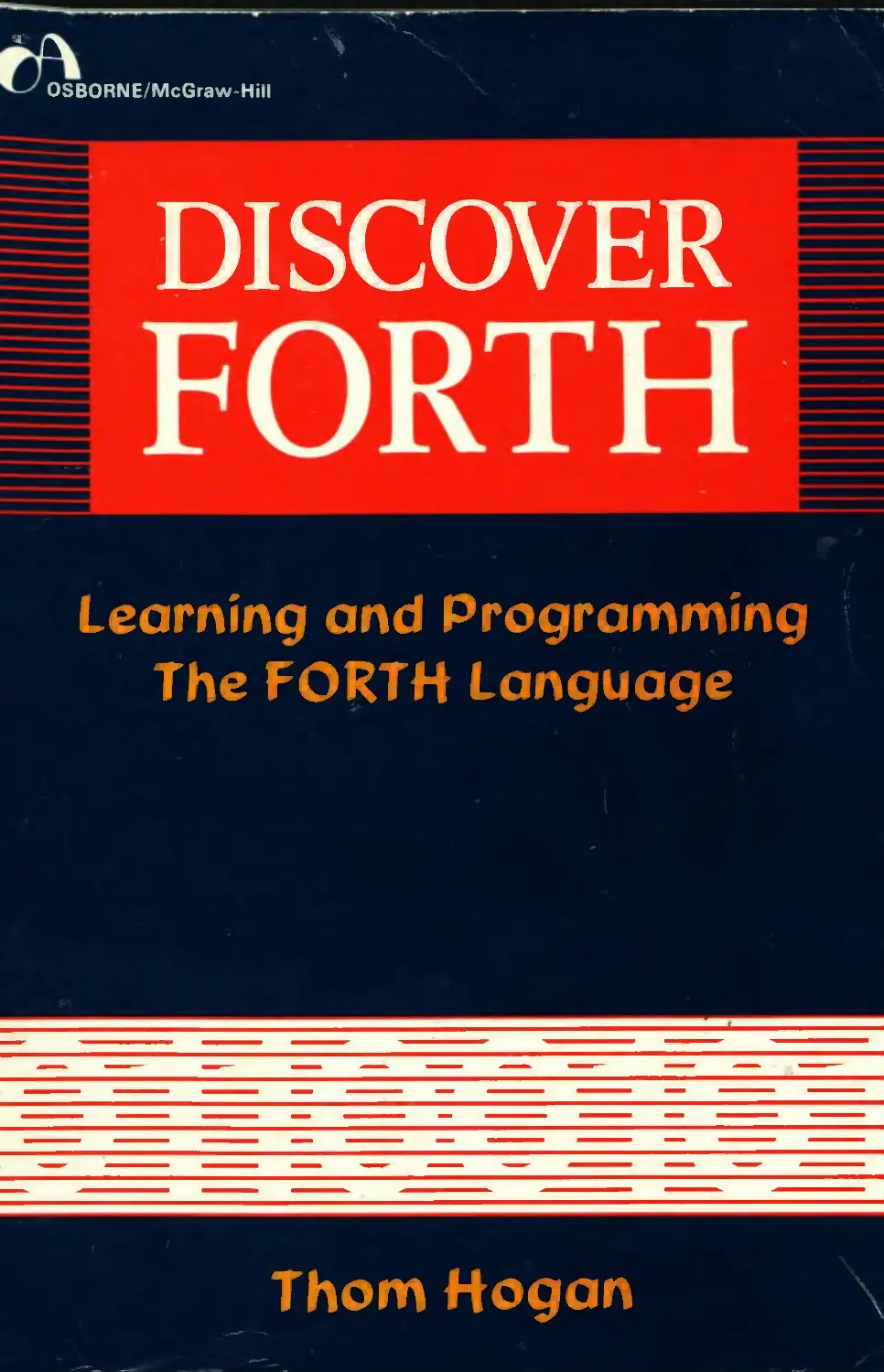
DISCOVER
FORTH
Learning and Programming
The FORTH Language
Thom Hogan

DISCOVER
FORTH

DISCOVER
FORTH
Learning and Programming
The FORTH Language
Thom Hogan
Osborne/ McGrawHill
Berkeley, California

Illustrated by
Mary M. Milewski
Published by
Osborne/McGraw-Hill
630 Bancroft Way
Berkeley, California 94710
USA
For information on other Osborne books, translations and distributors
outside of the U.S.A., please write Osborne/McGraw-Hill at the above
address..
Discover FORTH: Learning and Programming
the FORTH Language
Copyright © 1982 by McGraw-Hill, Inc. All rights reserved. Printed in the
United States of America. Except as permitted under the Copyright Act of
1976, no part of this publication may be reproduced or distributed in any form
or by any means, or stored in a data base or retrieval system, without the prior
written permission of the publisher, with the exception that the program
listings may be entered, stored, and executed in a computer system, but they
may not be reproduced for distribution or publication.
ISBN 0-931988-79-9
34567890 HCHC 8909876543
Text and cover design by Irene Imfeld

Okay, Dick, you got me into this — now get me out!

	Contents

Introduction I
Chapter I: A Description of FORTH 3
Chapter 2: The FORTH Dictionary II
Chapter 3: The Stack 17
Chapter 4: FORTH Arithmetic 33
Chapter 5: Using FORTH 41
Chapter 6: Interpreting and Compiling 55
Chapter 7: Memory Manipulations 61
Chapter 8: Mathematical Possibilities 77
Chapter 9: Control Structures	87
Chapter 10: Input and Output	97
Chapter II: Programming in FORTH 107
Chapter 12: And So: FORTH 117
Appendix A: Coding Sheet for FORTH Programming 122
Appendix B: FORTH-79 Standard — Glossary of Words 123
Appendix C: ASCII Character Codes 135
Appendix D: Suggested Alternatives to the FORTH Syntax 136
Appendix E: Error Messages 137
Appendix F: Some FORTH Extensions 139
Index 141

ACKNOWLEDGMENTS
The author would like to thank Eva Hogan and Dick Milewski for
their technical and editorial assistance. The publisher wishes to express
gratitude to Jim Flournoy for his technical review.

—Introduction
After finishing my first book, the Osborne CP/M™ User Guide1, I
expected to go back to completing one of the two other book projects I
had started.
Instead, I accepted a job at Info World, where I met Dick Milewski. If
each person has a lookalike somewhere on this planet, I suppose he
must have a spiritual twin, too. Dick is my spiritual twin.
Within a few weeks of meeting Dick, I knew that his passion for the
language FORTH would probably be passed on to me. I listened to
Dick’s explanation of FORTH’s virtues. I watched as he glibly
programmed small miracles (he called them “words”) on the North
Star computer in my office. I was hooked.
I soon found myself wandering through the aisles of bookstores
looking for any book that would explain FORTH to me. There weren’t
any.
It was at about that time that Dick gave me a preliminary release of his
latest programming project, “The Software Works FORTH.” His
manual helped, as did Byte's special issue on the FORTH language.2
Then Dick, sneaky fellow that he is, suggested that one sure way of
learning about FORTH would be to write a book about it. I was
hooked again.
This book is an attempt to put what I've learned about FORTH into a
coherent, organized introduction that others new to the language will
appreciate.
Some of the material here is a tightly structured synthesis of material
that appears in FORTH programming manuals, the FORTH Interest
Group’s3 publications, and a few commented programs I have been
able to obtain from serious FORTH programmers.
Many of the observations about the FORTH language come from my
use of FORTH in a major software project. FORTH, however, is one
'Thom. Hogan, Osborne CP/M"* User Guide (Berkeley: Osborne/McGraw-Hill
1981).
2August 1980 issue.
’Forth Interest Group, Box 1105, San Carlos, CA 94070. publishers of a journal
entitled “FORTH Dimensions.”

DISCOVER FORTH
of those elusive languages that defy exact quantifying, so don’t assume
that what appears in this book is gospel — I’m sure that there are other
advantages and disadvantages I have not pointed out, other possible
shortcuts, and other conclusions to be drawn.
One last introductory comment before getting to the meat of the book:
I have no particular love for the FORTH syntax, nor am I convinced
that the definitive FORTH has yet appeared. It’s up to you to create the
FORTH you need by adding extensions and vocabularies.
I have tried to restrict myself to the syntax that both standard FORTH
(FORTH-79) and FIG-FORTH use, but throughout this book I refer
to logical extensions of the language as if they exist. I will try to point
out any deviations from the 1979 FORTH standard as I use them.
Also, since I object to the “technobuzz” that permeates many FORTH
definitions, you’ll find a suggested alternative to the current FORTH
syntax in Appendix D. FORTH program listings can be extremely
difficult to read — especially if the program didn’t use FORTH’s
flexible “commenting” facilities — and I think that some of my
suggestions may help alleviate this problem.
TH., Palo Alto, 1981
2

Chapter I
Description of
FORTH
“How forcible are right words!”
The Bible, Job VI, 25
3

DISCOVER FORTH
One of the first things you’ll hear anyone say about FORTH is that it is
not a programming language, but a religion. FORTH programmers
are often thought of as mystics, hunched over their video displays
conjuring up micro mumbo-jumbo that somehow manages to make
the machine behave. FORTH is a cryptic language, to be sure. It is also
eye-catching. All the exclamation points that dot low-level FORTH
programs suggest that the language drives programmers to
exaggeration.
Another thing you’ll hear about FORTH is that it is easy to write
programs in it, but almost impossible to figure out what they do
afterward. One story (most probably apocryphal) tells of a programmer
who spent six months writing more than 150 screens of FORTH source
code, only to discover that he couldn’t figure out what the first ten
screens were for. He tried the program with them — it worked. He took
them out — it didn’t work. He eventually put them back in, added a
preface that said something like “change these ten screens at your own
risk,” and went on to his next project. Actually, most FORTH
programmers are able to easily read their own code. It is generally
more difficult to read someone else’s FORTH program than it is to
decipher your own, however.
If that weren’t enough, you’ll soon discover that the FORTH
community has given “names,” complete with correct pronunciations,
to all of FORTH’s symbolic notation. The logic in these assignments is
not terribly consistent. You’ll learn, for instance, that the FORTH
word {!} is pronounced “store” while the FORTH word {R#} is
pronounced “R-sharp.” On the other hand, {UCASEj is pronounced
“U-case.”
This shouldn’t scare you off. You might have heard horror stories
about FORTH that kept you from closer inspection of the language.
As you’ll find in the rest of this book, FORTH can be accurately
described using real English sentences, without magic spells, if one
ignores the aberrations of those who have used FORTH for too long to
be considered sane.
	The Origin of FORTH

FORTH was invented around 1970 by Charles Moore. The inexactness
of the date stems from the fact that Moore had contemplated and tried
4

A DESCRIPTION OF FORTH
out bits and pieces of FORTH over a number of years before he
actually fit it all together. Moore used an IBM 1130, one of the first
fully interactive computers.
The name FORTH comes from Moore’s conception of his invention as
a fourth-generation computer language. Because the IBM 1130
accepted only five character identifiers, Moore shortened “fourth” to
“FORTH.”
In a speech at the FORTH Convention in San Francisco in 1979,
Moore said that FORTH arose from work he had done at the Stanford
Linear Accelerator Center and Mohasco. From a number of disparate
pieces (an interpreter written in ALGOL, the “atom” concept of LISP,
and early versions of FORTH coded in everything from FORTRAN to
COBOL) FORTH eventually appeared as a complete programming
language at the National Radio Astronomy Observatory (NRAO) in
Kitt Peak, Arizona.
During the ensuing years, FORTH continued to evolve as Moore
continued to expand on his initial programming for the NRAO. By
1973, Moore was so deluged by requests from astronomers to adapt his
programming method to their systems that he and several others left
NRAO to form FORTH, Incorporated. As Moore explained, “It is a
market we would still be in today, except that there are so few new
telescopes in the world, and you can’t support a company on that
market.”
FORTH’s development since 1973 centers around FORTH, Incor¬
porated, and another informal group, the FORTH Interest Group
(FIG). By 1979, Moore estimated, there were 1000 FORTH pro¬
grammers, and that number was doubling every year. In addition, both
Moore and the FIG think that FORTH is now available on almost
every central-processing unit in existence.
	The FORTH Qualities

FORTH has several attributes not commonly ascribed to computer
languages.
First, FORTH is fast. The design of the language has been optimized
for speed in many ways. Its rapidity is not surprising, considering its
origins in controlling telescopes and other real-time devices.
5

DISCOVER FORTH
Second, FORTH is small. It requires little computer support. Most
FORTH systems require only 8K to 16K of RAM. The disadvantage
that accompanies this conciseness is FORTH’s lack of built-in
floating-point arithmetic, string manipulators, and sophisticated disk
input/output (I/O). Although these features can exist with FORTH,
they are usually not provided with the basic system.
Last, FORTH is extensible. If you do not like the words (for now,
consider these commands) available within a standard FORTH, you
can create your own. You can take two words and combine them to
create a new, third one. You can take that newly defined word, combine
it with one or more other words, and create yet another function. In
short, FORTH is a language of building blocks.
	Programming in FORTH

The structure of FORTH is different from that of most languages.
Thus, programming in FORTH is different than programming in, say,
BASIC or COBOL.
FORTH defies description as either an interpreter or a compiler. The
language contains elements of both. On the one hand, you can execute
FORTH and immediately type words that FORTH recognizes and
acts on as functions, as if it were an interpreter. On the other hand, you
can type source code into an editor for reduction into machine
language and later compilation and execution. With the interpreter
shell of FORTH, you can also create new functions, which are
compiled into a dictionary, using the language as an interpreter/
compiler combination.
To gain a full understanding of programming in FORTH, you should
read this entire book. But for now, the following summary suffices to
outline basic FORTH programming. Be careful. Some of this informa¬
tion is generalized. Refer to material supplied with your FORTH for
specifics.
1.	Load the FORTH Interpreter. Using your FORTH disk and the
operating system of your computer, load and execute the FORTH
interpreter just as you would any other machine-language program.
2.	Create Program Blocks. Using the real-time capabilities of FORTH,
begin to combine blocks of functions until, eventually, typing only a
6

A DESCRIPTION OF FORTH
short series of words (or even just one) results in the action you desire.
As you can see from the illustration, programming in FORTH is like
creating a pyramid of small functions.
If you want a permanent program, you’ll want to save your coding, so
substitute the following steps for number two, above:
3.	Load the Editor. Using the editor, create “screens” of FORTH
source code, essentially, a formatted version of what you would type
directly into FORTH to create new functions.
4.	Compile the Instructions. In a standard FORTH system, the action
of simply loading the screens of information into the computer using
FORTH will compile the source code into an executable function or
program. Some versions of FORTH (such as SL5 from The Stack¬
works) don’t use the standard FORTH concept of “blocks” of
information and thus require you to use a predefined word such as
{FLOAD} to compile FORTH source code.
Note that the screens of information you load into FORTH can
contain direct commands. Thus, you can accomplish what would
normally be impossible in other languages, such as having the program
invoke itself after compilation.
7

DISCOVER FORTH
5. Use the Compiled Functions. The compiled code now functions
exactly as if it were part of the overall FORTH interpreter. You may
thus use your compiled code interactively or use it to build even bigger
function blocks.
Again, you should be cautioned that the above descriptions are
extreme generalizations. The terms “interpret” and “compile” are used
in a very loose sense, as you will recognize soon enough.
If you’ve programmed a computer before, however, you’ll have noticed
that programming in FORTH is bizarrely different. Actually, there is
more evidence to substantiate the conclusion that programming in
FORTH is “kinky.” Information is not necessarily stored in variables
in a rational FORTH program. Instead, we encounter a concept called
“stack” (basically an area of memory in which the last item stored is the
first item retrieved).
Another quirk FORTH programmers live with is that almost all
operations involving numbers use “reverse Polish notation,” the
technique of giving the numbers first and then stating what to do with
them.
	Using This Book

It is tempting to write a book about FORTH that tells you what you
need to know about the language in reverse order of importance. After
all, this is how you tell FORTH what to do. Fortunately, you’ve been
saved the agony of reading from back to front, or as a programmer
might say, “from the bottom up.”
You must understand two primary components, the dictionary and the
stack, to use FORTH. These appear in separate chapters immediately
following this one.
The fourth chapter describes FORTH’s arithmetic handling reverse
Polish notation, and the integer-only attributes of FORTH.
Following these three general chapters are sections that deal with
specific aspects of FORTH: the use of variables and constants, control
structures, interface to devices, and memory manipulation. These
chapters are the heart of this book and should serve as a computer-side
reference.
8

A DESCRIPTION OF FORTH
The last portion of the book deals with handling FORTH’s unique
attributes and attempts to give you an idea of how to become an
efficient FORTH programmer. Here I discuss how you can tailor
FORTH to your general needs, develop working habits that suit the
FORTH environment, and also tinker with such advanced things as
the “return stack” and separate vocabularies.
	N otational Con ventions

To help you understand what you’re reading, several conventions will
remain consistent throughout this book. Every time a reference is
made to a FORTH word in the text (as opposed to the examples), it
will be enclosed in curly brackets ({EXAMPLEWORD}).
Another standard notation is that any special-function key will be set
off between less-than and greater-than signs (a carriage return would
be <ENTER> or <CR>, for example).
And finally, FORTH is used in its generic sense. Although FORTH is
in the public domain, a trademark has been registered by FORTH,
Incorporated. When something is stated about FORTH in this book, it
specifically refers to FORTH-79 (the standardized FORTH) or FIG-
FORTH (a public-domain version). To the extent that the vocabularies
match, what is written here concerning FORTH applies to the
products of FORTH, Inc., and other producers of the FORTH
language as well.
You’re now ready to discover FORTH.
9

Chapter 2
The
FORTH
Dictionary
“Suit the action to the word, the word to the action;
with this special observance, that qou o’erstep not
the modest of nature.”
Shakespeare, Hamlet, Act III, Scene II
11

DISCOVER FORTH
This chapter will teach you about the basic structure of FORTH,
which revolves around a concept called a “dictionary.” You’ll also learn
about the components that go into the dictionary, FORTH “words.”
	Go Look It Up

In other languages, you tell the computer what to do by entering a
series of commands orstatements. Each command generally performs
a single function. In almost every computer language, these commands
are predetermined by the language designer, and you. the user, are
restricted to those functions for which commands exist. You usually
cannot delete, substitute, or change the functions.
FORTH is different. In FORTH, every function has a “word”
associated with it. The word that is used to move a section of memory
from one location to another, for instance, is {CMOVE}. For the time
being, words will be treated much like commands in other languages;
they each perform a function. Eventually that definition will be
modified, but for now let it suffice.
Just like their English counterparts. FORTH words are defined in a
dictionary. A FORTH dictionary is w hat is known as a “threaded” or
“linked list” of variable-length items, each of which defines a word in
the dictionary. The following is the general format for entries in a
FORTH dictionary:
length of name (# of characters)
name (dictionary entry)
link pointer (points to next entry)
code pointer (points to code for the word)
parameters (a value (as for a variable) or a list of addresses)
What this generalized format shows is that each dictionary entry keeps
track of the length of the word, the letters that comprise the word itself,
a linkage to another dictionary entry, an address to find the machine¬
language code associated with the word, and some parameters.
When FORTH needs to perform the actions you request by typing a
valid word, it looks it up in the dictionary. What happens next depends
upon whether the word you typed represents a constant, a variable, or
a valid action. The differences are primarily in what code the code
pointer points to, and what information is stored in the “parameter
field” of the dictionary entry.
12

THE FORTH DICTIONARY
	What’s in a Word—

Most dictionary entries for FORTH words contain lists of memory
addresses that point to other FORTH words. Only a few basic
FORTH words actually contain machine language code and nothing
else. The dictionary parameter field contains a list of addresses that
represent other FORTH words that FORTH executes in sequence.
The practical effect of such a list is to make FORTH “thread” its way
back and forth through memory, executing words in a user-specified
order. This is one of the attributes of FORTH that make it a “threaded
language.”
Here’s an example. Suppose for a moment that you had three machine¬
language programs, all short, that performed the following three
specific functions:
1.	Retrieve a value stored somewhere in memory,
2.	Subtract one from the value,
3.	And see if the result is zero.
In FORTH, these three functions may be combined into one meta¬
function called {DTZ} (which stands for Decrement and Test for
Zero). The word (meta-function) {DTZ} does not have any machine
code located at the address associated with it, but instead has three
addresses of the separate routines.
The flexibility that results from composing a word out of a series of
other words is impressive.
Indeed, this is one of the primary attributes of FORTH. You can create
new words by using already defined words. FORTH actually has the
three routines listed above. They are called
1- {@}, which “fetches” a value from memory
2.	{1-}, which subtracts one from the value retrieved
3.	{0=}, which checks to see if the result was zero.
You could, therefore, create the function {DTZ} by simply telling
FORTH to execute {@}, {]-}, and {0=}, in that order, every time it
encounters {DTZ}.
13

DISCOVER FORTH
	Bargain Building Blocks

If you understood the description of what a word is, you should
immediately grasp that FORTH is a “building-block” language. You
use the vocabulary of words of standard FORTH to build larger
metawords, which you can use to build meta-metawords, and so on.
The concept of programming in FORTH is building a pyramid. At the
bottom of this pyramid you have all the available FORTH words.
Each successive layer of the pyramid is a distillation, a combination of
the blocks of the previous one. Ultimately, the top of the pyramid is a
single word that would command an entire sequence of events. This
sequence of events is what is normally called a “program.”
Admittedly, this is a dangerous oversimplification. Only small pro¬
gramming tasks are actually like pyramids. In reality, a large
application program might end up looking like a number of pyramids,
with some overlapping.
The pyramid image is a useful one. nonetheless, because it immediately
forces you to recognize that a good FORTH program relies heavily on
the “base” levels you construct.
	—	Webster’s, Oxford, Funk & Wagnail

As if the flexibility built into the structure described above were not
enough, multiple vocabularies are possible in the FORTH dictionary.
The primary advantage of multiple vocabularies is to allow you to
switch the meaning of a word or set of words, depending upon the
context in which you are using it. Words, in FORTH as in English, can
have multiple meanings. The multip'e vocabularies of FORTH allow
you to fit meanings to the contexts in which they occur.
While multiple vocabularies aren’t dealt with in detail here, as you
become a better FORTH programmer you’ll want to investigate this
feature of the language more fully.
You haven’t learned how to do anything in FORTH yet. What you
have learned is how FORTH’s structure and organization create a
unique environment for programming.
14

THE FORTH DICTIONARY
Specifically, you now know the following basic principles:
•	In FORTH, you invoke functions by typing words. In addition,
many FORTH words invoke other FORTH words as part of their
execution.
•	FORTH words are defined in a dictionary, essentially in a linked list
of words.
•	A dictionary entry for a word consists of the length of the word
name, the word name, the address of the previous word, the address of
the machine code to be executed when the word is invoked, and some
miscellaneous parameters (generally a list of addresses of other words
to execute).
•	A word is really just a list of instructions to perform.
•	You combine words to create new ones.
•	Programming in FORTH is the process of defining words.
•	Simple FORTH programs are constructed like pyramids, each layer
building on the previous one.
•	Multiple dictionaries are possible and are used to change the
“meaning” of a word, depending upon context.
15

Chapter 3
The
Stack
“ ‘It’s a poor sort of memory that only works
backwards,’ the Queen remarked.”
Lewis Carroll, Through The Looking Glass
17

DISCOVER FORTH
This chapter explains FORTH’s unusual method of storing temporary
information, called the “stack.” You’ll learn how FORTH allows you
to manipulate a pile of information, albeit in a backward fashion.
	FORTH and the Stack

Programs need to keep track of many details as they execute. This may
mean simply keeping track of the characters you type, or keeping track
of the results of calculations the programs need internally.
Traditionally, most computer languages use a concept called “varia¬
bles” to store information a program needs. A variable is an area of the
computer’s memory reserved for storage and referenced by a name (the
“variable name”) you specify.
FORTH allows the use of variables, but, for the most part, an efficient
FORTH program uses the stack for temporary storage of information.
A stack is like a pile of plates. You always put additional plates on the
top of the pile, and if you must take a plate off the pile, you take it off
the top.
18

THE STACK
A FORTH stack is a pile of information. You add information to the
top of the pile, one piece at a time. When it comes time to get
information from the pile, you take it off the top, one element at a time.
This concept is sometimes referred to as a LIFO process (the acronym
stands for Last In, First Out).
	U/hq Use a Stack

Since FORTH allows variables, what advantage might there be in
using the stack for storing temporary information? There are a number
of possible answers to this question.
1.	Speed. The stack offers two speed advantages. The first comes when
you are using FORTH in the interpretive mode, and the second has to
do with the inherent design of FORTH.
When acting as an interpreter, FORTH must figure out the location of
variables by looking them up. Upon completion of this operation, a
second step replaces the address of the located variable with the
contents of the variable. Using the stack in most instances is a single-
step process — one step to put something on or one step to take
something off.
The inherent design of FORTH also plays a part in speed. Many of the
words in the standard FORTH vocabulary expect to deal with
numbers on the stack. Use of variables, although possible, often means
that the programmer generates extra, unnecessary code.
Also, just because you retrieve the value stored in a variable doesn’t
mean that any new calculated value automatically will be stored in its
place, as with most languages. The extra time that might result in
trying to debug code that fails to update a variable correctly can also be
considered a detriment to overall programming speed.
2.	Convenience. Sometimes information is of a transient nature, and it
is not worth going through the process of giving it a name and
permanently storing it in memory. For example, suppose that your
program needs to know which of three possible choices you want
executed. The program will use the character you type to select which
selection of code to run. But after that, the program will never use that
character again.
If you put the character on the stack instead of storing it in a variable, it
19

DISCOVER FORTH
remains immediately accessible and is subsequently discarded after
use.
3. Sequential processing. Sometimes several pieces of information
need to be processed in sequence. You might have noted that the
FORTH stack stores information in reverse sequential order.
To give you a simplified example, suppose that you type the numbers 1
through 10 and that each has been stored on the stack as you typed it. If
you wanted to delete the last two numbers, you would simply remove
the last two entries from the stack.
Using a stack to store information has other advantages. Recursion of
information is one. The term “recursion” basically refers to the ability
to determine a succession of elements (such as stack elements) by
referring to one or more of the elements already generated.
Even though recursion may sound complicated, it really is simple.
You’ve probably seen a picture that shows a man sitting in front of a
television, whose picture shows a man sitting in front of a television,
and so forth. That is just one form that recursion may take.
20

THE STACK
To cite one simple example of recursion using the stack, pretend for a
moment that you wished to generate the powers of two (2x2 is 4,2*4 is
8, 2*8 is 16, and so forth). You could do so in FORTH with the simple
word {POWERS}.
[: POWERS dup 2 « ;]
Powers multiples the top stack element by two and leaves the result on
the stack.
To cite another example of how using a stack is different from using
variables to store information, a common problem associated with
using variables is one called “garbage collection.” This inelegant term
refers to the process of reclaiming memory space no longer needed, as
in the case of a variable that is no longer in use (or when the
information contained in the variable uses less space than the data
stored there previously).
The stack concept has its own built-in garbage collection. When you
remove an item from the stack for use, its space is reclaimed
automatically by FORTH. This results in two advantages, one of.speed
(some garbage-collection routines in other languages take an immense
amount of time — to the computer — to function) and one of
convenience (you are not left with any information in memory that you
might later have to contend with).
21

DISCOVER FORTH
	U/hat’s in the Stack

In almost everv Q • •	•	„ „
r " listing version of FORTH, each element of the stack
consists of t\Vn k r • r
.	° bytes of information. In other words, each element
consists of 6 k:»	. -
0 bits of information.
Each bin holds 16 bits
Information is normally stored in a single-stack element in two ways.
The first is called a 16-bit signed number, and the second is called a
16-bit unsigned number.
You 11 learn more about the distinction between signed and unsigned
numbers later, but the basic difference to a programmer lies in the
range of numbers each can express.
TYPE
(1 5 bits + sign)
signed numbers
(1 6 bits)
unsigned numbers
RANGE
-32768 to 32767
0 to 65535
Since these ranges are extremely limited, another method of stored
information on the stack is also implemented in FORTH. “Double
numbers” are numbers that consist of two FORTH stack elements
considered together (for example, two 16-bit elements or 32 bits).
22

THE STACK
One 32-bit stack element
Double numbers can also be signed and unsigned.
TYPE	RANGE
signed double numbers	-2147483648 to 2147483647
(31 bits + sign)
unsigned double numbers	0 to 4294967296
(32 bits)
FORTH does not change the size of the stack to deal with double
numbers. Instead, a double number is made up of two stack elements.
You must keep track of which numbers on the stack are double and
which are single elements, and use the appropriate functions to
manipulate them.
It should also be mentioned that there are ways to manipulate half an
element on the stack at a time. Half of 16 bits is a normal “byte” of
information.
In short, the FORTH stack consists of 16-bit elements, but there are
ways for you to make FORTH deal with either two elements at a time
(double numbers) or only half an element at a time (bytes). Unfor¬
tunately, some of the useful stack-manipulation words FORTH
contains cannot be used on bytes of information. FORTH can deal
directly only with the top byte on the stack at a time (although you can
always invent your own functions to deal with the second byte from the
top, should you need direct access to it).
	Representing the Stack

Since the stack is a key ingredient in FORTH, you'll want to be able to
see exactly how the stack is manipulated throughout the text.
A visual method will be used to illustrate what you type in FORTH and
its effect on the stack. Since you can do many things with elements of
the stack, it is important that you recognize that almost every function
can be reduced to one of the following basic building blocks:
23

DISCOVER FORTH
What you type (if it isn’t a FORTH word) becomes the new ELE-
MENT1, and everything that was on the stack is pushed back one. If
you typed a FORTH word, the result of that word’s function will be
added to the top of the stack.
What you typed caused one element to be removed from the stack, with
everything else moving up one position.
24

THE STACK
Your typing causes the combination of two (or more) of the elements
on the stack. An example would be typing {+}. This tells FORTH to
take the top two elements off the stack, add them together, and store
the result as the new top element.
Stack
RATTniUI
| Swap Elements |
ELEMENT1	ELEMENTS
ELEMENTS
z
ELEMENT1	ELEMENTS
ELEMENTS
In this example, FORTH has swapped two elements on the stack while
leaving a third untouched. (Some FORTH operations swap more than
two elements, but the principle shown above remains the same.)
A form of the previous notation will be used throughout this book. An
example of a real series of FORTH operations follows.
(Note: Appendix A is a blank sheet of coding paper that utilizes this
scheme.)
25

DISCOVER FORTH
You should note that this book uses a different method of representing
the stack than that which you’ll find in most FORTH manuals.
Generally, the FORTH stack is represented with the top on the right
and the bottom on the left.
That’s fine, but you’re reading from left to right and expecting infor¬
mation in the order you’ll use it to form conclusions. The representa¬
tion used in this book should help simplify your learning process.
Afterward, you can learn to think backward like most FORTH docu¬
mentors.
A second convention you won’t find used in this book is the “short¬
hand” method (found in most FORTH manuals and the Glossary of
this book) to represent what elements of the stack are used by what
words. This shorthand format looks something like the following:
elements WORD elements
*
the stack before	the stack after
WORD is executed	WORD is executed
This convention uses the following abbreviations:
n = 16-bit signed number
u = 1 6-bit unsigned number
d = 32-bit signed double number
ud = 32-bit unsigned double number
addr = memory address (16 bits)
byte = byte value (8 bits)
c = seven-bit ASCII character in a one-byte field
flag = Boolean (true/false) value
Thus, a word that takes two numbers off the stack and replaces them
with a third would be represented like the following:
n2 n1 WORD n3
This means that the word uses “nl” and “n2” (in that order) to create
“n3,” which becomes the top element in the stack.
The shorthand notation, helpful for reference purposes, is used only in
the appendices of this book. The simplification gets in the way of
understanding what is happening for newcomers to FORTH, so the
expanded representation previously described will be used throughout
26

THE STACK
the text. An expanded representation of the example word shown
earlier looks like the following:
This representation graphically shows where each element on the stack
goes during the operation and should prove less confusing to
newcomers to FORTH.
	Some Definitions

A great number of predefined FORTH words manipulate the stack. As
you will learn eventually, you can combine these words to create new
stack manipulations. For now, however, concentrate on learning the
following basic manipulators:
27

DISCOVER FORTH
(two stack elements) in one step. An example of this might be the
following:
Stack
(Description)	WORD TOP	■ —■	BOTTOM
j 2DUP } duplicates the 2DUP
double number
on the stack
D1 2DUP D1 D2
N2 N1 2DUP N2 N1 N2 N1
Appendix B is a list of FORTH words and their effects on the stack.
You’ll find that new words will be introduced throughout this book as
they prove necessary, but, if for some reason you need to find the
action of a specific word before it is introduced, check Appendix B.
	Where Is the Stack

In most versions of FORTH, the stack starts at the top of available free
memory and works its way down in memory as the stack grows. An
internal (to FORTH) pointer is kept that stores the address of the
current top stack entry.
28

THE STACK
Unfortunately, some stacks grow up instead of down. You’ll have to
check your manual to see which yours does.
However, most versions of FORTH provide you with a word — {SP@}
— that, when executed, places the stack’s old address on the stack. If
that sounds confusing to you, examine the following illustration:
The address of previous ELEMENTI
In your system’s memory, the above situation would look something
like this:
29

DISCOVER FORTH
Okay, but where’s the bottom of the stack? To solve this, you use the
FORTH words {SO} and {@}. Executing these words in order will place
the address of the initial value (that is, the first memory location used
for the stack) of the stack onto the stack. The illustration of its use
looks just like that of {SP@}, with the substitution of {SO} {@} for
{SP@}.
	Stacks of Characters

So far, the fact that the stack is of use only for storing numbers has
been implied. That’s true, but remember that computers internally
represent characters as binary numbers (see Appendix C).
Numbers are stored on the stack the way computers generally deal with
them (that is, in binary form). If you tried to print a binary number
directly onto your display, it wouldn’t work, and you’d most likely get
some nonsensical display. Wouldn’t it be nice if you could print out the
numbers stored on the stack as Arabic numbers? Well, you can.
To get the data off the stack and onto the screen in numbers you
understand, you use the “dot” command ({.}). Typing a period will have
the same result as the {DROP} word does, but it will also display the
Arabic number that was on the stack on your console display.
Sometimes you want to have the ASCII equivalent of the number
displayed on your screen (as in the case of letters). To do this, you use
the {EMIT} function. If there is a decimal 65 on the stack and you type
{EMIT}, an “A” will be displayed on your console device because 65 is
the decimal value for an “A” using the ASCII encoding scheme (see
Appendix C). If you typed {.} instead of {EMIT}, you would see the
number “65” displayed on your screen, not the letter “A.”
				Summarq	—
Later in this book you’ll learn other ways to get things on and off the
main FORTH stack. But for now, let’s summarize what you’ve learned
so far:
•	The stack is a pile of information.
•	Using a stack has advantages, including speed, convenience, array
processing, recursion, and garbage collection.
30

THE STACK
•	Stacks usually consist of 16-bit elements which can be signed
numbers (-32768 to 32767) or unsigned numbers (0 to 65535).
•	Sometimes stacks contain double numbers (32 bits) which can be
signed (-2147483648 to 2147483647) or unsigned numbers (0 to
4294967296).
•	The basic stack manipulations are adding something to the stack,
removing something from the stack, combining elements on the stack,
and exchanging elements on the stack.
•	The stack often starts at the top of memory and works its way down,
while versions do the opposite.
In addition, you’ve run into several stack-manipulation words includ¬
ing the following:
•	DROP removes top element from the stack.
•	DUP duplicates the top element on the stack.
•	OVER duplicates the second element on the stack.
•	2DUP duplicates the top two elements on the stack.
•	SWAP exchanges top two elements on the stack.
•	+ adds the top two elements on the stack.
•	- subtracts the top element from the second element on the stack.
•	* multiplies the top two elements on the stack.
•	/ divides the second element by the top element on the stack.
•	SP@ places the address of the top element of the stack onto the
stack.
•	. displays in Arabic numbers on the display the binary value of the
top element on the stack.
•	EMIT displays the top element on the stack according to its ASCII
equivalent.
Last, you’ve seen how this book will display the effect of the stack and
FORTH words on the stack, and how it may be represented in the
manual that accompanies your version of FORTH.
31

Chapter 4
FORTH
Arithmetic
Two plus two isn’t possible in FORTH-
anonqmous
33

DISCOVER FORTH
By the time you’ve finished this chapter, you should be well versed in
the unusual method with which FORTH handles arithmetic operations.
	The Post-Fix Is In

If you learned math in the traditional manner, you were probably
brainwashed into thinking that two plus two is four.
Computers don’t believe that. To a slice of silicon, most arithmetic
operations are performed in something commonly known as “post-fix”
notation.
Post-fix rules say that you must state the operands before stating the
operations to be performed. In other words, you state the numbers and
then the operation to be performed.
2 + 2 becomes 22 +
The fact that the mathematical operation is specified last led to the
name post-fix.
Actually, post-fix notation is also referred to as reverse Polish
notation. As “The Software Works FORTH” manual explains, the term
“Polish” comes from “an attempt by a largely English-speaking
computer science community to credit the origins of the technique
without undertaking the risky task of attempting to pronounce [the
name of the inventor, Polish logician Jan] Lukaciewicz.”
Lukaciewicz’s system is used quite extensively today in electronic
equipment, most notably in Hewlett-Packard calculators. Pascal
compilers, and, yes, FORTH.
	Getting a Post-Fix or Forget Parentheses

If you flunked high school algebra, you may be in real trouble when
you begin calculating with FORTH. Then again, it may help.
Perhaps you remember some of the following rules of evaluating
algebraic expressions:
1.	Do all multiplication and division before addition and subtraction
operations.
34

FORTH ARITHMETIC
A+B+C*D+E+F+G
t
calculated first
2.	Calculate the expressions in the innermost set of parentheses first.
( A + ( B * C + ( D / E )))
calculated first
Continue working out, one set of parentheses at a time.
3.	Work from left to right if none of the above rules applies.
A+B+C+D+E
t
calculated first
Using the rules listed above, if you were given the expression
(24*5)/2-5+10
to calculate, you’d perform the following steps:
1.	multiply 24 times 5 (subtotal equals 120)
2.	divide by 2	(subtotal equals 60)
3.	subtract 5	(subtotal equals 55)
4.	add 10	(total equals 65)
In the language BASIC, this calculation could be stated in the
following manner:
24 ♦ 5 /2 - 5 + 10
Note that the operators appear between the numbers they work with.
FORTH’s reverse Polish notation changes the way you write the
operators. In FORTH the same calculation would appear as
24 5 * 2 / 5 - 10 +
This is sufficiently different so that you might want to have
1.	24 5 * 2/ 5-10+	24 and 5 are the first numbers to work with;
multiplication is the operation to perform.
35

DISCOVER FORTH
2.	24 5*2/5-10+ The result of the previous operation and 2 are
the numbers to work with; division is the operation to perform.
3.	245*2/5- 10+ The result of the previous operation and 5 are
the numbers to work with; subtraction is the operation to perform.
4.	245*2/5-10+ The result of the previous operation and 10 are
the numbers to work with; addition is the operation to perform.
If you know a little about FORTH, you’ll know that the numbers have
been rearranged from the way most FORTH programmers would state
the equation. Just as with regular algebraic mathematics, there are
several ways to write the same functionally equivalent calculation.
You’ve been intentionally shown the calculations in a rather logical
fashion. FORTH programmers generally leave numbers strewn all
over the stack and put together a string of operators at the last minute
that miraculously perform the calculation. Just so that you game
lovers will have something to scratch your head about, here’s a sample
of the way a typical FORTH programmer might tackle a more
involved expression:
algebraic: 25+6 + 4*(5 + 3+1 *311 )
FORTH: 25 6 + 453 + 1 311 * + * +
Notice the way the four operators pop up at the end of the equation.
Since the common operators of addition, subtraction, multiplication,
and division all work on two numbers at a time in FORTH, it seems
curious that four operations would just sit there by themselves. (HINT:
If you haven’t figured it out yet, read the next chapter and carefully
plot out what’s on the stack at any given moment during the above
calculation.)
Actually, a veteran FORTH programmer probably wouldn't have
made the direct conversion between algebraic and post-fix notation
shown above. Instead, he or she would have written something like the
following:
25 64531 311 •++»+ +
After programming in FORTH for a while, you'll most likely develop
similar tendencies.
ill II Illi lillllllllllllllllllllllltlllUIIIIIIIIIIC
36

FORTH ARITHMETIC
	It’s His FORTH Operation, Doctor

You’ve been briefly introduced to the common arithmetic operators. In
fact, you shouldn’t have any trouble recognize {+}, {-}, {*}, and {/} as
representing addition, subtraction, multiplication, and division.
Each of the four basic operators works in the same manner, combining
two stack elements as presented in the last chapter. You'll remember the
basic form was the following:
YOU TYPE
TOP <

Stack
	 BOTTOM
OPERATOR
ELEMENT1
ELEMENTI
ELEMENTS
ELEMENTS
ELEMENTS
Let’s modify that from its general form to a more specific one.
Stack
YOU TYPE
TOP <

	 BOTTOM
{+,-,*,} or{ / }
NUMBER1
NUMBER2
NUMBERS
NUMBER1
NUMBER2
This means that the specified operation combines the top two numbers
on the stack, resulting in a new single number on the top of the stack.
Everything else on the stack moves up one position.
The result of a division — {/} — is sequence dependent (what divides
into what?); in FORTH, a division is performed by dividing the second
number in the stack by the first.
A special warning: Each of the basic operators assumes that the
numbers on the stack are single numbers, signed or unsigned. If you’ve
mixed in some double numbers, read on.
37

DISCOVER FORTH
	U/hat’s the Point

So far. you’ve only learned about single-integer numbers. You'll
remember, however, that something called “double numbers” was
mentioned in an earlier chapter.
In most versions of FORTH, the way you tell the language to use
double numbers (32 bits) is to type a decimal point in the number. It
doesn’t matter where the decimal point is, as standard FORTH uses
only integer numbers for calculations.
Thus, the following numbers are all the same in FORTH:
19.81	1.981	00000.1981
	Double-Number Operators

The operators for double-number calculations are different from those
already mentioned for single numbers.
Instead of using {+}, double numbers use {D+} for addition. The
subtraction of double numbers requires a {D-} instead of a {-}. Double
numbers have no operators for multiplication or division.
So that you can compare double-number operations to those of single
numbers, here’s what the stack representation looks like:
Stack
YOU TYPE
TOP €-

	 BOTTOM
D+ or D—
NUM1	NUM2
NUM3	NUM4
NUM1	NUM2
The linking (hyphens) between numbers on the stack in this representa¬
tion signifies that these are double numbers (which take up two stack
elements instead of one).
FORTH doesn’t remind you which numbers on the stack are double
and which are single, so throughout this book every single number will
be shown, with double numbers indicated by linking two singles
together, as in the above example.
38

FORTH ARITHMETIC
	Mixed Numbers, Anqone

It is possible to mix single and double numbers in several arithmetic
operations.
You could, for example, multiply two single numbers together and
store the result in a double number. The operator for this procedure is
called {M*j.
YOU TYPE
	 BOTTOM
M«
NUMBER 1	NUMBER2
NUMBERS
Y
NUMBER 1	NUMBER2
NUMBERS
t
a double number result
Another “mixed-mode” operation is called {M/}, which means to
divide a double number by a single number. This is a special operation
because, unlike with the other integer operations in FORTH, both the
quotient (the number to the left of the decimal point) and the
remainder are left on the stack as single numbers for you to use.
There are other mixed-mode operations, and some versions of
FORTH have extended the language by adding still more. For now,
these operations should be enough to get you started.
39

DISCOVER FORTH
	Words for the Operators

So far the expression “operator” has been used to refer to arithmetic
functions to be performed upon two numbers. This has been done so
that you will understand that a mathematical calculation is taking
place.
In actuality, each of the operators described so far in this chapter is a
FORTH word (that is, executable function). Keep this in mind,
because you’ll need this concept when you learn more about words and
their uses in the next chapter.
Your Number’s Up
You’ve now examined the basic concepts of FORTH arithmetic. If you
think back to what you’ve read, you should recognize the following key
information:
•	Post-fix (or reverse Polish notation) always states the mathematical
operation after the numbers to be acted upon have been stated.
•	Traditional algebraic notation allows complex formulas to be
expressed out of order; FORTH notation requires that one operation
be done at a time; thus, complex formulas generally are written in the
order of calculation.
•	Double numbers are 32 bits (two stack elements) in length and are
created by using a within a number.
•	Mixed-mode operations are calculations that use both single and
double numbers.
• You should also now' recognize the following FORTH words
introduced in this chapter:
Word Operation
+	single-number	addition
single-number subtraction
*	single-number	multiplication
/	single-number	division
D+	double-number addition
D-	double-number subtraction
M»	mixed-mode multiplication
M/	mixed-mode division
40

Chapter 5
“ . . . and stringing prettq words that make no sense.”
Browning, Aurora Leigh, Book I
41

DISCOVER FORTH
It’s time to stop reading about FORTH and begin to use it. In this
chapter, you’ll be introduced to some basic principles, which, with
what has already been presented, should allow you to begin making
FORTH work for you.
	Venturing FORTH

If you have a version of FORTH foryourcomputer. now’s the time to
get it out and begin to use it. If you don’t have a version of FORTH
handy, at least use a piece of paper to keep track of the stack.
It’s impossible to tell you exactly how to get FORTH running on your
computer, because there are so many different computers and versions
of FORTH. Makesureyou know howto get FORTH into the memory
of your computer, waiting for commands. Usually, this involves typing
one of the following statements, or something similar:
FORTH
GO FORTH
RUN FORTH
LOAD FORTH
Most versions of FORTH will identify themselves when they have been
properly loaded into memory and are executing correctly. You’ll
probably see something like
Mythical FORTH Version 1.1
Ok
42

USING FORTH
The “OK” informs you that FORTH is ready and waiting for you to tell
it what to do. At least one version of FORTH, SL5 from the Stack¬
works, uses the prompt “>” instead.
You’re ready to begin.
	Stack ‘Em Up and Pull ‘Em Off

One thing you need to know is how to get things on and off the stack.
Remember that the stack will hold only numbers.
To put something on the stack, simply type the number you want
stored there.
Mythical FORTH Version 1.1
Ok
32<CR>Ok
In the previous example, you typed a 32 followed by a carriage return
(the convention of representing the use of the carriage return key
“<CR>” will be used throughout this book). FORTH replied “OK” to
indicate it was ready for the next command. If you were to look at the
stack now, you would find that there was one item on it, a “32.”
Remember that the 32 is stored in binary form, using 16 bits (two bytes)
of memory space.
In that example, two other conventions were used in addition to that of
the “<CR>” representing your pressing the carriage return key. Those
conventions are that anything FORTH types will appear in normal
lettering, and anything you type will appear underlined.
43

DISCOVER FORTH
You could continue to put items on the stack by entering more
numbers. You do not have to enter a carriage return after each one.
FORTH recognizes the different numbers only if they are separated by
spaces, however.
Mythical FORTH Version 1.1
Ok
32<CR>Ok
14 12 13 1 10000 1<CR>Ok
In this example you have entered six more numbers, all of which are
now on the stack. If you were to take a snapshot of the stack right now,
it would look like the following:
TOP
1
10000
1
13
12
14
BOTTOM
32
Getting numbers onto the stack is easy, but there are numerous ways to
get them off.
If you want FORTH to parrot the number on the stack (that is, recite it
exactly as you entered it), you use a period — {.}, called a “dot” — to get
numbers off.
44

USING FORTH
Mythical FORTH Version 1.1
Ok
32<CR>Ok
14 12 13 1 WOOO 11 <CR>Ok
,<CR>1 Ok
Now, you have typed a dot followed by a carriage return. FORTH has
“popped” the top element off the stack and displayed its value on your
console display. The stack now contains only six elements, since you’ve
removed the seventh one.
If you’re wondering about double numbers, you can retrieve them, too,
in a similar fashion. To remove and display the top double number on
the stack (two stack elements), you use {D.}—called “D-dot” —
instead of the dot command listed previously.
	A Bit of Character

The answer is “yes,” characters can be manipulated. The secret is the
fact that characters are stored internally as a code by the computer.
Can you get them on and off the stack, too?
Specifically, FORTH uses ASCII code to store characters. Given a
chart that shows all the characters and their values in ASCH, you can
enter and remove letters and special characters. Table 5-I contains a
partial listing of ASCII-coded characters.
45

DISCOVER FORTH
TABLE 5-1. PARTIAL ASCII CHART1
33	= I
37 = %
41 = )
45 = -
49	= 1
53 = 5
57	= 9
61 = =
65	= A
69 = E
73 = I
77	= M
81 = Q
85 = U
89 = Y
34	= "
38 = &
42 = *
46 = .
50	= 2
54 = 6
58	= :
62 = >
66	= B
70 = F
74 = J
78	= N
82 = R
86 = V
90 = Z
35	= #
39 = '
43 = +
47 = /
51	= 3
55 = 7
59	= ;
63 = ?
67	= C
71 = G
75 = K
79	= O
83 = S
87 = W
36	= $
40 = (
44 = ,
48 = 0
52 = 4
56 = 8
60 = <
64 = @
68 = D
72 = H
76 = L
80 = P
84 = T
88 = X
To put a letter on the stack, you could either enter its numeric value (by
looking it up in an ASCII table) or use a special input statement called
{KEY}.
When executed. {KEY} waits for you to type a character and stores its
ASCII value on the stack. Thus, getting a letter onto the stack is a
two-step process. You type {KEY} to put FORTH into the input mode,
and then you type the character you wish saved on the stack.
■A full listing appears in Appendix C.
46

USING FORTH
What is stored on the stack in the above example is a decimal 65, whose
ASCII code value is “A.” If you use the dot command to remove the
top stack element, you can verify this.
To remove the top number on the stack as the character it represents,
you use the {EMIT} command. {EMIT} takes the top element of the
stack and displays it on the screen using the ASCII equivalent of its
value.
If you know something about ASCII code, you know that it uses only
seven bits of information to represent the entire character set. Stack
elements contain 16 bits in Forth-79. {EMIT} uses only the seven least
significant bits in figuring out what character to display.
bit# 15	13 11	9	7	5	3	1
14	12	10	8	6	4	2	0
bits >»»•••••••••••••
first byte	second byte
ASCII code
( EMIT ] uses
In other words, {EMIT} doesn’t care what the first nine bits in the stack
element to be displayed are.
47

DISCOVER FORTH
	Don’t Just Sit There, Do Something

Okay, now that you know how to get things onto and off the stack, it is
time to combine that knowledge with some basic FORTH words.
You’ll remember from the last chapter that FORTH arithmetic
requires that the numbers be on the stack before an operator is
invoked. Let’s add 2 and 2.
Mythical FORTH Version 1.1
Ok
2 2 + ,<CR>4 Ok
Just to make sure that you didn’t get lost, take a look at the following
diagram of what is happening at each step:
48

USING FORTH
In other words, each “2” went onto the stack. The addition operation
combined the top two numbers on the stack and stored the result as the
new top number on the stack. The dot command removed that number
and displayed it.
If the above notation is still a little bit confusing to you, think of each
horizontal line as a “snapshot” of what is happening at a specific
moment in time. The line that has “2 2 +” on it shows you that at the
moment you type {+}, the stack has a pair of 2s on it. At the moment
you type {.}, the stack has a “4” on it.
		To Err is Hunton	—
Just for the fun of it, try typing another plus sign after the first one in
the above example (remember to leave a space between each FORTH
entry). You should now see something like the following:
49

DISCOVER FORTH
Mythical FORTH Version 1.1
Ok
2 2 + + . ,<CR> 8246 .? The stack is empty.
You’ve just made your first error. The reason you get the strange error
message is that FORTH requires two numbers on the stack to
complete the second addition operation. With only one number there
(the “4” from the first addition), you have a stack underflow.
The “8246,” which certainly isn’t the value of 2 2 +, comes from the fact
that you attempted to add with only one number on the stack. The
word which caused the stack underflow (the {.}) was displayed with a
question mark. If you ever begin to get strange results in simple
arithmeticcalculations, the first thing to suspect is that there weren’t as
many elements on the stack as you thought there were.
Error messages abound in FORTH and you can usually modify them
to your heart’s content (more on that later).
	More Words

It’s time to accelerate the pace a bit. At this point, you should have a
general idea about FORTH arithmetic, the execution of words, and
how the stack is used. You’re now going to be introduced to some new
vocabulary so that you can try out a few' ideas of your own.
50

USING FORTH
YOU TYPE
Stade
TOP 		 BOTTOM
DUP
NUMBER1	NUMBER2
...
NUMBER1	NUMBER2	NUMBERS
{DUP}: duplicates the top number on the stack. In other words, what
was the top element on the stack is now the top two elements on the
stack.
YOU TYPE
Stack
TOP <	 BOTTOM
2DUP
NUM1—NUM2 NUM3—NUM4
NUM1—NUM2 NUM3—NUM4 NUM5—NUM6
{2DUP}: duplicates the top double number on the stack. In other
words, what was the top two elements on the stack is now the top
repeated so that it is the top four elements on the stack.
YOU TYPE
Stack
TOP <			 BOTTOM
ROT
NUMBER1	NUMBER2	NUMBERS
NUMBER1	NUMBER2	NUMBERS
{ROT}: rotates the third element on the stack up to the first position,
while shifting the other two elements back one. This is a method of
51

DISCOVER FORTH
getting the top two elements out of the way while working with the
third. The conclusion should be that three consecutive {ROT}s will
leave the stack in the same position you started with.
{.R}: the “dot-R” command removes the second number on the stack
and displays it on the screen much as the dot command displays the
top number. The difference is that the first number on the stack is a
“formatting field;” it tells FORTH how many spaces to use for
formatting the second number. A {.R} with a pair of 2s on the stack will
send out a space followed by a 2 (no leading zeros are emitted). A {.R}
with a pair of 3s on the stack will send to the console two spaces
followed by a 3. This command is useful for aligning numbers on the
screep in printed reports. You must be careful, however, to make sure
that you specify a formatting field that is as wide as the longest number,
or else you may find that the numbers no longer line up.
	And So, FORTH

You’re now an official FORTH user. Remember, at this point you
know quite a number of FORTH words that you can type and execute
immediately on your system. You should practice with your accumu¬
lated knowledge until you feel comfortable with the FORTH stack and
arithmetic processes before moving on to the next chapter.
In this chapter, you have learned
•	How to load and execute FORTH (with some help from the
FORTH manual that accompanies your version).
•	How to get both numbers and characters on and off the stack.
•	How to use the stack for arithmetic calculations.
52

USING FORTH
•	What a FORTH error message looks like and why one might occur.
•	Some new words, including
. prints out top number from stack
KEY inputs a character from the keyboard to the stack
EMIT displays the ASCII representation of the top number on the stack
DUP duplicates the top single number on the stack
2DUP duplicates the top double number on the stack
ROT rotates the third element on the stack up to the first and moves the
top two down one
.R formats printed numbers using the top two elements of the stack
53

Chapter 6
Interpreting
And Compiling
“Egad, I think the interpreter is
the hardest to be understood of the two!’’
Sheridan, The Critic
55

DISCOVER FORTH
In this chapter you’ll learn about one of the key assets of FORTH, the
ability to create new words from existing ones.
	Review of Words——

Just to make sure that you aren’t confused before being introduced to
some new concepts, the following is a summary of some of the things
you’ve learned about FORTH words:
•	A FORTH word is immediately executable. You type it and it
executes. (Actually, it isn’t quite that simple. You can, for instance,
type a string of FORTH words — each set off from one another by a
space — and effectively not execute them until you press the carriage
return key.) Words execute in the order you typed them.
•	FORTH words perform functions. You’ve been introduced to sev¬
eral FORTH words so far, which do anything from calculating to
rearranging the stack to performing input or output functions.
You’ll remember that programming in FORTH is like building a
pyramid: you use words to build a higher level block, to build one yet
higher, and so on. It’s time to find out how to do that.
	Mq Building Blocks, Please

Let’s say that you wanted to add two single-digit numbers and then
display them on the console screen.
The sequence of FORTH words to perform this sequence of events
would be
KEY 48 - KEY 48 - + .
The {48 -} after each {KEY} converts each digit from its ASCII code
representation to its equivalent numerical value.
Assume, also, that you’d like this new meta-function to be called
{ADAMUP}.
To create a new word {ADAMUP}, you need to know how to define
your own words in the dictionary. It’s actually very simple. All you do
is put a colon and the name in front of the sequence of words, and
56

INTERPRETING AND COMPILING
terminate the whole string with a semicolon. Here’s how you would
define {ADAMUP}:
: ADAMUP KEY 48 - KEY 48 - + . ;
Notice several things about this “colon definition.” First, all FORTH
words (including the colon, your new word name, and the semicolon)
are set apart by at least one space. Second, the sequence is just as you
wish it to execute.
	Now U/hot

Any time that you want to execute your process, all you type is
{ADAMUP}, since it’s now in your FORTH dictionary. In fact, you
can even use {ADAMUP} in subsequent definitions you create — thus
the pyramid programming effect.
When you type a colon into FORTH, it does not actually execute any
of the following processes up to the semicolon. Instead, FORTH only
checks to see if these words exist and uses their addresses in creating the
new word. There are some exceptions to this, but none which you need
to worry about at this time.
Compilation in FORTH, therefore, is not what is traditionally called
compilation. Normally, to compile something on a computer means to
reduce it to machine-language code. In FORTH, it is the creation of a
new word. FORTH compiles the addresses of the old word into a new
word.
There are many mistakes that you can make in creating colon
definitions. You might use a word that doesn’t exist, for instance.
Appendix E is a list of common FORTH error messages.
	Over and Over and Over

Here’s something you might not have expected: you can redefine
existing words, even those built into your version of FORTH.
The following definition is valid:
: DUP KEY 48 - KEY 48 - + . ;
{DUP} appears in the above example, even though it already has a
definition. The new definition will remain until you either reload or
57

DISCOVER FORTH
restart FORTH or tell it to “forget” that definition (which will be
discussed later). FORTH will tell you when you redefine something by
presenting the advisory message “ISN’T UNIQUE.” You haven’t made
a mistake, but FORTH is warning you that you’ve redefined {DUP}.
	Other Define Creations

You should be aware of several other FORTH words in conjunction
with the colon definitions described above.
{FORGET) name
To delete all dictionary entries that you create after a specific point,
simply type the FORTH word {FORGET} followed by the name of the
word from which the deletions are made. Let’s say that you had created
the following new words:
BOB
TED
CAROL
ALICE
If you had created them in the order listed above, typing {FORGET
CAROL} will cause FORTH to delete the entries for both {CAROL}
and {ALICE}.
{FORGET} should be used with great care. If you create many words,
you can easily forget in what order you created them and thus have no
idea what the effect of a {FORGET} command might be.
	{VLIST}

You may wonder how you can remember what words you have in your
dictionary and what order you entered them in. Fortunately, FORTH
has a way of finding out.
{VLIST} is a command that displays all of the names of words defined
in the context vocabulary. The order in which the words are displayed
is exactly the reverse of the order in which you defined them. In other
words, the last word you defined will be the first displayed using
{VLIST}.
58

INTERPRETING AND COMPILING
In some versions of FORTH, {CLIST} or {DLIST} performs the same
function as {VLIST}. Check your FORTH manual to see if your
FORTH might be one of these.
	So There You Have It

In this short chapter you learned a big concept — the “colon
definitions” which make FORTH such a unique and highly desirable
language. You should now be able to create some simple manipulations
with your own words and dictionaries.
The following is a summary of the main concepts you learned in this
chapter:
•	Colon definitions (or compilations) are merely a sequence of words
you want executed and to which you assign a unique name.
•	You can redefine existing words.
•	The new FORTH words or tools you learned include
defines words in the FORTH dictionary
;	defines words in the FORTH dictionary
FORGET	deletes dictionary entries
VLIST (or CLIST or DLIST) displays all words in context dictionary
59

Chapter 7
Memory
Manipulations
“The words of the wise are as gods,
and as nails fastened bq the masters of assemblies.”
The Bible, Ecclesiastes, XII, II
61

DISCOVER FORTH
The primary thrust of this chapter will be to teach you a number of new
words, all of which manipulate the memory of your computer.
	—The Return of the Variable

If you’ve programmed in another computer language, you’re probably
used to working with variables. A variable is simply a place in memory
reserved for a specific piece of information you want associated with
the variable’s name. Suppose, for example, that you wanted to keep
track of the number of base hits in a baseball game. Wouldn’t it be nice
if you could create a little “pocket” in memory for that number and
retrieve it using the name “HITS”? You can.
To create a variable, you type the word {VARIABLE} followed by the
name you wish to assign it.
VARIABLE name
Some versions of FORTH also require you to enter a beginning value
for the variable. If your version is one of these, you need to precede the
above information with the value, as in the following:
value VARIABLE name
FIG-FORTH takes the top value on the stack and initializes the
variable to that value. In other words, it functions exactly as in the
example, except that if you don’t assign a value, the current value in the
top position of the stack is used as the initial value. If you’re using
FIG-FORTH, or another version of FORTH that operates like this, be
careful. You could spend hours trying to find out what’s wrong with
your FORTH program, only to discover that what you thought was
the initial value in a variable actually was not.
When you create a variable, you are actually creating another
dictionary entry. Therefore, in choosing a name, you should bear in
mind everything in the last chapter that discussed creating words. The
difference between a variable and a word in FORTH is primarily that
no user-definable executable code is associated with the variable.
	Store It and Fetch It

Just creating a variable does you no good; you need to be able to put
information into the memory space reserved for the variable and get it
62

MEMORY MANIPULATIONS
back out. The FORTH words that do this for you are called “store”
and “fetch.”
The first word you need to know is called “store.” In FORTH, it is
represented by the word {!}. To store something (that is, to use the word
{!}), FORTH needs to know two things: the address at which to store
the information and the information to be stored there.
To put something into a variable’s waiting memory, you place the value
on the top of the stack, then type your variable’s name (which retrieves
its address) followed by a space and {!}.
value name I general form
48 CHIMPS I example
The word {!} doesn’t have to be associated with a variable. Typing a
variable’s name places its address on the top of the stack. Thus, if you
peeked inside FORTH to see what’s happening, you’d see something
like the following:
Thus, if you know the numerical designation of the memory address at
which you wish to store something, you don’t have to create variables
at all. You could just as easily have typed
48 4096 I instead of 48 CHIMPS I
The drawback to your supplying the numerical address is that you
must keep track of it and remember it. Basically, it’s easier to
63

DISCOVER FORTH
remember names than numbers, so using variables does make sense in
FORTH. Also, if you choose the wrong area of memory, you could
easily be storing information in space FORTH is trying to use, so be
careful.
Getting information back out of a variable is almost the reverse of {!}.
The “fetch” operation (represented by the FORTH word {@}) retrieves
information from the address you supply by typing the following
variable name:
In other words, typing {CHIMPS @} will leave the value associated
with the variable {CHIMPS} on the top of the stack.
	Constant Reminder

The information variables store is, as the name implies, variable.
Another type of information that you can store in memory and
reference by name is called a “constant.”
Constants are usually defined at the beginning of a program. If you
were writing a program to keep track of what happens during a
baseball game, for instance, a constant you might want to define would
be the number of strikes that make an out.
Constants are defined in FORTH just like variables.
value CONSTANT name usual form
or
CONSTANT name rare form
64

MEMORY MANIPULATIONS
If your version of FORTH is like the second type shown in the
example, it requires two steps to assign a value to a constant. First you
give the constant a name, then you assign it a value. You should always
do both steps together (otherwise it is easy to forget to assign a value to
the constant, and FORTH will assume it is zero or something worse).
CONSTANT EXAMPLENAME
1234 ' EXAMPLENAME!
The above two lines do the following:
1.	Establish a constant named {EXAMPLENAME}.
2.	Put the value {1234} on the stack.
3.	Typing {’} retrieves the address associated with the word that follows
(that is, {EXAMPLENAME}) and puts it on the top of the stack.
4.	The {!} operation then places the second value on the stack ({1234})
at the address indicated by the top value on the stack (the address for
{EXAMPLENAME}).
Retrieving a constant is a bit different from retrieving a variable. To
put the value associated with a constant onto the top of the stack, type
the constant’s name. You do not need to type {@} in order to retrieve
the constant’s value. Thus, typing
EXAMPLENAME
after creating the constant would leave the value {1234} on the top of
the stack. Remember that with a variable you would have had to type
EXAMPLENAME @
to do the same thing.
	Constant Constants and Variables

Most versions of FORTH include some predefined constants and
variables. Here’s a list of a few of the more common ones and what
they’re for, but you’ll need to consult the manual that came with your
FORTH to discover all of the predefined constants and variables you
can use.
65

DISCOVER FORTH
•	{BS} is a predefined constant and stands for “backspace,” which has
a decimal value of 8 in ASCII code. {BS} always leaves the value of the
backspace character on the stack.
•	{BL} is a predefined constant and stands for “blank.” It leaves the
decimal value of 32 (ASCII “blank”) on the stack.
•	{SCR} is a predefined variable and is associated with the FORTH
editor. It leaves the value of the last screen number edited or listed
(you’ll learn about editors in a later chapter) on the stack.
•	{SO} is a predefined variable that contains the address of the initial
memory location of the stack. Some versions of FORTH do not have a
word that tells you how many elements are on the stack, but many
versions allow you to easily create such a word with the following
definition:
: DEPTH SO @ SP@ - 2 / 1- ;
This will leave the number of elements as the new top element on the
stack.
Some versions of FORTH define a number of other constants and
variables. “The Software Works FORTH,” for instance, defines the
following additional constants and variables: B/BUF, BLK, BLKRW,
BSX, C/L, COLUMN, CONSOLE, CONTEXT, CSP, CURFCB,
CURRENT, DENSITY, DISK-ERROR, DP, DPL. DWL, DRIVE,
DRIVECAP, DRIVEMAP, FENCE, FILENAME, FIRST,
HEIGHT, HLD, >IN, INDEV, INMAP, LIMIT, LOGDEV,
MODEM, NETWORK, OUTDEV, OUTMAP, PREV, PRINTER,
PUNCH, R#, RO. READER, RESET, ROW, RUB. SERIAL#,
SHIFT, STATE, SYSDATE, SYSFCB, SYSTIME, TIB. TOF,
ULIMIT, UNEXT. USE, VOC-LINK, WARNING, WIDTH.
It is impossible and unnecessary to define all of these constants and
variables within the limited space of this book. The same principle
applies to each. You type the name, and a value is left on the stack when
you’re working with constants. You type the name followed by {@} and
a value is left on the stack when you’re working with variables. To put a
new value into a variable you type the new value, the variable’s name
66

MEMORY MANIPULATIONS
and {!}. Remember, what a constant or variable is keeping track of may
be a value, a double number value, or an address. Again, your manual
should tell you everything you need to know about each of these
FORTH words.
	Movin’ On

One of FORTH’s nicer attributes is the ability to manipulate large
blocks of memory with a single word. The most basic things you might
want to do with a section of memory are:
move it
change it
clear it
or display it
FORTH word {CMOVE)
FORTH word {FILL}
FORTH word {ERASE}
FORTH words {CDUMP} and {TYPE}
Moving a section of memory is simple — just place the beginning
address of the section you wish to move on the stack, followed by the
beginning address of the place you wish it to be and the number of
bytes of memory involved. If that sounds hard to conceptualize, just
examine the following illustration:
67

DISCOVER FORTH
If you wished to move 128 bytes from location 2048 to location 4096 in
memory, you’d type the following:
2048	4096	128 CMOVE
FORTH operation
# of bytes to move
starting address of new location
starting address of current location
As you already know, typing these three numbers places them on the
stack so that when {CMOVE} comes along, they are used in the reverse
of the order you typed them in (remember, the stack is memory that
seems to work backward).
There is no reason why you couldn’t use some formula to calculate
each number involved instead of just typing the numbers. In fact, as
you get better at programming in FORTH, you’ll let the computer do
more of the work.
The {CMOVE} operation works on bytes of memory. There is a
{MOVE} operation in FORTH as well. It operates exactly the same
way as {CMOVE}, except that it moves 16-bit “chunks” of memory
instead of those 8-bit bytes microcomputer programmers are used to.
One other thing to remember about {CMOVE} before we move on is
that {CMOVE} starts from the lowest memory address and works its
way up. If the section of memory you want to move overlaps into the
place you wish to put it, things aren’t going to work out right.
68

MEMORY MANIPULATIONS
If you think about it long enough, you’ll see that when FORTH gets to
the starting address of the section to which you are copying, it will
already have changed that memory. Thus, you didn’t really move the
block intact — there’s going to be a garbled part at the end. If you need
to move a block that has overlapping sections, you’ll need to create a
new FORTH word (see Appendix F for examples of FORTH
extensions).
To put a specific value in a section of memory, you use a command
similar to {CMOVE} called {FILL}. You need to specify the following
three things to {FILL}:
1.	Starting address of memory to fill.
2.	The number of bytes to fill.
3.	The value (byte) to place in the block of memory defined.
Thus, if you wanted to place the value 145 in all memory from 100 to
110, you’d type
100 10 145 FILL
{FILL} also works from bottom to top, but since nothing is being
moved, you don’t have to worry about this operation not performing
properly.
69

DISCOVER FORTH
One thing that should be mentioned at this point is that FORTH
nomenclature, especially as software developers create new versions
and add their “dream goodies” onto the language, is not very consistent
in naming conventions. Why is the byte-oriented {CMOVE} command
prefaced by a “C” while the byte-oriented {FILL} command isn’t?
The point to note is that when you define new words, you should
endeavor to be consistent in your naming practices.
If you wish to clear a section of memory of the values stored there, you
need to write zeros into that area. You could do that using the {FILL}
command just discussed.
START NUMBER-OF-BYTES 0 FILL
A better way to do this is the {ERASE} command. You specify the
starting address and the number of bytes, but the zero is assumed.
START NUMBER-OF-BYTES ERASE €" general form
1024 256 ERASE example (put zeros in 256 bytes
of memory beginning at 1024)
Perhaps instead of modifying memory you just want to see what’s
there. For this action you’d use {CDUMP}. Alternatively, you could
use the {TYPE} command.
{CDUMP} is not in FORTH -79 and is not a candidate for inclusion (it
is not part of the Extension Word Set). Create {CDUMP} as follows:
:CDUMP OVER + SWAP DO I C@ . LOOP;
{CDUMP} requires that a starting address and the number of bytes to
dump are on the stack. Then it will print the values of the stored items
in the specified area on your console display.
START NUMBER-OF-BYTES CDUMP general form
45 324 CDUMP example (dump 324 bytes of
memory beginning at location 45)
Just like the other functions discussed in this section, {CDUMP} can be
executed with numbers calculated from other operations and stored on
the stack (make sure you get them in the right order, though).
{CDUMP} dumps the numerical value in the current base but {TYPE}
dumps the ASCII value.
70

MEMORY MANIPULATIONS
Also, you can use the form {DUMP} instead of {CDUMP} should you
wish to see the contents of 16-bit memory (the stack, for instance). It
functions exactly the same way except that it displays the contents of a
pair of 8-bit locations.
The following two “dumps” illustrate some of the differences between
{DUMP} and {CDUMP}:
Mythical FORTH Version 1.1
Ok
1000 10 CDUMP<CR>114 209 35 115 35 114
195 47 3 129 Ok
1000 10 DUMP<CR>53618 29475 29219 12227
33027 53961 63235 10755 530 9054 Ok
{DUMP} is not in FORTH-79 but is part of the Extension Word Set.
Create it as follows:
:DUMP 2 * OVER + SWAP DO I @ 2 +LOOP ;
One last point about {DUMP} and {CDUMP} is that they both display
the contents of memory as numbers in the current “base." You’ll find
out more about changing the number base in FORTH later. For now,
unless you have an uncommon version of FORTH or have been
tinkering with things that haven't yet been discussed, everything you
see and do should be represented in standard decimal numbers.
	Fetchin’ and Storin’ Part Two

You already know about storing and fetching information in variables
and constants. Most experienced FORTH programmers use variables
sparingly, however.
71

DISCOVER FORTH
One of the features of FORTH that often attracts programmers is that
the language puts you close to the “guts” of the computer. It is quite
possible to manipulate individual memory locations from FORTH
without going through the convention of giving them names.
You’ve just learned about {CMOVE}, {FILL}, {ERASE}, and
{CDUMP}, but all of these operations work with blocks (sections) of
memory. How about if you just want to play with one location at a
time?
Well, you’re back to learning about {@} and {!}. These two operations
do not need to be associated with variables. Indeed, if you look
carefully at what happens when you type
VARIABLENAME @
you’ll find that typing {VARIABLENAME} places an address — that
of the variable’s location — on the stack, while typing {@} replaces the
address with the value stored there.
The store operation works similarly. Typing
VALUE VARIABLENAME I
places two values on the stack — first the value to be stored and then
the address at which to store it. The {!} stores the value in that address
and removes both from the stack.
There is another FORTH word that performs something like the {@}
operation, but combines is with {.}. This word is {?}. In fact, even if your
version of FORTH doesn’t contain {?}, you can simulate it by typing
: 7 @ . ;
You can generalize the fetch and store operations like
ADDRESS@	general form to retrieve information from a
memory location
VALUEADDRESS! general form to store a value in a memory
location
Don’t forget that the {@} and {!} operations work with 16-bit memory
locations — two bytes in most microcomputers. If you wish to
manipulate 32-bit or 8-bit memory locations, you’ll need to know
about “son-of-fetch,” “son-of-store,” “father fetch,” and “father store”
72

MEMORY MANIPULATIONS
(just kidding, but maybe that will help you remember the idea).
Remember that {VALUE ADDRESS} and {VALUE ADDRESS !}
create different results.
•	C@ is used to fetch values from a single byte of memory (8 bits)
•	@ is used to fetch values from a normal FORTH memory location
(16 bits).
•	2(5) is used to fetch values from a double FORTH memory location
(32 bits).
•	C! is used to store information in a single byte of memory (8 bits).
•	! is used to store information in a normal FORTH memory location
(16 bits).
•	2! is used to store information in a double FORTH memory location
(32 bits).
Examine the last of these new instructions, just to make sure you
understand the concepts involved.
If you have the following information stored, beginning at memory
location 0000
00
32
12
34
12
23
values stored
4/
4
4*
4*
4/
4*
00
01
02
03
04
05
memory locations
and if you then type
5. 0 2!
(that is, store the double number 5. at 0) memory would now look like
00
00
05
00
12
23
values stored
4
4*
4
4
4/
4*
00
01
02
03
04
05
memory locations
The “05” occurs in the third memory position in the above example
because of the way the machine being used stores 16-bit numbers
(8080, 780, 8086, and PDP 11-based computers reverse the order of the
two bytes that make up a single number in FORTH).
(NOTE: This is not true of all implementations of FORTH. You might
want to use the following sequence of commands to check how your
version of FORTH stores double numbers.)
73

DISCOVER FORTH
Mythical FORTH Version 1.1
Ok
: showme 4 0 do i C@ . loop ;<CR>Ok
5. 0 2! showme<CR>0 4 0 255 Ok
The {2!} operation affected four bytes (32 bits) of memory. FORTH
isn’t going to stop you from trying to store another 32-bit value at
location 0001. If you did so, you would obviously invalidate what you
had already stored at location 0000.
	Am I Your Tqpe

You may have noticed that the one thing not yet discussed is how to get
memory values out onto your display as regular characters instead of
values. Actually, you just need to be able to combine two concepts
already presented to figure it out. What would the following sequence
of FORTH words do, for instance?
ADDRESS C@ EMIT
The answer is that the value stored at the {ADDRESS} would be
retrieved and displayed using the ASCII character equivalent to its
value.
Using this string of three words could be somewhat cumbersome if you
wish to grab and display a whole handful of consecutive memory
locations. The FORTH designers realized this and provided you with
the word {TYPE}.
{TYPE} requires two numbers on the stack. The bottom number is the
address at which to begin; the top number on the stack is the number of
bytes to display.
74

MEMORY MANIPULATIONS
ADDRESS NUMBER-OF-BYTES TYPE general form
545 23 TYPE example (would display 23 characters
beginning with the one at location 545)
	More Than You Can Remember

Yes, it does sound like a lot of information to remember about memory
manipulations, but it really isn’t. Take a look at the following things
that should have become apparent while reading this chapter:
•	There are basically four ways to deal with information in memory:
variables, constants, manipulate blocks of memory, and manipulate
individual memory locations.
•	The basic operations you’ll be performing with memory in getting
things into it and out of it are:
@ C@ 2@ (fetch memory locations)
I C! 2! (store into memory)
•	Some constants and variables are predefined in FORTH.
BS BL SCR SO
(Others may depend on your version of FORTH.)
•	With blocks of memory, the basic operations are
move	CMOVE,	MOVE
change -> FILL
clear	ERASE
display	CDUMP,	DUMP, TYPE
75

Chapter 8
Mathematical
Possibilities
“This sentence is false.”
ancient (and wise) paradox
77

DISCOVER FORTH
Quite a lot of any program is devoted to math of one sort or another.
Just because you’ve been introduced to addition, subtraction, and
other computations doesn’t mean you know everything FORTH is
capable of. In this chapter, you’ll learn about the “other” mathematical
possibilities FORTH allows.
	BooleonAlleq

The quotation at the beginning of this chapter is a paradox; it contra¬
dicts itself. Fortunately, such paradoxes aren’t allowed in most pro¬
gramming languages.
Boolean arithmetic is the name given to computer truths and falsities.
(This arithmetic is named for George Boole, the mathematician who
first gave definition to the concept of true and false in math.)1 Boolean
arithmetic is sometimes referred to as “logical operations.”
In most computers, there are two possible “Boolean values”: false,
which is represented by a zero, and true, which is represented by a one
(often any nonzero number is treated as meaning “true”).
A variable or memory location that contains a Boolean value is often
said to be a “flag.” If you see references to “flags” in the manual that
accompanies your version of FORTH, it means that FORTH treats
that value as being true or false.
The terms “flag” and “Boolean value” are used interchangeably in this
book. It is also assumed that your version of FORTH, when it
calculates a Boolean value, will output only a “0” for false or a “1” (for
true).
	Truth and Consequences

Why should FORTH need to know truths and falsehoods? The simple
answer is that one of the necessities of programming is to be able to
perform actions based upon certain conditions. Simply stated, the
concept goes something like this:
IF x IS TRUE, DO THIS-JOB,
BUT IF x IS FALSE, THEN DO THIS-OTHER-JOB.
George Boole. An Investigation of the Laws of Thought. Reprinted ed. New York:
Dover Publications, 1964.
78

MATHEMATICAL POSSIBILITIES
Old-time programmers call this process “conditional execution.” That
is, execution of a certain section of the program is contingent upon
certain conditions being true.
Program-control structures (including conditional execution) are the
subject of the next chapter. What you learn about the FORTH “logic”
words in this chapter should help you understand how decisions are
made in the conditional-control structures you’ll learn about shortly.
	Testing, One, Two, Three

Let’s start by examining the concept of “tests.” The basic idea is to take
one element from the stack and test it against a predetermined number,
or to take two values and compare them against one another.
You probably remember that there are many logical possibilities: is one
number less than another, greater than another, or equal to another?
The following is a list of the possibilities complete with the FORTH
words that represent each test:
LOGICAL TEST	FORTH	WORD
less than	<
greater than	>
equal to	=
You do each of these tests in the same manner. Put the two values you
wish to test on the stack and execute the FORTH word. Thus,
6 9 <
would test to see if the second number on the stack (6) is less than the
top number on the stack (9). Since it is, FORTH leaves a value of 1 on
the stack to indicate that it has encountered a truth and removes the “6”
and “9.”
The following is a summary of the three basic operations:
XY< is X less than Y?
XY> is X greater than Y?
X Y = is X equal to Y?
79

DISCOVER FORTH
Now for some more operations, this time comparing one number
against a predetermined value, consider the following:
LOGICAL TEST
greater than 0
less than 0
equal to 0
FORTH WORD
0>
0<
0=
NOTE: some versions of FORTH do not include the {0>} word. You
can easily create it by typing
: 0 > 0 > ;
In each of the above tests, you place one number on the stack, then
execute the FORTH word for the test. Thus,
5 0 >
tests to see if 5 is greater than 0 (it is, so a 1 is left on the stack and the 5 is
removed).
If you’re making a long calculation and then want to use the result to
determine what section of the program to execute next, these “zero
tests” become valuable indeed. By the way, you should notice one thing
about the FORTH word {0=}. This really tests to see if a flag or value is
false (that is, zero). This is a handy logical operation, because it
effectively reverses the flag. (For computer types, that means that {0=}
is similar to the logical equivalent of the “NOT” function. Unfortu¬
nately, most versions of FORTH test only a flag and do not perform a
true “bitwise” logical NOT. Thus, the uses for this word are severely
restricted.)
You can create the logical operations “less than or equal,” “greater
than or equal,” and “not equal” with the following colon definitions:
:	<=	2DUP	<	ROT	ROT	=	= 0= ;
:	<=	2DUP	<	ROT	ROT	=	= 0= ;
: <> = 0= ;
	S horthand Arithmetic

The truth test is one form of advanced arithmetic functions you’ll want
to use within FORTH. Another is what you might call “shorthand”
arithmetic.
80

MATHEMATICAL POSSIBILITIES
Two common computer operations are “increment” and “decrement.”
These two terms really mean to “add 1” and “subtract 1,” respectively.
In FORTH, they add 1 or subtract 1 from the value on top of the stack.
{1 +} increments the stack value by 1
{1 -} decrements the stack value by 1
Some versions of FORTH also have words that add, subtract,
multiply, or divide the stack by 2. As you would expect, these words
look like the following:
{2+} increments the stack value by 2
{2-} decrements the stack value by 2
{2xj multiplies the stack value by 2
{2/} divides the stack value by 2
These shorthand operations are fine, but what if you want to add a
number other than 1 or 2? If you want to add a specific number to a
value stored in memory, you have to specify a sequence of execution
something like the following:
VARIABLENAME @ VALUETOADD + VARIABLENAME !
If you have to do this often, you might find yourself doing a lot of
typing. Also, you’ll note that FORTH makes this a two-step operation
when it really should be one step — this will slow things down slightly.
Some versions of FORTH have a way of reducing this typing to
VALUETOADD VARIABLENAME +1
The more general form is
VALUE ADDRESS +!
FORTH adds the value to the number stored at the address specified
and restores it at that location.
	Modern Times

Since arithmetic in FORTH uses only integers, FORTH doesn’t keep
track of numbers to the right of the decimal point (usually referred to
as “fixed-point” arithmetic). The limitation of integer-only arithmetic
is no major problem if all you wish to do is add and subtract numbers
(you can simply do all calculations without the decimal point and add
it later when you display results). Say you want to add 32.45 and 27.
81

DISCOVER FORTH
Mythical FORTH Version 1.1
Ok
32.45<CR>Ok
27,00<CR>Qk
D+<CR>Ok
<# # # ASCII L HOLD #s #> TYPE<CR>59.450k
For the moment, don’t worry if you don’t recognize much of the last
line of coding above. It is simply a way of formatting double numbers
with two digits to the left of the decimal place.
If we express this in other words, you could define a word that we’ll call
{ADDFIXEDPOINT} like the following:
: ADDFIXEDPOINT D+ <# # # ASCII . HOLD #s #> TYPE ;
this assumes that you are calculating with
two digits to left of the decimal point
This new word required two double numbers on the top of the stack for
addition. This is not an “intelligent” routine, because both values on
the stack must have the same number of digits (that is, you must pad at
least one with zeros if they are unequal in length, and you must
predefine the number of digits to the left of the decimal place). Never¬
theless, this simple routine should convince you that noninteger
addition, multiplication, and subtraction are possible without much
more knowledge than you already have accumulated.
Division with noninteger calculations is more difficult, however. With
division the above routine won’t work. Instead, you’ll need to have
separate small routines to work both the quotient and remainder in the
operation.
82

MATHEMATICAL POSSIBILITIES
{MOD} is an operation that divides the second number on the stack by
the top one, and leaves the remainder as the only result on the stack.
ACTION
Stack
NUMBER1
NUMBER2
NUMBER1
MOD
NUMBER2
NUMBER1
REMAINDER
Notice that this operation differs from the {/} function only in that {/}
leaves the quotient on the stack instead of the remainder.
A word or two concerning the remainder is necessary. Here’s an
example to illustrate.
14 divided by 6
quotient = 2
remainder = 2
If you’re not familiar with the long division notation, the above
example may surprise you. Long division works like the following:
2
6 ) 1 4
1 2 ( 2 times 6 )
2
If you continued the long division, you would come up with the value
you might have expected (2.3333). Modulo arithmetic (whence the
FORTH word {MOD} derives) forces you to convert the remainder
into the decimal value. To do so, you use a routine that works just like
long division: add a zero to the right of the 2 (that is, multiply by 10)
and divide by 6 again.
83

DISCOVER FORTH
2.3
6 ) 14.0
1 2
2 0
1 8(3 times 6 )
2
Obviously, you do this same series of operations as often as necessary
to achieve the precision you desire.
The purpose of this book is not to bog you down in complexities. For
that reason, we’ll leave the discussion of modulo arithmetic at this
point. It was brought up so that you would not be led into the trap of
thinking that noninteger (that is, fixed-point) arithmetic is impossible
in FORTH, or that you can do it in the same manner as the other
common math functions. There are several diabolical shortcuts to
floating-point math with FORTH, but they fall completely outside the
context of a beginner’s book on the subject. A forthcoming book will
present a number of advanced programming hints that will make using
FORTH for floating-point arithmetic as easy as it is in other languages.
	The Results Are In

Those of you with “math anxieties” shouldn’t have been lost in this
chapter. But just in case you’re still shaking and need a refresher course
on what was introduced in this chapter, the following is what you
should have learned:
•	Boolean values (or flags) are the computer’s way of keeping track of
truths or falsehoods. Generally, a value of zero represents false, and a
value of one represents true.
•	Conditional execution (coming up in the next chapter) is one reason
you need true and false values.
•	Several comparison tests are possible, all of which result in a true or
false value being placed on the top of the stack.
<	less than
>	greater than
=	equal to
84

MATHEMATICAL POSSIBILITIES
0>
0<
0=
greater than zero
less than zero
equal to zero
• Some shorthand addition math routines were introduced.
1+	increment
1-	decrement
2+	increment by two
2-	decrement by two
+!	add a value to a value stored in memory
• Fixed-point numbers were introduced. Modulo math, used for
noninteger division, was briefly discussed, along with a new word,
{MOD}.
85

Chapter 9
Control
Structures
“You Can’t Get There from Here”
Ogden Nash, poem title
87

DISCOVER FORTH
So far, what you’ve learned about FORTH makes it no more
sophisticated than a memory calculator for which you can design the
calculations you desire. If it is to be considered a language, it must have
a way to control the flow of information. In this chapter, you’ll learn
how to make FORTH repeat operations and execute words only on
specific conditions and how to manipulate the sequence in which
instructions are executed.
	1 Do

Perhaps the simplest control structure you can create is one that
repeats an operation several times.
In FORTH, you control repetition by using the words {DO} and
{LOOP} within a colon definition. Every word between these two
special ones will repeat the number of times you specify. Actually,
{DO} and {LOOP} form what is called an “indexed loop.” That means
that you control the number from which the loop starts counting and
the number at which it stops counting, and you can use the current
value of the loop for calculations.
Consider an example. Say that you are playing baseball. One of the key
elements of that game is that you have to keep track of the outs to know
when an inning (or half of an inning) is over. You start with no outs
(that is, 0) and add 1 each time an out occurs. What happens between
outs is execution of some sort.
{DO} and {LOOP} work similarly to our hypothetical baseball game.
You can tell FORTH to start counting at 1 and count up to 3, and
execute something between the counts.
: WORD 4 1 DO SOMETHING LOOP ;
Remember, {DO} loops can be used only in definitions; you cannot
execute {DO} directly. The above example defines a word called
{WORD}, which counts from I to 3. The general form in which you use
{DO} and {LOOP} is
FINALVALUE+1 STARTVALUE DO words LOOP
In other words, the top value on the stack should be the starting value
from which to count, with the final value plus one being the second
88

CONTROL STRUCTURES
number on the stack. You may have any number of words in between
the {DO} and the {LOOP}, all of which will be executed for every value
counted (in other words, counting from 1 to 3 will execute that group
of words three times).
You don’t have to specify the start and end values within the colon
definition. One nice thing about FORTH is that as long as you keep
track of where all the numbers are going to and coming from, you can
pass values between words. Make sure you understand this last part. If
you wanted to count from 1 to 5 and then later count from 2 to 10, you
could type the following sequence:
Mythical FORTH Version 1.1
Ok
: AROUND DO I . LOOP ;<CR>Ok
6 1 AROUND<CR> 1 2 3 4 5 Ok
11 2 AROUND<CR>2 3456789 10 Ok
In the above example, a new word, {I}, was introduced. This word puts
the current “count” on the top of the stack. Thus, the sequence {I .}
in the above example retrieves the count and displays it. Notice, by the
way, that the numbers used for the beginning and ending counts for
{AROUND} could have been calculated by another word or routine
and left on the stack instead.
Use of an “index pointer” ({1} in most versions of FORTH) adds a great
deal of flexibility to the concept of repeated loops. Remember, the
index pointer puts the current count on the top of the stack, and the
count could be used for calculations.
Suppose you wanted to calculate the squares of the numbers from 1 to
10. You could do this by defining a word like the following:
89

DISCOVER FORTH
Mythical FORTH Version 1.1
Ok
: SQUARES DO [ DUP * L LOOP ;<CR> Ok
11 1 SQUARES<CR>1 4 9 16 25 36 49 64 81
100 Ok
For each loop in the above example, what happens within FORTH is
Notice how there is nothing on the stack at the beginning or end of the
process. This is intentional. This particular routine doesn’t have any
effect on any others we may execute after it. Thus, it leaves the stack
unmodified.
90

CONTROL STRUCTURES
It is fine to develop routines that do change the stack, either by taking
values off the stack or adding values to it. If you do this, however, be
forewarned that you must pay particular attention to the sequence of
words you execute. If you program haphazardly or ignore what’s on
the stack, you’re likely to develop programs that don’t function
correctly, or don’t function at all.
	The Adjustable Loop

A second form of the {DO} loop operates in exactly the same fashion as
that described above, except that you can tell FORTH to count by a
number other than 1.
The general form of this second type of loop is
DO words INCREMENT+LOOP
Again, this loop can be used only within colon definitions.
You’ll notice that the primary difference between this “adjustable” loop
and the one described earlier is that you tell FORTH what number to
count by (INCREMENT). You do not type “INCREMENT.” Instead,
you type the value you wish to increment the loop by. Depending on
your version of FORTH, you can even count backward by specifying a
negative number. {COUNTDOWN} counts from 10 to 0.
Mythical FORTH Version 1.1
Ok
2 COUNTDOWN DO J L -1 +LOOP ;<CR> Ok
0 10 COUNTDOWN<CR> 10 987654321 Ok
91

DISCOVER FORTH
To count backward you must specify a negative increment and make
sure the two values you pass to the loop are suitable for counting
backward.
	The Big {IF}

Conditional execution has come up before and now it’s time to learn
how to use it. Perhaps you’re like the author of this book and have said
to yourself something like, “If I win the Pulitzer Prize, I’ll vacation in
Rio this year.” That is conditional execution.
Conditional execution with FORTH is stated in a manner similar to
the way you pondered the Pulitzer above.
IF true EXECUTION TAKES PLACE
You’ll remember that in the last chapter you learned about Boolean
values (TRUE/ FALSE). To use conditional execution within FORTH,
you leave a Boolean value on the stack and then execute the following
general sequence of instructions:
IF words THEN
or
IF words ENDIF (depends upon version)
If the Boolean value was “true,” execution of the words will take place;
if the Boolean value was not “true,” execution of the words will not
take place. The conditional execution stops after the FORTH word
{THEN} has been executed. Just like {DO}, {IF} can be used only
within colon definitions.
That’s easy enough, but have you ever said something like, “If I win the
Pulitzer Prize, I’ll vacation in Rio this year; but if I don’t, I’ll kill
myself’? You’ll note that two things can be executed: either buying a
plane ticket to Rio (if the condition is true) or killing yourself (if the
condition is false).
In FORTH, this “dual conditional” takes the form of:
IF wordsl ELSE words2 THEN
or
IF wordsl ELSE words2 ENDIF (depends upon version)
92

CONTROL STRUCTURES
{Words 1} would execute if the value on the top of the stack was “true,”
while {words2} would execute if the top stack value was “false.” In
other words, no matter what Boolean value is encountered, some
additional instructions are followed.
You may embed {IF} statements within {IF} statements, if you wish. In
other words, {IF} can be one of the words that executes when a
condition is met.
IF IF words ELSE words THEN ELSE words THEN
is a valid FORTH structure. Remember, however, that there must be a
Boolean value on the top of the stack for each {IF} encountered.
Programmers used to other languages (for example, BASIC, Pascal,
and so on) might not be used to this horizontal representation of
conditional execution, as it is extremely difficult to see embedded
conditions. Another way to look at the general structure of {IF} is
IF
words
words
words
ELSE
words
words
words
THEN
executed when TRUE
executed when FALSE
An embedded {IF} construction would look like the following:
words
words
words
ELSE
words
words
words
THEN
2nd IF TRUE
2nd IF FALSE
1st IF TRUE
ELSE
words
words
words
THEN
1st IF FALSE
93

DISCOVER FORTH
The {IF} functions give you the ability to add “thinking” to your
FORTH program. All the FORTH words you’ve learned so far
execute unconditionally. {IF} is the first that controls whether other
words will execute. Using {IF} allows you to put intelligence into your
program to determine which set of instructions should be used.
Don’t jump to any conclusions about this “intelligence,” however. Your
computer can’t really think, but the {IF} function does add an
enormous flexibility to your programming — so much, in fact, that
you’ll be able to create complex “logic paths” for individual tasks you
assign the computer.
	Let Me {BEQIN} {AGAIN}

Yet another conditional construct in FORTH programming is that of
the {BEGIN} function. {BEGIN} has three common forms.
The first {BEGIN} construct is actually an unconditional loop (that is,
it will be repeated indefinitely). Newcomers to FORTH might be
surprised to see a language with the ability to create a built-in “endless
loop.”
BEGIN words AGAIN
In the above example, all of the FORTH words that appear between
{BEGIN} and {AGAIN} will be repeated — in sequence — essentially
forever. {BEGIN} must be used within colon definitions; it cannot
execute directly.
To keep the above loop from going on indefinitely, you should add an
option that lets you terminate execution. You can choose one of two
common FORTH words: {BYE} returns you to the operating-system
level and {COLD} restarts FORTH. In addition, you can use the words
{WARM}, {QUIT}, {ABORT}, or {EXIT} to terminate execution —
check your FORTH manual to see how to use each.
A second {BEGIN} construct is to repeat the series of instructions until
a certain condition has been met. The general form for this is
BEGIN words flag UNTIL
You don’t type the word {flag}, but instead leave a flag on the stack. If
the flag (Boolean value, remember?) is “false,” the loop will repeat.
94

CONTROL STRUCTURES
The last way to use {BEGIN} is to have an “exit test” in the middle of
the loop, a construct that Pascal and other languages don’t have.
BEGIN words flag WHILE (words) REPEAT
The “(words)” in the above example indicates that you can place the
test for falsehood anywhere within the loop, as opposed to the
{BEGIN} - {UNTIL} construct, which requires that the test of the flag
occur at the end of the sequence of words constituting the loop. As
before, you don’t type {flag}; instead, you leave a flag on the stack just
prior to executing the {WHILE} statement. Execution continues while
“flag” is true. When flag becomes false, the word immediately follow¬
ing {REPEAT} will execute.
	Other Control Structures

You can combine several of the control structures presented here to
make new, more complex ones.
Some versions of FORTH have invented some of these new structures
for you. One common extension of the FORTH language involves the
{CASE} statement, an imitation of the Pascal statement of the same
name. Instead of testing for true or false, the {CASE} function allows
you to define procedures based upon the value encountered on the
stack. In other words, if FORTH found a “5” on the stack it would do
one thing, “6” would make it do another, and so on. This is a
particularly powerful function, as it allows you to define “multiple
branching” within your program. If your version of FORTH supports
{CASE} statements, you would do well to thoroughly investigate its
use. If such a statement doesn’t exist in your FORTH, you could
program one yourself (see Appendix F for an example).
	Out of Control

Don’t underestimate the capabilities of the control structures presented
in this chapter. They will constitute the bulk of the structure of your
FORTH programs. Following is a quick summary of the words you
learned in this .chapter and their functions
• STOP#+1 START# {DO| words(LOOP) This construct allows you to
repeat a sequence of words a specified number of times. The loop
counts in increments of 1.
95

DISCOVER FORTH
•	STOP+#1 START#{DO} words value {+LOOP} This construct allows
you to repeat a sequence of words while “counting” in increments of
other than 1. Use {AROUND} and {COUNTDOWN} to see exactly
how your FORTH does this.
•	{1} Places the current “count” on the top of the stack during
execution of a loop.
•	flag {IF} words {THEN} This sequence executes the words specified
if, and only if, the flag is true.
•	flag {IF} words {ELSE} words {THEN} The words between {IF} and
{ELSE} will execute if the flag is true, while the words between {ELSE}
and {THEN} will execute if the flag is false.
•	{BEGIN} words {AGAIN} The words {BEGIN} and {AGAIN} will
repeat indefinitely.
•	{BEGIN} words flag {UNTIL} The words between {BEGIN} and
{UNTIL} execute until the flag value left on the stack at the end of the
sequence of words is true.
•	{BEGIN} words flag {WHILE} words {REPEAT} The sequence of
words between {BEGIN} and {REPEAT} executes until the value of the
flag is false. When the flag is false, execution skips from {WHILE} to
the first word that follows {REPEAT}.
96

Chapter 10
“Nowhere to go but out, nowhere to come but back.”
Benjamin Franklin King, The Pessimist
97

DISCOVER FORTH
FORTH wouldn’t be very useful if it wasn’t able to “talk to” all the
components of your computer. This chapter will teach you the basic
input and output routines built into standard FORTH, with primary
emphasis on use of your mass-storage device, the disk.
	Texting, One, Two, Three

You’ve already been introduced to several FORTH words that perform
rudimentary input and output. To jog your memory, these words are
. display top stack element
EMIT display one ASCII byte
KEY input one character
As you may have suspected, there are other console input and output
routines in FORTH. Using {EMIT} would be a cumbersome method
of displaying a large string of characters, especially if these characters
never changed. In BASIC, you can output a predefined sequence of
statements by using a PRINT statement.
PRINT "Now is the time for all . . ."
This would display “Now is the time for all . . .’’on the console screen,
for instance. FORTH has a function that is the equivalent of BASIC’s
PRINT statement.
." Now is the time for all . .
The FORTH word {."} indicates that the string of characters up to the
next set of quotation marks is to be literally displayed on the console.
Remember that all input to FORTH must be separated by spaces, so
you must leave a space after {."} before starting the text you want
displayed, but not before the terminating quotation mark.
If there’s a way to output a long sequence of characters, it stands to
reason that there should be a way to input a long sequence of
characters, as well. There is.
You usually use the FORTH word {EXPECT} to get programs to
request a long string of characters from users. To use {EXPECT}, you
must leave an address and a value on the stack. The address indicates
where in memory you want FORTH to begin saving the typed
characters, while the value represents the number of characters it
should expect.
98

INPUT AND OUTPUT
A common convention in data entry is to use the carriage return key
(an ASCII value of 13) to terminate the entry of information, and
{EXPECT} will stop storing characters you type at the terminal when it
detects a carriage return or when it receives the total number of
characters it expects, whichever comes first.
16000 13 EXPECT
This would store 13 characters beginning at memory location 16000
(decimal). To display the characters you stored using {EXPECT}, you
could use the following:
ADDRESS NUMBEROFCHARACTERS TYPE
	Terminal Vocabularq

Terminals today generally have sophisticated displays. If you know the
right sequence of values, you can erase everything from the screen
simultaneously, move the cursor at random, create inverse video
characters, and so on.
Unfortunately, many versions of FORTH don’t have any built-in
words to accomplish these desirable functions. At a minimum, you
need to have the following functions available:
•	Clear the screen
•	Move the cursor to any position
•	Produce inverse (or enhanced) video
•	Suspend inverse (or enhanced) video.
If your version of FORTH doesn’t have these building blocks, then you
may build them yourself. On a Vector Graphic computer, for instance,
you would define these four functions like the following:
: CLEAR 4 EMIT;
: GOTO-XY 27 EMIT EMIT EMIT ;
assumes values on the stack
: BRIGHT 20 EMIT;
: DIM 20 EMIT;
If you’re not sure how your console works or how to make it do these
four things, it would be a good thing to visit your local computer club
99

DISCOVER FORTH
or computer store and find out, as these four added functions can make
your FORTH programs much more efficient and “cleaner looking.”
	Ports — All Ashore U/ho’s Going Ashore

Most microcomputers can have as many as 256 input/output ports.
The most frequent use of these ports is to hook peripherals (such as a
printer) to computers, although sometimes they are used internally by
computers for special tasks.
(WARNING: If you’re not sure what ports are used on your computer
for what purposes, make sure that you are using a copy of your usual
FORTH diskette and have nothing in memory that you cannot
duplicate quickly. The reason for this is that, on some computers,
probing around among the I/O ports can cause anything—from
erasure of portions of the disk to completely restarting the machine. It
would be unusual for you to cause something to happen, but since it is
possible, you should be prepared for the worst.)
Many FORTHs have the following words:
P@ gets a character from a port
PI sends a character to a port
These words are similar to @ and ! but instead of a memory address
needing to be on the stack, these port operations require the port
address to be there (it is usually in the range of 0 to 255). To get a
character from I/O port 4, you would type
4	P@
To send a carriage-return character (13) to port 4, you would type
13	4 P!
The design of some computers is such that there are no ports, per se.
Many of the computers that do not utilize I/O ports instead use a
memory location to substitute for the port (as in “memory-mapped
I/O”). For these computers, you might be able to create the following
FORTH words (so that your programs will remain consistent no
matter what machine they run on):
: P! address C! ;
:P@ address C@ ;
100

INPUT AND OUTPUT
	Disk Could Be The Start of Something Big

Most microcomputers are limited in the amount of information they
can address at one time (usually 64K bytes). Even with more memory
(as in the case of the 256K-equipped computers now being introduced)
it often turns out that FORTH and other languages cannot easily use
the additional memory.
One solution to the dilemma of having only a fixed amount of memory
available at one time is called “virtual memory,” in which a disk drive
or tape drive substitutes for a portion of memory. Users of systems that
feature virtual memory are often unaware that pieces of memory are
constantly being loaded from or saved onto a diskette. Disk drives are
available on most FORTH systems and make an almost unlimited
amount of storage space available, albeit not all at the same time. In a
limited way, FORTH is a virtual-memory system.
FORTH does not necessarily use the space on a diskette in the same
manner as a disk-operating system does. Most operating systems deal
with the disk in small “chunks.”
FORTH accesses the disk in 1 K-byte (1024-character) chunks, regard¬
less of how the standard operating system for your computer stores
and retrieves information. A small but growing number of FORTH
implementations are abandoning the 1 K-byte “block” concept,
although those that do can be classified only as derivatives of FORTH.
In short, every time FORTH places information on the disk, it does so
1024 characters at a time, and every time FORTH gets information
from the disk, it retrieves 1024 characters at a time.
Information is passed between FORTH and the disk drives via
“buffers.” A buffer is just an area of memory reserved for temporary
storage of information. A complete 1024-character set of information
is called a “block” in FORTH terminology. Thus, to save information
to a diskette, you move a block of characters to the disk buffer and tell
FORTH to save it.
Retrieving information works in a similar manner. You ask FORTH to
get a block, which is copied from the specified area on the diskette to
the temporary buffer, from which you can then retrieve or use the
information in any manner you wish.
101

DISCOVER FORTH
Blocks are stored on the disk consecutively and are numbered
(beginning at zero) sequentially. This means that the very first 1024
characters of information on a diskette are known as block number
zero, the second group as block number one, and so forth.
Each block is usually considered to be composed of further divisions.
Traditionally blocks are divided into 16 lines of 64 characters each.
Standard FORTH has no direct way of manipulating these subdivi¬
sions, although an editing program that accompanies the language
usually provides this ability.
Earlier it was mentioned in passing that you can change the error
messages in FORTH. The reason you can is that they are stored on
your FORTH diskette. Each version of FORTH may be a bit different,
but generally the very first available blocks are reserved for error
messages. In most versions of FORTH, two blocks are used for error-
messages. You should probably reserve two more blocks (blocks
number 2 and 3 for systems which use blocks 0 and 1 for messages) for
error messages you invent as you program.
Each error message can be as many as 64 characters long, and each
block can contain as many as 16 error messages. If these numbers
sound familiar, you’re right, they’re the subdivisions mentioned earlier
in this chapter (two paragraphs ago).
102

INPUT AND OUTPUT
The first error message in the first block is error message number 1. The
second is error message number 2, and so on. One oddity is that the
first line in a FORTH block is usually reserved for a “comment” or
identification, so there is no such thing as error message 0 or error
message 16. The numbering scheme continues across blocks. The first
line of the second block is error message number 17, the first line of the
third block is error message number 33, and so on.
{ Sample Screen of FORTH Error Messages |
SCR # 0
0	FORTH Copyright (c)	1981 The Software Works, Inc.
1	The stack is empty.
2	The dictionary is full.
3	has incorrect address mode.
4	isn't unique.
5	An obscure error of the fifth kind has occurred.
6	Illegal block number requested.
7
8
9
10
11
12	CP/M Error — Seek to unwritten extent.
13	CP/M Error — Directory overflow.
14	CP/M Error — Seek past physical end of disk.
15	Software Works FORTH for CP/M 2.X Rev-2
Ok
103

DISCOVER FORTH
When FORTH encounters an error, a number is associated with that
error. This number tells FORTH where to find the error message
associated with it, as described in the previous paragraph.
You needn’t wait for FORTH to detect an error to display an error
message. You can display any of the FORTH messages at any time by
placing the number of the one you wish displayed on the top of the
stack and then typing the word {MESSAGE}.
CP/ M systems using FORTH that do not use standard CP/ M files will
not have error messages associated with block number 0. The reason
for this is that the CP/M system and file directory are located on the
disk in the exact locations of the first few blocks. Most CP/M
FORTHs start the error messages with block number 4.
	I/O You on Explanation

It’s time to deal with the many disk functions provided in FORTH. To
transfer a disk block into the temporary buffer, you place the number
of the block you wish to move and then type the word {BLOCK}. When
the information has been copied to the buffer, the top element of the
stack will be the memory address of the start of the buffer.
Displaying the information in block number 79 would, therefore, be as
simple as typing the following:
79 BLOCK 1024 TYPE
An annotated version of the above might be
79 (block number to retrieve)
BLOCK (transfer the block into buffer)
(leaves address of start of)
(block on stack)
1024 (number of characters to)
(display)
TYPE (display the block)
You may change anything in the buffer using other FORTH functions.
After you’ve done so, you’ll want to save those changes back to the
diskette. To do so, you first type the FORTH word {UPDATE}.
{UPDATE} makes the buffer “dirty” — a programmer’s term to mean
that you have changed the information in the buffer.
104

INPUT AND OUTPUT
Unlike many other words, {UPDATE} does not require a number on
the stack; it assumes that the last block you accessed is the one you
want to save. FORTH automatically keeps track of the last block you
accessed. {UPDATE} does not actually save the changes you made — it
only marks the buffer as needing “updating.” You use the FORTH
word {SAVE-BUFFERS} to actually save the information.
In fact, you can find out the number of the last block you accessed by
using the FORTH word {BLK.}. Typing {BLK @} will place a number
on the top of the stack that equals the last block number you retrieved.
This is not to imply that you can’t manipulate more than one block at
once. The number of buffers you have available in memory varies
among versions of FORTH, but usually there are at least two or three.
Each time you copy information from the diskette to the buffers,
FORTH assigns this new information an unused buffer, assuming
there’s one left. If you already have something in all the buffers,
FORTH automatically writes the information in the first buffer you
accessed (assuming that there were changes, that is, you marked the
block using {UPDATE}) back to disk and uses that emptied space to
place the information it has been asked to retrieve.
To save all buffers in use back to disk at once, you employ the {SAVE¬
BUFFERS} command. All updated blocks will be saved onto disk.
To clear the buffers without saving the information in them, you use a
command named {EMPTY-BUFFERS}.
There is much, much more to disk I/ O. but it belongs in the context of
the FORTH editor and the creation, saving, and retrieval of programs,
which is the subject of the next chapter.
	I/O, I/O, It’s Off to Work You Qo

You encountered a lot of information in this chapter. These main
points should now seem familiar:
•	To display a long string of unchanging characters on your display
you use the word {.”}.
•	To input a long string of characters to FORTH you use the word
{EXPECT}.
105

DISCOVER FORTH
• Four terminal functions are essential to good programming, al¬
though they may not be present in your version of FORTH. If your
FORTH doesn’t have them, you’ll want to create the following words:
CLEAR GOTO-XY BRIGHT DIM
• FORTH stores information on the diskette in “blocks” of 1024
characters, numbered sequentially. Information passes between
FORTH and the diskette via buffers.
•	Error messages are stored in the first available disk blocks and are
numbered sequentially across blocks.
•	You also learned some basic disk I/O operations, including
BLOCK
UPDATE
BLK
SAVE-BUFFERS
EMPTY-BUFFERS
transfer a block to buffer
save a block from buffer
places last block # on stack
saves all buffers to disk (FLUSH in older systems)
clears all buffers in memory
106

Chapter II
Programming
In FORTH
“Mon ever had, and ever will have,
leave to coin new words well suited to the age.”
Horace, Ars Poetica
107

DISCOVER FORTH
If you were wondering if all the information in this book would ever
coagulate into a coherent whole, this is the chapter for you. To be
useful, any computer language must allow programmers to shape their
instructions and make them permanent. Although you’ve already
experimented with pieces of what FORTH can do, this chapter should
begin to make you feel that the whole is greater than the sum of its
parts.
	Screening FORTH

In the last chapter you learned that FORTH stores information on
diskettes in blocks of 1024 characters and that each block contains 16
lines of 64 characters each.
Those numbers are not coincidences. Most of the earliest display
terminals of microcomputer systems featured 16 lines of 64 characters
each. The reason for this is that 16 multiplied by 64 just happens to
equal 1024, a magic number in computing, as it happens to be 2 to the
power of 10. (Remember, computers tend to do everything in binary;
thus, powers of 2 make a lot of sense.)
It should come as no surprise that FORTH users often refer to
information on diskettes as “screens.” Sometimes the term “page” is
substituted for screen, but the two words mean the same thing, and
both refer to the basic block concept described earlier.
Since a screen of information uses the entire area of most computer
displays, editors were developed to facilitate the creation and alteration
of an entire disk block of information. So far, you haven’t learned how
to save the work you program into FORTH. You don’t know how
because you have yet to learn about the editor that accompanies your
version of FORTH.
While all FORTH editors don’t use the same commands, they are
conceptually the same. You tell FORTH what screen you wish to edit.
That screen is moved from disk to memory and/or placed on your
display. You enter new material, make changes and deletions and then
you save the screen back to disk.
108

PROGRAMMING IN FORTH
What you usually enter on those screens is colon definitions. This is the
permanent storage of your FORTH programming, sometimes called
“source code” to indicate that it is the original source of instructions to
the machine.
	Screen Presumptions

FORTH makes some presumptions about the screens you save on
disk. You needn’t follow these assumptions if you don’t want to, but
since most of them make programming in FORTH much easier, it is a
good idea to learn them.
FORTH programmers commonly use the first line of each screen for
comments. Comments are descriptions of what is taking place and
FORTH ignores them when compiling colon definitions. Comments in
FORTH are defined as being all material within a set of parentheses.
Again, since FORTH needs a space between distinct actions, leave a
space after the left parenthesis and your comment:
( This is a valid comment. )
(This would not be a valid comment.)
( This (is (a (valid (comment, too!)
( But (this is ) not. )
One of FORTH’s commands is {INDEX}. By putting the first and last
screen numbers you wish to index on the stack and typing {INDEX},
you’ll see the first line of each of the screens that is in the range you
specify:
109

DISCOVER FORTH
Mythical FORTH Version 1.1
Ok
1	10 INDEX<CR>
1	( FORTH error messages )
2	( more FORTH error messages )
3	( reserved )
4	( reserved )
5	( Terminal Definitions )
6	( Printer Definitions )
7
8
9	( MYPROGRAM start )
10	( MYPROGRAM page two )Ok
Notice in the above example that screens 7 and 8 appear not to have
anything on them. The numbers which start each line, by the way, are
supplied by FORTH; they do not appear in those screens. Notice also
that everything that appears in the {INDEX} is a valid FORTH
comment.
It is possible to put colon definitions on the first line of a screen, but
such a practice would not necessarily indicate what else was on that
screen.
You can see everything that appears in a disk block by using the
command {LIST}. By placing the number of the screen you wish to
look at on the top of the stack and then typing {LIST}, you’ll get a
complete list of that screen.
HO

PROGRAMMING IN FORTH
Mythical FORTH Version 1.1
Ok
89 LIST<CR>
SCR # 89
0 ( PAGE 3 OF FIG-FORTH EDITOR	)
1	: H	( HOLD LINE AT PAD )
2	LINE PAD 1+ C/L DUP PAD C! CMOVE ;
3
4	: E ( ERASE LINE-1 WITH BLANKS )
5	LINE C/L BLANKS UPDATE ;
6
7	: S ( SPREAD MAKING LINE # BLANK )
8	DUP 1 - ( LIMIT ) OE ( 1ST MOVED )
9	DO I LINE I 1+ -MOVE -1 +LOOP E ;
10
11	:D ( DELETE LINE-1, BUT HOLD IT )
12	DUP H OF DUP ROT
13	DO I 1+ LINE I -MOVE LOOP E ;
14
15 	♦
111

DISCOVER FORTH
If you take a close look at the above screen, you’ll notice several things
that haven’t come up yet.
1.	You may leave as many blanks between FORTH words as you
desire (including carriage returns) without affecting the performance
of programs. These extra blanks increase “readability” of a program.
2.	Comments may appear at any point within a colon definition; they
will not be compiled.
3.	To use a word in a colon definition, it must already have been
defined. Notice that line 9 makes use of a word defined in line 4, while
line 12 makes use of a word defined in line 1. You’ll learn about this
“top-down” structure later.
4.	All of the definitions presented are short (the longest shown consists
of 13 FORTH words). If you find that you are writing colon definitions
with more than 20 words in them, check carefully to make sure that
each word has a unique function (that is, it doesn’t try to do more than
one task; this makes debugging easier).
5.	Line 8 contains the characters “0E” and line 12 contains “OF.”
Programmers will recognize this as being hexadecimal notation.
FORTH will happily work in any number base you desire (see the word
{BASE} in Appendix B).
You’ll also note several new FORTH words in the example on the
previous page. Most of these will not be elaborated on here, as they are
quite advanced.
The word {—>}, however, deserves some mention. The word {—>}
means that the current page is linked to the next one (that is, the source
code is continued on the next screen).
To get the definitions on screens compiled into FORTH, you place the
starting screen number on the top of the stack and type the word
{LOAD}-
23 LOAD
When FORTH gets to the end of screen number 23, if it hasn’t
encountered {—>}, it will stop loading at the end of that page. If it sees
a {—>}, FORTH will continue by loading the next screen, as well.
Obviously, this can continue for as many screens as you desire.
112

PROGRAMMING IN FORTH
The word {—>} is not in a colon definition. You can intermix direct
commands to FORTH with colon definitions in your screens. It would
be possible, for instance, to clear the screen and present a user message
while loading colon definitions. An example of such a screen might be
something like the following:
Mythical FORTH Version 1.1
Ok
20 LIST<CR>
SCR #20
0	( START OF MY WONDERFUL PROGRAM )
1	CLEAR	( CLEAR THE SCREEN )
2	CR CR CR CR ( GO DOWN FOUR LINES ) <	 direct
commands
3	ONE MOMENT WHILE I LOAD UP ... "
4
5	: TEXT HERE C/L 1+ BLANKS WORD
6	HERE PAD C/L 1+ CMOVE ;	<	 colon
definitions
7
8	: LINE DUP FFFO AND 17 /ERROR
9	SCR @ (LINE) DROP ;
10
11	)	< * 1 11 1	keep
loading
12
13
14
15
Ok
113

DISCOVER FORTH
To stop the loading and compiling of a program, you can also use the
word {;S}; the word is {EXIT} in FORTH -79. It isn’t always necessary,
but it is wise to use it anyway to prevent accidents. Whenever you use
{;S}, all loading of information from the disk block stops. Thus, any
colon definition or information following a {;S} will not load. Also, {;S}
is an “immediate” word; therefore, it is not usually used within a colon
definition. ({EXIT} is not immediate, so it is used within colon defini¬
tions. It may not be used within a {DO} . . . {LOOP}.)
	Programming with the Top Down

Once you’ve learned the command structure of the editor that comes
with your version of FORTH, you know enough to begin programming
in FORTH.
FORTH is a language well suited to “top-down” programming. While
a few programming purists will object to the definition, let’s define
top-down programming as the practice of first defining the objective,
then working backward until you know exactly what modules are
needed to achieve it.
If you were to design a sports car using the top-down method, you’d
first define what a sports car is.
•	Fast
•	Small
•	Good handling
•	Sexy design.
Now, none of the above items tells exactly how to build the car, so
you’ll need to continue refining your objectives. Consider the term
“fast,” for instance.
•	Efficient motor
•	Lots of torque
•	Low weight
•	High-performance tires
•	Fuel injection implied
•	Aerodynamic design implied.
114

DISCOVER FORTH
computer languages allow you to work at a much higher conceptual
level from the beginning, but with FORTH you generally must start
out by laying a solid foundation.
In a manner of speaking, you write programs in FORTH from the
“bottom up,” even though the design process takes place from the top
down. This is not a contradiction. When you begin writing a program
in FORTH, you are making the nails, a pile of miscellaneous wood,
and some paint — later on, you get to build the house. It does you no
good to build and paint the roof first, and if you’re not working from a
blueprint, you might find that the roof doesn’t fit the house.
Other high-level languages give you bigger building blocks to work
with. In BASIC and Pascal, for instance, you build your house using
walls, floors, and support beams. The primary difference between
FORTH and these other languages is that in FORTH you get to design
the walls, floors, and support beams, whereas in BASIC and Pascal,
they are already designed for you.
	Programming Review

While this chapter was long on words, it is easy to summarize in a short
space.
•	You save colon definitions by saving them on screens (disk blocks).
•	You indicate nonexecutable commentary by using parentheses to
isolate the comments. Comments may appear anywhere, even within
colon definitions; it is a standard practice to place a comment on the
first line of every screen of information.
•	You learned several FORTH words that apply specifically to the
manipulation of screens including
INDEX displays first lines of several screens
—>	links screens
LOAD loads a screen or series of linked screens
;S	stops the loading of screens
•	You also learned about top-down programming and its relationship
to FORTH.
116

Chapter 12
And So:
FORTH
“ ‘I shall sit here,’ he said,
‘on and off, for daqs and daqs.’ ”
Lewis Carroll, Alice's Adventures in U/onderland
117

DISCOVER FORTH
Before you read the last words in this book and wander off to invent
FORTH words of your own, some last observations seem in order.
	Is It Worth It

Although it may seem like a long time ago, you had to learn to speak
and understand English. At first, that language probably seemed
remarkably inefficient and confusing. Most people say the same thing
about FORTH when they first encounter it.
The question that comes to mind is: will FORTH be worth the effort?
No one else can answer that question for you. But consider the
advantages of FORTH.
First, FORTH is efficient. It takes up little memory space, especially
when compared to other languages that evolved on large computer
systems.
Second, programming in FORTH, while tough to understand at first,
becomes simpler and simpler the more you use it. The reason for this is
that you build blocks at the bottom of the pyramid when you first
program in FORTH, but can concentrate later on the top levels instead
of reinventing routines. You’ll find that words you create for one
program will find use in later programs, making you more efficient in
the long run.
Third, FORTH programs seem more conducive to “tuning.” In the
bottom layer of FORTH programming, you deal with primitive
functions. If you become a good FORTH programmer, you’ll become
more aware of the limitations of the machine you are working with and
become more adept at working around the restrictions. FORTH is a
language in which it is always possible to make your program faster,
less error-prone, and more flexible. And when you do make changes to
your FORTH programs, you’ll find that you can make modifications
faster and without having to change the entire program.
Fourth, FORTH is one of the few languages that offers exactly the
same version for a number of different microprocessors. The “trans¬
porting” of a FORTH program between different computers is easy. In
fact, at least one firm is working on a method by which blocks of
FORTH screens and definitions can be exchanged between any two
computers that can communicate with one another.
118

AND SO: FORTH
Last, FORTH is extensible. You can redefine the language any time
you desire. If you don’t think the word {!} is indicative of the operation
it performs, nothing stops you from redefining by typing in a colon
definition such as
:STORE I;
If you redefined every FORTH word, your execution speed would
slow down slightly, but compared to BASIC, FORTH has speed and
space to spare. (Actually, if you go on to become an expert FORTH
programmer, you’ll learn a way to redefine the language without any
loss in speed or efficiency.)
You make up your mind. FORTH may seem like gobbledygook to you
now, but if you give it a chance, you just might grow to like it.
	So What’s Next

Assuming that you’ve decided to proceed with using FORTH, you’ll
eventually need far more information than you received from this
book. Programming is not a simple chore, nor one that can be taken
lightly.
Yourfirst step on completing this book should be to grab your FORTH
diskette and manual and begin experimenting. While your eventual
goal may be to create complex programs, remember that one of
FORTH’s attributes is that it allows you to work with small “chunks”
of a task at a time. Start with these tasks and use them to define bigger
ones.
Once you’re starting to feel at home with FORTH, you should read a
book or two on structured programming, particularly one with an
emphasis on top-down programming. There are more books on the
subject than there’s room for here, but two helpful ones are Software
Debugging for Microcomputers and Dijkstra’s A Discipline of Pro¬
gramming. Browse through some at your local technical bookstore
and pick a structured-programming book that seems “comfortable” to
you.
The third step in increasing your knowledge of FORTH is to read the
manual that came with your FORTH as you would read a dictionary if
you were trying to memorize it. Get every word into your vocabulary
119

DISCOVER FORTH
and practice it to keep it there. If you’re proficient at assembly
language, you might also want to get the source code for your
computer from the FORTH Interest Group. Also, several useful books
on FORTH have appeared including Byte Books’ Threaded Inter¬
pretive Languages and Prentice Hall’s Starting FORTH.
No one can tell you exactly how to program. Programming in FORTH
is like a craft: an individual’s skill and interpretation often have both
functional and artistic results. What you can accomplish with FORTH
is limited only by the amount of time you spend with the language and
your imagination. If this book has made the process of learning about
FORTH easier or has suggested an idea you hadn’t considered before,
its purpose has been served.
120

k: Coding Sheet for FORTH Programming
B: FORTH-79 Standard—Glossary of Words
C: ASCII Character Codes
D: Suggested Alternatives to the FORTH Sqntax
E: Error Messages
F; Some FORTH Extensions
121

Appendix A
Coding Sheet for FORTH Programming
Word:
Date:
Page:
Vocabulary:
Programmer:
ACTION
Top 4

1	2
Stack Upon Entry:	items
Upon Exit:	 items
3	4	5	6
122

	Appendix B

—FORTH-79 Standard — Glossary of Words—
A language standard is the source of exact definitions, but this
exactness is sometimes less than enlightening to a beginner. We have
paraphrased most of the definitions in this glossary, removing some
confusing wording while leaving the technical details intact. A copy of
the FORTH - 79 standard can be purchased from your local computer
store or from your local chapter of the FORTH Interest Group. The
FORTH-79 Standard was published in October 1980 and represents
the FORTH community’s desire to create a universal definition of the
language.
The following conventions are used throughout this glossary:
addr
byte
char
flag
n
un
d
ud
<NAME>
a value representing a byte's address
a value representing an 8-bit byte
a value representing a 7-bit ASCII code
a Boolean value (0 = false, 1 =true)
a 16-bit signed integer
a 16-bit unsigned integer
a 32-bit signed double number
a 32-bit unsigned double number
user-supplied name (used for variables, and so
forth)
<TEXT>
user-supplied text
The shorthand method used to indicate stack parameters before and
after execution of a word places the top of the stack at the right side of a
line.
!	n addrI
Stores number n at address specified.
#	ud1 #ud2
Generates the next ASCII character to be placed in an output string
from an unsigned double number (ud 1). The result stored on the stack
(ud2) is the quotient after division by the current base and is
maintained for further processing. Used between <# and #>.
#>	d # addr n
Ends pictured numeric output conversion. The double number (d) is
dropped from the stack, replaced with an address and a number (n)
that represent the starting location and number of characters of the
converted text, respectively.
123

DISCOVER FORTH
#s	ud#S 0 0
Converts all digits of an unsigned double number (ud), adding each to
the pictured numeric output until the remainder is zero. If the number
was initially 0, a single 0 is added to the output string. Used only
between <# and #>.
' <NAME> addr
Leaves the address of the named word on the stack.
(	«TEXT»
All characters following this word (r) up to and including the next right
parenthesis are considered a comment and are ignored by FORTH.
There must be a space between the left parenthesis and the start of the
text.
»	n1 n2 » n3
Leaves the arithmetic product of the two numbers on the stack.
*/	n1 n2 n3 «/ n4
Multiplies nl by n2, divides the result by n3, and leaves the quotient
(n4) on the stack. The quotient is rounded toward zero. The
intermediate result (after nl * n2) is a double number, resulting in
greater precision than the otherwise equivalent nl n2 * n3 /.
•/MOD	n1 n2n3./MODn4n5
Multiplies the first and second number, divides the result by the third
number, and leaves the remainder as the fourth number and the
quotient as the fifth. The intermediary result (after n I * n2) is a double
number. The remainder has the same sign as the first number.
+	n1 n2 + n3
Adds nl to n2 and leaves the result on the stack.
+!	naddr+!
Adds n to the 16-bit value at the address specified.
+LOOP	n +LOOP
Adds the signed number (n) to the loop-index count and compares the
total to the limit. If the new loop-index count is less than the limit,
execution is returned to the corresponding DO command. Loop
control parameters are discarded when the loop is completed.
n1 n2 - n3
Subtracts n2 from nl and leaves the difference (n3) on the stack.
124

APPENDIX B
-TRAILING	addr n1 -TRAILING addr n2
Adjusts the character count (nl) of a text string beginning at the
address specified to exclude all trailing blanks, i.e., the characters from
{addr + n2} to {addr + nl-l}.
•	n,
Allots two bytes in the dictionary for the word being defined and stores
the number indicated there.
n .
Displays the number (n) in the current numeric base with a single blank
after the result. A negative sign is displayed only if the number is less
than zero.
." <TEXT>"
Displays the user-supplied text on the current output device. At least
127 characters are allowed in the user-supplied text.
:	: <TEXT>
Used to begin a colon definition. User-supplied text must be valid
FORTH words or instructions.
Used to end a colon definition (see above).
/	n1 n2 / n3
Divides nl by n2 and leaves the quotient (n3) on the stack. The
quotient is rounded toward zero.
/MOD	n1 n2 /MOD n3 n4
Divides nl by n2 and leaves the remainder (n3) and the quotient (n4).
The remainder has the same sign as nl.
O<	n 0< flag
Flag is “true” flag if n is less than zero —otherwise “false.”
0=	nO=flag
Flag is “true” if n is zero — otherwise “false.”
q .	n 0> flag
Flag is “true” flag if n is greater than zero —otherwise “false.”
1+	n 1+ n+1
Increments n by one.
1.	n 1 - n-1
Decrements n by one.
125

DISCOVER FORTH
2+	n 2+ n+2
Increments n by two.
2-	n 2- n-2
Decrements n by two.
79-STANDARD	79-STANDARD
If no	error	occurs when this word executes, then a FORTH-79
Standard vocabulary is available for use.
<	n1 n2 < flag
Flag is “true” if n I is less than n2 — otherwise “false.”
<#	<## #S HOLD SIGN #>
Initializes pictured numeric output. The words <# # #S HOLD
SIGN #> specify the conversion of a double-precision number into
an ASCII character string stored in right-to-left order.
=	n1 n2 = flag
Flag is “true” if nl equals the n2 — otherwise “false.”
>	n1 n2 > flag
Flag is “true” if n I is greater than n2 —otherwise “false.”
>IN	>IN addr
Leaves on the stack the address of a variable that contains the present
character offset within an input stream.
>R	n >R
Places n on the return stack. Every >R must be balanced by an R> in
the same control-structure nesting level of a colon definition.
?	addr ?
Displays the number stored at the address.
?DUP	n ?DUP n (n)
Duplicates the number n if it is non-zero. Otherwise, the stack is
unchanged.
@	addr @ n or <NAME> @ n
Leaves on the stack the number stored at the address specified.
ABORT	ABORT
Clears the data and return stack and returns control to the terminal in
execution mode.
126

APPENDIX B
ABS	nl ABS n2
Leaves the absolute value of nl on the stack.
ALLOT	n ALLOT
Adds n bytes to the parameter field of the most recently defined
word.
AND	n1n2ANDn3
Leaves the bitwise logical “AND” of nl and n2 on the stack.
BASE	BASE addr
Leaves the address of a variable that contains the current numeric base
on the stack.
BEGIN	BEGIN <TEXT>
Marks the start of a BEGIN-UNTIL or a BEGIN-WHILE-REPEAT
loop. Must be used in a colon definition.
BLK	BLK addr
Leaves the address of a variable that contains the mass storage block
currently serving as the input stream on the stack.
BLOCK	n BLOCK addr
Leaves the address of the first byte in the block number (n). If the block
is not yet in memory, it is transferred into the most recently used
memory buffer.
BUFFER	n BUFFER addr
Assigns the next available memory buffer to the block number n, but
does not read the block from disk.
C!	n addr Cl
Stores the least significant 8 bits of the number (n) at the address
specified.
C@	addr C@ byte
Leaves the contents of the byte stored at the address specified on the
stack. Since the stack is 16 bits wide, the most significant 8 bits are
filled with zeros.
CMOVE	addrl addr2 n CMOVE
Moves n bytes from locations starting at addrl to new locations
starting at addr2. The contents of memory are moved sequentially;
thus, overlapping address requests may result in incomplete moves.
127

DISCOVER FORTH
COMPILE	COMPILE
When a word containing COMPILE executes, the 16-bit number
following the compilation address of COMPILE is copied into the
dictionary. Thus, COMPILE CMOVE will copy the compilation
address of CMOVE.
CONSTANT	N CONSTANT <NAME>
Defines a constant with the value (n) and name specified. Afterward,
whenever the name is executed, the value (n) will be left on the stack.
CONTEXT	CONTEXT addr
Leaves the address of the variable that specifies the vocabulary in
which the dictionary searches for matching words.
CONVERT	dl addrl CONVERT d2 addr2
The text beginning at addrl + 1 is converted to the equivalent stack
number with regard to BASE. The new value is accumulated into the
double number d 1 and left on the stack as d2. The address of the first
non-convertible character is addr2.
COUNT	addr COUNT addr+1 n
Leaves the address addr+1 on the stack along with the character count
(n) of the text beginning at addr. N may vary from 0 to 255. The first
byte of addr must contain n.
CR	CR
Produces a carriage return and line feed on the current output device.
CREATE	CREATE <NAME>
Creates a dictionary entry for <NAME> without allocating any
parameter field memory for <NAME>s. When <NAME> is later
executed, the address of the parameter field associated with that word
is left on the stack.
CURRENT	CURRENTaddr
Leaves the address of the variable that specifies the vocabulary into
which new word definitions are being added.
D+	d1 d2 D+ d3
Adds d I to d2.
D<	d1 d2 D< flag
Leaves a “true” value if dl is less than d2 — otherwise “false.”
128

APPENDIX B
DECIMAL	DECIMAL
Changes the current base to decimal.
DEFINITIONS	DEFINITIONS
Sets CURRENT to the CONTEXT vocabulary. All new definitions
are then created in the vocabulary selected as CONTEXT.
DEPTH	DEPTH n
Leaves the number of elements that were on the data stack before the
word DEPTEt executed.
DNEGATE	d1 DNEGATE -d1
Leaves the two’s complement of dl on the stack.
DO	n1 n2 DO <TEXT>
Begins an indexed loop that begins counting at n2 and is terminated
when the index value equals nl. Must be used in a colon definition.
DOES>	:<NAME> CREATE <TEXT> DOES>;
Marks the termination of the defining portion of a CREATE sequence.
DROP	nDROP
Drops the top number from the stack.
DUP	n DUP n n
Duplicates the top number on the stack.
ELSE	IF <TEXT1> ELSE <TEXT2> THEN
Used to force conditional execution of <TEXT2> when entry into the
IF function is “false.” Must be used in a colon definition. It has no
effect on the stack.
EMIT	char EMIT
Transfers the character to the current output device.
EMPTY-BUFFERS	EMPTY-BUFFERS
Marks all buffers as empty and ready for reuse. Nothing is changed
within the buffer, although blocks that have been marked by UPDATE
are not written back to disk.
EXECUTE	addr EXECUTE
Executes the dictionary entry whose compilation address is on the
stack.
129

DISCOVER FORTH
EXIT	EXIT
Used within a colon definition to terminate execution of that
definition. May not be used within a DO loop.
EXPECT	addr n EXPECT
Transfers characters from the terminal to memory beginning at addr
until a carriage return or the number of characters specified (n) has
been received.
FILL	addr n byte FILL
Fills memory beginning at addr with a sequence of n copies of byte. If
the quantity n is less than or equal to zero, no action is taken.
FIND	FIND <NAME> addr
Leaves the address of the next word on the stack. If the word
<NAME> is not found, the stack gets a zero.
FORGET	FORGET <NAME>
Causes <NAME> to be deleted from the dictionary, as well as all
words added to the dictionary after <NAME>.
FORTH	FORTH
FORTH is the name of the primary vocabulary.
HERE	HERE addr
Leaves the address of the next available dictionary location on the
stack.
HOLD	char HOLD
Inserts char into a pictured numeric output sequence. May be used
only between <# and #>.
I	I n
Copies the loop index value of the outermost loop and leaves it on the
stack. May be used only within a DO loop.
IF	flag IF <TYPE1> ELSE <TYPE2> THEN
If “true,” <TYPEI> executes; if “false,” <TYPE2> executes. “ELSE
<TYPE2>” may be omitted if you desire execution only on true.
IMMEDIATE	IMMEDIATE
Marks the most recently made dictionary entry as a word that is
executed within colon definitions rather than being compiled.
130

APPENDIX B
J	J n
Leaves the loop-index value of the next-outer loop on the stack. May
be used only within an embedded DO loop.
KEY	KEY char
Leaves the ASCII value of the next available character from the
current input device.
LEAVE	LEAVE
Forces an early exit from a DO loop by setting the loop limit equal to
the current value of the index. The index itself remains unchanged.
LIST	n LIST
Displays in ASCII the contents of screen n and changes the variable
SCR to contain n.
LITERAL	n LITERAL
Complies n into a definition, so that when the word defined later
executes, n is left on the stack.
LOAD	n LOAD
Begins input of screen n. Each character encountered while loading
information will be interpreted in the same manner as if it were being
typed at the console.
LOOP
Increments the DO loop index by 1, terminating the loop if the new
index is equal to or greater than the index.
MAX	n1 n2 MAX n3
Leaves the greater of two numbers on the stack.
MIN	n1 n2 MIN n3
Leaves the lesser of two numbers on the stack.
MOD	n1 n2 MOD n3
Divides n 1 by n2, and leaves the remainder (n3) on the stack with the
same sign as nl.
MOVE	addrl addr2 n MOVE
Moves the number (n) of 16-bit memory elements from memory
beginning at addr 1 to memory beginning at addr2. If n is less than or
equal to zero, nothing is moved.
NEGATE	n NEGATE -n
Leaves the two’s complement of n (0 minus n) on the stack.
131

discover forth
NOT	flagl NOT flag2
Reverses the Boolean value of the flag on the stack. Identical in
operation to 0=.
OR	n1 n2 OR n3
Performs a bit-wise inclusive-OR of the two numbers specified and
leaves the result on the stack.
OVER	n1 n2 OVER n1 n2 n1
Duplicates the second element on the stack, in effect, making it both
the first and third element on the stack.
PAD	PAD addr
Leaves the starting address of a 64-byte scratch pad area on the stack.
Often used to “buffer” user input before processing.
PICK	n1 PICK n2
Duplicates the contents of the nl-th stack value (not counting nl,
itself) and leaves it as the top element on the stack.
QUERY	QUERY
Accepts up to 80 characters (or all characters up to a carriage return if
less than 80) and places them into a terminal input buffer. WORD can
then be used to pick off characters from this buffer.
QUIT	QUIT
Clears the return stack, sets execution mode, and returns control to
the terminal. No message is given (that is, no “OK” is displayed).
R>	R> n
Transfers a value from the return stack to the data
R@	R@ n
Copies the number on the top of the return stack to the data stack.
REPEAT
Used within a colon-definition which contains a BEGIN-REPEAT
loop.
ROLL	n ROLL
Moves the n-th element on the stack to the top position and adjusts the
remaining elements accordingly.
ROT	n1 n2 n3 ROT n2 n3 n1
Rotates the top three elements on the stack so that the bottom-most
becomes the new top element with the others moved down one
position.
132

APPENDIX B
SAVE-BUFFERS SAFE-BUFFERS
Writes all blocks to mass storage which have been flagged as
UPDATEd. An error results if the write to mass storage is not
completed.
SCR	SCR addr
Leaves the address of the variable which contains the screen most
recently used (that is, the screen that was most recently listed or
fetched).
SIGN	n SIGN
Inserts the ASCII code for (minus sign) into the pictured numeric
output string, if the number specified is negative.
SPACE	SPACE
Transmits an ASCII “blank” to the current output device.
SPACES	n SPACES
Transmits n ASCII “blanks" to the current output device.
STATE	STATE addr
Leaves the address of the variable which contains the compilation state
on the stack.
SWAP	n1 n2 SWAP n2 n1
Exchanges the top two elements on the stack.
THEN
Used within a colon definition, THEN is the point where execution
resumes after ELSE or IF.
TYPE	addrnTYPE
Transmits n characters from memory beginning at addr to the output
device.
U»	un1 un2 U* ud3
Multiplies two unsigned numbers and leaves the result as an unsigned
double number (ud3) on the stack.
U.	un U.
Displays the unsigned number (un) in the current base on the console
display, with one trailing blank following the free-formatted number.
U/MOD	ud1 ud2 U/MOD un3 un4
Divides the first unsigned double number by the second and leaves the
remainder and quotient as unsigned single numbers on the stack.
133

DISCOVER FORTH
U<	un1 un2 U< flag
Compares the two unsigned numbers and leaves a flag representing the
“truth” of the statement “uni < un2” on the stack.
UNTIL	flag UNTIL
Used within a colon definition to terminate a BEGIN loop. If flag is
true, the loop terminates.
UPDATE	UPDATE
Marks the most recently referenced block as having been modified.
Should the memory buffer the block occupies be needed for storage of
another block. UPDATE tells FORTH that the memory buffer should
be saved onto diskette.
VARIABLE	VARIABLE <NAME>
Defines an entry for a variable with the name specified.
VOCABULARY	VOCABULARY <NAME>
Defines an entry for an ordered list of word definitions. Used in
conjunction with CURRENT and CONTEXT vocabulary.
WHILE	BEGIN...flag WHILE ... REPEAT
Used within a colon definition to termine a BEGIN loop.
WORD	char WORD addr
Receives characters from the input stream until the delimited
character char is encountered or the input stream is exhausted.
XOR	n1 n2 XOR n3
Leaves the bitwise exclusive OR of nl and n2.
[	I
Ends the compilation mode and begins execution of text from the
input stream.
[COMPILE	[COMPILE] <NAME>
Used within a colon definition to force compilation of the named word.
This allows for compilation of an IMMEDIATE word when it would
otherwise be executed.
J	]
Restarts the compilation mode and begins compiling all subsequent
text from the input stream (see [, above).
134

APPENDIX B
	Required U/ord Set

Nucleus Words
I	2-
DNEGATE
DROP
OR
OVER
* /
-
DUP
PICK
‘/MOD
>
EXECUTE
R>
+
>R
EXIT
R@
+!
?DUP
FILL
ROLL
-
@
I
ROT
/
ABS
J
SWAP
/MOD
AND
LEAVE
U«
O<
Cl
MAX
U/
0=
C@
MIN
u<
0>
CMOVE
MOD
XOR
1 +
D+
MOVE
1-
D<
NEGATE
2+
DEPTH
NOT
Interpreter Words
#
>IN
CURRENT
PAD
#>
?
DECIMAL
QUERY
#s
ABORT
EMIT
QUIT
•
BASE
EXPECT
SIGN
(
BLK
FIND
SPACE
-TRAILING
CONTEXT
FORTH
SPACES
CONVERT
HERE
TYPE
79-STANDARD
COUNT
HOLD
U.
<#
CR
KEY
WORD
Compiler Words
+LOOP
CONSTANT
IMMEDIATE
VOCABULARY
CREATE
LITERAL
WHILE
DEFINITIONS
LOOP
[
DO
REPEAT
[COMPILE]
r
DOES>
STATE
]
ALLOT
ELSE
THEN
BEGIN
FORGET
UNTIL
COMPILE
IF
VARIABLE
Device Words
BLOCK
EMPTY-BUFFERS
LOAD
SCR
BUFFER
LIST
SAVE-BUFFERS
UPDATE
135

—-—Appendix C

ASCII Character Codes
Decimal
Coded
Decimal
Coded
Decimal
Coded
Decimal
Coded
Number
Character
Number
Character
Number
Character
Number
Character
0
32
Space
64
@
96
1
"A
33
I
65
A
97
a
2
B
34
66
B
98
b
3
C
35
#
67
C
99
c
4
"D
36
$
68
D
100
d
5
"E
37
%
69
E
101
e
6
F
38
&
70
F
102
f
7
"G
39
f
71
G
103
g
8
"H
40
(
72
H
104
h
9
"I
41
)
73
I
105
i
10
J
42
*
74
J
106
j
11
K
43
+
75
K
107
k
12
L
44
76
L
108
1
13
45
-
77
M
109
m
14
"N
46
78
N
110
n
15
*0
47
/
79
0
111
o
16
P
48
0
80
P
112
P
17
"Q
49
1
81
Q
113
q
18
"R
50
2
82
R
114
r
19
S
51
3
83
S
115
s
20
*T
52
4
84
T
116
t
21
'U
53
5
85
U
117
u
22
'V
54
6
86
V
118
V
23
"W
55
7
87
w
119
w
24
"X
56
8
88
X
120
X
25
Y
57
9
89
Y
121
y
26
"Z
58
90
z
122
z
27
Escape
59
r
91
[
123
{
28
FS
60
<
92
\
124
1
29
GS
61
93
]
125
}
30
RS
62
>
94
A
126
31
US
63
7
95
127
DEL
136

Appendix D
-Suggested Alternatives to the FORTH Sqntax—
While FORTH fanatics might complain about this statement, there is
nothing sacred about the names given to each word defined in
FORTH. And, since you can easily change the names of words at any
time, you might consider “personalizing” your version of FORTH.
The general format for redefining a word would be:
: NEWNAME OLDNAME ;
This results in a bit of additional overhead. Another possible method:
:NEWNAME
STATE @
IF
COMPILE OLDNAME
ELSE
OLDNAME
THEN ;
IMMEDIATE
Some suggested changes follow:
FORTH
COBOL Style
change !
to STORE
C!
to STORE-BYTE
@
to FETCH
C@
to FETCH-BYTE
to DISPLAY
••
to DISPLAY-TEXT or just "
;S
to STOP-LOADING*
CMOVE
to MOVE-BYTES
MOD
to MODULO
SCR
to SCREEN
SP!
to INIT-STACK
SP@
to FETCH-POINTER
VLIST
to LIST-WORDS
ROT
to ROTATE
DUP
to DUPLICATE
CODE
to ASSEMBLY
END-CODE
to END-ASSEMBLY
Again, these are only suggestions. There are pluses and minuses to
changing the given names of FORTH words. If you think that such
changes will help you learn FORTH more quickly, go ahead and make
the changes. You can always change everything back later.
*It would be {EXIT} in FORTH-79. See Appendix B.
137

Appendix E
	Error Messages

The error messages for some FORTH systems reside on block 0 and
block 1 on the FORTH diskette. Since these blocks are changeable,
just like any FORTH block, you may wish to change the messages to
suit you. The error messages in FIG-FORTH look like the following:
ERROR
NUMBER
MESSAGE
0
(ERROR MESSAGES)
1
EMPTY STACK
2
DICTIONARY FULL
3
HAS INCORRECT ADDRESS MODE
4
ISN'T UNIQUE
5
6
DISC RANGE ?
7
FULL STACK
8
DISC ERROR I
9
10
11
12
13
14
15
FORTH INTEREST GROUP
16
(ERROR MESSAGES)
17
COMPILATION ONLY, USE IN DEFINITION
18
EXECUTION ONLY
19
CONDITIONALS NOT PAIRED
20
DEFINITION NOT FINISHED
21
IN PROTECTED DICTIONARY
22
USE ONLY WHEN LOADING
23
OFF CURRENT EDITING SCREEN
24
DECLARE VOCABULARY
25
26
27
28
29
30
31
138

APPENDIX E
Most other versions of FORTH modify these slightly, leaving the same
intent for each message, but wording the messages so that they are
clearly comprehensible.
0 Mythical FORTH Version 1-1
1	The stack is empty.
2	The dictionary is full
3	has incorrect address	mode.
4	isn't unique
5	An obscure error of the fifth kind has occurred.
6	Illegal block number	requested.
7	The stack is full.
8
9
10
11
12	CP/M	Error	—	Seek to unwritten extent.
13	CP/M	Error	—	Directory overflow.
14	CP/M	Error	—	Seek past physical end of	disk.
15
16	Second System Message Screen
17	is legal only within a colon definition.
18	is not legal within a colon definition.
19	The expression contains unpaired conditionals.
20	The definition has not been finished.
21	is within the protected dictionary.
22	should only be used while loading.
23	Off current editing screen.
24	Please declare a vocabulary.
25	The current file is closed. Please OPEN a file.
26	Binary Data — Cannot be displayed	directly.
27	JanFebMarAprMayJunJulAugSepOctNovDecMonTueWedThuFriSatSun
28
29
30
31
NOTE: Since each error message takes up 64 characters whether you
need that many or not, it doesn’t make any sense to create cryptic or
abbreviated messages (unless, of course, you like cryptic or abbreviated
error messages).
139

	Appendix F
		Some FORTH Extensions
As explained in the main text of this book, FORTH is an extensible
language. You may add any feature you think the language may be
lacking.
	CASE Structure

The Pascal {CASE} statement is useful for directing program execution
to one of several sections of code, dependent upon the value of a
variable. In FORTH, the value of the top element on the stack will
point to the section of code to be executed when the {CASE} function is
executed.
4 (value on stack)
CASE
1	OF do-first-thing ENDOF
2	OF do-second-thing ENDOF
3	OF do-third-thing ENDOF
4	OF do-fourth-thing ENDOF
do-otherwise-things
ENDCASE
In the above example, since “4” was the value upon execution of
{CASE}, only FORTH {do-fourth-thing} would be executed. If the
value had been “2,” only {do-second-thing} would have been executed.
If the value had not been “1,” “2,” “3,” or “4,” {do-otherwise-things}
would have been executed.
Here’s the coding needed to add {CASE}, {OF}, {ENDCASE}, and
{ENDOF} to your version ofFORTH. NOTE: The following code has
only been tested using FIG-FORTH, but should work with most
“standard” FORTHs.
:CASE (Execute Code Based On Stack Value)
?COMPCSP@ ICSP4;
IMMEDIATE
: OF
4 7PAIRS COMPILE
OVER COMPILE
= COMPILE
OBRANCH HERE 0 , COMPILE
DROP 5;
IMMEDIATE
140

APPENDIX F
:ENDOF
5 7PAIRS COMPILE
BRANCH HERE 0 ,SWAP 2
[COMPILE] THEN
4 ;
IMMEDIATE
:ENDCASE
4 ?PAIRS COMPILE
DROP
BEGIN
SP@ CSP@ =
0 = WHILE
2 [COMPILE]
THEN
REPEAT
CSP I;
IMMEDIATE
	Extension Word Sets

1 Double Number Word Set
2!	d addr -
Store d in four consecutive bytes beginning at addr, as for a double
number. Pronounce two-store.
2@	addr — d
Leave on the stack the contents of the four consecutive bytes beginning
at addr, as for a double number. Pronounce two-fetch.
2C0NSTANT	d —
A defining word used in the form: d 2CONSTANT <name> to
create a dictionary entry for <name>, leaving d in its parameter field.
When <name> is later executed, d will be left on the stack. Pronounce
two-constant.
2DROP	d -
Drop the top double number on the stack. Pronounce two-drop.
2DUP	d - d d
Duplicate the top double number on the stack. Pronounce two-dup.
141

DISCOVER FORTH
2OVER	d1 d2 — d1 d2 dl
Leave a copy of the second double number on the stack. Pronounce
two-over.
2ROT	dl d2 d3 - d2 d3 d1
Rotate the third double number to the top of the stack. Pronounce
two-rote.
2SWAP	dl d2 — d2 d1
Exchange the top two double numbers on the stack. Pronounce two-
swap.
2VARIABLE
A defining word used in the form: 2VARIABLE <name> to
create a dictionary entry of <name> and assign four bytes for storage
in the parameter field. When <name> is later executed, it will leave the
address of the first byte of its parameter field on the stack. Pronounce
two-variable.
D+	d1 d2	—	d3	241
Leave the arithmetic sum of d I and d2. Pronounce d-plus.
D-	d1 d2	—	d3
Subtract d2 from d I and leave the difference d3. Pronounce d-minus.
D.	d	-	129
Display d converted according to BASE in a free-field format, with one
trailing blank. Display the sign only if negative. Pronounce d-dot.
D.R	d n —
Display d converted according to BASE, right aligned in an n
character field. Display the sign only if negative. Pronounce d-dot-r.
D0=	d — flag
Leave true if d is zero. Pronounce d-zero-equals.
D<	d1	d2	—	flag	244
True if d I is less than d2. Pronounce d-less.
D=	d1	d2	—	flag
True if d I equals d2. Pronounce d-equal.
142

APPENDIX F
DABS	d1 — d2
Leave as a positive double number d2, the absolute value of a double
number, d I. {0..2,147,483,647}. Pronounce d-abs.
DMAX	d1	d2 —	d3
Leave the larger of two double numbers. Pronounce d-max.
DMIN	d1	d2 -	d3
Leave the smaller of two double numbers. Pronounce d-min.
DNEGATE	d	— -d
Leave the double number two’s complement of a double number, that
is, the difference 0 less d. Pronounce d-negate.
DU<	ud1 ud2 — flag
True if ud I is less than ud2. Both numbers are unsigned. Pronounce
d-u-less.
2 Assembler Word Set
.CODE	C,l,206
Used in the form: : <name> . . . ;CODE Stop compilation
and terminate a defining word <name>. ASSEMBLER becomes the
CONTEXT vocabulary. When <name> is executed in the form:
<name> <namex> to define the new <namex>, the execution
address of<namex> will contain the address of the code sequence
following the ;CODE in <name>. Execution of any <namex> will
cause this machine code sequence to be executed. Pronounce semi¬
colon code.
ASSEMBLER	1,166
Select assembler as the CONTEXT vocabulary.
CODE	111
A defining word used in the form: CODE <name> . . .
END-CODE to create a dictionary entry for <name> to be defined
by a following sequence of assembly language words. ASSEMBLER
becomes the context vocabulary.
END-CODE
Terminate a code definition, resetting the CONTEXT vocabulary to
the CURRENT vocabulary. If no errors have occurred, the code
definition is made available for use.
143

	1 ndex

Algebraic expressions, 34 — 36, 40
Arithmetic functions ( + , —, *, /),
25,28,31,34-37,40,
48-50, 81-84, 85
Arrays, 20
ASCH, 26, 30,45-47,56, 74
Blocks, 101-03
loading, 104
Boolean values, 26, 78 — 80, 84,
92-93
Buffers, 101
clearing, 105
saving, 105
Coding sheet, 122
Colon definitions, 57 — 58, 59, 88,
109-13
Comments, 109 — 13
Compilation, 6, 7, 8, 57
Conditional execution, 79,
92 — 94. See also Loops
Constants, 64 — 66, 75
Decrement, 81, 84
Error messages, 102 — 04, 138
Extensions, 140
Dictionary, 12 — 15,62
Disk access, 101
Fixed-point arithmetic, 81, 83
Flags. See Boolean values
FORTH, Inc., 5, 9
FORTH Interest Group (FIG), 1,
2,5,9,62
FORTH programs
extensibility, 119
modification of, 118
redefining words, 119
transportability, 118
FORTH-79,2,9, 123
FORTH syntax, alternatives to,
137
FORTH words, 12 — 15, 25,
56-59, 62-66, 123-35
AGAIN, 94, 96
BEGIN, 94-95,96, 127
BL (Blank), 66, 75
BLK, 105
BLOCK, 104, 127
BS (Backspace), 66, 75
BYE, 94
CASE, 95,97, 140
CDUMP, 67,70-71,72,75
CLIST. See VLIST
CMOVE67-69, 72, 75
COLD, 94
C@ (C-fetch), 73, 75, 127
C! (C-fetch), 73, 75, 127
DLIST. See VLIST
DO, 88-91,96, 129
DROP, 27,30, 31, 129
DUP (duplicate), 21,27, 31, 51,
53,57, 129
D. (D-dot), 45
D+ (D-plus), 38,41, 128
D— (D-minus), 38, 41
ELSE, 92-93,96, 129
EMIT, 30, 31,47, 53,98, 129
EMPTY-BUFFERS, 105
ENDIF, 92-93,96
ERASE, 67,70, 72,75
EXPECT, 98-99, 105, 130
FILL, 67,69-70, 72, 75, 130
FLOAD (F-load),7
FORGET, 58, 59, 130
I (index), 89, 96, 130
IF, 92-93,96, 130
INDEX, 109-10
KEY, 46, 47, 53, 56, 98, 131
LIST,110
LOOP, 88-91,96, 131
MESSAGE, 104
MOD, 83-84, 85, 131
M* (M-times), 39, 41
M/,39,41
144

FORTH words (continued)
OVER, 28, 31, 132
ROT, 51 -52, 53, 132
R* (R-sharp), 3
SAVE-BUFFERS, 105, 133
SCR (screen), 66, 75, 133
SP@ (SP-fetch), 29, 30, 31
SWAP, 27,31, 133
SO,30,66
THEN, 92-93, 96, 133
TYPE, 67,70, 74,75, 133
UCASE, 3
UNTIL, 95,96, 134
UPDATE, 104-05, 134
VLIST, 58,59
WHILE, 95,96, 134
ZDUP, 28,31,51,53
2! (Two-store), 73, 74, 75
2@ (Two-fetch), 73, 75
+ LOOP, 91-92, 96
+ !, 81
?, 72
@ (Fetch), 13,30, 63,64,72,75
! (Store), 3, 63, 64, 73,75, 123
. (Dot), 30, 31,44,45,98
.R (Dot-R),52, 53
, (Tick), 65
Increment, 81, 84, 91 — 92, 96
Input/output ports, 100
Interpreter, 6, 8
Linking, 12
Logical operations, 78
Logical tests, 79 — 80, 84
Loops, 88 — 96
Modulo arithmetic, 83
Numbers
signed, 22, 26, 31
unsigned, 22, 26, 31
fixed point, 81 — 84
double, 28, 31, 34 — 38, 41
mixed, 39 — 40, 41
Pages, 108
linked, 112
Ports, 100
Post-fix notation, 8, 34 — 41
Recursion, 20
Reverse Polish notation. See
Post-fix notation
;S (Stop loading information), 114
Screen, 108
Shorthand arithmetic, 80 — 81
Source code, 109
Stack, 8, 18-31,43,44
Syntax, alternatives to, 137
Terminal functions, 99
Tests, 79 — 80
Top-down programming, 114—16
Variables, 18, 19, 21, 62 — 64,
65-66, 75
Virtual memory, 101
Words. See FORTH words
145

DISCOVER
FORTH
Thom Hogan
Long considered a computer language of building blocks,
FORTH has been optimized for speed and requires little com¬
puter support. Whether you are a beginner seeking informa¬
tion on this multi-faceted programming language or a serious
programmer already using FORTH, this book is a reference
that should not be overlooked.
The text describes FORTH syntax, specifically applicable to
both FORTH-79 and FIG-FORTH. Included are notes on logi¬
cal extensions and alternatives to the standard FORTH syntax.
Hogan explains the history and uses of FORTH and provides a
tightly structured synthesis of material from programming
manuals, independent programmers, and the publications of
the FORTH Interest Group. Many of his observations come
from his own extensive use of FORTH in a major software
project.
ISBN 0-931988-79-9 II