/


Теги: magazine magazine android advisor
Год: 2022


Текст
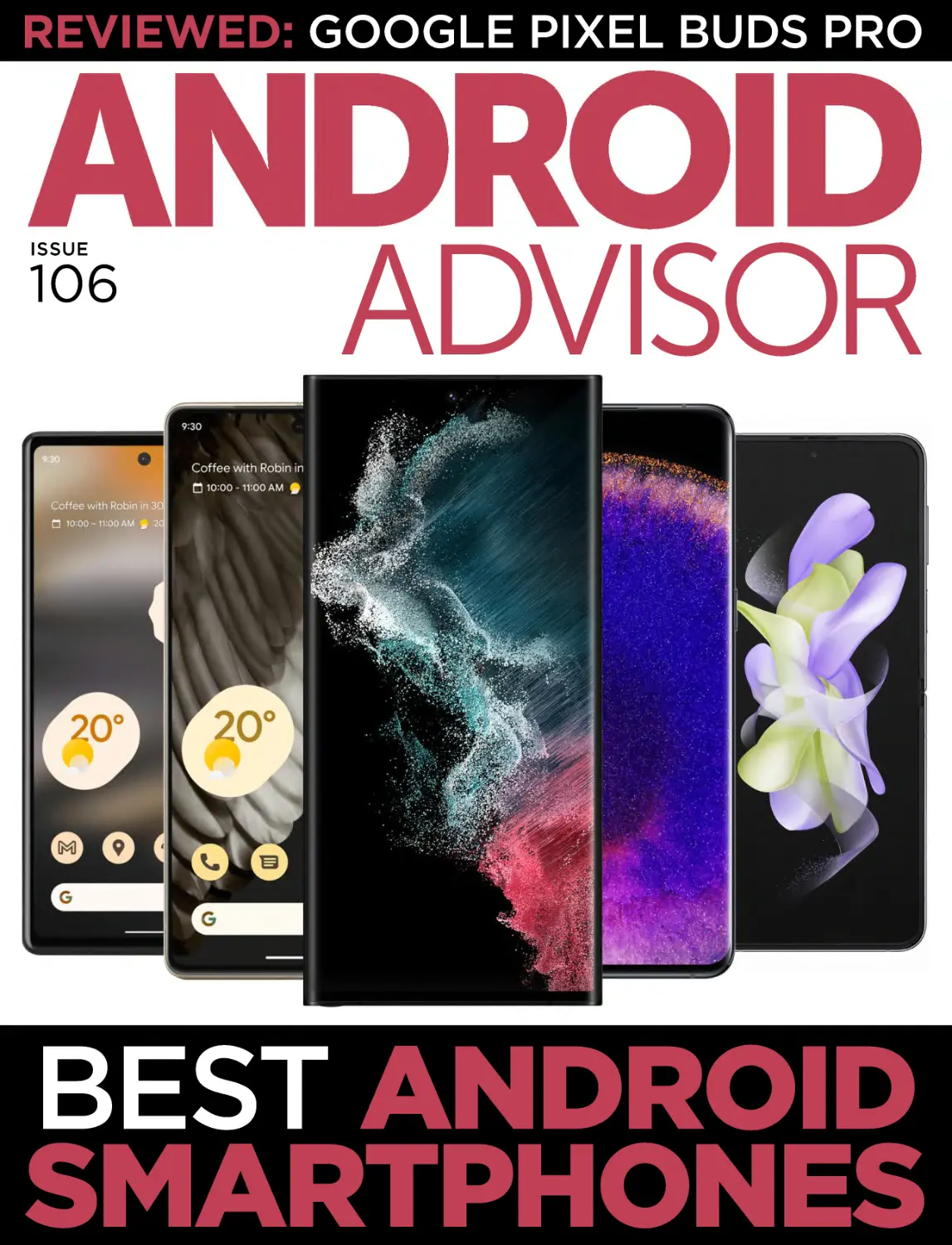
REVIEWED: GOOGLE PIXEL BUDS PRO
ISSUE
106
ADVISOR
BEST ANDROID
SMARTPHONES
CONTENTS
45
REVIEWS
4
18
29
Nokia X30 5G
Motorola Edge 30 Neo
Xiaomi Poco M5
AUDIO
39
Google Pixel Buds Pro
BUYING GUIDE
45
Best Android smartphones
2 ANDROID ADVISOR • ISSUE 106
4
39
18
29
ISSUE 106 • ANDROID ADVISOR 3
REVIEWS
Nokia X30 5G
Price: £399 from fave.co/3V3dmvB
T
he Nokia X30 5G is a direct
upgrade to 2021’s Nokia X20,
and it’s clear there has been a
shift in direction for manufacturer HMD
not only in terms of overall design but
performance too. This year’s model
boasts a better display, a quicker
processor, faster charging and although
a downgrade on paper, there’s a boost
to camera performance too.
4 ANDROID ADVISOR • ISSUE 106
Compared to the Nokia X20 that we
found hard to recommend to anybody
but the most die-hard Nokia fans, big
changes are on offer.
The catch? It’s now £100 more
expensive with a £399price tag, putting
it up against big hitters in the mid-range
space like the Google Pixel 6a, Nothing
Phone (1), and OnePlus Nord 2T. The
question is, does the Nokia X30 5G do
enough to challenge those phones? The
answer might surprise you.
DESIGN
while it can still get scratched, it won’t
shatter like glass will when dropped. It
doesn’t feel cheap either, thanks to the
vÀÃÌi`}>ÃÃwÃ Ì >Ì>à i«ÃÌ
`iw}iÀ«ÀÌð
The rear camera housing has also
been completely redesigned. Gone is
the large centrally placed circular cutout, replaced by a much more compact,
stylised rectangular camera housing on
the top-left with matching chamfered
edges and a vertical dip helping elevate
the overall design. It really is a much
cleaner, more premium-looking rear
than its predecessor.
It’s not just stylish either, with Nokia
using 100 percent recycled materials
for the aluminium frame and 65 percent
It’s clear that the Nokia X30 5G
represents a reboot for Nokia’s top-end
mid-range line, and that’s most evident
from the refreshed design. Gone is the
big, bulky, simplistic (read: dull) X20
design, replaced by something that’s
more slender, compact and all-around
more premium.
The X30 is a smaller smartphone
than its 6.7in predecessor in practically
every way. It sports a slightly smaller
6.43in display and a much thinner body
that measures in at a svelte 8mm, a
1.1mm reduction, and it’s a whopping
35g lighter at 185g. The two
phones couldn’t be more different,
representing a serious change in
Nokia’s design philosophy that makes
for a much nicer in-hand feel.
More generally, the smartphone
boasts a combination of an
aluminium frame and a plastic rear,
with chamfered edges that make the
phone look and feel more premium.
̽Ã>Û>>LiÌÜwà iÃq Õ`Þ
Õi>`Vi7 ÌiqÜÌ Ì i>ÌÌiÀ
photographed for this review.
Some might scoff at the inclusion
of plastic but it’s fairly standard
The X30 5G has a much cleaner, more premiumlooking rear than its predecessor.
at the mid-range price point, and
ISSUE 106 • ANDROID ADVISOR 5
REVIEWS
ÀiVÞVi`«>ÃÌVvÀÌÃÀi>ÀVÛiÀq
something I whole-heartedly welcome
at a time when consumers are becoming
more environmentally conscious.
a decent experience when watching
TikToks, YouTube videos and the like.
Besides, the trade-off for a smaller
display is both improved display tech
>`>LÃÌi`ÀivÀià À>ÌiqÌÜ
DISPLAY
features I happily take over a slightly
As alluded to, the Nokia X30 5G
larger display.
has a slightly smaller display than
The AMOLED display is a big
its predecessor, but that’s not a bad
improvement on the old IPS LCD
thing in my book. At 6.43in, the X30
display, with much more vivid colours,
feels comfortable to use in everyday
deeper blacks and better dynamic
use while still remaining reasonably
À>}i]Ì Õ} ̽ÃÌvwV>Þ> ,
pocketable, something that can’t be
display, while the boosted 90Hz refresh
said for many 6.7in alternatives.
rate is a big deal for making animations
It’s not quite in small phone territory
and scrolling feel smoother and more
qÌ Ãi}vÀ>V«>VÌƂ`À`
responsive. Some may lament the
phone should look at the 5.9in Asus
lack of 120Hz, but I’d argue that the
<iviqLÕÌÌÃÌÀiÃ>L>>Vi
jump from 60- to 90Hz is much more
between portability and still offering
ÌVi>Li>`Ã}wV>Ì°
It’s also more than
bright enough for use
in direct sunlight, with
a claimed maximum
750nits, though we could
only reach a maximum of
454 nits in tests.
HMD also moved
Ì iw}iÀ«ÀÌÀi>`iÀÌ
underneath the display,
which provided very few
false readings during my
time with the phone.
The audio experience,
At 6.43in, the X30 feels comfortable to use in everyday use
while still remaining reasonably pocketable
on the other hand, is
6 ANDROID ADVISOR • ISSUE 106
variant you opt for.
That’s the good news.
The bad news is that, for
the £399 asking price,
there are plenty of more
powerful options out
there, and some are even
cheaper than Nokia’s
latest smartphone.
The MediaTek
Dimensity 1300 within
the OnePlus Nord 2T
/ iw}iÀ«ÀÌÃV>iÀÃV>Ìi`Õ`iÀÌ i`ë>Þ°
boasts noticeable gains
over the Snapdragon
lacking. There’s a mono speaker on
695, and the phones that do offer the
the smartphone that won’t do much
->«`À>}ÈxqiÌ i ÌÀ>
to blow your mind, offering no kind
`}iÎä i>`*V8{*Àxq
of stereo output, and the removal of
are available for as much as £140 less
the 3.5mm headphone jack will also
than Nokia’s option.
disappoint those yet to make the jump
/ >̽Ã>À}iÞÀiyiVÌi`ÕÀ
to wireless earbuds. Considering its
benchmarks. Though it’s a big boost
removal, it would’ve been nice for
compared to the Nokia X20, the X30
HMD to upgrade to a dual-speaker
struggles to keep up with the similarly
system to compensate.
priced competition, and the phones
it falls in line with cost much less than
PERFORMANCE
the asking price.
The Nokia X30 5G offers a big step
Geekbench 5 (multi-core)
forward in performance compared to
Nokia X30 5G: 1,929
2021’s X20 which featured the budgetNokia X20: 1,667
focused Snapdragon 480. This year, it
Nothing Phone (1): 2,722
has had a meaningful upgrade to the
OnePlus Nord 2T: 2,739
Snapdragon 695, complete with either
Samsung Galaxy A53: 1,833
6- or 8GB of RAM and either 128GB or
Poco X4 Pro: 2,019
256GB of storage depending on the
ISSUE 106 • ANDROID ADVISOR 7
REVIEWS
GFX Manhattan 3.1
Nokia X30 5G: 30fps
Nokia X20: 26fps
Nothing Phone (1): 56fps
OnePlus Nord 2T: 53fps
Samsung Galaxy A53: 35fps
Poco X4 Pro: 30fps
Battery life
Nokia X30 5G: 11 hours, 10 minutes
Nothing Phone (1): 7 hours, 33 minutes
Samsung Galaxy A53: 9 hours, 53
minutes
Charge in 30 minutes
Nokia X30 5G: 75%
Nothing Phone (1): 67%
OnePlus Nord 2T: 100%
Samsung Galaxy A53: 26%
Poco X4 Pro: 94%
That’s all numbers and tests though;
in everyday use, the Nokia X20 5G feels
rapid and responsive with nary a stutter
when scrolling through Facebook,
replying to WhatsApps or watching
TikToks. That’s no doubt in part thanks
to the boosted 90Hz refresh rate
available this year that helps smooth
out the animations and scrolling in
media-heavy apps, making everything
viiÀiyÕ`°
I noticed that there can be an
occasional wait when initially opening
8 ANDROID ADVISOR • ISSUE 106
the Camera app, but this only happens
every now and again, making me
wonder whether it’s more software
than hardware that’s at fault. If it’s the
vÀiÀ]½`iÝ«iVÌ>wÝÌÀÕÌ
the near future.
When it comes to gaming, you
shouldn’t expect to run AAA titles like
Genshin Impact or Call of Duty Mobile
at the maximum graphical settings, but
if you drop the quality down, it’s still
possible to game on the phone, and it
doesn’t get too warm over long periods
of use. It’s not quite a gaming phone for
die-hard gamers that want 60fps+, but
if you play the occasional bit of Candy
ÀÕà ]̽Ã>LÃÕÌiÞwi°
Other standout features of the phone
include 5G connectivity alongside Wi-Fi
6 and Bluetooth 5.1, as well as NFC for
mobile payments. There’s also eSIM
support for those looking to ditch the
physical SIM card.
PHOTOGRAPHY
On paper, it seems like the Nokia X30
has had a downgrade in the camera
department. It no longer boasts the
Leica branding following the end of
Nokia’s relationship with the camera
manufacturer, and with a main 50Mp
snapper, it’s 14Mp fewer than the X20.
However, in reality, it couldn’t be further
from the truth.
aperture can’t hurt
either. Either way, nighttime shots taken on the
X30 are of surprisingly
good quality,
delivering photos with
balanced light and
plenty of detail in lowlight scenarios like a
streetlamp-lit street.
Nokia has extreme
low
light covered with
The 50Mp snapper of the Nokia X30 far outpaces that of its
its Dark Vision mode, an
predecessor in practically every department.
additional night mode
Despite assumptions that higher
function enabled by tapping the icon
megapixel counts mean higher quality
in the top-right of the Night shooting
(which we all know is a lie), the 50Mp
mode. This sucks in as much light as
snapper of the Nokia X30 far outpaces
possible to capture more light than I
that of its predecessor in practically
could see in some scenarios. Of course,
every department. Images are generally
the quality isn’t up there with standard
well-lit with an aperture of f/1.9 letting
night mode photos with some source of
in plenty of light, colours are fairly
light, but it’s still fairly impressive.
accurate, and the detail is impressive
The only downside is that, with the
for a smartphone at this price. That
lack of a laser-based autofocus system,
performance is consistent too, unlike
particularly dark night shots can come
the X20 where you’d have to take a few
out a little soft as the phone struggles
Ã>«ÃÌw`Ì i¼i½°
to set a focus point.
It’s in the low-light department that
Overall though, the main 50Mp lens
the X30 sees real gains, and that’s a bit
isn’t just a good snapper for a midof a surprise considering most midranger, it’s a good snapper full stop.
range smartphones are a bit naff when it
While the X20 came with a trio
comes to low-light photography. Nokia
of low-quality accompanying lenses
credits its Night Mode 2.0 tech for most
including a 5Mp ultrawide, 2Mp macro
of the advancements, though the wider
and 2Mp depth sensor, the X30 ditches
ISSUE 106 • ANDROID ADVISOR 9
REVIEWS
Here’s a
selection
of our test
shots taken
with the
main lens.
10 ANDROID ADVISOR • ISSUE 106
Next up,
we have a
series of
low light
photos.
ISSUE 106 • ANDROID ADVISOR 11
REVIEWS
12 ANDROID ADVISOR • ISSUE 106
Here are a
couple of
ultrawide
photos.
ISSUE 106 • ANDROID ADVISOR 13
REVIEWS
7i½wà vvÜÌ iÝ>«iÃv>ÃiwiivÌ®>`> } Ì-iwiÀ} Ì®°
the needless camera count for a higher
quality 13Mp 123-degree ultrawide
lens. If other budget and mid-range
manufacturers could follow suit, that
would be great.
Though not quite as exceptional
as the main 50Mp snapper in low-light
conditions, the ultrawide lens does a
great job at capturing wide-angle shots,
and accurate colour matching means
there’s no real difference in colour in
shots across the two rear lenses.
«Ì i« iÛiÀ>`ÞÕ½w`
a 16Mp front-facing camera that, like
the 50Mp lens, offers a downgrade in
pixel count while boosting the quality
14 ANDROID ADVISOR • ISSUE 106
of images taken. Images are generally
well-lit and of decent quality, and you’ve
}ÌÌ i«ÌvÕÃ} } Ì-iwi
mode when light levels begin to drop.
The experience is enhanced further by
an AI Portrait mode with fairly decent
edge detection. It’ll still miss wispy
hairs, but it does a good job overall.
BATTERY LIFE
Though the Nokia X30 has a smaller
display than its predecessor, the
battery capacity still comes in at a
respectable 4,200mAh, just 270mAh
less. However, while a smaller display
usually means better battery life, the
jump to 90Hz muddies the water
somewhat. We found the Nokia X20
could last around a day and a half on
a single charge with the possibility
of squeezing two days with more
conservative use. The Nokia X30, on
the other hand, is more of a oneday device. It’s a comfortable all-day
experience, don’t get me wrong,
ÕÃÕ>Þwà }Ì i`>Þ>ÀÕ`
the 30 percent mark with a healthy
amount of texting, scrolling and
TikToking, but more power-hungry
users fare a little worse.
That’s largely backed up by our
battery benchmark that saw the Nokia
X30 last a respectable, but certainly
We found the Nokia X20 could last around a day
not industry-leading, 11 hours and 10 and a half on a single charge with the possibility.
minutes before needing a top-up.
To compensate for this, the Nokia
The catch? Nokia is one of a growing
X30 cranks up the fast-charging
number of brands to not ship a charging
experience to 33 watts. Though it’s not
brick with the smartphone, meaning
quite up to the standard of the Redmi
you’ll have to source your own 33-watt
Note 12 Explorer Edition and its 210
USB-C charging brick if you want to take
watts charging, it’s a big improvement
advantage of the faster charging on
on the 18 watts of the X20 that matches
offer from the X30.
that of the Nothing Phone (1).
SOFTWARE
Regardless, it should help reduce the
One of the biggest draws of the
amount of time you’ll need to charge
Nokia X30 5G, like most other Nokias
the phone. In my experience, I found
in the current range, is the software
Ì i >8ÎäVÕ`}vÀy>ÌÌÎ
experience. Unlike many budget- and
percent in 15 minutes, jumping up to 75
mid-range alternatives, the Nokia X30
percent in half an hour and a full charge
5G ships with a near-stock Android
in around an hour.
ISSUE 106 • ANDROID ADVISOR 15
REVIEWS
experience with Android 12
supported out of the box.
That means you’ll be
getting an experience close
to how Google originally
envisioned it, though
without a handful of Pixel
features like Material You.
Everything is where you’d
expect it to be, particularly
in the Settings app where
some manufacturers make
The Nokia X30 5G ships with a near-stock Android
experience with Android 12 supported out of the box
odd menu decisions,
ëÀÌ}>yÕ`1Ì >̽Ã
hard to complain about.
When it comes to updates, Nokia
The Nokia X30 doesn’t boast
is up there with the best, with three
anywhere near the level of bloatware
OS upgrades taking users all the way
of some alternatives, but it does come
to Android 15. Though it’s in line with
ÜÌ Ãi>««Ã«ÀiÃÌ>i`qÌ Õ}
the Nothing Phone (1), it’s much better
these are, unusually, apps you’d
than the OnePlus Nord 2T’s two years
actually use on a day-to-day basis. This
and lack of any update promise at all
VÕ`ià iÌyÝ] Ý«ÀiÃÃ6* ]Ƃ>â
for cheaper alternatives like the Poco
and LinkedIn, along with the Nokia My
X4 Pro 5G.
Device app for service and warranty
VERDICT
information and the GoPro Quik app for
The Nokia X30 is a complete
Ì iyÞ>ÕÌ>Ìi`Û`ii`Ì}°
reimagining of 2021’s X20 in just
Though LinkedIn is an odd addition,
about every regard. It has a much
I’m not overly disappointed with the
more stylish design while being
pre-installed apps as they’re apps I
both thinner and lighter, it has an
tend to use and not random games
upgraded display with a faster refresh
or social networks I’ve not heard of.
rate, performance has seen a boost
Of course, some may feel different,
and despite no Leica branding, the
but you’ve always got the option of
cameras are truly exceptional this year.
uninstalling them.
16 ANDROID ADVISOR • ISSUE 106
These are all welcome upgrades that
almost negate the £100 price bump to
Nokia’s top-end mid-ranger.
It may not do much to outshine the
popular mid-rangers like the Nothing
Phone (1)’s IP53 water resistance and
wireless charging and OnePlus Nord
2T’s extraordinary performance, but
vÀÌ iwÀÃÌÌi] > >Ã>w} Ì}
chance at securing its place in the midrange market. Lewis Painter
• USB Type-C 2.0, USB On-The-Go
• Fingerprint scanner (under display,
optical)
• Non-removable 4,200mAh lithiumpolymer battery
• 158.9x73.9x8mm
• 185g
SPECIFICATIONS
• 6.43in (2,400x1,080; 409ppi)
AMOLED, 90Hz display
• Android 12
• Qualcomm SM6375 Snapdragon 695
5G (6nm) processor
• Octa-core (2x 2. GHz Kryo 660 Gold,
6x 1.7GHz Kryo 660 Silver) CPU
• Adreno 619 GPU
• 6GB/8GB RAM
• 128GB/256GB storage
• Dual rear-facing cameras: 50Mp, f/1.9,
(wide), 1/1.56in, 1.0μm, PDAF, OIS;
13Mp, f/2.4, 123-degree (ultrawide),
1/3.06in
• -iwiV>iÀ>\£È «]vÉÓ°{]Ü`i®]
1/3.06in, 1.0μm
• Wi-Fi 802.11 a/b/g/n/ac/6, dual-band,
Wi-Fi Direct
• Bluetooth 5.1, A2DP, LE, aptX HD
• GPS, GLONASS, GALILEO, BDS
• NFC
ISSUE 106 • ANDROID ADVISOR 17
REVIEWS
Motorola Edge 30 Neo
Price: £319 from fave.co/3OxaTau
A
t now over a decade in, various
trends in smartphone design
>ÛiVi>`}iqÜi >Ûi
been through a multitude of building
materials, ethos and shapes over the
years. As manufacturers are trying to
constantly guess the next new trend,
this will only continue.
But some ideas are stubborn and
refuse to die, sometimes even when
the evidence is piled against them,
>`iÃÕV `i>ÃÌ i¼Ã>½« i°
18 ANDROID ADVISOR • ISSUE 106
Sony has tried, LG tried, Samsung tried,
even Apple tried and the public has yet
to take the bait, with larger and larger
phones now seemingly a rule of nature.
Motorola is no ordinary
manufacturer, however, having been
exceptionally experimental in the
past, and the Edge 30 Neo is its latest
offering. At 155g and with a 6.2in
screen, it feels like a toy compared to
the likes of the iPhone 14 Pro Max, and
the question is whether this will prove to
be either enough of a strength to stand
ÕÌ]À>Ài>ÃÌ>Û`°ÃÌ i¼Ã>½
phone ready for a long-due comeback?
DESIGN
There are a lot of good things to be said
about the use of plastic as a building
material, however when not done quite
right its use can leave a device feeling a
L̼V i>«½]>`Ì >ÌÃÕvÀÌÕ>ÌiÞÌ i
case with the Neo.
Though it is sturdy and seems as
though it could take a few knocks
without issue, the slightly rough pattern
on the rear doesn’t provide the same
grip as it ought to, which coupled with
the plastic frame and thin buttons mean
that the overall impact is negative. It
feels a little toy-like and insubstantial,
>V}ÃivÌ i¼ ivÌ½Ì >Ì} Ì
be associated with being premium.
That it is made of plastic also means
that there is no tendency, as there is
with some phones, to dive off of any
available surface with impunity, which
is only a positive.
7 >Ì`iwiÃ>¼Ã>½« i`i«i`Ã
heavily on the context of the moment,
vÀ>ÞÌ }¼Ã>½V>ÞiÝÃÌ>Ã
Ì i««ÃÌivÃiÌ }¼L}½°/i
Þi>ÀÃ>}]Ì iwÀÃÌ>>ÝÞ Ìi>Ìx
was deemed ungainly and massive, and
surely something that would never catch
on. With a screen that stretches 6.2in
the Motorola Edge 30 Neo is therefore
not as small as the likes of the iPhone 13
Mini (5.4in), but compared with the likes
vÌ i>ÛiÀ>}iÈ°È«ÕÃy>}Ã «`iÛVi
it is positively minuscule.
Aided by the thin 20:9 aspect ratio,
this means that the Neo is a device that
can easily be used one-handed, which is
a real lifesaver in situations
that deny the use of
two hands such as when
holding an unruly toddler.
Weighing in at 155g it
feels like a phone from
another era, back from a
time when smartphones
didn’t add bulk every
year but subtracted.
The positive
impressions end with the
The Neo is a device that can easily be used one-handed.
construction however.
ISSUE 106 • ANDROID ADVISOR 19
REVIEWS
There is also some consolation in
the relative breadth of colour options
available, in addition to the usual white
and black there are purple and green
variants, which all are colours provided
by Pantone. This is nice to have, though
we would have appreciated the ability
to remove the panel advertising this fact
that sits on the rear of the device, which
is large and permanent.
The included under-display
w}iÀ«ÀÌÃiÃÀ«ÀÛi`Ì>ÃLi
µÕV>`ivwViÌiÛiÀÞ`>ÞÕÃi]
offering no false positives.
In all, the Neo is successful as a
¼Ã>½« iÌ >ÌÌÃvÀv>VÌÀÃ>
selling point in itself, but falls down in
ÌiÀÃvÌÃwÌ>`wà °À>`iÛVi
costing from £350 new, it doesn’t quite
feel worth the price of entry, which
will only serve as a weakness as the
competition only continues to improve
in this area. Many entrants for £100
less offer glass and metal, which isn’t a
good look for the Moto.
DISPLAY
Though there are many advantages to a
smaller device there are a few points at
which going bigger becomes desirable,
and those mostly occur when watching
Û`iÀÃ>ÀqÃiÌiÃL}}iÀÃ
`iwÌiÞLiÌÌiÀ°
But the Edge 30 Neo’s display is only
small in a certain sense, as it is over 6
inches it still offers enough screen real
estate to provide a comfortable viewing
experience. It has also been the focus of
much TLC on the part of Motorola and
doesn’t disappoint as a consequence.
Firstly, as an OLED panel, it exhibits
all of the bold colours and inky contrast
that are to be expected,
and happily it also has
enough brightness to
combat strong sunlight
qÃiÌ }Ì >ÌýÌ
a given for the price
class. With a 120Hz
refresh rate and a
240Hz touch sampling
rate it feels smooth
in general use, and at
1080p it has enough
In addition to the usual white and black models there are purple
and green variants, which all are colours provided by Pantone.
resolution to make
20 ANDROID ADVISOR • ISSUE 106
up, but the picture is
somewhat complicated.
The Edge 30 Neo
runs the new Snapdragon
695 processor, which is
paired with 8GB of RAM
and 128GB of storage,
and in most general
usage feels smooth. That
is to say, when swiping
through the interface
or using social media, it
If you spend a lot of time reading on your phone or watching won’t break a sweat, but
video, the screen doesn’t disappoint.
this is the minimum to be
expected in 2022.
most content look sharp, from video
Benchmarks reveal an interesting
to gaming. In all, if you spend a lot of
story, and show that the Neo doesn’t
time reading on your phone, watching
have the same horsepower as much
video or indeed most anything else,
of the competition. With a multi-core
the screen on the Edge 30 Neo
of 1380, it lags behind the likes of the
doesn’t disappoint.
Realme 9 Pro and much of what the
The picture yet improves (no pun
likes of Xiaomi offers, often for lower
intended) with the included speakers,
price points. As synthetic tests often
which are stereo and very loud. Though
`½ÌÀiyiVÌÌ iiÝ«iÀiVivÕÃ}>
they won’t challenge the likes of a real
device, this won’t matter for many, but
stereo set-up, for a smartphone they
for those who put an absolute premium
offer some depth and bass, not a given,
on power, the Edge 30 Neo might not
and as such are a success.
be the best option.
That will of course mostly mean
PERFORMANCE
those who game a lot on their
If the general design and display
smartphones. Though the Neo can
were clear areas of focus for the Edge
certainly run the likes of PUBG and
30 Neo, performance was not. This
Fortnite, it gets hot under the collar
isn’t to say that the device can’t keep
while doing so, and doesn’t provide
ISSUE 106 • ANDROID ADVISOR 21
REVIEWS
either the best frame rates or the best
ÛÃÕ>w`iÌÞ°
The benchmarks we need are below:
Geekbench 5 (multi-core)
Motorola Edge 30 Neo: 1,380
Realme 9 Pro: 1,996
Sony Xperia 10 IV: 1,858
Poco X4 Pro 5G: 2,019
OnePlus Nord 2T: 2,739
GFX Manhattan 3.1
Motorola Edge 30 Neo: 1,380
Realme 9 Pro: 1,996
Sony Xperia 10 IV: 1,858
Poco X4 Pro 5G: 2,019
OnePlus Nord 2T: 2,739
Battery life
Motorola Edge 30 Neo: 13 hours, 3
minutes
Realme 9 Pro: 18 hours, 30 minutes
Sony Xperia 10 IV: 24 hours, 52 minutes
Charge in 30 minutes
Motorola Edge 30 Neo: 88%
Realme 9 Pro: 50%
Sony Xperia 10 IV: 41%
Poco X4 Pro 5G: 94%
OnePlus Nord 2T: 100%
PHOTOGRAPHY
The Motorola Edge 30 Neo offers
something of an interesting camera
22 ANDROID ADVISOR • ISSUE 106
situation, blending a seeming lack of
ambition with nonetheless solid delivery.
/i>LÀ>Ìi]Ì iëiVwV>ÌÃ
on paper only match the competition
>``½ÌÃiiÌiÝVii`Ì°ÌÃwÀÃÌ
sensor has 64MP, an f/1.8 aperture
and optical image stabilization, and its
ÃiV` >Ã>Ü`iwi`vÛiÜ>`
offers 13MP along with an aperture of
f2.2. As having more and more sensors
becomes the norm it is interesting that
¼Þ½ÌÜ>ÀivviÀi`Ì i i]LÕÌ
there is something to be said about
doing more with less.
Moving on to the camera app itself
initially, it offers little to disagree with.
-«ÀÌ}Ì iܼÃÌ>`>À`½Ƃ««i
layout (vertical swipes to change
shooting modes, horizontal to alter
details) it is correspondingly easy to
navigate and should now be familiar
to most. An issue does arise with the
speed of said app, which is to say
that it is slow.
Swiping between settings and
then getting a focus lock can take
a surprisingly long time (i.e. a few
seconds), which often makes the
difference when it comes to getting
an important shot. Moreover, it makes
photographing the likes of your average
dog an exercise in saintly patience.
It is a good thing then that the
results, when they arrive, are positive.
Here are
some of
our test
photos.
ISSUE 106 • ANDROID ADVISOR 23
REVIEWS
24 ANDROID ADVISOR • ISSUE 106
ISSUE 106 • ANDROID ADVISOR 25
REVIEWS
Images from the main camera have
nice punchy colours, good detail and
sharpness plus decent dynamic range
for the price class. This is mostly the
case too for the wide-angle sensor,
though with a requisite drop in levels
of detail.
The picture falls apart in low light,
where even with the included night
mode the images produced are
noisy and dull. As the competition
continues to make strides in this area,
it is unfortunate that the Neo fails to
stand out, especially when it has the
requisite hardware.
We were able to get over 80 percent charge from
y>ÌÎäÕÌið
A handful of extra photo modes
are included with the Neo, of which
instantly dismiss any phone that doesn’t
spot mode earns a mention as a fun
reach a certain size threshold.
distraction, along with a sometimes
And that is because, as ever, any
useful pro mode that allows the
expectations depend on context.
>`ÕÃÌiÌvÛ>ÀÕÃÃiÌÌ}ÃÌ iyÞ°
The minimum battery life that any
The Edge 30 Neo as it stands is
smartphone should last in the present is
not a camera champ, but in most
>vÕ`>Þ]ÜÌ ¼}`½L>ÌÌiÀÞviLi}
situations, it is capable of turning out
that which reaches into a second, or
respectable images.
sometimes even a third.
BATTERY LIFE
The Edge 30 Neo certainly has the
An inherent advantage in larger form
bones to achieve excellent autonomy,
factors is simple, with a bigger device
its chipset is produced on a modern
comes more space, ergo more room for
process that promises to be energy
components such as larger batteries.
ivwViÌÜ iÌÃ{]äÓäƂ L>ÌÌiÀÞÃ
It has become the general rule that a
generous for the size of the device.
¼*Õý`iv>Þ}ÛiÃ>ÀÌ« i
In general, we found that, although
ÜÕÌ>ÃÌ>¼ ½]Ì Õ} Ì ÃýÌÌ
it couldn’t quite achieve the heights
26 ANDROID ADVISOR • ISSUE 106
some of its bigger rivals are capable of,
it could last all day without issue. That’s
with mixed use for messaging, internet,
*-]ÃÌÀi>}>`Û`iV>ÃqÜÌ
around 4 to 4.5 hours of screen-on time
on average.
A pleasant inclusion is fast charging
at 68 watts, with a compatible charger
included in the box. Though this
doesn’t quite match the best in terms
of advertised speeds, we were able to
}iÌÛiÀnä«iÀViÌV >À}ivÀy>Ì
in 30 minutes, reaching 100 percent in
45 minutes. If you are in a pickle and
need a lot of charge and fast, this will
do the trick.
SOFTWARE
Although the general picture has
improved in recent years, there is
still no guarantee when buying an
Android device that the software will
be a known quantity. That is to say,
there are large manufacturers such as
Xiaomi which opt to offer their own
twist on the operating system, to
often varying results.
Motorola does make adjustments
ÌÌ i¼ÃÌV½Ƃ`À`vÀÕ>]LÕÌ
a way that enhances the overall user
experience and never gets in the way.
There are the gestures for instance,
a double karate-chop activates the
torch or a double twist of the wrist
Ü>ÕV Ì iV>iÀ>qLÌ vÜ V
are simple, quick and intuitive to use.
Then there’s the ambient
ÌwV>ÌÃ]Ü V µÕiÌÞ>VÌÛ>Ìi
to give important information with
the screen in a semi-sleep state, or
Ready For which allows the phone to
act as a quasi-desktop when plugged
into a screen. All of these generally
prove to be pleasant and unobtrusive,
>``}>ÌÌiii`i`y>ÛÕÀÌÌ i
Android experience.
The skin used by Motorola is
generally paired back too, offering
nothing different than what might
usually be included. That is to say, a
swipe to the left brings up the Google
feed, a swipe up brings up the app
drawer and a swipe right reveals
Motorola’s adjustments to the ‘stock’ Android
formula enhance the overall user experience.
ISSUE 106 • ANDROID ADVISOR 27
REVIEWS
installed apps. There’s no bloatware preinstalled and no adverts for included
services. On the whole, the Moto
experience proves to be a value add
to the Edge 30 Neo, if not a reason to
purchase outright.
VERDICT
In 2022 the mid-range smartphone
market is especially crowded and it is
`vwVÕÌÌÃÌ>`ÕÌÌ>Þi>}vÕ
degree. With the Edge 30 Neo,
Motorola seems to have banked on
a small form factor and interesting
colour choices being enough to do
so, and there’s certainly nothing else
comparable design-wise for the price.
It does a lot to impress too, with
a great screen, fast charging and a
generally capable camera system that
makes for a likeable phone overall.
If not for poor low-light camera
performance and a generally less-thanpremium feel, it would be an instant
recommendation.
If you are in the market for a smaller
phone and don’t have the largest
LÕ`}iÌ]Ì ÃÃ Õ`LiÞÕÀwÀÃÌ«Ì°
Should you have other priorities, the
Edge 30 Neo is worth a look as a
mostly charming handset that has a lot
to offer, but it will likely not be the best
V VivÀ>ÞëiVwVÌÞ«ivLÕÞiÀ°
Sean Cameron
28 ANDROID ADVISOR • ISSUE 106
SPECIFICATIONS
• 6.28in (2,400x1,080; 419ppi) P-OLED,
120Hz display
• Android 12
• Qualcomm SM6375 Snapdragon 695
5G (6nm) processor
• Octa-core (2x 2.2GHz Kryo 660 Gold,
6x 1.7GHz Kryo 660 Silver) CPU
• Adreno 619 GPU
• 6GB/8GB RAM
• 128GB/256GB storage
• Dual rear-facing cameras: 64Mp, f/1.8,
(wide), 0.7μm, PDAF, OIS; 13Mp, f/2.2,
120-degree (ultrawide), 1.12μm, AF
• -iwiV>iÀ>\ÎÓ «]vÉÓ°{]Ü`i®]
0.7μm
• Wi-Fi 802.11 a/b/g/n/ac, dual-band,
Wi-Fi Direct
• Bluetooth 5.1, A2DP, LE, aptX HD,
aptX Adaptive
• GPS, GLONASS, GALILEO
• NFC
• USB Type-C 3.1, USB On-The-Go
• Fingerprint scanner (under display,
optical)
• Non-removable 4,020 lithium-polymer
battery
• 152.9x71.2x7.8mm
• 155g
Xiaomi Poco M5
Price: Ë£ÈvÀv>Ûi°VÉÎ6wÓÝ
I
f there’s such a thing as a template
for Xiaomi’s Poco sub-brand, it’s a
combination of multimedia-friendly
performance with a temptingly low price
Ì>}°/ i*V xÃÌVÃwÀÞÌÌ >Ì
script, offering competent all-round
performance for less than £200.
iëÌiÌ iÃÃ}¼*À½Ì i
name, this is essentially a direct
follow-up to the Poco M4 Pro from
earlier in the year. But has it advanced
ÃÕvwViÌÞÛiÀÌ i«ÀiÛÕÃ`iq
or at all, for that matter?
DESIGN
Xiaomi’s Poco team has really leaned
into the dominant camera module
look of the Poco M4 Pro and Poco
M4 Pro 5G. This component spans
the entire width of the Poco M5’s rear
ISSUE 106 • ANDROID ADVISOR 29
REVIEWS
cover, somewhat like the Pixel 6a, only
much taller.
Another point of interest here is
8>½ÃV Vivwà °7 iÌ iÀi>À
panel (like the phone’s entire frame)
is made from plastic, it adopts a fake
leather effect.
̽Ã>ÛiÌÀ >ÌiÌyÕÀà ]LÕÌ
the Poco brand has never been shy
about making bold design decisions.
I for one applaud it for trying to do
something slightly different, and it’s
ViÀÌ>ÞÀiÀiÃÃÌ>ÌÌw}iÀ«ÀÌÃ
than its shiny predecessor.
Less laudable is the sheer size of the
phone. It’s rather thick at 8.9mm, while
201g feels too heavy for such a cheap
all-plastic phone.
The decision to switch away from
the hole punch notch of the Poco M4
range in favour of a teardrop alternative
is a rather regrettable one. It makes the
Poco M5 look like an older, cheaper
phone than its predecessors. Perhaps
that’s why it’s no longer deserving of the
¼*À½iÀ]`iëÌiÜ >ÌÌ ià >Ài`
price tag might suggest.
Once again there are three colours
to choose from: Black, Green, and that
old Poco favourite Yellow.
DISPLAY
Xiaomi appears to have brought the
display across from the Poco M4 Pro
5G rather than the Poco M4 Pro. That
might sound like a tiny distinction, but
it actually represents a sneaky
downgrade.
Whereas the Poco M4 Pro
was notable for having the
wÀÃÌƂ "
`ë>ÞÌ i
M-range, the Poco M5 reverts
to a regular 6.58in IPS LCD. It’s
not a bad component at all as
sub-£200 smartphones go, with
a decent 2,400x1,080 (FHD+)
resolution and a 90Hz maximum
refresh rate, though you’ll need
to activate the latter in the
settings menu.
It gets to a claimed 500 nits
While the rear panel is made from plastic, the phone
has a fake leather effect.
in HBM (high brightness mode),
30 ANDROID ADVISOR • ISSUE 106
one. This could be counted on
as a signature Poco feature, so
its absence in favour of a weedy
mono speaker is keenly felt.
PERFORMANCE
The phone has 6.58in FHD+ LCD display.
while with auto brightness turned off
I recorded a maximum brightness of
around 350 nits. That’s not hugely
bright, and the screen can get pretty
washed out in outdoor lighting.
Ultimately, it’s that reversion to LCD
that stands out here. The Poco M5’s
screen simply isn’t anywhere near as
vibrant or attractive as its predecessor.
It’s reasonably colour accurate
though. Switching from the default Vivid
to Standard mode, I recorded an sRGB
gamut coverage of 92.4 percent and
a gamut volume of 94.7, with a strong
average Delta E of 1.13.
Another downer here is the decision
to strip the Poco M5 of proper stereo
speakers in favour of a weedy mono
The provision of a MediaTek
Helio G99 chip in the Poco M5
is a subtle improvement over the
MediaTek Helio G96 of the Poco
M4 Pro. Perhaps the biggest
difference is that the M5’s chip is
LÕÌ>Ã>iÀ]ÀiivwViÌ
6nm process compared to the
12nm M4 Pro component.
It might run cooler and more
ivwViÌÞ]LÕÌÌ iÀiýÌ> Õ}i
difference in raw performance terms. An
average Geekbench 5 multi-core score
of 1895 for the Poco M5 is very similar
indeed to the Poco M4 Pro before it.
Its GPU is slightly more impressive
than before, with many of our usual
GFXBench tests yielding an extra
frame per second.
Gaming performance is solid, if
not spectacular. I was able to bump
Genshin Impact up to Medium
graphical settings and a 60fps target
with eminently playable (if not exactly
silky) results. That’s not bad given the
meagre provision of 4GB of RAM, which
represents a downgrade from the Poco
M4 Pro’s choice of 6- or 8GB.
ISSUE 106 • ANDROID ADVISOR 31
REVIEWS
Similarly low is the entry-level
provision of 64GB of internal storage.
With a lot of £200 phones now moving
to 128GB as the minimum spec, it feels
a little dated. Still, at least you have a
microSDXC slot for expansion purposes.
Geekbench 5 (multi-core)
Xiaomi Poco M5: 1,895
Realme 9i: 1,547
Xiaomi Poco M4 Pro: 1,836
Xiaomi Poco M4 Pro 5G: 1,582
Redmi Note 11: 1,701
Realme C31: 1,317
GFX Manhattan 3.1
Xiaomi Poco M5: 22fps
Realme 9i: 13fps
Xiaomi Poco M4 Pro: 21fps
Xiaomi Poco M4 Pro 5G: 23fps
Redmi Note 11: 13fps
Realme C31: 18fps
the Poco M5’s camera provision. Most
notably, there’s no ultrawide camera this
time around.
You get a 50Mp wide camera, a
2Mp macro camera, and a 2Mp depth
ÃiÃÀ°-ÕvwViÌÃ>Þ]Ì Ãi>ÃÌÌÜ
might as well not exist for all the good
that they do.
That 50Mp main sensor also
seemingly represents a bit of a step
back after the Poco M4 Pro represented
the series debut of a 64Mp sensor.
In practical terms, the Poco M5
achieves about as much as you can
«ivÀV i>«iÀ« iÃqÌV>«ÌÕÀi
decent shots in good lighting. Feed it
plenty of light and you’ll get reasonably
sharp, natural-looking shots, if a
ÌÌiy>Ì>`ÃÕvviÀ}vÀ>ÌÕV v
overexposure in the highlights.
As soon as the light drops, things
descend into a noisy mush. Even the
Charge in 30 minutes
Xiaomi Poco M5: 21%
Realme 9i: 46%
Xiaomi Poco M4 Pro: 59%
Xiaomi Poco M4 Pro 5G: 55%
Redmi Note 11: 58%
PHOTOGRAPHY
So far we’ve seen signs of
regression from the Poco M4
Pro, and that continues with
32 ANDROID ADVISOR • ISSUE 106
"Ì i« i½ÃÀi>À]ÞÕ½w`>xä «Ü`iV>iÀ>]>
2Mp macro camera, and a 2Mp depth sensor.
Here’s a
selection of
our of test
photos.
ISSUE 106 • ANDROID ADVISOR 33
REVIEWS
34 ANDROID ADVISOR • ISSUE 106
ISSUE 106 • ANDROID ADVISOR 35
REVIEWS
dedicated Night mode fails to do much
more than brighten that noise up rather
than sharpen things.
/ iÀi½Ã>x «ÃiwiV>iÀ>>ÀÕ`
front, which displays quite a lot of noise
and struggles with highlights.
BATTERY LIFE
The Poco M5 runs on a 5,000mAh
battery, which is pretty much table
stakes for a modern affordable phone,
but reassuringly capacious all the same.
Li`ÜÌ Ì >ÌÀiivwViÌ
6nm MediaTek Helio G99 chip and
other undemanding components, this
is a genuine two day performer. A full
16-hour day of light usage would tend
to leave me with more than 70 percent
left in the tank.
Unfortunately, I was unable to run
the usual PC Mark Work 3.0 battery
test that we use in this scenario.
For whatever reason, the Poco
M5 repeatedly crashed out of this
benchmark, and many others for that
matter. Given the strong performance
of the phone in general usage, this
isn’t a huge concern.
Xiaomi has packed in an 18-watt
charger with the Poco M5, which is
a solid inclusion. Again, though, this
marks a step back from the Poco M4
Pro, which came with a 33-watt charger.
It results in some rather slow
charging speeds. In 15 minutes of
charging from empty, the Poco M5 only
reached 6 percent, while 30 minutes
took it up to 21 percent.
SOFTWARE
A full 16-hour day of light usage tended to leave more
than 70 percent left in the tank.
36 ANDROID ADVISOR • ISSUE 106
While the Poco M4 series ran
on Android 11 at launch, the
Poco M5 ships with Android
12. Not that this matters all
Ì >ÌÕV q8>½ÃVÕÃÌ
MIUI 13 continues to sit
heavily on top like a big,
gaudy quilt.
It’s an interface rife
with niggling annoyances.
You still get annoying fullscreen (but largely empty
vvÀ>Ì®ÌwV>ÌÃ
every time you install an app.
It’s still impossible to see
how much screen-on time
you’re getting out of a single
charge, unlike virtually every
other Android UI.
Also like before, however,
MIUI continues to be
extremely customisable.
Don’t like the convoluted
ëÌÌwV>ÌÃÞÃÌi
You’re only a settings menu
trip away from combining the The Poco M5 ships with Android 12.
two halves into something
That early 2022 model offers similar
more standard. Meanwhile, Xiaomi’s
«iÀvÀ>Vi]>ÀiyiÝLiV>iÀ>
Themes offers one of the most extensive
system, a superior display, stereo
wallpaper shop fronts, often with
speakers, faster charging, and more
matching icons.
memory, all for a slightly higher price.
I could still do without all of the
You can say similar things about the
wearisome bloatware that blights
Redmi Note 11, too.
every Xiaomi and Xiaomi-adjacent
Buying the Poco M5 isn’t a bad idea
phones. Do we really need the Open
by any means, and its unique design
web browser and Xiaomi’s own Mi
and excellent battery life are stand-out
Browser on top of Google Chrome?
features. However, it simply doesn’t
Or the throwaway Tile Fun and Dust
represent the value that we’re used
Settle games? No. We do not.
to seeing from this highly regarded
VERDICT
budget brand. Jon Mundy
The Poco M5 offers a fairly competent
SPECIFICATIONS
all-round smartphone experience for a
• 6.58in (2,408x1,080; 401ppi) IPS LCD,
sub-£200 price. However, we’re simply
90Hz display
not getting that famous Poco sense of
• Android 12, MIUI 13
generosity here, and you only need to
• MediaTek MT8781 Helio G99 (6nm)
look at the Poco M4 Pro to see why.
ISSUE 106 • ANDROID ADVISOR 37
REVIEWS
processor
• Octa-core (2x 2.2GHz Cortex-A76, 6x
2GHz Cortex-A55) CPU
• Mali-G57 MC2 GPU
• 4GB/6GB RAM
• 64GB/128GB storage
• Three rear-facing cameras: 50Mp,
f/1.8, (wide), PDAF; 2Mp, f/2.4,
(macro); 2Mp, f/2.4, (depth)
• -iwiV>iÀ>\x «]vÉÓ°Ó]Ü`i®]
1/5.0i, 1.12μm
• Wi-Fi 802.11 a/b/g/n/ac, dual-band,
Wi-Fi Direct
• Bluetooth 5.3, A2DP, LE
• GPS, GLONASS, GALILEO, BDS
• NFC
• USB Type-C 2.0, USB On-The-Go
• Fingerprint scanner (side-mounted)
• Non-removable 5,000mAh lithiumpolymer battery
• 164x76.1x8.9mm
• 201g
38 ANDROID ADVISOR • ISSUE 106
Google Pixel Buds Pro
Price: £179 from fave.co/3ucoY3L
T
he Google Pixel Buds inear active noise-cancelling
headphones will work with any
Bluetooth-compatible device, but
Ì iÞ½ÀiëiVwV>Þ`iÃ}i`Ì«ÀÛ`i
a superior experience with Android
smartphones and tablets.
Google has pushed its Pixel phone
as the worthiest Android competitor
to iPhone, and the Pixel Buds Pro
are designed to be Pixel’s version of
AirPods, with an integrated experience
that delivers maximum ease-of-use
paired with quality sound.
The Pixel Buds Pro are excellent
all around, with a unique and modern
`iÃ}«>Ài`ÜÌ y>ÜiÃÃÌi}À>Ì
with the Android operating system.
What they don’t offer are the higherÀiÃÕÌV`iVÃÞÕ½w`Ì i
ISSUE 106 • ANDROID ADVISOR 39
AUDIO
between beige and offwhite. It feels better in the
hand than any other case
I’ve used, and the rounded
corners make it easy to slip
in and out of a pocket.
The buds themselves
taper down to the stem that
holds the ear tips. There’s
>>À}i]y>ÌÃÕÀv>ViÌ >Ì
sits outside the ear that’s
used for touch controls.
Each Google Pixel Buds Pro earbud is labelled L or R to
avoid ear and case confusion.
The buds themselves are
black, but buyers have a
competition: There’s no aptX or LDAC
choice of coral (more of an orange),
compatibility here. Google has decided
fog (blue grey), charcoal (light grey),
that the Pixel Buds will stand or fall with
and lemongrass (yellow/green). The
the AAC and SBC codecs.
charcoal version is there for anyone who
Google has concentrated on creating
`iýÌÜ>ÌÌy>ÕÌÌ iÀÃÌÞi]LÕÌ
a superior user experience for Android
the other three colours offer a playful
users, realizing that most
customers will be happily
pay the premium for these
earbuds because of that
experience and won’t care
ÕV >LÕÌÌ iëiVwVÃv
audio codecs.
DESIGN
The Pixel Buds Pro excel
on the design front.
The charging case is
pebble-shaped and the
colour lands somewhere
40 ANDROID ADVISOR • ISSUE 106
The coral colour version of the Google Pixel Buds Pro looks
salmon in images but looks more orange in person.
alternative to the dull and
monochromatic earbuds
that dominate the market.
IN THE BOX
Aside from the case
and the two earbuds,
Google includes a clever
cardboard tube to house
two other sizes of ear tips
(small and large) to go
along with the medium
ear tips preinstalled on
Aside from some additional eartip sizes, the Google Pixel
the earbuds.
Buds Pro doesn’t include any extra accessories in the box –
not even a charging cable.
There’s a quick-start
guide but no charging
weigh just 6.2g each and have an IPX4
cable, even though there’s a USB-C port
water resistance rating, so there’s no
on the bottom of the case for wired
need to worry about sweat during a
charging. The case is Qi-compatible,
workout even though they’re not going
so maybe Google felt it could get
to survive an extended dip in the pool.
away with saving a few pennies by not
(This article tells you everything you
including an accessory that every other
need to know IP codes.)
earbud manufacturer seems to include.
The Pixel Buds Pro use Bluetooth
FEATURES
5.0 and support the AAC and SBC
Google claims 7 hours of battery life
codecs. If the lack of aptX or LDAC
with ANC turned on and 11 hours in
is not a dealbreaker for you, these
transparency mode. Combined with a
earbuds perform well with both iOS
fully charged case, you should get up
and Android.
to 31 total hours of playback before
TOUCH CONTROLS
running out of juice.
Google did an excellent job of
Each earbud features a customintegrating the Pixels Buds Pro with
designed 11mm dynamic speaker
the Pixel Buds Android app. That starts
driver and three microphones. They
ISSUE 106 • ANDROID ADVISOR 41
AUDIO
with pairing, which happens via a
pop-up screen on the Android device
Ì iwÀÃÌÌiÞÕ«iÌ iV>Ãi°/ i
Pixel Buds Pro support multipoint
connection, so you can pair them with
two different devices.
Out of the box, a single tap on
either earbud plays and pauses the
music, a double tap switches to the
next song, and a triple tap takes you
back to the previous track. You can
answer a call with a single tap and
reject it with a double tap.
You can control volume, raising it
by swiping forward on the earbud and
reducing it by swiping back. The “Hey
Google” command can also be used to
raise or lower volume.
USING THE PIXEL BUDS APP
The Pixel Buds app allows you to
vÕÀÌ iÀVw}ÕÀiÌ iÌÕV VÌÀðÀ
the Pixel Buds Pro, a touch and hold
gesture can trigger the Google Assistant
or the ANC, cycling between noise
cancellation and transparency. You can
also assign each function to the ear of
your choice, so that both are available.
The fact that you can also activate
the Google Assistant with a “Hey
Google” voice command allows you
to assign ANC control to both left and
right earbuds, if you prefer. Assign
Google Assistant to both earbuds,
though, and you’ll need to open the
app to control noise cancellation.
If you want to customize your
equalization, there are EQ
presets that include Google’s
default setting, plus heavy
bass, light bass, balanced,
vocal boost, clarity, and last
saved. There are basic sliders
if you want to customize the
sound to your liking, and you
can access your most recent
customization with that lastsaved button.
You can also use a volume
balance slider to reduce the
relative volume for the left
or right earbud in relation to
The Google Pixel Buds Pro case has smooth curves that
make it easy to slide in and out of a pocket.
the other. If you’ve paired the
42 ANDROID ADVISOR • ISSUE 106
one last time as I
was wrapping up the
review. I didn’t do
anything to change the
wÌ]ýÌÃÕÀiÜ Þ
w>Þ >`ÃÕVViÃð
ƂÞÜ>Þ]vÌ iwÌÃ
seems right to you and
the ANC is working,
there’s no reason
to worry that you’re
missing out.
There’s no Pixel
Buds App for iOS, so
The Pixel Buds app for Android lets you adjust the touch controls iPhone users will get
and equalization for the Google Pixel Buds Pro.
none of these appenabled features.
Pixel Buds Pro with multiple devices,
The touch controls work, but you’re
an audio switch function allows you to
limited to the default EQ and can’t
seamlessly hand off the connection from
access the Google Assistant via voice
one device to another.
or touch controls.
Just like the AirPods Pro, there’s an
wÀÃÌ«>Ài`Ì i}i*Ýi
eartip seal check that plays 20 seconds
Buds Pro and used the earbuds with
v>Õ`ÌV iVÌ iwÌvÞÕÀi>À̫ð
an iPhone 13 Pro Max as I listened to
If you don’t pass the test, the app
Apple Music, Audible, and took some
suggests that you reseat the earbuds or
phone calls. Listening to Run the Jewels’
put on larger tips and try again. I tried
2022 remix album RTJ CU4TRO, the
half a dozen times with no luck and even
low end of the AAC stream is pumped
temporarily switched to a large pair of
up to the point where there’s some
eartips, from medium, in an attempt to
blur between the deepest lows and
get a thumbs up.
the mid-bass frequencies. The rest of
/ iÃi>ÃÕ`i`wiÌi]>`
the spectrum had excellent separation
iÛiÌÕ>Þ}Ì>¼9ÕÀi>ÀLÕ`ÃÃÕ`
between instruments and a reasonably
great’ message when I ran the test
wide soundstage.
ISSUE 106 • ANDROID ADVISOR 43
AUDIO
Calls sounded great on both ends,
as did audiobooks. If you’re an iPhone
user, the Pixel Buds Pro compare
v>ÛÕÀ>LÞÌÌ iwÀÃÌ}iiÀ>Ì
AirPods Pro. Of course, using these with
>* iÃ>VÀwViÃ>Ì ivi>ÌÕÀiÃÌ >Ì
make the Pixel Buds Pro so compelling.
Go for the AirPods unless you’re in dire
need of some orange or green earbuds.
Switching to an SBC stream of the
same album in Qobuz on a OnePlus
10T Android phone, there was slightly
more detail and better separation
on the low end. I checked a few
other tunes and that difference was
consistent between devices.
VERDICT
Are the Pixel Buds Pro the bestsounding earbuds in their price range?
Not really. I prefer the Beyerdynamic
Free Byrd earbuds, even though they
cost a bit more. From a pure audio
perspective, the Soundcore Liberty
3 Pro might be a better choice and
they’re available at heavily discounted
prices these days.
Still, Google is selling an overall
experience here and is not focusing
solely on sound. The Pixel Buds
Pro offer an elegant and seamless
experience for Android users and they
look amazing. The app offers some
options, but nothing is too complex.
44 ANDROID ADVISOR • ISSUE 106
If overall experience is important
to you, and you look like the looks of
the Pixel Buds Pro, their performance
with an Android phone is probably the
closest thing you’re going to get to the
tight integration between the iPhone
and the AirPods. Very good sound and
that seamless experience will make the
Google Pixel Buds worth the money for
an overwhelming majority of Android
users. James Barber
Best Android smartphones
Here are our top picks of the past year. HENRY BURRELL reports
2
023 is here and the past 12
months have seen some superb
smartphones go on sale. Whether
you’re looking for performance, camera
Ã>ÀÌÃÀÛ>Õi]ÕÀ`iwÌÛiÃÌvÌ i
best phones has it all.
The top phone on this rundown
won’t be the ideal phone for everybody
so make sure to check out our other
picks. The best phone for you is out
there, depending on what you value
most. Trust us, these phones all deliver
qÕÃÌ>>ÌÌi`vviÀiÌÞ]>`Ì >̽Ã>
great thing. Good competition means
better phones for everyone.
WHAT TO LOOK FOR
When choosing a phone you should
consider these things: build quality
and design, ease of use, features,
performance and value.
iiÀ>Þëi>}]>y>}à «
ISSUE 106 • ANDROID ADVISOR 45
BUYING GUIDE
phone will start at around £700 but can
cost over £1,000 in some cases. On
contract, you’re looking at between
£30 and £50-per-month on average,
but you can spend a lot more if you
want an expensive phone and lots of
mobile data.
Buying a phone outright will
usually give you the best value, but we
>««ÀiV>Ìiw>ViÃÌ iÀi>ÜÀ`
don’t always accommodate such big
one-off purchases. If you can, you’ll
obviously need a SIM card and plan,
as well as the phone.
Why should you
buy an unlocked phone?
An unlocked phone is one that is not
tied to any particular mobile operator,
such as Vodafone, O2 or EE. Buying
¼ÕVi`½ÕÃÕ>Þi>ÃLÕÞ}Ì i
phone outright without a SIM card or
contract attached.
The most important point is that
an unlocked phone is almost always
a better deal than buying a phone on
VÌÀ>VÌqvÞÕV>>vvÀ`Ì°
Generally speaking, if you can afford
the upfront cost of the handset, you will
pay less over the life of your phone by
buying unlocked.
More importantly, you are not locked
into a lengthy contract. If you want a
new handset at any time, you can buy
46 ANDROID ADVISOR • ISSUE 106
one without having to up-purchase your
way out of said contract or commit to
another two years.
Just be sure to make certain the
phone you’re getting is not locked to a
certain network.
Which SIM or mobile
plan should you get?
One other thing to consider is the size
and shape of the SIM required for your
phone. Make sure you get a nano-SIM if
a nano-SIM is what your phone requires.
For the record, every phone in this
list takes a nano-SIM.
If you get that wrong it is easily
solvable; every network will gladly send
over a different-sized SIM. SIM cards
tend to come in all three sizes, you
simply pop out the one you need.
But that’s assuming you are getting
a new SIM, and if you’re looking for a
SIM-free phone or unlocked phone you
probably already have one.
More important is to make sure that
if you want 5G you get a 5G-enabled
phone and SIM.
1. BEST OVERALL PHONE
Samsung Galaxy S22 Ultra
Price: £1,149 from fave.co/3AFchSR
When Samsung revealed the new
Galaxy S22 range, it was largely
Design
Compared to Galaxy
smartphones before it, some
might say the Galaxy S22 Ultra
Ã>LÌëÃÌVqLÕÌ
think simplicity looks great on a
smartphone. We don’t all need
in-your-face designs, refractive
glass patterns, or big, bright
y>à Þ}Ã]iëiV>ÞÃÕV
a premium bit of kit.
When it comes to the S22
Ultra, less is certainly more, with
a slick blend of metal and glass
Compared to previous Galaxy phones, the S22 Ultra
has a simple design.
that does most of the talking.
The most notable difference
LÕÃiÃÃ>ÃÕÃÕ>qvÀÌ i>>ÝÞ
compared to the rest of the S22 line is
S22 and S22+, anyway. The Galaxy
Ì i>Vv>V>iÀ>¼Ã>`½ÃÕÀÀÕ`}
S22 Ultra, on the other hand, offers a
the rear-facing cameras. While it does
much more radical change that brings
alienate the S22 Ultra from the rest of
it closer than ever to the Galaxy Note
the range, it ties in with the minimalist
range, with a redesigned chassis and
design, with small details like polished
a built-in S Pen.
metal housing around the cameras
The question is, does the spiritual
contributing to the high-end look.
successor to the Galaxy Note 20 Ultra
The sharp, squared-off corners are
offer enough to tempt users, especially
reminiscent of the Galaxy Note 20 Ultra
at such a high price point? While it’s not
design (I wonder why…) and help make
the perfect smartphone, there’s a lot to
the S22 Ultra stand out from the sea of
love about Samsung’s top-end Galaxy
rounded smartphones, but unlike the
S22 Ultra in 2022.
y>ÌÃ`i`* i£Î]Ìvi>ÌÕÀiÃiÛiÀ
We now also know exactly how the
so-gently curved edges to help it sit
Snapdragon and Exynos variants of the
comfortably in the palm.
top-end Galaxy S22 compare. Read on
The curved edges of the 6.8in
Ìw`ÕÌÀi°
display aren’t anywhere near as extreme
ISSUE 106 • ANDROID ADVISOR 47
BUYING GUIDE
as waterfall displays like that of the
The Galaxy S22 Ultra is available
Motorola Edge a few years ago, with
in a range of colours including
no real problem with accidental screen
Phantom Black, Phantom White, Green
presses or text disappearing off the
and Burgundy.
edge of the display. It’s just enough
Display
to see a bit of curvature on the edge,
The 6.8in AMOLED display of the
which also makes for a smooth sideS22 Ultra is undoubtedly one of the
swipe experience.
highlights of the smartphone and a key
/ >ÌÈ°n`ë>Þq>À}iÀÌ >Ì i
reason to buy it over other phones.
* i£{*À >Ýq`iÃi>Ì >Ì
It offers a bright, vivid, detailed
the S22 Ultra can be a bit unwieldy at
experience with a smooth refresh rate.
times, measuring in at 8.9mm thick and
The display sports a 3,088x1,440
229g. It’s not a problem for me with
(WQHD+) resolution that equates to
fairly large hands, but showing the S22
>«Ýi`iÃÌÞvxää««q>ÃÌ>À
Ultra to friends really demonstrated
contrast to Apple’s top-end iPhone and
how it’s not really designed for smaller
its 2,796x1,290 (460ppi) LTPO Super
ÌÌÃqiëiV>ÞÜ iÌViÃÌ
Retina XDR OLED display.
one-handed use.
Before you get too excited, it’s
Otherwise, the S22 Ultra looks
worth noting that the S22 Ultra
and feels like a premium bit of kit
with a solid feel in the hand.
It’s protected by Gorilla Glass
Victus+ on the rear to help
protect it from damage, and
there’s IP68 dust and water
resistance. I’ve seen a number
of other reviews get scratches
on the back seemingly too
easily, but possibly from having
a second phone in their pocket
which isn’t typical usage. My
sample did take a tumble across
>Ìi`yÀ>`ÃÕÀÛÛi`Ì i
The 6.8in AMOLED display of the S22 Ultra is
undoubtedly one of the highlights of the smartphone.
incident unscathed.
48 ANDROID ADVISOR • ISSUE 106
comes running a lower
2,316x1,080 (FHD+)
resolution out of the
box and you’ll have to
manually change the
setting yourself. That’s
because that high
resolution can really drain
the battery, especially
when gaming. The good
``iLii>Ì Ì i`ë>ÞÃ>ÕÌÀ>ÃVw}iÀ«ÀÌÀi>`iÀ°
news is that, even at
the FHD+ resolution,
the display looks nice and crisp.
Samsung’s Vision Booster tech that’ll
One saving factor is the adaptive
automatically adjust the brightness,
refresh rate, which not only makes
colours and more depending on
apps and games look and feel smooth,
ambient lighting conditions for an
but the ability to shift from 1- to
optimal viewing experience.
120Hz means it’ll draw less battery
Hidden beneath the display is an
power than a standard 120Hz display
ÕÌÀ>ÃVw}iÀ«ÀÌÀi>`iÀ]>`Ü i
without any real noticeable difference
they’ve had a bad rap in the past, I
in performance.
found it to work near-perfectly on the
The S22 Ultra is easy to use outside,
S22 Ultra. It’s located roughly a third
even in direct sunlight, with one of
of the way up from the bottom edge,
the brightest smartphone displays on
which is where my thumb naturally
the market right now. Samsung claims
lands, and the unlock process is
at standard levels it can reach up to
near-instantaneous.
1250nits, while a boosted brightness
You do also have facial unlock, but
mode (ideal for outdoor use) cranks it
̽ÃÌ>ÃÃiVÕÀi>Ã* Àw}iÀ«ÀÌq
up to an even higher 1,750 nits.
it’s no Face ID, after all.
Even if it didn’t hit quite such lofty
There’s also a small 40Mp holepunch
heights in benchmarking, scoring 711
camera, centrally placed at the top of
nits via a Spyder X, it’s comfortably
the display, but the large dimensions
LÀ} ÌiÀÌ >ÃÌÌ iÀy>}Ã «Ã
of the display meant it was barely
right now. That’s thanks in part to
noticeable in general use.
ISSUE 106 • ANDROID ADVISOR 49
BUYING GUIDE
that’s mainly down to Samsung’s
latency magic, reduced
from 9ms to an incredible 2.8ms
on the S22 Ultra.
That translates to nearinstant response when writing
text, providing more of a
natural pen-to-paper feeling
when jotting notes on the go
and doodling using PenUP
qiëiV>ÞÜ iVLi`
The light and versatile stylus can be hidden within the
body of the phone when not in use.
with Samsung’s scribbling
sound effects.
S Pen
It’s easily one of the best stylus
While 2021’s Galaxy S21 Ultra offered
experiences on the market, even when
compatibility with the S Pen stylus, the
compared to the Apple Pencil 2’s 9- to
S22 Ultra goes full-Note by adding
20ms response time, and it comes at no
support for an integrated S Pen, thus
extra charge either.
completing its transition to Note-butAside from being handy for
not-Note. If you love the experience on
notetaking and drawing, the S Pen
offer from the Note 20, the Galaxy S22
enables extra functionality, including
Ultra is its successor in all but name.
the ability to make smart selections
The light and versatile stylus
is hidden within the body of
the phone when not in use,
accessible by pushing down on
the pen to pop it out. It’s not
likely to fall out accidentally
iÌ iÀ]ÜÌ >}À««ÞwÃ Ì i
pen requiring you to actively pull
it out of its hidey-hole.
While it’s personally a little
small for this reviewers’ hands,
The S Pen is easily one of the best stylus experiences
on the market.
Ì iÃÌÞÕÃÃ>ÞÌÕÃiq>`
50 ANDROID ADVISOR • ISSUE 106
of anything on screen, annotate
screenshots, doodle in AR and
the ability to translate handwritten
text to plain text.
The button on the side of the
stylus even doubles up as a remote
trigger, allowing you to trigger
photos and videos without being
behind the camera.
Not everyone will make full use of
the extra functionality on offer from
The S22 Ultra has one of the best camera setup’s on the market.
the integrated S-Pen, but the ability
to use a high-quality stylus whenever
One of the only notable changes to
you like is something that’ll appeal
hardware is the pixel size of the main
Ì>ÌvÕÃiÀÃqiëiV>ÞÜÌ >
108Mp snapper, which has increased to
experience as true-to-life as the S Pen.
>«ÀiÃÃÛiÓ°{ù° Li`ÜÌ
It’s easily my favourite feature of the S22
the f/1.8 aperture, that translates to
Ultra, and the feature I’ll miss most once
much-improved low-light photography
I move back to my regular smartphone.
with more detail, light and more
Photography
balanced contrast.
Many regarded the Galaxy S21 Ultra’s
It’s still not quite as clear as
camera set-up as the best in the
daytime shots, but it’s certainly
market in 2021, and it seems Samsung
impressive to see how much it can
>}Àii`qLiV>ÕÃiÌ iÃiÃÀÃÌ i
pick up in dark conditions.
rear of the phone are almost identical
There’s also improved optical image
to its predecessor.
stabilization (OIS) and a better image
The S22 Ultra has the same 108Mp
signal processor (ISP), but the results
main wide lens, 12Mp 120-degree
of these changes are harder to notice
ultrawide and dual telephoto lenses
in day-to-day use. Instead, most of
offering 3x and 10x optical zoom on
the camera improvements seem to be
the rear, with the latter capable of
software-based and that’s not a bad
iÝÌi`}Ì£ääÝ]>`>{ä «Ãiwi
thing considering the hardware is still
camera on the front.
top-of-the-line in most regards.
ISSUE 106 • ANDROID ADVISOR 51
BUYING GUIDE
For one, the S22 Ultra has vastly
improved the Super Steady System
used with the 100x space zoom, which
helps keep those extreme close-ups
from wobbling as you take snaps (see
our shot of the moon on page 54).
It seems the image processing of
these extreme-zoom images has been
improved too. While it’s still blurry at
ÌiÃ]Ì iÀiÃw>ÞÌ i«ÌiÌ>Ì
get usable images for sharing on social
media. They still have the Picasso-esque
watercolour effect, but it’s much less
noticeable this time around.
There are also improvements to
Samsung’s pixel-binning tech on the
main 108Mp lens, dubbed Adaptive
Here’s a
selection
of photos
taken with
the Galaxy
S22 Ultra.
52 ANDROID ADVISOR • ISSUE 106
Pixel by Samsung. The idea is
simple; it takes a nona-binned image
(combining 9 pixels into 1 for better
image light, contrast and detail) and
combines that with a full 108Mp
image with great results.
There’s plenty of detail, contrast and
dynamic range are nailed, and colours
look vibrant, if not a little too saturated
at times. Crucially, you can enjoy highly
detailed photography without having to
store full-res 108Mp images.
Frankly, that’s a recurring theme
across all the S22 Ultra’s cameras, which
are able to deliver some of the best
snaps I’ve seen on a smartphone. Are
they the best around? That’s likely down
ISSUE 106 • ANDROID ADVISOR 53
BUYING GUIDE
54 ANDROID ADVISOR • ISSUE 106
ISSUE 106 • ANDROID ADVISOR 55
BUYING GUIDE
to personal preference, but there’s
certainly a lot to enjoy with Samsung’s
capable camera tech.
Video capture is just as impressive
at up to 8K at 24fps with impressive
optically-stabilized video capture, no
noticeable artifacting and great audio
quality too. It has attempted to take
on Apple’s Cinematic Video mode
with Portrait Video, but it’s not quite
as advanced as what’s on offer from
y>}Ã «* iÃ]Þ>LiÌ>««Þ
the faux-bokeh to videos with faces
clearly visible.
Still, with perks like the ability to
ÃÜÌV LiÌÜiiiÃiÃÌ iyÞ>`
56 ANDROID ADVISOR • ISSUE 106
Ì i>LÌÞÌ«>ÕÃiqÌi`q>Û`i
recording are very handy options not
>Û>>LiƂ««i½Ãy>}à «]Ã̽
largely depend on your video uses.
Performance
Like its predecessors, the chipset
found within the Samsung Galaxy S22
Ultra depends on where you are in the
world. If you’re in the UK or Australia,
ÞÕ½w`->ÃÕ}½ÃÜ{ ÝÞÃ
2200 chipset inside, while those in
the US and most other territories
are treated to Qualcomm’s 4nm
Snapdragon 8 Gen 1.
That’s paired with either 8GB
or 12GB of LPDDR5 RAM and
128GB/256GB/512GB/1TB of superfast UFS 3.1 storage. For what it’s
worth, I was supplied with a 12/256GB
variant for review.
I’ll delve into the difference between
the two chipsets in more detail below,
but the Exynos 2200 performance
seems comparable in the CPU
department in benchmark tests when
compared to near-identical 8 Gen 1
phones like the Oppo Find X5 Pro.
However, Exynos 2200 graphics
performance at WQHD+ trails slightly
behind 8 Gen 1 phones, and it’s
only when the S22 Ultra drops down
to FHD+ that it beats the QHD+
performance of the likes of the Oppo
`8x*À>`8>£Ó*ÀÌiÃÌÃq
as you would expect.
It also can’t quite compete with
Apple’s iPhone 13 Pro Max and its
A15 Bionic in the CPU department,
but Apple’s lead in that regard is
unsurprising at this point.
Geekbench 5 (multi-core)
Samsung Galaxy S22 Ultra (WQHD+):
3,629
Samsung Galaxy S22 Ultra (FHD+):
3,629
Samsung Galaxy S22+ (Exynos): 3,418
Xiaomi 12 Pro: 3,438
Oppo Find X5 Pro: 3,361
Google Pixel 6 Pro: 2,875
Apple iPhone 13 Pro Max: 4,585
GFX Manhattan 3.1
Samsung Galaxy S22 Ultra (WQHD+):
49fps
Samsung Galaxy S22 Ultra (FHD+):
88fps
Samsung Galaxy S22+ (Exynos): 77fps
Xiaomi 12 Pro: 68fps
Oppo Find X5 Pro: 59fps
Google Pixel 6 Pro: 45fps
Apple iPhone 13 Pro Max: 60fps
Battery life
Samsung Galaxy S22 Ultra (WQHD+):
10 hours, 30 minutes
Samsung Galaxy S22 Ultra (FHD+): 12
hours, 30 minutes
Samsung Galaxy S22+ (Exynos): 9
hours, 38 minutes
Xiaomi 12 Pro: 7 hours, 29 minutes
Oppo Find X5 Pro: 10 hours, 33 minutes
Google Pixel 6 Pro: 9 hours, 15 minutes
Charge in 30 minutes
Samsung Galaxy S22 Ultra (WQHD+):
62%
Samsung Galaxy S22 Ultra (FHD+): 62%
Samsung Galaxy S22+ (Exynos): 37%
Xiaomi 12 Pro: 100%
Oppo Find X5 Pro: 94%
Google Pixel 6 Pro: 39%
Apple iPhone 13 Pro Max: 52%
ISSUE 106 • ANDROID ADVISOR 57
BUYING GUIDE
While that provides a
good idea about general
Snapdragon 8 Gen 1
performance, I managed
to get my hands on a
Snapdragon variant of
the S22 Ultra to pit the
two against each other,
head to head.
With the above in mind, it
The S22 Ultra felt snappy in use..
shouldn’t come as much of a
surprise that when comparing
Snapdragon versus Exynos
the two versions of the Galaxy S22
Geekbench 5 (multi-core)
Ultra, the Snapdragon 8 Gen 1 variant
Exynos 2200 (WQHD+): 3,629
bests the Exynos 2200-equipped
Snapdragon 8 Gen 1 (WQHD+): 3,628
`i*1LiV >ÀÃq>`LÞ
Exynos 2200 (FHD+): 3,629
quite a way in some tests.
Snapdragon 8 Gen 1 (FHD+): 3,628
However, while the Snapdragon
variant offers better sheer performance,
Snapdragon versus Exynos
it’s bested by the Exynos in terms of
)(:|/CPJCVVCP
L>ÌÌiÀÞivwViVް̽ÃÌÕÃÌLÞ>
Exynos 2200 (WQHD+): 49fps
small margin either, with the Exynos
Snapdragon 8 Gen 1 (WQHD+): 52fps
model offering an extra hour or so of
Exynos 2200 (FHD+): 88fps
screen-on time on average.
Snapdragon 8 Gen 1 (FHD+): 110fps
That does mean you could
theoretically choose between the
Snapdragon versus Exynos
Exynos and Snapdragon variants
battery life
depending on whether you value
Exynos 2200 (WQHD+): 10 hours, 30
performance or battery life more, but
minutes
with either one or the other available in
Snapdragon 8 Gen 1 (WQHD+): 9
most regions around the world, it’s not a
hours, 28 minutes
choice you can easily make.
Exynos 2200 (FHD+): 12 hours, 30
Still, if you’re curious, you can see
minutes
how the two compare here:
58 ANDROID ADVISOR • ISSUE 106
Snapdragon 8 Gen 1 (FHD+): 10 hours,
55 minutes
Of course, benchmark numbers only
tell half the story, and performance is
generally rapid across both variants,
with the Exynos-equipped Galaxy S22
Ultra able to handle just about anything
I could throw at it in real-world use.
Apps tend to load instantly, there’s
very little stutter (aside from Twitter,
which I assume is a bug in the app) and
games run well, even in titles like Call
of Duty Mobile with high-end textures
and VFX enabled. It feels responsive to
the touch thanks to the adaptive refresh
rate, with buttery-smooth animations
adding to the overall high-end
performance on offer.
There are bugs that need to be
ironed out, with the phone freezing and
restarting twice in my week-long test,
LÕ̽Vw`iÌÌ >Ì->ÃÕ}Ü}iÌ
on top of these issues quickly.
Performance aside, the
Samsung Galaxy S22 Ultra
comes with all the bells and
whistles you’d expect from
>Ì«i`y>}Ã «ÓäÓÓ
including support for the latest
5G connectivity, Wi-Fi 6E,
Bluetooth 5.2, UWB tech and
NFC for digital payments.
Battery life
The Samsung Galaxy S22 Ultra packs
the same 5,000mAh battery as its
predecessor, so it should come as no
surprise that battery life is comparable
with the S21 Ultra in testing.
Overall battery life depends on
factors including refresh rate and
resolution, with the S22 Ultra able to
last all day with the combination of
an adaptive refresh rate and WQHD+
resolution with average use, but it
won’t quite span a full second day. That
can be extended to around 1.5 days
vÞÕ`À«`ÜÌ ³Ì Õ} q
something that won’t be noticeable to
most users anyway.
In testing, the S22 Ultra managed
to last 10 hours and 30 minutes in
our benchmark test at full WQHD+
resolution, and dropping down to FHD+
provided an extra two hours of battery
life, coming in at 12 hours, 30 minutes.
Charging is via a 45-watt USB-C connector.
ISSUE 106 • ANDROID ADVISOR 59
BUYING GUIDE
Charging is an area where
the S22 Ultra has improved,
up from a rather pedestrian
ÓxÜ>ÌÌÃÌ>v>ÃÌiÀqLÕÌÃÌ
Ìi>`}q{xÜ>ÌÌÃÜ i
charged via USB-C. The catch
is, like most other Samsung
phones, you don’t get a 45watt charger in the box.
If you do get your hands
on one, expect to see around
The Samsung comes with Android 12 out of the box,
66 percent in half an hour
which can be updated to Android 13.
and a full charge in around
}iÌÌ}ÕÃi`ÌqiëiV>Þ>Ã->ÃÕ}
an hour. That’s not at the same level
decided to ship its own versions of
as the Black Shark 4 Pro’s 120-watt fast
the Messages app and Calendar app
V >À}}ÌiV ]LÕÌ̽ÃÕvwVivÀÌ i
alongside pre-installed Google variants.
majority of users.
It is one of the stronger Android
It’s a similar story with wireless
skins though, especially when it
charging, with the 15 watts lagging
comes to its photo and video-editing
behind the super-fast wireless charging
vviÀvÀiÞÀÛ>ÃqLÕÌ>Ìi>ÃÌÌ i capabilities. Using the built-in editing
tools within the Gallery app, you can
low power requirements mean you’ll be
perform actions like object removal,
able to use most third-party Qi chargers.
ÀiyiVÌÀiÛ>>`Ài]ÜÌ
Software
generally impressive results. There’s
The Samsung Galaxy S22 Ultra comes
also the added perk of DeX support,
running the latest Android 12 out of
which provides a desktop PC experience
the box with Samsung’s OneUI 4.3
when plugged into a monitor.
applied on top.
Crucially, Samsung has committed
It’s not the most dramatic change to
̼իÌvÕÀ}iiÀ>ÌývƂ`À`
the Android OS compared to skins like
OS updates, not just security updates,
Xiaomi’s MIUI and Oppo’s ColorOS, but
which could potentially see the
there are nuances to the design and
Galaxy S22 Ultra supported all the
functionality that can take a little bit of
Ü>ÞÌ ÀÕ} Ƃ`À`£ÈqÃiÌ }
60 ANDROID ADVISOR • ISSUE 106
refreshingly different to most Android
manufacturers. Google itself commits
ÌwÛiÞi>ÀÃv«iÀ>Ì}ÃÞÃÌi
updates for its Pixel range.
Verdict
While the S21 Ultra dabbled with Notelike features, the Galaxy S22 Ultra is
unquestionably a full-blown successor
to 2020’s Note 20 Ultra in everything
but name. It’s expensive, but the best
overall phone you can currently buy
thanks to incredible performance and
balanced features.
The design is distinctly different
from the other entries in the Galaxy S22
À>}iÜ V ÃÌÃ>ÞÛiÀÞ¼ Ìii½®
and features an integrated S Pen stylus
that expands functionality beyond most
rivals, especially in terms of productivity.
Despite familiar-looking camera
hardware, the upgrades made by
Samsung render it one of the best
systems in any phone right now; with a
108Mp main shooter backed up by an
ultrawide and two telephoto lenses at
`vviÀiÌâiÛiÃqÜÌ Ì iâ
performance particularly improved on
previous models.
The expansive 6.8in LTPO AMOLED
display delivers both high WQHD+
resolution and an adaptive refresh rate
up to 120Hz, while long-term software
support that surpasses even Google’s
Pixels rounds out an impressive list of
pros. If you can handle its huge size,
̽Ã>Ài>ÜiÀ]ÜÌ wÛiÞi>ÀÃv
software support the best in Android
land. Lewis Painter
5RGEKƂECVKQPU
• 6.8in (3,088x1,440; 500ppi) Dynamic
AMOLED 2X, 120Hz, HDR10+ display
• Android 12, One UI 4.1
• Exynos 2200 (4nm) processor
• Octa-core (1x 2.8GHz Cortex-X2, 3x
2.5GHz Cortex-A710 & 4x 1.8GHz
Cortex-A510) CPU
• Xclipse 920 GPU
• 12GB RAM
• 128GB/256GB/512GB/1TB storage
• Four rear-facing cameras: 108Mp, f/1.8,
24mm (wide), 1/1.33in, 0.8μm, PDAF,
Laser AF, OIS; 10Mp, f/4.9, 230mm
(periscope telephoto), 1/3.52in,
1.12μm, dual pixel PDAF, OIS, 10x
optical zoom; 10Mp, f/2.4, 70mm
(telephoto), 1/3.52in, 1.12μm, dual
pixel PDAF, OIS, 3x optical zoom;
12Mp, f/2.2, 13mm, 120-degree
(ultrawide), 1/2.55in, 1.4μm, dual pixel
PDAF, Super Steady video
• -iwiV>iÀ>\{ä «]vÉÓ°Ó]ÓÈ
(wide), 1/2.82in, 0.7μm, PDAF
• Wi-Fi 802.11 a/b/g/n/ac/6e, dual-band,
Wi-Fi Direct, hotspot
• GPS with A-GPS, GLONASS, BDS,
GALILEO
ISSUE 106 • ANDROID ADVISOR 61
BUYING GUIDE
• Bluetooth 5.2, A2DP, LE
• NFC
• USB Type-C 3.2, USB On-The-Go
• Fingerprint scanner (under display,
ultrasonic)
• Non-removable 5,000mAh lithium-ion
battery
• Fast charging 45 watts
• 163.3x77.9x8.9mm
• 228g
2. BEST USER EXPERIENCE
Google Pixel 7 Pro
Price: £849 from fave.co/3zBnAur
Google Pixel phones have been
released annually since 2016 and
have usually had one close-to-deal-
breaking issue. For the Pixel 2 XL it was
a bad display, for the 3 and 3 XL it was
iffy memory management, for the Pixel
4 it was dismal battery life.
2021’’s Pixel 6 and 6 Pro were
much better fully formed products and
ushered in a new era, which is probably
why their successors the Pixel 7 and
*ÝiÇ*ÀqÌ i>ÌÌiÀÀiÛiÜi` iÀi
q>ÀiÌiÀ>ÌÛiÕ«`>Ìið
The Pixel 7 Pro is the best Pixel yet
and the one to buy if you want one of
the best camera systems on a phone
along with a top display and the most
thoughtful interpretation of Android.
Though expensive at £849 for
the cheapest model, it is well-priced
compared to the rest of the market and
is every bit as premium
and well-built as phones
from rival manufacturers.
It’s just too big and
i>ÛÞq>`Ì >ÌÜLi
the dealbreaker this time
around if it bothers you.
Design
The Pixel 7 Pro looks a lot like its predecessor.
62 ANDROID ADVISOR • ISSUE 106
The Pixel 7 Pro has had a
slight redesign but looks
a lot like the 6 Pro. It has
>`ÃÌVÌÛi¼V>iÀ>L>À½]
a strip across the top half
of the phone where the
triple rear camera sit,
except this year it’s coated
in polished metal rather than
a plain piece of dark glass.
It gives the phone a
robotic look, with a pill
shape for two of the lenses
and a circular one for the
third. I prefer the look of the
6 Pro, and this new design
>iÃÌ>ÌÌiÌ>VÞq
also prefer the matt metal
wà vÌ iiÜ`iÃ}
the regular Pixel 7.
9Õ½w`>ÛÕiÀViÀ>`«ÜiÀLÕÌÌÌ iÀ} Ì
edge of the phone.
No phone’s design has
ever put me off using it
though, even if it is ugly here. The issue
that Google says is 100 percent
ÃÌÃÃâiqÌ Ã« iÃiÀÕÃ>`
recycled. The rails are broken only
heavy to boot at 212g.
by a USB-C port, mic, and speaker
At 162.9x76.6x8.9mm this is a thick
on the bottom, a volume rocker and
and weighty phone in hand, pocket, and
power button on the right edge, and
bag alike. It’s taller and thicker than the
a small mic on the top. The left edge
iPhone 14 Pro Max, and has practically
has a single SIM slot, and there’s no
the same dimensions as the Samsung
expandable storage.
Galaxy S22 Ultra.
The front and back glass is made
The best phones are big now, and
from tough Gorilla Glass Victus, though
we all have to deal with it.
my colleague Chris Martin found his
My review unit was the white colour,
regular Pixel 7 cracked after hitting the
which Google calls Snow. It looks great,
tarmac from a short height. If free from
more phones should be white (there’s
cracks, the phone is IP68 rated for dust
also Obsidian and Hazel, black and
and water resistance.
grey/green respectively).
It’s undoubtedly a well-made phone
Aside from the Star Trek-esque
that feels more solid in build than the
camera bar the look is crisp and clean
Pixel 6 Pro, but I still prefer a smaller
with silver polished aluminium chassis
device than this absolute behemoth.
ISSUE 106 • ANDROID ADVISOR 63
BUYING GUIDE
Display
Google has hit a six with the Pixel
7 Pro’s screen, one of the best I’ve
used on a phone. Displays seem to
get crisper and brighter every year
somehow, and side by side with the
Pixel 6 Pro, the 7 Pro improves in
both areas.
It’s a 6.7in Quad HD+ panel with
a resolution of 3120 x 1440. It is also
capable of 120Hz refresh rate, and look
ÃÕ«iÀLÞÃÌ qLiÌÌiÀÌÞiÞiÃ
than Apple’s iPhone 13 Pro or 14 Pro.
Like those phones, the 7 Pro uses LTPO
tech to scale the rate down when not
needed to conserve battery life.
Another battery saving option
lets you run the display at 1080p, but
everything looks best when at 1440p
and 120Hz. Along with the camera, it’s
the best reason to get the 7 Pro instead
of the regular 7.
Interestingly Google sets the phone
to dark mode out of the box. I prefer
running phones in dark mode as the
blue light on my eyes is less intense,
and with OLED displays such as this,
darker colours use less battery.
The screen curves at the edges
very slightly which is common on large
« iÃ]LÕÌÌ iÀi}Õ>À*ÝiÇ >Ã>y>Ì
screen if you prefer.
While I do not condone blasting
music out of phone speakers on any
occasion, the Pixel 7 Pro sounds
quite good if you do. At the highest
volumes, it’s not as well rounded as the
* i£{LÕÌ̽ÃwivÀ«`V>ÃÌÃÀ
watching YouTube.
The Pixel 7 Pro’s screen, one of the best I’ve used on a phone.
64 ANDROID ADVISOR • ISSUE 106
Performance
This is the second year
Google has used its
in-house Tensor chipset
it’s made with Samsung.
The G2 in the 7 Pro is
solid but is less powerful
than the A16 found in
the iPhone 14 Pro for
raw compute power. The
below graphs show it
compared to that phone
and other expensive
Android phones.
Geekbench 5
(multi-core)
Google Pixel 7 Pro: 3,162
Google Pixel 7: 3,095
Google Pixel 6 Pro: 2,875
Apple iPhone 14 Pro: 5,254
Sony Xperia 1 IV: 3,265
OnePlus Find X5 Pro: 3,361
Samsung Galaxy S22 Ultra:
3,628
OnePlus 10 Pro: 3,429
GFX Manhattan 3.1
Google Pixel 7 Pro: 89fps
The Pixel 7 Pro’s lock screen.
Google Pixel 7: 82fps
Charge in 30 minutes
Google Pixel 6 Pro: 45fps
Google Pixel 7 Pro: 18%
Apple iPhone 14 Pro: 60fps (Metal)
Google Pixel 7: 48%
Sony Xperia 1 IV: 60fps
Google Pixel 6 Pro: 39%
OnePlus Find X5 Pro: 59fps
Sony Xperia 1 IV: 46%
Samsung Galaxy S22 Ultra: 52fps
OnePlus Find X5 Pro: 94%
OnePlus 10 Pro: 60fps
Samsung Galaxy S22 Ultra: 62%
Battery life
OnePlus 10 Pro: 94%
Google Pixel 7 Pro: 12 hours, 46
minutes
It’s more than enough oomph for
Google Pixel 7: 10 hours, 57 minutes
me and probably you though, handling
Google Pixel 6 Pro: 9 hours, 15
multiple apps with ease and chewing
minutes
through high-end games without so
Sony Xperia 1 IV: 8 hours, 23 minutes
much as a stutter.
OnePlus Find X5 Pro: 10 hours, 33
Instead, the marginal improvements
minutes
from 2021’s Tensor are on important
Samsung Galaxy S22 Ultra: 9 hours, 28
things like battery life, security, photo
minutes
processing, and smart software features.
OnePlus 10 Pro: 11 hours, 20 minutes
It succeeds on all these fronts and is a
ISSUE 106 • ANDROID ADVISOR 65
BUYING GUIDE
very stable phone day-to-day with no
performance issues.
All models of the Pro come with
12GB RAM and either 128- or 256GB
storage (there’s also a 512GB option
in the US). This is not expandable so
you might want to pay extra for the
larger capacity. You can use two phone
numbers with the single SIM slot paired
with an eSIM.
VÕÀ«>iÌÌi«V}ÌwiÌÕi
and personalise your phone thanks
to Material You, while the always-on
display remains simple and doesn’t
drain the battery.
The on-device processing is a huge
advantage of the Pixel. This means it
does cool things like transcription and
dictation without the need to connect
to the Internet. This allows the phone
to be useful when out of signal and in
Software
airplane mode while keeping some of
Tensor is at its best paired with Google’s
these processes off Google’s servers.
y>ÛÕÀvƂ`À`]Ü V Ãiv
For instance, you can use Live
Þv>ÛÕÀÌiÃqÛ>>°Ƃ`À`£Î
Transcribe to transcribe someone’s
the 7 Pro runs smoothly and with the
speech in real time if you are hard of
character and playfulness lacking in
hearing to keep up with a conversation.
most phone operating systems, which
The Google Recorder app can
are usually austere and serious.
ÌÀ>ÃVÀLivyiÌ>`VÀi>Ìi>
It has lovely wallpaper options with
transcript that you can choose to keep
vyiÀ
backup to
your Google
account.
You can also
view transcripts
of audio
messages sent
via Google’s
Messages
app, or use
the Assistant
Voice Typing
Android 13 runs smoothly and with the character and playfulness lacking
in most phone operating systems.
to dictate
66 ANDROID ADVISOR • ISSUE 106
phone, but if
you select only
à ÜÌwV>Ì
content when
unlocked, the
Pixel acts like an
iPhone where it
only shows your
ÌwV>ÌÃ
when it has
recognised
your face.
The phone uses facial recognition to unlock the device.
For
everything else
messages into any messaging app.
iL>}LiÌÀVÃ]Ì iw}iÀ«ÀÌ
Google says the more you use the
sensor is reliable and improved over the
features, the more intelligent they get. I
dodgy one on the 6 Pro.
w`Ì i`VÌ>Ì>LÕÌ«>ÀÜÌ Ì i
}i«ÀÃiÃwÛiÞi>ÀÃv
version on Apple’s iOS.
security updates for the Pixel 7 Pro,
Google’s software is excellent at
which means it’s covered until late
stopping spam calls from ever getting
2027. That’s not bad going. It’s a shame
through, though I did get some spam
there’s only three years of platform
text messages when texting the phone
updates though, so the phone will get
having received none when reviewing
Android 16 in 2025, but no more.
an iPhone in the weeks previously. I also
Samsung and Apple offer longer
appreciate that Google is using AI to
OS update support on most of their
improve the audio of voice calls when
phones, so it’s worth bearing in mind
a lot of manufacturers ignore the actual
if you want the very latest software
phone part of a smartphone.
features over time.
You also get new features like nightPhotography
time cough and snore detection and
The Pixel 7 Pro is an absolute joy to
qw>Þq>«ÌvÀv>ViÕV>Ã
take photos with. In my time with it
Üi>ÃÌ iÃVÀiiw}iÀ«ÀÌÀi>`iÀ°
½ÛiÌ>ià ÌÃVw`iÌÞÜÕ`Ì
The former works only to unlock the
ISSUE 106 • ANDROID ADVISOR 67
BUYING GUIDE
have gotten from an iPhone,
particularly in instances of fastmoving subjects.
The main sensor is one
of the best on a phone, with
exquisite detail captured and
amazingly competent dynamic
range. At a wedding, the Pixel
froze confetti throwing in time,
each petal perfectly crisp.
The main sensor is one of the best on a phone, with
exquisite detail captured.
I prefer the contrast Google
puts in the processing of its
The Pixel 7 Pro’s cameras are very
images to other manufacturers. It is
similar to those on the Pixel 6 Pro, with
a moodier, stylistic choice but one
a 50Mp main lens with f/1.85, a 12Mp
Ì >ÌiÛiÃw« Ì}À>« Þ>
ultrawide with f/2.2 and autofocus, and
way Apple’s processing does not. The
a 48Mp telephoto lens with f/3.5. The
iPhone 14 takes great pictures but overlatter gets a small upgrade and can now
sharpens them. Samsung over-saturates
zoom to 5x optical, or up to 30x digital
colours. I was happier with the Pixel’s
with Google’s Super Res Zoom software
shots and enjoyed optionally shooting
that adjusts for hand shake.
in RAW and editing them afterwards on
If you zoom to between 2.5x and
my desktop.
5x, the phone takes a photo with
That said, I found the Vivo X80
both the main and telephoto lenses
Pro outperformed the Pixel in some
and combines them to produce one
instances. The X80 consistently
image. A lot of what Google does with
manages to pick out details the human
the cameras on the Pixel isn’t simply
eye can see but phones struggle with,
Ì>}>à ÌÜÌ iiÃq̽ÃÕÃ}>
such as shooting blue sky through a
the lenses and lots of compute power
window in a darker room. The Pixel
from the Tensor G2 to stitch them
(and iPhone) often can’t pick out blue
together and render a scene closer
sky, but the Vivo does every time thanks
to what a DSLR might do without the
to its larger main sensor. Side by side,
software trickery.
the Pixel manages better details on
5x images in good lighting are
subjects overall.
68 ANDROID ADVISOR • ISSUE 106
excellent, but in lower light it struggles
reliable, which counts for a whole lot. I
for detail and there is grain. Zoom
always trusted it to get a superb image.
further and results are also pretty good.
Google directly copied Apple’s
I took a 30x shot of St Pancras Hotel’s
Cinematic Mode by introducing the
clock tower and it was far better than I
Cinematic Blur’s video mode on the 7
thought it would be (see our test shots).
Pro. It blurs the background behind your
The 10x shot is better, very crisp and
subject when recording video and, like
Vi>À°/ ÃÃ>wi`}Ì>âiÛi
Apple’s, can focus on either plane and
though optical is preferable, such as the
switch between the two. It works, as still
10x optical on the Galaxy S22 Ultra.
does the clever Magic Eraser feature
The ultrawide’s new trick is taking
that you an use to erase people or
macro shots that can stay in focus from
things from photos if you feel they are
up to three centimetres away. The mode
spoiling the shot.
kicks in automatically when you hold
Video capture in general is solid, and
the camera close to a subject. It’s a neat
you can record in 10-bit HDR in 4K up
trick, but the iPhone 13 Pro and 14 Pro’s
to 30fps, or 60fps with HDR turned off.
results can get closer and are more
Handier is the automatic Face Unblur
impressively sharp.
feature that is tagged on a photo if it
The front facing camera is a 10.8Mp
steps in, but does exactly what it says to
f/2.2 lens sat in the centre at the top
better your shots. New and old photos
of the screen. It’s perfectly serviceable
can also be manually unblurred with
vÀÃiwiÃ>`Û`iV>Ã]>`iÌÃ
* Ì1LÕÀqLi}>LiÌÕLÕÀ>Þ
Ó°n`i}ÀiiÜ`iwi`vÛiÜ°
older photo is an exclusive feature to
Pixel favourites like Night Sight and
the Pixel 7 phones.
Astrophotography also still
impress, the former doing
a better job of unblurring.
This is an all-round camera
system that will serve you
incredibly well, up there
with the S22 Ultra and X80
Pro for sheer versatility.
But of all these phones,
The Pixel 7 Pro’s front-facing camera.
the Pixel is the most
ISSUE 106 • ANDROID ADVISOR 69
BUYING GUIDE
"ÕÀwÀÃÌ
series of
test shots
were
taken with
the main
camera…
…2.5x
zoom…
70 ANDROID ADVISOR • ISSUE 106
…5x
zoom…
…10x
zoom…
ISSUE 106 • ANDROID ADVISOR 71
BUYING GUIDE
…and
w>ÞÌ i
30x zoom.
Next up,
we have
a macro
shot.
72 ANDROID ADVISOR • ISSUE 106
Here are a
couple of
examples
of low light
photos.
ISSUE 106 • ANDROID ADVISOR 73
BUYING GUIDE
7i½wà vvÜÌ >iÝ>«iv>čÃÌÀ« Ì}À>« Þ>}iivÌ®>`>ÃiwiÀ} Ì®°
Battery Life
Year over year one of the clearest
improvements over the Pixel 6 Pro is
battery life. Google really stretches the
large 5,000mAh battery on the 7 Pro
and it never died on me. In fact, I often
ended a full day of use with over 40
percent of power left and the phone
regularly lasted me well into a second
day. Though charging is only 23 watts
when wired even if you use Google’s
own 30-watt charger, which is slow
V«>Ài`ÌÌ iÀƂ`À`y>}Ã «Ã]
it can get to 50 percent charge in
30 minutes, which is very handy and
74 ANDROID ADVISOR • ISSUE 106
enough fast charge smarts for most
people. There’s also wireless charging
at a relatively slow 23-watt speed with
the Pixel Stand 2, and reverse wireless
charging for slowly topping up other
phones or quickly topping up the
smaller batteries of wireless earbuds or
smartwatches, if compatible.
You may think the most expensive
phones should have the best battery
life but the opposite is usually true
qÌ iÀi«ÜiÀvÕ]Ì ià ÀÌiÀÌ i
longevity, usually. I’m happy the 7 Pro
bucks this trend, and it almost makes
up for how enormous the thing is.
Verdict
The Pixel 7 Pro sees Google iterate
on the big reinvention of 6 Pro by
improving battery life, display, and the
cameras. The 7 Pro is the best Pixel yet
>`>Ài>¼ÌV iý`iÛViq̽ÃL}
and heavy and the design might not be
for you, but it delivers with an amazing
Android experience.
If you don’t like iOS and don’t need
the S22 Ultra’s S-Pen then the Pixel 7
Pro is the best phone choice going,
and it’s cheaper than the two phones
above it in this list. It takes incredible
still shots that are among the best and
most consistent of any phone, with
Google’s superior software processing
making this one of the most satisfying
point and shoot cameras you can keep
in your pocket.
There’s also tons of clever Pixel-only
features like Magic Eraser to scrub out
unwanted people and objects from
photos, Live Transcribe for those hard
of hearing, and a big bright display and
nearly 2-day battery life to do it all on.
}i«ÀÃiÃwÛiÞi>ÀÃvÃiVÕÀÌÞ
updates but only three years of Android
Õ«`>ÌiÃq->ÃÕ}>`Ƃ««iLi>Ì
Google on this front.
But the Pixel is the one to pick if you
like your phone software customisable
and playful. If you want a smaller phone,
the Pixel 7 is also excellent but lacks
the 5x telephoto lens found on the
Pro. Henry Burrell
5RGEKƂECVKQPU
• 6.7in (3,120x1,440; 512ppi) LTPO
AMOLED, 120Hz, HDR10+ display
• Android 13
• Google Tensor G2 (4nm) processor
• Octa-core (2x 2.85GHz Cortex-X1,
2x 2.35GHz Cortex-A78, 4x 1.8GHz
Cortex-A55) CPU
• Mali-G710 MC10 GPU
• 12GB RAM
• 128GB/256GB/512GB storage
• Three rear-facing cameras: 50Mp,
f/1.9, 25mm (wide), 1/1.31in, 1.2μm,
multi-directional PDAF, Laser AF, OIS;
48Mp, f/3.5, 120mm (telephoto),
1/2.55in, 0.7μm, multi-directional
PDAF, OIS, 5x optical zoom; 12Mp,
f/2.2, 126-degree (ultrawide), 1/2.9in,
1.25μm, AF
• -iwiV>iÀ>\£ä°n «]vÉÓ°Ó]Ó£
(ultrawide), 1/3.1in, 1.22μm
• Wi-Fi 802.11 a/b/g/n/ac/6e, tri-band,
Wi-Fi Direct, hotspot
• Bluetooth 5.2, A2DP, LE, aptX HD
• GPS with dual-band A-GPS,
GLONASS, GALILEO, QZSS, BDS
• NFC
• USB Type-C 3.2
• Fingerprint scanner (under display,
optical)
• Non-removable 5,000mAh lithiumISSUE 106 • ANDROID ADVISOR 75
BUYING GUIDE
polymer battery
• 162.9x76.6x8.9mm
• 212g
just doesn’t want to admit that it’s a tad
superstitious, with four considered an
unlucky number across much of Asia.
3. BEST FOR PHOTOGRAPHY
Oppo Find X5 Pro
Design
Price: £1,049 from fave.co/3CJ4hjy
So yeah, Oppo hasn’t changed too
much about the broad strokes design of
Ì i`8x*ÀqÜ V ÃÃÌ>LÌÛi
ÌÀ >ÌiÌqLÕÌÌ iÀi >ÛiLiiÃi
smart tweaks throughout.
The most obvious one is the newly
slanted camera module. This is more
than just change for change’s sake
Ì Õ} qÌ i`i>ÃÌ >ÌÌ i>}i
better suits where users are likely to rest
Ì iÀ`iÝw}iÀÌ i« i½ÃL>V°
It gives you not only a comfortable spot
ÌÃÌÞÕÀw}iÀ]LÕÌÕÃÌ>ëÀÌ>ÌÞ
keeps it from blocking and smudging
your camera lenses.
When Oppo unveiled the Find X3 Pro,
its design was… a bit of a shock, to say
the least. The single pane of mirrored
glass on the rear that curved up, around,
and over the camera module looked
unlike anything else out there.
There’s no such shock this time
around, as the Find X5 Pro (no, there
Ü>Ã8{qÜi½}iÌÌÌ >Ì®Ã>V>Ãi
vÀiwiiÌÀ>Ì iÀÌ >ÀiÛiÌ°
Ƃ`ÌÕÃÌÌ i`iÃ}qÃÌ
of the phone’s specs are half-steps
forward from Oppo’s
ÓäÓ£y>}Ã «]LÕÌ
tweaked and improved
just enough to justify
the update.
And yes, there was
never a Find X4 series.
Oppo says that this is
down to the fact that
2021’s Find N foldable
was the series’ fourth
generation, making
Ì ÃÌ iwvÌ qLÕÌ
The Find X5 Pro is a great-looking device.
perhaps the company
76 ANDROID ADVISOR • ISSUE 106
I’ll admit I was a
sceptic, but I’m a big
v>vÌ iV >}iq
and in fact wish Oppo
had gone a little
further, with a sharper
angle, though that
may be a quirk of how
my hands sit.
It’s a small tweak,
but has a surprisingly
impact on how the
phone is to hold, with
The most obvious change from its predecessor is the newly
slanted camera module.
the weight of the
camera and the upper
part of the phone now able to rest
from most dust and water damage.
comfortably. That matters more than
The other obvious visual addition is
ÕÃÕ>]LÕÌ"««½ÃÌ iÀL}V >}iq>
a Hasselblad logo that sits alongside
ÃÜÌV Ì>ViÀ>VÀi>Àq >Ã>`iÌ i
Oppo’s on the rear. I’ll talk about that
Find X5 Pro quite heavy at 218g.
camera collaboration more later, but
/ >̽ÃÌiViÃÃ>ÀÞ>L>`Ì }q
I do wish the logo had been omitted
though no doubt the phone will now
qÀ>Ìi>ÃÌÃ ÀÕ° iÌÜiiÌ iÌÜ
viiÌLÕÞvÀÃiq>ÃÌë>ÀÌ
V«>Þ}Ã]Ì i¼*ÜiÀi`LÞ
of making the phone feel especially
MariSilicon’ mark on the camera, and
premium in the hand. It’s worth noting
the slew of legal marks required in the
that while the two colours are Glaze
UK and Europe, the back of the phone
Black and Ceramic White, both in fact
looks especially cluttered and busy this
ÕÃiViÀ>VqÌÕÃÌÌ iÜ Ìi`i°
time around, which does detract from
/ iViÀ>Vwà à Õ`«ÀÛi
the design.
tougher than most glass options,
Display
though it is at least as bad for picking
/ i«>ÃÌviÜ`8y>}Ã «ÃvÀ
Õ«w}iÀ«ÀÌð i>Ü iÌ i`ë>Þ
"«« >Ûiy>ÕÌi`Ì iÀ`ë>Þ
is protected by Gorilla Glass Victus, and
quality, and while the Find X5 Pro isn’t
an IP68 rating means this should be safe
ISSUE 106 • ANDROID ADVISOR 77
BUYING GUIDE
as dramatic a step forward as we’ve
seen before, it still boasts one of the
best displays in the business.
At 6.7in it’s at the larger end of
Ƃ`À`y>}à «Ã]LÕÌÌ iëiVÃ>Ài
hard to argue with: a WQHD+ LTPO
AMOLED with variable refresh rate from
1-120Hz and HDR support.
That’s a lot of jargon, but it boils
down to the fact that you’re getting a
detailed, high resolution display with
great colour coverage and contrast, and
a variable refresh rate that delivers both
super smooth animations and excellent
battery optimisation.
One clever touch that is new to this
phone is the ability to vary refresh rate
across the display. This will only really
kick in for split-screen multi-taskers,
but in theory lets part of the display
run at a high refresh rate for video or a
game, while running another part down
at only a few Hz for your WhatsApp
conversations to conserve power.
ƂÃÞÕ½`iÝ«iVÌ>y>}à «ÞÕ½
also get stereo speakers, and these
really aren’t bad. Of course there’s a
limit to their bass output, but sound is
crisp, clear, and never muddled, making
this plenty good enough for watching
YouTube or even the odd spot of music
if you don’t have a speaker handy.
Performance
The Find X5 Pro is powered primarily
by the Snapdragon 8 Gen 1 chipset,
Ì i>ÌiÃÌy>}Ã «vÀ+Õ>V°
There’s actually also a variant using the
Dimensity 9000, from rival MediaTek,
but for now at least this model remains
exclusive to China.
ƂÃÜÌ ÃÌy>}Ã «Ã iÀi]
performance here really
falls into two distinct
camps. If you’re anything
i>ÌÞ«V>« iÕÃiÀq
mostly worried about social
media, listening to music,
maybe some light gaming
qÌ iÌ Ã >ÃÀiÌ >
enough power. The 8 Gen
1 can handle just about
anything you throw at it,
and the phone is slick and
/ iÈ°Ç`ë>ÞÃ>ÌÌ i>À}iÀi`vč`À`y>}à «Ã°
smooth to use.
78 ANDROID ADVISOR • ISSUE 106
If you’re a multi-tasking
power user or more
committed mobile gamer,
then this is still one of the
most powerful phones on
the market, but the 8 Gen
1 doesn’t deliver any huge
jump on 2021’s Snapdragon
nnny>}à «Ã°v>VÌÌÃ
Geekbench 5 scores are
even beaten by some of
2021’s handsets, though
it impresses more in the
The Find X5 Pro is powered primarily by the Snapdragon 8
i£V «ÃiÌ]Ì i>ÌiÃÌy>}Ã «vÀ+Õ>V°
graphical GFXBench tests,
where it’s comfortably
Vivo X70 Pro+: 50fps
ahead of Snapdragon 888 phones at the
Xiaomi Mi 11 Ultra: 53fps
Ã>iÀiÃÕÌqÌiÌ >ÌÌ i>>ÝÞ
S22+ included for comparison has an
Battery life
unfair advantage here, as it runs at a
Oppo Find X5 Pro: 10 hours, 33 minutes
lower resolution.
Oppo Find X3 Pro: 10 hours, 20 minutes
Geekbench 5 (multi-core)
Samsung Galaxy S22+: 9 hours, 38
Oppo Find X5 Pro: 3,361
minutes
Oppo Find X3 Pro: 3,360
Google Pixel 6 Pro: 9 hours, 15 minutes
Samsung Galaxy S22+: 3,418
Vivo X70 Pro+: 9 hours, 30 minutes
Google Pixel 6 Pro: 2,875
Xiaomi Mi 11 Ultra: 9 hours, 51 minutes
Vivo X70 Pro+: 3,586
Charge in 30 minutes
Xiaomi Mi 11 Ultra: 3,499
Oppo Find X5 Pro: 94%
GFX Manhattan 3.1
Oppo Find X3 Pro: 96%
Oppo Find X5 Pro: 59fps
Samsung Galaxy S22+: 37%
Oppo Find X3 Pro: 40fps
Google Pixel 6 Pro: 39%
Samsung Galaxy S22+: 77fps
Vivo X70 Pro+: 83%
Google Pixel 6 Pro: 45fps
Xiaomi Mi 11 Ultra: 88%
ISSUE 106 • ANDROID ADVISOR 79
BUYING GUIDE
Oppo has decided to offer just one
version of the phone, so you’ll get
12GB of RAM and 256GB of storage
Ü iÌ iÀÞÕiÌÀÌq>`ÜÌ
no microSD support, that storage isn’t
expandable either.
5G is supported of course, and
the dual-SIM slot will let you use two
5G SIM cards at once (or one card
and one eSIM). Wi-Fi 6, Bluetooth
5.2, and NFC support round out the
connectivity features.
Battery life
The Find X5 Pro’s sheer size affords
Oppo the chance to include a capacious
5,000mAh battery. Still, with the high
specs included her the phone can burn
through that faster than you might think,
so this is still a phone that will need a
charge every day.
With light use you might just about
be able to stretch it further, but for the
most part you’ll probably only get one
`>Þ>Ì>ÌiÕÌvÌ]ÜÌ wÛi ÕÀÃÀ
so of screen-on time.
Fortunately charging is fast, with
support for 80W wired charging and
xäÜ>ÌÌÜÀiiÃðƂiܼ >ÌÌiÀÞi>Ì
Engine’ helps protect the battery
while charging, and Oppo says the
phone should retain 80 per cent of its
full capacity after a whopping 1,600
V >À}}VÞViÃqÌ Õ} vVÕÀÃi
80 ANDROID ADVISOR • ISSUE 106
haven’t been able to test that claim
myself.
With the included 80-watt wired
charger I topped the phone up by 56
per cent in just 15 minutes, and up to 94
per cent in half an hour. If you’re likely
to need to use third-party chargers too,
the phone supports the PPS standard at
up to 30-watt speeds.
Oppo says the 50-watt wireless
charging can deliver a full charge in
50 minutes, but for that you’ll need an
vwV>ƂÀ6"" V >À}iÀ°-Ì>`>À`+
wireless chargers are supported too, but
>ÌÕV ÜiÀëii`ÃqÌ i>Ýãx
watts over the EPP standard.
Photography
Oppo has made some interesting
choices with the camera system on the
Find X5 Pro, though I’ll admit to having
mixed feelings about some of them.
First up, here’s what you get: a pair
of 50Mp main and ultrawide lenses, a
13Mp 2x zoom telephoto lens, and a
ÎÓ «ÃiwiV>iÀ>°
There’s no sign of the novel
microlens camera used on the Find
X3 Pro, nor of any 5x or 10x zoom
periscope lens. Oppo says that it thinks
consumers are more focussed on the
quality and low light performance of
the main lenses, and so has focused its
efforts there.
There are two other elements to
be aware of before we dive into the
results. First is hardware: Oppo has
VÕ`i`ÌÃwÀÃÌ ÕÃiÃV iÀi
the form of the MariSilicon X NPU. This
is an extra 6nm chip devoted to image
processing, which the company says
ÃiÞÌÌ iV>iÀ>½Ã«iÀvÀ>Viq
especially in low light.
The other change is software. As
given away by the big logo on the back,
Hasselblad has helped here, but only in
offering the same sort of features found
on 2021’s OnePlus 9 Pro. That means
the camera app now has Hasselblad’s
orange accents and distinctive shutter
sound, along with a few new colour
wÌiÀÃ>`>8*Ƃ Ì >ÌÃ ÌÃÌ i
unusual 65:24 aspect ratio. That’s really
>LÕÌÌÌ Õ} q`½Ì}iÌÌ Õ}Õ«
on the Hasselblad stuff.
Camera performance really is very
good. Images are sharp and detailed
across the three lenses, with warm
VÕÀÃÌ >ÌÃiiÌÀÕiÌviq>`ÜÌ
impressive colour consistency between
the three lenses.
Any camera system at this price will
nail it in good light though, so low light
is where things really matter. Here the
`8x*ÀÃ}`qLÕÌ̽ÃÌÌ i
best, despite Oppo’s insistence that
this is where it’s focussed its efforts.
The Vivo X70 Pro+ remains head and
shoulders above the competition in low
light, though the Find X5 Pro holds its
own against the likes of the Galaxy S21
Ultra or Xiaomi Mi 11 Ultra, and still
comfortably beats the
iPhone 13 Pro.
Low light images
are sharp and detailed,
but dynamic range can
be lacking. Some black
areas stay very black,
and light sources can
be extremely overiÝ«Ãi`qÌ Õ}
this is improved when
you use the dedicated
night mode, rather
"Ì iÀi>ÀÞÕ½w`>«>Àvxä «>>`ÕÌÀ>Ü`iiÃiÃ] than rely on the default
>£Î «ÓÝâÌii« ÌiÃ>`>ÎÓ «ÃiwiV>iÀ>°
camera mode.
ISSUE 106 • ANDROID ADVISOR 81
BUYING GUIDE
We’ll start off with
a photo of the
same scene taken
with the main
sensor…
… and the
ultrawide lens.
82 ANDROID ADVISOR • ISSUE 106
Next up
we can see
examples
of a low
light shot…
…and a
night mode
image.
ISSUE 106 • ANDROID ADVISOR 83
BUYING GUIDE
"ÕÀw>
two test
shots are
>Ãiwio
… and
>Ãiwi
portrait.
84 ANDROID ADVISOR • ISSUE 106
The main camera fares
best of the three, no doubt
helped by its wide aperture
>`x>ÝÃ"-ÃÌ>Lâ>Ìq
with no optical stabilization
at all on the other lenses,
they can’t compete when the
going gets dark.
This probably sounds
ÀiVÀÌV>Ì >Ãv>ÀqÌ i
three rear lenses all take
excellent low light shots (and
The Find X5 Pro ships with Android 12, and runs Oppo’s
ColorOS skin on top.
even the front-facing lens
holds its own). But when
However, Oppo has opted to entirely
"«« >ÃÕÃÌwi``ÌV }>«iÀÃV«i
leave out Material You, the new Android
to deliver on low light, it’s disappointing
12 feature that tweaks user interface
to see that it’s not really any better than
colours based on a palette drawn from
its key rivals in that area.
ÞÕÀÜ>«>«iÀqÌ Õ} ÞÕV>>Ì
If camera is your main concern
least just go in and tweak the colours
Ì iÌ i`8x*ÀÃ`iwÌiÞ
manually, as I have.
the mix, but it’s not the be-all, end-all,
There’s still a lot to like about
especially if you care about the extra
ColorOS though, which remains one
zoom options elsewhere. But if you just
of the better Android skins around. It’s
Ü>Ì>iÜy>}Ã «ÜÌ >V>iÀ>ÞÕ
simple and easy to use, with a clearly
can trust, then this absolutely delivers,
laid out settings menu and a wealth of
and then some.
customization options throughout the
Software
operating system.
The Find X5 Pro ships with Android 12,
Oppo also promises three years of
and runs Oppo’s ColorOS skin on top.
Ƃ`À`"-Õ«`>ÌiÃvÀÌÃy>}Ã «Ã]
Mandatory Android 12 features like
with a fourth year of security patches,
icons to alert you to when the camera
which should see this phone update
and microphone are in use, or the new
to Android 13, 14, and eventually 15.
privacy dashboard, are included here.
That’s not quite the long-term software
ISSUE 106 • ANDROID ADVISOR 85
BUYING GUIDE
support offered by Apple, but it’s up
there among the best for Android
brands, with only Samsung doing
better right now.
Verdict
The Oppo Find X5 Pro is a phenomenal
phone by any measure. The 6.7in 10bit 120Hz QHD+ panel is one of the
best displays in any phone right now
and Oppo backs it up with 80-watt
wired and 50-watt wireless charging,
a 5,000mAh battery, and a top-tier
camera that boasts 50Mp sensors on
both the main and ultrawide lenses.
You’ll have to live without a
«iÀÃV«VâiÃqÌ iÌii« Ì
iÀiÃ>i>ÃÞÓÝâqLÕÌ
results across all three rear lenses are
exceptional. The design is unique too,
thanks to a seamlessly sloped camera
module built right into the ceramic of
the phone’s body.
In terms of pure performance, the
Find X5 Pro is also hard to beat, with
all of the above, plus a Snapdragon 8
Gen 1 chip, 256GB storage and 12GB
RAM. You just have to be willing to pay
the price, as it doesn’t come cheap.
Dominic Preston
5RGEKƂECVKQPU
• 6.7in (3,216x1,4400; 535ppi) LTPO2
AMOLED, 120Hz display
86 ANDROID ADVISOR • ISSUE 106
• Android 12, ColorOS 12.1
• Qualcomm SM8450 Snapdragon 8
Gen 1 (4nm) processor
• Octa-core (1x 3GHz Cortex-X2, 3x
2.5GHz Cortex-A710, 4x 1.8GHz
Cortex-A510) CPU
• Adreno 730 GPU
• 8GB/12GB RAM
• 256GB/512GB storage
• Three rear-facing cameras: 50Mp,
f/1.7, 25mm (wide), 1/1.56in, 1.0μm,
multi-directional PDAF, OIS (3-axis
sensor-shift, 2-axis lens-shift); 13Mp,
f/2.4, 52mm (telephoto), 1/3.4in, 2x
optical zoom, PDAF; 50Mp, f/2.2,
15mm, 110-degree (ultrawide),
1/1.56in, 1.0μm, multi-directional
PDAF
• -iwiV>iÀ>\ÎÓ «]vÉÓ°{]Ó£
(wide), 1/2.74in, 0.8μm
• Wi-Fi 802.11 a/b/g/n/ac/6e, dualband, Wi-Fi Direct, hotspot
• Bluetooth 5.2, A2DP, LE, aptX HD
• GPS with dual-band A-GPS,
GLONASS, BDS, GALILEO, QZSS
• NFC
• USB Type-C 3.1, USB On-The-Go
• Fingerprint scanner (under display,
optical)
• Non-removable 5,000mAh lithiumpolymer battery
• Fast charging 50 watts
• 163.7x73.9x8.5mm
• 218g
phones out there that
offer higher specs, but
having used the Pixel
6a daily as my main
phone, I think it’s one
of the best phones
you can buy for the
iÞq>`Ì i*Ýi
most people should
buy instead of the
Pixel 6 or 6 Pro.
Design
If you don’t like the
look of the original
Pixel 6 then you are
out of luck with the 6a, which looks like
someone clicked and dragged the top
corner of it down in Photoshop and
shrunk the whole thing a little. If it’s
the smallest phone available that you
want, the 6a isn’t it. At 152.2mm (to
be precise) it’s taller than the 138.4mm
iPhone SE (2022) and the 131.5mm
iPhone 13 mini.
The 6a is still a large phone, it’s
just not as large as most other slab
smartphones out there, especially the
gigantic Pixel 6 Pro. Its angular and
boxy design still feels good to hold
thanks to rounded aluminium edges, but
I still can’t reach the top of the screen
with a thumb when using one-handed (I
do have quite small hands, but still).
The Google Pixel 6a is about as compact an Android phone as you
can get these days.
4. BEST VALUE
Google Pixel 6a
Price: £399 from fave.co/3AbEz7z
Phones aren’t as small as they used to
be but the Google Pixel 6a is about
as compact an Android phone as you
can get these days. This is one of the
best things about it, along with its
excellent performance, camera, and its
affordable price.
The Pixel 6a is Google’s cheaper
version of its Pixel 6 and 6 Pro phones.
The 6a keeps some of those devices’
more expensive features, but ditches
others to drive the price right down to a
very palatable £399. A few corners have
been cut and there are other mid-range
ISSUE 106 • ANDROID ADVISOR 87
BUYING GUIDE
/ iÃVÀiiÃy>ÌÀ>Ì iÀÌ >VÕÀÛi
edged, and my black review unit is
largely unremarkable save for that
V>iÀ>¼L>À½`iÃ}Ì iL>VÕÃÌ
like the Pixel 6 and 6 Pro. It protrudes
much less than its bigger brothers,
which is a relief.
The difference on the 6a is the two
camera sensors are housed in a small
pill-shaped blob on the left of the
L>VL>ÀÌ >̽ÃV>Õy>}i`LÞ>Ã
Li}L>V]ÜÌ >VÀVÕ>Ày>Ã Ì i
right. On the other Pixel 6 models, the
lenses are spread out across the length
of the bar.
You can pick from three colour
options that have two-tone designs
with the small strip above the camera
a different colour to the larger section
below. I reviewed the Charcoal colour
which is dark grey on the bottom and
lighter grey on the top.
A big downside to the 6a is the
durability of the rear panel, which is
made of a composite plastic rather than
durable glass. My Charcoal unit picked
up an enormous number of scratches
after less than a week. Two weeks in and
the thing looked more battered than
phones I’ve had for over a year, and I
am especially careful with my phones.
I imagine the green (Google calls it
Sage) colour will also show scratches,
but maybe the white (Chalk) would
hide them better. The white would also
LiÌÌiÀ `iw}iÀ«ÀÌÃ>`Ãi>ÀÃ]
which the charcoal does not.
I wasn’t sent a case initially, so I used
the phone without one in London and
on holiday abroad. Google says there’s
Gorilla Glass 3 on the display and this
got no scratches, but the back looks
a bit of a mess. It’s also very hard to
photograph this to show you:
The phone scratching
easily is a minor niggle
with what is otherwise a
very well-built phone that
feels more premium than it
costs and packs in IP67 dust
and water resistance.
I then used Google’s
vwV>V>ÃivÀ>Ü i]>`
while I like the feel of the
surprisingly sturdy plastic
The Pixel 6a is available in three different colours.
design, it remains to be seen
88 ANDROID ADVISOR • ISSUE 106
Scratches on the Pixel 6a’s rear.
if it eventually discolours like the cases
for the 6 and 6 Pro reportedly have.
Display
6a is excellent with very good
brightness, with things only
hard to see in the harshest
direct sunlight. I missed a
} iÀÀivÀià À>Ìi>ÌwÀÃÌ]
but I soon forgot that it was
a 60Hz screen. It’s a very
good panel with excellent
colour reproduction and
sharpness that’s miles better
than the 720p display on the
£419 iPhone SE (2022).
There’s a black bezel all the
Ü>Þ>ÀÕ`Ì iy>Ì«>iÜÌ >ÌÕV
more to the chin than the top of the
« i]>`>ÃiwiVÕÌÕÌV>iÀ>
the centre at the top of the screen.
The stereo speakers can play audio
at a decent clarity and volume and
are good enough for podcasts in the
kitchen or making video calls.
The screen is a 6.1in AMOLED, putting
Ì Ã« iÌ i¼Ã>½« iV>«
qÌ>VÌÕ>ÞÃ>i« iÃÕÃi`
to be, but more compact than most
modern Android slabs.
That screen unfortunately only
has a 60Hz refresh rate. Other
phones at this price have higher
refresh rates that make content
scroll smoother, such as the £399
Nothing Phone (1) with 120Hz and
the £369 OnePlus Nord 2T with
90Hz. Google could surely have
stretched to this but probably
wants to upsell buyers after such a
feature to its 90Hz-toting Pixel 6.
The Pixel 6a has an excellent display.
Thankfully the display of the
ISSUE 106 • ANDROID ADVISOR 89
BUYING GUIDE
Performance
the Pixel 6a unit I received would not
Where the Pixel 6a shine is in
download them. In the Play Store, they
performance. That’s because Google
showed as not compatible.
decided to cram its Tensor processor
Google told me it had blocked
into it, the same chip used in the Pixel
benchmarking apps on the review units
6 and 6 Pro.
ahead of launch “to avoid benchmark
Paired with 6GB RAM, the 6a
and device spec leaks”.
>LÃÕÌiÞyiÃÌ ÀÕ} iÛiÀÞÌ }>`
A spokesperson said I was free to
is a mid-range phone with genuine
sideload the apps instead, which I did
y>}à ««iÀvÀ>Vi°Ì½ÃÌ iwÀÃÌÌi
for Geekbench 5 and GFXBench, which
Google has opted to put the chip from
measure CPU and general performance
its main phones into its A series model
respectively. The below chart shows how
the same generation, and it’s worth the
the Pixel 6a stacks up against phones of
trade-off in other places, such as in the
a similar price.
60Hz screen.
Geekbench 5 (multi-core)
There’s only one model available
Google Pixel 6a: 2,745
with 6GB RAM and 128GB storage.
Google Pixel 6: 2,987
This is plenty enough for my usage but
Google Pixel 6 Pro: 2,875
there’s no microSD slot for expandable
Nothing Phone (1): 2,722
ÃÌÀ>}ià Õ`ÞÕiÛiÀwÌÕ«°ƂÃ
OnePlus Nord 2T: 2,739
with every other Pixel, this is also only a
Samsung Galaxy A53: 1,833
single SIM phone, which is a downside
qÃ>ÞƂ`À`« iÃ
have dual SIM slots and so
should Pixels. That said, there
is an option to add a second
line as an eSIM, which is
halfway there if you do want
or need two numbers.
We usually run
benchmark tests on all
phones we review at
Android Advisor using apps
}i½Ã >`ÃiÌvviÀÃ}iÕiy>}à ««iÀvÀ>Vi°
such as Geekbench 5, but
90 ANDROID ADVISOR • ISSUE 106
Realme GT 2: 3,542
Moto G200: 3,311
Poco X4 Pro: 2,019
Apple iPhone SE (2022): 4,540
GFX Manhattan 3.1
Google Pixel 6a: 57fps
Google Pixel 6: 76fps
Google Pixel 6 Pro: 35fps
Nothing Phone (1): 56fps
OnePlus Nord 2T: 53fps
Samsung Galaxy A53: 35fps
Realme GT 2: 60fps
Moto G200: 62fps
Poco X4 Pro: 30fps
Apple iPhone SE (2022): 60fps
Charge in 30 minutes
Google Pixel 6a: 21%
Google Pixel 6 Pro: 18%
Nothing Phone (1): 67%
OnePlus Nord 2T: 100%
Samsung Galaxy A53: 26%
Realme GT 2: 90%
Moto G200: 45%
Poco X4 Pro: 94%
Apple iPhone SE (2022): 61%
A lovely upgrade from the Pixel 6
>`È*ÀÃÌ iÃVÀiiw}iÀ«ÀÌ
sensor, which I found to be far more
responsive. It works every time without
fail, and I didn’t have to retrain it with
my thumbprint at all.
Battery Life
The Pixel 6a has excellent battery life
but charges quite slowly at a maximum
of 18 watts. I say maximum because
there’s no charger in the box, only a
USB-C to C cable, so you’ll have to buy
a charging brick with a USB-C output,
or use another charger (there’s no
wireless charging). The Pixel 6 and 6
Pro also ship without chargers but have
a maximum speed of 30 watts. From
empty, the 6a charges to 22 percent in
15 minutes, 42 percent in 30 minutes,
and to 100 percent in one hour and 50
minutes.
The OnePlus Nord 2T is cheaper
than the Pixel 6a but comes with an 80watt charger in the box that charges to
100 percent in 30 minutes, which makes
Google look stingy on both included
accessories and speed.
I juiced the 6a with various chargers
and found it consistently charges quite
hot. I don’t know if this is because
some of the chargers could output
more than 18 watts, but when a phone
ships without a charger and with no
instruction in the box or in the phone’s
software about what kind of cable or
brick to use, this is the experience most
people will get when they grab the
nearest (or cheapest) charger.
A phone shouldn’t be this hot
when charging. Over time such heat
ISSUE 106 • ANDROID ADVISOR 91
BUYING GUIDE
could lead to battery degradation, but
this is impossible to tell right now. At
the moment, the 6a has solid, all-day
battery life. Even roaming abroad on 4G
all day while taking tons of photos never
saw me dip below 20 percent.
Photography
While Google gave the Pixel 6a the
Tensor chip from its premium phones,
the same cannot be said of the camera.
v>VÌ]̽ÃÌ iwÀÃÌÌi>ƂÃiÀiÃ*Ýi
is not getting the same main sensor as
the corresponding regular Pixels, and
Ì >ÌÃ>Ã >iqÌ ixä «ÃiÃÀ
the Pixel 6 is outstanding.
Instead, the 6a has a 12.2Mp f/1.7
Sony IMX363 sensor with optical image
stabilization. This is the same sensor
Google used from the Pixel 3 to 5 era.
I personally would have rather had
the newer 50Mp lens and a lowerpowered processor, but Google has
changed its approach. The good news
is the main camera on the 6a is still
« ii>Þ}`qÌÕÃÌý̵ÕÌi
as good as the Pixel 6 or 6 Pro in the
detail it can capture, but Google’s postprocessing in software is so good, that
differences are barely noticeable.
In even more good news, the
ultrawide 12Mp f/2.2 Sony IMX386
lens is the same one used in the pricier
Pixel 6 models.
92 ANDROID ADVISOR • ISSUE 106
As expected, still photos are top
drawer and easily compete with
phones three or four times the price. I
compared several similar shots I took on
holiday with those taken on my wife’s
iPhone 13, and I consistently preferred
the daylight shots of the Pixel. They
sport the contrasty processing Pixels
are known for where the iPhone has
leant more recently into natural shades,
sometimes to a fault.
In low light, the iPhone was much
better than the Pixel, better at handling
`vwVÕÌÃÕÃiÌÃViiÃ>`Ài`iÀ}
detail better. The Pixel’s Night Sight for
pitch black photos is still good, but it’s
a few generations behind the iPhone
now, particularly on the 6a with the
older main sensor.
But the iPhone 13 costs a lot more
than the Pixel 6a. I would happily use
the 6a as my only camera on a day-to`>ÞL>ÃÃq̽ÃÌ >Ì}`°Ƃ``ÌÌ >Ì
the very capable ultrawide that doesn’t
wà iÞiÃViiÃiV i>«iÀ« iÃ
do, and it’s a very capable set-up for
a mid-range smartphone (miles better
than the iPhone SE (2022)).
There’s no zoom lens, so you have
to rely on digital zoom from the main
sensor but that’s standard for midrange phones. Google’s Super Res
Zoom feature can zoom in up to 7x,
but results are quite blotchy and grainy
sometimes it gets it
wrong. It’s best to have a
plain background or the
smarts get confused and
blur the wrong colours
together, but it’s still
impressive on the whole.
A new feature is
>Õy>}i]Ü V
rather than deleting
things from images
instead changes their
"iÌ iÀi>ÀvÌ i`iÛViÞÕ½w`>£Ó «ÃiÃÀ°
colour to better blend
into a scene. Big
on inspection as all digital zoom tends
orange beach ball distracting from
to be, but the 2x zoom is solid and
smiling faces on the beach? Turn it
passable for social media shots.
the colour of sand. It’s a slightly weird
/ in «vÉÓ°äÃiwiV>iÀ> >Ã
feature but it does work well.
>`iViÌn{`i}Àiiwi`vÛiÜ>`
Built in too are very good features
Ì>iÃÃ`ÃiwiÃ]Ì Õ} Ì i«ÀÌÀ>Ì
like Face Deblur, which does exactly
mode struggles to pick up strands
what it says very well. The camera works
of hair and doesn’t seem to be as
by taking several shots either side
consistent with results as it is from the
of when you actually tap the shutter
main rear camera.
button. If your subject moves their head
Aside from basic still photo
a little resulting in blur, the phone can
shooting (which, let’s face it, is 99
tell this and automatically uses all the
percent of all mobile photography for
image data to correct it.
99 percent of people) the 6a also has
This is also part of the feature Top
every single camera software feature
Shot, which records a short video to
from the Pixel 6 except for the long
go along with your image if the phone
exposure motion mode.
reckons it’s worth it, autoplaying of
Magic Eraser can cleverly erase
which can be toggled off in the Photos
people or things from photos even
app when looking through photos.
if it does require a little patience as
Real Tone is also a very good feature
ISSUE 106 • ANDROID ADVISOR 93
BUYING GUIDE
We’ll start off with
a couple of shots
taken with the
main camera.
94 ANDROID ADVISOR • ISSUE 106
Next up,
we have an
ultrawide
photo…
…and an
image
taken with
the 2x
zoom.
ISSUE 106 • ANDROID ADVISOR 95
BUYING GUIDE
Here we have an
example of a low
light shot…
…and a photo
using night mode.
96 ANDROID ADVISOR • ISSUE 106
7i½wà vvÕÀÃiÀiÃvÌiÃÌà ÌÃÜÌ >VÕ«ivÃiwið
that better reproduces skin tones
accurately thanks to Google’s work to
tune its processing algorithms. Other
phones over-process some skin tones
inaccurately, so the Pixel is a good
choice in this regard.
Throw in 4K video recording at 60fps
and it’s a well-featured camera app.
There’s even a speech enhancement
mode that isolates vocal audio and
cuts out background noise, though
ÞÜÀÃÌ iÃiwiV>iÀ>]Ã̽Ã
a handy feature if you are recording a
video message for someone at the side
of a motorway. Or something.
Software
}ivviÀÃwÛiÞi>ÀÃvÃiVÕÀÌÞ
Õ«`>ÌiÃvÀÌ i« i]ÃÌÃw>
update will land in July 2027 in theory.
There’s only three years of Android
platform updates though, so the 6a will
Þ}iÌÌ ÃiÕÌÕÞÓäÓxqiÞ
Android 15, as the 6a is launching with
Android 12, not Android 13. You will get
new versions of Android before thirdparty manufacturers though.
Android 12 is a joy to use. It
looks great and performs just as well
>Ã>*ÝiÈ*Àqi>vi>Ì°
/ iVÕ`i`iܼ >ÌÕÀiÃÜi«Ì½
ISSUE 106 • ANDROID ADVISOR 97
BUYING GUIDE
wallpapers are
right up my street
(see one in action
below), and the
colour picker that
takes four colours
from whatever
wallpaper you
have and lets you
select it as the icon
and accent colour
for the whole OS
The Pixel 6a cones with Android 12.
is superb.
It’s rolling out to more Google apps
is playing catch up with its dictation
like Gmail too, so there’s a real unity
feature in iOS 16.
to the whole aesthetic. I prefer running
Verdict
the phone in dark mode.
Although the Pixel 6 and 6 Pro have
The always on display is my favourite
bigger, better screens and improved
of any phone, with simplicity the best
cameras, the £399 6a is better value and
thing about it. It shows time, date, and
the Pixel phone most people should
Üi>Ì iÀ]ÜÌ vÕÌwV>ÌL>iÀÃ
buy. For the asking price you get the
if you so choose too. There’s also the
Google Tensor chip, the same as the
excellent Now Playing feature that
È>`È*À]ÀiÃÕÌ}y>}Ã «iÛi
cleverly listens to whatever music is
performance. Older A-series Pixels were
playing and displays the track and artist,
ÃÕ}}Ã qÌÌ Ãi°
>vÀ>vyi`>Ì>L>ÃiÃÌÀi`
You only get a 60Hz refresh rate
the phone. You can tap the song and
screen, slow 18-watt charging, and a
start streaming it from several streaming
plastic back that we found scratches
services, not just Google’s own
quite easily. There’s also only a 12.2Mp
YouTube Music.
main camera, the same as on the
Google’s voice-to-text smarts
Pixel 5, rather than the Pixel 6’s 50Mp
and the Live Transcribe feature in its
shooter. But aside from that this is close
Recorder app are present and excellent
to the full Pixel experience at a superb
in an area Google trumps Apple, which
98 ANDROID ADVISOR • ISSUE 106
price, with three years of Android
"-Õ«`>ÌiÃ>`wÛiÞi>ÀÃvÃiVÕÀÌÞ
updates. Henry Burrell
• Fast charging 18 watts
• 152.2x71.8x8.9mm
• 178g
5RGEKƂECVKQPU
5. BEST FOLDABLE
Samsung Galaxy Z Flip4
• 6.1in (2,400x1,080; 429ppi) OLED,
HDR display
• Android 12
• Google Tensor (5nm) processor
• Octa-core (2x 2.8GHz Cortex-X1,
2x 2.2GHz Cortex-A76, 4x 1.8GHz
Cortex-A55) CPU
• Mali-G78 MP20 GPU
• 6GB RAM
• 128GB storage
• Two rear-facing cameras: 12.2Mp,
f/1.7, 27mm, (wide), 1/2.55in, 1.4μm,
dual pixel PDAF, OIS; 12Mp, f/2.2,
17mm, 114-degree (ultrawide),
1.25μm
• -iwiV>iÀ>\n «]vÉÓ°ä]Ó{
(wide), 1.12μm
• Wi-Fi 802.11 a/b/g/n/ac/6e, dualband, Wi-Fi Direct, hotspot
• Bluetooth 5.2, A2DP, LE
• GPS with A-GPS, GLONASS,
GALILEO, QZSS
• NFC
• USB Type-C 3.1
• Fingerprint scanner (under display,
optical)
• 3.5mm headphone jack
• Non-removable 4,410mAh lithiumpolymer battery
Price: £999 from fave.co/3etxUNG
Samsung’s Galaxy Z Flip3 marked a
massive step forwards for the company’s
foldable line. It was a revolution in
design, practicality, and pricing that
took the compact folding phone from
niche tech nerd fantasy to a mainstream
proposition. Twelve months on, it’s fair
to say Samsung hasn’t got the same
scale of upgrade up its sleeve again.
Perhaps understandably, the Z Flip4 is
a comparatively minor upgrade, more
iteration than revolution.
That’s not to be critical though: I
gave the Z Flip3 a glowing review in
2021, and the Flip4 is quite simply
even better. Most importantly, while
Samsung’s upgrades are few, they’re
also focussed, and the company has
improved both the battery life and
V>iÀ>qÌÜvÌ iÞ>Ài>ÃÜ iÀi
the last Flip fell behind.
Design
i̽Ã}iÌÌ iLÛÕÃÕÌvÌ iÜ>ÞwÀÃÌ\
the Z Flip4 looks an awful lot like the
Z Flip3. Samsung has stuck incredibly
ISSUE 106 • ANDROID ADVISOR 99
BUYING GUIDE
close to 2021’s excellent design, so you
once again get a compact phone that
folds into a small square, with a twoÌiwÃ Ì iÕÌÃ`iÌ«>ÀÌÞ>Ã
the outer cover display.
There have been some changes.
The main body of the phone is now
matt, rather than glossy, and its edges
have been subtly squared off. The cover
display is essentially unchanged, but the
camera lenses now protrude from the
body a little more.
/ i>ÌÌiwà ÜV>ÌÃvÕÀ
standard colours: Bora Purple, Blue, Pink
Gold, and Graphite. There are more
«ÌÃ->ÃÕ}½ÃÀiÌÕÀ}¼ iëi
Edition’ tool, available exclusively
through its online store, which lets you
choose from a range of frame and body
colours to build your own custom Flip.
Bigger changes can be found in the
hinge. This is now smaller and more
subtle, which has in turn made the
`ë>ÞVÀi>Ãi>ÌÌiiÃÃÌVi>Liq
though it’s still hard to miss. Samsung
hasn’t yet caught up to rivals like the
Huawei P50 Pocket, which can fold
V«iÌiÞÃ ÕÌqÌ i<«{ÃÌi>ÛiÃ
a slight gap when closed.
Durability is apparently slightly
improved thanks to tougher Gorilla
Glass Victus+ coating the body. The
phone once again has an IPX8 rating
(for water but not dust protection) and
ÌÃvÀ>iÃLÕÌvÀÌÕ} i`¼ƂÀÕÀ
ƂÕÕ½qvÀÜ >Ì̽ÃÜÀÌ ]Vi
dropped my Z Flip3 right on the hinge
from height, and said aluminium was
tough enough to protect it from harm.
What I can’t speak to is the durability
of the hinge. Samsung says that the Z
Flip4’s hinge has been tested to survive
over 200,000
v`ÃqiÕ}
that even with
100 folds a day it
would still last for
ÛiÀwÛiÞi>Àð
The company
said the same
in 2021 though,
and anecdotally
I’ve heard of
multiple cases of
The crease on the Z Flip4’s display is less noticeable than before.
Z Flip3 phones
100 ANDROID ADVISOR • ISSUE 106
aforementioned hinge improvements
and a few new software tricks for the
outer cover display.
The main screen is a 6.7in, 120Hz
AMOLED. Samsung reps told me
that this is technically a different
panel to its predecessor, but that the
improvements are primarily for power
ivwViVÞ]À>Ì iÀÌ >`ë>ÞµÕ>ÌÞ°
6.7in means that as compact as
the Z Flip4 is when folded, it is a
ViÀÌwi` }* iÜ i«iq
albeit one that’s thinner and lighter
than almost any other phone with
the same size screen.
Samsung says that the Z Flip4’s hinge has been
tested to survive over 200,000 folds.
The screen is bright and punchy,
though I think it’s fair to say that
that developed cracks and splits on the
ÞÕVÕ`w`LiÌÌiÀ`ë>ÞµÕ>ÌÞ
display along the hinge, in one case
in similarly priced slab phones. There’s
ruining the screen entirely.
not much in it though, and as long
>ÃÌ Ãy>ÜLiiwÝi`¶ >ÞLi°
as you can live with the crease I can’t
I can’t really test that in a week
ÜÌ Ì i« iq>`vÀÜ >Ì̽Ã
worth, a year on my Z Flip3 is still
wi° >ÞLiÌ ÃÜLiÌ° ÕÌ
>ÌÌiÀÜ >Ìw}ÕÀiÃ->ÃÕ}Ì ÀÜÃ
out, remember that by buying a
foldable you’re taking a gamble on
the phone breaking early.
Displays
The twin displays are one area
Samsung where has essentially
changed nothing, aside from the
6.7in means that as compact as the Z Flip 4 is
Ü iv`i`]̽Ã>ViÀÌwi` }* iÜ i«i°
ISSUE 106 • ANDROID ADVISOR 101
BUYING GUIDE
imagine many people
Üw`ÕV Ìv>ÕÌ
here.
The 1.9in cover
display is a little more
divisive. I love this
dinky display, which
hides away in the
design when not in
use, and offers just
enough space for a
few simple controls
The 1.9in cover display offers just enough space for a few controls.
the rest of the time.
You can set up a
compact always-on-display with the time
jack. The speakers are solid, but
>`Ì iÀv]V iVÌwV>ÌÃ>`
ÕÀi>À>LiqÌ iÞ½`Ì iLvÀ
even send some basic message replies),
a spot of music or some gaming, but
control music playback, set timers and
won’t replace your Bluetooth speaker
more. New additions this year include
any time soon.
speed dial controls for up to three
Performance
contacts, smart home controls through
Samsung has equipped the Z Flip4
Samsung’s SmartThings system, and the
with the absolute latest Snapdragon 8+
ability to set custom images, gifs, and
i£qiÃÃiÌ>Þ}Û}Ì Ã« i>
even videos on the screen.
year and a half’s worth of performance
ÜÃiw`Ì ÃÃVÀii>ÌÌi
upgrades on 2021’s Flip3, which used
too compact. It’s smaller than the one
the Snapdragon 888.
found on Motorola’s Razr 2022, though
It’s arguably let down very slightly by
for my money that screen looks like an
being limited to only 8GB of RAM, and
Õ}Þ >vÜ>Þ ÕÃi]>ÃÌ« iw}
the form factor also limits how much
but not quite. Samsung’s version may
cooling can be crammed in. That means
be small, but at least it’s intentionally so,
the phone runs a little hot during more
and suits the Z Flip4’s sleek design.
demanding tasks, and performance
As for audio, the phone packs a pair
lags a bit behind the fastest 8+ Gen 1
of stereo speakers, but no headphone
102 ANDROID ADVISOR • ISSUE 106
phones, but this isn’t exactly a device
aimed at power users.
Geekbench 5 (multi-core)
Samsung Galaxy Z Flip4: 3,659
Samsung Galaxy Z Flip3: 3,331
Samsung Galaxy S22: 3,199
Asus Zenfone 9: 3,294
Xiaomi 12: 3,754
OnePlus 10 Pro: 3,429
GFX Manhattan 3.1
Samsung Galaxy Z Flip4: 77fps
Samsung Galaxy Z Flip3: 58fps
Samsung Galaxy S22: 56fps
Asus Zenfone 9: 91fps
Xiaomi 12: 114fps
OnePlus 10 Pro: 60fps
Battery life
Samsung Galaxy Z Flip4: 7 hours, 42
minutes
Samsung Galaxy Z Flip3: 6 hours, 21
minutes
Samsung Galaxy S22: 10 hours, 28
minutes
Asus Zenfone 9: 13 hours, 37 minutes
Xiaomi 12: 9 hours, 32 minutes
OnePlus 10 Pro: 11 hours, 20 minutes
Charge in 30 minutes
Samsung Galaxy Z Flip4: 48%
Samsung Galaxy Z Flip3: 46%
Samsung Galaxy S22: 53%
Asus Zenfone 9: 56%
Xiaomi 12: 90%
OnePlus 10 Pro: 94%
For typical day-to-day use the Z
«{ëÀiÌÌÞÕV y>ÜiÃÃ]>`Þ
Ì iÃÌ`i>`}v}>iÀÃÜw`
cause for complaint on performance.
The 128- and 256GB storage options
ÀiÌÕÀ]i`LÞ>iÜx£Ó ÌiÀq
you may want to consider one of the
higher options, only because there’s no
expandable microSD card option. It’s
also worth noting that if you want to use
Samsung’s Bespoke option to customise
the design, you’ll be limited to the
256GB model.
Connectivity and other specs are
as you’d expect. 5G is supported,
including mmWave in the US, along with
NFC, Wi-Fi 6, and Bluetooth 5.2.
Face unlock is available using the
Ã}iÃiwiV>iÀ>]ÀÞÕV>ÕÃi
ÞÕÀw}iÀ«ÀÌ]ÜÌ >Ã`iÕÌi`
w}iÀ«ÀÌÃV>iÀÌ i«ÜiÀLÕÌÌ]
rather than built into the display.
Battery life
Battery life was the main reason not
to buy 2021’s Z Flip3. The phone
struggled to last a full day, and the
battery anxiety was real.
->ÃÕ} >ÃÃ}wV>ÌÞ«ÀÛi`
the situation this year, and while the Z
ISSUE 106 • ANDROID ADVISOR 103
BUYING GUIDE
Flip4 is far from the best
battery phones around,
thanks to a combination
of a bigger battery and a
Ài«ÜiÀivwViÌV «
it’s now good enough that
I don’t think the battery
should put anybody off.
I’ve been using the
phone for almost two
The Z Flip4’s camera set-up is stronger than its predecessor’s.
weeks, and most days
go to bed with 30- to
40 percent charge left in the phone
It helps that Qi wireless charging is also
q>«ÀiÌÌÞVvÀÌ>LiLÕvviÀ°Þ
>Û>>LiqÌ ÃÃiÛiÃÜiÀ]LÕÌ >Ã
struggled once, on a day visiting Kew’s
an obvious convenience factor.
Royal Botanical Gardens, when the
Photography
phone dropped to single digits around
If the battery was the Flip3’s biggest
9pm, but only after hours of photos,
y>Ü]Ì iV>iÀ>ÃÜiÀi>VÃiÃiV`°
w}]>`ÃV>i`>]Ü V >Þ
->ÃÕ} >ýÌ`i>ÃÕV ÌwÝ
phone would struggle with.
these, but has shored up the weakest
Charging has been improved too,
point and certainly made this set-up
though still lags a little in the market.
stronger than it used to be.
The phone can now charge at up to
There are three cameras here: a pair
ÓxÜ>ÌÌÃqÕ«vÀ£xÜ>ÌÌÃÓäÓ£q
of 12Mp rear cameras (one main, one
but remember that Samsung doesn’t
ÕÌÀ>Ü`i®>`>£ä «ÃiwiV>iÀ>>
include a charger in the box. I tried
punch-hole on the inner display. There’s
charging the phone with two different
no telephoto option at all here, which is
third-party chargers, restoring 36
>À}Õ>LÞÌÃL}}iÃÌÜi>iÃÃqÌ Õ}
percent of battery in half an hour with
it would be remiss of me not to point
one, and 48 percent of battery in the
out that neither the Pixel 6 or iPhone 13
same time with the other.
feature a telephoto either.
That’s slow compared to superThe only real change from the Flip3
fast charging phones, but in reality is
is to the main camera, which features
probably nippy enough for most people.
104 ANDROID ADVISOR • ISSUE 106
"ÕÀwÀÃÌ
two test
shots were
taken with
the main
camera…
…and the
ultrawide
lens.
ISSUE 106 • ANDROID ADVISOR 105
BUYING GUIDE
Here are
two low
light shots
taken with
the main
camera…
…and the
ultrawide
lens.
106 ANDROID ADVISOR • ISSUE 106
7i½wÃ
off with
>Ãiwi
taken with
the main
camera…
oÌ iÃiwi
camera…
ISSUE 106 • ANDROID ADVISOR 107
BUYING GUIDE
…and
w>Þ]
>Ãiwi
portrait.
a new, larger image sensor, capable of
catching more light. That may sound
like a small change, but the results are
transformative. Even in daylight this
camera is head-and-shoulders above
its predecessor’s, and in low light the
difference is even more stark, though
you’ll see a gap in quality between the
Flip4 and top photography phones.
Samsung’s colour tuning is bright
and perhaps a touch over-saturated,
but the punchy, vibrant photos really
are a pleasure. Capture speed seems
«ÀÛi`ÌqÜ iÌ i<«Î
sometimes struggled with fast-moving
animals or children, I spent an afternoon
108 ANDROID ADVISOR • ISSUE 106
in a cat café with the Flip4 and never
had a problem.
The ultrawide impresses for the most
part too, though there’s no hardware
upgrade here. There’s a drop in detail,
and it won’t compete with the main lens
(or rival phones) in tougher lighting, but
for the most part it gets the job done.
/ i£ä «ÃiwiV>iÀ>ýÌL>`
either, but you might actually prefer to
use the main cameras. With the phone
closed you can use the cover display
>Ã>«ÀiÛiÜÃVÀiivÀÃiwiÃÀÛ`i
V>«ÌÕÀi`vÀiÌ iÀvÌ iÀi>ÀiÃiÃq
upgraded this year to add in the option
for portrait mode, or to see the image
preview in the correct aspect ratio
(albeit with severe letterboxing).
This is one of the ways the Z Flip4
has a photographic edge despite the
comparatively limited hardware. The
Ì iÀÃÌ >ÌÌ iyiÝLiÃVÀii>iÃ
this an optimal phone for recording
video (up to 4K at 60fps), as you can
prop it up almost anywhere. I love that
for recording sets in the gym to check
my form, but I suspect Samsung really
has the TikTok crowd in mind.
Software
smartwatches, or smart home tech.
There are also software adaptations
for the foldable. I’ve mentioned a
few already for the cover display and
camera, but another key one is Flex
mode, which lets you move an app’s
display content to one half of the
display when it’s partially folded, with
extra controls on the other. Some apps,
like the camera, have custom controls,
but an optional experimental setting
lets you enable this for any app, giving
you options like taking a screenshot,
brightness & volume controls, and even
turning the bottom half of the screen
into an erstwhile trackpad for the app.
Samsung is also the Android market
leader on updates. Flagships like the
Z Flip4 are promised four Android
version updates, starting with this year’s
Ƃ`À`£Î]>`wÛiÞi>ÀÃvÃiVÕÀÌÞ
The Z Flip4 ships with Android 12,
running Samsung’s One UI 4.1 on top.
One UI isn’t my absolute favourite
Android skin out there, but it’s one
of the better ones. You’ll have to put
up with quite a few pre-installed apps
(some Samsung, some the likes of
LinkedIn or Microsoft Teams)
and what can be a rigid,
yiÝLi1]LÕÌÌ i«iÀÃÌ >Ì
this is about as easy to use as
Android ever gets.
You’ll also get the full
LiiwÌÃvƂ`À`£Ó]
including the Material
You UI customization and
comprehensive privacy features,
and extra software tricks if
you link your phone to other
The Z Flip4 ships with Android 12.
Samsung gear like headphones,
ISSUE 106 • ANDROID ADVISOR 109
BUYING GUIDE
patches. To be frank, that
means I suspect this phone
will still be getting software
updates long after the hinge
or display give out.
Verdict
Samsung has addressed
the Z Flip 3’s issues of bad
battery life and middling
camera performance for
the price and made the
The Z Flip4 is the best foldable phone right now.
Z Flip 4 an all-day phone
with the same main and
ultrawide cameras as the Galaxy
For all intents and purposes, this
S22 and S22 Plus.
is an S22 with a better processor
It means this is the best foldable
that folds down to half its size. It’s
phone you can buy today, at a price
compelling, and one of the best
Ã>ÀÌy>}à «Ã>LÃ>ÀÌ« ið
phones full stop. Dominic Preston
While durability questions remain over
5RGEKƂECVKQPU
the display and the crease in it, we can’t
ÌiÃÌÌ >ÌqLÕÌ->ÃÕ}Ã>ÞÃÌ i«Ü • 6.7in (2,640x1,080; 426ppi) Foldable
Dynamic AMOLED 2X, 120Hz,
last for at least 200,000 open and close
HDR10+; 1.9in cover display, 260x512,
ÌÃ]Ü V ÀÕ} ÞiµÕ>ÌiÃÌwÛi
Super AMOLED
years of average use.
• Android 12, One UI 4.1.1
The improved battery is likely down
• Qualcomm SM8475 Snapdragon 8+
the Snapdragon 8+ Gen 1 chipset with
Gen 1 (4nm) processor
ÌëÀÛi`iiÀ}ÞivwViVÞ]i>}
• Octa-core (1x 3.19GHz Cortex-X2,
you no longer have to charge the Flip
3x 2.75GHz Cortex-A710, 4x 1.8GHz
halfway through the day. 8GB RAM is
Cortex-A510) CPU
more than enough, though you might
• Adreno 730 GPU
want to spend a little more to get
• 8GB/12GB/16GB RAM
256GB storage. We also love the side
• 128GB/256GB/512GB storage
ÕÌi`w}iÀ«ÀÌÃiÃÀ°
110 ANDROID ADVISOR • ISSUE 106
• Dual rear-facing cameras: 12Mp,
f/1.8, 24mm (wide), 1/1.76in, 1.8μm,
Dual Pixel PDAF, OIS; 12Mp, f/2.2,
123-degree (ultrawide), 1.12μm
• -iwiV>iÀ>\£ä «]vÉÓ°{]ÓÈ
(wide), 1.22μm
• Wi-Fi 802.11 a/b/g/n/ac/6, dual-band,
Wi-Fi Direct, hotspot
• Bluetooth 5.2, A2DP, LE
• GPS with A-GPS, GLONASS,
GALILEO, BDS
• NFC
• USB Type-C 2.0 , USB On-The-Go
• Fingerprint scanner (side-mounted)
• Non-removable 3,700mAh lithiumpolymer battery
• Unfolded: 165.2x71.9x6.9mm; Folded:
84.9x71.9x15.9-17.1mm
• 187g
ISSUE 106 • ANDROID ADVISOR 111