/


Автор: Waite M. Prata S. Martin D.
Теги: programming languages programming software
ISBN: 0-672-22582-4
Год: 1988

Текст
vrrnn.J.J rr. JF11HJ '-'VIH nHJ
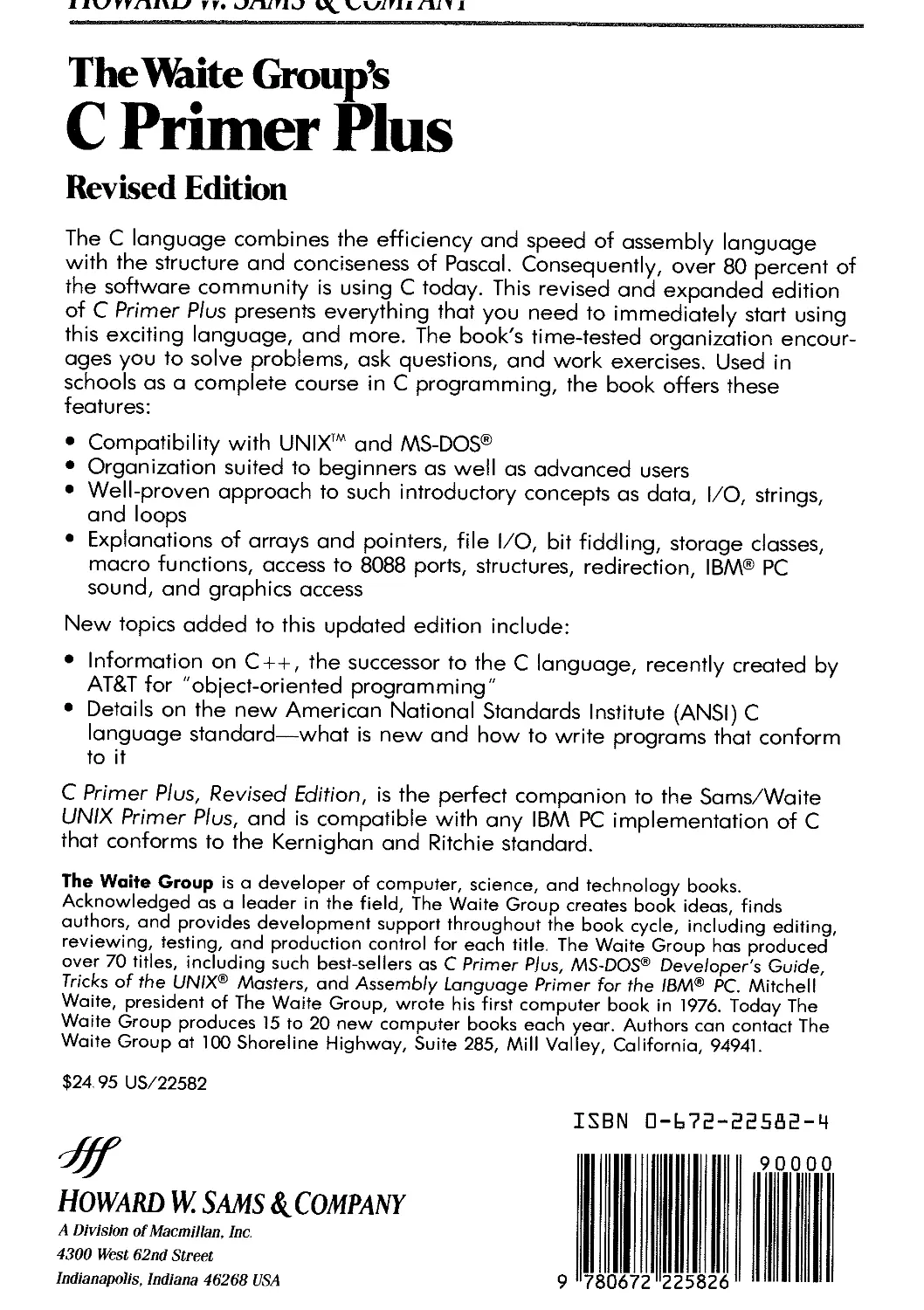
The Waite Group's
C Primer Plus
Revised Edition
The C language combines the efficiency and speed of assembly language
with the structure and conciseness of Pascal. Consequently, over 80 percent of
the software community is using C today. This revised and expanded edition
of C Primer Plus presents everything that you need to immediately start using
this exciting language, and more. The book's time-tested organization encour-
ages you to solve problems, ask questions, and work exercises. Used in
schools as a complete course in C programming, the book offers these
features:
· Compatibility with UNIX™ and MS-DOS@
· Organization suited to beginners as well as advanced users
· Well-proven approach to such introductory concepts as data, I/O, strings,
and loops
· Explanations of arrays and pointers, file I/O, bit fiddling, storage classes,
macro functions, access to 8088 ports, structures, redirection, IBM@ PC
sound, and graphics access
New topics added to this updated edition include:
· Information on C++, the successor to the C language, recently created by
AT&T for "object-oriented programming"
· Details on the new American National Standards Institute (ANSI) C
language standard-what is new and how to write programs that conform
to it
C Primer Plus, Revised Edition, is the perfect companion to the Sams/Waite
UNIX Primer Plus, and is compatible with any IBM PC implementation of C
that conforms to the Kernighan and Ritchie standard.
The Waite Group is a developer of computer, science, and technology books.
Acknowledged as a leader in the field, The Waite Group creates book ideas, finds
authors, and provides development support throughout the book cycle, including editing,
reviewing, testing, and production control for each title, The Waite Group has produced
over 70 titles, including such best-sellers as C Primer Plus, MS-DOS@ Developer's Guide,
Tricks of the UNIX@ Masters, and Assembly Language Primer for the IBM@ Pc. Mitchell
Waite, president of The Waite Group, wrote his first computer book in 1976. Today The
Waite Group produces 15 to 20 new computer books each year. Authors can contact The
Waite Group at 100 Shoreline Highway, Suite 285, Mill Valley, California, 94941.
$24, 95 US/22582
ISBN 0-672-22582-4
#f
HOWARD W SAMS &'COMPANY
A Division of Macmillan, Inc,
4300 West 62nd Street
Indianapolis, Indiana 46268 USA
Now Compatible with Microsoft@ MSC 4.x Compiler
@ 1987 The Waite Group, Inc,
REVISED EDITION
FIFTH PRINTING-1988
All rights reserved No part of this book shall be reproduced, stored in a
retrieval system, or transmitted by any means, electronic, mechanical,
photocopying, recording, or otherwise, without written permission from the
publisher. No patent liability is assumed with respect to the use of the
information contained herein, While every precaution has been taken in the
preparation of this book, the publisher assumes no responsibility for errors or
omissions Neither is any liability assumed for damages resulting from the use of
the information contained herein,
International Standard Book Number: 0-672-22582-4
Library of Congress Catalog Card Number: 87-60388
The Waite Group Developmental Editor: Mitch Waite
The Waite Group Managing Editor: James Stockford
Acquisitions Editor: James S Hill
Copy and Production Editor: Diana C. Francoeur
Interior Designer: T. R. Emrick
Illustrators: David Cripe, T R Emrick
Cartoonist: Bob Johnson
Indexer: Ted Laux
Compositor: Shepard Poorman Communications, Inc,
Printed in the United States oj America
Contents
About the Authors
Preface to the First Edition
Preface to the Revised Edition
xiv
xv
xvi
1 Getting Ready 1
Whence C? 3
Why C? 4
Whither C 5
Using C 5
Using an Editor to Prepare Your Program 7
Source Files and Executable Files 9
Compiling C on a UNIX System 9
Compiling a C Program on an IBM PC (Microsoft c) 10
Another Strategy 12
But Why? 12
Some Conventions 12
Typeface 12
Screen Output 12
Input and Output Devices 13
Keys 13
Our System 13
Advice 13
2 Introducing C
A Simple Sample of C 17
The Explanation 18
Pass 1: Quick Synopsis 18
Pass 2: Details 20
The Structure of a Simple Program 26
Tips on Making Your Programs Readable 27
Taking Another Step 28
And While We're at It 29
15
v
Contents
vi
What You Should Have Learned 30
Review Questions 30
Answers 31
Exercises 32
3 Data, C, and You
Data: Variables and Constants 37
Data: Data Types 38
The Integer 40
The Floating-Point Number 40
C Data Types 42
The int Type 43
Other Integer Types 46
Using Characters: Type char 49
Types float and double 53
Other Types 55
Type Sizes 57
Using Data Types 59
What You Should Have Learned. 59
Review Questions 60
Answers 61
Exercises 62
33
4 Character Strings, #define, printf( ), and scanf( )
Character Strings-An Introduction 66
String Length-strlen() 68
Constants and the C Preprocessor 70
C-A Master of Disguise: Creating Aliases 73
Exploring and Exploiting print/( ) and scanf() 75
Using printf() 76
Conversion Specification Modifiers for print/() 79
Using printf( ) to Make Conversions 82
Using scan/() 83
The * Modifier with print/( ) and scan/() 85
Usage Tips 86
What You Should Have Learned 87
Review Questions 88
Answers. 88
Exercises 89
63
5 Operators, Expressions, and Statements
Introducing Loops 93
Fundamental Operators 95
Assignment Operator: = 96
Addition Operator: + 97
Subtraction Operator: - 98
Sign Operator: - 98
91
Contents .
Multiplication Operator: * 98
Division Operator: / 101
Operator Precedence 102
Some Additional Operators 104
Modulus Operator: % 105
Increment and Decrement Operators: + + and - - 106
Decrementing: - - 109
Precedence 110
Don't Be Too Clever 111
Expressions and Statements 112
Expressions 112
Statements 113
Compound Statements (Blocks) 115
Type Conversions 117
Cast Operator 120
An Example Program 121
What You Should Have Learned 123
Review Questions 123
Answers 126
Exercises 129
6 Input/Output Functions and Redirection
Single-Character I/O: getchar( ) and putchar() 134
Buffers 136
Onward 137
Reading a Single Line 140
Reading a File 141
Redirection and Files 144
UNIX 145
Non-UNIX 149
System-Dependent I/O: 8086/8088 I/O Ports 152
Using a Port 155
Summary 156
Tapping the Hidden Horsepower of Your Computer 156
What You Should Have Learned 158
Review Questions 158
Answers 159
Exercises 160
7 Choosing Alternatives
The if Statement 163
Adding else to the if Statement 165
Choice: if-else 165
Multiple Choice: else-if 167
Pairing else's with if's 170
Which Is Bigger: Using Relational Operators and
Expressions 173
131
161
vii
Contents
viii
What Is Truth? 175
So What Else Is True? 176
Troubles with Truth 177
Priority of Relational Operators 178
Let's Get Logical 179
Priorities 181
Order of Evaluation 182
A Word-Count Program 182
Character Sketches 184
Analyzing the Program 186
The Conditional Operator:?: 191
Multiple Choice: switch and break 192
What You Should Have Learned 197
Review Questions 198
Answer s 199
Exercises 202
8 Loops and Other Control Aids
The while loop 205
Terminating a while loop 207
Algorithms and Pseudocode 208
The for Loop 212
Using for for Flexibility 213
The Comma Operator 217
Zeno Meets the for Loop 220
An Exit-Condition Loop: do while 222
Which Loop? 223
Nested Loops 225
Other Control Statements: break, continue, goto 227
The break Statement 227
The continue Statement 229
The goto Statement 229
Arrays 233
A Question of Input 237
Summary 241
What You Should Have Learned 241
Review Questions 242
Answers 245
Exercises 247
9 How to Function Properly
Creating and Using a Simple Function 252
Function Arguments 255
Defining a Function with an Argument: Formal
Arguments 257
Calling a Function with an Argument: Actual
Arguments 257
Contents
The Black Box Viewpoint 258
Multiple Arguments 259
Returning a Value from a Function: return 259
Local Variables 262
Finding Addresses: The & Operator 262
Altering Variables in the Calling Program 263
Pointers: A First Look 265
The Indirection Operator: * 266
Declaring Pointers 267
Using Pointers to Communicate between Functions 268
Putting Our Knowledge of Functions to Work 272
Specifying Function Types 275
The void Type 276
All C Functions Are Created Equal 278
Summary 280
What You Should Have Learned 280
Review Questions 281
Answers 281
Exercises 283
10 Storage Classes and Program Development
Storage Classes and Scope 287
Automatic Variables 289
Exter nal Variables 289
Definitions and Declarations 291
Static Variables 291
External Static Variables 292
Register Variables 293
Scope Summary 294
Which Storage Class? 294
A Random Number Function 294
Roll 'Em 298
An Integer-fetching Function: getint() 301
A Plan 301
Information Flow for getint() 302
Inside getint() 303
String-to-Integer Conversion: stoif() 305
Trying It Out 307
Sorting Numbers .308
Reading In Numeric Data 310
Choosing the Data Representation 310
Ending Input 310
Further Consideration 310
The Functions main( ) and getarray() 311
Explanation 312
Sorting the Data 314
Printing the Data 316
285
Ix
Contents
x
Results 316
Overview 317
What You Should Have Learned 319
Review Questions 319
Answers 320
Exercises 322
11 The C Preprocessor
Symbolic Constants: #define 325
Using Arguments with #define 328
Macro or Function 331
File Inclusion: #include 333
Header Files: An Example 333
Other Directives: #undeJ, #if, #ifdeJ, #ifndeJ, #else, #elif,
and #endif 335
What You Should Have Learned 337
Review Questions 338
Answers 338
Exercises 338
12 Arrays and Pointers
Arrays 343
Initialization and Storage Class 344
Pointers to Arrays 347
Functions, Arrays, and Pointers 349
Using Pointers to Do an Array's Work 351
Pointer Operations 353
Multidimensional Arrays 356
Initializing a Two-Dimensional Array 359
Pointers and Multidimensional Arrays 360
Functions and Multidimensional Arrays 362
What You Should Have Learned 367
Review Questions 367
Answers 369
Exercises 370
13 Character Strings and String Functions
Defining Strings within a Program 377
Character String Constants 377
Character String Arrays and Initialization 378
Array versus Pointer 379
Specifying Storage Explicitly 380
Arrays of Character Strings 381
Pointers and Strings 382
String Input 384
Creating Space 384
The gets( ) Function 385
Contents
The scan/( ) Function 387
String Output 388
The puts( ) Function 388
The printf( ) Function 389
The Do-It-Yourself Option 390
String Functions 391
The strlen( ) Function 392
The strcat( ) Function 392
The strcmp( ) Function 393
The strcpy( ) Function 396
A String Example: Sorting Strings 398
Command-Line Arguments 400
What You Should Have Learned 404
Review Questions 404
Answers 407
Exercises 408
14 Structures and Other Data Delights
Example Problem: Creating an Inventory of Books 413
Setting Up the Structure Template 415
Defining a Structure Variable 416
Initializing a Structure 417
Gaining Access to Structure Members 418
Arrays of Structures 419
Declaring an Array of Structures 420
Identifying Members of a Structure Array 421
Program Details 422
Nested Structures 422
Pointers to Structures 424
Declaring and Initializing a Structure Pointer 426
Member Access by Pointer 426
Telling Functions about Structures 428
Using Structure Members 428
Using the Structure Address 430
Using an Array 431
Structures: What Next? 433
Unions-A Quick Look 433
ypedef-A Quick Look 435
What You Should Have Learned 438
Review Questions 439
Answers 441
Exercises 443
411
15 The C Library and File Input/Output
Gaining Access to the C Library 447
Automatic Access 447
File Inclusion 447
445
xi
Contents
Library Inclusion 448
Library Functions We Have Used 448
Communicating with Files 448
What Is a File? 449
A Simple File-reading Program: fopen( ), fclose( ), getc( ),
and putc() 449
Opening a File: fopen() 450
Closing a File: fclose() 451
Buffered Text Files 451
File I/O: getc( ) and putc() 452
A Simple File-condensing Program 452
File I/O: jprintf( ), fscanf( ), fgets( ), and jputs() 454
The jprintf( ) and fscanf( ) Functions 454
The fgets( ) Function 455
The jputs( ) Function 455
Random Access: fseek() 456
Testing and Converting Characters 459
String Conversions: atoi( ), atof() 462
Getting Out: exit() 465
Memory Allocation: mat/ocr ) and cat/oc() 465
Other Library Functions 469
What You Should Have Lear ned 469
Review Questions 470
Answer s 471
Exercises 474
16 What Next?
The ANSI C Language Standard 479
An Overview 480
The void Function Type 481
New, Improved Structure Status 482
The C Library 485
Function Prototypes 487
Changes in Types 490
Arithmetic 491
Enumerated Types 491
Other Types 492
C++ 494
C++ Goals 494
Classes 494
Operator Overloading 496
Function Overloading 496
Back to Classses 497
C++ Philosophy 501
C++ and C 501
Closing Words 502
What You Should Have Learned 502
4
.xii
Contents
Review Questions 503
Answers 503
A Additional Reading
The C Language 507
Programming 508
The UNIX Operating System 508
B Keywords in C
Program Flow Keywords 509
507
509
C C Operators
D Data Types and Storage Classes
The Basic Data Types 517
How to Declare a Simple Variable 518
Storage Classes 519
511
517
E Program Flow Control
The while Statement 521
The for Statement 522
The do while Statement 523
Using if Statements for Making Choices 523
Multiple Choice with switch 524
Program Jumps 525
521
F Bit Fiddling: Operators and Fields
Operators 527
Bitwise Logical Operators 527
Bitwise Shift Operators 529
Fields 530
527
G Binary Numbers and Others
Binary Numbers 533
Binary Floating Point 534
Other Bases 535
Octal 535
Hexadecimal 535
533
H IBM PC Music
The toner ) Function 537
Tone Duration 538
Tone Frequency 538
Using the toner ) Function 540
537
ASCII Table 543
Index 547
xiii
About the Authors
Mitchell Waite, president of The Waite Group, is an ex-
perienced programmer, fluent in a variety of computer
languages. He has studied nuclear engineering, built
biofeedback machines, written poetry, and raced
motorcycles. Mr. Waite is the coauthor of several Sams/
Waite titles, including UNIX Primer Plus, CP/Jt,1@ Pri-
mer, and Soul of CP/M.
Stephen Prata is a professor of physics and astronomy at
the College of Marin in Kentfield, California, where he is
involved with teaching UNIX and the C language, He
received his B.S. from the California Institute of Tech-
nology and his Ph,D. from the University of California,
Berkeley, His association with computers began with the
computer modeling of star clusters. Dr. Prata is coauthor
of UNIX Primer Plus.
Donald Martin is Director of the Computer Science
Center at the College of Marin. He received his A.B.
from the University of California, Berkeley, and his
M.A. from San Jose State University. He has long been
interested in the problems that students have in develop-
ing their reasoning and critical thinking skills. This inter-
est has led him to the LOGO computer language, a
course he now teaches on a UNIX-based system at the
college, Mr. Martin is coauthor of UNIX Primer Plus,
xiv
Preface to the
First Edition
C is a simple, elegant programming language that is the choice of a rapidly
increasing number of programmers. In C Primer Plus, you will find a
friendly, easy-to-use guide to learning and using C.
The Primer in the book title indicates that our first goal is to guide you
through the basics of C. Experience is the best teacher in programming, and
you will find many examples to use, study, and play with. We've tried to use
figures whenever we think they help clarify a point. The main features of C
are summarized and highlighted with a screened background to make them
easy to find. There are questions (and answers) to let you check your
progress. We don't assume any great past computer language experience on
your part, but we do make an occasional comparison with other languages
to aid those readers who know them.
The Plus in the title represents several extras. One, already mentioned,
is a question and answer section at the end of each chapter. A second plus is
that we go a bit beyond the boundaries of a simple primer and discuss some
of the more advanced topics, such as using structures, casts, file operations,
the new C++ language and, in the appendix, C's handling of bits. A third
plus is that the book covers both the UNIX and the microcomputer environ-
ment for C. For example, we discuss redirection of input and output in both
environments, and we illustrate the use of ports for the 8086/8088
microprocessor. The cartoons provide another plus, a rather pleasant one.
We've tried to make this introduction to C instructive, clear, and help-
ful. To get the greatest benefit from this book, you should take as active a
role as possible. Don't just read the examples. Enter them into your system
and try them out. C is a very portable language, but perhaps you may find
differences between how a program works on your system and how it works
on ours. Experiment-change part of a program to see what effect that has.
Modify a program to do something slightly different. Ignore our occasional
warnings and see what happens. Try the questions and the exercises. The
more you do yourself, the more you will learn.
We wish you good fortune in learning C. We've tried to make this book
meet your needs, and we hope it helps you reach your goals.
Mitchell Waite Stephen Prata Donald Martin
.xv
Preface to the
Revised Edition
One nice thing about writing computer books as opposed to writing novels
is that you can go back and improve the original book. And that is what
we've tried to do in this Revised Edition of C Primer Plus. The improve-
ments and changes occur mostly in four areas:
o Coverage of the ANSI C Standard and of the C++
programming language. The world of C is changing, so we have
added a chapter to describe these important recent
developments.
o More questions and exercises. The surest path to learning any
programming language is to use the language. Therefore, we
have added many new questions (with answers) and exercises to
give you more experience in using C.
o New or revised explanations. We have rewritten explanations, as
needed, to clarify the subject matter, and in many places you
will find an additional sentence or two to further aid your
understanding,
o Fixed glitches and snags. We've fixed many small inadvertent
errors that our readers have been kind enough to point out.
(Please keep up the good work.)
All in all, these changes make the Revised Edition more up-to-date,
more informative, and easier to understand. We hope you enjoy using this
edition.
With love to Vicky and Bill, my parents-S.P.
xvi
Acknowledgments
The authors would like to thank Robert Lafore of the Waite Group for his
editorial advice and Bob Petersen for his technical assistance. We thank
Lifeboat Associates (Joshua Allen and Todd Katz in particular) for provid-
ing and supporting the Lattice C and Advantage C++ Compiler. We also
thank C-Systems, The Software Toolworks, Telecon Systems, and Supersoft
for providing us with information about their C compilers, and special
thanks go to Microsoft (and Marty Taucher) for providing the Microsoft 4.0
C Compiler used with this Revised Edition. Last but not least, we would like
to state our appreciation to Nancy Lebed Berry and Douglas Adams for
their editorial work on the Revised Edition.
Trademarks
Apple is a registered trademark of Apple Computer, Inc
C-Systems is a registered trademark of C-Systems..
IBM is a registered trademark of International Business Machines Corp,
Lattice is a registered trademark of Lattice, Inc.
Lifeboat is a trademark of Lifeboat Associates, Inc,
Macintosh is a trademark of McIntosh Laboratory, Inc.., and is used by Apple
Computer, Inc.., with express permission of its owner.
Microsoft is a registered trademark of Microsoft Corporation,
MS-DOS is a registered trademark of Microsoft Corporation,
Software Toolworks is a registered trademark of Software Toolworks, Inc.
UNIX is a trademark of AT&T Bell Laboratories.
VAX is a registered trademark of Digital Equipment Corp,
Volkswr iter is a register ed tr ademar k of Lifetr ee Softwar e, Inc,
WordPerfect is a registered trademark of WordPerfect Corporation,
WordStar is a registered trademark of MicroPro International Corporation,
.xvii
Getting Ready
e1come to the world of C. This chapter will prepare you for
learning and using this powerful and increasingly popular
language. Just what do you need to get ready? First, you need
an interest in C. Most likely you already have that, but, to
increase your interest even more, we will outline some of the more attractive
aspects of C. Second, you need a guide to the C language. This book will
serve you there. Next, you need access to a computing system with a C
compiler. That you will have to arrange yourself. Finally, you need to learn
how to run a C program on your system, and we will offer you some advice
about that at the end of this chapter.
Whence C?
Dennis Ritchie of Bell Labs created C in 1972 as he and Ken Thompson
worked on designing the UNIX 'M operating system. C didn't spring full-
grown from Ritchie's head, however. It came from Thompson's B language,
which came from. , . . But that's another story. The important point is that
C was created as a tool for working programmers. Thus, its chief goal is to
be a useful language.
Most languages, we suppose, aim to be useful, but often they have
other concerns. One of the main goals for Pascal, for instance, was to
provide a sound basis for teaching programming principles. BASIC, on the
other hand, was developed to resemble English so that it could be easily
learned by students unfamiliar with computers. These are important goals,
but they are not always compatible with pragmatic, workaday usefulness.
C's background as a programming tool does, however, support its role as a
programmer-friendly language.
3
C Primer Plus
Why C?
C is rapidly becoming one of the most important and popular programming
languages. Its use is growing because people try it and like it. As you learn C,
you, too, will recognize its many virtues. Let's mention a few of them now,
l IT'S PORTABLE f / IT'S FLEXIBLE I
[ IT'S POWERFUL I
VIRTUES Of C
/5
C is a modern language incorporating the control features that com-
puter science theory and practice find desirable. The design of C makes it
natural for users to use top-down planning, structured programming, and
modular design. The result is a more reliable, understandable program.
C is an efficient language. Its design takes advantage of the abilities of
current computers. C programs tend to be compact and to run quickly.
C is a portable language. This means that C programs written on one
system can be run with little or no modification on other systems. If modifi-
cations are necessary, they can often be made just by changing a few entries
in a "header" file accompanying the main program, Of course, most lan-
guages are meant to be portable, but anyone who has converted an IBM PC
BASIC program to Apple@ BASIC (and they are close cousins) or tried to
run an IBM@ mainframe FORTRAN program on a UNIX system will know
that there can be many troublesome details. C is a leader in portability. C
compilers are available for about 40 systems, running from 8-bit micro-
processors to the world's current computer speed champ, the Cray 1.
C is powerful and flexible (two favorite words in computer literature).
For example, most of the powerful, flexible (see!) UNIX operating system is
written in C. This includes compilers and interpreters for other languages,
such as FORTRAN, APL, Pascal, LISP, Logo, and BASIC. So when you
4
Getting Ready
use FORTRAN on a UNIX machine, ultimately a C program does the work
of producing the final executable program. C programs have been used for
solving physics and engineering problems and even for animating sequences
in movies such as The Return of the Jedi.
C exhibits some of the fine control usually associated with assembly
language, If you choose, you can fine-tune your programs for maximum
efficiency.
C is friendly. It is sufficiently structured to encourage good program-
ming habits, but it doesn't bind you in a straitjacket of restrictions.
There are more virtues, and, undoubtedly, a few faults. Rather than
delve further into the matter, let's ask one more question.
Whither C?
C already is a dominant language in the minicomputer world of UNIX
systems. Now it is spreading to personal computers. Many software houses
are turning to C as the preferred language for producing word processing
programs, spreadsheets, compilers, and other products. These companies
know that C produces compact and efficient programs. More important,
they know that these programs will be easy to modify and easy to adapt to
new models of computers.
Another force helping to spread C to the personal computer environ-
ment is the desire of UNIX C users to take their C programs home. Several
C compilers are available now to let them do just that.
What's good for the companies and the C veterans is good for other
users, too. More and more computer users are turning to C to secure its
advantages for themselves. You don't have to be a computer professional to
use C.
In short, C is destined to be one of the most important languages of the
1980s and 1990s. It is used on minicomputers and on personal computers. It
is used by software companies, by computer science students, and by enthusi-
asts of all sorts. And if you want a job writing software, one of the first
questions you should be able to answer "yes" to is: "Oh say can you C?"
Using C
C is a compiled language. If that fails to ring a bell (or succeeds in ringing
an alarm bell), don't worry because we will explain "compiling" as we
describe the steps in producing a C program.
If you are accustomed to using a compiled language, such as Pascal or
FORTRAN, you will be familiar with the basic steps in putting a C program
together. But if your background is in an interpreted language, such as
BASIC or Logo, or if you have no background at all, you may find the
process a little strange at first. Fortunately, we are here to guide you through
.5
C Primer Plus
Figure 1.1
The virtues of C
Flexible control structures
c
Compact code-small programs
Structured format
C
installation
charge: $50
BASIC
installation
charge: $100
Pascal
installation
charge: $200
Portable to other computers
6
Getting Ready
Figure 1.2
Where C is used
Return
of the
JEDI
COMPUTER
GAMES
UNIX
OPERATING
SYSTEM
MICROCOMPUTERS
C
LANGUAGE
MINICOMPUTERS
COMPUTER
LANGUAGES
SOFTWARE
TOOLS
BUSINESS
PROGRAMS
the process, and you'll see that it is actually pretty straightforward and
sensible.
First, to give you an overview of the process, here is a simplified outline
of what you do to go from writing a program to running it:
1. Use an editor to write your program in C.
2. Submit your program to your friendly compiler. It will check
your program for errors and let you know if it finds any. If not,
the compiler undertakes the task of translating your program to
your computer's internal language, and it places this translation
into a new file.
3. You can then make your program run by typing in the name of
this new file.
On some systems, the second step may be subdivided into two or three
substeps, but the idea is the same.
Let's take a longer look at each step now.
Using an Editor to Prepare Your Program
Unlike BASIC, C does not have its own editor. Instead, you use one of the
general-purpose editors available for your system. On a UNIX system, that
7
C Primer Plus
Figure 1.3
Interpreter versus compiler
run the
program
no
compile
& link
yes
run the
program
no
might be ed, ex, edit, emacs, or vi. On a personal system, it might be ed,
edlin, WordStar@, WordPerfect@, or any other of a vast number of editors.
With some editors you need to specify a particular option. On WordStar,
for example, you would use the N, or nondocument, option.
Your two main responsibilities here are typing the program correctly
and choosing a name for the file that will store the program. The rules for a
name are simple: it must be a legal name for your system, and the name
should end with .c. Here are two such names:
sort.c
add.c
8
Getting Ready
Choose the first part of the name to remind you of what the program does.
The second part (.c) identifies the file as a C program. In the wonderful
world of computers, the part of a name following a period is called an
extension. Extensions are used to inform you and the computer about the
nature of a file.
Here is an example. Using an editor we prepared the following pro-
gram and stored it in a file called inform.c.
#incLude <stdio.h>
mai n 0
{
printf{IIA .c is used to end a C program fiLe name.\n fl );
}
The text we just typed is known as source code, and it is kept in a
source file. The important point here is that our source file is the beginning
of a process, not the end.
Source Files and Executable Files
Our program, although undeniably brilliant, is still gibberish to a computer.
A computer doesn't understand things like #include or printf. It under-
stands machine code, things like 10010101 and 01101001. If we want the
computer's cooperation, we must translate our code (source code) to its
code (machine code). The result of our efforts will be an executable file,
which is a file filled with all the machine code the computer needs to get the
job done.
If that sounds tedious, don't worry. We have managed to shift the
burden of this translation to the machine itself! Clever programs called
compilers do the brunt of the work. The details of the process depend on
the particular system. We will outline a few approaches now.
Compiling C on a UNIX System
The UNIX C compiler is called cc. All we need to do to compile our
program is to type:
cc inform.c
After a few seconds, the UNIX prompt will return, telling us the deed
is done. (We may get warnings and error messages if we fail to write the
program properly, but let's assume we do everything right.) If we use Is to
list our files, we find that there is a new file called a.out. This is the
executable file containing the translation (or "compilation") of our pro-
gram. To run it, we just type:
a.out
9
C Primer Plus
Figure 1.4
Preparing a C program using UNIX
executable
file called
"a out"
>&l U ,,:"'{i[
<@;j;["'
'k;;""j'tji%
c;'<i!k>''''''''S;,;" ,,,,
'''+1;\'1''''
odijtlj1:-iJH;",
<;8tl %T:fk"
" J'F\
source code called
"name e"
and our wisdom pours forth:
A .c is used to end a C program fiLe name.
The cc progr am combines several steps into one. This becomes more
obvious when we examine the same process on a personal computer.
Compiling a C Program on an IBM PC (Microsoft C)
The exact steps depend on the operating system and on the compiler. The
example we give is the Microsoft@ C Compiler running under PC-DOS 3.1.
Again, we start with a file called inform.c. Our first command is:
msc inform;
(The compiler interprets inform as inform.c). If all goes well, this produces
a file called inform.obj, which contains the object code (machine language
code) for our code. Then we type:
Link inform;
and this produces our goal, an executable file called inform.exe. (If you
10
Getting Ready
don't have a hard disk, you will probably have to change floppy disks when
using Microsoft C. Check your compiler manual.) If we type:
inform.exe
or, for short,
inform
the program runs.
Figure 1.5
Preparing a C program in Microsoft C
object code called
"name,obj"
source code called
"name e"
You don't really have to know what is going on to use this procedure,
but here's a rundown if you are interested.
What's new here? For one thing, the file inform.obj is new. Since it is
in machine code, why aren't we finished here? The answer is that the
complete program includes parts that we didn't write. For example, we used
the command printf, which is a program stored in the C library. A complete
program needs to use some standard routines stored elsewhere. This is
where the second new item, the link command, comes in.
Link comes with the IBM DOS operating system. It links our object
code file (inform.obj) with a start-up file of some standard items and
searches a library for functions. It then combines all the elements together
into the final program.
11
C Primer Plus
The UNIX cc program goes through a similar sequence of steps; it just
hides the fact from us, erasing the object file when it is done. (But if we ask
nicely, it will give us the object file under the name inform.o).
Another Strategy
Several personal computer C compilers take a different route. The method
we just discussed produces an object code file (extension .obj) and uses the
system linker to produce an executable file (extension .exe). The alternative
method is to produce an assemNY code file (extension .asm) and then use
the system assembler to produce an executable file.
Oh my! Yet another code! Assembler code is very closely related to
machine code. Indeed, it is just a mnemonic representation. For example,
JMP may represent 11101001, which is the part of the machine code telling
the computer to jump to a different location. (If you visualize a computer
headed towards a lake, be aware we are speaking of different memory
locations.) Humans find assembler code much easier to remember than pure
machine code, and the assembler program takes care of making the tr ansla-
tion.
But Why?
Those of you used to BASIC may wonder about going through these steps
to run a program, It may seem time-consuming. It may even be time-
consuming. But once a program is compiled, it will run much faster than a
standard BASIC program. You trade some inconvenience in getting a pro-
gram running for a much swifter final product.
Some Conventions
We are almost ready to begin. We just need to mention some conventions we
will use.
Typeface
For text representing programs, computer input and output, and the names
of files, programs, and variables, we will use a type font that resembles what
you might get on a screen or printed output. We already have used it a few
times; in case it slipped by you, the font looks like this:
pri ntf(IIHowdy! \n");
Screen Output
Output from the computer is indicated with a light gray screen. Where lines
of output are interspersed with user input, only the screen output is high-
lighted. For example, here is a program run from Chapter 14:
12
Getting Ready
My Life as a Budgie
Input and Output Devices
There are many ways that you and a computer can communicate with each
other. However, we will assume that you type in commands using a keyboard
and that you read the response on a screen.
Keys
Usually you send a line of instructions onward by pressing a key that is
labeled "enter," "elI'," "Return," or some variation of these. We will refer
to this key as the [enter] key. The brackets mean that you press a single key
rather than type out the word "enter."
We also will refer to control characters such as [control-d]. This nota-
tion means to press the [d] key while you are depressing the key labeled
"control."
Our System
Some aspects of C, such as the amount of space used to store a number
depend on the system. When we give examples and refer to "our system,"
we speak of an IBM PC running under PC-DOS 3.1 and using a Microsoft
C compiler.
We also occasionally refer to running programs on a UNIX system.
The one we use is Berkeley's BSD 4.1 version of UNIX running on a VAX@
11/750 computer.
Advice
You learn programming through doing, not just reading. We have included
many examples. You should try running at least some of them on your
system to get a better idea of how they work. Try making modifications to
see what happens. Try working through the questions and exercises at the
ends of the chapters. Be an active, experimenting learner. You will learn C
more quickly, and your comprehension will be deeper.
Okay, you are ready and we are ready, so let's turn to Chapter 2.
13
C Programmer's Guide to
Serial Communications
Joe Campbell
ISBN: 0-672-22584-0, $2695
C with Excellence:
Programming Proverbs
Henry Ledgard with John Tauer
ISBN: 0-67:r-:46294-X, $1895
QuickC ™ Programming for
the IBM@
Carl Townsend
ISBN: 0-672-22622-7, $22.95
Understanding C
Carl Townsend
ISBN: 0-672-27278-4, $17.95
Turbo C@ Developer's Library
Edward R Rought and Thomas D
Hoops
ISBN: 0-672-22642-1, $2495
C Programmer's Guide to
Microsoft@ Windows 2.0
Carl Townsend
ISBN: 0-672-22621-9, $2495
_,_":' _ __;--.....:... _ _ ______ _ _ ..........-:.- -_ . ..._.-....."-'=..r....-.;- - ..a:-.......-.-...... '"-"- ---,.. ---- ,.... - ,
Place
Postage
Here
HOWARD W SAM5 &.. COMPANY
Dept DM
4300 West 62nd Street
Indianapolis, IN 46268-2589
1.1..1.111"11.1.111111.111.1.1.1.1.1'11.111..111..1
c
hat does a C program look like? Perhaps you have seen a
sample in Chapter 1 or elsewhere and found it peculiar-look-
ing, sprinkled with symbols like {and *ptr++. As you read
through this book, you will find that the appearance of these
and of other characteristic C symbols grows less strange, more familiar,
perhaps even welcome! In this chapter we will begin by presenting a rather
simple example program and explaining what it does. At the same time we
will highlight some of the basic features of C. If you desire detailed elabora-
tions of these features, don't worry, They will come in the following chapters.
A Simple Sample of C
Let's take a look at a simple C program. We have to admit that the following
example is not very practical, but it will serve to point out some of the basic
features of a program in C. Before you read our line-by-line explanation of
the program, read through the program to see if you can figure out for
yourself what it will do.
#incLude <stdio.h>
main() I*a simpLe program *1
{
int num;
num = 1;
p r i nt f( II I am a simp L e") ;
pri ntf("computer. \n");
17
C Primer Plus
pri ntf{"My favori te number is %d because it is fi rst. \n" ,num);
}
If you think this program will print some things on the screen, you are
right! But exactly what will be printed may not be clear, so let's run the
program and see what comes out.
The first step is to use your editor to create a file containing these
innocent lines. You will have to give the file a name; if you can't think one
up, use main.c for a file name. Now compile the program. (Here we wait
patiently while you consult the manual for your particular compiler.) Now
run the program. If all went well, the output should look like this:
All in all, this result is not too surprising. But what happened to the
\n's and the OJod in the program? And some of the lines in the program do
look a bit strange. It must be time for an explanation.
The Explanation
We'll take two passes through the program. The first pass will highlight the
meaning of each line, and the second pass will explore some of the implica-
tions and details.
Pass 1: Quick Synopsis
#incLude <stdio.h> <-include another file
This line tells the computer to include information found in the file
stdio.h.
mainO <-a function name
C programs consist of one or more functions, which are the basic
modules of a C program. This program consists of one function called
main. The parentheses identify main( ) as a function name.
1* a simpLe program *1 <-a comment
You can use the symbols 1* and *1 to enclose comments.
18
Introducing C
Figure 2.1
Anatomy of a C program
typical C
program
#header
preprocessor
instructions
"main()" is always the
first function called
functions are the
building blocks of C
functions are made
up of statements
declaration
assignment
5 types of
statements
function
control
null
C language
are remarks to help clarify a program. They are intended only for the reader
and are ignored by the computer.
{ <- beginning of the body of the function
This opening brace mar ks the start of the statements that make up the
function. The function definition is ended with a closing brace, }.
19
#incLude <stdio.h>
C Primer Plus
i nt numi <-a declaration statement
This statement announces that we will be using a variable called num
and that num will be an integer type.
num = 1; <- an assignment statement
This statement assigns the value 1 to num.
printf<"I am a simpLe ") i <-a print statement
This prints the phrase within the quotes: I am as; mp L e
pri ntf<"computer. \n") i <-another print statement
This tacks on computer to the end of the last phrase printed. The \n is
code telling the computer to start a new line.
printf("My favorite number is %d because it is first.\n", num)i
This line prints the value of num (which is 1) embedded in the phrase in
quotes. The OJod instructs the computer where and in what form to print
num's value.
} <-the end
As promised, the program ends with a closing brace.
Now let's take a closer look.
Pass 2: Details
The stdio.h file is supplied as part of the C compiler package, and it
contains information about input and output (communications between the
program and your terminal, for example). The name stands for standard
input/output header. (C people call a collection of information that goes at
the top of a file a header.)
Sometimes you need this line; sometimes you don't. We can't give you
a hard rule, for the answer depends on the program and on the system. On
our system we don't need this line for this program, but you may need it for
your system. The stdio.h file makes information available to the compiler;
any information that it does not use does not become part of the program,
so including an unnecessary file does not make the final program any longer.
And, in any case, including the line won't hurt. From now on, we will show
this line only when it is needed for our system.
20
Introducing C
Perhaps you are wondering why something as basic as input and out-
put information isn't included automatically. One answer is that not all
programs use this I/O (Input/Output) package, and part of the C philoso-
phy is not to carry along unnecessary weight. Incidentally, this line is not
even a C language statement! The # symbol identifies it as a line to be
handled by the C preprocessor. As you might guess from the name, the
preprocessor handles some tasks before the compiler takes over. We will
come across more examples of preprocessor instructions later.
ma i n ( )
True, main's a rather plain name, but it is the only choice we have. A C
program always begins execution with the function called main( ). We are
free to choose names for other functions we may use, but main( ) must be
there to start things off. What about the parentheses? They identify main( )
as being a function. We will learn more about functions later. For now, we
will just repeat our earlier statement that functions are the basic modules of
a C program.
The parentheses generally enclose information being passed along to
the function. For our simple example, nothing is being passed along, so the
parentheses remain empty. Don't leave them out, but don't worry about
them yet.
Incidentally, the file containing the program can have any name we
want to give it, as long as the name satisfies the system's conventions and
ends in .c. For example, we could use mighty.c or silly.c rather than main.c
as names for a file containing this program.
1* a simpLe program *1
Using comments makes it easier for someone (including yourself) to
understand your program. One nice feature of C comments is that they can
be placed on the same line as the material they explain. A longer comment
can be placed on its own line or even spread over more than one line.
Everything between the opening /* and the closing */ is ignored by the
compiler, which is just as well, since it wouldn't understand such un-C
language, anyway.
{ and }
Braces mark the beginning as well as the end of the body of a function.
Only braces { } work for this purpose, not parentheses ( ) and not brackets
[ ].
Br aces also can be used to gather together statements inside a program
into a unit or "block." If you are familiar with Pascal or Algol, you will
recognize the braces as being similar to begin and end in those languages.
int numi
21
The declaration statement is one of the most important features of C.
As we said earlier, this particular example declares two things, First, some-
where in the function, we will be using a variable having the name Dum.
Second, the iDt announces that Dum is an integer, that is, a whole number.
The compiler uses this information to arrange for suitable storage space in
memory for the Dum variable. The semicolon at the end of the line identifies
the line as a C "statement" or instruction. The semicolon is part of the
statement, not just a separator between statements as it is in Pascal.
The word iDt is a C keyword identifying one of the basic C data types.
Keywords are the words used to express a language, and you can find a list
of C keywords in Appendix B.
In C all variables must be declared. This means you have to provide
lists of all the variables you use in a program, and that you have to show
what "type" each variable is. Declaring variables is generally considered a
good thing.
At this point, you may have three questions. First, what choices do you
have in selecting a name? Second, what are data types? Third, why do you
have to declare variables at all? We've prepared two boxes to answer the first
and third questions.
We'll deal with the second question in Chapter 3, but here is a short
summary. C deals with several kinds (or types) of data: integers, characters,
and "floating point," for example. Declaring a variable to be an integer or a
character type makes it possible for the computer to store, fetch, and
interpret the data properly.
C Primer Plus
22
Introducing C
Name Choice
We suggest that you use meaningful names for variables. The number of
characters you can use will vary among implementations, but the upper limit
will be at least 8 characters. Microsoft C, for example, allows up to 31
characters. (Actually, you can use more than the maximum number of charac-
ters, but the compiler won't pay attention to the extra characters. Thus, on a
system with an 8-character limit, shakespeare and shakespencil would be
considered the same name since they have the same first 8 characters.) The
characters at your disposal are the lowercase letters, the uppercase letters, the
digits, and the underscore _, which is counted as a letter. The first character
must be a letter.
Valid Names Invalid Names
wiggly $Z"'**
cat1 1cat
Hot_Tub Hot-Tub
kcaB don't
Library routines often use names beginning with the underscore symbol.
The assumption is that users are unlikely to choose names beginning with this
symbol; thus, there is little chance of a user accidentally using one of these
names to mean something else. Resist the temptation to begin names with an
underscore symbol, and you will avoid a clash with the library.
Four Good Reasons to Declare Variables
1. Gathering all the variables together in one place makes it easier
for a reader to grasp what the program is about. This is
particularly true if you give your variable meaningful names
(such as taxrate instead of r) and if you use the comment facility
to explain what the variables represent. Documenting a program
in this manner is one of the basic techniques of good
programming.
2. Thinking about what to put into the variable declaration section
encourages you to do some planning before plunging into writing
a program. What information will the program need to get
started? What exactly do I want the program to produce as
output?
23
BOZO = 32.4
C Primer Plus
3. Declaring variables helps prevent one of programming's more
subtle and hard-to-find bugs, that of the misspelled variable
name. For example, suppose that in some language that shall
remain nameless, you made the statement:
ANS = 19.7*BOZO - 2.0
and that elsewhere in the program you mistyped:
thus unwittingly replacing the numeral 0 with the letter O. The
program would create a new variable called BOZO and use
whatever value it had (perhaps zero, perhaps garbage). ANS
would be given the wrong value, and you could have a heck of a
time trying to find out why. This can't happen in C (unless you
were silly enough to declare two such similar variable names)
because the compiler will complain when the undeclared BOZO
shows up.
4. Your C program will not work if you don't declare your
variables. If the other reasons discussed here fail to move you,
you should give this one serious thought.
num = 1;
The assignment statement is one of the most basic operations. This
particular example means "give the variable num the value of 1." The
fourth line allotted computer space for the variable num, and this line gives
it its value. We could assign num a different value later on if we wished;
that's why we call num a variable. Note that the statement is completed with
a semicolon.
printfC"I am a simpLe ");
pri nt f("computer. \n") ;
printf("My favorite number is %d because it is first.\n",num)i
These lines all use a standard C function called printf( ). The paren-
theses tell us that we are, indeed, dealing with a function. The
enclosed in the parentheses is information passed from our
(main( » to the printf( ) function. Such information is called the
of a function, and in the first case the argument is "I am a simple".
what does the function printf( ) do with this argument? Obviously, it
at whatever lies between the double quotation marks and prints that on
terminal's screen.
24
Introducing C
Figure 2.2
The assignment statement is one of the most basic operations
assignment
operator
This line provides an example of how we "call" or "invoke" a function
in C. We need only type the name of the function and include the desired
argument(s) in the parentheses. When your program reaches this line, con-
trol is turned over to the named function (printf( ) in this case). When the
function is finished with whatever it does, control is returned to the original
(the "calling") program.
But what about this next line? It has the characters \n included in the
quotes, and they didn't get printed! What's going on? The \0 actually is an
instruction to start a new line. The \n combination represents a single
character called the "newline" character. Its meaning is "start a new line at
the far left margin." In other words, this character performs the same
function as the [enter] key of a typical keyboard. "But," you say, "\0 looks
like two characters, not one." Well, they are two characters, but they repre-
Figure 2.3
The function printf( ) with an argument
printf()
argument
printf("That's mere contrariness!\n");
25
sent a single character for which there is no single-key representation. Why
not just use the [enter] key? Because that would be interpreted as an imme-
diate command to your editor, not as an instruction to be stored away. In
other words, when you press the [enter] key, the editor quits the current line
on which you are working and starts a new one, leaving your last line
unfinished.
The newline character is an example of what is called an escape se-
quence. An escape sequence is used to represent difficult- or impossible-to-
type characters. Other examples are \t for tab and \b for backspace. In each
case the escape sequence begins with the backslash character, \. We'll return
to this subject in Chapter 3.
Well, that explains why our three print statements produced only two
lines; the first print instruction didn't have a newline character in it.
The final line brings up another oddity: what happened to the OJod
when the line was printed? As you will recall, the output for this line was:
C Primer Plus
My favorite number is 1 because it is first.
Aha! The digit 1 was substituted for the symbol group OJod when the line
was printed, and 1 was the value of the variable num. Apparently the OJod is
a kind of placeholder to show where the value of num is to be printed. This
line is similar to the BASIC statement:
PRINT "My favorite number is "; num; " because it is first."
The C version does a little more than this, actually. The 070 alerts the
program that a variable is to be printed at that location, and the d tells it to
print the variable as a digit. The printf( ) function allows several choices for
the format of printed variables. Indeed, the f in printH ) is there to remind
us that this is a formatted print statement.
The Structure of a Simple Program
Now that you've seen a specific example, you are ready for a few general
rules about C programs. A program consists of a collection of one or more
functions, one of which must be called main( ). The description of a func-
tion consists of a header and a body. The header contains any preprocessor
statements, such as #include, and the function name. You can recognize a
function name by the parentheses, which may be empty. The body is en-
closed by braces { } and consists of a series of statements, each terminated
by a semicolon. Our example had a declaration statement, announcing the
name and type of variable that we were using. Then it had an assignment
statement giving the variable a value. Finally, there were three print state-
ments; each consisted of calling the printf( ) function.
26
Figure 2.4
A function has a header and a body
#include <stdio h>
main()
preprocessor instructions
iunction name with arguments
int num;
num = 1 ;
printf("%d is neat \n");
}
deciaration statement
assignment statement
function statement
Tips on Making Your Programs Readable
Making your programs readable is good programming practice. It makes it
much easier to understand the program, and that makes it easier to correct
or modify the program, if necessary. The act of making a program readable
also helps clarify your own concept of what the program does. We will point
out useful techniques as we go along.
We've already mentioned two techniques: choose meaningful variable
names and use comments. Note that these two techniques complement each
other. If you give a variable the name width, you don't need a comment
saying that this variable represents a width.
Another technique is to use blank lines to separate one conceptual section
of a function from another. For example, in our simple program, we had a
blank line separating the declaration section from the action section (assigning
and printing). The blank line is not required by C, but it is part of the C
tradition to use it as we did.
A fourth technique we followed was to use one line per statement. Again,
this is a convention not required by C. C has a "free form format." You can
place several statements on one line or spread one statement over several. The
following is legitimate code:
main() { int four; four
=
4
printf(
"%d\n",
four); }
27
Figure 2.5
Making your program readable
C Primer Plus
The semicolons tell the compiler where one statement ends and the next
begins, but the logic of a program is much clearer if you follow the conven-
tions we used in our example. Of course, there wasn't much logic to follow
in our example, but it's best to develop good habits at the beginning.
use comments
main() j* converts 2 fathoms to feet* j
{ pick names
int feet, fathom=-========= use space
fathoms=2: _____- one statement per line
feet=6*fathoms' -----
print("There are %d feet in %d fathoms!\n", feet. fathoms):
}
Taking Another Step
Our first example program was pretty easy, and our next example won't be
much harder. Here it is:
main() 1* Converts 2 fathoms to feet *1
{
int feet, fathoms;
fathoms = 2;
feet = 6 * fathoms;
printf(IIThere are %d feet in %d fathoms!\n", feet, fathoms);
}
What's new? First, we have declared two variables instead of just one.
All that was necessary was to separate the two variables (feet and fathoms)
by a comma in the declaration statement.
Second, we have made a calculation. We harnessed the tremendous
computational power of our system to multiply 2 by 6. In C, as in many
languages, the * is the symbol for multiplication. Thus the statement:
feet = 6 * fathoms;
means "look up the value of the variable fathoms, multiply it by 6, and
assign the result of this calculation to the variable feet." (Judging from this
28
paraphrase, plain English is not as clear as plain C; that's one reason we
have developed computer languages.)
Finally, we make fancier use of printf( ). If you run the example, the
output should look like this:
There are 12 feet in 2 fathoms!
This time we have made two substitutions. The first OJod in the quotes was
replaced by the value of the first variable (feet) in the list following the
quoted segment, and the second %d was replaced by the value of the second
variable (fathoms) in the list. Note how the list of variables to be printed
comes at the tail end of the statement.
This program is a bit limited in scope, but it could form the nucleus of
a program to convert fathoms to feet. All we need is some way to assign
other values to feet; we will learn to do that later.
And While We're at It . . .
Here is one more example. So far our programs have used the standard
printf( ) function. Here we show how to include and use a function of your
own devising:
ma in 0
{
printf<"I will summon the butler function.\n">i
butlerOi
printf(IIYes. Bring me some tea and floppy disks.\n">i
}
butlerO
{
printf("You rang, sir?\n">i
}
The output looks like this:
The function butler( ) is defined in the same manner as main( ), with
the body enclosed in braces. The function is called simply by giving its
name, including parentheses. We won't return to this important topic until
29
s := 56;
print(There are s weeks in a year.);
C Primer Plus
Chapter 9, but we wanted you to see how easy it is to include your own
functions.
What You Should Have Learned
Here's a summary of some hard (but not cruel) facts we hope you have
picked up. We've included short examples.
What to call the file containing your program: eye.c or black.c or infan.c,
etc.
What name to use for a one-function program: main( )
The structure of a simple program: header, body, braces, statements
How to declare an integer variable: int varname;
How to assign a value to a variable: varname = 1024;
How to print a phrase: printf("Wanna buy a duck?");
How to print the value of an integer variable: printf("OJod" ,varname);
The newline character: \n
How to include comments in a program: /* cash flow analysis * /
Review Questions
Here are a few questions to help you check and extend your understanding
of the material in this chapter.
1. Ichabod Bodie Marfoote has prepared the following program and brought it
to you for approval. Please help him out.
include studio.h
main{} /* this program prints the number of weeks in a year /*
(
int s
2. Assuming that each of the following examples is part of a complete
program, what will each one print?
a. printf(/lBaa Baa Black Sheep./I);
printf(IIHave you any wool?\n/l);
b. printf(/lBegone!\nO creature of lard!/I);
c. printf(/lWhat?\nNo/nBonzo?\n/l);
30
d. i nt num;
num = 2;
printf("%d + %d = %d", num, num, num + num);
3. Identify and correct the errors in the following C program,
MAIN[]
(
print 'WeLcome to error-free programing/n'
Answers
1. Line 1: Begin the line with a #; spell the file stdio.h; place the file name in
angle br ackets.
Line 2: Use ( ), not { }; end comment with */, not /*.
Line 3: Use {, not (.
Line 4: Complete the statement with a semicolon,
Line 5: Mr. IBM got this one (the blank line) right!
Line 6: Use = and not := for assignment. (Apparently Mr. IBM knows a
little Pascal.) Use 52, not 56, weeks per year.
Line 7: Should be printf("There are OJod weeks in a year. \n" ,s);.
Line 8: There isn't a line 8, but there should be, and it should consist of the
closing brace, }.
2. a. Baa Baa Black Sheep.Have you any wool?
(Note that there is no space after the period, We could have had a space
by using" Have instead of "Have.)
b. Begone!
o creature of lard!
(Note that the cursor is left at the end of the second line.)
c. What?
No/nBonzo?
(Note that the slash ( / ) does not have the same effect as the backslash
( \ ),)
d. 2 + 2 = 4
(Note how each %d is replaced by the corresponding variable value from
the list. Note, too, that + means addition, and that calculation can be
done inside a printf( ) statement.)
3. Line 1: Lowercase main and use ( ) instead of [ ] ,
Line 2: Use { instead of (.
Line 3: Should be printf("Welcome to error-free programming\n"); i.e.., use
printf instead of print; use parentheses; use double quotes, not single;
spell programming correctly; and end the statement with a semicolon.
Line 5: Use}, not ),.
31
C Primer Plus
Exercises
Reading about C isn't enough. You should try writing a simple pro-
gr am or two and see if it goes as smoothly as it looks in this chapter. Here
are a few suggestions, but you can use your own ideas if you prefer. (We'll
never know.)
1. Write a program using one printf( ) call to print your first name and last
name on one line, a second printf( ) call to print your first and last name
on two separate lines, and a pair of printf( ) calls to print your first and last
name on one line. The output should look like this:
Mae West
Mae
West
Mae West
<--first print statement
<-- second print statement
<-- still the second print statement
<--third and fourth print statements
2. Write a program to print your name and address, using three or more lines,
3. Write a program that converts your age in years to days. At this point, don't
worry about fractional years and leap years.
32
Data, C, and You
rograms work with data. We feed numbers, letters, and words to
the computer, and we expect it to do something with the data. In
the next two chapters we will concentrate on data concepts and
properties, Following that, we will pounce on some data and see
what we can do. But since it is not much fun just talking about data, we will
do a little data manipulation in this chapter, too.
The main topic in this chapter will be the two great families of data
types: integer and floating point. C offers several varieties of these types. We
will learn what the types are, how to declare them, how to use them, and
when to use them. Also, we will discuss the differences between constants
and variables.
Once again it's time to look at a sample program. Also, once again,
you'll find some unfamiliar wrinkles that we'll iron out for you in the main
body of the chapter. The general intent should be clear, so try compiling and
running this program. To save time, you can omit typing the comments.
(For reference, we've included a program name as a comment. We will
continue this practice with future programs.)
1* goldenyou *1
1* a program to find the value of your weight in gold *1
mainO
{
float weight, value; 1* 2 floating-point variables *1
char beep; 1* a character variable *1
beep = '\007'; 1* assigning a special character to beep *1
printfC"Are you worth your weight in gold?\n")i
printf(IIPlease enter your weight in pounds, and we'll see.\n");
35
The program also has a nonvisual aspect. You'll have to run the pro-
gram yourself to find out what that is, but the name of one of the variables
should provide a clue.
What's new in this program?
scanf("%f", &weight)i 1* getting input from the user *1
vaLue = 400.0*weight*14.5 833 i
1* assumes goLd is $400 per ounce *1
1* 14.5833 converts pounds to ounces troy *1
printf("%cYour weight in goLd is worth $%2.2f%c.\n",beep,vaLue,beep);
printf(IIYou are easily worth that! If goLd prices drop, II);
printf("eat more\nto maintain your vaLue.\n")i
C Primer Plus
}
When you type in this program, you may wish to change the 400.00 to
the current price of gold. We suggest, however, that you don't fiddle with
the 14.5833, which represents the number of ounces in a pound. (That's
ounces troy, used for precious metals, and pounds avoirdupois, used for
people, precious and otherwise.) Note that "entering" your weight means to
type in your weight and then press the "enter" or "return" key. (Don't just
type your weight and wait.) Pressing [enter] informs the computer that you
have finished typing your response. When we ran the program, the results
looked like this:
1. You probably noticed that we used two new kinds of variable
declaration. Before, we used only an integer variable, but now
we've added a floating-point variable and a character variable so
that we can handle a wider variety of data. The float type can
hold numbers with decimal points, and the char type can hold
characters.
2. We've included some new ways of writing constants. We now
have numbers with decimal points, and we have a rather
peculiar-looking notation to represent the character named
beep.
3. To print these new kinds of variables, we have used the 070f and
the %c codes of printf( ) to handle floating-point and character
variables, respectively. We used modifiers to the 070f code to fine-
tune the appearance of the output.
4. To provide keyboard input to the program, we use the scanf( )
36
Data, C and You
function. The OJof instructs the program to read a floating-point
number, and the &weight tells scanf( ) to assign the value to the
weight variable. The scanf( ) function uses the & notation to
indicate where it can find the weight variable. We'll discuss &
further in the next chapter; meanwhile, trust us that you need it
here.
5. Perhaps the most outstanding new feature is that this program
is interactive. The computer asks you for information and then
uses the number you type in. An interactive program is more
interesting to use than the noninteractive types we used earlier.
More important, the interactive approach lets us make more
flexible programs. For instance, our example program can be
used for any reasonable weight, not just for 175 pounds. We
don't have to rewrite the program every time we want to try it
on a new person. The scanf( ) and printf( ) functions make this
possible. The scanf( ) function reads data from the keyboard
and delivers that data to the program, and printf( ) reads data
from a program and delivers that data to your screen. Together,
these two functions let you establish a two-way communication
with your computer, and that makes using a computer much
more fun.
This chapter will deal with the first two items in the preceding list:
variables and constants of various data types. Chapter 4 will cover the last
three items, but we will continue to make limited use of scanf( ) and
printf( ) in this chapter.
Variables and Constants
A computer, under the guidance of a program, can do many things. It can
add numbers, sort names, command the obedience of a speaker or video
screen, calculate cometary orbits, prepare a mailing list, draw stick figures,
draw conclusions, or do whatever else your imagination can create. To do
these tasks, the program needs to work with data, the numbers and charac-
ters that bear the information you use. Some data are preset before a
program is used and keep their values unchanged. These are constants.
Other data may change or be assigned values as the program runs; these are
variables. (We've already used the term in the last chapter, but now you are
formally introduced.) In our sample program, weight is a variable and
14.5833 is a constant. What about the 400.0? True, the price of gold isn't a
constant in real life, but our program treats it as a constant.
The difference between a variable and a constant is pretty obvious: a
variable can have its value assigned or changed while the program is run-
ning, and a constant can't. This difference makes the variables a little
tougher and more time-consuming for a computer to handle, but it can do
the job.
37
.
displaying program output
C Primer Plus
Figure 3.1
The functions scanf( ) and prin(f( ) at work
J * goldenyou * J
.
.
main()
.
.
.
.
scant(" ---- )
.
.
.
printf(" Are you---)
printf(----)
.
Data: Data Types
Beyond the distinction between variable and constant is the
between different "types" of data. Some data are numbers. Some are letters,
or, more generally, characters. The computer needs a way to identify and
use these different kinds. C does this by recognizing several
data types. If a datum is a constant, the compiler usually can tell its
just by the way it looks. A variable, however, needs to have its type
nounced in a declaration statement. We'll fill you in on the details as
move along. First, though, let's look at the fundamental types recognized
standard C. C uses seven keywords to set up the types. Here are
keywords:
i nt
Long
short
unsigned
char
38
Data, C, and You
float
double
(For a discussion of the new types void, const, and volatile, which are
covered in the proposed ANSI standard for C, please see Chapter 16.)
The int keyword provides the basic class of integers used in C. The next
three keywords (long, short, and unsigned) are used to provide variations
of the basic type; we'll discuss their use soon. The next keyword, char, is
for letters of the alphabet and for other characters, such as #, $, 070, and &.
The final two keywords are used to represent numbers with decimal points.
The types created with these keywords can be divided into two families on
the basis of how they are stored in the computer. The first five keywords
create "integer" types, while the last two create "floating-point" types.
Integer types? Floating-point types? If you find these terms disturb-
ingly unfamiliar, be assured that we are about to give you a brief rundown
of their meanings. If you are unfamiliar with "bits," "bytes," and "words,"
you may wish to read the next box first. Do you have to learn all the details?
Not really, not any more than you have to learn the principles of internal
combustion engines to drive a car. But knowing a little about what goes on
inside a computer or engine can occasionally help you out.
For a human, the difference between an integer and a floating-point
number is reflected in the way they can be written. For a computer, the
difference is reflected in the way they are stored. Let's look at each of the
two classes in turn.
39
C Primer Plus
Bits, Bytes, and Words
The terms "bit," "byte," and "word" can be used to describe units of
computer data or to describe units of computer memory, We'll concentrate on
the second usage here.
The smallest unit of memory is called a bit. It can hold one of two
values: 0 or 1. (Or we can say the bit is set to "off" or "on"; this is another
way of saying the same thing.) You can't store much information in 1 bit, but
a computer has hordes of them. The bit is the basic building block of com-
puter memory.
The byte is a more useful unit of memory, For most machines a byte is 8
bits. Since each bit can be set to either 0 or 1, there are 256 (that's 2 times itself
8 times) possible bit patterns of Os and Is that can fit in a byte. These patterns
can be used, for example, to represent the integers from 0 to 255 or to
represent a set of characters. Representation can be accomplished using "bi-
nary code," which uses (conveniently enough) just Os and Is to represent
numbers, We've included a discussion of binary code in Appendix G; please
feel free to read it.
A word is the natural unit of memory for a given computer design, For
"8-bit" microcomputers, such as the Sinclairs or the original Apples, a word
is just 1 byte, Many newer systems, such as the IBM PC and its clones are" 16-
bit" machines. This means they have a word size of 16 bits, which is 2 bytes.
Larger computers may have 32-bit words, 64-bit words, or even larger. Natu-
rally, the larger a word is, the more information it can store. Computers
usually can string two or more words together to store larger items, but this
process does slow the computer down,
We will assume a word size of 16 bits for our examples, unless we tell you
otherwise.
The Integer
An integer is a whole number. It never has a fractional part, and in C it
never is written with a decimal point. Examples are 2, -23, and 2456.
Numbers like 3.14 and 2/3 are not integers. Integers are stored pretty
straightforwardly as binary numbers. The integer 7, for example, is written
111 in binary. Thus, to store this number in a I-byte word, just set the first 5
bits to 0 and the last 3 bits to 1. See Figure 3.2.
The Floating-Point Number
A floating-point number more or less corresponds to what mathematicians
call a "real number." Real numbers include the numbers between the inte-
gers. Here are some floating-point numbers: 2.75, 3.16E7, 7.00, and 2e-8.
Obviously, there is more than one way to write a floating-point number. We
40
Data, C, and You
Figure 3.2
Storing the integer 7 using a binary code
2 2 2 1 2°
II II II
4+2+1.7
will discuss the "E" -notation more fully later. In brief, the notation
"3.16E7" means to multiply 3.16 by 10 to the 7th power; that is, by 1
followed by 7 zeros. The 7 would be termed the "exponent" of 10.
The key point here is that the scheme used to store a floating-point
number is different from the one used to store an integer. Floating-point
representation involves breaking up a number into a fractional part and an
exponent part and storing the parts separately. Thus, the 7 .00 in this list
would not be stored in the same manner as the integer 7, even though both
have the same value. The decimal analogy would be to write "7.0" as
"0. 7E1". Here "0,7" is the fractional part, and the" 1" is the exponent
part. A computer, of course, would use binary numbers and powers of two
instead of powers of ten for internal storage. You can find more information
on this subject in Appendix G. Here, let's concentrate on the practical
differences, which are these:
1. Integers are whole numbers, while floating-point numbers can
represent both whole and fractional numbers.
2. Floating-point numbers can represent a much larger range of
values than integers can. See Table 3.1 near the end of this
chapter.
3, For some arithmetic operations, such as subtracting one large
number from another, floating-point numbers are subject to
greater loss of precision.
4. Floating-point operations normally are slower than integer
Figure 3.3
Storing the number pi (71") in floating-point (decimal version)
--,.- ...... V /
sign fraction exponent
II II II
+ 314159 x 10 1 . 314159
41
C Primer Plus
operations. However, microprocessors specifically developed to
handle floating-point operations are now available, and they are
quite swift.
Floating-Point Roundoff Errors
Take a number. Add 1 to it, and subtract the original number. What do
you get? You get 1. But a floating-point calculation may give another answer:
/* floaterror */
mainO
{
float a,b;
b = 2.0e20 + 1.0;
a = b - 2.0e20;
pri ntf(II%f \n", a);
}
The output:
The reason for this odd result is that the computer doesn't keep track of
enough decimal places to do the operation correctly. The number 2.0e20 is 2
followed by 20 zeros, and by adding 1, we are trying to change the 21st digit.
To do this correctly, the program would need to be able to store a 21-digit
number. But a float number is just 6 or 7 digits scaled to bigger or smaller
numbers with an exponent. The attempt is doomed. On the other hand, if we
used, say, 2.0e4 instead of 2,Oe20, we would get the correct answer; for here
we are trying to change the 5th digit, and float numbers are precise enough for
that.
C Data Types
Now let's take a look at the specifics for the basic types used by C. For each
type, we will show how to declare a variable, how to represent a constant,
and what a typical use would be. Some C compilers do not support all these
types, so check your manual to see which ones you have available.
42
The int Type
C offers a variety of integer types. They vary in the range of values offered
and in whether or not negative numbers can be used. The int type is the
basic choice, but should you need other choices to meet the requirements of
a particular task or machine, they are available.
The int type is a signed integer. That means it must be a whole number
and it can be positive, negative, or zero. The range in possible values
depends on the computer system. Typically, an int uses one machine-word
for storage. Thus, an IBM PC, which has a 2-byte word, uses 2 bytes (16
bits) to store an int. This allows a range in values from -32768 to +32767.
Other machines may have different ranges. See Table 3.1 near the end of this
chapter for examples.
Declaring an int Variable-As we saw in Chapter 2, the keyword int is used
to declare variables of that type. First comes int, then the chosen name of
the variable, then a semicolon. To declare more than one variable, you can
declare each variable separately, or you can follow the int with a list of
names in which each name is separated from the next by a comma. The
following are valid declarations:
int erns;
int hogs, cows, goats;
We could have used a separate declaration for each variable, or we
could have declared all four variables in the same statement. The effect is the
same: arrange storage space for four int-sized variables and associate a
name with each one. Declarations that create storage for the variable are
termed definitions of the variable. So far, all the declarations we've used are
definitions, but in Chapter 10 we'll see that this need not be the case. That
is, not all declarations cause storage to be set aside for a variable. Some
declarations merely announce that you plan to use a variable defined else-
where. But until we get to Chapter 10, all our declarations will be defini-
tions, so you can visualize them as requesting storage for variables.
These declarations create variables, then, but they don't provide values
for them. How do variables get values? They can pick up values in the
program. For example, there could be a line like this:
cows = 112;
Or a variable could pick up a value from a function, from scanf( ), for
example. Finally, if we know in advance the starting value for a variable, we
can "initialize" that variable.
Initializing a Variable-To initialize a variable means to assign it an initial
value. In C, this can be done in the declaration. Just follow the variable
43
sows
C Primer Plus
name with an equals sign and the value you want the variable to have. Here
are some examples:
int hogs = 21;
int cows = 32, goats = 14;
int dogs, cats = 94;
In the last line, only cats is initialized. A quick reading might lead one to
think that dogs is also initialized to 94, so it is best to avoid putting
initialized and noninitialized variables in the same declaration statement.
In short, the declaration (when a definition) creates and labels the
storage, and the initialization process places a value there. See Figure 3.4.
Figure 3.4
Defining and initializing a variable
int sows;
create storage
int boars = 2; 2
l boars
create storage and give it value t
Type int Constants-The various integers (21, 32, 14, and 94) in the last
example are integer constants. When you write a number without a decimal
point and without an exponent, C recognizes it as an integer. Thus, 22 and
-44 are integer constants, while 22.0 and 2.2E1 are not. C treats most
integer constants as type into Very large integers may be treated differently;
see the later discussion of the long int type.
Normally, C assumes you are writing integers as decimal integers, that
is, in the base 10 number system. However, octal (base 8) and hexadecimal
(base 16) numbers are popular with many programmers. Because 8 and 16
are powers of 2, and 10 is not, these number systems are more natural for
computers. For example, the number 65536, which often pops up in 16-bit
machines, is just Ox10000 in hexadecimal. Appendix G will tell you more
about these other number systems. The important point for now is that C
lets you write numbers in octal or hexadecimal (or "hex") notations. You
just have to use the correct prefixes so that C will know which system you
are using. A 0 (zero) prefix means you are writing in octal. For example, the
44
decimal value 16 is written as 020 in C octal. Similarly, a prefix of Ox or OX
(zero-exe) means you are writing in hexadecimal, so 16 is written as OxlO or
OXlO in hexadecimal.
One important point to realize, however, is that this option of using
different number systems is provided as a service for your convenience. It
doesn't affect how the number is stored. That is, you can write 16 or 020 or
OxlO, and the number will be stored exactly the same way in each case-in
the binary code used internally by computers.
Printing iot Values-We can use the printf( ) function to print ints. As we
saw in Chapter 2, the OJod notation is used to indicate just where in a line the
integer is to be printed. Each %d must be matched by an int value, which
can be an int variable, an int constant, or any other expression having an int
value. Here, for example, is a simple program that initializes a variable and
prints some values:
ma in 0
{
}
int ten = 10;
printf<"%d minus %d is %d\n", ten, 2, ten - 2);
Compiling and running the program produces this output:
Thus, the first %d represents the int variable ten, the second %d represents
the int constant 2, and the third %d represents the int expression ten - 2.
Just as C lets you write a number in anyone of three number systems,
it also lets you print a number in any of these three systems. To print an
integer in octal notation instead of decimal, use %0 instead of %d. To print
an integer in hexadecimal, use %x. Here is a short example:
ma i n 0
{
}
int x = 100;
printf<"dec = %d; octal = %0; hex = %x\n", x, x, x);
Compiling and running this program produces this output:
We see the same value displayed in three different number systems; the
printf( ) function makes the conversions. Note that the special prefixes are
not used in output.
45
1. The type short int, or, more briefly, short, may use less storage
than int, thus saving space when only small numbers are
needed.
2. The type long int, or long, may use more storage than int, thus
allowing larger integers to be used.
3. The type unsigned int, or unsigned, shifts the range of numbers
that can be stored. For example, a 2-byte unsigned int allows a
range from 0 to 65535 in value instead of from -32768 to
+32767. Many C implementations also recognize unsigned long
int, or unsigned long, and unsigned short int, or unsigned
short, as valid types.
C Primer Plus
Other Integer Types
When you are just learning the language, the int type is probably the
integer type you will need. But, to be complete, we'll look at the other forms
now. If you like, you can skim over this section to the discussion of the char
type and return here when you have a need.
C offers three "adjective" keywords to modify the basic type: un-
signed, long, and short.
Why do we say long and short types "may" use more or less storage
than int? Because all that C guarantees is that short is no longer than int
and that long is no shorter than into The idea is to fit the types to the
machine. On an IBM PC, for example, an int and a short are both 16 bits,
while a long is 32 bits. On a VAX, however, a short is 16 bits, while both int
and long are 32 bits. The natural word size on a VAX is 32 bits. Since this
allows integers in excess of 2 billion (see Table 3.1), the implementors of
on the VAX did not see a necessity for anything larger; thus, long is the
same as into But for many uses, integers of that size are not needed, so a
space-saving short was created. The IBM PC, on the other hand, has only a
16-bit word, which means that a larger long was needed.
The most common practice today is to set up long as 32 bits, short as
16 bits, and int to either 16 bits or 32 bits, depending on the machine's
natural word size.
When do you use the various int types? First, consider unsigned types.
It is natural to use them for counting, since you don't need negative num-
bers and the unsigned types let you reach higher positive numbers than the
signed types.
Use the long type if you need to use numbers that long can handle and
that int cannot. However, on systems for which long is bigger than int, using
long may slow down calculations, so don't use long if it is not essential. One
further point: If you are writing code on a machine for which int and long
are synonymous, and if you do need 32-bit integers, you can use long
instead of int so that the program would function if transferred to a 16-bit
machine.
Use short to save storage space or if, say, you need a 16-bit value on a
46
system where iut is 32-bit. Saving storage space usually is important only if
your program uses large arrays of integers.
Integer Overflow
What happens if an integer tries to get too big for its type? Let's set an
integer to its largest possible value, add to it, and see what happens.
1* toobig *1
ma in 0
{
int i = 32767;
}
printf<"%d %d %d\n", i, i+1, i+2);
Here's the result for our system:
The integer i is acting like a car's odometer. When it reaches its maxi-
mum value, it starts over at the beginning. The main difference is that an
odometer begins at 0, while our iut begins at -32768.
Notice that you are not informed that i has exceeded ("overflowed") its
maximum value. You would have to include your own programming to keep
tabs on that.
The behavior we have described here is not mandated by the rules of C,
but it is the typical implementation.
Declaring Other Integer Types-Other integer types are declared in the same
manner as the iut type. The following list shows several examples; not all
compilers will recognize the last two:
long int estine;
long johns;
short int erns;
short ribs;
unsigned int s_count;
unsigned players;
unsigned long headcount;
unsigned short yesvotes;
47
Printing long and unsigned Types-To print an unsigned number, use the
OJou notation; to print a long value, use OJold. (If int and long are the same
on your system, just OJod will suffice, but your program will not work
properly when transferred to a system on which the two types are different.)
Also, your system may support a OJolu notation for printing unsigned long
types. Here is a sample:
mainO
{
C Primer Plus
Type long Constants-Normally, when you use a number like 2345 in your
program code, it is stored as an int type. But what if you use a number like
1000000 on a system in which int will not hold such a large number? Then
the compiler treats it as a long int, assuming that type is large enough.
Sometimes you may need to store a small number as a long integer.
Programming that involves explicit use of memory addresses on an IBM
PC, for instance, can create such a need. Also, some standard C functions
require type long values. To cause a constant to be stored as type long, you
can add an I (lowercase "ell") or L as a suffix. We recommend the second
form, since it looks less like the digit 1. Thus, on a system with a 16-bit int
and a 32-bit long, the integer 7 is stored in 2 bytes, and the integer 7L is
stored in 4 bytes. The I and L suffixes also can be used with octal and hex
integer s.
unsigned un = 40000;
Long Ln = 2000000000;
unsigned Long uLn = 2 * 2000000000;
printf(lIun = %u and not %d\n", un, un);
printf("n = %Ld and not %d\n", Ln, Ln);
printf(" u Ln = %Lu and not %u\n", uLn, uLn);
}
And here is the output:
This example points out that using the wrong specification can produce
unexpected results. (We used 2 * 2000000000 instead of 4000000000 because
our implementation does not recognize written decimal integers beyond the
long limit. The * symbol is used in C to indicate multiplication.)
48
Using Characters: Type char
The char type, we've said, is used for storing characters such as letters and
punctuation marks, but technically it is an integer type. Why? Because the
char type actually stores integers, not characters. After all, a computer can
only store a pattern of Is and Os. To handle characters, the computer uses a
numerical code in which certain integers represent certain characters. The
most commonly used code is the ASCII code given in Appendix 1. It is the
code we will assume for this book. In it, for example, the integer 65 repre-
sents an uppercase A. So to store the letter A, we actually need to store the
integer 65. (Many IBM mainframes use a different code, called EBCDIC,
but the principle is the same.)
The standard ASCII code runs numerically from 0 to 127. This is small
enough that 7 bits can hold the largest code value. The char type typically is
defined as a I-byte (or 8-bit) unit of memory, so it is more than large enough
to encompass the standard ASCII code. Many systems, such as the IBM PC
and the Apple Macintosh, offer extended ASCII codes (not the same for
both systems) that still stay within an 8-bit limit.
Declaring Type char Variables-As you might expect, char variables are
declared in the same manner as other variables. Here are some examples:
char response;
char itable, latan;
This program would create three char variables: response, itable, and latan,
Signed or Unsigned?-Some C implementations make char a signed type;
this means it can hold values in the range -128 through + 127. Other
implementations make char an unsigned type. This provides a range from 0
through 255. Your compiler manual should tell you which type char is.
Many newer implementations allow you to use the keywords signed and
unsigned with char. Then, regardless of what char is, signed char would be
signed, and unsigned char would be unsigned.
Character Constants and Initialization-Suppose you want to initialize a
character constant to the letter A. You can use the numerical code:
char grade = 65;
In this example, 65 is type int, but, since the value is smaller than the
maximum char size, it can be assigned to grade without any problems.
But computer languages are supposed to make things easy for us; we
shouldn't have to memorize the ASCII code. And we don't. We can assign
the character A to grade with the following initialization:
char grade = 'A';
49
A single letter contained between single quotes is a C character
When the compiler sees 'A', it converts it to the proper code value. (On
EBCDIC system, for example, the compiler would use the EBCDIC
for the letter A.)
The single quotes are essential:
C Primer Plus
char broiled;
broiled = 'T';
broi led = T;
broiled = "T";
1* declare a char variable *1
1* OK *1
1* NO! Thinks T is a variable *1
1* NO! Thinks "T" is a string *1
If you leave off the quotes, the compiler will think T is the name of a
variable. If you use double quotes, it will think you are using a "string."
We'll discuss strings in the next chapter.
Nonprinting Characters-The single quote technique is fine for characters,
digits, and punctuation marks, but if you look through Appendix I, you will
see that some of the ASCII characters are "nonprinting," For example,
some represent actions such as backspacing or going to the next line or
making the terminal bell ring (or speaker beep). How can these be repre-
sented? C offers three ways.
The first way we have already mentioned: just use the ASCII code. For
example, the ASCII code for the beep character is 7, so we can do this:
char beep = 7;
The second way is to use a special form of the ASCII code. Take the
octal ASCII code, precede it with a backslash (\), and put the whole thing in
single quotes. We did this in our program goldenyou:
beep = '\007';
You can omit the leading zeros, so '\07' or even '\7' will do. This notation
causes numbers to be interpreted as octal even if there is no initial O.
How is using '\007' different from using 7, as we did earlier? One
difference is that '\007' can be incorporated into a string, which is a se-
quence of characters, while 7 cannot.
Many new implementations accept a hexadecimal form for char acter
constants. In this case, the backslash is followed by an x or X and one to
three hexadecimal digits. For example, the [control-p] character has an
ASCII hex code of 10 (16, in decimal), so it can be expressed as '\x10' or
'\XOIO' .
When you use ASCII code, note the difference between numbers and
number characters. For example, the character "4" is represented by ASCII
code value 52. This represents the symbol "4" and not the numerical value 4.
The third way to represent awkward characters in C is to use special
symbol sequences. These are called escape sequences and are as follows:
50
\n newline
\t tab
\b backspace
\r carriage return
\f form feed
\\ backslash(\)
\' single quote(')
\" double quote(II)
These, too, would be enclosed in single quotes when assigned to a character
variable. For example, we could make the statement:
nerf = '\n';
and then print the variable oerf to advance the printer or screen one line.
The first five escape sequences are common printer control characters.
A newline starts a new line, A tab moves the cursor or printhead over a fixed
amount, often 5 or 8 spaces. A backspace moves back one space. A carriage
return moves to the beginning of a line. A form feed advances printer paper
one page. The last three let you use \, " and" as character constants.
(Because these symbols are used to define character constants as part of a
priotf( ) command, the situation could get confusing if you use them liter-
ally.) If you want to print out the line:
Figure 3.5
Writing constants within the int family
member hex octal decimal
char NA '\034' NA
short :!:OX23 :!:078 :!:92
unsigned OX23 078 92
short
long :!: OX23L :!:078L :!:92L
hex always octal begins long ends
includes X with a with L
51
printf("PLease enter a character. \n");
scanf("%c", &ch); 1* user inputs character *1
pri ntf("The code for %c is %d. \n", ch, ch);
C Primer Plus
use:
printf("Gramps sez, \"a \\ is a backsLash.\"\n");
At this point you may have two questions. One, why didn't we enclose
the escape sequences in single quotes in the last example? Two, when should
you use the ASCII code, and when should you use the scape sequences we
just showed? (We hope that these are your two questions, for they are the
ones we are about to answer.)
1. When a character, be it an escape sequence or not, is part of a
string of characters enclosed in double quotes, don't enclose it
in single quotes. Notice that none of the other characters in this
example (G,r,a,m,p,s, etc.) are marked off by single quotes. A
string of characters enclosed in double quotes is called a
character string. We will explore this topic in the next chapter.
2. If you have a choice between using one of the special escape
sequences, say' \f', or an equivalent ASCII code, say' \016', use
the' \f'. First, the representation is more mnemonic. Second, it
is more portable. If you have a system that doesn't use ASCII
code, the' \f' will still work.
Printing Characters-The printf( ) function uses OJoc to indicate that a
character should be printed. Recall that a character is stored as an integer;
so if we just print the value of a char variable, we should get an integer. The
OJoc specifier tells printf( ) to convert the integer to the corresponding char-
acter. If we like, we can look at a char variable both ways, as shown in this
program:
main() 1* finds code number for a character *1
{
char ch;
}
When you use the program, remember to use the [enter] or [return] key
after typing the character. Scanf( ) then fetches the character you typed,
and the ampersand (&) sees to it that the character is assigned to the
character variable ch. Printf( ) then prints out the value of ch twice, first as
a character (prompted by the OJoc code), then as a decimal integer (prompted
by the OJod code).
52
Types float and double
The various integer types serve well for most software development projects.
However, mathematically oriented programs often make use of "floating-
point" numbers. In C, such numbers are called type float; they correspond
to the real types of FORTRAN and Pascal. This approach, as we have
already mentioned, allows you to represent a much greater range of num-
bers, including decimal fractions. Floating-point numbers are analogous to
scientific notation, a system used by scientists to express very large and small
numbers. Let's take a look.
In scientific notation, numbers are represented as decimal numbers
times powers of ten. Here are some examples.
Number Scientific Notation Exponential Notation
1,000,000,000 = 1.0 X 10 9 = 1. Oe9
123,000 = 1.23 X 105 = 1.23e5
322,56 = 3.2256 X 1Q2 = 3.2256e2
0.000056 = 5.6 X 10- 5 = 5.6e-5
The first column shows the usual notation, the second column scientific
notation, and the third column exponential notation, which is the way
scientific notation is usually written for and by computers, with the "e"
followed by the power of ten.
Usually 32 bits are used to store a floating-point number. Eight bits are
used to give the exponent its value and sign, and 24 bits are used to represent
the nonexponent part. The important things for you to know are that this
produces a digit precision of six or seven decimals and a range of :!:(1O- 37 to
10+ 38 ). This can come in handy if you like to use numbers such as the mass
of the sun (2.0e30 kilograms) or the charge of a proton (l.6e-19 coulombs).
(We love using these numbers.)
Many systems also support type double (for double precision), which
uses twice as many bits, typically 64. Some systems use all 32 additional bits
for the nonexponent part. This increases the number of significant figures
and reduces roundoff errors. Other systems use some of the bits to accom-
modate a larger exponent; this increases the range of numbers that can be
accommodated.
Declaring Floating-Point Variables-Floating-point variables are declared
and initialized in the same manner as their integer cousins. Here are some
examples:
float noah, jonah;
double troubLe;
float pLanck = 6.63e-34;
53
C Primer Plus
Figure 3.6
Some floating-point numbers
Floating-Point Constants-We have many choices open to us when we write
a floating-point constant. The basic form of a floating-point constant is a
signed series of digits including a decimal point, then an e or E, then a
signed exponent indicating the power of 10 used. Here are two examples:
-1.56E+ 12
2.87e-3
You can leave out positive signs. You can do without a decimal point or an
exponential part, but not both simultaneously. You can omit a fractional
part or an integer part, but not both (that wouldn't leave much!). Here are
some more valid floating-point constants:
3.14159
.2
4e16
.8E-5
100.
Don't use spaces in a floating-point constant.
WRONG
1.56 E+12
Floating-point constants are taken to be double precision. Suppose, for
example, that some is a float variable, and that you have the statement
some = 4.0 * 2.0;
Then the 4.0 and 2.0 are stored as double, using (typically) 64 bits for each.
The product (8, if you are wondering) is calculated using double precision
arithmetic, and only then is the answer trimmed down to regular float size.
This ensures maximum precision for your calculations.
54
Printing Floating-Point Values-The printf( ) function uses OJof to print
type float and double numbers using decimal notation, and it uses OJoe to
print them in exponential notation:
ma i nO
{
fLoat vaLue = 32000.0;
printf<"%f can be written %e\n", vaLue, vaLue);
}
This is the output:
This illustrates the default output. The next chapter discusses how to con-
trol the appearance of this output by setting field widths and the number of
places to the right of the decimal.
Other Types
That finishes our list of fundamental data types. For some of you, that may
seem like a lot. Others of you might be thinking that these are not enough.
What about a Boolean type or a string type? C doesn't have them, but it still
can deal quite well with logical manipulations and with strings. We will take
a first look at strings in the next chapter.
C does have other types derived from the basic types. These types
include arrays, pointers, structures, and unions. Although these are subject
matter for later chapters, we already have smuggled some pointers into this
chapter's examples. (Pointers are used by scanf( ) and are indicated in that
case by the & prefix.)
Floating-Point Overflow and Underflow
What happens if you try to make a float variable exceed its limits? For
example, suppose you multiply lOe38 by 100 (overflow) or divide lOe-37 by
1000 (underflow)? The result depends on the system. On our system, any
number that overflows will abort the program and will print an "overflow"
message, and any number that under flows will be replaced by O. Other systems
may not issue warnings or may offer you a choice of responses. If this matter
concerns you, you'll have to check out the rules on your system. If you can't
find the information, don't be afraid to try a little trial and error.
55
C Primer Plus
56
Type Sizes
Table 3.1 shows type sizes for some common C environments.
Table 3.1.
Type Facts for Representative Systems
DEC PDP-ll DEC VAX Intel 80386 IBM PC
Processor (Microsoft)
Word Size 16 Bits 32 Bits 32 Bits 16 Bits
char 8 8 8 8
int 16 32 32 16
short 16 16 16 16
long 32 32 32 32
float 32 32 32 32
double 64 64 64 64
exponent ::t 38 ::t38 - 307 to 308 - 307 to 308
range
(double)
57
C Pr imer Plus
58
Figure 3.7
C data types for a typical system
Inl Family
number
line
8
o
o
"";9'" ! 0 char
0 shorl, int
0 long
4+billion
signed t short, int
2 + billion long
Float Family
number 8 0 0
line
float
10307 double
arrays
::::::----- po i n t e rs
-strings
structures
unions
What is your system like? Try running this program to find out.
ma in 0
{
printf<"Type int has a size of %d bytes.\n", sizeof<int»;
printf<"Type char has a size of %d bytes.\n", sizeof<char»;
printf<"Type Long has a size of %d bytes.\n", sizeof<Long»;
printf<"Type doubLe has a size of %d bytes.\n",
sizeof(doubLe» ;
}
C has a built-in operator called sizeof that gives the size of things in
bytes. Our output from this program was:
We found the size of just four types, but you can easily modify this
program to find the size of any other type that interests you.
Incidentally, notice in the last line how we spread the printf( ) state-
ment over two lines. It is okay to do this as long as the break does not occur
in the section in quotes or in the middle of a word.
Using Data Types
When you develop a program, take note of the variables you need and of
what type they should be. Most likely you can use int or possibly float for
the numbers and char for the characters. Declare them at the beginning of
the function that uses them. Choose a name for the variable that suggests its
meaning. When you initialize a variable, match the constant type to the
variable type.
int apples = 3;
int oranges = 3.0;
1* RIGHT *1
1* WRONG *1
C is more forgiving about such mismatches than, say, Pascal, but it is best
not to develop sloppy habits.
What You Should Have Learned
This chapter covered a lot of material, and we'll now summarize the most
important topics. As in the previous chapter, we will include short examples
as room permits. Here, then, are some things you should know.
What the basic C data types are: int, short, long, unsigned, char, float,
double
How to declare a variable of any type: int beancount; float rootbeer; etc.
How to write an int constant: 256, 023, OXF5, etc.
How to write a char constant: 'r', 'U', '\007', '?', etc.
How to write a float constant: 14.92, 1.67e-27, etc.
How to use some of the printf( ) specifiers: OJod, %x, %0, %1, %c, %f, %e
59
What words, bytes, and bits are
When to use different data types
C Primer Plus
Review Questions
Working through these questions will help you digest the material in this
chapter.
1. Which data type would you use for each of the following kinds of data?
a. The population of Rio Frito.
b. The average weight of a Rembrandt painting.
c. The most common letter in this chapter.
d. The number of times that letter occurs.
2. Identify the type and meaning, if any, of each of the following constants:
a. '\b'
b. 1066
c. 99.44
d. OXAA
e. 2.0e30
3. Virgila Ann Xenopod has concocted an error-laden program. Help her find
the mistakes.
#incLude <stdio.h>
main
float 9i hi
fLoat tax, ratei
9 = e21i
tax = rate*gi
4. Identify the data type (as used in declaration statements) and the printf
format specifier for each of the following constants:
Constant Type Specifier
a. 12
b. OX3
c. 'c'
d. 2.34E07
e. '\040'
f. 7.0
g. 6L
5. Suppose that ch is a type char variable. Show how to assign the carriage-
return character to ch by using an escape sequence, a decimal value, an octal
character constant, and a hex character constant.
60
Data, C, and You
6. Correct this silly program. (The / in C means division.)
mainO / this program is perfect /
{
cows, legs integer;
printf(IIHow many cow legs did you count?\n);
scanf<"%c", legs);
cows = legs / 4;
pri ntf<"That imp lies there are %f cows. \n", cows)
}
Answers
1. a. int, possibly short or unsigned or unsigned short; population is a whole
number
b. float; it's unlikely the average will be an exact integer
c. char
d. int, possibly unsigned
2. a. char, the backspace character
b. int, a historic date
c. float, a measure of soap purity
d. hexadecimal int; the decimal value is 170
e. float, the mass of the sun in kg
3. Line 1: Fine.
Line 2: Should have a parentheses pair follow main; i.e., main( ).
Line 3; Use {, not (.
Line 4: Should be a comma, not a semicolon, between g and h.
Line 5: Fine.
Line 6: (blank) Fine.
Line 7: There should be at least one digit before the e. Either 1e2l or 1.0e21
is okay.
Line 8: Fine.
Line 9: Use}, not ).
Missing Lines: First, rate is never assigned a value. Second, the variable h is
never used. Also, the program never informs us of the results of its
calculation. Neither of these errors will stop the program from running
(although you may be given a warning about the unused variable),
but they do detract from its already limited usefulness.
4. a. int, 070 d
b. int, %x
c. char, %c
d. float, %e
e. char, %c
f. float, %f
g. long, %1
61
C Primer Plus
5. Your program should look like this:
ch= '\r';
ch = 13;
ch='\15';
ch = '\XD';
6. Line 1: Use /* and */
Line 3: int cows, legs;
Line 5: count?\n");
Line 6: OJod, not %c
Line 6: &legs
Line 8: %d, not %f
Exercise
Exercises are problems for which we don't provide answers. One way to tell
if you are right is to see if your answer works when you run it as a program.
1. Find out what your system does with integer overflow, floating-point
overflow, and floating-point underflow by using the experimental approach;
i.e" write programs having these problems.
62
n this chapter we go beyond basic data types and look at the character
string. First we'll take a look at an important C facility, the C
preprocessor, and learn how to define and use symbolic constants.
Then we will look again at ways to communicate data to and from a
program, this time exploring the features of printf( ) and scanf( ) more
fully. By now you probably expect a sample program at the beginning of the
chapter, and we won't disappoint you.
/* talkback */
#define DENSITY 62.4 /* human density in lbs per cu ft */
main() /* nosy, informative program */
{
float weight, volume;
int size, letters;
char name[4OJ;
printf(IIHi! What's your first name?\n");
scanf("%s", name);
printf(II%s, what's your weight in pounds?\n", name);
scanf("%f", &weight);
size = sizeof name;
letters = strlen(name);
volume = weight/DENSITY;
printf<"WeLL, %s, your volume is %2.2f cubic feet.\n",
name, volume);
printf<"Also, your fi rst name has %d letters, \n",
letters) ;
65
C Primer Plus
printf("and we have %d bytes to store it in.\n", size);
}
Running talkback produces results such as the following:
102.5
Here are the main new features of this program.
1. We have used an "array" to hold a "character string," in this
case, someone's name.
2. We used the OJos "conversion specification" to handle the input
and output of the string. Note that name, unlike weight, does
not use the & prefix when used with scanf( ). (As we will see
later, &weight and name are both addresses.)
3. We used the C preprocessor to define the symbolic constant
DENSITY.
4. We used the C function strlen( ) to find the length of a string.
The C approach may seem a little complex compared to the input!
output modes of, say, BASIC. However, this complexity buys a finer control
of I/O and a greater program efficiency. And it is not all that difficult once
you get into it.
Let's flesh out these new ideas.
Character Strings An Introduction
A character string is a series of one or more characters. An example of a
string is:
"Zing went the strings of my heart!"
The double quotes are not part of the string. They are there to mark
off the string, just as single quotes are used to mark off a character.
C has no special variable type for strings. Instead, strings are stored in
an "array" of char type. This means you can think of the characters in a
string as being stored in adjacent memory cells, one character per cell, See
Figure 4.1.
Note in the figure that we show the character \0 in the last array
66
Character Strings
Figure 4.1
A string in an array
position. This is the null character, and C uses it to mark the end of a string.
The null character is not the digit zero; it is the nonprinting character whose
ASCII code number is O. The presence of the null character means that the
array must have at least one more cell than the number of characters to be
stored.
Now just what is an array? We can think of an array as several memory
cells in a row. Or, if you prefer more formal and exact language, an array is
an ordered sequence of data elements of one type. In our example, we
created an array of 40 memory cells, each of which can store one char-type
value. We accomplished this with the declaration:
char name [4OJ;
The brackets identify name as an array, the 40 indicates the number of
elements, and the char identifies the type of each element.
Figure 4.2
Declaring an array name of type char
char name [3] "links" together
three char-type data objects
One compiler we used required this declaration instead:
static char name[40J;
Here static is a "storage class" specifier (an item that we will discuss in
Chapter 10). This difference was due to a bug in the scanf( ) function for
that implementation. The bug has been fixed, but we mention this difference
to point out that there may be discrepancies between C as we describe it and
C as it exists on your system.
67
C Primer Plus
Using a character string is beginning to sound complicated: you have to
create an array, pack in the characters of a string one by one, and remember
to add a \0 at the end! Fortunately for us, the computer can take care of
most of the details itself.
Try this program to see how easily it works in practice.
1* praise1 *1
#define PRAISE "My sakes, that's a grand name!"
mai n 0
{
char name[SOJ;
printf("What's your name?\n");
scanf("%s", name);
printf("HeLLo, %s. %s\n", name, PRAISE);
}
The OJos tells printf( ) to print a string. Running praise1 should pro-
duce an output similar to this:
ELmo BLunk
We did not have to put in the null character ourselves. That task was
done for us when scanf( ) read the input. PRAISE is a "character string
constant." We'll get to the #define statement soon; for now, you should
know that the double quotation marks that enclose the phrase following
PRAISE identify it as a string and take care of putting in the null character.
Note (and this is important) that scanf( ) just reads Elmo Blunk's first
name. After scanf( ) starts to read input, it stops at the first "white space"
(blank, tab, or newline) it encounters. Thus, it stops scanning for name
when it reaches the blank between "Elmo" and "Blunk." In general,
scanf( ) reads just single words, not whole phrases as a string. C has other
input-reading functions, such as gets( ), for handling general strings. We
will explore strings much more fully in later chapters.
The string "x" is not the same as the character 'x'. One difference is
that 'x' is a basic type (char), while "x" is a derived type, an array of char.
A second difference is that "x" really consists of two characters, 'x' and the
null character.
String Length-strlen( )
In the last chapter we unleashed the sizeof operator, which gave us the size
of things in bytes. The strlen( ) function gives us the length of a string in
characters. Since it takes one byte to hold one character, you might suppose
68
Character Strings
Figure 4.3
The character 'x' and the string "x"
x 'x' the character
"x" the string
both would give the same result when applied to a string, but they don't.
Let's add a few lines to our example and see why.
1* praise2 *1
#define PRAISE liMy sakes, that's a grand name!"
ma i nO
{
char name[SQ];
printf(IIWhat's your name?\n");
scanf("%s", name);
printf(IIHeLlo, %s. %s\n", name, PRAISE);
printf("Your name of %d Letters occupies %d memory ceLLs.\n",
strLen(name), sizeof name);
pri ntf (liThe phrase of prai se has %d Letters ", st r Len (PRAISE» ;
printf("and occupies %d memory ceLLs.\n", sizeof PRAISE);
}
Notice, incidentally, that we have used two methods to handle long printf( )
statements. We spread one print statement over two lines. We can break a
line between arguments but not in the middle of a string. Then we used two
printf( ) statements to print just one line. We did this by using the newline
character (\n) only in the second statement. Running the program could
produce this interchange:
See what happens. The array name has 50 memory cells, and that is
what sizeof reports to us. But only the first five cells are needed to hold
Perky, and that is what strlen( ) reports to us. The sixth cell in the array
69
Figure 4.4
The strlen( ) function knows when to stop
C Primer Plus
name contains the null character, and its presence tells strlen( ) when to stop
counting.
terminating null character
5 characters I garbage (in generai)
r .A "'
When we get to PRAISE, we find that strlen( ) again gives us the exact
number of characters (including spaces and punctuation) in the string. The
sizeof operator gives us a number one larger, for it also counts the invisible
null character used to end the string. We didn't tell the computer how much
memory to set aside to store the phrase. It had to count the number of
characters between the double quotes itself.
One other point: in the preceding chapter we used sizeof with parenthe-
ses, and in this chapter we didn't. Whether or not you use parentheses
depends on whether you want the size of a type class or the size of a
particular quantity. That is, you would use sizeof(char) or sizeof(float), but
sizeof name or sizeof 6.28.
In the last example, our use of strlen( ) and sizeof was not a very
important one. We merely wanted to satisfy our curiosity. Actually, however,
strlen( ) and sizeof are important programming tools. Strlen( ), for exam-
ple, is useful in all sorts of character-string programs, as we'll see in Chap-
ter 13.
Let's move on to the #define statement.
Constants and the C Preprocessor
Sometimes we need to use a constant in a program. For example, we could
give the circumference of a circle as:
circ = 3.14 * diameter;
Here we used the constant 3.14 to represent the famous constant pi. To use a
constant, we can just type in the actual value, as we did here. There are good
70
Character Strings
reasons to use a "symbolic constant" instead, however. That is, we could
use a statement like:
circ = pi * diameter;
and have the computer substitute in the actual value later.
Why is this a better way? First, a name tells us more than a number
does. Compare these two statements:
owed = 0.015 * housevl;
owed = taxrate * housevl;
If we are reading through a long program, the meaning of the second
version is plainer.
Second, Suppose we have used a constant in several places, and
it becomes necessary to change its value. After all, tax rates do change, and
a state legislature once passed a law stating that the value of pi would
henceforth be a simple 3 1/7. (Presumably many a circle became a fugitive
from justice.) Then we need merely alter the definition of the symbolic
constant, rather than find and change every occurrence of the constant in
the program.
Okay, how do we set up a symbolic constant? One way is to declare a
variable and set it equal to the desired constant. We could do this:
float tax rate;
tax rate = 0.015;
This is all right for a small program, but it is a little wasteful because the
computer has to go peek into the taxrate memory location every time it is
used. This is an example of execution time substitution, for the substitu-
tions take place while the program is running. Fortunately, C has a better
idea.
The better idea is the C preprocessor. We've already seen in Chapter 2
how the preprocessor uses #include to include information from another
file. The preprocessor also lets us define constants. Just add a line like this at
the top of the file containing your program:
#define TAXRATE 0.015
When your program is compiled, the value 0.015 will be substituted every-
where you have used TAXRATE. This is called a compile time substitution.
By the time you run the program, all the substitutions already have been
made.
Note the format. First comes #define. It should start at the far left.
Then comes the symbolic name for the constant, then the value for the
constant. No semicolon is used, since this is not a C statement. Why is
TAXRATE capitalized? It is a sensible C tradition to type constants in
71
The 0701.2f in the printf( ) statement causes the printout to be
to two decimal places. Of course, this program may not reflect your
pizza concerns, but it does serve to fill a small niche in the world of
programs. Here is a sample run:
1* pizza *1
#define PI 3.14159
main() 1* learning about your pizza *1
{
C Primer Plus
uppercase. Then, when you come across one in the depths of a program,
you will know at once that it is a constant and not a variable. It is just
another example of trying to make programs readable. Your programs will
still work if you don't capitalize the constants, but you should feel a little
guilty about it.
Here is a simple example:
float area, circum, radius;
pri ntf("What is the radi us of your pi zza?\n");
scanf("%f", &radius);
area = PI * radius * radius;
circum = 2.0 * PI *radius;
printf("Your basic pizza parameters are as follows:\n");
printf("circumference = %1.2f, area = %1.2f\n", circum, area);
}
The #define statement can be used for character and string
too. Just use single quotes for the former and double quotes for the
Thus, the following examples are valid:
#define BEEP '\007'
#define ESS '5'
#define NULL '\0'
#def i ne OOPS "Now you have done it! "
Now we have a special treat for the lazy. Suppose you develop a
packet of programs that use the same set of constants. You can do
following:
1. Collect all your #define statements in one file; call it, say,
const.h.
72
Figure 4.5
What yoU type versus what is compiled
bill = texrate * Sum;
(preprocessor at work)
---
bill = 0 015 * Sum;
2. At the head of each file of programs, insert the statement
#include "const.h".
Then, when you run the program, the preprocessor will read the file
const.h and use all the #define statements there for your program. Inciden-
tally, the .h at the end of the file name is a reminder to you that the file is a
header, i.e., full of information to go at the head of your program. The
preprocessor itself doesn't care if you use a .h in the name or not.
C-A Master of Disguise: Creating Aliases
The capabilities of #define go beyond the symbolic representation of con-
stants. Consider, for instance, the fOllowing program:
#include "alias.h"
program
begin
73
C Primer Plus
whole yours, mine then
spitout<"Give me an integer, please.\n ") then
takein("%d", &yours) then
mine = yours times TWO then
spitout("%d is twice your number!\n ", mine) then
end
Hmm, this looks vaguely familiar, a little like Pascal, but it doesn't seem
to be C. The secret, of course, is in the file alias.h. What's in it? Read on.
This example illustrates how the preprocessor works. Your program is
searched for items defined by #define statements, and finds are then re-
placed. In our example, all thens are rendered into semicolons at compila-
tion. The resulting program is identical to what we would have received by
typing in the usual C terms in the first place. (By the way, this example is
meant to illustrate how the preprocessor works; it is not intended to be a
model to emulate.)
This powerful ability can be used to define a "macro," which is sort of
a poor man's function. We will return to this topic in Chapter 11.
There are some limitations. For example, parts of a program within
double quotes are immune to substitution. For instance, this combination
wouldn't work:
#define MN "minimifidianism"
printf<"He was a strong believer in MN.\n")i
The printout would just read:
However, the statement
printf(IIHe was a strong believer in %s.\n", MN)i
would produce:
74
Character Strings
In this case, the MN was outside the double quotes, so it was replaced by its
definition.
The C preprocessor is a useful, helpful tool, so take advantage of it
when you can. We'll show you more applications as we move along.
Exploring and Exploiting printf( ) and scanf( )
The functions printf( ) and scanf( ) let us communicate with a program. We
call them input/output functions, or I/O functions for short. These are not
the only I/O functions we can use with C, but they are the most versatile.
These functions are not part of the definition of C. Indeed, C leaves the
implementation of I/O up to the compiler writers; this makes it possible to
better match I/O to specific machines. However, in the interests of compati-
bility, various systems all come with versions of scanf( ) and printf( ). What
we say here should be true for most systems, but don't be astonished if you
find your version to be different in some small fashion. The ANSI C Stan-
dard, discussed in Chapter 16, describes standard versions of these functions,
so discrepancies should disappear as the standard is implemented.
Generally, printf( ) and scanf( ) work much the same, each using a
"control string" and a list of "arguments." We will show how these work
first with printf( ), then with scanf( ).
The instructions we give printf( ) when we ask it to print a variable
depend on what type the variable is. For instance, we have used the OJod
notation when printing an integer and the %c notation when printing a
character. Let's list the common identifiers that the printf( ) function uses,
and then we'll show how to use them. First, here are the identifiers and the
type of output they cause to be printed. The first five serve most needs, but
the other four are available if you desire them.
Identifier
Output
%d
%c
%5
%e
%f
%9
%u
%0
%x
decimal integer
a single character
char acter str ing
floating-point number, e-notation
floating-point number, decimal notation
use OJof or OJoe, whichever is shorter
unsigned decimal integer
unsigned octal integer
unsigned hexadecimal integer
75
New implementations may offer further choices; check your manual to
see what your version offers. Meanwhile, let's see how these representative
identifiers are used.
c
Using printf( )
Here is a program that uses some of the examples we will discuss:
1* printstuff *1
#define PI 3.141593
ma i n 0
{
control would be the phrase in double quotes (after all, it is a
string), and number and ouzo would be the items or, in this case, the
of two variables.
int number = 5;
fLoat ouzo = 13.5;
int cost = 31000;
printf(IIThe %d women drank %f gLasses of ouzo.\n",number,ouzo);
printf(IIThe vaLue of pi is %f.\n", PO;
printf(IIFareweLl! thou art too dear for my possessing,\n");
printf("%c%d\n", '$', cost);
}
The output, of course, is:
The format for using printf( ) is this:
printf(ControL, item1, item2,...);
Iteml, item2, and so on, are the items to be printed. They can be
or constants, or even expressions that are evaluated first before the value
printed. Control is a character string describing how the items are to
printed. For example, in the statement
printf(IIThe %d women drank %f gLasses of ouzo.\n", number, ouzo);
76
Character Strings
Figure 4.6
Arguments for printf( )
Here is a second example:
printfC"The value of pi is %f.\n", PI)i
This time, the list of items has just one member-the symbolic constant PI.
We see that control contains two distinct forms of information:
1. Characters that are actually printed.
2. Data identifiers, also called conversion specifications.
Figure 4.7
Anatomy of a control string
delimiting quotes
J "'-'''"'--'''
literal I literal
characters characters
Conversion
specification
There should be one conversion specification for each item in the list
following control. Woe (or is it whoa?) unto you should you forget this
basic requirement! Don't do this:
printfC"The score was Squids %d, Slugs %d.\n", score1)i
77
In the second statement, note that the first item on the print list was a
character constant rather than a variable.
Since the printf( ) function uses the 0,10 symbol to identify the conver-
sion specifications, there is a slight problem if you wish to print the % sign
itself. If you just use a lone % sign, the compiler will think you have
bungled a conversion specification. The way out is simple. Just use two %
symbols:
Here, there is no value for the second %d. The result of this faux pas
depend on your system, but at best you will get nonsense.
If you just want to print a phrase, you don't need any
specifications. And if you just want to print data, you can dispense with
running commentary. Thus, each of the following statements is quite accept-
able.
printf<"Farewell! thou art too dear for my possessing, \n");
printf<"%c%d\n", '$', cost);
pc = 2*6;
printf<"OnLy %d%% of SaLLy's gribbLes were edibLe.\n", pc);
The following output would result:
III. JERRY HAS A TOUGH TIMe
::: ADAPTING TO THE NEW SYSTEM...
78
Character Strings
Conversion Specification Modifiers for printf( )
We can modify a basic conversion specification by inserting modifiers be-
tween the 0,10 and the defining conversion character. Here is a list of the
symbols you can place there legally. If you use more than one modifier, they
should be in the same order as they appear in this table. Not all combina-
tions are possible.
Modifier
Meaning
The item will be printed beginning at the left of its field width
(as defined below). Normally the item is printed so that it ends
at the right of its field.
Example: 070 -lOd
digit string The minimum field width. A wider field will be used if the
printed number or string won't fit in the field.
Example: %4d
.digit string Precision, For floating types, the number of digits to be printed
to the right of the decimal. For character strings, the maximum
number of characters to be printed.
Example: %4.2f (2 decimal places in a field 4 characters wide)
The corresponding data item is long rather than into
Example: %Id
Examples-Let's put these modifiers to work. We'll begin by looking at the
effect of the field width modifier on printing an integer. Consider the follow-
ing program:
mai n 0
{
printf<"/%d/\n", 336);
printf<"/%2d/\n", 336);
printf<"/%10d/\n", 336);
printf<"/%-10d/\n", 336);
}
This program prints the same quantity four times, but using four different
conversion specifications. We used a slash (I) to let you see where each field
begins and ends. The output looks like this:
79
printf("/%f/\n", 1234.56);
printf("/%e/\n", 1234.56);
printf("/%4.2f/\n", 1234.56);
pri ntf(II /%3.1 f /\n", 1234.56);
printf(I/%10.3f/\n", 1234.56);
printf("/%10.3e/\n", 1234.56);
C Primer Plus
The first conversion specification is O7od with no modifiers. We see that it
uses a field with the same width as the integer. This is the so-called default
option; i.e., what gets done if you don't give further instructions, The
second conversion specification is O702d. This should produce a field with a
width of 2, but since the integer is three digits long, the field is expanded
automatically to fit the number. The next conversion specification is O7olOd.
This produces a field ten spaces wide, and, indeed, there are seven blanks
and three digits between the /'s, with the number tucked into the right end
of the field. The final specification is 070 -lOd. It also produces a field ten
spaces wide, and the - puts the number at the left end, just as advertised.
Once you get used to it, this system is easy to use and gives you nice control
over the appearance of your output.
Okay, let's look at some floating-point formats. Let the program look
like this:
ma i nO
{
}
This time we get this output:
Again we begin with the default version, O7of. In this case there are two
defaults: the field width and the digits to the right of the decimal. The
second default is six digits, and the field width is whatever it takes to hold
the number.
80
Character Strings
Next is the default for OJoe. We can see that it prints one digit to the left
of the decimal point and six places to the right. We seem to be getting a lot
of digits! The cure is to specify the number of decimal places to the right of
the decimal, and the last four examples in this segment do that. Notice how
the fourth and the sixth examples cause the output to be rounded off.
Now let's examine some of the string options. Consider this example:
#define BLURB "Outstanding acting!"
ma in 0
{
printf("/%2s/\n", BLURB);
printf<"/%22s/\n", BLURB);
printf<"/%22.5s/\n", BLURB);
printf("/%-22.5s/\n", BLURB);
}
Here's the output:
Notice how the field is expanded to contain all the specified characters. Also
notice how the precision specification limits the number of characters printed.
The .5 in the format specifier tells printf( ) to print just five characters.
Okay, you've seen some examples. Now how would you set up a state-
ment to print something having the following form?
Here NAME and XXX.XX represent values that will be supplied by vari-
ables in the program, say, name[40] and cash.
Here'is one solution:
printf<"The %s famiLy just may be $%.2f richer!\n",name,cash);
So far we have played it safe and matched the conversion specification
to the variable type, %f for type float, and so on. But, as we saw in our
program to find the ASCII code for a character, we can also use printf( ) to
make type conversions! But we have to keep reasonable and stay within the
family of integer types.
81
Using printf( ) to Make Conversions
Once again, we will print an integer. Since we now know about fields, we
won't bother using slashes to mark them.
C Primer Plus
ma in 0
{
printf("%d\n", 336);
pri ntf<"%o\n", 336);
printf<"%x\n", 336);
printf("%d\n", -336);
printf("%u\n", -336);
}
Our system produces the following results:
First, as you would expect, the O,7od specification gives us the number 336,
just as it did a few lines ago. But look what happens when you ask the
program to print this decimal integer as an octal integer. It prints 520, which
is the octal equivalent of 336 (5 X 64 + 2 X 8 + 0 X 1 = 336). Similarly,
150 is the hex equivalent to 336.
Thus, we can use the printf( ) conversion specifications to convert
decimal to octal or hexadecimal, and vice versa. Just ask for the number to
be printed in the form you want; use %d to get decimal, %0 to get octal, or
%x to get hex. It doesn't matter in what form the number originally ap-
peared in the program.
But there is more to the output. Printing - 336 using %d produces no
surprise. But the %u (unsigned) version came out as 65200, not as the 336
you might have expected. This results from the way negative numbers are
represented on our reference system. It uses a method called the "two's
complement." In this method, the numbers 0 to 32767 represent themselves,
and the numbers 32768 to 65535 represent negative numbers, with 65535
being -1, 65534 being -2, etc. Thus -366 is represented by 65536 - 336 or
65200. Not all systems use this method to represent negative integers. None-
theless, there is a moral: don't expect a %u conversion simply to strip the
sign from a number.
Now we come to an interesting example that we have used al-
ready-using printf( ) to find the ASCII code of a character. For instance,
printf ("%c %d\n", 'A', 'A');
82
Character Strings
produces
for output. A is the letter, of course, and 65 is the decimal ASCII code for
the character A. We could use 0/00 if we want the octal ASCII code.
This gives us an easy way to find the ASCII code for various characters
and vice versa. Of course, you may prefer to look them up in Appendix G.
What happens if you try to convert a number bigger than 255 to a
character? The following program line and its output give the answer.
printf<"%d %c\n", 336, 336);
The ASCII decimal code for P is 80, and 336 is just 256 + 80.
Apparently the number is interpreted modulo 256. (That's math talk mean-
ing the remainder when the number is divided by 256.) In other words,
whenever the computer reaches a multiple of 256, it starts counting over
again, and 256 is considered to be 0, 257 is 1, 511 is 255, 512 is 0, 513 is 1, etc.
Finally, we try printing an integer (65616) that's larger than the maxi-
mum int (32767) allowed on our system:
printf("%ld %d \n", 65616, 65616);
The result is:
Again, the computer does its modulo thing. This time the counting is done
in groups of 65536. A number between 32767 and 65536 would be printed as
a negative number because of the way negative numbers are stored. Systems
with different integer sizes would have the same general behavior, but with
different numerical values.
We haven't exhausted all possible combinations of data and conversion
specifications, so feel free to try some yourself. Better yet, see if you can
predict in advance what the result will be when a certain item is printed
using the conversion specification of your choice.
Using scanf( )
We will not be making extensive use of scanf( ) until later, so we will only
highlight its use here,
Like printf( ), scanf( ) uses a control string followed by a list of
arguments, The chief difference is in the argument list. Printf( ) uses varia-
ble names, constants, and expressions. Scanf( ) uses pointers to variables.
Fortunately, we don't have to know anything about pointers to use the
function. Just remember these two rules:
83
1. If you wish to read in a value for one of the basic variable
types, precede the variable name with an &.
2. If you wish to read in a value for a string variable, don't use an
&.
C Primer Plus
This is a valid program:
ma i nO
{
i nt age;
fLoat assets;
char pet [3OJ;
printf(IIEnter your age, assets, and favorite pet. \n");
scanf("%d %f", &age, &assets);
scanf("%s", pet); 1* no & for char array *1
printf(II%d $%.Of %s\n ", age, assets, pet);
}
And here is a sample exchange:
82
8345245.19 rhino
Scanf( ) uses white space (blanks, tabs, and spaces) to decide how to
divide the input into separate fields. It matches up consecutive conversion
specifications to consecutive fields, skipping over the white space in-be-
tween. Note how we spread our input over two lines. We could just as well
have used one or five lines, as long as we had at least one newline, space, or
tab between each entry. The only exception to this is the OJoc specification,
which reads the very next character, even if it is white space.
The scanf( ) function uses pretty much the same set of conversion-
specification characters as printf( ) does. The main differences for scanf( )
are these:
1. There is no %g option.
2. The %f and the %e options are equivalent. Both accept an
optional sign, a string of digits with or without a decimal point,
and an optional exponent field.
3. There is a %h option for reading short integers.
Scanf( ) is not the most commonly used input function in C, We have
featured it here because of its versatility (it can read all the different data
types), but C has several other input functions, such as getchar( ) and
84
Character Strings
gets( ) that are better suited for specific tasks, such as reading single charac-
ters or reading strings containing spaces. We will cover some of these func-
tions in Chapters 6, 13, and 15.
The * Modifier with printf( ) and scanf( )
Both printf( ) and scanf( ) can use * to modify the meaning of a specifier,
but they do so in dissimilar fashions. First, let's see what the * can do for
printf( ).
Suppose that you don't want to commit yourself to a field width in
advance but that you want the program to specify it. You can do this by
using * instead of a number for the field width. But you also have to use an
argument to tell what the field width should be. Here is a short example
showing how this works:
1* varwid.c -- uses variable-width output field *1
ma in 0
{
unsigned width;
int number = 256;
printfC"What field width?\n");
scanf("%d", &width);
pri ntfC"The number is: %*d: \n", wi dth, number);
}
The variable width provides the field width, and number is the number to be
printed. Because the * precedes the d in the specifier, width comes before
number in the argument list. Here is a sample run:
6
We replied to the question with 6, so that was the field width used.
The technique also can be used with floating-point values:
printfC"Weight = %*.*f\n", width, precision, weight);
Here, width and precision would be variables previously set to the desired
values. A program, for example, could decide on values for these variables
after looking at the value of weight.
The * serves quite a different purpose for scanf( ). When placed be-
tween the 070 and the specifier letter, it causes that function to skip over
corresponding input. Here is an example:
1* skip2.c -- skips over first two integers of input *1
85
C Primer Plus
ma in 0
{
i nt ni
printf<"PLease enter three integers:\n")i
scanf("%*d %*d %d", &n)i
printf(IIThe Last integer was %d\n", n)i
}
This scanf( ) instruction says, "Skip two integers and copy the third into n."
Here is a sample run:
445 345 1212
This skipping facility is useful, for example, if a program needs to read just
certain items from a file that has data arranged in a standard format.
Usage Tips
Specifying fixed field widths is useful when you want to print columns of
data. Since the default field width is just the width of the number, the
repeated use of, say,
printf<"%d %d %d\n", vaL1, vaL2, vaL3)i
would produce ragged columns if the numbers in a column had different
sizes. For example, the output could look like this:
(This assumes that the value of the variables has been changed between print
statements.)
The output can be cleaned up using a sufficiently large fixed field width.
For example, using
printf("%9d %9d %9d\n", vaL1, vaL2, vaL3)i
would yield:
86
Character Strings
Leaving a blank between one conversion specification and the next ensures
that one number will never run into the next, even if it overflows its own
field. This is so because the regular characters in the control string, includ-
ing spaces, are printed out.
On the other hand, if a number is to be embedded in a phrase, it often
is convenient to specify a field as small or smaller than the expected number
width. This makes the number fit in without unnecessary blanks. For exam-
ple,
printf("Count Beppo ran %.2f miles in 3 hours.\n", distance);
might produce:
On the other hand, changing the conversion specification to 070 1O,2f would
gIve:
What You Should Have Learned
What a character string is: some characters in a row
How to write a character string: "some characters in a row"
How a string is stored: "some characters in a row \0"
Where to store a string: char phrase[25] or static char phrase[25]
How to find the length of a string: strlen(phrase)
How to print out a string: printf("%s", phrase)
How to read in a one-word string: scanf("%s," name)
How to define a numerical constant: #define TWO 2
How to define a character constant: #define WOW'!'
How to define a string constant: #define WARN "Don't do that!"
I/O conversion specifications: %d %f %e %g %c %s %u %0 %x
How to fine-tune output format: %-lOd %3.2f
How to make conversions: printf("%d %0 %c\n", WOW, WOW, WOW);
How to use variable field widths: printf("%*d\n", width, q);
How to skip over input: scanf("%*s");
87
C Primer Plus
Review Questions
1. Run the opening program again, but this time give your first and last name
when it asks you for your first name. What happens? Why?
2. Assuming that each of the following examples is part of a complete
program, what wilI each one print?
a. printf("He soLd the painting for $%2.2f.\n", 2.345e2);
b. printf("%c%c%c\n", 'H', 105, '\41');
c. #define Q "His HamLet was funny without being vuLgar."
printf("%s\nhas %d characters. \n", Q, strLen(Q));
d. printf("Is %2.2e the same as %2.2f?\n", 1201.0, 1201.0);
3. In Question 2c, what changes could we make so that string Q is printed out
enclosed in quotes?
4. It's find the error time!
defi ne B booboo
define X 10
mainO
{
i nt age;
char name;
printf("PLease enter your first name.");
scanf("%s", name);
printf("ALL right, %c, what's your age?\n", name);
scanf("%f", age);
xp = age + X;
printf("That's a %s! You must be at Least %d.\n", B, xp);
}
5. Suppose a program starts like this:
#def i ne BOOK "Wa r and Peace"
mai n 0
{
fLoat cost =12.99;
fLoat percent = 80.0;
Construct a printf( ) statement that uses BOOK and cost to print the
following:
Thi s copy of "War and Peace" se L Ls for $12.99.
That is 80% of List.
Answers
1. The program bombs. The first scanf( ) statement reads just your first name,
leaving your last name untouched but stilI stored in the input "buffer." (This
88
buffer is just a temporary storage area used to store the input.) When the
next scanf( ) statement comes along looking for your weight, it picks up
where the last reading attempt ended, and reads your last name as your
weight. This produces garbage, On the other hand, if you respond to the
name request with something like "Lasha 144," it will use 144 as your weight
even though you typed it before your weight was requested.
2. a. He sold the painting for $234.50.
b. Hi! (Note: The first character is a character constant, the second is
a decimal integer converted to a character, and the third is ASCII
representation of a character constant.)
c. His Hamlet was funny without being vulgar.
has 41 characters.
d. Is 1.20e+003 the same as 1201.00?
3. Remember the escape sequences of Chapter 3 and try:
printf("\"%s\"\nhas %d characters. \n", Q, strlen(Q»;
4. Line 1: The # was omitted before define. boo boo should be "booboo".
Line 2: The # was omitted before define.
Line 6: name should be an array; char name[25] would serve.
Line 8: There should be \n in the control string.
Line 10: The OJoc should be %s.
Line 11: Since age is an integer, use %d, not %f. Also, use &age, not age.
Line 12: xp never was declared
Line 13: Okay, but it will be messed up by improperly defined B. Also, the
program is guilty of poor manners.
5. Recall the % % construction for printing %,
pri ntf("Thi s copy of \"%s \" se lls for $%0. 2f. \n", BOOK, cost);
pri ntf("That is %d%% of list. \n", percent);
Exercises
1. Write a program that asks for your first name, then your last name, and
then prints the names in the format last, first.
2. Write a program that requests your first name and does the following with it:
a. Prints it enclosed in double quotation marks,
b. Prints it in a field 20 characters wide, with the whole field in quotes,
c. Prints it at the left end of a field 20 characters wide, with the whole field
enclosed in quotes.
d. Prints it in a field 3 characters wider than the name.
89
n Chapters 3 and 4 we talked about the kinds of data that C recog-
nizes. Now we will look at ways to do things to the data. Coffers
many possibilities. We will start with basic arithmetic: addition, sub-
traction, multiplication, and division. To make our programs more
interesting and useful, we will take a first look at loops in this chapter.
Introducing Loops
Here is a sample program that does a little arithmetic and introduces the
while loop.
1* shoesize1 *1
#define OFFSET 7.64
#define SCALE 0.325
ma in 0
{
1* this program converts shoe size to foot size in inches *1
float shoe, foot;
shoe = 9.0;
foot = SCALE*shoe + OFFSET;
printfC"Shoe size (men's) foot length\n");
printf(II%10.1f %13.2f inches\n", shoe, foot);
}
Wow! Here is a program with multiplication and addition. It takes
your shoe size (if you wear a size 9) and tells you how long your foot is in
93
printf("Shoe size (men's) foot Length\n");
shoe = 3.0;
whiLe (shoe < 18.5) {
foot = SCALE*shoe + OFFSET;
printf(II%10.1f %15.2f inches\n", shoe, foot);
shoe = shoe + 1.0;
}
pri ntf("If the shoe fi ts, wear it. \n");
C Primer Plus
inches. But you say you could solve this problem by hand more quickly than
you could type the program? That's a good point. It is a waste of time and
effort to produce a one-shot program that does just one shoe size. We could
make it more useful by writing it as an interactive program, but that still
barely taps the potential of a computer.
What we need is some way to have a computer do repetitive calcula-
tions. After all, that is one of the main reasons for using a computer to do
arithmetic. C offers several methods to accomplish repetitive calculations,
and we will outline one here. This approach, called a "while loop," will
enable us to make a more interesting exploration of operators. Here, then,
is our improved shoe sizing program.
1* shoesize2 *1
#define OFFSET 7.64
#define SCALE 0.325
ma in 0
{
1* this program converts shoe size to foot size in inches *1
fLoat shoe, foot;
}
Here is a condensed version of shoesize2's output:
(Incidentally, the constants for this conversion were obtained during an
incognito visit to a shoe store. The only shoe-sizer left lying around was for
men's sizes. Those of you interested in women's sizes will have to make your
own visit to a shoe store.)
94
Operators, Expressions, and Statements
This is how the while loop works. When the program first reaches the
while statement, it checks to see if the condition in parentheses is true or
not. In this case the expression is:
shoe < 18.5
where the < symbol means "less than." Well, shoe was initialized to 3.0,
which certainly is less than 18.5. Thus the condition is true. In this case the
program proceeds to the next statement, which converts the size to inches.
Then it prints out the results. The next statement,
shoe = shoe + 1.0;
increases shoe by 1.0, making it 4.0. At this point the program returns to the
while portion to check the condition. Why at this point? Because the next
line is a closing brace (}), and we have used a set of braces ({ }) to mark the
extent of the while loop. The statements between the two braces are the ones
that may be repeated. Now back to our program. Is 4 less than 18.5? Yup.
So the whole cycle of embraced commands following the while is repeated.
(In computerese, the program is said to "loop" through these statements.)
This continues until shoe reaches a value of 19.0. At this point the condition
shoe < 18.5
becomes false, since 19.0 is not less than 18.5. When this happens, control
passes to the next statement following the while loop. In our case, that is the
final printf( ) statement.
You easily can modify this program to do other conversions. For
example, change SCALE to 1.8 and OFFSET to 32.0, and you have a
program that converts Centigrade to Fahrenheit. Or change SCALE to
0.6214 and OFFSET to 0, and you convert kilometers to miles. If you make
these changes, you probably should change the printed messages, too, to
prevent confusion.
The while loop gives us a convenient, flexible means of controlling a
program. Now let us turn to the fundamental operators that we can use in
our programs.
Fundamental Operators
C uses operators to represent arithmetic operations. For example, the +
operator causes the two values flanking it to be added together. If the term
"operator" seems odd to you, please reflect that they had to call those
things something. "Operator" does seem to be a better choice than, say,
"those things" or "arithmetical transactors." We'll look now at =, +, _,
*, and /. (C does not have an exponentiating operator. In a later chapter we
will present a function to accomplish this task.)
95
bmw = 2002;
C Primer Plus
Assignment Operator: -
In C, the equals sign does not mean "equals." Instead, it is a value-assigning
operator. The statement
assigns the value 2002 to the variable named bmw. That is, the item to the
left of the = sign is the name of a variable, and the item on the right is the
value of the variable. We call the = symbol an "assignment operator."
Again, don't think of the line as saying, "bmw equals 2002." Instead, read
it as "assign the value 2002 to the variable bmw." The action goes from
right to left for this operator.
Perhaps this distinction between the name of a variable and the value
of a variable seems like hair-splitting, but consider the following very com-
mon type of computer statement:
i = i + 1;
As mathematics, it makes no sense. If you add one to a finite number,
the result isn't equal to the number you started with. But as a computer
assignment statement, it is perfectly reasonable. It means, in long-winded
English, "find the value of the variable whose name is L To that value, add
1, then assign this new value to the variable whose name is L"
Figure 5.1
The statement i = i + 1;
=i+1;
=22+ 1;
=23;
A statement such as
2002 = bmw;
makes no sense in C because 2002 is just a number. You can't assign a value
to a constant; it already is its value. So when you sit down at the keyboard,
96
remember that the item to the left of = sign must be the name of a variable.
(Actually, the left-hand side must refer to a storage location. The simplest
way is to use the name of a variable, but, as you will see later, a "pointer"
can be used to point to a location.)
For those of you who like to get the names of things right, the proper
term for what we have called "items" is operands. Operands are what
operators operate on. For example, you can describe eating a hamburger as
applying the "eat" operator to the "hamburger" operand.
The basic C assignment operator is a little flashier than most. Try this
short program:
1* goLf tournament score card *1
mainO
{
int jane, tarzan, cheeta;
}
cheeta = tarzan = jane = 68;
pri ntH" cheeta tarzan j ane\n");
printf(IIFirst round score %4d %8d %8d\n",cheeta,tarzan,jane);
Many languages would boggle at the triple assignment made in this
program, but C accepts it routinely. The assignments are made right to left;
first jane gets the value 68, then tarzan does, and finally cheeta does. Thus,
the output is:
C has several other assignment operators that work differently from the
one described here, and we promise to tell you about them in a later chapter.
Addition Operator: +
The addition operator causes the two values on either side of it to be added
together. For example, the statement
printH"%d", 4 + 20>;
causes the number 24 to be printed and not the expression
4 + 20.
The operands can be variables as well as constants. Thus, the statement
97
income = saLary + bribes;
C Primer Plus
will cause the computer to look up the values of the two variables on the
right, add them up, and assign this total to the variable income.
The + operator is termed a "binary" or "dyadic" operator, meaning
that it takes two operands.
Subtraction Operator: -
The subtraction operator causes the number after the - sign to be sub-
tracted from the number before the sign. The statement
takehome = 224.00 - 24.00;
assigns the value 200.0 to takehome.
Sign Operator: -
The minus sign also is used to indicate or to change the algebraic sign of a
value. For instance, the sequence
rocky = -12;
smokey = -rocky;
gives smokey the value 12.
When the minus sign is used this way, it is called a "unary" operator,
meaning that it takes just one operand.
Multiplication Operator: *
Multiplication is indicated by the * symbol. The statement
em = 2.54 * in;
multiplies the variable in by 2.54 and assigns the answer to cm.
By any chance do you want a table of squares? C doesn't have a
squaring function, but we can use multiplication.
1* squares *1
main () 1* produces tabLe of squares *1
{
i nt num = 1;
whiLe ( num < 21) {
printf<"%10d %10d\n", num, num*num);
num = num + 1;
}
}
98
Figure 5.2
Uuary aud binary operators
binary
- value is 24
two operands
unary
- value is - 16
one operand
both
- value is 8
This program prints out the first 20 integers and their squares, as you
can verify for yourself.
Let's look at a more interesting example.
You probably have heard the story of the powerful ruler who seeks to
reward a scholar who has done him a great service. When the scholar is asked
what he would like, he points to a chessboard and says, just one grain of
wheat on the first square, two on the second, four on the third, eight on the
next, and so on. The ruler, lacking mathematical erudition, is astounded at
the modesty of this request, for he had been prepared to offer great riches.
The joke, of course, is on the ruler; as this next program shows. It calculates
how many grains go on each square and keeps a running total. Since you may
not be up-to-date on wheat crops, we also compare the running total to a
rough estimate of the annual wheat crop in the United States.
/* wheat */
#define SQUARES 64 /* squares on a checkerboard */
#define CROP 7E14 /* US wheat crop in grains */
mai n ()
{
double current, total;
int count = 1;
printf(IIsquare grains added total grains II);
printf(IIfraction of \n");
99
C Primer Plus
pri ntH" II);
pri nt H" US tota l ") ;
total = current = 1.0; /*start with one grain */
printH"%4d %15.2e %13.2e %12.2e\n", count, current,
total, total/CROP);
while ( count < SQUARES)
{
count = count + 1;
current = 2.0 * current; /*double grains on next square*/
total = total + current; /* update total */
printH"%4d %15.2e %13.2e %12.2e\n", COUl:1t, current,
total, total/CROP);
}
}
The output begins innocuously enough:
After ten squares, the scholar has acquired just a little over a thousand
grains of wheat. But look what has happened by square 50!
The haul has exceeded the total U.S. annual output! If you want to see
happens by the 64th square, you will have to run the program yourself.
This example illustrates the phenomenon of exponential growth.
world population growth and our use of energy resources have followed
same pattern.
100
Division Operator: /
C uses the / symbol to represent division. The value to the left of the / is
divided by the value to the right. For example,
four = 12.0/3.0;
gives four the value of 4.0. Division works differently for integer types than
it does for floating types. Floating-type division gives a floating-point an-
swer but integer division yields an integer answer. An integer has to be a
whole number, which makes dividing 5 by 3 awkward since the answer isn't
a whole number. In C, any fraction resulting from integer division is dis-
carded. This process is called truncation.
Try this program to see how truncation works and how integer division
differs from floating-point division.
/* divisions we have known */
mai n 0
{
printf
pri ntf
printf
printf
printf
("integer division:
("integer division:
("integer division:
("floating division:
("mixed division:
5/4
6/3
7/4
7./4.
7./4
is %d \n", 5/4);
is %d \n", 6/3);
is %d \n", 7/4);
is %1.2f \n", 7./4.);
is %1.2f \n", 7./4);
}
We also included a case of "mixed types" by having a real number
divided by an integer. C is a more forgiving language than some and will let
you get away with this, but normally you should avoid mixing types. Now
for the results:
Notice how integer division does not round to the nearest integer, but
always rounds down. And when we mixed integers with floating point, the
answer came out the same as floating point. When a calculation like this has
both types, the integer is converted to floating point before division.
The properties of integer division turn out to be quite handy for some
problems. We will give an example fairly soon. First, there is another
important matter to raise. Namely, what happens when you combine more
than one operation into one statement? That is our next topic.
101
Many people like to represent the order of evaluation with a type of
called an "expression tree." Figure 5.3 is an example of such a diagram.
diagram shows how the original expression is reduced by steps to a
value.
But what if you want, say, an addition to take place before a
Then you can do as we do in this line:
C Primer Plus
Operator Precedence
Consider the line:
butter = 25.0 + 60.0*n/SCALEi
This statement has an addition, a multiplication, and a division.
operation takes place first? Is 25.0 added to 60.0, the result of 85.0
multiplied by n, and that result then divided by SCALE? Or is 60.0
plied by n, the result added to 25.0, and that answer then divided
SCALE? Or is it some other order? Let's take n to be 6.0 and SCALE to
2.0. If you work through using these values, you will find that the
approach yields a value of 255. The second approach gives 192.5. A
program must have some other order in mind, for it would give a value
205.0 for butter.
Clearly the order of executing the various operations can make
difference, so C needs unambiguous rules for choosing what to do first.
does this by setting up an operator pecking order. Each operator is
a precedence level. Multiplication and division have a higher
than addition and subtraction, so they are performed first. What if
operators have the same precedence? Then they are executed according
the order in which they occur in the statement. For most operators the
is from left to right. (The = operator was an exception to this.)
in the statement
butter = 25.0 + 60.0*n/SCALEi
the order of operations is:
60.0*n the first * or / in the statement then (assuming n =
so that 60.0*n = 360.0)
360.0/SCALE the second * or / in the statement and finally
SCALE = 2.0)
25.0 + 180 the first + or - in the statement to yield 205.0.
fLour = (25.0 + 60.0*n)/SCALEi
Whatever is enclosed in parentheses is executed first. Within the
ses, the usual rules hold. For this example, first the multiplication
102
Figure 5.3
Expressiou trees showiug operators, operands, and order of evaluation
scale=2:
n=6:
25 0+60 O*n/scale:
1
1
I
I
1
1
I
I
I
1
1
I
1
1
1
1
1
1 J"
' 60 ''0
n
1
I
/
,
1
: : ,c1 l1c
:..: 250
,.,/
/ /
/ 1
1 /
/ /
scale:: 360.0
/ /
/ I
/ 1
I
/
/
1
/ 1
/ / 1"
iti 2l 0
, /
1 ,
1 I
/ /
, /
21 1
1 1
/ /
1 /
1 1
/
1
1
I
I
1
180 i t 2050
1
1
/
/
1
1
/
1
1
1
place, then the addition. That takes care of what was in the parentheses.
Only then is the result divided by SCALE.
Table 5.1 summarizes our rules for the operators we've used so far.
(Appendix C contains a table covering all operators.)
Table 5.1
Operators in Order of Decreasing Precedence
Operators
Associativity
( )
- (unary)
* /
+ - (subtraction)
=
: left to right
: left to right
: left to right
: left to right
: right to left
Notice that the two uses of the minus sign have different priorities. The
associativity column tells us how an operator associates with its operands.
For example, the unary minus sign associates with the quantity to its right,
and in division the left operand is divided by the right.
Let's tryout these rules on a more complex example.
1* precedence test *1
mainO
103
;nt top, score;
top = score = -(2 + 5)*6 + (4 + 3*(2 + 3»;
pr;ntf("top = %d \n", top);
{
}
What value will this program print out? Figure it out, then run
program or read the following description to check your answer. (We
you probably will get it right.)
Okay, parentheses are the highest priority. Going from left to right, the
first pair of parentheses is (2+5), so we evaluate the contents, obtaining
Next, apply the unary minus operator to 7 to obtain -7. Now, the
sion is this:
top = score = -7*6 + (4 + 3*(2 + 3»
The next pair of parentheses is (4 + 3*(2 + 3», so we evaluate its contents,
that is, the expression 4 + 3*(2 + 3). Aha! More parentheses! So the first
step here is to find 2 + 3. The expression becomes:
top = score = -7*6 + (4 + 3*5)
We still have to finish up what is in the parentheses. Since * has priority over
+, the expression becomes:
top = score = -7*6 + (4 + 15)
and then
top = score = -7*6 + 19
What's next? Multiply -7 by 6 and get this expression:
top = score = -42 + 19
Then addition makes it:
top = score = -23
Then score is assigned the value -23, and, finally, top gets the value -23.
Remember that the = operator associates from right to left.
C has about 40 operators, but some are used much more than others. The
ones we just covered are the most common, and we would like to add three
more useful operators to the list.
Some Additional Operators
104
Modulus Operator: 070
The modulus operator is used in integer arithmetic. It gives the remainder
that results when the integer to its left is divided by the integer to its right.
For example, 13 % 5 (read as "13 modulo 5") has the value 3, since 5 goes
into 13 twice, with a remainder of 3.
Don't bother trying to use this operator with floating-point numbers; it
just won't work.
At first glance, this operator may strike you as an esoteric tool for
mathematicians, but actually it is rather practical and helpful. One common
use is to help you control the flow of a program. Suppose, for example, you
are working on a bill-preparing program that is designed to add in an extra
charge every third month. Just have the program evaluate the month num-
ber modulo 3 (Le., month % 3) and check to see if the result is O. If so, add
in the extra charge. Once we get to "if statements," you'll see better how
this works.
Here's an example using %:
1* sectomin *1
1* converting seconds to minutes and seconds *1
#define SM 60 1* seconds in a minute *1
mai n 0
{
int sec, min, Left;
}
printf("Convert seconds to minutes and seconds!\n");
printf(IIEnter the number of seconds you wish to convert.\n");
scanf("%d", &sec); 1* number of seconds is read in *1
min = sec/SM; 1* truncated number of minutes *1
Left = sec % SM; 1* number of seconds Left over *1
printf("%d seconds is %d minutes, %d seconds.\n", sec, min, Left);
Here is a sample output:
234
One problem with this interactive program is that it processes just one
input value. Can you figure out a way to have the program prompt you
repeatedly for new input values? We will return to that problem in this
chapter's question section, but if you work out your own solution first, we
will be pleased.
105
Running add one produces:
1* addone *1
main() I*incrementing: prefix and postfix *1
{ int uLtra = 0, super = 0;
C Primer Plus
Increment and Decrement Operators: + + and --
The increment operator performs a simple task; it increments (increases) the
value of its operand by one. The operator comes in two varieties. The first
variety has the ++ come before the affected variable; this is the prefix
mode. The second variety has the ++ come after the affected variable; this
is the postfix mode. The two modes differ with regard to the precise time the
incrementing takes place. We'll look at the similarities first and then return
to that difference. This short example shows how the increment operators
work.
whiLe (super < 5) {
super++;
++uLtra;
printf<"super = %d, uLtra = %d \n", super, uLtra);
}
}
Gosh, we've counted to 5! Twice! Simultaneously! (If you have a need
to count further, just change the limit in the while statement.)
We confess we could have achieved exactly the same results by replac-
ing the two increment statements with:
super = super + 1;
uLtra = uLtra + 1;
These are simple enough statements. Why bother creating one, let
alone two, abbreviations?
One reason is that the compact form makes your programs neater
easier to follow. These operators give your programs an elegant gloss that
cannot fail to please the eye. For instance, we can rewrite part of
this way:
shoe = 3.0;
whiLe (shoe < 18.5) {
106
Operators, Expressions, and Statements
foot = SCALE*size + OFFSET;
printfC"%10.1f %20.2f inches\n", shoe, foot);
++shoe;
}
But we still haven't taken full advantage of the increment operator. We
can shorten the fragment this way:
shoe = 2.0;
while (++shoe < 18.5) {
foot = SCALE*shoe + OFFSET;
pri nt fC"%1 O. 1f %20. 2f inches \n", shoe, foot);
}
Here we have combined the incrementing process and the while com-
parison into one expression. This type of construction is so common in C
that it merits a closer look. First, how does it work? Simply. The value of
shoe is increased by one, then compared to 18.5. If it is less, the statements
between the braces are executed once. Then shoe is increased by one again,
and the cycle is repeated until the shoe gets too big. We changed the initial
value of shoe from 3.0 to 2.0 to compensate for shoe being incremented
before the first evaluation of foot.
Second, what's so good about this approach? It is more compact.
More important, it gathers in one place the two processes that control the
loop. The first process is the test: do we continue or not? In this case, the
test is checking to see if the shoe size is less than 18.5. The second process
changes an element of the test; in this case, the shoe size is increased.
Figure 5.4
Through the loop ouce
while loop
shoe=20;
while (+ + shoe < 18.5) ( 1 increment shoe to 3
"- b 2 evaluate test (true)
foot=SCALE*shoe + OFFSET; 3. do these statements
printf("-", shoe, foot); -------t=: 4 return to beginning of loop
}- ---!--
Suppose we forgot to change the shoe size. Then shoe would always be less
than 18.5, and the loop would never end. The computer would churn out
107
apLus = a++;
pLusb = ++b;
pri ntf("a ap Lus
pri nt f (II"3d %5d
1* postfix *1
1* prefix *1
b pLusb \n");
%5d %5d\n", a, apLus,
C Primer Plus
line after identical line, caught in a dreaded "infinite loop." Eventually, you
would lose interest in the output and have to kill the program somehow.
Having the loop test and the loop change at one place instead of at separate
locations makes it easier to remember to include a loop change.
Another advantage of the increment operator is that it usually pro-
duces slightly more efficient machine language code, since it is similar to
actual machine language instructions.
Finally, these operators have an additional feature that can be of use in
certain delicate situations. To learn what this feature is, try running the next
program.
mai n ()
{
int a = 1, b = 1;
int apLus, pLusb;
b, pLusb);
}
If you do this correctly and if we remember correctly, you should get this as
the result:
Both a and b were increased by 1, as promised. However, aplus has the
value of a before a changed, while plusb has the value of b after b changed.
This is the difference between the prefix form and the postfix form.
apLus = a++
pLusb = ++b
postfix: a changed after its value was used
prefix: b changed before its value was used
Figure 5.5
Prefix and postfix
first, increment a by 1;
then, mu tiply a by 2 and assign to q
first, muitiply a by 2, assign to q;
then, increment a by 1
108
When one of these increment operators is used by itself, as in a solitary
ego++; statement, it doesn't matter which form you use. The choice does
matter, however, when the operator and its operand are part of a larger
expression, as in the assignment statements we just saw. In this kind of
situation you must give some thought to the result you want. For instance,
recall our use of
while (++shoe < 18.5)
This gave us a table up to size 18. But if we had used shoe++instead, the
table would have gone to size 19, since shoe would be increased after the
comparison instead of before.
Of course, you could fall back on the less subtle
shoe:: shoe + 1;
form, but then no one will believe you are a true C programmer.
We suggest that you pay special attention to the examples of increment
operators as you read through this book. Ask yourself if we could have used
either one or if circumstances dictated a particular choice. Speaking of exam-
ples, here comes another one.
Do computers ever sleep? Of course they do, but they usually don't tell
us. This program reveals what really goes on.
1* sheep *1
#define MAX 40
ma i n ()
{
int count:: 0;
printf(III count sheep to go to sleep.\n");
while (++count < MAX)
printf("%d million sheep and still not asleep...\n", count);
pri nt f (II%d mi II i on sheep and zzzzzz.... \n", count) ;
}
Try it and see if it does what you think it will. (Incidentally, what
would be the effect of replacing the prefix form of the increment operator
with the postfix form?)
Decrementing: --
For each increment operator, there is a corresponding decrement operator.
Instead of ++, we use --.
-- count;
count ,
1* prefix form of decrement operator *1
1* postfix form of decrement operator *1
109
The output starts like this:
1* bottles *1
#define MAX 100
ma i nO
{
Here is an example illustrating that computers can be
lyricists:
int count = MAX + 1;
whiLeC --count> 0) {
printfC"%d bottles of beer on the waLL, %d bottles of beer!\n",
count, count);
printf<"Take one down and pass it around,\n");
printf<"%d bottles of beer!\n\n", count-1);
}
}
Apparently our accomplished lyricist has a problem with plurals,
that could be fixed by using the conditional operators of Chapter 7.
Incidentally, the> operator stands for "greater than." Like <, it is
"relational operator." We will take a longer look at relational operators
Chapter 7.
Precedence
The increment and decrement operators have a very high precedence
association; only parentheses are higher. Thus, x*y++ means
110
Operators, Expressions, and Statements
and not (x*Y)++, which is fortunate, since the latter is meaningless. (The
increment and decrement operators affect a variable, and the combination
x*y is not itself a variable, although its parts are.)
Don't confuse precedence of these two operators with the order of
evaluation. Suppose we have:
y = 2;
n = 3;
nextnum = (y + n++)*6;
What values does nextnum get? Well, by substituting in values,
nextnum = (2 + 3)*6 = 5*6 = 30
Only after n is used is it increased to 4. Precedence tells us that the + + is
attached only to the n. It also tells us when the value of n is used for
evaluating the expression, but the nature of the increment operator deter-
mines when the value of n is changed.
When n++ is part of an expression, you can think of it as meaning
"use n; then increment it." On the other hand, ++n means "increment n;
then use it.
Don't Be Too Clever
You can get fooled if you try to do too much at once with the increment
operators. For example, you might think that you could improve on our
program to print integers and their squares by replacing the while loop with
this one:
while ( num < 21) {
printf("%10d %10d\n", num, num*num++);
}
This looks reasonable. We print the number num, we multiply it by
itself to get the square, and then we increase num by one. In fact, this
program may even work on some systems. But not all. The problem is that
when printf( ) goes to get the values for printing, it may evaluate the last
argument first and increment num before getting to the other argument.
Thus, instead of printing, say,
it will print
C gives the compiler the freedom to choose which arguments in a function
IiI
to evaluate first; this freedom increases compiler efficiency but can
trouble if you use an increment operator on an argument.
Another possible source of trouble is a statement like:
ans = num/2 + 5*(1 + num++);
Again, the problem is that the compiler may not do things in the same
you have in mind. You would think that it would find numl2 first,
move on. But it might do the last term first, increase num, and use the
value in numl2. There is just no guarantee.
It is easy enough to avoid these problems.
1. Don't use increment or decrement operators on a variable that
is part of more than one argument of a function.
2. Don't use increment or decrement operators on a variable that
appears more than once in an expression.
Expressions and Statements
We have been using the terms "expression" and "statement"
these first few chapters, and now the time has come to study their
more closely. Statements form the basic program steps of C, and
statements are constructed from expressions. This suggests we look at
pressions first, and we will.
Expressions
An expression consists of a combination of operators and operands.
operand, recall, is what an operator operates on.) The simplest expression
a lone operand, and you can build in complexity from there. Here are
expressions:
4
-6
4+21
a*(b + c/d)/20
q = 5*2
x = ++q % 3
q > 3
As you can see, the operands can be constants, variables, or
tions of the two. Some expressions are combinations of smaller
which we can call subexpressions. For instance, c/d is a subexpression
our fourth example.
An important property of C is that every C expression has a value.
find the value, we perform the operations in the order dictated by
112
Operators, Expressions, and Statements
precedence. The value of the first few expressions is clear, but what about
the ones with = signs? Those expressions simply have the same value that
the variable to the left of the = sign receives. Thus, the expression q =5*2
as a whole has the value 10. And the expression q > 3? Such relational
expressions have the value 1 if true and 0 if false. Here are some expressions
and their values:
Expression Value
-4+6 2
c = 3 + 8 11
5 > 3 1
6 +(c = 3 + 8) 17
That last one looks strange! But it is perfectly legal in C, for it is just
the sum of two subexpressions, each of which has a value.
Order of Subexpressions- C leaves some latitude to implementors in decid-
ing the order in which subexpressions are evaluated. Consider an expression
like this:
a*b/c + d*c
C guarantees that the subexpressions a*b/c and d*c will be evaluated before
the addition. Furthermore, the left-to-right rule for multiplication and divi-
sion guarantees that a is multiplied by b and then the product is divided by
c. But there is no rule governing whether a*b/c is evaluated before or after
d*c. That's left open for the designers of the compiler to decide. You might
think the left-to-right rule says to do the left-most subexpression first, but
that rule just applies to a sequence of operations of the same level. That is,
it applies to multiplication and division in a*b/c, but it ends there since the
next operator (+) has a different precedence level.
Because of this indeterminacy, you should not use expressions like this:
a * b + C * b++
One compiler might evaluate the right term last, causing both terms to
use the same value for b, but a second compiler might evaluate the right
term first and increment b before it is used in the left term.
Statements
Statements are the primary building blocks of a program. A program is just
a series of statements with a little punctuation thrown in. A statement is a
complete instruction to the computer. In C, statements are indicated by a
semicolon at the end. Thus:
Legs = 4
113
count = 0;
sum = 0;
whi Le ( count++ < 20 )
sum = sum + count;
printf<flsum = %d\n fl , sum);
1* assignment statement *1
1* ditto *1
1* whiLe *1
1* statement *1
1* function statement *1
is just an expression (which could be part of a larger expression), but
Legs = 4;
is a statement.
What makes an instruction complete? It has to complete an
The expression
2 + 2
is not a complete instruction. It tells the computer to add 2 and 2, but
fails to tell the computer what to do with the answer. If we say
kids = 2 + 2;
however, we tell the computer to store the answer (4) in the memory
labeled kids. With the number 4 thus disposed of, the computer can
on to the next task.
Although a statement is a complete instruction, not all complete
structions are statements. Consider the following statement:
x = 6 + (y = 5);
In it, the subexpression y = 5 is a complete instruction, but it is only part
the statement. Because a complete instruction is not necessarily a
a semicolon is needed to identify instructions that truly are statements.
So far we have encountered four kinds of statements. Here is a
sample that uses all four:
1* addemup *1
mai nO
{
I*finds sum of first 20 integers *1
i nt count, sum;
1* decLaration statement *1
}
Let's discuss the example. By now you must be pretty familiar
declaration statement. Nonetheless, we will remind you that it
the names and type of variables and causes memory locations to be set
for them.
The assignment statement is the workhorse of most programs; it
a value to a variable. It consists of a variable name followed by the
114
Operators, Expressions, and Statements
ment operator (=) followed by an expression followed by a semicolon. Note
that the while statement includes an assignment statement within it.
A function statement causes the function to do whatever it does. In our
example, the printf( ) function is invoked to print out some results.
Figure 5.6
Structure of a simple while loop
loop back
while
do this statement
true
false, go to next statement
A while statement has three distinct parts. First is the keyword while.
Then, in parentheses, comes a test condition. Finally comes the statement
that is performed if the test is met. Only one statement is included in the
loop. It can be a simple statement, as in this example, in which case no
braces are needed to mark it off. Or the statement can be a compound
statement, like some of our earlier examples, in which case braces are
required. Read about compound statements just ahead.
The while statement belongs to a class of statements sometimes called
structured statements because they possess a structure more complex than
that of a simple assignment statement. In later chapters we will encounter
many other kinds of structured statements.
Compound Statements (Blocks)
A compound statement is two or more statements grouped together by
enclosing them in braces; it also is called a block. We used one in our
shoesize2 program in order to let the while statement encompass several
statements. Compare the following program fragments:
1* fragment 1 *1
index = 0;
11.5
C Primer Plus
while (index++ < 10 )
sam = 10*index + 2;
printf ("sam = %d\n", sam);
1* fragment 2 *1
index = 0;
while (index++ < 10 ) {
sam = 10*index + 2;
printf ("sam = %d\n", sam);
}
In fragment 1, only the assignment statement is included in the while
loop. (In the absence of braces, a while statement runs from the while to the
next semicolon.) The printout will occur just once, after the loop has been
completed.
In fragment 2, the braces ensure that both statements are part of the
while loop, and we get a printout each time the loop is executed. The entire
compound statement is considered to be the single statement in terms of the
structure of a while statement.
Style Tips
Look again at the two while fragments and notice how we have used
indentation to mark off the body of the while loops. The indentation makes
no difference whatsoever to the compiler; it uses the braces and its knowledge
of the structure of while loops to decide how to interpret our instructions. The
indentation is there for us, so that we can see at a glance how the program is
organized.
We have shown one popular style for positioning the braces for a block,
or compound statement. Another very common style is this:
while (index++ < 10)
{
sam = 10*index + 2;
printf("sam = %d \n", sam);
}
This style emphasizes that the statements form a block, while the other style
highlights the attachment of the block to the while. Again, as far as the
compiler is concerned, both forms are identical.
To sum up, use indentation as a tool to point out the structure of a
program.
116
Figure 5.7
While loop with a compouud statement
loop back
while
true
food = quota' fish
printf("%d-", food.fish);
false
note prefix notation: fish gets incremented
before each test calculation
Type Conversions
Statements and expressions normally should use variables and constants of
just one type. If, however, you mix types, C doesn't stop dead in its tracks
the way, say, Pascal does. Instead, it uses a set of rules to make type
conversions automatically. This can be a convenience, but it also can be a
danger, especially if you are mixing types inadvertently. (The lint program,
found on many UNIX systems, checks for type "clashes.") It is a good idea
to have at least some knowledge of the type conversion rules.
The basic rules are these:
1. In any operation involving two types, both values are converted
to the "higher" ranking of the two types. This process is called
promotion.
2. The ranking of types, from highest to lowest, is double, float,
long, int, short, and char. Also, unsigned outranks the
corresponding signed type.
3. In an assignment statement, the final result of the calculations is
converted to the type of the variable that is being assigned a
value. This process can result in promotion, as described in
Rule 1, or demotion, in which a value is converted to a lower-
ranking type.
117
118
Promotion usually is a smooth, uneventful process, but demotion
lead to real trouble. The reason is simple: the lower-ranking type may not
big enough to hold the complete number. A char variable can hold
integer 101 but not the integer 22334.
This sample illustrates the working of these rules.
C Primer Plus
1* conversions *1
mai n 0
{
char ch;
i nt i;
float fl;
fl = i = ch = 'AI; 1* line 8 *1
printf("ch = %c, = %d, fl = %2.2f\n", ch, i, fl);
ch = ch + 1; 1* line 10 *1
i = fl + 2*ch; 1* line 11 *1
fl = 2.0*ch + i; 1* line 12 *1
printf("ch = %c, = %d, fl = %2.2f\n", ch, i, fl);
ch = 2.0e30; 1* line 14 *1
printf(IINow ch = %c\n", ch);
}
This is what running conversions produces:
ch = A, i = 65, fl = 65.00
ch = B, i = 197, fl = 329.00
Now ch =
This is what happened.
Lines 8 and 9: The character 'N is stored as a character by ch. The
integer variable i receives the integer conversion of 'N (65).
Finally, fl receives the floating conversion of 65, which is 65.00.
Lines 10 and 13: The character variable 'N is converted to the
integer 65, which then is added to the 1. The resulting integer 66
then is converted to the character B and stored in ch.
Lines 11 and 13: The value of ch is converted to an integer (66) for
the multiplication by 2. The resulting integer (132) is converted
to floating point in order to be added to fl. The result (197.00) is
converted to int and stored in i.
Lines 12 and 13: The value of ch ('B') is converted to floating point
for multiplication by 2.0. The value of i (197) is converted to
floating point for the addition, and the result (329.00) is stored
in fl.
Lines 14 and 15: Here we try a case of demotion, setting ch equal to
a rather large number. The results are poor. Whatever cramming
and truncating took place resulted in producing code for some
nonprinting character on our system.
Actually, there is one other kind of conversion that took place. In order
to preserve numerical accuracy, all float values are converted to double when
arithmetic calculations are done. This greatly reduces roundoff error. The
final answer, of course, is converted back to float if that is the declared type.
This conversion you needn't worry about, but it is nice to know that the
compiler is looking after your best interests.
119
Cast Operator
Usually it is best to steer clear of type conversions, especially of demotions.
But sometimes it is convenient to make conversions, providing you exercise
care in what you do. The type conversions we've discussed so far are
automatically. It also is possible for you to demand the precise type
sion you want. The method is called a cast and consists of preceding the
quantity with the name of the desired type in parentheses. The parentheses
and type name together constitute a cast operator. The general form of a
cast operator is
:'.. :" : "JJ'::
-
C Primer Plus
.............:::::;
/5 --
(type)
where the actual type desired is substituted for the word "type."
Consider these two lines, in which mice is an int variable. The second
line contains two casts to type into
mice = 1.6 + 1.7;
mice = (int) 1.6 + (;nt) 1.7;
The first example uses automatic conversion. First 1.6 and 1.7 are
added to yield 3.3. This number is then converted through truncation to the
integer 3 in order to match the int variable. In the second example, 1.6 is
converted to an integer (1) before addition, as is 1.7, so that mice is assigned
the value 1+1, or 2.
Normally, you shouldn't mix types; that's why some languages don't
120
allow it. But there are occasions when it is useful. The C philosophy is to
avoid putting barriers in your way and to give you the responsibility of not
abusing that freedom.
An Example Program
In Figure 5.8 we've put together a useful program (if you're a runner or
know one) that just happens to illustrate several of the ideas in this
chapter. It looks long, but all the calculations are done in six lines near the
end. The bulk of the program relays information between the computer
121
Figure 5.8
A useful program for runners
C Primer Plus
and the user. We've tried using enough comments to make it nearly self-
explanatory, so read it through, and when you are done, we'll clear up a
few other points.
1* running *1
#define SM 60 1* seconds in a minute *1
#define SH 3600 1* seconds in an hour *1
#define MK 0.62137 1* miLes in a kiLometer *1
mainO
{
float distk, distmi 1* distance run in km and in miLes *1
fLoat ratei 1* average speed in mph *1
int min, seci 1* minutes and seconds of running time*1
int timei 1* running time in seconds onLy *1
float mtimei 1* time in seconds for one mile *1
int mmin, mseCi 1* minutes and seconds for one miLe*1
printf<"This program converts your time for a metric race\n")i
printf<"to a time for running a miLe and to your average\n")i
printf<"speed in miLes per hour.\n")i
printf<"PLease enter, in ki Lometers, the di stance run. \n") i
scanf("%f", &distk)i
printf<"Next enter the time in minutes and seconds.\n")i
printf<"Begin by entering the minutes.\n")i
scanf("%d", &min)i
printf<"Now enter the seconds.\n")i
scanf("%d", &sec)i
time = SM*min + seCi 1* converts time to pure seconds *1
distm = MK*distki 1* converts kiLometers to miLes *1
rate = distm/time*SHi 1* miLes per sec x sec per hour = mph *1
mtime =(fLoat) time/distmi 1* time/distance = time per miLe *1
mmin = (int) mtime I SMi 1* find whoLe minutes *1
msec = (int) mtime % SMi 1* find remaining seconds *1
printf<"You ran %1.2f km (%1.2f miles) in %d min, %d sec.\n",
distk, distm, min, sec)
printf(IIThat pace corresponds to running a miLe in %d min,",
mmin)i
printf<"%d sec.\nYour average speed was %1.2f mph.\n",msec,
rate) i
}
122
We utilized the same approach we used in sectomio to convert the final
time to minutes and seconds, but we also had to make type conversions.
Why? Because we need integer arguments for the seconds-to-minutes part of
the program, but the metric-to-mile conversion involves floating-point num-
bers. We have used the cast operator to make these conversions explicit.
To tell the truth, it should be possible to write the program using just
automatic conversions. In fact, we did so, using mtime of type iot to force the
time calculation to be converted to integer form. However, that version failed
to run on one of the three systems that we tried. Using casts makes your
intent clearer not only to the reader, but perhaps to the compiler as well.
Here's a sample output:
10.0
36
23
What You Should Have Learned
How to use several operators: +, -, *, /, 070, ++, --, (type)
What an operand is: that which an operator acts on
What an expression is: a combination of operators and operands
How to evaluate an expression: follow the order of precedence
How to recognize a statement: by its semicolon
Several kinds of statements: declaration, assignment, while, compound
How to form a compound statement: enclose a series of statements within
braces { }
How to form a while statement: while (test) statement
What happens in expressions of mixed types: automatic conversion
Review Questions
1. Assume all variables are of type into Find the value of each of the following
variables:
a. x = (2 + 3) * 6;
123
C Primer Plus
b. x = (12 + 6)/2*3;
c. y = x = (2 + 3)/4;
d. y = 3 + 2*(x = 7/2);
e. x = (int) 3.8 + 3.3;
f. x = (2 + 3) * 10.5;
g. x = 3 1 5 * 22.0;
b. x = 22.0 * 3 1 5;
2. We suspect that there are some errors in the next program. Can you help us
find them?
int i = 1,
float n;
printf(IIWatch out! Here come a bunch of fractions!\n");
while (i < 30)
n=1/i;
printf<" %f", n);
printf<"That's all, folks!\n");
mai n ()
{
}
3. Here's a first attempt at making sectomin interactive, The program is not
satisfactory; why not? How can it be improved?
#define SM 60
mai n ()
{
i nt sec, mi n, left;
printf(IIThis program converts seconds to minutes and");
printf("seconds.\n");
printf<"Just enter the number of seconds.\n");
printf("Enter 0 to end the program.\n");
while ( sec > 0 ) {
scanf ("%d", &sec>;
min = sec/SM;
left = sec % SM;
printf<"%d sec is %d min, %d sec. \n", sec, min, left);
printf(IINext input?\n");
}
pri ntf<"Bye! \n") ;
}
4. What will this program print?
#include <stdio.h>
#define FORMAT "%s is a string\n"
ma i n ()
{
124
Operators, Expressions, and Statements
int num = 0;
printfCFORMAT,FORMAT);
printfC"%d\n", ++num);
printfC"%d\n", num++);
printfC"%d\n", num--);
printfC"%d\n", num);
}
s. What will this program print?
mai n 0
{
char c1, c2;
i nt d iff;
float num;
c1 = 'D';
c2 = 'A';
diff = c1 - c2;
num = d iff;
printfC"%c%c%c:%d %3.2f\n", c1, c2, c1, diff, num);
}
6. What will this program print?
#include <stdio.h>
#define TEN 10
mai n 0
{
int n = 0;
while Cn++ < TEN)
printfC"%Sd", n);
pri ntfC"\n");
}
7. Modify the last program so that it prints the letters a through g instead.
8. If the following fragments were part of a complete program, what would
they print?
a. i nt x = 0;
while C ++x < 3 )
pri ntf C"%4d", x);
b. int x = 100;
while C x++ < 103 )
printfC"%4d\n",x);
printfC"%4d\n",x);
125
2. Line 3: Should end in a semicolon, not a comma.
Line 7: The while statement sets up an infinite loop, for the value of i
remains 1 and is always less than 30. Presumably we meant to write
while(i++ < 30).
Lines 7-9: The indentation implies we wanted lines 8 and 9 to form a
but the lack of braces means the while loop includes only line 8.
should be added.
Line 8: Since 1 and i are both integers, the result of the division will be 1
when i is 1, and 0 for all larger values. Using n = 1.0/i; would cause i
be converted to floating-point before division and yield nonzero
Line 9: We omitted a newline character (\n) in the control statement; this
will cause the numbers to be printed on one line, if possible.
C Plus
c. char ch = 's';
while (ch < 'w')
{
printf("%c", ch);
ch++;
}
printf("%c\n",ch);
9. What will the following program print?
#defi ne MESG "COMPUTER BYTES DOG"
#include <stdio.h>
mainO
{
int n = 0;
while ( n < 5 )
printf("%s\n", MESG);
n++;
printf("That's aLL.\n");
}
Answers
1. a. 30
b. 27 (not 3). (12 + 6)/(2*3) would give 3
c. x = 1, y = 1 (integer division)
d. x = 3 (integer division) and y = 9
e. x = 6, for (int) 3.8 = 3; 3 + 3.3 = 6.3, which becomes 6, since x is int
f. x = 52, for 5*10.5 is 52.5, which truncates to 52
g. x = 0, for 3 1 5 is 0 (integer division). Left-to-right precedence means
this is the first calculation made
h. x = 13. This time the first operation is 22.0 * 3, which yields 66.0
(floating). Division by 5 yields 13,2, truncated to 13
126
OperatOls, Expressions, and Statements
3. The main problem lies in the relationship between the test statement (is see
greater than O?) and the seanf( ) statement that fetches the value of sec. In
particular, the first time the test is made, the program hasn't had a chance to
even get a value for see, and the comparison will be made to some garbage
value that happens to be at that memory location. One solution, albeit an
inelegant one, is to initialize see to, say, 1 so that the test is passed the first
time through. This uncovers a second problem. When we finally type 0 to
halt the program, see doesn't get checked until after the loop is finished, and
we get the results for 0 seconds printed out. What we really want is to have a
seanf( ) statement just before the while test is made. We can accomplish that
by altering the central part of the program to read this way:
seanf ("%d", &see);
while ( see> 0 ) {
min = see/SM;
left = see % SM;
printf<"%d see is %d min, %d sec. \n", see, min, left);
printf<"Next input?\n");
seanf("%d", &see);
}
The first time through, the seanf( ) outside the loop is used. Thereafter, the
seanf( ) at the end of the loop (and hence just before the loop begins again)
is used. This is a common method for handling problems of this sort.
4. Here is the output:
%s is a string
is a string
1
1
2
1
Let us explain. The first printfO statement is the same as:
printf("%s is a string\n","%s is a string\n");
The second print statement first increments num to 1, then prints the value.
The third print statement prints num, which is 1, then increments it to 2.
The fourth print statement prints the current value of n, which still is 2, then
decrements n to 1. The final print statement prints the current value of n, 1.
5. Here is the output:
DAD:33.00
Since 'D' and 'A' really represent the ASCII codes 68 and 65, the difference
is 3. You don't need to know the codes, however. You just have to know that
the letters are coded with consecutive numbers, making 'D' 3 greater than
'A'.
127
In Chapter 7 we will introduce the "less than or equal to" operator. Using
that, we could make the test ch < = 'g'.
8. Here is the output for each example:
a. 1 2
Note that x is incremented, then compared. The cursor is left on the
same line.
b. 101
102
103
104
Note that this time x is compared, then incremented, In both this case
and in example a, x is incremented before printing takes place. Note,
that indenting the second printf( ) statement does not make it part of
while loop. Thus, it is called only once, after the while loop ends.
c. stuvw
Here there is no incrementing until after the first printf( ).
9. It prints COMPUTER BYTES DOG indefinitely, since the incrementing
statement is not part of the while loop; braces are needed to fix the
C Primer Plus
6. It prints the digits 1 through 10 in 5-column-wide fields on one line and then
starts a new line:
1
2
3
4
5
6
7
8
9 10
7. Here are two approaches. An okay approach is:
#define END 7
mainO
{
i nt n = OJ
whiLe (n++ < END)
printf<"%5c", 'a' - 1 + n)i
printf("\n")i
}
The better one is:
#incLude <stdio.h>
#define END 'h'
ma i nO
{
char ch = 'a'i
whiLe (ch < END)
printf<"%5c", ch++)i
pri ntf<"\n") i
}
128
Exercises
I I
' I '
. I'
::'
I
I SAIO
flE)(IBl E
SOFrWARE!
NOT FLEXIBLE
HARDWARE!
f · I f " : I ' I, ,
: :.:I!I !:.!,:,If , 1 "!II":' ::""I,,"
.. ,1'",,: ,', .":'.' ,I "" .' I,,, "'I
. . "' ,. '. ," 'd " , " I" ',
. " , <I. f '. I . , .,
. ,
,
-
1. Use a while loop to convert time in minutes to time in hours and minutes,
Use a #define and a sensible method of ending the loop.
2. Write a program that asks for an integer and then prints out all the integers
from (and including) that value up to (and including) a value larger by 10.
(That is, if the input is 5, the output runs from 5 to 15.)
3. Change our program addemup that found the sum of the first 20 integers. (If
you prefer, you can think of it as a program that calculates how much
money you get in 20 days if you receive $1 the first day, $2 the second day,
$3 the third day, and so on.) Modify the program so that you can tell it
interactively how far the calculation should go; that is, replace the 20 with a
variable that is read in.
4. Now modify the program so that it computes the sum of the squares of the
integers. (Or, if you prefer, how much money you get if you get $1 the first
day, $4 the second day, $9 the third day, and so on. This looks like a much
better deal!) C doesn't have a squaring function, but you can use the fact
that the square of n is just n*n.
5. Now modify the program so that when it finishes a calculation, it asks you
for a new limit so that it can repeat the process. Have the program terminate
when you enter a O. (Hint: use a loop within a loop. Also, see Question 3
and its answer,)
129
he words "input" and "output" have more than one use in com-
puting. We can talk about input and output devices, such as
keyboards, disk drives, and dot matrix printers. Or we can talk
about the data that are used for input and output. And we can
talk about the junctions that perform input and output. Our main intent in
this chapter is to discuss functions used for input and output (I/O for
short), but we will also touch on the other meanings of I/O.
By I/O functions we mean functions that transport data to and from
your program. We've used two such functions already: printf( ) and
scanf( ). Now we will look at some of the other options that C gives.
Input/output functions are not part of the definition of C; their devel-
opment is left to the implementors of C. If you are putting together a C
compiler, you can create whatever input/output functions you like. If the
system for which you are designing has some special feature, such as the
8086 microprocessor port I/O approach, you can build in special I/O
functions using that feature. We will look at an example of this at the end of
this chapter. On the other hand, everyone benefits if there are standard I/O
functions available on all systems. This allows you to write "portable"
programs that can be moved easily from one system to another. One of the
goals of the ANSI C standard (Chapter 16) is to create a standard library
common to all implementations. The printf( ) and scanf( ) functions fall
into that class, as will the next two I/O functions we examine, getchar( )
and putchar( ).
These two functions perform input and output one character at a time.
That may strike you at first as a rather silly way of doing things. After all,
you and I easily read groupings larger than a single character. But this
method does suit the ability of a computer. Furthermore, this approach is
the heart of most programs that deal with text, that is, with ordinary words.
133
C Primer Plus
We'll see how to parlay these two simple functions into programs that
characters, read files, and copy files. En route, we will learn about
echoes, and redirection.
Figure 6.1
Word-processing workhorses: getchar( ) and putchar( )
- pI
4'
<;::J program
J/I
Single-Character I/O: getchar( ) and putchar( )
The getchar( ) function gets one character (hence the name) from
keyboard and delivers it to an executing program. The putchar( )
gets one character from an executing program and puts it on your
Here is a very simple example. All it does is fetch one character from
keyboard and print it on the screen. We will modify this program step
step until it acquires a variety of useful abilities. You'll have to read on
find out what they are, but first look at our humble beginning version.
/* getput1 */
#incLude <stdio.h>
ma in 0
{
134
char ch;
ch = getchar 0;
putcharCch);
1* line 1 *1
1* line 2 *1
}
On most systems the definitions of getchar and putchar are found in
the system file stdio.h, and that is why we have included that file in the
program. Using this program produces exchanges like this:
9 [enter]
9
or possibly like this:
gg
The [enter] is our way of indicating that you press the (enter] key. In each
case you type the first g and the computer produces the second g.
The result depends on whether or not your system has "buffered"
input. If you had to press the (enter] key before getting a response, then
your system is buffered. Let's finish looking at getchar( ) and putchar( )
before we dive into buffers.
The getchar( ) function has no argument (i.e., nothing within the paren-
theses). It simply fetches the next character and makes it available to the
program. We say that the function "returns" a value. A statement such as
ch = getchar( ); assigns the return value to ch. Thus, if you type the letter g,
the getchar( ) function reads the character and makes it into a return value.
And the assignment statement then assigns the return value to ch.
The putchar( ) function, on the other hand, takes an argument. You
must place between the parentheses whatever single character you wish
printed. The argument can be a single character (including the escape se-
quences of Chapter 3) or a variable or function whose value is a single
character. These all are valid uses of putchar( ):
putcharC'S');
putcharC'\n');
putcharC'\007');
putcharCch); 1*
putcharCgetcharC»;
1* note that single quotes are *1
1* used for character constants *1
where ch is type char variable *1
We can use the last form to rewrite our program as:
#include <stdio.h>
mai n 0
{
putcharCgetcharC»;
}
135
HHere is a long line of input.
C Primer Plus
This is compact and uses no variables. Instead, the return value of
getchar( ) becomes the argument to putchar( ), which then prints it. This
form is more efficient than the first one, but perhaps less clear.
Now that we see how these two functions work, we can turn to the
subject of buffers.
Buffers
When you run this program (either version) on some systems, the letter YOll
input is repeated ("echoed") immediately. On other systems, nothing hap-
pens until you press the [enter] key. The first case is an instance of unbuf-
fered (or direct) input, meaning that the character you type is immediately
made available to the waiting program. The second case is one of buffered
input, in which the characters you type are collected and stored in an area of
temporary storage called a buffer. Pressing the [enter] key then causes the
block of characters (or single character, if that is all you typed) to be made
available to your program. For our program, only the first character would
be used, since there is just one use of getchar( ). For example, a buffered
system would cause our program to work like this:
Here is a long line of input. [enter]
H
The unbuffered system, on the other hand, would return the H as soona
you typed it. The input-output might look like this:
The second H came from the program butting in immediately. In either ca.s
only one character is processed by the progr am, since getchar( ) is invok
but once.
Why have buffers? First, it is much less time-consuming to transm.
several characters as a block than one by one. Second, if you mistype, yo
can use your keyboard correction facilities to fix your mistake. When 'j
finally press [enter], the corrected version can be transmitted.
Unbuffered input, on the other hand, may be desired for some inter
tive programs. In a word processor, for instance, you would like e
command to take place as soon as you press a key. So both buffered a
unbuffered output have their uses.
Which do you have? You can find out by running our program a
seeing which behavior results. Some C compilers give you your choice.
our microcomputer system, for example, getchar( ) provides buffered inp
while getche( ) gives direct input. Also, some operating systems proviq
choice. On UNIX, for example, the stty command and the ioctl( ) functi
let you specify the type of input that you want. In this book, we will asstJ
that you are using buffered input.
136
Figure 6.2
Buffered versus unbuffered input
unbuffered input
c;;;
!/H 0 0
0 0
0 HI! 0
contents made 0 0
avai lable to 0 0
program program
-----'-- ____-..I
- ---'--J --'__--'
-J -J ---' --J __--'
-- ---' --' --J -J--'
---' -../ -J ---J -J
,
keyboard
buffered input
o
o
o
o
o
characters sent
one by one to
buffer as typed
o
o
o
o
o
HI!
buffer contents
made available
to program
-- ---' ---' -- __---I
--- ---- -------'
---' -J -...J ---1__--'
-- ---" --' --' --J--'
---' -../ -J ---J-J-J
,
keyboard
buffer
Let's tackle something a little more ambitious than reading and printing just
one character. Let's take on lots of characters. We would like the program to
stop eventually, so let's design it to stop when some particular character; say
an asterisk (*), is typed. We can do this with a while loop.
1* getput2 *1
I*this program fetches and prints characters until stopped*1
#include <stdio.h>
#define STOP '*' 1* give the * character the symbolic name STOP *1
mai n 0
{
char chi
ch = getcharOi
while ( ch != STOP) {
putchar(ch)i
1* line 9 *1
1* line 10 *1
1* line 11 *1
137
ch = getcharO;
}
/* line 12 */
}
Here we've used the program structure we discussed in Question
Chapter 5. The first time through, putchar( ) gets its argument from line
after that it gets it from line 12 until the loop terminates. We've introduced
new relational operator, ! =, which stands for "not equal to." Thus,
while statement means to keep printing and reading characters until
program runs across a STOP character. We could have omitted the
statement and just used an * in the while statement, but our choice
the intent more obvious.
Before you rush to get this marvelous program on your machine,
at our next version. It will do the same job but is more C-like in its
/* getput3 */
#include <stdio.h>
#define STOP '*'
ma in 0
{
char ch;
while «ch = getchar()) != STOP) /* Line 8 */
putchar(ch);
}
Line 8 of this marvel replaces lines 9, 10, and 12 of getput2. How
it work? Start with the contents of the inner parentheses:
ch = getcharO
This is an expression. Its effect is to activate getchar( ) and to assign
return value to ch. That takes care of what getput2 did in lines 9 and
Next, recall that an expression has a value and that an assignment
sion has the same value as a whole that the variable to the left of the =
has. Thus, the value of (ch = getchar( » is just the value of ch, so
(ch = getchar()) != STOP
has the same effect as
ch != STOP
This takes care of what getput2 did in line 10. This sort of
(combining an assignment with a comparison) is very common in C.
Like our earlier example using while ( ++shoe < 18.5), this form
the advantage of putting in one place the loop test and the action
138
Figure 6.3
Evaluating the while loop condition
"'-----'
1 fetch a character
while (ch = getchar( i)! =STOP)
2. assign character to ch
3, see if ch is not equal to the STOP sign
changes the test. The structure closely resembles the way we might think of
the process: "I want to read a character, look at it, and decide what to do
next."
Now let's return to our program and try it out. If you are using an
unbuffered system, the result might look like this:
II wwoonnddeerr iiff tthhiiss wwoorrkkss..*I guess it did.
All the characters up to the stop signal (the asterisk) are echoed back as you
type. Even the spaces are doubled. Once you type in the stop signal, how-
ever, the program stops and what you type appears on the screen without an
echo.
Now let's switch to a buffered system. This time nothing happens until
we press the [enter] key. Here is a possible exchange:
The whole first line was sent to the program. The program read it one
character at a time and printed out one character at a time until it found the
asterisk *.
Now let's make the program a little more useful. We'll have it count the
characters it reads. We need to make only a few changes.
/* charcount1 */
#define STOP '*'
ma in 0
{
139
The response would be:
char ch;
int count = 0;
1* initiaLize character counter to 0 *1
C Primer Plus
whi Le «ch = getcharO) ! = STOP) {
putchar(ch);
count++; 1* add one to the count *1
}
printf("\nA grand totaL of %d characters were read.\n",
count);
}
We can omit the putchar( ) line if we want just to count
echoing the characters. This little program counts characters, and it is
a few small steps away from a program that can count lines and words.
next chapter will provide the tools we need to do that.
Reading a Single Line
Meanwhile, let's see what other improvements we can make with just
tools at hand. One thing we can change easily is the stop signal. Can
come up with a better choice than the asterisk *? One possibility is to
the newline (\n) character. All we need to do is redefine STOP.
#define STOP '\n'
What effect will this have? Well, a newline character is transmitted when
press the [enter] key, so this will cause our program to operate on one line
input. For example, suppose we make this change in charcountl and
type the following input:
Oh to be in Fresno now that summer's here, [enter]
(If we had left out the initial \n in the final printf( ) statement, the countirt
message would have been tacked on right after the comma following
We elected to avoid such tacky tacking on.)
The count of 42 does not include the [enter] key, for the
done inside the loop.
We now have a program that reads in one line. Depending on
140
statements we leave inside the while loop, the program can echo the line,
count the characters in the line, or both. This looks potentially useful,
perhaps as part of some larger program. But it would be nice to be able to
read larger chunks of data, perhaps even a file of data. It can be done with
the proper choice for STOP.
Reading a File
What would the ideal STOP character be? It should be one that normally
does not show up in text. That way it won't pop up accidentally in the
middle of some input, stopping the program before we want it to stop.
This kind of problem is not new, and, fortunately for us, it already has
been solved by the people who design computer systems. Actually, their
problem was slightly different, but we still can use their answer. Their
problem concerned "files." A file is just a block of memory in which
information is stored. Normally a file would be kept in some sort of perma-
nent memory, such as on a floppy disk, a hard disk, or tape. A computer
operating system needs some way to tell where each file begins and ends.
One method to detect the end of a file is to place a special character there.
This is the method used, for example, for CP 1M, IBM-DOS, and MS-DOS
"text" files. These operating systems use the [control-zl character to mark
the ends of files. Figure 6.4 illustrates this approach.
Figure 6.4
A file with an end-of-file marker
prose: Ishphat the robot
slid Open the hatch
and shouted his challenge
"end-ot-tile" character
signals the end ot the tile
prose in a file: Ishphat the robot\n slid open the hatCh\n and shouted his challenge \n -Z
A second approach is for the operating system to store information on
the size of the file. If a file has 3000 bytes and a program has read 3000
bytes, then it has reached the end. MS-DOS and its relatives use this ap-
proach for "binary" files, since it allows the files to hold all characters,
including [control-z1's. UNIX uses that approach for all files.
The way C handles this variety of choices is to have the getchar( )
function return a special signal when the end of a file is detected, regardless
141
int chi
C Primer Plus
of the method actually used to find the end of file. The name given to
signal is EOF (end of file). Thus, the return value for getchar( )
detects an end of file is EOF.
Typically, EOF is defined in the stdio.h file as follows:
#define EOF (-1)
Why -I? Normally, getchar( ) returns a value in the range 0 through
since those are values corresponding to the standard character set.
might return values from 0 through 255 if the system recognizes an
character set. In either case, the value -1 does not correspond
character, so it can be used as a signal.
Some systems may define the EOF constant to have a different
cal value, but always in such a way that it is different from a return
produced by a legitimate character. But if you include the stdio.h file
use the EOF symbol, you don't have to worry about the numerical
tion. The important point to keep in mind is that EOF represents a
from getchar( ) that it found the end of a file; it is not a symbol
found in the file.
Okay, how can we use EOF in a program? We compare the return
of getchar( ) with EOF. If they are different, we have not yet reached
end of a file. In other words, we can use an expression like this:
whi Le ( (ch = getcharO ) != EOF)
But what if we are reading keyboard input and not a file? Most
provide a way to simulate an end-of-file condition from the
Knowing that, we can rewrite our basic read and echo program this
/* getput4 */
#incLude <stdio.h>
mai n 0
{
whi Le «ch = getcharO) != EOF)
putchar(ch)i
}
Note these points:
1. We don't have to define EOF, for stdio.h takes care of that.
2. We don't have to worry about the actual value of EOp, for
#define statement in stdio.h lets us use the symbolic
representation EOP.
3. We've changed ch from type char to type into We did this
142
Input/Output Functions and Redirection
because char variables may be represented by unsigned integers
in the range 0 to 255, but EOF may have the numerical value
-1. That is an impossible value for an unsigned char variable,
but not for into Fortunately, getchar( ) is actually of type int
itself, so it can read the EOF character. Implementations that
use a signed char type can get by with declaring ch as type
char, but it is better to use the more general form,
4. The fact that ch is an integer doesn't faze putchar( ). It still
prints out the character equivalent.
5. To use this program on keyboard input, we need a way to type
the EOF character. No, you can't just type the letters E-O-F,
and you can't just type -1. (Typing -1 would transmit two
characters: a hyphen and the digit 1.) Instead, you have to find
out what the system requires. On most UNIX systems, for
example, typing [control-d] at the beginning of a line causes the
end-of-file signal to be transmitted. Many micro computing
systems recognize a [control-z] typed anywhere on a line as an
end-of-file signal.
Here is a buffered example of running getput4:
Each time we press [enter], the characters stored in the buffer are
processed, and a copy of the line is printed out. This continues until we
simulate the end of file.
Let's stop for a moment and think about the possibilities for getput4.
It copies onto the screen whatever input we feed it. Suppose we could
somehow feed a file to it. Then it would print the contents of the file onto
the screen, stopping when it reached the end of the file, for it would find an
EOF signal then. Or suppose instead that we could find a way to direct the
program's output to a file. Then we could type data on the keyboard and use
getput4 to store what we type. Or suppose we could do both simultaneously;
suppose we could direct input from one file into getput4 and send the output
to another file. Then we could use getput4 to copy files. Thus, our little
program has the potential to look at the contents of files, to create new files,
and to make copies of files-pretty good for such a short program! The key
is to control the flow of input and output, and that is our next topic.
143
144
Input and output involve functions, data, and devices. Consider, for
stance, our getput4 program. It uses the input function getchar( ).
input device (we have assumed) is a keyboard, and the input data
individual characters. We would like to keep the same input function
the same kind of data, but to change where the program looks for data.
good question to ask (and to answer) is "How does a program know
to look for its input?"
By default, a C program looks to the "standard input" as a source
input. This standard input is whatever has been set up as the usual way
reading data into the computer. It could be magnetic tape, punched cards,
teletype, or (as we will continue to assume) a video terminal. A
computer is a suggestible tool, however, and we can influence it to
elsewhere for input. In particular, we can tell a program to seek its
from a file instead of from a keyboard.
There are a couple ways to get a program to work with files. One way
to explicitly use special functions that open files, close files, read files,
in files, and so forth. We don't want to get that involved yet. The
way is to use a program designed to work with keyboard and screen, but
"redirect" input and output along different channels, to and from files,
example. This approach is more limited in some respects than the first,
it is much simpler to use. It is the one that we will use.
Redirection and Files
UNIX
Redirection is a feature of the UNIX operating system, not of C itself. But it
is such a useful aid that when people transported C to other systems, they
often brought along a form of redirection with it. Furthermore, many of the
newer operating systems, including MS-DOS 2 and 3, have included redirec-
tion. So even if you are not on a UNIX system, there is a good chance that
you have some form of redirection available. We will discuss UNIX redirec-
tion first, then non-UNIX redirection.
Redirecting Input-Suppose you have compiled our getput4 program and
placed the executable version in a file called getput4. Then to run the
program, you just type the file name
getput4
and the program runs as we described earlier, taking its input from what
you type at the keyboard. Now suppose that you wish to use the program on
the "text file" called words. (A text file is one containing text, that is, data
stored as characters. It could be an essay or a program in C, for example. A
file containing machine language instructions, such as the file holding the
executable version of a program is not a text file. Since our program works
with characters, it should be used with text files.) All you need do is enter
this command instead of the previous one:
getput4 <words
The < symbol is a UNIX redirection operator. It causes the contents of the
words file to be channelled into getput4. The getput4 program itself doesn't
know (or care) that the input is coming from a file instead of the keyboard.
All it knows is that a stream of characters is being fed to it, so it reads them
and prints them one character at a time until the end of file shows up. UNIX
puts files and I/O devices on the same footing, so the file is now the I/O
"device." Try it!
getput4 <words
Here is the output:
Of course we cannot guarantee that William Blake will turn up in the
file you choose.
145
C Primer Plus
Redirecting Output-Now suppose (assuming your sup poser is still
that you wish to have the words you type sent to a file called mywords.
you can enter
getput4 >mywords
and begin typing. The > is a second UNIX redirection operator. It causes
new file called my words to be created for your use, and then it redirects
output of getput4 (that output is a copy of the characters you type) to
file. If you already have a file with the name my words, normally it would
erased and then replaced by the new one. (Some UNIX systems give you
option of protecting existing files, however.) All that appears on the
are the letters you type, and the copies go to the file instead. To end
program, type a [control-d] at the beginning of a line. Try it. If you
think of anything to type, just imitate this example. Here we show
UNIX prompt, which we take to be a 0,10. Remember to end each line with
[return] so as to send the buffer contents to the program.
% getput4 >mywords
You should have no problem recalling which redirection
operator does what. Just remember that each operator points
in the direction the information flows. Think of it as a
funne l .
[control-d]
%
Once the [control-d] is processed, the program terminates and
control to the UNIX operating system, as is indicated by the return of
UNIX prompt. Did the program work? The UNIX Is command, which
file names, should show you that the file my words now exists. You can
the UNIX cat command to check the contents, or you can use
again, this time redirecting the file to the program.
% getput4 <mywords
You should have no problem recalling which redirection
operator does what. Just remember that each operator points
in the direction the information flows. Think of it as a
funnel.
%
Combined Redirection-Now crank up your supposer one more time
suppose you want to make a copy of the file my words and call it
Just issue the command
getput4 <mywords >savewords
and the deed is done. The command
146
getput4 >savewords <my words
would have served as well, since the order of redirection operations doesn't
matter.
Don't use the same file for both input and output in one command.
getput 4 <my words >mywords WRONG
The reason for not doing this is that the > my words causes the original
my words to be erased before it is ever used as input.
Figure 6.5
Combined redirection
.
.
e 0 0 e
01 -.
e
Perhaps we now should summarize the rules governing the use of the
two redirection operators < and >.
147
C Primer Plus
1. A redirection operator connects an executable program
(including standard UNIX commands) with a file. It cannot
used to connect one file to another or one program to
2. Input cannot be taken from more than one file, nor can
be directed to more than one file using these operators.
3. Normally the spaces between the names and operators are
optional, except occasionally when some characters with
meaning to the UNIX shell are used. We could, for
have used getput4 < words or the much more attractive
getput4 < words.
We already have given several proper examples. Here are some
examples, with addup and count as executable programs and fish and
as text files.
fish> stars
addup < count
addup < fish < stars
count> stars fish
Violates Rule 1
Violates Rule 1
Violates Rule 2
Violates Rule 2
UNIX also features a > > operator, which lets you add data to the
of an existing file, and the pipe operator (I) which lets you connect
output of one program to the input of a second program. See a UNIX
(the forthcoming second edition of UNIX™ Primer Plus, Waite, Prata,
Martin, Indianapolis: Howard W. Sams, 1987, comes to mind) for
information on all these operators.
Let's try one more example and construct a very simple cypher
gram. We'll alter getput slightly and obtain:
1* simpLecode *1
1* this program repLaces each text character by the next *1
1* in the ASCII sequence *1
#incLude <stdio.h>
mai n 0
{
i nt ch;
whi Le «ch = getcharO) != EOF)
putchar(ch + 1);
}
The putchar( ) function converts the integer "ch + I" to the
character.
Now compile the program and store the executable version in a
called, say, simplecode. Next, put the following into a file called
(You can use your system editor, or you can use getput4 as we
earlier. )
148
Input/Output Functions and Redirection
Now give the command:
simplecode <original
The result should be something like this:
Hppe!tqfmmjoh!jt!bo!bjeAKuP!dmfbs!xsjujohAK
The G is changed to an H, the 0 to a p, and so on. You may have a couple of
surprises. Notice that the spaces become exclamation marks. This reminds
us that a space is a character on the same footing as other characters.
Second, two lines were compressed into one. Why? Because original con-
tains a newline character at the end of the first line; that's how the computer
knows to start the next word on a new line. But that character also was
changed. On our system it was changed to /\K, which is another way to write
[control-k], and so no new line was started. If we want an encyphering
program that preserves the original line structure, we need a way to change
all the characters except the newline character. The next chapter will give us
the tools to do that.
Non-UNIX
We'll deal mainly with the differences from redirection in UNIX, so if you
skipped over UNIX redirection, go back and read it (it's pretty easy going).
There are two varieties in this category:
1. Other operating systems with redirection.
2. C compilers with redirection.
We can't cover all possible operating systems, so we will give just one
example, but of one that is in widespread use. That system is MS-DOS 2.
MS-DOS began as an offshoot of CP 1M, but it is now evolving towards
XENIX, a UNIX-like system. Version 2 of MS-DOS instituted redirection
operators < and >, which work just as we described in the previous
section.
We also can't cover all possible C compilers. However, five out of the
six microcomputer versions of C compilers that we've looked at use the <
and > symbols for redirection. Compiler-generated redirection differs in
two respects from UNIX redirection:
149
Comment-Redirection is a simple yet potent tool. With it we can male
our tiny getput4 program into a file producer, a file reader, and a fil
copier. The approach exemplifies the C (and UNIX) philosophy of creati
simple tools that can be combined in a variety of ways to perform a varie
of tasks.
1. It works only with C programs, while UNIX redirection works
for any executable program.
2. There must be a space between the program name and the
operator, and there must be no space between the operator and
the file name. Here is an example of the proper form:
C Primer Plus
getput4 <words
150
A Graphic Example
We can use getchar( ) and putchar( ) to produce geometric patterns
using characters. Here is a program to do that. It reads a character and then
prints it a number of times, the number depending on the ASCII value. It also
prints a sufficient number of spaces to center each line.
1* patterns *1
1* produces a symmetric pattern of characters *1
#include <stdio.h>
ma i n 0
{
int chi 1* read character *1
i nt index;
i nt chnum;
while ((ch = getcharO) != I\n') {
chnum = ch % 26; 1* produces a number from 0 to 25 *1
index = 0;
while (iridex++ < (30 - chnum»
putchar(' I); 1* spaces to center pattern *1
index = 0;
while (index++ < (2*chnum + 1»
putchar(ch); 1* print ch several times *1
putchar('\n ' );
}
}
The only new technical point is that we have used sUbexpressions, such
as (30 - chnum) in the while loop conditions. One while loop controls the
printing of the initial spaces, and the second controls the printing of the
characters.
What you get depends on the data you input. If, for example, you type
What IS up?
then the response is:
WWWWWWWWWWWWWWWWWWW
h
aaaaaaaaaaaaaaaaaaaaaaaaaaaaaaaaaaaaaaa
ttttttttttttttttttttttttt
"11'11" 11111111111'1' 11'1
sssssssssssssssssssssss
151
h
i i i
jjjjj
kkkkkkk
LLLLLLLLL
C Primer Plus
uuuuuuuuuuuuuuuuuuuuuuuuuuu
ppppppppppppppppp
???????????????????????
What can you do with this program? You can ignore it. You can tinker
with it to change the kinds of patterns it makes. You can try to find combina-
tions of input characters that produce a pretty pattern. For example, the input
hijkLmnopqrstuiii
produces:
mmmmmmmmmmm
nnnnnnnnnnnnn
000000000000000
ppppppppppppppppp
qqqqqqqqqqqqqqqqqqq
rrrrrrrrrrrrrrrrrrrrr
sssssssssssssssssssssss
ttttttttttttttttttttttttt
uuuuuuuuuuuuuuuuuuuuuuuuuuu
i i i
i i i
i i i
System-Dependent I/O: 8086/8088 I/O Ports
Let's look at a different sort of I/O device as we turn now to an examp1e()
fitting C to the requirements of a specific system. Many of the new genet
tion of microcomputers are based on the Intel's 8086 and 8088 microproceS
sor chips. The best-known example is the IBM PC, which uses the 8088..WJ
will discuss a particular example for the IBM PC, but the principlesi
volved apply to other users for the 8086/8088 family.
A computer like the IBM has more to it than just the 8088 chip. Ith
a keyboard, a speaker, perhaps a cassette drive or a disk drive, a monitg
built-in memory, timers, and other microprocessors to control the flow
data. The central processing unit (incorporated into the 8088 chip) needs
way to communicate with the other parts of the computer. Some of this
152
done by using memory addresses, and some is done by using input! output
"ports." The 8088 chip has 65536 ports that it can use for communication.
Each device is assigned its own particular port or ports to use for communi-
cating with the 8088. (Not all 65536 are used!) For example, ports 992, 993,
and 1000 to 1004 are used to communicate with the color/graphics adapter.
The speaker is controlled using port 97. The speaker sounds a bit simpler
than the color/graphics adapter, so we will use the speaker to illustrate the
use of I/O ports.
Port 97 doesn't control the speaker directly. The device that does is
something called an 8255 Programmable Parallel Interface Controller. This
microprocessor has three registers (small, easily accessed memory units),
each of which holds a number. The numbers in the registers control what the
device does. Each register is connected with the 8088 through a port, and
port 97 is connected to the register that controls the speaker. We program
the control by using the port to change the number in the register. The right
number will cause the speaker to sound a tone. The wrong number can
cause problems. Thus, we need to know what number to send and how to
send it. In particular, we need to know how to use C to send the number.
Figure 6.6
Tbe 8088-8255 connection
main
proCessing
unit
8088
r
e
9
4 i
s
I
e
r
speaker, ele
controller
8255
First, let's look into what numbers to send. The first thing to know is
that an 8255 register accepts an 8-bit number, which is stored as a binary
number, such as 01011011. Each of the 8 storage bits is regarded as an on-off
switch for some device or action. The presence of a 0 or 1 in a particular bit
position determines whether or not the device is on. For example, bit 3 (the
bits are numbered from 0 to 7 going from right to left) determines whether
the cassette motor is on; bit 7 enables and disables the keyboard. Notice the
need for caution. If we turn the speaker on and neglect the other bits, we
might accidentally turn the keyboard off! So let's take a look at what each
153
Figure 6.7
Port 97: what each bit controls
C Primer Plus
bit does by examining Figure 6.7. (The information is from IBM's Techni-
cal Reference Manual, and we don't have to know what most of it means.)
bit 0 + timer 2 gate speaker
bit 1 + speaker data
bit 2 + (read read/write memory size) or (read spare key)
bit 3 + cassette motor off
bit 4 - enable read/write memory
bit 5 - enable i/o ch ck
bit 6 - hold kbd clk low
bit 7 - (enable kbd) or + (clr kbd & enable sense sw's)
Note the little plus and minus signs in the figure. A plus sign indicates
that a 1 means the condition holds, and a minus indicates that a 0 means the
condition holds. Thus, a 1 in the bit-3 position means the cassette motor is
off, and a 0 in the bit-4 position means the read/write memory is enabled.
How do we turn the speaker on? It turns out that for the speaker to be
on, both the "timer 2 gate speaker" bit (bit 0) and the "speaker data" bit
(bit 1) should be on. This means we can turn the speaker on by sending the
binary number 11 (or decimal number 3) through port 97. But before you
rush off to do that, note that this has some side effects, such as setting bit4.
to off, which may not be what we want to happen. Preventing you from
making such a hasty error is one reason we haven't yet told you how to us
the ports!
To be safe, we should check first to see what the register reads nor.
mally. Fortunately, that is not too difficult (we'll show you in a moment)
and the answer is that the register usually holds "76" or "77." Let's tran
late that to binary. (You may wish to check Appendix G on binary numbe
at this point.) Table 6.1 shows the conversion for some numbers.
Table 6.1
Binary Conversions of Some Decimal Numbers
Decimal Bit Number 7 6 5 4 3 2 1 0
76 0 1 0 0 1 1 0 0
77 0 1 0 0 1 1 0 1
78 0 1 0 0 1 1 1 0
79 0 1 0 0 1 1 1 1
154
Input/Output Functions and Redirection
Without going into what "hold keyboard clock low" might mean, it is
clear that the safest course of action is to leave all the bit positions other
than 0 and 1 unchanged. This corresponds to sending binary number
01001111, or decimal 79, to the register. As an added precaution, we should
read the original value in the register and then restore the register to that
value when we are done sounding the speaker. (The bitwise operators dis-
cussed in Appendix F offer another approach for setting the register.)
Okay, we are ready to sound the speaker. What do we do next?
Using a Port
There are two things you can do with a port. You can send information
from the 8088 to the attached device, or you can read information from the
attached device to the 8088. In assembly language these tasks are accom-
plished using the OUT and the IN instructions. In C the method depends on
the compiler. Some compilers offer an analogous C function, Lattice C and
Microsoft C, for example, use outp( ) and inp( ). Other compilers may use
slightly different names. If you are using a compiler that doesn't offer this
function, most likely you can use assembly language to define such a func-
tion. Check your compiler documentation. Meanwhile, we will assume that
you have access to the outp( ) and inp( ) functions.
Here, then, is a first pass at beeping your beeper.
1* beep1 *1
1* a program to make the speaker beep *1
mainO
{
int store;
store = inp(97); 1* store the initial port 97 reading *1
printfC"port 97 = %d\n", store); 1* check results *1
outp(97,79); 1* send 79 to port 97; turns speaker on *1
outp(97,store); 1* restore to initial condition *1
}
You probably can tell what the inp( ) and outp( ) functions do, but
here is a formal description.
inp(portnumber) This function returns an 8-bit integer value
(which is converted to a 16-bit int by adding
zeros to the left) from input port portnumber.
It does not alter whatever the port is
connected to,
outp(portnumber, value) This function sends the 8-bit integer value to
output port portnumber.
Note that a port can be both an input and an output port, depending
on how it is used.
155
int store;
int count = 0; 1* something for the computer to count with *1
Now run the program. You may not be very satisfied, for it
take very long for the computer to turn the speaker off after turning it on.
would be much more satisfactory if we could get the computer to wait a
before turning the speaker off. Can that be done? Yes, we just have to
the computer something to do in the meantime. That can be arranged,
the next program shows.
1* beep2 *1
1* a longer beep *1
#define LIMIT 10000
mainO
{
store = inp(97);
outp(97,79);
while(count++ < LIMIT)
; 1* whiling away time doing nothing *1
outp(97,store);
}
Notice that all the while statement does is increase count until
reaches LIMIT. The semicolon following the while statement is the
statement, one that does nothing. Thus, beep2 turns the speaker on,
to 10000, then turns the speaker off. You can adjust the size of LIMIT
control how long the sound continues. Or you can replace LIMIT
variable and use scanf( ) to read in a value controlling the duration.
It would be nice if we could control the pitch, too. Well, we can,
we study functions more fully, you can check Appendix H for a
that makes the terminal keyboard into a musical keyboard.
Summary
Once again we have dealt with I/O devices, I/O data, and I/O
The devices were the 8255 controller and the speaker, the data were
numbers communicated to and from one of the 8255 registers, and
functions were inp( ) and outp( ). Using these functions or their
code equivalents is necessary if we want to use the 8086/8088 I/O ports,
C compilers give you one or both options.
Tapping the Hidden Horsepower of Your Computer
Want to unlock the awesome number-crunching potential of the
have created an amazing program (revealed in Figure 6.8) that does
that. It is a program that you must run to appreciate fully.
156
proper effect, you should choose a LIMIT value appropriate for your sys-
tem. More on that in a moment, but, first, here is the program.
Figure 6.8
A uumber-crunching program
1* hans *1
#include <stdio.h>
#define LIMIT BOOOL
ma i n ()
{
int num1, num2;
long delay = 0;
int count = 0;
printfC"Hans the computer horse will add two very II);
printfC"sma l integers for your pleasure. \n");
printfC"Please enter the fi rst small integer. \n");
scanfC"%d", &num1);
printfC"Thank you. Now enter the second integer.\n");
scanfC"%d", &num2);
printfC"Okay, Hans, how much is that?\n");
whileC delay++ < LIMIT);
whileC count++ < Cnum1 + num2 -1»
{
putcharC'\007');
delay = 0;
whileC delay++ < LIMIT);
putcharC'\n');
}
printfC"Yes?\n") ;
delay = 0;
whileC delay++ < 3*LIMIT);
putcharC'\007');
pri ntfC"Very good, Hans! \n");
}
Technical notes: The while statements containing delay do nothing but
mark time. The semicolon at the end of the line indicates that the while loop
ends there and does not include any of the following lines. The use of a
while loop within another while loop is called nesting. We find that 8000 is a
good value for LIMIT on the IBM PC. For a VAX 11/750 we prefer a value
around .50000, but the time-sharing load on the system can affect that
choice. We set LIMIT equal to a long constant (that's what the terminal L
157
does) to avoid problems with the maximum int size. (This wasn't
necessary for the value of 8000, but even changing the value to 12000 on
IBM would have made it necessary, for then the expression 3*LIMIT
be 36000, which is larger than the maximum int on that system.)
If your system doesn't have a speaker or a bell, perhaps you
replace putchar(' \007') with printf("CLOP").
This program will impress your friends and probably soothe those
fear computers. We think that it can form the core of a "C Calculator,"
we leave the development of the concept to our readers.
What You Should Have Learned
What getchar( ) does: fetches a character from the keyboard
What putchar(ch) does: sends the character ch to the screen
What ! = means: not equal to
What EOF is: a special character indicating the end of a file
How to redirect input from a file: program < file
How to redirect output to a file: program > file
What ports are: I/O accesses to attached devices
How to use ports: inp( ) and outp( )
Review Questions
1. putchar(getchar( » is a valid expression. Is getchar(putchar( » also valid?
2. What would each of the following statements accomplish?
a. putchar('H');
b. putchar('\007');
c. putchar('\n');
d. putchar('\b');
3. Suppose you have a program count that counts the characters in its input.
Devise a command that counts the number of characters in the file essay
stores the result in a file named essayct.
4. Given the program and files of Question 3, which of the following are valid
commands?
a. essayct <essay
b. count essay
c. essay >count
5. What does the statement outp(212,23) do?
6. What is the output of each of the following fragments for the indicated
input (assume that ch is type int and that the input is buffered):
158
a. The input is as follows:
If you quit, I wi ll. [return]
The fragment is as follows:
while « ch = getchar() ) != 'i'
putchar(ch)i
b. The input is as follows:
Harhar [return]
The f:agment is as follows:
while ( ( ch = getchar() != '\n' )
{
putchar(ch++)i
putchar(++ch)i
}
Answers
1. No, getcbar( ) doesn't use an argument and putcbar( ) needs one,
2. a. print the letter H
b. output the character' \007', which produces a beep
c. start a new line
d. backspace one space
3. count < essay > essayct or else count > essayct < essay
4. a. invalid; essayct is not an executable program
b. invalid; the redirection operator was omitted (however, you later will
learn to write programs that don't need the redirection operator)
c. invalid; this setup implies that essay is a program and that count is a file
5. It sends the number 23 out through port number 212.
6. a. The output is as follows:
If you qu
Note that the character I is distinct from the character i. Also note that
the i is not printed, for the loop quits upon detecting it.
b. The output is as follows:
HJacrthjacrt
The first time through, cb has the value H. The cb++ causes the value to
be used (printed), then incremented (to I). Then the ++ch causes the
value to be incremented (to J), then be used (printed). After that, the
next character (a) is read, and the process is repeated, An important
point here is that the incrementations affect the value of cb after it has
been assigned a value; they don't somehow cause the program to move
through the input queue.
159
1. Produce the program described in Question 3. That is, devise a program that
counts the number of characters in its input.
2. Modify count so that it beeps each time it counts a character. Insert a short
counting loop to separate one beep from the next.
3. Modify beep2 so that you can input the counting loop limit when the
program runs.
4. Write a program that reads input until encountering EOF, Have the program
print out each input character and its ASCII decimal code.
C Primer Plus
Exercises
160
o you want to create powerful, intelligent, versatile, and useful
programs? Then you need a language that provides the three
basic forms of program "flow" control. According to computer
science (which is the science of computers and not science by
computers-yet), a good language should provide these three forms of
program flow:
1. Executing a series of statements.
2. Repeating a sequence of statements until some condition is met.
3. Using a test to decide between alternative actions.
The first form we know well; all our programs have consisted of a
sequence of statements. The while loop is one example of the second form,
and we will pick up other methods in Chapter 8. The final form, choosing
between different possible courses of action, makes a program much more
"intelligent" and increases enormously the usefulness of a computer, We
will explore that topic in this chapter.
The if Statement
Let's start with a very simple example of an "if" statement." We already
have a program that counts the number of characters in a file. Suppose we
want to count lines, instead. We can do that by counting the number of
newline characters in a file. Here's how:
1* LinecQunter *1
163
C Primer Plus
#incLude <stdio.h>
mai n 0
{
int chi
int Linecount = Oi
whi Le ( (ch = getcharO) != EOF)
if (ch == '\n')
Linecount++i
printf(III counted %d Lines.\n", Linecount)i
}
The core of this program is the statement
if (ch == '\n')
Linecount++i
This if statement instructs the computer to increase linecount by 1
the character just read (ch) is the newline character. The = = is not
misprint; it means "is equal to." Don't confuse this operator with
assignment operator (=).
What happens if ch is not equal to a newline character?
happens, and the while loop moves on to read the next character.
The if statement we just used counts as a single statement,
from the initial if to the closing semicolon. That is why we didn't have to
braces to mark the limits of the while loop.
It is a simple matter to make the program count both characters
lines, so let's do it.
I*Line and character counter *1
#incLude <stdio.h>
mai n 0
{
int chi
int Linecount = Oi
int charcount = Oi
whi Le ( (ch = getcharO) != EOF)
{
charcount++i
if (ch == '\n')
Linecount++i
}
printf<"I counted %d characters and %d Lines.\n",
charcount, L i necount) i
}
164
Now the while loop encompasses two statements, so we use braces to
mark off the body of the loop.
We will call the compiled program Ice and use redirection to count the
characters and lines in a file called chow.
lcc <chow
I counted 8539 characters and 233 lines.
The next step in developing this program will be to have it count words.
That's only a little harder than what we've done so far, but we need to learn
a little more about using if statements first.
Adding else to the if Statement
The simplest form of an if statement is the one we just used:
if(expression)
statement
Normally the expression is a relational expression; that is, it compares the
magnitude of two quantities ( x > y or e = = 6, for example). If the
expression is true (x is greater than y, or e does equal 6), then the statement
is executed. Otherwise, it is ignored. More generally, any expression can be
used, and an expression with a 0 value is taken to be false-more on that a
little later.
The statement portion can be a simple statement, as in our example, or
it can be a compound statement or block, marked off by braces:
if ( Score > bi g)
printf("Jackpot!\n"); 1* simple statement *1
if ( joe > ron)
{
joecash++;
printf(IIYou lose, Ron.\n");
} 1* compound statement *1
The simple form of an if statement gives you the choice of executing a
statement (possibly compound) or skipping it. C also lets us choose between
two statements by using the if-else structure.
Choice: if-else
In the last chapter we presented a very simple cypher program that con-
verted each character to the next one in the ASCII sequence. Unfortunately,
it even converted the newline character, causing several lines to combine. We
16.5
Using the same text with our new program gives this result:
1* code1 *1
#include <stdio.h>
ma in 0
{
can eliminate that problem by creating a program that makes a
choice: if the character is a newline, leave it alone; otherwise, convert
Here is how this can be done in C:
char ch;
whi le «ch = getcharO) !=
if (ch == '\n')
putchar(ch);
else
putchar(ch + 1);
EOF) {
1* leave the newline *1
1* character unchanged *1
1* change other characters *1
}
}
Last time we used a file containing the following text.
Good spelling is an aid
to good writing.
Gosh! It works. Incidentally, we can easily make a decoding
Just duplicate code1, but replace (ch + 1) with (ch - 1).
Did you note the general form of the if-else statement? It's
i f{express ion)
statement
else
statement
If the expression is true, the first statement is executed. If the expression
false, the statement following the else is executed. The statements can
simple or compound. The indentation is not required by C, but it is
standard style. It shows at a glance those statements whose execution
pends on a test.
166
Choosing Alternatives
The if lets us choose whether or not to do one action. The if-else lets us
choose between two actions. What if we need more choices than that?
Figure 7.1
If versus if-else
num=2*num;
printf("%d\n", num);
done regardless
next statement
num=2*num;
printf("d\n", num);
done if num < = 10
Multiple Choice: else-if
Often life offers us more than two choices. We can extend the if-else struc-
ture with else-if to accommodate this fact. Let's look at a particular exam-
ple. Utility companies often have charges that depend on the amount of
energy you use. Here are the rates we are charged for electricity, based on
kilowatt-hours (kWh).
first 240 kWh:
next 300 kWh:
over 540 kWh:
$0.05418 per kWh
$0.07047 per kWh
$0.09164 per kWh
If you worry about your energy management, you might wish to pre-
pare a program to calculate your energy costs. Here is a first step in that
direction.
1* electbi II *1
167
1* caLcuLates eLectric biLL *1
#define RATE1 0.05418 1* rate for first 240 kwh *1
#define RATE2 0.07047 1* rate for next 300 kwh *1
#define RATE3 0.09164 1* rate for over 540 kwh *1
#define BREAK1 240.0 1* first breakpoint for rates *1
#define BREAK2 540.0 1* second breakpoint for rates *1
#define BASE1 RATE1 * BREAK1 1* cost for 240 kwh *1
#define BASE2 BASE1 + RATE2 * (BREAK2 - BREAK1)
1* cost for 540 kwh *1
ma in 0
{
float kwh;
fLoat bi L L;
1* kiLowatt-hours used *1
1* charges *1
printf<"PLease enter the kwh used. \n");
scanf("%f", &kwh);
if (kwh <= BREAK1)
biLL = RATE1 * kwh;
eLse if (kwh <= BREAK2) 1* kwh between 240 and 540 *1
biLL = BASE1 + RATE2 * (kwh - 240);
eLse 1* kwh above 540 *1
biLL = BASE2 + RATE3 * (kwh - 540);
printf(IIThe charge for %.1f kwh is $%1.2f.\n", kwh, bilL);
}
We have used symbolic constants for the rates. This way our
are gathered in one place. If the power company changes its rates (and
can happen), having the rates in one place makes it less likely that we
fail to update a rate. We also expressed the rate breakpoints
They, too, are subject to change. BASEl and BASE2 are expressed in
of the rates and breakpoints. Then, if the rates or breakpoints change,
bases are updated automatically. You may recall that the preprocessor
not do calculations. Where BASEl appears in the program, it will
replaced by 0.05418 * 240.0. The compiler, however, does evaluate
expression to its numerical value (13.00) so that the program code uses
final value.
The flow of the program is straightforward, with the program
one of three formulas, depending on the value of kwh. Figure 7.2
the flow. We should point out that the only way the program can reach
first else is if kwh is equal to or greater than 240. Thus, the else if
< =BREAK2 ) line really is equivalent to demanding that kwh is
240 and 540, as we noted in the program comment. Similarly, the final
can be reached only if kwh equals or exceeds 540. Finally, note that
and BASE2 represent the total charges for the first 240 and 540
hours, respectively. Thus, we need only add on the additional charges
electricity in excess of those amounts.
168
Figure 7.2
Program flow for "electbill"
bill=RATE1 *kwh
if
bill = BASE1 +
RATE2*
(kwh - 240)
else
bill = BASE2 +
RATE3*
(kwh-540)
Actually, the else-if is just a variation on what we already knew. For
example, the core of our program is just another way of writing
if ( kwh <=BREAK1
bill = RATE1 * kwh;
else
if ( kwh <=BREAK2 )
bill = BASE1 + RATE2 * (kwh - 240);
else
bill = BASE2 + RATE3 * (kwh - 540);
That is, the program consists of an if-else statement for which the statement
part of the else is another if-else statement. The second if-else statement is
said to be "nested" in the first. (Incidentally, the entire if-else structure
counts as a single statement, which is why we didn't have to enclose the
nested if-else in braces.)
These two forms are perfectly equivalent. The only differences are in
where we put spaces and newlines, and these are ignored by the compiler.
Nonetheless, the first form is preferred, for it shows more clearly that we are
making a three-way choice. This form makes it easier to scan the program
and see what the choices are. Save the nested forms for when they are
needed, for instance, when you must test two separate quantities. An exam-
ple would be if there were a 100/0 surcharge for kilowatt-hours in excess of
540 during the summer only.
169
You may string together as many else-ifs as you need (within
limits, of course), as illustrated by this fragment:
C Primer Plus
if (score < 1000)
bonus = 0;
eLse if (score < 1500)
bonus = 1;
eLse if (score < 2000)
bonus = 2;
eLse if (score < 2500)
bonus = 4;
eLse
bonus = 6;
(This could be part of a game program, where bonus represents how many
additional photon bombs or food pellets you get for the next round.)
Pairing else's with if's
When you have a lot of ifs and elses, how does the computer decide which if
go s with which else? For example, consider the program fragment
if ( number> 6 )
if ( number < 12 )
pri ntf ("You're close! \n") ;
eLse
printfC"Sorry, you Lose a turn!\n");
When does "Sorry, you lose a turn!" get printed: when number is less
than or equal to 6, or when number is greater than 12? In other words, does
the else go with the first if or the second?
The answer is, it goes with the second if. That is, you would get these
responses:
Number Response
5 none
10 You're cLose!
15 Sorry, you Lose a turn!
The rule is that an else goes with the most recent if unless braces indicate
otherwise. We indented our example to make it look as if the else goes with
the first if, but remember that the compiler ignores indentation. If we really
want the else to go with the first if, we can write the fragment this way:
if ( number> 6 )
{
if (number < 12 )
170
Choosing Alternatives
}
printf(IIYou're cLose!\n")i
eLse
printf("S orry , you Lose a turn!\n")i
Now we would get these responses:
Number
Response
5
10
15
Sorry, you Lose a turn!
You're cLose!
none
Figure 7.3
The rule for if-else pairings
if (condition)
do this;
( if/ condition)
do this;
if (condition)
do this;
}
else
do this;
if (condition)
idO this;
else
do this;
r I; b goes with th
most recent l..!!.JI
(;I bJ goes with first l!II
since braces enclose
inner r1!1I statements
171
172
C Primer Plus
is Bigger: Using Relational Operators and Expressions
Relational operators are used to make comparisons. We have used several
already, and now we will show you the complete list of C relational operators.
Operator
Meaning
<
<=
is less than
is less than or equal to
is equal to
is greater than or equal to
is greater than
is not equal to
>=
>
!=
That pretty much covers all the possibilities for numerical relationships.
(Numbers, even complex ones, are less complex than humans.) The main
caution we offer is don't use = for = =. Some computer languages (BASIC,
for example) do use the same symbol for the assignment operator as for the
relational equality operator, but the two operations are quite different. The
assignment operator assigns a value to the left-hand variable. The relational
equality operator, however, checks to see if the left-hand and right-hand
sides are already equal. It doesn't change the value of the left-hand variable,
if one is present.
canoes = 3 assigns the value 3 to canoes.
canoes == 5 checks to see if canoes has the value 5.
Some care is needed, for a compiler will let you use the wrong form in some
cases, yielding results other than what you expect. We will show an example
shortly.
Table 7.1
Assignment and Relational Equality Operators in Some
Common Languages
Language Assignment Relational Equality
BASIC = =
FORTRAN = .EQ.
C = --
Pascal - =
PL/I = =
Logo make =
173
C Primer Plus
The relational operators are used to form the relational
used in if and while statements. These statements check to see if the
sion is true or false. Here are four unrelated statements containing
of relational expressions; the meaning, we hope, is clear.
if ( number < 6)
printf(IIYour number is too small.\n");
whi le ( ch != '$')
count++;
if ( total == 100)
pri ntf("You have hit the jackpot! \n");
if ( ch > 'M' )
printf ("Send this person to another line.\n");
Figure 7.4
The relational operator = = and the assignment operator =
comparison
canoes = = 5
= = checks to see if the
value of canoes is 5
assignment
canoes = 3
= gives canoes
the value of 3
Note that the relational expressions can be used with characters,
The machine code (which we have been assuming is ASCII) is used for
comparison. However, you can't use the relational operators to
strings; in Chapter 13 we will show you what to use for strings.
The relational operators can be used with floating-point numbers,
However, you should limit yourself to using only < and > in
comparisons. The reason is that roundoff errors can prevent two
from being equal even though logically they should be. Consider, for
pIe, this decimal system analogue. Certainly the product of 3 and 1/3 is 1
but if we express 1/3 as a six-place decimal fraction, the product is
which is not quite equal to 1.
174
Each relational expression is judged to be "true" or "false." This
raises an interesting question.
What Is Truth?
We can answer this age-old question, at least as far as C is concerned. First,
recall that an expression in C always has a value. This is so even for
relational expressions, as this next example shows. In it we find the values of
two relational expressions, one true and one false.
1* trueandfalse *1
mainO
{
int true, false;
true = ( 10 > 2); 1* value of a true relationship *1
false = ( 10 == 2); 1* value of a false relationship *1
printf{"true = %d; false = %d \n", true, false);
}
Here we have assigned the values of two relational expressions to two
variables. Being straightforward, we assigned true the value of a true expres-
sion, and false the value of a false expression. Running the program pro-
duces the following simple output:
Aha! For C, truth is 1 and falsity is O. We can check that easily enough
by running the next program.
1* truthcheck *1
ma i n 0
{
if (1)
printf("1 means true.\n");
else
printf{"1 doesn't mean true.\n");
i f (0)
printf("O doesn't mean false.\n");
else
}
printf{"O means false.\n");
We say that the 1 should evaluate as a true statement, and the 0 should
evaluate as a false statement. If what we say is accurate, then the first if
statement should take its first branch (the if branch), and the second if
17.5
C Primer Plus
statement should take its second branch (the else branch). Try it out and see
if we are right.
FOUR OF THE GREATEST INVENTIONS IN HUMAN HISTORY. . .. ]
THE WHEEL
THE LIGHT BULB
c::::.... G _
''', . ,"
o '" .
'-,
-
-*..
t
Qo.
;.-. . ...
'"
THE MICROCOMPUTER
MICROCOMPUTER MANUAL
ANO RESOURCE BOOK AUTHORS
L
l" i t
:,'
. l, ,
So What Else Is True?
If we can use a 1 or a 0 as an if statement test expression, can we use other
numbers? If so, what happens? Let's experiment.
1* if test *1
ma in 0
{
i fC20m
printfC"200 is true.\n")i
i f C -33)
printfC"-33 is true.\n")i
}
The results:
Apparently C regards 200 and -33 as "true," also. Indeed, all nonzero
176
values are regarded as "true," and only 0 is recognized as "false." C has a
very tolerant notion of truth!
Many programmers make use of this definition of truth. For example,
the phrase
if(goats != Q)
can be replaced by
i f(goats)
since the expression (goats ! = 0) and the expression (goats) both become 0
or false only when goats has the value O. We think the second form is not as
clear in meaning as the first. It can be more efficient, however, for it requires
fewer processing operations for the computer when the program runs. But
some compilers are clever enough to use the same efficient code for either
form.
Troubles with Truth
C's tolerant notion of truth can lead to trouble. Consider the following
program:
1* employment *1
mainO
{
int age = 20;
while (age++ <= 65)
{
if « age % 20) == 0) 1* is age divisible by 20? *1
printf(IIYou are %d. Here is a raise.\n", age);
if (age = 65)
printf(IIYou are %d. Here is your gold watch.\n", age);
}
}
At first glance you might think the output of this program would be:
The actual output, however, is:
177
and so on indefinitely.
What has happened! Not only did we design the program poorly,
we ignored our own cautionary remarks and used
if (age = 65)
instead of
if (age == 65)
The effect is disastrous. When the program reaches that line, it looks at the
expression (age = 65). As you will remember, an assignment expression
(which this is) takes the value of the variable, 65 in this case. Since 65 is
nonzero, the expression is evaluated as "true" and the following
instruction is executed. Then, when the program returns to the while
age is 65, which is less than or equal to 65. The test is met, age is
increased to 66 (because of the postfix increment operator ++), and the
loop is traversed again. Will it stop next time? It should, because age is now
greater than 65. But when the program reaches our faulty if statement
again, age gets set back to 65 again! So the message is printed out once
more, and the loop is repeated again, ad infinitum. (Unless, of course, you
eventually decide to abort the program.)
To sum up, the relational operators are used to form relational expres-
sions. Relational expressions have the value" 1" if true and "0" if false.
Statements (such as while and if) that normally use relational expressions as
tests can use any expression as a test, with nonzero values recognized as
"true" and zero values as "false."
Priority of Relational Operators
The priority of the relational operators is less than that of + and - and
greater than that of assignment. This means, for example, that
x > y + 2
means the same as
x > (y + 2)
178
It also means that
ch = getcharO != EOF
is the same as
ch = (getcharO != EOF)
since the higher priority of ! = means that operation is done before assign-
ment. Thus, ch would receive either 1 or 0 for a value, for (getchar( ) ! =
EOF) is a relational expression whose value is assigned to ch. Since our
program examples up to now have given ch the value of getchar( ), we have
used parentheses to get the correct grouping:
(ch = getcharO) != EOF
The relational operators are themselves organized into two different
priorities.
Higher priority group:
Lower priority group:
< <= >= >
I-
.-
Like most other operators, the relational operators associate from left
to right. Thus,
ex != wye == zee
is the same as
(ex != wye) == zee
First C checks to see if ex and wye are equal. Then the resulting value of 1
or 0 (true or false) is compared to the value of zee. We don't anticipate using
this sort of construction, but we feel that it is our duty to point out such
sidelights.
We remind the reader who wishes to keep his or her priorities straight
that Appendix C has a complete priority ranking of all operators.
Let's Get Logical
Sometimes it is useful to combine two or more relational expressions. For
instance, suppose we want a program that counts only nonwhite-space char-
acters. That is, we wish to keep track of characters that are not spaces, not
newline characters, and not tab characters. We can use "logical" operators
to meet this need. Here is a short program illustrating the method.
179
C Primer Plus
1* chcount *1
1* counts nonwhite-space characters *1
ma in 0
{
int chi
int charcount = Oi
whi le {{ch = getcharO) != EOF)
ifC ch != ' , && ch != '\n' && ch != '\t')
charcount++i
printfC"There are %d nonwhite-space characters.\n", charcount)i
}
The action begins as it often has in past programs: the program reads
character and checks to see if it is the end-of-file character. Next
something new, a statement using the logical "and" operator &&. We
translate the if statement thus: If the character is not a blank AND if it
not a newline character AND if it is not a tab character, then
charcount by one.
180
All three conditions must be true if the whole expression is to be true.
The logical operators have a lower priority than the relational operators, so
it was not necessary to use additional parentheses to group the subexpres-
sions .
There are three logical operators in C:
Operator Meaning
&& and
II or
II
not
Suppose exp1 and exp2 are two simple relational expressions like cat>
rat or debt = = 1000. Then we can state the following:
1. exp1 && exp2 is true only if both exp1 and exp2 are true.
2. exp1 II exp2 is true if either or both of exp1 and exp2 are true.
3. !exp1 is true if exp1 is false and vice versa.
Here are some concrete examples:
5 > 2 && 4 > 7
5>2::4>7
!(4) 7)
is false because only one subexpression is true.
is true because at least one of the sub expressions is true.
is true because 4 is not greater than 7.
The last expression, incidentally, is equivalent to
4 <= 7.
If you are unfamiliar or uncomfortable with logical operators, remem-
ber that
(practice && time) == perfect
Priorities
The! operator has a very high priority, higher than multiplication, the same
as the increment operators, and just below that of parentheses. The &&
operator has higher priority than II, and both rank below the relational
operators and above assignment in priority. Thus, the expression
a > b && b > c I: b > d
would be interpreted as
181
«a> b) && (b > c)) :: (b > d)
That is, b is between a and c, or b is greater than d.
Order of Evaluation
Ordinarily C does not guarantee which parts of a complex expression will
evaluated first. For example, in the statement
appLes = (5 + 3) * (9 + 6);
the expression 5 + 3 might be evaluated before 9 + 6 or it might
evaluated afterwards. (However, operator priorities do guarantee that
will be evaluated before the multiplication takes place.) This ambiguity
left in the language to enable compiler designers to make the most
choice for a particular system. The exception to this rule (or lack of rule)
the treatment of logical operators. C guarantees that logical expressions
evaluated from left to right. Furthermore, it guarantees that as soon as
element is found which invalidates the expression as a whole, the
stops. These guarantees make it possible to use constructions such as:
whiLe«c = getchar()) != EOF && c != '\n')
The first subexpression gives a value to c which then can be used in
second subexpression. Without the order guarantee, the computer might
to test the second expression before finding out what value chad.
Another example is:
if ( number != 0 && 12/number == 2)
pri ntf("The number is 5 or 6. \n");
If number has the value 0, the expression is false, and the relational
sion is not evaluated any further. This spares the computer the trauma
trying to divide by zero. Many languages do not have this feature.
seeing that number is 0, they still plunge ahead to check the next
Now let's apply our understanding in two examples. Our first
is a handy one.
A Word-Count Program
Now we have the tools to make a word-counting program. (We may as
count characters and lines while we are at it.) The key point is to devise
way for the program to recognize a word. We will take a relatively
approach and define a word as a sequence of characters that contains
white space. Thus, "glymxck" and "r2d2" are words. We will use a
called word to keep track of whether or not we are in a word. When
182
Choosing Alternatives
encounter white space (a blank, tab, or newline), we will know we've
reached the end of a word. Then the next nonwhite-space character will
mark the start of a new word, and we can increment our word count by 1.
Here's the program:
#include <stdio.h>
#define YES 1
#define NO 0
mai n ()
{
int ch;
long nc = Ol;
1* read-in character
1* number of characters
*1
*1
183
C Primer Plus
int nL = 0;
int nw = 0;
int word = NO;
1* number of Lines *1
1* number of words *1
1* ==YES if ch is in a word *1
whi Le« ch = getcharO) != EOF)
{
nc++; 1* count characters *1
if (ch == '\n')
nL++; 1* count Lines *1
if( ch != ' , && ch != '\n' && ch != '\t' && word -- NO)
{
word = YES; 1* starting a new word *1
nw++; 1* count word *1
}
if« ch == ' , :: ch == '\n' :: ch == '\t') &&
word == YES)
word = NO; 1* reached end of word *1
}
printf("characters = %Ld, words = %d, Lines = %d\n",
nc,nw,nL> ;
}
Since there are three different white-space characters, we had to use the
logical operators to check for all three possibilities. Consider, for example,
the line
if( ch != ' , && ch != '\n' && ch != '\t' && word == NO)
It says, "if ch is not a space and not a newline and not a tab, and if we are
not in a word." (The first three conditions together ask if ch is not white
space.) If all four conditions are met, then we must be starting a new word,
and nw is incremented. If we are in the middle of a word, then the first three
conditions hold, but word will be YES, and nw is not incremented. When
we reach the next white-space character, we set word equal to NO again.
Check the coding to see whether or not the program gets confused if
there are several spaces between one word and the next.
To run this program on a file, use redirection.
Character Sketches
Now let's look at something less utilitarian and more decorative. Our plan is
to create a program with which you can draw rough, filled-in figures using
characters. Each line of output consists of an unbroken row of
We choose the character and the length and position of the row. The
184
Choosing Alternatives
program keeps reading our choices until it finds EaR Figure 7.5 presents the
program.
Suppose we call the executable program sketcher. To run the program,
we type its name. Then we enter a character and two numbers. The program
responds, we enter another set of data, and the program responds again
until we provide an EOF signal. On a UNIX system an exchange could look
like this:
% sketcher
B 10 20
y 12 18
[cont ro l-d]
%
Figure 7.5
Character sketch program
1* sketcher *1
1* this program makes
#include <stdio.h>
#define MAX LENGTH 80
mainO
{
solid figures *1
int chi
int start, stop;
i nt count
1* character to be printed *1
1* starting and stopping points *1
1* position Counter *1
while«ch = getchar(» != EOF) 1* read in character *1
{
if ( ch != '\n' && ch != , ') 1* skip newlines, spaces *1
{
scanf("%d %d", &start, &stop); 1* read limits *1
if( start > stop:: start < 1:: stop> MAX LENGTH)
printf("Inappropriate limits were entered.\n");
else
{
count = 0;
while (++count < start)
putchar(' I); 1* print blanks to starting point *1
while ( count++ <= stop)
putchar(ch); 1* print char to stopping point *1
putchar('\n'); 1* end line and start a new one *1
} 1* end of else *1
} 1* end of ch if *1
185
The program printed out the character B in columns 10 to 20, and it
printed Y in columns 12 to 18. Unfortunately, when we use the program
interactively, our commands are interspersed with the output. A much more
satisfactory way to use the program is to create a file containing suitable
data and then to use redirection to feed the file to the program. Suppose, for
example, the file fig contains the following data:
}
1* end of whiLe Loop *1
1* end of main *1
C Primer Plus
}
Then the command sketcher < fig produces the output shown in
Figure 7.6.
(Note: Printers and screens have different values for the vertical-to-
horizontal ratio for characters, and this causes figures of this sort to look
more compressed vertically when printed than when displayed on a screen.)
Analyzing the Program
This program is short, but it is more involved than the examples we have
given before. Let's look at some of its elements.
Line Length-We limited the program to print no farther than the 80th
column, since 80 characters is the standard width of many video
and of normal-width paper. However, you can redefine the value
MAXLENGTH if you wish to use the program with a device having
different output width.
186
Choosing Alternatives
Figure 7.6
Output of character sketch program
Program Structure-Our program has three while loops, one if statement,
and one if-else statement. Let's see what each does.
whi Le«ch = getcharO) != EOF)
The purpose of the first while loop is to allow us to read in several data
sets. (Each data set consists of a character and of the two integers that
indicate where the character is to be printed.) By reading the character first,
we were able to combine reading the character with testing for EOP. If the
EOP signal is found, then the program stops without trying to read values
for start and stop. Otherwise, values for start and stop are read using
scanf( ), and then the program processes them. That completes the loop.
Then a new character is read, and the procedure is repeated.
Note that we used two statements, not one, to read in the data. Why
didn't we just use a single statement?
scanf("%c %d %d", &ch, &start, &stop);
Suppose we had. Consider what happens when the program finishes reading
the last line of data from a file. When the loop begins again, nothing
remains to be read in the file. When scanf( ) goes to read a value for ch, it
encounters the end of file and assigns EOF to ch. Then it tries to read a
value for start, but there is nothing left in the file to read! The computer
belches forth a complaint, and your program dies ignominiously. By sepa-
rating the character read from the rest, we gave the computer a chance to
test for EOP before attempting to read further.
187
The purpose of the if-else statement is to let the program skirt
values of start and stop that would lead to trouble. This, too, we will
later. Note, however, how we have used logical and relational operators
check for anyone of three dangers.
if (ch != '\n' && ch != I I )
The purpose of the first if statement is to make it easier to enter
We explain how this works in the section following this one.
if ( start> stop:: start < 1 :: stop> MAX LENGTH)
printf(IIInappropriate Limits were entered. \n");
eLse
CHIP 'N' DIP
l(\UlII'llIJlJJ
llh
'/,1I
..-.... 7lJ
. :?
(1
The main body of the program consists of the compound
that follows the else.
count = 0;
First, a counter called count is set to zero.
whiLe (++count < start)
putchar(' ');
Then a while loop starts printing blanks until the start position
reached. If start is, say, 10, then 9 spaces are printed. Thus, the
printing will start in the 10th column. Note how using the prefix form of
188
Choosing Alternatives
increment operator with the < operator acts to yield this result. If we had
used count++ < start, the comparison would have taken place before
count was incremented, and one more space would have been permitted.
whiLe ( count++ <= stop)
putchar(ch);
The second while loop in this block performs the task of printing the
character from the start column to the stop column. This time we used the
postfix form and the < = operator. This combination produces the desired
result of printing the character up to and including the stop position. You
can use logic or trial-and-error to verify this.
putchar('\n');
Finally, we use putchar(' \n') to finish the line and start a new one.
Data Form-When we write a program, we need to understand how it is
going to interact with the input data, so we will look into that now. We'll
assume that buffered input is used.
The data used for input should be in a form compatible with the input
functions used by the program. Here the burden is on the user to get the
data in the right form. A more sophisticated program would shift more of
that burden to the program itself. The clearest form for entering data is:
H 10 40
I 9 41
with the character followed by its starting column position and its stopping
column position. But our program also accepts this form:
H
10
40
I
9
41
or this form:
H 10 40 I 9 41
and this, too:
H10 40I 9 41
Suppose, then, we type this sequence:
189
The getchar( ) function reads the H. Then scanf( ) reads the 10 and the
That provides the data for one output line. But to enter the data, we
press the [return] key, and that generates a newline character. So the
time through the loop, getchar( ) finds a newline character sitting there,
it assigns it to ch. Then scanf( ) goes to read an integer, but the next item
the queue is the letter I. That stymies scanf( ). To avoid that problem,
added the if statement comparing ch to' \n'. If ch is the newline character,
then the loop skips over to the next getchar( ) so that ch becomes I,
intended. Similarly, the loop skips to the next getchar( ) if ch is a space; that
lets us input data in this format:
C Primer Plus
H10 40 [return]
19 41 [return]
H 10 40 1 9 41 [return]
This way, after the program reads the 40, getchar( ) assigns a space to ch,
the program skips over the rest of the loop, and getchar( ) then assigns I to
ch. Then scanf( ) is allowed to read the next set of numbers.
Thus, that one if statement greatly adds to the program's flexibility in
reading data.
If, however, we omit the line
if ( ch ! = '\n' && ch! = ' ')
from the program, only the last form of data entry would work. To say why
this is so, we have to look into how getchar( ) and scanf( ) work.
The getchar( ) function reads the first character it finds, whether it is
an alphabetic character, a space, a newline, or whatever. The scanf( ) func-
tion does the same if it is reading in the %c (character) format. But when
scanf( ) reads in the %d (integer) format, it skips over spaces and newlines.
Thus, any spaces or newlines between the character read by getchar( ) and
the next integer read by scanf( ) are ignored. Then scanf( ) reads in digits
until it runs into a nondigit, such as a space, newline, or alphabetic charac-
ter. Hence we need a space or newline between the first and second integer so
that scanf( ) can tell when one ends and the next begins.
Error-Checking- The problem of getting the user to input data that the
computer can use properly is a pervasive one. One technique is to use error-
checking. This means having the computer check the data to see if it is okay
before using it. We have included a beginning effort at error-checking in this
program with the lines
if ( start> stop:: start < 1 :: stop> MAXLENGTH)
printf<"lnappropriate Limits were entered.\n");
190
Choosing Alternatives
This was part of an if-else structure which indicated that the main part
of the program took place only if none of the if tests were true.
What 'Yere we protecting against? First, it makes no sense for the
starting position to come after the final position; terminals normally print
from left to right, not vice versa. So the expression start > stop checks for
that possible error. Second, the first column on a screen is column 1; we can't
write to the left of the left margin. The start < 1 expression guards against
making an error there. Finally, the expression stop> MAXLENGTH checks
to see that we don't try to print past the right margin.
Are there any other erroneous values we could give to start and stop?
Well, we could try to make start greater than MAXLENGTH. Would that
pass our test? No. It is true that we don't check for this error directly.
However, suppose start is greater than MAXLENGTH. Then, either stop is
also greater then MAXLENGTH-in which case that error is caught-or
else stop isn't greater than MAXLENGTH. But if stop is less than
MAXLENGTH, it must also be less than start, so this case gets caught by
the first test. Another possible error is that stop is less than 1. We leave it to
you to make sure that this error doesn't sneak through, either.
We kept the test pretty simple. If you design a program for serious use,
you should put more effort than we did into this part of the program. For
instance, you should put in error messages to identify which values are
wrong and why. And you could inject more personality into the messages.
Here are some possibilities:
Your value of 897654 for stop exceeds the screen width.
Oh my! Your START is bigger than your STOP. Please try again.
THE START VALUE SHOULD BE BIGGER THAN 0, TURKEY.
The personality you inject, of course, is up to you.
Another potential input problem is having letters when scanf( ) expects
numbers. We'll look at some ways to handle that problem in Chapter 10.
The Conditional Operator: ?:
C offers a shorthand way to express one form of the if-else statement. It is
called a conditional expression and uses the ?: conditional operator. This is
a two-part operator that has three operands. Here is an example that yields
the absolute value of a number:
x = ( y < 0 ) ? -y : y;
Everything between the = and the semicolon is the conditional expres-
sion. The meaning of the statement is this: If y is less,than zero, then x =
-y; otherwise, x = y. In if-else terms:
if(y<O>
x = -y;
191
x = y;
C Primer Plus
eLse
The general form of the conditional expression is
expression]? expression 2: expression 3
If expression 1 is true (nonzero), then the whole conditional expression
the same value as expression2. If expression! is false (0), the whole
tional expression has the same value as expression3.
You can use the conditional expression when you have a variable
which could be assigned two possible values. A typical example is setting
variable equal to the maximum of two values:
max = (a > b) ? a : b;
Conditional expressions are not necessary, since if-else statements
accomplish the same end. They are, however, more compact, and they
usually lead to more compact machine language code.
Multiple Choice: switch and break
The conditional operator and the if-else construction make it easy to write
programs that choose between two alternatives. Sometimes, however, a pro-
gram needs to choose one of several alternatives. We can do this by using if-
else if- . . . -else, but in many cases it is more convenient to use the C switch
192
Choosing Alternatives
statement. Here is an example showing how it works. This program reads in a
letter, then responds by printing an animal name that begins with that letter.
Figure 7.7
Animal names program
1* animaLs *1
ma in 0
{
char chi
printf(IIGive me a Letter of the aLphabet, and I wilL give ")i
printf(IIan animaL name\nbeginning with that Letter.\n")i
printf("PLease type in a Letteri type a ## to end my act.\n")i
whi Le«ch = getcharO) 1= '#')
{
if (ch 1= '\n') 1* skip over newLine *1
{
if ( ch >= 'a' && ch <= 'z') 1* Lowercase onLy *1
switch (ch)
{
case 'a' :
printf("argaLi, a wiLd sheep of Asia\n")i
breaki
case 'b' :
printf("babirusa, a wiLd pig of MaLay\n")i
breaki
case 'c' :
printf("coati, racoonLike mammaL\n")i
breaki
case 'd' :
printf("desman, aquatic, moLe Like critter\n")i
breaki
case Ie' :
printf("echidna, the spiny anteater\n")i
breaki
defauLt :
printf("That's a stumperl\n")i
}
eLse
printf("I onLy recognize Lowercase Letters.\n")i
printf("PLease enter another Letter or a #.\n")i
} 1* end of skip newLine if *1
} 1* whiLe Loop end *1
}
193
We got a little lazy and stopped at "e." Let's look at a sample
before explaining the program further.
d [return]
C Primer Plus
r [return]
Q [return]
This is how the switch statement works. The expression in the paren-
theses following the word switch is evaluated. In this case it has whatever
value we last entered for ch. Then the program scans the list of "labels"
(case 'a' :, case 'b' :, etc., in this instance) until it finds one that matches
that value. The program then jumps to that line. What if there is no match?
If there is a line labeled default :, the program jumps there. Otherwise, the
program proceeds to the statement following the switch.
What about the break statement? It causes the program to break out of
the switch and skip to the next statement after the switch. (See Figure 7.8.)
Without the break statement, every statement from the matched label to the
end of the switch would be processed. For example, if we removed all the
break statements from our program, then ran the program using the letter
d, we would get this exchange.
d [return]
# [return]
All the statements from case 'd' to the end of the switch were
executed.
194
Choosing Alternatives
Figure 7.8
Program flow in switches with and without breaks
in each case, number has the value 2
If you are familiar with Pascal, you will recognize the switch statement
as being similar to the Pascal case statement. The most important difference
is that the switch statement requires the use of a break if you want only the
labeled statement to be processed.
The switch labels must be integer-type (including char) constants or
constant expressions (expressions containing only constants). You can't use
a variable for a label. The expression in the parentheses should be one with
an integer value (again, including type char). This, then, is the structure of a
switch:
switch(integer expression)
{
case constant1 :
statements; (optional)
case constant2 :
statements; (optional)
defau l t : (opt i ona l)
statements; (optional)
}
195
C Primer Plus
We can use labels without statements when we want several labels to
have the same result. For instance, the fragment
196
case 'F' :
case 'f' :
printf(ferret, a weasellike mammal.\n);
break;
would cause either F or f to trigger the printing of the ferret message. If F is
entered, for example, the program jumps to that line. There are no state-
ments there, so the program moves on until it reaches the break.
Our program has two other small features we wish to mention. First,
since it is intended to be used interactively, we decided to use # instead of
BOF as a stop signal. A computer innocent might feel baffled if asked to
enter an BOF character or even a control character, but a # is pretty
straightforward. Since this makes it unnecessary for the program to read an
BOp, we don't have to declare ch to be type into Second, we installed an if
statement that causes the program to ignore newline characters when read-
ing in characters. This, too, is a concession to the interactiveness of the
program. Without this if statement, each time we press the [return] key, it
would be processed as a character.
When should you use a switch and when should you use the else-if
construction? Often you don't have a choice. You can't use a switch if your
choice is based on evaluating a float variable or expression. Nor can you
conveniently use a switch if a variable must fall into a certain range. It is
simple to write
if (integer < 1000 && integer> 2 )
but covering this possibility with a switch would involve setting up case
labels for each integer from 3 to 999. However, if you can use a switch, your
program will run more efficiently.
The material here will let you tackle programs much more powerful
and ambitious than those you worked with before. Just compare some of
the examples in this chapter to those of the earlier chapters, and you will see
the truth of that claim. But there is even more to learn, and that's why there
are still a few more chapters for you to wander through.
What You Should Have Learned
How to choose between executing a statement or not: if
How to choose between two alternatives: if-else
How to choose among multiple alternatives: else-if, switch
The relational operators: > > = _ _ < = < ! =
The logical operators: && II !
The conditional operator: ?:
197
C Primer Plus
Review Questions
1. Determine which expressions are true and which are false.
a. 100 > 3
b. 'a' > 'c'
c. 1 00 > 3 && 'a' > 'c I
d. 100 > 3 :: I a' > 'c I
e. !(100 > 3)
2. Construct an expression to express the following conditions.
a. number is equal to or greater than 1 but smaller than 9.
b. ch is not a q or a k.
c. number is between 1 and 9 but is not a 5,
d. number is not between 1 and 9.
3. The following program has unnecessarily complex relational expressions as
well as some outright errors. Simplify and correct it.
ma in 0
{
1* 1 *1
1* 2 *1
int weight, height; I*weight in Lbs, height in inches *1
1* 4 *1
scanH"%d, weight, height); 1* 5 *1
if ( weight < 100) 1* 6 *1
if ( height >= 72 ) 1* 7 *1
printH"You are very taLL for your weight. 'nil);
eLse if ( height < 72 && > 64) 1* 9 *1
pri ntH "You are ta L L for your wei ght. 'nil) ;
eLse if ( weight> 300 && !(weight <= 300» 1* 11 *1
if ( ! (height >= 48) 1* 12 *1
pri ntf ( II You are qui te short for your wei ght. 'nil);
1* 14 *1
1* 15 *1
1* 16 *1
eLse
printf("Your weight is ideaL.'n");
}
4. Write a program that prints this message:
GUESS MY SECRET INTEGER!
Have the program read the user's answer. As long as the user fails to guess
the number 2001, have the program respond by displaying
WRONG! GUESS AGAIN
and then reading the next guess. When the user guesses correctly, have the
program congratulate the user, say goodbye, and end.
5. What is the numerical value of each of the following expressions?
a. 5 > 2
b. 3+4 > 2 && 3 < 2
c. x >= y :: y > x
198
Choosing Alternatives
d. d = 5 + ( 6 > 2 )
e. 'X' > 'T' ? 10 5
f. x > y ? y > x : x > y
6. What would the following program print?
ma; n ()
{
;nt ; = 0;
while ( ; < 3)
sw;tch(;++)
case 0
case 1 :
case 2 :
defauLt:
}
putchar('\n');
}
{
{
pr;ntf<"Merry) ;
pr;ntf<"Merr") ;
pr; nt f<IIMer") ;
pr; ntf<"Oh no! II);
}
7. Using if-else statements, write a program that reads input up to EOF,
replaces each period with an exclamation mark, replaces each exclamation
mark initially present with two exclamation marks, and reports at the end
the number of substitutions it has made.
8. Redo Question 7, but use a switch.
Answers
1. True: a, d
2. a. number > = 1 && number < 9
b. ch != 'q' && ch != ok'
Note: ch ! = 'q' I: ch ! = ok' would always be true, for if ch was a q
then it couldn't be k. So the second alternative would be true, making
the whole "or" combination true.
c. number > 1 && number < 9 && number ! = 5
d. !(number > 1 && number < 9)
or
number < = 1 I I number > = 9
Note: saying that a number isn't between 1 and 9 is the same as saying
that it is equal to or less than 1 or equal to or greater than 9. The second
form is more awkward as words but slightly simpler as an expression.
3. Line 5: Should be scanf("OJod OJod", &weight, &height);. Don't forget those
&s for scanf( ). Also this line should be preceded by a line prompting
input.
Line 9: What is meant is (height < 72 && height> 64). However; the first
part of the expression is unnecessary, since height must be less than 72
199
int numi
C Primer Plus
for the else-if to be reached in the first place. Thus, a simple ( height
64) will serve.
Line 11: the condition is redundant; the second subexpression (weight not
less than or equal to 300) means the same as the first. A simple
> 300) is all that is needed, But there is more trouble. Line 11 gets
attached to the wrong if! Clearly this else is meant to go along with
6. By the most recent if not rule, however, it will be associated with the
if of line 9. Thus, line 11 is reached when weight is less than 100 and
height is 64 or under. This makes it impossible for weight to exceed
when this statement is reached,
Lines 7 through 9: Should be enclosed in braces. Then line 11 will become
alternative to line 6, not to line 9,
Line 12: Simplify the expression to ( height < 48 ),
Line 14: This else associates with the last if, the one on line 12. Enclose
12 and 13 in braces to force this else to associate with the if of line 11.
Note that the final message is printed only for those weighing between
100 and 300 pounds.
4. Here is one possibility.
#define SECNUM 2001
mai n 0
{
printf("GUESS MY SECRET INTEGER!\n")i
scanf("%d",&num)i
while ( num != SECNUM) {
printf("WRONG! GUESS AGAIN\n")i
scanf("%d",&num)i
}
printf(IIThat's it! Congratulations and goodbye!\n")i
}
5. a.
b.
c.
d.
e.
f.
1. The assertion is true, which numerically is a 1.
o. 3 is not less than 2,
1. If the first expression is false, the second is true, and vice versa; just
one true expression is needed.
6. The relational expression is true, or 1.
10. 'X' is greater than 'T', so the first alternative is chosen.
o. If x > y is true, then the first alternative, y > x, is chosen. But in
that case, y > x is false, or O. Now suppose x > y is false. Then the
second alternative, x > y, is chosen. In this case that alternative is
or O.
6. Here's what is printed:
MerryMerrMerOh no!
MerrMerOh no!
MerOh no!
200
Choosing Alternatives
Note that the switch contained no break statements, so when i is 0, all the
choices are printed. Also note that i is incremented after it is used to select a
case.
7. Here is one possibility:
1* adman1.c -- hyperbole program *1
#include <stdio.h>
ma in 0
{
}
int ch;
int subs =0;
while C Cch = getcharC) != EOF)
if C ch == '.')
{
putcharC ' I');
subs++;
}
else if Cch == '! ')
{
putcharC'! ');
putcharC ' I');
subs++;
}
else
putcharCch);
printfC"There were %d substitutions.\n", subs);
8. Here is one possibility. Note that we made use of how a switch can "fall
through" to the next case in the absence of a break.
#include <stdio.h>
ma in 0
{
int ch;
int subs = 0;
whi le C Cch = getcharO ) != EOF)
switchCch)
{
case' !'
case' ,
putchar C' ! ') ;
putcharC'! ');
subs++;
break;
putcharCch);
}
default
}
printfC"There were %d substitutions.\n", subs);
201
Enter the number
1) $8.75/hr
3) $10.00/hr
5) quit
******************************************************************
corresponding to the desired pay rate or action:
2) $9.33/hr
4) $11.20/hr
C Primer Plus
Exercises
1. Write a program that reads input until encountering EOF and that reports
back:
a. The number of spaces read
b. The number of newline characters read
c. The total number of all other characters read
2. Write a program that reads input until encountering EOF. Have the program
print out each input character and its ASCII decimal code, Print eight
character-code pairs per line. Suggestion: use a character count and the
modulus operator (%) to print a newline character every eight cycles of the
loop.
3. Write a program that reads input up to EOF and reports back the number of
times that the sequence ei occurs. Note: the program will have to
"remember" the preceding character as well as the current character. Test it
with input like "Receive your eieio award."
4. Write a program that requests the hours worked in a week and then prints
the gross pay, the taxes, and the net pay. Assume the following:
a. Basic pay rate = $lO,OO/hr
b. Overtime (in excess of 40 hours) = time and a half
c. Tax rate = 15% of the first $300
20070 of the next $150
25% of the rest
Use #defined constants, and don't worry if the example does not conform
to current tax law.
5. Modify assumption a in Exercise 4 so that the program presents a menu of
pay rates to choose from. Use a switch to select the pay rate, The beginning
of a run should look something like this:
******************************************************************
If choices 1-4 are selected, then the program should request the hours
worked. The program should recycle until 5 is entered. If something other
than choices 1-5 is entered, the program should remind the user what the
proper choices are, and then recycle. Use #defined constants.
202
s you tackle more complex tasks, the flow of your programs
becomes more involved. You need structures and statements to
control and organize the workings of these programs. C provides
you with valuable tools to meet this need. Already we have seen
how useful the while loop is when we need to repeat an action several times.
C provides two more loop structures: the for loop and the do . . . while
loop. In this chapter we wiII explore the workings of these control structures
and explain how to make the best use of each. We wiII discuss break,
continue, goto, and the comma operator, aU of which can be used to control
the flow of a program. Also, we wiII talk a bit more about arrays, which are
often used with loops.
The while Loop
We have used the while loop extensively, but let us review it with a simple,
perhaps simple-minded, program to guess a number.
/* numguess1 */
/* an inefficient number-guesser */
#include <stdio.h>
ma in 0
{
int guess = 1;
char response;
printfC"pick an integer from 1 to 100. I will try to guess II);
printfC"it.\nRespond with a y if my guess is right and");
205
pri ntfCII\nwi th an n if it is wrong. \n") ;
printfC"Uh...is your number %d?\n", guess);
whi Le«response = getcharO) != 'y') 1* get response
if( response != '\n') 1* ignore newLine character
printfC"WeLL, then, is it %d?\n", ++guess);
printf(III knew I couLd do it!\n");
}
Note the logic. If you respond with a y, the program quits the loop and
to the final print statement. The program asks you to respond with an n
the guess is wrong, but in fact any response other than y sends the
through the loop. However, if the character is a newline character, the
of the loop is to do nothing. Any other character causes the next
integer to be guessed. (What would happen if we had used guess++
of ++guess?)
The if( response ! = '\n') portion tells the program to ignore the
neous newline character that is transmitted when you use the [enter] key.
This while loop did not require braces because the two-line if
counts as a single statement.
You probably noticed that this is a rather dumb program. It is
in proper C and gets the job done, but its approach is very inefficient.
example illustrates that correctness is not the only criterion by which
judge a program. Efficiency, too, is important. We'll corne back to
program later and try to spiff it up a bit.
The general form of the while loop is
whi Le( expression
statement
Our examples have used relational expressions for the expression part,
Figure 8.1
Structure of the while loop
printf("Tra la la la!\n");
206
the expression can be of any sort. The statement part can be a simple
statement with a terminating semicolon or it can be a compound statement
enclosed in braces. If the expression is true (or, more generally, nonzero),
the statement is executed once, and then the expression is tested again. This
cycle of test and execution is repeated until the expression becomes false (or,
more generally, zero). Each cycle is called an iteration. The structure is very
similar to that of an if statement. The chief difference is that in an if
statement, the test and (possibly) the execution are done just once; but in
the while loop, the test and execution may be repeated several times.
Terminating a while Loop
Here is a CRUCIAL point about while loops. When you construct a while
loop, it must include something that changes the value of the test expression
so that the expression eventually becomes false. Otherwise, the loop will
never terminate. Consider this example:
index = 1;
whiLe ( index < 5 )
printf("Good morning/\n");
This fragment prints its cheerful message indefinitely, for nothing in the
loop changes the value of index from its initial value of 1.
index = 1;
whiLe ( --index < 5 )
printf<"How are the oLd atoms vibrating/\n");
This fragment isn't much better. It changes the value of index, but in the
wrong direction! At least this version will terminate eventually when index
drops below the most negative number the system can handle.
The while loop is a conditional loop using an entry condition. It is
called conditional because the execution of the statement portion depends
on the condition we describe through the expression portion. Is index less
than 5? Is the last character read the EOF signal? The expression forms an
entry condition because the condition must be met before the body of the
loop is entered. In a situation like the following, the body of the loop is
never entered because the condition is false to begin with.
index = 10;
whiLe ( index++ < 5)
printf<"Have a fair day or better.\n");
Change the first line to
index = 3;
and you have a working program.
207
Algorithms and Pseudocode
Okay, let's return to our dim-witted number-guessing program. The
with this program is not in the programming per se, but in the
gorithm-that is, the method used to guess the number. We can
the method this way:
ask user to choose a number
computer guesses 1
while guess is wrong, increase guess by 1
This, incidentally, is an example of pseudocode, which is the art
expressing a program in simple English that parallels the forms of a
puter language. Pseudocode is useful for working out the logic of a
gram. Once the logic seems right, you then can attend to the details
translating the pseudocode to the actual programming code. The
of pseudocode is that it lets you concentrate on the logic and
of a program while sparing you the effort of simultaneously worrying
to express the ideas in a computer language.
If we want to improve the program, we need to improve the
One method is to choose a number halfway between 1 and 100 (50 is
enough) and to have the user reply whether the guess is high, low,
correct. If the user replies that the guess is too high, that
eliminates all the numbers from 50 to 100. The program's next guess
be a number halfway between 1 and 49. Again, a high or low answer
eliminate half the remaining choices, and by continuing the process,
program rapidly narrows the choices until the correct number is
Let's put that into pseudocode. We'll let highest stand for the
possible value the number could have and lowest stand for the lowest
ble value. Initially these will be 100 and 1, respectively, so we can start
set highest to 100
set lowest to 1
ask user to choose a number
guess (highest + lowest)12
while guess is wrong, do the following:
{ if guess is high, set highest to old guess minus 1
if guess is low, set lowest to old guess plus 1
new guess is (highest + lowest)12 }
Note the logic: If the first guess of 50 is high, then the highest possible
the number could have is 49. If 50 is too low, then the lowest possible
is 51.
208
Loops and Other Control Aids
Now we will convert this approach to C. Figure 8.2 presents the pro-
gram.
Figure 8.2
Number-guessing program
1* numguess2 *1
1* a better number-guesser *1
#incLude <stdio.h>
#define HIGH 100
#define LOW 1
mai n 0
{
int guess = (HIGH + LOW)/2;
int highest = HIGH;
int Lowest = LOW;
char response;
printf("pick an integer from %d to %d. I wilL try ",LOW, HIGH);
pri ntf("to guess it. \nRespond with a y if my guess is ri ght, ");
printf("with an h if it\nis high, and with an L if my");
printf("guess is Low.\n");
printf("Uh...is your number %d?\n", guess);
whiLe«response = getchar(» != 'y')
{
if ( response != '\n')
{
if (response == 'h')
{ 1* reduce upper Limit if guess is too high *1
highest = guess - 1;
guess = (highest + Lowest)/2;
printf("Too high, huh. Is your number %d?\n", guess);
}
eLse if (response == 'L')
{ 1* increase Lower Limit if guess is too Low *1
Lowest = guess + 1;
guess = (highest + Lowest)/2;
printf("Too Low, huh. Is your number %d?\n", guess);
}
eLse
{ 1* guide user to correct response *1
printf("I don't understand; pLease type a y, h,");
printf("or L.\n");
}
}
209
Can anything go wrong with this program? We've protected it against
people typing unwanted characters, so that shouldn't be a problem. The one
thing that can mess it up is someone typing an h when he means I, or vice
versa. Unfortunately there is no way to make the user truthful and error-
free. However, there are some steps you can take if you are sufficiently
interested. (You may, for example, desire to distract your six-year-old niece.)
First, notice that our approach needs at most seven guesses to get any
number. (Each guess cuts the possibilities in half. Seven guesses cover 2 7 -1,
or 127, possibilities, enough to handle the hundred numbers.) You can alter
the program so that it counts the number of guesses. If the count exceeds 7,
you can print out a complaining message, then reset highest, lowest, and the
count to their original values. Other changes you could make are to modify
the if statements so they accept both upper- and lowercase letters.
Our last example of a while loop uses an indefinite condition; we don't
know in advance how many times the loop will be executed before the
expression becomes false. Many of our examples, however, have used while
loops to count out a definite number of repetitions. Here is a short example
of a while counting loop:
}
printf(III knew I couLd do it!\n">;
C Primer Plus
}
The final else gives the user another chance to reply whenever he or she
makes a nonstandard response. Also, notice that we used symbolic con-
stants to make it simple to change the range.
Does the program work? Here is a sample run. Our number is 71.
n
h
y
210
count = 1;
while ( count <= NUMBER)
{
printfC"Be my Valentine!\n")i
count++;
}
1* initialization *1
1* test *1
1* action *1
1* increment count *1
Although this form war ks fine, it is not the best form for this type of
situation, since the actions defining the loop are not all gathered together.
Let's elaborate on that point.
Three actions are involved in setting up a loop that is to be repeated a
fixed number of times. A counter must be initialized, compared with some
211
C Primer Plus
limiting number, and incremented each time the loop is traversed. The
loop condition takes care of the comparison. The increment operator
care of the incrementation. As we have done elsewhere, we can
these two actions into one expression by using count++ < =
But the initialization of the counter is done outside the loop, as in
statement count = 1;. This makes it possible to forget to initialize a
and what might happen will happen eventually. Let's look at a
statement that avoids these problems.
The for Loop
The for loop gathers all three actions into one place. By using a for loop,
can replace the preceding fragment with one statement:
for( count = 1; count <= NUMBER; count++)
printf("Be my VaLentine!\n");
The parentheses contain three expressions separated by semicolons. The
expression is an initialization. It is done just once, when the for loop
starts, The second expression is a test condition; it is evaluated before
potential execution of a loop. When the expression is false (when count
greater than number), the loop is terminated. The third expression is
ated at the end of each loop. We have used it to increment the value
count, but it needn't be restricted to that use. The for statement is
pleted by following it with a simple or compound statement. Figure
summarizes the structure of a for loop.
Figure 8.3
Structure of a for loop
this expression is done at end of each loop
printf(UBe my Valentine!\n U );
initialize expresssion once before loop begins
212
Here we use a for loop in a program that prints a table of cubes:
1* forcubed *1
ma i nO
{
int num;
printf{" n n cubed\n");
for ( num = 1; num <= 6; num++)
printf("%5d %5d\n", num, num*num*num);
}
This prints the integers 1 through 6 and their cubes:
Looking at the first line of the for loop tells us immediately all the
information about the loop parameters: the starting value of num, the final
value of num, and the amount that num increases each looping.
One common use of a for loop is to have the computer mark time,
slowing its responses down to human levels.
fore n = 1; n <= 10000; n++)
This loop has the computer count to 10000. The lone semicolon on the
second line tells us that nothing else is done in the loop. We can think of a
solitary semicolon as a null statement, a statement that does nothing.
Using for for Flexibility!
Although the for loop looks similar to the FORTRAN DO loop, the Pascal
FOR loop, and the BASIC FOR. . . NEXT loop, it is much more flexible
than any of these. This flexibility stems from how the three expressions in a
for specification can be used. So far we have used the first expression to
initialize a counter, the second expression to express the limit for the
counter, and the third expression to increase the counter by 1. When used
this way, the C for statement is very much like the others we have mentioned.
But there are many other possibilities, and here we will show you nine
variations.
213
C Primer Plus
1. You can use the decrement operator to count down instead
to count up.
for ( n = 10; n > 0; n--)
printf(II%d seconds!\n", n);
printf(IIWe have ignition!\n");
2. You can count by twos, tens, etc., if you want.
for ( n = 2;
pri ntf(
n < 60; n = n + 13)
"%d \n", n);
This would increase n by 13 each cycle, printing the digits 2, 15, 28, 41,
54.
Incidentally, C offers a shorthand notation for incrementing a
by a fixed amount. Instead of
n = n + 13
we can use
n += 13
The + = is the additive assignment operator, and it adds whatever
sion is at its right to the variable name at its left. See the box on page
for more details.
3. You can count by characters instead of by numbers.
for ( ch = 'a'; ch <= 'z'; ch++)
printf(IIThe ASCII vaLue for %c is %d.\n", ch, ch);
This program will print out the letters a through z along with their
values. It works because characters are stored as integers, so this
really counts by integers anyway.
4. You can test some condition other than the number of
iterations. In our forcubed program we can replace
for ( num = 1; num <= 6; num++)
by
for (num = 1; num*num*num <= 216; num++)
We would do this if we were more concerned with limiting the size of
cube than in limiting the number of iterations.
214
5. You can let a quantity increase geometrically instead of
arithmetically; that is, instead of adding a fixed amount each time, you
can multiply by a fixed amount.
for ( debt = 100.0; debt < 150.0; debt = debt*1.1 )
printf("Your debt is now $%.2f.\n", debt);
This program fragment multiplies debt by 1.1 each cycle, increasing it by
10%. The output looks like this:
As you may have guessed, there is a shorthand notation for multiplying
debt by 1.1. We could have used the expression
debt *= 1.1
to accomplish that multiplication. The * = operator is the multiplicative
assignment operator, and it multiplies the variable to its left by whatever is
to its right. (See the box on page 220.)
6. You can use any legal expression you want for the third
expression. Whatever you put in will be updated each iteration.
y = 55;
for ( x = 1; y <= 75; y = ++x*5 + 50)
printf<"%10d %10d\n", x, y);
This fragment prints out the values of x and of the algebraic expression 5*x
+ 50. The output would look like this:
Notice that the test involved y and not x. Each of the three expressions in the
for loop control can use different variables.
215
ans = 2;
for (n = 3; ans <= 25;
ans = ans*n;
C Primer Plus
Although this example is valid, it does not show good style.
program would be clearer if we didn't mix the updating process with
algebraic calculation.
7. You can even leave one or more expressions blank (but don't
omit the semicolons). Just be sure to include within the loop itself some
statement that will eventually cause the loop to terminate.
This loop will keep the value of n at 3. The variable ans will start with
value 2, then increase to 6, 18, and obtain a final value of 54. (The value 18
less than 25, so the for loop goes through one more iteration, multiplying
by 3 to get 54.)
The loop
fo r ( ; ; )
printf<"I want some action\n");
goes on forever, since an empty test is considered to be true.
8. The first expression need not initialize a variable. It could,
instead, be a printf( ) statement of some sort. Just remember that the
first expression is evaluated or executed just once, before any other parts
of the loop are executed.
for ( printf<"Keep entering numbers!\n"); num != 6;
scanf<"%d", num);
printf<"That's the one I want!\n");
This fragment prints the first message once, then keeps accepting num-
bers until you enter a 6.
9. The parameters of the loop expressions can be altered by
actions within the loop. For example, suppose you have the loop set up
like this:
for(n = 1; n < 10000; n += deLta)
If after a few iterations your program decided delta was too small or too
large, an if statement inside the loop could change the size of delta. In an
216
interactive program, delta could be changed by the user as the loop was
working.
In short, the freedom you have in selecting the expressions that control
a for loop makes this loop able to do much more than just perform a fixed
number of iterations. The power of the for loop is enhanced further by the
operators we will discuss shortly.
The Comma Operator
The comma operator extends the flexibility of the for loop by allowing you
to include more than one initialization or update in a for loop specification.
For example, here is a program that prints out first class postage rates. (At
the time of this writing, the rate is 22 cents for the first ounce and 17 cents
for each additional ounce.)
217
x *= 3*y + 12 is the same as
x = x * (3*y + 12)
C Primer Plus
More Assignment Operators: + =, - =, * =, / =, 070 =
Some time ago we mentioned that C had several assignment operators.
The most basic one, of course, is =, which simply assigns the value of the
expression at its right to the variable at its left. The other assignment opera-
tors update variables. Each is used with a variable name at its left and an
expression at its right. The variable is assigned a new value equal to its old
value adjusted by the value of the expression at the right. The exact adjust-
ment depends on the operator, For example:
scores += 20
dimes -= 2
bunnies *= 2
time 1= 2.73
reduce %= 3
is the same as
is the same as
is the same as
is the same as
is the same as
scores = scores + 20
dimes = dimes - 2
bunnies = bunnies * 2
time = time / 2.73
reduce = reduce % 3
We used simple numbers on the right, but we could have used more elaborate
expressions:
These assignment operators have the same low priority that = does, i.e., less
than that of + or *. This is reflected in the last example.
You are not required to use these forms. They are, however, more
compact, and they usually produce more efficient machine code than the
longer form. They are particularly useful if you are trying to squeeze some-
thing into a for loop specification.
1* postalrates *1
#define FIRST 22
#define NEXT 17
ma i n 0
{
int ounces, cost;
printf(" ounces cost\n");
for(ounces=1, cost=FIRST; ounces<= 16; ounces++, cost += NEXT)
printf("%Sd %7d\n", ounces, cost);
}
The first four lines of output look like this:
218
We used the comma operator in the first and the third expressions. Its
presence in the first expression causes ounces and cost to be initialized. Its
second Occurrence causes ounces to be increased by 1 and cost to be in-
creased by 17 (the value of NEXT) each iteration. All the calculations are
done in the for loop specifications.
Figure 8.4
The comma operator and the for loop
for
ounces = 1,
cost = FIRST;
do this;
The comma operator is not restricted to for loops, but that is where it
is most often used. The operator has one further property: it guarantees
that the expressions it separates will be evaluated in a left-to-right order.
Thus, ounces is initialized before cost. That is not important for this exam-
ple, but it would be important if the expression for cost contained ounces.
The comma also is used as a separator. Thus, the commas in
char ch, date;
and
i
i I
printf<"%d %d\n", chimps, chumps);
are separators, not comma operators.
219
C Primer Plus
Zeno Meets the for Loop
Let's see how the comma operator can help solve an old paradox. The Greek
philosopher Zeno once argued that an arrow will never reach its target.
First, he said, the arrow covers half the distance to the target. Then it has to
cover half of the remaining distance. Then it still has half of what's left to
cover, ad infinitum. Since the journey has an infinite number of parts, Zeno
argued, it would take the arrow an infinite amount of time to reach its
journey's end. We doubt, however, that Zeno wOlj.ld have volunteered to be
a target just on the strength of this argument.
Let's take a quantitative approach and suppose that it takes the arrow
1 second to travel the first half. Then it would take 1/2 second to travel
half of what was left, 1/4 second to travel half of what was left next, etc.
220
Loops and Other Control Aids
We can represent the total time by the infinite series 1 + 1/2+ 1/4+ 1/8+
1/16+ . . . .
We can write a short program to find the sum of the first few terms.
1* zeno *1
#define LIMIT 1S
mai n 0
{
int count;
float time, X;
forCtime=O.O, x=1.0, count=1; count <= LIMIT; count++, X *= 2.0)
{
time += 1.0/x;
printfC"time = %f when count = %d.\n", time, count);
}
}
This gives the sum of the first 15 terms:
We can see that although we keep adding more terms, the total seems
to level out. Indeed, mathematicians have proven that the total approaches
2.0 as the number of terms approaches infinity, just as our program sug-
gests. Thank heavens, for if Zeno were right, motion would be impossible.
(But if motion were impossible, there would be no Zeno.)
What about the program itself? It shows that we can use more than one
comma operator in an expression. We initialized time, x, and count. Once we
set up the conditions for the loop, the program itself is extremely brief.
221
{
ch = getcharO i
putchar(ch)i
} while (ch != '\n')i
C Primer Plus
An Exit-Condition Loop: do while
The while loop and the for loop are both entry-condition loops. The
condition is checked before each iteration of the loop. C also has an
condition loop in which the condition is checked after each iteration of
loop. This variety is a do while loop and looks like this:
do
How does this differ from, say,
whiLe «ch = getcharO) != '\n')
putcharCch)i
The difference comes when the newline character is read. The
loop prints out all the characters up to the first newline character, and the
while loop prints out all the characters up to and including the newline
character. Only after it has printed the newline character does the loop
check to see if a newline character has shown up. In a do while loop
action comes before the test condition.
The general form of the do while loop is:
do
statement
whi Le ( expression ) i
The statement can be simple or compound.
A do while loop always is executed at least once, since the test is made
after the body of the loop is executed. A for loop or a while loop, on the
other hand, may be executed zero times, since the test is made before
execution. You should restrict the use of do while loops to cases that require
at least one iteration. For instance, we could have used a do while loop for
our number-guessing programs. In pseudocode we could structure the pro-
gram this way:
do
{
make a guess
get a response of y, h, or I
} while ( response isn't y )
222
Figure 8.5
Structure of a do while loop
do
printf( "Fa la la la! \n"):
true
You should avoid a do while structure of the type shown in the follow-
ing pseudocode:
ask user if he or she wants to continue
do
some clever stuff
while ( answer is yes )
Here, after the user answers "no," some clever stuff gets done anyway
because the test comes too late.
Which Loop?
Once you decide you need a loop, which one should you use? First, decide
whether you need an entry-condition loop or an exit-condition loop. Your
answer should usually be an entry-condition loop. Kernighan and Ritchie
(The C Programming Language, Englewood Cliffs: Prentice-Hall, 1978)
estimate that the exit-condition loop (do while) is needed for about 5070 of
loops. There are several reasons why computer scientists consider an entry-
condition loop superior. One is the general principle that it is better to look
before you leap (or loop) than after. A second is that a program is easier to
read if the loop test is found at the beginning of the loop. Finally, in many
uses, it is important that the loop be skipped entirely if the test is not
initially met.
Assume you need an entry-condition loop. Should it be a for or a
while? This is partly a matter of taste, since what you can do with one, you
can do with the other. To make a for like a while, you can omit the first and
third expressions:
223
is the same as
for ( itesti
C Primer Plus
whiLe(test)
To make a while like a for, preface it with an initialization and include
update statements:
initiaLizei
whi Le (test)
{
bodYi
updatei
}
224
is the same as
for (initialize; test; update)
body;
In terms of style, it seems appropriate to use a for loop when the loop
involves initializing and updating a variable and to use a while loop when
the conditions are otherwise. Thus, while is natural for the
whi le «ch = getcharO) ! =EOF)
idiom we have used. The for loop IS a more natural choice for loops
involving counting with an index:
for ( count = 1; count <= 100; count++)
Nested Loops
A nested loop is a loop that is inside another loop. Here is a problem that
uses nested loops to find all the prime numbers up to a given limit. A prime
number is one that can be divided evenly only by two distinct numbers, 1
and itself. The first primes are 2, 3, 5, 7, and 11.
A straightforward approach to find out if a number is prime is to
divide it by all the numbers between 1 and itself. If it can be divided by any
of them evenly, then the number is not prime. We can use the modulus
operator (070) to see if the division is even. (You remember the modulus
operator, don't you? It yields the remainder when the first operand is
divided by the second. If a number can be divided evenly, then the modulus
operator yields a 0.) Once we find a divisor, there is no point in checking
further, so we will want to terminate the process as soon as a divisor is
found.
We'll start by checking a single number. This will use just one loop.
/* prime1 */
mai n 0
{
int number, divisor;
pri ntf("Whi ch number do
scanf("%d", &number);
while (number < 2)
{
printf("S orry , we don't accept numbers less than 2.\n");
printf("Please try again. \n");
scanf("%d", &number);
you wish to test for primeness?\n");
/* get response */
/*;'0 go */
225
}
for ( divisor = 2; number % divisor != 0; divisor++)
/* prime test made inside Loop specifications */
if (divisor == number) /* executed after Loop terminates*/
printf("%d is prime.\n", number);
eLse
printf("%d is not prime.\n", number);
}
We used a while structure to steer clear of input values that
crash the program.
Notice that all the calculation is done inside the for loop
section. The quantity number is divided by progressively larger divisors
one goes in evenly (i.e., number 070 divisor becomes 0). If the first divisor
go in evenly is the number itself, then number is prime. Otherwise, it
have a smaller divisor and that will terminate the loop earlier.
To find all the primes up to a certain value, we need to enclose our
loop in another loop. In pseudocode,
for number = 1 to limit
check if number is prime
The second line represents our preceding program. Translating to C, we
/* prime2 */
ma i nO
{
int number, divisor, Limit;
int count = 0;
printf("PLease enter the upper Limit for the prime search. \n")
printf(IIThe Limit shouLd be 2 or Larger.\n");
scanf("%d", &L i mi t);
whiLe ( Limit < 2) /* second chance if entry error */
{
printf("You weren't paying attention! Try again.\n");
scanf("%d", &L imit);
}
printf("Here come the primes!\n");
for ( number = 2; number <= Limit; number++) /* outer Loop */
{
for (divisor =2; number % divisor != 0; divisor++)
if (divisor == number)
{
pri ntf(II%5d ", number);
if ( ++count % 10 == 0)
226
printf(I/\nl/); 1* start new line every 10 primes *1
}
}
printf(I/\nThat's all!\nl/);
}
The outer loop selects each number in turn from 2 to limit for testing.
The inner loop performs the testing. We used count to keep track of the
number of primes. Every tenth prime we start a new line. Here is a sample
output:
250
This approach is quite straightforward but is not the ultimate in effi-
ciency. For example, if you are testing to see if 121 is prime, there is no need
to check divisors past 11. If any divisor bigger than 11 went in evenly, the
result of the division would be a number smaller than 11, and that divisor
would have been found earlier. Thus, we only need to check divisors up to
the square root of the number, but the programming for that is a bit trickier.
We leave it as an exercise for the clever reader. (Hint: rather than compare
the divisor to the square root of the number, compare the square of the
divisor to the number itself.)
Control Statements: break, continue, goto
The looping statements we have just discussed and the conditional state-
ments (if, if-else, and switch) are the most important control mechanisms in
C. They should be used to provide the overall structure of a program. The
three statements we discuss next should be used more sparingly. Using them
excessively will make a program harder to follow, more error prone, and
harder to modify.
The break Statement
The most important of these three control statements is break, which we
encountered when studying switch. It can be used with switch, where often
227
C Primer Plus
it is necessary, and also with any of the three loop structures. When
tered, it causes the program to break free of the switch, for, while,
while that encloses it and to proceed to the next stage of the program.
break statement is inside nested structures, it affects only the
structure containing it.
Sometimes break is used to leave a loop when there are two
reasons to leave. Here's an echo loop that stops when it reads either an
character or a newline character:
whi Le ( ( ch = getcharO) ! = EOF )
{
if (ch == '\n')
break;
putchar(ch);
}
We can make the logic clearer if we put both tests in one place:
whi Le ( ( ch = getcharO ) != EOF && ch != '\n' )
putchar(ch);
If you find that you have used a break as a part of an if statement,
if you can re-express the condition (as we did in the preceding fragment)
that the need for the break is ended.
Q.
b.
@
d.
e.
...... ..","
,
Q
.
,. .: ..:::
228
Loops and Other Control Aids
The continue Statement
This statement can be used in the three loop forms, but not in a switch. Like
break, it interrupts the flow of a program. Instead of terminating the whole
loop, however, continue causes the rest of an iteration to be skipped and the
next iteration to be started. Let's replace the break in the last fragment with
a continue:
whi le ( ( ch = getcharO ) != EOF )
{
if ( ch == '\n'
continue;
putchar(ch);
}
The break version quits the loop entirely.when a newline character is
encountered. The continue version merely skips over the newlines and quits
only when an EOF character is encountered.
Of course, this fragment could have been expressed more economically
as:
whi le ( ( ch = getcharO ) != EOF )
if ( ch != '\n')
putchar(ch);
Often, as in this case, reversing an if test will eliminate the need for a
continue.
On the other hand, the continue statement can shorten some programs,
particularly if they involve nested if-else statements.
The goto Statement
The goto statement, bulwark of BASIC and FORTRAN, is available in C.
However, C, unlike those two languages, can get along quite well without it.
Kernighan and Ritchie refer to the goto statement as "infinitely abusable"
and suggest that it "be used sparingly, if at all."
First we will show you how to use it; then we will show why you don't
need to.
The goto statement has two parts: the goto and a label name. The label
is named following the same conventions used in naming a variable. An
example is
goto part2;
For this statement to work, there must be another statement bearing the
part2 label. This is done by beginning a statement with the label name
followed by a colon.
229
1. Handling an if situation that requires more than one
C Primer Plus
part2: printf(IIRefined anaLysis:\n");
Avoiding the goto-In principle, you never need to use the goto in
program. But if you have a background in FORTRAN or BASIC, both
which require its use, you may have developed programming habits
depend on using the goto.
To help you get over that dependence, we will outline some
goto situations and then show you a more C-like approach.
if ( size> 12)
goto a;
goto b;
a: cost = cost * 1.05;
flag = 2;
b: biLL = cost * fLag;
(In standard BASIC and FORTRAN only the single statement
following the if condition is attached to the if. We have translated
pattern into the equivalent C.)
The standard C approach of using a compound statement or block
much easier to follow:
if (size> 12)
{
cost = cost * 1.05;
fLag = 2;
}
biLL = cost * fLag;
2. Choosing from two alternatives:
if ( ibex> 14)
goto a;
sheds = 2;
goto b;
a: sheds = 3;
b: heLp = 2 * sheds;
Having the if-else structure available allows C to express this choice
much more cleanly:
if ( ibex > 14)
sheds = 3;
eLse
230
Loops and Other Control Aids
sheds = 2;
help = 2 * sheds;
3. Setting up an indefinite loop:
readin: scanf("%d", &score);
if( score < Q)
goto stage2;
lots of statements;
goto readin;
stage2: more stuff;
Use a while loop instead:
scanf("%d", &score);
while( score >= 0)
{
lots of statements;
scanf("%d", &score);
}
more stuff;
4. Skipping to the end of a loop: use continue instead.
5. Leaving a loop: use break instead. Actually, break and continue
are specialized forms of a goto. The advantages of using them are that
their names tell you what they are supposed to do and that since they
don't use labels, there is no danger of putting a label in the wrong place.
6. Leaping madly about to different parts of a program: don't!
There is one use of goto that is tolerated by some C practitioners, and
that is to get out of a nested set of loops if trouble shows up. (A single break
just gets you out of the innermost loop.)
while ( funct > 0 )
{
for (i = 1, i <= 100; i++)
{
for ( j= 1; j <= 50; j++)
{
statements galore;
if ( big trouble)
goto help;
statements;
}
more statements;
}
231
As you can see from our examples, the alternative forms are
than the go to forms. This difference grows even greater when you
several of these situations together. Which gotos are helping ifs, which
simulating if-elses, which are controlling loops, which are just there
you have programmed yourself into a corner? A gung-ho go to approach
you create a labyrinth of program flow. If you aren't familiar with
keep it that way. If you are used to using them, try to train yourself not
Ironically, C, which doesn't need a goto, has a better goto than
languages because it lets you use descriptive words for labels instead
numbers.
yet more statements;
}
and more statements;
heLp: baiL out;
C Primer Plus
232
Arrays
Arrays are important features in many programs. They let you store lots of
related information in a convenient fashion. We will devote a whole chapter
233
....
nu II character
C Primer Plus
to arrays later, but because arrays often hang around loops, we want to
using them now.
An array is a series of variables that share the same basic name
that are distinguished from one another by a numerical tag. For
the declaration
fLoat debts [2OJ;
announces that debts is an array with twenty members or "elements."
first element of the array is called debts[O], the second element is
debts[1], etc., up to debts[19]. Note that the numbering of array
starts with 0 and not 1. Because we declared the array to be type float,
element can be assigned a float value. For example, we can have
debts[5] = 32.54;
debts[6] = 1.2e+21;
An array can be of any data type:
int nannies[22];
char aLpha[26];
Long big[50OJ;
1* an array to hoLd 22 integers *1
1* an array to hoLd 26 characters *1
1* an array to hoLd 500 Long integers *1
Earlier, for example, we talked about strings, which are a special case
char arrays. (A char array in general is one whose elements are
char values. A string is a char array in which the null character, '\0', is
to mark the end of the string.)
Figure 8.6
Character arrays and strings
character array but not a string
character array and a string
The numbers used to identify the array elements are called subscripts
or indices. The subscripts must be integers, and, as we mentioned, the
234
Loops and Other Control Aids
sub scripting begins with O. The array elements are stored next to each other
in memory, as shown in Figure 8.7.
Figure 8.7
The "char" and "int" arrays in memory
int boo[4]
(note: 2 bytes per int)
boo[O]
boo[1]
boo[2]
boo[3]
char 100[4]
(note: 1..byte char)
100[0]
100[1]
100[2]
100[3]
There are many, many uses for arrays. Here is a relatively simple one.
Suppose you want a program that reads in ten scores, which will be
processed later on. By using an array, you can avoid inventing ten different
variable names, one for each score. Also, you can use a for loop to do the
reading.
1* scoreread *1
mai n 0
{
int i, score[10J;
for (i = 0; i <= 9; i++)
scanf("%d", &score[i)); 1* read in the ten scores *1
pri ntf (liThe scores read in are as fa LLows: \n") ;
for (i=O; i < = 9; i++)
pri ntf("%5d", score [i)) ; 1* veri fy input *1
pri ntf("\n");
}
It is good practice to have a program repeat or "echo" the values it has
just read in. It helps ensure that the program is processing the data you
think it is.
Our approach here is much more convenient than using ten separate
scanf( ) statements and ten separate printf( ) statements to read in and
verify the ten scores. The for loop provides a very simple and direct way to
utilize the array subscripts.
What sort of operations might we perform on these scores? We could
235
C Primer Plus
find the average, we could find the standard deviation (yes, we know
we could find the highest score, we could sort the scores. Let's tackle the
easiest parts: finding the average and finding the highest score.
To find the average, we can add this to the program:
int sum, average;
for (i = 0, sum = 0; i <=9; i++) 1* two initiaLizations *1
sum += score[i]; 1* add up the array eLements *1
average = sum/10; 1* time-honored method of averaging *1
pri ntf("The average of these scores is %d. \n", average);
To find the highest score, we can add this to the program:
int highest;
for (highest = score[O], i = 1; <= 9; i++)
if ( score[i] > highest)
highest = score[i]i
printf(IIThe highest score is %d.\n", highest);
Here we begin by setting highest equal to score[O]. Then we compare
to each element of the array. Whenever we find a value higher than the
current value of highest, we set highest equal to the new, higher value.
Now put the parts together. In pseudocode,
read in scores
echo scores back
find and print average
find and print highest score
While we are at it, we will generalize slightly.
1* scores *1
#define NUM 10
mai n 0
{
int i, sum, average, highest, score[NUM]i
pri ntf("Enter the %d scores now. \n,NUM);
for (i = 0; i < NUM; i++)
scanf("%d", &score[i»; 1* read in the ten scores *1
printf(IIThe scores read in are as foLLows:\n");
for (i = 0; i < NUM; i++)
printf(I%5d", score[i»; 1* verify input *1
pri ntf("\n");
for (i = 0, sum = Oi i < NUM; i++)
236
sum += score[i); 1* add up the array eLements *1
average = sum/NUM; 1* time-honored method of averaging *1
printf<"The average of these scores is %d.\n", average);
for (highest = score[O), i = 1; i < NUM; i++)
if ( score[i) > highest) 1* see which is bigger *1
highest = score[i);
printf(IIThe highest score is %d.\n", highest);
}
We replaced 10 with a symbolic constant, and we used the fact that i < =
(NUM -1) is the same as i < NUM.
Let's check to see if it works; then we can make a few comments.
76 85 62 48 98 71 66 89 70 77
One point to note is that we used four separate for loops. You may
wonder if this was really necessary. Could we have combined some of the
operations in one loop? The answer is that we could have done so. That
would have made the program more compact. However, we were swayed
(impressionable folks that we are) by the principle of modularity. The idea
behind this phrase is that a program should be broken into separate units or
"modules," with each module having one task to perform. (Our pseudocode
reflects the four modules to this program.) This makes it easier to read a
program. Perhaps even more importantly, it makes it much easier to update
or modify a program if different parts of it are not intermingled. Just pop
out the offending module, replace it with a new one, and leave the rest of the
program unchanged.
The second point to note is that it is rather unsatisfying to have a
program that processes exactly ten numbers. What if someone drops out
and only nine scores are available? True, by using a symbolic constant for
10, we made it simple to change the program, but still you would have to
recompile it. Are there other choices? We will look at that next.
A Question of Input
There are several approaches to reading in a series, say, of numbers. We will
outline some here, going from least convenient to more convenient.
In general, the least convenient approach is the one we just
used-writing a program to accept a fixed number of input items. (However,
the approach is fine for situations in which the number of input items never
237
C Primer Plus
changes.) If the number of input items changes, then the program
recompiled.
The next step up is to ask the user how many items will be read
Since the size of the array is fixed by the program, the program
check to see that the user's answer is no larger than the array size. Then
user can input the data. We can remake the beginning of our program
the following:
pri ntf ("How many data i terns wi LL you be enteri ng?\n") ;
scanf("%d", &nbr);
whiLe ( nbr > NUM)
{
printf(III can handLe onLy up to %d items; pLease enter a");
printf(IIsmaLLer vaLue.\n", NUM);
scanf<"%d", &nbr);
} 1* ensures that nbr <= NUM, the maximum array size *1
for ( i = 0; i < nbr ; i++)
scanf("%d", &score[i]);
We would continue by replacing every NUM in the program (except in
#define statement and in the array declaration) by nbr. This makes
various operations affect only those elements of the array that are filled
data.
The problem with this approach is that it relies on the user to
correctly, and relying on the user to do things right leads to fragile
grams.
This problem leads to the next approach, which is to let the
count the number of numbers entered. After all, computers do have
aptitude in that direction. The main problem here is how to let the
know when you are done entering numbers. One method is to have the
give a special signal to announce the end. This signal has to be of the
data type as the rest of the data in order to be read by the same
statement. But it must also be distinct from ordinary data. For instance,
we were reading in scores for a test on which a person could score from 0
100 points, we wouldn't choose 74 as a signal, because that could be
legitimate test score. A number like 999 or - 3, on the other hand,
make a suitable stop signal, since it isn't a legitimate score. Here is
implementation of this approach:
1* scores1 *1
#define STOP 999 1* signaL to stop reading input *1
#define NUM 50
mainO
{
int i, count, temp, score[NUM];
printf("Begin entering score vaLues. Enter 999 to signify\n");
238
Loops and Other Control Aids
printf(IIthe end of data. The maximum number of scores you\n");
printf(" can enter is %d.\n", NUM);
count = 0;
scanf("%d", &temp); 1* read in a value *1
while( temp != STOP && count <= NUM) 1* check for STOP sign *1
{ 1* and check to see if room is left *1
score[count++] = temp; 1* store value and update count *1
if (count < NUM + 1)
scanf("%d", &temp); 1* read in next value *1
else
print("! ain't takin' no mo' data.\n");
}
printf("You entered %d scores, as follows:\n", count);
for (i = 0; i < count; i++)
printf(II%5d\n", score[i]);
}
We read input into a temporary variable temp and assign the value to
the array only if the value is not the STOP signal. It's not really necessary to
do it this way; we just thought it might make the testing process a bit clearer.
Notice that we check for two things: first, to see if the STOP signal has
been read and second, to see if there is room in the array for another
number. If we fill the array before getting a STOP signal, the program
politely informs us so and quits reading in data.
Note, too, that we use the postfix form of the increment operator.
Thus, when count is 0, score[O] is assigned the value of temp, and then
count is increased to 1. After each iteration of the while loop, count is one
larger than the last subscript used for the array. This is what we want, since
score[O] is the first element, score[20] is the 21st element, and so on. When
the program finally leaves the loop, count equals the total number of data
numbers read. We then use count as the upper limit for the following for
loops.
This scheme works well as long as we have a fund of numbers that
would never be entered as data. But what if we want a program to accept
any number of the proper data type as data? Then that would leave no
number to use as a STOP signal.
We faced a problem like that before when we sought an end-of-file
marker. The solution then was to have a character-fetching function
(getchar( » that was actually a type into This enabled the function to report
a "character" (EOF) that really wasn't an ordinary character. What would
be useful for our current example is a function that fetches an integer but is
also capable of reading a noninteger which can be used as a STOP symbol.
Fortunately, scanf( ) has a property that can help out with this task. In
addition to assigning values to variables, as in scanf("OJod", &temp), this
function also has a return value. That is, we can have statements like this:
status = scanf("%d", &temp);
239
These facts let us set up a number-reading loop as illustrated in
next small program, which reads in integers and prints the total.
1. Normally, scanf( ) returns the number of items read. In the
preceding example, this would be the integer 1.
2. If scanf( ) is unable to read the first item on its list because
a format problem, it returns the value O. For example, if you
specify type "OJod" but try to enter the character j, scanf( )
stops and returns a value of o. The j remains in the input
queue; this means that the next attempt to read input will
at the j.
3. If scanf( ) encounters the end of file before reading the first
input, it returns the value EOF, as defined in the file stdio.h.
C Primer Plus
This not only places a value in temp, it also assigns a return value to the
variable status. An important point is that the return value is not the
that is being read and assigned to temp. Instead, the return value
scanf( ) is a report on its success in attempting to read input. Here are
possible results:
1* sums -- sums integer input *1
#incLude <stdio.h>
ma i n ()
{
int n;
Long sum = OL;
printfC"This program sums the integers you enter. II);
printfC" So enter some.\n");
pri ntf (liTo ha L t, enter a nondi git or EOF. \n");
whiLe ( scanf("%d", &n) == 1 )
sum +=n;
printf("The totaL is %d.\n", sum);
}
As long as scanf( ) reads an integer, it returns a 1, and the loop
But when a noninteger or an end of file shows up, the return value is 0
EOF, and the loop halts. Here is a sample run:
Note that, with buffered input, the numbers are not transmitted to
240
Loops and Other Control Aids
program until [return] is pressed. But although 1000 is sent, the processing
ends with the SO, for the q terminates the loop. Note, too, that since
scanf( ) skips over spaces and newlines when reading integers, the input can
have several numbers on the same line as well as numbers on different lines.
BUT YOu
SAID YOu
WERE
LOOKING
FOR II
HOME
COMPUTER
.'".;....... "
- '
\Jot?
, "
.. .. .
, '.
. '.
..... ,
/5
Our main topic was program control. C offers many aids for structuring
your programs. The while and the for statements provide entry-condition
loops. The latter are particularly suited for loops that involve initialization
and updating. The comma operator lets you initialize and update more than
one variable in a for loop. For the rare occasion when an exit-condition
loop is needed, C provides the do while statement. The break, continue, and
goto statements provide further means of controlling the flow of a program.
We also discussed arrays further. Arrays are declared in the same
fashion as ordinary variables, but they have a number in brackets to indicate
the number of elements. The first element of an array is numbered 0, the
second is numbered 1, etc. The subscripts used to number arrays can be
manipulated conveniently by using loops.
You Should Have Learned
C's three loop forms: while, for, and do while
The difference between entry-condition and exit-condition loops
241
C Primer Plus
Why entry-condition loops are used much more often than
loops
The other assignment operators: += -= *= /= 070=
How to use the comma operator
When to use break and continue: sparingly
When to use goto: when you want clumsy, hard-to-follow programs
How to use a while to protect a program from faulty input
What an array is and how to declare one: long arms[8]
How to use the return value for scanf( )
Review Questions
1. Find the value of quack after each line.
int quack = 2;
quack += 5;
quack *= 10;
quack -= 6;
quack 1= 8;
quack %= 3;
2. What output would the following loop produce?
for ( vaLue = 36; vaLue> 0; vaLue 1= 2)
printf("%3d", vaLue);
3. How can you modify the if statements in numguess2 to accept both
and lowercase letters?
4. We suspect the following program is not perfect. What errors can you
ma i nO 1* Line 1 *1
{ 1* Line 2 *1
int i , j, List(10); 1* Line 3 *1
for (i = 1, i <= 10, i++) 1* Line 5 *1
{ 1* Line 6 * I
List[i] = 2*i + 3; 1* Line 7 * I
for (j = 1, j > = i, j ++) 1* Line 8 *1
printf("%d\n", List[jJ); 1* Line 9 *1
} 1* Line 10 * I
5. Use nested loops to write a program that produces this pattern:
$$$$$$$$
$$$$$$$$
$$$$$$$$
$$$$$$$$
242
Loops and Other Control Aids
6. Write a program that creates an array with 26 elements and stores the 26
lowercase letters in it.
7. What does each of the fOllowing programs print out?
a. mainO
{
i nt = 0;
do
while ( Hi < 4)
printfC"Hi 1 II);
}
b. #include <stdio.h>
mai n 0
{
printf("Bye! II);
while ( i++ < 8);
int i;
char chi
}
for (i = 0, ch = 'A';
putchar(ch);
< 4; i++, ch += 2 * i)
8. Given the input "Saddle up my horse!", what would each of the fOllowing
programs produce for output? (The! follows the space character in the
ASCII sequence.)
a. #include <stdio.h>
mai n 0
{
int chi
whi le { (ch = getcharO) 1= '0' )
putchar{ch);
}
b. #include <stdio.h>
mai n 0
{
int chi
whi le { (ch = getcharO) 1= '0' )
putchar{Hch);
}
c. #include <stdio.h>
ma i n 0
{
int chi
do {
243
C Primer Plus
ch = getcharOi
putchar(ch)i
} whiLe (ch!= 'o')i
}
d. #incLude <stdio.h>
mai nO
{
int chi
for ch = I !'i ch != 'Oli ch = getchar() )
putcharO i
}
9. What will the following program print?
#incLude <stdio.h>
ma in 0
{
int n , mi
for ( n = Oi n < 8i n++)
{
pri ntf("%d" I n) i
switch ( n % 3 )
{
case 0 putchar('H')i
case 1 putchar('E')i
breaki
case 2 putchar('\n')i
}
}
printf("\n***\n")i
n = 10i
whiLe ( ++n <= 13 )
printf("%d",n)i
do
pri ntf("%d" ,n) i
whiLe ( ++n <= 12)i
printf("\n***\n")i
for ( n = 1i n*n < 60i n +=3)
printf("%d\n" , n)i
printf("\n***\n")i
244
for C n = 1, m = 5; n < m; n *= 2, m+= 2)
printfC"%d %d\n", n, m);
printfC"\n***\n") ;
for C n = 4; n > 0; n--)
{
for C m = 0; m <= n; m++)
putcharC'+');
putcharC'\n');
}
}
10. Write a program that reads input character-by-character up to end of file.
Have it count separately the number of times each digit character appears in
the input. Use an array to store the counts, with the O-element holding the
number of '0' characters, and so on. Note that if ch is a digit character, then
ch - '0' is the corresponding array subscript.
Answers
1. 2, 7, 70, 64, 8, 2
2. 36 18 9 4 2 1 RecaU how integer division works: 1 divided by 2 is 0, so
the loop terminates after value equals 1.
3. if C response == 'hi : I response == 'H')
4. Line 3: Should be Iist110],
Line 5: Commas should be semicolons.
Line 5: Range for i should be from 0 to 9, not 1 to 10.
Line 8: Commas should be semicolons,
Line 8: > = should be < =. Otherwise, when i is 1, the loop never ends.
Line 10: There should be another closing brace between lines 9 and 10. One
brace closes the compound statement, and one closes the program.
S. mainO
{
int i,j;
forCi = 1; i <= 4; i++)
{
forCj = 1; j <= 8; j++)
printfC"$") ;
pri ntfC"\n");
}
}
6. mainO
{
245
C Primer Plus
i nt i;
char ch, aLpha(26);
for ( i = 0, ch = la l ; < 26; i++, ch++)
aLpha[iJ = ch;
}
7. a. Hi! Hi! Hi! Bye! Bye! Bye! Bye! Bye!
b. ACGM
SaddLe up my h
The increment operator changes the value of ch after it is read,
Tbeemf!vq!nz!i
Notice the difference between a while and a do while.
SaddLe up my ho
The first getchar( ) call does not take place until the end of the first
cycle.
!SaddLe up my h
9. Here is the output we get:
OHE1 E2
3HE4ES
6HE7E
8. a.
b.
c.
d.
***
11121314
***
1
4
7
***
1 5
2 7
4 9
8 11
***
+++++
++++
+++
++
10. Here is one solution. Note that the increment operator may be applied to
individual array elements.
#incLude <stdio.h>
mai n 0
{
int d_ct(10); 1* array for storing digit counts *1
int ch, i;
246
Loops and Other Control Aids
for (i = 0; i < 10; i++ )
d_ct[i] = 0; /* initialize counts to 0 */
}
whi le ( (ch = getcharO ) != EOF )
if ( ch >= '0' && ch <= '9')
d_ct[ch - '0']++;
for ( i = '0'; i <= '9'; i++
printf<"# of %c's = %d\n", i, d_cHi - '0'] );
1. Modify numguess2 along the lines we suggested to improve the program.
2. Implement our suggestion to improve the efficiency of the prime number
program.
3. Use nested loops to produce the following pattern:
$
$$
$$$
$$$$
$$$$$
4. Write a program that prints a table with each line giving an integer, its
square, and its cube. Ask the user to input the lower and upper limits for the
table. Use a for loop,
5. Revise Exercise 4 so that after each table is printed, the user is asked if he or
she wishes to do another. If the user does, then the program should repeat.
A do while loop would be appropriate here if at least one table will always
be printed.
6. Consider these two infinite series:
1.0 + 1.0/2.0 + 1.0/3.0 + 1.0/4.0 +
1.0 - 1.0/2,0 + 1.0/3.0 - 1.0/4.0 +
Write a program that evaluates running totals of these two series up to some
limit of number of terms. Have the user enter the limit interactively. Look at
the running totals after 20 terms, 100 terms, 500 terms. Does either series
appear to be converging to some value? (Incidentally, you can use the
modulus operator to set the sign for the second series, which requires a
minus sign for even divisors. If x 070 2 is 0, then x is even.)
7. Rewrite the scores! program so that it stops reading input when the last
array element is filled or when a noninteger is encountered or when end of
file is encountered. Incorporate the use of scanf( )'s return value, as was
done in sums.
247
How to Function Properly
he design philosophy of C is based on using functions, Already we
have used several functions to help our programming: printf( ),
scanf( ), getchar( ), putchar( ), and strlen( ). These functions
come with the system, but we also created several functions of our
own, all called main( ). Programs always start by executing the instructions
in main( ); after that, main( ) can call other functions, like getchar( ), into
action. Now we will learn how to create our own functions and make them
available to main( ) and to each other.
First, what is a function? A function is a self-contained unit of pro-
gram code designed to accomplish a particular task. A function in C plays
the same role that functions, subroutines, and procedures play in other
languages, although the details may be different. Some functions cause
action to take place. For example, printf( ) causes data to be printed on
your screen. Some functions find a value for the program to use. For
instance, strlen( ) tells a program how long a certain string is. In general, a
function can both produce actions and provide values.
Why do we use functions? For one thing, they save us from repetitious
programming. If we have to do a certain task several times in a program, we
write an appropriate function once, then have the program use that func-
tion wherever needed. Or we can use the same function in different pro-
grams, just as we use putchar( ) in many programs. Even if we do a task
just once in just one program, it is worthwhile to use a function because
functions make a program more modular, hence easier to read and easier to
change or fix. Suppose, for example, we want to write a program that does
the following:
read in a list of numbers
sort the numbers
251
C Primer Plus
find their average
print out a bar graph
We could use this program:
mai n 0
{
float l i sHSOJ i
readlist(list)i
sort(list);
average( list) i
bargraph(l ist) i
}
Of course, we would also have to write the four functions readlist(
sort( ), average( ), and bargraph( ) . . . mere details. By using
function names, we have made it quite clear what the program does
it is organized. We then can fiddle with each function separately until it
its job right. An added benefit is that if we make the functions
enough, they can prove useful in other programs.
Many programmers like to think of a function as a "black
defined in terms of the information that goes in (its input) and of what
produces (its output). What goes on inside the black box is not our
unless we are the ones who have to write the function, For example,
we use printf( ), we know we have to give it a control string and,
some arguments. We also know what output printf( ) should produce,
never had to think about the programming that went into creating printf( ).
Thinking of functions in this manner helps us concentrate on the
design of the program rather than on the details.
What do we need to learn about functions? We need to know how to
define them properly, how to call them up for use, and how to set
communications between a function and the program that invokes it. To
learn these things, we will begin with a very simple example and then bring
in more features until we have the full story.
Creating and Using a Simple Function
Our modest first goal is to create a function that types 65 asterisks in a row.
To give our function a context, we will include it in a program that prints a
simple letterhead. Here is the complete program. It consists of the functions
main( ) and starbar( ).
1* letterhead1 *1
#define NAME "MEGATHINK, INC."
252
#define ADDRESS "10 Megabuck Plaza"
#define PLACE "Megapolis, CA 94904"
ma in 0
{
starbarO;
printf<"%s\n", NAME);
printf<"%s\n", ADDRESS);
pri ntf<"%s \n", PLACE);
starbarO;
}
1* now comes the starbar() function *1
#include <stdio.h>
#define LIMIT 65
starbar 0
{
int count;
for ( count = 1; count <= LIMIT; count++)
putchar('*');
putchar('\n');
}
Here is the output:
And here are the major points to note about this program:
1. We called (invoked, summoned) the function starbar( ) from
main( ) by using just its name. It is a bit like summoning a demon, but,
instead of inscribing a pentagon, we just follow the name with a
semicolon, creating a statement:
starbarO;
This is one form for calling up a function, but it isn't the only one.
Whenever the computer reaches a starbar( ) statement, it looks for the
starbar( ) function and follows the instructions there. When finished, it
returns to the next line of the "calling program," main( ), in this case.
253
putchar( )
C Primer Plus
Figure 9.1
Control flow for letterhead 1
main()
printf( )
each function is "run" in turn
each function may "call" other functions
the next figure shows a function's
printf() internal structure
printf()
putchar( )
2. We followed the same form in writing starbar( ) as we did in
main( ). First came the name, then the opening brace, then a declaration
of variables used, then the defining statements of the function, then the
closing brace. We even preceded the function with #define and #include
statements needed by it and not by main( ).
3. We included starbar( ) and main( ) in the same file. We could
have used two separate files. The single-file form is slightly easier to
compile. Two separate files make it simpler to use the same function in
different programs. We will discuss using two or more files later. For now,
we will keep all our functions in one basket. The closing brace of main( )
tells the compiler where that function ends. The parentheses in starbar( )
tell the compiler that starbar( ) is a function. Note that this instance of
2.54
starbar( ) is not followed by a semicolon; this lack of a semicolon tells
the compiler that we are defining starbar( ) r ather than using it.
If we think of starbar( ) as a black box, its output is the line of stars
that is printed. It doesn't have any input because it doesn't need to use any
information from the calling program. This function doesn't require any
communication with the calling program.
Let's create a case where communication is needed.
Figure 9.2
Structure of a simple function
preprocessor instructions
function name
declaration statement
int count;
for (count = 1 ;---)
putchar(' *');
putchar('\n');
}
control loop statement
function statement
function statement
Function Arguments
The letterhead would look a little nicer if the text were centered. We can
center the text by printing the right number of spaces before the rest of the
line is printed. Let's use a function to print spaces. Our space( ) function
(let's call it that) will be a lot like our starbar( ) function, except this time
there has to be communication from main( ) to the function telling it how
many spaces to print.
Let's get more specific. Our bar of stars is 65 spaces wide, and
MEGATHINK, INC. is 15 spaces wide. Thus, in our first version, there were
50 spaces following the heading. To center it, we should lead off with 25
spaces, which will result in 25 spaces on either side of the phrase. Therefore
we want to be able to communicate the value "25" to the spacing function.
We will use the same method we use to communicate the value '*' to
putchar( ): use an argument. Then space(25) will mean to skip 25 spaces.
The 25 is the argument. We will call space( ) three times, once for each line
of the address. Here is how it looks:
255
Figure 9.3
Letterhead program
C Primer Plus
1* letterheadZ *1
#define NAME "MEGATHINK, INC."
#define ADDRESS "10 Megabuck Plaza"
#define PLACE "Megapolis, CA 94904"
ma i nO
{
int spaces;
starbarO;
space(Z5); 1* space () using a constant as argument *1
printf<"%s\n", NAME);
spaces = (65 - strlen(ADDRESS»/Z;
1* we let the program calculate how many spaces to skip *1
space(spaces); 1* a variable as argument *1
pri ntf<"%s\n", ADDRESS);
space«65-strlen(PLACE»/Z); 1* an expression as argument *1
printf("%s\n", PLACE);
starbarO;
}
1* here is starbar() *1
#include <stdio.h>
#define LIMIT 65
starbar 0
{
int count;
for ( count = 1; count <= LIMIT: count++)
putchar('*');
putchar< I \n');
}
1* and here is the space() function *1
space(number)
int number; 1* declare argument before brace *1
{
int count; 1* declare other variable after brace *1
for ( count = 1; count <= number; count++)
putchar(' ');
}
Notice that we experimented by expressing the argument in three differ-
ent ways. Did they all work? Yes, and here is the proof.
256
First, let's look at how to set up a function with an argument. After
that, we'll look at how it is used.
Defining a Function with an Argument: Formal Arguments
Our function definition begins with two lines:
space(number)
i nt number;
The first line informs the compiler that space( ) uses an argument and
that the argument will be called number. The second line is a declaration
informing the compiler that number is of type into Note that the argument is
declared before the brace that marks the start of the body of the function.
Incidentally, your compiler may allow you to condense these two lines to
one:
space (int number)
With either form, the variable number is called a "formal" argument.
It is, in fact, a new variable, and the computer must set aside a memory
location for it.
Now let's see how we use this function,
Calling a Function with an Argument: Actual Arguments
The trick is to assign a value to the formal argument, number, in this case.
Once that variable has a value, then the program does its task, We give
number a value by using an "actual argument" in the function call. Con-
sider our first use of space( )
space(25);
The actual argument is 25, and this value is assigned to the formal
argument, the variable number. That is, the function call has this effect:
number = 25;
In short, the formal argument is a variable in the called program, and the
actual argument is the particular value assigned to that variable by the
257
calling program. As we showed in our example, the actual argument can
a constant, a variable, or an even more elaborate expression. Regardless
which it is, the actual argument is evaluated, and it is the value (in this
an integer) that is sent to the function. For instance, consider our final
of space( ):
space«6S-strLen(PLACE»/Z)i
First, that long expression forming the actual argument was evaluated to
Then the value 23 is assigned to the variable number. The function
knows nor cares whether that number came from a constant, a variable, or
more general expression. Again, the actual argument is a specific
which is assigned to the variable known as the formal argument.
Figure 9.4
Formal arguments and actual arguments
formal argument = name
_--- created by function definition
space(number)
int number;
{
main()
{
actual argument = 25 passed by
______ main( ) and assigned to number
space(25);
The Black Box Viewpoint
In the black box view of space( ), the input is the number of spaces to be
skipped, and the output is the skipping of the spaces. The input is commu-
nicated to the function via an argument. It is the argument that provides a
communication link between main( ) and space( ). The variable count, on
the other hand, is declared inside the body of the function, and other
functions know nothing about count. It is part of the mechanism hidden
within the black box. It is not the same variable as the count in starbar( ).
258
Multiple Arguments
If more than one argument is needed, you can provide an argument list,
with the arguments separated by commas, as shown here.
printnum( i,j)
i nt i, j;
{
}
printf<"New points = %d. Total points = %d.\n", i, p;
We have seen how to communicate information from the calling pro-
gram to the called function. How can we send information the other way?
That is our next topic.
Returning a Value from a Function: return
Let's construct an absolute value function. The absolute value of a number
is its value when the sign is ignored. Hence the absolute value of .5 is 5, and
the absolute value of -.3 is 3. We'll call the function abs( ). The input to
abs( ) will be whatever number for which we want the absolute value. The
output of the function will be the number shorn of any negative signs. We
can handle the input with an argument. The output, as you shall see, is
handled using the C keyword return. Since abs( ) has to be called by
another function, we will create a simple main( ) whose sole purpose is to
check to see if abs( ) works. A program designed to test functions this way
is called a driver. The driver takes a function for a spin. If the function pans
out, then it can be installed in a more noteworthy program, (The term
driver also is used for programs that run devices.) Here is our driver and our
absolute value function:
1* abs.driver *1
ma in 0
{
int a = 10, b = 0, c = -22;
i nt d, e, f;
d = abs(a);
e = abs(b);
f = abs(c);
printf ("%d %d %d\n", d, e, f);
}
1* absolute value function *1
abs(x)
i nt x;
{
259
First, let's refresh our memory about ?:, the conditional operator.
conditional operator in abs( ) works this way: if x is less than 0, y is set
-x; otherwise y is set to x. This is what we want, for if x is -5, then y
-( -5) or just 5.
The keyword return causes the value of whatever expression follows
to be the return value of the function containing the return. Thus,
abs( ) is first called by our driver, abs(a) returns the value 10, which then
be assigned to the variable d.
The variable y is private to abs( ), but the value of y is
back to the calling program with return. The effect of
int y;
C Primer Plus
y = (x < 0) ? -x: x; 1* remember the ?: operator *1
return y; 1* returns the vaLue of y to caLLing program *1
}
Here is the output:
d = abs(a);
is as if we could say
abs(a);
d = y;
Can we actually say the latter? No, for the calling program doesn't even
know that y exists.
The returned value can be assigned to a variable, as in our example, or
it can be used as part of an expression. You can do this, for example:
answer = 2*abs(z) + 25;
printf<"%d\n", abs(-32 + answer»;
The return value can be supplied by any expression, not just a variable.
For example, we can shorten our program to the following:
1* absoLute vaLue function, second version *1
abs(x)
int x;
{
return (x < 0) ? -x
x.
,
}
260
The conditional expression is evaluated to either -x or x, and that value is
returned to the calling program.
If you prefer to enclose the return value in parentheses for clarity or
style, that is fine. But parentheses are not required.
Using return has one other effect. It terminates the function and re-
turns control to the next statement in the calling function. This occurs even
if the return statement is not the last in the function. Thus, we could have
written abs( ) this way:
1* absolute value function, third version *1
abs(x)
i nt x;
{
if ( x < 0)
return (-x);
else
return(x);
}
This version is clearer. To the user, however, all three versions are the
same, since all take the same input and produce the same output. Just the
innards are different. Even this version works the same:
1* absolute value function, fourth version *1
abs(x)
i nt x;
{
}
if ( x < 0)
return(-x);
else
return(x);
printf<"Professor Fleppard is a fopdoodle. \n")
The return statements prevent the printf( ) statement from ever being
reached. Professor Fleppard can use the compiled version of this function in
his own progr ams and never learn the true feelings of his student program-
mer.
You can use a statement like this, too:
return;
It causes the containing function to terminate and return control to the
calling function. Because no expression is included in parentheses, no value
is given to the function.
261
Several times we have remarked that the variables in a function are
to it and not known to the calling function. Similarly, the variables of
calling function are not known to the called function. That is why we
arguments and return to communicate values back and forth.
known only to the one function that contains them are called local
abIes. So far these are the only kind of variables we have used, but C
provide for variables that are known to several functions. These
variables are termed global variables, and we will return to them
Meanwhile, we want to emphasize that local variables are truly local.
we use the same name for variables in two different functions, the
distinguishes between them. We can show this by using the & operator
to be confused with the && operator).
C Primer Plus
Local Variables
Finding Addresses: The & Operator
The & operator gives us the address at which a variable is stored. If pooh
the name of a variable, then &pooh is the address of the variable. We
think of the address as a location in memory, but we also can think of it
the label the computer uses to identify a variable. Suppose we have
statement
pooh = 24i
And suppose that the address where pooh IS stored is 12126. Then the
statement
printf<"%d %u\n", pooh, &pooh)i
would produce
Furthermore, the machine code for the first statement would be something
along the lines of "Store 24 in location 12126,"
Let's use this operator to see where variables of the same name, but in
different functions, are kept.
1* Locationcheck *1
mai n 0
{
int pooh = 2, bah = Si
printf<"In mainO, pooh = %d and &pooh = %u\n", pooh, &pooh)i
262
printf("In mainO, bah = %d and &bah = %u\n", bah, &bah) i
mikado(pooh)i
}
mikado(bah)
int bahi
{
i nt pooh = 10 i
}
printf("In mikadoO, pooh = %d and &pooh = %u\n", pooh, &pooh)i
printf(IIIn mikadoO, bah = %d and &bah = %u\n", bah, &bah)i
We used the O,1ou (unsigned integer) format for printing the addresses in case
they turn out to be larger than the maximum int size. On our system, the
output of this little exercise is:
What does this show? First, the two poohs have different addresses.
The same is true of the two bahs. Thus, as promised, the computer consid-
ers these to be four separate variables. Second, the call mikado(pooh) did
convey the value (2) of the actual argument (pooh of main( )) to the formal
argument (bah of mikado( )). Note that just the value was transferred. The
two variables involved (pooh of main( ) and bah of mikado( )) retain their
distinct identities.
We raise the second point because it is not true for all languages. In a
FORTRAN subroutine, for example, the subroutine uses the variables in
the calling program. The subroutine may call the variables by different
names, but the addresses are the same. C doesn't do this. Each function
uses its own variables. This is preferable, for it means that the original
variables won't get altered mysteriously by some side effect of the called
function. But it can make for some difficulties, too, as our next section
shows.
Altering Variables in the Calling Program
Sometimes we want one function to make changes in the variables of a
different function. For example, a common task in sorting problems is
interchanging the values of two variables. Suppose we have two variables
called x and y and that we wish to swap values. The simple sequence
263
x = Yi
Y = xi
does not work, for by the time the second line is reached, the original
of x has been lost. We have to put in an additional line to save the
value of x:
temp = Xi
x = Yi
Y = tempi
Now that we have a working method, let's put it into a function
construct a driver to test it. To make clear which variables belong to
and which belong to the interchange( ) function, we will use x and y for
first, and u and v for the second.
1* switch1 *1
ma i nO
{
int x = 5, Y = 10i
printf("OriginaLLy x = %d and y = %d.\n", x , Y)i
interchange(x,Y)i
printf("Now x = %d and Y = %d.\n", x, Y)i
}
interchange(u,v)
int U,Vi
{
int temp;
temp = u;
u = v;
v = temp;
}
Next, we run the program.
OriginaLLy x = 5 and Y = 10.
Now x = 5 and Y = 10.
Oops! They didn't get switched! Let's put some printing statements in
interchange( ) to see what has gone wrong,
1* switch2 *1
ma i nO
{
int x = 5, Y = 10;
264
How to Function Properly
printf(IIOriginaLLy x = %d and y = %d.\n", x , y)i
interchange(x,Y)i
printf("Now x = %d and Y = %d.\n", x, Y)i
}
interchange(u,v)
int U,Vi
{
int tempi
printf(IIOriginaLLy u = %d and v = %d. \n", u , v) i
temp = Ui
u = Vi
v = tempi
printf(IINow u = %d and v = %d.\n", u, v)i
}
Here is the new output:
Well, nothing is wrong with interchange( ); it does swap the values of u
and v. The problem is communicating the results back to main( ). As we
pointed out, interchange( ) uses different variables from main( ), so in-
terchanging the values of u and v have no effect on x and y! Can we use
return somehow? Well, we could finish interchange( ) with the line
return(u)i
and change the call in main( ) to
x = interchange(x,Y)i
This will give x its new value, but it leaves y in the cold.
With return you can send just one value back to the calling program.
But we need to communicate two values. It can be done! All we have to do is
use "pointers."
Pointers: A First Look
Pointers? What are they? Basically, a pointer is a symbolic representation of
an address. For example, earlier we used the address operator to find the
265
address of the variable pooh. Then &pooh is a "pointer to pooh."
actual address is a number (56002, in our case), and the symbolic
tation &pooh is a pointer constant. After all, the variable pooh is not
to change addresses while the program is running,
C also has pointer variables. Just as a char variable has a character as
value and an int variable has an integer as a value, the pointer variable
an address as a value. If we give a particular pointer the name ptr, then we
can have statements like
C Primer Plus
ptr = &pooh; 1* assigns pooh's address to ptr *1
We say that ptr "points to" pooh. The difference between ptr and &pooh is
that ptr is a variable while &pooh is a constant. If we want, we can make ptr
point elsewhere:
ptr = &bah; 1* make ptr point to bah instead of to pooh *1
Now ptr's value is the address of bah.
WHAT PO YOU WANT TO Be WHeN YOU GROW UP ?
I WANNA
BE' A
COMPUTER
PRo6RAMMER
I WANNA
BE A
COMPUTER
PROGRttMMER
I WANNA
BE A
COMPUTER
PROGRAMMER
I WANNA
BE A
COMPUTER
PR06RAMME R
I WANNA
8E THE
NEXT NOl.AN
BUSHNELL
AND SELL
SOFTWARE
TO KIPS
The Indirection Operator: *
Suppose we know that ptr points to bah. Then we can use the indirection
operator * to find the value stored in bah. (Don't confuse this unary indirec-
tion operator with the binary * operator of multiplication.)
vaL = *ptr; 1* finding the vaLue prt points to *1
266
How to Function Properly
The last two C statements, taken together, amount to
val = bahi
Using the address and indirection operators is a rather indirect way of
accomplishing this result, hence the name "indirection operator."
Declaring Pointers
We know how to declare int variables and the like. How do we declare a
pointer variable? You might guess like this:
pointer ptri
1* not the way to declare a pointer *1
Why not? Because it is not enough to say that a variable is a pointer. We also
have to say what kind of variable the pointer points to! The reason for this is
that different variable types take up different amounts of storage, and some
pointer operations require knowledge of the storage size. Also, the program
has to know what kind of data is stored at the address. A long and a float
may use the same amount of storage, but they store numbers quite differ-
ently. Here's how pointers are declared:
267
Figure 9.5
Declaring and using pointers
C Primer Plus
int *pi;
char *pc;
float *pf, *pg;
1* pointer to an integer variable *1
1* pointer to a character variable *1
1* pointers to float variables *1
The type specification identifies the type of variable pointed to, and
asterisk (*) identifies the variable itself as a pointer. The declaration int
says that pi is a pointer and that *pi is type into
Similarly, the value (*pc) of what pc points to is of type char. What
pc itself? We describe it as being of type "pointer to char." Its value,
an address, is an unsigned integer, so we would use the %u format to
pc's value.
address operator
/
&feet &sunmass
.. ..
52000 52001 52002 52003 52004 52005 - - - - - - - - - - 52009 52010
machine
address
float 'psun; declaring pointers
psun = &sunmass;- giving pointer values (addresses)
getting value stored at address
value in
memory
variable
name
Using Pointers to Communicate between Functions
We have touched only the surface of the rich and fascinating world of
pointers, but our concern here is using pointers to solve our communication
problem. Here's a program that uses pointers to make the interchange
function work. Let's look at it, run it, and then try to understand its
workings.
1* switch3 *1
ma i n 0
{
int x = 5, y = 10;
printf<"Originally x = %d and y = %d.\n", x, y);
268
How to Function Properly
interchange(&x,&Y)i 1* send addresses to function *1
printf(IINow x = %d and y = %d.\n", x, Y)i
}
interchange(u,v)
int *u, *Vi 1* u and v are pointers *1
{
int tempi
temp = *Ui 1* temp gets vaLue that u points to *1
*u = *Vi
*v = tempi
}
After all this trouble, does it really work?
Yes, it works.
Now, let's see how it works. First, our function call looks like this:
interchange(&x,&Y)i
Instead of transmitting the values of x and y, we are transmitting their
addresses. This means that the formal arguments u and v appearing in
interchange(u,v)
will have addresses as values; hence they should be declared as pointers.
Since x and yare integers, u and v are pointers to integers; so we declare
i nt *u, *Vi
Next, in the body of the function, we declare
int tempi
to provide the temporary storage we need. We want to store the value of x in
temp, so we say
temp = *Ui
Remember, u has the value &x, so u points to x. This means that *u gives us
the value of x, which is what we want. We don't want to write
269
x = Yi
C Primer Plus
temp = Ui 1* NO *1
for that would store the address of x rather than its value; and we are
to interchange values, not addresses.
Similarly, to assign y's value to x, we use
*u = *Vi
which translates to
Let's summarize what we did. We wanted a function that would alter
values x and y. By telling the function the addresses of x and y, we gave
access to those variables. Using pointers and the * operator, the
could examine the values stored at those locations and change them.
More generally, we can communicate two kinds of information about
variable to a function. If we use a call of the form
function1(x)i
we transmit the value of x. If we use a call of the form
function2(&x)i
we transmit the address of x. The first form requires that the
definition include a formal argument of the same type as x:
function1(num)
int numi
The second form requires that the function definition include a formal
argument that is a pointer to the right type:
function2(ptr)
int *ptri
Use the first form if the function needs a value for some calculation or
action. Use the second form if the function needs to alter variables in the
calling program. We have been doing this all along with the scanf( ) func-
tion. When we want to read in a value for a variable num, we use
scanf("OJod", &num). That function reads a value, then uses the address we
give it when it stores the value.
Pointers let us get around the fact that the variables of interchange( )
were local. They let our function reach out into main( ) and alter what was
stored there.
Pascal users may recognize the first form as being similar to Pascal's
270
value parameter and the second form as being similar to Pascal's variable
parameter. BASIC users may find the whole setup a bit unsettling. If this
section does seem strange to you, be assured that a little practice will make
it seem simple, normal, and convenient.
Variables: Names, Addresses, and Values
Our discussion of pointers hinges on the relationships between the
names, addresses, and values of variables, so let's discuss these matters fur-
ther.
When we write a program we think of a variable as having two attrib-
utes: a name and a value, (There are other attributes, including type, but
that's another matter.) After the program has been compiled and loaded, the
computer also thinks of the same variable as having two attributes: an address
and a value. An address is the computer's versic,)fi of a name.
In many languages, the address is the computer's business, concealed
from the programmer. In C, however, we can learn and use the address
through the & operator:
&barn is the address of the variable barn.
We can get the value from the name just by using the name:
printf(' '%d\n", barn) prints the value of barn.
We can get the value from the address by using the * operator:
Given pbarn = &barni, then *pbarn is the value stored at address
&ba rn.
Although we can print out an address to satisfy our curiosity, that is not
the main use for the & operator. More importantly, using &, *, and pointers
lets us manipulate addresses and their contents symbolically, as we did in
switch3.
Putting Our Knowledge of Functions to Work
Now that we know a bit about functions, let's put together some useful
examples. Let's see, what should we do?
How about a power function, one that lets you raise 2 to the 5th power
or 3 to the 3rd, etc.? First, we must decide on what input the program
271
Primer Plus
Figure 9.iJ
Names, addresses, and values in a "byte-addressable" system,
such as the IBM PC
machine
address
52000 52001 52002 52003 52004 52005 - - - - ,
value in
memory
variable
name
ch feet
sunmass quit
date
\
&ch = 52000
&feet = 52001
&date = 52003
&sunmass = 52005
&quit = 52009
\
address operator
"float" type variable
takes 4 bytes
needs. That's clear; it needs to know the number and the exponent. We
handle that with two arguments:
power(base, exp)
int base, eXPi
(At this point we have limited ourselves to integers and relatively
answers.)
Next, we need to decide on the output. That, too, is obvious.
should be one number for output, the answer. That we can do with
return(answer)i
Now we decide on an algorithm for calculating the answer:
set answer equal to 1
multiply answer by the base as many times as exp says
Perhaps it's not clear how to perform the second step, so let's break it
down further:
multiply answer by base and decrease exp by 1
stop when exp reaches 0
If exp is, say, 3, then this results in three multiplications, so this
approach seems sound.
Okay, now put it in code.
1* finds base to the exp power *1
272
power(base, exp)
int base, exp;
{
int answer;
for (answer = 1; exp > 0; exp--)
answer = answer * base;
return(answer);
}
Now test it with a driver.
1* powertest *1
mai n ()
{
int X;
X = power(2,3);
pri ntf<"%d\n", x);
X = power(-3,3);
pri ntf ("%d\n", x);
X = power (4,-2);
pri ntf ("%d\n", x);
X = power (5,10);
pri ntf<"%d\n", x);
}
Put the two functions together, compile and run them. We get this
output:
Well, 2 to the 3rd power is 8, and -3 to 3rd power is -27. So far, so
good. But 4 to the -2 power is 1/16, not 1. And 5 to the 10th power is
9,765,625-if memory serves us well.
What went wrong? First, the program is not designed to handle nega-
tive powers, so it bombs out on that problem. Second, type int on our
system can't handle numbers beyond 65,535.
We can fix the program by including processing for negative powers
and by using floating-point numbers for the base and answer. We need to
keep the exponent an integer because that is the number of times we multi-
ply; we can't perform 2.31 multiplications.
273
C Primer Plus
1* finds base to the exp power *1
doubLe power(base, exp)
doubLe base;
int exp;
{
doubLe answer;
if ( exp > D)
{
for (answer = 1.0; exp> 0; exp--)
answer *= base;
return(answer);
}
eLse if (base != 0)
{
for (answer = 1.0; exp < 0; exp++)
answer 1= base;
return(answer);
}
eLse 1* base = 0 and exp <= 0 *1
{
printf(IIO to the %d power is not aLLowed!\n", exp);
returneD) ;
}
}
There are some points to note here. Foremost is that we have to declare
the function type! Since answer is type double, power( ) itself must be
double, because power is assigned the value returned by return. Why, you
ask, did we not declare functions before? The answer is that C functions are
assumed to be type int (and most are) unless otherwise declared.
Also, we wanted to show you that we haven't forgotten those new
assignment oper ators we introduced in Chapter 8.
Third, we converted negative powers into division, as permitted by the
laws of algebra. This brought up a disturbing possibility, division by zero,
so we headed that off with an error message. We returned the value of 0 so
that the program needn't stop.
We can use the same driver, providing we also declare power( )'s type
there, too.
1* powertest *1
ma i nO
{
doubLe x;
doubLe power(); 1* this is how to decLare a function *1
x = power(2.0,3);
274
pri ntfC"%.Of\n", x);
x = power(-3.0,3);
printf("%.Of\n", x);
x = power (4.0,-2);
pri ntfC"%.4f\n", x);
x = power (5.0,10);
printf("%.Of\n", x);
}
This time the output is satisfactory.
This example suggests we include the next short section.
Specifying Function Types
The type of a function is determined by the type of value it returns, not by
the type of its arguments. Functions are assumed to be type int unless
otherwise declared. If a function is not type int, you need to announce its
type in two places:
1. Declare the function type in its definition:
char pun( ch, n) /* a function that returns a character */
i nt n;
char ch;
fLoat raft(num) /* a function that returns type fLoat */
int num;
2. Declare the function prior to its first appearance as a function
call. This is termed a forward declaration, for it declares the function
before it is defined. A forward declaration can be placed in the
declaration segment of the calling function, or it can be declared above
the calling function. In either case, just include the parentheses (no
arguments) to identify it as a function. Either of the following is fine for
a main( ) function that calls on a pun( ) function and a raft( ) function
defined later:
ma in 0
275
char punO;
float raft 0 ;
ma i nO
{
char rch;
1* function declared before main() *1
C Primer Plus
{
char rch, pun();
float raft 0 ;
or
Don't forget now, If a function returns a non-int value, declare
function type where it is defined and where it is used.
The void Type
One function type merits discussion because we haven't mentioned it
What type should a function have if it has no return value? In the
days of C, such functions usually were declared without a type,
them type int by default. The recommended practice now, however, is
declare them to be type void. (This is "void" in the sense of empty, not
the sense of invalid.) Just as with other non-int types, void functions
be declared when used in another function.
What about functions like printf( )? We haven't called it void? Well,
printf( ) actually is type into Like scanf( ) it returns a status value, but
usually the return value is ignored.
276
How to Function Properly
277
Each C function in a program is on equal footing with the others. Each
call any other function or be called by any other function. This makes the
function somewhat different from Pascal procedures, for Pascal
can be nested within other procedures, Procedures in one nest will
ignorant of procedures in another nest.
Isn't the function main( ) special? Yes, it is a little special in that
a program of several functions is put together, execution starts with the
statement in main( ). But that is the limit of its preference. Even main(
can be called by other functions, as this example shows.
C Primer Plus
All C Functions Are Created Equal
1* use.main *1
#incLude <stdio.h>
mainO
{
char chi
void moreO i
pri ntf<"Enter any character you want. A Q wi LL end thi ngs. \n") i
ch = getcharO i
printf<"Aha! That was a %c!\n", ch)i
if (ch != 'Q')
moreO i
}
void moreO
{
mai n 0 i
}
The function main( ) calls more( ), and more( ) calls main( )! When
main( ) is called, it starts at the beginning, so we have made a sneaky loop.
Note that more( ) is an example of a type void function.
Indeed, a function can even call itself. We can simplify the last example
to this:
1* main.main *1
#incLude <stdio.h>
mai n 0
{
char chi
printf<"Enter any character you want. A Q wi L L end things. \n") i
ch = getcharO i
pri ntf<"Aha! That was a %c! \n", ch) i
if (ch != 'Q')
278
How to Function Properly
Compiling Programs with Two or More Functions
The simplest approach to using several functions is to place them in the
same file. Then just compile that file as you would a single-function file.
Other approaches are more system dependent. Here are some:
UNIX
Suppose filel.c and file2.c are two files containing C functions, Then the
command
cc fiLe1.c fiLe2.c
will compile both files and produce an executable file called a.out. In addition,
two "object" files called filel.o and file2.o are produced. If you later change
filel.c and not file2.c, you can compile the first and combine it with the object
code version of the second file using the command
cc fiLe1.c fiLe2.o
Microsoft C
Compile filel.c and file2.c separately, producing the two object code files
filel.obj and file2.obj. Use the linker to combine them with each other:
Link fiLe1 fiLe2
Assembly-Code-Based Systems
Some systems allow you to compile several files at once 11 la UNIX:
cc fiLe1.c fiLe2.c
or equivalent. Or in some cases you can produce separate assembly-code
modules and then combine those in the assembly process.
mai nO;
}
Here's some sample output to show that it works. Note how it even
processes the newline character that gets transmitted when we used the
[return] key.
I [return]
279
The act of a function calling itself is termed recursion. The loop we
up using recursion doesn't work the same as a while or do while loop.
main( ) calls itself, it doesn't simply repeat itself. It does go through
same set of instructions in memory, but it creates a new set of variables.
you print out the address of a variable in an ordinary loop, the
doesn't change from iteration to iteration, With the loop we have here,
address does change, for a new ch is created with each loop. If the
loops 20 times, 20 different variables will be created, each called ch,
each with its own address.
Q [return]
C Primer Plus
Summary
You should use functions as building blocks for larger programs.
function should have a single, well-defined purpose. Use arguments to com-
municate values to a function, and use the keyword return to communicate
a value back to the calling program. If the function returns a value not
type int, then you must specify the function type in the function definition
and in the declaration section of the calling program. If you want the
function to affect variables in the calling program, you should use addresses
and pointers.
What You Should Have Learned
How to define a function
How to communicate information to a function: use arguments
The difference between a formal argument and an actual argument: one is a
variable used by the function; the other is a value from the calling
function
Where to declare arguments: after the function name and before the first
brace
Where to declare other local variables: after the first brace
When and how to use return
When and how to use addresses and pointers for communication
When to declare function types: when they don't return an int
Where to declare function types: in the function definition and in or above
the calling progr am
When to use the void type: for functions with no return value
280
How to Function Properly
Questions
1. Devise a function that returns the sum of two integers.
2. What changes, if any, would you need to make in order to have the function
of Question 1 add two float numbers instead?
3. Devise a function alter( ) that takes two int variables x and y and changes
their values to their sum and their difference, respectively.
4. Anything wrong with this function definition?
void salami (num)
{
i nt num, count;
for (count = 1; count <= num; num++)
printf(" 0 salami mio!\n");
}
5. Write a function that returns the largest of three integer arguments.
6. a. Write a function that displays a menu of four numbered choices and asks
you to choose one. That is, the output should look like this:
Please choose one of the
1) copy files
3) remove files
Enter the number of your
fo llowi ng:
2) move files
4) quit
choice:
b. Write a function that has two int arguments, a lower limit and an upper
limit. The function should read an integer from input. If the integer is
outside the limits, the function should print a menu (using the function
from part a. and get a new value. When an integer in the proper limits is
entered, the function should return that value to the calling program.
c. Write a minimal program using the functions from parts a. and b. of this
question. By minimal, we mean it need not actually perform the
promised actions from the menu; it should just show the choices and get
a valid response,
Answers
1. sum(j,k)
int j, k;
{
return (j + k);
}
2. float sum(j,k)
float j, k;
Also, declare float sum( ) in the calling program.
281
C Primer Plus
3. Since we want to alter two variables in the calling program, we can use
addresses and pointers. The cal1 would be alter(&x,&y) A possible
solution is:
void aLter(px,py)
int *px, *PYi 1* pointers to x and Y *1
{
int sum, diffi
sum = *px + *PYi 1* add contents of two addresses *1
diff = *px - *PYi
*px = sumi
*PY = diffi
}
4. Yes; num should be declared before the first brace, not after. Also, it should
be count++, not num++.
5. Here is one approach, It uses nested if statements. Technical1y, the second
else can be omitted, since the previous return statements prevent the program
from reaching if (b > c) unless a < = b. But its inclusion makes the logic
more obvious.
int max3 (a, b, c)
i nt a, b, Ci
{
if ( a > b )
if ( a > c )
return ai
eLse return Ci
eLse if ( b > c )
return bi
eLse return c i
}
Here's another. It uses nested conditional statements to produce an opaque
coding style much beloved by some programmers.
int max3 (a, b, c)
i nt a, b, c i
{
return (a>b)? «a>c) ? a:c) : «b>c) ? b:C)i
}
6. Here is the minimal program; the showmenu( ) and getchoice( ) functions
are possible solutions to parts a. and b.:
void showmenu()i 1* decLare functions used *1
int getchoiceOi
ma i nO
{
282
Exercises
How to Function Properly
i nt resi
s howmenu 0 i
res = getchoice(1,4)i
printf (III don't know how to do choice %d: bye!\n", res)i
}
voi d showmenu 0
{
printf("PLease choose one of
printf("1) copy fiLes
pri nt f(II3) remove fi Les
printf("Enter the number of
the fo L Lowi ng: \n") i
2) move fiLes\n")i
4) quit\n")i
your choice:\n")i
}
int getchoice(Low, high)
int Low, highi
{
int anSi
scanf("%d", &ans)i
whiLe ( ans < Low:: ans > high)
{
printf(II%d is not a vaLid choicei try again\n", ans)i
showmenu 0 i
scanf("%d", &ans)i
}
return anSi
}
1. Devise a function max(x,y) that returns the larger of two values.
2. In the letterhead2 program near the beginning of this chapter, we used two
separate functions: starbar( ) and space( ), The two functions are quite
similar; each prints a certain character a certain number of times. Write a
more general function that can be used for both tasks. It should take two
arguments: a character to be printed, and the number of times it is to be
printed.
3. Devise a function chline(ch,i,j) that prints the requested character in column
i to column j. See sketcher in Chapter 7.
4. Write a function that takes three arguments: a character and two integers.
The character is to be printed. The first integer specifies the number of times
that the char acter is to be printed on a line, and the second integer specifies
283
the number of lines that are to be printed. Write a program that makes USe
of this function.
5. The harmonic mean of two numbers is obtained by taking the inverses of the
two numbers, averaging them, and taking the inverse of the result. Write a
function that takes two double arguments and returns the harmonic mean of
the two numbers.
6. Write a function that takes an integer argument and returns two to that
power. For example, if the function is called twopow( ), then twopow(3)
would return a value of 2 cubed, or 8.
7. The notation n! means the product of all the integers from 1 through n; it is
read "n factorial." Write a function that takes an integer argument and
returns the corresponding factorial. For example, if the function is called
fact( ), then fact(5) would return 120, which is 1*2*3*4*5.
8. Modularize Exercise 5 of Chapter 7 by writing functions for the various
tasks. 1
C Primer Plus
284
Storage Classes and Program Development
ne of C's strengths is that it lets you control the fine points of a
program. C's storage classes are an example of that control
because they allow you to determine which functions know
which variables and how long a variable persists in a program.
Storage classes form the first topic of this chapter.
A second topic will be the idea that there is more to programming than
just knowing the rules of the language, just as there is more to writing a
novel (or even a letter) than knowing the rules of English. We will try to give
you some general principles and concepts useful in designing programs. We
will also develop several useful functions. As we do so, we will try to
demonstrate some of the considerations that go into the designing of a
function. In particular, we will emphasize the value of a modular approach,
the breaking down of jobs into manageable tasks.
But first, we will discuss storage classes.
Storage Classes and Scope
We mentioned earlier that local variables are known only to the functions
containing them. C also offers the possibility of global variables known to
several functions. Suppose, for example, we want both main( ) and critic( )
to have access to the variable units. We can do this by assigning units to the
"external" storage class, as shown here:
1* global.units *1
int units; 1* an external variable *1
ma in 0
287
extern int units;
C Primer Plus
{
printf("How many pounds to a firkin of butter?\n");
scanf("%d", &units);
while ( units 1= 56)
criticO;
pri ntf("You must have looked it up! \n") ;
}
criticO
{
extern int units;
pri ntf("No luck, chummy. Try agai n. \n") ;
scanf("%d", &units);
}
Here is a sample output:
14
56
(We did.)
Note how the second value for units was read by the critic( ) function,
yet main( ) also knew the new value when it quit the while loop.
We made units an external variable by defining it outside of (external
to) any function definition. Then, inside the functions that use the variable,
we declare the variable by preceding the variable type with the keyword
extern. The extern informs the computer to look for the definition of this
variable outside the function. If we had omitted the keyword extern in, say,
critic( ), the computer would have set up a separate variable private to
critic( ), but also named units. Then the other units (the one in main( »
would never have its value reset.
Each variable, we know, has a type. In addition, each variable has a
storage class. There are four keywords used to describe storage classes:
extern (for external), auto (for automatic), static, and register. You haven't
noticed storage classes before because variables declared within a function
are considered to be class auto unless declared otherwise. (They are auto-
matically automatic.)
The storage class of a variable is determined by where it is defined and
by what keyword, if any, is used.
The storage class determines two things. First, it controls which func-
tions have access to a variable. The extent to which a variable is available is
called its scope. Second, the storage class determines how long the variable
persists in memory. Let's go over the properties of each type.
288
Automatic Variables
By default, variables declared in a function are automatic. You can, however,
make your intentions perfectly clear by explicitly using the keyword auto:
ma in 0
{
auto int ploXi
You might do this, for example, to show that you intentionally are overrid-
ing an external function definition.
An automatic variable has local scope. Only the function in which the
variable is defined knows the variable. (Of course, arguments can be used to
communicate the value and the address of the variable to another function,
but that is partial and indirect knowledge.) Other functions can use vari-
ables with the same name, but they will be independent variables stored in
different memory locations.
An automatic variable comes into existence when the function that
contains it is called. When the function finishes its task and returns control
to its caller, the automatic variable disappears, The memory location can
now be used for something else.
One more point about the scope of an automatic variable: the scope is
confined to the block waired braces) in which the variable is declared. We
have always declared our variables at the beginning of the function block, so
the scope is the whole function. But in principle one could declare a variable
within a subblock. Then that variable would be known only to that subsec-
tion of the function. Normally, you wbuldn't use this feature when design-
ing a program. However, harried programmers sometimes use this option
when trying to make a quick fix.
External Variables
A variable defined outside a function is external. An external variable also
should be declared in a function that uses it by using the extern keyword.
Declarations look like this:
int errupti 1* 3 externally defined variables *1
char coali
double UPi
mai n 0
{
extern int errupti
extern char coali
extern double UPi
1* declaring that 3 variables are *1
1* defined externally *1
The group of extern declarations may be omitted entirely if the original
definitions occur in the same file and before the function that uses them.
Including the extern keyword allows a function to use an external variable
289
1* ExampLe 1 *1
int hocus;
mai n 0
{
even if it is defined later in a file or in a different file. (Both files, of
have to be compiled, linked, or assembled at the same time.)
If just the extern is omitted from the declaration in a function, then
separate, automatic variable is set up by that name. You may want to
this second variable "auto" to show that this is a matter of intention
not of oversight.
These three examples show the four possible combinations:
extern int hocus; 1* hocus decLared externaL *1
}
mag i c 0
{
extern int hocus;
}
Here there is one external variable hocus, and it is known to both
main( ) and magic( ).
I*ExampLe 2 *1
int hocus;
ma i nO
{
extern int hocus; 1* hocus decLared externaL *1
}
magi c 0
{
1* hocus not decLared at aLL *1
}
Again, there is one external variable hocus known to both functions.
This time, magic( ) knows it by default.
1* ExampLe 3 *1
int hocus;
ma i n 0
{
int hocus; 1* hocus decLared, is auto by defauLt *1
}
290
Storage Classes and Program Development
magi c 0
{
auto int hocus; 1* hocus declared automatic *1
}
In this case, three separate variables are created. The hocus in main( )
is automatic by default and is local to main. The hocus in magic( ) is
automatic explicitly and is known only to magic( ). The external hocus is
not known to main( ) or magic( ) but would be known to any other func-
tion in the file that did not have its own local hocus.
These examples illustrate the scope of external variables. They persist
as long as the program runs, and, since they aren't confined to anyone
function, they don't fade away when a particular function ends its task.
Note that if you use just the keyword extern without a type, the
compiler interprets that as being extern into
Definitions and Declarations
Consider this example:
int tern;
mainO
{
external int tern;
Here tern is declared twice. The first declaration causes stor age to be set
aside for the variable; hence it constitutes a "definition" of the variable.
The second declaration merely tells the compiler to use the tern variable that
previously has been created; thus, it is not a definition. The keyword extern
always indicates that a declaration is not a definition, since it instructs the
compiler to look elsewhere. Suppose, for instance, you do this:
extern int tern;
ma i nO
{
Then the compiler would assume that the actual definition of tern is some-
where else in your program, perhaps in another file. This declaration will
not cause space to be allocated. So don't use the keyword extern for an
external definition; use it only to refer to an existing external definition,
Static Variables
The name static variable sounds like a contradiction, like a variable that
can't vary. Actually, the "static" means the variable stays put. These vari-
291
int count;
abIes have the same scope as automatic variables, but they don't
when the containing function ends its job. The computer remembers
values from one function call to the next. The next example illustrates
point and shows how to declare a static variable.
1* static variabLe *1
ma i nO
{
for (count = 1; count <= 3; count++)
{
printf("Here comes iteration %d:\n", count);
t rystat 0 ;
}
}
t rystat 0
{
int fade = 1;
static int stay = 1;
printf("fade = %d and stay = %d\n", fade++, stay++);
}
Note that trystat( ) increments each variable after printing its value.
Running the program gives this output:
The static variable stay remembers that its value was increased by 1,
while the fade variable starts anew each time. This points out a difference in
initialization: fade is initialized each time trystat( ) is called, while stay is
initialized just once, when trystat( ) is compiled.
External Static Variables
You can also declare a static variable outside any function. This act creates
an "external static" function. The difference between an ordinary external
variable and an external static variable lies in the scope. The ordinary
external variable can be used by functions in any file, while the external
static variable can be used only by functions in the same file and below the
292
variable definition. You set up an external static variable by placing the
definition outside any function:
static randx = 1;
rand 0
{
In just a bit we will show you an example for which you need this sort
of variable.
Figure 10.1
External versus external static
file 1 & file 2 are
compiled together
A
extern int twit;
hedge( )
{
int twit;
static int tum;
main()
{
}
figaro()
{
}
mostly( )
{
twit is known to main( ), figaro( ), hedge( ), and mostly( )
turn is known to main( ) and figaro( ) only
Register Variables
Variables normally are stored in computer memory. With luck, register
variables are stored in the CPU registers, where they can be accessed and
manipulated more rapidly than in memory. In other respects, register vari-
ables are the same as automatic variables. They are set up this way:
ma in 0
{
register int quick;
We say "with luck," for declaring a variable as register class is more a
request than a direct order. The compiler has to weigh your demands against
293
At this point, let's summarize the scope of the various storage classes,. The
scope of an automatic variable (and that includes function formal argu-
ments) is confined to the defining function. When a variable is declared
external to a file, that external variable will be known to all functions
following it in that file, whether or not those functions explicitly declare the
variable as extern. If you want a function in a second file to access an
external variable in the first file, then you must declare the variable in the
second file using the keyword extern.
A static variable defined inside a function is local to the function, and
a static variable defined outside a function is local to that file.
the number of registers that are available, so you may not get your wish. In
that case, the variable becomes an ordinary automatic variable,.
Scope Summary
Which Storage Class?
The answer to the question "Which storage class?" almost always is "auto-
matic." After all, why else was it selected as the default? Yes, we know that
at first glance external storage is quite alluring. Just make all your variables
external, and you'll never have to worry about using arguments and pointers
to communicate back and forth between functions. Unfortunately, you will
have to worry about function A sneakily altering variables in function C,
although that was not your intention at all. The unquestionable evidence of
untold years of collective computer experience is that the latter danger far
outweighs the superficial charms of using external storage extensively"
One of the golden rules of protective programming is to observe the
"need to know" principle" Keep the workings of each function as private as
possible, sharing values only as they are needed.
Since there are times when the other classes are useful, they are avail-
able. But ask yourself if it is necessary to use one before doing so,.
Now let's look at a function that makes use of an external static
variable.
A Random Number Function
You should not be without a random number function. When someone
demands a number of you, you can turn to this powerful resource instead of
stammering a plea for more time,. Less practically, you can use it in many
computer games..
Actually, we will show you a "pseudorandom number generator.." This
means that the actual sequence of numbers is predictable (computers are not
known for their spontaneity) but that they are spread pretty uniformly over
the possible range of values.
The scheme starts with a number called the "seed." It uses the seed to
294
Storage Classes and Program Development
produce a new number, which becomes the new seed. Then the new seed can
be used to produce a newer seed, and so on. For this scheme to work, the
random number function must remember the seed it used the last time it was
called. Aha! This calls for a static variable.
Here is version 1. (Yes, version 2 comes soon.)
1* rand1 *1
randO
{
static int randx = 1;
randx = (randx * 25173 + 13849) % 65536; 1* magic formula *1
295
return ( randx);
}
The static variable randx starts out with the value 1 and is altered
the magic formula each time the function is called. The result on our
is a number somewhere in the range of - 32768 to 32767. Systems with
different int size will produce different results.
Let's try it with this simple driver:
1* randdrive1 *1
ma i nO
{
int count;
for (count = 1; count <= 5; count++)
printf("%d\n", randO);
}
Here's the output:
Well, that looks random enough. Let's run it again. This time the result
is
Hmmm, that looks familiar; this is the "pseudo" aspect. Each time the
main program is run, we start off with the same seed of 1. We can get
around this problem by introducing a second function srand( ) that lets you
reset the seed. The trick is to make randx an external static variable known
only to rand( ) and srand( ). Keep these two functions in their own file and
compile that file separately. Here is the modification:
1* file for rand() and srand() *1
static int randx = 1;
296
randO
{
randx = (randx *25173 + 13849) % 65536i
return( randx) i
}
srand(x)
unsigned Xi
{
randx = Xi
}
Use this driver:
1* randdrive2 *1
ma i nO
{
int counti
i nt seedi
printf("Please enter your choice for seed.\n")i
scanf("%d", &seed)i
srand(seed)i 1* reset seed *1
for (count = 1i count <= 5i count++)
printf("%d\n", randO)i
}
Run the program once:
Using a value of 1 for seed yields the same values as before. Now let's
try a value of 3:
297
Very good! We get a different set of numbers. Now let's develop a
for this set of functions.
THE HOME COMPUTER FOR THE -. .
MOVIE STAR
PRISON WARDEN
VOYEUR
HAIRDRESSER
Roll 'Em
We are going to simulate that very popular random activity, dice-rolling.
The most popular form of dice-rolling uses two 6-sided dice. But there are
other possibilities. Many adventure-fantasy game players use all of the five
geometrically possible dice: 4 sides, 6 sides, 8 sides, 12 sides, and 20 sides.
(Those clever ancient Greeks proved that there are but five regular solids
having all faces the same shape and size, and these solids are the bases for
the dice varieties. One could make dice with other numbers of sides, but the
faces would not all be the same, so they wouldn't all have equal odds of
turning up.)
Computer calculations aren't limited by these geometric considera-
tions, and we will devise an electronic die that can have any number of sides
we want. Let's start with 6 sides, then generalize. We want a random number
from 1 to 6, but rand( ) produces the range - 32768 to 32767, so we have
some adjustments to make. Here's one approach.
1. Divide the random number by 32768. This results in a number x
in the range -1 < = x < 1. (We'll have to convert to type float
so that we can have decimal fractions.)
2. Add 1. Our new number satisfies the relationship 0 < = x < 2.
298
3. Divide by 2. Now 0 < = x < 1.
4. Multiply by 6. Now 0 < = x < 6. (Close, but 0 is not a
possible value.)
5. Add 1: 1 < = x < 7. (Note: these are still decimal fractions.)
6. Truncate to an integer. Now we have an integer in the range of
1 to 6.
7. To generalize, just replace 6 in step 4 by the number of sides.
Here is a function that does these steps:
1* dice roller *1
#define SCALE 32768.0
rollem(sides)
float sides;
{
float roll;
roll = ( (float) rand()/SCALE + 1.0) * sides I 2.0 + 1.0;
return ( (int) roll);
}
We included two explicit type casts to emphasize where type conver-
sions take place.
Now for a program that uses these tools:
1* multiple dice roll *1
ma i nO
{
int dice, count, roll, seed;
float sides;
printf("Enter a seed value.\n");
scanf("%d", &seed);
srand(seed) ;
printf("Enter the number of sides per die, 0 to stop.\n");
scanf("%f", &sides);
while (sides> 0)
{
printf("How many dice?\n");
scanf("%d", &dice);
for ( roll = 0, count = 1; count <= dice; count ++)
roll += rollem(sides); 1* running total of dice pips *1
printf("YOu have rolled a %d using %d %.of-sided dice.\n",
roll, dice, sides);
printf(IIHow many sides? Enter 0 to stop.\n");
scanf("%f", &sides);
299
}
printf("GOOD FORTUNE TO YOU!\n");
}
Now let's use it:
6
2
6
o
Thanks.
You can use rollem( ) many ways. With sides equal to two, the func-
tion simulates a coin toss with "heads" = 2 and "tails" = 1 (or vice versa if
you really prefer it). You can easily modify the program to show the individ-
ual results as well as the total. Or you can construct a craps simulator. If
you require a large number of rolls (a dread Dungeon Master rolling charac-
ter attributes), you can easily modify our program to produce output like
this:
10
18
6 3
o
Another use of rand( ) (but not of rollem( » would be to modify our
number-guessing program so that the computer chooses and you guess,
instead of vice versa.
If your C implementation gives you access to some changing quantity,
300
such as the system clock, you can use that value (possibly truncated) to
initialize the seed value.
Now let's develop some more functions. Our first project will be to
design a function that reads integers.
Integer-fetching Function: getint( )
Designing a function that reads integers may strike you as a rather simple
project. After all, we can just use scanf( ) with the OJod format if we want to
read in an integer. But this lazy approach has a drawback. If you mistakenly
type, say, a T instead of a 6, scanf( ) will balk. What we would like to do is
design a function that looks at input and warns you if it is not an integer.
Actually, we can use the return value of scanf( ) to solve the input problem
(see Question 7), but we can learn more about programming and about C by
developing our own function. We'll start by choosing a name: getint( ).
A Plan
Fortunately, we also have a strategy in mind, First, we note that any input
can be read in as a string of characters. The integer 324, for example, can be
read in as a string of three characters: the character '3', the character '2',
and the character '4'. This suggests the following plan:
1. Read in the input as a character string.
2. See if the string consists just of digit characters, preceded,
perhaps, by a plus or minus sign.
3. If so, convert it to the correct numerical value.
4. If not, issue a warning.
This plan is so clever, it should work. (The fact that it is a standard
approach that has been around for years also gives us some confidence.) But
before we plunge into writing the code, we should think more about what
our function will do.
In particular, before we start fussing about the innards of getint( ), we
should decide exactly how the function should interact with its environment:
what the information flow will be. What information should it get from the
calling program? What information should it give back? In what form
should this information be? Once again we are looking at the function as a
black box. Our first concern is what goes in and what goes out; after that we
worry about what is inside. This approach helps produce a much smoother
interaction between different parts of a program. Otherwise, you might find
yourself in the position of trying to install a Volvo transmission in a Toyota.
The general function is correct, but the interface is a problem.
301
input
address of int
variable
output
value for int variable
Information Flow for getint( )
What output should our function have? It should surely give the value of
number it reads. Of course, scanf( ) already does that. Second-and this
why we are taking the time to (;reate this function-it should provide
status report. It should tell us whether or not it found an integer. To
the function really useful, it should also tell us if it finds an EOP. Then
could use getint( ) in a while loop that keeps reading integer s until it
an EOP. In short, we want getint( ) to return two values: the integer and
status,
Since we want two items of information, we can't use just a return.
could use two pointers. However, the common solution for this sort
problem is to use pointers to do the main work of the function and to
return to send back some sort of status code. Indeed, scanf( ) does just
It returns the numbers of items it has found, and it returns the EOF signal
that's what it found. We can use this feature with a call of this form:
status = scanf("%d", &number);
We will follow that model. Our function call would look like this:
status = getint(&number);
The right-hand side uses the address of number to get a value to number,
and return is used to get a value to status.
Figure 10.2
Designing the getint( ) function
return (status info)
We have to decide on a code for the status report. Since undeclared
functions are assumed to be type int, our code should consist of integers.
Let's use this code for the status report:
- 1 means EOF was found
1 means a string containing nondigits was found
o means a digit string was found
In short, our getint( ) function has one input, the address of the
302
Storage Classes and Program Development
integer variable whose value is being read. It has two outputs. First, the
value of the read integer is provided through a pointer. (Thus, the pointer
argument is a two-way channel for information.) Second, a status code is
provided by using return. This tells us that the skeleton of our function
should look like this:
get i nt( pt i nO
int *ptinti /* pointer to integer */
{
int statusi
return(status)i
}
Great! Now we just have to fill in the interior of the function.
Inside getint( )
Our general plan, in rough pseudocode, for getint( ) is this:
read in the input as characters
while no EOF is encountered, place the characters
into a character string
if EOF is encountered, set status to STOP
else
check string, convert to integer if possible, and
report status (YESNUM or NONUM)
Here we use STOP, YESNUM, and NONUM as symbolic constants
representing the -1, 0, and 1 described previously.
We still have some design decisions to make. How does the function
decide when it reaches the end of the input string? Should we put a limit on
how long the string should be?
We enter a region where we have to decide between the convenience of
the programmer and the convenience of the user. The simplest thing would
be to have the user terminate a string by using the [enter] key. This would
mean one entry per line. On the other hand, it would be nice for the user if
several numbers could be placed on the same line:
2 34 4542 2 98
We decided to give the user a break. The function will consider a string
to begin with a nonblank, non newline character and to end when the next
blank or newline is encountered. Thus, input can be on one line or several
lines.
We'll limit the input string to 80 characters. Since strings are termi-
303
Figure 10.3
Code for getint ( )
nated with a null character, we will need an array of 81 characters to
the null. This is stupendously generous, since we need only 6 characters
a 16-bit integer and sign. You can enter longer numbers, but they will be
down to size.
To make the program more modular, we'll delegate the actual conver-
sion to another function, which we will call stoi( ) for "string to integer."
We also will have stoi( ) return the proper status code to getint( ),
getint( ) then can relay the status to its calling program. The function stoi(
will perform the last two lines of our pseudocode plan.
Figure 10.3 presents the code for getint( ); stoi( ) will follow later:
/* getintO */
#include <stdio.h>
#define LEN 81 /* maximum length of string */
#define STOP -1 /* status codes *1
#define NONUM 1
#define YESNUM 0
getint(ptint)
int *ptint; 1* pointer to integer output */
{
char intarr[LEN]; /* store input string */
i nt c h;
int ind = 0; /* array index */
while «ch = getcharO) == '\n' : : ch == ' , : : ch == '\t');
/* skip over initial newlines, blanks, and tabs *1
while ( ch != EOF && ch != '\n' && ch != ' , && ch != '\t' &&
i nd < LEN)
{
intarr[ind++] = chi /* put character into array */
ch = getchar(); /* get next character *1
}
intarr[ind] = '\0'; /* end array with null character */
if (ch == EOn
return(STOP);
else
return ( stoi(intarr, ptint»; /* does conversion *1
}
We get a character ch. If it is a blank or newline or a tab, we get the
next character until we get one that isn't. Then, if it isn't an EOF, we put it
304
in an array. We keep getting more characters and putting them in until we
find a forbidden character or until we reach the size limit. Then we place a
null character ('\0') in the next position of the array to mark the end of the
string. This puts the array into standard character string form. If an EOF
was the last character read, return STOP; otherwise try to convert the
string. Here we invoke the new function stoiC ) to do the job. What does
stoi( ) do? As input it takes a character string and a pointer to an integer
variable. It will use the pointer to assign a value to the variable its elL It will
use return to send a status report back, which getint( ) then can relay to the
function that calls it.
A less compact way to represent the use of stoiC ) is this:
status = stoi(intarr, ptint)i
return (status)i
Here status would be an int variable. The first statement gives a value
to whatever ptint points to, and it also assigns a value to status. The second
statement returns the value to the program that called getint( ). Our single
program line has exactly the same effect, except that no intermediate varia-
ble status was needed.
Now we need to write stoiC ), and we will be done.
String-to-Integer Conversion: stoi( )
First, let's describe what input and output the stoiC ) function should have.
The input will be a character string, so stoiC ) will have a character string
argument. There will be two output values: the status and the integer con-
version. We are using return for the status, so we will have to use a pointer
to return the other value. Thus there will be a second argument, a pointer-
to-integer. Our function skeleton will look like this:
stoi (string, intptr)
char string[]i /* input string */
int *intptri /* pointer to variabLe getting integer vaLue */
{
int statusi
return(status)i
}
The declaration for string may look odd, since the brackets are empty.
At this point, think of this declaration as setting up string as an alternative
name for the array used in the calling function (intarr, in this case). Chap-
ters 12 and 13 will amplify on passing arrays to functions.
Okay, what about an algorithm for making the conversion? Let's ig-
nore the sign for a moment and assume the string has only digits in it. Look
at the first character and convert it to its numerical equivalent. Suppose the
305
'4' - 48 = 4
character is '4'. This character has the ASCII numeric value 52, and that
how it is stored. If we subtract 48 from it, we get 4; that is,
But 48 is ASCII code for the character '0', so
'4' - '0' = 4
In fact, this last statement would be true for any code that uses consecutive
numbers to represent consecutive digits. So if num is the numerical value
and ebn is a digit character, then
num = chn - '0';
Okay, we use this technique to convert the first digit to a number. Now
we look at the next array member. If it is '\0', then there was only one digit,
and we are done. Suppose, though, it is a '3'. We convert this to the
numerical value 3. But if it is a 3, then the 4 must have been 40, and the total
is 43:
num = 10 * num + chn - '0';
Now just continue this process, multiplying the old value of num by 10
every time we find one more digit. Our function will use this technique.
Here is the definition of stoi( ). We keep it in the same file as getint( )
so that it can use the same Hdefine's.
/* converts string to integer and makes status report */
stoi(string, intptr)
char string[]; /* string to be converted to an integer */
int *intptr; /* vaLue of the integer */
{
int sign = 1;
i nt index = 0;
/* keep track of + or - */
if ( string[index] == '-' : : string[index] == '+' )
sign = (string[index++] == '-') ? -1 : 1; /* set sign */
*intptr = 0; /* initiaLize vaLue */
whiLe ( string[index] >= '0' && string[index] <= '9')
*intptr = 10 * (*intptr) + string[index++] - '0';
if ( string[index] == '\0')
{
*intptr = sign * ( *intptr );
return(YESNUM);
}
eLse /* found a nondigit other than sign or '\0' */
306
Storage Classes and Program Development
return(NONUM);
}
The while statement jogs along, converting digits to numbers until it
reaches a nondigit character. If that character is a '\0' character, all is fine
because that marks the end of the string. Any other non digit sends the
program flow to the else to report failure.
The standard C library contains a function atoi( ) (ASCII to integer)
very much like stoi( ). The main differences are that stoi( ) checks for
nondigital strings, that atoi( ) uses return instead of a pointer to give back
the number, and that atoi( ) does the blank skipping we did in getint( ). We
could have done all the status checking in getint( ) and used atoi( ) instead
of stoi( ), but we thought it would be more fun to develop our own ap-
proach,
Trying It Out
Is our logic as sound as we think? Let's tryout our function in a sample
program:
1* getint() tryout *1
#define STOP -1
#define NONUM 1
#define YESNUM 0
ma i n ()
{
int num, status;
printf<"This program stops reading numbers if EOF is read.\n");
whi le ( (status = getint(&num» != STOP)
if (status == YESNUM)
printf<"The number %d has been accepted.\n", num);
else
printf<"That was no integer! Try again. \n");
pri ntf (IIThat' sit. \n");
}
Here is a sample run.
100 -23
+892
wonk
307
23skidoo
775
on our
As you can see, it works. Notice how we were able to set up a loop
read integers indefinitely until an EOF was typed. That is a handy
Are there any bugs? There is at least one. If you follow a
directly with an EOF without an intervening blank or newline character,
input phase stops, ignoring that number:
706 EOF
706EOF
/* 706 is accepted */
/* 706 not accepted */
We didn't want to make the example too complicated, so we let
bug pass. (It's not a bug for UNIX systems, since they require typing
[control-d] at the beginning of a line to generate the EOF signal.) Also, this
gives us a chance to say that further development is left as an exercise for
the reader. (If you are interested in fixing that bug, you may be interested in
the ungetc( ) function, which places the last character read back in the input
queue, It requires using a "stream" argument, as discussed in Chapter 15.)
Now that we have a handy function for fetching integers, let's turn to a
new project that will use it.
Sorting Numbers
One of the most common tests for a computer is sorting. Here we'll develop
a program to sort integers. Again, let's take a black box approach and think
in terms of input and output. Our overall plan, shown in Figure lOA, is
pretty simple.
At this point, the program is still too vaguely defined to code. The next
step is to identify the main tasks that the program must do to accomplish
our goals. We can break down our example to three main tasks:
1. Read in the numbers,
2. Sort them.
3. Print out the sorted numbers.
Figure 10.5 shows this breakdown as we move from the top level of
organization down to a more detailed level of organization.
Now we have three black boxes, each with its own input and output.
We could assign each part to a different programming team, providing we
308
Figure 10.4
Sorting program: a black box view
numbers
sorting
program
sorted
numbers
Figure 10.5
Sorting program: peeking inside
numbers
sorted
numbers
make sure that the numbers output by "read 'em" are in the same form that
"sort 'em" uses for input.
As you can see, we are emphasizing modularity. We have broken the
original problem into three smaller, more manageable problems.
What next? Now we apply our efforts to each of the three boxes
separately, breaking them down to simpler units until we reach a point at
which the code is obvious. As we do this, we pay attention to these impor-
tant points: data-form choice, error-trapping, and information flow.
Figure 10.6
Sorting program: the first task
numbers
numbers
Let's continue with our example, tackling the reading section first.
309
read a number
while not BOF
assign it to an array and
read the next number if the array isn't full
C Primer Plus
Reading In Numeric Data
Many programs involve reading in numbers, so the ideas we develop here
will be useful elsewhere. The general form for this part of the program is
clear: use a loop to read in numbers until all the numbers are read. But there
is more to it than you might think!
Choosing the Data Representation
How do we represent a bunch of numbers? We could use a bunch of
variables, one for each number. That is just too much trouble to even think
about. We could use an array, one element for each number. That sounds a
lot better, so let's use an array.
But what kind of array? Type int? Type double? We need to know how
the program is going to be used. Let's assume it is to be used with integers.
(What if it is to be used with both? That's possible, but more work than we
want right now.) We will use an array of integers to store the numbers we
read,
Ending Input
How will the program know how many numbers to read? In Chapter 8 we
discussed several solutions to this problem, most of which were unsatisfac-
tory. Now that we have getint( ), however, there is no problem. Here is one
approach:
Note that there are two separate conditions that bring this section of
the program to a close: an BOF signal or filling the array,
Further Considerations
Before we set this into C code, we still have decisions to make. What will we
do about error-checking? Should we make this part of the program into a
function?
By the first question we mean, what do we do about the possibility of
the user entering faulty data, say a letter instead of an integer? Without
getint( ), we would rely on the "perfect user theory," which states that the
user makes no entry errors. However, we recognize that this theory may not
apply to users other than ourselves. Fortunately, we can use getint( )'s status
report feature to help out here.
The programming that is left can easily be fit into main( ). However, it
is more modular to use a separate function for each of the three major parts
of the program, so that is what we will do. The input to this function will be
310
Storage Classes and Program Development
numbers from the keyboard or a file, and the function output will be an
array containing the unsorted numbers. It would be nice if the function let
the main program know how many numbers were read, so let's make that
part of the output, too, Finally, we should try to make it a little user-
friendly, so we will have it print a message indicating its limits, and we will
have it echo its input.
The Functions main( ) and getarray( )
Let's call our reading function getarray( ). We have defined the function in
terms of input and output, and we have outlined the scheme in pseudocode.
Let's write the function now and show how it fits into the main program,
First we give main( ):
/* sort1 */
#define MAXSIZE 100 /* limit to number of integers to sort */
ma in 0
{
int numbersEMAXSIZE]; /* array to hold input */
int size; /* number of input items */
void sort(), print;
size = getarray(numbers, MAXSIZE); /* put input into array */
sort(numbers, size); /* sort the array */
print (numbers, size); /* print the sorted array */
}
Here we have the overall view of the program. The function getarray( )
places the input into the an ay numbers and reports back how many values
were read in; that value is assigned to size. Then sort( ) and print( ), which
we have yet to write, sort the array and print the results. Giving them size
makes their jobs easier and saves them from having to do their own count-
ing. Also, we provide getarray( ) with MAXSIZE, which tells it how big an
array it has available for storage.
Now that we are adding size to the information flow, we should modify
our black box sketch. See Figure 10.7.
Figure 10.7
Sorting program: adding details
numbers
sorted
numbers
311
printf(IIThis can't happen! Something's very wrong.\n");
C Primer Plus
Now let's look at getarray( ) in the following program:
/* getarray() using getint() *1
#define STOP -1 /* EOF status */
#define NONUM 1 /* nondigit string status */
#define YESNUM 0 1* digit string status */
getarray( array, limit)
int array[], limit;
{
int num, status;
int index = 0; /* array index */
printf("This program stops reading numbers after %d values\n",
limit);
pri ntf("o r if an EOF character is entered. \n") ;
while( index < limit && (status = getint<&num» != STOP)
{ /* stops reading at size limit or at EOF */
if ( status == YESNUM)
{
array[index++] = num;
printf(IIThe number %d has been accepted.\n", num);
}
else if ( status == NONUM)
printf(IIThat was no integer! Try again. \n");
else
}
if ( index == limit) /* report if array gets filled */
printf(IIALL %d elements of the array were fi LLed. \n",
limit);
return(index);
}
This is a substantial chunk of program, and we have quite a few points
to note.
Explanation
Since it is a little difficult to remember the meaning of, say, a -1 code, we
have used mnemonic symbolic constants to represent the status codes.
Using these codes, we set up getarray( ) to handle each of the possible
status values. A STOP status causes the reading cycle to end when getint( )
finds an EOF lurking in its path. A YESNUM status results in the number
being stored in the awaiting array. Also, the number is "echoed" back to the
user to let him or her know that it was accepted. A NONUM status sends
the user back for another try. (That's being neighborly.)
But there is one more else statement. Logically, the only way that
312
Storage Classes and Program Development
statement can be reached is if getint( ) returns a value other than -1, 0, or
1. But those are the only values that can be returned, so this seems to be a
useless statement. Why include it? We include it as an example of "defensive
programming," the art of protecting a program from future fiddling. Some-
day, we, or someone else, may decide to go into getint( ) and add a few
more possible status values to its repertoire. Most likely we will have forgot-
ten, and they may never have known, that getarray( ) assumes that there are
just three possible responses. So we include this final else to trap any new
responses that show up, and future debugging will be that much simpler.
The size of the array is established in main( ). Therefore, we don't give
the size of the array when we declare the array argument in getarray( ). We
do, however, include the brackets in order to point out that the argument is
an an ay.
int numbers[MAXSIZEJi 1* give size in main *1
int array[Ji 1* no size specification in caLLed function *1
In Chapter 12, we'll discuss the use of arrays in functions,
We decided to use the keyword return to communicate back the num-
ber of items read. Thus, our function call
size = getarray(numbers, MAXSIZE)i
assigns a value to size and gives values to the numbers array.
You may be wondering why we didn't use pointers in the call
size = getarray (numbers, MAXSIZE)i
After all, we are having the function change the value of something (the
array) in the calling program. The answer is, we did use a pointer! In C, the
name of an array is also a pointer to the first element of an array, that is:
numbers == &numbers[OJ
When getarray( ) sets up the array array, the address of array[O] is the same
as the address of numbers[O], and so on for the other subscripts. Thus, all
the manipulations that getarray( ) does to array[ ] actually get done to
numbers[ ]. We will talk more about the relation between pointers and
arrays in Chapter 12. The main point we need to know now is that if we use
an array as a function argument, the function affects the array in the calling
program.
In functions involving counters and limits, like this one, the most likely
place to find errors is at the "boundary conditions," where counts reach
their limits. Are we going to read a maximum of MAXSIZE numbers, or
are we going to be off by one? We need to pay attention to details such as
++index versus index++ and < versus < =. We also have to keep in mind
that arrays start their sub scripting with 0, not 1. Check through our coding
313
mainO
{
int numbers[MAXSIZEJi
i nt size i
void sort(), print()i
/* array to hoLd input */
/* number of input items */
and see if it works as it should. The easiest way to do that is to imagine
limit is 1 and then walk through the procedure step by step.
Often the most difficult part of a program is getting it to interact in
convenient and dependable manner with the user. That is the case with
program. Now that we are through getarray( ), we will find sort( ) to
easier and print( ) easier yet. Let's move on to sort( ) now.
Sorting the Data
Let's look at main( ) again:
size = getarray(numbers, MAXSIZE)i /* put input into array */
sort (numbers, size)i /* sort the array */
print(numbers, size)i /* print the sorted array */
}
We see that the input to sort( ) is an array of integers to be sorted and
a count of the number of elements to be sorted. The output is the array
containing the sorted numbers. We still haven't decided how to do the
sorting, so we have to refine this description further.
One obvious point to decide is the direction of the sort. Are we going
to sort from large to small or vice versa? Again, we'll be arbitrary and say
we will sort from large to small. (We could make a program to do either, but
then we would have to develop a way to tell the program which choice we
want.)
Figure 10.8
Sorting program: the second task
numbers
sorted
numbers
Now let's consider the method we will use to sort. Many sorting algo-
rithms have been developed for computers; we'll use one of the simplest.
Here is our plan in pseudocode:
314
Storage Classes and Program Development
for n = first to n = next-to-Iast element, find largest remaining
number and place it in the nth element
It works like this. First, n = 1. We look through the whole array, find
the largest number, and place it in the first element. Then n = 2, and we
look through all but the first element of the array, find the largest remaining
number, and place it in the second element. We continue this process until
we reach the next-to-Iast element. Now just two elements are left. We com-
pare them and place the larger in the next-to-Iast position. This leaves the
smallest element of all in the final position.
This looks like a for loop task, but we still have to describe the "find
and place" process in more detail. How do we find the largest remaining
number each time? Here is one way. Compare the first and second elements
of the remaining array. If the second is larger, switch the two values. Now
compare the first element with the third. If the third is larger, switch those
two. Each time the larger element floats to the top. Continue this way until
you have compared the first with the last element. When you finish, the
largest number is now in the first element of the remaining array. In essence,
we have sorted the array for the first element, but the rest of the array is in a
jumble. In pseudocode:
for n = second element to last element, compare nth element with
first element; if nth is greater, swap values
This looks like another for loop. It will be nested in the first for loop.
The outer loop indicates which array element is to be filled, and the inner
loop finds the value to put there. Putting the two parts of the pseudocode
together and translating it into C, we get the following function:
1* sorts an integer array in decreasing order *1
void sort(array, limit)
int array[J, limit;
{
int top, search;
}
for ( top = 0 ; top < limit -1 ; top++)
for ( search = top + 1; search < limit; search++)
if ( array[searchJ > array[topJ)
interchange( &array[searchJ, &array[topJ );
Here we were clever enough to remember that the first element has 0 for
a subscript. Also, we recalled that we developed a swapping function in
Chapter 9, so we have used it here. Since interchange( ) works on two
elements of an array and not the whole array, we have used the addresses of
just the two concerned elements, (While the name array is a pointer to the
315
array as a whole, you need to use the & operator to point to individual
members.)
We used top as the subscript for the array element that is to be filled,
since it is at the top of the unsorted part of the array. The search index
roams over the array below the current top element. Most texts use i and j
for these indices, but that makes it harder to see what is happening.
Now we just have print( ) to write.
C Primer Plus
Printing the Data
Figure 10.9
Sorting program: the third task
sorted
numbers
sorted
numbers
size
This one is pretty simple:
/* print an array */
void printCarray, Limit)
int array[], Limit;
{
int index;
for ( index = 0; index < Limit; index++)
pri ntf("%d\n", array[i ndex]);
}
If we want something a little different, such as printing in rows instead
of in one column, we can always come back and change this function,
leaving the other functions untouched, Similarly, if we found a sorting
algorithm we liked better, we could replace that module. That is one of the
nice features about a modular program.
Results
Let's compile and test this package. To make checking the boundary condi-
tions simpler, we'll temporarily change MAXSIZE to 5.
For our first test, we will feed numbers to the program until it refuses
to take more.
316
Classes and
12 34 54 23 67
Good, it stopped when five numbers were read, and it sorted the
results. Now we test to see if it stops when an EOF character is met.
456 928
-23 +16
[control-z]
(transmits EOF on our system)
Faster than you can say "oikology is the science of housekeeping," the
whole enormous array is sorted.
Success! It wasn't easy, but it wasn't impossible. By breaking the
problem down into smaller parts and by thinking about what information
should flow into and out of each part, we reduced the problem to manage-
able proportions. Furthermore, the individual modules we produced could
be used as parts of similar programs.
That concludes our examples for this chapter. Now let's step back and
look at the lessons of this chapter.
Overview
What have we accomplished? On the practical side we developed a random-
number generator and an integer-sorting program. In the process we developed
a getint( ) function that we can use in other programs. On the educational side
we illustrated some general principles and concepts useful in designing pro-
grams,
The most fundamental point to note is that programs should be de-
signed rather than allowed to evolve through some random process of
growth, trial, and error. You should think carefully about the form and
content of input and output for a program. You should break the program
down into well-defined tasks, then program these tasks separately, but with
317
an eye to how they interface with one another. The idea is to
modularity. When necessary, break a module into smaller modules.
functions to enhance the modularity and clarity of the program.
When designing a program, try to anticipate what might go
and then program accordingly. Use error-trapping to steer around
problems or, at least, to alert the user if a problem shows up. It's
better to give the user a second chance to enter data than to send
program crashing in ignominy.
When designing a function, first decide how it will interact with the
calling function. Decide what information flows in and what
flows out. What will the arguments be? Will you use pointers, or return, or
both? Once you have these design parameters in mind, you can turn your
attention to the mechanics of the function.
Put these ideas to use, and your programs will be more reliable and less
prone to crashing. You will acquire a body of functions that you can use in
other programs. Your programming will take less time. All in all, it seems
like a good recipe for healthy programming.
Don't forget about storage classes. Variables can be defined outside
functions, in which case they are called external (or global) variables and are
available to more than one function. Variables defined within a function are
local to that function and are not known to other functions. When possible,
use the automatic variety of local variables. This keeps variables in one
function from being contaminated by the actions of other functions,
I'LL BE RIGHT
THERE! I JUST NEff)
TO BACK UP THIS DISK.
OF CHAPTER TEN OF
MY MANUSCRIPT
. f II 1ft "
I' . f j t f ", I" I , . f , ' . f
, : . : : : : : : ! . : : : t : I ' : : .
. . " f" ,
f
318
Storage Classes and Program Development
You Should Have Learned
How to think of a function: a black box with information flow
What "error-checking" is and why it is good
One algorithm for sorting
How to have a function change an array: function(array)
How to convert a digit string to a number
The storage classes: auto, extern, static, and register
The scope of each storage class.
Which storage class to use: auto, mostly
Questions
1. What might make our sorting algorithm inefficient?
2. How would you change the sorting routine to make it sort in increasing
order instead of decreasing order?
3. Change print( ) so that it prints five numbers per line,
4. How would you change stoi( ) to handle strings that represent octal
numbers?
5. Which functions know each variable in the following? Are there any errors?
1* fiLe 1 */
int daisy;
rna in 0
{
i nt L i L y;
}
peta L 0
{
extern int daisy, Lily;
}
1* fiLe 2 *1
stati c int LiLy;
int rose;
sternO
{
int rose;
}
root 0
{
extern int daisy;
}
6. What will the following program print out?
319
coLor = '6';
printf(IIcoLor in secondO is %c\n", coLor);
#incLude <stdio.h>
char coLor= 'B ';
ma i nO
{
extern char coLor;
void firstO, second 0 ;
printf(IIcoLor in mainO is %c\n", coLor);
firstO;
printf(IIcoLor in mainO is %c\n", coLor);
secondO;
printf("coLor in mainO is %c\n", coLor);
}
void fi rst 0
{
char coLor;
coLor = 'R' ;
pri ntf(IIco Lor in firstO is %c\n", coLor);
}
void secondO
{
}
7. Write a function that takes the address of an integer as an argument. Have it
read an integer from input and place the value at the indicated address. If an
input item is not an integer, have it skip to the next input item. Have it
return 1 if it reads an integer and -1 if it detects EOF. To implement this
function, use scanf( ), In particular, make use of scanf( )'s return value and
of the fact that scanf("Oi'o*s") skips over the next input string, i.e" over the
next contiguous set of visible characters,
Answers
1. Suppose we are sorting 20 numbers. Our sorting method makes 19
comparisons to find the one largest number. Then it makes 18 comparisons to
find the next largest. All the information it obtained during the first search is
forgotten, except for which is largest. The second largest number may have
been in the number 1 spot for a while, then shuffled down to last. A lot of
the comparisons made the first time through get repeated the second time
through, and the third time, etc.
320
2. Replace array[search] > array[top] with < array[top] array[search]
3. /* print an array */
print(array, Limit)
int array[], Limit;
{
int index;
for ( index = 0; index <= Limit; index++)
{
printf("%10d ", array[index]);
if (index % 5 == 4)
pri ntf("\n");
}
printf("\n");
}
4. First, limit the acceptable characters to the digits 0 through 7. Second,
multiply by 8 instead of by 10 each time a new digit is detected.
5. daisy is known to main( ) by default, and to petal( ) and root( ) because of
the extern declaration. It is not known to stem( ) because they are in
different files. The first lily is local to main: the reference to lily in petal( ) is
an error because there is no external lily in either file. There is an external
static lily, but it is known just to functions in the second file, The first
external rose is known to root( ), but stem( ) has overridden it with its own
local rose.
6. We get this:
coLor in ma i n 0 is B
coLor in firstO is R
coLor in ma in 0 is B
coLor in second 0 is G
coLor in ma i nO is G
The local declaration of color in first( ) overrides the external definition, so
the reassignment in first( ) does not affect color in main( ). But second( )
uses (by default) the external variable, which also is used by main( ). Hence,
the changes made in second( ) are reflected in main( ),
7. Here is one implementation:
int scanint ( pn )
i nt *pn;
{
int status;
whiLe ( (status = scanf("%d", pn)) -- 0 )
scanf("%*s");
321
return status;
}
Here scanf( ) attempts to read the next input item. If it is an integer, status
is 1, the value is stored at address pn, the loop is not entered, and the status
of 1 is returned. If the next input item is a noninteger, the status is 0, the
item is skipped, and scanf( ) is asked to read the next input item, If EOF is
encountered, the loop is skipped, and -1 is returned, Note that since pn is a
pointer, hence an address, it is a valid argument for scanf( )..
Exercises
1. Some users might be daunted by being asked to enter an EOF character.
a. Modify getarray( ) and its called functions so that a # character is used
instead,.
b. Modify them so either an EOF or a # can be used,
2. Create a program that sorts float numbers.
3. Create a program that converts text of mixed lowercase and uppercase to
uppercase only.
4. Create a program that double-spaces single-spaced text.
322
was developed to meet the needs of working programmers, and
working programmers like having a preprocessor. This useful aid
looks at your program before it gets to the compiler (hence the
term preprocessor), and, following your direction, replaces the
symbolic abbreviations in your program with the directions they represent.
It looks for other files you request. It can also alter the conditions of
compilation. This description does not do justice to the true utility and
value of the preprocessor, so let's turn to examples. Of course, with #define
and #include, we have provided examples all along, but now we can gather
what we have learned in one place and add to it.
Symbolic Constants: #define
The #define preprocessor directive, like all preprocessor directives, begins
with a # symbol in the far left column. (Note that the ANSI Standard
permits the # symbol to be proceded by a space or a tab.) It can appear
anywhere in the source file, and the definition holds from its place of
appearance to the end of the file. We have used it heavily to define symbolic
constants in our programs, but it has more range than that, as we will show.
Here is an example that illustrates some of the possibilities and properties of
the #define directive.
1* simple preprocessor examples *1
#define TWO 2 1* you can use comments if you like *1
#define MSG "The old grey cat sang a merry \
song."
325
1* a backs lash continues a definition to the next line *1
#define FOUR TWO*TWO
#define PX printf("X is %d.\n", x)
#define FMT "X is %d.\n"
ma i nO
{
int x = TWO;
PX;
x = FOUR;
printf( FMT, x);
printf("%s\n", MSG);
printf("TWO: MSG\n");
}
Each line has three parts. The first part is the #define directive.
second part is our chosen abbreviation, known as a macro in the
world. The macro must have no spaces in it. Its name must conform to
same rules that C variables follow: only letters, digits, and the -
can be used, and the first character cannot be a digit. The third part of
line is the string (called the replacement string) that the macro represents.
When the preprocessor finds an example of one of your macros within
program, it almost always replaces it with the replacement string. (There
one exception as we will show you in just a moment.) This process of
from a macro to a final replacement string is called macro expansion. Note
that we can insert comments in standard C fashion; they will be ignored by
the preprocessor. Also, most systems allow you to use the backslash ("\") to
extend a definition over more than one line.
Figure 11.1
Parts of a macro definition
#define
printf("x is %d \n", x)
px
'-.,-.J
preprocessor macro
directive
replacement string
Let's run our example and see how it works.
326
The C Preprocessor
Here's what happened. The statement
i nt x = TWO; becomes i nt x = 2;
as 2 is substituted for TWO. Then the statement
PX; becomes printf<"X is %d.\n", x);
as that wholesale substitution is made. This is a new wrinkle, since up to
now we've used macros only to represent constants. Here we see that a
macro can express any string, even a whole C expression. Note, though, that
this is a constant string; PX will print only a variable named x.
The next line also represents something new. You might think that
FOUR is replaced by 4, but the actual process is this:
x = FOUR' becomes x = TWO*TWO; becomes x = 2*2;
and ends there. The actual multiplication takes place, not while the
preprocessor works, but during compilation, for the C compiler evaluates
all constant expressions (expressions with just constants). The preprocessor
does no calculation; it just makes the suggested substitutions very literally.
Note that a macro definition can include other macros. (Some compil-
ers do not support this "nesting" feature.)
In the next line
printf (FMT, x); becomes printf<"X is %d.\n",x);
as FM'f is replaced by the corresponding string. This approach could be
handy if you had a lengthy control string that you had to use several times,
In the next line MSG is replaced by the corresponding string. The
quotes make the replacement string a character string constant; that is, once
the program gets hold of it, it will be stored in an array terminated with a
null character. Thus,
#define HAL 'z'
#define HAP "Z"
defines a character constant, but
defines a character string: Z\O
In general, wherever the preprocessor finds one of your macros in your
program, it literally replaces it with the equivalent replacement string. If
that string also contains macros, they, too, are replaced. The one exception
to replacement is a macro found within double quotes. Thus,
printf("TWO: MSG");
prints TWO: MSG literally instead of printing
2: The old grey cat sang a merry song.
327
'==-=::::::: :.:
C Primer Plus
If you wanted this last line printed, you would use
printf<"%d: %s\n", TWO, MSG)i
for here the macros are outside the quotes.
When should you use symbolic constants? Probably you should
them for most numbers. If the number is some constant used in a
tion, a symbolic name makes its meaning clearer. If the number is an
size, a symbolic number makes it simpler to alter your program to handle
larger array. If the number. is a system code for, say, EOF, a
representation makes your program much more portable; just change
EOF definition. Mnemonic value, easy alterability, portability: these
make symbolic constants worthwhile.
Easy stuff, eh? Let's get more adventurous and look at the poor
function, the macro with arguments,
r MULTIFUNCTIONAL PREPROCESSOR
!, ""
---, ,,-- .- -
-- ,., _. .
Using Arguments with #define
A macro with arguments looks very much like a function, since the argu-
ments are enclosed within parentheses. Here are some examples that illus-
trate how such a "macro function" is defined and used. Some of the
examples also point out possible pitfalls, so read them carefully.
/* macros with arguments */
328
The C Preprocessor
#define SQUARE(x) x*x
#define PR(x) printf<" x is %d. \n", x)
ma i nO
{
int x = 4
int z;
z = SQUARE(x);
PR(z);
z = SQUARE(Z);
PR(z);
PR (SQUARE (x» ;
PR(SQUARE(x+Z»;
PR(100/SQUARE(Z»;
PR(SQUARE(++x»;
}
Wherever SQUARE(x) appears in our program, it is replaced by x*x.
What is different from our earlier examples is that we are free to use
symbols other than x when we use this macro. The x in the macro definition
is replaced by the symbol used in the macro call in the program. Thus,
SQUARE(2) is replaced by 2*2. So the x really does act as an argument.
However, as we shall soon see, a macro argument does not wor k exactly
like a function argument. Here are the results of running the program. Note
that some of the answers are different from what you might expect.
The first two lines are predictable. Notice, however, that even the x
inside the double quotes of PR's definition gets replaced by the correspond-
ing argument. ALL arguments in the definition get replaced.
The third line is interesting:
PR(SQUARE(x» ;
becomes
pri ntf ("SQUARE (x) is %d. \n", SQUARE(x»;
after the first stage of macro expansion. The second SQUARE(x) is ex-
panded to x*x, but the first is left as it is, for it is now inside double quotes
329
This example pinpoints a very important difference between a
call and a macro call. A function call passes the value of the argument
the function while the program is running. A macro call passes the
ment string to the program before compilation; it's a different process at
different time.
Can our definition be fixed to make SQUARE(x+2) equal to 36?
We simply need more parentheses:
in a program statement and thus is immune to further expansion. The
program line is
printf("SQUARE(X) is %d.\n", x*x);
and that produces the output
when the program is run.
Let's run over that double-quote business one more time. If
macro definition includes an argument within double quotes, that
will be replaced by the string in the macro call. But after that, it is
expanded any further, even if the string is another macro. In our example,
became SQUARE(x) and stayed that way.
Now we come to some peculiar results. Recall that x has the value
This might lead you to expect that SQUARE(x+2) would be 6*6 or 36.
the printout says it is 14, which sure doesn't look like a square to us!
simple reason for this misleading output is the one we have already
the preprocessor doesn't make calculations, it just substitutes strings.
ever our definition shows an x, the preprocessor will substitute the
x+2. Thus
x*x becomes x+2*x+2
The only multiplication is 2*x. If x is 4, then the value of this expression
4+2*4+2 = 4 + 8 + 2 = 14
#define SQUARE(x) (x)*(x)
Then SQUARE(x+2) becomes (x+2)*(x+2), and we get our desired
plication as the parentheses carryover in the replacement string.
This doesn't solve all our problems, however. Consider the
leading to the next output line:
1 DO/SQUARE (2) becomes 100/2*2
By the laws of precedence, the expression is evaluated from left to right:
330
The C Preprocessor
(100/2)*2 or 50*2 or 100.
This mix'-up can be cured by defining SQUARE(x) this way:
#def i ne SQUARE (x) (x*x)
This produces
100/ (2*2) which eventually evaluates to 100/4 or 25
To handle both of the last two examples, we need the definition
#define SQUARE(x) «x)*(x))
The lesson here is to use as many parentheses as necessary to ensure that
operations and associations are done in the right order.
Even these precautions fail to save the final example from grief:
SQUARE (++x) becomes ++x*++x
and x gets incremented twice, once before the multiplication and once
afterwards:
++x*++x = 5*6 = 30
(Because the order of operations is left open, some compilers will render the
product 6*5, but the end result is the same.)
The only remedy for this problem is to avoid using ++x as a macro
argument. Note that ++x would work as a/unction argument, for it would
be evaluated to 5 and then the value 5 would be sent to the function.
or Function?
Many tasks can be done by using a macro with arguments or by using a
function. Which one should you use? There is no hard and fast rule, but
here are some considerations.
Macros are somewhat trickier to use than regular functions, for they
can have odd side effects if you are unwary. Some compilers limit the macro
definition to one line, and it is probably best to observe that limit even if
your compiler does not.
The macros-versus-function choice represents a trade-off between time
and space. A macro produces "in-line" code; that is, you get a statement in
your program. If you use the macro 20 times, then you get 20 lines of code
inserted into your program. If you use a function 20 times, you have just
one copy of the function statements in your program, so less space is used,
331
2. Use parentheses around each argument and around the
definition as a whole. This ensures that the terms are grouped
properly in an expression like forks = 2 * MAX (guests + 3,
last);
3. Use capital letters for macro function names. This convention
not as widespread as that of using capitals for macro
but one good reason for using it is that it reminds you to be
alert to possible macro side effects.
On the other hand, program control must shift to where the function is
then return to the calling program, and this takes longer than in-line
Macros have an advantage in that they don't worry about
types. (This is because they deal with character strings, not with
values.) Thus, our SQUARE(x) macro can be used equally well with int
float.
Programmers typically use macros for simple functions like the
mg:
#define MAX(X,Y)
#define ABS(X)
#define ISSIGN(X)
( (X) > (Y) ? (X) : (y»
«X) < 0 ? -(X) : (X»
( (X) == '+' :: (X) == '-' ? 1 : 0 )
(The last macro has value I-true-if x is an algebraic sign character.)
Here are some points to note:
1. Remember that there are no spaces in the macro, but spaces
appear in the replacement string. The preprocessor thinks the
macro ends at the first space, so anything after that space is
lumped into the replacement string.
Figure 11.2
Faulty spacing in a macro definition
-------- '
macro replacement string
Suppose you have developed some macro functions you like. Do
have to retype them each time you write a new program? Not if
remember the #include directive, We will review that now.
332
The C Preprocessor
Inclusion: #include
When the preprocessor spots an #include directive, it looks for the following
file name and includes it with the current file. The directive comes in two
varieties:
#incLude <stdio.h>
#incLude "mystuff.h"
file name in angle br ackets
file name in double quotes
On a UNIX system, the angle brackets tell the preprocessor to look for the
file in one or more standard system directories. The quotes tell it to first
look in your directory (or some other directory, if you specify it in the file
name) and then look in the standard places.
#incLude <stdio.h>
#incLude "hot.h"
#incLude "/usr/biff/p.h"
searches system directories
searches your current working directory
searches the lusr/bi ff directory
Depending on the microprocessor system, the two forms may be synony-
mous, and the preprocessor looks through the indicated disk drive.
#incLude "stdio.h"
#incLude <stdio.h>
#incLude "a:stdio.h"
searches the default disk drive
searches the default disk drive
searches disk drive a
Many newer microcomputer implementations, however, use conventions
similar to UNIX's. You will have to consult your compiler manual.
Why include files? Because they have information you need. The
stdio.h file, for example, typically includes definitions of EOF, getchar( ),
and putchar( ). The last two are defined as macro functions.
The .h suffix conventionally is used for header files, files with informa-
tion to go at the head of your program. Header files usually consist of
preprocessor statements. Some, like stdio.h, come with the system, but you
are free to create your own,
Header Files: An Example
Suppose, for instance, that you like using Boolean values. That is, instead
of having 1 be true and 0 be false, you would rather use the words TRUE
and FALSE. You could create a file called, say, bool.h, which contains these
definitions:
1* booL.h fiLe *1
#define BOOL int
#define TRUE 1
#define FALSE 0
333
C Primer Plus
Here is an example of a program using this header:
/* counts whitespace characters */
#incLude <stdio.h>
#i ncLude "boo L. h"
mai n 0
{
int ch;
int count = 0;
BOOL whi tespO ;
whi Le ( (ch = getcharO ) ! = EOF)
if ( whitesp(ch) )
count++;
printf<"There are %d whitespace characters.\n", count);
}
BOOL whi tesp(c)
char c;
{
if ( c == I I :: c __ I \n I :: c == '\ t I )
return (TRUE) ;
eLse
return(FALSE) ;
}
Note the following points about this program:
1. If the two functions in this program, main( ) and whitesp( ),
were to be compiled separately, you would use the #include
"bool.h" directive with each.
2. The expression if ( whitesp(ch) ) is the same as if ( whitesp(ch)
= = TRUE ), since whitesp(ch) itself has the value TRUE or
FALSE.
3. We have not created a new type BOOL, since BOOL is just into
The purpose of labeling the function BOOL is to remind the
user that the function is being used for a logical (as opposed to
arithmetic) calculation.
4. Using a function for involved logical comparisons can make a
program clearer. It also can save effort if the comparison is
made more than one place in a program.
5. We could have used a macro instead of a function to define
whitesp( ).
Many programmers develop their own standard header files to use with
their programs. Some files might be for special purposes; others might be
used with almost every program. Since included files can incorporate
334
The C Preprocessor
#include directives, you can create concise, well-organized header files if you
like.
Consider this example:
1* header fiLe mystuff.h *1
#ineLude <stdio.n>
#i ne Lude "boo L. h"
#i ne Lude "funet. h"
#define YES 1
#define NO 0
First, we'll remind you that the C preprocessor recognizes the com-
ment marks /* and * / so that we can include comments in these files.
Second, we have included three files. Presumably the third one contains
some macro functions we use often.
Third, we have defined YES to be 1, whereas in booI.h we defined
TRUE to be 1. There is no conflict here; we can use YES and TRUE in the
same program. Each will be replaced by a 1.
There would be a conflict if we added the line
#define TRUE 2
to the file. The second definition would supersede the first, and some
preprocessors would warn you that TRUE had been redefined.
The #include directive is not restricted to header files. If you had stored
a needed function in the file sort.c, you could have used
#i ne Lude "sort. e"
to get it compiled along with your current program. However, this is consid-
ered poor style.
The #include and #define directives are the most heavily used C
preprocessor features. We will treat the other directives in less detail.
Other Directives: #undeJ, #if, #ifdeJ, #ifndeJ, #else, #elif, and
#endif
The #undef, #if, #ifdef, #ifndef, #else, #elif, and #endif directives are
typically used with larger blocks of programming. They allow you to sus-
pend earlier definitions and to produce files that can be compiled in more
than one way.
The #undef directive undefines a given macro. That is, suppose we have
this definition:
335
#incLude "cow.h"
#define STABLES
/* gets done if MAVIS isn't #defined */
15
#define LIMIT 400
Then the directive
#undef LIMIT
removes that definition. Now, if you like, you can redefine LIMIT so that
has a new value. Even if LIMIT is not defined in the first place, it still
valid to undefine it. Thus, if you want to use a particular name and if
are unsure whether it has been used previously, you can undefine it to be
the safe side.
Some compilers allow you to redefine a defined name and to
#defines and #undefs so that un defining a name causes it to revert to
original value. This is not, however, the standard practice. More
you get a warning if you redefine a name. So use #undef first if you wish
redefine.
The other directives we mentioned let you set up conditional
tions. Here is an example:
#ifdef MAVIS
#incLude "horse.h" /* gets done if MAVIS is #defined */
#define STABLES 5
#eLse
#endif
The #ifdef directive says that if the following identifier (MAVIS) has
defined by the preprocessor, then follow all the directives up to the next
or #enda, whichever comes first. If there is an #else, then everything
the #else to the #endif is done if the identifier isn't defined.
Incidentally, an "empty" definition like
#define MAVIS
is sufficient to define MAVIS for the purposes of #ifdef.
The structure is much like that of the C if-else. The main difference
that the preprocessor doesn't recognize the { } method of marking a
so it uses the #else (if any) and the #endif (which must be present) to
blocks of directives. These conditional structures can be nested.
The #ifndef and #if directives can be used with #else and #endif in
same way. The #ifndef asks if the following identifier is not defined; it is
336
negative of #ifdef. The #if directive is more like the regular C if. It is
followed by a constant expression that is considered to be true if nonzero:
#if SYS == "IBM"
#include "ibm.h"
#endif
The #elif directive allows you to extend an if-else sequence. For exam-
ple, you could do this:
#if SYS == "IBMPC"
#include "ibmpc.h"
#elif SYS == "IBMAT"
#include "ibmat.h"
#elif SYS == "MAC"
#include "mac.h"
#else
#i nc lude "genera l. h"
#endif
Many newer implementations have removed the restriction that the
preprocessor directive must begin in the left-most column. If that is so, you
can use C-style indentation for the if-else structure.
Also, many newer implementations offer a second way to test whether a
name is defined. Instead of using
#ifdef VAX
we can use this form:
#if defined (VAX)
The advantage of this newer form is that it can be used with #elif.
One use for these "conditional compilation" features is to make a
program more portable. By changing a few key definitions at the beginning
of a file, you can set up different values and include different files for
different systems.
These brief examples illustrate C's marvelous ability for sophisticated
and close control of programs.
You Should Have Learned
How to #define symbolic constants: #define FINGERS 10
How to include other files: #include "albanian.h"
How to define a macro function: #define NEG (X) (-(X»
337
C Primer Plus
When to use symbolic constants: often
When to use macro functions: sometimes
The dangers of macro functions: side effects
Review Questions
1. Here are groups of one or more macros followed by a source code line
uses them. What code results in each case? Is it valid code?
a. #define FPM 5280 1* feet per miLe *1
dist = FPM * miLes;
b. #define FEET 4
#define POD FEET + FEET
pLort = FEET * POD;
c. #define SIX = 6;
nex = SIX;
d. #define NEW (X) X + 5
y = NEW(y);
berg = NEW (berg) * Lob;
est = NEW (berg) I NEW(y);
niLp = Lob * NEW(-berg);
2. Fix the definition in 1.d. to make it more reliable.
3. Define a macro function that returns the minimum of two values.
4. Define a macro to take the place of the whitesp(c) function in the program
to count white-space characters,
5. Define a macro function that prints the representations and the values of
integer expressions,
6. Create #define statements to accomplish the following goals:
a. Create a named constant of value 25.
b. Have SPACE represent the space character.
c. Have PS represent printing the space character.
d. Have BIG(X) represent adding 3 to X.
e. Have SUMSQ(X,Y) represent the sums of the squares of X and Y.
7. Define a macro that prints out the name, value, and address of an int
var iable in the following format:
name: fop; vaLue: 23; address: 4016
Answers
1. a. dist = 5280 * miles; valid.
b. plot = 4 * 4 + 4; This is valid, but if the user really wanted 4 * (4 + 4),
he or she should have used #define POD (FEET + FEET).
338
The C Preprocessor
c. nex = = 6;; This is not valid; apparently the user forgot that he or she
was writing for the preprocessor; not writing in C.
d. y = y + 5; valid,
berg = berg + 5 * lob; This is valid but is probably not the desired
result.
est = berg + 5/ y + 5; ditto,
nilp = lob *-berg + 5; ditto.
2. #define NEW (X) ( (X) + 5 )
3. #define MIN(X,Y)
(X) < (y) ? (X) : (Y) )
4. #define WHITESP(C) «C) == I I :: (C) == '\n l :: (C) == '\t')
5. #define PR2(X,Y) printfC"X is %d and Y is %d.\n", X, Y) Since X and
Yare never exposed to any other operations (such as multiplication) in this
macro, we don't have to COcoon everything in parentheses.
6. a. #define LIMIT 25
b. #define SPACE ' ,
c. #define PS putchar(SPACE)
d. #define BIG (X) ( (X) + 3 )
e. #define SUMSQ(X,Y) ( (X)*(X) + (Y)*(Y) )
7. Try this:
#define PR(X) printfC"name: X; value: %d; address: %u\n",X,&x)
1. Start developing a header file of preprocessor definitions that you wish to
use.
2. The harmonic mean of two numbers is obtained by taking the inverses of the
two numbers, averaging them, and taking the inverse of the result. Use a
#define directive to define a macro "function" that performs this operation.
339
Arrays
Arrays and Pointers
rrays and pointer s have an intimate relationship to each other, so
traditionally they are discussed together. Before we explore that
relationship, however, we will review and augment our knowl-
edge of arrays. Then we will study the connection with pointers.
By now you are familiar with the fact that an array is composed of a series
of elements of one data type. We use declarations to tell the compiler when
we want an array. The compiler needs to know the same things about an
array that it needs to know about an ordinary variable (known as a scalar
variable in the trade): the type and the storage class. In addition, it needs to
know how many elements the array has. Arrays can have the same types and
storage classes as ordinary variables, and the same default rules apply.
Consider the following example of array declarations:
1* some array decLarations *1
int temp[365J; 1* externaL array of 365 ints *1
ma i nO
{
fLoat rain[365J; 1* automatic array of 365 floats *1
static char code[12J; I*static array of 12 chars *1
extern temp[J; 1* external array; size given above *1
You recall, too, that the brackets ([ ]) identify temp and the rest as
arrays and that the enclosed number indicates the number of elements in the
343
array. We identify an individual element by using its subscript number,
called an index. The numbering starts with O. Hence, temp[O] is the
element of temp, and temp[364] is the 365th and last element.
This is rather old hat; let's learn something new.
Initialization and Storage Classes
Often we use arrays to store data needed for a program. For instance, a 12-
element array can store the number of days in each month. In cases such as
these, we would like to have a convenient way to initialize the array at
beginning of a program. There is a way, but only for static and
storage classes. Let's see how it is done.
We know that we can initialize scalar variables in a declaration
expressions like
i nt fi x = 1 i
fLoat fLax = PI*2;
where, we hope, PI was defined earlier as a macro. Can we do
similar with arrays? The answer is that old favorite, yes and no: external and
static arrays can be initialized: automatic and register arrays cannot
initialized.
Before trying to initialize an array, let's see what's in it if we don't
anything there.
1* arraypeek *1
ma i nO
{
1* automatic array *1
1* static array *1
int fuzzy[ 2J i
static int wuzzy[ 2J i
printf("%d %d\n", fuzzy[1J, wuzzy[1])i
}
The output is:
This reflects the following rules. If you do nothing, external and static
arrays are initialized to zero. Automatic and register arrays get whatever
garbage happens to be left over in that part of memory,
Great! We now know how to initialize a static or external array to
just do nothing. But what if we want some other values, say the number
days in each month. Then we can do this:
1* daysofmonth *1
int days[12J = {31,28,31,30,31,30,31,31,30,31,30,31}i
344
ma i n 0
{
int index;
extern int days[]; 1* optional declaration *1
for ( index = 0; index < 12; index++)
printf("Month %d has %d days.\n", index + 1,
days[index]) ;
}
The output:
Not quite a superb program, but it's wrong only one month in every
four years. By defining days[ ] outside the function, we made it external.
We initialized it with a list enclosed in braces; commas are used to separate
the members of the list.
The number of items in the list should match the size of the array.
What if we count wrong? Let's try the last example again with a list that is
too short (and two short, too):
1* daysofmonth *1
int days[12] = {31,28,31,30,31,30,31,31,30,31};
mai n 0
{
i nt index;
extern int days[]; 1* optional declaration *1
}
for ( index = 0; index < 12; index++)
printf("Month %d has %d days,\n", index + 1, days[index]);
This time the output looks like this:
345
As you can see, the compiler had no problem. When it ran out
suggestions from the list, it initialized the rest to o.
The compiler is not so forgiving if you have too many list
This overgenerosity is considered an ERROR. There is no need, however,
expose yourself to the ridicule of your compiler. Instead, let the
match the array size to the list:
1* daysofmonth *1
int days[] = {31,28,31,30,31,30,31,31,30,31};
ma i nO
{
int index;
extern int days[]; 1* optionaL decLaration *1
for ( index = 0; index < sizeof days/(sizeof (int»; index++)
printf("Month %d has %d days,\n", index + 1, days [index]);
}
There are two main points to note in the program:
1. If you use empty brackets when initializing an array, it will
count the number of items in the list and make the array that
large.
2. Notice what we did in the for control statement. Lacking
(justifiably) faith in our ability to count correctly, we let the
computer give us the size of the array. The sizeof operator gives
us the size, in bytes, of the object or type following it. (We
mentioned this way back in Chapter 3.) On our system, each int
element occupies 2 bytes, so we divide the total number of bytes
by 2 to get the number of elements, But other systems may
a different size into Therefore, to be general, we divide by sizeof
(int).
346
Arrays and Pointers
Here is the result of running this program:
Oops! We put in just ten values. But our method of letting the program
find the array size kept us from trying to print past the end of the array.
There is one more short method of initializing arrays, but, since it
works only for character strings, we will save it for the next chapter.
Finally, we should point out that you can assign values to array mem-
bers, regardless of storage class. For example, the following fragment as-
signs even numbers to an automatic array:
1* array assignment *1
ma in 0
{
int counter, evens[SOJ;
for ( counter = 0; counter < 50; counter++)
evens[counterJ = 2 * counter;
}
Pointers to Arrays
Pointers, as you may recall from Chapter 9, give us a symbolic way of using
addresses. Since the hardware instructions of computing machines use ad-
dresses heavily, pointers allow us to express ourselves in a way that is close to
the way the machine expresses itself. This makes programs with pointers
efficient. In particular, pointers offer an efficient way to deal with arrays.
Indeed, as we shall see, our array notation is simply a disguised use of
pointers.
An example of this disguised use is that an array name is also a pointer
to the first element of an array, That is, if flizny[ ] is an array, then
fLizny == &fLizny[OJ
347
C Primer Plus
and both represent the memory address of that first element. (RecalI
is the address operator.) Both are pointer constants, for they remain
for the duration of the program. However, they can be assigned as
a pointer variable, and we can change the value of a variable, as the
example shows. Notice what happens to the value of a pointer when
a number to it.
1* pointer addition *1
mai n 0
{
int dates[4J, *pti, index;
fLoat biLLs[4J, *ptf;
pti = dates; 1* assign address of array to pointer *1
ptf = bi LLs;
for (index = 0; index < 4; index ++)
printf("pointers + %d: %10u %10u\n",
index, pti + index, ptf + index);
}
Here is the output:
The first line prints the beginning addresses of the two arrays, and the
next line gives the result of adding 1 to the address, and so on. What?
56014 + 1 = 56016?
56026 + 1 = 56030?
Pretty dumb? Like a fox! Our system is addressed by individual bytes, but
type int uses 2 bytes and type float uses 4 bytes. What is happening here is
that when you say "add 1 to a pointer," C adds one storage unit. For arrays,
this means the address is increased to the address of the next element, not
just the next byte. This is one reason we have to declare what sort of object
a pointer points to; the address is not enough, for the computer needs to
know how many bytes are used to store the object. (This is true even for
pointers to scalar variables; otherwise, the *pt operation to fetch the value
wouldn't work.)
348
Arrays and Pointers
Figure 12.1
An array and pointer addition
pointer addition increases by 2
_________ /sin\e pti is type int
pti pti + 1 pti + 2 pti + 3
+ + + + .
56014 56015 56016 56017 56018 56019 56020 56021 _ a m d a d chme
ress
array
- elements
dates[O]
dates[ 1 ]
dates[2] dates[3]
int dates[y], *pti;
pti=dates; (or pti=&dates[O];)
pointer variable called "pti" is assigned
the address of the first element of the
array dates
As a result of this cleverness of C, we have the following equalities:
dates + 2 == &dates[2J 1* same address *1
*(dates + 2) == dates[2J 1* same vaLue *1
These relationships sum up the close connection between arrays and
pointers. They mean we can use a pointer to identify an individual element
of an array and to get its value. In essence, we have two different notations
for the same thing. Indeed, the compiler converts the array notation to
pointers, so the pointer approach is the more basic of the two.
Incidentally, don't confuse *(dates+2) with *dates+2. The value oper-
ator (*) binds more tightly (has higher precedence) than +, so the latter
means (*dates)+2:
*(dates + 2) 1* vaLue of the 3rd element of dates *1
*dates + 2 1* 2 added to the vaLue of the 1st eLement *1
The relationship between arrays and pointers means we can often use
either approach when writing a program. One example is when we have a
function with an array as an argument.
Functions, Arrays, and Pointers
Arrays can appear in two places in a function. First, they can be declared in
the body of the function. Second, they can be arguments of a function. So
349
C Primer Plus
far, everything we have said in this chapter pertains to arrays of the
kind; we now need to discuss arrays as arguments.
We brought up the matter of array arguments in Chapter 10. Now
we know more about pointers, we can take a deeper look. Let's begin
looking at the skeleton of a program, paying attention to the
1* array argument *1
ma in 0
{
i nt ages [5OJ;
1* an array of 50 eLements *1
convert(ages);
}
convert (years)
i nt yea rs [] ;
{
1* how big an array? *1
}
Clearly, the array ages has 50 elements. What about the array
Surprise! There is no array years! The declaration
i nt yea rs [] ;
creates not an array, but a pointer. Let's see why this is so.
This is our function call:
convert(ages);
The ar gument is ages. And the name ages, you may recall, is a pointer to the
first element of the 50-element array. So the function call passes a pointer,
that is, an address, to the function convert( ). This means that the argument
of convert( ) is a pointer, and we could have written convert( ) this way:
convert(years)
int *years;
{
}
Indeed, these two declarations are synonymous when used for formal argu-
ments to a function:
i nt yea rs [] ;
int *years;
3.50
Arrays and Pointers
Both declare year to be a pointer-to-integer. The chief difference is that the
first form reminds us that year points to the first element of an array.
How does this relate to the ages array? Recall that when we use a
pointer for an argument, the function affects the corresponding variable in
the calling function. Thus, the operations involving years in convert( )
actually affect the the array ages in main( ).
Let's see how that works. First, the function call initializes years to
point to ages[O]. Now suppose somewhere in convert( ) we have the expres-
sion years[3]. Well, as we saw in the preceding section, that's the same as
saying *(years+3). But if years points to ages[O], then years+3 points to
ages[3]. This makes *(years+3) stand for ages[3]. Put this chain of relation-
ships together, and we find that changing years[3] is the same as changing
*(years+3), which is the same as changing ages[3]. And this is what we
claimed: that operations on years wind up as operations on ages.
In short, when you use an array name as a function argument, you
pass a pointer to the function. The function then uses this pointer to effect
changes on the original array in the calling program.
If years is a pointer to the ages array, how does the convert( ) function
know how many elements are in ages? It doesn't, unless we tell it or unless
something special about the last element marks it as the end of the array.
Usually, functions that work with arrays are passed two items of informa-
tion: the address of the array and the number of elements. Thus, a more
realistic example would be to have this function call:
convert (ages, 50);
And the function heading would look like this:
convert(years, size)
int years[J; 1* pointer to an array *1
int size; 1* size of array *1
Let's look at an example.
Using Pointers to Do an Array's Work
Here we are going to write a function that uses arrays. Then we will rewrite
it using pointers.
Consider the following simple function, which finds the average (or
mean) of an array of integers. The input is an array name and the number
of array elements. The output is the mean, which is communicated through
return. The calling statement could be something like
printH"The mean of these vaLues is %d.\n",
mean(numbs,size»;
351
{
pri ntf<"No array. \n");
return(O) ;
}
1* finds the mean of an array of n integers *1
int mean(array,n)
int array[] i n;
{
i nt index;
Long sum; 1* too many ints may sum to a Long int *1
if (n > 0 )
{
for (index = 0, sum = 0; index < n; index++)
sum += Long arrayEindexJ;
return( (int) (sum/n) ); 1* return an int *1
}
eLse
}
It is simple to convert this to a program using pointers. Declare, say, pa
as a pointer to into Then replace the array element array[index] by the
corresponding value: *(pa+index).
1* uses pointers to find the mean of an array of n integers *1
i nt mean(pa,n)
i nt *pa, n;
{
i nt index;
Long sum; 1*
too many ints may sum to a Long int *1
if (n > 0 )
{
for (index = 0, sum = 0; index < n; index++)
sum += *(pa + index);
return( (int) (sum/n) ); 1* return an int *1
}
eLse
{
printf(IINo array.\n");
return (0);
}
}
Easy, but do we have to change the function call? After all, numbs in
352
Arrays and Pointers
mean(numbs,size) was an array name. No change is needed, for an array
name is a pointer. As we discussed in the preceding section, the declarations
i nt pa [] ;
and
int *pa;
are identical in effect; both say that pa is a pointer. We could use the first
declaration and still use *(pa+index) in the program.
Conceptually, how does the pointer version work? A pointer points to
the first element, and the value stored there is added to sum. Then the next
element is pointed to (1 is added to the pointer), and the value stored there is
added to sum, etc. If you think about it, this is just what the array version
does, with the subscript acting as the finger that points to each element in
turn.
Another approach, which makes use of the fact that -the pointer pa is a
variable, is to use pa++ instead of adding index to pa. (See Question 9.)
Now that we have two ways to do things, which should we use? First,
although arrays and pointers are closely related, they do have differences.
Pointers are more general and far-reaching in their uses, but many users
(initially, at least) find arrays more familiar and obvious. Then, too, there is
no simple pointer equivalent for declaring the size of an array. The most
typical situation in which you can use either is the one we have just shown: a
function that operates on an array defined elsewhere. We suggest you use
whichever approach you want. The main advantage of using pointers in
these situations is to gain familiarity with them so that they are easier to use
when you have to use them.
Pointer Operations
Just what can we do with pointers? C offers five basic operations that we can
perform on pointers, and the next program shows these possibilities. To
show the results of each operation, we will print out the value of the pointer
(which is the address it points to), the value stored in the pointed-to address,
and the address of the pointer itself.
1* pointer operations *1
#define PR(X) printf<"X = %u, *x =%d, &X = %u\n", X, *x, &X)
1* prints vaLue of pointer (an address), the vaLue stored at *1
1* that address, and the address of the pointer itseLf. *1
ma in 0
{
static int urn[] = {100,200,300};
int *ptr1, *ptr2;
353
ptr1 =urni 1* assign an address to a pointer *1
ptrZ = &urn[ZJi 1* ditto *1
PR(ptr1)i 1* see macro definition above *1
ptr1++i 1* increment a pointer *1
PR (pt r1 ) i
PR (pt rZ) i
++ptrZi 1* going past end of the array *1
PR(ptrZ) i
pri nt f (llpt rZ - pt r1 = %u\n", pt rZ - pt r1) i
}
Here is the output:
This example shows the five basic operations that we can perform
or on pointer variables.
1. Assignment. We can assign an address to a pointer. Typically
do this by using an array name or by using the address
(&). In our example, ptrl is assigned the address of the
beginning of the array urn; this address happens to be
cell number 234, (On our system, static variables are stored in
low memory locations.) The variable ptr2 gets the address of
the third and last element, urn[2].
2. Value-finding. The * operator gives us the value stored in the
pointed-to location. Thus, *ptr1 initially is 100, the value
at location 234.
3. Take a pointer address. Like all variables, pointer variables
an address and a value. The & operator tells us where the
pointer itself is stored. In our example, ptr1 is stored in
memory location 3606. The content of that memory cell is 234,
the address of urn.
4. Increment a pointer. We can do this by regular addition or by
using the increment oper ator. Incrementing a pointer makes it
move to the next element of an array. Thus, ptr1++ increases
the numerical value of ptr1 by 2 (2 bytes per int) and makes
ptr1 point to urn[1]. (See Figure 12.2.) Now ptr1 has the value
236 (the next array address) and *ptr1 has the value 200, the
354
value of urn[1]. Note that the address of ptrl itself remains
3606. After all, a variable doesn't move around just because it
changes value!
Of course, you can also decrement a pointer. There are some
cautions to note, however. The computer does not keep track of
whether or not a pointer still points to an array. The operation
++ptr2 caused ptr2 to move up another 2 bytes, and now it
points to whatever happened to be stored after the array.
Also, you can use the increment operator for pointer variables
but not for pointer constants, just as you can't use the
increment operator on regular constants. You can use simple
addition for pointer variables and constants.
Valid Invalid
ptr1++; urn++;
x++; 3++;
ptr2 = ptr1 + 2; ptr2 = urn++;
ptr2 = urn + 1; x = y + 3++;
355
5. Differencing. You can find the difference between two pointers.
Normally you do this for two pointers to elements in the same
array to find out how far apart the elements were. Note that the
result is in the same units as the type size.
Figure 12.2
Incrementing a type int pointer
IQ
IQ
l>
&
0/
",'"
<.,IQ
t.ti
q;
ptr1 = urn;
ptr1 stores 234
then
ptr2++ stores 236
etc
. ptr1 is the value of the address 234,
which is currently 100
356
These operations open many gateways. C programmers create
of pointers, pointers to functions, arrays of pointers to pointers,
pointers to functions, and so on. We will stick to the basic uses we
already unveiled. The first basic use is to communicate information to
from functions. We have seen that we must use pointers if we want
function to affect variables in the calling function. The second basic use is
functions designed to manipulate arrays.
C Primer Plus
Multidimensional Arrays
Tempest Cloud, a weather person who takes her subject cirrusly, wants
analyze 5 years of monthly rainfall data. One of the first decisions she
make is how to represent the data. One choice is to use 60 variables, one
each data item. (We mentioned this choice once before, and it is as
now as it was then.) Using an array with 60 elements would be an
ment, but it would be nicer still if we could keep each year's data
We could use 5 arrays, each with 12 elements, but that is clumsy and could
get really awkward if Tempest decides to study 50 years' worth of
instead of 5. We need something better.
A good answer is to use an array of arrays, The master array would
have 5 elements, and each element would be a 12-element array. This is how
it is done:
static fLoat rain[5J[12Ji
We can also visualize the rain array as a two-dimensional array consisting of
5 rows, each of 12 columns.
Arrays and Pointers
Figure 12.3
Two-dimensional array
12
A
5
static float rain[5][12];
By changing the second subscript we move along a row, and by chang-
ing the first subscript we move vertically along a column. For our example,
the second subscript takes us through the months, and the first subscript
takes us through the years.
Let's use this two-dimensional array in a weather program. Our pro-
gram goal will be to find the total rainfall for each year, the average yearly
rainfall, and the average rainfall for each month. To find the total rainfall
for a year, we have to add all the data in a given row. To find the average
rainfall for a given month, we first have to add all the data in a given
column. The two-dimensional array makes it easy to visualize and execute
these activities. Figure 12.4 shows the program.
Figure 12.4
Weather program
1* finds yearLy totaLs, yearly average, and monthly average *1
1* for severaL years of rainfaLL data *1
#define TWLV 12 1* number of months in a year *1
#define YRS 5 1* number of years of data *1
ma in 0
{
357
pri ntf(1I YEAR RAINFALL (i nches) \n");
for ( year = 0, totaL = 0; year < YRS; year++)
{ 1* for each year, sum rainfaLL for each month *1
for ( month = 0, subtot = 0; month < TWLV; month++)
subtot += rain[year][month];
printf("%5d %15.1f\n", 1970 + year, subtot);
totaL += subtot; 1* totaL for aLL years *1
}
printf("\nThe yearly average is %.1f inches.\n\n", totaL/YRS);
printf("MONTHLY AVERAGES:\n\n");
printf(IIJan Feb Mar Apr May Jun JuL Aug Sep Oct II);
printf(" Nov Dec\n");
static fLoat rain[YRS][TWLV] = {
{10.2, 8.1, 6.8, 4.2, 2.1, 1.8, 0.2, 0.3, 1.1, 2.3, 6.1, 7.4},
{9.2, 9.8, 4.4, 3.3, 2.2,0.8, 0.4, 0.0, 0.6, 1.7, 4.3, 5.2},
{6.6, 5.5, 3.8, 2.8, 1.6, 0.2, 0.0, 0.0, 0.0, 1.3, 2.6, 4.2},
{4.3, 4.3, 4.3,3.0, 2.0, 1.0, 0.2, 0.2, 0.4, 2.4, 3.5, 6.6},
{8.5, 8.2, 1.2, 1.6, 2.4, 0.0, 5.2, 0.9, 0.3, 0.9, 1.4, 7.2}
};
1* initiaLizing rainfaLL data for 1970 - 1974 *1
int year, month;
fLoat subtot, totaL;
for ( month = 0; month < TWLV; month++ )
{ 1* for each month, sum rainfaLL over years *1
for ( year = 0, subtot =0; year < YRS; year++)
subtot += rain[year][month];
printf("%4.1f ", subtot/YRS);
}
printf("\n");
}
Here is the output for Figure 12.4:
358
Arrays and Pointers
The main points to notice in this program are the initialization and the
computation scheme. The initialization is the more involved of the two, so
we will look at the computation first.
To find the total for a given year, we kept year constant and let month
go over its full range, This is the inner for loop of the first part of the
program. Then we repeated the process for the next value of year. This is the
outer loop of the first part of the program. A nested loop structure like this
is natural for handling a two-dimensional array. One loop handles one
subscript, and the other loop handles the second subscript.
The second part of the program has the same structure, but now we
change year with the inner loop and month with the outer. Remember, each
time the outer loop cycles once, the inner loop cycles its full allotment.
Thus, this arrangement cycles through all the years before changing
months, and this gives us a five-year total for the first month, then a five-
year total for the second month, and so on.
Initializing a Two-Dimensional Array
For the initialization we included five embraced sets of numbers, all enclosed
by one more set of braces. The data in the first interior set of braces is
assigned to the first row of the array, the data in the second interior set goes
to the second row, and so on. The rules we discussed about mismatches
between data and array sizes apply to each row. That is, if the first set of
braces encloses 10 numbers, only the first 10 elements of the first row are
affected. The last two elements in that row would get the standard default
initialization to zero. If there are too many numbers, that is an error; they
do not get shoved into the next row.
We could have left out the interior braces and just retained the two
outermost braces. As long as we have the right number of entries, the effect
is the same. If we are short of entries, however, the array is filled sequen-
tially without regard to row until the data runs out. Then the remaining
elements are initialized to O. See Figure 12.5.
Everything we have said about two-dimensional arrays can be general-
ized to three-dimensional arrays and further. We declare a three-dimen-
sional array this way:
int soLido[10][ZO][30];
You can visualize this as 10 two-dimensional arrays (each 20 x 30) stacked
atop each other. Or you can think of it as an array of arrays of arrays. That
359
Figure 12.5
Two methods of initializing an array
. . .. .. .".'6""1 . ' "0" . : . ' . . . . . . . . . .. .
/0" 'L". ><._J' ,',>1'" .,.;..>....1',.....,./.'....
7" B" a I
static int sq[2][3] = {
{5.6},
{7,B},
};
static int sq[2][3] = {5.6, 7.B}:
is, it is a lO-element array, each element of which is an array. Each of
arrays has 20 elements, each of which is a 30-element array. The
of this second point of view is that it is more easily extended to arrays
more dimensions, unless you happen to be able to visualize
sional objects! We'll stick to two dimensions.
Pointers and Multidimensional Arrays
How do pointers relate to multidimensional arrays? We'll look at
examples now to find the answer.
Suppose we have this declaration:
int zippo[4][Z]i /* an array of arrays of ints */
Then zippo, being the name of an array, is a pointer. What, then, does
point to? An array name points to the first element of the array. In
case, the first element is itself an array of two ints, so zippo points to the
whole array. What can we call the array zippo points to? Well, the
element of zippo is zippo[O], so we can think of zippo[O] as being the
of the first two-int array. That makes zippo[O] a pointer to its first element,
the integer zippo[O][O].
Let's summarize that: zippo points to zippo[O], which is an array
ints, and zippo[O] points to zippo[O][O], which is an into This makes zippo
pointer to a pointer.
You may be wondering about the difference between a pointer to
array and a pointer to an integer. Both, of course, are addresses. Is
360
address of an array somehow different from the address of a single element?
Let's see. Here is a program that prints out addresses:
ma i n 0
{
int zippo[ 4HZJ i
}
printfC"zippo = %u, zippo[OJ = %u, &zipPo[oHOJ = %u\n",
zippo, zippo[OJ, &zippo[OJ[OJ )i
And here is the output:
This shows that the address of the array (zippo) and the address of the int
(zippo[O) are the same. Each is the address of the first element; that is, each
is numericaIIy the same as &zippo[O)[O).
Nonetheless, there is a difference. The pointer zippo[O) is the address of
an int, so it points to a 2-byte data object. The pointer zippo is the address
of an array of two ints, so it points to a 4-byte data object. Thus, adding 1
to zippo should produce an address 4 bytes larger, while adding 1 to
zippo[O) should produce an address 2 bytes larger. Let's modify the program
to check that:
ma i n 0
{
int zippo[4HZJ i
printfC"zippo = %u, zippo[oJ = %u, &zipPo[oHOJ = %u\n",
zippo, zippo[OJ, &zippo[OJ[OJ )i
printfC"zippo + 1 = %u, zippo[OJ + 1 = %u\n",
zippo + 1, zippo[OJ + 1 )i
}
Here is the new output:
It turns out as we predicted. Thus, adding 1 to zippo moves us from one
array to the next array, while adding 1 to zippo[O) moves us from one array
element to the next element. Also, note what happens if we add 2 to
361
;nt *pax[Z]i
C Primer Plus
zippo[O]. That would take us past the end of the first two-int array
beginning of the next.
Another point to note is that each element of zippo is an
hence a pointer to a first element. Thus, we have these relationships:
z;ppo[O] == &z;ppo[O] [OJ
z;ppo[1J == &z;ppo[1J[OJ
z;ppo[ZJ == &z;ppo[ZJ[OJ
z;ppo[3J == &z;ppo[3J[OJ
Now suppose we want to declare a pointer variable pz that is
ble with zippo. Such a pointer could be used, for example, in
function to deal with zippo-like arrays. Will the type pointer-to-int
No. That type is compatible with zippo[O], which points to a single int,
we want pz to point to an array of ints. Here is what we can do:
;nt <*pz)[ZJi
This says that pz is a pointer to an array of two ints. Why the
Well, [ ] have a higher precedence than *. Thus, with a declaration
we apply the brackets first, making pax an array of two somethings.
that we apply the *, making pax an ar ray of two pointers. Finally, we use
int, making pax an array of two pointers to into Thus, this
creates two pointers. But our original version uses parentheses to apply
* first, creating one pointer to an array of two ints.
Functions and Multidimensional Arrays
Suppose we want to write a function to deal with two-dimensional
We have several choices. We can use a function written for
arrays on each sub array. Or we can use the same function on the
array, but treat the whole array as one-dimensional instead of
sional. Or we can write a function that explicitly deals with
arrays. To illustrate these three approaches, let's take a small
sional array and apply each of the approaches to double the magnitude
each element.
Applying a One-Dimensional Function to Subarrays- We'll keep things
simple. We'll declare junk to be a static array of arrays so that we
initialize it. We'll write a function that takes an array address and an
size as arguments and doubles the indicated elements. We'll use a for loop to
apply this function to each sub array of junk. And we'll print out the array
contents. Here is the program:
362
Arrays and Pointers
1* dubarr1.c -- double array elements *1
#include <stdio.h>
ma in 0
{
static junk[3J[4J = {
{2,4,5,8},
n,5,6,9},
{12,10,8,6}
};
i nt i, j;
void dubO;
for (i = 0; i < 3 ; i++ )
dub(junk[iJ, 4);
for (i = 0; i < 3; i++
{
for (j = 0; j < 4; j++)
printf(I/%5dl/, junk[i][j]);
putchar('\n');
}
}
void dub (ar, size)
int ar[J; 1* or int *ar; *1
int size;
{
i nt i;
for ( i = 0; i < size; i++
ar[iJ *= 2;
}
The first for loop in main( ) uses dub( ) to process sub array junk[O],
then junk[1], and so on. Note that we pass dub( ) a size parameter of 4,
since that is the number of elements in each subarray. Here is the output:
Applying a One-Dimensional Function to the Whole Array-In the preced-
ing example, we looked at junk as being an array of 3 arrays of 4 ints. We
also can look at junk as being an array of 12 ints. Suppose, for instance, we
361
C Primer Plus
pass dub( ) the value junk[O] as an argument. This initializes the
in dub( ) to the address of junk[O][O]. This means ar[O]
junk[O][O], and ar[3] corresponds to junk[O][3]. What about ar[4]?
represents the element following junk[O][3], which is junk[1][O], the
element of the next sub array. In other words, we've finished one row
have gone to the beginning of the next.
The next program continues in this fashion to cover the whole
with ar[l1] representing junk[2][3].
1* dubarr2.c -- doubLe array eLements *1
#incLude <stdio.h>
ma in 0
{
static junk[3][4] = {
{2,4,S,8},
O,S,6,9},
{12,10,8,6}
};
i nt i, j;
void dubO;
dub(junk[O], 3*4);
for (i = 0; i < 3; i++
{
fo r (j = 0; j < 4; j ++)
pri ntf("%Sd", junk [i ][ j]) ;
putchar('\n');
}
}
void dub (ar, size)
int ar[]; 1* or int *ar; *1
int size;
{
i nt i;
for ( i = 0; i < size; i++
ar[i] *= 2;
}
Note that dub( ) is unchanged from the example before; we merely
the limit to 3*4 (or 12) and used one call to dub( ) instead of three.
wrote the limit as 3*4 to emphasize that it is the total number of
calculated by multiplying the number of rows times the number of
umns.) Does it work? Here is the output:
364
Arrays and Pointers
Applying a Two-Dimensional Function-Both of the approaches so far lose
track of the column-and-row information. In this application (doubling
each element), that information is unimportant. But suppose each row
represented a year and each column a month. Then you might want a
function to, say, total up individual columns. In that case, the function
should have the row and column information available. This can be accom-
plished by declaring the right kind of formal variable so that the function
can pass the array properly. In this case, the array junk is an array of three
arrays of four ints. As our earlier discussion has implied, this means that
junk is a pointer to an array of four ints. And a variable of this type can be
declared in this way:
int (*pj)[4);
Alternatively, if pj is a formal argument to a function, we can declare it this
way:
int Pj[][4);
Such a variable can then be used in the same way as junk. That is what we
have done in the next example:
/* dubarr3.c -- double array elements */
#include <stdio.h>
ma in 0
{
static junk[3)[4) = {
{2,4,S,8},
{3,S,6,9},
{12,10,8,6}
};
int i, j;
void dub20;
dub2(junk,3);
fo r ( i = 0; i < 3; i ++ )
{
for (j = 0; j < 4; j++)
printf("%Sd", junk[i)[j);
365
This time we pass as arguments junk, which is a pointer to the first
and 3, the number of rows. The dub2( ) function then treats ar as an arra
of arrays of 4 ints. The length of the row is built into the function, but tn
number of rows is left open. The same function will work with, say, a 12-b
4 array if 12 is passed as the number of elements. That's because size is
number of elements; but, since each element is an array, or row, size
comes the number of rows.
Note that ar is used in the same fashion as junk is used in
That is possible because ar and junk are the same type: pointer to
four-ints.
Here is the output:
putchar('\n');
}
C Primer Plus
}
void dub2 (ar,
int ar[][4];
(*ar) [4]; *1
int size;
{
size)
1* or i nt
i nt i, j;
for ( i = 0; i < size; i++ )
for ( j = 0; j < 4; j++)
adi][j] *= 2;
}
Note that this declaration will not work properly:
int ar[][]; 1* faulty declaration *1
Recall that the compiler converts array notation to pointer
This means, for example, that ar[1] will become ar+ 1. But for the
to evaluate this, it needs to know what size object ar points to. The
tion
int ar[][4];
says that ar points to an array of 4 ints, hence to an object 8 bytes long
366
Arrays and Pointers
our system. So ar+ 1 means "add 8 bytes to the address." With the empty-
bracket version, the compiler would not know what to do.
We've used int-arrays in this discussion, but the same concepts apply to
other types. Character strings, however, have many special rules. This stems
from the fact that the terminal null character in a string provides a way for
functions to detect the end of a string without being passed a size. We will
look at character strings in detail in the next chapter.
You Should Have Learned
How to declare a one-dimensional array: long id_no[200];
How to declare a two-dimensional array: short chess[8][8];
Which arrays can be initialized: external and static
How to initialize an array: static int hats[3] = {10,20,15};
Another way to initialize: static int caps[ ] = {3,56,2};
How to get the address of a variable: use the & operator
How to get the value a pointer points to: use the * operator
The significance of an array name: hats = = &hats[O]
Array-pointer correspondences: if ptr = hats; then ptr + 2 = = & hats[2]
and *(ptr + 2) = = hats[2]
The five operations you can apply to pointer variables: see text
The pointer approach for functions operating on arrays
Questions
1. What printout will this program produce?
#define pceX,Y) printfC"%c %c\n", X, Y)
char ref[] = { 'D', '0', 'L', 'T'};
ma in 0
{
char *ptr;
int index;
}
fore index = 0, ptr = ref; index < 4; index++, ptr++)
PCeref[index], *ptr);
2. In Question 1, why was ref declared before main( )?
3. What is the value of *ptr and of *(ptr + 2) in each case?
a. int *ptr;
static int boop[4] = {12,21,121, 212};
ptr = boop;
b. float *ptr;
367
Invalid
static fLoat awk[2][2] = { {1.0, 2.0}, {3.0, 4.0} };
ptr = awk[OJ;
c. i nt *pt r ;
static int jirb[4] = { 10023, 7};
pt r = j i rb;
d. i nt *pt r;
static int torf[2][2] = { 12, 14, 16};
pt r = torHOJ;
e. int *ptr;
static int fort[2][2] = { {12}, {14,16} };
ptr = fort[OJ;
4. Suppose we have the declaration static int grid[30][lOO];.
a. Express the address of grid[22][56] one way.
b. Express the address of grid[22][O] two ways.
c. Express the address of grid[O][O] three ways.
5. Create an appropriate declaration for each of the following variables:
a. digits is an array of 10 ints.
b. rates is an array of 6 floats.
c. mat is an array of 3 arrays of 5 integers.
d. pstr is a pointer to an array of 20 chars.
e. psa is an array of 20 pointers to char.
6. a. Declare a static array of 6 ints and initialize it to the values 1,2,4,8,16,32.
b. Use array notation to represent the 3rd element (the one with the value
of the array in part a.
c. Use pointer notation to represent the 3rd element of the array.
7. For a lO-element array, the index range is
8. Suppose we have these declarations:
fLoat rootbeer[10],
things[10][S], *pf, vaLue = 2.2;
i nt i = 3;
Identify each of the following statements as valid or invalid:
Valid
through
a. rootbeer[2] = value;
b. scanf("O,1of", &rootbeer[i] );
c. rootbeer = value;
d. printf("O,1of", rootbeer);
e. things[4][4] = rootbeer[3];
f. things[5] = rootbeer;
g. pf = value;
h. pf = rootbeer;
i. rootbeer = pf;
9. Rewrite the pointer version of the mean( ) function so that it applies the
increment operator directly to the pointer pa. (See Question 1 for an
368
Arrays and Pointers
example.) This illustrates that pa is, indeed, a variable, unlike an ordinary
array name.
Answers
1. The printout is:
D D
o 0
L L
T T
2. That makes ref storage class extern by default, and that storage class of
array can be initialized.
3. a.
b.
c.
d.
e.
12 and 121
1.0 and 3.0
10023 and 0 (automatic initialization to 0)
12 and 16
12 and 14 Gust the 12 goes in the first row because of the braces)
4. a. &grid[22][56]
b. &grid[22][O] and grid[22]
c. &grid[O][O] and grid[O] and grid
5. a. int digits[10];
b. float rates[6];
c. int mat[3][5];
d. char (*pstr)[20]; Note: char pstr[20]; is incorrect. This would make pstr a
constant pointer (not a variable) to a single char, the first member of the
array; pstr + 1 would point to the next byte. With the correct
declaration, pstr is a variable, and pstr + 1 points 20 bytes beyond the
initial byte.
e. char *pstr[20]; Note: The [ ] have higher precedence than *, so in the
absence of parentheses, the array descriptor is applied first, then the
pointer descriptor. Hence, this declaration is the same as
char *(pstr[20));.
6. a. static int twopow[6]= { 1, 2, 4, 8, 16, 32};
b. twopow[2]
c. *(twopow + 2)
7. 0 through 9
8. Points to keep in mind are these: Do the types match? Can the indicated
term be assigned a value?
a. rootbeer[2] = value; valid. It assigns a float value to a float element of
an array.
b. scanf("OJof", &rootbeer[i] ); valid, It uses the address of a float element.
c. rootbeer = value; invalid. First, rootbeer, being the name of an array, is
369
a constant and cannot be assigned a value. Second, rootbeer is a
and value is not.
d. printf("07of", rootbeer); invalid. The 070f specification requires a single
float value, not an array. Using, say, rootbeer[3] would be okay.
e. things[4][4] = rootbeer[3]; valid. It assigns the value of a float element
a float element.
f. things[5] = rootbeer; invalid. First, C does not allow one array to be
assigned to another. Also, things[5] is a constant.
g. pf = value; invalid. It assigns a float to a pointer.
h. pf = rootbeer; valid. It assigns an address to a pointer variable.
i. rootbeer = pf; invalid. It assigns an address to a constant.
9. Here is one method. Note that the notation *(pa++) means: "Use the
pa points to; then increment pa so that it points to the next value."
the precedence rules make the parentheses unnecessary.
1* find array mean using moving pointer *1
i nt mean (pa, n)
i nt *pa, n;
{
Long sum = 0;
i nt index;
if ( n > 0 )
{
for( index = 0; index < n; index++ )
sum += *(pa++); 1* use and move to next int *1
return (int) (sum/n);
}
eLse
{
pri ntf{"No array. \n");
return 0;
}
}
Exercises
1. Modify our rain program so that it does the calculations using pointers
instead of subscripts. (You still have to declare and initialize the array.)
2. Write a program that initializes an array and then copies the contents of the
array into two other arrays. (All three arrays should be declared in the main
program.) To make the first copy, use a function with array notation. To
make the second copy, use a function with pointer notation and pointer
incrementing. Have each function take as arguments the name of the source
array, the name of the target array, and the number of elements to be
370
3. Write a program that initializes a two-dimensional array and uses one of the
copy functions from Exercise 2 to copy it to a second two-dimensional array.
(Since a two-dimensional array is an array of arrays, a one-dimensional copy
function can be used with each subarray.)
4. Use the same copy function to copy the 3rd through 5th elements of a 7-
element array into a 3-element array. The function itself need not be altered;
just choose the right actual arguments. (The actual arguments need not be an
array name and array size; they just have to be the address of an array
element and a number of elements to be processed.)
5. Rewrite our rain program so that the main tasks are performed by functions
instead of in main( ).
6. Write a program that reads floating-point numbers into an array. Have the
program quit reading input when it reaches EOF or when the array is filled,
whichever comes first. Have the program sort the array into descending order
and calculate the average value of the numbers. Have it print the results.
Write functions to handle the four main tasks: input, sorting, finding the
average, and output. Have the input function skip over any nonnumeric
input (aside from EOF).
Here is a sample skeleton for the program; you need not follow it in detail:
#define MAX 100 1* maximum array size *1
#define FORMAT "Enter up to %d numbers, else use\
EOF to end.\n"
ma in 0
{
float data[MAXJi 1* holds input data *1
double average, mean()i
int sizei 1* number of items read *1
printf(FORMAT,MAX)i
size = readin(data)i
1* function fills array, returns # read *1
if (size == 0 )
printf("No data. Bye. \n") i
else
{
sort(data,size)i
average = mean(data,size)i
showresults(data,size,average)i
}
}
371
Character Strings and String Functions
haracter strings form one of the most useful and important data
types in C. Although we have been using character strings all
along, we still have much to learn about them. Of course, we
already know the most basic fact: a character string is a char
array terminated with a null character (' \0'). In this chapter we will learn
more about the nature of strings, how to declare and initialize strings, how
to get them into and out of programs, and how to manipulate strings.
Figure 13.1 pr esents a busy program that illustrates several ways to set
up strings, read them in, and print them out. We use two new functions:
gets( ), which fetches a string, and puts( ), which prints out a string. (You
probably notice a family resemblance to getchar( ) and putchar( ).) The
rest should look fairly familiar.
Figure 13.1
Program using strings
1* stringing the user along *1
#include <stdio.h>
#define MSG "You must have many talents. Tell me some."
1* a symbolic string constant *1
#define NULL 0
#define LIM 5
#define LINLEN 81 1* maximum string length + 1 *1
char m1[] = "Just limit yourself to one line's worth.";
1* initializing an external character array *1
char *m2 = "If you can't think of anything, fake it.";
1* initializing an external character pointer *1
375
C Primer Plus
ma in 0
{
char name[LINLENJ;
static char taLents[LINLEN];
i nt i;
int count = 0;
char *m3 = "\nEnough about me -- what's your name?";
1* initiaLizing a pointer *1
static char *mytaL[LIMJ = { "Adding numbers swiftLy",
"MuLtipLying accurateLy", "Stashing data",
"Fo Llowi ng i nst ruct ions to the Letter",
"Understanding the C Language"};
1* initiaLizing an array of strings *1
printH"Hi! I'm CLyde the Computer. I have many taLents.\n");
printH"Let me teLL you some of them.\n");
puts("What were they? Ah, yes, here's a partiaL List.");
for ( i = 0; i < LIM; i++)
puts( mytaL[i]); 1* print List of computer taLents *1
puts(m3);
gets(name);
printH"WeLL, %s, %s\n", name, MSG);
printH"%s\n%s\n", m1, m2);
gets(taLents);
puts("Let's see if I've got that List:");
puts(taLents);
printf("Thanks for the information, %s.\n", name);
}
To help you see what this program does, here is a sample run.
NigeL Barntwit
376
Character Strings and String Functions
Fencing, yodeLing, maLingering, cheese tasting, and sighing.
Let's sift through the program. However, rather than go through it line
by line, we will take a more organized approach. First, we will look at ways of
defining a string within a program. Then we will look at what is involved in
reading a string into a program, Finally, we will study ways to output a string.
Strings within a Program
You probably noticed when you read our program that there are many ways
to define a string. We are going to look at the principal ways now: using
string constants, using char arrays, using char pointers, and using arrays of
character strings. A program should make sure there is a place to store a
string, and we will take up that topic, too.
Character String Constants
Whenever the compiler encounters something enclosed in double quotes, it
recognizes it as a string constant. The enclosed characters, plus a terminat-
ing '\0' character, are stored in adjacent memory locations. The computer
counts out the number of characters so it knows how much memory will be
needed. Our program uses several such character string constants, most
often as arguments for the printf( ) and puts( ) functions. Note, too, that
we can #define character string constants.
If you want to have a double quotation mark in a string, precede it
with the backslash:
printf<"\"Run, Spot, run!\" said Dick.\n");
This produces the output:
Character string constants are placed in storage class static. The entire
phrase in quotes acts as a pointer to where the string is stored. This is
analogous to the name of an array serving as a pointer to the array's
location. If this is true, what kind of output should this line produce?
1* strings as pointers *1
ma i n ()
{
printf<" %s, %u, %c\n", "We", "love", *"figs");
}
377
char m1[]
't' , , ,
'f' , , ,
,
, l' , ,. ,
1 ,
't' , 'h' ,
};
= { 'J', 'u', 's', 't', , " 'l', 'i', 'm', 'i',
'y', '0', 'u', 'r', 's', 'e', 'l',
't', '0', , " '0', 'n', 'e', , "
In', Ie', '\", IS', , I, 'Wi, '0', 'r',
'.', '\0'
C Primer Plus
Well, the 070s format prints the string, so that should produce a We. Th
format produces an unsigned integer. If the phrase "love" is a pointer,th
it should produce the value of "love" pointer, which is the address ofiH
first character in the string. Finally, *"figs" should produce the value ortlt
address pointed to, which should be the first character of the string "figs'.
Does this really happen? Well, here is our output:
Voila! Now let's turn to strings stored in char arrays.
Character String Arrays and Initialization
When we define a character string array, we must let the compiler know
much space is needed. One way to do this is to initialize the array
string constant. Since auto arrays cannot be initialized, we need to use
or external arrays for this pur pose. For example,
char m1[] = "Just limit yourself to one line's worth.";
initialized the external (by default) array mt to the indicated string.
form of initialization is short for the standard array initialization form:
(Note the closing null character. Without it, we have a char acter array, but
not a string.) For either form (and we do recommend the first), the compiler
counts the characters and sizes the ar ray accordingly.
Just as for other arrays, the array name mt is a pointer to the first
element of the array:
m1 == &m1[O] , *m1 == 'J', and *(m1+1) == m1[1] == 'u'
Indeed, we can use pointer notation to set up a string. For example, we
used
char *m3 = "\nEnough about me -- what's your name?";
This is very nearly the same as saying
static char m3[] = "\nEnough about me -- what's your name?"
Both declarations amount to saying that m3 is a pointer to the indi-
378
Character Strings and String Functions
cated string. In both cases the string itself determines the amount of storage
set aside for the string. But the forms are not identical.
Array versus Pointer
What is the difference, then, between an array and a pointer? The array
form causes an array of 38 elements (one for each character plus one for the
terminating' \0') to be created in static storage. Each element is initialized
to the corresponding character. Hereafter, the compiler will recognize the
name m3 as a synomym for the address of the first array element, &m3[0).
One important point here is that m3 is a pointer constant. You can't change
m3, because that would mean changing the location (address) where the
array is stored. You can use operations like m3+ 1 to identify the next
element in an array, but ++m3 is not allowed. The increment operator can
be used only with the names of variables, not with constants.
The pointer form also causes 38 elements in static storage to be set
aside for the string. In addition, it sets aside one more storage location for
the pointer variable m3. This variable initially points to the beginning of the
string, but the value can be changed. Thus, we can use the increment
operator; ++m3 would point to the second character (E). Note that we did
not have to declare *m3 as static. That is because we are not initializing an
array of 38 elements; we are initializing a single pointer variable. There are
no storage class restrictions for initializing ordinary, nonarray variables.
Are these differences important? Often they are not, but it depends on
what you try to do. See the box for some examples. Meanwhile, we return to
the problem of creating storage space for strings.
Array and Pointer: Differences
In the text we discuss the differences between using declarations of these
two forms:
static char heart[] = "I love Tillie!";
char *head = "I love Millie!";
The chief difference is that the pointer heart is a constant, while the pointer
head is a variable. Let's see what practical difference this makes.
First, both can use pointer addition.
for (i = 0; i < 6; i++)
putchar( *(heart + i) );
putchar('\n');
for (i = 0; i < 6; i++)
putchar( *(head + i) );
putchar('\n');
379
C Primer Plus
produces the output
I Love
I Love
Only the pointer version can use the increment operator:
whiLe ( *(head) != '\0' ) 1* stop at end of string *1
putchar( *(head++); 1* print character, advance pointer *1
and this produces:
I Love Mi L Lie!
Suppose we want head to agree with heart. We can say
head = heart; 1* head now points to the array heart *1
but we cannot say
heart = head; 1* iLLegaL construction *1
The situation is analogous to x = 3; versus 3 = x;. The left side of the
assignment statement must be a variable name. Incidentally, head = heart;
does not make the Millie string vanish; it just changes the address stored by
head.
There is a way to alter the heart message, and that is to go into the array
itself:
heart[7]= 'M';
or
*(heart + 7) = 'M';
The elements of an array are variables, but the name is not a variable.
Specifying Storage Explicitly
Another way to set up storage is to be explicit. In the external declaration,
we could have said
char mH44] = "Just Limit yourseLf to one Line's worth.";
instead of
380
Character Strings and String Functions
char m1[J = "Just limit yourself to one line's worth."i
Just be sure that the number of elements is at least one more (that null
character again) than the length of the string. As in other static or external
arrays, any unused elements are automatically initialized to 0 (which in char
form is the null character, not the zero digit character).
Figure 13.2
Initializing an array
extra elements initialized to \0
static char pets[12] ="nice cat ";
Note that in our program, we had to assign a size for the array name:
char name[ 81J i
Since name is to be read in when the program runs, the compiler has no way
of knowing in advance how much space to set aside unless we tell it. There is
no string constant present whose characters the compiler can count. So we
took a gamble that 80 characters will be enough to hold the user's name.
Arrays of Character Strings
Often it is convenient to have an array of character strings. Then you can
use a subscript to access several different strings. We used this example:
static char *mytal[LIMJ = { "Adding numbers swiftly",
"Multiplying accurately", "Stashing data",
"Following instructions to the letter",
"Understanding the C language"}i
Let's study this declaration. Recalling that LIM is 5, we can say that
my tal is an array of five pointers to character strings. Each character string,
of course, is an array of characters, so we have five pointers to arrays. The
first pointer is mytal[O) and it points to the first string. The second pointer is
mytal(1) and it points to the second string. In particular, each pointer points
to the first character in each string:
*mytal[OJ == 'A', *mytal[1J == 'M', mytal[2J __ 'S'
and so on.
381
ma i nO
{
C Primer Plus
The initialization follows the rules for arrays. The braced
equivalent to
{{...}, C..},...,C..} }i
where the dots indicate the stuff we were too lazy to type in. The main
we wish to make is that the first set of double quotes corresponds to a
pair and thus is used to initialize the first character string pointer. The
set of double quotes initializes the second pointer, and so on. A
separates neighboring sets.
Again, we could have been explicit about the size of the
strings by using a declaration like
static char mytaL[LIMJ[LINLIMJi
One difference is that this second choice sets up a "rectangular"
with all the rows the same length. The
static char *mytaL[LIMJi
choice, however, sets up a "ragged" array, with each row's length
mined by the string it was initialized to. The ragged array doesn't waste
storage space.
Pointers and Strings
Perhaps you noticed an occasional reference to pointers in our discussion
strings. Most C operations for strings actually work with pointers.
example, consider the following useless, yet instructive, program.
nters and stri */
static char *mesg = "Don't be a fooL!"i
static char *COPYi
copy = mesgi
printf<"%s\n", COPY)i
PX(mesg)i
PX(COPY)i
}
Looking at this program, you might think it makes a copy of the string
"Don't be a fool!", and your first glance at the output might seem to
confirm this guess:
382
Character Strings and String Functions
But study the PX( ) output. First, X, which successively is mesg and copy, is
printed as a string (%s). No surprises here; all the strings are "Don't be a
fool!" .
Next. . . well, let's come back to that later.
The third item on each line is &X, the address of X. The two pointers
mesg and copy are stored in locations 32 and 34, respectively.
Now about the second item, the one we called value. It is X itself. The
Figure 13.3
Rectangular versus ragged array
static char fruit[ 3] [7] =
{"Apple",
"Pear",
"Orange"
};
differences in
declarations
static char- fruit[ 3] =
{"Apple",
"Pear",
"Orange"
};
383
Inputting a string has two steps: setting aside space to store the string
using an input function to fetch the string.
C Primer Plus
value of the pointer is the address it contains. We see that mesg points
location 14, and so does copy.
The meaning of this is that the string itself was never copied. All
copy = mesg; does is produce a second pointer pointing to the very
string.
Why all this pussyfooting around? Why not just copy the whole
Well, which is more efficient: copying one address or copying, say,
separate elements? Often, the address is all that is needed to get the
done.
Now that we have discussed defining strings within a program!
turn to strings that are read in.
String Input
Creating Space
The first order of business is setting up a place to put the string once it is
read. As we mentioned earlier, this means that we need to allot sufficient
storage to hold whatever strings we expect to read. Don't expect the com-
puter to count the string length as it is read and then allot space for it. It
won't (unless you write a program to do so). For example, if you
something like this:
static char *namei
scanf("%s", name)i
it probably will get by the compiler. But when the name is read in, it will be
written over data or code in your program. Most programmers regard this
as highly humorous, but only in other people's programs.
The simplest thing to do is to include an explicit an ay size in the
declaration:
char name[81]i
Another possibility is to use the C library functions that allot memory,
and we'll touch on that in Chapter 15,
In our program, we used an auto array for name. We could do that
since we didn't have to initialize the array.
Once you have set aside space for the string, you can read the string in.
As we have mentioned, input routines are not part of the definition of C,
However, most systems have on tap the two library functions scanf( ) and
384
Character Strings and String Functions
gets( ), and both can read in strings. The commonest method is to use
gets( ), and we will discuss it first.
The gets( ) Function
The gets( ) (for get string) function is very handy for interactive programs.
It gets a string from your system standard input device, which we assume is
a keyboard. Since a string has no predetermined length, gets( ) needs a way
to know when to stop. Its method is to read characters until it reaches a
newline ('\n') character, which you generate by pressing the [enter] key. It
takes all the characters before (but not including) the newline, tacks on a
null character (' \0'), and gives the string to the calling program. Here is a
simple means of using it:
1* getname1 *1
ma i n ()
{
char name[81Ji 1* allot space *1
printf<"Hi, what's your name?\n")i
gets(name) i 1* place input in string "name" *1
printf<"Nice name, %s.\n", name)i
}
This will accept any name (including spaces) up to 80 characters long.
(Remember to save one space for '\0'.)
Note that we want gets( ) to affect something (name) in the calling
progr am. This means we should use a pointer as an argument; and, of
course, the name of an an ay is a pointer.
The gets( ) function is more sophisticated than this last example sug-
gests. Look at this:
1* getname2 *1
ma i n ()
{
char name[81Ji
char *ptr, *gets()i
printf(IIHi, what's your name?\n")i
ptr = gets(name)i
printf<"%s? Ah! %s!\n", name, ptr)i
}
Here is a sample interchange:
385
return(s) ;
C Primer Plus
Gets( ) gets you the input two ways!
1. It uses the pointer method to feed the string to name.
2. It uses the return keyword to return the address of the
ptr. Notice that ptr is a pointer to char. This means that
must return a value that is a pointer to char. And up in the
declar ation section you can see that we so declared gets( ).
The declaration form
char *getsO;
says that gets( ) is a function (hence the parentheses) of type
char" (hence the * and char). We got away without this declaration
getnamel because we never tried to use the returned value of gets( ).
Incidentally, you can also declare something to be a pointer to a
tion. That would look like this:
char (*foop)( );
and foop would be a pointer to a function whose type is char. We'll talk
bit more about such fancy declarations in Chapter 14.
The structure for the gets( ) function would look something like
char *gets(s)
char *s;
{
}
Note that gets( ) returns the same pointer that was passed to it. There
is but one copy of the input string, the one placed at the address passed as a
function argument.
The actual structure is slightly more complicated, for gets( ) has two
possible returns. If everything goes well, then it returns the read-in string, as
we have said. If something goes wrong or if gets( ) encounters EOF, it
returns a null, or zero, address. Thus, gets( ) incorporates a bit of error-
checking.
This makes it convenient to use constructions like this:
386
Character Strings and String Functions
where NULL is defined in stdio.h as O. The pointer aspect provides a value
for name. The return aspect provides a value for gets(name) as a whole and
allows us to check for EOF. This two-pronged approach is more compact
than that allowed by getchar( ), which has a return but no argument.
whi Le ( (ch = getcharO) != EOF)
The scanf( ) Function
We've used scanf( ) with the OJos format before to read in a string. The chief
difference between scanf( ) and gets( ) lies in how they decide they have
reached the end of the string; scanf( ) is more a get word than a get string
function. The gets( ) function, we've seen, takes in all the characters up
until the first newline. The scanf( ) function has two choices. For either
choice, the string starts at the first nonwhite-space character encountered. If
you use the %s format, the string runs up to (but not including) the next
white-space character (blank, tab, or newline). If you specify a field width,
as in % lOs, then scanf( ) collects up to 10 characters or to the first white-
space character, whichever comes first.
Recall that the scanf( ) function returns an integer value that equals
the number of items read in, if successful, or an EOF character, if that's
what it encounters.
1* scanf() and counts *1
ma i nO
{
static char name1[40J, name2[11Ji
int counti
printf<"PLease enter 2 names.\n")i
count = scanf(II%s %10s",name1, name2)i
printf(III read in the %d names %s and %s.\n",
count, name1, name2)i
}
Here are two runs:
Jessica
Jukes
In the second example, only the first 10 characters of Applebottham were
read, for we used a % 10s format.
387
The output:
1* puts with ease *1
#incLude <stdio.h>
#define DEF /II am a #defined string./I
mainO
{
static char str1[] = /IAn array was initiaLized to me./I;
char *strZ = /lA pointer was initialized to me./I;
C Primer Plus
If you are obtaining only text from the keyboard, you are best offu
gets( ). It is easier to use and is a faster, more compact function, The
use for scanf( ) would be for inputting a mixture of data types ins
standard form. For example, if each input line contained the name
tool, the number in stock, and the cost of the item, you might use scan
Or you might throw together a function of your own that did some
error-checking.
Now let's discuss the output process for strings.
String Output
Again, we must rely upon library functions, which may vary slightly
system to system. The two workhorses for string output are puts(
printf( ).
The puts( ) Function
The puts( ) function is a very easy one to use; just give it an
is a pointer to a string. This next example illustrates some of the
to do this.
puts(/lI'm an argument to putsO./I);
puts(DEF);
puts (str1);
puts(strZ);
puts (&st r1 [4]);
puts(strZ+4);
}
388
Character Strings and String Functions
This example reminds us that phrases in quotes and the names of
character array strings are pointers. Note, too, the final two examples. The
pointer &str1[4) points to the fifth element of the array str1. That element
contains the character 'r', and that is what puts( ) uses for its starting point.
Similarly, str2+4 points to the memory cell containing the 'i' of "pointer,"
and the printing starts there.
How does puts( ) know when to stop? It stops when it encounters the
null character, so there had better be one. Don't try this!
1* no! *1
mainO
{
static char dont[] = {'H', 'I', '! " '!' };
}
Puts(dont); 1* dont not a string *1
Because dont lacks a closing null character it is not a string. Because it
lacks the null character, puts( ) won't know where to stop. It will just keep
going on into the memory cells following dont until it finds a null some-
where. If you're lucky it might be the very next cell, but luck may fail you.
Notice that each string outputted by puts( ) goes on a new line. When
puts( ) finally finds the closing null character, it replaces it with a newline
char acter and then sends the string on.
The printf( ) Function
We discussed printf( ) pretty thoroughly elsewhere. Like puts( ), it takes a
pointer to a string as an argument. The printf( ) function is slightly less
convenient to use than puts( ), but it is more versatile.
One difference is that printf( ) does not put each string on a new line
automatically. You have to indicate where you want new lines. Thus
printf<"%s\n", string);
has the same effect as
puts(string);
As you can see, the first form takes more typing, It also takes longer
for the computer to execute. On the other hand, printf( ) makes it simple to
combine strings for one line of printing. For example,
printf<"Well, %s, %s\n", name, MSG);
combines "Well," with the user's name and symbolic character string, all on
one line.
389
C Primer Plus
The Do-It-Yourself Option
You aren't limited to these library options for input and output.
don't have them or don't like them, you can prepare your own
building upon getchar( ) and putchar( ).
Suppose you lack a puts( ). Here is one way to make it:
1* put1 -- prints a string *1
void put1Cstring)
char *stringi
{
whiLeC*string != '\0')
putcharC*string++)i
putcharC'\n')i
}
The char pointer string initially points to the first element of the
argument. After the contents of that element are printed, the pointer
ments and points to the next element. This goes on until the pointer
to an element containing the null character. Then a newline is tagged
the end.
Many C programmers would use this test for the while loop:
whiLe C *string )
When string points to the null character, *string has the value 0,
value terminates the loop. This approach certainly takes less typing than
previous version. If you are not familiar with C practice, it is less
It may result in more efficient code, depending on the compiler.
Suppose you have a puts( ), but you want a function that also tells
how many characters were printed. It's easy to add that feature:
1* put2 -- prints a string and counts characters *1
i nt put2 Cst ri ng)
char *stringi
{
int count = Oi
whiLeC*string != '\0')
{
putcharC*string++)i
count++i
}
putcharC'\n')i
returnCcount);
}
390
Character Strings and String Functions
The call
put2("pizza");
prints the string pizza, while the call
num = put2("pizza");
would also deliver a character count to num, in this case, the value 5. Here is
a slightly more elaborate version that shows nested functions:
1* nested functions *1
#incLude <stdio.h>
mai n 0
{
}
void put1 0;
put1("lf I'd as much money as I couLd spend,");
pri ntH"1 count %d characters. \n",
put2("1 never wouLd cry oLd chairs to mend.") );
Note that we used #include stdio.h because on our system putchar( ) is
defined there, and our new functions use putchar( ).
Hmm, we are using printf( ) to print the value of put2( ), but in the
act of finding put2( )'s value, the computer first must run it, causing the
string to be printed, Here's the output:
You should be able to build a working version of gets( ) by now; it
would be similar to, but much simpler than, our getint( ) function of
Chapter 10.
Functions
Most C libraries supply string-handling functions. We'll look at four of the
most useful and common ones: strlen( ), strcat( ), strcmp( ), and strcpy( ).
Already we have used strlen( ), which finds the length of a string. We
use it in this next example, a function that shortens lengthy strings.
391
The strlen( ) Function
1* procrustean function *1
void fit (string, size)
char *stringi
int sizei
{
C Primer Plus
if ( strLen(string) > size)
*(string +size) = '\D'i
}
Try it in this test program:
1* test *1
ma i nO
{
stati c char mesg[] = "HoLd on to your hats, hackers."i
void fitOi
puts(mesg)i
fit(mesg,1Q)i
puts(mesg)i
}
The output is this:
Our function placed a '\0' character in the eleventh element of the
array, replacing a blank. The rest of the array is still there, but puts( ) stops
at the first null character and ignores the rest of the array.
The strcat( ) Function
Here's what strcat( ) can do:
1* join two strings *1
#incLude <stdio.h>
mai n 0
{
static char fLower[8DJi
stati c char addon[] = "s smeL L Like oLd shoes."i
392
Character Strings and String Functions
puts("What is your favorite flower?");
gets(flower);
strcat(flower, addon);
puts(flower) ;
puts(addon);
}
The output:
Rose
As you can see, strcat( ) (for string concatenation) takes two strings
for arguments. A copy of the second string is tacked on to the end of the
first, and this combined version becomes the new first string. The second
string is not altered.
Caution! This function does not check to see if the second string will fit
in the first array. If you fail to allot enough space for the first array, you will
run into problems, Of course, you can use strlen( ) to look before you leap,
1* join two strings, check size first *1
#include <stdio.h>
#define SIZE 80
ma in 0
{
static char flower[SIZE];
stati c char addonD = "s smell like old shoes.";
puts("What is your favorite flower?");
gets(flower);
if ( (strlen(addon) + strlen(flower) + 1 ) < SIZE)
strcat(flower, addon);
puts(flower);
}
We add 1 to the combined lengths to allow space for the null character.
The strcmp( ) Function
Suppose you wish to compare someone's response to a stored string:
1* will this work? *1
#include <stdio.h>
#define ANSWER "Grant"
393
C Primer Plus
mainO
{
char try[4OJ;
puts("Who is buried in Grant's tomb?");
gets(try);
whiLe ( try != ANSWER)
{
puts("No, that's wrong. Try again.");
gets(try);
}
puts("That's right!");
}
As nice as this may look, it will not work correctly. Try and
really are pointers, so what the comparison try! = ANSWER really
not if two strings are the same, but if the two addresses pointed to
and ANSWER are the same. Since ANSWER and try are stored in
locations, the two pointers are never the same, and the user is forever
that he or she is wrong. Such programs tend to discourage people.
What we need is a function that compares string contents, not
addresses. We could devise one, but the job has been done for us
strcmp( ) (for string comparison).
We now fix up our program:
1* this wiLL work *1
#incLude <stdio.h>
#define ANSWER "Grant"
ma in 0
{
char try[4OJ;
puts("Who is buried in Grant's tomb?");
gets(try);
whi Le « strcmp(try,ANSWER) != 0 »
{
puts("No, that's wrong. Try again.");
gets(try) ;
}
puts("That's right!");
}
Since nonzero values are interpreted as "true" anyway, we can
ate the while statement to while ( strcmp(try,ANSWER».
From this example you may deduce that strcmp( ) takes two string
pointers as arguments and returns a value of 0 if the two strings are the
same, Good for you for so deducing.
394
Character Strings and String Functions
One of the nice points is that strcmp( ) compares strings, not arrays.
Thus, although the array try occupies 40 memory cells and "Grant" only 6
(one for the null character, don't forget), the comparison looks only at the
part of try up to its first null character. Thus, strcmp( ) can be used to
compare strings stored in arrays of different sizes.
But what if the user answers "GRANT" or "grant" or "Ulysses S.
Grant"? Well, that user is told he or she is wrong. To make a friendly
program, you have to anticipate other possible correct answers. There are
some tricks. You could #define the answer as "GRANT" and write a func-
tion that converts all input to uppercase only. That eliminates the problem
of capitalization, but you still have the other forms to worry you.
By the way, what value does strcmp( ) return if the strings are not the
same? Here is a sample:
1* strcmp returns *1
#incLude <a:stdio.h>
ma i n ()
{
printfC"%d\n", strcmpC"A", "A") );
pri ntfC"%d\n", strcmpC"A", "B") );
printfC"%d\n", strcmpC"B", "A") );
printfC"%d\n", strcmpC"C", "A") );
printfC"%d\n", strcmpC"appLes", "appLe") );
}
The output:
As promised, comparing" A" to itself returns a O. Comparing" A" to
"B" gives a -1, and reversing the comparison gives a 1. This suggests that
strcmp( ) returns a negative number if the first string precedes the second
alphabetically and that it returns a positive number if the order is the other
way. Moreover, comparing "C" to "A" gives a 2 instead of a 1. The pattern
becomes clearer: the function returns the difference in ASCII code between
the two characters. Not all implementations return the ASCII difference,
but all will return: a negative number if the first string comes before the
second alphabetically, 0 if they are the same, and a positive number if the
first string follows the second alphabetically. In general, strcmp( ) moves
along until it finds the first pair of disagreeing characters; it then returns the
395
ct++;
C Primer Plus
corresponding code. For instance, in the very last example,
"apple" agree until the final's' of the first string. This matches up
6th character in "apple", which is the null character, ASCII O. The
returned is
's' - '\0' = 115 - 0 = 115
where 115 is ASCII code for's'.
Usually you don't care about the exact value returned. Typically,
just want to know if it is zero or nonzero; Le., whether there is a
not. Or you may be trying to sort the strings alphabetically, in which
you want to know if the comparison is positive, negative, or zero.
We can use this function for checking to see if a program should
reading input:
1* beginning of some program *1
#incLude <stdio.h>
#define SIZE 81
#define LIM 100
#define STOP "" 1* a nuLL string *1
ma i nO
{
static char input[LIMJ[SIZEJ;
int ct = 0;
whi Le( ct < LIM && gets(inpuHctJ) != NULL &&
strcmp(inpuHctJ,STOP) != Q)
{
}
This program quits reading input when it encounters an EOF
(gets( ) returns NULL in that case), or when you press the [enter] key at
beginning of a line (you feed in an empty string), or when you reach
limit LIM. Entering the empty line gives the user an easy way to terminate
the entry phase.
Let's move on to the final string function we will discuss.
The strcpy( ) Function
We've said that if ptsl and pts2 are both pointers to strings, then the
expreSSIOn
pts2 = pts1;
copies only the address of a string, not the string itself. Suppose, though,
you do want to copy a string. Then you can use the strcpy( ) function. It
works like this:
396
Character Strings and String Functions
1* strcpy() demo *1
#include <stdio.h>
#define WORDS "Please reconsider your last entry."
ma i n ()
{
static char *orig = WORDSi
static char copy[40Ji
puts(orig)i
puts(COPY)i
strcpy(copy, orig)i
puts(orig)i
puts(COPY)i
}
Here is the output:
You can see that the string pointed to by the second argument (orig) is
copied into the array pointed to by the first argument (copy). You can
remember the order of the arguments by noting that it is the same as the
order in an assignment statement: the string getting a value is on the left.
(The blank line resulted from the first printing of copy and reflects the fact
that static arrays are initialized to zeros, which are null characters in the
char mode.)
It is your responsibility to ensure that the destination array has enough
room for the incoming string. That is why we used the declaration
static char coPy[40Ji
and not
static char *COPYi
1* allots no space for string *1
In short, strcpy( ) takes two string pointers as arguments. The second
pointer, which points to the original string, can be a declared pointer, an
array name, or a string constant. But the first pointer, which points to the
copy, should point to an array or portion of an array, of sufficient size to
hold the string.
Now that we have outlined some string functions, let's look at a full
program that handles strings.
397
1* reads in strings
#incLude <stdio.h>
#define SIZE 81
#defi ne LIM 20
#define HALT 1111
mainO
{
and sorts them *1
C Primer Plus
A String Example: Sorting Strings
Let's take on the practical problem of sorting strings alphabetically.
task can show up in preparing name lists, in making up an index,
many other situations. One of the main tools in such a
strcmp( ), since it can be used to determine the order of two strings.
general plan will be to read in an array of strings, sort them, and print
out. A little while ago we presented a scheme for reading in strings,
Figure 13.4
Program to read aud sort striugs
1* size Limit for string Length with \0
1* maximum number of Lines to be read */
1* nuLL string to stop input *1
void stsrtOi
static char input[LIM][SIZE]i /* array to store input *1
char *ptstr[LIM]; 1* array of pointer variabLes *1
int ct = 0; 1* input count *1
int ki 1* output count *1
pri ntf (IIInput up to %d Lines, and I wi L L sort them. \n", LIM);
printf("To stop, press the [enter] key at a Line's start.\n");
whi Le( ct < LIM && gets(input[ct]) != NULL &&
strcmp(input[ct],HALT> != Q)
{
ptstr[ct] = input[ct]; 1* set ptrs to strings *1
ct++;
}
stsrt(ptstr, ct); 1* string sorter *1
puts("\nHere's the sorted List:\n")i
for ( k = 0; k < cti k++)
puts(ptstr[k]); 1* sorted pointers *1
}
1* string-pointer-sorting function *1
void stsrt(strings, num)
char *strings[];
i nt num;
{
char *tempi
int top, seeki
398
Character Strings and String Functions
for ( top = 0; top < num-1; top++)
fore seek = top + 1; seek < num; seek++)
if ( strcmp(strings[top),strings[seekJ) > 0)
{
temp = strings[top);
strings[topJ = strings[seekJ;
strings[seek) = temp;
}
}
will start the program that way. Printing the strings out is no problem, and
we can use the same sorting algorithm we used earlier for numbers. We will
do one slightly tricky thing; see if you can spot it.
We fed it an obscure nursery rhyme to test it.
o that I was where I would be,
Then would I be where I am not;
But where I am I must be,
And where I would be I can not.
Here's the sorted list:
Hmm, the nursery rhyme doesn't seem to suffer much from being
alphabetized.
The tricky part is that instead of rearranging the strings themselves, we
just rearranged pointers to the strings. Let us explain. Originally, ptrst[O]
points to input[O], and so on. Each input[ ] is an array of 81 elements, and
each ptrst[ ] is a single variable. The sorting procedure rearranges ptrst,
leaving input untouched. If, for example, input[1] comes before input[O]
alphabetically, the program switches ptrst's, causing ptrst[O] to point at
input[1] and ptrst[1] to point at input[O]. This is much easier than using, say,
strcpy( ) to interchange the contents of the two input strings. See Figure
13.4 for another view of this process.
Finally, let's try to fill an old emptiness in our lives, namely, the void
between main( )'s parentheses.
399
C Primer Plus
Figure 13.5
Sorting string pointers
before sorting:
ptrst[O] points to input[O]
ptrst[1] points to input[1]
etc
input[O] c:::>
input[1] c:::>
input[2] c:::>
input[3] c:::>
- [0][80J
e n ----------
[1][1J ---------------- [1][80J
--------------- [2J[80J
----------- [3][80J
after sorting:
ptrst[O] points to input[3]
ptrst[1] points to input[2]
etc
Command-Line Arguments
Atten-shun! The command line is the line you type to run your program,
ease! This won't be hard. Suppose we have a program in a file named
Then the command line would look like this:
% fuss
or per haps
A>fuss
using two common system prompts.
Command-line arguments are additional items on the same line:
% fuss -r Ginger
One neat thing about a C program is that it can read in these items for
400
Character Strings and String Functions
its own use. The mechanism is to use arguments for main( ). Here is a
typical example:
1* main() with arguments *1
main(argc,argv)
int argc;
char *argv[];
{
int count;
fore count = 1; count < argc; count++)
printfC"%s ", argv[countD;
printf("\n");
}
Put this program in an executable file called echo, and this is what happens:
A>echo I couLd use a LittLe heLp.
You probably see why it is called echo, but you may still be wondering
how it works, Perhaps this explanation will help (we hope so).
C compilers provide for main( ) having two arguments. The first argu-
ment represents the number of strings following the command word. By
c:EJ
..
.
Go c.. . c. c. Co
,,--..-
f!P1
, I
401
echo I'm fine
C Primer Plus
tradition (but not necessity) this int argument is called argc for
count. The system uses spaces to tell when one string ends and
begins. Thus, our echo example has six strings, and our fuss
two. The second argument is an array of string pointers. Each string
command line is assigned to its own pointer. By convention, this
pointers is called argv, for argument values. When possible (some
systems don't allow this), argv[O] is assigned the name of the program
Then argv[1] is assigned the first following string, etc. For our
have
argv[QJ
argv[1J
argv[ZJ
argv[6J
points to
points to
points to
points to
echo (for most systems)
I
couLd
heLp.
Once you have these identifications, the rest of the program should be
to follow.
Figure 13.6
Command-line arguments
/'echo'/
main(argc, argv)
int argc;
char 'argv[];
{
run program with
executable file called "echo"
--..-
argv[O] arg v[1] arg v[21
'-v-"
command-line
arguments
argc = 3
three strings
Many programmers use a different declaration for argv:
main(argc, argv)
i nt a rgc;
char **argv;
The declaration for argv really is equivalent to char *argv[ ]j. You
read it as saying that argv is a pointer to a pointer to char. Our
comes down to the same thing. We had an array with seven elements.
402
Character Strings and String Functions
name of the array is a pointer to the first element. Thus, argv points to
argv[O], and argv[O] is a pointer to char. Hence, even with the original
definition, argv is a pointer to a pointer to char. You can use either form,
but we feel the first is clearer in meaning.
One very common use for command-line arguments is to indicate
options for a program. For example, you might use the combination -r to
tell a sorting program to work in reverse order. Traditionally, options are
indicated using a hyphen and a letter, as in -r. These "flags" mean nothing
to C; you have to include your own programming to recognize them.
Here is a very modest example showing how a program can check for a
flag and make use of it.
1* a modest beginning *1
#define YES 1
#define NO 0
main(argc, argv)
i nt a rgc;
char *argv[];
{
float array[100J;
int n;
i nt flag = NO;
if ( argv[1J[OJ -- '_I && argv[1J[1J -- 'r ' )
flag = YES;
if flag == NO
sort1 (array, n);
else
sort2(array ,n);
}
This program checks the first string after the command file name to see
if it begins with a hyphen. Then it checks to see if the next character is the
code character r. If so, it sets a flag to cause a different sorting routine to be
used. It ignores strings after the first. (We said it was modest.)
If you have used the UNIX system, you probably have noticed the
variety of command-line options and arguments that the UNIX commands
offer. These are examples of C command-line arguments, for most of UNIX
is written in C.
Command-line arguments also can be file names, and you can use them
instead of redirection to tell a program what files to work on. We'll show
you how to do that in Chapter 15.
403
What You Should Have Learned
How to declare a character string: static char fun[ 1 et aL
How to initialize a character string: static char *po == "01"
How to use gets( ) and puts( )
How to use strlen( ), strcmp( ), strcpy( ), and strcat( )
How to use command-line arguments
How char *bliss and char bliss[ 1 are similar and different
How to create a string constant: "by using quotes"
Review Questions
1. What's wrong with this attempted declaration of a character string?
ma i nO
{
char name[] = {'F', 'e', '5', '5' };
2. What will this program print?
#incLude <stdio.h>
ma i nO
{
static char note[] = "See you at the snack bar.";
char *ptri
ptr = note;
puts(ptr) ;
puts (++ptr) ;
note[7J = '\0';
puts(note);
puts (++pt r) ;
}
3. What will this program print?
ma in 0
{
stati c char food[] = "Yummy";
char *ptr;
ptr = food + strLen(food);
whiLe ( --ptr >= food)
puts(ptr);
}
4. What will the following program print?
ma i nO
404
Character Strings and String Functions
{
static char goldwyn[3OJ = "art of it all "i
static char samuel[4OJ = "I read P"i
char *quote = "the way through."i
strcat(goldwyn, quote)i
strcat( samuel, goldwyn);
put s (samue l) i
}
5. Here is an exercise providing practice with strings, loops, pointers, and
pointer incrementing. First, suppose we have this function definition:
#include <stdio.h>
char *pr (str)
char *stri
{
char *pc;
pc = stri
while (*pc)
putchar(*pc++)i
do {
putchar(*--pC)i
} while (pc - str)i
return (PC)i
}
Consider the following function call:
x = pr("Ho Ho HO!")i
a. What gets printed?
b. What type should x be?
c. What value does x get?
d. What does the expression *--pc mean, and how is it different from
--*pc?
e. What would be printed if *--pc were replaced with *pc--?
f. What do the two while expressions test for?
g. What happens if pr( ) is supplied with a null string as an argument?
h. What must be done in the calling function so that pr( ) can be used as
shown?
6. How many bytes does '$' use? What about "$"?
7. What does the following program print?
#include <stdio.h>
#define M1 "How are ya, sweetie? "
char M2[40J = "Beat the clock."i
char *M3 = "chat"i
405
whiLe (str[iJ {
pri nt f("%c" , % 3 ? st r [i J
Hi;
}
'*') i
mainO
{
char words[80J i
printf(M1);
puts (M1) i
puts(M2);
puts(M2 + 1);
strcpy(words,M2)i
strcatCwords, " Win a toy.");
puts(words)i
words[4J = '\0';
puts(words);
whiLe(*M3)
puts(M3 H );
puts(--M3);
puts(--M3);
M3 = M1;
puts(M3);
}
8. What does the following program print?
mai n 0
{
static char str[) = "gawsie";
static char str[) = "bLetonism";
char *psi
i nt i = 0;
for (ps =
if
str; *ps != '\n'; ps++) {
*ps == 'a' :: *ps == 'e')
putchar(*ps);
eLse
(*ps)--;
putchar(*ps);
}
}
9. The strlen( ) function takes a pointer to a string as an argument and
the length of the string. Write your own version of this function.
10. Design a function that takes a string pointer as argument and returns a
pointer to the first blank in the string on or after the pointed-to position,
Have it return a null pointer if it finds no blanks.
406
Answers
1. Storage class should be extern or static; initialization should include a '0'.
2. See you at the snack bar.
ee you at the snack bar.
See you
e you
3. y
my
mmy
ummy
Yummy
4. I read part of it all the way through.
Ho Ho Ho!!oH oH oH
pointer -to-char
The address of the initial H
*--pc means decrement the pointer by 1 and use the value found there.
--*pc means take the value pointed to by pc and decrement that value
by 1. (For example, H becomes G.)
Ho Ho Ho!!oH oH 0
Note: a null character comes between! and !, but it produces no printing
effect.
while(*pc) does not point to a null character (Le., to the end of the
string). The expression uses the value at the pointed-to location.
while(pc - str) does not point to the same location that str does (the
beginning of the string). The expression uses the values of the pointers
themselves,
g. After the first while loop, pc points to the null character. Upon entering
the second loop it is made to point to the storage location before the null
character, Le., to the location just before the one str points to. That byte
is interpreted as a character and is printed; the pointer then backs up to
the preceding byte. The terminating condition (pc = = str) never occurs,
and the process continues until you or the system gets tired,
h. pr( ) must be declared in the calling program: char *pr( );
6. 1 byte and 2 bytes, respectively.
7. Here is what we get:
5. a.
b.
c.
d.
e.
f.
How are ya, sweetie? How are ya, sweetie?
Beat the clock.
eat the clock.
Beat the clock. Win a toy.
Beat
chat
hat
at
407
10.
char *strbLk(string)
char *string;
{
whiLe ( *string
string++;
if ( *string ==
return(NULL) ;
eLse
return(string);
!= · , && *string !=
/* stops at first
'\0' )
/* NULL = 0 */
· \0' )
bLank or nuLL */
C Primer Plus
t
t
at
How are ya, sweetie?
8. The output is as follows:
faavrhee
*Le*on*sm
9. Here is one solution:
int strLen(s)
char *5;
{
int ct = 0;
whiLe (*5++)
ct++;
return(ct);
}
}
Exercises
1. Design a function that fetches the next n characters from input, including
blanks, tabs, and new lines.
2. Modify the last function so that it stops after n characters or after the first
blank, tab, or newline, whichever comes first. (And don't just use scanf( ).)
3. Design a function that fetches the next word from input (define a word as a
sequence of characters with no blanks, tabs, or newlines in it).
4. Design a function that searches the specified string for the first occurrence
a specified character. Have the function return a pointer to the char acter if
successful, and a null if the character is not found in the string.
5. The strncpy(s1,s2,n) function copies exactly n characters from s2 to s1,
truncating s2 or padding it with extra null characters as necessary. The target
408
Character Strings and String Functions
string may not be null-terminated if the length of 52 is n or more. The
function returns 51. Write your own version of this function.
6. Write a program that reads in up to 10 strings or to EOF, whichever come
first. Have it offer the user a menu with five choices: print the original list of
strings, print the strings in ASCII collating sequence, print the strings in
order of increasing length, print the strings in order of the length of the first
word in the string, and quit. Have the menu recycle until the user enters the
quit request. The program, of course, should actually perform the promised
tasks.
409
ften the success of a program depends on finding a good way to
represent the data that the program must work with. C is fortu-
nate in this respect (and not by accident), for it has a very
powerful means to represent complex data. This data form,
called a structure, not only is flexible enough in its basic form to represent a
diversity of data, but also allows the user to invent new forms. If you are
familiar with the "records" of Pascal, you should be comfortable with
structures. Let's study a concrete example to see why a structure might be
needed and how to create and use one.
Problem: Creating an Inventory of Books
Gwen Glenn wishes to print out an inventory of her books. There is a
variety of information she would like for each book: its title, its author, its
publisher, its copyright date, the number of pages, the number of copies,
and the dollar value. Now some of these items, such as the titles, can be
stored in an array of strings. Other items require an array of int or an array
of float. With seven different arrays, keeping track of everything can get
hectic, especially if Gwen wishes to have several complete lists-one sorted
by title, one sorted by author, one sorted by value, and so on. A much better
solution would be to use one array, where each member contained all the
information about one book.
But what data form can contain both strings and numbers and some-
how keep the information separate? The answer, of course, must be the
subject of this chap-cer, the structure. To see how a structure is set up and
how it works, we'll start with a limited example. To simplify the problem,
413
1* one-book inventory *1
#incLude <stdio.h>
#define MAXTIT 41 1* maximum Length of titLe + 1 *1
#define MAXAUT 31 1* maximum Length of author's name + 1 *I.
struct book { 1* our first structure tempLate: tag is book *1
char titLe[MAXTITJi 1* string array for titLe *1
char author[MAXAUTJi 1* string array for author *1
fLoat vaLuei 1* variabLe to store vaLue of book *1
}i 1* end of structure tempLate *1
mai nO
{
C Primer Plus
we will impose two restrictions: first, we'll include only title, author, and
value; second, we'll limit the inventory to one book. If you have more books
than that, don't worry; we'll show you how to extend the program.
Look at the program and its output first; then we will cover the main
points.
struct book LibrYi
1* decLare variabLe of book-type *1
printf("PLease enter the book titLe.\n")i
gets(Libry.titLe)i 1* access to the titLe portion *1
printf("Now enter the author.\n")i
gets(Libry.author)i
printf("Now enter the vaLue.\n")i
scanf("%f", &Libry.vaLue )i
printf("%s by %s: $%.2f\n",Libry.titLe,
Libry.author, Libry.vaLue )i
printf("%s: \"%S\" \($%.2f\)\n", Libry.author,
Libry.titLe, Libry.vaLue )i
}
Here is a sample run:
Urban Swine Raising
Godfrey PorceLot
27.50
The structure we created has three parts: one to store the title, one
store the author, and one to store the value. The three main points we
study are:
1. How to set up a format or "template" for a structure.
414
Structures and Other Data Delights
2. How to declare a variable to fit that template.
.3. How to gain access to the individual components of a structure
variable.
Setting Up the Structure Template
The structure template is the master plan that describes how a structure is
put together. Our template looked like this:
struct book {
char titLe[MAXTITJi
char author[MAXAUTJi
fLoat vaLuei
}i
This template describes a structure made up of two character arrays and one
float variable. Let's look at the details.
First comes the keyword struct; this identifies what comes next as a
structure. Next comes an optional "tag," the word book. The tag book is a
shorthand label we can use later to refer to this structure. Thus, later on we
have the declaration
structure book LibrYi
which declares Iibry to be a structure of the book type.
Next we find the list of structure "members" enclosed in a pair of
braces. Each member is described by its own declaration. For instance, the
title portion is a char array with MAXTIT elements. The members can be
any of the data types we have mentioned. That includes other structures!
Finally, we have a semicolon to close off the definition of the template.
You can place this template outside any function (externally), as we
have done, or inside a function definition. If the template is defined inside a
function, then it can be used only inside that function. If the template is
external, it is available to all the functions following the definition in your
program. For example, in a second function, you could define
struct book dickensi
and that function would have a variable dickens that followed the form of
our template.
We said that the tag name is optional, but you must use one when you
set up structures as we did, with the template defined one place, and the
actual variables defined elsewhere. We will come back to this point soon, as
we look at the business of defining structure variables.
415
struct stuff {
int number;
char coder 4];
float cost;
};
Defining a Structure Variable
The word "structure" is used in two senses. One is the sense
template," which is what we just discussed. The template is a plan with
substance; it tells the compiler how to do something, but it doesn't take
next step of actually making the computer do it. The next step is to
"structure variable"; this is the second sense of the word,
The line in our program that causes a structure variable to be created
struct book LibrYi
Upon receiving this instruction, the computer creates the variable
Following the plan laid down by book, it allots space for a char array
MAX TIT elements, for a char array of MAXAUT elements, and for a
variable. This storage is lumped together under the single name libry. (In
next section we tell how to unlump it as needed.)
Figure 14.1
Memory allocation for a structure
-v
code[4]
./.......
-v
cost
./
numb
In this declaration, struct book plays the same role that int or float
does in a declaration. For example, we could declare two variables of the
struct book type or even a pointer to that kind of structure:
struct book doyLe, panshin, *ptbooki
The structure variables doyle and pan shin would each have title, author, and
value parts. The pointer ptbook could point to doyle, panshin, or any other
book structure.
As far as the computer is concerned,
struct book LibrYi
is short for
416
struct book {
char title[MAXTIT];
char author[MAXAUT];
float va lue;
} libry; 1* tack on variable name to template *1
In other words, the process of defining a structure template and the
process of defining a structure variable can be combined into one step.
Combining the template and the variable definitions is the one circumstance
in which a tag need not be used:
struct { 1* no tag *1
char title[MAXTIT);
char author[MAXAUT);
float value;
} l ibry;
The tag form is much handier if you use a structure template more
than once.
There is one aspect of defining a structure variable that did not come
up in our example: initialization. We'll take a quick look at that now.
Initializing a Structure
We've seen how to initialize variables and arrays:
int count = 0;
static int fibo[] = {0,1,1,2,3,5,8};
Can a structure variable be initialized, too? Yes, providing the struc-
ture variable is external or static. The point to keep in mind here is that
whether or not a structure variable is external depends on where the variable
is defined, not on where the template is defined. In our example, the tem-
plate book is external, but the variable Iibry is not, for it is defined inside
the function and is, by default, placed in the automatic storage class.
Suppose, though, we had made this declaration:
static struct book libry;
Then the storage class is static, and we could initialize the structure this way:
static struct book libry = {
"The Pirate and the Damsel",
"Renee Vivotte",
1.95
};
417
struct book spiro, geraLd;
C Primer Plus
To make the associations more obvious, we gave each member its Own
of initialization, but all the compiler needs are commas to separate
member's initialization from the next.
Okay, let's continue with our elucidation of structure properties.
Gaining Access to Structure Members
A structure is sort of a superarray in which one element can be char,
next element float, and the next an int array. We can access the
elements of an array by using a subscript. But how do we access
members of a structure? We use a ".", the structure member operator.
example, libry.value is the value portion of libry. You can use
exactly as you would use any other float variable. Similarly, you can
libry.title exactly as you would use a char array. Thus, we could use
sions like
gets(Libry.titLe);
and
scanf("%f", & L i bry. va Lue) i
In essence, .title, .author, and .value play the role of subscripts for a
structure.
Note that although Iibry is a structure, Iibry.value is a float type and
used like any other float type. For example, scanf("OJof", . . . ) requires
address of a float location, and that is what &libry.float is. The period
higher precedence here, so the expression is the same as &(libry.float).
If you had a second structure variable of the same type, you would
the same system:
gets(spiro.titLe)i
gets(geraLd.titLe);
The .title refers to the first member of book structure.
Notice how in our initial program we printed out the contents of
structure libry in two different formats; this illustrates the freedom we
in using the members of a structure.
That takes care of the basics. Now we should expand our horizons
look at several ramifications of structures, including arrays of structures,
structures of structures, pointers to structures, and functions and struc-
tures.
418
of Structures
Let's fix up our book program to handle the needs of those with two or three
(or perhaps even more!) books. Clearly each book can be described by one
structure variable of the book type. To describe two books, we need to use
two such variables, and so on. To handle several books, we need an array of
such structures, and that is what we have created in the next program,
shown in Figure 14.2.
Figure 14.2
Multiple book inventory program
/* muLtipLe book inventory */
#incLude <stdio.h>
#define MAXTIT 40
#define MAXAUT 40
#define MAXBKS 100 /* maximum number of books */
#define STOP "" /* null string, ends input */
struct book { /* set up book tempLate */
char titLe[MAXTITJ;
char author[MAXAUTJ;
float vaLue;
};
ma in ()
{
struct book Libry[MAXBKSJ; /* an array of book structures */
int count = 0;
int index;
printf("PLease enter the book title. \n");
printf("Press [enterJ at the start of a Line to stop.\n");
whiLe ( count < MAXBKS &&
strcmp(gets(Libry[countJ.titLe),STOP) != 0)
{
pri ntf("Now enter the author. \n") ;
gets(Libry[countJ.author);
printf("Now enter the vaLue.\n");
scanf("%f", &Libry[count++J.vaLue );
whiLe ( getchar() != '\n'); /*cLear input Line */
if ( count < MAXBKS )
printf("Enter the next titLe.\n");
}
printf("Here is the List of your books:\n");
for( index = 0; index < count; index++)
printf("%s by %s: $%.2f\n", L ibry[indexLtit Le,
419
Declaring an Array of Structures
Libry[index].author, Libry[index].vaLue );
C Primer Plus
}
Here is a sample program run from Figure 14.2:
The two main points to note about an an ay of structures are how
declare them and how to get access to individual members. After
that, we will come back to highlight a couple aspects of the program.
The process of declaring a structure array is analogous to declaring
other kind of an ay:
struct book Libry[MAXBKS];
This declares libry to be an array with MAXBKS element. Each element
the array is a structure of book type. Thus, libry[O] is a book
libry[1] is a second book structure, and so on. Figure 14.3 may help
visualize this. The name libry itself is not a structure name; it is the name
the array holding the structures.
420
Figure 14.3
An array of structures
title
author
value
IIbry[O)
dot operator
Iibry[1)
Iibry[2)
I
I
I
I
I
I
Iibry[99)
char arraY[40) char array[40) float type
Declaration: struct book Iibry(MAXBKS]
Identifying Members of a Structure Array
We identify members of an array of structures by applying the same rule we
use for individual structures: follow the structure name with the member
operator and the member name:
l i bry [OJ. va lue is the value associated with the first array element
libry[4J.title is the title associated with the fifth array element
Note that the array subscript is attached to Iibry and not to the end of
the name:
libry.value[2]
libry[2].value
1* WRONG *1
1* RIGHT *1
The reason we use Iibry[2].value is that Iibry[2] is the structure variable
name, just as Iibry[1] is another structure variable name and our earlier
doyle was also a structure variable name.
By the way, what do you suppose
libry[2].title[4]
would be? It would be the fifth element in the title (that's the title[4] part) of
the book described by the third structure (that's the Iibry[2] part). In our
example, this would be the character A. This example points out that sub-
421
C Primer Plus
scripts found to the right of the "." operator apply to individual
while subscripts to the left of the operator apply to arrays of
Let's finish the progr am now.
Program Details
The main change from our first program is that we put in a loop to
successive books. We begin the loop with this while condition:
whiLe ( count < MAXBKS &&
strcmp(gets(L ibry[count]. tit Le) ,STOP) != Q)
The expression gets(libry[count).title) reads an input string for the title
book. The strcmp( ) function compares this string to STOP, which
" ", the empty string. If the user presses [enter] at the beginning of a
the empty string is transmitted, and the loop ends. We also have a
keep the number of books read in under the size limit of the array.
Then there is the strange line
whiLe ( getchar() != '\n')i l*cLear input Line *1
This line is included to handle a peculiarity of scanf( ). The scanf( )
tion ignores spaces and newlines. When you respond to the request
book's value, you type something like
12.50 [enter]
which transmits the sequence of characters
The scanf( ) function collects the 1, the 2, the ., and the 5, and the 0,
leaves the \n sitting there, awaiting whatever read statement comes
our strange line is missing, the next read statement is gets(libry[count).title)
the loop control statement. So it would read the leftover newline character
its first character, and the program would think we had sent a stop signal.
we put in our strange line. If you study it, you will see that it eats
characters until it finds and gets the newline. It doesn't do anything with
character except remove it from the input queue. This gives gets( ) a
start.
Now let's return to exploring structures.
Nested Structures
Sometimes it is convenient for one structure to contain, or "nest,"
For example, Shalala Pirosky is building up a structure containing
422
Structures and Other Data Delights
tion about her friends. One member of the structure, naturally enough, is
the friend's name. The name, however, can be represented by a structure
itself, with separate entries for first and last name. Figure 14.4 is a con-
densed example of Shalala's work.
Figure 14.4
Nested structure program
1* exampLe of a nested structure *1
#define LEN 20
#define M1" Thank you for the wonderfuL evening, "
#define M2 "You certainLy prove that a "
#define M3 "is a speciaL kind of guy. We must get together"
#def i ne M4 "over a de L i ci ous "
#define M5 " and have a few Laughs."
struct names { 1* first structure tempLate *1
char first[LENJ;
char LasHLENJ;
};
struct guy { 1* second tempLate *1
struct names handLe; 1* nested structure *1
char favfood[LENJ;
char job[LENJ;
float income;
};
ma i n 0
{
static struct guy feLLow = { 1* initiaLized a variabLe *1
{ "Franco", "WathaLL" },
"eggpLant",
"doormat customizer",
15435.00
};
printf{"Dear %s, \n\n", feLLow.handLe.first);
printf{"%s%s.\n", M1, fellow. handLe. first);
pri ntf{"%s%s \n", M2, fe LLow. job) ;
printfC"%s\n", M3);
printf{"%s%s%s\n\n", M4, feLLow.favfood, M5);
printfC"%40s%s\n", " ", "See you soon,");
printf{"%40s%s\n", " ", "ShaLaLa");
}
Here is the output:
423
This says that handle is a variable of the struct names type. Of course,
file should also include the template for the names structure.
The second point to note is how we gain access to a member of a
structure. We just use the"." operator twice:
struct names handle;
C Primer Plus
The first point to note is how the nested structure is set up in
template. It is simply declared, just as an int variable would be:
fellow.handle.first == "Franco"
We interpret the construction this way, going from left to right:
(fellow.handle).first
That is, first find fellow, then find the handle member of fellow, and
find the first member of that.
For our next act, we will look at pointers.
Pointers to Structures
Pointer lovers will be glad to know that you can have pointers to structures.
This is good for at least three reasons. First, just as pointers to arrays are
easier to manipulate (in a sorting problem, say) than the arrays themselves,
so are pointers to structures easier to manipulate than structures themselves.
Second, in some older implementations, a structure can't be passed as an
argument to a function, but a pointer to a structure can be. Third, many
wondrous data representations are structures containing pointers to other
structures.
424
Structures and Other Data Delights
The next short example (Figure 14.5) shows how to define a pointer to
a structure and how to use it to access the members of a structure.
Figure 14.5
Program with pointer to a structure
1* pointer to a structure *1
#define LEN 20
struct names {
char first[LENJ;
char lasHLENJ;
};
struct guy {
struct names handle;
char favfood[LENJ;
char job[LENJ;
float income;
};
mainO
{
static struct guy fellow[2) = {
{ { "Franco", "Wathall" },
"eggplant",
"doormat customizer",
15435.00
},
{ { "Rodney" , "Swi llbe II y" },
"salmon mousse",
"interior decorator",
35000.00
}
};
struct guy *him; 1* HERE IT IS -- a pointer to a structure *1
}
printf("address #1: %u #2: %u\n", &fellow[QJ, &fellow[1J );
him = &fellow[O); 1* tell the pointer where to point *1
printf("pointer #1: %u #2: %u\n", him, him + 1);
printf("him->income is $%.2f: (*him).income is $%.2f\n",
him->income, (*him). income);
him++; 1* point to the next structure *1
printf("him->favfood is %s: him->handle.last is %s\n",
him->favfood, him->handle.last);
425
The output, please:
Let's look first at how we created a pointer to a guy structure. Then
study how to specify individual structure members by using the pointer.
C Primer Plus
Declaring and Initializing a Structure Pointer
Declaration is as easy as can be:
struct guy *himi
First is the keyword struct, then the template tag guy, then an * followed
the pointer name. The syntax is the same as for the other pointer
tions we have seen.
The pointer him now can be made to point to any structures of the
type. We initialize him by making it point to fellow[O]; note that we use
address operator:
him = &fellow[Q]i
The first two output lines show the success of this assignment. Com-
paring the two lines, we see that him points to fellow[O] and him + 1 points
to fellow[1]. Note that adding 1 to him adds 84 to the address. This
because each guy structure occupies 84 bytes of memory: first name is 20,
last name is 20, favfood is 20, job is 20, and income is 4, the size of float on
our system.
Member Access by Pointer
We have him pointing to the structure fellow[O]. How can we use him to get
a value of a member of fellow[O]? The third output line shows two methods.
The first method, and the most common, uses a new operator, ->. This
operator is formed by typing a hyphen (-) followed by the "greater than"
symbol (». The example helps make the meaning clear:
him->income is fellow[QLincome if him == &fellow[Q]
In other words, a structure pointer followed by the -> operator works the
same as a structure name followed by the"." operator. (We can't properly
say him.income because him is not a structure name.)
It is important to note that him is a pointer but him->income is a
426
member of the pointed-to structure. Thus, in this case, him-> income is a
lloat variable.
The second method for specifying the value of a structure member
follows from this sequence: If him == == &fellow[O], then *him == == fel-
low(O]. This is because & and * are reciprocal operators. Hence
fellow[OJ.income == (*him).income
by substitution. The parentheses are required because the"." operator has
higher precedence than *.
In summary, if him is a pointer to the structure fellow[O], then the
following are all equivalent:
feltow[OJ.income == (*him).income == him->income
427
Using Structure Members
As long as a structure member is a variable with a single value (Le., an int
one of its relatives, a char, a float, a double, or a pointer), it can be
as a function argument. The primitive financial analysis program of Figure
14.6, which adds the client's bank account to his or her savings and loan
account, illustrates this point. Note, incidentally, that we combined the
template definition, the variable declaration, and the initialization into one
statement.
Now let's see how to handle the interaction between structures
functions.
C Primer Plus
Telling Functions about Structures
Recall that function arguments pass values to the function. Each value
number, perhaps int, perhaps float, perhaps ASCII code, or perhaps
address. A structure is a bit more complicated than a single value, so it
not surprising that a structure itself cannot be used as an argument for
function. (This limitation is being removed in newer implementations,
ever. See Chapter 16.) There are, though, ways to get information about
structure into a function. We'll look at three methods (actually, two
variations) here.
428
Structures and Other Data Delights
Figure 14.6
Program for passing structure members as function arguments
1* passing structure members
struct funds {
char *banki
float bank fundi
char *savei
float save fundi
} stan =
ma in 0
{
as function arguments *1
{
"Garlic-Melon Bank",
1023.43,
"Snoopy's Savings and Loan",
4239.87
}i
float total, sum()i
extern struct funds stani 1* optional declaration *1
}
printf<"Stan has a total of $%.2f. \n",
sum(stan.bankfund, stan.savefund) )i
1* adds two float numbers *1
float sum(x,y)
float x, Yi
{
return(x + Y)i
}
The result of running this program is:
Ah, it works. Notice that the function sum( ) doesn't know or care
whether the actual arguments are members of a structure or not; it just
requires that they be type Hoat.
Of course if you want a program to affect the value of a member in the
calling program, you can transmit the address of the member:
modi fy(&stan.bankfund) i
and this would be a function that altered Stan's bank account.
The next approach to telling a function about a structure involves
letting the summing function know that it is dealing with a structure.
429
Using the Structure Address
We will solve the same problem as before, but this time we will use
address of the structure as an argument. This is fine, for an address is
single number. Since the function will have to work with the funds
it, too, will have to make use of the funds template. See Figure 14.7 for
program.
Figure 14.7
Program using address of structure as a function
C Primer Plus
/* passing a structure address to a function */
struct funds {
char *banki
fLoat bankfundi
char *savei
fLoat save fundi
stan
= {
"GarLic-MeLon Bank",
1023.43,
"Snoopy's Savings and
4239.87
}i
Loan",
}
mai nO
430
Structures and Other Data Delights
{
float sumO;
printf<"Stan has a total of $%.Zf.\n", sum( &stan)
) .
,
}
float sum (money)
struct funds *money;
{
return( money->bankfund + money->savefund );
}
This, too, produces the output
The sum( ) function has a pointer (money) to a fund structure.
Passing the address &stan to the function causes the pointer money to
point to the structure stan. We then use the -> operator to gain the values
of stan.bankfund and of stan.savefund.
This function also has access to the institution names, although it
doesn't use it. Note that we must use the & operator to get the structure
address. Unlike the array name, the structure name alone is not a synonym
for its address.
Our next method applies to an array of structures and is a variation of
this method.
Using an Array
Suppose we have an array of structures. The name of an array is a synonym
for its address, so it can be passed to a function. Again, the function will
need access to the structure template. To show how this works (Figure 14.8),
we expand our program to two people, so that we have an array of two
funds structures.
Figure 14.8
Program passing an array of structures to a function
/* passing an array of structures to a function */
struct funds {
char *bank;
float bankfund;
char *save;
float savefund;
} jones[ZJ = {
{
431
C Primer Plus
"Garlic-Melon Bank",
1023.43,
"Snoopy's Savings and Loan",
4239.87
},
{
"Honest Jack's Bank",
976.57,
"First Draft Savings",
1760.13
}
};
ma in 0
{
float total, sum();
printf("The Joneses have a total of $%.2f. \n", sum( jones ) )
float sum (money)
struct funds *money;
{
float total;
i nt i;
fore i = 0, total = 0; i < 2; i++, money++)
total += money->bankfund + money->savefund;
return (tota l) ;
}
The output:
(What an even sum! One would almost think the figures were invented.)
The array name jones is a pointer to the array. In particular, it points
the first element of the array, which is the structure jones[O]. Thus,
the pointer money is given by:
money = &jones[OJ;
Then using the -> operator lets us add the two funds for the first
This is really very much like the last example. Next, the for loop
the pointer money by 1. Now it points to the next structure, jones[1],
the rest of the funds can be added on to total.
432
These are the two main points:
1. We can use the array name to pass a pointer to the first
structure in the array to a function.
2. We then can use pointer arithmetic to move the pointer to
successive structures in the array. Note that the function call
sum(&jones[Q])
would have the same effect as using the array name, since both
refer to the same address. Using the array name is just an
indirect way of passing the structure address.
What Next?
We won't take the explanation of structures any further, but we would like
to mention one of the more important uses of structures: creating new data
forms. Computer users have developed data forms much more efficient for
certain problems than the arrays and simple structures we have presented.
These forms have names such as queues, binary trees, heaps, hash tables,
and graphs. Many such forms are built from linked structures. Typically,
each structure will contain one or two items of data plus one or two pointers
to other structures of the same type. The pointers serve to link one structure
to another and to furnish a path to let you search through the overall
structure. For example, Figure 14.9 shows a binary tree structure, with each
individual structure (or "node") connected to two below it.
Is such a "branchy" structure more efficient than an array? Well,
consider the case of a tree with 10 levels of nodes. If you work it out, you
find there are 1023 nodes in which you could store, say, 1023 words, If the
words are arranged according to some sensible plan, you can start at the top
level and find any word in at most 9 moves as your search moves down one
level to the next. If you had the words in an arr ay, you might have to search
all 1023 elements before finding the word.
If you are interested in more advanced data structures, consult a book
on computing science. With the C structure feature, you will be able to
reproduce the forms you read about.
That's our final word on structures. Next, we will take a quick look at
two other C features for dealing with data: the union and typedef.
Unions-A Quick Look
A union is a device that lets you store different data types in the same
memory space. A typical use would be creating a table to hold a mixture of
types in some order which is neither regular nor known in advance. The
433
level 4
C Primer Plus
Figure 14.9
A binary tree structure
v 1------------------------------
level 2--------------
union allows you to create an array of equal-sized units, each of which
hold a variety of data types.
Unions are set up in much the same way as structures. There is a
template and a union variable. They can be defined in one step or, by
union tag, in two. Here is an example of a template with a tag:
union holdem {
int digit;
double bigfl;
char letter;
};
Here is an example of defining union variables of the holdem
union holdem fit; 1* union variable of holdem type *1
union holdem save[10J; 1* array of 10 union variables *1
union holdem *pu; 1* pointer to a variable of holdem type *1
The first declaration creates a single variable fit. The compiler
enough space so that it can hold the largest of the described possibilities.
this case, the biggest possibility listed is double, which requires 64 bits,
bytes, on our system. The array save would have 10 elements, each 8
big.
Here is how a union is used:
fit.digit = 23; 1* 23 is stored in fit; 2 bytes used *1
fit.bigfl = 2.0; 1* 23 cleared, 2.0 stored; 8 bytes used *1
fit. letter = Ih l ; 1* 2.0 cleared, h stored; 1 byte used *1
The membership operator shows which data type is being used.
434
Structures and Other Data Delights
one value is stored at a time; you can't store a char and an int at the same
time, even though there is enough space to do so.
It is your responsibility to keep track of the data type currently being
stored in a union; the next sequence shows what not to do:
fit. letter = 'A';
flnum = 3.02*fit.bigfl; /* ERROR ERROR ERROR */
This sequence is wrong because a char type is stored, but the next line
assumes the content of fit is a double type.
You can use the -> operator with unions in the same fashion you did
with structures:
pu = &fit;
x = pU->digit; /* same as x = fit.digit */
Now let's look at another advanced data feature.
Quick Look
The typedef feature lets you create your own name for a type. It is a lot like
#define in that respect, but with three differences:
1. Unlike #define, typedef is limited to giving symbolic names to
data types only.
2. The typedef function is performed by the compiler, not the
preprocessor.
3. Within its limits, typedef is more flexible than #define.
Let's see how typedef works. Suppose you want to use the term real for
float numbers. Then you define real as if it were a float variable and precede
the definition by the keyword typedef:
typedef float real;
From then on, you can use real to define variables:
real x, y[25J, *pr;
The scope of this definition depends on the location of the typedef
statement. If the definition is inside a function, the scope is local, confined
to that function. If the definition is outside a function, then the scope is
global.
Often, uppercase letters are used for these definitions to remind the
user that the type name is really a symbolic abbreviation:
435
C Primer Plus
typedef fLoat REALi
The last example could have been accomplished with a #define.
one that couldn't:
typedef char *STRINGi
Without the keyword typedef, this example would identify
itself as a pointer to char. With the keyword, it makes STRING an
for pointers to char. Thus,
STRING name, signi
means
char *name, *signi
We can use typedef with structures, too. Here is an example:
typedef struct COMPLEX {
fLoat rea L i
fLoat imagi
}i
We then can use type COMPLEX to represent complex numbers.
One reason to use typedef is to create convenient, recognizable
for types that turn up often. For instance, many people prefer to
STRING or its equivalent as we did above.
A second reason for using typedef is that typedef names are often
for complicated types. For example, the declaration
typedef char *FRPTC () [5]i
makes FRPTC announce a type that is a function that retur ns a pointer
five-element array of char. (See our box on fancy declarations.)
A third reason for using typedef is to make programs more
Suppose, for instance, that your program needs to use 16-bit numbers.
some systems, that would be type short; on others it might be type into
you used just short or int in your declarations, you would have to alter
the declarations when you moved from one system to the other. Instead,
this, In an #include file have this definition:
typedef short TWOBYTEi
Use TWOBYTE in your programming for those short variables that must
16 bits. Then when you move the program to where type int is
instead, just change the single definition in your #include file:
436
Structures and Other Data Delights
typedef int TWOBYTE;
This is an example of what makes C such a portable language. When
using typedef, bear in mind that it does not create new types; it just creates
convenient labels.
With structures, unions, and typedef, C gives you the tools for efficient
and portable data handling.
Fancy Declarations
C allows you to create elaborate data forms. We are sticking to simpler
forms, but we feel it is our duty to point out the potentialities. When we make
a declaration, the name (or "identifier") we use can be modified by tacking on
a modifier:
Modifier
Significance
indicates a pointer
indicates a function
indicates an array
*
o
[]
C lets us use more than one modifier at a time, and that lets us create a
variety of types:
i nt board [8)[8J;
int **ptr;
int *risks[1OJ;
int <*rusks)[10J;
int *oof[3J[4J;
i nt <*uufH3H4J;
int <*uof[3J)[4J;
/* an array of arrays of int */
/* a pointer to a pointer to int */
/* a 10-eLement array of pointers to int */
/* a pointer to an array of 10 ints */
/* a 3 x 4 array of pointers to int */
/* a pointer to a 3 x 4 array of ints */
/* a 3-eLement array of pointers to
4 eLement arrays of int */
The trick to unravelling these declarations is figuring out the order in
which to apply the modifiers. These rules should get you through:
1. The [ ] to indicate an array and the ( ) to indicate a function
have the same precedence, which is a higher than the precedence
of the '" indirection operator, This means
int *risks[1OJ;
makes risks an array of pointers rather than a pointer to an array.
2. The [ ] and ( ) associate from left to right. This means
437
C Primer Plus
int goods[12][SO];
makes goods an array of 12 arrays of 50 ints, not an array of
arrays of 12 ints.
3. Parentheses used for grouping have the highest precedence.
means
int (*rusks)[10];
makes rusks a pointer to an array of 10 ints.
Let's apply these rules to
i nt *oof[3H4];
The [3] has higher precedence than the *, and, because of the
rule, it has higher precedence than the [4]. Hence oof is an array with
elements. Next in order is [4], so the elements of oof are arrays of
elements. Next, the * tells us these elements are pointers. The int
the picture: oof is a three-element array of four-element arrays of pointers
int, or, for short, a 3 x 4 array of pointers to into
Now look at this declaration:
int (*uuf)[3][4];
The parentheses cause the * modifier to have first priority, making uuf
pointer to a 3 x 4 array of ints,
These rules also yield the following types:
char *fumpO; 1* function returning pointer to char *1
char (* frump ) 0; 1* pointer to a function that returns
type char *1
char *fLump[3] 0; 1* array of 3 pointers to functions that
return type char *1
When you bring structures into the picture, the possibilities for declarations
truly grow baroque. And the applications-well, we'll leave that for non-
primers.
What You Should Have Learned
What a structure template is and how to define one
What a str ucture tag is and how to use one
How to define a structure variable: struct car honda;
438
Structures and Other Data Delights
How to access a member of a structure: honda.mpg
How to access a pointer to a structure: struct car *ptcar;
How to access a member using a pointer: ptcar-> mpg
How to feed a member to a function: eval(honda.mpg)
How to make a structure known to a function: rate(&honda)
How to make a nested structure
How to access a nested member: honda.civic.cost
How to make and use arrays of structures: struct car gm[S];
How to set up a union: like a structure
How to use typedef: typedef struct car CRATE;
Questions
1. What's wrong with this template?
structure {
char itab le;
int num[2OJ;
char *togs
}
2. Here is a portion of a program. What will it print?
struct house {
float sqft;
int rooms;
int stories;
char *address;
};
ma i nO
{
static struct house fruzt = { 1560.0, 6, 1, "22 Spiffo Road"};
struct house *sign;
}
sign = &fruzt;
printf("%d %d\n", fruzt.rooms, sign->stories);
printf("%s \n", fruzt.address);
printf("%c %c\n", sign->address[3J, fruzt.address[4J);
3. Devise a structure template that will hold the name of a month, a three-letter
abbreviation for the month, the number of days in the month, and the
month number.
4. Define an array of 12 structures of the sort in Question 3 and initialize it for
a nonleap year.
439
pb = &deb;
a. What would each of the following statements print?
printf("%d", deb. Limbs);
pri ntf("%s", pb->type);
printf("%s", pb->type + 2);
b. How could you represent "Gwolkapwolk" in structure notation (two
ways)?
c. Write a function that takes the address of a bem structure as an
argument and prints out the contents of the structure in the form shown
below. Assume that the structure definitions are in a file called
BerbnazeL GwoLkapwoLk is a 6-Limbed Arcturan.
8. Consider the following declarations:
struct fuLLname {
char fname[2OJ;
char Lname[2OJ;
};
struct bard {
struct fuLLname name;
5. Write a function that when given the month number; returns the total days
the year up through that month. Assume that the structure template and
array of Questions 3 and 4 are declared externally.
6. Given the following typedef, declare a lO-element array of the indicated
structure. Then, using individual member assignment, let the third element
describe a Remarkatar lens of focal length 500 mm and aperture f/2.0.
typedef struct { /* Lens descriptor *1
fLoat focLen; /* focaL Length,mm */
fLoat fstop; 1* aperture */
char *brand; /* brand name */
} LENS;
7. Consider the following programming fragment:
struct name { char first[20J;
char Last [2OJ;
};
struct bem { int Limbs;
struct name titLe;
char type [3OJ;
};
struct bem *pb;
struct bem deb = { 6,
{ "BerbnazeL", "GwoLkapwoLk"},
"Arcturan"
};
440
int born;
int died;
};
struct bard wiLLie;
struct bard *pt = &wiLLie;
a. Identify the born member of the willie structure using the willie identifier.
b. Identify the born member of the willie structure using the pt identifier.
c. Use a scanf( ) call to read in a value for the born member using the
willie identifier.
d. Use a scanf( ) call to read in a value for the born member using the pt
identifier.
e. Construct an identifier for the third letter of the first name of someone
described by the willie variable.
f. Construct an expression representing the total number of letters in the
first and last names of someone described by the willie variable.
9. Define a structure template suitable for holding the following items: the
name of an automobile, its horsepower, its EPA city-driving mpg rating, its
wheelbase, and a pointer to another structure of the same type. Use car as
the template tag.
10. Suppose we have this structure:
struct gas { fLoat distance;
fLoat gaLs;
fLoat mpg;
};
Define a function that takes a pointer to a gas structure, computes miles per
gallon from the distance and gals members, places the answer in the mpg
member and also returns that value.
Answers
1. The key word is struct, not structure. The template requires either a tag
before the opening brace or a variable name after the closing brace. Also,
there should be a semicolon after *togs and at the end of the template.
2. 6 1
22 Spiffo Road
S p
The member fruzt.address is a character string, and fruzt.address[4] is the
fifth element of that array.
3. struct month {
char name[1OJ;
char abbrev[4J;
int days;
int monumb;
}.
,
441
};
4. struct month months[12) = {
{"January", "Jan", 31, 1},
{ "February", "Feb", 28, 2},
and so on
{ "December", "Dee", 31, 12}
5. days(month)
int month;
{
int index, total;
if ( month < 1 :: month> 12 )
return(-1); /* error signal */
else
for ( index = 0, total = 0; index < month; index ++)
total += months[index).days;
return( totaL);
}
Note that index is one less than month number, since arr ays start with
subscript 0; hence we use index < month instead of index < = month.
6. LENS tubby[10);
tubby[2).foclen = 500.0;
tubby[2).fstop = 2.0;
tubby[2).brand = "Remarkatar";
7. a. 6
Arcturan
cturan
b. Use the structure name and use the pointer.
deb.title.last
pb->title. last
c. Here is one version:
#incLude "starfolk.h" /* make the struct defs available */
void prbem ( pbem )
struct bem *pbem;
{
printf("%s %s is a %d-limbed %s.\n", pbem->title.first,
pbem->title.last, pbem->limbs, pbem->type);
}
8. a. willie. born
b. pt-> born
c. scanf("OJod", &willie.born)
d. scanf("OJod", &pt-> born)
442
Exercises
e. willie.name.fname[2] Note that we don't use willie.fulIname.fname[2]. We
use the member name, not the type identifier. Also, we could use:
pt-> name.fname[2]
f. strlen(willie.name.fname) + strlen(willie.name.lname) or
strlen(pt-> name.fname) + strlen(pt-> name.Iname)
9. Here is one possibility:
struct car {
char name[ZOJ;
fLoat hp;
fLoat epampg;
fLoat wbase;
struct car *pcar;
};
10. Here is one approach. It returns an error value of -1 if the number of
gallons is not a positive number.
struct gas { fLoat distance;
fLoat gaLs;
fLoat mpg;
};
fLoat mpgs (ps)
struct gas *ps;
{
if (ps->gaLs > 0)
return ( ps->mpg = pS->distance / ps->gaLs)
eLse
return (-1. Q) ;
}
Note that the return statement assigns a value to ps->mpg and also returns
that same value to the calling function.
1. Redo Question 5, but have the argument be the spelled-out name of the
month instead of the month number. (Don't forget about strcmp( ).)
2. Write a program that asks the user to input the day, month, and year. The
month can be a month number, a month name, or a month abbreviation.
The program then returns the total number of days in the year up through
the given day.
3. Revise our book-listing program so that it prints out the book descriptions
alphabetized by title and so that it prints out the total value of the books.
443
Use functions to perform the tasks described in d., e., f., and g.
d. Interactively acquire scores for each student by prompting the user with a
student name and a request for scores. Place the scores in the grade array
portion of the appropriate structure. The required looping may be done
in main( ) or in the function, as you prefer.
e. Calculate the average score value for each structure and assign it to the
proper location.
f. Print out the information in each structure.
g. Print out the class average for each of the numerical structure elements.
4. Write a program that fits the following recipe:
a. Externally define a name structure template with two members: a string
to hold the first name, and a string to hold the second name.
b. Externally define a student structure template with three members: a
name structure, a grade array to hold floating-point scores, and a
variable to hold the average of the three scores.
c. Have the main( ) function declare an array of CSIZE (with CSIZE = 4)
student structures and initialize the name portions to names of your
choice.
444
The C Library and File Input/Output
hen ever we have used functions such as printf( ), getchar( ),
and strlen( ), we have used the C library. The C library con-
tains dozens of functions and macros for you to draw on.
Libraries vary from system to system, but there is a core of
functions (called the standard library) that most share. We will examine
fifteen of the most common of these functions in this chapter, concentrating
on input/output functions and on using files.
First, however, let's talk about how to use the library.
Gaining Access to the C Library
How you gain access to the C library depends on your system, so you will
have to check to see how our more general statements apply to your system.
First, there are often several different places to find library functions. For
example, getchar( ) is usually defined as a macro in the file stdio.h, while
strlen( ) is usually kept in a library file. Second, different systems have
different ways to reach these functions. Here are three of the possibilities.
Automatic Access
On many UNIX systems, you just compile the program and the more
common library functions are made available automatically.
File Inclusion
If a function is defined as a macro, then you can #include the file containing
the definition. Often, similar functions will be collected together in an
appropriately titled "header" file. For example, many systems have a
447
C Primer Plus
ctype.h file containing several macros that determine the nature of a
ter: uppercase, digit, etc.
Library Inclusion
At some stage in compiling or loading a program, you may have to
library option. Even a system that checks its standard library
may have other libraries of less-frequently-used functions, and these
ies will have to be requested explicitly by using a compile-time option.
Clearly, we can't go through all the specifics for all systems, but
three examples should show you what to look for.
Now let's look at some functions.
Library Functions We Have Used
We're just going to list briefly the library functions to give you the
recollection.
First, there were the I/O functions:
getcharO 1* fetch a character *1
putcharO 1* print a character *1
getsO 1* fetch a Line *1
puts 0 1* print a Line *1
scanf 0 1* fetch formatted input *1
printfO 1* print formatted output *1
Then there were the string-handling functions:
strLenO
strcmpO
strcpyO
st rcat 0
1* find the Length of a
1* compare two strings
1* copy a string
1* combine two strings
string *1
*1
*1
*1
To this list we will add functions to open and close files, functions
communicate with files, functions to test and convert characters,
to convert strings, an exit function, and functions to allocate memory.
Let's turn first to the problem of communication between a file and
program.
Communicating with Files
Often we need a program to get information from a file or to place results
a file. One method of having a program communicate with files is to use
redirection operators < and >. This method is simple, but it is limited.
instance, suppose you wish to write an interactive program that asks you
book titles (sound familiar?) and you want to save the complete listing in
file. If you use redirection, as in
448
The C Library and File Input/Output
books> bkList
your interactive prompts also are redirected to bklist. Not only does this put
unwanted stuff into bklist, it prevents the user from seeing the questions he
or she is supposed to answer.
Fortunately, C offers more powerful methods of communicating with
files. One approach is to use the fopen( ) function, which opens a file, then
use special I/O functions to read from or write to that file, and then use the
fclose( ) function to close up the file. Before investigating these functions,
however, we should look very briefly into the nature of a file.
What Is a File?
To us, ajile is a section of storage, usually on disk, with a name. We think,
for instance, of stdio.h as the name of a file containing some useful infor-
mation. To the operating system, a file is a bit more complicated, but that's
the system's problem, not ours. However, we should know what a file is to a
C program. For those file functions we will discuss, C represents the file with
a structure. Indeed, the file stdio.h contains a definition of a file structure.
Here is a typical example taken from the IBM version of Lattice C:
struct iobuf
{
char * _ptr;
int _cnt;
char *_base;
char _flag;
char _fiLe;
};
/* current buffer pointer */
/* current byte count */
/* base address of I/O buffer */
/* controL fLags */
/* fiLe number */
#define FILE struct iobuf
/* shorthand */
Again, we are not going to worry about the details of this definition.
The main points are that a file is represented by a structure and that the
shorthand name for the file template is FILE. (Many systems use typedef to
set up the same correspondence.) Thus, a program that deals with files will
use the FILE structure type to do so.
With that in mind, we can better understand file operations.
A Simple File-Reading Program: fopen( ), fclose( ), gete( ),
and pute( )
To show the rudiments of using files, we have concocted a very limited
program that reads the contents of a file called test and prints them on the
screen. You will find our explanation just after the program.
449
C Primer Plus
1* tells us what is in the fi Le "test" *1
#incLude <stdio.h>
ma i nO
{
FILE *ini
i nt chi
1* decLare a pointer to a fiLe *1
if ( (in = fopen("test", "r"» != NULL)
1* open test for reading, checking to see if it exists *1
1* the FILE pointer in now identifies to test *1
{
whiLe ( (ch = getc(in» != EOF) 1* get char from in *1
putc(ch,stdout)i 1* send to standard output *1
fcLose(in)i 1* cLose the fiLe *1
}
eLse
printf("I couLdn't open the fiLe \"test\".\n")i
}
The three main points to explain are the workings of fopen( ),
workings of fclose( ), and the use of the file I/O functions. We take them
turn.
Opening a File: fopen( )
Three basic parameters govern fopen( ). The first is the name of the file
be opened. This string is fopen( )'S first argument; in our case it was test.
The second parameter (and the second argument of fopen( » describes
the use to be made of the file. There are three basic uses:
"r" the file is to be read
"w" the file is to be written
"a" the file is to be appended to
Many systems offer additional possibilities, but we will stick to these. Note
that these "use codes" are strings, not character constants; hence the en-
closing double quotes. The "r" choice opens an existing file. The other two
choices will open an existing file, and if there is no such file, they will create
one. CAUTION: If you do use "w" for an existing file, the old version is
erased so that your program starts with a clean slate.
The third parameter is a pointer to the file structure; this value is
returned by the fopen( ) function:
FILE *ini
in = fopen("test", "r")i
450
The C
Now in is a pointer to the file test. (More precisely, in points to a structure
describing the file and the I/O buffers to be used with it.) Henceforth, the
program refers to the file by the pointer in and not by its name test.
If you are sharp-witted right now, you might ask this question: "If
fopen( ) returns a FILE pointer for an argument, why didn't we have to
declare fopen( ) as a FILE pointer function?" Good question. The answer
is that the declaration was made for us in stdio.h, which contains the line
FILE *fopenO i
There is one more important fact about fopen( ) that we used. If
fopen( ) is unable to open the requested file, it returns a null value (defined
as 0 in stdio.h). Why could it not open a file? You might ask to read a file
that doesn't exist. That is why we have the line
if ( (i n = fopen ("test", "r"» ! = NULL>
Or the disk might be full, or the name might be illegal, or some other reason
might prevent the opening of the file. So check for trouble: a little error-
trapping can go a long way.
Closing the file is simpler.
Closing a File: fclose( )
Our example shows how to close a file:
fclose(in)i
Just use the fclose( ) function. Note that the argument is in, the pointer; not
test, the file name.
For a program less casual than this one, we would check to see if the
file was closed successfully. The function fclose( ) returns a value of 0 if
successful, and -1 if not.
Buffered Text Files
The fopen( ) and fclose( ) functions work with buffered text files. By buf-
fered, we mean that input and output are stored in a temporary memory
area called a buffer. When the buffer is filled, the contents are passed on in a
block, and the buffering process starts over. One of the main tasks of
fclose( ) is to "flush out" any partially filled buffers when the file is closed.
A text file is one in which information is stored as characters using
ASCII (or similar) code. This is opposed to a binary file such as would be
used to store machine language code.
The I/O functions we are about to describe also are designed to work
with text files only.
4.51
putchar(ch);
File I/O: gete( ) and pute( )
The two functions getc( ) and putc( ) work very much like getchar( )
putchar( ). The difference is that you must tell the newcomers which file
use. Thus, our old buddy
ch = getcharO;
means get a character from the standard input, but
ch = getc<in);
means get a character from the file identified by in.
Similarly,
putC<ch, out);
means put the character ch into the file identified by the FILE pointer
In putc( )'s argument list, the character comes first, then the file pointer.
In our example, we used
putc(ch,stdout);
where stdout is a pointer to the standard output. Thus, this statement
equivalent to
Indeed, putchar(ch) is #defined as putc(ch,stdout) in stdio.h. That redoubt-
able file also #defines stdout and stdin as pointers to the standard output
and the standard input of the system.
Does this seem simple enough? Good, let's add a couple of useful
wrinkles.
A Simple File-Condensing Program
In our example, the name of the file to be opened was built into the
program. We don't have to work under that restriction. By using command
line arguments, we can tell our program the name of the file we want read.
Our next example (Figure 15.1) does that. It then condenses the contents by
the brutal expedient of retaining only every third character. Finally, it places
the condensed version in a new file whose name consists of the old name
with .red (for reduced) appended. The first and last features (command-line
argument and file-name appending) are quite useful generally. The con-
densing feature is of more limited appeal, but it can have its uses, as you will
see.
452
The C Library and Pile Input/Output
Figure 15.1
File reduction program
1* reduce your files by 2/3rds *1
#include <stdio.h>
mai n (argc, argv)
int argc;
char *argv[];
{
FILE *in, *out; 1* declare two FILE pointers *1
int chi
static char name[20J; 1* storage for output file name *1
int count = 0;
if ( argc < 2)
pri ntf ("Sorry,
else
{
if
1* check if there is an input file *1
I need a file name for an argument.\n");
(in = fopen(argv[1J, "r"» != NULL)
{
strcpy(name,argv[1J); 1* copy file name into array *1
strcatCname,".red"); 1* append .red to name *1
out = fopen(name, "w"); 1* open file for writing *1
whi le ( (ch = getcCin» != EOF)
if ( count++ % 3 == 0 )
putc(ch, out); 1* print every 3rd char *1
fclose(in);
fclose(out);
}
else
pri ntf ("I cou ldn I t open the fi le \"%s \". \n", argv [1 J) ;
}
}
We placed the program in a file called reduce. We applied this program
to a file called eddy, which contained a single line:
So even Eddy came oven ready.
The command was
reduce eddy
and the output was a file called eddy.red, which contained
453
What luck! Our randomly selected file produced an intelligible
tion.
Here are some program notes.
Recall that argc is the number of arguments, including the name of
program file, Recall that, operating system permitting, argv[O]
the program name, reduce in our case. Then recall that argv[1]
the first argument, eddy in our case. Since argv[1] is itself a pointer to
string, it should not be placed in double quotes in the function call.
We use argc to see if there is an argument. Any surplus arguments
ignored. By putting another loop in the program, you could have the
gram use the further file name arguments and cycle through each of
files in turn.
To construct the new name for the output file, we used strcpy( )
copy the name eddy into the array name. Then we used the strcat( )
tion to combine that name with .red.
This program involves having two files open simultaneously, so
declared two FILE pointers. Note that each file is opened and closed
pendently of the other. There are limits to how many files you can have
at one time. The limit depends on the system but often is in the range of
to 20. You can use the same pointer for different files providing the files
not open at the same time.
We are not limited to using just getc( ) and putc( ) for file I/O. Next
we look at some other possibilities.
C Primer Plus
File I/O: fprintf( ), fscanf( ), fgets( ), and fputs( )
The I/O functions we used in the preceding chapters all have file I/O ana-
logues. The main distinction is that you need to use a FILE pointer to tell the
new functions which file to work with. Like getc( ) and putc( ), these func-
tions are used after fopen( ) opens a file and before fclose( ) closes it.
The fprintf( ) and fscanf( ) Functions
These two file I/O functions work just like printf( ) and scanf( ), except
that they require an additional argument to point to the proper file. This
argument is the first in the argument list. Here is an example to illustrate the
form:
1* form for using fprintf() and fscanf() *1
#incLude <stdio.h>
ma i nO
{
FILE *fi;
i nt age;
454
fi = fopenC"sam", "r");
fscanfC fi, "%d", &age );
fcLoseCfi) ;
fi = fopenC"data", "a");
fprintfC fi, "sam is %d. \n",
fcLoseCfi) ;
1* read mode *1
1* fi identifies sam *1
1* append mode *1
age); 1* fi identifies data *1
}
Note that we could use fi for two different files since we closed the first
before opening the second.
Unlike putc( ), these two functions take the FILE pointer as the first
argument. The other two take it as the last argument.
The fgets( ) Function
This function takes three arguments to gets( )'s one. Here is a sample use:
1* read a fiLe a Line at a time *1
#incLude <stdio.h>
#define MAXLIN 81
mai n 0
{
FILE *f1;
char *string[MAXLINJ
f1 = fopenC"story", "r");
whi Le C fgetsC string, MAXLIN, f1) != NULL)
putsCstring);
}
The first of fgets( )'s three arguments is a pointer to the destination for
the line that is read. Here we are placing the input into the char array string.
The second argument places a limit on the length of the string being
read. The function stops after reading a newline character or MAXLIN -1
characters, whichever comes first. In either case, the null character (' \0') is
tacked on at the very end.
The third argument is, of course, a pointer to the file being read.
One difference between gets( ) and fgets( ) is that gets( ) replaces the
newline character with' \0', while fgets( ) keeps the newline character.
Like gets( ), fgets( ) returns the value NULL when it encounters EOP.
This lets you check, as we have done, if you have reached the end of a file.
The fputs( ) Function
This function is quite similar to puts( ). The statement
fputsC"You did something right.", fiLeptr);
455
C Primer Plus
transmits the string "You did something right." to the file
FILE pointer fileptr. Naturally, the file ought to have been
fopen( ) first. The most general form is
status = fputs(string pointer, file pointer);
where status is an integer that is set to EOF if fputs( ) encounters
an error.
Like puts( ), this function does not copy the closing '\0' of
into the final destination. Unlike puts( ), fputs( ) does not add a
character to its output.
The six I/O functions we have just discussed should give
aplenty for reading and writing text files. There is one more tool
find useful, and we discuss it next.
Random Access: fseek( )
The fseek( ) function lets you treat a file like an array and move directly
any particular byte in a file opened by fopen( ). Here is a
example to show you how it works. Borrowing from our earlier examples,
uses a command-line argument to obtain the name of the file that it
affect. Note that fseek( ) has three arguments and returns an int value.
1* using fseek() to print the contents of a file *1
#include <stdio.h>
456
The C Library and File Input/Output
main(number, names) 1* you don't have to use argc and argv *1
i nt number i
char *names[Ji
{
FILE *fpi
Long offset = OLi 1* note that this is a Long type *1
if ( number < 2)
puts("I need a fiLe name for an argument.")i
eLse
{
if ( (fp = fopen(names[1J, "r"» == 0 )
pri ntH"I can't open %s. \n", names [1]) i
eLse
{
whiLe ( fseek(fp,offset++,O) == 0 )
putchar(getc(fp»i
fcLose(fp)i
}
}
}
The first of the three arguments of fseek( ) is a FILE pointer to the file
being searched. The file should have been opened using fopen( ).
The second argument is called the offset (which is why we chose that
name for the varia1?le). This argument tells us how far to move from the
starting point (see below); it must be a long value. It can be positive (move
forward) or negative (move backward).
The third argument is the mode, and it identifies the starting point:
Mode
o
1
2
Measure Offset from
beginning of file
current position
end of file
The value returned by fseek( ) is 0 if everything is okay, and -1 if there
is an error, such as attempting to move past the bounds of the file.
Now we can explain our little loop:
whiLe ( fseek(fp,offset++,O) == 0
putchar(getc(fp»i
Since offset is initialized to 0, the first time through the loop we have the
expression
fseek(fp,OL,m
457
{
putchar(ch);
if ( fseek(fp,-(offset + 2), 2) == 0 )
putchar(getc(fp»;
C Primer Plus
which means go to the file pointed to by fp and find the byte that isO
from the beginning. That is, go to the first byte. Then putchar( ) pril1£
contents of that byte. Next time through the loop, offset has beeni
mented to lL, so the next byte is printed. Essentially, the variable off
acting like a subscript for the file elements. The process continues untiFo
tries to take fseek( ) past the end of the file. Then fseek( ) returns a valtl
-1 ctnd the loop halts.
This last example is purely instructional. We didn't need fseek()
cause getc( ) steps through the file byte by byte anyway; fseek( ) told get
to look where it was already about to look.
Figure 15.2 is an example that accomplishes something a bit I1lri
unusual. (We thank William Shakespeare for suggesting this example
Twelfth Night.)
Figure 15.2
Program alternating forward and backward printing
#incLude <stdio.h>
main(number, names)
i nt number;
char *names[];
{
FILE *fp;
Long offset = OL;
i nt ch;
if ( number < 2)
puts(III need a file name for an argument. II) ;
eLse
{
if ( (fp = fopen(names[1], "r"» == 0 )
printf(III can't open %s. \n", names[1]);
eLse
{
whiLe fseek(fp,offset++,O) == 0 &&
(ch = getcCfp» != EOF)
}
fcLose(fp) ;
}
}
}
458
The C Library and File Input/Output
Applying this program to a file containing the name "Malvolio" pro-
duces this pleasing result:
Our program prints the first character of the file, then the last charac-
ter, then the second, then the next to last, and so on. We merely added these
lines to the last program:
if ( fseek(fp,-(offset + 2), 2) == a )
putchar(getc(fp»;
The 2 mode means that we will count positions from the end of the file.
The negative sign means that we will count backwards. The +2 is there so
that we start with the last regular character of the file and skip some
newlines and [control-z]'s at the very end of the file. (The exact value of this
adjustment depends on the system.)
So this part of the program alternates printing backward with the part
that prints forward. We should mention that some systems may not support
the 2 mode for fseek( ).
Well, that's enough about files for a while. Let's close the subject and
move on to another section of the C library.
and Converting Characters
The header file ctype.h defines several macro functions that test characters
to see what class they belong to. The function isalpha(c), for example,
returns a nonzero value (true) if c is an alphabetic character, and zero (false)
if the character isn't alphabetic. Thus:
isalpha('S') != 0, but isalpha ('#') == a
Here is a list of the functions most commonly found in this file. In each
case the function returns a nonzero value if c belongs to the tested class, and
zero if it does not.
Function
isalpha(c)
isdigit(c)
islower(c)
isspace(c)
isupper(c)
Tests If c Is
alphabetic
a digit
lowercase
white space (blank, tab, or newline)
uppercase
Your system may have additional functions such as:
459
C Primer Plus
Function
i sa lnum (c)
isascii(c)
i scntrl (c)
ispunct(c)
Tests If c Is
alphanumeric (alphabetic or digit)
ASCII (0-127)
a control character
a punctuation mark
Two more functions make conversions:
toupper(c)
toLower(c)
converts c to uppercase
converts c to lowercase
On some systems the conversion is attempted only if the character is
the opposite case to begin with. It is safer, however, to check the case
Figure 15.3 shows a program that uses some of these functions
convert a file to all uppercase or all lowercase, as you request. To
little variety, we use an interactive approach instead of command-line
ments to feed information to the program.
Figure 15.3
Case conversion program
1* case conversion *1
#include <stdio.h>
#include <ctype.h> 1* incLude file of macros *1
#define UPPER 1
#define LOWER 0
ma i nO
{
int criti 1* to be set to UPPER or LOWER *1
char file1[14J, fileZ[14Ji 1* input and output file names *1
crit = choose()i 1* choose upper or lowercase *1
getfiles(file1,fileZ)i 1* get file names *1
conv(fiLe1,fiLeZ, crit)i 1* do the conversion *1
}
chooseO
{
i nt chi
printf("The program converts a file to aLL uppercase or \n")i
printf(IIalL lowercase. Enter a U if you want uppercase \n")i
printf("o r enter an L if you want lowercase.\n")i
whi Le ( (ch = getcharO) != 'U ' && ch != 'u ' && ch != 'L' &&
ch ! = I l I )
460
The C Library and File Input/Output
pri ntf<"PLease enter a U or an L. \n");
whiLe (getcharO != '\n')
; 1* cLear Last \n */
if ( ch == 'u' :: ch == 'u')
{
pri ntf<"Okay, uppercase it is. \n");
retu rn (UPPER) ;
eLse
{
pri ntf (IIOkay, Lowercase it is. \n");
return(LOWER);
}
}
getfiLes(name1,name2)
char *name1, *name2;
{
pri ntf<" What fi Le do you wi sh to convert?\n");
gets (name1) ;
printf<"That was \"%s\".\n", name1);
printf<"What name do you desire for the converted fiLe?\n");
whiLe ( strcmp(gets(name2), name1) == NULL)
printf("Choose a different name.\n");
printf<"Your output file is \"%s\".\n", name2);
}
conv(name1, name2, crit)
char *name1, *name2;
int crit;
{
i nt ch;
FILE *f1, *f2;
eLse
if ( (f1 = fopen(name1, "r") ) == NULL)
printf<"S orry , I can't open %s. Bye.\n", name1);
{
puts(IIHere we gO!");
f2 = fopen(name2, "W");
whiLe ( (ch = getc(f1»
{
if (crit == UPPER)
ch = isLower(ch)
eLse
ch = isupper(ch)
putc(ch,f2);
}
fcLose(f2);
fcLose(f1);
!= EOF)
? toupper<ch) ch;
? toLower(ch) ch;
461
C Primer Plus
puts("Donei")i
}
}
We broke the program into three parts: getting the user's
case, getting names for the input and output files, and doing the
To keep in practice, we developed a separate function for each part.
The choose( ) function is pretty straightforward, except
the loop:
whi Le( getcharO != '\n')
This loop is included to solve a problem we faced in Chapter 14.
user responds to the case question with, say, the letter U, he or she
the U key, then the [enter] key, which transmits a '\n'. The initial
function picks up the U but leaves the' \n' sitting there for the next
reader. The gets( ) function coming up in getfiles( ) would interpret
an empty line, so we used the little while loop to get rid of the
Actually, a simple getchar( ); would do if the user followed the U
ately with [enter]; but our version also allows for the possibility that the
presses the space bar a few times before pressing [enter].
The getfiles( ) function should have no surprises for you, Note that
have prevented the user from using the same name for the output file as
the input file.
The conv( ) function is a copy function with case conversion
The value of crit is used to determine which conversion to make. The
is done by simple conditional statements such as
ch = isLower(ch) ? toupper(ch) : chi
This tests if ch is lowercase. If it is, it is converted to uppercase. If it isn't,
is left as is.
The macros of ctype.h provide convenient, useful tools for your
gramming. Now let's turn to some conversion functions of a more
nature.
String Conversions: atoi( ), atof( )
Using scanf( ) to read in numeric values is not the safest course to take,
scanf( ) is easily misled by user errors in keying in numbers. Many program-
mers prefer to read in even numerical data as strings and convert the
to the appropriate numerical value. Here the two functions atoi( )
462
atof( ) are useful. The first converts a string to an integer, and the second
converts a string to a floating-point number. Figure 15.4 is a sample usage:
Figure 15.4
Program using atoi( )
1* include atoi() */
#include <stdio.h>
#define issign(c) «c) -- '-'
#define SIZE 10
#define YES 1
#define NO 0
ma in 0
{
(c) -- '+') ? (1)
(0) )
char chi
static char number[SIZE];
int value;
int digit = YES;
int count = 0;
puts(IIEnter an integer, please.");
gets(number) ;
if ( number[SIZE -1] != '\0' )
{
puts("Too many digits; you wiped me out.");
exit (1);
}
while ( (ch =number[count]) != '\0' && digit == YES)
if( !issign(ch) && !isdigit(ch) && !isspace(ch) )
digit = NO;
if ( digit == YES)
{
value = atoi(number);
printf<"The number was %d.\n", value );
}
}
else
printf<"That doesn't look like an integer to me. II);
We've put in some error-checking. First we check to see if the input
string was too long for the destination array. Because the array number is
static char, it is initialized to nulls. If the last array member isn't a null,
something is wrong, and the program bails out. Here we have used the
463
value = atoi(number);
library function exit( ), which gets you out of the program. We'll say
about this function shortly.
Then we check to see if the string contains nothing but spaces,
and algebraic signs. This rejects strings such as "three" or "1.2E2"
passes mishmash like "3-4+2", but atoi( ) will do further screening.
call that! is a negation operator, so !isdigit(c) means "c is not a digit."
The line
shows how atoi( ) is used. Its argument is a pointer to a string; in this
we used the array name number. It returns an int value for the string.
"1234", which is a string of four characters, is translated to 1234, a
int value.
The atoi( ) function ignores leading blanks, processes a leading
braic sign, if any, and processes digits up to the first nondigit. Thus,
example of "3-4+2" would be converted to the value 3. See the
at the end of the chapter for a possible implementation.
The atof( ) function performs a similar function for
numbers. It returns type double, so it should be declared
program that uses it.
Simple versions of atof( ) will handle numbers of the form 10.2,
and -124.26. Higher-powered versions will also convert exponential
tion, that is, numbers like 1.25E-13.
Your system also may have functions that work in the opposite
tion. An itoa( ) function would convert an integer to a string, and an
function would convert a floating-point number to a string.
The atoi( ) and atof( ) functions can be used with
arguments, too. These arguments, recall, are passed as strings. If
represent numerical values, they have to be converted. For example, here is
program that prints out command-line arguments in decimal and in hex:
1* dec_hex.c -- converts decimal to hex *1
main(argc,argv)
int argc;
char *argv[];
{
int x,i;
for i = 1; i < argc; ;++ )
{
X = atoi(argv[;]);
pr;ntf("%d is %x in hex\n", x, x);
}
}
464
Here is a sample run:
Note that atoi( ) converts nonnumeric strings to O.
Getting Out: exit( )
The exit( ) function gives you a convenient way to leave a program. Often it
is used to stop a program when an error shows up. If exit( ) is evoked from
a function called by the main program, the whole program stops, not just
the function. In our first atoi( ) example, using exit( ) let us avoid setting up
an extra else statement to detour around the rest of the program.
One nice service performed by exit( ) is that it closes any files that had
been opened by fopen( ). This makes your exit much tidier.
The argument of exit( ) is an error code number. On some systems this
can be passed to another program when the original is exited. Convention is
that 0 indicates a normal termination, while other values indicate a prob-
lem.
Before we forget, there is one other matter we wish to discuss.
Memory Allocation: malloc( ) and calloc( )
Your program has to set aside enough memory to store the data it uses.
Some of this "memory allocation" is done automatically. For example, we
can declare
char pLace[] = "Pork Liver Creek";
and enough memory to store that string is set aside.
Or we can be more explicit and ask for a certain amount of memory:
int pLates[100];
This declaration sets aside 100 memory locations, each fit to store an int
value.
C goes beyond this. It lets you allot more memory as a program runs.
465
C Primer Plus
The main tool is themalloc()function.This function takes one
the number of bytes of memory desired. Then malloc( ) finds a
block of free memory and returns the address of the first byte of the
Since char represents a byte, malloc( ) is defined as type
Here is an unsophisticated program (this is just a primer) showing
malloc( ) can be used. It creates an array of 100 pointers, and it reads
strings. The malloc( ) function is used to set aside storage for each
and the addresses of the strings are stored in the array. Here is the
Figure 15.5
to add on more memory as needed
1* memsym.c -- memorize
#incLude <stdio.h>
#defi ne LINE 81
#define MAX 100
mai nO
{
symphony orchestras *1
1* maximum Line Length for input *1
1* maximum number of symphonies *1
char temp CLINE];
char *psCMAX];
int index = 0;
int count; 1*
char *maLLocO;
1* temporary input storage *1
1* array of ptrs to strings *1
1* number of input Lines *1
for Loop counter *1
1* memory aLLocation function *1
puts("Name some symphony orchestras. II);
puts("Enter them one at a time; Center] at the start II);
puts(IIof a Line to end your List. Okay, I'm ready. II);
whiLe (index < MAX && gets(temp) != 0 && tempCD] != '\0')
{
psCindex] = maLLoc( strLen(temp) + 1 );
strcpy (psCindex], temp);
if ( ++index < MAX)
pri ntf (IIThat' s %d. Cont i nue if you Like. \n", index);
}
puts (IIOkay, here is what I've got. II);
for ( count = 0; count < index; count++)
puts(psCcount]);
}
Here is a sample run so you can see the output:
466
The Concertgebouw
London Symphony
Pittsburgh Symphony
Let's look at the coding. The input is controlled by this line:
while Cindex < MAX && getsCtemp) != 0 && temp[OJ != '\0')
First, the program checks to see if any more string pointers are left by
comparing index to MAX. Next, it attempts to read the input into a tempo-
rary storage area; if the end-of-file is reached, the loop quits. Finally, the
program checks to see if the first character in temp is the null character. This
will occur if the user presses [enter] with no other input; the program
responds by quitting the loop,
Next, suppose input has been placed in temp. Then the following line
allocates enough space to hold the string:
ps[indexJ = mallocC strlenCtemp) + 1 );
The strlen( ) function gives the length of the input string, which most likely
is significantly less than the length of the temp array. The program adds 1
for the null character and stores the beginning address of the still-empty
storage block to ps[index].
The next program line copies the contents of temp into the allocated
storage, freeing temp to be reused for the next input string:
467
newmem = (Long *) caLLoc( 100, sizeof (Long)
) .
,
C Primer Plus
strcpy (ps[indexJ, temp);
What have we gained with this approach? Well, suppose we had not
used malloc( ). Instead of declaring an array of 100 pointers-to-char, we
could have declared an array of 100 character arrays, with each character
array capable of holding 81 characters. That means we would have allocated.
8100 bytes of memory, much of which never would be used, since most of
the strings will be smaller than the maximum size. With the malloc(i)
approach we just use the amount of memory that is needed. We pay with the
overhead to hold ps[ ] and temp[ ], a total of 281 bytes, but that will more
than be made up if we have a large number of input values.
We mentioned earlier that the example was unsophisticated. One rea
son we said that is because we still use an array to store the pointers. Thus,
the maximum capacity of the program is limited by the array size. A less
limiting approach is to use malloc( ) to allocate space for the pointers as
well as for the strings. To keep track of the pointers, you can defineia
structure that holds two pointers. Then each structure can hold a pointer to
a string and a pointer to the next structure, which holds a pointer to the next
string and a pointer to the next structure, and so on. A second example of
the program's naIvete is that it fails to check if malloc( ) succeeds in findin
more space. This can be remedied by using an if to check malloc( )'S
value.
So that is how malloc( ) is used. But suppose you want int
not char. You still can use malloc( ). Here is the procedure:
char *maLLocO;
int *newmem;
1* stiLL decLare as char pointer *1
newmem = (int *) maLLoc(100); 1* use cast operator *1
Again, 100 bytes are set aside. The cast operator converts the
value from a char pointer to an int pointer. If, as on our system, int
bytes of memory, then this means newmem + 1 will increment the
by 2 bytes, just right to move it to the next integer. It also means that the
bytes can be used to store 50 integers.
Another option for memory allotment is to use calloc( ). A typical
would look like this:
char *ca L Loc 0;
Long *newmem;
Like malloc( ), calloc( ) returns a pointer to char. You must use
cast operator if you want to store a different type. This new function
two arguments, both of which should be unsigned integers. The first
ment is the number of memory cells desired. The second argument is
468
The C Library and File Input/Output
size of each cell in bytes. In our case, long uses 4 bytes, so this instruction
would set up one hundred 4-byte units, using 400 bytes in all for storage.
By using size of (long) instead of 4, we made this coding more portable.
It will work on systems where long is some size other than 4.
The calloc( ) function throws in one more feature; it sets all the con-
tents of the block to zero.
Another common memory function is free( ). It takes as an argument
the address of a block of memory previously allocated by malloc( ) or
calloc( ). It then returns the block of memory to the "free memory pool"
so that it can be used by future calls to malloc( ) and calloc( ). The various
assignments expire with the program in any case.
Your C library probably offers several other memory-management
functions, and you may wish to check on them.
Other Library Functions
Most libraries will have several more functions in the areas we have covered.
Besides functions that allocate memory, there are functions to free up
memory when you are done with it. There may be other string functions,
perhaps functions that search a string for a particular character or combina-
tion of characters.
Other file functions include open( ), close( ), create( ), Iseek( ),
read( ), and write( ). These accomplish much the same tasks as the func-
tions we discussed, but at a more basic level. Indeed, functions like fopen( )
typically are written using these more basic functions. They are a little more
awkward to use, but they can deal with binary files as well as text files.
Your system may have a math library. Typically, such a library will
contain a square root function, a pOwer function, an exponential function,
various trig functions, and a random number function.
You will have to take the time to explore what your system has to offer.
If it doesn't have what you want, make your own functions. That's part of
C. If you think you can do a better job on, say, an input function, do it!
And as you refine and polish your programming technique, you will go
from C to shining C.
What You Should Have Learned
What a C library is and how to use it
How to open and close text files: fopen( ) and fclose( )
What a FILE type is
How to read from and write to files: getc( ), putc( ), fgets( ), fputs( ),
fscanf( ), fprintf( )
How to check character classes: isdigit( ), isalpha( ) et al.
How to convert strings to numbers: atoi( ), atof( )
469
int *fp;
i nt k;
fp = fopen(lgeLatin");
for (k = 0; k < 30; k++)
fputs(fp, "Nanette eats geLatin.");
fcLose(lgeLatin");
C Primer Plus
How to make a quick exit: exit( )
How to allot memory: malloc( ), calloc( )
Review Questions
1. What's wrong with this program?
mai nO
{
}
2. What would the following program do?
#incLude <stdio.h>
#incLude <ctype.h>
main(argc,argv)
int argc;
char *argv[];
{
int chi
FILE *fp;
if ( (fp = fopen(argv[1J, "r"» == NULL)
exit(1) ;
whiLe ( (ch= getc(fp» != EOF )
if( isdigit(ch) )
putchar(ch);
fcLose (fp);
}
3. Is there anything wrong with expressions such as isalpha( c[i] ), where c is a
char array? What about isalpha ( c[i++] )?
4. Use the character classification functions to prepare an implementation of
atoi( ).
5. How could you allot space to hold an array of structures?
6. Suppose we have these statements in a program:
#incLude <stdio.h>
470
The C Library and File Input/Output
FILE *fp1,fp2;
char ch;
fp1 = fopen("terky", "r");
fp2 = fopen("jerky", "W");
Also, suppose all files were opened successfully. Supply the missing
arguments in the following function calls:
a. ch = getc( );
b. fprintf( ,"07oc\n", );
c. putc( );
d. fclose( ); /* close the terky file * /
7. Write a program that takes zero command-line arguments or one command-
line argument. If there is one argument, it is interpreted as the name of a
file. If there is no argument, the standard input (stdin) is to be used for
input. Assume that the input consists entirely of floating-point numbers.
Have the program calculate and report the arithmetic mean (the average) of
the input numbers,
8. Write a program that takes two command-line arguments. The first is a
character; the second is a file name, The program should print those lines in
the file containing the given character. Note: lines in a file are identified by a
terminating' \n'. Assume that no line is more than 256 characters long.
Also, you may wish to use fgets( ).
Answers
1. It should Hinclude < stdio.h > for its file definitions, It should declare fp a
file pointer: FILE *fp;. The function fopen( ) requires a mode:
fopen("gelatin", "w"), or perhaps the "a" mode. The order of the
arguments to fputs( ) should be reversed. The fclose( ) function requires a
file pointer, not a file name: fclose(fp);.
2. It will open the file given as a command-line argument and print out all the
digits in the file. It should check (but doesn't) to see if there is a command-
line argument.
3. The first expression is okay, since c[i] has a char value. The second
expression won't choke the computer, but it may yield puzzling results. The
reason is that isalpha( ) is a macro that most likely has its ar gument
appearing twice in the defining expression (checking for lowercase
membership, then checking for uppercase membership), and this will produce
two increments in i. It is best to avoid using the increment operator in the
argument of a macro function call.
4. #incLude <stdio.h>
#incLude <cytpe.h>
471
C Primer Plus
#define issign(c)
atoi(s)
char *s;
{
( «c) --
I_I I I
II
(c) --
'+') ? (1)
i nt i = 0;
int n, sign;
while ( isspace( s[i] ) )
i++; 1* skip whitespace *1
sign = 1;
if ( issign(s[i]) ) 1* handle optional sign *1
sign = ( s [i ++ ] ==' +') ? 1 : -1;
for (n = 0; isdigit( s[i] ); i++)
n = 10*n + s[i] - '0';
return( sign * n);
}
5. Suppose wine is the tag for a structure. These statements, properly
a program, will do the job.
struct wine *ptrwine;
char *ca l loc 0;
ptrwine = (struct wine *) calloc( 100, sizeof (struct wine) );
6. a. ch = getc(fpl);
b. fprintf(fp2, "07oc\n" ,ch);
c. putc(ch,fp2);
d. fclose(fpl); /* close the terky file * /
Note: fpl is used for input operations, since it identifies the file opened
the read mode. Similarly, fp2 was opened in the write mode, so it is
with output functions.
7. Here is one solution. Notice that it checks for the correct number of
arguments and exits if the file cannot be opened.
#include <stdio.h>
main(argc, argv)
int argc;
char *argv[];
{
FILE *fp;
void meanO;
if (argc > 2) {
printf("Usage: %s [filename]\n", argv[Q]);
exit(1) ;
}
else if (argc -- 2) {
472
(0)
The C Library and File Input/Output
if C Cfp = fopenCargv[1], "r") ) == NULL) {
printfC"Can't open %s\n", argv[1]);
exit(1);
}
eLse {
meanCfp);
fcLoseCfp);
}
}
eLse /* no arguments, use standard input */
meanCstdin);
}
void mean Cfp)
FILE *fp;
{
doubLe num, sum = 0;
Long ct = 0;
whiLe fscanfCfp, "%Lf", &num) > 0 ) {
sum += num;
++ct;
}
if Cct)
printfC"The average is %f\n", sum/ct);
eLse
printfC"No input\n");
}
8. Here is one approach:
#incLude <stdio.h>
#define BUF 256
mainCargc,argv)
int argc;
char *argv[);
{
FILE *fp;
char chi
char Line [BUF);
char *fgetsO;
if Cargc != 3) {
printfC"Usage: %5 character fi Lename\n", argv[Q]);
exit(1) ;
}
ch = argv[1][Q);
if C Cfp = fopenCargv[2), "r"» -- NULLH
473
Exercises
474
printf("Can't open %s\n", argv[Z]);
exit(1) ;
}
while (fgets(line,BUF,fp) != NULL){
if (has_ch(ch,line) )
fputs(line,stdout);
}
fclose(fp);
}
int has_ch(ch,line)
char ch;
char *line;
{
while (*line)
if (ch == *line++)
return(1);
returneD) ;
}
The fgets( ) and fputs( ) functions work together, for fgets( ) leaves the \u
produced by [enter] in the string, and fputs( ) does not add in a \u the way
puts( ) does.
1. Write a file copy program that uses the original file name and the copy file
name as command-line arguments.
2. Write a program that wilI take all files given by a series of command-line
arguments and print them one after the other on the screen. Use argc to set
up a loop.
3. Modify our book inventory program of Chapter 14 so that the information
you enter is appended to a file called mybooks.
4. Use gets( ) and atoi( ) to construct the equivalent of our getiut( ) function
of Chapter 10.
5. Rewrite our word count program of Chapter 7 using ctype.h macros and
using a command-line argument for the file to be processed.
6. Write a program that takes as command-line arguments a character and zero
or more file names. If no arguments follow the input character, have the
program read standard input. Otherwise, have it open the files in turn. Have
the program report on how many times the given character appears in each
file; the file name and the character itself should be reported along with the
The C Library and File Input/Output
count. Include error-checking for number of arguments and to see if the files
can be opened, If a file can't be opened, have the program report that fact
and go on to the next file.
7. Modify Exercise 6 so that it recognizes a -t option that causes it to report
the cumulative total for all files read.
47.5
What Next?
wo major developments have affected the C language in the 1980s.
First, a committee is working to develop a standard definition of
C. Second, an offshoot of C called C++ has been developed at
Bell Labs. C++ is not a dialect of C; it is an extension that
includes several new features. In this chapter, we will take a brief look at
these two developments.
The ANSI C Language Standard
Like English, C is an evolving language. Changes in a language can be
good; the vocabulary can expand to accommodate new ideas and needs. But
uncontrolled change can lead to problems if different users modify the
language differently, and incompatible dialects may develop.
Since 1978, the standard definition of C has been the one given in the
reference section of Kernighan and Ritchie's book, The C Programming
Language. This is just, since Ritchie wrote the language. Compiler vendors
often advertise that their products offer a full K & R implementation,
meaning that the compiler recognizes all the C features in that document. At
that time, C was used primarily in the UNIX environment. Since then,
UNIX C has added a few new features, and the use of C has become
common in other environments, including the Apple@ Macintosh 'M and the
DOS world of IBM compatibles. This expansion has increased the impor-
tance of portability. Developers want to write software in C that will run on
many systems. This, in turn, creates a need for an accepted standard for the
language, a standard that goes beyond the K & R definition and that more
479
The expressed goals of the Standard are to promote the portability,
ity, maintainability, and efficient execution of C language programs in
variety of computing environments.
One of the most significant steps towards portability is to develop
standard C library so that the same basic set of functions is available to
systems. There has been, more or less, a de facto standard for C, but not
implementations of, say, the fopen( ) function have worked exactly the
way. The Standard will detail which library functions are required to
the standard and how each function should work.
Portability problems are created when different implementations set
types differently. The Standard sets some boundaries; for example,
short int must be able to hold at least the value 32767. Also, while
mentations still will be allowed to set up char as either a signed
unsigned quantity, the user will be able use the signed and unsigned
ers to get the form he or she desires.
C's methods for setting up functions have been a bit loose.
change, which already has been included in many implementations, is to
the keyword void to declare functions without return values.
change is that the Standard will allow type-checking to take place for
arguments in a function call. As it stands now, you can accidentally pass
floating value instead of a pointer without the compiler noticing it.
checking will produce more reliable programming.
Some new types (const, volatile, and enum) serve to enhance
reliability.
We mentioned that many newer implementations allow structures to
passed as arguments. This means that the function works with a copy of
original structure, and this enhances reliability. The Standard includes this
feature.
The Standard devotes more attention to floating-point calculations.
There is a new type (long double), and there are some computational rules
that can enhance the speed of calculation.
Then there ar'e various other clarifications and additions to the
guage. For example, a unary plus operator (+) has been added to comple-
ment the unary minus operator.
We'll take a closer look at some of these changes now.
stringently meets the need for portability. (Kernighan and Ritchie, it
be noted, did realize that C would develop further.)
To meet this need, a committee of the American National
Institute (ANSI) has been meeting since 1983 to develop a standard
The final product is not due until near the end of 1987. Thus, we cannot
describe the definitive standard. Several features, however, have
wide approval and already are being incorporated into C compilers.
look at some of these features next.
An Overview
480
What Next?
The void Function Type
In C, a function is assigned a type according to the type of value it returns.
A function that returns an integer is type int, a function that returns a
double precision floating-point number is type double, and so on. But some
functions don't have a return value at all. They do something, perhaps print
output or modify the values of an array, but they have no return value. The
older tradition has been to not declare a type at all for these functions. By
default, that makes them type int, which is logically inconsistent with the
fact that they return nothing at all.
The void type was invented to handle this situation. Functions without
return values should be declared type void. For example, suppose we want a
function that takes an array name (which, as you will recall, is a pointer to
the first element of an array), a multiplier, and an array size as arguments.
The function then proceeds to multiply each array member by the multi-
plier. We could write the function this way:
void array_muLt( ar, factor, size)
doubLe ar[];
doubLe factor;
int size;
(
i nt i;
for ( i = 0; i < size; i++)
ar[i] *= factor;
}
The calling program could contain lines like these:
doubLe costs[20];
void array_muLt()i
array_muLt( costs, 1.20, 20 );
The criterion for making a function type void is that the function does
not use a return statement. Thus, although this function provides new
values to the array costs, it does not formally return a value; therefore it
should be type void.
If you really want to be logically consistent, you should use a void type
cast when you do not make use of a function's return value. For example,
suppose you use printf( ) without checking its return value. (The printf( )
function is type int, and it returns the number of characters printed.) Then,
to be absolutely beyond reproach of a rigorous program checker, you
should make the call this way:
(void) printf<"The BLack HoLe Conspiracy:\n");
481
o_data = n_data;
C Primer Plus
This is the sort of language used in the ANSI documents, but it is
pedantic for everyday use.
An Aside-In a primer, it never hurts to review material, so let's
quick look at how the array _mult( ) function works. The function
look as if it uses an array, but it really uses a pointer. An array name,
will recall, is a pointer to the first element of an array, so a function
array _mult(costs, 1.2, 20 ) passes three numbers to the
function: the address of the first array element, the number 1.2, and
number 20. The address is assigned to the pointer ar, the 1.2 is
factor, and the 20 is assigned to size. (The declaration double ar[
equivalent to double *ar; for formal arguments.) The function then uses
address of the original array to tell which elements to change.
New, Improved Structure Status
Originally, all arguments to a function and all return values had to be
values. That is, you could use integers, characters, pointers, and the like
arguments and for return values, but you couldn't use arrays and
for that purpose. Instead, structures and arrays were handled by
pointers, as in our last example.
This limitation still holds for arrays, but now structures can be
as function arguments and returned as function values. (Here the
recognizes a C extension already in widespread use.) If, for example,
structure is passed as an argument, then the function creates a new
ture, initializing it with the values of the original structure. Then, just
with ordinary variables, the function works with the copy, not the
This helps protect the integrity of the data. A second consequence is
now a structure type is a valid type for functions. To make the
mechanism workable, the values in one structure can be assigned to
That is, if ll_data and o_data are both structures of the same type, you
do the following:
This causes each member of o_data to be assigned the value of
corresponding member of ll_data.
To see how the structure rules work, let's write a simple program
handling structures by using pointers; then let's rewrite it to use structure-
passing and structure returns. The program itself asks for your first and last
names and reports the total number of letters in them. It hardly requires
structures, but it provides a simple framework for seeing how they work.
Here is the pointer form:
/* nameLn1.c -- uses pointers to a structure */
#incLude <stdio.h>
struct namect {
482
What Next?
char fname[20Ji
char lname[2OJi
int lettersi
}i
mai n 0
{
struct namect personi
void getinfo(), makeinfo(), showinfo()i
getinfo(&person)i
makeinfo(&person)i
showinfo(&person)i
}
void getinfo ( pst)
struct namect *psti
{
printf("Please enter your first name.\n")i
gets(pst->fname);
printf<"Please enter your last name.\n")i
gets(pst->lname);
}
void makeinfo ( pst
struct namect *psti
{
}
pst->letters = strlen(pst->fname) +
strlen(pst->lname)i
void showinfo ( pst)
struct namect *psti
{
}
printf<"%s %s, your name contains %d letters.",
pst->fname, pst->lname, pst->letters);
mg:
Compiling and running the program produces results like the follow-
A>nameln1
Nathan
483
1* nameLn1.c -- passes and returns structures *1
#incLude <stdio.h>
struct namect {
char fname[2OJ;
char Lname[2OJ;
int Letters;
};
C Primer Plus
We've allocated the work of the program to three functions.
case, we pass the address of the person structure to the function.
The getinfo( ) function transfers information from itself to
particular, it obtains names from the user and places them in the
structure, using the pst pointer to locate it. Recall that pst-> Iname
the Iname member of the structure pointed to by pst. Note that
getinfo( ) feeds information to the main program, it does not use the
mechanism, so it is type void.
The makeinfo( ) function performs a two-way transfer of
By using a pointer to person, it locates the two names stored in the
ture. It uses the C library function strlen( ) to calculate the total
letters and then uses the address of person to stow that datum away.
the type is void.
Finally, the showinfo( ) function uses a pointer to locate the
tion to be printed.
In all of these operations, there has been but one structure
person, and each of the functions used the structure address to access
Now let's see how we can program the same task using
arguments and return values. First, to pass the structure itself, we use
argument person rather than &person. The corresponding formal
ment, then, is declared type struct namect instead of being a pointer to
type. Second, when we need to provide structure values to the main
gram, we can return a structure. Here's what it looks like:
ma i n ()
{
struct namect person;
struct namect getinfo(), makeinfo();
voi d showi nfo () ;
person = getinfo();
person = makeinfo(person);
showinfo(person);
}
struct namect getinfo ( )
{
struct namect temp;
printf<"PLease enter your first name.\n");
gets(temp.fname);
484
printf("PLease enter your last name.\n");
gets(temp.Lname);
return temp;
}
struct namect makeinfo ( info)
struct namect info;
{
info. letters = strlen(info.fname) + strLen(info.Lname);
return info;
}
void showinfo ( info
struct namect info;
{
printf("%s %s, your name contains %d letters.",
info.fname, info.lname, info. letters);
}
This version produces the same final result as the preceding one, but it
proceeds in a different manner. Consider the makeinfo( ) function, for
example. In the first program, the address of person was passed, and the
function fiddled with the actual person values. In the second program, a
new structure called info is created. The values stored in person are copied
to info, and the function works with the copy. So when the number of letters
is calculated, it is stored in info, but not in person. The return mechanism,
however, fixes that. By having the line
return info;
and the line
person = makeinfo(person);
we copy the values stored in info into person. Note that the makeinfo( )
function had to be declared type struct namect because it returns a struc-
ture.
Because the second approach uses copies of structure variables instead
of manipulating them directly, it is less likely to introduce inadvertent
changes to the original structures. Thus, it is a more reliable approach.
The C Library
The original K & R Reference definition of C does not include any library
functions. Even input and output functions were left to the discretion of C
implementors. The text portion of K & R, however, does discuss several
"standard" library functions developed for the UNIX environment. Some
485
of these functions, such as open( ) and write( ) are incorporated
into the UNIX operating system and are called system calls. Other
tions, such as printf( ), fopen( ), and getchar( ) were developed as
nient programming tools and became part of the UNIX C library.
getchar( ) actually is implemented as a macro, but it also is available
function call.)
Other developers were free to create their own functions, but, in
interests of compatibility, most closely imitated the UNIX models and
supplemented the library with other functions useful for that
system. For example, the IBM DOS environment requires accessing
built-in routines called interrupts, so C vendors for that environment
it valuable to add functions to access these interrupts. Still, the
family of system calls and library functions has developed as a de
standard of what library functions a compiler package should provide.
The ANSI Standard will formalize this process. There will be a
dard C library, and the Standard will detail how each function will work.
the past, there have been mild discrepancies between how identically
functions have worked in different compiler-library implementations.)
though UNIX provided the original basis for the library, the Standard is
committed to UNIXizing everything; the final result will represent a
promise agreement worked out between many implementors.
A compiler that meets the ANSI Standard will have to support
entire Standard library or else provide no library at all. Of course, a
can provide additional functions beyond the Standard in order to
specific needs on a given system or to provide further convenience.
To support the library, there will be a standard set of #include files.
example, the string.h file will contain all function declarations needed
the string functions. Thus, when you include that file, you won't have to
declare the functions explicitly in your program.
Let's look at a couple of changes in the library.
Modes for fopen( )- The fopen( ) function, recall, takes two arguments.
The first is the name of the file to be opened, and the second is a mode. We
discussed the three basic modes: read, write, and append. Now fopen( )
also will support the following update modes:
"a+"
Open text file for update; reading and writing are allowed.
Create text file for update; reading and writing are
allowed. If the file already exists, truncate it to zero
length first.
Create text file for update; reading and writing are
allowed. If the file already exists, writing is allowed
only at the end of the file.
"r+"
"w+ "
In the three update modes you can use the same FILE pointer for both
reading and writing. However, there should be a call to ftlush( ), fseek( ), or
486
What Next?
rewind( ) between input and output calls. The call ensures that any input or
output collected in intermediary buffers is sent on so that the file itself is
updated.
There are six more modes. They consist of the previous modes with an
appended b, for example, "wb" and "r+b". These modes open and create
binary files instead of text files. This is a concession to systems such as MS-
DOS, which uses two different methods for setting up files. The b modifier is
not needed for UNIX systems, which have just one form of file structure.
Specifiers for printf( )- The printf( ) function has several extensions and
modifications. Here are some of them:
The x specifier for hex uses lowercase letters for the hex digits a-f,
while the X specifier causes uppercase letters to be used.
Similarly, the e and g specifiers cause e to be used in exponential
notation, while E and G cause an E to be used. That is, O709.2e
produces numbers like 2.34e+012, while O709.2E produces
2.34E+012.
A p specifier is used for pointers. We used u (unsigned) for our
examples, but that may not work for all circumstances.
The L modifier can be used with the floating-type specifiers, as in
O7020.12Lf, to indicate that a long double is to be printed.
The h modifier can be used with integer specifiers, as in O7ohd, to
indicate that a short int is to be printed. The # modifier provides
an alternative form. For example 070#0 causes octal numbers to
be printed with a leading 0, and O7o#X causes hex numbers to be
printed with a leading OX.
Well, that provides the flavor of some of the changes. The significant
point, however, is that there is a standard library of functions. This will
enhance the portability of C implementations.
Function Prototypes
Now let's look at a feature designed to improve program reliability: function
prototypes. First, though, let us develop a bit of background.
Argument-Passing without Type-Checking- Here is a small program that
does some sloppy argument-passing:
mainO
{
char ch = 'T';
487
The ASCII code for 'T' is 84, so apparently that mismatch
problems, but 0 is not the integer equivalent of 3.0. Passing the wrong
has caused a problem, and, to understand why, we have to look at
argument-passing takes place.
The details depend on the implementation, but here is a typical
A function call like tread(ch,n) causes the value of each argument to
copied into a portion of memory called the stack. When this occurs,
"promotions" occur automatically. In particular, each char or short
ment is promoted to into Suppose int is 2 bytes in size. Then the ASCII
of 84, which is stored at ch, is copied into 2 bytes of stack memory, with
extra byte being set to O. Similarly, each float argument is promoted
double. So, say, 8 bytes of stack are used to hold the value 3.0 in
point format. The important point is that the compiler allocates space in
stack according to the type of the actual argument; it does not check to
what types tread( ) expects. Placing the values on the stack is the first step
ar gument-passing.
The second step is for tread( ) to use the values it finds on the
What tread( ) expects is two ints. So it uses the top 2 bytes (the code for
of the stack for the variable a, and it uses the next 2 bytes for the variable
Note that b uses just 2 out of the 8 bytes used to store 3.0, so the b value
garbage. It is not, for example, an integer conversion of 3.0 to 3. (In
case, those 2 bytes were both 0, which was read as the integer 0.)
What can be done to avoid this problem? We can be careful.
we want to pass a float value to a function that wants an int. Then we
use a type cast:
float n = 3.0;
int k, treadO;
k = tread(ch,n);
pri ntf(lIk is %d\n", k);
C Primer Plus
}
int tread(a,b)
int a,b;
{
printf("a = %d, b = %d\n", a,b);
return a + b;
}
The tread( ) function expects two ints to be passed, but we fed it a
a float. What happens? Here is the output we get on our system:
488
What Next?
k = tread( ch, (int) n);
Or, as we will discuss next, we can use function prototypes to inform
the compiler what kinds of arguments should be passed.
Argument-Checking-Recall how we normally declare functions before us-
ing them so that the compiler will know the proper type for the return value.
The Standard refers to these function declarations as forward declarations.
Function prototypes extend that idea by also providing argument types.
This is done with a list of types in the declaration. The preceding example
would be rewritten this way:
mai n ()
{
char ch = 'T';
float n = 3.0;
i nt k, tread (i nt, i nt) ;
k = tread(ch,n);
pri nt f(IIk is %d\n", k);
}
int tread(a,b)
int a,b;
{
printf(" a = %d, b = %d\n", a, b);
return a + b;
}
This declaration tells the compiler two things: the tread( ) function requires
two arguments, and both should be type into So what happens if the types
don't match? The compiler treats the type list as cast instructions so that each
argument is type cast (in this case) to into Now the output looks like this:
Note that the compiler is not obligated to tell you that it had to make
type conversions. It will, however, warn you if you have the wrong number
of arguments,
The Standard does not require that you use the type-checking feature.
If you declare tread( ) in the old way (int tread( );) in main( ), the old
method (or lack of method) is used.
489
Suppose, though, you want to explicitly state that a funct on has
arguments. Then you can use a forward declaration of this form:
char getchoice(void)i
The void keyword indicates getchoice( ) takes no arguments.
Changes in Types
When we discussed data types in Chapter 3, we mentioned several
extensions. These are incorporated into the Standard. To summarize,
original categories were char, short int, int, unsigned int, and long into
char type could be implemented as a signed or as an unsigned type,
ing on the implementor's preference. Under the Standard, unsigned can
used with all types, so unsigned char, unsigned short, and unsigned long
valid types, In addition, a new keyword signed can be used to make a
signed. This way, if you need a signed char, you can use the type signed
then you will get a signed type whether or not the default char type is
To support this larger cast of integer types, the Standard introduces
u and U suffixes for integer constants; they identify the constant as
unsigned. Either can be used with I or L to indicate an unsigned
constant, as in 2000UL.
If a decimal integer constant is given without a suffix, the
assumes it is the first of the following types large enough to hold it:
long, unsigned long. If the integer constant is in hex or octal form without
suffix, the compiler assumes it is the first of the following types large
to hold it: int, unsigned int, long int, or unsigned long int.
In Chapter 3 we mentioned a hex form of character constant, as
'\Ox41'. The Standard supports that. It also adds a new escape sequence:
for the alarm, or bell character (ASCII 7).
The Standard clarifies how character constants are stored; it says
are to be stored as type int. As a consequence, a system with a 2-byte int
store up to two characters in a character constant. For example, 'ad'
be a valid character constant. On a 4-byte system, 'abed' would be a
character constant. However, only one character can be assigned to a
variable.
The floating-point family has a new addition, long double. The
mum range and precision standards for float, double, and long double
all the same, so all three could be implemented the same way, if
But the possibility of three degrees of precision is there. By default,
point constants are type double, The f or F suffix makes the constant
float, while an I or L suffix makes it type long double.
When two types, say int and short or double and long double, have
same implementation, they are nonetheless considered different types.
preserves logical consistency and supports portability to systems for
the types have distinct implementations.
490
What Next?
Arithmetic
One complaint some users have had about C is that it performs floating-
point calculations slowly. The reason for this is the automatic promotions
that occur with type float. For instance, suppose f, m, and a are all type
float variables and that we have the following statement:
f = m * a;
Then, under the rules of C, m would be converted to type double, a
would be converted to type double, the product would be calculated using
double values to give a double result, and the result would then be converted
back to float. Typically, double calculations are slower than float calcula-
tions because they involve more bytes.
The new Standard says that these conversions to double precision need
not be made as long as the answer comes out the same as if they had been
made. Since our example uses type float throughout, it could use the more
rapid float calculations. If, however, f had been declared to be type double,
then the conversions would be made. Note that compilers are not forced to
optimize float calculations, but that option is open.
Enumerated Types
Enumerated types are another common extension supported by the Stan-
dard. By using the enum keyword, we can create a new "type" and specify
the values it may have. (Actually, enum is type int, so we really create a new
name for an existing type.) The purpose of enumerated types is to enhance
the readability of a program. The syntax is similar to that used for struc-
tures. For example, we can make these declarations:
enum spectrum {red, orange, yeLLow, green, bLue, vioLet};
enum spectrum coLor;
The first declaration establishes spectrum as a type name, and the second
declaration makes color a variable of that type. The identifiers within the
braces enumerate the possible values that a spectrum variable can have.
Thus, the possible values for color are red, orange, yellow, and so on. Then,
we can use statements like the following:
coLor = bLue;
if (coLor == yeLLow)
. . . ,
enum Constants-And just what are blue and red? Technically, they are
type int constants. For instance, given the preceding enumeration declara-
tion, we can try this:
printf<"red = %d, orange = %d\n", red, orange);
491
C Primer Plus
The output is this:
What has happened is that red has become a named constant
the integer O. Similarly, the other identifiers are named constants
ing the integers 1 through 5. The process is similar to using defined
stants, except that these definitions are set up by the compiler rather
the preprocessor.
Default Values-By default the constants in the enumeration list
signed the integer values 0, 1, 2, etc. Thus, the declaration
enum kids {nippy, sLats, skippy, nina, Liz};
results in nina having the value 3.
Assigned Values-You can choose the integer values you want the
to have. Just include the desired values in the declaration:
enum LeveLs {Low = 100, medium = 500, high = 2000};
If you assign a value to one constant but not to the following
the following constant will be numbered sequentially. For example,
we have this declaration:
enum feLine {cat, Lynx = 10, puma, tiger};
Then cat is 0, by default, and lynx, puma, and tiger are 10, 11, and
respectively.
Usage-As we said earlier, the purpose of enumerated types is to
the readability of a program. If you are dealing with colors, using red
blue is much more obvious than using 0 and 1. Note that the
types are for internal use. If you want to input a value of orange for
you have to read in a 1, not the word orange. Or else you can read in
string "orange" and have the program convert it to the value orange.
The Standard provides that enumerated variables be considered type
int variables, so compliance with the Standard implies that enum
can be used in expressions in the same manner as int variables,
Other Types
The Standard provides for two new keywords, const and volatile, that can
be used to modify types. Let's look at const first.
Suppose you make a declar ation like this:
492
wnallVeXl!
const ;nt cut = 40;
This establishes an int variable called cut and initializes it to the value 40. It
also keeps the program from subsequently altering the value of cut. As far
as the program is concerned, cut is a constant.
At first it may seem odd to create a variable that is a constant, but it
does have its uses. For example, it usually is desirable that a function work
with local variables so that it does not inadvertently alter values in the
calling function. For ordinary variables and for structures used as argu-
ments, C automatically creates copies and works with them, protecting the
integrity of the original data. But no such mechanism exists for functions
that process arrays. In C, a function that uses an array works by passing a
pointer to the first element of the array. Working with pointers gives a
function the ability to alter the original array. This is fine for, say, a function
like gets( ) which is supposed to place an input string into the array, But it's
bad for functions such as puts( ) that have no need to alter the original
array. (If puts( ) is written correctly, there is no problem. The danger lies in
making a subtle programming error that results in an unintentional change
in the original array.)
The const type provides a method to protect the original array. A
function like puts( ) can be defined this way:
;nt puts(s)
const char *s;
The pointer s points to the first character of the string, so the function can
use the string. But the keyword const prevents the function from using s to
alter the string. So a programming error that accidentally changes the string
will be caught by the compiler. Note: this particular declaration states that
what s points to is const. However, the calling program still can alter the
original string, unless it was declared const there, too.
The volatile modifier indicates that a data object may be modified by
means external to the program. For example, it could refer to a memory-
mapped port receiving data from a modem. This keyword prevents pro-
gramming involving a volatile object from being altered by an optimizing
compiler. Otherwise, for instance, a compiler might note that the variable is
used in two places and that the program has done nothing in the intervening
code to change the variable. It might then take the short cut of assuming the
same value holds both times, not realizing an external action may have
changed the variable.
Interestingly enough, a data object may be both const and volatile.
Such an object could not be altered by the program, but it could be altered
by, say, hardware. The Standard offers a real-time clock as an example of
this sort.
Well, we've seen some of the more interesting aspects of the Standard:
493
It provides for some new type keywords, including void, enum,
const, volatile, signed, and long double.
It allows for more efficient arithmetic calculations.
It provides for structure assignment, passing structures as
arguments, and using structures as return values.
It provides for a standard C library, one that is not tied to anyone
operating system.
It provides for function prototyping and argument-checking. Again,
the main importance of the Standard to most users is that it will
increase the portability and reliability of C programs.
c++
The second major topic for this chapter is the C++ language. C++
developed by Bjarne Stroustrup of Bell Laboratories; it first emerged
C++ in 1983. It is, essentially, a superset of C, adding new features.
of these features, such as the const keyword and function prototype
tions, have made their way into ANSI C. Other, more far-reaching
tions, are still exclusive to C++. We'll take a conceptual approach
outlining the nature of these additions.
c++ Goals
One of the primary goals of C was to create an efficient language close
enough to the machine that C code could reasonably be used instead of
assembly language. C's success in meeting that goal is one reason that
was chosen as the base from which to develop C++. What C++ adds are
facilities to make the language closer to many kinds of programming
problems, to provide more direct ways to conceptualize and solve a prob-
lem.
To accomplish that end, C++ enhances C's facilities for modularizing
program design and for representing data and data-related operations. As a
result of the improved program structure that this approach provides,
Stroustrup (The C++ Programming Language) states that large programs
can be structured "so that it would not be unreasonable for a single person
to cope with 25,000 lines of code."
Classes
The main new tool is the class. Indeed, before the language evolved to
C++, it was called "C with Classes." The class offers you the means to
create user-defined types. At first glance, that may not seem much different
from a structure, but the class goes far beyond that. Functions as well as
data types can be class members. And a class provides a much more com-
plete definition of what a type is.
Let's pause for a moment to think about what constitutes a type. One
494
What Next?
aspect, and the one we have emphasized in this book, is the representation
of data. An integer type is represented differently from a floating type. A
char type requires less space than a long. A structure lets you store several
data types in a single data object. Another, equally important, aspect is the
set of operations that can be performed with a given data type. For exam-
ple, we can use the modulus operator (070) with integer types, but not with
floating-types or structures. Thus, a complete definition of a type would
include a specification of how the type is stored and a specification of what
operations can be performed on the type.
And that is what the C++ class provides: a means of defining a data
type (or set of related data types) and the set of operations that can be
performed on them. For example, you could create a vector class that
included functions for adding and subtracting vectors and for multiplying
and dividing a vector by a number. Or you could define a complex class to
represent complex numbers and operations. Or you could define a sprite
class to represent a graphic element (such as a game monster) and its actions
(movement, eating, etc.).
To provide an example, we will use C++ to create a class for dealing
with vectors. You can think of a vector as an array. Indeed, C++ uses the
term "vector" where C uses "array." (However, vector is not a C++
keyword, just as array is not a C keyword.) Adding two vectors would
consist of adding the two O-elements to get a new O-element, adding the two
I-elements to get the new I-element, and so on. Multiplying a vector by a
number would consist of multiplying each element by that number. To deal
with vectors we can design a class definition that deals with vector opera-
tions. We'll call the class vector; in the following explanation, note that
vector is a user-defined type, not a built-in C++ type. (C++ does call arrays
vectors, but it does not use the identifier vector.)
Certainly, an operation such as vector addition can be handled in C by
writing, say, an add_ vec( ) function. But the class concept goes beyond
that. If we define a class called vector, we can set things up so that a vector
data object can be operated on on y by the functions in that class. This does
much to protect the integrity of data; only authorized operations can be
performed. Second, we can use C++'s "operator overload" feature so that
we can use +, -, *, /, and = with the new data type. That is, suppose a,
force_x, force_y, and force_net are type vector, while m is float. Then a
program can contain lines like the following:
force_net = force_x + force_y;
a = force_net I m;
The first statement will add up the individual elements (or "components")
of two vectors and assign them to the corresponding components of force_
net. The second statement would divide each component of force_net by m
and assign the results to a.
As you can see, the class feature can greatly facilitate the ease and
495
C Primer Plus
clarity with which data can be used. In regular C, we would have had to
functions in the following manner:
assign_vecCforce_net, add_vecCforce_1, force_2) );
assign_vecCa, div_vecCforce_net,m);
This is much less clear.
Of course, in both approaches you do at some time have to write
to perform the actual operations. But C++ offers a superior way to
and to use the code.
Operator Overloading
Let's back up and discuss operator overloading. This means assigning
additional meaning to an operator symbol. In this case, we gave new
ing to +, =, etc. The old meanings remain. If total, toes and fingers
type int, and force_net, force_x, and force_yare type vector, then we
both forms of addition and assignment in the same program:
total = toes + fingers;
force_net = force_x + force_y;
How does the program know what to do? It looks at the type of
and uses the corresponding operation. Since toes and fingers are int
ands, integer addition is performed, Since force_x and force_yare
operands, vector addition is performed.
If this seems strange to you, reflect that ordinary C does the
thing. For example, integer division is a different operation from
point division, but both are represented by the / symbol. The difference is
that C++ lets you take part in the operator overload game,
Function Overloading
Since we are discussing overloading, it is a good time to mention function
overloading. C++ allows you to define two functions having the same name,
providing they have different argument lists. This is possible because func-
tion declarations include a list of the argument types. (Function prototypes
specifying argument types are obligatory.) For example, you could have
these three lines:
overload pow;
double pow C double, int );
double pow C double, double);
The overload keyword indicates the pow identifier is to be overloaded.
The first function could evaluate powers for integer exponents, and the
second could use the slower algorithm needed to evaluate powers for float-
ing-point exponents. Then a function call like pow (2.5,2) would use the first
496
What Next?
function, while a call like pow (4.0, 2.5) would evoke the second function.
Thus, when you need the power of a number you would use pow( ), and
C++ would then choose the more efficient version, depending on the argu-
ments.
Back to Classes
A class, as we've said, lets you define a data object and the operations that
can be performed on it. How do you go about doing that? You use the
keyword class in much the same way that struct is used. Typically, you
would set up a template defining a class and use a tag to define variables of
that type. For example, we can set up a vector class and variables along
these lines:
class vector {
double Xi
double Yi
double Zi
pub li c :
vector(double, double, double)i II initializer
vector operator+(vector)i II new + operator
double vec_mag()i II magnitude of vector
1* more function definitions *1
II X component
II Y component
II z component
}i
1* ...other stuff ...*1
ma in 0
{
vector force = vector( 1.2, 3.5, O)i
1* create and initialize a vector variable *1
Well, this already looks a bit strange. We will have to examine it line by line
to understand what's going on, but let's get an overview first. The part
before public describes the data form, the rest of the class template names
the class functions that can be used with a vector type, and the declaration
in main( ) creates a vector called force and initializes it. The / / is an
alternative way to indicate a comment. Everything from / / to the end of the
line is a comment. Now let's look at each step more closely.
The Data Form-First, the template establishes that three double values are
stored in the x, y, and z members of a class object. This is like a structure
definition. Thus, the x component of the force vector would be expressed as
force.x. However, these components are protected from tampering. The
main( ) program, for example, cannot use the expression force.x. The only
places the x member can be used are in the functions declared in the class
template. This means, in turn, that force can be manipulated only by those
functions. For instance, in the preceding example, the vector( ) function is
used to initialize force. (In C++, the class name is used for functions meant
497
force_net = force_x + force_y;
C Primer Plus
to initialize variables of that class.) As you can see, this provides
integrity.
The public keyword separates the inaccessible part of a class
aspects that can be used by a "client" program. The functions are
to manipulate the data, and the program is allowed to use those
Class Functions Declarations-In our template we declared a couple
tions, but we did not define them. The actual function definitions can
made inside the template, or they can be done elsewhere. We'll see how
moment, but first let's discuss the three declarations.
The vector( ) function is one used to initialize a vector. In
functions are allowed to return classes, so we declare the vector( )
is to be type vector. The function needs three double values; they
provided by the arguments. By having the declaration here and the
function definition elsewhere, we give the user of the class the facts that
or she needs to know to use the class while placing the details elsewhere.
The second declaration has a more peculiar appearance:
vector operator+{vector); II new + operator
The combination operator+ means that we are defining a function that
be invoked when the + operator is encountered in vector addition, as in
earlier example:
The declaration says that the operator will take a type-vector operand
yield a type-vector result. But addition involves adding two values.
does this function get away with just one argument? We'll answer that
we look at the implementation.
The third declaration says that vec_mag( ) returns a type double value
representing the magnitude, or size, of a vector; it takes a vector
Class Function Definitions-The next step is to write functions that do the
promised tasks. We have declared a vector( ) function for initializing a
vector variable, an operator+( ) function to redefine the + operator for
vector operands, and a vec_mag( ) function that provides the magnitude of
a vector quantity. So let's see how to implement these promises.
In C++, a function used to create and initialize a variable of a particu-
lar class is called a constructor. A constructor has the same name as the
class it services, so our constructor is named vector( ). Here is one possible
implementation:
vector::vector{double a, double b, double c)
{
x = a;
y = b;
498
What Next?
z = c;
}
The vector:: notation is used to indicate that the following function is part
of the definition of the vector class. Thus, different classes can use functions
of the same name, and the double colon notation will keep straight which
definition goes with which class.
Note that the variables are declared inside the parentheses: C++ uses
this style instead of having a list of declarations coming after the parenthe-
ses. So this function takes three double values as arguments and assigns
them to x, y, and z. And what are they? They are the x, y, and zmembers of
whatever vector variable is being initialized. Perhaps an example will clarify
this. Suppose we have this declaration:
vector force = vector(2.0, 3.0, 1.0);
This creates a vector-type variable called force. It sets force.x to 2.0, force.y
to 3.0, and force.z to 1.0. (Recall that a vector has three members.)
You can use a shorter format for the same process:
vector torque(10.0, 0, 15.0);
This creates a torque vector and makes torque.x 10.0, etc.
Once you define a constructor, you must use it. That is, don't do this:
vector velocity;
II no good, must initialize
However, you can set up a default initialization that will take place when a
declaration like the preceding appears; we won't go into that. Also, you can
initialize a variable by assignment:
vector forceD = force; II ok if force defined earlier
In short, when a class member name is used in a class function, it is
understood to apply to the particular class object being processed. So, in the
first initialization, x meant force.x, and in the second initialization, x meant
torque.x. But what if a function deals with two variables? The next example
shows that situation.
Our second function overloaded the + operator. The method for doing
that is to name the function operator+( ). Similarly, operator*( ) would be
used to overload the * operator. Once again, we will use the double colon
notation to indicate the class for which we are defining the function:
vector vector::operator+(vector a)
{
return vector (x + a.x, y + a.y, z + a.z);
}
499
return sqrt (x*x + y*y + z*z);
C Primer Plus
We can assign the value of a particular class of object to another
of the same type, so we declare operator+( ) to be of type vector and
return a value of that type. We use the vector( ) initialization
produce a vector whose x component is the sum of two x components,
so on. In this function, x implicitly stands for the x component of the
vector in the sum, and a.x explicitly represents the x component of
second vector. For example, suppose we have this statement:
force_tot = force1 + force2;
Then the x in the function definition represents the x component of
while a.x is the corresponding component for force2. Because the
uses the first vector implicitly, we need to provide just one explicit
The magnitude function could have been implemented in a
fashion, using one vector as an argument. But we will use a slightly
approach that illustrates that class functions are, indeed, members of
class. Here is one possible implementation:
extern double sqrt(double);
doubLe vector::vec_mag()
{
}
This assumes that a sqrt( ) function is available in a math library. Here x
the x member of a vector, and so on. But of which vector is x a member?
example should clarify that question:
force_size = force.vec_mag();
c++ allows the dot membership operator to refer to
as well as to data components. Since this invocation of vec_mag( )
associated with the force variable, then x is understood to be
Similarly, the call force_tot.vec_mag( ) would cause x to mean
tot.x.
This membership feature also clarifies how the new addition
works. The form
force_tot = force1 + force2;
is interpreted as this:
force_tot = force1.operator+(force2);
In other words, the operator+( ) member of force1 is used; that is why x
understood to be forcel.x. These two methods for invoking the
function are equivalent, but the first is easier to read and understand.
500
What Next?
We have just scratched the surface of C++, but this is more a concep-
tual introduction than a tutorial. So let's look at some of the broader
points. .
c++ Philosophy
One intent of C++ is to let you develop data types that correspond to the
needs of a particular problem. In essence, you can create a custom language
with data forms and operations that express the concepts of a problem in a
natural way. Typically, the most difficult, important, and time-consuming
aspect in creating a program would be the design of the classes; here, you
create the programming elements that you will use. Once you have done
that, two distinct tasks remain. One is implementing the classes by writing
the required functions and operators. The second is using the tools you've
created to solve a particular programming problem.
Because C++ does let you develop your own programming vocabulary,
it is particularly important to document your work thoroughly. Someone
else reading through your main program most likely will encounter types
and operations he or she has never seen before. Therefore, the header files
defining the types should take care to explain the theory and use of the
defined classes.
Another C++ emphasis is data integrity. In C, data is protected by
having functions work on copies of data. C++ carries that a step further by
allowing class data to be accessed only by functions that are members of the
class.
C++ emphasizes modularity. Programming concepts are modularized
into classes. Tasks are modularized into functions. On a larger scale, C++
encourages you to compartmentalize your work into separate files. A sensi-
ble way to organize a C++ program is to place the class definitions in an
include file; for instance, our vector definition, suitably expanded, could be
placed in a vector.h file. Then the implementations of the functions could be
placed in a second file holding just those functions. Our vector functions,
for instance, could be placed in a file called vector.c. These two files define
the programming tools that are available. Finally, the programming prob-
lem would be dealt with in one or more additional files that used these tools.
At that level of programming, you would not worry about the various class
implementations; instead, you would think in terms of what the operations
do. You will have created a high-level language whose concepts correspond
to those of the problem.
c++ and C
Programming in C++ tends to be more abstract than programming in
standard C. With standard C, one tends to think in terms of what actions
the computer should perform. In C++, you should think in terms of what
conceptual actions a programming problem requires. Does it move graphic
images around the screen? Does it manipulate lists of information? Does it
track a set of evolving populations? After clarifying what the concepts are,
501
C Primer Plus
you should try to devise classes that express the concepts naturally. C++
puts greater demands on planning and creativity. It also, at first thought,
may seem to be a more cumbersome, less efficient language than C. But, in
fact, it is not. That is because the conversion of abstract concepts to com-
puter instructions occurs during compilation, not during run time. Thus, a
C++ compiler has much greater responsibilities than a C compiler, but,
being based on C, the C++ compiler produces code of comparable effi-
ciency.
Actually, you may not use a C++ compiler at all. Another approach is
to use a C++ "translator" to translate C++ source code to C source code.
Then you can use a regular C compiler. Again, the time-consuming work
takes place in processing the source code, not during run time.
C++ is intended to be a superset of C; that is, it is meant to be
compatible with C but to offer additional features. In fact, since each has
evolved somewhat independently, C++ is not completely compatible. But
they have influenced each other. C++ has adapted C's void addition, and
ANSI C is following C++'s lead with const and function prototypes. Un-
doubtedly, once the final ANSI Standard emerges, an effort will be made to
make C++ a superset of that Standard.
Is C++ the language for you? If you deal primarily with small pro-
grams, it may require more effort than it saves. (But it still can change your
way of thinking about programming.) With large programming projects, it
can save you effort and produce more reliable code.
Closing Words
We've come a long way since the beginning of this primer. By now, you have
encountered most of the main features of the C language, (Appendix F
covers the main omission: C bit operations.) You've seen and used C's
wealth of operators, its enormous variety of basic and derived data types, its
intelligent control structures, and its powerful pointer system. And you have
seen some of what the future holds. We hope we've helped prepare you to
use C for your own purposes. So good luck, and good programming!
What You Should Have Learned
Reasons for a C Standard: increased portability, reliability
Who is working on a standard: an ANSI committee
New C types: void, enum, const, volatile, signed, and long double
Numerical benefits of ANSI C: more efficient arithmetic calculations
Enhanced features for structures: structure assignment, passing structures
as arguments, and using structures as return values
New features for functions: function prototyping and argument-checking
What C++ is: a super set of C
.502
What Next?
C++'s main addition: classes
C++'s main advantages: increased reliability, creating language elements
suited to a particular problem
Review Questions
1. Suppose we have this structure:
struct gas { float distance;
float ga ls;
float mpg;
}.
,
Define a function that takes a gas structure as an argument, computes miles
per galloh from the distance and gals members, and returns a structure
having the correct distance, gals, and mpg values.
2. In our examples, we have used int for character input when checking for
EOF, since the usual EOF value of -1 is incompatible with some
implementations of C. Does ANSI C offer an alternative?
Answers
1. Here is one approach. It sets the mpg member to -1 if the number of
gallons is not a positive number.
struct gas { float distance;
float ga ls;
float mpg;
}.
,
struct gas mpgs (gastr)
struct gas gastr;
{
if (gastr.gals > 0)
gastr.mpg = gastr.distance I gastr.gals
else
gastr.mpg = -1.0;
return gast r;
}
2. Yes, we can use a declaration like this:
signed char chi
Then ch could be set to -1, even if the default char type could not.
503
IiII IiII
I I
I
IiII
I
If you wish to learn more about C and programming, you will find the
following references useful.
The C Language
BYTE, 8 (no. 8): August 1983.
This issue of BYTE magazine is devoted to C. It includes articles
discussing the history, philosophy, and uses of C. Twenty C compilers for
microprocessors are tested and evaluated. Also included is an extensive, up-
to-date bibliography of books and articles on C. Each bibliographic entry
includes a short summary of the book or article.
Feuer, Alan R. The C Puzzle Book. Englewood Cliffs, New Jersey: Prentice-
Hall, 1982.
This book contains a large number of programs whose output you are
supposed to predict. This gives you a good opportunity to test and expand
your understanding of C. The book includes answers and explanations.
Kernighan, Brian W., and Dennis M. Ritchie. The C Programming Lan-
guage. Englewood Cliffs, New Jersey: Prentice-Hall, 1978.
This is the first and most authoritative book on C. (Note that the
creator of C, Dennis Ritchie, is one of the authors.) It is practically the
official definition of C and includes many interesting examples. It does,
however, assume that the reader is familiar with systems programming.
Prata, Stephen. Advanced C Primer++. Indianapolis: Howard Sams,
1986.
This book takes a more detailed look at topics such as file I/O, struc-
507
Kernighan, Brian W., and P. J. Plauger. The Elements of
Style 2d ed. New York: McGraw-Hill, 1978.
This slim classic draws on examples from other texts to illustrate
dos and don'ts of clear, effective programming.
_. Software Tools. Reading, Maine: Addison-Wesley, 1976.
This book develops several useful programs and systems of
while emphasizing good program design. It comes in a RATFOR
ized FORTRAN) and in a Pascal version. Since RATFOR represents
attempt to make FORTRAN work like C, the first version is the choice of C
users.
tures, functions, and bit operations. The second half emphasizes the
PC interface and shows how to integrate assembly-language modules into
C program.
Ritchie, D. M., S. C. Johnson, M. E. Lesk, and B. W. Kernighan. "The
Programming Language." The Bell System Technical Journal 57 (no.
July-August 1978.
This article discusses the history of C and provides an overview of
design features.
Stroustrup, Bjarne. The C++ Programming Language. Reading,
Addison-Wesley, 1986.
This book, by the creator of C++, presents the C++ language
includes the Reference Manual for C++.
Programming
The UNIX Operating System
Prata, Stephen. Advanced UNIX-A Programmer's Guide. Indianapolis:
Howard W. Sams, 1985.
The first half of the book deals with the UNIX system, and the second
half covers the C-UNIX interface.
Waite, Mitchell, Don Martin, and Stephen Prata, UNIX Primer Plus 2d ed.
Indianapolis: Howard W. Sams, 1987.
This book provides an easy-to-read introduction to the UNIX operat-
ing system, including several powerful Berkeley enhancements.
_. UNIX System V Primer 2d ed. Indianapolis: Howard W. Sams,
1987.
This is the System V version of UNIX Primer Plus.
508
iii!
I
The keywords of a language are the words used to express the actions of
that language. The keywords of C are reserved; that is, you can't use them
for other purposes, such as for the name of a variable.
Program Flow Keywords
Loops
for whiLe do
Decision and Choice
if eLse switch case defauLt
Jumps
break continue goto
Data Types
char int short Long unsigned fLoat enum
doubLe struct union typedef void signed const voLatiLe
Storage Classes
auto extern register static
Miscellaneous
return sizeof
509
C is rich in operators. Here we present a table of operators, indicating the
priority ranking of each and how each operator is grouped. Next, we will
summarize the operators except for the bit-wise operators, which are dis-
cussed in Appendix F.
Operators (from high to low priority)
! - ++
* / %
+ -
(type) * & sizeof (all unary)
Grouping
L-R
R-L
L-R
L-R
L-R
L-R
L-R
L-R
L-R
L-R
L-R
'ill
o [] -> .
« »
< <= > >=
-- !=
&
A
&&
C Primer Plus
Operators (from high to low priority)
L-R
?:
L-R
= += -= *= /= %= A= &= i=
R-L
L-R
Here is what these operators do:
Arithmetic Operators
+ Adds value at its right to the value at its left.
Subtracts value at its right from the value at its left.
As a unary operator, changes the sign of the value to its right.
* Multiplies value at its right by the value at its left.
/ Divides value at its left by the value at its right. Answer is truncated if
both operands are integers,
% Yields the remainder when the value at its left is divided by the value to
its right (integers only).
++ Adds 1 to the value of the variable to its left (prefix mode), or adds 1 to
the value of the variable to its right (postfix mode).
Like ++, but subtracts 1.
Assignment Operators
= Assigns value at its right to the variable at its left.
Each of the following operators updates the variable at its left by the
value at its right, using the indicated operation. We use r-h for right-hand,
l-h for left-hand.
+=
Adds the r-h quantity to the I-h variable.
Subtracts the r-h quantity from the I-h variable.
Multiplies the I-h variable by the r-h quantity.
Divides the I-h variable by the r-h quantity.
Gives the remainder from dividing the I-h variable by the r-h quantity.
*=
/=
%=
.512
C Operators
Example
rabbits *= 1.6; is the same as rabbits = rabbits * 1.6;
Relational Operators
Each of these operators compares the value at its left to the value at its
right. The relational expression formed from an operator and its two oper-
ands has the value 1 if the expression is true and the value 0 if the expression
is false.
< Less than.
<= Less than or equal to.
-- Equal to.
>= Greater than or equal to.
> Greater than.
! = Unequal to.
Logical Operators
Logical operators normally take relational expressions as operands. The!
operator takes one operand, and it is to the right. The rest take two: one to
the left, one to the right.
II
II
Logical AND: the combined expression is true if both operands are true,
and it is false otherwise.
Logical OR: the combined expression is true if one or both operands are
true, and it is false otherwise.
Logical NOT: the expression is true if the operand is false, and vice
versa.
&&
Pointer-Related Operators
& The address operator: when followed by a variable name, it gives the
address of that variable. &nurse is the address of the variable nurse.
* The indirection operator: when followed by a pointer, it gives the value
stored at the pointed-to address:
nurse = 22;
ptr = &nurse; 1* pointer to nurse *1
vaL = *ptr;
The net effect is to assign the value 22 to val.
513
C Primer Plus
Structure and Union Operators
The membership operator (the period) is used with a structure or
name to specify a member of that structure or union. If name
name of a structure and member is a member specified by the
structure template, then
name.member
identifies that member of the structure. The membership operator
also be used in the same fashion with unions:
st ruct {
int code;
float cost;
} item;
item. code = 1265;
This assigns a value to the code member of the structure item.
-> The indirect membership operator is used with a pointer to a structure
union to identify a member of that structure or union. Suppose
ptrstr is a pointer to a structure and that member is a member
specified by the structure template. Then
ptrstr->member
identifies that member of the pointed-to structure. The indirect
membership operator can be used in the same fashion with unions:
struct {
int code;
float cost;
} item, *pt rst;
ptrst = &item;
ptrst->code = 3451;
This assigns a value to the code member of item. The following three
expressions are equivalent:
ptrst->code
item. code
(*ptrst) .code
514
C Operators
Miscellaneous Operators
s<i zeof
(type)
?:
Yields the size, in bytes, of the operand to its right. The operand
can be a type-specifier in parentheses, as in sizeof (float), or it
can be the name of a particular variable or array, etc., as in
sizeof foo.
Cast operator: converts following value to the type specified by the
enclosed keyword(s). For example, (float) 9 converts the integer
9 to the floating-point number 9.0.
The comma operator, like others, links two expressions into one and
guarantees that the leftmost expression is evaluated first. A
typical use is to include more information in a for loop control
expression:
for ( step = 2, fargo = 0; fargo < 1000; step *= 2)
fargo += step;
The value of a comma expression is the value of the expression to
the right of the comma.
The conditional operator takes three operands, each of which is an
expression. They are arranged this way:
expression] ? expression2 : expression3
The value of the whole expression equals the value of expression2 if
expression] is true, and equals the value of expression3
otherwise. Examples:
(5)3)?1
(3)5)?1
(a>b)?a
2 has the value 1.
2 has the value 2.
b has the value of the larger of a or b.
515
I
The Basic Data Types
Keywords
The basic data types are set up using the following seven keywords: int,
long, short, signed, unsigned, char, float, double.
Signed Integers
These can have positive or negative values.
int: the basic integer type for a given system.
long or long int: can hold an integer at least as large as the largest
int and possibly larger.
short or short int: the largest short integer is no larger than the
largest int and may be smaller. Typically, long will be bigger than
short, and int will be the same as one of the two. For example,
IBM C has 16-bit short and int, and 32-bit long. It all depends
on the system.
Unsigned Integers
These have zero or positive values only. This extends the range of the
largest possible positive number. Use the keyword unsigned before the de-
517
sired type: unsigned int, unsigned long, unsigned short. A lone unsigned
the same as unsigned into
C Primer Plus
Characters
These are typographic symbols such as A, &, and +. Typically just
byte of memory is used.
char: the keyword for this type.
The char type may be implemented either as a signed or unsigned
You can use unsigned char to guarantee an unsigned type and signed char
guarantee a signed type.
Floating Point
These can have positive or negative values.
float: the basic floating-point size for the system.
double: a (possibly) larger unit for holding floating-point numbers. It
may allow more significant figures and perhaps larger exponents.
long double: a (possibly) even larger unit for holding floating-point
numbers.
How to Declare a Simple Variable
1. Choose the type you need.
2. Choose a name for the variable.
3. Use this format for a declaration statement:
type-specifier variable-name;
The ype-specifier is formed from one or more of the type
keywords. Here are some examples:
int eresti
unsigned short cashi
4. You may declare more than one variable of the same type by
separating the variable names by commas:
char ch, init, ansi
5. You can initialize a variable in a declaration statement:
fLoat mass = 6.0E24i
.518
Data Types and Storage Classes
Storage Classes
Keywords
The keywords for storage classes are: auto, extern, static, register.
General Comments
The storage class of a variable determines its scope and how long the
variable persists. Storage class is determined by where the variable is defined
and by the associated keyword. Variables that are defined outside a function
are external and have global scope. Variables that are declared inside a
function are automatic and local unless one of the other keywords is used.
External variables defined above a function are known to it even if not
declared internally.
Properties
Storage Class
Keyword
Duration
Scope
automatic
register
static
auto
register
static
temporary
temporary
per sistent
local
local
local
...........................................................................................................
external
external static
extern*
stati c
per sistent
persistent
global (all files)
global (one file)
Note: The variables above the dotted line are declared inside a function.
Those below the line are defined outside a function,
*The keyword extern is used only to redeclare variables that have been defined
externally elsewhere; the act of defining the variable outside of a function makes it
external.
.519
I
I
C has several control structures for guiding the flow of a program. Here we
summarize the looping statements (while, for, and do while), the branching
statements (if, if-else, and switch), and the jump statements (goto, break,
and continue).
The while Statement
Keyword: while
General Comments
The while statement creates a loop that repeats until the test expression
becomes false, or zero. The while statement is an entry-condition loop; the
decision to go through one more pass of the loop is made before the loop is
traversed. Thus, it is possible that the loop is never traversed. The statement
part of the form can be a simple statement or a compound statement.
Form
whi Le ( expression
statement
The statement portion is repeated until the expression becomes false or
zero.
521
whiLe ( n++ < 100
printf(" %d %d\n", n, 2*n+1 );
Examples
whiLe ( fargo < 1000 )
{
fargo = fargo + step;
step = 2 * step;
}
The for Statement
Keyword: for
General Comments
The fOf statement uses three control expressions, separated by
Ions, to control a looping process. The initialize expression is executed
before any of the loop statements are executed. If the test expression is
(or nonzero), the loop is cycled through once. Then the update expression
evaluated, and it is time to check the test expression again. The for state-
ment is an entry-condition loop; the decision to go through one more
of the loop is made before the loop is traversed. Thus, it is possible that
loop is never traversed. The statement part of the form can be a
statement or a compound statement.
Form
for ( initialize ; test ; update )
statement;
The loop is repeated until test becomes false or zero.
Example
for ( n = 0; n < 10 ; n++ )
printf(" %d %d\n", n, 2*n+1 );
522
Program Flow Control
The do while Statement
Keywords: do, while
General Comments
The do while statement creates a loop that repeats until the test expres-
sion becomes false, or zero. The do while statement is an exit-condition
loop; the decision to go through one more pass of the loop is made after the
loop is traversed. Thus, the loop must be executed at least once. The
statement part of the form can be a simple statement or a compound
statement.
Form
do
statement
while ( expression );
The statement portion is repeated until the expression becomes false or
zero.
Example
do
scanf("%d", &number)
whiLe( number != 20 );
Using if Statements for Making Choices
Keywords: if, else
General Comments
In each of the following forms, the statement can be either a simple
statement or a compound statement. A "true" expression, more generally,
means one with a nonzero value.
Form 1
i f ( expression )
statement
The statement is executed if the expression is true.
.523
C Primer Plus
Form 2
i f ( expression )
statementl
eLse
statement2
If the expression is true, statement] is executed. Otherwise,
is executed.
Form 3
if ( expression] )
statementl
eLse if ( expression2
statement2
eLse
statement3
If expression] is true, then statement] is executed. If expression]
false but expression2 is true, statement2 is executed. Otherwise, if
expressions are false, statement3 is executed.
Example
if (Legs == 4)
printf("It might be a horse.\n");
eLse if (Legs> 4)
printf("It is not a horse.\n");
eLse 1* done if Legs < 4 *1
{
Legs++;
printf("Now it has one more leg. \n")
}
Multiple Choice with switch
Keyword: switch
General Comments
Program control jumps to the statement bearing the value of expres-
sion as a label. Program flow then proceeds through the remaining state-
ments unless redirected again. Both expression and labels must have integer
values (type char is included), and the labels must be constants or expres-
sions formed solely from constants. If no label matches the expression
524
Program Flow Control
value, control goes to the statement labeled default, if present. Otherwise,
control passes to the next statement following the switch statement.
Form
switch expression)
{
case LabeL1
case LabeL2
defauLt
}
statement1
statement2
statement3
There can be more than two labeled statements, and the default case is
optional.
Example
switch
{
case 'a'
case 'e'
case 'c'
case 'n'
defauLt
}
Letter )
printf<"%d is a voweL\n", Letter);
printf<"%d is in \"cane\"\n", Letter);
printf("Have a nice day.\n");
If letter has the value 'a' or 'e', all three messages are printed: 'c' and
'0' cause the last two to be printed, Other values print just the last message.
Program Jumps
Keywords: break, continue, goto
General Comments
These three instructions cause program flow to jump from one location
of a program to another location.
break
The break command can be used with any of the three loop forms and
with the switch statement. It causes program control to skip over the rest of
the loop or switch containing it and to resume with the next command
following the loop or switch.
525
case 5:
printf("Good choice!\n");
break;
printf(IIThat's a fair choice.\n");
break;
printf(IIThat's a poor choice.\n");
C Primer Plus
Example
switch (number
{
case 4:
defauLt:
continue
The continue command can be used with any of the three loop
but not with a switch. It causes program control to skip the
statements in a loop. For a while or for loop, the next loop cycle is
For a do while loop, the exit condition is tested and then, if necessary,
next loop cycle is started.
Example
whi Le ( (ch = getcharO) != EOF)
{
if ( ch == · ·
continue;
putchar(ch);
chcount++;
}
This fragment echoes and counts nonspace characters.
go to
A goto statement causes program control to jump to a statement
bearing the indicated label. A colon is used to separate a labeled
from its label. Label names follow the rules for variable names. The
statement can corne either before or after the goto.
Form
goto Labe L;
LabeL : statement
Example
top: ch = getchar();
if ( ch ! = · y' )
goto top;
526
III
I
III
I
Ii
i I
Some programs need (or, at least, benefit from) an ability to manipulate
individual bits in a byte or word. For example, I/O devices often have their
options set by a byte in which each bit acts as an on-off flag. C has two
facilities to help you manipulate bits, The first is a set of six "bitwise"
operators that act on bits. The second is the field data form, which gives you
access to bits within an into We will outline these C features here.
Operators
C offers bitwise logical operators and shift operators. In the following, we
will write out values in binary notation so that you can see the mechanics.
In an actual program, you would use integer variables or constants written
in the usual forms. For instance, instead of (00011001), you would use 25 or
031 or Ox19. For our examples, we will use 8-bit numbers, with the bits
numbered 7 to 0, left to right.
Bitwise Logical Operators
The four bitwise logical operators work on integer-class data, including
char. They are termed "bitwise" because they operate on each bit indepen-
dently of the bit to the left or right.
527
-(10011010) == (01100101)
C Primer Plus
One's Complement, or Bitwise Negation:
This unary operator changes each 1 to a 0 and each 0 to a 1.
Bitwise AND: &
This binary operator makes a bit-by-bit comparison between two
ands. For each bit position, the resulting bit is 1 only if both
bits in the operands are 1. (In terms of true-false, the result is true only
each of the two bit operands is true.) Thus,
(10010011) & (00111101) == (00010001)
since only bits 4 and 0 are 1 in both operands.
Bitwise OR: :
This binary operator makes a bit-by-bit comparison between two
ands. For each bit position, the resulting bit is 1 if either of the
ing bits in the operands is 1. (In terms of true-false, the result is true if
or the other bit operands are true or if both are true.) Thus,
(10010011) : (00111101) == (101111111)
since all bit positions but bit 6 have the value 1 in one or the other
Bitwise EXCLUSIVE OR: A
This binary operator makes a bit-by-bit comparison between two oper-
ands. For each bit position, the resulting bit is 1 if one or the other (but not
both) of the corresponding bits in the operands is 1, (In terms of true-false,
the result is true if one or the other bit operands-and not both-are true.)
Thus,
(10010011) A (00111101) == (10101110)
Note that since bit position 0 has the value 1 in both operands, that the
resulting 0 bit has value O.
Usage
The bitwise logical operators often are used to set certain bits while
leaving others unchanged. For example, suppose we #define MASK to be 2,
i.e., binary 00000010, with only bit number 1 being nonzero. Then the
statement
528
Bit Fiddling: Operators and Fields
fLags = fLags & MASK;
would cause all the bits of flags (except bit 1) to be set to 0, since any bit
combined with 0 via the & operator yields O. Bit number 1 will be left
unchanged. (If the bit is 1, then 1 & 1 is 1; if the bit is 0, then 0 & 1 is 0.)
Similarly, the statement
fLags = fLags: MASK;
will set bit number 1 to 1 and leave all the other bits unchanged. This
follows because any bit combined with 0 via the I operator is itself, and any
bit combined with 1 via the I operator is 1.
Bitwise Shift Operators
The bitwise shift operators shift bits to the left or right. Again, we will
write binary numbers explicitly to show the mechanics.
Left Shift: < <
This operator shifts the bits of the left operand to the left by the
number of places given by the right operand. The vacated positions are filled
with Os, and bits moved past the end of the left operand are lost. Thus,
(10001010) « 2 == (00101000)
where each bit is moved two places to the left.
Right Shift: > >
This operator shifts the bits of the left operand to the right by the
number of places given by the right operand. Bits moved past the right end
of the left operand are lost. For unsigned types, the places vacated at the left
end are replaced by Os. For signed types, the result is machine dependent.
The vacated places may be filled with Os, or they may be filled with copies of
the sign (leftmost) bit. For an unsigned value, we have
(10001010) » 2 == (00100010)
where each bit is moved two places to the right.
Usage
The bitwise shift operators provide swift, efficient multiplication and
division by powers of 2:
number «n multiplies number by 2 to the nth power.
number» n divides number by 2 to the nth power if number is not nega-
tive,
529
st ruct {
unsigned autfd
unsigned bldfc
unsigned undln
unsigned itals
} prnt;
1 .
,
1.
,
1.
,
1 .
,
This is analogous to the decimal system procedure of shifting
decimal point to multiply or divide by 10.
Fields
The second method of manipulating bits is to use a field. A field is just
of neighboring bits within an int or unsigned into A field is set up
structure definition, which labels each field and determines its width.
following definition sets up four I-bit fields:
The variable prot now contains four I-bit fields. The usual
membership operator can be used to assign values to individual fields:
prnt.itals = 0;
prnt. und In = 1;
Because each field is just I bit, I and 0 are the only values we can
for assignment.
The variable prot is stored in an int-sized memory cell, but only 4
are used in this example.
Fields aren't limited to I-bit sizes. We can do this:
struct {
uns i gned code1
unsigned code2
unsigned code3
} prcode;
2.
,
2'
,
8;
This creates two 2-bit fields and one 8-bit field. We can make assign-
ments such as:
prcode.code1 = 0;
prcode.code2 = 3;
prcode.code3 = 102;
Just make sure that the value doesn't exceed the capacity of the field.
What if the total number of bits you declare exceeds the size of an int?
Then the next int storage location is used. A single field is not allowed to
530
Bit Fiddling: Operators and Fields
overlap the boundary between two ints; the compiler automatically shifts an
overlapping field definition so that the field is aligned with the int boundary.
If this occurs, it leaves an unnamed hole in the first into
You can "pad" a field structure with unnamed holes by using unnamed
field widths. Using an unnamed field width of 0 forces the next field to align
with the next integer:
struct {
field1 1.
,
2.
,
field2 1.
,
o.
,
field3 1 ;
} stuff;
Here, there is a 2-bit gap between stuff.field1 and stuff.field2; and
stuff.field3 is stored in the next int.
One important machine dependency is the order in which fields are
placed into an into On some machines the order is left to right, and on
others it is right to left.
531
III
I
Binary Numbers
The way we usually write numbers is based on the number 10. Perhaps you
were once told that a number like 3652 has a 3 in the thousand's place, a 6 in
the hundred's place, a 5 in the ten's place and a 2 in the one's place. This
means we can think of 3652 as being
3X 1000+6X 100+5X 1O+2X 1
But 1000 is 10 cubed, 100 is 10 squared, 10 is 10 to the first power, and, by
convention, 1 is 10 (or any positive number) to the zero power. So we also
can write 3652 as
3 X 10 3 + 6 X 1Q2 + 5 X 10 1 + 2 X 10°
Because our system of writing numbers is based on powers of ten, we say
that 3652 is written in base 10.
Presumably, we developed this system because we have ten fingers. A
computer bit, in a sense, has only two fingers, for it can be set only to 0 or 1,
off or on. This makes a base 2 system natural for a computer. How does it
work? It uses powers of two instead of powers of ten. For instance, a binary
number such as 1101 would mean
1 X 2 3 + 1 X 2 2 + 0 X 2 1 + 1 X 2°
533
1 X 8 + 1 X 4 + 0 x 2 + 1 X 1 = 13
C Primer Plus
In decimal numbers this becomes
The base 2 (or "binary") system lets us express any number (if we
enough bits) as a combination of Is and Os. This is very pleasing
computer, especially since that is its only option. Let's see how this
for a I-byte integer.
A byte contains 8 bits. We can think of these 8 bits as being
from 7 to 0, left to right. This "bit number" corresponds to an exponent
2. Imagine the byte as looking like this:
bit number
value
128
64
32
16
8
4
2
Here, 128 is 2 to the 7th power, and so on. The largest number this
can hold is one with all bits set to 1: 11111111. The value of this
number is
128 + 64 + 32 + 16 + 8 + 4 + 2 + 1 = 255
The smallest binary number would be 00000000, or a simple O. A byte
store numbers from 0 to 255 for a total of 256 possible values.
Binary Floating Point
Floating-point numbers are stored in two parts: a binary fraction and a
binary exponent. Let's see how this is done.
Binary Fractions
The ordinary fraction .324 represents
3/10 + 2/100 + 4/1000
with the denominators representing increasing powers of ten. In a binary
fraction, we use powers of two for denominators. Thus, the binary fraction
.101 represents
1/2 + 0/4 + 1/8
which in decimal notation is
.50 + .00 + .125
or .625.
534
Binary Numbers and Others
Many fractions, such as 1/3, cannot be represented exactly in decimal
notation. Similarly, many fractions cannot be represented exactly in binary
notation. Indeed, the only fractions that can be represented exactly are
combinations of multiples of powers of 1/2. Thus, 3/4 and 7/8 can be
represented exactly as binary fractions, but 1/3 and 2/5 cannot be.
Floating-Point Representation
To represent a floating-point number in a computer, a certain number
(system-dependent) of bits are set aside to hold a binary fraction. Addi-
tional bits hold an exponent. In general terms, the actual value of the
number consists of the binary fraction times 2 to the indicated exponent.
Thus, multiplying a floating-point number by, say, 4, increases the exponent
by 2 and leaves the binary fraction unchanged. Multiplying by a number
that is not a power of 2 will change the binary fraction and, if necessary, the
exponent.
Other Bases
Computer workers often use number systems based on 8 and on 16. Since 8
and 16 are powers of 2, these systems are more closely related to a com-
puter's binary system than is the decimal system.
Octal
"Octal" refers to a base 8 system. In this system, the different places in a
number represent powers of 8. We use the digits 0 to 7. For example, the
octal number 451 (written 0451 in C) represents
4 X 8 2 + 5 X 8 1 + 1 X 8° = 297 (base 10)
Hexadecimal
"Hexadecimal" (or "hex") refers to a base 16 system. Here we use powers of
16 and the digits 0 to 15. But since we don't have single digits to represent
the values 10 to 15, we use the letters A to F for that purpose. For instance,
the hex number A3F (written OxA3F in C) represents
10 X 16 2 + 3 X 161 + 15 X 160 = 2623 (base 10)
535
I
Iii!
I
The IBM PC's speaker can be controlled by using the PC's I/O ports. In
Chapter 6 we discussed how to use port 97 to sound the IBM PC's beeper.
We used the special-purpose inp( ) and outp( ) I/O functions supplied with
some IBM PC C compilers. Most compilers for the IBM PC also allow you
to use the assembly language equivalents. We've seen how to use a time
delay loop to control the duration of the sound, and in this appendix we will
extend our approach to allow us to select the frequency, too. We will design
a function tone( ) whose arguments represent the frequency and duration.
Then we will present a sample program using tone( ) to turn part of the
IBM PC keyboard into a simple musical keyboard.
The toner ) Function
Here is the heading for our function:
tone(freq,time)
int freq, time;
The variable freq represents the pitch of the tone in hertz (Hz). (Hertz is the
same as what once was called cycles per second.) The variable time repre-
sents the duration of the tone in tenths of a second; a value of 10 for time
thus implies a duration of 10 tenths, or 1 second. Now we have to develop
ways of getting this information to the sound-producing apparatus. First,
let's look at duration.
.537
Tone Duration
We can control the duration the same as we did in Chapter 6. The speaker
controlled, recall, by a device called the 8255 Programmable Parallel
face Controller. Special I/O channels called ports connect this and
controllers to the brains of the outfit, the 8088 microprocessor. We use
97 to turn the speaker on, use a loop to mark time, and then use port 97
turn the speaker back off. Here's a code fragment that will do the job:
C Primer Plus
#define TIMESCALE 1270 1* number of counts in 0.1 second *1
#define BEEPPORT 97 1* port controLs speaker *1
#define ON 79 1* signaL to turn speaker on *1
count = TIMESCALE * time; 1* convert time to timer units *1
port = inp(BEEPPORT); 1* save port setting *1
outp(BEEPPORT,ON); 1* turn speaker on *1
for (i=O; i < count; i++)
1* mark time *1
outp(BEEPPORT,port); 1* turn speaker off, restore setting *1
Here the value of count determines how long the speaker remains on.
The TIMESCALE factor converts tenths of a second to an equivalent num-
ber of counts. Of course, we have to set the desired pitch before sounding
the speaker, so let's have a look at that next.
Tone Frequency
The frequency of the tone can be set using another device, one known as the
8253 Programmable Interval Timer. This controller, among its other duties,
determines how many pulses per second are sent to the speaker. The 8253
generates a base frequency of 1,190,000 Hz, which is far beyond the range of
human hearing. But we can send the 8253 a number to divide into this base
rate. For example, if we send a divisor of 5000, we get a pulse rate of
1,190,000/5000 = 238 Hz
which is a little below middle C (the note, not a lower-class version of the
language). On the other hand, if we know what frequency freq we want, we
can calculate the divisor we need by saying
divisor = 1,190,000 I freq;
Our function will do this, so all we need to know now is how to feed the
value of divisor to the 8253. This requires using two more ports.
The first step is to put the 8253 timer in the correct operating mode for
receiving the divisor. This is done by sending the value 182 (OxB6 in hex) out
port 67. Once this is done we can use port 66 to send the divisor.
Sending the divisor presents a slight problem. The divisor itself is a 16-
bit number, but it must be sent in two parts. First we send the low-order
538
IBM PC Music
byte, or final 8 bits of the number. Then we send the high-order byte, or
initial 8 bits of the number. In the following program we call these two parts
lobyt and hibyt, and we calculate their values from divisor:
Lobyt = divisor % 256;
hibyt = divisor I 256;
Alternatively, we could use the bitwise operators:
Lobyt = divisor & 255;
hibyt = divisor » 8;
The first statement of each pair converts the first 8 bits to Os, leaving
the last 8 bits as a I-byte number. Check the workings of the modulus
operator and of the bitwise AND operator to see how that works. The
second statement of each pair takes the original value of divisor and shifts
the bits 8 places to the right (which is equivalent to dividing by 2 8 , or 256).
The 8 leftmost bits are set to 0, leaving an 8-bit number consisting of the
original leftmost 8 bits.
Here now is the complete function:
1* toneCfreq,time) -- makes tone of given frequency,Length *1
#define TIMERMODE 182 1* code to put timer in right mode *1
#define FREQSCALE 1190000L 1* basic time frequency in Hz *1
#define TIMESCALE 1230L 1* number of counts in 0.1 second *1
#define T_MODEPORT 67 1* port controLs timer mode *1
#define FREQPORT 66 1* port controLs tone frequency *1
#define BEEPPORT 97 1* port controLs speaker *1
#define ON 79 1* signaL to turn speaker on *1
tone(freq,time)
int freq,time;
{
int hibyt, Lobyt, port;
Long i, count, divisor;
divisor = FREQSCALE/freq; 1* scaLe frequency to timer units *1
Lobyt = divisor % 256; 1* break integer *1
hibyt = divisor I 256; 1* into two bytes */
count = TIMESCALE * time; 1* convert time to timer units *1
outp(T_MODEPORT,TIMERMODE); 1* prepare timer for input *1
outpCFREQPORT,Lobyt); 1* set Low byte of timer register *1
outpCFREQPORT,hibyt); 1* set high byte of timer register *1
port = inp(BEEPPORT); 1* save port setting *1
outp(BEEPPORT,ON); 1* turn speaker on *1
for (i=O; i < count; i++)
539
1* mark time *1
outp(BEEPPORT,port); 1* turn speaker off, restore setting*1
}
We #define TIMESCALE as a long integer so that the calculation
TIMESCALE * time will be done in long instead of int. Otherwise,
result, if greater than 32767, will be truncated before it is placed in
Using the toner ) Function
Our tone( ) function pretty much duplicates the action of the IBM PC's
BASIC SOUND statement. Here we use it to create a rather limited (8-note,
I-octave) keyboard, using eight keys in the A row to sound notes. Here's the
program:
1* simpLe musicaL keyboard *1
#incLude <stdio.h>
#incLude <conio.h> 1* use unbuffered 1/0 *1
#incLude <ctype.h>
#define C 262 1* define frequencies *1
#define D 294
#define E 330
#define F 349
#define G 392
#define A 440
#define B 494
#define C2 524
mainO
{
int key, freq, tempo, time;
puts(IIPLease enter the basic tempo: 10 = 1 second. II);
scanf("%d", &tempo);
puts(IIThank you. Use the key row a-k to pLay notes. Theil);
puts(IIshift key doubLes the duration. A ! haLts the show. II);
whi Le ( (key = getchO) != '! ')
{
time = isupper(key)? 2 * tempo tempo;
key = toLower(key);
switch (key)
{
case' a' : tone( C, time);
break;
540
IBM PC Music
case 's' tone( D, time);
break;
case 'd' tone( E, time);
break;
case 'f' tone( F, time);
break;
case '9' tone( G, time);
break;
case I hi tone( A, time);
break;
case I j I tone\ B, time);
break;
case I k' tone( C2, time);
break;
defauLt break;
}
}
puts (IIBye bye!\n\r");
}
The main feature of the design is a switch statement that assigns
different pitches to the eight keys A-K. In addition, the program doubles the
note duration if you use uppercase. This duration (time) is set before the
switch: then uppercase is converted to lowercase to reduce the number of
labels we need.
The second main feature is that we used the conio.h header file. This
file declares the getch( ) function, which is similar to getchar( ), except that
input is not echoed and is not buffered. As a result, when you press, say, the
[A]-key, the note plays immediately, and you don't have to press [enter].
Also, the keystroke is not shown on the screen. If you want the keys you
press to be echoed to the screen, use getche( ) instead of getch( ).
This particular version was written for the Microsoft C Compiler.
Other compilers may have different means for providing unbuffered input.
Although the input is not buffered, the keyboard has its own buffer.
This allows you to type ahead if you like. The notes themselves will play at
their own steady pace. Incidentally, the basic tempo scaling is for a standard
IBM PC.
And here is the opening to "Joy to the World":
kjhGfdsA
We leave it to you to finish the melody.
541
II
I
Decimal- Hexadecimal-Octal-Binary- ASCII Numerical Conversions
DEX HEX OCT Binary ASCII Key
X 10 X 16 Xs X 2
0 00 00 000 0000 NUL CTRL/l
1 01 01 000 0001 SOH CTRL/ A
2 02 02 000 0010 STX CTRL/B
3 03 03 000 0011 ETX CTRL/C
4 04 04 000 0100 EOT CTRL/D
5 I 05 05 000 0101 ENQ CTRL/E
6 06 06 0000110 ACK CTRL/F
7 07 07 000 0111 BEL CTRL/G I
8 08 10 000 1000 BS CTRL/H,BACKSPACE
9 09 11 000 1001 HT CTRL/I, TAB
10 OA 12 000 10 10 LF CTRL/ J, LINE FEED
11 OB 13 000 10 11 VT CTRL/K
12 OC 14 000 1100 FF CTRL/L
13 OD 15 000 1101 CR CTRL/M, RETURN
14 OE 16 000 1110 SO CTRL/N
15 OF 17 000 1111 SI CTRL/O
16 10 20 001 0000 DLE CTRL/P
17 11 21 001 0001 DCl CTRL/Q
18 12 22 001 0010 DC2 CTRL/R
19 13 23 001 0011 DC3 CTRL/S
543
ASCII Numerical Conversion-Continued
DEX HEX OCT Binary ASCII Key
X10 X 16 Xs X2
20 14 24 001 0100 DC4 CTRL/T
21 15 25 001 0101 NAK CTRL/U
22 16 26 001 0110 SYN CTRL/V
23 17 27 001 0111 ETB CTRL/W
24 18 30 001 1000 CAN CTRL/X
25 19 31 001 1001 EM CTRL/Y
26 lA 32 001 1010 SUB CTRL/Z
27 IB 33 001 1011 ESC ESC, ESCAPE
28 lC 34 001 1100 FS CTRL <
29 ID 35 001 1101 GS CTRL/
30 IE 36 001 1110 RS CTRL/=
31 IF 37 001 1111 US CTRL/ -
32 20 40 010 0000 SP SP ACE BAR
33 21 41 010 0001 ! !
34 22 42 010 0010 " "
35 23 43 010 0011 # #
36 24 44 010 0100 $ $
37 25 45 010 0101 1/2 1/2
38 26 46 010 0110 & &
39 27 47 010 0111 , ,
40 28 50 010 1000 ( (
41 29 51 010 1001 ) )
42 2A 52 010 1010 * *
43 2B 53 010 1011 + +
44 2C 54 010 1100 , ,
45 2D 55 010 1101 - -
46 2E 56 010 1110
47 2F 57 010 1111 / /
48 30 60 011 0000 0 0
49 31 61 011 0001 1 1
50 32 62 011 0010 2 2
51 33 63 011 0011 3 3
52 34 64 011 0100 4 4
53 35 65 011 0101 5 5
54 36 66 011 0110 6 6
55 37 67 011 0111 7 7
56 38 70 011 1000 8 8
544
ASCII Table
ASCII Numerical Conversion-Continued
DEX HEX OCT Binary ASCII Key
X 10 X16 Xg X2
57 39 71 011 1001 9 9
58 3A 72 011 1010 :
59 3B 73 011 1011 , ,
60 3C 74 011 1100 < <
61 3D 75 011 1101 = =
62 3E 76 011 1110 > >
63 3F 77 011 1111 ? ?
64 40 100 100 0000 @ @
65 41 101 100 0001 A A
66 42 102 100 0010 B B
67 43 103 100 0011 C C
68 44 104 100 0100 D D
69 45 105 100 0101 E E
70 46 106 100 0110 F F
71 47 107 1000111 G G
72 48 110 100 1000 H H
73 49 111 100 1001 I I
74 4A 112 100 10 10 J J
75 4B 113 100 1011 K K
76 4C 114 100 1100 I L L
77 4D 115 100 1101 M M
78 4E 116 1001110 N N
79 4F 117 100 1111 0 0
80 50 120 10 1 0000 P P
81 51 121 101 0001 Q Q
82 52 122 101 0010 R R
83 53 123 101 0011 S S
84 54 124 101 0100 T T
85 55 125 101 0101 U U
86 56 126 101 0110 V V
87 57 127 101 0111 W W
88 58 130 10 1 1000 X X
89 59 131 101 1001 y y
90 5A 132 101 1010 Z Z
91 5B 133 101 1011 [ [
I 92 5C 134 101 1100 \ \
93 5D 135 101 1101
545
C Primer Plus
ASCII Numerical Conversion-Continued
DEX HEX OCT Binary ASCII Key
X 10 X 16 Xs X2
94 5E 136 1011110 1\ 1\
95 5F 137 101 1111 - -
\ \
96 60 140 11 0 0000
97 61 141 110 0001 a a
98 62 142 110 0010 b b
99 63 143 110 0011 I c c
100 64 144 110 0100 d d
101 65 145 1100101 e e
102 66 146 110 0110 f f
103 67 147 110 0111 g g
104 68 150 110 1000 h h
105 69 151 110 1001 i i
106 6A 152 110 1010 J j
107 6B 153 110 1011 k k
108 6C 154 110 1100 1 1
109 6D 155 110 1101 m m
110 6E 156 110 1110 n n
111 6F 157 110 1111 0 0
112 70 160 111 0000 p P
113 71 161 111 0001 q q
114 72 162 111 0010 r r
115 73 163 111 0011 s s
116 74 164 111 0100 t t
117 75 165 111 0101 u u
118 76 166 111 0110 v v
119 77 167 111 0111 w w
120 78 170 111 1000 x x
121 79 171 111 1001 y y
122 7A 172 111 1010 z z
123 7B 173 111 1011 R R
124 7C 174 111 1100 I I
I I
125 7D 175 111 1101 T T
126 7E 176 111 1110 - -
127 7F 177 111 1111 DEL DEL,RUBOUT
546
A
A mode, with fopen( ) function, 450
A+ mode, in ANSI C, 486
Absolute value function, 259-261
Actual arguments, 257-258, 277
Addition operation, 97-98, 102-104
array and pointer, 348-349
Additive assignment operation, 214, 218,
220
Addresses and address operation, 262-263,
513
and pointers, 265-272, 354
and scanf( ) function, 37, 66, 84
structure, as arguments, 430-431
of variables, and names, 271-272
Alarm, escape sequence for, 490
Algorithms, and pseudocode, 208
Alphabetic characters, testing for, 459
Alphanumeric characters, testing for, 460
American National Standards Institute, and
C language standards, 479-494
And operation
bitwise, 528
logical, 180-181, 513
Angle brackets, and #include, 333
Animal names program, 192-197
ANSI C language standards, 479-494
Argc, and main( ) function, 402
Arguments
arrays as, 349-351
arrays of structures as, 431-433
command-line, 400-403
with #define, 328-331
for fgets( ) function, 455
for fopen( ) function, 450
Index
Arguments-cont
for fprintf( ) function, 454-455
for fscanf( ) function, 454-455
for fseek( ) function, 457
and function overloading, in C++,
496-497
and functions, 24-25, 255-259, 277
and increment operation, 111-112
with macros, 328-331
for printf( ) function, 75, 77
for scanf( ) function, 83-84
structure, and ANSI C, 482-485
structure addresses as, 430-431
structure members as, 428-430
type-checking of, in ANSI C, 487-490
Argv, and main( ) function, 402
Arithmetic operations, 95-112, 121, 512
in ANSI C, 491
Arrays, 233-241, 343-347
of character strings, 66-67, 381-382
compared to pointers, 379-380
and functions and pointers, 349-367
input for, 311-314
multidimensional, 356-367
and pointers, 347-367
protection of, with const, 492-493
of structures, 419-424, 431-433
ASCII codes and characters, 49
conversion of, to integer, 307
and printf( ) function, 82-83
table of, 543-546
testing for, 460
Assembly code files, 12
Assembly language, and ports, 155
547
Assignment operations, 96-97, 121, 214-215,
218, 220, 512-513
compared to equality operators, 173-174
in expressions, 112-113
pointer, 354
Assignment statements, 20, 24-25, 114
Associativity, of operators, 103-104,
511-512
Asterisk modifier
in printf( ) function, 85
in scanf( ) function, 85-86
in type declarations, 4 7-438
Atof( ) function, 462-464
Atoi( ) function, 307, 462-465
Auto and automatic variables, 289, 295,
519
Automatic arrays, initialization of, 344
B
Backslash character
for double quotes, 377
escape sequence for, 26, 51
with macro definitions, 325-326
for nonprinting characters, 50-52
Backspace, 26
escape sequence for, 51
Base 2 numbers, 533-535
Base 8 numbers, 535,. See also Octal
numbers
Base 10 numbers, 533
Base 16 numbers, 535. See also
Hexadecimal numbers
Base conversions, and printf( ) function,
45
BASIC language
assignment and equality operators in,
173
compared to C, 3, 12
Bell Labs, and C, 3
Binar y files
end of file in, 141
and fopen( ) modes, 487
librar y functions for, 469
Binary numbers, 533-535
Binary operations, 98-99
Binary tree structures, 433-434
Bit operations, 527-531
Bits, 40
Black box concept, of functions, 252,
258-259
Blank lines, for readability, 27
548
Blanks
for output spacing, 87
and scanf( ) function, 68
Blocks, 115-118
Body, of functions, 26-27
Br aces
for array initialization, 344-345
and functions, 21, 26
for statements, 19-20, 115-116
for structure members, 415
in while loops, 95
Br ackets
as arr ay indicator, 67
in type declarations, 437-438
Break statement, 227-228, 232, 525
avoiding goto statements with, 231
with switch, 194-197
Buffers
input, 136-137
for text files, 451
Bytes, 40
c
C language, 3
and C++, 501-502
sources of information for, 507-508
standards for, 479-494
virtues of, 4-6
C preprocessor. See Preprocessor, C
C Programming Language, The (Kernighan
and Ritchie), 223, 479
C++, 494-502
C++ Programming Language, The
(Stroustrup), 494
C suffix, for program files, 21
Calloc( ) function, 468-469
Calls
function, 25, 253
macro, 330-331
Carriage return, escape sequence for, 51
Case conversion program, 460-462
Cast operations, 120-121, 515
Cat, UNIX command, 146
Cc compile command, 9
Char. See Characters and char data type
Character strings, 65-70, 375-376
and arrays, 234-235, 378-379, 381-382
and command-line arguments, 401-404
compared to characters, 68-69
control. See Control strings
conversions involving, 304-307, 462-465
Index
Char acter str ings-cont
defining, 377-384
input of, 84, 384-388
library functions for, 391-397
output of, 81, 388-391
and pointers, 382-384
replacement, and macros, 326
sorting, program for, 398-400
Characters and char data type, 36, 39,
49-52, 56, 66-67, 518
compared to character strings, 68-69
conversion of, 459-462
in for statements, 214
pointers to, 386
ranking of, 117
sketch program using, 184-191
testing of, 459-462
variables, 36
Classes, storage. See Storage classes
Closing, file, 451
Colons
:: notation, in C++ classes, 499
in bit structures, 530
with labels, 193-195, 229-230, 524-525
Combined redirection, 146-147
Comma operation, 217-220, 515
Command-line arguments, 400-403
Commas
in array initialization, 344-345
for multiple arguments, 259
as operator, 217-220, 515
as variable separator, 28, 43, 219, 518
Comments, 18-19, 21, 335
Compare function, string, 393-396
Compile time substitution, 71
Compiled languages, 5, 8
Compiling C
on IBM PC, 10-12,279
and speed, 12
on UNIX systems, 9-10, 279
Compound statements, 115-118
Concatenation function, 392-393
Conditional compilation, and portability,
337
Conditional loops, 207
Conditional operation, 191-192, 515
Const modifiers, 492-493
Constants
capitalization of, 72
character, 49-50
character string, 68, 377-378
Constants-cont
compared to variables, 37
enumerated, 491-492
floating point, 54
integer, 44, 48
named, 492
pointer, 266, 348
symbolic, and preprocessor, 66, 70-75,
325-328
Constructors, in C++, 498-499
Continue statement, 229, 231-232, 525
Control characters, testing for, 460
Control strings
for printf( ) function, 75-77
for scanf( ) function, 83
Control structures
break statement, 227-228
continue statement, 229, 231-232, 525
do while loops, 222-225, 523
for loops, 212-220, 522
goto statement, 229-233
if statements. See If statements
jumps, 227-233, 525-526
switch and break, 192-197, 524-525
while loops. See While statements
Control-d, as end-of-file indicator, 143
Control-z, as end-of-file indicator, 141, 143
Conversion specifications, and printf( )
function, 77, 83
OJoc, 36, 52, 75, 84
%d, 20, 26, 45, 75, 82
%e, 55, 75
%f, 36, 55, 72, 75
%g,75
%ld,48
%lu, 48
%0, 45, 75, 82
%s, 66, 68, 75
%u, 48, 75, 82
%x, 45, 75, 82
Conversions
base, 45
of character strings, 304-307, 462-465
of characters, 459-462
type, 82-83, 117-121
Copy function, string, 396-397
Copying, of files, using redirection, 146-147
Cypher program, 148-149, 165-166
D
Data identifiers, 45, 66, 77, 82-83
549
Index
Data integrity, and C++, 501
Data types 37-42, 56::-59
in ANSI C, 490-494
char. See Characters and char data type
checking of, 480, 487-489
choosing, 310
conversions, 82-83, 117-121
double, 53-54, 117, 491, 518
enumerated, 491-492
80at. See Floating-point numbers and
80at data type
into See Integers and int data type
keywords for; 517
specifier s, 518
unsigned. See Unsigned types
user-defined, 435-438, 494-501
DEC systems, data type sizes in, 57
Declarations, 22-23, 114
of arrays of structures, 420-424
of array of type char, 67
of character variables, 49
of class functions, in C++, 498
compared to definitions, 290
of enumerated types, 492
of external variables, 289-290, 295
of floating-point constants, 54
of floating-point variables, 53-54
forward, 275, 489
of function types, 274-277
of integer variables, 43, 47
of pointers, 267-268
of simple variables, 57, 518
of structure pointer, 426
of types, 437-438
Decrement operation, 109-112
in for statements, 214
and pointers, 355
Default, in switch statements, 194, 524-525
Default options, and printf( ) function,
80-81
Default values, in enumerated data type,
492
Defensive programming, 313
Hdefine dir ective
and C preprocessor, 325-331
compared to typedef, 435
and symbolic constants, 71-74
Definitions
character string, 377-384
of class functions, in C++, 498-500
compared to declarations, 290
550
Definitions-cont
function, 254
macro, 326
simple variable, 43-44
structure variable, 417-418
Demotion, and type conversions, 117-119
Dice-rolling simulation, 298-301
Differencing operation, for pointers, 355
Digits, testing for, 459
Direct input, 136-137
Directives, preprocessor
Hdefine, 71-74, 325-331
Helif, 337
Heise, 336-337
Hendif, 336-337
Hif, 336-337
Hifdef, 336-337
Hifndef, 336-337
Hinclude, 333-335
Hundef, 335-336
Division operations, 101-104
by powers of two, 529
Divisional assignment operation, 218, 220
Do while loops, 222-225, 523
Documentation, and C++, 501
Double data type, 53-54, 518
ranking of, 117
speed of calculations with, 491
Double quotes
and character strings, 66, 377
and constant substitution, 74
escape sequence for, 51
and Hinclude, 333
and macros, 327, 329-330
Driver programs, 259
Dyadic operators, 98-99
E
Echo, and input, 136
Editors, for program preparation, 7-9
Electric bill program, 167-169
Elements, array, 234-235, 380
and pointers, 347-349
Helif directive, 337
Else, 165-172, 523-524
Heise directive, 336-337
Else-if, 167-172
End-of-file indicators, for text files, 141-143
Hendif directive, 336-337
Entry-condition loops, See For statements;
While statements
Index
Enum and enumerated types, 491-492
EOF (end of file), 142-143
and scanf( ) function, 240
Equal to operator, 164
compared to assignment operations,
173-174
Equality, testing for with floating-point
numbers, 174
Error checking
of input, 190-191, 310-311
and program design, 318
Errors, roundoff. See Roundoff errors
Escape sequences, 25-26, 50-51
Exclusive OR, bitwise, 528-529
Executable files, 9, 12
Execution time substitution, 71
Exit( ) function, 465
Exit-condition loops, 222-225, 523
Exponentiation program, 272-275
Exponents and exponential notation, 53-55
Expression tree, for precedence, 102-103
Expressions, 112-113, 118
relational, 173-178
Extensions, file, 8-9
Extern and external variables, 289-291,
293, 295, 519
External arrays, initialization of, 344-346
External static variables, 292-293, 295
External storage class, 287-288, 295
F
False value, and relational expressions, 113,
175-178
Fclose( ) function, 451
Fflush( ) function, and fopen( ), 486-487
Fgets( ) function, 455
Field width
and asterisk, in printf( ) function, 85
and columns, 86-87
for print formatting, 79-80
Fields, and bit manipulation, 530-531
File pointer, and fseek( ), 457
File reduction program, 452-454
Files
copying, 146-147
description of, 449
executable, 9, 12
inclusion of, with #include, 333-335
input-output of, 141-143, 447-459
progr am, 8
redirection of, 144-150
Files-cont
source, 9
Floating-point numbers and float data type,
39-42, 53-56, 518
binary, 534-535
compared to integers, 41-42
conversions with, 462-464
division of, 101
precision of, and printf( ) function, 79
printing of, 80-81
ranking of, 117
testing for equality with, 174
variables for, 36-37
Fopen( ) function, 450-451
in ANSI C, 486-487
For loops, 212-220, 522
and arrays, 235
compared to while loops, 223-225
Form feed, escape sequence for, 51
Formal arguments, 257-258, 277
Formatting, with printf( ) function, 79-87
FORTRAN, assignment and equality
operators in, 173
Forward declarations, of functions, 275,
489
Fprintf( ) function, 454-455
Fputs( ) function, 455-456
Fractions, binary, 534-535
Free( ) function, 469
Fscanf( ) function, 454-455
Fseek( ) function, 456-459, 486-487
Ftoa( ) function, 464
Functions, 18, 273-275, 278-280
arguments for, 255-259
and arrays and pointers, 349-367
and braces, 21
calling, 25, 253
compared to macros, 330-332
definition, 254
description of, 26-27
macro, 328-331
and multidimensional arrays, 362-367
overloading of, in C++, 496-497
and parentheses, 21
and pointers, 268-272, 386
purpose of, 251-252
returning values from, 259-263, 277
standard. See Standard library functions
statements for, 115
and structures, 428-433
types, 274-277, 481
551
Index
Functions-cont
user-defined, 29-30
and variables, calling program, 263-265
void, 276, 481
G
Getarray( ) function, creation of, 311-314
Getc( ) function, 452
Getchar( ) function, 134-144
Getche( ) function, 136
Getint( ) function, creation of, 301-308
Gets( ) function
and character strings, 385-387
compared to scanf( ) function, 387-388
Global variables, 287-288, 295, 519
Goto statement, 229-233, 295, 525
Graphics program, using characters,
151-152, 184-191
Greater than operator, 110, 173
H
H suffix, for header files, 73, 333
Header files, 73, 333-335
Headers, 20
for functions, 26-27
Hexadecimal numbers, 525
conversions of, and printf( ) function,
82
prefix for, 44-45
representation of ASCII codes by, 50
I
IBM PC
compiling Con, 10-12, 280
data type sizes in, 57
music on, 537-541
ports in, 152-156, 538
Identifier s, for printf( ) function, 75
Hif directive, 336-337
If statements, 163-172, 523-524
avoiding goto statements in, 230-231
compared to while loops, 207
Hifdef directive, 336-337
If-else statements, 165-167, 191-192
Hifndef directive, 336-337
Hinclude directive, 18
and file input-output, 333-335, 447-448
Increment operation, 106-112
and macros, 331
and pointers, 354-355
552
Indices, array, 234-235, 344
Indirect membership operation, 426-428,
514
Indirection operation, 266-267, 271, 513
Infinite loops, 108, 207
Initialization
of arrays, and storage classes, 344-347
of character constants, 49-50
of character string arrays, 378-379, 381
expression, in for loops, 212-220, 522
of multidimensional arrays, 359-360
of structure pointer, 426
of structures, 417-418
of variables, 43-44, 518
Inp( ) function, and ports, 155
Input
of array data, 237-241
buffered, 136-137
error checking of, 190-191
getchar( ) function, 134-144
integer, and getint( ) function, 301-308
of numeric data, 310-314
with scanf( ) function, See Scanf( )
function
standard, 144
stop signal for, 310
Input-output 133, 157-158
character string, 81, 84, 376-377,
384-391
file, 141-143, 452-459
using ports, 152-156, 538
redir ection, 144-150
and stdio.h file, 20-21, 135
See also Input; Output
Instructions, compared to statements,
113-114
Integers and int data type, 20, 22, 39-41,
43-48, 517
compared to floating-point numbers,
41-42
conversions involving, 304-307,462-465
declaration of, 22
division of, 101
input of, and getint( ) function, 301-308
and modulus operator, 105
overflow of, 47
printing of, 79-80
ranking of, 117
Intel systems
8086/8088, ports for, 152-156
80386, data type sizes in, 57
Index
Interaction, programs with, 37
Interpreted languages, 5, 8
Inventory program, 413-415
Isalnum( ) function, 460
Isalpha( ) function, 459
Isascii( ) function, 460
Iscntrl( ) function, 460
Isdigit( ) function, 459
Islower( ) function, 459
Ispunct( ) function, 460
Isspace( ) function, 459
Isupper( ) function, 459
Iteration, 207
Itoa( ) function, 464
J
Jumps, 227-233, 525-526
K
Kernighan, Brian, The C Programming
Languag 223, 479-480
on goto statement, 229
Keyboard, musical, 537-541
Keywords, 22
data type, 56, 517
program flow, 509
storage class, 519
L
L suffix, for long, 48
and printf( ) function, 79
Labels
for goto statement, 229-230, 525
with switch, 195-197, 524-525
Left shift operation, 529
Length, of character strings, 66, 68-70, 392
Less than operator, 95, 173
Letterhead program, 256-257
Library routines. See Standard library
routines
Lines, input of, 140-141
Link command, 10-11
Linked structures, 433
Local variables, 262, 289, 295, 519
Logical operations, 179-183, 513
bitwise, 527-529
Logo, assignment and equality operators
in, 173
Long, 46-48, 79, 457, 480, 517-518
Loops
Loops-cont
do while, 222-225, 523
for. See For statements
infinite, 108, 207
nesting of, 225-227
while. See While statements
Lowercase, conversion function for, 460
Lowercase characters, testing for, 459
Ls list command, 9, 146
M
Machine language code, 9-10, 12
Macro expansion, 326
Macros
compared to functions, 330-332
and preprocessor, 326-338
Main( ) function, 18, 21, 26, 251, 278
and command-line arguments, 400-403
Malloc( ) function, 465-468
Masking, with bitwise logical operations,
528-529
Members and membership operations, 514
and bit operations, 530
as function arguments, 428-430
structure, 415, 418
structure array, 421-422, 426-428
Memory, units of, 40
Memory allocation
and arrays, 235
and calloc, 468-469
and character strings, 384-385
for data types, 46-47, 57
and declarations, 22, 114
and malloc, 465-468
and storage classes, 289-290, 295
and structures, 416-417
and variable definitions, 43
Microprocessors, Intel
8086/8088, ports for, 152-156
80386 data sizes, 57
Microsoft C, compilation with, 10-12, 279
Mixed types, division with, 101
Modes
for fopen( ), 450-451, 486-487
with fseek( ), 457
Modification, program, and modularity,
237
Modifiers
conversion specification, and printf( )
function, 79-81, 85
for scanf( ) function, 85-86
553
Index
554
Modifier s-cont
and type declarations, 437-438, 492-493
Modularity
and C, 4
and C++, 501
and program design, 318
and program modification, 237
Modulo assignment operation, 218, 220
Modulus operation, 105
and overflow, 83
Msc compiler command, 10
MS-DOS 2
files, 141
redirection in, 149-150
Multidimensional arrays, 356-367
Multiplication operation, 28, 98, 102-104
by powers of two, 529
Multiplicative assignment operation, 215,
218, 220
Music, on IBM PC, 537-541
N
Named constants, 492
Names
array, 347-348, 380
macro, 326, 332
for program files, 8
of variables, 23, 271-272
Negation, bitwise, 528
Negative numbers, representation of, 82
Nesting
and break statement, 228
of #define, 336
and go to statement, 231-232
of if statements, 169-171
of loops, 225-227
of macros, 327
of structures, 422-424
of while loops, 157
Newline character, 20, 25-26
escape sequence for, 51
and scanf( ) function, 68
Nonprinting characters, 50-52
Not, logical, 181, 513
Not equal to operator, 138
Null address, and gets( ) function, 386-387
Null characters, in character strings, 66-67
Null statements, 156, 213
Number-crunching program, 157-158
Number-guessing program, 209-210
o
o prefix for octal number, 44-45
Object code, 9-10, 12
Octal numbers, 535
conversions of, and printf( ) function,
82
prefix for, 44-45
representation of ASCII codes by, 50
Offset, with fseek( ), 457
One's complement operation, 528
Opening, file, 450-451, 486-487
Operands, 97-98
Oper ators
address. See addresses and address
operations
arithmetic, 95-112, 121, 491, 512-513
assignment. See Assignment operations
bit, 527-531
cast, 120-121, 515
comma, 217-220, 515
conditional, 191-192, 515
decrement.. See Decrement operation
equal to, 164, 173-174
increment.. See Increment operation
indirect membership, 426-428, 514
indirection, 266-267, 271, 513
logical, 179-183, 513, 527-529
membership, 418, 427, 514, 530
modulus, 105
or, 181, 513, 528
overloading of, in C++, 496
pipe, 148
pointer, 353-356, 513
redirection, 145-147
relational, 173-180, 513
shift, 529-530
sizeof, 58-59, 69-70, 121, 515
symbols for, 511-515
union, 433-435, 514
Options, program, and command-line
arguments, 403
Or
bitwise, 528
logical, 181, 513
Order of evaluation
for comma operations, 219
of logical operations, 182
of subexpressions, 113
Outp( ) function, and ports, 155
Output, 316
character string, 376-377, 388-391
Index
Output-cont
and ports, 155
with printf( ). See Printf( ) function
putchar( ) function, 134-144
redirection of, 145-147
See also Input-output;
Overflow
floating-point, 55
integer, 47
and modulo arithmetic, 83
Overload and overloading, in C++,
496-497
Ox prefix hexadecimal numbers, 44-45
p
Padding, of field structures, 531
Parentheses
with arguments, 24-25
with cast operations, 120
with for statements, 212
with functions, 18, 21, 26
and macros, 328, 330-332
for operation precedence, 102-104
with sizeof, 70
with switch statements, 194
in type declarations, 437-438
Pascal
assignment and equality operators in,
173
compared to C, 3
Pipe operator, 148
PL/I, assignment and equality operators
in, 173
Pointers, 265-272
and arrays, 344-367, 379-380
and character strings, 382-384, 386
to characters, 386
constants, 266, 348
to functions, 386
and functions and arrays, 349-367
operations with, 353-356, 513
and structures, 424-428
variables, 266, 348
Portability, 4
and C standards, 479-480
and conditional compilation, 327
and input-output functions, 133
and typedef, 436
Ports, input-output, 152-156, 538
Postfix mode, for increment operation,
106-109
Precedence
of arithmetic operations, 102-104
of increment operation, 111
of logical operations, 181-182
of modifiers, 437-438
of operator symbols, list of, 511-512
of relational operations, 178-179
of value operation, 349
Precision
of floating-point numbers, 42, 53
in printf( ) function, 79, 85
Prefix mode, for increment operation,
106-109
Preprocessor, C, 21
and symbolic constants, 66, 70-75,
325-338
Prime number program, 225-227
Printf( ) function, 20, 26, 36-38, 52
in ANSI C, 487
and character strings, 68, 81
of characters, 52
compared to puts( ) function, 389
compared to scanf( ) function, 84
of floating-point numbers, 55, 80-81
formatting with, 72, 75-83, 85-87
of integer values, 45, 48, 79-80
and newline character, 25-26
and unsigned integer types, 48
Program control. See Control structures
Program files, names for, 8
Programmable Parallel Interface Controller
(8255), 153-154, 538
Programming
in C, overview of, 7-12
opportunities in, and C, 5
Pr ogr amming techniques
algorithms and pseudocode, 208
for braces in while loops, 116
and column printing, 86-87
for data types, 59
defensive programming, 313
design, 317-318
for getint( ) function, 301-308
and go to statements, 230-232
and interaction, 37
keyboard input, 235
modularity, 237
protective programming, 294
and readability, 27-28, 491
for sorting program, 308-317
and storage classes, 294
555
Index
Programming techniques-cont
and symbolic constants, 71-72, 328
and type names, 435-436
and variable names, 23
Progr ams
and statements, 113
structure of, 26-27
Promotions, and type conversions, 117-118,
488
Protective programming, 294
Pseudocode, and algorithms, 208
Punctuation characters, testing for, 460
Putc( ) function, 452
Putchar( ) function, 134-144
Puts( ) function
and character strings, 388-389
compared to printf( ) function, 389
creation of, 390-391
Q
Quotation marks. See Double quotes;
Single quotes
R
R mode, with fopen( ) function, 450
R+ mode, in ANSI C, 486
Ragged arrays, 382-383
Random access file input-output, 456-459
Random number function, 294-301
Range
of floating-point numbers, 53
of signed integers, 43
of unsigned integers, 46
Ranking, of data types, 117
Readability, program
and enumerated types, 491
techniques for, 27-28
Real numbers. See Floating-point numbers
Rectangular arrays, 382-383
Recursion, 280
Redirection, of files, 144-150
Register and register variables, 293-295,
519
Registers, microprocessor, 153
Relational expressions, 173-178
Relational operations, 173-180, 513
Remainder operation, 105, 512
Replacement strings, and macros, 326 -
Return, and functions, 259-262, 265, 277
and void function type, 481
556
Return value, of scanf( ) function, 239-241
Rewind( ) function, and fopen( ), 487
Right shift operation, 529
Ritchie, Dennis, 3
The C Programming Language, 223,
479-480
on goto statement, 229
Roundoff errors
and double, 119
and floating-point numbers, 42, 174
Runners, program for, 122-123
S
Scalar variables, 343
Scanf( ) function, 36-38, 83-86, 85-86
and character strings, 66
compared to gets( ) function, 387-388
compared to printf( ) function, 84
return valt'e of, 239-241
and static storage class, 67-68
Scientific notation, 53
Scope, and storage classes, 287-295, 519
Scoreread program, 235-237
Seeds, for random number generation,
294-295
Semicolons
and #define, 71
with for, 212-213
in statements, 22, 26, 28, 113-114
for structure templates, 415
Shift operations, 529-530
Short, 46-47, 117, 517
Side effects, and local variables, 263
Sign oper ator, 98
Signed data types, 43, 49, 56
Single quote
for characters, 49-50
escape sequence for, 51
Single-character input-output, 134-144
Sizeof operation, 58-59, 121, 515
compar ed to strlen( ) function, 69-70
Sketch program, character, 184-191
Skipping facility, for scanf( ) function,
85-86
Sorting programs
for character strings, 398-400
for numbers, 308-317
Source code, 9
Source files, 9
Spacing, in macro definitions, 332
Speaker, port for, in IBM PC, 153-154
Index
Speed
and compilation, 12
computation, and long int data types,
46
and double, 491
Stack, and argument-passing, 488
Standard input, 144
Standard library functions
accessing, 447-448
and ANSI C, 485-486
character string, 385-397, 459-465
file 448-459, 469
for memory allocation, 465-469
and portability, 480
and underscore symbol, 23
See also specific functions
Standard systems directories, and #include,
333
Standards, ANSI, 479-494
Statements, 11.3-117
assignment, 20, 24-25, 114
braces for, 19
declaration, 22-23
Static and static variables, 67,291-292,
295, 519
and character strings, 377-378
Static arrays, initialization of, 344-346, 378
Stdio.h file, 20-21, 135
Stoi( ) function, creation of, 304-307
Stop signals, for array input, 238-239, 310
Storage, memory. See Memory allocation
Storage classes, 519
C++, 494-500
and initialization of arrays, 344-347
and scope, 287-295
Storage units, 347-349
Strcat( ) function, 392-393
Strcmp( ) function, 393-396
Strcpy( ) function, 396-397
Strings, See Character strings
Strlen( ) function, 66, 68-70, 392
compared to sizeof, 69-70
Stroustrup, Bjarne, The C++
Programming Language, 494
Struct and structures, 413-415
and ANSI C, 482-485
arrays of, 419-424, 431-433
bit, 529-531
and functions, 428-433
operator s for, 514
Struct and structmes-cont
and pointers, 424-428
templates for, 415, 417
variables, 416-418
Structured programming, and C, 4. See
also Control structures
Structured statements, 115
Subexpressions, 112-113
Subscripts, array, 234-235, 344
Subtraction operation, 98, 102-104
Subtractive assignment operation, 218, 220
Switch statements, 192-197, 524-525
Symbol groups, in print statements, 26
Symbolic constants, and C preprocessor,
66, 70-75, 325-328
Symbols,
operator, 511-514, 527-531
for syntax. See specific symbol names
(e.g., Braces; Brackets;)
System calls, and UNIX, 486
T
Tabs, 26
escape sequence for, 26, 51
and scanf( ) function, 68
Tags
in structure templates, 415, 417
union, 434
Templates
structure, 415, 417
union, 434
Test condition
in for loops, 212-217, 522
in while loops, 115
'Jesting, of characters, 459-462
Text files, 145
buffered, 451
end-of-file indicators for, 141-143
Thompson, Ken, 3
Tolower( ) function, 460
Tone( ) function, creation of, 537-541
Toupper( ) function, 460
Translators, C++, 502
True value, and relational expressions, 113,
175-178
Truncation, and integer division, 101
Two's complement notation, 82
Typedef, 435-438
Types. See Data types
557
U
Unary operations, 98-99, 103
Unbuffered input, 136-137
Nundef directive, 335-336
Underflow, floating-point, 55
Underscore symbol, and library routines,
23
Unions, and union operations, 433-435, 514
UNIX oper ating system
accessing library functions in, 447
and C, 3-5, 479
command-line arguments in, 403
compiling Con, 9-10, 12, 279
editors for, 7-8
files, 141
Ninclude on, 333
redirection of files in, 145-149
sources of information for, 508
and standard library functions, 485-486
UNIX Primer Plus, 148
Unsigned types, 46-48, 56, 517-518
in ANSI C, 490
conversions with, 82
ranking of, 117
Update expression, in for loops, 212-220,
522
Uppercase, conversion function for, 460
Uppercase characters, testing for, 459
User-defined data types, 435-438, 494-501
User-defined functions, 29-30
V
Value operator, and pointers, 349, 354
Variables
addresses of, 271-272
in assignment operations, 96
automatic, 289, 295
calling program, and pointers, 263-267
character, 36, 39, 49
compared to constants, 37
constant, 492-493
declaration of, 22-23, 57, 518
definitions of, 43-44
external, 289-291, 293, 295
Variables-cont
external static,
floating-point,
global, 287-288,
initialization
integer, declaring,
local, 262, 289,
names of, 23,
pointer, 266, 348
register, 293-295
scalar, 343
scope of, 287-295, 519
static, 291-292,
storage classes of,
structure, 416-418
union, 434
Vector functions, class
495-500
Void, and arguments,
Void function type,
and ANSI C, 481
Volatile modifiers,
Simple
Group
w
W mode with fopen( ) function,
W + mode, in ANSI C,
Weather program,
While statements, 93-95,
211, 521-522
and avoiding goto
compared to for statements,
and if statements, 163- 65
and increment operation, 107
nesting of, 157
White space
and scanf( ) function, 68, 84
testing for, 459
Width, field. See Field width
Word-count program, 182-184
Words, 40
Waite
Prata
Martin
C
er Plus
Card
reference, first tear out this page
out the reference card and fold
x
X, for hexadecimal numbers, 50,
card is designed to provide you with simple, typi-
s rather than overly abstract generalizations, Thus,
rarer or more complex possibilities are omitted,
PROGRAM FORMS
rogram consists of one function, for example,
e statements of the function are enclosed between
closing braces:
function name includes parentheses *1
ring brace *1
I 1* declaration statement *1
i t = 1; n < 12; n++)
tf("%d %d\n", n, 2*n + 1);
osing brace *1
I
by include preprocessor directives and more than
, Function definitions follow one another, Do not
unction definition within another function defini-
lion starts at the beginning of main( ) regardless of
the functions
lIT 12 I *preprocessor directive *1
= 1; n < LIMIT, n++)
tf("%d %d\n", n, oddn{n) );
nvoking the oddn{n) function *1
of mainO *1
1* function with argument *1
(* declare argument *1
, function definition *1
1* declare variables *1
1 * k + 1;
'n{ j );
Id of oddnO *1
with arguments, the arguments are declared
)dy of the function-as marked by the opening
s. See above,
IJTS
Jage
d fold
1ents consist of an instruction followed by a
1* declaration statement *1
1* assignment statement *1
1* function statement *1
tements typically consist of a keyword (if, while,
by a condition within parentheses followed by a
e FLOW CONTROL.)
== 12321 )
,salary + bonus;
statement consists of one or more statements
ices, It counts as one statement and is used in
ements to allow the inclusion of more than one
ltement:
if ( idnumber == 10007 )
{
salary = salary + bonus;
status status + 1;
}
FUNDAMENTAL TYPES
Variables come in two basic varieties: integer and floating
point, Not all compilers recognize all the variations below,
Integer Types
char
si gned char
unsigned char
short
int
long
unsigned, unsigned int
unsigned short
unsigned long
Floating-Point Types
float
double
long double
STORAGE CLASSES
Variables have one of the following storage classes:
auto
regi ster
extern
static
The auto and register variables are created each time the func-
tion containing them is evoked, and they vanish each time the
function finishes.. The others last for the duration of the whole
program,
DECLARING VARIABLES
A variable can be single-valued (a scalar variable) or contain
several values (an array), A variable has a (ype (int, char, etc,)
and a storage class (auto, static, etc, ).. See above.. A declara-
tion statement declares these attributes, (By default, a variable
is stor age class auto if declar ed inside a function and extern if
declared outside a function,) A general form for declaring a
scalar variable is
storage-class
type-specifier
var iable-name;
To indicate an array, follow the variable name with brackets
containing the number of elements,
Variables in a function normally are declared after the open-
ing brace:
mainO
{
int n; 1* auto by default *1
static float val;
char name[4OJ; 1* array of 40 char values *1