/


Автор: Hurter B.
Теги: art photography photo art digital photography
ISBN: 978-1-58428-193-1
Год: 2007




Текст
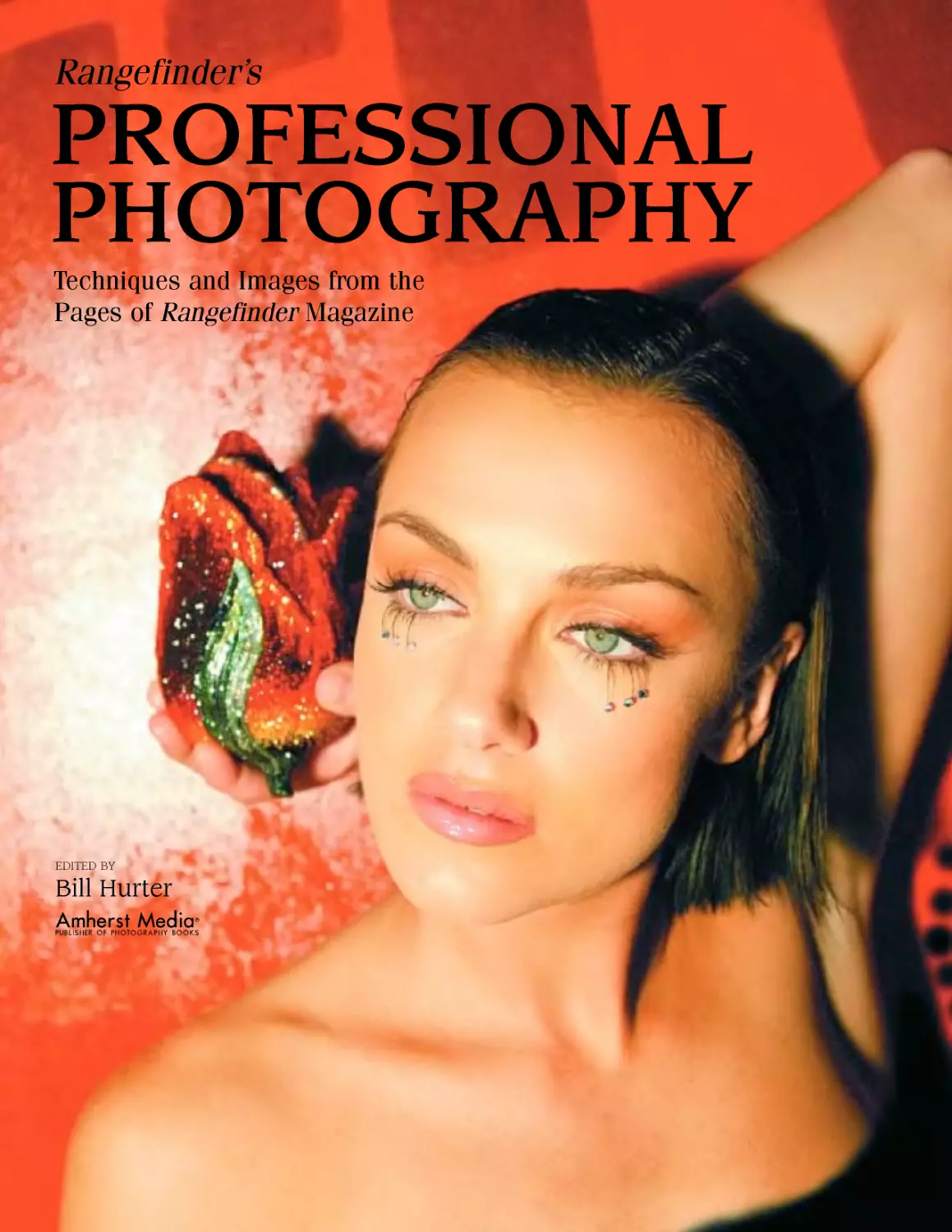
                    Rangefinder’s
PROFESSIONAL
PHOTOGRAPHY
Techniques and Images from the
Pages of Rangefinder Magazine
EDITED BY
Bill Hurter
Amherst Media*
PUBLISHER OF PHOTOGRAPHY BOOKS

Copyright © 2007 by Bill Hurter.
All rights reserved.
Front cover photograph by Fernando Escovar.
Back cover photograph by Rainer W. Schlegelmilch.
Published by:
Amherst Media, Inc.
P.O. Box 586
Buffalo, N.Y. 14226
Fax: 716-874-4508
www.AmherstMedia.com
Publisher: Craig Alesse
Senior Editor/Production Manager: Michelle Perkins
Assistant Editor: Barbara A. Lynch-Johnt
ISBN-13: 978-1-58428-193-1
Library of Congress Control Number: 2006925661
Printed in Korea.
10 987654321
No part of this publication may be reproduced, stored, or transmitted in any form or by any means, electronic, mechanical,
photocopied, recorded or otherwise, without prior written consent from the publisher.
Notice of Disclaimer: The information contained in this book is based on the author’s experience and opinions. The author
and publisher will not be held liable for the use or misuse of the information in this book.
CONTENTS
Introduction..............................................................4
1.	Commercial Photography................................................5
2.	Compositing .........................................................21
3.	Digital Techniques...................................................28
4.	Lighting Techniques..................................................38
5.	Painter Effects .....................................................46
6.	Photoshop Effects ...................................................51
7.	Portrait Lighting ...................................................65
8.	Portrait Posing......................................................73
9.	High-School Senior Portrait Photography .............................79
10.	Shooting Techniques ................................................87
11.	Wedding Photography ...............................................105
Contributors............................................................122
Index ..................................................................126
TABLE OF CONTENTS  3
INTRODUCTION
Photography and cooking may not have much to do with
each other except that a great shot, like a great entree,
has a set recipe of ingredients and procedures. Hence the idea
for a photographic cookbook, with various recipes and pro-
cedures that define how a great photograph was made.
The concept is not new. In fact, Jen Bidner, one of the
significant contributors to this book, coined the phrase in a
book she authored called The Lighting Cookbook: Foolproof
Recipes for Perfect Glamour, Portrait, Still Life, and Cor-
porate Photographs (Amphoto, 2003). As a contributor to
Rangefinder, one of the leading trade magazines for profes-
sional photographers, Jen helped the magazine introduce the
concept to its readers in 2004. The feature, known as the “Rf
Cookbook,” has become—and continues to be—one of the
most popular features in the magazine. The contents of this
book are derived from those articles in Rangefinder.
The photographers who appear in this book are well
known for various specialties: portraiture, wedding, commer-
cial, and fine-art photography—and just about every disci-
pline in between. The writers who penned the articles are also
frequent contributors to Rangefinder and well established
journalists.
Tliis book was edited by myself, Emily Burnett (features
editor of Rangefinder), and Oliver Gettell (editorial assistant
of Rangefinder). The production was done by Michelle
Perkins, senior editor and production manager at Amherst
Media, and Barbara A. Lynch-Johnt, assistant editor.
We wish to thank all of the writers, photographers, edi-
tors, designers, and production staff that made this project a
reality.
—Bill Hurter
Editor, Rangefinder Magazine
4  RANGEFINDER'S PROFESSIONAL PHOTOGRAPHY
1. COMMERCIAL PHOTOGRAPHY
Above all, commercial
photographers are con-
summate problem solvers.
Я	ommercial photographers are primarily assignment photographers:
	> “Photograph an ad for our new frozen chicken entree, and give it a
continental personality.” Or the assignment might be to photograph
an aerial view of an atoll in the South Pacific for a travel magazine.
Commercial photographers wear many different hats. One day, a commercial
shooter might be a portrait artist, photographing a CEO for an annual report. The
next day, the same photographer might be photographing a perfect souffle for
a restaurant ad. Commercial photographers are well schooled in a wide range
of photographic disciplines. They must be lighting experts, technical wizards
(because they are always pushing the limits of the various media they employ) and,
above all, consummate problem solvers. Logistics, propping, posing, lighting, time
management, cost, complexity, and many more variables enter into the commer-
cial photographer’s daily routine.
In this chapter we present some interesting and unusual assignments.
David Wendt, an automotive photographer who self-publishes his own calen-
dars, photographs a rare 1934 MG-NA race car in a way that looks like the classic
sports car is breaking a land-speed record.
Another interesting assignment was to photograph a Judith Lieber handbag in
an extraordinary way. Fernando Escovar, a Los Angeles commercial shooter, was
certainly up to the challenge.
A “typical commercial assignment” is outlined by Christian Lalonde. It called
for six hotel and resort lobbies to be photographed in one day, with models and a
set theme—the final digital image being due at the end of each shoot.
Regardless of the complexity of the assignment, commercial photography pro-
vides an educational forum in creative problem solving and diversified photograph-
ic techniques.
COMMERCIAL PHOTOGRAPHY □ 5
David Wendt: The King of Jury-Rigging Makes a 1934 MG-NA "Fly"
INGREDIENTS
Camera: Pentax 645N
Lens: 45-85mm Pentax zoom
Film: Kodak Ektachrome
100VS 220
Car Rigging: Clothesline from
his bumper to the racecar
Camera Rigging: Makeshift
device made from suction
cups, light poles, clamps,
and gaffer's tape
Accessories: Air plunger for
triggering the camera
The self-described subjects of one of David Wendt’s car
calendars are “fast, expensive cars”—and the 1934 MG-
NA racecar shown here certainly fits that bill. The bulk of
Wendt’s Cincinnati-based photography business is driven by
his self-published calendars, which sell extremely well each
year.
Wendt has learned, however, that it is not enough to do
a showroom-style product shot of the car. To create calendars
that sell tens of thousands of copies, he specializes in creating
interesting and exciting photo-
graphs of vehicles.
Part of his flair comes from
the spontaneity of his shooting
style. “I like to ‘wing’ things on
my shoots,” explains Wendt. He
prefers to show up and concep-
tualize the shot on the spot,
rather than do a whole lot of pre-
planning. And he is the king of
jury-rigging.
To shoot this racecar, he started by scouting a location
and finding the right model driver. Next he tied the vintage
1934 racecar to the bumper of his own Audi with a clothes-
line. He began building a unique camera rig that was secured
onto his own car with a suction cup, clamps, light poles, and
gaffer’s tape. A long air plunger shutter release reached to his
position so he could remotely fire the camera. His assistant
drove the Audi, either towing the racecar or letting it roll
backwards down a slope.
Amazingly, the total shoot took less than an hour, from
his first arrival on the location, through building the rig,
shooting the image (two rolls of 220 film), and tearing down
the camera setup.
The final image was actually a digital combination of two
exposures made on medium-format film. He had 4000dpi
drum scans made of the best time exposure (two to three sec-
onds to get a nice blurred background) and the best frozen
exposure. He layered the frozen image over the blurred
image and matched them as closely as possible. Next he
erased most of the frozen image, keeping only the important
details (such as the grill and headlights) so that they appeared
sharper than was possible in the time exposure.
David Wendt’s art prints, posters, and calendars are avail-
able through his website at www.wendtworldwide.com. The
MG-NA racecar photograph shown in this article appeared in
his 2004 Fast Expensive Cars calendar. —-Jen Bidner
6  RANGEFINDER'S PROFESSIONAL PHOTOGRAPHY
Jake Butler: Playa Hermosa Sunset
INGREDIENTS
Camera: Pentax 645N II
Lens: Pentax P-FA 645
55-110mm f/5.6 at
107mm setting
Exposure: 4 seconds at f/11
Film: Kodak E100VS, pushed
7з stop
Tripod: Manfrotto Carbon
Fiber 3443
Tripod Head: Manfrotto 3030
The color palette of the Costa Rican winter sky has no
limits. Red dawn bleeds into the new day of the Central
Americas. Gold and purple ebb and flow together at sunset.
Along the western shore of Playa Hermosa, la pur a vida is
ever-present. The light itself expresses it with vitality.
This strip of coastline is beautiful. Surfers come from all
over the world to ride the hollow beach-break, known for its
board- and bone-breaking power. Iguanas roam about regal-
ly and perch in the warm sun-
light. Costa Rican teak trees
grow wild along the shores, and
the jungle canopy covers the
mountains to the east. The silt-
like sand is as black as the meta-
morphic bedrock.
On this particular scene I
ended up shooting a whole roll
of 220 film—32 exposures with
my Pentax 645N II. The tonality change of the light shifted
so incredibly from burnt orange, to red, to the soft purples
of this later shot that I couldn’t take my eyes from it. The
waves sent white, foamy surges up the steep beach embank-
ment, which would reach an apex and then plummet back
down into the ocean. The light beamed off the wet sand
from the receding water and added an appealing element to
the picture.
I stopped down the lens for enough depth of field (f/I I),
while slowing the shutter speed (four seconds) to allow the
moving water to blur. With three stops of graduated neutral
density darkening the sky, I kept the normal exposure on the
sand in the lower right of the frame. Letting this section go
black or overexposing the sky would have taken away from
the image considerably.
I came away with many good shots, but two in particular
stand out. The strange thing is how dissimilar they are.
Although facing the same direction and varying by only fif-
teen minutes and 27mm in focal length, it is hard to tell it is
the same scene. With the thunderclouds on the horizon, the
light bends, and the colors change dramatically. A different
show is promised every few minutes.
COMMERCIAL PHOTOGRAPHY  7
Mateo Munoz: Onions Still Life
The process of creating work for advertising or commer-
cial use is exciting and interesting and involves more
than just interesting ideas.
INGREDIENTS
Camera: Nikon D100
Lens: Nikon 105mm macro
Lighting: Norman 2400 watt-
seconds
Computer: Apple PowerBook
G4
Other: PocketWizard radio
slave
Software: Adobe Photoshop
Printer: Epson Photo Stylus
2200
As a photographer, I try to literal-
ly and figuratively see the prod-
ucts or the project from every
aspect, in 360 degrees. It’s im-
portant for me to consider as-
pects such as point of market,
retail cost, characteristics, and
quality of the products, because
this is the only way to create the
right image for the client. My
goal as a photographer is to help
my client to sell more. The creativity is that element of the
photograph that anchors people to the image.
This particular photo was created during one of my adver-
tising classes at Brooks Institute of Photography in Santa
Barbara, CA. The idea was to create an interesting image of
produce.
The photo was captured with a Nikon DI00 digital cam-
era with a I05mm Nikon lens. On the left side was a medi-
um softbox; on the right side, a white card to modify the
density of the shadow. It was very important to do a white
balance before the main capture. This helps to obtain neutral
tones. In addition, I used Adobe Photoshop to open the
RAW file. Photoshop gave me the ability to change the white
balance if necessary. However, the only
color correction made to the image was
increasing the contrast and adding satura-
tion in the green channel.
Digital cameras capture a wider range
of tones compared with some films. Some-
times, this can make the file look flat. I
find that adjustment layers are a great tool
of Photoshop, giving me all the control I
need to do changes in the future. In the
photo of the green onions, the main layer
was duplicated. To sharpen the image, the
High Pass filter was applied with layer
mode set to Hard Light. This allowed me
to control and adjust the amount of sharp-
ening without altering the main layer.
Adjustment layers are also very useful
when I am working with different outputs,
because I can create any adjustment
depending on the gamut of the output
device. The final piece was printed on an
Epson Photo Stylus 2200.
My goal was to deliver a clear, fresh
message that would show the produce
with beauty. This image is a good piece
within my portfolio and represents my
style well. On the other hand, I have to say
that I am the kind of photographer who
believes the right equipment is necessary
to create the perfect image. I need to
know and feel comfortable with the equip-
ment. Digital technology is bringing more
control and autonomy to my photography,
and I love it.
8  RANGEFINDER'S PROFESSIONAL PHOTOGRAPHY
Fernando Escovar: The Judith Lieber Handbag Ad
Sometimes, companies keep
running their ads over and
over again because they work—
or because they get lazy. Then
all of a sudden they must change
it, or a new product has come
out, and they have to change it
now!
Here, the rose is actually a
glitzy, glamourous evening bag.
The imagery had to express the
same feeling.
Choosing the model for the
shoot was half the battle. We
wanted a classy, vintage young
face with a look that said “opu-
lence.” We started with rhine-
stones on her eyelashes and con-
tinued with a bold red painting
in the background.
I placed a single, undiffused,
tungsten 500-watt light in a par-
abolic reflector just slightly to
the left of my camera angle, so
that the light would not create a
deep shadow on the model’s
nose. Also, the light needed to
reflect off the painting around
the rose handbag so it would
separate from the rich red of the
background.
Using my Canon IDS with a
17-2 8mm lens at the 28mm set-
ting, I shot in RAW file mode
(11MP) with a shutter speed of
Viso second, an aperture of f/4,
and an ISO of 100. I made
slight adjustments to the shutter speed after viewing the
images on the camera’s LCD. After “feeling it,” I stopped
INGREDIENTS
Camera: Canon EOS IDs
Lens: Canon EOS 17-28mm
Setting: RAW, LIMP
Exposure: Vaso second at f/4
Lighting: Tungsten 500-watt
Hardware: 15-inch Apple
PowerBook with CF card
reader
and put the CF card in the card-
reader attached to my 15-inch
PowerBook, and I opened the
images up in the Preview appli-
cation all at the same time. Once
opened, we could really view the
images and make more changes
or get some new ideas.
Shooting digitally has changed the way I think about
lighting in the sense that with minimal lighting one can ac-
complish many looks. The ability to instantly verify the effect
of your lighting makes shooting complex assignments on
deadline much, much easier than in the past.
This basic set-up produced a rich and moody image. I
later retouched the image in Adobe Photoshop to remove
some slight imperfections. This image was a team effort with
makeup by Jeffrey Paul and hair by Chad Cardoos, both from
Los Angeles.
COMMERCIAL PHOTOGRAPHY  9
Fernando Escovar: Shoot for Hollywood Hot Shoots
Yes, photography is finally reaching the reality-TV air-
waves with a show on the Men’s Channel television net-
work. Hollywood Hot Shoots is produced by Dice Films, which
has a three-year deal with the Men’s Channel to produce 26
episodes a year. They will run three times a week at different
times. The show visits various photographers from around
the nation and looks at how they shoot and how they deal
with the drama of high-profile photo sessions.
The host, yours truly, will ask the questions, break down
the set-up, and follow each of the photographers through
INGREDIENTS
Camera: Canon EOS IDs
Lens: Canon EF 70-200mm
f/2.8L USM
Exposure: %o second at f/16
ISO: 100
Lighting: ProFoto Ringlite
and Pampalites
Other: Extreme II 2GB CF card
each shoot.
The show is based mostly
on celebrity photographers but
there is also a segment in the
program called “The Shot-
Maker” where the show covers
the photographers that capture
amazing jet stills, action car
shots, skydiving images, etc. Hollywood Hot Shoots is co-
sponsored by Photoflex.
One of the first episodes is a photo session with George
Lopez using a combination of lighting. The combo is dual
purpose in this application. We used two Pampalites on C-
stands both directed at Mr. Lopez. These fluorescent-like
lights helped me focus and expose some of the shots, while
they also help the video crew capture great footage.
Along with a ProFoto Ringlite and a Canon EOS IDs at
100 ISO set on RAW (Vso second at f/16), I handheld the
camera and by moving side to side helped keep George’s
attention. It’s hard photographing a great comedian; he had
us laughing, and we didn’t have him for a long period of
time. The lens I used was Canon EF 70-200mm f/2.8 USM
with a solid white background. The CompactFlash card used
was an Extreme II, 2GB card.
For more information on Hollywood Hot Shoots, visit www
.dicefilms.com.
10  RANGEFINDER'S PROFESSIONAL PHOTOGRAPHY
Bleu Cotton: Lovers
Bleu Cotton from Costa Mesa, California, photographed
Lovers in Santorini, Greece. The image was created by a
series of events and was produced by a team of strangers
coming together within a 24-hour period.
Bleu and his wife, Alison, were photographing an engage-
ment session in Athens, Greece, and were scheduled to con-
tinue the session with more formal poses on the island of
Santorini. The engaged couple changed their plans and were
unable to join Bleu and Alison on the island.
Bleu had brought a silk wedding dress for the formal por-
tion of the scheduled session and now had no one to wear it.
The series of events unfolded: Bleu and Alison befriended an
Australian that spoke Greek. That evening while watching
the sun set at the northern point of the island. Bleu knew he
wanted to photograph the sunset with a couple’s silhouette
in the foreground. Their new Australian friend helped by
translating for them and asked some Peloponnesian college
students if they would mind being in the photograph. The
initial images were made and viewed on his Canon EOS ID.
Bleu asked, again with the help of his translator, if the young
woman would be willing to wear the silk dress and if the cou-
ple would model for them around the island the next after-
noon; the couple agreed.
Bleu and Alison purchased a silk scarf to complete her
outfit and asked her boyfriend to dress in jeans and a white
shirt. They walked, explored, and photographed around the
town of Oia. This all took place just one week before the
tourist season started, so the strangers—models, photogra-
pher, stylist, and translator—had time to work together on
almost-empty sidewalks, storefronts, and rooftops as they
created images most couples only dream of having.
This image was photographed in RAW mode and con-
verted to JPEG in the Canon Digital Photo Professional
Conversion Program. It was then
retouched in Photoshop, and the
Nik Sun Filter and Photoshop
Drybrush filter were applied.
Finally, an edge from Auto FX
PhotoGraphic Edges was added.
The final image was printed
in a limited-edition series of 250
images, signed by the artist on watercolor paper as a Giclee
print with hand-torn edges. Bleu sums up the experience,
“Sometimes if you open yourself up to spontaneity, you can
create masterpieces.” Visit Bleu Cotton’s website at www
.bleucotton.com. —Harvey Goldstein
INGREDIENTS
Camera: Canon EOS ID
Lens: Canon EF 70-200mm
f/4L USM telephoto zoom
Exposure: View second at f/4
with Уз-stop exposure
compensation
Software: Adobe Photoshop,
Nik Sunshine filter
COMMERCIAL PHOTOGRAPHY  11
Christian Lalonde: A "Typical" Commercial Assignment
This is one of six images that we had to complete in a sin-
gle day for Starwood Hotels and Resorts. All of the
images were to be the same horizontal format, 6‘/?x 131/? inch-
es. The assignment was given to us at 4:30pm on a Tuesday,
photographed on Thursday, and the final files had to be
delivered via FTP by noon on Friday—now that’s a schedule!
All of the images were to have some sort of movement in
them. I did not want to have to do all types of digital manip-
ulations (due to time restrictions), so I opted for in-camera
effects. At this location, we had a great mix of ambient and
window light, but we still needed a kicker (backlight) on the
male model. We used a 4x8-foot white panel to light up the
background and model. I made sure that the exposure was a
bit over on the chairs and background area with an extra soft-
box coming in from the back right.
I knew that the large window on the left, being overex-
posed, would give me a great movement effect because of the
white space against the almost silhouetted model. We did
several tests at various exposures, and % second gave us the
best results with the model’s walking speed.
I then switched from JPEG format (for quick tests this
results in less download time) to NEF (16-bit, RAW format)
on the camera. We did our first RAW test, and that was it—
we had it! I love digital!
When on location, I always carry a laptop on which clients
can see the just-photographed images. I shoot right into the
laptop, and the large screen is great for proofing with the
clients. I usually place a cropping mask on the screen to show
what the final format will look like. This image blew the
clients away as soon as they saw it.
INGREDIENTS
Camera: Nikon D1X, shot directly into the Apple PowerBook G3 laptop
Lens: 50mm f/1.4
Strobe: White Lightning 1200s (2) and 600WS strobes (1)
Flash Output: f/4.5
Inside Ambient Reading: % second at f/2.8
Exposure: % second at f/4 on camera, 125 ISO, RAW format, custom
curve, no sharpening; white balance off gray card
Computer: Edited on dual processor PowerMac G4 with LaCie 22-inch
monitor
Software: Nikon Capture Control for direct download, Nikon Capture Editor
for file processing, Adobe Photoshop for the final touches
Output: бУгхТЗУг inches, 300dpi, Adobe RGB 1998, TIFF
12  RANGEFINDER'S PROFESSIONAL PHOTOGRAPHY
Christian Lalonde: Limelight!
This image was shot as a personal project a few years ago.
Here’s how I came up with the idea: I’m a big fan of
Corona beer.
This photo was shot in studio with two Bowen 600
strobes and a white cardboard reflector. I shot it against a
black velvet backdrop in order to get a clean, pure black. My
main light was a 2x3-foot softbox positioned over and to the
left of my subject. I wanted to
INGREDIENTS
Camera: Linhof 4x5 view camera
Lens: 210mm Rodenstock
Lighting: Bowens 600s (2); one
with 30-degree grid, one with
2x3-foot softbox
Film: Kodak E100
Exposure: У», second at f/8
Background: Black velvet
Reflector: White reflector (12x24
inches)
Other: Feeding tube and bottle
Linhof 4x5 view camera with ;
make sure to retain the high-
light on the bottle all the
way through. My reflector
was positioned parallel to
the bottle and directly
underneath. I added a kick-
er, a Bowens 600 with a
30-degree grid, from the
back right to give some
separation and highlights.
I took the shot with a
l 210mm Rodenstock lens on
on a studio stand and
removed the bottom
of the bottle in order
to continually run
beer through it. The
iguana was placed on
the bottle and held in
place with Crazy Glue
(just kidding . . . grav-
ity did the job). I was
simply very patient
and had a container
with padding positioned underneath in case the lizard fell—
and believe me, it did. It took approximately three hours
between refills and the model falling off to get 10 sheets
exposed.
No digital retouching was used in post-production;
everything seen in this image was done in the camera,
although eventually I might rework the liquid to make it flow
more naturally over the lime.
Kodak E100 film at Vsoo second at f/8. I mounted the bottle
COMMERCIAL PHOTOGRAPHY  13
Gene Martin: Anatomy of an Editorial Shoot
I had the opportunity to photograph Les Paul, the guitar
legend and recording pioneer, at his home in New Jersey.
The assignment was to photograph him with “the octopus,”
the very first Amp ex 8-track recording machine, for the cover
of Attache, the in-flight magazine for U.S. Airways.
This was the first time I’d photographed someone of this
stature without my trusty Hasselblad and 120 film. The deci-
was chosen to shoot RAW files to be processed later through
the 10MP feature in Nikon Capture 4.
After scoping out the area where the machine was sta-
tioned, all possible angles of view were evaluated for impact,
practicality, and lens focal length. A stairway leading to the
second floor provided us with an excellent vantage point to
shoot from above, and the 60mm f/2.8D AF Micro-Nikkor
sion was made to capture the image digitally, so a Nikon D1X lens was chosen.
We had Les sit in front of the old
Ampex holding one of his signature gui-
tars, the Gibson Les Paul model, in front
of him. Using a black model added that
“guitar element” without overpowering
the image. Blending the black-bodied
guitar into the dark area kept the focus
on Les’ face and the electronics in the
upper half of the frame.
Our first job was to light Les and the
front of the Ampex stack with a soft
light. A Speedotron 102 flash head with
TOP LEFT—We started off with my colleague David C.
Smith sitting in for Les to give me the general "feel"
of the image. We metered f/8 at 125 ISO from our
24x36-inch PhotoFlex softbox. We then balanced a
grid light to the output of the softbox from above and
behind the meter stack to show detail in the reel-to-
reel assembly. At this point we recognized our shut-
ter speed would have to be adjusted to pick up a glow
from the VU meters. TOP RIGHT—For test shot 2 we
spot metered the VU meters on the front of the stack.
We found Vis at f/8 to be just perfect for picking up
the glow in the meters. We added another gridded
head to light the electronics behind the reel assem-
bly and discovered we needed to clean up the top
area because it might be included in our frame. BOT-
TOM LEFT—In test shot 3 we see the front VU meter
panel lit by the softbox and the VUs themselves glow-
ing nicely from our slow shutter speed without losing
detail. We added the blue gel to give a "splash" of
color to the electronics behind the meter stack in
what would have been a very "metallic"-looking shot
otherwise. At this point we decided to further add
color to the reel assembly with an amber gel to mir-
ror the glow of the VUs. BOTTOM RIGHT—After gaffer
taping the amber gel in place to "color" the tape
assembly, it was time for Dave to step in once more
for a final test shot. We could see that all the pieces
had fallen into place and the nearly 50-year-old
Ampex machine was ready for its "close up." The only
thing missing was our legendary subject. It was time
to clear the set, call in Les, and get shooting! The
final image appears on the facing page.
14  RANGEFINDER'S PROFESSIONAL PHOTOGRAPHY
a 24x36-inch PhotoFlex softbox was chosen
with multiple layers of diffusion panels to
lower the color temperature and warm up
the overall image. I’ve been using this tech-
nique for years with film, and it, of course,
works equally well with digital capture.
The next step was to bring up the illumi-
nation in the VU meters on the front of the
stack. We had metered the softbox at f/8 at
an ISO of 125. A reading off the VUs from
my Sekonic spot meter told us that /is at
f/8 would bring up the luminance just right
without blowing out the detail in the
meters.
I wanted to leave a sufficient amount of
dark space to the left of the image for drop-
ping in type but didn’t want to sacrifice the
detail in the reel-to-reel assembly. We then
chose another Speedotron 102 head, a grid
reflector with a 10-degree grid spot, and an
amber gel to light the tape deck from above
and behind with a color similar to the glow
of the VU meters.
The last step was to add a touch of color
to the electronics behind the meter stack
and tape deck. Another Speedotron 102
head with a 10-degree grid spot and blue
gel was used to light the area from behind
the meter stack. A spot meter reading off
the middle gray electronics board using
Dean Collins’ “Chromazone” method gave
us the information we needed to adjust the
power of that head to achieve just the right
hue of blue we desired.
At this point all the elements came to-
gether for us to proceed with image capture.
Back in New York City, we duplicated our RAW files to
JPEGs for quick editing, then ran the selected RAW images
through the I0MP feature in Nikon Capture software to
INGREDIENTS
Client: Attache magazine
Camera: Nikon Dlx
Lens: 60mm f/2.8D AF Micro-Nikkor
Meter: Sekonic spot meter
Media: Three Delkin 640MB CF cards
On-Site Editing Platform: Apple PowerBook G3 with Nikon Capture 4 and
Adobe Photoshop
Lighting Gear: Speedotron 812 power pack, three Speedotron 102 flash
heads, PhotoFlex softbox, two 45-degree grid reflectors, two 10-
degree grids, and assorted colored gels
Exposure: Vis second at f/8
optimize our selections before importing them as I6-bit
TIFFs to Photoshop.
Although we travel with a truckload of lighting gear to
handle virtually any situation, all our images were shot with
no more than three strobe heads, two grids, a softbox, some
gels, and one 800Ws Speedotron 812 power pack. Nikon’s
digital capture proved to be the perfect choice for us to get
what we needed quickly and move out, before becoming a
burden to the 89-year-old guitar legend.
I must say, in closing, that Les was most gracious and
accommodating—even inviting us to stay for dinner. I think
a good time was had by all, and I know it was a memorable
experience for me.
COMMERCIAL PHOTOGRAPHY  15
Chuck Nacke: Fifteen Minutes and the Dalai Lama
Chuck Nacke was based in Moscow in the mid-1990s
when he heard the Dalai Lama was coming to town. He
had earned an international reputation covering what he
termed the “Stan Wars,” civil conflicts in former states of the
Soviet Union such as Afghanistan, Uzbekistan, Tajikistan,
Kazakhstan and Kurdistan. He had made memorable por-
traits of Russian leaders such as Mikhail Gorbachev, Boris
Yeltsin, and Vladimir Zhirinovsky, as well as other world lead-
ers visiting Moscow.
“I called the Tibetan Cultural Center in Moscow and sug-
gested that I do a portrait,” Nacke recalls. “They agreed
because I said the image would be distributed by my New
INGREDIENTS
Camera: Four Nikon N90s
Lens: Nikkor 80-200mm, f/2.8 ED
Film: Fujichrome Velvia
Lighting: Norman Superlight, 800Ws powerpack, two Norman heads
Light Modifier: Two medium Photoflex LightDome softboxes
Accessories: Minolta Flashmeter IV; converter for converting voltage from
240 to 120
York City agent, Woodfin Camp & Associates, to news-
magazines and other publications throughout the world.”
Nacke and an assistant arrived at a designated room in the
center more than an hour beforehand to prepare. The assis-
tant stood in for Polaroid portraits, since there would be no
CHUCK NACKE/WOODFIN CAMP
time to bracket or do a snip test (analyzing
images from the first few frames in a light-
box). They set up a gray seamless backdrop
behind where the Dalai Lama would stand
and two Photoflex LiteDome softboxes with
Norman heads to provide lighting on the
Tibetan spiritual leader. Nacke pushed his
Fujichrome Velvia to El 64, and set the
Nikkor 80-200mm f/2.8 zoom lens at
100mm for /зоо at f/11.
“I knew exactly what kind of pose I want-
ed,” Nacke remembers. “The advance plan-
ning was critical since you don’t get a second
chance at a photograph like this.”
When the Dalai Lama finished a speech
and was escorted into the room, Nacke made
the images in the 15 minutes he’d been allot-
ted, with the assistant handing him fresh
cameras as he burned through as many rolls
of film as time allowed. Although that wasn’t
much time for a formal portrait, it sure beat
the four minutes and 20 seconds he’d been
granted to make a full-page photograph of
Zhirinovsky for Vanity Fair magazine.
The memorable Dalai Lama image has
appeared in scores of publications around the
world, and even shows up in a major encyclo-
pedia. It’s featured on Nacke’s website
(www.chucknacke.com), which showcases his
work, plus that of other photographers in a
part of the site called The Zine. Woodfin
Camp still represents Nacke’s work and
licenses his images for publication. —Robert
Neubert
16  RANGEFINDER'S PROFESSIONAL PHOTOGRAPHY
Jacob Rushing: Illustrating the Subconscious Mind
This image, taken while I was studying commercial pho-
tography at Brooks Institute, is intended to represent
the subconscious mind and how this other, hidden part of us
constantly tries to break through to what we’ve come to
know as “reality.” It was my goal to depict the ambiguity of
the subconscious and the dreams that lurk there. I also want-
ed the shot to be a little dark and foreboding, and I knew
that I wanted the element of water to be part of the concept.
In order to create the shot, I placed the model behind a
translucent sheet of plastic. I photographed somewhat close
to the plastic in order to show the little imperfections in the
material through which I was shooting. The image was shot
on a Nikon D70 digital SLR equipped with a 24—85mm
f/2.8-4 zoom lens.
The model was lit with the Profoto 7B kit with two heads.
The key light source was a bare head, modified by placing a
glass vase filled with blue water between the light and the
model. I chose to use the glass vase rather than just a blue gel
because I wanted to achieve the effect of the refracted light.
The second head served as a background light and was mod-
ified with a medium honeycomb
conversion gel. I made subtle
changes to color and density in
Photoshop.
For this shoot the goal was
to deliver a image that was
thought provoking and merged
the obscure with the actual, in
grid and an 80A blue color
INGREDIENTS
Camera: Nikon D70
Lens: Nikkor 24-85mm f/2.8-4D
IF AF zoom
Lighting: Profoto 7B kit with
two heads
Other: Vase with blue water
Software: Adobe Photoshop
a manner of haunting beauty. This shot is part of a style I
am constantly shaping, a style I am building my current port-
folio around. Digital technology is a vital tool for me; as a
photographer, my personal challenge is to find the most
innovative ways to utilize it in creating strong, meaningful
photographs.
COMMERCIAL PHOTOGRAPHY  17
Oscar Lozoya: Jugando con La Muerte
death. The “dead,” their
INGREDIENTS
Camera: Mamiya RZ67 Pro II
Lens: Mamiya 180mm
Lighting: Speedotrons with
softboxes for main and fill;
Speedotron spot to light
background photo on wall;
Speedotron skimmers and
hair light
Film: Kodak Tri-X 120
Parody, humor, and a cautionary tale are intertwined in
this superb black & white image from Oscar Lozoya’s La
Muerte series. The title, which translates as “Playing with
Death,” says it all; one only has to study the image to see the
array of vices that tempt the hapless “victim” on the right.
Based in Albuquerque, New Mexico, Lozoya began his
La Muerte series several years ago, infusing his black & white
images with Hispanic humor that mocks and has fun with
faces made up as skeletons, play
everyday roles (albeit not exact-
ly normal ones) as they spoof
the afterlife.
In Jugando con La Muerte,
the cautionary message comes
through loud and clear with
vices such as gambling, booz-
ing, drugs, smoking, and sins
of the flesh all being flaunted
before the intended victim as he plays with the dead. At the
apex of the triangular composition, a portrait of the patron of
vice. Dona Vismuerte, gazes down on the smoke-filled den
of iniquity.
This well planned and brilliantly executed image was en-
hanced by a stroke of luck. Even though Lozoya says he’d
like to say he planned for the rising cigar smoke to fit perfect-
ly with the triangular composition, it was pure luck. But,
given the subject matter, maybe some supernatural force was
at work (or play)? No way! That couldn’t happen, could it?
The lighting was fairly complex, and Lozoya placed the
main light directly above the camera and a fill light beneath
the lens to direct light under the accordion player’s hat and
illuminate detail in the shadow areas. A spotlight to the right
was directed at the photograph on the wall in the back-
ground. A hair light and two skimmers illuminated the mod-
els’ shoulders and hair, and also backlit the cigar smoke, mak-
ing it stand out against the darkness of the unlit areas of the
room.
This image is included in the “La Muerte” chapter of
Oscar Lozoya’s book. The Art of Black & White Photography
(Amherst Media, 2003). —Peter Skinner
18  RANGEFINDER'S PROFESSIONAL PHOTOGRAPHY
David Wendt: Light Painting the McLaren Fl
I was lucky enough to take this McLaren Fl into the
mountains of Colorado to shoot for my Fast Expensive
Cars calendar. The owner wasn’t able to spend any time with
me while I was there, so he cut me loose with the car. Fun as
this may seem, it came with its own set of problems.
It’s a tight car, so I had to cut my equipment way down
to fit (plus I had no assistant). I figured if I couldn’t fit it in
the car I was going to shoot, I didn’t need it. As I drove off
into the mountains, I had no idea where I would go—and I
didn’t count on the number of people who would stop to see
this rare car. I was distracted by some very nice and extreme-
ly curious people who happened upon the scene.
This was a big problem since the sun goes down quickly,
and people kept showing up until it was almost dark. The
opportunity to park and set up a shot with the right back-
ground was almost lost to the darkness and indecision. On
top of the 12,095-foot summit of Independence Pass, just
east of Aspen, Colorado, it seemed I’d lost the opportunity
to get anything of value. The car was parked just off the road.
It looked nice, but it wasn’t working very well. It was now so
dark, I couldn’t see any of the exposure settings on my trusty
old Hasselblad.
INGREDIENTS
Camera: Hasselblad 500cm
Lens: 40mm at f/8
Lighting: Lumedyne 400Ws
head with 60-watt model-
ing lamp
Exposure: between six and ten
minutes at 100 ISO
rk. The first was
I had all the basic equipment, including several Lume-
dyne battery-powered flash heads. While I was getting out a
flash and a modeling lamp so I could see to get all the equip-
ment put away, it hit me—light painting. I could shoot a
long exposure and just walk
along the car with the model-
ing light on and see what hap-
pened. There was no time for
Polaroids or even any real light-
metering. The exposure was set
on bulb at f/8.1 did two expo-
sures before it became almost
between six and ten minutes and the second was longer than
that.
I used the lamp to look around and pack up, having no
idea what the shot would look like. Upon my return home, I
ran the film at the lab and was astounded to see the results of
the first exposure. It looked pretty much like what you see
here, but the moon was a blur in the sky, which I fixed in
Photoshop. I tweaked a few of the lines on the car to help
them show up a little bit better, and there you go—the
McLaren FI at 12,000 feet!
COMMERCIAL PHOTOGRAPHY  19
Reed Young: Recreating a 1961 Storefront Window
I was working on a project as part of my commercial pho-
tography course work at Brooks Institute of Photography,
in Santa Barbara, CA, and it occurred to me to focus on the
1960s—a decade of contrasts. Since this summer marks the
35th anniversary of Woodstock, I originally thought I might
do a photo in recognition of that 1969 “happening.” But
somehow I got sidetracked by 1961—it had a more classy,
modern feel. Hence, this photograph is intended to depict a
1961 storefront window.
The hardest part in location scouting was finding a win-
dow that looked like 1961. The next problem was finding a
storefront that had a considerable amount of space between
the top of the window and the ceiling. This space was critical
other outdoor lighting came from a Q-flash on a boom arm
about 30 feet in the air, camera left. The indoor lighting was
a giant softbox above each platform. Originally, I planned to
light the interior with top light only, but I noticed that if I
didn’t slant the softboxes, the models’ eyes were in complete
shadow. When this minor problem was finally taken care of,
I was ready to start shooting.
The sidewalk, which might have been ignored, became an
important part of the composition of the overall photograph.
I realized it could provide depth to the image, so I decided
to spray it down with water for two reasons: concrete is much
darker when it’s wet, and it creates a beautiful reflection on
the ground. Once the sidewalk was sprayed, the models posi-
tioned themselves.
Because the models were
behind the glass, I had to
give the directions through
a walkie-talkie placed under
the women’s platforms. I
decided to place a man out-
side of the window to tell
more of a story with the
image. I came up with the
idea one night when, walk-
ing home, I found myself in
his shoes, looking up at the
surrealistic portrayal of the
woman and fashions of our
time.
The digital manipulation
used in post-production was
minor. I changed the ad-
dress to 1961 since that’s
the year I was trying to por-
tray. I simply used Photo-
shop text and gave it a gra-
because I needed to light the interior with a large softbox
above each platform. After a few days of aimlessly driving
around, I finally found what would be the perfect place for
the shoot: an art gallery.
The gallery window did not have platforms for the mod-
els to stand on, so we constructed them out of 2x4s, plywood
and Mylar. The backgrounds were created using 2x4s and a
big roll of paper.
When it came to lighting the scene, I started with the out-
side. I had a strobe with a softbox camera right, just accent-
ing the wall and brightening up the scene a little. The only
dation to match the light in the scene. I also changed the
convergence of the building by using the distort option in
the transform menu.
INGREDIENTS
Camera: Mamiya RZ67
Lighting: Profoto 2400Ws packs; Quantum Q-flash; PocketWizards
Film: Kodak 100GX
Lighting: Profoto 3x4-foot softboxes
Models: Vera Kopp, Bianca Chiminello, Kara Fry, and Frank Merritt
(Wilhelmina/LA)
Stylist: Antonio Vega (www.Zenobia.com)
Assistant: Alfredo Hernandez
Hair and Makeup: Elizabeth Dahl and Helena Lee
20  RANGEFINDER'S PROFESSIONAL PHOTOGRAPHY
2. COMPOSITING
The final result must
stand on its own and not
look like a collection of
unrelated elements.
Я	ompositing is a specialized field, to say the least. Take a number of
	> photographs, from two to any number, and combine them in a single
photograph with logic and organization and artistic flare. The final
result must stand on its own artistically and not look like a collection of unrelated
elements.
We decided to devote an entire chapter to this topic because there are many
ways to achieve an effective composite. In this chapter we present six different
compositing techniques.
Joe Elario got an assignment to photograph the Albany, NY, police depart-
ment. How do you photograph a major city’s police department at one time?
Answer: You can’t . . . unless you want to give crime a holiday. Elario decided to
shoot the force in batches—seventeen different batches—and the image was later
composited in sections to create a striking print that measured 23 inches in height
and 8 feet in length.
High-school seniors often require composites as part of their package. Both
Larry Peters and Ralph Romaguera show how they produce exceptional compos-
ites that reflect the many sides of their teenage subjects.
Additionally, Larry Peters and son-in-law, Brian Killian, show how each mem-
ber of a high-school basketball team was photographed as he drove to the basket
for a layup. At first glance, it looks like one person, but on closer inspection, you
can see that each stroboscopic element of the photo is a different player.
Deborah Lynn Ferro and Suzette Allen both employ Photoshop’s layers and
layer styles to do some very clean compositing, while Larry Hamill examines the
fine art of collaging in Adobe Photoshop.
COMPOSITING □ 21
Joe Elario: Seventeen Photo Sessions, One Group Portrait
INGREDIENTS
Camera: Hasselblad 553 ELX
with an 80mm lens
Flash: Six Elinchrom flash
units with normal reflec-
tors and Rosco diffusion
panels
Film: Kodak Professional Portra
160VC
Background: Digitally created
brick background
Digital Manipulation: Seven-
teen exposures combined
into one (from one to 35
people per exposure)
When Joe Elario got the assignment to photograph the
Albany, New York, Police Department, he knew he
was in for a challenge. The problem was not the subject.
After all, people photography is his specialty; he runs a suc-
cessful wedding photography business and acts as the official
photographer for the Albany Mayor’s Office.
The real challenge was the business of policing. The
department couldn’t simply shut down for the afternoon
while all the members of the force posed for the picture.
Even if you could leave the
streets and phones unattended,
there were multiple round-the-
clock shifts to contend with.
Joe decided he would shoot
the image in batches and have
it digitally combined in the
end. Little did he predict that
this would take seventeen
shooting sessions over a two-
week period. The largest group
was about 35 people; the small-
est was a single detective who
rushed in as Joe was starting to break down the set.
The second challenge was to find a room large enough for
him to set up bleachers and lights and leave them set up for
the duration. The solution was an old armory with the height
and depth he needed. Unfortunately, it also had a particular-
ly unattractive gray background wall. But since the image was
being digitally stitched anyway, substituting an innocuous
brick background wasn’t a problem.
He made the decision to shoot each group in the center
of the bleachers so he could focus liis lights on the area and
have consistency. His plan was to leave the lights in place so
there would be absolutely no accidental changes in the light-
ing from shooting session to shooting session.
The main light was created from three Elinchrom 600Ws
flash units with normal reflectors positioned at camera. The
reflectors were each softened with Rosco Diffusion panels.
Three additional Elinchrom flash units were placed toward
the rear of the group to produce a hair/rim light. These were
also diffused in a similar manner.
The tliird challenge was the horses. In order to photo-
graph them under the same lighting, the bleachers had to be
moved. Luckily the young police recruits (dressed in gray in
the final photo) were on hand to carry them out and then
replace them after the shoot.
The final digital magic was done by a company that spe-
cializes in it. Miller’s Professional Imaging (www.millerslab.com). The final print was output at 23 inches liigh and
stretched to 8 feet in length. It is proudly displayed at the
police headquarters. —Jen Bidner
22  RANGEFINDER'S PROFESSIONAL PHOTOGRAPHY
Team Tactics of Larry Peters' Studios
“XT Te’re not the studio that has the school’s
V V photography contract, but we offer to
do the team shots (like this basketball photo-
graph) for free. The school then uses the images
in calendars and posters, and even sells advertis-
ing space on these products. In exchange, we are
allowed to market our services to these stu-
dents,” explains Larry Peters.
Giving away a $500 session might sound like
a bold move, but Larry Peters Studios attracts a
great deal of the local senior-photography busi-
ness in this manner. In fact, the studio photo-
graphs virtually every varsity sport in the area.
“When the students are willing to have fun
with the idea, we get the best results,” says Pe-
ters. One of his favorites was the girls’ soccer
team, which they posed on the field dressed in
black cocktail dresses. It featured the tagline,
“Real Women Play Soccer.” Likewise, the swim
team was shown “walking on water” with the
slogan, “These Rocks Don’t Sink!”
The studio finds that students who are
impressed with the team shot are likely to come
in for a personal version, such as the montage of
Heather (bottom right), which was taken by
Peters’ son-in-law, Brian Killian.
Peters’ Dublin basketball team shot (top
right), which won a merit in print competition,
was shot on Kodak VHC film with a Hasselblad
camera and an 80mm lens. Peters set up his
camera at half court and lined up the students
parallel to the film plane. He then prefocused
the camera and locked it in place.
The scene was lit with two Westcott umbrel-
las and Photogenic flash units. The lights were bounced into
INGREDIENTS
Camera: Hasselblad with 80mm
lens
Film: Kodak VHC (now Peters is
fully digital and would
shoot with a Phase One
H10 digital back on his
Hasselblad)
Flash: Two Photogenic studio
flash units bounced into
two Westcott umbrellas
placed approximately sixty
feet away
Digital Manipulation:
Computer collaging
the umbrellas for reflective illu-
mination from a distance of
almost sixty feet away. He care-
fully metered across the whole
line of students, and tweaked
the lighting until it was even all
the way across. The court lights
were left on, but their illumi-
nation was insignificant to the
overall exposure.
The students were then
shot separately and later com-
bined in the computer by Brian Killian. Today, Larry and
Brian do this type of shot with a digital camera back because
they can automatically use “pixel registration” techniques to
piece together the collage. To make this task easier, they lock
the camera on a tripod, and neither the exposure nor focus is
changed. Larry now uses a Phase One HIO back for his
Hasselblad, which yields an I8MB file.
The Heather composite uses similar computer wizardry,
but the integration of positive and negative pictures adds flair
to the image. This is anchored by a more traditional black &
white glamour shot of Heather’s eyes. The end result is a fan-
ciful, yet balanced image that reflects the young lady’s zest
for life. —-Jen Bidner
COMPOSITING  23
Ralph Romaguera's "Romatage" Sports Montage
Ralph Romaguera and his two sons, Ralph Jr. and Ryan,
. along with over a dozen employees, run three studios
in the New Orleans area. One of his most popular products
is the “Romatage” school-sports montage for athletes.
Romaguera’s first such image took a long time to create,
but now he has a formula that enables the photographers to
shoot images that fit into a loose “template,” like the one
shown here of the basketball player, Amy.
“We start with a white background because we like to use
the Pen tool to silhouette the picture,” explains Romaguera.
“It also eliminates the problem of the background creating
color casts on musical instruments, trophies, or other reflec-
tive objects.”
The entire shoot shown here took only a few minutes,
with Amy striking various basketball poses without the ball.
The images were taken with a digital camera and quickly sil-
houetted on the computer. The
basketball was then added from
a catalog of stock images that
had been previously created by
the studio. For the top and
bottom balls, motion blur was
added digitally.
School colors were then
added to the background on a
separate layer behind the sil-
houetted figures. This created
the final, personalized look.
Romaguera created the
lighting to go from left to
INGREDIENTS
Camera: Kodak Professional
DCS 760 digital camera
(based on a Nikon F5
body) with Nikkor lenses
Flash: Photogenic studio flash
units in a Зхб-foot
Westcott softbox and a 42-
inch Westcott softbox
Fill: Cards and kickers/hair
lights as needed
Background: White to facili-
tate silhouetting on the
computer (using the Pen
tool)
Digital Manipulation:
Computer collaging
right, “because that is the way we read. If I were working in
Arabic I’d do it the opposite way.” His main directional light
was a Photogenic flash in a small 42-inch Westcott softbox
placed at a 45-degree angle and feathered so the subject was
lit by just the edge of the softbox. A second large softbox was
then positioned at 90 degrees to the subject. “Both were as
close to the subject as I could get them without having them
in the picture,” he explains.
Using this basic setup, within thirty minutes of walking in
the door of a Romaguera studio, student athletes can actual-
ly be viewing a composite of their final image on the comput-
er screen.
He no longer makes proofs, but take the orders then and
there. “Every kid has a scanner, and with proofs we’d lose
money to copies they’d make at home,” he warns.
IlomaTip #1: Look for the little things. If you can nitpick
those little things that are “wrong,” then everything remain-
ing is “right.”
IlomaTip #2: “Real smiles happen at the corners of the
eyes and mouth,” explains Romaguera. He strives for smiling
expressions without teeth. —-Jen Bidner
24  RANGEFINDER'S PROFESSIONAL PHOTOGRAPHY
Deborah Lynn Ferro: Designing with Photoshop's Styles
Anew trend in albums is the custom, digitally
designed album. These albums offer the client a
more artistic design with a variety of text, artistic
effects, and colors. These albums are one of a kind.
With more photographers learning Photoshop, the
ability to offer these albums and design them in-
house greatly increases. With a digitally designed
album, the traditional album’s mats with inserted
images are replaced with images that serve as back-
grounds and colorful collages, bringing new visual
excitement to contemporary brides.
Creating a variety of pages for the digital album
can be a challenge, as it requires coming up with dif-
ferent artistic designs that stand out from all the stan-
dard templates available. So where do you start in the
design process? Photoshop has created a series of
actions called Styles, that, with a click of the mouse,
will save you hours and make your pages look great.
I used the following steps to create this collage of the
bride getting ready. All the color effects, including
black & white conversion, were done using Photo-
shop’s Styles.
1.	Create a background by going to File>New. With black
selected as the background color, determine the size and
resolution of your image. (For this example, the size was
10x10 inches and the resolution was 250ppi.)
2.	Add a grid to your background by going to View>
Show>Grid.
3.	When making a collage, the resolution of your images
should all be the same. This collage includes nine images
cropped to 3x3 inches at 250ppi. Each image was color
corrected, retouched, and flattened before beginning.
4.	With the Move tool, drag each image over, one at a
time, and line them up on the grid. You will have to
maximize your window and zoom in to be sure that the
images are properly aligned. After each image has been
aligned, you can remove the grid by going to
View>Show>None.)
5.	To change the color and effect of each image, go to the
INGREDIENTS
Camera: Canon EOS ID
Lens: Canon EOS 28-70mm
f/2.8 L
Flash: Canon 550
Media: Lexar 512MB CF card
Editing Software: Adobe
Photoshop
Styles palette. Load styles by
clicking on the arrow at the
top right of the Styles palette
and selecting Load Styles.
Load any of the styles that you
would use. (The styles for this
collage were loaded from the
Photographic Effects and Image Effects folders.) You
can also adjust the view in this menu. I prefer to select
the Text Only option, so I can read what specific effect it
is rendering.
6.	Activate the image you want to change, then click on a
style to change it. The change is immediate and you can
change the style by clicking on another style. This auto-
matically deletes the last style and adds the new one.
Continue with each image until you have achieved the
desired result.
7.	At this point you can also change the color of your back-
ground, if you wish. Click on your background in the
Layers palette to activate it. Double click on the fore-
ground color in the toolbox to open the Color Picker.
Once you have selected the color you want, go to
Edit>Fill and choose Foreground Color in the dialog
box that appears.
8.	Save your collage as a PSD (Photoshop document), to
enable you to make any future changes.
Remember that Photoshop can give you more creative con-
trol over your images, but the time it takes to be creative
depends on your level of experience in Photoshop. Using
Photoshop’s Styles not only reduces your work time but also
increases your creative design ability.
COMPOSITING  25
Suzette Allen: Creative Senior Products
Suzette Allen knows high-school seniors are always look-
ing for something new—and she is always looking for
new products to sell them. The sample seen below is simple
to make and easy to sell.
With a Fujifilm S2 camera, Suzette captured these images
with a custom white balance on manual mode, using a Gos-
sen Luna Star meter to establish the exposure.
This llxl4-inch composite was made in Photoshop. She
began by making a blank document at 300dpi. Next, she
dragged guides to ?/i inch from each side, lined up the images
to the guides, and transformed them into this arrangement.
Suzette then pulled more guides just inside the edges of each
image (7s inch smaller than each image) and used these to
create the mat opening.
To make the diagonal mat in the background match so
perfectly, Suzette simply made a duplicate image of the doc-
ument (Image>Duplicate). She then stretched each image on
its layer to the edges and middle so the space was complete-
ly filled with the images and no background showed, then
flattened the image. She notes that the pictures may be dis-
INGREDIENTS
Camera: Fujifilm S2 Finepix
Pro
Meter: Gossen Luna Star
Lens: Tamron SP AF
28-105mm f/2.8
Computer: PC, LaCie monitor
Software: Adobe Photoshop
Plug-ins: Nik Software Color
Efex Pro 2.0
torted, but when the motion blur is applied (Filter>Blur>
Motion Blur), it won’t matter. Suzette’s “trick” is to set the
blur angle to 45 degrees and the distance 999. With this
composite, Suzette applied the motion blur twice so the
color transitions were smoother. This creates a mat that will
match your images perfectly every time. Simply drag the new
mat on top of your composite document. (It will center auto-
matically if you hold the Shift
key as you drag it.)
The next step is to create a
layer mask. Then make mar-
quees, snapping to the guides
around each image and filling
each box with black. This will
punch holes through the layer
to make the openings. There
should now be a top layer with four cutouts that allow the
images to show through.
To add the bevels that make it look like a cut mat, add a
layer style (Layer>Layer Style>Bevel and Emboss). Choose:
Style—Inner Bevel; Technique—Chisel Hard; Size—
30 pixels. Keep the other settings at default. To add
the V-grooves, press Cmd/Ctrl and click on the mask
portion of the mat layer to get marching ants around
the openings of the mat. Then, go to Select>Modify>
Expand and enter 90 pixels. With this, the marching
ants should be a little bigger than the openings. Make
a new layer (Layer>New Layer) and select Edit>
Stroke, then enter 10 pixels in any color. There will
now be small lines around each opening.
Add another layer (Layer>Layer Style>Bevel and
Emboss) and choose: Style—Emboss; Technique—
Chisel Hard; Direction—Down; Size—5 pixels. The
images are now embossed, but the color is visible. For
transparent grooves, go to the Fill slider on the Layers
palette and turn it down to zero.
This composite was completed by adding the stu-
dent’s name and “Class of 2005.” Choose a color
from one of the images with the eyedropper for the
text. Applying a layer style to it will add dimension
and style. Choose Layer>Layer Style>Drop Shadow.
Then, select: Distance—21, Spread—12; Size—35.
Next, go to Layer>Layer Style>Bevel and Emboss.
Select an inner bevel and set the size to 27 pixels.
Suzette uses these composites as an add-on to her
senior packages, baby portraits, and wedding photog-
raphy. —Harvey Goldstein
26  RANGEFINDER'S PROFESSIONAL PHOTOGRAPHY
Larry Hamill: Collages
I find it challenging to photograph a city or scenic locale
and then later combine the images into a collage. There
are unlimited ways to merge digital files into a synergetic
image. The spontaneous approach provides the opportunity
for more chance occurrences.
When starting a collage, I create a folder to hold the
images I feel have potential. Perhaps the most critical image
INGREDIENTS
Software: Adobe Photoshop,
Adobe Bridge
Camera: Canon EOS IDs
is the base, upon which other
images will be layered. The
sizes of most of the collages I
work on are the same dimen-
sions as my digital capture, in
this case 4064x2704 pixels. Once the background is selected,
I use the Marquee tool in Photoshop to crop vertical and
horizontal slivers of different images and drag them to my
working file. These slivers can be compressed, expanded.
skewed, etc., via the Free Transform command (Edit>Free
Transform). Layer masks may also be used to create an illu-
sion of weaving the different slivers together. Graduated
masks in particular enable me to blend color and subject mat-
ter. Finally, I save my image with layers as a working file for
future reference. Then I resave the image as a flattened ver-
sion to be resized to my final output parameters.
Shooting at different times of the day expands your col-
lage possibilities. I look for various architectural elements and
repetitious patterns for added interest. Panning the camera at
slow shutter speeds will add a sense of motion to otherwise
static imagery. The more you shoot, the more options you’ll
have to create unique collages.
COMPOSITING  27
3. DIGITAL TECHNIQUES
/here is no doubt that the advent of digital photography has changed
everything. It’s raised the bar creatively, erasing the boundaries of what
could be accomplished with traditional photographic tools and tech-
niques. It’s also raised the bar financially for certain types of photographers, name-
ly wedding photographers, who have been able to market new and exciting prod-
ucts to today’s brides.
Digital techniques, as we have organized them here, are a little different than
Photoshop techniques (a separate chapter; see page 51), in that they are more
camera-based than software-based effects. Of course, there is naturally some over-
lap, because Photoshop has become an all-important aspect of digital imaging—so
much so that virtually every image captured digitally goes through Photoshop at
some point. With that said, here is a capsule summary of some of the techniques
covered in this chapter.
Roy Madearis of Arlington, TX, has devised a portrait program that has
increased his studio’s family and children’s portrait sales. The concept is called
“Watch Me Grow,” and it is an expandable album that allows Roy and company
to augment a child’s album as the child grows up. It’s also a pretty handy means
of getting repeat business.
Michael Campbell is a fine-art photographer from San Diego, CA. He is con-
stantly amazed at the quality attainable with today’s DSLRs. Campbell’s Im-
maculate is a lovely church interior that boasts so much dynamic range that he
ventures that the image could not have been made nearly as effectively using film.
Jerry Courvoisier is an educator and expert flower photographer who has come
up with a way to turn an ordinary flatbed scanner into a camera for unusually beau-
tiful floral portraits.
Robert Hughes used multiple programs, like Bryce, Ray Dream, and Photo-
shop, to illustrate a bride’s introspective comment about her life.
Other terrific digital effects included here are Jim Rode’s painterly effects;
Fuzzy Duenkel’s invention, the Fuzzyfilter; J.D. Wacker’s tribute portrait to a
modern artist; Jacob Rushing’s own version of in-camera digital infrared; and mas-
ter photographer David Williams’ black & wliite digital printing techniques.
There is no doubt that
the advent of digital
photography has
changed everything.
28 □ RANGEFINDER'S PROFESSIONAL PHOTOGRAPHY
Roy Madearis: Stylized Retouching Boosts Sales
Roy Madearis of Arlington, Texas, has had
. great success with his “Watch Me Grow”
children’s portraiture program. The concept is
simple: Start with the baby, and provide the family
with an expandable album. After each portrait sit-
ting, the studio adds the new picture to the exist-
ing album.
The image shown here is a child in the pro-
gram. She was in for her three-year-old birthday
portrait. The girl was photographed with a 2x2-
foot softbox and Norman Photo Control flash
units. She was positioned in front of a black back-
drop. The fill was light from two heads that was
bounced off the white walls of the studio.
The original image was captured with a Kodak
SLR/n camera and a Tamron 28-105mm lens.
The lens was set to f/8 and the 35mm film format
equivalent the 70-105mm range.
After acquiring the digital image and making
basic contrast, color and levels corrections,
Madearis used the Digital Gem Airbrush Profes-
sional plug-in filter for Adobe Photoshop. This
special filter was developed by Kodak’s Applied
Science Fiction (www.asf.com) and automatically
smoothes skin tones and other surfaces without
softening important details, such as eyelashes, eye-
brows, or hair. Accord-
ing to Madearis, the filter
performed the majority
of the retouching on the
image shown here; he
then made some fine
adjustments to the shot
by hand.
Madearis has seen a
dramatic increase in sales
INGREDIENTS
Camera: Kodak SLR/n
Lens: Tamron 28-105mm
Flash Units: Norman
Photo Control
Light Modifiers: Light
bounced off white
studio walls
Software: Adobe
Photoshop and
Digital Gem Airbrush
plug-in
among customers who view both an original image
(top) and a retouched version (bottom). Almost all
of his customers choose to purchase the second,
retouched image.
If you’d like to find out more about Roy
Madearis and his images, visit his website at www
.madearis.com. He also offers educational materi-
als for photographers, designed to help them im-
prove their marketing and promoting capabilities.
Contact madearis@madearis.com for more infor-
mation. —Jen Bidner
DIGITAL TECHNIQUES  29
Michael Campbell: Capturing Light in the Dark
I wanted to give my Fujifilm FinePix S3 Pro a tun for its
money and decided to photograph a church interior. The
most impressive church I could think of in San Diego is on
the campus of the University of San Diego: the Immaculata.
I used to shoot ceremonies there—in the days when I was
foolish enough to photograph weddings (before I discovered
there are easier ways to kill myself).
As quick as thought itself, I sprang into my trusty Honda,
whizzed down to the campus, and parked illegally, which is
the only way to park there without a permit (they don’t seem
to want to encourage visitors). I proceeded to sneak into the
church, which appeared to be deserted. All the lights were
off. I had never seen it so dark and thought to myself I had
wasted my time as there was no way I could shoot in a gloom
like the depths of some Acheronian forest. There fell upon
my roseate lips a stygian hue, to paraphrase Wordsworth. But
here I was, so I thought I might as well fire off a quick cou-
ple of snaps anyway.
I thought I could hear
someone moving about in the
dim hinterland at the far end of
the church, so I crossed myself
and tried to look suitably de-
vout while putting up the old
INGREDIENTS
Camera: Fujifilm FinePix S3 Pro
Lens: Tamron SP AF 14mm
f/2.8 Aspherical (IF)
Memory Card: Lexar 512MB CF
Software: Adobe Photoshop
Computer: Apple Power Mac G5
Gitzo and attaching my Tamron 14mm,
frightfully wide-angle lens. It is a marvelous
bit of technology. It looks like part of a
fortune-teller’s crystal ball mounted on a
Nikon bayonet. Because of the curved shape,
it can’t use a regular lens cap and instead
wears a sort of little soft hat like the ones fal-
coners put on Peregrine falcons to make
them think it’s nighttime. I put the lens
on the S3 camera and whipped off its hat.
“Time to wake up!” I told it.
I had no time to do fancy exposure eval-
uation stuff, even if I had known what to do.
Frankly, the whole thing looked like a non-
starter from the outset, but, like Napoleon, I
can commence and persevere without hope
of success.
I simply put the camera on Auto every-
thing and pressed the shutter. Several sec-
onds later I heard the soft “kerrchunk” of
the mirror resetting, and I sensed something
important was going on inside the camera.
Suddenly a beautiful, clear, colorful image
popped up—I could see so much more detail
in the LCD than I could see squinting at the
real thing! It was such fun I did it again,
same thing: amazing.
Back at the ranch, I loaded the image
into the G5 and found an amazing amount
of detail—the light was all entering the
church via little stained glass windows, and
the S3 did a terrific job of keeping detail in
the glass and the neighboring stonework as
well as in the wooden pews.
30  RANGEFINDER'S PROFESSIONAL PHOTOGRAPHY
Jerry Courvoisier: Using a Scanner as a Camera
With a previous career in horticulture, Jerry Courvoisier
has a deep appreciation for the beauty of the natural
world with all of its elegant shapes and contours.
In an effort to experiment with different ways to arrange
and compose images for his photography and printmaking,
Jerry uses the Epson Perfection 4870 flatbed scanner. The
scanner is instrumental in helping him to try and develop a
sense of how to arrange the forms within a standard frame of
reference and to enhance the texture.
Using the scanner as one might use a Polaroid, Jerry can
preview the images quickly and easily. Tltis allows him to
work with cut flowers as well as trimmings from bushes and
tree branches and leaves in a variety of combinations and
arrangements. Tltis creative process leads him to view the
scanner as a capture device for these natural 3-D objects. The
scanner is used as a camera with only one very soft, direction-
al, illumination source. Images created tltis way have a shal-
low depth of field and a soft, illuminated quality. Tltis tech-
nique stands out as a special way to capture and exliibit form
and texture, providing a closer look into this world.
To emphasize the object
placed on the scanner, Jerry
discovered that if he left the
scanner lid open and turned off
the overhead lights, the result
of the light falling off rapidly
created a perfectly black back-
ground accentuating the natu-
ral object. To make the best use
scans the objects at a liigh bit
INGREDIENTS
Scanner: Epson Perfection
4870
Computer: Apple Power Mac
G5
Software: Epson Scan, Adobe
Photoshop
Printer: Epson 4000 and 9600
Paper: Epson Ultra Smooth
Matte and Epson Enhanced
Matte
of the image capture, Jerry
depth (16-bit), allowing for more color information.
The image file is then imported into Adobe Photoshop
for some digital “darkroom” work. Jerry believes that for Iris
horticulture captures, the computer should not be used for
heavy adjustments, but only to eliminate any defects and to
enhance the tone and color of the image. Jerry lists the key
steps for this type of capture:
1.	Keep the glass on the flatbed clean by wiping the top
down with a lint-free cloth and a glass-cleaning solution.
2.	Leave the lid open and turn the room lights off so the
light falls off to pure black in the background.
3.	Experiment by making multiple preview scans to fine-
tune the arrangement of the natural objects on the scan-
ner bed.
4.	Set the scanner for 16-bit capture.
5.	Scan the objects at I600ppi.
6.	Turn off the sharpening witliin the scanner capture
interface.
7.	Once the image is captured, the digital workflow in
Adobe Photoshop is begun to hide any defects, such as
stray pollen and broken or cracked leaves and stems.
8.	Perform global tone and color correction.
9.	The extent of sharpening will depend on which surface
the image will be printed. Glossy and semigloss papers
require less edge and detail enhancement than a water-
color fine-art surface. —Harvey Goldstein
DIGITAL TECHNIQUES  31
Robert Hughes' Visual Symbols
Many of the titles of Robert Hughes’ images come from
the subjects themselves. In this case, the bride once
disclosed that life had not been easy for the couple. She
added, “Into each life some rain must fall, but we’ll be fine—
we can weather the storm!” From this, the visual symbols for
this image began to formulate. On the day of the wedding.
Hughes created a backlit image of the couple. The resulting
image, created on film, was designed to be scanned and used
in conjunction with other elements to visually communicate
INGREDIENTS
Camera (bride/groom): 35mm SLR
Camera (moon): Hasselblad CM
Lens: 350mm with 2x teleconverter
Film: Fujichrome 100D
Lighting: Ambient twilight;
Speedotron flash
Software: Adobe Photoshop, Auto
FX PhotoGraphic Edges, Bryce,
Ray Dream
the concept revealed by the
bride.
The other “ingredients”
in this image—sky, water,
and rocks—were created in
Bryce. The vegetation was
created in Ray Dream. The
moon image came from his
stock supply of moons and was created with a Hasselblad CM
(film) camera. The lens used to photograph the moon was a
350mm with a 2x teleconverter.
All of the elements were opened in Photoshop and placed
as he had previsualized them, paying attention to reflections,
direction of light, and composition.
The clouds above the horizon were manipulated with the
Liquify filter in Photoshop. The edge effects were produced
by Auto FX PhotoGraphic Edges.
The rain was created by using settings in the layer styles
(see screen shot to the left). A drop shadow and slight bevel
were added to the edges to produce a feeling of depth in the
final presentation.
You can see more of Robert Hughes’ images and a selec-
tion of his musings and articles on his web site: www.roberthughes.net. —Нягтеу Goldstein
32  RANGEFINDER'S PROFESSIONAL PHOTOGRAPHY
Jim Rode: Using Microsoft Digital Image Suite
When my daughter began performing in her high-
school marching band, I found myself taking mun-
dane snapshots equal to any other parents’ photos. It was
often difficult to get close—and with strict band discipline,
she was not even allowed to make eye contact.
As a professional photographer, I’m normally in control
of my subject. But what do you do when your subject ignores
you, movement is limited, and you find yourself among thou-
sands of fans? My answer was to get a “story shot” first and
manipulate the file later. The result becomes as exciting as the
performance. Even if she is not visible, the image captures the
“magic” of the day.
This photograph was taken from the aisle at Texas Sta-
dium. It is where the Dallas Cowboys play, and you may be
familiar with the “hole” in the roof. The ambient light is a
mixture of filtered natural light from the roof over the field,
and sodium stadium lamps aimed toward the turf. I used a
Nikon D70 shooting at f/3.5 at a shutter speed of У125 sec-
ond. The ISO was at 200 (lowest available setting with this
camera). The I8-70mm lens was set wide open and the flash
turned off. Camera blur is no problem and can provide inter-
INGREDIENTS
Camera: Nikon D70
Lens: AF-S Nikkor 18-70mm
Lighting: Ambient light in the
stadium
Software: Microsoft Digital
Image
Computer: Toshiba Satellite
laptop
esting effects when the file is manipulated, but flash reflection
minimizes the painterly quality I was trying to achieve.
After downloading the image to my laptop, I made a
backup of the original and begin work on the JPEG image.
JPEGs are universal, easy to
work with and readily accepted
where I post my art.
Using Microsoft Digital 9,1
made an Automatic Levels fix
to correct any contrast flatness.
Going to Filters, I chose Metal:
Chrome Chaotic, raising the
transparency from 50 (a default setting) to 70 thereby lessen-
ing the chaotic effect and giving a more pleasing rendition.
It is important to change the hue and saturation levels. I
never select a color when prompted, but simply change all
colors with the inner-circle control. By experimenting with
the control until the colors were boosted, I was able to make
the photograph look more like the vivid colors of an oil
painting. Lastly, I lowered the brightness of the image by
about 15 percent-
DIGITAL TECHNIQUES  33
Fuzzy Duenkel: The Fuzzyfilter
Fuzzy and Shirley Duenkel operate Duenkel Portrait Art,
a mom-and-pop studio in West Bend, Wisconsin. They
began their business in the 1980s with weddings and have
evolved into a low-volume studio creating custom portraits.
Fuzzy says, “Rather than study other portrait photogra-
phers’ work for ideas, I’ve always tried to gain inspiration
from TV and magazine ads. With large budgets, art directors,
and the constant push to create a look that sells, commercial
shooters have usually been more on the cutting edge of cre-
ativity than portrait photographers. Therefore, it’s wise to
keep a close eye on what’s new in fashion magazines and
other media, especially when a significant part of your busi-
ness is high-school senior portraits.
“One photographic tech-
nique I’ve enjoyed in ads on
television and in magazines is
the use of high (luminosity)
contrast, but relatively moder-
ate color saturation. So I developed a simple, low saturation,
high contrast technique that looks great (and sells like hot-
cakes). It works for an amazing variety of image types—and
my clients love it! I call it the Fuzzyfilter.” The following is
the recipe for a Fuzzyfilter. Fuzzy suggests you make this a
Photoshop action for quicker and easier access in the future.
INGREDIENTS
Camera: Canon EOS IDs
Lens: 70-200mm f/2.8 IS
Settings: 100 ISO, f/4 at Vias
second
1.	Open an image in Photoshop and duplicate the back-
ground layer. Desaturate the duplicate layer (Image>
Adjustments>Desaturate).
2.	Open the Curves (Image>Adjustments>Curves).
3.	In the dialog box, click on the center of the curve and
drag the line about one-fourth of the way up.
4.	Then click on the curve about one-eighth of the way
from the bottom. Pull it down until just before the curve
flattens against the bottom.
5.	Click on the curve near the top, and pull it down until
the curve isn’t flattened against the top. At this point
you’ll have a light, high-contrast, black & white image.
6.	Reduce the opacity of the top layer to about 45 percent.
7.	If you wish, click on the History Brush and restore color
to the cheeks, lips, and eyes at about 10-percent opacity.
8.	Flatten the image and save it with a different name.
“This photograph was taken in the morning during fad-
ing fog. The sun was peaking over the horizon, providing
enough of a low main light to create a lighting direction. The
surrounding fog added fill lighting.”
Fuzzy is a Master Photographer and Photographic Crafts-
man. You can check out more of Fuzzy and Shirley’s work at
www.duenkel.com. —Bob Rose
34  RANGEFINDER'S PROFESSIONAL PHOTOGRAPHY
J.D. Wacker: Portrait of a Graphic Artist
J.D. Wacker is the product of four generations of profes-
sional photographers. With his photographer parents,
Dave and Jean, he can trace his family’s photographic roots
back almost a hundred years. Their studio. Photography by
J.D., specializes in seniors, portraiture, and special events.
The Graphic Artist was created for the subject, Steve
Poole, a graffiti artist and the digital-assets manager at the
Wackers’ studio. The graffiti was part of a 8xl6-foot mural
Steve created for a local skateboard park. In Adobe Photo-
shop, J.D. combined an image of the mural with a portrait of
Steve, wliich was photographed in the studio. To enhance the
image, J.D. digitally metallicized Steve’s portrait and added
digital spray paint to the spray cans. The resulting image was
selected for the Kodak Gallery Award for Portraiture in
Wisconsin, the Burrell Award for the liighest scoring image
in the Wisconsin PPA competition, and the ASP Regional
Medallion Award.
J.D. comments, “We particularly appreciate Steve’s help
during our conversion to digital imaging. He and I have
worked very closely for several years, especially on developing
and refining our workflow. It was rewarding to create an
image that was meaningful to him and liis family. Most of my
INGREDIENTS
Camera: Kodak DCS 560
Lens: Canon 28-135mm f/3.5
IS
Settings: Vso second at f/11
Lighting: Norman flash head
in 50-inch Westcott Apollo
softbox
Fill Light: Two Norman flash
heads in 64-inch home-
made "Light Wacker" foam-
board softbox styled after
the old Photogenic
Skylighter
Fill Reflector: 36-inch
Bellypan reflector
Software: Adobe Photoshop
award images have, to a degree, seemed to just happen. Tliis
image was different. We discussed the concept for several
months before shooting it. So,
receiving the top awards in our
Wisconsin affiliated competi-
tion was extra special. Through
the magic of Photoshop, I
transformed Steve into an al-
most threatening figure, wliich
isn’t Steve at all. But, as an
artist, he appreciated the mood
that the image conveys. Re-
cently, a local minister saw this
image hanging in our studio
and commented on how Steve
must be a gang member. We
told the minister that he actually works for us—but we keep
him in the basement.”
J.D. Wacker is a Master Photographer, Master of Elec-
tronic Imaging, and Photograpliic Craftsman. To learn more
about the Wacker family and see a selection of their images,
go to: www.photobyjd.com. —Bob Rose
DIGITAL TECHNIQUES  35
Jacob Rushing: Long Exposures for Digital Infrared
I was working on a project with fellow photographer Clay-
ton McDermott when we stumbled onto this procedure.
Under the instruction of Brooks Institute faculty member
Rand Molnar, we were working with infrared film, experi-
menting with filters to achieve the most dramatic results.
When McDermott suggested I try using the #87 filter, a visu-
ally opaque filter, on my D70, I thought he was crazy. “I
think you’ll be quite pleased with the results,” he said.
We were in Yosemite National Park at the time, overlook-
ing Bridal Veil Falls, and the results were breathtaking. The
#87 filter is designed to transmit infrared light rays while
blocking the rest of the visible
spectrum. The CCD of a digi-
tal camera is equipped with a
filter to block infrared light,
but we found that with a long
enough exposure, sufficient
light reaches the chip to create
an amazing outcome. Because
the #87 filter is a red filter, the resulting image must be con-
verted to a grayscale image in post-production.
Since discovering the technique, McDermott and I have
continued to use it time and time again, mostly for land-
INGREDIENTS
Camera: Nikon D70
Lens: 24-85mm f/2.8-4D IF
AF Zoom-Nikkor
Other: Bogen 3251 Tripod
Remote: Nikon ML-L3 remote
Filter: Lee #87 infrared filter
Software: Adobe Photoshop
Light: Sunlight
scapes. Taking this photo was the first time I employed the
technique with a human subject in the shot.
It is said that humans are made up mostly of water and air,
that biologically we are not all that different from our sur-
roundings. This idea was on my mind when I created the
shot. I knew I wanted to do it around sunset near Red Rock
in the Santa Ynez Mountains, but I was waiting for the right
weather at a time when my model was available. When we
actually shot, I only had a one-hour window and the location
was about a half-hour away. Needless to say, it was fast work
when we actually got to the spot.
I needed the sun to hit the model directly for the infrared
effects to be apparent in the image, and the sun was quickly
dropping behind the tall mountains. Keeping in mind that
each exposure was about 30 seconds in duration, so the
model had to remain perfectly still in the frigid stream water.
As a result, I only got two shots off before the sun dropped
beyond the mountains and it was time to pack up and head
back.
I converted the image to grayscale using the Channel
Mixer in Photoshop. The clouds were added from a different
image. Besides a slight contrast adjustment, no other digital
alterations were made.
36  RANGEFINDER'S PROFESSIONAL PHOTOGRAPHY
David Anthony Williams: Papa Henri (Verdun, 1916)
INGREDIENTS
Camera: Fujifilm FinePix S2
Lens: Sigma EX APO
70-200mm f/2.8
Lighting: Single studio flash
Exposure: Vias second at f/16
Printer: Epson Photo Stylus
1290 (U.S. model #1280)
Special Settings: black ink
only at 2880dpi
Paper: English Permajet
Portrait Classic 300gsm
paper
This man represents the forgotten soldier. I think of him
as perhaps a schoolteacher in civilian life who is now see-
ing many of the generations he taught fed into the obscene
mincer of relentless battle. The French alone lost over
500,000 men in the six-month
Battle of Verdun during World
War I; thousands were totally
unidentifiable and never found.
In many areas of the region, the
topsoil is simply missing—
vaporized by the strength and
quantity of the bombardment.
This photograph is an homage
to an image of a U.S. Marine
taken in Korea by (I believe)
David Douglas Duncan. There is the same look of terror,
shell shock, and complete, desperate sadness in the eyes.
Sadly, that look has never, and will never change.
The Epson Photo Stylus 1280 and 2200 printers are
probably the greatest gifts photographers have been
given in recent times. When you consider what these
machines will do and what we had to pay previously for
color darkrooms to produce the same size print, then
these extraordinary machines really are amazing.
What power over the image we now have! I can use
all of my darkroom knowledge to produce an image I
probably couldn’t make in the darkroom due to lack of
materials. The choice available in inkjet papers alone is
extraordinary and beautiful. My paper of choice is
English Permajet Portrait Classic 300 gsm, an acid-free,
mould-made paper. To me, the paper gives the illusion
of a beautiful gravure book illustration from years ago.
I was already firmly convinced of the capabilities of
color images at 1440dpi resolution, but I did the tests
and found little noticeable difference at 2880dpi. The
difference did become noticeable, however—wonderful
and totally necessary—when using the apparently little-
known ability of the Epson 1280 to print at 2880dpi
from the black ink cartridge only, producing stunning
black & white prints.
This function is easily selected in the standard Epson
print dialog boxes provided with the printing software.
The only thing I would add is that if your Gamma check
box in the printer software is set to 1.8, you may want
to change it to 2.2. This will have the effect of printing
a darker image. This is sometimes necessary, as prints at
1.8 can be a little light.
Having said that, I try to not to play with the printer off-
sets at all. One of the single biggest reasons for inconsisten-
cy with digital work is that the computer monitor is not pro-
filed correctly. Comparing your screen to sample pictures is
not enough. Do yourself the biggest favor ever and buy your-
self a PhotoCAL Spyder monitor-profiling tool. (Or spread
the cost around a few pals and share it!) Think of it as a light
meter for your computer. It is the single best investment you
can ever make in digital equipment.
Chasing color and density correction through multiple
offsetting is the way to go mad quickly. What do I mean?
Well, some folks change the screen, then adjust the printer,
then adjust the screen, then adjust the printer . . . and they
just end up so far out-of-plumb it’s not funny. Just as the lab
processes your film according to specs, you also need to work
at known standards with digital.
DIGITAL TECHNIQUES  37
4. LIGHTING TECHNIQUES
о other photographic technique is more important to master than
ЛГ ш j lighting. Great photographs, more often than not, involve great
7	lighting. Mastering the technical aspects of lighting is an acquired
skill that often takes years of vigilant observation to learn. Learning to see light is
learning to see the interplay of highlight and shadow, the elements that define
shape and form. Lighting experts will tell you that wherever they go, they make it
a habit to study how light and shadow affect the world and their perception of it.
Like all complex skills, the more one knows, the more one discovers how much
there is yet to be learned.
The unique blending of different light sources within the same scene often cre-
ates great and unusual photographs. How a photographer handles these blends, as
well as the combinations of different light qualities, is a crucial factor in determin-
ing how well a photograph succeeds or fails.
It doesn’t matter if you are adept at using five lights in harmony. Often the ele-
gant photograph is made with a single light and reflector and nothing more.
Simplicity of lighting technique creates greater control over the light and how it
shapes the subject. And as far as taste in lighting is concerned, subtlety is always
preferred over exaggerated lighting effects.
The articles in this chapter explore many different takes on lighting, from both
classic and contemporary perspectives.
No other photographic
technique is more
important to master
than Lighting.
38 □ RANGEFINDER'S PROFESSIONAL PHOTOGRAPHY
Gene Martin's Flash-Blur Mastery
Gene Martin’s signature portrait of jazz pianist McCoy
Tyner demonstrates his mastery of the “flash-blur”
technique. This technique combines a burst of flash illumina-
tion at the start or end of the exposure (think of it as the
“first photo”) with a long exposure under hot lights (think of
it as the “second photo”). The flash exposure on daylight
film “freezes” a moment of time with the correct color bal-
ance. The color temperature of the hot-light exposure then
causes the subject to turn amber on daylight film. Ghosting
occurs when the subject or the camera moves during the
exposure, and the background is allowed to record over the
frozen flash picture (creating transparency) or is completely
blocked by the subject (creating a black silhouette). Here’s
the procedure:
1.	Martin taped red gels to McCoy Tyner’s hands to create
the strong color. He also put rings on his fingers, which
created the amber-colored “flame tip” highlights due to
the color shift from the tungsten light.
2.	McCoy quickly moved his hands above the Towel
light positioned on the floor. The motion of his hands
mixed with the moving hands. Martin placed several
Neutral Density (ND) lighting
gels over the flash head to
reduce flash output hitting
the subject so he could
shoot at f/11, matching the
tungsten-balanced exposure.
The final exposure was %
second at f/11.
Equipment Notes: The most
important equipment considera-
tion in this type of photograph is
the flash duration. A short (fast)
flash duration is ideal for freez-
ing motion, while a slow flash
duration can produce blurred
INGREDIENTS
Camera: Hasselblad 553-ELX
Lens: 50mm Zeiss Distagon
lens
Flash: Speedotron 102 head
mounted in 32-inch
umbrella with 2400Ws
pack
Filters: ND filters taped over
flash reflector
Lighting: Lowel halogen lamp
directed straight up at
hands from floor
Background: Muslin back-
ground taped to
jazz-club wall
Other: Red gels applied to
McCoy's fingers
images. Short flash durations are achieved by reducing the
flash output (power settings). The slower (blurring) flash
durations require maximum power. —-Jen Bidner
was parallel to the film plane, so
they became extremely blurred
during the !Z-second exposure.
3.	McCoy kept his torso and head
relatively still, so they were recor-
ded sharply during the exposure.
4.	It would have been impossible to
see the keys on a real piano from
this perspective, so Martin set up a
large electronic keyboard instead.
5.	Several keys were taped down to
create the illusion of the maestro
commanding the
keyboard.
6.	A Lowel halogen light pointed
straight up at the hands from
beneath the keyboard and was
goboed so that only the hands
were illuminated.
7.	A Speedotron 102 flash head in an
umbrella was placed at camera left
to illuminate the entire set. The
flash was set at full power to pro-
duce the longest flash duration.
This allowed him to avoid produc-
ing an image of razor-sharp hands
LIGHTING TECHNIQUES  39
NyxoLyno Cangemi: Shrimp Boat at Dusk
I graduated from the Defense Information School at Ft.
Meade, Maryland, and I am now working as a Coast
Guard public affairs specialist in New Orleans. As a member
of a federal law-enforcement agency, I am often on the fore-
front of the action. During a ten-day patrol in the Gulf of
Mexico aboard the Coast Guard Cutter Valiant, I joined the
crew as they boarded shrimp boats to ensure federal fishing,
safety, and environmental regulations were being met.
On April 27, 2005, I decided to stay aboard the small
boat that transported the boarding team from the Valiant, a
210-foot medium endurance cutter, to a shrimp boat. In-
spections of shrimp boats, in some cases, can take several
hours to complete; however, with the sun moving quickly
beyond the horizon, I knew the quantity of light was dimin-
ishing and time was not a luxury I could afford.
My angle to the subject was not ideal for frontal lighting,
so I decided to focus on the background and the water
directly in front of the shrimp boat. Finding the proper expo-
sure in this low-light situation
was especially difficult since my
subject and I were both con-
stantly moving up and down in
the water. Since I was already
using the highest ISO allowed
by my camera, I decided to
compensate by using a wide-
angle lens and a slower shutter
speed. This enabled me to mat
INGREDIENTS
Camera: Nikon D1X (in-camera
metering, pattern mode)
Lens: AF-S Nikkor 12-24mm,
1:4 G, DX SWM ED IF, with
77mm UV filter
Settings: 800 ISO, Узо second
at f/3.2, -0.3 EV, manual
mode, "cloudy" white
balance setting
a correct exposure without
getting motion blur or camera shake.
In post-production, I used a Apple G4 laptop and Adobe
Photoshop to further enhance the photograph. Personally, I
am a firm believer that every digital photo can benefit from
at least a small amount of sharpening. With that in mind, I
adjusted levels independently to color correct the photo and
applied the Unsharp Mask filter (Amount—30; Radius—3;
Threshold—0).
40  RANGEFINDER'S PROFESSIONAL PHOTOGRAPHY
Fernando Escovar: A Retro Fashion Series
I thought it might be a good idea to produce a
retro style in my next fashion series, so I started
with an old Shute microphone, like the ones you see
in movies from the 1950s. I remembered a location
at Bellagio in Las Vegas where they have a cool
lounge called the Fontana Bar. They also have an old
drum set with an ornate “B” on the bass drum.
A model/actress friend of mine, Amanda Swisten,
loves anything retro, so I asked if she would do this
for me. As a photographer you have to make a lot of
phone calls to orchestrate these “mini movies.” The
hair and makeup all had to be just right for this proj-
ect, which ran as a sixteen-page spread and cover for
Las Vegas magazine.
After I scouted and secured the location, I made
a shot list with the editor to see what outfit looked
best for each scene. That exercise took half a day.
After making the selections, we had a fitting with
Amanda to double-check the clothes.
I am all digital now, sporting Canon’s IDs Mark
II, and I don’t remember how I ever lived before dig-
ital. The other day I was shooting an assignment for
INGREDIENTS
Camera: Canon IDs Mark II
Exposure: 100 ISO at f/8,
7i!5 second
Light: Profoto strobe,
flagged off with
GatorBoard; other
strobes covered with
amber gels; Acute
2400 pack
a client who wanted film. I
kept looking down at the
camera body to view the
image I had just captured,
but I couldn’t because it
was a film camera.
With digital, I can
quickly check my work
when I am building a shot
with lights—like the image of Amanda singing in
front of the striking red curtains. I wanted to make
sure I was getting shadows where I wanted them. I
also wanted to keep light on the drum set and not
fully on Amanda while shooting 100 ISO at f/8 and
/ns second; shooting digital allowed me to ensure
these elements.
We made fine adjustments, flagged off the main
Profoto strobe with some GatorBoard, and covered
the other strobes with amber gels to give off some
deeper colors. I only used three heads on this shot
with an Acute 2400 pack.
LIGHTING TECHNIQUES  41
Ken Cook: Illustrating a Lighting Concept
Ken Cook from Salinas, California, recently designed the
. Master’s Brush for the FJ. Westcott Company. The
Master’s Brush is a self-feathering light in a 16x20 soft-
box. The company requested that Ken, a third-generation
photography-studio owner with over fifty years of experience,
photograph a signature portrait showing off the attributes of
this new light modifier, which is designed to create a two-
stop, self-feathering differential between the center of the
light and the outer edges.
Ken selected a young woman with big, beautiful eyes and
a wonderful facial structure. Photographing her with a Rem-
brandt broad-lighting pattern gave him the opportunity to
show off the merits of the new product at its best.
The lighting pattern comes down to the face at a high 45-
degree angle producing the signature triangle on the short
(shadow) side of her face, thus allowing the fast falloff of the
light modifier to place the exposed ear back into shadow. Ken
only lit the “inner face,” allowing the Master’s Brush to pro-
duce the 360-degree, two-stop falloff.
Ken’s objective is to capture everything on negative or
digital capture and not to use Photoshop for burning or
dodging. —Harvey Goldstein
INGREDIENTS
Camera: Mamiya RZ67
Lens: RB 150mm soft focus
Film: Kodak 160nc
Strobe: Photogenic 1250 Monolight with
Master's Brush attachment
Flash Output: 5OWs
Retouching: Kodak dyes
Paper: Kodak Supra Endura E
Exposure: f/8
Vignette: Bottom dark vignette on camera
Negative: Scanned on an Imacon Flextight
Photo Scanner, as a 5x7 at 300dpi
Software: Adobe Photoshop for minor
retouching
Computer: Apple Power Mac G4
Printer: Epson Stylus 4000
Output Resolution: 2880dpi
42  RANGEFINDER'S PROFESSIONAL PHOTOGRAPHY
Claude Jodoin: Digital High Key
Destiny was created with an AlienBees 1600 with a stan-
dard 7-inch reflector, fired into a Superior Arctic White
seamless paper secured 10 feet forward on the floor with
white duct tape. The main flash was 27 feet away from the
background, with the center of the beam pointed to the far-
thest edge in order to light the surface evenly.
INGREDIENTS
Camera: Sigma SD-9
Lens: 50mm Sigma f/2.8
macro/portrait
Lighting: Alien Bees 800
with 7-inch reflector;
Alien Bees 1600 with
7-inch reflector; two
Bogen Lightform P-22
scrims
Metering: Minolta V
incident flashmeter
Software: Adobe Photoshop
The subject stood in the front
right corner of the seamless. The
raw light path was interrupted
by two Bogen Lightform P-22
scrims, both fitted with trans-
lucent rip-stop nylon and clipped
together to form a slightly V-
shaped, self-standing footprint
about four feet away from the
model. The power was adjusted to
read f/5.6 on the subject’s right
cheek using a Minolta V incident flash meter. Two 4x8-foot
white foam-core boards held together by white duct tape,
also in a V-shaped footprint, placed four feet on the other
side of the subject, provided fill light.
By placing the incident meter on the background surface
with the dome aimed back at the raw light, the reading was
between f/5.6.5 and f/5.6.8 at any point across the 9x9-foot
area. Destiny’s hair and white seamless floor were illuminat-
ed from an AlienBees 800 with a standard 7-inch reflector.
1. 7-inch flash head firing at main diffusion paneland background. 2. Two
Bogen P-22 (42x72-inch tall) panels clipped together with translucent nylon
to serve as a main light. 3. Subject. 4. Two 4x8-foot white foam-core boards
taped as an 8x8-foot reflector fill. 5. 9-foot white seamless paper back-
ground, 8 feet high and 12 feet forward, taped to floor. 6. 7-inch flash head
bounced off ceiling to illuminate paper on floor and subject. 7. Sigma SD-
9 camera with 50mm macro/portrait lens set to /и second at f/5.6.
bounced into a 16-foot high white ceiling. The meter read
f/4.0.8 at the top of her hair with the dome pointed at the
ceiling.
The Sigma SD-9 digital camera was set to daylight color
balance and fitted with a 50mm f/2.8 macro/portrait lens
(twice the normal-lens focal length for that format). The
exposure was /125 second at f/5.6. The RAW image file was
processed with Sigma’s Photo Pro software to Adobe 1998
RGB color space, using medium sharpening (1.0), slight
color saturation increase (0.3), and slight highlight increase
(0.6) until the background read 255/255/255 (R/G/B).
The only retouching, done in Adobe Photoshop, was to
remove a few stray hairs on the right side of the model. For
painless high key by preventing imager overload in any
digital camera, the secret is never to let the light on the back-
ground exceed the main-light reading/camera setting by
more than 0.7 stops.
LIGHTING TECHNIQUES  43
Jerry Ghionis: Georgina
Jerry Ghionis is an Australian photographer who, with
his wife Georgina, brother Nick, and video partner John,
owns and runs XSiGHT Photography and Video.
The image featured here is noteworthy for its extreme
visual simplicity as well as its technical complexity. Ghionis
says, “The shoot from which this image was created was for
a fashion editorial to promote a local designer and the open-
ing of my first international (and second) studio, XSiGHT, in
Sacramento, California. ”
“The image is of my wife, Georgina, hence the title,”
Ghionis says. “I am very proud of, and emotionally attached
to, this image because it is the
only time I have had a chance to
photograph my wife as a bride. It
captures the way I see her as a
beautiful, captivating woman with
a little mystery.”
The photograph was taken in
the Freemason building in the
heart of Sacramento. The image
INGREDIENTS
Camera: Nikon D100
Lens: Nikkor 16mm f/2.8D
fisheye lens
Software: Adobe Photoshop
Exposure: Узо second at
f/5, 800 ISO
Light Meter: None
White Balance: Shade
Color Mode: RGB
shows Georgina floating across the wooden floor of the
grand ballroom, angelically lifting both arms in the air while
holding the veil of a beautiful wedding dress
made by Miosa Couture. Ghionis used as
much ambient light as possible, using exist-
ing tungsten lights and allowing the natural
light to filter through the back windows.
“As a big fan of backlight,” Ghionis says, “I
wanted to add more drama to the photo-
graph by creating two shadows of the figure
crossing each other in the foreground
behind Georgina. I achieved this by placing
two 500-watt Towel tungsten video lights
in front of Georgina, pointed away from the
camera.”
Ghionis finished the image in Photo-
shop using the following steps:
1.	Color correct the image with Levels.
2.	Duplicate the background layer and
change its blend mode to Soft Light.
Then, desaturate the bottom layer.
3.	Adjust the opacity of the top layer to 80
percent, then flatten the image.
4.	Duplicate the background layer again
and change the blend mode to Multiply
to darken the image.
5.	Delete any overly dark sections.
6.	Adjust the opacity of top layer to
approximately 60 percent, then flatten
the image.
7.	Add selective Gaussian Blur, vignetting
and noise.
Jerry Ghionis can be contacted at XSiGHT
via email at jerry@xsight.com.au or through
tris web site at www.xsight.com.au. —Larry
Singer
44  RANGEFINDER'S PROFESSIONAL PHOTOGRAPHY
David Wendt: The Aston Martin DB9
INGREDIENTS
Camera: Canon EOS IDs Mark
II
Lens: Canon 70-200mm f/2.8
at 200mm
Exposure: Vu» second at f/2.8
File Format: RAW
Software: Adobe Photoshop
I’ve lived in Cincinnati, Ohio, for twenty years, and I have
spent much time scouting for locations suitable for shoot-
ing cars. I observed recently that I was beginning to use
many of the locations I’d seen nearly two decades ago to
solve graphic problems with today’s new cars. This shot of
the Aston Martin DB9, for
example, was done at a location
I used a long time ago. That
older shot was terrible; it was
shot at the wrong time of day.
But the idea of that spot at the
right time of day with the right
car stuck with me.
Locations and the time of day are chosen both for the
lighting and for who is around at that hour. I like to work as
simply as I can. I don’t have budgets that allow me to hire
crews to shut down roads or bridges. I’ve always found that
being flexible about where and when to shoot the car has
been to my advantage. As I’ve gotten to know this about my
own town, I’ve found that the same goes for just about any-
where else. But most everywhere else I’ve worked with these
cars, I’ve been able to find a place to do a shoot quickly, qui-
etly, and conveniently without disruption to traffic or the
owner’s/driver’s common sense.
I’m getting better at looking around now. I look at the
space where a car may fit—where it can sit out of the way for
a period of time, which is very important. I analyze what’s
behind the car and what the light will be like at sunrise or at
different times of the year and on different days of the week.
Sunday morning, for example, is a great time to shoot cars
because no on else is usually around.
This shot is facing east at the end of May. I thought, “In
late November, the light will be from the other side of the
bridge. Would that be better? Would the owner get the car
out in November or January? Will there be salt on the road?
Will the car get the right reflections without having to set up
numerous reflector panels that call attention to what I’m
doing? Will I be able to park the car in a place that will allow
me to feature it and the background so they work together
and enhance each other?” This shot only took about ten to
fifteen minutes. And I took my time.
Learning when and where great places are just takes time
and observation. It’s something you acquire if you have the
interest. My job is to find spots where I can park a great car
and make a good image. My job is to make the image like the
DB9 here. I call myself lucky, and I am. But I also spend a lot
of time looking for these kinds of places so I can be there
when the luck is there with me.
LIGHTING TECHNIQUES  45
5.	PAINTER EFFECTS
Ш	orel Painter is a very unusual software program. Not every photogra-
	> pher has the discipline required to learn it. But those who call them-
selves artists are compelled to master it, and it redefines how they do
what they do.
We include four artists’ techniques here. Fran Reisner uses Painter to blend and
soften her images. The result is almost a photograph and almost a painting.
Michael Campbell starts by photographing an image that he intends to convert to
a painting. He pulls out all the stops in Painter and, with heavy reliance on the
Sponge tool, creates an elegant masterpiece.
Marilyn Sholin’s Painter technique is more illustrative than photographic. Her
colors are unnatural in a poster-like fashion. Yet her subject matter and subject
treatment is soft and evocative, like a dream.
Jeremy Sutton, like Marilyn Sholin, travels the country espousing the wonders
of Painter. Jeremy’s Painter style, often loud and blaring, is much more subdued
in the image shown here. He reveals in great detail how he produced a ballet paint-
ing in the spirit of Degas.
Her subject matter and
subject treatment is
soft and evocative,
Like a dream.
46 □ RANGEFINDER'S PROFESSIONAL PHOTOGRAPHY
Fran Reisner: Focused on Passion
When Texas photographer Fran Reisner was commis-
sioned to create a portrait of three sisters, she gave it
a lot of thought. Her goal was to create a storytelling image
that showcased the relationship of the sisters at that age and
moment in time.
During the initial consultation, Reisner learned that the
girls would be wearing matching flower girl dresses from
their uncle’s wedding. They agreed on a dressing-room set-
ting, and the mother was encouraged to bring heirloom
props, such as an antique silver brush and hand mirror, along
with a favorite doll.
Feeling that soft, natural light would produce the most
appropriate look for this image, Fran relied on a large win-
dow with south-exposure natural light. Fill was provided by
an unlit 4x6-foot Larson softbox, which she used only as a
reflector. The table lamp in the background was left on, cast-
ing its own illumination for a warm, realistic effect.
INGREDIENTS
Camera: Mamiya RZ67
Lens: Mamiya 180mm
Film: Kodak Portra 400 VC
Lighting: Window light
Light Modifier: Unlit 4x6-
foot Larson softbox
Final Treatment: Corel
Painter
The girls’ time in front of the camera was under thirty
minutes—just enough time to let each have a turn at the mir-
ror, without being so long in
duration that boredom set in.
Reisner coached the basic pose,
but then let the girls fall into the
naturally occurring poses, such as
the charming curled toes of the
youngest, sitting on the chair.
The final image was scanned
and brought into Corel Painter, where it was completely
reworked to resemble a painting.
For information on Fran Reisner’s Focus on the Passion, a
twelve-hour DVD set, or Dreams of Tomorrow, a DVD that
shows how some of her best images were created, visit
www.franreisner.com. You can also view more of her images
at the same site. —Jen Bidner
Michael Campbell: Making an Oil Painting
I photographed the energetic, cooperative, and multitalent-
ed Tasha using three Photogenic lights in softboxes of dif-
ferent sizes, the smallest (a Westcott Masters Brush softbox)
being used for the main or modeling light. The fill light was
twice the size to provide soft shadows. The third light was
placed behind and above on the opposite side from the main
light to give some light on the hair.
The background was a gray wall. In Photoshop, I adjust-
ed the Levels and Curves for good tonal range and contrast.
I then removed the background using the Background Eraser
tool. I did this on a duplicate layer, of course—let’s call it
layer B. After getting a fairly quick but not-very-precise
result, I held down the Command
key (Mac) and clicked on the layer
to make a selection. I then select-
ed the original layer (layer A) and
clicked on the Layer Mask icon,
which created a mask based on the
active selection. I then dragged
layer В to the trash. It was now
easy to refine the mask using the
Brush tool, painting with either
black or white into the layer mask.
INGREDIENTS
Camera: Fujifilm FinePix S3
Lens: Tamron 28-105mm
f/2.8 AF Zoom
Lighting: Photogenic in
Westcott softboxes
Computer: Apple Power
Mac G5
Graphics Tablet: 9xl2-inch
Wacom Intuos3
Printer: Epson 2200
Software: Adobe Photoshop
and Corel Painter
I cropped the image to improve the composition but left
a little more around the image than was necessary so I could
crop it more after the painting stage was completed.
Next, I created a new layer (C) underneath the image
layer. I selected two colors from the violin, one light and one
a dark brown. With the Gradient tool, I then created a diag-
onal gradient of the two browns in layer С. I used the Hue/
Saturation command to make a few adjustments to this until
I got an approximate idea of the background I wanted to
produce in Painter. I saved the image with Layer A and Layer
C still separate and then opened the file in Painter.
Using the Square Chalk, I added other colors to the layer
C, notably some blue and cyan to contrast with the warm
brown of the skin and the wood of the violin. I then used the
Smeary Wet Sponge to slosh (a technical term!) the colors
about so they were blended but not totally mixed into mud.
The next step was to flatten the image and make a clone.
To create a canvas to paint on, I used
the same sponge technique to slosh
the colors of the clone into a discom-
bobulated mish-mashed hodgepodge
(another technical term!).
Switching back to the chalk and
clicking on the Cloning icon in the
Color palette, I started bringing back
the image into the clone. I had the
paper set on a coarse texture and the
grain control turned down to about
eight so the texture was applied with
the paint.
I finished by refining the more de-
tailed areas with the Oil Brush clone
tool. Finally I seasoned to taste in
Photoshop for printing with an Epson
2200 printer on matte paper.
48  RANGEFINDER'S PROFESSIONAL PHOTOGRAPHY
Marilyn Sholin: Remember When Your Brother Was Your Best Friend?
For the past 25 years, Miami’s own
Master Craftsman and portrait artist
Marilyn Sholin has constantly and cre-
atively set and raised the bar for other
professional photographic artists. Mari-
lyn, the well-known baby, children, and
family portrait photographer, has evol-
ved into Marilyn, the portrait artist and
Painter expert.
Marilyn says, “Capturing moments
between brothers and sisters is a special-
ty of mine. I love to delve into their rela-
tionships and capture their feelings. The
trademarks of my paintings are my
vibrant and saturated colors, but those
are not for every client. I also paint por-
traits from photographs for clients in
the actual colors depicted in the film,
just as a traditional oil portrait artist
does.”
This image is one Marilyn remem-
bers well. “We went to a beach at sun-
rise for the shoot. Although the client
commissioned photographic portraits, I
always photograph with the intent of
tempting them to upgrade to a painting.
As soon as I saw the lighting at sunrise
and the warm relationship the twins
shared, I knew I would probably get my
portrait to paint.
“I began the session with the typical
photography that clients expect to
receive—with the children both posed formally and also casu-
ally smiling at the camera. Gradually, as they became more
comfortable with the camera and
me, I asked them to interact with
each other. I captured giggling
and tickling and laughing, and
finally when the moment was
right, I asked the sister to hug her
brother. The spontaneity with
which she hugged him from
behind, and the way he responded
made for an instant that I knew was going to be the painting.
“After the film was processed and edited, I sent the neg-
ative out for a high-resolution scan and opened it in Adobe
Photoshop. I then color corrected it, not for a photograph to
INGREDIENTS
Camera: Hasselblad 500C
Lens: Zeiss 150mm f/4
Film: Kodak 400NC
Lighting: Existing light,
Vivitar 285, reflector
Software: Adobe Photo-
shop and Corel Painter
Graphics Tablet: Wacom
Intuos
be printed, but with rich saturated colors as the first step of a
plan to use Corel Painter.
“In Painter, using cloning brushes, sponges, wet sponges,
and acrylics, I added color and blended in the warmth and
softness that I knew would enhance the painting. I chose the
colors for the image. It was extremely important to add high-
lights to retain the feeling and to add detail in the eyes and
faces. Had I left out these details, it would have looked too
much like a photograph and not enough like a painting.”
The image was created on a PC with Photoshop and
Painter using a Wacom Intuos Tablet. Marilyn printed the
image on canvas and hand-embellished the surface with
acrylic paint for the final look.
Visit Marilyn at www.marilynsholin.com to see more of
her work. —Bob Rose
PAINTER EFFECTS  49
Jeremy Sutton: Creating Painterly Images With Corel Painter
Painter offers such a vast array of brush looks that almost
anything is possible. Your only limit is your imagination!
Here I’ll focus on transforming an image of a ballerina taken
by David Taylor. This introduces the basic principles of work-
ing on photographs in Painter.
1.	Select your source image. Resize it and crop if necessary,
and make any necessary adjustments to the image using
Photoshop or Painter.
2.	Before making a clone (duplicate) of your original image
(File>Clone), decide on the look you want. If you are
seeking a watercolor or oil effect, I recommend using
Canvas>Canvas Size to add a white border to your
image. This will allow you to roughen and smear the
image edge by hand. For a pastel look, as in this image,
there is no need to add a border. After making a clone,
just select a suitable paper color from the Colors Palette,
and fill your clone canvas with that color (Cmd/Ctrl-F).
Next, choose a brush by
selecting the Brush Category
in the Brush Selector and then
the specific brush within that
category. You have three main
choices: brushes that add
INGREDIENTS
Computer: Mac or Windows
Graphics Tablet: 6x8-inch
Wacom Intuos2
Software: Corel Painter
Photo by: David Taylor
color taken from the original source image; those brush-
es that add the color selected in the Color Picker; and
those that smear or blend color already on the canvas.
3.	For this image, I decided to fill the clone with beige,
then use the Large Chalk variant in the Chalks Brush
category to brush in the details of the figure. The Chalk
Brushes reflect the currently selected Paper Texture, in
this case, French Watercolor Paper. To turn the Large
Chalk into a clone brush that takes color from the origi-
nal image rather than the Color Picker, I clicked on the
Clone Color (rubber stamp) icon just below the hue
wheel in the Colors Palette.
Original Photograph by David Taylor.
4.	After mapping out the basic forms of the figure with the
Large Chalk using clone color, click on the Clone Color
icon so it is inactive. Then select colors in the Color
Picker to add to your image. (Note: You can always clone
back the original image if you go too far with adding
your own colors.)
5.	To softly smear some of the chalky brush strokes, espe-
cially at the edge, select the Just Add Water variant in
the Blenders category, lower the opacity, and apply gen-
tly with light pressure. Other good variants in the
Blenders are Grainy Water, Smear, and Runny.
6.	As a final touch, use a little of the Soft Clones variant
(Cloners category) with low opacity and light pressure to
subtly mix in some of the original image. Here, I applied
the Soft Clones around the face, eyes and hair and some
of the detailing of the dress. By saving sequentially num-
bered versions as you work, you can always clone from
an earlier version back into the current working image,
giving you great flexibility.
There is much more Painter advice I would like to share with
you—how to make the most of the Custom Palettes and how
to get wonderful watercolor and oil effects from the many
other great brushes. Since this space is limited, though, I rec-
ommend that you visit my web site www.paintercreativity
.com. There, you will find illustrated step-by-step tutorials,
information and links regarding educational resources
(books, DVDs, and classes) that will help you master the
wonderful world of Painter. Happy painting!
50  RANGEFINDER'S PROFESSIONAL PHOTOGRAPHY
6. PHOTOSHOP EFFECTS
The Photoshop
techniques presented
here are as varied as the
program is diverse.
я ш dobe Photoshop is the ultimate creative tool. Richly detailed in
Я J J its effects and flexible almost beyond comprehension, no one can
truly master all of the areas of Photoshop. It’s simply too vast.
The Photoshop techniques presented here are as varied as the program is
diverse. Here’s a short synopsis of what’s covered in this chapter.
Bambi Cantrell is a well-known portrait and wedding specialist. Here, she dis-
sects the differences in cross-processing techniques. She produces both the effect
of processing transparency film in color-negative chemistry and the opposite effect
of processing color-negative film in transparency chemistry. Bambi illustrates one
technique traditionally, and one digitally. She also discussed the making of an enig-
matic portrait titled Gypsy.
Todd Morrison, with the help of a Wacom Intuos graphics tablet, produces
beautiful, painterly images of children worthy of gallery display.
Michael Campbell describes the procedure used to create an incredible black &
white fine-art piece that has almost no equivalent in reality.
Stephen Dantzig describes a simple Photoshop toning technique, while Debo-
rah Lynn Ferro details the technique of combining black & white and color in the
same image. Deborah also talks about the simple pleasures of using Photoshop’s
Lab color mode for various effects.
Robert Kunesh, Jim DiVitale, and Julieanne Kost describe the start-to-finish
techniques involved in creating one-of-a-kind masterpieces, all drastically different.
Lastly, David Wendt discusses two incredibly different rare automobile photos.
One, a limited-production Ferrari, was photographed on ten different frames,
painting the light with strobe differently in each frame. Then the individual expo-
sures were made into layers where an extensive blending process produced an
impossible “day for night” effect. Wendt, in another shot of a classic Chevelle, dis-
cusses the beauty of layers for extensive highlight and shadow manipulation.
PHOTOSHOP EFFECTS □ 51
Bambi Cantrell's Cross-Processing Artistry
Bambi Cantrell offers her clients fresh, spirited portraits
using the cross-processing technique. One or two of
these shots can add an artistic flair to any album.
Cross-processing is a technique in which color trans-
parency film is processed in C-41 negative chemistry to pro-
duce a negative with altered tones and contrast, or color neg-
ative film is developed in E-6 transparency chemistry to pro-
duce a positive image. Usually, Cantrell uses Kodak Ekta-
chrome 100VS film because its high saturation yields very
exaggerated colors.
In the cable-car photo shown here (left), Cantrell used
Ektachrome 100SW developed in C-41 chemistry—even
though she isn’t thrilled that this warmer film tends to make
the flesh tones greener.
“Cross-processing is exciting to shoot, because it is
unpredictable—and I love that,” says Cantrell. Even so, she
has recently begun doing more digital imitations of the tech-
nique (right).
Through experimentation, Cantrell has found that she
can digitally manipulate images to quickly imitate the cross-
processing effect. She begins by scanning an image, or shoot-
ing an original digital photo with her Canon EOS ID digital
camera. She then uses the В rightness/Contrast controls in
Adobe Photoshop to bump up the contrast about 50 percent
and then makes minor color adjustments.
Be forewarned, however, that
this causes all the shadows to go
very black. Faces therefore must
be relatively shadowless (turned
toward the sun or filled with
flash), or the eye sockets and
other shadowed areas will become
ugly black slashes.
For more examples of her pho-
tographs, visit Bambi Cantrell’s
portrait.com. —Jen Bidner
INGREDIENTS
Digital Camera: Canon EOS
ID with EF 70-200mm
f/2.8L lens
Film Camera: Hasselblad
503W with 100mm lens
Flash: None
Film (Cable Car Shot):
Kodak Ektachrome
100SW
website at www.cantrell
52  RANGEFINDER'S PROFESSIONAL PHOTOGRAPHY
Todd Morrison: Painterly Portraits
Todd Morrison has seamlessly integrated his traditional
portrait images with the artistry of a painter and the wiz-
ardry of a digital master. The result is a portraiture style that
is very much in demand from his clients.
Todd’s portraiture usually starts with very simple, open
lighting. The main light is a 6-foot octagonal Photoflex soft-
box with a Photogenic flash unit. This is positioned at a 45-
degree angle to camera left. A 6-foot collapsible reflector
provides the fill. He captures the image with a Kodak DCS
760 digital camera and a Nikkor 50mm f/1.8 lens (for a
35mm equivalent of approximately 65mm).
He acquires the RAW-format image and converts it to a
16-bit TIFF. After making basic color, contrast, and Levels
corrections, and adding a white border, he begins to “paint”
the image in Photoshop. In this case, he used the Art History
Brush (using the Tight Short style with a tolerance of zero).
He then worked on the background with the Watercolor 3
brush from the Natural Brushes 2 category.
He begins this kind of alteration with large brushes and
works down to small brushes for the details. His finishing
touch is to copy and modify a light skin tone and use this to
paint in some highlights. Morrison stresses that the control
cannot be achieved without a
Wacom Intuos graphics tablet for
painterly control of the brushes.
The entire process takes about
two hours, but the final product is
well worth it, invariably leading to
increased sales.
To see more of Morrison’s
photographs visit www.morrison
INGREDIENTS
Camera: Kodak 760 and
Nikkor 50mm f/1.8 lens
Lighting: Photoflex
Octagon with Photo-
genic flash unit, col-
lapsible 6-foot
Photoflex reflector
Software: Adobe Photoshop
Graphics Tablet: Wacom
Intuos
photography.com. He offers on-site consulting services for
helping photographers set up or reorganize their studio and
business. He also has a video training series available through
www.software-cinema.com. —-Jen Bidner
PHOTOSHOP EFFECTS  53
Martin Schembri: Both Soft and Sharp
Ail abandoned power station made the perfect backdrop
for a portrait taken by Australian photographer Martin
Schembri. The facility featured massive corridors and idle
turbine engines. Late afternoon sunlight created a natural
light source in an outer corridor, and fill was added with a
collapsible reflector.
A little bit of Photoshop wizardry created an interesting
effect. The image was doubled up using layers. One layer’s
opacity was altered, and the Diffuse Glow filter was applied.
Then, select parts of the layer
were erased away to create an
image that is both sharp and dif-
fused. Then the technique was
re-applied, but this time the
Gaussian Blur filter was used to
give the image an overall softness,
which helps take away the sharp
edges around the subject’s face.
Schembri took several variations of the original image,
and worked in different parts of the facility. It is a trademark
of Schembri’s photography to shoot sequentially because he
enjoys creating a series of images that tell a story. As a result.
INGREDIENTS
Camera: Nikon D1X
Lens: Nikkor 28-35mm
f/2.8 zoom
Lighting: Natural with a
reflector
Software: Adobe
Photoshop, including
Gaussian Blur and
Diffuse Glow filters
he often sells wedding albums that showcase multiple images
from a sequence on one page.
To facilitate this type of album creation, and to help pho-
tographers do the same, he has created a digital template
software called You Select It (YSI). Simple to learn and easy
to use, the software lets the photographer simply select one
of hundreds of designs and then “drop” their digital photos
into the layout. The finished layout can be saved into any
high-resolution format (including PSD) or exported directly
into Photoshop for further image enhancement or cus-
tomization. All templates can be resized to fit any album for-
mat or portrait enlargement.
For more examples of Schembri’s work, check out his
web site at www.martinschembri.com.au. Or go to www
.youselectit.com for information or a demo copy of his tem-
plate software. —Jen Bidner
54  RANGEFINDER'S PROFESSIONAL PHOTOGRAPHY
Michael Campbell: Photographing Something That Can't Be Photographed
How can we photograph a feeling or an emotion? On the
way back from La Jolla, CA, one day, I stopped in a
park near the 52 Freeway. I noticed a fallen tree that lay like
some huge fossilized beast and seemed to be a metaphor for
the struggle of all organic life. I thought about how these
struggles fail in death, and how the forms that remain tell us
some of their story.
I decided to use the tree as a symbol and a visual
metaphor for my feelings about this struggle between life and
death; I thought about how to communicate visually the
INGREDIENTS
Camera: Fujifilm FinePix S2
Lens: Tamron 28-300mm
f/3.5-6.3 XR DI
CF Card: Lexar 48X WA 1GB
Software: Adobe Photoshop
Computer: Apple Power Mac
G5
Graphics Tablet: Wacom
Intuos 9x12
Printer: Epson 2200 Photo
Stylus
thoughts the tree had inspired. I
wanted to express a feeling—not
the feeling I had for the tree
itself, but rather, the feeling the
tree evoked.
In the essay “Equivalence:
The Perennial Trend,” photogra-
pher Minor White asserted that
the creative photographer “rec-
ognize [s] an object or series of
forms that, when photographed, will yield an image with spe-
cific suggestive powers that can direct the viewer into a spe-
cific and known feeling, state or place within himself.”
I wanted to do just that—to use concrete images and
forms to convey abstract feelings and ideas. However, I
thought the raw photograph was too literal and too recog-
nizable, so I set out to change it.
I first converted the image to black & white in Photoshop
using the Channel Mixer; I also increased the contrast. Next
I made a new layer and set the Blend Mode to Multiply. I
painted black strokes on this layer in areas where I wanted to
remove certain details. I made a duplicate of the log layer and
flipped it vertically and horizontally, and then altered its size.
I selected Lighten as the Blend Mode for this layer, and I
repositioned it in the lower part of the image. I merged the
visible layers, duplicated the new layer, and then applied the
Poster Edges filter. Finally, I reduced the opacity of this layer
and flattened the image.
Stephen Dantzig: A Simple Toning Technique
There are many ways to tone your images in Photoshop.
I stumbled upon this incredibly simple technique as I
was trying to remember how to use some of the more com-
plicated methods (such as the Channel Mixer adjustment
layer technique).
I started playing around with other possibilities because
the book that details the channel method was 3000 miles
away in my office. I knew that I wanted to work with layers
and the layer blending options to create the effect, but the
methods I was using were still too convoluted. I was looking
for a sepia-tone look to add an old-time Hawaii feel to the
image of Sanna Dioso wearing a traditional hula outfit.
I started by selecting a dark brown color swatch as my
foreground color. Then I created a new document that was
the same size as the image of Sanna. I selected the paint
bucket tool and dumped dark
brown into my new document. I
dragged the brown image on top
of the image of Sanna while hold-
ing the Shift key to center the new
layer. I changed the Blend Mode
to Color and was done.
to create a new document to match
the size of each image I wanted to tone seemed ridiculous, so
I kept playing. I went back to the original document and
INGREDIENTS
Camera: Olympus E-20N
Digital Camera
Media Card: CompactFlash
Light: Sunpack Strobe
Software: Adobe Photoshop
Other: Homemade scrim
The idea of
made a duplicate layer by pressing Cmd-J (Ctrl-J on a PC). I
then dumped the foreground color onto the top layer by
using the paint bucket tool and changed the Blend Mode to
Color. This also worked, but I found an even easier way to
do it.
1.	Open the image you wish to tone.
2.	Select the toning color from the Color or Swatches
palette, or use the Color Picker dialog box, and set your
choice as your foreground color.
3.	Go to the Layer drop-down menu and select New Fill
Layer>Solid Color.
4.	Accept the default name or change the name and click
OK. You will have a solid color as your image.
5.	Go to the Layers palette and change the blend mode to
Color. (The blend modes are in a drop-down menu on
the upper left corner of the palette.)
6.	Lowering the opacity of the fill layer will allow the colors
in the original layer to show through. Lower the opacity
of the fill layer until you get the exact mixture of tones
you desire.
7.	If you want to change the color of the tone, simply
double click the fill layer icon in the Layers Palette and
choose a new color with the Color Picker. It really is
that easy!
56  RANGEFINDER'S PROFESSIONAL PHOTOGRAPHY
Deborah Lynn Ferro: Color and Black & White in One Image
Sometimes the candid approach to photographing a moth-
er and child is preferable to structured posing. Such a
mind-set will enable you to capture those rare moments that
exist between them. It is often at the end of a portrait session
that you get that one special moment when the child is either
relaxed and you have earned their trust, or when the child is
just plain exhausted.
This image was taken on location with ambient natural
light and fill flash to soften shadows and brighten up the skin
tones. The image was captured on Fuji NPH 400 film with
the Canon EOS 3. A zoom lens with a long focal length
and wide lens aperture (70-200mm f/2.8) was used to iso-
late the subjects from the background. The negative was
then scanned with a Nikon 2000 scanner and brought into
Photoshop.
My first step in manipulating any image after scanning is
to color-correct the image because there is always a color
shift that occurs when scanning, even when they are drum-
scanned. I alternate between Levels and Curves depending
on the image, but I find that Curves generally gives me more
often add a soft red color and air-
brush over the cheeks, nose, chin,
and forehead for a rosy glow.
To render this image in both
black & white and color, I desatu-
rated a new copy of the retouched
image. In the Layers palette, I
lowered the opacity to bring back
a hint of color to the mother. To
INGREDIENTS
Camera: Canon EOS 3
Lens: Canon 70-200mm
f/2.8 L
Film: Fuji NPH 400
Lighting: Ambient light and
fill flash
Software: Adobe Photoshop
Other: Nikon 2000 scanner,
Epson 1280 printer, and
9xl2-inch Wacom tablet
get the child in color I erased back to
the retouched color
image. Soft focus was then applied to the image using the
Gaussian Blur filter in Photoshop and erasing around the
areas that I wanted to keep sharp in the image (eyes, mouth,
nostrils, etc.).
For me, photography is an art, not just a technique.
Photoshop enables me to artistically express the creative
vision I have for a subject—a vision that I am not always able
to capture completely with just my camera. I do not take a
picture; I prefer to create art that visually captures the love,
feelings, emotion, and spirit of the subject.
control over my adjustment. The
second step is to retouch the image
to remove any undesirable blemishes
or dark lines.
I use a wide variety of methods
when retouching images. With a
Wacom tablet and pen I dodge any
dark lines or shadows on the face
using the Dodge tool set at 5- to 10-
percent opacity. My brush is always
sized smaller than the area I am
dodging. Then, I use the Clone
Stamp tool set at 20- to 25-percent
opacity to remove any imperfections
on the face. You must constantly
resample the area so that the face
does not appear flat.
Next, I add a softening and a
glow to the face. This is done by the
use of the Airbrush tool set in the
Color mode and at 2- to 5-percent
opacity. With the Eyedropper tool,
select a color from the face. As you
move over the face with the Airbrush
tool, you will need to resample the
color again so it is consistent with
the area you are airbrushing. I will
PHOTOSHOP EFFECTS  57
Deborah Lynn Ferro: Lab-Color Conversion
As photographers, what better subjects are we privileged
to photograph than children, who have the joy of inno-
cence and playfulness that so many adults have trouble relat-
ing to? I like to capture “life moments” between a mother
and child—images that reflect the love and emotion shared
by them.
In the image shown here, I filled up the frame with the
mother and child so you are drawn to their faces. This image
was taken on location using natural ambient light. A zoom
lens with a long focal length and wide aperture (f/2.8) was
used to isolate the subjects from the background.
The image was captured digi-
tally and converted to black &
white using the Lab color method
in Photoshop (see below). After it
was converted, a filter was applied
to add grain to the image so that
it would appear similar to an 1600
ISO film image. The final step was
to add an edge effect around the
image with Extensis Photoframe,
a plug-in filter for Photoshop.
INGREDIENTS
Camera: Canon EOS ID
Lens: Canon 70-200mm
f/2.8 L
Lighting: Ambient light
and fill flash
Digital Equipment: Epson
2000P printer, 9x12-
inch Wacom tablet
Software: Adobe
Photoshop, Extensis
Photoframe
There are several ways in Photo-
shop to convert a color image to black
& white. I like to use the Lab color
method, because it produces a sharp
black & white image with increased
contrast and little or no grain. Here’s
how to do it:
1.	Make sure you are working with a
flattened, color-corrected image.
2.	Go to Image>Mode>Lab Color.
3.	Go to the Channels palette and
click on the Lightness channel.
This will turn your image to black
& white.
4.	Drag the A channel to the trash
can at the bottom of the Channels
palette.
5.	If more contrast is needed, go to
Image>Adjustments>Levels to
make your adjustment.
6.	Go to Image>Mode>Grayscale.
7.	Go to Image>Mode>RGB to
complete the conversion and give
you an image that is ready to
print.
I suggest you try other methods of
black & white conversion (i.e., con-
verting a color image directly to gray-
scale or using the Desaturate com-
mand) and compare them to the Lab
color method. I think you will see a
remarkable difference.
58  RANGEFINDER'S PROFESSIONAL PHOTOGRAPHY
Bob Kunesh is an art teacher and photographer who is in
the process of digitally exploring the combination of
both. Bob started out in art but really wanted to be a pho-
tographer. On his way to becoming a Master of Photography,
Bob stumbled into Photoshop.
A retired teacher who continues to educate. Bob is co-
owner of Studio К Photography and SKP Photo Lab in
Willoughby, OH. He simply feels fulfilled when he is photo-
graphing people and things or playing on his new toy—the
computer. Continuing in educator mode, he wants to share
with as many people as possible the wonderful and exciting
world of creativity. He mainly focuses on how and why we
must live in the creative mode—why creativity is the oxygen
of our life, not just in photographic endeavors, but also in
everyday existence. He has even come up with a name for his
style of photography. He calls it “Photographic Digital Jazz.”
About The Computer liujp. Bob says, “This image started
off as a snapshot of a handful of blue balloons that I pho-
tographed at a wedding. I had no idea why I took the photo
Bob Kunesh: The Computer Bug
except that I have a philosophy that keeps me aware of any
image that calls to me. I don’t ask questions; if it calls, I shoot
it. I chalk it up to some higher awareness that finds me easy
to latch on to. It’s probably artists who have passed on but
want to dabble in digital. Anyway, my modus opercmdi is to
play with an image until it tells me what it wants to be. I
pulled this image into Photoshop and began to experiment
with it, eventually using Levels and several Distort filters,
including Polar Coordinates to achieve the final effect.”
After thinking about it. Bob
felt obliged to pass along this
thought, “How can you connect a
bug, images of computer symbols
and a balloon? If I only had the
technical knowledge to work all
the bugs out.”
Bob Kunesh is a Master Pho-
tographer and Photographic Craftsman. To see more of his
work go to www.portfolios.com/bobkunesh. —Bob Rose
INGREDIENTS
Camera: Bronica SQA
Lens: 80mm, f/2.8
Scanner: Epson 2450 Photo
Computer: Intel Pentium 4
1.6GHz, Windows XP
Printer: Epson 2000P,
Epson Premium Semi-
gloss photo paper
PHOTOSHOP EFFECTS  59
Bambi Cantrell: Gypsy
The work of nationally known Northern California wed-
ding and portrait photographer Bambi Cantrell has
been featured in such diverse publications as Martha Stewart
Living, American Photo, and Ebony magazines.
Cantrell’s technically complex image, which she has titled
Gypsy, received its initial spark of life from a telephone con-
versation. “I got a call from my favorite hairdresser saying she
was competing in a styling competition,” Bambi recalls, “and
she wanted me to photograph her subjects. Hairdressers are
a lot like photographers in that they wait until the last minute
to enter a competition. So, with only a moment’s notice, I
arranged with her to do the shoot in my studio.
“This particular photograph was taken using window
light and an Oriental screen as a backdrop. I chose that par-
ticular screen because the scrollwork seemed to flow with and
complement the curl of her hair.
The theme of the competition
was texture, so to bring out the
curl, the eyes, and the lips, I first
made three layers of the image,
then applied the Nik Software
Midnight filter to the top layer. I
filled in the entire scene with the
filtration and erased the face, a
INGREDIENTS
Camera: Canon EOS ID
Mark II
Lens: Canon 28-70mm
f/2.8 L
Exposure: Vias second at
f/2.8 at 200 ISO
Lighting: Window light
Software: Nik Software
Midnight filter, Diffuse
Glow filter
portion of the hair,
and the chest. I applied the Diffuse Glow filter
to the middle layer, applied a layer mask to the
top layer, and gently erased about 10 percent
of the eyes, lips and curls around the face.
“I’ve been working with this particular
hairdresser (Lori from Wild Orchids) for the
past three years,” Cantrell continues. “We
have an arrangement whereby we get together
about every three months to work on new
techniques. She gets to try new styles in hair
design, makeup, and fashion, and I get to ex-
periment with new lighting, posing, and com-
puter techniques. Because we both get to
experiment with new creative techniques, no
money ever changes hands. This jointly advan-
tageous agreement has allowed me to grow as
a photographer.
“The main reason I enjoy and embrace this
type of photo shoot, although I am primarily a
wedding photographer, is because to me these
two seemingly unrelated categories of photog-
raphy have much in common.
“The same creative concepts apply whether
I am photographing a bride, a high-school
senior, or a woman in street clothes. To me, a
bride is basically a woman wearing a fancy
white dress. While most brides may not be
wearing such an outrageous hair style, some
little idea will spring into my head that has
been inspired by one of these mutually benefi-
cial shooting sessions.”
Bambi Cantrell can be contacted at www
.cantrellportrait.com. —Larry Singer
60  RANGEFINDER'S PROFESSIONAL PHOTOGRAPHY
Jim DiVitale: Radio Wars
Digital-imaging and Photoshop wizard Jim DiVitale has
been an Atlanta commercial advertising photographer
and instructor for over 25 years. He has lectured before audi-
ences at Photoshop World, MAC Design, Imaging USA, and
the World Council of Professional Photographers. As a mem-
ber of NAPP’s Instructor Dream Team since 2000, Jim also
writes a monthly column on digital capture for Photoshop
User.
Radio Wars perfectly demonstrates liis mastery of digital
manipulation. DiVitale says, “The most important talent to
develop for an illustrative photographer in the digital age is
previsualization. Being able to see images in mutable layers
takes this creative process to the next level.
“While on a Photoshop lecture tour this fall, I had the
chance to stay a few nights on the Queen Mary in Long
Beach, California. While wandering around on the sltip with
my camera, I found a display room with antique radios.
“The room was very dark, and I didn’t have a tripod with
me, so I raised the ISO to 800 and set the wliite balance for
tungsten light. I pressed the lens right up to the glass win-
dow to brace the camera and shot one-second exposures of
the different radios in the room as RAW files. The files were
then processed in Adobe Camera Raw.
“Using the old telephone-line switchboard as a back-
ground anchor layer, I outlined each radio with the Pen tool.
turned them into selections and
brought them into the image as
layers, one image at a time. I
then blended the different radio
images together using different
layer blend modes and opacities.
Some of the layers were duplicat-
ed a few times with different
combinations of blend modes to
INGREDIENTS
Camera: Fujifilm Finepix S2
Pro
Lens: Nikkor 18-35mm
f/3.5-4.5D ED-IF AF
zoom
Exposure: 1 second at f/3.5
Software: Adobe Photoshop
Computer: Apple Power Mac
G5
Monitor: LaCie Monitors
get the translucent effect. Additional grid lines and type were
added with different blend modes for additional depth.
“Practicing on these types of composites prepares me for
client assignments with tight deadlines,” DiVitale explains.
More of DiVitale’s work can be seen at www.DiVitale
Photo.com/. —Larry Singer
PHOTOSHOP EFFECTS  61
Julieanne Kost: Levity
Julieanne Kost’s Levity conjures feelings of alleviating self-
doubt and tackling something without worrying about
failure. “The figure,” she says, “has been given the freedom
to ascend. Knowing she will be protected with the gift of
flight, and, wrapped physically by the cocoon around the
lower body, she can accomplish the impossible.”
After creating a number of test sketches, Kost decided on
the most pleasing composition, assembled the individual ele-
ments, and photographed them. The images of the ocean,
waves, butterfly wings, doll enveloped with string, and clouds
(which make up the steam rising from the water) were cap-
tured with the Nikon D100. The image of the figure’s back
and hair were two separate photographs—both shot on film
then scanned with the Imacon Flextight scanner. The stained
tea bag, which creates the gauze pattern, was scanned using
the Epson Perfection 4870 photo scanner.
To produce the composite image, Kost created a new
document 22x22 inches at 360ppi in Adobe Photoshop.
Before beginning, each individual element had any necessary
tonal or color corrections applied. Kost also set the Image
Interpolation to Bicubic Smoother in the General Prefer-
ences. This assured she would achieve the best results when
up-sampling the images to the correct size.
To create the steam, Kost selected half an image of a wispy
cloud and copied it to a new layer. Using Free Transform, she
flipped the copied layer horizontally to make a mirror image
INGREDIENTS
Camera: Nikon D100 (ocean,
wings, doll, cloud)
Scanners: Imacon Flextight
scanner (figure's back
and hair images), Epson
Perfection 4870 photo
scanner (for tea bag)
Software: Adobe Photoshop
and then merged the two images together. Kost then used a
layer mask to hide the clouds in the lower half of the image
and used blend modes to composite the cloud and water lay-
ers with the wave layer. To keep
the Layers palette tidy, Kost
placed the background elements
into their own layer set.
The hair, legs, and back were
isolated using layer masks in their
individual files and then brought
in to the composite with the
masks applied to minimize the file size in the large image.
The legs were then blended with the back using a layer mask.
An additional mask was added to fade the legs into the water.
The wing was outlined with the pen tool, then the path
was converted to a selection and the background deleted. A
small part of the wing was absent, so Kost created the miss-
ing piece using the Brush and Clone Stamp tools. The first
wing was duplicated and flipped to create the second one,
then merged down with the first wing. Then, a drop shadow
was added using Layer Styles.
Because Kost didn’t want the drop shadow to appear on
the background, she separated the style from the layer and
used a layer mask to hide it where necessary. Kost then dupli-
cated the wings, blurred them slightly to add motion, and
placed the blurred copy under the original.
To wrap the entire
image in a gauzy texture,
Kost added the scan of a
used tea bag to the top of
the layer stack and set its
blend mode to Screen. This
setting also minimized any
visual dissimilarities due to
the different sources of
image components.
Finally, Kost added a
Curves adjustment layer
and used the layer mask to
selectively darken down just
the edges of the image.
Julieanne Kost and her
husband Daniel Brown can
be reached through their
web site at www.adobeevangelists.com. —Larry
Singer
62  RANGEFINDER'S PROFESSIONAL PHOTOGRAPHY
To photograph an ultra-rare silver 1965 Ferrari 275
GTB/C in front of a massive English manor, David
Wendt traveled to Dallas, TX.
Although the shot appears to have been taken early in the
morning or shortly before sunset, it was really made at noon
on a sunny day. To get the moody lighting effect, Wendt
took nine separate exposures that he would later sandwich as
layers to produce the final image.
First he positioned the car in front of the building. Then
he locked his Canon EOS IDs (with 50mm lens set to f/22)
into place on a sturdy tripod. Then, he used a PocketWizard
remote-control device to trigger identical exposures of У250
second. Wendt first exposed the car with available light.
Then, he walked around the Ferrari and “painted” the car
eight times with a 400 Watt-second light from his battery-
powered Lumedyne flash unit. Firing his flash at different
parts of the car from various distances illuminated the vehicle
and gave it a dramatic shape.
Next, Wendt downloaded the images to his computer and
placed each one on a layer in Photoshop, which resulted in a
sandwich of nine different lighting layers.
INGREDIENTS
Camera: Canon EOS IDs
Lens: Canon EF 50mm f/2.8
Exposures: Nine shots at
У250 second at f/22
Lighting: Lumedyne 400Ws
battery-powered flash
unit
Software: Adobe Photoshop
Printer: Epson Photo Stylus
1280
Paper: Epson Matte Heavy-
weight and Premium
Glossy
David Wendt: "Layers" With Light
After the sandwich was complete, Wendt realized he had
missed lighting a few spots on the front fender. He retouched
those problem areas by creating
new layers and sampling existing
colors, which he then painted
onto the car. To work on each
portion of the car Wendt needed
to retouch, he used the Pen tool
to create an additional five to ten
smaller layers.
Because this was his first try at
this particular technique, it took
Wendt several eight-hour days at a
computer to put this image
together. Wendt says he could now produce the same results
in two or three hours. It simply involves the desire to exper-
iment and repeated practice with the technology.
To see more of Wendt’s photography, and learn how he
shoots a variety of different vehicles, visit www.wendtworldwide.com. —Larry Singer
PHOTOSHOP EFFECTS  63
David Wendt: The Classic 1970 Chevelle
One of my favorite cars is the 1970 Chevelle. For this
image, I wanted to convey the feel of the old ads from
back when these cars were new. I wish you could have heard
this thing as it pulled in. The light was just what we ordered;
all we had to do was wait for the sun to go down. Shooting
with the Canon EOS IDs, I snapped away with just a few
adjustments here and there. Everything looked good, so that
was that. The shoot took just about an hour.
I processed the RAW file in Phase One’s Capture One
software to get a good high-resolution base image, but the
file just didn’t have the snap of the original scene. So how did
I get that feeling back? In Photoshop I built layer upon layer
of enhancing colors and contrasts. This let me bring up
brightness in the reflections and take down areas of shadow
to make the car pop. This shot, at last count, had 21 layers.
Usually I work on the sky first. It always has room for bet-
ter, richer color. Here, I selected the sky using the Color
Range command, then added some color by making a new
layer and using the Gradient tool.
There is a lot more to this, but a good rule of thumb to
work by is this: Always make a new layer to do your work on.
Very rarely should you make any changes to the base image.
I always copy the car and the
foreground as a new layer. I also
copy the background, so as to
always preserve the base image.
For this image I used the Pen
tool to make a very accurate and
very quick outline of the car
itself. This tool has been around
INGREDIENTS
Camera: Canon EOS IDs
Lens: EF 20-35mm f/3.5-4.5
USM
Exposure: 7и second at f/3.5
File Format: RAW
Software: Phase One Capture
One and Adobe
Photoshop
for some time now, and most people who use Photoshop
probably know what it does and how it works. It is “the way”
to get smooth selections of any organic shapes in the image.
I also feathered the selection to soften the edge of the select-
ed area, since you can see the hard edge more than you might
think later on in the finished version.
Once this was done, I started creating more contrasts
through applying blurring techniques and the layer-blending
modes. This is where it gets complicated to write about, but
when you play with the blending of layers and colors using
the overlay, screen, multiply, and darken modes, you can start
to build levels of contrast that bring about the “snap” that
makes the shot look so much better than the original RAW
file.
64  RANGEFINDER'S PROFESSIONAL PHOTOGRAPHY
7.	PORTRAIT LIGHTING
The interplay of
highlight and shadow
on the human face
is infinitely variable.
Я ike traditional portrait posing, portrait lighting has given way to softer,
Я less rigid forms, complementing the more spontaneous, casual portrait
style that has evolved in recent years. Deliberate modes of portrait light-
ing are necessary, however, to define not only the shape and physical features of
the subject, but also to reveal character. The interplay of highlight and shadow on
the human face is infinitely variable, but the expert portrait artist will quickly dis-
cern the optimal lighting for a specific face.
In this chapter we will cover a myriad of different lighting styles, starting with
Don Ayotte’s outdoor portrait assignment. Don, an instructor at Hallmark
Institute of Photography, uses what he calls “tree line” light to produce a delicate
rim light around the portrait subject and lovely facial modeling.
Celebrity portrait artist Matthew Jordan Smith created a classic portrait of leg-
endary photographer Gordon Parks in his home in New York City for Smith’s
book. Sepia Dreams (St. Martin’s Press, 2001).
Master photographer William S. McIntosh provides two examples of outdoor
portrait lighting with barebulb flash. McIntosh has perfected the use of barebulb
flash for fill and explains every nuance of the technique.
Norman Phillips discusses an available-light portrait of a young boy in which
Norman interpolates the information given him by the light meter. Great portrait
photographers are aware that their experience and intuition often provide the dif-
ference between a passable portrait and a great one.
Louise and Joseph Simone, legendary Canadian portrait photographers, talk
about one of their classic family portraits made with parabolics.
Tim Walden presents a beautiful character portrait called The Hands of Time, in
wltich shadow detail and liiglilight brilliance abound.
Lastly, Monte Zucker presents a simple way to harness backlight outdoors as a
ltigh-кеу portrait lighting.
PORTRAIT LIGHTING □ 65
Don Ayotte: Teaching Natural Lighting
Atypical day for Don Ayotte, director of education and
an instructor at the Hallmark Institute of Photography
in western Massachusetts, is to take his students into the field
for some real-world scenarios.
Since the digital era has come to photography, such live
demonstrations have become much easier and provide a great
learning opportunity. Moments after taking the image with a
Mamiya 645 AFD camera and a Leaf Valeo 17MP digital
back, students can view the finished product on an HP iPAQ,
a handheld portable computer with Bluetooth wireless tech-
nology. The students can instantly see how the lighting ratios
look in a two-dimensional image, and how decisions such as
aperture or fill light affect the final product.
The assignment for this day was to learn how to take
“tree-line” and rim-lit portraits in natural light. In the first
image (left), the model was placed in the open shade. The
photographer stood with his shoulders parallel to the tree
line. The open sky to camera left was the main light source
on the face, producing diffused
light on the left side of the
model’s face. A branch held in the
foreground by one of Ayotte’s
students was thrown out of focus
through the use of aperture selec-
tion (approximately f/4 at with
the 11Omm lens setting).
In the second image (right).
INGREDIENTS
Camera: Mamiya 645 AFD
with Leaf Valeo 17MP
digital back
Lens: 55-110mm zoom set
to about 100mm
Other: HP iPAQ portable
solution with Bluetooth
wireless technology
Lighting: Natural
Software: Adobe Photoshop
the assignment was to create the illusion of depth through
aperture selection. The secondary aspect was to learn how
to balance rim light from direct sun with an open-shade
exposure. —-Jen Bidner
66  RANGEFINDER'S PROFESSIONAL PHOTOGRAPHY
Matthew Jordan Smith: Gordon Parks for Sepia Dreams
Several years ago, celebrity/beauty photographer Matthew
Jordan Smith set out on a personal project—to photo-
graph fifty African-American celebrities and discover how
INGREDIENTS
Camera: Mamiya RZ67
Lens: Mamiya 100mm lens
Flash: Profoto power packs
with Octa Bank softbox
and Magnum reflector
Film: Kodak Plus-X 120
Tripod: Gitzo
they made their dreams come
true. The result is an inspirational
book combining sepia-toned and
color photographs with insightful
quotes, entitled Sepia Dreams (St.
Martin’s Press, 2001).
Among these images is one of
photographer Gordon Parks, taken at his home in New York
City. After listening to Parks play the piano for him. Smith
After the shoot. Smith stayed to interview Parks for the
book. “The journalistic side of Sepia Dreams was new to
me,” says Smith. He found the interviewing process very
rewarding and was pleased to share the insights of these suc-
cessful individuals with his readers. In addition to Parks,
Smith photographed and interviewed Samuel L. Jackson,
Vanessa Williams, Halle Berry, and Gregory Hines to name
just a few.
Signed copies of Smith’s book are available at www
.sepiadreams.com. More examples of his photography can be
seen on his website: www.matthewjordansmith.com. —-Jen
Bidner
positioned Parks in front of a
shoji screen. He set up two
Profoto flash units for the pho-
tograph. The main light was
from a 2400Ws power pack
with an Octa Bank softbox
about eight feet from him. The
background and rim light was
on a separate Profoto power
pack with a Magnum reflector.
A 4x8-foot reflector added fill
light to the scene, wliile a flag
blocked backlight from hitting
the camera.
The image was then cap-
tured on Kodak Plus-X film
with a Mamiya RZ67 camera
and a 110mm lens. The camera
was set up on a Gitzo tripod.
The flash units were slaved to
the camera with wireless re-
mote. “When I’m shooting, I
don’t like to be tethered to
the lights by a cord,” Smith
explains. The film was then
processed and printed by L&I
Labs in on West 17th Street in
New York City.
Smith says that he is “work-
ing towards digital.” Although
he currently uses Canon EOS
digital SLRs for his personal
work, he still relies on film
when creating his professional
work.
PORTRAIT LIGHTING  67
William S. McIntosh: The Environmental Family Portrait
The portraits that bring in the most profit for my portrait
sessions today are family groups. Up until about 1970
most of my groups were made in the studio. Although I still
offer studio portraits, today most group sessions are conduct-
ed either outdoors or in the family’s home.
I began making family portraits in gardens and on the
Atlantic oceanfront in 1964.1 offered them as wall-sized por-
traits mounted on canvas to be sold as premium, custom-
made portraits. In the ’60s, color negative film was slow and
a far cry from the quality of film today. To get good-quality
backlit portraits or portraits made just before the sun went
down, you had to use blue flashbulbs to supplement the
light, or else the shadows would turn blue. A serious draw-
back, however, was that most battery-powered strobes were
not powerful enough, and those that were did not recycle
very fast.
I made these types of portraits to create a new market for
my studio. I kept them on display continuously. It still took
five or six years before customers
began to see their value. It was
the early 1980s before the envi-
ronmental portraits began to
overtake the volume studio por-
traits. Today about 60 percent of
my portrait business is of family
groups made outdoors. My tech-
nique is very much the same as it
was in the ’60s, except the film
INGREDIENTS
Camera: Mamiya RZ67
Lenses: Mamiya 90mm and
110mm
Strobe: Lumedyne barebulb
flash set to f/8 for
both exposures
Film: Fuji NHG II 800 and
NPH 400 films
Exposure: Узо second at f/8
(roses); Ум second at
f/8 (oceanfront)
today is far superior and so are the battery-powered strobes
and cameras.
Fine portraits can be made outdoors in the shade when
you can find the right scenery and conditions. Equally, fine
portraits can be made right after the sun comes up and just
before it goes down.
In either situation, the portraits can be made using reflec-
tors to fill in the faces of your subjects. However, it takes a
big reflector to cover a group of six or so, plus even a slight
wind makes it hard to handle. Therefore, I prefer to use a
barebulb strobe to fill in backlit subjects or to add a little
punch to sunlit subjects when the sun is very low, early in the
morning or at sunset.
No matter how good your artistic and photographic skills
are, though, there is one more element required to make a
great group family portrait: color harmony. Spend time
before the sitting discussing the style of clothing (formal or
casual) and advising clients of particular colors that they feel
happy with and that will also create a harmonious portrait.
The garden family portrait (top) was taken with the last
rays of the sun behind the family. You can see the light on
their hair. The exposure of the ambient light was Узо second
at f/8.1 set the strobe at an f/8 output and the shutter speed
at Узо, thus matching the daylight exposure. This gave a good
lighting pattern to their faces and added catchlights to their
eyes. Without the strobe, their faces would be in the shade
and their eyes would be lifeless.
After the sun has just gone down, the oceanfront sky is
very dramatic (bottom image). The light on the family, how-
ever, is frequently flat and lacks contrast. I use a Lumedyne
barebulb strobe to make the people stand out. The exposure
for the sky is Узо second at f/8. I set the strobe for f/8 and
the shutter for У>о, thus underexposing the sky by one f-stop
to make it deeper and more dramatic.
68  RANGEFINDER'S PROFESSIONAL PHOTOGRAPHY
Norman Phillips: The Evolution of Evan
An award-winning photographer from “the other side of
the pond,” Norman Phillips came to Chicagoland from
London in 1980. In 1983 he opened Norman Phillips of
London studio, in the North Shore suburb of Highland
Park. He specializes in portraits of children, families, wed-
dings, and bar mitzvahs.
Norman’s approach to photography is direct: “I am on an
ongoing mission to produce something different, exciting,
and emotional. I don’t want my images to be just technical-
ly beautiful. They must be a commentary of what I see in my
subjects. People tell me my portraits appear to be talking to
them. Communication between me and the use of lighting
techniques are the defining difference.”
About this portrait Norman says, “I have been photo-
graphing Evan since he was one year old. For the first four
years, all the portraits were made in his home. Each year I
seek to create something different to show how he is evolv-
ing as a little boy. I have created images with him outdoors,
and in different locations in the house—each to show anoth-
er side of him. One, titled Evan’s Hall placed him in the hall
where three of his previous portraits hang. This latest image
shows his growing interest in learning and in books in partic-
ular. We scheduled the morning so I could use the light from
two windows in the family living room, one at the left of the
camera as my main light, and one to the right of the camera
and behind Evan. The light to the left of the camera was
sweeping across the front of the boy’s face to create model-
ing, and the book was positioned so that the same light could
be reflected from the book onto his face as a fill light. Light
coming from behind was used to
create separation in the shot. The
composition was designed to cre-
ate a line that runs through the
image from wherever you begin
your analysis.
“The exposure was calculated
INGREDIENTS
Camera: Pentax 645N
Lens: Pentax 150mm f/2.8
Settings: Узо second at
f/5.6
Film: Kodak Portra 400VC
Light Meter: Sekonic L-508
Zoom Master
from the highlight side and then an additional L stop was
added to compensate for the shadow side in order to balance
the exposure across the image. This Уз stop did not overex-
pose the highlight side and therefore did not require custom
printing. Many would have added a full stop, but this would
have tended to burn out the highlights a little and create an
unbalanced exposure. The only modification in the finished
image was to damp down the reflection on the leather couch
behind the boy, which would have been a distraction.”
Norman is a British Master Photographer. More of his
work and information on his resources can be found at www
.normanphillipsoflondon.com. —Bob Rose
PORTRAIT LIGHTING  69
Louise and Joseph Simone: Parabolics for Portraits
Louise and Joseph Simone have been a couple and a team
since 1975, when they established theit studio, Simone
Pottrait, in Montreal, Canada. Since then, they’ve never
stopped investing in their profession and continue to be
excited about their work. As Joseph puts it, “We consider the
portrait a sacred art. The love and passion that we invest in
our profession is reflected in each image because a subject
who feels respected, loved and valued will disclose htis or her
complete authenticity.”
Louise says, “We consider ourselves portrait specialists
whose satisfaction depends on our clients’ satisfaction. We are
truly concerned with all of the components surrounding a
liigh-quality image; refinement and exclusivity are key to cre-
ating powerful and timeless images.”
About Family & Baby the Simones say, “Tins shot was
taken during a week-long seminar at one of our lectures in
South Carolina. These people are not professional models;
they were invited to be there for the students. So this is a real
family that we didn’t know at all. The parents had decided
they wanted a beautiful portrait of their family, and the clfil-
dren were their focus. But, after seeing them all together, we
really felt that the baby boy had to be the center of attraction
INGREDIENTS
Camera: бхб medium format
Lens: 120mm, f/4
Settings: f/16 at 7125 second
Film: Kodak Portra 400BW
Lighting: Photogenic
for the photograph. So we posed them to look at the baby,
not the camera.
“Lighting was tricky. We use parabolic reflectors for bet-
ter control. Tins is important as it’s very hard to light some-
thing like this with a softbox. We had to consider the split of
the two planes of the family and
the fact that the father and baby
were both posed in profile. We
slowly rolled in a main light on
the left side to find the right point
for balance on the daughters, the
father and the mother. Then a hair light was positioned to
provide background separation for everyone, but most of all
it was the primary light on the baby’s face. Finally, we
brought in an umbrella for soft, overall fill.
“We captured a beautiful memory. You can see the con-
tact they’re making together with that baby. It’s something
that we were all feeling during the shoot, and the family was
delighted when they saw the final results.”
Louise and Joseph are both Master Photographers in the
U.S. and Canada. To see more of their work, go to www
.simoneportrait.com. —Bob Rose
70  RANGEFINDER'S PROFESSIONAL PHOTOGRAPHY
Tim Walden: Hands of Time
Tim Walden created Hands of Time about six years ago for
the family of this well-seasoned, wise gentleman, who
was lovingly known as “Poppy.” Poppy had an amazing
career starting in World War II as a communications special-
ist where his quick fingers tapped out messages while aboard
one of the many ships approaching the Normandy beach on
D-Day. His hands continued to provide a vital service to
many throughout the years, and they would often be cal-
lused, cut, and bruised by the end of each day.
Tim knew, when he first faced this grand character, that
probably hundreds of images had been previously created of
Poppy with his great face and wonderful smile. But it was not
Poppy’s face he wanted to photograph. Tim was attracted to
the deeper story to be told by his well worn hands, marred
by hard work and a long life. Tim says, “After spending time
with Poppy, I knew that the best way to portray this proud,
but gentle man—veteran, husband, father, grandfather,
great-grandfather, and friend to many—was through his
hands. They represent this humble man who is always willing
to help others before himself.”
When Poppy arrived at the studio, Tim immediately envi-
sioned the simple lighting setup he needed to provide. A
4x6-foot softbox was positioned as the main light, and a
white reflector used as a fill. He
then brought in a soft accent in
the form of a strip light, which
skimmed across the top of the
hands to produce a specular high-
light. Finally, an overhead light
coming from behind the back-
ground introduced that last bit of
separation between Poppy’s fea-
INGREDIENTS
Camera: Hasselblad 501CM
Lens: Zeiss 150mm f/4
Lighting: 4x6-foot softbox
with white reflector;
striplight for specular
highlights; overhead
backlight
Film: Kodak T-MAX 400
Exposure: Veo at f/16
tures. Closing in for a tight shot with a 150mm lens on his
Hasselblad, Tim shot Hands of Time at %o second at f/I6.
Visit Tim and Beverly Walden’s web site at www.waldensphotography.com. —Bob Rose
PORTRAIT LIGHTING  71
Monte Zucker: The Touch
For this image, Monte Zucker wanted to create a high-key
portrait outdoors with simple props. In order to do so,
the first thing he looked for was a covered area with strong
backlighting. The perfect setting was under a covered porch
with no light coming in from above. To get the backlight-
ing, he waited for the afternoon sun, then used a Westcott
translucent panel directly behind the couple to diffuse the
backlight.
The camera was a Canon EOS 10D loaded with a 640MB
Delkin memory card. The ISO was adjusted to 200. Monte
says, “I used aperture priority with the lens set at f/5.6. The
internal exposure meter saw a lot of white behind them and
stopped down too much, so the figures were underexposed.
I had to override the in-camera meter by a stop and a half to
get the correct exposure on their faces.
“Heads were positioned for profiles of both, with my nor-
mal lighting pattern for profiles coming thru the Westcott
translucent panel. In addition, they were lying on a Westcott
Black/White 4x6-foot panel.
“I used a 27-inch silver reflec-
tor as a kicker to help brighten the
image. The reflector (Westcott’s
Monte Illuminator) was tipped
upward to catch light coming over
the top of the translucent panel.
This opened up the shadows
slightly without overpowering the
main light coming through behind
them.”
INGREDIENTS
Camera: Canon EOS 10D
Lens: Canon 28-135mm
f/4 IS Zoom
Memory Card: Delkin
640 MB
White Balance: ExpoDisc
Light Control: Westcott
4x6-foot panel,
Translucent panel and
27-inch silver reflector
(Monte Illuminator)
Very little was done in Photoshop, except to remove a few
minor blemishes from their skin.
“The couple in the picture were high-school friends. They
came to pose for one of my workshops. They got more and
more into my photographing them when they saw how much
fun we were having. They originally told me that they didn’t
like posed photos, but as we took more pictures and they
looked at the LCD screen, they got more enthusiastic. They
said, ‘These aren’t what we meant when we said we didn’t
like posed pictures. These are fun!’ They said they’ve never
looked this good in photographs.”
About photography, Monte says, “It’s exciting to see how
far you can take it and nail it every time! I believe in it com-
pletely and teach it with love and with passion.”
Visit Monte at www.montezucker.com. —Bob Rose
72  RANGEFINDER'S PROFESSIONAL PHOTOGRAPHY
8.	PORTRAIT POSING
The way photographers
reveal the human form
has given way to
a Love of naturalness.
I я n the early days of photographic portraiture, posing was an abso-
[	lute necessity. With extremely slow films, equally slow lenses, and a
lack of artificial light sources, time dictated long exposures. The
headrest was the “immobilizer,” giving photographers the ability to record their
subjects at long exposure times—several minutes long—without subject move-
ment. The poses were stiff and unnatural and the expressions ranged from pained
to grim.
All that has changed, by virtue of vastly improved technology that has allowed
photographers to work freely and to record spontaneity in their portraits. But also
gone is the almost rigid framework of poses that developed over the centuries. The
way photographers reveal the human form has given way to a love of naturalness—
unposed, softly lit, and often without that delicate expertise that inspires the view-
er’s imagination.
This chapter presents examples of both formal and informal posing. Brian
Shindie’s portrait of a little girl with her matching doll is a good example of
employing the posing traditions of the past to reveal character. Randy Brister, aside
from being an expert sports photographer, does large groups well. Such large
group portraits depend on repetition and simple posing. Randy reveals how to
expertly pose and light 250 kids in one photo. Mike Colon uses a relaxed posing
style for his informal engagement portrait. If a portrait photographer’s goal is to
reveal character with style, then Australian Mercury Megaloudis has succeeded in
his portrait of Molly the dog, whose “self’ is exposed in one sleepy eye. Lastly,
Darton Drake created a self-portrait to e-mail home. Although casual in style, the
lighting and pose make this a portrait a classic example of fine posing.
As these images show, the great portrait photographers of today have not lost
sight of the posing rules but have chosen to incorporate them into a freer frame-
work of informality. That is to say, they haven’t lost the fundamentals of good pos-
ing but now interpret those rules less rigidly.
PORTRAIT POSING □ 73
The Shindies' Clients for Life
Judith and Brian Shindie have created their photography
business with a long-term goal—get your first client, and
then make sure they still love you when it comes time to pho-
tograph their grandchildren. The little lady shown here is
proof that the Shindies’ philosophy and techniques work
for their Creative Moments Gallery, established in 1986 in
Westerville, OH.
This image is the second of nine image creations that have
been presold (and prepaid!) to the girl’s grandmother. The
Shindies were the portrait photographers for the older gen-
eration. After that, the decision was made for the pair to cre-
ate a canvas art portrait of each of the nine grandchildren
when they reached the age of five. Each child will be pho-
tographed in the house or garden. When the series is com-
plete, the custom-framed images will hang in a gallery that
INGREDIENTS
Camera: Fujifilm Finepix S2
Pro
Lens: Nikkor 35-70mm
f/2.8
Meter: Sekonic
Tripod: Bogen
Software: Adobe Photoshop
stretches along the home’s yellow hallway (visible in the
background of the image shown here).
After a consultation with the Shindies, the client invested
in the matching outfits for the lit-
tle girl and the doll. Brian then
worked to create a classic image
through a combination of pose,
lighting and location. Soft win-
dow light from a huge bank of
windows lit the girl from a dis-
tance of about ten feet. A large
white reflector was placed on the opposite side for fill light.
In general, Brian uses subtle direction to pose children,
while still allowing them to “be themselves.” His young
clientele are comfortable and trusting of him, letting him
refine their poses with age-appropriate
directions. The final image was one of
many taken as they explored different
parts of the grandmother’s house and
garden.
The image was created digitally with
a Fujifilm S2 camera and a 35-70mm
f/2.8 lens. The exposure was Y>o second
at f/4.8 using the 400 ISO equivalent
setting. The camera was mounted on a
Bogen tripod, and the exposure was
checked with a Sekonic meter. It was
then retouched and perfected using
Adobe Photoshop.
Contact the Shindies by email at
bts_jks@msn.com. —-Jen Bidner
74  RANGEFINDER'S PROFESSIONAL PHOTOGRAPHY
Randy Brister: Shooting Large Groups
Each year we photograph sports groups in a variety of
locations, but most are smaller than the basketball camp
in this photograph with 250 kids. At this camp, each player
gets a brand new basketball and an 8x10 group photograph.
I am allowed fifteen minutes to pose and photograph them,
and I must return three days later with 250 prints.
For several years, I had photographed the basketball camp
groups with a Mamiya RB67. Then I would send the film out
to be processed and then scanned. This was not the best sce-
nario when working on a tight schedule. So this year I pho-
tographed them with a Canon EOS IDs; the digital capture
streamlined the entire process dramatically.
The gymnasium where this group was photographed has
some skylights. In a typical high-school gym, skylights can
add about two stops to the ambient light exposure. The nat-
ural light from the skylights also helps to neutralize the color
cast from the sodium-vapor lights of the gym. I used a pair
of Norman 400B strobes, mounted on two 13-foot Bogen
heavy-duty light stands. The lights were placed about twenty
feet from the group and about twenty feet apart, with the
stands extended to about twelve feet. The Normans were set
at full power and the heads were feathered up slightly, which
gave a fairly even f/11 at 400 ISO across the entire group. I
mounted a PocketWizard MultiMAX to the camera and the
strobes, which eliminated the need for sync cords.
I used a 28-70mm f/2.8L Canon lens set at about
40mm. The camera was mounted to a Bogen tripod with a
Bogen grip head and was placed
at my eye level about 35 feet from
the group. The exposure was %o
second at f/11, and the camera
was set to auto white balance and
RAW.
The RAW file was converted
in Adobe Camera Raw. I tweaked
the white balance and moved ex-
posure +¥s stop. In Photoshop, I
cloned out a painting on the wall
that interfered with the graphic
above the group. I then applied a
small amount of Unsharp Mask
INGREDIENTS
Camera: Canon EOS IDs
Lens: Canon 28-70mm
f/2.8
Lighting: Two Norman 400B
strobes
Exposure: Veo at f/11,
400 ISO
Radio Slaves: Pocket Wizard
Multi Max
Stands: Bogen 13-foot,
heavy duty
Tripod: Bogen 3021 with
Bogen grip head
Software: Adobe Camera
RAW, Adobe Photoshop
Media: Lexar 1GB CF card
Camera Settings: RAW, AWB
and added the graphics. Within three hours of capture, the
file was at my lab (transferred via FTP) and I had the 250
prints one day early.
PORTRAIT POSING  75
Mike Colon: Alternate Engagement Portraits
I have been a professional photographer based in Southern
California for almost ten years. With a background in pro-
fessional fight and sports photography, I appreciate the chal-
lenges of working under pressure that is involved in this type
of photography.
Today, I focus nearly all of my attention on wedding and
portrait photography. Just like sports photography, there is
no such thing as a retake in wedding photography. When you
have just one chance and such a huge responsibility, there is
great satisfaction in a successful outcome.
I have been commissioned to photograph weddings
throughout the United States and abroad and recently pho-
tographed the NBC television show. Race to the Altar. My
work has also been featured in numerous publications, in-
cluding Wedding Style Magazine, Modern Bride, The Knot,
Studio Photography & Design, WPPI Monthly, and The
Orange County Register. I also lecture internationally.
When I created this image, I was actually getting a little
tired of photographing the same old half-hour engagement
sessions on the beach right before sunset, so it was a nice
change to find a couple that wanted to try something differ-
ent. Amy and Yves are fun and adventurous. For their en-
gagement portraits, they were willing to trust me and try
anything. It was actually their
idea to photograph in the streets
of Hollywood, and I turned the
session into a five-hour marathon.
We had so much fun running
around finding cool spots that it
was dark before we knew it.
INGREDIENTS
Camera: Nikon D1X
Lens: Nikkor 70-200mm
f/2.8 AF-S VR
Software: Adobe Photoshop
Computer: Apple Power Mac
G5
I was using my new 70-200mm AF-S VR (vibration
reduction) Nikkor lens, and I was anxious to try it out at
night. I had Amy and Yves hold still while I photographed
them, handheld, at shutter speeds down to % second. With
the vibration-reducing stabilizer in the lens, I could get sharp
images without the hassle of a tripod, while moving cars in
the background streaked by. I took this image using only
available light, which consisted mainly of streetlights and car
headlights.
I really like the movement in the images caused by the
slow shutter speeds. It added a dimension of time to my
images. Since this assignment, I have become increasingly
attracted to movement in my images. In fact, I have begun to
allow what I previously regarded as imperfection to become
a regular part of my work.
76  RANGEFINDER'S PROFESSIONAL PHOTOGRAPHY
Mercury Megaloudis: Getting Inside Your Subject's Head
Mercury Megaloudis first experienced photography in
the darkroom over thirty years ago, and his passion has
never faded. He always wanted to be a sports photographer
but found he could actually earn a living by photographing
weddings and shooting portraits, pets, and nudes. After
working in Melbourne, Australia’s highest-profile wedding
and portrait studio in the 1980s, he went out and set up his
own shop. Megagraphics Photography, in the suburb of
Strathmore.
Of his approach to photography Mercury says, “I like to
inspire photographers to pick up their camera and take pic-
tures . . . and teach photographers how to see. Asking a pho-
tographer to take your picture usually means feeling awkward
and self-conscious. When asked to pose, it’s often difficult to
feel relaxed. Now, imagine a photographer who is able to
capture you as you are and, better still, to capture that special
part of you that allows you to look at ease. I just love taking
photographs—it’s a passion, and I get paid for it.”
Mercury tells the story of Molly: “Once a year I go down
to Tasmania and spend a bit of time with Robbie Burnett,
who is probably Australia’s leading commercial photogra-
pher. After this particular hectic weekend of shooting and
conferences, we went back to his house to chill out. After a
couple of drinks, I looked at his dog, Molly, and decided
that’s exactly how I felt. So I sat there and stared back at this
Boxer and found an interesting angle. I looked into her eyes
and saw so much of Rob Burnett and myself at that moment.
I love dogs, and I love how their personalities remind me of
their owner’s personalities. The timing was right, and I just
started taking photos.
“I know, to some degree, I was thinking about what I was
doing, but I simply felt the per-
sonality of the dog more than
anything. I had to wonder what
the dog was thinking, ‘This guy is
sticking this strange thing in my
face . . .’ Everything said, this is a shot that I just absolutely
adore.”
This original file was color, but Mercury saw it as a black
& white image with a dash of sepia. In Photoshop, he con-
verted to Lab color and deleted the “a” and “b” channels.
He touched the lightness, converted to grayscale, adjusted
the contrast, converted back to RGB, and added some
warmth to the image.
Mercury is a Master Photographer, and you can see more
of his work at www.mega.com.au. —Bob Rose
INGREDIENTS
Camera: Canon EOS 10D
Lens: EOS 100mm f/4 macro
Lighting: Available tung-
sten room lighting
PORTRAIT POSING  77
Darton Drake: Self Portrait
Darton Drake, whose professional photography career
began in 1971, is an innovative portrait photographer
based in Baraboo, Wisconsin. During his career he spent two
years working with Frank Scherschel from Life magazine and
has been named Wisconsin Photographer of the Year five
times. Drake currently has 27 National Loan Collection
prints, and he lectures at a variety of state conventions and
photography schools. Drake has an associate degree in com-
mercial art and bachelor’s degree from Layton School of Fine
Art in Milwaukee.
“My wife Carolyn and I own a small studio.” Drake says.
“We photograph about 150 high-school seniors, twenty fam-
ilies, and about thirty children a year. Another part of our
business,” Drake continues, “is called the Signature Col-
lection. This is an incorporated business separate from our
Baraboo business, where we travel to various cities in the
country and make children’s portraits. The income for this
part of our business far exceeds our Baraboo income.
“This image is a self-portrait and scored a 98 at the
Wisconsin state convention in 2004. It was not meant to be
a competition print. It was taken for my wife, Carolyn, with
whom I’m totally in love. When I travel and teach at five-day
schools, I make a self-portrait every night and e-mail it to her
with a little note telling her my feelings for her at the
moment. In the morning when she comes to work, there I
am in her mail box. That’s the reason for this portrait.
INGREDIENTS
Camera: Canon EOS 10D
on a SLEK Pro 700 DX
tripod
Lens: Canon 28-135mm IS
zoom
Exposure: V™ at f/11 at
100 ISO
Lighting: 4x6-foot Larson
softbox, 37x7-foot
Larson bright silver
reflector
“I would not have chosen this image for competition.
Carolyn wanted me to submit it for this cookbook. It was
taken at MAIPP School of Pho-
tography, in Iowa, during lunch
hour. Usually I take the portrait
at night in my hotel room. But
after teaching all day I was men-
tally exhausted and couldn’t
come up with anything I felt was
good enough for her. For this
image I used the Canon I0D on
a tripod with the camera on self-
timer mode.
“To the right of the image, about ten inches from my
hand, is a light stand on which I pre-focused. The camera was
set to 100 ISO, Уюо second, and f/11. It took about ten
exposures to get the one I liked. This is almost the full image
area recorded on the chip. The final print size was 20x24
inches, including the digital border. Some of the left side of
the full image was cropped off.
“The lighting was one 4x6-foot Larson (horizontal) soft-
box on the left and one 3k2x7-foot Larson bright silver reflec-
tor behind and to the right. The background was a brown
Les Brandt ‘Quixote’ about two feet behind me.
“Inspired by the movie Saving Private Ryan, I wanted the
image to be in color, but also have a timeless flavor, so I
desaturated it in Photoshop about 60 per-
cent. A duplicate layer was made and a
Gaussian Blur of 9 pixels was applied to
the bottom layer. The Eraser tool was
pllied at 100 percent to remove only the
background on the top layer to make it
softer, creating more depth in the image.
No retouching was done on my face.
“I then applied a Photoshop plug-in
called LucisArt on sculpture mode at
about 10 percent. This filter makes every-
thing more three-dimensional. Since I
was in the school, I couldn’t actually light
the cigar, so I used the Dodge tool on
the end of the cigar and added a small
amount of red with the Brush tool. The
smoke was added with the Airbrush.
Finally, the border was added with the
Outer Glow layer style in Photoshop.”
To see more, visit www.dartondrake.com. —Larry Singer
78  RANGEFINDER'S PROFESSIONAL PHOTOGRAPHY
9.	HIGH-SCHOOL SENIOR
PORTRAIT PHOTOGRAPHY
Senior photography
is one of the fastest
growing areas of
professional photography.
W enior photography is one of the fastest growing and most prof-
 itable areas of professional photography. The level of creativity,
spurred by imaginative teens and higher-than-ever budgets for
senior pictures, knows no limits. As a result, many photographers from other dis-
ciplines now happily call themselves senior photographers—and in this chapter, we
have some of the finest in the country.
Tim Kelly has won practically every award a professional portrait photographer
can win. In his portrait The Debutante, which was an accident by design, he talks
about his goals for portraiture and the ability to optimize his subject’s experience.
He also talks about the fairly ambitious lighting of this remarkable portrait.
Craig Kienast loves photographing seniors because they encourage him to be
even more creative. His Fantasia series of portraits are special effects masterpieces.
Robert L. Williams loves the honesty and straightforwardness of his senior por-
trait entitled Hoop Dreams. His philosophy on seniors is illuminating.
Jim Schmelzer loves colors and patterns in his senior portraits. He likes the con-
cept and result to be edgy—and that’s just what his senior customers want, too.
Jennifer George-Walker describes the creation of a striking, multilayered image
entitled Mario’s Resolve. The image demonstrates both technical ability and the
impact of good storytelling.
Miami-based photographer Robert Lino makes his living photographing
teenagers and does so using the classical lighting and posing techniques that give
his subjects an old-world elegance.
Ellie Vayo photographs only seniors, and her studio is devoted to providing the
very best results for her subjects. From wild to subdued, the customer gets what
they ask for, because Ellie knows that word of mouth is the best means of adver-
tising she has at her disposal.
HIGH-SCHOOL SENIOR PORTRAIT PHOTOGRAPHY □ 79
Ten Ingredients for a Great Tim Kelly Portrait: The Debutante
Every Tim Kelly portrait varies, but a keen eye can pick
out his strong style from each. One of his most well-
known images is The Debutante, which showcases Tim’s ten
main ingredients for success.
1.	Kelly carefully chooses props that are timeless and mini-
malist, such as a neutral-colored stool or a simple chair.
Otherwise, props can become crutches for the photogra-
pher and possible distractions for the viewer.
2.	The smaller of two softboxes (3x4 feet) becomes Kelly’s
main sculpting light. He uses it to bring out the three-
dimensionality of the subject.
3.	His largest softbox, this time placed on the right, fills in
the shadows created by the main light. The 4x6-foot
softbox is large enough and placed close enough to
produce extremely diffuse, subtle fill light.
4.	Kelly’s background light never seems to be in the same
place twice. It is strategically placed to offset the main
sculpting light or separate a dark portion of the subject,
such as hair. Here, he used a gridded spotlight.
5.	A 10x30-inch strip light with louvers gives Kelly fine
control over the placement of his hair light. Hair lights
should be subtle or they will draw the eye from the face.
According to Kelly, “The
viewer does not want to see
the lighting—they need to see
the subject.”
6.	Kelly is amazed at how little
thought some photographers
give to the background they
choose, even though it is such
an important element. He has
his own design custom paint-
ed by a background artist.
The beauty of this back-
ground is that it works well
for both high-key and low-key
portraits. (This background is
so popular that artist David
Maheu now sells it as a Kelly
INGREDIENTS
Camera: Hasselblad with
150mm f/4 lens (set at
f/8.5)
Film: Kodak Vericolor VPS
III
Main Light: Photogenic
Powerlight in a Larson
3x4-foot softbox
Fill Light: Photogenic
Powerlight in a Larson
4x6-foot softbox
Hair Light: Photogenic
Powerlight in a Larson
10x30-inch strip soft-
box with louvers
Background Light: Gridded
Photogenic Powerlight
spot
Background: Kelly Signature
Background painted by
David Maheu
Signature Background. Contact him at www.backgroundsbymaheu.com.)
7.	The more form the photographer shows in the picture.
the greater the difficulty in balancing the overall image.
However, Kelly believes it’s worth the work because
these portraits help show off the essence of the person
through their body posture.
8.	Kelly suggests you get subjects “into the zone”
by coaching their positions but letting them
go from there. This allows him to capture a
more natural feeling. He pays special attention
to the moments during and after film changes
or breaks in the shooting because he is often
able to catch “candid” images on the set (such
as this debutante relaxing).
9.	Before delivering his portraits, Kelly digitally
optimizes them. “I polish and perfect every
image,” he explains.
10.	This is one of Tim Kelly’s last film portraits,
taken before his studio went all digital. “I
didn’t go digital to save money, because it was
actually more expensive to get quality digital
at the time. I did it to improve my creative
control,” he explains.
This print was professionally canvassed without lam-
inates. Hand lacquering added the artistic flair of
brush strokes. Light oil enhancement also improved
the flesh tones and highlighted the subject’s key fea-
tures. —Jen Bidner
80  RANGEFINDER'S PROFESSIONAL PHOTOGRAPHY
Craig Kienast: Fantasia Portrait Art
Craig Kienast offers his senior portrait clients a special
Fantasia portrait package that combines a photographic
image with an artistic representation straight from his imag-
ination. “I consider capturing the spirit of another human
being a privilege,” explains Kienast. “I try to make each por-
trait more than a still life by capturing emotion.”
The senior pictured here was a referral client who traveled
a long distance for the shoot. The session included prom-
dress images, classic portraits, and even a few shots with the
family’s pet raccoon.
The lighting setup was fairly simple. The main light was a
Photogenic flash head with a Larson 6x8-foot softbox. A
Larson 72-inch Reflectasol was placed about three feet from
the subject for fill light. The background was a Photo
Showcase Blue Abstract canvas, which was turned red by
gelling it with a Photogenic flash head. The image was shot
digitally with a Canon IDs and an EOS 28-105mm lens.
The photographer then used Photoshop to manipulate
the background and perfect the image. The Liquid Smear
feature of Corel Painter was also applied. The outer frame
was also created using Photo-
shop, picking up colors from the
background.
Kienast uses the Canon Zoom
Browser software to create proof
sheets for his clients. He also
offers the incentive of a 5-percent
discount if they select soft view-
ing (no printed proofs). The in-
creased sales due to soft viewing
INGREDIENTS
Camera: Canon EOS IDs
Lens: EOS 28-105mm
Lighting: Photogenic heads,
Larson softboxes and
reflectors
Software: Adobe Photoshop
and Corel Painter
Background: Photo
Showcase Blue Abstract
more than offsets the
5-
percent discount. “People buy on emotion,” he explains,
“and their emotion is highest when they initially view the
images at the studio.”
Craig Kienast’s studio is in Clear Lake, Iowa, however he
services clients in New York, Nashville, and other cities across
the U.S.
Kienast’s images can be viewed on his web site at www
.photock.com. He also sells products to help train profession-
al photographers, including an educational CD on lighting
entitled Seeing the Light. —Jen Bidner
HIGH-SCHOOL SENIOR PORTRAIT PHOTOGRAPHY  81
Robert L. Williams: Hoop Dreams
When Robert Williams of Tallmadge, Ohio, was asked
to submit a signature or most challenging image for a
special assignment, he had a difficult decision. He had so
many favorites that he narrowed it down from three of his
favorite black & white portraits. He loves to create images
that have a special effect that cannot be recorded in color.
Hoop Dreams was captured with a Hasselblad using Ko-
dak Plus-X Pan film. Robert used a 180mm lens at У125 sec-
ond at f/5.6. The lighting was a 70-inch softbox with a 5-
foot reflector fill. The background light, along with the hair
light, was set on the lowest power setting. The image was
printed as a monochrome print—
a black & white negative printed
on color paper by Buckeye Color
lab. The sepia tone was added in
printing. Robert felt that adding
the sepia color added dimension
to the photograph.
Williams says, “Although I
have created thousands of color
images, black & white photogra-
phy and digital photography have
INGREDIENTS
Camera: Hasselblad
Lens: 180mm
Exposure: Vias second at
f/5.6
Film: Kodak Plus-X 120
Lighting: 70-inch softbox,
5-foot reflector fill
Background and Hair
Lights: Lowest power
setting
Printing: Black & white
recharged my love of this
profession. I enjoy photography even
more now than when I was process-
ing and printing my first images in
school. I cannot imagine any other
profession that touches so many lives
today and for generations to come.”
William’s studio is “full-service,”
photographing children, families,
high-school seniors, weddings, and
corporate clients. Among his list of
clients are Ohio Edison, General
Tire, Xerox, and Holiday Inn.
To see a broad selection of Rob-
ert Williams’ work, visit his web site:
www.robertwilliamsstudio.com.
—Harvey Goldstein
82  RANGEFINDER'S PROFESSIONAL PHOTOGRAPHY
James Schmelzer: Senior Portrait Fun
Jim Schmelzer has been practicing the craft of photography
for over three decades. In that time, he has earned an envi-
able reputation as someone at the top of his game. He has
garnered more awards than he has wall space to display. He
has built a wedding clientele that has taken him to all points
of the globe and he has earned the respect of his peers, which
is no mean feat in such a highly competitive field.
Jim has a niche market that focuses on Greek and Italian
wedding clients. They have large families and are very close-
knit. Big families buy many pictures and because of that, are
great sources of referral business. He attributes his success to
good prices, honesty, and the fact that he was one of the first
photographers to retouch his wedding photos.
But weddings are weekend work. During the rest of the
week Jim focuses on liigh-school seniors. Jim likes to use
liigh-speed telephoto lenses, like his 85mm f/1.2. He needs
to shoot fast, so he pushes his EOS-ID Mark II to the limit.
By choosing a lens like the 85mm f/1.2, he’s able to throw
the background way out of focus when he shoots wide open.
INGREDIENTS
Camera: Canon E0S-1D Mark
II
Lens: Canon 85mm f/1.2
Light Control: Westcott
black gobo, white
reflectors
One of Jim’s pet peeves is
“raccoon eyes”—when eyes are
dropped into shadow by an over-
head light. He usually tries to
photograph his clients outdoors
under an overhang to eliminate
that. If no overhang is available,
such as in this shot, a black gobo is employed to cut back the
light, and a Westcott silver reflector is used to bounce in
some fill. In addition, since it was raining during this shoot,
the gobo helped keep the rain off his subject. The simplicity
of his light control can be seen in the shot of the complete
setup (left).
Jim says, “Don’t get stuck in a rut. Use a quirky camera
angle, give the camera a slight tilt, add spice to your shot.
The first part of a senior portrait shoot is the traditional stuff,
but the second part is where you break the rules, where both
you and your subject cut loose and have fun.” See Jim
Schmelzer’s work at www.elitefoto.com. —Bob Rose
HIGH-SCHOOL SENIOR PORTRAIT PHOTOGRAPHY  83
Jennifer George-Walker: Mario's Resolve
Always seeking new ways to tell the stories of het clients,
Jennifer George-Walker is known for photographing her
subjects from angles and perspectives that urge the viewer to
evaluate and draw meaning from the entire photograph.
The multilayered and multidimensional image-within-an-
image that Jennifer picked to be featured here displays her
storytelling talents. The image shows a woman behind a
young man with a goatee and chillingly cool blue eyes. The
title, Mario’s Resolve, Jennifer says, came to her because the
man in the picture looks like his mind is made up about
something, and the lady in the background looks sad that his
decision is so final.
“I just go with my first gut feeling,” she says, “and some-
times other people don’t read the same thing in the image.
My goal is just to get people thinking. If an image causes you
to stop and pause, even for a second, it has achieved some-
thing more than documenting a person or thing. It provokes
the viewer to think or have an emotional response, whatever
that may be.”
The image was made using late-afternoon daylight in
downtown San Diego. Jennifer had actually discovered the
graffiti-covered wall shown in the background some time
before using it to create this photograph—she was just wait-
ing for for the right couple to pose in front of it. Drawing on
the success and popularity of this portrait, she has now pho-
tographed other subjects in the same spot—including a wed-
ding couple who fell in love with the shot when they saw it
at her studio.
To capture Mario’s Resolve, Jennifer first waited for the
sun to go behind building across
the street, then used a Fuji S2
Finepix Pro and a Tamron
28-300mm zoom lens. For maxi-
mum resolution, she set the cam-
era to capture a high-resolution
INGREDIENTS
Camera: Fujifilm S2 Finepix
Pro
Lens: Tamron 28-300mm
zoom
Exposure: Yeo at f/4.5
Lighting: Afternoon light
JPEG file. Using only indirect, late-afternoon light with no
additional illumination, Jennifer exposed the scene for
approximately 45 seconds at f/6.5.
After the image was in the camera, Jennifer brewed up a
little post-production magic to create the final photograph.
First, she converted a duplicate layer to black & white. Then,
she placed a mask over the layer and restored the color from
the layer below it. She made sure to paint back the color in
the blue eyes, because she felt the young man’s eyes were so
striking. She then desaturated the color layer to ensure the
colors would not compete with Mario’s image.
The elements for the mat of the finished image were cut
from a copy of the image and pasted onto a new canvas. After
Jennifer spent time adjusting the position of the elements,
she chose to alternate the layers to create the illusion of depth
in the image. A stroke was then
placed on each visible layer, and
the final image area was placed a
bit off center for tension.
“Although Mario’s Resolve is
not at the top of the list of my
favorite works,” Jennifer says, “I
thought it would be perfect for
this book because it appears to be
more technically complex than it
really is. When all is said and
done, while technique is impor-
tant, it is the image and the story
that matter.” —Larry Singer
84  RANGEFINDER'S PROFESSIONAL PHOTOGRAPHY
Robert Lino: Aileen
Miami-based photographer Robert Lino
started his own business in 1986, spe-
cializing in fine portraiture and social events.
His style of photography follows the lines of
formal and elegant classical portraiture. While
Lino is recognized for his ability to direct and
pose clients, he says capturing the feeling
within every subject is his main objective.
Lino has been awarded Photographic
Master and Craftsman Degrees, the Profes-
sional Photographer Certification from PPA
and the ASP Fellowship. He has also earned
the Accolades of Photographic Mastery,
Outstanding Photographic Achievement and
Exceptional Photographic Achievement from
WPPI.
Lino’s articles and images, have appeared
in Amphoto’s The Business of Wedding Pho-
tography, featuring thirty of the world’s best
wedding photographers. His first book.
Wedding Poses (Image Publishing Corp.,
1997) was published in English and Spanish.
In 1996, he was awarded “Best Latin Ameri-
can Photographer” by Foto Imogen magazine.
The portrait Lino chose for this book was
created for Aileen as part of her fifteenth
birthday celebration, known in the Hispanic
community as her quineeanera. “I chose this
image because I think it captures Aileen’s
INGREDIENTS
Camera: Bronica SQ-Ai
Lens: 150 mm f/4 lens
Film: Kodak Portra 160NC
Exposure: Vias second at f/8
Main Light: Speedotron
Force 10 with a Beauty
Light reflector and barn
doors
Fill Light: Norman P808
bounced into ceiling
beauty, emphasizing her hair,
eyes, lips, and beautiful hand.
“Starting with the formal por-
trait session, prior to the event,”
Lino explains, “I chose to capture
all these images with my Bronica
because I trust the quality of the
image when large prints will be
made. Using film also gives me
the option to make straight prints
or scan and manipulate the image digitally.
“Aileen was seated, her face turned into the main light,
her hair brushed to one side in textured waves. I chose a high
camera angle, tilting my Bronica almost diagonally to create
the illusion of windblown hair and a feeling of motion with-
in the image.
“Once I had a perfectly exposed, nicely posed, and well-
lit image, I could then be creative. The original photo was
scanned, and changes were made in order of priorities. I con-
ceived of this as a black & white portrait, resembling the old
Hollywood glamour images but with a modern twist, so my
first step was desaturating the image.
“I then proceeded to take care of her truncated right arm,
by having it disappear into black. I cropped the image to
emphasize her hair and create negative space in the image. I
then flipped the image horizontally to make it more pleasant
to the eye and read right into her face. I softened the skin but
kept eyes, hair, and nails sharp. Some enhancements were
made to the eyes and hair texture with selective burning.
“This image was used in a full-page magazine advertise-
ment for my studio, with only the studio name and phone
number added to the image in the ad.” For more, visit www
.robertlino.com. —Larry Singer
HIGH-SCHOOL SENIOR PORTRAIT PHOTOGRAPHY  85
Ellie Vayo: Chris
Over the years, the outstanding images created by Ohio
senior photographer Ellie Vayo (Master Photographer,
PPA certified, CR., CPP and API) have won numerous print
exhibit awards, including the J. Anthony Bill Award for the
most outstanding portrait in Ohio. Three of her images are
Loan Collection prints and were published in the Loan
Collection book. In 2004, Ellie won first place in the All-
Ohio Folio Competition.
Sharing her creative ideas and business methods with fel-
low photographers in seminars and workshops is just one way
Vayo gives back to this industry. Vayo is also the author of
The Art and Business of High-Sehool Senior Portrait Photog-
raphy (Amherst Media, 2003).
Currently, Ellie is photographing second-generation
high-school seniors, having taken their parents’ pictures two
decades ago.
Ellie Vayo’s 5600-square-foot
studio houses three camera
rooms, two sales rooms, three
dressing areas, a makeup room,
production and framing space,
and offices.
The image called Chris was
created late in the summer of
2004. This photograph was one
of 24 previews printed to be
selected for this young man’s
senior portraits.
“What makes this image so
unique,” Vayo says, “is that Chris
didn’t look anything like this
image when he came in. He was
INGREDIENTS
Camera: Fujifilm Finepix S2
Pro
Lens: Tamron SP AF
28-105mm lens
Exposure: Vias second at f/11
Software: Auto FX and
Adobe Photoshop
Lighting: Studio Master
lights with Photogenic
Power lights; one 4x6-
foot Larson Soff Box
used as the key light;
one Larson 40-inch sil-
ver reflector on a stand
as a fill light; one
Larson 9x24-inch Soff
Strip for hair light
Album: Ellie Vayo General
Products album
somewhat apprehensive about posing for a por-
trait, which is understandable, considering he had
a mouth full of braces. Throughout the session I
used strong masculine poses. I was a little appre-
hensive using a ‘no smile’ technique, but he
couldn’t get his braces removed until later in the
year, and his mother wanted the portraits com-
pleted so she could give them to family and
friends.
“The one thing he definitely communicated to
me was that he wanted these pictures to be some-
thing that didn’t look like the standard senior por-
trait, so I told him to trust my judgment in the
posing and lighting. What we got were some
striking images.”
The original picture was shot as color, but
Vayo transformed it into three distinctly different
images. One was printed with minimal adjust-
ment. The second was altered in Photoshop, and
the third was sepia-toned, also in Photoshop.
Vayo gave him previews of all three images and
presented them in an “Ellie Vayo General
Products Album.” He was overjoyed at seeing his
senior portraits.
You can view a selection of Ellie Vayo’s images
at her web site: www.evayo.com. —Larry Singer
86  RANGEFINDER'S PROFESSIONAL PHOTOGRAPHY
10. SHOOTING TECHNIQUES
Each represents an
unusual procedure that
defines the success
of the photograph.
/his chapter is a catch-all for unusual shooting techniques that defy catego-
rization. Although some could fit into the section on wedding photogra-
phy, and some in lighting, they seem really to belong together, because
each represents an unusual or out-of-the-ordinary shooting procedure that defines
the success of the photograph. Here’s a taste of the techniques you’ll find:
Philadelphia wedding photographer Cliff Mautner relates how he incorporated
Hurricane Ivan into an award-winning wedding image.
Capturing an image of lighting is a very difficult and potentially dangerous
proposition. Jake Butler relates his game plan and how he achieved success in
Costa Rica. Jake also talks about ultra-long exposures of Arenal, one of Central
America’s most beautiful waterfalls. The cotton-candy effect of the moving water
and the lush shadow detail make this shot amazing.
NyxoLyno Gangemi talks about photographing a moment of downtime when
the Coast Guard cutter Valiant’s crew was out jumping waves at sunset in the cut-
ter’s small boat.
Scott Mansfield takes a ghoulish trip to the old boneyard to make a long expo-
sure of tombstones at midnight . . . not for the faint of heart.
Monte Zucker, normally known for his portrait and wedding images, describes
how a monument, the Holocaust Memorial, so moved him that he created an
amazing photograph to rival the intensity of his emotion.
Automotive specialist David Wendt talks about two unique shooting chal-
lenges: shooting a 1970 Dodge Challenger amidst a sea of yellow school buses,
and shooting a yellow Ferrari 360 on a deserted blue expansion bridge. The self-
assigned goal in each was to acliieve maximum color contrast and impact.
Peter Skinner talks about a favorite piscatorial portrait of a lionfish, a difficult
subject to photograph under even the best of circumstances.
Nature photographer and author Tony Sweet dissects three of Inis well-known
shots, all with differing shooting techniques.
SHOOTING TECHNIQUES □ 87
Cliff Mautner: Great Shots in Bad Weather
Most photographers can get a great shot in perfect con-
ditions, but it takes mastery to consistently pull off
dynamic images on miserable days. When Hurricane Ivan
intruded upon a wedding. Cliff Mautner came up with a cre-
ative solution for some stunning images.
En route to the reception, Mautner noticed a brief clear-
ing in the clouds and had the limo driver stop at a small lake
for some pictures. Though the location was nothing special,
he knew this was his chance. “I took some nice portraits, and
then looked up to see the sky turning ominous enough to
make the Addams family feel right at home,” recalls Mautner.
Instead of calling it quits, he quickly developed a plan to
utilize the dramatic sky. He lay down in the wet grass with his
Nikon F5 and a Nikkor 17-35mm f/2.8 lens. He had his
assistant point a Nikon SB-800 flash up at the bride for fill
light at about 90 degrees. It was TTL synchronized with the
camera via a Nikon SC-29 TTL cord, and he played with the
shutter speed between exposures.
“The bride was an incredibly statuesque, poised, and exu-
berant woman,” explains Mautner. “She was one of those
brides who ‘gets it’ and enjoys being photographed. With me
lying on the ground soaking wet,
she and her husband just goofed
around for 25 or 30 frames.
“The decisive moment came
when she threw both arms up
while holding her veil, thus help-
ing me create a dramatic diagonal
composition,” he adds.
INGREDIENTS
Camera: Nikon F5
Lens: Nikkor 17-35mm
f/2.8
Flash: Nikon SB-800 with a
Nikon SC-29 TTL cord
Film: Ilford XP-2 Super
black & white
Software: Adobe Photoshop
The final image was shot at f/5.6 using Ilford XP-2 Super
black & white film. Shutter speeds on the series ranged from
Узо to /ns second in an attempt to underexpose the sky a bit
and let the TTL flash from the SB-800 light the bride from
the side. A vignette was added with Photoshop. The only
other changes were a little dodging on the side of her face
and, finally, sepia toning.
Despite being soaking wet for the rest of the reception,
Mautner had no complaints. He knew he’d just made a spe-
cial series of photographs. To see more examples of Cliff
Mautner’s images, visit his web site at www.cmphotography
.com. —-Jen Bidner
The Height of Action with Rainer Schlegelmilch
Rainer W. Schlegelmilch has been photographing the
. high-speed world of Formula 1 auto racing for over
forty years. His body of work includes revealing candids of
the drivers, action-stopping drama, and artistic images like
the one shown here.
He considers this image of Stefan Johansson, taken at the
Grand Prix in Monaco in 1985, one of the very best action
shots he has ever taken. Johansson is a Swedish Ferrari driv-
er who scored 49 Formula 1 World Championship points in
1985 and 1986 before leaving to drive in the American Indy
series. The image shows off Schlegelmilch’s specialty: con-
verting the movement and speed of racing cars into a fasci-
nating and adventurous display of color and excitement.
To create this image, which he calls Ferrari Turbo,
Schlegelmilch utilized three techniques simultaneously.
First, he set his f-stop to a small aperture, between f/11
and f/16, and selected a slow shutter speed of %o second with
Kodachrome film. Second, he then followed the car in the
viewfinder with a smooth pan. This caused the background
to blur, while the driver and car
frame remained relatively still
(and thus relatively unblurred) in
the viewfinder. The wheels spin-
ning, however, are extremely
blurred, which helps create the
heightened feeling of speed.
INGREDIENTS
Camera: Nikon 35mm SLR
Lens: 43-86mm Nikkor
zoom
Film: Kodachrome
Shutter Speed: Vt, second
Aperture: between f/11 and
f/16
Finally, simultaneous with the panning action, Schlegemilch
zoomed his 43-86mm Nikkor Zoom lens. This caused an
“explosion” type of blur that complemented the feeling of
speed he was trying to convey.
Schlegelmilch modestly describes the burst of fire as “just
plain luck.” Although he could not have planned the perfect
flame, he was ready when it came, and he got the shot.
To see more of Rainer Schlegelmilch’s images, informa-
tion on his books, or a peek at Formula 1 racing highlights
from the past several years, visit his website at www.schlegelmilch.com. —-Jen Bidner
SHOOTING TECHNIQUES  89
Jake Butler: Capturing Lightning in Costa Rica
Never have I seen the evolution of a thunderhead so
clearly as on the beaches of the northwestern coast of
Costa Rica. That day, the tropical winter provided one of
those perfect combinations of place and time for this type of
experience. The beauty of the elements was gripping.
I started out on a late afternoon hike with gear in tow up
to my favorite sunset peak. Halfway up the slope, I felt the
cool gusty winds calling for the rains to come. I continued on
toward the summit. With a waterproof cover to protect my
camera pack and an umbrella keeping the tripod head dry, I
huddled by the tree line on the cliff overlooking Tamarindo
Bay and watched the display as the rain drenched me.
The meager light from what was supposed to be yet
another beautiful sunset quickly faded, but my attention was
held as lightning began flashing in the clouds behind the
northern tip of Playa Grande. Almost twenty minutes passed
with the diffuse purple glow behind the rain illuminating the
scene like clockwork. I began to count the pulse interval
between the flashes.
The storm moved away from the land and out to sea. I
wrung out my shirt, grabbed my gear, and headed for the
INGREDIENTS
Camera: Pentax 645 N II
Lens: 33-55mm Pentax
zoom at 33mm setting
Film: Kodak E 100s
Exposure: 74 seconds at f/8
Tripod: Manfrotto carbon
fiber 3443 tripod
shores. With a fresh coat of insect repellent applied, I arrived
on the beach just in time for the light display. I set up my tri-
pod and was ready to strap on the
umbrella that I’d learned to have
with me at all times—but then I
realized it wasn’t even sprinkling
where I was standing. The storm
was holding just off shore in a
very concentrated manner.
I set up my Pentax 645,
attaching the wide-angle 33-55mm zoom lens to the body.
The sand was still wet from the storm and receding tide.
Sheets of rain moved about in a dance on the horizon. The
lightning struck both in front of and behind the natural dif-
fusion as the reflections gleamed off of the wet beach in front
of me. With my cable release I was able to try a variety of
long shutter speeds, while keeping the aperture at f/8 for
maximum sharpness throughout the frame.
Out of the sequence, this single strike is by far the most
powerful image.
90  RANGEFINDER'S PROFESSIONAL PHOTOGRAPHY
Jake Butler: Costa Rica's Arenal Waterfall
The rainy season brings out vibrant life in the jungles of
Central America. The air fills with enough humidity to
transform the normally invisible gas into a rolling fog. The
mist lingers in the valleys. It hangs in the treetops as a com-
panion to the howler monkeys. The forest is filled with the
vibrations of its countless inhabitants; species of life exist
there that are found nowhere else in the world.
In the afternoon, the streams and rivers swell with the
daily downpours that arrive like clockwork. The ground
seems an animate sponge that gives under footfall, only to
fold in on itself and rejuvenate the depression. There is no
better time to venture into the rain forests of Costa Rica.
Monte Verde and the cloud forest are some of the most
verdant places on earth. Volcano Arenal looms majestically in
the distance, occasionally giving off the rumble that serves as
leak at the frame’s lower edge.
Although Photoshop might have
been able to help, major Clone-
tool work would have been need-
ed to salvage the shot. The sec-
ond shot, however, was flawless.
The lesson I learned was that,
even after all the painstaking care
and precision taken to shoot fine
outdoor photography (especially
INGREDIENTS
Camera: Pentax 645 N II
Lens: Pentax smc P-FA 645
75mm f/2.8
Film: Kodak E 1OOVS
Exposure: Г/г seconds at
f/19
Filters: 3-stops neutral
density
Tripod: Manfrotto Carbon
Fiber 3443 tripod with
3030 head
in foreign countries), one can never know what may acciden-
tally happen to the film during shooting or processing. A
safety shot and/or bracketing exposures isn’t a bad idea
when you think the image in the viewfinder could possibly be
a real beauty.
a reminder of its potent wrath. The waterfalls are
world class, and at the height of the season, their
full potential is breathtaking. The jungle falls of
Costa Rica, surrounded by the lush greenery of
the canopy, make for excellent photography.
The water that flows here is pristine. Al-
though you wouldn’t want to drink it without
refining first, the clear, cool, refreshing quality of
it is undeniably inviting. An afternoon swim
should be prescribed to everyone who visits.
This shot was taken during midday, but the
mist was diffusing the light fairly evenly. Even
stopping down to f/32 wasn’t cutting it for the
exposure I wanted. I added four stops of neutral
density filtration to the front of my lens and was
able to obtain the desired effect of the blurred
water at I1/? seconds.
Crawling out to the rock I shot this from was-
n’t an easy feat. Most everyone else who had ven-
tured on the hike stood on the bank closest to
the trail, but the composition there wasn’t as
good. I used my tripod as a brace and treaded
very lightly to the center of the stream at the bot-
tom of the falls. Only there did I find what I was
looking for. I composed with as much flowing
water as I could fit in the frame and, using my
mid-range telephoto, made two shots. I didn’t
change my exposure for the second one; I simply
snapped it as a safety.
Weeks later, back in the U.S., when I devel-
oped nearly forty rolls of film, I found that the
first image taken had a very strange blue light
SHOOTING TECHNIQUES  91
Mike Colon: Shooting With Lens Flare
Mike Colon enjoys photographing children because they
are always finding creative ways to entertain them-
selves. He was inspired to create this portrait by a postcard he
received from friends. It was a shot they had taken of them-
selves in the desert with a strong backlight and lens flare.
Here, the flower girls were holding hands in a circle and
diving under each other’s arms until they were all knotted up.
Mike made this shot while down on one knee with his Nikon
D1X and 17-35mm AF-S Nikkor lens, positioned about fif-
teen inches from the girl’s face, and zoomed out to 17mm.
He positioned the sun peeking halfway into the corner of
the frame to create lens flare. Mike states, “I’ve found the
trick to getting a decent exposure while shooting with lens
flare is to set your exposure compensation to +0.7 or +1.0
INGREDIENTS
Camera: Nikon D1X
Lens: 17-35mm f/2.8 at
17mm
Computer: Apple Power Mac
G5
Software: Adobe Photo-
shop, iView Media Pro
Exposure: Viaso second,
f/2.8, 400 ISO
Exposure compensation:
+0.7
White balance: Shade
(sometimes more) while in aperture-priority mode.” Mike
was aiming for the shaded side of his subject; therefore, he set
his white balance to the shade
preset. Lens flare from the sun
usually creates a yellow color cast
in the image and flattens out the
contrast. To enhance the depth in
the image, Mike brought back a
small amount of contrast using
the Curves in Photoshop. By
cropping the image to a square
format, he was able to pull the
viewer into the tight space of tan-
gled arms. —Harvey Goldstein
92  RANGEFINDER'S PROFESSIONAL PHOTOGRAPHY
NyxoLyno Cangemi: Wave Jumping at Sunset
I’m in a privileged profession through which I get to expe-
rience numerous types of Coast Guard operations. I once
had the honor of spending ten days aboard the Coast Guard
cutter Valiant home-ported in Miami. The crew of the
Valiant was assigned to the Eighth Coast Guard District to
conduct a living marine resource patrol in the Gulf of
Mexico. After spending three days with the crew, I had
amassed a wealth of photographs showcasing the crew’s
activities.
To build better relationships with the crewmembers, I
would leave my laptop in common areas and play looped
slideshows of photos I had taken during my stay. When I
returned, I would often find an interested crowd gathered
around the laptop. The crewmembers could see the work I
was doing, and through my photography, I was able to boost
their level of pride and accomplishment in what they do. It
didn’t take long before I was at a point where I didn’t have
to “look” for action—the crewmembers would tell me where
to be, and they would include me in everything they did.
On one such occasion, I was editing some photos I had
taken earlier that day when I received a call from someone in
the pilothouse of the Valiant. I
was told to go outside with my
camera.
I quickly grabbed my gear and
ran outside, thinking there was
something of great importance
happening. When I got outside, I
looked around and saw nothing!
Not knowing what to do, what to
look for, or if someone was play-
ing a joke on me, I decided to
simply wait. After a minute or
INGREDIENTS
Camera: Nikon D1X
(in-camera metering,
pattern mode)
Lens: AF Nikkor 24-85mm
1:2.8-4 D with 72mm
UV filter
Exposure: 125 ISO, ’A™ sec-
ond at f/4, +0.3 EV,
manual mode, AWB
Post Production: Apple
Power Mac G4, Adobe
Photoshop (adjusted
Levels, applied Unsharp
Mask)
two, I heard faint screams of joy in the distance as the cut-
ter’s small boat started approaching me. At that point, I real-
ized I was called out to take pictures of the boat crew jump-
ing waves. With little time to react, I quickly exposed for the
sun and waited for two things to happen: the boat to leap
into the air, and for the boat crew to be positioned in the
sun’s glare across the water. Tracking the boat, I triggered
the shutter once I saw both elements come together.
For more, please visit www.NyxCangemi.com.
SHOOTING TECHNIQUES  93
Claude Jodoin: Straightening Fisheyes With Image Align
The photograph to the right was made with a single expo-
sure using a Sigma 8mm EX Fisheye lens on a Canon
10D digital camera. A Minolta Flashmeter V determined
exposure in ambient-light mode. The exposure was one sec-
ond at f/5.6.
A custom white balance was achieved using the amazing
Wallace Expo Disc. Putting this device over the lens and
exposing it at the working aperture (f/5.6) and time (1 sec-
ond) produced a gray frame. The resultant spike in the his-
togram appeared exactly where it should be (for those who
double-check exposure with histograms). As a result, the
INGREDIENTS
Camera: Canon EOS 10D
Lens: Sigma 8mm EX
Fisheye lens
Meter: Minolta FlashMeterV
Other: Wallace Expo Disc
Lighting: Ambient twilight;
Speedotron flash
Software: Image Align,
Adobe Photoshop
Exposure: Vis or Узо second
at f/2.8
only color correction made to
this image was the custom white
balance from the “incandescent
gray” frame created by the Expo
Disc.
The curvilinear “barrel” dis-
tortion created by the fisheye was
partially corrected with the Image
Align program from Grasshopper
software, which can function
either as a plug-in for Photoshop or as a stand-alone pro-
gram. Image Align allows you to correct pincushion and bar-
rel distortion using sliders instead of complicated math. You
can see what is happening in the image preview as you slide
the controls. When it looks like you want it to look, you then
render it, and it applies changes to your image file. In this
case, a 120-degree correction was all that was needed to
make a full-frame image from the original.
The final image (below) was cropped as a 24xI2-inch
panoramic by using the Crop tool in Photoshop. It was then
printed on an Epson 7600 with Semi Matte paper and the
corresponding Atkinson Profile at 2880dpi.
This image shows off the elaborate reception decorations
from the exact viewpoint of the bride and groom, standing
behind their chairs. It took less than three minutes to capture
this image, as the meter reading was taken while walking
toward the bridal table. After the shoot, it took about five
minutes to finish in the computer as outlined above.
While the shot was quick and simple to produce, it’s a
dramatic image that looks much more complicated.
94  RANGEFINDER'S PROFESSIONAL PHOTOGRAPHY
Scott Mansfield: 1634
I’m sure I looked a little strange
walking around this little
coastal New England cemetery at
midnight with a large backpack
and equally large tripod tucked
under my arm. Not a soul seemed
to be wandering—except for the
four seemingly innocent skunks
that decided to make their
evening rounds in the one place
that looked utterly amazing in an
apparently deserted town.
The sign at the entrance was a
dilapidated ceremonial plaque
dedicated in 1934 for the 300th
anniversary of the cemetery. That
alone made me pause, but as I
stood there, I started to see an
image that had been in my mind
for years. This small plot of land
sitting by the ocean had several
small hills with headstones jutting
out at all angles. Some were
crumbling and unreadable, others
newer with textured wear.
As I wandered into the ceme-
tery the uniqueness of the light instantly became apparent.
Surrounding this colonial cemetery were groves of hardwood
trees. Behind these trees, streetlamps of all color tempera-
tures poured light into the place, creating mysterious shad-
ows and mischievous highlights. Some of the headstones
were completely lost in shadow, while others lit up in won-
derful greens and blues. The sky overhead was a mixed bag,
combining subtly illuminated, drifting white clouds and the
starry blackness of night.
I had my camera in my hand and had already set up my
tripod without thinking. I set up slowly, methodically search-
INGREDIENTS
Camera: Hasselblad 501
Film: Kodak 160NC, El: 160
Exposure: f/11 at 1 hour,
15 minutes
Lens: 50mm
Light: Streetlamps and
moonlight
ing the angles and placing the
shadows where I wanted them. I
knew it was going to be a long
exposure, so hurrying was not an
issue. With my eye pressed against
the viewfinder I saw it, the subject
of the image, the thing that this
whole scene was supporting: a simple colonial house lit by an
unseen light. The house stood out quietly, and it was, in my
West Coast eye, the New England I had envisioned all my
life.
With my shutter open and locked, I figured I had about
an hour or so to kill. There was nobody around, and I was
tucked in a dark corner of the cemetery, so I figured the cam-
era was safe. I turned to leave and walk a little more around
town, and that’s when I saw the skunks, all four of them.
Staring at me with beady little eyes illuminated by the magi-
cal streetlamps was the one small creature that makes any
grown man stop dead in his tracks. They all stared directly at
me. Not really sure what to do, I simply didn’t move. We
stared at each other a few moments until they got bored and
resumed their midnight feeding. Intrigued, I decided to stay
in the cemetery for the length of the exposure, I mean, why
not?
Photography is, for me, a solitary endeavor. With my
camera in hand, I feel at home anyplace in this world. In New
England, my scene was being lit by dozens of mixed, modern
streetlamps, but I felt as if I was transported back in time.
To see more, visit www.scottmansfield.com.
SHOOTING TECHNIQUES  95
Scott Mansfield: The Road Not Taken
I arrive at images in different ways. I often find myself roam-
ing with no preconceived idea of the image I am seeking.
I simply explore, hunting the landscape for a scene. Some
trips, though, are deliberate. The destination is known, and
the images I seek are somewhat, if not completely, defined.
Then there is the imagery that is always with me. Pictures
created in my psyche and pieced together with bits of other
scenes and built into finished products. Studio photogra-
phers use an array of tools, from models and artificial lights
to manufactured backgrounds and costumes, to recreate the
images in their heads—but commercial photographers aren’t
the only ones plagued by these preconceived images. As a
landscape photographer, I’m constantly haunted by scenes
that are completely created in my mind, and I am forced to
search for them in reality. This image is one of those.
It was the last few days of a week-long trip to southern
Utah. Several days earlier I had stumbled onto a fantastic
INGREDIENTS
Camera: Hasselblad 501
Film: Fujifilm Velvia 50; E.I.
25
Exposure: 7s second at f/16
Lens: 50mm
Light: Natural
Filter: Polarizer, 2-stop split
ND filter
shot of a herd of bison wandering through a field. It was one
of those moments where everything comes together: light,
composition, time, art. Now, near the end of my journey,
I was happy and satisfied; I had
gotten my trip-defining image. I
shot many other scenes over the
week, though none with the same
magic as the bison—until I came
around a 90-degree bend in the
road.
The scene unfolded in front of
me, and, before I knew it, I had pulled off the road into the
dirt. For months, I had envisioned this exact scene—a dimin-
ishing road with spotty clouds. Not an original idea, it was
just one I wanted for myself. As I got out of my truck I re-
membered I wasn’t the only one on the highway. For the
next two hours I played chicken with cars, eighteen-wheelers.
and motor homes. I waited
for clouds that kept building
and withdrawing and for the
shadows that kept dancing
this way and that. It was early
afternoon, so the light let me
take my time and wait for
the scene to fully develop.
Between cars whizzing by, I
ventured into the middle of
the road to compose. I want-
ed to shoot from as low to
the ground as the hyperfocal
distance would allow (about
three feet). I threw on a polar-
izer to separate the clouds and
a 2-stop split neutral-density
filter to bring down the sky
and cut the brightness of the
distant mountains.
I could only get off a few
exposures between the cars
approaching from behind or
popping up in the distance.
After a few hours, though, I
had a couple rolls of film and
felt content I had gotten what
I wanted. It was a good trip.
To see more, visit www
.scottmansfield.com.
96  RANGEFINDER'S PROFESSIONAL PHOTOGRAPHY
РАЗ Luke Pinneo: Shooting at Sunset
As a public affairs specialist in the Coast Guard, I
get a lot of unique shooting opportunities. The
Coast Guard also furnishes us photographers with
some great gear. The result: being in neat places with
the right tools.
This shot was taken at the Portsmouth Naval
Shipyard in Kittery, Maine, where a Coast Guard cut-
ter was scheduled to return home. I was assigned to
photograph the event. As family and friends waited
on the pier, I anticipated what types of shots I could
get. I planned (or rather, hoped) to get that sunny
picture of the big kiss, or the little boy waving a flag,
dad with the kids, tears of joy, and all the usual emo-
tions evoked by families being reunited.
It wasn’t long before the 270-foot cutter round-
ed the river bend and everyone started waving and
cheering. By this time, I had already snapped a few
exposure checks on my Nikon D1X and had set the
white balance to shade, which tends to produce nice,
warm results. There were still a few hours of daylight
left and before the cutter was in full view. I began
shooting the crowd’s excited reaction.
The boat was rigged to tie up with its starboard
(right) side to the pier, but as it made the approach,
the river’s current spun it around, and the cutter was
forced to tie with the port (left) side to the pier.
One has to imagine the size of the stairs and ramp
used to offload crew and their equipment. The setup
is huge and can only be moved with a forklift—a big
forklift. Furthermore, one would have to imagine the
time it takes to reconfigure and move the colossal
setup when things don’t go according to the plan, as
INGREDIENTS
Camera: Nikon D1X
Lens: Nikkor 80-200mm
Software: Adobe Photoshop
Exposure: Узгоо, f/4.5
was the case.
The crew and their dockside family and friends had to
wait an additional two hours before they could be reunited.
For me this meant losing precious daylight. The sun was now
slowly slipping toward the horizon and the crew was still
aboard the cutter. I worried that once it was dark, I probably
wouldn’t get the shots I hoped
for. I figured that in the mean-
time, I could try to get some
facial shots of the crew waiting up
on the deck of the boat.
Even though the lens, a
Nikkor 80-200mm, got me in close enough to the crew, it
was difficult to capture their expressions as the sun was now
behind them. I shot some, but I had pretty much relin-
quished all hope of getting any of the images I wanted and
was pretty disappointed.
Not long after that, the stairs were finally rigged and the
crews had started to come off the boat. As they hauled the
power cord across the deck and down the stairs, I looked up
to see a great opportunity. I had only a few moments before
the sun passed down below the other side of the boat. I had
to run about fifty yards along the length of the boat and then
scale a small wall to get the crewman and the sun to stack up
in the viewfinder. I shot it at Уззоо second at f/4.5. I adjusted
the levels and saturated the color in Photoshop.
Lesson learned: I allowed tunnel vision to set in and
almost missed this shot because of it. It’s especially true of
photography that when one door closes another is surely
opening behind you.
SHOOTING TECHNIQUES  97
Monte Zucker Adds Dramatic Background Effects
Monte Zucker—photographer, businessman, teacher,
philosopher, lover of life and of living—is considered
one of the more influential and prolific teachers of photo-
graphic portraiture today.
With his talents, Monte has the ability to reach into the
hearts of his subjects and reveal their inner emotions as few
photographers can. Often, he creates unexpected images. As
a result, few people know who Monte is today. He keeps
reinventing himself. He is unconventional, to say the least.
He is sometimes brilliant, always moving. Of course, the fact
that he’s spent over fifty years as a professional photographer
and teacher, studying and perfect-
ing his photographic technique,
may have something to do with
his success.
When asked about this image,
Monte says, “The Holocaust was
INGREDIENTS
Camera: Canon EOS 10D
Lens: Canon 28-135mm
f/3.5 IS
Software: Abode Photoshop
happening on the other side of the ocean. I was aware of it.
but had no concept of the horror of it all. I
was too young to fully comprehend what
was going on.
“I visited the Holocaust Memorial by
chance one day while in Miami. I spent sev-
eral hours engrossed in the story, mesmer-
ized by the memorial and all that it stood
for. I photographed the hand against a
beautiful blue sky . . . feeling all the while
that the contrast of the horror depicted on
the bronze and the beautiful blue sky
behind it would be a dramatic statement of
contrasts. I was wrong; the picture was
merely a snapshot of the bronze.
“Fortunately, I had just photographed a
cloudy sunset. In Photoshop, I started to
adjust the Levels. With a few sliders, I trans-
formed the peaceful sky into a stormy rage.
Then, with the original image of the bronze
hand on my computer screen, I selected the
Color Range controls. With a few more
clicks I was able to isolate the blue sky and
delete it. Then it was a simple matter to
merge the two separate images together,
placing the bronze hand into the storm.
“When it was done I was overwhelmed
with emotion. I had made a statement that
was far greater than anything that I could
have done in any other medium. Now,
with this image I feel that in my very small
way I have at last done something of lasting
value for humanity. Through digital imag-
ing I feel that I have finally made my
contribution.”
Monte says he’s got just about every
photographic degree that exists. Find out
more about Monte at: www.montezucker
.com. —Bob Rose
98  RANGEFINDER'S PROFESSIONAL PHOTOGRAPHY
David Wendt Meets the Challenger Challenge
To get his shot of a 1970 Dodge Challenger T/A, for
an Xtreme Muscle Cars calendar, vehicle photographer
David Wendt needed a location that provided a bright, col-
orful, and contrasting color scheme. The photograph, which
Wendt describes as fairly simple, conveys a subtle message
aimed at every guy who ever lusted after a sexy muscle car in
high school but had to use a far less glamorous form of insti-
tutional transportation.
Wendt had to shoot the car near where it is permanently
housed in Cincinnati, OH. He was fortunate to find the ideal
location within five miles of the owner’s home—a parking lot
containing a number of bright yellow school buses. He chose
the buses for a background because he wanted a colorful
backdrop that was interesting, but not so interesting it pulled
attention away from the vehicle.
To photographically preserve the perfectly purring
machine, Wendt used a 70-200mm lens on his handheld
Canon EOS-IDs. The exposure of %oo second at f/5.6 was
%-stop underexposed. The picture was taken around 5:00pm.
INGREDIENTS
Camera: Canon EOS-lDs
Lens: Canon Zoom Lens EF
70-200mm, f/2.8
Lighting: Daylight at
5:00pm, Flexfill reflector
disc
Meter: Internal camera
metering and
bracketing
Software: Adobe Photoshop
In addition to natural sunlight, Wendt used only one Flexfill
reflector disc for fill to keep the shoot as simple as possible.
To get the yellow speed bump in the foreground that
matches the buses, Wendt posi-
tioned himself flat on his stomach
on the hot blacktop.
After the final image of the car
was in his camera, Wendt used the
Color Range selection under
Select in Photoshop to tweak the
school-bus colors and darken the
upper corner of the sky. “When
you activate the Color Range
selection tool,” Wendt says, “a dialog box comes up. The cre-
ative things I can do with this box has changed the way I use
Photoshop forever.”
To see more of Wendt’s photography, and learn how he
shoots a variety of vehicles, including big trucks and trains,
visit his website: www.wendtworldwide.com. —Larry Singer
SHOOTING TECHNIQUES  99
Peter Skinner: A Piscatorial Portrait
Usually fish portraits are made by underwater photogra-
phers who often feed their subjects to bring them into
close range. It’s a good technique and one I have used
myself. On this occasion, however, my assignment was to cre-
ate a “character study” of pterois volitans, better known as
the common lionfish, in an aquarium where he could not be
tempted into view by any tidbit. So, it was a sit, wait and
hope he’d cooperate situation.
Dubbing it a “character study” might be a bit of a stretch
because fish tend to be somewhat expressionless, but the
The ideal way to photograph
aquarium creatures is in a special-
ly set-up and reasonably small
tank with lighting access from
above, as well as through clear
(and clean) glass from the front
and sides. My location, however,
was a public aquarium with thick
Plexiglas® with an unknown color
cast and no overhead lighting
INGREDIENTS
Camera: Nikon D1X, RAW
Lens: Nikon Macro 105mm,
f/2.8D
Exposure: Veo second at f/8,
125 ISO
Lighting: Nikon SB80DX
Monopod: Gitzo
Computer: Apple
PowerBook G4
Software: Adobe Photoshop
lionfish’s thrusting jaw line and “Don’t mess with me!” atti-
tude made it easy to conjure up the similarity with the pug-
nacious visage of Winston Churchill as portrayed by the peer-
capability. Back scatter, created when light strikes suspended
particles of various matter in the water, and the possibility of
scratches or other imperfections on the surface of the Plexi-
less Yousuf Karsh. Perhaps, however, the slightly curious look
glas were also problems.
on the lionfish makes him more approachable than Churchill! A
portrait of any subject—person or animal—involves
much the same approach. I decided to use a Nikon
D1X camera on a Gitzo monopod, a 105mm f/2.8D
Nikon lens because of its ideal focal length for head-
shots and its macro focusing capability that facilitated
a tight composition of the relatively small subject.
Lighting was with a single Nikon SB80DX flash
set on TTL and held against the aquarium glass,
slightly higher than the subject and at an angle so as
not to throw any reflection of glass or backscatter par-
ticles into the lens. At such a close distance, the depth
of field is shallow. While I wanted critical elements,
such as the eyes, to be sharp, I also wanted the back-
ground to be indistinct, so I set the camera on aper-
ture priority and selected f/8. Autofocusing is a great
feature most of the time, but in this situation manual
pre-focusing was more practical. To avoid any color
shift issues, I shot in RAW mode, confident that color
correction and cleaning up other imperfections could
be done in Photoshop.
I selected a small area of the tank that the fish
liked to swim through as he did his rounds, pre-
focused on the spot where he would be framed quite
tightly, and waited until pterois volitans swam into
range. Holding the flash with one hand while moving
the camera on the monopod forward and backward
slightly to fine-tune the focus was a bit like the one-
armed paper hanger analogy, but it worked. It took
only a few shots—but quite a long time and consid-
erable patience—to get what I wanted. Being able to
check the results immediately was a bonus. So, while
this fishing trip was only photographic in nature, I
was quite happy when my lionfish was in the bag!
Tony Sweet: Backlit Dewdrops
In the bright, late morning
light, I wanted to capture some
backlit dewdrops. A friend of
mine was shooting this scene.
Upon looking through her finder,
I quickly began shooting a similar
subject in the same area.
This is remarkable in its open-
ness and backlighting. It was the
beginning of a bloom, with only
the “sticks” upon which the
flower will grow in the coming
week. In fact, upon returning the
following week, this scene didn’t
exist; the flower filled in the lines,
which were now no longer visible.
As John Shaw says, “Shoot it
when you see it.”
Because the sunlight was get-
ting hotter and changing angles
by the minute, we only had a few
minutes to get this image. The
hub was placed in the upper third
area in the frame at a location
where the most and brightest
highlights are visible in the frame.
The round highlights are a direct
result of shooting at the widest
lens aperture. I had to hold my
hand in front of the lens in order
to shield it against the bright sun
and to avoid lens flare.
INGREDIENTS
Lens: Nikkor 300mm f/4
Filter: 81B multi-coated warming filter
SHOOTING TECHNIQUES  101
Tony Sweet: Repetition
What I wanted to do hete was to have two “repeating”
subjects and a wash of color.
On the East Coast, the state highway administration
plants large patches of colorful wildflowers on the median
strips and exit ramps of major interstate highways. If a safe
and secluded enough area can be found and photographed
without the photographer being asked to leave, it is a true
photographic mecca. The numerous close colors of these
flower fields are ripe for creative photography. Basically, I had
a 300mm f/4.5 lens and just started pointing it into the area
of flowers, trying different points of focus to see what pre-
sented itself. Still, I definitely had a previsualized idea of what
I wanted. I found a nice repeating pattern of poppies.
INGREDIENTS
Lens: Nikkor 300mm f/4
lens with 27.5mm
extension tube
Filter: 81B multi-coated
warming filter
Playing around with depth of field, I decided to use f/8
to show some detail in the background poppy. I adjusted the
camera height in order to get the
background poppy to appear to
be rising out of the sea of muted
red tonality.
At somewhat shallow depths
of field, like f/8, point of focus is
important. The main point of focus is the center of the fore-
ground pink poppy. This lets everything else go soft for visu-
al contrast and to get a color “wash” to further attract atten-
tion to the foreground poppy.
102  RANGEFINDER'S PROFESSIONAL PHOTOGRAPHY
Tony Sweet: Waterlily—Shooting Multiple Exposures
What I wanted to achieve on this image was a sort of
twirling effect while keeping the center of the flower
relatively sharp.
The bright sun and black pond are the conditions for this
pre-visualized image, shot at the National Arboretum in
Washington, D.C. Notice how the colors pop with the black
background. While leaving the camera on the tripod, eight
exposures were calculated by shooting on matrix metering
and aperture priority and setting the exposure compensation
to -3. The image was made on one piece of film while twist-
INGREDIENTS
Lens: Nikkor 300mm f/4
lens
Filter: 81C multi-coated
warming filter
ing the camera on the lens tripod
in very small increments for nine
exposures. Although this is prop-
er metering for eight exposures, I
shot one more (nine) for a little
more luminosity.
The center of the flower is the point of focus and appears
to have sharpness, despite the many overlapping exposures.
In terms of composition, it was placed at the bottom and
center part of the frame for visual weight.
SHOOTING TECHNIQUES  103
David Wendt: Ferrari 360
Each time I get to go out and shoot a car, I have to con-
sider the color of the car and what kind of background I
can use to make it show up the best. A long time ago in art
school, I was taught about color and what each color does
next to another color. For example, yellow and blue are
about as far apart on the color wheel as I could get for this
shot—and that means maximum contrast.
But color isn’t the only important contrast. The contrast
of texture and the focus of an image can also direct the eye
around the shot. The eye naturally seeks what is sharp in an
image. Even though the car is smooth and sleek, it’s in focus;
the bridge, on the other hand, has a rough structure that,
even out of focus, contrasts with the car. If the whole shot
was in focus, it would not work as well because the eye would
busy itself trying to separate the two subjects.
The contrast of lights and darks also plays out well here
and helps make this image better. The only real darks are in
the car, as are the brightest spots (the headlights). The way
the light comes across everything in the shot helped define
the shapes, textures, and colors.
I took this shot right after
sunrise because of the light and
one other big reason: at 6:45am
on a Sunday, nobody is out driv-
ing on this bridge except for an
occasional bus. This allowed me
to do what I wanted without hav-
ing to get the police involved to
block traffic.
There are more details to take
into account for a shot like this,
but the regular use of these basic
INGREDIENTS
Camera: Canon EOS IDs
Mark II
File Format: RAW file
processed through
Adobe Photoshop
Exposure: V™ second at
f/4.5, 100 ISO
Lens: EF 70-200mm f/4L
USM at 150mm
Lighting: Sunrise, 7:00am,
mid-May
Meter: Internal meter set
on auto, -1/? stop
White Balance: Auto
ideas can help define how we see our work and how well it is
received by the viewers and our clients.
Not all my images win on each count like this one does.
But for the work involved and the time spent on it, I’d say I
scored pretty well with this shot. I hope I can do as well next
time, since a tremendous part of what I do comes down to a
lot of good luck and a little bit of experience with the basics
of contrasts.
104  RANGEFINDER'S PROFESSIONAL PHOTOGRAPHY
11. WEDDING PHOTOGRAPHY
Divergent styles have
collided with changing
attitudes to produce
the finest imagery
this genre has known.
if if e live in the midst of a great renaissance of wedding photography. It is
я J a time when divergent styles have collided with changing attitudes to
v ' produce the finest imagery this genre has known. At no other time
since photographers began recording the wedding ceremony to preserve its histo-
ry has the style and artistic merit of wedding photography been so remarkable.
You will see by the diversity of styles and techniques in this chapter that the skill
set of the contemporary wedding photographer is extensive. Wedding photogra-
phers must be social directors, photojournalists, master portrait photographers,
lighting wizards, and tireless observers who are both attuned to the subtle nuances
of the events of the day and skilled enough to capture them in an instant.
Here are just a few highlights to look for in this chapter:
Ohio native Patrick Rice presents the lowdown on digital infrared portraits. His
formal portrait of the bride and groom outdoors in digital infrared is gorgeous.
Southern Californian Gigi Clark recreates a very ambitious project that she
started in Australia. It is a tapestry reminiscent of the I Sth century French tapes-
tries that would document or celebrate important events like the wedding day.
Englishman Dennis Orchard talks about the one that got away ... or almost
got away. Being a diplomat and restaging a perfect moment. Orchard was able to
recreate a purely spontaneous scene, much to the delight of all concerned.
Parker Pfister reveals how a magical moment was created. The mystery comes
from a bride’s veil that seems to float on air.
Robert T. Williams presents a marvelous moving portrait (which almost caused
him to be run over by oncoming traffic) of the bride and groom zooming down
the street in a ’57 T-bird.
Joe Buissink is one of this country’s finest wedding photographers, but even he
just gets lucky sometimes—as he did one afternoon in Mexico. The result is the
serendipitous Hctwccn Two Walls.
Finally, Australian Ryan Schembri examines his award-winning image. Kiss
Now, a truly unique expression of love and romance.
WEDDING PHOTOGRAPHY □ 105
Roy Madearis: Instant Backgrounds
Roy Madearis of Arlington, Texas, no longer worries
. about bad weather or curious tourists complicating a
location shoot. Instead, he shoots his background images
ahead of time, and relies on projected backgrounds to set the
location for his studio portraiture.
The image here was photographed with a 2x2-foot soft-
box and Norman flash units. The model was posed standing
in front of a Virtual Backgrounds projection screen. The fill
illumination was light bounced off the white walls of the stu-
dio with two Norman heads.
A slide taken by Madearis was
placed into the front-screen pro-
jector and the image was project-
ed at the model and screen.
Because the screen is made of a
highly reflective material, a very
faint amount of light is needed to
make it show up clearly. This pro-
jected light is insignificant, how-
INGREDIENTS
Camera: Kodak DCS Pro
SLR/n
Lens: Tamron 28-105mm
Flash Units: Norman Photo
Control
Lighting: Light bounced off
white studio walls
Background System: Virtual
Backgrounds projection
ever, compared to the flash illumination, and thus the pro-
jected slide is not visible on the
model—only on the background.
Being able to change backgrounds
simply by changing slides is just one
of the advantages of a virtual back-
ground system. It’s also a great time-
saver. The image shown here is of the
gorgeous columns of Texas A&M
University—a four-hour drive from
Madearis’ studio. The system also en-
sures perfect weather every time. The
only trick is to make sure the studio
lighting is harmonious with the back-
ground slide.
In this case, the studio image was
captured with a Kodak DCS Pro
SLR/n digital camera and a Tamron
28-105mm lens. The lens was set to
f/8. The final digital image was then
outsourced to Full Color Lab in
Dallas, Texas, for printing (www.fullcolor.com).
For more about Roy Madearis,
visit his web site at www.madearis
.com. He also offers a wide variety of
educational materials designed to
help professional photographers im-
prove their marketing skills and pro-
moting capabilities. —Jen Bidner
106  RANGEFINDER'S PROFESSIONAL PHOTOGRAPHY
Patrick Rice: Digital Infrared Artistry
Since Kodak first introduced
infrared film to the scientific
community, fine-art and other
photographers have been fascinat-
ed by its aesthetic qualities. How-
ever, infrared film was always diffi-
cult to handle, process, and print,
making it difficult at best and
unpredictable at worst.
Photographer Patrick Rice has
left that far behind, becoming a
leader in the use of digital infrared
photography. Many digital cam-
eras are infrared sensitive and can
be converted by the use of deep
red (nearly opaque) filters, or even
permanent customization.
In addition to conventional
wedding photography. Rice offers
digital infrared portraits. He uses
Nikon Coolpix 950, 990 and 995
cameras and Canon D30 cameras
that have been converted to
infrared-only by Pro Camera and
Video in Cleveland, Ohio.
In conventional infrared pho-
tography, a nearly opaque filter
must be placed over the lens to
screen out other non-infrared
wavelengths of light. However,
this makes composing and focus-
ing through TTL viewfinders dif-
ficult. On the converted camera,
the filter is not in the path of the
viewfinder, and therefore does not
interfere with it. As a result, nor-
mal viewing is possible.
Rice has done a lot of experimenting with digital infrared
and is the author of two books on the subject: Digital Infra-
red Photography: Professional Techniques & Images and Pro-
fessional Digital Imaging for Wedding & Portrait Photog-
INGREDIENTS
Camera: Modified Nikon
Coolpix 950 digital
camera
raphers (from Amherst Media).
The image shown here was a
pivotal image for Rice’s infrared
photography. “It changed the
way I thought about infrared,” he explains. “It was my first
foray into close-up infrared portraits.” While most infrared
photographers tend to concentrate on scenics, or on distant
portraits. Rice now prefers to zoom in close on his subjects,
as he did in this image.
“Infrared photography tends to make skin tones look
immaculate, creating bigger-than-life portraits,” he explains.
“It’s the closest thing I’ve found to emulating the golden age
of Hollywood glamour, and especially the work of one of my
favorite photographers, George Hurrell,” Rice says.
To view more of Patrick Rice’s images, visit www.ricephoto.com. —-Jen Bidner
WEDDING PHOTOGRAPHY  107
Gigi Clark: Remains of the Day
I was recently in Canberra, Australia, shooting a wedding.
On a walkabout with the couple, the bride kept comment-
ing on the beauty of the city of her youth. I thought the fall
colors reflected the color scheme found in medieval tapes-
tries. Historically, these tapestries reveal details surrounding
an event, along with creatures found nearby. I decided to
include the textures and techniques of 15th-century French
tapestries, complete with rough sections that would show
wear and tear. For the project, I spent the better part of two
weeks in Australia, documenting native animals such as kan-
garoos and koalas, and kept on the lookout for “special
events,” such as the crimson rosellas—birds who mate for
life—which showed up every time the couple appeared.
First, I scanned a kitchen towel that had a weave much
like that of the tapestries, and I did a bit of “stitching” in
Photoshop to create a larger area. For the outer border, I
used the sculpted white marble twisting columns from the
front of the Duomo in Florence, Italy, and filled the empty
spaces between the spirals with red Japanese maple leaves that
were photographed in Canberra, near the bridal site.
The center image was cleaned up and manipulated light-
ly using Photoshop filters, including Fresco, Poster Edges,
and Rough Pastels, to give the subjects definition. A displace-
ment map was then applied to the couple, adding edges to
the figures so they would seem woven, rather than photo-
graphic. A blue sky with clouds was created, since the main
image was photographed after sunset, yielding a blank sky.
The inner frame is a composite of balls and gold border,
created using the Spherize tool and Lighting Effects. The
other elements were cut out and placed on top of the bur-
gundy border, using the blending layers in Multiply mode.
Lastly, the towel scans were added, with opacity adjust-
ment as well as blending enhancements. The animals became
“tapestry.” As the towel was medium beige, tending to
dampen the saturation, final adjustments to brightness and
contrast allowed the tapestry to be seen in its splendor.
108  RANGEFINDER'S PROFESSIONAL PHOTOGRAPHY
David Bentley: A Simple Statement of Love
D avid Bentley of Fronten-
ac, Missouri, states that in
a time when the focus (and he
enjoyed the pun) of wedding
photography seems to be pri-
marily on the details, the most
important detail to the groom
is still the bride. The groom is
in love with this girl, and while
David is making her portraits,
so is he. He stresses that noth-
ing but the best posing, light-
ing and post-capture enhance-
ments will do. The finished
image should take the groom’s
breath away.
This portrait of the bride,
called A Simple Statement of
Love, was made on her wedding
day in the hallway of the coun-
try club. David came in for a
tight shot with his Canon D60
digital camera and 28-135mm
zoom lens. He photographed
the bride at 100 ISO at the
largest JPEG file format setting.
David says he does not pho-
tograph in RAW mode because
his memory cards hold too few files in this mode, and he
INGREDIENTS
Camera: Canon D60 with
28-135mm zoom lens
Lighting: Bogen monolight
at low power into a
Larson 27-inch softbox
with silver reflector,
barebulb Quantum Q-
flash
Sync: Quantum Radio Link
Software: Adobe Photoshop
would rather not spend the time
in post-capture manipulation. He
believes that with the correct
exposure and white balance, he
will get a printable proof file right
out of the camera.
To make the bride’s slightly
narrow face appear more oval in
the portrait, David portrayed her
in a two-thirds view. He brought
the flowers just up to her lips, but did not cover them.
Because he wanted her eyes to photograph as large as possi-
ble, he did not want her to smile. He positioned her eyes a
third down from the top of the composition and her lips a
third up from the bottom.
The bride was lit with a Bogen monolight at low power
into a Larson 27-inch softbox with a silver reflector posi-
tioned to the right of the camera. A barebulb Quantum Q-
flash illuminated her veil and gave the bride a nice separation
from the background. He synched both strobes to the cam-
era with a Quantum radio link.
The post-capture manipulation on the image was per-
formed using Photoshop and involved cropping, normal
portrait retouching, and burning in the bottom of the print.
—Harvey Goldstein
WEDDING PHOTOGRAPHY  109
Charles Haring's Wedding Dance
According to Charles Mating, one of his most challeng-
ing images is one he took at a wedding in 2002. During
the couple’s first dance, Charles decided to step outside. He
saw that there was enough illumination to capture the couple
without using a flash. So Charles stepped outside and waited
in the rain. The couple danced back and forth, but rarely in
the center of the windows.
Charles says, “I kept thinking of the moments I was miss-
ing inside, but my heart told me just to be patient. Then sud-
denly it happened. The couple moved towards the center of
the dance floor and I was able to make two exposures, one
vertical, the second horizontal.”
As Charles puts it, “Stepping
outside of your own comfort
zone to make unique photo-
graphs that the couple expects to
see can sometimes be magical.”
Waiting for this special image to
emerge was worth it. The final
exposure was made at Vs second at
INGREDIENTS
Camera: Nikon D1X
Lens: AF Nikkor 17-35mm
f/2.8
Exposure: 7s second at
f/2.8, handheld
Garnish: Patience, instinct
and the willingness to
take an educated risk
f/2.8 handheld and the results were tack sharp.
Charles and Jennifer Mating are two of the world’s lead-
ing experts on the subject of digital wedding photography.
Their digitally mastered images are changing the face of wed-
ding photojournalism by imbu-
ing it with a more artistic vision.
Although photojournalistic in
style, their designer photo-
graphs convey the feeling of the
moment with a cinematic mood
that expresses a formal message.
Being on the cutting edge of
digital photography has given
the Matings a distinct quality
that is clearly visible. The
Matings have been capturing
their photographs with digital
cameras for nine years, and they
credit their early start in the dig-
ital arena as a major reason for
attaining some of the industry’s
highest awards. The Matings
further enhance their clients’
wedding experience by design-
ing and printing the wedding
albums in house. They own R-
lab, a high-end digital lab that
services their needs and other
discriminating pros nationwide.
—Harvey Goldstein
110  RANGEFINDER'S PROFESSIONAL PHOTOGRAPHY
Dennis Orchard: Recreating Spontaneity
Although I run my business from a studio in central
. London, it is rare for me to accept a commission for a
wedding in the city. Rather than fighting through city traffic,
I would much prefer to photograph an event at a country
church followed by a manor-house reception.
Emily and Steve, however, were very persuasive when
they asked me to cover their wedding at St. Bride’s church,
followed by a reception at the famous Ivy Restaurant in
Covent Garden. They are both journalists and chose St.
Bride’s because it is regarded as the spiritual home for jour-
nalists and the media. Many famous historical writers and
photographers have plaques commemorating their lives set
within the walls of the church.
I knew the family quite well, and they were aware of my
relaxed style of photography. We had arranged a fifteen-
minute slot in the day to cover the formats, but the rest of the
photo coverage was to be candid. In particular, they didn’t
wish to be kept waiting outside the church while I took end-
less family groups.
At one point I glanced down and realized I had chosen to
stand directly in front of a plaque commemorating the life of
Bert Hardy (1913-1995), a great British photojournalist,
famous for his coverage of the London Blitz during the
Second World War. His passion
was people. This put me in a very
creative frame of mind.
While outside watching the
wedding guests, I noticed Emily’s
mother, Lindy, hugging her two
boys. I saw the moment, but I
INGREDIENTS
Camera: Canon Digital D60
Lens: Canon EOS 28-70mm
f/2.8 L-series
Software: Adobe Photoshop
with Radial Blur on
background
was a good six feet away. By the time I had jumped onto a
nearby bench to gain a higher viewpoint, Lindy had turned
away, and the moment had passed.
One of the techniques I have tried to master in wedding
photography is to memorize people’s names. This is invalu-
able when trying to make things happen. I was able to quick-
ly shout out, “Lindy, could you do that again for me?” She
replied, “Certainly.” Because only a couple of seconds had
passed, the spontaneity of the hug was still there. I just took
one exposure, and I knew I had captured something special.
Back in the studio I opened Photoshop and added a sepia
tone plus a little Radial Blur to the background. Apart from
that. My Two Boys is a full frame-image. It went on to win
Photojournalism Print of the Year at the WPPI convention in
2002.
WEDDING PHOTOGRAPHY  111
Parker Pfister: The Wait
According to acclaimed fine-art wedding photographer
Parker Pfister, “One of the greatest things about being
a wedding photographer is constant change. Each wedding
brings new souls, new environments, new light, and new
challenges.
“When I walked into this amazing hall, my eyes went
right to the spiral staircase and the tall French doors leading
to the iron balcony overlooking the downtown area. My
heart, however, went to this concave glass-block wall in the
corner of the back of the room that was filled with spare
tables and chairs. The light was reflecting off of a building
across the street and coming
through the glass, creating a per-
fect lighting condition.
“After quickly dragging the
tables and chairs out of the area, I
asked the bride to walk into the
light. She threw her arms up and
then quickly dropped them to
INGREDIENTS
Camera: Nikon D100
Lens: Sigma 20mm f/1.8
Exposure: Ум second at f/4,
200 ISO
Computer: Apple G4 with
Adobe Photoshop
Printer: Epson 2200 with
Legion Somerset paper
leave the veil suspended.
“No additional lighting or reflectors were needed as the
glass wall wrapped around to the back of her dress. This
image was photographed in color, which I
later converted to black & white in Adobe
Photoshop using a Channel Mixer technique.
I then gave it a subtle brown tone by creating
a new adjustment layer and selecting Hue/
Saturation. In the Hue/Saturation dialog
box, I selected the Colorize option and then
adjusted the saturation and hue to create the
precise overall tonality of the image with
great subtlety. All that was left to do was to
create a vignette and a softening of the edges.
“This image was printed on Legion
Somerset watercolor paper with an Epson
2200 printer.”
Parker has found his home in the world of
fine-art photography. His style has been de-
scribed as “journalistic portraiture”; it’s not
quite photojournalism and not quite portrai-
ture, but somewhere in between.
In his words, “Most of all, I make it fun
for everyone. No posing, we just have fun—
we laugh, jump, whatever it takes. And the
couples always say, ‘We had a blast!’”
To see more of Parker Pfister’s work, in-
cluding his non-wedding images, visit his web
site: www.pfisterphoto-art.com. —Harvey
Goldstein
112  RANGEFINDER'S PROFESSIONAL PHOTOGRAPHY
A Unique Collaboration: Ken Sklute and Jonathan Penney
Ken Sklute of Tempe, Arizona, created the original pho-
. tograph (right) using a Canon Al with a 35-105mm
lens at Убо second at f/16 with yellow filter. He then sent the
negative to master printmaker Jonathan Penney of Center
Moriches, New York, to
INGREDIENTS
Camera: Canon Al
Lens: 35-105mm
Exposure: Yeo second at
f/16 with yellow filter
Film: Kodak high-speed
infrared film
Scanner: Imacon Photo
Flextig ht
Software: Adobe Photoshop,
Auto FX PhotoGraphic
Edges
create the final image. After consult-
ing with Ken, Jonathan suggested
going for a look that would repli-
cate a Polaroid transfer image.
Jonathan scanned the negative in
grayscale mode on an Imacon
Photo Flextight scanner, brought
the scanned image into Photo-
shop, adjusted for contrast and
density using Levels, then con-
verted to the image to RGB.
Adjusting the red and blue chan-
nels in Curves to the desired color produced the “split-tone”
effect (warm-toned liighlights; cool-toned shadows). The
border effect is from the Auto FX PhotoGrapliic Edges col-
lection, a Photoshop plug-in. Final adjustments included siz-
ing and sharpening with Unsharp Mask. The resulting image
was output on Somerset Enhanced watercolor paper using an
Epson 9600 printer. —Harvey Goldstein
WEDDING PHOTOGRAPHY  113
Paul Thompson: Don't Be Afraid to Direct
During the 1980s, all of my wedding photographs were
formal, elegant, and very romantic—yet mostly posed.
The images looked like they could be on greeting cards (and
many were). Through the 1990s, photojournalism was the
norm, and my style was more documentary.
Today, I still use my entire arsenal of posing, speed, and
creativity, but I have added some direction. Posing is not
popular today, but brides and grooms must still be photo-
graphed looking their best. Incredible moments don’t always
happen; however, it is my responsibility to grab the emotion
surrounding me on the day of the wedding. If a soul-baring
moment is happening—say, the bride is looking lovingly at
the groom—and I cannot capture it because he has his back
to me, I simply say, “Look here.”
I don’t pose or move the couple or take a lot of time with
them, I just get their attention. My philosophy is to try and
capture emotional photographs. If I can do it as a candid
photographer or photojournalist, I will. If I have to place and
pose someone, I will. If I have to capture that incredible pho-
tograph with a little direction, I will.
INGREDIENTS
Camera: Canon EOS 10D
Lens: EOS 70-200mm f/2.8
Strobe: Canon 550-EX
Flash Output: Vs power for
a wink of light in the
shadows
Exposure:	or Узо at f/2.8
Computer and Software:
Apple Power Mac G4
with Adobe Photoshop
There is one word that has
guided my career: enthusiasm.
Photography is my obsession. The
more education that I receive, the
more passion I have. Today, new
ideas, new equipment, new books
and new styles are making this
time the most exciting of my
career.
This image was originally a digital color file. I desaturat-
ed it in Photoshop, then added a different color to the flow-
ers than they were originally. I made several layers and paint-
ed on the flowers, then switched the blending mode of each
layer from Normal to Color and reduced the opacity.
The most important aspect of this image is emotion. I
could have posed the couple and made it look a little differ-
ent, yet because I didn’t want to lose the spontaneity, I chose
to direct them and capture the impact of emotion that was
exploding. They were having fun—and with a little direction,
I was lucky enough to capture an incredible expression.
114  RANGEFINDER'S PROFESSIONAL PHOTOGRAPHY
Alisha and Brook Todd: Delicate Kiss
Alisha and Brook Todd share a passion
. for art in their blend of documentary
and fine-art photography, and they are fast
becoming known for their elite brand of
wedding photojournalism. They feel that
every wedding is a spectacular, momentous
occasion—mere snapshots cannot do it jus-
tice, and large-format photographs are
often too formal and posed. It’s their com-
bined perspective that allows them to com-
prehensively and personally record the
events of the day.
Most of the couple’s work takes place in
San Francisco, Napa Valley, and Carmel, but
they also travel for events both nationally
and internationally, and their work has been
published extensively in numerous books
and magazines.
One of their recent notable images was
taken near a beautiful vineyard. Alisha re-
members, “The bride and groom did not
want to see each other before the wedding.
This gave us a chance to photograph most
of the traditional wedding party and make
family group pictures first. But the ceremo-
ny was near sundown, so as soon as it ended
we had to work furiously to finish photo-
graphing the wedding party and take the
family shots before the light disappeared.
Unfortunately, that left us with virtually no
light for the bride and groom photography.
“We took a few shots in the vineyard
using flash, but the lighting was too hard,
and we weren’t satisfied. We wanted more
images but didn’t want to continue using
flash. Then we saw the large reception tent
and realized what we needed to do.
“After the toasts, when the guests had begun eating, we
pulled the bride and groom aside. There were bright lights in
INGREDIENTS
Camera: Canon EOS-3
Lens: Canon 85mm, f/1.2L
Film: Kodak T-MAX P3200
Film Speed: E.I. 1600
each corner of the tent, and the
lighting that reflected off the tent
interior was beautifully soft. But
there was a background of hun-
dreds of people, so we had the
groom sit in a chair and the bride sat on his lap. We then
stood on another chair so we could shoot down. We asked
tion and the lens wide open, we were able to just crop in on
the couple.
“They were really very affectionate, and it shows. We got
a series of beautiful images that are some of this couple’s very
favorite shots from the wedding—and ours as well. It’s funny
to think how they were just a few feet in front of all the tables
full of guests.”
To find out more about Alisha and Brook Todd, or to see
their work, check out www.fineartweddings.com. —Bob Rose
them to put their faces close together. With careful composi-
WEDDING PHOTOGRAPHY  115
Robert T. Williams: The Bride & Groom Borrowed a '57 T-Bird
For nine years, Robert T. Williams was the East Coast’s
best-kept secret. No longer is this true. The Mississippi
native’s think-outside-the-box approach to photography has
made him a highly sought-after wedding photojournalist.
This self-taught lensman skillfully uses the camera to un-
obtrusively capture the personality, style and exuberance of
his clients on their special day. Williams has shot weddings in
Palm Beach, New York, Philadelphia, Houston, the Bahamas,
Mexico, Rhode Island, and San Francisco, among other
places. For the past two years in a row, he was named one
of the region’s top wedding photographers—an honor be-
stowed upon him by his peers.
For this wedding, Williams knew the bride and groom
borrowed a 1957 T-Bird from a friend to drive just a couple
of miles from the church to the reception. He recalls, “They
made it clear that it was important for me to somehow cap-
ture them driving this classic car. At the time, I had no idea
how I was going to do this, but the
night before the wedding I made my
plans.
“After the ceremony, while the
bride and groom were in the car say-
INGREDIENTS
Camera: Canon EOS-1N
Lens: Canon 70-200mm
f/2.8 L Zoom
Film: Kodak T-MAX 400
ing their goodbyes, I drove ahead to locate a spot to catch
them en route. They had to pass through a roundabout, and
I thought this would be the perfect spot.
“First problem: There was nowhere for me to park my car
in this area. So I pretended to have car trouble, put my flash-
ers on, and left it the center of the road blocking one of the
three lanes. I grabbed one camera and stood in the middle of
the circle waiting for them to come around. As I spotted their
car about to enter the roundabout, they also spotted me
because my car was causing a problem by blocking traffic.
“Second problem: Something told me to look at my cam-
era. When I did, I saw I only had one shot left on the roll
with no time to change or get
another camera. I took a deep
breath and said to myself, ‘Let’s
make this one shot count.’ As
they got closer they both waved
over the top of the front wind-
shield. While holding the cam-
era to my eye I said to myself,
‘Not yet.’ When they were
beside me, the groom looked
over and waved again. And
again I said, ‘Not yet.’ As they
passed me the bride leaned back
one final time and waved, and I
took the shot!
“When I told them the
story, they said it was perfect!
And so is the image.”
Visit Robert at www.rtwphoto.com. —Bob Rose
116  RANGEFINDER'S PROFESSIONAL PHOTOGRAPHY
Yervant Zanazanian: Poppy
Yervant Zaiizaniaii is based in Melbourne, Australia, but
travels extensively, catering to the high-end wedding
market throughout Asia and the U.S. He pioneered the
introduction of digital imaging and design to professional
wedding photography in Australia and helped establish the
popular magazine-style wedding album.
He says, “I have been in the wedding photography busi-
ness for over twenty years now and I love it unconditionally.
I love the challenge of spontaneity where I have to be a fash-
ion, landscape, portrait, and journalistic photographer at any
given moment with no second chances. I love the real-life
capture. And for this reason, I never plan my shots at any
time; I let it all happen and just react to the moment. This is
why I work mainly with available light. I do not have a lot of
gear around, just my camera and me. I believe if the couple
feels less intimidated, I will capture a more relaxed and com-
fortable expression and get the best out of them.”
Yervant really enjoyed the way this beautiful and elegant
bride, named Poppy, played so well to his camera. He re-
members, “This image was shot with available light on a
windy and overcast day in Melbourne. Poppy’s veil was a very
light silk and kept flying in the wind while she had fun under
it with her bridesmaids. After a few moments of action and
several amazing images, I knew I had the shot.
“Although I shoot very much unplanned, with every
wedding I personally choose a few images that I work on.
even before showing any proofs to the couple. These are my
‘signature’ images where I see that
extra finishing will make a great
image even greater. I like to use
these shots as features in the album
story, and I usually like to keep them
for my personal collection.”
INGREDIENTS
Camera: Canon EOS-lDs
Lens: Canon 24-70mm
f/2.8 L Zoom
Software: Adobe
Photoshop
In this case, he finished the image in Photoshop by apply-
ing some motion blur and coloring the background to direct
the viewer’s attention. Yervant’s recipe: “In Photoshop, I
copied sections of the image to make a new layer: the veil.
Then I added Motion Blur in the direction of the veil’s nat-
ural flow to boost the sense of moment. Next, I selected a
section of the background and applied the purple hue to sep-
arate the background from my main subject and bring all
possible viewer attention to the core of the subject. I chose
purple as I felt it suited the image and also the feel of the
day—it also brought an elegance to the overall look. After I
flattened the image, I added a bit of noise to make the image
grainy to suit my personal taste.”
Visit Yervant at www.yervant.com and check out his Page
Gallery software and Photoshop actions. —Bob Rose
WEDDING PHOTOGRAPHY  117
Joe Buissink: Between Two Walls
INGREDIENTS
Camera: Nikon D2H
Lens: 17-35mm f/2.8D ED-
IF AF-S Zoom-Nikkor at
22mm setting
Light: Available, outdoor
Exposure: У™ second at
f/7, 400 ISO
When one closely examines this image, it is easy to see
why Joe Buissink was chosen to shoot the weddings of
Kelsey Grammer, Jennifer Lopez, and Barry Bonds. He has
also photographed President Bill
Clinton and Martha Stewart.
Asked to describe the events
surrounding the creation of htis
semi-surreal photograph, Between
Two Walls, Buissink’s reply en-
compassed more than just photo-
graphic technique.
"Between Two Walls, was taken in San Miguel de Allende,
Mexico, in 2004,” Buissink explained, “where I went to
cover a wedding for Grace Ormonde Wedding Style magazine.
“On the day of the wedding, the bride and groom were
about to walk down a set of stairs between two blue walls on
their way to the ceremony on the beach. When I called out
their names, they both looked at me, and—click—it became
a vertical full-page shot.
“As I was climbing up the stairs to leave, something com-
pelled me to look over my shoulder at the couple as they
descended the stairs. What I saw was this image of the bride
between the walls.”
The groom had left before his bride, and this was the last
glimpse Buissink caught before she disappeared.
Buissink used only available light, and he had the camera
set to Program mode. The camera’s metering system was set
to Matrix mode. “There was nothing difficult about captur-
ing this image,” Buissink says, “and nothing in this image
was altered.
“I think some photographers spend their entire career
trying to create the perfect picture, but I believe the perfect
picture does not exist. What does exist is the perfect moment,
and there are many perfect moments.”
Buissink went on to explain that he feels his cameras are
extensions of his hand, heart, and eyes—and he utilizes them
as a painter would utilize brushes. He uses his 70-200mm
f/2.8 lens as a fine brush, his 17-35mm f/2.8 as a broad
brush, and his 28-70mm f/2.8 as a medium brush.
“I am lucky,” Buissink says. “As a photographer, I begin
with a full canvas. I merely look for the parts of the canvas I
wish to record.
“When I shoot a wedding, I am honored to be given the
chance to capture this most special day. I try to preserve the
perfect moments that will not only bring back memories, but
feelings—moments crystallized in time.” —Larry Singer
118  RANGEFINDER'S PROFESSIONAL PHOTOGRAPHY
Hanson Fong: Nighttime Silhouette
This low-key evening photograph was taken by Hanson
Fong using the Golden Gate bridge as a background.
Fong says, “This setting was chosen because this is where the
groom proposed to the bride. One of the most important
elements in a photograph is the setting. It establishes time
and place and sets the mood and theme of the photograph.
The design and placement of the subject within this setting
will then determine the impact of the image.
“This photograph has several design elements that create
an impact. There is diagonal movement within the photo-
graph; the bridge starts on the left side of the picture and
stops with the couple at the other end. If the couple were
placed anywhere else in the frame, the flowing lines in the
photograph would have been broken. All photographs have
leading lines, and it is the bridging of the elements with the
subject that makes or breaks the photograph’s composition.
“I had to wait until it was almost completely dark,” Fong
adds, “to capture the dark-blue color of the sky and for the
Golden Gate bridge to glow.”
For this picture, Fong chose a
Kodak DCS Pro SLR/c digital
camera, with its 4536x3024-
pixel, I2-bit CMOS sensor that
covers the same 24x36mm image
area as 35mm film frame.
For added drama, Fong set his
aperture at f/22 to get the bridge
and the couple in focus, and used
a shutter speed of ten seconds. A
INGREDIENTS
Camera: Kodak DCS Pro
SLR/c digital
Lens: Canon 24-70mm
f/2.8 zoom
Lighting: Lumedyne remote
flash
Other: PocketWizard,
Sekonic 508, Titan
Cullmann CT 100 tripod,
SanDisk Extreme
CompactFlash card
Lumedyne remote flash and a cordless PocketWizard were
used to rimlight the couple.
The image was captured on a SanDisk Extreme CF card,
which delivers a minimum write speed of 9MB/second and a
minimum read speed of 10MB/second. Fong finds that this
high speed is critical when shooting large numbers of high-
resolution images and transferring them to a computer.
For more, visit Hanson Fong’s web site at www.hansonfong.com. —Larry Singer
WEDDING PHOTOGRAPHY  119
Curt Littlecott: Mark and Victoria
Orlando-based wedding photographer Curt Littlecott
skillfully weaves the art of photojournalism into his
style of shooting nuptials. He considers wedding photogra-
phers the Green Berets of the industry. “We are trained to
get in and out of hostile environments (churches) quickly,
while avoiding friendly fire (Uncle Bob with a Canon Digital
Rebel).”
For this featured photograph, Mark and Victoria, Little-
cott placed the white and brown electric guitar prominently
in the foreground for a very logical reason. “The picture was
taken at the wedding reception of rock guitarist Mark Tre-
monti and his bride, Victoria,” Curt recalls, “Throughout
the day I found myself in awe of Mark’s great life. As the gui-
tarist and songwriter for the rock band Creed, Mark had
everything I could dream of that exemplified the jet-set
lifestyle: a beautiful home surround-
ed by Grammies and MTV awards,
and now a gorgeous wife.
“I was so wrapped up in the fact
that I was surrounded by celebrities
and so many beautiful people to cap-
ture on film that I didn’t realize an
important person, his mother, was
INGREDIENTS
Camera: Nikon D1X
Lens: 28mm f/2.8D AF
Nikkor
Flash: Photogenic 1250
bounced off ceiling
Exposure: Vis second at
f/4.0, 400 ISO
Format: High-resolution
JPEG
missing from the festivities.
“The reception took place at a country club famous
among local photographers for its difficult lighting issues
with highly reflective windows and large mirrors on nearly
every wall.
“During the toasts, Mark was given the guitar as a gift,
and my attention was centered on lighting both the guitar
and the couple evenly, while trying to avoid
showing my reflection in the glass behind them.
I had placed a monolight in the corner of the
hall, and the light was bounced off the white
ceiling, which perfectly illuminated the scene.
“Once I had the shot, I heard Mark’s father
saying, ‘As all of you know, Mark’s mom, my
wife and best friend of 41 years, passed away a
couple of months ago. She was the most protec-
tive and wonderful mom you could run across.’”
Curt continues, “This moment, which I cap-
tured on film, is especially poignant because
Mark’s mother had been ill for quite some time,
and the symptoms of her affliction had erased
many of her current memories.
“Seconds after I took this picture, Mark’s
father told the wedding guests that two days
before she passed away, when she was still able
to speak, the last thing she told him was,
‘Protect my babies.’ I can’t think of anything
that could be more a sign of love than this last
wish.
“I then looked up at my friend, celebrity
videographer Jeff Stoner, and we were speech-
less. None of the material things we had envied
all day seemed important after that toast. I’m
certain Mark would have traded them all for
another day with his mom. At that point,” Curt
says, “I realized how lucky I am to be able to
observe and record these great moments in
time. I wouldn’t change my job for anything.”
—Larry Singer
120  RANGEFINDER'S PROFESSIONAL PHOTOGRAPHY
Ryan Schembri: Kiss Now!
This image by Ryan Schembri, son of Martin
Schembri, was shot at a wedding in Sydney.
“It was a big wedding,” Ryan says, “with a lot
going on during the day, including a bridal party
of ten and some inclement weather.
“I like to ask the couple for descriptive
words about how they want to see their wed-
ding photography produced. Before this wed-
ding, the bride told me they were a contem-
porary couple that loved the natural way of
shooting, but they were having a traditional
Italian wedding. With that in mind, we headed
into the city to an area that has a great mix of
architecture—a cityscape with granite walls,
stainless steel doors and sandstone buildings.
“After the more traditional shots with the
bridal party, I took the bride and groom to this
location. As we walked down the street, the
light had just fallen behind a nearby building
and was reflecting off a glass building up the
road, creating a glow.
“This image was composed to get the natu-
ralistic look the bride wanted. I told the bride
and groom to walk along the edge of the build-
ings, talking and kissing as they went. I found
myself shouting at them from a hundred meters
away, ‘Kiss now! Kiss now!’
“The image was finalized in Photoshop. The
first step was color correction. I then added an
overall vignette. I played with the Levels to cre-
ate more depth in the background and slightly
INGREDIENTS
Camera: Nikon D100
Lens: Nikkor 70-200mm
f/2.8G ED-IF AF-S
VR Zoom
Format: JPEG, High
Exposure: Yeo second at
f/5.6
Lighting: Available
Software: Adobe
Photoshop
highlighted the statues
protruding from the
wall. A much tighter
vignette was then placed
around the couple. I
also added a minimal
diffuse glow for a little
bit a grain and a blur to
give the print that soft.
painterly quality. My final step was to adjust the
overall tonality of the image. I wanted it to have
a very rich, but not vibrant, color saturation.
“I love the feeling, tone, and expression of
love from the bride and groom—and the love
they feel for the image!” —Larry Singer
WEDDING PHOTOGRAPHY  121
CONTRIBUTORS
Suzette Allen of Sacramento, California, is a professional portrait
photographer and instructor best known for her digital composites and
Photoshop expertise. Suzette has received the Fuji Masterpiece Award,
Commercial Photographer of the Year in California and many other
awards for her unique images, (www.suzetteallen.com)
Don Ayotte began his career doing photographic reconnaissance
with the U.S. Air Force. After attending Brooks Institute, he operated
a studio for 20 years. He then worked at Rhode Island School of
Photography before joining Hallmark Institute. He was inducted into
the Photography Hall of Fame in 1988. (www.hallmark.edu)
David Bentley owns and operates Bentley Studio, Ltd. in
Frontenac, Missouri, with his wife, Susan. With David’s background in
engineering, he calls upon a systematic as well as creative approach to
each of his assignments. Thirty years of experience and numerous
awards speak to the success of the system, (www.bentleystudio.com)
Jen Bidner is an editor, author, Internet content manager, public
relations professional and photographer. She is the author of many
books on conventional and digital photography, including the top-sell-
ing Lighting Cookbook: Foolproof Recipes for Perfect Glamour, Portrait,
Still Life, and Corporate Photographs (Amphoto, 2003).
Randy Brister owns RSBphoto, which exclusively photographs
youth and high-school sports and presently photographs over 25,000
young athletes each year. Randy authored a manual on action photog-
raphy, called Capture the Action Market, and has written numerous arti-
cles on sports photography and marketing, (www.rsbphoto.com)
Joe Buissink is an internationally recognized wedding photogra-
pher from Beverly Hills, California. His images appear widely in bridal
magazines and he has photographed many celebrity weddings, includ-
ing Christina Aguilera’s 2005 wedding. He is a Grand Award winner in
WPPI print competition, (www.joebuissink.com)
Jake Butler graduated from Brooks Institute in 2004. His fine art
landscape images and writing have been published internationally in
books and magazines and have won international awards. He is also a
professional motion-picture camera operator as well as a part owner of
a production company/post-production facility.
Michael Campbell is an freelance photographer based in San
Diego. He specializes in digital portraiture as well as landscape and dig-
ital fine art prints. He has been a professor of photography in California
and in England. He first came to the U.S. from London to visit and
interview Ansel Adams in Carmel, (www.michaelcampbell.com)
NyxoLyno Cangemi is a public affairs specialist with the U.S.
Coast Guard. Gangemi’s work during Hurricane Ivan earned him the
Coast Guard’s JOC Alex Haley award in photojournalism for 2005.
Gangemi’s work has appeared in the The Washington Post, The Los
Angeles Times, and The Chicago Tribune, (www.nyxcangemi.com)
Bambi Cantrell is a wedding and portrait photographer based in
Pleasant Hill, California. Her images have appeared in Martha Stewart
Living, American Photo, Time, and Ebony magazine. She is author of the
best-selling book The Art of Wedding Photography (Watson-Guptill
Publications, 2000). (www.cantrellportrait.com)
Gigi Clark has a background in multimedia and instructional
design. She brings her talents to her photography business, Rituals by
Design, in Southern California. She has received numerous honors
including several First Places in both PPA and WPPI competitions, as
well as the Fujifilm New Approach Award, (www.ritualsphoto.com)
Mike Colon is celebrated wedding photojournalist from the San
Diego, California, area. Colon’s work reveals his love for people and his
passion for celebrating life. His natural and fun approach frees his sub-
jects to be themselves, revealing their true personalities and emotions.
He has spoken before national audiences on the art of wedding photog-
raphy. (www.mikecolon.com)
Ken Cook is a master photographer who has devoted the last 47
years of his life to perfecting his craft. He amassed over 225 merits
before his retirement from the lecture circuit in 1979. Ken has lectured
throughout the United States and in Canada, Germany and Austria.
(www. cooksphotography. com)
Bleu Cotton runs Bleu Cotton Photography in Costa Mesa, Cali-
fornia. His award-winning style of photography has been internally rec-
ognized. As a Master Craftsman of Photography, he has photographed
many high profile clientele and shared his work, vision and talent with
international organizations and schools, (www.bleucotton.com)
Jerry Courvoisier of Santa Fe Workshops in New Mexico is a pho-
tographer, educator, digital artist, and technology consultant. In addi-
tion, he has directed the Santa Fe Workshops’ digital program for
eleven years, building it into one of the most respected digital educa-
tional programs in the world, (www.sfworkshop.com)
Stephen Dantzig is a renowned lighting expert and author of
Lighting Techniques for Fashion and Glamour Photography (Amherst
Media, 2004). He has has written for magazines such as Rangefinder
and PC Photo. Stephen runs a commercial photography business from
Honolulu, Hawaii, (www.dantzigphotography.com)
Jim DiVitale of Atlanta, Georgia, has been a commercial advertis-
ing photographer and instructor for over 25 years. During the last
twelve years, Jim has specialized in digital photography and computer
photo illustration for ad agencies, design firms, and corporations
nationwide. (www. divitalephoto. com)
Darton Drake has been a professional photographer since 1971
and degreed as a Master since 1994. He specializes in children, high-
school senior, and family portraiture and operates Photography by
Drake in Baraboo, Wisconsin. He is also a well known educator in the
field of photography, (www.dartondrake.com)
Fuzzy and Shirley Duenkel operate a thriving portrait studio con-
centrating primarily on seniors. Fuzzy has been highly decorated by
PPA in both national and regional competition. Fuzzy’s custom senior
portraits, created in and around his subjects’ homes, allow and encour-
age an endless variety, (www.duenkel.com)
Joe Elario has owned a highly successful wedding and corporate
photography studio in upstate New York for 25 years. Joe and his
son are also photographers for the City of Albany Mayor’s Office
and serve the Special Events Department. Elario’s work has appeared
in Studio Photography & Design and Rangefinder magazines, (www.joe
elariophotography. com)
Fernando Escovar is a Los Angeles-based commercial and adver-
tising photographer. Recent shoots include Tom Green, Shaquille
O’Neil, Patricia Heaton and Jon Bon Jovi. Fernando is releasing a Cool
Photo Tips DVD series with Car Photography, Shooting Swimwear and
Aerial Action, (www.fotographer.co)
Deborah Lynn Ferro often calls upon her background as a water-
color artist. She has studied with master photographers around the
world and currently works with her husband, Rick Ferro, in Jackson-
122  RANGEFINDER'S PROFESSIONAL PHOTOGRAPHY
ville, Florida. She is the coauthor of Wedding Photography with Adobe
Photoshop (Amherst Media, 2003). (www.rickfcrro.com)
Hanson Fong is a highly acclaimed wedding, portrait and fine art
photographer and instructor based out of San Francisco, California. As
an award-winning photographer and instructor, Hanson is on the cut-
ting edge of photography, (www.hansonfong.com)
Jennifer George-Walker was named California Photographer of
the Year in 2001 and won the People’s Choice Award 2001 at the
Professional Photographers of California Convention. In 2003, she
won the WPPI Premier category Grand Award. She has since won more
awards and helped judge tire competition, (www.jwalkerphotography.com)
Jerry Ghionis of XSiGHT Photography and Video started his
career in 1994 and quickly established himself as one of Australia’s lead-
ing photographers. He has won many awards including the AIPP
Victorian Wedding Album of the Year and the WPPI Album
Competition Grand Award, (www.xsight.com.au)
Harvey Goldstein from Branford, Connecticut, has been in the
photographic industry for 30 years. He is a former studio owner and
presently edits numerous association newsletters and magazines, as well
as being a freelance writer.
Larry Hamill’s clients include Battelle Memorial Institute, Chase
Bank, Getty Images, Children’s Hospital, Ohio Health and Columbus
State Community College. Based in Columbus, Ohio, Larry also has
extensive stock photography and is represented in Spain, Japan, India
and Germany, (www.larryhamill.com)
Robert Hughes is located in Columbus, Ohio. He and his wife,
Elaine, are the most awarded wedding specialists in Central Ohio.
Robert invented the term “Introspective Wedding Commentator.”
According to Hughes, “First I observe reality for what it is, then for
what else it is.” (www.roberthughes.net)
Claude Jodoin has been involved in professional digital imaging
since 1986 and has not used film since 1999. He is a consultant and
educator for photographers and has taught at WPPI Conventions.
(www.claudejodoin.com)
Tim Kelly of Lake Mary, Florida, holds Master of Photography and
Photographic Craftsman degrees and has amassed numerous awards. In
2001, he was awarded a fellowship in the American Society of Photog-
raphers and was named to the prestigious Cameracraftsmen of America.
(www.timkellyportraits.com)
Craig Kienast of Clear Lake, Iowa, has been involved in photogra-
phy since 1985. With the advent of digital, he began to stand out in his
field. He has won numerous awards and his prints have been accepted
to the PPA Loan Collection. Craig’s abundant artistic talent shows in
his portrait work, (www.photock.com)
Julieanne Kost serves as Senior Digital Imaging Evangelist at
Adobe Systems. She is a frequent contributor to several publications,
a speaker at conferences and tradeshows, and a teacher at distinguished
photography workshops and fine art schools around the world.
(www. adobeevangelists. com)
Robert L. Kunesh began his career photographing weddings for a
studio in Cleveland. He has since received numerous awards including
a Kodak Gallery Award, three PPA Loan Images, and WPPI’s Accolade
of Outstanding Achievement, as well as a Master of Photography
degree, (www.studiokphoto.com)
Christian Lalonde is a principal photographer at Photolux Com-
mercial Studio in Ottawa, Canada. His work has been highlighted in
several international trade magazines and publications. In addition, he
was named Canadian Commercial Photographer of the Year in 2001
and in 2002 by the PPOC. (www.photoluxstudio.com)
Robert Lino of Miami, Florida, specializes in fine portraiture and
social events. His photographic style is formal and elegant; he excels in
posing, and the ability to capture feeling and emotion in every image.
Lino is a highly decorated photographer in national print competitions
and is a regular on the workshop and seminar circuit, (www.robertlino.com)
Curt Littlecott left London in 1987 to see the world and settled
in Florida to pursue his passion for photography. Today he has a busy
three-story studio in downtown Orlando, specializing in fashion and
fashionable weddings. He has received numerous awards for his unique
style, (www.nuvisionsinphotography.com)
Oscar Lozoya’s images are exhibited internationally, and his work
is represented in the United States by the Andrew Smith Gallery in
Santa Fe and in Latin America by Dr. Enrique Cortazar of The National
Fine Arts Institute of Mexico. He is the author of The Art op'Black &
White Portra it Photography (Amherst Media, 2002). (www.lozoya.com)
Roy and Deborah Madearis operate Madearis Studio in Dallas,
Texas. Roy has received numerous awards for his work, including the
TPPA’s (Texas Professional Photographers Association) National
Award. In addition to being a decorated photographer, Roy is a respect-
ed mentor and lecturer, (www.madearis.com)
Scott Mansfield is a fine-art landscape photographer. His approach
to photography is a dichotomy of preconceived images and chance
encounters. Scott graduated from Brooks Institute in 2004 and resides
in Salt Lake City, Utah, with his wife Sara, (www.scottmansfield.com)
Charles and Jennifer Mating own Mating Photography Inc. in
Wallingford, Connecticut. They have won and judged in WPPI Awards
of Excellence Competitions. Charles’s parents operate RIab (resolution
lab.com), a digital lab that does work for the Mating Photography and
others needing high-end digital work, (www.maringphoto.com)
Gene Martin studied photography in college but spent the next 15
years as a professional guitar player. In the early 1980s, he returned to
photography and has since earned numerous awards; his work has been
featured in Professional Photographer, Studio Photography & Design and
Rangefinder, (www.genemartinphotography.com)
Cliff Mautner is a former photojournalist for the Philadelphia
Inquirer turned wedding photographer. He has spoken at a WPPI con-
vention. With over 22 years of experience, his images have appeared in
such publications as Modern Bride, Elegant Wedding and The Knot.
(www. cmphotography. com)
William S. McIntosh has established himself as a skilled artisan and
gifted teacher and speaker during his past 50 years of producing por-
traiture. His clients include the Joint Chiefs of Staff and numerous
judges and dignitaries. His portraits and presentations are in high
demand worldwide, (www.portraitsbymcintosh.com)
Mercury Megaloudis is an award-winning Australian photogra-
pher and the owner of Megagraphics Photography. The AIPP awarded
him the Master of Photography degree in 1999. He has won awards all
over Australia and has recently begun entering and winning print com-
petitions in the United States, (www.mega.com.au)
Todd Morrison is the owner of Morrison Photography near
Nashville, Tennessee. He specializes in fine portraits of infants and chil-
dren, and his other experience includes commercial, editorial and stock
photography. Todd also teaches advanced Photoshop for portrait pho-
tographers . (www.morrisonphotography.com)
Mateo Munoz began his career working with other photographers
in Mexico City, and the experiences gained during this part of his life
developed his interest in visual communication. In 2002 Mateo moved
to the United States to study photography. He currently specializes in
advertising photography, (www.mattimages.com)
CONTRIBUTORS  123
Chuck Nacke’s images have appeared in Newsweek, Time and U.S.
News and World Report. He has also photographed for large U.S. and
European companies and universities, and has been recognized for his
editorial photography. He currently works in San Jose, California.
(www. chucknacke .com)
Robert Neubert is a communication consultant who provides
strategic PR and marketing programs for clients throughout North
America. He has contributed to dozens of publications, from Rolling
Stone to Sports Illustrated, and has had articles published on photogra-
phers such as Brett Weston and Susan Middleton. (www.neubs.com)
Dennis Orchard is an award-winning photographer from Great
Britain. He has been a speaker and an award winner at WPPI conven-
tions and print competitions. He is a member of the British Guild of
portrait and wedding photographers. He has been awarded U.K. Wed-
ding Photographer of the Year, (www.dennisorchard.com)
Jonathan Penney is a Master Printmaker and the owner of
Jonathan Penney, Inc., located Center Moriches, New York, a specialty
lab providing high-end digital printmaking services with creative vision
to wedding and portrait photographers all across the country.
(www.jonathanpenney.com)
Larry Peters is one of the most successful and award-winning teen
and senior photographers in the nation. He operates three studios in
Ohio and is the author of Senior Portraits (Studio Press, 1987) and
Contemporary Photography (Marathon Press, 1995). His award-winning
website is loaded with information, (www.petersphotography.com)
Parker Pfister has won numerous awards for his unique style of
photography; in addition, his work has been featured in magazines such
as Modern Bride and Today’s Bride. He has been an acclaimed speaker
at the WPPI Convention. He is currently based in Cincinnati, Ohio.
(www.pfisterphoto-art.com)
Norman Phillips holds the WPPI Accolade of Outstanding Photo-
graphic Achievement and is a registered Master Photographer with
Britain’s Master Photographers Association. He is a frequent contribu-
tor to photographic publications, a print judge, and a guest speaker at
seminars across the country, (www.normanphillipsoflondon.com)
Luke Pinneo is an active-duty photographer for the U.S. Coast
Guard who has captured countless action- and emotion-filled scenes,
including portions of the Coast Guard’s response following Hurricane
Katrina. Pinneo continues to build upon fundamentals while develop-
ing his own style of artistic expression.
Fran Reisner is a national award-winning photographer from
Frisco, Texas. She is a Brooks Institute graduate and has been Dallas
Photographer of the year twice. She runs a successful portrait/wedding
business from the studio she designed on her residential property and
has won numerous awards for her photography, (www.ffanreisner.com)
Patrick Rice is a popular author, lecturer, and judge. He has won
numerous awards, including the International Photographic Council’s
International Wedding Photographer of the Year Award, presented at
the United Nations. He has written several books on wedding, portrait
and infrared photography for Amherst Media, (www.ricephoto.com)
Jim Rode photographs weddings and high-school sports, creating
watercolor art of the images he captures. He is president of the Trinity
Writers Workshop and a member of the National Society of Newspaper
Columnists. He received the Monte Zucker Award for Photographic
Excellence. (www.fridaynightart. com)
Ralph Romaguera and his sons, Ryan and Ralph Jr., operate three
successful senior and teen studios in the greater New Orleans area.
Ralph has been profiled in Rangefinder magazine and has been a speak-
er at past educational events and conventions, (www.romaguera.com)
Bob Rose joined the photo industry in 1978 after graduating from
RIT. He has been a contributor to a number of publications including
the Focal Encyclopedia of Photography (Focal Press) and has taught at
Parsons School of Design. In 1999 he formed his own company, VMI.
He can be reached at: vmi-info@earthlink.net.
Jacob Rushing graduated from the Brooks Institute of Photog-
raphy in Santa Barbara, California, in 2005. He has since studied under
fashion photographer and 2005 Hasselblad Master Tarun Khiwal in
New Delhi, India. He currently works as a commercial photographer
and digital retoucher in Los Angeles and San Francisco, (www.jacobrushing.com)
Martin Schembri has achieved a Double Master of Photography
with the Australian Institute of Professional Photography. He is an
internationally recognized portrait, wedding and commercial photogra-
pher and has conducted seminars on his unique style of creative pho-
tography all over the world, (www.martinschembri.com.au)
Ryan Schembri has grown up in the world of wedding photogra-
phy, working with his dad, Martin Schembri, since the age of 12. At 20,
he became the youngest Master of Photography with the Australian
Institute of Professional Photographers. He since earned other distinc-
tions and spoken at numerous seminars, (www.martinschembri.com.au)
Rainer W. Schlegelmilch saw his first race in 1962, when he pho-
tographed a series of portraits at the Nurburgring road racing circuit.
Eighteen months later he opened his own studio in Frankfurt, Ger-
many. He has photographed for numerous motorsport publications,
including Powerslide, Auto, Motor and Sport and Road and Track.
James Schmelzer studied at West Coast School and Winona
School. He received his Master Craftsman degree from PPA and Acco-
lade of Photographic Mastery from WPPI. As technical rep for the FJ
Westcott Company, he helps develop light control products. His Michi-
gan studio specializes in seniors and weddings, (www.elitefoto.com)
Brian and Judith Shindie own Creative Moments Photography
and the Shindie Gallery in Westerville, Ohio. Brian’s images have been
published extensively in books and magazines for over 20 years. He has
earned numerous honors and awards, including Fuji awards and PPA’s
Masters Loan Collection, (www.shindleweddings.com)
Marilyn Sholin is an acclaimed photographer, speaker and consult-
ant based out of Miami, Florida. She is the author of Studio Portrait
Photography of Babies and Children (Amherst Media, 2002). She is best
known for her digitally enhanced children’s portraits using Adobe
Photoshop and Corel Painter, (www.marilynsholin.com)
Louise and Joseph Simone met many years ago while working at
a photo studio in Montreal. In 1975 they opened their photography
studio and have since been recognized by numerous awards. They have
taught seminars around the world as Eastman Kodak Pro Mentors,
(www. simoneportrait. com)
Larry Singer is a professional writer and photographer for the
Daily Journal and Daily Messenger newspapers in Seneca, South
Carolina. He is also a long-time contributor to Rangefinder magazine.
Some of his award-winning images can be seen at homepage
.mac.com/larrysinger. His newspaper photographs can also be seen at
www. dailyjm. com.
Peter Skinner’s magazine articles and photography have been pub-
lished internationally and he has co-authored or edited numerous pub-
lications and books including the fifth and sixth editions of the author-
itative ASMP Professional Business Practices in Photography (Allworth
Press, 2001). He can be reached at: prsskinner@bigpond.com.
Ken Sklute began his wedding photography career at 16 in Long
Island, New York, and quickly advanced to shooting 150 weddings
per year. Today he enjoys a thriving business at his Arizona studio. He
124  RANGEFINDER'S PROFESSIONAL PHOTOGRAPHY
has earned numerous Fuji Masterpiece and Kodak Gallery Awards.
(www.kensklute .com)
Matthew Jordan Smith is a celebrated photographer and the
author of Sepia Dreams: A Celebration of Black Achievement Through
Words and Images (St. Martin’s Press, 2001). Matthew is also an
accomplished teacher, speaker and volunteer who currently resides in
New York and Los Angeles, (www.matthewjordansmith.com)
Jeremy Sutton is a former faculty member of the Academy of Art
College and the author of four books, including Painter IX Creativity:
Digital Artist’s Handbook (Focal Press, 2005). His artwork is numer-
ous private collections and has been exhibited in museums and galleries.
(www.jeremysutton.com)
Tony Sweet is a professional nature and fine art photographer and
the author of Fine Art Nature Photography (Stackpole Books, 2002)
and Fine Art Flower Photography (Stackpole Books, 2005). His work is
represented by Getty, Panstock, ChromaZone and Rubberball stock
agencies, (www.tonysweet.com)
Paul Thompson has been photographing weddings for 30 years
and given seminars all over the world. The artistry that he captures on
weddings is world-renowned. Eight years ago, Paul and partner Larry
Crandall started the digital book industry and formed White Glove First
Edition Books, (www.wgbooks.com)
Brook and Alisha Todd have become known for their elite brand
of wedding photojournalism. Together, they photograph the wedding
with “one passion and two visions.” The Todds are members of PPA
and WPPI and have been honored in WPPI’s print competition.
(www.fineartweddings.com)
Ellie Vayo owns a successful studio in Mentor, Ohio. She is part of
the Fuji Talent Team and lectures throughout the country. In partner-
ship with General Products, she created the “Ellie Vayo Senior Album.”
She is the author of The Art and Business of High-School Senior Portrait
Photography (Amherst Media, 2002). (www.evayo.com)
J.D. Wacker owns Photography by J.D., a studio in Clintonville,
Wisconsin. J.D. is a recipient of the Kodak Gallery Elite Grand Award
and a member of Kodak’s Digital Focus Group, an advisory panel of
digital imaging experts. He is the author of Master Posing Guide for
Portrait Photographers (Amherst Media, 2001). (www.photobyjd.com)
Tim and Beverly Walden of Kentucky both hold Master of
Photography and Craftsman Degrees and have been awarded many
Kodak Gallery and Gallery Elite Awards. Beverly and Tim have also
been awarded the Master Photographer of the Year Award several
times. (www.waldensphotography. com)
David Wendt of Cincinnati, OH, spent years shooting traditional
commercial work and stock photography and is now best known for his
photographs of “fast, expensive” cars. He is an expert and setting up,
lighting, and shooting cars, and his images can be seen in his calendars
(available from www.calendars.com).(www.wendtworldwide.com)
David Anthony Williams owns and operates Heartworks, a wed-
ding and portrait studio located in Australia. Williams is a lauded mem-
ber of the Australian Institute of Professional Photography and WPPI,
having won numerous distinctions from both, (www.davidwilliams-
heartworks. com)
Robert L. Williams is a three-time recipient of the Akron Society
of Professional Photographers’ Photographer of the Year award. He is
in the 2005 top five photographers of the year in the Mid-East region.
In addition, Robert holds a Master of Photographer degree and Photo-
graphic Craftsman degree.
Robert T. Williams is a wedding and lifestyle photographer. He
has been a featured speaker at conventions across the country and his
images have appeared in Ebony, Jet, InStyle Weddings, Wedding Style,
Elegant Bride, Town & Country, Studio Photography & Design and
Bride’s Day. (www.roberttwilliams.com)
Reed Young graduated from Brooks Institute of Photography in
February of 2005 and currently works and lives in New York City. He
plans to attend Fabrica, a sponsored artists’ “factory” in Northern Italy,
in 2006. He looks forward to collaborating with other artists and build-
ing a new body of work while he’s there, (www.reedyoung.com)
Yervant Zanazanian was born in Ethiopia then lived and studied
in Italy prior to settling in Australia 25 years ago. Today Yervant owns
a prestigious photography studio that services national and internation-
al clients. He has won countless awards and has been Australia’s Wed-
ding Photographer of the Year three times, (www.yervant.com)
Monte Zucker is famous for perfection in posing and lighting and
contemporary yet classical photographs. He has been bestowed every
major honor the photographic profession can offer, including WPPI’s
Lifetime Achievement Award. He is also known industry wide as an
exceptional photographic instructor, (www.montezucker.com)
CONTRIBUTORS  125
INDEX
A
Allen, Suzette, 26
Animal photography, 13, 77, 100
Architectural photography, 30
Auto FX Photographic Edges, 11, 32
Automobiles, photographing, 6, 19,
45, 63, 64, 89, 99, 104
Ayotte, Don, 66
В
Backgrounds, projected, 106
Bentley, David, 109
Brister, Randy, 75
Bryce, 32
Buissink, Joe, 118
Butler, Jake, 7, 90, 91
c
Campbell, Michael, 30, 48, 55
Gangemi, NyxoLyno, 40, 93
Cantrell, Bambi, 52, 60
Clark, Gigi, 108
Colon, Mike, 76, 92
Commercial photography, 5-20
Compositing, 21-27
Cook, Ken, 42
Cotton, Bleu, 11
Courvoisier, Jerry, 31
Cross-processing, 52
D
Dalai Lama, 16
Dantzig, 56
Digital techniques, 28-37
DiVitale, Jim, 61
Dragging the shutter, 39
Drake, Darton, 78
Duenkel, Fuzzy, 34
E
Elario, Joe, 22
Engagement portraits, 76
Escovar, Fernando, 9, 10, 41
F	Lopez, George, 10
Ferro, Deborah Lynn, 25, 57, 58	Low-light photography, 7, 30, 95, 119
Fisheye images, straightening, 95	Lozoya, Oscar, 18
Fong, Hanson, 119	M
G	Madearis, Roy, 29, 106
George-Walker, Jennifer, 84	Mansfield, Scott, 95, 96
Ghionis, Jerry, 44	Mating Charles, 110
Group portraits, 22, 23, 47, 49, 68,	Martin, Gene, 14-15, 39
70,84,101	Mautner, Cliff, 88 McIntosh, William S., 68
H	Megaloudis, Mercury, 77
Hamill, Larry, 27	Microsoft Digital Image Suite, 33
Handcoloring effects, digital, 57	Morrison, Todd, 53
High-key portrait photography, 43	Multiple exposures, 103
High-school senior portrait	Munoz, Mateo, 8
photography, 79-86 Hollywood Hot Shots, 10	N
Hughes, Robert, 32	Nacke, Chuck, 16 Nature photography, 7, 55, 90, 91,
I	95, 96, 101, 102, 103
Image Align, 95	Nautical images, 40, 93, 97
Infrared photography, digital, 36, 107	Nik Software Color Efex Pro, 26
J	О
Jodoin, Claude, 43, 94	Orchard, Dennis, 111
К	P
Kelly, Tim, 80	Painter effects, 46-50
Kienast, Craig, 81	Parks, Gordon, 67
Kost, Julianne, 62	Paul, Les, 14-15
Kunesh, Bob, 59	Penney, Jonathan, 113 Peters, Larry, 23
L	Pfister, Parker, 112
Lab-color conversion, 58	Phillips, Norman, 69
Lalonde, Christian, 12, 13	Photoshop effects, 51-64
Landscape photography, 7, 55, 90, 91,	Pinneo, Luke, 97
95,96	Portrait lighting, 65-72
Layer styles, 25	Portrait posing, 73-78
Lens flare, 92 Lighting techniques, 38—15	Proofing images, 12
Lino, Robert, 85	R
Littlecott, Curt, 120	Ray Dream, 32
Location portraiture, 11, 14-15, 16,	Reisner, Fran, 47
34,41, 54	Retouching portraits, 29
126  RANGEFINDER'S PROFESSIONAL PHOTOGRAPHY
Rice, Patrick, 107
Rode, Jim, 33
Romaguera, Ralph, 24
Rushing, Jacob, 17, 36
s
Scanned images, 31
Schembri, Martin, 54
Schembri, Ryan, 121
Schlegelmilch, Rainer W., 89
Schmelzer, 83
Self portraits, 78
Sepia toning, 56
Shindie, Judith and Brian, 74
Sholin, Marilyn, 49
Shooting techniques, 87-104
Simone, Louise and Joseph, 70
Skinner, Peter, 100
Sklute, Ken, 113
Smith, Matthew Jordan, 67
Sports photography, 23, 24, 75, 82
Still-life photography, 8
Styles, Photoshop, 25
Sweet, Tony, 101, 102, 103
Sutton, Jeremy, 50
T
Taylor, David, 50
Team photography, 23, 75
Thompson, Paul, 114
Todd, Alisha and Brook, 115
Tyner, McCoy, 39
V
Vayo, Ellie, 86
Vintage looks, 20, 41
w
Wacker, J. D., 35
Walden, Tim, 71
Wedding photography, 105-21
Wendt, David, 6, 19, 45, 63, 64, 99,
104
Williams, David Anthony, 37
Williams, Robert L., 82
Williams, Robert T., 116
Y
Young, Reed, 20
z
Zanazanian, Yervant, 117
Zucker, Monte, 72, 98
INDEX  127
GO BEHIND THE SCENES WITH TOP PHOTOGRAPHERS AND
LEARN HOW THEY CREATED THEIR MOST MEMORABLE IMAGES
Nearly a hundred photographers present their most
successful images, then explain in detail how each
was created. Whether you are a professional photogra-
pher or an enthusiatic amateur, these stunning images
and insightful tips are sure to inspire—and answer that
age-old question, “How did they do that?”
Amherst Media
PUBLISHER OF PHOTOGRAPHY BOOKS
PO Box 586
Buffalo, NY 14226
www.AmherstMedia.com
#1828
SBN 1-58428-193-6
$34.95 USA
$47.95 Canada
►	David Wendt, a master of vehicle photography,
shows how color, motion, lighting, and careful planning
make his images pop
►	Gene Martin, legendary for his photos of great
musicians, takes you along on two standout shoots
►	Photoshop wizard Jim DiVitale dissects one of his
signature composite images
►	Monte Zucker, renowned for his portrait lighting
techniques, shows you a powerful portrait created
with an amazingly simple setup
►	Acclaimed nature photographer Tony Sweet
reveals how he captures the beauty of flowers
in some unexpected ways
►	Joe Buissink, one of the country's premier wedding
photographers, reveals how he approaches a wedding
and isolates each perfect moment