/


Теги: programming information technology coding user magazine
Год: 2023




Текст
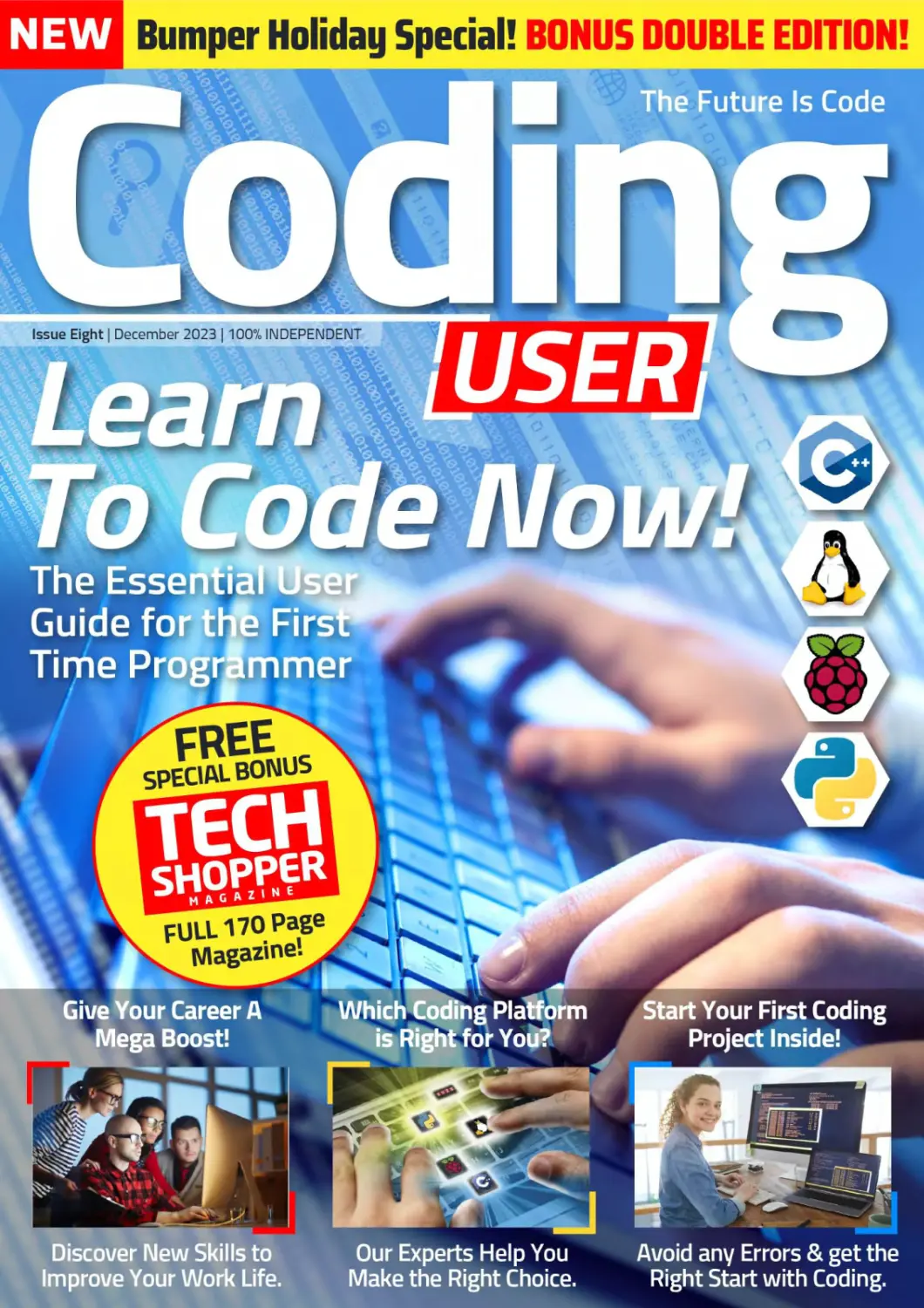
                    Bumper Holiday Special! BONUS DOUBLE EDITION!
Give Your Career A
Mega Boost!
Discover New Skills to
Improve Your Work Life.
Which Coding Platform
is Right for You?
Start Your First Coding
Our Experts Help You
Make the Right Choice.
Avoid any Errors & get the
Right Start with Coding.
Want to master your PC?
Then don't miss our NEW Windows PC
& Laptop magazine on
Readlq now!
N E W Bumper Holiday Special! BONUS DOUBLE EDITION!
1 USER i
Windows
Issue Eight | December 20231100% INDEPENDENT
Windows 11U*™
J	' A Beginners Guide
г —“Г
The Essential User
Guide for the New
Windows User!
Sfcypein
Windows 11
troubleshooting
Windows Problems
Are You Making the Most
from Al in Windows 11?
What's Inside the New
Windows 11 Update?
FULL 170 Page
Magazine!
TECH
SHOPPER
FREE
SPECIAL BONUS
Have You Really Set Up
Windows 11 Correctly?
Our Experts Dive Right
into the Late 2023 build!

Find out how to Master Avoid any Errors & Erase
the Amazing Copilot app!	those you have made!
Click our handy link to read now: https://bit.ly/3y7gwFG
Coding
USER]
In this issue we look at the first time uses of all of the core coding
languages and how to expand your experiences with them and
learn their extensive uses. Our easy-to-follow tutorials show you
how to create some utterly epic projects with your finger tips. Our
team of experts will show you how to set up your Windows
computers or your Apple Mac to make use of the power of coding.
We pass over our sister magazine, Tech Shopper to close out this
double issue, with it featuring the very best head turning gadgets
and software our team have come across. Welcome to the
awesome new issue of Coding User.
> W cUM**cMtalner**>
« Iv raw**»
« CUs$B**C0l-Md-6 COl-ld-8"> <! —
RFfiTN MAVTH
6 ) Coding Foundations
34 ) Coding with C++
8 Being a Programmer
10 A Brief History of Coding
12 Choosing a Programming Language
14 Creating a Coding Platform
16) Introducing C++
18 Why C++?
20 C++ Facts & Figures
36 Your First C++ Program
38 Compile and Execute
40 Using Comments
42 Variables
44 Data Types
46 Strings
48 C++ Maths
50 User Interaction
22 Equipment You Will Need
24 Structure of C++ Code
26 How to Set Up C++ in Windows
28 How to Set Up C++ on a Mac
30 How to Set Up C++ in Linux
52) Introducing Python
54 Why Python?
56 What Can You Do with Python?
58 Python in Numbers
32 Other C++IDEs to Install
60 Equipment You Will Need
78 Executing Code from the Command Line
80 Numbers and Expressions
82 Using Comments
72 Starting Python for the First Time
74 Your First Code
76 Saving and Executing Your Code
62 Getting to Know Python
64 How to Set Up Python in Windows
66 How to Set Up Python in Linux
68 Python on the Pi
70 ) Coding with Python
Л FREE CODE
DOWNLOAD!
50 Complete Programs
Over 20,000 lines of code!
Visit: www.pclpublications.com/exclusives
Please note: Sign up is required to download
Contents
84 Working with Variables
86 User Input
88 Creating Functions
90 Conditions and Loops
92 Python Modules
For more
F great coding titles
J visit our website
pclpublications.com
L For guides to C++,
к Python, Linux &
Raspberry Pi j
О
0
"Within these pages, you'llfindfche foundations and
fundamentals forPython and C++, two of the most
^bwerfdfyanguages in the world that are used by
tfm likes^f NASA, MicrosoftrApple and throughout
the Internet. Jheseylan	infeigpata,
-Encryption, Al, gamin^^sden^,_____
14dvahce(d rnathematiCTRWTP/isualising black holes
millions of light-yearsjaway	10
help solve the environmental crisis, Python and C++
are at the'forefrorit of code." * • CJ


www.pcLpublications.com
в
Welcome, Future Coder
Oo
Oo\p(
OQ
1
jDl


On
On
1 ПГ)!
no m.
nnDn 01 1DD1
00110! оПо’ оПЪП
ПП m -inn?1 1	001101“
imD1m 100101 001101 [
nn 01 10 01 01. □□
100101 noil DI on DI
1 01 001101 ОD DI 1DI
nn 01 1001 01 DD11D1
VTTlOl Ctp 01 1DO1O1 □
ПП 01 100101 DD11D1 DC
l 1 .nm.ni, О 0\l DI DD O1
1.ПП101 001101 00 01 ЮО1
nn m l.nm. nf ПО1101 oo
1.ПП1П1
nm ,101
www.pclpublications.com
Welcome, Future Coder
о i1, о i
“1 “я
Л, ° о
F01 c
'Dl n
°
Hol1
rife
jfu 01
3 Di? д
\Lnoia
Q1 ос
JV
I-о OX T
3. о р»тл
 oX □
jn. 1.1
Д □□!□
U1 □□
□ □X □
□ □ □:
oo ox
11O1
XDDXD
□ XO X_I
□ □ ox
□ xxox
Welcome,
Future Coder
Everything you do online, every time you
power on your smart TV, whenever you use
your in-car GPS, use your phone, play a game
on a tablet, console or PC, it's all been coded
by a group of people. All these ones and
zeros are developed by those who have
learned how to code, and with this book you
too can learn how to get started on the road
to becoming a programmer.
We cover C++, Python, and Linux Scripting
within these pages. There's a huge section
of project ideas, type-in listings, and in-
depth looks at how code works. But first,
let's begin with a good foundation.
3 0X2
xooxri
□ x oq
OX XO
x oo
LODX q
xooxri
, ox □
ox XI
100X0
□ X OO
□ OX о
00 о
30 D!
XXOX
XOOXO
□ xoi _
00 OX
www.pcLpublications.com
7
в
Welcome, Future Coder
Being a Programmer
Programmer, developer, coder, they're all titles for the same occupation, someone who
creates code. What they're creating the code for can be anything from a video game
to a critical element on board the International Space Station. How do you become a
programmer though?
Being a Programmer
Times have changed since programming in the '80s,
but the core values still remain.
"It's up to you
how far to take
your coding
adventure!”
»include<stdio.h>
*include<dos.h>
sinclude< stdlib.h>
#include<conio.h>
void getup()
{
textcolor(BLACK);
textbackground(15);
clrscr();
window(10,2,76,3);
cprintf(“Press X to Exit, Press Space to lump");
window(62,2,86,3);
cprintf("SCORE : “);
window(l,25,80,25);
for(int x-0;x<79;x+*)
cprintf(“n“);
textcolor(0);
int t,speed-40;
void ds(int jump-0)
22	<
static int a=l;
if(jump-0)
t-0;
else if(jump==2)
t--;
else t*+;
window(2,15-t,18,25);
cprintf("	“);
cprintf("	млпллллм");
cprintf("	лллллллл");
cprintf("	лллллппп");
cprintf(“ л мллллппп ");
cprintf(" ллм мллллллммм ");
cprintf(" пллллллллллл n ");
cprintf(" плллллллп ");
if(jump==l || jump—2){
cprintf("	ллп nn	");
cprintf("	ли	лм	");
Jelse if(a—1)
cprintf("	пллп	nnn	");
cprintf(" лм	);
46	a-2;
.17	}
else if(a—2)
49	{
cprintf(" плм пл ");
cprintf("	лм ");
a-1;
}
cprintf("	");
delay(speed);
A5 }
void obj()
1-5Л--4-
Being able to follow a logical pattern and
see an end result is one of the most valued
skills of a programmer.
MORE THAN CODE
For those of you old enough to remember the '80s, the golden era of home
computing, the world of computing was a very different scene to how it is
today. 8-bit computers that you could purchase as a whole, as opposed to
being in kit form and you having to solder the parts together, were the stuff
of dreams; and getting your hands on one was sheer bliss contained within
a large plastic box. However, it wasn't so much the new technology that
computers then offered, moreover it was the fact that for the first time
ever, you could control what was being viewed on the 'television'.
Instead of simply playing one of the thousands of games available at the
time, many users decided they wanted to create their own content, their
own games; or simply something that could help them with their homework
or home finances. The simplicity of the 8-bit home computer meant that
creating something from a few lines of BASIC code was achievable and so
the first generation of home-bred programmer was born.
From that point on, programming expanded exponentially. It wasn't long
before the bedroom coder was a thing of the past and huge teams of
designers, coders, artists and musicians were involved in making a single
game. This of course led to the programmer becoming more than simply
someone who could fashion a sprite on the screen and make it move at the
press of a key.
Naturally, time has moved on and with it the technology that we use.
However, the fundamentals of programming remain the same; but what
exactly does it take to be a programmer?
The single most common trait of any programmer, regardless of what
they're doing, is the ability to see a logical pattern. By this we mean
someone who can logically follow something from start to finish and
envisage the intended outcome. While you may not feel you're such a
person, it is possible to train your brain into this way of thinking. Yes, it
takes time but once you start to think in this particular way you will be able
to construct and follow code.
Second to logic is an understanding of mathematics. You don't have to be
at a genius level but you do need to understand the rudiments of maths.
Maths is all about being able to solve a problem and code mostly falls under
the umbrella of mathematics.
Being able to see the big picture is certainly beneficial for the modern
programmer. Undoubtedly, as a programmer, you will be part of a team
of other programmers, and more than likely part of an even bigger team
of designers, all of whom are creating a final product. While you may only
be expected to create a small element of that final product, being able to
understand what everyone else is doing will help you create something
that's ultimately better than simply being locked in your own coding cubicle.
Finally, there's also a level of creativity needed to be a good programmer.
Again though, you don't need to be a creative genius, just have the
imagination to be able to see the end product and how the user will interact
with it.
There is of course a lot more involved in being a programmer, including
learning the actual code itself. However, with time, patience and the
determination to learn, anyone can become a programmer. Whether
you want to be part of a triple-A video game team or simply create an
automated routine to make your computing life easier, it's up to you how
far to take your coding adventure!
www.pcLpublications.com
9
о
Welcome, Future Coder
о
о
0
0
1	0
1
0
0
0
0
1
0
„	0
A Brier History or Coding
It's easy to think that programming a machine to automate a process or calculate a value
is a modern concept that's only really happened in the last Fifty years or so. However,
that assumption is quite wrong, coding has actually been around for quite some time.
0
0
1
0
о
о
1
0
0
1
01000011 01101111 0110010001100101
Essentially all forms of coding are made up of ones and zeros, on or off states. This works for a modern computer
and even the oldest known computational device.
-87 ВС -850 AD КИШ 1800 НЯйВа 1842-1843 вВ 1930-1950
no
It’s difficult to pinpoint an exact
start of when humans began to
'program' a device. However,
it’s widely accepted that the
Antikythera Mechanism is possibly
the first 'coded' artefact. It's
dated to about 87 BC and is an
ancient Greek analogue computer
and orrery used to predict
astronomical positions.
The BanO Musa brothers, three Persian
scholars who worked in the House of
Wisdom in Baghdad, published the
Book of Ingenious Devices in around
850 AD. Among the inventions listed
was a mechanical musical instrument,
a hydro-powered organ that played
interchangeable cylinders automatically.
Joseph Marie Jacquard invents a
programmable loom, which used cards with
punched holes to create the textile design.
However, it is thought that he based his
design on a previous automated weaving
process from 1725, by Basile Bouchon.
Ada Lovelace translated
the memoirs of the Italian
mathematician, Francis
Maneclang, regarding
Charles Babbage's
Analytical Engine. She
made copious notes
within her writing,
detailing a method of
calculating Bernoulli
Numbers using the
engine. This is recognised
as the first computer
program. Not bad,
considering there were
no computers available at
the time.
10 www.pcLpublications.com
00 0 (У 0
010
During the Second World War,
there significant advances
were made in programmable
machines. Most notably, the
cryptographic machines used
to decipher military codes
used by the Nazis. The Enigma
was invented by the German
engineer Arthur Scherbius
but was made famous by Alan
Turing at Bletchley Park's
codebreaking centre.
A Brief History of Coding
00 о
From the 1970s, the development of the likes of C, SQL, C with
Classes (C++), MATLAB, Common Lisp and more came to the
fore. The '80s was undoubtedly the golden age of the home
computer, a time when silicon processors were cheap enough
for ordinary folk to buy. This led to a boom in home/bedroom
coders with the rise of 8-bit machines.
1951-1958
1959
1960-1970
1970-1985
1990s-Present Day
60 PRINT St
70 INPUT "Do you want more stars? "; At
80 IF LEN(At) = 0 THEN GOTO 70
90 At - LEFTS(At, 1)
100 IF (At - "Y") OR (At = "y") THEN GOTO 30
110 PRINT "Goodbye ";
ErtengctD^ ML ^Trareac^SQLg Protog Ф CddFuston
JavaScript	> aF™;F
11Olf O«| £ W
J? php!
□ Pascal0 5
CC swwt
Admiral Grace Hopper was part of
the team that developed the UNIVAC
I computerand she eventually
developed a compiler for it. In time,
the compiler she developed became
COBOL (Common Business-oriented
Language), a computer language that's
still in use today.
Computer programming was
mainly utilised by universities,
the military and big
corporations during the '60s
and the '70s. A notable step
toward a more user-friendly,
or home user language, was
the development of BASIC
(Beginners All-purpose
Symbolic Instruction Code) in
the mid-sixties.
The first true computer code was
Assembly Language (ASM) or
Regional Assembly Language.
ASM was specific to the
architecture of the machine
it was being used on. In 1951
programming languages fell under
the generic term Autocode. Soon
languages such as IPL, FORTRAN
and ALGOL 58 were developed.
The Internet age brought a wealth
of new programming languages and
allowed people access to the tools and
knowledge needed to learn coding in a
better way. Not only could a user learn
how to code but they could freely share
their code and source other code to
improve their own.
www.pcLpublications.com
11
Welcome, Future Coder
Choosing a
Programming
Language
Java
Ф python
It would be impossible to properly
explain every programming language in
a single book of this size. New languages
and ways in which to 'talk' to a computer
or device and set it instructions are being
invented almost daily; and with the
onset of quantum computing, even more
complex methods are being born. Here
is a list of the more common languages
along with their key features.
12 www.pclpublications.com
Choosing a Programming Language
SQL
SQ L SQL stan<^s F°r Structured Query Language. SQL is a standard language
1^^ for accessing and manipulating databases. Although SQL is an ANSI
(American National Standards Institute) standard, there are different versions of
the SQL language. However, to be compliant, they all support at least the major
commands such as Select, Update and Delete in a similar manner.
JAVASCRIPT ! JavaScript (often shortened to JS) is a lightweight,
interpreted, object-oriented language with first class
functions. JavaScript runs on the client side of the web, that can be used to design
or program how the web pages behave on the occurrence of an event. JavaScript is
an easy to learn and also powerful scripting language, widely used for controlling
web page behaviour.
Java
JAVA Java is tbe F°undation for virtually every type of networked
application and is the global standard for developing enterprise
software, web-based content, games and mobile apps. The two main components
of the Java platform are the Java Application Programming Interface (API) and the
Java Virtual Machine (JVM) that translates Java code into machine language.
q# C# is an elegant object-oriented language that enables developers to
build a variety of secure and robust applications that run on the .NET
Framework. You can use C# to create Windows client applications, XML Web services,
client server applications, database applications and much more. The curly-brace
syntax of C# will be instantly recognisable to anyone familiar with C, C++ or Java.
ф python
PYTHON Python is a widely used high level programming language used
for general purpose programming, created by Guido van
Rossum and first released in 1991. An interpreted language, Python has a design
philosophy that emphasises code readability and a syntax that allows programmers
to express concepts in fewer lines of code. This can make it easier for new
programmers to learn.
q++	C++ (pronounced cee plus plus) is a general purpose programming
language. It has imperative, object-oriented and generic programming
features. It was designed with a bias toward system programming and embedded,
resource-constrained and large systems, with performance, efficiency and flexibility
of use as its design highlights.
RUBY Ruby's a Lan9uage of careful balance. Its creator, Yukihiro "Matz"
Matsumoto, blended parts of his favourite languages (Perl, Smalltalk,
Eiffel, Ada and Lisp) to form a new language. From its release in 1995, Ruby has
drawn devoted coders worldwide. Ruby is seen as a flexible language; essential
parts of Ruby can be removed or redefined, at will. Existing parts can be added to.
Perl
Programming
PERL Per^ *s a 9enera^ Purpose programming language, used for a wide
range of tasks including system administration, web development,
network programming, GUI development and more. Its major features are that it’s
easy to use, supports both procedural and object-oriented (OO) programming, has
powerful built-in support for text processing and has one of the most impressive
collections of third-party modules.
SWIFT Swift is a powerful and intuitive programming language for macOS,
W iOS, watchOS and tvOS. Writing Swift code is interactive and fun;
the syntax is concise yet expressive and Swift includes modern features that
developers love. Swift code is safe by design, yet also produces software that runs
lightning fast. A coding tutorial app, Swift Playgrounds, is available for the iPad.
www.pclpublications.com
13
в
Welcome, Future Coder
Creating a Coding
Platform
The term 'Coding Platform' can signify: a type of hardware on which you can code,
a particular operating system, or even a custom environment that's pre-built and
designed for easy game creation. In truth it's quite a loose term, as a Coding Platform
can be a mixture of all of these ingredients, it's simply down to which programming
language you intend to code in and what your end goals are.
from d^ango. cont rib. ®uth.decor»tor%	*
from dlango.contrlb.admin.views.decorato'% •
from d^ango. co re. exception» iepott
from dlango.http import HttpResponseforbittam
from dlango.contrib.auth	authenticate.
from django.contrib.auth.modeis import Usot
from dlango. co re. paginate r import Foginator
from dlango.core.ur\reso\vers import reverse
from dlango.conf import settings
from dlango.db.models import Q, Sum, Mn. Count
Coding can be one oF those experiences that sounds Fantastic,
but is oFten conFusing to tackle. AFter all, there's a plethora
oF languages to choose From, countless apps that will enable
you to code in a speciFic, or range, oF languages and an equally
huge amount oF third-party soFtware to consider. In addition, by
accessing the Internet, you will discover that there are countless
coding tutorials available For the language in which you've decided
you want to program, alongside even more examples oF code. It's
all a little too much at First.
from dieiMjo.contrib import mess»<jes
from detetime import date, timedetta
import re
from .modeVs import *
« "there are some errors
The trick is to slow down and, to begin with, not look too deeply
into coding. Like all good projects, you need a solid Foundation
on which to build your skillset and to have all the necessary tools
available to enable you to complete the basic steps. This is where
creating a coding platForm comes in, as it will be your learning
Foundation while you begin to take your First tentative steps into
pVease check the wider world oF coding.
HARDWARE
ThankFully, coding at the
Foundation level doesn't
require specialist equipment,
or a top oF the range, liquid
hydrogen-cooled PC. IF
you own a computer, no matter how basic, you can begin to
learn how to code. Naturally, iF the computer in question is a
Commodore 64 then you may have some diFFiculty Following a
modern language tutorial, but some oF the best programmers
around today started on an 8-bit machine, so there's hope yet.
You will need access to the Internet to download, install and
update the coding development environment, alongside a
computer with Windows 10, macOS, or Linux, installed. You
can use other operating systems, but these are the 'big three'
and you will Find that most code resources are written with
one, or all, oF these in mind.
SOFTWARE
In terms oF soFtware,
most oF the development
environments have the
tools that allow you to
code, compile the code
and execute it, Freely
available to download and install. There are some specialist
tools available that will cost, but at this level they're not
necessary, so don't be Fooled into thinking you need to purchase
any extra soFtware in order to start learning how to code.
Over time, you may Find yourselF progressing From the
mainstream development environment and using a collection
oF your own, discovered, tools to write your code. It's all
personal preFerence in the end and as you become more
experienced, you will start to use diFFerent tools to get the
job done.
14
www.pclpublications.com
Creating a Coding Platform
OPERATING SYSTEMS
VIRTUAL MACHINES
Windows 10 is the most widely used operating system in the
world, so it's natural that the vast majority oF coding tools are
written For MicrosoFt's leading operating system. However,
don't discount macOS and especially Linux.
macOS users enjoy an equal number oF coding tools to their
Windows counterparts. In Fact, you will probably Find that a
lot oF proFessional coders use a Mac over a PC, simply because
oF the Fact that the Mac operating system is built on top oF
Unix (the command-line OS that powers much oF the world's
Filesystems and servers). This Unix layer lets you test programs
in almost any language without using a specialised IDE.
However, Linux is, by Far and away, one oF the most popular
and important coding operating systems available. Not only
does it have a Unix-like backbone, it's also Free to download,
install and use and comes with most oF the tools necessary to
start learning how to code. Linux powers most oF the servers
that make up the Internet. It's used on nearly all oF the top
supercomputers, as well as specifically in organisations such
as NASA, CERN and the military, it also Forms the base oF
Android-powered devices, smart TVs and in-car systems. Linux,
as a coding platform, is an excellent idea and it can be installed
inside a virtual machine without ever aFFecting the installation
oF Windows or macOS.
A virtual machine is a piece oF soFtware that allows you to install a
Fully working operating system within the conFines oF the soFtware
itselF. The installed OS will allocate user-deFined resources From the
host computer, providing memory, hard drive space etc., as well as
sharing the host computer's Internet connection.
The advantage oF a virtual machine is that you can work with
Linux, For example, without it aFFecting your currently installed
host OS. This means that you can have Windows 10 running and
launch your virtual machine client, boot into Linux and use all
the Functionality oF Linux, while still being able to use Windows.
This, oF course, makes it a Fantastic coding platform, as you can
have diFFerent installations oF operating systems running From
the host computer while using diFFerent coding languages.
You can test your code without Fear oF breaking your host OS
and it's easy to return to a previous configuration without the
need to reinstall everything again.
Virtualisation is the key to most big companies now. You
will probably Find, rather than having a single server with an
installation oF Windows Server, For example, the IT team have
instead opted Fora virtualised environment whereby each
Windows Server instance is a virtual machine running From
several powerful machines. This cuts down on the number
oF physical machines, allows the team to better manage
resources and enables them to deploy an entire server
dedicated to a particular task in a Fraction oF the time.
THE RASPBERRY PI
IF you haven't already heard oF the Raspberry Pi, then we
suggest you head over to www.raspberrypi.org and check
it out. In short, the Raspberry Pi is a small, Fully Functional
computer. It comes with its own customised, Linux-
based operating system that's pre-installed with
everything you need to start learning how to
code in Python, C++, Scratch and more.
you enter into it.
Costing around £35, it's incredibly
cheap and allows you to utilise
diFFerent hardware, in
the Form oF robotics and
electronics projects, as well
as oFFering a complete desktop
experience. Although not the most
powerful computing device in the world, the
Raspberry Pi has a lot going For it, especially in terms
oF being one oF the best coding platforms available.
YOUR OWN CODING PLATFORM
Whichever method you choose, remember that your coding
platform will probably change, as you gain experience
and Favour one language over another. Don't be
aFraid to experiment along the way, as
you will eventually create your
own unique platform that
can handle all the code
www.pcLpubLications.com
15
Introducing C++
О
О
О
о
1
101
jl
1
1
и
11
11
11
1
1
1
1
о
о
010
	10	1		01	1								1	1			0	0		0
	0 0	111		00						0	0			10	1			0	0		jO
1	0	00	1	01	1				0	0	0		0	0				0	1 0	1		0
1	0 0	100	1	11	1 (	л			10	0	01		0	010				010	1 10 0
0	ООО	и	1	00010					0 00	1	010	1	00	1	1			0	0 0 1	1	10 1
0	1 0 0	100	1		0101				0 01	0	0 0	100		101				1LL ю J1010 0 00 0
0	1 1 0	101	0	1	ООН			1	0 01	0 0 111	101		0	1		Oil ПОПО 0		0	0	10
0	0 0 1	011	0	1	10	0		1	0 00	0 1	0	011		100		100 010Т11 11 1 1					10
1	0 0 1	00	1	1	00	0		1	1 01	1 0	0 III ООО					оою о 1 Ео оо			0	1 L	1
0	1 1 0	01	010		01	1		0	1 10	0	0	01 1			110					0	1110
0	1 1 00 01101				0	1			1 10	0	0	01		1	1	0 0		10	0 0 00 0 1	ijj		10
1	ООО 01011		00	1	0	0	1	0	0101	Bi i Еяо		d	0 0		33		0 111ft0 0,			J1
0	101 00001		01		0	1	0	0	1010	1 ОТ 0	01	1 [	1	Ям?!			1 ttlylfll		1	Йо
0	101 00 01		010		0	1	0	0	1010	1 Ъ1ао 0 01 J			1	О/.	•5		0 0 ТмД'111			1 1
1	1 1 1С	1 00	001		0	0	1	0	0101	1 1 111 0 1 10		0	о			о	0 111ft I aO.			1 1
1	0 0 01	11	ООО	1	0	0	10	0	10 01	1 00001 1 10	11 : 1 '		о				0 100100 о;	0 000 1
0	1 1 0	01	ООО	1	1	1	10	0	00 10	1 01001 0 01	0 1;		10	01	।	1	0 Olujll 0 0	0 001 1
1 01 0 0		00	110		1	1000		0	01 10	0 0100 0 10	0	01	D1	10			1 01 010 1•	1 1	1 10
0 с	10 0 0	1	111		1	оно		0	01 11	о о 01Л о о ю		0101		10	14		oiiiQi	i п	10	00
1 1	0 1	0	110	1	0	и	1	0010 01		io lol ши		ооюй		01	Г		00 1 010 J.		01	00
ООО 1 0		0 1	010		0	10	0	0111 10		1W0 ОНО 1«1	10	11	1	оо ока			00 0 0101	in	1	10
ООО 1 0		0 1	010		0	10	0	0	И 10	1 о 01Т1 1П	10	11	0	00	0 г» Ж.	1 1	00 1 0 0 11	in	11	01
100 1 1		1 0	ООП		0	00	0	0	00 01	101 111 0 01	)1 00		0 10		г	1 00 1 1 0 0			0	01
111	0 0	0 1	001	1	0	01	0	0	10 01	юо оо1 i’E	fijJIQ			00	01 101 101 0 0			он	0	01
01	1 0	10	ООО	1	1	10	0	0	00 00	110 001 0 о!	0 10			01		Гю	00 101 OiD]	00	0 11
01	0 1	1 10	10 1	00	1	10	1	0	01 00	ЮН 102 1		он	DO 01 01			a?in юо о о]		11	Я	00
и	0 0	10	и	10	1	01	1	0	00 и	ЮН ООО ОС	1	0101 п			01	1м	10 000 1 0		од	10
01	0 0	01	01	10	0	10	0	1	01 01	oiooo vi •	0	и	10	00	0	ГЗ	001000 1 1	10	«л	10
00	0 0	1 01	10 1	00	0	10	111		00 1	10 ОКО 11	0	0101'		10	(X	Е и ююо о к		Лоо		10
01	0 0	01	01 1	00	0	10	001		10 1	00 111 1 0[		101	DO 10 0			11	10 101 0 0]	00		01
00	ООО	10	00101		1	00	001		1	00ft 10 0 0	1	1111'		00	11	|Е	10 10м,' 111	о Гм		0
10	011	01	10101		0	01	1	1	i1	ю 0121101	1	0000;			00(	п	00 015 010	10		1 0
00	100	и	10010		0	10	0	0	Ь)И	ю 012 001'	0	1111			о	11	oi oi m7bi	10	од	no
00	00	и	100	0	0	10	1	0	Ми	10 01 ООН	0	1 110L		1000		11	OftOlftlOli	10		0
10	01	00	011	0	0	00	0	0	1 1	10 111 010ft 1£ГП			11	00	1	1 и	oft 10ft 010,	01	10 0
и	10	и	001	1	0	оно		0	1 1 1	10 001 101 Mini 0			10 00		1 п	i fl	oil iiitftjii	01	м	0
01	1 00	10	ООО	1	1	1010		0	0 0	И 001 010	0 2 0		10	01	ЦП	। Е	Ojj’lOft 1 Oi	00		1
10	1 00	01	100	0	1	1	00	0	1 0	И 00 011	0	[Г 101'		10	0 1	 ц	1 ftiO'j imii'	10	За	1
00	1 00	10	111	0	1	0	10	0	0 1	00 01 010	0	J 101 0012							E	1
10	0 01	01	101	1	0	1	10	0	1 1 1	10 101 100	1	! 110 Olffl				31	oftlljo 13			0 .
01	1 0	10	111	0	0	0	10	0	0	01 10 010	1	£0	И	10	HiD		WioEftol	11		0 1
00	1 0	01	100	0	0	1	11	1	0	10 01 001]	0	1	1 100 0 ]				1 ft 10ft 1ВМ0П
01	0	01	01			1	10	1	1 1	00 111 00	0	20	0	0	и		Поти 0]	00	•и
00	1	10	00		1	0	0	1	1	00 10	10	1	1	1	0	0	10	1			01	ifl	10
10	1	01	0		0	0	1	1		10 0	10	1	0	0	01	•э	D	01 Ти 0 10			11
0	0	и	0			1	0	0	1	10 0	01	0	1	1	0		1 1	01	1 10			1
0	0		0			1	0	0	1	10 0 и	0	1	1	0			01	1	1		0
0			1		0	0	1	0		10 1 1 00	1	0	0	0			И 0 0			0
1	0		0			0	1	0	1	И 0 1 0	1	0	0	0			1	0			0
0			0			1			1	1	0	0	0	1	1				0	1		1
0	1		0 1							1	0 1	0 1	1	1				0 1	1

16
31
1
10
'1
s
000101
01000C
001 IK
11100C
101111
01011
01011
101111
101
Introducing
10
л
30
10
30
л
10
30
10 1
ООО
C++ is an amazing programming language. Most
of what you see in front of you when you power
up your computer, regardless of whether you're
using Windows, macOS or Linux, is created
using C++. Being able to code in C++ will open a
whole new world for you, in terms of desirable
professional skills and the ability to code
amazing apps and games.
C++ is an efficient and powerful language
that's used to develop operating systems,
applications, games and much more. It's used in
science, engineering, banking, education, the
space industry, and much more.
0
1
17
Introducing C++
Why C++?
C++ is one of the most popular programming languages available today. Originally
called C with Classes, the language was renamed to C++ in 1983. It's an extension of
the original C language, and is a general purpose object-oriented (OOP) environment.
C EVERYTHING
Due to both the complexity of the language and its power and performance, C++ is often used to develop games, programs,
device drivers, and even entire operating systems.
Dating back to 1979, the start of the golden era of home
computing, C++, or rather C with Classes, was the brainchild of
Danish computer scientist Bjarne Stroustrup, while working on
his Ph.D. thesis. Stroustrup's plan was to further the original C
language, which had been widely used since the early seventies.
C++ proved to be popular among the developers of the 80s, since
it was a much easier environment with which to get to grips,
and, more importantly, it was 99% compatible with the original C
language. This meant that, beyond the mainstream computing labs,
regular people who didn't have access to the mainframes and large
computing data centres could use it.
C++'s impact in the digital world is immense. Many of the programs,
applications, games, and even operating systems are coded
using C++. For example, all of Adobe's major applications, such as
Photoshop, InDesign and so on, are developed in C++. You will find
that the browser you use to surf the Internet is written in C++, as
well as Windows 10, Microsoft Office, and the backbone to Google's
search engine. Apple's macOS is written largely in C++ (with some
other languages mixed in depending on the function), and the likes
of NASA, SpaceX, and even CERN use C++ for various applications,
programs, controls, and umpteen other computing tasks.
As well as being an easier addition to the core C language, C++ is
also extremely efficient and performs well across the board. This
higher level of performance over other languages, such as Python,
BASIC and such, makes it an ideal development environment for
modern computing; hence the aforementioned companies using it
so widely.
ЭС++ code is much faster than other
programming languages.
18
Installing - Visual Studio Community 2017 (15.026223.1)
Workloads Individual components Language packs
Windows (3)------------------------------------------------------------
Universal Windows Platform development
 Щ Create applications for the Universal Windows Platform with C*.
VB JavaScript, or optionally €♦♦.
□n .NET desktop development
Bu<ld WPF. Windows Forms and console applications using the
.NET Framework.
X
♦♦ —I Desktop development with C ♦ ♦	□
1 I Build classic Windows-based applications using the power of the
Visual O* toolset. ATL and optional features like MFC and...
Web & Cloud (4)
ASP.NET and web development
Build web applications using ASP.NET. ASP.NET Core. HTML
JavaScnpt and CSS.
Azure development
Azure SDK. tools, and projects for developing cloud apps and
creating resources.
(O') Node.js development
Build scalable network applications using Node.js. an asynchronous
event-driven JavaScnpt runtime.
Data storage and processing
Connect develop and test data solutions using SQL Server, Azure
Data Lake. Hadoop or Azure ML
Mobile & Gaming (5)
Summary
v Desktop development with С...
Included
V Visual core desktop features
Optional
□ VC-- 2017 v141 toolset (x86,x64)
Q £♦♦ profiling tools
Q Windows 10 SDK (10.0.14393.0)
Q Visual €♦♦ tools for CMake
9 Visual €♦♦ ATL support
□	Windows 8.1 SDK and UCRT SDK
[J Windows XP support for C**
О MFC and ATL support (x86 and x64)
□	C**/CU support
Clang/C2 (experimental)
[J Standard Library Modules
o By continuing, you agree to tne cerse for the
Vsuai Studo editor you se ectec We also offer tne
ability to download other software with Visual
Stud o. This software $ censed separately as set
out m the 3rd Party Notices or in its accompany ng
license By continuing, you also agree to those
licenses.
Э Microsoft’s Visual Studio is a great, free
environment in which to learn C++.
C++ puts the developer in a much wider world of coding. By
mastering C++, you will find yourself being able to develop code for
the likes of Microsoft, Apple and so on. Generally, C++ developers
enjoy a higher salary than programmers of some other languages,
and, due to its versatility, the C++ programmer can move between
jobs and companies without the need to re-learn anything specific.
You will discover, as you become a more advanced coder, that many
of the developers in various coding jobs around the world tend to
use pre-designed development engines. For example, when creating
games, the likes of Bethesda, the team behind Oblivion and Skyrim,
utilise a 3D game engine called The Creation Engine. This enables
the team to quickly create animations, characters, items, terrains,
rooms, and just about everything else you'd see in the game. The
engine itself has been modified to make the most of the current
graphics card hardware, and computer or console processing
power. These engines are mostly written in C++, and when making
improvements to the engine, or when creating a new game, if
the developers want to add something that the engine can’t do,
they will use C++ to create the new content or link between two
different engines. The end result, of course, is a game that contains
the latest graphical technology, while being seamlessly bound
together with some pretty clever C++ coding.
Getting to use C++ is quite easy, all you need is the right set of tools
in which to communicate with the computer in C++, and you can
start your journey. A C++ IDE is free of charge, even the immensely
powerful Visual Studio from Microsoft is freely available to
download and use. You can get into C++ from any operating system,
be it macOS, Linux, Windows, or even mobile platforms.
So, to answer the question of Why C++, the answer is because it's fast,
efficient, and developed by most of the applications you regularly
use. It's cutting edge, and a fantastic language to have mastered.
Э Indeed, the operating system
youTe using is written in C++.
Windows 10
debian
ubuntu
19
Introducing С++
С++ is one of the top
programming languages
in the industry. It’s quick,
powerful, and used by
nearly every major tech
and gaming company in
the world. Here's some
interesting facts about
the rather wonderful C++
SUPERCOMPUTING USES C++ CODE
TO CALCULATE VAST AMOUNTS OF
DATA, INCLUDING THE NASA-BASED
SUPERCOMPUTING FARM THAT RUNS
SIMULATIONS OF THE UNIVERSE.
NASA, CERN,
MICROSOFT,
ORACLE, PAYPAL,
LINKEDIN, AMAZON AND
THE MILITARY USE C++.
one of the
predominant
programming
languages for the
development of all
kinds of technical
and commercial
software.
a of the
Linux operating
ЦМ system is coded
using C++, therefore
you could say that most
of the world’s Internet
hosting servers are
available thanks to C++. |
C++ has
influenced other
programming
languages, such as
C# and Java.
C++ IS USED FREQUENTLY
IN ANIMATION PROCESSES.
4JD ANIMATION,
MODELLING,
SIMULATIONS
SE C++.
More than 70% of all
trading is known as
High Frequency Trading
(HFT), and the software
responsible is written in
C++ to make use of its
high speed.
20
Q C++ Facts & Figures
Sources: ITJobsWatch,
Coogle, Quora, Stack
Exchange, eduCBA,
StackOverflow,
stackshare,
AppDynamics
Windows 95,98, 2000,
XP, 7,8.1 and 10, as well as
Microsoft Office, use C++
as the backbone programming
language of choice.
SYSTEMS
The Unreal 4 Engine,
which is coded in C++,
is used for hundreds
of games, including
Fortnite.
Most of Adobe's
stable of products
are developed
using C++.
The Xbox
operating system
uses C++ as its
backbone.
It handles the
intensive CPU and
GPU hardware
functions.
machinesand
Many database applications
are built using C++, such
as MySQL, it's also used
by Wikipedia, Yahoo and
YouTube.
Gaming is one of the
biggest users of C++.
complexities of 3D games,
supports multiplayer
options, and enables
used in computer
networking as the
main code behind the
Programmable Logic
Controller, connecting
servers, processors, other
hardware, and
even robotics.
MRI scanning
FORTNITE
Computer Aided Design
all use C++ to help with
the enhanced imagery
produced by these
systems.
RADAR
PROCESSING
TECHNOLOGIES
SE'C+< AS
Google Chrome, Mozilla’s
Firefox, and even Microsoft's
Edge web browsers are
coded in C++.
 lie
90th
PERCENTILE SALARY
FOR A UK-BASED C++
DEVELOPER IS
£120,000
FLIGHT CONTROL SYSTEMS IN
MODERN AIRCRAFT, INCLUDING
MILITARY AIRCRAFT, USE C++.
21
Introducing C++
EquipmentYou
Will Need
You don't need to invest a huge amount of money in order to learn C++, and you
don't need an entire computing lab at your disposal either. Providing you have a fairly
modern computer, everything else is freely available.
C++ SETUPS
As most, if not all, operating systems have C++ at their code, it stands to reason that you can learn to program in C++ no
matter what OS you're currently using.
COMPUTER
Unless you fancy writing out your C++ code by hand on a sheet of paper (which is
something many older coders used to do), then a computer is an absolute must have
component. PC users can have any recent Linux distro or Windows OS, Mac users the
latest macOS.
U AN IDE
An IDE is used to enter and execute your C++ code. Many IDEs come with extensions
and plugins that help make it work better, or add an extra level of functionality.
Often, an IDE will provide enhancements depending on the core OS being used,
such as enhancements for Windows 10.
COMPILER
A compiler is a program that converts the C++ language into binary that the
computer can understand. While some IDEs come with a compiler built in, others
don't. Code::Blocks is our favourite IDE that comes with a C++ compiler as part of the
package. More on this later.
J TEXT EDITOR
Some programmers much prefer to use a text editor to assemble their C++ code
before running it through a compiler. Essentially, you can use any text editor to write
code, just save it with a .cpp extension. However, Notepad++ is one of the best code
text editors available.
INTERNET ACCESS
While it’s entirely possible to learn how to code on a computer that's not attached
to the Internet, it’s extraordinarily difficult. You will need to install the relevant
software, keep it up to date, install any extras or extensions, and look for help when
coding. All of which require access to the Internet.
J TIME AND PATIENCE
You're going to need to set aside significant time to spend on learning how to code
in C++. Sadly, unless you're a genius, it's not going to happen overnight, or even in a
week. A good C++ coder has spent many years honing their craft, so be patient, start
small and keep learning.
22
(^Equipment You Will Need
OS SPECIFIC NEEDS
C++ will work in any operating system; however, getting all the necessary pieces together can be confusing to a newcomer. Here's
some OS specifics for C++.
LINUX
WINDOWS
Linux users are lucky in that they already have a compiler and
text editor built into their operating system. Any text editor
will allow you to type out your C++ code, when it's saved with
a .cpp extension, use g++ to compile it.
As we've mentioned previously, one good IDE is Microsoft’s
Visual Studio. However, a better IDE and compiler is
Code::Blocks, which is kept regularly up to date with a new
release twice yearly, or so. Otherwise, Windows users can
enter their code in Notepad++ then compile it with MinGW -
which Code::Blocks uses.
RASPBERRY PI
The Raspberry Pi's operating
system is Raspbian, which is
Linux based. Therefore, you're
able to write your code out
using a text editor and then
compile it with g++, as you
would in any other Linux distro.
MAC
Mac owners will need to
download and install Xcode,
in order to compile their
C++ code natively. Other
options for the macOS
include Netbeans, Eclipse or
Code::Blocks. Note: the
latest Code::Blocks isn't
available for Mac, due to a
23
Introducing C++
Structure of C++ Code
C++ is an amazing programming language to learn. If your dream is to become a games
designer, or work at the cutting edge of science or engineering technology, then being
able to code in C++ is a must. Remember, you're never too old to learn how to code.
INCLUDE <C++ ISACE!>
As you learn the basics of programming, you will begin to understand the structure of a program. The commands may be
different, but you will start to see how the code works.
Danish student Bjarne
Stroustrup invented C++ in
1979, as a part of his Ph.D.
thesis. Initially C++ was called
C with Classes, which added
features to the already popular
C programming language
while making it a more
user-friendly environment.
Bjarne Stroustrup, inventor
of C++.
//INCLUDE
The structure of a C++ program
can look complex, but once you
get familiar with it you'll begin to
see how it flows. Every C++ code
begins with a directive, #include
<>. The directive instructs the
pre-processor to include a
section of the standard C++
code. For example: #include
<iostream> includes the
iostream header to support
input/output operations.
File Edit View Search Tools Documents Help
OoDi ** ** X lD 6	4
lei *newcode.cpp x
#include <iostream>
INT MAIN()
int main() initiates the
declaration of a function, which
is a group of code statements
under the name 'main*. All
C++ code begins at the main
function, regardless of where
it lies within the main body of
the code.
r	*newcode.cpp (-ZD
File Edit View Search Tools Documents Help
О и Di r* У, IP 6	4
,cj *newcode.cpp x
#include <iostream>
int main()
BRACES
The open brace is
something that you may
not have come across
before, especially if
you're used to other
coding languages. The
open brace indicates the
beginning of the main
function, and contains
all the code belonging to
that function.
*newcode.cpp (-/Documents)
File Edit View Search Tools Documents Help
Л 6 4	X iP С 4 4
ICj *newcode.cpp x
tfinclude <iostream>
int main()
{
24
Structure of C++ Code
COMMENTS
«
Lines that begin with a double slash are comments. This means they
won't be executed in the code and are ignored by the compiler. Why
are they there? Comments are designed to help you, or another
programmer looking at your code, explain what's going on. There
are two types of comment: /* covers multiple line comments, //a
single line.
*newcode.cpp ('/Documents)
File Edit View Search Tools Documents Help
Л 6 Oj - X IP 6	49.
*newcode.cpp X
tfinclude <iostream>
int mainO
{
// My first C++ program!
The two chevrons used here are insertion operators. This means
that, whatever follows, the chevrons are to be inserted into the
std::cout statement. In this case, they are the words 'Hello World’,
which are to be displayed on the screen when you compile and
execute the code.
*newcode.cpp ('/Documents)
File Edit View Search Tools Documents Help
Л 6 Di ** ** X 0 О Ч 9ч
ICT *newcode.cpp X
^include <iostream>
int mainO
{
// My first C++ program!
std::cout « ("Hello World!\n )
STD
OUTPUTS
In C++, STD means Standard. It's a part of the Standard Namespace
in C++, which covers a number of different statements and
commands. You can leave the std part out of a code, but it must be
declared at the start with: using namespace std.
Leading on, ("Hello World!") is the part that we want to appear on
the screen when the code is executed. You can enter whatever you
like, as long as it’s inside the quotation marks. The brackets aren’t
needed, but some compilers insist on them. The \n part indicates a
new line is to be inserted.
ж	*newcode.cpp (-/Documents)
File Edit View Search Tools Documents Help
+П o Di x* X P 8 Ч 9ч
(C*| *newcode.cpp X
#include <iostream>
using namespace std;
int mainO
{
// My first C++ program!
// My first C++ program!
std::cout « ( Hello World’\n )|
COUT
In this example weTe using cout, which is a part of the Standard
Namespace - hence why it's there, as you're asking C++ to use it from
that particular namespace. Cout means Character OUTput, which
displays, or prints, something to the screen. If we leave std:: out we
have to declare it at the start of the code; as mentioned previously.
;AND}
Finally you will notice that lines within a function code block
(except comments) end with a semicolon. This marks the end of
the statement, and all statements in C++ must have one at the end
or the compiler will fail to build the code. The very last line has the
closing brace to indicate the end of the main function.
*newcode.cpp (-/Documents)
File Edit View Search Tools Documents Help
Л C °i » X 0 6 Ч 9ч
jc*| *newcode.cpp x
tfinclude <iostream>
int mainO
{
// My first C++ program!
std::cout |
25
Introducing C++
How to Set Up
C++ in Windows
Windows users have a wealth of choice when it comes to programming in C++. There
are loads of IDEs and compilers available, including Visual Studio from Microsoft.
However, in our opinion, the best C++ IDE to begin with is Code::Blocks.
CODE::BLOCKS
Code::Blocks is a free C++, C and Fortran IDE that is feature rich and easily extendible with plugins. It’s easy to use, comes with
a compiler and has a vibrant community behind it too.
STEP1
л
Start by visiting the Code::Blocks download site, at
www.codeblocks.org/downloads. From there, click
on the 'Download the binary releases' link to be taken to the latest
downloadable version for Windows.
STEP3
л
When you've located the file, click on the
Sourceforge.net link at the end of the line and a
download notification window appears; click on Save File to start
the download and save the executable to your PC. Locate the
downloaded Code::Blocks installer and double-click to start. Follow
the on-screen instructions to begin the installation.
STEP 2
л
There you can see, there are several Windows
versions available. The one you want to download
has mingw-setup.exe at the end of the current version number. At
the time of writing this is: codeblocks-17.12mingw-setup.exe. The
difference is that the mingw-setup version includes a C++ compiler
and debugger from TDM-CCC (a compiler suite).
if Windows XP / Vista 1718.x 110:
File
codabiock*-17 12-satup «ха	30 Dac
codebiocks-17 12-setup-nonadmm exe	30 Dec	;
codebiocks-17 12-nosetup zip	30 Dec	;
codebiocks-17 12mingw-setup exe	30	Dec:
codebiocks-17 12mingw-nosetupzip	30 Dec	J
codeblocks-17 12mingw_kxtran-s«tup exe	30 Dec	:
MOTE The codebiocks-17 12-sctup exe tie includes Code Blocks with all plugvre The codebiocks-17 12-selup-nonadmin exe file is provided for cooven
MOTE The codeblocks 17 12m»gw setup exe Me .ncludes adObona^ the GCOG* • compiler and GOB debugger from TDUGCC (version 5 1 0 32 bit
(TDM-GCCI
MOTE The codebiocks-17 12(mmgw)-rxreetup zip fries are provided for convenience to users that are ederipc agamsl «retailers However it wdl not allow i
"metallation" you are on your own
If unsure. please use codebtocfcs-1? 12mmgrr-setup вне'
STEP 4
л
Once you agree to the licencing terms, a choice of
installation options becomes available. You can opt
for a smaller install, missing out on some of the components but we
recommend that you opt for the Full option, as default.
(«+ Code:Blocks Installation	—	X
Choose Components
Choose which features of CodeBlocks you want to install.
Check the components you want to install and uncheck the components you don't want to
install, dick Next to continue.
Select the type of install:
Or, select the optional
components you wish to
install:
Ful: Al plugins, all tools, just everything	v-
G G	0-0 Default mstaM	a Contrib Plugins 0C::BCBP2Make 0C::BCCTest 0C::B Share Config 0 C::B Launcher	v
Description
Position your mouse over a component to see its
Space required: 253.4MB
26
6 How to Set Up C++ in Windows
STEP 5
Next choose an install location for the Code::Blocks
files. It's your choice but the default is generally
sufficient (unless you have any special requirements of course).
When you click Next, the install begins; when it's finished a
notification pops up asking you if you want start Code::Blocks now,
so click Yes.
Create shortcut: C lasers \david\AppData foaming V4icrosoft\Windows\Start Menu'programs'
Nullsoft Install System v3J12d
STEP 8
There's a lot you can do in Code::Blocks, so you need
to dig in and find a good C++ tutorial to help you
get the most from it. However, to begin with, click on File > New >
Empty File. This creates a new, blank window for you to type in.
STEP 6
л
The first time Code::Blocks loads it runs an
autodetect for any C++ compilers you may already
have installed on your system. If you don't have any, click on the
first detected option: GNU GCC Compiler and click the Default
button to set it as the system's C++ compiler. Click OK when you're
ready to continue.
STEP 9
In the new window, enter the following:
#include <iostream>
Compilers auto-detection	□ X
Int main()
{
//My first C++ program
Std::cout « "Hello World!\n";
}
Note: After auto-detecbon, at least one compiler's master path is stiB empty and therefore invalid.
Inspect the list below and change the compiler's master path later in the compiler op bon s.
Select you favourite default compiler here:
Notice how Code::Blocks auto-inserts the braces and speech quotes.
STEP 7
The program starts and another message appears
informing you that Code::Blocks is currently not
the default application for C++ files. You have two options, to leave
everything as it is or allow Code::Blocks to associate all C++ file
types. Again, we would recommend you opt for the last choice, to
associate Code::Blocks with every supported file type.
STEP 10
л
Click File > Save as and save the code with a
.cpp extension (helloworld.cpp, for example).
Code::Blocks changes the view to colour code according to C++
standards. To execute the code, click on the Build and Run icon
along the top of the screen. It's a green play icon together with a
yellow cog.
ПЙ*12ОТГ-Ц-а 1044 411 «ссЯЛЦМиийПГИГ*
27
Introducing C++
How to Set Up C++
on a Mac
To begin C++ coding on a Mac you can use Apple's own developer platform: Xcode. This
is a free, full featured IDE that's designed to create native Apple apps. However, it's
also able to be used to create C++ code relatively easily.
XCODE
Apple's Xcode is primarily designed for users to develop apps for macOS, iOS, tvOS and watchOS applications in Swift or
Objective-C, but we can use it for C++ too.
STEP1
л
Start by opening the App Store on your Mac, Apple
Menu > App Store. In the Search box enter Xcode,
and press Return. There will be many suggestions filling the App
Store window, but it's first option, Xcode, that you need to click on.
STEP3
л
When you're ready, click on the Get or cloud icon
button which will install the Xcode app. Enter your
Apple ID, and Xcode will begin to download and install. It may take
some time depending on the speed of your Internet connection, as
Xcode is in excess of 11GB.
STEP 2
л
Take a moment to browse through the app's
information, including the compatibility to ensure
you have the correct version of macOS. Xcode requires macOS
10.12.6 or later to install and work.
STEP 4
л
When the installation is complete, click on the Open
button to launch Xcode. Click Agree to the licence
terms, and enter your password to allow Xcode to make changes
to the system. When you've done that, Xcode will begin to install
28
How to Set Up C++ on a Mac
STEP 5
л
With everything now installed, including the
additional components, Xcode will launch displaying
the version number along with three choices and any recent projects
that you've worked on - although For a Fresh install, this will be blank.
STEP 8
л
The next step asks where to create a Git Repository
For all your Future code. Choose a location on your
Mac, or a network location, and click the Create button. When
you've done all that, you can start to code. The leFt-hand pane
details the Files used in the C++ program you're coding. Click on the
main.cpp File in the list.
STEP 6
л
Start by clicking on Create New Xcode Project, this
opens a template window to choose which platForm
you’re developing code For. Click the macOS tab, then click the
Command Line Tool option. Click Next to continue.
STEP 9
л
You will notice that Xcode has automatically
completed a basic Hello World program For you.
The diFFerences here are that the int main () Function now contains
multiple Functions and the layout is slightly diFFerent. This is just
Xcode utilising the content that's available to your Mac.
STEP 7
л
Fill in all the Fields, but ensure that the Language
option at the bottom is set to C++. Simply choose
it From the drop-down list. When you've Filled in the Fields, and
made sure that C++ is the chosen language, click on the Next
button to continue.
STEP 10
л
When you want to run the code, click on Product >
Run. You may be asked to enable Developer Mode
on the Mac, this is to authorise Xcode to perForm Functions without
needing your password every session. When the program executes,
the output will be displayed at the bottom oF the Xcode window.
29
Introducing C++
How to Set
in Linux
Up C++
Linux is a great C++ coding environment. Most Linux distros already have the essential
components preinstalled, such as a compiler and the text editors are excellent for
entering code into, including colour coding; there's also tons of extra software
available to help you out.
LINUX++
There are many different versions of Linux available, for this example we’re using one of the more popular distributions: Linux
Mint. However, these steps will work in any Debian-based Linux.
STEP1
л
The first step with ensuring Linux is ready for your
C++ code is check the system and software are
up to date. Open a Terminal and enter: sudo apt-get update
&& sudo apt-get upgrade. Press Return and enter your
password. These commands updates the entire system and any
installed software.
STEP3
л
Amazingly, that's it. Everything is all ready for you
to start coding. Here's how to get your first C++
program up and running. In Linux Mint the main text editor is Xed
can be launched by clicking on the Menu and typing Xed into the
search bar. Click on the Text Editor button in the right-hand pane to
open Xed.
File Edit View Search Terminal Help
david@<nint-mate - S sudo apt-get update &
[sudo] password for david: |
STEP 2
л
Most Linux distros come preinstalled with all the
necessary components to start coding in C++.
However, it's always worth checking to see if everything is present,
so still within the Terminal, enter: sudo apt-get install
build-essential and press Return. If you have the right
components, nothing is installed but if youTe missing some then
they are installed by the command.
*	david@mint-mate -
File Edit View Search Terminal Help
Ildavidgmint-mate - $ sudo apt-get install build-essential
Reading package lists... Done
Building dependency tree
«Reading state information... Done
ibuild-essential is already the newest version (12. Iubuntu2).
(build-essential set to manually installed.
(0 to upgrade, 6 to newly install, 6 to remove and 8 not to upgrade,
davidemint-mate - S |
STEP 4
______л
In Xed, or any other text editor you may be using,
enter the lines of code that make up your C++ Hello
World program. To remind you, it’s:
#include <iostream>
int main()
{
//My first C++ program
std::cout « "Hello World!\n";
j *Unsaved Document 1 X
|#include <iostream>
1int main()
{
//My first C++ Program
std::cout « "Hello World!\n";
I)
30
How to Set Up C++ in Linux
STEP 5
When you've entered your code, click File > Save As
and choose a Folder where you want to save your
program. Name the File as helloworld.cpp, or any other name just as
long as it has .cpp as the extension. Click Save to continue.
STEP 8
л
BeFore you can execute the C++ File you need to
compile it. In Linux it's common to use g++, an open
source C++ compiler and as you're now in the same Folder as the
C++ File, go to the Terminal, enter: g++ helloworld.cpp and
press return.
v	david@mii
File Edit View Search Terminal Help
david@mint-mate -/Documents $ g++ helloworld.cpp
david@mint-mate -/Documents s
STEP 6
л
The First thing you can see is that Xed has
automatically recognised this as a C++ File, since the
File extension is now set to .cpp. The colour coding is present in the
code and iFyou open up the File manager you can also see that the
File's icon has C++ stamped on it.
STEP 9
л
There will be a brieF pause as the code is compiled
by g++ and providing there are no mistakes or
errors in the code you are returned to the command prompt. The
compiling oF the code has created a new File. IF you enter Is into the
Terminal you can see that alongside your C++ File is a.out.
STEP 7
л
With your code now saved, drop into the Terminal
again. You need to navigate to the location oF
the C++ File you've just saved. Our example is in the Documents
Folder, so we can navigate to it by entering: cd Documents.
Remember, the Linux Terminal is case sensitive, so any capitals must
be entered correctly.
STEP 10
л
The a.out File is the compiled C++ code. To run the
code enter: ./a.out and press Return. The words
'Hello World!' appears on the screen. However, a.out isn't very Friendly.
To name it something else post-compiling, you can recompile with:
g++ helloworld.cpp -o helloworld. This creates an output
File called helloworld which can be run with: ./helloworld.
File Edit View Search Terminal Help
david@mint-mate - S cd Documents
david@mint*mate -/Documents S |
▼	david@mint-mate ~/Doci
File Edit View Search Terminal Help
|david@niint-mate /Documents S ./a.out
(Hello World!
david$mint-mate /Documents s g++ helloworld.cpp -o helloworld
david@mint-mate /Documents $ ./helloworld
(Hello World!
david®mint-mate -/Documents S |
31
Introducing C++
Other C++ IDEs to Install
If you want to try a different approach to working with your C++ code, then there are
plenty of options available to you. Windows is the most prolific platform for C++ IDEs
but there are plenty for Mac and Linux users too.
DEVELOPING C++
Here are ten great C++ IDEs that are worth looking into. You can install one or all of them if you like, but find the one that
works best for you.
ECLIPSE
л
Eclipse is a hugely popular C++ IDE that offers
the programmer a wealth of features. It has a
great, clean interface, is easy to use and available for Windows,
Linux and Mac. Head over to www.eclipse.org/downloads/ to
download the latest version. If you're stuck, click the Need Help link
for more information.
CODELITE
л
CodeLite is a free and open source IDE that's
regularly updated and available for Windows,
Linux and macOS. It’s lightweight, uncomplicated and extremely
powerful. You can find out more information as well as how to
download and install it at www.codelite.org/.
GNAT
л
The GNAT Programming Studio (GPS) is a powerful
and intuitive IDE that supports testing, debugging
and code analysis. The Community Edition is free, whereas the
Pro version costs; however, the Community Edition is available for
Windows, Mac, Linux and even the Raspberry Pi. You can find it at
www.adacore.com/download.
NETBEANS
л
Another popular choice is NetBeans. This
is another excellent IDE that’s packed with
features and a pleasure to use. NetBeans IDE includes project based
templates for C++ that give you the ability to build applications with
dynamic and static libraries. Find out more at www.netbeans.org/
features/cpp/index.html.
32
Other C++ IDEs to Install
VISUAL STUDIO
Microsoft's Visual Studio is a
mammoth C++ IDE that allows you
to create applications for Windows, Android, iOS and the web. The
Community version is free to download and install but the other
versions allow a free trial period. Go to www.visualstudio.com/ to
see what it can do for you.
ANJUTA
л
The Anjuta DevStudio is a Linux-only IDE that
features some of the more advanced features you
would normally find in a paid software development studio. There's
a GUI designer, source editor, app wizard, interactive debugger and
much more. Go to www.anjuta.org/ for more information.
tile yiew frotea bum ftjn Qetxjg Qxuncnts Ивр
QT CREATOR
This cross-platform IDE is designed to
create C++ applications for desktop and
mobile environments. It comes with a code editor and integrated
tools for testing and debugging, as well as deploying to you chosen
platform. It’s not free but there is a trial period on offer before
requiring purchasing: www.qt.io/qt-features-libraries-apis-tools-
and-ide/.
MONODEVELOP
This excellent IDE allows developers
to write C++ code for desktop and
web applications across all the major platforms. There's an advanced
text editor, integrated debugger and a configurable workbench to
help you create your code. It's available for Windows, Mac and Linux
and is free to download and use: www.monodevelop.com/.
DEV
Bloodshed Dev C++, despite its colourful name,
is an older IDE that is for Windows systems only.
However, many users praise its clean interface and uncomplicated
way of coding and compiling. Although there's not been much
updating for some time, it's certainly one to consider if you want
something different: www.bloodshed.net/devcpp.htmL
Ultimate++ is a cross-platform C++ IDE that boats a rapid
development of code through the smart and aggressive
use of C++. For the novice, it's a beast of an IDE but behind its
complexity is a beauty that would make a developer's knees go
wobbly. Find out more at www.ultimatepp.org/index.html
33
Coding with C++
34
Coding
with C++
This section contains the building block
of C++, from learning how to compile and
execute your first C++ code, through to
developing user interaction. There's a lot to
learn with C++, but these tutorials, tips and
tricks will lead you in the right direction.
C++ is different to the other programming
languages in this book, and it's continually
evolving as the applications that require it
are forever improving. If you know C++, then
you're well on your way to becoming a much
sought-after coder and a vital member of the
coding community.
Coding with C++
Your First C++ Program
You may have followed the Mac and Linux examples previously but you're going to be
working exclusively in Windows and Code::Blocks from here on. Let's begin by writing
your first C++ program and taking the first small step into a larger coding world.
HELLO, WORLD!
It's traditional in programming For the First code to be entered to output the words 'Hello, World!' to the screen. Interestingly,
this dates back to 1968 using a language called BCPL.
STEP1
л
We're going to use Windows 10 and the excellent
IDE Code::Blocks For the rest oF the C++ code and
tutorials in this book. Begin by launching Code::Blocks. When open,
click on File > New > Empty File or press Ctrl+ShiFt+N on the keyboard.
STEP3
л
At the moment it doesn't look like much, and
it makes even less sense, but we'll get to that
in due course. Now click on File > Save File As. Create or Find a
suitable location on your hard drive and in the File Name box, call
it helloworld.cpp. Click the Save as type box and select C/C++ Files.
Click the Save button.
STEP 2
л
Now you can see a blank screen, with the tab
labelled *Untitled 1, and the number one in the top
leFt oF the main Code::Blocks window. Begin by clicking in the main
window, so the cursor is next to the number one, and entering:
#include <iostream>
STEP 4
л
You can see that Code::Blocks has now changed
the colour coding, recognising that the File is now
C++ code. This means that code can be auto-selected From the
Code::Blocks repository. Delete the #include <iostream> line and
re-enter it. You can see the auto-select boxes appearing.
41 Untrtledl -Code.:Blocks 17.12
File Edit View Search Project Build Debug Fortran wxSmith Tools Tools* Plugins DoxyE
Management
I ил *<
0
I 1
1
< Projects Symbols Files ►
Q Workspace
Start here * Untitled 1 X
1 tinclude
2
0 1 1
0 1
11
0 1
_______________p
0 1	010	1 о » о oo о о 1 0 1
1
Э
№ •helloworld.cpp  Code::Blocks 17.12
File Edit View Search Project Build Debug Fortran wxSmith Tools Tools* Plugins DoxyBloc
0
0
0
0
36
Your First C++Program
STEP 5
л
Auto-selection of commands is extremely handy and
cuts out potential mistyping. Press Return to get to
line 3, then enter:
int main()
Note: there’s no space between the brackets.
STEP 8
______J
Note again the colour coding change. Press Return at
the end of the previous step's line, and then enter:
std::cout « "Hello, world!\n";
Гм ft ft i ч M о ► ¥ о	► ’•s v
STEP 6
On the next line below int main(), enter a curly bracket:
This can be done by pressing Shift and the key to the right of P on an
English UK keyboard layout.
STEP 9
Just as before, Code::Blocks auto-completes the
code you're entering, including placing a closing
speech mark as soon as you enter the first. Don't forget the
semicolon at the end of the line; this is one of the most important
elements to a C++ program and we’ll tell you why in the next
section. For now, move the cursor down to the closing curly bracket
and press Return.
STEP 7
Notice that Code::Blocks has automatically created
a corresponding closing curly bracket a couple of
lines below, linking the pair, as well as a slight indent. This is due to
the structure of C++ and it's where the meat of the code is entered,
Now enter:
STEP 10
л
That's all you need to do for the moment. It may
not look terribly amazing but C++ is best absorbed
in small chunks. Don't execute the code at the moment as you need
to look at how a C++ program is structured first; then you can build
and run the code. For now, click on Save, the single floppy disc icon.
//My first C++ program
4 "helloworid.cpp - CodeizBIocks 17.12
0
1
1
0
0
0
37
Coding with C++
Compile and Execute
You've created your first C++ program and you now understand the basics behind the
structure of one. Let's actually get things moving and compile and execute, or run if
you prefer, the program and see how it looks.
GREETINGS FROM C++
Compiling and executing C++ code from Code::Blocks is extraordinarily easy; it’s just a matter of clicking an icon and seeing
the result. Here's how it’s done.
STEP1
л
Open Code::Blocks, if you haven’t already, and
load up the previously saved Hello World code you
created. Ensure that there are no visible errors, such as missing
semicolons at the end of the std::cout line.
STEP3
л
Start by clicking on the Build icon, the yellow cog.
At this point, your code has now been run through
the Code::Blocks compiler and checked for any errors. You can see
the results of the Build by looking to the bottom window pane. Any
messages regarding the quality of the code are displayed here.
4 'hdlowotldcpp - Codr Blo
Build log X Build messages X , j CppCheck/Ve
in "no project” (compiler: unknown) =
s), 0 warning(s) <0 minute(s), 0 second(s))
C/C++
STEP 2
л
If your code is looking similar to the one in our
screenshot, then look to the menu bar along the top
of the screen. Under the Fortran entry in the topmost menu you can
see a group of icons: a yellow cog, green play button and a cog/play
button together. These are Build, Run, Build and Run functions.
STEP 4
л
Now click on the Run icon, the green play button.
A command line box appears on your screen
displaying the words: Hello, world!, followed by the time it's taken
to execute the code, and asking you press a key to continue. Well
done, you just compiled and executed your first C++ program.
bcks 17.12
38
Compile and Execute
STEP 5
л
Pressing any key in the command line box closes it,
returning you to Code::Blocks. Let's alter the code
slightly. Under the #include line, enter:
using namespace std;
Then, delete the std:: part of the Cout line; like so:
cout « "Hello, world\n";
STEP 8
______J
Create a deliberate error in the code. Remove the
semicolon from the cout line, so it reads:
cout « "Hello, world!\n"
Start here	X | *helloworld.cpp X
1	^include <iostream>
2	using namespace	std;
3
4	int main()
5	El {
6
7	cout « "Hello, world!\n"
8
9
10
11
12
STEP 6
In order to apply the new changes to the code, you
need to re-compile, build, and run it again. This time,
however, you can simply click the Build/Run icon, the combined
yellow cog and green play button.
BuM СЧеи? Fem hi warSanO Teok Toek- Вкфч DeuyBtocK ЪоМф Help
* «4 О ► » О П |М—ИаЦ»	C V II о <J
<-.	»	M
STEP 9
л
Now click the Build and Run icon again to apply the
changes to the code. This time Code::Blocks refuses
to execute the code, due to the error you put in. In the Log pane at
the bottom of the screen you are informed of the error, in this case:
Expected before *}’ token, indicating the missing semicolon.
12
2
3
4
5
6
cout « "Hello, world!\n'
8
SB L}
10
int main()
@1
Start here helloworkl.cpp
♦include <iostream>
using namespace std;
STEP 7
Just as we mentioned in the previous pages, you
don't need to have std::cout if you already declare
using namespace std; at the beginning of the code. We could have
easily clicked the Build/Run icon to begin with but it's worth going
through the available options. You can also see that by building and
running, the file has been saved.
STEP 10
Replace the semicolon and under the cout line,
enter a new line to your code:
cout « "And greetings from C++!\n";
The \n simply adds a new line under the last line of outputted text.
Build and Run the code, to display your handiwork.
IH hellc rld.cpp - Code:В eels 17.12
'ile Edit View Search Project Build Debug Fortran wxSmith Tools Tools* Plugins Doxyfilocks Settir
39
Coding with C++
Using Comments
While comments may seem like a minor element to the many lines of code that
combine to make a game, application or even an entire operating system, in actual fact
they're probably one of the most important factors.
THE IMPORTANCE OF COMMENTING
Comments inside code are basically human readable descriptions
that detail what the code is doing at that particular point. They don't
sound especially important but code without comments is one of
the many frustrating areas of programming, regardless of whether
you’re a professional or just starting out.
In short, all code should be commented in such a manner as to
effectively describe the purpose of a line, section, or individual
elements. You should get in to the habit of commenting as much as
possible, by imagining that someone who doesn't know anything
about programming can pick up your code and understand what it's
going to do simply by reading your comments.
equalling zero is something that drastically changes the program for
the user, such as, they've run out of lives, then it certainly needs to
commented on.
Even if the code is your own, you should write comments as if you
were going to publicly share it with others. This way you can return
to that code and always understand what it was you did or where it
was you went wrong or what worked brilliantly.
Comments are good practise and once you understand how to add a
comment where needed, you soon do it as if it’s second nature.
In a professional environment, comments are vital to the success
of the code and ultimately, the company. In an organisation, many
programmers work in teams alongside engineers, other developers,
hardware analysts and so on. If you're a part of the team that’s
writing a bespoke piece of software for the company, then your
comments help save a lot of time should something go wrong, and
another team member has to pick up and follow the trail to pinpoint
the issue.
Place yourself in the shoes of someone whose job it is to find out
what's wrong with a program. The program has in excess of 800,000
lines of code, spread across several different modules. You can soon
appreciate the need for a little help from the original programmers
in the form of a good comment.
The best comments are always concise
and link the code logically, detailing what
happens when the program hits this line
section. You don't need to comment on
line. Something along the lines of: if
doesn't require you to comment that if x
zero then do something; that's going
obvious to the reader. However, if x
DEFB 26h,30h,32h,26h,30h,32h,0,0,32h,72h,73h,32h,72h,73h,32h
DEFB 60h,61h,32h,4Ch,4Dh,32h,4Ch,99h,32h,4Ch,4Dh,32h,4Ch,4Dh
DEFB 32h,4Ch, 99h,32h,5Bh,5Ch,32h,56h,57h,32h,33h,OCDh,32h,33h
DEFB 34h,32h,33h,34h,32h,33h,OCDh,32h,40h,41h,32h,66h,67h,64h
DEFB 66h,67h,32h,72h,73h,64h,4Ch,4Dh,32h,56h,57h,32h,80h,OCBh
DEFB 19h,80h,0,19h,80h,81h,32h,80h,OCBh,OFFh
T858C:
DEFB 80h,72h,66h,60h,56h,66h,56h,56h,51h,60h,51h,51h,56h,66h
DEFB 56h,56h,80h,72h,66h,60h,56h,66h,56h,56h,51h,60h,51h,51h
DEFB 56h,56h,56h,56h,80h,72h,66h,60h,56h,66h,56h,56h,51h,60h
DEFB 51h,51h,56h,66h,56h,56h,80h,72h,66h,60h,56h,66h,56h,40h
DEFB 56h,66h,80h,66h,56h,56h,56h,56h
; Game restart point
START: XOR	A
LD	(SHEET),A
LD	(KEMP),A
LD	(DEMO),A
LD	(BB45B),A
LD	(B8458),A
LD	A,2	;Initial lives count
LD	(NOMEN),A
LD	HL,T845C
SET	0, (HL)
LD	HL, SCREEN
LD	DE,SCREEN+1
LD	BC,17FFh	;Clear	screen	image
LD	(HL),О
LDIR
LD	HL,OAOOOh	;Title	screen	bitmap
LD	DE,SCREEN
LD	BC,4096
LDIR
LD	HL,SCREEN	+ 800h + 1«32 + 29
LD	DE,MANDAT*64
LD	C,0
CALL	DRWFIX
LD	HL,OFCOOh	;Attributes	for	the	last	room
LD	DE,ATTR	;(top third)
LD	BC,256
LDIR
LD	HL,09E00h	;Attributes	for	title	screen
LD	BC,512	;(bottom two-thirds)
LDIR
LD	BC,31
DI
XOR	A
R8621:
IN	E, (C>
OR	E
DJNZ	R8621	;$-03
AND	20h
JR	NZ,R862F ;$+07
LD	A, 1
LD	(KEMP),A
R862F:
LD	IY,T846E
CALL	C92DC
JP	NZ,L8684
XOR	A
LD	(EUGHGT),A
40
Using Comments
C++ COMMENTS
Commenting in C++ involves using a double forward slash or a forward slash and an asterisk, You've already seen some
brief examples but this is how they work.
STEP1
Using the Hello World code as an example, you can
easily comment on different sections of the code
using the double forward slash:
//My first C++ program
STEP 4
Be careful when commenting, especially with block
comments. It's very easy to forget to add the closing
asterisk and forward slash and thus negate any code that falls inside
the comment block.
cout « "Hello, world!\n";
STEP 2
л
However, you can also add comments to the end
of a line of code, to describe in a better way what's
going on:
cout « "Hello, world!\n"; //This line outputs the
words 'Hello, world!'. The \n denotes a new line.
Note, you don’t have to put a semicolon at the end of a comment
This is because it's a line in the code that's ignored by the compiler.
STEPS
л
Obviously if you try and build and execute the
code it errors out, complaining of a missing curly
bracket'}' to finish off the block of code. If you’ve made the
error a few times, then it can be time consuming to go back and
rectify. Thankfully, the colour coding in Code::Blocks helps identify
comments from code.
STEP3
You can comment out several lines by using the
forward slash and asterisk:
/* This comment can
cover several lines
without the need to add more slashes */
Just remember to finish the block comment with the opposite
asterisk and forward slash.
STEP 6
л
If youTe using block comments, it’s good practise
in C++ to add an asterisk to each new line of the
comment block. This also helps you to remember to close the
comment block off before continuing with the code:
/★ This comment can
* cover several lines
* without the need to add more slashes */
4
5
6
7
8
9
10
11
12
13
14
15
int main()
"Hello, world!\n";
"And greetings from C++";
/• This comment can
cover several lines
without the need to add more slashes •/
int main I)
Hello, world!\n’
cover several lines
without the need to
This line Is now being Ignored by the compiler!\n'
41
Coding with C++
Variables
Variables differ slightly when using C++ as opposed to Python. In Python, you can
simply state that 'a' equals 10 and a variable is assigned. However, in C++ a variable has
to be declared with its type before it can be used.
THE DECLARATION OF VARIABLES
You can declare a C++ variable by using statements within the code. There are several distinct types of variables you can
declare. Here's how it works.
STEP1
______л
Open up a new, blank C++ file and enter the usual
code headers:
#include <iostream>
using namespace std;
int main()
{
STEP 3
______J
You can build and run the code but it won't do
much, other than store the values 10 and 5 to the
integers a and b. To output the contents of the variables, add:
cout « a;
cout « "\n";
cout « b;
The cout«"\n"; part
simply places a new line
between the output of
10and 5.
STEP 2
л
Start simple by creating two variables, a and b, with
one having a value of 10 and the other 5. You can
use the data type int to declare these variables. Within the curly
brackets, enter:
STEP 4
______J
int result;
Naturally you can declare a new variable, call it
result and output some simple arithmetic:
int a;
int b;
a = 10
b = 5;
result = a + b;
cout « result;
Insert the above into the code as per the screenshot.
42
Л Variables

STEP 5
л
You can assign a value to a variable as soon as you
declare it. The code you've typed in could look like
this, instead:
int a = 10;
int b = 5;
int result = a + b;
cout « result;
STEP 6
л
Specific to C++, you can also use the following
to assign values to a variable as soon as you
declare them:
int a (10);
int b (5) ;
STEP 8
л
The previous step creates the variable StartLives,
which is a global variable. In a game, for example,
a player's lives go up or down depending on how well or how bad
they're doing. When the player restarts the game, the StartLives
returns to its default state: 3. Here we've assigned 3 lives, then
subtracted 1, leaving 2 lives left.
 CAUsers\david\Documents\C++\Variables.exe
2
Process returned 0 (0x0) execution time : 0.040 s
Press any key to continue.
STEP 9
л
The modern C++ compiler is far more intelligent
than most programmers give it credit. While there
are numerous data types you can declare for variables, you can in
fact use the auto feature:
#include <iostream>
using namespace std;
auto pi = 3.141593;
int main()
double area, radius = 1.5;
area = pi * radius * radius;
Then, from the C++ 2011 standard, using curly brackets:
cout « area;
int result {a+b};
int a (1 !
 ’ :\lken\d»vid\Document5',C--Variables.e»e
returned 0 (0x0) execution time : 0.038 s
any key to continue.
}
STEP 7
You can create global variables, which are variables
that are declared outside any function and used in
any function within the entire code. What you've used so far are
local variables: variables used inside the function. For example:
#include <iostream>
using namespace std;
int StartLives = 3;
int main ()
{
startLives = StartLives - 1;
cout « StartLives;
}
e
7
8
9
10
11
12
13
StartLives - StartLives - 1;
cout « StartLives;
STEP 10
л
A couple of new elements here: first, auto won’t
work unless you go to Settings > Compiler and
tick the box labelled 'Have G++ follow the C++11 ISO C++ Language
Standard [-std=c++1]'. Then, the new data type, double, which
means double-precision floating point value. Enable C++11, then
build and run the code. The result should be 7.06858.
43
Coding with C++
Data Types
Variables, as we've seen, store information that the programmer can then later call up,
and manipulate if required. Variables are simply reserved memory locations that store
the values the programmer assigns, depending on the data type used.
THE VALUE OF DATA
There are many different data types available for the programmer
in C++, such as an integer, floating point, Boolean, character and so
on. It's widely accepted that there are seven basic data types, often
called Primitive Built-in Types; however, you can create your own
data types should the need ever arise within your code.
The seven basic data types are:
TYPE	COMMAND
Integer	1		s
Floating Point
Character
Boolean	1ЗД8Я
Double Floating Point	эзезе
Wide Character	i		!
No Value
int main()
{
cout « PI;
These basic types can also be extended using the following modifiers:
Long, Short, Signed and Unsigned. Basically this means the modifiers
can expand the minimum and maximum range values for each data
type. For example, the int data type has a default value range of
-2147483648 to 2147483647, a fair value, you would agree.
Now, if you were to use one of the modifiers, the range alters:
Unsigned int = 0 to 4294967295
Signed int = -2147483648 to 2147483647
Short int = -32768 to 32767
Unsigned Short int = 0 to 65,535
Signed Short int = -32768 to 32767
Long int = -2147483647 to 2147483647
Signed Long int = -2147483647 to 2147483647
Unsigned Long int = 0 to 4294967295
Naturally you can get away with using the basic type without the
modifier, as there's plenty of range provided with each data type.
However, it's considered good C++ programming practise to use the
modifiers when possible.
There are issues when using the modifiers though. Double
represents a double-floating point value, which you can use for
incredibly accurate numbers but those numbers are only accurate
up to the fifteenth decimal place. There's also the problem when
displaying such numbers in C++ using the cout function, in that cout
by default only outputs the first five decimal places. You can combat
that by adding a cout.precision () function and adding a value inside
the brackets, but even then you’re still limited by the accuracy of the
double data type. For example, try this code:
#include <iostream>
using namespace std;
double PI = 3.141592653589793238463;
 C:\Users\david\Documents\C*+\DataTypes.exe
.14159
rocess returned 0 (0x0) execution time : 0.054 s
ress any key to continue.
Build and run the code and as you can see the output is only
3.14159, representing cout’s limitations in this example.
You can alter the code including the aforementioned cout.precision
function, for greater accuracy. Take precision all the way up to 22
decimal places, with the following code:
#include <iostream>
using namespace std;
double PI = 3.141592653589793238463;
int main()
{
44
Data Types

cout.precision(22) ;
cout << PI;
E3 C:\Users\david\Documents\C++\Data Types.exe
This is mainly due to the conversion from binary in the compiler
and that the IEEE 754 double precision standard occupies 64-bits
of data, of which 52-bitsare dedicated to the significant (the
significant digits in a floating-point number) and roughly 3.5-bits
are taken holding the values 0 to 9. If you divide 53 by 3.5, then you
arrive at 15.142857 recurring, which is 15-digits of precision.
To be honest, if youTe creating code that needs to be accurate to
more than fifteen decimal places, then you wouldn't be using C++,
you would use some scientific specific language with C++ as the
connective tissue between the two languages.
You can create your own data types, using an alias-like system called
typedef. For example:
tart here X DataType&.cpp x[
1 ^include <iostream>
2 using namespace std;
3	| typedef int metres;
4
5 int main()
6 E(
7 I	metres distance;
8 I	distance = 15;
9 I cout « "distance in metres is: " « distance;
10
11 }
12 L
. 141592653589793115998
rocess returned 0 (0x0) execution time : 0.047 s
ress any key to continue.
Again, build and run the code; as you can see From the command
line window, the number represented by the variable PI is different
to the number you've told C++ to use in the variable. The output
reads the value of PI as 3.141592653589793115998, with the
numbers going awry from the fifteenth decimal place.
Calculator	—	□ X
= Scientific	©
15.142857142857142857142857142857
#include <iostream>
using namespace std;
typedef int metres;
int main()
{
metres distance;
distance = 15;
cout « "distance in metres is: " « distance;
DEG	HYP	F-E
MC	MR	M+	M-	MS
x2	xy	sin	cos	tan
у/	10х	log	Exp	Mod
	CE	C	<3	-r-
TT	7	8	9	x
n!	4	5	6-
+	1	2	3	+
(	)	0	•	=
В C:\Users\david\Documents\C++\DataTypes.exe
distance in metres is: 15
Process returned 0 (0x0) execution time : 0.041 s
Press any key to continue.
This code when executed creates a new int data type called metres.
Then, in the main code block, there's a new variable called distance,
which is an integer; so you're basically telling the compiler that
there's another name for int. We assigned the value 15 to distance
and displayed the output: distance in metres is 15.
It might sound a little confusing to begin with but the more you use
C++ and create your own code, the easier it becomes.
45
Coding with C++
Strings
Strings are objects that represent and hold sequences of characters. For example, you
could have a universal greeting in your code 'Welcome' and assign that as a string to be
called up wherever you like in the program.
STRING THEORY
There are different ways in which you can create a string of characters, which historically are all carried over from the original
C language, and are still supported by C++.
STEP1
______J
To create a string you use the char function. Open a
new C++ file and begin with the usual header:
#include <iostream>
using namespace std;
int main ()
{
STEP3
л
Build and run the code, and 'Welcome' appears
on the screen. While this is perfectly fine, it’s
not a string. A string is a class, which defines objects that can be
represented as a stream of characters and doesn't need to be
terminated like an array. The code can therefore be represented as:
#include <iostream>
using namespace std;
STEP 2
л
It's easy to confuse a string with an array. Here's an
array, which can be terminated with a null character:
#include <iostream>
using namespace std;
int main ()
{
char greet [8] = { 'W', 'e',	'c', 'o', 'm',
'e', '\0'};
cout « greet « "\n";
}
STEP 4
л
In C++ there's also a string function, which works in
much the same way. Using the greeting code again,
you can enter:
#include <iostream>
using namespace std;
int main ()
string greet = "Welcome";
cout « greet « "\n";
46
STEP 5
л
There are also many different operations that you
can apply with the string function. For instance, to
get the length of a string you can use:
#include <iostream>
using namespace std;
int main ()
STEP 8
л
Just as you might expect, you can mix in an integer
and store something to do with the string. In this
example, we created int length, which stores the result of string.
size() and outputs it to the user:
#include <iostream>
using namespace std;
int main ()
string greet = "Welcome";
cout << "The length of the string is: ";
cout << greet.size() << "\nzz;
int length;
string greetl = "Hello";
string greet2 = ", world!";
string greet3 = greetl + greet2;
length = greets.size();
cout « "The length of the combined strings
is: " << length « "\n";
STEP 9
л
STEP 6
л
You can see that we used greet.size() to output the
length, the number of characters there are, of the
contents of the string. Naturally, if you call your string something
other than greet, then you need to change the command to reflect
this. It's always stringname.operation. Build and run the code to see
the results.
Using the available operations that come with the
string function, you can manipulate the contents of a
string. For example, to remove characters from a string you could use:
#include <iostream>
using namespace std;
int main ()
 CAUsers\david\Docurnents\C+ +\Strings.exe
length of the string is: 7
ess returned 0 (0x0) execution time : 0.044 s
is any key to continue.
string strg ("Here is a long sentence in a
string.");
cout « strg « '\n';
STEP 7
You can of course add strings together, or rather
combine them to form longer strings:
strg.erase (10,5);
cout « strg « '\nz;
strg.erase (strg.begin()+8);
cout « strg « '\nz;
strg.erase (strg.begin()+9, strg.end()-9);
cout « strg « '\nz;
#include <iostream>
using namespace std;
int main ()
string greetl = "Hello";
string greet2 = ", world!";
string greet3 = greetl + greet2;
STEP 10
л
It's worth spending some time playing around with
the numbers, which are the character positions
in the string. Occasionally, it can be hit and miss whether you get it
right, so practice makes perfect. Take a look at the screenshot to see
the result of the code.
cout « greets « "\n";
S3 CAUsers\david\Documents\C++\Strings.exe
Stnngsxpp
int main ()
♦ include <iostxeam.>
using namespace std;
string greetl  "Hello";
string greets world!";
greets;
Here is a long sentence in a string.
Here is a sentence in a string.
Here is sentence in a string.
Here is a string.
Process returned 0 (0x0) execution time : 0.051 s
Press any key to continue.
47
Coding with C++
C++ Maths
Programming is mathematical in nature and as you might expect, there's plenty of
built-in scope for some quite intense maths. C++ has a lot to offer someone who's
implementing mathematical models into their code. It can be extremely complex or
relatively simple.
C++ = MC2
The basic mathematical symbols apply in C++ as they do in most other programming languages. However, by using the C++
Math Library, you can also calculate square roots, powers, trig and more.
STEP1
л
C++'s mathematical operations Follow the
same patterns as those taught in school, in that
multiplication and division take precedence over addition and
subtraction. You can alter that though. For now, create a new File
and enter:
STEP 3
_______-J
Multiplication and division can be applied as such:
#include <iostream>
using namespace std;
#include <iostream>
using namespace std;
int main ()
{
float numbers = 100;
numbers = numbers + 10; // This adds 10 to the
initial 100
cout << numbers « "\n";
int main ()
{
float numbers = 100;
numbers = numbers * 10; // This multiplies 100
by 10
cout « numbers « "\n";
numbers = numbers / 10; // And this divides
1000 by 10
cout « numbers << "\n";
numbers = numbers - 10; // This subtracts 10
from the new 110
STEP 2
л
While simple, it does get the old maths muscle
warmed up. Note that we used a Float For the
numbers variable. While you can happily use an integer, iF you
suddenly started to use decimals, you would need to change to a
Float or a double, depending on the accuracy needed. Run the code
and see the results.
STEP 4
л
Again, execute the simple code and see the results.
While not particularly interesting, it's a start into C++
maths. We used a Float here, so you can play around with the code
and multiply by decimal places, as well as divide, add and subtract.
В C:\Users\david\Documents\C++\Maths.exe
В C:\Users\davi d\Documents\C++\Maths.exe
110
100
Process returned 0 (0x0) execution time : 0.043 s
Press any key to continue.
1000
100
Process returned 0 (0x0) execution time : 0.050 s
Press any key to continue.
48
C++Maths
STEP 5
л
The interesting maths content comes when you call
upon the C++ Math Library. Within this header are
dozens of mathematical functions along with further operations.
Everything from computing cosine to arc tangent with two
parameters, to the value of PI. You can call the header with:
STEP 8
л
Calculating powers of numbers can be done with:
#include <iostream>
#include <cmath>
using namespace std;
#include <iostream>	int main ()
#include <cmath>	{
using namespace std;	float number = 12;
int main ()	cout « number « " to the power of 2 is " «
{	pow(number, 2) « "\n";
cout « number « " to the power of 3 is " «
pow(number, 3) « "\n";
cout « number « " to the power of .08 is "
« pow(number, 0.8) « "\n";
}
STEP 6
______J
Start by getting the square root of a number:
STEP 9
#include <iostream>
#include <cmath>
using namespace std;
Here we created a float called number with the
value of 12, and the pow(variable, power) is where
the calculation happens. Of course, you can calculate powers and
square roots without using variables. For example, pow (12, 2)
outputs the same value as the first cout line in the code.
int main ()
{
float number = 134;
cout « "The square root of " « number « "
is: " « sqrt(number) « "\n";
E C:\Users\devid\Document5\C* ♦\Maths.exe
12 to the power of 2 is 144
12 to the power of 3 is 1728
12 to the power of .08 is 7.30037
Process returned 0 (0x0) execution time : 0.049 s
Press any key to continue.
STEP 10
л
The value of Pi is also stored in the cmath header
library. It can be called up with the M_PI function.
Enter cout« M_PI; into the code and you get 3.14159; oryou can
use it to calculate:
#include <iostream>
#include <cmath>
using namespace std;
int main ()
STEP 7
л
Here we created a new float called number and
used the sqrt(number) function to display the
square root of 134, the value of the variable, number. Build and run
the code, and your answer reads 11.5758.
double area, radius = 1.5;
area = M_PI * radius * radius;
cout « area « "\n";
В C:\Us«r5\david\Document5\C*»\Maths.exe
square root of 134 is: 11.5758
:ess returned 0 (0x0) execution time : 0.046 s
;s any key to continue.
49
Coding with C++
User Interaction
There's nothing quite as satisfying as creating a program that responds to you. This
basic user interaction is one of the most taught aspects of any language and with it
youTe able to do much more than simply greet the user by name.
HELLO, DAVE
You have already used cout, the standard output stream, throughout our code. Now you're going to be using cin, the standard
input stream, to prompt a user response.
STEP1
Anything that you want the user to input into the
program needs to be stored somewhere in the
system memory, so it can be retrieved and used. Therefore, any
input must first be declared as a variable, so it's ready to be used by
the user. Start by creating a blank C++ file with headers.
STEP3
л
The cin command works in the opposite way from
the cout command. With the first cout line you're
outputting 'What is your age' to the screen, as indicated with the
chevrons. Cin uses opposite facing chevrons, indicating an input. The
input is put into the integer age and called up in the second cout
command. Build and run the code.
• C:\U$en\dsvid\Document$\C* ♦\usenntefjction.exe
tat is your age: 45
ю are 45 years old.
x)cess returned 0 (0x0) execution time : 4.870 s
'ess any key to continue.
STEP 4
If you're asking a question, you need to store the
input as a string; to ask the user their name, you
would use:
STEP 2
л
The data type of the variable must also match the
type of input you want from the user. For example,
to ask a user their age, you would use an integer like this:
#include <iostream>
using namespace std;
#include <iostream>
using namespace std;
int main ()
{
int age;
cout « "what is your age: ";
cin » age;
int main ()
{
string name;
cout « "what is your name: ";
cin » name;
cout « "\nHello, " « name « ". I hope you're
well today?\n";
cout «"\nYou are " « age « " years old.\n";
art here X usennteraction.cpp X
♦include <iostream>
using namespace std;
int maxn ()
Eh
5
6
string name;
cout « "what is your name:
10
cout « "\nHello,
I hope you're well today?\n";
12
13
50
User Interaction
STEP 5
л
The principal works the same as the previous code.
The user's input, their name, is stored in a string,
because it contains multiple characters, and retrieved in the second
cout line. As long as the variable 'name' doesn't change, then you
can recall it wherever you like in your code.
STEP 8
л
While cin works well for most input tasks, it does
have a limitation. Cin always considers spaces as a
terminator, so it's designed forjust single words not multiple words.
However, getline takes cin as the first argument and the variable as
the second:
S3 C:\Users\david\Documents\Cinenntenction.eKe
jhat is your name: David
tello, David. I hope you're well today?
>rocess returned в (0x0) execution time : 2.153 s
>ress any key to continue.
♦include <iostream>
using namespace std;
int main ()
I
string mystr;
STEP 6
л
You can chain input requests to the user but just
make sure you have a valid variable to store the
input to begin with. Let's assume you want the user to enter two
whole numbers:
cout « "Enter a sentence: \n";
getline(cin, mystr);
cout « "Your sentence is:
" characters long.\n";
" « mystr.size() «
#include <iostream>
using namespace std;
int main ()
{
int numl, num2;
cout « "Enter two whole numbers: ";
cin » numl » num2;
cout « "you entered " « numl « " and " «
num2 « "\n";
}
STEP 9
л
Build and execute the code, then enter a sentence
with spaces. When you’re done the code reads the
number of characters. If you remove the getline line and replace it
with cin » mystr and try again, the result displays the number of
characters up to the first space.
• C:\Usen\david\Documents\C++\usennteract>on.a(e
ter a sentence:
< Publications Python and C++ for Beginners
jr sentence is: 45 characters long.
>cess returned 0 (0x0) execution tine : 27.054 s
?ss any key to continue.
STEP 7
л
Likewise, inputted data can be manipulated once
you have it stored in a variable. For instance, ask the
user for two numbers and do some maths on them:
♦include <iostream>
using namespace std;
int main ()
{
float numl, num2;
cout « "Enter two numbers: \n";
cin » numl » num2;
cout « numl « " + " « num2 « " is: " «
numl + num2 « "\n";
STEP 10
л
Getline is usually a command that new C++
programmers forget to include. The terminating
white space is annoying when you can't figure out why your code
isn't working. In short, it's best to use getline(cin, variable) in future:
♦include <iostream>
using namespace std;
int main ()
{
string name;
cout « "Enter your full name: \n";
getline(cin, name);
cout « "\nHello, " « name « "\n";
linclude <iostream>
□sing namespace std;
int main ()
string name;
cont « "Enter your full name: \n";
getline(cin, name);
cont « "\nHello,  « name « "\n";|
51
Introducing Python^)
52
Index
1
Introducing
Python
Python is one of the most respected
and used programming languages
in the world. It's designed to help
beginners get into code, but also has
some amazingly powerful features
that are utilised by data scientists and
engineers around the world.
You don't need to look too far to
Python at work. It's used throughout
the Internet, and helps drive some of
the biggest projects and companies in
a multitude of industries.
In this section, we will look at what
you will need to get started with
Python. First steps into a new learning
experience are always the hardest, but
we're here to help.
101
1
53
Introducing Python^)
Why Python?
There are many different programming languages available for the modern computer,
and some still available for older 8 and 16-bit computers too. Some of these languages
are designed for scientific work, others for mobile platforms and such. So why choose
Python out of all the rest?
PYTHON POWER
Ever since the earliest home computers were available, enthusiasts, users and professionals have toiled away until the wee
hours, slaving over an overheating heap of circuitry to create something akin to magic.
These pioneers of programming carved their way into a new
frontier, forging small routines that enabled the letter 'A' to scroll
across the screen. It may not sound terribly exciting to a generation
that's used to ultra high-definition graphics and open world, multi-
player online gaming. However, forty-something years ago it was
blindingly brilliant.
Naturally these bedroom coders helped form the foundations for
every piece of digital technology we use today. Some went on to
become chief developers for top software companies, whereas
others pushed the available hardware to its limits and founded the
billion pound gaming empire that continually amazes us.
Regardless of whether you use an Android device, iOS device, PC,
Mac, Linux, Smart TV, games console, MP3 player, CPS device built-in
to a car, set-top box or a thousand other connected and 'smart’
appliances, behind them all is programming.
All those aforementioned digital devices need instructions to tell
them what to do, and allow them to be interacted with. These
instructions form the programming core of the device and that core
can be built using a variety of programming languages.
The languages in use today differ depending on the situation, the
platform, the device's use and how the device will interact with its
54
environment or users. Operating systems, such as Windows, macOS
and such are usually a combination of C++, C#, assembly and some
form of visual-based language. Games generally use C++ whilst web
pages can use a plethora of available languages such as HTML, Java,
Python and so on.
More general-purpose programming is used to create programs,
apps, software or whatever else you want to call them. They're
widely used across all hardware platforms and suit virtually every
conceivable application. Some operate faster than others and some
are easier to learn and use than others. Python is one such general-
purpose language.
Python was created over twenty six years ago and has evolved to
become an ideal beginner's language for learning how to program a
computer. It's perfect for the hobbyist, enthusiast, student, teacher
and those who simply need to create their own unique interaction
between either themselves or a piece of external hardware and the
computer itself.
Python is free to download, install and use and is available for Linux,
Windows, macOS, MS-DOS, OS/2, BeOS, IBM i-series machines, and
even RISC OS. It has been voted one of the top five programming
languages in the world and is continually evolving ahead of the
hardware and Internet development curve.
Python is what’s known as a High-Level Language, in that it 'talks'
to the hardware and operating system using a variety of arrays,
variables, objects, arithmetic, subroutines, loops and countless
more interactions. Whilst it's not as streamlined as a Low-Level
Language, which can deal directly with memory addresses, call
stacks and registers, its benefit is that it's universally accessible
and easy to learn.
4
5
6
7
8
9
10
11
12
13
14
15
16
17
18
19
20
21
22
23
//file: invoke.java
import java.lang.reflect.*;
class invoke {
public static void main( string [] args ) {
try {
Class c = Class.forNameC argsfO] );
Method m = c.getMethod( argsfl], new class
[]{});
object ret = m.invoke( null, null );
System.out.pri ntln(
"invoked static method: " + argsfl]
+ " of class: " + argsfO]
+ " with no args\nResults: " + ret );
catch ( classNotFoundException e ) {
// class.forNameC ) can’t find the class
catch ( NoSuchMethodException e2 ) {
// that method doesn’t exist
catch C lllegalAccessException e3 ) {
// we don’t have permission to invoke that
method
catch ( invocationTargetException e4 ) {
// an exception ocurred while invoking that
method
system.out.pri ntln C
"Method threw an: " + e4.
getTargetExceptionC ) );
}
}
}
}
24
25
26
Java is a powerful
language that's used in
web pages, set-top boxes,
TVs and even cars.
So to answer the question: why Python? Simply put, it's free, easy to
learn, exceptionally powerful, universally accepted, effective and a
superb learning and educational tool.
4.0 LET py = 15
70 FOR W=1 TO 10
71 CL5
75 LET by=INT (RND*28)
80 LET bx=0
90 FOR d=l TO 20
100 PRINT RT px,py;H U •*
110 PRINT AT ьх,ьу;”о"
120 IF INKEY$="p" THEN LET py=p
У +1
130 IF INKEY$ = "O,‘ THEN LET py=p
У -1	U
135 FOR П=1 TO 100: NEXT П
14.0 IF py<2 THEN LET py=2
150 IF py >27 THEN LET py=27
180 LET bX=bX+l
185 PRINT AT ЬХ-1,Ьу;" ”
190 NEXT d
200 IF (by-l)=py THEN LET S=S+1
210 print at 10,10; *‘s core="; s
220 FOR V=1 TO 1000: NEXT V
300 NEXT W
0 OK, 0:1
BASIC was once the starter language that early
8-bit home computer users learned.
print(HANGMAN[0])
attempts - len(HANGMAN) - 1
while (attempts !« 0 and "-" in word_guessed):
print(("\nYou have {} attempts remaining").format(attempts))
joined_word = "".join(word^guessed)
print(joined_word)
try:
player_guess  str(input("\nPlease select a letter between A-Z" + "\n> ")).
except: » check valid input
print(”That is not valid input. Please try again.")
continue
else:
if not player_guess.isalpha(): # check the input is a letter. Also checks a
print("That is not a letter. Please try again.")
continue
elif len(playerguess) > i: # check the input is only one letter
print("That is more than one letter. Please try again.")
continue
elif player_guess in guessedletters: # check it letter hasn't been guessed
print("You have already guessed that letter. Please try again.")
continue
pass
guessedletters.append(player_guess)
for letter in range(len(chosen_word)):
if player_guess == chosen_word[letter]:
word_guessed[letter]  player_guess « replace all letters in the chosen
if player_guess not in chosen_word:
Python is a more modern take on BASIC, it’s easy to learn
and makes for an ideal beginner’s programming language.
55
Introducing Python
What Can You Do
with Python?
Python is an open-source, object-oriented programming language that's simple to
understand and write with, yet also powerful and extremely malleable. It's these
characteristics that help make it such an important language to learn.
Python’s ability to create highly readable code, within a small set
of instructions, has a considerable impact on our modern digital
world. From being an ideal first programmers' choice through to
being able to create interactive stories and games; from scientific
applications through to artificial Intelligence and web-based
applications, the only limit to Python is the imagination of the
person coding in it.
It’s Python's malleable design that makes it an ideal language for
many different situations and roles. Even certain aspects of the
coding world that require more efficient code still use Python. For
example, NASA utilises Python both as a stand-alone language
and as a bridge between other programming languages. This way,
NASA scientists and engineers are able to get to the data they
need without having to cross multiple language barriers; Python
fills the gaps and provides the means to get the job done.
You'll find lots of examples of this, where Python is acting behind
the scenes. This is why it's such an important language to learn.
Beautiful is better than ugly.
Explicit is better than Implicit.
Simple is better than complex
Complex Is better than complicated.
Hat is better than nested.
Sparse is better than dense.
Readability counts.
Special cases aren’t special enough to break the rules.
Although practicality beats purity.
Errors should never pass silently.
Unless explicitly silenced.
In the face of ambiguity, refuse the temptation to guess.
There should be one— and preferably only one -obvious way to do it.
Although that way may not be obvious at first unless you’re Dutch.
Now is better than never
Although never is often better than ‘right* now.
If the implementation is hard to explain, it’s a bad idea.
If the implementation is easy to explain, it may be a good idea.
Namespaces are one honking great idea - let’s do more of those!
BIG DATA
Big data is a buzzword you’re likely to have come across in the last couple of years.
Basically, it means extremely large data sets that are available for analysis to reveal
patterns, trends and interactions between humans, society and technology. Of course,
it's not just limited to those areas, big data is currently being used in a variety of
industries, from social media to health and welfare, engineering to space exploration
and beyond.
*to
-Object
r°P^ratiOn
at the end -add «»
rjob.select- j
Uwrob. select
» «ORtext.scene.
jlected" »
ob.select - в
•<«^or_eod.use
Python plays a substantial role in the world of big data. It's extensively used to analyse
huge chunks of the available big data and extract specific information based on what
the user/company requires from the wealth of numbers present. Thanks to an
impressive set of data processing libraries, Python makes the act of getting to the data,
in amongst the numbers, that counts and presenting it in a fashion that's readable and
useable for humans.
There are countless libraries and freely available modules that enable fast, secure and
more importantly, accurate processing of data from the likes of supercomputing clusters.
For example, CERN uses a custom Python module to help analyse the 600 million collisions
per second that the Large Hadron Collider (LHC) produces. A different language handles
the raw data, but Python is present to help sift through the data so scientists can get to the
content they want without the need to learn a far more complex programming language.
56

7
ARTIFICIAL INTELLIGENCE
Artificial Intelligence and Machine Learning are two of the
most groundbreaking aspects of modern computing. Al is the
umbrella term used for any computing process wherein the
machine is doing something intelligent, working and reacting
in similar ways to humans. Machine Learning is a subset of Al
and provides the overall Al system with the ability to learn
from its experiences.
However, Al isn’t simply the creation of autonomous robots
intent on wiping out human civilisation. Indeed, Al can be
found in a variety of day-to-day computing applications where
the 'machine', or more accurately the code, needs to learn
from the actions of some form of input and anticipate what
the input is likely to require, or do, next.
This model can be applied to Facebook, Google, Twitter,
Instagram and so on. Have you ever looked up a celebrity
on Instagram and then discovered that your searches within
other social media platforms are now specifically targeted
toward similar celebrities? This is a prime example of using Al
in targeted advertising and behind the code and algorithms
that predict what youTe looking for, is Python.
© ENGLISH - UNITED KINGDOM
QERTICE602
M/MELRRFT
News
What Can You Do with Python?
If Minecraft Launcher
Skins Settings Launch options
Picture Perfect
cMOJANG
2.1.1462
PLAY
1.13.2 - Latest release
GAMING
Spotify, for example, uses Python based code,
among other things, to analyse your musical
habits and offer playlists based on what you've
listened to in the past. It's all clever stuff and
moving forward, Python is at the forefront of
the way the Internet will work in the future.
WEB DEVELOPMENT
Web development has moved on considerably since the early
days of HTML scripting in a limited text editor. The many
frameworks and web management services available now
means that building a page has become increasingly complex.
With Python, the web developer has the ability to create
dynamic and highly secure web apps, enabling interaction with
other web services and apps such as Instagram and Pinterest.
Python also allows the collection of data from other websites
and even apps built within other websites.
Although you won't find too many triple-A rated games coded
using Python, you may be surprised to learn that Python is used as
an extra on many of the high-ranking modem games.
The main use of Python in gaming comes in the form of scripting,
where a Python script can add customisations to the core game
engine. Many map editors are Python compatible and you will also
come across it if you build any mods for games, such as The Sims.
A lot of the online, MMORPG (Massively Multiplayer Online Role-
Playing Game) games available utilise Python as a companion
language for the server-side elements. These include: code to
search for potential cheating, load balancing across the game's
servers, player skill matchmaking and to check whether the player’s
client-side game matches the server's versions. There's also a
Python module that can be included in a Minecraft server, enabling
the server admin to add blocks, send messages and automate a lot
of the background complexities of the game.

PYTHON EVERYWHERE
As you can see, Python is quite a versatile
programming language. By learning Python,
you are creating a well-rounded skillset that's
able to take you into the next generation of
computing, either professionally or simply
as a hobbyist.
Whatever route you decide to take on your
coding journey, you will do well to have
Python in your corner.
57
/Introducing Python^)
If
Disney Pixar uses Python
in its Renderman software
to operate between other
graphics packages.
As of the end of 2022,
Python was the most
discussed language on
the Internet.
DECEMBER
2022
pWi
There's a ~___-
lot to like about
Python, but don't just
take our word For it. Here are
some amazing Facts and Figures
surrounding one oF the most popular
programming languages oF recent years.
Alexa, Amazon s Virtual
Personal Assistant, uses
Python to help with
speech recognition.
Numbers
OVER 75% OF
RECOMMENDED
CONTENT FROM NETFLIX
IS GENERATED FROM
MACHINE LEARNING-
CODED BY PYTHON.
PYTHON AND
LINUX SKILLS
ARE THE THIRD
MOST POPULAR
I.T. SKILLS IN
THE UK.
90% OF ALL
FACEBOOK POSTS
ARE FILTERED
THROUGHPYTHON-
CODED MACHINE
LEARNING.
(•Us.
Data analysis and
Machine Learning are the
two most used Python
examples.
IT'S ESTIMATED
THAT OVER 75% OF
NASA'S WORKFLOW
AUTOMATION
SYSTEMS ON BOARD
THEI.S.S. USE PYTHON.
58
Python in Numbers ,
16,000
mifm
There are over 16,000 Python jobs
posted every six months in the UK.
PYTHON SKILL-BASED
POSITIONS ARE THE
Python Data Science is
thought to become the
most sought-after job in
the coming years.
Google is the top
company for hiring Python
developers, closely
followed by Microsoft.
Data Science, Blockchain
and Machine Learning
are the fastest growing
Python coding skills.
New York and San
Francisco are the top
Python developer cities
in the world.
Python developers enjoy an average salary ol
£60,000
95% OF ALL BEGINNER
CODERS START WITH
AND STILL USE,
PYTHON AS THEIR
PRIMARY OR
SECONDARY LANGUAGE.
75% OF ALL PYTHON
DEVELOPERS USE
PYTHON 3, WHEREAS
25% STILL USE THE
OUTDATED PYTHON 2
VERSION.
79% OF ALL
PROGRAMMERS
USE PYTHON
REGULARLY, 21% USE
IT AS A SECONDARY
LANGUAGE.
49% OF WINDOWS
10 DEVELOPERS
USE PYTHON 3
AS THEIR MAIN
PROGRAMMING
LANGUAGE.
59
Introducing Python^)
EquipmentYou
Will Need
You can learn Python with very little hardware or initial financial investment. You
don't need an incredibly powerful computer and any software that's required is
freely available.
WHAT WE'RE USING
Thankfully, Python is a multi-platform programming language available for Windows, macOS, Linux, Raspberry Pi and more. If
you have one of those systems, then you can easily start using Python.
u COMPUTER
Obviously you're going to need a computer in order to learn how to program in
Python and to test your code. You can use Windows (from XP onward) on either a 32
or 64-bit processor, an Apple Mac or Linux installed PC.
U AN IDE
An IDE (Integrated Developer Environment) is used to enter and execute Python
code. It enables you to inspect your program code and the values within the code, as
well as offering advanced features. There are many different IDEs available, so find
the one that works for you and gives the best results.
PYTHON SOFTWARE
macOS and Linux already come with Python preinstalled as part of the operating
system, as does the Raspberry Pi. However, you need to ensure that you're running
the latest version of Python. Windows users need to download and install Python,
which we'll cover shortly.
TEXT EDITOR
Whilst a text editor is an ideal environment to enter code into, it’s not an absolute
necessity. You can enter and execute code directly from the IDLE but a text editor,
such as Sublime Text or Notepad++, offers more advanced features and colour coding
when entering code.
INTERNET ACCESS
Python is an ever evolving environment and as such new versions often introduce
new concepts or change existing commands and code structure to make it a more
efficient language. Having access to the Internet will keep you up-to-date, help you
out when you get stuck and give access to Python's immense number of modules.
J TIME AND PATIENCE
Despite what other books may lead you to believe, you won't become a programmer
in 24-hours. Learning to code in Python takes time, and patience. You may become
stuck at times and other times the code will flow like water. Understand you're learning
something entirely new, and you will get there.
60
Equipment You Will Need
THE RASPBERRY PI
Why use a Raspberry Pi? The Raspberry Pi is a tiny computer that's very cheap to purchase, but offers the user a fantastic learning
platform. Its main operating system, Raspbian, comes preinstalled with the latest Python along with many modules and extras.
RASPBERRY PI
The FUZE is a learning environment built on the latest model
of the Raspberry Pi. You can purchase the workstations that
come with an electronics kit and even a robot arm for you
to build and program. You can find more information on the
FUZE at www.fuze.co.uk.
FUZE PROJECT
BOOKS
The Raspberry Pi 5 Model is the latest version,
incorporating a more powerful CPU, a choice of 1GB,
2GB or 4GB memory versions and Wi-Fi and Bluetooth
support. You can pick up a Pi from around £34, increasing
up to £54 for the 4GB memory version, or as a part of kit
for £50+, depending on the kit you're interested in.
We have several great Raspberry Pi titles available via www.
RASPBIAN
The Raspberry Pi’s main operating system is a Debian-based
Linux distribution that comes with everything you need in
a simple to use package. It's streamlined for the Pi and is an
ideal platform for hardware and software projects, Python
programming and even as a desktop computer.
pclpublications.com. Our Pi books cover how to buy your
first Raspberry Pi,
set it up and use
it; there are some great step-
by-step project examples and
guides to get the most from
the Raspberry Pi too.
. P STARTS
^c^yPi
pRojEas
U»«TWeSert
T,ps & Advice
Over
480
Tips 4 Hints
Inside
(yl SteP-bv-
Ra ^Г'УИ₽‘С°
„ fi°spber,yp,-400
‘гот
-^jPQpercu»

61
Introducing Python
Getting to Know Python
Python is one of the most used and popular programming languages. It's a great
language on which to learn how to code, but it's also powerful enough to be used by
companies when trawling through petabytes of raw data.
PYTHON POWER
Python is a high-level, general-purpose programming language that was designed by Guido van Rossum in the late '80s, as a
successor to the ABC Programming Language, and became available to use in 1990.
The Python Software Foundation, a non-profit organisation devoted
to both furthering and improving Python, currently develops the
language. The foundation’s purpose is to ''promote, protect, and
advance the Python programming language, and to support and
facilitate the growth of a diverse and international community of
Python programmers."
The structure of Python code has been designed to flow easily,
allowing those who are just beginning to code to follow it without
too much difficulty. Yet, despite its ease of use, Python is regularly
used throughout a number of industries in real-world scenarios.
Big Data and Al are the two fastest growing Python-backed
technologies at the moment. Big Data is simply a modern term
|3a Python code is both elegant and
easy to read (when you know how).
used to describe huge
amounts of data,
such as sequences
of numbers collated
during a day's worth of
trading on the Stock
Exchange. Python
code is used to dig
into the voluminous
collection of numbers,
and then feed back
with reports on the
highs and lows, what's
trending, and soon.
♦ Made up from over 5 Petabytes of data, spread across a
ton of hard drives, Python helped science to unveil the first
image of a black hole.
As a side note, it's not just the likes of the Stock Exchange that
use Python to study large quantities of data; in April 2019 the first
image of a black hole was released, the supermassive black hole in
the galaxy called M87, located roughly 55 million light years away.
Thanks to the collaboration of over 200 scientists, using an array of
telescopes spanning the world (called the Event Horizon Telescope
Project), the combined power of the telescopes formed an
impressive five petabytes of data, spread across tens of hard drives
weighing in at nearly one ton. Five petabytes, by the way, equates
to around 5,000 years' worth of MP3 files. Once all those hard drives
were gathered together and shipped to a central supercomputer
cluster, the team then used Python to painstakingly stitch together
all the fragments of data from the five petabytes to finally form the
most talked about astronomic event of the decade.
Al, if you're not familiar with the term, stands for Artificial
Intelligence. Although we're still a long way off from the visionary
stories of Arthur C. Clarke, Al is fast becoming one of the most
influential technologies of our modern age. Rather than controlling
robots, the Al that Python drives is designed to create autonomous
ways of interacting with people online. For example, when you
search for something on the Amazon website you will usually notice
that similar products start to appear, whether within Amazon itself,
62
Getting to Know Python
PYTHON 3 VS PYTHON 2
In a typical computing scenario, Python is complicated somewhat by the existence of two active versions of the language:
Python 2 and Python 3.
«Python 3 is the best option to
download, or update to.
Python 3 is the newest release of the programming language.
However, if you dig a little deeper into the Python site and investigate
Python code online, you will undoubtedly come across Python 2.
Crucially, although you can run Python 3 and Python 2 alongside
each other, it's not recommended. Always opt for the latest stable
release, as posted by the Python website. You will find, when using
macOS or Linux, that Python 2 is already installed. This is because
both these operating systems utilise elements of code necessary to
the core functionality of the OS. Linux users tend to be better off,
as most distributions package the latest version of Python 3 out-of-
the-box, whereas macOS often has Python 3, it's usually an older
version. Microsoft doesn’t use any Python code for its core Windows
systems, which is why you won’t find Python inherent to Windows and
therefore need to install it from scratch.
You need to be careful when you look up Python code online, although
there are countless websites that offer quick tutorials, code snippets
and support - and 99% of these site are a great help to those starting
out with Python - a lot of the sites haven't been updated for some
time, and as such use Python 2. If you enter Python 2 code into the
Python 3 IDLE, the chances are it won't work due to incompatibilities
between the older version and the newer. Python 2 is good, but
Python 3 is better. You can obviously spend time converting the
Python 2 code into version 3, but, to begin with, it's best to make sure
that the code youTe looking at is for the Python 3 libraries. Don't
worry, though, all the code in this book is designed for Python 3, and
that includes all the sub versions from Python 3.1 to the latest 3x
Python 3's growing popularity has meant that it's now prudent to start
learning to develop with the new features and begin to phase out the
previous version. Many development companies, such as SpaceX and
NASA, use Python 3 for snippets of important code.
However, support for Python 2 is set to end on January 1st 2020, but
this doesn't mean it’ll be the last you see of it Many Linux distros use
Python 2 libraries, as does macOS, and to be fair, for the developers
to transfer the existing Python 2 content to Python 3 may take more
time than they have available, i.e. before the start of 2020. It's likely
then, that we will still be seeing Python 2 long after it has had the final
nail hammered into its coffin - in fact, expect to see that cut-off date
extend further into the future.
or from a search engine, or even Facebook. The code behind
these targeted snippets is Python, and it's using a form of Al to
help determine what it is you would likely search for.
Despite the fact that many people find the targeting of
advertising intrusive, or even an invasion of privacy, you have to
admit that the code technology behind it all is rather impressive.
With some very clever techniques, a Python developer is able
to create a machine thinking script that not only displays items,
news stories, books, other websites and ideas relating to what
you've searched for, but it can also predict what you may be
interested in looking for in the future. Another element to
consider, with regards to Al, is that Python code can be used to
help a computer learn how to do something more efficiently. In
the case of neural networks in Al, the Python code is designed
to return a result, then, as the code is run over and over again,
the Al portion will begin to learn how to obtain a more accurate
result, or do the maths behind the code quicker. It all depends on
what the developer wants from their Al Python code.
ZEN OF PYTHON
Python lets you access
all the power of a
computer in a language
that humans can
understand. Behind all
this is an ethos called
"The Zen of Python”.
This is a collection of 20
software principles that
influences the design of
the language. Principles
include "Beautiful is
better than ugly" and
♦ The Zen of Python, as
seen when entering:
import this, into the
"Simple is better than	Python IDLE.
complex." Type:
Wilts into Python and it will display all the principles.
An example of Python Al code, using a
feedforward neural network.
import random
numpy np
class Network(object):
def _______init__{self, sizes):
self.num_layers	len(sizes)
self.sizes sizes
self.biases [np.random.randn(y, 1) у sizes[1:]]
self.weights [np.random.randn(y, x)
x, у zip(sizes[: 1), sizes[1:])]
def feedforward(self, a):
b, w zip(self.biases, seif.weights):
a sigmoid(np.dot(w, a) b)
def SGD(self, trainingjdata, epochs, nini_batch_size, eta,
test data None):
As you will discover over the coming pages, Python is a
fantastic language to learn. Get to grips with the basics, and
before long, you'll be creating your own Python code for
games, tools, and maybe even something in Al. The only limit
with Python is your own imagination.
63
Introducing Python^)
How to Set Up
Python in Windows
Windows users can easily install the Python programming language via the main Python
Downloads page. While most seasoned Python developers may shun Windows as the
platform of choice for building their code, it's still an ideal starting point for beginners.
INSTALLING PYTHON 3.X
Microsoft Windows doesn't come with Python рге-installed as standard, so you’re going to have to install it yourself manually.
Thankfully, it's an easy process to follow.
STEP1
л
Start by opening your web browser to www.python.
org/downloads/. Look for the button detailing the
Download link for Python 3.x. Python is regularly updated, changing
the last digit for each bug fix and update. Therefore, don't worry if
you see Python 3.7.0, or more, as long as it's Python 3, the code in
this book will work fine.
STEP3
л
Choosing the Customise option allows you to
specify certain parameters, and while you may
stay with the defaults it’s a good habit to adopt as sometimes (not
with Python, thankfully) installers can include unwanted additional
features. On the first screen available, ensure all boxes are ticked
and click the Next button.
gl python	E3 <4
About Downloads Documentation Community Success Stories News
Looking for Python with a OlWerent OS? Python for Windows,
Llnu*/UN(X, Mac OS X, Other
Want to help test development versions of Python? Prereleases,
Docker Images
looking for Python 2.7? See below for specific releases
Dllthon
-	X
Optional Features
0 Documentation
Installs the Python documentation file.
0ptp
Installs prp. which can download and install other Python packages.
0 td/tk and IDLE
Installs tkinter and the IDLE development environment
0 Python test suite
Installs the standard library test suite.
0 py launcher 0 for all users (requires elevation)
Installs the global ’py' launcher to make it easier to start Python.
STEP 2
л
Click the download button for version 3.x, and save
the file to your Downloads folder. When the file is
downloaded, double-click the executable and the Python installation
wizard will launch. From here you'll have two choices: Install Now and
Customise Installation. We recommend opting for the Customise
Installation link, and that the Add Python 3.x to PATH option is ticked.
STEP 4
л
The next page of options include some interesting
additions to Python. Ensure the Associate file with
Python, Create Shortcuts, Add Python to Environment Variables,
Precompile Standard Library, and Install for All Users options are
ticked - these make using Python later much easier. Click Install
when you're ready to continue.
> Python 3.9.0 (64-bit) Setup
X
Install Python 3.9.0 (64-bit)
Select Install Now to install Python with default settings, or choose
Customize to enable or disable features.
йе Python 3.9.0 (64-bit) Setup
Ф Install Now
C\Users\david\AppOeta\locahPro9tarm\Python\Pylhon39
Include IDLE, pip end documentation
Creates shortcuts end file associations
Advanced Options
0 Install for all users
0 Associate files with Python (requires the py launcher)
0 Create shortcuts for installed applications
0 Add Python to environment variables
0 Precompile standard library
О Download debugging symbols
□ Download debug binaries (requires VS 2017 or later)
-> Customize installation
Choose location and features
DLlthon
Customize install location
| C:\Program Files\Python39
Browse
64
How to Set Up Python in Windows
STEP 5
л
You may need to confirm the installation with the
Windows authentication notification. Simply click
Yes and Python will begin to install. Once the installation is complete
the final Python wizard page will allow you to view the latest release
notes, and follow some online tutorials.
STEP 8
If you now click on the Windows Start button again,
and this time type CMD you’ll be presented with
the Command Prompt link. Click it and you’ll be at the Windows
command line environment. To enter Python within the command
line, you need to type: python and press Enter.
5* Pytboo 3 9 0 Ы bill Setup
Setup was successful
New to Python? Start with the online tutonal and
documentation. At your terminal, type *py* to launch Python,
or search for Python in your Start menu.
See whets new in this release, or find more info about using
Python cn Windows.
python
for
windows
Close
STEP 6
л
Windows 10 users will now find the installed
Python 3.x within the Start button Recently Added
section. The first link, Python 3.x (64-bit) - or 32-Bit (more on that
in a moment) - will launch the command line version of Python
when clicked (more on that in a moment). To open the IDLE, type
IDLE into Windows start.
STEP 9
л
The command line version of Python works in much the
same way as the Shell you opened in Step 7; note the
three left-facing arrows (»>). While it's a perfectly fine environment,
it’s not too user-friendly, so we'll leave the command line for now. Enter
exit () to leave, and close the Command Prompt window.
Microsoft Windows (ve
(c) 2820 Microsoft Corporation. All rights reserved.
IDLE (Python 3.9 64-bit)
APP
0 ,DLE
' Integrated Development Envir..
::\Users\david>python
>ython 3.9.0 (tags/v3.9.0:9cf6752, Oct 5 2020. 15:34:40) [MSC v.1927 64 bit (AMD64)] on Win32
Гуре "help", "copyright", "credits* or "license" for «юге infonsetion.
»> exit()
Apps
idle bat
Search the web
P idle
Documents (12+)
Folders (2+)
IDLE (Python 3.9 64-bit)
App
Cf Open
Run as administrator
Open file location
& Pin to Start
I3 Pin to taskbar
® Uninstall
: \users\david>
STEP 7
Clicking on the IDLE (Python 3.x 64-bit) link will
launch the Python Shell, where we'll begin our
Python programming journey. Don’t worry if your version is
newer, as long as it's Python 3.x our code will work inside your
Python 3 interface.
STEP 10
л
_4₽ylfion 390 Shell	□ X
File Edit Shell Debug Options Window Help
Python 3.9.0 (tags/v3.9.0:9cf6752, Oct 5 2020, 15:34:40) (MSC v.1927 64 bit (AMO64)) on Win32
Type "help”, "copyright", "credits" or "license()" tor «ore intorination.
There are two versions of the latest Python
available, 32-Bit and 64-Bit. Essentially, the 64-Bit
version of Python allows you to utilise more than 4GB of memory.
While this is great for users with a lot of memory, and memory hungry
processes, it's not an essential feature of Python. However, the 32-bit
version may provide more compatibility with existing modules.
65
Introducing Python^)
How to Set Up
Python in Linux
While the Raspberry Pi's operating system contains the latest, stable version of Python,
other Linux distros don't come with Python 3 pre-installed. If you're not going down
the Pi route, then here's how to check and install Python for Linux.
PYTHON PENGUIN
Linux is such a versatile operating system that it's often difficult to nail down just one-way of doing something. Different
distributions go about installing software in different ways, so for this particular tutorial we will stick to Linux Mint.
STEP1
л
First you need to ascertain which version of Python
is currently installed in your Linux system. To begin
with, drop into a Terminal session from your distro's menu, or hit the
Ctrl+Alt+T keys.
da vid(® da vid-Mint: -
STEP 4
л
Once the update and upgrade completes, enter:
python3 —version again to see if Python 3.x is
updated, or even installed. As long as you have Python 3.x, you’re
running the most recent major version, the numbers after the 3.
indicate patches plus further updates. Often they're unnecessary,
but they can contain vital new elements.
File Edit View Search Terminal Help
File Edit View Search Terminal Help
david@david-Mint: S |
STEP 2
л
Next, enter: python —version into the Terminal
screen. You should have the output relating to
version 2.x of Python in the display. Most Linux distro come with
both Python 2 and 3 by default, as there's plenty of code out there
still available for Python 2. Now enter: python3 —version.
david@david-Mint: *
File Edit View Search Terminal Help
david@david-Mint:'$ python --version
Python 2.7.15rcl
david@david-Mint:python3 --version
Python 3.6.7
david@david-Mint:|
STEP3
л
In our case we have both Python 2 and 3 installed.
As long as Python З.х.х is installed, then the code in
our tutorials will work. It's always worth checking to see if the distro
has been updated with the latest versions, enter: sudo apt-get
update && sudo apt-get upgrade to update the system.
davidQdavid-Mint: -
File Edit View Search Terminal Help
david@david-Mint: $ python -version
Python 2.7.15rcl
david@david-Mint:-$ python3 --version
Python 3.6.7
david@david-Mint:- $ sudo apt-get update && sudo apt-get upgrade
[sudo] password for david: |
Need to get 1,409 кВ of archives.
After this operation, 23.6 кВ of additional disk space will be used.
Do you want to continue? [Y/n] у
Get:l http://archive.ubuntu.com/ubuntu bionic-updates/main amd64 libasound2 amd6
4 1.1.3-5ubuntu0.2 [359 кВ]
Get:2 http://archive.ubuntu.com/ubuntu bionic-updates/main amd64 libasound2-data
all 1.1.3-5ubuntu0.2 [36.5 кВ]
Get:3 http://archive.ubuntu.com/ubuntu bionic-updates/main amd64 linux-libc-dev
amd64 4.15.0-44.47 [1,013 кВ]
Fetched 1,409 кВ in 0s (3,023 kB/s)
(Reading database ... 290768 files and directories currently installed.)
Preparing to unpack .../Iibasound2 1.1.3-5ubuntu0.2 amd64.deb ...
Unpacking Iibasound2:amd64 (1.1.3-5ubuntu0.2) over (1.1.3-5ubuntu8.1) ...
Preparing to unpack .../Iibasound2-data 1.1.3-5ubuntu0.2 all.deb ...
Unpacking libasound2-data (1.1.3-5ubuntu0.2) over (1.1.3-5ubuntu0.1) ...
Preparing to unpack .../linux-libc-dev 4.15.0-44.47 amd64.deb ...
Unpacking linux-libc-dev:amd64 (4.15.0-44.47) over (4.15.0-43.46) ...
Setting up libasound2-data (1.1.3-5ubuntu0.2) ...
STEP 5
J
However, if you want the latest, cutting edge
version, you'll need to build Python from source.
Start by entering these commands into the Terminal:
sudo apt-get install build-essential checkinstall
sudo apt-get install libreadline-gplv2-dev
1ibncursesw5-dev libssl-dev libsqlite3-dev tk-dev
libgdbm-dev libc6-dev libbz2-dev
davidQdavid-Mint: -	- О
File Edit View Search Terminal Help
david@david-Hint:-$ sudo apt-get install build-essential checkinstall
Reading package lists... Done
Building dependency tree
Reading state information... Done
build-essential is already the newest version (12.4ubuntul).
The following NEW packages will be installed
checkinstall
0 to upgrade, 1 to newly install, 0 to remove and 3 not to upgrade.
Need to get 97.1 кВ of archives.
After this operation, 438 кВ of additional disk space will be used.
Do you want to continue? [Y/n] у
66
(^ How to Set Up Python in Linux
STEP 6
Open up your Linux web browser and go to the
Python download page: https://www.python.org/
downloads. Click on the Downloads, Followed by the button under
the Python Source window. This opens a download dialogue box,
choose a location, then start the download process.
STEP 9
______w
For the GUI IDLE, you'll need to enter the Following
command into the Terminal:
sudo apt-get install idle3
The IDLE can then be started with the command: idle3. Note, that
IDLE runs a diFFerent version to the one you installed From source.
e* python
About Download
Hello, I'm Python!
What is your name?
Python
Hi, Python.
Donate
Opening Python-3.7.2.tar.xz
You have chosen to open:
Python-3.7.2tir.xi
which is: XZ archive (163 MB)
from: https://www.python.org
What should Firefox do with this file?
Open with Archive Manager (default)	v
OfewieRte..........."
Do this automatically for files like this from now on
Cancel OK
david9david-Mint: ~/Downloads/Python-3.7.2
File Edit View Search Terminal Help
david@david-Mint: Downloads/Python-3.7.2$ sudo apt-get install idle3
Reading package lists... Done
Building dependency tree
Reading state information... Done
The following additional packages will be installed:
bit idle idle-python3.6 python3-tk tk8.6-blt2.5
Suggested packages:
bit-demo tix python3-tk-dbg
The following NEW packages will be installed
bit idle idle-python3.6 idle3 python3-tk tk8.6-blt2.5
0 to upgrade, 6 to newly install, 0 to remove and 3 not to upgrade.
Need to get 938 кВ of archives.
After this operation, 4,221 кВ of additional disk space will be used.
Do you want to continue? [Y/n] |
STEP 7
л
In the Terminal, go to the Downloads Folder
by entering: cd Downloads/. Then unzip the
contents oF the downloaded Python source code with: tar -xvf
Python-3. Y. Y. tar. xz (replace the Y’s with the version numbers
you’ve downloaded). Now enter the newly unzipped Folder with: cd
Python-3.Y.Y/.
Python-3.7.2/Obj ects/clinic/floatobject.c.h
Python-3.7.2/Objects/clinic/funcobject.c.h
Python -3.7.2/Ob j ects/clinic/longob j ect. c. h
Python-3.7.2/Obj ects/clinic/dictobject.c.h
Python - 3.7.2/Objects/clinic/structseq.c.h
Python-3.7.2/Objects/cUnic/tupleobject.c.h
Python -3.7.2/Ob j ects/clinic/moduleob j ect. c. h
Python-3.7.2/0bjects/clinic/odictobject.c.h
Python-3.7.2/Obj ects/bytearrayobj ect.c
Python-3.7.2/Obj ects/typeobj ect.c
Python-3.7.2/Obj ects/lnotab notes.txt
Python-3.7.2/Obj ects/methodobj ect.c
Python-3.7.2/Obj ects/tupleobj ect.c
Python-3.7.2/Obj ects/obmalloc.c
Python-3.7.2/Obj ects/obj ect.c
Python-3.7.2/Obj ects/abst ract.c
Python -3.7.2/Ob jects/Ustobj ect. c
Python-3.7.2/Obj ects/bytes methods.c
Python-3.7.2/0bjects/dictnotes.txt
Python-3.7.2/0bjects/typeslots.inc
david@david-Mint:- DownloadsS cd Python-3.7.2/
davidgdavid-Mint:-/Download s/Pyt hon-3.7.2$
STEP 8
______J
Within the Python Folder, enter:
. /configure
sudo make altinstall
STEP 10
w
You’ll also need PIP (Pip Installs Packages), which is
a tool to help you install more modules and extras.
Enter: sudo apt-get install python3-pip
Once PIP is installed, check For the latest update with:
pip3 install —upgrade pip
When complete, close the Terminal and Python 3.x will be available
via the Programming section in your distro's menu.
david^da vid-Mint: -/Downloads/Python-3.7.2
File Edit View Search Terminal Help
davidv?david-Mint: Downloads Python-3.7.2$ sudo apt-get install python3-pip
Reading package lists... Done
Building dependency tree
Reading state information... Done
The following additional packages will be installed:
python-pip-whl python3-distutils python3-lib2to3
Recommended packages:
python3-dev python3-setuptools python3-wheel
The following NEW packages will be installed
python-pip-whl python3-distutils python3-lib2to3 python3-pip
0 to upgrade, 4 to newly install, 0 to remove and 3 not to upgrade.
Need to get 1,984 кВ of archives.
After this operation, 4,569 кВ of additional disk space will be used.
Do you want to continue? [Y/n] |
This could take a while, depending on the speed oF your computer.
Once Finished, enter: python3.7 —version to check the latest
installed version. You now have Python 3.7 installed, alongside older
Python З.х.х and Python 2.
checking for --with-ssl-default-suites... python
configure: creating ./config.status
config.status: creating Makefile.pre
config.status: creating Misc/python.pc
config.status: creating Misc/python-config.sh
config.status: creating Modules/ld so aix
config.status: creating pyconfig.h
creating Hodules/Setup
creating Modules/Setup.local
creating Makefile
If you want a release build with all stable optimizations active (PGO, etc),
please run ./configure -enable-optimizations
david@david-Mint: Downloads Python-3.7.2$ sudo make altinstall
PYTHON ON macOS
Installation oF Python on macOS can be done in much the
same way as the Windows installation. Simply go to the Python
webpage, hover your mouse pointer over the Downloads
link and select Mac OS X From the options. You will then be
guided to the Python releases For Mac versions, along with the
necessary installers For macOS 64-bit For OS X 10.9 and later.
67
Introducing Python
Python on the Pi
iFyou're considering on which platform to install and use Python, then give some
thought to one of the best coding bases available: the Raspberry Pi. The Pi has many
advantages for the coder: it's cheap, easy to use, and extraordinarily flexible.
THE POWER OF PI
While having a far more powerful coding platform on which to write and test your code is ideal, it's not often feasible. Most of
us are unable to jump into a several hundred-pound investment when we're starting off and this is where the Raspberry Pi can
help out.
While having a far more powerful coding platform on which to
write and test your code is ideal, it’s not often feasible. Most of us
are unable to jump into a several hundred-pound investment when
we’re starting off and this is where the Raspberry Pi can help out.
The Raspberry Pi is a fantastic piece of modern hardware that
has created, or rather re-created, the fascination we once all had
about computers, how they work, how to code and foundation
level electronics. Thanks to its unique mix of hardware and custom
software, it has proved itself to be an amazing platform on which to
learn how to code; specifically, using Python.
While you're able, with ease, to use the Raspberry Pi to learn to
code with other programming languages, it's Python that has been
firmly pushed to the forefront. The Raspberry Pi uses Raspbian as
its recommended, default operating system. Raspbian is a Linux
OS, or to be more accurate, it’s a Debian-based distribution of
Linux. This means that there's already a built-in element of Python
programming, as opposed to a fresh installation of Windows 10,
which has no Python-specific base. However, the Raspberry Pi
Foundation has gone the extra mile to include a vast range of
Python modules, extensions and even examples, out of the box.
So, essentially, all you need to do is buy a Raspberry Pi, follow the
instructions on how to set one up (by using one of our excellent
Raspberry Pi guides found at www.bdmpublications.com) and you
can start coding with Python as soon as the desktop has loaded.
Significantly, there's a lot more to the Raspberry Pi, which makes
it an excellent choice for someone who is starting to learn how to
code in Python. The Pi is remarkably easy to set up as a headless
node. This means that, with a few tweaks here and there, you're able
to remotely connect to the Raspberry Pi from any other computer,
or device, on your home network. For example, once you’ve set up
the remote connectivity options, you can simply plug the Pi into the
power socket anywhere in your house within range of your wireless
router. As long as the Pi is connected, you will be able to remotely
access the desktop from Windows or macOS as easily as if you were
sitting in front of the Pi with a keyboard and mouse.
Using this method saves a lot of money, as you don't need another
keyboard, mouse and monitor, plus, you won’t need to allocate
sufficient space to accommodate those extras either. If you're pushed
for space and money, then for around £60, buying one of the many
kits available will provide the Pi with a pre-loaded SD card (with the
latest Raspbian OS), a case, power socket and cables, this is a good
idea as you could, with very little effort, leave the Pi plugged into the
wall under a desk, while still being able to connect to it and code.
The main advantage is, of course, the extra content that the
Raspberry Pi Foundation has included out of the box. The reason
for this is that the Raspberry Pi's goal is to help educate the
user, whether that’s coding, electronics, or some other aspect of
computing. To achieve that goal the Pi Foundation includes different
IDEs for the user to compile Python code on; as well as both Python
2 and Python 3, there's even a Python library that allows you to
communicate with Minecraft
There are other advantages, such as being able to combine Python
code with Scratch (an Object-Oriented programming language
developed by MIT, for children to understand how coding works) and
being able to code the GPIO connection on the Pi to further control
any attached robotics or electronics projects. Raspbian also includes
a Sense HAT Emulator (a HAT is a hardware attached piece of
circuitry that offers different electronics, robotics and motorisation
projects to the Pi), which can be accessed via Python code.
Consequently, the Raspberry Pi is an excellent coding base, as well
as a superb project foundation. It is for these, and many other,
reasons we've used the Raspberry Pi as our main Python codebase
throughout this title. While the code is written and performed on a
Pi, you're also able to use it in Windows, other versions of Linux and
macOS. If the code requires a specific operating system, then, don't
worry; we will let you know in the text.
Everything you need to learn to code with Python is
included with the OS!
68
>1
Python on the Pi
Introduced on 24th June 2019, the Raspberry Pi 4 Model В is
a significant leap in terms of Pi performance and hardware
specifications. It was also one of the quickest models, aside from the
original Pi, to sell out.
mt И*Т EmulMtx |
PI 4-EVER!
With a new 1.5GHz, 64-bit, quad-core ARM Cortex-A72 processor,
and a choice of 2GB, 4GB, or 8GB memory versions, the Pi 4 is
onestep closer to becoming a true desktop computer. In addition,
the Pi 4 was launched with the startling decision to include dual-
monitor support, in the form of a pair of two micro-HDMI ports.
RASPBIAN BUSTER
In addition to releasing the Pi 4, the Raspberry Pi team also compiled
a new version of the Raspbian operating system, codenamed Buster.
In conjunction with the new hardware the Pi 4 boasts, Buster does
offer a few updates. Although on the whole it's very similar in
appearance and operation to the previous version of Raspbian.The
updates are mainly in-line with the 4K's display and playback, giving the
Pi 4 a new set of graphical drivers and performance enhancements.
In short, what you see in this book will work with the Raspberry Pi
4 and Raspbian Buster!
Once set up, you can remotely connect to the Pi’s desktop
from any device/PC.
You'll also find a pair of USB 3.0 ports, Bluetooth 5.0, and a GPU
that's capable of handing 4K resolutions and OpenGL ES 3.0 graphics.
In short, the Pi 4 is the most powerful of the current Raspberry Pi
models. However, the different memory versions have an increased
cost. The 2GB version costs £34,4GB is £54, and the 8GB Pi 4 will set
you back £74. Remember to also factor in one or two micro-HDMI
cables with your order.
You can even test connected hardware with Python
remotely, via Windows.
Coding with Python
№
on
?fi° ЙЙ?^88»»Й^
70
J LJ Jj £
)f°ni
О1О
niSS
io id
□ i □ i
i о i □ 11
^pi Jil
1ogoe
ii
111ТЯ
°i_o Я
i?i Я
gio 11
□
0
□
о
i
1
Coding with
Python
It’s a long way from creating your first
Python code to controlling a robot on Mars,
but it’s not impossible. Every advanced and
professional Python coder started with the
base fundamentals, tips and fixes mentioned in
this section.
With these foundation Python concepts, you
will be able to advance your skills and branch
out into whatever Python project you have in
mind. From printing Hello World on the screen,
looking into conditions and loops, asking a user
for input and reacting to it, to using variables
to control your code, this is where your Python
skills are forged.
Coding with Python
Starting Python for
the First Time
We're using Python 3 under Windows 10 for these following examples. Don't worry if
your version of Python is 3.4.2, or something lesser than the current version, as long as
you're using Python 3, the code will work.
STARTING PYTHON
As when learning anything new, you need to start slow. You can pick up the pace as your experience grows, but for now, let’s
just get something appearing on the screen. Don't worry, you'll soon be coding like a pro!
STEP1
л
Click on the Windows Start button, and start typing
'idle'. The result will be the currently installed
version of the Python IDLE on your system. You can Pin it to the
Start for convenience, otherwise simply click the icon to launch the
Python Shell.
STEP3
л
For example, in the Shell enter: 2+2
After pressing Enter, the next line will display the
answer: 4. Basically, Python has taken the 'code' and produced the
relevant output.
L4 Python 3.7.0 Shell	-	□ X
FJf Edit Shell Debug Options Window Help __________________________________________________________________________________________________
Fyt.-.rr. зJ-.-.	3.1. :•»: je :	\ [MS:	з; i-.-.	:r. wi-з;
STEP 2
л
The Shell is where you can enter code and see the
responses and output of code you’ve programmed
into Python. This is a kind of sandbox, if you will, where you're able
to try out some simple code and processes.
STEP 4
л
The Python Shell acts very much like a calculator,
since code is basically a series of mathematical
interactions with the system. Integers, which are the infinite
sequence of whole numbers, can easily be added, subtracted,
multiplied, and soon.
72
Starting Python For the First Time
STEP 5
While that's very interesting, it's not particularly
exciting. Instead, try this:
print("Hello everyone!")
Just enter it into the IDLE as you’ve done in the previous steps.
STEP 8
л
The Python IDLE is a configurable environment. If
you don't like the way the colours are represented,
then you can always change them via Options > Configure IDLE, and
clicking on the Highlighting tab. However, we don't recommend that
as you won't be seeing the same as our screenshots.
STEP 6
л
This is a little more like it, since you've just produced
your first bit of code. The Print command is fairly
self-explanatory, it prints things. Python 3 requires the parentheses
as well as quotes in order to output content to the screen, in this
case the 'Hello everyone!’ bit.
STEP 9
л
As with most programs available, regardless of the
operating system, there are numerous shortcut
keys. We don't have room for them all here, but within the Options
> Configure IDLE and under the Keys tab, you'll see a list of the
current bindings.
>» pnnt( “Hello everyone!")
Hello everyone!
»> |
STEP 7
______л
You'll have noticed the colour coding within the
Python IDLE. The colours represent different
elements of Python code. They are:
Black - Data and Variables
Green- Strings
Purple - Functions
Orange - Commands
Blue-User Functions
Dark Red - Comments
Light Red - Error Messages
IDLE Colour Coding
Colour	Use for	Examples
Black	Data & variables	23.6 area
Green	Strings	"Hello World"
Purple	Functions	len() print ()
Orange	Commands	if for else
Blue	User functions	get_area()
Dark red	Comments	КRemember VAT
Light red	Error messages	SyntaxError:
STEP 10
л
The Python IDLE is a power interface, and one
that's actually been written in Python using one
of the available GUI toolkits. If you want to know the many ins and
outs for the Shell, we recommend you take a few moments to view
https://docs.python.Org/3/Ubrary/idle.html, which details many of
the IDLE's features.
25.5. IDLE
73
Coding with Python
Your First Code
Essentially, you've already written your first piece of code with the print("Hello
everyone!") function from the previous tutorial. However, let's expand that and look at
entering your code and playing around with some other Python examples.
PLAYING WITH PYTHON
As with most languages, computer or human, it's all about remembering and applying the right words to the right situation.
You’re not born knowing these words, so you need to learn them.
STEP1
______J
familiar following:
If you've closed Python 3 IDLE, re-open it as you
did in the previous page. In the Shell, enter the
STEP3
л
print("Hello")
You'll notice that instead of the number 4, the
output is the 2+2 you asked to be printed to the
screen. The quotation marks are defining what's being outputted
to the IDLE Shell, to print the total of 2+2 you’ll need to remove
the quotes:
I# Python 3.7.0
Fite Edit Shell Debug Options Window Help
Python 3.7.0 (v3.7.0:Ibf9cc5093, Jun 27 2018, 04:06:47) (MSC v.1914 32 bit (Intel)] on
Win32
Type "copyright", "credits" or "licensed" for «юге information.
»> print("Hello")
Hello
»>
print(2+2)
STEP 2
л
As predicted, the word Hello appears in the Shell
as blue text indicating output from a string. It's
fairly straightforward, and doesn't require too much explanation.
Now try:
STEP 4
л
You can continue as such, printing 2+2, 464+2343
and so on to the Shell. An easier way is to use a
variable, which is something we will cover in more depth later. For
now, enter:
print("2+2")
a=2
b=2
File Edit Shell Debug Options Window Help
Python 3.7.0 (v3.7.0:lbf9cc5093, Jun 27 2018, 04:06:47) (MSC v.1914 32 bit (Intel)] on
Win32
Type "copyright", "credits" or "licensed" for more information.
»> print ("Hello")
Hello
>» print("2*2")
2*2
»> print (2*2)
1
3
0 0 1
о 0
0
0
1
I 1 1
I 0
о 0
0 1 0
1 0 1________________________________________0 1 о 0 0 0 iJ 0 1 1	1 0 1
74
Л Your First Code
STEP 5
л
What you have done here is assign the letters a
and b two values: 2 and 2. These are now variables,
which can be called upon by Python to output, add, subtract, divide
and so on, For as long as their numbers stay the same. Try this:
print(a)
print(b)
STEP 8
______J
Now let's add a surname:
surname=' 'Hayward"
print(surname)
We now have two variables containing both a first name and a
surname, and we can print them independently.
[4 Python 3.7.0 Shell	—	□ X
Rte Edit She* Debug Options Window Help_____________________________________________________________
Python 3.7.0 (v3.7.0:lbf9cc5093, Jun 27 2018, 04:06:47) [M5C v.1914 32 bit (Intel)] on
Win32
Type "copyright", "credits" or "license() for more information.
»> print ("Hello")
Hello
>» print ("2+2")
2+2
»> print (2+2)
»> a-2
»> b“2
»> print (a)
2
»> print (b)
2
»>
L4 Python 3 7.0 Shen
File Edit Shell Debug Options Window Help
Python 3.7.0 (v3.7.0:lbf9cc5093, Jun 27 2018, 34:06:47) [MSC v.1914 32 bit (Inte
1)] on Win32
Type "copyright", "credits" or "licenseO" for more information.
>» name-"David"
»> print (name)
David
»> surname-"Hayward"
»> print (surname)
Hayward
»>
STEP 6
л
The output of the last step displays the current
values of a and b individually, as essentially you've
asked them to be printed separately. If you want to add them up,
you can use the following:
print(a+b)
This code takes the value of both a and b, adds them together, and
outputs the result.
[4 Python 3 7.0 S
Rte Edit Shell Debug Options Window Help________________________________________________________
Python . .	. . .	4: 6:47) MS v.1914	.	. - r.
Win32
Type "copyright", "credits" or "licensee)" for more information.
»> print ("Hello")
Hello
»> print("2+2")
2+2
>» print (2*2)
»> a-2
»> b-2
>» print (a)
2
»> print (b)
2
»> print (a+b)
4
STEP 9
л
If we were to apply the same routine as before,
using the + symbol, the name wouldn't appear
correctly in the output in the Shell. Try it:
print(name+surname)
We need a space between the two, defining them as two separate
values and not something you mathematically play around with.
L4 Python 3.7.0 She
File Edit Shell Debug Options Window Help
Python 3.7.0 (v3.7.0:Ibf9cc5093, Jun 27 2018, 04:06:47) [MSC v.1914 32 bit (Inte
1)] on Win32
Type "copyright", "credits" or "licenseO" for more information.
»> name-"David"
>» print (name)
David
»> surname-”Hayward"
>» print (surname)
Hayward
>» print (name+surname)
DavidHayward
»>
STEP 7
______л
You can play around with different kinds of variables
together with the Print function. For example, we
could assign variables for someone’s name:
name="David"
print(name)
0
i 1
1
L4 Python 3.70 Shell
Rte Edit Shell Debug Options Window Help
Python 3.7.0 (v3.7.0:lbf9ccS093, Jun 27 2018, 04:06:47) (MSC v.1914 32 bit (Intel)1 on л
Win32
Type "copyright", "credits" or "licenseO" for more information.
»> print ("Hello")
Hello
»> print ("2+2")
2+2
»> print (2+2)
»> a-2
»> b-2
»> print (a)
2
»> print (b)
2
»> print (a+b)
»> name-" David"
»> print (name)
David
0 1	0 10	10'0	° о Q 1 Q 1
STEP 10
л
In Python 3 we can separate the two variables
with a space by using a comma:
print(name, surname)
Alternatively, you can add the space yourself:
print(name+" "+surname)
As you can see, the use of the comma is much neater.
Congratulations, you've just taken your first steps into the wide
world of Python.
0	0
0 0 1
о 0
0
1 1
0
о 0
0 1 0
0 1
75
Coding with Python
Saving and Executing
Your Code
While working in the IDLE Shell is perfectly fine for snippets of code, it's not designed
for entering longer program listings. In this section, we'll introduce you to the IDLE
Editor, where most of our code will be entered from now on.
EDITING CODE
You will eventually reach a point where you have to move on from inputting single lines of code into the Shell. Instead, the
IDLE Editor will allow you to save and execute your Python code.
STEP1
л
First, open the Python IDLE Shell. When it's up, click
on File > New File, this will open a new window with
Untitled as its name. This is the Python IDLE Editor, and within it, you
can enter the code you need to create your future programs.
STEP3
л
As you can see the same colour coding is in place in
the IDLE Editor as it is in the Shell, enabling you to
better understand what's going on with your code. To execute the
code, however, you need to first save it. Press F5 and you’ll have a
Save.. .Check box open.
STEP 2
л
The IDLE Editor is, for all intents and purposes, a
simple text editor with Python features, colour
coding and so on. You enter code as you would within the Shell, so
taking an example from the previous tutorial, enter:
print("Hello everyone!")
STEP 4
л
Click on the OK button in the Save box, and select a
destination where you'll save all your Python code.
The destination can be a dedicated folder called Python, or you can
just dump it wherever you like. Remember to keep a tidy file system,
though, it'll help you out in the future.
76
Saving and Executing Your Code
STEP 5
л
Enter a name For your code, 'print hello' For
example, and click on the Save button. As soon
as the Python code is saved, it's executed and the output will be
detailed in the IDLE Shell; In this case, the words 'Hello everyone!'.
STEP 8
Let's extend the code and enter a Few examples
From the previous tutorial:
a=2
b=2
name="David"
surname="Hayward"
print(name, surname)
print (a+b)
IF you press F5 now, you’ll be asked to save the File again, as it's been
modiFied From beFore.
STEP 6
л
This is how the vast majority oF your Python code
will be conducted. Enter it into the Editor, hit F5,
save the code, and look at the output in the Shell. Sometimes things
will diFFer, depending on whether you’ve requested a separate
window, but essentially that’s the process and, unless otherwise
stated, this is the method we will use.
L4 P/thon 3.7.0 Shell
File Edit Shell Debug Options Window Help
Python 3.7.0 (v3.7.Ci:lbf9cc5093, Jun 27 201S, 04:06:47) [MSC v.1914 32 bit (Inte
1)J on Win32
Type "copyright", "credits" or "license()" for more information.
===========»= RESTART: C:/Python Code/print hello.py ===================
Hello everyone!
>»
STEP 9
л
IF you click the OK button the File will be overwritten
with the new code entries, and executed; with the
output in the Shell. It's not a problem with just these Few lines, but
iFyou were to edit a larger File overwriting can become an issue.
Instead, use File > Save As From within the Editor to create a backup.
STEP 7
IF you open the File location oF the saved Python
code, you'll notice that it ends in a .py extension.
This is the deFault Python Filename, any code you create will be
whatever.py, and any code downloaded From the many Internet
Python resource sites will be .py. Just ensure that the code is written
For Python 3.
STEP 10
л
Now create a new File. Close the Editor, and open
a new instance (File > New File From the Shell).
Enter the Following, and save it as hello.py:
a="Python"
b="is"
c="cool!"
print(a, b, c)
We will use this code in the next tutorial.
77
Coding with Python
Executing Code From
the Command Line
While we're going to be working from the GUI IDLE, it's worth taking a moment to look
at Python's command line handling. Sometimes, depending on the code you write,
executing via the command line is a better solution over the IDLE.
COMMAND THE CODE
Using the code we created in the previous tutorial, the one we named hello.py, let's see how we can run code that was made in
the GUI at the command line level.
STEP1
л
When you First installed Python, the installation
routine automatically included all the necessary
components to allow the execution oF code outside oF the GUI
IDLE; in other words, the command line. To begin with, click on the
Windows Start Button, and type: cmd.
STEP3
л
Now youTe at the command line, we can start
Python using the command python and pressing
the Enter key. This will put you into the command line version oF the
Shell, with the Familiar, three right-Facing arrows as the cursor (»>).
STEP 2
л
As you did when launching the Python IDLE,
click on the returned result From the search, the
Command Prompt App. This will launch a new window, with a black
background and white text. This is the command line, also called a
Terminal in macOS, Linux, and Raspberry Pi operating systems.
STEP 4
______л
a=2
print(a)
From here youTe able to enter the code you've
looked at previously, such as:
78
Executing Code From the Command Line
STEP 5
л
Now enter exit () to leave the command line
Python session, and return back to the command
prompt. Enter the Folder where you saved the code From the
previous tutorial, and list the available Files within; you should see
the hello.py File.
STEP 6
______J
From within the same Folder as the code you're going
to run, enter the Following into the command line:
python hello.py
This will execute the code we created, which to remind you is:
print(a, b
a="Python
b="is"
c="cool!"
S3 Command Prompt
C:\Python Code>python hello.py
Python is cool!
C:\Python Code>
DIFFERENT VERSIONS OF PYTHON
IF you've previously used Python 3 on a Mac or Linux, and
subsequently the Raspberry Pi, you may be a little conFused as
to why the Windows version oF Python uses the command line:
python, instead oF python3.
The reason behind this is that UNIX-like systems, such as macOS
and Linux, already have Python libraries pre-installed. These older
libraries are present because some oF the macOS and Linux system
utilities rely on Python 2, and therefore installing a newer version
oF Python, and thus altering the executable name, could have dire
consequences to the system.
As a result, developers decided that the best approach For macOS
and Linux systems would be to leave the command line 'python'
as exclusive Python 2 use, and newer versions oF user-installed
Python would be 'python3'.
This isn’t an issue with Windows, as it doesn’t use any Python
libraries other than the ones installed by the user themselves
when actually installing Python. When a Windows user installs
Python, the installation wizard willauto-include the command line
instance to the core Windows PATH variable, which you can view by
entering: path into the command line. This points to the python,
exe File required to execute Python code From the command line.
We don't recommend you install both Python 2 and Python 3
within Windows 10; naturally, you can iFyou want, but realistically,
although Python 2 still has a Foothold in the coding world, Python
3 is the newest version. However, iF you do, then you will need to
rename one oF the Python versions names; as they will be installed
in diFFerent Folders and both use python.exe as the command line
executable. It's a little long-winded, so unless there's a dire need to
have both versions oF Python installed, it's best to stick to Python 3.
SB Command Prompt	—	□ X
Microsoft Windows [Version 10.0.17763.529]
(c) 2018 Microsoft Corporation. All rights reserved.
C:\Users\david>path
PATH=C:\ProgramData\Oracle\Java\javapath;C:\Program Files (x86)\Intel\iCLS Client\;C:XProgram Files\Intel\iCLS Client\;C
:\Windows\system32;C:\Windows;C:\Windows\System32\Wbem;C:\Windows\System32\WindowsPowerShell\vl.0\;C:\Program Files (x86
)\Intel\Intel(R) Management Engine Components\DAL;C:XProgram Files\Intel\Intel(R) Management Engine Components\DAL;C:XPr
ogram Files (x86)\Intel\Intel(R) Management Engine Components\IPT;C:\Program Files\Intel\Intel(R) Management Engine Comp
onents\IPT;C:\Program Files (x86)\NVIDIA Corporation\PhysX\Common;C:\WINDOWS\system32;C:\WINDOWS;C:\WINDOWS\System32\Wbd
m;C:\WINDOWS\System32\WindowsPowerShell\vl.0\;C:XProgram Files (x86)\Windows Live\Shared;C:XProgram Files\PuTTY\;C:\WIND
OWS\System32\OpenSSH\;C:\Program FilesXNVIDIA CorporationXNVIDIA NvDLISRjC:\Users\david\AppData\Local\Programs\Python\P^
thon37-32\Scripts\;C:\Users\david\AppData\Local\Programs\Python\Python37-32\;"C:\Users\david\AppData\Local\Microsoft\Win
dowsApps; C:\Users\david\AppData\Local\Programs\Python\Python36-32";;C:\Users\david\AppData\Local\Microsoft\WindowsApps
C:\Users\david>
79
Coding with Python
Numbers and Expressions
We've seen some basic mathematical expressions with Python, simple addition and the
like. Now let's expand on that, and see just how powerful Python is as a calculator. You
can work within the IDLE Shell, or in the Editor, whichever you like.
ITS ALL MATHS, MAN
You can get some really impressive results from the mathematical powers of Python, as maths is the driving force behind the
code with most, if not all, programming languages.
STEP1
л
Open up the CUI version of Python 3, as mentioned
you can use either the Shell or the Editor. For the
time being, we're going to use the Shell. If you've opted to use a
third-party text editor, note that you need to get to the IDLE Shell
for this part of the tutorial.
STEP3
л
You can use all
the customary
Mathematical operations: divide,
multiply, brackets and so on.
Practise with a few, for example:
1/2
6/2
2+2*3
(l+2)+(3*4)
L4 Python 3.7.0 Shell
File Edit Shell Debug Options Window
Python 3.7.0 (v3.7.0:Ibf9cc5093,
1)] on Win32
Type "copyright", "credits" or "1
»> 2+2
4
»> 54356+34553245
34607601
»> 99867344’27344484221
2730821012201179024
»> 1/2
0.5
»> 6/2
3.0
»> 2+2*3
8
»> (l+2)+(3*4)
15
»>
STEP 2
______J
In the Shell enter the following:
2+2
STEP 4
л
54356+34553245
99867344*27344484221
As you can see, Python can handle some quite large numbers.
Li Python 3.7.0 Shell
File Edit Shell Debug Options Window Help
Python 3.7.0 (v3.7.0:lb£9cc5093, Jun 27 2018, 04:06:47) (MSC v.1914 32 bit (Ince '
1)] on Win32
Type "copyright", "credits" or "license()" for йоге information.
>» 2+2
4
»> 54356+34553245
34607601
»> 99867344*27344484221
2730821012201179024
»>
As you've no
doubt noticed,
division produces a decimal
number. In Python, these are
called floats, or floating point
arithmetic. If however, you
need an integer as opposed to a
decimal answer, then you can use
a double slash:
1//2
6//2
and so on.
L4 Python 3.7.0 Shell
File Edit Shell Debug Options Wind©
Python 3.7.0 (v3.7.0: Ibf 9cc509.:
1)] on Win32
Type "copyright", "credits" or
»> 2+2
4
»> 54356+34553245
34607601
»> 99867344*27344484221
2730821012201179024
»> 1/2
0.5
»> 6/2
3.0
»> 2+2*3
8
»> (l+2)+(3*4)
15
»> 1//2
0
»> 6//2
3
»>
80
Numbers and Expressions
STEP 5
j
You can also use
an operation to
see the remainder left over From
division. For example:
10/3
will display 3.333333333, which
is, of course, 3.3-recurring. If you
now enter:
10%3
This will display 1, which is the
remainder left over from dividing
10by3.
L4 Python 3.7.0 Shell
File Edit Shell Debug Options Window
Python 3.7.0 (v3.7.0:Ibf9cc5093, .
1)] on Win32
Type "copyright", "credits" or "1.
»> 2+2
4
»> 54356+34553245
34607601
»> 99867344*27344484221
2730821012201179024
»> 1/2
0.5
»> 6/2
3.0
»> 2+2*3
8
»> (l+2)+(3*4)
15
»> 1//2
0
»> 6//2
3
»> 10/3
3.3333333333333335
»> 10%3
1
»> I
STEP 8
j
This will be
displayed as
'0Ы1', converting the integer
into binary, and adding the prefix
Ob to the front. If you want to
remove the Ob prefix, then you
can use:
format(3, 'b')
The Format command converts
a value, the number 3, to a
formatted representation
as controlled by the format
specification, the 'b' part.
File Edit Shell Debug Options Window Help
Python 3.7.0 (v3.7.0:lbf9cc5093, Jun 27 ;
1)] on Win32
Type "copyright", "credits" or "licensed
»> 2+2
4
»> 54356*34553245
34607601
»> 99867344*27344484221
2730821012201179024
»> 1/2
0.5
»> 6/2
3.0
»> 2+2*3
»> (l+2)+(3*4)
15
»> 1//2
0
»> 6//2
3
»> 10/3
3.3333333333333335
»> 1093
1
»> 2**3
8
»> 10* *10
10000000000
»> bin(3)
•0Ы1’
>» format (3,'b*)
11*
>»
STEP 6
j
Next up we
have the power
operator, or exponentiation
if you want to be technical.
To work out the power of
something you can use a
double multiplication symbol,
or double-star on the keyboard:
2**3
10**10
Essentially, it's 2x2x2, butweTe
sure you already know the
basics behind maths operators.
This is how you would work it
out in Python.
File Edit Shell Debug Options Window H
Python 3.7.0 (v3.7.0:ibf9cc5093, Jt
1)] on Win32
Type "copyright", "credits" or "lie
»> 2+2
4
»> 54356+34553245
34607601
»> 99867344*27344484221
2730821012201179024
»> 1/2
0.5
»> 6/2
3.0
>» 2+2*3
8
»> (l+2)+(3*4)
15
»> 1//2
0
»> 6//2
3
»> 10/3
3.3333333333333335
»> 10*3
1
>» 2**3
8
»> 10* *10
10000000000
»> I
STEP 9
л
A Boolean Expression is a logical statement that will
either be true or false. We can use these to compare
data, and test to see if it's equal to, less than, or greater than. Try
this in a New File:
a = 6
b = 7
print(1,	a == 6)
print(2,	a == 7)
print(3,	a == 6 and b == 7)
print(4,	a == 7 and b == 7)
print(5,	not a == 7 and b == 7)
print(6,	a == 7 or b == 7)
print(7,	a == 7 or b == 6)
print(8,	not (a == 7 and b == 6))
print(9,	not a == 7 and b —= 6)
STEP 7
л
Numbersand
expressions don't
stop there. Python has numerous
built-in functions to work out
sets of numbers, absolute values,
complex numbers, and a host of
Mathematical expressions and
Pythogarian tongue-twisters. For
example, to convert a number to
binary, use:
bin (3)
Python 3.7.0 (v3.7.0:lbf9cc5093, Jun
1)] on Win32
Type "copyright", "credits" or "lice:
»> 2+2
4
»> 54356+34553245
34607601
»> 99867344*27344484221
2730821012201179024
»> 1/2
0.5
»> 6/2
3.0
»> 2+2*3
8
»> (1+2)+ (3*4)
15
»> 1//2
0
»> 6//2
3
>» 10/3
3.3333333333333335
»> 10%3
1
»> 2**3
8
»> 10**10
10000000000
»> bin(3)
•Obll’
»> I
STEP 10
л
Execute the code from Step 9, and you’ll see a
series of True or False statements depending on
the result of the two defining values: 6 and 7. It's an extension of
what we've looked at, and an important part of programming.
[_4 rhon 3.7.0 Shell
File Edit Shell Debug Options Window Help
Python 3.7.0 (v3.7.0:lbf9cc5093, Jun 27 2018, 04:06:47) [MSC v.1914 32 bit (Int
1)] on Win32
Type "copyright", "credits" or "license()" for more information.
»>
=================== RESTART: C:/Python Code/Booleantest.py ===================
1 True
2	False
3	True
4	False
5	True
6	True
7	False
8	True
9	False
»>
81
Coding with Python
Using Comments
When writing your code, the flow, what each variable does, how the overall program
will operate and so on, is all inside your head. Another programmer could follow the
code line by line, but when the code starts to hit thousands of lines, things get a little
difficult to read.
#COMMENTS!
A method used by most programmers for keeping their code readable, is by commenting on certain sections. For example, if a
variable is used, the programmer comments on what it’s supposed to do. It’s just good practise.
STEP1
л
We'll start by creating a new instance of the IDLE
Editor (File > New File), and then create a simple
variable and print command:
a=10
print("The value of A is,", a)
Save the file, and execute the code.
[ Jt Comments.py - C:/Python Code/Comments.py (3.7.0)
File Edit Format Run Options Window Help
a=10
print ("The value of A is,”, a)
I
STEP3
л
Re-save the code and execute it. You’ll see that the
output in the IDLE Shell is still the same as before,
despite the extra lines being added. Simply put, the hash symbol (#)
denotes a line of text the programmer can insert, to inform them
and others of what’s going on, without the user being aware.
L4 Python 3.7.0 Shell
File Edit Shell Debug Options Window Help
Python 3.7.0 (v3.7.0:lbf9cc5093, Jun 27 2018, 04:06:47) [MSC v.1914 32 bit (Inte
1)] on Win32
Type "copyright", "credits" or "licensed" for more information.
>»
 RESTART: Cs/Python Code/Comments.py ===============
The value of A is, 10
>»
==================== RESTART: C:/Python Code/Comments.py =============
The value of A is, 10
»>
STEP 2
л
Running the code will return the line: The value of
A is, 10 into the IDLE Shell window-which is what
we expected. Now let’s add some of the types of comments you'd
normally see within code:
STEP 4
л
Let's assume that the variable A we've created is
the number of lives in a game. Every time the player
dies, the value decreases by 1. The programmer could insert a
routine along the lines of:
#	Set the start value of A to 10
a=10
#	Print the current value of A
print("The value of A is,", a)
|jf» ’Comments.py - C:/Python Code/Comments.py (3.7.0)*
File Edit Format Run Options Window Help
1
1
1
0
a=a-l
print("You've just lost a life!")
print("You now have", a, "lives left!")
L4- “Comments.py - C:/Python Code/Comments.py (3.7.0)*
File Edit Format Run Options Window Help
# Set the start value of A to 10
a=10
♦ Print the current value of A
print("The value of A is,", a)
a=a-l	i л
print("You’ve just lost a life!")
print("You now have", a, "lives left!")
1	) 0
I 1 1
) 0
0 0
0 1 0
0	10	1__________0 1 0 0 0 0	0	111	0 1
82
Using Comments
STEP 5
л
While we know that the variable A denotes number
of lives and the player has just lost one, a casual
viewer, or someone checking the code, may not know. Imagine for a
moment that the code is twenty thousand lines long, instead of just
our seven. You can see how handy comments are.
L4 Python 3.7.0 Shell	-	□ X
File Edit Shell Debug Options Window Help
Python 3.7.0 (v3.7.0:ibf9cc5093, Jun 27 2018, 04:06:47) [MSC v.1914 32 bit (Inte
1)] on Win32
Type "copyright", "credits" or "licenseO" for more information.
»>
RESTART: C:/Python Code/Comraents.py
The value of A is, 10
==================== RESTART: C:/Python Code/Comments.py ====================
The value of A is, 10
»>
RESTART: C:/Python Code/Comnents.py ———————
The value of A is, 10
You've just lost a life!
You now have 9 lives left!
>» |
STEP 8
Inline Comments are comments that follow a
section of code. Take our examples from above,
instead of inserting the code on a separate line, we could use:
a=10 # Set the start value of A to 10
print("The value of A is,", a) # Print the current
value of A
a=a-l # Player lost a life!
print("You've just lost a life!")
print("You now have", a, "lives left!") # Inform
player, and display current value of A (lives)
STEP 6
______Л
Essentially, the new code together with comments
could look like:
#	Set the start value of A to 10
a=10
#	Print the current value of A
print("The value of A is,", a)
# Player lost a life!
a=a-l
#	Inform player, and display current value of A
(lives)
print("You've just lost a life!")
print("You now have", a, "lives left!")
STEP 9
л
The comment, the hash symbol, can also be used to
comment out sections of code you don’t want to be
executed in your program. For instance, if you wanted to remove
the first print statement, you would use:
# print("The value of A is,", a)
L* * ‘Comments.py - C:/Python Code/Comments.py (3.7.0)*
File Edit Format Run Options Window Help
I Set the start value of A to 10
a=10
# Print the current value of A
I print ("The value of A is,", a)|
t Player lost a life!
a=a-l
I Inform player, and display current of A (lives)
print("You've just lost a life!")
print("You now have", a, "lives left!")
STEP 7
You can use comments in different ways. For
example, Block Comments are a large section of
text that details what’s going on in the code, such as telling the code
reader which variables you’re planning on using:
# This is the best game ever, and has been
developed by a crack squad of Python experts
# who haven't slept or washed in weeks. Despite
being very smelly, the code at least
# works really well.
0
I 1
1
1111_______________1 Л______________> t n 1____________1 1 /I Л
L4 ’ Comment spy - G/Python Code/Comments.py (3.7.Q)*	—	□ X
File Edit Format Run Options Window Help
# This is the best game ever, and has been developed by a crack squad of Python experts
♦ who haven't slept or washed in weeks. Despite being very smelly, the code at least
t works really well. |
t Set the start value of A to 10
a-10
t Print the current value of A
print("The value of A is,", a)
♦ Player lost a life!
* Inform player, and display current of A (lives)
print("You*ve just lost a life!")
print("You now have", a, "lives left!")
0 1	0 10	1 о 1 oo о 1 0 1
STEP 10
_______л
You also use three single quotes to comment
out a Block Comment, or multi-line section of
comments. For them to work, place them before and after the areas
you want to comment:
This is the best game ever, and has been developed
by a crack squad of Python experts
who haven't slept or washed in weeks. Despite
being very smelly, the code at least
works really well. "'
Li ’CommenUpy - CVPython Code/Comments-py (3.7.0)’
0
File Edit Format Run Options Window Help
0
1
0
0
0
о 0
1
0
1 0
0 1
i 0	1____о 1 0 0 0 0 0 0	1101
83
Coding with Python
Working with Variables
We've seen some examples of variables in our Python code already, but it's always
worth going through the way they operate, and how Python creates and assigns
certain values to a variable.
VARIOUS VARIABLES
We’ll be working with the Python 3 IDLE Shell in this tutorial. If you haven’t already, open Python 3 or close down the previous
IDLE Shell to clear up any old code.
STEP1
л
In some programming languages, you're required
to use a dollar sign to denote a string, which is a
variable made up of multiple characters, such as a name of a person.
In Python this isn’t necessary, so, for example, in the Shell enter:
name="David Hayward" (use your own name, unless you're also
called David Hayward).
Python 3.7.0 Shell	-	□ X
File Edit Shell Debug Options Window Help
Python 3.7.0 (v3.7.0:Ibf9cc5093, Jun 27 2018, 04:06:47) [MSC v.1914 32 bit (Int*
1)] on Win32
Type "copyright", "credits" or "license()" for more information.
»> name»"David Hayward"
>» print (name)
David Hayward
STEP3
л
As we've seen previously, variables can be
concatenated using the plus symbol between the
variable names. In our example, we can use: print (name +
" + title) .The middle part, between the quotations, allows
us to add a colon and a space. As variables are connected without
spaces, we need to add them manually.
[_4 Python 3~ C Shell	—	□ X
File Edit Shell Debug Options Window Help
Python 3.7.0 (v3.7.0:Ibf9cc5093, Jun 27 2018, 04:08:47) [MSC v.1914 32 bit (Intel)
] on Win32
Type "copyright", "credits" or "license()" for more information.
»> name»”David Hayward"
»> print (name)
David Hayward
»> type (name)
cclass *str*>
»> title»"Descended from Celts"
»> print (name ♦	♦ title)
David Hayward: Descended from Celts
I ***
STEP 2
л
You can check the type of variable in use by issuing
the type () command, placing the name of the
variable inside the brackets. In our example, this would be:
type (name). Add a new string variable: title=/zDescended
from Celts".
STEP 4
л
Python 3.7.0 Shell	—	□ X
File Edit Shell Debug Options Window Help
Python 3.7.0 (v3.7.0:lbf9cc5093, Jun 27 2018, 04:08:47) (MSC v.1914 32 bit (Intel)
) on Win32
Type "copyright", "credits" or "licensee)" for more information.
»> name»"David Hayward"
>» print (name)
David Hayward
»> type (name)
cclass 'str*>
>» title»”Descended from Celts"
»>
1 0 1
111
0 о i 10 i о  о 0 о о о
We can also
combine variables
within another variable. For
example, to combine both name
and title variables into a new
variable, we use:
character=name + ": " +
title
Then output the content of the
new variable as:
print (character)
Numbers are stored as different
variables:
age=44
Type (age)
Which, as we know, are integers.
[4 Python 3.7.0 Shell
File Edit Shell Debug Options Window Help
Python 3.7.0 (v3.7.0:lbf9cc5093, Jun :
] on Win32
Type "copyright", "credits" or "liceai
>» name»"David Hayward"
>» print (name)
David Hayward
»> type (name)
cclass ’str’»
»> title»"Descended from Celts"
»> print (name +	+ title)
David Hayward: Descended from Celts
»> character=name + ":  + title
»> print (character)
David Hayward: Descended from Celts
»> age»46
»> type (age)
cclass 'int’>
>»
1 0	1________________________0 1 0 0 0 0
0
i 1 1
) 0
0 0
о 1 0
0	11	1	0 1
84
(^Working with Variables
STEP 5
л
However, you can't combine both strings and
integer type variables in the same command as you
would a set of similar variables. You'll need to turn one into the
other, or vice versa. When you do try to combine both, you'll get an
error message:
print (name + age)
j on Win32
Type "copyright", "credits" or "licenseO" for more information.
>» name-"David Hayward"
»> print (name)
David Hayward
»> type (name)
cclass ’str*»
»> title»"Descended from Celts"
»> print (name +	 ♦ title)
David Hayward: Descended from Celts
>» character-name ♦ : " ♦ title
»> print (character)
David Hayward: Descended from Celts
»> age-46
»> type (age)
cclass •int’>
>» print (name+age)
Traceback (most recent call last):
File "<pyshelll9>", line 1, in cmodule>
print (name+age)
TypeError: can only concatenate str (not "int") to str
STEP 8
j
This presents a bit of a problem when you want
to work with a number that’s been inputted by
the user, for example, as age + 10 is both a string variable and an
integer, it won't work. Instead, you need to enter:
int(age) + 10
This will TypeCast the age string into an integer that can be
worked with.
L4 thor -г Shell
File Edit Shell Debug Options Window Help
Python 3.7.0 (v3.7.0:lbf9cc5093, Jun 27 2018, 04:06:47) [MSC v.1914 32 bit (Inte |
1)J on Win32
Type "copyright", "credits" or "licenseO" for more information.
| »> age-input("How old are you? ")
How old are you? 46
»> type (age)
cclass ’str*>
»> age + 10
Traceback (most recent call last):
File "cpyshell#2>", line 1, in <module>
age + 10
TypeError: can only concatenate str (not "int") to str
»> int (age) + 10
56
»>
STEP 6
______.Л
This is a process known as Typecasting. The Python
code is:
print (character + " is " + str (age) + " years
old.")
Alternatively, you can use:
print (character, "is", age, "years old.")
Notice again that in the last example, you don't need the spaces
between the words in quotes, as the commas treat each argument
to print separately.
David Hayward: Descended from Celts
»> age=46
»> type (age)
cclass •int•>
>» print (name+age)
Traceback (most recent call last):
File "<pyshell#9>", line 1, in <module>
print (name+age)
TypeError: can only concatenate str (not "int") to str
»> print (character + " is " + str (age) + " years old.")
David Hayward: Descended from Celts is 46 years old.
»> print (character, "is", age, "years old.")
David Hayward: Descended from Celts is 46 years old.
»>
STEP 9
л
The use of Typecasting is also important when
dealing with floating point arithmetic; remember:
numbers that have a decimal point in them. For example, enter:
shirt=l9.99
Now enter: type (shirt) and you’ll see that Python has allocated
the number as a 'float', because the value contains a decimal point.
L4 Python 3.7.0 Shell	-	□ X
File Edit Shell Debug Options Window Help
Python 3.7.0 (v3.7.0:lbf9cc5093, Jun 27 2018, 04:06:47) [MSC v.1914 32 bit (Inte
1)] on Win32
Type "copyright", "credits" or "license!)" for more information.
»> shirt-19.99
»> type (shirt)
cclass •float•>
»>
STEP 7
j
Another example of Typecasting is when you ask
for input from the user, such as a number, for
example, enter:
age= input ("How old are you? ")
All data stored from the Input command is stored as a string variable.
STEP 10
л
When combining integersand floats Python
usually converts the integer to a float, but should
the reverse ever be applied, it's worth remembering that Python
doesn't return the exact value. When converting a float to an
integer, Python will always round down to the nearest integer,
called truncating; in our case instead of 19.99, it becomes 19.
|_4 Python 3.74) Shell	—	□ X	Python 3.7.0 Shell
File Edit Shell Debug Options Window Help	| File Edit Shell Debug Options Window Help
Python 3.7.0 (v3.7.0:lbf9cc5093, Jun 27 2018, 04:06:47) [MSC v.1914 32 bit (Inte Python 3.7.0 (v3.7.0:lbf9cc5093, Jun 27 2018, 04:06:47) [MSC v.1914 32 bit (Inte
1)] on Win32	1)] on Win32
Type "copyright", "credits" or "licenseO" fox more information.	Type "copyright", "credits" or "licenseO" for more Information.
>» age-input ("How old are you? )	»> shirt-19.99
How old are you? 46	»> type (shirt)
»> type (age)	cclass •float'>
cclass *str*>	( J »> int(shirt)
»>	19
3 i ***
0
I 1 1
0
) «	0 1
0______________0 10	10'3	00 Q Q 1 0	10	1______________0 1 0 0 0 0 0 0	1 1	1
0
0
J
85
Coding with Python
User Input
We've seen some basic user interaction with the code from a few of the examples
earlier, so now would be a good time to focus solely on how you get information from
the user, then store and present it.
USER FRIENDLY
The type of input you want from the user will depend greatly on the type of program you’re coding. A game, for example, may
ask for a character's name, whereas a database can ask for personal details.
STEP1
л
If it’s not already, open the Python 3 IDLE Shell,
and start a New File in the Editor. Let's begin with
something really simple, enter:
print("Hello")
firstname=input ("What is your first name? ")
print("Thanks.")
surname=input("And what is your surname? ")
'Untitled'
File Edit Format Run Options Window Help
print("Hello.”)
firstname=input("What 13 your first name? ")
print("Thanks.")
surname“input("And what is your surname? ")
STEP3
л
Now that we have the user's name stored in a
couple of variables, we can call them up whenever
we want:
print ("Welcome", firstname, surname, ". I hope
you're well today.")
bi 'Userlnput.py - G/Python Code/Userinput.py (3.7.0)*	—	□	>
File Edit Format Run Options Window Help
print("Hello.")
firstname-input("What is your first name? )
print("Thanks.")
surname-input("And what is your surname? ")
print("Welcome", firstname, surname,". I htpe you’re well today.-)
I
STEP 2
л
Save and execute the code, and, as you no doubt
suspected, in the IDLE Shell the program will ask
for your first name, storing it as the variable firstname, followed by
your surname; also stored in its own variable (surname).
STEP 4
л
Run the code and you'll notice a slight issue, the
full stop after the surname follows a blank space.
To eliminate that, we can add a plus sign instead of the comma in
the code:
[<i Python 3.7.0 Shell	—	□ X
File Edit Shell Debug Options Window Help
Python 3.7.0 (v3.7.0:lbf9cc5093, Jun 27 2018, 04:06:47) [MSC v.1914 32 bit (late
1)] on Win32
Type "copyright", "credits" or "license() for more information.
RESTART: C:/₽ython Code/Userinput.py ————————————————
Hello.
What is your first name? David
Thanks.
And what is your surname? Hayward
0
I 1
1
0 1 1
0 1
1 1
0 1
_____Q
1
3
1
__	p
0 1	010	1 о t o i о о 0 о > 0 1
print ("Welcome", firstname, surname*". I hope
you're well today.")
bi ‘Userlnput.py - C:/Python Code/Userinput.py (3.7.())*	—	□ X
File Edit Format Run Options Window Help
print("Hello.")
firstname-input("What is your first name? ")
print("Thanks.")
surname-input("And what is your surname? ")
print ("Welcome", firstname, surname-t|". I hope you’re well today.")
1 1
0 0 1
)	0
0 0
1 0
) 1 1
) 0
0 0
0 1 0
0	10	1_______________° 1 0 0 0 0 0 0	11	1	01
86
User Input
STEP 5
л
You don't always have to include quoted text within
the input command. For example, you can ask the
user their name, and have the input in the line below:
print("Hello. What's your name?")
name=input ()
[4 *Userlnput.py - C:/Python Code/Userlnput.py (3.7.0)*	—OX
File Edit Format Run Options Window Help
print("Hello. What is your name?")
name=input ()|
STEP 8
л
What you've created here is a condition, based on
the user's input. In short, we're using the input
from the user and measuring it against a condition. Therefore, if the
user enters David as their name, the guard will allow them to pass
unhindered. If, however, they enter a name other than David, the
guard challenges them to a fight.
STEP 6
л
The code from the previous step is often regarded
as being a little neater than having a lengthy
amount of text in the input command, but it's not a rule that's set in
stone, so do as you like in these situations. Expanding on the code,
try this:
print("Halt! Who goes there?")
name=input()
STEP 9
л
As you learned previously, any input from a user
is automatically a string, so you'll need to apply a
TypeCast in order to turn it into something else. This creates some
interesting additions to the input command. For example:
# Code to calculate rate and distance
print("Input a rate and a distance")
rate = float (input ("Rate: ") )
’Userlnput.py - C:/Python Code/Userlnput.py (3.7.0)*
File Edit Format Run Options Window Help
print("Halt* 1 Who goes there?")
name=input()
I
L4 'Userlnputpy - C:/Python Code/Userinputpy (3.7.0)*	—	□ X
File Edit Format Run Options Window Help
# Code to calculate rate and distance
print("Input a rate and a distance")
rate = float(input("Rate: "))|
STEP 7
л
It's a good start to a text adventure game, perhaps?
Now we can expand on it, and use the raw input
from the user to flesh out the game a little:
STEP 10
_______л
And to finalise the rate and distance code, we can add:
distance = float (input ("Distance: ") )
print("Time, (distance / rate))
if name=="David":
print("Welcome, good sir. You may pass.")
else:
print("I know you not. Prepare for battle!")
Save and execute the code, and enter some numbers. Using the
float(input element, we've told Python that anything entered is a
floating point number rather than a string.
0
0
0
I
0	01	010	10'0 о о n Q 0 1
87
Coding with Python
Creating Functions
Now that you've mastered the use of variables and user input, the next step is to tackle
functions. You've already used a few functions, such as the print command, but Python
enables you to define your own function.
FUNKY FUNCTIONS
A function is a command that you enter into Python in order to do something. It's a little piece of self-contained code that
takes data, works on it, and then returns the result.
STEP1
л
It's not only data that a function works on. Functions
can do all manner of useful things in Python, such as
sort data, change items from one format to another, and check the
length or type of items. Basically, a function is a short word followed
by brackets. For example, len(), list(), or type().
Li "Python 3.7.0 Shell-	□ X
File Edit Shell Debug Options Window Help
Pycbon 3.7.0 (v3.7.0:lbf9cc5093, Jun 27 2018, 04:06:47) [MSC v.1914 32 bit (Inte
1)] on Win32
Type “copyright", "credits" or "licenseO" for more information.
»> len()|
STEP3
л
You can pass variables through functions in much
the same manner. Let’s assume you want the
number of letters in a person's surname, you could use the following
code (enter the text editor for this example):
name=input ("Enter your surname: ")
count=len(name)
print ("Your surname has", count, "letters in
it.")
Press F5 and save the code to execute it.
STEP 2
л
A function takes data, usually a variable, works on
it depending on what the function is programmed
to do, and returns the end value. The data being worked on goes
inside the brackets, so if you wanted to know how many letters
are in the word antidisestablishmentarianism, then you'd enter:
len ("antidisestablishmentarianism"), and the number 28
would return.
L4 f bon
। File Edit Shell Debug Options Window Help___________________________________________
Python 3.7.0 (v3.7.0:lbf9cc5093, Jun 27 2016, 04:06:47) [MSC v.1914 32 bit (Inte
1)] on Win32
Type "copyright", "credits" or "licenseO" for more information.
»> len("antidisestablishmentarianism")
28
STEP 4
л
Python has tens of functions built into it, far too
many to get into in the limited space available here.
However, to view the list of built-in functions available to Python
3, navigate to https://docs.python.Org/3/library/functions.html.
These are the pre-defined functions, but since users have created
many more, they're not the only ones available.
Li Python 3.7Л Shell	-	□ X
File Edit Shell Debug Options Window Help
Python 3.7.0 (v3.7.0:lbf9cc5093, Jun 27 2018, 04:06:47) [MSC v.1914 32 bit (Inte
1)] on Win32
Type "copyright", "credits" or "licenseO" for more information.
»> len("antidisestablishmentarianism")
28
»>
RESTART: C:/Python Code/NameCount.py --------------------
Enter your surname: Hayward
Your name has 7 letters in it.
»> import math
»>
88
Creating Functions
STEP 5
л
Additional Functions can be added to Python
through modules. Python has a vast range of
modules available that can cover numerous programming duties.
They add functions and can be imported as and when required. For
example, to use advanced Mathematics functions enter:
STEP 6
л
To use a function from a module, enter the name of
the module, followed by a full stop, then the name
of the function. For instance, using the math module, since we've
just imported it into Python, we can utilise the square root function.
To do so, enter:
import math
math.sqrt(16)
As you can see, the code is presented as module.function(data).
Once entered, you'll have access to all the Math module functions.
Li Python 3,7.0 Shell	-	□ X
File Edit Shell Debug Options Window Help
i-r--.'-'. 3.".. (v3.7.0:lbf9cc5093, Jun 201:, 34:06:47) [MSC v.1914 32 bit Inte
1)] on Win32
Type "copyright", "credits" or "licensee)" for more information.
»> len("antidisestabllshmentarianism")
28
»>
==================== RESTART: C:/Python Code/NameCount.py ====================
Enter your surname: Hayward
Your name has 7 letters in it.
»> import math
»> math.sqrt(16)
4.0
»>
FORGING FUNCTIONS
There are many different functions, created by other Python programmers, which you can import and you'll undoubtedly come
across some excellent examples in the future. However, you can also create your own with the def command.
STEP1
STEP3
from Hello import Hello
trWjW To modify it further, delete the Hello("David'') line,
the last line in the script, and press Ctrl+S to save
the new script. Close the Editor and create a new file (File > New
File). Enter the following:
Press F5 to save and run the script. You'll see Hello in the Shell,
type in Hello() and it'll return the new function.
Press FS to save and execute the code.
КПТМ Choose File > New File to enter the editor, let's
create a function called Hello that will greet a
user. Enter
STEP 2
STEP 4
What you've just done is import the Hello function
from the saved Hello.py program, and then used it
to say hello to David. This is how modules and functions work, you
import the module then use the function. Try this one, and modify
it for extra credit:
This will now accept the variable name, otherwise it will print Hello
David. In the Shell, enter: 1ЖПЯИЗИ*Я1, then,
Your function can now pass variables through it.
Let's now expand the function to accept a variable,
the user's name for example. Edit your script to read:
89
Coding with Python
Conditionsand Loops
Conditions and loops are what make a program interesting, they can be simple or rather
complex. How you use them depends greatly on what the program is trying to achieve,
they could be the number of lives left in a game, or just displaying a countdown.
TRUE CONDITIONS
Keeping conditions simple, to begin with, makes learning to program a more enjoyable experience. Let's start then by
checking if something is TRUE, then doing something else if it isn't.
STEP1
л
Let's create a new Python program that will ask the
user to input a word, then check it to see if it's a
four-letter word or not. Start with File > New File, and begin with
the input variable:
word=input("Please enter a four-letter word: ")
STEP3
Now we'll use an if statement to check if the word_
length variable is equal to four, and print a friendly
conformation if it applies to the rule:
word=input("Please enter a four-letter word: ")
word_length=len(word)
if wordlength == 4:
print (word, "is a four-letter word. Well done.")
The double equal sign (==) check if something is equal to
something else.
L4 "Untitled’	-	□ X
File Edit Format Run Options Window Help
word=input("Please enter a four-letter word: ")
word_length-len(word)
f word_length — 4:
print (word, "is a four-letter word. Well done.")
I
STEP 2
л
Now we can create a new variable, then use the len
function and pass the word variable through it to
get the total number of letters the user has just entered:
word=input("Please enter a four-letter word: ")
word length=len(word)
ЦЬ Jntitled-
File Edit Format Run Options Window Help
word-input("Please enter a four-letter word: ")
word_length-len(word)
STEP 4
л
The colon at the end of if tells Python that if this
statement is true, do everything after the colon
that's indented. Next, move the cursor back to the beginning of
the Editor
word=input("Please enter a four-letter word: ")
word_length=len(word)
if word_length == 4:
print (word, "is a four-letter word. Well
done.")
else:
print (word, "is not a four-letter word.")
L4 -Untitled-	-	□ X
File Edit Format Run Options Window Help
word-input("Please enter a four-letter word: )
word_length-len(word)
if word_length = 4:
print (word, "is a four-letter word. Well done.")
else:
print (word, "is not a four-letter word.")
I
90
Conditions and Loops
STEP 5
______J
Press F5 and save the code to execute it. Enter
a Four-letter word in the Shell to begin with, you
STEP 6
______J
should have the returned message that the word is Four letters.
Now expand the code to include other conditions.
Eventually, it could become quite complex. We've
added a condition For three-letter words:
Now press F5 again, and re-run the program, but this time, enter a
Five-letter word. The Shell will display that it's not a Four-letter word.
word=input("Please enter a four-letter word: ")
word_length=len(word)
if word_length == 4:
print (word, "is a four-letter word. Well
done.")
elif word_length == 3:
print (word, "is a three-letter word. Try again.")
else:
print (word, "is not a four-letter word.")
STEP1
STEP3
for word in words
‘Untitle j'
File Edit Format Run Options Window Help
LOOPS
Although a loop looks quite similar to a condition, they are somewhat diFFerent in their operation. A loop will run through the
same block oF code a number oF times, usually with the support oF a condition.
The For loop, is another example. For is used to
loop over a range oF data, usually a list stored as
variables inside square brackets. For example:
Let's start with a simple while statement. Like iF,
K this will check to see iF something is TRUE, then run
the indented code:
STEP 2
STEP 4
The For loop can also be used in the countdown
example by using the range Function:
The x=x+1 part isn't needed here, because the range Function
creates a list between the First and last numbers used.
КИТЯТА The diFFerence between iF and while is that when
while gets to the end oF the indented code, it goes
back and checks the statement is still true, tn our example x is less
than 10. With each loop, it prints the current value oF x, then adds
one to that value. When x does eventually equal 10 it'll stop.
91
Coding with Python
Python Modules
We've mentioned modules previously, using the Math module as an example, but since
using modules is such a large part of getting the most from Python it's worth dedicating
a little more time to them.
MASTERING MODULES
Think of modules as an extension that's imported into your Python code to enhance and extend its capabilities. There are
countless modules available, and as we've seen, you can even make your own.
STEP1
л
Although good, the built-in Functions within Python
are limited. The use of modules, however, allows us
to make more sophisticated programs. As you are aware, modules
are Python scripts that are imported, such as import math.
STEP3
л
L4 Python 3.7.0 Shell
File Edit Shell Debug Options Window Help
Python 3.7.0 (v3.7.0:lbf9cc5093, Jun 27 2018, 04:06:47) [MSC v.1914 32 bit (Inte
1)1 on Win32
Type "copyright", "credits" or "licensed" for more information.
>» ii4 it math
The result is an error in the IDLE Shell, as the
Pygame module isn’t recognised or installed in
Python. To install a module we can use PIP (Pip Installs Packages).
Close down the IDLE Shell and drop into a command prompt or
Terminal session. At an elevated admin command prompt, enter:
pip install pygame
SB Command Prompt
:\Users\david>pip install pygame
□ X
STEP 2
л
Some modules, especially on the Raspberry Pi, are
included by default; the Math module is a prime
example. Sadly, other modules aren’t always available. A good
example on non-Pi platforms is the Pygame module, which contains
many functions to help create games. Try: import pygame.
[.« Python 3.7.0 Shell	-	□ X
File Edit Shell Debug Options Window Help
Python 3.7.0 (v3.7.0:Ibf9CC5093, Jun 27 2018, 04:06:47) [MSC v.1914 32 bit (Inte
1)] on Win32
Type "copyright", "credits" or "licensed" for more information.
»> imp math
»> import pygame
Traceback (most recent call last):
File "<pyshell#l>", line 1, in <module>
import pygame
ModuleNotFoundError: No module named 'pygame*
>»
STEP 4
л
The PIP installation requires an elevated status due
to it installing components at different locations.
Start with a search for CMD, via the Start button, right-click the
result, and then click Run as Administrator. Linux and Mac users can
use the Sudo command, with sudo pip install package.
SB Administrator Command Prompt
Microsoft Windows [Version 10.0.15063]
(c) 2017 Microsoft Corporation. All rights reserved.
C:\WINDOWS\system32>pip install pygame
Collecting pygame
Using cached pygame-1.9.3-cp36-cp36m-win32.whl
Installing collected packages: pygame
Successfully installed pygame-1.9.3
C:\WINDOWS\system32>
92
Python Modules
STEP 5
л
Close the command prompt or Terminal, and re-
launch the IDLE Shell. When you now enter import
pygame, the module will be imported into the code without any
problems. You'll Find that most code downloaded, or copied, From
the Internet will contain a module, mainstream or unique, and their
absence is commonly the source oF errors in execution.
STEP 8
л
L* Python - ) Shell
File Edit Shell Debug Options Window Help
Python 3.7.0 (v3.7.0:Ibf9cc5093, Jun 27 201S, О4Го?:47) [MSC v.1914 32 bit (Inte
1}] on Win32
Type "copyright", "credits" or "licenaeO" for more information.
»> import pygame
pygame 1.9.4
Hello from the pygame community. https://www.pygame.org/contribute.html
»>
Multiple modules can be imported within your code.
To extend our example, use:
import random
import math
for I in range(5):
print(random.randint(1, 25))
print(math.pi)
L4 *md number.py - C7₽ython Code/rnd number.py (3.7.0*	—	□ X
File Edit Format Run Options Window Help
random
imp ::t math
:	i  range(5):
print(random.randint(1, 25})
print (math.pi)|
STEP 6
л
The modules contain the extra code needed to
achieve a certain result within your own code, with
which we've previously experimented. For example:
STEP 9
л
import random
Brings in the code From the Random number generator module. We
can then use this module to create something like:
The result is a string oF random numbers Followed
by the value oF Pi, as pulled From the math
module using the print(math.pi) Function. You can also pull in
certain Functions From a module by using the From and import
commands, such as:
from random import randint
for i in range(10):
print(random.randint(1, 25))
for i in range(5):
print(randint(1, 25))
L4 ' «titled-
File Edit Format Run Options Window Help
uq . t random
r : i in range(10):
print(random.randint(1, 25))
[J) imber.py - G/Python Code/rnd number.py (3.7.0)*	—OX
Ale Edit Format Run Options Window Help
random	randint
for i in range(5):
print(randint(1, 25))
STEP 7
This code, when saved and executed, will display ten
random numbers From 1 to 25. You can play around
with the code to display more or less, and From a greater or lesser
range. For example:
STEP 10
л
import random
for i in range(25):
print(random.randint(1, 100))
This helps create a more streamlined approach to
programming. You can also use: import module*,
which will import everything defined within the named module.
However, it's oFten regarded as a waste oF resources, but it works
nonetheless. Finally, modules can be imported as aliases:
[.♦
File Edit Format Run Options Window Help
imi : -' math m
print(m.pi)
import math as m
print(m.pi)
OF course, adding comments helps to tell others what's going on.
93
Come back next issue for even more
fantastic copy from our team of
experienced industry insiders. We will be
covering all the latest software
advancements, consumer tech and expert
tutorials that you can expect from us.
www.pclpublications.com
On Sale March 2024 via digital platforms
FREE Software! Great Games! Essential Hardware!
TECH
SHOPPER fif
MAGAZINE
#0
SPECIAL BUMPER ISSUE • 100% INDEPENDENT
I
do AMAZING
И GADGETS,
APRS & GAMES INSIDE!
ALL Tech Manuals
The iOS □
iPhone
F FOR Ml CHROMEBOOK MODELS	Q
The Complete
Chromebook
User Manual
THE
Windows'll
MANUAL
* .The »
iPhone
I Manual
1 Ihe ultimategcjcte
best from Apple* <*-
TLA V (У . .Д
RO----- L_’
Coding
' For Beginners**
Iniуш FREE
^SAMSUNG
Galaxy
MANUAL7
The Complete
JTARNPTHON 8 C ♦ /cOQi WC
L. S23 /
•Д PC. MAC & ЙОВЦ
THE APPLE
•WATCH
& Python
go Manual
The Complete	The Complete **!
Home I Build Your
Networking Own PC
Manual	Manual
A
I ’
Not only can you learn new skills and master your
tech, but you can now SAVE 25% off all of our coding
and consumer tech digital and print guidebooks!
Simply use the following exclusive code at checkout
NYHF23CN
www.pclpublications.com
TECH
SHOPPER
Welcome to the launch issue of Tech Shopper Magazine. In this new publication
from Papercut Ltd, our team of technology experts combine their many, MANY
years of experience to craft the ultimate buyers guide that covers all major formats.
In this first issue, we take an in-depth look at all sorts of gadgets and gismos for
your Apple gear. If it’s a head turner, for good or bad reasons and is compatible with a
Windows, Android, Samsung, iPhone, iPad or Mac, we’ve covered it inside. In fact, this
magazine is 100% reviews and previews as we devote the whole magazine to covering
the latest software, add-ons and more. And we haven’t neglected software either. We
cover a wide range of apps and games for all your tech gear.
In the hardware section, we take a look at some top products including a couple of
AOC monitors, Google’s Chromebook, two indoor security cameras and more.
Talking of games, we have some amazing titles this issue. If you feel the need for
speed, there’s Street Kart Racing. For football fans, there’s Sega’s Football Manager
2022,, and who doesn’t like Tetris and Minecraft? Look out too for the excellent XCOM
2 Collection, and BioShock 2 Remastered and a classic GTA game you probably
haven’t played, yet!
These are really exciting times to be a tech user. Our smartphones are going from
strength to strength, our tablets are taking on board all sorts of great desktop features,
and, of course, the desktop/laptop hardware just keeps getting better! So with that in
mind it’s a great time to read Tech Shopper Magazine. Enjoy.
Popercut
www.pclpublications.com
06 Gadget Zone
08	groov-e SportBuds
08	Kanex MultiSync Keyboard
09	Eve Cam
09	tomtoc Holder Case
09	Evolve 85 Headphones
10	DJI Magic Mini Drone
10	HP Tango X Printer
11	LG UltraFine 4K Display
11	FRITZIBox 7590
11	Swann Enforcer Security
12	Nudient V3 iPhone Cases
12	Nudient Card Holder
13	Cycling iPhone Wallet
13	QDOS HYBRID
13	QDOS TOUCH
14	CLCKR Stand & Grip
14	BookBook Vol 2 for iPhone
15	Gear4 Battersea Case
15	StreamLocator
15	Leather Sleeve Case
15	QDOS OptiGuard
15	CLCKR Stand & Grip
16	Apple Magic Keyboard
16	Kanex MultiSync Keyboard
16	Apple Pencil
17 SteelSeries Nimbus+
17	Compass Pro
18	Speck Lance Folio Case
18	Activbody Activ5 Fitness
19	HyperDrive 6-in-1 Hub
19	Anker PowerCore
19	Logitech Crayon
20	One Touch SSDs
20	DJI Osmo Mobile 3
20 TWS5 True Wireless Earbuds
21	KODAK SMILE Printer
21	iFi ZEN Blue
21 Visual Ear Cleaning Endoscope
22	Oral-В iO toothbrush
22	mocha Otto Wireless Pad
22	Mezzo Backpack
23 Paperlike Tablet Screen Protector
23 Presidio for AirPods
23 ScanWatch
24 Executive Laptop Briefcase
24 Leather Sleeve for MacBook
24	iVisor	For MacBook
24	Pluma	Laptop Sleeve
25	Codex	Notebook Sleeve
25	STOW	Sleeve
25 BookArc
25 MYTH Backpack 28L
26	Mac Studio Travel Bag
26	Kensington Privacy Filter
26	Pro-Ject Metallica Turntable
26	McFiver PCIe Card
26	Nudient Y2K Print Case
26 OWC USB-C to Dual HDMI
27	Groov-e Roma DAB clock	radio
27	Nudient Bold Case
27	Nudient MagSafe Wallet
27	Atlas Pro SDXC UHS-II Media Card
27	NAD C389 HybridDigital
27	iFi Go Bar
28	GripTight ONE Micro Stand
28	GripTight ONE Magnetic Impulse
28	Canon PIXMAS TS7O5 Printer
28	Compass Pro
29 CamKix Wireless Camera
29 PowerPic Wireless Charger
29 Zhiyun Smooth 2 Gimbal
29 PencilSnap
30 Hardware Zone
32 AOC CQ32G2SE Monitor
34 Mophie 3-in-1 Charging Stand
35 FRITZIBOX 4060 Router
36	GameSir G4 Pro Controller
38	Kami Indoor 360 Camera
40 TimePorter for Apple Watch
41 Zoom CrossBody Bag
42 Razer Kishi Gaming Controller
44 FRITZIBox C6 Phone System
4 | www.pclpublications.com
45	Twelve South Curve Riser
46	devolo Magic 2 LAN Triple
47	SWANN Alert Indoor Camera
47	Somfy Indoor Camera
48	Groov-e Ultra Headphones
49	WD My Cloud Home
50	Minix NEO P1 Charger
51	Edifier GM3SE
51	Shure SE215 Earbuds
52	Jabra Evolve 65t
53	AirFly Pro
53	Macally Nightstand
54	QDOS UV Sanitizer
55	Netatmo Smart Doorbell
56	Envoy Pro Elektron
57	YubiKey 5Ci
57	iXpand Wireless Charger
58	AOC AG273QX Monitor
59	SADES SA721 Headset
59	Mixcder E10 Headphones
60	Ergo M575 Trackball
61	MX Anywhere Mouse
62	AOC AGON Pro Monitor
64	Hubble for iPad
65	Backbone One Controller
66	SanDisck iXpand Flash Drive
66	Kensington StudioDock
67	devolo Magic 2
68	Pet Bittie Robot Dog
70	Kensington Orbit Trackball
70	Logitech Lift Mouse
71	Airpluse P100X Speaker
72	Edifier TWS330 NB Earbuds
72	Manfrotto Street Slim Backpack
73	Ocean Pro Elite Toothbrush
74 Software Zone
76 DxO PhotoLab 4
78 GoodLinks
80 Things 3
82 Motif Photobook
83 Airey
83 JustStream
84 Google Translate
84 Cleanfox
85 Run Zombie Run!
86 OWC Copy That
87 REC Pro Video Camera
88 Amadine
90 Evernote
92 Parallels Desktop
94 FotoMagico
95 StaffPad
96 Slidepad
97 Luminar4
98 Carbon Copy
99 UU Byte ISO Editor
100 Vivd-Pix RESTORE
101 Slowly
102 F-Secure ID PROTECTION
103 savvy navvy
104 DxO PureRAW 2
106 DxO Nik Collection 5
108 Radio Garden
109 Keep It 2.0
110 The Best Free Apps Around•••
112 Game Zone
114 BioShock 2 Remastered
116 Life is Strange 2
117 Unmemory
118 Street Kart Racing
120 The First Tree
121 If Found -
122 The Unfinished Swan
124 FAR: Lone Sails
126 Football Manager 2022
128 Puppoz
129 Minecraft
130 Tetris
131 Retro Bowl
131 Epic Race 3D
132 XCOM 2 Collection
134 Medieval II Ltd
136 Cut The Rope: BLAST
137 Mokoko X
138 Anomaly Warzone Earth
139 Another World - 20th
140 GTA: Chinatown Wars
141 Dragons Lair 30th Anniversary
142 Disco Elysium - The Final Cut
144 Minion Rush
146 LEGO Star Wars: TCS
Are you thinking about
investing in one of Google’s
notebooks? How do they
hold up against your laptop?
148 Do You Need a
Chromebook?
www.pclpublications.com | 5
Gadget Zone

There's some amazing gadgets
and gizmos out there for all
your tech gear. From carry bags
to computer stands, from
phone cases to wearable tech,
from novelties to serious
productivity tools, if its available
for home technology, you
can probably get it for your
desktop, laptop, smartphone and
tablet. Over the next few pages,
we round up some of the
best techno-treats and
fashionable fripperies available


6
www.pctpubGcdttor<s.co(fi

groov-e SportBuds
groov-e, www.groov-e.co.uk
Price: £39.99/$49.99/43,99 €
Do you like to watch videos or listen to music on your tablet while using your cross
trainer, exercise bike or other such workout equipment? These sporting true
wireless earbuds from groov-e feature an ear hook design to keep them in place
while you workout and are rated IPX4 sweat resistant. Theircarry case is a 1800
mAh Power Bank which lets you charge other mobile equipment as well as your
earbuds. They’re a great price too.
капех
Kanex Multisync Aluminum Keyboard
Kanex, www.kanex.com
Price: £59.95/$59.95/59.95 €
Like Apple’s own desktop keyboards,thisone’s madeof
aluminium butunlike Apple keyboards, it can sync with upto
three Bluetooth devices and switch between them atthetouch
of a button. Justthe thing if you wantto type comfortably and
quickly on your tablet, smartphone or desktop. It features a
rechargeable battery, media keys and a full numeric keyboard.
As it’s built with Apple devices in mind, all the familiar keys and
shortcuts are here.
8
www.pdpublications.com
Eve Cam
EVE, www.evehome.com
Price: £136/$149.95/142,00€
Eve Cam indoor camera is great for keeping an eye on your home
when you’reout. It’s Apple HomeKit compatible, so you can use
it directly from the Home app, and it benefits from new tabletOS
14 features such as face recognition, which identifies specific
individuals inyour home, and activity zones, to focus the camera on
defined areas. When triggered it sends an alertto yourtablet,and it
has a built-in microphone and speaker fortwo-way communication.
tomtoc Holder Case for tablet
Pencil
tomtoc, www.tomtoc.com
Price: £13.99/$16.99
Apple Pencil is a great tool, but it isn’t
cheap. Ifyou haveone,you’ll wantto keep
it safe and sound, tomtoc’s Holder Case
fortablet Pencil is inexpensive and very
durable. A metal case wrapped in stylish
fabric, its interior is soft and padded to
protect your stylus from knocksand
bumps. It can hold a 1st Generation or 2nd
Generation Apple Pencil and is compact
enough to fit in your tablet bag.
Evolve2 85 Headphones
Jabra GN, www.jabra.com
Price: £398.45/$449/TBA €
Jabra has an enviable reputation for high-quality
office-oriented audio products that are also great
to use at home and the Evolve2 85 is no exception.
Connecting to your tablet through Bluetooth,
they’re ideal for video chat and conference
meetings, as well as listening to your favourite
music and watching videos. There’s a retractable
boom mic for chat, a wireless charging mat to
replenish the battery and a USB dongle for when
you want to use them with your computer.
www.pdpublications.com
9
DJI Mavic Mini Drone
DJI, www.dji.com
Price: £369.95/$399.95/389,86 €
This one’s exclusively for tablet mini
owners and it’s awesome fun. DJI Mavic
Mini Drone iscompact but powerful
and can fly for up to 30 minutes on
a single charge. Its vision sensors
and GPS Precise Hover makes it
straightforward to fly and the DJI Fly
appforyourtablet iseasy to usetoo.
Best of all, its stabilised gimbal camera
supports 12MP aerial photos and 2.7K
Quad HD, for some excellent in-flight
snaps and videos.
HP Tango X Printer
Hewlett Packard, www.hp.com
Price: £219.19/$199.95/194,91 €
HP’s Tango X Printer is perfect for when
you need to print. It’s Apple AirPrint-
compatible for printing from any of your
devices, including your tablet and it’s
easy to set up with the HP Smart app.
Plug it in, download the app and it’s up
and running - no USB connection or
driver downloads required. It’s great
for photos, text and images and as
the wrap-around cover doubles as an
output tray, its space-saving design is
ideal for taking on business trips when
you need to print from the hotel.
10
www.pctpubLications.com
LG UltraFine 4K Display
LG Electronics, www.lg.com
Price: £629.00/$699.95/730,12 €
Plug a USB-C or Lightning Display AV Adapter
or VGA Adapter into the charging port on the
bottom of tablet and you can connect it to an
external display,such asthe LG UltraFine4K
Display. It has a 23.7-inch screen with a 3840-
by-2160 resolution, a P3 wide colour gamut,
and 500 cd/m2 of brightness. And with over 8
million pixels, it has fourtimes more than a
typical 1080p HD display.
FRITZIBox 7590
AVM, https://en.avm.de
Price: £219,249,99 € (not sold in USA)
Routers are not all alike and the one your ISP gave you might not be
the best way to run your home network. This high-end ADSL router
is the perfect solution to Wi-Fi woes. The FRITZIBox 7590 is packed
with features and can even act as a base station for up to six wireless
landline telephones. As well as Wi-Fi, it hasfour LAN ports forcabled
connections and two USB 3.0 ports you can use to network a printer or
hard drive. Usingits FRITZlOSoperatingsystem you can set up parental
controls and guest access, set up a media server and more. It’s a
powerful and versatile alternative to your ISP’s router.
Swann Enforcer Security System
Swann, www.swann.com
Price: £279.99/$299.99/394,23 €
The Enforcer home security system features
motion-activated, police-style red and blue
flashing lights, spotlight and siren to deter and
expose intruders. The 4K Ultra HD recordingsand
powerful Night2Day colour night vision makes sure
everything’s clear whatever the conditions. It also
includes True Detect Heat and Motion technology,
allowing for improved accuracy and fewer false
alarms. Two cameras are included in this pack and
you can add two more if you wish (sold separately).
It works with Alexa and Hey Google and, of course,
the Swann Security App for your tablet.
ationscom
Nudient V3 iPhone Cases
www.nudient.com
Price: £25.90
Nudient partnered with Scandinavian designer Jesper Stahl to create the V3
iPhone case. Available in a range of colours, the cases boast a smooth grip with
three layers of rubberised material which is both comfortable to hold yet easy
to slide into your pocket. Itfits smoothly around the phone, whilstthe strong
construction protects the phone and camera and premium fabric prevents
scratches to the phone surface. It has hidden magnets for MagSafe chargingtoo.
Nudient Card
Holder
www.nudient.com
Price: £29.90
Ifyou have a Nudient V3
iPhone case, you can
also buy one of these
understated card holders,
crafted from fine leather.
It can carry up to three
credit-type cards, and
effortlessly attaches to the
case’s its hidden magnets.
It’s available in black
or grey, and is only for
Nudient’sV3 cases.
12
www.pctpublications.com
Cycling iPhone Wallet
www.sfbags.com
Price: £43.95, $59,48,90 €
Cycling iPhone Wallet is designed for cyclists to
hold the essentials they take on every ride; an
iPhone, cash, cards, ID, car key, and a multitool.
This compact ballistic nylon and beautiful
full-grain leather wallet is custom-fit to cycling
jersey pockets and is easily accessible from there
with one hand. Available in two sizes, the water-
resistant wallet protects the iPhone with soft
padding in a dedicated compartment and looks
great whether on or off a bike.
QDOS HYBRID
www.qdossound.com
Price: £19.99, $TBA,TBA€
This beautiful iPhone case guardsyour phone against potential cracks and
scratches. The HYBRID Case, which combines coloured frames and a see-
through back, is available in clear, navy and space grey, to fitthe iPhone 12,
12 Pro and 12 mini.
QDOSTOUCH
www.qdossound.com
Price: £24.99, $TBA,TBA€
This protective case, available in blacker blue, is
available forthe iPhone 12,12 Pro and 12 mini. It’s made
with real liquid silicone, allowing a super soft, easy-grip
finish. Its three-layerconstruction with shock absorbent
polycarbonate inner bumper provides protection from
everyday knocksand bumps,and microfibre interior
provides gentle protection on the inside.
www.pdpublications.com 13
CLCKR Stand & Grip Case
www.ckkr.com
Price: starts at £24.99, $29.99,29.99 €
CLCKR is a patented universal & multi-functional phone grip enabling a firmer hold and multiple
viewing positions due to its comfy handle. With a CLCKR Stand & Grip Case on your iPhone,
you have a handy holderand a stand thatcan display yoursmartphone in both landscapeand
portrait mode, as well as offering drop protection.
BookBook vol. 2 for iPhone
www.twelvesouth.com
Price: £54.99, $69.99,64.99 €
Twelve South’s famous BookBook case is now available for the 14-series
iPhones. It features a magnetic closure for better phone and wallet
protection, a magnetic leather shell for easy separation of wallet and phone
and a safe space for your brand-new Apple Card. Your bank cards, ID and
cash are conveniently held on one side of the BookBook, with your iPhone
on the other side. A camera cutout lets you easily snap photos and video,
and it has a built-in viewing stand to FaceTime or view your favourite shows.
14
www.pdpublications.com
Ifyou prefertouseyour iPhone with a case, this one is I
definitely worth considering. It has a D30 reinforced
backplate and frame, an anti-bacterialfinish and
protects against drops of up to five met res/16 feet.
It’s compatible with wireless chargers too.
Gear4 Battersea iPhone Case
URL: www.zagg.com
Price: £34.99, $49.99,43,53 €
QDOSOptiGuard
www.qdossound.com
Price: £19.99, $TBA, ТВ A €
StreamLocator
URL: https://streamlocator.com/hub
Price: £77, $83.88,84,66 €
CLCKR Stand & Grip
www.clckr.com
Price: £12.99, $14.99,14.99 €

! WF,
Leather Sleeve with MagSafe
foralliPhone Models
www.apple.com
Price: £129, $129,145,20 €
Madefrom specially tanned and finished
European leather, the outsideof Apple’sown
pouch-type case feels soft to the touch and
develops a natural patina overtime. Inside,
there’s a pocket foryour credit card or ID, and
it comes with a matching strap so that you
With StreamLocator on your network, you can use it as an access point foryour
Smart TV, or other devices that use online streaming services and you can get
round annoying geo-blocks. Ifyou subscribe to Netflix, Disney+or Amazon Prime
Video, for example, you can enjoy content from countries other than the one
you’re located in. It’s powered by SmartDNSand IPTunnelling, so more than one
device in the house can spoof to different locations at once. For example, a British
household might be watching American HULU services in the lounge, whilethe
kidswatch Japanese cartoons in the bedroom. The initial price includes the hub
and 12 months of streaming, and afterthat it’s £5.50/$6.99 a month.
TheOptiGuard range of screen protectors
is now available for 14-series iPhones.
Its ultra-thin, ultra-transparent,fully
tempered glass has been treated with
an Oleophobic coating that repels
fingerprints and oily residue, keepingyour
screen cleaner for longer, and it comes with
an applicatorto ensure the perfect fit.
This phone stand and grip attaches to the back
ofyour phone using3M-adhesivewhich does
not leave a residue ifyou remove it. The Stand &
Grip gives you something to hold onto when you
holding the phone, so you’re less likely to drop it if your
hands are tired or cold, and it also functions as a stand that holds your
smartphone in portraitor landscape mode. Itfits all smartphones,
includingthe new iPhone 14-series models.
www.pdpublications.com
Magic Keyboard
Website: www.apple.com
Price: From £299, $299,330,45 €
Apple’s own Magic Keyboard
fortablet Air4th gen, tablet
Pro 12.9-inch (3rd and 4th gen
andtablet Pro 11-inch (1st and
2nd gen has a built-in trackpad.
You can turn yourtablet into a
notebookfor workingon the
Kanex MultiSync
Foldable Travel Keyboard
with Trackpad
Website: www.kanex.com
Price: £74.99, $95.99,80.74 €
The Kanex MultiSync Foldable
Travel Keyboard is the perfect
fold-and-go solution when you
need to do some serious typing
on your smartphone ortablet;
includingthe new tablets. It
folds away when not in use and
Apple Pencil
Website: www.apple.com
Price: £129, $129,131,55 €
The Apple Pencil, 2nd gen is compatible with the
new tablet Air as well as some tablet Pro models. It’s
great for artists and note-takers, and in tabletOS 14,
you can write in almost any text field and have your
words converted to typing.
SteelSeries Nimbus+
Website: www.steelseries.com
Price: £69.95, $69.95,77,93 €
Mobile gaming offers improved
support for gaming controllers,
so why not invest in one? The
SteelSeries Nimbus+ Wireless
Gaming Controller offers two
analogue sticks, four shoulder
buttons, a D-pad, face buttons and
a holder foryour mobile device.
Compass Pro
Website: www.twelvesouth.com
Price: £45.44, $59.99,50.18 €
Whatever model of tablet you own, Compass Pro is the perfect
travel stand. Itfoldsdownforeasystorage,andinuse, it can
hold your tablet in portrait or landscape mode, and also at a
shallow angle for comfortable typing.
www.pdpublications.com
17
Speck Balance Folio Case
Website: www.speckproducts.co.uk
Price: £34.95, $47.71,37.63 €
Activbody Activ5 Fitness System
https://activbody.com/fitness-activ5
Price: £124.95, $129.95,136,43 €
Ifyou want a folio case without
a keyboard, this one’s ideal.
Magnets on the back cover of
the case allow you to shield your
camera lens when it’s not in use
and easily retracts for when you
wanttosnapa photo. Itfeatures
Microban technology forcutting
down on stains and bacteria too.
If you’re planning to get fit using Apple’s new fitness
streaming service, why not go that extra yard with this
handy portable gym? It’s compatible with the latest tablets
and it’s great for an impromptu workout.
www pdpubbcations.com
HyperDrive 6-in-l USB-C Hub
Website: www.hypershop.com
Price: £54.92, $69.99,60,18 €
О)
о
If you find yourself running out of power
while away from yourcharger, consider
getting a portable power bank. This one fits
in your pocket and can charge a flat tablet
approximately one and a half times.
Anker PowerCore 15000 Redux
Website: www.anker.com
Price: £25.99, $35.99,34,99 €
There are plenty of USB-C hubs for the newest MacBooks but
did you know you can also get them fortablet models with
USB-C ports? This one gives you six ports; 3.5mm Audio Jack,
USB-A, SD, Micro SD, USB-C and HDMI.
Logitech Crayon for
tablets
Website: www.logitech.com
Price:
£69.95, $69.95,68,18 €
Logitech Crayon is perfect
for children oranyone
who wants a lower-cost
alternative to Apple Pencil.
Using advanced technology,
Logitech Crayon provides a
writing experience that’s as
natural as pen and paper.
www.pctpublications.com 19
One Touch SSDs
URL: www.seagate.com
Price: From £90.50, $105,99,99 €
These new external USB 3.0 solid-state drives are available in black, white,
or a range of funky camo colours. The black and white models are available
in 500GB and 1TB capacities, with the camouflage designs only in 500G B.
They’re extremely compact and light-lessthan three inches long, in fact.
DJI Osmo Mobile3
Gimbal Combo
URL: www.dji.com
Price: £119, $139,129 €
A Gimbal is a useful gadget for
keepingyour camera steady
while you film action shots.
This particular gimbal is
designed to fitsmartphones,
and also serves as a tripod for
less action-packed moments.
TWS5 True Wireless Stereo Earbuds
URL: www.edifier.com
Price: £79.99, $79.99,79,99 €
Wireless earbuds aren’t exactly thin on the ground of late, but
these, from Edifier, have a feature set that sets them apart
from the crowd. They feature aptX lossless playback and
Bluetooth 5.0 for reduced power consumption. You can use
them for eight hours on a single charge, and there’s another24
hoursof power in thechargingcase.
20
www.pdpublications.com
KODAK SMILE Classic Instant Print Digital Camera
URL: www.kodakphotoplus.com
Price: £148.72, $149.99,179,99 €
Now here’s a blast from the past. Kodak pioneered instant-print photography back in the
Seventies, and now this latest release brings the concept into the digital age. You can also use it to
print pictures from your smartphone over Bluetooth with thefree KODAK Companion app.
iFi ZEN Blue
URL: www.ifi-audio.com
Price: £129, $129,149 €
Connect this neat little box to your existing stereo setup and you can
stream your music via Bluetooth from your desktop, tablet, iPod touch, or
smartphone. It supports the latest hi-res Bluetooth codecs, and offers great
Visual Ear Cleaning Endoscope
URL: https://zeatag.com
Price: £43.77, $53.11,48.31 €
Now here’s a gadgetyou didn’t know you needed;
and you were probably right. The USB HD Visual
EarCleaning Endoscope LED Inspection Camera
(to use its fu ll title) lets you stick a camera down
your earhole and watch the results on your
computer screen.
www.pdpublications.com 21
moshi Otto Q Wireless Charging Pad
URL: https://www.moshi.com
Price: £44.95, $39.95,44,40 €
Ifyou’re looking fora desktop Qichargerforyoursmartphone,thisone’s
definitely worth consideration. It’s stylish, robust and it’s been described as
‘the fastest wireless charger in the world’. It’s compatible with all Qi-enabled
smartphones, includingthe iPhones.
Mezzo Backpack
URL: www.sfbags.com
Price: Mezzo Laptop Backpack: £229, $299,269,50 €
Complimentary Tech Pocket: £37.50, $49,44? €
The Mezzo Laptop Backpack is a sophisticated mid-sized
everyday rucksack built to carry office and leisure gear in
comfort and style. It’s secured by a self-finding, magnetic
Fidlock clasp, or a performance-grade paragliding buckle
(you choose), and there’s an optional tech pouch to hold
yourcables and chargers too.
22
wwwpdpublications.com
Paperlike tablet Screen
Protector
URL: https://paperlike.com
Price: £29, $38,34 €
This one does more than protect your tablet's
screen. When drawingon the screen with the Apple
pencil, it makes it feel more natural and erm -
paper-like. Its anti-glare finish makes it easier to use
yourtablet in the sunshine too. Justthethingfor
watching Netflix in the garden.
ECG	YMlmlei »
Presidio for Air Pods
URL: www.speckproducts.eu
Price: £19.99, $29.95
Presidio Pro for AirPods is a one-piece, protective
casethat’s builtto house your headphones and keep
them with you at all times. Available for both AirPod
and AirPod Pro, it features an aluminium carabiner
forsecureattachmentto belts, bags or purses and is
compatible with wireless chargers.
ScanWatch
URL: http://www.withings.com
Price: 42mm: £279, $299,299 € 38mm: £229, $249,249 €
Ifyou want a smartwatch butdon't like Apple'screation,this might bettersuit
your needs. According to manufacturer Withings, it's the world's first clinically
validated hybrid smartwatch to detect both risk of arrhythmia and sleep apnea.
It looks great and has an impressive 30-day battery life. It will be available later in
the year.
www.pdpublications.com
23
Executive Leather Laptop Briefcase
URL: https://www.sfbags.com
Price: £345, $449,399,50 €
Ifyou’re lookingfora bagforyour new 16-inch MacBook Pro, this one from
WaterField Designs blendsthe lookof an old-world briefcase with the
modern functionality professionals need in this digital age. The Executive
Leather Laptop Briefcase is crafted from a single full-grain American
bison or cowhide for a consistent tone within each unique bag.
Leather Sleeve for 16-inch
MacBook Pro
URL: www.apple.com
Price: £199, $199,219€
After spending a small fortune on your new 16-inch
MacBook Pro,you need a really good laptop case to
keep it in. This beautiful sleeve, crafted from high-
quality French leather with a soft microfibre lining,
costs a small fortune too but it’s the last word in style.
iVisor for MacBook Pro 16
URL: https://www.moshi.com/en
Price: T BA
Moshi’s respected screen protector is now available forthe 16-inch
MacBook Pro. Using a new multi-layerconstruction, iVisorfeatures
incredible clarity while reducing glare to effectively relieve eye strain.
It installs in seconds and is guaranteed to be 100% bubble-free.
Pluma
URL: https://www.moshi.com/en
Price: £49.95, $54.95,54.95 €
Protect your 16-inch MacBook Pro with this custom-fit
laptop sleeve. It’s made from Neoprene, and quad-stitched
for long-term durability.
/
24
www pdpublications.com
Codex
URL: https://www.moshi.com/en
Price: £79.95, $84.95,89.95 €
This vegan leather notebook sleeve
provides wraparound protection for
your MacBook, while keeping all ports
easily accessible. The inner shell is
lined with Viscotex memory foam to
cushion it againstshocks and bumps.
STOW Sleeve
URL: www.nativeunion.com
Price: £69.99, $79.99,79.99 €
This fashionable notebook sleeve is part of Native Union’s STOW collection.
Constructed from hard-wearingtextile and finished with a waterproof zipper, STOW
keeps your device clean and dust-free.
BookArc
URL: https://www.twelvesouth.com
Price: £49.99, $59.99,59.99 €
Ifyou plan to useyour 16-inch MacBook Pro as a desktop computer while at home, a BookArc is
a real boon. You can simply stand your notebook in the Arc and plug it into your USB-C dock.
MYTH Backpack 28L
URL: https://www.stmgoods.com
Price: £119.95, $139.95,139.95€
If you’ve a lotto carry around, this is foryou.
As well as your 16-inch notebook, there’s
plenty ofspaceforyour bits and pieces. A
unique CableReady system lets you charge
your mobile devices in an easy-to-reach top
pocket, and its SlingTech feature suspends
your notebook in its padded protection,
keeping it away from the corners of the bag.
www.pdpubUcations.com
25
Mac Studio Travel Bag
URL: https://www.sfbags.com
Price: £147, $179,171 €
Kensington MagPro Privacy Screen Filters
URL: https://www.kensington.com
Price: Various
The Mac Studio is a pro-level computer, but is almost as portable as a Mac mini.
The Mac Studio Travel Bag is a highly-protective carry case for the Mac Studio,
Magic Keyboard, mouse, hard drive, and other accessories. Available in black
or brown, it looks great too.
Modern monitors have great viewing angles, but this
might not always be an advantage. If you’re worried
about people looking at your screen as you work, these
privacy filters, available for notebooks and desktop
displays, limit the viewing angle to 30° to keep your
information safe from prying eyes.
Pro-Ject Metallica Turntable
URL: https://www.henleyaudio.co.uk
Price: £1149, $1,599,1,299 €
Forvinyl lovers, Pro-Ject Audio Systems has
released the Metallica Limited Edition Turntable.
A high mass glass platter delivers style and
substance, as does the use of aluminium, a material
that improves tolerances during production. It’s a
striking addition to anyone’s stereo system.
Nudient Y2К Print Collection
URL: https://www.nudient.co.uk
Price: £24.99, $34.90,29,90€
Accordingto Nudient, these new iPhone cases
are ‘the most precise case ever made’. Stylish
and exciting, they look great and protect your
phone too.
McFiverPCIeCard
URL: www.sonnettech.com
Price: £329.99, $399.99,
379,99 €
If you still have a tower Mac Pro and
are tryingto make it last as longas
possible, Sonnet Tech’s McFiver PCIe
Card is worth a look. It has two slots
for high-performance M.2 NVMe
SSDs,soyou can add up to 16TB of
solid state storage. It also offers two
lOGbps USB-C ports and a 10Gb
Ethernet port.
owe USB-C to Dual HDMI
Adapter
URL: www.owcdigital.com
Price: £97.42, $119,113 €
This handy gadget is compatible with
any Mac, PC, Chromebook, tablet
or phone with a native USB-C or
Thunderbolt (USB-C) port. Plugitin,
andyoucan con necttwo4K displays
through HDMI. They’re available for
Di splay Port scree ns too.
26
www.pdpublications.coni
Groov-e Roma DAB clock radio with built-in charger
URL: https://www.groov-e.co.uk
Price: £39.99, $48.99,36,50 €
Offering a sleek, compact black
design and white LED display, the
Roma DAB clock radio blends into
the decor of any bedroom. The
buttons on the top easy to use-
especially the snooze button. It
has a USB portforchargingyour
gadgets too.
Nudient MagSafe Wallet
URL: https://www.nudient.co.uk
Price: £29.99, $39.90,34,90 €
Ifyou have a MagSafe-compatible iPhone (iPhone 12 or later), you can
snap one of these on the back and keep your credit cards, business cards
or other such trinkets in it. The MagSafe Wallet from Nudient is available
in five different colours.
Atlas S Pro SDXC UHS-IIV90
Media Card
Nudient Bold Case for AirPods Pro
URL: https://www.nudient.co.uk
Price: £29.99, $39.90,34.90 €
Accessorise your AirPods with this drop-proof silicone
grip case. It’sidealforthe minimalists, and isavailable in
eight exciting colours.
NAD C 389 Hybrid Digital
i Fi GO Bar
DAC Amplifier
URL: https://ifi-audio.com
URL: https://www.owcdigital.com
Price: £56.46, $69,65,53 €
All memory cards are notthe same. Ifyou’re
recording4k video footage,you need an SD card
thatcan keep up, such as OWC’s Atlas range.
With 276MB/S write and 290MB/S read speeds,
they’re perfect for intensive video work. 32,64,
128 and 256GB capacities are available.
URL: https://nadelectronics.com
Price: £1,299, $1,499,1,499 €
Described as ‘the perfect cornerstone for
an audiophile-grade stereo system’, the C
389 Hybrid Digital DACAmplifiercombines
exceptional sound quality with the flexibility
and the long-term value offered by NAD’s
latest Modular Design Construction platform,
MDC2. Just the thingfor audiophiles.
Price: £329, $329,329 €
This ultraportable DAC/headphoneamp
is designed to improve the quality of your
music when you’re using headphones or
earbuds. It’s availablein blackoragold
anniversary edition. A pocket-sized device,
it’s ideal for when you’re out and about.
www.pdpublications.com
27
GripTight ONE Micro Stand
https://joby.com
£37.95, $34.95,39,90 €
Available in blackor white, this tiny mobile phone holder
folds away so small it can fit in that tiny pocket in your jeans
(that no one knows what it’s for). You snap your iPhone
in and out using a spring-loaded mountand a machined
aluminium mini-ball head provides precise angle control.
It’s great for selfies and timer shots.
Canon PIXMATS705 Inkjet Printer
www.canon.co.uk
£59.99,79,00 €
When you’ve created some amazing photo images, you might want to print
them out. This Canon printer is lowcost, Wi-Fi and Ethernet capable and
has a capacity of 350 sheets. It uses five single ink tanks, so you only have to
replace the one that’s empty and you can print from your iPhone, using the
Canon iOSapp.
Magnetic Impulse
https://joby.com
£55.95, $59.95,59,90 €
Is this the most versatile tripod
ever? You can wrap its legs
around a beamorbranch,twist
it into all sorts of shapes and
stick it to metal surfaces using
its magnetic feet. A clamp to
hold your iPhone is included
and there’s even a Bluetooth
trigger to control your shutter
remotely. It’s one of the best
tripods available.
Compass Pro
www.twelvesouth.com
£49.99, $59.99,59.99 €
Compass Pro is a very versatile iPad stand. In its vertical mode, it
makes a great way of displaying your photo art on your iPad. The
back leg is adjustable too, so you can set it at the angle you wish.
Alternatively, set it up in Sketch mode while you work, to keep
your tablet at a comfortable angle when editingyour photos.
28 www.pdpubljcations.com
/^3 0
CamKix Wireless Bluetooth Camera
Shutter Remote Control
https://camkix.com
£5.79, $7.99,7,29 €
This low-cost device has one job and one job only. To remotely
triggeryouriPhone’scamera shutter. You can place your phone
then stand backand take the photo without being near it. This
model can trigger iOS and Android devices and comes with a
handy wrist strap so you don’t lose it.
PowerPic Wireless Charger
www.twelvesouth.com
£79.99, $79.99, 89.99 €
This Qi-chargeris more than just a pretty frame. Madefrom New
Zealand pine, it’s available in black or white, holds any printed 5x7-
inchphotoandeven charges your Qi-compatible phone when you
place it on the picture. It’s a great way of displayingyourfavourite
photograph while also providing a useful charging solution.
Zhiyun Smooth 2 Gimbal
www. zhiy u n-tech.com
£239,$190,289 €
There’s nothing worse than wobbly
video footage or shaky photographs.
That’swhereagimbalsuchastheZhiyun
Smooth 2 comes in. This three-axis
device keeps your iPhone steady even if
you wobble the stick. There’s a Bluetooth
trigger built into the handle, so you can
take a photo without actually touching
your phone.

PencilSnap
www.twelvesouth.com
£24.99, $29.99,34.99 €
Available in black, or camel brown genuine cowhide, PencilSnap is a neat caddy for
youriPad pencil. The hidden magnets inside PencilSnap keep it attached to most
iPad cases, so your Apple Pencil is where you need it, when you need it. Justthe thing
if you like to use an Apple Pencil when you edit your photographson youriPad.
www.pdpublications.com 29
Hardware Zone
Are you in the market for some
new gaming gear? We've got
great monitors and gaming
controllers. How about a new retro
gaming controller for your
desktop? Check out our reviews of
the Ergo M575 ergonomic
trackball and the MX Anywhere 3;
a great little mouse. For audio
buffs, there's the Groov-e Ultra
Headphones and the Edifier
GM3SE and Shure SE215 Earbuds.
We've a range of indoor and
outdoor security cameras too...
30
wwwpdpublications.com
www.pdpubUcations.com
31
Games look impressively
rich and detailed on this
31.5-inch screen.
/10С
Info
AOC
https://www.aoc.com
£329,$340,389 €
AOC CQ32G2SE
Gaming Monitor
Because desktops just want to have fun...
It’s amazing how far display prices have fallen,
while their quality continues to rise. Take this
one, for example. It’s a specialist, quad hi-
definition (QHD) gaming monitor with a giant 31.5-
inch screen. It runs at 165Hz, has a 1ms response
time and a 300 nits rating, yet it costs well south of
400 notes.
The AOC CQ32G2SE Gaming Monitor features a
tool-free setup. You can get it up and running out
of the box in five minutes flat, without having to
root around for the right spanner or screwdriver.
Just snap the display onto the stand and fit the foot
using a finger-turned screw. It’s no hassle at all.
Around the back of the display are two HDMI
ports and a DisplayPort. There’s no Thunderbolt
connectivity (though you can use a Thunderbolt
port with an adapter, of course). There’s no built-in
USB hub either, but at this price, you wouldn’t
expect one.
The monitor is Quad HD, with a pixel resolution
of 2560 x 1440. That’s an impressive pixel density
of 94 pixels per inch. The screen is mildly curved,
so the sides of the viewing area aren’t further away
from the viewer than the centre. It has six pre-
configured game settings, with presets available
for first-person shooters, real-time strategy games
racers and more, though switching between them
using the under-screen buttons is a little fiddly. Its
165Hz refresh rate and 1ms response time keeps
things smooth and accurate, even when your
game’s moving fast; and at 300 nits, the brightness
is acceptable if unremarkable.
Naturally, the display is perfect for gaming Colours
are rich and vibrant and there’s not a hint of ghosting
or lag even when things get intense. If you’re used
to using a regular display, which might not run your
games as smoothly, upgrading to a CQ32G2SE really
does add a new dimension to your gaming
32
wwwpdpublications.com
The monitor performed admirably in our
benchmarking tests too. When displaying a series
of gradients ramps, the colours blended smoothly,
with very little banding. Text proved clear and
readable even at the smallest point sizes and
photographs are beautifully realised. The speakers
are terrible, but anyone sufficiently into video
games to buy a gaming monitor really ought to use
external speakers too. It’s also great for watching
movies and web videos but the large screen and
high resolution are very unforgiving to shoddy
footage.
Overall, the CQ32G2SE is an excellent gaming
monitor that also serves you very well as a general
display. Ifyou want to take your gaming to the next
level without hampering your general, day-to-day
desktop use, it’s well worth a look. IO
Verdict//
PROS AND CONS:
+ Easy to put together
+ Vivid colours
+ Fast refresh rate
- Fiddly controls
LAST WORD
A very competent monitor
at an excellent price.
Definitely recommended.
RATING: 4/5
www.pdpublications.com
33
Mophie 3-in-l
Wireless Charging Stand
Do you use three separate chargers for three different Apple devices? Then this is for you...
If you own all three Apple devices,
a 3-in-l charger is a must.
Verdict//
PROS AND CONS:
+ Charges three Apple
devices
+ Fast charging
+ Great build quality
- Relatively large footprint
LAST WORD
Solid, robust and attractive,
this is a great companion for
your mobile Apple devices.
RATING: 4/5
his wireless charger powers three of your Apple devices at once. The vertical stand on
the left holds - and charges -your Apple Watch. The charger is built-in. You don’t have
to use the one that came with your watch like you do with some charging stands, so
you can keep that for travel. In front of it is a recessed area where you place your AirPods (2nd
gen or Pro). On the right of the unit is a regular wireless charger for your smartphone, as long
as it’s wireless-charging compatible. Three chargers in one. Unfortunately, there’s no USB port
around the back for cabled charging.
The charger is available in both black and white. The black
model has a premium Ultrasuede fabric finish, while
the white one boasts a glass surface. It delivers just the
right amount of power to charge each device, up to 7.5W
in total and it supports fast charging It can charge your
smartphone through cases up to 3mm thick and as it’s an all
i n one device, it only needs one plug socket. It’s just the thing
for your bedside table. DA
34
www pdpublications.com

fRfTZ'Box
FRITZIBox 4060
Internet router
Info//
AVM
www.avm.de
£TBA, 259 € (not sold in USA)
Tied to your ISP’s hardware? There’s a better router solution.
The FRITZJBox 4060 has three LAN
ports, a WAN port and a USB port for
networking USB peripherals.
PROS AND CONS:
+ Wi-Fi 6 compatible
+ Tri-band
+ Great DECT features
- No modem
LAST WORD
An excellent option for
those who have no choice
but to use their ISP’s
equipment. Switch off the
router and use a FRITZJBox
4060 instead.
RATING: 4/5
Unlike most of AVM’s range of wireless routers,
the FRITZIBox 4060 lacks a built-in modem.
This means regardless of how your network
interacts with the Internet, you can use the 4060 by
connecting it to your existing modem, which was
probably supplied by your ISP. Whatever your type
of Internet connection (be it ADSL, fibre, cable or
mobile data), even if your Internet Service Provider
forces you to use their own modem hardware, you
can switch off the router section of your ISP-supplied
device and connect the FRITZIBox 4060 instead. But
what advantages does this bring?
As you’d expect, the router’s wireless capabilities
include compatibility with the new Wi-Fi 6 protocol,
which gives faster speeds, and is much better at
dealing with multiple, simultaneous connections. If
you’re working on your home office Mac, while the
kids are on their phones, Netflix is streaming in the
living room and multiple devices are playing Spotify
or Apple Music, Wi-Fi 6 is definitely worth having.
Super speeds
The FRITZIBox 4060 istri-band-capable, meaning
it can operate on the 2.4GHz band and also two
5GHz bands. This further boosts its capabilities
with multiple connections, as well as allowing
speeds of up to 2400 Mbit/s on the 5GHz channels,
and 1200 Mbit/s on the 2.4GHz band. As well as
wireless connectivity, the device has three gigabit
LAN ports for cabled Ethernet connections,
offering rock-solid 1000 Mbit/s speeds, and a 2.5
gigabit WAN port for connection to wide area
networks. There’s a USB 3.0 port, so you can
plugin a storage drive or a printer to make that
device available over your network. It’s also DECT-
capable, so you can connect up to six wireless
phones; and it has an integrated answer machine
and fax facility.
So who would benefit from a FRITZIBox 4060?
Without a doubt, many people would be better
off with one of AVM’s routers with integrated
modems, but those who are forced to use their
ISP-supplied hardware will benefit from this
feature-packed, high-performance router. IO
WT»’0*
GameSirG4 Pro
GamingController
Is this the gaming gadget you’ve been waiting for?
Info//
GameSir
www.gamesir.hk
£49.98, $49.99,49,99 €
If you’re serious about your gaming, you have
to get a decent controller. A joypad that feels
comfortable in the hands, with all its buttons
and inputs within easy reach. Something with a
full range of controls, including four face buttons,
a D-pad, two analogue sticks and twin shoulder
buttons; a now-standard setup as used by recent
Xbox and PlayStation consoles. A joypad like the
GameSir G4 Pro.
You can connect your G4 Proto a Windows PC
using a dongle that fits i n the back of the joy pad
when notin use or via the USB-C charging cable
supplied. Unfortunately, it’s not Mac-compatible
and nor can it be used with an Apple TV set-top box.
You can use it with your smartphone or tablet over
Bluetooth and even with a Nintendo Switch (but
not the Xbox or PlayStation). For smartphone users,
there’s an optional fold-out stand so you can let
your phone sit on top of the joypad.
The face buttons are held in place magnetically,
so you can lift them off and swap them around if
your game platform uses a different configuration
to the default one offered. There’s a Turbo button
for fast attacks and a Screenshots button ifyou
want to grab a game screen. Make sure you bootit
in the correct mode when you switch it on though; if
you pair it as a Bluetooth controller instead of using
its MFi mode, for example, you’re likely to get very
frustrated with MFi-compatible titles.
The G4 Pro feels just right in the hands. It’s
weighty enough to feel solid but not so heavy it
becomes difficult to hold straight after a few hours’
36
wwwpdpublications.com
fw pdpublications.com
You can mount your
smartphone in the GameSir
G4 Pro’s in-built stand.
gaming. There’s no noticeable lag. When battling
through an old-school shooter like R-Type or the
Raidentitles, your craft follows your inputs precisely
and the fire button keeps up with your attacks
impeccably. Switch to a driver such as Street Kart
Racer or Asphalt 8 and the extra sensitivity offered
by the analogue stick and trigger buttons come to
the fore; and are equally responsive and lag-free,
j The best game controllers are the ones you
forget you’re holding duringthe game, leaving all
your attention focused on what’s happening on-
screen. The GameSir G4 Pro certainly achieves this
lofty goal. We just wish it worked with the whole of
Apple’s range. IO
+ Excellent feature set
Very responsive
Not Mac or Apple TV
compatible
LAST WORD
An excellent joypad for
smartphones, tablets and
Apple Arcade. Comfortable,
responsive and robust.
RATING: 4/5
Verdict//
PROS AND CONS:
+ Feels great in the hands
Kami Indoor360
Smart-Home Camera
I spy, with my rotating eye...
Info//
Yl Technology
https://kamihome.com
£54.99, $59,59 €
kami
You can’t fault the price. For less than 60
notes, the Kami Indoor 360 Smart-Home
Camera offers 340° rotation and 90° tilt, dual
band wi-fi, two-way audio, night vision and 1080p
high definition recording. It’s not at the expense
of quality either. It’s robust and stylish, with an
understated profile that sits discreetly wherever
you wish to position it; and its recordings are sharp
and smooth. It has to be used indoors, of course.
The camera is not weatherproof or waterproof, so
it cannot be set up outside. It has to be reasonably
close to a plug socket too. A long USB lead is
supplied so you can power it from the mains plug
provided or a computer’s USB port but there’s no
battery option.
The Kami Indoor 360 Smart-Home Camera is
easy enough to setup. Using a mobile phone, you
simply download the Kami Home app and follow
the instructions to set up an account and get the
camera onto your wi-fi network. There’s an app for
Macs and PCs too but for the initial setup, you have
to use a mobile app. It’s compatible with Amazon
Alexa and Google Assistant but unfortunately, not
Apple HomeKit.
When you’re up and running, you can control
your camera directly from your smartphone or
Mac. It can be rotated, raised or lowered via a
virtual joystick controller. There’s a mic and speaker
for two-way voice communication and you can
record video footage at the tap of a button. Toggle
between Home and Away settings depending
on whether or not you’re in. Away Mode lets you
receive alerts when motion is detected. You can
activate motion tracking to keep tabs on a moving
38
www.pclpublications.com
Its minimalist, discrete
design looks good in
any room.
You can operate the camera
from your smartphone.
target, use infra-red light for night vision and set it to ‘auto cruise’, so it scans back and
forth keeping an eye on a wide area of coverage. These are all high-end features you
wouldn’t normally get from a camera of this price.
Unfortunately, cloud storage for recorded footage is a little more expensive than
some of its rivals. You get a year for free a nd after that there’s a range of paid-for options
available. If you don’t subscribe, you get free six-second clips which are stored for 24
hours, which might be enough if it’s mainly the alerts you’re after. Unfortunately, there’s
no means of recording to local storage like an SD card.
The Kami Indoor 360 Smart-Home Camera is excellent value for money and is
packed with features more usually associated with higher-end security cameras. Just
make sure the cloud-subscription - or lack of one - suits your needs before you buy.
AF
Verdict//
PROS AND CONS:
+ Excellent features
+ Great value for money
-	Not HomeKit compatible
-	No SD Card support
LAST WORD
A quality product that’s
excellent value for money
but make sure there’s a
cloud subscription to suit
your needs first.
RATING: 4/5
www.pctpublications.com
39
TimePorter
for Apple Watch
A useful carry case or an expensive paperweight'
Info//
Twelve South
http://twelvesouth.com
£44.99, $49.99,41.62 €
Twelve South has a reputation for making
excellent Apple peripherals that are both useful
and decorative. Unfortunately, TimePorter is
not such a device.
An accessory travel case and charging stand for your
Apple Watch, TimePorter is the same size and shape as
a spectacle case but with a hole on the top foryou to fit
your watch’s charging cable. You have to supply your
own - there’s no Apple Watch cable in the box. So what
you’re left with is a metal case with space foryour spare
watch bands and a rubber interior frame for wrapping
your charger.
Is this enough to justify the price? Not really. You
could just as easily keep your cable and watch straps in
a real spectacle case (who doesn’t have a spare?) and
stand your charging watch on your bedside table. A rare
m isfi re for Twelve South.
10

PROS AND CONS:
+ Well built
- Overpriced
-Cable not included
-A little pointless
LAST WORD
Well constructed but
arguably pointless. There
are better ways to spend
your money.
RATING: 2/5
40 www.pdpubUcations.com
Zoom Crossbody
Laptop Bag
The comfortable way to carry your notebook.
Info//
WaterField Designs
www.sfbags.com
Compact: £154, $209,170.7 €
Tall: £168.79, $229,187.13 €
WaterField Designs makes deluxe bags for
connoisseurs. They’re not cheap, but the
quality is outstanding. You could use a
WaterField bag every day of your working life, then
give it to your grandchild and it would still be in
good condition.
This particular WaterField Designs product, the
Zoom Crossbody Laptop Bag, is available in two sizes.
The Compact version fits devices up to 11 x 8 inches,
and is ideal foryour tablet Pro and a Magic Keyboard.
The Tall version can handle notebooks up to 12.75 x
8.75 inches such as Apple’s 13-inch range, including the
new Ml-powered MacBook Pros.
It’s available in a range of colours, and sports a
comfortable shoulder strap that holds your Apple
gear in a portrait position. The main body of the bag is
made from waxed canvas, ballistic nylon, or red or blue
forza, with all versions trimmed with black or chocolate
leather. Zips a re sturdy and robust,the protected area
will keep your gear safe and sound, and the detachable
strap is solidly padded so it won’t hurt your shoulder.
The usual pockets for various nick-knacks are there,
including a document pocket on the back for easy
access. It also has a through-strap so you can slide it
overyour suitcase handlewhen travelling All in all, it’s
an excellent notebook bag. AH
Verdict//
PROS AND CONS:
+ Looks great
+ Very robust
+ Good range of styles
- Expensive
LAST WORD
This is a notebook bag that’s
built to last. Stylish and
robust, it will appeal to those
who appreciate quality.
RATING: 4/5
www.pdpublications.com
41
о
о
nfo//
Razer Inc.
www.razer.com
£99.99, $99.99,109.99C
Razer Kishi
Universal Gaming Controller
A better way to blast the baddies...
Your brand-new smartphone might well be the pinnacle of
mobile phone gaming but is your controller up to speed? Do
you even have a controller? If not, this amazing, pocket-sized
add-on could be just what you’re looking for.
The Kishi folds down when not in use for easy storage and
portability. When opened up it stretches out to accommodate
smartphones of all sizes. A Lightning connector plugs into your
phone and a through-port lets you plug in your Lightning cable and
charge while you play. There’s no need to cut your gaming short
because your smartphone’s battery is almost drained. There’s a free
app too but this is just for firmware updates and information; there’s
no heavy setting up to do.

Its comprehensive control set will prove fa mi liar to anyone that’s
used a modern console such as an Xbox or PlayStation. There’s two
clickable analogue joysticks (left and right), augmented by an eight-way
D-pad and four face buttons. Atop the device are four shoulder buttons,
two on each side.
Outofthe box,the Kishi isagreatsnugfitfortheMax/Plus-sized
smartphones. If you own a regular-sized model, just swap out the rubber
grips with the other set provided. It holdsyour smartphone tightly, with the
phone and the controller feeling like they belong together. Ifyou use your
phone in a case, you’ll probably have to remove it before you fit the Kishi but
this is inevitable.
When you’re ready to start gaming, the Kishi is plug-and-play for

wwwpdpubbcations.com
As it uses a Lightning
connection instead
of Bluetooth, latency
is negligible.
games that benefit from buttons and joysticks,
though you might have to tap the screen to choose
options. It’s fully compatible with Apple Arcade too,
so subscribers can really take their smartphone
gaming to the next level.
Using a Lightning connection rather than relying
on wireless Bluetooth connectivity means there’s no
noticeable lag. Button response is instant, giving your
games a fluid, natural feel. It feels good in the hands
too, with all the controls easy to reach and intuitively
placed. Many devices have claimed to turn your
smartphone into a handheld console but the Kishi
actually achieves it. After a minute or two on the Kishi,
you’re forgetting you’re playing iOS games; it’s like
you’re using the handheld Xbox Microsoft never made.
If you’re serious about smartphone gaming, a
decent controller is a must and this one puts in
a top-drawer performance. With cross-platform
gaming on the rise, the Kishi lets you pick up
your smartphone and battle it out with computer
users without being at a massive disadvantage.
Verdict//
PROS AND CONS:
+ Sturdy and well built
+ No latency; lag-free
action
+ Apple Arcade compatible
- Have to remove your
smartphone’s case
LAST WORD
Sturdy, comfortable and
almost latency-free, this
takes smartphone gaming
to the next level.
RATING: 5/5
www.pdpublications.com
43

FRITZIFon C6
Phone system
Wireless landline telephony for the 21st Century.
FRITZIFon C6 has some great features;
it’s not just a pretty screen.
Info//
AVM Computersysteme
VertriebsGmbH
https://en.avm.de
£81.07,79 € (not sold in USA)
VerSict^
PROS AND CONS:
+ Ergonomic design
+ Great colour screen
+ Feature packed
+ High-definition sound
LAST WORD
A great phone that’s packed
with features. Top banana!
RATING: 5/5
030 399 760
MENU
OK
FrItZ' Fon
® CLO
Anrufe | Favoriten
FllhrZf Fom
FRnZ'Fon
10:22
□о 26092019
Anrufe
Nachnchten
Deutsctandfunk
I 3”’


If you’re lucky enough to have a FRITZIBox router
with DECT compatibility, you can connect up to six
wireless phones and position them anywhere in
the house. They connect to the phone line through
your router, so they don’t need to be plugged into a
telephone socket. FRITZIFon C6 is such a phone and
it’s had an impressive makeover.
The body of the phone is pleasingly ergonomic
and although it’s pretty minimalist in design, a
clever interface makes it easy to access its unique
features such as Internet radio, answer machine,
email, podcasts, RSS feeds and even a baby monitor.
Ifyou have more than one FRITZIFon in the house,
you can make internal calls between them. The new
C6 model has an excellent hi-res colour screen and
you can customise the display for when it’s not in
use too. It has a long battery life, though as it sits in
its charging cradle when idle, this is rarely an issue
anyway. High-definition sound makes for crystal
clear calls and there’s a headphones socket for when
you want to listen to your podcasts or online radio.
We’ve only scratched the surface of what the
FRITZIFon C6 can do here. Advanced users might
want to configu re it through the router to only react
to certain numbers, for example, or use different
telephone books stored within the router. It’s an
excellent device and a must for DECT-compatible
FRITZIBox users. IO
44
wwwpdpublications.com
th Curve Riser
Twelv
Mac or Screen Riser
Is your computer screen giving you neck ache? This could be just what you need.
Info//
Twelve South
www.twelvesouth.com
£79.99, $79.99,89.99 €
+ Attractive
The Curve Riser’s
shelf is the perfect
size for a Mac mini.
Give your iMac
a lift and bring
it to a more
comfortable
height.
PROS AND CONS:
+ Well made
Risers for your computer or monitor aren’t
exactly thin on the ground but as you’d
expect, this model from Twelve South goes
that extra yard with careful planning and design.
As well as raising your iMac or external display to a
more comfortable height, it features a handy space
underneath for all your bits and pieces. The shelf,
which is perforated for airflow, is the perfect size and
shape for a Mac mini too. If you use Apple’s small form
factor Mac with a monitor, Curve Riser is the ideal way
to keep them tidy on your desk; saving space.
Alternatively, use it for a USB optical drive,
Thunderbolt hub, audio interface or just about anything
else you can think of. The space underneath the riser
is a good fit for the smaller Apple keyboard, when you
want to push it out of the way and useyour desk for
something else; although if you have a keyboard with a
numerical keypad, it’s too long
Well made and strong, at 25.5cm wide and 24.5cm
deep, it’s the perfect size to seat most monitors (and of
course the i Mac), and its shelf capacity is 25.5 x 24.5 x
4.45cm. It’s the ideal desktop space saver. AF
+ Good fit for Mac mini
- Not cheap
LAST WORD
A neat way to save space on
your desk and reduce neck
ache when looking at your
screen.
RATING: 4/5
www.pdpublications.com
45

devolo AG
https://www.devolo.co.uk
£139,99,139.90 € (not
available in the USA)
devoLO
MACiC
toerfafeiebrfre
devoLD
MACiC®
g 3xGgabit LAN connection
0 Integrated socket
Q 2» Powertre adapter
Verdict//
PROS AND CONS:
+ Three Ethernet ports
+ Fast data speeds
+ Through-ports for plugs
- No Wi-Fi access point
LAST WORD
An excellent solution to
home network problems.
RATING: 4/5
If you remember the review we did of the devolo
Magic 2 Wi-Fi Starter Kit back in Issue 2, you
know that powerline adapters are a great way
of extendi ng the reach of your cabled and wireless
network using your house's electrical wiring. A
powerline setup consists of at least two plugs,
which fit in your household mains sockets. By
connecting one of them to your router using a
supplied Ethernet cable and pluggingthe other into
any mains socket in the house, you create a cabled
connection between your router and the second
adapter. This unit can offer a wireless access
point for your network, Ethernet ports for cabled
connectivity, or both.
devolo’s Magic2 LAN Triple powerline adapter
starter set doesn’t offer Wi-Fi access, but it does have
three Ethernet ports built into the second plug. Meaning
you can connectyour desktop computer, games
console, networked printer, NAS drive or any device
with Ethernet connectivity, giving you a fast, reliable
data connection with your router. The Magic 2 adapters
are super-speedy. Based on the latest G.hn protocol,
they can reach speeds of up to 2,400m bps, which is
twice as fast as was possible with the older HomePlug
AV standard. It’s an excellent option for 4K video
streaming or lag-free online gaming. It’s secure too,
with 128-bit AES (Advanced Encryption Standard), and
the latest WPA3 protocols. There’s no chance of your
neighbours jumping onto your network through your
powerline adapters. You can add more adapters to your
powerline setup if you wish too. So, if you need one in
the kid’s bedroom, one in the attic and one in the living
room, buy individual units to go with the starter-kit
setup you already have. You can also add a Wi-Fi access
point powerline adapter in this way.
But the best thing about using powerline adapters
to extend your network is it's easy, very easy. While all
this information might sound very techie (and indeed
it is), devolo powerline adapters are really simple to set
up and use. Just follow the instructions, and you're up
and running in five minutes or so, and once installed,
they just work.
If you’re havingtrouble getting your home network
to reach distant parts of your house, powerline adapters
are a great solution and there’s none better than
devolo’s Magic 2. Highly recommended. 10
46
www.pdpublications.com
Swann
www.swann.com
£79.99, $89.99, TBC €
SWANN Alert
Indoor Security Camera
What price peace of mind?
Alert Indoor Security Camera is an affordable way
to keep an eye on your home, but it doesn't lack
in smart features. After connecting the camera to
your Wi-Fi network and pairing it with the SWANN Security
app on your smartphone or tablet, you can view and
capture high-quality video in 1080p full HD. It has a passive
infrared sensor that can detect movement at up to 32
feet, and it can also detect loud noises and heat too. The
camera then sends a push notification to your phone and
starts video recording. You get free cloud storage, which
saves clips for seven days, and they're also stored locally
for two days. A full 110-degree viewing angle decreases
blind spots, and there's a mic and speaker built-in for two-
way talk between your camera and your mobile device.
It's compatible with various smart devices, but not Apple
Home.
Its small size and extreme versatility means the Alert
Indoor Security Camera is capable of far more than
guardingyour home against break-ins. Its heat detector
lets you know if there's a fire, and with sound detection and
two-way chat, it's an excellent baby monitor. Unassuming
in appearance, it assimilates well in any room. It's a great
all-round camera for all-round protection. IO
Verdict//
PROS AND CONS:
+ 1080pfull HD video
+ Movement, noise and
heat sensors
+ Two-way talk
- Not HomeKit-compatible
LAST WORD
A very versatile home
protection device at a very
good price.
RATING: 4/5
SoiTlfy IndoorCamera
Keep an eye on things when you’re out.
his home security camera is a different beast from the
SWANN model covered elsewhere on the page. It lacks
heat and noise detection, but it can detect motion
at up to 16 feet. When it does so, it records 30 seconds of
footage and uploads them to the cloud or your Dropbox
account. It has a 130-degree angle-view and a fixed focus
from between just under two feet to infinity. You can watch
live too, of course, and, unusually for a security monitor,
there's a privacy shutter you can activate when you don't
want the camera to record you. Video quality is excellent and
it works well both night and day. It's designed to stand on a
flat surface. If you want to wall-mount it, you have to buy a
separate bracket.
It's easy to set up, usingthe Somfy Protect app. You can ring an
emergency number directly from the app, but for some reason,
it doesn't think the UK's 999 is valid. It works with several smart
home hubs, and unlike the SWANN, is HomeKit-compatible.
Overall, Somfy Indoor Camera puts in a solid performance,
but if you’re looking for a quality security option, there are more
versatile cameras around at this price point. BC
Somfy
https://www.somfy.com
£139,169 €
Verdict//
PROS AND CONS:
+ HomeKit compatible
+ Privacy shutter
-	Expensive
-	No wall-mounting options
LAST WORD
Great video quality, but
there are better security
camera options for the
money
RATING: 3/5
I
I
♦
www.pdpublications.com
47
there’s no carry case.
Charge through USB or with a wireless Qi charger.
PROS AND CONS:
+ Great price
+ Decent feature set
No frills
Mediocre sound quality
LAST WORD
A decent feature set for the
price but the sound quality
is adequate rather than
outstanding.
RATING: 3/5
Ifyou prefer traditional cans to in-the-ear audio,
you might well have had your head turned by
Apple’s own AirPods Max. When you saw the
ridiculous £549/$549/612,70 € price point, you
probably looked awayjust as quickly. Groov-e’s
new Ultra headphones are at the other end of the
price scale, so should you look this way instead?
Out of the box, the Ultra Headphones are light on
frills. You get the headphones themselves (of course),
an optional 3.5mm jack cable for a wired connection
to your audio player and a USB charging cable.
Surprisingly at this price point, you can also use a Qi
charger (not supplied). The headphones fold down
when not in use but there’s no carry case to putthem
i n. A fu II cha rge gives you up to 30 hou rs of wi reless
playback and up to 300 hours stand-by, and there’s a
built-in mi c for hands-free cal Is.
As you’d expect at this price, the headset is mostly
made of plastic. It’s comfortable to wear, with an
adjustable fit and cushions on the earpieces and
headband and it’s fairly robust, if a little cheap. Onboard
controls consist of a volume rocker which also letsyou
skip to the next or previous track and a multi-function
button that covers power, play/pause, accept/reject
calls and voice assistant.
In terms of sound quality, they’re not great. The
sound stage is very narrow, giving the audio a muted
feel. It’s well balanced, with a good mix of bass,
midrange and high-end sounds but your favourite
trackswill lack the punch they might enjoy with more
expensive set. Groov-e Ultra Headphones are far from
poor but the more demanding listener might prefer to
spend a little more and get a little more. AH
48
wwwpdpublications.com
El
your NAS drive from your web browser, or the
desktop app for Apple’s mobile devices. When you’re
all set up, you can back up your data to the NAS drive
(including using Time Machine), use it as a personal
cloud storage device and more. You can also store
Info//
Western Digital Corporation
www.westerndigital.com
£248.99, $275.58,209,99 €
WD My Cloud Home 6TB
Network drive
Put a high-capacity hard drive at the heart of your network.
WWWJT) yckxtd.com
Western Digital’s My Cloud series of network
attached storage (NAS), drives are highly
respected. With support ending for older
versions of the My Cloud operating system, and
therefore My Cloud NAS drives that cannot be
updated beyond them, it might be time to update
to a modern release, such as this My Cloud Home
single-drive device. It’s available in capacities from
2TB to 8TB, or 4TB to 20TB if you opt for the dual
drive version. Here we’re review!ng the 6TB model
with a single hard drive.
The idea behind a NAS drive means instead of
connecting it directly to your computer, you attach
it to you r network. As is typical for such a drive, you
connect it to your router using the bundled Ethernet
cable, after which you can access it from any device
connected to your home network, and also over the
Internet regardless of whether your computer is on
or not. Around the back of the drive is a single USB
3 port, which you can use to expand the storage
by plugging in an external drive.This port isn’t
designed for you to connect the My Cloud directly to
a computer.
Easy going
It’s easy to set up too. Plug it in, switch it on and
create a free My Cloud account. You can then access
music, photos and videos, and enjoy them from any
compatible device in the house.
There are a few drawbacks. You can’t remove
and replace the hard drive in this model, though
you can in the dual-drive release. Some of the more
sophisticated features enjoyed by, say, a Synology
NAS drive have been sacrificed for ease of use too,
though this is both a blessing and a curse. If all you’re
looking for is online and networked access to your
files and media, the Western Digital model is more
than good enough. AH
Access the drive from your network or
the net, on a Mac, PC or mobile device.
Verdict//
PROS AND CONS:
+ Ideal for beginners
+ Access over the Internet
+ Compact, attractive
design
- Apps need a little polish
LAST WORD
A straightforward NAS drive
that can be set up and used
without difficulty, but might
be too unsophisticated for
some.
RATING: 4/5
www.pdpublications.com
49
MINIX NEO Pl
3-PortGaN Charger
Smaller, more portable but still with plenty of power to offer.
arlier in theyear we saw the release of the NEO
P24-Port GaN Charger. This is a remarkable
and extremely useful multi-port charger that’s
bristling with features and comes in at a fantastic
price. However, MINX has since upped its game
yet again and released the P2’s smaller but just as
capable brother, the NEO Pl.
The MINIX NEO Pl is a three-port charging station,
with a pair of USB-C Power Delivery 3.0 ports offering
65W, 5-15V/3A, 20V/3.25A and a single USB-A136W
Quick Charge 3.0 port at 5V/3A, 9V/3A, 12V/3A and
20V/1.8A. While it may lack an extra port over its
sibling, it certainly makes up for that in portability.
The NEO P2 wasn’t a huge charging station by any
stretch of the imagination but the Pl is significantly
smaller. Measuring just 50 x 50 x 25mm and weighing
a minute 114g, this palm-sized charger does an
extraordin ary job.
In the box you’ll get the NEO Pl itself, together
with three different types of detachable plugs: Type
I (AU), Type C (EU), and Type G (UK). Without any
plugs attached, the Pl features a pull-out Type A (US)
two-pronged plug. To add a different plug type, you
simply slide one of the accompanying plugs over the
US type prongs when they’re in the retracted position.
There’s also a small felt drawstring bag to put
the Pl inside when transporting it - incidentally, we
had two bags in our review sample, whether that’s
one for the Pl and another for the plugs or simply a
packaging mistake we’re not sure but we appreciate
the extra bag to contain everything.
The NEO Pl is constructed from fire-resistant
polycarbonate, with high-density heatsinks and a
low operating temperature. Both sides display the
MINIX logo and on the front you’ll find the three ports
and an LED power indicator. On the opposite side of
the ports is the dual-prong US plug type, where you
attach whatever plug you need depending on the
country you’re charging your devices in.
There’s auto-sensing power distribution
technology on-board, which protects the devices
from over-voltage, input and output over-current,
short circuit and overheating. The auto-sensing
plugs also adapts to the international voltages of
the plug socket you’re charging from and each port
automatically adjusts the power output depending
on the device that’s being charged from it, as well
as activating any quick charge technologies that are
compatible with the device.
The NEO Pl is a fantastic addition to the MINIX
stable. This tiny, capable and feature-packed charger
is the ideal present forthose who need to charge on
the go, while still protecting their devices from the
whims of hotel, college, school, u niversity and work
based plug sockets around the world. Great value
for money and a must have addition forthose who
travel for work. DH
Info//
MINIX Technology Limited
www.minix.com.hk
£34.90, $46.18,39.06 €
LAST WORD
Full of great technology
and features. Remarkably
small and lightweight.
RATING: 5/5
+ Safety features
+ Small and light
+ Includes carry case
'erdict//
PROS AND CONS:
+ Great for travellers

AUPIugType UKPIugType USPIugType EUPIugType
50
wwwpctpubbcations.com
EDIFIER GM3SE
Cabled earbuds for gamers and music lovers alike.
Edifier Ltd

These cabled earbuds are made with mobile
gaming in mind. They feature vibration effects, a
removable mic that plugs into the left earbud and
an optional extension with two 3.5mm jacks so you can
use them with devices that require dual inputs. Although
primarily intended for mobile games with voice chat
facilities, you can use them with your computer or home
console too.Despite the size of the earbud units, they
feel very comfortable in the ears.
They look good too. There’s onboard controls for
volume, pause, taking calls, skipping tracks and Siri,
and a second mic in the control unit is used for phone
calls when the main boom mic is not connected.
When listening to music, the sound stage is
crisp and lively, but not quite as expansive as we’d
like. Bass is solid and intense, and vocals are sharp.
They could use a little more volume too. One or two
niggles, but overall, their performance belies the
price. Where they really come into their own is in
voice chat. Using the boom mic, your voice is carried
with awesome clarity; it’s like you were chatting to
someone in the same room. And that’s what gaming
headsets are all about. IO
https://www.edifier.com
£34.99, $39.99,39.99 €
Verdict//
PROS AND CONS:
+ Comfortable to wear
+ Lively sound
+ Clear voice chat
- Sound stage a little
narrow
LAST WORD
Avery capable headset
that’s excellent value for
money. Mobile gamers take
note.
RATING: 4/5

Shore SE215 Earbuds
A decent set of earbuds? They Shure are!
nstead of fitting directly into your ear while the cables dangle
underneath, Shure’s SE215 earbuds loop the cable over the ear and
let the body of the buds rest in it. The body of the device clips neatly
onto your shirt, and it has controls on the right-hand cable. It’s a little
awkward at first, but when in place, it makes for a comfortable fit and
a decent degree of sou nd isolation.
The sound quality is excellent, as you’d expect from Shure. The
balance is just right, with a rich bass underpinning a detailed mid-section
and well realised vocals. A common criticism ofShure audio devices is
they can be a little clinical and lacking in warmth. This is certainly not the
case here. Your music loses none of its drive and passion as itmakes the
leap from your Mac or mobile device to the earbuds.
An interest! ng feature is th at you canj^move the buds from the
Bluetooth unit and connect them to a 3.5mm cable (sold separately),
though as the supplied BT2 cable has its on in-built headphone
amplifier instead of relying on the integrated amp that forms part of
the Bluetooth chipset, why would you want to? BC
erdict//
PROS AND CONS:
+ Good sound isolation
+ Decent bass reproduction
+ Excellent sound overall
- Can be awkward to get
into place
Shure Incorporated
https://www.shure.com
£149, $149,169 €
LAST WORD
Definitely worth
considering if you’re
looking for new Bluetooth
earbuds. Feature-packed
and fun.
RATING: 4/5
WV/WpU [. ij/l ' .fcr ' -
Info//
Jabra
www.jabra.co.uk
£318,$329,304,20 €
Jabra Evolve 65t
Audiophile business travellers with deep pockets take note.
Verdict//
PROS AND CONS:
+ Great sound
+ Perfect for calls
+ Versatile
- Very expensive
LAST WORD
For the commuter
who wants music and
communication in the same
set of earbuds, they’re
perfect, if expensive.
RATING: 4/5
What an awesome set of earbuds. They’re
for far more than just music In fact the
Jabra Evolve 65t is aimed at business
professionals who spend most of their time on the
go, taking phone calls and teleconferencing as well
as listening to their tunes on the train or in their hotel
room. With its four-microphone technology, phone
calls are crystal clear. It sounds like the other person
is sitting right next to you. They’re great for video
chat with Skype or FaceTimetoo. They’re good for
five hours on a single charge, with two full charges in
the case.
Naturally, these true wireless earbuds are Bluetooth-
paired, but they also come with a USB dongle for your
Mac or PC, so all you have to do to switch from your
smartphone to your Mac is plug it in. This means it can
simultaneously connect to both. It comes with free
appsthat also letyou customiseyour experience, with
an equaliser HearThrough, so you can (optionally) hear
what’s going on around you, as well as what’s coming
out of your buds, and various soundscapes that you
can play to helpyou concentrate. They sound great
for music too, but if you only want them for playing
your tunes, the cheaper Jabra Elite 65t might be more
appropriate. 10
52
wwwpdpublications.com
https://www.twelvesouth.
com
£54.95, $54.99,54.99 €
AirFly Pro
Your Bluetooth headphones just got even more useful.
hese days, you can never tiave too many USB device
chargers. Macally’s Nightstand LED Light gives you
four of them, set into the base of this handy lamp. A
useful addition to your bedsidelable, the light has three
levels of brightness; simply tap the metal ring atop the
device to turn it on and advance through dim, medium
and bright light, then again to turn it off. Much easier than
feeling around in the dark for a physical switch. The lamp isHH
white, with a false wood design at the base. It plugs into the
mains to power both the lamp and the chargers.
It's well designed, if a little cheap looking, and its four USB
ports will undoubtedly come in handy when you need to charge I
several devices at once. It has a shared total output of4.8Atoo, Щ
with each port capable of charging at 2.4A. Unless you use all four 'НЦ
ports at once that’s plenty enough to recharge your tablet.
Nightstand LED Light with USB Charger is a welcome
asset in the home, but we wish it looked a little more
elegant. Ian Osborne
.wwwpclpublications.com 53
Info
Macally Europe
https://macaUy-europe.com
£42.95, $44.99,49,95 €
nfo//
Twelve South
PROSAND CONS:
'erdict//
Small and portable
Macally Nightstand
Short of USB power plugs? Let Macally lead the charge.
+ Adds functionality to ВТ
headphones
+ Stream music to non-BT
speakers
Good battery life
LAST WORD
An excellent addition to
your kit bag, AirFly Pro
brings wireless functionality
to non-Bluetooth audio
players and receivers.
Definitely recommended.
RATING: 5/5
Verdict//
PROS AND CONS:
+ Four charging ports
+ Night-light with three
levels of brightness
+ Good power output
- Looks a little cheap
LAST WORD
A useful device. Definitely
worth a try if you need
more chargers in your
house and a night-light by
your bed.
RATING: 3/5
Bluetooth headphonesand earbuds are fabulous. You can listen to your
music anywhere, without being hampered by annoying cables. But
not every audio player has Bluetooth; this is where AirFly comes in. A
small dongle that comfortably fits in the palm of your hand, it connects to the
headphone socket of a non-Bluetooth device, from where it acts as a wireless
transmitter. Just pairyour headphones or earbuds with AirFly, and you can use
them with anything that plays audio. Its onboard battery gives upto 16 hours of
life on a single charge.
The new AirFly Pro brings several new features. For the first time, you
can pair two sets of headphones so that you can listen in with a friend; Just
the thing for watchi ng TV, for example. It can act as a receiver as well as a
transmitter, so you can pairyour smartphone and stream your sounds to
anything with an AUX-IN socket. This is ideal for in-car entertainment - just
plug AirPlay Pro into your car stereo.
We liked the AirFly when it first came out, and we love the new AirFly Pro.
It really takes your AirPods and other Bluetooth speakers to the next level. 10
QDOStIV
Gadget Sanitizer & Wireless Charger
Worried about bugs on your phone? This wireless charger also sanitises your gear.
Info//
QDOS
www.qdossound.com
£59.99, $69.99,69.99 €
verdict//
PROS AND CONS:
+ Keep your phone clean
+ In-built Qi charger
+ Spacious cleaning bath
-A little bulky
LAST WORD
Make your tech as clean as
your hands and keep the
germs at bay.
RATING: 4/5
J 1 A lash your hands,’screams a dozen
If 11 posters and TV adverts, all trying to keep
If W us safe from the coronavirus.‘Sanitise
before entering the store,’ says the hand-written note
next to the bottle of sanitiser i n every shop doorway.
Keeping clean is certainly the order of the day but
what’s the point in washing and sanitising your
hands every hour if they only get mucky again next
timeyou pick up your phone?
That’s where QDOS’ UV Gadget Sanitizer &
Wireless Charger comes in. It’s a closed box big
enough to take a phone of up to 6.7 inches in
screen size or you could drop in your keys, earbuds,
cables or other such items. Plug it into a USB
charger (not supplied) with the USB-A to USB-C
cable (supplied) and choose between a quick
three-minute clean or a more in-depth ten-minute
sanitisation. Your gadgets are bathed in dual
wavelength UV light which kills 99.99% of bacteria.
The UV Gadget Sanitizer & Wireless Charger also
serves as a Qi charging pad. To charge your phone,
which needs to beQi-charging compatible, place
it on top of the unit while it’s closed. It then serves
as a regular wireless charger. A USB through-port
means you can also charge gadgets that aren’t
Qi-compatible.
It’s a great way to keep your personal tech clean
and bacteria-free, though it’s a little on the large
side. This isn’t exactly a bad thing - if it was more
sylph-like, it wouldn’t be big enough to bathe your
bulkier items but it might not be a good fit for your
bedside table if you’re pushed for space. Overall,
though, it’s an excellent means of sanitising your
tech, just like you do for your hands. 10
54
www pctpublications.com
г
•!: Netatmo Sma
Can you see who’s come to visit?
Netatmo
Info//
Netatmo
www.netatmo.com
£269.99, $299.99,299,99 €
Netatmo’s Smart Video Doorbell has been
around fora couple of years now, butthanks
to two new transformers, designed and built
to accompany it, the doorbell can now be installed
in a wider variety of situations. These transformers,
sold as separate items or in a pack with the doorbell,
come in two varieties: a plug-in transformer
that simply needs a wall socket, and an in-wall
transformer that’s a little more demanding regarding
installation. If you’re not a talented DIYer, you’ll need
a professional electrician for the latter.
Whichever transformer you use, the video
doorbell can be used with or without a chime. When
someone rings the bell, you get an alert on your
phone. Ifyou wish, you can also have it ring on your
smart speaker. It’s compatible with Amazon Alexa,
Apple’s Siri and Google Assistant. It’s HomeKit-
compatible, so you can operate it directly from the
Home app too.
Ding dong!
As you’d expect from a video doorbell, when
someone rings it you can see them on your phone.
You can then chat with the person on your doorstep
using the device’s two-way communication feature.
It can detect someone loitering in your doorway
and again send an alert, recording footage to a
local microSD card. You can also use it with FTP or
Dropbox for off-site storage, in case an intruder steals
the doorbell. Either way, there’s no subscription to
pay. As it’s HomeKit compatible, you can also set up
scenes involving other HomeKit devices. The 2MP
camera records at 1080p with HDR, and has infra-red
for night vision and IP67 waterproofing. It connects
to your local network over Wi-Fi.
While the Netatmo Smart Video Doorbell is pricier
than some of its rivals, as you’ve no subscription
to pay, it will likely work out cheaper i n the end.
It has a great feature range, and produces crystal
clear images. If you’re after a smart video doorbell,
Netatmo’s is definitely worth consideration. DA
A video doorbell might save the day if
your house is burgled.
verdict//
PROS AND CONS:
+ Protect your home
+ No subscription required
+ HomeKit compatible
- Expensive initial outlay
LAST WORD
An excellent smart
video doorbell that does
everything you want it to,
and does it well.
RATING: 4/5
www.pdpublications.com
55
Envoy Pro E
._ktron
480GB
Is that a 480GB in your pocket or are you just pleased to see me?
Info//
Other World Computing, Inc.
https://eshop.macsales.com
£TBA,$149,TBA€
The Envoy Pro Elektron is a great match for your Mac
Verdict//
PROS AND CONS:
+ Small and compact
+ Crushproof, dustproof,
waterproof
+ Very fast
- No carry bag included
LAST WORD
Solid, reliable and damage
proof, it’s a great way to
store and transport your
files and media.
RATING: 4/5
How small can a portable storage drive get?
Back in the day they got thinner and thinner
but their other dimensions were restricted by
the 2.5-inch drives they contained. With the advent
of SSD drives, which use solid state storage chips
instead of hard disks, the size of portable storage
drives fell once more. At 75 x 52 x 14mm (480GB
version reviewed), the Envoy Elektron is small
enough to fit into the palm of your hand.
As well as being small and easy to carry around,
it’s also stylish, attractive and robust. Built from
lightweight silver aluminium, it keeps its cool even
when transferring files at its full lOGb/s speed. It’s
USB-C for the latest Macs and also compatible with
tablet Pros that have this connector. The cable in
the box has a USB-C-to-USB-A adapter so it can be
plugged into any Mac or PC using a regular USB
port. It’s crushproof, dustproof and waterproof too.
The advantages of such a handy-sized storage
drive are clear. You can carry around a huge
amount of data between say, home and school
or the office. You could use the external drive for
your media and take it away with you on holiday
to watch your movies and shows on your tablet or
notebook. You could use it as a boot drive too; why
take work files home when you can take your entire
machine on a drive that fits in your pocket?
We reviewed the 480GB version here, but 240GB,
1TB and 2TB models are also available.
BC
56 wwwpdpublications.com
Yu bi Key 5Ci
A dongle a day keeps the hackers at bay...
Info//
Yubico
Y’ubiKey 5Ci is an encrypted dongle that
provides two-factor authentication for
web services. In a nutshell, this means
you have to plug it into your desktop or mobile
device in order to logon. Even if a hacker
breaks or steals your password, they still can’t
get in without also connect! ng your dongle.
It has a Lightning connector on one end for
iPhones and tablets, and a USB-C plug on
the other for desktops that have this facility.
It’s not yet compatible with tablets that use
USB-C and it’s not compatible with all sites and
apps. For example, you can’t use it with the
mobile version of Safari; you need to switch to
a browser such as Brave. It’s compatible with
several password management apps, such as
IPassword, Bitwarden, Dashlane and LastPass.
If you’re someone who’s especially
vulnerable to hackers, like a celebrity or a
politician, it might make sense to invest in a
little extra security. For most people, though, it’s
probably unnecessary. BC
www.yubico.com
£55,$70,63 €
Verdict//
PROSAND CONS:
+ Added security
+ Simple to use
-	Price is steep
-	Limited compatibility
LAST WORD
A useful, if limited, security
device that some will
consider essential, but
others find unnecessary.
RATING: 3/5
Wireless Charger
memories as you boost your batteries.
ere's a wireless charger with a difference. Install the
iXpand Charger App and as well as charging your	I
smartphone it also backs up your photos, videos and
contacts. It's available in 128GB and 256GB capacities, so there's
_ plenty of space for your snaps, and it isn’t much more expensivel
I than a regular QI charger. Obviously, it only works with iPhones
I that can charge wirelessly, but as it's QI certified, you can charge
I your AirPods or other Ql-compatible devices too.
After Bluetooth pairingthe charger with your phone and
I connecting it to your local network, it’s simple to use; just place
I your phone on the pad and, as long as the battery is at 20% or
I more, it backs up your data. Ifyou want to share the charger
 with more than one user, you can set this up too. At 10W it
[charges at a decent speed, and you can leave your case on as
I long as it’s no more than about 3mm thick.
When your device is backed up, you can free up space on
I" ,your phone by deleting data, or restore photos and videos
•you've previously deleted. You can review your contacts saved
 :onto the charger too. It's a safe and convenient way to make
f ’sureyou never lose a snap. AF
F
Western Digital Corporation
www.westerndigital.com
From £89.99, $89.99,98,99 €
Verdict//
PROS AND CONS:
+ Charges quickly
+ Great user interface
+ Never lose a pic again
+ Convenient and simple
LAST WORD
A great way to back up
your snaps while charging
your phone; as it’s all
automatic, you never
forget either.
RATING: 4/5
w\^,pdpublications com 57
AOC AG273QX
QHDGaming Monitor
www.aoc.com
£491,$499,489 €
Take your gaming to the next level.
Verdict//
PROS AND CONS:
+Solid and robust
+ Excellent value
+ Great response time
- Not quite 4K
LAST WORD
Well built, packed with
features and very good
value, this is an excellent
monitor for gamers.
RATING: 4/5
It's amazing how much prices of top-quality
displays have fallen over the last fewyears.
ThisQHD (Quad High Definition) monitor offers
2560x1440 resolution and a 27-inch screen for under
five hundred notes. Its low price certainly isn't at the
expense of build quality. Solid and robust, its metal
base has a very sturdy feel. You certainly won't knock
it overby accidentally bumpingyourdesk. It's very
configurable too. You can adjust the height of the
screen to suit, swivel it right and left without turning
the stand and even rotate it 90 degrees into a portrait
view. You can connect it to your desktop through
HDMI or DisplayPort, and if you also connect a USB
cable, there's a four-port USB 3.2 hub.
It's a gaming monitor, so asyou'd expect, it has
a great response time - just one millisecond. It has a
refresh rate of 165 Hz too, so you won't see shadows
or ghosting when your on-screen character is charging
at full speed across the screen. Colour reproduction is
good, with smooth gradient ramps and solid greyscale
reproduction. Maybe it's not quite there for graphic
designers orvideo editors, but it's incredible for gamers.
Text rendering is also high quality, though it can't match
that found on a MacBook's or iMac’s Retina screen. Its
built-in speakers are acceptable but unremarkable. As
always, it's best to get a set of external speakers or a
headset, especially for high-intensity gaming.
In a nutshell, the AOC AG273QX QHD Garni ng
Monitor is an ideal display for its intended
aficionados. It's not a perfect design display (though
even then, it's far from mediocre), but it really excels
when the bullets and bombs are flying and you're
bearing down on the enemy all guns blazing. A great
gaming screen. 10
58
www.pdpubUcations.com
эписэ О/A I Z1 O|JII I Lb
Stereo Gaming Headset
He’s behind you. And you can hear him...
SADES
If you need a gaming headset but can’t justify
splashing out on the latest Bluetooth model,
these are a decent option. 50mm speakers
deliver stereo sound and there’s a mic on a flexible
arm that folds away when you don’t need it. The
Spirits headset is cabled, with a 3.5mm jack and a
bundled extension for connecting to USB dongles or
aeroplane seats. It can be used on home consoles
as well as desktops and mobile devices.
At this price, you wouldn’t expect them to
replace your favourite music earbuds, and they
won't. Bass is lively and intense, but the vocals and
treble sound muted. The ear pads are comfortable
and do a decent job of blocking out external noises,
though, after wearing them for a while they make
your ears warm.
Asa gaming headset, it's solid, if unspectacular.
It gives a reasonable impression of from where
gunshots or footsteps are coming, for example, but
not with the same precision you'd expect from a top
gaming headset. They certainly deliver given the
price, though. IO
www.sades.gg
£21.97, $22.99,29.95 €
Verdict//
PROSAND CONS:
+ Comfortable to wear
+ Good for gaming
-	Muted top end
-	Cable connection
LAST WORD
A cheap-and-cheerful
headset that won't set the
world alight, but puts in a
competent, if workman-
like, performance.
RATING: 3/5
Mixcder E10 Active Noise
Cancelling Headphones
At last, headphones that don’t look like bad sci-fi props.
| ixcder is noted for decent headphones at an affordable
price, and these ЕЮ noise-cancelling cans are no
exception. They've certainly done a decent job on the
build quality. Its all-metal skeleton is finished with comfortable
padding, and its understated design is perfect for those who
prefer gadgets with a minimalistic look. The latest tech is
incorporated too, with Bluetooth v5.0 for faster transmission and
Advanced Apt-X Low Latency Technology. Battery life is 30 hours
on a full charge, and if you're in a rush, five to eight minutes of
charging can give you two or three hours of music time.
In our tests, the ANC (Active Noise Cancelling) proved adequate
rather than remarkable. It wasn't bad; just not perfect. The overall
sound is impressive. Although activating the ANC reduces the
quality, with it switched off the vocals and midsections are very
warm and bright. You can hear the plectrum scraping over the
guitar strings. The bass is lively, if understated, though the sound
stage is very narrow. Stereo separation effects aren't always
realised as well as they might be. BC
nfo//
Mixcder
https://mixcder.com
£89.99, $112.99,99,99 €
Verdict//
PROS AND CONS:
+ Good audio reproduction
+ Excellent battery life
-	Narrow sound stage
-	Imperfect noise
cancellingd to get into
place
LAST WORD
Not without their
drawbacks, but overall, the
Mixcder ЕЮ headphones
are well built and good
value for money.
RATING: 3/5
idpublications com 59
Ergo M575
Wireless Trackball
A wireless ‘mouse’ with a difference...
Info//
Logitech
www.logitech.com
£44.99, $49.99,49.99 €
Verdict//
PROS AND CONS:
+ Comfortable and
ergonomic
+ Performs well
+ Great price
- Won’t suit everyone
LAST WORD
An unusual and innovative
controller that might be
more comfortable forthose
with RSI.
RATING: 4/5
It looks like a mouse, it does the same job as a
mouse but it isn’t a mouse. Logitech’s Ergo M575
is, in fact, a thumb-operated trackball with mouse-
like controller buttons. Pop in a AA battery (supplied)
and plug the USB dongle into your desktop, then use
the M575’s thumb-operated trackball to move your
pointer around the screen. The device stays in one
place on your desk - you don’t drag it around like
a regular mouse controller. There are twin left and
right buttons and a scroll wheel, just like a traditional
mouse, and back/forward buttons within easy reach
of your forefinger. Assumingyou’re right-handed, of
course. This is not a device for southpaws.
As well as a USB dongle, the M575 is also
Bluetooth-compatible; switch between connectivity
methods using a button on the base of the
controller. Using Bluetooth, you can use it with your
tablet as well as your desktop.
Using a trackball instead of a mouse or trackpad
takes a little getting used to but when you’ve
mastered it, it’s comfortable and intuitive. Although
we can’t see trackballs taking over from more
common controller devices any time soon, if you
suffer from RSI or find some other complaint that
makes a mouse or trackpad difficult or painful to use,
it’s a revelation. Great price too. AF
60 www.pctpubUcations.com

'I
Logitech’s new mobile mouse is awesome, and you can use it on an tablet too.
Ifyou prefer a traditional mouse to your Mac
notebook’s built-in trackpad, Logitech’s mobile
take on its MX Master 3 is for you. MX Anywhere 3
for Mac is a pocket-sized controller that’s small and
light enough to take wherever you need it.
The mouse offers Bluetooth connectivity and can
switch between three different connected devices at
the touch of a button found under the mouse. Just
the thing ifyou want to use the mouse with your tablet
as well as your Mac, which is entirely possible when
you’re usingtabletOS 14. It charges through USB-C and
as the chargi ng port is at the front of the mouse, you
can carry on using it while charging It lasts up to 70
days on a full charge and three hours after one minute.
As well as the usual right and left buttons, it has
two side buttons for moving forward and backward
through selections or websites. These might not
be well placed for left-handers, but they’re within
easy reach if you’re right-handed. A mode shift
button toggles the scroll wheel between its ratchet
and free spin modes and it’s here the mouse really
shines. Made of machined steel and close to silent in
operation, it can scroll through your document with
pixel precision and is fast enough to scroll through
1,000 lines in a second when needs demand.
MX Anywhere 3 for Mac feels great u nder the
hand. Its low profile and soft silicon bodywork
makes it really comfortable to use and it tracks
precisely on any surface, even glass. Ifyou
download the free app you can customise it to your
requirements too. Our only complaint is the lack of
a carry bag in the box. DA
Info//
Logitech
www.logitech.com/en-gb
£79.99, $79.99,87.72 €
The mouse is compatible
with tabletOS 14 too.
A front-mounted USB-C port means you
can charge the mouse while you’re using it.
Verdict//
PROS AND CONS:
+ Excellent tracking
+ Lovely scroll wheel
+ Great battery life
- No carry bag
LAST WORD
An excellent option for
those who like a mouse
on the move. It’s compact,
portable and puts in a great
performance.
RATING: 5/5
www.pdpublications.com
61
Info//
AOC
http://www.aoc.com
£899,1,139 € (not sold in
USA)
As you’d expect from a monitor in AOC’s
respected AGON range, the Pro AG324UX
is built for garni ng. That’s not to say it isn’t
a capable screen for creative design or general
computing, but the focus is on keeping the joypad
jugglers happy with fast, smooth updates at a very
high resolution.
The IPS screen is 31.5 inches corner to corner,
and has a pixel resolution of 3840 x 2160; that’s
over eight million pixels in total. It has a refresh rate
of 144Hz and a response time of 1ms. These are
excellent figures, but if the screen rate drops, a little
ghosting is evident; make sure you have a Mac that
has the power to keep things snappy.
The display can connect to your Mac through
its DisplayPort 1.4 port which, can of course, also
be linked to a USB-C or Thunderbolt port with the
correct cable or adapter. Alternatively, there’s two
HDMI 2.1 ports available, which you can also use for
consoles or media players, should you wish to use
the display with more than your Mac. A USB-C port is
ideal for a connection to a modern Mac notebook;
as well as carrying the video and sound, it also
delivers up to 90 watts of power to charge the
notebook’s battery. There’s also a four-port USB-A
hub, featuring USB 3.1 speeds..
Try Your Puck...
It’s packed with customisation options. There are,
for example, six game modes set u p for first-person
shooters, real-time strategy games and drivinggames;
and also ‘blank’ set-ups you can customise to your own
needs. Switching between them is easy, even in the
middle of a game. Just use the KeyPad, which looks like
a cross between an ice hockey puck and a soap-on-a-
rope. This circular controller plugsintoyour monitor
and lets you switch between setups, quickly and easily.
Using the menus with the puck controller is easy
enough, buttheAOCG-Menu app, which gives even
deeper customisation options, is PC-only. Come on,
guys. This isn’t the Nineties; let’s get it on the Mac too.
62
www.pclpubljcations.com
Aesthetically the monitor holds its own well.
There’s very little bezel here to get in the way, aside
from a small chin just under an inch wide at the
foot of the device. Its matt-black finish is calm and
understated, keeping distractions to a minimum,
and the LED that lights up when it’s switched on is
subdued and mild, which is great. LEDs that shine
with the intensity of the Edison Lighthouse are a
pet hate of mi ne. Less appeal! ng is the LED in the
stand, which projects the ‘AGON’ logo onto your
desktop, and a lighting strip along the bottom of
the monitor. Neither are particularly distracting, but
they serve little function. Thankfully, they’re both
easily switched off.
As you’d expect from a 32-inch gaming monitor of
this quality, it’s a little on the heavy side. Its stand is a
little awkward, with two legs facing forward at about
45 degrees, and a small toe to the rear. The space
taken up by these legs means it takes a lot of room
on your desk, and it’s difficult to find a riser to fit its
footprint The screen is height-adjustable so this is
less of an issue than it might have been, but I prefer
my iMac’s dainty foot with a riser that lets me tuck
my USB hubs underneath it.
The stand also lets you swivel the screen
between landscape and portrait mode. This can
prove extremely useful when writing, designing a
leaflet or flyer or playing retro arcade games where
the screen was taller than it was wide; which was
quite common back in the day. It’s really easy to
do-you just turn it.
Amazing colours
In our tests, the AGON Pro AG324UX performed
admirably. Its anti-glare finish and 178 degree viewing
angles mean you can locate it almost anywhere and
still view it comfortably. Connect it to an Apple TV or
similar streamer, with the whole family watching TV on
it, and you’ll soon seethe benefits of the IPS screen.
You can view it from almost anywhere in the room
without the colours shifting.
Talking of colours, this is where the monitor
really shines. Everything looks bright and vibrant,
even when moving at a pace. In our tests, colour
ramps were reproduced with a high degree of
accuracy, with smooth blends and solid colours.
The screen does an excellent job of distinguishing
between white and almost-white, and a fair job
when comparing black and almost-black. Our photo
disc image looked great, with impressive colour
reproduction and spot-on skin tones, and text was
smooth and readable even at very low point sizes.
When looking at moving images, everything is
crisp and smooth. Even the fastest action scenes are
reproduced impressively, with little-to no ghosting
and no lag. The sound quality is merely adequate;
fine for general computing and video calling. If you
want audio excellence with your games or movies,
it’s worth getting a set of external speakers.
The AGON Pro AG324UX monitor is expensive,
but standards are high. Only a few minor niggles
keep it from winning the coveted AppleUser
Recommends award. IO
Verdict//
PROS AND CONS:
+ Fantastic colour
reproduction
+ Fast screen update
+ Great viewing angles
- One or two minor niggles
LAST WORD
Pricey, but you definitely get
your money’s worth.
RATING: 4/5
www.pdpublications.com
63
Hubble for iPad
Port expansion hub
You’ll be amazed what your iPad can do...
Info//
Fledging
https://fledging.tech/products/hubble
£130.00, $90.00,125,00 €
Compatibility: iPad Pro or iPad Air
with USB-C data/charging port
Verdict//
PROS AND CONS:
+ Great connectivity
options
+ Solid build quality
+ Useful magnetic screen
cover
- USB-C iPads only
LAST WORD
A great solution for
those who need more
connectivity than the
USB-C iPads allow.
RATING: 4/5
The iPad has really come on as a go-to machine
for both business and leisure. Today’s iPad
is so versatile it can replace your notebook
whenyou’re out and about. It’s with this in mind that
Birmingham, Alabama startup Fledgeling built the
Hubble for iPad. Available for the iPad Pro 12.9” and
11”, and the fourth-gen iPad Air, the Hubble connects
to your tablet’s USB-C port. It’s not available for any
iPad with a Lightning port or 30-pin dock. It greatly
expands the iPad’s connectivity options, offering
(from left to right): a headphone socket, HDMI port,
SD and microSD card readers, a USB-A port, two
USB-C ports (one for charging and one for data), and
a travel switch for saving energy when you’re not
using the iPad.
The whole truth...
The Hubble is built from solid aluminium, with a
hole for the camera and another in the centre of
the housing, so you don’t hide the iPad’s Apple
logo (not our favourite aesthetic, but it has its
supporters). It’s a snug fit; maybe a little too snug.
We found it a little tricky to slip in the iPad, but
when in place, it holds your tablet securely. Also
included is a folding screen cover reminiscent
of Apple’s own, which attaches to the case
magnetically and doubles as a stand ifyou fold it
back on itself. You can charge your Apple Pencil
with the Hubble in place, and you can detach the
‘hub’ section and use it separately. Ideal ifyou use
a keyboard case with your iPad.
The advantages of the Hubble case are
obvious. Photographers can slot their camera’s
SD card into the hub, and review their pictures
and videos on a big screen; connected using the
Hubble’s HDMI port. Gamersand movie viewers
can also enjoy what their iPads have to offer on a
TV or monitor; and ifyou want to plug in a storage
drive for extra capacity, the option is there. All in
all, it’s a great piece of kit. 10
The Hubble offers a handy cover and
a useful dock foryour iPad.
64
www pdpublications.com
Backb
iPhone Controller
V •*	\
Can you turn your iPhone into a games console?
Info//
Backbone
https://playbackbone.com
£99.99, $99.99,119.99 €
Compatibility: All iPhones
running iOS 13 or later
We’ve all seen these devices before - gaming
controllers that sandwich your iPhone
between two sets of controls, effectively
turning it into a mobile console. But the Backbone
One is a controller with a difference. As well as being
compatible with your iPhonegames, including
those downloaded with Apple Arcade, it also
supports Xbox Game Pass Ultimate, Google Stadia
and GeForce Now. Subscribers to these services
can stream games directly to their iPhone without
needing their console or PC to be on. It also supports
Xbox Remote Play, PS Remote Play and Steam Link,
so you can stream your purchased games from your
console or PC too.
Backbone One is compatible with all iPhones
running iOS 13 or later, and you can even connect
a cable to any USB-C screen (cable not included),
including the iPad, and enjoy the action on a bigger
screen. Using the Backbone+ appyou can stream
your gameplay to Twitch, record clipsand chat with
other gamers. That’s quite a feature set. There’s a
headphone socket in case you prefer to use cabled
earbuds while gaming. Instead of connecting to your
phone with Bluetooth, it uses a Lightning connection
for power and data, so it never needs charging.
Watch your back...
Before you start, you download the Backbone app,
along with any service appsyou might need (Xbox,
PS Remote Play, Steam Link and so on). You can then
insert your iPhone and play, though chances are
you’ll have to remove your iPhone case. Backbone
One has the same button configuration as an Xbox
One controller, four face buttons, a D-pad, two
shoulder buttons on each side of the device and twin
analogue sticks, arranged in an Xbox offset position,
as opposed to the PS side-by-side configuration.
We have a few niggles. The Backbone+ features
are subscription-based, which seems a little tight
when you’ve already bought the device. You get a
year free with the purchase, though. We also had
trouble streaming from the Xbox One console using
Backbone’s own software, but managed it perfectly
with the third-party OneCast app. But complaints
aside, it’s a fine controller that feels comfortable in
the hand and is a pleasure to use. IO
втап
Bring your PC or console games to
your iPhone with this controller.
Verdict//
PROS AND CONS:
+ Comfortable to use
+ Excellent feature set
-	Some problems setting up
-	Have to remove case
LAST WORD
A decent device that brings
modern PC and console
gaming to the iPhone, but it
isn’t without its drawbacks.
RATING: 4/5
www.pdpublications.com 65
SanDisk iXpard^
Flash Drive Luxe 256GB
-
Transfer your files and back up your photos in a flash.
Info//
SanDisk
www.westerndigital.com
£88, $89.99,82,75 €
Verdict//
PROS AND CONS:
+ Excellent build quality
+ Very fast file transfer
+ Available in a range of
capacities
- Limitations on transferring
from mobile devices
LAST WORD
A useful device that’s great
for a variety of sources.
RATING: 4/5
Ybu can use this double-ended flash drive
to transfer files between devices, and back
up your photos and videos from your i Pad
or iPhone. Available in 64GB, 128GB or 256GB
capacities, it has a USB-C 3.1 plug on one end, and a
Lightning connector at the other. You can only copy
media and contacts from an iPhone or iPad, using
the iXpand app, but plug it into a Mac and you can
copy any file.
Transferring files to the flash drive is super
speedy; it’s certainly faster than its predecessor, the
iXpand Flash Drive Go. The iXpand app is easy to use
too. It’s a great way of getting more from your mobi le
device’s internal storage, without clogging it up with
things that could be stored elsewhere. DA
You can automatically back up your photos to the flash drive.
Charging Stand
The last word in iPad docks?
Kensington Computer Products
Group
www.kensington.com
From £321.90, $373.47, €305,64 €
Verdict//
PROS AND CONS:
+ Very versatile
+ Add numerous
peripherals
-	Can’t adjust height
-	Expensive
LAST WORD
A capable - if expensive
- dock that unlocks the
potential of your USB-C iPad.
RATING: 4/5
This handy, mains-powered device is more than just
an iPad stand. Sure, it can hold your iPad Pro (2018 or
later, either size), or iPad Air (2020), in Landscape or
portrait mode, so you can watch media, draw with your Apple
Pencil or type comfortably by connecting a keyboard and
mouse. But it’s also a wireless charger for your iPhone and/or
AirPods. Just place them on the pad at the foot of the stand.
You can also buy an optional Apple Watch charger that fits on
the side of the device.
The stand connects to your iPad’s USB-C socket, and you
can plugin peripherals using the ports at the back. There’s
three USB 3 ports, aHDMIportandan Ethernet port. There’s
an SD Card reader and headphone socket on the side of the
stand too. With these, you can add hard drives, a monitor,
input devices and more. It’s ideal if you want to turn your iPad
into a home-and-away computer to use for work and play. AH
ee
www.pctpubUcations.com
Wi-Fi 6
devolo Magic 2
WiFi 6 Multiroom Kit
No access in the attic? Blind spots in the basement? This might solve your Wi-Fi problems.
Info//
devolo AG
www.devolo.co.uk
£349.99, $299.99,399,90 €
At AppleUser, we’ve long championed devolo’s
excellent range of powerline adapters. By
connecting an adapter plug to your router,
and positioning the others around the house, you
can extend your cabled and wireless network using
your home’s electrical cabling to transfer data.
The powerline adapters plug into your regular
electrical sockets and offer Ethernet ports for cabled
connections, wireless access points for Wi-Fi or both.
What plugs you get, and how many, depends on the
pack in question, but whichever you buy, you can
always purchase and add individual adapters later.
This particular pack is devolo’s Magic 2 WiFi 6
Multi room Kit, which gives you three powerline
adapters, all of which offer two gigabit Ethernet
ports and a Wi-Fi 6 access point. Wi-Fi 6 is the latest
wireless standard, and offers faster connectivity
(these plugs give up to 2400 Mbps), and is much
better at handling the multiple connections that
are typical now we all use streaming TV and music,
home Internet, smart mobile devices and connected
home gadgets.
As if by Magic...
The idea behind putting wireless access points in
all three powerline adapters, including the one that
connects to your router, is that you can use devolo Wi-
fi instead of, rather than as well as, your router’s own
wireless connectivity. Just switch offyour router’s Wi-Fi
and rely on devolo’s instead. This is especially useful
if the wireless signal from your router is poor and not
worth preserving. Because the powerline adapters
form a wireless mesh, you can wander around the
house with your notebook or mobile device without
having to disconnect from one access point and log
on to another. It’s all automatic, givingyou a single
Wi-Fi network all around the house.
£350 might seem a lot to pay for improving your
household Wi-Fi, but look at how much you spend on
your Mac, iPhone and iPad. Ifyour home network is
lettingyou down, a Magic 2 WiFi 6 Multiroom Kit could
prove a sound investment. 10
PROS AND CONS:
+ Internet all over the
house
+ Easy to set up and use
+ Through-ports so you
don’t lose a plug socket
-A little bulky
LAST WORD
An excellent solution to all
your Wi-Fi problems.
RATING: 5/5
AU three plugs in the devolo Magic 2 WiFi 6 Multiroom Kit pack have two Ethernet ports and Wi-Fi access.
www.pdpublications.com
67
Petoi Bittit
Robot Dog
Who says you can’t teach a robot dog new tricks?
Info//
Petoi LLC
https://www.petoi.com
In Kit Form:
£299.99, $329
Ready Assembled:
£309.99, $339
Everyone loves robots. Whether it’s Metal
Mickey, C-3PO or the Terminator, we just can’t
get enough of them. We all love dogs too.
They’re cute, cuddly and playful. So you can’t go far
wrong with a robot dog, right? Petoi certainly thinks
so. That’s why they created Bittie the open-source
bionic robot dog, an amazing mechanical mutt that
can do tricks just like a real hound.
Designed for coding and fun, Bittie operates
on OpenCat, an open-source platform that
offers amazing programming and customisation
possibilities. It’s based on an Arduino-compatible
board which you can connect to a Raspberry Pi or
purpose-made modules and add-ons through wired
and wireless connections. You can configure and
control it through a dedicated iOS app. It’s great for
learning about STEM and robotics..
Build a Buddy
Bittie is available in two versions. You can buy itin kit
form and assemble it yourself, or pay a little more and
get the pre-assembled version. We recommend the kit
version. It’s made up of 3D interlocking components,
with minimal need for screws, and isn’t horrendously
difficult to build. As well assavingyou a little money,
putting it together yourself is all part of the fun of
owning a robot. There’s instructions, including a video,
68
www.pdpubUcations.com
available online and it shouldn’t take you more than
half an hour.
Bittie is built on Petoi’s OpenCat open-source
platform, designed by Petoi’s founder Dr. Rongzhong
Li. Its specifically built for quadrupled robots, and also
underpins the company’s other robot pet, Nybble the
cat. This custom-designed platform gives Bittie moves
you’d find in a much more expensive robot pet, and
being open source means you can modify, customise
and explore it yourself.
A Mutt with Personality
Something else you can customise and explore is the
Arduino board, a circuit board that fits on the dog’s
back. This connects to the servos (small motors that
control the dog’s limbs) using supplied cables. You can
also connect dedicated sensors and devices, which
are sold separately and add functionality to the robot.
These include a Sound Sensor, Light Sensor, Touch
Sensor, PIR Sensor, an OLED Display and a camera.
And, of course, you can modify and reprogram
the code. When you’ve assembled the droid, you
can download demo codes from GitHub and even
write your own in Scratch, C++ or Python. You can
create tricks, walks and more. You don’t need to
be a professional programmer to do it, but you do
need to be willing to learn. And that’s what Bittie is
all about. Learning about programming, robotics,
sensor operation, mechanics and more. It’s perfect
for kids aged around 14 or over who want to expand
their technical skills, though if they’re only interested
in making it sit u p and beg without any tinkering, it will
probably be too much forthem. AH
Verdict//
PROS AND CONS:
+ Fun to use
+ Educational
+ Very configurable
-Can be taxin
LAST WORD
An excellent way to teach
your kids - or yourself - STEM
subjects, and have fun too.
RATING: 4/5
www.pdpublications.com
69
Kensington Orbit
Trackball with Scroll Ring
Let the good times roll...
Info//
Kensington Computer
Products Group
https://www.kensington.com
£42.99, $49.99,44,99 €
Verdict//
PROS AND CONS:
+ Accurate and responsive
+ Useful for those with RSI
+ Companion software
- Can’t use gestures
LAST WORD
A useful trackball for your
Mac, but it’s not without its
drawbacks.
RATING: 3/5
There are several reasons why you might prefer
a trackball over a mouse. Those with RSI
might find them more ergonomic As the unit
doesn’t physically move, they take up less room on
your desk. Or you mightjust want a decent game of
Missile Command. Whatever the reason, ifyou want a
trackball, this Kensington model might fit the bill.
It’s USB only, so make sure you have a spare port
and aren’t too bothered about trailing cables. There’s a
button on either side of the ball standing in as left and
right mouse buttons, but you can’t press the ball itself
for a third click. There is a scroll wheel surrounding
the trackball, though. Download Kensington’s
Trackballworks app and you can configure the buttons,
adjust the pointer speed and more. For comfort, it’s
bundled with an optional rubber wrist rest that looks
like Jimmy Hill’s chin.
In use, the Orbit Trackball performs well. The
controls are within easy reach, and are light and
responsive to the touch. The tracker is responsive
and accurate too. Obviously, you won’t be able to use
gestures like you can on a trackpad or Magic Mouse,
but for regular mouse work, it’s fine. AH
Logitech Lift
for Business Mouse
A business mouse that’s built for comfort.
Logitech
https://www.logitech.com
£69.99, $69.99,79.99 €
Verdict//
PROS AND CONS:
+ Easy on the wrist
+ Good software support
+ Comfortable and
responsive
- Takes some getting used to
LAST WORD
A great device for those who
can’t use a regular mouse,
but a little awkward at first.
RATING: 3/5
Logitech Lift for Business is an ergonomic mouse for smaller hands.
Instead of sitting flat on the table, it’ssetata57-degreeangle. It has a
soft rubber grip and a thumb rests© you can use itfor hours without
triggering your RSI. You can connect it through Bluetooth to three devices
at a time, switch! ng between them with a button on the base of the
mouse, or use a USB dongle offering Logi Bolt, Logitech’s secure wireless
connectivity protocol that’s ideal for congested office environments.
Available in white or black and in right- or left-hand versions, the
mouse takes one AA battery which should last around 24 months. Atop
the device are two mouse buttons and a scroll wheel, along with a smaller
button that can be configured. There are also two thumb buttons which
take you back and forward through web pages by default, but are also
configurable with the Logi Options+ software.
It takes a little getting used to. At first, it’s far too easy to press the
thumb buttons when you’re trying to press the regular mouse buttons
and vice versa, but you learn to move your fingers to avoid this problem. In
operation, it keeps your wrist straight, which is great for RSI sufferers.. AH
70
www.pclpublications.com
Stereo Speaker
When it comes to sound, this beauty is a beast!
Info//
Platinum Audio Systems
Company
http://www.airpulseaudio.com
£499.99, $629,599 €
Airpulse’s latest offering, the P100X stereo
Bluetooth speaker, should appeal to those
who like their tech to be beautiful as well as
practical. Inspired by traditional FM radios of old, it
has a gorgeous mesh finish at the front and back,
and an elegant cherry wood speaker casing at the
top and sides.
Sound-wise, it features a pair of custom-designed
lOw tweeters and a 4.5-inch 40w mid-woofer, for
60w in total. The tweeters use an oval-shaped
diaphragm to deliver a better high frequency
response, accurately reproducing even the highest
audio frequencies. The mid woofer is a 4.5-inch unit,
featuring a hard anodised aluminium alloy cone
suspended in a heavy, rigid cast magnesium alloy
frame. The device connects to you r audio sou rce via
Bluetooth v5.1, supporting the aptX HD codec, or
using the twin RCA Stereo ports at the back. RCA-to-
RCAand RCA-to-3.5mm leads are supplied.
Superb Sound
The stereo speaker unit is a meaty 30x18x20cm and
weighs 5.1kg, so it’s not designed to be portable.
Position it wherever you like in the house and plug
it into the mains. If your room is traditional and cosy
rather than modern and stylish, it should fit right in. It
comes supplied with a hand controller, so you don’t
even need to get out of your seat to operate it.
It has a neutral sound that doesn’t over-
emphasise one sonic area over another. It won’t,
for example, drown the mid-tones in bass, or mush
together the treble and vocals. If you want to tune
the sound, there’s a bass and a treble knob around
the front, as well as a volume control and a nice,
dicky on-off dial. With a little tuning you have a fine
reproduction of rock and hip-hop by boosting the
bass, or add extra treble for classical or pop sounds.
The volume is pretty good for a speaker set of this
size too. It will definitely fill a room, though it might
not be enough for a party in a warehouse.
Overall, its warm, rich sound should satisfy even
the most discerning audiophile, and its elegant good
looks will certainly please the decor-conscious. DA
The P100X has a beautiful, and slightly retro, appearance.
Verdict//
PROS AND CONS:
+ Warm, rich sound
+ Beautiful looks
+ Bass and treble controls
- A little under-powered?
LAST WORD
A high-end speaker that
should satisfy even the most
fussy listener.
RATING: 5/5
www.pdpublications.com
71
EdifierTWS330
NВ Earbuds
To Ear is Human...
Info//
Edifier
https://www.edifier.com
£69.99, $79.99,69,80 €
Verdict//
PROS AND CONS:
+ Lively sound stage
+ Comfortable fit
+ Good feature set
- No EQ on app
LAST WORD
Great sound in a compact
and affordable package.
RATING: 4/5
The days when you had to spend a lot to get decent
Bluetooth earbuds are long gone. These days, most
mid-priced sets give excellent sonic reproduction,
and are often packed with features that were previously
only found in high-end models too. Take these TWS330 NB
earbuds from Edifier. They offer active noise cancellation
up to-38dB, deep neural network call noise cancellation
for an excellent telephone experience, AAC HD audio
decoding for higher-quality soundsand a companion app,
all from a relatively affordable set of earbuds.
The pellet-shaped carry case is comfortable in the
pocket, and the earbuds are comfortable in the ears,
though they’re a little difficult to get out of the case. They’re
good for five hours on a full charge, and 20 hours when you
throw in the case.
They’re good for audio quality too, with a lively sound
stage that’s perfect for detailed audio like classical and
opera. For those who like their music more intense, rock
and metal are well realised, though we wish there was an
equaliser on the app for those who like extra bass. They
sound better with the noise reduction on too; they’re a
little tinny without it. Overall, though, they’re a great set of
earbudsforthe price. AF
Great looking earbuds and charging dock that
sound like they should cost a lot more!
аскраск
•grapher’s dream?
Is this bagadigr
Videndum PLC
https://www.manfrotto.com
£94.95, $104.99,107,09 €
Verdict//
PROS AND CONS:
+ Adaptable
+ Well designed
+ Safe and sturdy
-A little small?
LAST WORD
A versatile bag with a space
for everything. Strong and
sturdy too.
RATING: 4/5
If you enjoy going out and about with your digital SLR and
your Mac notebook, take a look at this ruck sack. Manfrotto
Street Slim Camera Backpack has a space for a laptop
of up to 14 inches, as well as two separate compartments
foryour bits and pieces. The lower compartment, accessed
by opening the zipped flap around the front, conceals a
padded chamber with dividers that velcro into position and
make neat safe areas for your camera and peripherals. The
upper compartment is an open space foryour extra gadgets.
Of cou rse, if you want to use the bag for a weekend away,
perhaps, you can remove the velcro dividers and pack it with
your clothes and overnight bag.
There are other pockets too, such as a document carrier
on the back of the bag, carry slots for a small tripod, your
iPhone and more. It fits neatly on the handle of a suitcase for
when travelling, and feels comfortable on your back. In other
words, it’s a real boon fortravelling photographers. AF
72 www.pctpubljcations.com
? Oclean X Pro Elite
Smart Electric Toothbrush
Brush away the hi-tech way...
0 clean’s new X Pro Elite Smart Electric
Toothbrush connects to your iPhone through
Bluetooth. A downloadable app keeps a
record of your brushing, and offers tips to help you
brush better. It’s stylish looking and feels very tactile
in the hand, and is very quiet in operation. It even
has a ‘Quiet Mark’, a symbol of approval from the
Noise Abatement Society.
The brush’s textured surface makes it easy to
hold on to, and the conventional oval brush head
(as opposed to a rotating circular head found on
most electric toothbrushes) makes it very easy to
use, especially ifyou have a small mouth or irregular
teeth. It’s lightweight too, and well balanced. A
rechargeable device, it comes with a charging cradle
which connects to the mains through a USB adapter.
Tailor to Your Teeth
Setting up on the app is easy enough. You’re asked
foryourgender (only male orfemale offered) and
your birthday, and then information about your
teeth such as whether you wear a brace, if you’re
a smoker, and your tea and coffee drinking habits.
You set your tooth colour too. This information
is used to improve your brushing using the 12
plans on offer. These include Standard, Whitening,
Strong Cleaning, Sensitive and more. Each plan
shows a duration, which varies between two and
three minutes, broken down into steps such as 30
seconds on the left, then 30 seconds on the right,
and so on. The screen on the brush then gives you
a countdown timer with a vibration alert when it’s
time to move to the next step.
You can get a daily report on the plan used,
efficiency of brushing, cleanliness and intensity
on the app. It doesn’t give you real-time feedback
on where you’re brushing like the Oral В iO Series
9 reviewed in an earlier issue, but to be fair, it’s
around a third of the price. DA
Info//
Oclean
https://www.oclean.com
£74.99, $99.99, TBA€
The Oclean X Pro Elite Smart Electric
Toothbrush feels great in the hand.
Verdict//
PROS AND CONS:
+ Light and tactile
+ Comprehensive brushing
plans
+ Tailored to personal needs
- No real-time feedback
LAST WORD
AA decent connected
toothbrush that gives good
value for money.
RATING: 4/5
www.pdpubUcations.com 73
Software Zone
fl
i

There are some amazing software
applications out there for
your desktop, tablet and
smartphone. Whatever it is you
want to get done, there's almost
certainly an app for that. Here we
take a look at some of the latest
releases, including the digital
illustrator Amadine for
smartphone and tablet. Parallels
Desktop 17 for running
alternative operating systems on
a desktop, the latest updates to
Evernote and more. Look out
too for apps for making life easier
on your device and the best
free software that's out there.

74
www.pclpublications.com
Scale Stroke and Effects
Dimensions
205°
Transform
Geometry
Arrange
365 px CD
Position
X 1084 px
Reference Point
Shear
Flip & Rotate
633 px
607 px
Rotate
Reset Bounding Box
www.pdpublications com
75
Info//
DxO Labs
www.dxo.com
Essential Edition: £112,
$129,129 €
Elite Edition: £169, $199,
199, €
Here at AppleUser, we’re big fans of DxO
Labs’ PhotoLab image editing software.
A high-end image editing suite, it’s aimed
firmly at the high-needs user, photography
professionals and very keen amateurs. It’s not
for the casual snapper but those who are serious
about photography will find it a comprehensive and
feature-packed suite that really brings out the best
in your photographic art.
This, the fourth version, introduces some great
new features. The most significant is DeepPRIME,
an artificial intelligence technology that learns
from the millions of photos DxO’s laboratories
have analysed over the last 15 years. This learning
is used to better process photographs taken in the
older camera with fewer megapixels than modern
devices. Dig out your old family snaps from the
late Nineties and early 21st Century and DxO
PhotoLab 4 can really bring them to life.
Another new feature is Smart Workspace,
which lets you personalise your working area
to best suit your needs. You can display or
hide tools, so you only see the ones you want
to use. If the need arises, you can quickly and
easily access a hidden tool; just look it up and it
reappears instantly.
There are some minor additional features and
improvements too. A batch renaming function
has been added, so you can change the titles of
a series of photos with one click. Another new
RAW format with regards to digital noise reduction
feature, DxO Advanced History, lets you group
and demosaicing (yes, that is a word). As a result,
edits and adjustments made to your photo and
images look more natural. It’s especially useful
when using digital zoom, snapping in low light
conditions or when the photo was taken on an
show or hide them as needed. It’s an excellent
means of getting the most from a picture you’re
editing heavily. Ifyou’re working on more than one
(Э Compare □» i ' 4* 1 ’ 38
’ С Ш « Л
The new DxO Advanced History feature lets you group
adjustments and display or hide corrections as required.
76 www.pdpublications.com
picture at a time, edits made to one photograph
can be synced to others, which is great if you took
several snaps in similar conditions. You can add a
watermark to your pics and check how it will look
in preview too.
DxO PhotoLab 4 is as straightforward to use as it
can be. The interface is intuitive and well set out and
it’s customisable to suit your specific needs. That’s
not to say it’s easy. A pro-level app like this is bound
to have a learning curve. The less demanding user
can set the app to use automatic enhancements
and then tweak them manually, with the more
demanding opting for optical corrections only; or if
you’re really expert, no automatic adjustments at all.
Naturally, features from earlier versions of DxO
PhotoLabs are carried over, such as automatic
image repair, local adjustments and the excellent
colour wheel introduced with PhotoLabs 3.
Overall, it’s an amazing application but definitely
for serious photo editors only.
If you already own a previous release of DxO
PhotoLab, upgrade discounts are available. IO


The DxO ClearView Plus feature lets you bring out the beauty in your nature shots, with a single click.
verdict//
PROS AND CONS:
+ Great new features
+ Pro-level performance
+ Good upgrade path
- Takes time to master
LAST WORD
A powerful and capable
application that gets
better with every release.
RATING: 5/5
www.pdpublications.com 77
 Read	14
Tags
< ai
< airpods
♦ animation
4» apple
< book
Pro, choosing the ideal model size i...
macstorles.net • Ryan Christoffel
just as a laptop, but also as a tablet or in a desktop configuration sounds intriguing, and for
several reasons I'll detail later, I think the 11-inch model is better suited to these alternate
setups.
Info//
Ngoc Luu
https://goodlinks.app
£4.99, $4.99,5,49 €
(Universal Purchase,
unlocks Mac and
mobile versions)
Project LightSpeed: Rewriting
Messenger to be faster, small...
To build this new version oi
Messenger, we needed to rebuild L..
englneering.fb.com • By Mohsen A...
for Mac, tablet and iPhone
I* Building Interfaces	____
Read-later applications as they’re meant to be done.
Universal Purchases are awesome. Rolled out
earlier this year, the feature lets developers
bundle iOS, tabletOS and macOS versions
of an app into a single purchase. Instead of having
to pay once on the Mac App Store and again on the
Mobile App Store, a single payment unlocks the
software on all your Apple devices. GoodLinksisa
read-later app that syncs your links across all your
Apple gear and being a Universal Purchase isn’t the
only thing it gets right.
Using GoodLinks is very straightforward. When
surfing the web in Safari or a third-party browser,
you might come across an article you’d like to
save for later perusal. Sure, you can bookmark it
or add it to Safari’s Read Later list but GoodLinks
gives a more comprehensive and flexible option.
By tapping the browser’s Share icon and choosing
GoodLinks, you save it in the GoodLinks app.
Articles you’ve saved in this way are synced
between your Macs and mobile devices using
iCloud, so you can save a link on one device and
pick it up on another.
Reading your saved pages is equally
straightforward. Launch the app, and tap/click it to
open it within the GoodLinks app. Here it’s displayed
in a reader view, with unnecessary graphics and
typography removed for easy reading; though you
can open it in your default browser instead if you
wish. The reader view doesn’t play media files such
as videos or sound, so you need to open these in
your browser. If your link is from a popular media site
like YouTube or Vimeo, this is automatic.
As a reader, GoodLinks is very configurable. You
can use the app in Light or Dark Mode, or match
the system’s theme. On the mobile versions of the
app, a sepia background is available for those who
find it more comfortable than a white screen. For
the reader, you can change the font, the text size
and more. Saved links can be starred as favourites,
manually marked as read or unread and tagged
to group articles of a similar nature. Naturally, you
can edit the URL or title before you save. Best of
all, thanks to a clever and very Apple-like interface,
all these functions are at your fingertips.
You can share
saved links
directly from
the app.
78
wwwpctpubUcations.com
3 31 от Tje 1 Dec
ГГ
GoodLinks
Unread
О
inread
bdmpuWications com
О
Surra :
The macOS Big Sur Manual - Print Edition
О
Untagged
Get Started with Big Sur
О
lead
Tags
О
о
Explore Big Si
О
System Font
ruura
Advanced Big
(,dl
The macOS Big Sur Manual - Pnnt
Edition - si M Гася Guida Books
Big Sur has a lot t
popular apps with
mastered the new
tegular News feet
photo albums anc
your reading list.
The tips, tne
ledge that w
rom using a
Of course, to get
you'll need to dive i
and tutorials in i
take your Big Sur
*< The Power Within iPhone
12 - BOM Tech Gu des
□ Navy to de-commission and scrap
warship USS Bonhomme Richard a...
The LS Navy has decided to de-commission
and scrap the JsS Bonhomme Richard after..
edition cnn.com . Ryan Browne. C№
All iPhone! in tho 12 conos
have a powerful new A14 Bion
hdmniinuratiom com • Ru«
i.i
latest and greatest Apple Mac OS! Due to cu_.
bdmpiib ications com
Edition - BDM Tech Guide Books
UK house price growth
'fastest for almost six y...
Property pree rise
accelerated last rnortn, the N
From the initial setup through to using Finder, the Dock, getting onli
and setting up your email, we take an ri-depth look at the key
components that will make your Mac yours. Want to know how to in
more apps? How;
The macOS Big Sur Manual - Pnn
GoodLinks
О Unreac
О starred
О Unwaged
О Read


There’s a couple of things we’d like to see in
future releases. We wish you could manually add
Customise the reader view by changing the font or adjusting
text size, borders, tracking and more.
Q arpods
Q ananaton
О «О»*1
Q book
Q ™
о ei»r
О tacebook
Q front-end
Q los
Q javascript
Q swift
Q swiftui
Q tcnsorltew
Q bps
Qui
folders and drag-and-drop saved links into them
and as the Mac app only syncs on launch, it could
use a manual refresh button too. But as folders are
likely to be added at a future date and a refresh
button is already planned, we’re not going to
deduct marks from this excellent app. 10
The 12-series iPhones are powered by a great
new Apple-designed processor that's streets
ahead of Its rivals. A14 Bionic is the first chip in
the smartphone industry built on the five-
nanometer process, making its transistors
thinner and smaller than ever before. But why
does this matter? According to Hope Giles,
Apple's Vice President of Engineering Program
Management, Hardware Technologies, 'The
reduction in transistor size enables us to add
features and increase performance, all while
improving energy efficiency."
9 41	.Hl'W
How I Modded the Silicone
Tips of AirPods Pro with a
Memory Foam Layer
♦ naesrones net• federco ytttccl
9:41
<
Unread
Q Search
П Project LightSpeed: Rewriting
Messenger to be faster, sm...
To biXId the now version of
Messengei, we needed to rebuild th...
enainesrng.rb.com. в» Mohsen A...
♦occtoot» io»
О How I Modded the Siicone
Tips of AitPods Pro with a..
Ноге my Ait Pud» Pro end, ere, since
I bought them last October, I've 0*c
Read ф BDM's most popular Guidebooks
for FREE on  Reodlq
GoodLinks’ reader view is very comfortable on the eyes.
W Titxxtec AirPods Pro.
I love my AirPods Pro and, ever since I bought
them last October. I've been taking advantage
of their notse cancellation teebrvuogy to jse
thorn in more contexts than the original
AirPods.1 They sound better than any other
wireless earbuds I've tested tohiriore/'/, they
sound much worse than my Sony IER-Z1R, but
that's to be expected) anc they cancel almost
as much noise as my Sony WH-1000XM3,
which is pretty remarkable tor such tiny
earbuds. AirPods Pro retain all the nagc of the
non Pro Ine, but they bring the additional
Q Building Fluid Interfaces
How io create twturel gesture» end
enimetion» on iOS
mediutn.coiT. Nathan Gitter
го» й aranwlran swill
to Front-end Developer
Handbook 2019 - Learn the-
Verdict//
PROS AND CONS:
+ Clear, intuitive interface
+ Syncs between devices
+ Great reader view
-A couple of missing
features
LAST WORD
A comprehensive,
configurable and easy to
use app that’s excellent
value for money. Highly
recommended.
RATING: 5/5
www.pdpublications.com
79
□ Inbox

--------л
Things 3
Is this the best getting-things-done app for Apple devices?
Info//
Cultured Code GmbH
& Co. KG
https://culturedcode.com
Mac: £48.99, $49.99,54,99 €
Tablet: £19.99, $19.99,21,99 €
iPhone: £9.99, $9.99,10,99 €
★ Today О 8
О Upcoming
$ Anytime
Б Someday
В Logbook
0 Family
3 Vacation in Rome
О Buy a New Car
 Throw Party for Eve
0 Work
l Prepare Presentation
• Onboard James
0 Attend Conference
* Order Team T-Shirts
0 Hobbies
J> Learn Basic Italian
‘ Run a Marathon


LU .
Things 3 keeps your life in order and puts everything at your fingertips.
О Prepare Pre
Keep the talk and slides
that everyone should re
Important Dial
Slides and notes
Revise introduction
Simplify slide layout
Review quarterly <
May 16 Print hando
Preparation
Email John for prese
Check out book rec<
Time a full rehearsal
Do a practice run wi
Confirm presentatio
Facilities
Book the conference
Ask Diane about the
Multiple award-winning Things is widely
regarded as the best task management app
for Apple devices. Those with power-user
needs might prefer OmniFocus but for the vast
majority of us, ease of use and a clear, Apple-like
interface make Things the ‘getting things done’
(GTD) app of choice. But what makes it so good?
Things is designed to help you organise every
aspect of your life, from daily routines to long-term
goals. When you first launch Things, there’s a tutorial
project you can keep or delete. If you’re new to the
app, it’s best to work your way through it; in ten
minutes, you’ll have a decent understanding of how
it all works and how to get the most from the app.
You can then delete it when you’re done and add
some projects and tasks of your own. These can
include projects, which can have their own individual
to-dos and checklists. A project can be divided into
sections using headers and your projects list can be
similarly organised in the sidebar. You can add due
dates and deadlines, so entries appear in your Today
section and there’s an Inbox section for items you
want to keep to hand. You can also add tags, like
those used in macOS, so you can display your to-dos
according to how you’ve tagged them.
Clever interface design is apparent throughout.
For example, on the iPhone and tablet, you add
projects and to-dos by tapping a big button marked
*+’. So far, so obvious. But instead of simply tapping
it, you can drag it to where it’s needed, droppi ng it on
the Inbox icon for a quick note or into your Projects
list to open a new one in a place of your choosing.
If you have a project open, you can similarly drag
and place a new to-do and when looking at the
Upcoming calendar list, drop it on the day you want
to set as its deadline.
The Things application is very well integrated
with macOS, iOS and tabletOS. You can link Things
3 with Calendar and have your events show up in
the Things app. You can also sync the Reminders
app with your Things Inbox. It’s great for keeping
everything in one place. If you have Things 3 on more
than one device, you can keep your data in sync
using the free Things Cloud service. Even if you only
use the app on one device, it’s still a good idea to set
up a Things Cloud account as a useful backup.
80
www.pdpublications.com
□ Upcoming
Although it has been criticised in the past for
infrequent updates, Things 3 does not similarly
suffer. It’s done a great job of keeping up with the
latest macOS, iOS and tabletOS have to offer. For
example, you can seta Things widget on your
mobile screen or Mac Today screen, giving quick
and easy access to your inbox, a project of your
choice or a tag. There’s a Dark Mode for those who
prefer a darker screen and also a Black option
ifyou like things very dark. Ifyou’ve an Apple
Pencil, the tablet’s brand new Scribble feature
is catered for and the Apple Watch app has new
complications; Today lets you see your next three
to-dos and with New To-Do you can add a new
one directly from your watch.
When it comes to task management software
Apple fans are spoiled for choice but we reckon
Things 3 is the best. Great integration with OS
apps, comprehensive features and an easy-to-use
interface make it a joy to use. Our only concern is
the price, which is a little steep ifyou want to use it
on all three Apple devices. IO
2 Tomorrow
10:00 AM Interview with Lydia
1:00 PM Benefits presentation
Prepare interview questions
u Work
Make reservation for dinner
Throw Party for Eve
3 Wednesday
I Work from home
1:00 PM Monthly conference call
Buy movie tickets for Friday *
Get copy of signed contract
° Onboard James
Order a cake
'“J Throw Party for Eve
Organise your to-dos by date and import Calendar events too.
Verdict//
PROS AND CONS:
+ Fantastic interface
+ Integrates with OS
+ Sync across devices
- Expensive
LAST WORD
A great app for organising
your life and getting things
done.
RATING: 5/5
www.pdpublications.com
81
App is free, prints are paid for
Back in the day, you could gather your snaps
in the Photos app, design a calendar, a book,
greetings cards and more; and order them in
print directly from Apple. You can’t do this any more
but several third-party services have stepped in to fill
the gap. Motif is one such service.
Using the free Motif app for your Mac, iPhone or
tablet, you can use your photos to create exciting
books and calendars directly from your Apple device.
On a Mac you can also create and order greetings
cards but this feature has yet to make it to the mobile
apps. Your pictures are curated automatically so your
favourite memories and pictures are easily to hand;
and it’s easy to make impressive, professional-looking
designs. There are ready-made tern plates and themes
to help you along too. When you’ve finished, you can
order a book or calendar directly from the app.
When these services and goods could be obtained
directly from Apple, it was Motif’s parent company, RR
Donnelley, that handled the printing and fulfilment.
Motif uses the same facilities, presses, materials,
and processes today; as you’d expect, the quality
is very high. The apps for Mac and mobile devices
are high quality too. On the Mac, it functions as a
native extension to the photos app, so no exports,
transfers or uploads are required. On mobile devices,
Motif calendars look amazing. You can even get birthdays and
events printed.
it curates your pictures from Photos, starting with your
favourites and recent memories.
The design process is straightforward, with some
decent pre-built templates, though the layout and
customisation tools aren’t as comprehensive as
Apple’s. You can’t rotate a picture box, for example,
or have photos overlap on the page. I became fed up
of having a toolset appear right on top of my pointer
when I clicked on the page too.
That said, the service and print quality is excellent.
If Motif can polish the desktop publishing side if
Done	Edit Image
You can add events and photos to your calendar. It’s great
for birthdays.
PROS AND CONS:
+ Easy to use
+ Curates your photos
+ Quality products
- Greetings cards are Mac-
only
LAST WORD
A great print service but the
desktop publishing side of
things needs improvement.
RATING: 3/5

82
www pdpublications.com
A
Download YouTube videos the easy way.
https://www.airy-youtube-
downloader.com
Ever come across a video on YouTube and wished
you could download it for offline viewing, or cut
it to DVD and watch it on your living-room TV?
Of course you have. Everybody has. With Airy, you can
do just that. It's easy to use. Simply navigate to the
YouTube video you want to download, then copy and
paste the URL into the field in the Airy app, choose
a resolution and click Download. You can download
videos as MP4, FLV, and 3GP, with HD, 4K and 8K Ultra
HD resolutions supported, or go for MP3 to download
only the audio. Airy can also be integrated into most
popular web browsers, such as Safari, Chrome,
Firefox, Opera and Explorer too, to download directly
from your bookmarks bar. If you've a lot to download,
you can queue them by adding one link after another
without waiting for the first download to finish, and
you can even download entire playlists in one click.
There are other YouTu be downloaders available,
but sheer versatility and ease of use makes Airy one
of the best. Definitely recommended for online video
fans. 10
(One Mac) £15.20, $19.95,
17,95 €
Verdict//
PROS AND CONS:
+ Straightforward to use
+ Versatile downloads
+ Browser integration
- A little expensive?
LAST WORD
A versatile and competent
tool that does exactly what
it sets out to do.
RATING: 4/5
JustStream
Stream video from your Mac to any TV in the house.
I ustStream is an excellent alternative to AirPlay.
It can stream video from your Mac to any
AirPlay or Chromecast compatible device, as
[well as smart TVs from Samsung and LG, Roku boxes,
^Apple TV and Sony devices. It's great for viewing
slideshows of photos with the family, for example,
and as it can mirror your Mac's screen to the
television, it's good for presentations and demos too,
as well as playing movies and videos. You can queue
videos and play them in sequence, no need to keep
running to your computer room to load the next
Info//
Eltima Software
five-minute holiday movie. Subtitles are supported,
and the entire app runs from a menu bar icon and is
never in the way while you're streaming.
It's very straightforward to use. Click on the
JustStream menulet, and compatible destinations
are automatically detected and listed. Choose the
one you want, add some video files and you're off.
Non-native video formats are transcoded on the
fly, which can take a minute ortwo if they’re large.
Our only complaint is that the maximum output
resolution is 1080p HD; no4K option here. AF
https://www.eltima.com
£18.23, $23.94,17,99 €
+ Good for demos and
training
+ Queue a series of flicks
PROS AND CONS:
+ Stream to a variety of
destinations
-Can’t do 4K
LAST WORD
An excellent streaming
solution, especially if your
main TV is in a different
room to your Mac.
RATING: 4/5
www.pdpublications.com
83
Google Translate
Konnen Sie dies lesen? Que dis-tu de $a? Get translating!
ТМУЛ
Google LLC
od programmers don't p
Now here's a useful app to have on your
phone. It can translate typed text into and
out of 103 languages, as long as you've got
an Internet connection. If you're offline, it can still
translate 59 languages. If your typing finger is getting
tired, you can simply pointyour smartphone's
camera at a piece of text and translate it between
90 languages, or 50 languages at a higher quality if
you use a photo. It can handle 95 languages using
handwriting recognition and translate conversations
in 43 languages. You can save translated words and
phrases for future reference too. Naturally, it caters
for all widely spoken European languages.
It's a real boon for travellers. Not only can it
make communication easier, if you're confused
by signage or instructions, j ust point your camera
at it and read it in your own language. It's easy to
use, and to keep the app a decent size, it works
online but allows you to download language
packs for offline use. It's completely free too, with
no in-app purchases. BC
Google Tranciate
English 4=* German
ENGLISH	X
sk Diver is a vibrant action RPG which takes
place in the iconic streets of Taipei! When an
unstable dimensional rift brings together
Gods, Phantoms and Humans
Q Z -M'	Ф
Cam»ra	H»nd«nbng Convanation	Vaca
GERMAN	ft
sk Diver ist oin lebcnoiges Action-
Rollenspiel, das in den legendaren Straiten
von Taipeh stattfindet! Wenn ein instabiler
Dimensionsnss Gotte; Phantome und
Menschen zusammerbringt
© Й :: О
https://get.google.com
Free
verdict//
PROS AND CONS:
+ Massive range of
languages
+ Easy to use
+ It’s free!
- Some services online only
LAST WORD
A versatile and
comprehensive app that
won't cost you a bean.
Excellent for travellers and
holidaymakers.
RATING: 5/5
Cleanfox
Spam email? Let the fox at it...
Info//
FOXINTEL
pam emails are the bane of everyone’s life. You
know the sort of thing. Get rich quick schemes,
we-know-your-password blackmail threats and
some we won’t even describe. If you use email, you get
spam. It’s as simple as that.
Cleanfox is a free tool that helps you clean up your
inbox and unsubscribe from mailing lists you no longer
wish to receive. Pick out a rogue email, and with one
click, you can get rid of it and all those like it. You no
longer have to trawl through your mailboxes and delete
the messages one at a time. It's easy to use. Just swipe
an email right to keep it, up to delete it and left to delete
and unsubscribe. It covers all the popular web-based
email services such as iCloud, Gmail, Hotmail, Yahoo,
Orange and so on, but some ISPs aren't covered.
The Cleanfox team claim that each stored email
you delete saves 10g of CO2 per year, and for each
friend who installs and uses the app based on your
recommendation, they plant a tree in Zambia. You can
clean up the planet as well as your inbox. AF
5=31 -Г	.. » м 6=31 *
Newsletters	= Newsletters
4 4 nsv. sleti.fi procebsec
0/4 •wwsiMtei proce.od
https://www.cleanfox.io
Free
Share Cleanfox
Invite your friends to use Cleanfox to
clean up their mailboxes
Verdict//
PROS AND CONS:
+ Helps reduce spam
+ Easy to use
+ It’s free
- Doesn’t cover all email
services
LAST WORD
It doesn't cover every email
service, but if you use one of
the many that are included,
it's well worth a look.
RATING: 4/5
84
www.pdpublications.com
ZOMBIES, RUN!
Zombies, Run!
Run off that lockdown weight and become the new special on the zombie menu!
It’s always nice to come across an app that does
someth! ng a little bit differently, or takes an
existing idea and puts its own unique spin on it.
Especially considering that everyone is talking about
Netflix’s new undead action romp, Army of the Dead.
Zombies, Run! does exactly that, and it helps you to
get fit as well. It’s part adventure game, part fitness
app and part interactive story. The concept might
sound a little strange at first but it makes perfect
sense when you start using it, so you just have to
trust us that it works.
Zombies, Run! is an app designed to help people
who want to run, but lack the motivation to actually
get out there and do it. The incentive in this case is to
turn the whole thing into a kind of interactive game.
Based on GPS data, the app sets a run route for you.
All you need to do is plug in your headphones, hit
Start and off you go.
Duringyour run you’re regularly updated with
news of a zombie outbreak. You need to follow a
certain route to collect items. Every so often you’re
alerted that the zombie horde is after you. That’s
when you have to break into a sprint; a bit like in a
spinning class when you do bursts at top speed. If
you don’t go fast enough, the zombies catch you
up and take some of the virtual ‘stuff’ that you’ve
collected. This is important as it’s used when
you complete your run to build a virtual zombie-
sanctuary in the app. The ultimate goal is to build up
your sanctuary and get as many people as possible
to join it. Each run is a different ‘mission’ with slightly
different goals that need to be accomplished.
It’s a really cool and original way to make running a
bit more interesting The subscription price is very high
for an app of this type, but if you’re willing to shell out
the necessary cash, you’ll have a blast with it. JG
Info//
Six to Start
zombiesrungame.com
Free
Compatibility: iOS 13.0 or Later
Personal Bests
22m 36s
Sai 31 Oct 2015
50m 20s
Sun 25 Oct 2015
Runs [ Week ] Month | Year~^Z^%
23.71 AVG. KM
Supplies	Zombies Evaded
589
Avg. Pace	Calories
6'35'7km	2968.4kcal
(w) A
Verdict//
PROS AND CONS:
+ Inventive way to get
outside
+ Professional production
values
+ Easy to engage with
- Rather expensive
LAST WORD
What better motivation could
you have to keep moving,
than to avoid a plague of the
marauding undead?
RATING: 4/5
www.pdpublications.com 85
COPY WHAT?
Photos Library
Copy photos, videos
COPl
йк owe Copy That
Info//
Other World Computing, Inc
www.owcdigital.com
Free, IAP
Take the pain out of tablet and smartphone back-ups.
OWC Copy That simplifies the process of
saving photos and videos to an external
hard drive. You can download the app for
free, with a one-off IAP of £2.99/$2.99/3,49 € to
unlock features such as verified and secure copying
When you’ve decided what to copy, you choose
whether to copy them to elsewhere on your
smartphone or your iCloud Drive. To copy to an
external drive you have to connect it to your tablet
or smartphone; you can’t plugyour mobile device
and deleting files from your mobile device after
backing them up.
It’s not very versatile though. You can choose
whether to copy photos, videos, selfies and/or
screenshots and (with the pa id-for version) restrict
into your Mac and save directly to a connected
drive. If you have a new tablet Pro with a USB-C
port you can plug a USB-C drive straight in but
it to certain dates but you can’t choose specific
photos from a range ofthumbnailsor back up files
other than snaps and flicks. There’s no backing
devices with Lightning ports need an adapter. It
works with all brands, not just OWC’s own external
drives but your device might not put out enough
power to save to a portable HDD. Thumb drives,
SSDs and powered hard drives are ideal. You can
up your music library, for example. Backups are
incremental-you can choose to ignore or update
files that are already backed up.
save to a network drive too.
As a low-cost, straightforward backup option,
OWC Copy That is promising, especially for serious
photographers but it needs a few more features
before it really shines. 10
Plecse don’t switch apps or lock your device until copy has 'inched
Copying Files
вору That
l.Ul ' ..I r
COPY AlHtht'
f n:- •• -ri/.'
Rep lac
+ Great backup option
- Needs more features
Copying IMG_0002.JPC
□ On М/ Pad
iCloud Drve
Connect an external
storage device to
your iPhone or tablet
and it appears in the
‘save to’ browser.
- Only backs up photo
library
PROSAND CONS:
+ Good value
LAST WORD
A promising but not
outstanding first release.
We hope this app grows
and expands over time.
RATING: 4/5
® :stcc
_xtern
i'JU .A
Photos Library
UXft E

86 www.pdpubUcations.com
From the people that brought us Camera+
comes REC - Pro Video Camera, a new
app that promises pro-quality videos and
si mple, intuitive controls. While the smartphone
and tablet’s own Camera apps do a great job of
general snapping and filming, they’re designed
with simplicity rather than versatility in mind. If you
plan to take your photography more seriously, you
need a third-party app and that’s where REC comes
in. Unlike Camera, REC gives you full control over
settings such as focus and exposure; and you can
set your own white balance, bitrate and more.
Forthe audio side of things, you can record in
regular stereo or choose a polar pattern, omni,
subcardoid or cardiod. What does this mean? A
polar pattern sets the sensitivity of a microphone
as you move through 360 degrees around it. An
omni setting records in the same way throughout,
while subcardoid is most sensitive to what’s going
on in front of it, while still picking up sounds from
other directions. A cardoid pattern ignores sounds
coming from behind the mic. See what we mean
about pro-level settings here?
Yet for all the control REC gives, it’s far from
complicated to use. The advanced features are
there but if you just want to film a quick sequence,
they don’t get in the way. You can pick up and
record with REC in seconds and delve as deeply
into the pro-level settings as you wish, when you
wish. It’s this solid user experience, coupled with
some great high-end features, that makes REC -
Pro Video Camera a joy to use. IO
Info//
Late Nite Soft SL
https://recvideo.app
£7.99, $7.99,8,99 €
Despite the high-end,
pro-level controls,
REC is easy to pick up
and use.
Verdict//
PROS AND CONS:
+ Up to 4k resolution and
240FPS
+ Packed with high-end
features
+ Good value for money
+ Great user interface
LAST WORD
Pro-level results at a good
price and without being too
complex for its own good.
RATING: 5/5
www.pdpubUcations.com
87
Info//
BeLight Software Ltd
https://amadine.com
Free download, £9.99,
$9.99,10,99 € for
full version
Amadine artwork can be built up in layers.
| rosumer’ is a dreadful word. It reeks
of men in suits talking rubbish in
management meetings, before going to
the local wine bar for a liquid lunch and leaving
the actual work to the marketing department. Yet
however terrible the term, some of the software
apps it’s applied to are genuinely awesome. Take
Amadine. On the desktop, it was a revelation; a low-
cost, high-powered vector graphics drawing app
that’s a fraction of the cost of Adobe Illustrator and
a lot easier to use. A year and a half later it’s been
ported to the tablet and smartphone, and it retains
all the features and only costs around a tenner for
the full app; no subscription required.
As well as offering the full range of features
enjoyed by Mac Amadine users, on mobile devices
it also makes excellent use of touchscreen gestures.
You can pinch and spread to zoom in and out of your
work, move it around the screen with a two-fingered
drag and make adjustments and edits with a high
degree of precision. Naturally, it supports the Apple
Pencil, so ifyou prefer to use a stylus foryour art,
you’re well catered for. Indeed, some people might
find the Apple Pencil makes the tablet version of
Amadine nicer to use than the Mac app.
Amadine boasts a gentle skills curve but don’t
expect to master it in minutes. There’s a lot to
learn here. Thankfully, a Gestures Guide and Video
Tutorials are available to get you started. There are
also some extremely useful samples included, so
instead of starting a piece of work from scratch right
away, you can play around with these pre-made files,
making edits, getting used to the excellent interface
and seeing how everything fits together before you
tackle a creation of your own.
Despite the low price, Amadine is a powerful
app. Accomplished designers can put together print
projects such as posters, flyers and brochures and
make illustrations - including complex lettering-for
books or websites. If you’re a programmer, it’s great
for mocking up your user interface or making icons
and professionals can use it to keep a company’s
branding consistent across products. You can work
in layers, use masks, draw with vector curves and
more. Files can be output in SVG, PDF, PNG and JPEG
formats, at a range of DPI settings.
88
www.pdpublications.com
[□3 Select All
Ib®: Deselect
Group
Ungroup
It has some great text tools for lettering, logos and more.
w $
<s> О
Your tools are within easy reach, even
on the smartphone.
PROS AND CONS:
+ Comprehensive features
+ Very versatile
+ Superb Ul
-Takes time to learn
LAST WORD
An excellent adaptation
of an excellent Mac app.
Designers and digital
artists take note.
RATING: 5/5
As with all art applications, you shouldn’t
expect Amadine to do your work for you. There’s
no substitute for talent. But if you’re a digital artist
looking for a credible alternative to Illustrator, or
are keen to try out something new on your mobile
devices, it’s definitely worth a download. IO
www.pctpublications.com
89
S All Notes
1 minute ago
► IB Notebooks
X\ Shared with Me
► d Tags
 Trash
Client Preferences
Yuki's ideal kitchen. Must have an
island countertop that's well lit fr...
3 minutes ago
Action Items
Phase 1
Q Schedule meeting.
Phase 2
Contact staging company.
Q Schedule follow-up before
у:Д1
Yuki
Kids Programs it ♦
Monday
• Ray - Dance - Pickup at 5:30.
1 hour ago
Client
preferences
•	Island kitchen
•	High ceilings
•	Near middle school
•	Tons of natural light
•	Bike-friendly area
Meeting Notes
Date/Time
Action Items
Phase 1
О Schedule follow-u

rport by 7ant.
Qi meeting-recording.wav
Evernote
Is this the ideal digital Filofax for 21st-Century Apple fans?

Client
*	Island kitchen
•	Hfch ceilings
•	Neu middle school
•	Tor: of natural light
•	B| e friendly area
ф meeting-recor ipv.av
Info//
Evernote Corporation
https://evernote.com
Basic: Free
Premium (monthly): £4.99,
$7.99,6,99 €
per month
Premium (annual): £44.99,
$69.99,59,99 € per year
Business £10.99, $14.99,
13,99 €
per month
Business (annual):
£109.99, $149.99,139,99 €
peryear
E vernote has long been one of the most
popular note-taking apps available for Apple
gear, though its relatively high price and very
restricted free version could put off newcomers.
Neither of these two criticisms were addressed in
the latest update but the iOS version of this popular
app did get a range of new features, with updates
for the Mac, Windowsand Android on the way.
The Evernote notes editor has been streamlined.
It’s now much easier to strip the formatting out of
notes and also to add formatting features such as
headers, tables, highlights and more. The formatting
toolbar has been redesigned to keep popular edits
to the fore and a new multi-function Insert button
makes it easierto add content such as audio, photos,
checkboxes, attachments and sketches to your
notes. Checklists are more intuitive too, allowing you
to add items and indents and cross them off with a
single tap.
An upgraded interface gives the Apple mobile
versions of Evernote a cleaner, more intuitive feel and
a better document scanner automatically picks up
on things like documents, Post-it notes, whiteboards
and business cards, scanning them for readable text.
Under-the-hood improvements make the search
function faster and more powerful, and improve the
stability of the app when usingvery large notebooks.
The free version of Evernote is little more than a
demo. You can only sync your information between
two devices, which isn’t much use if you’ve a Mac,
smartphone and an tablet and there’s no means
of downloading your notes for offli ne access. The
60MB monthly upload limit and 25MB restriction on
individual notes aren’t very generous, either. If you
don’t intend to subscribe, there are better free note-
taking apps available. But with a Premium or Business
account, Evemote is a great notepad, list maker and
all-round personal organiser. DA
t) Clients
All Notes
Medium header
J | Jamie Gold
Meeting Notes
Client preferences
• Island kitchen
Meeting Notes
Action Items
Client Preferences
island countertop that's wall nt tr
Date/Time
Kids Programs
Monday
Phase 1
Q Schedule meeting.
Phase 2
Q Contact star
Q Schedule fo
Client
preferences
Flight Details
• Need a kttfe help?
Island kitchen
High ceilings
Near middle school
Tons of natural light
Bike-friendly area
Before takeoff, check traffic near
Walkthrough Procedure
Before each walkthrough..

Dog Sitting
>.	Yuki T
MacBook Pro
You can sync your notes between devices but only two on the free version.
90
wwwpdpublications.com
An under-the-hood overhaul has given Evernote a much-improved Search feature.
Verdict//
PROS AND CONS:
+ Better search function
+ Sleeker interface
+ Scanner improvements
- Free version very limited
LAST WORD
The overhaul for Apple
mobile devices makes an
already-excellent app even
better provided you pay for it.
RATING: 5/5
www.pdpubUcations.com
91
Info//
Parallels International
GmbH
www.parallels.com
From £69.99, $79.99,79.99
€ a year
Big Sur brought big problems for the Parallels
team. For security reasons, the latest version
of the Mac’s operating system banned third-
party kernel extensions, or kexts, something needed
for performance by all virtualisation apps. Instead,
Apple added its own hypervisor kext to Big Sur and
Parallels had to move every kernel extension it used
to Apple’s own system extensions, something that
took over 25 man-years. But they managed it and
as a result, Parallels is even faster and more secure
than ever before.
As you probably know, Parallels Desktop is
a virtualisation appthat lets you run alternative
operating systems on your Mac from withi n macOS,
so you can (say) switch to using Windows or Linux
in a virtual machine without having to reboot your
computer. Using Coherence Mode, you can even
launch an application written for one of your virtual
machine’s operating systems without leaving macOS
at all, using it as if it were a native Mac app.
This 16th version of Parallelsis compatible with
macOS BigSur and Windows 10 and is also compatible
with the very newest Macs that use Apple Silicon
processors. OpenGL3 support is improved and if
you ’re ru nni ng low on disk space d ue to Wi ndows
taking but not returning it, reclamation can be carried
out automatically in this new release. The number
of windows apps it can run is up from thealready-
impressive200,000 available in Parallels 15 and now
includes Samson Connect and ProPresenter 6. Ifyou’re
running a Linux operating system, its Git performance
(a distributed version-control system used to track
changes in files) is improved by up to 75 percent.
Parallels 16 can run a BigSurvirtual machine
using BigSur itself and can of course also run older
versions of macOS as virtual machines. This is great
for developers and programmers who want to see if
their work functions as well in El Capitan, Mojave and
more as it does in the latest OS. It also supports 3D, a
world’s first for virtualisation software.
92
www pdpublications.com
Windows 10 and macOS Lion virtual machines running in Parallels 16, on a Mac that has macOS Catalina installed.
Windows 10
Windows 1900
(!) »
Mac OS X Lion
(!) *
macOS High Sierra
(!) *
Parallels’ Control Center, from where
you launch your virtual machines.
Parallels Desktop
Create New
Got Windows 10
from Microsoft
Install Windows or
another OS from DVD
or image fille
Transfer Windows
from a PC
Use Windows
from Bootcamp
Free Systems
e Microsoft Edge end IE
Test Environments
Download
41/ Ubuntu Linux
Download
й Fedors Linux
I OG* «|М-/адмиФ©Сй&!8
Parallels 16 is compatible with
Windows 10.
Parallels’ excellent wizard for creating a new VM makes it easy to get up and running.
There’s more, of course. Shared Printer means
you can printfrom Windows without setting upyour
printer on that system; it simply uses your Mac’s
printer settings. It’s great to see support for zoom and
rotate on trackpads in Windows apps carries overtoo.
And ifyou have the Pro version of Parallels Desktop 16,
you can bundle up a virtual machine, zip it and copy it
onto another Mac or archive itto save space too.
Parallels Desktop is sold as an annual
subscription, so ifyou invest in a copy, you only
have it for a year. It does, however, include a
year’s subscription to two of Parallels’ other Mac
apps; Toolbox, which gives a wide variety of tools
and controls accessible from the Menu Bar, and
Access, which lets you control your Mac over the
Internet from another Apple device.
A note of caution. Ifyou intend to buy Parallels
Desktop 16, get it from the Parallels website. It’s
available on the Mac App Store but due to Apple’s
restrictions on what App Store programs are
allowed to do, it lacks the excellent Coherence
Mode. IO
Windows 10 and High Sierra virtual machines, running on a
Mac that natively uses macOS Catalina.
Verdict//
PROS AND CONS:
+ Great for gamers
+ Performance
improvements
+ Comes with Toolbox and
Access
- Sold as a subscription
LAST WORD
The latest release of
Parallels Desktop is another
significant step forward for
the Mac’s best virtualisation
app. Definitely worth an
upgrade ifyou already have
an older version.
RATING: 5/5
www.pctpublications.com
93
Info//
Boinx Software
https://boinx.com
Free(IAP)
Fotomagico 5 is the desktop's premiere
slideshow maker, combining ease of use with
in-depth features forthose who need more
than iMovie can offer. It's now arrived on the tablet
and retains its versatility and flexibility, but at a high
price.
FotoMagico for tablet lets you compile
slideshows with photos, videos, music and text.
It's AirPlay-compatible, so you can stream your
shows to AirPlay devices, or you can export them
as high-definition stand-alone videos. The quality
of your images and footage is preserved, so they
lookjustasgood in your slideshows as they do on
your tablet. There are, of course, plenty of special
effects to apply as you switch from one slide to the
next, including Ken Burns-style pan-and-zoom,
Creating your first slideshow is as simple as
draggingyour photos and videos from the media
viewer onto the storyboard. You can then play
the slideshow straight away, with each image
getting a preset length of time on the screen, and
default animations used to switch between them.
You can then rearrange the slides with drag-and-
drop simplicity. You can reposition and zoom
slides individually, customise their duration on
the screen, add effects and filters and more. Add
music and the slides automatically sync to its
rhythm, which is a nice touch. You can also add
intros, credits and captions too.
FotoMagico for tablet is a powerful and
versatile creativity tool that produces excellent
results. Our only real problem with it is the pricing.
It's free for 14 days, after which it still works as
a slideshow viewer, but if you want to carry on
making shows, you have to pay a subscription.
These start at £4.99/54.99/5,49 € a month, all the
way up to £38.99/539.99/43,99 € a year. As there
are no ongoing costs for the publisher involved
after you've bought the software, maybe a once-
only purchase price would be more appropriate?
Verdict//
PROSAND CONS:
+ Powerful and versatile
+ Easy to use
+ Achieves excellent results
- Was the subscription
model necessary?
LAST WORD
We can't fault it for quality,
but you might baulk at the
price.
RATING: 4/5
94 www.pdpublications.com
Info//
Staffpad
www.staffpad.co
£79.99, $89.99,89,99 €
Verdict//
PROS AND CONS:
+ Handwriting recognition
+ Amazingly powerful
+ Lots of instruments
-High outlay
LAST WORD
An amazing app that
brings composing within
the grasp of any musician
with an iPad. We just wish
there was a try-before-
you-buy option.
RATING: 4/5
Musicians rejoice! StaffPad is built for
composers, and it’s an amazing piece of
software. With StaffPad, you can write and
edit musical notation in your own handwriting,
using your finger or better still, with an Apple Pencil.
Handwriting is converted into a typeset score, and
it even makes corrections where necessary and lets
you know if you put too many or two few beats in a
bar. After putti ng together a composition, you can
have the app play it back to you.
You can play, import, record and edit audio too.
The core library, bundled with the app, includes
over 55 instruments. If you need more, StaffPad has
partnered with sample library producers such as
Cinesamples, Orchestral Tools, Spitfire Audio and
others to compile extra sounds available as in-app
purchases. The quality is amazing press Play and your
new symphony is played at near-production quality.
Wired for Sound
There’s so much more to the app than we can
squeeze into such a short review, but look out too for
Sound Presets that let you switch between playing
styles, Divisi Staffs which you can add for individual
instruments, Mixer Effects to further customise your
sound and Tempo Mapping to keep things in time.
Our only quibble with the app is its price.
Instead of giving the reader away free and charging
for the in-app purchases as was previously the
case, StaffPad is now a significantly expensive
outlay, with further costs involved if you want to
download and use further instruments and families
of instruments, some of which cost as much as the
app itself. Given the nature and quality of the app
this isn’t a damning indictment, but it could use a
free demoversion. 10
Handwriting recognition is at the heart of StaffPad.
www.pdpublications.com 95
bdmpublications.com
В N

Trending
About Blac
Black Dog Media
Master
Messenger
is currently
unavailable.
!
He's a tri colour border
collie called Peep
Ben Hatfield
you're next over nere
Info//
Slidepad Ltd
https://slidepad.xyz
£8.85, $9.99,8.85 €
lideoad
Ben Hatfield
OPTIONS
The easy way to keep web apps out of the way but accessible.
Search in
Slidepad is basically a web browser that sits off the desktop until you drag your mouse pointer to a user-
defined edge of the screen. It can be as large or as small as you like, and when you’re done with it, you
click an icon to hide it again. You can add as many ‘spaces’ as you like to the Slidepad window, either
from theapp’s list of popular web apps or by entering a URL.
The advantages are clear. Ifyou use services such as Gmail, Microsoft OneNote or One Drive, Google
Calendar, Evernote and more, you can have them at your fingertips in a single mouse click. Oryou could keep
your social media and entertainment apps, such as Facebook, Netflix, Messenger and Readly on Slidepad, out
of the way while you’re worki ng but at hand when you need them.
A few omissions keep it from perfection. Google Player Movies doesn’t currently work, and we wish the
Slidepad window had a toolbar for functions such as refreshing a page. Even so, it’s a great app that’s really
going places. 10
13
о
N

Q
"• Pages File Edit insert Format Arrange View Share Window Help ij J ‘vZ - Mb
I ж
nss *	к« .и т  ja* *»
>
Osborne	Reality Check	1 И
ГЗ
(Chapter ONE»
♦ t Pit Alyssa and Robbie I *	®
{PROOF COPY — Not for distribution.)	N
О
1.1; Alyssa and Robbie on yacht
Robbie looked at himself in the full-length mirror and
grinned. He was a handsome chap. No, more than handsome. He	V
was a minor god, a figure of near-porfection. The sort of
person men wanted to be and women wanted to be with. With his
chiselled jawline, curls of rich, dark brown hair and
penetrating blue eyes, his was the sort of face mere commonly
seen on movie posters and aftershave adverts than in your
average high street.
Nor did his body leave any room for imperfection, with a six
pack stomach and prominent pectorals with just the right
amount of chest hair. His bronzed, unblemished figure was
covered only by a figure-hugging pair of Speedos which left
little to the imagination. Life was good, he reflected, or at
"= Ф left x « Wed 12:21 pm О Ц M :S
ЕХИ
=	c
Q  Search
Personal > * Book > Roger's Edits
Oxerview	Hde
Show examples
Name «	•= v
® Notes.doc
ffl	PAGE 14.15doc
Э1	PAGE 15.22.doc
PAGE 28.30.doc
01 PAGE 34_35.doc
№ Page 35.38.doc
Д] Reality Check.RK.do	ftivacw
verdict//
PROSAND CONS:
+ Convenient access to sites
+ Configurable and versatile
+ Excellent value for money
- One or two features needed
LAST WORD
Tantalisingly close to that
elusive five out of five,
luckily its developer is
already working on most
of the improvements that
will carry it over the line.
An excellent app.
RATING: 4/5
96 www.pdpublications.com
Essentials
elevated.CR2
Light
Al Enhance
Al Structure
Edit Mask -
Color
What a radical overhaul. If you already have
Luminar3, you’ll find the fourth iteration of
this popular photo-editor a very different
beast, but thanks to a user-friendly interface and
useful video tutorials it won’t take you long to get
up to speed. Luminar4 can be used as a stand-
alone app or a plug-in for existing editors such as
Adobe Photoshop, Photoshop Elements, Apple
Photos or Apple Aperture. Newfeatures include Sky
Replacement, Skin and Portrait Enhancers, Smart
Contrast and a Structure feature that boosts detail
without damaging the rest of the photo.
The most important new additions are Skylum’s
artificial intelligence-based tools, built on its
machine learning technolog/. One such tool is
Sky Replacement. It’s simple to use. The software
identifies the sky in you r photo, including all the fiddly
bits around tree branches, under bridges and suchlike,
which you would previously have to pick out by hand,
and then lets you select a new sky, either from your
own pictures or from Luminar’s own library. It gives
excellent results, and can greatly enhance a picture
that suffers from a dull or boring skyline.
You can also use Luminar 4 for traditional
image-editing tasks, with layered editing, advanced
masking, cropping colour manipulation and more
all catered for. Again, these are straightforward to
use, thanks to a well constructed user interface. A
collection of presets, known as Luminar Looks, is
available to get you straight in.
Luminar 4 is an excellent photo editing tool. It’s
fun to use, very powerful and produces impressive
results. You need never have a dull photo in your
collection again. AF
Info//
Skylum
https://skylum.com
£81,$89,89 €
Before
After
PROS AND CONS:
+ Great new Al features
+ Easy to use
+ Gives great results
- Some will miss old Ul
LAST WORD
Whether you’re using it as
a stand-alone app or as
a plug-in, Luminar 4 is an
amazing tool for getting the
very best from your photos.
RATING: 5/5
www.pdpublications.com
97
Start time
v Elapsed time
Data copied
Status
CCC Backup Task
tasks 1 CCC Backup Task
CCC Backup Task
LaCie
LaCie
Macintosh HD
Macintosh SSD
Macintosh SSD
Seagate
02/01/2020, 08:00
01/01/2020, 22 06
07/06/2017, 23:06
1:0834
9:53:31
2:30:46
313.1 MB
130.03 GB
143.42 GB
О
о
Hide Sidebar Preferences New Task Tips
TASKS ▼	+ -
Clone Task Settings (7)
Info//
Bombich Software, Inc.
https://bombich.com
£31.70, $39.99,37,30 €
arbon Copy Cloner 5.1
1 When disaster strikes, it can save the day!
Backing up isn’t all about Time Machine. To be adequately backed up, it’s best to back up twice. That’s
where Carbon Copy Cloner comes in. It’s excellent for making bootable backups of your main drive,
so if there’s a problem, you can boot fromyour backup as if nothing had happened. You can also back
up specific files, documents and drives, and schedule your backups to take place at a specific time and day.
These scheduled back-ups kick in even if your desktop is in sleep mode at the time. Naturally, it can back up
only new and modified files to save time, and you can choose to where you back up, such as external drives
or another desktop on your network.
EZD	У И0 83-.g? »	1 Sot 12X36 pm Q
Carbon Copy Cloner Fie Edit View Wndow Utilities Help
Carbon Copy Cloner File Edit View Window Utilities Help
Carbon Copy Cloner
CCC Backup Task
RBVIBV The Task Plan tel s you what the
task will do and when it will do it.
Please select  u»..*>»>««>.
With the latest version, Task Scheduling is
improved. You can now group tasks to activate
them with a single click instead of having to
switch them on one by one, and restoring your
main hard drive from a Carbon Copy Cloner
backup is guided by the app when you boot
from your clone.
Another useful feature, especially for the
less techie desktop user, is the bubble tips
that can be switched on and off at will. These
explain what each button, menu and drop
zone do and how they're used. It's a great
way for newcomers to get into the app, and
for experienced users to try out new features.
If all you want to do is clone a drive, that is,
copy everything on it to another device, so the
destination drive contains exactly the same
files and data as the original, you can switch
to a simpler interface and carry out the task in
three clicks.
This new update cements Carbon Copy
sat 12Ю7 pm q о. м ==_ eloner’s position as the best
third-party backup tool on the
desktop. It’s flexible, reliable and
feature-packed. IO
Task History
CCC’s Task History shows the
results of your backup tasks.

VOLUMES
SOURCE
Click here to choose a source,
DESTINATION
Click here to choose a destination.
s( Click here to configure the task to
run automatically.
PROSAND CONS:
+ Extremely versatile
Macintosh HD
203.15 GB used
Modify the task filter.
+ Bootable drive clones
Click to Select a Destination...
No destination selected
No schedule specified
+ Packed with features
“ Macintosh HD - Data
Sall 250.
Choose whether to copy .
” Mat everything or to exclude items Copy Some Files
hah 250, from the backup.
□ Digital Media
63.85 GB USB Volume	__________________
-A little techie?
Q ©	® SafetyNetOn	fcj
Modified and deleted files will be
cached as space allows on the

Don't send email

. Fine-tune the task configuration
with advanced settings.
Click here to run your task
right away.
LAST WORD
A comprehensive, versatile
and reliable app that can
do much to enhance your
backup plan. Definitely
highly recommended.
RATING: 5/5
98
wvwvpdpublications.com
Info//
и U Byte
www.uubyte.com
£35.50, $29.95,28,30 €
Verdict//
PROS AND CONS:
+ Easy to use
+ Competitively priced
+ Feature-packed
-Some Ul niggles
LAST WORD
An excellent set of ISO
tools that’s definitely
recommended for those
who use a lot of ISOs.
RATING: 4/5
An ISO file, or image if you prefer, is a computer
fi le that recreates the contents of an optical
disk. It’s ideal for backing up CDs and DVDs,
and a Iso for down loading a disk image and burning
it to a disk or onto a flash drive as bootable media.
These are the tasks UUByte ISO Editor is built to do,
as well as managing and organising files on an ISO,
or even creating one from scratch.
It’s easy to use. From the Home page, you can
opt to Bum (make a bootable disk or USB flash drive
from an ISO), Extract (access the contents of an
ISO), Create (make a new ISO), Edit (add, delete and
rename an ISO’s content), or Copy Disc (make an ISO
from an optical disk). You then browse for the ISO
or files in question, and carry out the task. Simple.
If you’re burning to a USB drive, it’s formatted
automatically according to the parameters needed
for the bootable disk; so you don’t have to mess
around formatting beforehand.
At your fingertips...
ISO Editor is excellently put together. Everything
is at your fingertips and easily accessible. It’s
purchased through a reasonable one-off fee,
so there’s no subscriptions to pay, and its
comprehensive feature set is enough to satisfy even
the most demanding IT manager.
We’ve one or two gripes about the user interface.
It’s strange that the Home button takes you to the
developer’s website instead of the first screen in the
app. You can’t drag and drop files onto one of the
home screen options, though browsing for them
instead is hardly a chore, and when you try to burn to
a flash drive it mounts as something like ‘/dev/disk4’,
instead of just giving you the name of the drive. Even
so, ISO Editor is definitely recommended forthose
who need to burn, create and manage ISOs. 10
We downloaded a Windows 11 ISO and used ISO Editor to
create a bootable disk with it.
www.pdpublications.com
99
Vivid-Pix RESTORE
Bring your ageing snaps up to scratch.
Info//
Vivid-Pix
www.vivid-pix.com
£36.55, $49.99,40.45 €
One-click restoration is the proud boast of
nearly all photo-editing suites these days,
and RESTORE gets pretty close to this
elusive holy grail. To get started, you can browse for
or drag-and-drop a picture onto the app. Using the
Restore Options pull-down, you select the image’s
major problem, such as bad fading or a weak digital
photo. You’re then offered nine correction options;
choose the one that looks best, then make any
manual adjustments you see fit, such as contrast,
lightness, colour corrections and vividness.
Vivid-Pix have a decent corrections algorithm
in RESTORE, but the app as a whole is let down by
some significant omissions and interface quirks. You
can’t choose an output folder, for example, and the
Buy/Activate option is still there when it’s bought/
activated, leavingyou to wonder whether your
registration actually succeeded. When you save a
photo you’re working on, it’s automatically closed,
giving you no chance to carry on adjusting it, and
you can’t move back and forward through your
corrections with undo/redo buttons. The interface
as a whole is ugly and not very Mac-like, though
happily, you can use the app from within Photos
ifyou wish. Most damningly, there’s no options to
despeckle a picture, or erase damaged areas.
Vivid-Pix RESTORE is useful if you’ve got a lot
of faded or badly coloured prints, but there are
plenty of better, more comprehensive image editors
available at the price. DA
Verdict//
PROS AND CONS:
+ Decent colour correction
+ Straightforward to use
-	Ugly interface
-	Features missing
LAST WORD
It has its good points, but
its not the best photo
editor available for the Mac.
RATING: 2/5
If too many of your family snaps look like this, Vivid-Pix RESTORE can greatly enhance their colours.
100 wwwpdpublications.com
Info//
Slowly Communications Ltd
www.getslowly.com/en
Free (IAP)
When it comes to communication, the
faster your merry missives are delivered,
the better, right? Not according to this
highly original social media app. The idea behind
Slowly is to encourage more extended writing by
introducing a delay into the conversation. Your
messages take time to be delivered; the further
they travel, the longer they take to get there.
As a result, instead of the more conversational
interactions made possible by Twitter, Messages
and Facebook Messenger, a Slowly message is
more like an electronic letter to a pen friend. As
you know you're not getting an instant reply, you
set down everything you want to say in one go
instead of as a series of soundbites.
After entering your birthdate, sex and
nickname, you make an avatar (options for this
are somewhat limited). You then choose topics
and subjects of interest, which are used to match
you with other Slowly users from all over the
world. You can then write your letter and save it
as a draft, so you can use it again if you wish. This
is especially useful for initial introduction letters.
When ready, send it to a prospective pen pal. You
can have the app automatically match you with
people from all over the world, or you can explore
potential matches manually. If you're choosy, you
can restrict matches to specific regions, genders,
age ranges and more. When you're ready, send
your first letter and wait for a reply.
An interesting feature is the stamp collections.
You can gain seasonal stamps by logging on during
a holiday period, and location-based stamps by
receiving letters from that part of the world. There
are also premium stamps, which are bought using
virtual coins available as an in-app purchase.
Slowly is an interesting take on social
messaging. Delaying delivery of a letter to
encourage long-form writing is a masterstroke.
Breaking the immediate gratification afforded by
instant messaging really does encourage the writer
to express themselves more clearly and verbosely.
This makes the lack of a landscape mode on the
tablet all the more bewildering, tablet typing is far
more comfortable in landscape, especially if you
have a Bluetooth keyboard with its own tablet
stand. If virtual typing isn't your thing, then after
setting up your account you can use your Mac's
browser to access the Slowly web portal foryour
writing.
Naturally, social media platforms are only ever as
good as the people on them, and thankfully, Slowly
seems to be attracting a decent range of netizens.
Over time, you're likely to build up a smallergroup
of friends than on Facebook or Instagram but enjoy
more meaningful discourses with them. It brings the
pen pal concept to the digital age. AF
3:05 PM
Q
Ready to meet a new pal?
Start connecting with the world on SLOWLY!
Auto-match
Explore Manually
Add Friend By Slowly ID
©
s
Carrier
Hi there in Hong Kong! - it's my first
time writing a letter here. I'm a 17 year
old student from Stockholm. Can't
believe that we have so many hobbies
in common! -1 see that you also like
travelling, have you been to Sweden?
I'd love to visit Hong Kong one day.
What languages do you speak?
Looking forward to hear from you!
Little penpal
Little penpal
Marl, 2019 11:03 PM
United States
verdict//
PROS AND CONS:
+ Correspond worldwide
+ Long-form messaging
+ Interesting concept
- No landscape mode
LAST WORD
A fascinating idea that
will appeal to people
who crave more eloquent
interactions than 'How R
U? LOL*.
RATING: 4/5
www.pdpublications.com
101

Info//
F-Secure
https://my.f-secure.com
Per Month, Five Devices
£3.99, $4.99,3.99 €
Per Month, Ten Devices
£4.99, $5.99,4.99 €
Per Year, Five Devices
£26.90, $26.90,29.90 €
Per Year, Ten Devices
£34.90, $35.90,39.90 €
F-Secure id protection
What price peace of mind?
F-Secure ID PROTECTION helps stop hackers
from using у our personal information to take
over your accounts and commit identity theft
online. It protects your personal information such
as usernames, passwords and credit card numbers
by alerting you if your online services are breached
and by giving you specific instructions on howto
recover from the incident with minimum damage.
It also protects your identity by offering a secure
storage for all your passwords and by acting as an
easy-to-use password manager.
It’s not difficult to use. Sign up online for an
account and then add your devices, whether they’re
computers, tablets or smartphones. F-Secure
monitors both the regular Internet and the dark web
for evidence of password breaches, credit card abuse
and more. If it finds a password you use or your
personal financial information in a breach, you get
an email telli ng you what’s been compromised and
giving you expert advice on what to do about it. It
also includes a handy password manager, where you
can create strong passwords and store them in the
app so there’s no danger of your forgetting them.
If you want to cover your computers as well as
mobile devices, you might be better off with a more
comprehensive package that includes virus protection.
But if it’s just your mobilegearyou want to keep safe,
the prices offered here are excellent. DA
< Monitoring Monitored Items
We are constantly monitoring these items.
You can add more email addresses for
monitoring.
3/5 email addresses remaining
NOT CONFIRMED
^71 anna-maria.smith@outlook.com
Q contact «mail
5^ frank. f.sm<th@outlook. com
PROS AND CONS:
+ Good value for money
+ Straightforward to use
+ Stay safe online
- No virus protection
LAST WORD
Online safety at a very good
price.
RATING: 4/5
You’re warned if your
passwords have turned up
in a data breach.
Dcctcr
DrootOK
Ftay
Ewnwte
< Vault
VISA
Visa
Add sensitive information
such as credit cards, online
accounts and more.
Д Frank Smith
О ••••••••	Ф
GID ••••••••	Ф
0 03/23
102 wwwpdpublications.com
18 kts
Ireland
Manchester
13 kts
17 kts
18 kts
19 kts
18 kts 18 kts
Limerick
Dublin
Info//
savvy navvy ltd
www.savvy-navvy.com
Essential:
£39.99, $39.99,44,99 €
Explore:
£64.99, $64.99,69,99 €
Elite:
£69.99, $69.99,74,99 €
Birmi

sawy navvy
Google Maps for mariners?
Cardiff
* * 0 ‘ 1 *
Verdict//
PROS AND CONS:
+ Great feature set
+ Easy to use
- Expensive
- Not yet global
LAST WORD
A good app that’s getting
better over time. Worth
a look if it’s worth the
money to you.
RATING: 3/5
With Google Maps and Apple Maps covering
almost the entire world, it seems there’s
next to nowhere they don’t work. North
Korea? True, but there’s also places you’re actually
likely to go where the aforementioned cartography
apps fall short. In the sea. That’s where sawy nawy
comes in.
Licensing UKHO, NOAA and other official
hydrographic office charts from around the globe,
sawy nawy offers essential marine information for
costal waters, mostly in North America/Canada,
Europe and Australia. You can view tidal information
from over 8,000 stations around the world, check
tidal streams with the apps visual chart overlay and
check on high and low tides. GPS tracking shows
exactly where you are in the water, and for sailing
boats, a wind map show wind directions too.
A Life on the Ocean Waves...
Regular Maps features are available too, with that
ocean-going slant every sailor needs. You can plan
a route, with the app offering the best way forward
based on departure time, chart, weather and more.
It can estimate your time of arrival, schedule the best
time to depart based on your route, tidal and weather
conditions and ifyou set up customisations based on
yourown boat, it can estimate fuel usage too.
Although impressive, sawy nawy has some
significant drawbacks. Firstly, after your two-week trial
it’s not cheap, whichever level of annual subscription
you go for. The Essential package gives you charts,
GPS tracking, marina and anchorage information,
weather and tidal routing, distance measurements
and more. The Explore tier adds tidal heights graph,
offline charts and weather, the departure schedule
planner and the ability to export routes to a chart
plotter. The Elite tier adds a tidal streams atlas,
satellite mode, night mode and anchor alarm. It’s an
impressive feature set, but hardly cheap, especially
when you pay for it every year. Also, the app hasn’t yet
achieved global coverage, though its developers are
working on it. To be fair, it covers everywhere most
people are likely to sail, though Africa, South America
and Asia are poorly served.
sawy nawy is a good app that’s growing all the
time. It’s expensive, but if you’re a regular sailor, it
might well prove worth it. Anchors aweighl. DA
www.pdpublications.com
103
PR DxO PureRAW 2
Sharpen up your snaps the easy way.
Info//
DxO
https://www.dxo.com
£115.00, $129.00,129,00 €
PureRAW 2 is designed for serious
photographers. Harnessing the power of
DeepPRIME learning, the app corrects errors
and blemishes that can reduce the quality of a
photograph taken as a Raw file; the photo format
favoured by pro snappers with quality cameras.
According to developer DxO, over ten million
photographers use the Raw format, and 90% of
them also use Adobe Photoshop or Lightroom. DxO’s
PureRAW2 is designed to work hand in hand with
Adobe’s apps, and can be used as a stand-alone app
or as a plug-in for Photoshop or Lightroom.
As professional photographers know, Raw is a
lossless photo format with the absolute minimum
of processing, as produced by the camera’s image
sensor. PureRAW 2 analyses a Raw photograph and
removes distortions such as mosaicking and noise.
Verdict//
PROS AND CONS:
+ Easy to use
+ Produces excellent results
+ Available as plug-ins
-iPhone DNG files not
supported
LAST WORD
An excellent app for serious
photographers, but for iPhone
snappers, not so much.
RATING: 4/5
As well as on-the-fly DeepPRIME learning, the app
has been trained using millions of example images.
It produces Linear DNG files that have all of the
flexibility of the original Raw file, but with the best
possible image quality in terms of colour, noise, and
fine detail. ‘DNG’ is short for Digital Negative and
is Adobe’s own lossless photo format. Linear DNG
offers the same information as Raw and DNG, but is
partly processed. Unfortunately, PureRAW 2 doesn’t
support DNG images taken on your iPhone, and
nor does it support Apple’s Photos app as a plug-in.
Perhaps this will come with Version 3.
Optics Modules
As well as being trained on sample photos, PureRAW
2 utilises DxO’s Optics Modules database. This
compiles information from over 70,000 camera
lens and body combinations, from all sorts of
manufacturers; so the app can adapt to, and
accommodate, their individual idiosyncrasies. The
new release adds support for cameras with Fuji’s
X-Trans sensor, adding 26 X-Trans camera bodies to
the database. Bayer support is extended too, with
over 1600 new modules and 14 new camera bodies.
Also new is direct processing through Finder.
When you first install the app, one of the options is
(along with installing as a stand-alone app and/or an
extension for Lightroom or Photoshop), you can add
a Finder extension. If you do, you can right-click on
a Raw photo in Finder and choose from the various
PureRAW2 options, and it’s processed automatically,
with no further user interaction required.
104 wwwpdpublications.com
Take this wildlife photograph of an owl sitting in a tree.
Here’s what the zoom-in looks like without PureRAW 2.
But with the app, the detail looks sharper and clearer.
Zooming in on the
lamp, we see it’s a
little fuzzy at the
moment.
Processing power
In ourtests, DxO PureRAW 2 gave excellent results. The new app’s
DeepPRIME learning is up to four times faster than the original, and
this speed gain was definitely noticeable when processing individual
snaps and batches of photographs. The end results were terrific, with
fine detail significantly boosted, without destroying the overall balance
of the picture. Professional photographers and serious enthusiasts will
certainly get a lot from the app.
If it better supported the iPhone and its lossless formats, it wou Id
almost certainly have scored the full five out of five. Even as it stands,
it’s a great app forthose who take photos in Raw format, using a decent
quality DSLR. IO
But apply PureRAW
2, and everything
becomes much
clearer.
www.pdpublications.com
105
Info//
DxO
https://www.dxo.com
New Licence: £135, $149,
149 €
Upgrade: £69, $79,79€
Nik Collection 5, by photo processing experts
DxO Labs, is a suite of eight plug-ins that
can be used within apps like Photoshop,
Photoshop Elements and Adobe Lightroom. Ifyou
don’t use any of those programs you can open each
individual item in the suite as a stand-alone app, but
according to DxO, almost 90% of its users launch
them from Photoshop or Lightroom. It’s not yet 100%
Apple Silicon native, but it works fine in Rosetta 2 and
total compatibility is coming.
There are four creativity-oriented plug-ins,
namely Nik Color Efex, Nik Silver Efex, Nik Analog Efex
and NikViveza. The other four plug-ins are designed
to help the photographer to perfect their pictures on
a technical level. These are Nik Dfine, Nik Perspective
Efex, Nik HDR Efex and Nik Sharpener.
Buy Nik Collection 5 and
you get DxO’s PhotoLab 5
ESSENTIAL for free.
Plug it in!
The most popular plug-in from the collection is Nik
Color Efex, a creative tool for colour adjustments.
It now boasts 55 separate filters, and 39 ‘recipes’,
that is, combinations of filters available as presets.
It’s been built from the ground up with a new user
interface, and upgraded U Point technology for
local adjustments.
Nik Analog Efex, a powerful tool that lets you
recreate vintage photographic effects, also has a new
Ul. If you’ve used the Nik Collection before, you’ll be
instantly familiar with the new interfaces. This fifth
edition brings Nik Color Efex and Nik Analog Efex
up to speed with the Nik Silver Efex and NikViveza
plug-ins, which had benefitted from an upgrade in a
previous release. Analog Efex has 29 brand new film
grains to choose from. Want to see what your latest
snap would look like if it was taken on (for example)
an old photographic plate? Now you can. The plug-in
can simulate film renderings, photo plates, light
leaks and more.
In Control...
U Point technology has had a boost, and is
available in all the plug-ins except Perspective
Efex. This powerful tool lets you create a mask
in realtime, which you can use to adjust specific
areas of a photograph without affecting the entire
picture. Different plug-ins use the tool in different
ways. For example, Nik Dfine uses control points
that let you selectively reduce noise, while in
Viveza 2 they correct the picture’s tone and colour.
106 www.pclpubljcation5.com
Processing images as black and white
pictures with Nik Silver Efex Pro 3.
Control points can now be renamed, and also
saved as part of a preset, two Ul improvements
that helps speed your workflows.
There are other upgrades too. The Nik Perspective
Efex plug-in, which gives you specialised geometric
image correction, supports 20 new cameras and
40 new lenses. Several of the plug-ins benefit from
two En Vogue preset packs, and the Nik Color Efex
and Nik Silver Efex (for black and white images) get
PhotoLab 5’s ClearView feature, which removes
atmospheric haze, fog and mist. Talking of DxO
PhotoLab 5, when you buy DxO Nik Collection 5 you
get PhotoLab 5 ESSENTIAL for free. Seriously; the full
app, which costs £129/$139/139 € if you buy it from
the DxO online store.
DxO’s photography applications are intended
for professionals and talented amateurs. As such,
there’s a lot to learn before you get the most from
them. Even so, the newly polished user interface
and intelligent layout make the learning curve
as gentle as possible. If you’re a high-needs
photography enthusiast, changes to Nik Collection
5 and the free PhotoLab 5 ESSENTIAL, make this
package a bargain. AF
Add control points in real time and
edit the photo’s luminance and
chrominance.
Verdict//
PROS AND CONS:
+ Great new features
+ Eight excellent plug-ins
+ PhotoLab 5 ESSENTIAL
for free
- Can feel a little daunting
LAST WORD
Significant improvements to
the plugnns and a bundled
free application make this
a serious consideration for
serious photographers.
RATING: 4/5
www.pdpublications.com
107
169 photos, about 17 seconds
Subpannonian Lovesick Rock
2:62.48/ 0:17.00 sell
•) Radio Garden
I’d like to teach the world to sing...
Info//
Radio Garden BV
http://radio.garden
Free (IAP for mobile devices)
Sites that collate Internet radio stations
aren’t exactly thin on the ground, but Radio
Garden does it differently. Instead of listing
broadcasters by genre or country, it locates them
on a globe which you can rotate on the screen, and
zoom in and out offer a better view. Every shining
dot on the map is a radio station (or for pedants, an
Internet streaming broadcast). Click on a dot, or drag
the globe until it’s in the centre of the circle in the
middle of the screen, and that station plays.
Using the controls at the foot of an i Phone screen
and in the bottom-left on an iPad or Mac, you can
play and pause the stream, or move to the next or
previous local station. Tap the heart to add it to
your list of favourites, and the three-dots icon lets
you share a station or visit its website. This window
also shows the name and location of the station.
The collapsible window above these controls gives
more options, such as: browsing and search options,
access to your favou rites, the chance to explore
more stations from the cou ntry of the station that’s
currently playing and more.
Un-wired for sound
Radio Garden offers an alternative way to explore
Internet radio. It’s great fun to find an obscure,
distant part of the world which you’ll never see in
real life, and listen to a local station while taking
a ‘drive’ around town using Google Maps’ street
view. It’s like going on a virtual holiday. There
are services found all over the world, in every
language imaginable. In ourtests, we had no
problems with buffering or poor reception either.
If you’re a fan of Internet radio, we definitely
suggest you give Radio Garden a try; you’ve
nothing to lose. It’s available through a free,
ad-supported app for mobile devices (an in-app
purchase removes the ads), and on the Mac,
simply open the service in your web browser;
http://radio.ga rd en. AH
Verdict//
PROSAND CONS:
+ Tens of thousands of
stations to explore
+ Great for virtual holidays
+ Free, with optional
payment to remove ads
- Can be tricky to find a
station you like
LAST WORD
A great way to tour the
world via its Internet radio
stations. Definitely worth a
blast.
RATING: 4/5
’t
108 www.pdpubljcations.com
о
Recents
Favorites
Welcome to Keep It
Useful information about Keep It's main
features, and how to get started.
О Today at 10:10
® https://reinventedsoftware.com/keepit/
Deleted Items
Business
Space & Astronomy
В Events
QJj Im
В Trip Pl^
Create notes in Keep It,
which can include:
Predefined styles, includi...
Welcome to Keep It
Keep It 2.0
is for writing notes, saving links and files, and finding them again. With
everything you store will be available across all your Macs, and your iOS
; with Keep It for iPad and iPhone (available as a separate purchase from the
>re).
A Filofax for the digital generation?
Web Link • www.nasa.i
Create
Keep It is a cross-platform notebook,
scrapbook and organiser for Apple devices,
and it’s been getting better with every
release. This current version, available on Mac,
iPad and iPhone, and lets you make notes to which
window. All sorts of editing options are added, such
as manually reordering folders, nested bundles and
saved searches in the sidebar, editing paragraph
settings for all note styles and stronger PDF editing
features.
Info//
Reinvented Software
www.reinventedsoftware.com
Free (IAP)
you can add highlights, checklists, bulleted and
numbered lists, links, dividers and more. You can
add any sort of file to a note, such as images, text
files, music files and so on. Text written directly
onto the note can be formatted in all sorts of ways,
Keep It 2 is an awesome app that helps you
organise your content in ways you never thought
possible. The more you use it, the more you’ll get
from it, until it eventually becomes indispensable.
Definitely recommended. IO
< Back
Notes in Keep It Q Done
far more so than those in the Notes app, and any
note can be encrypted and password protected.
If you install the app on more than one device,
perhaps multiple Macs and/oryour mobile gear,
anythingyou’ve saved is shared between all
your Apple devices. It’s paid for with an annual
subscription after a free trial. Unfortunately,
you have to buy the Mac and mobile versions
separately - there’s no combined sub available.
Carrier V
< Lists
4!31 PM
Images
Edit
Items
Jezero Crater
October 11, 2020
Notes in Keep It
Create notes in Keep It, which can include:
© Predefined styles, including custom styles
©Checklists, like this one
© Images and other attachments
© Highlighted text in a range of colors
© Dividers, like the one below this checklist
© Word counts and other text statistics
Staying Organised
The thing that really makes Keep It 2 stand out is the
amount of organisation options it offers. You can
arrange your content into folders, and mark it with
labels and tags. You can group items into bundles,
which can then be added to folders ifyou wish, and
a search function puts it all at your fingertips.
This new version, Keep It 2, offers several
advances over previous versions. It offers better
Finder integration, appearing as a side-bar location
so you can access individual notes through a Fnder
Mars 2020 Collecting
Sample (Artist's
November 11, 2020
NGC 2835
August 14, 2020
Format	x
Title Heading Subheading Body
В I U S
Helvetica Neue 12 pt > A A •
HI	=	10
Stellar Nursery
September 14, 2020
Media and text you’ve
saved on one Apple device
is shared with your others
through iCloud.
+ и
Verdict//
PROS AND CONS:
+ Very versatile
+ Feature packed
+ Syncs with iCloud
- No cross-platform
subscription offer
LAST WORD
If you need to get your digital
life in order, you need Keep It
2. It’s a great organiser for all
your Apple gear.
RATING: 4/5
www.pdpublications.com
109

ORANGEI
Ы BL AC и1
Catchup Apps
Developer: Various
Website: Various
Ifyou like to watch TV on the go, why not use your tablet? There are many apps available
for watching live or catchup TV right there on your mobile device. There’s the BBC iPlayer,
ITVHub, My5 for Channel 5, apps for satellite services such as Sky and more. They’re all free,
though in-app purchases might be available for extra features for a few of them. Ifyou watch
live TV in the UK, make sure you have a licence.
Netflix
Developer: Netflix, Inc.
Website: www.netflix.com
Netflix is the most popular subscription service for TV shows and movies on the Internet and there’s
an tablet appthat letsyou watch on yourtablet. Binge-watch your favourite TV, enjoy a film and
becauseyour account details arestored in the cloud, you can pick up where you left off ifyou leave
a movie or series part-watched. The app is completely free, though you need the subscription.
Get the latest news on your tablet, directly from the BBC. Stories are arranged in
topics includingtop stories, UK news, world news, politics, business, technology and sport; and
you can even play videos directly from the app. It’s regularly updated and benefits from the BBC’s
huge army of journalists reporting from all over the globe. You can watch the BBC’s 24-hou r news
TV channel through the app too.
Developer:
BBC Media Applications Technologies Limited
Website: www.bbc.co.uk/news/
BBC News
Facebook and Messenger
Developer: Facebook, Inc.
Website: www.facebook.com
Ifyou have a Facebook social media account,you can keep up with your contacts, update your news
feed, upload a story, add new people to your friends list, accept friend requests from othersand more
all from yourtablet. You can also send Facebook messages to your friends using the Messenger app,
which is a separate download but just as free as the Facebook app.
□□3 Ftayvr
Continue watching..
The Bestr*
Free Apps •-
Around...
Not all the apps on your choice of
store cost money. Some of them
cost nothing at all. Here we round
up some of the best applications
you can download and use on your
device(s) without having to pay
anything at all.
□□a
NEWS


110 wwwpctpublications.com
Twitter
Developer: Twitter, Inc.
Website: http://twitter.com
Another social media application, Twitter is for micro blogging; that is, writing short (280
character) updates which your followers can read. You can also follow other people, reading
their own updates. There are some great people to follow here, including pop stars and
celebrities as well as your friends. Keep up with what’s trending in the world.
Website: www.ebay.com
The most advanced Apple Watch yet. In all the latest looks
Shopping Apps
Developer: Various
Website: Various
Do the Nectar savings dance
Stan snopooc
Google Translate
Developer: Google LLC
Website: https://translate.google.com
Blue	Сем with
Whetheryou’re learning a new language, trying to make yourself understood abroad or just want
a translation of a short piece of text, the Google Translate app is for you. It can translate between
108 languages; just type whatyou wantto translate and select the languageyou want to read it in.
You can translate speech using the tablet’s mic or point the camera at text to translate it too.
eBay
eBay is a great way of making money from things you want to sell; just upload pictures to the and
let the auction run. You can buy things for sale, and run a business on the site. The eBay app for
tablet lets you upload auctions, bid and buy things that are for sale and even pointyour camera at
a product’s barcode and - where possible - have your auction filled in automatically.
Adam lambert
DApnnv
Featured today
IMdB
IMDb Developer: IMDb
Website: www.imdb.com
There’s a wide range of shopping apps available for your tablet. Apple’s own app, lets you order
any of Apple’s products online and use Apple Pay. It’s then delivered directly to your door. There
are also apps for Domino’s pizzas, supermarkets such as Sainsbury’s and Tesco, tech dealer CeX
and apps for online shops like Etsy. Search the App Store to see if your favourite store has an app.
The Internet Movie Database - or IMDb for short - is the largest online website about films.
Look up a movie and you can read reviews, see its cast list, take a peek at trivia and goofs,
and more. You can also look up individual actors and see what shows and films they’ve
been in; and watch trailers too. But what’s really impressive about IMDb is its sheer scope.
Name a movie and it’s almost certainly on it.
Early Inc and famih
Career
Wikipedia
W Developer: Wikimedia Foundation
Website: www.wikipedia.com
Wikipedia is a new kind of encyclopaedia. Anyone can upload articles and make edits to
existing entries. If you think an article is incorrect or missing information, just change it or add it
yourself. There’s a huge wealth of information on there but because of the way it’s put together,
it’s best not to rely on it for serious research. It’s great for looking up almost anything, though.
www.pctpublications.com 111
Game Zone
Whether you like blasting the
baddies with a series of
ever-more-powerful weapons,
taking to the tracks in exciting
racers or saving the world in
strategy titles, there's something
here for you. If you're a desktop
gamer, check out Life is
Strange 2, Football Manager 2022
and more. For mobile
gamers, there's a wealth of titles
including high speed and
serious Street Kart Racing, the
classic XCOM 2 Collection and
amazing The Unfinished Swan.
112
www pctpublications.com
v.pdpubUcations com

Info//
Feral Interactive
feralinteractive.com
£19.99, $19.99,19.99 €
BioShock 2 Remastered
Big Daddy is back and has never looked better.
Although Apple has constantly pushed
and developed the Mac’s ability to deliver
a gaming experience akin to their PC
counterparts, when held in direct comparison, the
software differences are crushing to all those that
have chosen the Microsoft gaming route. At the
FPS genre’s inception, PC gamers could immerse
themselves in the depths of hell with Doom while
we Mac owners tried to convince ourselves that
Marathon was just as good. It wasn’t! The Mac has
never been considered a gamer's machine, yet over
the years the blurring of the internal specs and the
sheer horsepower of Apple’s machines has made
bigger, better games possible. Why haven’t we seen
a balance between big-name Mac and PC games?
Take, for example, Feral Interactive’s Mac release of
the fantastic 2016 game, BioShock 2 Remastered.
Mac gamers shouldn’t really be heralding the
positives of a re-issue, we should be sharing the
same soapbox as PC gamers moaning how broken
Cyberpunk 2077 is!
There’s no doubt that BioShock 2 is still great.
The future-noir setting and the art style impress,
and the game offers everything you would expect
from the franchise. A cinematic single-player mode,
numerous multiplayer modes and all the expected
DLC. BioShock 2 retains everything fans would
want, and forthose readers, there will be no further
motivation needed to hit the Buy button.
Who’s the daddy? BioShock’s Big Daddy is one of the most awesome FPS villains ever.
114
wwwpdpublications.com
BioShock fandom aside, this is a polished port
of a dated but still enjoyable game that delivers
the expected thrills and lifespan those familiar with
the series would expect. Despite this, if you remove
the nostalgia by placing this game in the hands
of a first-time desktop gamer, BioShock 2 quickly
shows its increasing age; new coat of paint or not.
Worse still, when placed alongside contemporaries
on Windows-based hardware, for those taking
their first swim in the BioShock waters, the overall
feeling will be that sinking sensation of being
short-changed. How much longer will we have to
wait until games developers treat the Mac with the
respect it is so richly deserves? I for one am getting
very bored with dining off the scraps! JG
www.pclpublications.com
115
LIFE та STRANGE/
Life is Strange 2
The line between video games and movies is further blurred.
Info//
Feral Interactive
www.feralinteractive.com
£32.45, $39,95,39,95 €
If you've played the original Life is Strange,
you'll be instantly at home with this sequel.
The game mechanic hasn't changed; it's still a
narrative-driven graphic adventure with the story
interrupted - and guided - by regular multiple-
choice options. These choices define the path the
storyline takes and directly affect how it plays out.
Like the first game, it's episodic, with the story split
into five, self-contained chapters. However, this
Mac version bundles all five together; we don't have
to keep waiting for the next one to be released,
as did console and PC gamers when it came out
on those formats. It features a protagonist with a
supernatural ability too.
But for all its similarities, there's plenty that's
new here too. The title no longer centres on
college girl Max(ine) Caulfield. Instead, you control
the brothers Sean and Daniel Diaz, as they deal
with a personal tragedy when their father is killed,
and they're forced to go on the run from the law.
The small-town setting of the original is scrapped
in favour of a forced road trip as the brothers make
their escape, and Max's ability to reverse time
gives way to Daniel's telekinetic powers - moving
objects with his mind. This comes in very useful
as you make your way south and is frequently
essential as you tackle the puzzles and pitfalls that
abound in this well realised graphic adventure.
But one thing that stands out in the new game
as well as being the key strength of the first, and
its prequel, Beyond the Storm, is the superb
characterisation and settings; you really get to
know the Diaz brothers and become genuinely
invested in their fates. Set against the backdrop
of the 2016 American election, it covers issues
such as racism and morality with sensitivity and
intelligence and, though the overall storyline is
more complex than the previous games, it loses
none of its depth. 10
Verdict//
PROS AND CONS:
+ Great characterisation
and plot
+ Easy to get into
+ Looks amazing
- We miss Max Caulfield
LAST WORD
A beautifully realised
game wherein the twin
protagonists do more
than provide an avatar
for the player. Definitely
recommended.
RATING: 5/5
116 wwwpdpublications.com
What a lousy start to the day. You wake up
in a strange apartment, stark naked and
covered in blood with a wound to your
ribs and a dead body in the bathtub. You have no
idea where you are or how you got there. What are
you to do?
Unmemory, the first game from a small team in
Barcelona, offers a great new take on the text and
graphic adventure. There’s a lot of readingto do but
don’t let that put you off. The story is well written
and engaging; and really draws you into the strange
world of the protagonist. Every few paragraphs, the
text is interrupted by a graphic of something nearby.
You can frequently interact with these graphics,
sometimes immediately, sometimes later in the
story after another clue is revealed. Scroll back up
and try again. The game is arranged in eight bite-
sized but substantial chapters, so you never have to
scroll too farto find the objectyou passed earlier but
need now.
Naturally, there are puzzles to solve. How do you
get into the briefcase with the combination lock?
How do you open the safe? What’s the significance
of the pai nti ng on the wall or the copy of Alice i n
Wonderland with certain letters circled? And that’s
just the first chapter. Listen out for audio cues too,
like the TV in the next room, someone knocking
on the door or the telephone ringing. Because of
the importance of these audio cues and the need
for spotting clues, the game is best played with
headphones on and a notebook in your hand but
the choice is yours.
Maybe the puzzles are just a little contrived, in
that they’re clearly deliberately set up to be solved
rather than happened upon in the real world. As
a result, the game feels more like a digital escape
room than a real-life detective case. Not that this is
a problem; it doesn’t make the game any less fun.
It’s exciting, original and a great way to spend a few
hours on your tablet or smartphone. IO
Info//
Plug In Digital
https://unmemory.info
£5.99, $5.99,6,99 €
И Here П1С1 you get tills.* Mir asks. I
tell her to take a look in my jacket.
Site empties my pockets arid lakes
out a photo.
hook. She turns to me and says, "Jamie called.
They’re reach’. You're up." She hands me a
device, a map and a note. "Here you go. If you
lose your memory listen to the MiniDisc. All
the instructions are there. And check the map.
If all goes io plan, I'll sec you at SKAGGS. Got
it?"
’’Yes," I reply. I put the map and the note
inside my jacket pocket together with the photo
of Samorost. I listen to the MiniDisc and check
it works. "All good," I confirm. I check that the
gun is safely placed in the back of my
waistband.
Well written text is interrupted by interactive graphics. Can you find a clue?
Next to nie в а briefcw. ll’i black and inade
ol’kailxT. 1 think. It sernis as iIioukIi there's
mmrthing itnidr, Inn I can't open it It hat a
The padlock dicks often. I open the hridcasc.
Incidr I find a wad ol'cash. mme dot hrs and a
cell phone. Their1» no sign uftbc Red
Notebook. Tin only tiling uTkuerest is a photo
I -I
An early puzzle involves finding the
combination to a locked briefcase.

PROS AND CONS:
+ Very original
+ Engaging plot
+ Exciting and fun
- Puzzles just a little
contrived
LAST WORD
A great new take on the
adventure genre that will
appeal to those who like
their gaming cerebral.
RATING: 4/5
www.pdpublications.com
117
СТ,
^Street Kart Racing
Race at 80mph, just an inch above the asphalt.
Info//
Fat Cigar Productions Ltd
www.streetkart.me
$1.99, £1.99,2.29 €,
with IAP
This is more than just a racing game. It’s an
entire online community. Three years in the
making, the multiplayer-focused Street Kart
Racing lets you race with other kart drivers from
60 different countries and keep up with the latest
goings-on in a very well populated Facebook group
dedicated to the game. Just the thing if you’re
a competitive racer who likes going up against
human beings rather than Al drivers. That’s not to
say you can’t race computer-controlled opponents,
though. You build your career by racing them in
Cadet Karts.
It’s not for the faint-hearted. Street Kart Racing
is a serious simulation game designed with the
help of professional kart racers to be as realistic
as possible. Don’t expect to drop bananas on the
track or fling turtle shells at your opponents here.
Instead, you’re in for no-assists, no-excuses real-
time tournaments on recreations of genuine tracks.
Battle your opponents in week-long tournaments,
earning promotion or suffering relegation
dependingon your performance.
To get the most from your kart you can set it up
to suit your driving style, as well as optimising its
performance for twisty or straight tracks, wet or dry
conditions and hot or cold weather. Apart from this
setup, the karts are identical; same engines, same
equipment, same chances of winning. You won’t
get lapped by a mediocre driver who’s spent a real-
world fortune on buyingthe best bits and pieces for
his vehicle, like you do in some games.
That’s not to say there are no in-app purchases.
You can buy ‘Aces’, an in-game currency which can
also be won in tournaments or earned by watching
advertising videos. You can use it to unlock items
and generally speed up the game but they’re far
from essential and can’t be used to give you an
unfair advantage in races.
118 www.pdpublications.com
Race against opponents from all over the world.
In-game weather conditions are real-time,
based on the weather at the real-world course. If
it’s raining at Adria, for example, it’s also raining at
Adria in the game. Do you wait for the rain to stop
or set a time now in case the rain gets worse?
Regarding the game as its played, as long as
you use a recent tablet or smartphone the graphics
are pretty good but not on a par with Forza or Gran
Turismo. At this price, you wouldn’t expect them to
be. Where the game really shines is in the driving
physics. Pair up a decent joypad as a controller and
you really feel you’re in control of an 80mph kart;
and sitting just an inch above the track.
Our only real complaintis it’s impossible to use
the same account on more than one device, so you
can’t (for example) play at home on your tablet
and use your smartphone on the train. Apart from
that, the game’s a must-buy for fans of real-world
multiplayer racing. AH
• Best
L1/4 0:59.873
• last
♦ Leandro
P2/5	0:59.873
+ Excellent driving physics
PROS AND CONS:
+ A very social game
+ True to life
- Confusing price structure
LAST WORD
Seat-of-your-pants driving
on mobile devices doesn’t
get any better than this.
Ideal for those who like
realism in their racing.
RATING: 4/5
www.pdpublications.com 119
Info//
David Wehle
http://www.thefirsttree.com
£4.99, $4.99,5,49 €
Dig, fox. You might find something
belonging to the boy.
The First Tree had an unusual inspiration.
Its developer, David Wehle, used it as a
‘creative outlet’ to deal with his becoming
a father for the first time; and also losing his own
dad. So naturally, family ties play a large part
in this third-party exploration game. It centres
around two parallel stories; a fox (the playable
character) trying to find her missing family, and
through narration, a son reconnecting with his
estranged father in Alaska. Along the way, you
uncover artefacts and stories from the son's life
as he becomes intertwined in the fox’sjoumey
towards The First Tree.
Graphics are simple but enchanting, giving a
real sense of being there when combined with the
melancholy music. As you ru n through the snow-
kissed plains of Alaska, a beautiful fern forest and
more, you gather stars liberally scattered through
each level. You must also keep an eye out for
patches of freshly dug earth that conceal items
from the estranged son’s childhood. Dig them
up for wistful commentary from the boy himself,
now grown up and conversing with his wife as he
recalls his early life with his father and how they
grew increasingly apart.
Unfortunately, the game’s excellent
atmosphere isn’t matched by the gameplay.
There’s simply too much traipsing around looking
for something to do and not enough to engage
the player. There are no enemies to fight, no
environment hazards, no puzzles to solve and no
secrets to uncover (the digging sites are clearly
signposted). There’s a little platforming to be done
but it’s very basic and unimaginative.
The First Tree is short (a couple of hours, a little
more if you want to grab every star) but that’s a
blessing rather than a limitation. It has a lot of
heart and soul but not much gameplay and so is
unfortunaltely boring. AH
Verdict//
PROS AND CONS:
+ Atmospheric
+ Good music
-	Too little to do
-	Clunky mechanics
LAST WORD
Atmospheric aesthetics do
not make up for the lack of
gameplay. It just isn’t fun.
RATING: 2/5
120 www.pctpubUcations.com
f Founc
When is a game not a game?
When attached to a game, the phrase
‘interactive visual novel’ often rings alarm
bells. Too many titles of this ilk boast great
storylines but no gameplay. Unfortunately, this is all
too true here.
If Found... gets off to a bad start. After a sequence
involving a space ship flying past Jupiter and finding
a black hole, there’s a barely-interactive trawl
through the diary of the protagonist, Kasio, covering
the whole month of December. You just read an
entry, wipe it away by draggingyour finger over
the screen and then do the same on the next page,
stopping just long enough to turn the volume down;
the background music at this point sounds like a bad
feedback loop.
While the aesthetics soon improve, with hand-
drawn pictures and relaxingly soft music, the
‘game’ itself doesn’t. It’s all just wiping the screen
for the next scene or tapping it for the next line of
dialogue. There’s nothing that challenges your
dexterity or problem-solving skills. Aside from a
few m ulti pie choice options at the very end, there’s
nothing approaching a game here at all. I’m sure
the developers would argue this is a design feature
rather than a design fault and that If Found... was
never meant to be a game; but it didn’t work for
me. There are much better executed examples of
interactive fiction out there.
The storyline is engaging enough to keep you
reading (‘playing’ would be an exaggeration) for
the two or three hours it takes to get to the end
but if you took the developers’ promise of‘brand
new gameplay mechanics’ at face value, you’ll
be disappoi nted. It’s simply a character story and
one that would be better realised as an illustrated
novella. DA
Info//
Annapurna Interactive
https://annapurnainteractive.com
£4.99, $4.99,5,49 €
When the lights carne back I instantly fell in lov/e.
With the first woman holding a guitar
that I saw.
You spend a lot of time wiping away one scene to reveal the next.
Verdict//
PROS AND CONS:
+ Passable storyline
+ Nice artwork
-	No gameplay
-	No replay value
LAST WORD
An interactive story
that’s very light on the
‘interactive’. There’s better
out there.
RATING: 2/5
www.pdpublications.com
121
Info//
Annapurna Interactive/
Giant Sparrow
www.giantsparrow.com
£4.99, $4.99,5,49 €
The Unfinished Swan
Can you paint a world to life?
Remember the mazes in those old fashioned
text adventures, where every location had
the same text? Remember how you found
your way around by dropping objects to mark your
way, so you could map the maze and find your way
out? The Unfinished Swan starts a little like this but
with graphics. The first thing you see is a plain white
screen. After experimenting with the controls for a
while, you find you can fling black paintballs which
spatter over the 3D environment, highlighting
walls and openings. Soon you’re walking around
first-person shooter-style as more and more of your
surroundings are so marked.
But why? You play Monroe, a ten-year-old
orphan whose recently deceased mother painted a
lot of pictures but rarely finished them. His favourite
painting was an unfinished swan. When the swan
stepped out of the picture, Monroe follows its
footprints into a surreal storybook kingdom.
It’s a colourless journey at first but you soon
find the swan has left yellow footprints. Where do
they lead? Along the way, you might find letters,
picked out in red. These give you a piece of the
storyline, so make sure you collect them. The
heart of the game is finding your way around using
your paintballs but this involves some significant
The introduction of
shadows later in the game
makes it easier to find
your way around, but the
puzzles continue.
122 wwwpdpublications.com
Find out more about the kingdom by gathering letters, through which the story unfolds.
puzzles too. How do you get onto the ledge which
is too high for your jump button? Can you find
your way around the lake, which swallows thrown
paintballs without showing your way? How do
I get out of the watchtower? I seem to be going
around in circles. Later in the game, shadows are
introduced to solid objects, helping you find your
way, but the puzzles continue aplenty.
The game as a whole won’t take more than a
couple of hours to complete, which is about right
fora quirky indie game such as this but if you
haven’t had your fill, there’s plenty of reason to
play it again. There are easter eggs to be found,
along with balloons that can be collected and
used to buy in-game items.
The Unfinished Swan is a beautiful, laid-back
experience. A gentle, yet challenging alternative to
racers and blasters that won’t break the bank. AF
verdict//
PROS AND CONS:
+ Very original
+ Perplexing puzzles
+ Beautiful aesthetics
- A little short?
LAST WORD
Serene music, lovely
minimalistic visuals and
challenging gameplay
make this a great
for smartphone and
(especially) tablet gamers.
RATING: 5/5
www.pdpublications.com
123
Info//
Mixtvision Games
www.far-game.com
tablet and iPhone: £3.99,
$3.99,4.99 €
Mac (Steam): £11.39,
$14.99,14,99 €
This sort of game could only happen in the
digital delivery era. Can you imagine such
a quirky and unique title, that takes only
three or four hours to complete, appearing on a
Nintendo cartridge? Or even a PlayStation CD? Yet
as an inexpensive digital download for computers,
consoles and mobile devices, it’s perfectly placed.
FAR: Lone Sails is described as ‘a zombie-free
post-apocalypse’ game. Civilisation has crumbled
but there are no hordes of undead roaming the
wastelands. Nor indeed hordes of anything else.
Aside from yourself, there are next to no life signs at
all; just dried-up seas and the ruins of civilisation.
What caused the apocalypse is only ever hinted at
and why you’re driving a beautifully realised land
yacht along the shattered coast of the old seafront
isn’t explained. Gamers are driven not by a plot and
a preferred outcome but by their own curiosity and
imagination.
And the game? You play a small girl wearing
a bright red coat and hat, presumably to make
you stand out against backdrops of minimalistic
colours. The coat also billows out to arrest your
descent, allowing you to fall any distance. As arcade
adventures go, this one’s more ‘adventure’ than
‘arcade’. It’s a side-scrolling, 2D affair realised with
some gorgeous hand-painted graphics. You can
walk right and leftjump and pick up/dropone
object at a time. Very quickly after the opening
scene you find the aforementioned land yacht and
climb aboard. When inside the interior is revealed
through a cut-away perspective but can you work
out how to get it moving?
As you journey through what’s left of the
lands, you must keep your vehicle running with
repairs, fuel and upgrades as you tackle a series of
environment-based puzzles that threaten to halt
your progress. And that’s all we’re telling you. The
rest is foryou to find out.
When in your land yacht, the interior is
shown as a cut-away drawing.
The game starts with a burial With your
companion gone, it’s time to move on.
124 www.pdpublications.com
One of the many
environment
puzzles. How do you
get your vehicle over
this bridge?
ИГОЛКИ
PROS AND CONS:
+ Beautifully atmospheric
As well as the desktop, tablet and smartphone,
FAR: Lone Sails is also available on the PC, PS4,
Xbox One and Switch butyou can’t pick up on one
device and then continue on another. As it’s the
same game on each except for the control inputs,
there’s no advantage in having it on more than
one platform. Given the price difference between
the desktop and mobile version, we recommend
playing it on the tablet.
Perhaps the game’s greatest strength is it
tantalises for just the right amount of time. It’s
hard enough to give a sense of achievement when
you solve a puzzle but not so hard you feel stuck
and frustrated. That’s how an adventure game
should be. IO
LAST WORD
Engrossing and beautifully
realised but short. It’s an
epic ride while it lasts,
though.
RATING: 4/5
+ Gorgeous art
+ Keeps you guessing
- Expensive on Mac
www.pdpublications.com
125
Info//
SEGA
www.footbaUmanager.com
£39.99,54.99 €
The football management simulation has
been a huge part of the sport gaming genre
since the early days of eight-bit computing;
fora really simple reason. Being an armchair
pundit, manager, player or anything really, just as
long as you can work on your sofa’s butt groove
at the same time, is the best job in the world. You
answer to no one, you’re paid well in self-worth
and, most importantly, you’re always right despite
whatever you’re told to the contrary.
Obviously, as armchair football managers go,
I’m one of the best! Each week, I know better than
the current gaffer of my beloved football team,
be it squad, formation, transfers or even the away
kit. Under my leadership, we wouldn’t be facing
relegation we would be looking toward Europe
next season at the very least. Right? Wrong!
SEGA’s Football Manager 2022 is far more than
a reality check, in a “I’m somehow even worse
than your current gaffer” way. It’s a complete
immersion into the running of not simply a team
but the entire club. The scope of the options
and the teams available is frankly stunning; and
the depth, though initially overwhelming, feels
unparalleled. The processes behind the running
of the club are as expansive as they are detailed,
from the development of the youth squad to
delivering a positive press conference to boost
club morale. The wealth of options is stunning,
spanning50 nations and over 25,000 clubs, from
first team to academy level.
This year’s annual tweaks and changes are
capped with a usable and massively helpful tutorial
option, a basic that has been lacking for a longtime.
The crowd scene was obviously digitised before the COVID lockdown.
126	www pdpublications.com
Also, close to the top of the enhancement league is
the improved Ul, removing a few of the click-through
bottlenecks that make a world of difference. The
in-match and post match stats are wonderfully
overwhelming, allowing you to plug holes in your
game plan. Your backroom team feels more ‘real’”
in this instalment, offering useful feedback and
not plucking random cliches from the archives.
Alas, so do the player’s agents, thus making a good
relationship between you both essential to landing
that big-name signing. Relationships make up such
a massive part of the team-building experience that
drives a team to glory.
SEGA has added a tone-of-voice option for you
to deliver your pre-match speech and interact with
individuals. I can only assume this really is football
at club level and it’s amazing.
Sadly, a very unwelcome addition is the
inclusion of DLC really early in the game! I hope this
isn’t the shape of things to come, as ask anyone
over the age of 60 and they’ll gladly tell you “money
has ruined the game.” SEGA, please listen.
Another weaker area, which is exasperating
considering the staggering depth of realism
elsewhere, is the in-game player visuals and faces.
The animations are OK but the faces are so lacking
in detail and basic human connection, only a
developer’s mother could love them.
Has SEGA done enough to collect your transfer
fee for the 2022 update of the Football Manager
series? Perhaps. It’s a significant step up in many
areas, though not essential if you’re still playing
the 2021 game and don’t want to shell out on the
new one. JG
Analyse your team’s performance and
see if you can do better next Saturday.
Verdict//
PROS AND CONS:
+ Stats and options deeper
than Man City’s pockets
+ The fantastic tutorials
help you master the
gameplay
-	Requires a huge
investment of time
-	Match day replays are
underwhelming
LAST WORD
A great trip to the
boardroom, training
ground and beyond of
your choice of the world’s
football teams.
RATING: 4/5
www.pdpubljcations.com
127
Info//
Superstar Games
www.superstargames.co.uk
Free (ad supported)
When you’re sick of blasting aliens,
dismembering enemy combatantsand
generally leaving a blood-soaked pathway
in your mobile garni ng wake, try Puppoz. It’s free
and it involves nothing more violent than dogs
popping balloons.
The aim of the game is to use the on-screen
virtual joystick to guide your puppy through
a timed course, bursting balloons on the way.
Complete a level by popping every balloon to
open the next one (there are 15 in total) and
earn money to buyfaster puppies. There’s three
to unlock. Features include bonus levels, a
skateboard to improve your speed and ‘mazes’,
where you place you r dog on one of fou r paths in
the hope it will find a treasure chest at the end.
Time limits are tight - expect a challenge.
Puppoz is cute; the kids will love it. It’s not a
game you’ll be playing for months but as it’s free
with no in-app purchases, it doesn’t have to be. AF
Guide your mutt using the on-screen virtual joystick.
Verdict//
PROS AND CONS:
+ Completely free
+ Cute
+ Good graphics and sound
-Limited lastability
LAST WORD
A game that’s fun to play
and costs you nothing. Any
questions?
RATING: 3/5
Grab a skateboard for extra speed and a paw print for a bonus round.
128 www.pctpubUcations.com
Mojang
www.minecraft.net
£6.99, $6.99,6,49 €
M/NEERHFY
. Mmecratt
Explore and populate your very own little world.
Building and world-creation games have always
had a uniquely addictive quality that other
genres can’t quite replicate. Sim City first
showed gamers it could be fun to build as well as
destroy, then the legendary Peter Molyneux came
along and took things a step further with the equally
legendary Populous.
Minecraft has built up a dedicated following
on every platform possible, with its mix of puzzles,
survival and building. Yet it has never felt more
at home, to this reviewer at least, then on the
smartphone and tablet. The concept is - at first -
very simple. The game throws you into a randomly
generated, geometric world made up of cuboid
blocks. There are trees, rocks, grass and water but all
are created from different kinds of blocks. Holding
your finger on a block for a few moments destroys
it, allowingyou to sculpt the world to your liking.
You have access to a wide range of different types
of block which you can place anywhere to create
structures, the simplicity or complexity of which is
only limited by your imagination and creativity.
Minecraft features day and night cycles, a survival
mode and monsters; which all give it more of a
focus. It’s one thing to build a world, it’s another to
live in it. It’s not simply about building. It’s like having
a LEGO set in your pocket, that you can share with
your friends. This might sound boring but it’s actually
a lot of fun just trying to build the most impressive
and imaginative structures you can conceive and
then show them off. That’s just the start. There’s a
wide world to explore beyond the blocks. Jump into
the Marketplace to learn new skills, share community
creations and get access to all-new and evolving
downloads from other creators.
In many ways, Minecraft is the perfect mobile
game. The pace is whateveryou want it to be. You
can dip in whenever you like and have a quick play
or spend more time roaming around re-modelling
your creations and your world u ntil your heart’s
content. With a vast community to delve into, the
game constantly feels new and improved. As a
detractor for the longest time, this latest generation
of Minecraft feels more rounded and expensive than
ever, without diluting what attracted millions to the
game in the first place. In conclusion, give it another
try! JG
Minecraft pandas to your every need (ouch!)
verdict//
PROS AND CONS:
+ Huge variety of features
+ A vast world in and out of
game
+ No in-app purchases!
- Too much freedom for
some.
LAST WORD
During these uncertain
times this is a very
therapeutic way to pass the
time, even if this concept
hasn't previously turned
your head.
RATING: 5/5
www.pdpublications.com
129
T [FE1?FV д
Э Tetris
Dull! A word one would never associate with the best puzzle game of all time?
Info//
N3TWORK Inc.
n3twork.com
Free (IAP)
For a long time, I ignored the advice: "The app
is best experienced via headphones." And that
was silly of me. Audio hasn't played a huge
role in my mobile gaming. Let me explain. The
touchscreen of my tablet, or smartphone, activates
an invisible barrier between myself and my wife's
inane droning, aka telling me about her day. The
inclusion of sou nd would break the spell and alert
her of my utter lack of interest and force me to pay
attention. Having the realisation that sound - via
headphones of course - plays such an important
role in the immersion into my gaming has done
little to improve communication with my spouse.
Yet it's a small price to pay to experience mobile
games as they were intended.
Having stressed how audio can enhance a
game, I believe we have a first with the latest
incarnation of the puzzle-classic Tetris to hit iOS.
This game needs a start-up message stating, "The
game is best experienced with the volume off."
After the announcement that EA's various
verdict//
PROS AND CONS:
+ It’s Tetris
- The art style doesn't
appeal
- The soundtrack is awful
- A massive step down in
quality
LAST WORD
Imagine the shark attack
scenes from Jaws overlaid
with the SpongeBob theme
music, not the classic
score. Distracting, right?
RATING: 2/5
versions of Tetris were being removed from
the App Store, there were high hopes that the
next developer to pick up this golden goose of
gaming would maintain the high standard of its
predecessor. The simple fact is that Tetris is one
of the most intense games ever to stand front
and centre with EA's titles, with both the visuals
and the sound reflecting this. These games were
Tetris at its most exciting and overblown and were
brilliant. Alas, this version takes the opposite route
and attempts to rebrand Tetris as a chill-out game.
The customisable (at a price) visuals are flat and
uninspired, even down to the trope of offering
a Game Boy black-and-white version. As for the
sonics and the soundtrack, they're more akin to a
4 am ambient set on an Ibiza beach, not a thrilling
puzzle game. Ill-conceived feels generous. With
the audio off, the core gameplay still holds the
attention, but if that's the best compliment I can
think to offer a Tetris game, something has gone
very wrong. JG
130 www.pctpublications.com
I I
Retro Bow.
New Star Games
namestargames.com
Free(IAP)
When is the NES classic Tecmo Bowl not the NES classic?
When it’s Retro Bowl on the iOS.
%
+ Bargain purchase price
- The injuries system is far
too harsh
LAST WORD
A fun mix of management
sim and arcade-style
gameplay that will appeal to
the casual fan.
RATING: 5/5
I I
Verdict//
PROS AND CONS:
+ Solid gameplay and
options
+ Great visuals and
soundtrack
0
- Oh my goodness those
&AO/o$ing ads
Good Job Games
goodjobgames.com
Free
+ Large variety of events
to play
+ Loads of unlockables
Verdict//
PROS AND CONS:
+ Smashing by simple
visual style
TAMPA BAV
MIAMI
leariy inspired by the much-loved Nintendo Entertainment
System’s Tecmo Bowl, UK-based developers NewStar
Games’ Retro Bowl take on the NFL returns to Tecmo's
staple of gaming. Much like soccer, with the development and
advancement of the hardware on which we play, the pick-up-
and-playfun has been diluted by realism. This is certainly not the
case here. The casual style is a perfect fit for iOS.
Gameplay is split into two genres; Roster management
features press duties and maintaining the egos and fitness of
your players (try to keep them fit, as an injury lasts forever!) The
second is based on the playing field.
Although featuring a full roster of teams, players and tactics,
the gameplay and the plays themselves are limited but always
fun. The retro style of the visuals are also a MVP (Most Valued
Player) in the appeal to this gamer and those who are familiar
with its NES inspiration. The free edition offers a pleasingly
in-depth look at both the semi-manager mode and the core
gameplay, which should provide you with enough motivation
to invest a tiny amount to purchase the full unlimited version.
If you're looking for something new to add to your Sports app
collection, this should score a touchdown for most fans. JG

0
8
Do you have what it takes to call yourself a touchscreen
Ninja Warrior? Err, sorry: an Epic 3D Racer?
s a film bore, I take huge joy in spotting onscreen references
to other flicks or catching the unofficial inspirations forthose
'mockbusters1 that litter the darker recesses of Netflix. Good Job
Games' Epic Race 3D doesn't look to the silver screen for its obvious and
COMPLETELY unlicensed inspiration. Instead, it turns to the TV.
Epic Race 3D takes its inspiration from Ninja Warrior, or American
Ninja Warrior, or Sasuke in Japan; a gameshow that pits contestants
against a huge and increasingly tough series of obstacle courses, with
more than a dash of parkour and insanity. In any of its guisesand
locational re-brands, it’s brilliantly fun and unmissably entertaining.
The game follows the basics of the TV show, albeit in smaller, bite-sized
chunks of two or three obstacles per race. Each contest has the player
facing CPU-controlled opponents, with the loser eliminated, until
the last player is declared the winner. Repeat. Your rewards are new
^obstacles, unlockable costumes and victory dances, which also appear
[to take unlicensed inspiration from pop culture.
There isn't really much to do here. The single-touch gameplay
testifies to this, but what’s here is great, and fans of the TV show will
undoubtedly find much to enjoy. Alas, the massively obtrusive adverts,
which are unleashed to stomp all over the goodwill the gameplay
inspi res after each race, grate! J G
LAST WORD
Toilet-break games don't
come much more enjoyable
than this one. Just don't
expect much more than a
quick burst.
RATING: 4/5
www pdpublications com	131
Info//
Feral Interactive
www.feralinteractive.com
£23.99, $24.99,27,99 €
ХСОМ 2 Collection
The awesome tactical RPG blasts onto iOS devices.
Wow. Just... wow. Not only has the
awesome turn-based tactical game
XCOM 2 been released for the tablet and
smartphone, but it’s a hugely impressive port with
very few concessions made for the transition, and a
huge amount of additional material included with
no further purchases required. Along with the main
XCOM 2 game, The XCOM 2 Collection gives you four
DLC packs and the War of the Chosen expansion
pack. At the price, that’s a bargain.
Set in 2035,20 years after XCOM - Enemy
Unknown and XCOM - Enemy Within, this sequel
assumes the humans lost the war. Aliens now
ru le the Earth through the puppet ADVENT
Administration, and most XCOM members
submitted to their rule. But not all. There’s an
underground resistance dedicated to fighting
back, and that’s where you come in. Piloting the
Avenger, a captured supply barge kitted out as
XCOM’s mobile base, you must take the fight back
to the aliens.
Experience with the original XCOM is useful,
but far from essential. Newcomerswill have no
trouble picking up and playing XCOM 2. There’s
an excellent tutorial that gets you started, and the
rest is picked up as you go. Veterans of the alien
war will find this new release offers more of the
same, with some great new additions such as the
Chosen, three types of elite alien/human hybrid
enemies; and the Lost, unaligned zombie humans
who attack aliens and resistance fighters alike.
Although XCOM 2 Collection can run on both
tablets and smartphones, as you’d expect, it’s best
played on a tablet. The more powerful your tablet,
Fire from defensive cover, and make your shots count. Out-flank the aliens if you can.
132 www.pdpublications.com
the better, of course. With a modern tablet you
can achieve 30fps and virtually no reduction in
graphical compromises, an excellent achievement
on a mobile device.
Of course, none of this would be worth a spent
shell case if the game wasn’t fun to play, so you’ll
be glad to know it is. Lots of fun. Its intense, turn-
based action keeps you on the edge of your seat,
the gri ppi ng storyline makes you want to fi nd out
what comes next and new elements are introduced
as you go, keeping you on your toes. The user
interface is perfect for a touch-screen tablet; don’t
be fooled by how complex it looks. It soon becomes
instinctive. As you progress through the game,
you get to direct research projects to create new
weapons and tools. Your squad gain experience as
they go too. Be sure to promote them when ready,
so they can improvetheir abilities and gain new
ones. Then when you finish the game, you’ve lots of
DLC and an expansion pack to download without
paying anything.
With far too many mobile games seemingly geared
around encouraging you to make in-game purchases,
it’s refreshing to see a company like Feral releasing
high-quality, pay-once titles like this. It’s an excellent
release, and a bargain at the price. IO
Stay hidden as you move around the
map. Fighting from behind cover
makes you harder to hit, and if an alien
can’t see you, he can’t shoot you.
Verdict//
PROS AND CONS:
+ Great technical
achievement
+ Huge amount of material
+ Great value for money
- A little on the hard side
LAST WORD
An awesome in-depth
strategic shooter that
really gets the brain
working.
RATING: 5/5
www.pclpublications.com
133
Info//
Feral Interactive
www.feralinteractive.com
£12.99, $14.99,14,99 €
Feral Interactive’s Mac and Apple mobile
conversions of SEGA’s Total War strategy games
have quite a following. Fans of the franchise have
long lauded Medieval II as one of the best, perhaps
the best game in the series; and it’s now available on
the iPad and iPhone as a universal app. We wouldn’t
recommend playing it on a regular-sized iPhone,
though. It’s far too fiddly on the small screen.
Set in the Middle Ages, the action takes place
across three continents - Europe, North Africa
and the Middle East - as 17 playable factions vie
for supremacy. Six factions are available at the
start; England, France, Venice, The Holy Roman
Empire, Spain and The Moors. The other 11 must be
unlocked by defeating them in the main campaign
game, or by completing the campaign as one of the
starting factions. As well as the campaign option,
you can play quick battles, recreate historic conflicts
and fine-tune the presets in a custom battle, so
if you’re only keen on gettingyour hands dirty in
combat, there’s plenty to see and do. Conversely, if
the campaign strategies are all that appeals to you,
battles can be auto-completed using the game’s Al.
The iPad/iPhone version of the game offers
everything included in the PC release, with the
exception of the multiplayer game. There are no
plans to add this later, though the PC’s Kingdoms
DLC is coming to mobile devices soon.
Fleeing units are especially
vulnerable to cavalry charges.
134 wwwpclpublications.com
The Campaign Map, where
you move your armies, recruit
troops, build cities and more.
Battle stations!
The game’s battles are executed in real-time.
Instruct your troops where to move, who to attack
and so on, and they do so, straight away. You
can speed up or slow down the action, so you’re
not bogged down with boring marches, and also
pause the game to give orders, which are executed
when you restart. Success depends on using
your units, such as cavalry, archers, spear men
and more, to their best advantage and exploiting
weaknesses in your Al opponent’s strategies and
positions.
Away from the battlefield, on the Campaign
Map you build cities, raise armies, manage sieges
and enter into battles. Here the game is turn-
based; you move your armies one at a time, then
click an icon to end your turn. Only the areas you
occupy are shown in full; the rest of the map is
fogged, becoming clear as you explore.
The user interface is excellent. Everything is
at your fingertips. Like all good strategy games, it
can take some getting used to, but there’s a good
tutorial mode available. It does a great job of
introducing you to the game’s workings, though
I did blanch a little at having to help William the
Conquerer defeat Harold at Hastings on the Battle
Map, then take London and Nottingham on the
Campaign Map.
Quick, march
The game engine performs really well. It’s super-
speedy, and copes admirably when the battle
intensifies. You can zoom the camera in for a closer
look or out for a widerfield of view, scroll around
the battlefield to keep track of your units and
raise, lower or rotate the viewpoint to get around
something that’s blocking your line of sight. This is
especially useful when the action moves into a town
or castle, where walls and structures often get in the
way. Unfortunately you can’t switch to an overhead
view, which would be graphically less impressive
but more practical at times.
It can be tricky to see who’s who on the
battlefield, but that’s the fog of war. You must
keep a keen eye on what’s going on, like any good
general should. It’s also sometimes tricky to tap
the thing you want, for example, tapping a city on
the Campaign Map when you have a captain in
front of it. You get used to this with time, though.
Total War: Medieval II is more expensive than
most iPad/iPhone games, but in our opinion,
it’s good that Feral is charging a fair price for
the entire game as a one-off purchase, instead
of working a lucrative but annoying pay-to-win
system into it.
If you liked previous Total War games, you’ll love
this. If you’ve never played one but are interested in
doing so, now’s your chance. If you’ve played one
before but hated it, Medieval II is unlikely to win you
over. It’s a superb strategy game, but not for arcade-
orientated button-bashers. IO
Verdict//
PROS AND CONS:
+ Great presentation
+ Comfortable interface
+ In-depth action
- No multiplayer
LAST WORD
A truly excellent game that
won’t appeal to everyone,
but is ideal for those who
prefer a more cerebral title.
RATING: 5/5
www.pdpublications.com
135
Cut The Rope: BU\S1
How to ruin a franchise in one lazy step!
Info//
SKYWALK
www.skywalkgames.com
Free (IAP)
A tragic misstep for a popular franchise.
Do you remember a little green monster who
lived at the bottom of your iPhone’s screen?
He was just about the cutest little monster
ever. Om Norn was his name, and he was rather
hungry; famished, in fact, and ifyou didn’t feed
him up pronto he might just waste away. You didn’t
want that on your conscience, right? I certainly
didn’t, and I wasn’t alone.
Om Norn and his Cut the Rope series went from
strength to strength, not only on the App Store.
Cartoons, toys and the usual merchandise turned
heads for a while until the series’ mainstream
appeal waned, returning the series to its gaming
origins. Fortunately, the game itself was brilliant! It
was 250 levels of rope-swingy, physics-based puzzle
gameplay that kept you well entertained.
The basic idea was to sweep your finger across
the screen to cut ropes (hence the title), and drop
suspended sweets into the hungry Om Nom’s
mouth. However there was more to it than that,
with stars to collect which are required to open up
new worlds, of which there were four in total.
verdict//
PROS AND CONS:
+ Om Nom’s there
-	Nothing original
-	Nothing interesting
-	Nothing to do with Cut the
Rope
LAST WORD
This is Cut the Rope in
name only. Underneath
the veneer of a successful
franchise lies an
imagi nation-free match-
three game.
RATING: 1/5
Where’s the Rope?
Cut the Rope was a genre favourite thanks to
its finely balanced and highly addictive puzzle
gameplay, which still keeps you going to the end.
It’s an ideal game to dip in and out of, and looking
at the sales, many still do - me included. So the
announcement of a new match-three puzzle game
spin-off was the source of some excitement. How
could the classic gameplay style fuse with the sub-
genre made popular by Candy Crush Saga and its
many pretenders?
Forthose of you that have never played Candy
Crush Saga, how’s the weather on Mars? Let me
bring you up to speed. This massively popular puzzle
game has you swapping sweets to make lines of
three or more units, which then disappear. Match
four or five sweets for a special candy piece and beat
each level to move on to the next. Sounds simple,
doesn't it? It’s not! Candy Crush Saga is a massively
entertaining game that appeals to all gamers not
matter of age or tastes. This app still personifies the
Puzzle genre at its most annoying and addictive.
Now imagine the above, mixed with the
personality and gameplay mechanics of the Cut
the Rope. This is the gaming equivalent of mixing
chocolate and peanut butter! How could this not
be the best puzzle game ever? This union was
seemingly impossible to get wrong, but sadly,
developers SKYWALK have achieved the impossible.
Not only is their game a basic and frankly lazy rehash
of the Candy Crush cliches with nothing new to
speak of, they’ve implemented absolutely nothing
that made Cut the Rope successful or original. This is
shuffleware at its worst, and makes me wish I could
award this insult to Om Norn fans no stars at all!. JG
136 wwwpctpublications.com
Remember Mokoko, the awesome Mac
game that drew its inspiration from arcade
classics such as Volfied, Qix and Gals Panic?
Remember how you patrolled the perimeter of
the gaming area, nibbling away at the central,
silhouetted area until you’d captured a given
percentage of the screen? Remember how the
enemies would maraud around, causing you to die if
they touched or shot your trail while you pressed on
into enemy territory? If you completed the game but
would welcome more of the same, developer NAISU
has released a sequel; Mokoko X.
The new game offers 32 levels in total, comprised
of 24 levels with unique bosses and minions, and
eight mega-levels where you fight three bosses from
the previous levels at the same time. There are eight
different anime-influenced girls to rescue, Japanese
and English voice-overs and various power-ups to
u nlock du ring the game. Complete the Story Mode to
unlock Arcade Mode.
Girls, girls, girls...
Another feature that’s retained from the original title
is the optional adult patch that removes the clothes
ofthe girls you reveal and rescue during the game.
This time it’s free too. The gameplay is identical
to its predecessor, but if you’ve been reading this
magazine for a while, you know that’s no bad thing.
Mokoko was, and is, great fun to play and this
reimagining is just as entertaining.
If you’re a fan of old-school Qix-style games,
this one’s definitely worth a look. It’s excellent
value for the price. If you played the original and
are now bored of it, though, there’s nothing much
new here. AF
Info//
NAISU
http://naisugames.com
£7.19, $9.99,8.19 €
Capture territory to reveal the girl underneath it. Claim it all to rescue her.
verdict//
PROS AND CONS:
+ Lots of game for your
money
+ Colourful and attractive
+ Fun to play
- A little derivative?
LAST WORD
It makes no real advances
on the original Mokoko
game, but like its
predecessor, it’s a great
blast.
RATING: 4/5
www.pdpublications.com
137
Info//
libit studios s.a
www.anomalythegame.com
£3.49, $3.99,3,99 €
The tower defence game is a staple of the App
Store. The real-time weapons placement
and short gameplay bursts seem perfect for
a portable touchscreen device. While we’re big fans
of this genre, we’ve found ourselves getting a little
tired of the predictable gameplay. The setting and
plot may change, but the concept of defending
your base using various static weapons from waves
of approaching enemies has remained the same.
However, just as fatigue appeared to have set in,
Anomaly Warzone Earth has blasted onto iOS and
iPadOS and flipped the tower defence genre on its
head. This time you take control of the attacking
craft as they battle through the landscape, avoiding
or destroying the enemy’s defences.
Role reversal
This role reversal is the key to the huge success
of the game. The conventions of the gameplay,
although refreshed, remain familiar. Plot your path
through the stage by consulting the map screen,
and choose your convoy of vehicles with great
care. As before, the wrong choice quickly ends your
game. Unlike its many predecessors, upgrades
and enhancements can be employed in real time
during actual gameplay which adds a frantic level
of excitement to the battles. The inclusion of a basic
resource-gathering mechanic adds another level of
complexity. You must plot a course to capture items
that are used to upgrade your forces.
The game has three modes of play, with an
engaging Story Mode and two Squad Assault
Modes. The visuals and sound are fantastic, and
the whole thing is wrapped up in an impressive
presentation shell. The only real downer is the lack
of a multiplayer mode, but even without it Anomaly
Warzone Earth is a highly recommended game. JG
Verdict//
PROS AND CONS:
+ Refreshing gameplay
+ Deep strategies
+ Top aesthetics
- No multiplayer
LAST WORD
A new look at an old
game style, and a very
successful one too. Highly
recommended.
RATING: 4/5
138 wwwpdpublications.com
Part game, part interactive movie, when
Another World was fi rst released for the Amiga
it was more than just another game. It was a
real interactive experience. Rather than falling into
one of the established genres of the time, Another
World was neither a puzzle game, a shoot-’em-up
nor a platformer, but it was all of these and more.
Playing it now it’s easy to forget how
revolutionary it was at the time. The spookily
realistic sprite animation still looks very nice, but it
was gob-smacking in 1991. The game begins with a
scientific experiment gone wrong, which transports
the main character to a strange, dream-like world
and so begins the adventure where you take on
challenge after challenge as you try to stay alive
and figure out a way to get back home. You even
make a friend along the way, and despite the lack
of dialogue, the game manages to conjure a real
emotional connection between the two characters.
Thirty Years On...
The mobile version comes with polished, enhanced
graphics, but with the option to switch back to
the original style. The enhanced version doesn’t
change the overall look, but adds some depth to
the backgrounds, which is a good thing. Although
the highly stylised nature of the visuals has much to
do with the limitations of the original hardware for
which it was designed, this is all part of what gives
the game its unique atmosphere and it still stands up
even in its original form.
The usual control issues are present,
unfortunately, but they’re quickly dispatched by
using a compatible controller, ifyou have one.
Developers still haven’t figured out a way to
perfectly recreate micro-switched joystick controls
using a touchscreen. This can make sections where
precise positioning and timing are required harder
than they ought to be, and you need plenty of do-
overs for this reason.
Ifyou didn’t experience Another World in its
original format, it’s still a great little game but you
won’t understand quite how fantastic and ground-
breaking it actually was. Ifyou did have the pleasure
of playing through it back in the day, you’ll relish the
opportunity to relive it in all its glory. The slightly
choppy controls only marginally mar this bona-fide
all time classic. JG
Info//
DotEmu
www.dotemu.com
£3.49, $3.99,3,99 €
Switch between retro and HD graphics.
Verdict//
PROS AND CONS:
+ Classic game
+ Excellent animation
+ Outstanding atmosphere
-Control issues
LAST WORD
A genuine classic that
stands up very well
compared to modern
games. A welcome blast
from the past.
RATING: 5/5
www.pdpublications.com
139
IL Grand Theft Auto:
fep Chinatown Wars
The most underrated handheld title of its generation finds its true home!
Info//
Rockstar Games
www.rockstargames.com/
chinatownwars
£4.49, $4.99,4,99 €
Major franchises tend to have an instalment
that fans consider a misstep. A few (un)
popular examples; Star Trek 5: The Final
Frontier, Super Mario Sunshine, Tomb Raider: Angel
of Darkness, any Star Wars movies that don’t have
Part4,5 or 6 in the subtitle... The list is endless
and, of course, 100% personal. But what about
those games or movies that were largely ignored or
modified specifically for the iPhone/i Pad screen,
visually Chinatown Wars has never looked better
and more unique.
Turn On, Tune In...
A nice feature added into this version is the ability
to pick from five different radio stations combining
PROS AND CONS:
+ New take on GTA
+ Interesting storyline
+ Good gameplay
mechanics
+ Excellent radio options
disdained despite being not bad at all?
With that in mind, let’s head back to Liberty
City, albeit in a way you’ve never seen before, or
again. Launching with very little fanfare in 2009,
Grand Theft Auto: Chinatown Wars was the first
original instalment in the monster franchise
developed with the handheld market in mind.
Retaining the core of the current 3D console
counterparts, it played out as action-adventure
game set in an open world environment.
The visual presentation - due to hardware
limitations of its host machine, the Nintendo DS
- opted for an isometric top-down camera over
of a ground-level view behind the protagonist,
reminiscent of the early 2D Grand Theft Auto titles.
This disappointed many at the time, and resulted
in unjust criticism that has hampered this release
since. GTA: CTW provides a fantastic reproduction
of the familiar gameplay style keeping within the
confines of the original development platform.
With this mobile port, those limitations have
been removed but by using some very clever
touchscreen functions, including two custom
control settings depending on your preference,
this port has taken an already stunning game and
made it even better. With enhanced graphics,
lighting and explosion effects that have been
100+ minutes of in-game music. Alternatively, you
can listen to your own music library from within
the game by using iTunes to create a playlist and,
calling it “GTA”, then syncing your device to upload
it. When it’s uploaded, start the game and select
the Independence FM radio station to listen to
your own tunes.
You control Huang Lee and start off with a
simple mission; deliver a sword to his Uncle Kenny
as part of a Triad legacy for control. But it doesn’t
go well. It’s time to regain your honour and get
revenge for what happened to you by using all
the usual methods found in the GTA titles. There’s
some excellent gameplay tweaks I feel should’ve
transferred to the main series, such as the ability to
remove those pesky wanted levels by destroying
the chasing police vehicles, not having to outrace
them or hit up a Pay and Spray! A differing
mechanic for‘borrowing’ a moving vehicle and a
parked one is another nice inclusion.
If you haven't played this wrongly overlooked
instalment of the GTA franchise before, I would
suggest you try it on the iPhone instead of a retro
handheld. Chinatown Wars offers a unique view of
the popular series, perfectly bridging a gap between
its origins and its more contemporary releases. And
is absolutely due for a rediscovery for all gamers. JG
LAST WORD
A game that deserves to
be better regarded than it
actually is. Give it a go and
see if you agree.
RATING: 4/5
The top-down perspective is similar to that of the early PSX Grand Theft Auto games.
140 wwwpdpublications.com
Dragon s Lair
Я-jj 30th Anniversary
’ Я A*'-*- Welcome to a world of sword, sorcery and interactive video clips.
As a retro gamer I love the fact that Apple’s
mobile gear is creating a new platform
for classic games, and Dragon’s Lair 30th
Anniversary (a subtitle which I will now ignore as it
essentially screaming “YOU ARE SO OLD” in my face!)
is one of the best to join this trend. In the arcades, the
game used a laser disc at the core of its technology.
You had to press the joystick or the button at the
correct time to cause the disc to skip to the next
section. Press the wrong direction or take too long
and the disc skipped to one of the many comic-book
death sequences. This version of the game is just
like the original, but with all the crisp, hand-drawn
animated graphics preloaded on your device.
As I wasn’t the son of a multi-millionaire or able to
magic coins from thin air, I never mastered the brutally
hard arcade game, so I was thankful this version
comes with a tutorial to teach you the controls and
explain the different game versions. Forthose looking
fora challenge, I recommend playing around with
the options first because the game starts you off with
the move guide which tells you what moves to make
usingthe on-screen D-pad and weapon controls (but
you have to act quick to get the right timing, so leaving
the guide on might be good for kids).
The way the game works is that you (Dirk) are
presented with situations as you try to make your
way through the castle to save your beloved. You
have the four directional arrows and your sword
to aid you in your journey and it can get tricky and
frustrating as you try to figu re out the right move
and the perfect timing. The game really relies on
getting just the right timing so you might have the
right move but at the wrong second; don’t give u p
too quickly.
Cartoon Capers
The repetitive scenes might start to get on your
nerves, and I know I got a little annoyed if I got stuck
on a section and had to replay the same scene over
and over again. The graphics are great and really
appeal to children because it looks and feels just
like playing a cartoon, though younger children
might get frustrated trying to figure out the game.
I was a little disappointed with the sound, though,
as it got repetitive and boring but it was not enough
to detract too much from the game. In the end this
game plays like a point-and-click adventure on
steroids as you have to know just what to click and
you have only seconds to figure out the right move
before poor Dirk is dead meat.
After many attempts to bring this classic game
to the attention of a new generation, Dragon’s Lair
on the iOS is the first truly successful conversion that
takes all the charm, quality animation, humour and
hair-pulling fun of the arcade original and puts it in
the palm of your hands. JG
Uncomplicated controls; just ‘up’, ‘down’, ‘left’, ‘right’ and ‘sword’.
Info//
Dragon’s Lair LLC
www.digitaUeisure.com
£4.49, $4.99,4,99 €
Verdict//
PROS AND CONS:
+ Great looking
+ Tutorial included
-	Weak sound
-	Repetitive
LAST WORD
A great conversion of the
coin-op, but it can be just
as frustrating as its arcade
inspiration at times.
RATING: 3/5
www.pdpublications.com
141
**^ИВГ	^ж
1	' Ч -z
, Disco Elysium -
\ ; The Final Cut ,/ *
?	You’re drunk, you’re hung over, and you’re - who am I again?
Info//
ZA/UM
https://discoelysium.com
£34.99, $39.99,39,99 €
Wow, that was some night. Or at least you
think it was. You’re dirty, (almost) naked
and your head is pounding, butyou can’t
remember the drinking session that caused your
predicament. In fact, you can’t remember much of
anything at all. Who are you? What are you doing
here? Why is there a dead body hanging from a tree
around the back of the flea-pit hostel you currently
reside in? These are the questions you must answer as
you solve the murder, and also sort out your personal
issues as you go.
Disco Elysium is a fusion of point-and-click
adventuring a nd RPG-style character building.
To begin with, you choose an ‘archetype’ foryour
booze-impaired detective. At your choice, he can
be a Thinker, Sensitive or Physical being, each of
which assigns the skill points with which you start
to different qualities you r character possesses. As
you progress through the game, you level up and
are given more skill points to allocate as you see fit.
There’s also the option to create your own character
from scratch, though we wouldn’t recommend
this on your first play-through. Starting with a new
personality and statistics for your character gives the
game replay value for when you’ve completed its 30+
hours the first time.
Much of the game takes place in your
head, as you have multiple-choice
conversations with various sectors of
your brain. First sign of madness?
142 wwwpdpublications.com
View to a Thrill...
The game is viewed from a 3D isometric view. You
move around by clicking your mouse or trackpad
on a piece of the floor, which your character
then walks to. you can also click nearby objects
and items of interest. Things with which you can
interact are identified by a white spot, and holding
the Tab button highlights everything you can
click on, whether for information or to pick up
and add to your inventory. If you hate adventures
where you have to constantly drag your pointer
over the screen searchi ng for interactive items,
you’ve nothing to fear here. You can zoom in and
out of the action if you want a closer look or a
wider viewing area, but we wish you could also
push-scroll around the current location instead of
having to move the character to see what’s beyond
the screen area.
Being a detective story, much of the gameplay
involves multiple choice conversations, not only
with non-player characters but also within your
own head. There are 24 sections of your brain
with which you can chat, communicating as if
they were themselves third-party characters.
Which parts of your brain have something to say
and what advice they give depends on the type
of characteryou chose and what skills you’ve
acquired since. It sounds bizarre, and it is, but it’s a
fantastic and original gameplay mechanic the likes
of which we’ve never seen before.
In the Balance
The game offers a good balance between adventure
and RPG, though it leans more to the adventure
side. The odd punch aside, there’s no combat
to speak of. There’s no bruising encounters with
section bosses, and no tedious grinding out fights
with lesser foes to build your stats ready for the
next big baddie. It has more variables than a
regular adventure, though. Some actions demand a
successful dice roll to determine success orfailure,
with your target score influenced by your stats and
also what you’re wearing. A detective’s hat might
make you smarter, for example, and a gang jacket
could make you more intimidating. Keep collecting
the clothes and change into something more
appropriate if an important roll is coming.
Other stats to keep an eye on are your health
and morale. Ifthey reach zero, you’re in imminent
danger of dying or giving up respectively. You can
pick up items that restore a few points of either,
in that respect, the game’s more like an RPG. Just
remember to save often and not rely on your Auto
Saves, as it’s entirely possible to die in this game.
Aesthetically, Disco Elysium is beyond reproach.
It’s wonderfully atmospheric, and gives you a real
feeling of being there. The hand-painted graphics
are beautifully realised, and the voice-overs
(expanded for this Final Cut release) are almost
impeccable. As your character awakens from his
booze-induced slumber, you almost ache with him.
Even when you frustratingly die or have a meltdown
long after you last saved, you feel compelled to give
it one more go. It’s exciting, atmospheric, intelligent
and above all, original. If you like your RPGs, don’t
miss this genuine gem of a game. IO
Objects of interest are identified
by a white dot, and hold Tab to
highlight everything with which you
can interact.
Verdict//
PROS AND CONS:
+ Avery original idea
+ Brilliantly atmospheric
+ Good replay value
- We wish you could push-
scroll
LAST WORD
An excellent update for an
amazing adventure RPG. If
you missed Disco Elysium
before, don’t make the
same mistake again.
RATING: 5/5
www.pclpublications.com
143
Minion Rush
RunningGame
The adorable Minions are back on the big screen, but is their
iOS licensing going to be despicable?
Info//
Gameloft
https://www.gameloft.com
Free (IAP)
It looks great, but mind it doesn’t grate.
If you’re a fan of the Despicable Me/Minions
movies, and also enjoy endless runners, you’ll love
this. You play as one of the cute little minions from
the movies, trying to become Employee of the Month
by running as far as you possibly can. It’s not clear
what the purpose of the run is, but unlike every other
endless runner game, there is a storyline of sorts.
Gameplay uses a three-lane system with swipes
in four directions. As your minion charges forward,
simply swipe Left or Right to dodge objects and
avoid falling employees, cliffs and more. You swipe
Up to jump over obstacles, and swipe Down to slide
under laser beams and such.
The game offers a few surprises that help
distinguish Minion Rush from almost every other
endless runner. For starters, the graphics are
fantastic! Secondly, the game doesn’t offer a
straight, simple dash. Instead, the camera angle
changes regularly, sometimes forcing you to adjust
to a side view of the track in order to succeed.
Switching views is seamless and doesn’t interrupt
your run whatsoever.
144 www.pctpublications.com
Slide it in!
There are also sliding segments in which you
control your minion by tilting your Apple device
from left to right, which is a nice change of pace.
There are even boss battles to contend with. Every
now and then, Gru’s rivals appear and launch
smaller robots at you, which you must tap quickly
to reflect them back at him. Additionally, there are
bananas scattered all over the place, which act
as the game’s main currency. There are several
types of power-ups that appear too, and each
one can be upgraded by spending Bananas. The
second type of currency is Tokens, which appear a
maximum of five times per day.
Just as in Temple Run, the key to success is
building up your multiplier, which is done by
performing Despicable Acts. These usually involve
running into or otherwise displacing your fellow
minions, but you can also earn this bonus by
wrecking things using your power-ups.
You can unlock new bonuses, which actually
act like new characters, as each new bonus offers
you new abilities, skills and items. Some can be
purchased using Bananas, but the majority of
them require the rare Tokens, and a lot of them!
You can speed up the process by buying Token
bundles via IAP, although grinding hard is where
you find yourself in most of the game. JG
As endless runners go, this one’s top banana.
verdict//
PROS AND CONS:
+ Great visuals & sonics
+ Who doesn’t love Minions
+ Nice gameplay variety
-Grinding vs In-App
Purchases
LAST WORD
Even ifyou strip away the
trademark visuals and
excellent presentation and
you still have a way above
average endless runner.
Top Bah-Nan-Ah!
RATING: 4/5
www.pdpublications.com
145
Info//
Warner Bros. Entertainment
https://videogames.lego.com
Free (IAP)
LEGO Sta r Wa rs: TCS
Does anyone really care about the Star Wars movies or the LEGO games
anymore? Maybe a long time ago they did?
Help Leia escape in this epic
scene from A New Hope.
A long time ago, on a console far, far away
(probably in the attic?), the LEGO Star Wars
saga was unleashed. Despite having a bad
feeling about it due to the child-friendly visuals,
the comedic leanings of the cut scenes and the
general sense of this being a 'kid’s game’, it proved
to be absolutely fantastic. It reached across age
demographics by delivering an experience that
was accessible enough for younger players but
challenging enough for the more mature gamer.
Plus the seemingly endless self-referential nods to
the fan base were whoop-inducingly brilliant. All
bases were covered.
This was not only the Star Wars prequels in Lego
form, but unlike their big-screen counterparts, it was
fun and a pleasure to immerse yourself in. Thegames-
buying public agreed, and the Traveler’s Tales/LEGO
gaming franchise became a monster, pulling in such
marquee names as Pirates of the Caribbean, Indiana
Jones, Harry Potter, Batman, Marvel, DC and Lord of
the Rings. Yet was The Force as strong with this series
as one would expect?
Brick by Brick
With this rerelease for iOS, we’re back to the
franchise that launched a thousand polygon
bricks; LEGO Star Wars: The Complete Saga. Sadly,
from even the briefest of plays, it’s very clear the
bottom of the barrel is being scraped deeper than
a proton torpedo in a thermal exhaust port.
LEGO Star Wars: The Complete Saga (although
it clearly isn’t complete as it misses the recent
trilogy) couples the 2005 prequels with 2006’s
original trilogy. Both titles are remastered for the
iOS platforms, yet while both incarnations of the
games are superior to their predecessors in every
way, somehow as a whole this package is less
impressive than a duo of games almost as long in
the tooth as our editor.
The game spans all six instalments. The
cutesy LEGO style and humour still hooks, but the
gameplay formula which has remained somewhat
unchanged not only over this franchise but the
series as whole just feels uninspiring, overly
familiar even bordering on dull. Once again the
narrative is themed around the movies, with each
level covering the key plot points of the source
material. On yourfirst time around each episode
is played in order, completing one to unlock the
next. Progression is, as always with the LEGO
franchise, based around completing objectives
such as item collection, block building, puzzle
solving and some basic combat.
Once you've completed all the games, you can
revisit each level randomly to seek out the secrets
and hidden items which you might have missed
or simply weren't able to collect with your default
characters and their abilities. While we are the first
to com plai n when the tactic of back-tracking over
146 wwwpctpublications.com
a worn path is employed to extend lifespan, the
second trip through is actually more fun, offering a
greater challenge.
During your first play-through you’re teased by
items that are just out of reach with your starting
character, or tiny doors that beg to be opened
if you were small enough to do so. There lies
the appeal of replaying each stage; by switching
appropriately among the full cast of characters
unlocked during your first run, no path is blocked,
no secret cannot be uncovered. It would be a
stretch to say the gameplay is reinvented for your
second trip but the motivation is certainly enough
to pay this game another visit.
Taking Control
While a rehashing of the console game could have
been the easy path for the developers to take,
instead this version was built specifically for the iOS
platform. If features a fantastic control method which
uses both virtual sticks and screen taps, and is a
testament to how much effort has gone into making
this an exclusive iPad or iPhone game not a cheap
console port. While the control method is inventive,
the core gameplay and graphics follow the expected
LEGO template and offer few surprises.
The visual familiarity of both the LEGO and
Star Wars franchises is in equal part a blessing
and a curse. If you’re a fan of either, you need
no motivation beyond the title to download it.
However, non-fans will find little motivation to even
try the game. With the LEGO game franchise taking
on every major movie series from Potter to Pirates
over the past 17 years, it’s starting to look and feel
a very tired, even more so when one considers
that these are first instalments in the series. The
gameplay, presentation and control have been
honed for this platform, but while we weren’t overly
impressed with this game, we did enjoy moments,
we can't ignore the creepi ng sensation that the
LEGO games had hit a plateau, a longtime ago.
Milking the Cash Cow
There’s no question these early Star Wars games
are some of the best of the LEGO series, but that
series is simply stale. Therein lies the quandary that
gamers face, with not just this release but the series
in general. How often can a franchise be rehashed,
re-worked and tweaked before what was once
clever and original becomes cliche? In our opinion
the series has reached its zenith, and should
probably be rebooted. We were left feeling that
without additional development and some much-
needed innovation this could be the last golden
brick on the LEGO game pile before over-familiarity
causes its inevitable demise.
To sum up the experience of playing LEGO
Star Wars: The Complete Saga, the perfect word is
‘contradiction’. The game is great and still entertains,
it holds the interest and we played until everything
had been unlocked and collected. Unfortunately,
once the game was over, it was almost i nstantly
forgotten amongst the blur of all the countless other
LEGO games we've played. Unfortunately these
factors make for an experience that is forgettable and
leaves you with the sense of how far the franchise
has fallen. Also, how can it be ‘The Complete Saga’
when there are three (awful) movies and one game
completely missing? Come on, LEGO, do the magic
hand thing again. Please!. JG
verdict//
PROS AND CONS:
+ Great visuals & sonics
+ Captures the Star Wars
feel
+ Nice gameplay variety
- Missing three movies!
LAST WORD
A package of two old and
tired games for a non-
budget price? Buy this, do
not. The developers didn’t
apparently try!
RATING: 2/5
www.pdpublications.com
147
Don't miss out on more great
USER magazines
on digital platforms now!

Learn How
To Shoot
Amazing
Photos!
Master Professional tips
and Techniques with Ease.
newl:
N E W
(Coding
'team' /USER?»
The Esseflffi
, I image processing
) Adobe Ligttrocm!
NEW
Bomper Holiday Special! BONUS DOUBLE EDITION!
Techniques
Which one will you drop your name on?
Image Editing Tricks & Tips
New! iPhone 15
Must haves
+ Доге gadgets and reviews *
iOS 17 and
JatchOSlO
SPECIAL
www.pclpublications.com
Windows User
Issue Eight | December 2023 | ISSN: 2753-1090
Published by: Papercut Limited
Managing Editor: lames Gale
Production Director: Mark Ayshford
Editor: Ian Osborne
Production Manager: Mark Ayshford
Design: Martin Smith, James Gale, Mark Ayshford
Editorial: Ian Osborne, James Gale
Digital distribution b/ Zinio, Pocketmags, Readly & Magzter
2023-2024 © Copyright Papercut Limited. All rights reserved.
Notice: Before purchasing this publication please read and ensure that
you fully understand the following guidelines, if you are in any doubt
please don’t buy. No part of this publication may be reproduced in
any form, stored in a retrieval system or integrated into any other
publication, database or commercial programs without the express
written permission of the publisher. Under no circumstances should this
publication and its contents be resold, lent, loaned out or used in any
form by way of trade without the publisher's written permission. While
we pride ourselves on the quality of the information we provide,
Papercut Limited reserves the right not to be held responsible for any
mistakes or inaccuracies found within the text of this publication. Due to
the nature of the software industry, the publisher cannot guarantee that
all software and/or tutorials, tips, guides will work on every version of
the required hardware. It remains the purchaser's sole responsibility to
determine the suitability of this magazine and its content for whatever
purpose. Any images reproduced on the front and back cover are solely
for design purposes and are not representative of content. We advise all
potential buyers to check listing prior to purchase for confirmation of
actual content. All editorial opinion herein is that of the writer as an
individual and is not representative of the publisher or any of its
affiliates. Therefore the publisher holds no responsibility in regard to
editorial opinion and content. Papercut Limited reserves the right not to
be held responsible for any mistakes or inaccuracies found within the
text of this publication. The publisher, editor and their respective
employees or affiliates will not accept responsibility for loss, damage,
injury occasioned to any persons acting or refraining from action as a
result of the content with this publication whether or not any such action
is due to any error, negligent omission or act on the part of the publisher,
editor and their respective employees or affiliates. The articles in these
pages that follow are intended as a guide only. We are not advising you
to change your device, and would actually advise against it if you have
even the slightest doubts. There are potential risks to the hardware and
software involved, and you must be aware of these before you decide to
alter anything on your device. Read all of the information here carefully
and then make up your own mind whether you want to follow our
guides. We take no responsibility for damage to your smartphone, tablet,
computer or any other device used in the process. If you are unsure,
please do not buy this publication.
This Papercut Limited publication is fully independent and as such does
not necessarily reflect the views or opinions of the producers of software,
apps or products contained within. This publication is not endorsed or
associated in any way with Microsoft or Google LLC or any associate or
affiliate company. All copyrights, trademarks and registered trademarks
for the respective computer software and hardware companies are
acknowledged. Windows is a trademark of Microsoft Corporation,
registered in the United States and other countries. Windows 10,
Windows 11 ©2023-2024 Microsoft Corporation.
All Google, Google apps, Google Home and Chrome OS icons and logos
reproduced by courtesy of Google LLC. Google, Chrome & Chromebook
are registered trademarks of Google LLC in the US and other countries.
Google 2023-2024 Google LLC.
Additional images contained within this publication are reproduced
under license from shutterstock.com.
App Store prices, international availability, ratings, titles and content are
subject to change. Some content may have been previously published in
other titles. We advise potential buyers to check the suitability of
contents prior to purchase. All information was correct at time of print.
3 Papercut Limited
Registered in England & Wales No: 04308513
ADVERTISING Lor our latest media packs please contact-
Brad Francis - brad@papercutltd.co.uk
Web: www.pcipublications.com
INTERNATIONAL LICENSING - Papercut Limited publishes many
high quality publications and all are available for licensing worldwide.
For more information email: jgale@pclpublications.com