/


Автор: Hendtlass T.
Теги: programming languages computer science computer technology forth programming language
Год: 1993

Текст
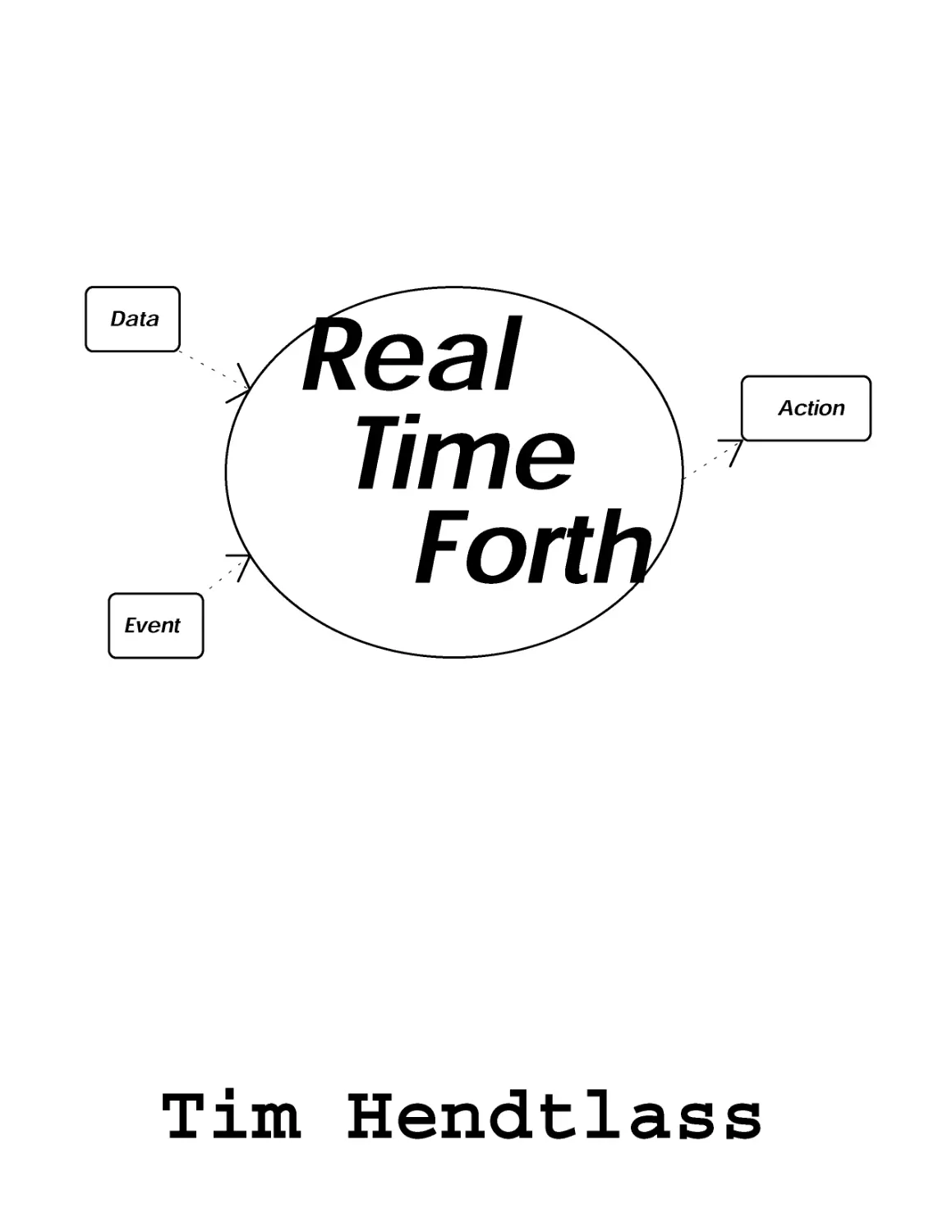
                    Tim Hendtlass

This book has been written as shareware. You may make
copies for your own use or to give to others provided that you
do not make a profit thereby. You may only recover your
costs. If you wish to sell copies of this book for profit you
should contact the author for a non exclusive licence.
If you find the book especially useful and wish to encourage me
to continue writing and distributing material this way, a
voluntary contribution would be appreciated. A figure of the
equivalent in your local currency of US$10 is suggested
(notes/bills are OK). If your financial situation is such that you
cannot afford to make a donation, then enjoy the book with my
best wishes.
I accept no responsibility whatsoever for the consequences that
follow any use you might make of the information contained in
this book.
You can contact me by any of the following ways. Contact
information as at 1993.
Mail. A/Prof Tim Hendtlass,
Physics Department,
Swinburne University of Technology,
P.O.Box 218,
Hawthorne 3122
Australia.
Email	tim@brain.physics.swin.oz.au
Fax	61 3 819 0856

REAL TIME FORTH
Dr.Tim Hendtlass,
Associate Professor
Scientific Instrumentation Group
Physics Department,
Swinburne University of Technology.

This book refers to version 3.56 of F-PC. Earlier versions may
not have all the features listed.
Document control:-
Version 5.0
Generated November 1993

CONTENTS
Preamble	1
An explanatory note	3
Chapter 1	An overview of Forth	5
The Stack	5
A first step	5
A few comments	6
Defining things to be done later	7
Chapter 2	The data stack	9
Keeping track of the stack	9
Shuffling and cloning the stack	10
Standard Words from the Required Word Set	10
Words from the double word set	11
Non-Standard Words	12
Exercises on manipulating the stack	12
Chapter 3	Arithmetic, Logic and Comparisons	15
A note about order	15
A note about integer division	15
Arithmetic	16
Logic	17
Comparisons	17
Exercises	18
Chapter 4	Basic Control Structures	19
Standard Control Structures	19
The IF THEN ELSE construct	19
The DO loop	20
Associated words	20
BEGIN.. UNTIL and BEGIN..WHILE..REPEAT	21
Non-standard control structures	22
CASE	22
EXEC:	23
Exercises	23
DO LOOP WITH USE OF INDEX	23

INDEFINITE LOOP	23
Chapter 5	Moving Data Around	25
Moving data between memory and the stack	25
Moving data between the stack and the dictionary	25
Moving data between the stack and the user	26
Words that output numbers and text to the screen	26
Standard words that obtain input from the keyboard	27
Moving data between the outside world and the stack	27
Words that provide direct access to input and output ports	28
Coordinating input and output	28
Exercises	31
Chapter 6	A first programming example - signal filtering	33
Chapter 7	Entering and Compiling your Program	37
Installing FPC	37
Starting FPC	37
Opening a file	37
Editing a file	38
Creating a new file	38
A handy hint	39
Loading and Testing	39
Inspecting the source of Forth words	40
Decompiling words	41
Listing the available Forth words	41
SED - The sequential editor	42
Overview	42
Key functions	42
Moving the cursor	43
Deleting characters	43
Copying and moving text	43
Searching for and replacing text	43
Miscellaneous	44
Expanded descriptions	44
Notes on F6 and F8 and their variants	47
Control key template	48
Keypad Template	48
Function Key Template	49

Chapter 8	It didn't work - now what?	51
The Debugger	51
SEEing into Forth definitions	53
Chapter 9	Basic number and text handling	55
Numeric conversion	55
Setting the number base	55
Converting a number into ASCII	55
Converting ASCII into a number	56
Moving Strings Around	57
Text Output and Input	57
Text Output	57
Text Input	58
Chapter 10	Maths - who needs it?	59
Single precision integer arithmetic	60
Double precision integer arithmetic	61
32 bit fixed point arithmetic	64
32 bit floating point arithmetic	66
Forth or Assembly code?	67
48 bit floating point arithmetic, SFLOAT	68
Control and Defining Words	68
Stack Words	69
Maths Words	69
Logical Test Words	70
Predefined Numbers	70
Words that Input and Output from the Floating Point Stack	70
Relative Performance	71
Review Questions 1	75
Graphics Information for problems that require graphics	76
Chapter 11	Deferred words	79
The difference between ' and [']	80
Chapter 12	A conundrum of ciphers	83
Why ciphers?	83
A digression into ciphers	83
Implementing a cipher with arithmetic	85

Implementing a cipher with an array	86
Implementing a cipher with a new defining word	88
Chapter 13	The DOS interface and file handling	93
The interface to DOS	93
Making DOS system calls	93
Interfacing to DOS commands	93
Manipulating Files in FPC	94
Working directly with files	94
Creating and clearing a handle	95
Words for using a file described by a handle	95
Working within a file	97
Manipulating the handle stack	97
Handle Fields	97
An example of LINEREAD usage	97
Block words - present but not used by FPC	98
Chapter 14	Vocabularies	99
The vocabulary order control words	100
Formatted printing using vocabularies	101
Exercises	108
Chapter 15	CREATE, DOES> and a glimpse inside	111
More on definitions	111
Producing a defining word	112
A 1-of list of clauses	113
An Example of a 1-of list of clauses	116
;CODE and ;USES	116
Review Questions 2	119
Chapter 16	Multi-tasking	123
A list of multi-tasking control words	123
An example of multi-tasking	124
Chapter 17	Timing	129
TIMER - measuring the execution time	129
DOWN-COUNTER - making it happen at the right time	130
An example	131

Chapter 18	PASM, the FPC assembler	133
Prefix or postfix?	133
PASM glossary	134
Syntax comparison	135
Addressing modes	136
Register Mode	136
Immediate Mode	136
Direct Mode	137
Index Mode	137
Implied Mode and Segment Override	137
Macros in PASM	138
Local labels	138
Inline code	139
Chapter 19	Mixing Forth with assembly language	141
Assembly code in a Forth colon definition	141
An example using INLINE and END-INLINE	142
Forth code in an assembly definition	143
>H, H>, HDOES and HRET in detail	144
Chapter 20	Interrupts and Forth	147
Forth and ISRs written entirely in assembler	149
An interrupt driven counter	152
Writing ISRs in Forth rather than assembler	154
An example of a high level ISR	157
Lean, mean, interruptable interrupts and DOS	158
Extra Information for IBM PC Users	159
Review Questions 3	161
Chapter 21	Input output, revisited	163
Synchronised slow data transfer	163
Synchronised fast data transfer	164
Chapter 22	Interfacing with basic PC input/output resources	167
Interfacing to the parallel (printer) port	167
Interfacing to the serial ports	169
An example	172
Moving data very fast - direct memory access	174

Chapter 23 An example with the lot to go	177
The internal design	177
A few points of detail	178
The listing	179
Chapter 24 Turnkey, Meta and Target Compiling	183
Why do any of the above?	183
Making a turnkey program	184
Meta Compiling	184
Target Compiling	189
Comparative performance	191
Appendix 1 The internal organization of FPC	193
Header Space	193
List Space	194
Code Space	195
Appendix 2 Answers to selected problems	197
Appendix 3 An ASCII list of useful Forth words	201
Notation	201
The list	201
Appendix 4 Forth Words sorted by function	233
Symbol definitions used in this appendix	233
Category Titles	234
Appendix 5 A starter set of words	245

Preamble
Page 1
Preamble
This book has been written to provide information about using a computer with the real world
so the two may work cooperatively together. In many situations in which a computer is used,
the main constraint is getting the job done, usually as quickly as possible. The exact time each
part of the task takes is not of great significance and the job proceeds with timing to suit, and
dictated by, the computer. Interfacing the computer with the outside world requires things to
be done at precisely the times the outside world demands. Often many things (tasks) must be
done, if not together, in an interleaved way so that one task is not kept waiting to start until all
other tasks have fully finished. Data will need to be taken as and when available, output will
need to be passed on at the times and in the form the outside world needs it. This is why there
is 'Real Time' in the title. Why Forth?
Uris book is intended for use as a teaching text, either in a formal situation or for self study.
The only way to learn is to first read and then to do. This requires that a language suitable for
the task be chosen. Forth is used as the language for interfacing for a number of good reasons.
It is fast, especially when run on hardware designed for the language, but fast enough even
when run on general purpose equipment. It is interactive, providing an environment in which
immediate testing as you go clarifies the task in hand and helps catch errors early so they can
be painlessly corrected. It is a rich, structured language that provides facilities useful for
interfacing that are missing in many other languages.
So that the reader can try as they read, this book uses a ven readily available, very complete
and incredibly inexpensive implementation of Forth, FPC. So inexpensive that it is actually
free. This combination of public domain software and the most commonly available hardware
(any of the IBM PC family or clone thereof) should make actually trying the ideas developed in
this book accessible to an enormous number of many people. Almost none of the many
examples require any hardware in addition to the basic computer.
This book concentrates on the software aspects of interfacing, it does not talk about the
hardware of analogue to digital converters or serial and parallel ports at all. It merely assumes
such devices are available and work. Readers interested in how such devices work will be able
to find the information in many other books.
This book is not intended for the complete computer novice, but it certainly does not require
very much previous computer experience on the part of the user. It assumes that you, dear
reader, are computer literate. That is you have some knowledge of the computer hardware and
some small amount of experience of programming, but it makes no assumption as to what the
language you used might be. If you have not previously met the concept of a stack, so central
to Forth, it is briefly introduced at the start of the next chapter. To follow the rationale of some
of the examples a very elementary knowledge of instrument interfacing is required (if you do
not have this do not worry, an ounce of common sense will substitute very nicely). Outside this
all that is needed is an open and inquiring mind, a PC and a copy of FPC to experiment with.
As mentioned above, a major topic in this book is timing. Timing is more than just doing
things fast, indeed things may not need to be done fast at all in some circumstances. Rather it
is doing things at predictable times in a synchronised fashion with the world outside the
computer. For this reason this book is unusual in the emphasis it places on the precise
execution time of code, synchronising multiple events and responding to external stimuli.
Page 2
Real Time Forth
However, please don't get the impression that all Forth is only good for interfacing, it can be
used for anything and be efficient at everything.
Those who have extensive experience of another language may find themselves wondering why
should one do things the Forth way. The answer comes a bit at a time, so go right through this
book and see what Forth has to offer. If, at the end of this there is still some feature you sorely
miss from that other language, you will know enough to just add it to Forth to give yourself the
best of both worlds. Don't forget to then share the result with everyone else. The infinite
adaptability of Forth is one of its major features.
So don't hesitate, come on in, the programming's fine.
Forth started with one man. Charles Moore, but has grown through the efforts of both he and
many others. When standardisation was undertaken, first in the 79 standard then in the 83
standard and now in the IEEE standard, a compromise had to be made between providing all of
the rich multiplicity of additions users had developed for various special occasions (and
therefore producing a vast language), or providing a simple core that would be present in every
implementation and then extended by the user on an as needed' basis. Languages which by
nature are not user extensible tend to specify as large a language as the average person has
memory for. Even then some refinements have to be done without and some of tire features
included are rarely used. Forth, having a set of incremental compilers which are intended to be
user altered and extended, can provide a simple core and let tire user add whatever they feel
they need. Vast libraries of well documented routines are freely available to customise the
language to whatever the task of the moment is.
There has been a history of solid public domain implementations of Forth as well as
commercial ones. In particular I would mention Henry Parry and Michael Laxen who
produced F83, a public domain version meeting the then new 83 standard. FPC is an offspring
of this, mostly written by one man, Tom Zimmer. There have also been contributions by Wil
Baden, Charles Curley, Robert Smith, Jerry Modrow and others too numerous to mention. The
production of the whole package in a form suitable for release, program and documentation,
was undertaken by the FPC working group of Charles R. Curley, David Jaccuzi, Mike Mayo,
Jay McKnight, Jay Melvin, Jerry Modrow, David Paktor, John Peters, Mark Smiley, Robert L.
Smith, Alfred Tang, C. H. Ting and Tom Zimmer. One person who had nothing to do with the
original FPC package is this author. I have added some contributions of my own that are
available on a disk with this book. I place these contributions in the public domain so that you
may freely use and copy them for private purposes. The source code is there too, in tire spirit
of the Forth community where there is a common belief that you should only keep source code
secret if you are ashamed of it.
I accept responsibility for the discussion, examples and additions described in this book and
any errors that have crept in. In this book, mainly in chapter 7, chapter 17 and appendix 4, I
have used some material from the version of the user manual distributed with the FPC package.
I am most grateful for the generosity of those who, lead by Dr. C. H. Ting, forfeited copyright
on that manual. Indeed, I am extremely grateful to the many who have worked on FPC,
especially Tom Zimmer, and then unselfishly put it in the public domain.

Preamble
Page 3
An explanatory note
This explanatory note is for people already experienced with another language. Feel free to skip this
if you wish, a full understanding is not a prerequisite for understanding the rest of this book.
As a computer language, Forth is unusual in that it is based on a semantic model, rather than a
syntactic model: meanings of symbols, rather than the forms of their expression, is tire crucial
consideration. Each defined symbol in Forth is executable, and with few exceptions the meaning of a
standard symbol is its operational effect. Every symbol has an action, and its action is its meaning.
The meanings (actions) of phrases in Forth can be inferred directly from the meanings of the symbols
used to construct the phrases. A Forth program's meaning is inferred directly from the meanings of
the parts from which it is built.
An application can be said to dictate its own natural grammar. While Forth has little, if any,
associated grammar, it is extensible and can directly embody any application's natural grammar. The
Forth model allows the natural "language" of an application to be fused with the computer language
so that the two become one.
As is true with any computer language, Forth closes the semantic gap between computer hardware
and humans. While human communication is based primarily on natural-language words, computers
react only to sequences of bits. Forth handles the translation from human level to computer hardware
level by packaging appropriate bit sequences into words, allowing higher-level 'words' to be built out
of previously-defined words until the desired level of functionality is reached. A word defined by a
Forth programmer is simply a package of one or more previously defined commands (words), each of
which is also such a package. Thus, the fundamental meaningful element in a Forth program is the
word.
Just as natural languages have differed types of word (nouns, verbs, prepositions etc.), Forth also has
different types of words pre-specified. Unlike a natural language Forth encourages the programmer to
develop new types of words to suit special needs. Forth programming systems organise words into a
traversable structure called the dictionary. The process of translating source code for a new word into
an executable structure, and adding this to the Forth dictionary , is called compiling. In general there
is a different special compiler for each type of word in Forth.
Natural languages allow a word to have different meanings when used in different contexts. Similarly,
Forth allows the same word to have multiple definitions in the dictionary, each with a different
function. Forth accomplishes this by organising the dictionary into word lists, where each different
definition for a word is in a different word list. Forth provides a standard word for designating the
word list into which new words will be compiled. Other words are used to designate the search order
during compilation and execution.
A Forth concept that is useful in many kinds of applications is the defining word or word-type
compiler. This is a powerful mechanism whereby a word can be given a special extended capability to
define (compile) new types words with arbitrary behaviour specified by the programmer. There are
several standard defining words. Some of these create standard programming objects such as
constants and variables. Others have the sole purpose of allowing the programmer to create new
defining words (compilers) for special classes of words tailored to the application.
Each defining word has a compile-time action as well as a run-time action. The compile-time action
creates a new dictionary entry including any user-defined data structure; the run-time action specifies
what the newly created word will do. The power of this mechanism comes from the fact that the
specified run-time action may include invoking the compiler, so that the newly defined word is itself a
defining word. By means of higher-order defining words (words that define words that define
words...) extremely concise and advanced applications code can be created.

Page 4
Real Time Forth

Chapter 1: Ail overview of Forth
Page 5
Chapter 1
An overview of Forth
The Stack
Forth is built around tire concept of a stack, a storage mechanism which allows any number of
items of information to be stored and retrieved. Think of it like a stack of papers, each with
one piece of information written on it. You can add a new piece of paper onto the top of the
stack (push an item onto the stack) and the stack gets one item bigger. What was previously
tire top item on the stack becomes covered by the item you just added and becomes the second
item on the stack. You can retrieve (pop) one item from the stack and the stack becomes one
item smaller. When you pop an item it disappears from the stack and the item that was the one
under the one you just removed becomes the new top item on the stack. You can get to items in
the top few positions if you wish but it gets progressively harder to access items further and
further down the stack. The stack is intended for the temporary storage of information, storage
in which the last item you put on is probably the first item that you would wish to retrieve.
This is exactly what we usually want to do with the data we temporarily need to store when
passing infonnation from one piece of a computer program to another.
A first step
Forth is a computer language that works interactively with the user, accepting input and acting
on it. Input that is to be kept for later use, rather than just used immediately and disposed of, is
accepted but fully compiled before storage so that when it is used later it runs without delay.
All input that is be stored is compiled on a line by line basis (for keyboard entry) and each line
may be tested immediately after being input. A line that contains syntax errors will be rejected
by the compiler. If an error is found on testing the compiled code, the incorrect compiled code
may be 'forgotten' back to a user specified point and then compilation of corrected input carried
on from that point. Input can come from either the keyboard or from disc. The longest input
line is implementation dependent. In FPC a line from the keyboard may consist of up to 80
characters while a line from disk may contain up to 1024 characters.
Forth expects to work with two types of things, numbers and commands to do something.
Whenever anything is input into Forth, either from the keyboard or from disk, the outer
interpreter (user interface) checks to see if this is a command that it knows. If so, it does
whatever it is required to do by this command. If it cannot find a command by this name it
attempts to convert the input into a valid number in the current number base. If successful the
number is placed on the data stack (commonly called just the stack). If the attempt to convert
the input into a number fails, Forth complains by printing the offending input followed by a
question mark and awaiting more input.

Page 6
Real Time Forth
For example consider the input line:
Hex 4D Decimal . f
where f stands for pressing the enter or carriage return key. This causes the following to
occur:-
1.	The word ' Hex' is found in the dictionary (where the names of all the things to do are
kept) and the routine associated with that name is activated. This changes the current
number base to 16 (decimal).
2.	Hie word 4D' is not found in the dictionary and so 4D is checked to see if it is a valid
number for the current number base. It is for the hexadecimal system and so 4D is
placed on the data stack.
3.	Decimal' is found in the dictionary and the corresponding routine is run. This changes
the current number base to 10 (decimal).
4.	. is found in the dictionary too, and it's routine is run. This is a routine to take the top
number off the stack and print it on the terminal in the current number base.
The overall result of all this is to print the number 77 (the decimal equivalent of 4D hex). The
stack has no more items on at the end than it had at the beginning.
A few comments
Except within text strings, Forth is case insensitive and so upper and lower case letters are
treated as being the same.
Forth knew that hex was a complete word to look up in the dictionary because in Forth words
are always separated by one or more spaces. As a consequence you may not use a 'word' such
as 'number of boxes' as Forth will take it as three words; number, of and boxes. Long and
informative names are allowed and to be encouraged but must not contain blanks - try
'number of boxes' rather that the invalid form above. Exactly how many characters are
allowed is implementation dependent but 31 are allowed in FPC.
To save typing, single character names are used for many very frequently used routines ( eg. !
(a),,). This is good for the fingers but does not help readability. However, by convention, they
all have specific meanings which they retain ever when part of a longer name. The example
above used '.' which prints a number. Almost any name that contains a . will be found to mean
print something as shown in the examples below. As this is only a convention you do not have
to follow it but it makes reading code easier and is highly recommended.
For example some words that contain '.' in their name which implies they will print something.
Print the number on tire top of stack as a signed number.
U.	Print the number on tire top of stack as an unsigned number,
text"	Compile the message text to print later. Note the blank
between	the
" and the t.
.(message) Print message from the input stream. Note the blank between the (
and the m.
Similarly ! in a name means to store (write) something, @ in a name means to fetch (read)
something. On its own, ! means to take tire 16 bit value off tire top off the stack and use it as
the address of the first of two memory bytes at which to store the 16 bit value that was next on
the stack. On its own, @ means to fetch the contents of the memory location whose address is
on tire top of the stack.

Chapter 1: An overview of Forth
Page 7
There are also some standard prefixes. For example a leading C before a standard command
means that it is an 8 bit (Character) version of the normal 16 bit command. For example, C!
works as ! but only stores 8 bits at the 16 bit address, of course only taking one byte to store it
in. As another example, a leading U means an unsigned version of a normally signed word (as
already described above).
Defining things to be done later.
There is a special class of words called defining words which, when encountered in an input
line, have the effect that they take over from the normal outer interpreter for a while. They
accept words from the input but. instead of looking them up and running them, they treat them
in some different way. Usually they add something onto the totality of information stored
inside Forth. The totality of words that Forth knows is called the dictionary.
The most common defining word is (colon) which creates a new entry in the dictionary using
tine word following the colon as the name. It then associates a list of the words that follow the
name up to a special end of definition character - (semi-colon) - with the name. Finally it
programs the new entry with the action it is to perform when it is invoked. This is to activate
each of the words in the list in turn.
For example:
: DOUBLE dup + ;
creates a new entry in the dictionary called double and which includes a list consisting of dup
(which duplicates the item on the top of the stack) and + (which adds the top two numbers on
the stack and replaces them with the sum). Associated with DOUBLE is the run-time action
that when DOUBEE is invoked it is to execute each of the commands in the list in turn.
Entering:
2 double .
will result in 4 being printed (recall that prints the number on the top of the stack). From
now on until the power is turned off ( or the computer is told to forget the word double or any
word preceding it in the dictionary) the computer knows DOUBLE. When DOUBLE is
invoked by entering it, the actions 'dup +' will be done, as if they had just been entered
although very much faster since they are now compiled rather than interpreted.
The word double can now be used just like any other word. For example it can be used in
further definitions, such as:
: QUADRUPLE double double ;
although in this case it hardly seems worth while.
All words encountered inside a colon definition, after the name, are normally compiled into the
dictionary. There is one type of word which is an exception to this. When encountered these
are run even during compilation. Such words are called IMMEDIATE words. They are
mainly used to control the compilation in some way, for example the words IF and THEN that
we will meet in chapter 4. Any colon definition can be made into an immediate word by just
adding the word IMMEDIATE after the closing semi-colon. For example, let us define an
immediate word that emits a beep from the terminal (the word BEEP will cause a beep).
: NOISE beep ; IMMEDIATE
typing either NOISE f or BEEP f will cause the beep to be emitted. But if BEEP is
encountered in another colon definition as that definition is being compiled, it will just get
Page 8
Real Time Forth
added to the list of things to do when the word that is being compiled is run. NOISE, however,
under the same circumstances will cause a beep to happen as it is encountered during
compilation and will not add anything onto the list being constructed at all. Consider the
definition:
: HORN beep noise ;
As this compiled there would be a sound produced by NOISE. When HORN was run there
would only be one beep, produced by BEEP.
If for some reason you wanted NOISE to be compiled, you would need to override its
immediate nature by preceding it w ith [COMPILE], For example, consider the definition:
: ROAD-RUNNER beep [compile] noise ;
This would produce no sound when compiling, but two beeps when ROAD-RUNNER was run,
one from the normal word beep and one from the overruled immediate word NOISE.
All defining words consist of two parts, instructions on the structure to build in the dictionary
and the run-time behaviour to give to the new dictionary entry. Unlike other languages Forth
encourages you to build new' defining words to suit your task if the standard ones are not
suitable. It provides tire two words CREATE and DOES> to help you specify the two parts of
your new defining w ord.
There are other defining words provided pre-written in addition to colon. Two of the most
commonly used are CONSTANT and VARIABLE. Their construction behaviour is very
similar as both take tire word follow ing them as the name of the new entry' in the dictionary' and
then set aside two bytes to hold a 16 bit value. CONSTANT takes the number off the top of
the stack and places it in these two bytes but VARIABLE leaves the two bytes uninitialised.
The run-time behaviours differ too. CONSTANT adds the run-time behaviour that the number
stored during definition is copied to the stack, while VARIABLE adds the run-time behaviour
that the address of tire two byte storage location is placed on the stack.
For example:
12 constant DOZEN
constmcts an dictionary entry called DOZEN which contains the number 12 and has the run¬
time behaviour that any time the w ord DOZEN is encountered the number 12 is placed on the
top of tire stack.
However:
variable MY_BANK_BALANCE
constmcts a dictionary entry called MYBANKBALANCE which contains the space to save
a 16 bit number and has tire run-time behaviour that, any time the word
MY BANK BALANCE is encountered, the address at which this value is stored is returned
on tire top of the stack. The value may then be read (using @) or a new value saved (using !).
Other pre-defined defining words (such as DEFER to allow' vectored execution) will be left
until later, as will any further discussion of how to use CREATES and DOES>. However bear
in mind that: and CONSTANT and VARIABLE, while covering well over 90% of the defining
word situations commonly encountered, do not allow the full power of Forth to be used. To
put it another way, every' language can provide the facilities that : and CONSTANT and
VARIABLE do. but CREATES and DOES> give the Forth user the unique ability to add any
structure or construct from any other language to Forth, as well as special structures or
constmcts suitable to the task that exist in no other language.
Now' dow n from tire soap box and we w ill leave this overview and look at the basics of Forth in
more detail.

Chapter 2: The data stack.
Page 9
Chapter 2
The data stack.
Keeping track of the stack.
The data stack (commonly referred to as just 'Tire Stack') is tire main source and destination of
data used by words1. Most words expect the data they need to be on tire stack in the order that
they need it and leave their results (if any) on the stack. Obviously it is important to be careful
with the order of the items on the stack if we wish our program to do what we want. In the
documentation of a word it is normal to show the effect on the data stack. The stack effect is
shown in brackets with the state of the stack before the word executes on the left of one or
more dashes and the state of the stack after execution on the right. Within each stack state the
top of the stack is on the right.
For example:
OVER	( nl n2 - - nl n2 nl )
shows that before OVER runs there must be two items that OVER will need on the stack, nl
and n2, and that n2 must be on top. After OVER has executed it leaves three items, with the
new copy of nl on top.
A second example is:
!	( n adr --	)
which shows that ! (pronounced store) expects two items on the stack, a value to store (n) and
the address to store it at (adr), with the address on top. After ! has executed both items have
been removed from the stack.
It should be noted that there could be any number of items on the stack, only those that are
involved in the execution of the word being described are shown. Since Forth is inherently
recursive the data stack can get to be very large at times.
During the testing of a word it is convenient to be able to see what is on the stack without
altering it. The simplest way is to get a diagram of the stack drawn on the screen so that you
can see it. This is done every time you depress both shift keys at once (this facility is only
available with versions 3.5 and later; if you have earlier versions you will have to use .S as
described below). At the top of the screen is a small field that gives tire size of the stack,
showing either empty or the number of items on the stack. Pressing both shift keys will cause a
stack to appear on the screen which shows either all the items on the stack or as many of them
1 Forth uses a second stack, called the return stack. We will not often need to refer to this and
when we do we will clearly call it the return stack so that there is no confusion with 'The Stack'.
Similarly any other stacks we may create from time to time, such as a floating-point number stack,
will be clearly referred to by their full name.

Page 10
Real Time Forth
as will fit on the screen. The stack on the screen will disappear as soon as you release the two
keys. Alternatively to get a copy that will stay on the screen you can use the word .S ( dot S ).
This will cause a non-destructive printing of the contents of the stack on one line of the screen,
starting with the top item on the stack. It is important to realise that both of these techniques
do not alter the stack at all. After they have been executed the stack is just as it was before
they executed. If you get the stack very confused with useless information on it, the simplest
way to clear it is to enter a non-existent word, such as !@# or ZXCV. Forth will issue a gentle
complaint of course when it can't find what to do with the word you just entered, but it will also
reset (empty) the stack. The amount that you can put on the stack before running out of room
depends on the exact installation, but you are sure to have room for several thousand items. I
have never seen a stack with this much usefid information on it, but I have seen stacks full of
this much rubbish left by repeatedly using words that leave unexpected information on the
stack. As an aside, if you ever have a program that appears to run just fine for a while and
then suddenly stops for no apparent reason, suspect that some word is leaving unintended and
unwanted data on the stack. Your program may appear to be running fine, but in reality the
stack is getting larger and larger. Eventually tire room for the stack is exhausted, something
important gets overw ritten and disaster strikes.
Shuffling and cloning the stack
Many words, for example testing and comparing words, 'consume' the items they are testing or
comparing. That is, after the word has run these items are no longer on the stack. If they will
still be needed afterwards, a copy must be made by duplicating them before the test or compare
operation is carried out. Other times the items on the stack will not be in the correct order and
some stack shuffling will need to be done. Forth provides a set of stack manipulation words
which are listed below along with their effects. The Forth 83 standard provides a basic set, but
a few other have been found to be so useful that they are included. Up to three items can be
easily be juggled on the stack, but it gets progressively harder as the number of items you need
to re-order exceeds three. If you ever find that you are trying to juggle 10 or more items, stop
and re-think your approach to the problem. Maybe using some variables as temporary storage
or even using the return stack (with great care, see the comment below) will simplify what you
have to do.
In the lists of provided words below, the effect on the stack is shown in brackets. Where the
name that you type does not have an obvious pronunciation, the suggested pronunciation is
shown in quotes.
Standard Words from the Required Word Set.
Even implementation of Forth must have these w ords.
DUP
DROP
SWAP
OVER
(x-)
( xl x2 - x2 xl )
(xl x2 - xl x2 xl )
Duplicate tire item on the top of the stack.
Discard the item from the top of the stack.
Exchange the top two stack items.
Make a copy of the second item onto the top.
( x - X X )
ROT ( xl x2 x3— x2 x3 xl )
PICK (n-x)
Rotate the third item to the top. "rote"
Duplicate the nth item on the stack to the top of the stack.
Zero based, that is the top item on the stack is the zeroth item,

Chanter 2: The data stack.
Page 11
ROLL (n~)
?DUP (x-xx ) or (0-0)
>R (x-)
R> (-x)
R@ ( —x)
DEPTH (-+n)
the one below that is the first item and so on. (O PICK has the
same effect as DUP, 1 PICK the same as OVER).
Roll the nth item to the top of the stack, moving the others
down. Also zero based, (eg., 1 ROLL is SWAP, 2 ROLL is
ROT).
DUP if non-zero. Normally used in the fonn ?DUP IF ..
THEN so you don't have to discard the 0 flag in the false
case, "question-dup"
Move the top item to the return stack for temporary storage
(see caution below). "to-r".(C)
Retrieve the top item from return stack "r-from".(C)
Copv the top item on the return stack onto the data stack "r-
fetch".(C)
Return the number of items on the stack.
A caution on using the three stack manipulation words that involve the return stack. The return
stack is quite different from the data stack and is mainly used by Forth to keep return addresses
and loop control parameters. If you put anything on the return stack and fail to remove it
before the next time Forth takes the top item and uses it as a return address, your program will
crash in a heap. As a general rule you should stay out of trouble if you only use >R and R> in
a definition (between a : and its terminating ; for example) and have the same number of R>s
as there are >Rs. Unless you seriously need tire return stack, leave it well alone.
As a quick check to see that you follow the action of the data stack and understand the way we
write a stack diagram for a word, follow through the example below. Two sequences of words
are shown that each have the same net effect. Below each of the words is a diagram of the
stack after that word has been executed. Note the subtraction in the top example, the top item
is subtracted from tire item second from top. The sequences are just for practice and would not
really be used - if you really want 5 on the top of the stack and 8 below it, just input 8 and then
5!
Words from the double word set.
Forth has a set of standard words that act on 32 bit rather than 16 bit quantities. These are
known as the double word set. A 32 bit number is stored on the stack in two parts, each of 16
bits. The most significant 16 bits are on the top of the stack and the less significant 16 bits
underneath. We normally treat the 32 bit totality as a single entity. Words to handle 32 bit
Page 12
Real Time Forth
quantities are present in most implementations and FPC is no exception. They can at times be
very useful even when you are not dealing with 32 bit quantities.
2DROP ( d -)
2DUP (d-dd)
20VER ( dl d2 - dl d2 dl)
2ROT ( dl d2 d3-d2 d3 dl)
2SWAP ( dl d2 - d2 dl)
Discard the 32 bit item d from the top of the stack.
Duplicate 32 bit item d on the top of the stack.
Make copy of second 32 bit item on top of the stack.
Rotate third 32 bit item to top.
Exchange top two 32 bit stack items.
Non-Standard Words
These are already present in FPC and many other systems but are easy to define if absent.
-ROT (xl x2 x3—x3 xl x2 )
DUP>R ( n — n )
FLIP ( nl — n2 )
Rotate top item to third." minus rote"
Copy top of stack to the return stack.
Exchange the high and low bytes of the number on the
top of the data stack.
NIP ( nl n2 — n2 )
Discard the second number from the top of the data
stack.
R>DROP
Discard the top number from the return stack.
SPLIT ( nl — n2 n3 )
Split two bytes of nl into two separate numbers, n2
low byte, n3 high byte.
•S (-)
This provides a non-destructive print out of the
contents of the stack from top to bottom. Very useful
for debugging.
Exercises on manipulating the stack,
2-1. Write a word, call it REVERSES that when run reverses tire order of the top three
entries on the stack. The stack picture will be (nl n2 n3 — n3 n2 nl)
2-2 Write a word, call it REVERSE4 that when run reverses the order of the top four
entries on the stack. The stack picture will be (nl n2 n3 n4 — n4 n3 n2 nl)
2-3 Show four ways, each involving no more than two words, to duplicate the item under
the top item on the stack with the duplicate appearing on top of the item on the top of
the stack. ( nl n2 — nl n2 nl ).
2-4 Show three ways, each involving no more than three words, to duplicate the item under
the top item on the stack with the duplicate also appearing under the top item on the
stack. (nl n2 -- nl nl n2).
2-5. This question is rather ambitious if you have just started this book and have not
come across the concept of recursion elsewhere. If you still decide to do it, see the
word RECURSIVE in appendix 3 and just use the definition you will find there for
your recursive word. See if you can figure out how it works. If possible run it and
watch it with the debugger (read chapter 8 to find out how to run the debugger).
You are to write a word FACTORIAL ( n - n! ) which returns the factorial of a
Chanter 2: The data stack
Page 13
number. The factorial of a number is the number times one less than itself times two
less than itself times three less than itself etc down to one. For example factorial 4 is 4
*3*2*1 (=24). The factorial of one is defined to be one. Note that factorial 4
(written 4!) is just 4*3! and by extension n! = n * (n-1)!. This is the basis of the
recursive way of calculating factorials.
Write two versions, one using recursion and one using a do loop. Investigate the
relative execution times (you may need to do FACTORIAL over in a loop in order to
get a reasonable estimate).

Chapter 3: Arithmetic, Logic and Comparisons
Page 15
Chapter 3
Arithmetic, Logic and Comparisons
Forth comes with a full set of arithmetic, logical and comparison operators for 16 bit integers
as standard. These are, in general, more than adequate for real time data collection and control
tasks. A limited number of 32 bit versions of the standard words are often provided. Floating
or fixed point maths of any required precision can. of course, be added, as can anything else
needed from time to time. Some special 'building block' words are often also provided that are
useful in developing higher precision arithmetic for tire few times it is needed. Floating point or
extended fixed point arithmetic is however slower to do than 16 bit arithmetic, and will not be
considered further until much later (in chapter 10).
A note about order.
Initially, some people have a little difficulty remembering which item on the stack is added or
subtracted from which. It is always the top two items that are involved. Since addition and
multiplication are order independent, the question does not arise with them. Subtraction and
division are order dependent, and the top item is subtracted or divided from the item below it.
The sum 4 / 2 in our everyday notation becomes 4 2 / in the reverse Polish notation that Forth
uses. Reverse Polish and Forth share the same philosophy; you can't do something until the
data you need to do it is available. If the operation is described before all the data is available,
then the operation will only have to be stored somewhere until the data is available, and as data
arrives you will need to keep checking to see when tire required amount has arrived. By never
issuing the operation command until data is available, you save the time to store the pending
operation and the checking. For one calculation the time saved may be small, but for many
calculations it can become significant. We often want all tire speed we can reasonably get.
A note about integer division.
In the Forth-83 standard, the quotient is floored (rounded to negative infinity). This only
becomes important if you divide numbers of different signs, such as dividing 23 by -5. It is not
clear if the answer in integer tenns is -5 or -4. In floored arithmetic the number closest to
minus infinity is chosen, with the consequence that the remainder has the same sign as the
divisor. If you use unfloored arithmetic (round towards zero) you have an inconsistency
around zero as can be seen by dividing the sequence 5, 4, 3, 2, 1, 0, -1, -2, -3 by 2. With
unfloored integer arithmetic we get 2, 2, 1, 1, 0, 0, 0, -1, -1. Note that 0 occurs three times in a
row rather than twice like other numbers. With floored integer arithmetic we get 2, 2, 1, 1, 0. 0.
-1, -1, -2 avoiding this.

Page 16
Real Time Forth
Arithmetic.
We can all add, subtract, multiply or divide integer numbers so little explanation of these basic
operations is required. All arithmetic operators expect their operand(s) on the top of the stack
and return the answer on the top of the stack. The four basic operations are provided for 16 bit
integers, plus some convenience words and words that allow higher precision arithmetic words
to be developed.
+ ( nl n2 - n3 )
Add nl and n2, tire result n3 replaces both nl and n2 on tire
stack, "plus"
D+ ( dl d2 - d3 )
Add double (32 bit) numbers, "d-plus"
- ( nl n2 - n3 )
Subtract n2 from nl, the result n3 (=nl-n2) replaces both nl
and n2 on tire stack, "minus"
D- ( dl d2 — d3 )
Subtract double (32 bit) number d2 from double number dl
(dl-d2=d3). "d-minus"
1+ ( n — n+1)
Add one to n. "one-plus"
1- ( n - n-1)
Subtract one from n. "one-minus"
2+ (n — n+2)
Add two to n. "two-plus"
2- ( n - n-2 )
Subtract two from n. "two-minus"
* (nln2 — n3)
Multiply nl by n2 to give n3. Both nl and n2 are treated as
signed numbers, "times"
UM* (nl u2 - nd)
Unsigned multiply, double precision result, "u-m-times"
UM/MOD ( nd nl — mod quot)
Unsigned division with double precision dividend, single
precision divisor and result, "u-m-divide-mod"
2/ (n-n/2)
Arithmetic right shift, "two-divide"
D2/ (dn-dn/2)
32 bit arithmetic right shift, "d-two-divide"
/ (nl n2 - quot)
Signed division, the result is the quotient of (nl/n2). "divide"
MOD (nl n2 — mod )
Signed division, the result is the remainder of (nl/n2).
/MOD (nl n2 — mod quot)
Division with both remainder and quotient, "divide-mod"
*/MOD (nl n2n3-n4n5)
First multiply then divide to get nl*n2/n3, using a double¬
precision intermediate result internally. n4 is the remainder,
n5 is the quotient, "times-divide-mod"
*/ (nl n2 n3 - n5)
Like */M0D above, but gives the quotient only, "times-
divide"
Note these handy approximations (good to better than one part in 10 million):
n = 355/113
e = 25946/ 9545
V2 =27720/19601
V3 + 32592/18817
V10 t 27379/8658

Chapter 3: A ri t	Com„arisons
Page 17
MAX (nln2—n3)
DMAX (dld2-d3)
MIN (nl n2 — n3)
DMIN ( dl d2 — d3 )
ABS ( n -u)
n3 is the larger of nl and n2.
d3 is the larger 32 bit number out of dl and d2. "d-max"
n3 is the smaller of nl and n2.
d3 is the smaller 32 bit number out of dl and d2. "d-min"
If n is negative, u is the twos complement of n. "absolute"
NEGATE ( nl - n2 )
Two's complement, n2 has the same magnitude as nl but the
opposite sign.
DNEGATE ( dl - d2 )
Double precision two's complement, "d-negate"
Logic
The four basic logical Boolean operations are provided. Note that they all produce their 16 bit
answers on a bit by bit basis. First the operation is performed between bit 0 of one operand
and bit 0 of the other, and the single bit result put in bit 0 of the answer. Then the operation is
performed between the bit Is to give bit 1 of the answer, then bit 2 and so on. All four logical
operations expect their operand(s) on the top of tire stack and return tire answer on the top of
the stack. They destroy their operand(s).
NOT (xl — x2 )
Logical bit-wise NOT, returns the one's complement.
AND 1 x2 — x3 )
Logical bit-wise AND.
OR 1 x2 — x3 )
Logical bit-wise OR.
XOR 1 x2 — x3 )
Logical bit-wisc exclusive OR. "x-or"
Comparisons.
These comparisons are mostly obvious, however remember that if the most significant bit of a
number is set this number will be treated as negative if you ask for a signed comparison. This
can lead to some unexpected answers if you were not using signed numbers! All comparisons
result in a flag (true or false) returned on the top of the stack, which would generally be used to
make a decision. All comparisons destroy what they compare. If you will need the number(s)
that are to be involved in the comparison to be still on the stack after the comparison is done,
vou must make a copy of them before you do the comparison - again 2dup is often convenient
for this.
< (nl n2 - flag)
= (nl n2 -- flag)
> (nl n2 -- flag)
0< (n - flag)
0= (n - flag)
0> (n - flag )
D< ( dl d2 - flag )
D= (dld2-flag)
True if nl less than n2. "less-than"
True if nl equals n2. "equals"
True if nl greater than n2. "greater-than"
True if n is negative, "zero-less"
True if n is zero, "zero-equals"
True if n greater than zero, "zero-greater"
True if 32 bit dl less than 32 bit d2. "d-less-than"
True if 32 bit dl equals 32 bit d2. "d-equals"

Real Time Forth
£ag-el8
D0= (d-flag)
U< (ulu2-flag)
DU< ( dul du2 — flag)
True if 32 bit d is zero, "d-zero-equals"
True if unsigned ul less than unsigned u2. "u-less-than"
True if unsigned 32 bit dul less than unsigned 32 bit du2.
Exercises.
3-1 Build <= out of other relational operators. { <= compares the top two items on the
stack and returns true if the second one (n2) is less than or equal to the top one (nl), it
returns false otherwise.} The stack action is ( n2 nl — flag ).
3-2 Write a word IN-RANGE? that tests if a number N lies within a range (that is greater
than some lower limit and less than some upper limit). The stack on entry is to be:
number-to-test, lower-limit, upper-limit, with the upper-limit on the top. Consume the
three numbers and return true if number N is in the approved range, false otherwise.

Chapter 4: Basic Control Structures
Page 19
Chapter 4
Basic Control Structures
An essential part of any computer language is the ability to control the order of execution of a
program depending on the circumstances prevailing when the program is run. These
circumstances might be different each time the program is run. Forth provides as standard four
basic control structures for use within definitions of new words. These can be simply described
as:
•	Do one thing IF some condition is met but do something ELSE if the condition is not
met, THEN carry on no matter which was done. (IF..ELSE..THEN)
•	For a fixed number of times DO something LOOPing back to repeat it until it has been
done the required number of times. (DO..LOOP)
•	BEGIN and continue doing something over and over again UNTIL some condition is
met, then carry on. (BEGIN..UNTIL)
•	BEGIN and WHILE some condition is not met REPEAT something over and over
again until it is. (BEGIN .WHILE .REPEAT)
It will be noticed that the last two are ven similar but sometimes it is more convenient to use
one than the other. FPC also provides a couple of non-standard but useful control structures,
CASE and EXEC:.
These control structures are discussed in turn below.
Standard Control Structures.
The IF THEN ELSE construct.
Used in tire form-
IF true-body THEN
or IF true-body ELSE false-body THEN
While running the word this control structure is part of, the item on the top of the stack is taken
as a flag when the IF is encountered.
•	If this flag is true (non zero) the true body immediately after the IF is done, the false
body immediately after the ELSE (if it exists) is skipped and execution continues with
the code after the THEN.
•	If this flag is false (zero) the true body immediately after the IF is skipped, the false
body immediately after the ELSE (if it exists) is done and execution continues
immediately with the code after the THEN.

Page 20
Real Time Forth
For example
Note that the true body can be as simple or as complicated as you wish. A further example in
normal program form:
: ?TOP_OF_STACK ( flag - flag )
dup	\ make a copy of the top item on the
stack
if	\ is it true?
Top of stack is true"	\ yes, print this message
else	\ no not true, so assume it is false
.11 Top of stack is false"	\ and print this message
then	\ always carry on from here
The DO loop.
Used in the form-
DO loop-body LOOP
or	DO loop-body +LOOP
Hie loop index limit and the loop index starting value must be on the stack (start on top, limit
directly underneath) when DO is encountered. Hie loop-body is executed and the loop index
incremented (by 1 in the first case, by the number on the top of the stack when +LOOP is
encountered in the second). If the loop index has not crossed the boundary between limit and
limit-1, the loop-body is executed again and the loop index further incremented. This continues
until the loop limit has crossed the boundary' between limit and limit-1.
Associated words.
LEAVE
Used in the form-

Chapter 4: Basic Control Structures
Page 21
DO ... LEAVE ... LOOP or
DO ... LEAVE ... +LOOP
these cause the loop to be exited immediately LEAVE is encountered irrespective of the value
of the loop index.
I	Used inside a loop, returns the current index value on the stack.
J	Used inside a second level nested loops, returns the index value of outer loop on the
stack.
For example:-
: BYONES 6 2 do I . loop ;
will produce the output
2	3	4	5.
Note that there are four numbers printed, the difference between the loop index start (2) and the
loop index finish value (6)
: BYMINUSTWO 2 6 do I . -2 +loop ;
will produce the output
6 4	2
BEGIN.. UNTIL and BEGIN..WHILE..REPEAT.
BEGIN starts two related but different structures.
•	BEGIN loop-body UNTIL
The loop-body is repeated over and over again until a true (non zero) flag is on the top of tire
stack when UNTIL is encountered. The loop-body must put the flag there of course.
•	BEGIN loop-body WHILE true-body REPEAT
Execute loop-body and check the flag on the top of the stack when WHILE is reached. If the
flag is true (non zero) execute the true-body and return to BEGIN to do loop-body again. If the
flag is false (zero) do not do true-body but exit the loop and continue after REPEAT.
The diagram below shows the structure of these two types of loop. Note that the BEGIN
UNTIL loop onlv lets you test (and therefore exit) at the end of the loop. The BEGIN WHILE
REPEAT loop on the other hand allows you to test (and if need be exit) from the middle of a
loop. The section between BEGIN and WHILE is always done, the section between WHILE
and REPEAT is done every time that there is a true flag on the top of the stack when the
WHILE is encountered. If there is not a true flag the loop is exited without this section being
done.

Page 22
Real Time Forth
Non-standard control structures.
CASE
There is a school of thought that case statements are syntactic sugar and unnecessary, and that
they are just a way of hiding a number of IF THEN statements. While they do indeed compile
to a number of IF THEN statements, they do make code easier to read. The value on the top of
the stack is used to specify the function to be performed, as shown in the example below. Note
that the EXEC: word (see below) is much faster if the values that specify the functions are
sequential.
For example:
CASE ( value - - )
valuel OF functionl	ENDOF	\	valuel	selects	functionl
value2 OF function2	ENDOF	\	value2	selects	function2
( ..as many more	value	function	pairs	as you	need..)
default-function
\ an optional default case
ENDCASE
The value on the top of the stack on entry is compared in turn against value 1, value2 and so on.
If a match is found the corresponding routine is run and an immediate jump made to
ENDCASE. If you wish you may include a default function ( which must consume the initial
stack value) just before ENDCASE to be done if no match has been found by the end. If you
do not use a default function, or it does not consume the initial value, DROP must appear
immediately before endcase. It will remove the initial value and thereby clean up the stack.
Valuel need bear no relationship to value2 ( or value3 or valued or...) and as many different
values as required can be tested. In the interests of speed the most common value (and
therefore action) should be listed first as values are tested from the beginning in turn.
This is a simple type of CASE statement which requires definite values rather than permitting
such tests as Tn the range from 23 to 56' or 'A member of the set 23, 97, 12'. Alternative and
more flexible types are readily produced for tire times when such features are desirable. These
include versions in which one value can cause multiple functions to be executed, unlike this

Chapter 4: Basic Control Structures
Page 23
version which is terminated as soon as one function has been triggered. One way of producing
a more powerful type of case statement is described later in chapter 15.
EXEC:
The last control structure, also non-standard, that will be described in this chapter is really a
special version of CASE. It is faster but requires that the possible values are sequential and
consecutive. The value on tire stack is used to index into an execution array: a value of zero
causes tire first function to be done, a value of one causes the second and so on . It is used
inside a normal colon definition as in the example below.
: MYACTIONLIST ( n -- )
EXEC: functionO functionl function2
f
FunctionO could be any Forth word you like, and the list can be as long or as short as you like.
However, caution - in common with most other Forth words no mn-time checking is done in tire
interests of speed. Forth will calculate where the address of the function it needs should be,
will blindly read what is there and will try to execute a word starting at that address. If, in the
example above, you invoke MY ACTION LIST with a number other than zero, one or two on
the top of the stack Forth will read rubbish instead of a function address. The action that will
follow is unpredictable and almost certainly undesirable.
Exercises.
DO LOOP WITH USE OF INDEX
4-1 Write a word SUMA that prints tire sum of the integer numbers that occur between the
two top numbers on the stack, excluding the stack numbers themselves. The numbers
may be assumed to differ by at least two. For example if tire top two items on tire
stack are 4 and 2, SUMA will print 3, the only number between 2 and 4. If tire top two
numbers were 2 and 5, the number printed will be 7 (3+4). The order of the two
numbers on the top of the stack is to be unimportant, eg. 2 and 5 will give tire same
answer as 5 and 2.
4-2 Improve SUMA to handle the case when two consecutive numbers are entered. In that
case the answer of zero must, of course, be returned as there is no number between
them. Call this new word SUMB.
4-3 Improve SUMB to also handle the case of two identical numbers being input. Zero
must be returned in this case too. Call this new word SUMC.
INDEFINITE LOOP.
4-4 Write a word that puts asterisks on the screen until a key is pressed. Call this word
STAR. (Hints: The ASCII value of the character * is 42 decimal. You will need to
see KEY? and EMIT which have not yet been covered. You will find them in both
chapter 5 and in the ASCII word list appendix)

Page 24
Real Time Forth

Chapter 5: Moving Data Around
Page 25
Chapter 5
Moving Data Around
Moving data between memory and the stack.
Data is often moved between the top of the stack and memory’. When a word that moves data
is called, the address of the location in memory that is to give or receive the data must be on the
top of the stack. Words exist to move eight, sixteen or thirty two bits at a time. There is also a
handy word which adds a number to tire previous contents of a location, without you having to
explicitly get the number, add to it and then store it again.
@ (addr — n )
Replace addr by number at addr. "fetch"
! ( n addr — )
Store n at addr. "store"
C@ ( addr — byte )
Fetch least-significant byte only, "c-fetch"
C! ( byte addr — )
Store least-significant byte only, "c-store"
2@ ( addr -- d )
Read the (32 bit) double number at addr and the following
location, "two-fetch"
2! ( d addr — )
Store tire double number d at addr and the following location,
"two-store"
+! ( n addr --)
Add n to number at addr. "plus-store"
+C! (byte addr — )
Add byte to the 8 bit number at addr. "plus-C store"
Moving data between the stack and the dictionary.
Tire dictionary is held in memory’ and the words listed above can be used to put data onto the
dictionary' and to retrieve data from the dictionary'. However, during compilation, it is common
to add things onto the end of the dictionary. To save having to find out where the end of the
dictionary is explicitly, some convenience words are provided to add items to the end of the
dictionary' yvherever that may be without having to specify an actual address.
In FPC the dictionary' is actually split into three parts, unlike some other Forths where it is kept
in one piece. The three parts are kept in the HEAD SPACE where the names are kept, the
CODE SPACE yvhere the runtime information is kept and the LIST SPACE where the lists of
colon definitions are kept. Words that access the head space start with Y, words that start with
X access the list space and yvords yvithout any special first letter access the code space. Thus:
• HERE returns the last used address in the code space, which is held in variable DP.

Page 26
Real Thue Forth
•	XHERE returns the last used address in tire list space, which is held in variable XDP. on
top of the actual segment of the list space.
•	YHERE returns the last used address in tire head space, which is held in variable YDP. on
top of the actual segment of the head space.
We add 16 bits of infonnation onto the end of the current contents of tire code space with ,
(comma) or 8 bits with C,. In each case the number returned by HERE is updated accordingly
(by two if we stored two bytes with , and by one if we stored one byte with C,). Similarly we
add two bytes to the end of the current contents of tire head space with Y, and to the list space
with X,.
We can write to anywhere in head space with Y! and YC! and to list space with X! and XC!.
We can read from anywhere in head space with Y@ and YC@ and from list space with X@
and XC@. These are not generally used unless one is writing new compiling words or other
special facilities for tire system (see chapter 15) and so can be safely ignored for now.
Moving data between the stack and the user.
Most programs interact with the user by way of tire keyboard and the visual display.
Exceptions to this are those programs which run on dedicated, often embedded, hardware. To
provide for convenient user interaction when this is desired a number of simple standard words
are provided to handle entering key strokes and printing numbers and text on the screen. These
basic words are given below and should work the same on any hardware. Forth is designed to
run multiple tasks apparently at once, a process called multi-tasking. Tire (M) in the list below
indicates words with multi-tasking implications - they contain an implicit PAUSE and so cause
task switching if multi-tasking is enabled and there is more than one active task on the multi¬
tasking queue. Multi-tasking may be safely ignored for now, it will be discussed in chapter 16.
The user can specify the number base they are most comfortable working with and Forth will
use this when accepting numeric input or providing numeric output. Internally the computer
always works in binary. Decimal (the default base) and hex are predefined so that just typing
"HEX" for example will switch to working in base 16. If you feel some strange need to work
in base 21, for example, just type
21 base !
and you will get all input and output in that strange base. Remember that any number typed at
the terminal is converted from the user specified base to binary and placed on the stack.
Words that output numbers and text to the screen
• (n-)
Display the signed number n in the current base and add a
trailing blank, "dot" (M)
U. (u-)
Display unsigned number u in the current base and add a
trailing blank, "u-dot" (M)
."text" (-)
Compiling: Compile the message text into the word being
defined.
Run-time: Display the message text that is part of the word
being currently executed, "dot-quote" (M)

Chapter 5: Moving Data Around
Page 27
.(message) ( — )
Display message from the input stream on the screen during
the compile operation. Note the blank between the ( and
message, "dot-paren" (M)
CR (-)
Force the display on the screen to start a new line, "c-r" (M)
EMIT ( char — )
Display the character with the ASCII code char on the screen.
Display of control characters is probably implementation
dependent. (M)
TYPE (addr+n —)
Display a string of length n that is stored starting at address
addr. Display of any control characters within the string is
probably implementation dependent. Note that n must be
positive. (M)
SPACE (--)
Display a space. (M)
SPACES (+n — )
Display +n spaces. Note that n must be positive. (M)
Standard words that obtain input from the keyboard
KEY (-char)
Get a 7-bit ASCII char with hardware dependent high bit, do
not echo char to the screen. Wait for keystroke if
necessary.(M)
KEY? (-flag)
If a key has been depressed since last time the keyboard was
read, return a true flag. If it has not return a false flag. Does
not clear the pending keystroke if there is one, this must be
done with KEY. "question-key" (M)
EXPECT (addr+n-)
Get n characters from terminal and store them at addr. Store
and display up to +n characters or until return is entered.
Control characters may be intercepted by system for editing.
Save the number of characters input in the variable SPAN.
Note that n must be positive. (M)
SPAN ( — addr )
Contains tire actual number of characters stored by the last
execution of EXPECT.
Moving data between the outside world and the stack.
The physical connections through which data moves as it goes between the computer and the
outside world are known as input and output ports (or I/O ports for short). The 'input' and
'output' refer to data transfer from the point of view of the processor. An input port, for
example, is one through which data passes from the outside world to the processor.
Because I/O ports are implementation dependent, Forth does not define how these are to be
accessed. There are therefore no standard words to access ports. In FPC, the following four
words allow for access to basic input and output ports on tire IBM PC family. Most
implementations of Forth for port-oriented processors provide similar words, but beware, the
names may vary slightly. Forths for processors which handle peripheral input and output via
memory addresses have no need of special port access words at all, but just use standard
memory access words.

Page 28
Real Time Forth
Words that provide direct access to input and output ports
PC@ ( p# - n )
P@ ( p# — n )
PC! (up#-)
P! ( n p# - )
Get the value from eight bit port number p#. A sixteen bit
result will be returned, with the top eight bits set to zero.
Get the value from the sixteen bit port number p#. In FPC
this 16 bit port is made from eight bit port p# and eight bit
port p#+l. The eight bits from port p#+l become the most
significant eight bits of the final sixteen bit quantity'.
Store the least significant eight bits of n at output port number
p#.
Store the sixteen bits of n at the sixteen bit output port
number p#. In FPC this 16 bit port is made from p# and
p#+l.
Hie use of these words is quite straight forward, but remember that Forth carries out no run¬
time checking at all in the interests of speed so the programmer must make sure that the port
number is correct, especially when writing to a port. Unintentional writing to ports in the disk
controller, for example, is unlikely to help the operation of the computer! Port 20 decimal and
port 20 hex are not the same at all. Suppose you are working in decimal but need to specify a
port number that you only know in hex and you do not trust your mental number conversion
skills. You can add a $ to the front of the number and it will be correctly taken as a hex
number. For example, to read input port 3F hex when working in decimal, enter $3F PC@
Coordinating input and output.
While tire function of the words themselves may seem obvious, the use of them to get
meaningfill input or output involves more than just knowing how the words work. Unlike all
the words described before, the computer does not always have total control over the process
during input and output transfer via ports. This is because the transfer may involve the real
world over whose timing the computer itself has no control.
To explain this idea in more detail, and how to deal with it, we will write a series of words to
input and output under different conditions.
As a first example, let us collect 100 byte sized values from an input port and save the values
received in a linear array called VAUUES. First we must create somewhere to save the values.
A variable provides space to store one 16 bit value (or two bytes), and returns this address
when it's name is called. What we need is some way to increase the space allocated from two
bytes to one hundred bytes, that is to allocate ninety eight more bytes. This can be done with
tire word AUUOT which takes the number off the top of the stack and allocate that many bytes
onto the end of the last thing defined. Thus
variable VALUES 98 allot
will provide a total of 100 consecutive bytes (2 are allocated for the variable VAUUES and
then the ALLOT allocates 98 more) and every time VALUES is invoked the address of the first
of these one hundred bytes will be returned on the stack. It will be a trivial calculation to work
out the address of the nth byte in this one hundred byte space. If a value of n greater than 100
were to be used in error the address we calculated would not be inside the allotted 100 bytes
and storing anything at the address we calculated would be a sure recipe for trouble.
We can get the values using a DO loop and store then sequentially in turn. Let us assume that
we enter with the number of samples on the top of the stack and the port number below that.

Chanter 5: Moving Data Around
Page 29
: INPUT1 ( port# ttsamples --
0 do	\
dup pc@	\
values i +
c!	\
loop
drop	\
)
set up the loop
get one value
\ calculate where it goes
store it
lose port number
This is quite straight forward, but remember that I returns the index of the innermost loop and
that these values will range in turn from 0 to 99 (100 values in all). The final drop is needed to
clean off the port number that we have been preserving on the stack when it is no longer
needed. To output a number of byte values from VALUES is just as straight forw ard.
: OUTPUTl ( port# ttsamples -- )
0 do
values i + c@
over pc!
loop
drop
\ set up the loop
\ get one value
\ output it
\ lose port number
A little thought will reveal that, although there is nothing wrong with these definitions, the
results may well not be what was expected. What would happen if the external source could
not deliver new values as fast as the computer was able to acquire them? Some values would
probably be read more than once. For example, values are often slow in coming from an
analogue-to-digital converter, which, in general, have to be triggered to start a conversion.
Once triggered, they take a small but significant time to complete a conversion. Any attempt to
read a value without meeting these timing requirements of the converter will result in garbage
being read.
To handle this converters provide a couple of handshake signals, one an input to tire converter
that triggers a conversion, and the second a signal from the converter which signals that the
conversion that you requested has been done and that the result is available to be read. The
simple word to read a port has now to be replaced by a more complicated word that triggers a
conversion, loops around checking the end_of_conversion signal until this becomes valid and
then actually reads the value. Suppose that an analogue-to-digital converter is connected as
follows:
•	Start of conversion signal.
•	End of conversion signal.
•	Actual Data.
Bit 0 of 8 bit output port 256, bit active high.
Bit 7 of 8 bit input port 256, bit active low?.
Available at 8 bit input port 257.
Further suppose that the state of bits 1 to 6 of input port 256 are in an unknown but changing
state. This means that when we read port 256 we will have to isolate the bits we want, and will
not be able to assume that the bits we are not interested in are in a zero state, for example. We
can force all unwanted bits into a known state by either ANDing them with zero (forcing them
to zero) or ORing them with one (forcing them to one). With all the bits we are not interested
in having been forced into a known state, it is simple to make decisions based on the bit(s) we
are interested in.
We define simple words to trigger a conversion, to check if a conversion is in progress, and to
collect the data. Suitable definitions are:
: TRIGGERCONVERSION (	--	)
1 256 pc!	\ form start of trigger pulse
0 256 pc!	\ form end of trigger pulse
/
: CONVERSIONDONE? ( -- flag )
256 pc@	\ get byte containing signal

Page 30
Real Time Forth
128 and
0 =
7 was also zero
: GETDATA (	-- n )
256 pc@
\ force all but bit 7 to zero
\ Result is now zero if and only if bit
\ flag on stack tells all
\ read data
These can then be put together into a 'polite' port read that waits until data is ready unlike the
'rude' grab and run PC@.
: READADC ( -- n )
trigger_conversion	\ start the ADC
begin
convers ion_done ?
until	\ loop till conversion done
getdata	\ get the result
Our word to obtain and store 100 values as fast as the A-to-D converter can provide them is:
: INPUT2 ( ttsamples -- )
0	do	\	set up the loop
readADC	\	get one value
values i +	\ calculate where it goes
c!	\	store it
loop
f
Timing is now determined by the maximum conversion throughput of the A-to-D converter.
However, even this is not always desirable as often one wishes to obtain samples at a regular
rate that is less than the maximum rate at which the converter can convert. A method of
obtaining samples at regular intervals less than maximum rate is described later in chapter 17.
Devices connected to output ports also sometimes have problems accepting data as fast as tire
computer can provide it. For example printers often require data at quite slow rates (compared
to the transfer rates inside a computer). They typically provide a signal that informs tire
computer that they are in a position to accept more data. Supposing that a printer connected to
8 bit output port 256 supplies a MORENEEDED status signal on bit 1 of 8 bit input port
256. A high on this bit indicates that the printer can accept more data. A civilised, as opposed
to forced feed, output routine to supply this printer from the array VALUES would be:
: OUTPUT2 ( ttsamples -- )
0 do	\ set up the loop
values i + c@
begin
256 pc@ 2 and 2 =
until
256 pc!
loop
\ get one value
\ printer ready for more?
\ loop until it is
\ output it
To summarise, input and output to ports involves more than might at first meet the eye because
of the need to synchronise with the independent timing requirements of whatever is connected to
the port in question.
Exercises.
5-1. Change the line where VALUES is defined and tire words INPUT 1 and OUTPUT 1 so
that 100 16 bit values can be handled. Caution Allot allots in bytes!

Chapter 5: Moving Data Around
Page 31
5-2. An output port is used as a 'message board'. That is the computer puts a value there as
soon as it is ready, provided that the previous one has been taken. This is as described
above. However, the 'outside' device only checks the port periodically and needs to
know if the value posted there is new since it last checked or just the same old value as
last time. To handle this a new status signal is provided on bit 0 of 8 bit output port
257. This is set by the processor when it posts a new value and is reset as soon as the
processor sees that the last value has been read by the MORE_NEEDED going low
briefly while the outside device digests the value just taken. Modify OUTPUT2 to
handle this extra signal.

Page 32
Real Time Forth

Chapter 6: A first programming example - signal filtering
Page 33
Chapter 6
A first programming example - signal
filtering
Let us suppose that we wish to sample a noisy signal at regular intervals. A noisy signal is one
which has extra unwanted signals (noise) in addition to the signal we want. We will assume
that the noise is of significantly higher frequency than our wanted signal, and that we would
like to minimise the noise in our data while at the same time preserving the wanted signal. In
technical terms we wish to improve our signal-to-noise ratio.
We can use the fact that the noise is of significantly higher frequency than our signal to reduce
the noise by outputting a running average of the last few samples taken. For this example we
will use the average of three input samples. Output seven, for example, would be the average
of input samples five, six and seven. If we take less than one sample per cycle of the noise, the
noise will tend to be averaged out. However, as long as we take many samples during every
cycle of the highest frequency component of our wanted input, our signal will be only slightly
affected. This low pass filter is a very simple example of a process known as digital filtering.
(For those interested: provided the number of samples per cycle of the noise and the signal are
as described above, the more samples you average over, the greater the improvement in the
signal-to-noise ratio, the greater the attenuation of the signal and the larger the phase delay of
the output compared to the input.)
For tine purposes of this example let us assume that we will output 1000 filtered samples and
then quit. Since we cannot output anything until we have taken three samples (the first output
being the average of the first three inputs) we will have to input 1002 samples in all.
Our first stage of top down design might read:
: FilterlOOOSamples ( -- )
SampleOne SampleOne	\ take two before we start
1000 0	\ terminal and initial count
do
SampleOne
\ get next input
Get_Average
\ average it with last two
Output_Average
\ send it on its way
LoseOldestlnput
\ as finished with it
loop
Los e_Two_S amples
\ finally finished with all
Note that we still need to have the two most recent inputs any time we want to output in
response to a new input, otherwise we could not calculate the average. So first we get samples
1 and 2 without which we cannot output anything. Then we enter a loop that we do 1000
times, getting a sample, saving it for future use, calculating tire average of it and the two
previous sample values we have stored, outputting the average and finally losing the oldest
input value which has now been used for the last time and so is no longer needed.

Page 34
Real Time Forth
The word FilterlOOOSamples is to start assuming nothing is on the stack and ending having
put nothing on the stack. During the time the word is executing it can of course use the stack
in anyway it wants, but it must make no assumptions about what is on the stack on entry and
must ensure that it has left nothing on the stack by the time it exits. This is the reason for the
LoseTwoSamples word at the end.
We will assume that the word Sample One already exists and acts as follows:
It only takes samples at regular intervals of time. The regular interval to use has already been
chosen. When Sample One is called it waits until the chosen interval is up, acquires a value
from a digital-to-analogue converter and restarts the interval timer1. The value acquired is
placed on the stack.
The word Get_Average must take the average of the top three items on the stack, placing the
average value on the top of the stack. Tire stack notation for this word is:
Sn-2, Sn-1, Sn -> Sn-2, Sn-1, Sn, Average of Samples
where Sn-2 stands for the sample two before the latest sample, Sn-1 stands for the sample one
before the latest sample and Sn stands for the latest sample.
The first try at Get-Average might be:
: GetAverage (Sn-2,Sn-1,Sn --> Sn-2,Sn-1,Sn,Average)
2dup + 3 pick + 3 /
f
The execution of Get_Average, with the stack after each step, is:
2 dup
\
- - >
Sn-2,
Sn-1,
Sn,
Sn-1, Sn
+
\
- - >
Sn-2,
Sn-1,
Sn,
Sn-l+Sn
3
\
- - >
Sn-2,
Sn-1,
Sn,
Sn-l+Sn, 3
pick
\ -->
Sn-2,
Sn-
1, Sn, Sn-l+Sn,
Sn-2
+
\
- - >
Sn-2,
Sn-1,
Sn,
Sn-l+Sn+Sn-2
3
\
- - >
Sn-2,
Sn-1,
Sn,
Sn-l+Sn+Sn-2, 3
/
\
- - >
Sn-2,
Sn-1,
Sn,
Average
We will assume that Output_Average exists (it could be as simple as just. which simply prints
the value) and that it removes the top item from the stack as it outputs it and so move on to
Lose Oldest lnput. This has to remove the second from top item (Sn-2) but leave the two
items that are above it. A suitable definition is:
: Lose_01dest_Input ( Sn-2, Sn-1, Sn -- Sn-1, Sn )
rot	\ --> Sn-1, Sn, Sn-2
drop	\ --> Sn-1, Sn
f
A moments thought shows us that the only word left to define, Lose Two Samples, is just the
same as the regular word 2drop which deletes the top two items form the data stack.
We would now enter LoseOldestlnput as shown above, test it, enter Get_Average. test it, and
finally Filter l OOO Samples and test that. There is no need to re-enter existing words such as
2drop of course. Remember we assume we have already written and entered Sample One and
OutputA verage.
Often, simplifications not immediately apparent when you encoded the highest level word will
become obvious during the coding of lesser words. For instance in this example, Sn-2 was
carefiilly preserved during Get Average, only to be immediately discarded by the word
1 Interval timers suitable for low data rates will be described in chapter 17 and interrapts that
allow high data rates in chapter 20

Chapter 6: A first programming example - signal filtering
Page 35
Lose Oldest lnput. It would have been better not to have preserved it in the first place. With
this in mind let us write a second version of Get_Average which does not preserve Sn-2.
The second try at Get_Average might be:
: Get_Average (Sn-2,Sn-1,Sn --> Sn-1,Sn,Average)
rot over + 2 pick + 3 /
The execution of this second try, with the stack after each step, is:
rot
\ -->
Sn-1, Sn, Sn-2
over
\
- - >
Sn-1,
Sn, Sn-2, Sn
+
\
- - >
Sn-1,
Sn, Sn-2+Sn
2
\
- - >
Sn-1,
Sn, Sn-2+Sn, 2
pick
\ -->
Sn-1, Sn, Sn-2+Sn, Sn-1
+
\
Sn-1,
Sn, Sn-2+Sn+Sn-l
3
\
- - >
Sn-1,
Sn, Sn-2+Sn+Sn-l, 3
/
\
Sn-1,
Sn, Average
This is the same
number of steps but
will
save
tire need for the unnecessary ■
word
Lose Oldest lnput later. The total code to do the filtering in the order wc would enter and test
them, apart from the words we have assumed, is:
: Get_Average	(Sn-2,Sn-1,Sn --> Sn-1,Sn,Average)
rot over + 2 pick + 3 /
f
: FilterlOOOSamples ( -- )
SampleOne SampleOne
1000	0 do
Sample_One Get_Average Output_Average
loop
2 drop
f
We could pick up slightly more speed if we were to write Get Average in place inside
Filter lOOO Samples rather than define it as a separate word. However the breaking down into
functional elements helps understanding and makes modification simpler. For example,
suppose we wanted to get better filtering by averaging tire last four elements. The only major
change that would be needed is a totally new Get Average, as that is the only major change to
our requirements. The changes to Filter lOOO Samples are minimal and just consist of getting
three samples before starting our input-average-output cycle along with dropping three items
off the stack at the end. As an exercise check tire stack use in the following version of
Get_Average that performs improved filtering using an average of the last four inputs.
\ Filtering using an average of the last four inputs
: GetAverage ( Sn-3, Sn-2, Sn-1, Sn - - Sn-2, Sn-1, Sn, Average )
2swap swap 2over + + over + 4 / 2swap rot
f
: FilterlOOOSamples ( -- )
SampleOne SampleOne Sample_One
1000 0 do
Sample_One Get_Average Output_Average
loop
2drop drop
/
In summary this type of programming consists of writing a formal specification of what is to be
done (eg. the functional definition of what FilterlOOOSamples is to do) and then breaking this
down (factoring it) into a simple program structure written in tenns of smaller sub-tasks (such
as we have done in the definition of Filter_1000_Samples above). Since these sub-tasks have
not been written yet, nothing can yet be tested. Instead each of tire sub-tasks is similarly
Page 36
Real Time Forth
decomposed (factored) and written as short programs written in terms of sub-sub-tasks. This
process continues until all the sub’sub .. sub-tasks have been written using only predefined
words. Then the short programs are entered and tested in tire reverse order to that in which
they were defined until tire original requirement (the top word) has been met.
This style of program writing is called top down programming, or sometimes creative
procrastination (put off until tire next stage of factoring what you do not feel like doing in this
stage!). It is tempting to try to cut down on the number of factorising stages by writing larger
sub-programs that may combine several stages in one. This can be counter productive on two
grounds.
Firstly you should only do in one stage as much as you can easily see in one glance and retain
in your head, otherwise you will find it hard to understand again in the future (to say nothing of
how other people will find it). Also it will be easier to fully check one stage at a time to ensure
that it behaves as expected under all conditions. Secondly, with a little experience you will be
able to factor the problem so that the words you develop are usable in many different places in
the overall scheme of things rather than in just one. This improves your programming
efficiency.
It may worry you that, when you run your top word, it will call the other words of which it is
composed in turn, and that these other words will call the words of which they are composed in
turn, and that these will in turn call other words as so on. This endless calling of lesser words
and then returning to higher words does take some time, but Forth is very efficient in the way it
handles this call and return process. The clarity of the program, and therefore the ease of
maintenance and modification, far outweighs the small time penalty for all but the most time
critical applications. Factorising is a skill you must learn in order to program efficiently in any
language.

Chapter 7: Entering and Compiling your Program.
Page 37
Chapter 7
Entering and Compiling your Program
Installing FPC
Before you can use FPC, you must install it. This need only be done once and most of it is
done by the install program that comes with FPC. However you may need to configure it.
This too is handled by the install program, and lets you set some user configurable parameters
as well as the paths to the files you installed when you put FPC on your machine.
To install FPC invoke the install program (log onto the disk that contains FPC in compressed
form and type: INSTALL f). Then you follow the on-screen prompts. Note that FPC
occupies several megabytes when decompressed, but you don't need to have all of it on your
hard disk if space is tight. You are given the option of not installing tire optional parts and
advised of the room they would take. If space is tight, work as far down tire list as your space
will allow. If in doubt just accept the default response suggested for all questions asked. What
follows assumes that tire executable version built by the install program is called F (this too is
the default suggested).
Starting FPC
Once FPC has been installed on your computer, you can start it up by typing F f from the
kevboard. This will display a sign-on message about the version number, available memory,
etc. An additional information screen can be viewed by ty ping INFO f. FPC is a system rich
in resources with nearly 3000 words already defined and many useful tools. It is important to
remember that it does not have to be mastered all at once! What follows are the basic
operations you will need to do - the fancy stuff can wait until later even though for consistency
some of it is described in this chapter.
Opening a file
Words can be defined directly from the keyboard and then used. They will remain available
until explicitly forgotten or the computer is reset. This is not very7 convenient unless the words
are very few in number and short (and you are certain that you will make no mistakes). It is
better to put the definitions in a file and load from there; as the file will be kept on disc you can
reload and reuse your definitions without having to type them all over again. You can open any
existing file by just typing OPEN followed by the name of the file you want to open. The file
name follows normal MSDOS file name conventions (up to eight characters in the first part of
the name, and then an optional period and a three character extension). The default extension
is SEQ which will be automatically added if you give no extension of your own. Unless you
have a good reason for adding your own extension, it is probably a good idea to let tire system
look after the extension for you.
The current file is a name that refers to the file that you are currently working on (obviously),
and opening a file makes that file your current file. The previous file you were working on (if
any) ceases to be the current file. The name of the current file is shown at tire top of the screen.

Page 38
Real Time Forth
For example, type the following: OPEN BANNER f
The file BANNER.SEQ will be opened and will become the current file. It can loaded with:
1	LOAD f
The number preceding load tells the computer to load the file starting at the first line. As far as
the computer is concerned it is as if you were ty ping the contents of the file BANNER very7
very7 quickly. BANNER prints a nice demo message, just type DEMO f to see it.
If you cannot remember what the name of the file you wish to open is, just type OPEN f. A
screen will appear that will let you search through the available files until you find the one you
want. There are convenient facilities built in to speed the search if you can remember the first
letter. There are on-screen instructions to guide you.
Editing a file
Once a file is open we can edit (alter) what is in it. We can edit the source of the currently
open file (in this case BANNER if you just followed the section up above) by typing:
ED f
You will now be in the editor, viewing the first 20 lines or so of BANNER.SEQ. You can page
down through the file with the PgDn key on the keypad, and back up with the PgUp key. Much
of this chapter is devoted to the many facilities built into the editor supplied, but for now just
page down to the bottom of the file with PgDn, and there you see the definition of the word
DEMO, which prints out our demonstration banner.
Creating a new file
Reusing old files is not always convenient so some way has to be provided to create a new file.
Since one normally creates a file in order to enter things into it, FPC provides a way to create a
file, make it the current file and enter the editor all in one.
As an example let's create a new file and put a new DEMO definition with our own banner
message in it. If the editor is still in the original BANNER.SEQ from the section above, leave
the editor without saving any changes you might have made either by way of the pop down
menus (accessed by typing "ESC Q D" for Quit and Discard) or directly (by pressing Alt-FlO).
You will now be back in Forth and the original file BANNER.SEQ will be unmodified.
To create the new file, type the following:
NEWFILE MYBANNER f
FPC will start the editor, and try to open the file MYBANNER. If it is present, FPC will open
it and show7 you the contents, thus warning you that you already have a file by that name (you
can carry on with this existing file if you so wish). If the file does not already exist, FPC will
automatically create a new file called by the name you specified (MYBANNER. SEQ in this
case) and place you in the editor in that file, prepared to enter text.
Type in the following definition, using the <enter> key at the end of each line. A word of
caution, there must be at least one space between every Forth word, so be careful with the
spaces in the sample text. The arrow (cursor control) keys can be used to move around, but
you will not be allowed to move below the line containing the little up-pointing triangle at the
left edge of the screen, as this represents the end of the current file. If you make a mistake
place the cursor over the offending character and press the DEL key. If you leave a character
out, return the cursor to where it should be and ty pe it, the rest of the text will move over to
make room. There is far more to the editor that just this, but this is enough to be going on
with.
: MYBANNER	( 	 )
" HELLO " BANNER

Chapter 7: Entering and Compiling your Program.
Page 39
11 FROM 11 BANNER
11 YOURNAME " BANNER
f
Instead of YOURNAME above type your actual name!
Now that you have typed in the above definition into the file BANNER.SEQ, leave the editor.
This time, as we REALLY DO want to save the text you have entered, exit the editor by
pressing "ESC Q S", for Quit and Save. (If you do not want to use tire pop down menus,
pressing the F10 key will achieve the same end).
A handy hint
Forth encourages you to write a small amount of a program (a sub-program), enter it, test it
and then move on to write more in the knowledge that what has been written so far is correct.
Uris differs from many other programming languages which require you to write the whole
program before you can enter and test any of it. Even with this capability to work with small
sub-programs, sometimes you write a sub-program, load it, test it, find an error, modify the
sub-program, re-load it, find another error (surely not!) and so on. Before long you could have
many copies of your sub-program loaded. This is not a fatal error as Forth will automatically
use the last version loaded, but it uses up memory space and leads to a number of annoying
warning messages that tell you that such and such a name is not unique. It is far better to
FORGET tlie old copy before you load tire new one. This can be done by typing:
FORGET name f
where name is the name of the first word in the file. This should be done every time you reload
the file - of course, the first time you load your file there will be no old copy to forget! FPC
provides a special way to do this automatically. Start your file which contains the program
you are currently working on with the line:
ANEW <unique-name>
where <unique-name> is any unused name. Program is a name that is not used in standard
FPC so, if you wish, you can enter ANEW PROGRAM, which has a nice ring about it. Hie
run-time behaviour of ANEW is to forget all definitions back to <unique-name> if <unique-
name> exists or forget nothing if it does not. This is exactly what you would be doing by
entering FORGET	when you go to re-load a file. Putting ANEW PROGRAM first thing in
your file will save you from having many copies of your definitions hanging about cluttering up
the system. However, when the file is debugged, remove this line from tire file so it can be re¬
used in your next file. Think what would happen if you had two files, each starting ANEW
PROGRAM and you loaded them one after tire other. The ANEW PROGRAM at the start of
the second one you load would forget all of the first file as soon as tire second one started
loading!
Loading and Testing
To load (compile) the currently open file from line n onwards you type:
n LOAD <filename> f
replacing n with the line number of the first line to load (usually 1) and <filename> with the
actual name of tlie file. If you forget the value n - and there is no number on the stack - the
file will automatically be loaded from the start. If you forget the n and there is a number n the
stack the file will be loaded starting from the line whose number was on the stack and the
number on the stack will be lost. Almost certainly bad news, so take care. Starting
compilation in the middle of a definition can lead to some most confusing compiler error
messages.

Page 40
Real Time Forth
You can also load a file which is not the current file with out having to open it first. In this
case you just type:
FLOAD <filename> f
and it is loaded from the first line to the last. It will not alter the current file. You can FLOAD
the current file if you wish, this is just equivalent to, but more work than, typing 1 LOAD.
Use a suitable method to load MYBANNER. SEQ (remember you can see the name of the
current file at the top of the main display). If you entered the program as shown, then all
should be well and Forth should come back with the "ok" message. If not it will display the
word that gave it indigestion and put you in the editor with the cursor there ready for you to
correct the mistake.
Now' that MYBANNER is compiled, type its name to make it do it's thing:
MYBANNER <enter>
You should have seen your name scroll up on the screen. If you didn't, try editing the source
file (just typing ED will put you back in the editor with the current file open and ready for
modifying) to correct your typing error. If you have a sudden desire to alter your name. ED
will let you do that too.
At this point, you can VIEW tire source for MYBANNER by typing:
VIEW MYBANNER f
FPC will locate the source for your MYBANNER word, and display the source file starting at
the line where MYBANNER was started. A shorter word for VIEW called LL (Locate & List)
is provided to save typing. VIEW works whether tire source is in the current file or not,
however if it isn't it makes the actual file where the source is into the current file.
Inspecting the source of Forth words
A great deal can be learned from viewing the source of Forth words. VIEW (or LL ), together
with some other file traversal words, provide the capability to view the source of any word as
long as the source is somewhere accessible on disk. Even if it is not, all is not lost as will be
described below.
For an example type:
VIEW 4DUP f
and the source for DUP will be displayed. The source for 4DUP is in the file Kernel 1 and you
can move around in this file to see the rest of it if you wish. You can copy a section of the file
using F3 and ALT-C but you cannot alter Kernel 1. If there is a word in the source of 4DUP
(perhaps 2OVER) whose source you wish to see, place the cursor at the start of this word and
press F9. The source of 2OVER will now be shown. You can look up the source of a word in
the source for 2OVER if you wish and so on. To come back up a level, from the source for
2OVER back to the source for 4DUP for example, press F10. At the top right hand comer of
the screen is an indicator to show how deep you are in this linked list of files. If it shows +n
you are n files down (on the screen n, of course, is an actual number!) and need to press F10 n
times to get out (or shift F10 to get right out of the nested files in one move). If it shows F10
you are at the top level and pressing F10 again will take you back to whatever you were doing
when you wanted to look at the source of 4DUP.
The HELP information (instructions for use) for 4DUP can be displayed by typing:
HELP 4DUPf
When in the help file, placing the cursor at the start of a Forth word and pressing F9 will show
you the source of that word, just as if you had typed VIEW word.

Chapter 7: Entering and Compiling your Program,
Page 41
When you are editing your file you can look at the source of a word by placing the cursor at the
start of it and pressing F9, or the help for the word by pressing ALT-H. If the source or help
files are unavailable, you will be advised and asked to press ESC.
Decompiling words
Sometimes the source of a word is unavailable, perhaps because of a shortage of disk space. In
this case you can usually decompile it to obtain the actual source instructions. You cannot get
any comments or help information though. The syntax is:
SEE word f
and the word will be decompiled. (For code words which will be described in chapter 18 the
optional disassembler will need to be loaded first.) As well as allowing us to see exactly how
any given word does what it does, this can be useful to check exactly what you are really
running on the odd occasion things seem to behave differently to what you expect. The ability
to directly decompile anything is very unusual in a high level language and is a direct result of
the modular internal structure of Forth words.
Listing the available Forth words
Sometimes you wish to see if a name is already used. Or you want a word whose name you
can only partially remember. Or you want a word to do something and you are not sure if the
word exists already, but provided tire naming conventions are followed, you have a good idea
what the name would be like if tire word does exist. One word you will find very useful is
WORDS. It is used as follows:
WORDS he f
will display all words in all vocabularies1 of Forth that contain tire letter sequence "HE". This
is very useful when you don't know how to spell the word you are looking for, but you know it
contains a particular character sequence. For another example,
WORDS . f
would show all words whose names include the character If you have followed the naming
conventions that would be all words that print something, for example:
WORDS f
by itself will show all words in the current vocabulary only.
WORDS *.* f
is recognised as a command to display all words of all vocabularies.
Here is a list of the words we have covered.
ANEW	Erase old version when loading new.
ED f	Edit the current file.
1 Vocabularies are not described until later in chapter 14. They are mentioned here only for
completeness and you can ignore the reference if you wish. For the curious, the large number of
words in a Forth system is often divided into smaller groups, each group normally having some
common aspect to their function. For example, one group might be words all having something to do
with the editor. Such groups, which are logically kept quite separate, are called vocabularies. Think
of them for the moment as being like the chapters of this book. You are currently in chapter 7 and
this is the current chapter (vocabulary). There are other chapters, each of which can be turned to as
required. Vocabularies organise Forth words so they are easy to find in the same way that chapters
are used to organise the information in this book.

Page 42
Real Time Forth
FLOAD <filename> f
Load <filename>.
n LOAD f
Load current file from line n.
NEWFILE <filename> f
Create a file to edit.
OPEN <filename> f
Make <filename> the current file.
HELP f
Displays a help screen.
HELP <forth_word> f | Show the help and..	|
VIEW <forth_word> f | ..source for	|
LL <forth_word> f	|	..a Forth word. |
SEE <word>	Decompile <word> to show the source.
WORDS f
WORDS <sub_string> f
WORDS f
Show all words in current vocabulary.
Display all words containing <sub_string> in all vocabularies.
Display all words in all vocabularies.
SEP - The sequential editor
The editor provided with FPC is called SED and has far more features than those previously
described in this chapter. The number of features can be rather daunting at first, so it is
suggested that you start with the minimum already described and add other things to your
repertoire as needed. The rest of this chapter describes the full features of SED. By all means
read it. but don't try to master it in one sitting.
Overview
SED is a text editor implemented in Forth, with cursor movement key sequences similar to
WordStar. SED provides pull-down menus for ease of operation, with on-line help for most
functions. Press ESC to pop up the menu bar, then type the first letter of the menu name to see
the menu. Press the FIRST CAPITALISED letter of a menu item to pick that item, or use the
arrow keys to step down to it and press <Enter>. Press ESC again to clear the menu bar.
Many of the commonly used commands have a keystroke sequence which can be used to access
them directly; these are shown on the menus and also listed in the rest of this chapter.
The on-line help is brought on screen by pressing Fl, after which you can press any of the
NUMBER keys to see the additional help screen on various topics as described in the Fl
screen. Pressing ESC will return you to the editor.
Key functions
SED tries to be somewhat WordStar compatible. The cursor movement keys, Control
A,S,D,F,E,X,C,R,W and Z have been maintained from WordStar, as have the keys that cause
deletion, Control G,T,Y, and Del. A large number of other single key commands have been
added and a few double key commands. These are listed below and involve one of:
•	control key plus the simultaneous depression of another key (for example Cntl-D for the
control key and the D key);
•	alternate key plus the simultaneous depression of another key ( for example Alt-D for tire
alternate key and the D key);
•	one of the keys on the numeric keypad;,
•	or one of the function keys Fl to Fl 0.

Chapter 7: Entering and Compiling your Program.
Page 43
Moving the cursor
Cntl-D
Cntl-S
Cntl-E
Cntl-X
Cntl-A
Cntl-F
Cntl-M
Home
End
Cntl-I
PgUp
PgDn
F2
F4
Cntl-C
Cntl-R
Cntl-W
Cntl-Z
Cntl-Home
Cntl-End
Alt-Q
Alt-Z
Alt-G
Move cursor right one character
Move cursor left one character
Move cursor up one line
Move cursor down one line
Move cursor back to start of previous word
Move cursor forward to start of next word
Same as the <return> key
Go to beginning of line
Go to end of line
Same as tab key
Go back through document 12 lines
Go towards end of document 12 lines
Go to top of screen
Go to bottom of screen
Move cursor down one page
Move cursor up one page
Scroll screen down, do not move cursor
Scroll the screen up, do not move cursor
Go to First line of document
Go to last line of document
Go to beginning of the file
Go to the end of the file
Prompt for page to go to
Deleting characters
Ins or Cntl-V
Del or Cntl-G
Cntl-T
Alt-U
Cntl-Y
Alt-Y
Toggle between insert and overwrite mode
Delete the character under the cursor
Delete the word to the right of the cursor
Word undelete, undeletes up to 10 words
Delete whole of the line the cursor is on
Undelete lines
Copying and moving text
Cntl-N
Alt-N
F3
F5
Alt-C
Alt-A
Alt-X
Alt-V
Alt-W
Split line at the current cursor position
Join lines, the inverse of Control N
Mark line, for copy and export lines
Get a line from the mark
Copy text from mark to TEMP.SEQ
Append marked text to TEMP.SEQ
Cut lines from mark to cursor to TEMP.SEQ
Import a file from a selection window
Write entire file to a new file
Searching for and replacing text
F6
F8
Alt-F6
Alt-F8
Shift-F6
Search, prompts for search text
Replace text, must do F6 first
Search for same text again, no prompt
Replace with same text again, no prompt
Search for text backwards, Case sensitive

Page 44
Real Time Forth
Shift-F8
Shift-Alt-F6
Shift-Alt-F8
Replace all occurrences of text (use after F6 and F8)
Repeat search, no prompt, case sensitive
Repeat replace, no prompt, case sensitive
Miscellaneous
Alt-L
Move column right
Cntl-L
Set left margin to column the cursor is in
Alt-S
Set up Right Margin, and WINDOW size
Alt-T
Set the TAB at the current column
Alt-M
Define a macro
Alt-R
Repeat a macro
Alt-0 + U
Convert line to uppercase
Alt-0 + L
Convert line to lowercase
Alt-0 + P
Paste date/time
Alt-0 + X
eXpand tabs to spaces
Alt-P
Enter the print menu
Cntl-B
Reformat paragraph
ESC
Pop-up the menu bar
Fl
Access the online help
F7
Sort the line of the current paragraph
F9
Enter line drawing mode
F10
Save and exit the editor
Alt-FlO
Discard changes and leave the editor
Expanded descriptions.
What follows is an alphabetical list of the commands from the list above that need more than
just a one line description. Also included are information on topics such as selecting a file to
edit and the status line.
Column Move Right	Alt-L
All of the lines of a column of data can be moved to the right by a number of characters from 1
to 9. You will be prompted for the number of spaces to be inserted to all lines from the current
line until a blank line is encountered. This can be useful for indenting lines in a source file to
show up the structure. Tins can be undone either by entering a negative number as the number
of colums to move or by Shift Alt L (see below).
Copying Lines	F3 & F5
Lines can be copied from one place in a file to another, with the F3 (mark), and F5 (copy line)-
commands. Move to the first line of the block of text you wish to copy, and press-F3. Then
move to the place you want to copy the text to and press F5 once for each line you want to
copy.
Copying text to a File	Alt-C	(to TEMP.SEQ)
Shift Alt-C (to another file)
SED can copy lines of text to another file, making no change to the file it is currently working
on. First go to the first line of text you want to copy, and press F3 to mark the start of the
block to copy. Then, with the cursor control keys, move to the last line of text you want to cut,
and press Alt-C. This will cause all of the lines from the start to the end (inclusive) to be
written out to the file TEMP.SEQ. To specify a different filename to copy to, press Shift-Alt-
C, instead of Alt-C and you will be prompted for a name to write to. See also "Cutting text to
a File", and "Copying from a File" below.
Cutting text to a File	Alt-X	(to TEMP.SEQ)
Shift Alt-X (to another file)
SED can cut lines of text to another file, leaving no trace of them in the file it is working on.
Go to tire first line of text you want to cut, and press F3 mark to mark the start of the block to
Chapter 7: Entering and Compiling your Program.
Page 45
be cut. Then move to the last line of text you want to cut, and press Alt-X. This will cause all
of the lines from the start line to the end line (inclusive) to be written out to the file TEMP .SEQ
and deleted from the current file. To specify a different filename to cut to, press Shift-Alt-X,
instead of Alt-X, and you will be prompted for a name to write to. See also "Pasting from a
File", and "Copying from a File".
Delete and Un-Delete lines	Control-Y (delete)
Alt-Y	(undelete)
Lines can be deleted with Cntl-Y, and undeleted with Alt-Y. Any lines which are deleted are
added to the top of a line delete stack which by default has room for 50 lines. When you
undelete a line the top line from the line delete stack is removed and placed back in the text.
The line delete stack size determines the number of line deletes which can be undeleted.
Delete Leading Blanks	Shift-Alt-L
All of the spaces in the current line from the cursor column to the right are removed. This is
done to each following line until a blank line is encountered. This is the opposite to what Alt L
above does.
Displaying and Using Menus	ESC
Pressing the ESC kev while editing changes the first edit line to display the MENU BAR. The
most recently used menu item will be in reverse video. You can then press LEFT and RIGHT
ARROW to step across the menus. If you press DOWN ARROW, the menu contents for the
highlighted menu will be pulled down, and the UP and DOWN ARROW keys will move the
selection bar up and down in the selected menu's contents. Press <ENTER> when the menu
item you want is selected. You can also select menu items by pressing the first UPPERCASE
LETTER in a menu bar or menu item. For some menu items there is a short key sequence,
involving tire ALT or CONTROL keys, which will in future select that item without having to
invoke tire pop down menus at all. When in the relevant menu note if an Alt or Control key
sequence is shown by the menu item. If it is, this sequence can be used for fast access in
future.
Drawing lines	F9
Pressing F9 will enter a character line drawing mode. You can press the arrow keys to move
around on the screen and draw lines. This is most useful for prettying up your documentation.
Pressing F9 again or ESC will take you back to normal edit mode.
End of File Marker	(an up pointing arrow head)
The up pointing arrow head symbol is used by SED to mark the last line of text in the file.
Expanding TABS in a file	Alt-O X
To expand TABS which appear in a file as small diamonds, press Alt-0 (option), followed by
X expand tabs. All TABS in the current file starting at the cursor will be expanded to eight (8)
character columns.
Exporting to another file	Alt-W
Tire current edit file can be written out to another file. By pressing Alt-W, you will be asked
for the name of the file to write out to. The entire file contents in memory will be written out to
the new filename. This is useful if you want to keep both the new and old versions of a
program, for example. If you just want to export a small amount of text to another file, use the
Alt-X export function (see above).
Left margin	Cntl-L
The left margin on the screen defaults to column zero, but when printed, defaults to 2 spaces,
so it is not normally necessary to insert a left margin. However, when TAB is pressed, the left
margin on the screen is expanded by 8 characters. Any subsequent lines typed in will maintain
this margin. The left margin can be set at any column position. Move the cursor to the column
where you want the left margin set and press Cntl-L.
Lower case conversion	Alt-O L
To convert the current line to lower case, press Alt-0 (option), followed by L. All upper case
characters in the current line will be converted to lower case. See also UPPER CASE
conversion.

Page 46
Real Time Forth
Macros and FPC	Alt-M, Alt-1..5
SED does not have macros built into it by default, but a file is provided called MACROS.SEQ
which, once loaded, implements macros in Forth that can be used in SED. These macros work
exactly the same as they work in FPC. That is, you use Alt-M to start defining a macro,
followed by one of the Alt-1, Alt-2, Alt-3, Alt-4, or Alt-5 keys for the macro you are defining.
Next you enter any keys you want included in the macro, and finally press Alt-M again to
complete the macro definition. To perfonn a macro, simply press the Alt-n (n=l to 5) keys
alone, and the keystrokes saved will be performed.
On line help	Fl
Press Fl for on-line help on the various commands available. This will only work if tire help
file is on the disk you are using.
Page Break Marker	(a down pointing arrow head)
The down pointing arrow head symbol is used by SED to mark the first line of a NEW page on
the screen. It does not appear in your file.
Pasting the DATE & TIME	Alt-O P
You can paste the date and time into a document at any time with Alt-0 P.
Pasting from a File	Alt-V	(from TEMP.SEQ)
Shift-Alt-V (from another file)
Text which has been cut with the Alt-X (cut) command to tire TEMP.SEQ file can be pasted
back with Alt-V, the paste command. If you want to paste a file other than TEMP.SEQ. you
can press Shift-Alt-V, and a window will pop-up for you to select a file from. If you press Esc
during tire paste, or while in tire file selection window, the import operation will be aborted.
See also "Cutting text to a File".
Printing Documents	Alt-P
Printing can be initiated by Alt-P. It will take you to a screen where you can set the printing
parameters, like first and last page to print, copies to print, etc. These values default to the
most common situation, which is to print all of a document once. To start printing, press "P",
or press ESC to abort.
Tab expansion	Alt-K
If you want to read a text file from an editor which imbeds tabs, you will see small diamonds in
many places in tire file when you first start editing it. These are the embedded tab characters.
If you do see these tab characters, press Alt-K. and these characters will be expanded into
spaces. This process will increase the size of the file somewhat, so if you are doing this to a
very large file, you may run out of the character memory space available. Word Star document
files which contain bytes with bit 8 set will need to passed through a conversion utility before
being edited by SED.
Replacing Text	F8	Replace first
Alt-F8 Replace next
After a Search has been done, you can replace the text found by pressing F8. You will be
asked for a replacement string, which will be used to replace the found text, when return is
pressed. To search for the next occurrence of the same text, press Alt-F6. and to search for
and replace the next found occurrence with the same replacement text, press Alt-F8.
Replacing All Occurrences of Text Shift-F8
Having already performed a Search (F6) and Replace (F8) once, you can replace all
occurrences of search text with replacement text by pressing Shift-F8.
Searching for Text	F6	Search for first
Alt-F6 Search for next
You can look for any sequence of characters in SED with the F6 key. When F6 is pressed, you
are asked to enter a text string to look for. SED will look for that string of characters when
you press <retum>. When SED searches for text, it ignores the case of the letters. If you want
SED to look at the case of the text it searches, hold down SHIFT while pressing <retum>.
Chapter 7: Entering and Compiling your Program.
Page 47
This search is much faster. To search for another occurrence of the same text string, press Alt-
F6 if you want only an exact match. See also the earlier section on Replacing Text.
Searching for Text Backwards Shift-F6
Having already done a search using F6 above, you can also search backwards with Shift-F6,
which searches backwards from the cursor with a case sensitive search.
Selecting a File to Edit
Whenever you are being asked to enter a new filename and you press ENTER without entering
a filename, a window will pop up allowing you to select a file from the directory. If you are in
a sub-directory when the window appears, then a file named and a file named will
appear at tire top of the file list. These files, along with any directories below the current
directory, will display a graphic "infinity" symbol to the right of the filename. If you press
<retum> while positioned on the name you will select the ROOT directory. The name
will pop up one level of directory, and any other name with the "infinity" symbol next to it will
step you down one level to that directory. You can move between files in the list, with the
keypad arrow- keys, and select a file by pressing ENTER. Escape can be used to abort file
selection. Pressing a letter key will take the cursor to the first filename starting with that letter.
The path and the current drive is displayed in the lower right. The path can be changed by
pressing tire "\" key, then typing the new path followed by the return key. The drive specified
must exist and have a disk in it, or a system error will result.
A filename can be specified on the command line when starting SED, and may include a
directory specification.
Sorting the lines of a paragraph F7
An interesting although relatively slow function in SED is the F7 key that will sort the lines of
the current paragraph starting on the cursor line and continuing until a blank line is
encountered. Hie sort starts at the current column, and tests the next 10 characters to perform
tire sort. It is possible to create simple databases or phone lists, by placing different pieces of
information at specific columns, and using F7 to sort according to these columns as needed.
For example a phone list can be sorted according to first name, last name, area code, state, or
zip as needed.
Status Line
The top line of tire display show s the current edit status, starting w ith INSERT/OVERWRITE
status, which is also shown by a thicker cursor for insert mode. The current Column and Line
number are then displayed, followed by the page number, total lines in file and total characters
in file.
Tab setting	Alt-T
Set up tabs at multiples of tire current column. For example, if you are on column 5 and press
Alt-T, TABS will be set at column 1, 5, 9, 13, 17, etc., that is at steps of the distance between
column 1 and column 5. There is alw ays a tab at column 1.
Upper Case conversion	Alt-O U
To convert tire current line to UPPER CASE, press Alt-0 (option), followed by U. All upper
case characters in tire current line will be converted to UPPER CASE. See also LOWER
CASE conversion.
Notes on F6 and F8 and their variants
Tire basic keys, F6 or F8 will perform the specified operation (search for and replace), with a
prompt for a text string parameter. Tire operation is perfonned with a case insensitive search.
That is, "CaSe" is the same as "case".
The Alt-F6 or Alt-F8 repeats the same function as the last F6 or F8, using the same text string
as was used then. Again, the search is case insensitive.
Holding dow n Shift w hile pressing return on F6, Alt-F6 or Alt-F8 will cause the search done to
be CASE SENSITIVE. That is, "CaSe" is NOT the same as "case".

Page 48
Real Time Forth
And finally, pressing Shift-F8, WITHOUT ALT, causes a global replace all occurrences to be
performed.
While the above may seem confusing at first, it provides a lot of flexibility and power for
search and replace operations. Try' these commands on a junk file until you become familiar
with their operation.
Control key template
Cntl-W
Scroll up one
screen
Cntl-E
Line up
Cntl-R
Move one
page up
Cntl-T
Delete word
to cursor
right
Cntl-Y
Line delete
Cntl-A
Move word
left
Cntl-S
Move
character left
Cntl-D
Move
character
right
CntLF
Move word
right
CntLG
Delete
character
under cursor
CntLZ
Cntl-X
Cntl-C
CntLV
Scroll down
one screen
Move one
line down
Move one
page down
Toggle Insert
<> Overtype
Keypad Template
Cntl-Home to file start
Cntl-Left left one word
CntLEnd to end of file
Home
to line
start
Up
one line
in file
PgUp to
previous
page
Left
one
character
5
Right
one
character
Move to
end
of line
Down
one line
in file
PgDn to
next page
in file
Ins
Insert / overwrite
toggle
Del char
under
cursor
Cntl-Right right one word

Chapter 7: Entering and Compiling your Program.
Page 49
Function Key Template
Alt-Fl Rotate
through open files.
Fl
Call up help
F6
Search for a string
Alt-F6 Repeat a
search
Alt-F8 Repeat a
search and replace
Alt-FlO Leave
discarding changes
Shift-FlO Unlink to
top level
F2
Cursor to top of
screen
F7
Line and box drawing
F3
Set mark at current
line
F8
Replace a string
F4
Cursor to bottom of
screen
F9
Link to and browse to
a word
F5
Copy a line from the
mark
F10
Unlink one level.
If at top level exit and
save

Page 50
Real Time Forth

Chapter 8: - It didn’t "ort< - now what?
Page 51
Chapter 8
It didn’t work - now what?
The person who never made an error never made anything! Programming errors really come in
two basic types, errors at compilation time because Forth could not understand what you
meant, and errors because Forth did understand and did what you asked it to do but
unfortunately this was not what you meant to ask it to do. The first type are usually the easiest
to find. Forth will object if you try to use unbalanced conditional words (IF without THEN for
example) or if you use a word it has never heard of (a typing error perhaps). If you are
compiling from a file you will be put in the editor with the cursor at tire exact spot that the
compiler gave up. Make the necessary corrections and start the compilation again (after
manually forgetting the definitions previously learned from this file if you are not using the
ANEW convenience construct).
When testing a word that compiled correctly, set up the stack with it's required information, run
the word and see if the stack effect is what you expected. It is very useful here to be able to see
a non-destructive printout of what is on the stack. This can be done by depressing both shift
keys at once which causes a picture of the stack to be drawn on tine screen. When you release
tire keys the picture disappears. If you want a non-destructive printout of the contents of the
stack on the screen for future reference, type .S ("print S"). Of course if the computer never
comes back (probably as a result of you playing with the return stack) you know there is
something very wrong and you will need to reset the computer before you do anything else. As
mentioned earlier, Forth does no run-time error checking in the interests of execution speed. As
a consequence of this, know how to reset the computer before running unchecked code! Often
a simple inspection of tire misbehaving word will reveal the cause (you know which word is the
offending one as you are only testing one word at a time and it is built only of pre-tested words
- aren't you, isn't it?) When the cause remains a mystery no matter how much you look, it is
time to test the word one sub-word at a time while watching the state of the stack. FPC has a
special utility for this - tire debugger.
The Debugger
Tire debugger allows for step by step execution of a word while showing the stack. This is
invaluable for catching some subtle types of errors although if your programs consist of small
words you should not need it often. The decompiled source for the current definition being
debugged is displayed while debugging so you can see just where you are.
A typical command sequence might be as follows:
DEBUG IFFY-WORD f
which specifies that IFFY-WORD is to be debugged as soon as it is next encountered for
execution. You can then start things running and all will continue as normal until IFFY-
WORD is encountered. IFFY-WORD will run one step at a time. After IFFY-WORD has
been completed (and assuming you do not quit while in the debugger) execution will return to
Page 52
Real Time Forth
full speed. IFFY-WORD will stay set up for debugging every time it is encountered until you
unbug it.
Alternately.
DBG IFFY-WORD f
will run and debug IFFY-WORD right now (you had better have the stack set up as IFFY-
WORD expects it before typing this of course).
Once in the debugger, you will be shown the word under test decompiled at the top of the
screen and underneath a display similar to the following:
17469 0 INWFLG	?>
At this point, pressing return will cause the word INWFLG to be executed, and the debugger
will print the stack after execution, and step to the next word in the list and wait for a
command. For example one return may change the above display to
17469 0 INWFLG	?> [ 2 ] 126	34
17493 2 : NEXT-WORD	?>
This shows that after INWFLG had run there were two items on the stack, 126 and 34 with 34
on top. As normally set up FPC only shows you the top four items on the stack. If this is
insufficient you can change the variable MAX.S once in the debug process. (Note the naming
convention, the maximum number of stack items to be printed is set by the variable MAX.S)
Notice tire fields in the above example. The number on the left is the address in memory7 where
the debugger is currently working in the current number base you are using. Next to this is the
'distance' into the current colon definition (two bytes per sub-word). The next word INWFLG
is the word the debugger is about to execute. The next symbol "?>" is a marker pointing to
where tire list of the stack contents will be after we press f. There may be a symbol between
the 'depth' in and the name of the word being debugged, it tells of the class of word (colon
definition for example). Looking ahead a bit, if it is this indicates that the next word to be
done is a colon word and if needs be you can nest down to single step through this word too.
Only colon words and words built from colon words can be stepped through with this
debugger.
Below tire decompiled version but above the step-by-step stack picture is a line giving tire
available command for use when in tire debugger:
Cont, Done, Forth, Nest, Quit, Skipto, Unnest, Watch, X-srctgl
Type the first (capitalised) letter of any command to activate that command.
These are the commands you can use in the debugger. Their functions are as follows:
C - cont	Trace continuously until a key is pressed or the end of tire word is reached.
D - done	Exit the debugger and carry on from where you are at full speed.
F - forth Allow entry of any Forth commands until <enter> is pressed on an empty line.
Very useful for changing the values on the stack among other things.
N - nest Nest into the ":" definition we were about to execute. Only works on ":"
definitions.
Q - quit Quit the debugger, and unpatch next.
S - skip Jump over a specified number of steps, which will be performed at full speed,
and then carry on debugging. On entering S you will be asked to mark the
instruction at which to return to step-by-step execution by moving the marker
Chapter 8:- It didn't woik - now what?
Page 53
using the + and - keys on the numeric keypad. Note that it takes two
keypresses to move across a literal number. Skipping could be of use, for
example, if you are testing a word that contains a loop. After you have
stepped through the loop once and are sure it is correct, use the skip command
to complete the rest of the loop and resume step-by-step execution immediately
after the loop. Executing loops a large number of times while single stepping
is a great cure for insomnia.
U - unnest Unnest the currentdefinition being debugged, run it to completion and then
re-enter the debugger on the next highest level word.
W - watch This word allows you to display one 16 byte long region of memory in.code
space. This is useful when you want to see things being built. It is a
convenience compared to the alternative of suspending the debugger with F,
displaying the memory with DUMP and then re-starting the debugger to carry
on. After you type W, you will be asked for the start address of the region to
watch, you may enter this in one of three ways, as a number in the current
base, by giving the name of a word which returns the desired address or by
using the tic operator to look up the code address of a word that does not
normally return an address. Entering an address of zero turns the watch
facility off.
X - srctgl The upper portion of the screen is normally filled with the source for the word
you are currently debugging. This is to make it easier to follow the debug
process. You may want to turn off the source display, if it interferes with your
debugging process (prevents having a large enough stack history on the screen
at one time for example). Entering X will toggle between having the source
displayed and not having it displayed. When you turn it off, the whole screen
scrolls providing room for a longer history of events. The default state for this
toggle is to display the source.
Stepping through the definition, pausing as needed to alter the stack or see the value of a
variable or perform any other operation you wish, will almost certainly bring the error to light.
If you are debugging a word built out of only known tested good words, the nest and unnest
commands should not be needed. They are however very useful if your previous testing was
not quite as rigorous as it should have been. You can only nest (debug a subsidiary word) into
another colon word as this is the only type of word that the debugger can work with.
SEEing into Forth definitions
FPC provides a decompiler called SEE (this is what produces the top part of the screen when
we use the debugger in it's normal mode). SEE displays a decompiled source that is in most
cases very similar to the source on disk. Just type:
SEE MY WORD
where MY WORD is the word you want to look at. Naturally SEE cannot generate
comments, but is very useful where the source is not currently available on disc. If the source
is available, VIEW will find it and show it.

Page 54
Real Time Forth

Chapter 9:- Basic number and text handling
Page 55
Chapter 9
Basic number and text handling
Numeric conversion.
These words are mainly to do with setting the numeric base and converting between internal
binary number representation and ASCII string representation as generated by the keyboard or
shown the screen. Remember that FORTH will work in any number base you like. Many of
these words are rarely used directly by the applications programmer. They are included for
completeness and in case you wish to convert binary numbers into some very special format for
printing. Performing mathematics will be covered in the next chapter.
Setting the number base.
BASE (-addr)
A system variable containing the radix for input-output
conversions.
DECIMAL (-)
Set number base to decimal (base 10).
HEX (- )
Set number base to hexadecimal (base 16).
Converting a number into ASCII.
A number is converted character by character from the least significant digit to the most
significant digit into a holding buffer called PAD. Tire address of the current front of the string
is kept in HLD. Once the conversion of tire string is finished, the string can be typed. Hie
number is built up by repeated division by the current base. The remainder (when converted to
ASCII) is the next most significant digit of the output, the quotient is ready for division by the
base again to get the next digit. This process normally goes on until quotient is zero. Then a
sign is appended to the front of the string if needed.
<# (-)
Start numeric output string conversion, "less-sharp"
SIGN (n —)
If n is negative, add minus sign to output string.
# (+dl —+d2)
Convert next digit of a double number and add the character
to output string. +d2 is the number left to convert, "sharp"
#S (+d - 0 0 )
Convert all significant digits of double number to output
string, "sharp-s"
HOLD ( char — )
Add char to output string.
#> (xd — addr count)
Drop xd and terminate numeric output string, leaving the
address and count ready for TYPE, "sharp-greater"

Page 56
Real Time Forth
Words are provided to meet the common requirements for formatted and unformatted number
output. Some of the formatted output for both single and double precision words are non¬
standard and may not appear in other versions of Forth. All are provided in FPC. The (M)
indicates words with multitasking implications - they contain an implicit PAUSE and so cause
task switching if multitasking is enabled and there is more than one active task on the
multitasking queue. (See chapter 16 formore information about multitasking).
• (nl-)
Display nl as a signed value in the current base and with a
trailing blank, "dot" (M)
.R ( nl n2 - )
Display nl as a signed value right justified in a field of n2
places.
? (addr — )
Display the contents of memory address addr as a signed
value.
D. (dl-)
Print a signed double number (32 bits) with a trailing space.
D.R ( dl nl — )
Output as a signed double number, right justified in an nl
digit wide field.
U. (nl-)
Output unsigned single precision number nl with a trailing
blank, "u-dot" (M)
U.R ( nl n2 — )
Output unsigned number nl right justified in a field of n2
places.
UD. (dl-)
Output an unsigned double precision number with a trailing
blank.
UD.R ( dl nl - )
Output an unsigned double precision number right justified in
afieldonnl places.
As well as printing out numbers, we will need to be able to input numbers. The following
words convert ASCII strings into binary. Note that all these conversion words convert tire
input into a 32 bit (double precision) number; the top 16 bits can be dropped if it was only a
single precision number.
Converting ASCII into a number.
DIGIT ( char — n true ) or ( char — char false )
Check if character is a valid digit in tire current base. If so
return converted value and true, if not character and false.
DOUBLE? (-f)
Return true if a period was encountered in the string just
converted to a number. A . in the input number indicates a 32
bit number.
DPL ( — addr)
Returns the decimal point location in the input string, DPL
contains the number of digits after the decimal point.
NUMBER ( addr - dl)
Convert string at addr to double number. The string must end
in a blank.
NUMBER? (addr-dlf)
Convert string at addr to a double number and set DPL to
contain the number of digits after the decimal point (if any).
The string must end in a blank. Leaves a true flag if
successful.

Chapter 9:- Basic number and text handling
Page 57
Moving Strings Around.
Standard Forth provides a very few string primitives. They are, however, enough to build full
string handling from. The FPC package for version 2.25 included a foil string handling
package. This was not included in version 3.5x but is on the disk included with this book. Hie
source is in the file PFSTRINGS.SEQ and a full narrative description will be found in
PFSTRINGS.TXT. As realtime processing does not normally use much in the way of string
handling, this package will not be described in this book. However, a few primitive standard
string handling words from the required word set that find frequent use are described.
CMOVE ( from to u — )
Move u bytes starting in memory at "from" address to
memory starting at "to" addr. The bile at the lowest memory
address is moved first, "c-move"
CMOVE> ( from to u — )
Like CMOVE except that the byte at the highest memory
address is moved first, "c-move-up"
FILL ( addr u byte — )
Fill u bytes of memory starting from addr with byte.
COUNT ( al - al+1 byte )
Move string count from memory onto stack. Useful where al
is the start address of a counted string with the 8 bit count at
al and the string proper starting at al+1. This is the form of
most strings in Forth. Count leaves the stack ready for type.
Note. Also useful as a C(q), with auto-increment.
-TRAILING ( al 11-al 12 )
Modify string at al and with 11 by removing all trailing
spaces. L2 is the length after the spaces are removed, "dash¬
trailing"
Text Output and Input
The words below provide ways of printing single characters and text to die screen and inputting
characters from the keyboard.
Text Output
CR (-)
Start a new line on the terminal, "c-r" (M)
EMIT (char--)
Display char on tire screen at the current cursor position.
Display of control characters is not portable. (M)
TYPE (addr+n-)
Display the string of length n that starts at addr. Display of
control characters is not portable. (M)
SPACE (--)
Display a space. (M)
SPACES ( +n - )
Display +n spaces. (M)
."text" (-)
Compile the message so that when encountered at run-time
text will be printed on the screen, "dot-quote" (M)

Real Time Forth
Page 58
.( message) ( — )
Display message from the input stream on the screen as it is
encountered. An immediate word, it is useful for producing
informative messages on the screen during compilation, "dot -
paren" (M)
AT (column row — )
Move the cursor to the specified row and column. The next
item sent to the string to be printed will appear there. Useful
for having an organised screen layout. The row specified can
range from 0 to 24, the column from 0 to 79.
Text Input
KEY (— char)
Get a 7-bit ASCII char with hardware dependent high bits
from the keyboard, do not echo it. Wait until a key is pressed
if there is no keystroke available. (M)
KEY? (-flag)
Check to see if there is a keystroke waiting. Do not get it, just
return a flag to say if there is one waiting.
EXPECT (addr+n-)
Get a sequence of characters from the terminal and store them
starting at addr. Echo to the screen as they are acquired.
Store up to +n characters or until return is entered, whichever
occurs first. Control characters may be intercepted by tire
system for editing, lire number of characters actually
acquired is returned in the variable SPAN. (M)
SPAN (-addr)
A variable that contains the actual number of characters
acquired by the last execution of EXPECT.
Two other words worth a mention select whether American or European date format is to be
used in output. These are non-standard but available in FPC.
D.M.Y. ( -)
Select day, month, year format for all calender operations.
M/D/Y (-)
Select month/day/year format for all calender operations.

Chapter 10 Maths - who needs it?
Page 59
Chapter 10
Maths - who needs it?
The title of this chapter is a deliberate double entendre. Whatever ones feelings about
mathematics in general, arithmetic (at least) is going to be needed sooner or later in your
programs. One of the most striking things about Forth, quickly noticed by people who are used
to another language, is that 16 bit integers are apparently tire only types of numbers directly
supported. An inspection shows that this is not strictly true as some 32 bit integer support is
almost always provided, but certainly there are no floating point numbers defined in the core
words of Forth. Of course the reason is that you can add anything you might want or need to
Forth, so why saddle people with things they may not need? If floating point is really required
for example, you just add it, to whatever accuracy you need.
Before rushing in to add extra maths, it is wise to see if it is really needed. In some situations
certainly, but not in others. Provided all other factors are equal (algorithms, language etc.),
floating point maths executes more slowly than fixed point maths, and fixed point maths
executes more slowly than double precision and double precision executes more slowly than
single precision maths. So, it makes sense from the point of view of speed to use the simplest
maths that meets your needs. Also tire code size will vary depending on the complexity of the
maths you use and whether it is written in high level Forth or mainly in assembly language.
This chapter considers various options from which to pick the one that best meets the
requirements of the task in hand.
First let us define a couple of tenns concerning the representation of numbers, the resolution
and the range. The resolution is the minimum possible change that can be represented in a
particular number format. The range is the difference between the largest and smallest (or in
the case of signed numbers the most negative) numbers that can be expressed. For integers the
resolution is always one and the range goes up as the number of bits in the integer increases.
For fixed point numbers, the number is expressed in a single quantity. Depending how many
bits of this quantity you allocate for the fixed decimal places, the resolution and the range vary
inversely (the greater the resolution and the smaller the range). Fixed point maths is very
closely related to integer maths, except that all numbers are stored internally after having been
multiplied by an integer scaling factor. They are divided by this scaling factor before being
output. This allows a number of decimal places to be provided and yet for the numbers to be
treated bv integers. Since you still represent numbers in (say) 32 bits the actual range would
be that for 32 bit integers divided by the scaling factor. See the table below for figures for
signed numbers. Hie range is the difference between the largest and smallest numbers that can
be represented. For unsigned integers the range would be the same, but from zero to twice the
value shown under "Largest positive number" plus one.

Page 60
Real Time Forth
Word
size
Decimal
places
Scaling
factor
<	Range	>
Resolution
Smallest
increment
Largest positive
number
Largest negative
number
Integer
16
0
na
32767
-32768
1
Integer
32
0
na
2.147,483,647
-2.147.483.648
1
Fixed point
32
1
10
214.748.364.7
-214,748,364.8
.1
Fixed point
32
2
100
21.474.836.47
-2.147,483.648
.01
Fixed point
32
3
1000
2,147,483.647
-2,147.483.648
.001
Fixed point
32
4
10000
214,748.3467
-214.748.3468
.0001
Floating point numbers are stored in two parts, one part expressing an integer number and the
other the power of two (usually) to which this integer should be raised to give the final number.
If this power (tire exponent) is positive, the number represented can be very large and the
resolution small (two to the power of the exponent). If this power is negative, the number
represented can be ven small and the resolution high. Using floating point representation this
trade off between range and resolution can alter dynamically without any explicit attention by
the programmer as the magnitude of the numbers being used change. However, the system
does need to pay explicit attention which takes up processor time.
Now to look at some specific number representations.
Single precision integer arithmetic.
Uris is fully provided in FPC as in all Forths. Hie largest positive signed number that can be
represented in 16 bits is + 32767 and the largest negative signed number is -32768. The
smallest number is 0. Of course, since we are dealing with integers, no decimal points are
allowed. The four basic functions (add, subtract, multiply and divide) are provided, plus
modulus (MOD), absolute (ABS) and special routines to multiply or divide by two (2* and 2/).
In binary, multiplying and dividing by two are the same as just shifting all bits in the number
left and right by one place. In the case of a left shift the bit moved into the least significant
place is zero. In the case of a right shift the bit moved in as the most significant bit must be tire
same as the previous most significant bit in order to preserve the sign of the number. Numbers
can be entered in line by just typing them and printed w ith . (and its formatted cousins .R etc).
Also provided are the words UM+, UM* and UM/MOD which are the building blocks on
which all higher precision arithmetic is built. The first two take two unsigned 16 bits numbers
and add or multiply then together to give an unsigned 32 bit result. UM/MOD divides an
unsigned 32 bit number by an unsigned 16 bit number to give a 16 bit result and a 16 bit
remainder. One thing that Forth does not have is a carry bit, if the result of a mathematical
operation is too large to fit into the available space, the topmost bit(s) will be lost. Since this
can legitimately happen when performing multi precision arithmetic, we need to find a way to
allow for these 'lost' bits. In short, to synthesise a carry bit. This is not hard, but adds a little
to tire time taken to do things. Routines written in assembler can use the internal carry bit of
the processor.

Chanter 10 Maths - who needs it?
Page 61
Double precision integer arithmetic.
A limited double precision capability is built into all Forths with double number extensions,
and FPC is no exception. A double precision number is one that is expressed in 32 bits, rather
than in 16 bits like a single precision number. Since these are still integers, double precision
numbers can represent much larger numbers, from + 2.147.483.647 to -2,147.483.648 in fact.
When do you need them? When you can't express what you want with single precision,
naturally. For example, suppose you wanted to store the number of cents you made per year,
then in all probability 16 bits would not be enough as it would only allow you to earn up to
about $640 per year. If you think about that example, it may occur to you that since there are
always 100 cents in a dollar, when you express your salary in cents you have two decimal
place fixed point arithmetic here, and you are right. As long as you add or subtract numbers,
the fixed implied decimal point will stay in place, but if you multiply or divide the implied
decimal point gets messed up. Below we will see how to correct that, but first let us consider
what double precision facilities arc provided.
Of the four basic functions, only addition (D+) and subtraction (D-) are provided directly,
though in a moment we will generate D* and D/ (among others). To print a double number
there is D. (and its fonnatted cousin D.R). A double precision absolute value word is provided
(DABS). There are also limited double precision comparisons, D=, D>. D< and D0= . To
input a double number, either from the keyboard or inline in a definition, all you need to do is
put a decimal point in the number somewhere. This use of a decimal point to indicate a double
number can lead to misunderstanding. It is intended for when you are using an implied fixed
decimal place, but often misleads people into believing that the decimal part will be correctly
handled. It won't, unless you specifically use words that do (ie fixed point or floating point
words). If you were to enter the number 31415. the number in the two positions on the stack
would be no different than if you had entered 3.1415 - remember that a 32 bit number will
occupy two 16 bit stack positions. How ever, tire number of digits you entered after the decimal
place is recorded in the system variable DPL, especially for when you need this information.
(As the same variable is used for all number input, you had better collect the value from DPL
and use it or put it somewhere safe before the next number arrives.) In the first case above
DPL would contain zero, in the second case four.
The main words that we need to add to flesh out our double precision integer capability are D*
and D/. D* may produce an answer that is too big to fit into 32 bits (just as * may produce an
answer too big to fit in 16 bits). It is possible to provide a run-time check to detect this ( you
generate a full 64 bit answer and check sure that the top 32 bits of the answer are zero) but this
takes time. If you are sure that overflow will not occur in a particular problem, there is no
need to calculate the top 32 bits of the answer. Code to perform 32 bit by 32 bit multiplication,
with and without overflow check, is given below. In each case we do tire actual arithmetic
operation using unsigned arithmetic (both numbers are assumed positive), for signed arithmetic
we first work out the sign the answer will have, then make both numbers positive, do the
operation and then apply the correct sign to the answer.
The algorithm for 32 bit multiplication is built from the 16 bit multiplication we already know'
how to do. Consider the following:
(a*216 + b) * (c*216 + d) = (a*c)*232 + (b*c+a*d)*216 + b*d
(a*216 + b) is one 32 bit number and (c*216 + d) the other. Note by expanding it we have
reduced one 32 bit * 32 bit multiply to four 16 bit * 16 bit multiplies, which we know how to
do.

Real Time Forth
Page 62
If we want to perfonn an overflow check, we get the full answer by doing four 16 bit
multiplies, offsetting their answers by the correct number of bits to allow for the 216 and 232
in the equation above, and adding to get the final answer. The result is a 64 bit (quad
precision) number. If the numbers were both positive and the top 32 bits of the result are not
zero, the result was too big to fit into 32 bits.
If an overflow check is not needed, we can simplify tilings by noting that a*c must equal zero
(otherwise the result would not fit into 32 bits) so there is no point in performing this multiply.
Similarly (b*c+a*d) must give an answer that is no bigger than 16 bits. So only b*d need be
done to 32 bit precision, and (b*c+a*d) to 16 bit precision and a*c need not be done at all.
Naturally, this makes this version faster than the one with the overflow check (see the timings
at the end of this chapter).
The traditional method to perform a 32 bit by 32 bit division is by a subtract and shift
algorithm (the way that it is taught at school, except bit by bit rather than digit by digit) which
gives both the result and the remainder. This method can be extended to provide division of
any precision, not just 32 bits. The method shown here uses an algorithm specially designed
for 31 bit unsigned numbers (that is 32 bit signed numbers without the sign). The advantage of
this new algorithm is speed, it is more than tw ice as fast. The algorithm works as follows. Let
the dividend be Uo*216+ Ui and the divisor be Vo*216+Vl Also let D be a large integer not
biggerthan 65536/Vo For simplicity of calculation, let D= 65536/(Vo-l )■ Then our division
sum is:
Uq*216+ Ui	D *( Uo*216+ Ui)
_		 where D *
(Vo*216+Vi)	=	W0*216+ Wi V0*216+Vi	W0*216+ Wi
Then
Uo*216+ Ui	D	u0
* Wi
	 _		 *	(Uo*216+ Ui )	-
	 	 plus an error term.
Vq*216+ Vi	Wq*65536	w0
The error term is so small it may be ignored, unless we wished to calculate the remainder. In
practice it is simpler to find the remainder if we need it by taking the product of the answer
times the divisor away from the dividend. Also we must check that Vo is not zero, if it is we
must not use the relationship above as we will be trying to divide by zero. However, if Vo is
zero, our problem is reduced to dividing a 32 bit number by a 16 bit number, a ven much
simpler task.
The code below implements the various versions of D* and D/ in a straight forward w ay.
Multiply two double precision numbers to give a double precision
product.
With overflow check.
: UD*C ( udl ud2 - - ud3 )	\ all numbers unsigned
doubles	.	,
dup>r rot dup>r >r over >r	\ put a c c b on return
>r swap dup>r	\ put a d onto return stack
urn*	\ b*d
0 2r> urn* d+ 2r> urn* d+	\ offset 16 bits, add on a*d+b*c
0 2r> urn* d+	\ offset another 16 bits, add on a*c
or 0<> abort" D* overflow"	\ check for overflow

Chapter 10 Maths - who needs it?
Page 63
Without overflow check.
: UD*
( udl ud2 - -
ud3
)
\ all numbers unsigned doubles
rot
>r over >r >r
over
>r
\ put c b a d on return
stack
um*
\
b*d = part of 32 bit answer
2r>
* 2r> * + +
\ a*d+b*c= addition to top 16
bits
7
: D*
( dl d2
-- d3
)
\ all numbers signed
doubles
dup>r dabs 2swap dup>r dabs \ #s +ve, keep info to work out
final sign
ud*	\ get 32 bit answer. Change this to
\ ud*c to get overflow check
2r> xor ?dnegate	\ work out and apply final sign
Division - ( Uo * 216 +Ui ) / (Vq * 216 + Vx ) = (Aq * 216 + Al )
\ Use fast algorithm, remainder needs an additional 32 bit
multiplication and subtraction.
: T* ( ud un - - ut )	\ Unsigned double *
unsigned single = unsigned triple
dup rot um* 2>r	\ high-part of answer to return
stack
um* o 2r> d+	\ get low-part,offset 16 bits,add
high-part
: T/ ( ut un - - ud )
unsigned single = unsigned
>r r@ um/mod swap
to top
rot 0 r@ um/mod swap
these by divisor
rot r> um/mod swap drop
final remainder
0 2swap swap d+
final answer
\ Unsigned triple /
double
\ divisor > r, divide top 16 bits, rem
\ combine with next 16, divide
\ repeat for last 16 bits, lose
\ combine parts of answer to for
: U*/	( ud uni un2 -- ud2 )
intermediate product
>r t* r> t/
\ ud * uni / un2, triple
: UD/ ( Ui Uo V1VO -- Al AO
divide. No remainder
dup 0 =
if swap t/
\ Unsigned 32 bit by 32 bit
\ top 16 bits of divisor = 0?
\ simple case, make it a triple.
do /
else
dup 65536.
\ more involved case
rot 1+ um/mod >r \ work out scaling factor,copy to
drop r@ t* drop 2>r
return stack
dup 0 2r@ u*/ d-
2r> r> -rot nip u*/
nip 0
then
\ scale denominator, move to
\ calculate (U-U0*Wl/W0)
\ multiply by (D/WO)
\ /2*16, make answer double

Page 64
Real Time Forth
drem dquot
: D/MOD ( dnl dn2 -
numbers
2 pick over xor >r
dabs 2swap dabs 2swap
4dup ud/ 2dup 2>r
quotient
ud* d-	\
2r> r> ?dnegate
sign
f
: D/ ( dnl dn2 - - dquot )
doubles, no remainder
2 pick over xor >r
dabs 2swap dabs 2swap
ud/	\
r> ?dnegate	\
)	\ Divide two signed double
\ work out sign of answer
\ convert numbers to positive
\ do the division, save copy of
calculate the remainder
\ retrieve answer,apply final
\ Divide two signed
\ work out sign of answer
\ convert numbers to positive
do the division
retrieve answer,apply final sign
32 bit fixed point arithmetic.
The software now to be described will allow you to choose the number of decimal places you
want, and therefore the scaling factor that will be used. The more decimal places you want, the
smaller the largest positive and negative numbers you can handle but the smaller the smallest
number increment you can represent.
To perform fixed point maths, only the number input, number output, multiplication and
division words need to be changed. The addition, subtraction and absolute value double
precision words still work. First you must decide how many decimal places you want to the
right of the decimal point. For simplicity let us call this N. Any number that does not have
this number of decimal digits must be multiplied by the appropriate power of ten to gets its
implied decimal point to line up with all the others. After a normal double precision multiply
the 64 bit answer will be too large by 10^, so to get the correct answer simply requires a
division by 10^. Dividing by 10 is not as easy as dividing by 2 unfortunately, so this extra
step adds a bit to the execution time.
After a division the result will be too small by 10^. Just doing the division and then
multiplying by 10^, would lose precision. We must do the division, scale the remainder up by
ION, do an integer division of this remainder and add this result to the previous result to get a
final result to the fullest precision possible.
The word to print a fixed point number, F. (or F.R to print the number right justified in a
specified field), really prints two numbers, a number representing the integer part and a second
representing the fractional part. These are printed with a decimal point in between (and leading
blanks as required in the case of F.R).
In this simple package the user has to specify with the word FIX that the double precision
number just entered is to be a fixed decimal point number. From the keyboard this would be
done by entering 123.4 FIX for example. To put the same fixed point number in a colon
definition you would specify it as [ 123.4 FIX ] DLITERAL . D+, D- and DMOD all work
with fixed point numbers just as they work with 32 bit integers, so the only two routines we
have to write and FIX* (which performs a fixed point multiply) and FIX/ (which performs a
fixed point divide). Naturally these use D* and D/ to do much of the work.
The code below implements these words in a straight forward way.
\ Defining the fixed point structure
VARIABLE FDPL	\ holds number of implied decimal
places

Chapter 10 Maths - who needs it?
Page 65
VARIABLE FSCL	\ holds the scaling factor we are using
: FPLACES ( -- n ) fdpl @ ;	\ return number of implied
decimal places
: FSCALE ( -- n ) fscl @ ;	\ return the scaling factor we
are using
: FIXED ( n -- )
0 max 3 min fdpl !	\ clip to between 0 and 3 decimal
places
1 fdpl @ 0 ?do 10 * loop fscale !	\ store # places,
initialise scaling factor
1
3 FIXED	\ default to three decimal places
\ Outputting numbers
: (F.) (
ready to
tuck
dabs
<# bl
fdpl @
point
ascii
#s
rot
fn - - adr
output
hold
0 ?do #
hold
#>
len )	\ prepare fixed point #
\ keep copy of top byte so we know sign
\ convert to positive number
\ start conversion with a leading blank
loop	\ convert places after decimal
\ put a decimal point in place
\ convert integer part
\ put sign in place, tidy stack
: F. ( fn -- )	(f.) type ;	\ print fixed point number
: F.R ( fn p -- )	\ print right justified in a
field of p places
>r (f.)	\ convert
r> over - 0 ?do bl emit loop \ pad with blanks as needed
type	\ then print
\ Inputting numbers
: DIO* ( dl
by 10
d2*	2dup
-- 10*dl)
d2 * d2 *
d+
\ multiply a 32 bit number
\ 8*d+2*d=10*d
: FIX ( dn -- fn )
dpi @ 0<
if s>d 0 dpi ! then
dpi @ fplaces <>
fplaces?
if dpi @ fplaces <
if fplaces dpi @ ?do dlO*
\ single or double number?
\ if single convert to double
\ # decimal places entered not
\ too few places specified?
loop \ yes, too few so scale the
number up
else abort" Too many decimal places" \ no, too many - we
can't handle this
then
then
\ Multiply two fixed point numbers producing a fixed point result.
: FIX* ( fl f2 -- fl*f2 )
rot 2dup xor >r
-rot dabs 2swap dabs
dup>r rot dup>r >r over >r
stack
>r swap dup>r
um*	\
0 2r> um* d+ 2r> um* d+
2r> * +
fscale mu/mod
\ sign of answer to return stack
\ make both numbers positive
\ put a c c b on return
\ put a d onto return stack
b*d
\ offset 16 bits, add on a*d+b*c
\ add on low byte of a*c
\ divide ms32 bits, ans to R.

Page 66
Real Time Forth
0<> abort" Fixed * Overflow" >r
to R....
fscale mu/mod rot drop	\
bits
r> + r> ?dnegate	\
if required
\ unless overflow quotient
divide remainder and last 16
assemble final answer, negate
\ Divide two fixed point numbers producing a fixed point result.
: FIX/ ( fl f2 -- fquot=fl/f2 )
numbers
\ Divide two fixed point
2 pick over xor >r	\ work out sign of answer and
save
dabs 2swap dabs 2swap	\ make all numbers positive
2dup >r >r	\ keep copy of divisor
d/mod fscale 0 d*
2swap fscale 0 d*
r> r> d/
d+	\ add
r> ?dnegate	\ put
\ scale integer part of answer
\ and then scale remainder
\ divide remainder by divisor
fractional part of ans
on final sign
32 bit floating point arithmetic.
If you need a greater dynamic range of numbers than can be readily accommodated in either 32
bit integer or 32 fit fixed point arithmetic, but can tolerate lesser basic resolution than 32 bit
integers provide, you might consider 32 bit floating point. Here some of the 32 bits are used to
hold an exponent and the remainder for the basic number. The code shown below allocates 16
bits to each of the basic signed number and the signed exponent. The dynamic range is
probably unreasonably high and one might be tempted to increase the number of bits allocated
to tire basic number and decrease the number allocated to the exponent. The programming ease
of staying w ith 16 bit quantities for each, and the speed penalty that would be incurred by
using other than 16 bits, strongly dictate otherwise. The accuracy is a little better than four
significant digits, about the accuracy of the traditional logarithm tables that school children
suffered before the advent of calculators. The code shown below which implements such a 32
bit floating point number package was originally written by Martin Tracy and has only been
slightly modified for greater speed by this author. Martin called it "Zen" maths. There is also
an add on to Zen which extends it to calculate transcendental functions (w ith an accuracy of
only about three figures) written by Nathaniel Grossman. This is not reproduced in this book
but is included in the 32MATHS.SEQ file on the accompanying disk. The code below
implements Zen maths.
\ Trim a double-number mantissa and an exponent of ten to a
floating number.
: TRIM ( dn n = f)
>r	\ exponent to return stack
tuck dabs	\ save copy of sign, make double
positive
begin over 0< over 0<> or	\ MSB low word set or top
16 bits not=0?
\ if so won't fit into 16bits when
signed
while
0 10 um/mod >r	\ divide by 10
10 um/mod nip r>	\ and increase exponent
repeat rot ?dnegate drop r> \ apply sign and final exponent
1
\ 32 bit Floating Point Addition and Subtraction

Chapter 10 Maths - who needs it?
Page 67
: F +
rot 2dup - dup 0<	\
if
exponent
negate rot >r nip >r swap
mantissas
else	\
swap >r nip	\
diff
then
>r s>d r> dup 0
16 bits >r
?do >r dlO* r> 1-
exponent
over abs 6553 >
overflow?
if leave then
so
loop
r> over + >r	\
if rot drop
bottom 16
else rot s>d d+
and add on
then r> trim	\
work out difference in exponents
\ top number has the larger
r> \ keep larger and diff, swap
top has a smaller or equal exponent
keep larger (on return stack) and
\ convert larger to double, top
\ mantissa * 10, decrement
\ would another *10 cause
\ prematurely terminate loop if
calculate final exponent
\ top 16 bits were *ve lose
\ top 16 bits -ve, make double
get final exponent and trim
: FNEGATE >r negate r> ;
: F- fnegate f+ ;	\ add negative of the top value
Multiplication
\
\ 32 bit Floating Point
: F* ( fl f2 -- f3 )
rot + >r
return stack
2dup xor >r
answer)
abs swap abs um*
multiply
r> ?dnegate r> trim
trim
f
\	32 bit Floating Point Division
: F/
over 0= abort" d/0 error!"
rot swap - >r
r
2dup xor -rot
on stack
abs dup 6553 min rot abs 0
< 6553
begin 2dup dlO* nip 3 pick <
dividend?
while dlO* r> 1- >r
decrement answer exp
repeat 2swap drop um/mod \ now
nip 0 rot ?dnegate r> trim
get exp & trim
\ calc exp of answer,save on
save xor of mantissas (sign of
make mantissas positive and
apply sign and get exponent and
\ check for divide by zero
\ get exponent of answer, put on
\ get sign of answer, tuck down
\ make number +ve, ensure divisor
\ would divisor * 10 be less than
\ yes, divisor * 10,
do the division
\ lose remainder apply sign
\ 32 bit Floating Point Input and Output
\ Numbers to be floated must include a decimal point when
entered.
\ DPL contains the number of digits entered after the decimal
point.

Page 68	Real Time Forth
: FLOAT
dpi @
( n -- f)
negate trim
\ float the last entered number
: F.
fixed
( f --)
format
\ print a floating number
>r dup abs 0
\ save exponent
<# r@ 0 max 0 ?do ascii 0 hold loop \ save any trailing zeros
needed
r@ 0<
if r@ negate 0 max 0 ?do # loop ascii . hold \ generate actual
number
then r> drop #s rot sign
#> type space	\ and print the whole number
Forth or Assembly code?
All the words above are written in Forth and are thus able to be transported from machine to
machine. There two reasons why words written in assembly code will run faster. One reason
is that although there is only a slight speed overhead involved in using the Forth inner
interpreters this can accumulate to a small but significant sum over enough operations. The
second reason is not as obvious but accounts for more of the speed penalty observed. As
mentioned above Forth has no carry; if you add two 16 bit quantities together and the result is
too large to fit into 16 bits, the most significant (17th) bit of the answer is lost. In arithmetic
involving more than 16 bits a carry is needed in order to do the calculations - since Forth does
not have one you have to synthesise one, which takes time. By writing in machine code you
can make direct use of the carry flag of the processor. The 48 bit floating point package
described below is written mainly in assembly language and is significantly faster than any
other of the packages given. Not all this speed increase comes from using assembler, the
algorithms used are highly optimised. If you want the fastest speed arithmetic possible for a
given processor you must use the most efficient algorithms and assembly language. The result
will be faster and larger than the simple algorithms described here but totally non-portable. Of
course a hardware maths processor will always perform faster than any software solution on
the main processor, and be even less portable.
48 bit floating point arithmetic, SFLOAT
This is a full software assembly language floating point package for FPC written (and
copyrighted) by Robert L. Smith. It is in the file SMITH.ZIP which comes as part of the FPC
package. Tire size of a floating point number is 48 bits (six bytes). The largest difference to
get used to when you load this software is the fact that you now have another (third) stack.
Holding the floating point numbers on the regular data stack would make stack operations an
absolute nightmare, so they are given a stack of their own. By default the floating point stack
is 100 floating point numbers deep, but you can change this by just altering one constant before
you load the software. Words expect their floating point parameters on the floating point stack
and leave their floating point results there. Any flags that result from operations on floating
point numbers are left on the normal data stack, any addresses needed are obtained from the
normal data stack. Words are provided to manipulate the floating point stack, the name used is
almost always tire name of the same operation of the data stack with a leading F. Thus we
have / DUP and / ROT for example.
SFLOAT not only provides a frill set of arithmetic and transcendental functions, it may also
alter the outer interpreter of FPC. The new outer interpreter allows you to enter floating point
Chapter 10 Maths - who needs it?
Page 69
numbers in line. Any number with a decimal point anywhere but at the end or with an
exponent will be converted to a floating point number. Any number without a decimal point
will be treated as a single precision integer and placed on the data stack. Any number with a
decimal point at the end will be treated as a double precision integer and put on the data stack.
You can control whether you wish to use the normal or this new outer interpreter at any time
bv the use of the words FLOATING and NOFLOATING. A list of the main words provided
bv SFLOAT and a brief description of them is given below. There are many auxiliary words
that might possibly be useful from time to time - see the help file that come with SFLOAT for
these words. For brevity the words "floating point" have been abbreviated to fp.
Control and Defining Words
FttBYTES ( -- n )
FPSIZE ( -- n )
floating point stack
FPSTACK	An
FSPO ( -- addr )
fp stack
FSP ( -- addr )
The number of bytes in a fp word
The max number of fp variables in the
array to hold the fp stack
Returns the address of the base of the
Returns address of variable which
points to top of fp
FDEPTH ( -- n )
words
FPERR
FLOATING
with the
the ability to
NOFLOATING
FLOATS
input using
fields
DOUBLES
stack
The current depth of the fp stack in fp
A deferred word to execute on a fp error
Replace the current interpreter and compiler
Floating Point version. This mostly affects
enter floating point numbers
Restore the previous interpreter and compiler
Set the flag FLTS . Allows fp numbers to be
embedded decimal points and optional exponent
Clear FLTS so that the usual rules for double
numbers apply
FCONSTANT ( F: r -- )
( F: -- r )
FVARIABLE ( - - )
( - - addr )
F@ ( F: - - r ; addr - - )
address and push it on
when creating an FCONSTANT
when using a created FCONSTANT
at creation time
at run-time
Fetch the fp number at the specified
parameter stack
F1	( F: r - - ; addr
fp stack in the area
parameter stack
PLACES ( n -- )
printed to the right
argument
Default value is 10
the fp stack. Drop the address from the
-- ) Store the fp number at the top of the
specified by the address at the top of the
Set the default number of digits to be
of the decimal point by the F. operator.
will be limited to the range 0 to 10.
The
Stack Words
FCLEAR ( - - )
FDUP ( F: r -- r r
top of the stack
FDROP ( F: r -- )
F2DROP ( F: rl r2
stack
FNIP ( F: rl r2 —
Empty the fp stack
)	Duplicate the fp number at the
Drop the top fp number from the stack
- ) Drop the top two fp numbers from the
rl ) Remove rl from the stack. Equivalent

fSS? 70.
Real Time Forth
to FSWAP FDROP
FOVER ( F: rl r2 -- rl r2 rl ) Push a copy of the fp number
second on the stack
F2DUP ( F: rl r2 -- rl r2 rl r2 ) Push a copy of top two
elements on the fp stack
FSWAP ( F: rl r2 - - r2 rl ) Interchange the top two fp
numbers on the stack
FROT ( F: rl r2 r3 -- r2 r3 rl ) Rotate the top three
elements on the fp stack
bringing the third element to the top
F-ROT ( F: rl r2 r3 -- r3 rl r2 ) Reverse rotate the top
three elements on the fp
stack, putting the top element to the third
position
FPICK ( F: rN...rO -- rN...rO rN ; N - - ) Using a zero
referenced value of N , pick
the n-th value from the fp stack and push it
onto the fp
stack
FNSWAP ( F: rN+1 rN rN-1... rO -- rN+1 rO rN-1 ... rl rN ; N
- - )	Exchange the fp
value at the N-th location on the fp stack
with	the value at
the top of the fp stack. 1 FNSWAP is
equivalent to FSWAP
Maths Words
FMAX ( F: rl r2 -- r3 ) Replace the top two numbers on the fp
stack with the
greater of the two
FMIN ( F: rl r2 -- r3 ) Replace the top two numbers on the fp
stack with the
smaller of the two
FABS ( F: rl --
r2
)
Replace the fp number rl with its
absolute value
FNEGATE ( F: rl


r2 )
Negate the fp number at the top of the
fp stack
F1.0+	( F: rl -
- r2
)
Add floating point 1 to the top
fp number
F+ ( F: rl r2 -
- r3
)
Add rl to r2. Report overflow
errors
F- ( F: rl r2 -
- r3
)
Subtract r2 from rl. Report
overflow errors
F* ( F: rl r2 -
- r3
)
Multiply top two fp numbers.
Report overflow
F/ ( F: rl r2 -
errors
- r3 )
Divide the fp number second on
the stack by the
floating
point number at the top of the stack. Report
overflow
errors and division by zero
FSQRT ( F: rl -- r2 ) Replace rl with its square root.
Report error if rl is negative.
1/F ( F: rl -- r2 )	Take the reciprocal of the fp argument
FINT ( F: rl -- r2 )	Replace rl with r2 which is equal
to the integer part of rl
F**N ( F: rl - - r2 ; n - - ) Raise rl to the integer power n
(on the parameter
stack)
FLN
( F:
rl -
- r2 )
Natural logarithm function
FLOG
( F:
rl
-- r2
)
Logarithm of base 10
FEXP
( F:
rl
-- r2
)
Fp exponential function
FALN
( F:
rl
-- r2
)
Alternative name for the
exponential function
F** F: rl +r2 - - r3 ) Leave rl raised to the power +r2.
Note: +r2 must be non¬
negative, even if it converts exactly to an

Chanter 10 Maths - who needs it?
Page 71
integer
FALOG ( F: rl -- r2 )
10 to the power of rl
FSIN ( F: rl -- r2 )
number in radians
FASIN ( F: rl -- r2 )
to the arcsine of rl
FCOS ( F: rl -- r2 )
argument in radians
FACOS ( F: rl -- r2 )
to the arccosine of rl
FTAN ( F: rl -- r2 )
argument in radians
FATAN ( F: rl -- r2 )
to the arctangent of rl
FSINH ( F: rl -- r2 )
FASINH ( F: rl -- r2 )
FCOSH ( F: rl -- r2 )
FACOSH ( F: rl -- r2 )
FTANH ( F: rl -- r2 )
FATANH ( F: rl -- r2 )
Take the inverse log of rl, ie., raise
Returns the sine of the input
Returns a fp value (in radians) equal
Returns the cosine of the fp
Returns a fp value (in radians) equal
Returns the tangent of the fp
Returns a fp value (in radians) equal
Hyperbolic sin function
Inverse hyperbolic sin function
Hyperbolic cosine function
Inverse hyperbolic cosine function
Hyperbolic tangent function
Inverse hyperbolic tangent function
Logical Test Words
All consume the fp numbers tested and leave the answer on the data
stack unless otherwise noted.
F0<	( F: rl	f )
Push
-1 if
top fp number is
less than
zero, push 0 otherwise
FDUP0< ( F: rl -- rl ;
f )
As F0<, except rl on
top of FP
stack is not consumed
F0>	( F: rl	f )
Push
-1 if
top fp number is
greater
than zero, else push 0
F0 =	( F: r	f )
Test
top fp number ,
push -1 if
it is zero, else push zero
F2DUP= ( F: rl r2 -- rl r2
f	- "
f )
Compare rl and
r2 non
destructively, push -1 if equal,
else push 0
F= ( F: rl r2 - - ; - - f ) Compare rl and r2, push -1 if. equal,
else push zero
F2DUP> ( F: rl r2
-- rl r2;
-- f )
Compare rl and r2 non
destructively. If
rl is
greater
than r2
push -1 on the data stack.
else push 0
F2DUP< ( F: rl r2
-- rl r2;
-- f )
Compare rl and r2 non
destructively. If
r2 is
greater
than rl
push -1 on the data stack.
else push 0
F< ( F:
rl
r2
-- ; -- flag )
Compare
rl
and
r2 .
If
r2
is
greater
F> ( F:
than
rl
rl
r2
push -1, else
push 0
-- ; -- flag )
Compare
rl
and
r2 .
If
rl
is
greater
F<=	( F
than
: rl
r2
r2
push -1, else
push 0
-- ; -- flag )
Compare
rl
and
r2 .
If
rl
is less
or equal
F>=	( F
to
: rl
r2 :
r2
push -1,
else push
-- ; -- flag )
0
Compare
rl
and
r2 .
If
rl
greater
than or equal to r2 push -1,
else push 0
Predefined Numbers
PI ( F:
rl )
Push a fp number with a value of pi

Page 72
Real Time Forth
FLN2 ( F: -- rl )
natural log of 2
FO.O ( F: -- rl )
F1.0 ( F: -- rl )
FLOGIOE ( F: -- rl )
log base 10 of e
F10.0	( F: -- rl )
FINFINITY ( F: -- rl )
onto the fp stack
F0.5	( F: -- r )
to 0.5
Push a	fp	number	with	a	value	of	the
Push a	fp	number	with	a	value	of	0
Push a	fp	number	with	a	value	of	1
Push a	fp	number	with	a	value	of	the
Push a	fp	number	with	a	value	of	10
Push the largest representable number
Return a fp number with a value equal
Words that Input and Output from the Floating Point Stack
FLOAT ( F: -- r ; dbl -- )	Convert double integer number on
parameter stack to fp
number on fp stack
FIX ( F: r	d )	Convert a fp number to the
nearest signed double integer
equivalent
INT ( F: r	d )	Convert a signed fp number to its
truncated double
integer value
FLOOR ( F: r	n ) Convert a fp number to the largest
integer less than or
equal to the fp number
CEILING ( F: r ; -- n )	Convert a fp number to the
smallest integer not less than
the fp number
(E.)	( F: r -- ; n-- addr ent ) Convert a fp number to an address
and count
suitable to be typed. The output is in
exponential format, n
is the exponent offset (normally 10)
E. ( F: r -- )	Print a fp number in exponential (power
of ten) format
E.	R ( F: r ; nl n2 ) Display the fp number r on the
currently selected output
device in exponential form with nl digits to
the right of
the decimal point, right justified in a field
of width n2
F.	( F: r -- )	Display the fp number on the currently
selected output
device in fixed-point form; ie., the location
of the decimal
point is adjusted so that no exponent need be
displayed
F.R ( F: r ; nl n2 ) Display r on the currently selected
output device in fixed
point form with nl digits to the right of the
decimal place
right justified in a field of width n2
.FS ( F: -- )	Display of the number of items on the fp
stack, and non
destructively display the top four numbers in
exponent
form.
FNUMBER ( F: -- r ; adr -- -1) or (F: -- ;adr -- d 1 )
Convert string at address adr
to a real or double integer number with a
flag of -1 or 1
respectively. Error if number cannot be

Chapter 10 Maths - who needs it?
Page 73
converted at all
F# ( F: -- r )	Convert the string (with or without
decimal points)
following F# into a fp number. Even in
NOFLOATING
mode, F# converts the following number to the
fp stack
FLITERAL ( F: -- r )	Create an in-line literal
Relative Performance.
Shown below are the timings for addition, subtraction, multiplication and division for each of
the 16 and 32 bit maths capabilities shown above. All times are relative, with a 16 bit signed
add used as reference, and have been rounded to two significant figures. The times were
calculated by timing a loop that perfonned the required operation 65,536 times and deducting
the time for an empty loop. The actual times you get will depend on the processor speed. Also
shown are timings for the foil floating point maths package SFLOAT. Just looking at the
figures can be misleading as you may be unintentionally equating apples with oranges, so a
number of explanatory comments are given below7.
Description
Add
Subtract
Multiply
Divide
16 bit signed integer, written in
Forth, portable
1
1
1.1
1.3
32 bit unsigned integer, written
in Forth, portable
2.4
3.8
8
13
32 bit signed integer, written in
Forth, portable
2.4
3.8
13.1
19
32 bit fixed point, written in
Forth, 3 decimal places,
portable
2.4
3.8
36
93
32 bit Zen floating point,
w ritten in Forth, portable
19
22
16
69
48 bit floating point, written in
2.9
3.1
2.1
2.9
assembler, non portable
Hie multiply and divide times in row one are small as the PC processor has hardware 16 bit
integer multiply and divide. The far larger times for multiplication and division in row 2
compared to row7 1 show s the penalty to be paid when you have to synthesise operations on
long numbers out of repeated use of short length operators. Doubling the word size increased
the execution time by a much higher factor. Row three shows that just adding the extra code to
keep track of the implied decimal point for fixed point multiplication and division has added
about another 50% to the time. Except for addition and subtraction, fixed point arithmetic
costs significant time over integer arithmetic.
For curiosity, the multiplication word in row three was rewritten as inline code. This saves the
time used by the inner interpreter NEXT and allows intermediate results to be kept in registers
instead of being pushed at the end of one w ord and immediately reloaded again at the start of
the next. This new7 version was faster, however the penalty for writing in Forth is only about
6%. This modest speed increase must be weighed against the benefits of writing in Forth so
Page 74
Real Time Forth
that the word is immediately portable to any other Forth system, no matter what the processor.
Also the Forth code is much easier to understand and therefore to write and debug.
The 32 bit floating point Zen package results may seem strange, but the clue to understanding
them lies in the fact the way that a separate exponent simplifies multiplication and division but
complicates addition and subtraction. Since the actual number in Zen is a 16 bit quantity,
multiplication is done by multiplying the 16 bit numbers and adding their 16 bit exponents.
For division the multiplication is replaced by division and the addition by subtraction. All of
these four 16 bit integer operations are quite fast. As a result these words are faster than their
fixed point equivalents which, for multiplication for example, require a 32 bit multiplication
and then division of the result by a scaling factor. However, addition and subtraction of fixed
point numbers is trivial, while to do the same with floating point numbers requires that the
numbers be shifted (scaled) so that their exponents are equal before the actual operation can be
done.
The times shown in row six seem little short of amazing considering that this is for 48 bit
floating point and show what can be done it you abandon die requirement for portability and
write in highly optimised machine code. Note again the (relative) inefficiency of addition and
subtraction compared to multiplication and division. The figures are quoted for a very highly
optimised floating point package whose critical routines are all in assembly language (which
saves a little time but makes them processor and FPC specific) and which uses some of the
fastest algorithms available. They are anything but trivial to understand - see the file
SFLOAT.TXT, for example, for an explanation of the divide algorithm used. An assembly
language routine written using the same algorithm for fixed point would be faster than even
these floating point times.
Speed is only one criterion, another is the memory that these routines take up. Below is a table
which shows the memory needed by each of the maths packs.
Maths Package
Memory requirements in bytes
Header space
Code space
List space
Total space
32 bit integer, 4 functions
86
42
288
416
32 bit fixed point, 4 functions
216
102
768
896
32 bit floating point, 4
functions
106
50
1562
1718
SFLOAT, 4 functions only
671
2976
850
4488
SFLOAT full package
2380
7253
5756
15389
The smaller space quoted for SFLOAT is for only the basic four mathematical functions, the
larger figure is for the full package. If you have a madis co-processor there is an equivalent
package to SFLOAT called FFLOAT which also comes w ith FPC and which is even faster and
smaller. FFLOAT is, of course, totally non-portable to anything other than FPC on a PC. You
chose your maths after considering you need for speed, precision, size and portability. No one
is always the best.

Review Questions 1
Page 75
Review Questions 1.
1.	(Practice in factorising a problem - not original. By thinking it out carefully, you should be
able to come up with a trivial solution. Question 'borrowed' from Starting Forth and the
answer is given in there) Write a set of words to compute the prison sentences for hardened
criminals so that a judge can enter:
CONVICTED-OF ARSON HOMICIDE TAX-EVASION WILLSERVE <cr> and get
the answer 35 years printed on the screen. Your words must work for any combination of
crimes. Use the following scale of penalties: Homicide - 20 years, Arson - 10 years, Fraud - 15
years, Bookmaking - 2 years, Tax-evasion 5 years.
2.	Define your own version of .S (call it newS so as not to get the 'is not unique' message) that
does what .S does. Use tire word DEPTH (which returns the number of items on the data stack)
and a DO LOOP. I and PICK could be handy here.
3.	Starting with a variable, extend the storage space so that you can store 8 bytes of information.
(Hint - see ALLOT) Check that you can store and retrieve into each and every one of the 8
locations. What would happen if you tried to store into the 9th (nonexistent) one? Check what
vou are actually placing in memory as you use the debugger with WATCH.
4.	Having an extra stack can be handy occasionally, although usually there is an alternative to
building one. Create a 16 element array NEW-STACK to hold 16 stack items (each 16 bits).
Define a variable STACKPOS to keep account of the current position of the stack pointer.
Initialise STACKPOS to point to the first (bottom) storage place in the stack. Define two
words NPUSH and NPOP that transfer a number between the normal data stack and your new
stack. NPUSH moves one item to the new stack and adjusts STACKPOS accordingly. Check
you can transfer back and forth safely. Now modify your NPUSH and NPOP so that they
cannot go outside the array you have created (MAX and MIN will be useful here).
5.	Write words to calculate the next point on a circle given the cartesian coordinates of the
previous point. Let the radius of the circle be R and previous point be at Xj Y ( wh^h 1S at
polar cordinates A and q. The new point to plot has polar coordinates A and 0+80. The new
cartesian coordinates we wish to plot are X2 and Y2.
Xi=Acos 0	Y^AsinO
X2=Acos (0+80) = A( cos0 cosSO - sin© sin80 ) = Xj cos80 - Yi sin80
Y2= Asin (0+80) = A( sin© cos80 + cos© sin80 ) = Yi cosSO + Xi sin80
By going in fixed angle increments sin80 and cos80 are constants which can bejpreca culated.
(A step of 5 degrees is recommended). By choosing a suitable place to start p 0 S
the initial values of X and Y can be either 0 or A.

Pape 76 Real Time Forth
Write a set of words that calculate using 16 bit integers and a second set that calculate using 32
bit scaled (fixed point) integers. Save a copy of the words you write, they will be needed for
some other problems later in tire book.
Graphics Information for problems that require graphics.
The following is information that will be needed for the questions above that require you to plot
on the graphics screen, such as the one above and others later in the book. The first three
words switch between graphics and text modes and plot a point. Remember that point 0.0 is at
tire top left hand coumer of tire screen, X increases across the screen but Y increases down the
screen.
HEX
CODE TEXT
\ set into text display mode
push ax
\ save entry ax
mov ax, # 2
\ ah=0 al=2 = 80x24 text in colour
int 10
\ ask BIOS to change mode
pop ax
\ restore entry ax
next
\ go to next Forth word to do
END-CODE
CODE GRAPHICS
\ set into mode 10 (640 * 480 * 16 colours)
push ax
\ save entry ax
mov ax, # 10
\ mode BIOS is to change to
int 10
\ request BIOS service
pop ax
\ restore entry ax
next
\ go to next Forth word to do
END-CODE
CODE PLOT ( x y colour -- )	\ to plot one coloured point
mov bx,
pop ax
ax
\ ax must be preserved
\
colour to ax
mov ah.
# C
\ ah = 0C hex for print point function
pop dx
\
y coord to dx
pop ex
\
x coord to ex
int 10
\
request bios service
mov ax.
bx
\ restore entry value of ax
next	\ progess to next Forth word to do
END-CODE
\ A cursor to show where on the graphics screen to place the next
character
variable CUR-X
variable CUR-Y	\ where to place the next character

Review Questions 1
Page 77
variable ATT
writing it
\ what attributes (colour) to use when
\ write one char in graphics mode at current cur-x and cur-y. Use
current attribute
CODE GRAF-EMIT ( char -- )
mov bx, # cur-y mov dx, 0 [bx] \ row
to dx
mov bx, # cur-x mov ex, 0 [bx]
\ column to ex
mov dh, dl mov dl, cl mov bh, # 0
dl, page to zero
mov ah, # 2 int 10
\ row to dh, col to
\ place cursor
mov bx, # att mov ex, 0 [bx]
\ get attribute to cl
mov bh, # 0 mov bl, cl pop ax
(page), char to al
\ attrib in bl, 0 in bh
mov ex, # 1 mov ah, # 9 int 10
\ write char
mov bx, # cur-x add 0 [bx], # 1
next
END-CODE
: STRING. ( adr len -- )
graphics cursor
\ move cursor on one
\ write string at current
0 do	\ set
dup @ graf-emit 1+
loop drop
f
: G.
graphics mode
(.) string.
and write it out
bl graf-emit
for neatness
up loop
\ write one and move on
\ finally lose address
\ print a number in
\ convert number to string
\ write a blank on the end
The following is a very simple way to draw a line - not the fastest but.very probably tine
simplest. The algorithm used to draw a straight line between xl,yl and x2,y2 is to see if these
points are within one pixel of each other, if so plot xl.yl. If not find tire mid point between
xl,yl and x2,y2. call this x3.y3. anc| divide the line into two smaller lines. Then recurse twice
to draw the two segments.
: LDRAW ( xl yl x2 y2 )
recursive
2over 2over
rot - abs
yi
-rot - abs
yl) abs(x2-xl)
max 2 <
if 2drop
colour @ plot
\ so this word can call itself
\ perform a 4dup
\ calculate absolout value of y2
\ ditto x2-xl, stack :- abs(y2-
\ within one pixel?
\ yes, lose x2 y2
\ plot in required colour
else

Real Time Forth
2over 2over
rot + 1+ 2/ >r
+ 1+ 2/ r>
2dup 2rot
ldraw ldraw
segments
then
\ 4 dup again
\ calc y3, save on return stack
\ and x3, reclaim y3
\ xl yl x3 y3 x3 y3 x2 y2
\ draw each of these two line
The outer interpreter writes on the text display. If you are in graphics mode you can't see this.
So test all words with graphics output using a construction like the one below. Substitute your
graphics word for GR in the definition below, before you try to actually plot output you will
have checked all subsidiary words won't you? So, in particular, you will know that the
coordinates you calculate for the points you want to plot are reasonable. If you ask to BIOS to
plot at a point off the screen it may end up writing somewhere important in critical memory,
leading to simple crashes or obscure problems with Forth. Forth does not prevent you from
blowing holes in it if you wish!
: TEST-IT
graphics
gr
key
looking at it
drop text
\ switch to graphics mode
\ run the word under test
\ wait for key to say we have finished
\ return to text mode

Chapter 11: Deferred words
Page 79
Chapter 11
Deferred words
There are (a few) times when one word simply cannot be chosen or coded before it is needed in
another word. One possible situation might be two words that switch a task between them
depending on the exact detail of the task to be done. The second word (the one defined last)
can, of course, reference the earlier word. However, the first word cannot reference the later
word as this will not yet have been compiled when the first word is compiled. A second
situation arises when a word cannot be chosen because it may depend on an input that the user
is to enter. This will require that the meaning of the word will change from time to time. For
example, one word may be required to handle the output from a system and we may wish to be
able to switch the output between the screen and printer at will. We would need to be able to
switch between the words to handle output to each of these destinations as needed at run-time.
In all these cases, what is needed is a 'holding definition' that we later 'patch' to the proper
definition we want to use, and can re-patch any time we wish. What we want cannot be
provided by any the defining words we have covered up to now: it isn't a list of things to do
when activated, nor a constant which is to return a value when activated, or even a variable
which is to return an address when activated.
Tire defining word we want should create a place to hold an address (just like a constant or a
variable), but have the run-time behaviour that, when activated, just transfers control
immediately to the word whose action address is currently stored in that place. Since we want
different run-time behaviour than that provided by constants or variables, we need a different
defining word. This defining word exists in standard Forth and is called DEFER. It is used as:
DEFER THIS
which builds a word called THIS that contains a space for an address but this space is. as yet.
not initialised by us. FPC actually installs the address of a error routine in a deferred word as
it creates it so that any attempt to activate THIS without us deliberately storing an address in it
will result in a controlled abort with an 'not initialised vector' message.
To store an address, first tire address you want to store is obtain with the ' (tic) word. For
example:
1 THAT
will return the action address of THAT provided you are in immediate mode. (Inside a colon
definition you probably need to use ['] in place of', this difference is discussed below.) Once
you have the address you can store it into THIS with tire word IS. Tire full sequence in
interactive mode is:
■ THAT IS THIS
or in a colon definition:
: SET-THAT-TO-THIS
[* 1] THAT	\ get address of THAT
IS THIS	\ make THIS point to THAT

Page 80
Real Time Forth
Whether you place the code field address of THAT into the place holder in THIS in immediate
mode, or by using tire colon definition SET-THAT-TO-THIS, typing THIS will cause THAT
to be activated. You can 'assign' any other word to the 'holding' word THIS and you may
change what is assigned to THIS as often as you wish. Once you type ' OTHER IS THIS at
the keyboard you have changed the address stored inside THIS and now typing THIS will
cause the word OTHER to run. THIS will continue to make OTHER run until you again
change tire address stored in THIS.
As an illustration of the use of DEFER, we will write a word to output text to tire screen or a
printer as we wish. We will implement a very simple form of word wrap which prevents a
word being split across two lines. For this simple example we will restrict ourselves to words
of 10 or fewer characters. (For a better way to handle word wrap see PTYPE in chapter 13.)
We will assume the screen to be 80 characters wide, but the printer 132. Every time we go to
print a blank we will check to see if we are closer than 10 spaces to the right hand edge. If we
are we will turn that blank into a new line. If we are not past the trip point or if the character
in question is not a blank, we just print it. We will use EMIT to send a character to the screen,
PEMIT to send one to the printer.
DEFER (CHOUT)	\
DEFER (TRIP)	\
70 CONSTANT STRIP	\
122 CONSTANT PTRIP	\
: F-EMIT ( chr -- )
dup bl =	\
#out @ (trip) @ >
and
if
cr	\
drop	\
else	\
point
(chout)
it is
will either be emit or pemit
new line at 1st blank past here
trip point for screen is 70
trip point for printer is 122
this a blank?
\ are we past the trip point?
\ combine the two flags
\ blank and past trip point
force a new line
no need to print this blank
either not blank or not past trip
\ print the character, whatever
then
Now we just need two convenient words to switch the output between the screen and tire
printer.
: TO-SCREEN	( -- )
['] strip is (trip)
[1] emit is (chout)
: TO-PRINTER ( -- )
['] ptrip is (trip)
[1] pemit is (chout)
As soon as to-screen is invoked, the output goes to the screen and continues to go there until to-
printer is invoked.
The difference between ’ and
It is important to realise the difference between ' and [']. Whenever ' is encountered, the next
word is taken from the input stream (from tire keyboard or disk whichever is the current input
source) and the address of this word is put on the stack. Use ' in a colon definition if you will
want to get the address of whatever the next word in the input stream will be at run-time. Use
Chapter 11: Deferred words
['] in a colon definition if you want to compile the address of the word that comes after the ['] in
the definition. For example:
: SHOW-ME 1 10 dump ;
will not look up an address until run-time. SHOW-ME FRED will display 10 bytes starting at
the code field address of FRED. SHOW-ME JOE will display 10 bytes starting at the code
field address of JOE.
However,
: SHOW-JOE ['] joe 10 dump ;
will build tire address of joe into show-joe. As a result SHOW-JOE will always display the 10
bytes after the code field address of joe. SHOW-ME on the other hand, could be used to
display 10 bytes after the code field address of any word we like. You use the one which
provides the action you want.
Another example showing tire use of deferred words will be found at the end of the section
'Implementing a cipher with an array' in the next chapter.

Page 82
Real Time Forth

Chapter 12:- A conundrum of ciphers
Page 83
Chapter 12
A conundrum of ciphers
This chapter consists of some related examples that illustrate the use of words described
before. In particular it shows examples of deferred words and how to create and use simple
arrays. The examples are all built around ciphers.
Why ciphers?
It is intended that the reader should be able to try out the ideas and techniques described in this
book as they come across them. That is why complete, runable examples are given. You get a
better all round feel for what is happening by using the debug facilities to 'poke' around and be
involved as the program executes than reading alone can ever give you. One of the themes of
this book is dealing with collecting data of some kind from the outside world, processing it and
then exporting the results. However, if the examples are to be usable immediately without
modification, they must only use the facilities built in to the standard PC. Input will mainly be
from the keyboard, output mainly be to the screen and the processing will mainly involve
characters. Ciphering is a simple type of character processing which is suitable for
demonstrating the techniques described in this book. A basic knowledge of ciphers will be
needed to follow the examples, of course, and that is the reason for the following apparent
digression.
A digression into ciphers.
A cipher is a way of trying to hide the meaning of a message by letter substitution. The
relationship between the letter from the original message (the plain text) and the letter used in
the ciphered message as sent (the cipher text) may be simple or complicated. The sender trusts
that no one other than the person for whom the message is intended will be able to deduce the
relationship used and so will be unable to retrieve the plain text from the cipher text and
understand it. Ciphers are not tire same as codes. In codes a group of characters is used as a
substitute for a whole phrase, and the length of tire plain text and coded text will probably be
different. In a cipher one plain text character produces one cipher text character.
The simplest cipher is to always replace a given plain text character with tire same unique
cipher text character. For example, every 'e' in the plain text might be replaced by 'q' but no
other input letter be replaced by 'q'. Ciphering in such a simple way is almost trivial to do.
You need a list of all the possible characters showing the replacement character against each
plain text character. Then for each plain text character you would look it up on the list and
replace it in the message by its cipher character. For example, if 'e' is to be replaced by 'q', 'n'
by'f and'd' by 'a', the plain text 'end' is enciphered as 'qta'. Deciphering is simple too, each
character in the cipher text is looked up in the output column and the corresponding character
in tine input column written down, thus recovering the original plain text.

Page 84
Real Time Forth
This is not a very secure cipher as it does nothing to hide the characteristic frequencies of
letters. In English the most commonly used letter is 'e', followed by 'f, 'a', 'o', 'i' and 'n'. Given
a reasonably long piece of cipher text, the cipher breaker counts to find the frequency with
which characters appear in the cipher text. If 'q' occurred most commonly, they would assume
that 'q' was the ciphered version of 'e' and replace 'q' with 'e' wherever it occurred. Similarly
the ciphers for't', 'a', 'o', 'i' and 'n' can be deduced. Armed with that, the cipher breaker looks
for a common three letter word, the first letter of which is known to be'f and tire last 'e'. It is
reasonable to assume that the middle letter must be 'h' as 'the' is a very common word. Now tire
ciphered version of 'h' is also known. Uris process continues, making use of other common
words or stylized prose. In this way the cipher can be readily broken.
A slight improvement, and the cipher we will use for the examples in this book, breaks up these
letter frequency clues by arranging things so that the cipher version of a given character is not
always the same. An 'e' could come out as anything, even as itself! We will do this by
arranging all the characters we want our cipher to handle in a line and numbering the position
of each from the start of the line. For a little cipher alphabet that only involves the letters 'a',
'b', 'c', 'd' and 'e' the line would look like
Position	1	2	3	4	5
Letter	a	b	c	d	e
The sender and receiver would also have agreed to start all messages with the pointer (shown
by the A) at a given position (as shown position 2). This starting position is the key to the
cipher. In order to read the ciphered text you will need to know the characters in the cipher, the
order in which they appear, and the key used.
To encipher a letter, the number associated with the letter to be enciphered is noted. Say we
are enciphering 'b'. the number is 2. The pointer is then moved on by that number of places
and the letter where the pointer finishes is the letter used as the enciphered version of the
original letter. In the example above the pointer would be in position 4 and the letter'd' would
be output. Then the next letter is encoded again moving tire pointer on from where it was. The
position after the last one on the line is the first one again, in our example, after 'e' comes 'a'
again. Starting with a key of 2, the word 'babe' would encipher to 'debb'. Note that 'b' was
replaced by'd' on the first occurrence but unaltered on the second, 'b' was also produced by the
letter 'e'.
To decipher an enciphered letter, the number of positions the pointer has to be moved to reach
the enciphered letter is noted. The deciphered letter is the letter whose position number
matches this number. For example, let us decipher our enciphered text 'debb'. The pointer is at
position 2 when we start and we have to move it 2 further places to reach'd'. The deciphered
letter for this'd' is then the letter in position 2, which is 'b'. The pointer is now in position 4.
To reach 'e' requires a move of 1 place and the deciphered letter for this 'e' is therefore tire letter
in position 1 ('a'). The pointer is now in position 5 and has to be moved 2 places to get to 'b',
the deciphered version of'b' is the character in position 2, which in this case is also 'b'. It takes
a move of 5 places to reach 'b' again, so the final letter of the plain text must be the one in
position 5 ('e').
Note that to use this type of cipher you must know what characters are to be in the cipher
alphabet and in what order. Further, you need the key. However, this cipher is as secure at it
might seem at first sight. If you use the wrong key when decoding, only the first letter will
come out wrong! This is because a given plain text letter will always produce the same
relationship between its enciphered character and tire previous enciphered character output.
This may give you a clue as to how this type of cipher can be broken. As the deciphered letter
is directly related to the spacing in the cipher array between the last letter and the current letter
Chapter 12:- A conundrum of ciphers
Page 85
of the cipher text, tire second letter of a sequence of two repeated letters (such as bb in the
example above) will always decipher to the same letter (e in the example above). Bv equating
die frequency of cipher letter pairs with the frequency of occurance of letters in the plain text
language being used, diis cipher can be readily broken. However we are only going to use it
for an example, not for any real clock and dagger stuff, so we won't worry about it's security.
If you really feel you need more security you can do multi-stage enciphering, the output of the
first enciphering operation becoming the input into the next, and this can go on for as many
stages as you wish. If even this does not satisfy your need for security1, vou can change the
position of each pointer by a set amount between each enciphering operation. The Enigma
enciphering machine used by the Germans during World War 2 used multiple stages of
enciphering as described above, and offset die position of the pointer for each cipher alphabet
after every character had been processed. As is now well known, the output was able to
’ broken' and read by the Allies, if not readily at least after some effort.1 2
However in the examples that follow, we will use just one stage of enciphering and not offset
the pointer as we are using ciphers to illustrate techniques and definitely not to hide our
meaning.
Implementing a cipher with arithmetic.
Our first cipher implementation will have die single digits 0 to 9 as our cipher alphabet. 1
through 9 will be in their correct positions with 0 appearing in tenth position.
Diagrammatically:
Position 123456789	10
Character 1234567890
We choose such a simple scheme as it will allow us to do our enciphering and deciphering
using simple arithmetic and we will not need to actually write out the cipher alphabet in our
program.
When we go to encipher a digit we will have the digit to encipher on the top of the stack and die
current position of the pointer under that. We only have to add these two togetiier and. if the
result is greater than 9, subtract 10. What we then have is both the new position of the pointer
and the enciphered digit to output.
: (ENCIPHERl) ( old-pointer digit -- new-pointer )
\ calculate new pointer position
dup 10 >=
if 10 - then
dup .
pointer
\ check if it is 10 or greater
\ if it is, wrap it round
\ print enciphered digit,keep new
Now that we have a word that enciphers a single number, we should produce a word that
accepts an input sequence and outputs it in ciphered form. We will enter the key, the digits to
be ciphered in order and then invoke ENCIPHER. To keep things simple we will require that
the stack is empty before we start the above process. We will use the word REVERSEN
defined below to reverse the order of the top n items on the data stack.
1	What on earth are you planning to do?
2	If this very brief introduction to ciphers has intrigued you and you would like to know more
about both their history and how they work, read "The Codebreakers" by David Kahn, published by
Sphere Books (1968). It is fascinating.

Page 86
Real Time Forth
: REVERSEN ( #1 #2 #3 ...
1 do
I roll
up to the top
loop
have done it
#n n - - #n ... #3 #2 #1 )
\ set up to process the number n given
\ roll successively deeper ones
\ when deepest one is on the top, we
Now for ENCIPHER itself. The word DEPTH returns the number of items on the stack (we
assume for the purpose of simplicity that the stack contains nothing other than the key and tire
numbers to be enciphered on entry),
pointer as described two pages ago.
The key is just a number, the starting position of the
: ENCIPHER ( key #1 #2 #3
depth reversen
depth 1
loop
do
(encipher1)
loop
drop
... #n -- )
\ with the key on the top
\ set up the parameters for a
\ do one
\ and loop to do the rest
\ drop last pointer when all done
There is little point in being able to encipher if you cannot decipher. First a word to decipher
one digit. We will assume that the current pointer (either the initial key or the last digit output)
is on the top of the stack with the digit to decipher underneath.
: (DECIPHERl) ( digit old-pointer -- new-pointer )
over swap -
dup 0 <
if 10 + then
\ calc offset between pointer and digit
\ offset negative?
\ wrap it round if so
•
\ the offset is the deciphered
digit
f
Finally we need a word that accepts a ciphered input sequence and outputs it deciphered. This
is the same as ENCIPHER above except (DECIPHERl) is used rather than (ENCIPHER1).
: DECIPHER ( key #1 #1 .. #n - - )
depth reversen
them
depth 1
do
(decipherl)
loop
drop
\ put then in the order we need
\ set up for the loop
\ do one
\ loop until all done
\ drop final pointer when all done
Implementing a cipher with an array.
This is a slight evolution of the first cipher example in that the numbers need not be in sequence
any more. As a result of this the sequence they are in must be held somewhere in the program
so that the position a given digit is in can be looked up. Where better than in an array? We
will create an array called CIPHER-STRING to hold the numbers, and place them in it at the
same time. Let the order of the digits in our cipher alphabet be 1,0,3,2,5,4,7,6,9,8.
First build a header for the array
create CIPHER-STRING
and then store the digits in the order we want them (remember that c, takes one byte off the
stack and adds it to the end of the dictionary)

Chapter 12:- A conundrum of ciphers
Page 87
1 c, 0 c, 3 c, 2 c, 5 c, 4 c, 7 c, 6 c, 9 c, 8 c.
This builds the array onto the end of the dictionary and gives it the run-time behaviour that it
returns the address of the first entry whenever Cipher-String is activated. Note we are using
byte length entries, which is why we add them to the end of the dictionary with 'c,' rather than
which adds 16 bits. The only change to the enciphering word in the first example is that what
we previously output we now use as th c index into the array, and we must look up that entry
which is what we output as the enciphered digit.
: (ENCIPHER2) ( input old-position -- new-position )
+ dup 10 >= if 10 - then
dup	\ work out as before, keeping copy¬
cipher-string +	\ work out address of char we
want
c@ .	\ look up and output what is there
ENCIPHER2 is identical to ENCIPHER, except that (encipher2) not (encipherl) does the
actual enciphering of the digits.
: ENCIPHER2 ( key #1
depth reversen
them
\
depth 1
loop
do
(encipher2)
loop	\
drop	\
#2 #3 ... #n -- )
\ put them in the order we need
with the key on the top
\ set up the parameters for a
\ do one
and loop to do the rest
drop last pointer when all done
However, to decipher we need to add an extra step to what we did before. We must find the
position of the input digit in the array, the position number (the index) is what we put into
(decipher). Obviously we need a word to find where a given digit appears in the array.
: (find-it) ( input-digit
cipher-string
table
begin
2dup c@ <>
while
1 +
repeat
nip
cipher-string -
to
-- position )
\ get address of first entry in
\ entry there <> to input-digit?
\ if this is true

\ point to next entry ..
\ and try again

\ once found input isn't needed
\ take off start address of array
\ give the actual position number
Now we can find where a given digit is in the array, the process of deciphering a single digit is
quite straight forward.
: (DECIPHER2) ( digit index -- new-index )
swap
(find-it)	\ find position of this digit
swap
(decipherl)	\ now decipher as before
f
DECIPHER2 is just the same as DECIPHER except that it uses (decipher2) rather than
(decipherl).
: DECIPHER2 ( key #1 #1 .. #n - - )
depth reversen	\ put then in the order we need
them
depth 1	\ set up for the loop
do
(decipher2)	\ do one

Page 88
Real Time Forth
loop
drop
\ loop until all done
\ drop final pointer when all done
Note that neither encipher2 nor decipher2 have any protection against the user putting in
something that is not a digit.
Inspection of ENCIPHER, ENCIPHER2, DECIPHER and DECIPHERS reveals that they
differ only in which word is used in them to process one digit. Ulis suggests that it would be
far more efficient to write just one word that could act as any of the four with a deferred word
that could be assigned (ENCIPHERl), (ENCIPHER2), (DECIPHERl) or (DECIPHER2) as
required. We will call this four-in-one word CIPHER and the deferred word that it contains
(DO-ONE). By altering what (DO-ONE) is vectored to, this one word CIPHER can be made
to act as any of ENCIPHER, ENCIPHER2, DECIPHER or DECIPHER2.
DEFER (DO-ONE)	\ build a deferred word called (do-one)
: CIPHER ( key #1 #1 .. #n - - )
depth 1+ reversen	\ put then in the order we need
them
depth 0	\ set up for the loop
loop
drop
(do-one)
\ do one
\ loop until all done
\ drop final pointer when all done
While we are at it, let us define -> and <- to control what (do-one) is vectored to.
: -> I1] (enciphers) is (do-one) ;
: <- I1] (deciphers) is (do-one) ;
Then we can enter
35713	-> cipher f
to get the enciphered version
9 4 7 8.
Or we can enter
53713	<- cipher f
to get the deciphered version
8 3 4 3 .
We have improved the efficiency of our programming (one word not four) and also given
ourselves a more readable syntax. Note that not only is the order of cipher-string unimportant,
so are it's contents. By changing tire number 10 in both (encipher2) and (decipher2) and
redefining cipher-string, any size array containing any characters at all can. in principle, be
used. However we can only handle numeric input, which makes other characters rather useless.
It would not be hard to change this but if you do it would be wise to arrange to check if the
input number is within the bounds of the array and if an input character is actually to be found
in the array. We will remedy these deficiencies in our third (and last) ciphering example.
Implementing a cipher with a new defining word.
This example is included here for tidyness, so that all tire examples involving cipher are then in
one place. However, as new defining words are not covered until chapter 14, you should
probably skip this example on first reading until you have read chapter 14.

Chapter 12:- A conundrum of ciphers
Page 89
We will combine the enciphering array (the structure built by CREATE) and the run-time
behaviour of both encipher2 and decipher2 into one definition by constructing a new defining
word CIPHER: (note this is different from CIPHER).
We will define what the cipher array structure is to be. We will change it slightly from the
previous one, keeping the number of characters it contains (so we don't go searching off the
end) and the current key (tine index into the array). We will limit ourselves to arrays of no more
than 255 characters. The structure we must build, and the stack diagram notations we will use,
will be:
Aadr	byte	0	-	the	current index
Aadr+1	byte	1	-	the	number of characters in	the array
Aadr+2	byte	2	-	the	first characters	in	the	array
Aadr+3	byte	3	-	the	second character	in	the	array
etc
All cipher words that we build using CIPHER: will have the same run-time behaviour, which
will be to expect two entries on the stack and to do one of three things depending on what the
top entry is. If it zero, use the other stack entry as a new initial index (key). If it is one,
encipher the other stack entry and print the results. If it is two, decipher the other stack entry
and print the results. If it is anything else, abort and complain. We should also abort and
complain if given a character to encipher or decipher that does not appear in the cipher
alphabet.
We will use CIPHER: to define a ciphering word by listing the cipher string after the name of
tire new ciphering word. For example:
CIPHER: CRAZY-VOWEL AEIOU|
where the | is used to mark the end of the cipher string and cannot be part of the cipher text.3
First a simple word to initialize the cipher key.
: SET-KEY ( n Aadr -- )	\ store current key into the
array
tuck 1+ c@ 1-	\ get maximum size
mod	\ wrap supplied index round if needed
swap c! ;	\ store n mod max-size at adr
We will need a word to find where a given character is in the sequence of characters in the
array and return the offset to it.
: {FIND}	(
tuck tuck 1+	\
c@ 1- 0
index(=0)
2swap swap 2 +
Aadr0+2
begin
2dup c@ <>	\
while
1+ \
char Aadr -- Aadr offset )
Aadr Aadr char Aadr+1
\ Aadr Aadr char limit init-
\ Aadr limit init-index char
not found it?
set up to try next
3 To see what cipher: has created in the dictionary, get the address of the code field address of
the thing that cipher: has built (using the tick (') operator) and then move to the address of the first
byte in the parameter field with >BODY. Then you can use DUMP to show you what is in memory.
For example to see the 7 bytes of the CRAZY-VOWEL cipher array, type
1 CRAZY-VOWEL >BODY 7 DUMP
Alternatively, by finding the current end of the dictionaiy with HERE and using this as the address for
the watch facility of the debugger, you can watch CIPHER: as it works seeing how memory is altered
as CIPHER: does its work.

Pape 90
Real Time Forth
2swap 1+ 2dup <	\ bump index, past end?
if	\ if so complain
abort" Undefined"	\ abort fixes stack
then
2 swap
repeat	\ and keep looking
2drop nip	\ we found it, lose all we don't
need
f
Now two words to do the actual enciphering and deciphering of a single character. These are
almost the same as the ones used for the array in the previous section, the only difference arises
because of the slightly different stmctures of the two arrays.
: {ENCIPHER} ( char Aadr -- )
{find}	\ get offset to char -> Aadr offset
over c@ +
\ get new index -> Aadr new-index
over 1+ c@ mod
\ wrap round if needed
2dup + 2+ c@
\ process char -> Aadr new-index char
emit
\ print the output
swap c!
\ save new index
: {DECIPHER} ( char Aadr -- )
{find}	\ stack -> Aadr offset
2dup	\ save new offset to be next index
over c@ -	\ subtract current index
dup 0 <	\ is it negative?
if over 1+ c@ + then	\ if so correct
\ stack now - Aadr new-offset
+ 2+ c@	\ get deciphered character
emit	\ and print
swap c!	\ update the stored index
Now that we have three words to perfonn tire three different run-time types of behaviour
desired, it remains only to build tire word to initialize the key, and encipher or decipher a whole
message.
: CIPHER:
\ How to build it,
create
0 c,
skip.blanks
(the
ascii | word
dup c@ + 1+
dp !
compile time stack (	--	)
\ use next word as new cipher name
\ set current index to 0
\ move to 1st non blank character
\ start of the cipher string)
\ add the next | delineated word (the
\ cipher string) to the end of the
\ dictionary as a counted string
\ including the blank on the end
\ calc new end of dictionary
\ update end of dictionary pointer
\ What it is to do, run-time stack effect ( n m -- )
does>	\ DOES> puts adr containing current
\ index on stack
swap	\ stack now -> n adr m
case
0 of	set-key endof	\	set the initial key
1	of	{encipher} endof	\	encipher this one character
2	of	{decipher} endof	\	decipher this one character
abort" No such function!"	\ some silly
people....abort
\ cleans up the stack
endcase
Now we will use this one character ciphering word to automatically cipher and decipher strings
of characters. We will use the syntax when ciphering:

Chapter 12:- A conundrum of ciphers
Page 91
n Send abcdef
where n is the initial key and abcdef is the string to be ciphered. The ciphered text will be put
on the screen. When deciphering the syntax will be:
n Receive abcdef
The deciphered text will be put on the screen. We will specify which cipher to use by entering
CORRESPONDENT GEORGE (or whoever)
variable DIRECTION
defer cipher
: NO-CIPHER abort" No cipher
1 no-cipher is cipher
: CORRESPONDENT
1 is cipher ;
cipher
: PROCESS ( n -- )
0 cipher
stack
13 word
(13) to
\
dup c@ 0
loop
do
1+ dup c@	\
direction c@ cipher
loop
drop	\
\ so we can use many ciphers
specified!" ;
\ initialize in case
\ this will update cipher to use
\ get word and install it as
\ set initial key to n from the
\ move the string ended by CR
HERE ready to process
\ get length and set up for do
point next, save adr and read char
\ process it
lose unwanted address
: SEND	1 direction ! process ;
: RECEIVE 2 direction ! process ;
For example, use the test code,
cipher: SUSAN abcdefghijklmnopqrstuvwxyz-12345 67890.,? !|
cipher: JILL 1234567890-.,?!abcdefghijklmnopqrstuvwxyz|
cipher: ANNE zyxwvutsrqponmlkjihgfedcba0123456789!?.,-|
(note that - is used for clarity instead of a blank) and enter:
CORRESPONDENT SUSAN
to establish who we are communicating with. Then:
2	send hello there f
will cause an output of: jny9i8mtx!d
Entering:
CORRESPONDENT JILL
to change our communicant from Susan to Jill and then
4 receive wa3fpb5r-9
will reveal that Jill sent: send money (and is an optimist).
You might care to check what Anne sent. Her key is 7 and the message was: bc?m2rs41fl5

Page 92
Real Time Forth

Chapter 13:- The DOS interface and file handling.
Page 93
Chapter 13
The DOS interface and file handling
The interface to DOS
The interface between FPC and DOS occurs at several levels. This section discusses making
DOS system calls as well as the interface to the DOS commands.
Making DOS system calls.
Three words are provided with which the programmer may make service calls to the DOS via
interrupt 21hex. They differ only in the number of parameters that have to be provided for the
service call. These parameters must be put on tire stack in the correct order, of course, so that
they end up in the registers where DOS expects them. In each case two items are returned on
the stack, the value returned in the AX register by DOS and an error flag. The error flag is on
top, 0 means no error, 1 (or any other non-zero value) means an error occurred. The function#
is the number of the service request as specified by DOS. The words are:
HDOS1( ex dx function# — ax error-flag )
HDOS3( bx ex dx ds function# — ax error-flag )
HDOS4( bx ex dx function# — ax error-flag )
(Yes, there is no HD0S2.)
Interfacing to DOS commands.
It is convenient to be able to issue DOS commands from within FPC thus avoiding having to
leave FPC to do the nonnal housekeeping things that are regular occurrences with a computer.
To achieve this, FPC implements a pair of commands that can be used with DOS3 or higher:
SSYS	( al — fl )
SYS	(text — )
These words allow performing almost any DOS command line operation you would want to do.
SSYS spawns a DOS shell and passes it the counted string at al. If the string is null then you
stay in the DOS shell and can perform as many lines as you like until you type EXIT which
returns you to FPC. If the string is not null, the commands in the string are performed by DOS
and control returned automatically to FPC. Tire DOS error code is returned on the stack. SYS
performs the same except that the string passed to DOS is the text following the word SYS on
the command line. Rather than return the error code on tire stack for consideration by the
program that called DOS as SSYS does, SYS inspects tire error code and converts it into a
Page 94
Real Time Forth
message on the screen for the user who called DOS. However it does not handle all possible
error codes.
To make things even more convenient, several additional words have been coded which
automatically invoke specific functions in DOS. They are as follows:
A:	B:	C:	CHDIR	COPY DEL	DIR
FORMAT	FTYPE	MD	PATH RD	RENAME
These commands are the normal DOS commands with one exception, the word FTYPE is used
instead of the DOS word TYPE (which types tire contents of a file) to avoid confusion with tire
Forth word TYPE (which types a string).
If you press Control-C, or Control-Break during the execution of any of tire above words,
operation will abort back to Forth.
Manipulating Files in FPC
The file system interface in FPC uses handles to talk to DOS. A handle is 70 bytes of memory
into which the information about a file that DOS needs is placed. Each handle has a number
assigned to it and that number is all that need be passed to DOS from Forth. Since the handle
number is 16 bits long, you can in principle have as many handles as you have room in
memory. The structure of a handle is length (byte 0), full path, filename and extension (bytes
1-65), file attributes (bytes 66-67) and handler number (bytes 68 - 69). In FPC, when the name
of a handle is executed it returns the address of the first byte of the 70 byte block for that
handle.
To make the process of interacting with files as simple as possible, FPC provides many
convenient words to create handles, install default values in them and move from region to
region inside a handle if required. To simplify the process by which one file may use another
subsidiary file. FPC implements a handle stack. This stack, which is standardly four deep,
really links together a number of handles so that you can move up or down the stack and alter
which file is currently being used. New handles can only be added to the top of the stack just
as the only handle that can be readily closed is the top one. Of course, when you close the top
one the one under the top becomes the new top one. You can however use any handle open on
the stack, the one you select is the current handle. Many of the file handling commands
described below automatically use the current handle on the stack. The start address of the
current handle is kept in the variable SHNDL which can be read anytime the actual handle
address is needed.
Only the basic words will be described here. HANDLES.SEQ contains the source code for all
of them.
Working directly with files.
FILES	( —)
Print a list of all files currently open on the screen.
LOADED	( —)
Print a list of the files that have been loaded. This is more than the files currently
addressed by the handle stack. The handles of the files used in the last metacompile, although
no longer in the handle stack, still exist and can be accessed. This list is used to locate the
source file for a particular word that has been compiled.

Chapter 13:- The DOS interface and file handling.
FLOAD	( filename — )
Open and load the file specified by filename.
HIDELINES	( —)
Specifies that lines loaded with FLOAD NOT be displayed to the display screen.
SHOWLINES	( —)
Specifies that lines loaded with FLOAD will be displayed to the display screen.
Creating and clearing a handle.
HANDLE	( <hndlname> — )
Create a handle with name <hndlname>. When <hndlname> is later executed, it returns the
address of the handle array created.
PATHSET	(handle — flag )
Checks the file contained in handle. If it does not contain a path, then it applies the current
drive and path to the handle. Returns FALSE if it succeeded, TRUE if it failed to read the path
from DOS.
CLR-HCB	(handle —)
Clears the handle to nulls, and resets the handle identifier field to -1 to indicate no file is open.
$>HANDLE	( al handle —)
Move tire COUNTED STRING al into the filename field of handle.
$>EXT	(al handle —)
Move the counted string al into the extension field of handle, the extension string should not
contain a decimal point, and should be exactly three characters long.
SHOPEN	(al — retumcode )
Close the current file if one is open, move the counted string from address al to the current
handle on the handle stack and open it. Return the result code from DOS as retum code.
Words for using a file described by a handle.
CHARREAD	( — cl)
Reads a character from the currently open file specified by SHNDL @. Before using this
word, you will need to initialise tire sequential input buffer to empty, and to force a refill from
the currently selected file by saying INLEN OFF. This will force a disk read on the next call to
CHARREAD, assuring you get data from the file you selected.
CLOSE or SEQDOWN ( — )
These words are aliases of each other. Either will close the currently open file on the handle
stack and move down one level on the handle stack, so another file may be opened after
performing this operation. Normallv you will be able to operate on tire handle you just vacated
as an empty handle after performing CLOSE.
EXHREAD	( al nl handle segment — n2 )
Read from the file specified by handle into the buffer specified by segment :al for a length of up
to nl bytes, return n2 the length of bytes actually read. The file must already be open. Useful
for reading from a file into memory' other than Forth's code segment. A read from a file is
limited to 65535 bytes.

Page 96
Real Time Forth
EXHWRITE	(al nl handle segment — n2 )
Write from segmental for a length of nl bytes to tire file specified by handle, it returns n2 the
number of bytes actually written. The file must already be open. Useful for writing from
memory other than the Forth code segment to a file. A write to a file is limited to 65535 bytes.
FICLOSE	( handle — retum code )
Given the address of a handle, close the currently open file specified by handle, and return the
result code from DOS as retum code.
HCREATE	(handle — retum code )
Given the address of a handle, create the filename specified by handle, and return the DOS
result code as retum code.
HDELETE	(handle — retum code )
Given the address of a handle, delete the filename specified by handle, return tire result code
from DOS as retum code.
HOPEN	(handle — retum code )
Given the address of a handle, open the filename in it, and return the result code from DOS as
return code.
HREAD	( ai nl handle — n2 )
Given the address of a handle, read from file associated with the handle into the buffer address
at address al. Read for a maximum length of nl bytes, return n2 the number of bytes actually
read. The file must already be open. A read from a file cannot be more than 65535 bytes.
HRENAME	(handle 1 handle2 — retum code )
Rename the filename specified by handlei to be the name specified in handle2, return the DOS
result code as return code.
HWRITE	(al nl handle — n2 )
Given tire address of a handle, write from address al for length nl bytes to file handle, return
n2 the length of bytes actually written. Hie file must already be open. A write to a file is
limited to 65535 bytes.
LINEREAD	( — al )
Read a line from the current file from the buffer INBUFF, which holds 1024 bytes. Refill
INBUFF if needs be. Returns al which is the address of OUTBUF, a 256 byte buffer used to
hold line read. When switching to a new file, you should use MOVEPOINTER to reset the file
pointer to the beginning of the file, and reset INLEN (the number of bytes in INBUFF) to zero
so the next LINEREAD will cause a read from the disk file. The read line length is limited to
255 bytes.
LOAD	(line number —)
Start loading the currently open file, at line number. Load through the end of tire file if no
errors are encountered.
RWMODE	( — al )
A variable which holds the read/write attributes for any file to be opened by HOPEN, normally
contains a two (2) for read/write, may be set to one (1) for write only, or to zero (0) for read
only.

Chapter 13:- The DOS interface and file handling.
Page 97
Working within a file
MOVEPOINTER ( double offset handle —)
Move the file pointer into the file specified in handle. Move it to the offset location specified by
double offset. The file must already be open.
CURPOINTER ( handle — Double current)
Returns the current 32-bit double pointer into the file specified by handle.
ENDFILE	( handle — double length)
Return double length, the number which represents the length of the file specified by handle.
The file must already be open.
SEEK	(dl—)
Position the file pointer for the file currently open on SHNDL @, to the 32 bit position dl, that
is SEEK to position d 1.
LIST	(line number — )
List 18 lines starting at line_number from the currently open file. The listing once started can
be controlled by L (list 18 lines starting the most recently displayed line), N (go forward 16
lines and then display the next 18 lines) and B (back up 16 lines and then display 18 lines).
Manipulating the handle stack
SEQDOWN	(—)
Close tire current file on the current level of the handle stack, and step down one level to the
previous handle. The handle stack is four levels deep.
SEQUP	(—)
Step up one handle on the handle stack, if there is a file open on that stack level, close it. The
stack handle is four levels deep.
Handle Fields
A handle contains several fields, and words have been defined to traverse to the various fields,
here is a picture of the data structure of a handle.
Bytes
Contents
Start address given by
0
count
handle name
1 -65
path, filename, null
handle name + >NAM
66-67
attributes
handle name + >ATTRIB
68-69
handle number
handle name + >HNDLE
An example of LINEREAD usage
A sequential line read word LINEREAD is provided, which reads a line at a time from the file
open in SHNDL, returning the address of the counted string that is tire line. This will include
Page 98
Real Time Forth
the CRLF characters at the end of the line, so you will need to strip them off if you don't want
them. The LINEREAD word is used as follows:
: SAMPLE ( -- )	\ Print
the input line
open	\
0.0 seek
file
inlength off	\
begin
lineread
dup c@
while
cr count 2- type
CRLF chars
repeat	\
drop close ;	\
the file whose name follows SAMPLE on
open the file
\ reset file pointer to start of
clear input buffer
\ read 1 line, return buffer adr
\ check that length is not 0
\ type line just read without the
repeat till file empty
close the file
While this simple example may seem complicated at first glance, it really is easy to read the
lines of a sequential file. Writing is just as easy.
Tire word LINEREAD automatically buffers the reads from disk in a Ik buffer to minimise the
number of DOS calls performed. Lines up to 255 characters can be read with LINEREAD,
longer lines or lines not terminated by a LF will be truncated to 255 characters.
Block words - present but not used by FPC
These words are part of the Forth standard and are used to get data from the traditional Forth
standard mass storage, which is organised as a series of blocks, each of 1024 bytes. To use
w ith some other operating system (such as MSDOS) traditionally Forth data has to be stored in
its special form within the structure of the host operating system. See the non-standard words
above for ways to access files using FPC.
BLOCK	(u — addr)
Read the contents of uth 1024 byte block from the current in-file into a 1024-byte buffer.
Return the start address addr.
BUFFER	( - addr)
Allocates a 1024-byte buffer but does not initialise it.
UPDATE	(-)
Mark last-referenced block as modified.
SAVE-BUFFERS	( -)
Write all updated blocks to mass storage.
FLUSH	( -)
SAVE-BUFFERS and deallocate all block buffers. Used before changing diskettes, etc.

Chapter 14: Vocabularies
Page 99
Chapter 14
Vocabularies
A vocabulary is the name given in Forth to a grouping of words. Usually, but not necessarily,
the words are grouped together because of a common use. For example the vocabulary called
EDITOR might hold words concerned with the use of the inbuilt Forth editor, and the
vocabulary called DEBUG might hold the words to do with tire high-level debugger. The use
of vocabularies keeps things tidier and makes for shorter search paths than just having one vast
pool of words. It also permits the reuse of the same names for words with different actions.
This is useful where words have context sensitive behaviour, such as KEY which has one
meaning when inputting text but a different meaning when playing with ciphers (as in chapter
12). Although one might be mainly working within one particular vocabulary it is simple to
'reach out' and access words from other vocabularies if needed.
Every Forth word has a header which contains the name of the word as well as some linking
information. This linking information is to a certain extent implementation dependent, but
always includes a pointer back to the logically preceding word in this vocabulary. This may be
several words back physically with the intervening words being part of other vocabularies. It is
tire link which 'stitches' words together into vocabularies, and which is used when a vocabulary
is searched for a particular word. Since a word has only one link back to one other word, it
can only really be part of one particular vocabulary. The totality of all vocabularies is called
the dictionary. Hie words in each vocabulary are actually subdivided into 64 subgroups in
FPC. A hashing technique is used so that words are spread as evenly as possible between these
sub-groups or threads. This is done to speed up searching as it takes only l/64th of the time to
search one thread that only has l/64th of words on it. The time saved is more than the time it
takes to work out which thread the word would be on if it were in the dictionary at all. When a
word is to be searched for in a vocabulary, the thread is identified and then the last word on
that thread is checked. If it is not the one needed, the link is followed to the preceding word on
that thread of that vocabulary. This is checked in turn and the process repeated until either the
word is found or the end of the thread is reached.
Creating a new vocabulary consists of building a list of the current end addresses of the
threads, and initialising these. The run-time behaviour of the vocabulary when invoked is
unlike anything else discussed so far. We will postpone discussing it for a short while until the
context stack has been described.
A new vocabulary is created with the defining word VOCABULARY. For example:
VOCABULARY OXFORD
will create a vocabulary called OXFORD. To arrange for this new vocabulary to receive all
our new definitions from now on (or at least until we decide to start placing them in some other
vocabulary) we only need to issue:
OXFORD DEFINITIONS
To return to adding definitions to the directory called FORTH, we only have to type:

Page 100
Real Time Forth
FORTH DEFINITIONS.
The vocabulary order control words.
Since we may have different words called by the same name but stored in different directories,
we must have a way to control the order in which the vocabularies are searched so as to ensure
that we find the definition we want. FPC has a stack of vocabularies that it searches. If no
word with the name given is found in the top vocabulary, the next one down is searched. If it is
still not found there, the next one below that is searched. This goes on until either tire word is
found or the vocabulary stack is exhausted. Vocabularies can be added to or removed from the
top of this stack, which is called the context stack. Tire run-time behaviour when the name of a
vocabulary is invoked is to put itself as the top item on the context stack, replacing what was
previously there. Hie depth of the stack does not change. We control the search order by
controlling the context stack. Obviously this requires more than just replacing the top item,
and the following words allow full control of the context stack.
ONLY - empties the context stack leaving only two entries, both of which are set to ROOT.
ALSO - duplicates the top item on the stack so that another vocabulary can be added without
the current top vocabulary being lost from the stack altogether. The length of the stack
increases by one.
PREVIOUS - drops the top items from the stack, the length of which decreases by one.
The current vocabulary is the one currently receiving definitions. It is set by copying
information from the top of the context stack as follows.
DEFINITIONS - set the current vocabulary to be the same as the current top of the context
stack.
The topmost vocabulary is the easiest to alter and is sometimes referred to as tire transient
vocabulary. If you alter the vocabulary to receive your definitions, you will also have to make
it the first vocabulary in the search order replacing what used to be at the top of tire list (at
least for a brief while). Of course, you don't have to change the vocabulary that receives the
new definitions in order to alter the top vocabulary in the search order, just typing the name of
a vocabulary makes it the first in the search order.
Changes to the vocabularies below the top in the context stack takes a little bit more effort.
You can prune the stack back by using PREVIOUS and then add other vocabularies with
judicious use of ALSO and the desired vocabulary names. If you are not certain of the current
content of the context stack in a program, the only way is to first clear the list of all but the
most basic vocabulary7 (ROOT) with the yvord ONLY and then add the other vocabularies you
want to top of the stack. If you wish to increase the number of entries on the stack you must
use the word ALSO.
For example, ONLY FORTH ALSO will give three vocabularies on the stack.
ONLY	root	root
FORTH	root	forth
ALSO	root	forth	forth
Note that FORTH is in both the top two places and ROOT in the third. During a word search,
Forth will be searched first and then if the word we are looking for is not found, ROOT will
searched. Although it appears twice, Forth will only be searched once as FPC only searches
any particular vocabulary once when it's name appears twice in succession on the context
stack. Then issuing:

Chapter 14: Vocabularies
Page 101
FORTH DEFINITIONS
would result in FORTH being the vocabulary to which definitions are to be added but would
not change the top vocabulary on the context stack (FORTH would be overwritten by
FORTH). Actually just the word DEFINITIONS would have produced the same result. If we
now type:
OXFORD
the search order would be OXFORD -> FORTH -> ROOT, with definitions still being added
to FORTH. Obviously it is useful to be able to check what search order is in place when one
wishes. The word ORDER will cause the search order and the name of the vocabulary
receiving definitions to be printed. The current and context vocabularies also appear in the top
right hand comer of the screen when FPC is running. The current vocabulary can be easily
distinguished as it is at the top in a different colour. The context stack is underneath
represented as a stack. Do not be confused just because the current vocabulary appears on the
screen above the top of the context stack, that is just the way they are presented. Tire current
vocabulary is not kept on the context stack but quite separately. Hie word VOCS will print a
list of all vocabularies, no matter whether they currently appear on the context stack.
The order in which vocabularies are searched can be altered as needed, even within a definition.
For example, suppose that we wish to compile a word that uses the word LOST which is in our
MISLAID vocabulary. We do not wish to have MISLAID in our search path normally as it
contains an old definition of LOST and we normally wish to use the new definition kept in
another vocabulary. We can 'reach out' for the old definition while compiling if we need the old
version for some reason. For example:
: NEW-WORD
wordl word2 word3
[ also mislaid ]
lost
[ previous ]
\ compile as usual
\ add mislaid to search order
\ find lost in it
\ compile as usual
Tire [ turns off tire colon compiler so that 'also mislaid' are performed immediately (rather than
being compiled) and add mislaid to the top of the context stack of vocabularies. The ] then re¬
starts the colon compiler. When the address of the desired version of LOST has been obtained
from tire MISLAID vocabulary we again interrupt compilation, this time to remove MISLAID
from tire search order with the word previous. This concept of having multiple definitions with
the same name is explored in the example that follows, where we achieve our purpose by
switching vocabularies, and therefore definitions, according to the context. Vocabularies have
definite use in keeping things logically tidy, but also have other uses that transcend this
mundane but important purpose.
Formatted printing using vocabularies.
A source that is formatted is normally far more readable than one that is not. A utility that will
automatically format can be quite useful. Vocabularies make such a utility simple to
implement and the rest of th is chapter is devoted to the description of one program to 'tidy up' a
source. It will make the source more readable by automatically indenting and outdenting so
that the control structure is revealed. It will also print selected words in capitals so that they
stand out. As presented here it does not use bold printing but this is easy to add if your printer
supports it.
Tire basic method is to read the source one word at a time. Each word is looked up to see if it
is on a list of words that have special significance regarding tire desired page layout. If a word
Page 102
Real Time Forth
is on the list, then the instructions associated with this word on the list are carried out to
achieve the correct formatting. If a word is not on the list, it is just printed a given. An
example of one entry on the formatting list might be:
When 'if1 is read, move to a new line, print IF in
capitals and then print any comment that immediately
follows the IF, then move to a new line and move the left
hand margin in one indent step.
Similar instructions would be given for all defining and program control flow words.
A simple way to implement this is to keep the list in a separate vocabulary on its own. This
can then be searched by tire words developed for compiling. When Forth compiles a word it
looks the word up in the top vocabulary on the context stack. If the word is found its start
address is compiled in. If it is not found then the next vocabulary on the context stack is
searched, and so on until either the word is found or the stack of vocabularies is exhausted.
The only real differences in our program is that we only want to search one specific dictionary
and, if the word is found, it is to be run rather than compiled.
Keeping our formatting definitions in a separate vocabulary also ensures that these definitions
do not get mixed up with the normal definitions. Invoking the format version of : when we
mean to use the compiling version of: would be a sure recipe for disaster. Obviously we must
keep our formatting vocabulary off the context stack or it will be searched when compiling.
This is not as easy to do as it seems owing to one aspect of the way that the (normal) version of
: does its job. Having to prevent the format vocabulary from getting on the context stack is
probably the only subtle part of the program. Even so, it is not difficult as will be seen below.
We will need to keep a few variables, the uses of which are mostly obvious.
VARIABLE LEFT#	\
VARIABLE LINE-FINISHED
80 VALUE H#	\
VARIABLE COIN	\
VARIABLE VOCAB	\
current left hand margin
\ set when logical line finished
max width in columns
pointer to current word
vocabulary to search
Left# is a variable that contains the current position of the left hand margin. When we do a
carriage return, we will usually automatically move the cursor to this position by issuing the
required number of spaces. We define a few simple words to manipulate this variable and a
word to do a carriage return and position at the correct current margin.
: LHEDGE 0 left# ! ;
: +STEP 2 left# +! ;
: -STEP -2 left# +! ;
: ->LHM
#out @ left# @ >
if crlf then
left# @ #out @ -
0 ?do bl emit loop
\ set margin to left hand edge
\ move left hand margin in two
\ move left hand margin out two
\ move to current left margin
\ past current start of a line?
\ if so move onto the next line
\ how far from target are we?
\ move to starting position
Every string in the source will need to be printed sooner or later. To further improve
readability, we will use uppercase to emphasise defining words and the names of Forth control
words but leave everything else as entered. Provided you don't type everything in upper case,
this will make it easier to find where a word is defined. By tire time our program is ready to
print a word, it is in counted string form at HERE. FPC has a word UPPER which changes a
word to upper case. We also need a word to type our current word as it was provided, we can
not just type the copy at HERE as it will usually have been converted to upper case during the
vocabulary search process.

Chapter 14: Vocabularies
Page 103
: UTYPE ( HERE -- )
count
2dup upper
type
bl emit
\ type word at HERE in capitals
\ get adr and count of string
\ force it to upper case
\ and print it
\ finish with one blank
PTYPE ( HERE - - )	\ print word as given
count nip 1+	\ get length inc trailing blanks
h# #out @ -	\ room left on line
over < if ->lhm then	\ new line if not enough room
o>in @ 1tib @ +
begin dup c@ bl =
while 1+
repeat
swap type
f
: *S ( n -- )
0 ?do ascii * emit loop
\ get ptr to where word starts
\ check for leading blanks
\ move over any leading blanks
\ then print word
\ print n stars
We also need to be able to handle comments. These can be of three types: comments in
brackets, multi-line comments (between comment: and comment;) and comments started with \
which last until the end of the line. Once a comment is started, words within the comment have
no fonnatting significance at all until the terminating condition for the comment is reached. To
implement this easily, the program searches a different vocabulary when printing comments to
the one it searches when it is fonnatting. This new' vocabulary only contains the comment
terminating words, and so all other words will just be printed as is. The terminating words
have the action of returning to searching the formatting vocabulary. Tire comment printing
words we need are:
: .TO) ( adr -- )
\ print from adr to ). Update >in
dup c@ emit
\ print (
begin
1+ dup c@
\ get next character
dup emit
\ print it
ascii ) =
\ was it the closing )?
until
\ keep printing until it is
1tib @ - 1+
\ get number done so far this
line
>in !
\ update >in
f
: .\	( adr -- )
\ print from adr to end of line
dup 1 tib @ -
\ how many we processed so far?
#tib @ swap - 2-
\ calculate length of this
comment
h# over -
\ max starting column (Cmax)
#out @ over >
\ past that column already?
if crlf then
\ if so new line
#out @ h# 2/ <=
\ on left hand half of paper?
if h# 2/ min then
\ min of 1/2 way or Cmax
#out @ - spaces
\ move to starting column to use
type
\ and print it
line-finished on
\ mark new line of source needed
crlf
\ new line, postpone indenting
1
: FIND-CHAR ( -- adr )
\ get next char (ignore blanks)
>in @ 1 tib @ + 1-
\ work out where we are up to
begin
1+ dup c@ bl <>
\ skip over any leading blanks
until
\ until we find a non-blank

page 104
Real Time Forth
: ?.COMMENT
find-char dup @
dup 8232 =
if
drop 1- .to)
find-char dup @
then
8284 =
if A
else drop
\ print following comment(s) if any
\ get next non blank character
\ a ( followed by a blank?
\ print to ) and adjust >in
\ get next non-blank character
\ a '\‘ followed by a blank?
\ yes print comment
\ else do nothing
then
: .WORD&COMMENT
here utype
?.comment
\ print word in capitals
\ plus any following comment
Now that we have the words to do the actual formatting operations, we can define the words
with special formatting implications and what action is to be taken when one of these words is
encountered. There are some common features to the actions of several words and we will
define convenience words to perform them. As the new definitions must only be run when
formatting, we put them in their own vocabulary and only search this when fonnatting. There
is one trap when compiling this formatting vocabulary. For some reason : insists on replacing
the top position on the context stack by the current vocabulary (the one receiving the
definitions) and thus making it the first one to be searched during compilation. This would be
fatal when we are giving formatting definitions for important Forth words (like : itself for
example) as we would find ourselves executing the formatting definition when we were trying
to compile. So we define NO-SEARCH to undo this action of: by replacing the vocabulary on
the top context stack by the vocabulary under it. No-search must be an immediate word as we
need it to do its work when we are compiling this program.
: NO-SEARCH ( -- )
previous
also
; immediate
\ remove current vocabulary ...
\ ... from search order
\ do it as soon as encountered
: DEFINING
words
here utype
bl word
utype
?.comment
lhedge ->lhm
\ code for definition starting
\ type this word in upper case
\ get next blank delineated word
\ type it in upper case too
\ print any following comment
\ nothing else goes on this line
: NL-DEFINING
lhedge ->lhm
\ ensure we start on a new line
defining
f
\ then process definition word
: TERMINATING
#out @ left# @ =
if
lhedge 13 emit
#out off
else
lhedge ->lhm
then
.word&comment
\ code for definition ending words
\ at left hand margin of a line?
\ CR to get to column zero
\ reset #out this line to zero
\ move to start of line
\ print this word (and comment)
crlf lhedge
f
\ and that's all on this line
: IN
word
\ code for an indent requiring

Chapter 14: Vocabularies
Page 105
-	>lhm	\
.word&comment	\
+step ->lhm	\
f
: OUT	\
-step ->lhm	\
.word&comment	\
-	>lhm	\
f
: OUT-IN	\
\
-step ->lhm	\
.word&comment	\
+step ->lhm	\
new line unless already done
print word (and comment)
move margin in and new line
code for an outdent requiring word
move margin out, new line
print word (and comment)
new line
code for a word that temporarily
moves out one step
out one step, new line
print word (and comment)
and back in one step
Now we can finally create the two vocabularies, one for general formatting information and the
other for comment terminating words. After they are created, they are made the current
vocabulary in turn to receive their definitions. To do this they have to be added to the top of
the context stack and then made the current vocabulary with definitions. Since they must not
be on the context stack when compilation takes place, they have to be removed from there with
'previous'.
Create a vocabulary for special formatting versions of words
VOCABULARY (FORMAT)
Create a vocabulary for special versions of comment words
VOCABULARY (COMMENT)
Now to prepare to add definitions to (format). First add (format) to the context stack,
also (format)
then make it the vocabulary to receive definitions,
definitions
then lose it off the context stack,
previous
and, finally, duplicate what is now the top entry on the context stack so : has something to
overwrite.
also
We don't need warning that the names we are about to define are already in use, we already
know this as we are deliberately redefining them!
warning off
Here are some sample definitions for the format vocabulary, not all possible Forth defining and
control words are here.
The missing ones can be added if needed.
: CONSTANT
no-search defining ;
: VARIABLE
no-search nl-defining ;
: VOCABULARY
no-search nl-defining ;
•
no-search nl-defining +step ;
no-search terminating -step ;
: DEFER
no-search nl-defining ;
: CODE
no-search nl-defining +step ;
: END-CODE
no-search terminating -step ;
: IF
no-search in ;
: ELSE
no-search out-in ;
: THEN
no-search out ;
: BEGIN
no-search in ;

Page 106
Real Tune Forth
UNTIL
WHILE
REPEAT
no-search out ;
no-search out-in ;
no-search out ;
no-search
no-search
no-search
line-finished on ;
1tib @ >in
1tib @ >in
@ + 2- .\	;
@ + 2- .to) ;
COMMENT:
no-search
[1] (comment)
vocab !
->lhm here
count type
4 spaces h# 16 -
crlf ;
switch
*s
on
to searching ..
. . comment vocabulary
type COMMENT: ...
a new line
add some *s
\ new line, postpone indenting
Now to prepare to add definitions to the (comment) vocabulary. First replace the top of the
context stack by (comment),
(comment)
then make (comment) the vocabulary to receive definitions.
definitions
as soon as this is done, lose it off the context stack,
previous
and once again duplicate the top entry so that: has something to overwrite
also
Here are the actual definitions for the comment vocabulary.
\ Terminating word for comments starting with
: COMMENT;
comment:
no-search
['] (format) vocab !
->lhm here count type
4 spaces h# 16 - *s
crlf
switch to searching (format)
print COMMENT;
add some *s
\ Terminating
comment
no-search line-finished on
word for any line other than a
Now we return to adding definitions to Forth.
previous definitions
From now on we need to know about any name duplication as this is the end of the code in
which we intentionallv re-use names
warning on
Now for the words that read the file word by word and check each word in the vocabularies
that we just created. LINEREAD reads a line from the open file into a buffer which we then
make the temporary input buffer (the TIB). WORD extracts the next word from this line and
copies it to HERE , ready for the dictionary lookup words HASH and (FIND) to process it.
WORD returns the address to which it copied the word as the position of HERE varies as
definitions are added (it is actually on the end of the information in code space, but as long as
we know the address where it is we don't need to worry about such details).
HASH, given the address of the first thread end address of a vocabulary1 and the address of a
string, returns the end address of the thread that the string would be on if it were in this
vocabulary at all. (FIND) then checks to see if it is in this thread.

Chapter 14: Vocabularies
Page 107
\ check vocab specified in VOCAB for a word
: FIND-WORD?	( vocab-cfa HERE -- adr-of-word true )
if found
( vocab-cfa HERE -- HERE false ) if
not found
dup count upper
\ convert to upper case string
dup
\
2 copies of pointer to string
rot >body
\ get adr of voc thread table
hash @
\
find which thread it would be in
(find)
\
see if it is there
: GET-LINE
open file into a buffer
lineread
dup count + 2 -
31776 over !
3 2 swap 2 + c!
dup 1 swap +!
settib
line-finished off
: DO-LINE
get-line
span @ 3 >
if
begin
>in @ o>in !
bl word
vocab @ swap
find-word?
if
execute
else
left# @
#out @ -
?dup 0 >
if
spaces
then
ptype
then
line-finished @
until
then
: SHOW
80 ['] h# >body !
['] (format)
vocab !
sequp
file
0.0 seek
inlength off
lhedge ->lhm
begin
do-line
inlength 0=
until
seqhandle
hclose drop
seqhandle
clr-hcb
seqhandle
b/hcb -
hndls max %!> seqhandle
\ read 1 physical line from the
\ get line, return buffer adr
\ calculate where crlf will be
\ replace with blank |
\ and add another blank
\ we increased length by 1
\ make this buffer the TIB
\ reset flag
\ format one physical line
\ get one line
\ not just terminal string?
\ then start processing
\ save pointer to current string
\ get one string to HERE
\ get vocabulary to search
\ is the string there?
\ yes, do what needs to be done
\ are we before the current...
\ ..left hand margin?
\ move to it if so
\ and then print it as provided
\ repeat for rest of line
\ show a file formatted on the screen
\ set width of the 'paper1
\ start by ...
\ .. searching (format)
\ move up one handle
\ open file
\ reset file pointer
\ clear input buffer
\ initialise margin
\ do one line
\ no input left to process?
\ continue until that is true
\ get current handle
\ close current handle
\ get current handle
\ clear handle array
\ get current handle
\ select next handle down
\ make it the current one

Page 108
Real Time Forth
span @ >in !	\ mark we have processed all
f
As provided here we only show a file on the screen. It would not be hard to add to this so that
we could print on a printer with headers and footers as done when printing from the FPC
editor. A slightly extended version of this source is provided on disk in the file
CH14CODE.SEQ.
Exercises.
Q14-1. Write a word ENCODE that accepts a string of words and looks them up word by
word in a >code vocabulary. If the word exists in the >code vocabulary it is run. The
encodable words in the >code vocabulary just print their codes. Any word not in the
vocabulary is just printed directly as plain text.
For the trivial >code vocabulary
: THE
no-search
no-search
no-search .11 31
.11 12
.11 352
: CAT
: PURRED
entering the text
ENCODE THE CAT PURRED END
will result in an output of 12 352 31
Note that ENCODE processes the words following using the >CODE vocabulary until the
END is encountered. The END (or any other word of your choice) is needed to mark the end
of the text to be encoded and must exist in the code vocabulary. When run, it will stop
ENCODE from running and return things to normal.
A DECODE word will be needed that differs from ENCODE only in the vocabulary it
searches. It must search the CODE> vocabulary.
The code> vocabulary to match the trivial >code vocabulary shown above would be
no-search
no-search
no-search
: 12
: 352
: 31
THE "
CAT "
PURRED 11
so that entering
DECODE
12
352 31 END
PURRED
will result in an output of THE CAT
Note that the vocabulary CODE> also needs to include tire word END and that this definition
of END could need to differ form the version in >CODE depending on the way you implement
it.
The words for searching a specific vocabulary may be taken directly from the formatting
example given in this chapter.
Why would it be hard to write an encipher and a decipherer using the approach above? Hint:
ciphers work on character by character substitution not on word by word substitution.

Chapter 15:- CREATES, DOES> and a glimpse inside.
Page 109

Chapter 15: CREATE, DOES> and a glimpse inside
Page 111
Chapter 15
CREATE, DOES> and a glimpse inside
More on definitions.
You will recall from before that a Forth word has three main components: it's name, what it is
to do when activated (it's run-time behaviour), and any 'personal' information it needs to do it's
run-time behaviour (known as it's parameters)1. Taking the example we saw earlier,
12	constant DOZEN
This contains a defining word (or compiler) called CONSTANT, which builds a word with the
name DOZEN, gives it tire space to store one 16 bit number, puts 12 in this space and gives
DOZEN the run-time behaviour that it returns this 12 (put it on the top of the stack) when
executed. Other words built by CONSTANT will have the same structure and run-time
behaviour but each will involve it's own particular number and name. There is nothing to stop
you defining a different constant with the same value if it makes your program easier to read
(12 constant MY DOG'S AGE). You may even re-defme a constant with a new value, such as
13	constant DOZEN
if at the time you were dealing with bakers who are popularly supposed to use such a
definition. A re-definition such as this would not alter the behaviour of anything compiled
using the old version of dozen, but everything defined after will use the new definition. When
you do re-defme dozen you will get a warning message that tells you that dozen is not unique.
As long as you intended to redefine dozen this can be ignored, of course, though if you get a
"not unique" message when you were not intentionally redefining anything you should check it
out carefully. Consider the following example which illustrates this as well as the word
FORGET which erases all definitions entered since the one specified to be forgotten (no matter
which vocabulary they are in).
For example
12 constant DOZEN	\ define dozen to be twelve
: TWO-DOZEN dozen 2* ;	\ define two-dozen to be 24
1	A note for people familiar with object oriented programming. You will notice that Forth has
aspects of object oriented programming in that each type of compiler compiles instances of its class.
CREATE DOES> are the tools to build new classes. In normal Forth, an instance of a class has only
one method (one thing it knows how to do) and so it is not necessary to pass it a message to tell it
which method to use; since it only knows one it always does that. By including many different types
of behaviour in the DOES> section, and allowing a number passed on the stack to select which one is
to ran, you can extend to multiple method objects. This is done in some of the examples in this book.
Inheritance and polymorphism can be simply added to Forth as needed, but are outside the scope of
this book.

Page 112
Real Time Forth
\ test these definitions
dozen .	\ the number 12 will be printed
two-dozen .	\ the number 24 will be printed
13 constant DOZEN	\ now define a bakers dozen
FPC will warn you that dozen isn't unique, but don't be alanned as you intended to redefine
dozen. Just remember that you can only easily get to the latest definition associated with a
name. Now to test our new definition.
dozen .	\ the number 13 will be printed
Re-check our word two-dozen
two-dozen .	\ 24 will still be printed
Forget everything back to the last definition of dozen
forget dozen
Test our definitions again
dozen .	\ the number 12 will be printed
two-dozen .	\ the number 24 will be printed
Producing a defining word.
Consider now how CONSTANT does it's work, using this time as an example the processing
of:
20 CONSTANT SCORE
The 20 (like all numbers) is placed on the stack and then CONSTANT is activated.
CONSTANT is a defining word and any defining word is always followed by the name to give
to tire 'thing' it is to define. CONSTANT first goes to work to build a word. It takes what
immediately follows it in the input string to use as the name for the word to build (in this case
SCORE) and places this name in the dictionary. It then takes tire number on the top of the
stack and places it in the dictionary taking a further two bytes, and adjusts the pointer to the
end of the dictionary accordingly to show that this space has been allocated. This completes
the building. It then adds instructions about the run-time behaviour that SCORE is to have
(what it is to do when activated)2. This is to place the number that is stored as part of its
structure on the top of the stack when called.
CONSTANT could have been defined3 using the words CREATE (which starts the
instructions that define what to build) and DOES> (which starts the list of instructions that
specify the run-time behaviour) as follows:
: CONSTANT CREATE , DOES> @ ;
CREATE starts the building process by adding a name to the dictionary, using the next word in
the input string (the word after CONSTANT) for the name, ('score' in the example above). It
then runs the words that follow CREATE until it reaches DOES> or runs out of input. In this
example the comma (,) reserves two bytes and initialises them by storing the number from the
top of the stack at tire end of the dictionary and advancing the dictionary pointer (the pointer to
2	To be pick\\ it does not usually place an instraction there, it places a call to where the
instructions are. However this is a point of implementation detail that can be safely ignored here.
3	It isn't in most systems, it is defined as a primative in the interests of speed. But it could
have been.

Chapter 15: CREATE. DOES> and a glimpse inside
Page 113
the next available free space at the end of the dictionary). DOES> starts the series of run-time
behaviour instructions with the minimum action, which is to return the address of the first thing
CREATE built after the name. In the case of a constant this is the address of the stored value
so the only other action needed is to read the value stored there w ith a normal fetch.
The only use of a defining word is to produce 'offspring' words with certain desired
characteristics. Producing a defining word simply consists of specifying how to build the
desired structure of the offspring word and what run-time behaviour to endow the new
offspring word with. Both the structure and run-time behaviour may be as simple or as
complicated as you wish. In the rest of this chapter other examples will be given of defining
words that build more complex structures and endow7 them with rather more powerful
behaviour than CONSTANT has.
Now7 that defining words have been introduced, you may care to return to chapter 11 and read
the example in which we define a cipher building word. This is a simpler example than the
one that follows and probably should be understood before proceeding with this chapter.
A 1-of list of clauses.
As an example of a more powerful structure, we will produce what I will call a 1-of list of
clauses. This is a number of clauses, each if which can be as simple or as complex as you
w ish. The clauses are grouped in pairs, the first one of each pair must return a true or false
flag on the top of the stack. The run-time behaviour is that the first clause is run and the flag
that it leaves is inspected. If this is false the next clause, the second of the first pair, is skipped
and the first of the next pair is run and the flag it leaves is inspected. However, if the flag left
was true the second of the pair that produced the true flag is run and execution of the list
tenninated. If no first clause returns a true answer, no second clause at all in the list is done.
For example, suppose we w ere considering the letters of a word with a view to dividing it into
syllables. A small part of the pairs of clauses we might w rite could be as follows (| marks the
end of one clause and the start of the next).
Is this character a vowel hut the last character was not? \ Mark as an inter-syllable gap in
front of this character and increment the number of syllables found
Is this a't' and was the last character an 'h'? \ Do nothing, not an inter-syllable gap
Are both this and the last character consonants? | Mark as a possible inter-syllable gap in
front of this character
In each case we apply a test, the first clause of the pair, and only run the second of the pair if
the test returned true. As all the tests are in hierarchical order, once one test has been passed
we know that no other test can be of significance. For this reason we finishing processing as
soon as any second clause of a pair has been run.4
4	The example we are about to build is really another example of syntactic sugar. It could be
written as:
clause la IF clause lb EXIT THEN
clause 2a IF clause2b EXIT THEN etc.
The defining word we are developing may. in some circumstances, make the underlying structure of
the program clearer by hiding the IFs. THENs and EXITs.

Pape 114	Real Time Forth
Shown diagrammatically below is the structure we need to build when producing a defining
word to construct 1-of types of words with the desired run-time behaviour. The example
shows a case with just one pair of clauses (and the terminating clause with an address of zero
put on by 1-OF;. Note that part of the structure is built in the code space and part in the list
space. The structure for each clause is just the same as the structure for a regular colon
definition, except that there is no name associated with each clause as there would be with a
colon definition. However we will be able to make use of many of the words used to compile
colon words. The actual list of things to do in each clause (or in each colon definition) is kept
in a separate region of memory, and, as a consequence of the way this region is addressed, each
list must start on a paragraph boundary (at an address that is an exact multiple of 16). Each
clause produces five bytes in code space, a jump to the normal routine to handle a colon
definition (the routine is called 'nest') and then part of the address of the start of the sequence of
words that make up this clause. The rest of the address is kept in the variable XSEG. The end
of the list of clauses is identified by having an address of zero after the 'jump nest'. The start
address of the sequence of word addresses we are currently compiling into list space is held in
XDPSEG and the length so far of the word addresses we are compiling is held in XDP.
	These points must be on paragraph boundaries-

□ A PART OF CLAUSE X
□ EMPTY (WASTED) SPACE
PARTS OF OTHER WORDS
The structure of a 1-OF: pair
of clauses, together with
the terminating clause
added by 1-OF;
Most of the code to build the structure is concerned with ensuring that we have something in
the input buffer to compile and initialising each of these variables as we go to start compiling a
clause. The actual construction of the list of addresses in list space is done by the list compiler
]. Once ] is invoked it compiles the addresses of words into list space until [ is encountered at
tlie end of a clause. We need to know when to stop compiling clauses; we will then put an
address of zero in place so that at run-time we will know where the list of clauses ends. The

Chanter 15: CREATE. DOES> and a glimpse inside
Page 115
end of the clauses will be marked with the special word 1-OF; which bears an obvious
relationship to the name 1-OF: that we will give this defining word. 1-OF; will let us know
that it is time to stop compiling clauses by turning the false flag that we have on the stack into
a true flag. We will use | to separate the clauses. The actual definitions of these words
follows.
: 1-OF:
CREATE	( - - )
BEGIN
BEGIN
CHARREAD BL <>
UNTIL
required
-1 >IN +!
too
233 C,
>NEST
HERE 2+ - ,
'nest1
XHERE PARAGRAPH +
a multiple of 16
DUP XDPSEG !
XSEG @ -
this clause and
clause
XDP OFF
FALSE
1CSP
and
]
UNTIL
false flag into a true flag
DOES>	( -- )
>R
structure to return stack
BEGIN R@ 3 + @ 0 <>
structure <> 0
WHILE
to do
R@ EXECUTE
IF
R> 5 +
EXECUTE EXIT
ELSE
R> 10 + >R
THEN
REPEAT
\ we only get here if we run out
\ register the name
\ main loop to compile clauses
\ move to next non-blank ..
\ .. character, refilling ..
\ .. input buffer if
\ back up to process that
\ put in the code for 'jump1
\ get absolute adr of 'nest1
\ convert to offset to
\ set start address of clause to
\ save start address in XDPSEG
\ calculate offset to start of
\ save it to identify this
\ initialise clause length to 0
\ put a false flag on stack,
\ set up compiler checking
\ then compile clause
\ repeat until 1-OF; turns
\ start of run-time definition
\ move adr of first clause
\ check address in next clause
\ if so there is another clause
\ do this flag returning clause
\ if true
\ point to next clause
\ do next clause and leave
\ if false
\ move on two clauses
\ go and try again
of clauses
R>DROP	\ clean up return stack
;	\ end of the run-time definition (and
the compiler)
\ Other words needed to complete the whole 1-OF package
: I	( - - )	\ mark between clauses
?CSP	\ check for compile error
COMPILE UNNEST	\ finish the pseudo colon
definition
[COMPILE] [	\ turn off the compiler
; IMMEDIATE
: 1-OF;	( -- )
compilation
\ word to treminate

Page 116
Real Time Forth
[COMPILE] [	\ stop compiling
NOT	\ turn the false flag into
true to exit loop in 1-OF:
0 HERE 2- !	\ make the last address 0
; IMMEDIATE
If you wish watch these words operate, run them under the debugger. If you want to inspect
what is constructed in code space use either the Watch option in the debugger or DUMP; if you
want to inspect what is built in list space use XDUMP.
An Example of a 1-of list of clauses
The following is a very simple use of a 1-of list of clauses, too trivial to be really worth doing
this way, but suitable as a demonstration. Note the list consists of three pairs of clauses.
1-OF: TRY ( n -- )
dup 1 =	|	drop .11 A one"	|
dup 2 5 between | drop 2 to 5"	|
6 10 between	|	.11 >5 and <10"	|
1-OF;
For the example shown above, typing 3 try <cr> f causes 2 to 5 to be printed. Typing 12 try
f will not cause anything to be printed as no first clause was satisfied. A very trivial example
to be sure, but remember that the clauses can be as complicated as you like.
;CODE and :USES
DOES> is used to start the HIGH LEVEL CODE definition of the run-time behaviour of all
words built by the defining word in which it appears. This makes the writing of the run-time
routine particularly easy. Unless we are after the very fastest operation of the offspring words
of this defining word we need not ever do anything else. There is some speed penalty for
routines written in high level code and ;CODE is available for situations where even this small
penalty cannot be accepted. The outline of a defining word defined using CREATE and
;CODE is:
: CREATE <name> structure-building-instructions ;CODE; run-time¬
behaviour-in-assembly-code ENDCODE.
For comparison, the outline of a defining word defined using CREATE and DOES> is:
: CREATE <name> structure-building-instructions DOES> run-time-
behaviour-in-high-level-code ; .
As the name suggests the ; in ;CODE terminates the high level structure building part that
commence with the : and the CODE starts the rim-time behaviour definition in assembly code.
This assembly section is terminated with END-CODE. Speed is not of prime importance for
the structure building part of the definition as this is only run during compilation of the
offspring words. For this reason, there is no reason to have to go to the extra work of writing
in assembly code. Assembly code will be covered in chapter 18.
Sometimes two different defining words will each give their offspring words the same run-time
behaviour. Under this circumstance it is wasteful to write out the run-time routine separately
for each definition, it is more practical to write it once and let each defining word use it. This
can be done with the word ;USES. This terminates the structure building part of the defining
Chapter 15; CREATE, DOES> and a glimpse inside
Page 117
word and uses the word immediately following ;USES as the run-time routine for the offspring
words. The outline of a defining word defined using CREATE and ;CODE is:
: CREATE <name> structure-building-instructions ;USES run-time¬
word.
For example, suppose we wished to define a defining word that builds time variables that store
both minutes and hours, but have the same run-time behaviour as for a regular constant. That
is the first word (the minutes) of the current value of tire double variable is returned. This
behaviour could be required because the second number stored is only of interest if the first one
is some special value. The run-time routine for constants is DOCONSTANT. The defining
word could be defined by:
: TIME
CREATE
0,0,
to 0
;USES DOCONSTANT
\ build the header
\ allocate 4 bytes, initialised
;USES can be used when the run-time routine we require has been previously defined, no
matter if it was defined in another defining word or just as a regular colon definition.
The words ;CODE and ;USES are not standard, but words with equivalent function, if
different names, exist in many implementations of Forth.

Review Questions 2
Page 119
Review Questions 2
These questions are all concerned with material from the last two chapters.
1.	Use CREATE DOES > to build an array defining word (call it ARRAY) that expects a
number on tire stack at compile time that tells it how many 16 bit words of storage to allocate.
The run time behaviour of all words defined using ARRAY is to expect a number on the stack
that is the array index and return the actual address of that element of the array.
That is 5 ARRAY FRED builds an array FRED which has 5 16 bit storage locations. 3
FRED will then return the address of the third of tire 16 bit storage locations so that you can
easily write there or read what is there.
2.	Define a type of word called MATRIX. This word is to build matricees where each cell of the
matrix contains a 16 bit number. It is to be used as follows:-
4 5 matrix BOARD
2 1 BOARD @
position 2,1
12345 2 3 BOARD !
\ set up a four by 5 matrix called BOARD
\ read the 16 bit entry in
\ set position 2,3 to 12345
3.	Write a minumum string handling package.
STRING FRED " abed" builds an unalterable string called FRED that consists of abed.
FRED when run should return its address.
n BUFFER JOE defines a buffer called JOE with space for n characters. JOE when run
should return its address.
Define CLEAR-BUFFER ( adr — ) to empty7 a buffer.
Write a word to print a string (.$) which expects the address of the string on the stack and
leaves nothing, ie ( adr — ).
Write the basic string handling word that, given the address of a string and the address of a
buffer, copies a given section of the string and adds it to the current contents of the specified
buffer. Call this word +PART$>BUFF with the stack action ( dest-adr source-adr n m - )
where n is the first character to copy and m the last character to copy.
4.	Using CREATE and DOES> write a word SQUARE which builds offspring words of type
square. These offspring words, when correctly called (see below), draw a square of a given
size with the given origin. You will need to record the size and origin inside the offspring
word.
To set the size or origin use the words (which you must write)
SIZE (n —) and ORIGIN (n m —) (see example below).

Page 120
Real Time Forth
The offspring word (FRED in the example below) will need to receive information on the stack
to tell it what to do. The information it needs to do the requested action (if any) will be on the
stack under the information that tells it what to do. A case statement may well be useful at the
start of the run time action of all offspring words of type square.
The colour to use when drawing the square is to be kept in a variable called COLOUR. Define
a word, DRAW, to put the colour for white into COLOUR, and another, ERASE, to put the
colour for black into COLOUR.
Thus you could produce a dialoge:-
SQUARE FRED	\	define a square called	Fred
5 SIZE FRED	\	give it a size of 5
10 20 ORIGIN	FRED	\	and centre it at 10 20
DRAW FRED	\ now draw Fred
ERASE FRED
20 30 ORIGIN FRED
DRAW FRED
\ blank Fred
\ move Fred
\ and re-draw it
5.	Using your answer to question 5 of Review Questions 1, repeat question 4 above for circles.
6.	Use deferred words so that you can set the words SIZE. ORIGIN. DRAW and ERASE to
control either squares or circles at your choice. Test.
7.	Define a type of word that we might call an action-list. This is a list of pairs of words (testl
action 1 test2 action! etc). Each test can be assumed to return a flag. The run time behaviour
is to run each test word and to perform those actions whose test returned a true flag.
Suggest use:-
ACTION-LIST CLEAN-UP
dirty-hands? wash-hands dirty-feet? wash-feet dirty-mind?
declare-normal
END-LIST
Assuming that dirty-hands? returned a true flag, wash-hands would be run (only).
This problem requires tire defining word 1-OF to be changed in a different defining word
ACTION-LIST. This will not require any change to the stmcture building words, just to the
run time definition. Tire new run time behaviour is to be to run the first clause of each pair and
to run the second clause of the pair only if tire first of the pair returned a true flag. Unlike 1-
OF, this process continues until the end of the pairs of clauses instead of stopping the first time
the second of a pair of clauses is run. The solution to how to convert 1-OF to ACTION-LIST
will be found in the answers in appendix two, if you can't work it out for yourself.
8.	Write a word ENCODE that accepts a string of words and looks them up word by word in a
>CODE vocabulary. If the word exists in the >CODE vocabulary it is run. The encodable
words in the >CODE vocabulary just print their codes. Any word not in the vocabulary is just
printed directly as plain text.

Review Questions 2
page 121
For the trivial >CODE vocabulary
: THE
no-search 12 "
: CAT
no-search 352
: PURRED no-search 31
(no-search is defined in chapter 14) entering the text
ENCODE THE CAT PURRED END
will result in an output of 12 352 31
Note that ENCODE processes the words following using the >CODE vocabulary until the
END is encountered. The END (or any other word of your choice) is needed to mark the end
of the text to be encoded and must exist in the code vocabulary. It, when run, will stop
ENCODE from miming and return tilings to normal.
A DECODE word will be needed that differs from ENCODE only in the vocabulary it
searches. It must search the CODE> vocabulary.
The CODE> vocabulary to match the trivial >CODE vocabulary shown above would be
no-search .
THE "
CAT "
352
no-search .
no-search .
PURRED "
so that entering
DECODE 12 352 31 END
will result in an output of THE CAT PURRED
Note that the vocabulary CODE> also needs to include a termination word such as END.
The words for parsing the next word from the input stream and searching a specific vocabulary
may be taken directly from the fonnatting example given in chapter 14.
Why would it be hard to write an enciperer and a decipherer using the approach above? Hint:-
ciphers work on character by character substitution not on word by word substitution.

Page 122
Real Time Forth

Chapter 16;- Multi-tasking,
Page 123
Chapter 16
Multi-tasking
Multi-tasking has been part of almost all versions of Forth except the first of the public domain
versions (FIGforth). It is not part of the 1983 standard however. Unlike a time-sliced type of
multi-tasking, in which each task has to surrender tire processor to the next task after a pre¬
determined time interval whether it 'likes' it or not, FPC (like most versions of Forth) uses a co¬
operative scheme. In this a task passes control only when it is ready, thus simplifying the task
of keeping track of what needs to be saved so thc task can be resumed later and making the
task interchange very fast. The 'cost' is that one cannot reliably predict exactly when task
interchange will take place and, if one task gets into an endless loop that does not contain the
voluntary transfer word PAUSE, everything else stops for good. This latter is the fault of the
programmer not the language. With care the task latency time (the intervals between
successive periods of activity on a task) can be made very7 small, especially since all the words
to do with human interaction, and whose execution times are therefore unpredictable, already
have tire task interchange word PAUSE built in.
Different tasks share all resources other than the stacks, although a group of variables has to
be assigned to each task to keep a record of internal processor information during the time
when other tasks have control. The tasks involved in the multi-tasking are linked into a
circular list, each receiving control from the preceding one and passing it to the succeeding one.
Each task on the list can be active or asleep. In the latter state it passes control on as soon as it
receives it. Otherwise it executes until the word PAUSE is encountered, either explicitly or as
part of an input or output word. A task can be activated by use of tire word WAKE and put to
sleep with SLEEP. Multi-tasking in toto can be turned off or on by the words MULTI and
SINGLE. These could be used within a task if for some reason the task had to retain control
for a certain period even though some input or output words (which would normally case a task
interchange) are to be executed.
Tire multi-tasking words in FPC (in tire file MULTASK.SEQ) are described below.
A list of multi-tasking control words
SINGLE (-)
Disable multi-tasking by vectoring PAUSE to a null word. Leave the current task running as
the only task. Don't alter tire circular linked list of tasks, we may want to resume multi-tasking
later.
MULTI ( -)
Enable multi-tasking by vectoring the deferred word PAUSE to (PAUSE) which actually
handles the task interchange.
BACKGROUND: (-)
The defining word that compiles a task and includes it in the round robin multi-tasker. It
Page 124
Real Tune Forth
allocates a stack area of 400 bytes (100 for the return stack and 300 for the data stack) and
links in the task leaving it in the sleep condition. A word defined with BACKGROUND: can
only be run by the multi-tasker; typing the task name will return the address of it's parameter
field (pfa) rather than activate the task. See comment on this name below.
WAKE ( adr — )
Wake up the task whose parameter field address (pfa) is on the stack so that it will execute
next time control is passed to it.
SLEEP ( adr - )
Make the addressed task pause indefinitely until it is woken again (if ever).
STOP(-)
Put the current task to sleep. If a task ends (doesn't ran continuously in an endless loop) then it
must end with this word and only be run once. Otherwise a task will try to execute the random
memory contents after tire end of the current word with unpredictable but certainly very
undesirable results. Since one-use only words are not very useful, all multi-tasking words are
in fact built as endless loops.
PAUSE (-)
The task in which this word appears stops when this word is encountered and control is passed
to the next task in the list. PAUSE exists in all input and output words except those involving
input and output ports directly. If none of these words are used (implicitly or explicitly) the
task will never release control to the next task and will continue to run forever.
ACTIVATE (task - )
A word to force the specified background task to execute new code rather than its old code.
An example of multi-tasking.
The use of these words can be seen from the following example (load the file MULTASK.SEQ
before trying the example if you have not already done so). First we will use the special
defining word BACKGROUND: to build a task that prints 20 asterisks on the screen and link
it into the round robin which, until we link the new word in. will only consist of the outer
interpreter that handles our keyboard input.
Background: PRINT*S
20 0
do	\ set up outer loop
ascii * emit	\ send one *
100 0 do	\ set up a time wasting loop
pause	\ wait a bit, give other tasks a
go
loop
loop	\ loop to send next
stop	\ terminate task
Note the word 'stop'. It is needed otherwise, when 20 stars have been printed and the task is
over, disaster will strike as the computer tries to execute the random contents of the memory
after the end of the code for print* s! Also note that we have an inner loop to slow things down
a bit, otherwise all the asterisks will appear before we have a chance to do anything. This
inner loop is a good neighbour and gives everyone else a go by including the word PAUSE in
the loop. The pause in the loop means that we will not print a star more frequently than once
Chapter 16:- Multi-tasking.
Page 125
ever 100 trips round the entire round robin. However, nothing unusual happens on the screen
as we have not turned multi-tasking on. We can change that easily by entering
Multif.
Still no asterisk appears. This is because when a task is built and linked it is put in the
sleeping condition. Hence we must enter
print*s wakef
to wake it up. We can carry on typing at the keyboard but on the screen our input will appear
mixed with asterisks. Well, it will for 20 asterisks, then things will return to normal.
If we entered print*s wake again it would NOT cause another batch of 20 stars to appear.
Don't do it, the task will resume with the (non-existent) word after STOP and disaster will
strike. As it stands print*s is a one shot model only.
If, during this batch of *s, we had managed to type
print*s sleepf
the output of *s would have stopped at once.
Hie same would happen if we were to type single although this would 'lock' the processor onto
keyboard input which would have been the task in which that input occurred. The other tasks
would not be put to sleep and would start away as soon as multi was issued without having to
be awakened. If the task in which the single command occurred was not the keyboard handler
and had no way of inputting the multi command, there would be no way of regaining control
short of a system reset.
Background: adds a new task into the round robin; how can one remove a task that is no longer
needed? The simple answer is - you cannot. You can assign new instructions to the old task
name, but you must not forget the old task as the circular list would be broken and disaster
would strike as the processor tried to move round it1. To assign a new set of instructions the
word ACTIVATE is used which associates the new instructions with the old name and wakes it
up immediately. We will use ACTIVATE to assign a new version to print*s, one which will be
re-useable. It is essential to realise that ACTIVATE may only be used inside a colon
definition because of the way it handles the return stack. Attempts to use it interactively from
the keyboard will cause a system crash.
:NEW-PRINT*S
print*s
activate
begin
20 0
do
ascii * emit
100 0 do
pause
loop
loop
stop
again
\ task to receive new definition
\ start of new definition
\ set up an outer loop
\ set up inner loop
\ send one *
\ wait a bit, give other tasks a go
\ loop to send next
\ stop when 20 sent
\ loop forever
1 Of course, it is possible to write a word that patches the loop so that it no longer includes the
word you have finished with, but the word camrot then be forgotten. When you forget a word you
forget it and all words entered after it. Since you can't reclaim the memory, it isn't worth writing the
word to alter the loop structure. If you don't want a task, just put it to sleep. The idea of dynamically
moving tasks on and off the multi tasking loop is quite alien to the philosophy of Forth, which is to do
the compiling at compile time and the running at run time in the interests of clarity and efficiency.

Page 126
Real Time Forth
This version is much better, when it is woken up again after running to 'completion', it just
loops and runs over again. Hie original version is replaced with the new version by just
running NEW-PRINT*S, either interactively from the keyboard or from within another word.
You should only have enough tasks in the circular list to service the maximum number that
must ever run concurrently, and, if for some reason you can't just leave all your tasks there
waking them as needed, use task re-definition to move tasks into and out of the list. Task
interchange is fast, but it doesn't take zero time (even for tasks that are asleep), so the fastest
execution will result from tire smallest possible number of tasks on the loop. Experience shows
that what you gain from only having active tasks on the loop is usually not enough to
compensate for the overhead of defining and re-defining these active tasks. In short, activate is
rarely useful.
Vast possibilities arise from the ability to run tasks, freeze them and later re-start them, for
tasks to stop and start other tasks, and for tasks to be able to grab all the processing power for
time-critical parts by issuing SINGLE and then later MULTI. However the virtues of
simplicity are nowhere stronger than in multi-tasking. All tasks must cooperate and the
problem of keeping in mind the possible effects of all combination of events rapidly becomes
daunting.
I personally do not like the name used for the word background: as it suggests to me a
master/slave relationship rather than a cooperative arrangement. Also the default allocation of
400 bytes is not always ideal (100 bytes for the return stack and the rest for tire data stack).
Of course in the spirit of Forth, if you don't like it, change it. The fonnal definition of
BACKGROUND: is:
: BACKGROUND:
400 task:
xhere
@link 2-
set-task
Icsp
]
define task with the name following
and with 400 bytes total for both stacks
reach into head segment to get the..
\ ..address of the task we just defined
\ initialise the new task
initialise compiler error checking
\ compile following code so it will be
executed by this new task
This is a short definition and easy to modify as to the total number of bytes required for the
two stacks. After modification it could be saved as MULTI-TASK or COOP-MEMBER or
any other name which takes your fancy. Similarly I would prefer REDEFINE-AS for
ACTIVATE but that is a personal matter. If you wish to change the name it can easily be done
with:
: REDEFINE-AS activate ;
which makes REDEFINE-AS just run ACTIVATE in its stead or with:
1 activate ALIAS REDEFINE-AS
which makes the two names mean exactly the same. ALIAS builds a header for REDEFINE-
AS and gives it tire address from the top of the stack (in this case the address of ACTIVATE)
as its code field address. As a result using either REDEFINE-AS or ACTIVATE will cause an
immediate jump to thc same code, unlike the first method in which REDEFINE-AS only got to
the ACTIVATE code after an extra jump.
If you wish to allocate more or less than 100 bytes to the return stack you will need to redefine
TASK: and then use your new definition in a new version of background:. To find where to
change task:, decompile it (SEE TASK:) and then re-enter it changing the 100 you will find
just after half way through to whatever number you wish. The data stack will get the
Chapter 16:- Multi-tasking.
Page 127
difference between what you put in your version of TASK: and the total allocation for stacks
you define in your version of BACKGROUND:.

Chapter 17: Timing
Page 129
Chapter 17
Timing
Real time computing in general, and interfacing in particular, is all about timing, getting things
to happen at the required rate in synchronism with the outside world. In order to achieve this,
it is essential to know how long it will take words to execute. Unlike other compilers which
call library routines to insulate tire user from the 'dirty business' of interacting with the actual
hardware, Forth will let you see the inner workings of any word and is ideal for hardware
manipulation. The first step is to find out how long words take to run, using the built in word
timer.
If they are too slow find the bottle-neck and recode it in assembler. Forth provides a full
featured assembler for this purpose. Better than that it allows the full use of conditional and
high level control structures in assembly code. Short pieces of code can be assembled inline.
Tire assembler is described in the next chapter.
If words run too fast they must be kept inactive and only allowed to run at specified times. A
word DOWN-COUNTER is described in this chapter which can be added to FPC (or any other
Forth) to provide this capability.
Once things are running at the correct rate it remains to synchronise them with the outside
world. This can, of course, be done with status bits and polling as in any language. However
this is not efficient enough for frequently occurring events and the use of interrupts for this
purpose is described in chapter 19.
TIMER - measuring the execution time.
A complete set of time and date manipulation words has been provided in FPC. Here is an
explanation of their usage:
TIMER	( —)
TIMER perfonns the Forth words following it on the same command line and, when they finish
execution, TIMER prints the elapsed time required for their execution.
TIME-RESET ( —)
Reset the accumulated time value in the double variable STIME to zero, in effect resetting the
current elapsed time to zero. This word is used at the beginning of a sequence of operations
you want to time. The word .ELAPSED is used at the end of tire operations to print the
elapsed time since the last TIME-RESET.
ELAPSED	(—)
Print the elapsed time since the last TIME-RESET w as performed.
TIMER word 1 word2 ... wordN f

Page 130
Real Time Forth
is equivalent to typing
TIME-RESET wordl word2 .. wordN ELAPSED f
DOWN-COUNTER - making it happen at the right time.
One of the requirements in a laboratory (or anywhere else where interfacing takes place) is for
multiple tasks each to be performed at regular but different intervals. Forth does not directly
provide this real-time capability. While using multitasking (as discussed in the last chapter) it
can perfonn multiple tasks apparently simultaneously, it has no internal timer to schedule
events at specified times. With such a timer per task and the multitasker we can arrange for
events to occur at predestined times, or at least at very close to them. First each timer is set to
the initial value. Each task checks its timer when its time slice comes round. If time is up it
does whatever needs to be done and resets the timer to the initial value; if not it just passes
control onto the next task.
The accuracy of the timing depends on the frequency of the task interchange in the multitasker
and the resolution of the timers. Tire rate of task interchange is under the control of the
programmer as a task exchange takes place whenever the word PAUSE is executed. Although
this can be placed liberally throughout the code, and every input or output word has PAUSE
embedded in it, this is the major cause of latency and the timer need not have a very high
resolution. For tasks that have to run at, say, intervals of minutes, it is not hard to arrange
things so that the maximum time latency is only of the order of a fraction of a second.
All that we need to add to standard Forth are the timer(s). One method of achieving this is with
a new defining word which I have called DOWN-COUNTER since the more obvious name
TIMER is already taken. DOWN-COUNTER creates a DOWN-COUNTER which can be
preset to a value and will be decremented at a known rate. Periodic checking of the value in
this DOWN-COUNTER will provide the cue to run the task associated with it. Although only
one new word, DOWN-COUNTER, is added for direct use, the system dependent part of the
definition is factored into another word called (read clock). When called, (read clock) returns
a number on the top of the stack, and this number must be maintained by the host computer
hardware in some way and increase at a regular and known rate. In the IBM PC family a
suitable timer is available and may be obtained by reading the DOS real-time clock.
An example of use of DOWN-COUNTER is:
DOWN-COUNTER <name>
which creates a DOWN-COUNTER called <name>.
<Name>, when run, returns the address where the count for this DOWN-COUNTER is held so
that it can be initialized with a normal store or read with a normal fetch. However <Name>
does more than that. When it is called it updates the value in its counter (based on the amount
of time since it was last updated) before it returns the counter address. This updating is done
on a 'when needed' basis to save processing time as the value in the counter need not be
updated until it is to be read (obviously) or initialized (less obviously).
Internally each DOWN-COUNTER keeps two values, one (the user value) that the user
initializes and reads and which steadily counts down from the initial value to zero (and
beyond!), and a second (the internal value) which is the value that was obtained from the
system clock last time it was read. When a DOWN-COUNTER is activated it reads the
system clock and subtracts the system clock value read last time (obtained from the internal
value). Then it decreases the user value by this amount and updates the internal value. When
Chapter 17: Timing
Page 131
a DOWN-COUNTER timer is being initialized both the user and internal values need to be
set, otherwise the first read of the timer will produce unpredictable results.
CREATE and DOES>' are used to define the two parts of the new defining word TIMER as
follows.
DOWN-COUNTER is defined as:
: DOWN-COUNTER
create ( - -	)
4 allot
does> ( -- adr )
time
(readclock)
over 2+ ®
over -
2 pick +1
over 2+ 1
\ no stack effect when creating
\ space for two variables
\ address put on stack at run-
\ get new value from clock
\ and last value
\ calculate change
\ update user value
\ save latest value read
DOWN-COUNTER builds a name and the space for two 16 bit variables, the first for the user
value and the second for an internal value. The run-time behaviour given to the word being
defined with DOWN-COUNTER is to read the real time clock, subtract the last value it read,
correct the user variable, put the address of the user variable on the stack and, finally to update
the latest value read.
A definition for (read clock) to suit the IBM PC and FPC is given below. It returns a number
which is incremented 1193180/65536 times per second (granted a strange number, but that is
how it is!)
code (READCLOCK)
push ax
mov ax, # 0
int 2 6
pop ax
push dx
next
end-code
-- n )
\ ax must be preserved
\ ah=0 to read clock
\ lAhex=26=real time clock interrupt
\ restore entry ax
\ low 16 bits of time to stack
An example
After (READ CLOCK) (or a substitute to suit different hardware) and DOWN-COUNTER
(as given above) are entered, the following can be used as a test.
DOWN-COUNTER CLOCK
: TEST
begin
clock @
\ get user variable
dup u.
\ print
1 copy so we can see it
0 < =
\ decremented
to or past 0?
until
.1 11 Timed out!"
\ print
message to show we timed
out
f
Then if you enter the line
1 Perhaps, like me, you often read books by dipping here and there as the fancy takes you
rather than reading in sequence from start to finish. If that is the case, I suggest that unless you are
already comfortable with these two words, now would be a very good time to read chapter 15.

Page 132
Real Time Forth
180 clock ! test
a series of decreasing numbers (the user variable) will be printed which should last for just
under 10 seconds before the "Timed out!" message appears.
These timers are not suitable for short time intervals as they have a resolution of only about
l/20th of a second. A faster incrementing counter is required if this technique is to be used for
waiting for short time intervals, and then the time for the word DOWN-COUNTER to run and
for the value to be fetched must be taken into account.
Down counters, such as the one given above, are the way to ensure that things happen at the
right rate. They cannot, however, ensure that they happen synchronised with the outside world.
For this to happen the outside world must provide at least one synchronising signal. Once
synchronised, a down counter can keep events synchronised as long as the clock is accurate
enough. Clock drift can be overcome by periodic re-synchronization. Later, in chapter 19, we
will consider interrupts, a perfect way for the outside world to provide a synchronization
signal.

Chapter 18: PASM, the F-PC assembler
Page 133
Chapter 18
PASM, the FPC assembler
When you need the ultimate in speed, assembly language is the only way to go. But think your
problem out well first, as it may be your factorisation of the problem that is slowing you down.
Assembly language will only give you a modest improvement if your Forth was efficiently
written. FPC provides a powerful assembler for just those occasions when we really do need
all the speed we can get.
Writing assembly language programs requires attention to many little details, and it is to
protect the user from such (often tedious) detail that high level languages were developed. It is
not appropriate for an in depth discussion of the satisfactions and frustrations of working with
low level code in this book. This chapter is intended to introduce the user to the assembly
language environment provided in FPC. It provides a good environment for you to do
experiments using assembly language, because you can first verify the algorithm and
methodology in high level Forth code and gradually reducing the code to the assembly level if
you find you need tire extra speed. You will find numerous examples in the FPC source where
the high level code has been recoded in assembly for extra speed, in addition to many of the
FPC kernel words which have to be in assembler.
One of the best ways to learn 8086 assembly language is provide yourself with an introductory
book on 8086 assembly language and then use PASM to experiment. Armed with all the code
words in FPC as commented examples, and even templates, you can try variations and
extensions and test them to see if they work immediately. Remember you can decompile any
existing colon words and, if you first load the file DISASSEM, you can disassemble any
assembly code words, although they will appear in postfix notation. The source (accessible
with VIEW) is better though, as it provides comments.
To speed up your code where this is absolutely necessary, factor your high level words
carefully so that words at the bottom level can be conveniently recoded in assembly. Take the
kernel words as templates to start with, and modify them so that they will do exactly what you
want them to do. For the rest of this chapter a basic knowledge of 80x8x assembly language
programming is assumed.
Prefix or postfix?
PASM supports dual syntaxes. Tire words PREFIX and POSTFIX switch between the two
supported modes. Tire postfix mode is the traditional mode for Forth and preserves the normal
reverse polish entry of Forth. Prefix mode, which is tire default mode, is the traditional mode
of almost all other assemblers and allows a syntax which is much closer to MASM syntax as
used by Intel and Microsoft. However, unlike other assemblers, PASM allows the use of our
normal control structures (IF...THEN....ELSE, BEGIN....UNTIL for example) within your
assembly code.

Page 134	Real Time Forth
PASM accepts a sequential text file for source code, thus encouraging the programmer to write
programs in the vertical code style with one statement per line. This style is what the
traditional assembler requires. FPC works well in this style, if you choose to do so. However,
FPC does not prevent you from writing in the horizontal code style, in which you can squeeze
many statements into one line and make you own life miserable. You do not have to separate
your assembly code into a separate file, as PASM assembly code can happily coexist with any
other type of FPC source. Tire defining words switch various compilers on and off. Some of
these turn PASM on when required.
The assembly of a machine instruction is generally deferred until one of the following three
events occurs: when the next assembly mnemonic is encountered, at the end of a line, or when
the command END-CODE or A; is executed. Therefore, a good style in writing code words in
FPC is to put one assembly instruction in one line, followed by the parameter specifications or
the arguments. Multiple assembly instructions are allowed in the same line, except for the
assembly directives which build control structures in a code word, such as IF, ELSE, THEN,
BEGIN, WHILE, AGAIN, etc. These directives must be the first or the only instruction in a
line because they act immediately, not waiting for the next assembly instruction. It is a good
idea to put these structure words in separate lines with proper indentation so that the nested
structures in a code definition can be perceived more readily. As an aside, the assembler works
by virtue of the power of CREATES DOES>. The assembly instructions are categorised and a
separate defining word is created for each category, the run-time behaviour of which is to
compile that type of instruction. Thus when a mnemonic is interpreted it executes its run-time
behaviour which is to assemble itself.
PASM glossary
Here we will only give a small list of PASM words in this glossary. The structure control
words behave just as the high level code versions although they are actually different
definitions and produce code suitable for inline assembly code. The assembly structure control
definitions are in the assembler vocabulary which is the first to be searched during assembly
code compilation. Thus they, not the identically named versions for high level code definitions,
are found and used. The available structure control words are IF, THEN, ELSE, BEGIN,
UNTIL, AGAIN, REPEAT, DO, and NEXT. The available conditional test words to generate
the conditional branches used by the structure control words are 0=, 0<>, 0>=, <, >=, <=, >,
U<, U>=, U<=, U>, OV (overflow). Each of these specify the condition in the 80x8x flag that
the conditional structure word that follows is to respond to. An example of using control
structures within assembly code is given below, many more examples will be found among the
source code, especially in the files kernell.seq. kemel2.seq, kemel3.seq and kemel4.seq.
The fragment of assembly code below shows an example of the use of control structure words.
0<> and IF together produce one assembly conditional jump, ELSE produces another.
OR AX,
AX
\ set flags based on value in AX
0<>
\ value non zero?
IF
ADD
AX, BX
\ if then add BX to it
ELSE
MOV
AX, CX
\ else use value in CX
THEN
Only the most important FORTH words controlling the assembler are listed here.
PREFIX
Assert prefix mode for the following code definitions.

Chapter 18: PASM, the F-PC assembler
page 135
POSTFIX
Assert postfix mode for the following code definitions.
CODE <name>
Start a new code definition named "name". Assembly language follows, terminated by END¬
CODE.
END-CODE
Terminates CODE definitions, checks error conditions, and makes the code definition available
for searching and execution.
A;
Completes the assembly of the previous instruction.
BYTE
Assemble current and subsequent code using byte arguments, if register size is not explicitly
specified.
WORD
Assemble current and subsequent code using 16 bit arguments, if register size is not explicitly
specified.
LABEL
Start an assembly subroutine or mark the current code address to be referenced later.
Syntax comparison
The differences among the FPC prefix mode, the F83 postfix mode, and the Intel MASM
notation are best illustrated by the following table. Although the table is not exhaustive, it
covers most of the cases useful in doing PASM programming.
PREFIX
POSTFIX
MASM
AAA
AAA
AAA
ADC AX, SI
SI AX ADC
ADC AX,SI
ADC DX, 0 [SI]
0 [SI] DX ADC
ADC DX,0[SI]
ADC 2 [BX+SI], DI
DI 2 [BX+SI] ADC
ADC
2[BX][SI],DI
ADC MEM BX
BX MEM #) ADC
ADC MEM,BX
ADC AL, # 5
5 # AL ADC
ADC AL,5
AND AX, BX
BX AX AND
AND AX,BX
AND CX, MEM
CX MEM #) AND
AND CX,MEM
AND DL, # 3
3 # DL AND
AND DL,3
CALL NAME
NAME #) CALL
CALL NAME
CALL FAR [] NAME
FAR [] NAME #)
CALL ? ? ? ? ?
CMP DX, BX
BX DX CMP
CMP DX,BX
CMP 2 [BP], SI
SI 2 [BP] CMP
CMP [BP+2],SI
DEC BP
BP DEC
DEC BP
DEC MEM
MEM DEC
DEC MEM
DEC 3 [SI]
3 [SI] DEC
DEC 3[SI]
DIV CL
CL DIV
DIV CL
DIV MEM
MEM DIV
DIV MEM
IN PORT# WORD
WORD PORT# IN
IN AX,PORT#
IN PORT#
PORT# IN
IN AL,PORT#
IN AX, DX
DX AX IN
IN AX,DX
INC MEM
BYTE MEM INC
INC MEM BYTE
INC MEM WORD
MEM #) INC
INC MEM WORD
INT 16
16 INT
INT 16

Page 136
Real Time Forth
JA NAME
NAME JA
JA NAME
JNBE NAME
NAME #) JNBE
JNBE NAME
JMP NAME
NAME #) JMP
JMP NAME
JMP FAR [] NAME
NAME [] FAR JMP
JMP [NAME]
JMP FAR $F000 $E98
JMP F000:E987
LODSW
AX LODS
LODS WORD
LODSB
AL LODS
LODS BYTE
LOOP NAME
NAME #) LOOP
LOOP NAME
MOV DX, NAME
NAME #) DX MOV
MOV DX,[NAME]
MOV AX, BX
BX AX MOV
MOV AX,BX
MOV AH, AL
AL AH MOV
MOV AH,AL
MOV BP, 0 [BX]
0 [BX] BP MOV
MOV BP,0[BX]
MOV ES: BP, SI
ES: BP SI MOV
MOVS WORD
POP DX
DX POP
POP DX
POPF
POPF
POPF
PUSH SI
SI PUSH
PUSH SI
REP
REP
REP
RET
RET
RET
ROL AX, # 1
AX ROL
ROL AX,1
ROL AX, CL
AX CL ROL
ROL AX,CL
SHL AX, # 1
AX SHL
SHL AX,1
XCHG AX, BP
BP AX XCHG
XCHG AX,BP
XOR CX, DX
DX, CX XOR
XOR CX,DX
Addressing modes
The most difficult problem most people encounter in using 80x8x assembler is to choose the
correct addressing mode and code it into an instruction. You can get a good ideal of some of
the addressing mode syntax from the above table. However, there are cases the table falls
short. For this reason this section summarizes the addressing syntax more systematically to
show how FPC handles addresses in the prefix mode.
Register Mode
Source or destination is a register in the CPU. The possible source registers are:
AL BL CL DL AH BH CH DH AX BX CX DX BP SI DI IP RP CS DS SS ES
The possible destination register specifications are:
AL, BL. CL, DL, AH, BH. CH. DH, AX, BX, CX, DX. BP, SI. DI, IP, RP, CS, DS, SS, ES,
Note that the destination register, which appears as the first register in a prefix mnemonic,
must include the comma as part of the name. This is because the masks that are required for a
source and destination register are not the same even when the same register is involved. Thus
two different constants AX and AX, are defined (for example) so that the correct mask can be
returned.
Immediate Mode
The argument is present as a literal in the instruction. The immediate value must be preceded
by the symbol #. which is a word and must be delimited by spaces. For example:
MOV	AX,	#	1234
ADD	CL,	#	32
ROL	AX,	#	3

Chapter 18: PASM. the F-PC assembler
Page 137
Direct Mode
The address needed is present in the instruction. The address is used to specify a location to be
jumped to or a memory’ location for data reference. Tire address is used directly as a 16 bit
number. Depending on the instruction, the address may be assembled unmodified or assembled
as an eight bit offset in the branch instructions. To jump or call beyond a 64K byte segment,
the address must be preceded by FAR [] . Examples are:
CALL FAR []	<label>
JMP <dest>
MOV BX, <source>
INC <dest> WORD
JZ <label>
The destination address may be taken from the data stack directly if this is more convenient.
For example:
MOV CX, #	16
HERE ( save current code address on stack)
LOOPZ ( loop back to HERE if condition fails)
Index Mode
One or two registers can be used as index registers to scan through data arrays. Die contents
of the index register or the sum of the contents of two index registers are added to form a base
address, an offset is added to the base address to form the true address for data reference.
Examples are:
\ compare contents of [BP]+2 with SI
\ decrement contents of
[BX+SI]
DEC 3
[BP] + [SI]+3
CMP 2
[BP], SI
MOV
BP
BP, 2 [BX]
\
copy contents
of location
[BX]+2 to
The following register index specifications
are allowed in FPC:
[SI]
[IP]
[BP]
[RP]
[DI]
[BX]
[SI+BX]
[IP+BX]
[BP+DI]
[RP+DI]
[DI+BX]
[BX+IP]
[SI+BP]
[IP+BP]
[BP+SI]
[RP+IP]
[DI+BP]
[BX+SI]
[IP+RP]
[BP+IP]
[RP+DI]
[DI+RP]
[BX+DI]
Diere must be an offset number preceding the index register specification, even if the offset is
0. When the index register is used as destination, a comma must be appended immediately.
For example:
MOV 0 [BX+IP], AX
Implied Mode and Segment Override
The implied mode is where mistakes are most likely to occur because you will have to be
keenly aware of which segment register is used by the instruction at any instance. Since die
segment register is implied and not stated explicitly, the bug generally can often hide very
securely. The code works when you test it but fails when the segment register is modified.
Branch and jump instructions use the CS segment register.
Data movement instmctions use the DS segment register.

Page 138
Real Time Forth
Stack instructions use the SS segment.
String instructions use DS:SI as source and ES:DI as destination.
If you need to use a segment register other than the default implied register to specify an
address, use a segment override instruction (CS: DS: ES: SS:) before the address
specification. For example:
MOV
ES:
BP,
SI
\ use ES segment, not DS
segment
CMP
CS:
2
[BP], AX
\ use CS segment.
not DS
segment
ADD
AX,
ES:
10 [BX+DI]
\ use ES segment.
not DS
segment
The 8086 addressing modes are non-trivial so even an experienced programmer needs a good
80x8x assembly language manual to find the right addressing mode and the FPC assembler
syntax table to determine the correct argument list.
Tire best way to write assembly code is to keep the code short and simple. It is very easy in
FPC to break a long CODE definition into many small fragments which are initially defined as
separate CODE definitions. After verifying that each fragment works, you can edit out the
CODE, NEXT, and END-CODE lines to combine tire fragments into a single CODE definition
for the ultimate in speed.
FPC also provides an 8086 disassembler with a single-step debugger. It is helpful to
disassemble the CODE word you defined and sec what the computer thinks you mean it to do.
The 'Do what I meant to tell you to do, not what 1 actually told you to do' syndrome affects all
of us now and then. Stepping through a piece of code one instruction at a time is the last resort
if everything else has failed.
Macros in PASM
Another area of interest is macros, here is the definition of the NEXT macro:
: NEXT >PRE JMP >NEXT A; PRE> ;
The macro itself is simply the sequence JMP >NEXT. The surrounding words are used for
support. Since PASM supports both postfix as well as prefix notation, it is not known on entry
to a macro what mode is selected. The words >PRE and PRE> select prefix, and restore the
previous mode so macros will always be in prefix notation. The A; after >NEXT, forces tire
assembly of the JMP instruction before the mode switch.
You can find many other examples of assembly macros in PASM.SEQ, like 1PUSH, 2PUSH,
and all the structure building directives.
Local labels
To support large code definitions, 'local labels' are available in FPC. The local labels are place
markers $: preceded by a number. They are used to mark locations in a large code definition
for forward and backward jumps and branches. They can be used quite freely in a range of
code words and reused to save head space by replacing LABELS which have global names and
cannot be reused.
Up to 32 local labels can be used to mark addresses of assembly code. They can be referred to
before or after their placements. They can be referenced across code word boundaries. The
command CLEAR-LABELS defines the boundary where the local label referencing cannot
Chapter 18: PASM, the F-PC assembler
Page 139
cross. Between two consecutive CLEAR-LABELS, local labels can be freely placed and
referenced.
This technique is especially usefill where the one-entry-one-exit dogma is very awkward such
as when a piece of code has multiple entry points so it can be shared among many code word
definitions. It allows us to constmct structured spaghetti code (pardon?).
Inline code
INLINE allows us to include machine code inside a high level colon definition. This is easily
done in FPC because it is built on direct threaded code. When a word is compiled into a colon
definition it is the code address that is added to the list of things to be done. The code address
always points to genuine directly executable 80x8x machine code in the code segment. To
insert inline code INLINE only has to compile the address pointing to the current top of the
dictionary in the code segment. The assembler can then be invoked to compile machine code
starting at this address. If the code is terminated by NEXT or one of its derivatives, the next
word compiled in the colon definition will be executed after the assembly code is done. END-
INLINE only has to clean up the assembly environment and return the control back to the
colon compiler.
Here is an example on how to use INLINE and END-INLINE to add assembly code in the
middle of a colon definition:
: TEST ( -- )
5 0
DO
I	\ Get loop index to data stack
INLINE
pop ax	\ pop I
add ax, #23	\ add 23
lpush	\ push sum onto data stack
END-INLINE
.	\ print results
LOOP
1
The topic of the intermixing of assembly code and high level code is of great importance in the
handling of interrupts and is discussed in much more detail in the next two chapters.

Page 140
Real Time Forth

Chapter 19: Mixing Forthwith assembly language
Page 141
Chapter 19
Mixing Forth with assembly language
There are two times one may wish to write small sections of a program in assembler while
using Forth for the rest. One is in very time-critical portions in which even the small overhead
of the Forth inner interpreters cannot be tolerated. The other is when writing interrupt service
routines.
A processor that has been interrupted will always start its new task expecting it's 'native'
language (which in the case of the 80x8x family is 80x8x assembly language) rather than a list
of tasks to do (which is what constitutes much of the body of a colon definition). Unless tire
whole of the interrupt service routine is to be written in assembler a method must be provided
to allow a graceful re-invocation of Forth from assembler code. Intermpt handling itself will
be discussed in the next chapter.
The two cases, assembly code in a Forth definition and high level Forth words within a Forth
(assembly) code definition will be discussed in this chapter. The general case of Forth high
level words within an assembly sequence is postponed to the next chapter. The techniques used
in this (and the next) chapter can be adapted to any implementation of Forth. However, as
given here some words will only work with FPC because they have to make assumptions about
the internal detail of tire implementation used. Appendix One will help to make the nature of
that dependence clear if you want to 'translate' them to another implementation of Forth.
Assembly code in a Forth colon definition.
This is used for very time-critical portions of a definition, and is handled by the two words
INLINE and END-INLINE. These have already been mentioned in the chapter on PASM.
There are a few rules to remember, the foremost being that the assembly code that you write
must not destroy any of the registers that FPC relies on.
These are:
SP	which is the data stack pointer,
BP	which is the return stack pointer,
and ES:SI	which are the next instruction pointer.
Also CS,DS,SS must be preserved. In practice this can be made easier as the contents of both
CS and DS are tire same in FPC. and so only one copy must be saved. AX. which is the
current word pointer, contains information that is only important within a colon definition when
it is executing. During hardware interrupts you may interrupt during the execution of a colon
word and so the contents of AX should be saved, if you are not using hardware interrupts you
need not save AX. The direction flag DF is assumed by FPC to be in the zero or increment
state, if you change this be sure to return it before exiting your assembly code. BX. CX, DX
and DI can be used for anything you wish without a second thought but, if you need any of the
other registers, the contents must be saved before you use them and restored with their original
contents by the end of your assembly code.

Page 142
Real Time Forth
The assembly code section must end with either NEXT or one of it's derivatives (1PUSH or
2PUSH). NEXT is a word that will ensure a successful re-entry to the colon definition of
which the assembly code fragment is a part. 1PUSH saves AX and then performs NEXT.
2PUSH saves DX and then AX, and then jumps to NEXT. If your assembly portion must
return more than two values, or if these values are not in AX and DX, you must transfer the
values to the stack with explicit PUSH instructions and just use NEXT. The NEXT (or
derivative) word must be followed by END-INLINE, which compiles no code but changes
from the assembler compiler to the colon compiler.
The formal definitions of inline and end-inline are:
: INLINE	[COMPILE] [ SETASSEM HERE X, ;
: END-INLINE [ ASSEMBLER ] END-CODE ] ;
For those interested, this is how the two words work. INLINE starts by compiling the
instruction to turn off the colon compiler ([). As [ is an immediate word it would normally
executed immediately it was encountered. Since we wish to compile [ to run later it has to be
preceded by [COMPILE] to override this normal behaviour. SETASSEM sets up the
assembler environment to allow the construction of a code word. The normal Forth
environment will be restored after the code word is completed. HERE returns tire address of
the first available space in the code segment where the code word will be built and X, stores
this in the next free space in the list directory. As a result the colon inner interpreter, which is
sequentially turning control over to the routines whose addresses are in list space, will, when it
comes to the address we just saved, turn control over to the start of the code we compiled into
code space. All that we have to do is to ensure that at the end of our code we return control to
tire colon inner interpreter so it can go on processing the list of addresses in list space. This is
the reason why we must terminate our code word with NEXT (or a derivative of it). END-
INLINE, which is in the assembler vocabulary so it can be found easily when compiling a code
word, first stops any compilation by going to the interpret mode. It then ensures that the
assembler vocabulary is on the top of the search order (you can change search orders in an
code definition if you want to), and then returns to compiling. END-CODE terminates tire
compilation of a code definition and then ] restarts the colon compiler to continue compiling tire
rest of the word.
An example using INLINE and END-INLINE
Here is a (very) simple example of how to use inline and END-INLINE to add assembly code
into a colon definition. There would be no practical reason to go to assembly code in the
middle of a loop that I can think of, speed not being of great importance when printing, but it
makes a suitable example.
: EMBEDDED-CODE-EXAMPLE ( --
5 0 DO	\
I
stack
INLINE
code follows
POP AX
AX
ADD AX, #48
equivalent
1PUSH
all assembly
\
2 PUSH
END-INLINE	\
code
EMIT	\
)
set up a loop to go round five times
\ get the current index to the
\ declare that inline assembly
\ get the index from the stack to
\ add 48 to get the ASCII
\ return this value to the stack,
code MUST end with NEXT or 1PUSH or
mark the end of the inline assembly
print the ASCII character we just

Chapter 19: Mixing Forthwith assembly language
Page 143
calculated
BL EMIT
LOOP
printed
\ and a blank to keep it pretty
\ loop around until all five are
Forth code in an assembly definition.
At first sight it does not seem very useful to be able to write a Forth code definition that has a
block of high level code in it. If speed is super critical it should all be in assembler, if speed is
not critical it should all be in Forth. It is, however, usefill when handling interrupts (which will
be described in the next chapter) and with the promise that it is relevant it will be considered
here as a stepping stone on the way to understanding the full solution.
It is important to note one very significant simplification, this high level Forth code is inside a
Forth assembly code definition. This means that, although the processor is executing assembly
code as it comes up to the high level code, it got to the assembly code from the Forth
environment. In particular, the important registers listed at the start of this chapter are
guarantied to contain 'Forth suitable' values. This would not be true if the processor had got
into this assembly code from the DOS environment, for example, when these registers might
contain anything at all.
One caution: you cannot be sure that the contents of the registers at the end of the embedded
high level words will be the same as the contents at the start of the high level words. Forth
uses many registers (BX,CX,DX,DI) as scratch registers. Just as FPC will not mind if you use
them in assembly code, it too will feel free to use them whenever the mood takes it without
preserving the previous contents. If you need to be able to rely on tire contents of any of these
registers, you must preserve a copy on the stack before you go into the high level words and
restore them on the way out.
The high level words are bracketed with >H and H>. These words between them construct a
moderately complex structure with the assembly code definitions in the code segment (as usual)
and the action addresses of the high level Forth words in the list segment (as usual). They
install calls to two special words HDOES and HRET. HDOES in the code segment is reached
by a normal assembly call, the action address of HRET IS WRITTEN into the list section as
needed by the colon inner interpreter. HDOES and HRET handle the transfer to and from
assembly code inside the colon definition, assuming that the structure shown above is set up.
A simple, indeed trivial, example of the use of high level words within a code word is:
CODE TEST
PUSH AX
MOV AX, # 104
PUSH AX
MOV AX, # 105
PUSH AX
>H
emit emit
H>
POP AX
NEXT
END-CODE
\ Save AX, it may be important
\ load ASCII 1i‘ to AX
\ stick it on the stack
\ load ASCII 1h' to AX
\ stick it on the stack
\ go to high level (colon) words
\ this line is all the high level
\ you MUST come back with ,,H>"
\ restore original AX
\ must end with NEXT or a derivative
The structure built to handle test above is:

Page 144
Real Time Forth
In code space:
First
followed by
followed by
followed by
the assembly code for first five instructions
a call to hdoes
the list segment offset to the first 'emit'
the rest of the assembly instructions
In list space:
first
followed by
followed by
the address of emit
the address of emit again
the address of hret
>H, H>, HDOES and HRET in detail
Tire definitions of >H, H>. HDOES and HRET are as follows. The definitions are in the file
CODEHIGH.SEQ. The code is not normally part of FPC unless you put it there by loading
this file.
only forth
Forth
also assembler
root.
definitions also
\ clear context stack to root and
\ search assembler, then forth, then
\ Add definitions to assembler
LABEL HDOES
we
start running.
\ LABEL not CODE as when we call HDOES
\ want it to return its address, not
pop ax
xchg rp, sp
we
\ copy top address from the data
\ stack to the return stack as
push ax
xchg rp, sp
sub ax, # 3
the address
ax, get
paragraphs
segment.
jmp >nest
first word
processes
END-CODE
CODE HRET	(

xchg rp, sp
\ will need to get back after we have
\	done the high level words
\ nest expects three less than
\ currently in ax. It will add 3 to
\ the number there and add it in
\	to the start address of the list
\ Now we have the adr of the
\ to do, the colon interpreter
\ each high level Forth word as usual.
)
\ reclaim the three
POP ip
\ registers the colon
pop es
\ interpreter has
pop ax
xchg rp, sp
add ax, # 2
byte
\	put on the
\	return stack
\ add two so we skip over the 2
\ offset of the first word in the
jmp ax
END-CODE
\ list segment and return to the
\	rest of the assembly instructions
The two words >H and H> are responsible for constructing the structure above ready for
HDOES and HRET to use. >H obtains the current address of the end of the list segment, and
Chapter 19: Mixing Forthwith assembly language
Page 145
installs a call to hdoes in code space followed by the offset address in paragraphs from the start
of the list space to the current end of list space which is where the address of the first high level
word will go. It then starts the normal colon compiler to build the list of high level word
addresses. When the colon compiler reaches H> it executes it rather than compiling its address
as it is an immediate word. As H> executes it installs the address of hret in list space and turns
off the colon compiler so that the assembler continues with the rest of the definition in code
space. The definitions of >H and H> follow.
: >H
xhere
to
paragraph +
dup
on the
xdpseg !
current
xdp off
also forth
context
( --- )
\ adjust the end address of list space
\ a whole number of paragraphs.
\ Save this in xdpseg, keeping a copy
\ stack, and zero xdp (the
\ length of this list)
\ we need forth, so add it to the
\ stack in case it is not there
already
>pre
call hdoes
a;
xseg @ - ,
from the
\ activate the assembler in prefix mode
\ assemble the call to hdoes
\ then turn off the assembler
\ calculate and store the offset
\ start of the list segment to the
address..
\ ..where the first high level word
will go
pre>
mode
]
addresses..
\ set assembler mode back to previous
\ start colon compiler to place
\ ..of the high level words into list
space
1
Note that H> which follows is immediate, so that it will run when encountered during
compilation.
: H>	(
previous
context stack
compile hret
space
--- )
\ remove Forth, >H put it on the
\ add address of hret onto list in list
\ so it will be the last high level
word done
[compile] [
have no
\ and turn off the colon compiler, we
\ more high level words to add to the
list
; IMMEDIATE

Page 146
Real Time Forth

Chapter 20 Interrupts and Forth
Pape 147
Chapter 20
Interrupts and Forth
Either hardware or software timers that are under control of a program can be used to
synchronise events when the time at which the events must occur is determined by that
program. The program will be able to carry on with its main task, safe in the knowledge that
the timer will tell it when the time has come to do a time-critical task. Of course the program
must know when events are to be scheduled to occur, otherwise it will not be able to set tire
timer. Timers were described in chapter 17.
It is an altogether different problem when the outside world sets the timing, especially when the
timing is variable and inconsistent. The program has no way of knowing something is going to
happen before the moment at which occurs. Of course, it is possible for the processor to
periodically stop doing its main task and look to see if something has happened just in case, but
the chance of missing an event is very high unless an enormous proportion of the processing
time is spent looking at very frequent intervals. A better way to respond to random events is to
use special hardware to inform the processor when an event has occurred. It 'informs' the
processor with a special signal, called an interrupt, which is an electrical signal applied to a pin
on the processor and which triggers off the interrupt response mechanism inside the processor.
The processor will (normally) immediately suspend the task it is doing, establish exactly which
of the possible sources just interrupted and take whatever action has been deemed appropriate
to handle interrupts from that source. After performing this action, the processor will return to
carry on with the task it was doing before the interrupt occurred. By making the processor
subservient to special interrupt hardware, the programmer can write a program that gives it's
full attention to the main task. The programs to handle each of the possible interrupts are quite
separate pieces of code with the transfer of activity from the main program to them and back
again handled automatically when an interrupt occurs. However, before the hardware can
handle it automatically, it must be set up.
The response mechanism built into tire actual processor is generally very similar in all
processors. First the processor finishes the current instruction it is on and then saves the
information that will be needed later to resume as if nothing had happened. Then the processor
jumps to a pre-established address and starts executing the instructions there. The (usually)
short program that the processor executes in response to an interrupt is called the interrupt
service routine (or ISR for short). There are often a number of them, each starting at different
addresses. These start addresses are known as the interrupt vectors. Usually there is one
interrupt service routine (ISR) for each possible internipt source, although it is possible for two
or more interrupting sources to trigger off the same routine to service all of them. There must
be a special instruction at the end of each ISR that causes the processor to rescue the
information it saved before going to the ISR and use this to return to what it was doing when it
was intemipted and carry on as if nothing had happened.
Preparing a processor to receive interrupts involves first putting the interrupt service routine(s)
in place in memory', and then arranging for each interrupt to cause the processor to find it's way
to the correct ISR. How this is to be done depends on the processor, in some simple systems
the start addresses of the interrupt service routines for all the possible interrupts are specified
Page 148
Real Time Forth
by the manufacturer and cannot be altered. In this case all that is required is to put the ISRs
into memory starting at the pre-specified addresses. More commonly a table of start addresses
of tire ISRs is kept in memory. This allows the ISRs to be anywhere in memory, of any length
and, most importantly to be quickly changed by just changing the appropriate entry in the table.
In this later case, one physical interrupt service routine can be used to service more than one
interrupt source, if the response is to be the same to each of the sources.
From now on we will limit this discussion to the 80x8x processor family on which FPC runs.
In this family a table of 256 addresses is kept, each entry consisting of a four byte address in
segmentoffset form. Possible interrupt sources are numbered from 0 to 255, and identify
themselves by that number when they interrupt. When interrupt source zero interrupts, the
processor reads the zeroth entry in the table, goes to that address and executes the ISR there.
Tire response to an interrupt from source number one is the same except that it is the first entry
that is read, and so on. The table of ISR start addresses is called the interrupt vector table.
There are times when an interrupt would be an acute embarrassment, such as when the
processor is placing (or changing) the entries in the interrupt vector table, or when the
processor is running a piece of code that is so time critical that even the briefest interruption
cannot be tolerated. To allow for these situations, two special instructions control whether the
processor will respond to interrupts. The machine level instruction set interrupt flag (STI)
allows it to respond, the instruction clear interrupt flag (CLI) stops it from responding. There
are also non-maskable interrupts (NMI) but. as these are not often used in end-user programs,
from now on when we say interrupt we mean a normal maskable interrupt1. The processor
automatically disables further interrupts as it goes to do an ISR and re-enables them as the
final instruction of the ISR. the special instruction IRET, is executed. If it is the intention that
a particular ISR may be itself interrupted if a more important (urgent) interrupt occurs, the
programmer must re-enable interrupts with a STI as soon as it is safe for another interrupt to
be recognised.
Interrupts can be triggered by either external hardware, as described above, or by software
command. The assembly language instruction INT 0 will cause interrupt zero to be run just as
if a hardware interrupt signal had been received from interrupt source zero and similarly for all
other interrupts. This is very useful for testing purposes.
It is most important to realise that once an interrupt occurs and is responded to, the processor is
running normal machine code, no matter what it was running when the interrupt occurred. So, i
i The most usual type of interrupts which can be switched on or off at will are called maskable
interrapts. There are also non-maskable interrupts (NMI) which cannot be turned off inside the
processor. These are normally reserved for responding to emergency situations, such as power
failing, the consequences of which would be so cataclysmic that responding to them must be more
important than anything else the processor could be possibly be doing. The response mechanism is
almost identical to the way the processor responds to maskable interrupts, and the words we will
develop in this chapter will work with either maskable or non-maskable interrupts. The address of the
non-maskable interrupt service routine is entrv number 2 in the interrupt vector table.
For IBM PC family users, non-maskable interrupts can be turned off by hardware external to the
processor. Indeed, they are turned off at power up (but turned back on by the BIOS almost
immediately afterwards). They may be turned on by a program writing 80 hex to I/O port AO hex or
turned off by writing 0 to the same port. This uses hardware provided on the PC motherboard to
control a gate which allows or prevents the actual electrical NMI signal reaching the chip. It does not
exercise control within the process as CLI and STI do for maskable interrupts. If the electrical signal
for a non-maskable interrupt reaches the processor, no power on earth will prevent the processor from
responding to it.

Chapter 20 Interrupts and Forth
Page 149
if we were running Forth, Forth no longer has control after an interrupt. Our ISR must at least
start out written in assembly code. With the inbuilt assembler described in chapter 17, and a
few convenience words that we will develop shortly, interrupts become simple to use in the
Forth environment. The special ISR compiler that allows ISRs to be written in Forth makes
them even simpler to handle without the programmer having to descend to assembler. The ISR
compiler will be described later in this chapter.
Forth and ISRs written entirely in assembler.
The main thing to remember when writing ISRs in assembler code is that, after the ISR has
executed, we wish to return to let Forth earn on as if nothing had happened. So when we go
back no register should have been altered and the machine stack, used as the data stack by
FPC. must be left by the ISR just as it found it. Before any register of importance to Forth can
be used in the ISR. a copy must be saved by pushing that register onto the stack. Then, after
the ISR has done its work, the registers that have been altered must be returned to their original
state bv popping the original contents back from the stack. Don't forget to restore them in the
reverse order to that in which you saved them, the last one pushed must be the first one popped,
or else vou will end up with all the right numbers but in the wrong registers. Somewhere
within the ISR you must set the interrupt flag (STI) so that further interrupts can be
recognised. Where you do this depends on whether or not this ISR may itself be interrupted by
another interrupt arriving while it is still being done. No other maskable interrupt will be
recognised until the STI instruction2 is processed. The STI goes as soon as it would be safe for
another interrupt to be processed. If this ISR should never be interrupted, the STI goes at the
end of the ISR just before RETI. If it is necessary you can use STI and CLI alternately in your
ISR to define areas where interrupts arc acceptable and others where they are not. Finally, an
IRET instruction must finish the ISR. Registers whose contents must be preserved during an
ISR for 'safe' re-entry to Forth, and their use, are:
Tire data stack pointer
SP
Hie return stack pointer
BP
Hie next instruction pointer
ES:SI
Tire current word pointer
AX
Tire scratch pad registers
BX, CX, DX, DI
The segment registers
CS, DS, SS.
The direction flag
DF
To handle a source of interrupts, one would have to first write the interrupt service routine and
then install it by putting the address of this ISR in the correct place in the interrupt vector table
in the memory region from 0:0 to 0:3FFH. Before you write the address of your new ISR,
however, you should note tire current service installed for that interrupt (apparently 'unused'
interrupts may have a trap service installed). The address currently there should be saved so
2 Special hardware external to the processor, called an interrupt priority controller;, may
further control what intermpts occur. Interrupts are assigned priorities, and an interrapt may only
interrupt the ISR of an interrupt of lower priority than itself. For example, if an ISR of an interrupt of
priority 3 is currently being executed, an interrupt of priority 4 will be allowed to interrupt provided
the processor interrupt enable flag is set (STI has been executed). However, no matter what the state
of the interrupt enable flag is. an interrupt of priority 1 will not be allowed to interrupt the ISR of the
priority 3 interrupt. The external priority controller would recognise that the source seeking to
interrapt is of lower priority than the one whose interrupt is currently being serviced. It will refuse to
pass the interrupt request on to the processor until the higher priority ISR has been finished.

Page 150
Real Time Forth
that the original service can be restored later. Of course, if you are sure you will never want to
restore the original service, you can write over it. To assist when using interrupts with FPC,
three convenience words will be defined in a moment. 7INTERRUPT will return the address of
the current interrupt service routine, INSTALL-INTERRUPT will write a given address into a
specified position in the vector table and REMOVE-INTERRUPT will install the address of a
'do-nothing but return' routine. You must never get into the situation where an intermpt vector
'points to' (is the address of) an ISR that no longer physically exists in memory. Disaster is
assured if you do and this intermpt occurs.
The syntax to constmct an all assembly language intermpt service routine is as follows:
LABEL <int-name> cmachine code sequence> IRET
The defining word LABEL was introduced in chapter 17. It starts the assembler just as CODE
does. However, whereas CODE would give the run-time behaviour that the machine code
sequence after <int-name> would be executed, LABEL gives the run-time behaviour that the
address of the first of the machine code instmctions is returned and the instmctions themselves
are not mn by issuing <int-name>. This is a convenience since it saves having to obtain this
address with the ' (tic) operator. Once defined the ISR can be installed in the table as the entry
for interrupt n by:
<int-name> n INSTALL-INTERRUPT
An interrupt service can be removed by the word REMOVE-INTERRUPT, which expects an
intermpt number as input, and replaces the existing intermpt vector by one to a safe 'do-
nothing' routine that is always available.
WARNING: After vou exit from Forth, or if you use the word FORGET to forget back to or
before your intermpt service routine, the intermpt service routine will no longer be protected
and the memory it occupies will be available for use. When the memory image of your
intermpt service routine gets overwritten, it NO LONGER EXISTS. If the source you were
servicing generates another intermpt, and you have not (re)installed the address of an existing
ISR, THE SYSTEM WILL CRASH as the processor will try to execute whatever has taken
the place of the service routine. You must remove all the intermpt vectors you installed and
replace them before quitting Forth. This is being mentioned repeatedly in this chapter as it is a
very common mistake. I bet you still do it at least once though!3
7INTERRUPT is the convenience word mentioned earlier that finds the address of the intermpt
service routine currently installed as the specified entry in the intermpt vector table. It uses a
service provided bv DOS to obtain this information. This service is obtained by making a
software request for intermpt number 21 hex (which signals that we require a service from
DOS) and then requesting service 35 hex.
hex
CODE ’INTERRUPT
( int#
-- seg offset )
pop ax
push es push bx
\
get interrupt number
\ preserve these registers
mov ah, # 35
\
load DOS service number to AX
int 21
mov dx, es
mov ax, bx
pop bx pop es
\
call DOS to do the work.
\ segment returned in ES
\ offset returned in BX
\ restore registers we preserved
2push
END-CODE
\
put answer on the stack
DOS has a special service to install an interrupt service routine address for us. It takes care of
controlling the intermpt disable flag so that we cannot be interrupted while we are altering the
3
I positively refuse to tell you how many times I have done it!!

Chapter 20 Interrupts and Forth
Page 151
table. Again DOS is invoked by using software to trigger interrupt number 21 hex, this time
the number of the service we are after is 25 hex. DOS expects the interrupt number to be in tire
AL register, the segment part of the address to be in the DS register and the offset part of the
address in the DX register. Note that as written here, INSTALL-INTERRUPT expects only
the address of a Forth word as known to FPC on the stack (the address as known to FPC is
actually the offset from the start of the code segment to the first byte of executable code for this
Forth word). DOS, however, requires an absolute address consisting of both segment and
offset. INSTALL-INTERRUPT obtains the segment information for itself from tire code
segment register. INSTALL-INTERRUPT could not be used as it stands to re-install the
address of a previously installed ISR obtained using 7INTERRUPT. RE-INSTALL-
INTERRUPT, which follows INSTALL-INTERRUPT, can be used for this task. The two
words differ only in where they obtain the segment address information from.
hex
CODE INSTALL-INTERRUPT ( addr int# -- )
POP AX
POP DX
PUSH DS
restoration
MOV AH, # 25
PUSH CS
POP DS
INT 21
POP DS
NEXT
END-CODE
\ get interrupt number to AX
\ and ISR offset address to DX
\ preserve DS for later
\ we require DOS service 25 hex
\ ISR segment address is in CS
\ so copy it via stack to DS
\ let DOS do the work
\ restore original DS
\ no values to return, just use NEXT
hex
CODE RE-INSTALL-INTERRUPT
pop ax
pop dx
push ds
restoration
pop ds
mov ah, # 25
int 21
pop ds
next
END-CODE
( seg offset int# -- )
\ get interrupt number to AX
\ and ISR offset address to DX
\ preserve DS for later
\ and pop ISR segment address to DS
\ we require DOS service 25 hex
\ let DOS do the work
\ restore original DS
\ no values to return, so just use NEXT
If, for some reason, you do not wish (or are not able) to use DOS, interrupt service routine
addresses may be installed and removed by writing directly into the interrupt vector table. One
must write the code address and the code segment into the interrupt vector table, which starts at
segment 0, offset 0. As each vector consists of four bytes, the entry for interrupt n will start at
location 0:4*n. [In this address representation the number before the colon is the segment
address in paragraphs and the number after the offest within the segment. As a paragraph is 16
bytes, the absolute address is found from 16 * the segment address + the offset address. Uris
provides more than one segment offset combination that will give any specified actual address.
Use can be made of this quaint addressing scheme (and is in FPC to allow simple manipulation
of list space (see appendix one), but mostly it just causes confusion with the uninitiated.] It is
our responsibility to disabled interrupts while modifying the vector table so as to ensure that
disaster will not happen if this interrupt occurs during the very brief period during which we
are altering the entry in the table. We must also re-enable interrupts later. Apart from DS we
are only able to use registers whose contents are not required by FPC between words.
CODE PLACE-INTERRUPT-VECTOR ( code-offset int# -- )
cli
\ disable interrupts
pop bx
\ get interrupt vector number
add bx, bx
\ double and re-double to get the
add bx, bx
\ offset to this entry in the
table
mov ex, ds
\ save data segment

Page 152
Real Time Forth
xor ax, ax
mov ds, ax
pop 0 [bx]
mov 2 [bx] , cs
mov ds, ex
sti
next
END-CODE
\ clear AX
\ point ds to segment 0
\ copy code offset to DS:BX
\ copy code segment to DS:BX+2
\ restore data segment
\ enable interrupts
\ no values to return, so just use NEXT
An interrupt service address can be 'removed' by overwriting its address in the table with the
address of a 'do nothing, just return' service routine located at F000:FF53 in the genuine BIOS.
Again interrupts must be disabled while the table is changed. However, be careful as not all
clones have 'a do nothing' routine at this address - if there is any doubt that the address that you
are overwriting is F000:FF53 do not use REMOVE-INTERRUPT but save the actual address
with 7INTERRUPT and restore it later with RE-INSTALL-INTERRUPT4
HEX
CODE REMOVE-INTERRUPT ( int# -- )
cli
pop bx
add bx, bx
\ disable interrupts
\ get interrupt number
\ double and re-double to get
the. .
add bx, bx
\ offset to this entry in the
table
mov ex, ds
\ save data segment
xor ax, ax
\ clear AX
mov ds, ax
\ point ds to page 0
mov ax, # ff53
\ noop routine offset
mov 0 [bx] , ax
\ put in place at DS:BX
mov ax, # fOOO
\ noop routine segment
mov 2 [bx] , ax
\ put in place at DS:BX+2
mov ds, ex
\ restore data segment
sti	\ re-enable interrupts
NEXT
END-CODE
It is sometimes convenient to turn interrupts off and on directly with high level Forth words.
Here are two trivial Forth words to do just that. Don't try them from the keyboard, as the IBM
PC uses interrupts internally frequently. If you turn interrupts off there is no way to turn them
on as the keyboard you would enter that int-on command from cannot be used to input anything
unless interrupts are enabled. The main use of these words will become apparent later.
code INT-ON	STI NEXT END-CODE
code INT-OFF	CLI NEXT END-CODE
An interrupt driven counter.
A timer was introduced in chapter 17 which was based on a counter that incremented
approximated 18 times a second. This counter was based on a counter maintained by the
BIOS and read by a call to DOS. In this example we produce our own interrupt driven
counter, which will be incremented at the same rate as the BIOS counter.
External hardware interrupts the processor in the IBM-PC family at a regular rate. As well as
producing interrupts used by the BIOS in the PC. this hardware signal triggers interrupt 1CH
which normallv is serviced by the 'do nothing' ISR. We may re-vector this interrupt to our own
ISR that increments a 32 bit counter. The interrupt occurs at 18.2 Hz and so our counter will
4 Much of the code that I write ends up running on many different machines. After some bad
experiences I never use REMOVE-INTERRUPT any more, but always use 7INTERRUPT and RE¬
INSTALL-INTERRUPT. I strongly recommend that you do the same.

Chapter 20 Interrupts and Forth
Page 153
be incremented approximately once every 55 milliseconds. As well as being used for timing,
the value in the counter can be used as a (not very) random number generator.
We will provide two functionally equivalent ISRs in this chapter, firstly one in assembly code
only and secondly one where the ISR is written in high level Forth. This is the assembly code
only version.
2variable ticks
label ticking
routine
push ds
because
push cs
access
\
\ start an interrupt service
\ current DS must be saved
INC needs it for address generation
\ make DS the same as CS to
pop ds
inc ticks 2+ word
TICKS
0= if
inc ticks
overflow
then
\
TICKS defined as a variable
\ increment lower 16 bits of
\ increment upper half if
pop ds
\
restore DS
iret
\
all done
end-code
To test TICKING, it must be compiled and then the start address of TICKING written as the
twenty-eighth entry in interrupt vector table (1C hex = 28 decimal).
hex
lc ’interrupt	\ get old address and keep it on
the stack
ticking lc install-interrupt	\ put our new address in
place
A couple of other minor words are needed, one to initialise (zero) the value in the counter and
the other to read and display the current value in the counter. These are simply defined as:
: init-ticks ( -- )	\ initialise the counter to zero
0 0 ticks 2!
: ticks? ( -- )	\ read and display the counter
ticks 2@ ud.
f
Now the whole counter can be tested. First zero it by typing INIT-TICKS. Then type TICKS?
a few times and see that the value in the counter is changing. Go and use Forth for something
else, such as editing a file. Despite 1C interrupts occurring at no doubt inconvenient times, all
continues as it should since TICKING preserves all registers it alters. In short TICKING
meets the requirements of a good ISR. It is short, fast and it leaves no trace of itself behind on
any stack when it has finished running. Now remove the vector to our interrupt service routine
and replace it with original vector by ty ping:
re-install- interrupt
This last line assumes that what you were doing did not leave the stack in an altered condition.
If there is a chance of that, keep the old address in a double variable and reload it from there.
Here is that caution again! Interrupt 1C 'fires' 18 times or so every second. So it must always
be vectored to a physically existing ISR. Don't leave FPC and load another program without
performing the remove-interrupt above, or else the system will crash as the memory image of
the ISR code of ticking get overwritten.

Page 154
Real Time Forth
Writing ISRs in Forth rather than assembler.
As discussed before, interrupts can be invoked by either a software command or by an
electrical signal generated by external hardware and applied to the processor. If a software
command causes an interrupt, while Forth is running our program, the environment that the
processor is in at the time of the interrupt is known. It will be in Forth, because it is our Forth
program which initiates the interrupt. As the processor may receive tire interrupt part way
through a Forth word, we cannot be absolutely sure which, if any, of the scratch registers used
by FPC contain significant information that will be needed when tire interrupt service routine
has been finished. So before doing anything else our interrupt service routine should play safe
and save the initial contents of all the registers that it will use and which are a either 'normal'
register that Forth always uses or a scratch register that Forth could be using.
A hardware initiated interrupt may occur at any time, even when Forth is temporarily not in
control. Forth seeks a service from DOS from time to time when it needs to use the screen, the
keyboard or the disks. To handle hardware interrupts successfully we have to preserve all the
same registers as for the software initiated case (as most of tire time Forth will be in control)
and any registers over and above these that DOS might use (just in case). The net result of this
is that to be quite sure we have to save all registers at the start of our interrupt service routine
and restore them all just before we return from processing our interrupt.
If we wish to write the body of our interrupt service routine in Forth we can make no
assumptions about the contents of any register (DOS could well have changed then
temporarily) and must reload all the ones absolutely required by Forth (but not the scratch ones
as we will always be going to the start of a Forth word). This means that we must have a copy
of what Forth would like in the registers somewhere and must load up all the registers dear to
Forth with suitable values for a controlled re-entry to process the Forth ISR. So our skeleton
interrupt service routine looks like:
assembly code to save all registers
assembly code to load Forth's registers as it needs them
>H to switch to high level code
high level code to do what has to be done
H> to return to assembly code
assembly code to reload the registers we originally saved
assembly code instruction to return from interrupt (IRET)
This seems quite a mouthful, but fortunately the saving and >H section and the restoring and
H> section are always the same. We can write them as two words (calling the bit before the
high level code ISRENTRY and the bit after ISREXIT). This will reduce our interrupt service
routine skeleton to:
label <INTERRUPT-SERVICE-NAME>
call isrentry
<high level code goes here>
call isrexit
end-code
A bit more drought suggests a further refinement. We could have a defining word, say INT:,
that starts air ISR definition. This has to build the list that is the user supplied high level code
just as would be done in a colon definition. The definition termination word, say INT;,
appends the high level (colon) version of isrexit automatically as the last item on the list. The
Chapter 20 Interrupts and Forth
Page 155
run-time behaviour that ISR: gives to the ISR it is building is to do exactly what ISRENTRY
does and then to process the list just as if it were a normal colon definition.5 Our ISR skeleton
is now:
ISR: <name> high-level-Forth-words ISR;
This is conceptually neater and encourages the programmer to concentrate on what they are
trying to do rather than the details of how it is being done.
Hie definitions of ISRENTRY, ISREXIT, ISR: and ISR; are as follows. It is not necessary to
understand them in order to use interrupts, but, given the memory map detail of FPC in
Appendix One. they are not hard and worthy of study. For one thing, they can act as models
for other special compiling words. Also it is easier to use a tool well when you understand it
than when you just use it by rote. However, feel free to skip forward to the example below if
you just wish to see how to use these high level ISR defining words at this time. You can
always return to this bit later when your curiosity gets too strong.
When the interrupt occurs we do not know where the stacks pointers used by FPC point, nor do
we know how much room exists on these stacks before we write over something important. If
we were to be in DOS when the interrupt occurred there may be very little room indead. Hie
only safe thing to do is to set up a pair of new stacks (one for data, one for return addresses)
exclusively for the use of this interrupt. We cannot have only one pair of stacks available, as
this interrupt may itself be interrupted. We need as many pairs of stacks available as the
maximum depth to which we will allow interrupts to be nested. In short a stack of pairs of
stacks, the depth of which determines the maximum interrupt nesting depth. In the description
following this is set arbritrarily at 5. On entry to the ISR a variable STACK-BASE is read to
get the initial value of the data stack pointer and then this is incremented by STACK-SIZE so it
points to the next stack to use should this interrupt be interrupted. The return stack pointer is
initialized to the data stack pointer minus RSTACK-OFFSET. At the time of exit from the
ISR the value of STACK-BASE is decremented by STACK-SIZE. In the interests of speed, no
check is made to see that you do not run out of ISR stacks (that is have interrupts nested too
deep).
hex
\ define # stacks = nesting depth of ISRs
5 constant STACK-NUMBER
\ create a place to keep the top of the current stack
variable STACK-BASE
\ define the size of a data/return stack pair
100 constant STACK-SIZE
\ define depth of data stack ( offset to return stack)
AO constant RSTACK-OFFSET
\ create a pointer to the bottom of stack of stacks
create ISR-STACKS
\ allocate the # of bytes the stacks will take
stack-size stack-number * allot
\ calculate top of first data stack
isr-stacks stack-size +
\ and initialize base pointer
stack-base !
When we get to ISRENTRY, the stack already contains four items of interest to us. The
contents of the instruction pointer, the code segment register and the flag register were put on
automatically by the interrupt handling hardware built into the processor. The minimum run¬
5. This behaviour of adding an 'unseen' word to the end of the user defined list of things to do is
not unique to ISR;. This is exactly what; does to terminate a colon definition, and is how control is
returned to the word that called it when a colon list has been fully processed. Use VIEW to inspect
the source of: and ; and related words - they make very interesting reading.

Page 156
Real Time Forth
time behaviour of CREATE puts on the address of the word after the call to the run-time
routine. In this case, as for a colon definition, this contains the offset from the start of the list
segment to the start of the list of things to do. A few more tilings must be saved to give us
room to obtain the offset from this original stack before we switch to our interrupt stack. The
remainder of the things we need to save are placed on this new stack.
LABEL ISRENTRY
\	(	stack on entry = pc	cs	flags n )
\	(	old stack on exit =	pc	cs flags n ax di	bp	bx	ds	)
\	(	new stack on exit =	es	si old-sp old-ss	ex	dx	)
\ n is the offset in list space to the list of high level words to
do in this ISR. We
\ first use the stack we are in when the interrupt occurred to
save some information
\ and make some room to work in
PUSH AX
PUSH DI PUSH BP
MOV BP,
SP	\ stack pointer to bp
MOV DI,
6 [BP]	\ adr of offset (n) to di
MOV CS:
AX, 0 [DI]	\ get actual offset
PUSH BX
\ we will also need BX
PUSH DS
\ and DS
\ The old
stack is now pc cs flags n ax di bp bx ds. Register ax
contains the
\ actual offset into Forth list space. Switch to new stack
MOV BP,
SP
\ old stack pointers to bp
MOV DI,
SS
\ and di
MOV BX,
CS
\ make new stack segment=..
MOV SS,
BX
\ new code segment
MOV DS,
BX
\ ditto data seg
MOV BX,
# STACK-BASE
\ get new stack pointer
MOV SP,
0 [BX]
\ new stack set up
\ First adjust the stack-base in case this interrupt gets
interrupted, then finish
\ setting up the registers for Forth and saving any registers not
already saved.
ADD 0 [BX], # STACK-SIZE WORD \ adjust stack-base
PUSH ES PUSH SI	\ save registers we need
ADD AX, # XSEG @ MOV ES, AX \ point es to list segment
SUB SI, SI	\ zero part of Forth IP
PUSH BP PUSH DI PUSH CX PUSH DX
\ Set up new return stack pointer below the data stack
MOV BP, SP SUB BP, # RSTACK-OFFSET
\ Ready for ISR. New stack now es si old-sp old-ss ex dx
NEXT
END-CODE
When we come to the end of the ISR we cannot just jump back into what we were doing before
the interrupt occurred. First we must return all the registers exactly as they were when tire
interrupt occurred. For this reason, the ISR compiler added an extra word at the end of the list
that makes up the user supplied portion of the ISR. This special word must reclaim everything
from the interrupt stack, reset the interrupt stack pointer down one level, switch back to the
original stack, reload all the information we saved there, lose the list offset which is still there
but no longer needed, and then issue the special command that signifies to the PC hardware
interrupt controller that tire current interrupt is finished, and finally let the processor do its
normal end of interrupt housekeeping.
CODE ISREXIT
\ Old stack on entry = pc cs flags n ax di bp bx ds
\ New stack on entry = es si old-sp old-ss ex dx
\ Both stacks empty on exit
MOV	BX,	# STACK-BASE	\	adjust stack-base..
SUB	0 [BX], #	STACK-SIZE WORD \	..down one level
POP	DX	POP CX	POP AX	\	restore the registers	we. .
POP	BP	POP SI	POP ES	\	..saved on the ISR stack
MOV SP, BP	\ finished with ISR stack,.
MOV SS, AX	\ ..return to the entry stack

Chapter 20 Interrupts and Forth
Page 157
POP DS POP BX
POP BP POP DI
MOV AL, #20 \
OUT # 20 AL \
POP AX \
ADD SP, #2 \
IRET \
END-CODE
\ restore most registers..
\ ..we had on entry stack
re-enable PC's HW int controller..
..by writing 20hex to port 20hex
restore last register we saved
lose offset to list we processed
finished with this interrupt
Having defined the words that let us get into a Forth ISR and back out again, we need to define
the words that build ISR type words. ISR: marks the start of an ISR definition. It builds the
list of things to do in list space just as the colon defining word : does. However unlike : which
installs NEST as the runtime behaviour, ISR: installs the word ISRENTRY which we just
wrote.
: ISR:
word
do
create
to
xhere paragraph +
16
dup xdpseg !
xseg @ - ,
list
call
xdp off
]
words that
continuing
isrentry
use
last @
definition
name>
1 +
(call)
tuck 2+ -
swap !
DOVAR
\ Interrupt Service Routine defining
\ Builds the name and list of things to
\ build header (in head seg) and call
\ DOVAR runtime routine in code space
\ set list pointer to multiple of
\ save one copy into xdpseg
\ calc offset from xseg to where
\ will start and save this after the
\ to the run-time routine in code space
\ set xdp to 0
\ compile the list of the colon
\ make up the ISR in list space,
\ until ISR: turns off the compiler
\ address of run-time routine to
\ point to name field of this
\ move pointer to start of code field
\ move over the opcode byte
\ calculate relative offset
\ make isrentry target of call not
The list compiler ] will continue to build the list until turned off. The word that marks the end
of the definition, ISR:. turns off the list compiler and then adds the special word ISREXIT to
the end of the list. It is when this word is processed that the registers are reloaded and control
returned to whatever was going on before the interrupt.
: ISR;
state @0=	\
abort" Not compiling an ISR!" \
?csp	\ check
compile ISRexit	\
[compile] [	\
compiler
; immediate	\
check we really compiling
abort if not
stack , abort if error
add exit word to the ISR list
so ISR; will turn off list
this word must run when
compiling

Page 158
Real Time Forth
An example of a high level ISR.
This is the same example as was done earlier in this chapter, except that previously the ISR
was written in assembly language. This time the actual ISR is written in high level code,
compare it with the section between LABEL and END-CODE in the original version.
: DINC ( adr - - )	\ increment a double variable
dup 2@ 0.1 d+ rot 21
f
ISR: TICKING
ticks dine
ISR;
When the original 'ticking' w as invoked, it returned its address, this version does not. So one
small change has to be made to the installation line. To get the address of this version of
'ticking' the tic operator is needed. Our installation becomes:
hex
lc ?interrupt
1 ticking lc install-interrupt
decimal
This version performs exactly as the assembly language version, as can be seen by testing it in
exactly the same way. Despite having to define a word to increment a double variable, it is
simpler to write and clearer to understand. It takes very slightly more time to actually perform
the ISR. but this is often of no significance.
Lean, mean, interruptable interrupts and DOS.
Interrupt service routines should be as short and as fast at executing as possible. They should
never perform any input or output (for example) if it can be possibly avoided as both of these
operations take considerable time. The idea is to service tire interrupt but also to make as small
an interruption to tire main program as possible. The ISR should do the most time-critical part
of tire total service and, if there is more service to do, set a flag so that the main program can
complete the task when it is convenient. For example, when collecting data sample under
interrupts, the ISR should just acquire the value from the input port and put it in a holding
buffer. It then sets a flag so that the main program knows to process the values from the buffer
when it is convenient. Using a multi tasker in conjunction with flags makes this process
particularly simple.
When using FPC with DOS there is another reason why you should not make use of any DOS
based input or output. Recall that above we arranged for our interrupts to be themselves
interruptable; we (arbritrarily) set the maximum interrupt depth at 5. To achieve this we
arranged to have a number of stacks available for use by the ISR. each ISR automatically
using the next one above the last one used. DOS has no such facility. It always uses the same
stack for a given function. So if, for example, we are outputting to the screen, DOS will set up
a stack for its use at a fixed place. If, part way through this output operation, another interrupt
occurs and the new interrupt also goes to output something, DOS will try to set up a new stack
directly on top of the old one. This will cause no trouble for the interrupt that is currently
being serviced, but when that is over and the processor goes to finish the interrupted interrupt,
tire information it needs has been overwritten. Disaster is now but a few pulses of the
processor clock away. Avoiding DOS service in our ISRs is the only way to ensure this never
Chapter 20 Interrupts and Forth
Page 159
occurs. Some operating systems do not share this deficiency, those which do not are referred to
as 're-enterant
Extra Information for IBM PC Users.
The information given so far in this chapter describes how the processor itself handles
interrupts. Many computers use extra hardware external to the processor that provides extra
control over interrupts, in particular to exercise various fomrs of priority control which allow
high priority interrupts to take precedence over lower priority ones. The IBM PC/XT/AT
family is no exception and has an 8259A interrupt priority controller which provides a number
of features at the cost of having to be programmed. A full discussion of this chip is outside the
scope of this book but the following section should provide enough information to allow use to
be made of the interrupt lines on the I/O bus of the IBM PC family of computers. For
information about features not discussed here, such as changing tire priorities of the various
interrupt request signals, the user is referred to tire 8259A data sheet.
The I/O bus of the IBM PC and XT provides six lines, called IRQ2 through IRQ7, each of
which signals that an intermpt service is required when taken high. There are also two other
lines which are on the motherboard but are not bought out onto the I/O bus. The electrical
signals on these lines have to pass through the interrupt controller chip to get to the processor.
Tire controller decides which, in the case of multiple requests, or indeed if any request should
be passed onto tire processor. It decides this based on tire priority of the interrupt (whether this
is of high enough priority to be allowed to interrupt what the processor is currently doing) and
whether it has been explicitly been disallowed from passed on this type of interrupt. Each of
the signals from the eight lines may be disabled by writing a 1 to the appropriate bit in a
register inside the 8259A. Bit 3 of this register controls line IRQ3 etc. Tire IBM AT has more
IRQ lines on the secondary I/O channel connector and uses the normal IRQ2 to indicate
activity on the secondary connector IRQ lines.
The six interrupt request lines on tire I/O bus, their nonnal use, and the interrupt number they
are mapped to are listed below. Each of the lines may be used by other hardware than that
listed, although difficulties will be experienced if the nonnal 'owner' of the lines uses it at the
same time. If you do install your own interrupt service routine for any of these intermpts.
make sure you restore the one normally there when you are done.
IRQ2 This is reserved in the PC and XT. It is used in the AT family and vectored to
intermpt number OAhex.
IRQ3 This is normally used by tire secondary asynchronous communications device
(COMS2) and is mapped to intermpt number OBhex.
IRQ4 Uris is nonnally used by the primary asynchronous communications device (COMS1)
and is mapped to intermpt number OChex.
IRQ5 This is nonnally used by the fixed (hard) disk and is mapped to intermpt number
ODhex.
IRQ6 This is normally used by the diskette (floppy disk) and is mapped to intermpt number
OEhex.
IRQ7 Ulis is normally used by the parallel printer (PRN) and is mapped to intermpt number
OFhex.
For completeness the two lines that do not appear on the I/O channel are:

Page 160
Real Time Forth
IRQO This is used for system timing applications and is mapped to interrupt 8. Interrupt 8 on
completion passes control to interrupt IChex which is the user timer interrupt and whose vector
normally points to a simple IRET.
IRQ 1 This is used for the keyboard and mapped to interrupt vector 9.
An interrupt can be signaled by bringing the relevant IRQ line from the low to the high state. It
must be kept in the high state until the interrupt service routine for this interrupt has been
begun. As initialized by the BIOS, the interrupt controller will not pass a second interrupt
signal onto the processor until it has been given a signal to do so. This signal is given by the
processor writing 20 hex to output port 20 hex. This can be done as soon as it would be
convenient to receive another interrupt. Do not confuse this signal which re-enables the
external interrupt priority controller chip with the interrupt enable flag inside the processor.
The external interrupt priority controller can stop any hardware interrupt signal from passing
onto the processor. The processor interrupt enable flag will stop or allow all maskable
interrupts, hardware or software triggered. The IRQO signal is handled by interrupt 8 before
being passed onto us at interrupt 1C hex and the interrupt 8 code resets the interrupt priority
controller. Uris is why the user timer interrupt was used in the examples of both high level
interrupt handlers above, as it saved having to introduce tine extra complication of resetting this
chip at that time. However, for all other hardware interrupts we can easily get hold of, we need
to be prepared to handle the chore of resetting this chip. Note that ISREXIT (which is called
by ISR;) automatically does this for us at the end of an ISR written in Forth.
The mechanism by which the relevant IRQ line was held high until the ISR was started (usually
a flip-flop) must be reset by the ISR routine itself as the interrupt acknowledge signal from the
processor is not bought out onto the I/O bus. Thus the ISR will need to have two extra items in
it over and above what it needs to suit the processor and the main ISR task to be done - it needs
to reset tire interrupt priority controller and it needs to reset the IRQ generating mechanism.
Tire 8259A is quite a tricky chip. Although it only occupies two output ports it is programmed
by sending infonnation by way of strings of bytes written in carefully controlled sequences to
these two ports. To rewrite the contents of the interrupt mask register (the register which
determines which interrupts are categorically not to be allowed through), one needs to do more
than just write the one byte that controls each of the eight lines. The sequence required is: 13
hex to output port 20 hex, 8 hex to output port 21 hex, 9 hex to output port 21 hex, and finally
the interrupt mask to output port 21 hex. The values given here will result in the interrupt
mask being changed but preserve all the other features as set up by the BIOS at system
initialization. See an 8259A data sheet or "Interfacing to the IBM Personal Computer" by
Lewis C. Eggebrecht, published by Howard W. Sams & Co., for tire meaning of each bit and
the sequences needed to alter other features.

Review Questions 3
Page 161
Review Questions 3
Since we have no special hardware there are only two interrupt sources that we can easily get
to - the keyboard (interrupt number 9) and the system tick (interrupt number 28). All numbers
on this sheet are in decimal.
In each case below write a word that saves the old interrupt vectors, installs the new interrupt
vectors, does what has to be done and then replaces the original interrupt vectors as it exits.
After the word has run, everything should be left as it was before the word was run.
It is suggested that you write the body of the ISR as a normal colon definition so you can test
it, when you are sure this works package it between ISR: and ISR; so that it becomes a real
ISR.
1.	Replace the regular keyboard ISR by one of your own which prints the scan codes of the keys
as you press or release keys. You will need to get the scan code. A scan code which identifies
the key and whether it has been pressed or released is available by reading input port 96. The
scan code is the number of the key in the keyboard array, with bit 7 clear if this was a press, or
set if this was a key release. The arrangement of the keys on the keyboard, and therefore their
scan number, is not the same as their ASCII value. As well as reading input port 96 to get the
actual scan code (use pc@), you also need to send an acknowledge signal to the keyboard by
pulsing bit 7 of the keyboard status port (output port 97). While you do this, you must not
alter any other bit of the keyboard status port. You can read the current keyboard status by
reading input port 97. The following code fragment does this.
96	pc@	\ read scan code from the keyboard
97	pc@ dup	\ read keyboard status, make copy
128 or 97 pc! 97 pc! \ form and sent a reset pulse
Keep track of the number of scan codes you have generated and stop (cleaning up after you)
when you have printed ten. Note that you normally NEVER print or do any other slow I/O
inside an ISR if the i/o uses a DOS function call as DOS is not re-enterent. We do it here
only so you can see that your program is working. Remember that good ISRs are lean,
mean and fast.
2.	Set up a background task to print the numbers from (say) 200 down to 0, one number per line.
Arrange for the task to do it over and over again. Now from the keyboard, turn multi-tasking
on and wake the background task. PAUSE is built into the print routine and so need not be
explicitly put in your background word. Decompile a word using SEE and observe the display
on the screen, observe the output. You see why if multiple routines are to use the screen they
must be kept within their own windows? Return to single tasking and add a second background
task. This is to execute an empty do loop 1000 times and then sound a BEEP. It does this
endlessly. Turn multi-tasking back on and wake up this task. Check both tasks run apparently
independently, turning them on and off from the keyboard. Finally alter the tasks so that the
number print routine prints one number and then puts itself to sleep simultaneously starting the
beep task. This after one beep puts itself to sleep starting the number print task. Check all
works as you expect.
3.	Use an ISR that is driven by the system tick (which occurs approx 18.2 times a second) to
maintain a clock. Every time the ISR occurs it increments a variable while simultaneously
Page 162	Real Time Forth
checking its value. When the variable reaches a predetermined number, the ISR must set a
flag. The ISR's interrupt vectors are loaded by another word that you invoke from the
keyboard and which, after installing the new interrupt vectors sits waiting for this variable to
be set. When it is, re-install the original interrupt vectors and print a suitable message so we
know that the job has been done.
4.	Using the ISR you wrote above as a basis, write a real time analogue clock display. Hie ISR
will decrement a counter. A background task will plot the time on a single hand analogue
display using the simple line drawing algorithm given earlier. Only plot every, say, 5 ticks and
don't forget to erase the old line! Start all this from the foreground keyboard task, which
checks the counter contents and stops everything when this reaches zero. Check that the
keyboard is still usable as the foreground task by also building in an 'if key pressed abort
timing ' function. Note that this too must replace the original interrupt vectors!

Chapter 21:- Input output revisited.
Page 163
Chapter 21
Input output, revisited
Simple input and output(IZO), really just passing bytes of data through data ports, was covered
in chapter 5. The only step made towards synchronising and controlling the flow of data was
to use status bits, These ensured that data would not be lost but did not control when it would
be processed. Now that interrupts and multi-tasking have been covered, it is time to revisit
input and output as with these techniques we can also exercise control over when our I/O is
processed. The three possible scenarios below illustrate how the techniques of status bits,
multi-tasking and interrupts can work together when performing I/O.
The simplest of all possible cases is w hen it w ould be nice if data w as transferred, but it would
be no real problem if odd bytes w ere missed along the way. and the exact timing of the transfer
was not important. Such uncritical situations do not occur very often, but updating some
slow ly changing status information for casually interested humans or keeping track of the value
of a slow ly changing quantity might occasionally fall into this category. The technique needed
is simplicity itself. When the program gets around to it, just read or write the value directly to
or from the port. It doesn't matter if the value over w rites a previous and still unused one, or if
you re-read the value that you already read last time.
The next scenario, synchronised slow data transfer, is when it does not matter exactly when the
data is written or read, but it is essential that you get every sample. That is, none may be
missed owing to overwriting or none read more than once owing to over reading. This is when
the use of status bits to co-ordinate the flow of data between two independently timed processes
is essential. Often the routine that actually transfers the data will be a background task which
just pauses any time it is not able to transfer data (there is no data to get or send).
The third and most critical scenario, synchronised fast data transfer, is when data must not be
lost, or over read, and it must either be handled now or at precise intervals. It is relatively
obvious that this will require the use of interrupts but, perhaps not as obviously, it will often
involve multi-tasking as well. The rest of this chapter is devoted to considering these last two
scenarios in detail.
Synchronised slow data transfer.
In synchronised slow' data transfer status bits handle all the synchronisation and ensure that
both sender and receiver stay in step. If the natural data rates of both source and receiver are
similar, for example when the computer has to do quite a bit of housekeeping when getting the
data to send or saving the data it gets, there may not be time to do anything else while the data
is being passed. Under these conditions looping is the best way to handle the whole data
transfer. The program can carry on once the transfer is done.
If there is something else which has to be done it will be necessary to make the data transfer as
efficient as possible so as to leave as much processor time available for this other task as
possible. If timing is not too critical then the data transfer task can be turned into a
Page 164
Real Tune Forth
background task. With care, and as long as the foreground task pauses frequently enough to
allow an adequate average data transfer rate, both the data transfer and main task requirements
can be met at once.
Efficiency can be enhanced when the main task is either to use tire data received or is
generating the data to send. Under these conditions the main task can control the wake/sleep
status of the background task to advantage. If there is data to send, for example, put the output
in a buffer and wake the background task to send it. If the background task ever manages to
output all the buffer contents, it just stops (puts itself to sleep). As new data becomes available
from the main task, it is added to the buffer and the background task woken again. If tire
background task is already awake this has no effect, but if the buffer had been empty and tire
background task asleep this is necessary to ensure the new data is sent. By putting tire
background task to sleep, you save the time that would be wasted by tire background task
continually checking the buffer to see if there is data to be sent.
It is possible, but less likely, to imagine using a similar scheme for input. Here the main task
collects data and puts it in the buffer and wakes a background task to process it. As before, tire
background task stops if it runs out of data. This is more improbable for input as it requires
the data processing (which is probably tire main task) being controlled by tire data collection
and the data therefore being collected at (probably) irregular intervals to suit tire processing. It
could happen in data logging for example when the data acquisition is more important than the
data storing. Even then tire data would have to be very slowly varying in order to tolerate the
timing inaccuracies which inherently come with software polling. For faster vary ing data you
would need to have the data acquisition (or at least its timing) handled by an interrupt as
described below.
Synchronised fast data transfer.
This is when the data must not be missed (or double read) and it must be read either
immediately it is available or at an exact time. Obviously this is the sort of situation in which
interrupts are so useful.
Consider as an example data input from a source with unpredictable timing, such as a
communications link. The time between data bytes arriving is quite unpredictable, it may be
quite substantial or, if one data byte immediately follows the last, very’ short. As each data
byte must be read before the next arrives, we must be able to handle tire shortest possible time
interval efficiently.
Naturally it would be an inefficient use of processor time to be forever looking to see if a data
byte has arrived, we would allow the arrival of a data byte to generate an interrupt.
Remembering that, unless we specifically permit it, out interrupt service routine cannot itself be
interrupted should another data byte arrive (or for that matter by any other interrupt source
which happens to decide that this is tire moment to "do its thing"), it is imperative that we keep
our ISR as short as possible. For this reason we must resist the temptation to do anything in
the ISR that could be postponed.
Our ISR should just grab the data, and perhaps the status byte that tells if any transmission
error occurred, and put them in a buffer. Then the ISR wakes a background task to process it
and finishes. The background task reads the buffer, checks if a transmission error occurred,
takes appropriate action if so, reads the data byte and processes it if not. It continues
processing data until the buffer is empty. If this ever occurs it puts itself to sleep, safe in the
knowledge that it will be woken again by the ISR as soon as more data is available. Together
the ISR and the background task efficiently handle the data input task, with the data being
Chapter 21:- Input output revisited.
Page 165
collected as soon as possible after arrival and without wasting any processor time on idle loops
waiting for things to happen.
To illustrate this, assume we have a circular buffer and a word to add a byte to this buffer
(ADD-BYTE). A circular buffer is one that is logically organised as a ring with no fixed
beginning and end, data is added to the current end and the end pointer advanced, as data is
removed it comes from the current start and the start pointer is advanced. The buffer is full if
the end pointer ever catches up to the start pointer, the buffer is empty if the start pointer ever
catches up to the end pointer. We will also assume a word GET-BYTE which reads a byte
from the buffer, which returns a byte with a true flag on top if a byte is available or just a false
flag if no byte is available. ADD-BYTE and GET-BYTE handle the buffer pointers and
handle any buffer overflow conditions. The rest of the words assumed (READ-LINK¬
STATUS etc) should be self explanatory. The following code implements the combination ISR
and background task data transfer described above.
BACKGROUND: PROCESS-DATA
begin
get-byte
if	\
(zero if no error)
0 =
if get-byte
if
process-data
else
Something wrong.
abort" Lost data bye!"
condition
then
else
error!
abort" Coms error!"
then
pause
routine
else	\ no
stop
when some is
then
again
\ try for a byte from the buffer
we got one-its a link status byte
\ all well?
\ now get the data byte
\ we got data
\ process it
\ status byte but no data byte?
\ handle this error
\ we had a communication link
\ be a co-operative multi-tasking
data available
\ go to sleep, we will be waken
ISR: COLLECT-DATA
read-link-status add-byte	\ get the link status and
add to the buffer
read-link-data add-byte	\ get the actual data from link
and add to the buffer
process-data wake	\ wake processing routine in case it is
asleep
ISR;
\ and out of here

Page 166
Real Time Forth
Supposing for a moment that we wished to send data out over this link, the data link would
indicate with an interrupt that it could handle another data byte. The ISR would get one if
available from a buffer that was being filled by whatever was generating the data. If no data
was available then a possible problem could occur. When data became available the signal
from the data link that it could handle more data would be long gone, and no other 'give me
data' interrupt would be generated until after another byte was sent. But, in the absence of this
signal, no data byte would ever be loaded to be sent. So the ISR, finding the buffer empty,
would need to signal that one byte of data should be passed to the data link as soon as available
without any further signal from the link. This could be done by setting a flag to tell the data
generation routine to pass the next byte of data directly to the link rather than put it in the
buffer. While efficient when there is only one routine feeding the link, it can become
cumbersome when there are many. Under these conditions it is better to have a background
task per output buffer that the ISR wakes when this buffer runs out of data. This background
task is only used to 'prime' the link with its first byte, it looks at the buffer until it finds it not
empty and then passes one byte to the link and puts itself to sleep.
Assuming the same words as for the example above, the following code illustrates the data
output described above. Note that the routine(s) placing data to be output need not be
concerned whether the data byte they are passing is the first into an empty’ buffer or not. Urey
are therefore simpler to write, understand and maintain than routine(s) that did. The extra step
has been separated into a little routine of its own that is itself simple to write. This division of
complex multifaceted routines into a number of simple single purpose routines is efficient
factorising and leads to much enhanced programmer efficiency.
BACKGROUND: PRIME-LINK
begin
get-byte
buffer
if
\
if
\ try to get a byte from the
we got one...
byte-to-link
stop
done for now
else
\
if
\ send the byte to the link
\ and go to sleep, our job is
no byte available yet
pause
then
again
\
\ give everyone else a go
now loop to wait for a byte to be
available
f
ISR: SEND-DATA
get-byte
if
byte-to-link
sent
else
\
no
\ try to get a byte to send
\ we got one?
\ pass it onto link so it get
byte available at the moment?
prime-link wake
arrival of the next
then
byte
\
in
\ wake word that will handle
either case get out of here
ISR;

Chapter 22: Interfacing with the basic PC input/output resources
Page 167
Chapter 22
Interfacing with basic PC input/output
resources
Interfacing to the parallel (printer) port.
The IBM PC normally has one 25 pin D connector on the rear designated as 'the parallel
printer port' or LPT1. It may have a second connector called LPT2 as well, though if it does
the only difference between them is the addresses they occupy.
The name 'port' is rather a misnomer, as the connector has all or part of three processor input
ports and all or part of two output ports connected to it. Indeed not all printer ports are built
the same way, traditional ones are built from discrete logic and behave as described below.
There are also bi-directional printer ports that are built from programmable parallel input
output devices (such as the 825 5A) for which each line bought to the connecter can be altered
between input and output under software. These can be used with software to duplicate the
fuctions of the traditional printer port, but are also capable of being used in other ways. In
particular you can use input port 378 hex to read eight single bit values into the computer.
This is not possible with the traditional printer port. What is written below refers to the
traditional printer port.
The connector has one group of eight output bits controlled by processor ports 378 hex, one
group of five lines controlled by processor ports 37A hex, four bits of which can be either
outputs or (with some difficulty) inputs, and a group of 4 input bits controlled by processor
ports 379 hex. The port numbers for LPT2 are found by subtracting 100 hex from the
corresponding address for LPT1.
The eight output bits of processor output port 378 hex appear on connector pins as shown
below. Data written to output port 378 hex is latched there. If you read processor input port
378 hex, you will read the current values on these output pins (that is the last thing you wrote
to output port 378 hex). Apart from this ability to read what you last wrote this is a
conventional output port. Access it with PC! and PC@. Note that the output from port 378
hex are normal TTL compatible signals and these lines must not be driven from outside the
computer. In other words although you can read what you last wrote to output port 378 hex
you must not try to use input port 378 hex to read any signal from the outside world.
Only four of the five bits from ports 37A hex are connected to the 25 pin connector (see
below). These are bits 0 to 3 inclusive. Bit four is used internally to enable or disable
generation of IRQ7 interrupts as will be described shortly. You can write these bits by just
writing to output port 37A hex and read what is there by reading input port 37A hex with PC!
and PC@. However, since bits 0 to 3 are connected to open collector outputs you can use them
as inputs in the following way. An open collector output is high unless pulled low. A number
of open collector devices can have their outputs wired together to produce an OR gate. It does
Page 168	Real Time Forth
not matter how many devices are trying to pull the common output low, if one or more is, the
output will be low. If you write a high to one of these four bits and then later read the bits back
to find that it is low, you can deduce that it has been pulled low by a signal wired to that pin
from outside. In this way, providing you only connect open collector gates to these pins, you
can use them as inputs. However tire more straightforward four input lines of port 379 hex are
easier to use and are probably to be preferred: of course, if you need more than four input lines
from the svstem printer port you have no choice! It is convenient to be able to read input port
37A hex and check bit 4 to see if IRQ7 interrupts are enabled. Note that unlike the other two
groups these are inverting outputs, a 1 written to these pins produces a logic low and be read
back to the processor as a logic low. An externally imposed low read from these pins will
appear as a low at the processor.
PORT 378 Hex
Hex Port# Bit# Pin# Active
PORT 37A Hex
Hex Port# Bit# Pin# Active
378	0	2 High
37A	0	1	Low
378	1	3 High
37A	1	14	Low
378	2	4 High
37A	2	16	Low
378	3	5 High
37A	3	17	Low
378	4	6 High
378	5	7 High
37A	4 (IRQ7 control)
378	6	8	High
378	7	9	High
OUTPUT AND INPUT.
Output port 37A is open collector and may be
OUTPUT ONLY.
driven by other open collector decives. Reading
input port 37A will show the latest values at
The last value written to output port 378 may
be read by reading input port 378. but no
pins 1,14,15 and 16.
external signals may be connected to input port
PORT 379 Hex
378.
Hex Port# Bit# Pin# Active
379	4	13	High
379	5	12	High
379	6	10	High
LPT1 Pin and Processor Port
Assignment. LPT2 ports are 100 hex
379	7	11 High
less.
INPUT ONLY.
Input port 379 is readjust like any other input
port. Do not assume any particular values on
pins 0 to 3.
Bits 3 to 7 inclusive of input port 379 hex are directly connected to pins on the 25 pin
connector. These may be read by reading input port 379 (see the assignment list above). Note
that since you can use bits 0 to 3 of port 37A hex as inputs as well as bits 4 to 7 of input port
379 hex, you can have an effective 8 bit input port. To read it you need to read input port 379
and 37A hex, mask of their unused bits, and and the two results together to get an 8 bit input.
Assuming we are working in hex, the following code will do this (note that bit 3 of input port
379 is wasted in this case).
: READ-8IN ( -- n )
37A pc@ OF and
bits 0 to 3
379 pc@ FO and
\ read inputs from 37A, keep only
\ read inputs from 379, keep only

Chapter 22: Interfacing with the basic PC input/output resources
Page 169
bits 4 to 7
and	\ combine to form final answer
1
Bit 6 of input port 379 hex may be more than just a simple input bit, depending on the setting
of bit 4 of port 37A hex which controls IRQ7 interrupts. If bit 4 of 379 is set, a high to low
transition on bit 6 of 379 will cause an IRQ7 interrupt to occur. LPT1 is usually connected to
a printer and by using IRQ7 the printer, which is a slow device, can interrupt when it needs a
new character thus allowing the processor to carry on with something else the rest of the time.
Interfacing to the serial ports.
Hie IBM PC nonnally has one, sometimes two, serial ports, usually referred to as C0M1 and
COM2. Each of these ports is capable of taking characters from the processor, adding start,
stop and parity bits as required, converting them into a serial bit stream and transmitting them.
Each serial port can also receive serial bit streams and re-assemble these into characters. Hie
machine BIOS provides four services, all accessed through interrupt 20 (14hex). The first
service is to initialize the parameters of a serial port (baud rate, number of character bits,
number of stop bits, if parity is to be used and if so of which polarity1). Hie second service is
to send out one character. The third is to receive a character and the fourth is to return a
detailed status report of the serial channel. This will include the ty pe of error (if any) which
just occurred, whether the transmitter can accept another character to transmit, whether there is
a character waiting at the output of the receiver.
Where time is not critical these services can, of course, be called from FPC. A detailed
discussion of the information needed by the BIOS and the way the results are reported is
beyond the scope of this book. A brief outline, just sufficient to use them, is given bclow^.
The first and second services expect information in AL, the service number required (0 or 1) in
AH and returns the simple status report in AH. This can be easily handled in FPC by the two
words below which returns the simple status report as the bottom 8 bits of tire number on the
top of the stack.
code SERIAL0
( n -- m )
pop ax
int 2 0
\
\
load given information
get it done (20 decimal=14 hex)
mov al, ah
\ status
to lower 8 bits
lpush
\ answer
back to stack
and
end-code
:	SERIAL1
( char -
- m )
256 +
\ apart
from being service one
serialO
\
this is just like service 0!
The set-up information required by the first service is coded as follows. Bits 5, 6 and 7 set tire
baud rate (000=110, 001=150, 010=300, 011=600, 100=1200, 101=2400. 110=4800,
111=9600). Bits 3 and 4 determine tire parity to be used (0 = none, 1 = odd. 2 = none, 3 = 1 2
1	I assume that the reader is familiar with these terms and will not define them in this book.
For the reader who has not come across them before there are innumerable books that describe
asynchronous serial communication.
2	If more detail is desired, look up BIOS service 14hex in a book such as Peter Norton's
"Programmer's Guide to the IBM PC" (Microsoft Press).

Page 170
Real Time Forth
even). Bit 2 determines the number of stop bits to use (0 - one, 1 - two). Bit 1 must be set and
then bit 0 determines the character size to use (0 = 7 bits, 1 = 8 bits).
The third and fourth services do not expect any input. Hie third service returns a simple status
in AH and the character received in AL, the fourth service returns a full 16 bit status report
using all of AX. Again the number of the service required (2 or 3) must be in AH on entry.
These services can be handled with the two words below. Note that serial2 returns the
character in the bottom 8 bits of the number on the top of the stack and the simple status in tire
top 8 bits.
CODE SERIAL2 ( -- m )
mov ah, # 2
int 2 0
\ load service number
\ get it done (20 decimal=14 hex)
lpush	\ answer back to stack, lower byte
\ character received, upper byte
status.
END-CODE
and
CODE SERIAL3 ( -- m )
mov ah, #3	\ load service number
int 20	\ get it done (20 decimal=14 hex)
lpush	\ answer back to stack
END-CODE
The error codes returned are listed below.
The 1 byte error codes are:
Bit 7 set = An error occurred as identified below
Bit 6 set = Transfer shift register empty
Bit 5 set = Transfer holding register empty
Bit 4 set = Break detected
Bit 3 set = Framing error
Bit 2 set = Parity error
Bit 1 set = Overrun error
Bit 0 set = Data ready
The 2 byte error codes are:
Bit 15 set = Time-out error
Bit 14 set = Transfer shift register empty
Bit 13 set = Transfer holding register empty
Bit 12 set = Break detected
Bit 11 set = Framing error
Bit 10 set = Parity error
Bit 9 set = Overrun error
Bit 8 set = Data ready
Bit 7 set = Received line signal detect
Bit 6 set = Ring indicator
Bit 5 set = Data set ready
Bit 4 set = Clear to send
Bit 3 set = Delta receive line signal detect
Bit 2 set = Trailing edge ring detector
Bit 1 set = Delta data set ready
Bit 0 set = Delta clear to send

Chapter 22: Interfacing with the basic PC input/output resources
Page 171
It may seem, with such facilities provided, that there would be no need to handle the serial port
directly, rather you would always use the BIOS. This may be true in non-time critical
situations, but much time can be wasted (if the processor has anything else useful to do) by just
using these services. The third service, to receive a character, will sit and wait until a character
is available. Even if you use the fourth service to check that a character is available and only
call the third when one is, you will not be efficiently using time. The endless polling using the
fourth service just in case a character is ready may absorb significant amounts of processor
time.
To avoid this wastage the only service that needs to be replaced is the third (service2). Rather
than polling, the serial port should be set to interrupt when a character is received. Then the
processor will be able to give undivided attention to the main task, secure in the knowledge that
when a character arrives it will be told in no uncertain terms. One interrupt line is provided for
C0M1 (IRQ4) and a second (IRQ3) for COM2. In order to get an interrupt to occur, bit 3 of
the modem control register must be set high or no interrupt from the serial port will be passed
onto the processor. Tire modem control register is output port 3FC hex for C0M1 and output
port 2FC hex for COM2. There are actually four possible types of interrupt that can be
generated by each serial channel. In order of decreasing priority (and with what has to be done
to reset the interrupt signal) these are:
•	Receiver line status (an overrun, parity, framing or break error has occurred). This is reset
by the act of reading the line status register.
•	Received data available (character waiting to be picked up). This is reset by the act of
reading the received buffer register.
•	Transmitter holding register empty which is reset by the act of writing to the transmitter
holding register.
•	Modem status (clear to send, or data set ready, or ring indicator, or received line signal
direct active). This is reset by the act of reading the modem status register.
Each of these sources can be turned on by writing a one to the appropriate control bit of the
Interrupt Enable Register, or off by writing a zero. Bit 0 controls the received data available
interrupt, bit 1 the transmitter holding register empty interrupt, bit 2 the receiver line status
interrupt and bit 3 the modem status interrupt. The interrupt enable register is at output port
3F9 hex (2F9 hex for COM2) provided that bit 7 of port 3FB hex (2FB hex for COM2) is
zero.3
If more than one of these four possible sources is enabled, tire first thing that must be done is to
find out which of the sources generated this interrupt. This is done by reading the Interrupt
Identification Register at input port 3FA hex (2FA hex For COM2). This register can be read
at any time you wish, bit 0 will be set if there is an interrupt pending, and bits 1 and 2 will
identify 'who done it' with one of four values. A value of 11 indicates this is a received line
3	This dependence of the state of bit 7 of port 3FB hex may seem odd. It is due to the way the
registers internal to the UART are organised. Processor input and output ports 3F8 and 3F9 hex are
actually each able to be connected to two registers internal to the UART. Which they are connected to
depends on the state of bit 7 of the line control register which is connected to processor port 3FB (or
2FB) hex. This bit is the Data Latch Access Bit (DLAB) and, if set, connects 3F8 and 3F9 to the
Divisor Latch least significant byte and most significant byte respectively. If clear output port 3F8 is
connected to the transmit buffer, input port 3F9 is connected to the receive buffer and input and
output ports 3F9 are connected to the Interrupt Enable Register. The Divisor Latch is used to set the
baud rate of the UART. Except when this is being done, DLAB should be set to zero. The BIOS is
well behaved and, although it may set DLAB for its own purposes, always leaves DLAB set to zero.

Page 172
Real Time Forth
status interrupt, 10 a received data available interrupt, 01 a transmitter holding register empty
interrupt and finally 00 a modem status interrupt.
An example.
Imagine the following scenario in which interrupt driven serial communications are an
advantage. A PC is reading a series of instruments and using their values to control some
process. This takes most of the processor's time. However, from time to time the computer is
required to respond to requests for data about the situation. Let us further assume that these
requests are in plain ASCII, arrive via COMI and are all terminated with LF.
This can be handled efficiently by defining three things. First is a main word (PROCESS)
which reads the instrument and performs the process control. This is assumed to exist and is
not discussed further except for the need for it to include PAUSE (see below). A second word
(PROCESS-MESSAGE) expects a message in ASCII in an input buffer (RBUFFER), when it
gets one it forms the answer, puts this in a second buffer (TBUFFER), passes the first
character of the answer to the serial transmitter and enables transmitter holding register empty
interrupts. Multi-tasking is used so that both these words can (appear to) run at once. This is
why PROCESS must contain PAUSEs explicitly or implicitly. PROCESS-MESSAGE,
however, is normally asleep (naturally it must be an endless task, see chapter 15 on multi¬
tasking). <PROCESS-MESSAGE> probably should also contain PAUSE so that the main
task PROCESS doesn't come to a standstill while the answer is deduced, unless a fast as
possible message response is required. An interrupt service routine is defined and installed to
respond to IRQ4. The two types of interrupt concerning character reception from C0M1 are
always enabled, as no modem is in use modem status interrupts are always disabled and
transmitter holding register empty interrupts are enabled and disabled as needed.
The ISR first checks which serial intemipt it is to process by reading the interrupt
identification register. If it is a character available intemipt, it gets the character by reading
input port 3F8 hex (with bit 7 of port 3FB hex reset). If the character is anything other than
LF it just adds it onto what is already in the buffer. If it is LF, it adds it and then wakes up
PROCESS-MESSAGE to process the input. As noted before, PROCESS-MESSAGE enables
the transmitter holding register empty' interrupts and sends the first character to be transmitted.
After this, each time a character is sent, IRQ4 will be triggered and reading the intemipt
identification register will reveal that the transmitter is asking for more data. So the ISR
passes a new character from the output buffer by writing it to output port 3F8 hex w ith bit 7 of
port 3FD hex reset. As the last character (LF) is sent, the ISR just disables transmitter holding
register empty interrupts.
The error recovery' is primitive in the extreme in this example. If a receive line status intemipt
occurs, the ISR just empties the receive buffer and sets a flag so nothing is written into that
buffer again until after the next LF has been read. The comipted message is just throyvn away
without anyone being told about it. probably not a very' good idea in practice.
Hie key words are shoyvn beloyv. <process-message> is assumed to exist. It accepts a message
in counted string form in the input buffer RBUFFER. processes it and places the answer as
another line feed terminated counted string in TBUFFER. If there is no ansyver, the length byte
in TBUFFER is set to zero.
To use this background message responding facility, first both buffers are emptied. Then using
serviced, the baud rate and other parameters are set up. TX-INT-OFF is used to ensure that
receiver interrupts are enabled and transmitter and modem interrupts are disabled. Multi¬
tasking is turned on and then the main task PROCESS is entered. The time that will be spent
in the multi-tasking loop when PROCESS-MESSAGE is asleep is much smaller than would
Chapter 22: Interfacing with the basic PC input/output resources
Page 173
have been spent polling the serial chanel via the BIOS services. While in this example you can
simultaneously send and receive, you had better be sure that one message has been processed
before the next message arrives. With only one receive and one transmit buffer there is no
capacity for banking messages up.
comment:
These are the key words for the senario outlined above. As it
cannot be run using just one PC, some words are not given, such as
PROCESS and <COMS>. The two buffers used (RBUFFER for receiving
messages and TBUFFER from which to send messages) hold the normal
form of Forth counted strings. That is, the first byte is the
length byte of the string that immediately follows in the buffer.
A buffer returns the address of the length byte when called. In
this example messages are restricted to a maximum of 80 bytes, no
check is made for overflow,
comment;
hex
variable USE-CHAR?
message.
use-char? on
\ true unless in corrupted
\ set to true, its normal state.
\ create 2 buffers with 1 length byte and space for 80 characters,
create RBUFFER 0 c, 80 allot
create TRUBBER 0 c, 80 allot
\ Enable or disable transmitter buffer empty interrupts. Keep
both
\ receiver interrupts enabled. Assume that DLAB is zero.
: TX-INTS-ON 7 3F9 pc! ;	\ enable tx int (and receiver
int)
: TX-INTS-OFF 5 3F9 pc! ;	\ disable tx int only
BACKGROUND: PROCESS-MESSAGE
begin
<process-message>
terminated
\
answer.
tbuffer c@ 0 >
if	\
tbuffer 1+ c@
3F8 pc!	\
1 tbuffer !
been sent
tx-ints-on
been sent
then
sleep	\
control on
again
( -- )
\ process message, leave answer
by LF in TBUFFER. Leave zero if no
\ message length > 0?
there really is a message to send
\ get first character
put it in transmitter buffer
\ mark first character as having
\ need to know when character ha
finished till next message, pass
: CHAR-IN ( -- )
characters.
serial?
0 to 6
dup 8000 and
0 =
if
7 f and
use-char? @
if
dup
rbuffer 1 over +!
space in buffer
dup c@ + c!
\ word to processes received
\ Use BIOS, get character in bits
\ and bit 15 set if error occured.
\ isolate error bit from top copy
\ any error?
\ this is a valid character
\ get 7 bit character
\ how have we done so far?
\ we are OK so far this message
\ make two copies of character
\ advance ptr to next empty
\ get address and put character

Pape 174
Real Time Forth
there
LF =
if	\
process-message wake
with it
then
else	\
message
LF =
if
true use-char? l
next message
then
then
else	\
drop	\
false use-char? 1
characters until next LF
0 rbuffer c!
then
\ did we just get line feed?
end of message
\ start process-message to deal
we got a good character in a bad
\ ignore unless line feed
\ line feed => set afresh with
there was an error
lose character
\ mark so we use no
\ empty the receive buffer
: CHAR-OUT ( -- )
characters.
1 tbuffer +!
buffer
tbuffer dup c@ + c@
dup
3F8 pc!
LF =
message?
if tx-ints-off then
when it is sent if so
: COMS-ERR ( -- )
false usechar? !
until
next LF 0 rbuffer c!
ISR: COMS ( -- )
handle IRQ4
3FA pc@
identification register
should be
case
7 of coms-err endof
interrupt
5 of char-in endof
interrupt
3 of char-out endof
empty interrupt
drop
endcase
ISR;
\ word to processes transmitting
\ move onto next character in tranmit
\ get next character to transmit
\ need two copies
\ send one
\ was that the last character of
\ we don11 need to know
\ word to processes UART error.
\ mark not to use any characters
\ empty the receive buffer
\ ISR that will be installed to
\ read the interrupt
\ (assume that DLAB is zero), bit 0
\ set to show a coms interrupt occurred
\ 1 1 1 = received line status
\ 1 0 1 = received data available
\ 0 1 1 = tx holding register
\ ignore - shouldn't be anything else!
Moving data very fast - direct memory access.
The most common form of I/O data transfer is simple programmed I/O in which the data
transfer is done entirely under program control. Data is read in from tire source into tire
processor and then from the processor written out to the final destination. Occasionally data
will need to be handled so fast that there will not be time available for the into-proccess-and-
Chapter 22: Interfacing with the basic PC input/output resources
Page 175
then-straight-out-again overhead. For these situations Direct Memory Access (DMA) enables
data to be moved directly from the source to the destination without going through tire
processor at all. Special hardware is need at the source that wishes to move data to memory
fast or at the device which needs to receive data from memory so fast. This hardware is needed
to handle the special DMA signals. During DMA tire busses are shared between the DMA
action and the nonnal processor action, in the original PC the maximum DMA rate was 476
kilobytes per second, which required half of the bus capacity and so slows process throughput
down to one half of the normal value.
A special controller outside the processor is needed to control the DMA process. It is set up to
know where data is to come from, where it is to go to and how much of it is to be transferred.
Tire data source informs the DMA controller when it has a byte ready. As soon as possible the
DMA controller takes control of the bus from the processor, signals the source to put the data
on the bus and the destination device to read it. It then returns bus control to the processor and
waits for the next byte to be ready. There are four DMA controllers (called channels) in the
PC and XT, there are more in the AT. The device that contains these four channels controllers
is referred to as THE DMA controller. Some channels are used by the system, channel 0
(which normally has the highest priority in the event of more than one channel wanting the bus
simultaneously) is used for system refresh. Only touch it if you are feeling suicidal! Channel 1
normally has the next highest priority. Channel 2, with the next priority, is used by the disk
controller nonnally. Channel 4 normally has the lowest priority.
In order to do transfers between a device with DMA capability^ and memory, a channel that is
not already in use must be found and that channel's controller initialized by providing it with a
number of pieces of information. The DMA controller uses processor input and output ports 0
to OF hex, channels are programmed by writing information the these ports, status infonnation
is available by reading these ports (not all input ports are actually used). Initialization takes
several steps, typically as follows.
1	Selecting whether this will be a read from memory or a write to memory operation,
and,
2	defining whether bytes will be transferred singly or in groups (single byte or burst
mode), and,
3	specifying the total number of bytes to transfer, and,
4	defining the first memory address to be involved in the transfer, and finally,
5	enabling the channel to start as soon as the source requests it to.
To perform these initialization steps requires writing to registers inside the DMA controller.
This must be done with care so as not to upset any of the registers that tire BIOS set up. DMA
is used for refreshing tire dynamic memory, and anything that changes how or how frequently
this is performed is very dangerous indeed. This can be done by, for example, attempting
memory to memory DMA using channel 0 which is dedicated to memory refresh. A full
description of all tine registers and the significance of their individual bits will not be covered,
only what is needed to bring another channel into use4.
To select whether this will be a read from memory' or a write to memory operation, and, to
define whether bytes will be transferred singly or in groups (single byte or burst mode), one
writes to the mode register (at processor port OB hex). Bits 0 and 1 select the channel (bit 0=0,
4	For a full description see, for example, "Interfacing to the IBM Personal Computer" by Lewis
C Eggebrecht, published by Howard W Sams & Co.

Page 176
Real Time Forth
bit 1=0 selects channel zero, bitO=O, bitl=l channel 1 etc.) and bits 2 and 3 the mode (if bit 3
is zero and bit 2 is one a write mode is selected; if bit 3 is one and bit 2 zero then a read mode
is selected). Bit 4 is used to select (1) or deselect (0) the auto-initialization mode. In this mode
when the current count register reaches zero and a terminal count signal is issued from the
controller, the current address and current count registers are reloaded with the values in the
base address and count registers. This allows the controller to automatically process more
DMA requests. Bit 5 selects whether address are incremented (1) or decremented (0). The
final two bits, 6 and 7, select whether single, block, demand or cascade mode of transfer is to
be used. For compatibility with the memory refresh requirements, only single transfer mode
may be selected (bit 7 set to 0 and bit 6 set to 1).
To initialize the value in the channel address and count registers, four sixteen bit values have to
be written into special registers. The starting address of the DMA operation is loaded into the
base address register, and will automatically also be loaded into tire current address register.
As the operation proceeds the address in the current address register will be steadily
incremented or decremented (depending on the state of bit 5 of the mode register). The number
of bytes to transfer is written into the base count register, and also automatically into the
current count register. Tire current count register gets updated just as the DMA process goes
on as the current address register does. Reading these current registers will tell how tire
operation is proceeding. The sixteen sixteen bit registers (four for each channel) are accessed
through the eight ports 0 to 8. This obviously requires some further coding. Each channel uses
two ports only, the lower for addresses and the upper for counts. Channel 0 uses ports 0 and 1,
channel 1 ports 2 and 3 and so on. Writing to the lower port for the channel will load the base
address register and the current register, reading from the lower port will read the contents of
the current address register. Writing to the upper port will write to the base count register and
the current count register. Reading from tire upper port will read the current count register. To
enter a sixteen bit number through a single 8 bit port, it must be entered as two bytes and
therefore some way must be found to indicate which byte is which. Writing to port 0C hex will
set an internal flip-flop so that the next byte entered or requested from any of the data transfer
ports will be the lower byte. Note no actual data is involved in setting this flip-flop as the act
of accessing processor output port 0C hex is enough. Reading or writing any data from any of
the eight data ports 0 to 8 will reset this flip-flop.
To enable the channel to respond to DMA requests, the individual channel has to be masked on.
This is done by writing to processor port port hex. bits 0 and 1 specify the channel and bit 2
sets or clears the mask off bit. A value of 05 hex would mask off channel 1, a value of 04 hex
would mask channel 3 on.
After these steps have been done, DMA can be used by an input or output device with the
necessary hardware capability. This hardware has to implement the full handshake that is
required to control data flow on the bus. For example assume that the relevant DMA controller
is set up as described above to support DMA input from an input source. The input device
must have the byte of data ready to put on the bus and then request a DMA transfer by taking
the DMA request line for that channel high. The DMA controller will arrange w ith the
processor to release the bus to it as soon as possible and, when this has happened, will indicate
to the input device that it is to put the data on tire bus by taking tire relevant DACK (DMA
acknowledge) line low. The controller manages the bus in all respects other than providing tire
data (such as providing the address the data is to be written to, managing tire read/write line
etc.). The input device must hold the data on the bus until told it is no longer needed by taking
the relevant DACK line high. The input device must be tri-stated at all times it is not putting
data on the bus. Using DMA to an output device is similar except that tire meaning of tire
DACK line changes to data available on bus. The data should be taken on the rising edge of
DACK. See the reference in footnote 4 of this chapter for example circuits to achieve this
handshaking.

Chapter 23: An example with the lot to go
Page 177
Chapter 23
An example with the lot to go
This chapter is devoted to an example that uses the techniques developed so far in this book,
especially multi-tasking and interrupts. It is naturally concerned with real-time processing.
The example is intended to be run and so can only use the resources of the standard PC. For
this reason the only input device used is the keyboard and the only output devices used are the
internal speaker and the screen. With these limitations, the only real possibility is a game in
which some task has to be achieved against the clock. As games go this one is not very
interesting or absorbing, but then it is intended to be an example only. The code is in the file
CH23CODE.SEQ.
The game is to type the letters of the alphabet in reverse order within a certain time period
(approximately 17 seconds). To make it more difficult the letters you type do not go on the
screen directly, they are held in a buffer. Every 3 seconds (approximately) the buffer is
emptied onto the screen in reverse order. If the letters appear on the screen in the wrong order,
you fail. If you do not complete the alphabet in the time allowed, you fail. To succeed, you
should (say) type FEDCBA in the first three seconds, then when they are put on the screen in
reverse order as ABCDEF, type LKJIHG. In succeeding three second time slots, type
RQPONM, XWVUTS, and finally ZY. To help you know how time is going, a tone is emitted
starting at a low frequency and rising as the time for a buffer dump draws near. To get each
group within the three second time slot is not easy.1
The internal design.
In order to be fair we must know exactly when a key is pressed so we can process it without
delay. The normal word KEY that we have used waits for a key, which is not suitable in this
situation where there are other things to be done as well as wait for keystrokes. Even KEY? is
not really suitable as we will need to put it in a polling loop and could be busy elsewhere so
that it might be some time before we notice the keystroke. For immediate response we
substitute our own intemipt service routine (ISR) for the one normally used by the BIOS. Our
routine collects the scan code (the number of the key that has been pressed, not the same as its
ASCII code). A different code is generated when a key is pressed to that generated when it is
released. We are only interested in key depressions, which our ISR just puts it in a variable.
Before finishing our ISR wakes up a task to convert the scan code to its ASCII equivalent and i
i I can't beat this game as I type with two fingers, a thumb and a tongue on the space bar. I
also hate being beaten. If you are like me, cheat be creative. Change the success criterion in the fifth
last line of (empty-buffer) from Z to an earlier letter, like L or even F (which will only require you to
type one letter every three seconds!).

Page 178
Real Time Forth
add it onto the keystrokes we are accumulating ready for the next reverse order dump onto the
screen.
There are actually four BACKGROUND: type tasks and the foreground or master task as well
as the new ISR. One of these background tasks, TASK1 in the listing, has just been described.
The only extra note is that TASK1 only runs once each time it is wakened, although it is
naturally an endless task it contains a SLEEP statement.
A second background task, TASK2 in the listing, flushes the keystrokes accumulated onto the
screen in reverse order. Actually, two buffers are used. This is so we can be adding
keystrokes onto one while we empty the other. Before TASK2 can start to empty the buffer we
have just been adding onto, it must switch the other buffer (the last one we emptied) so that it is
the new buffer to be added onto. TASK2 also only runs once each time it is woken.
Tire third task, TASK3 in the listing, runs all the time. It continually checks the two
downcounter timers to see if it is time for a buffer dump yet or if the player has run out of time.
It wakes the dump task (TASK2) if the former is true and sets a flag if the latter is true.
The last background task, TASK4 in the listing, also runs continuously. It modifies the
frequencv of the sound from the speaker, making the frequency higher as the time left in the
REVERSE-TIMER decreases to zero.
The main word, PLAY-GAME in the listing, first initializes all timers and variables. Then it
ensures that all tasks are in their correct sleep/wake state (tasks are put in the sleep state when
they are compiled, but we may want to run PLAY-GAME several times without re-compiling).
Since we must be able to return to normal keyboard behaviour at the end of the game, the
existing interrupt vector for the keyboard interrupt (interrupt 9) is saved before our new vector
is installed. Multi-tasking is then turned on and away we go. The main task then just watches
until the variable RESULT becomes non-zero, meaning that die player has either won or lost.
It re-installs the original interrupt vector, turns things off and then prints an appropriate
message.
A few points of detail.
In order to run, multi-tasking, high level interrupts and downcounter code must have already
been loaded. The word NEEDS is a convenient way of ensuring that this is so. The file name
following NEEDS is checked for, and it is loaded if it has not already been loaded.
Hie keyboard of the PC generates a signal on IRQ1 whenever a key is pressed or released. The
IRQ1 line triggers interrupt 9. A scan code which identifies the key and whether it has been
pressed or released is available by reading input port 96. The scan code is the number of the
key in the keyboard array, with bit 7 clear if this was a press, or set if this was a key release.
The arrangement of the keys on the keyboard, and therefore their scan number, is not the same
as their ASCII value. The code given is for a 102 key keyboard. The alphabetic key with the
lowest scan code is Q and the alphabetic key with the highest scan code is M. The values of
the scan codes from these keys and the array which is used to establish the relationship between
scan code and ASCII code could need to be altered to suit your keyboard.
Once the interrupt is being processed, the keyboard interrupt generation hardware needs to be
reset. This is done by pulsing bit 7 of output port 97. As the other bits of output port 97 are
nothing to do with the keyboard and should not be altered, we must be able to take a 'snapshot'
of the current outputs from port 97. We are able to obtain this by reading input port 97 which
is just connected to the output lines from output port 97.

Chapter 23: An example with the lot to go
Page 179
The speaker of the PC is driven from the zero count output of a physical downcounter. This is
fed with the basic timing signal of the PC, 1.193180 Mhz, and loaded with an initial value.
Every time tire input pulses, the contents of the counter are decreased by one. When the
contents of tire counter reach zero, the zero output line is pulsed and the counter is reloaded
with the initial value again. By altering this initial value, the rate at which the counter reaches
zero, and hence the frequency of the drive to the speaker, can be altered. The highest frequency
is obtained by loading an initial value of 1 (giving a frequency of 1.193180 Mhz which the
speaker cannot of course handle) and the lowest by loading FFFF hex which gives a frequency
of about 18.2 Hz.
We load a new initial value by writing 182 to output port 67, following this with the initial
value we wish to use written to output port 66. The initial value is a 16 bit quantity, and so
has to be written in two bytes. It is written low byte first. Whenever a new initial value is
loaded, it is immediately placed in the downcounter which starts to count down from that
value. If we were forever loading new initial values we could get in the situation that the
counter never had time to get dow n to zero before a new initial value was loaded. If this were
to happen, it would never reach zero, the zero output line would never be flagged and there
would be no sound at all. This is why we only bother to load a new frequency if the time in
REVERSE-TIMER has changed since last time it looked. Remember that, since two of the
tasks are normally asleep, only being woken up when required to do something, and the other
tasks are very quick, the frequency detennining task is run thousands of time a second.
Looking at the structure used for the background tasks, you will notice that it consists of a
normal colon definition which performs the function required which is then incorporated into a
background definition which consists of the colon definition, pause and almost nothing else.
The reason for this structure is simple: the debugger can debug a colon definition, but it cannot
debug a background task. Once the code is known to be good one can, of course, use the editor
to move the body of the colon definition into the background definition. This will say a (very)
little time everytime the background task is run. As it is my intention that the reader should
experiment with the source, I have left things as they are. The time saved would be very slight
anyway. Perhaps you feel that a game is not complete unless there is some animation on the
screen. Just write another task and add it into the skeleton. Perhaps animate the characters
falling out of the buffer and into place on the screen - that should provide another distraction
for the user to have to cope with!
The listing.
\ An example of interrupt driven multi-tasking in the form of a
game.
\ **************** if not already loaded
	***********************
NEEDS HLINT.SEQ	\ load high level interrupt
handler *
NEEDS MULTASK.SEQ	\ load multi-tasker *
NEEDS DOWNCNTR.SEQ	\ load down counter code *
\
CREATE ARRAY1 11 allot	\ 1 count byte + up to 10
keystrokes
CREATE ARRAY2 11 allot	\ 1 count byte + up to 10
keystrokes
VARIABLE ADDARRAY	\ points to array we are currently
adding onto

Page 180
Real Time Forth
VARIABLE DUMPARRAY	\
reverse order
VARIABLE NEWKEY
code it receives
VARIABLE LASTKEY
1 initially)
VARIABLE RESULT
out, 3= done!
VARIABLE LAST-FREQ	\
used
2VARIABLE OLD-VECTOR	\
vector
DOWN-COUNTER REVERSE-TIMER \
DOWN-COUNTER OVERALL-TIMER \
50 CONSTANT REVERSE-TIME \
300 CONSTANT OVERALL-TIME \
points to array we are dumping in
\ where the ISR puts the scan
\ the last ASCII key we got ("A"-
\ 0= no result, 1= wrong, 2 = time
the last frequency determining byte
to save the original 09 interrupt
times when to swap and flush buffers
times if maximum time used up
count between reversals
count defining overall time
\ ************ SCAN CODE TO ASCII CONVERSION INFORMATION
************
\ Note - could need to be changed for other keyboards
\
******************************************************************
************
16 constant Q	\ scan code for Q on 102 key keyboard
50 constant M	\ scan code for M on 102 key keyboard
create SCODES 11 QWERTYUIOPOOOOASDFGHJKLOOOOOZXCVBNM"
\
******************************************************************
************
\ *************************** taski
*******************************************
\ Picks up scan code left by our keyboard ISR, converts it to
ASCII and
\ adds it onto the end of the current add array.
\
******************************************************************
************
: (PROCESS-KEY) ( -- )
current buffer
newkey @	\
dup Q M between
if Q - scodes + 1+ c@
all 0)
else drop ASCII 0
then
pause
addarray @ dup c@ + 1+
c! 1 addarray @ +!
\ get and add char onto end of
get keystroke
\ in the range from Q to M?
\ yes, look up key (non letters
\ if out of range set to 0
\ adr of byte on end of array
\ store char and increment count
BACKGROUND: PROCESS-KEY	\ get and add char onto current buffer
begin
(process-key)	\ process the keystroke we were
woken to do
stop	\ sleep until another one is ready
again
\ **************************** TASK2
******************************************
\ Switch the buffers over, flush the new dump buffer in reverse
\ order. Check for sequence error, set result to 1 if one found.
\
******************************************************************
************

Chapter 23: Ail example with the lot to go
Page 181
: (EMPTY-BUFFER) ( -- )	\ Switch buffers, empty dumparray
addarray @ dumparray @	\ get array addresses
addarray ! dumparray !	\ restore them in reverse order
pause
dumparray @ dup c@ tuck +	\ count and adr of last char
swap 0
?do	\ set up a loop if there are any to
output
dup c@ dup emit	\ get and print one
dup dup lastkey @ - 1 <>	\ not one more than last
key printed?
if 1 result 1 then	\ if so mark they got it
wrong
lastkey 1	\ and update last key received
ASCII Z = if 3 result ! then \ that a Z? If so they done it!
1-	\ now, point to previous one
pause
loop	\ loop to do all
0 swap c!	\ zero count byte
f
BACKGROUND: EMPTY-BUFFER
begin
(empty-buffer)	\ do it once
stop	\ wait until someone wakes us up to do
it again
again
\ *************************** TASK3
*******************************************
\ If time to flush the current add buffer wake up the task to do
it
\ Check if the game is over and set flag result to 2 if it is.
\
******************************************************************
************
: (TIME-CHECK)
reverse-timer @ 0 <=	\ time to reverse the current
buffer?
if empty-buffer wake	\ yep, wake up the task to flush
it
reverse-time reverse-timer !	\ and reset timer
then overall-timer @ 0 <=	\ game over?
if 2 result ! then	\ mark it so
BACKGROUND: TIME-CHECK
begin
(time-check) pause
again
1
\ ****************************** Task 4
****************************************
\ Output a sound to show how long to go until the next buffer
flush
\
******************************************************************
************
: SOUND-ON
97 pc@ 3 or 97 pc!
others
\ set port 97 bits 0 & 1, don't alter
: SOUND-OFF

Page 182
Real Time Forth
97 pc@ 252 and 97 pc!
other bits
clear port 97 bitsO & 1, leave
: SET-FREQUENCY ( n -- )
dup 2 < if drop 2 then 0	\
182 67 pc! 66 pc! 66 pc!	\
f
: (MAKE-SOUND)
reverse-timer @	\
timer
last-freq @ over	<>	\
if dup last-freq	!	\
out
set-frequency	\
else drop	\
during loading)
then
avoid too high frequencies
send string to set frequency
get new frequency from reverse
not the same as last time?
yes, update last frequency sent
and set frequency
no, don't re-load (sound is off
BACKGROUND: MAKE-SOUND
begin
(make-sound) pause
again
\ *************************** The isr
******************************************
\ Activated by any key movement, only uses key presses not
releases.
\ Puts scan code in NEWKEY and wakes the routine to process the
key.
\ Remember the ISR compiler automatically handles re-setting the
\ interrupt priority controller.
\
******************************************************************
************
ISR: GET-SCAN
96	pc@	\ read scan code from the keyboard
97	pc@ dup	\ read keyboard status, make copy
128 or 97 pc! 97 pc!
dup 128 <
i f newkey !
process-key wake
with it
else drop
it
then
ISR;
\ form and send a reset pulse
\ scan code a key press code?
\ if so put it in newkey
\ and wake up routine to deal
\ if a key release we don't want
\ ************************* the master routine
****************************
\ Performs initialization, installs new ISR, and waits for result
\ variable to change from 0. When it does, re-installs original
ISR
\ turns things off and prints an appropriate message.
\
******************************************************************
************
PLAY-GAME
cis	\
0 arrayl c! 0 array2 c!
0 newkey ! 0 result !
64 lastkey !	\
reverse-time reverse-timer
overall-time overall-timer
initialize ....
\ .. arrays to empty
\ .. to no key and no result
.. lastkey to one less than ASCII A
!	\ .. reversal timer
!	\ .. overall timer

Chanter 23: An example with the lot to go
Page 183
0 last-freq !	\ .. last frequency set out
arrayl addarray !	\ • and which array ..
array2 dumparray 1	\	.. is which
10 10 at .11 The alphabet is:- "	\ prepare to show results
9 ?interrupt old-vector 2!
['] get-scan 9 install-interrupt \ set up to use our own key
ISR
process-key sleep	\ ensure that these two
routines..
empty-buffer sleep	\ .. sleep until we need them
time-check wake	\ wake time keeping task
sound-on make-sound wake	\ and sound generation
multi	\ then turn multi-tasking on
begin
pause	\ give every one else a go
result @ 0 >	\ wait until we get a result
until
old-vector 2@	\ get normal key routine address
9	re-install-interrupt	\ return to normal key ISR
single	\ turn off multi-tasking
sound-off	\ and sound
result @	\ now how did they do?
10	20 at	\ put cursor ready for message
case
3 of .11 Done! In only "
overall-time reverse-time @ - .
.11 ticks ! ! "
endof
." Oh dear, do try again, you "	\ print if anything other
than case 3
2 of .11 ran out of time!" endof
1 of .11 got the order wrong!" endof
endcase crlf

Page 184
Real Time Forth
Chapter 24
Turnkey, Meta and Target Compiling
Forth consists of a series of compilers each of which adds extra code of various tvpes onto the
existing program. The program, when finished, still contains all the compilers that were used
to produce it. This differs from other programming environments in which one compiler
produces a completely separate program which generally contains no compiler at all. Of
course, this latter process, if fed tire source code of the compiler, will produce a new copy of
the compiler itself. This process of generating new versions of oneself is called meta
compilation. Tire process of producing a stand-alone program that does not include the
compilers) is called target compilation. Up until now in this book we have only considered
FPC in the 'normal' Forth mode of adding applications on top of the existing code. It can also
produce larger or smaller versions of itself (that is with or without certain special features) or
stand alone-programs that contain nothing of FPC except those features that the application
requires to perfonn its allotted task. This chapter considers why and how one might do any of
these things.
Why do any of the above?
Many programs are run a few times on the machine on which they were developed. No great
demands are placed on them in respect of how much memory they may use, or what other
programs they must co-exist with. The fact that they still include the headers, development
tools and editor that were needed during their evolution is of no consequence at all. For those
programs all that might be desired over and above what has been described so far is that they
could be saved in a form that is immediately ready to run. No loading FPC and then loading in
tire application. A snap-shot of a complete program can be saved with the word FSAVE,
which only requires that a file name be given under which to save it all. You can make it your
application program self-starting by assigning your top word as BOOT. For example, suppose
that you wish to produce a program called MY-PROG.EXE to start up running tire endless
word MY-FUNCTION. You would load all the source code on top of FPC so that MY-
FUNCTION was ready to run and then enter
1 MY-FUNCTION IS BOOT FSAVE MY-PROG.EXE
at the terminal. A file called MY-PROG.EXE would be saved on the current drive and
entering MY-PROG from DOS would load and start your application running.
If you wanted a program that automatically ran your (tenninating) word MY-PROG 1 and then
fell through to the normal FPC outer interpreter, you would have to add MY-PROG 1 onto tire
Chapter 24: Turnkey. Meta and Target Compiling
Page 185
normal boot sequence. This could be done by adding a new definition before tire normal boot
word START as in
: MY-BOOT MY-PR0G1 START ;
1 MY-BOOT IS BOOT FSAVE MY-PROG1.EXE
which would produce an automatically miming program called MY-PROG1.EXE.
However, usually you do not wish to save what is not going to be used. Memory may be
limited on tire machine the program is to run on, you may wish to see that no-one has the
ability to get into the program to modify it or you may even wish to run it on a different
machine. We will now look at the various ways available to meet these requirements.
Making a turnkey program.
A turnkey program is one which loads and then starts up to run a word automatically, just as
described above. However, it does not save all the system. Headers are not saved, so that no
interpretation could be possible in the turnkey program if your word was not endless. Some
initialization is done, a single file may be opened by following your turnkey program with the
file name. The combination BL WORD can be used to pick up more parameters to HERE for
inspection if required, but you will have to write code to handle them explicitly (you cannot try
to execute them as no headers exist so you can't find them!). If your top word is not endless,
your program must handle the chore of returning to DOS after it has finished.
The word to produce a turnkey program is. naturally enough, TURNKEY. First you install
your word as tire word to be done when you start, such as
1 MY-FUNCTION IS BOOT
then turnkey followed by the file name of your choice, such as
TURNKEY MYAPP.EXE
will result in a file called MYAPP.EXE being stored on the current disk. A full path may be
added to the file name if you wish. Only 2048 bytes of stack space is allocated for the two
stacks, but this should be plenty for most uses.
Meta Compiling
Meta compiling is the process by which a version of Forth (the parent) produces a new version
of Forth (the child) which may have more or less features than the parent version. The new
version cannot be built onto the old, it must be created as a totally separate entity in a region of
memory of its own and then saved. When loaded and run it is quite independent of the parent
version that 'gave it life'.
While it is not necessary to know how tire meta compiler works in order to use it. a general
understanding will make the process seem less mysterious, and provide a good introduction to
the following section on target compiling. Meta compiling can take two steps, each of which is
done from DOS, not from inside FPC.

Page 186
Real Time Forth
Forth is, largely, written in Forth. However the processor in the PC only understands its own
native assembly language. The most basic elements of the Forth language therefore have to be
written in assembler, the rest can then be written in Forth using these basic elements. Tins
most basic collection of Forth words is known as the kernel1. As more and more powerful
elements are generated they in turn can be used in new extensions. In this way Forth grows to
become ever more powerful.
Actually generating a new generation of Forth involves more than might at first be imagined.
A new version of the kernel has to be produced. Although the control structures, and maybe
the disk read facilities, of the parent may be used, all addresses compiled must be addresses in
the child Forth. This new kernel is built in the memory reserved for the new version, and any
references within it must be to itself, not the to the version of the kernel in the parent. Tire
kernel must have the ability to read and compile a disk file. It is a small complete Forth, able
to compile extensions onto itself. It no longer needs the parent and is saved so that it can be
loaded and run on its own. To add even more features to this child, it is extended by opening
and compiling source file after source file, each adding some new feature(s) which become part
of the new Forth. Finally this new complete version is saved, ready to be bought back and run
as required. In time it may become the parent of an even more powerful or customised Forth.
The meta compiler loads on top of the normal FPC and uses the normal parent file processing
and high level compilation words, but adds new low level search and compile words so that
new definitions are added to the child being built in the target space. The low level words used
by those high level words during metacompilation search the child's vocabularies, and add
things to the current end of the child's dictionary. During metacompilation there are inevitably
a number of forward references (situations when you have to reference words that have not
been compiled in the child yet) and a method has to be provided to automatically resolve these.
All these additions and alterations are made to the parent and it is the modified words in the
parent that control the whole process. It will be well on in the child generation process that it
acquires the capability to process files itself, and even then that will only be to load from a
file.
In order to meta compile a new Forth kernel or nucleus, you first need to make such changes as
are required to the source files of the kernel that will achieve the modifications you require.
This is then compiled from DOS by typing META f. This file expects to process the four files
KERNEL 1.SEQ through KERNEL4.SEQ. Making changes to the kernel (successfully)
requires that you have a very good knowledge of how everything in FPC works, since
everything depends on tire kernel. Even the most innocuous looking changes could have the
strangest repercussions. It is not to be lightly undertaken. The file produced will be saved with
tire name KERNEL.COM, so it is a good idea to save a copy of the old kernel in case
everything does not go as you please and you need to return to tire old version. Of course, if
you do not alter the kernel, there is no point in performing this step. i
i There are processors, known as Forth engines, that use basic Forth primitives as their native
'assembly' language. These, of course, need no kernel. Some extension words for conventional
processors are written in assembler for the upmost in speed. Both of these facts are details that do not
invalidate the general discussion in this section.

Chapter 24: Turnkey. Meta and Target Compiling
Page 187
Once the kernel is as you wish it, you then use it to load extension files so that it grows into its
final form. The file that defines the extension to the FPC kernel is FPC.SEQ (assuming you
use the nonnal batch file EXTEND.BAT). You copy this and then modify the copy so that it
defines the final form you want. If you want all the features of the distribution version of FPC
plus extensions you have created, just add youe extensions at the end of the list of files to
FLOAD in that file. If you are trying to produce a stripped down of FPC, remove what you do
not want and then add the special features of your application. But be careful, some of the
files later in the list in FPC.SEQ require files earlier in the list. If you wish you can make this
new version auto start in exactly the same way as you w ould for a turnkey version.
Tire file EXTEND.BAT is simple, nonnally being:
KERNEL - FLOAD FPC.SEQ SAVE-EXE FPC.EXE BYE
w hich loads the program KERNEL.COM and runs it. The rest of the line is passed as a line of
Forth to be processed. It loads FPC.SEQ which actually consists of a list of file to be loaded
(remember that FLOADs can be nested), and then saves the resulting larger and more powerful
copy under the name specified, FPC.EXE in the example given above. The 'normal' version of
FPC.SEQ is shown below7.
\ FPC.SEQ
Extend file for KERNEL.COM
CFGHNDL !HCB FPC.CFG
\ Change configuration file name
FLOAD TIMER.SEQ
\ Timing and measurement words.
FLOAD TIMESTUF.SEQ
\ More timing words
OCOMPILER
\ Reset the compiled line counter
WARNING OFF
\ Don't warn me about any re-
definitions.
.( Loading extensions to KERNEL.COM, with all HEADERS PRESENT. )
CR
\ What follows is the file load commands required to add all of
the
\ extensions to KERNEL.COM to make FPC.EXE. Some may not be needed
\ and may be commented out. These files are marked at the right
edge
\ of the column for easy identification.
FLOAD COMMENT.SEQ
. (
.)
\ Allow multi-line comments in source.
FLOAD UTILS.SEQ
FLOAD BRACES.SEQ
. (
.)
\
( .) \ Some low level utilities.
Comment tool using { }
OPTIONAL
FLOAD VOCABS.SEQ
. (
.)
\
Forths ONLY ALSO vocabulary
structure.
FLOAD BEHEAD.SEQ
. (
.)
\
A utility to remove some heads from
FPC
HWORDS
FLOAD DEFERS.SEQ
. (
.)
\
\
DON1T Throw away heads
Adds DEFERS and UNDEFERS
FLOAD BUFSET.SEQ
buffer size.
FLOAD DECOM.SEQ
OPTIONAL
FLOAD DUMP.SEQ
. (
.)
\
( .) \ Automatically adjust read
( .) \ Decompiler,
Dump utility.

Page 188
Real Time Forth
OPTIONAL
FLOAD CASE.SEQ	.( .) \ A CASE utility needed by PASM.SEQ
FLOAD PASM.SEQ	.( #) \ Prefix/Postfix assembler for
8086/8088
FLOAD LOADEXE.SEQ .( .) \ The load part of the SAVE-EXE
mechanism
FLOAD SAVEEXE.SEQ .( .) \ The save part of the SAVE-EXE
mechanism
\ Now we can save the system back to disk at any time.
FLOAD DBGFIX.SEQ
\ Used by DEBUG
FLOAD DEBUG.SEQ
OPTIONAL
FLOAD PATHSET.SEQ	.(
OPTIONAL
\ FLOAD MULTASK.SEQ .(
FLOAD HYPER.SEQ
FLOAD SEARCH.SEQ	.	(
FLOAD LARGEST.SEQ	.	(
FLOAD WORDS.SEQ
FLOAD IBMCURSR.SEQ	.(
FLOAD MONOCROM.SEQ	.(
FLOAD COLOR.SEQ
OPTIONAL
FLOAD COLORIZE.SEQ	.(
FLOAD BOXTEXT.SEQ	. (
FLOAD SAVESCR.SEQ	. (
.( .) \ Change inline NEXT to JMP NEXT.
.( .) \ High level debugger,
.) \ Includes paths on files,
.) \ Multi-tasking,	OPTIONAL
.( .) \ A simple hyper text tool
.) \ String comparison & search stuff
.) \ Find the largest word in a list
.( .) \ WORDS,	OPTIONAL
.) \ IBM cursor shape control words
.) \ Monochrome support, always needed.
.( .) \ Support for Color
.) \ Leon Dent1S COLORIZER OPTIONAL
.) \ Ability to draw boxes
.) \ Screen save and restore.
CAPS ON
FLOAD qvideo.seq
OPTIONAL
FLOAD pertype.seq
TYPE
FLOAD hello.seq
FLOAD ledit.seq
FLOAD view.seq
FLOAD status.seq
OPTIONAL
FLOAD f1.seq
FLOAD wf1.seq
FLOAD needs.seq
needed files.
FLOAD filstat.seq
OPTIONAL
FLOAD environ.seq
FLOAD exec.seq
etc)
FLOAD menus.seq
OPTIONAL
FLOAD print.seq
OPTIONAL
.( .) \ speed up screen display
.( .) \ Imbedded display attributes in
.( .) \ Cold start init & introduction.
.( .) \ Line editor utility
.( .) \ Source VIEWing words	OPTIONAL
.( .) \ Status line,
.( .) \ File selection.
.( .) \ WINDOW File selection	OPTIONAL
.( .) \ Allow optional loading of
.( .) \ Display file loaded or open
.( .) \ Environment words.
.( .) \ DOS interface (things like DIR,COPY
.( .) \ Menu driver for FPC
.( .) \ Print to a file words.
true #if	\ Do we want to load the SED
editor?
\ If not change this true to false
FLOAD editstuf.seq	.( .) \ Allow loading editor NOT as an
overlay

Chapter 24: Turnkey. Meta and Target Compiling
Page 189
FLOAD sedcode.seq
FLOAD seditor.seq
Zimmer.
FLOAD sedit2.seq
body.
.( .) \ SED assembly definitions.
.( .) \ The editor SED. Written by Tom
.( .) \ The second part of the editor
comment:
If you DO NOT load these it will save you about 28 thousand bytes
in the executable file. Some of these can be individually removed
without adversely effecting SED's operation. Place a \ symbol
before any of the following files you don't want to load. Any
functions not loaded will generate a NOT AVAILABLE message if you
try to use them,
comment;
FLOAD prtctrl.seq
OPTIONAL
FLOAD printing.seq
OPTIONAL
FLOAD PROPRINT.SEQ
OPTIONAL
FLOAD sedcase.seq
P OPTIONAL
FLOAD seditwp.seq
Ctrl-B OPTIONAL
FLOAD sedjust.seq
OPTIONAL
FLOAD seddraw.SEQ
OPTIONAL
FLOAD sedsort.seq
OPTIONAL
FLOAD sedcopy.seq
OPTIONAL
FLOAD s edapnd.s eq
OPTIONAL
FLOAD sedpage.seq
OPTIONAL
FLOAD sedwind.SEQ
S_W OPTIONAL
FLOAD SEDCHARS.SEQ
OPTIONAL
FLOAD sedshell.seq
OPTIONAL
FLOAD htype.seq
OPTIONAL
FLOAD sedwhelp.seq
Alt-H OPTIONAL
FLOAD topedit.SEQ
FLOAD helplink.SEQ
OPTIONAL
FLOAD editset.seq
redefinition.
FLOAD s edmenu.s eq
OPTIONAL
.( .) \ Printer control, generic
.( .) \ Printing part of SED. Alt-P
.( .) \ IBM PROPRINTER, use with PRTCTRL
.( .) \ Case convert. Date Alt-O_U, L,
.( .) \ Word wrap,reformat,Alt-S_R
.( .) \ Left margin adjustments Alt-L
.( .) \ Character line drawing F9
.( .) \ Paragraph line sorting F7
.( .) \ Cut Copy & Paste Alt-X, C, V
.( .) \ Append text (req SEDCOPY) Alt-A
.( .) \ Goto page command for SED Alt-G
.( .) \ Window adjustment utility Alt-
.( .) \ Graphic char select Alt-O_A
.( .) \ SHELL to DOS utility ESC-F-D
.( .) \ Hyper text display TYPE
.( .) \ Help within editor on words
.( .) \ Top level editing words
.( .) \ Link in the Fl help keys
.( .) \ Allow editor command key
.( .) \ Menu utility for SED ESC
behead
only forth also definitions
FLOAD NEWFILE.SEQ .( .) \ New file creation utility.
OPTIONAL

Page 190
Real Tune Forth
FLOAD editerr.seq
error OPTIONAL
.( .) \ Automatically edit on load
#ENDIF
FLOAD sound.seq
OPTIONAL
FLOAD scan.seq
OPTIONAL
.( .) \ Change BEEP to use TONE
.( .) \ Word scanning utility used by REF
FLOAD ref.seq
OPTIONAL
.( .) \ A cross reference utility
FLOAD fwords.seq
words.	OPTIONAL
FLOAD winstack.seq
keys OPTIONAL
FLOAD xexpect.seq
OPTIONAL
.( .) \ Hi level file manipulation
.( .) \ Pulldown .STACK Press SHIFT
.( .) \ A line editor for EXPECT
\
******************************************************************
*
comment:
By not loading the following two files MOUSE.SEQ and MOUSEY.SEQ,
you
can disable mouse support. It will save you about 3k or so of .EXE
file space.
comment;
FLOAD mouse.seq	.( .) \ Low level mouse interface
OPTIONAL
FLOAD mousey.seq	.( .) \ Development application support
OPTIONAL
FLOAD macros.seq	.( .) \ Add keyboard macros to FPC.
OPTIONAL
FLOAD browsepr.seq	.( .) \ Print re-direction to browser
OPTIONAL
warning on	\ From now redefinitions mean
trouble!
mark empty	\ Mark the end of the dictionary.
yhere fence !	\ Set fence,no FORGETing beyond YHERE
\ Default configuration parameters
\u
autoediton
autoediton
\u
backupon
backupon
\u
fast
fast
\u
>colo
1 >color is initcolor
\u
colorizeon
colorizeon
\u
white-on-black
white-on-black
\u
blankoff
blankoff
\u
decimalbase
decimalbase \ default to DECIMAL on any error
\u
size-save
size-save \ save the .SIZ file of
word sizes
.compstat
7400 =: ttlistsegs
\ give me a BIG dictionary
0 =: ttovbytes
\ no overlays for now
0 =: ttovsegs
\ no overlays for now

Chapter 24: Turnkey. Meta and Target Compiling
Page 191
"again"
cr .used	\ show size of everything on
screen
To produce as small a file as possible without going to the extreme of target compilation (see
below), you can meta compile (if required) and extend omitting everything that is unneeded in
the situation for which the child is being prepared. The new version is saved without headers
as described above. This produces a version with tire normal FPC structure (code and stacks
in one segment and lists in up to four others) except there is no head segment. If you need a
version with only some headers deleted, but the rest in a head section where they can be found
and used, you can make more use of the header control words (see the file FPCH.SEQ for an
example).
Target Compiling,
During meta compilation the words defined in just the source files specified are added to the
growing child version. Even inside the files added there may well be some words that are not
required by the final application. True one could dissect the files into smaller and smaller
pieces, loading only the actual words that you do need, but this would be very laborious. Even
then, you would have the same basic structure, indirect threading, separated heads, codes and
lists, as the parent had. The ultimate compiler would allow you to change the internal structure
of the child so that it was no longer the same as the parent (direct threaded code, for example),
and even construct the child to run on a different processor if desired, while at the same time
ensuring that nothing that was not needed was included. This is the aim of the target compiler.
There is a target compiler to match with FPC, although at the time of writing it does not
support all of the features of FPC, vocabularies and multi-tasking not being available. It is,
however, growing rapidly and able to compile for any of a number of processors. The name of
the target compiler is TCOM2. The figures given in the comparative table at the end of this
chapter refer to the version that produces 8086 code. TCOM also implements a direct
(subroutine) threaded version of Forth, rather than the indirect threading of FPC.
The target compiler itself is written in FPC and is loaded on top of the normal FPC. The target
compiler first allocates a space (one segment only at present) to build the child program,
counting all child addresses as offsets from the start of child space. It also sets up space to
keep target headers so that it knows what has been loaded where in the child. These headers
are only for use during compilation and will be discarded at the end of the compile. It then
reads a file and compiles it into the target space using the same sort of modified store
operations as were used in the meta compiler. However the target has no kernel as such, and
2 TCOM is written by Tom Zimmer, as is most of F-PC. It too is in the public domain.
Copies can be obtained from this author, or Offete Enterprises Inc., 1306 South B Street, San Mateo,
CA 94402, USA. Versions of TCOM exist for other processors as well as the 8x86 family. At the
time of writing these are the 8080, 6805 and 80192. Others are on the way.

Page 192
Real Time Forth
any word it wished to compile that has not already been compiled into the target (and so has an
entry in the target header list) is looked for in the target library.
The target library contains all the words that your file is allowed to assume. An entry in the
library, such as EMIT for example, does not print the item on the top of the FPC data stack
when run, rather it installs into the target a code subroutine that will, when it is run, print the
item on top of the target data stack. It also adds to the temporary target head space an entry
that shows that EMIT has been compiled into the target and the address it starts at. In this way
only one copy of the subroutine EMIT is ever loaded, but since it is installed as a subroutine
everyone may use it. Some library entries do not install a subroutine (or call an already
installed subroutine) but rather just install in-line machine code. This is usually because the in¬
line code takes less space, but could be in the interests of absolute speed. Since this in-line
code is not usable by anyone else no reference is made to it in the headers. This in-line addition
is done where the overhead associated w ith a call is not warranted as the whole function can be
done with just one or two instructions, or for control words, such as UNTIL for example,
which have to w ork out the offset involved to tire matching BEGIN and then install a condition
jump. Forward jumps, such as from IF to THEN, are handled by IF compiling no code but
leaving the address in target space to jump back to for the THEN to find and use. The fact that
you may only used words defined in the library (or in your file) is not as restricting as it might
seem, as tire library contains over 500 w'ords! Extra w ords you use often can, of course, be
added to tire library. To change to target compiling for a different processor, one has only to
change tire library. To change from a 8086 target compiler to a 68000 target compiler, for
example, one would need to change all the definitions in the library so that when run they
installed 68000 machine code to duplicate the top item on the data stack (however you chose to
implement the data stack on the 68000) rather than the 8086 code to do the same thing.
Once it is realised that the library consists of words that install their run-time code into the
target when run, tire operation of the target compiler becomes relatively straight forward. The
source is processed w ord by word, with the following sequence of decisions and actions taken
for each word.3
Has the word already been compiled into tire target? If so is it a data item? If yes, get the
address allocated in target space for this data item ready for the next w ord to use. If not a data
item, is it the name of a subroutine that has already been installed? If so, compile a call to the
address of that subroutine and exit to get the next w ord. If not a data item or already installed,
check to see if you can find it in the library.
Is tire word in the library? If so is it an immediate or in-line word? If it is (a control w ord for
example) run it. If it is in the library but is not an in-line word, compile a 'call blank' and add
this word to the list of library words to be run when this definition is complete and record
where its start address (when known) will replace tire 'blank'. Then exit to get next word.
3 Actually a few points of detail are omitted and a few simplifications are made in what
follow s as it is my intent to paint the general picture. The omissions and simplifications refer to
implementation rather than conceptual detail. For full information, see the substantial information
that comes with TCOM.

Chapter 24: Turnkey, Meta and Target Compiling
Page 193
If the word is not in the library, try to convert it to a valid number in the current number base.
Is it a valid number? If so code it as an in-line literal and exit to get tire next word.
If it is not know, in tire library or a number, compile a call to a (for now) blank address, and
add this word and the place where its address will need to be put when it is known to Hie
unresolved list. Then go and get next word.
At the end of each definition run the words on the 'to be installed from the library list' and put
the addresses in the correct places. Add the words just installed from the library onto the target
header list so we don't load them again.
Finally when tine file is exhausted, check that each word on the unresolved list does now exist,
and go through inserting the correct addresses as needed. Remove items from the unresolved
list as they are resolved. If the unresolved list becomes empty, save the target code in a file. If
there is anything left unresolved, print an error message and do not save file.
By this method, nothing is loaded unless it is actually needed. Further optimisation can be
done by looking at the code as it is compiled so that sequences that collectively do nothing can
be deleted (incrementing a register and then immediately decrementing it, or popping a data
value and then immediately pushing it back again). With optimisation turned on, a simple
terminal emulation program produced a COM file of just over 3K bytes (see below).
Comparative performance.
FPC alone (without terminal program)
saved with FSAVE
Terminal program loaded on top of FPC and
saved with FSAVE
saved with TURNKEY thus omitting headers
meta compiled omitting editor
meta compiled omitting editor & saved with TURNKEY (no headers)
154064 bytes
156512 bytes
117376 bytes
66638 bytes
46625 bytes
Terminal program compiled with TCOM
(with varying initialization and optimisation)
initialization
optimisation
code
data
total bytes
fall
off
5024
621
5645
fall
on
3872
621
4493
limited
on
2800
438
3238

Page 194
Real Time Forth
To give an idea of the space saved by using the techniques described above, an application
program was generated and saved a number of ways. The application was a RS232 interrupt
driven dumb terminal emulation program that could use either C0M1 or COM2 at data rates
up to 115.2 Kbaud. In the form compiled it worked at 9600 baud and used COMI. It is
capable of both sending and receiving in foil duplex, providing a 256 byte input buffer for
messages. The only significant difference between the two versions of the program compiled is
that the FPC version automatically uninstalls interrupts on exit, while the target version
produced by TCOM never ends and so does not. The space taken by the various programs is
shown above.
Note that the application added 2448 bytes on top of the normal FPC package, and removing
headers dropped the total space by almost 40,000 bytes. The versions produced with the target
compiler are much smaller than that produced even by omitting many features in the meta
compiler child version. What this table does not show is that the version produced by TCOM
ran much faster that the version produced by FPC. This is mainly due to the fact the TCOM is
direct threaded while FPC is indirect threaded, not because one is meta compiled and the other
target compiled. If FPC were to be direct threaded, there would be little difference in speed
between it running the application and the target complied version.

Appendix 1: The internal organization of F-PC
Page 195
Appendix 1
The internal organization of
FPC
FPC has three types of information stored in it, the headers, the code, and the lists. These are
held in quite separate regions of memory called the header space, the code space and the list
space respectively. This appendix gives an introduction to these three spaces. The aim is to
provide sufficient information for the curious to understand how some words in this book do
what they do, which is different from knowing how to use them. For some words this will
require a knowledge of the internals of FPC. In particular, while the words described in
chapter 19 can be used without knowing how they work, the curious should find this appendix
explains many things. If you are not curious, feel free to skip this appendix. FPC will work
for you just the same whether you understand how it works or not.
Header Space
The header space contains one long physical list of the names of all Forth words together with
their code field addresses and the linking information that logically organises them into
vocabularies and threads. When a word is being searched for, the last entry (the start address
of which is held in LAST) is checked. If this is not the one wanted, the link is followed back to
the next logically previous entry and this is checked. This process is continued until either the
word is found or the logical end of the thread of words is encountered. Tire word that is
logically next may in fact be physically many words back.
The header space may occupy up to 64 Kbytes in one segment. The segment address is held in
YSEG; the offset to the current end of the headers is held in YDP and is returned by YHERE.
The header segment can be read from or written to by Y!, Y@, YC! and YC@ without having
to specify the segment explicitly (the value in YSEG will be used). Versions of regular words
that operate on header space all start with Y.
There is one special word YHASH that, given a name and a vocabulary, will return the
vocabulary thread in which the word will be found (if it indeed is in that vocabulary). Without
dividing the vocabulary into threads, the time to search linearly from one end of a vocabulary
to the other could become long enough that compilation becomes irritatingly slow. FPC
divides each vocabulary into 64 threads, distributing the words evenly among them. Once you
know which thread to search, only the words in that thread need to be checked. FPC
distributes the words fairly evenly among the threads based on the length of the name and the
first two characters in the name. For the curious a word is assigned to the thread number
given by 2*(2*charl+char2)+length evaluated modulo 64.
If there is no further need for searching, for example after you have compiled a version of your
program for use in stand alone form, you can discard the whole header space. A program does
not nonnally need the information in the header space when it is running, as everything that
Page 196
Real Time Forth
needs to know has already been told all the code field addresses it requires.
HEADER1 | HEADER2 | HEADERS | 	 |	LAST-HEADER
<	ydp	>
YSEG
HEAD SPACE - KEY ADDRESS & offset
List Space
Colon definitions have as their main body a list of the code field addresses of things they are to
do. Over 90% of all definitions are usually colon definitions. While good programming
practice strongly suggests that each individual list be kept reasonable short, the total of all lists
can be large.
80x8x processors form their address from two parts, the segment part which is specified in
paragraphs (16 bytes) and the offset in bytes. The absolute address is then 16 times the
segment address plus the offset address. The maximum offset into a segment that the 80x8x
processor family can support is 64 K, which means that the maximum space available for colon
lists would be 64K if only one segment address was used for all colon lists. 64K may not be
enough. FPC gets around this restriction by forcing each colon list to start at a paragraph
boundary so that the starting address can be forced to such-and-such a segment and an offset
of zero. Only a way of determining the segment value need be stored in the code segment (see
below) so that the correct list can be found. The offset address need not be stored as it is
always zero. If a list does not fill up a compete number of paragraphs, the few bytes between
where it does end and the next paragraph boundary are wasted. This is the price for having
greater than 64K bytes available for lists.
Compared to the head or code spaces, FPC has to keep more values for the list space. It keeps
the start address of the very first list in XSEG (in paragraphs). Everything is specified relative
to this value so that DOS can load this anywhere in memory and only the value in XSEG need
be altered. FPC keeps the offset (in paragraphs) to the most recent definition in XDPSEG.
The offset in bytes from the start of tire most recent definition to the end of the most recent
definition is kept in XDP. For every list there is a LIST SEGMENT OFFSET which is the
offset in paragraphs from the start of the first list to the start of this list. This is the actual
value stored in the code file space definition of the word of which this list is a part.
LIST1
LIST2
LIST3
LISTn
LAST-
LIST
<

-list segment offset to list
n	>
<--xdp--
>
XDPSEG
XSEG
LIST SPACE - KEY ADDRESSES & offsets

Appendix 1: The internal organization of F-PC
Page 197
XHERE returns the full address of the end of the latest list (from XDPSEG and XDP) while X,
is used to add 16 bit numbers onto the end of the latest list. You can inspect what is in list
space by specifying the list segment offset to the list you are interested in and then using
XDUMP.
Code Space
This is a sequence of entries which reallv are executable code. There is one entry for every
word. Stored after tire name of a word in head space is the offset from the start of code space
to the executable code for this word. This offset is called the code field address (cfa). The
start address of code space is not held in a variable but in the processor's code segment
register. If you must you can obtain this value with ?CS: but do not alter it as this is instantly
fatal. To activate a word only requires that control be transferred to that words code field
address. Of course, to ensure that we can continue in a controlled fashion after the word has
been run, we may need to have done some other housekeeping first.
At the code field address there is generally a call to tire run-time routine that gives the word its
special characteristics, followed by any special data (other than a colon list) needed by this
word. Note that the call automatically gives the start address of tire data. As all code is in one
segment there is no need for inter-segment calls. Exceptions to tire above occur in two cases.
In a colon definition a jump is used rather than a call as the infonnation needed to retrieve the
list segment offset is already in word pointer (AX) and so the 'return' address provided by
CALL is unnecessary. In the case of a code word, there is no special run-time routine to call.
Hie code starting at the code field address directly gives the word its characteristics. However
a code definition must end with JMP NEXT to successfully carry on under Forth.
<	CODE FIELD STRUCTURE	>
WORD TYPE
<	Machine Code —>
<— Jmp Next —>
CODE
<— Jmp Nest —>
<- List Segment Offset ->
COLON
<— Call DoVar —>
<	£)ata	>
VARIABLE
<— Call DoCon —>
<	Data	>
CONSTANT
<— Call DoDefer —>
<— address of word pointed to—>
DEFERRED
SAMPLE CODE SPACE STRUCTURES FOR A FEW TYPES OF WORD.
The structure of several types of words is shown diagrammatically above. In each case the
code field address is the address of the start of the first entry. We can obtain the actual address
of the end of what is currently in code space with HERE and can use , or C, to add onto the
end of code space. DUMP allows us to inspect what is code space.
This appendix has given an introduction only and the words mentioned are not formally defined
here. Use the VIEW facility and the help and source code files provided as part of FPC to get
a fuller understanding. You may also find the 'FPC Technical Manual' written by Dr. C. H.
Ting and published by Offete Enterprises, Inc., 1306 South B Street, San Mateo, CA 94402 to
be very useful.

Appendix 2:- Answers to problems.
Page 199
Appendix 2
Answers to selected problems
This book was written to accompany a one semeseter course. As a result I decline to give worked
solutions to all the problems posed in the book. They are all solvable, of course, as years of
students have found out. But if you know all the answers are in the back of the book, human
nature will ensure that little peeks just to help will happen. Then the 'I knew that' phenomenon will
take over and little will have been learned. Programming is an art and needs practice. So answers
to the early problems to help you get started, but them you are on your own. I have solutions, so,
if you are really stuck, contact me!
2-1
f
swap
rot
REVERSES
( nl n2 n3
\ n3
- - n3 n2 nl )
\ nl n3 n2
n2 nl
2-2
f
swap
2 swap
swap
REVERSE4
( nl n2 n3
n4 - - n4 n3 n2 nl )
\ nl n2 n4 n3
\ n4 n3 nl n2
\ n4 n3 n2 nl
2-3 Four ways, using no more than two words, to duplicate the
item under the top item on the stack on top of the item on the top of
the stack. ( nl n2 -- nl n2 nl )
Solution
1
over
\ nl n2
nl
Solution
2
swap
\ n2 nl
tuck
\ nl n2 nl
Solution
3
2 dup
\ nl n2
nl n2
drop
\ nl n2 nl
Solution
4
1
\ nl n2 1
pick
\ nl n2 nl
2-4
Three ways, using no more than three ’
words, to convert nl n2
into nl i
il n2 .
Solution
1
over
\ nl n2
nl
swap
\ nl nl n2
Solution
2
swap
\ n2 nl
dup
\ n2
nl nl
rot
\ nl
nl n2
Copyright 1989-93 R.E.Hendtlass. All rights reserved.

Pape 200
Real Time Forth
Solution 3
2 dup
\ nl n2 nl n2
nl nl n2 n2
rot
drop
\
\
nl nl n2
3-1	:
<=	( n2
nl -- flag )
> not
f
3-2	:
IN-RANGE?
(
n 1 h -- flag )
rot
\
stack
now 1 h n
tuck
\
stack now 1 n h n
>
\
h > n
? Stack now 1 n flagl
-rot
\
save answer, stack now flagl 1 n
<
\
1 < n
? Stack now flagl flag2
and
\
combine flags for final answer
f
4-1	:
SUMA
( #1 #2
- - sum )
0
\
initialize sum to zero
-rot
\
put sum under two input numbers
2 dup
< if swap
then
\
sort so smallest is on top
1 +
\
don11
want smallest number itself
do I
+ loop
\
sum from smallest+1 to larger-1
•
\
print
result
z
4-2	:
SUMB
( #1 #2
- - sum )
0
\
initialize sum
-rot
\
put sum under input numbers
2 dup
< if swap
then
\
get smaller on top ready for DO
1 +
\
don11
want smallest number itself
?do
\
skip i
summing loop if index=boundary
I + loop
\
sum from smallest+1 to larger-1
•
\
print
result
f
4-3	:
SUMC
( #1 #2
- - sum )
0 -rot
\
initialize sum, put under input
2 dup
< if swap
then
\
ensure smaller on top
2 dup
- 1 >
\
do inputs differ by 2 at least?
if 1 +
\
if so,start at smallest number +1
do
I + loop
\
sum from smallest+1 to larger-1
else
2 drop
\
else lose numbers leaving 0
then
•
\
print result
f
4-4	:
STAR
begin
42 emit
\
send one star
key
\
check if a key has been pressed
until
r
\
loop if not until it is
Review Questions 2, number 7.
To get ACTION-LIST: you just need to change the bit between IF and
ELSE in the DOES> part of 1-OF as follows.
IF
R@ 5 + EXECUTE
THEN
R> 10 + >R
replaces
IF
R> 5 +
EXECUTE EXIT
\ do next clause
\ move over clause we just did
\ if true
\ point to next clause
\ do next clause and leave
Copyright I 989 93 R.E.Hendtlass. All rights reserved.

Appendix 2:- Answers to problems.
Page 201
ELSE
R> 10 + >R
THEN
\ if false
\ move on two clauses
Copyright 1989-93 R.E.Hendtlass. All rights reserved.

Page 202
Real Time Forth
Copyright 1989-93 R.E.Hendtlass. All rights reserved.

Appendix 3:- An ASCII list of usefill Forth words.
Page 203
Appendix 3
An ASCII list of useful Forth words
A list of Forth words available in FPC is given below. These consist of both standard and non¬
standard words, with explanations. There are still many special purpose words available in FPC
that are not listed here (FPC comes with more than 2000 words!). This is a reference and not
intended to be used for learning Forth. Do not try to memorize this list (!) or feel obliged to try to
use everyone of these words somewhere every time you write code. Many will not be needed at all
unless you wish to modify the internals of FPC, they are here for completeness. If the list seems
daunting, ignore it.
Notation.
Special attributes of the words are shown at the very left of the definition line.
83 means part of the Forth-83 required word set.
83D means part of the Forth-83 double word set.
NS means that the word is not defined in the 83 standard.
C means compile only - it is only to be used while in the
compilation
state, normally in a colon definition.
I means immediate, it is a word that executes during the
compilation of a colon definition.
M means that in a multi-tasking system it may relinquish
temporary
control to other tasks.
The list.
83	!	( 16b-value address —)
The 16 bit value is stored at the address, both values being removed from the stack.
Forth programmers pronounce this "Store".
Related words ON OFF C!
83	#	(+dl-+d2)
Used to convert double precision numbers from internal form to displayable ASCII. Each time # is
used one more ASCII digit is determined. The remainder of +dl divided by the value of BASE is
converted to an ASCII character and appended to the front of the output string. Pictured numeric
Copyright 1989-93 R.E.Hendtlass. All rights reserved

Page 204	Real Time Forth
output conversion works from right to left (lowest significance digit to highest significance digit).
This means that formatting characters such as # must be written in reverse order from the way tire
final result looks. +d2 is the quotient and is maintained for further processing. Note that there is
no equivalent to # that works on single precision numbers. You must convert to double precision
before using the output formatting features. Typically used between <# and #>
Related words <# #S HOLD SIGN #>
Pronounced "sharp"
83	#>	(+d — addr +len)
Numeric output conversion is ended and the remainder d is discarded, addr is the address of the
first character of resulting output string that has been built. +len is the number of characters in the
output string, addr and +len together are suitable for TYPE.
Related words <# # #S HOLD SIGN
Pronounced "sharp-greater"
83	#S	( +d - 0 0 )
+d is converted appending each resultant significant digit onto the numeric output string until the
quotient (see: # ) is zero. A single zero is added to the output string if the number was initially
zero. Typically used between <# and #> .
Related words <# # HOLD SIGN #>
Pronounced "sharp-s"
83	#TIB	(- adr)
A variable containing the current length of the TIB (Terminal Input Buffer). Pronounced "number-
t-i-b"
83M	'	(— cfa-addr)
Used in the form:' <name>
addr is the compilation address (cfa) of <name>. An error condition exists if <name> is not found
in the currently active search order. Nearly always you should use ['] instead. The only times you
use ' are if you are outside a colon definition, or if you are writing your own variant of ['] where tire
name of the word to be looked up will be parsed later. Warning! in Lorth79 tick was STATE -
smart and returned the pfa instead of the cfa.
Related words ['] EXECUTE
Pronounced "tick"
83*IM	(	(-)
( — ) (compiling) IMMEDIATE
Comment initiator used in the form:	( Just a Comment).
(..) are comment delimiters. The characters Just a Comment, delimited by ) (closing parenthesis),
are considered comments. Comments are not otherwise processed. The blank following ( is nec¬
essary, and not part of Just a Comment. ( may be freely used while interpreting or compiling. Tire
number of characters in Just a Comment may be from zero to tire number of characters remaining
in the input stream up to the closing parenthesis. By convention,) is usually preceded by a space,
however this is not necessary. ( does not ensure there is a pair of brackets, and cannot handle any
paired () inside the comment.
Related words \ ;S
83*IM	)
Copyright 1989-93 R.E.Hendtlass. All rights reserved.

Appendix 3:- An ASCII list of useful Forth words.
Page 205
FORTH comment terminator.See (above.
83	*	(nl*n2-n3)
16- bit multiply, multiplies nl by n2 leaving the result n3. Works with either signed or unsigned
quantities.
12 2 *- 24 -12 2 *--24	12-2 * --24 -12-2 *- 24
Overflow is ignored; only the least significant 16 bits of the result are kept.
Related words */ */M0D
Pronounced "times" in Forth.
83	*/	(nl n2 n3 — n4 : all signed )
(nl*n2 / n3 — quot-n4 )
nl is first multiplied by n2 to produce an intennediate 32 bit result. n4 is the quotient that results
from dividing the intermediate 32 bit result by the divisor n3. The product of nl times n2 is
maintained as an intermediate 32 bit result for greater precision than die otherwise equivalent
sequence: nl n2 * n3 /. */ is very similar to */M0D except */ throws away the remainder. There
is no unsigned version of this operator.
Related words division, */M0D
Pronounced "times-divide".
83	*/M0D	( nl n2 n3 — n4 n5 : all signed )
(nl*n2 / n3 — rem-n4 quot-n5 )
Uses signed floored division. Remainder has same sign as n3
nl is first multiplied by n2 producing an intermediate 32-bit result. n4 is the remainder and n5 is
the floor of the quotient of the intermediate 32-bit result divided by the divisor n3. A 32-bit
intermediate product is used for */ for greater precision than the otherwise equivalent sequence: nl
n2 * n3 /mod. n4 has the same sign as n3 or is zero. Very similar to */ except */M0D provides the
remainder as well as the quotient.
Related words division, */
Pronounced "star-slash-mod"
83	+	( nl n2 — n3 )
Adds nl and n2 leaving the result n3. Works with either signed or unsigned quantities.
12 2 + — 14 -12 2 + --10 12-2 + - 10 -12 -2 + —-14
Overflow is ignored; only the least significant 16 bits of the result are kept.
Related words +! 1+ 2+ 4+ D+ +LOOP
83	+!	( N ADDR — : adds n to memory )
add value N to contents of address ADDR.
Pronounced "plus-store"
83CI	+LOOP (increment —) executing
Used in the form:
10 0 DO ... 2 +UOOP Index values I used = 02 46 8
0 10 DO ... -2 +LOOP Index values I used = 10 8 6 4 2 0
Used in loops that run down instead of up, or which run up by increments other than one. The
increment (positive or negative) is added to the loop index. If the new index was incremented
across the boundary between limit-1 and limit then the loop is terminated and loop control
parameters are discarded. In other words loops back if I < N if the increment is positive and loops
Copyright 1989-93 R.E.Hendtlass. All rights reserved.

Page 206
Real Time Forth
back if I >= N if the increment is negative. When the loop is not terminated, execution continues to
just after the corresponding DO . +LOOP compiles as (+LOOP) token followed by a BRANCH
style offset back to the token after the offset after the (DO).
Related words DO 7DO (DO) (?DO) LOOP (LOOP) (+LOOP)
Pronounced "plus-loop"
83	,	( 16b -)
ALLOT space for one 16 bit quantity (increase value of the pointer to the end of the dictionary
(which is returned by HERE) by 2) then store 16b at HERE -2 and HERE -1 . This is used to
compile numbers into the dictionary.
Related words C, ,C C,C
Pronounced "comma".
83	-	(nln2—n3)
Subtracts n2 from nl leaving the result n3. Works with either signed or unsigned quantities.
12 2 -- 10 -12 2 	14	12 -2 -- 14 -12 -2 	10
Overflow is ignored: only the least significant 16 bits of the result are kept. Do not confuse with
unary NEGATE.
Related words 1- 2- D- NEGATE 7NEGATE DNEGATE 7DNEGATE
Pronounced "minus"
NS	-1	(--1)
A predefined constant which places -1 on the stack. -1 is the normal value of the true flag, although
any non-zero value works.
Related words ON TRUE
NS	-ROT	(abc — cab)
Reverse rotate. Equivalent to but faster than ROT ROT. Rotates the top number on the stack to
the third stack position. Constructions of the form >R ... R> can often be handled more efficiently
with -ROT.
83	-TRAILING ( addr+nl - addr+n2)
Trims off any trailing blanks from a string. The length may be 0 or 1 or any other positive number
less than 64K, but not negative. The character count +nl of a text string beginning at addr is
adjusted to exclude trailing spaces. If +nl is zero, then +n2 is also zero.
If the entire string consists of spaces, then +n2 is zero.
Related word SCAN
Pronounced "dash-trailing or minus-trailing"
83M	(n-)
Dcstrncti vely types the value of tire signed number on the top of the data stack. Tire absolute value
of n is displayed in a free field fonnat with a leading minus sign if n is negative and followed by a
space. Uses the current BASE.
Related words .S U.
Pronounced "dot"
83CIM	(-)
(—) (compiling)
Used to TYPE string literals. Used in the form: ." My message"
Copyright 1989-93 R.E.Hendtlass. All rights reserved.

Appendix 3:- An ASCII list of useful Forth words.Page 207
Only used inside colon definitions. Outside colon definitions, use .( My message) instead. Later
execution will display the characters "My message" up to but not including the delimiting " (close¬
quote). Tire blank following ." is necessary and not part of My message. A blank space before the
closing " will be considered a part of the string.
Take care if using words originally written in Forth 79 in which ." was STATE-smart.
Related words .(
Pronounced "dot-quote"
83*IM	.(	(--)
(-) (compiling)
Used to type string literals.
Used in the form: .(My message) Nonnally used only used outside colon definitions. Inside them,
use ." My message" instead. Tire characters My message up to but not including the delimiting
(closing parenthesis) are displayed. The blank following .( is necessary and not a part of My
Message. A blank space before the closing ) will be considered a part of the string.
Related words ."
Pronounced "dot-paren"
NS	.S	(-)
Dumps the data stack non destructively. Used in debugging. Displays the stack in the current
base.
83	/	( numerator divisor — quotient)
Signed floored 16 bit division, divides numerator by denominator to leave quotient. Uses signed
integer division with a floored result Use /MOD if you want both the remainder and quotient..
MOD gets just the remainder. 2/ divides rapidly by 2 by using an arithmetic shift. Note that the
unsigned version U/ is faster than I.
Related words division 2/ /MOD MOD U/.
Pronounced "slash"
83	/MOD	(numerator divisor — remainder quotient)
Signed floored 16 bit division, gives both the quotient and the remainder . Remainder has the same
sign as the divisor. Tire unsigned version U/MOD is faster than /MOD.
Related words / (gets just the quotient), MOD (gets just the remainder). U/MOD.
Pronounced "slash-mod"
83	0<	( n - flag )
Flag is true if n is less than zero (negative) using a signed compare. Note that 0< NOT is
equivalent to but slower than 0>=.
Related words 0<= 0> 0>= 0= D0= 0<> NOT
Pronounced "zero-less"
NS	0<=	(n —flag)
True if n is less than or equal to 0. Note that 0<= NOT is equivalent to but slower than 0>.
Related words 0< 0> 0>= 0= D0= 0<> NOT
NS	0<>	( n — flag : true if n not equal 0 )
Normally there is no need to use this since any non-zero value is considered TRUE anyway. "X @
IF" is a better way to express "X @ 0<> IF". However 0<> is needed if you wish to combine
Copyright 1989-93 R.E.Hendtlass. AU rights reserved.

Page 208
Real Time Forth
flags with AND e.g. X @ 0<> Y @ 0<> AND, but it is not usually needed if you wish to combine
flags with OR because "X (a), Y &, OR IF" is equivalent to "X @ 0<> Y @ 0<> OR IF". 0<>
NOT is equivalent to but slower than 0=
Related words 0< 0<= 0> 0>= 0= D0= NOT
83	0=	( n - flag )
Flag is true if n is zero.
This is not quite the same as "NOT". 0= always leaves 0 or -1 on the data stack. "NOT" will
leave 0 or -1 if it operates on a canonical flag, but it will leave the one's complement of the value if
it is anything else. Related words 0< 0<= 0> 0>= D0= 0<> NOT
Pronounced "zero-equals"
83	0>	( n - flag )
Flag is true if n is greater than zero using signed compares. Note that 0> NOT is equivalent but
slower than 0<=
Related words 0< 0<= 0>= 0= D0= 0<> NOT
Pronounced "zero-greater"
NS	0>=	(n - flag )
Flag true if n is greater than or equal to 0 using signed compares. Note that 0>= NOT is
equivalent to but slower than 0<.
Related words 0_ 0< 0<= 0> 0= D0= 0<> NOT
83	1+	(nl -n2)
Increment by 1. n2 is the result of adding one to nl according to the operation of +. Do not
confuse with 1+! which adds one to memory. 1+ is equivalent to 1 +, but executes more quickly.
Pronounced "one-plus"
83	1-	(nl—n2)
Decrement by 1. n2 is the result of subtracting one from nl according to the operation of -. Do
not confuse with -1 which simply puts a -1 on the data stack. 1- is equivalent to 1 -, but executes
more quickly.
Pronounced "one-minus"
NS	2*	(nl—n2)
n2 is the result of shifting nl left one bit. This works on both signed and unsigned numbers. 2* is
equivalent to 2 * . A zero is shifted into the vacated bit position. Note that 2* is NOT double
precision multiplication.
Related words multiplication * */ */M0D
83	2+	(nl—n2)
n2 is the result of adding two to nl according to the operation of + . 2+ is equivalent to 2 + . Note
that 2+ is NOT double precision addition.
Related words +1+4+ D+
Pronounced "two-plus"
83	2-	(nl—n2)
n2 is die result of subtracting two from nl according to the operation of - . 2- is equivalent to 2 - .
Note that 2- is NOT double precision subtraction.
Copyright 1989-93 R.E.Hendtlass. All rights reserved.

Appendix 3:- An ASCII list of useful Forth words.		Page 209
Related words - 1- D- NEGATE
Pronounced "tw o-minus"
83	2/	( n - n/2 )
Very quick signed divide by 2 using a shift. n2 is the result of arithmetically shifting nl right one
bit. Tire sign is included in the shift and remains unchanged. Equivalent to 2 / Note that 2/ is
NOT double precision division.
Related words division / SHIFT D2/
Pronounced "two-slash"
83D	2DROP (n n -)
32b is removed from the data stack - i.e. two stack entries - equivalent to DROP DROP but
executes more quickly.
Related word DROP
Pronounced "two-drop"
83D	2DUP ( nl n2--nl n2 nl n2 )
Duplicate 32b. An alternative way of looking at it is that it duplicates the top pair on the data
stack.
Pronounced "two-dupe"
83D	2OVER ( 32bl 32b2 - 32bl 324b2 32b3 )
32b3 is a copy of 32b 1. This is OVER for double words. Alternatively can be looked at as
manipulating 16 bit quantities as ( nl n2 n3 n4 — nl n2 n3 n4 nl n2 )
Pronounced "two-over"
83D	2ROT (32bl 32b2 32b3 - 32b2 32b3 32bl )
The top three double numbers on the data stack are rotated, bringing the third double number to the
top of the stack. Alternatively can be looked at as manipulating 16 bit quantities as ( nl n2 n3 n4
n5 n6 — n3 n4 n5 n6 n 1 n2 )
Related words ROT -ROT
Pronounced "two-rote"
83D	2SWAP	(32bl 32b2 - 32b2 32bl)
The top two double numbers are exchanged. Another w ay of looking at this is ( nl n2 n3 n4 — n3
n4 nl n2 )
Pronounced "two-swap"
83	:	(-)
A defining word executed in the form:
: <name> ;
This creates a word definition for a new <name> and compiles it into the dictionary . Hie newly
created word definition for <name> cannot normally be found in the dictionary until the
corresponding ; or END-CODE is successfully processed. For recursive definitions the current
word being built can be found by RECURSE. The : must always be followed by a space. When
the name is later used, it must be spelled exactly the same way although a different case may be
used.
Related words ; RECURSE
Copyright 1989-93 R.E.Hendtlass. All rights reserved.

Page 210
Real Time Forth
83	:	(-)
Stops compilation of a colon definition, REVEALs to allow the <name> of this colon definition to
be found in the dictionary, sets interpret state and compiles as EXIT.
Related words : END-CODE
83	<	( nl n2 — flag )
Flag is true if nl is less than n2 using signed compares. Note that < NOT is equivalent to but
slower than >=. See the warning about comparing addresses.
Related words U< D< <= > U> D> >= = D= <> MIN MAX NOT 0< 0<= 0> 0>= 0= D0= 0<>
AND NAND OR NOR XOR NEGATE
Pronounced "less-than"
83	<#	(Dl—Dl)
Initialize numeric output conversion of internal binary to displayable ASCII. The ASCII text
string result will stored in right-to-left order just under the PAD with the rightmost char at PAD-1.
Note that <# works on unsigned double precision numbers. There is no single precision equivalent.
Related words # #S HOLD SIGN #>
Pronounced "less-sharp"
NS	<>	(nln2--flag)
Flag is true if nl is not equal to n2. Works with both signed and unsigned numbers. Note that =
NOT is equivalent to but slower than <>.
Related words < U<= D< > U> D> >= = D= <= MIN MAX NOT 0< 0<= 0> 0>= 0= D0= 0<>
AND NAND OR NOR XOR NEGATE
Pronounced "not-equal"
83	=	(nln2 —flag)
Flag is true if nl is equal to n2. Works with both signed and unsigned numbers. For a logical bit¬
wise equal compare use XOR NOT. Note than = NOT is equivalent to but slower than <>.
Related words < U< D< <= > U> D> >= = D= <> MIN MAX NOT 0< 0<= 0> 0>— 0— DO— 0<>
AND NAND OR NOR XOR NEGATE
Pronounced "equals"
83	>	(nln2 —flag)
Flag is true if n 1 is greater than n2 using signed compares. > NOT is equivalent to but slower than
Related words U> < U< D< <= > D> >= = D= <> MIN MAX NOT 0< 0<= 0> 0>= 0= D0= 0<>
AND NAND OR NOR XOR NEGATE
Pronounced "greater than"
83	>BODY	( cfa - pfa)
Converts cfa (code field address) to pfa (parameter field address). Note that primitive words (those
written in assembler) do not have a pfa. CONSTANTS do not have pfa's either.
Related words BODY> NAME>BODY >NAME >LINK >VSR
Pronounced "to-body"
83	>IN	(- addr)
Copyright 1989-93 R.E.Hendtlass. All rights reserved.

Appendix 3:- An ASCII list of useful Forth words.
Page 211
A variable which contains the present character offset within the input stream {O..the number of
characters in the input stream}. The offset may be either in the TIB or in the screen being inter¬
preted.
Related words WORD SOURCE
Pronounced "to-in"
83C	>R	( 16b - )
Removes 16b from the data stack and transfers it to the return stack. Must always be paired with
R>. This is a very usefid word but see the dire warnings on its use under Return Stack.
Related words R> R# RDROP EXIT
Pronounced "to-r"
NS	?DO	(nln2 —)
( — back-addrl back-addr2 3 ) (compiling)
Used in the fonn ?DO .. LOOP or ?DO .. 2 +LOOP
Starts a loop. Like DO except that it has an extra check in it to see if nl = n2. If they are equal
the entire loop is bypassed. Note that if nl < n2 the loop still attempts to carry on with usually
disastrous results! ?DO compiles as a (?DO) token followed by a BRANCH style offset for leave.
83	?DUP ( 16b - 16b 16b ) or
( 0 - 0 )
Duplicate 16b if it is non-zero
Nonnally used in the form ?DUP IF ... THEN so you don't have to discard the 0 flag in the false
clause.
Related words DUP 2DUP
Pronounced "question-dupe"
NS	7EN0UGH	(n-f)
Checks if there at least n items on the stack, returning tire answer as a flag.
NS	7INTERRUPT ( mt# - seg offset)
Given an intemipt number ?interrupt returns the full address (segment and offset) of the intemipt
vector currently installed there.
83	@	(addr--16b)
Fetches the 16 bit value stored at addr. The 2-byte value is stored in ram LSB first.
Related words ! C@ PC@ P@ COUNT
Pronounced "fetch"
83
ABORT
(--)
Clears the data stack and perfonns tire function of QUIT. No message is displayed. ABORT
clears both the return and data stacks whereas QUIT just clears the return stack. ABORT also sets
FORTH as the CONTEXT vocabulary. This will help you recover from errors where you mess up
the transient or resident context search order vocabularies.
Related words ABORT" QUIT
Copyright 1989-93 R.E.Hendtlass. All rights reserved.

Real Time Forth
Page 212
83CIM ABORT; ( flag --) executing
(-) compiling
Used in the fonn: ABORT" my error message"
When executed, ABORT" takes the top item from the stack and uses it as a flag. If this flag is true
the characters my error message delimited by the "s, are displayed along with the name of the most
recently parsed word. Then an ABORT is performed. If the flag is false execution continues as
nonnal. The blank following ABORT" is necessary and not a part of the error message. A true
flag means bad news.
83	ABS	( n -- u )
u is the absolute value of n. In other words ABS makes n positive. If n is < 0 then the result is -n.
If n is greater than 0 then the result is simply n. If n is -216 then ABS cannot work properly as
there is no positive equivalent that can be expressed in 16 bits, so in that case the result is
unchanged at -216.
NSC	ACTIVATE (task -)
A word to force the assigned task in the multitasking circular list to execute new code rather than
its old code. May not be used interactively.
Related word BACKGROUND:
NS	AGAIN
Used in the form BEGIN ... AGAIN
Generates an endless loop. The only way out of it is to use an EXIT inside the loop. Note that in
this implementation LEAVE is NOT allowed inside a BEGIN AGAIN loop.
83	ALLOT	(+n -)
Adds n bytes to the parameter field of the most recently defined word in the dictionary. HERE —
the address of the next available (unused) dictionary location is updated accordingly.
Related words HERE . C.
NS	ALSO (-)
Allows you to set up more than one VOCABULARY to be searched. Used in the fonn:
ONLY FORTH ALSO EDITOR ALSO HIDDEN DEFINITIONS
This would set up the search to first look in HIDDEN, then in EDITOR then in FORTH, then in
ONLY. New definitions would be added to the HIDDEN vocabulary. The transient vocabulary
becomes the first vocabulary in the resident portion of the search order. Up to the last three
resident vocabularies will also be preserved, in order, forming the resident search order. Note that
ALSO need not be immediately preceded or followed by the name of a vocabulary.
Related words ONLY FORTH ORDER WORDS FORGET DEFINITIONS SEAL
VOCABULARY
83	AND	(nln2 —n3)
n3 is the logical-and on all 16 bits. Thus BINARY 0101 0011 AND is equal to 0001 — if both bits
are 1 the result is 1. If either bit is a 0 the result is a 0. If you use canonical flags, then this bit¬
wise AND has the same meaning as the word "and" in English. In particular if nl and n2 are
canonical flags (0 or -1) then ANDING two flags on the top of the stack gives:
Copyright 1989-93 R.E.Hendtlass. All rights reserved.

Appendix 3:- An ASCII list of useful Forth words.	Page 213
true true — true false true — false true false — false false false — false
Related words OR XOR NOT
NS	ASCII (	-	) at compile time
( — c ) at run-time.
Used to create character literals. ASCII A compiles tire constant 65. At run-time, the literal is
placed on the stack. A state-smart literal that can be used inside or outside colon definitions.
NS	ASSEMBLER (-)
Execution replaces the first vocabulary in the search order with the ASSEMBLER vocabulary.
Related words VOCABULARY
NS	BACKGROUND:	(-)
Contains a defining word that defines a task in the round robin multi-tasker. It allocates a stack
area of 400 bytes (100 for the return stack and 300 for the data stack) and links in the task leaving
it in the sleep condition.
Related word ACTIVATE
83	BASE	(— addr)
The address of a variable containing the current numeric conversion radix. {2..72}. For example
BINARY is defined as 2 BASE !. When BASE = 16 all numbers will be printed in HEX and all
numbers typed in or compiled will be interpreted as HEX. Be very careful to distinguish tire
between the value of the BASE when a definition is compiled and the value of the BASE when the
definition is executed. Words like HEX control the execution time BASE where words like [ HEX
] control the compile time BASE. There is only one variable BASE that is used to control both
compile-time and execution time conversions.
Related words .BASE CONVERT <###>. .S
83CI	BEGIN	(-)
Used in the form
BEGIN .. . flag UNTIL
BEGIN ... flag WHILE ... REPEAT
BEGIN ... AGAIN
BEGIN marks the start of a word sequence for repetitive execution. A BEGIN-UNTIL loop will
be repeated until flag is true. A BEGIN-WHILE-REPEAT loop will be repeated until flag is false.
The words after UNTIL or REPEAT will be executed when either loop is finished. The BEGIN ...
AGAIN loop runs forever. The only way out would be an EXIT in the loop. Note that in the
current implementation. LEAVE cannot be used to terminate a BEGIN style loop.
NS	BL	(— 20Hex)
A constant that leaves tire ASCII character value for blank or space (20h) on the stack.
Pronounced "b-1". Watch out! In tire ASSEMBLER vocabulary it means the low order byte of the
BX
NS	BYE	(-)
Terminates FPC and returns to DOS. Closes all files.
83	C!	(value address -)
Copyright 1989-93 R.E.Hendtlass. All rights reserved.

Page 214
Real Time Forth
Stores low order byte of value at address. Works on both signed and unsigned quantities.
Related words ! +! ON OFF
Pronounced "c-store"
NS	C,	(c -)
ALLOT one byte then store the least-significant 8 bits of 32b at HERE 1- in the pfa dictionary.
Pronounced "c-comma"
83	C(a)	(addr - c)
c is the 8 bit contents of the byte at addr. The high order byte is zero filled — not sign extended.
There is no 1-byte fetch with sign extend
Related words C! @
Pronounced "c-fetch"
83	CMOVE	(from-addrl to-addr2 length -)
Move length bytes beginning at address addrl to addr2. The byte at addrl is moved first,
proceeding toward high memory. If length is zero nothing is moved.
Related words CMOVE>
83	CMOVE>	( from-addrl to-addr2 length - )
Move u bytes beginning at address addrl to addr2. Tire byte at addrl+length-1 is moved first,
proceeding toward low memory. If u is zero nothing is moved. CMOVE> works from right to left
thus you can slide a string on top of itself to higher memory, but you will get in deep trouble if you
try to slide it partly on top of itself to lower memory. The length must be under 64K. The length
may be 0 or 1, but not negative.
Related words CMOVE WMOVE
NS	( - )
A defining word executed in the form:
CODE <name> ... END-CODE
Creates a dictionary entry for <name> to be defined by a following sequence of assembly language
words. Words thus defined are called code definitions. This newly created word definition for
<name> cannot be found in the dictionary until the corresponding END-CODE is successfully pro¬
cessed. Executes ASSEMBLER to invoke the words in the ASSEMBLER vocabulary.
Related words END-CODE
NS	COMMENT:	(-)
Marks the start of a multi-line comment. Everything is skipped over until the comment terminating
word COMMENT; is found. If the input is exhaused before this is found an error is reported.
Related words COMMENT; \ ()
NS	COMMENT;	(-)
Marks the end of a multi-line comment. See COMMENT: above.
Related words COMMENT: \ ()
83	COMPILE name	(-)
At run-time name is not executed but is recompiled.
83M	CONSTANT	( 16b - )
Copyright 1989-93 R.E.Hendtlass. All rights reserved.

Appendix 3:- An ASCII list of useful Forth words.
Page 215
A defining word executed in the form:
16b CONSTANT <name>
Creates a dictionary’ entry- for <name> so that when <name> is later executed, 16b will be left on
the data stack.
NS	CONTEXT	(-- addr)
The address of a variable yy hich determines the dictionary search order.
83	CONVERT	( +dl adrl - +d2 adr2 )
Convert the string starting at adrl+1 to a double number. Add this to dl to give d2. Leave the
address of the first non-digit in the string (adr2) on the stack
NS	COUNT	(addrl - addr2 +n)
Used to prepare counted string for TYPE. addr2 is addrl+1 and +n is the length of the counted
string at addrl. The byte at addrl contains tire byte count +n folloyved by the string. Range of +n
is {0. 255}
83M	CR	(-)
Displays a carriage-return (ASCII char 13) and line-feed (ASCII char 10). Also does OUT 0! to
reset the count of characters in a line.
Pronounced "c-r"
83M	CREATE	(— ) yvhen compiling
( — pfa : when <name> is executed)
A defining word executed in the fonn:
CREATE <name>
Creates a dictionary- entry- for <name>. After <name> is created, the next available dictionary
location (obtainable using HERE) is the first byte of <name>'s pfa (parameter field address).
When <name> is subsequently executed, the address of the first byte of <name>'s parameter field
is left on the data stack. CREATE does not allocate any space at all in <name>'s parameter field.
However it does generate assembler code at <name>'s cfa whose duty is to push the pfa when
<name> is executed. Most often used inside a colon definition like
: KIND CREATE n ALLOT DOES> ... ;
or outside a colon definition like
CREATE XXX nl , n2 ,
If the name of the word being CREATEd already exists in the CURRENT DEFINITIONS
vocabulary, normally you will get a warning message (unless you use WARNIG OFF). Whether
the word is defined in some other vocabulary other than the CURRENT one is immaterial e.g. No
message is given if the word is in one of the CONTEXT resident vocabularies. Words like :
VARIABLE and CONSTANT all use CREATE to set up the nfa of the neyvly defined yvord in tire
CURRENT DEFINITIONS vocabulary.
Related words CURRENT DEFINITIONS
NS	CSP	(- addr)
A variable that stores the compiler stack pointer, used by !CSP and ?CSP as part of the compile
time error checking.
NS	CURRENT	(-addr)
Copyright 1989-93 R.E.Hendtlass. All rights reserved

Page 216
Real Time Forth
The address of a variable specifying the vocabulary in which new word definitions are appended.
It is sometimes called the compilation vocabulary or the DEFINITIONS vocabulary. CURRENT
@ gets you the address of the base of the vocabulary storage region. CURRENT @ (co, gets you
the latest definition added to the current vocabulary.
Related words CONTEXT DEFINITIONS FORGET LATEST
83	D+	(wdl wd2 — wd3)
wd3 is the arithmetic sum of wdl plus wd2. Adds two signed 32b numbers
Pronounced "d-plus"
83D	D-	(wdl wd2 — wd3)
wd3 is the result of subtracting wd2 from wdl. 32 bit subtraction.
Pronounced "d-minus"
NS	D.	(d -)
Prints a 32-bit signed integer number followed by a space. The absolute value of d is displayed in
a free field format. A leading negative sign is displayed if d is negative.
Pronounced "d-dot"
NS	D.R	(d +n -)
d is converted to ASCII using the value of BASE and then displayed right aligned in a field +n
characters wide. A leading minus sign is displayed if d is negative. If the number of characters re¬
quired to display d is greater than +n the field is simply widened to accommodate it.
Pronounced "d-dot-r"
83D	D0=	(d - flag)
The flag is true if d is zero
Related words 0< 0> 0= 0<> NOT
Pronounced "d-zero-equals"
83D	D2/	(dl—d2)
A quick 32 bit divide by 2. d2 is the result of dl arithmetically shifted right one bit. Tire sign is
included in the shift and remains unchanged.
Related words SHIFT division 2/ /
Pronounced "d-two-slash"
83D	D<	(dld2-flag)
Flag is true if dl is less than d2 using signed 32 bit compare.
Related words < > U> D> = D= <> MIN MAX NOT 0< 0> 0= D0= 0<> AND NAND OR
NOR XOR NEGATE
Pronounced "d-less-than"
83D	D=	(dld2-flag)
The flag is true if dl equals d2. Can also be used to compare the two sets of pairs of 32 bit
numbers for equality.
Related words < D< <= > U> D> = <> MIN MAX NOT 0< 0> 0= D0= 0<> AND NAND OR
NOR XOR NEGATE
Pronounced "d-equal"
Copyright 1989-93 R.E.Hendtlass. All rights reserved.

Appendix 3:- An ASCII list of useful Forth words.
Page 217
83D	DABS	(d -- ud)
ud is the absolute value of d. In other words DABS makes d positive. If d is < 0 then the result is
-d. If d is greater than 0 then the result is simply d. If d is -232 then ABS cannot work properly
as there is no positive equivalent that can be expressed in 32 bits, so in that case the result is
unchanged at -232.
83	DECIMAL	(-)
Set the input-output numeric conversion base to ten.
NS	DEFER	(-)
Used in form DEFER XXX. Creates a new word that does nothing. Later you use ['] YYYY IS
XXX to give XXX a new meaning. Thereafter XXX acts as an alias for YYYY. Use ALIAS for
static aliases. Use DEFER as for dynamic ALIASes. You can also use ['] and EXECUTE to get
similar effects. The DEFER...IS method is faster and cleaner but non-standard, e.g.
VARIABLE 'XXX
: XXX 'XXX @ EXECUTE ;
' YYYY ’XXX !
is quite standard and is equivalent to the non-standard:
DEFER XXX
’ YYYY IS XXX
Related words IS EXECUTE PERFORM [’] ’
83	DEFINITIONS (-)
The compilation vocabulary is changed to be the same as the first vocabulary in the search order.
Makes the CURRENT vocabulary same as CONTEXT.
Related words CURRENT CONTEXT
83	DEPTH	(- +n)
n is the number of 16-bit values contained in the data stack before n was placed on the data stack.
Note that DEPTH is measured in 16 bit chunks — not bytes.
NS	DLITERAL	( d — ) compiling
( — d) executing
Used in form [ 4.0 3.0 D+ ] DLITERAL instead of 7.0
also used internally to create double precision inline constants.
83D	DMAX	(dld2-d3)
d3 is the greater of dl and d2.
Related words MIN MAX DMIN
Pronounced "d-max"
83D	2DMIN	(dld2-d3)
d3 is tire lesser of dl and d2.
Related words MIN MAX DMAX
Pronounced "d-min"
83D	DNEGATE	(dl—d2)
Copyright 1989-93 R.E.Hendtlass All rights reserved.

Page 218	Real Time Forth
d2 is the two's complement of dl i.e. -dl
Pronounced "d-negate"
83CI	DO	(nln2 —)
Begins a loop which terminates based on control parameters. Used in the form:
DO ... LOOP
or	DO ... n +LOOP
Hie loop index begins at n2, and terminates based on the limit nl. See LOOP and +LOOP for
details on how the loop is terminated. The loop is always executed at least once. The most
common type of loop to execute n times is of the form n 0 DO. I (the current index value) will then
have the values 0. 1 .. n-1 on successive times through the loop. DO loops are not designed to
execute zero times e.g. 1 1 DO 43 EMIT LOOP will loop almost endlessly (65356 times actually).
If there is a possibility that nl could equal n2 use ?DO instead.
Related words ?DO LOOP +LOOP LEAVE (LEAVE)
83CI	DOES>	(--) (compiling)
(— addr)
Defines the execution-time action of a word created by a high-level defining word. Used in tire
form:
: <namex> ... <create> ... DOES> ... ;
where <create> is CREATE or any user defined word which executes CREATE. All words
subsequently defined with <namex> will have the run-time behaviour defined by the code after tire
DOES>
Thus then using <namex> to define a new word <name> by
<namex> <name>
builds <name>'s with the run-time behaviour defined by the code after the DOES>
CREATE DOES> is the most powerful feature of Forth. It is best understood by examining
examples. For example if you wished to create your own slow running version of CONSTANT
using CREATE DOES> you could code it like this:
: MY-CONSTANT
CREATE
,	(compile time behaviour to store value at pfa)
DOES>
(cy (run-time behaviour to fetch value from pfa);
NS	DOWN-COUNTER	( — ) compile time
(-- adr) run-time
A defining word that creates an example of a downcounter which can be loaded with a value that
will then be decremented at a steady rate. The value can be loaded or reread just as if it were a
normal variable.
NS	DP	(--addr)
Variable containing tire address of the next available dictionary location in the code space part of
the dictionary. There is only one DP — not one per VOCABULARY. HERE acts like DP
You should not meddle directly with DP. use HERE and ALLOT instead.
Related words HERE ALLOT
83	DROP	( 16b -)
Copyright 1989-93 R.E.Hendtlass. All rights reserved.

Appendix 3:- Ail ASCII list of useful Forth words.	Page 219
16b is removed from the data stack and discarded.
Related words NIP 2DROP
NS	DUMP	(addr len —)
Debugging tool to examine an area of code space memory in both HEX and ASCII. Related words
exist for inspecting head space (YDUMP) and list space (XDUMP)
83	DUP	(x - x x)
Takes the top item on the stack and duplicates it.
NS	DUP>R	(n - n)
Copy top of stack to the return stack.
NS	EDITOR	(-)
The name of the VOCABULARY where the words that make up the screen editor are kept.
EDITOR makes this vocabulary the CONTEXT vocabulary — the one first in the search order.
83CI	ELSE	(-: executing)
(backaddr 2 — backaddr 2 : compiling )
Used in the form:
flag IF ... ELSE ... THEN
ELSE executes after the true part following IF . ELSE forces execution to continue at just after
THEN . sysl is balanced with its corresponding IF . sys2 is balanced with its corresponding
THEN .
Related words IF THEN
83M	EMIT	(c -)
The ASCII character represented by the least-significant 8 bits of the top item on the stack is
displayed. EMIT can be redirected to the screen with CONSOLE or to the printer with PRINTER.
You can redirect EMIT by providing your own emit routine and vectoring it in with ['] MY-EMIT
AS EMIT. Normally when you redirect EMIT you also redirect TYPE.
Related words CONSOLE PRINTER AS DEFER TYPE.
NS	END-CODE	( -)
Terminates a code definition and allows the <name> of the corresponding code definition to be
found in the dictionary. END-CODE is balanced with its corresponding CODE.
Related word CODE
Pronounced "end-code"
NS	ENDOF	(-)
Terminates an OF clause in a CASE statement.
Related words OF ANYOF RANGEOF CASE ENDCASE
83	EXECUTE	(cfa-addr -)
Allows you to execute a routine passed as a parameter via its cfa address. Similar to Pascal's
Procedure parameters. The word definition indicated by addr is executed. An error condition
exists if addr is not a compilation address. The address is nearly always provided by ['] or '. ['] X
EXECUTE is equivalent to X. The DEFER AS method solves a similar problem to the one
Copyright 1989-93 R.E.Hendtlass. All rights reserved

Page 220 Real Time Forth
EXECUTE does but it executes more quickly.
Related words ' ['] DEFER AS
83C	EXIT	(-)
EXIT is used to force a premature exit from a high level definition.
Compiled within a colon definition such that when executed, that colon definition returns control to
the definition that passed control to it by returning control to the return point on the top of the
return stack. An error condition exists if the top of the return stack does not contain a valid return
point.
83M	EXPECT	(addr +n -)
Receive characters from the keyboard and store each into memory . The transfer begins at addr
proceeding towards higher addresses one byte per character until either a "return" is received or
until +n characters have been transferred. No more than +n characters will be stored. The
"return" is not stored into memory. No characters are received or transferred if +n is zero. All
characters actually received and stored into memory will be displayed, with the "return" displaying
as a space. The string will be delimited by a Hex 00 null character. The variable SPAN is set to
the length of the string not counting tire return or null.
Related words SPAN
NS	FALSE	(- 0)
ALIAS for 0, the value of a false flag. (Any flag value other than 0 is taken to mean that a flag is
true, even though the strict value of a true flag is -1).
NS	FENCE	(- addr)
A variable used to contain the cfa of a word not to be forgotten. Words at or lower than this cfa
will be safe from FORGET's ravages.
Related words FORGET
83	FILL	(addr n byte —)
n bytes of memory beginning at addr are set to byte. No action is taken if n is zero, n may not
negative, n must be under 64K.
Related words BLANK ERASE CMOVE CMOVE>
83	FIND	( addr - addr 0	)	not found
( addr — comp-adr -1	) found, non-immediate
(addr — comp-adr 1) found, immediate word
Addr must be tire start address of a counted string, that is the length byte that is followed by a
string in ascii. The string must be tire name of a word. This word is looked up in the dictionary
using the current search order. Tire stack after execution depends on wether the word is found and,
if so, whether the word is immediate or not.
NS	FLIP	(nl—n2)
Exchange the high and low bytes of the number on the top of the data stack.
83	FLUSH	(-)
Empty and then de-allocate all buffers. Used before changing diskettes.
83	FORGET	(-)
Copyright 1989-93 R.E.Hendtlass. All rights reserved.

Appendix 3:- An ASCII list of useful Forth words.	Page 221
Used in the form:
FORGET <name>
If <name> is found in the compilation CURRENT DEFINITIONS vocabulary, delete <name>
from the dictionary7 and all words added to the dictionary after <name> regardless of their
vocabulary. Failure to find <name> is an error condition. An error condition also exists if any
CURRENT or CONTEXT vocabulary is deleted. If new vocabularies were defined after <name>
they too will be forgotten, along with all the words in them. The word you FORGET must have a
cfa and pfa e.g. a colon definition. Thus you cannot use a CONSTANT as the object of a
FORGET. Typically a dummy colon routine such as : TASK ; is used as the object.
Related word FENCE.
83	FORTH	(-)
The name of the primary vocabulary. Execution replaces the first vocabulary in the search order
with FORTH . FORTH is initially the compilation vocabulary and the first vocabulary in tire
search order. New definitions become part of tire FORTH vocabulary until a different compilation
vocabulary is established. FORTH is not immediate.
Related words VOCABULARY
83	FORTH-83	(-)
Assures that a FORTH-83 Standard System is available, otherwise an error condition exists. If
Forth-83 ( rather than, say, Forth-79 ) is in use then the word Forth-83 will be found. It does
nothing, but if it is searched for and found then you are using a Forth-83 standard package. FPC is
Forth-83 standard, with literally hundreds of extensions.
83	HERE	(- addr)
The address of the next available dictionary location in the pfa (parameter field address) part of the
dictionary. There is only one HERE — not one per VOCABULARY. HERE acts like DP
Related word DP
NS	HEX	(-)
Set the numeric input-output conversion base to sixteen.
Pronounced "hex";
Related words BINARY DECIMAL BASE BASE
NS	HIDDEN	(-)
The name of a vocabulary used to hold definitions you do not want users to see or experiment with.
83	HOLD	(char -)
Add the character to thc output string being built.
83	I	(-n)
n is a copy of the loop index. May only be used in the form:
DO ... I... LOOP
or	DO ... I... +LOOP
The most common loop has the form n 0 DO I LOOP. In that case the loop is executed n times,
and the loop index has the values 0, 1,2,... n-1. The loop index never equals n. Because the loop
index is stored on the return stack in a modified form, I is not synonymous with R?/.. Watch out!
Related words J Rift; DO LOOP
Copyright 1989-93 R.E.Hendtlass. All rights reserved.

pape 222 Real Time Forth
83	IF	(	flag	--	)
( - backaddr 2 ) (compiling)
Used in the form:
flag IF ... ELSE ... THEN
or flag IF . . . THEN
If flag is true, the words following IF are executed and the words following ELSE until just after
THEN are skipped. The ELSE part is optional.
If flag is false, words from IF through ELSE , or from IF through THEN (when no ELSE is used),
are skipped. IF can only be used inside colon definitions.
83	IMMEDIATE	(-)
Marks the most recently created dictionary entry as a word which will be executed when
encountered during compilation rather than compiled. Words such as IF and DO are
IMMEDIATE because they execute at compile time, ensuring balanced pairs and computing
offsets, and leave behind non-immediate words such as 7BRANCH and (DO) that perform the
actual work at execution time. Note that VOCABULARIES such as FORTH and ONLY are
NOT immediate. This is the Forth-83 convention. In Fig-Forth and Forth-79 vocabularies were
immediate.
NS	INT-ON	(-)
Enable maskable interrupts at the processor. Does not control the interrupt priotity controller in
tire IBM PC family of computers.
NS	INT-OFF	(-)
Disable maskable interrupts at the processor.
NS	INTERPRET	(-)
The Forth interpret loop. Acquire the next word from the input. If the next word is defined,
execute it. Otherwise convert it try to a valid number and, if successful, push it on the stack. If it
is not defined and not a valid number, abort and complain.
Related words WORD ENCLOSE EXPECT >IN ABORT QUIT LOAD QUERY TIB SPAN
NS	INSTALL-INTERRUPT (adr int# -)
Installs the address adr as the interrupt vector for interrupt number int#. Any future triggering of
interrupt number int# will cause control to be transferred to the address adr, where there had better
be a routine to service the interrupt!
Related words ISR:, ISR;, RE-INSTALL-INTERRUPT. 7INTERRUPT, REMOVE¬
INTERRUPT.
NS	ISR:	(-)
A defining word that starts the definition of an interrupt service routine that is written in high level
Forth. Before it can be used, an interrupt service vector pointing to this ISR must be installed.
Related words ISR;, INSTALL-INTERRUPT. RE-INSTALL-INTERRUPT. 7INTERRUPT,
REMOVE-INTERRUPT.
NS	ISR;	(-)
Copyright 1989-93 R.E.Hendtlass. All rights reserved.

Appendix 3:- An ASCII list of useful Forth words.	Page 223
This marks the end of an interrupt service routine written in high level Forth.
Related words ISR:, INSTALL-INTERRUPT, RE-INSTALL-INTERRUPT, ?INTERRUPT,
REMOVE-INTERRUPT.
83	J	(— n)
n is a copy of the index of the next outer loop. May only be used within a nested DO-LOOP or
DO-+LOOP in the fonn. for example:
DO . DO...J ... LOOP ... +LOOP
Because this implementation stores modified values of the loop index on the return stack, J cannot
be used to get at elements buried in return stack.
Related words I R@ DO ?DO
83	KEY	(- c)
The least-significant 8 bits is the next ASCII character received from the keyboard. All valid
ASCII characters and the IBM extended 8 bit set can be received. In addition tire standard 0-lead
in sequences for function keys can be received. Control characters are not processed by the system
for any editing purpose. Characters received by KEY will not be displayed
NS	KEY?	(-f)
Checks to see if a key has been pressed. It does not read the key. nor wait for a key to be pressed.
Usefid for terminating an otherwise endless loop at the operators discretion. If KEY? returns true
and you do not want or care which actual key was used, discard the key value by following with
KEY DROP.
83	LEAVE	(-)
(—) (compiling)
Transfers execution to just beyond the next LOOP or +LOOP. The loop is terminated and loop
control parameters are discarded. May only be used in the form:
DO ... LEAVE ... LOOP
or	DO ... LEAVE ... +LOOP
LEAVE may appear within other control structures which are nested within the do-loop structure.
More than one LEAVE may appear within a do-loop. LEAVE compiles as a (LEAVE) token.
LEAVE does not alter pairs placed on the data stack at compile time by DO.
NS	LINK>	(Ifa - cfa)
Not normally used by programmers. Converts Ifa (link field address) to cfa (code field address)
Related words >LINK LINK>NAME LINK@ PREV-NFA
Pronounced "from-link"
NS	LIST	(n —)
Types a whole screen starting at line n in the current file.
83	LITERAL	(-16b)
( 16b — ) (compiling)
Handles creation inline literals.
Typically used in the form:
[ 16b ] LITERAL
Most commonly used to compute expressions at compile time into inline constants: e.g.
Copyright 1989-93 R.E.Hendtlass. All rights reserved.

Page 224	Real Time Forth
[ x y + ] LITERAL
Related words LITERAL DLITERAL.
83CI	LOOP	(-)
Increments the DO-LOOP index by one. If the new index was incremented across the boundary
between limit-1 and limit the loop is terminated and loop control parameters are discarded. When
tire loop is not terminated, execution continues to just after the corresponding DO. The most
common fonn of LOOP use is 10 0 DO ... LOOP. The loop is executed 10 times with the loop
index taking the values 0. 1. 2 ... 9. LOOP compiles as (LOOP)-token followed by a BRANCH
style offset back to; the token after the offset after the (DO)
Related words DO ?DO +LOOP
83	MAX	(nln2—n3)
n3 is the larger of signed nl n2. n MAX is used to put a floor under an expression so that it never
gets below n. In other words n MAX sets the LOWER bound on an expression.
Related words MIN DMIN DMAX
Pronounced "max"
83	MIN	(nln2—n3)
n3 is tire smaller of signed nl n2. n MIN is used to put a ceiling on an expression so that it never
gets above n. In other words n MIN sets the UPPER bound on an expression.
Related words MAX DMIN DMAX
Pronounced "min"
83	MOD	( numerator denominator — remainder)
16 bit signed floored division to get the remainder In contrast /MOD gets remainder and quotient. /
gets just the quotient. Note that the unsigned version UMOD is faster than MOD.
Related words division /MOD / UMOD
NS	MULT]	(-)
Enable multitasking by vectoring pause to tire active word (pause) which handles the task
interchange.
Related word SINGLE
NS	NAME>	(nfa--cfa)
Not nonnally used by programmers. Converts nfa (name field address) to cfa (code field address).
Related words >NAME NAME>BODY NAME>LINK
Pronounced "from-name"
83	NEGATE	( nl - n2 )
Changes the sign of a value. n2 is the two's complement of nl, i.e. -nl or difference of zero less
nl. The value -231 cannot be properly negated because it +231 cannot be expressed in 32 bits.
Thus this value is left unchanged. Note SWAP- is much faster than - NEGATE or SWAP -. In
contrast NOT calculates the one's complement.
Related words subtraction, SWAP- 7NEGATE ABS
NS	NIP	(nln2 —n2)
Drops second from top of data stack. Equivalent to but faster than SWAP DROP.
Related words DROP TUCK SWAP
Copyright 1989-93 R.E.Hendtlass. All rights reserved.

Appendix 3:- An ASCII list of useful Forth words.
Page 225
83	NOT	( 16b 1 - 16b2 )
16b 2 is the one's complement of 16b 1.
For example BINARY 1010101010101010 becomes 0101010101010101 after NOT has finished
with it — every 1 turns into a zero and even7 0 turns into a one. Use NEGATE to get the two's
complement or negative of a number.
Related words 0= NEGATE
NS	NUMBER	(Addr - d )
Converts ASCII to binary using the current BASE. At addr there is a counted string (usually at
HEREB) that must be followed by a SPACE. NUMBER aborts w ith an "Undefined" message if
invalid characters are found in the string. The string may have a leading minus sign, but not a
trailing one. The string may not have any plus signs. NUMBER leaves DPL=-1 if there are no
decimals otherwise DPL is the number of digits to the right of the decimal. Note that the result is
always signed double precision. There is no word to give you single precision directly. NUMBER
was designed to parse inline literals, and is probably of not too much use generally.
Related words CONVERT
NS	OCTAL	(-)
Sets BASE to 8 so than input and output conversions are done in base 8.
Related words BINARY HEX DECIMAL BASE BASE
NS	OFF	(addr -)
Stores a 16-bit 0 at addr. Equivalent to but faster than 0 SWAP !
Related words ON 0! ! ERASE
NS	ON	(addr -)
Stores a 16-bit -1 at addr. Equivalent to but faster than -1 SWAP !
Related words OFF 0! !
NS	ONLY	(-)
Select tlie ONLY vocabulary as both the transient vocabulary and the resident vocabulary in the
search order. All other vocabularies — even FORTH are no longer searched. It does not change
tlie CURRENT (DEFINITIONS) vocabulary. When you want to set up a new set of multiple
vocabularies to search you would use ONLY like this:
ONLY FORTH ALSO EDITOR ALSO HIDDEN DEFINITIONS
This would set up the search to first look in HIDDEN, then in EDITOR then in FORTH, then in
ONLY. New definitions would be added to the HIDDEN vocabulary.
Related words ALSO FORTH ORDER WORDS FORGET DEFINITIONS SEAL
VOCABULARY
83	OR	( 16b 1 16b2 — 16b3)
Bit wise logical inclusive or on all 16 bits. b3 is tire logical or of bl and b2. For example
BINARY 0101 0011 OR is 0111. In other words, if either bit is one, the result is a 1. If both bits
are 0, the result is a 0. Note that bl NOT b2 NOT AND is better expressed as bl b2 NOR and bl
NOT b2 NOT OR is better expressed as bl b2 NAND. If you use canonical flags, this bit-wise
OR behaves just like "and/or" in English. In particular if nl and n2 are canonical flags (0 or -1)
then:
Copyright 1989-93 R.E.Hendtlass. All rights reserved.

Pape 226	Real Time Forth
true true — true false true — true true false — true false false — false
Related words XOR NOR AND NAND NOT XOR
NS	ORDER	(-)
Display the vocabulary names forming the search order in their present search order sequence.
Then show the vocabulary into which tire new definitions will be placed CURRENT
(DEFINITIONS). Note this does not show all vocabularies — just the ones being searched now.
Related words VOCABULARY VOCS CURRENT CONTEXT WORDS
83	OVER	(16b 1 16b2 - 16bl 16b2 16b3 )
16b3 is a copy of 16b 1. Duplicate one from top of data stack.
83	PAD	(- addr)
The lower address of a scratch area used to hold data for intermediate processing. The address or
contents of PAD may change and the data be lost if the address of the next available dictionary
location is changed. The minimum capacity of PAD is 84 characters. Equivalent to HERE 256 +.
Every time you ALLOT the PAD moves. When you use words like <# # and #> the string is built
just under the PAD.
NS	PAUSE	(-)
The task in which this word appears stops and control is passed to the next task in the list. PAUSE
exists in all input and output words except those involving input and output ports directly.
Related words SLEEP STOP WAKE
NS	PC!	(c port# -)
Writes the byte c to i/o port port#. I/O ports are numbered 0 .. FFFF. This bypasses DOS and
goes directly to the hardware.
Related words PC@
NS	PC@	(port# - c)
Reads a byte from an i/o port. I/O ports are numbered 0 .. FFFF. This bypasses DOS and goes
directly to the hardware.
Related word PC!
83	PICK	(+n - 16b)
16b is a copy of the +nth data stack value, not counting +n itself.
0 PICK is equivalent to DUP
1 PICK is equivalent to OVER
Related words DUP OVER ROT ROLL
83	QUIT	(-)
Return to the terminal with the parameter stack unchanged and no message displayed.
83	R>	(- 16b)
16b is removed from the return stack and transferred to the data stack. You must always pair >R
and R> within a routine. See the dire warnings on its use under the heading Return Stack.
Related words >R Rfr, RDROP EXIT
Pronounced "r-firom"
NS	R>DROP	(-)
Copyright 1989-93 R.E.Hendtlass. All rights reserved

Appendix 3:- An ASCII list of useful Forth words.
Page 227
Discard the top number from the return stack.
83	R@	(- 16b)
16b is a copy of the top of the return stack. It does not disturb the return stack. Useful for getting
many copies of a number stored on the return stack so that they can be used inside a colon
definition. As it is a non-destructive copy, remove the value from the return stack before the end of
the colon definition or crash.
Related words >R R> RDROP EXIT
Pronounced "r-fetch"
NS	RECURSE	(-)
If you want to recursively call the routine you are defining you use the word RECURSE instead of
the true name of the routine. If you used the true name of the routine you would get the OLD ver¬
sion (if any) of the same routine or an error message, e.g.
: FACTORIAL (n — : computes N factorial)
DUP 1 > IF DUP 1- RECURSE * ELSE DROP 1 THEN ;
Tlie word RECURSIVE is preferred.
Related words RECURSIVE
NS	RECURSIVE	(-)
An immediate word which, when placed inside a colon definition, allows it to be self referenced at
any point later in the definition, e.g.
: FACTORIAL (n — : computes N factorial)
RECURSIVE DUP 1 > IF DUP 1- FACTORIAL * ELSE DROP 1 THEN ;
This is preferred to the word RECURSE.
Related words RECURSE
83	REPEAT	(-)
Used in the form:
BEGIN ... flag WHILE ... REPEAT
At execution time, REPEAT continue.
Related words BEGIN WHILE UNTIL
NS	RE-INSTALL-INTERRUPT ( seg offset int# - )
This word is used to replace an interrupt vector obtained with ?interrupt.
Related words ISR:, ISR;, INSTALL-INTERRUPT, 7INTERRUPT, REMOVE-INTERRUPT.
NS	REMOVE-INTERRUPT (int# -)
This word removes the interrupt vector installed for inturrupt number int# and replaces it by the 'do
nothing just return' dummy ISR provided at hex F000:FF53 in the BIOS. May be fatal on clones
who may have their 'do nothing just return' dummy ISR at some different address. Far better to
use the 7INTERRUPT and RE-INSTALL-INTERRUPT pair of words.
Related words ISR:, ISR:. INSTALL-INTERRUPT, 7INTERRUPT, RE-INSTALL-
INTERRUPT.
83	ROLL	(+n -)
The +nth data stack item, not counting +n itself, is removed and transferred to the top of the data
stack, moving the other values that were above the nth item down one place.
Copyright 1989-93 R.E.Hendtlass. All rights reserved.

Page 228	Real Tune Forth
2 ROLL is equivalent to ROT
1 ROLL is equivalent to SWAP
0 ROLL is a null operation
Related words PICK SWAP ROT
83	ROT	( 16bl 16b2 16b3 - 16b2 16b3 16bl )
The top three data stack entries are rotated, bringing the deepest to the top.
Related words -ROT 2R0T
Pronounced "rote"
NS	SCAN	( addr len char - index, true: if found.)
(addr len char - false : if not found)
Scan string left to right searching for char. The left most character is index 0. If the length of the
string is 0, SCAN will always return false. The len may be 0..64K but not negative. Addr need
not be canonical but it must cover both ends of the string.
Related words <SCAN SCAN<> <SCAN<> WSCAN SEARCH <SEARCH
NS	SINGLE	(-)
Disable multitasking by vectoring pause to a null word. Leaves the current task running as the
only task.
Related word MULTI
83	SIGN	(n -)
If n is negative, an ASCII (minus sign) is appended to the numeric output string, otherwise
nothing happens. Nonnally used before <# and #>. Since sign consumes the 16 bit number on the
top of the stack we must make a copy of the top byte of the double signed number we wish to
convert before calling sign. After sign the double precision number must be converted to unsigned
with DABS as <# only works on unsigned numbers.
Related words <# # HOLD #S #>
83	SLEEP	(adr —)
Make the addressed task pause indefinitely until it is woken again (if ever).
Related words WAKE STOP
83	SPACE	(-)
Displays an ASCII space. Equivalent to BL EMIT.
83	SPACES	(+n -)
Displays +n ASCII spaces. Nothing is displayed if +n is zero, n cannot be negative.
83	SPAN	(- addr)
A variable containing the count of characters actually received and stored by the last execution of
EXPECT not counting the return or hex 00 null.
Related word EXPECT
NS	SPLIT	(nl—n2n3)
Split two bytes of nl into two seperate numbers, n2 low byte, n3 high byte.
83	STATE	(— addr)
Copyright 1989-93 R.E.Hendtlass. All rights reserved.

Appendix 3:- An ASCII list of useful Forth words.	Page 229
A variable that keeps track of whether Forth should compile or execute the next word. True if
compiling (i.e. in middle of a colon definition). More precisely STATE is a variable containing tire
compilation state. A -1 content indicates compilation is occurring (we are in the middle of
compiling a colon definition), a 0 content indicates that execution (sometimes called "interpreting")
is occurring. A standard program may not directly modify this variable.
NS	STOP	(-)
Put the current task in the multi-tasker to sleep. If a task ends (doesn't run continuously in an
endless loop) then it must end with this word.
83	SWAP	( 16b 1 16b2 - 16b2 16b 1)
The top two data entries are exchanged.
83	THEN
Used in the fonn:
flag IF ... ELSE ... THEN
or
flag IF ... THEN
THEN is the point where execution continues after ELSE, or IF when no ELSE is present. In
earlier versions of Forth THEN was sometimes called END IF. For a long while there was a battle
between the logicians who thought ENDIF more closely described this function, and the people
who hate typing who like the nice short THEN. The THEN folks finally prevailed.
Related words IF ELSE
83	TIB	(- addr)
The address of the text input buffer. This buffer is used to hold characters when the input stream
is coming from the current input device.
Related words #TIB WORD
Pronounced "t-i-b"
NS	TRUE	(- -1 )
An alias for -1
NS	TUCK	(nl n2 — n2 nl n2 )
Tuck a copy of tlie top of the data stack under the second entry on the data stack. Equivalent to
but faster than DUP ROT ROT
Related words NIP DUP ROT
83	TYPE	(addr +n -)
+n characters are displayed from memory begimiing with tlie character at addr and continuing
through consecutive addresses. Nothing is displayed if +n is zero. +n must be under 64K. TYPE
is a deferred word and can be redirected to the screen with CONSOLE or to tlie printer with
PRINTER. You can redirect TYPE by providing your ow n type routine and vectoring it in with [']
MY-TYPE AS TYPE Normally when you redirect TYPE you also redirect EMIT.
Related words AS DEFER CONSOLE PRINTER EMIT.
83	U.	(u -)
u is displayed as an unsigned number in a free-field format followed by a space
Copyright 1989-93 R.E.Hendtlass. All rights reserved.

Page 230
Real Time Forth
Pronounced "u-dot"
NS	U.R	(u +n —)
u is converted using the value of BASE and then displayed as an unsigned number right aligned in
a field +n characters wide. If the number of characters required to display u is greater than +n, an
error condition exists.
Pronounced "u-dot-r"
NS	U<	(ulu2-flag)
Flag is true is ul is less than u2 using unsigned compares. See the warning about comparing
addresses.
Related words < U<= D< > U> D> = D= <> MIN MAX NOT 0< 0> 0= D0= 0<> AND NAND
OR NOR XOR NEGATE
Pronounced "u-less-than"
NS	U<=	(ul u2 — flag)
Flag is true is ul is less or equal to u2 using unsigned compares. See the warning about comparing
addresses.
Related words <= U<= D< < > U> D> = D= <> MIN MAX NOT 0< 0> 0= D0= 0<> AND
NAND OR NOR XOR NEGATE
Pronounced "u-less-or-equal"
NS	U>	(ulu2 —flag)
True if ul is greater than n2 using unsigned compares. See the warning about comparing
addresses.
Related words < U< D< <= > D> >= = D= <> MIN MAX NOT 0< 0<= 0> 0>= 0= D0= 0<>
AND NAND OR NOR XOR NEGATE
Pronounced "u-greater"
NS	U>=	(ulu2 —flag)
True if ul is greater than or equal to n2 using unsigned compares. See the warning about
comparing addresses.
Related words >= < U< D< > D> = D= <> MIN MAX NOT 0< 0> 0= D0= 0<> AND NAND
OR NOR XOR NEGATE
Pronounced "u-greater-or-equal"
83	UM*	(u 1 u2--ud : unsigned )
ud is the unsigned 32 bit product of ul times u2 (16-bit * 16-bit = 32-bit). All values and arith¬
metic are unsigned.
Pronounced "u-m-star"
83	UM/MOD	(num-32 denom-16 -- rem-16 quot-16 )
Unsigned floored division. Don't confuse this with MU/MOD which gives 32-bit quotient. To
get just the remainder use UM/MOD. To get just the quotient, use UM/. The slower-running
signed version is called M/MOD.
Related words division UMMOD UM/ M/MOD
Pronounced "u-m-divide-mod"
83	UNTIL	(flag -)
Copyright 1989-93 R.E.Hendtlass. All rights reserved.

Appendix 3:- An ASCII list of useful Forth words.
Pape 231
Used in the form:
BEGIN .. . flag UNTIL
Marks the end of a BEGIN-UNTIL loop which will terminate based on flag. If flag is true, the
loop is terminated. If flag is false, execution continues to just after tlie corresponding BEGIN. A
BEGIN-UNTIL loop runs at least once. In contrast a BEGIN WHILE REPEAT loop may execute
tlie loop zero times.
Related words BEGIN WHILE REPEAT.
83	UPDATE	(-)
Mark the last referenced buffer as modified.
83	VARIABLE	(-)
A defining word executed in the form:
VARIABLE <name>
A dictionary entry for <name> is created and two bytes (16 bits) are allotted in its parameter field.
This parameter field is to be used for contents of the variable. Tlie application is responsible for
initializing the contents of the variable which it creates. When <name> is later executed, tlie
address of its parameter field is placed on the data stack.
NS	VOC-LINK	( — addr)
A variable that contains tlie head of the VOC-LINK chain. This chain threads all the vocabularies
together independently of the current search order. VOC-LINK @ points to tlie back pointer in die
newest vocabulary. VOC-LINK @ 4- points to the pfa of the newest vocabulary.
Related word VOCABULARY
83	VOCABULARY	(-)
VOCABULARY XX creates a new vocabulary called XX. XX has the run-time behaviour that,
when it executes it makes itself the first context vocabulary searched for words. It does not effect
the CURRENT vocabulary where new definitions are placed. If you want a legalistic definition,
VOCABULARY is a defining word executed in the form:
VOCABULARY <name>
A dictionary entry’ for <name> is created which specifies a new ordered list of word definitions.
Subsequent execution of <name> replaces die first vocabulary in the search order witii <name>.
When <name> becomes the compilation vocabulary new definitions will be appended to <name>'s
list. If you want your new vocabulary to always be part of the CONTEXT search order, it is a
good idea to define your vocabulary in the ROOT vocabulary.
Related words DEFINITIONS CURRENT CONTEXT ONLY ALSO VOC-LINK VOC-SIZE
VOC-THREADS FORGET VOCS WORDS ORDER
NS	WAKE	(adr -)
Wake up the task whose pfa is on die stack so that it will execute in its next turn.
Related words SLEEP STOP
83	WHILE	(flag -)
Used in the form:
BEGIN ... flag WHILE ...REPEAT
Selects conditional execution based on flag. When flag is true, execution continues to just after the
WHIT F through to die REPEAT which then continues execution back to just after the BEGIN.
Copyright 1989-93 R.E.Hendtlass. All rights reserved.

Page 232
Real Time Forth
When flag is false, execution continues to just after the REPEAT, exiting the control structure.
Related words BEGIN REPEAT UNTIL.
83	WORD	( char — addr)
Parses next word in the input stream. Generates a counted string by non-destructively accepting
characters from the input stream until tlie delimiting character char is encountered or the input
stream is exhausted. Leading delimiters are ignored. Tlie entire character string is stored in
memory beginning at addr as a sequence of bytes. Hie string is followed by a blank which is not
included in tlie count. The first byte of the string is the number of characters {0..255}. If the
string is longer than 255 characters, the count is unspecified. If the input stream is already
exhausted as WORD is called, then a zero length character string will result. If the delimiter is not
found the value of >IN is the size of the input stream. If the delimiter is found >IN is adjusted to
indicate the offset to the character following the delimiter. #TIB is unmodified. The counted string
returned by WORD is not ready to be converted to an inline literal until it is moved to HERE.
WORD will never parse past tlie end of tlie null at the end of the TIB even if it is repeatedly called
after the null has been found.
Related words ENCLOSE >IN
NS	WORDS	(-)
Display the word names in the CONTEXT transient vocabulary, starting with tlie most recent
definition. It prints out tlie words in just one vocabulary — not all the vocabularies in the current
search order. Usually used in tlie fonn: MY-VOC WORDS. If given with a text string after it,
WORDS then shows all words in all vocabularies whose names include the text string. For
example, WORDS dup will show all words in all vocabularies that contain the letters d followed
by u followed by p somewhere in their name.
Related words ORDER VOCS VOCABULARY
83	XOR	( 16b 1 16b2 — 16b3 )
16b3 is the exclusive logical on all 16 bits of 16b 1 and 16b2. For example BINARY 1100 0101
XOR is 1001 i.e. the result is 0 where the bits match and 1 where they differ. If you use canonical
flags, this bit-wise XOR behaves just like "or ... but not both" in English. In particular if 16b 1 and
16b2 are canonical flags (0 or -1) then:
true true — false false true — true true false — true false false — false
If you are comparing canonical flags, XOR is a faster equivalent to <>.
XOR has a magical property useful in encryption. If K is a secret key, and M is a
message then M K XOR is a scrambled version of that message. To descramble the
message you simply K XOR again and out pops M.
For doubly linked lists you need to store both forward and backward pointers. But if
you are short of space, you can store both pointers in the same slot by storing the
XOR of the forward and back pointers. You can then reconstruct the forward pointer
by XORing with the known back pointer and visa versa.
Xor has the following properties:
AxorA = 0 A xor B = B xor A A xor-1= not A A xor 0 = A
Related words <> OR NOR AND NAND NOT
Pronounced "x-or"
83	[	(-)
Suspend compilation and set state to interpret. The text from the input stream is subsequently
interpreted i.e. we are effectively' executing not compiling a colon definition. Implemented as
Copyright 1989-93 R.E.Hendtlass. All rights reserved.

Appendix 3:- An ASCII list of useful Forth words.
Page 233
STATE OFF
Most often used in the form
[ x y + ] LITERAL to evaluate expressions at compile time to literals.
Related words ] STATE
Pronounced "left-bracket"
83	[']	(- cfa)
Used in the form:
['] <name>
Compiles the compilation address addr of <name> as a literal. When the colon definition is later
executed the cfa is left on the data stack. An error condition exists if <name> is not found in tlie
currently active search order. When you are outside a colon definition you have to use ' <name>
instead.
I.e. Use : X ['] Y EXECUTE ; but' Y EXECUTE outside colon definitions. Warning! In Forth79
' was STATE-smart and returned tine pfa instead of the cfa.
Related words LITERAL ' EXECUTE
Pronounced "bracket-tick"
83	[COMPILE]	(-)
Used in the form:
[COMPILE] <name>
Forces compilation of the following word <name>. This allows compilation of an immediate word
when it would otherwise have been executed. Usually found in the definition of a new immediate
word that is a variant of some existing immediate word — e.g. a new kind of IF that does the same
thing as the old IF but a little bit extra.
Related words COMPILE [ ] IMMEDIATE
Pronounced "bracket-compile"
NS	\	(-)
The rest of line is treated as a comment. Must be followed by at least one blank. Can only be
used on screens, not when keying directly.
Related words ()
83	]	(-: resume compilation)
Sets compilation state. The text from the input stream is subsequently compiled. That is we are
effectively back inside a colon definition. Implemented as STATE ON. Most often used in tlie
form
[ x y + ] LITERAL to evaluate expressions at compile time to literals.
Related words [ STATE
Copyright 1989-93 R.E.Hendtlass. All rights reserved.

Appendix 4: Forth Words sorted by function.
pfl.ffe235
Appendix 4
Forth Words sorted by function
This appendix is designed for use when you know what you want to do, but do not know what
words are available to help you do it. The words are sorted by category and are given with just a
stack picture for guidance. When you find a word that looks interesting, check in the index to see
if it is described in either the body of the book or in the alphabetical listing of Forth words in
appendix three. Tire list here is fairly complete and contains words which do not appear elsewhere
in tire book. If the only reference to a word is in this appendix, do not panic. Remember the source
of all words is available to you with the VIEW (or LL) command. This will often give you
information from a help file too. Of course, VIEW can only find something if it is available,
which in practice means that you will need to have all FPC files available, preferably on a hard
disk.
Symbol definitions used in this appendix
nl
dl
ul
udl
fl
cl
nfa
cfa
Ifa
seg
offset
<char>
<name>
<string>
<filespec>
16 bit signed number
32 bit signed number
16 bit unsigned number
32 bit unsigned number
Boolean flag
8 bit character
Name field address
code field address
link field address
16 bit absolute segment number
16 bit offset into a segment
A character from the input stream
A name taken from tlie input stream
A sequence of ASCII characters from the input stream
Standard DOS file specification
Separator between stack parameters and input stream
parameters.
Copyright 1989 93 R.E.Hendtlass. All rights reserved

Page 236
Real Time Forth
Category Titles
Compiling and Allocation words
Conditional Test & Compilation words
Defining and Related Words
Dictionary Field Manipulation words
DOS Interface words
File Manipulation words
Math words
Memory words for VARIABLES and ARRAYS in CODE space
Memory words for VALUES
Memory Manipulation words for External Memory and Ports
Menu Building words
Mode Control and Associated words
Number Conversion & Output words
Printing Related words
Stack Manipulation words
Status Testing and Error Condition Handling words
String Manipulation and Output words
System words
Terminal Input & Output words
Timing Related words
Utility words
VIEW Manipulation words
Window Control words
Compiling and Allocation Words
ALIGN
(--)
ALLOT
(nl -)
ASCII
( <char> — cl )
c,
(cl-)
DEFERS
(<name> —)
DLITERAL
(d#	-	)
DP
(--al)
LITERAL
(nl-)
NEWINFO
(--)
x,
(nl-)
X."
(| <string>" - )
X>"BUF
(- "BUF)
XC,
(nl-)
XDP
(--al)
XDPSEG
(-- al )
XHERE
( - seg nl )
Y!
(nl al — )
Y,
(nl-)
Y@
YC!
YC@
YCOUNT
YCSET
YDP
YHASH
YHERE
YS:
YSEG
YSTART
[
[']
[COMPILE]
\
\S
VUNLESS
]
(al - nl )
(nl al - )
(al - nl )
( al — a2 nl )
( byte al — )
’ (--al)
(yname vocaddr — thread )
(-- al )
( al - yseg al )
(-- al )
(--al )
(-)
(| <name> — )
(| <name> — )
(-)
(nl-)
(| <name> — )
(--)
(command —)
Copyright 1989-93 R.E.Hendtlass. All rights reserved.

Appendix 4:- Forth Words sorted by function.
Page 237
Conditional Test & Compilation Words
#ELSE
#ENDIF
#THEN
#IF
+LOOP
0<
0<=
0<>
0=
0>
0>=
>MARK
>RESOLVE
?<MARK
?<RESOLVE
?>MARK
?>RESOLVE
?BRANCH
?DO
?EXIT
?LEAVE
?UNTIL
?WHILE
AGAIN
AND
BEGIN
BETWEEN
BOUNDS
BRANCH
CASE
D0=
D<
D=
D>
DMAX
DMIN
DNEGATE
DO
DU<
ELSE
ENDCASE
ENDOF
EXIT
FALSE
I
(--)
(--)
(--)
(f1--)
(n1 --)
( n1 -- f1 )
(n1 -- f1 )
(n1 -- f1 )
( n1 -- f1 )
( n1 -- f1 )
(n1 -- f1 )
( n1 n2 -- f1 )
( n1 n2 -- f1 )
( n1 n2 -- f1 )
( n1 n2 -- f1 )
( n1 n2 -- f1 )
( n1 n2 -- f1 )
( -- a1 )
( a1 -- )
(-- f1 a1 )
( f1 a1 --)
(-- f1 a1 )
( f1 a1 --)
(f1--)
(limit start -- )
(f1 --)
( f1 - - )
( f1 -- )
( f1 -- )
( -- )
(n1 n2 -- n3 )
(--)
( n1 n2 n3 -- f1 )
( a1 n1 -- a2 a3 )
( -- )
(--)
(d1 -- f1 )
( d1 d2 -- f1 )
( d1 d2 -- f1 )
( d1 d2 -- f1 )
(d1 d2 -- d3 )
(d1 d2 -- d3)
( d1 d2 -- d3 )
(limit start -- )
( d1 d2 -- f1 )
(--)
( -- )
(--)
(--)
( -- f1 )
( -- n1 )
IF
J
LEAVE
LOOP
NOT
NRESOLVE
OF ( n1
OR
RECURSE
RECURSIVE
REPEAT
THEN
TRUE
U<
U<=
U>
U>=
UNDO
UNNEST
UNTIL
WHILE
WITHIN
XOR
( f1 -- )
( -- n1 )
(--)
(--)
( n1 -- n2 )
( 0 n1 n2 ... n -- )
n2 -- n1 ) ( n1 n1 -- )
( n1 n2 -- n3 )
(--)
(--)
(--)
(--)
(--f1)
( n1 n2 -- f1 )
( un1 un2 -- f1 )
( n1 n2 -- f1 )
( n1 n2 -- f1 )
(--)
(--)
( f1 -- )
( f1 -- )
( n1 n2 -- f1 )
( n1 n2 -- n3 )
Defining and Related Words
2CONSTANT
2VARIABLE
;
;CODE
;USES
ALIAS
ANEW
CODE
CONSTANT
CREATE
DEFER
DEFINED
DOES>
EXEC:
EXECUTE
HEADER
HIDE
IMMEDIATE
IS
ISR:
ISR;
LABEL
PERFORM
REVEAL
VALUE
(d1 | <name> -- )
(| <name> --)
(| <name> .. . ; --)
( -- )
(--)
( -- )
( a1 | <name> -- )
( | <name> -- )
(| <name> -- )
( n1 | <name> )-- )
(| name> )-- )
(| <name> )-- )
(-- here 0 | a1 true )
(--)
( n1 -- )
( a1 -- )
(| <name> -- )
(--)
( -- )
( cfa -- )
(| <name> ... ISR; -- )
(--)
( -- a1 )
( a1 - - )
( -- )
(n1 | <name> --)
Copyright 1989-93 R.E.Hendtlass. All rights reserved.

Page 238
Real Time Forth
VARIABLE
(| <name> — )
SETBLOCK	( seg size — fl )
WIDTH
(--al )
Dictionary Field Manipulation Words
ID
>BODY
>LINK
>NAME
>VIEW
BODY>
L>NAME
LINK>
N>LINK
NAME>
NAME>PAD
TRAVERSE
VIEW>
(nfa —)
(cfa — pfa)
( cfa — Ifa)
( cfa - nfa)
( cfa - vfa )
(cfa - cfa)
(Ifa - nfa)
(Ifa - cfa)
(nfa — Ifa)
(nfa — cfa)
(Al - PAD)
(al direction — addr')
(vfa — cfa)
DOS Interface Words
A:
B:
C:
ALLOC
CD
CHDIR
COMSPECS
COMSPEC@
COPY
D:
DEALLOC
DEL
DIR
DOS-LINE
DOS>TIB
DOSVER
DRIVE?
ENVSIZE
EVSEG
FINDFIRST
FINDNEXT
ME$
ME@
PATHS
PATH@
PATHHNDL
PATHSET
REN
RENAME
SELECT
SET-DTA
(--)
(--)
(--)
( nl -- n2 n3 n4 )
(| <filespec> — )
(| <filespec> — )
(--al)
(--)
(<filespec> —)
(--)
( nl - fl )
(<filespec> —)
(<filespec> —)
(--al)
(-)
(--nl)
(--nl)
(--nl)
(--nl)
( string — fl )
( - f 1 )
(--al)
(-)
(-al)
(-)
(-al)
(handle — fl )
(<filespec> —)
(| <filespec> — )
(nl-)
(al-)
SYS
(| command — )
File Manipulation Words
!HCB
(al <name> —)
$>HANDLE
( al handle — )
SHOPEN
( al - fl )
SPFILE
( al - fl )
SFLOAD
( al - fl )
CURFILE
(-)
.FILE
(-)
.FILES
(-)
LOADED
(-)
SEQHANDLE
(-)
>ATTRIB
(handle — attrib-al )
>LINE
(nl -)
>NAM
(handle — name-string-al)
>HNDLE
(handle — handle al )
7DRIVE.EXTRACT (handle — drive-nl )
?DRIVE.PREPEND ( drive-nl handle — )
7FILEOPEN
(-)
7PREPEND.VPATH	( al - al )
B/HCB
(-nl)
CHARREAD
(-cl)
CLOSE
(-)
CLR-HCB
(al-)
CURPOINTER
(handle — dl-current)
DEFEXT
( - al )
ENDFILE
(handle — double-end)
EXHREAD
( al nl hndl segl — n2 )
EXHWRITE
( al nl hndl segl — )
FCB>HANDLE
( al a2 — )
FILE
( <name> —)
FILE>TIB
(al -)
FILEPOINTER
(-al)
FILES
(-)
FILLBUFF
(-)
FILLTIB
(-)
FL
( <name> —)
FLHNDL
(-al )
FLOAD
( <name> —)
GETALINE
(-)
GFL
( <name> —)
HANDLE
( <name> —)
HANDLE>EXT
( al — a2 )
HCLOSE
(handle — fl )
HCREATE
(handle — error-code )
HDELETE
(handle — fl )
HNDLS
(-al)
HOPEN
(handle — error-code )
HREAD
( al nl handle — n2 )

Appendix 4:- Forth Words sorted by function.
Page 239
HRENAME
HWRITE
IBLEN
IBRESET
INCLUDE
LINEREAD
LOAD
LOADED,
LOADER
LOADING
LOADSTAT
MOVEPOINTER
NEEDS
NEWFILE
OBLEN
OK
OPEN
OUTBUF
PREPEND. PATH
RWERR
RWMODE
SAVEPOINTER
SEEK
SEQDOWN
SEQHANDLE+
SEQHANDLE
SEQUP
Math Words
*/
*/MOD
*D
+
/
/MOD
1+
1-
2*
2+
2-
2/
8*
D+
D-
D2*
D2/
DABS
M/MOD
MAX
MIN
(hndl 1 hndl2 — return-code )
( al nl hndl — n2 )
(--nl)
(-)
(| <name> — )
(--al)
(nl-)
(--)
(-)
(--al)
(-)
(dl-offset hndl — )
(| <name> — )
(| <name> —)
(-nl)
(--)
(| <name> — )
(- al )
(hndl — fl )
(-al )
(-al)
(--)
(dl-)
(--)
(--al)
(-- al)
(-)
(nl n2 -n3 )
(nl n2 n3 — quotient)
( nl n2 n3 - n4 n5 )
(nl n2 - dl )
(nl n2 -n3 )
(nl n2 -n3 )
(nl n2 -n3 n4 )
(nl -n2)
(nl -n2)
(nl -n2)
(nl -n2)
(nl -n2)
(nl -n2)
(nl -n2)
(dl d2 -d3)
(dl d2 - d3)
(dl -d2)
(dl -d2)
( dl - d2 )
(dlnl-rem quot)
(nl n2 -n3 )
(nl n2 -n3 )
CAPS-COMP
CMOVE
CMOVE>
COMP
COMPARE
COUNT
CRESET
CSET
CTOGGLE
DECR
ERASE
EVEN
FILL
INCR
LARGEST
LENGTH
MOVE
OFF
ON
SCAN
SCANW
SEARCH
SKIP
SSEG
UPC
(al
MOD
(num den )- modulus )
MU/MOD
( dl nl - rem dquot)
NEGATE
(nl -n2)
U16/
(nl - n2 )
U2/
(nl - n2 )
UM*
(uni un2 )- ud )
UM/MOD
(ud un - urem uquot)
Memory Words for Variables and
Arrays in Code Space
(nl al - )
(nl al -)
-1!
2!
2+!
@REL>ABS
BLANK
C!
C+!
(nl n2 -n3 )
(al -)
(al -)
(dl al — )
(dl al - )
(al - dl)
(al - nl)
(segal - nl)
( cfa - al)
(al nl -)
(cl al -)
(cl al -)
(al - cl )
( al a2 nl - fl )
( al a2 nl —)
( al a2 nl — )
(al a2nl - fl)
(al a2nl - f i)
( al - a2nl)
(nl al -)
(nl al -)
(al nl -)
(al)-)
(alnl -)
(al nl
(al
(al
(al
wl w2 -
( sadr slen badr blen -
( al nl cl - )
(al)-)
- a2 n2)
-a2nl)
a2 nl —)
(al -)
(al -)
nlcl-)
■' a2 W3 )
;-nlfi)
( al nl cl __)
z ( " al )
(char - c|1aiJ
l;,ss. All rights reserved.

Page 240
Real Time Forth
UPPER
( al length — )
Memory Words for Values
IS
@>
DECR>
INCR>
OFF>
ON>
(n 1 | <name> — )
( nl | <name> — )
(n 1 | <name> — )
( cfa - data-address )
(| <name> — n 1 )
(| <name>)— )
(| <name>)— )
(| <name> — )
(| <name> — )
HIDELINES	( -)
1N1TCOLOR	(-)
1N1TMONO	(-)
NOBACKUP	(-)
RESTORESTATE	(-)
RESTORE VECTORS	( - )
SAVESTATE	(-)
SETVECTORS	(-)
SHOWLINES	(-)
SRCOFF	(-)
SRCON	(-)
STATOFF	(..)
STATON	(..)
WITHPATH	( - fl )
Memory Manipulation words for
External Memory and Ports
Number Conversion & Output Words
!L	(nl seg al — )
C!L	(cl seg al — )
CMOVEL ( sseg sptr dseg dptr ent — )
CMOVEL>
( sseg soffset dscg doffset Igth — )
LFILL	(al lenvalue — )
LFILLW ( seg offset bytc-lcn word — )
P!	(nl port# — )
P(«j	(port#)—nl)
PARAGRAPH (offset — paragraph)
PC!	(nl port# — )
PC@	(port#)—nl)
XALIGN	(-)
XEVEN	( al - a2 )
Menu Building Words
ENDMENU	( al nl - )
MENU	( - al nl )
MENULINE"
( nl | <string> <func> — nl+1 )
NEWMENU	(| <name> - )
NEWMENUBAR	(| <name> - )
Mode Control and Associated Words
AUTOEDITOFF
(-)
AUTOEDITON
(-)
AUTOSAVEOFF
(-)
AUTOSAVEON
(-)
BACKUPOFF
(-)
BACKUPON
(-)
BLANKOFF
(-)
BLANKON
(-)
HELPOFF
(-)
HELPON
(-)
#
#>
#S
(D.)
(U.)
(UD.)
R
<#
?
BASE
CONVERT
D.
D.M.Y
DR
DECIMAL
DIGIT
DOUBLE?
DPL
H.
HEX
HLD
HOLD
M/D/Y
NUMBER
NUMBER?
OCTAL
S>D
SIGN
U*D
U.
U.R
UD.
UD.R
(dl -d2)
(dl - al nl)
(dl -d2=0)
(dl - al nl)
(nl - al n2)
(dl - al nl)
(nl-)
(nl n2 -)
(dl - dl)
(al -)
(-- al)
(+dl al - +d2 a2)
(dl-)
(-)
(dl nl -)
(char base-nl fl)
(- fl)
(-al )
(u-)
(-)
(-al)
(cl-)
(-)
(al - dl)
(al - dl fl)
(-)
(nl - dl )
(nl-)
(nl n2 -dl)
(nl-)
(nl n2 -)
(dl -)
(dl nl -)

Appendix 4:- Forth Words sorted bv function.
Page 241
Y-M-D
FILEPRINT
FPRINT
IBM-PROPRINT
PCLOSE
PDOS
PEMIT
PFILE
PR-STATUS
PRINT
PRINTING
PRNHNDL
TELETYPE
TOPRINTER
Printing Related Words
(-)
(| <name> — )
(file specs —)
(-)
(")
( al drive# — fl )
(cl -)
(| <name> — )
( nl - n2 )
(| <command-line> —)
(--al )
(-al )
(-)
(-)
Stack Manipulation words
(nln2 n3 - n3 nl n2 )
-ROT
.S
2>R
2DROP
2DUP
2OVER
2R>
ROLL
ROT
(nl n2 - )
(dl-)
(dl — dl dl)
(dl d2 - dl d2dl )
(- nl n2)
(- nl n2)
(dl d2 d3 - d2 d3 dl )
(dl d2 -d2dl )
. ,	(nln2n3 —)
(nln2n3 -nln2 n3 nl n2 n3 )
(dl d2 -dl d2 dl d2 )
(nl -)
(dld2-d3)
(nl-nlnl<>0 | nl=0)
(nl n2 -n3 )
(nl -n2 )
(-nl )
(nl-)
(nl - nl nl )
(nl - nl )
(nl -n2)
(nl n2 -n2)
(nl n2 - nl n2nl )
(nl -n2)
(-nl )
2R0T
2SWAP
3DROP
3DUP
4DUP
>R
7DNEGATE
7DUP
7NEGATE
ABS
DEPTH
DROP
DUP
DUP>R
FLIP
NIP
OVER
PICK
R>
R>DROP
R@	(")
RESTORE>	(-nl)
(nl-n2)
(nln2 n3 -n2n3nl )
RP!
(al-)
RPO
(- al )
RP@
(-al)
SAVE!>
(nl-)
SAVE>
(-)
SP!
(al-)
SPO
(-al)
SP@
(- al)
SPLIT
(nl — n2 n3 )
SWAP
(nl n2 — n2 nl )
TUCK
(nl n2 — n2 nl n2 )
Status Testing and Error Condition
Handling Words
7COMP
'/CONDITION
7CSP
7D0INGMAC
7DOSIO
/ENOUGH
'/ERROR
7EXEC
‘/LOADED
‘/MISSING
‘/STACK
ABORT
ABORT"
CSP
STATUS
(-)
(fl-)
(-)
(- fl )
(-fl)
(nl -)
( al nl fl - )
(-)
(| <filename> — )
(fl -)
(-)
(-)
( fl | <message>" — )
(-al)
(-)
String Manipulation and Output words
">$
"BUF
"ENVFIND
"HEADER
$>EXT
$>HANDLE
$>TIB
!!
-TRAILING
!!
.(
BOX"
COMMENT:
/STRING
7CR
/LINE
/PAGE
(| <string>" — )
(| <string>" —)
( al nl - a2 )
(-al)
(al nl -n2 fl )
(al -)
( al nl a2 - )
( al handle — )
(al —)
(| <string> - )
( al nl - a2 n2 )
(| <string>" —)
(| <string>) - )
(| <string>" — )
(| ...COMMENT;-)
( al len nl - addr' len')
(-)
(nl-)
(-)
All rights reserved.

Page 242
Real Time Forth
?UPPERCASE
(al - al )
COMMENT:
(-)
PAD
(-al)
PAGE
(--)
PARSE
( al — a2 nl )
PLACE
(from count to - )
System Words
!CSP
(-)
!USED
(--)
#CODESEGS
(-nl)
#HEADSEGS
(-nl)
#LISTSEGS
(-nl)
#THREADS
(-nl)
#TIB
(-al )
#USER
(-al)
#VOCS
(-al)
t
( <name> — cfa)
'DOCOL
(-al)
'TIB
(-al)
'WORD
(- al )
(
(-)
(FIND) (here Ifa -
cfa flag here flag )
(FRGET) (code-addr relative-link-addr — )
.CALL
(-)
JUMP
(-)
,VIEW
(-)
.COMPSTAT
(-)
COMSPEC
(-)
DATE
(-)
ELAPSED
(-)
.ENV
(-)
FREE
(-)
HELLO
(-)
ME
(-)
PATH
(-)
STATUS
(-)
TIME
(-)
USED
(")
VOCWORDS
(-)
OCOMPILER
(-)
>NEST
(- al)
>NEXT
(- al )
>PRE
(-)
?CS:
( - seg)
?ES:
(- seg)
?FILLBUFF
(-)
?INTERRUPT
?VMODE
(int# — seg offset)
(-)
A;
(-)
ADEBUG
(al -)
ASSEMBLER
(-)
ATBL
(- al )
AUTOSAVE-MINUTES
(-nl )
BDOS
(nl fiinc# — al )
BGSTUFF
(-)
BOOT
(-)
BUG
(-)
BYE
(-)
BYTFUNC
(-)
CNHASH
( cfa - ya)
CNSRCH	( cfa ya maxya — nfa flag )
CNT
(-al)
COLD
(-)
COMPILE
( <name> —)
CONHNDL
(- al)
CONTEXT
(-al )
CONTROL
( <char> — nl)
CRASH
(-)
CURRENT
(- al)
DBG
( <name> —)
DEFAULT
(-)
DEFAULTSTATE
(-)
D1V0FUNC
(-)
DIVOSTRT
Dl VIDEO
(-)
( status CS IP AX BX CX DX SI BP - )
DLN	( al - )
DONE?	( nl - fl )
EDITOR	(-)
EMIT.	(char — )
END?
(- al )
ENTRY	(.. al )
ESO	(-al)
EXEHCB	(.. ai )
FIRST	(-al)
FORTH	(..)
FUDGE	( — al)
GO	( al - )
HASH ( str-addr voc-ptr - thread )
HDEFAULT	(..)
HDOS1 (cxdx fun —axcf | err-code 1 )
HERE	( - al )
HIDDEN	(..)
INITSTUFF	(..)
INSTALLSTUFF	( „ )
INT-ON	(..)
INT-OFF	(..)
INTERPRET	(__)
INSTALL-INTERRUPT ( offset int# — )
LAST	( — al )
limit	(„al)
link	( - al)

Appendix 4:- Forth Words sorted by function.
Page 243
MAKEDUMMY
MAX.S
MAXNEST
(| <name>)-- )
( -- a1 )
( -- n1 )
MEMCHK
(f1 --)
NO-NAME
(--)
NOOP
(--)
OSF
( -- a1 )
OUTPAUSE
( -- )
PAUSE
(--)
PAUSE-FUNC
(--)
PRE>
(--)
PRIOR
( -- a1 )
RE-INSTALL-INTERRUPT
( seg offset int# --)
ROOT
(--)
RUN
(--)
SEGSET
( -- )
SEQINIT
(--)
SETTIB
( a1 -- )
SETYSEG
(--)
SOURCE
( -- a1 n1 )
SOURCE-PARSE-WRD ( C1 -- a1 n1 )
START
( -- )
STATE
( -- a1 )
SVINIT
( -- )
SVSEG
( -- seg1 )
TOS
( -- a1 )
TOTALWORDS
(-- a1 )
TRIM
(faddr voc-addr -- )
UNBUG
(--)
UNINSTALLSTUFF
(--)
UP
( -- a1 )
USER
(--)
VMODE-VAR
(-- a1)
VMODE.SET
(--)
VOC-LINK
( -- a1 )
VOCABULARY
(| <name> --)
W.NAME
( nfa -- )
WARM
(--)
WARNING
( -- a1 )
WORD
(c -- a1 )
XSEG
( -- a1 )
Terminal Input & Output Words
#LINE
#OUT
#PAGE
(EMIT)
(EXPECT)
(KEY)
(KEY?)
(-- al )
(-- al )
(-- a1)
(cl--)
( a1 n 1 --)
(--c1)
(--f1)
-LINE
(--)
-TAB
(--)
>ATTRIB1-8
(--)
>BG
( n1 -- )
>BOLD
(--)
>BOLDBLNK
(--)
>BOLDUL
( -- )
>BUGN
( -- )
>BUWT
( -- )
>COLOR
(--)
>FG
( n1 -- )
>IBM
(--)
>IN
( -- a1 )
>LCD
(--)
>MONO
(--)
>NONE
(--)
>NORM
(--)
>RDWT
(--)
>REV
(--)
>REVBLNK
(--)
>TYPE
( a1 n1 -- )
>UL
(--)
?DARK
(--)
?KEYPAUSE
(--)
?PRINTER.READY
(--f1)
AT
( col row -- )
ATTRIB
( -- a 1 )
BACKSPACES
(n1 --)
BEEP
(--)
BELL
( -- c1 )
BIG-CURSOR
(--)
BIOSCHAR
(-- a1 )
BIOSKEY
(--n1 )
BIOSKEY?
(--f1)
BIOSKEYVAL
(-- a1 )
BL
( -- c1 )
BLACK
( -- n1 )
BLACK-ON-WHITE
(--)
BLUE
( -- n1 )
BROWN
( -- n1 )
BS
( -- c1 )
CLS
( -- )
COLS
( -- n1 )
CONSOLE
(c1--)
CR
( -- )
CRLF
(--)
CROWS
( -- n1 )
CRTAB
(--)
CURSOR-ON
(--)
CURSOR-OFF
(--)
CYAN
( -- n1 )
DARK
(--)
Copyright 1989-93 R.E.Hendtlass. All rights reserved.

Page 244
Real Time Forth
DKGRAY
(-nl)
DTBUF
(-al)
EEOL
(-)
EMIT
(cl)-)
EXPECT
(alnl -)
EXTYPE
( seg al nl - )
FEMIT
(cl -)
FORM-FEED
(-)
GET-CURSOR
(- SHAPE)
GREEN
(-nl)
IBM-LINE
()-)
IBM-AT
( col row )— )
IBM-AT?
( — col row )
KEY
(-cl)
KEY?
(- fl )
LDUMP
( seg offset len — )
LMARG1N
(- al )
LTBLUE
(-nl)
LTCYAN
(-nl)
LTGRAY
(-nl)
LTGREEN
(-nl)
LTMAGENTA
(-nl)
LTRED
(-nl)
MAGENTA
(-nl)
MED-CURSOR
(-)
NORM-CURSOR
(-)
QTYPE
( al nl—)
QUERY
(-)
RED
(-nl)
RMARGIN
( - al )
ROWS
(-nl)
SET-CURSOR
(nl -)
SLOW
(-)
SPACE
(-)
SPACES
(nl-)
SPAN
( - al )
SPCS
(-al)
TAB
(-)
TABSIZE
(- al )
TIB
(- al )
TILLKEY
(nl -)
TYPE
( al nl—)
TYPESEG
(-al)
VIDEO-SEG
( - al )
VIDEO-TYPE
( al nl—)
WHITE
(-nl)
WHITE-ON-BLACK
(-)
YELLOW
(-nl)
Timing Related words
10TH-ELAPSED
B>SEC
(-nl )
(dl - nl )
B>T
(dl -d2 )
DOWN-COUNTER
(- adr)
FORM-DATE
(dl - al )
FORM-TIME
( dl - al )
GETDATE
( - Y MD )
GETTIME
( - H M S )
HOURS
(nl --)
MINUTES
(nl -)
MS
(nl-)
SEC-ELAPSED
(-nl )
SECONDS
(nl -)
SETDATE
(newMY -)
SETTIME
(HM S - )
STIME
(- al )
T>B
(dl -d2)
TENTHS
(nl -)
TIME-ELAPSED
(-dl )
TIME-RESET
(-)
TIMER
( forthcommands —)
TTIME
(-al)
Utility words
DEBUG
( <name> —)
DEBUGABLE
(-)
DLN
(al-)
DONE
(-)
DU
(al — addr+64)
DUMP
( al len — )
ED
(-)
EDIT
(nl-)
EMPTY
(-)
FALLOF
(fiinc fl specs — )
FAST
(-)
FENCE
(-al)
FIND	(al — cfa flag al false )
FLOOK	( <string> <fl_specs> — )
FORGET
( <name> —)
FSAVE
( <name> —)
INDEX
(file spec — )
INLINE
(-)
INSTALL
(-)
LINEEDITOR
(x v al nl - fl )
LISTING
(-)
MANY
(-)
MARK
( <name> — )
POSTFIX
(-)
PREFIX
(-)
QUIT
(-)

Appendix 4:- Forth Words sorted by function.
Page 245
REF
(| <name> -- )
REPAIR
(| <name> -- )
SAVE-EXE
(| <name> --)
SED
(| filename -- )
SEE
(<name> -- )
THESE
(--)
TIMES
(n1 --)
TOTALLINES
(-- a1 )
TURNKEY
(| <name> --)
UNDEFER
(| <name> --)
UNEDIT
(--)
UNINSTALL
(--)
USED
(| <command_line> -- )
USEDIN
(| <name> --)
WORDS
(| <text> <text> --)
XDUMP
( a1 n1 --)
XREF
(| <name> -- )
YDUMP
( a1 n1 -- )
View Manipuation words
+LINES
(n1 --)
-1LINE
(--)
-LINES
( n1 -- )
>VIEWFILE
( cfa -- offset a1 )
>VIEWLINE
( n1 -- )
B
( -- )
HELLO
( -- )
HELP
(| <name> -- )
HELPVIEW
(| <name> --)
L
( -- )
LIST
( n1 -- )
LL
(| <name> -- )
N
( -- )
SETVIEW
(| <path> --)
VIEW
(| <name> -- )
VIEWLINES
(n1 n2 -- )
VIEWPATH
( -- a1 )
Window Control Words
BCR	(--)
BOX	(left top right bottom --)
BOX&FILL (left top right bottom --)
RECOVERLINE
RECOVERSCR
RESTSCR
SAVESCR
(n1 --)
(--)
(--)
(--)
Copyright 1989-93 R.E.Hendtlass. All rights reserved.

Appendix 5: A starter set of words
Page 247
Appendix 5
A starter set of words
The full lists given in appendices 3 and 4 may be somewhat overwhelming when one is just
starting. This list is especially for people just getting going with Forth - it lacks many words
used later in this book but should be useful for chapters up to about 9.
Stack Words
DROP
(n-)
DUP
(n — n n )
OVER
( n m — n m n )
ROT
(abc — bca)
SWAP
( a b — b a)
TUCK
( n m — m n m )
NIP
(n m — m )
Arithmetic
+	( a b — a+b )
( a b — a-b )
*	( a b - a*b )
I	( a b — a/b )
Logic
AND
( a b - aANDb)
NOT
( a -- nOTa)
OR
( a b — aORb )
XOR
( a b - aXORb )
Comparisons
All test the top two items on the stack and
return a true or false flag.
e.g. > ( a b -- a>b )
Available tests: >< = <>>=<=
16 bit data <-> memory
( n adr — )
( adr — n )
8 bit data <-> ports
PC!
PC@.
( 8bits adr)-- )
( adr - 8bits )
Printing to screen
(number —)
EMIT	(char - )
Defining Words
: NAME	list-to-do	:
makes a word called name that does list-to-
do in order when executed.
VARIABLE NAME makes a 16 bit
variable called name which returns
the address of the variable.
value CONSTANT NAME makes a
constant called name who returns
the number value.
Control Structures
DO	( end# start# - )
loop-body
LOOP
IF	( flag - )
do this if flag is true
ELSE
do this if flag is false
THEN
always carry on from here
Copyright 1989-93 R.E.Hendtlass. All rights reserved

Appendix 5:-A starter set of words.
Page 242
BEGIN
do something, leave flag
UNTIL
if the flag is not true loop back to
begin and do tlie something again. If it is
true just carry’ on after the until.
Files
ANEW PROGRAM ensures you do not
end up with multiple copies of your
program in memory.
ED allows you to edit the currently open
file.
n LOAD loads the currently open file from
line n.
NEWFILE creats a new file, prompts
for name to give file.
OPEN shows you a menu of all files so
you can choose which to work on.
Debugging
DEBUG word sets up word so you can
single step through it when word is next
encountered.
DBG name sets up the word called
name in single step mode and
immediately starts name executing.
SEE word decompiles word so you can
inspect it.
VIEW word shows you source of
word.

INDEX
-1
206
<#
57, 210
-ROT
206
<=
136
-TRAILING
206
<>
210
!
6, 10, 25, 203
=
17, 210
"
233
>
17, 136,210
#
57, 203
>=
136
#>
58, 204
>BODY
210
#S
57, 204
>H
145
#TIB
204
>H
147
$>EXT
97
>IN
210
$>HANDLE
97
>PRE
140
$HOPEN
97
>R
12, 211
$SYS
95
?
58
'
204
?CS:
197
' (TIC)
81
?DO
211
(
(E.)
204
?DUP
12, 211
73
?ENOUGH
211
(FIND)
109
?INTERRUPT
152, 211
(READ_CLOCK)
133
@
6, 25, 211
)
204
[
103, 233
*
16, 205
[']
81, 233
*/
16, 205
[COMPILE]
8, 233
*/MOD
16, 205
]
103, 233
+
16, 205
0<
17, 207
+!
25, 205
0<=
207
+C!
25
0<>
136, 207
+LOOP
20, 205
0=
18, 136, 208
,
26, 197, 206
0>
18, 208
-
16, 206
0>=
136, 208
-ROT
13
1+
16, 208
-TRAILING
59
1-
16, 208
.
6, 27, 58, 206
1/F
72
." TEXT"
6, 27, 60
1PUSH
144
.(
207
2!
25
.( MESSAGE)
6, 27, 60
2*
208
.( -- )
206
2+
16, 208
.FILES
97
2-
16, 208
.FS
74
2/
16, 209
.LOADED
97
2@
25
.R
58
2DMIN
217
.S
13, 53, 207
2DROP
13, 34, 209
/
16, 207
2DUP
13, 209
/MOD
,	16,207
2OVER
13, 209
7, 209
2PUSH
144
;
7, 210
2ROT
13, 209
;CODE
118
2SWAP
13, 209
;USES
118
A:
96
17, 136,210
A;
136, 137
Copyright 1989-93 R.E.Hendtlass. All rights reserved.

ABORT
211,212
C@
25, 214
ABS
17,212
C@ WITH AUTO-INCREMENT
59
ACTIVATE
126, 127,212
CASE
22
AGAIN
136,212
CEILING
73
ALIAS
128
CHARREAD
97
ALLOT
29,212
CHDIR
96
ALSO
102,212
CLEAR INTERRUPT FLAG
150
ALT-A
44
CLEAR-LABELS
141
ALT-C
44, 45
CLI
150
ALT-F10
38, 45
CLOSE
98
ALT-F6
44, 48, 49
CLR-HCB
97
ALT-F8
44. 47, 49
CMOVE
59, 214
ALT-G
43
CMOVE>
59,214
ALT-K
47
CNTL-A
43
ALT-L
44
CNTL-B
45
ALT-M
44, 47
CNTL-C
43
ALT-N
44
CNTL-D
43
ALT-0 L
45. 46
CNTL-E
43
ALT-OU
45. 49
CNTL-F
43
ALT-OX
45, 46
CNTL-I
43
ALT-O-P
45, 47
CNTL-L
44, 46
ALT-P
45,47
CNTL-M
43
ALT-Q
43
CNTL-N
44
ALT-R
44
CNTL-R
43
ALT-S
44
CNTL-S
43
ALT-T
44, 48
CNTL-T
44
ALT-U
44
CNTL-W
43
ALT-V
44, 47
CNTL-X
43
ALT-W
44. 46
CNTL-Y
44, 46
ALT-X
44. 45
CNTL-Z
43
ALT-Y
44, 46
CODE
137
ALT-Z
43
CODE FIELD ADDRESS (CFA)
197
ALT1..5
47
CODE SPACE
25
AND
17, 212
CODE'
214
ANEW
39, 42
COLUMN MOVE RIGHT
45
APPEND TO TEMP.SEQ
44
COMMENT:
214
ASCII
213
COMMENT;
214
ASSEMBLER
213
COMPILE
214
AT
60
CONSTANT	8,113,114,214
B:
96
CONTEXT
215
BACKGROUND:
126,213
CONTEXT STACK
102
BASE
26, 57, 213
CONVERT
215
BEEP
8
CONVERT LINE TO LOWERCASE	45
BEGIN
21, 136,213
CONVERT LINE TO UPPERCASE
45
BL
213
COPY
96
BLOCK
100
COPY TEXT TO TEMP.SEQ
44
BOOT
185
COPYING LINES
45
BUFFER
100
COPYING TEXT TO A FILE
45
BYE
213
COUNT
59, 215
BYTE
137
CR
27, 59, 215
C- CONT
54
CREATE
8, 114,215
C!
7,25,213
CSP
215
c,
26, 197,214
CTRL-END
43
C:
96
CTRL-HOME
43

CURPOINTER
99
E
73
CURRENT
215
E.
73
CURRENT VOCABULARY
102
E.R
73
CUT LINES
44
ED
38, 42
CUTTING TEXT TO A FILE
45
EDITOR
219
D-DONE
54
ELSE
19, 136, 219
D*
65
EMIT
27, 59, 219
D+
16, 216
END
43
D-
16, 216
END OF FILE MARKER ,
46
D.
58, 216
END-CODE
H8, 136, 137, 219
D.M.Y.
60
END-INLINE
143
D.R
58, 216
ENDCASE
22
D/
65
ENDFILE
99
D/MOD
65
ENDOF
22, 219
D<
18, 216
ENTER PRINT MENU
45
D=
18, 216
ESC
45, 46
D0=
18, 216
ESCQD
38
D2/
16, 216
ESCQS
39
DABS
217
EXEC:
73
DBG
54
EXECUTE
7 1 9
DEBUG
53
EXHREAD
08
DECIMAL
6, 57, 217
EXHWRITE
08
DEFER
81,217
EXIT
DEFINE A MACRO
44
EXPAND TABS
220
DEFINITIONS
102,217
EXPECT
45. 46
DEL
43, 96
EXPORTING TO FILE
x s 60.220
DELETE &N-DELETE LINES
44,46
F- FORTH
46
DELETE LEADING BLANKS
46
F!
54
DELETE CHARACTER
43
F#
71
DELETE WORD
44
F#BYTES
74
DEPTH
12, 217
F*
70
DICTIONARY
101
F**
69,71
DIGIT
58
F**N
72
DIR
96
F+
72
DISASSEM
135
F-
68, 71
DISCARD CHANGES
45
F-ROT
68, 71
DISPLAYING MENUS
46
F.
71
DLITERAL
217
F.R
67, 69, 73
DMAX
17, 217
F/
67, 74
DMIN
17
F<
69,71
DNEGATE
17,217
F<=
72
DO
20, 136,218
F=
73
DOES>
8, 114,218
F>
72
DOUBLE?
58
F>=
73
DOUBLES
70
Fia
73
DOWN-COUNTER
132, 218
FO.O
71
DP
26, 218
F0.5
73
DPL
58
F0<
73
DRAWING LINES
46
F0=
72
DROP
11, 218
F0>
72
DU<
18
Fl
72
DUMP
197, 219
F1.0
45, 47
DUP
11, 219
F1.0+
73
DUP>R
13, 219
F10
71
39, 45
Copyright 1989-93 R.E.Hendtlass. All rights reserved.

F10.0
73
FMAX
71
F2
43
FMIN
71
F2DROP
71
FNEGATE
68, 71
F2DUP
71
FNIP
71
F2DUP<
72
FNSWAP
71
F2DUP=
72
FNUMBER
74
F2DUP>
72
FORGET
39, 113, 221
F3
44
FORMAT
96
F4
43
FORTH
221
F5
44
FORTH-83
221
F6
44, 48, 49
FOVER
71
F7
45, 48
FPERR
70
F8
44, 47, 49
FPICK
71
F9
45, 46
FPLACES
66
FABS
71
FPSIZE
70
FACOS
72
FPSTACK
70
FACOSH
72
FROT
71
FALN
72
FSCALE
66
FALOG
72
FSIN
72
FALSE
220
FSINH
72
FASIN
72
FSP
70
FASINH
72
FSP0
70
FATAN
72
FSQRT
72
FATANH
72
FSWAP
71
FCLEAR
71
FTAN
72
FCONSTANT
70
FTANH
72
FCOS
72
FTYPE
96
FCOSH
72
FVARIABLE
70
FDEPTH
70
GET A LINE
44
FDROP
71
GO TO BOTTOM
43
FDUP
71
GO TO FIRST LINE
43
FDUP0<
72
GO TO TOP
43
FENCE
220
GOTO LINE START
43
FEXP
72
GOTO FILE START
43
FILL
59, 220
GOTO LINE END
43
FIND
220
GOTO LAST LINE
43
FINFINITY
73
GOTO FILE END
43
FINT
72
H>
145, 147
FIX
67, 73
HANDLE
97
FIX*
67
HASH
109
FIX/
67
HCLOSE
98
FIXED
66
HCREATE
98
FLIP
13, 220
HDELETE
98
FLITERAL
74
HDOES
145, 146
FLN
72
HDOS1
95
FLN2
73
HDOS3
95
FLOAD
40, 42, 97
HDOS4
95
FLOAT
73
HEAD SPACE
25
FLOATING
70
HELP
42
FLOATS
70
HERE
26, 109, 197, 221
FLOG
72
HEX
6, 57, 221
FLOG10E
73
HIDDEN
221
FLOOR
73
HIDELINES
97
FLUSH
100, 220
HOLD
57, 221

HOME
43
HOPEN
98
HREAD
98
HRENAME
98
HRET
146
HWRITE
98
I
221
IF
19. 136. 222
IMMEDIATE
7. 222
IMPORT A FILE
44
INFO
37
INLINE
143
INS
43
INSTALL-INTERRUPT
152, 153. 222
INT
73
INT-OFF
154. 222
INT-ON
154. 222
INTERPRET
222
INTERRUPT SERVICE ROUTINE	149
INTERRUPT VECTOR TABLE
150
INTERRUPT VECTORS
149
IRQO
162
IRQ1
162
IRQ2
161
IRQ3
161
IRQ4
161
IRQ5
161
IRQ6
162
IRQ7
162
IS
81
ISR
149
ISR:
159, 222
ISR;
222
ISRENTRY
158
ISREXIT
159
J
21. 223
JMP NEXT
197
JOIN LINES
44
KEY
27, 60, 223
KEY?
27, 60, 223
LABEL
137, 152
LAST
195
LEAVE
223
LEFT MARGIN
46
LINEREAD
98, 109
LINK>
223
LIST
99, 223
LIST SPACE
25
LITERAL
223
LL
40, 42
LOAD
38, 39, 42. 99
LOOP
20, 224
LOWER CASE CONVERSION
46
M/D/Y
60
MACROS AND F-PC	47
MARK LINE	44
MARKER. PAGE BREAK	47
MAX	17,224
MAX.S	54
MD	96
MIN	17,224
MOD	16,224
MOVE COLUMN RIGHT	44
MOVE CURSOR BACK ONE WORD	43
MOVE CURSOR DOWN ONE LINE	43
MOVE CURSOR DOWN 1 PAGE	43
MOVE CURSOR FORWARD 1 WORD	43
MOVE CURSOR LEFT 1 CHARACTER 43
MOVE CURSOR RIGHT 1 CHARACTER 43
MOVE CURSOR UP 1 LINE	43
MOVE CURSOR UP 1 PAGE	43
MOVEPOINTER	99
MULTI	125,224
N - NEST	54
NAME>	224
NEGATE	17,224
NEWFILE	38.42
NEXT	136, 144
NIP	13,224
NMI	150
NOFLOATING	70
NON-MASKABLE INTERRUPTS	150
NOT	17,225
NUMBER	58,225
NUMBER?	59
OCTAL	225
OF	22
OFF	225
ON	225
ON LINE HELP	47
ONLINE HELP	45
ONLY	102,225
OPEN	37, 38, 42
OR	17,225
ORDER	103,226
OV	136
OVER	11,226
OVER	10
P!	28
P@	28
PAD	226
PASM	135
PASTE DATE/TIME	45
PASTING FROM A FILE	47
PASTING THE DATE & TIME	47
PATH	96
PATHSET	97
PAUSE	26, 125, 126, 132, 226
Copyright 1989-93 R.E.Hendtlass. A11 rights reserved

PC!
28, 226
SERIAL2
PC@
28, 226
SERIAL3
PGDN
43
SET INTERRUPT FLAG
PGUP
43
SET LEFT MARGIN
PI
73
SET TAB
PICK
12, 226
SET RIGHT MARGIN
PLACE-INTERRUPT-VECTOR
154
SHIFT ALT-C
PLACES
71
SHIFT ALT-X
POP-UP THE MENUBAR
45
SHIFT-ALT-F6
POSTFIX
135, 137
SHIFT-ALT-F8
PRE>
140
SHIFT-ALT-L
PREFIX
135, 137
SHIFT-ALT-V
PREVIOUS
102
SHIFT-F6
PRINTING DOCUMENTS
47
SHIFT-F8
PROMPT FOR PAGE TO GOTO
43
SHNDL
Q - QUIT
55
SHOWLINES
QUIT
226
SIGN
R>
12, 226
SINGLE
R>DROP
13, 227
SLEEP
R@
12, 227
SORT PARAGRAPH
RD
96
SPACE
RE-INSTALL-INTERRUPT
153, 227
SPACES
RECURSE
227
SPAN
RECURSIVE
227
SPLIT
REFORMAT PARAGRAPH
45
SPLIT LINE
REMOVE-INTERRUPT
152, 154, 227
STACK
RENAME
96
STATE
REPEAT
21, 136, 227
STATUS LINE
REPEAT A MACRO
44
STI
REPLACE FIRST
47
STIME
REPLACE TEXT
44, 47, 48
STOP
ROLL
12, 227
SWAP
ROOT
102
SYS
ROT
11, 228
TAB
RWMODE
99
TAB EXPANSION
S - SKIP
55
TAB SETTING
SAVE &EXIT EDITOR
45
TCOM
SAVE-BUFFERS
100
THEN
SCAN
228
TIB
SCROLL SCREEN DOWN
43
TIME-RESET
SCROLL THE SCREEN UP
43
TIMER
SEARCH FOR FIRST
48
TOGGLE MODE
SEARCH FOR NEXT
48
TRUE
SEARCH AGAIN
44
TUCK
SEARCH BACKWARDS
44,48
TYPE
SEARCH WITH PROMPT
44
U - UNNEST
SED
42
U*/
SEE
41,42, 55
u.
SEEK
99
U.R
SELECT FILE TO EDIT
48
U<
SEQDOWN
99
U<=
SEQUP
99
U>
SERIAL0
171
U>=
SERIAL 1
171
UD*
172
172
150
44
44
44
45
45
44
44
46
47
44, 48
44, 48, 49
96
97
57,	228
125,	228
126,	228
45,48
27, 59, 228
27, 60, 228
27, 60, 228
13, 228
44
5
229
48
150
131
126, 229
11, 229
95
43
47
48
191
19, 136, 229
109. 229
131
131
43
229
229
27. 59. 229
55
65
6, 27, 58. 230
58,	230
18, 136,230
136, 230
136, 230
136, 230
64

UD*C
UD.
UD.R
UD/
UM*
UM/MOD
UN-DELETE LINES
UNTIL
UPDATE FILE
UPPER CASE CONVERT
VARIABLE
VIEW
VOC-LINK
VOCABULARY
VOCS
WAKE
WATCH
WHILE
WORD
WORD UNDELETE
WORDS
WRITE ENTIRE FILE
X
X -SRCTGL
X!
X,
X@
XC!
XC@
XDP
XDPSEG
XDUMP
XHERE
XOR
XSEG
Y!
Y,
Y@
YC!
YC@
YDP
YDUMP
YHASH
YHERE
YSEG
64
58
58
65
16,	230
16 230
44
21, 36, 231
45, 100, 231
49
8, 231
40, 42 55, 135
231
101, 231
103
126, 231
55
21, 136, 231
109, 137, 232
44
41, 42, 232
44
197
55
26
26
26
26
26
26, 196
196
118, 197, 219
26, 197
17,	232
196
26, 195
26
26, 195
26, 195
26, 195
26, 195
219
195
26, 195
195
Copyright 1989-93 R.E.Hendtlass. All rights reserved.