/
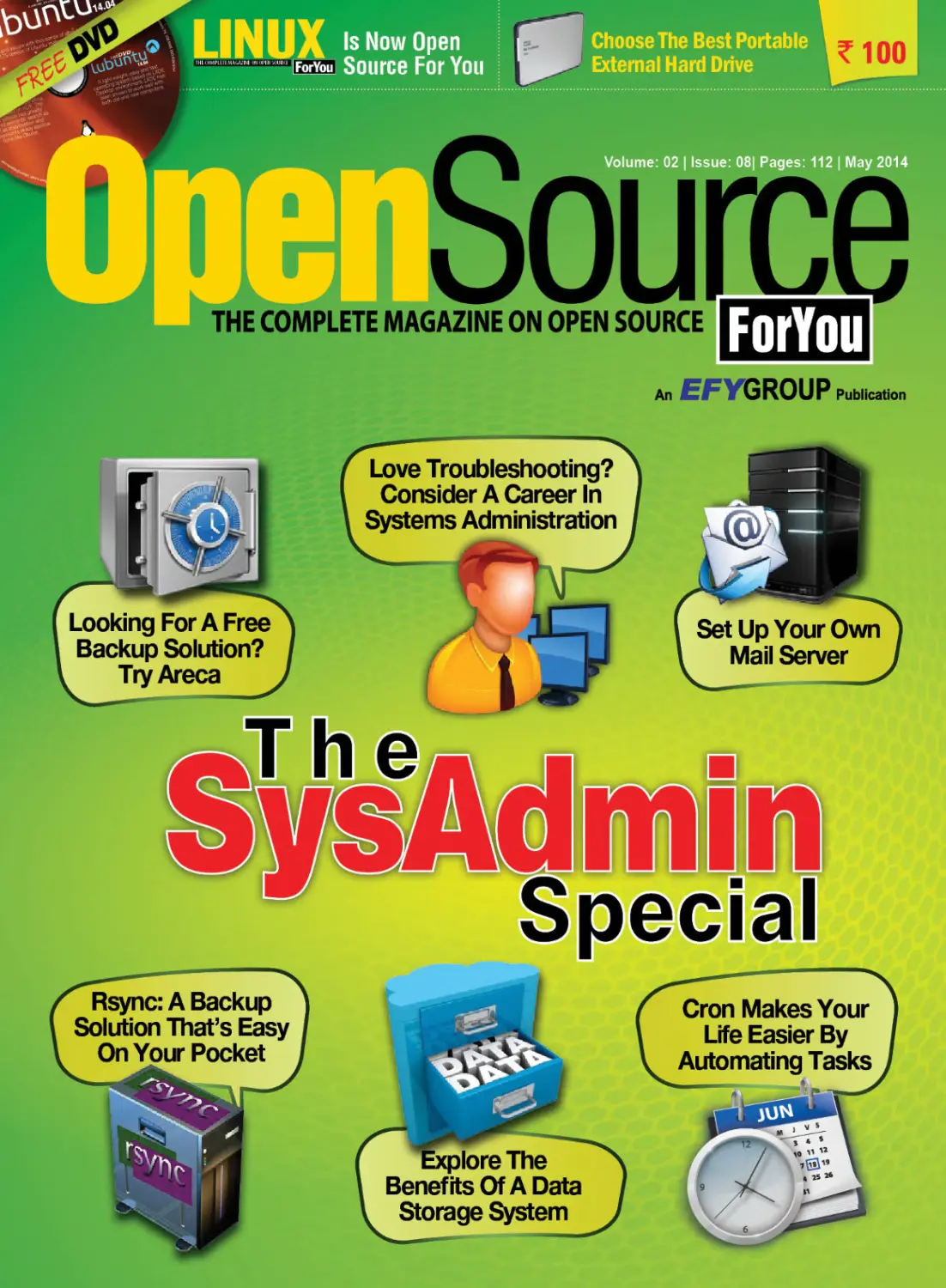


Теги: programming magazine computer technology magazine open source for you
Год: 2014




Текст
YOU SAID IT
Please provide a DVD with CentOS 6.5
It would be great if you could provide a CentOS 6.5 DVD
in the forthcoming edition of OSFY. It's a fantastic distro for
anything that needs stability.
—Kathirvel R;
linuxkathirvel.info@gmail.com
ED: Thank you for reaching out to us. We have taken note of
your suggestion and would definitely contemplate bundling
CentOS 6.5 in a future edition of OSFY. If you have more such
interesting suggestions for us, do feel free to contact us.
Articles related to Windows
I have been reading your magazine on a regular basis and I
must admit that it has proved to be quite useful to me. OSFY
helps readers to become aware of the best practices and
current trends in open source technology, and updates their
skill sets. Keep up the good work. I have a small request to
make. It would be great if you published some Windowsrelated articles in your upcoming editions. I feel these will
Content on Django
ED: It feels nice to get valuable suggestions from our
readers. We do publish articles related to Windows, such as
a recent one titled ‘Open source on Windows’. In fact, you
can look forward to our June 2014 issue, in which you will
find a stream of such write-ups. Hope you get to read that
issue. Please get in touch with us in case you have any other
suggestions for us.
The best Linux distro for newbies
Prashant Shokeen: Hi, I am new to Linux.
I have never seen any Linux operating
system but I want to switch from Windows
to Linux. Which Linux distro do you think I
should use first? Also, please let me know
about a distro that can do basic jobs like
penetration testing.
Open Source For You: We are indeed
Sai Gowthami Reddy V: Thank you so much
for addressing my problems regarding
the non-receipt of the OSFY magazine and
helping me get a copy. Can you please tell
me in which edition you carried an article
on Django?
Open Source For You: Thanks for
the acknowledgement. We have
recently covered Django in the
March 2014 issue. The article is
on configuring Memcached for a
Django website. If you wish to get
hold of this issue, you can log on
to http://electronicsforu.com/electronicsforu/subscription/subscr1.
asp?catagory=india&magid=53
Share Your
help you reach out to more people and this, in turn, will help
you increase your readership.
—Yogeshwaran;
ramyogeshwaran@gmail.com
happy to know that you plan to shift to
Linux. Allow us to answer your queries
one by one. We had conducted a poll on
Facebook on, ‘Which is the best Linux
distro for newbies?’ And Ubuntu and
Linux Mint emerged as top choices. You
can try these distros as they are quite
user-friendly. But, at the end of the day,
your choice of distro should depend
on your individual requirements. With
respect to your second query, Kali Linux
is a good option for penetration testing.
We have recently bundled the free DVD
comprising Kali Linux and Linux Mint
Debian edition in the April 2014 issue of
OSFY. If you wish to purchase the issue,
you can log on to http://electronicsforu.
com/electronicsforu/subscription/subscr1.asp?catagory=india&magid=53.
Please send your comments
or suggestions to:
The Editor,
Open Source For You,
D-87/1, Okhla Industrial Area, Phase I,
New Delhi 110020, Phone: 011-26810601/02/03,
Fax: 011-26817563, Email: osfyedit@efyindia.com
8 | may 2014 | OPEN SOURCE For You | www.OpenSourceForU.com
Powered By
www.facebook.com/linuxforyou
Abdulrazaq Mosaher: I want to install Ubuntu
along with Windows on my PC but it has not detected
any other operating system. Is there anything that can
be done?
Like . comment
Richard Tolentino-Ramirez Cabasag-Ayuyang:
Disable EUFI in the BIOS and enable Legacy boot.
Deep Chakraborty: Manually free up space on
your hard drive, and during Ubuntu installation, select
the option to manually partition drives and create
four new partitions in the unallocated space, the /
partition, the /swap partition, the /home partition and /
boot partition (optional. You'll find recommended sizes
online. Install Ubuntu now and after finishing, your
computer will probably directly boot into Windows
without showing GRUB. Now download and install
EasyBCD in Windows and add new entry for linux
in the Windows bootloader. Restart and this time it'll
probably boot Ubuntu directly on selecting. Now run
boot repair from the terminal (follow this link https://
help.ubuntu.com/community/Boot-Repair), and your
Windows entry should get automatically added to the
GRUB menu. As you restart, you should be able to
see Ubuntu and Windows boot loader on SDA— on
the GRUB menu. You are done! If you wish now, you
can go back to EasyBCD in Windows and remove
the Linux entry (Caution: Don't remove the Windows
entry!). This should definitely work, as these are the
exact same things I did.
Praveen Klp: Which is is more powerfulIPTables or PFsense-or IPCop?
Like . comment
GKolya Max Weissman: You may have
accidentally deleted your Windows partition and so
it's not seeing it because it's not there. You should
stay out of the advanced partitioning menu option and
choose to install side by side and boot from the Ubuntu DVD to do all of this. Also choose to install Ubuntu
rather than try out Ubuntu when presented with that
option. Try Linux Mint. It is the sister operating system
to Ubuntu. It may work where Ubuntu doesn't. Choose
the Cinnamon Desktop version. It should be familiar to
anyone who has used Windows XP.
Like . comment
Anand Anand: Utsav Rana: Install GRUB instead
of LILO. If you have Windows 8 enabled PC, please
make one partition same as /boot partition that will be
named as BIOS boot reserved area. Just make sure
that you are not formatting the NTFS drive by mistake.
Daniel Chakraborty: Try Puppy Linux, Tails or even
Light-weight Portable Security. They run off a pen
drive with no need for installation. Ubuntu works well
without installation in the same way at least for basic
tasks. Keep Windows installed on your hard drive.
An Kit: Guys,I am new to Ubuntu, have installed
Ubuntu 13.10 on my Dell Inspiron. I have tried for
hours and still can't get the WiFi work on my PC.
Please help !
Like . comment
Craig Nicholson: I ran into issues with Broadcomm
card and Fedora 19 & 20 installs. It was resolvable
though. Send me a message and also post on my
wall so I know the message shows up (Facebook no
longer displays a message icon if you're not friends
unless you're willing to pay for your message)
Kartikey LovesXo: I would vouch for PFsense.
Eric Riungu: My vote goes to PFsense.
Steve Jeffries: I'd like to use Linux on my laptop
but had trouble getting flash player and or Shockwave
when I used it on my PC. Has anything changed in the
last 12 months?
Like . comment
Jayendra Pratap Singh Hada: Hey, can you guys
post some tutorials on how to create Android apps?
Like . comment
Umang Shukla: Please visit http://developer.
android.com/index.html)
10 | may 2014 | OPEN SOURCE For You | www.OpenSourceForU.com
Ian Walker: On Fedora 20 I installed VLE via RPM
Fusion & yum (which doesn't have much to do with
the question) and then used yum to install the Adobe
RPM's & Flash player then tested it on Mozilla. Pretty
easy stuff if you know how to call up a terminal.
Ian Walker: Shahbaz Khan: Yes Adobe flash player
is available for Linux, but unfortunately Adobe will not
develop any newer version for Linux after version 11.
FOSSBYTES
Powered by www.efytimes.com
Ubuntu 14.04 released
for the desktop
Finally, an entirely open
source laptop
Canonical has just
released the Ubuntu
14.04 Long Term Support
14.04
(LTS) desktop edition.
The company had earlier
unveiled Ubuntu 14.04
LTS edition for servers.
However, its arrival on the
desktop comes as a relief
for all those looking to
replace the Windows XP.
Ubuntu's latest release
for the desktop brings
a slew of performance improvements. In the words of sources at Canonical,
“Users will notice a slicker experience, with improvements to Unity (the user
interface). The release also includes all the tools required for business use,
including remote delivery of applications, compatibility with Windows file
formats, browser-based cloud solutions and the Microsoft Office compatible
Libreoffice suite." You now get the option to use Unity 8, which is also the UI
used on mobile versions of the OS—a major step forward in what Canonical
terms ‘complete convergence'. Further, the Ubuntu app store is expected to have
a slew of converged apps that will give developers the freedom to write apps
just once and make them usable on a string of devices and screen sizes.
Users will also be able to choose whether or not they want application menus
to appear globally or locally. Canonical has now come up with a replacement for
the much-criticised global menu bar.
Two computer enthusiasts, Sean Cross
and Bunnie Huang, have developed
a laptop entirely out of open source
hardware equipment. They say that
they wanted to learn something new,
while making devices we would
actually use on a daily basis.
According to reports, the open
source laptop has been dubbed as
Project Novena. It is a home-made
laptop of sorts with open source
hardware, the specs for which are
freely available to everyone.
The duo has structured a case that
has many components, which can be
printed from a 3D printer. They have
used open source Das U-Boot, rather
than the proprietary firmware.
CyanogenMod 11.0 M5 is
now available for more
than 50 devices
Microsoft Office arrives on Chrome Web Store
First, Microsoft decided to
capitalise on the success of the
Android platform by offering the
free Office Mobile app for it and
also releasing an open source
SDK for Office 365. Now, the
Redmond giant has revealed that
it’s not averse to supporting the
Chromebook (that it earlier gave
the thumbs down to). Microsoft
Office has now officially arrived
on the Chrome Web Store along
with a slew of handy new features.
Users can now launch most of Office’s Web apps in the Chrome browser
itself or on the Chrome OS just by clicking on an available short cut.
OneNote Online now comes with printing support, while Excel will now
let you add comments. Similarly, PowerPoint will now let you accurately
preview texts while Word will let you add footnotes and lists much more
easily and efficiently.
16 | May 2014 | OPEN SOURCE For You | www.OpenSourceForU.com
CyanogenMod has launched the
successor to its M4 ROM for the
Android 4.4 KitKat OS. The latest
Snapshot build for the CM 11.0 has
been rolled out for more than 50
smart devices that are powered by
the latest KitKat OS.
The new update is available
in CyanogenMod’s portal and
the company’s updater. The new
CyanogenMod 11.0 M5 build comes
with many changes compared to the
last M4 build.
FOSSBYTES
Google beats Facebook to acquire
drone-maker Titan Aerospace
Global search engine giant Google has acquired Titan Aerospace, a company
that makes solar-powered drones and was in acquisition talks with Facebook
just a few months ago. The Wall Street Journal reports that Google hopes to
use the technology provided by Titan to assist its Project Loon project, which
aims to connect people to the Internet in far flung areas.
“Titan Aerospace and Google share a profound optimism about the potential
for technology to improve the world,” a
Google spokesman said in a statement.
What this means is that very soon, solarpowered drones will deliver Internet
connectivity to remote areas, a.k.a.
Internet-in-the-sky! Facebook was also in
talks to acquire Titan Aerospace earlier;
however, all that it has for now is Ascenta,
a British company that makes a similar
type of drone.
Courtesy the technology provided by Titan Aerospace, Facebook wanted
solar-powered drones to deliver sky-based Internet access initially in Africa with
11,000 Solara 60 UAVs. The plan would certainly have been a stepping stone in
Facebook’s Internet.org efforts to expand online access in developing countries.
Instead, Google will be using the technology now for its ambitious Project Loon.
Raspberry Pi hits a high note with the
‘mini’ Compute Module
The Raspberry Pi Foundation has unveiled a new module, in which the Raspberry
Pi’s BCM2835 processor and 512 MB of RAM, coupled with 4 GB of storage,
are integrated onto a board that fits into the space of a tiny DDR2 memory stick.
Pi’s new Compute Module will allow circuit board developers to attach desirable
interfaces into the small standard connector of the module.
The Compute Module bids adieu to the age-old
tradition of using the built-in ports on a conventional
Pi design. The module will come along with a starter
IO board and is expected to be launched sometime
during June this year. There’s still no word about the
pricing; however, folks back at Raspberry Pi have revealed
that large scale buyers like educators can buy the module in
batches of 100 at a price of around US$ 30 per piece.
Microsoft’s WinJS goes open source
In a bid to aid developers in quickly and efficiently building cross-platform
applications, Microsoft has now open sourced its ‘WinJS’ JavaScript library
for building Windows-like Web applications for other browsers and platforms,
including Chrome, Firefox, Android, and iOS. This will save developers from
coding the same app multiple times for non-Windows platforms and browsers.
WinJS is a collection of JavaScript tools that give developers advanced
components (for data binding, etc) and user interface controls (ListView,
FlipView, animations and semantic zoom) with which they can minimise the
changes. Microsoft first released the WinJS JavaScript library in 2011 to help
developers build Windows applications both for Windows Phone and the
Windows 8 Modern interfaces.
Microsoft, Dell sign patent
deal on Android, Chrome
Tech giants Microsoft and Dell have
signed a ‘patent cross-licensing deal’,
under which Microsoft will get royalties
from Dell on sales of devices that are
powered by Google’s Android or Chrome
software. Microsoft believes that Android
can conflict with its patents, and this deal
will work to protect its interests. The
company has already signed similar deals
with other big players like Samsung.
Acknowledging the fierce
competition, Microsoft has secured
itself against Google’s open source
platforms by asking the device makers
to pay their Microsoft licence fee. Most
mobile phone makers like Samsung,
LG and HTC have agreed to pay
royalties to the Windows maker.
Here’s an open source
alternative to Siri and
Google Now!
Well, looks like Siri, Google Now and
Cortana have met their match in Jasper.
While the aforementioned technologies
are awesome in their own right, none can
compete with the open source technology
that Jasper brings to the table. Also, it has
the very humble Raspberry Pi at its core,
an even bigger reason to rejoice!
Jasper is an open source platform for
developing always-on, voice-controlled
applications that has been created by
Princeton students Charles Mash and
Shubhro Saha. All that Jasper needs is a
working Internet connection, a Raspberry
Pi board and a USB microphone, and
you’ll get a complete open source system
that can easily be customised for your
needs. Being open source, you can build
it yourself with off-the-shelf hardware,
and use the online documentation to write
your own modules.
www.OpenSourceForU.com | OPEN SOURCE For You | May 2014 | 17
FOSSBYTES
Goodbye XP: New Lubuntu
theme takes you to familiar
territory
Windows XP users are finally beginning
to accept the fact that the XP era is now
finally over and it’s time to move on!
Updating to a more modern and secure OS
is not an option—it’s mandatory. A new
survey conducted by Tech Pro Research
had earlier revealed that almost 11 per cent
of organisations that lived and breathed
XP will eventually switch to Linux. While
XP users could have a viable alternative in
Linux Mint, another Linux OS, Lubuntu, is
not very far behind.
Lubuntu is light enough to run
seamlessly on the kind of hardware you’ll
normally associate with XP, and the fact
that it has a very familiar desktop layout
means the switch from XP will be even
easier. A new Lubuntu theme will now
make XP users feel at home. While it’s not
a 100 per cent equivalent to what XP came
with originally, yet the Lubuntu theme is as
close as it gets for XP users. It comes with
all three of the standard XP colour themes
-- blue, silver and olive -- as also the wellknown Windows XP background and a
tux-themed XP style start button.
Qualcomm launches 64bit Snapdragon 810, 808
processors
Chipset maker Qualcomm has launched
two new Snapdragon processors.
Dubbed as the 810 and 808, they are
based on a 64-bit design structure. The
new processors make the processing
speed faster, thereby improving
performance. The new Qualcomm
Snapdragon processors are likely to hit
the market by early next year.
According to reports, Murthy
Renduchintala, executive vice president,
Qualcomm said, “The announcement of
the Snapdragon 810 and 808 processors
underscores Qualcomm Technologies’
continued commitment to technology
leadership, and a time-to-market advantage
for our customers for premium tier 64-bit
LTE-enabled smartphones and tablets.”
Calendar of forthcoming events
Name, Date and Venue
Description
Contact Details and Website
Enterprise CIO Summit 2014
May 16, 2014; Mumbai
Around 150 CIOs, CTOs, vice presidents (IT),
and heads of IT are expected to attend this
summit. They will share and discuss strategies on expansion of business and the use
of technology. Speakers at the summit will
share their vision and the path-breaking ideas
that helped them transform their business.
Uma Varma, Manager-Marketing &
Operations; Email: uma.varma@
thelausannegroup.com;
Ph: 8884023243;
http://www.enterpriseciosummit.
com/
Datacenter Dynamics Coverged
May 22, 2014; Palladium Hotel,
Mumbai
The event is the world's largest peer-led
datacenter conference and expo.
Praveen Nair; Email: Praveen.nair@
datacenterdynamics.com; Ph: +91
9820003158; Website: http://www.
datacenterdynamics.com/
WorldHostingDays
May 27-28, 2014; Mumbai
The event serves as a venue for news and
information from the hosting world, for the
hosting world.
Elisabet Portavell,(Marketing), Email:
e.portavella@worldhostingdays.
com; Ph: 49 221-65008-155; Website:
http://www.worldhostingdays.
com/eng/whd-india-registration.
php?code=MDWHS26
2nd Annual The Global 'High
on Cloud' Summit
May 28-29, 2014; Mumbai
The summit will address the issues, concerns,
latest trends, new technology and upcoming innovations on the cloud platform. It will be an open
forum, giving an opportunity to everyone in the
industry to share their ideas.
Email: contactus@besummits.com;
Ph: 80-49637000;
Website: http://www.theglobalhighoncloudsummit.com/#!about-thesummit/c24fs
7th Edition Tech BFSI 2014
June 3-4, 2014; The Western
Mumbai Garden City, Mumbai
This event is a platform where fnancial institutions
and solution providers come together to find new
business, generate leads and network with key
industry players.
Kinjal Vora; Email: kinjal@kamikaze.
co.in; Ph: 022 61381807; Website:
www.techbfsi.com
Businessworld's BPO Summit
June 5; Gurgaon
The event will provide a platform for thought leaders to discuss important issues which will shape
the future of outsourcing.
Sakshi Gaur, Senior Executive, Events;
Ph: 011 49395900; E-mail: sakshi@
businessworld.in
7th Edition Tech BFSI 2014
June 18, 2014; Sheraton,
Bengaluru
This event is a platform where financial Institutions
and solution providers come together to find new
business, generate leads and network with key
industry players.
Kinjal Vora; Email: kinjal@kamikaze.
co.in; Ph: 022 61381807; Website:
www.techbfsi.com
4th Annual Datacenter
Dynamics Converged
September 18, 2014; Bengaluru
The event aims to assist the community in
the datacentre domain in exchanging ideas,
accessing market knowledge and launching
new initiatives.
Email: contactus@besummits.com
; Ph: 80-49637000; Website: http://
www.theglobalhighoncloudsummit.
com/#!about-the-summit/c24fs
Open Source India,
November 7-8, 2014;
NIMHANS Center, Bengaluru
This is the premier Open Source conference in
Asia that aims to nurture and promote the open
source ecosystem in the sub-continent.
Atul Goel-Sr.Product & Marketing
Manager; Email: atul.goel@efyindia.
com; Ph: 0880 009 4211
5th Annual Datacenter
Dynamics Converged;
December 9, 2014; Riyadh
The event aims to assist the community in
the datacentre domain by exchanging ideas,
accessing market knowledge and launching
new initiatives.
contactus@besummits.com; Ph:
80 4963 7000; Website: http://
www.theglobalhighoncloudsummit.
com/#!about-the-summit/c24fs
Microsoft Office Mobile is now free for Android!
Microsoft Corp has announced several new and
updated applications and services including
Microsoft Office for iPad and free Office Mobile
apps for iPhone and Android phones, as also the
Enterprise Mobility Suite. “Microsoft is focused
on delivering the cloud for everyone, on every
device. It’s a unique approach that centres on
people — enabling the devices you love, work
with the services you love, and in a way that
works for IT and developers,” Satya Nadella,
18 | May 2014 | OPEN SOURCE For You | www.OpenSourceForU.com
FOSSBYTES
chief executive officer for Microsoft was quoted as saying during the official
announcement.
The Office Mobile is now completely free and can be used to view and edit
Word documents, Excel spreadsheet or PowerPoint presentations. Earlier, Office
Mobile only allowed users to view Office documents. Consumers needed an Office
365 paid subscription in case they wanted to edit the documents.
Microsoft has also released an open source SDK for Office 365. Coming from
Microsoft Open Technologies, the company’s open source subsidiary, the SDK for
the Android platform has been released under the Apache License, version 2.0.
Vine rolls in direct
messaging; now competes
with Instagram
Short video sharing smartphone app
Vine has rolled out a new update for
both Android and iOS platforms.
A new podcast manager app for Linux
Here’s some good news for all those who endlessly crib about Linux lacking a
decent app for managing podcasts. The upcoming podcast manager called Vocal
is certainly not a new concept; however, its developer might beg to disagree. For
Nathan Dyer, the app will do away with the ‘clunky, bloated and unnecessarily
complicated flaws’ prevalent in the current breed of apps.
Boasting of sheer simplicity, the app has all the essentials efficiently covered:
streaming and downloading, supporting video and audio podcasts, automatic
checking for new episodes and downloading them as and when they’re released, etc.
An initial beta release of the app is expected to arrive by the end of June this
year. And if you’re looking to stream torrents to your computer, a new open source
application called Popcorn Time will let you stream Torrent movies in Linux, as
well as on Windows and OS X. This application, a first of its kind, is for those who
are too impatient to wait for a Torrent to download.
Minnowboard Max is Intel's new open source
single-board computer
Adding to the current crop of fully open source devices, Intel has now gone ahead
and released its much anticipated US$ 99 Minnowboard Max, which is a tiny
single-board computer that runs Linux and Android. The open source computer
is powered by a 1.91 GHz Atom E3845 processor and the tantalising price tag is
clearly expected to be a major crowd puller.
The Minnowboard Max doesn’t directly compete with the Raspberry Pi.
The new device will help DIYers/hackers to mess around in x86 architected
systems at an affordable price. The Minnowboard Max comes with break-out
boards called ‘Lures’ to expand functionality. Also, the graphics chipset comes
with open source drivers. Intel aims to resurrect its low-power Atom processor
by readily ‘giving it’ to hackers (owing to the meagre price), making it
relevant once again.
Raspberry Pi, on the other hand, runs a Broadcomm system-on-chip with a
700 MHz ARM processor.
The new update enables users of the
app service to send and receive Vine
messages integrated with videos. This
new direct messaging feature competes
with apps like Instagram.
According to reports, Vine is a short
video-sharing-based social network that
lets users upload, browse and watch
short video clips on mobile phones.
The new Vine messages can now
be sent as text, video, or both, to one
or more contacts, simultaneously. The
app offers two divisions in its message
window, marked as ‘friends’ and ‘others’,
to differentiate between contents.
The new update allows the Vine
app users to change their profile
colours, as well. They can switch the
colour pattern of their profiles with
colour tones given in the update.
This new message feature is already
available in apps like Instagram,
wherein users can send videos, images
and text to friends via Direct Messages.
www.OpenSourceForU.com | OPEN SOURCE For You | May 2014 | 19
FOSSBYTES
EdX partners with The Linux
Foundation to launch a free
online course on Linux
EdX, the online learning initiative
founded by Harvard and MIT, has
announced a new partnership with
The Linux Foundation, under which
the course ‘Introduction to Linux’ will
now be offered. This course on basic
Linux training will be free to help
students become better equipped to
be among the hundreds of thousands
professionals supporting the open
source operating system. Previously
offered as an online course for Rs
144,000, ‘Introduction to Linux’
will be The Linux Foundation’s first
free Massive Open Online Course
(MOOC).
The Linux Foundation has long
offered a wide variety of online
training courses for the Linux operating
system for a fee. This introductory
class on edX.org, for Linux beginners
and experts alike, will begin this
summer and will be the first from The
Linux Foundation to run as a MOOC.
Nearly 90,000 people have registered
to date, and with no cap on registration,
many more are expected to enrol.
Jim Zemlin, the foundation’s
executive director, said: “Our mission
is to advance Linux and that includes
ensuring there is a talent pool of Linux
professionals. To deepen that talent
pool and give more people access to
the best career opportunities in the IT
industry, we are making our Linux
training program more accessible to
users worldwide.” He added, “EdX
shares our values in increasing access
to course material that can help learners
achieve their personal goals and
advance important technologies like
Linux. EdX, like the Linux Foundation,
is not-for-profit and uses open source
to innovate. Our partnership is a natural
one, and we look forward to working
together to bring important knowledge
to the masses.”
It’s curtains for Dropbox competitor Ubuntu One
As Canonical goes all out to focus its efforts on its operating system, the first to be
axed in the process is Dropbox competitor, Ubuntu One. Canonical has clearly stuck
to the principle of survival of the fittest, also axing its streaming music service.
“If we offer a service, we want it to compete on a global scale. For Ubuntu One
to continue to do that would require more investments than we are willing to make,”
CEO Jane Silber was quoted in a blog post. Storage and music are no longer available
for purchase from the Ubuntu One Store now. While existing Ubuntu One customers
can use the service until June 1, 2014, stored data will be available for download up to
July 30. Meanwhile, annual subscribers will receive a pro-rated refund soon.
With the Ubuntu 14.04 LTS launch almost round the corner, Canonical will now
focus on its popular operating system. Earlier, Canonical’s Michael Hall revealed
that future versions of Ubuntu will see a reversal of a key yet annoying feature
introduced to desktop users in 2012. Upcoming Ubuntu versions will not show users
Amazon product results in the Unity Dash, by default. On the downside, the change
is not going to take effect in Ubuntu 14.04 LTS. The current version of Unity
searches online sources upon receiving a user query in Dash; by default, it returns
related results including product suggestions from Amazon alongside local files and
apps. The feature can be turned off through a toggle in System Settings; however,
it is annoying. The upcoming version of Unity will require users to ‘opt-in’ if they
wish to see results from specific online sources like Amazon.
Google to launch Android TV
Google has been trying to enter the living
room space for some time now. With the
company's latest Android TV, there is a strong
chance that it will soon crack the home doors
open. As per reports, Android TV is the new
Google endeavour, after Google TV, and the
search engine has already started to work on
developing apps for this platform.
According to reports, Android TV will
be a major video content provider and Google has begun developing new applications
for this TV platform. Google sources said, “Android TV is an entertainment interface,
not a computing platform. It’s all about finding and enjoying content with the least
amount of friction.”
Source code for Microsoft’s MS-DOS and Word goes ‘open’!
In a major development, Microsoft has yet again inched closer towards open
source technology by donating the source code for its MS-DOS and Word for
Windows programs. The source code of MS-DOS versions 1.1 (released in 1982)
and 2.0 (released in 1983), as well as the code for Microsoft Word for Windows
1.1a (released in 1989) are now publicly available at the Computer History
Museum in Mountain View, California. Anyone can now download the code from
the museum’s official website; however, it must be noted that the code is solely
available for non-commercial use, subject to a licence agreement approval.
Microsoft achieved its iconic status of becoming a global organisation of 100,000+
employees and almost US$ 43 billion in revenue (estimated as of December 2013) on
the shoulders of aggressive software licensing practices. However, over the years, it has
strived to ensure interoperability with open source projects – a drive that is clearly aimed
at winning back some market share that it lost to a string of open source projects that are
increasingly coming into the limelight.
20 | May 2014 | OPEN SOURCE For You | www.OpenSourceForU.com
Buyers’ Guide
Choose the Best Portable
External Hard Drive
External hard drives have turned out to be the best companions for those looking for
unlimited storage to back up invaluable data.
Y
ou wish to save all those huge music and movie files
or the personal photo collection that you have amassed
over the years, but are running out of space on your
computer. Or, you would like to own a device that gives you
the flexibility to carry your business-critical data whenever you
are on the move. Portable external hard drives can serve your
requirements in both instances. In fact, its needs like these that
are driving the demand for good portable external hard drives.
The edge that external hard drives have over their internal
counterparts is that the risk of losing your personal data
gets minimised in case of system failure. At a time when
the market is inundated with loads of portable external hard
drives, choosing the right one can be an arduous task. There
are certain factors that you should keep in mind while trying
to select the perfect drive for your needs.
Storage capacity
When looking for the ideal portable hard drive, take a look at the
type of media you consume. Portable hard drives are available in
varied storage capacities, ranging from 160 GB to 750 GB. Some
drives even boast of one terabyte (TB) of storage capacity.
If your usage typically involves merely transferring files
or folders, you can go for a drive with a smaller capacity. For
a consumer of heavy media like movies, games, etc, drive
capacities in the terabytes territory are the order of the day. So,
if you are planning to add extra storage to your computer as
an additional backup layer, go for a terabyte-capacity drive. It
is important to know that higher-capacity drives result in the
lowest cost-per-gigabyte. This gives users value for money.
Transfer speeds and connectivity
The transfer speed is another important factor to consider when
buying a portable external hard drive. The faster the hard drive
transfers data from the host computer, the better it is. But if
you are just looking to store your data, you do not need the
fastest external hard drive on the market. Only if you wish to
store gargantuan multimedia files, should you seek drives that
promise you a higher speed -- a minimum of 5400 RPM.
Next, you should be watchful while choosing your
connection types. As mentioned earlier, storing large
www.OpenSourceForU.com | OPEN SOURCE For You | may 2014 | 21
Buyers’ Guide
multimedia files requires drives with quicker transfer
speeds, so look for those with a USB 3.0 interface, which
offer transfer rates up to 10 times faster than the preceding
USB 2.0 interface. Rajesh Khurana, country manager for
India and SAARC, Seagate Technology, says, “If you plan
to back up frequently and your precious digital content is
dispersed across your laptop, the cloud and various social
media services, it can be painstaking to back it all up.
You should go for drives that handle the most demanding
transfer backup needs.”
Portability
Portability is yet another important factor when it comes to
choosing an external hard drive. The overall portability of an
external hard drive is based on factors like size, weight and
durability. Many portable hard drives are just a few centimetres
in size and weigh a few grams, making them lightweight,
pocket-sized devices that deliver the utmost portability without
sacrificing storage capacity. External hard drives are susceptible
to damage. So, the durability factor plays a key role here. Your
hard drive should be strong enough to withstand the minor
abuse sustained in the course of daily transport and use.
Brand
Buying a well-known brand will certainly give you more bang
for your bucks. The warranty will be taken care of, and you
can easily get through to the company for after sales service
in case of any damage.
Some of the best portable external hard
drives available in the market
Seagate Backup Plus Slim
With a svelte compact design and the high-speed USB 3.0
interface, the Seagate Backup Plus Slim is a great storage
solution to aggregate and back up valued photos, videos
and other files, even if they are saved across numerous
devices, social networks and personal computers.
It offers a slim 2 TB design, fitting into a 12.1 mm high
form factor. The metal-top case of these drives, available in
red, blue, black and silver, is designed to resist scratches and
fingerprints.
“Seagate Backup Plus has been designed to make the
chore of backing up as simple as possible. This compact,
attractive external storage is hassle-free and includes Seagate
Dashboard backup software for instant and easy backup
of social media albums, PC content and now even mobile
devices,” says Rajesh Khurana.
Price:
• Backup Plus Slim portable 500 GB: ` 4,250
• Backup Plus Slim portable 1 TB: ` 6,000
• Backup Plus Slim portable 2 TB: ` 10,500
Dell Back-Up Plus
The Dell Back-Up Plus 1 TB hard drive gives you
the luxury of storing humongous amounts of digital
content in a pocket-sized device. It is equipped with
amazing features like super-fast USB 3.0 connectivity.
Also, since this hard drive is USB powered, it negates
the need for an external power source. It is compatible
with both PCs and Macs; hence, you can use the drive
interchangeably on your PC or Mac computer without
reformatting. It also has a sleek design.
Price: ` 6,999
22 | may 2014 | OPEN SOURCE For You | www.OpenSourceForU.com
Buyers’ Guide
Western Digital’s My
Passport Slim
Price: ` 5,999
Western Digital’s thinnest drive yet, My Passport Slim, is the
ideal companion for your ultrabook or other slim notebooks.
It is available in 1 TB thin form factor, which is slim enough
to fit in your briefcase, pocket or purse, yet has enough
capacity to carry all your digital content. When connected to a
USB 3.0 port, My Passport Slim lets you access and save files
at a blazing speed. Transfer times are reduced by up to three
times when compared to USB 2.0 transfer rates. The drive
is armed with SmartWare Pro automatic backup software
that lets you choose when and where you back up your
files. The company claims to have built the drive to address
the demands for durability, shock tolerance and long-term
reliability. The drive is protected with a durable casing that is
designed for beauty, and has a three-year limited warranty.
It is important to do some research before making the
purchase. Do not forget to read user reviews for whatever
brand you decide on.
By Priyanka Sarkar
The author is a member of the editorial team. She loves to
weave in and out the little nuances of life and scribble her
thoughts and experiences in her personal blog.
www.OpenSourceForU.com | OPEN SOURCE For You | may 2014 | 23
Developers
How To
How Can I Contribute to Mozilla?
Open source software depends upon the contributions made by thousands of people
in the community who help to improve and modify it. These contributions are not
merely monetary, but also in the form of feedback and improvements to the software,
particularly in ironing out bugs. This is a vital service that keeps the spirit of the FOSS
movement alive today.
M
ozilla is one of the leading open source
organisations in the world. A lot of
people work for Mozilla, fixing bugs and
implementing new features. Since people use various
platforms for this, here’s a small guide to installing the
source code for Mozilla on different platforms and on
how you can begin with your first contributions. As an
open source contributor, I believe that Mozilla is one of
the best OSS projects to start off with when you want to
give back to the community.
Hardware requirements
While installing Mozilla source code, the first thing to
do is to install its dependencies. The minimum hardware
requirements are:
2 GB RAM and lots of free space in it
For debugging and builds: At least 8 GB of free space
For optimised builds: At least 1 GB of free space
(recommended 6 GB)
Build tools and dependencies
All distros require just a one-line ‘bootstrap’ command
This is the best way to install the dependencies,
irrespective of the distro you are using. For this, open a
terminal and copy paste the following commands:
Ubuntu
Download and install the prerequisites required for the
Mozilla build in Ubuntu (as root), as follows:
sudo apt-get install zip unzip mercurial g++ make
autoconf2.13 yams libgtk2.0-dev libglib2.0-dev libdbus-1dev libdbus-glib-1-dev libasound2-dev libcurl4-openssl-dev
libiw-dev libxt-deva mesa-common-dev libgstreamer0.10devlibgstreamer-plugins-base0.10-dev libpulse-dev
Debian
Install the prerequisites required for the Mozilla build in
Debian (as root) by running the following:
sudo aptitude install zip unzip mercurial g++ make
autoconf2.13 yasm libgtk2.0-dev libglib2.0-dev libdbus-1devlibdbus-glib-1-dev libasound2-dev libcurl4-openssl-dev
libiw-dev libxt-dev mesa-common-dev libgstreamer0.10devlibgstreamer-plugins-base0.10-dev libpulse-dev
Debian Squeeze Edition
On Debian Squeeze, you need to install yasm-1.x from the
Squeeze backports. You can also get the Mercurial bundle if
you need compatibility with an existing Mercurial repository:
wget https://hg.mozilla.org/mozilla-central/raw-file/
default/python/mozboot/bin/bootstrap.py
python bootstrap.py
echo "deb http://backports.debian.org/debian-backports
squeeze-backports main" >> /etc/apt/sources.list
aptitude update
aptitude -t squeeze-backports install yasm mercurial
If the above command doesn’t work then proceed
with one of the following, based on the OS you are using.
OpenSUSE and SUSE Linux Enterprise
To install the dependencies in OpenSUSE, execute the
24 | May 2014 | OPEN SOURCE For You | www.OpenSourceForU.com
How To
Developers
following command as a root user in your terminal:
hg unbundle /home/path-to-the-bundle/mozilla.hg
zypper install \
make cvs mercurial zip gcc-c++ gtk2-devel xorg-x11-libXtdevel libidl-devel \
freetype2-devel fontconfig-devel pkg-config dbus-1-glib-devel
mesa-devel \
libcurl-devel libnotify-devel alsa-devel autoconf213 libiwdevel yasm \
gstreamer010-devel gstreamer010-plugins-base-devel
pulseaudio-devel
3) Create an hgrc file in /mozilla-central/.hg/. In this file we
will be adding the path to the main repository, so that we
can pull the latest changes and update the bundle before
starting the build process.
Red Hat Enterprise Linux (RHEL), CentOS and Fedora
To install the dependencies in Fedora, execute the following
command as a root user:
[paths]
default = hg.mozilla.org/mozilla-central/
sudo yum groupinstall ‘Development Tools’ ‘Development
Libraries’ ‘GNOME Software Development’
sudo yum install mercurial autoconf213 glibc-static
libstdc++-static yasm wireless-tools-devel mesa-libGLdevelalsa-lib-devel libXt-devel gstreamer-devel gstreamerplugins-base-devel pulseaudio-libs-devel
# ‘Development tools’ is defunct in Fedora 19 use the
following
sudo yum groupinstall ‘C Development Tools and Libraries’
sudo yum group mark install "X Software Development"
Arch Linux
To install the dependencies in Arch Linux, execute the
following command in your terminal:
-Syu --needed base-devel zip unzip freetype2 fontconfig pkgconfig gtk2 dbus-glib iaw libidl2 python2 mercurial alsa-lib
curl libnotify libxt mesa autoconf2.13 yasm wireless_tools
gstreamer0.10 gstreamer0.10-base-plugins libpulse
After installing these, depending on the OS you use, you
can proceed to build Mozilla source code.
Building Mozilla source code
After you finish the installation of the prerequisites required for
the Mozilla build, you can continue with the build process. This
generally proceeds with downloading and installing through the
mozilla.hg file. Download the latest Mozilla bundle from the
Mozilla site and follow the steps below to install the source code.
1) Create an empty directory and initialise a new repository
(in a directory called ‘mozilla-central’ here):
gedit /hg/hgrc
The above command will automatically open a new gedit
window. Insert the following lines and save the file:
4) Enter the following command in the terminal, so that it
will pull all the latest changes to the code:
hg pull
After running the pull command to get all the changes you
made to the local repo, you need to apply the changes to the
repository file:
hg up (or) hg update
5) After the changes are applied, you can start the build
process with the help of the following command:
./mach build
This process will take at least 45 minutes to complete.
After that you can see something like what’s shown below:
Your build was successful!
To take your build for a test drive, run: /home/path-tomozilla/obj-x86_64-unknown-linux-gnu/dist/bin/firefox
For more information on what to do now, see https://
developer.mozilla.org/docs/Developer_Guide/So_You_Just_Built_
Firefox
Once you see this in your terminal you have
completed your build and you are ready to start with your
first contribution.
Getting started with your first contribution
mkdir mozilla-central
hg init mozilla-central
Now you are ready to start fixing bugs, which basically
involves going through the code and finding that part of it that
is responsible for the bug. For this you can take the help of
the Mozillans in the Internet Relay Chat (IRC).
2) Unbundle the mozilla.hg bundle in the created folder:
Connecting to the Mozilla IRC
cd mozilla-central
If you are using Mozilla Firefox as your browser, it has an
extension for the IRC called ChatZilla, which is basically
www.OpenSourceForU.com | OPEN SOURCE For You | May 2014 | 25
Developers
How To
time, you will get that bug assigned to you.
Once you are done with selecting a bug,
you can ask for any help regarding the bug in
#introduction on the IRC. While fixing a bug
in Mozilla, you have to find out a particular
function that you need to modify. In this
case, you can use mxr or dxr. With these two
sites, you can search for a file, a particular
word or a module.
After you have fixed the bug, you have
to make a patch, for which you have to use
Mercurial.
Using Mercurial to create a patch
A patch gives you the changes you made to
the code. The mentor of the bug fixing process
then reviews the changes in the patch and tests
them. For this you need to add the following
lines to the hgrc file that you have created
previously—to give a path to the Mozilla
central repository:
Figure 1: IRC Cloud
[ui]
username = Name <example@xyz.com>
[defaults]
qnew = -Ue
Figure 2: Bugzilla
an IRC client developed by Mozilla. If not that, you can
use different clients such as Mibbit or IRCCloud, based on
what suits you.
After opening the chat client, to connect to the Mozilla
server, just type the following in the IRC client:
[extensions]
mq =
/server irc.mozilla.org
[diff]
git = 1
showfunc = 1
unified = 8
Once you have connected to the Mozilla server, you can
join the Introduction channel, which is for beginners. To join
it, use the following command in the IRC Client:
This helps you to create a perfect patch for the bug that
you have fixed. After you attach the patch to the bug, you
can wait for the mentor to review it.
/join #introduction
References
This is where you can start asking any general questions
or those related to bugs. Depending on the bug that you have
taken on and the availability of your mentor, you can directly
communicate with him or her. There are a lot of people in
Mozilla who are ready to help you at any point of time.
[1] http://www.mozilla.org/en-US/
[2] https://developer.mozilla.org/en-US/docs/Developer_Guide/
Source_Code/Mercurial/Bundles
[3] http://chatzilla.hacksrus.com/intro
[4] http://mibbit.com/
[5] https://www.irccloud.com/
[6] http://mxr.mozilla.org/
[7] http://dxr.mozilla.org/mozilla-central/source/
Selecting a bug from Bugzilla
By: Anup Allamsetty
Once you are ready with the build, you can go to Bugzilla
to search for bugs. As a beginner, it is recommended that
you start with minor or trivial bugs. Once you find a bug,
just mention it in the ‘bug comments’ section—that you
are interested in working on this particular one. After some
26 | May 2014 | OPEN SOURCE For You | www.OpenSourceForU.com
Anup is an open source enthusiast and an active FOSS
community member in Amrita University, Kerala. He is an active
contributor to Mozilla and GNOME. He regularly blogs at anup07.
wordpress.com and you can contact him via email at allamsetty.
anup@gmail.com.
How To
Developers
Make Your Web Pages Livelier
with Jekyll
GitHub Pages are public Web pages hosted for free by www.github.com. Jekyll, on the other
hand, is a simple blog-aware static site generator. This article introduces readers to both
GitHub Pages and Jekyll, before demonstrating how the two open source projects can be
made to work in tandem to create a wonderful blog.
G
itHub Pages is a free service from GitHub for serving
static HTML pages from a GitHub repository.
It’s commonly used for documenting open source
projects. Another implementation of GitHub Pages is for
hosting static Web pages like personal blogs.
GitHub Pages can serve only static HTML pages and
cannot execute other languages like PHP, ASP, Rails, etc.
Hence, we will not be able to make database connections.
GitHub Pages for your account could be set up by creating
a new repository named yourname.github.com. Your page is
then available at http://yourname.github.com/
Creating pages for a project is a little different from creating a
page for your account. A new branch named gh-pages needs to be
created to serve the pages for a repository or project. GitHub also
provides an automatic GitHub page generator, found under the
Admin section of the repo, for automatically generating pages.
An introduction to Jekyll
Jekyll is an open source, simple static site generator written
in Ruby. It processes Liquid templates to generate static Web
pages suitable for serving by a Web server. It doesn’t require
server-side scripting languages like PHP connected to a SQL
database. It is also the engine behind the GitHub Pages.
Installation and requirements
Jekyll is bundled as a Ruby gem. Hence, the main requirement
for installing Jekyll on your system is having Ruby and Rubygems installed on your system. Once your system meets the
requirements, installing Jekyll is as simple as…
gem install Jekyll
Basic configuration and commands
Once Jekyll is successfully installed, you can create a new
blog using the following command:
jekyll new blog
This command will create a new blog in the present working
directory with the default directory structure needed for
Jekyll. Now you can navigate into the blog directory:
cd blog
Jekyll has various commands to preview, serve and build
your articles.
Jekyll uses the jekyll serve command to serve your blog.
It has a development server inbuilt to serve your static pages.
Hence, you can simply go to localhost:4000 and see your
blog up and running.
The jekyll build command will build or generate the static
pages by parsing the Liquid templates. The static pages will
be built into the destination directory already specified in the
configuration file.
Writing a new article
Jekyll can have posts and pages. Both posts and pages should
be written in markdown, textile or HTML.
www.OpenSourceForU.com | OPEN SOURCE For You | May 2014 | 27
Developers
How To
Directory structure in Jekyll
•
•
•
•
_config.yml: All the configuration steps that Jekyll
uses are derived from here.
_includes: This folder is for partial views.
_layouts: This folder is for the main templates your
content will be inserted into. You can have different
layouts for different pages or page sections.
_posts: This folder contains your dynamic content/
posts. Jekyll expects the format to be YYYY-MM-DDpost_title.md. _site—this is where the generated site
will be placed once Jekyll is done transforming it.
Looking at the directory structure that Jekyll created, you
will notice a _posts subdirectory. This is where your published
blog posts will reside. The file names should be of the format
YYYY-MM-DD-name-of-post.md. Jekyll will automatically
infer the date and permalink slug of your post from this name,
unless overridden.
A new post can be created using the command line by
using the following command:
rake post title=“Hello World”
Replace this title with the title of your blog post.
Adding tags
Jekyll allows you to include metadata for your posts. Tags
can be added to a post using the YAML (YAML Ain't Markup
Language) front matter. These tags also get added to the sitewide collection.
Categories
Posts may be categorised by providing one or more categories
in the YAML front matter. Categories can be reflected in the
URL path of each post. Another important thing to be noted
is that Jekyll will set a hierarchy of categories if you have
specified more than one category name.
For example:
--title : Hello World
tags : blog
categories : [blog, beginner]
---
This defines the category hierarchy ‘blog/beginner’. Note
that this is one category node in Jekyll. You won’t find ‘blog’
and ‘beginner’ as two separate categories.
Plugins
Jekyll has many plugins that make your life easier. A Jekyll
plugin can be installed in two different ways.
While within your site's root directory, create a _plugins
directory. This directory is the source for all the plugins. Any
Ruby file in this directory will be automatically loaded before
28 | May 2014 | OPEN SOURCE For You | www.OpenSourceForU.com
Jekyll generates your static content.
Alternatively, you can add the names of gems as plugins
in your _config.yml file. These gems will be loaded when the
site is served.
Here is an example:
gems: [jekyll-jsonify, jekyll-assets]
Some of the commonly used plugins are:
● Archive generator
● Sitemap generator
● Tag cloud generator
● RSS generator
Deploying your blog
Deploying to GitHub Pages
You can deploy Jekyll to your GitHub account and GitHub
will take care of the rest. It will parse your repo through
Jekyll, generate your static content and host the result under
username.github.com. However, your Jekyll site will be built
using the —safe flag, for security reasons. Hence, plugins will
not work if you are hosting the site using GitHub Pages.
Deploying to custom server
If you prefer to host your site on your own private server,
build the site using Jekyll’s command jekyll build and copy the
resulting static files to your Web server. One advantage of using a
private server is that you will be able to use plugins inside Jekyll.
Custom plugins can be made to work with GitHub Pages
by using an ‘after commit’ hook, or by building the static
contents and then pushing them to your GitHub repo.
Custom domain support
GitHub Pages allow you to point your domain to it. Let’s
suppose you want to point your domain, example.com, to
GitHub Pages. Create a new file named CNAME in the root of
your repository and add your domain name as its contents.
All you need to do now is set up the DNS with your domain
name registrar to point your domain to yourname.github.com
Migration from existing blogs
Jekyll provides a variety of importer scripts to help you import
your existing blog from another platform to Jekyll. Importer
scripts are available for Wordpress, Blogger, Tumbler, Movable
type, etc. All these scripts need access to your database or to
your blog’s RSS feeds. These scripts will automatically import
your existing blog posts into Jekyll.
By: Manu S Ajith
The author is a self-taught programmer and hacker with expertise
in Ruby on Rails, Coffeescript, Web frameworks and other
programming languages. He has a passion for Web 2.0 trends,
APIs, mashups and other disruptive technologies. He blogs at
http://codingarena.in/. You can follow him on twitter @manusajith
Case Study Admin
FOSS Proves to be a Blueprint
for Aviva’s Growth
Life Insurance major, Aviva India, needed a robust IT strategy to
support its growing business and its ambitious expansion plans.
The company banked heavily on open source and the results
were excellent.
W
ith over 135 branches across the country and a
paid-up capital of Rs 20.04 billion, Gurgaonbased Aviva India, one of India’s fastest-growing
Life insurance companies, has shown steady growth over
the last few years. As its business grew, the company, which
is a joint venture between Aviva Plc, a British assurance
company, and Dabur Group, realised the need to streamline
its IT infrastructure and operations to keep pace with the rapid
growth. But the escalating IT costs needed to be checked.
As a result, the company ditched the use of proprietary
software for few of its critical applications and decided to go
the open source way. The migration proved to be a breeze
for the company. Today, 25 per cent of Aviva India’s IT
infrastructure is made up of FOSS tools.
When we got in touch with Harnath Babu, CIO of Aviva
India, to understand the company’s tryst with FOSS, he
said: “Our business case study is a very good example of
how open source has the potential to set a company on the
fast lane to growth and success. Initially, we had deployed
proprietary technologies from Microsoft and IBM to build
and run applications. We were scaling up really fast in
terms of business and IT infrastructure. The requirement
for licences to host the applications and rapid development
naturally grew. This was a clear indication that we had to cut
costs in a major way. The cost of server management was
high. Moreover, in order to administrate the technlogies,
we needed to have dedicated and skilled resources in
proprietary technologies which also meant investing a lot of
money in upkeep and maintenance.”
Going open source, step-by-step
After mapping out an effective blueprint, Harnath Babu,
along with his internal team, set about choosing the
right solution. His strategy was to have the development
environment based on open source so that there was no
limit on the scalability. “Initially, we started using Red
Hat’s JBoss Application Server, community edition,
in lieu of IBM’s WebSphere application server. Once
the deployment and the migration were successfully
completed, we went in for a Red Hat subscription. We
thought that if we used JBoss on servers that run on
Windows, we may not get the optimum performance of the
open source stack and would end up spending more money
“To strengthen
our online
platform
for sale of
insurance, we
use Red Hat
JBoss BRMS,
which brings
in rule based
Harnath Babu, CIO of Aviva India
automated
underwriting and rule based
premium calculation capabilities.
It also provides for a Webbased authoring environment for
business users to contribute to
the design and development of
business decision management
applications.”
on the entire process. So we decided to switch over to Red
Hat Enterprise Linux (RHEL),” explains Harnath Babu.
For Aviva India, it was important to get on board a good
implementation partner who could ensure that the company
was able to enjoy the advantages of open source. Aviva
found that Red Hat was the right choice with broader open
source technology and support offerings and the migration
happened within a month for few of LOB applications.
The company also deployed the Red Hat Cluster suite and
the results were rewarding. “We deployed the application and
we found that it was much more scalable; the performance
was amazingly better and it helped us save a lot of money.
Recently, we embarked on a project that included restructuring
the data centre, virtualisation and consolidation. Once we were
completely virtualised, we implemented Kernel-based Virtual
Machine (KVM), a full virtualisation solution that can run
multiple virtual machines. We then deployed the Linux OS and
JBoss subsequently,” shares Harnath Babu.
www.OpenSourceForU.com | OPEN SOURCE For You | May 2014 | 29
Admin Case Study
Throwing light on the other areas in which Aviva has
implemented FOSS tools, Harnath Babu quips, “We have
deployed a mobility application that has been developed on
HTML5 and we use PhoneGap, an open source framework
that allows you to create mobile apps. To strengthen our
online platform for sale of insurance, we use Red Hat
JBoss BRMS, which brings in rule based automated
underwriting and rule based premium calculation
capabilities. It also provides for a Web-based authoring
environment for business users to contribute to the design
and development of business decision management
applications. We also use Rabbit MQ, a highly reliable
enterprise messaging system for branch documents
scanning application. We use WordPress for our Intranet,
which serves almost 4,000 people.”
The list is endless. Our online services are being sold on
the open source stack, but the database that these are running
on is Oracle. We are evaluating the possibility of moving to
EnterpriseDB or PostgreSQL, he says.
He goes on to add that the company was able to save
almost 80 per cent on IT costs by implementing various FOSS
tools at Aviva India.
Addressing the perceptions about FOSS
It was not easy for Harnath Babu to convince the
management and his internal team to go for the open source
model and this posed a major challenge. “The maturity to
understand the concept of open source is still not there in
India, and even it was difficult to convince management and
my team for taking the open source route. It was important
to remove that mental block first. The best way to convince
them was to show them various industry feedbacks and
successful cases of the open source business model. I
showed them examples of how open source can help you
optimise your budget. After a slew of meetings, I was finally
able to convince my team. The second challenge was to find
the right kind of partner or vendor. But once we came across
right partners and support options from Red Hat, all our
issues were addressed,” says Harnath Babu.
Not many know that Harnath Babu has been promoting
open source since the last nine years. He has a word
of advice for companies looking to go the open source
way. “It is important to understand the benefits that open
source brings, and one needs to broaden one’s outlook
for the same. Choosing a good partner or vendor can help
you scale the heights of success. It is also advisable to
use standard open source software in the case of large
organisations,” he says.
By Priyanka Sarkar
The author is a member of the editorial team. She loves to
weave in and out the little nuances of life and scribble her
thoughts and experiences in her personal blog.
30 | May 2014 | OPEN SOURCE For You | www.OpenSourceForU.com
How To
Developers
Wish to Standardise Your Code?
Use PHP CodeSniffer
Coding standards are imperative to ensure good, clean code. Typically, code for a
project is not a single person’s effort and it tends to deteriorate over time, so much so
that developers often cannot read their own code. To prevent this, coding standards must
be prescribed and rigidly followed. Read on to learn more about the PHP CodeSniffer
(PHPCS), a software tool to help you keep a check on coding standards.
P
HP is considered by many to be the topmost server
side programming language, and is getting more
popular due to its wide range of functions and its
simplicity. There are many websites and Web applications
emerging every day that use PHP, as it suits a wide range of
requirements - from simple Web pages to giant websites like
Facebook, Wikipedia, Yahoo, etc.
Owing to wide usage, there is also a need for the
maintenance of the code. The first and most important concern
is to maintain the code by following proper coding standards. A
few reasons why it is necessary to follow coding standards are:
Most of the time, code does not belong to a single person.
A team is usually involved in the development of code.
Typically, open source projects are developed by many
people who have different levels of experience.
Coding standards enable fast knowledge transfer to a new
person on the team at minimal cost.
After some time, it is difficult even for the developer
to understand the code for bug fixing or upgradation, if
coding standards are not followed.
Most programmers are aware about these challenges and
agree on the importance of coding standards.
In reality, when a project is kickstarted, everybody agrees
to follow coding standards but as the project moves forward,
programmers slowly digress from these. At some point of
time in the project, if you check the coding standards, you
will find them at the document level but not at the code level!
The will to strictly follow coding standards diminishes
www.OpenSourceForU.com | OPEN SOURCE For You | May 2014 | 31
Developers
How To
Figure 1: Vim with PHPCS
Figure 2: PHPCS error report on Vim
because of a number of reasons like laziness to follow
and review code, inadequate knowledge or the pressure to
deliver. Whatever the reason, the impact becomes higher as
the project progresses.
In order to follow coding standards and make it a part of a
programmer’s habit, one should use coding standard sniffers.
A sniffer is a tool or script that detects the flaws in the
code, as per the coding standards, and provides detailed
reports to the user. So every developer can check the coding
standard before the code is committed. There is no need for
another person to review the code. It becomes the individual
developer’s responsibility to create standards-based code.
After some code commits, this will become a habit and the
developer will start writing code based on proper standards.
To check PHP coding standards, you can use the PHP
CodeSniffer (PHPCS). The prerequisites to using PHPCS are:
PHP CLI version 5.1.2 or greater
PEAR packages, PEAR Installer 1.4.0b1 or newer
Sample usage
Installation
3. Use the following command to check the coding standard:
PHP CodeSniffer is provided as one of the PEAR
packages and is developed by using PHP. At present, the
latest stable version is 1.5.2.
To install it in Debian or Ubuntu Linux, use the
following commands:
#apt-get install php-codesniffer
This will automatically install PEAR and all the required
packages.
To install with the PEAR package manager, use the
following commands:
#pear install PHP_CodeSniffer-1.5.2
To do manual installation, directly download the latest
package and use it. Download the link: http://download.pear.
php.net/package/PHP_CodeSniffer-1.5.2.tgz
32 | May 2014 | OPEN SOURCE For You | www.OpenSourceForU.com
Let’s take a look at how the code sniffer can be used on a
sample PHP file. Just follow the few simple steps
listed below:
1. Download the package and unpack it.
2. Create the sample PHP file to check the coding standard,
called sample1.php:
<?php
$mark=20;
if($mark<30)
{
echo “Need hard work”;
}else if($mark >30)
{
echo “Good work”;
}
?>
$ cd PHP_CodeSniffer-1.5.2/scripts/
$./phpcs
/var/www/sample1.php
FILE: /var/www/sample1.php
------------------------------------------------------------FOUND 8 ERROR(S) AFFECTING 5 LINE(S)
------------------------------------------------------------2 | ERROR | Missing file doc comment
3 | ERROR | Expected “if (...) {\n”; found “if(...)\n{\n”
3 | ERROR | There must be a single space between the closing
parenthesis and
|
| the opening brace of a multi-line IF statement;
found newline
5 | ERROR | Line indented incorrectly; expected at least 4
spaces, found 0
6 | ERROR | Expected “} else if (...) {\n”; found “}else
if(...)\n{\n”
6 | ERROR | Expected “if (...) {\n”; found “if(...)\n{\n”
Developers
How To
6 | ERROR | There must be a single space between the closing
parenthesis and
|
| the opening brace of a multi-line IF statement;
found newline
8 | ERROR | Line indented incorrectly; expected at least 4
spaces, found 0
-------------------------------------------------------------
The report_type can be any one from the following list:
summary, source, checkstyle, csv, emacs or svnblame
To get help on available options, use the following command:
#phpcs
It generates the above coding standard errors. By default,
it checks the code against PEAR coding standards. To know
more about the PEAR coding standards, refer to: http://pear.
php.net/manual/en/standards.php
Correct the above errors and again check the coding
standards. After correction, the file looks as follows:
<?php
/**
* Sample PHP file for coding standard demo
*
* PHP version 5
*
* @category CategoryName
* @package PackageName
* @author Original Author <author@example.com>
* @license GNU General Public License http://www.gnu.org/
licenses/gpl.html
* @link
http://foobar.com
**/
$mark = 20;
if ($mark < 30) {
echo “Need hard work”;
} else if ($mark > 30) {
echo “Good work”;
}
?>
-h
Creating your own collection
Your requirements may be different from the existing
collection of coding standards. So, pick the standards from the
existing collection and create your own new rule set. You can
also provide configuration values for the standards.
You can explore the directory to know the available
standards. All the defined Sniff classes have detailed PHP doc
comments. To list the name of the available coding standards,
use the following command:
$ find ./ -name
“Abstract*”
“*Sniff.php”
PACKWEB
PACK WEB
HOSTING
Time to go PRO now
www.packwebhosting.com
0-98769-44977
support@packwebhosting.com
Specialists in
Hosting
Sites
built with
OpenSource
Technologies
Visit
prox.packwebhosting.com
Magento
To check the code against particular coding standards, use
the following command:
<filename>
You can get reports in different formats based on your
requirements:
--report=<report_type> <file_name>
ProX Plans
Have a High Traffic Website?
Considering VPS/Server?
Wordpress
#phpcs
-name
A Leading Web & Email Hosting Provider
#phpcs -i
The installed coding standards are Zend, PHPCS, MySource,
Squiz, PEAR, PSR2 and PSR1
--standard=Zend,PEAR
-not
You can follow the sample rule set xml with selfexplanatory comments:
ProX
Similar to PEAR coding standards, there are many other
standards also defined as sniffs.
To list all of them, use the following commands:
#phpcs
-and
Joomla
Why Us?
Drupal
• cPanel Hosting
• One Click Installation
• Solid Support
• Multiple Hosting Plans
• 4000+ Hosting • 2000+ Clients
• 6500+ Domains • 11+ Years Experience
Trust Us. Trust our Ability.
www.OpenSourceForU.com | OPEN SOURCE For You | May 2014 | 33
Developers
How To
curl_setopt($ch, CURLOPT_PROXY, ‘localhost:3128’);
curl_setopt($ch, CURLOPT_RETURNTRANSFER, TRUE);
$data = curl_exec($ch);
curl_close($ch);
echo $data;
?>
<?xml version=”1.0”?>
<!-- Define the name of ruleset -->
<ruleset name=”Project_A Standard”>
<!-- Include all standards from PEAR standards -->
<rule ref=”PEAR”/>
<!-- Include all standards from Squiz and exclude specific
standard -->
<rule ref=”Squiz”>
<exclude name=”Squiz.WhiteSpace.PropertyLabelSpacing”/>
</rule>
<!-- Lines can be 80 chars long, show errors at 120 chars
-->
<rule ref=”Generic.Files.LineLength”>
<properties>
<property name=”lineLimit” value=”80”/>
<property name=”absoluteLineLimit” value=”120”/>
</properties>
</rule>
</ruleset>
You can use the above rule-set by using the following
command:
$phpcs
--standard=<ruleset_xml_filepath>
<php_file>
Creating your own sniffs
Now, let’s write the sniff for the above situation. Before
starting to write the sniff, you should understand the file
structure of the code sniffer.
In the directory, CodeSniffer→ Standards, all the coding
standards are defined separately. However, in the directory,
CodeSniffer→ Standards→PEAR→ Sniffs, all the sniffs are
grouped by the sniff type.
To create your own sniff, follow the same directory structure
and create the following file:
Standards/PROJECT_A/Sniffs/LocalSettings$ vim
DisallowLocalSettingsSniff.php
While writing your own sniff, remember the following points:
Implement the interface PHP_CodeSniffer_Sniff
Use the register method to pick the token you are interested
in sniffing
Use the process method to check and raise the error
<?php
Class ProjectA_Sniffs_LocalSettings_DisallowLocalSettingsSniff
implements PHP_CodeSniffer_Sniff
{
public function register()
{
return array(T_COMMENT);
A good programmer and a good project can always do with
improvement. If you have identified some new rules to follow
and if they do not feature among the existing coding sniff
collections, you can also write your own.
}
Here I go over one of my project-specific requirements and
public function process(PHP_CodeSniffer_File $phpcsFile,
the method to create a sniff for it. During development, we tend $stackPtr)
to use many print functions and local settings that should not
{
be present in production code. Sometimes, we forget to remove
$tokens = $phpcsFile->getTokens();
these lines on deployment and see some surprises on release. To
//check for the content
avoid this situation, in my team, we decided to follow a standard
if (trim($tokens[$stackPtr][‘content’]) === ‘//test_
to identify the temporary and local codes. For this, we added the code’) {
following comment before the temporary code:
$error = ‘Test code exist. .Please Remove it. found
%s’;
//test_code
For example, in the following file, called sample2.php, we
use proxy settings for the development environment, which
should not remain in the production environment:
<?php
$ch = curl_init();
curl_setopt($ch, CURLOPT_URL, ‘www.php.net’);
//test_code
34 | May 2014 | OPEN SOURCE For You | www.OpenSourceForU.com
//Take the next line of the comment
$data = array(trim($tokens[$stackPtr + 1]
[‘content’]));
$phpcsFile->addError($error, $stackPtr + 1, ‘Found’,
$data);
}
}
}
?>
How To
Now check the file sample2.php against your new sniffer:
$phpcs --standards=PROJECT_A /var/www/sample2.php
FILE: /var/www/sample2.php
------------------------------------------------------------FOUND 1 ERROR(S) AFFECTING 1 LINE(S)
------------------------------------------------------------5 | ERROR | Test code exist .Pls Remove it. found curl_
setopt
-------------------------------------------------------------
On deployment, the above error will warn the developer
to remove the temporary lines.
Using a code sniffer with an editor
In the above example, we have used the PHPCS as a
standalone tool. We then have to edit and save the code
by using an editor to check the coding standards in the
command line. To make our lives easier, there are some
editors that provide the option to integrate the PHPCS by
using a plugin.
A pretty famous and much-used editor among open
source developers is the Vim editor. Let’s integrate PHPCS
with Vim. The plugin that integrates PHPCS with Vim is vimphpqa (https://github.com/joonty/vim-phpqa). A simple way
to install this plugin with Vim is to use the Vundle plugin
manager. Given below are the steps to help you install Vim,
Vundle and the vim-phpqa plugin.
To install Vim (in Ubuntu/Debian Linux), type the
following command:
#apt-get
install
vim
To install Vundle, type:
$ mkdir ~/.vim/bundle
$ git clone https://github.com/gmarik/vundle.git ~/.vim/
bundle/vundle
To install the plugin globally, add the following lines to
the file /etc/vim/vimrc.local:
set rtp+=~/.vim/bundle/vundle/
call vundle#rc()
“ To manage Vundle by Vundle
Bundle ‘gmarik/vundle’
“For php-qa plugin
Bundle ‘joonty/vim-phpqa.git’
“ PHP executable (default = “php”)
let g:phpqa_php_cmd=’/path/to/php’
Developers
“ “ PHP Code Sniffer binary (default = “phpcs”)
let g:phpqa_codesniffer_cmd=’/home/bala/Downloads/PHPCS/
PHPCS/scripts/phpcs’
“ Set the codesniffer args
let g:phpqa_codesniffer_args = “--standard=PEAR”
To install the plug-in, run the following command in
the terminal:
vim
+BundleInstall
+qall
Editing PHP files by using Vim
Now create any PHP code by using the Vim editor. If you
want to check the coding standards, save the code and it will
automatically call the PHPCS to check the coding standards.
If you don’t want to call it automatically, you can set it off
by using the following configuration on the vimrc.local file:
let
g:phpqa_codesniffer_autorun = 0
To run it on demand, use the command Phpcs.
Vim shows the report in a separate tab. You can switch to the
report tab by using Ctrl + w. Navigate the report and select the
error. This will take you to the corresponding line in the code.
A code beautifier vs a code sniffer
There are some who would argue that a developer should use
the code beautifier instead of the code sniffer. What is the
difference between the two?
Code beautifiers format the code automatically, which
reduces work considerably, but what happens if the code has
bugs and introduces syntax errors in the program? It may lead
to the Web application crashing.
A code sniffer checks the code and produces the list
of flaws as a report. It forces the programmer to check the
code. It does not alter anything on its own. It does not do
the programmer’s job. It adds to the responsibilities of
programmers and actually makes them code perfectly.
So, if you want to understand existing dirty code that
runs into hundreds of lines, you can use a code beautifier.
But if you want to follow the coding standards, individually
or as a team member on your project, a code sniffer is the
right tool for you.
References
•
•
http://pear.php.net/package/PHP_CodeSniffer/docs
https://github.com/joonty/vim-phpqa
By: Bala Vignesh Kashinathan
The author has over nine years of experience in Web applications
development with open source technologies. Apart from the
technical stuff, he spends most of his time with his baby,
Kavibharathi. Contact him at: kbalavignesh@gmail.com or
balavignesh.kasinathan@cgi.com
www.OpenSourceForU.com | OPEN SOURCE For You | May 2014 | 35
Developers
Let's Try
A Look at GNU Unified Parallel C
This article guides readers through the installation and usage of GNU Unified Parallel C
G
NU Unified Parallel C is an extension to the GNU
C Compiler (GCC), which supports the execution
of Unified Parallel C (UPC) programs. UPC uses
the Partitioned Global Address Space (PGAS) model for its
implementation. The current version of UPC is 1.2, and a 1.3
draft specification is available. GNU UPC is released under
the GPL license, while the UPC specification is released
under the new BSD license. To install it on Fedora, you need
to first install the gupc repository:
$ sudo yum install http://www.gccupc.org/pub/pkg/rpms/gupcfedora-18-1.noarch.rpm
You can then install the gupc RPM using the following
command:
$ sudo yum install gupc-gcc-upc
The installation directory is /usr/local/gupc. You will also
require the numactl (library for tuning Non-Uniform Memory
Access machines) development packages:
$ sudo yum install numactl-devel numactl-libs
To add the installation directory to your environment,
install the environment modules package:
$ sudo yum install environment-modules
You can then load the gupc module with:
# module load gupc-x86_64
Consider the following simple ‘hello world' example:
#include <stdio.h>
int main()
{
printf (“Hello World\n”);
return 0;
}
You can compile it using:
# gupc hello.c -o hello
Then run it with:
38 | May 2014 | OPEN SOURCE For You | www.OpenSourceForU.com
# ./hello -fupc-threads-5
Hello
Hello
Hello
Hello
Hello
World
World
World
World
World
The argument -fupc-threads-N specifies the number of
threads to be run. The program can also be executed using:
# ./hello -n 5
The gupc compiler provides a number of compile and
run-time options. The ‘-v' option produces a verbose output
of the compilation steps. It also gives information on GNU
UPC. An example of such an output is shown below:
# gupc hello.c -o hello -v
Driving: gupc -x upc hello.c -o hello -v -fupc-link
Using built-in specs.
COLLECT_GCC=gupc
COLLECT_LTO_WRAPPER=/usr/local/gupc/libexec/gcc/x86_64redhat-linux/4.8.0/lto-wrapper
Target: x86_64-redhat-linux
Configured with: ...
Thread model: posix
gcc version 4.8.0 20130311 (GNU UPC 4.8.0-3) (GCC)
COLLECT_GCC_OPTIONS=’-o’ ’hello’ ’-v’ ’-fupc-link’
’-mtune=generic’ ’-march=x86-64’
...
GNU UPC (GCC) version 4.8.0 20130311 (GNU UPC 4.8.0-3)
(x86_64-redhat-linux)
compiled by GNU C version 4.8.0 20130311 (GNU UPC 4.8.0-3),
GMP version 5.0.5, MPFR version 3.1.1, MPC version 0.9
GGC heuristics: --param ggc-min-expand=100 --param ggc-minheapsize=131072
...
#include "..." search starts here:
#include <...> search starts here:
/usr/local/gupc/lib/gcc/x86_64-redhat-linux/4.8.0/include
Let's Try
/usr/local/include
/usr/local/gupc/include
/usr/include
End of search list.
GNU UPC (GCC) version 4.8.0 20130311 (GNU UPC 4.8.0-3)
(x86_64-redhat-linux)
compiled by GNU C version 4.8.0 20130311 (GNU UPC 4.8.0-3),
GMP version 5.0.5, MPFR version 3.1.1, MPC version 0.9
GGC heuristics: --param ggc-min-expand=100 --param ggc-minheapsize=131072
Compiler executable checksum:
9db6d080c84dee663b5eb4965bf5012f
COLLECT_GCC_OPTIONS=’-o’ ’hello’ ’-v’ ’-fupc-link’
’-mtune=generic’ ’-march=x86-64’
as -v --64 -o /tmp/cccSYlmb.o /tmp/ccTdo4Ku.s
...
COLLECT_GCC_OPTIONS=’-o’ ’hello’ ’-v’ ’-fupc-link’
’-mtune=generic’ ’-march=x86-64’
...
The -g option will generate debug information. To output
debugging symbol information in DWARF-2 (Debugging
With Attributed Record Formats), use the -dwarf-2-upc
option. This can be used with GDB-UPC, a GNU debugger
that supports UPC.
The -fupc-debug option will also generate the filename
and the line numbers in the output.
The optimisation levels are similar to the ones supported
by GCC: ‘-O0’, ‘-O1’, ‘-O2’, and ‘-O3’.
Variables that are shared among threads are declared using
the ‘shared’ keyword.
Examples include:
shared int i;
shared int a[THREADS];
shared char *p;
‘THREADS’ is a reserved keyword that represents the
number of threads that will get executed during run-time.
Consider a simple vector addition example:
#include <upc_relaxed.h>
#include <stdio.h>
shared int a[THREADS];
shared int b[THREADS];
shared int vsum[THREADS];
int
main()
{
int i;
/* Initialization */
for (i=0; i<THREADS; i++) {
a[i] = i + 1;
/* a[] = {1, 2, 3, 4, 5}; */
Developers
b[i] = THREADS - i; /* b[] = {5, 4, 3, 2, 1}; */
}
/* Computation */
for (i=0; i<THREADS; i++)
if (MYTHREAD == i % THREADS)
vsum[i] = a[i] + b[i];
upc_barrier;
/* Output */
if (MYTHREAD == 0) {
for (i=0; i<THREADS; i++)
printf("%d ", vsum[i]);
}
return 0;
}
‘MYTHREAD’ indicates the thread that is currently running.
upc_barrier is a blocking synchronisation primitive that ensures
that all threads complete before proceeding further. Only one
thread is required to print the output, and THREAD 0 is used for
this. The program can be compiled and executed using:
# gupc vector_addition.c -o vector_addition
# ./vector_addition -n 5
6 6 6 6 6
The computation loop in the above code can be simplified
with the upc_forall statement:
#include <upc_relaxed.h>
#include <stdio.h>
shared int a[THREADS];
shared int b[THREADS];
shared int vsum[THREADS];
int
main()
{
int i;
/* Initialization */
for (i=0; i<THREADS; i++) {
a[i] = i + 1; /* a[] = {1, 2, 3, 4, 5}; */
b[i] = THREADS - i; /* b[] = {5, 4, 3, 2, 1}; */
}
/* Computation */
upc_forall (i=0; i<THREADS; i++; i)
vsum[i] = a[i] + b[i];
upc_barrier;
if (MYTHREAD == 0) {
for (i=0; i<THREADS; i++)
printf("%d ", vsum[i]);
}
return 0;
}
The upc_forall construct is similar to a for loop, except
www.OpenSourceForU.com | OPEN SOURCE For You | May 2014 | 39
Developers
Let's Try
that it accepts a fourth parameter, the affinity field. It
indicates the thread on which the computation runs. It can
be an integer that is internally represented as integer %
THREADS or it can be an address corresponding to a thread.
The program can be compiled and tested with:
nbytes);
shared void *upc_alloc (size_t nbytes);
# gupc upc_vector_addition.c -o upc_vector_addition
# ./upc_vector_addition -n 5
6 6 6 6 6
void upc_lock (upc_lock_t *l)
int upc_lock_attempt (upc_lock_t *l)
void upc_unlock(upc_lock_t *l)
The same example can also be implemented using
shared pointers:
There are two types of barriers for synchronising code.
The upc_barrier construct is for blocking. The non-blocking
barrier uses upc_notify (non-blocking) and upc_wait
(blocking) constructs. For example:
#include <upc_relaxed.h>
#include <stdio.h>
shared int a[THREADS];
shared int b[THREADS];
shared int vsum[THREADS];
int
main()
{
int i;
shared int *p1, *p2;
p1 = a;
p2 = b;
/* Initialization */
for (i=0; i<THREADS; i++) {
*(p1 + i) = i + 1; /* a[] = {1, 2, 3, 4, 5}; */
*(p2 + i) = THREADS - i; /* b[] = {5, 4, 3, 2, 1}; */
}
/* Computation */
upc_forall (i=0; i<THREADS; i++, p1++, p2++; i)
vsum[i] = *p1 + *p2;
upc_barrier;
if (MYTHREAD == 0)
for (i = 0; i < THREADS; i++)
printf("%d ", vsum[i]);
return 0;
}
# gupc pointer_vector_addition.c -o pointer_vector_addition
# ./pointer_vector_addition -n 5
6 6 6 6 6
Memory can also be allocated dynamically. The upc_
all_alloc function will allocate collective global memory
that is shared among threads. A collective function will be
invoked by every thread. The upc_global_alloc function
will allocate non-collective global memory, which will be
different for all threads in the shared address space. The
upc_alloc function will allocate local memory for a thread.
Their respective declarations are as follows:
shared void *upc_all_alloc (size_t nblocks, size_t nbytes);
shared void *upc_global_alloc (size_t nblocks, size_t
40 | May 2014 | OPEN SOURCE For You | www.OpenSourceForU.com
To protect access to shared data, you can use the
following synchronisation locks:
#include <upc_relaxed.h>
#include <stdio.h>
int
main()
{
int i;
for (i=0; i<THREADS; i++) {
upc_notify;
if (i == MYTHREAD)
printf(“Thread: %d\n”, MYTHREAD);
upc_wait;
}
return 0;
}
The corresponding output is shown below:
# gupc count.c -o count
# ./count -n 5
Thread: 0
Thread: 1
Thread: 2
Thread: 3
Thread: 4
You can refer to the GUPC user guide for more
information.
References
[1]
[2]
[3]
[4]
GNU Unified Parallel C. http://www.gccupc.org/
Unified Parallel C extension. https://upc-lang.org/
UPC Specification. http://upc-specification.googlecode.com/
GUPC User Guide. http://www.gccupc.org/documents/gupcuser-doc.html
By: Shakthi Kannan
The author is a free software enthusiast and blogs at
shakthimaan.com
CODE
Sandya Mannarswamy
SPORT
In this month’s column, we continue our discussion on information retrieval.
I
n last month’s column, we explored distributed
algorithms to construct an inverted index, which
is the basic data structure used in all information
retrieval systems. We looked at how Map-Reduce
techniques can be used in the construction of an
inverted index and how incremental construction of
the inverted index can be done. Document collections
typically keep growing, as seen in many of the
common cases of information retrieval systems such
as the World Wide Web or document repositories
of technical reports/medical records, etc. The major
impact of an ever-growing document collection is the
increase in the size of the dictionary and the postings
lists, which constitute the inverted index data structure.
We often encounter situations in which the
footprint of the inverted index cannot fit into main
memory. This results in slow look-ups on the inverted
index which, in turn, slows down the user queries.
One way of mitigating this problem is to compress the
inverted index and keep the compressed form in the
main memory. In this column, we focus our attention
on how compression schemes can be applied to the
inverted index effectively.
Before going into compression schemes, let us look
at a couple of empirical laws that generally hold true for
IR systems. One is known as Heaps’ Law and another is
known as Zipf’s Law. Heaps’ Law gives an approximate
estimate for the number of distinct terms in a document
or set of documents as a function of the size of the
document or document collection, as the case may be.
Let us define ‘V' to be the vocabulary of the document
collection. ‘V' is nothing but the number of distinct terms
in the document collection. Let ‘N' be the total number
of tokens in the collection (note that N counts all tokens,
not unique tokens). Then Heaps’ Law can be stated as:
V = K N^β
where K and β are constants. Typically, β is around
0.4-0.6 and K is between 10-100. Given β is around
0.5, we can estimate the number of distinct terms to
be approximately the square root of N, where N is the
total number of tokens in the collection. Recall that the
dictionary in the inverted index contains the vocabulary
of the collection. The implication behind Heaps’ Law
is that as the number of documents in the collection
increases, the dictionary size also continues to increase
rather than saturating at a maximum vocabulary size,
and the sizes of the dictionary are typically larger for
large document collections. This makes it difficult to
maintain the entire dictionary in memory for large
collections and hence the need to compress it.
Before understanding how to compress the
inverted index, let us look at the second empirical
law associated with information retrieval—Zipf’s
Law. This deals with the frequency of a term in the
collection. Note that the frequency is the number
of times a term occurs in the collection, and a
frequency table lists the terms and their frequencies
in descending order. Zipf’s Law states that for any
given collection, the frequency of a term in the
collection is inversely proportional to its rank in the
frequency table. This means that the second most
frequent word will appear only half the number of
times as the most frequent word in the collection,
and the third-most frequent word in the collection
will appear only one-third the number of times as the
most frequent word appears. The implication behind
Zipf’s Law is that a term’s frequency declines
rapidly with its rank in the frequency table. This,
in turn, implies that a few distinct terms typically
account for a large number of tokens in a document
collection. What does this mean in the context of the
increasing size of document collections?
The point to note here is that as the frequency
of a term falls with its rank in the frequency table, it
allows us to omit certain terms. For instance, we can
choose to omit terms that are very rare, under the
www.OpenSourceForU.com | OPEN SOURCE For You | May 2014 | 41
CodeSport
Guest Column
assumption that such terms typically may not be of interest
to users and hence will not be queried. Or we can choose to
omit terms that are the most frequent in the collection. Such
terms probably don’t have any meaningful information.
For instance, in many collections of English language text,
‘the’ is the most commonly occurring term, but it does
not help much in differentiating between the different
documents. In other words, given Zipf’s Law, we can choose
to omit certain distinct terms in the collection from being
maintained in the dictionary in order to keep the dictionary
sizes reasonably small. Such a reduction in the number of
terms in the dictionary belongs to one form of compression
known as lossy compression, the other being lossless
compression. Other types of lossy compression relevant to
information retrieval are stemming, lemmatization and stop
word removal techniques, which we have discussed in our
earlier columns.
Note that unlike other use-cases where compression
is performed typically to reduce the space requirements
(for instance, people typically compress large picture files
so that they occupy less disk size), in case of IR systems,
compression is performed on the inverted index so that
we can maintain the index in the main memory (since this
improves the response time of the IR system to queries).
Compression can be applied to both the dictionary and the
postings list in the inverted index data structure.
Let us first look at dictionary compression. What would
be a simple data structure for representing the dictionary?
Recall that a dictionary consists of the vocabulary or the
distinct terms in the collection. We can sort the vocabulary
lexicographically and maintain it in an array of fixed width.
What are the issues associated with this representation?
Terms in the vocabulary can have extremely varying
lengths. Well, it is obvious that by choosing a fixed width
for each term in the vocabulary list, we could potentially
end up wasting a large number of unused bytes in each
term representation in the array. Consider the shortest term
as ‘the’ and the longest term as ‘thunderbird’. Since we
allocated a fixed array in which each array element was
allocated a size equal to the longest term in the collection,
both ‘the’ and ‘thunderbird’ are allocated 11 bytes each.
However, the term ‘the’ needs only three bytes; so the
remaining eight bytes are a waste.
In order to avoid this wastage, we need to move away
from fixed size array representation for the dictionary. One
possibility is to consider the entire dictionary as a string
of words in the vocabulary, in which the words are sorted
lexicographically in the representational string for that
dictionary. If we represent the entire dictionary as a single
string, we need to find a way of locating the individual terms.
One way to do this is to maintain a pointer for each term into
the dictionary string. A term entry can be represented as the
term frequency, the pointer to its corresponding postings list
and a pointer into the dictionary where the term is actually
42 | May 2014 | OPEN SOURCE For You | www.OpenSourceForU.com
present. The current term ends where the next term begins and
is pointed to by a different pointer. What is the extra overhead
we have in the current representation? We now maintain term
pointers for each term. Pointers typically take four bytes each,
so for each term in the dictionary, we waste four bytes. Can
we do better?
One possibility is to reduce the number of pointers we
maintain. For instance, we can choose to maintain pointers for
a group of terms. Each pointer points to the first term in a term
group of size k (where k is the number of terms in the block).
Now we have eliminated k-1 pointers for each block since we
maintain the pointer only for the first term in the block. But
we need to maintain information within each block to be able
to identify where each term begins in the block. We do this by
maintaining the term size explicitly at the beginning of each
term. Assuming that we can represent the term size in one
byte, for a block of size k, we have an overhead of k bytes for
representing the term length. For each term in the block except
the first term, we save approximately three bytes per term. Note
that this representation is useful in terms of reducing the space
requirements. But it incurs additional computational overhead,
since it needs to search the block linearly to locate a specific
term in the block (except for the first term in the block). I leave
it as a question to readers to come up with a more compact
representation of the dictionary.
My ‘must-read book’ for this month
This month’s book suggestion comes from one of our
readers, Rajeev, and his recommendation is very appropriate
to this column—an excellent article on information retrieval
titled ‘Information retrieval: A survey' by Ed Greengrass
available at http://www.csee.umbc.edu/csee/research/cadip/
readings/IR.report.120600.book.pdf. Thank you, Rajeev for
sharing this link.
If you have a favourite programming book or article that
you think is a must-read for every programmer, please do send
me a note with the book’s name, and a short write-up on why
you think it is useful so I can mention it in this column. It will
help many readers who want to improve their software skills.
If you have any favourite programming questions or
software topics that you would like to discuss on this forum,
please send them to me, along with your solutions and
feedback, at sandyasm_AT_yahoo_DOT_com. Till we meet
again next month, happy programming!
By: Sandya Mannarswamy
The author is an expert in systems software and is currently
working with Hewlett Packard India Ltd. Her interests include
compilers, multi-core and storage systems. If you are preparing for
systems software interviews, you may find it useful to visit Sandya's
LinkedIn group ‘Computer Science Interview Training India’ at
http://www.linkedin.com/groups?home=HYPERLINK "http://www.
linkedin.com/groups?home=&gid=2339182"&HYPERLINK "http://
www.linkedin.com/groups?home=&gid=2339182"gid=2339182
Guest Column Exploring Software
Anil Seth
Getting Started with Zotonic
Zotonic is an open source Web framework built with Erlang. It is fast,
scalable and extensible, and has been built to support dynamic,
interactive websites. Marc Worrell, the main architect of Zotonic,
started working on the project in 2008.
Z
otonic aims to be a CMS that is as easy to use as a
PHP CMS but with all the advantages inherent in
the Erlang environment.
Zotonic has obviously been influenced by PHP
CMSs like Wordpress, Drupal, etc. The difference
is that it is written in Erlang. Its objective is to offer
the performance and scalability advantages inherent
in Erlang, effortlessly (http://www.aosabook.org/en/
posa/zotonic.html). More importantly, it hopes to be
a framework in which you can create a new site using
existing modules and not have to write any Erlang code.
Obviously, at present, the range of modules available for
Zotonic dwarfs the number of modules available for the
common alternatives.
Let’s look at how to create two sites using virtual
hosts on the same server and using the sample skeletons
included in the Zotonic distribution.
$ bin/zotonic addsite -u zotonic -P <db pw> -d basesitedb
-s basesite basesite
$ bin/zotonic addsite -u zotonic -P <db pw> -d blogdb -s
blog blogsite
Installation
Adding content
Before starting, Erlang should be installed and the
PostgreSQL database server should be running. Go to
http://zotonic.com/download to get the current release.
Unzip and run the Zotonic server as follows:
$
$
$
$
unzip zotonic-0.9.4.zip
cd zotonic
make
./start.sh
Pointing a browser to localhost:8000 will show that
the Zotonic server is running. Keep the server running and
add two sites.
First, create the two databases:
$ su – postgres
$ createuser -P zotonic
$ createdb blogdb -O zotonic
$ createdb basesitedb -O zotonic
Now, create the two sites:
The options ‘-u’ and ‘-P’ specify the credentials to use
for the database. The option ‘-d’ specifies the database to
be used and ‘-s’ specifies the skeleton to be used. Basesite
and blogsite are the names of the sites, and are accessible
using virtual host names—the same as the site names. Add
the following entries to /etc/hosts:
127.0.0.1
127.0.0.1
blogsite
basesite
Now, browse blogsite:8000 and basesite:8000 and you
will have two distinct sites.
Each site has an admin module included in it. Explore the
admin module by going to the url blogsite:8000/admin.
You will see a page like the one in Figure 1.
Choose the option to ‘make a new page’. You will need
to give the page a title. Choose the category as ‘article’.
Select the ‘publish’ option. Now add some text and images
in the form offered, and save it.
Now, if you go back to the home page, the newly added
page should be the first item.
Repeat the same process with the basesite. In this case,
the main content of the home page will not change. The
newly added page and images will show up in the column
on the right under ‘Recent content’.
Structure of a site
Look in the zotonic/priv/sites directory and you will find the
directories basesite and blogsite, which contain all the sitespecific information. Each site needs a config file and a <site
name>.erl file. The config file is an Erlang list that contains
information about the site, the database and the modules to be
installed. The erl file is essentially a minimal Erlang module.
www.OpenSourceForU.com | OPEN SOURCE For You | may 2014 | 43
Exploring Software
Guest Column
Figure 1: Zotonic admin module
Mapping of URLs to the Erlang modules is specified
in the file dispatch/dispatch along with the parameters
needed, if any. For example, you could specify the
template to be used here. Zotonic, like Web Machine, also
uses the erlydtl templates, an implementation of Django
Template Language in Erlang.
In the sites directory, you will also
find zotonic_status, which includes default
templates and CSS files that are available
for use on your site. For example, the file
basesite/templates/home.tpl determines what
is shown, and where, on the home page of the
basesite. It includes and uses templates that
are available in the zotonic_status site.
The templates can access system entities
using pre-defined models, e.g., the main resource
model or search model. These are used as m.rsc.x
or m.search.x in the templates. You can refer to
the in-depth manuals on http://zotonic.com/docs/
for more details.
As you may have deduced from this quick
overview, Zotonic makes it possible to create a
CMS site without having to write any Erlang code.
However, since the modules available may not
meet all your needs, you may want to write a custom module,
which we will explore next month.
By: Anil Seth
The author has earned the right to do what interests him.
You can find him online at http://sethanil.com, http://sethanil.
blogspot.com, and reach him via email at anil@sethanil.com
OSFY Magazine Attractions During 2014-15
Month
Theme
Featured List
buyers guide
March 2014
Network monitoring
Security
-------------------
April 2014
Android Special
Anti Virus
Wifi Hotspot devices
May 2014
Backup and Data Storage
Certification
External Storage
June 2014
Open Source on Windows
Mobile Apps
UTMs fo SME
July 2014
Firewall and Network security
Web hosting Solutions Providers
MFD Printers for SMEs
August 2014
Kernel Development
Big Data Solution Providers
SSD for servers
September 2014
Open Source for Start-ups
Cloud
Android devices
October 2014
Mobile App Development
Training on Programming Languages
Projectors
November 2014
Cloud special
Virtualisation Solutions Provider
Network Switches and Routers
December 2014
Web Development
A list of leading Ecommerce sites
AV Conferencing
January 2015
Programming Languages
IT Consultancy
Laser Printers for SMEs
February 2015
Top 10 of Everything on Open Source
Storage Solution Providers
Wireless routers
44 | may 2014 | OPEN SOURCE For You | www.OpenSourceForU.com
How To
Admin
Setting Up Your Own Mail Server
Can Be Fun!
A typical Web mail application, which would be sufficient for the needs of an
individual, is woefully inadequate when it comes to system generated emails. The
obvious solution to this issue is to set up your own mail server. Here’s a detailed guide
on how to go about it.
E
mail notifications have become a common feature,
especially in SaaS applications. To send out email
notifications, you can use Sendmail, which is usually
available on any UNIX/Linux-based server. This should suffice
if the volume of mail is small. For slightly larger volumes,
any of the public mail services like Google and Yahoo can be
used to push out emails. In this case, however, the mail ID of
the sender will be similar to yourname@gmail.com. If you are
conscious about building your brand and would like to send
out emails from your domain, you can purchase a mail service
from any of the hosting providers like GoDaddy. The advantage
in this case is that the sender mail ID will be one that has your
domain name: yourname@yourdomain.in
Why set up your own mail server?
depends on the popularity of the site. High volumes
require very deep pockets if you are signing up for a third
party mailing service. In such a situation, creating a fully
functional SMTP, POP or IMAP server is a necessity.
Green Cloud
Terminology
Before we start setting up a mail server, let’s take a quick look
at the basic terminology that will be used, so that there’s no
ambiguity later on.
MTA: A Mail Transfer Agent or Message Transfer
Agent is the piece of software that transfers messages
from one computer to another using SMTP (Simple Mail
Transfer Protocol). It implements both the sending and
receiving components.
The number of system generated mails from your
programmes, like sign-up confirmations, password changes,
etc, can hardly be predicted. A large volume of unsolicited
mail from an IP to any of the public email services like Google
and Yahoo is likely to get your IP blacklisted.
On the other hand, if you use a purchased email service
from hosting providers, there is a limit to the volume of
emails that can be sent out using their servers. I
discovered that I was able to send out about
80 mails with GoDaddy, though the FAQ
on its site mentioned that about 300 emails
could be pushed out at a time. To send
out larger volumes, I had to purchase a
different plan.
If you are running a marketing or
email campaign, it’s recommended that you
use any of the public bulk mail services like
Mail Chimp (http://www.mailchimp.com)
or Mail Gun (http://www.mailgun.com).
These services ensure that you maintain a
good reputation for your domain.
However, for transactional
notifications like when you want to
notify a diner that her table booking
has been confirmed, the volume of emails
www.OpenSourceForU.com | OPEN SOURCE For You | May 2014 | 45
Admin
How To
MDA: A Mail Delivery Agent or Message Delivery
Agent is a piece of software that is responsible for the
delivery of the messages or mail to a recipient’s mailbox.
What is to be installed?
To have fully operational email capabilities, we’ll need to
install the following:
Postfix: A MTA and the most popular alternative
to Sendmail that was released by Wietse Venema in
December 1998
Dovecot: A mail server suite that includes a MDA, an IMAP
and POP3 server. It was released in 2002 by Timo Sirainen.
SpamAssassin: An email spam filtering software
originally written by Justin Mason, and which is part of the
Apache Foundation.
SquirrelMail: A Web mail interface originally written by
Nathan and Luke Ehresman.
Setting up the Virtual Private Server (VPS)
We’ll need a VPS and the smaller the better. A 20 GB HDD
and 512 MB of memory should suffice. Digital Ocean,
Rackspace and Tata Insta Compute have such offerings,
though there must be other providers with similar options.
Spin an instance with the bare minimum configuration using
CentOS 6.x. If you prefer Ubuntu, you can spin an Ubuntu
instance, but the rest of the article assumes that you have
CentOS installed on your VPS.
Most Linux distributions have Sendmail running by
default. Check if Sendmail is running on your VPS and
remove it. We’ll install Postfix to do its job.
Change the time zone of your VPS by executing this command:
ln -sf /usr/share/zoneinfo/Asia/Kolkata /etc/localtime
Next, set up your iptables to allow incoming and outgoing
connections on ports 25, 110, 143, 465, 587,993 and 995. You
can put these commands in a file and execute them:
iptables -F
iptables -A INPUT -p tcp --tcp-flags ALL NONE -j DROP
ip tables -A INPUT -p tcp! --syn -m state --state NEW -j DROP
ip tables -A INPUT -p tcp --tcp-flags ALL ALL -j DROP
iptables -A INPUT -i lo -j ACCEPT
iptables -A INPUT -p tcp -m tcp --dport 25 -j ACCEPT
iptables -A INPUT -p tcp -m tcp --dport 110 -j ACCEPT
iptables -A INPUT -p tcp -m tcp --dport 143 -j ACCEPT
iptables -A INPUT -p tcp -m tcp --dport 465 -j ACCEPT
iptables -A INPUT -p tcp -m tcp --dport 487 -j ACCEPT
iptables -A INPUT -p tcp -m tcp --dport 993 -j ACCEPT
iptables -A INPUT -p tcp -m tcp --dport 995 -j ACCEPT
iptables -I INPUT -m state --state ESTABLISHED,RELATED -j ACCEPT
iptables -P OUTPUT ACCEPT
iptables -P INPUT DROP
iptables -L -n
iptables-save | sudo tee /etc/sysconfig/iptables
service iptables restart
We have completed setting up the VPS. We should now install
the postfix MTA. Execute this command from the terminal:
yum -y install postfix
ps aux | grep sendmail
yum remove sendmail
Set up the fully configured domain name as the host
name by executing the following command:
echo “HOSTNAME=sastratechnologies.in” >> /etc/sysconfig/
network
Alternatively, open the network file using an editor
like Nano or Vi, and type in the host name, i.e., replace
sastratechnologies.in with your domain name.
nano /etc/sysconfig/network
HOSTNAME=sastratechnologies.in
Next, open the hosts file using Nano or Vi, and add a host
entry for your domain. In the example below, replace the IP
address and the domain with your IP address and domain:
nano /etc/hosts file
146.185.133.41 sastratechnologies.in
46 | May 2014 | OPEN SOURCE For You | www.OpenSourceForU.com
You should see some messages on the screen while it is
getting installed.
Installing SMTP authentication and creating
certificates
Having installed Postfix, let’s now install the SMTP AUTH
packages, which provide a SSL channel for your SMTP server.
Install the packages by executing the following command from
the terminal:
yum -y install cyrus-sasl cyrus-sasl-devel cyrus-sasl-gssapi
cyrus-sasl-md5 cyrus-sasl-plain
Once the SMTP AUTH packages are installed, create the
directories required for storing the ssl certificates:
mkdir /etc/postfix/ssl
cd /etc/postfix/ssl/
Now generate a private key. You will be prompted to enter
a pass phrase. Provide a password, write it down and keep it in
a safe place.
How To
openssl genrsa -des3 -rand /etc/hosts -out smtpd.key 1024
chmod 600 smtpd.key
The above command generates a private key using a triple
DES cipher that uses pseudo-random bytes and writes it to a
file smtpd.key.
Next, create a certificate using the key we just created.
Execute the following command in a terminal:
openssl req -new -key smtpd.key -out smtpd.csr
You should see the following output:
Enter pass phrase for smtpd.key:
You are about to be asked to enter information that will be
incorporated
into your certificate request.
What you are about to enter is what is called a Distinguished
Name or a DN.
There are quite a few fields but you can leave some blank
For some fields there will be a default value,
If you enter '.', the field will be left blank.
----Country Name (2 letter code) [XX]:IN
State or Province Name (full name) []:Tamilnadu
Locality Name (eg, city) [Default City]:Chennai
Organization Name (eg, company) [Default Company Ltd]:Sastra
Technologies Pvt. Ltd.,
Organizational Unit Name (eg, section) []:Netraja
Common Name (eg, your name or your server’s hostname)
[]:sastratechnologies.net
Email Address []:info@sastratechnologies.in
Please enter the following ‘extra’ attributes to be sent with
your certificate request:
A challenge password []:
An optional company name []:
This will create a file smtpd.csr. Execute the following
command on your terminal:
openssl x509 -req -days 365 -in smtpd.csr -signkey smtpd.key
-out smtpd.crt
You should see the following output:
Signature ok
subject=/C=IN/ST=Tamilnadu/L=Chennai/O=Sastra Technologies
Pvt. Ltd.,/OU=Netraja/CN=sastratechnologies.net/
emailAddress=info@sastratechnologies.in
Getting Private key
Admin
Enter pass phrase for smtpd.key:
This will create the certificate file smtpd.crt.
Now execute the following command:
openssl rsa -in smtpd.key -out smtpd.key.unencrypted
You should see the following output:
Enter pass phrase for smtpd.key:
writing RSA key
This will create the unencrypted key and write a file
smtpd.key.unencrypted. Now move the unencrypted key to the
smtpd.key file
mv -f smtpd.key.unencrypted smtpd.key
…and generate the RSA key:
openssl req -new -x509 -extensions v3_ca -keyout cakey.pem
-out cacert.pem -days 365
You should see the following output:
Generating a 2048 bit RSA private key
.....................................+++
.......................+++
writing new private key to 'cakey.pem'
Enter PEM pass phrase:
Verifying - Enter PEM pass phrase:
----You are about to be asked to enter information that will be
incorporated
into your certificate request.
What you are about to enter is what is called a Distinguished
Name or a DN.
There are quite a few fields but you can leave some blank
For some fields there will be a default value,
If you enter '.', the field will be left blank.
----Country Name (2 letter code) [XX]:IN
State or Province Name (full name) []:Tamilnadu
Locality Name (eg, city) [Default City]:Chennai
Organization Name (eg, company) [Default Company Ltd]:Sastra
Technologies Pvt. Ltd.,
Organizational Unit Name (eg, section) []:Netraja
Common Name (eg, your name or your server's hostname)
[]:sastratechnologies.net
Email Address []:info@sastratechnologies.in
Update the DNS Zone entries
After generating the SSL keys, set up the DNS Zone entries so
www.OpenSourceForU.com | OPEN SOURCE For You | May 2014 | 47
Admin
How To
that you designate the VPS for sending and receiving mail.
Set up the MX entries for pop, imap and smtp to point
to your IP address. Create an mx record that points to a
CNAME record which, in turn, points to an A record that
points to the mail server IP.
Most registrars will have a Web interface that allows
you to do this. The interface may differ slightly but the DNS
records are specified in a standard format.
Setting up Postfix
Open the Postfix main.cf configuration file and make the
following changes:
nano /etc/postfix/main.cf
Comment the following lines:
#inet_interfaces = localhost
#mydestination = $myhostname, localhost.$mydomain, localhost
smtpd_tls_session_cache_timeout = 3600s
tls_random_source = dev:/dev/urandom
Now open the master configuration file and enter the
following lines:
nano /etc/postfix/master.cf
smtps inet n - n - - smtpd
-o smtpd_sasl_auth_enable=yes
-o smtpd_tls_security_level=encrypt
-o smtpd_recipient_restrictions=permit_sasl_
authenticated,reject
-o smtpd_client_restrictions=permit_sasl_authenticated,reject
-o broken_sasl_auth_clients=yes
Ensure that you retain the two blank spaces before the ‘-o’
when you save the file. Postfix is a bit finicky when it reads this
file and will report vague errors if this space convention is not
adhered to. Now let’s restart Postfix and sasl auth services:
Now add these lines at the bottom of the file. Use your
host and domain names. The IP addresses indicate the IPs
that are allowed to connect to Postfix. At the very least,
these addresses should contain 127.0.0.0/8, which indicates
localhosts. The other addresses mentioned are that of our
server's IPs; you should substitute these with the addresses
of your servers if you want the mail host to serve more than
one application for sending out emails.
service postfix start
service saslauthd start
chkconfig --level 235 postfix on
chkconfig --level 235 saslauthd on
myhostname = mail.sastratechnolgies.in
mydomain = sastratechnologies.in
myorigin = $mydomain
home_mailbox = mail/
mynetworks = 127.0.0.0/8 146.185.133.41 146.185.129.131
188.226.155.27
inet_interfaces = all
mydestination = $myhostname, localhost.$mydomain, localhost,
$mydomain
smtpd_sasl_auth_enable = yes
smtpd_sasl_type = cyrus
smtpd_sasl_security_options = noanonymous
broken_sasl_auth_clients = yes
smtpd_sasl_authenticated_header = yes
smtpd_recipient_restrictions = permit_sasl_
authenticated,permit_mynetworks,reject_unauth_destination
smtpd_tls_auth_only = no
smtp_use_tls = yes
smtpd_use_tls = yes
smtp_tls_note_starttls_offer = yes
smtpd_tls_key_file = /etc/postfix/ssl/smtpd.key
smtpd_tls_cert_file = /etc/postfix/ssl/smtpd.crt
smtpd_tls_CAfile = /etc/postfix/ssl/cacert.pem
smtpd_tls_received_header = yes
telnet localhost 25
48 | May 2014 | OPEN SOURCE For You | www.OpenSourceForU.com
Check SMTP connectivity
Let us now check if Postfix is running by Telnet. From your
terminal, run the following command:
…then type:
ehlo localhost
Your transcript will look something like what follows:
[root@sastratechnologies.in sridhar]# telnet localhost 25
Trying ::1...
Connected to localhost.
Escape character is '^]'.
220 mail.sastratechnologies.in ESMTP Postfix
ehlo localhost
250-mail.sastratechnologies.in
250-PIPELINING
250-SIZE 10240000
250-VRFY
250-ETRN
250-ENHANCEDSTATUSCODES
250-8BITMIME
250 DSN
quit
221 2.0.0 Bye
How To
Connection closed by foreign host.
Installing and setting up Dovecot
Dovecot is the MDA that will enable the POP and IMAP
capabilities. So let's install it:
yum -y install dovecot
Open the Dovecot configuration file and make the
following changes:
protocols = imap pop3
mail_location = maildir:~/mail
pop3_uidl_format = %08Xu%08Xv
Ensure that the mail_location is the same as the home_
mailbox in the Postfix configuration. Restart and enable
Dovecot on start up:
service dovecot start
chkconfig --level 235 dovecot on
Admin
The required_hits determines the intensity of the filter.
The lower the score, the higher the filter aggression. For a
start-up organisation, you could set it at 5. Higher values will
let more incoming mails to pass through.
The report_safe parameter determines whether the
incoming mail is delivered to the intended recipient after
being flagged as ‘spam’ or trashed. If you want all spam to
be trashed mercilessly, use a value of ‘1’. Otherwise, use ‘0’,
in which case mails that are appended with a spam notice in
the subject line are still sent to the recipient’s inbox.
The rewrite header specifies the text that is appended to the
subject line of any mail that is flagged as spam. In our case, we'll
have [SPAM] appended to our subject line. You could also use
****S P A M**** if you wish to draw the recipient’s attention.
Let’s add another parameter required_score, which sets
the score for all emails allowed through to your domain. A
score of 0 will classify the email as legitimate, while a score
of 5 will classify an email as definite SPAM. Let’s set it to
3, which will let us trap a few unsolicited mails but will also
flag a few false positives.
required_score 5
Test the POP connectivity:
[root@sastratechnologies.in sridhar]# telnet localhost 110
Trying ::1...
Connected to localhost.
Escape character is '^]'.
+OK Dovecot ready.
quit
+OK Logging out
Connection closed by foreign host.
The going is good and though the server is ready
to receive mails, we are yet to create users. So let’s do
so now.
Install and configure SpamAssassin
SpamAssassin is an email spam filter that uses DNSbased fuzzy logic, Baynesian filtering and several
other methods for spam detection. To install it, run the
following command in your terminal:
yum install spamassassin
Open the SpamAssassin configuration file as follows:
nano /etc/mail/spamassassin/local.cf
You should see the following entries in the file:
required_hits 5
report_safe 0
rewrite_header Subject [SPAM]
SpamAssassin relies on two UNIX daemon processes
to work correctly – spamd and spamc. Spamd waits for new
email to arrive—once it receives an incoming connection
it spawns the spamc daemon to read the email from the
respective socket. Spamc reads the email and once it
encounters an EOF, it will pass the message to spamd. Spamd
will then rewrite the message based on your spam rules, e.g.,
it may rewrite the header with [SPAM] in the beginning and
pass it back to spamc. The spamc daemon process then ends
and Dovecot processes the incoming message.
Because of the nature of these daemon processes,
we'll need to create a separate group and user for spamd to
integrate with Postfix:
groupadd spamd
useradd -g spamd -s /bin/false -d /var/log/spamassassin spamd
chown spamd:spamd /var/log/spamassassin
Reconfigure Postfix to use SpamAssassin scripts:
nano /etc/postfix/master.cf
smtp
inet n - n - filter=spamassassin
smtpd -o content_
Right at the bottom, include the following line:
spamassassin unix - n n - - pipe flags=R user=spamd argv=/usr/
bin/spamc -e /usr/sbin/sendmail -oi -f ${sender} ${recipient}
Before you start SpamAssassin, update the rules. From
your terminal, execute the following command:
www.OpenSourceForU.com | OPEN SOURCE For You | May 2014 | 49
Admin
How To
sa-update && /etc/init.d/spamassassin start
Restart SpamAssassin and Postfix:
/etc/init.d/postfix reload
/etc/init.d/spamassassin restart
Create users and test the configurations
Let’s create users who'll have the accounts to receive mail
but will not be able to log in to the server. Since my user ID
already exists, let me create that of my colleagues:
Figure 1: Configuration of squirrel mail
useradd
useradd
useradd
useradd
-m
-m
-m
-m
amarnath.m -s /sbin/nologin
balaji.k -s /sbin/nologin
balamurugan.k -s /sbin/nologin
premnath.b -s /sbin/nologin
Feel free! Add as many users as you want! You don't have
to pay for each mail ID that you create. Set their passwords
using the following commands:
passwd
passwd
passwd
passwd
amarnath.m
balaji.k
balamurugan.k
premnath.b
Test one of the users’configurations in Thunderbird. You
should be able to successfully set up an account. Your mail server
is now ready. But like any organisation, roving programmers
need a Web interface. So let's install Squirrel Mail.
Install and configure Squirrel Mail
Squirrel Mail is a fabulous Web mail client but has a very
modest user interface. It’s available from the EPEL repository
(Extra Packages for Enterprise Linux). So enable the EPEL
repository using rpm:
rpm -ivh http://ftp.jaist.ac.jp/pub/Linux/Fedora/epel/6/i386/
epel-release-6-8.noarch.rpm
yum install squirrelmail
This command installs Squirrel Mail with Apache and
PHP. To configure Squirrel Mail, run the following command:
perl /usr/share/squirrelmail/config/conf.pl
The interface will take a bit of getting used to but it’s selfexplanatory.
Open the /etc/httpd/conf.d/squirrelmail.conf file and
uncomment the following lines:
# RewriteCond %{HTTPS} !=on
# RewriteRule (.*) https://%{HTTP_HOST}%{REQUEST_URI}
50 | May 2014 | OPEN SOURCE For You | www.OpenSourceForU.com
Figure 2: Squirrel mail
Start the Apache service and enable it on boot:
service httpd start
chkconfig --level 235 httpd on
Fire up a browser and type http://serverip/webmail in
the URL bar (remember to replace the server IP with your
server’s IP address); you will see the login screen. Log in
using the user credentials you created earlier.
Congratulations! You are now ready to roll out your mail
server across your organisation.
We have successfully installed a mail server for our
SaaS application. With external email service providers, the
throughput is about 80 emails per send attempt. Rolling out
your own email server enables you to scale to a whopping
40,000 mails on a 512 MB RAM VPS. However, there were
a few issues that we encountered. Since cloud server IP
addresses are dynamically assigned, some email providers
don't accept emails that originate from cloud servers. But
there are ways to tell these servers that your mails are
genuine, which is the subject of another article.
By: Sridhar Pandurangiah
The author is the co-founder and director of Sastra Technologies,
a start-up engaged in providing EDI solutions on the cloud.
He can be contacted at: sridhar@sastratechnologies.in /
sridharpandu@gmail.com. He maintains a technical blog at
sridharpandu.wordpress.com
Overview
Admin
Explore the Benefits of
Data Storage Systems
Data storage systems are used to store, access and
safeguard data and enable its efficient management.
They facilitate quick and efficient data retrieval. Learn
more about them in this article.
A
s I write this, I am fondly reminded of my first
computer, and how I loved the fact that I had one!
I could program. I could watch movies and burn
CDs to store GBs of data like software trials, Linux and the
e-books I gathered from friends. That was the time I spent
almost entire Sundays on maintenance. One of the things that
enthralled me was that I could store almost 20 movies on my
computer, apart from all the software installations. There was
a HDD that could store 40 GB of data, and all I could say
about those 40 GB back then was, “Wow!”
Today, I have over 3 TB of storage space. I have a number
of multimedia files and I don’t really care where they are, and
there is hardly a day I spend on maintenance. In the last eight
years, we have seen a lot of changes in the field of computing.
One of the biggest has been in the amount of data we can
store and process every day. The likes of Facebook, Google
and Dropbox have changed the way we treat data. Gone are
the days when you wondered about how to rack up the 1000
pictures that Orkut said it would let you store. Facebook says
it has hundreds of billions of pictures, and those numbers are
constantly increasing.
Storing, managing, searching and processing enormous
amounts of data are some of the prime challenges that
computing science has been trying to solve. The good thing is
that we seem to be succeeding at it.
What are data storage systems?
The question, in its simplest form, answers itself—a system
that allows you to store data can be called a data storage
system. So if you have a computer at home on which you
have kept all your data, the computer is acting as your data
storage system. A network share that stores files is one of the
very basic data storage systems.
Where are data storage systems used?
As I mentioned earlier, a network share is good enough to be
called a data storage system. But let’s look further. High-end
data storage systems of today are designed to store petabytes
of data and are mostly distributed. How else would you store
the index of the entire Web (think Google) or store more than
half the pictures taken by all mankind, through the history of
this planet (think Facebook). So as far as usage goes, I guess
it’s clear by now that data storage systems are used to store
almost all kinds of data - from simple network shares to data
stores that allow one to save and retrieve data ranging from a
collection of pictures to the complex index of the entire Web.
Types and use-cases
Before you go ahead, let me mention that details on how to
set up any of the software discussed below is beyond the
scope of this article.
www.OpenSourceForU.com | OPEN SOURCE For You | May 2014 | 51
Admin
Overview
So what are the types of storage systems and where can
you use them? Let’s dig just a little bit deeper.
NFS (Network File System): The simplest of ways to
organise data is to store it in flat files and allow others on the
network to access them using network shares. This works well
enough for home users or small teams working together. It
is simple and elegant but when users’ needs increase and the
question of ‘who can access what’ raises its head, you need
some kind of access control.
Domains and ACL (Access Control List): When a plain
NFS starts causing problems, you need something that allows
you to strictly control the access to data and ensure that it is
secure enough. Though not an open source solution, Windows
Server with its ADS (Active Directory Services) is the closest
to solving such problems. But that service can only work in a
controlled and closed environment like an enterprise set-up. If
you want to go ahead and manage even more data and users,
you will need something that is distributed in nature and can
be controlled much more easily. Traditional SQL databases
may come to your rescue.
RDBMS (Relational Database Management System):
There are not too many ready-made easy-to-use solutions
that allow you to store huge amounts of data on data stores
once we grow beyond what our home networks can offer. We
are talking about access controls, scalability, accessibility,
failovers, etc. RDBMS addresses the constraints of this level.
You can have data storage distributed geographically and
with a simple layer of programming above it, yet make it look
like all the data is at one place. None of your users need to
know how you have distributed your data. However, there are
problems with this approach that need to be resolved. These
are mostly related to the size of a single dataset. For example,
MySQL’s BLOB data type can store a maximum of 4 GB of
data in one row and PostgreSQL’s byte data type can store
only 1 GB. You cross that limit and you have to find out ways
to store larger files by yourself. Taking care of distribution on
a RDBMS is not very simple.
Also, since we are talking about ‘data stores’ and not just
file stores, an RDBMS is very good for storing relational data
that can be arranged into rows and columns. The part where
you would have to be vigilant is when mixing BLOBs and
relational data. Mixing one into the other is normally not
considered a very good design decision.
Document and key-value stores: Document stores allow
non-relational data with dynamic fields to be stored elegantly. Keyvalue stores are used to store a piece of data (in whatever format
you want since that choice does not affect the storage system) and
identify it with a key. Search capabilities are very limited in keyvalue stores and different document stores put a lot of constraints
on them in terms of data sizes, scalability, speeds and concurrency
of access. These solutions focus on distributed access from the
word go, which is very helpful in the long run. This is one area in
which they fare better than an RDBMS. In the limited space that
we have here, it is not possible to talk in detail about all the options
52 | May 2014 | OPEN SOURCE For You | www.OpenSourceForU.com
but, broadly speaking, here are the pros and cons of different types of
solutions in key-value stores and document stores.
Key-value (KV) stores: These are mostly used when you have to
search for the data elsewhere, and the only thing you query the KV
store with is the key of the data you want. In most cases, KV stores
do not handle replication, backups and scalability.
Document stores: These allow you to store data that can
be grouped into tables but has too much of irregularity for an
RDBMS to be used as the store. They can also offer a virtual
file system, which can be used to automatically distribute
the data across the globe (it would be your responsibility to
properly set it up) and make it appear like a normal filesystem. MongoDB, a famous document store, features one
such file system called GridFS. Automated replications,
backups, network partitioning, zonal-data awareness (the
server closest to the requesting client serves the data) and
automated data distribution on predefined keys are some of the
many perks offered.
Pure distributed data stores: One of the most famous
NoSQL solutions, Hadoop, falls in this category. It is just
a pure data store that allows you to store files of any size.
HBase, a NoSQL solution, is based on Hadoop and is a
structured column-oriented database with the capability to run
sophisticated analytical queries.
Hybrid data stores: Think of the data storage solution
being built on two databases instead of just one. What if you
store large files in MongoDB’s GridFS and store its ObjectId
in a MySQL database? You can store these ObjectIds in any
way that suits your use-case. In this case, you would have the
distributed capabilities of MongoDB along with the rich and
well known querying mechanism of MySQL, both at the same
time. You search for what you want in MySQL and get the key.
Then you can use the key to get data from MongoDB—it’s
simple and very powerful. Of course, MongoDB is just an
example. Hadoop, a KV store or a customised application built
for a particular purpose would also work very well.
I do not say that any one of the above methods is better than
the other. I’ve merely listed them in the order of complexity,
beginning with the least complex. If you want to store your videos
and music for your family to view and hear, an NFS is a much
better solution than installing Hadoop or MongoDB on one of
your computers. If you have to manage a lot of data with more
granularity while trying to curb redundancy and enforce strict
access controls, it would be best to choose an RDBMS solution. If
all you care about can be summed up in two words—reliability and
scalability–then a hybrid solution would be a great thing to go with.
There is no perfect solution and as you progress from
simplicity to sophistication, your challenges will change. The
same is true with data stores.
By: Vaibhav Kaushal
The author is a Web developer staying in Bengaluru who
loves writing for technology magazines. He can be reached at
vaibhavkaushal123@gmail.com.
Let's Try
Admin
Getting Started
with GreenCloud Simulator
GreenCloud enables the detailed modelling of the energy consumed by a data centre’s IT
equipment. In this article, the author discusses the installation of GreenCloud, and walks
the reader through a few simulation exercises by changing the parameters of the cloud as
well as the source code.
Green Cloud
G
reenCloud is a packet level simulator that uses the
existing Network Simulator 2 (NS2) libraries of data
centres to track the energy consumed by the different
components of a cloud computing environment. It models the
various entities of the cloud such as servers, switches, links
for communication, and the energy they consume.
It can be helpful in developing solutions to monitor and
allocate resources, to schedule workloads for a number of
users, optimise the protocols used for communication and
also provide solutions for network switches. Data centre
upgradation or extension can be decided on using this tool.
NS2 uses two languages, C++ and OTcl (Tool Command
Language). The commands from Tcl are usually passed to
C++ using the interface, TclCL. GreenCloud uses 80 per
cent of the coding done using C++ (TclCL Classes), and
the remaining 20 per cent coding is implemented using Tcl
scripts (commands are sent from Tcl to C++).
GreenCloud has been developed by the University
of Luxembourg and released under the General Public
License (GPL).
Installation of GreenCloud
The GreenCloud tool has been developed mainly for
Debian-based systems (like Ubuntu, Debian, Linux Mint,
etc). The tool will work comfortably with Ubuntu 12.x and
later, with kernel version 3.2+. GreenCloud also comes with
a pre-configured VM that includes Eclipse to debug NS2,
modifying the source code and to start or run simulations.
Here are the instructions for GreenCloud on a non-VM
machine. Download the software from this URL: http://
greencloud.gforge.uni.lu/ftp/greencloud-v2.0.0.tar.gz. Then
execute the commands as specified below:
Unzip or untar the software using the command
pradeep@localhost
pradeep@localhost
pradeep@localhost
pradeep@localhost
$] tar zxvf greencloud-v2.0.0.tar.gz
$] cd greencloud-v2.0.0
greencloud-v2.0.0 $] ./configure
$] ./install-sh
(This will install almost as 300MB of software with the
dependencies. You need to press “Enter” manually for fewer
number of times during the installation, If the installation is
unsuccessful, correct the dependencies)
Execute the script by running (This command will pop out a window
in a browser with a test simulation data)
pradeep@localhost $] ./run
Sample simulation
GreenCloud comes with a default test simulation of 144 servers
with one cloud user. All the parameters can be varied and tested
based on the inputs given to the Tcl file.
The Tcl files are located under the ~greencloud/src/scripts/
directory. There are many scripts that specify the functionality of
the cloud environment:
main.tcl - specifies the data centre topology and simulation time
www.OpenSourceForU.com | OPEN SOURCE For You | May 2014 | 53
Admin
Let's Try
topology.tcl – creates the network topology
dc.tcl – creates the servers and VMs
setup_params.tcl – general configuration of servers,
switches, tasks, etc
user.tcl – defines the users and their behaviour
record.tcl – reports the results
finish.tcl – prints the statistics
The output can be viewed via the browser using the showdashboard.html file by running the ./run script.
The ./run script consists of the following parameters: data
centre load, simulation time and memory requirement. The
data centre load specifies the value from 0 to 1 (values near 0
indicate the idle data centre, while the load closer or greater
than 1 indicates saturation of the data centre). The simulation
time specifies the task that can be scheduled under a VM or a
single host, based on the deadlines of the task.
The simulation results are processed in the ~greencloud/
traces/ directory. There are various trace files that record the
information from the data centre: load, main tasks, switch
tracing, loading, etc.
Changing the parameters of the cloud
The parameters of the data centre can be changed using the Tcl
files that were shown in the previous section. A simple change is
shown below. Two files (main.tcl and topology.tcl) are modified
catering to 40 servers and a single user cloud data centre with an
average load capacity of 0.3 (as shown in Table 1).
#topology.tcl, where the network topology is been set
switch $sim(dc_type) {
"three-tier high-speed" {
set top(NCore) 2 ;# Number of L3 Switches in
the CORE network
set top(NAggr) [expr 2*$top(NCore)] ;# Number of
Switches in AGGREGATION
set top(NAccess) 256 ;# Number switches in
ACCESS network
set top(NRackHosts)
3 ;# Number of Hosts on a
rack
}
"three-tier debug" {
set top(NCore) 1 ;# Number of L3 Switches in
the CORE network
set top(NAggr) [expr 2*$top(NCore)] ;# Number of
Switches in AGGREGATION
set top(NAccess) 2 ;# Number switches in
ACCESS network per pod
set top(NRackHosts)
20 ;# Number of Hosts on a
rack
}
# three-tier
default {
set top(NCore) 8 ;# Number of L3 Switches in
the CORE network
54 | May 2014 | OPEN SOURCE For You | www.OpenSourceForU.com
set top(NAggr) [expr 2*$top(NCore)] ;# Number of
Switches in AGGREGATION
set top(NAccess) 64 ;# Number switches in
ACCESS network
set top(NRackHosts)
3 ;# Number of Hosts on a
rack
}
}
# Number of racks is set as 2 * 1
set top(NRacks) [expr $top(NAccess)*$top(NCore)]
# Number of servers is set to 2 * 20 (40 servers)
set top(NServers) [expr $top(NRacks)*$top(NRackHosts)]
…...
#main.tcl, where the simulation information and data centre
load information is specified
# Type of DC architecture
set sim(dc_type) "three-tier debug"
# Set the time of simulation end
set sim(end_time) [ expr 60.1 + [lindex $argv 1] ]
simualtion length set to 60 s + deadline of tasks
;#
# Start collecting statistics
set sim(start_time) 0.1
set sim(tot_time) [expr $sim(end_time) - $sim(start_time)]
set sim(linkload_stats) "enabled"
# Set the interval time (in seconds) to make graphs and to
create flowmonitor file
set sim(interval) 0.1
# Setting up main simulation parameters
source "setup_params.tcl"
# Get new instance of simulator
set ns [new Simulator]
# Tracing general files (*.nam & *.tr)
set nf [open "../../traces/main.nam" w]
set trace [open "../../traces/main.tr" w]
# Building data centre topology
source "topology.tcl"
…......
The graph in the browser shows four parts: the simulation data
as shown in Table 1, the data centre characteristics as shown in
Figure 2, the DC network characteristics as shown in Figure 3 and
the energy consumption details as shown in Figure 4.
Let's Try
Figure 1: Simulation summary
Admin
Figure 3: Data centre network characteristics
Figure 4: Energy consumption details
Figure 2: Data centre characteristics
Multiple simulations can be performed using a single run
script. In that case, the results are plotted as a tabbed pane.
To modify the existing source code
The above examples show the parameter changes in the
existing network and how to analyse the results. However,
if a researcher is trying to configure a CPU or, a HPC
cluster, alter cache memory, handle virtual machines, etc,
then there should be code modification in the source files
(.cc and .h).
These files are located in the ~greencloud/build/ns-2.35/
greencloud/ directory and are already compiled as object files.
Any changes to these files need a compilation as specified below:
Once the cpu.cc file is modified, it will be compiled using
the make command as shown below.
~pradeep@localhost $] cd /home/pradeep/greencloud/build/ns2.35/
~pradeep@localhost ns-2.35 $] make
If new set of files (newfile.cc and newfile1.cc) are added,
those details have to be added to ~ns-2.35/Makefile.in as
specified below in the OBJ_CC variable. For each .cc file,
there need to be a .o file to be added.
OBJ_CC = \
…...
greencloud/newfile.o \
greencloud/newfile1.o \
Table 1: Simulation data
Data centre architecture
Three tier debugging
Core switches
Aggregation switches
Access switches
Number of servers
Users
Average load/server
Total tasks
Average task/server
Total energy calculated
Server energy
Total switch energy
1
2
2
40
1
0.3
688
17.2
322.7 watt hour
164.1 watt hour
158.6 watt hour
GreenCloud is the best open source tool to analyse the
performance of a data centre. The parameters of the cloud can be
varied, and it comes with a provision to add or modify existing
source code to define new metrics for a cloud. Any questions on
installation or tuning GreenCloud are always welcome.
References
[1] http://greencloud.gforge.uni.lu/
By: T S Pradeep Kumar
The author is a professor at VIT University, Chennai, who focuses
on open source technologies like NS2, Linux, Moodle, etc.
He has conducted more than 40 workshops and hands-on
sessions on NS2. He is the author of two websites: http://www.
nsnam.com and http://www.tcbin.com. He can be contacted at
pradeepkumarts@gmail.com.
www.OpenSourceForU.com | OPEN SOURCE For You | May 2014 | 55
Admin
Let's Try
Looking for a Free Backup
Solution? Try Areca
Let’s take a look at Areca Backup, which is simple, easy to use, versatile, and makes
interacting with your backups easy.
A
reca Backup is an open source file
backup utility that comes with a lot of
features, while also being easy to use.
It provides a large number of backup options,
which make it stand out among the various
other backup utilities. This article will help you
learn about its features, installation and use on
the Linux platform.
Areca Backup is personal file backup
software written in Java by Olivier Petrucci
and released under GNU GPL v2. It’s been
extensively developed to run on major platforms
like Windows and Linux, providing users a large
number of configurable options with which
to select their files and directories for backup,
choose where and how to store them, set up postbackup actions and much more. This article deals
with Areca on the Linux platform.
Features
To start with, it must be made clear that Areca is by no
means a disk-ghosting application. That is, it will not be
able to make an image of your disk partitions (as Norton
Ghost does), mainly because of file permissions. Areca,
along with a backup engine, includes a great GUI and CLI.
It’s been designed to be as simple, versatile and interactive
as possible. A few of the application’s features are:
Zip/Zip64 compression and AES 128/AES 256 archive
encryption algorithms
Storage on local drive, network drive, USB key, FTP/
FTPs (with implicit and explicit SSL/TLS encryption)
or SFTP server
Incremental, differential and full backup support
Support for delta backup
Backup filters (by extension, sub-directory, regexp,
size, date, status and usage)
Archive merges
As of date recovery
Backup reports
Tools to help you handle your archives easily and
efficiently, such as Backup, Archive Recovery,
Archive Merge, Archive Deletion, Archive Explorer,
History Explorer
58 | May 2014 | OPEN SOURCE For You | www.OpenSourceForU.com
Installation
Areca is developed in Java, so you need to have the Java
Virtual Machine v1.4 or higher already installed and
running on your system. You can verify this by checking it
in the command-line:
$ java -version
In case you come up with a false result, you can
download and install it from http://java.sun.com/javase/
downloads/index.jsp
To install Areca, you need to download the latest release
from http://sourceforge.net/project/showfiles.php?group_
id=171505 and retrieve its contents on your disk. To make
Areca executable from the console, go to the extracted Areca
directory and run the commands given below:
$ chmod a+x areca.sh areca_check_version.sh
$ chmod a+x -v bin/*
Let's Try
Admin
Figure 1: Areca GUI (main window)
Now you can easily launch Areca from your console with
./areca.sh for Graphical User Interface
./bin/run_tui.sh for Command Line Interface
Now that you’ve set up the entire thing, let’s understand
the basics of Areca—what you’ll need to know before
getting started with creating your first backup archive.
Figure 2: Create a new target (child window)
Basics
Storage modes: Areca follows three different storage modes.
Standard (by default), where a new archive is created on
each backup.
Delta (for advanced users), where a new archive is
created on each backup, consisting of modified parts of
files since the last backup.
Image is a unique backup created, which updates on each
backup.
Target: A backup task is termed as ‘target’ in Areca’s
terminology. A target defines the following things.
Sources: It defines the files and directories to be stored in
the archive at backup.
Destination: It defines the place to store your archives
such as file system (external hard drive, USB key, etc) or
even your FTP server.
Compression and encryption: You may even define how
to store your archives, i.e., compressing into a Zip file
if data is large or encrypting the archival data to keep it
safe, so that it can be decrypted only by using Areca with
the correct decryption key.
Your first backup with Areca
After successfully passing through all the checkpoints, you
can now move on to creating your first backup with Areca.
First, execute the Areca GUI by running ./areca.sh from the
console. You’ll see a window (as shown in Figure 1) open up
on your screen. Let’s configure a few things.
Set your workspace: The section on the left of the window
is your workspace area. The Select button here can be used to
set your workspace location. This should be the safe location
on your computer, where Areca saves its configuration files.
You can see the default workspace location here.
Set your target: Now you need to set up your target in order
to run your first backup. Go to Edit > New Target. You’ll have
Figure 3: The main window shows your current targets
something like what’s shown in Figure 2. Now set your Target
name, Local Repository (this is where your backup archive is
saved), Archive’s name and also Sources by switching the tab at
the left, and then do any other configuration you’d like to. Next,
click on Save. Your target has been created. Your main window
now looks something like what’s shown in Figure 3.
Running your backup: After doing all that is necessary,
you can run your first backup. Go to Run > Backup. Then select
Use Default Working Directory to use a temporary sub-directory
(created at the same location as the archives). Click on Start
Backup. Great, so you have now created your first backup.
Recovery: You have a backup archive of your data now. This
may be used at any time to recover your lost data. Just select
your target from the workspace on the left and right click on the
archive on the right section, which you wish to use to recover
your data. Click Recover, choose the location, and click OK.
At this stage, you can easily create backups using the
Areca GUI. However, you can further learn to configure your
backups at http://areca-backup.org/tutorial.php.
Using the command line interface
You just used the Areca GUI to create a backup and recover
your data again. Although the GUI is the preferred option,
you may use the CLI, too, for the same purpose. This may
seem good to those comfortable with the console. However,
this is also useful in the case of scheduled backups.
To run it, just go to the Areca directory and follow up with
the general syntax below:
www.OpenSourceForU.com | OPEN SOURCE For You | May 2014 | 59
Admin
Let's Try
$ ./bin/run_tui.sh <command> <options>
Here are the few basic commands you’ll need to
create backups of your data and recover it using the
console. All you need to have as a prerequisite is the
areca config xml file, which you must generate from the
GUI; else, http://areca-backup.org/config.php is good to
follow.
1. You may get the textual description of a target group by
using the describe command as shown below:
$ ./bin/run_tui.sh describe -config <your xml config file>
2. You may launch a backup on a target or a group of
targets using the backup command as follows:
$ ./bin/run_tui.sh backup -config <your xml config file>
[-target <target>] [-f] [-d] [-c] [-s] [-title <archive
title>]
Here, [-f], [-d], [-c], [-s] are used in the case of a
full backup, differential backup, for checking archive
consistency after backup and for target groups, respectively.
3. If you have a backup, recover your data easily using
recover as follows:
60 | May 2014 | OPEN SOURCE For You | www.OpenSourceForU.com
$ ./bin/run_tui.sh recover -config <config file> -target
<target> -destination <destination folder> -date <recovery
date: YYYY-MM-DD> [-c]
Here [-c] is to check and verify the recovered data.
You can learn more about command line usage at http://
areca-backup.org/documentation.php.
Final verdict
The Areca Backup tool is one of the best personal file backup
tools when you look for options in open source. Despite
having a few limitations such as no support for VSS (Volume
Shadow Copy Service) and its inability to create backups for
files locked by other programs, Areca serves users well due
to its wide variety of features. Moreover, it has a separate
database of plugins which may be used to overcome almost
all of its limitations. If you are looking for a personal file
backup utility, go for nothing but Areca.
By Yatharth Khatri
The author is a FOSS lover and enjoys working on all types of
FOSS projects. He is currently doing research on cloud computing
and recent trends in programming. He is the founder of the project
‘Brick the Code’, which is meant to teach programming to kids
in an easy and interactive way. If you are facing any issues with
FOSS, you can contact him at yatharth@brickthecode.org
Interview Admin
Venturing into
the Cloud?
Develop a
Customised Cloud
Strategy First!
The magic of the cloud has touched
everyone, directly or indirectly, though
Indian companies are still treading
carefully in this domain. Diksha P Gupta
from Open Source For You speaks to
Rushikesh Jadhav, cloud evangelist,
ESDS Software Solution Pvt Ltd, on how
the cloud has changed the way companies
invest in their computing infrastructure and
how they ought to prepare themselves for
the coming days.
Rushikesh Jadhav,
cloud evangelist, ESDS Software Solution Pvt Ltd
Q
The cloud is catching on in India. What trends are you
seeing in the cloud space, which will affect users?
The cloud is bringing agility to physical infrastructure along
with better resource management. Cloud users have the ability
to demand resources whenever they want and from wherever
they want. Users in India are very demanding and need a
single point of contact for all their needs. The cloud has come
up with the ‘anything-as-a-service’ model, leading to costeffective solutions for everyone.
Cloud computing is probably the most cost effective way
to use, maintain and upgrade IT infrastructure. Traditional
desktop software and hardware cost companies a lot of
money. The licensing fees for multiple users can prove to be
very expensive for an establishment. But in the case of the
cloud, this is available at much cheaper rates and, hence, can
significantly lower the company’s IT expenses. Besides, the
pay-as-you-go model and the other scalable options available
with cloud computing make it very reasonable for the
company, especially with regard to licensing costs.
The consumption of cloud services is another vital
factor. The emerging trend among users shows a higher rate
of service consumption from mobile devices compared to
desktops. Choosing the right cloud service provider can
deliver savings, flexibility, performance and security.
Q
For organisations that are already using the cloud, what
should their next step be towards progressiveness and
development?
It’s apparent that many organisations have invested in
a private or a public cloud to process workloads such
as business applications, testing and development
environments, as well as scalable e-commerce and social
media applications. But going forward, it is likely that
a sizeable chunk of this population will venture into the
hybrid cloud. This is because the growing BYOD (Bring
Your Own Device) trend and the easy availability of cloud
storage services will make it easier to adopt capabilities
suited for a mobile workforce.
www.OpenSourceForU.com | OPEN SOURCE For You | May 2014 | 61
Admin
Interview
Q
For organisations that aren’t yet using the cloud, what’s
the first step?
Cloud computing and the adoption of cloud services enable
organisations to drive innovation and optimisation, to reduce
risk and costs, and to gain greater enterprise agility. With
cloud computing, organisations can consume shared compute
and storage resources rather than building and maintaining
their own infrastructure. The former option allows businesses
to focus on their core operations.
It is important for organisations taking their first steps
towards cloud computing to develop a customised cloud
strategy. They should plan to leverage existing collateral
with software-as-a-service (SaaS), infrastructure-as-a-service
(IaaS) and platform-as-a-service (PaaS) strategies, as well
as review applicable deployment models - private, public or
hybrid. Organisations should also research the possibilities of
establishing cloud gateways so that their users need not worry
about data security and public access with an easy-to-use
hybrid environment.
Q
What is the difference between backup and cloud sync
products?
Cloud syncing and computer backups are two very different
features of the cloud. A backup service is a point-in-time state
of your data. With backup you can copy files on a schedule, and
only capture the changes made since the previous copy saved.
A cloud sync, on the other hand, synchronises your
data to the cloud, e.g., your photos, videos, songs, emails,
contacts and documents, as per the time interval that’s
specified. Sync generally saves the modifications and new
updates on the content.
Cloud sync keeps two copies of your most recent changes
at all times—one locally (the file you’re working with) and the
other at another location, for backup or remote retrieval. Cloud
sync may not allow you to see how your data was a week back or
a month back, but backups can be scheduled as per your needs.
Q
What are your thoughts on the current trend of creating
cloud storage products for businesses?
Data is growing exponentially and most organisations
are failing to meet this growing demand. It is difficult to
estimate the storage required for a given span of time, for an
organisation. Over provisioning wastes their resources and
decreases the ROI, while under provisioning creates problems
and management overheads, which leads to losses.
We, at ESDS Software Solution Pvt Ltd, are working on
offering storage-as-a-service to end users on a pay-per-use
model. One can put any volume of data on to cloud storage
and pay based on the volume, without worrying about the ROI.
We are thinking along the lines of a managed storage service
model, which could measurably deliver a uniform level of
service maintained under a specialised network infrastructure,
while assuring our users that their data is in safe hands. For us,
storage is not a product, but a continual service.
62 | May 2014 | OPEN SOURCE For You | www.OpenSourceForU.com
“Cloud computing is probably
the most cost effective way to
use, maintain and upgrade IT
infrastructure. Traditional desktop
software and hardware cost
companies a lot of money. The
licensing fees for multiple users can
prove to be very expensive for an
establishment. But in the case of
the cloud, this is available at much
cheaper rates and, hence, can
significantly lower the company’s IT
expenses.”
Q
What does the future hold for cloud storage?
A key point in cloud storage is the amount of bandwidth
available to upload data. When users turn on Cloud Storage
Sync, all their local data is synced on the cloud and is
accessible to them anytime, anywhere.
Due to the simplicity and accessibility of cloud storage,
its consumption is going to grow from a few MBs per user
to many GBs. This is also going to impact telecom business
owners, as they will need to make more and more of the
bandwidth available for quick user access. As cloud storage
gets more popular, the market will become more competitive,
driving the cost of storage down.
Q
Given the dynamic world of both cloud computing and
the technologies surrounding the platform, organisations
have to be extra careful with their data. So what would you
recommend organisations ought to do, going forward? What
can they do to better protect their data?
This is the time for all organisations to act upon cloud
security initiatives by putting in place the right infrastructure,
applications and access policies. Security at both the data and
network layers should be well handled by designing the right
network access and data protection policies.
Q
Cloud computing is basically the dynamic delivery of
information over the Internet. What do organisations need
to really understand about this?
Cloud computing is becoming an increasingly popular
enterprise model as it delivers computing resources to users as
and when needed. The cloud offers an elastic environment to
scalable applications as it allows for rapid resource allocation
during times of high demand, as well as resource deallocation as demand declines. Organisations should choose
the right vendor with a good reputation for offering scalable
and dynamic cloud services on a secure environment.
Interview Admin
“We, at ESDS, are working on offering
storage-as-a-service to end users on
a pay-per-use model. One can put any
volume of data on to cloud storage
and pay based on the volume, without
worrying about the ROI. We are
thinking along the lines of a managed
storage service model, which could
measurably deliver a uniform level of
service maintained under a specialised
network infrastructure, while assuring
our users that their data is in safe
hands. For us, storage is not a
product, but a continual service.”
Q
What are the trends in cloud accessibility?
The cloud has come to mean access anytime from
anywhere. This access is to your data, applications and
operations. To bring eNlight Cloud (an IaaS) closer to its
users, ESDS Software Solution Pvt Ltd has come up with
an Android mobile application which lets its users control
their hosted cloud infrastructure with their fingertips. With
access to such a cloud from the mobile, users can create
and manage their virtual machine operating systems. With
the app, they can also monitor their machine’s health and
easily take scalability decisions. With the advent of the
cloud and its availability on the mobile, the service delivery
time has dropped considerably. On eNlight Cloud, users
can provision a new application or operating system image
within minutes, instead of hours, thus making the cloud
pocket-friendly.
Q
What is ESDS Software Solution Pvt Ltd aiming to achieve in
the current financial year?
ESDS Software Solution Pvt Ltd, being a leader in the group of
fastest growing IT companies based in the UK, USA and India,
is aiming at expanding its data centre footprint by building
multiple cloud-enabled data centres across the globe. In India,
we are aiming at upgrading our network infrastructure by
starting new data centres in Mumbai, Delhi and Bengaluru this
year. By adding more capacity in these key locations, we aim
at positioning ourselves to deliver ultra-low latency and high
speed network, hosting and IT services to organisations.
(For any clarification, you may contact Rushikesh Jadhav
at rushikesh.jadhav@esds.co.in)
None
OSFY?
You can mail us at osfyedit@efyindia.com. You can send this form to
‘The Editor’, OSFY, D-87/1, Okhla Industrial Area, Phase-1, New Delhi-20. Phone No. 011-26810601/02/03, Fax: 011-26817563
www.OpenSourceForU.com | OPEN SOURCE For You | May 2014 | 63
How To
administration or clustered support for high availability.
In this article, we will install GlassFish-Installer-v2.1.1
Build 31 on Red Hat Enterprise Linux 6.1 (32-bit).
Pre-requisites
First, set the IP address by clicking on System ->
Preferences -> Network Connection. Next, configure the
host file with Configuration File - /etc/hosts. Now, turn off
the firewall by clicking on System -> Administration ->
Firewall. Then, enforce SELinux as follows: Command
– getenforce; Configuration File –/etc/sysconfig/selinux.
Finally, install Java. In our case, we will be installing jdk1_5_0_20-linux-i586.rpm.
Java installation
Given below are the steps for installing Java.
1. Provide recursive permission to the Java installer
as follows:
Admin
Note: In our case, the GlassFish installer is kept
under ‘/opt/Setup’
4. Press ‘A’ to ‘Accept the License Agreement’ and
installation then proceeds. When you see the ‘Installation
complete’ message followed by a return of the root
prompt, you know that the installation is done.
5. As observed earlier, a directory named glassfish is created
under the Appinstall directory.
Building the GlassFish application server
1. Set the executable permission to lib/ant/bin modules
under glassfish directory:
chmod -R +x lib/ant/bin/
chmod -R 755 jdk-1_5_0_20-linux-i586.rpm
2. Using the ‘ant’ executable (located under ‘/appinstall/
glassfish/lib/ant/bin’), run setup.xml (located under ‘/
appinstall/glassfish’) to build GlassFish:
2. Install Java with the following command:
lib/ant/bin/ant -f setup.xml
rpm -ivh --aid --force jdk-1_5_0_20-linux-i586.rpm
3. Create symbolic links:
ln -s /usr/java/jdk1.5.0_20/bin/java /usr/bin/java
ln -s /usr/java/jdk1.5.0_20/bin/javac /usr/bin/javac
4. Verify the Java installation with the following commands:
a. java –version
b. which java
c. whereis java
d. java
e. javac
Installing the GlassFish application server
1. Provide recursive permission to the GlassFish installer, as
follows:
chmod -R 755 glassfish-installer-v2.1.1-b31g-linux.jar
2. Create a directory by any name on the ‘/’ file system:
mkdir /appinstall
3. Browse into the newly created directory and then run the
GlassFish Jar installer using the following Java command:
cd /appinstall
java -Xmx256m -jar /opt/Setup/glassfish-installer-v2.1.1-b31glinux.jar
3. Under the GlassFish directory, there are two GlassFish
setup xml files:
• setup.xml—for building a standalone GlassFish
environment.
• setup-cluster.xml—for building a clustered GlassFish
environment.
You know the build is successful when you see the
following message:
‘BUILD SUCCESSFUL
Total time: XX seconds’
…followed by a return of the root prompt.
4. Make a note of the following port numbers, which will be
required later:
Admin console
4848
HTTP instance
8080
JMS 7676
IIOP 3700
HTTP_SSL
8181
Starting and stopping the GlassFish application
server
Browse to the bin directory under glassfish:
cd /appinstall/glassfish/bin
Run the following command:
./asadmin
www.OpenSourceForU.com | OPEN SOURCE For You | May 2014 | 65
Admin
How To
asadmin> start-domain
Starting Domain domain1, please wait.
…………………………….
………………..
Domain listens on at least following ports for
connections:
[8080 8181 4848 3700 3820 3920 8686 ].
Domain does not support application server clusters and
other standalone instances.
asadmin>
######################################################
Stop the domain:
Figure 1: Login screen
asadmin> stop-domain
Domain domain1 stopped.
asadmin>
Stop the database:
Figure 2: Main window
asadmin> stop-database
Connection obtained for host: 0.0.0.0, port number
1527.
Apache Derby Network Server - 10.4.2.1 - (706043)
shutdown at 2014-03-20 22:47:18.930 GMT
Command stop-database executed successfully.
asadmin>
Verify the admin console:
http://<IP Address or FQDN>:4848
Figure 3: Deploying an application
Start the database:
asadmin>Start-database
Database started in Network Server mode on host 0.0.0.0 and
port 1527.
………………………………………
…………………………………….
Starting database in the background.
Log redirected to /appinstall/glassfish/databases/derby.log.
Command start-database executed successfully.
asadmin>
Start the domain:
66 | May 2014 | OPEN SOURCE For You | www.OpenSourceForU.com
Note: a. If the firewall of the Linux server
is kept on where the Glassfish application is
installed and built, then the admin console will not
be accessible.
b. Alternatively, you can turn off the firewall or
allow the port numbers in the firewall. We have
disabled the firewall (mentioned in ‘pre-requisites’)
since ours is a test environment.
Handy tips
Here is some handy information about the GlassFish
Application Server.
1. The default credentials are:
• Username - admin
• Password - adminadmin
2. The default username, password, port number, domain
name and instance name can be changed by editing
the setup.xml file under the GlassFish directory before
installing and building GlassFish.
Open the xml file in the Vi editor and look for lines 48 – 56.
3. We can reset the default admin password as follows:
How To
Admin
Click on Undeploy.
Rebuilding the GlassFish
application server
1. Stop the domain and database server.
2. Move the domain1 directory to the backup
location:
mv /appinstall/glassfish/domains/* /opt/Backup
Figure 4: Web application
Note: We have considered /opt/
Backup to be our backup location.
3. Rebuild GlassFish as follows:
cd glassfish
lib/ant/bin/ant –f setup.xml
4. Start the database and domain of the
GlassFish application server, as follows:
Figure 5: 'Undeploying an application
cd /glassfish/bin
./asadmin
asadmin> change-admin-password
4. We can list domains by issuing the following commands:
cd /glassfish/bin
./asadmin
asadmin> list-domains
Note: The database and domain should both be
running while performing points 3 and 4.
Deploying and undeploying a sample WAR file
Download a sample WAR file from the Internet to test
it. For this article, we have downloaded ‘hello.war’.
Once logged in to the GlassFish admin console, issue the
following commands:
Go to Application -> Web Applications
Click Deploy.
Keeping the default selection, under Location ->
Packaged file to be uploaded to the server, choose the
file hello.war and click on OK. Next, click on Launch
under Actions. A new Web page http://<IP Address or
FQDN>:8080/hello/ will open.
To undeploy, go to Application -> Web Application. Check
the WAR file, where the Undeploy button will be enabled.
cd glassfish/bin
./asadmin
asadmin>Start-database
Database started in Network Server mode on host 0.0.0.0 and
port 1527.
………………………………………
…………………………………….
Starting database in the background.
Log redirected to /appinstall/glassfish/databases/derby.log.
Command start-database executed successfully.
asadmin>
asadmin> start-domain
asadmin> start-domain
Starting Domain domain1, please wait.
…………………………….
…………………………………..
Domain listens on at least following ports for connections:
[8080 8181 4848 3700 3820 3920 8686 ].
Domain does not support application server clusters and other
standalone instances.
asadmin>
5. Follow the verification steps mentioned above.
Hope you enjoyed reading this piece. The follow-up to
this article will be titled ‘GlassFish Clustering on Red Hat
Enterprise Linux 6 Server’.
By: Arindam Mitra
The author works as an assistant manager at a Pune-based IT
company. He can be reached at arindam.mitra@rsystems.com
www.OpenSourceForU.com | OPEN SOURCE For You | May 2014 | 67
Admin
Let's Try
Rsync: A Backup Solution
That’s Easy on Your Pocket
Rsync is software that works on UNIX-like systems, and synchronises files and directories
from one location to another by using delta encoding, which minimises file transfer. This
article covers the backup features of rsync and compares these with those of tar, which is
both the name of a file format as well as a program to handle such files.
I
n a production environment, administrators prefer to
have proprietary backup/restore software due to their
features and the support available. However, it would
be useful to have simple open source backup/restore
utilities, too, in place. Having an open source backup
solution is cost-effective and users can customise it as
per requirements.
This article covers the in-built utilities available in most
of the Linux flavours such as tar and rsync. It also shares a
few tips that can help in automating the backup process.
tar and rsync
These are the inbuilt backup/restore utilities or commands
available in most of the Linux flavours.
Tar is an archiving program that helps to store many
files together. This tool is beneficial when you need to put
together a lot of files into a single file or stream with or
without the help of some compression.
Rsync is a file copying tool. It can copy files to a remote
68 | May 2014 | OPEN SOURCE For You | www.OpenSourceForU.com
server over the network with the help of the ssh protocol
to ensure data security. Rsync provides the delta-transfer
algorithm, which means that it can send only the differences
between the source files and the existing files in the
destination. Rsync is widely used for backups and mirroring,
and as an improved copy command for everyday use.
What to do if these utilities are not available in
your Linux box, by default
Most Linux flavours have these RPMs by default. If not, you
can get the relevant RPMs from the corresponding flavour of
the Linux version that you use. For example, on a Fedora18
64-bit flavour, you can get this utility by installing tar-1.26-9.
fc18.x86_64 RPM. Similarly, the rsync utility is available
from rsync-3.0.9-5.fc18.x86_64 RPM as well.
How to get started
The man pages of tar and rsync are the best places to
get started.
Let's Try
A few examples of how tar and rsync are used
Using the tar command, it’s possible to create a single
archive out of many files and directories. It maintains the
directory staging structure and the same is applied while
untarring the archive as well. Let’s look at an example here,
to understand both tar and rsync better.
Let’s assume that there is a requirement to back up your
Linux dev box on a periodic basis. The requirement includes
backing up both the configuration and the user/system data as
and when a change occurs. The directories to be backed up
are /boot, /etc, /home, /opt, /root, /usr and /var.
Now, using tar, you can create a single stream or archive
of all the directories and files to be backed up:
~] # tar cvfzP backup.tar.gz /boot/ /etc/ /home/ /opt/ /root/
/usr/ /var/
Where parameter ‘c’ helps to create the archive, ‘v’ to show
what’s going on to the end user (verbose mode), ‘f’ means
to create an archive file instead of a device file, ‘z’ is to
compress the archive file (using gzip) and ‘P’ is to maintain
the absolute path.
Using rsync, you can copy this archive to a destination
machine or folder:
~] # rsync -avz /root/backup.tar.gz root@10.10.3.228:/backuptest/
root@10.10.3.228’s password:
building file list ... done
backup.tar.gz
sent 5834763 bytes received 42 bytes 1296623.33 bytes/sec
total size is 5832704 speedup is 1.00
~]#
However, if you want to copy the incremental changes
alone to the destination machine, then rsync can be
used alone. The first execution of rsync will transfer the
entire contents to the destination and from there onwards
it will copy the delta alone, comparing the files at the
destination.
A simple example would be to copy the entire file system
to the destination machine as shown below:
THE COMPLETE MAGAZINE ON OPEN SOURCE
Admin
~] # rsync -avzR /boot/ /etc/ /home/ /opt/ /root/ /usr/ /var/
root@10.10.3.228:/backup-test/
root@10.10.3.228’s password:
building file list...
…
The delta-transfer algorithm makes sure that it copies only
the changed file from the source to destination from the next
iteration onwards, thus reducing the overall size and increasing
the speed of backup. Look through the man pages of rsync to
understand more about the parameters used.
Automating the backup task
Linux has a beautiful utility called crontab, which can run the
processes in the background at a specified time interval.
To perform the above mentioned automated task, we need
to have a passwordless login to the destination machine. Refer
to http://www.thegeekstuff.com/2008/11/3-steps-to-performssh-login-without-password-using-ssh-keygen-ssh-copy-id/,
explaining how to configure passwordless ssh.
A sample script, as shown below, can run the above task in
a scripted approach. The script shown below doesn’t use tar to
create an archive of the entire file system for the earlier-mentioned
requirement. Instead, it just uses rsync to copy the files (full files for
the first attempt, and then transfers changes from there on).
#!/bin/sh
rsync -avzR /boot/ /etc/ /home/ /opt/ /root/ /usr/ /var/
root@10.10.3.228:/backup-test/
In the above snippet, 10.10.3.228 is the destination machine
and backup-test is the destination folder in which the backup
data needs to be stored.
If you need to run the above in an automated manner, just
set up crontab as shown below:
00 00 * * * /usr/bin/backup.sh # assuming the above script is
named as backup.sh under /usr/bin
0thminute 12’o clock Everyday Every Month Every day of the week
By: Krishnaprasad K & Avinash Bendigeri
The author is a software engineers at Dell Inc. He can be reached
at krishnaprasad_k@dell.com
Your favourite magazine on
Open Source is now on the Web, too.
LinuxForU.com
Follow us on Twitter@LinuxForYou
www.OpenSourceForU.com | OPEN SOURCE For You | May 2014 | 69
Let's Try
root user can execute the Cron job. On most GNU/Linux
distributions, only the /etc/cron.deny file exists and it is empty.
So far we have discussed the Cron daemon, the Cron table
and the crontab utility. Now let us understand the format of
the Cron table. In the Cron table, each field is separated by a
space; its format is as follows:
{minute} {hour} {day of month} {month} {day of week} {absolute
path of command or script}
The first five are time and date fields. While parsing the
Cron table, blank lines, leading spaces and tab characters are
ignored. Also, any line that begins with the hash (#) character
is treated as a comment and is not processed.
The allowed values for the time and date fields are given
in Table 1.
Table 1
Fields
Allowed values
minute
0 - 59
hour
0 - 23
date
1 - 31
month
1 - 12 (or names); 1 = January and
12 = December.
day of the week
0 - 7 (or names); Sunday is either
0 or 7.
Instead of numeric values, we can also use names for the
‘month’ and ‘day of the week’ fields but ranges or lists of
names are not allowed. The first three letters of the particular
day or month can be used in place of the ‘month’ or ‘day of
week’ fields. These names are case insensitive.
Additionally, there are eight special strings that we can use
as short cuts in the Cron table to specify the time and date (see
Table 2).
bottom; hence, environment settings are applicable only
to those commands which are specified after setting the
environment variables. By default, the SHELL is set to /bin/
sh and the LOGNAME and HOME environment variables
are set from /etc/passwd file. LOGNAME is the name of
the user executing the Cron job. The default value of PATH
is /usr/bin:/bin. HOME, PATH and SHELL environment
variables can be overridden from the Cron table.
By default, after successful command execution, the
output is mailed to the owner of the Cron table. We can
override this default behaviour by setting the MAILTO
environment variable. If MAILTO is set and is not empty,
then the output of the command is mailed to the user
named. In MAILTO, multiple recipients can be specified
by a comma-separated list. If an empty value is assigned to
MAILTO (e.g., MAILTO=""), then no mail is sent.
In the Cron table, we can assign values to environment
variables just as in a shell assignment. The simple example
below will give a better idea about how an environment
variable is used:
# Set environment variables.
PATH=/usr/bin:/bin:/opt/additional_packages
SHELL=/bin/bash
MAILTO=“jerry@acme.com”
# Check disk usage every week day at 11:30 PM.
30 23 * * 1-5 /home/tom/check_disk_usage.sh
The Cron tab utility provides certain operators that we
can use to specify multiple values in a field. Table 3 describes
operators supported by the Cron tab.
Table 3
Operator
Meaning
Asterisk(*)
Implies that the command should be
executed at every instance of time. For
example, an asterisk in the minute field
means the command should be executed
every minute; or an asterisk in the hour
field means the command should be
executed every hour, and so on.
Comma (,)
Using a comma, we can specify a list of
values, e.g., to execute a Cron job four
times a day, in the hour field, we can
specify 12,15,18, 21.
Hyphen (-)
Using a hyphen, we can provide a range of
values, e.g., the weekend can be specified
as 6-7 in the ‘day of the week’ field.
Forward
slash (/)
This operator represents a particular division of time, e.g., */5 in the minute field is
to execute the command every five minutes or */3 in the ‘hour’ field is to execute
the command every three hours.
Table 2
Field
Meaning
@reboot
Run once at system startup
@yearly
Run once a year; same as “0 0 1 1 *"
@annually
Same as @yearly
@monthly
Run once a month; same as “0 0 1 * *"
@weekly
Run once a week; same as “0 0 * * 0"
@daily
Run once a day; same as “0 0 * * *"
@midnight
Same as @daily
@hourly
Run once an hour; same as “0 * * * *"
The command(s) in the Cron table are specified with an
absolute path. This is needed because Cron runs in different
environments and the ‘PATH’ environment variable may not be
set. /bin/sh is treated as the default shell by the Cron daemon.
Several environment variables are set by the Cron
daemon at startup. Cron tables are parsed from top to
Admin
Along with the operators, the Cron tab also provides
certain command line options, which we can use to create or
www.OpenSourceForU.com | OPEN SOURCE For You | May 2014 | 71
Admin
Let's Try
edit Cron tables and to display or remove Cron tables. Let us
now look at how these options are used, one by one.
We can display Cron table contents on standard output by
specifying the ‘-l’ option with the crontab command. Given
below are Cron table contents for user ‘tom’:
$ echo $USER
tom
$ crontab -l
# Check disk usage every week day at 11:30 PM.
30 23 * * 1-5 /home/tom/check_disk_usage.sh
We can also see Cron table contents of another user by
providing the user’s name with the ‘-u’ option. Please note that
the user must be privileged to use the ‘-u’ option. Let us display
the contents of the Cron table of the users ‘tom’ and ‘jerry’:
0 0 * * 1-5 /home/jerry/buildscript.sh
[root]# crontab -u jerry -r
[root]# crontab -u jerry -l
no crontab for jerry
The ‘-i’ option modifies the behaviour of the ‘-r’ option,
and prompts the user for a ‘(y/n)' option before the actual
removal of the Cron table. Let us look at an example:
$ crontab -l
# Check disk usage every week day at 11:30 PM.
30 23 * * 1-5 /home/tom/check_disk_usage.sh
$ crontab -ri
crontab: really delete tom’s crontab? (y/n) y
[root]# echo $USER
root
$ crontab -l
no crontab for tom
[root]# crontab -l -u tom
# Check disk usage every week day at 11:30 PM.
30 23 * * 1-5 /home/tom/check_disk_usage.sh
So far we have seen how to display the contents of a Cron
table and how to remove Cron tables. Now let us look at how
to create and edit Cron tables. Let us discuss the various ways
to define Cron tables, with examples.
The ‘-e’ option of the crontab command enables editing
of Cron tables. When the ‘crontab -e’ command is entered
on the shell prompt, a file is opened in the default text editor,
which the user can use to create or update the Cron table. The
example below will give you a better idea about this:
[root]# crontab -l -u jerry
# Run build script every week day at 12:00 AM.
0 0 * * 1-5 /home/jerry/shipbuilder
By using the ‘-r’ option, we can remove the Cron table of
the user; so let us do so for the user ‘tom’:
$ echo $USER
tom
$ crontab -l
# Check disk usage every week day at 11:30 PM.
30 23 * * 1-5 /home/tom/check_disk_usage.sh
$ crontab -r
$ crontab -l
no crontab for tom
We can also remove the Cron table of another user by
providing the user’s name with the ‘-u’ option. Remember
that you must be privileged to use the ‘-u’ option. Now, let us
remove the Cron table of user ‘jerry’:
[root]# echo $USER
root
[root]# crontab -u jerry -l
# Run build script every week day
72 | May 2014 | OPEN SOURCE For You | www.OpenSourceForU.com
$ crontab -l
no crontab for tom
$ crontab -e
no crontab for tom - using an empty one
Note: After displaying the above message, the
system’s default editor will be opened, in which the user can
create or edit the Cron table.
crontab: installing new crontab
Note: The above message will be displayed after the
creation of the Cron table.
We have updated the Cron table. Now we can verify it by
executing the crontab -l command:
$ crontab -l
# Check disk usage every week day at 11:30 PM.
30 23 * * 1-5 /home/tom/check_disk_usage.sh
Let's Try
There are two more ways to create a Cron table. Usually,
these methods are helpful when we want to invoke crontab
via the shell script or when someone wants to specify the
Cron job non-interactively. We can write the Cron job in
a plain text file, and provide this file as a command line
argument to crontab command as given below:
$ crontab -l
no crontab for tom
The following Cron job is stored in the plain text file.
$ cat tom.cron
# Check disk usage every week day at 11:30 PM.
30 23 * * 1-5 /home/tom/check_disk_usage.sh
Now specify the Cron job as a command line argument:
$ crontab tom.cron
Let us verify the Cron table’s contents:
$ crontab -l
# Check disk usage every week day at 11:30 PM.
30 23 * * 1-5 /home/tom/check_disk_usage.sh
Admin
someone wants to execute the Cron job only at a particular
interval of time? For instance, to execute a Cron job every
five minutes, add */5 in the ‘minute’ field:
*/5 * * * * /home/tom/Check_download_is_completed.sh
3) The Cron job shown below will be executed at the 15th
minute of every hour, on all days:
15 * * * * /home/tom/check_memory_usage.sh
4) There may be a requirement to execute a particular Cron
job multiple times in a day. Let’s say we need the build of
software twice a day (only on working days) -- the first at 6
a.m. and the second at 7 p.m. For this, the Cron job can be
written as:
00 6,19 * * 1-5 /home/tom/build_script.sh
5) Suppose you want send out monthly e-newsletters on the
first day of the month; then the Cron job will look like:
0 0 1 * * /home/tom/monthly_news_letter.sh
Or:
Additionally, we can also specify a Cron job inline without
creating a Cron table as shown below:
@monthly /home/tom/monthly_news_letter.sh
$ crontab -l
no crontab for tom
Let us create a Cron job inline:
6) We can also execute a Cron job only in a specific time
range. For example, the following Cron job will schedule
maintenance tasks only during weekends:
00 00 * * 6-7 /home/tom/weekly_maintenance.sh
$ crontab << END_CRONTAB
> 30 23 * * 1-5 /home/tom/check_disk_usage.sh
> END_CRONTAB
Let us verify the Cron table’s contents:
$ crontab -l
30 23 * * 1-5 /home/tom/check_disk_usage.sh
Experienced GNU/Linux users know the power of task
automation. Isn’t it a great idea to execute automated tasks
without manual intervention? Given below are some useful
Cron jobs that we can use in our day-to-day lives.
1) Installing kernel modules at system startup:
So isn’t Cron a simple yet great utility? Let us peep into the /etc
directory to dig out more about it. We know that for the individual
user, there is a separate Cron table. Also, there is a systemwide Cron
table defined in the /etc/crontab file. Most of the time, this Cron
table is used by the root user only. Unlike a user’s crontab, this
file has the ‘user name’ field specified for each command after the
‘time’ and ‘date’ fields and before the ‘command’ field. Typically,
the systemwide Cron table has the following contents:
[root]# cat /etc/crontab
SHELL=/bin/sh
PATH=/usr/local/sbin:/usr/local/bin:/sbin:/bin:/usr/sbin:/usr/
bin
# m h dom mon dow user command
17 * * * * root
cd / && run-parts --report /etc/cron.hourly
25 6 * * * root
test -x /usr/sbin/anacron || ( cd / && run2) In the ‘minute’ field, if we specify an asterisk(*), then Cron parts --report /etc/cron.daily )
will run the corresponding job every minute. But what if
47 6 * * 7 root
test -x /usr/sbin/anacron || ( cd / && run@reboot /home/tom/install_kernel_modules.sh
www.OpenSourceForU.com | OPEN SOURCE For You | May 2014 | 73
Admin
Let's Try
parts --report /etc/cron.weekly )
52 6 1 * * root
test -x /usr/sbin/anacron || ( cd / && runparts --report /etc/cron.monthly )
#
As Cron read files from the /etc/cron.d directory usually
system update manager, log rotation utilities put their Cron
jobs in this directory. Users can also copy their Cron tables
here. The ‘run-parts’ command runs scripts in a directory via
the /etc/crontab file. Table 4 gives additional information about
a few more directories.
Table 4
Location
Description
/etc/cron.d
Put required scripts here and call
them from /etc/crontab
/etc/cron.daily
‘run-parts’ executes all scripts once
a day
/etc/cron.hourly
‘run-parts’ executes all scripts once
an hour
/etc/cron.monthly
‘run-parts’ executes all scripts once
a month
/etc/cron.weekly
‘run-parts’ executes all scripts once
a week
Although a Cron job is executed as the user is
executing command(s), it does not source any files
from its home directory, like .bashrc or .cshrc. The
user has to do it explicitly.
If, for a user, the Cron table is defined but the shell
entry is not set in the /etc/password file, then the Cron
job will not run.
For Cron, the smallest possible granularity is a minute. It
does not deal with seconds.
If a Cron job is defined for a particular time interval and
the system is not running during that time, then the Cron
job is not executed. Anacron is also a task scheduling
utility that can handle this situation.
Cron is one of the favourite utilities of a command line
junkie. It makes the GNU/Linux system administrator’s life
much easier. It schedules tasks in the background and starts
execution without manual intervention. It provides effective
ways to schedule tasks in an automated and repetitive
manner. These simple, light-weight command-line utilities
make GNU/Linux more powerful and interesting. Isn’t Cron
an awesome tool?
By: Narendra Kangralkar
The author is a FOSS enthusiast and loves exploring
anything related to open source. He can be reached at
narendrakangralkar@gmail.com
Though Cron is a great utility, it has some limitations,
which are listed below:
THE COMPLETE MAGAZINE
ON OPEN SOURCE
www.electronicsforu.com
www.eb.efyindia.com
74 | May 2014 | OPEN SOURCE For You | www.OpenSourceForU.com
www.linuxforu.com
www.ffymag.com
www.efyindia.com
Career Admin
Love Troubleshooting? Consider a
Career in Systems Administration
If you are a tinkerer at heart and see yourself as a problem-solver, a career in Linux systems
administration may be worth considering.
D
o you often find yourself messing with your
computer at home—fixing or upgrading it
constantly? Can you imagine spending hours on a
busy set of servers and giving your geeky side a chance to
evolve? If so, a career in systems administration can be one
of your options. Professional Linux systems administrators
are required to know a broad range of tasks that include
installing, maintaining and upgrading the servers of an
organisation. A sysadmin should ensure that the servers
are properly backed up, and that the server data is safe
from any unauthorised access. And if you thought systems
administrators have nothing to do with programming, then
you are off the mark. Good sysadmins often perform some
light programming (usually scripting, which involves writing
programs to carry out important tasks).
Various studies indicate that the number of jobs available
for systems administrators is expected to rise by 27 per cent in
the next 10 years, a pace that is much faster than the average
job growth for all other sectors during the same period. We
got in touch with a few sysadmins, and asked them to share
their experiences and insights on the career prospects of a
Linux sysadmin.
Sachin Sharma, senior systems administrator at Jabong.
com, a leading e-commerce portal, says that being in this
terrain makes him feel good as he had never imagined
working as a sysadmin. “When I completed my college, I was
in a dilemma about which course to go for. It was my brotherin-law who egged me on to enrol in the RHCE (Red Hat
Certified Engineer) training programme. I learnt the subject
and to everyone’s surprise scored 100 out of 100 in the exam.
Soon I got a break with a Noida-based organisation as a Linux
systems administrator. And I discovered where my passion
lies,” shares Sharma with a smile.
Prashant Phatak, director, Valency Networks, an IT
consultancy firm based in Pune, describes himself as a
true blue Linux systems administrator. “I was always fond
www.OpenSourceForU.com | OPEN SOURCE For You | may 2014 | 75
Admin
Career
of computer hardware and networking and developed my
troubleshooting skills, which led me to believe that systems
administration was the ideal job for me. From the job security
perspective, I have always felt that the sysadmin is the last
person to leave the firm,” says Phatak.
So, why have Linux sysadmin skills suddenly got hot
in the Indian recruitment landscape? Some experts say the
growing adoption of open source software across varied
sectors is one of the major reasons for this increasing demand.
“Regardless of the economic situation and the state of the
job market, right from desktop support and server support
to network management and IT security management, a
sysadmin’s skills are in great demand all over the world.
Talking about India, Linux administrators are in high demand
because of Linux’s increasing installation base, and they
are expected to know a bit of network designing and cyber
security too,” quips Phatak.
The mushrooming of e-commerce portals is seen as yet
another reason for the rising demand for proficient Linux
administrators. Sharma comes up with an interesting example.
“Most of the e-commerce portals are based on the LAMP
stack and as the market grows in India, so does the demand
for Linux administrators. The open source market is growing
and Linux has turned out to be the most successful operating
system. Adventurous developers seeking some freely
available code from any part of the world and customising
it as per their requirements, to build some successful
application, is the order of the day. This needs huge serverside configurations and customisation, and can be successfully
achieved only with open source operating systems, which
support multi-tasking, multi-threading and multi-processing
to handle large volumes of end-user requests. The role of a
sysadmin is very important here,” explains Sharma.
Varad Gupta, CTO and founder of Delhi-based Keen and
Able Computers (K&A), a leading Indian open source solutions
provider, feels that the job of a Linux sysadmin is no less than
a CEO of a company. “You should have troubleshooting skills,
and you should have the temperament and patience to ensure
that the whole system is managed effectively. It is important to
have the willingness to learn on a continuous basis if you wish
to climb the ladder of success,” he says.
At a time when Linux systems administrators are
much in demand, what skills do hiring managers look
for while recruiting them? “Managers primarily look for
daily administration such as server maintenance, network
maintenance, etc. Some managers also expect sysadmin
teams to go a step forward and work on network designing,
scripting and security. In general, a good IT manager expects
the sysadmin team to have automation experts who can
automate trivial and time-consuming daily sysadmin jobs,
and utilise the saved time in improving the reliability and
security of the firm’s IT infrastructure. Hiring managers
typically look for good analytical and problem-solving
skills, which are vital for sysadmin jobs. Besides this, the
76 | may 2014 | OPEN SOURCE For You | www.OpenSourceForU.com
willingness to learn automation, create sensible technical
reports and the desire to work late hours are aspects on
which a candidate is judged too,” opines Phatak.
Sharma elaborates on this point with reference to
freshers versus those who are armed with experience.
“If you are a fresher, you must at least be an RHCE and
your basic concepts should be strong. You should be able
to meet the organisation’s requirements. And if you have
the experience, you should be a RHCE and RHCSS, with
certification on MySQL/Oracle, the cloud, storage, clusters
and CCNA. You need to be technically and analytically
strong and have a sharp vision, a positive attitude and
confidence,” says Sharma.
Experts say that Linux sysadmins have an advantage over
their Windows counterparts. “The Linux base is increasing in
India practically every year, as more and more firms are shifting
to open source implementations. Reduced installation costs are
helping this migration. While Windows knowledge is still a must
for sysadmins even today, a person knowing Windows and Linux
is given preference when it comes to jobs,” says Phatak.
What does this demand mean in terms of remuneration? “It
is a myth that a sysadmin is not highly paid. In fact, it is usually
found that sysadmins are treated as important company assets
who are not easily replaceable, which prompts the employer to
provide remuneration that is the best in the industry. Firms also
invest in training them,” says Phatak.
So, do certifications matter, and do they boost one’s
employability?
Experts feel that certifications are important especially
when it comes to testing a candidate’s knowledge about the
operating systems and networking concepts. “A few vendorspecific certifications such as MCP, CCNA, CCNP, etc, are
important too, because these can help hiring managers get the
candidates on board, and eventually lead them on to the cyber
security administration track,” adds Phatak.
And what are the hot keywords you should put in your
resume to grab the recruiter’s attention? “Just show what
you specialise in. You are searched for on the basis of your
technical skills. So be specific and clear about your profile
while building it,” quips Sharma.
“Recommended hot keywords would typically be the various
flavours of the Linux operating systems that the candidate has
hands-on knowledge about. Besides that, various tools in the
area of network monitoring, server maintenance and backup
maintenance are seen in resumes too. Lately, the sysadmin
function is merging into cyber security administration; hence,
keywords such as vulnerability assessment, penetration testing,
etc, will help, provided those skill sets have actually been
acquired,” shares Phatak.
By Priyanka Sarkar
The author is a member of the editorial team. She loves to weave
in and out the little nuances of life and scribble her thoughts and
experiences in her personal blog.
Let's Try
Open Gurus
Unlock the Potential of
R for Data Analytics
Since the last decade, the R programming language has assumed importance as the most
important tool for computational statistics, visualisation and data science. R is being used
more and more to solve the most complex problems in computational biology, actuarial
science and quantitative marketing.
S
ince data volumes are increasing exponentially, storage
has become increasingly complex. Rudimentary
tips and techniques have become obsolete and no
longer result in improved efficiency. Currently, complex
statistical and probabilistic approaches have become the
de facto standard for major IT companies to harness deep
insights from Big Data. In this context, R is one of the best
environments for mathematical and graphical analysis on
data sets. Major IT players like IBM, SAS, Statsoft, etc, are
increasingly integrating R into their products.
R code: A walk through
Numerical computation: It is very easy to use R for basic
analytical tasks. The following code creates a sample data
of claims made in the year 2013 and subsequent claims
that turned out to be fraudulent for a hypothetical insurance
company ABC Insurance Inc. Then, the code performs some
simple commonly used statistical tasks like calculating
extended mean (number of values greater than 29 upon total
number of values), standard deviation, degree of correlation,
etc. Finally, the last statement performs a test to check
whether the means of two input variables are equal. A null
hypothesis results if the means are equal; else, an alternative
hypothesis emerges. The p-value in the result shows off the
probability of obtaining a test (here, it is extremely small as
there is a huge difference between the means):
> claim_2013 <- c(30,20,40,12,13,17,28,33,27,22,31,16);
> fraud_2013 <- c(8,4,11,3,1,2,11,17,12,10,8,7);
> summary(claim_2013);
> mean(claim_2013>29);
Output: [1] 0.3333333
> sd(claim_2013);
Output: [1] 8.764166
> cor(claim_2013,fraud_2013);
Output: [1] 0.7729799
> table(fraud_2013,claim_2013);
> t.test(claim_2013,fraud_2013);
Probabilistic distribution:
R provides an over-abundance of
probabilistic function support. It is the
scenario that decides the domain of
probabilistic applicability.
Exponential distribution: This is an
estimator of the occurrence of an event
in a given time frame, where all other
events are independent and occur at a
constant rate. Assume that a project’s stub
processing rate is ρ = 1/5 per sec. Then,
the probability that the stub is completed
in less than two seconds is:
>pexp(2, rate=1/5);
Binomial distribution: This is an estimator of the
exact probability of an occurrence. If the probability of a
program failing is 0.3, then the following code computes the
www.OpenSourceForU.com | OPEN SOURCE For You | May 2014 | 77
Open Gurus
Let's Try
the average fraudulent claims related
to the property and casualty sector in
the first quarter of the year are given.
Using the Poisson distribution, we can
hypothesise the exact number of fraud
claims. Figure 1 graphically plots the
distribution for the exact number (0 to
10) of fraudulent claims with different
means (1 to 6). From the figure, it is
clear that as the rate increases, the
high number of fraud claims also shift
towards the right of the x axis.
par(mfrow=c(2,3))
avg <- 1:6
x <- 0:10
Figure 1: Poisson
probability of three failures in an observation of 10 instances:
>dbinom(3, size=10, prob=0.3);
>pbinom(3, size=10, prob=0.3);
The second statement computes the probability of three or
less failures.
Gaussian distribution: This is the probability stating
that an outcome will fall between two pre-calculated values.
If the fraud data given above follows normal distribution, the
following code computes the probability that the fraud cases
in a month are less than 10:
>m <- mean(fraud_2013);
>s <- sd(fraud_2013);
> pnorm(9, mean=m, sd=s);
Graphical data analysis
Probabilistic plots: These are often needed to check and
demonstrate fluctuating data values over some fixed range, like
time. dnorm, pnorm, qnorm and rnorm are a few basic normal
distributions that provide density, the distribution function,
quantile function and random deviation, respectively, over
the input mean and standard deviation. Let us generate some
random number and check its probability density function.
Such random generations are often used to train neural nets:
>ndata <- rnorm(100);
>ndata <- sort(ndata);
>hist(ndata,probability=TRUE);
>lines(density(ndata),col=“blue”);
>d <- dnorm(ndata);
>lines(ndata,d,col=“red”);
The Poisson distribution (http://mathworld.wolfram.
com/PoissonDistribution.html) is used to get outcomes
when the average successful outcome over a specified
region is known. For the hypothetical insurance company,
78 | May 2014 | OPEN SOURCE For You | www.OpenSourceForU.com
for(i in avg){
pvar <- dpois(x, avg[i])
barplot(pvar,names.arg=c("0", "1", "2", "3", "4",
"5", "6", "7", "8", "9", "10"),ylab=expression(P(x)),
ylim=c(0,.4), col=“red”)
title(main = substitute(Rate == i,list(i=i)))
} //Poisson.png
In the field of data analytics, we are often concerned with
the coherency in data. One common way to ensure this is
regression testing. It is a type of curve fitting (in case of multiple
regressions) and checks the intercepts made at different instances
of a fixed variable. Such techniques are widely used to check and
select the convergence of data from the collections of random
data. Regressions of a higher degree (two or more) produce a
more accurate fitting, but if such a curve fitting produces a NaN
error (not a number), just ignore those data points.
>attach(cars);
>lm(speed~dist);
>claim_2013 <- c(30,20,40,12,13,17,28,33,27,22,31,16);
>fraud_2013 <- c(8,4,11,3,1,2,11,17,12,10,8,7);
>plot(claim_2013,fraud_2013);
>poly2 <- lm(fraud_2013 ~ poly(claim_2013, 2, raw=TRUE));
>poly3 <- lm(fraud_2013 ~ poly(claim_2013, 3, raw=TRUE));
>summary(poly2);
>summary(poly3);
>plot(poly2);
>plot(poly3);
Interactive plots: One widely used package for
interactive plotting is iplots. Use install.packages(“iplots”);
to install iplot and library(“iplots”); to load it in R. There
are plenty of sample data sets in R that can be used for
demonstration and learning purposes. You can issue the
command data(); at the R prompt to check the list of
available datasets. To check the datasets available across
Let's Try
Figure 2: ggplot
different packages, run data(package = .packages(all.
available = TRUE));. We can then install the respective
package with the install command and the associated dataset
will be available to us. For reference, some datasets are
available in csv/doc format at http://vincentarelbundock.
github.io/Rdatasets/datasets.html.
>ihist(uspop);
>imosaic(cars);
>ipcp(mtcars);
Another package worth mentioning for interactive plots is
ggplot2. Install and load it as mentioned above. It is capable
of handling multilayer graphics quite efficiently with plenty
of options to delineate details in graphs. More information
on ggplot can be obtained at its home site http://ggplot2.org/.
The following code presents some tweaks of ggplot:
> qplot(data=cars,x=speed);
> qplot(data=mpg,x=displ,y=hwy,color=manufacturer);
> qplot(data=cars,x=speed,y=dist,color=dist,facets = ~dist);
>qplot(displ, hwy, data=mpg, geom=c("point", "smooth"),method
="lm",color=manufacturer); //ggplot.png
Working on data in R
CSV: Business analysts and testing engineers use R
directly over the CSV/Excel file to analyse or summarise
data statistically or graphically; such data are usually
not generated in real time. A simple read command, with
the header attribute as true, directs R to load data for
manipulation in the CSV format. The following snippet
reads data from a CSV file and writes the same data by
creating another CSV file:
>x = read.csv("e:/Incident_Jan.csv", header = TRUE);
>write.table(x,file = "e:/Incident_Jan_dump.csv", sep =
",",col.names = NA);
Open Gurus
Connecting R to the data
source (MySQL): With Big Data
in action, real time access to the
data source becomes a necessity.
Though CSV/Excel serve the
purpose of data manipulation and
summarisation, real analytics is
achieved only when mathematical
models are readily integrated
with a live data source. There are
two ways to connect R to a data
source like MySQL. Any Java
developer would be well aware
of JDBC; in R, we use RJDBC to
create a data source connection.
Before proceeding, we must
install the RJDBC package in an R
environment. This package uses the same jar that is used to
connect Java code to the MySQl database.
>install.packages("RJDBC");
>library(RJDBC);
>PATH <- “Replace with path of mysql-connector-java-5.0.8bin.jar”
>drv <- JDBC("com.mysql.jdbc.Driver",PATH);
>conn <- dbConnect(drv,"jdbc:mysql://SERVER_NAME/
claim","username","xxxx")
>res <- dbGetQuery(conn,"select * from rcode");
The first snippet installs RJDBC in the R environment;
alternatively, we can use a GUI by going to the Packages
tab from the menu, selecting ‘Install Packages’ and clicking
on RJDBC. The second snippet loads the installed RJDBC
package into the environment; third, we create a path variable
containing the Java MySQL connector jar file. In the fourth
statement, to connect a database named ‘claim’, replace
‘SERVER_NAME’ with the name of your server, ‘username’
with your MySQL username, and ‘xxxx’ with your MySQL
password. From here on, we are connected to the database
‘claim’, and can run any SQL query for all the tables inside
this database using the method dbGetQuery, which takes the
connection object and SQL query as arguments. Once all this
is done, we can use any R mathematical model or graphical
analyser on the retrieved query. As an example, to graphically
plot the whole table, run - plot(res); to summarise the table
for the retrieved tuples, run - summary(res); to check the
correlation between retrieved attributes, run - cor(res); etc. This
allows a researcher direct access to the data without having to
first export it from a database and then import it from a CSV
file or enter it directly into R.
Another technique to connect MySQL is by using
RMySQL—a native driver to provide a database interface
for R. To know more about the driver, refer to http://cran.rproject.org/web/packages/RMySQL/RMySQL.pdf.
www.OpenSourceForU.com | OPEN SOURCE For You | May 2014 | 79
Open Gurus
Let's Try
Let’s begin by creating a root node for
the XML document. Then we go forward by
creating child nodes using the method addtag
(addtag maintains parent child tree structure
of XML). Once finished with adding tags, the
value preceded by the root node name displays
the XML document in a tree structure.
Advance data analytics
Figure 3: Neural net
Rendering R as XML (portable data format): With
the increasing prevalence of Service Orientation Architecture
(SOA) and cloud services like SaaS and Paas, we are very often
interested in exposing our results via common information
sharing platforms like XML or Jason. R provides an XML
package to do all the tricks and tradeoffs with XML. The
following snippet describes XML loading and summarisation:
>install.packages("XML");
>library(XML);
>dat <- xmlParse("URL")
> xmlToDataFrame(getNodeSet(dat, "//value"));
Use the actual URL of the XML file in place of ‘URL’ in
the third statement. The next statement lists compatible data
in row/column order. The node name is listed as the header of
the respective column while its values are listed in rows.
A more reasonable approach in R is exposing results as
XML. The following scenario does exactly this. Let there be
two instances of probability distribution, namely, the current
and the previous one for two probability distribution functions
—Poisson and Exponential. The code follows below:
>x1<-ppois(16, lambda=12);
>x2<- pexp(2, rate=1/3);
>y1<-ppois(16, lambda=10);
>y2<- pexp(2, rate=1/2);
>xn <- xmlTree("probability_distribution");
>xn$addTag("cur_val",close="F");
>xn$addTag("poisson",x1);
>xn$addTag("exponential",x2);
>xn$closeTag();
>xn$addTag("prev_val",close="F");
>xn$addTag("poisson",y1);
>xn$addTag("exponential",y2);
>xn$closeTag();
>xn$value();
80 | May 2014 | OPEN SOURCE For You | www.OpenSourceForU.com
Neural networks (facilitating machine
learning): Before proceeding further, we
need to power up our R environment for
neural network support by executing the
following command at the R prompt install.
packages("neuralnet"); and load using
command library (neuralnet); into the R
environment. Neural networks are complex
mathematical frameworks that often contain mapping of sigmoid
with the inverse sigmoid function, and have sine and cosine in an
overlapped state to provide timeliness in computation. To provide
learning capabilities, the resultant equation is differentiated and
integrated several times over different parameters depending on
the scenario. (A differentiating parameter in the case of banking
could be the maximum purchases made by an individual over a
certain period—for example, more electronic goods purchased
during Diwali than at any other time in the year.) In short, it may
take a while to get the result after running a neural net. Later, we
will discuss combinatorial explosion, a common phenomenon
related to neurons.
For a simple use case scenario, let’s make a neural network
to learn about a company’s profit data at 60 instances; then we
direct it to predict the next instance, i.e., the 61st.
>t1 <- as.data.frame(1:60);
>t2 <- 2*t1 - 1;
>trainingdata <- cbind(t1,t2);
> colnames(trainingdata) <- c("Input","Output");
> net.series <- neuralnet(Output~Input,trainingdata,
hidden=20, threshold=0.01);
> plot(net.series);
> net.results <- compute(net.series, 61);
In the above code, Statement 1 loads numeral 1 to 60 into
t1, followed by loading of data into t2 where each instance
= 2*t1-1. The third statement creates a training data set for
the neural network, binding together the numerals with its
instance, i.e., t2 with t1. Next, let’s term t1 as input and t2 as
output to make the neural network understand what is input
into it and what it should learn. In Statement 5, actual learning
takes place with 20 hidden neurons (the greater the number,
the greater is the efficiency or lesser the approximation); .01
is the threshold value where the neuron activates itself for
input. In Statement 6, we see a graphical plot of this learning,
labelled by weights (+ and -). Refer to Figure 3. Now the
Let's Try
Open Gurus
Figure 4: GA
neural network is ready to predict the 61st instance for us,
and Statement 7 does exactly that. The deviation from the
actual result is due to very few instances to train neurons. As
the learning instance increases, the result will converge more
accurately. A good read on training neural nets is provided in
the following research journal: http://journal.r-project.org/
archive/2010-1/RJournal_2010-1_Guenther+Fritsch.pdf
Genetic algorithms (GA): This is the class of algorithms
that can leverage evolution-based heuristic techniques
to solve a problem. GA is represented by a chromosome
like data structure, which uses recursive recombination
or search techniques. GA is applied over the problem
domain in which the outcome is very unpredictable and
the process of generating the outcome contains complex
inter-related modules. For example, in the case of AIDS,
the human immunodeficiency virus becomes resistant to
antibiotics after a definite span of time, after which the
patient is dosed with a completely new kind of antibiotic.
This new antibiotic is prepared by analysing the pattern of
the human immunodeficiency virus and its resilient nature.
As time passes, finding the required pattern becomes very
complex and, hence, leads to inaccuracy. The GA, with its
evolutionary-based theory, is a boon in this field. The genes
defined by the algorithm generate an evolutionary-based
antibiotic for the respective patient. One such case to be
mentioned here is IBM’s EuResist genomics project in Africa.
The following code begins by installing and loading the
GA package into the R environment. We then define a function
which will be used for fitting; it contains a summation of
the extended sigmoid function and sine function. The fifth
statement performs the necessary fitting within maximum and
minimum limits. We can then summarise the result and can
check its behaviour by plotting it.
>install.packages(“GA”);
>library(“GA”);
>f <- function(x){ 1/(exp(x)+exp(-x)) + x*sin(x) };
>plot(f,-15,15);
>geneticAl <- ga(type = "real-valued", fitness = f, min = -15,
max = 15);
>summary(geneticAl);
>plot(geneticAl); // Refer to Figure 4
A trade off (paradox of exponential degradation): The
type of problem where the algorithms defined run in super
polynomial time [O(2n) or O(nn)] rather than polynomial
time [O(nk) for some constant k] are called combinatorial
explosion problems or non polynomial. Neural networks
and genetic algorithms often fall into the category of non
polynomial. Neural networks contain neurons that are
complex mathematical models; several thousands of neurons
are contained in a single neural net and any practical learning
network comprises several hundreds of neural nets, taking
the mathematical equations to a very high degree. The higher
the degree, the greater is the efficiency. But the higher degree
has an adverse effect on computability time (ignoring space
complexity). The idea of limiting and approximating results is
called amortized analysis. R code does not provide any inbuilt
tools to check combinatorial explosion.
By: Munawar Hasan
The author has been an algorithm developer for more than threeand-a-half years. Recently he developed a predictive algorithm for
financial modelling to detect several types of fraud in banking and
insurance. He owns a cloud computing framework to facilitate true
virtualisation. He has written several research papers and white
papers related to computational analysis and cloud simulation.
www.OpenSourceForU.com | OPEN SOURCE For You | May 2014 | 81
Open Gurus
Insight
Should You Go In for
Digital Repositories or a CMS?
Managing institutional repositories becomes easy with the right tools. This article
covers the differences between a Content Management System (CMS) and a Repository
Management System (RMS). It then goes on to focus on the DSpace RMS, with a how-to on
installing it in Ubuntu.
F
or the past few years, though there has been a huge
feature overlap in institutional repositories and content
management systems (CMS), both these systems have
differing purposes and features.
Content Management Systems (CMS)
Here are a few things you should know about content
management systems:
A CMS is the software used to create digital content
before it goes for publication
CMS are oriented towards content creation, production
and publication of online media
CMS enable collaborative creation and modification of
content
They are geared for general usage and can be used for any
82 | May 2014 | OPEN SOURCE For You | www.OpenSourceForU.com
general digital content
They are oriented towards building websites and the
creation of content for the Web
They are tuned to create Web documents
CMS are generally better for highly dynamic content and
living documents
They are excellent for building websites that are rapidly
changing
Open source CMS include Joomla, Drupal, WordPress,
Typo3 and Mambo.
Digital repositories
An institutional repository refers to the online archive or
library set up for collecting, preserving and disseminating
digital copies of the intellectual output of the institution,
Insight
which is often a research institution.
For any academic institution like a university, it
includes digital content such as academic journal articles.
It covers both preprints and postprints undergoing
peer review, as well as digital versions of theses
and dissertations. It also includes some other digital
assets generated by academics, such as administrative
documents, course notes or learning objects. Depositing
material in an institutional repository is sometimes
mandated by institutions.
Some of the main objectives of an institutional
repository are: to provide open access to institutional
research output by self-archiving it, to create global
visibility for an institution’s scholarly research, and to store
and preserve other institutional digital assets, including
unpublished or otherwise easily lost literature such as
theses or technical reports.
Classically, a repository is a digital ‘archival’ system. The
orientation is towards long-term storage, digital preservation
and accessibility of completed content. The focus is on
ensuring and maintaining provenance of completed or
published content. A repository is majorly used for scholarly
and/or published content, and tends to follow the latest
library/archival best practices.
Digital Repository Management
Systems (RMS)
Archimede
URL: http://www1.bibl.ulaval.ca/archimede/index.en.html
Created at Laval University Library, Archimede is an open
source program for building institutional archives. It offers
English, French and Spanish interfaces. With an accent on
internationalisation, the product’s interface is autonomous and
not implanted in the code. This permits you to create a particular
interface with an extra dialect without re-coding the product
itself. It likewise lets clients switch from dialect to dialect “any
place and whenever” while looking for and recovering content.
Availability
Free, open source software, delivered under the GNU
General Public Licence
Download Archimede software from SourceForge: http://
sourceforge.net/projects/archimede
Features
Inspired by the DSpace model, it uses communities and
collections of content
The search engine is based on the open source Lucene,
using LIUS (Lucene Index Update and Search), a
customised framework developed at Laval by the
library staff
OAI compliant
Uses a Dublin Core metadata set
User
Laval University Library
Open Gurus
CDSware (CERN Document Server Software)
URL: http://cdsware.cern.ch
Developed by CERN, the European organisation for nuclear
research that is based in Geneva, CDSware is designed to
run an electronic preprint server, online library catalogue or a
document system on the Web.
Licence and availability
Free, open source software distributed under the GNU
General Public License
Download location: http://cdsware.cern.ch/download/
Features
OAI compliant
MARC 21 metadata standard
Full text search
Database: MySQL
Extensibility: API available
Powerful search engine with Google-like syntax
User personalisation, including document baskets and
email notification alerts
User
CERN document server: http://cdsweb.cern.ch/
At CERN, CDSware manages more than 400 collections
of data, consisting of over 600,000 bibliographic records,
including more than 250,000 full text documents.
CONTENTdm
URL: http://contentdm.com
Developed at the Centre for Information Systems
Optimization (CISO) at the University of Washington, and
maintained by Digital Media Management Inc (DiMeMa),
"CONTENTdm offers scalable tools for archiving collections
of any size. These tools are designed with minimal support
requirements and maximum flexibility. CONTENTdm
is used by libraries, universities, government agencies,
museums, corporations, historical societies, and a host
of other organisations to support hundreds of diverse
digital collections.”(Source: http://www.ndiipp.illinois.
edu/?Resources:Digital_Preservation_Pathfinder:Digital_
Repository_and_Content_Management_Systems)
Lots of Copies Keeps Stuff Safe (LOCKSS)
(Stanford University)
URL: http://www.lockss.org
LOCKSS is the open source and peer-to-peer software
that functions as a persistent access preservation system.
Information is delivered via the Web and stored using a
sophisticated but easy-to-use caching system. LOCKSS
provides librarians with an easy and inexpensive way to
collect, store, preserve and provide access to their own,
local copy of authorised content they purchase. (Source:
http://www.ndiipp.illinois.edu/?Resources:Digital_
Preservation_Pathfinder:Digital_Repository_and_
Content_Management_Systems)
www.OpenSourceForU.com | OPEN SOURCE For You | May 2014 | 83
Open Gurus
Insight
Features and benefits of using repository software
Fine-grained access control
Integrated data storage and full data API
Federated structure: One can easily set up new instances
with common search
Complete catalogue system with easy-to-use Web
interface and a powerful API
Strong integration with third-party CMS like Drupal and
WordPress
Data visualisation and analytics
Workflow support lets departments or groups manage
and publish their own data
Often provides more digital preservation tools or
integration with such tools (file format validation/
verification, integrity checking, integration with antivirus software, etc)
Often provides persistent URLs (handles, DOIs and/
or PURLs) for all digital content to help ensure longterm access
Tends to follow latest library and archival best
practices in relation to metadata (Dublin Core, MODS,
METS, etc), digital preservation (OAIS, TRAC,
PREMIS, etc), and interoperability (OAI-PMH,
SWORD protocol, OAI-ORE, etc)
Often better at long-term preservation and access of
finished or published documents
Scholarly communication
Stores learning material and course ware
Enables electronic publishing
Manages collections of research documents
Preserves digital materials for the long term
Adds to the university’s prestige by showcasing its
academic research
Gives an institutional leadership role to the library
Simplifies knowledge management
Enables research assessment
Encourages open access to scholarly research
Houses digitised collections
Each university has a unique culture and assets that
require a customised approach. The information
model that best suits your university would not fit
another campus
Examples of repositories with a CMS
Islandora: Built on the Drupal CMS platform and stores
its content in a Fedora repository
Drupal's DSpace module allows one to pull DSpace
CKAN
URL: http://www.ckan.org/
CKAN is a powerful data management system that provides
the tools to streamline publishing, sharing, finding and use
data. CKAN is aimed at data publication agencies (national and
84 | May 2014 | OPEN SOURCE For You | www.OpenSourceForU.com
repository content or metadata into a Drupal CMS
Joomla's DSpace module (J-CAR) allows one to
pull DSpace repository content or metadata into a
Joomla CMS
Support for various file formats
Text (documents, theses, books)
Images
Datasets
Video
Audio
Computer programs
CAD/CAM
Databases
Complex/multi-part items
Systems administration features
User management
Adjustable user permissions
Supports user authentication (x.509 or LDAP)
Registration, roles-based security, authentication,
authorisation, etc.
Reporting features
Logging features
Scalability
Clustering with automatic fail over
Backup and recovery
Benefits of repositories for institutions
Opens up outputs of the institution to a worldwide
audience
Maximises the visibility and impact of these outputs
Showcases the institution to interested
constituencies – prospective staff, prospective
students and other stakeholders
Collects and curates digital output
Manages and measures research and teaching
activities
Provides a workspace for work-in-progress and for
collaborative or large-scale projects
Enables and encourages interdisciplinary approaches
to research
Facilitates the development and sharing of digital
teaching materials and aids
Supports student endeavours, providing access
to theses and dissertations and a location for the
development of e-portfolios
regional governments, companies and organisations) willing
to make their data open and available. CKAN is open source
and can be downloaded free without any restrictions. The
users can get hosting and support from a range of suppliers.
A full-time professional development team at the Open
Insight
Knowledge Foundation maintains CKAN, and can provide
full support and hosting with SLAs.
EPrints
URL: http://software.eprints.org
GNU EPrints is free, open source software developed at the
University of Southampton. It is designed to create a preprint
institutional repository for scholarly research, but can be used
for other purposes. EPrints was created so that the institutions
are able to create OAI-compliant archives quickly, easily and at
no cost. OAI-compliance implies that all archives created in this
way are “…interoperable. It uses the same (OAI) convention for
tagging metadata (author, title, date, journal, etc). That means
the contents of all such archives can be harvested, integrated,
navigated and searched seamlessly, as if they were all in one
global ‘virtual’ archive. The main objective of the EPrints
software is to help in creating open access to the peer-reviewed
research output of all scholarly and scientific research institutions
or universities." (Source: http://software.eprints.org)
Availability
Distributed under the GNU General Public License
Download software at http://software.eprints.org/
download.php
Demo server: http://software.eprints.org/demo.php
Features
Any content type accepted
Archive can use any metadata schema
Web-based interface
Workflow features: content goes through moderation
process for approval, rejection or return to author for
amendment
MySQL database
Extensible through API using Perl programming language
Full text searching
RSS output
Users
California Institute of Technology
CogPrints Cognitive Science Eprint Archive
Digitale Publikationen der Ludwig-MaximiliansUniversität München
Glasgow ePrints Service
Institut Jean Nicod - Paris
National University of Ireland (NUI) Maynooth
Eprint Archive
Oxford EPrints
Psycoloquy
University of Bath
University of Durham
University of Southampton
Fedora (Flexible Extensible Digital Object
Repository Architecture)
URL: http://www.fedora.info
Developed jointly by the University of Virginia and Cornell
Open Gurus
University, Fedora (Flexible Extensible Digital Object
Repository Architecture) serves as a foundation for building
interoperable Web-based digital libraries, institutional
repositories and other information management systems.
It demonstrates how you can deploy a distributed digital
library architecture using Web-based technologies, including
XML and Web services.
Fedora is a digital asset management (DAM)
architecture upon which institutional repositories, digital
archives and digital library systems might be built. It is the
underlying architecture for a digital repository, and is not
a complete management, indexing, discovery and delivery
application. It is a modular architecture built on the principle
that interoperability and extensibility are best achieved by
the integration of data, interfaces and mechanisms (i.e.,
executable programs) as clearly defined modules.
Licence and availability
Free and open source
Distributed under the Mozilla open source licence
Information on future releases of Fedora Phase 2 available
at: http://www.fedora.info/documents/fedora2_final_
public.html
Download the current release, Fedora 1.2.1 at http://www.
fedora.info/release/1.2/
Features
Any content type accepted
Dublin Core metadata
OAI compliant
XML submission and storage
Extensibility: APIs for management, access and Web
services
Content versioning
Migration utility
Users
Indiana University
Kings College, London
New York University
Northwestern University
Oxford University
Rutgers University
Tufts University
University of Virginia
Yale University
Greenstone
URL: http://www.greenstone.org
Developed by the New Zealand Digital Library Project
at the University of Waikato, Greenstone is a suite of
software for building and distributing digital library
collections. Greenstone was developed and distributed
in cooperation with UNESCO and the Human Info
NGO. Greenstone is an open source "suite of software
for building and distributing digital library collections.
It provides a new way of organising information and
www.OpenSourceForU.com | OPEN SOURCE For You | May 2014 | 85
Open Gurus
Insight
publishing it on the Internet or on CD-ROM….” (Source:
www.greenstone.org/factsheet)
License and availability
Free multilingual, open source software
Distributed under the GNU General Public License
Features
Multilingual: Four core languages are English, French,
Spanish and Russian. Over 25 additional language
interfaces are available
Includes a pre-built demonstration collection
Offers an ‘Export to CD-ROM’ feature
Users
Books from the Past/ Llyfrau o'r Gorffennol
Gresham College Archive
Peking University Digital Library
Project Gutenberg at Ibiblio
Texas A&M University: Center for the Study of Digital
Libraries
University of Applied Sciences, Stuttgart, Germany
DSpace
URL: http://www.dspace.org
DSpace is a digital library system that is designed to capture,
store, index, preserve, and redistribute the intellectual output
of the university’s research faculty in digital formats. It has
been developed jointly by HP Labs and MIT Libraries.
Licence and availability
Free, open source software
Distributed through the BSD open source licence
Download at http://sourceforge.net/projects/dspace/
Features
All content types accepted
Dublin Core metadata standard
Customisable Web interface
OAI compliant
Workflow process for content submission
Import/export capabilities
Decentralised submission process
Extensible through Java API
Full text search using Lucene or Google
Database: PostgreSQL or SQL database that supports real
time transactions such as Oracle, MySQL
Users
Cambridge University
Cranfield University
Drexel University
Duke University
University of Edinburgh
Erasmus University of Rotterdam
Glasgow University
Hong Kong University of Science & Technology Library
Massachusetts Institute of Technology
Université de Montréal (Erudit)
University of Oregon
86 | May 2014 | OPEN SOURCE For You | www.OpenSourceForU.com
Installation of DSpace on Ubuntu 12.04
To install prerequisite applications, type Open Applications >
Accessories > Terminal and execute the following command:
sudo apt-get install openjdk-7-jdk
sudo apt-get install tasksel
sudo tasksel
Select the following packages. Use the space bar for
selecting applications from the list.
• LAMP server
• PostgreSQL database
• Tomcat Java server
Use Tab to select the OK button and press Enter. The
packages will start to install.
In the process, you will have to give MySQL a root
password, though MySQL is not necessary for Dspace
installation:
sudo apt-get install ant maven
Create the database user (dspace):
sudo su postgres
createuser -U postgres -d -A -P dspace
Enter password for new role (select a password like dspace)
Shall the new role be allowed to create more new roles? (y/n) n
Type exit to exit from the prompt.
Allow the database user (dspace) to connect to the
database. [If the following command does not open, check the
Postgresql version number and apply it in the command.]
sudo gedit /etc/postgresql/9.1/main/pg_hba.conf
Add this line to the configuration file at the end:
local all dspace md5
Save and close the file.
Restart PostgreSQL:
sudo su enter,
…then paste the following line and press Enter.
/etc/init.d/postgresql restart
Create the UNIX ‘dspace’ user, update the passwd, create
the directory in which you will install DSpace, and ensure that
the UNIX ‘dspace’ user has write privileges on that directory:
sudo useradd -m dspace
sudo passwd dspace (enter any password like dspace for the
Insight
new user dspace)
sudo mkdir /dspace
sudo chown dspace /dspace
Create the PostgreSQL ‘dspace’ database.
sudo -u dspace createdb -U dspace -E UNICODE dspace
Configure Tomcat to know about the DSpace webapps.
[If the following command does not open, check the
Tomcat version number and apply it in the command.]
Open Gurus
cd /build/dspace-3.1-src-release
mvn -U package
cd dspace/target/dspace-3.1-build
sudo ant fresh_install
Fix Tomcat permissions, and restart the Tomcat server:
sudo chown tomcat7:tomcat7 /dspace -R
Restart Tomcat:
sudo gedit /etc/tomcat7/server.xml
Insert the following chunk of text just above the closing
</Host>
<!-- Define a new context path for all DSpace web apps -->
<Context path="/xmlui" docBase="/dspace/webapps/xmlui"
allowLinking="true"/>
<Context path="/sword" docBase="/dspace/webapps/sword"
allowLinking="true"/>
<Context path="/oai" docBase="/dspace/webapps/oai"
allowLinking="true"/>
<Context path="/jspui" docBase="/dspace/webapps/jspui"
allowLinking="true"/>
<Context path="/lni" docBase="/dspace/webapps/lni"
allowLinking="true"/>
<Context path="/solr" docBase="/dspace/webapps/solr"
allowLinking="true"/>
Save and close the file.
This following step downloads the compressed archive
from SourceForge, and unpacks it in your current directory.
The dspace-1.x.x-src-release directory is typically referred to
as [dspace-src]. You can also download it directly from the
Sourceforge website:
sudo mkdir /build
sudo chmod -R 777 /build
cd /build
wget http://downloads.sourceforge.net/project/dspace/
DSpace%20Stable/3.1/dspace-3.1-release.tar.bz2
tar -xvjf dspace-3.1-src-release.tar.bz2
/etc/init.d/tomcat7 restart
Make an initial administrator account (an e-person) in
DSpace:
/dspace/bin/dspace create-administrator
Test it in the browser.
This is all that is required to install DSpace on Ubuntu.
There are two main webapps that provide a similar turnkey
repository interface:
http://localhost:8080/xmlui
http://localhost:8080/jspui
Summary
There are a number of open access repository management
products, but DSpace is getting very popular due to the
number of features and its excellent performance in terms of
compatibility and portability.
References
Learning About Digital Institutional Repositories, Creating an Institutional
Repository: LEADIRS Workbook, Mary R. Barton, MIT Libraries
By: Dr Gaurav Kumar and Amit Doegar
Dr Gaurav Kumar is the MD, Magma Research and Consultancy
Pvt Ltd, Ambala Cantt. He is associated with a number of
academic institutes in delivering expert lectures and conducting
technical workshops on the latest technologies and tools. Contact
him at kumargaurav.in@gmail.com
Amit Doegar is a resource person and an expert in the FOSS
community in Chandigarh. He delivers lectures and technical
workshops throughout India on open source technologies.
www.OpenSourceForU.com | OPEN SOURCE For You | May 2014 | 87
Open Gurus
Let's Try
Get to Know the Etherios Cloud Connector
Etherios Cloud Connector allows you to seamlessly connect any M2M device to Device
Cloud by Etherios.
D
evice Cloud is a device management platform and
data service that allows you to connect any device to
any application, anywhere. As a public cloud service,
it is designed to provide easy integration between devices and
the Device Cloud by Etherios to facilitate real-time network
management and rapid M2M application development. It
is simple to integrate client software, Web applications or
mobile applications to Device Cloud, using Etherios Cloud
Connector and open source APIs.
Device Cloud security
The Etherios Cloud Security Office fiercely protects the
confidentiality, integrity and availability of the Device Cloud
service. With over 175 different security controls in place that
take into account security frameworks including ISO27002’s
ISMS, NERC’s critical infrastructure protection (CIP)
88 | May 2014 | OPEN SOURCE For You | www.OpenSourceForU.com
guidance, the payment card industry’s PCI-DSS v2, the Cloud
Security Alliance’s (CSA) Cloud Controls Matrix, as well as
relevant HIPAA and NIST standards, Device Cloud customers
are assured that there is no safer place for their data.
Etherios Cloud Connector
Etherios Cloud Connector is a software development
package that is ANSI X3.159-1989 (ANSI C89) and ISO/
IEC 9899:1999 (ANSI C99) compliant and enables devices
to exchange information with Device Cloud over the
Internet, securely.
The devices could range from Arduino boards and
Freescale or Intel chips, to PIC or STM microcontrollers, a
Raspberry Pi microcomputer or a smartphone.
Etherios Cloud Connector enables application-todevice data interaction (messaging), application and
Let's Try
device data storage and remote management of devices.
Using Etherios Cloud Connector, you can easily develop
cloud-based applications for connected devices that
quickly scale from dozens, to hundreds or even millions
of endpoints.
Prerequisites for Etherios Cloud Connector
Etherios Cloud Connector can run on any device
that has a minimum of 2.5 kB of RAM and 32 kB of
Flash memory. A unique feature of the Etherios Cloud
Connector is that it is OS independent, which means you
don’t need an OS running on your device to connect to
Device Cloud by Etherios.
Features
By integrating Etherios Cloud Connector into your device,
you instantly enable the power of Device Cloud device
management capabilities and application enablement
features for your device:
Send data to Device Cloud
Receive data from Device Cloud
Enable remote control of devices via the Device Cloud
platform, including:
• Firmware updates
• Software downloads
• Configuration edits
• Access to file systems
• Reboot devices
Communicating with your device
To manage your device remotely, log in to your Device
Cloud account and navigate to the Device Management
tab. Alternatively, you can communicate with your device
programmatically by using Device Cloud Web Services.
Device Cloud Web Services requests are used to
send data from a remote application (written in Java,
Python, Ruby, Perl and C#) to Device Cloud, which
then communicates with the device. This allows for bidirectional M2M communication.
Source code structure
The Etherios Cloud Connector source code is divided into
two partitions.
Private partition: The private partition includes the
sources that implement the Etherios Cloud Connector
public API.
Public Application Framework: The Public Application
Framework includes a set of sample applications used
for demonstration purposes.
It also has a HTML help system plus pre-written
platform files for Linux, which facilitate easy integration
onto devices running any Linux OS, i.e., even a Linux PC.
You can download Etherios Cloud Connector for free from
http://www.etherios. com/products/devicecloud/connector/
Open Gurus
embedded. Extract it and you will see the following contents:
connector/docs > API reference manual
connector/private ->The protocol core
connector/public -> Application framework
connector/tools -> Tools for generating configuration files
The threading model
Etherios Cloud Connector can be deployed in a multithreaded or round robin control loop environment.
In multi-threaded environments that include pre-emptive
threading, Etherios Cloud Connector can be implemented as a
separate standalone thread by calling connector_run(). This is
a blocking call that only returns due to a major system failure.
Alternatively, when threading is unavailable, e.g., in
devices without an OS, typically in a round robin control
loop or fixed state machine, Etherios Cloud Connector can
be implemented using the non-blocking connector_step() call
within the round robin control loop.
Etherios Cloud Connector execution guidelines
Here we will try to run Etherios Cloud Connector on a PC
running Linux. Similarly, you can port to any device with or
without an OS.
Go to /connector/public/step/platforms
You need to create a folder for your custom platform here.
If you have a Linux platform, then go to /connector/public/
step/platforms/linux
Here you can see platform specifics like:
os.c -> OS routines like app_os_malloc(), app_os_free(), app_
os_get_system_time(), app_os_reboot() which defines how to do
malloc and get system time on your platform.
For Linux, these are already defined, so open config.c and
go to app_get_mac_addr()
#define MAC_ADDR_LENGTH 6
static uint8_t const device_mac_addr[MAC_ADDR_LENGTH] =
{0x00, 0x00, 0x00, 0x00, 0x00, 0x00};
static connector_callback_status_t app_get_mac_
addr(connector_config_pointer_data_t * const config_mac)
{
#error “Specify device MAC address for LAN connection”
ASSERT(config_mac->bytes_required == MAC_ADDR_LENGTH);
config_mac->data = (uint8_t *)device_mac_addr;
return connector_callback_continue;
}
This callback defines how to get the MAC address of your
device, and for testing you may hardcode MAC and rewrite it
as follows:
#define MAC_ADDR_LENGTH 6
www.OpenSourceForU.com | OPEN SOURCE For You | May 2014 | 89
Open Gurus
Let's Try
Figure 1: Device management
Figure 2: Adding devices to Device Cloud
all your devices.
In Device Cloud, a device is identified using
a Device ID, which is a globally unique 16-octet
value identifier, normally generated out of IMEI or
MAC addresses.
To access a device from Device Cloud, we
need to add the device using MAC/IMEI to
Device Cloud. Once added, Device Cloud will
generate a Device ID.
You need one more identifier to get Etherios
Cloud Connector to connect to Device Cloud,
e.g., a VendorID, which can be found in My
Account (Figure 3).
Vendor ID won’t be available by default. You
need to click Generate/Provision Vendor ID to get
a unique Vendor ID for the account.
Now go to /connector/public/step/samples/
connect_ to_device_cloud / connector_config.h and
make the following changes:
#define
#define
#define
or
#define
#define
ENABLE_COMPILE_TIME_DATA_PASSING
ENV_LINUX
CONNECTOR_CLOUD_URL login.etherios.com
CONNECTOR_CLOUD_URL login.etherios.co.uk
CONNECTOR_VENDOR_ID 0x04000026
Save and build the application as follows:
Figure 3: My Account
static uint8_t const device_mac_addr[MAC_ADDR_LENGTH] =
{0x00, 0x0C, 0x29, 0x32, 0xDA, 0x9B};
static connector_callback_status_t app_get_mac_
addr(connector_config_pointer_data_t * const config_mac)
{
//#error “Specify device MAC address for LAN connection”
ASSERT(config_mac->bytes_required == MAC_ADDR_LENGTH);
config_mac->data = (uint8_t *)device_mac_addr;
return connector_callback_continue;
}
Now go to /connector/public/step/samples/connect_
to_device_cloud /. Here we will define how to connect to
Device Cloud.
To connect, you need to create a free Device Cloud
Developer account. Go to http://www.etherios.com/
products/devicecloud/ developerzone. You can connect up
to five devices with a Developer Edition account. When
registering, choose the cloud instance appropriate for you,
either Device Cloud US (login.etherios.com) or Device
Europe (login.etherios.co.uk). When you log in you’ll see
a dashboard (Figure 1) with a single window for managing
90 | May 2014 | OPEN SOURCE For You | www.OpenSourceForU.com
athomas@ubuntu:~/connector/public/step/samples/
connect_to_ device_cloud$ make clean all
The above command will create a binary file which can be
executed now:
athomas@ubuntu:~/connector/public/step/samples/connect_to_
device_cloud$ ./connector
Start Cloud Connector for Embedded
Cloud Connector v2.2.0.1
dns_resolve_name: ip address = [83.138.155.65]
app_tcp_connect: fd 3
app_network_tcp_open: connected to login.etherios.co.uk
Send MT Version
Receive Mt version
Send keepalive params
Rx keepalive parameter = 60
Tx keepalive parameter = 90
Wait Count parameter = 5
Send protocol version
Receive protocol version
Send identity verification
Sending Device ID = 00 00 00 00 00 00 00 00 00 0C 29 FF FF
32 DA 9B
Let's Try
Send Device Cloud url = login.etherios.co.uk
Send vendor id = 0x04000026
Send device type = Linux Cloud Connector Sample
Connection Control: send redirect_report
Connection Control: send connection report
get_ip_address: Looking for current device IP
address: found
[2] entries
get_ip_address: 1: Interface name [lo] IP Address
[127.0.0.1]
get_ip_address: 2: Interface name [eth0] IP
Address
[192.168.5.128]
Send device IP address = C0 A8 05 80
Sending MAC address = 00 0C 29 32 DA 9B
Send complete
connector_tcp_communication_started
tcp_rx_keepalive_process: time to send Rx
keepalive
Open Gurus
Figure 4: Device connection status
You can see Etherios Cloud Connector
reporting the MAC/VendorID/IP address of the
device to the cloud instance.
Now if you check Device Cloud, you can see
that the device is connected (Figure 4).
Figure 5: Device properties
If you right-click on the device, you can see
its properties and execute management tasks, such
as rebooting the device (Figure 5). If you want to
reboot the Linux machine, then re-run Etherios
Cloud Connector with root privileges.
#sudo ./connector
Now if you try to reboot from Device Cloud,
your Linux PC will be rebooted. We have now
successfully connected a Linux PC to Device Cloud.
Next you can add features to Etherios Cloud
Connector one at a time, as follows:
Data points: This is used to upload device
statistics periodically, like temperature, CPU
Figure 6: API explorer
speed, etc.
Device requests: You can send messages to the device
Etherios Cloud Connector, you can talk to your device from
from Device Cloud or from an end application.
any application around the world using the Web Services
File system: The device’s file system will be available in
APIs provided in Device Cloud.
Device Cloud.
Device Cloud allows you to generate source code
Firmware download: This is for upgrading firmware on
for the type of execution you want to do, which makes a
the device.
developer’s job easy.
Remote configuration: This is to configure the device in
a remote location via Device Cloud.
By: Bob Thomas
Send data: This is to upload files from the device to
Device Cloud; from there your application can download
The author is an embedded open source enthusiast who works
at Digi International, with expertise in Etherios Cloud Connector
them at any time.
integration. You can reach him at Bob.thomas@digi.com
Once your device is connected to Device Cloud using
www.OpenSourceForU.com | OPEN SOURCE For You | May 2014 | 91
For U & Me
Open Biz
For Enjay, Open Source
Technology is a Way of Life
Open source is the technology of the masses. Don’t believe it? Well, read this article
and you will be forced to acknowledge that open source technology is making
deeper inroads into the market with every passing day. An entirely open sourcebased company, Enjay IT Solutions, has built itself a reputation in the OSS domain.
Diksha P Gupta delves deep into the makings of this success story during a
conversation with Limesh Parekh, CEO, Enjay IT Solutions Ltd. Read on...
Limesh Parekh, CEO, Enjay IT Solutions Ltd
O
pen source technology is clearly the order of the
day. Right from being the technology based on
which some of the biggest companies are powering
the world of e-commerce, open source technology has
managed to make a place for itself across other segments
too. Companies that had faith in the world of open source
during the early days are enjoying the fruits of being early
adopters. Enjay IT Solutions is one such company that chose
to go against the tide since the very beginning. It went in for
open source technology, even when most of the tech world
couldn’t see beyond proprietary technologies.
Enjay is known for its ‘E-nnovative’ solutions for
the Indian SME market. The company offers smart
enterprise-class storage, telephony, desktop, cloud and
92 | May 2014 | OPEN SOURCE For You | www.OpenSourceForU.com
monitoring solutions. Limesh Parekh, chief executive
officer, Enjay, describes his tryst with open source as an
interesting one. He says, “One of the biggest reasons for
us choosing open source technology is its technological
stability and framework. It is much easier to develop on
open source projects and create the value addition on
them compared to developing something from scratch.
For us, open source technology is a way of life. It is
a well thought of decision. We analysed each aspect
around the technology and then came to the conclusion
that there’s nothing better than open source. Open
source technologies are more mature, and their biggest
advantage is that they offer much better financial
incentives for both the sellers and buyers.”
The world has been in love with open source technology
for its robust, state-of-the-art and mature technology
framework. According to Parekh, “Enjay also develops
connectors for various open source projects. These include
a Sugar-Asterisk connector, a Sugar-Outlook connector
and a Sugar De-duplication connector. This helps us take
advantage of the popularity of the open source projects and,
at the same time, provide value addition for our clients.”
However, Enjay has faced its share of hardships while
dealing with the anti-open source perceptions. Parekh
explains, “One of the most difficult aspects of open source
technology is marketing it. Moreover, often, open source
projects do have some bugs, which we have to first fix
before going to market. But the benefits of open source,
including that of customisation, are way too many for the
companies to ignore.”
Awareness is the key...
Even if current awareness levels about open source
technology have improved compared to the early days,
one can really not claim that these are high enough.
Convincing SMBs to try out open source solutions proves
to be quite a task for Enjay. Parekh explains, “It is difficult
but not impossible. There are two factors operating in such
situations. The first is how profitable your proposal is for
Open Biz For U & Me
A tip for open source businesses
Find a problem that needs to be fixed. Then use your
expertise and domain knowledge to develop something
that is useful, and stick with it—perseverance is the key.
the clients, with respect to their IT budgets and second, how
established a player you are. Once you are established as a
player in this segment, people start looking at you differently
and things become a tad easier than before.”
“In the beginning, it was difficult for us to convince people
about the advantages of open source technology, but we had
to stick with it. We never thought of resorting to proprietary
technology because open source technology is comparatively
very mature.” Enjay uses quite a few technologies including
LAMP, Java, the Linux kernel, scripts, etc.
The difficulties of finding the right talent
Although open source technology is quite a phenomenon,
it is yet to penetrate into smaller towns. Enjay, which
is based in Bhilad, a small town in Gujarat, faced this
issue initially but has become an ‘employer of choice’
gradually. Parekh says, “Finding the right people was
difficult, but not impossible. There is awareness and,
hence, availability of people with the right skill sets now.
In fact, Enjay has evolved as one of the best options for
local talent here; otherwise, techies would have to go to
places like Bengaluru, Pune and Mumbai for jobs. With
“It is much easier to develop on
open source projects and create the
value addition on them compared to
developing something from scratch.
For us, open source technology is
a way of life. It is a well thought of
decision. We analysed each aspect
around the technology and then came
to the conclusion that there’s nothing
better than open source.”
Enjay, they find jobs in the open source world, locally.”
Enjay uses unconventional methods to hire talent. The
founder of the company shares, “We generally help many
college students do a lot of projects. We are involved with a
large number of local colleges, where we help students and
faculty members make students employable. This helps us get
the right candidates with the right aptitude and knowledge.”
The company generally looks to hire freshers and prefers
to train them in-house. Workshops and training programmes
are conducted by the company’s senior team members. The
firm also seeks the help of external experts to share their
knowledge with the Enjay team.
www.OpenSourceForU.com | OPEN SOURCE For You | May 2014 | 93
For U & Me
Overview
A Peek into the Top Password Managers
We use passwords to ensure security and the confidentiality of our data. One of the
biggest modern day crimes is identity theft, which is easily accomplished when
passwords are compromised. The need of the hour is good password management. If
you have considered using a password manager and haven’t decided on one, this article
features the top five.
H
ave you ever thought of an alternative to
remembering your passwords and not repeatedly
entering your login credentials? Password managers
are one of the best ways to store, back up and manage your
passwords. A good password is hard to remember and that’s
where a password manager comes in handy. It encrypts all the
different passwords that are saved with a master password, the
only one you have to remember.
What is a password manager?
A password manager is software that helps a user to manage
passwords and important information so that it can be accessed
any time and anywhere. An excellent password manager helps
to store information securely without compromising safety. All
the passwords are saved using some kind of encryption so that
they become difficult for others to exploit.
94 | May 2014 | OPEN SOURCE For You | www.OpenSourceForU.com
Why you should use it
If you find it hard to remember passwords for every website
and don’t want to go through the ‘Forgot password?’ routine
off and on, then a password manager is what you are looking
for. These are designed to store all kinds of critical login
information related to different websites.
How does it work?
Password managers may be stored online or locally. Online
password managers store information in an online cloud, which
can be accessed any time from anywhere. Local password
managers store information on the local server, which makes
them less accessible. Both have their own advantages, and the
manager you use would depend on your need.
Online password managers use browser extensions that
keep data in a local profile, syncing with a cloud server. Some
Overview For U & Me
other password managers use removable media to save the
password so that you can carry it with you and don’t have
to worry about online issues. Both these options can also be
combined and used as two-factor authentication so that data
is even more secure.
The passwords are saved using different encryptions
based on the services that the companies provide.
The best password managers use a 256-bit (or more)
encryption protocol for better security, which has been
accepted by the US National Security Agency for top
secret information handling.
Top five password managers
KeePassX
KeePassX is an open source, cross-platform and light
weight password management application published
under the terms of the GNU General Public License. It
was built based on the Qt Libraries. KeePassX stores
information about user names, passwords and other login
information in a secure database.
KeePassX uses its own random password generator,
which makes it easier to create strong passwords for better
security. It also includes a powerful and quick search tool
with which a keyword of a website can be used to find
login credentials that have been stored in the database.
It allows users to customise groups, making it more
user friendly. KeePassX is not limited to storing only
usernames and passwords but also free-form notes and any
kind of confidential text files.
Features
Simple user interface: The left pane tree structure
makes it easy to distinguish between different groups
and entries, while the right pane shows more detailed
information.
Portable media access: Its portability makes it easy to
use since there’s no need to install it on every computer.
Search function: Searches in the complete database or in
every group.
Auto fill: There’s no need to type in the login
credentials; the application does it whenever the Web
page is loaded. This keeps it secure from key loggers.
Password generator: This feature helps to generate
strong passwords that make it difficult for dictionary
attacks. It can be customised.
Two factor authentication: It enables the user to either
unlock the database by a master password or by a key
from a removable drive.
Adds attachments: Any type of confidential document
can be added to the database as an attachment, which
allows users to secure not just passwords.
Cross-platform support: It works on all supported
platforms. KeePassX is an open source application,
so its source code can be compiled and used for any
Figure 1: KeePassX
operating system.
Security: The password database is encrypted with either
the AES encryption or the Twofish algorithm, which uses
256-bit key encryption.
Expiration date: The entries can be expired, based on a
user defined date.
Import and export of entries: Entries from PwManager or
Kwallet can be imported, and entries can be exported as
text files.
Multi-language support: It supports 15 languages.
Clipperz
Clipperz is a Web-based, open source password manager built
to store login information securely. Data can be accessed
from anywhere and from any device without any installation.
Clipperz also includes an offline version when an Internet
connection is not available.
Features
Direct login: Automatically logs in to any website without
typing login credentials, with just one click.
Offline data: With one click, an encrypted local copy of
the data can be created as a HTML page.
No installation: Since it’s a Web-based application, it
doesn’t require any installation and can be accessed from
any compatible browser.
Figure 2: Clipperz
www.OpenSourceForU.com | OPEN SOURCE For You | May 2014 | 95
For U & Me
Overview
Figure 3: Password Gorilla
Data import: Login data can be imported from different
supported password managers.
Security: The database is encrypted using JavaScript code
on the browser and then sent to the website. It requires
a passphrase to decrypt the database without which data
cannot be accessed.
Support: Works on any operating system with a major
browser that has JavaScript enabled.
Password Gorilla
Password Gorilla is an open source, cross-platform,
simple password manager and personal vault that can store
login information and notes. Password Gorilla is a Tcl/
Tk application that runs on Linux, Windows and Mac OS
X. Login information is stored in the database, which can
be accessed only using a master password. The passwords
are SHA256 protected and the database is encrypted using
the Twofish algorithm. The key stretching feature makes it
difficult for brute force attacks.
Features
Portable: Designed to run on a compatible computer
without being installed.
Import of database: Can import the password database
saved in the CSV format.
Locks the database when idle: It automatically locks
the database when the computer is idle for a specific
period of time.
Figure 4: Gpassword Manager
Security: It uses the Twofish algorithm to encrypt the
database.
Can copy credentials: Keyboard shortcuts can be used to
copy login credentials to the clipboard.
Auto clear: This feature clears the clipboard after a
specified time.
Organises groups: Groups and sub-groups can be created
to organise passwords for different websites.
Gpassword Manager
Gpassword Manager is a simple, lightweight and crossplatform utility for managing and accessing passwords. It is
published under the terms of the Apache License. It allows
users to securely store passwords/URLs in the database.
The added entries can be marked as favourites, which then
can be accessed by right-clicking the system tray icon. The
passwords and other login information shown in the screen
can be kept hidden based on user preferences.
Features
Access to favourite sites: A list of favourite Web pages can
be accessed quickly from the convenient ‘tray’ icon.
Quick fill: Passwords and other information can be clicked
and dragged onto forms for quick filling out.
Search bar: The quick search bar allows users to search
Table 1:Top five password managers—a comparison
Portable
Search
Direct
function login
Password
generator
Import/
Export
Lock
when idle
Favorite
Operating
Bookmark system
KeePassX
Yes
Yes
Yes
Yes
Yes
No
No
Cross-platform
Password
Gorilla
Yes
Yes
Copies
credentials
Yes
Import from
CSV format
Yes
No
Cross-platform
Clipperz
Web
based
No
Auto fill
Yes
Yes
Only lock
button
No
Any OS with Java
enabled browser
Gpassword
Manager
No
Yes
Credentials Yes
are dragged
onto forms
No
No
Yes
Cross-platform
Password
Safe
No
Yes
Auto copy
Yes
No
No
Windows, Linux beta
Yes
96 | May 2014 | OPEN SOURCE For You | www.OpenSourceForU.com
Overview For U & Me
Figure 5: Password Safe
passwords that are needed.
Password generator: Passwords with user-defined options
can be generated with just a click.
Quick launch: Favourite websites can be launched by
right-clicking the tray icon.
Password Safe
Password Safe is a simple and free open source application
initiated by Bruce Schneier and released in 2002. Now
Password Safe is hosted on SourceForge and developed by a
group of volunteers. It’s well known for its ease of use. It is
possible to organise passwords based on user preference, which
makes it easy for the user to remember. The whole database
backup and a recovery option are available for ease of use.
Passwords are kept hidden, making it difficult for shoulder
surfing. Password Safe is licensed under the Artistic licence.
Features
Ease of use: The GUI is very simple, enabling even a
beginner to use it.
Multiple databases: It supports multiple databases. And
different databases can be created for each category.
Safe decryption: The decryption of the password database
is done in the RAM, which leaves no trace of the login
details in the hard drive.
Password generator: Supports the generation of strong,
lengthy passwords.
Advanced search: The advanced search function allows
users to search within the different fields.
Security: Uses the Twofish algorithm to encrypt the
database.
References
[1]
[2]
[3]
[4]
[5]
https://www.keepassx.org/
https://github.com/zdia/gorilla/wiki
https://clipperz.is/features/
http://gpasswordman.sourceforge.net/
http://passwordsafe.sourceforge.net/quickstart.shtml
By: Vishnu N K
The author is an open source enthusiast. You can reach him at
mails2vichu@gmail.com
www.OpenSourceForU.com | OPEN SOURCE For You | May 2014 | 97
For U & Me
Let’s Try
You Can Master Trigonometry
with Maxima!
Maxima is a descendant of Macsyma, a breed of computer algebra systems, which was
developed at MIT in the late 1960s. Owing to its open source nature, it has an active user
community. This is the 17th article in the ‘Mathematics in Open Source’ series, in which the
author deals with fundamental trigonometric expressions.
T
rigonometry first gets introduced to students of
Standard IX through triangles. Thereafter, students
have to wade through a jungle of formulae and tables.
A ‘good student’ is one who can instantly recall various
trigonometric formulae. The idea here is not to be good at rote
Table 1
Mathematical names
sine (sin)
cosine (cos)
tangent (tan)
cosecant (cosec)
secant (sec)
cotangent (cot)
Functions
sin()
cos()
tan()
csc()
sec()
cot()
learning but rather to apply the formulae to get the various
end results, assuming that you already know the formulae.
Fundamental trigonometric functions
Maxima provides all the familiar fundamental trigonometric
functions, including the hyperbolic ones (see Table 1).
Normal
Inv. Functions
asin()
acos()
atan()
acsc()
asec()
acot()
98 | May 2014 | OPEN SOURCE For You | www.OpenSourceForU.com
Hyperbolic
Functions
Inv. Functions
sinh()
cosh()
tanh()
csch()
sech()
coth()
asinh()
acosh()
atanh()
acsch()
asech()
acoth()
Let’s Try For U & Me
Note that all arguments are in radians. And here follows
a demonstration of a small subset of these:
$ maxima -q
(%i1) cos(0);
(%o1)
1
(%i2) cos(%pi/2);
(%o2)
0
(%i3) cot(0);
The number 0 isn’t in the domain of cot
-- an error. To debug this try: debugmode(true);
negative value, the angle could be in the second or the
fourth quadrant. So, atan() cannot always calculate the
correct quadrant of the angle. How then, can we know
what it is, exactly? Obviously, we need some extra
information, say, the actual values of the perpendicular
(p) and the base (b) of the tangent, rather than just the
tangent value. With that, the angle location could be
tabulated as follows:
Perpendicular
(p)
Base (b)
Tangent
(p/b)
Angle
quadrant
(%i4) tan(%pi/4);
Positive
Positive
Positive
First
(%o4)
Positive
Negative
Negative
Second
Negative
Negative
Negative
Third
Negative
Positive
Positive
Fourth
1
(%i5) string(asin(1));
(%o5)
%pi/2
(%i6) csch(0);
The number 0 isn’t in the domain of csch
-- an error. To debug this try: debugmode(true);
(%i7) csch(1);
(%o7)
csch(1)
(%i8) asinh(0);
(%o8)
This functionality is captured in the atan2() function,
which takes two arguments, ‘p’ and ‘b’, and thus does
provide the angle in the correct quadrant, as per the table
above. Along with this, the infinities of tangent are also
taken care of. Here’s a demo:
0
(%i9) string(%i * sin(%pi / 3)^2 + cos(5 * %pi / 6));
$ maxima -q
(%o9)
(%i1) atan2(0, 1); /* Zero */
3*%i/4-sqrt(3)/2
(%i10) quit();
(%o1)
0
(%i2) atan2(0, -1); /* Zero */
Simplifications with special angles like %pi/ 10 and
its multiples can be enabled by loading the ntrig package.
Check the difference below before and after the package is
loaded:
(%o2)
%pi
(%i3) string(atan2(1, -1)); /* -1 */
(%o3)
3*%pi/4
(%i4) string(atan2(-1, -1)); /* 1 */
(%o4)
$ maxima -q
(%i1) string(sin(%pi/10));
(%o1)
(%o5)
sin(%pi/10)
(%i2) string(cos(2*%pi/10));
(%o2)
(%o3)
tan(3*%pi/10)
%pi/2
(%i7) quit();
Trigonometric identities
(sqrt(5)-1)/4
Maxima supports many built-in trigonometric identities
and you can add your own as well. The first one that we
will look at is the set dealing with integral multiples and
factors of %pi. Let’s declare a few integers and then play
around with them:
(sqrt(5)+1)/4
$ maxima -q
(%i4) load(ntrig);
/usr/share/maxima/5.24.0/share/trigonometry/ntrig.
mac
(%i5) string(sin(%pi/10));
(%o5)
-%pi/2
(%i6) string(atan2(5, 0)); /* + Infinity */
(%o6)
cos(%pi/5)
(%i3) string(tan(3*%pi/10));
(%o4)
-3*%pi/4
(%i5) string(atan2(-1, 0)); /* - Infinity */
(%i6) string(cos(2*%pi/10));
(%o6)
(%i7) string(tan(3*%pi/10));
(%i1) declare(m, integer, n, integer);
(%o7)
(%o1)
sqrt(2)*(sqrt(5)+1)/((sqrt(5)-1)*sqrt(sqrt(5)+5))
(%i8) quit();
(%o2)
A very common trigonometric problem is as follows:
given a tangent value, find the corresponding angle.
A common challenge is that for every value, the angle
could lie in two quadrants. For a positive tangent, the
angle could be in the first or the third quadrant, and for a
done
(%i2) properties(m);
[database info, kind(m, integer)]
(%i3) sin(m * %pi);
(%o3)
0
(%i4) string(cos(n * %pi));
(%o4)
(-1)^n
(%i5) string(cos(m * %pi / 2)); /* No simplification */
www.OpenSourceForU.com | OPEN SOURCE For You | May 2014 | 99
For U & Me
Let’s Try
(%o5)
cos(%pi*m/2)
(%i6) declare(m, even); /* Will lead to simplification */
(%o6)
done
(%i7) declare(n, odd);
(%o7)
done
(%i8) cos(m * %pi);
(%o8)
1
(%i9) cos(n * %pi);
(%o9)
- 1
(%i10) string(cos(m * %pi / 2));
(%o10)
(-1)^(m/2)
(%i11) string(cos(n * %pi / 2));
(%o11)
cos(%pi*n/2)
Trigonometric expansions and simplifications
Trigonometry is full of multiples of angles, the sums of
angles, the products and the powers of trigonometric
functions, and the long list of relations between them.
Multiples and sums of angles fall into one category. The
products and powers of trigonometric functions fall in another
category. It’s very useful to do conversions from one of these
categories to the other one, to crack a range of simple and
complex problems catering to a range of requirements—from
basic hobby science to quantum mechanics. trigexpand()
does the conversion from ‘multiples and sums of angles’ to
‘products and powers of trigonometric functions’. trigreduce()
does exactly the opposite. Here’s a small demo:
(%i12) quit();
$ maxima -q
Next is the relation between the normal and the
hyperbolic trigonometric functions:
(%i1) trigexpand(sin(2*x));
(%o1)
2 cos(x) sin(x)
(%i2) trigexpand(sin(x+y)-sin(x-y));
$ maxima -q
(%o2)
(%i1) sin(%i * x);
(%i3) trigexpand(cos(2*x+y)-cos(2*x-y));
(%o1)
%i sinh(x)
cosh(x)
- 2 sin(2 x) sin(y)
(%o4)
- 4 cos(x) sin(x) sin(y)
(%i5) string(trigreduce(%o4));
(%i3) tan(%i * x);
(%o3)
(%o3)
(%i4) trigexpand(%o3);
(%i2) cos(%i * x);
(%o2)
2 cos(x) sin(y)
%i tanh(x)
(%o5)
-2*(cos(y-2*x)/2-cos(y+2*x)/2)
(%i6) string(trigsimp(%o5));
(%i4) quit();
(%o6)
cos(y+2*x)-cos(y-2*x)
By enabling the option variable halfangles, many
half-angle identities come into play. To be specific,
sin(x/2) gets further simplified in the (0, 2 * %pi) range,
and cos(x/2) gets further simplified in the (-%pi/2,
%pi/2) range. Check out the differences, before and
after enabling the option variable, along with the range
modifications, in the examples below:
(%i7) string(trigexpand(cos(2*x)));
$ maxima -q
In %o5 above, you might have noted that the 2s could
have been cancelled for further simplification. But that is
not the job of trigreduce(). For that we have to apply the
trigsimp() function as shown in %i6. In fact, many other
trigonometric identities-based simplifications are achieved
using trigsimp(). Check out the %i7 to %o9 sequences for
another such example.
(%i1) string(2*cos(x/2)^2 - 1); /* No effect */
(%o1)
2*cos(x/2)^2-1
(%i2) string(cos(x/2)); /* No effect */
(%o2)
cos(x/2)
(%i3) halfangles:true; /* Enabling half angles */
(%o3)
true
(%o7)
cos(x)^2-sin(x)^2
(%i8) string(trigexpand(cos(2*x) + 2*sin(x)^2));
(%o8)
sin(x)^2+cos(x)^2
(%i9) trigsimp(trigexpand(cos(2*x) + 2*sin(x)^2));
(%o9)
1
(%i10) quit();
(%i4) string(2*cos(x/2)^2 - 1); /* Simplified */
(%o4)
cos(x)
(%i5) string(cos(x/2)); /* Complex expansion for all x */
(%o5)
(-1)^floor((x+%pi)/(2*%pi))*sqrt(cos(x)+1)/sqrt(2)
(%i6) assume(-%pi < x, x < %pi); /* Limiting x values */
(%o6)
[x > - %pi, x < %pi]
(%i7) string(cos(x/2)); /* Further simplified */
(%o7)
sqrt(cos(x)+1)/sqrt(2)
(%i8) quit();
100 | May 2014 | OPEN SOURCE For You | www.OpenSourceForU.com
By: Anil Kumar Pugalia
By:author
Anil
The
is aKumar
hobbyist inPugalia
open source hardware and
software, with a passion for mathematics. A gold medallist from
NIT Warangal and IISc Bangalore, mathematics and knowledge
sharing are two of his many passions. Apart from that, he
shares his experiments with Linux and embedded systems
through his weekend workshops. Learn more about him and
his experiments at http://sysplay.in. He can be reached at
email@sarika-pugs.com.
Open Strategy For U & Me
“Switching to Tizen doesn’t mean
we are abandoning Android”
Samsung surely knows how to grab the eyeballs of techies and developers. After
becoming a giant with Android, Samsung has now ventured into the world of wearable
devices with the latest platform, Tizen. The company has worked to build Tizen up from
scratch and has now introduced it to developers and the general public with its latest
range of wearable devices including Gear 2, Gear 2 Neo and Gear Fit. Of course, the
company is in no mood to give up on Android and is continuing to bank big on its Galaxy
range of Android devices. Samsung Galaxy S5 is the latest entrant in the segment. With
the company heavily investing in two of the biggest open source platforms, developers
have loads of reasons to rejoice. Diksha P Gupta from Open Source For You caught up
with Manu Sharma, director, Mobile Business, Samsung Electronics (India) about how
the company plans to popularise Tizen, without ignoring Android. Read on...
Manu Sharma, director, Mobile Business, Samsung Electronics (India)
Q
What are the five things that Samsung has concentrated
on while designing the Galaxy S5?
Samsung’s Galaxy S5 has a very simple-to-use and powerful
camera. It has features like fast autofocus as well as the
advanced High Dynamic Range (HDR) that reproduces
natural light and colour with striking intensity at any
occasion. It also has the selective focus feature, which
allows users to focus on a specific area of an object while
simultaneously blurring out the background. With this
capability, consumers no longer need a special lens kit to
create a shallow depth of field (DOF) effect.
The second most important thing that a modern day
smartphone should have is speed. Samsung’s Galaxy S5
comes with an octa-core processor, which is capable of
operating all eight cores at the same time. This enables users
to experience seamless multi-tasking.
Important feedback we got from users was that they
want their devices to be protected. The Galaxy S5 is IP67
dust and water resistant. It also offers a finger scanner,
providing a secure, biometric screen locking feature. The
Ultra Power Saving Mode turns the display to black and
white, and shuts down all unnecessary features to minimise
battery power consumption.
Today, people are very health savvy and Samsung has
ensured that the Galaxy S5 becomes their personal assistant,
in that aspect. With the S Health 3.0, the new Galaxy S5
offers more tools to help people stay fit and well. It provides
a comprehensive personal fitness tracker to help users
monitor and manage their behaviour, along with additional
tools including a pedometer, diet and exercise records, and
a new, built-in heart rate sensor. Galaxy S5 users can further
customise their experience with an enriched third party app
ecosystem and the ability to sync with next generation Gear
products for realtime fitness coaching.
Last but not the least is the design. The Galaxy S5 features
a perforated pattern on the back cover creating a modern
glamorous look.
Q
You have chosen the Tizen platform for the Gear 2
smartwatch. Any reasons, in particular?
Samsung is looking at the broader ecosystem that will help
devices interact with each other, as it also has a whole range
of consumer electronics devices. Tizen can work with your
refrigerator or TV set. That is one major reason why it
was brought in. This has got nothing to do with Samsung
abandoning Android, as is being said. Switching to Tizen
www.OpenSourceForU.com | OPEN SOURCE For You | may 2014 | 101
For U & Me
Open Strategy
doesn’t mean we are abandoning Android. It is about the
company’s belief that this is the platform that will help us
integrate devices seamlessly.
Q
But don’t you think it will take some time to build
awareness around Tizen? On the other hand, Android is
already established in India. Also, Samsung reportedly has
not done very well in the wearables segment, as you had to
cut prices of Galaxy Gear at a very early stage.
To answer the later part of your question, Samsung Galaxy
Gear did very well in the market—totally as per our
expectations. We feel that there are various inflection points
at which we can increase the demand. And that’s what
we have done for Galaxy Gear. We increased the demand
tremendously by bringing the prices of the device down.
Coming back to the first part of your question, we feel it’s
not about Android or Tizen. It is about giving customers a
good experience. If you are able to offer a great customer
experience, irrespective of the platform, that is when you have
hit the right chord. That is what our focus is. We feel we can
work much faster because Samsung is not just in the mobile
phones business, but also in other domains. We are trying to
build an entire ecosystem where mobile devices can talk to
your refrigerators, your television sets, and so on. That is why
we have chosen Tizen as the platform.
Q
So how are wearables faring in India?
It is a new category. We have to build awareness. We have
to invest in creating demand for wearable devices. We have to
bring in products at a price point that is affordable for people.
Gear Fit is a great device at Rs 15,900. Second, while there
have been launches of wearables by Samsung and other brands,
we do see a lot of people bringing these from outside India and
wearing them. That is a big market, which we clearly see.
“Samsung is looking at the broader
ecosystem that will help devices
interact with each other, as it also has
a whole range of consumer electronics
devices. Tizen can work with your
refrigerator or TV set. That is one
major reason why it was brought in.”
Wearables are not just about technology, they are more
about a lifestyle. As we see more and more people getting into
fitness, we see wearables becoming a rage.
Q
How do you plan to involve developers with the Tizen
platform?
We have released the SDK and we are inviting developers
from across the globe to build applications. We have made
it very easy for them to get access to the code. We also have
a very strong unit that works with the developers to build
applications on our platforms. We already have a whole bunch
of applications for Gear 2 devices. And the number is only
going to increase further.
Q
Don’t you think developers will not be so keen on
developing apps for wearables compared to developing
for smartphones and tablets, purely because of the kind of
reach that they get in the latter segment?
Since this is a new category, of course there will be some
developers who would want to wait and watch. But as the
category evolves, there will be more and more interest from
developers. And there will be a lot of them who will want
to be the first to get on the wearables bandwagon and build
applications for these devices.
Read more stories on Security in
www.electronicsb2b.com
SECURITY STORIES
TOP
2015
is expected to double by
• CCTV camera market
devices
• The latest in biometric
to a bright future
turers can look forward
fac
nu
ma
ra
me
Ca
TV
• CC
active tool
Turning a CCTV into a pro
ms
ste
Sy
s
tic
aly
An
eo
• Vid
s
ing with new technologie
• Security cameras evolv
meras
• The latest in dome ca
curity cameras
and vandal-resistant se
of
pro
erath
we
in
t
es
• The lat
ELECTRONICS
INDUSTRY IS AT A
Log on to www.electronicsb2b.com and be in touch with the Electronics B2B Fraternity 24x7
102 | may 2014 | OPEN SOURCE For You | www.OpenSourceForU.com
A List Of
Training
and Certification Providers
Advantage Pro | Chennai
This is one of the biggest Red Hat Training Partners in South India. Its key strength lies in what the company claims
is its innovative approach. Besides this, its strategic business alliances with key players in the industry like Red Hat,
Novell and Pearson Vue enable it to offer international certifications, including the open source Linux-based Red Hat
and SUSE programmes, besides all major certifications from Microsoft, Sun Microsystems and Cisco.
Amrita Institute of Computer Technology (AICT) | Secunderabad
AICT offers courses on RHCSA, RHCE, RHCSS, RHCVA, RHCDS, RHCA and JBCAA. It has set itself apart from the
other training institutes by the value-based education that it imparts to both students as well as corporate clients,
combining the latest in the sphere of information technology with the principles of selfless service.
LEADING
Caballero Consultancy Pvt Ltd | Mumbai
Linux Training & Certification (LTC), a division of Caballero Consultancy Private Limited, offers basic and certificationlevel courses. LTC is a training partner of both Red Hat and Novell. Courses offered are RHCSA, RHCE, RHCVA,
RHCSS, Novell Certified Linux Administrator, Novell Certified Linux Professional, Linux Basics, and custom courses
for corporate clients.
Complete Open Source Solutions (COSS) | Hyderabad
COSS is an authorised Red Hat Training Partner and Novell Gold Training Partner. It provides training and examinations
for RHCSA, RHCE, RHCVA, RHCSS, RHCDS, RHCA, Red Hat Cloud Architecture, Novell Certified Linux Professional
and Novell Certified Linux Administrator. Corporate training modules are customised as per clients’ needs in order to
deliver the maximum benefits to them.
FOSTERing Linux | Gurgaon
FOSTERing Linux offers all the Red Hat training and certification exams that are available in India, namely RHCE, RH
142, RHCSS, RHEV, RHCA and JBoss. Workshops are also conducted on Postfix Mail Server, Linux Cluster Workshop,
Open LDAP, Shell Scripting, Perl and PHP.
GRRAS Linux Training and Development Centre | Jaipur
GRRAS offers training/certifications in RHCE, RHCSS, RHCDS, RHCA, RHCVA, CCNA, CCNP, PHP, MYSQL, JAVA,
Shell Scripting, Perl, Android, robotics and much more.
Professional customisation: The centre offers training to corporate batches comprising working professionals, based
on their requirements and the corporate scenario.
Placements: The institute provides 100 per cent placement assistance to all its students. It has successfully placed
students in several reputed firms such as Google, HP, McAfee, Benchmark, HCL, Birlasoft, Wipro, Yahoo, Red Hat, etc.
Special mention: The institute has been recognised as the best Red Hat Certified Training Partner of North India.
104 | May 2014 | OPEN SOURCE For You | www.OpenSourceForU.com
Did you know? It is India’s only Red Hat Training Partner that provides online training for Linux courses.
Website: www.grras.org
GT Enterprises | Bengaluru
GT Enterprises offers Qt Cross Platform Application Training, Red Hat Linux (admin courses) and PostgreSQL (introduction
and advanced). It offers certifications in Qt Diploma, Red Hat, etc; in the closed source domain, it offers certifications in
VMware, PostgreSQL, Mathematica, etc. Most of its training programmes are meant exclusively for working professionals.
The company has a state-of-the-art training facility, which enables it to offer training modules that comprise ‘50 per cent
lab and 50 per cent class room’ sessions.
Indian School of Ethical Hacking (ISOEH) | Kolkata
Indian School of Ethical Hacking focuses purely on security, with courses on Ethical Hacking, Digital Forensics, Wireless
Security, Network Penetration, Database Security and Web Application Penetration Testing. Global certifications like CEH
(Certified Ethical Hacker), CHFI (Forensics) and LPT (Licensed Penetration Tester) from the EC-Council are also offered.
Intaglio Solutions | New Delhi
Intaglio offers over 50 training programmes in Red Hat, Cisco, Sun, etc. The firm is an authorised training partner for
Red Hat. It provides training in RHCE, RHCSS, RHCVA, RHCA, MCSE, MCITP, CCNA, CCNP, CCIE, PHP, Scripting, .NET,
Java and Oracle across New Delhi through a company-owned network of centres, which is the largest in North India.
IPSR Solutions Pvt Ltd offers international IT certification programmes in Red Hat Linux. The certifications offered are
in RHCSA, RHCE, RHCVA, RHCSS, RHCDS, RHCA, etc. IPSR provides assistance in academic projects related to open
source technologies for MCA, B Tech and M Tech students. Training is also offered on the LAMP stack (Linux, Apache,
MySQL and PHP). IPSR offers customised corporate training programmes to various organisations in the public as well
as the private sector. Additional training is provided if the candidates need to get equipped with certification in more
advanced topics.
Koenig Solutions | New Delhi
Koenig Solutions offers courses on RHCE, RHCSA, RH242, RHCVA, RHCSS, Red Hat Apache and Secure Web, Securing
Linux, Server Administration, Perl, Bash Shell Scripting, Python, CLP, CLA, CLE, LAMP, LPIC, Zend PHP, Drupal 7, Joomla,
etc. What sets Koenig apart from other training providers is its unique business model, which is based on the concept of
education tourism. Koenig offers full-time courses for working professionals in three different tracks - regular, fast and
superfast - depending upon their requirements.
Koenig Solutions is ranked No 1 in the world in the offshore IT training space. It is an authorised training partner for Red
Hat, LPI, Microsoft, Oracle, Cisco, EC-Council, Novell, VMware and Adobe, among others.
LEADING
IPSR Solutions Pvt Ltd | Kottayam
Linux Learning Centre | Bengaluru
Linux Learning Centre offers training/courses on Linux Server Administration, Linux Developer and Linux Scripting. It also
offers training with certification in RHCE, RHCSS, RHCVA, RHCA, RHCDS and SUSE Novell. The courses offered here
are for working professionals only. Training can be customised based on client requirements. Customised seminars are
provided for students on the same content.
Linux Lab | Pune
Linux Lab offers courses like Global Linux Systems Administration, Global Android Mobile Professional, Linux Virtualization
Administration (KVM), Global Embedded and Kernel Technology, Linux Device Driver Programming, Global Linux Scripting
www.OpenSourceForU.com | OPEN SOURCE For You | May 2014 | 105
(Shell, Perl, Python), Advanced Scripting Techniques, Perl Scripting, LAMP and more.
MindScripts Technologies | Pune
MindScripts, a leading IT training provider, offers the full gamut of training methodologies and realtime learning experiences
to deliver integrated learning solutions. The institute offers courses on FastTrack Android, software testing, etc.
Network NUTS | New Delhi
Network NUTS offers training in Linux and Cisco. Red Hat Linux is its forte, for which it offers training in RHCSA, RHCE,
RHCSS, RHCVA, RHCA, shell scripting, CCNA and VMware. The company has a dedicated placement cell to help students
get the right headstart in their career. Network NUTS’ students can be found in IBM, HP, Orange, ST Microelectronics,
HCL, Progressive Infotech, India Mart, Inventum and other national and international companies.
Rroot Shell Technologies | Hyderabad
Rroot Shell delivers IMS (integrated management system) excellence through managed IT services, consulting and
training services. Its learning and development division addresses this critical need by delivering a complete and flexible
range of training services. These are delivered onsite or at its state-of-the-art training facilities, ensuring effective skillstransfer for UNIX, backup, storage, virtualisation and Hadoop technologies. It offers customised learning offerings as
per the client’s requirements.
LEADING
SUSE India | Bengaluru
SUSE offers the Linux Certification Program in conjunction with leading academic institutes and training partners across
the globe. In India, it has partnerships with the leading institutes and organisations that specialise in Linux-based trainings.
SUSE is part of the Attachmate Group, a private holding company, which also owns Attachmate, NetIQ and Novell. Some
of the institutes SUSE is partnering with are Karunya University, Coimbatore Institute of Technology, Acharya Institute of
Technology, Graphic Era University, Maharishi Arvind College of Engineering, BS Abdur Rahman University and Swami
Keshvanand Institute of Technology, Management & Gramothan, Jaipur. This certification programme is offered by the
institutes at two levels—SUSE Linux Enterprise Server 11 Administration Course and the SUSE Linux Enterprise 11
Advanced Administration Course. The programme has been designed to provide an edge to students and professionals
alike, with custom-made modules that scale up their “administration and advanced administrative skills in SUSE Linux.”
Veda Solutions | Hyderabad
Veda Solutions offers advanced training in Linux Programming Essentials, Linux Device Drivers, Embedded Linux, Linux
Debugging and Android—all designed for programmers. Its students have been placed with companies like Visiontek,
OneConvergence, Bartronics, Vedams, PanTerra Networks, Spectracore, etc. It is also the only provider of online training
of the above mentioned courses in India.
Venus Technology Park (VTP) | Bengaluru
The basic aim of VTP is to innovate, adapt and implement responsible technology using open source tools as well as
other technologies and platforms. It also aims to be recognised as a premier solutions provider, churning out good
professionals with its in-depth training programmes. It offers programmes like Red Hat Virtualization (RH318), Red Hat
Systems Administration, Red Hat Systems Administration II, Red Hat Systems Administration III, Red Hat Enterprise
Security-Network Service Enterprise, Red Hat Enterprise Linux Troubleshooting, Red Hat Certified Virtualization
Administrator, the RHCSA Rapid Track Course, the RHCE Rapid Track Course and more.
VisualPath | Hyderabad
VisualPath offers a huge range of courses on Hadoop development. The Hadoop training course delivers the key concepts
and expertise necessary to create robust data processing applications using Apache Hadoop. With interactive hands-on
exercises, attendees will learn about Hadoop and the components of its ecosystem.
106 | May 2014 | OPEN SOURCE For You | www.OpenSourceForU.com
TIPS
&
TRICKS
View information about the memory and
motherboard
#nano
Here is a simple command that can provide you with all the
details about the memory module installed, along with the
capacity and features that the motherboard supports:
…and press the ALT key and the period ‘.’ This will
complete the command with the argument used in the last
command:
#dmidecode -t memory
# nano /var/www/wp-content/uploads/2009/03/
check.txt
Given below is a snipped version of the output of the
command:
# dmidecode 2.11
SMBIOS 2.6 present.
Handle 0x0032, DMI type 16, 15 bytes
Physical Memory Array
Location: System Board Or Motherboard
Use: System Memory
Error Correction Type: None
Maximum Capacity: 16 GB
Error Information Handle: Not Provided
Number Of Devices: 4
—Suresh Jagtap,
smjagtap@gmail.com
Search for a command’s argument from
Bash history
There are times when we want to use an argument from the
Bash history. Here is a tip that searches the Bash history
only for the argument and not the command.
To search, type ALT and the ‘.’ (period) key or ESC
and the ‘.’ (period) key. This will place the argument of the
most recent command on the shell.
Here is an example to illustrate the search procedure.
Let’s suppose we have opened a file in Vim as shown
below:
#vi /var/www/wp-content/uploads/2009/03/check.
txt
Now, if we want to open the same file in nano, we only
need to type the following command:
108 | May 2014 | OPEN SOURCE For You | www.OpenSourceForU.com
Keep pressing ALT and ‘.’ to cycle through the
arguments of your commands, starting from the most recent
to the oldest. This can save a lot of typing time.
—Shivam Kotwalia,
shivamkotwalia@gmail.com
Recover from Linux application crashes
Sometimes I have faced problems with applications
crashing on Linux. Your system hangs and you have no
option but to press the power button. Shown below is a
simple trick with which you can do a soft reboot of the
Linux OS, if the applications you are using hang:
Press these keyboard commands in the order shown:
1. Alt-SysRq-R (Puts the keyboard in raw mode so
the kernel can receive commands)
2. Alt-SysRq-S (Puts the hard drive in sync)
3. Alt-SysRq-E (Stops all running processes)
4. Alt-SysRq-I (Kills all remaining processes)
5. Alt-SysRq-U (Unmounts the file system and
mounts it in read-only mode)
6. Alt-SysRq-B (Reboots the system)
You must use the left ALT key to make this work. After
the last command, your PC will restart, and you should be in
good shape. We can remember the above sequence with the
help of the following riddle:
Raising Skinny Elephants Is Utterly Boring.
Notice that the first letter of the words in the above
sentence matches the sequence of commands.
—Soumyadeep Banerjee,
soumyadep.banerjee@gmail.com
Delete specific history commands
We all know that while using Bash, the commands
executed are stored, by default. To see these stored
commands, we can run the following command at the
terminal:
Search your Bash history
We all know that Bash stores the commands that we run.
Here is a tip to search for those commands from Bash history.
To search, you just have to press CTRL and the R key
while you are logged in to the terminal.
You will get the following prompt in the terminal:
#history
(reverse-i-search)`’:
To delete a specific command for the history, find the
number associated with the command that we want to
delete and then run the command shown below:
#history -d number
You can even clean the entire history by executing the
following command:
At this prompt, you can enter the part of the command
that you want to search. This will immediately show you the
searched command with all the parameters that were used
when it was last run.
—Sanjeev Kulkarni,
kulkarnisanjeev009@gmail.com
Sync and clear the cache
If you want to find any particular word within a file,
use the following command:
Most of us face memory utilisation issues to varying
extents. Generally, we can see that the memory is used by
the cache, so can we free it? Yes, we can. We can sync the
cache and clear it, and in this way you will never lose any
data. Although it’s not an inbuilt program, it has been used
by administrators from years. So, go clear your system’s
memory but don’t forget to sync it.
cd /
grep -rn “searchstring” .
#free -m ; sync ; echo 3 > /proc/sys/vm/drop_
caches
#history -c
—Munish Kumar,
munishtotech@gmail.com
Search content with grep
Please note there is a ‘.’ (full stop) at the end, which
tells grep to search recursively across folders:
cd /etc
grep -rn “searchstring” .
This will search for a word under /etc, recursively. This
can be very useful in troubleshooting.
—Krishna Murthy Thimmaiah,
gtk321@rediffmail.com
Invert filtering by using grep
Here is a simple usage of grep that can invert the
search pattern:
ps -ef | grep -v “root”
The first part, i.e., ps -ef , shows all the processes
running on your system. If you want to see all the
processes except those started by the root, use the ‘-v’
option of the grep command, as above.
The ‘-v’ option thus ‘inverts’ the search pattern.
—Lokesh Walase,
lokeshw24@gmail.com
—Lal Ashish,
lalashish@live.com
Extract email IDs from text files
Extracting email IDs manually from text files may be a
tedious task but scripting makes it fun. Here is a simple script
that can extract all email IDs and sort them alphabetically.
Execute the command given below and then check the
output file for the email IDs:
#grep -oE [A-Za-z0-9_.]*’[-]’*[A-Za-z0-9_.]*@
[A-Za-z0-9_.]*[.][A-Za-z]* < emailstext.txt |
sort -u >email.txt
Here, the input text file is named as emailstext.txt and the
output is created in the file email.txt
—Suresh Jagtap,
smjagtap@gmail.com
Share Your Linux Recipes!
The joy of using Linux is in finding ways to get around
problems—take them head on, defeat them! We invite you
to share your tips and tricks with us for publication in OSFY
so that they can reach a wider audience. Your tips could be
related to administration, programming, troubleshooting or
general tweaking. Submit them at www.linuxforu.com. The
sender of each published tip will get a T-shirt.
www.OpenSourceForU.com | OPEN SOURCE For You | May 2014 | 109