/

Теги: electrical engineering electronics digital technology user manual
Год: 2012
Текст
                    40 Pin Female IDE to SATA Converter
IDE2SAT25
DE: Bedienungsanleitung - de.startech.com
FR: Guide de l’utilisateur - fr.startech.com
ES: Guía del usuario - es.startech.com
IT: Guida per l’uso - it.startech.com
NL: Gebruiksaanwijzing - nl.startech.com
PT: Guia do usuário - pt.startech.com
Packaging Contents
•	 1 x IDE to SATA Adapter
•	1xYCable(LP4toLP4+SP4)
•	 1 x SATA Cable
•	 1 x Instruction Manual
Features
•	 Fully compatible with Ultra ATA 133 specifications
•	 Serial ATA 1.0 compliant
Installation
1. Connect the serial ATA cable and “Y” split cable to the IDE2SAT25.
2. Connect the Ultra ATA (40pin) to the Motherboard IDE connector.
3. Connect the other end of the Serial ATA cable to the Serial ATA
device.
4. Connect the other end of “Y” split power cable to the power
source.
5. Do not forget to connect a power cable to the hard disk.
Note: No driver is needed to install the IDE2SAT25. It only acts as a
bridge adapter between the Serial ATA and Ultra ATA interfaces.
Introduction
Thank you for purchasing a StarTech.com IDE2SAT25 IDE to Single
Port SATA Adapter. The IDE2SAT25 is a versatile solution, allowing
you to use newer 2.5’’ or 3.5’’ SATA hard drives with older IDE-only
motherboards. Its’ low profile size allows the adapter to plug
directly into the motherboard, making it ideal for small form factor
systems and preserving space within larger systems.
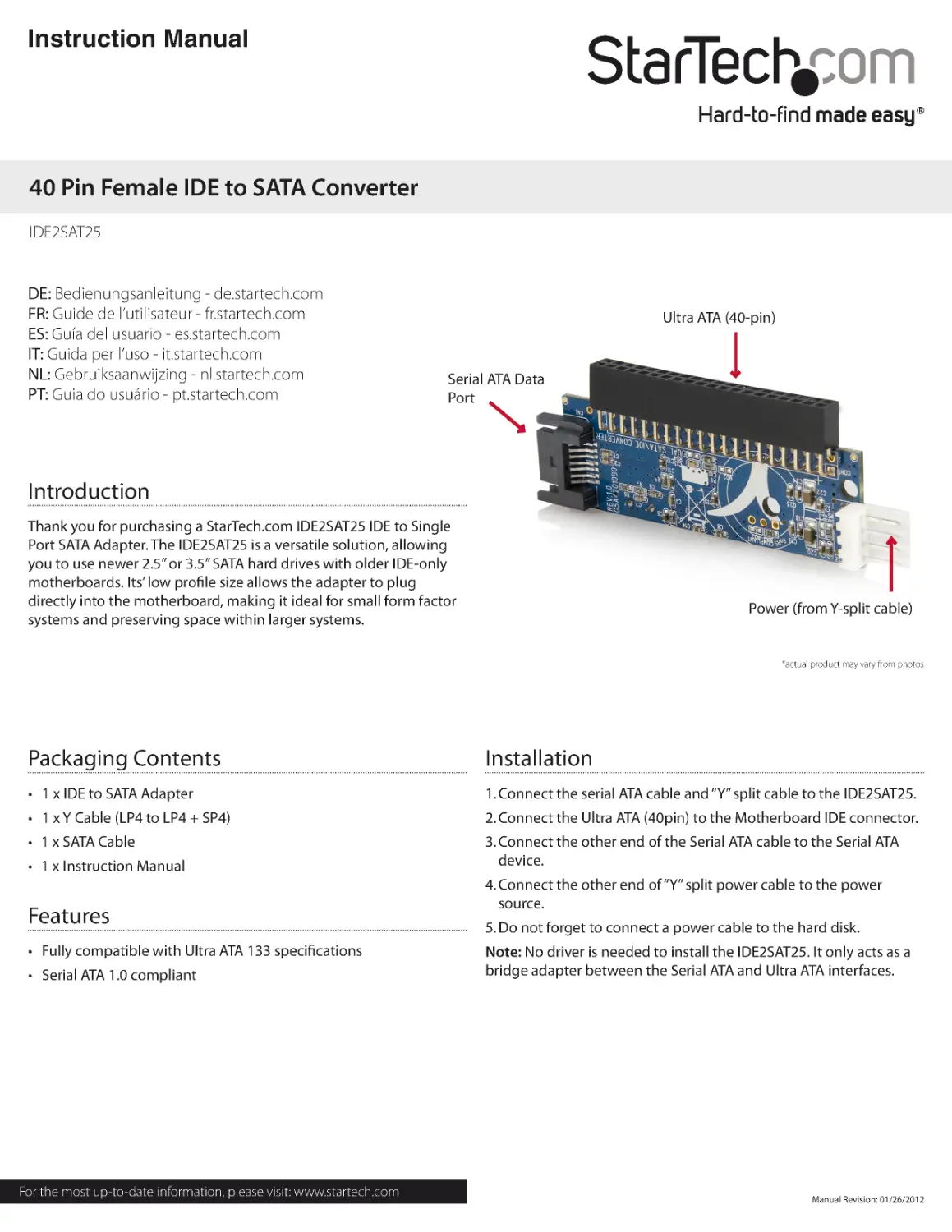
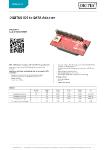
Ultra ATA (40-pin)
Power (from Y-split cable)
Serial ATA Data
Port
Instruction Manual
*actual product may vary from photos
Manual Revision: 01/26/2012
For the most up-to-date information, please visit: www.startech.com

FCC Compliance Statement
This equipment has been tested and found to comply with the limits for a Class B digital device, pursuant to part
15 of the FCC Rules. These limits are designed to provide reasonable protection against harmful interference in a
residential installation. This equipment generates, uses and can radiate radio frequency energy and, if not installed
and used in accordance with the instructions, may cause harmful interference to radio communications. However,
there is no guarantee that interference will not occur in a particular installation. If this equipment does cause harmful
interference to radio or television reception, which can be determined by turning the equipment off and on, the user
is encouraged to try to correct the interference by one or more of the following measures:
•	 Reorient or relocate the receiving antenna.
•	 Increase the separation between the equipment and receiver.
•	 Connect the equipment into an outlet on a circuit different from that to which the receiver
is connected.
Consult the dealer or an experienced radio/TV technician for help.
Use of Trademarks, Registered Trademarks, and other Protected Names & Symbols
This manual may make reference to trademarks, registered trademarks, and other protected names and/or symbols of
third-party companies not related in any way to
StarTech.com. Where they occur these references are for illustrative purposes only and do not represent an
endorsement of a product or ser vice by StarTech.com , or an endorsement of the product(s) to which this manual
applies by the third-party company in question. Regardless of any direct ack nowledgement elsewhere in the body
of this document, StarTech.com hereby ack nowledges that all trademarks, registered trademarks, service marks, and
other protected names and/or symbols contained in this manual and related documents are the property of their
respective holders.
Technical Support
StarTech.com’s lifetime technical support is an integral part of our commitment to provide industry-leading solutions.
If you ever need help with your product, visit www.startech.com/support and access our comprehensive selection of
online tools, documentation, and downloads.
Warranty Information
This product is backed by a lifetime warranty.
In addition, StarTech.com warrants its products against defects in materials and workmanship for the periods noted,
following the initial date of purchase. During this period, the products may be returned for repair, or replacement with
equivalent products at our discretion. The warranty covers parts and labor costs only. StarTech.com does not warrant
its products from defects or damages arising from misuse, abuse, alteration, or normal wear and tear.
Limitation of Liability
In no event shall the liability of StarTech.com Ltd. and StarTech.com USA LLP (or their officers, directors, employees
or agents) for any damages (whether direct or indirect, special, punitive, incidental, consequential, or otherwise),
loss of profits, loss of business, or any pecuniary loss, arising out of or related to the use of the product exceed the
actual price paid for the product. Some states do not allow the exclusion or limitation of incidental or consequential
damages. If such laws apply, the limitations or exclusions contained in this statement may not apply to you.
Specifications
Interface
IDE to SATA Host Bridge
Controller
JMicron JM20330
Bus
Parallel ATA Bus
No. of ports
1 port
Port Type
SATA
Driver Support
Windows 7, Windows Server 2008 R2/Server
2003/2000/XP/Vista, Linux
Regulato ry Approvals
CE, FCC